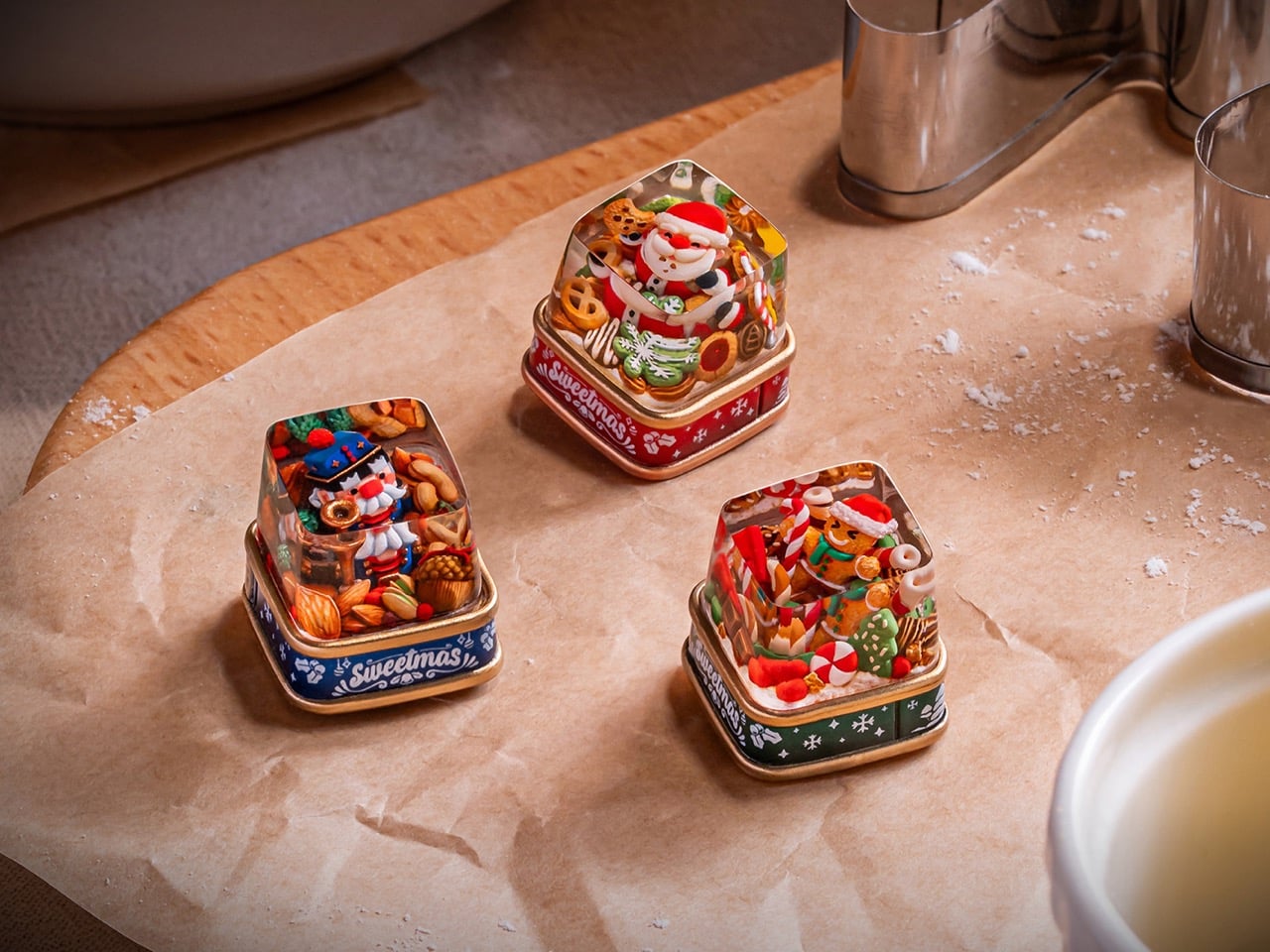
Sweetmas keycaps are what happens when a holiday cookie box collides with boutique keyboard culture. Designed by Dwarf Factory, the collection transforms the familiar 1U key into a micro stage, where a gingerbread character, a jolly Santa, or a toy soldier style nutcracker performs among piles of sweets and winter snacks.
The sculpted scenes sit under a polished resin dome, anchored to a base that looks like a miniature metal tin printed with festive graphics. It is a small gesture in physical terms, but it reshapes the way a keyboard feels on the desk, turning a technical tool into something closer to a seasonal keepsake that can live in a design conscious home.
Designer: Dwarf Factory
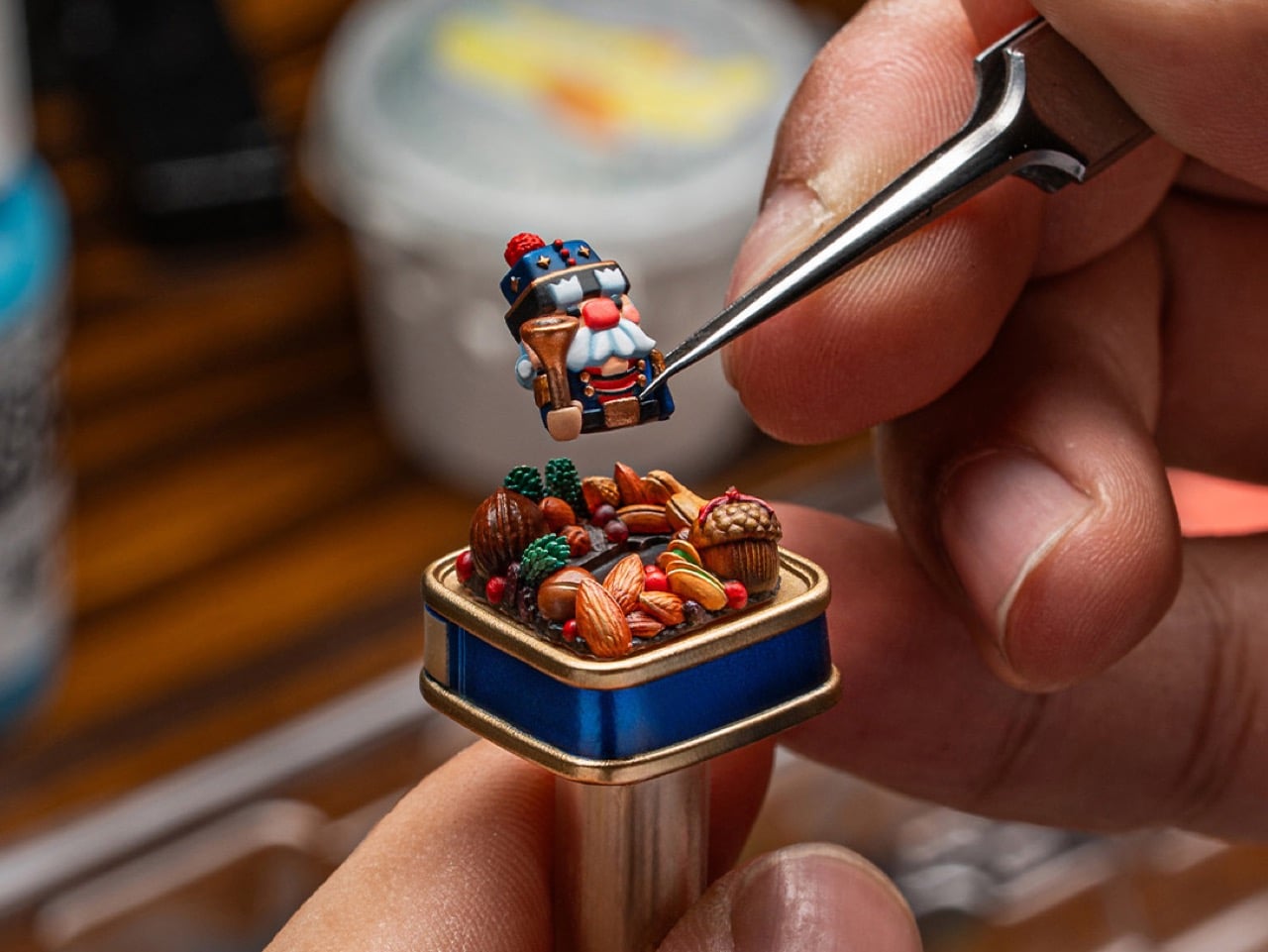
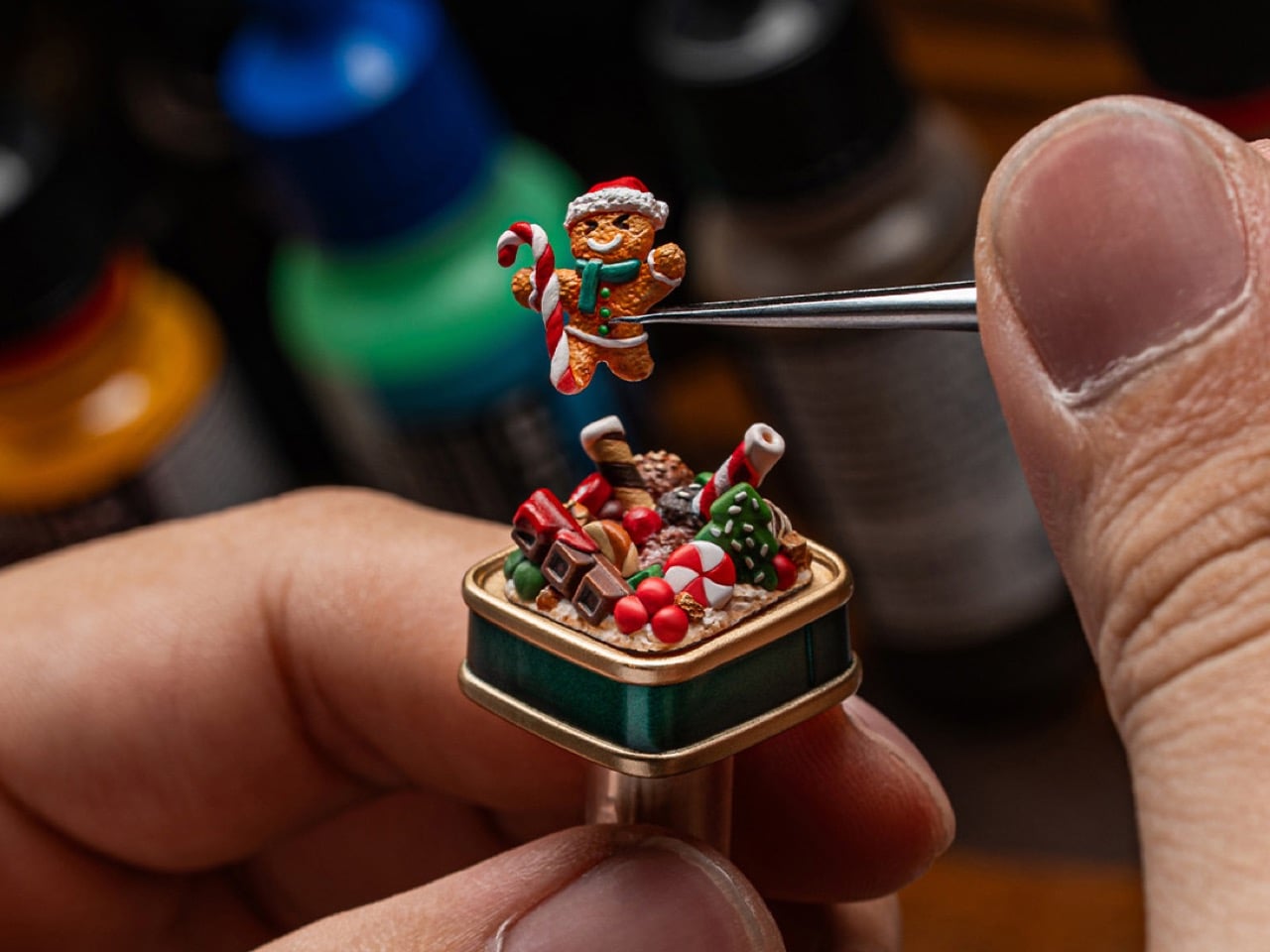
What makes these tiny worlds so compelling is the human touch behind them. Dwarf Factory does not mass produce these pieces; each keycap is the result of a meticulous artisanal process. The internal figures and their festive surroundings are first sculpted and then cast in resin. From there, artists take over, hand painting every minute detail, from the icing on a gingerbread man’s scarf to the rosy cheeks of Santa Claus. This level of dedication ensures that no two keycaps are perfectly identical, giving each one a unique character that automated manufacturing simply cannot replicate.
The Gingerbread variant, affectionately named Gingy, is a pure confectionery explosion. The cheerful gingerbread figure sits front and center, armed with a candy cane and surrounded by a landscape of sweets. There are chocolate bars, striped peppermints, and frosted Christmas tree cookies all packed into the scene. The entire diorama is housed on a base painted a festive green, with white snowflake details and the “Sweetmas” logo, perfectly capturing the feeling of a holiday candy shop that has been shrunk down to the size of a fingertip.
Next in the collection is Claus, a tribute to the man himself. This version features Santa Claus nestled in a treasure trove of baked goods. He is surrounded by an assortment of cookies, pretzels, and other holiday treats, as if caught mid-snack on his big night. The base of this keycap is a warm, inviting red, again styled like a classic cookie tin. The scene feels cozy and generous, a tiny, edible looking snapshot of Christmas Eve that brings a sense of warmth and nostalgia to the keyboard.
Rounding out the trio is Cracky, the Nutcracker. This design takes a more traditional, almost rustic approach to the holiday theme. The Nutcracker figure stands guard among a collection of almonds, walnuts, pine cones, and subtle green foliage. The base is a deep, royal blue, which gives it a more sophisticated and classic feel compared to the playful energy of the other two. It evokes the feeling of a classic Christmas ballet or a walk through a winter forest, offering a more elegant take on the Sweetmas theme.
As artisan pieces, the Sweetmas keycaps are designed to be both beautiful and functional. They are sized as standard 1U keys and feature a Cherry MX compatible stem, making them a drop in replacement for the vast majority of mechanical keyboards on the market. Their tall, sculpted profile, similar to an SA R1 key, gives them a satisfying presence on the board, perfect for an escape key or a macro pad. Released as a limited seasonal collection, these keycaps are collectible by nature, and the fact that each keycap is hand-crafted means that they command a fairly premium price at $49 bucks a pop. You’d have to absolutely make Santa’s list if you want these in your stockings for Christmas.
Design Mindset, Yanko Design’s weekly podcast, treats the creative process as something you can actively shape rather than something that just happens to you. Each episode digs into the habits, mental models, and practical tools that move designers from tentative to decisive, from endlessly tweaking to actually shipping work. Now in its fourteenth episode, the show is starting to feel like a standing studio critique in audio form, where process and mindset get equal billing with aesthetics. Powered by KeyShot, the series keeps returning to a simple idea: when designers can see their ideas faster and more clearly, they make better choices and take bolder risks.
This week, host Radhika Seth speaks with Reid Schlegel, Design Director at RS.D and educator at Parsons School of Design, whose career spans consultancy work at Smart Design and collaborations with brands like OXO. Reid is fluent in everything from loose Sharpie sketches to VR, CAD, and photorealistic rendering, but what really defines his work is how he teaches others to use visualization as a confidence engine. Not the confidence to defend a final deck, but the quieter confidence to show rough, uncertain ideas early. In episode 6 of Design Mindset, he unpacks how rapid visualization, from napkin sketch to KeyShot render, can quietly become the most important skill in a modern design career.
Seeing ideas sooner, not better, builds real creative confidence
Reid starts with a pattern he sees constantly in classrooms and studios. Designers are not short on ideas, they are short on the courage to externalize them before they feel polished. He describes watching students stall out inside their own heads: “They’ll have a brilliant idea in their head but they’ll spend weeks perfecting it mentally before they ever put pen to paper or pixels to screen. By the time they finally externalize it, they’ve already talked themselves out of half the good ideas. The magic happens when you see your ideas sooner, messier, more honestly. Because creativity isn’t about having perfect ideas, it’s about having the confidence to iterate on imperfect ones.” That shift in mindset turns sketching and rendering into tools for thinking instead of tools for showing off.
Once ideas are visible, the conversation changes. A wall of fast, imperfect sketches or rough models invites questions like which direction has the most potential, which combination might unlock something new, and what should be pushed further. In professional settings, especially in consulting where Reid has spent most of his career, the ability to generate many legible options makes you a better collaborator and a more resilient designer. A high volume of rough concepts creates more material for the team to build on together, spreads risk across multiple directions, and keeps everyone less attached to any single idea. Creative confidence grows from that rhythm of trying, testing, and adjusting, not from waiting for one supposedly flawless concept.
A Batman tool belt beats a single perfect process
A lot of younger designers still believe in a clean, linear pipeline: research, sketch, model, render. Reid is quick to call that a myth. Real projects are messy, and the designers who thrive are the ones who treat their skills like a Batman tool belt. “It’s not about being good at just sketching and rendering. It’s about having a wider toolkit. I kind of use the analogy of like Batman’s tool belt, where there’s a lot of different things that need to be used at different times.” On some days, the right move is a page of thumbnails. On others, it might be a crude clay massing model, a hacked cardboard mockup from Amazon boxes, or a loose “sketch CAD” blockout. The metric is not beauty. The metric is how quickly you can get something tangible enough to react to.
Reid encourages designers to be comfortable sacrificing early quality for speed, because that is how you work through the weak ideas while the stakes are still low. He also treats switching mediums as a deliberate tactic. When a problem feels stuck in CAD, picking up a pen or building a quick physical mockup can unlock a “quick win” that restores momentum. That change of medium nudges your brain into a different mode of thinking and often reveals new angles on the same brief. Instead of obsessing over one polished workflow, Reid wants designers to ask, in each moment, which tool will get them to a useful insight fastest, then move on once that insight has been captured.
Paper sketching still feels like wizardry in a digital room
Despite his comfort with digital tools, Reid is unapologetically bullish on paper. Quick, low fidelity sketching on paper remains his go to for early ideation and for live sessions with clients. The reason is not nostalgia. It is transparency. When you sketch in front of someone, they can see the thinking appear in real time. That has a powerful effect on trust. As he puts it, “If you can do a sketch on the table in front of a client, they will look at you like you’re a wizard and you’ll instantly get their respect and they’ll trust you. If you’re the first person to show it to them, you’re like the gatekeeper that all of a sudden allowed them to level up. So quick sketching is super invaluable.”
In workshops or stakeholder reviews, a spread of loose paper sketches invites people to point, circle, and combine. The work feels approachable. No one worries about “ruining” a finished render with a suggestion. That is why Reid talks about early outputs as “sacrificial lambs.” Their job is to be tested, challenged, and discarded if needed, not to survive untouched. A handful of super polished digital images, by contrast, can freeze the room. Critique starts to feel like an attack on something that already looks finished. By keeping the fidelity low in the early stages, designers protect their own willingness to explore and their clients’ willingness to engage honestly.
From overnight renders to minutes fast feedback
The episode spends time on how rendering technology has changed the tempo of design work. Reid remembers starting out at Smart Design when rendering was slow and often an overnight task. That lag created friction. Teams hesitated to render too early because each pass cost so much time. Today, tools like KeyShot produce photorealistic versions of rough models in minutes, which means designers can use rendering as part of the exploratory phase rather than saving it for the end. When you can see a form in believable lighting and materials almost immediately, you can catch proportion issues, surface problems, or brand mismatches long before they become expensive.
Reid is careful to point out that this speed comes with a risk. When designers jump into CAD and high fidelity rendering too early, they tend to lock in too soon. Once a model has hours invested in it, it becomes harder to throw away, even if the core idea is weak. His answer is to treat early CAD and early KeyShot passes like any other sketching medium. They are temporary, disposable, and meant to be killed if they are not moving the project forward. Used in that spirit, fast rendering becomes a way to shorten feedback loops and ground decisions in visual truth, rather than a trap that turns every file into something too precious to question.
Career momentum from transparency and fast, flexible output
When Radhika asks how all of this translates into career success, Reid focuses on two themes: efficiency and openness. In consulting environments, timelines are tight and briefs evolve quickly. Designers who can flex across sketching, models, CAD, and rendering, and who can choose the right tool for each moment, simply handle more work without burning out. “It just means you’re an efficient team member. My entire career has been consulting and consulting is a rapid environment where you have to execute quickly or else you just won’t be able to keep up with the demand and the workload.” That kind of efficiency is not about cutting corners. It is about not over investing in fidelity before an idea has earned it.
On the human side, Reid urges junior designers to practice radical transparency instead of hiding their struggles. He points out that managers can usually see when someone is floundering, and that teams and clients are incentivized to help you succeed because your success is tied to the project’s outcome. Asking for help early allows leaders to design a development plan with you, rather than quietly losing confidence in your abilities. When things click, creative confidence feels, in his words, “empowering” and “warm inside.” It is the sense that your work was understood, that it resonated with the room, and that you are moving in the right direction. For a field built around solving problems and creating delight for others, that feeling is one of the most reliable rewards of the job.
Design Mindset, powered by KeyShot, returns every week with conversations like this, tracing the connection between how designers think, the tools they use, and the work they put into the world. Episode 6 with Reid Schlegel leaves you with a simple, practical challenge: see your ideas sooner, in more ways, and with less fear of being imperfect.
On a quiet December morning, as the tree lights flicker softly against the windows, the modern home reveals a new kind of Christmas magic. Gone are the days when gifts were plastic gadgets destined for drawers, as today’s most thoughtful presents are pieces of functional art alongside objects that enrich a space as beautifully as they perform.
This season, every device unwrapped should offer both purpose and presence, crafted from honest materials and shaped with sculptural intent. In homes seeking harmony and calm, giftable tech becomes part of the architecture itself, blending intelligence, aesthetics, and festive warmth in one seamless gesture.
1. Sculptural Wireless Charger
The wireless charger is no longer a bland tech necessity; it is now a statement of material honesty and form. Modern high-design chargers replace plastic with honed marble, polished brass, or carved timber, transforming a simple gadget into a refined object on your nightstand.
When choosing one, look for weight and presence. Solid stone or metal chargers feel grounded and intentional, blending seamlessly with luxury interiors. These pieces double as abstract mini-sculptures even when not in use. With a clean magnetic connection and discreet cable, they maintain visual calm, which is a key element of elevated, Gen Z approved luxury living.
Wireless chargers continue to grow in popularity, yet most designs still share a common limitation: they become functionally irrelevant the moment you remove your phone. Many models may look stylish on a desk or bedside table, but they serve no purpose beyond decoration when not in use. This concept addresses that gap by giving the charger a secondary function, allowing it to offer value even when no device is being powered. It builds on the evolution of magnetic charging, which has introduced more flexibility in angles and positioning while still leaving the charging surface unused whenever the phone is absent.
The Dino Charger introduces a clever solution by integrating a small circular display into the charging area. When the phone is removed, this smartwatch-like screen becomes visible, showing essential information such as time, weather, or battery status. Though concealed during charging, it transforms the accessory into a compact, multifunctional device that enhances usability without occupying extra space.
2. Digital Dynamic Photo Frames
Digital photo frames have evolved into dynamic wall art, shifting from simple screens to pieces capable of rivaling gallery-grade framed work. They bring a customizable, ever-changing aesthetic into the home, allowing interiors to feel curated, alive, and intentionally composed. Their presence supports a refined visual rhythm rather than interrupting it.
Choose frames with matte, anti-glare glass and high-resolution displays for true material credibility. The ROI lies in their ability to refresh a room instantly with digital art or personal archives. Smart models use concealed mounts and a single paintable cable, preserving the purity of the wall plane.
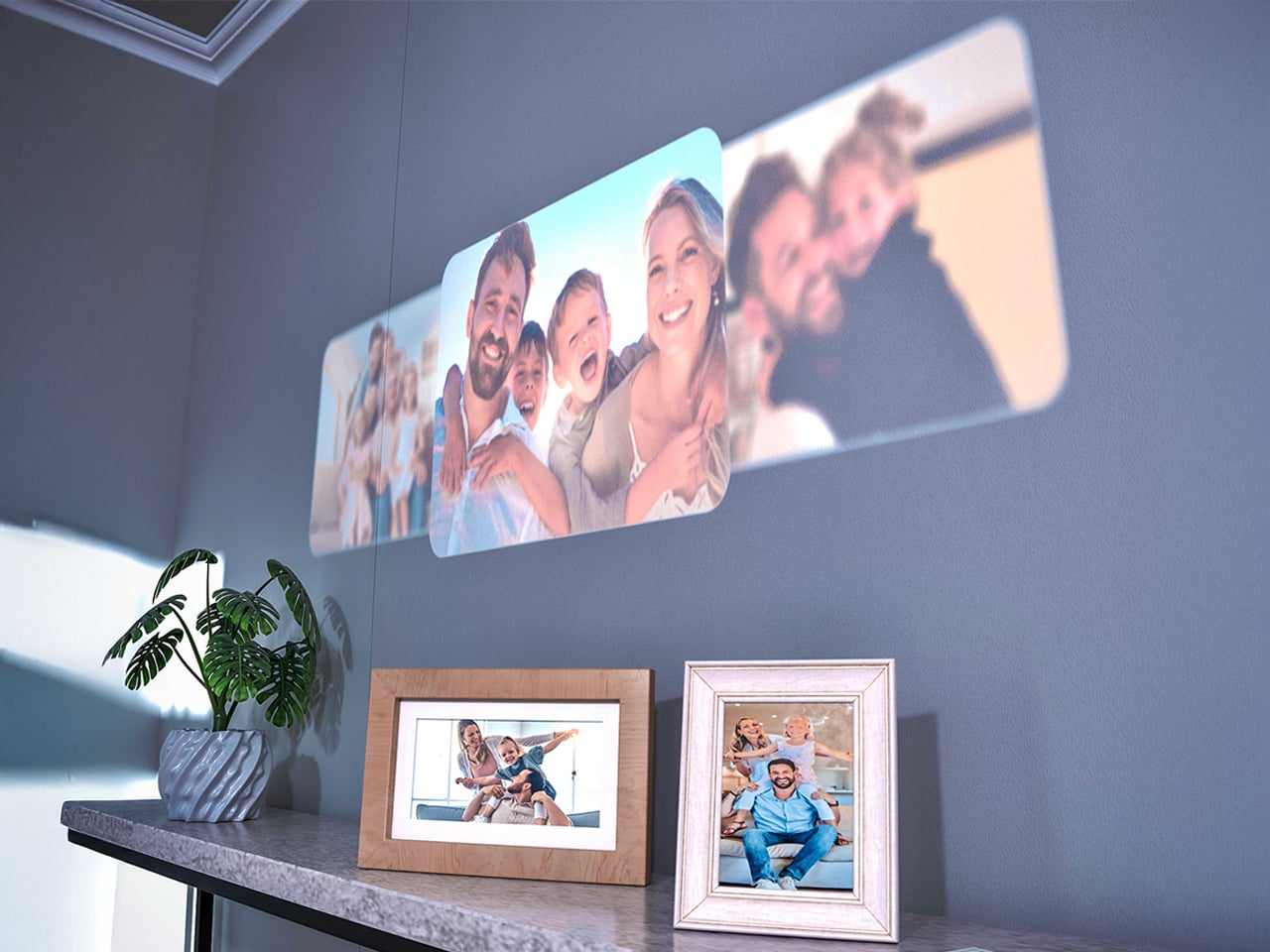
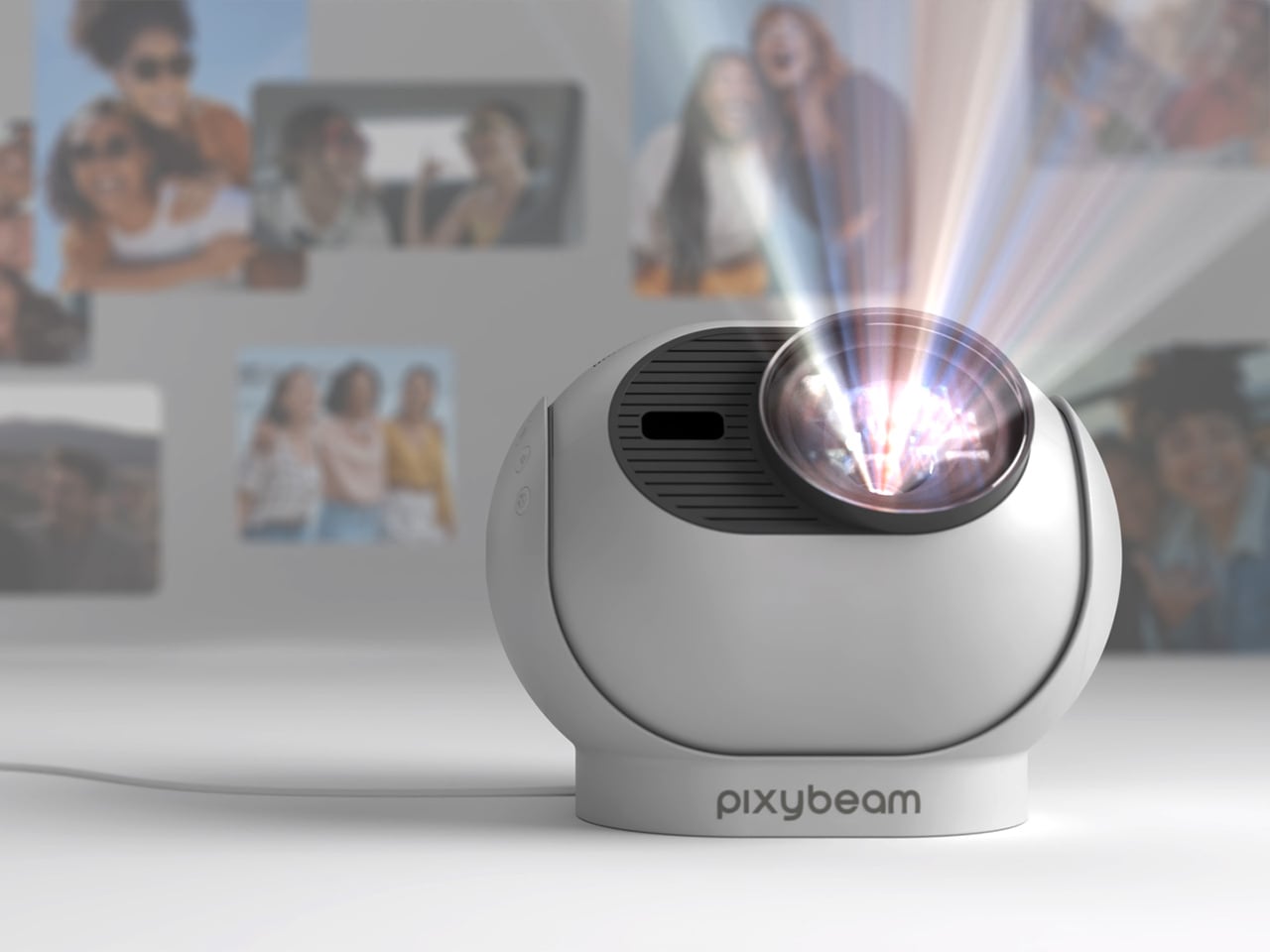
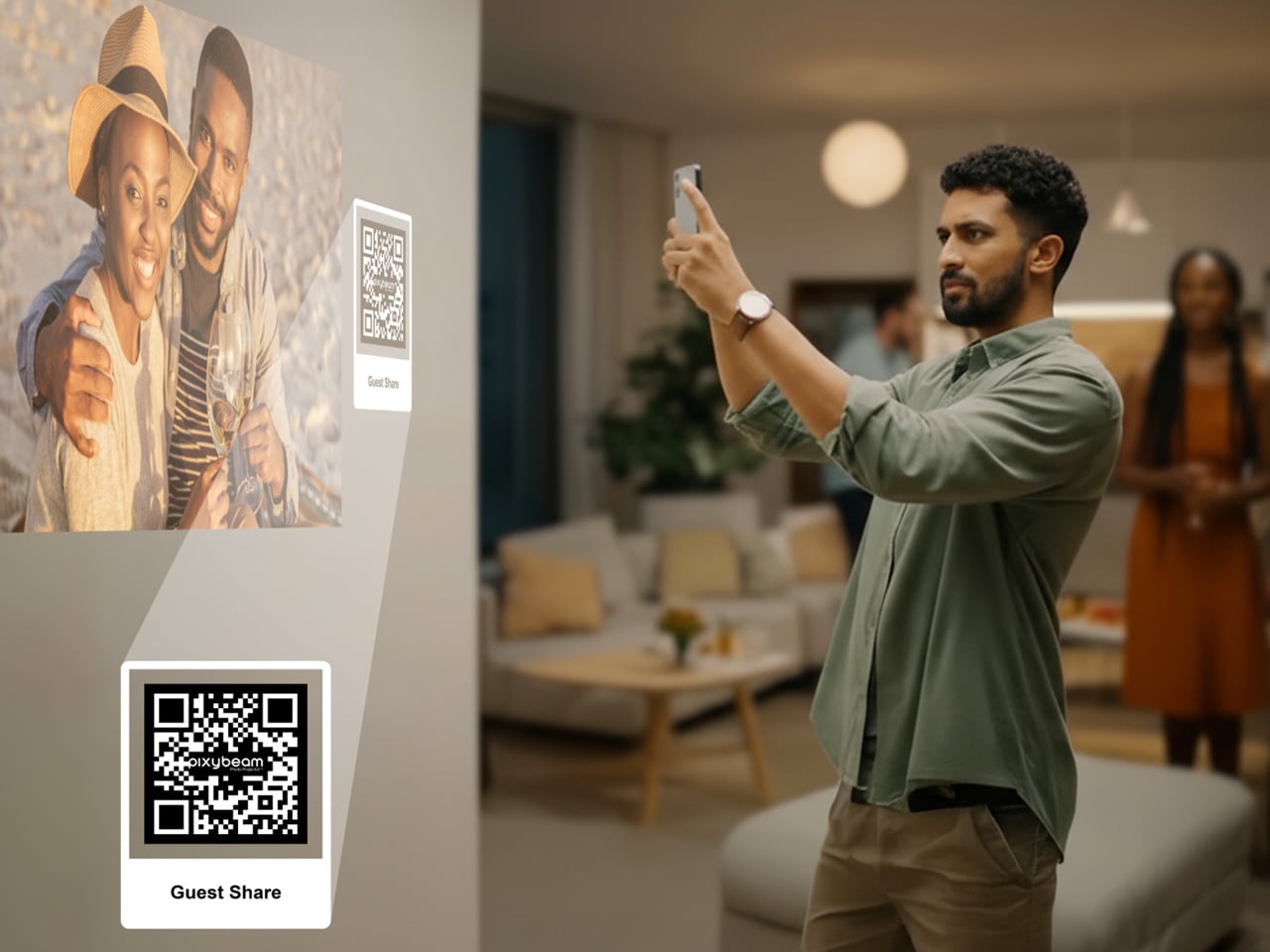
Many personal memories now sit unseen within digital albums and long camera rolls, rarely revisited despite their significance. Traditional digital photo frames attempted to reintroduce these moments into everyday life, yet their fixed borders and constrained formats often created a sense of distance rather than connection. PixyBeam offers a refined alternative by transforming walls and ceilings into immersive visual canvases. Through projection, it integrates photographs and short clips directly into the home environment, allowing meaningful moments to become part of daily living rather than confined to a screen.
Designed with a minimalist, rounded profile and soft white finish, PixyBeam blends seamlessly into any interior. The device delivers vivid 1080p projections up to 200 inches, supported by autofocus, keystone correction, and a rotating lens for effortless ceiling or wall display. With a simple setup, app-based gallery organisation, and features such as dynamic templates and Guest Share, PixyBeam turns personal spaces into expressive, evolving galleries that celebrate life’s most important stories.
3. Ambient Illumination Tech
Ambient illumination technology has become a poetic light source, offering mood-shaping capability without relying on bulky fixtures. From refined smart lamps to atmospheric projectors, these devices let homeowners sculpt the emotional tone of a room while subtly supporting thermal and visual comfort. They behave as architectural companions rather than decorative add-ons.
These objects operate as instruments of layered light. Prioritise designs that create indirect, coloured, or animated washes to shape an ‘ephemeral glow.’ Their true utility lies in sensory modulation with smart lamps that adjust colour temperature throughout the day, enhancing biophilic well-being, proving their purpose far beyond ornamentation.
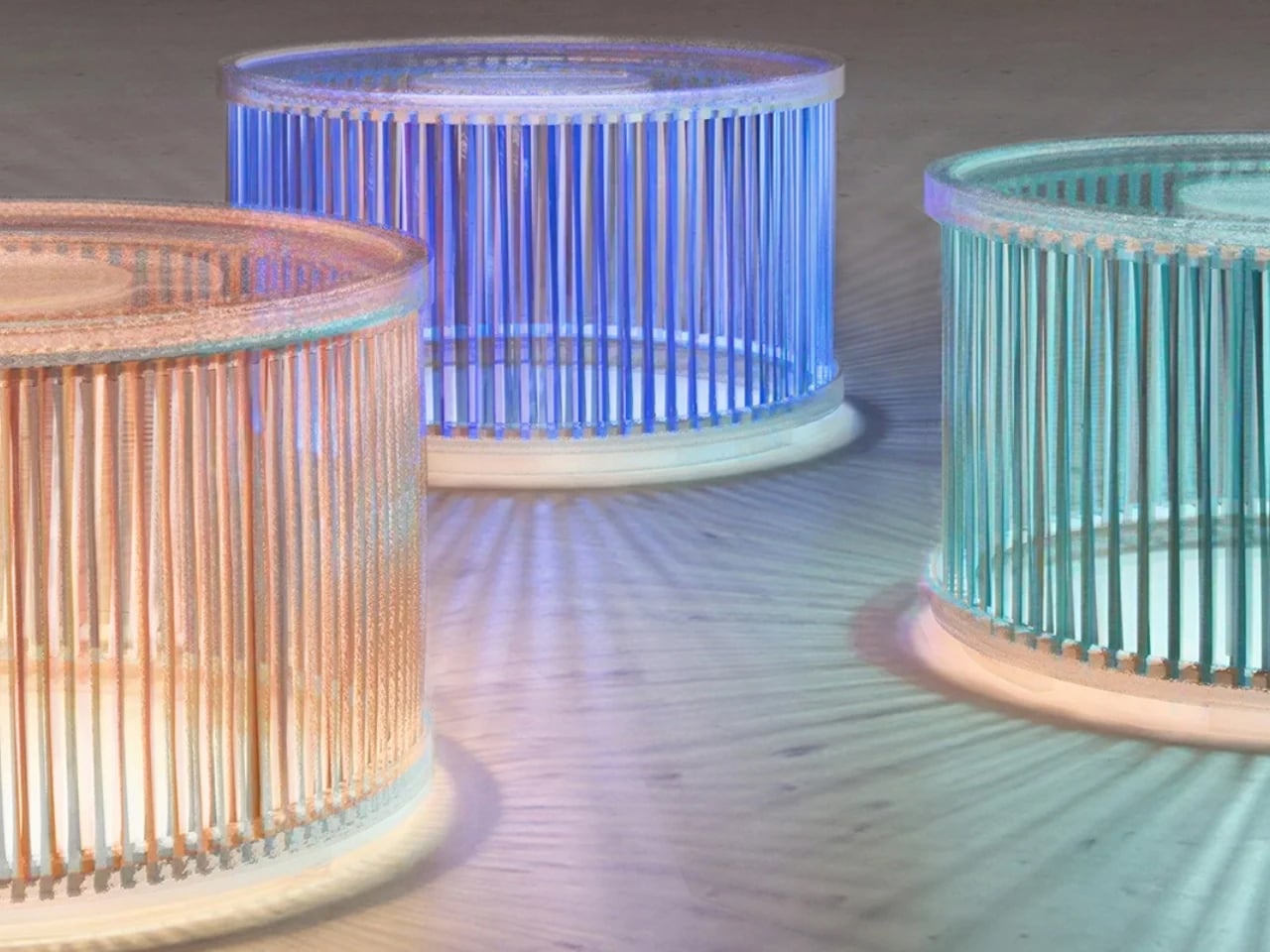
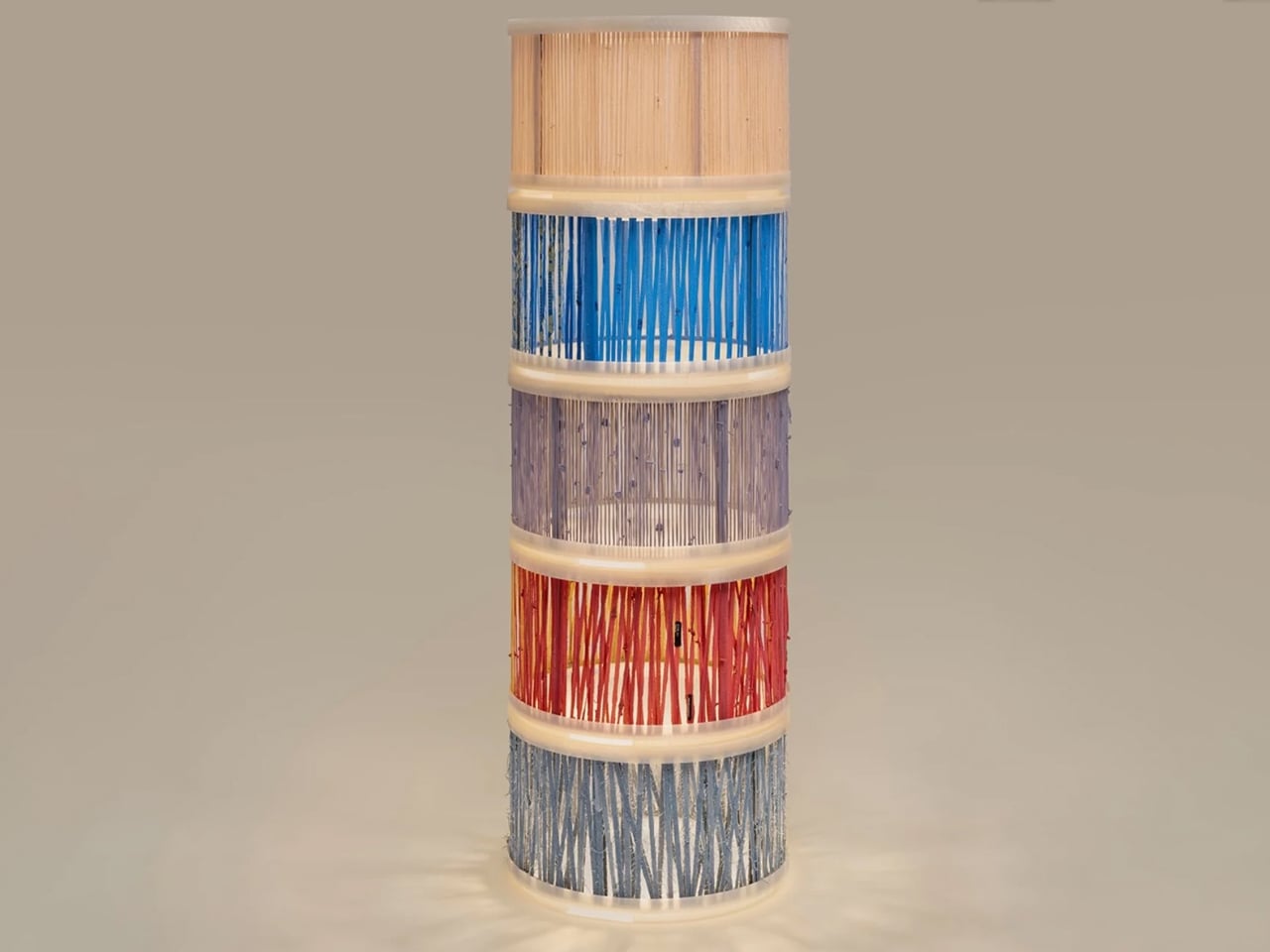
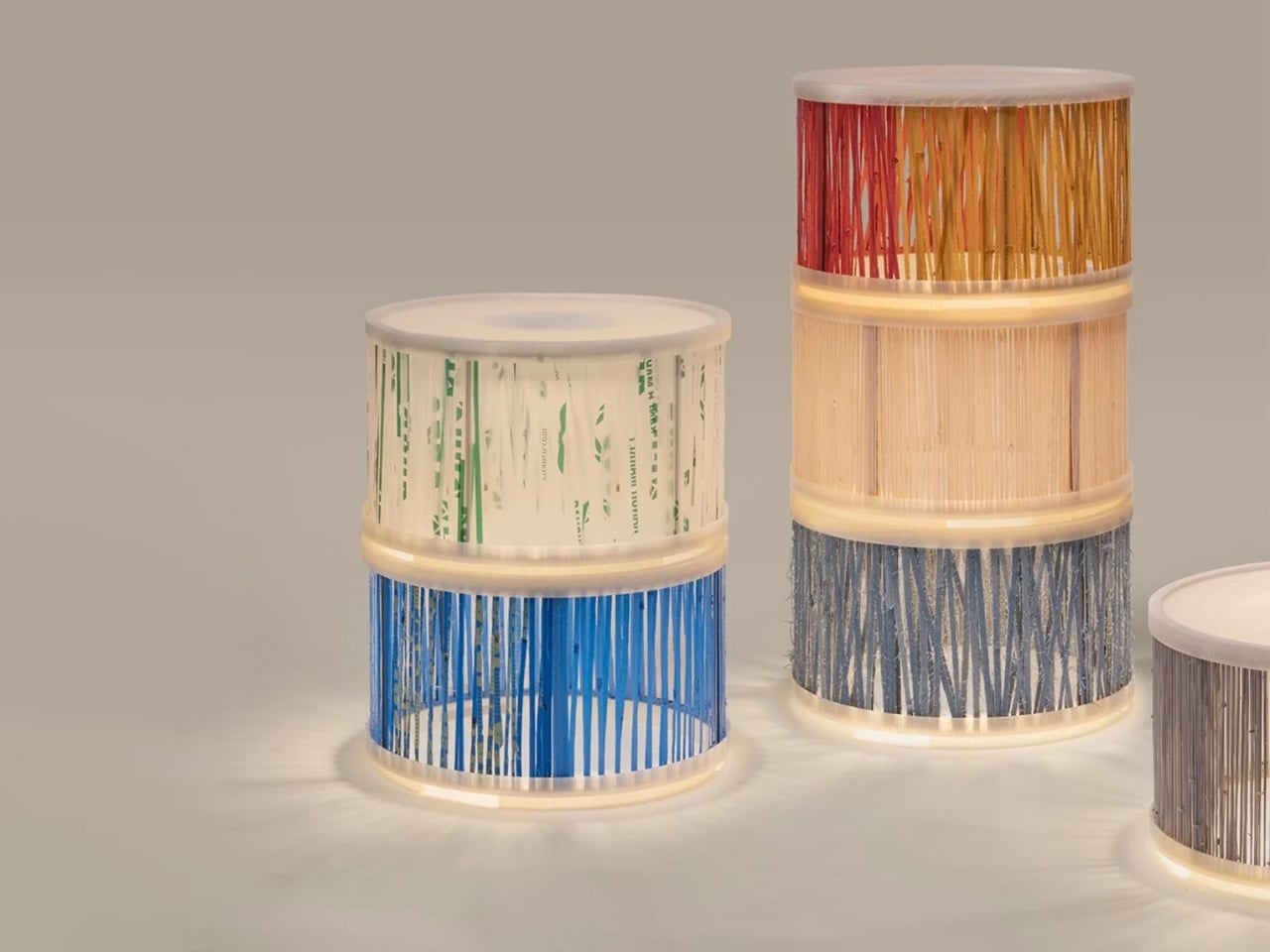
Luminous Re-weave, created by designers Ling Sha and Yucheng Tang, reinterprets discarded textiles by transforming them into refined lighting elements. Old T-shirts, worn denim, and even plastic bags are hand-woven onto metal frames fitted with 3D-printed covers, producing lamps that merge craftsmanship with contemporary fabrication. The modules feature soft, textile-wrapped exteriors that diffuse light into a warm, inviting glow, giving the pieces a sculptural presence suitable for both residential and gallery settings. Each cylindrical unit functions independently or can be stacked to create customised lighting compositions without the need for tools.
A defining aspect of the system is its interchangeable textile skins, allowing users to update colours and textures as preferences evolve. This adaptability not only extends product lifespan but also reinforces the project’s sustainability ethos by repurposing materials that would otherwise enter waste streams.
4. Designer Wi-Fi Nodes
Designer Wi-Fi nodes and mesh systems have become essential architectural elements, no longer the forgotten hardware of a connected home. Instead of hiding them away, today’s high-end models are crafted to be seen in smooth matte ceramics, brushed aluminum, and minimal geometric forms that read more like curated objects than utilitarian electronics. They contribute intentionally to the visual rhythm of a room.
Choosing a system designed for display offers both aesthetic and functional ROI. By keeping nodes visible, performance remains uncompromised, eliminating the need for cupboards that weaken signal strength. The result is a clean, unobstructed interior paired with seamless, whole-home connectivity.
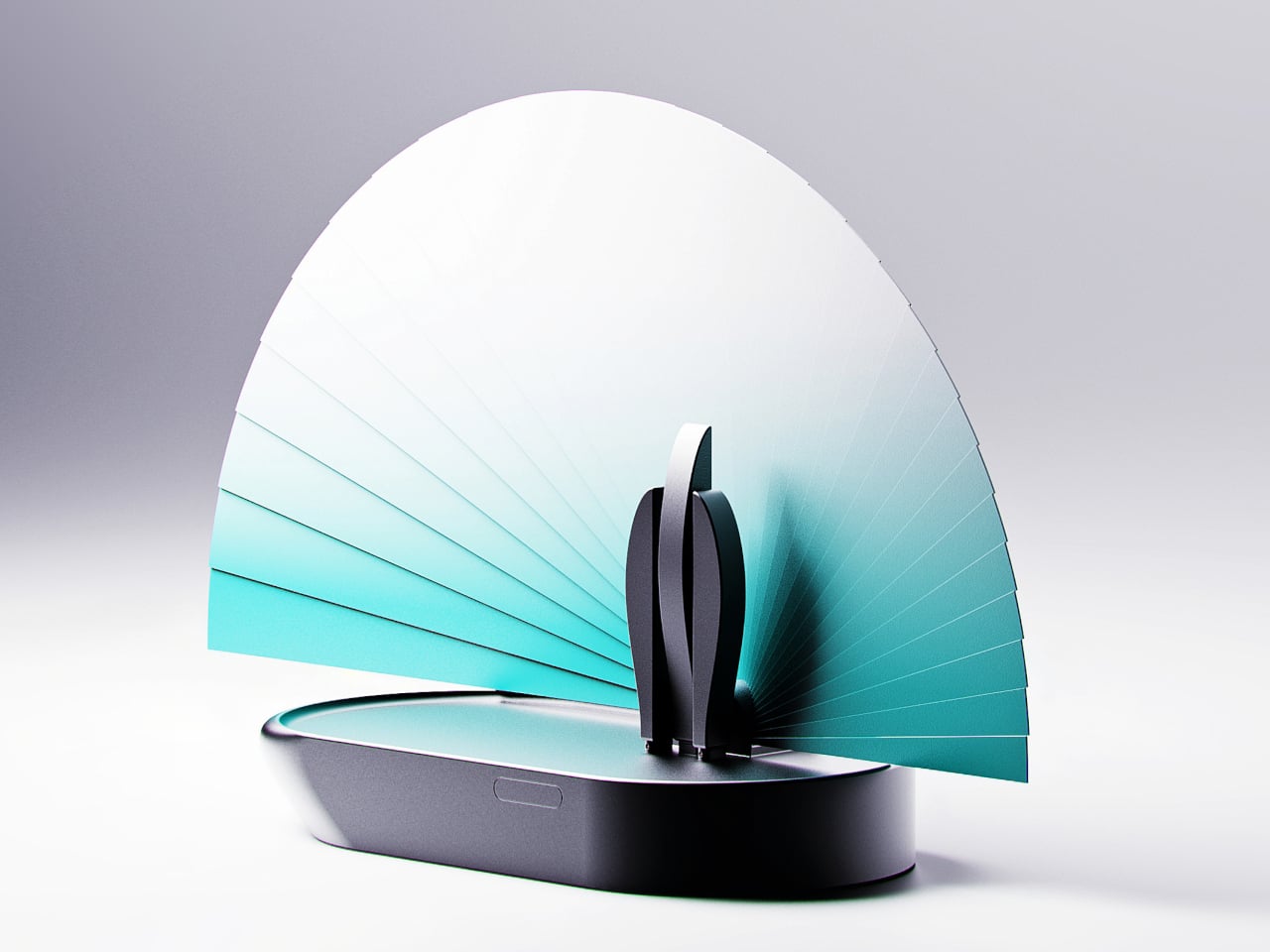
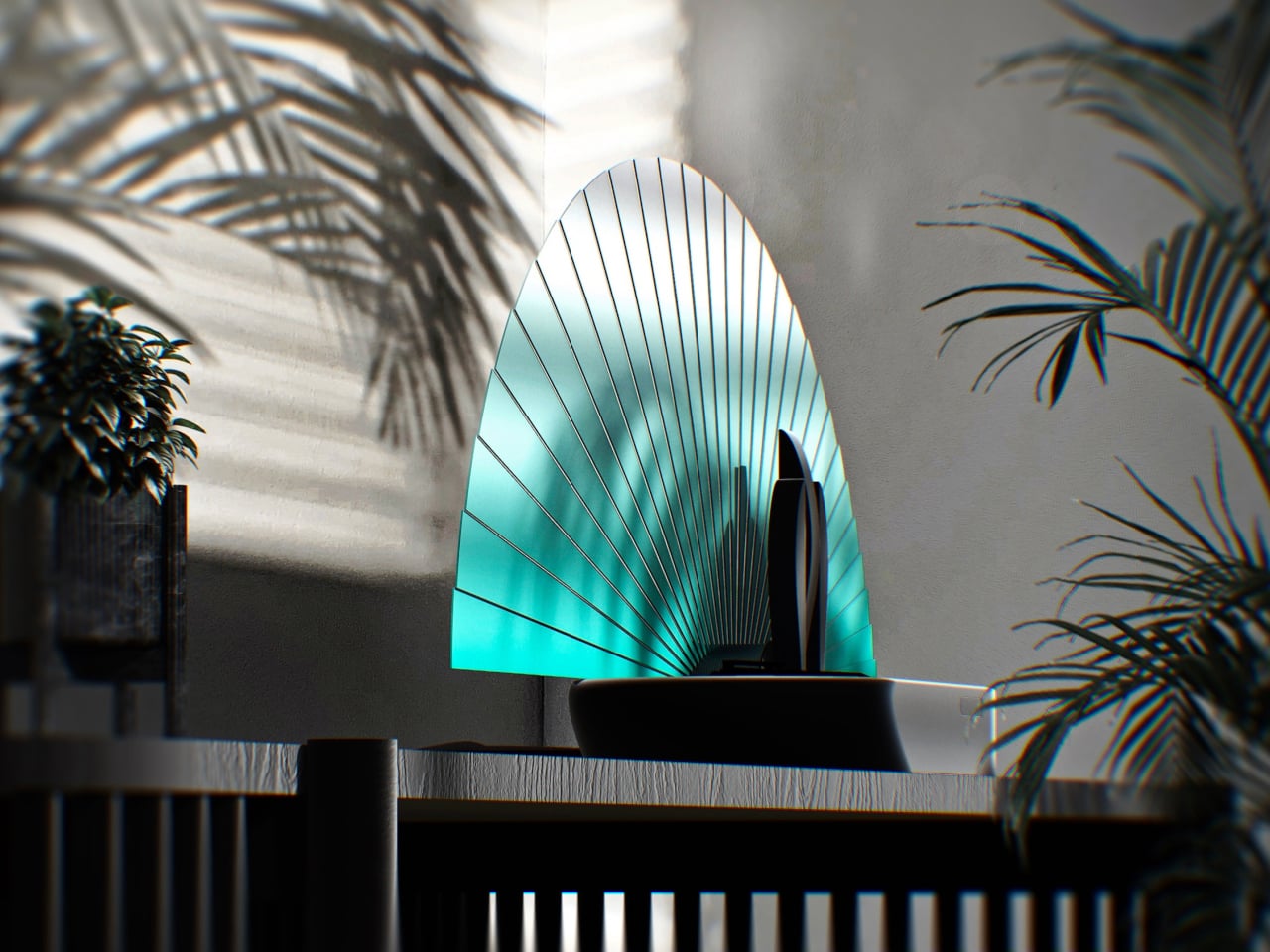
Spending extended periods at home has made many people more aware of the limitations of their living spaces and the design shortcomings of everyday electronics. Wi-Fi routers, for instance, often appear bulky, aggressive, or purely utilitarian, encouraging users to hide them in corners- an action that can unintentionally weaken signal performance. This concept proposes a more thoughtful approach by turning the router into a functional decorative object, allowing it to remain visible while also providing a clear indication of signal strength.
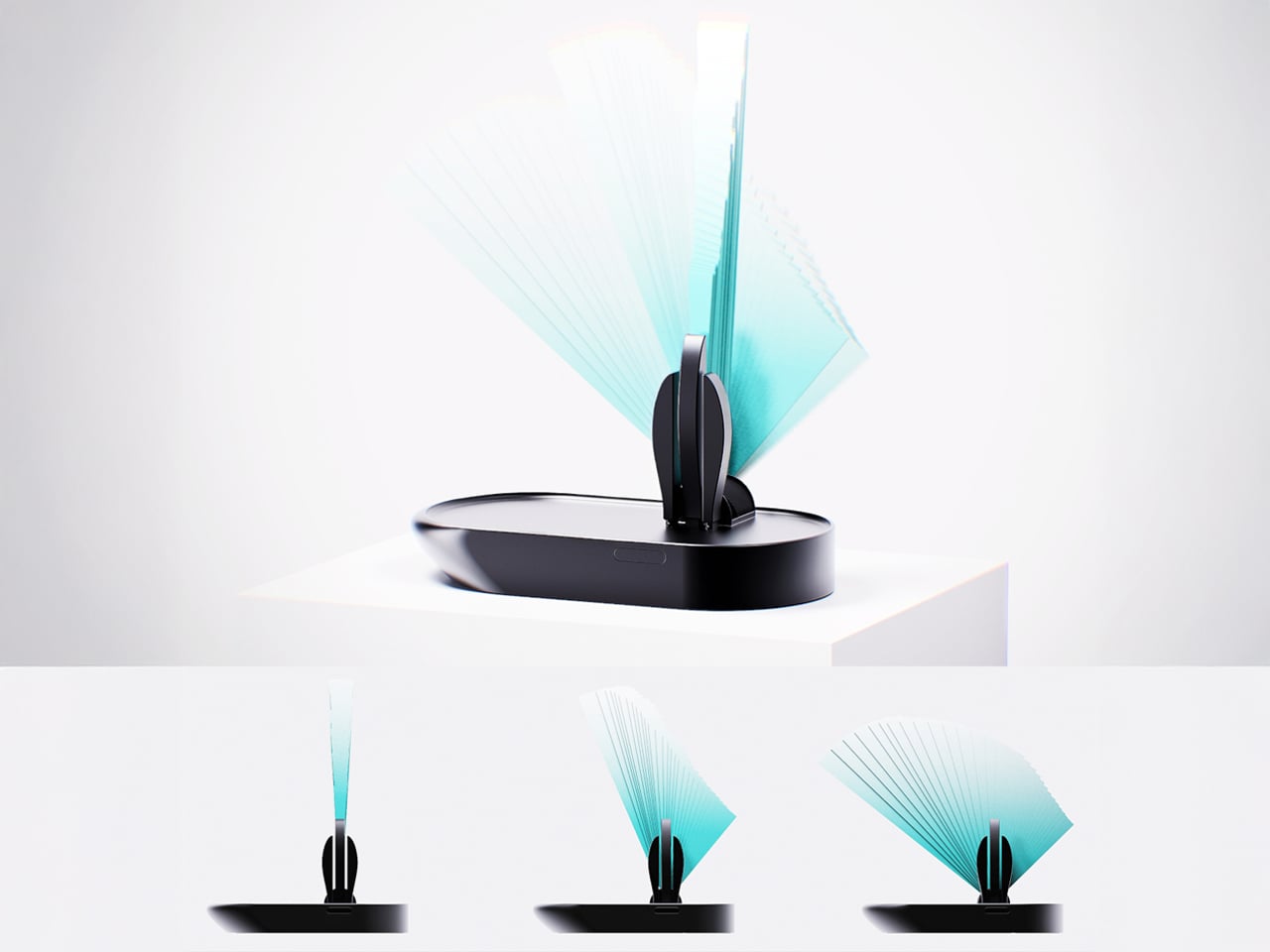
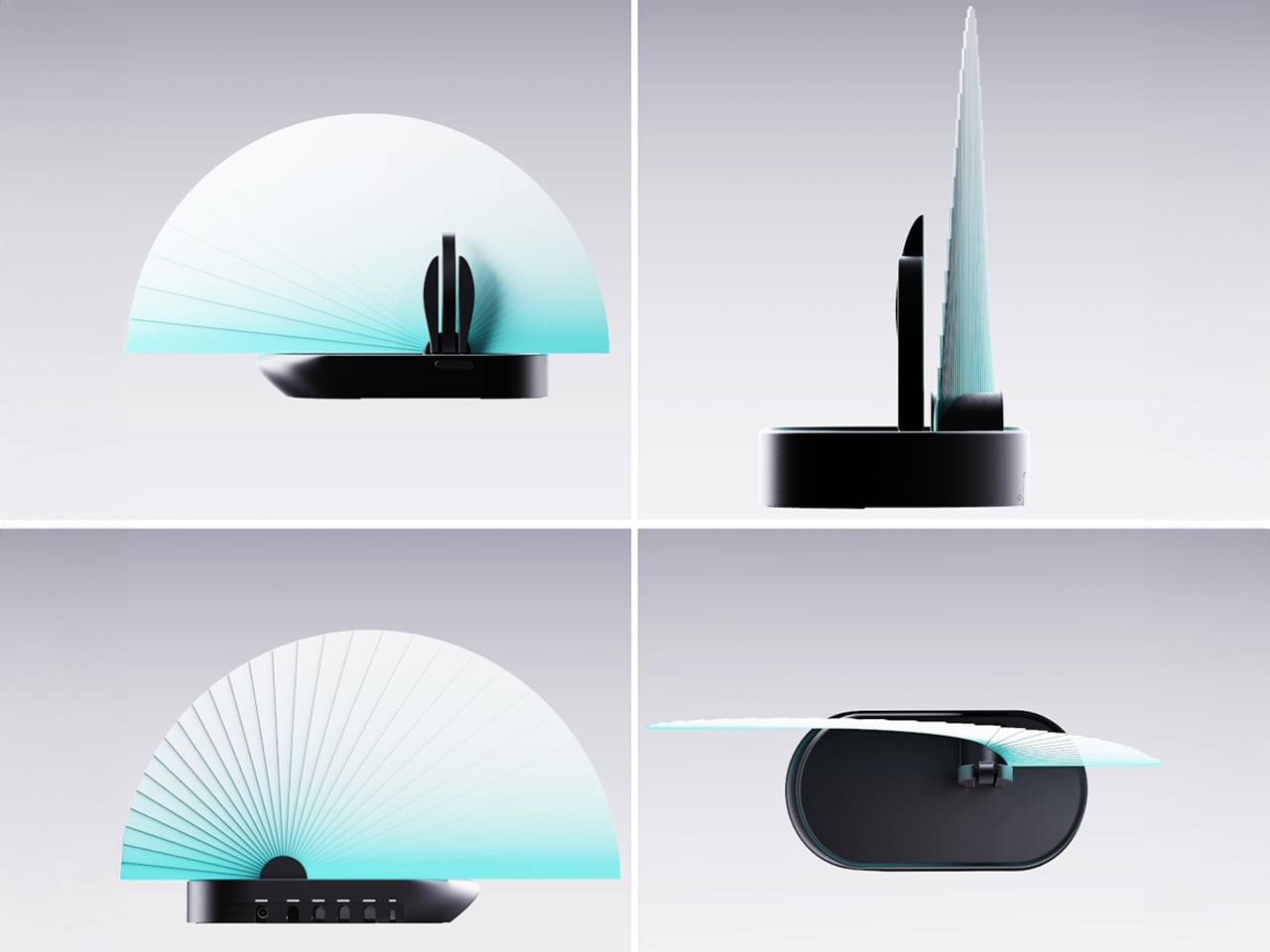
The Blooming Out router features a fan-inspired mechanism composed of 29 segments that expand when the Wi-Fi signal is strong and retract when it weakens, creating a visual representation of connectivity. Three adjustable antennas positioned slightly off-centre enhance signal distribution while contributing to a sculptural, peacock-like silhouette. By merging aesthetics with technical efficiency, the design aims to transform the router from a device often concealed into an elegant object that complements modern interiors without compromising performance.
5. Charging Mat that Doubles as Display Surfaces
Wireless charging mats have evolved into thoughtful dual-purpose gifts that eliminate cable clutter while delivering convenient power to multiple devices. Modern designs feature premium materials like bamboo, leather, or minimalist metal finishes that elevate them from utilitarian gadgets to sophisticated accessories. This versatility makes them ideal for gift-givers seeking something genuinely useful without sacrificing aesthetic appeal, perfect for colleagues, tech-savvy friends, or anyone upgrading their workspace.
As home decor gifts, wireless charging mats have become statement pieces available in various aesthetics – from Scandinavian minimalism to industrial chic. Sleek marble patterns, warm wood tones, or geometric shapes transform these tech essentials into decorative accents for nightstands or entryway surfaces. For housewarming occasions or holidays, a beautifully designed wireless charger demonstrates thoughtfulness by addressing both practical needs and aesthetic sensibilities, making it perfect for design-conscious recipients.
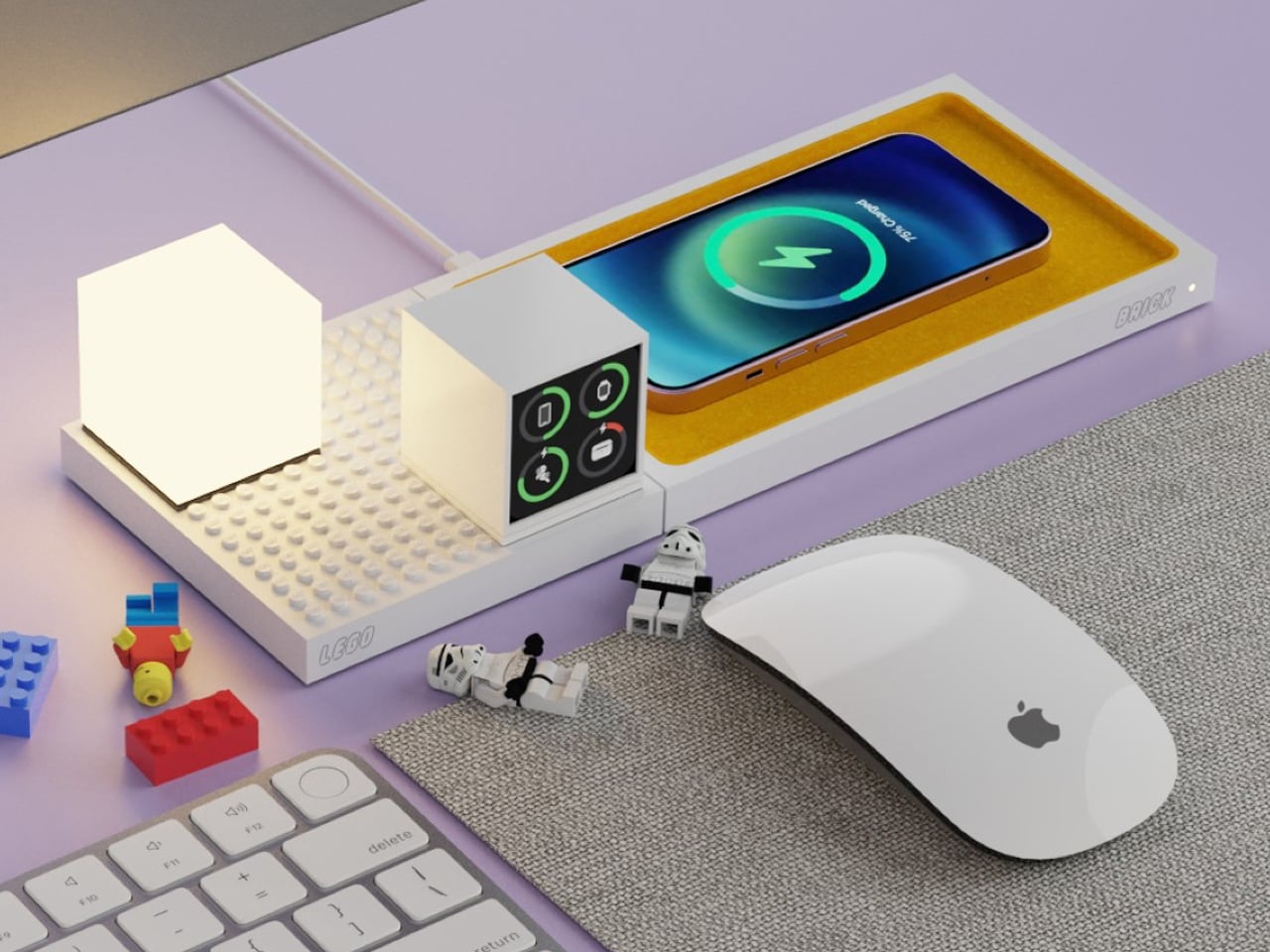
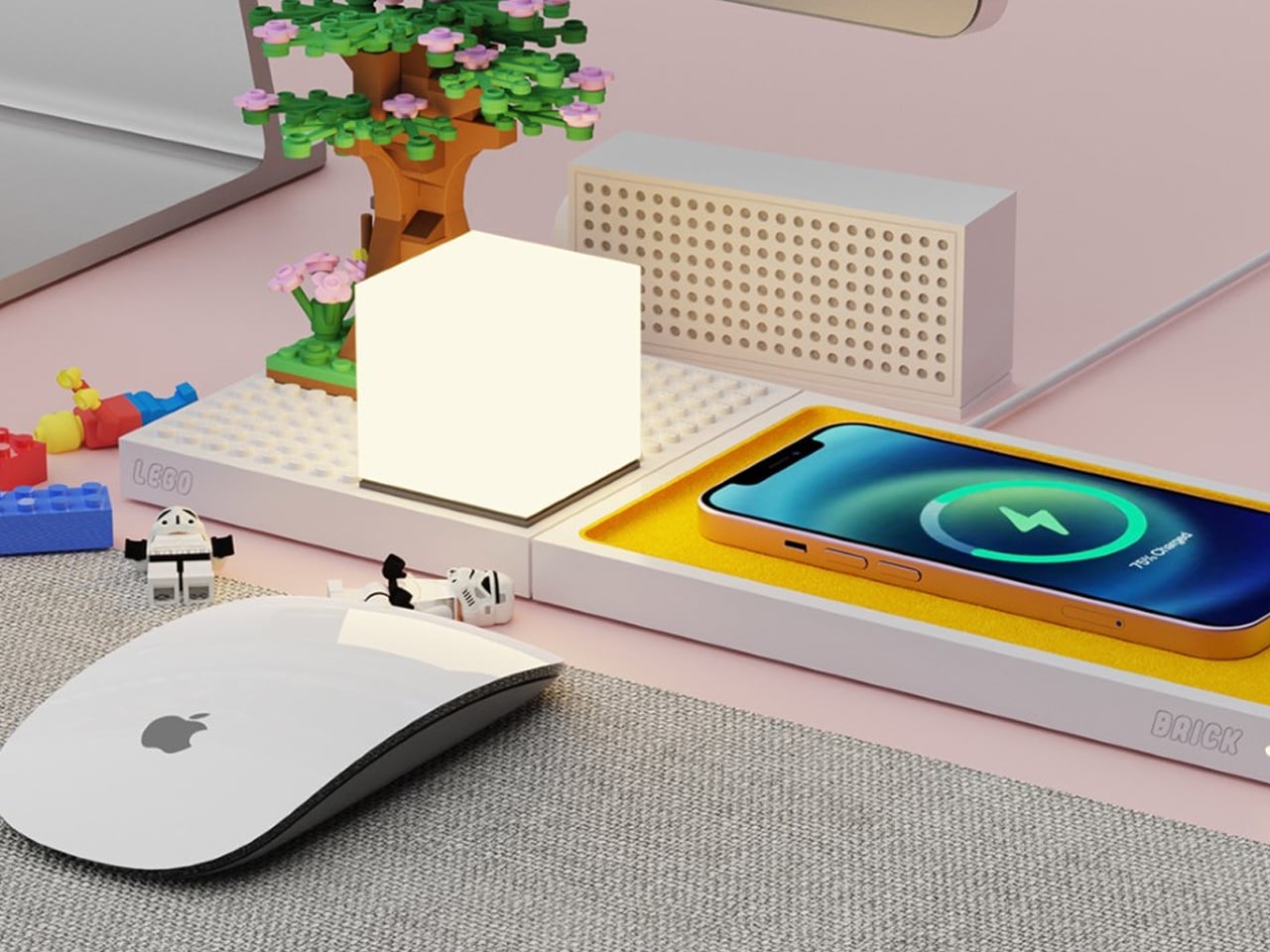
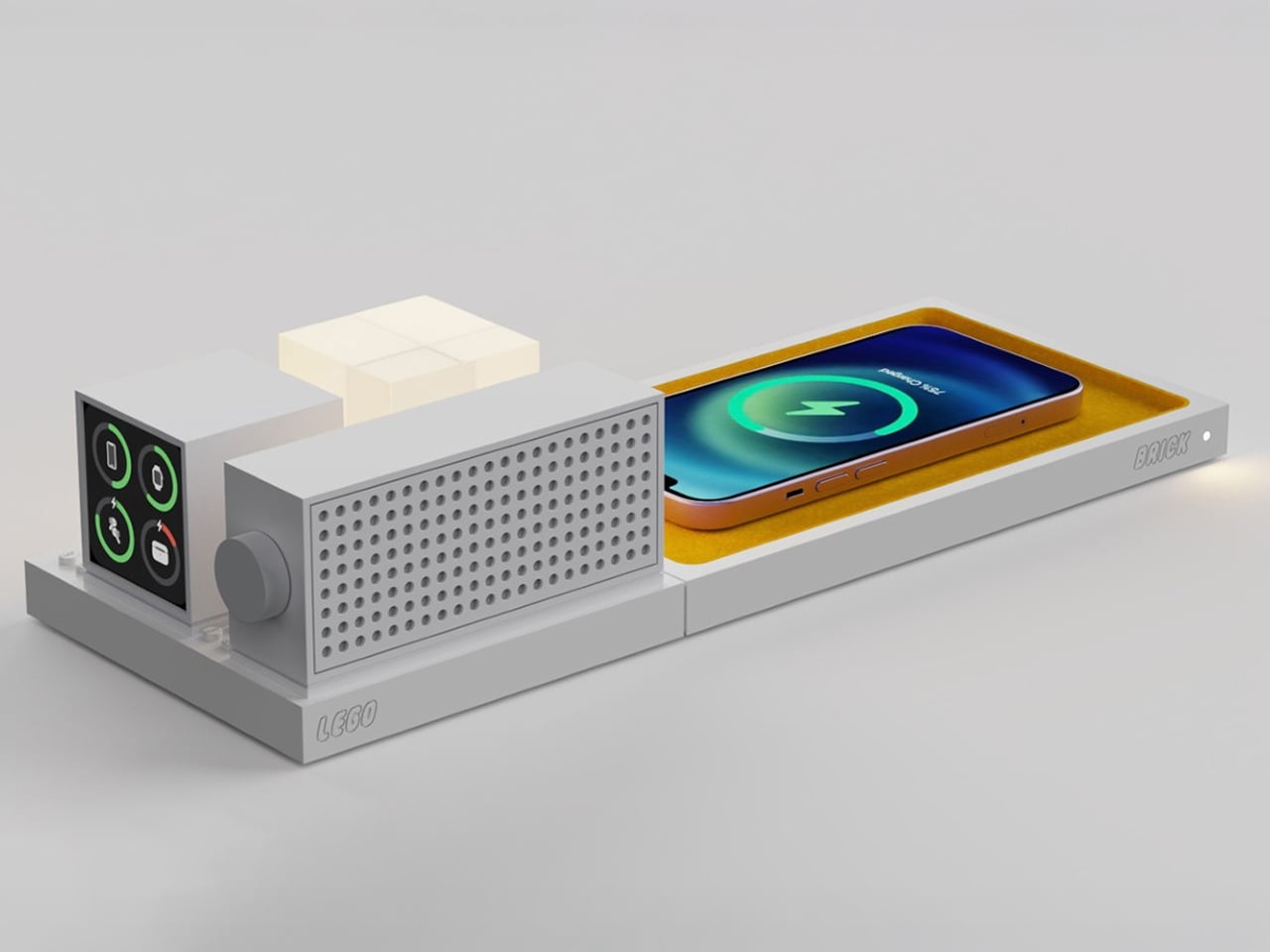
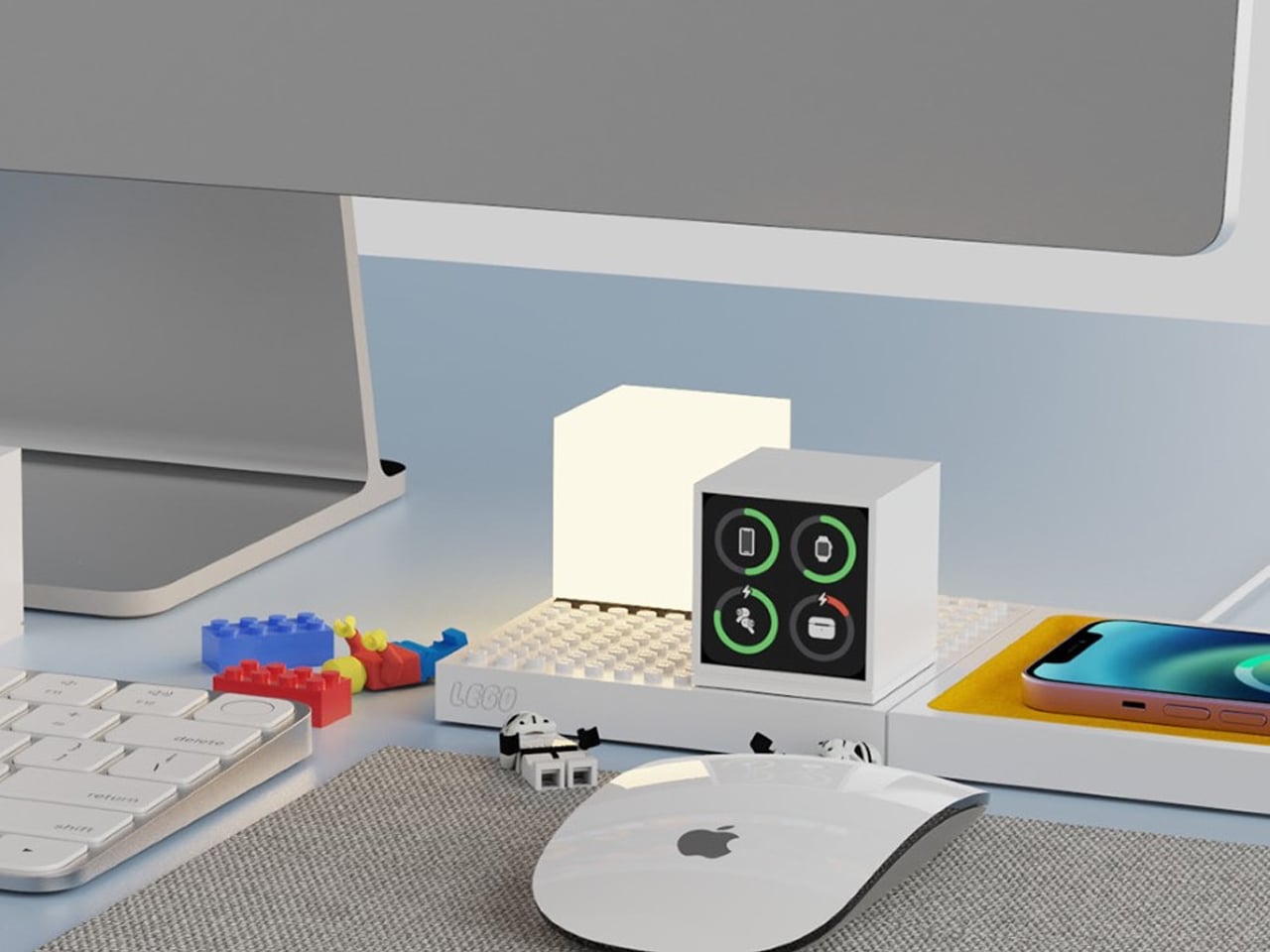
The LEGO Brick, a conceptual design by İbrahim Can Erdinçmer, reimagines wireless charging by merging technology with playful creativity. This innovative fan-made creation features a wireless charging mat topped with a signature LEGO-studded platform that serves dual purposes: charging your smartphone, smartwatch, or earbuds while providing a modular canvas for endless customization. The platform can accommodate dedicated accessories like Bluetooth speakers, minimalist lamps, and battery indicators – all powered wirelessly through embedded coils beneath the surface – or become a miniature playground for building LEGO dioramas, architectural structures, or scenes from your favorite movies. By sitting at the intersection of tech functionality and creative expression, the LEGO Brick appeals to both tech enthusiasts who love modular, customizable setups and LEGO fans who appreciate the brand’s promise of limitless building possibilities.
Beyond its technical capabilities, the LEGO Brick transforms the mundane act of charging devices into an opportunity for stress relief and creative expression in the workspace. The concept demonstrates how adding whimsy and interactivity to everyday tech accessories can enhance both productivity and mental well-being – offering users a fidget-friendly outlet during intense work sessions or ideation moments. While entirely conceptual, this design illustrates LEGO’s untapped potential in the smart-home and gadget industry, suggesting that strategic collaborations could position the iconic toy brand as a major player in creating tech products that don’t just function efficiently, but also spark joy and unleash creativity in our daily lives.
In today’s refined homes, the best Christmas tech gifts transcend utility to become sculptural extensions of the space itself. These beautifully crafted objects, thoughtful in material, form, and light, seamlessly blend function with art, creating an environment where design harmony, emotional warmth, and quiet intelligence coexist effortlessly.
The modern desk is a patchwork of small compromises. Your laptop has two USB-C ports, but you need displays, a wired network, external storage, and constant charging. That leaves you juggling dongles and adapters, with media controls and privacy shortcuts buried in software menus or keyboard combinations you can never quite remember. The setup works, but it never feels tidy or intentional, just workarounds gradually spreading across your workspace.
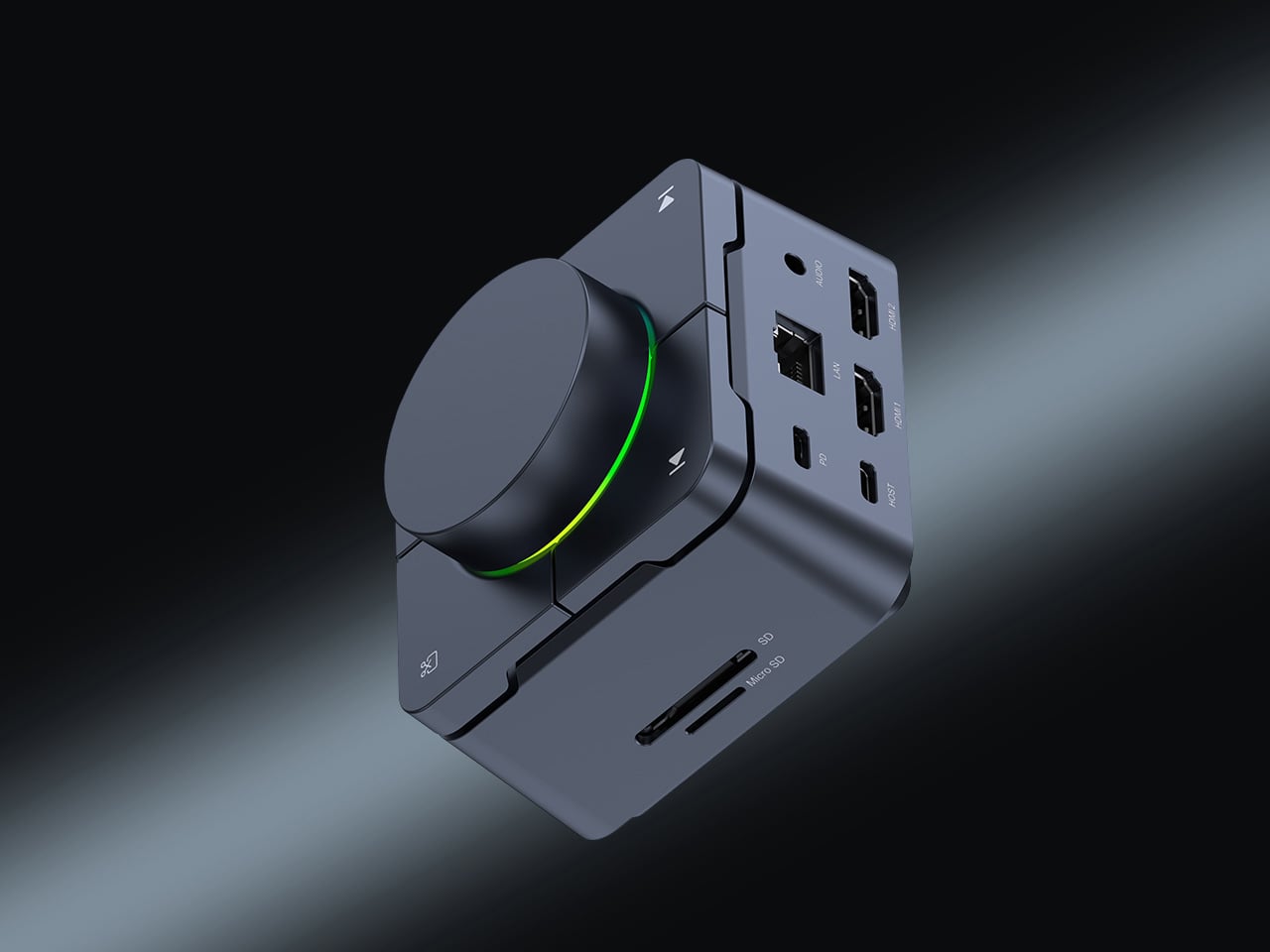
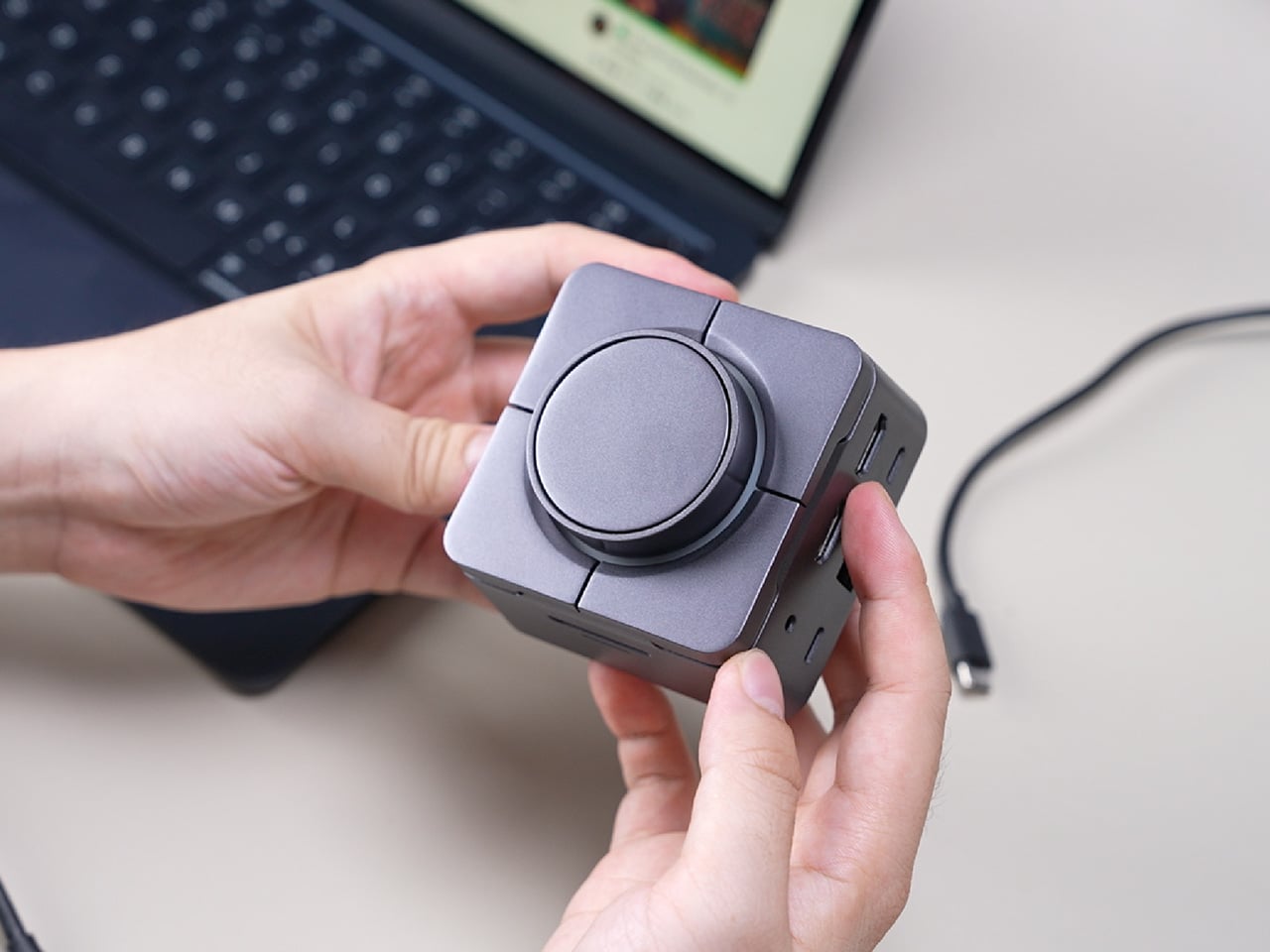
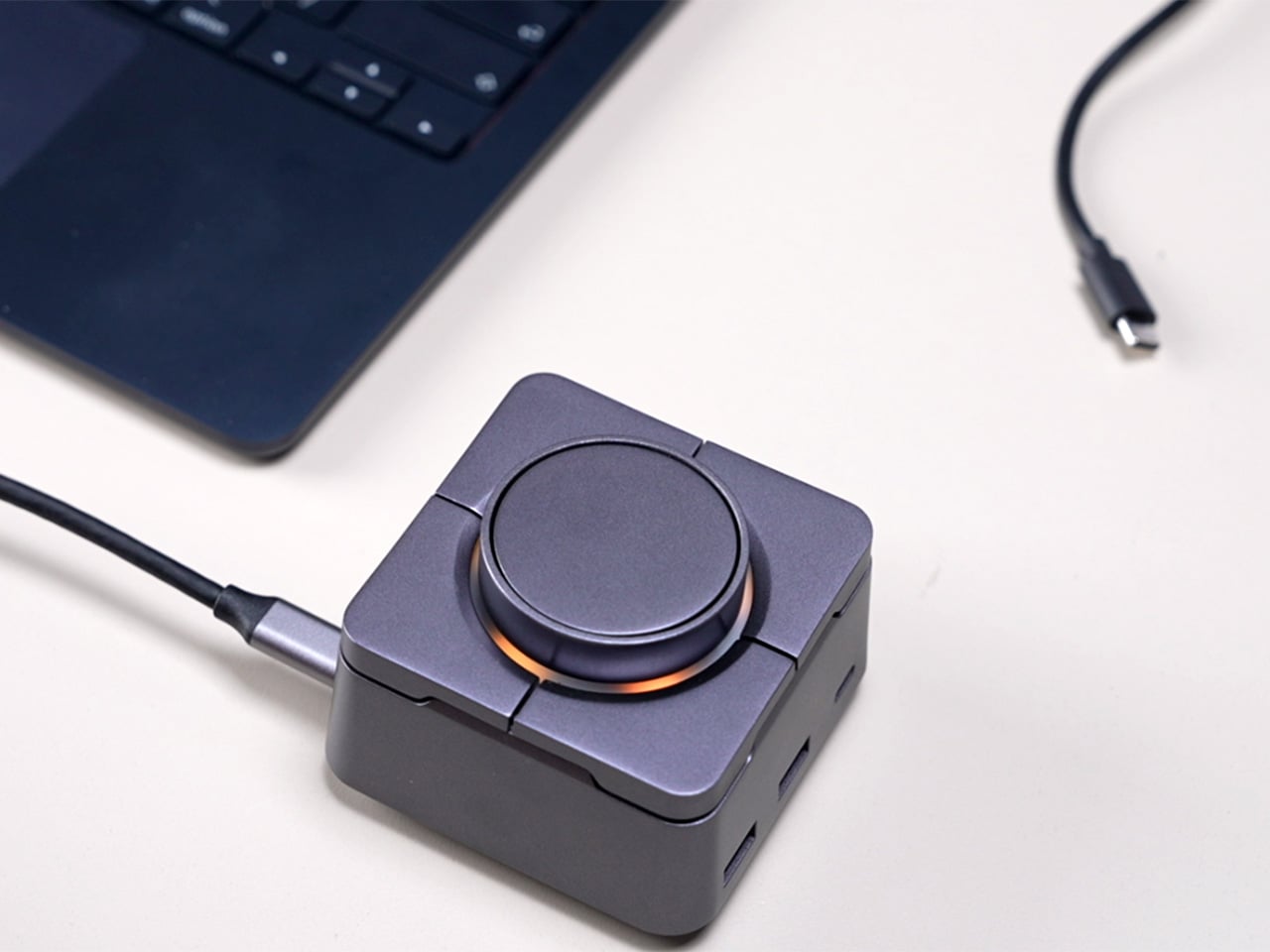
HubKey Gen2 tries to pull those pieces together in a single compact cube that sits within arm’s reach. It’s both an 11-in-1 USB-C hub and a small hardware control surface, with four shortcut keys and a central knob on top. The idea is to handle displays, power, storage, network, and a handful of everyday actions from one place, turning a desk full of little fixes into something more coherent.
The most requested improvement for this version was better display support and five keys which can be fully customized. HubKey Pro 2 now offers two HDMI ports, each capable of driving a 4K display at 60Hz. That means a laptop can suddenly run a pair of high-resolution monitors smoothly, turning a cramped single-screen setup into a proper workspace for editing timelines, keeping reference material open, or spreading code and documentation across both panels without stuttering.
Between the USB-A 3.1 and USB-C 3.1 ports at up to 10 Gbps, SD and TF card slots, a 2.5 Gbps Ethernet port, 3.5 mm audio jack, and a dedicated 100 W USB-C PD port, HubKey Pro 2 can replace a whole handful of adapters. One cable from the hub to your laptop or handheld PC brings everything else online, from wired internet to external drives and dual displays, cutting down on the usual cable mess.
The top panel is where the shortcut side comes in. Four keys and a central knob are mapped to actions like volume and mute, screen lock, display off, screenshot, and lighting control. Instead of hunting through menus or remembering key combinations, you can twist the knob to adjust sound, tap a key to blank the monitor when someone walks by, or grab a screenshot with a single press.
Under the surface, the shortcut side goes deeper than a few hard-wired functions. A built-in driver unlocks five preset systems with 170 fixed combinations, plus a sixth mode where you can fully customize the key bindings. When you plug HubKey Gen2 into your machine, a settings interface pops up automatically, letting you assign shortcuts, macros, and key sequences in a few clicks.
For basic use there are no drivers to hunt down; it’s plug-and-play with Windows, macOS, Linux, and even devices like the Steam Deck, while the optional driver adds a deeper layer of customization when you want to fine-tune the keys. The internal circuitry and firmware have been tuned for faster recognition and more stable power delivery, and the press logic for Windows and macOS has been refined to reduce delays or misfires.
The 100W USB-C PD port can keep a laptop charged while the hub is driving dual 4K displays and handling data transfers. The The 10 Gbps USB ports and card readers make moving large files feel less like a chore, especially for photographers and video editors who are constantly offloading cards. The goal is to reduce the number of separate chargers and adapters that need to live on the desk.
Of course, the central knob has a smooth feel when you adjust volume, and the integrated LED ring can be dimmed or toggled with a key. The lighting adds a bit of atmosphere without turning the hub into a light show, and the compact form factor means it can sit next to a keyboard or under a monitor without demanding attention when you’re not actively using it.
HubKey Gen2 doesn’t claim to replace a full keyboard or a studio-grade dock, but it does try to make a typical laptop-based setup feel more intentional. By combining dual 4K display support, a full spread of ports, and a handful of physical controls in one small object, it turns a desk full of little compromises into something more coherent and easier to live with.
Most posture gadgets target office workers hunched over laptops, buzzing when your shoulders curl forward, or your neck drifts too far from neutral. Meanwhile, people doing physically demanding jobs, like young farmers, quietly rack up back pain and joint strain from long hours of bending, squatting, and lifting in fields. That strain is often treated as just part of the job until it becomes a serious problem threatening long-term health and livelihood.
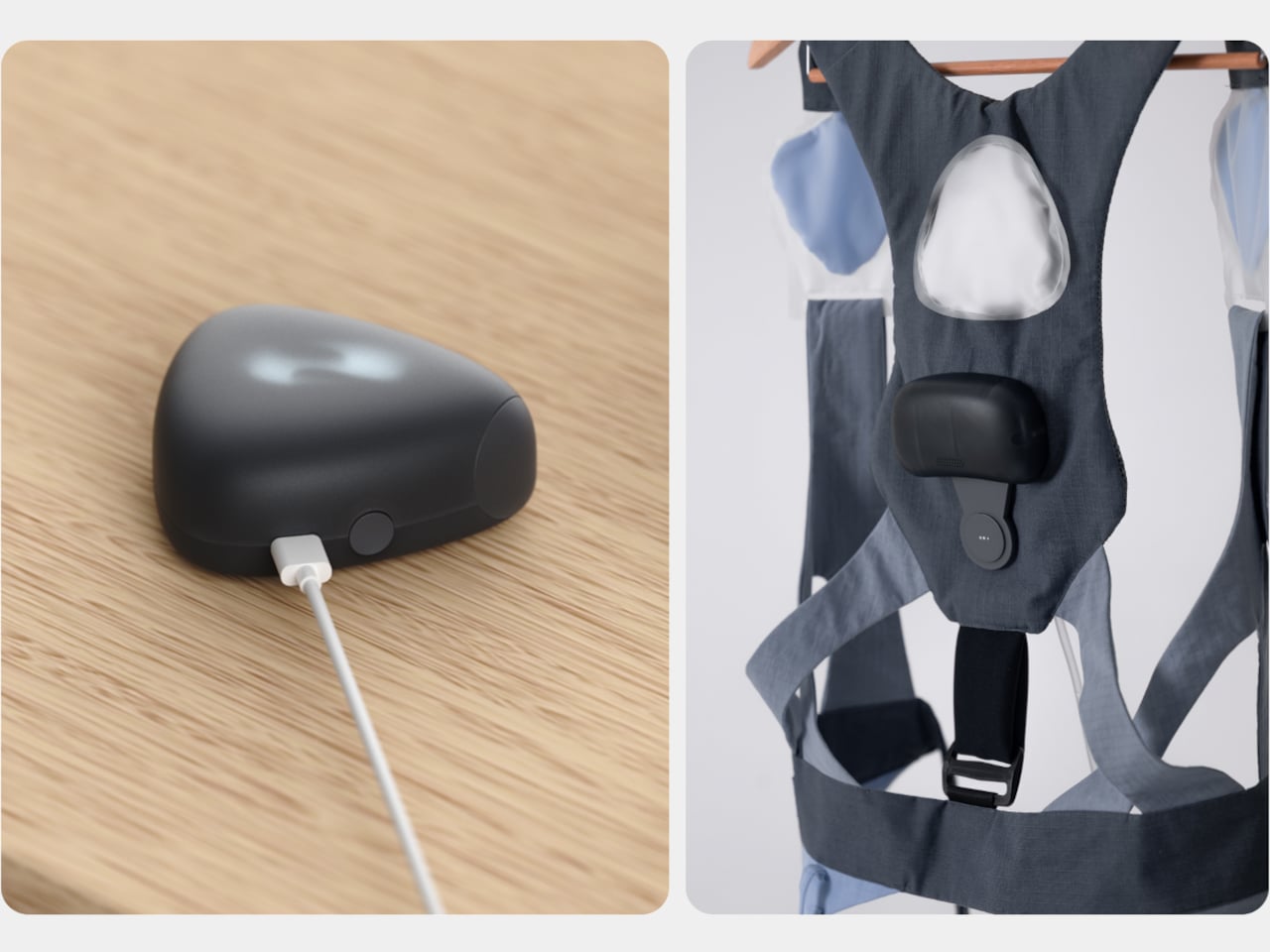
PUM is a graduation project imagining a posture correcting wearable built specifically for young farmers. It is a soft exoskeleton harness with inflatable shoulder airbags, a back module full of sensors and a pump, and an app that tracks posture and guides stretching. It is designed as gear you put on with work clothes, not a medical device you remember after damage is done or when your back hurts badly enough to stop working.
Designers: Seulgi Kim, Gaon Park, Seongmin Kim
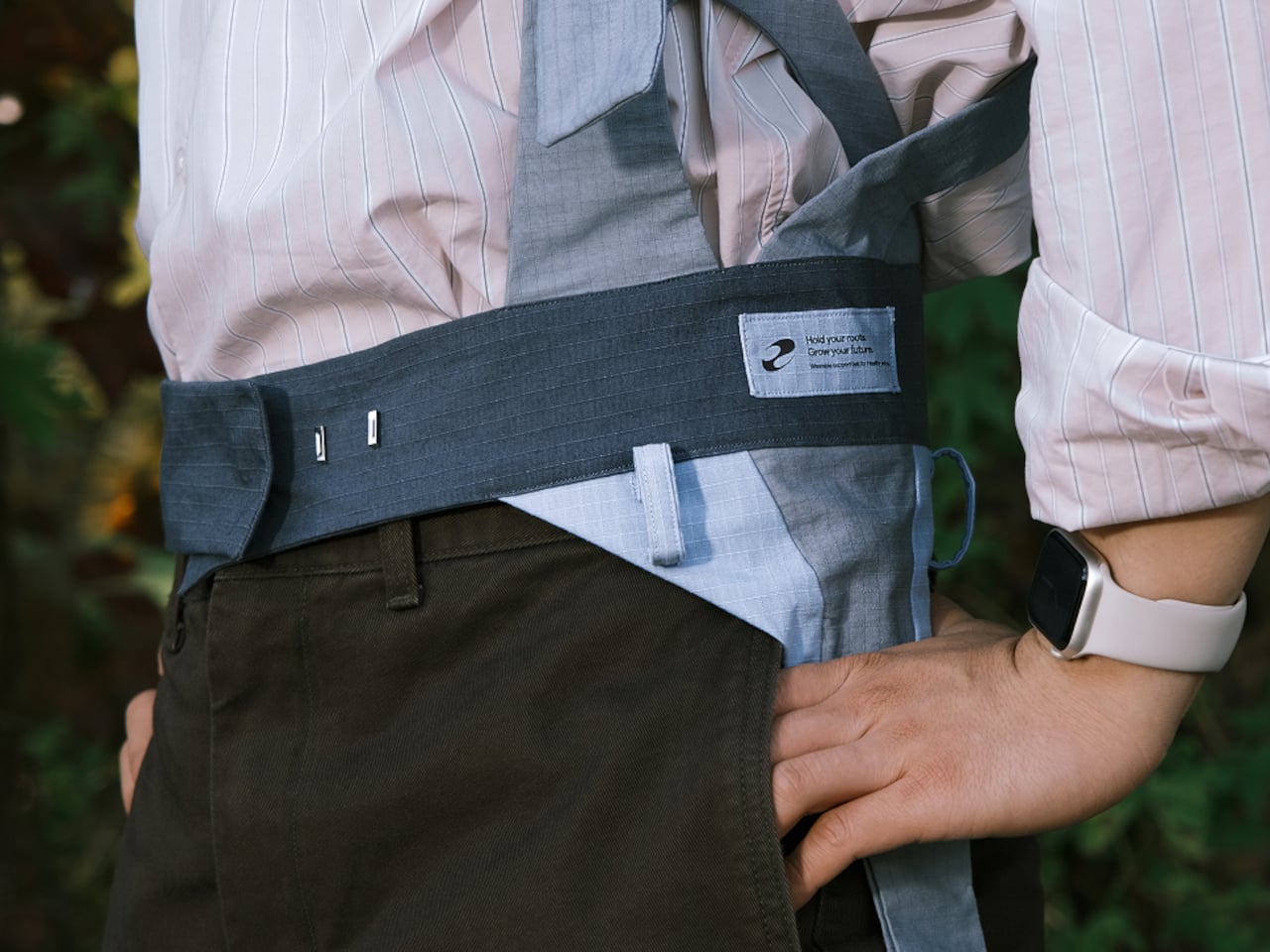
The harness wraps shoulders, torso, and thighs using wide, soft straps in muted blues and grays, with a waist belt anchoring a pebble-shaped module on the back. It aims to feel like a lightweight work vest rather than a rigid exoskeleton, avoiding bulky frames or hard edges. Leg straps and belt also double as attachment points for tools, folding ergonomic support into everyday workflow instead of adding another thing to carry.
The back module uses motion sensors to watch for deep or prolonged bending, sending data to a smartwatch and phone. When a farmer stays in a harmful posture too long, the system nudges them with an alert and, more interestingly, by slightly inflating the shoulder airbags. That gentle pressure on the upper back acts as a physical reminder to straighten up without constant buzzing or nagging notifications interrupting delicate planting or harvesting work.
The air system relies on small triangular airbags in shoulder straps connected to a pump and valves in the back module, controlled by a microcontroller and pressure sensor. When posture crosses a threshold, the pump adds air, and when the user corrects, it releases pressure. It is soft robotics used as a tap on the shoulder, a tactile cue instead of another screen telling you what to do or another alarm competing for attention.
The app layer lets farmers see how long they spent bent over, adjust how sensitive PUM is, and, at the end of the day, follow a stretching program tailored to that data. If the system saw lots of forward flexion, it suggests back extension and hamstring stretches. PUM does not clock out when fieldwork ends; it helps with recovery, so tomorrow starts from a better baseline instead of compounding yesterday’s strain into chronic issues.
PUM shifts the usual posture tech story away from offices and into fields, treating young farmers’ bodies as worth designing for. As a concept, it raises questions about durability in dusty, wet environments and whether farmers would wear a full harness every day. But it points toward a future where soft exoskeletons, air-driven feedback, and thoughtful service design quietly protect the people whose work keeps everyone else fed, instead of assuming physical labor is something bodies just endure until they break.
Nostalgia tech falls into two camps. Lazy references slap a retro logo on a modern object and call it vintage, while obsessive recreations feel like museum pieces. Most products lean too far in one direction, missing the sweet spot where memory and function coexist comfortably. The first feels cheap, the second feels precious, and neither ends up on your desk for very long once the initial charm wears off.
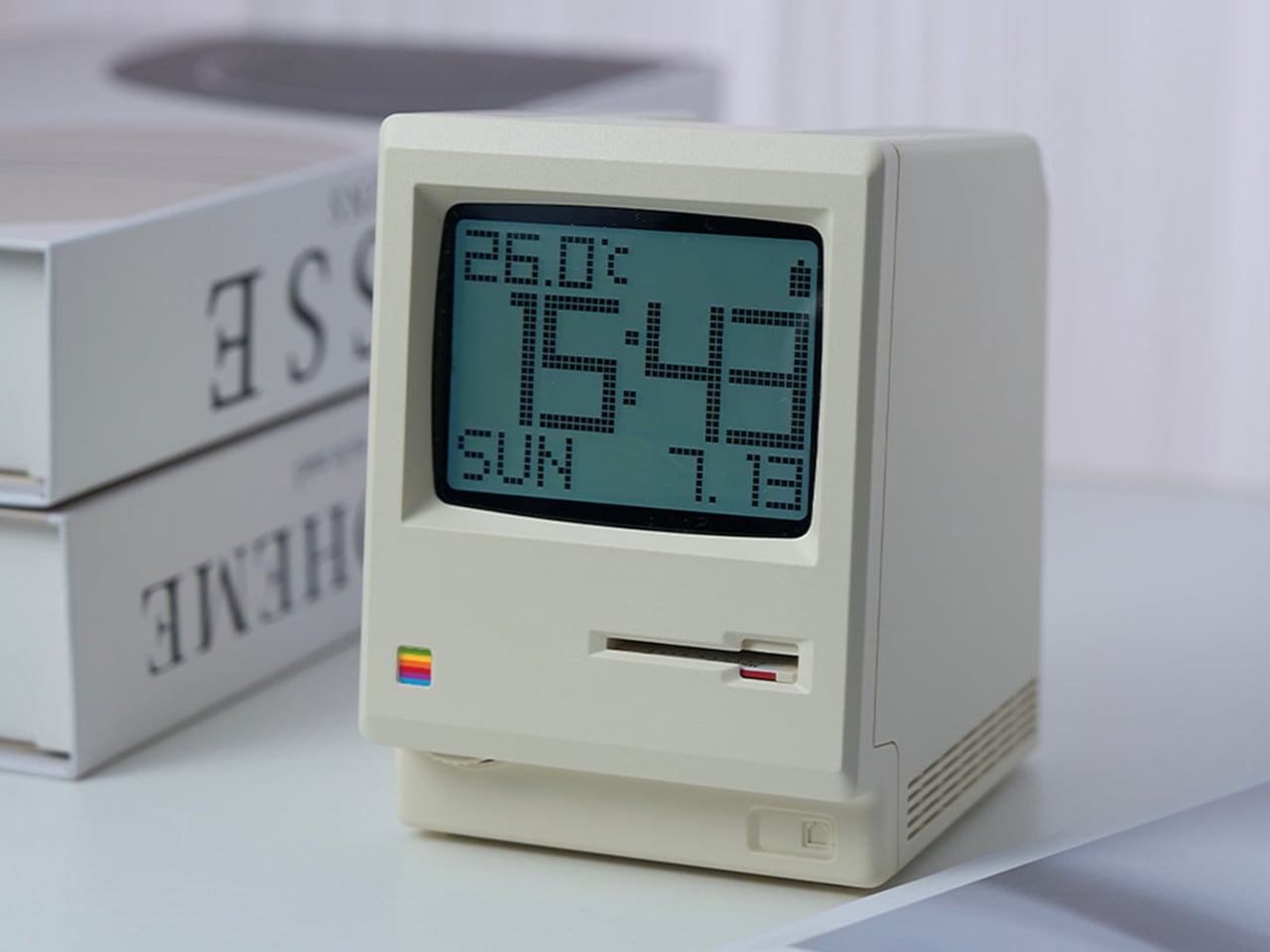
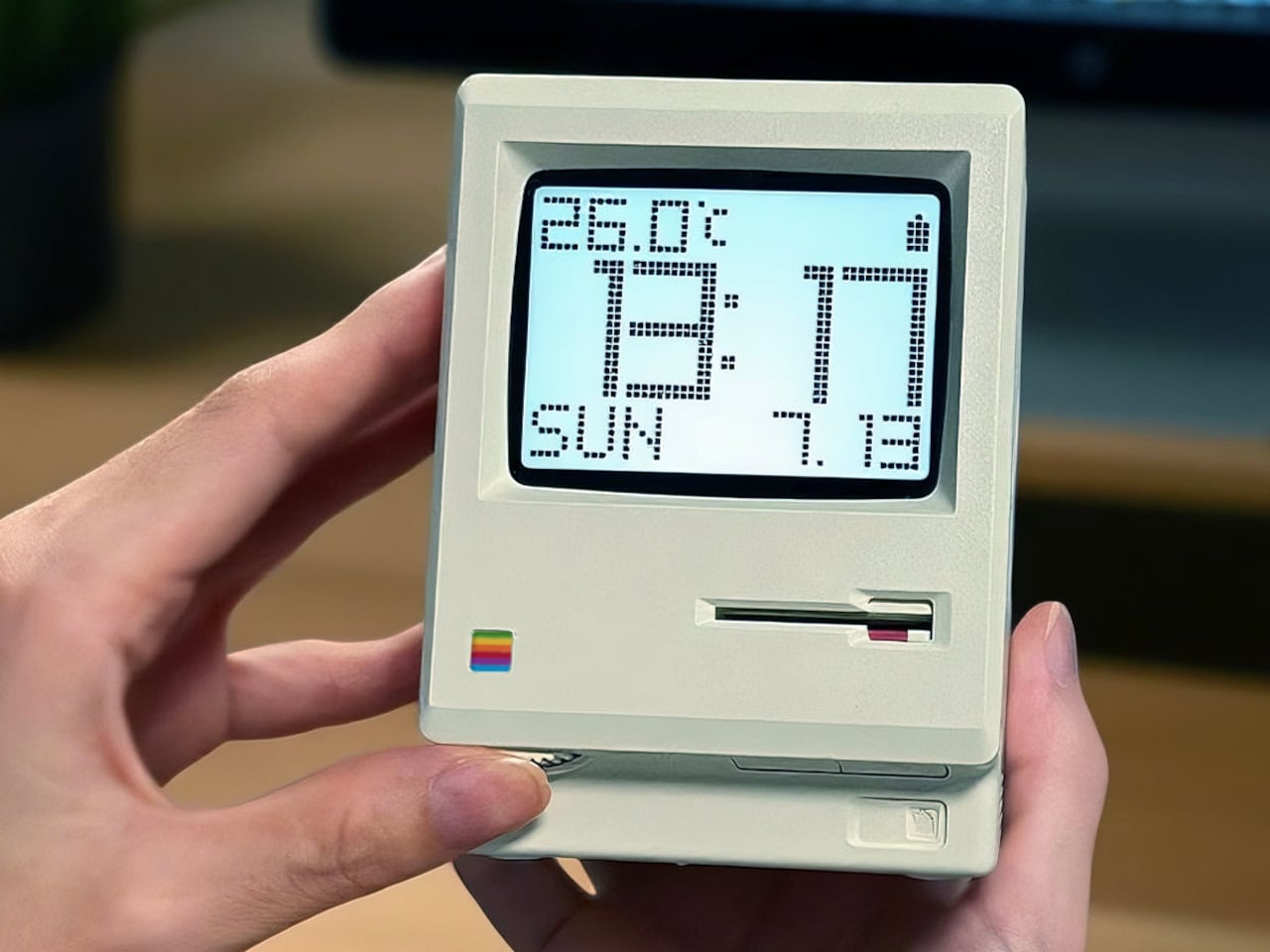
MaClock by Kokogol hits that balance. It is a miniature 1984 Macintosh that works as a rechargeable desk alarm clock, recreating the beige enclosure, rainbow Apple logo, CRT-style screen, and floppy disk slot at nightstand scale. It still behaves like a proper modern clock with 60-day battery life and USB-C charging, not just a static replica gathering dust next to other impulse buys that reminded you of childhood.
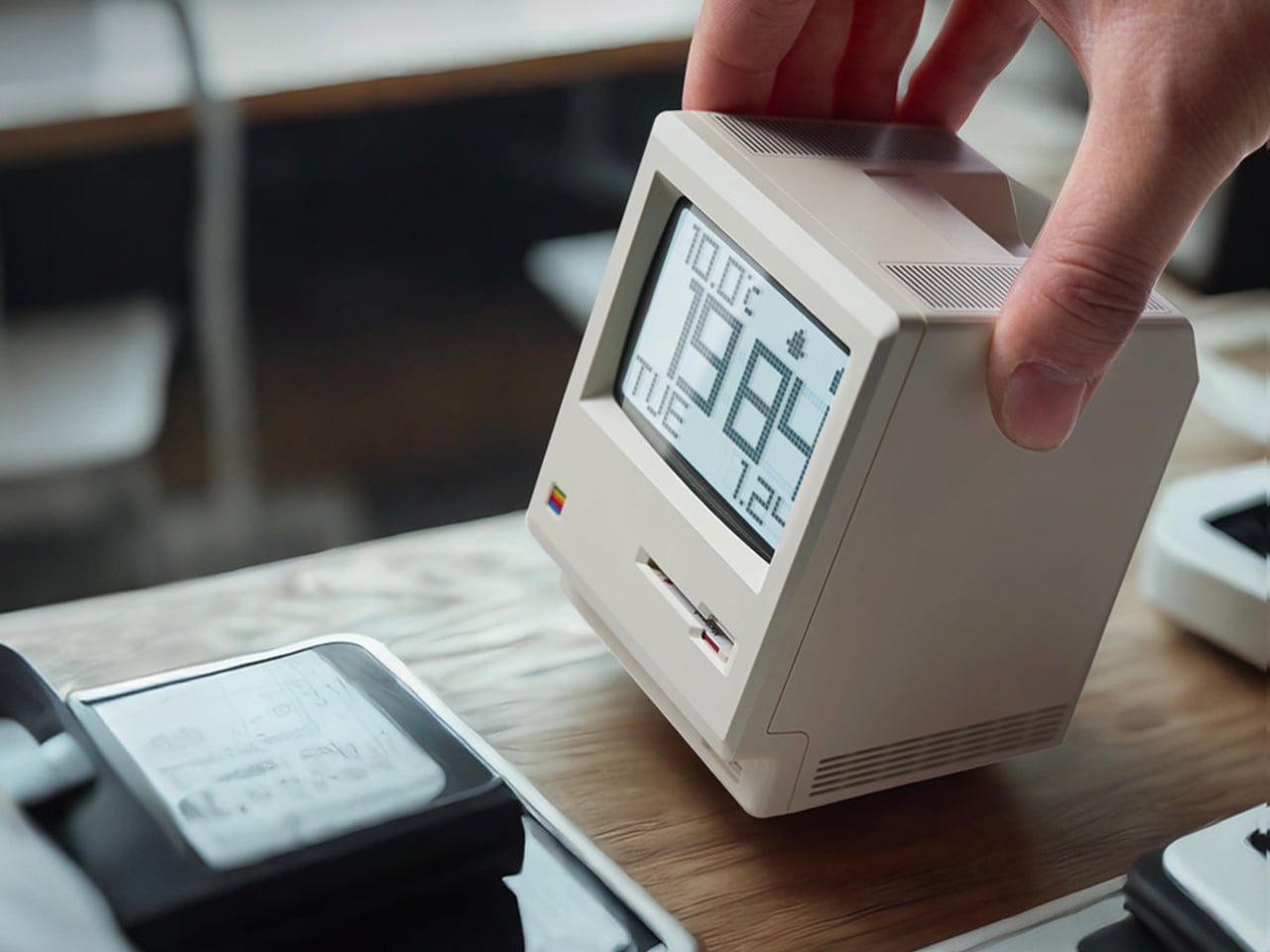
The physical details feel right. Warm beige ABS body, a recessed curved screen mimicking a cathode ray tube, horizontal ventilation grilles on the side, and a tiny floppy disk drive slot with a pink tab. At 80 x 91 x 112 mm, it is substantial enough to feel real in your hand, not a keychain trinket. The proportions match the original closely enough that it reads instantly as a Mac, even from across a room.
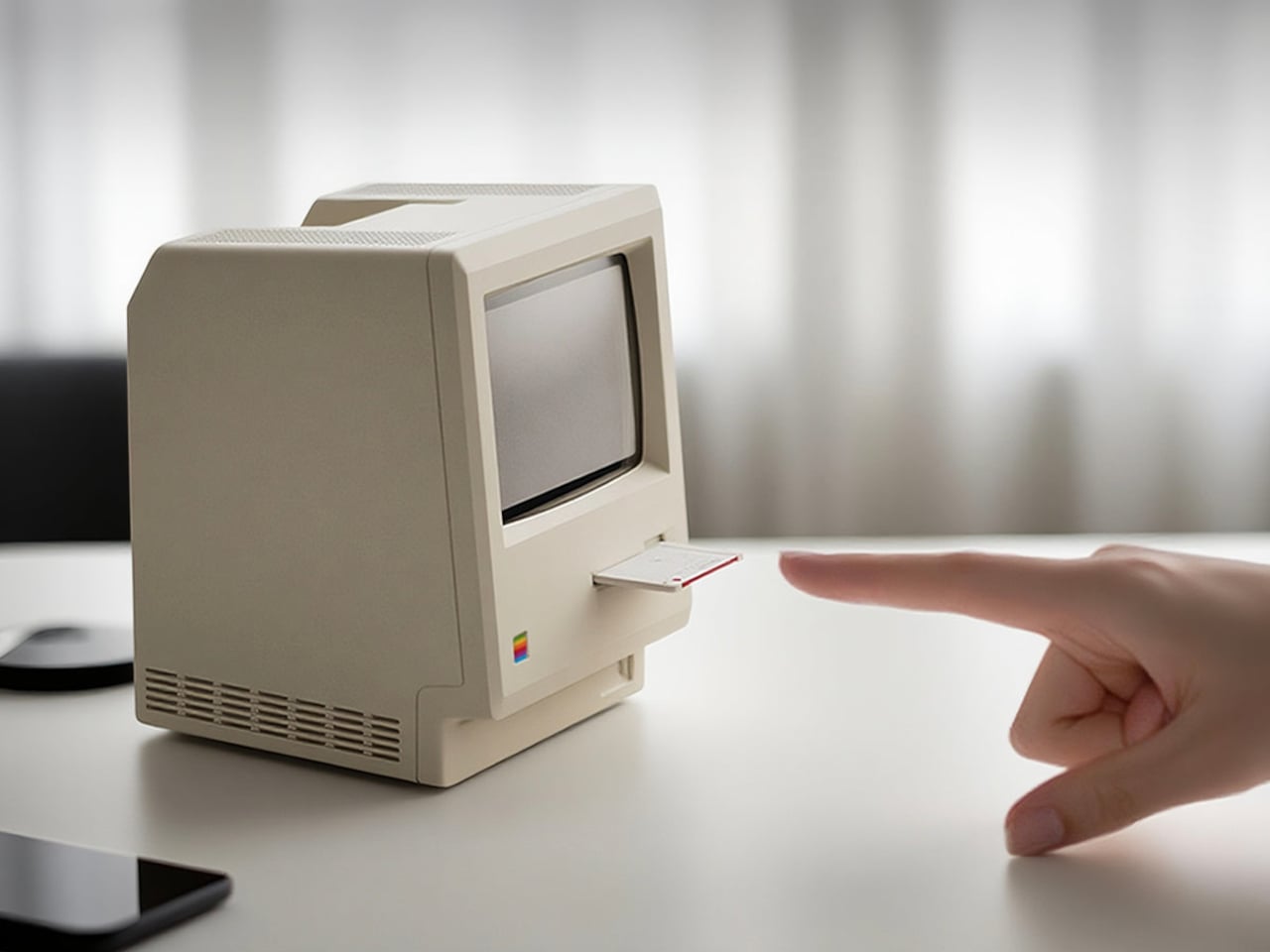
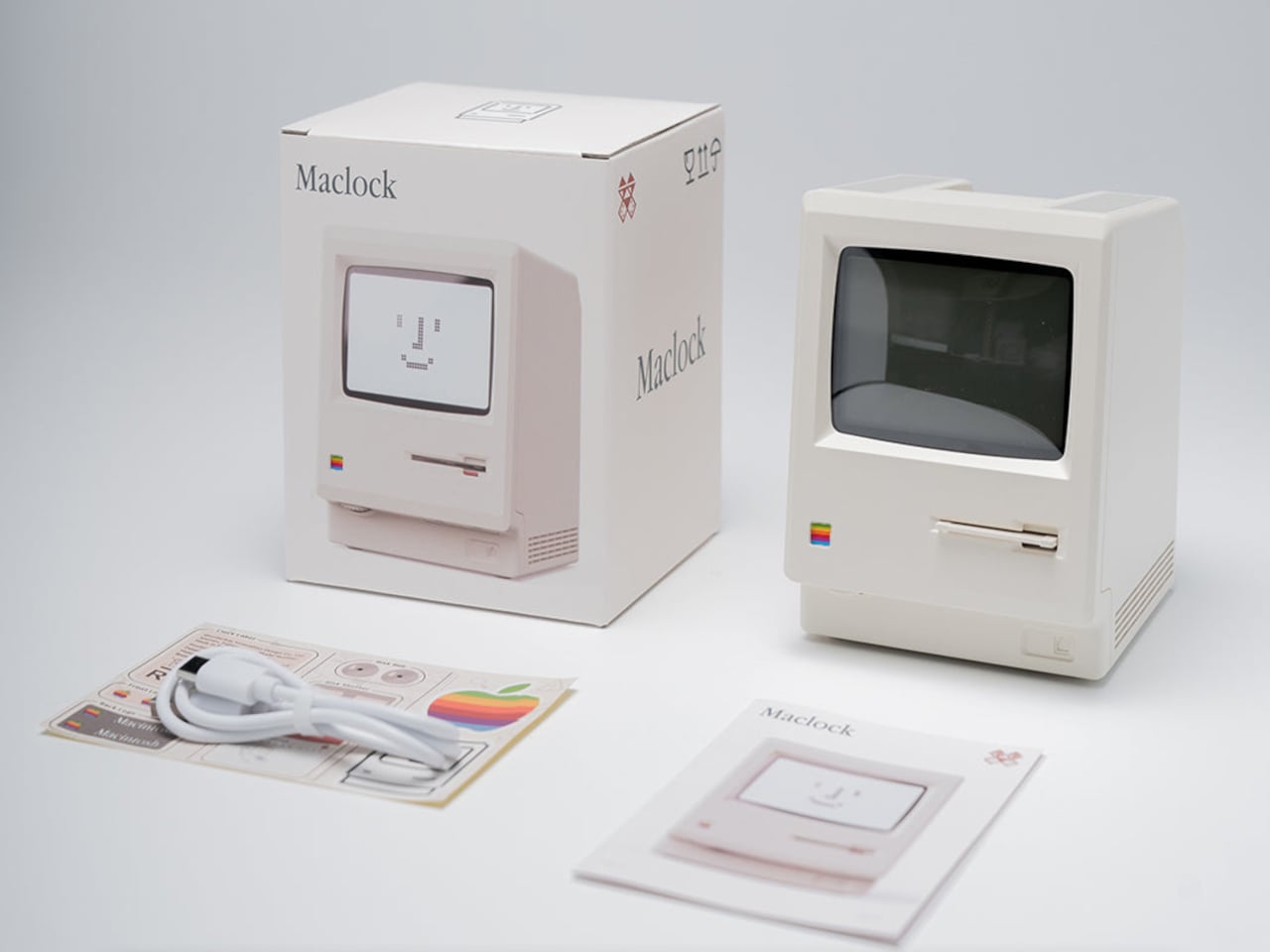
The included floppy disk acts as a power switch. You insert it to turn the clock on, a callback to the boot ritual of early Macs. The package includes a sticker sheet with rainbow Apple logos, a Macintosh label, and a dot matrix sticker, letting you customize and restore the design yourself. The unboxing becomes a small assembly project rather than a passive reveal, which makes it feel slightly more earned.
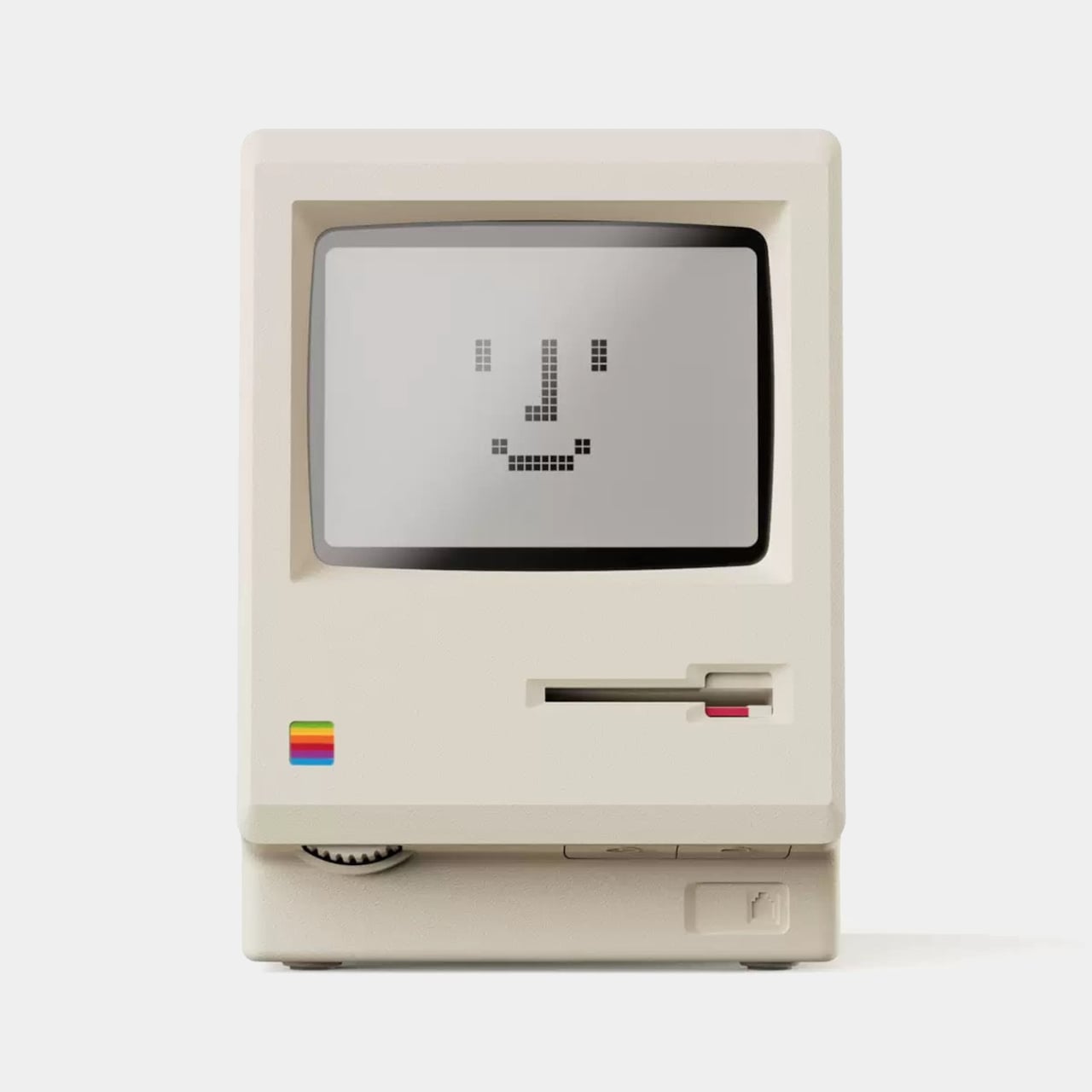
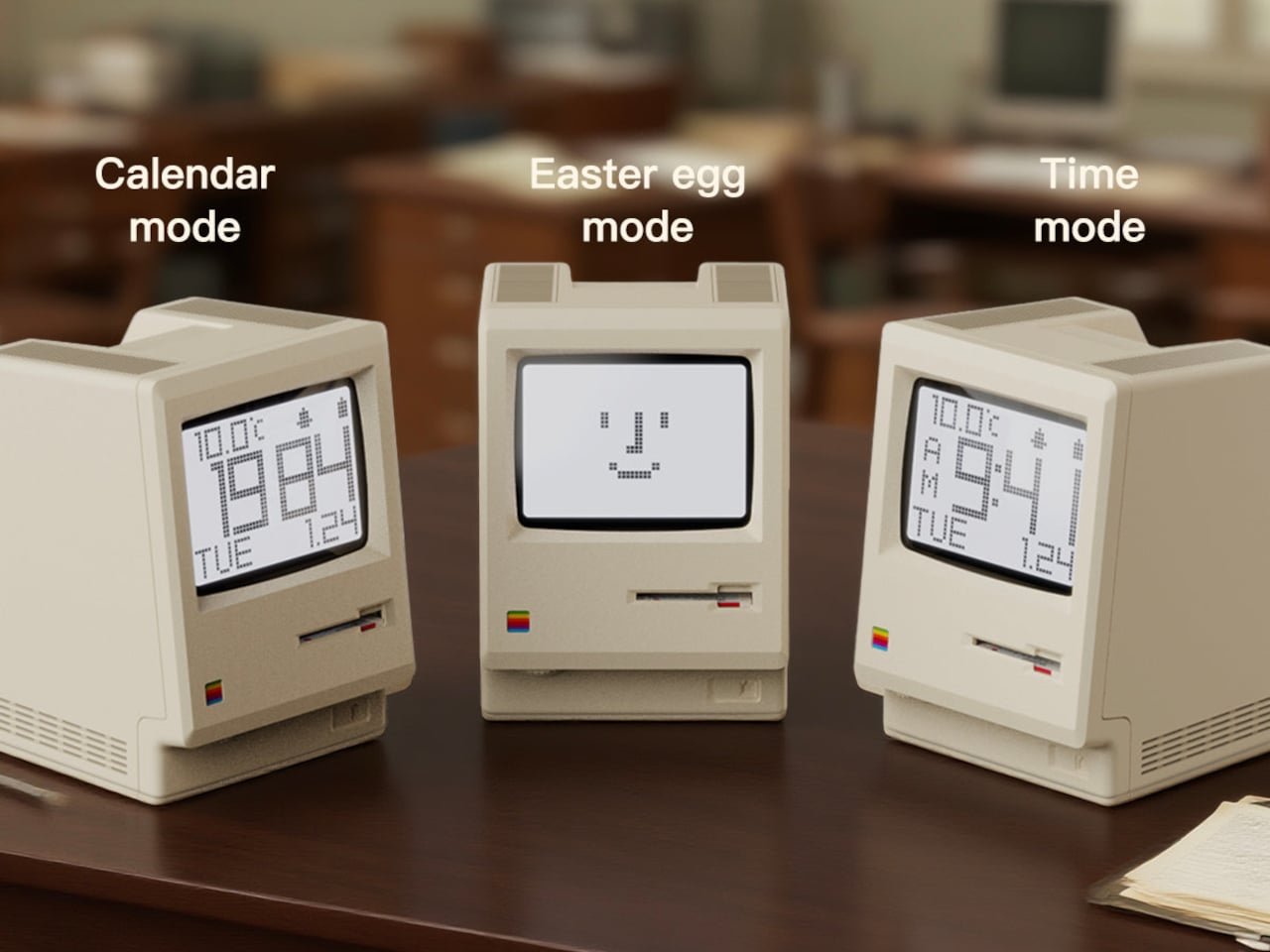
MaClock offers three display modes. Time mode shows large pixelated digits for hours, minutes, day, and temperature. Calendar mode centers the date in blocky characters. Easter egg mode wakes up Susan Kare’s Happy Mac icon, the smiling face from the original graphical interface. Seeing Happy Mac on your desk in 2025 is an unexpectedly emotional hit for anyone who grew up with early Macs and remembers what that face meant.
The adjustable backlight is controlled by a knob on the bottom left, which can be dialed down at night or turned off entirely. With the backlight off, the battery lasts up to 60 days, so it can sit on your desk for weeks without charging. It feels more like furniture than a gadget you babysit with a cable every few nights, which is exactly how a clock should behave.
MaClock treats nostalgia as something you participate in rather than just look at. The floppy disk, the stickers, the Happy Mac mode, and the CRT-inspired screen all ask you to engage with the memory. At just $30, it sits in the impulse buy zone, which might be the right price for functional nostalgia that earns its desk space by telling time and making you smile every morning when Happy Mac greets you with those chunky pixels.
Guitarists obsess over finishes. Sunburst fades, metallic flakes, relic’d nitro that looks like it survived three decades of dive bars, all of it matters until you realize that once you pick a color, you are stuck unless you repaint. Stage rigs and LED walls morph through palettes every night while the guitar stays frozen, a static object carried by musicians who constantly reinvent their sound and visual identity.
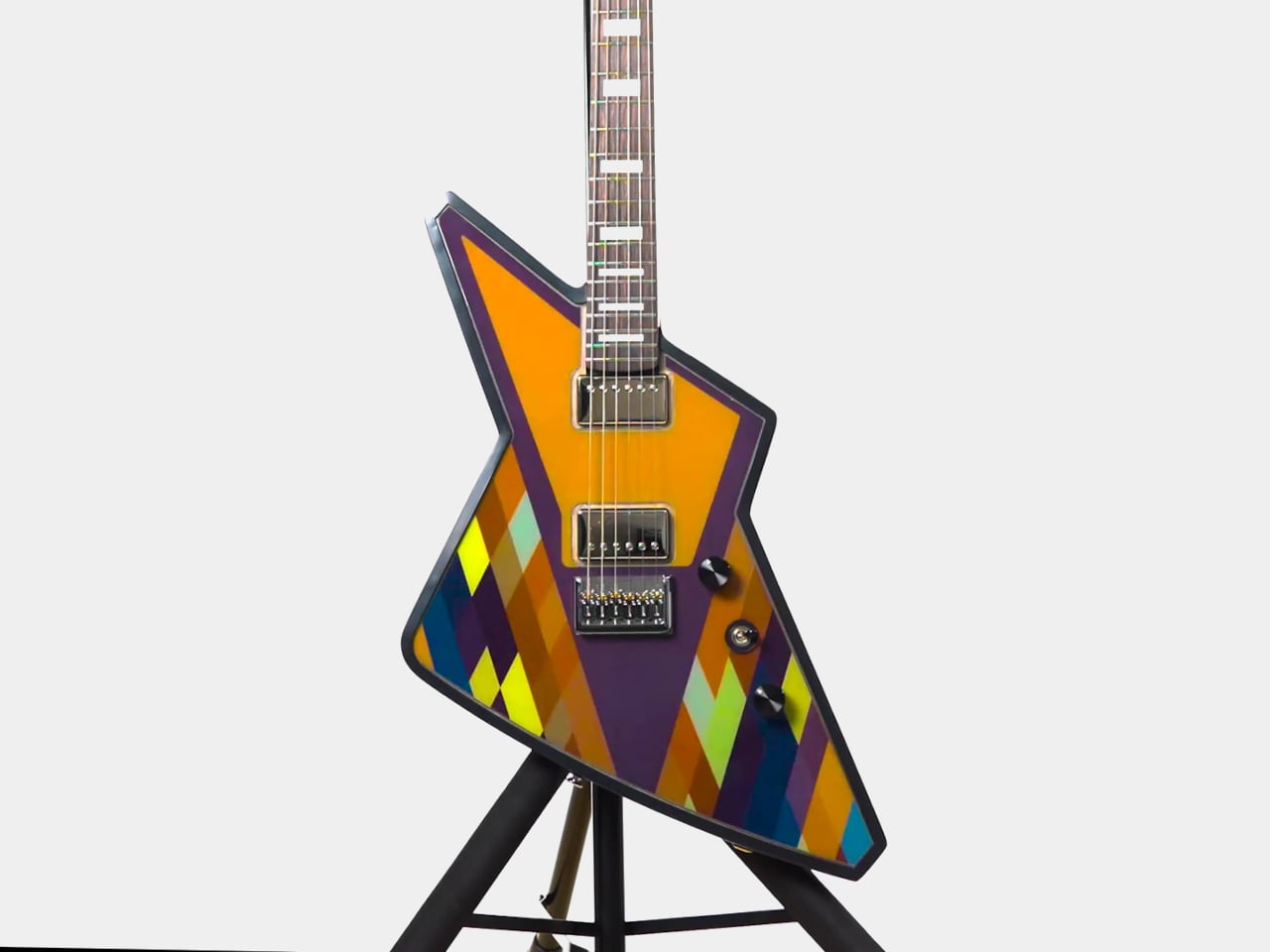
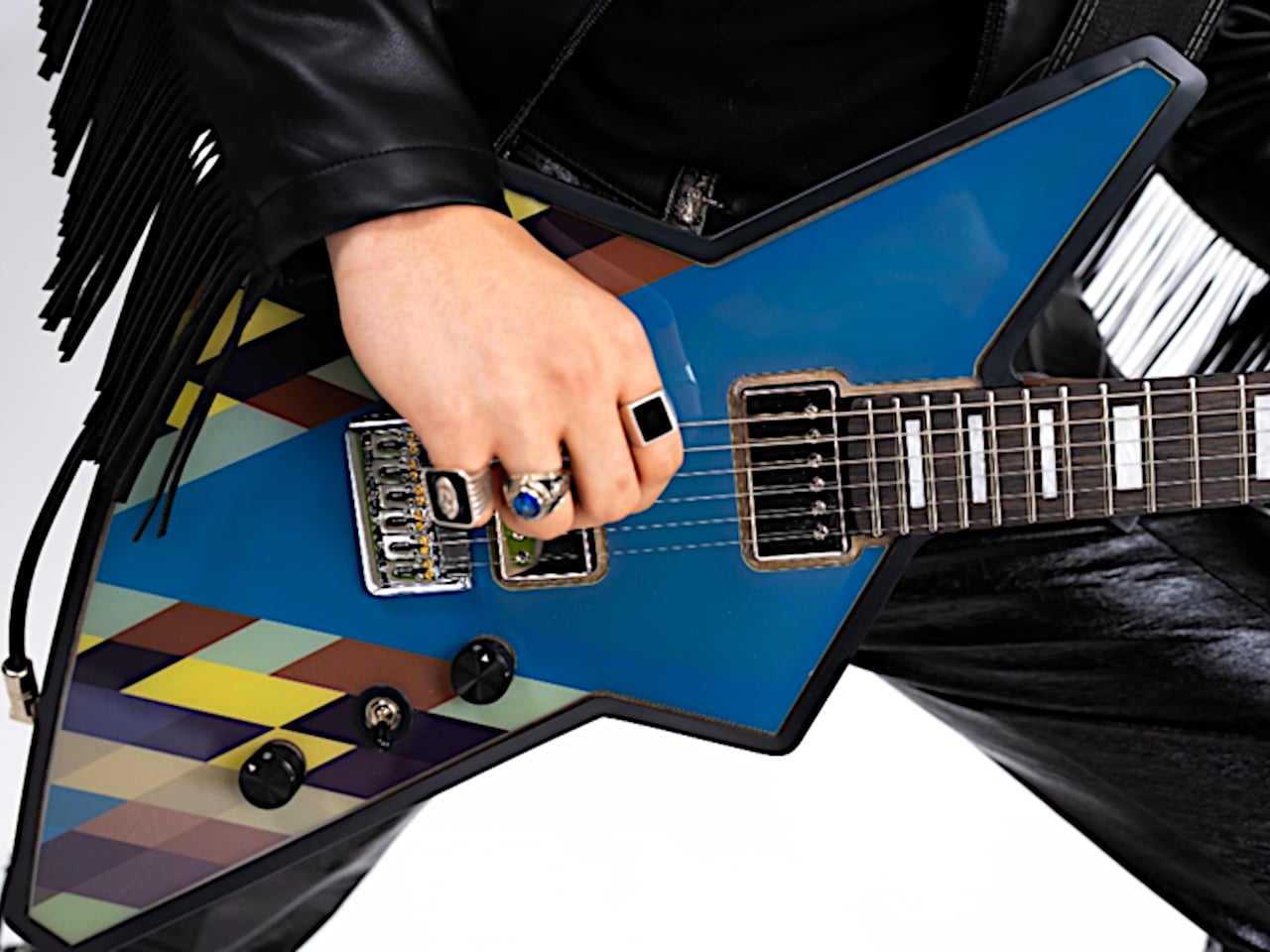
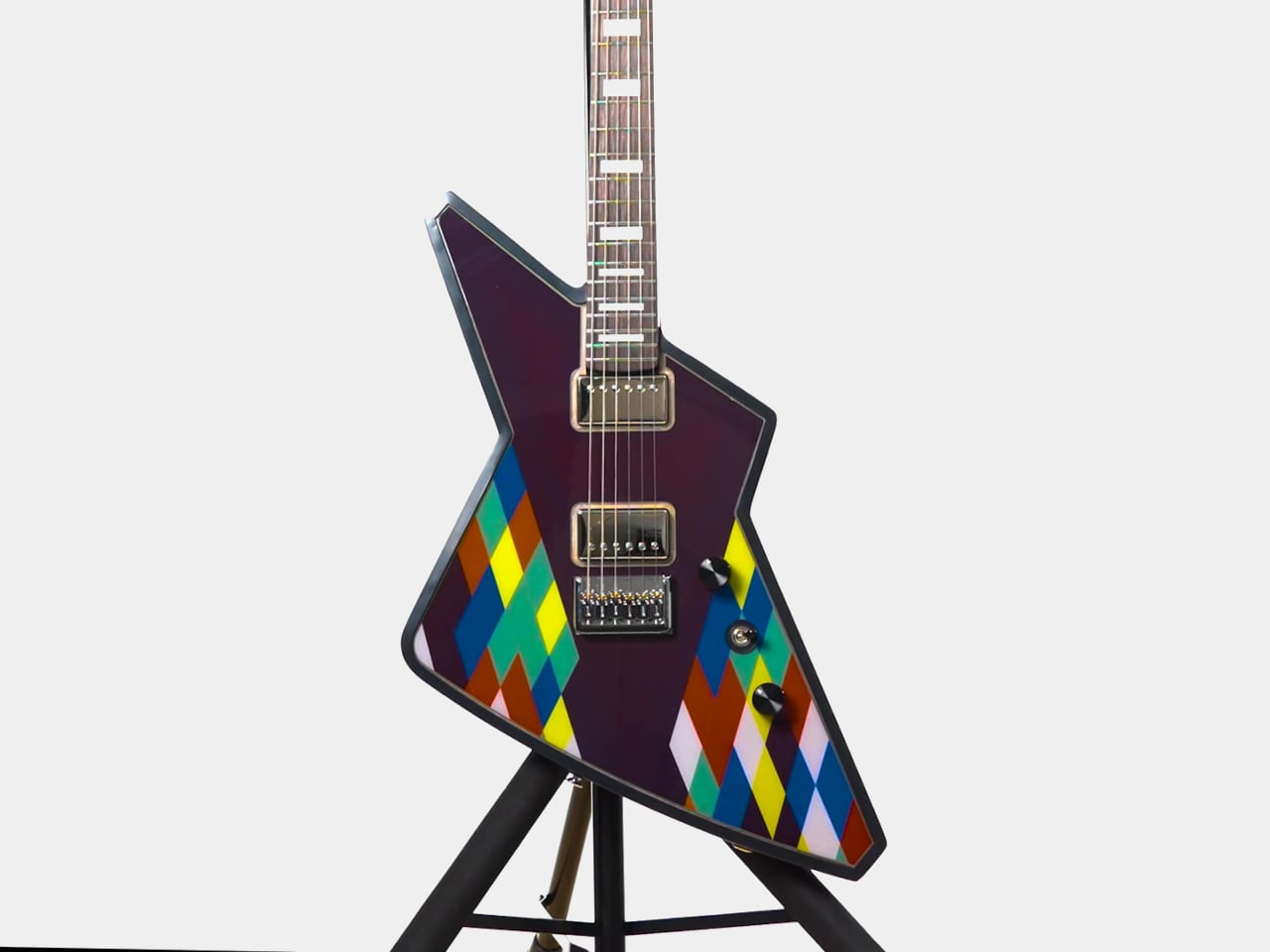
Cream Guitars’ DaVinci wraps its entire body in an E Ink Prism 3 panel, turning the surface into a programmable skin that changes colors and patterns over Bluetooth. Instead of a single paint job, the guitar becomes a dynamic canvas. It is the first commercially available product to use Prism 3, which is usually reserved for architectural surfaces and product experiments, not instruments you plug into an amp and carry on tour.
Prism 3 is color changing ePaper, closer to a Kindle page than an LED screen. It does not emit light, just holds pigment using low power electrophoretic particles. DaVinci’s front divides into sixty four segments, each assigned one of seven colors, white, black, yellow, orange, blue, red, or green. That segmentation lets you build stripes, blocks, and faux pickguards, changing the visual structure without touching a spray can.
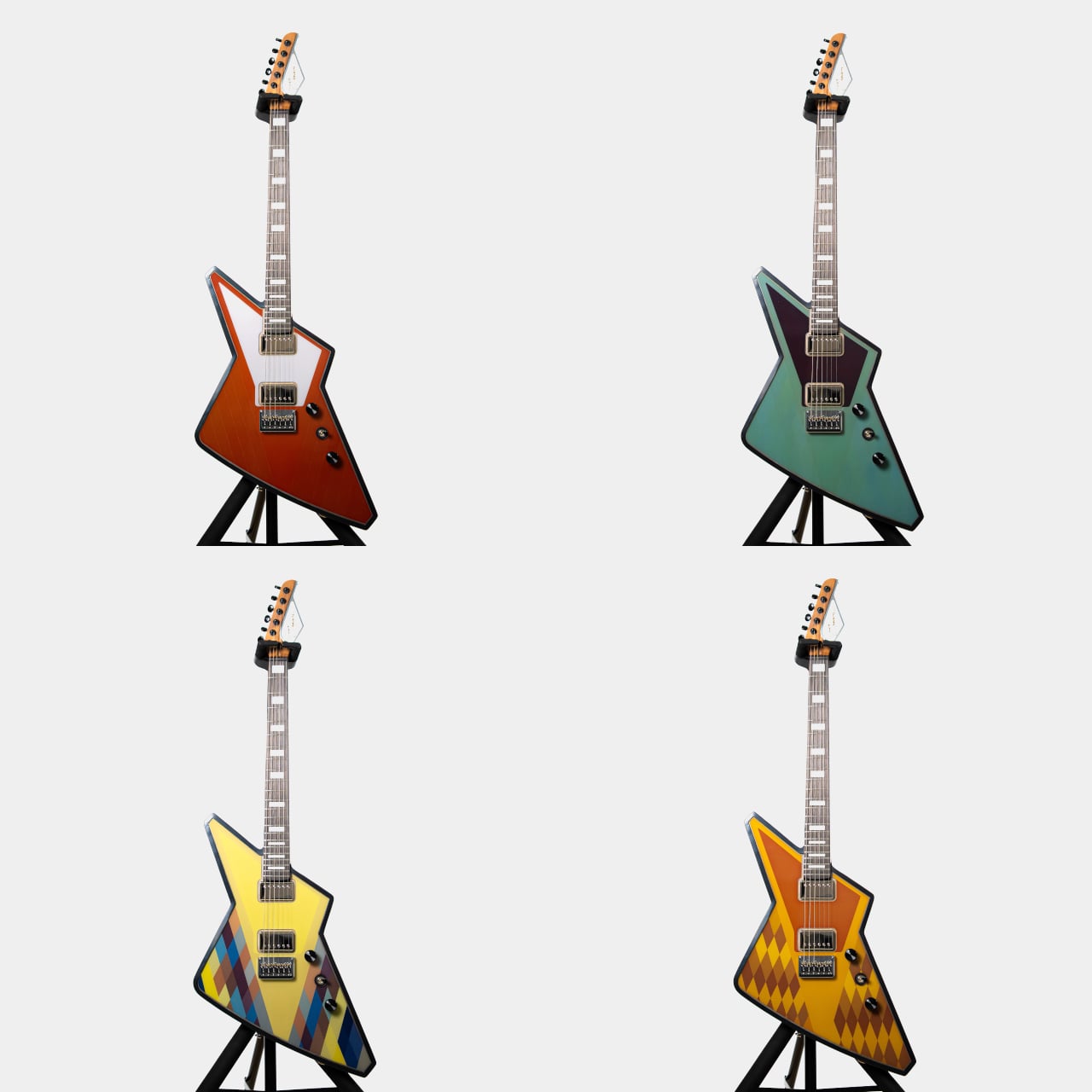
A guitarist could match the guitar to different projects without owning three instruments. One night, geometric patterns echo album art. Another, a minimalist scheme feels right. The ePaper only draws power when changing, so once set, it sits visible under stage lights without glowing like LEDs or draining the battery between songs or overnight in a case, ready to change again whenever the visual identity shifts.
Under the display sits a Voltage body with roasted maple neck, rosewood fretboard, extra jumbo frets, and Graphtech locking tuners. Fishman Fluence pickups offer three voices, single coil, traditional humbucker, and high output humbucker. The tech wraps around a serious guitar, not a prop with thin pickups that sound disappointing once the visual novelty wears off after the first show or when you need to track a real session.
Traditional refinishing is messy and permanent. Sand, spray, cure, repeat if you change your mind. DaVinci’s ePaper skin reprograms endlessly, with Prism 3’s low power profile positioning it as a more sustainable alternative to LED bodies or constantly changing finishes. The guitar becomes a long term canvas rather than a disposable fashion statement that needs repainting or ends up retired because the color fell out of style after one album cycle.
DaVinci hints at instruments as programmable surfaces that evolve with the player. It feels like a crossover between luthier craft and interface design, where the object in your hands can match your projected identity without needing backup guitars. Whether or not you want one at three thousand five hundred dollars, it is easy to imagine keyboards, drum shells, and amps following the same path, turning stage gear into surfaces that shift as often as setlists do.
Guitarists obsess over finishes. Sunburst fades, metallic flakes, relic’d nitro that looks like it survived three decades of dive bars, all of it matters until you realize that once you pick a color, you are stuck unless you repaint. Stage rigs and LED walls morph through palettes every night while the guitar stays frozen, a static object carried by musicians who constantly reinvent their sound and visual identity.
Cream Guitars’ DaVinci wraps its entire body in an E Ink Prism 3 panel, turning the surface into a programmable skin that changes colors and patterns over Bluetooth. Instead of a single paint job, the guitar becomes a dynamic canvas. It is the first commercially available product to use Prism 3, which is usually reserved for architectural surfaces and product experiments, not instruments you plug into an amp and carry on tour.
Prism 3 is color changing ePaper, closer to a Kindle page than an LED screen. It does not emit light, just holds pigment using low power electrophoretic particles. DaVinci’s front divides into sixty four segments, each assigned one of seven colors, white, black, yellow, orange, blue, red, or green. That segmentation lets you build stripes, blocks, and faux pickguards, changing the visual structure without touching a spray can.
A guitarist could match the guitar to different projects without owning three instruments. One night, geometric patterns echo album art. Another, a minimalist scheme feels right. The ePaper only draws power when changing, so once set, it sits visible under stage lights without glowing like LEDs or draining the battery between songs or overnight in a case, ready to change again whenever the visual identity shifts.
Under the display sits a Voltage body with roasted maple neck, rosewood fretboard, extra jumbo frets, and Graphtech locking tuners. Fishman Fluence pickups offer three voices, single coil, traditional humbucker, and high output humbucker. The tech wraps around a serious guitar, not a prop with thin pickups that sound disappointing once the visual novelty wears off after the first show or when you need to track a real session.
Traditional refinishing is messy and permanent. Sand, spray, cure, repeat if you change your mind. DaVinci’s ePaper skin reprograms endlessly, with Prism 3’s low power profile positioning it as a more sustainable alternative to LED bodies or constantly changing finishes. The guitar becomes a long term canvas rather than a disposable fashion statement that needs repainting or ends up retired because the color fell out of style after one album cycle.
DaVinci hints at instruments as programmable surfaces that evolve with the player. It feels like a crossover between luthier craft and interface design, where the object in your hands can match your projected identity without needing backup guitars. Whether or not you want one at three thousand five hundred dollars, it is easy to imagine keyboards, drum shells, and amps following the same path, turning stage gear into surfaces that shift as often as setlists do.
Off-grid living has shed its reputation as roughing it. Today’s modern homesteaders demand the same sophistication they left behind in the city, just powered differently. The off-grid luxury market has grown into a $4.76 billion industry because people realized sustainable living doesn’t mean sacrificing quality. It means choosing better tools that work harder and last longer than their mass-market counterparts.
Stocking stuffers for the off-grid enthusiast need to deliver value. Forget novelty gadgets that sit in drawers. These ten tools from Yanko Design blend Japanese craftsmanship with practical utility. Each one solves real problems faced by people building self-sufficient lifestyles. From precision cutting tools to ambient lighting that works without grid power, these compact essentials enable luxury living in remote places. They’re small enough to fit in a stocking but powerful enough to earn permanent spots in everyday carry rotation.
1. 8-in-1 EDC Scissors
The 8-in-1 EDC Scissors prove that multi-tools don’t need bulk to deliver versatility. At just 13 centimeters, these palm-sized scissors slip into pockets without printing through fabric. The oxidation film coating adds rust resistance while creating a distinctive black finish that looks equally at home on a workbench or dining table. For off-grid living where every ounce matters and specialized tools mean extra weight, this compact design consolidates eight functions into one elegant package.
Off-grid environments demand tools that perform multiple roles without compromising on any single function. These scissors handle packaging, food prep, wire cutting, and bottle opening with the same efficiency. The degasser and shell splitter functions address specific outdoor cooking needs that standard pocket knives miss entirely. When you’re maintaining solar panels, processing game, or repairing equipment miles from the nearest hardware store, having eight reliable tools in one palm-sized package isn’t convenient—it’s essential for self-sufficient living.
The oxidation coating creates genuine rust resistance rather than just painted-on color that chips with use.
Eight legitimate functions built into a 5.1-inch form factor that actually fits in pockets designed for modern slim wallets.
What we dislike
The compact size means shorter handles that require more hand strength for tougher cutting jobs.
Multiple functions in one tool always mean some compromise compared to dedicated single-purpose versions.
2. Side A Cassette Speaker
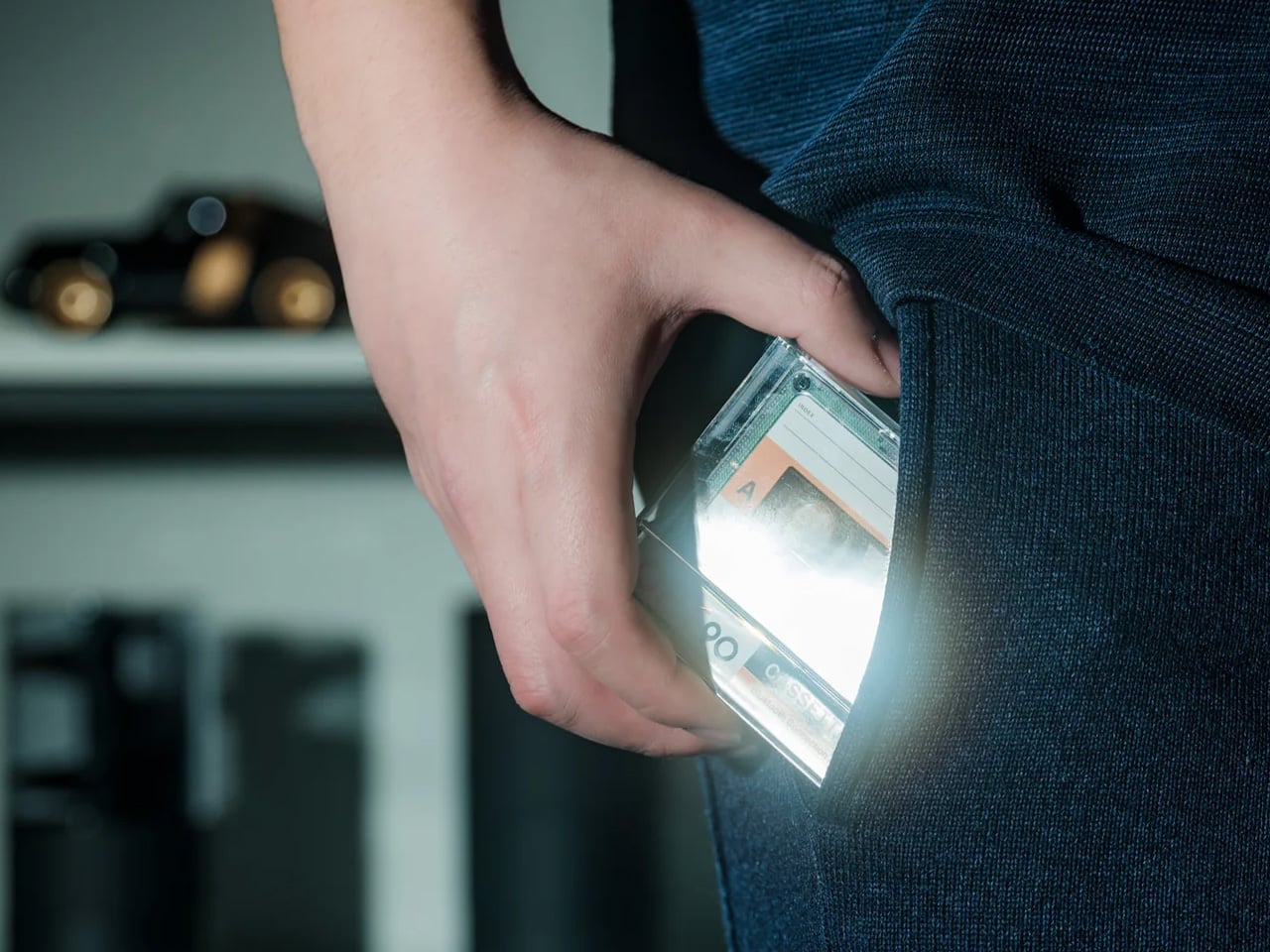
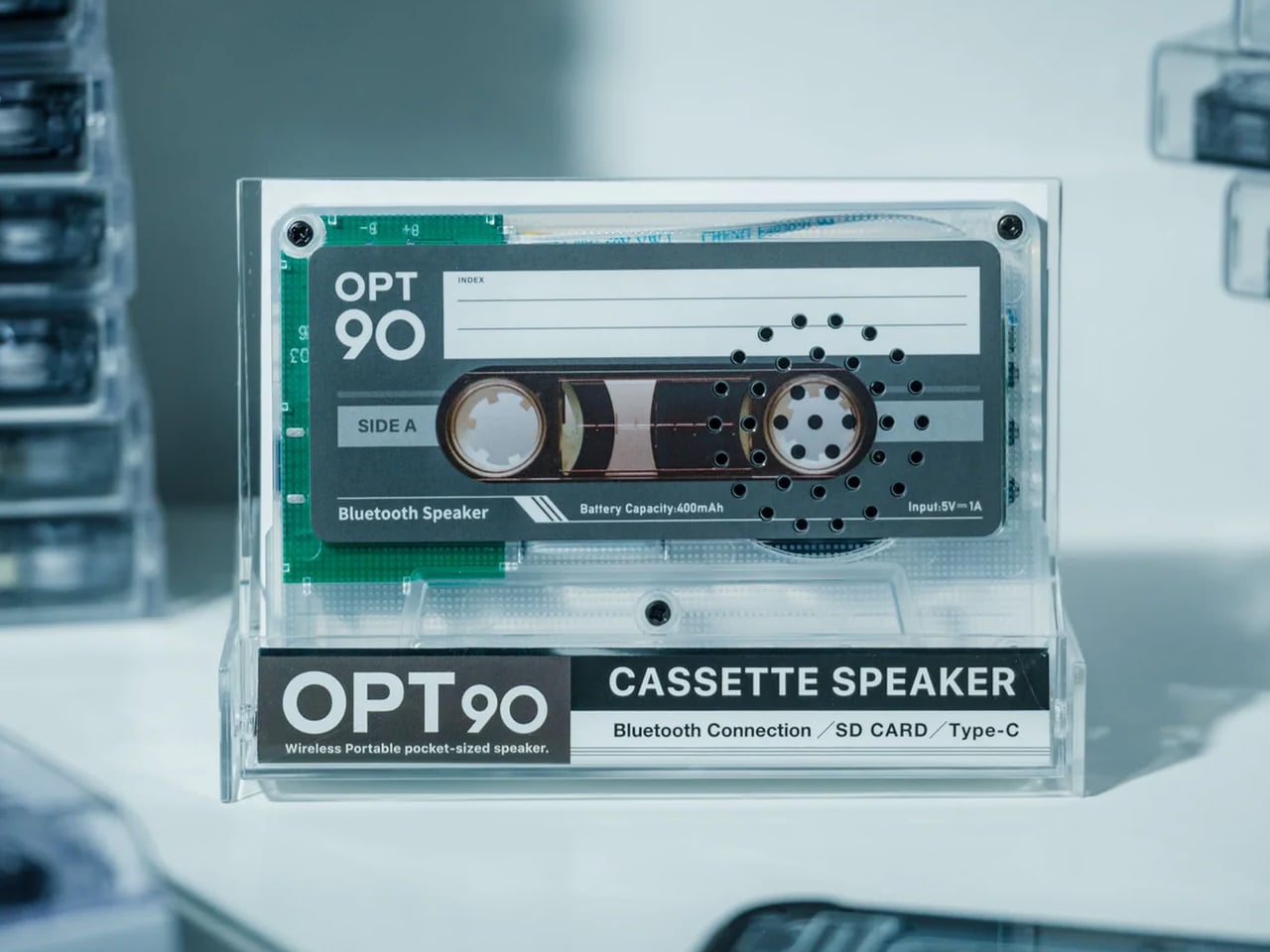
The Side A Cassette Speaker brings wireless audio to off-grid spaces without requiring constant charging infrastructure. Bluetooth 5.3 connectivity pairs seamlessly with phones and tablets, while the microSD slot enables completely offline playback when you’re beyond cellular range. The transparent cassette shell isn’t just aesthetic nostalgia—it’s a conversation piece that transforms utilitarian tech into something worth displaying. For cabin living where decor matters as much as function, this speaker becomes both an audio solution and a shelf sculpture.
Battery life matters differently when you’re managing solar power budgets. This compact speaker delivers surprisingly warm sound that fills small spaces without demanding the power draw of larger Bluetooth systems. The cassette-inspired design means it stands upright naturally, eliminating the need for separate speaker stands or mounting hardware. Whether you’re working at a desk powered by a generator, relaxing by lantern light, or cooking dinner off-grid, this speaker adds the soundtrack without complicated setup or energy waste.
The microSD card slot enables music playback without draining phone batteries or requiring Wi-Fi connectivity.
Bluetooth 5.3 provides a stable connection range for moving between cabin rooms without audio dropouts.
What we dislike
The compact size limits bass response compared to larger speakers designed for outdoor use.
Cassette nostalgia design may not resonate with younger off-gridders who never experienced mixtape culture.
3. Painless Key Ring
The Painless Key Ring solves the fingernail-breaking frustration of traditional split rings with wave spring technology borrowed from aerospace engineering. This isn’t incremental improvement—it’s a complete reimagining of how key rings function. The wave coil design makes adding and removing keys genuinely effortless while maintaining security that won’t fail when you’re miles from spare copies. For off-grid living where multiple locks, equipment keys, and padlock keys multiply quickly, managing key organization becomes a daily necessity rather than an occasional annoyance.
Traditional key rings deform under stress, making thick keys progressively harder to add and wearing thin over repeated use. The wave spring construction stays lighter than conventional rings while proving more durable under constant cycling. When you’re managing keys for solar battery boxes, storage sheds, equipment locks, and vehicle ignitions, damaged key rings aren’t just inconvenient—they’re potential security failures. This aerospace-grade solution treats key management with the seriousness it deserves while fitting seamlessly into existing EDC setups.
Wave spring design legitimately eliminates the nail-breaking, key-scratching experience of traditional split rings.
Available in silver and black finishes to match different EDC aesthetics and metal preferences.
What we dislike
The innovative mechanism costs more than conventional split rings that people already own by the dozen.
Wave spring design might confuse first-time users expecting traditional key ring operation.
4. DraftPro Top Can Opener
The DraftPro Top Can Opener transforms canned beverages into glass-like drinking experiences by completely removing the lid. Award-winning Japanese designer Shu Kanno understood that flavor appreciation requires accessing aroma, and crimped can openings limit that sensory dimension. This tool creates smooth-edged, wide-mouth openings that let you catch scent notes before each sip. For off-grid luxury living where craft beverages might be one of the few indulgences, drinking them properly matters.
Beyond elevated drinking experiences, this opener enables practical advantages for remote living. Add ice directly into cans when refrigeration runs on limited solar power. Mix cocktails in the container, eliminating glassware that needs washing with precious water reserves. The universal compatibility handles both domestic and international cans, important for off-gridders who might stock supplies from various sources. At this price point, it’s the kind of small luxury that disproportionately improves daily quality of life.
The specialized function serves beverages only while consuming pocket space that could hold multi-purpose tools.
5. Precision Chef Kitchen Scissors
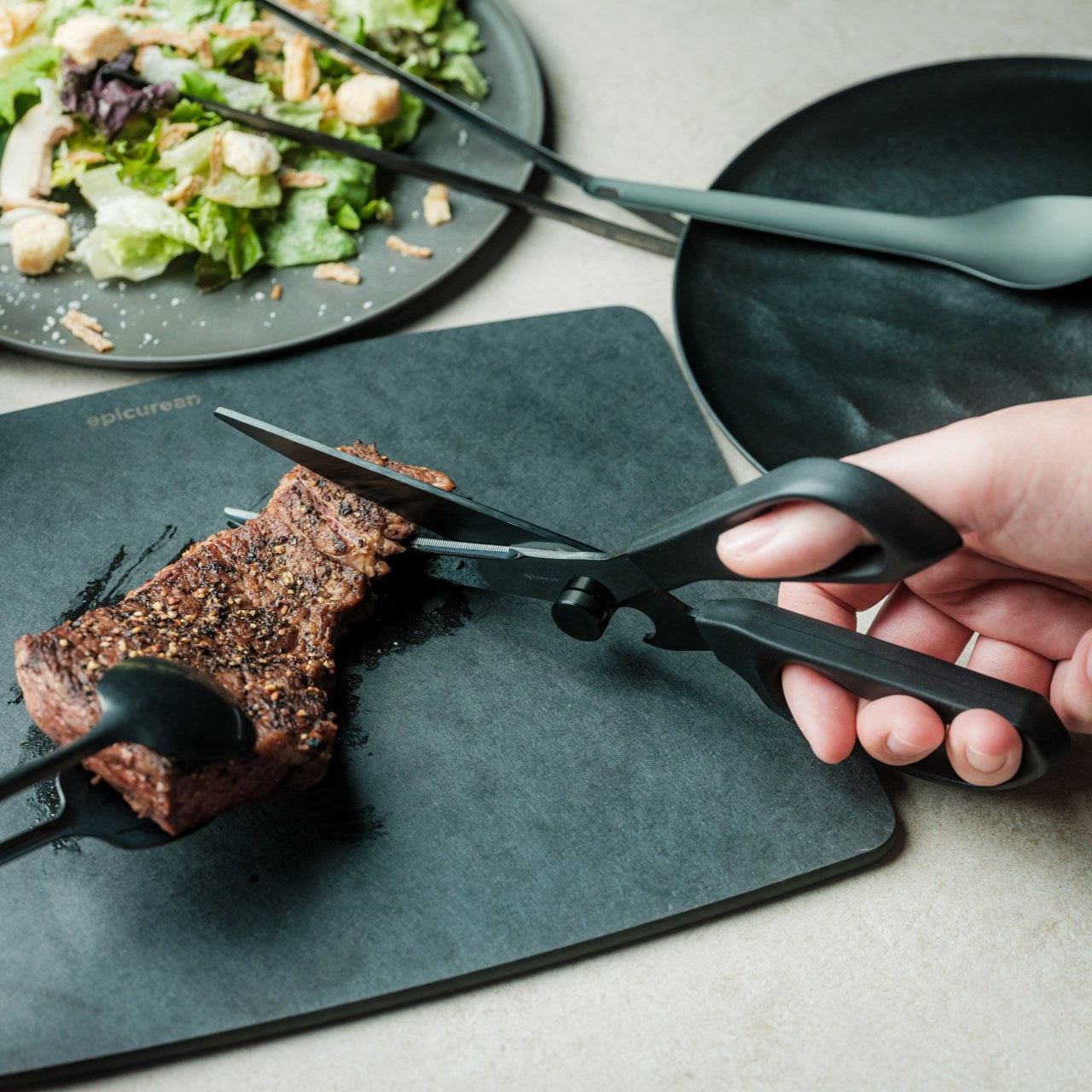
The Precision Chef Kitchen Scissors bring restaurant-grade food prep into off-grid kitchens through thoughtful engineering. The curved serrated blade makes cutting meat safer and more efficient than straight-edge designs that require awkward angles. Oxidation coloring creates the black finish through metal treatment rather than coating, so the distinctive appearance won’t chip or fade with heavy use. The ergonomic structure keeps blades elevated when laid flat, preventing cross-contamination on cutting surfaces.
Off-grid cooking often means processing whole ingredients rather than buying pre-cut portions. These scissors handle breaking down poultry, portioning meat, cutting vegetables, and even cutting pizza with equal efficiency. When kitchen counter space is limited, and cutting boards need careful water management for cleaning, shears that work for multiple tasks reduce both equipment and cleanup. The striking black finish elevates these from pure utility into kitchen decor that announces serious food preparation happens here.
Curved serrated blade design genuinely improves cutting efficiency compared to standard kitchen shear geometry.
Oxidation coloring creates a permanent black finish that won’t deteriorate with dishwashing or heavy use.
What we dislike
The premium blade treatment and ergonomic design command prices well above basic kitchen scissors.
Specialized meat-cutting optimization might not serve vegetarian or plant-focused off-grid kitchens as effectively.
6. AirTag Carabiner
The AirTag Carabiner harnesses Apple’s Find My network through Duralumin composite alloy construction proven in aircraft and spacecraft. This isn’t cheap aluminum painted to look premium—it’s genuine aerospace-grade material suited for extreme conditions. Snap it onto bags, bikes, or equipment and gain location tracking that works even when you’re beyond cellular coverage. For an off-grid property where tools, vehicles, and gear are spread across acres, knowing exactly where everything sits eliminates time wasted searching.
The hand-crafted metal construction creates heirloom-quality carabiners that justify AirTag investment. Standard plastic cases break under outdoor use, defeating the purpose of tracking expensive equipment. Duralumin handles high altitude and water exposure, making these suitable for genuine backcountry use rather than just urban everyday carry. Available in brass and stainless steel variants, you can match different equipment aesthetics while maintaining the same reliable tracking across your off-grid setup.
Duralumin aerospace alloy provides genuine durability suited for harsh conditions, rather than just looking premium.
Hand-crafted individual construction creates variation and character missing from mass-produced tracking accessories.
What we dislike
Requires purchasing Apple AirTags separately, adding $29 per carabiner to the total investment.
The Find My network depends on proximity to other Apple devices, limiting effectiveness in truly remote areas.
7. CasaBeam Everyday Flashlight
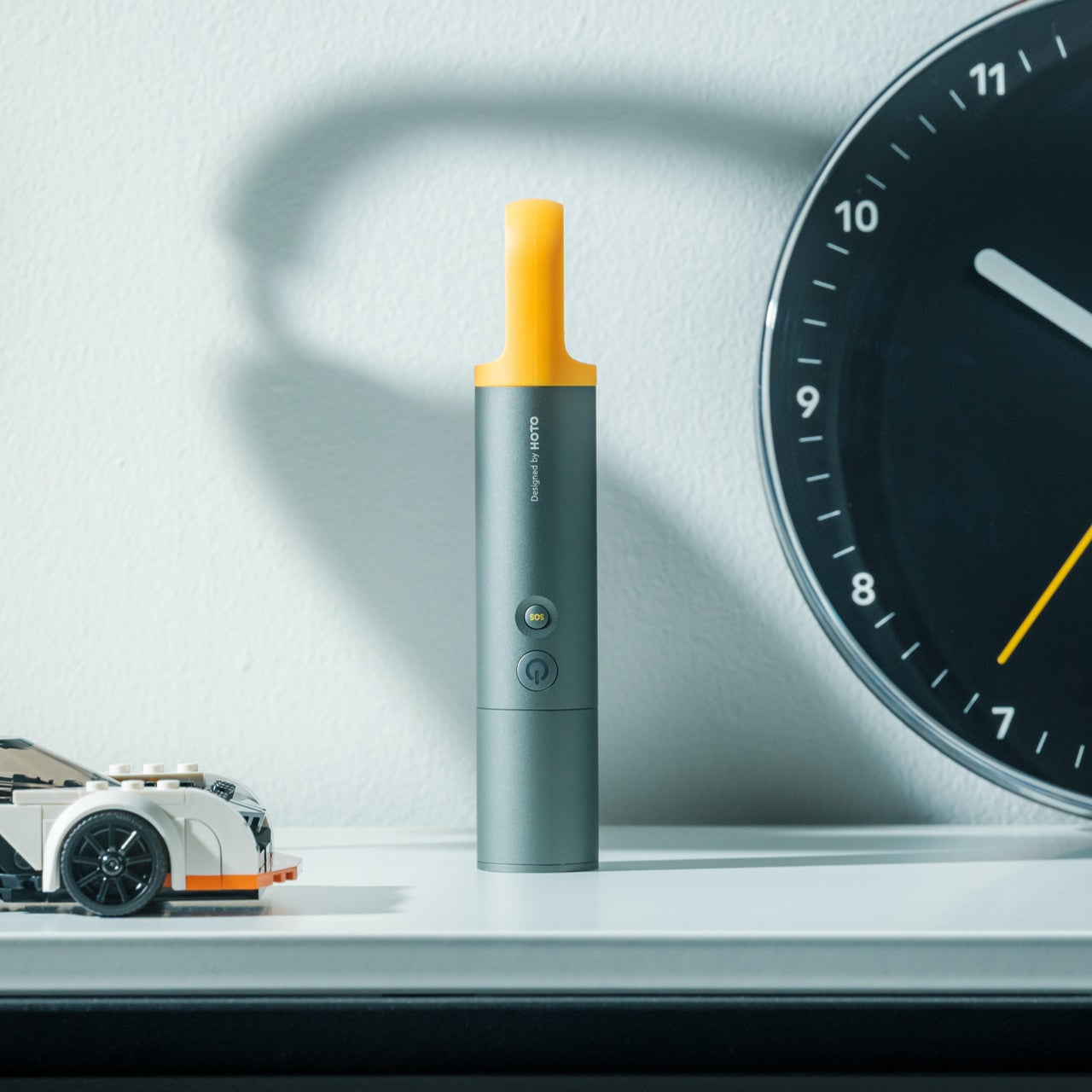
The CasaBeam Everyday Flashlight delivers 1,000 lumens through a minimalist design that belongs on display rather than hidden in drawers. The dual-mode functionality transforms it from a handheld flashlight to an upright lantern without requiring separate bases or accessories. Five lighting modes cover everything from ambient reading light to emergency SOS signaling. When off-grid lighting depends on managing battery reserves carefully, having one versatile light that serves multiple needs reduces redundant equipment.
The 200-meter beam range handles outdoor navigation while the diffused lantern mode creates ambient lighting for interior spaces. Twist the front to toggle between spotlight and floodlight, adjusting beam width for specific tasks. Power outages that would be minor inconveniences on-grid become major disruptions off-grid, making reliable backup lighting essential rather than precautionary. This flashlight’s standalone design means it’s ready immediately without hunting for batteries or checking charge levels on dedicated headlamps.
The upright lantern mode creates hands-free ambient lighting without requiring separate lantern equipment.
Adjustable zoom beam toggles between a focused spotlight and a wide floodlight for different situations.
What we dislike
The 1,000-lumen maximum output drains batteries faster than lower-output lights during extended outages.
Minimalist design lacks rugged water resistance and drop protection found in tactical flashlight alternatives.
8. Compact Modular Grill Plate
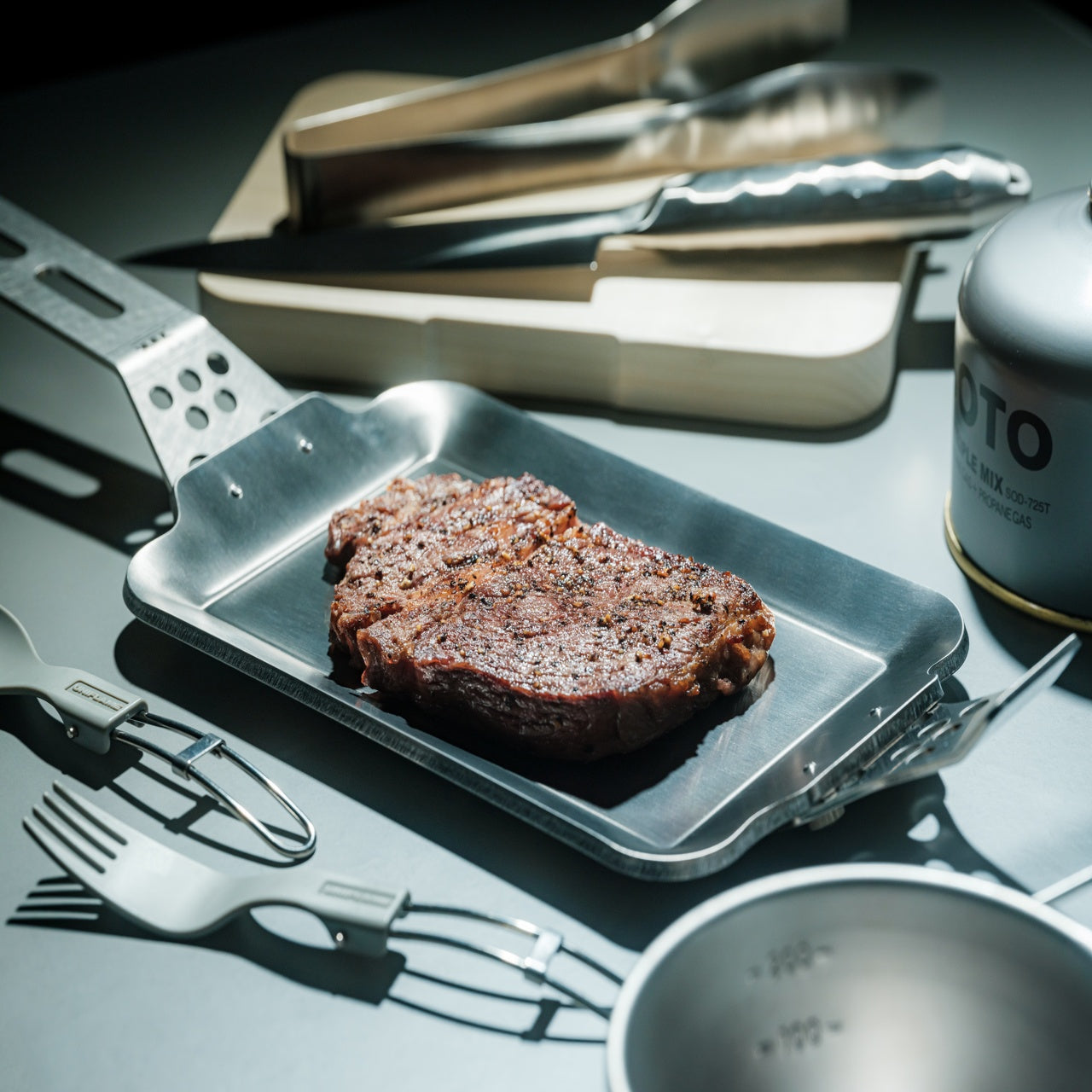
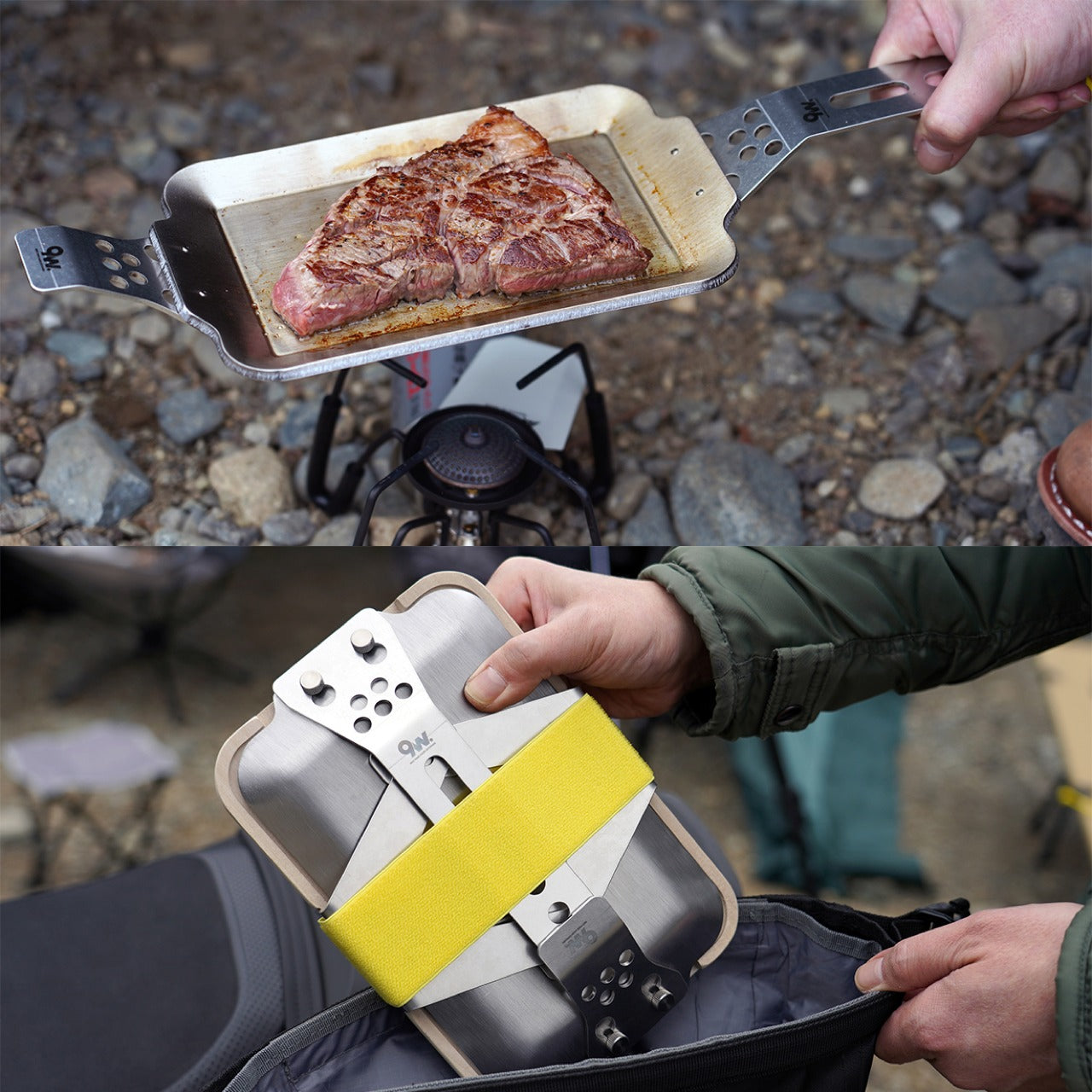
The Compact Modular Grill Plate adapts to whatever heat source you’re using, from unstable bonfires to precise induction cooktops. The three-layer steel construction ensures even heat distribution that maintains food juiciness during cooking. Swappable handles let you optimize for current conditions—use long handles over open flames, short handles for stovetop cooking, or remove them entirely for compact storage. When off-grid cooking means adapting to available fuel and weather conditions, versatile cookware isn’t a luxury—it’s a necessity.
Even heat distribution becomes crucial when cooking over fires that don’t provide the temperature control of home ranges. The metal grill plate conducts heat uniformly across its surface, preventing hot spots that char food in some areas while leaving others undercooked. The modular design packs flat for storage, important when cabin kitchens can’t dedicate space to specialized equipment. Whether you’re cooking over propane, wood fire, or solar-powered induction, this single plate handles all scenarios without compromising cooking quality.
Three-layer steel plate construction delivers restaurant-quality heat distribution regardless of heat source consistency.
The modular handle system adapts to different cooking situations rather than forcing a one-size-fits-all compromise.
What we dislike
The premium steel construction creates weight that makes this impractical for backpacking or ultralight camping.
Multiple small pieces in the modular system increase the chance of losing components during outdoor use.
9. Miniature Bonfire Wood Diffuser Set
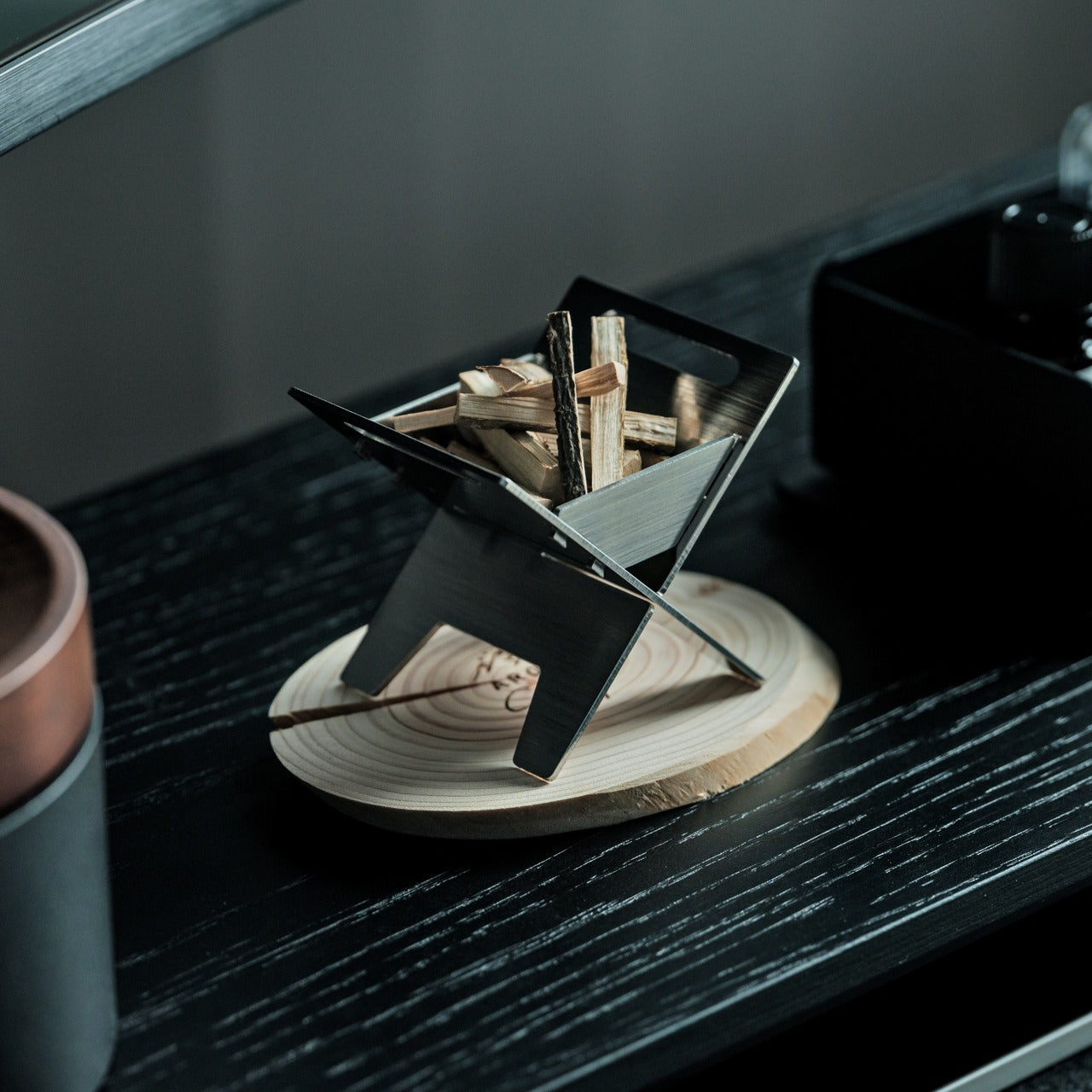
The Miniature Bonfire Wood Diffuser Set captures mountain forest fragrance through an adorable design that doubles as functional decor. The rust-resistant stainless steel bonfire creates an eye-catching centerpiece while miniature firewood bundles diffuse essential oils with the gentleness of a natural breeze. The included trivets transform the diffuser into a pocket stove for authentic cooking experiences indoors. When off-grid living means months of winter cabin time, bringing outdoor atmosphere inside maintains a connection to the natural surroundings.
Essential oil from Mt. Hakusan provides a distinctive scent that commercial air fresheners can’t replicate. The stainless steel construction handles repeated heating without deteriorating, making this suitable for daily use rather than occasional decoration. The pocket stove functionality means you can actually brew tea or warm small portions over the flame, blending aromatherapy with practical heating. For off-grid spaces where ambiance matters as much as utility, this diffuser creates the warmth of a campfire without smoke or ventilation concerns.
The rust-resistant stainless steel construction enables genuine cooking functionality beyond just aromatic diffusion.
Essential oil captures authentic mountain forest scent rather than synthetic approximations.
What we dislike
The miniature scale limits practical cooking to very small portions, like single cups of tea.
Essential oil diffusion through heat requires fuel and monitoring, unlike electric or passive diffuser alternatives.
10. Obsidian Black Precision Chopstick Tongs
The PrecisionGrip Chopstick Tongs blend traditional Japanese chopstick precision with modern tong versatility. Made from SUS821L1 stainless steel with black oxide film processing, the finish won’t scratch or peel regardless of use intensity. The elongated design handles delicate foods with the control of chopsticks and the ease of tongs, eliminating the skill barrier that makes traditional chopsticks frustrating. For off-grid living where food prep and eating both happen in compact spaces, dual-purpose utensils reduce equipment while increasing functionality.
The black oxide film processing creates permanent color through metal treatment rather than coating, so the distinctive obsidian appearance survives dishwashing and heavy use. The ergonomic design works equally well for cooking and dining, flipping ingredients on the stovetop or serving sushi at the table. When off-grid kitchens need to maximize utility per item, these tongs deliver two tools’ worth of functionality in one elegant package. The SUS821L1 stainless steel provides exceptional corrosion resistance, important for environments where humidity and limited climate control accelerate metal deterioration.
Chopstick-style precision enables handling delicate foods with control impossible using standard tong designs.
Black oxide film processing creates a permanent finish that maintains appearance through years of daily use.
What we dislike
The chopstick aesthetic may feel unfamiliar to people expecting traditional tong operation and grip.
Specialized design serves precision tasks better than heavy-duty grilling or large portion handling.
Small Tools Enable Big Transformations
Off-grid luxury living starts with recognizing that quality tools improve daily experience more than any single large purchase. These ten stocking stuffers represent the Japanese design philosophy of perfecting everyday objects rather than accepting good enough. Each tool addresses specific challenges faced by people living self-sufficiently while maintaining aesthetic standards that would satisfy urban design enthusiasts. The total investment here costs less than many single appliances, yet delivers functionality across cooking, lighting, organization, and entertainment.
The real luxury in off-grid living comes from thoughtful tool selection rather than expensive equipment. Solar panels and battery systems get attention, but the scissors you use daily matter more to the quality of life. These compact essentials earn their space through consistent utility rather than occasional specialized use. They’re conversation pieces that spark interest from visitors while proving their worth through daily performance. Building an off-grid lifestyle means curating tools that work as hard as you do while looking good doing it.
The maker movement has always had this tension between aspiration and reality. We want to believe that anyone with creativity and determination can fabricate complex physical objects, but the actual tools have never quite lived up to that vision. 3D printers got there eventually, becoming genuinely accessible after years of tinkering and iteration. CNC mills are still waiting for their Prusa moment, that breakthrough where capability and usability finally converge at a price point that makes sense for individual creators rather than small manufacturers.
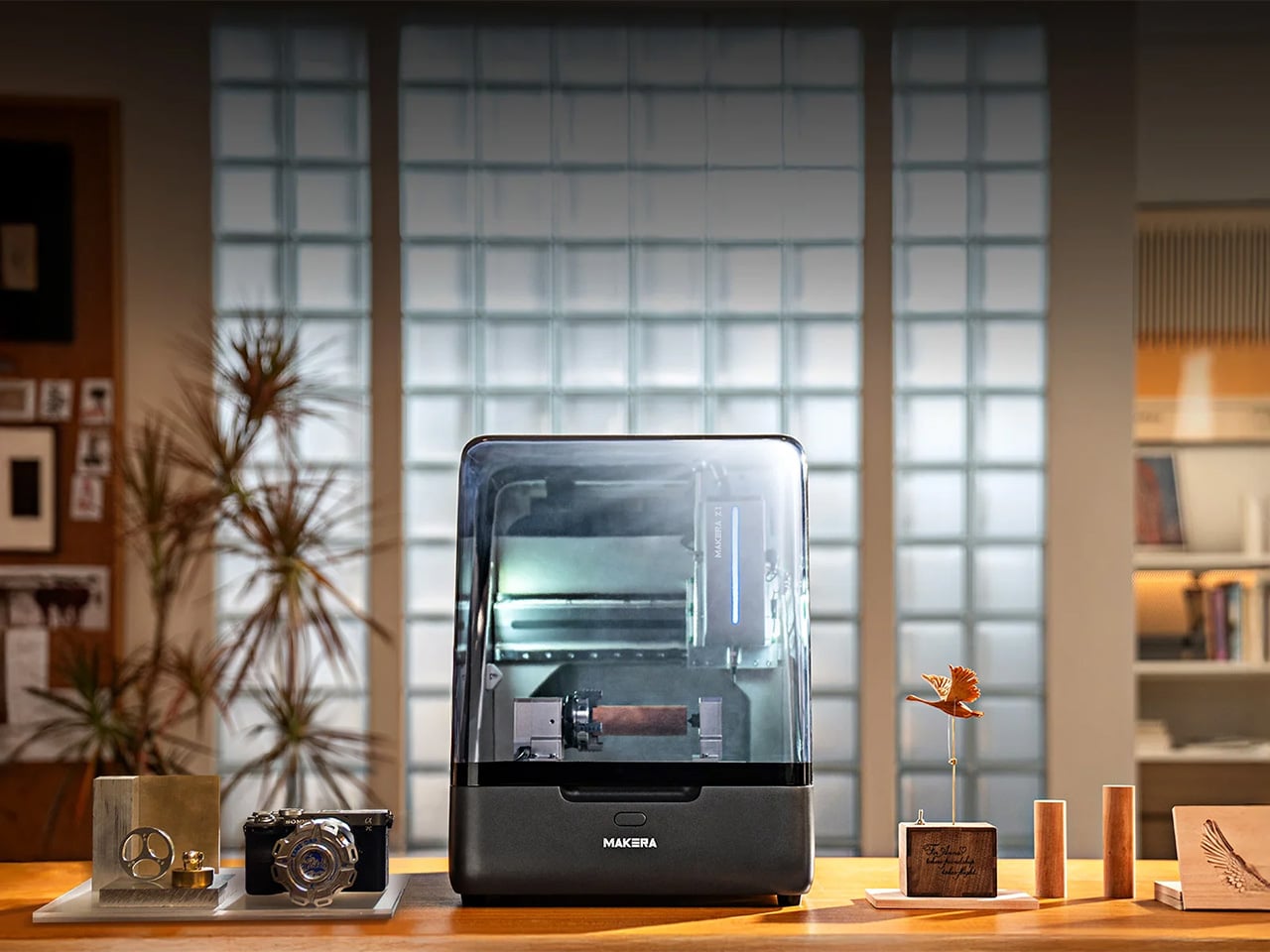
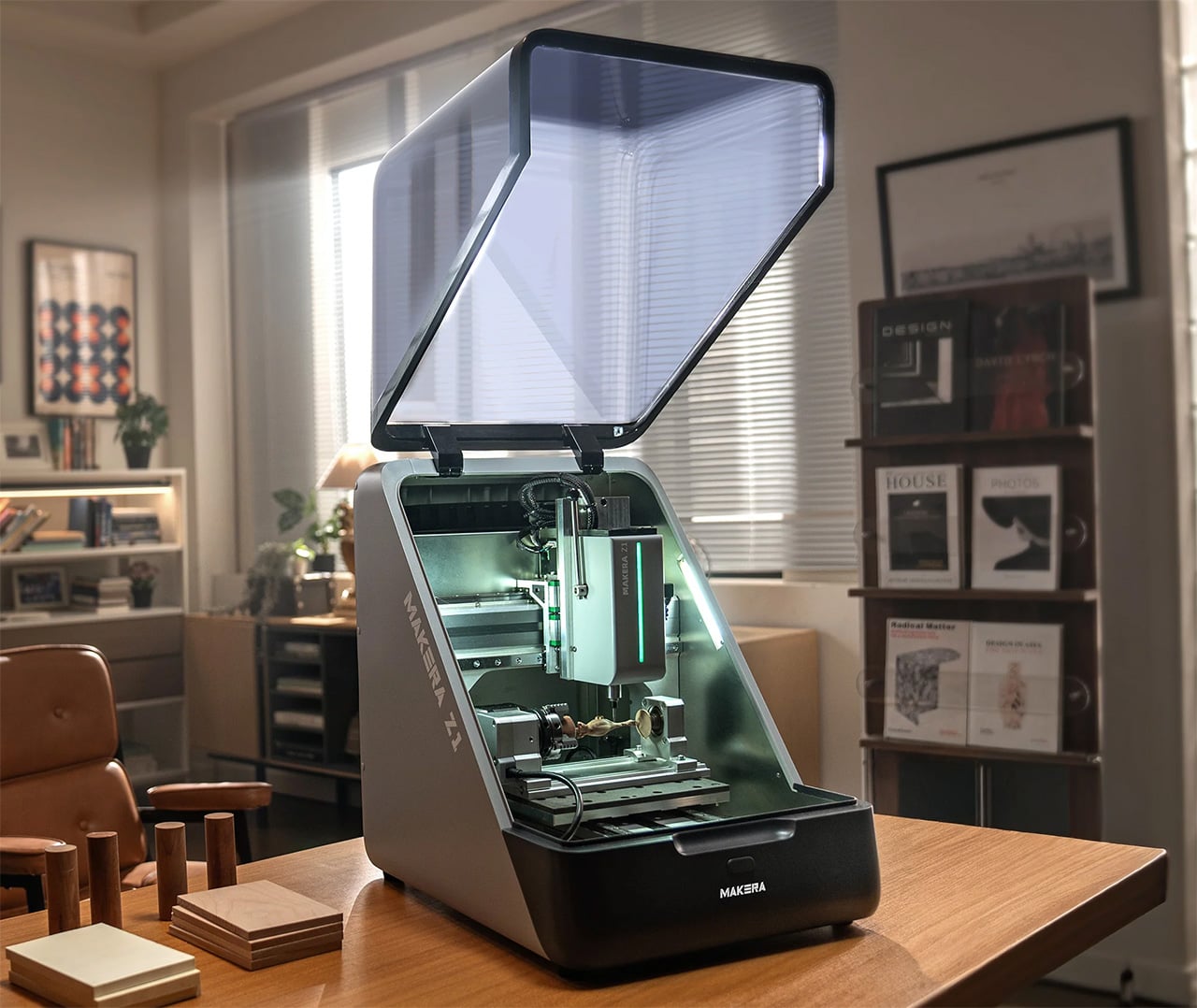
Makera’s Z1 looks like it might be taking a serious run at becoming that machine. The specs are legitimately compelling: 4-axis machining for complex geometries, laser engraving for multi-material work, tool changing that doesn’t kill your workflow momentum. But the really smart move is how they’ve approached the software side with their Smart Machining Wizard that handles toolpath optimization automatically. That’s the kind of feature that could genuinely flatten the learning curve, because the hardest part of CNC work isn’t understanding what you want to make, it’s translating that into the specific sequence of cuts and feeds that won’t destroy your material or your bit.
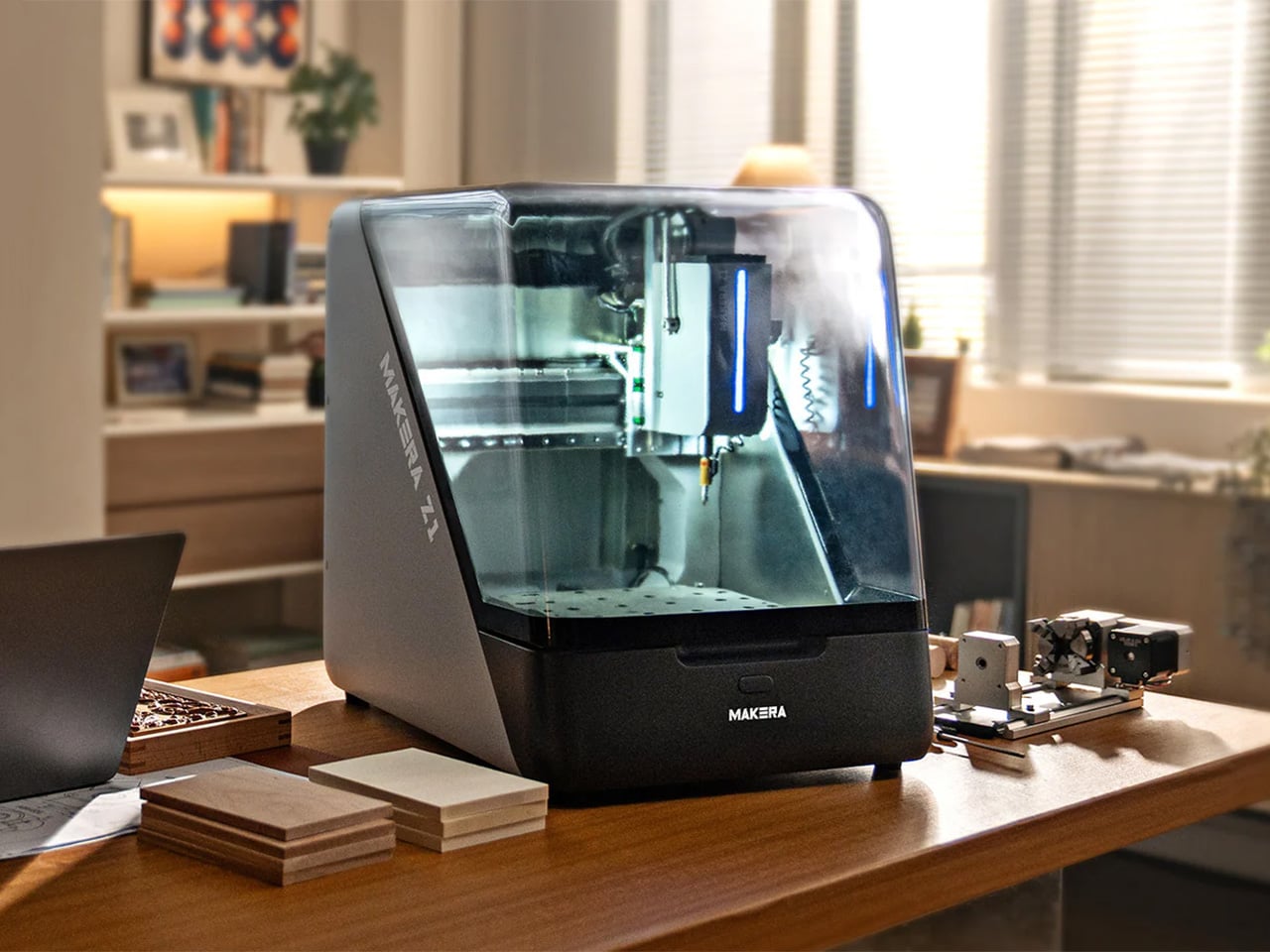
Makera built this thing with a die-cast metal frame that keeps it rigid enough for precision work while staying compact enough for a desk or workbench. Most desktop CNCs either sacrifice rigidity for size or end up being “desktop” machines that require you to dedicate half a room to them. The Z1 actually fits where people work without turning into a wobbly mess the moment you put any real cutting force on it. A transparent enclosure with blue LED lighting lets you watch what’s happening, which sounds purely aesthetic until you’ve spent enough time with CNC work to know that being able to see when something starts going wrong is the difference between catching a problem early and ruining your third attempt at an expensive piece of walnut.
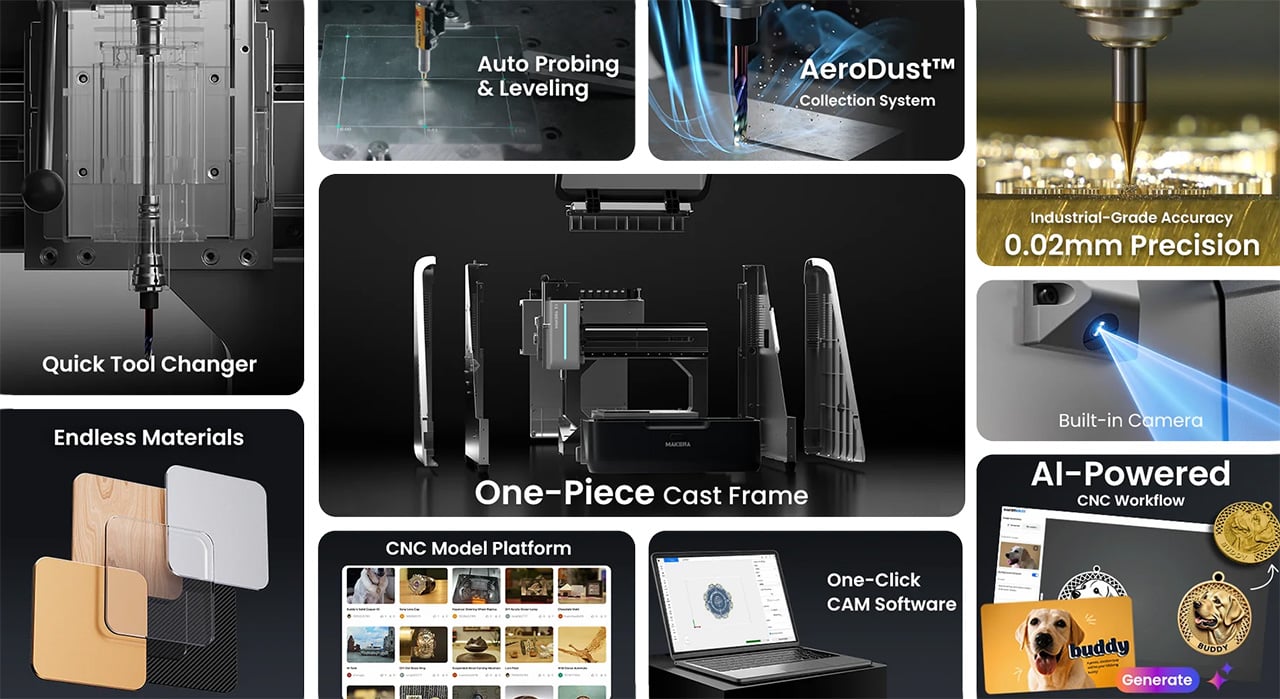
Most people who’ve used desktop CNCs have experienced the tool-changing nightmare. You’re halfway through a project, need to swap from a roughing bit to a finishing bit, and suddenly you’re stopping the job, manually changing tools, re-zeroing everything, and praying you didn’t throw off your alignment. Mess it up and you’ve wasted material, time, and patience. The Z1’s quick tool changer handles swaps in seconds without breaking workflow. Queue up your roughing pass, finishing pass, and laser engraving in sequence, start the job, and come back to finished work. You can actually plan projects with multiple operations now instead of avoiding them because the process is too tedious.
Adding a fourth axis changes what you can make, not just how easily you can make it. Standard 3-axis machines force you into flat-world thinking. Want details on a cylinder? You’re manually rotating and re-fixturing, hoping your alignment is perfect each time. Complex curves? Forget it unless you enjoy spending hours setting up custom jigs. With 4-axis capability, cylindrical parts become straightforward. Jewelry with wraparound patterns, custom instrument components, robotics parts with mounting features on multiple faces – projects that used to require either expensive shop time or elaborate workarounds become things you can just do.
Makera bundled a laser module into the same machine, which solves a problem anyone working on mixed-material projects has run into. Mills cut wood, plastic, soft metals well. Lasers excel at engraving and cutting leather, acrylic, veneer. Usually you need two machines, two software packages, and endless frustration trying to align work between them. Having both in one system with unified control means you can mill a relief pattern into wood and laser-engrave fine details in the same setup. For prototyping or small production runs, not having to move work between machines eliminates a huge source of error and wasted time.
Makera Studio unifies design, CAM, and machine control instead of forcing you to juggle multiple applications that barely talk to each other. More importantly, the Smart Machining Wizard actually does something useful: it looks at your geometry and suggests toolpath parameters. This matters because new CNC users consistently get stuck at exactly this point. You’ve got a 3D model, you know what you want to cut, but now you need to figure out feeds, speeds, stepover percentages, roughing versus finishing strategies. Get it wrong and you break expensive bits, ruin material, or spend six hours on a cut that should take forty minutes. Most CAM software assumes you already know this stuff. Makera’s wizard gives you a starting point based on your specific geometry and material, which won’t make you an expert overnight but might keep you from quitting in frustration after your fifth failed attempt.
Built-in presets cover relief carving, 4-axis operations, and PCB milling. PCB work is particularly brutal for beginners because you need precise depth control and appropriate feeds to get clean copper traces without destroying the board. Having proven workflows ready to use means these capabilities become practical tools instead of theoretical features you never figure out how to use properly.
Makerables, their content platform, lets users share projects and download models, which is table stakes for any modern fabrication tool. More useful is the AI modeling feature that generates 3D models or reliefs from images and prompts. You can argue about whether AI-generated designs are “real” making, but practically speaking, not everyone has years to invest in mastering Fusion 360. If you’ve got strong design sense but CAD software makes you want to throw your computer out a window, being able to go from concept to cuttable model without that barrier actually matters. Plenty of artists and designers who understand form, proportion, and aesthetics have been locked out of CNC work purely by software requirements.
Auto-probing and leveling handle surface calibration without manual tramming, which saves twenty minutes of tedious setup before every job. Integrated dust collection with ports for external collectors means you can run this indoors without coating your entire workspace in fine dust. The built-in camera lets you check on progress remotely and record time-lapses, catching problems before they get expensive and documenting your work without setting up separate recording equipment.
Pricing sits at an MSRP of $1,199, but early Kickstarter backers can secure the Z1 for $899. Compare that to quality 3-axis desktop CNCs without laser modules, 4-axis capability, or automated tool changing, and the Z1 looks legitimately competitive. So much so that over 6,000 backers have already pledged more than $8 million USD to secure the Makera Z1- with the campaign running until December 12 – before it begins shipping next month.
Makera is also offering a Z1 Pro configuration that addresses the performance ceiling some users will eventually hit. The standard Z1 uses lead screws and open-loop steppers, which work fine for most projects but can show limitations under sustained heavy use or when you’re chasing the tightest possible tolerances. The Pro upgrade swaps in ball screws across all three axes and adds closed-loop stepper motors. Ball screws reduce backlash and handle heavy cutting loads better over time, while closed-loop motors automatically correct position errors, eliminating the lost steps that can ruin a long job when you’re six hours in and something goes slightly wrong.
The upgrade costs $399 normally but Kickstarter backers can add it for $249. You’re looking at hardware changes that meaningfully improve accuracy and reliability rather than marginal spec bumps, which matters if you’re planning to use this machine for small production runs or client work where failures get expensive fast. The Pro units ship around two months after the standard Z1, starting March 2026, which makes sense given they’re swapping core motion components. Whether the upgrade is worth it depends on your use case – hobbyists and occasional users probably won’t notice the difference, but anyone planning serious production work or precision-critical projects should consider it seriously.