Nobody really announced the CD comeback. It didn’t arrive with a glossy campaign or some grand industry reset. It just started happening quietly, then all at once. Record stores began giving discs more shelf space. Artists started slipping them into merch drops. And younger listeners, people who grew up with every song ever made living inside an app, started buying physical albums they could have streamed in seconds.
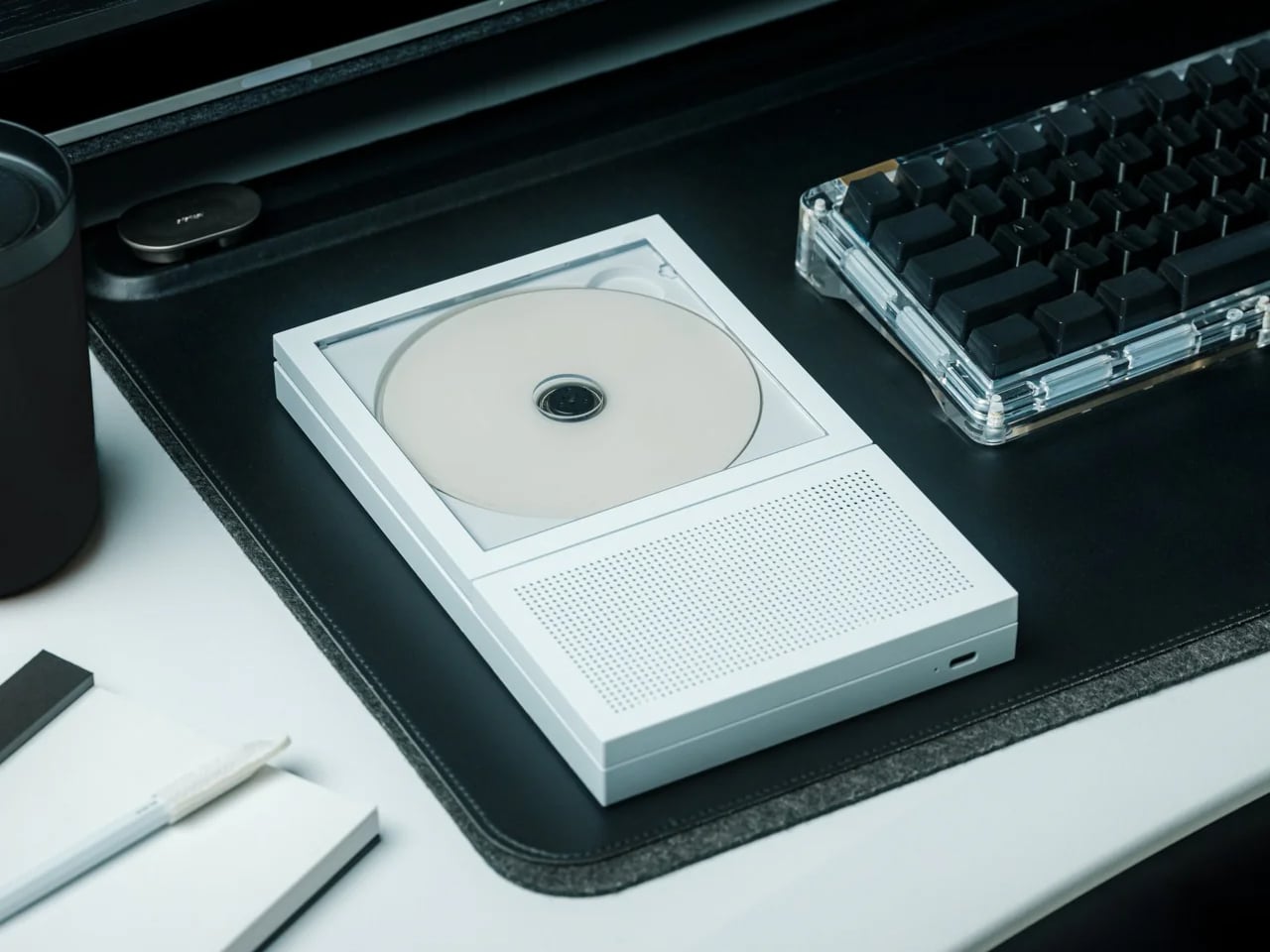
Quick take: This Portable CD Cover Player is designed around displaying the album cover while it plays. Compact, Bluetooth-connected, USB-C charged, and $199. The best reason to start buying CDs again.
The easy explanation is nostalgia, but that no longer covers it. A lot of the people buying CDs in 2026 do not miss the nineties. What they miss is something streaming never fully replaced: the feeling that music had shape. That an album was more than a handful of tracks waiting to be shuffled into the background. Streaming solved access completely. It never solved presence.
The Player That Makes the Comeback Make Sense
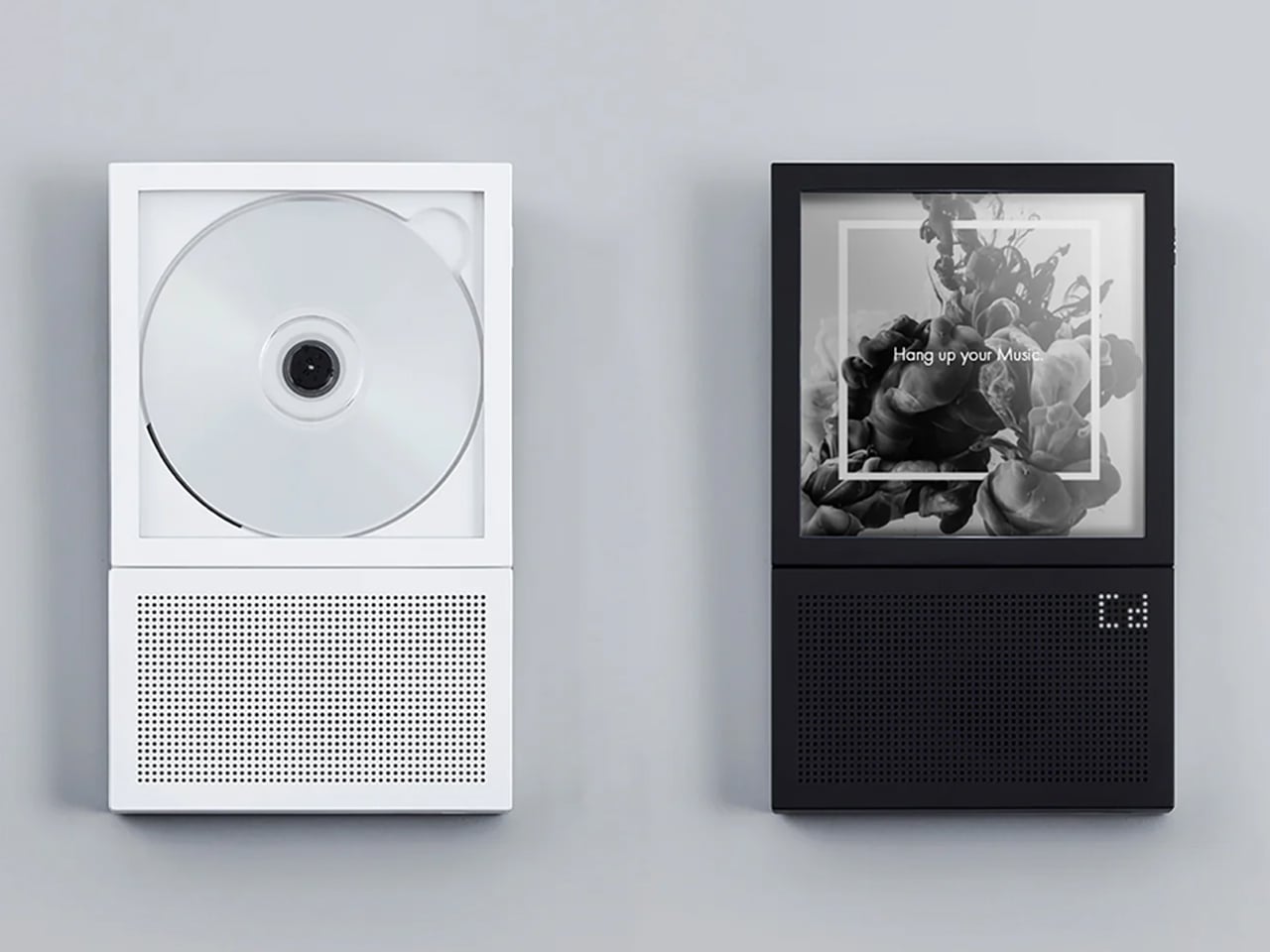
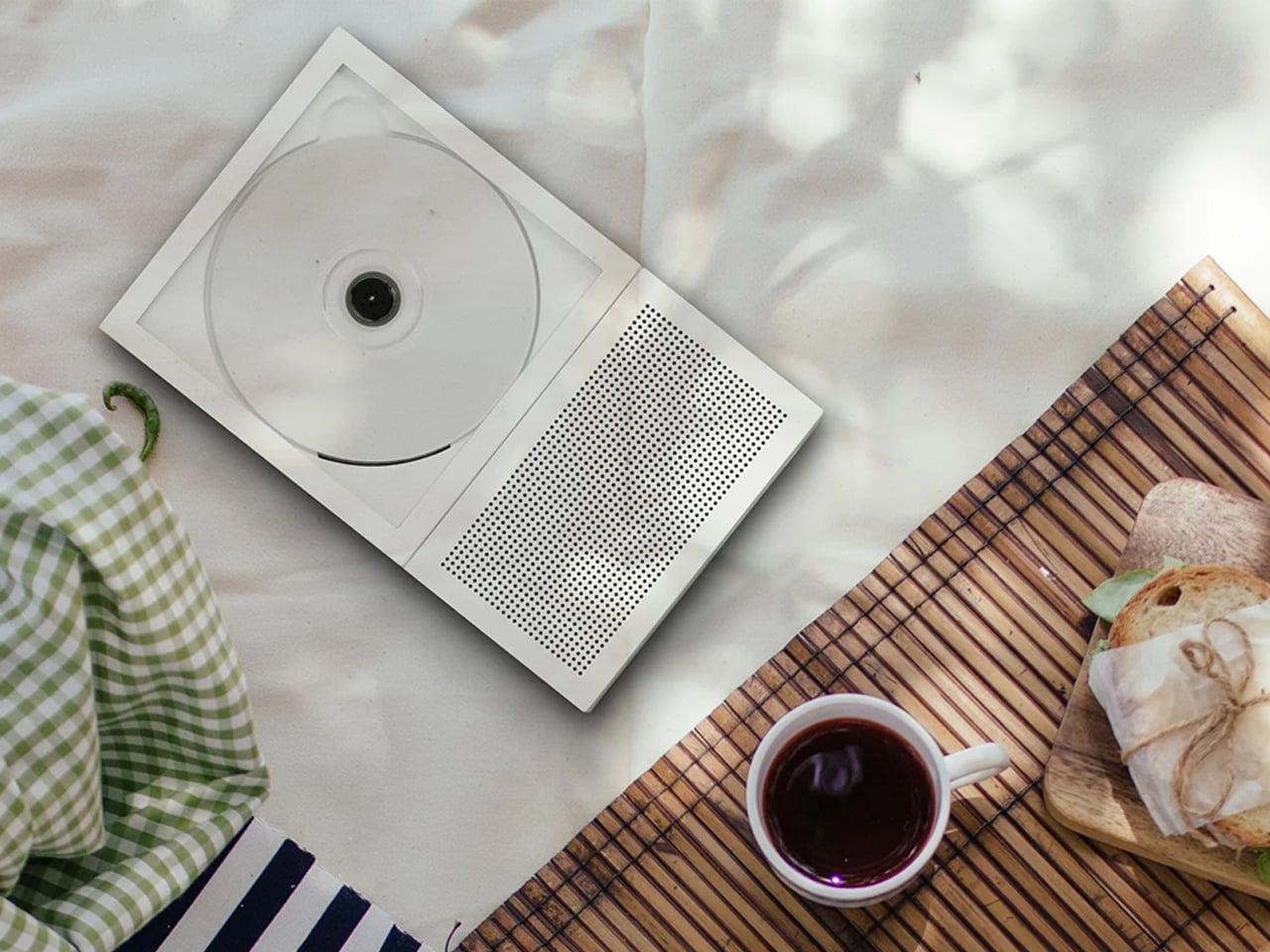
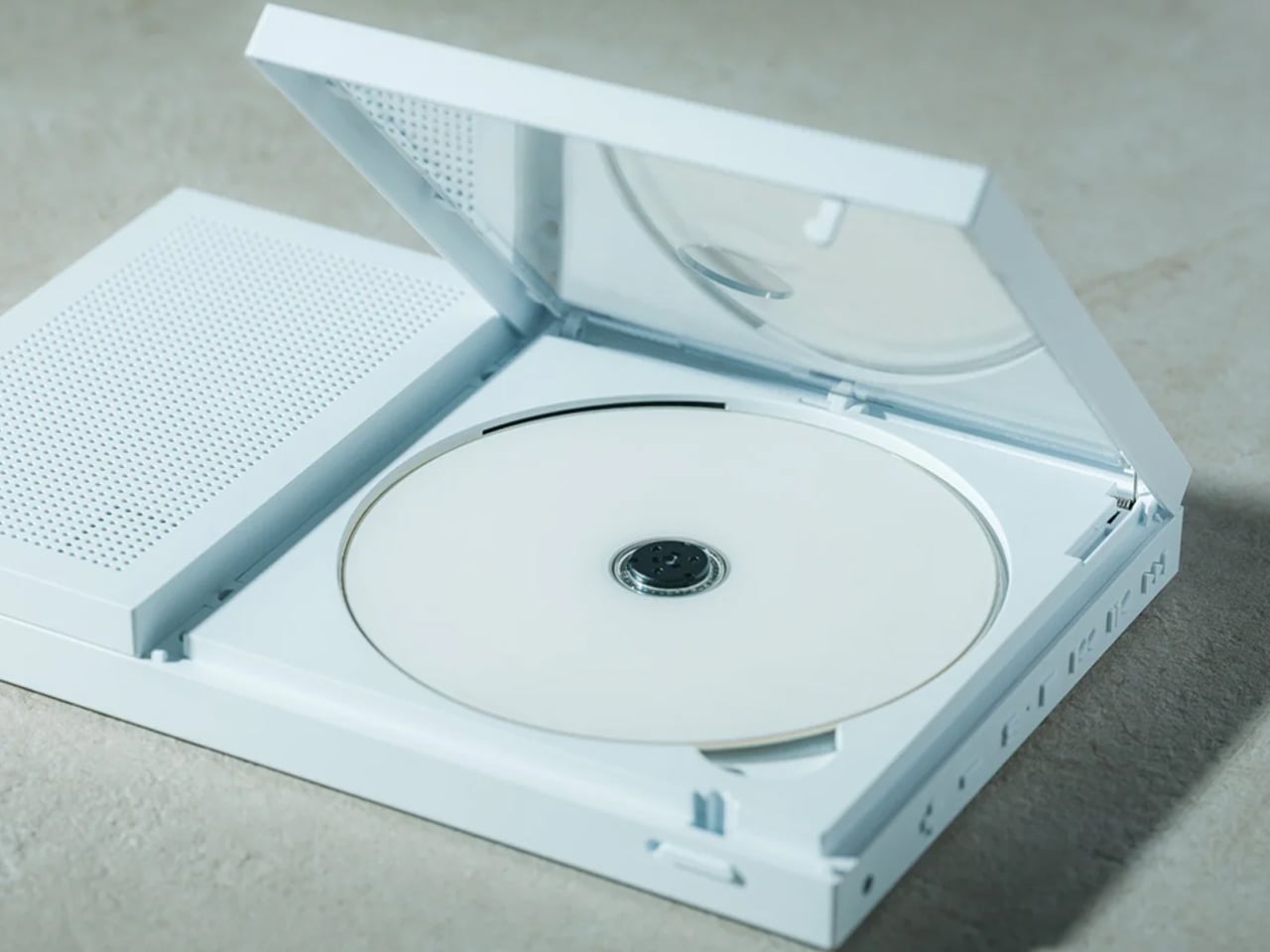
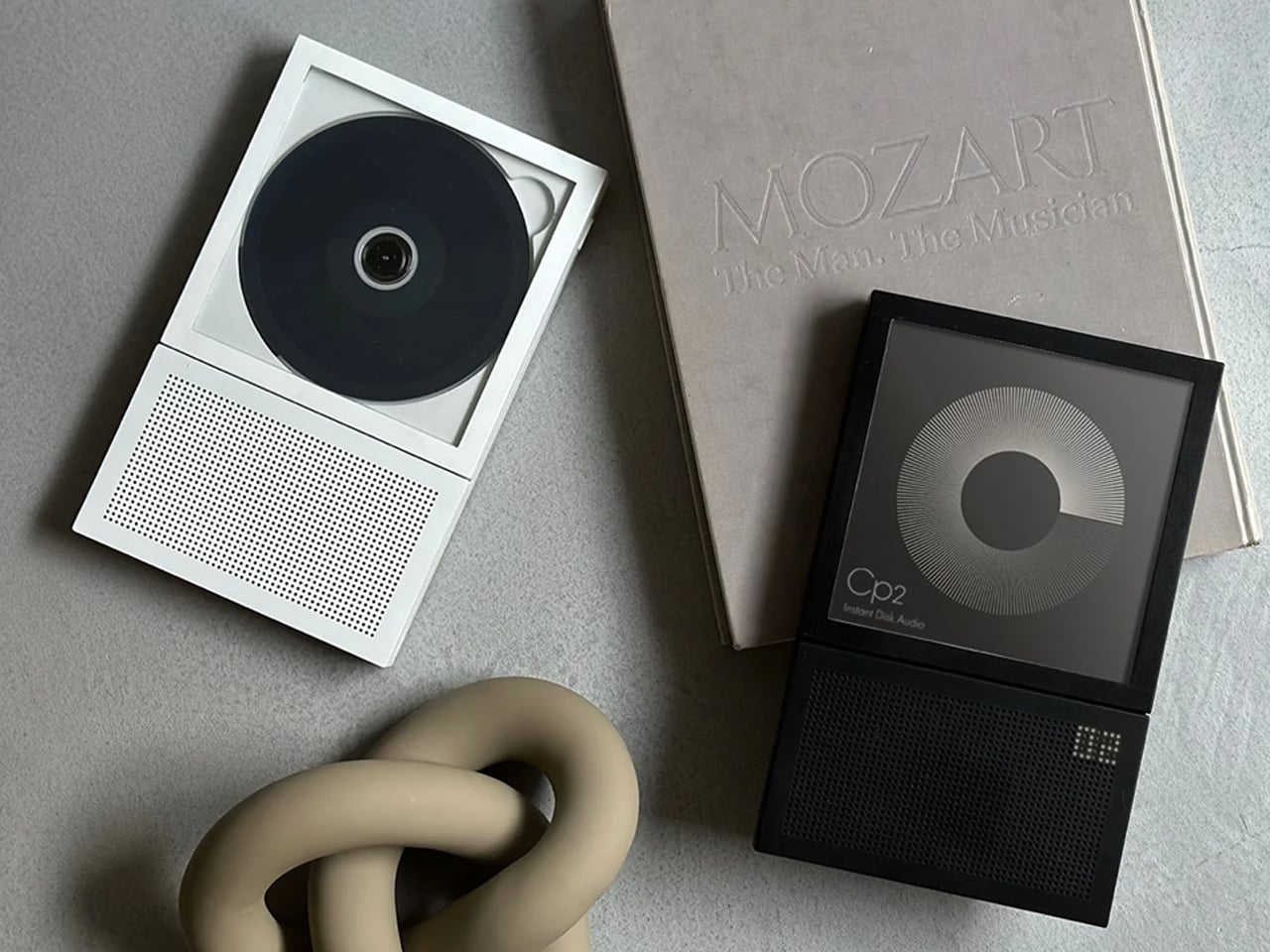
That is exactly why the Portable CD Cover Player feels so right for this moment. Most CD players treat the disc as the point and the cover art as packaging. This one flips that. The album cover faces outward while the disc plays, turning the artwork into part of the listening experience instead of something you glance at once and put away.
At first, that sounds like a small design decision. In practice, it changes the whole feel of the object. Music that used to sit invisibly inside a playlist suddenly has a face again. What you are listening to is no longer buried inside a phone screen or reduced to a thumbnail in a queue. It is present, visible, and strangely harder to ignore.
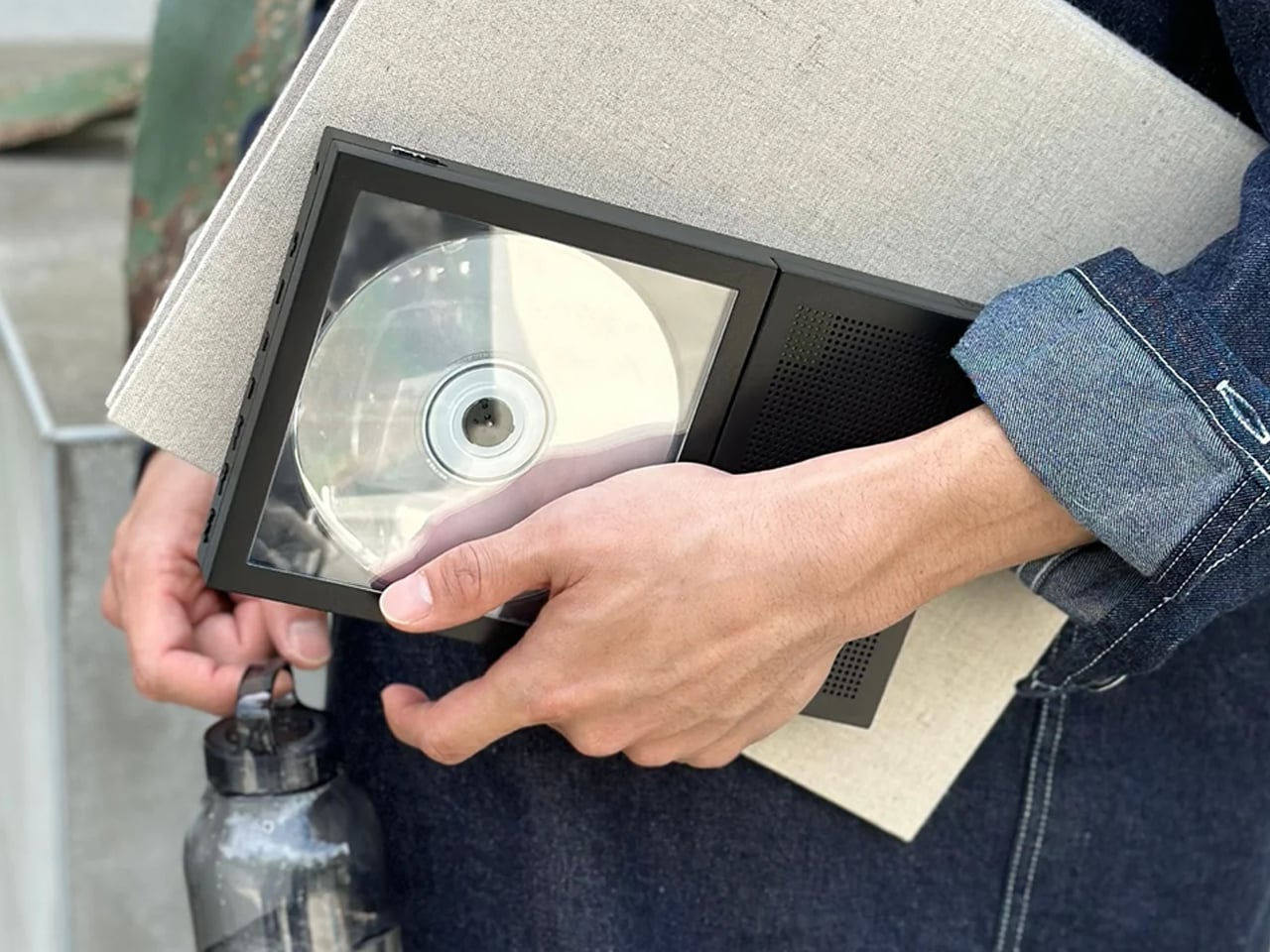
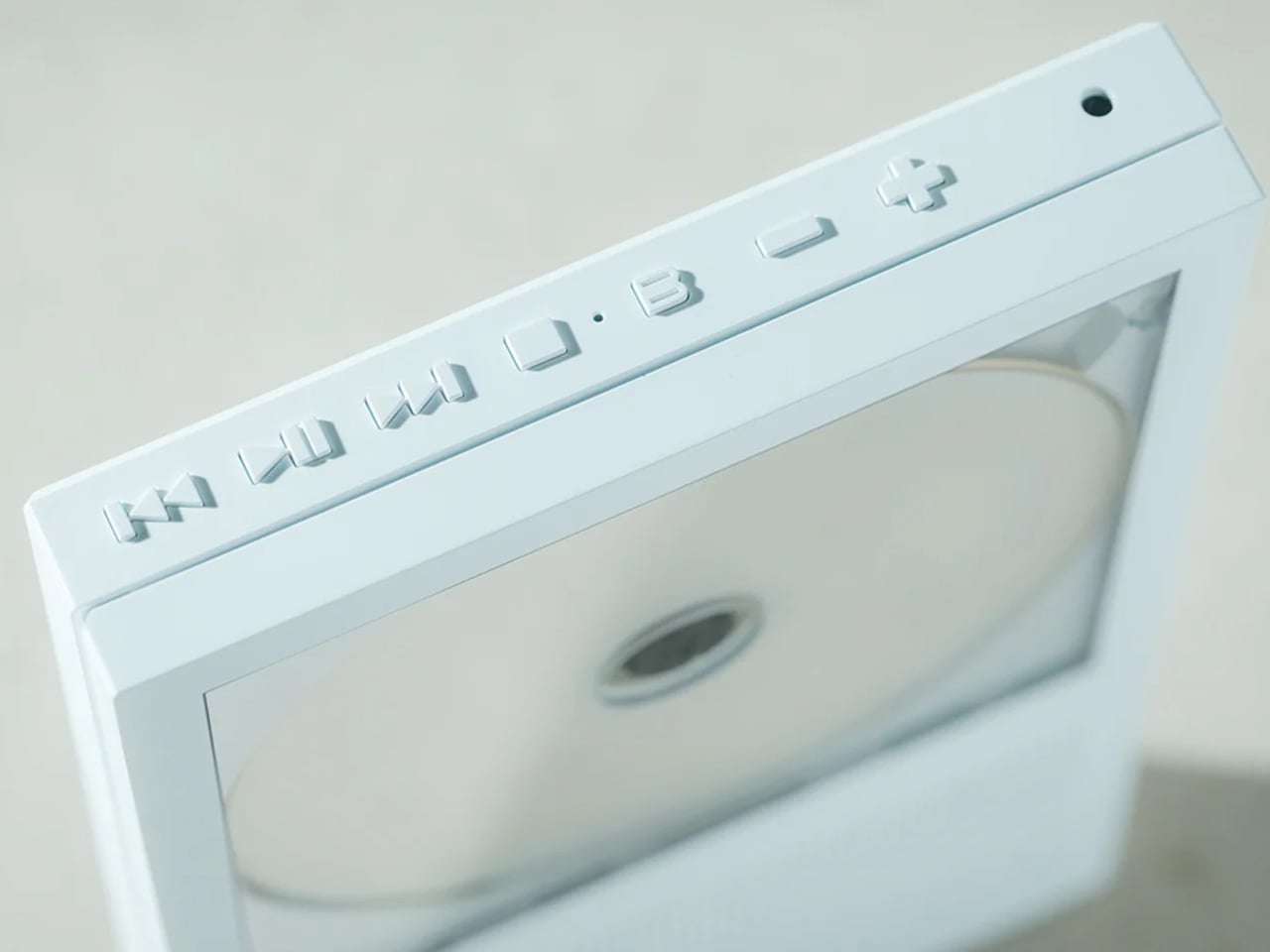
The player itself is compact, clean, and easy to move from desk to shelf to bedside table. It connects via Bluetooth or 3.5mm, charges over USB-C, and plays standard audio CDs. None of that is especially radical. What makes it interesting is that someone thought carefully about what should happen to the album art while the music plays, and built the whole object around that answer.
Why CDs Feel Different Again
When every song is equally available, every song starts to feel a little less anchored. The album loses its edges. The sequence matters less. Even the act of choosing starts to feel thinner. CDs bring some of that back. Not because they are more efficient, but because they ask for a little more intention. You pick an album. You put it on. You let it occupy space.
After a couple of weeks of listening this way, the shift is subtle but real. Albums I had not touched in years felt worth revisiting. New releases felt more memorable. I found myself choosing records partly because I wanted to see the cover on the desk while I worked, which turned out to be a better reason than most algorithmic suggestions ever offered. More importantly, it made streaming feel flatter by comparison. Not useless. Just thinner. Less present. Like music had been pushed slightly out of the room without me noticing.
Who It’s For
The listener rediscovering physical music
For anyone with a stack of CDs who wants a reason to use them again.
The desk listener
A better answer than propping your phone against a monitor and calling it a setup.
The album person
For people who still think in full records, not playlists and singles.
The Portable CD Cover Player is for $199. In a moment when music is available everywhere but feels present almost nowhere, that starts to sound less like a novelty and more like a correction.
GPS trackers are one of the few gadget categories that never really got the design treatment they deserved. Most are anonymous pucks or plastic fobs, optimized for function and ignored for everything else. You clip one to your keys or tuck it in a bag, and that’s the end of the relationship. The object itself rarely asks to be noticed.
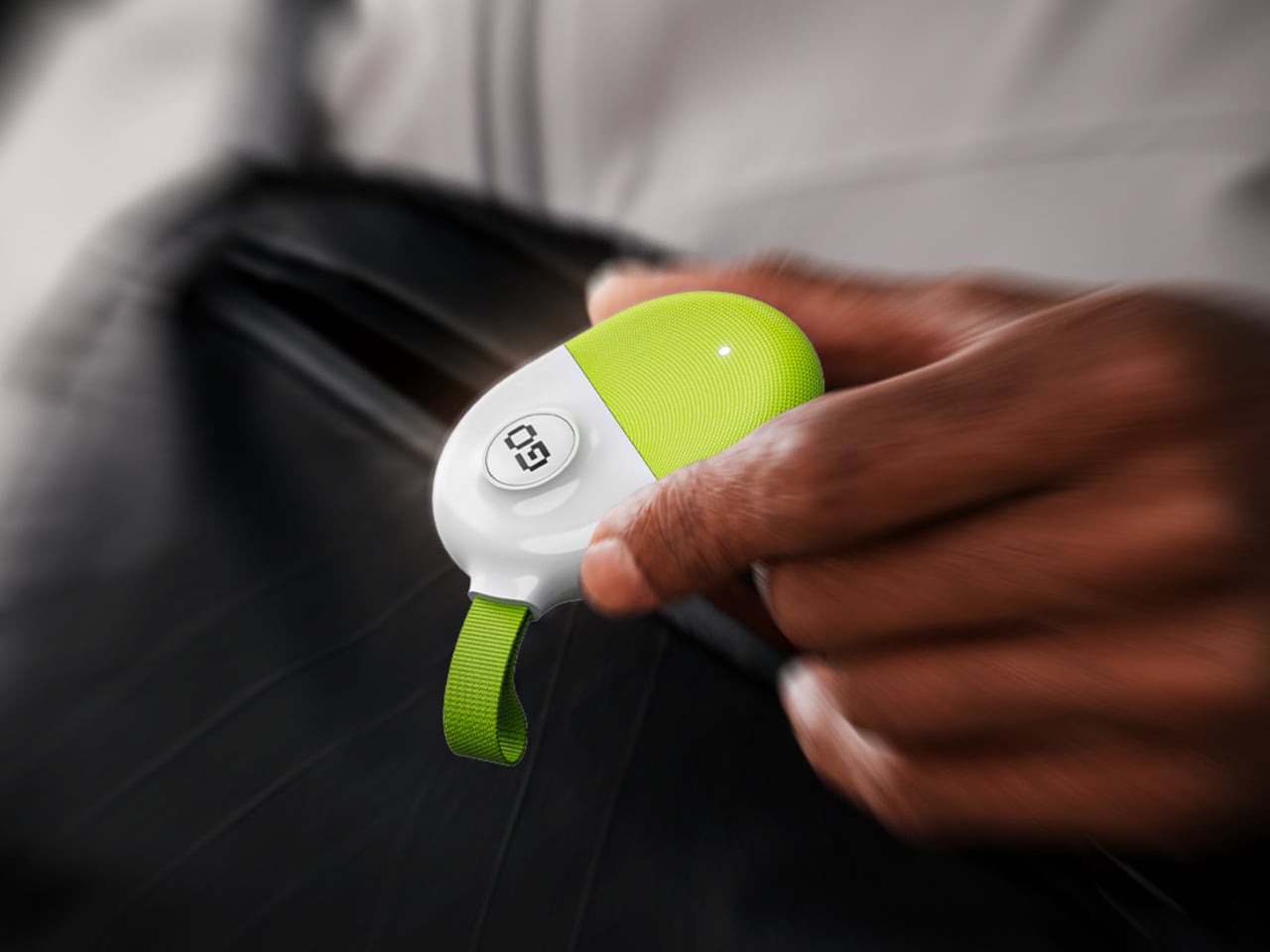
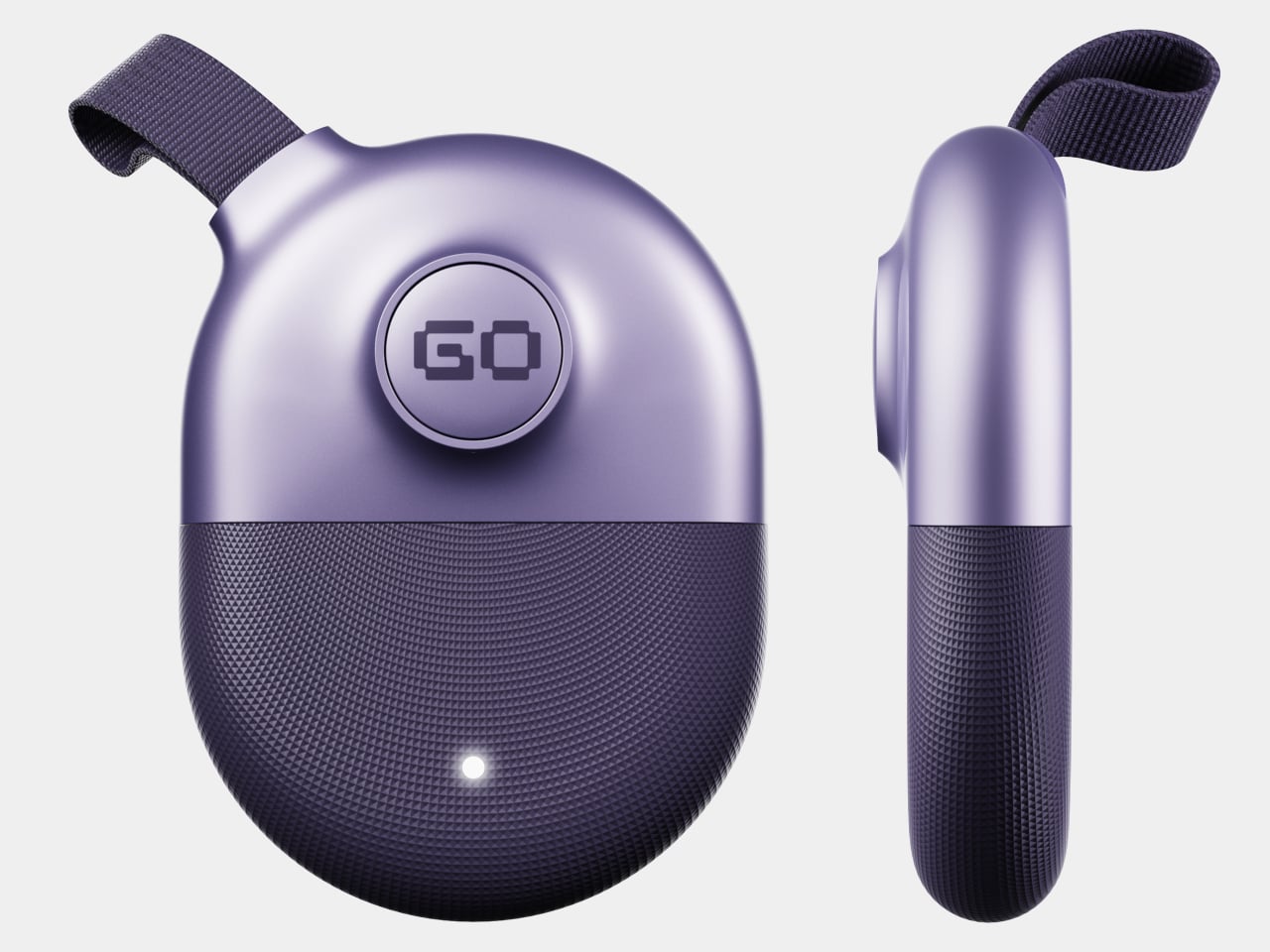
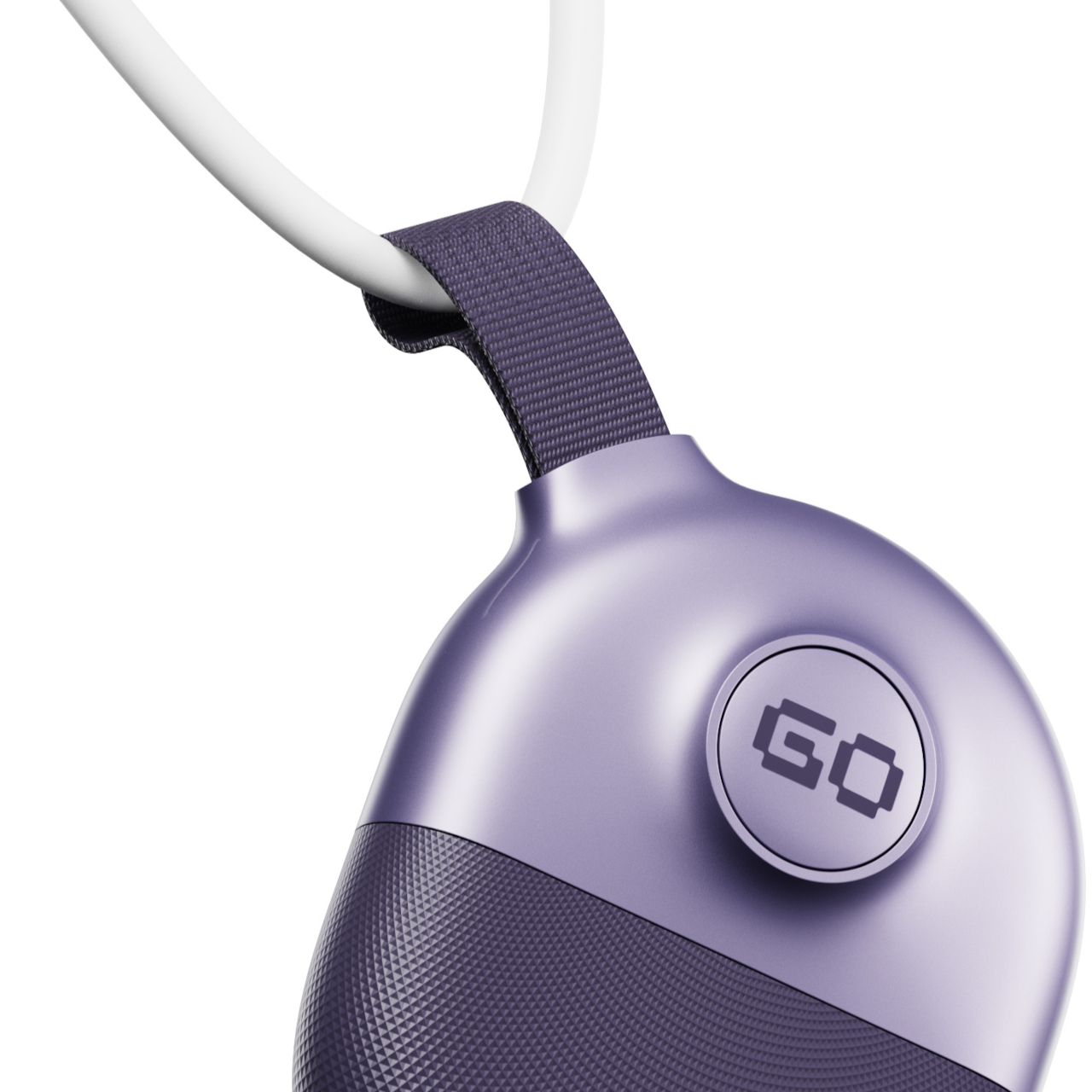
GoTag is a concept that takes that neglect seriously. Designed as a compact GPS tracker, it approaches the form with the same level of intention usually reserved for earbuds or wearables, where how something looks and feels in hand matters as much as what it does. The result is a small device that feels considered rather than simply manufactured.
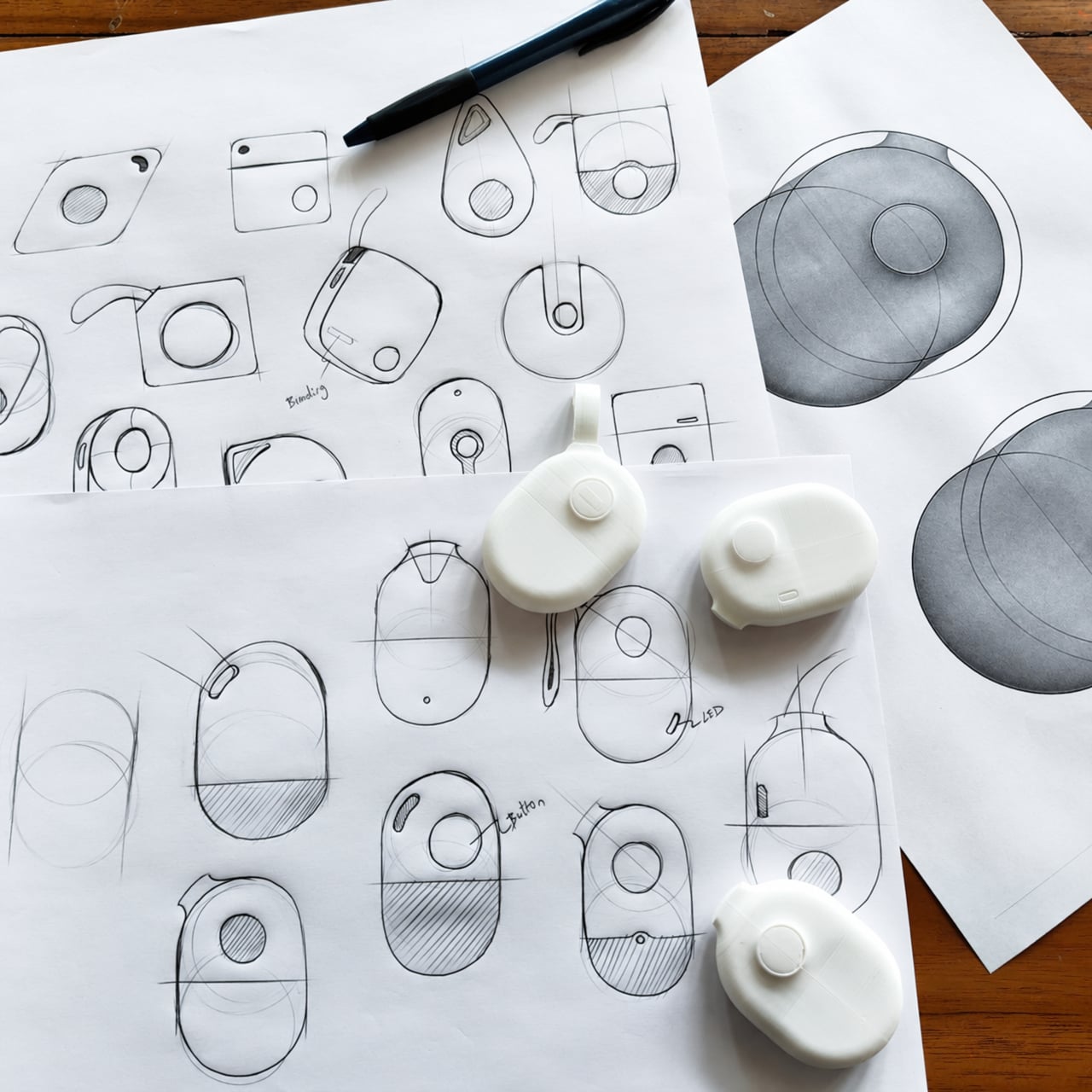
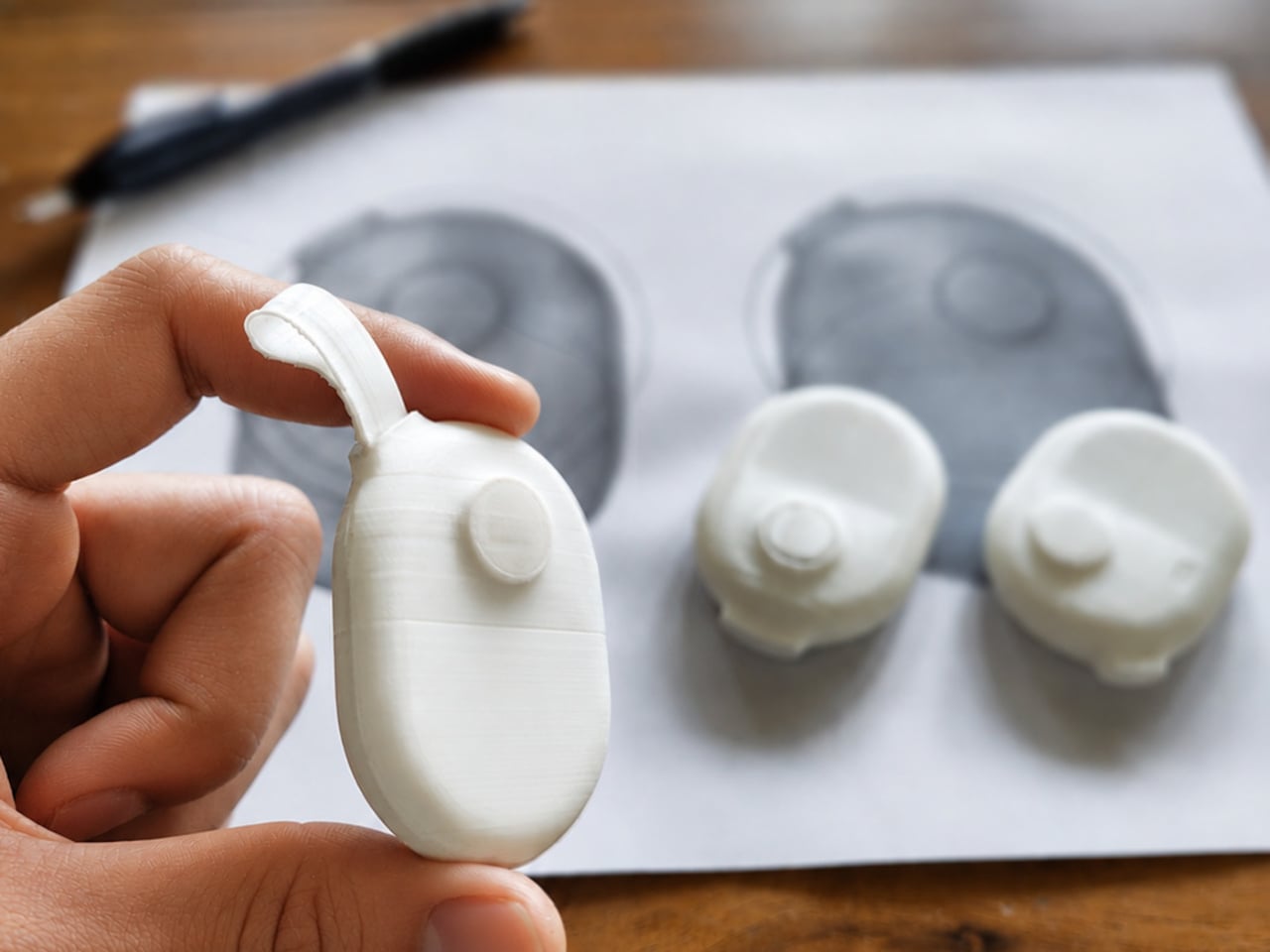
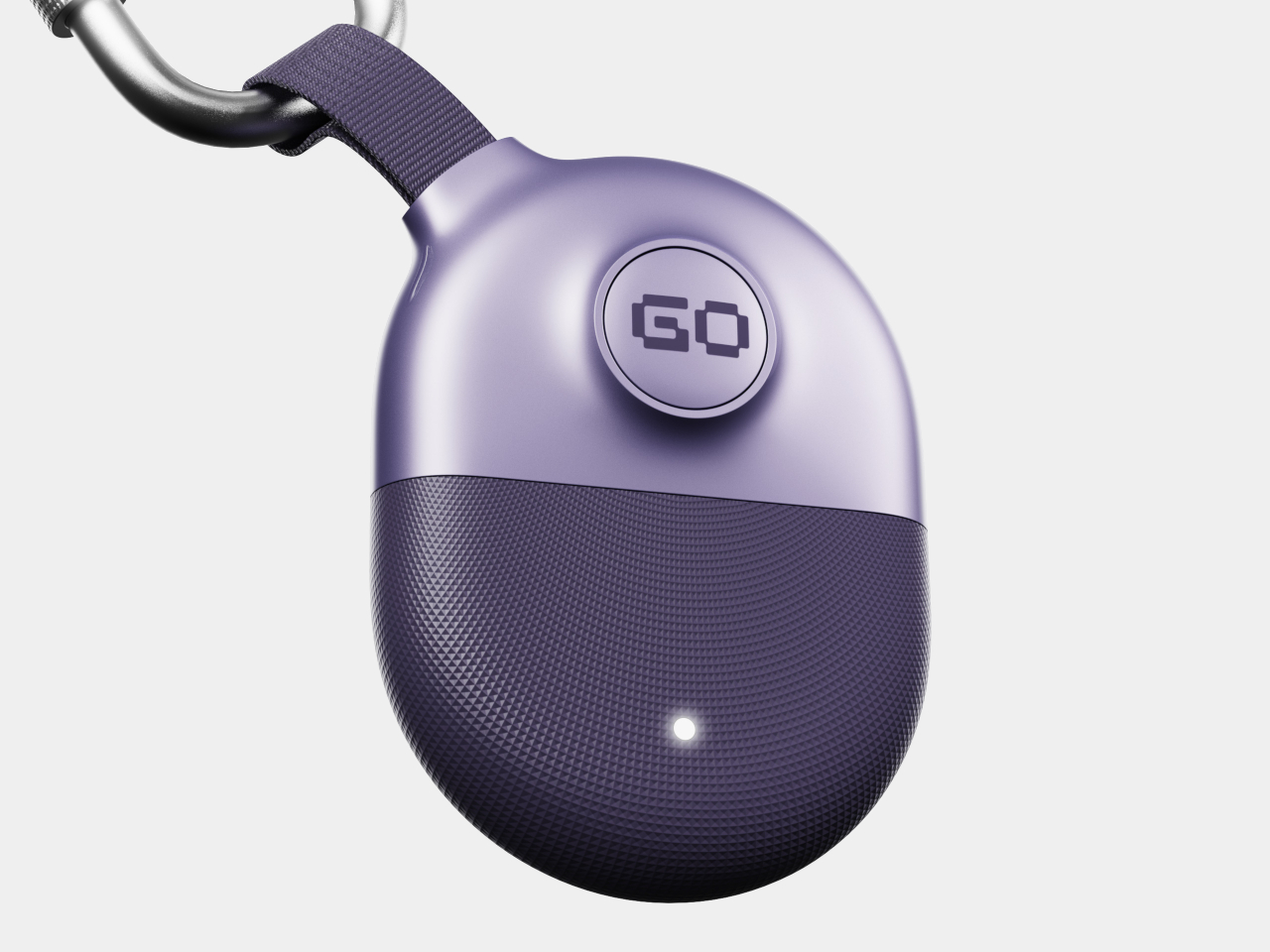
The design began with a wide range of sketch explorations, testing different forms and silhouettes before settling on the final egg-like shape. Foam models were made and held during the process, which helped confirm proportions and surface breakup in a way that drawings alone couldn’t. That in-hand testing shaped the balance between the smooth upper zone and the textured lower half.
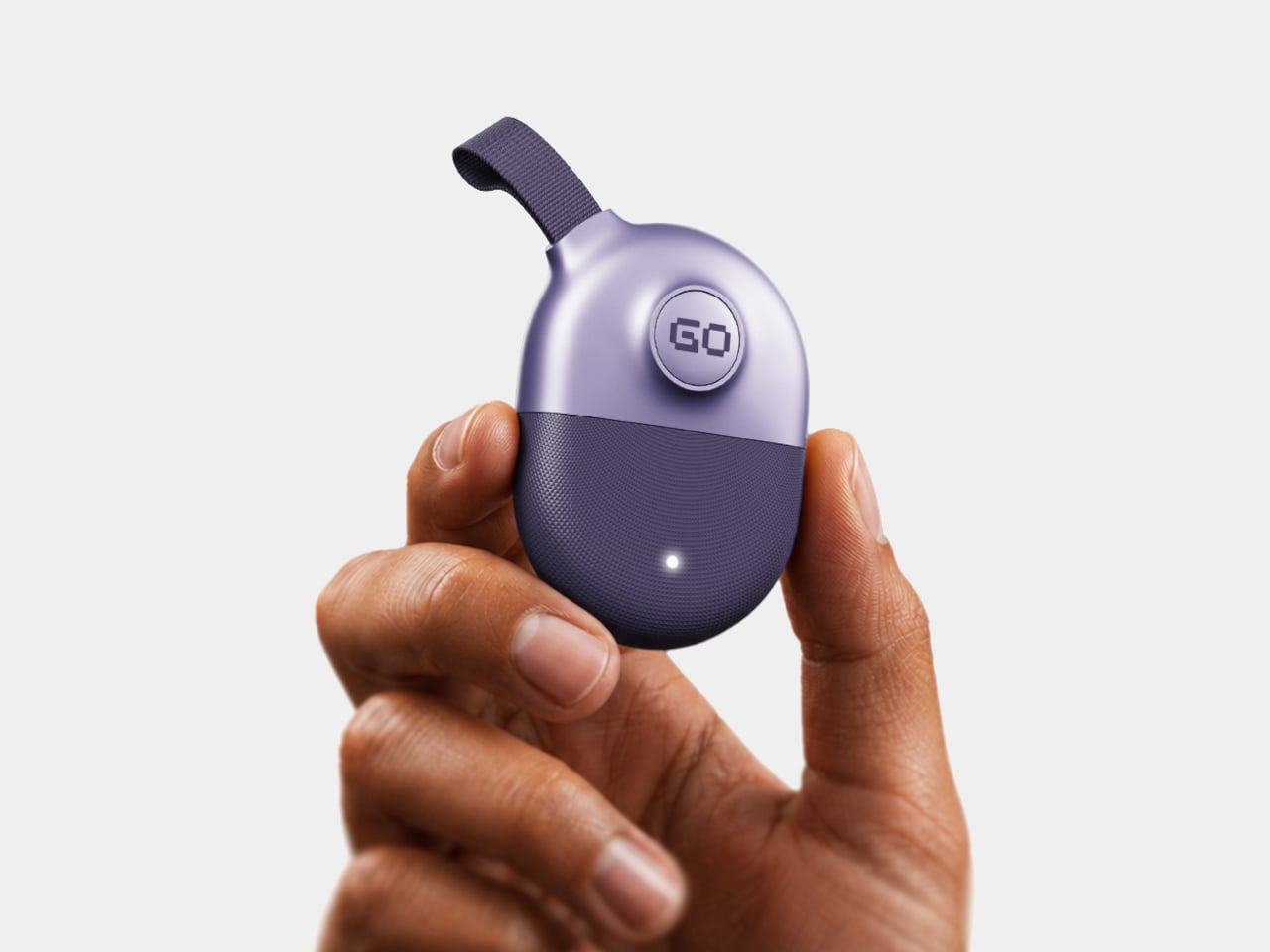
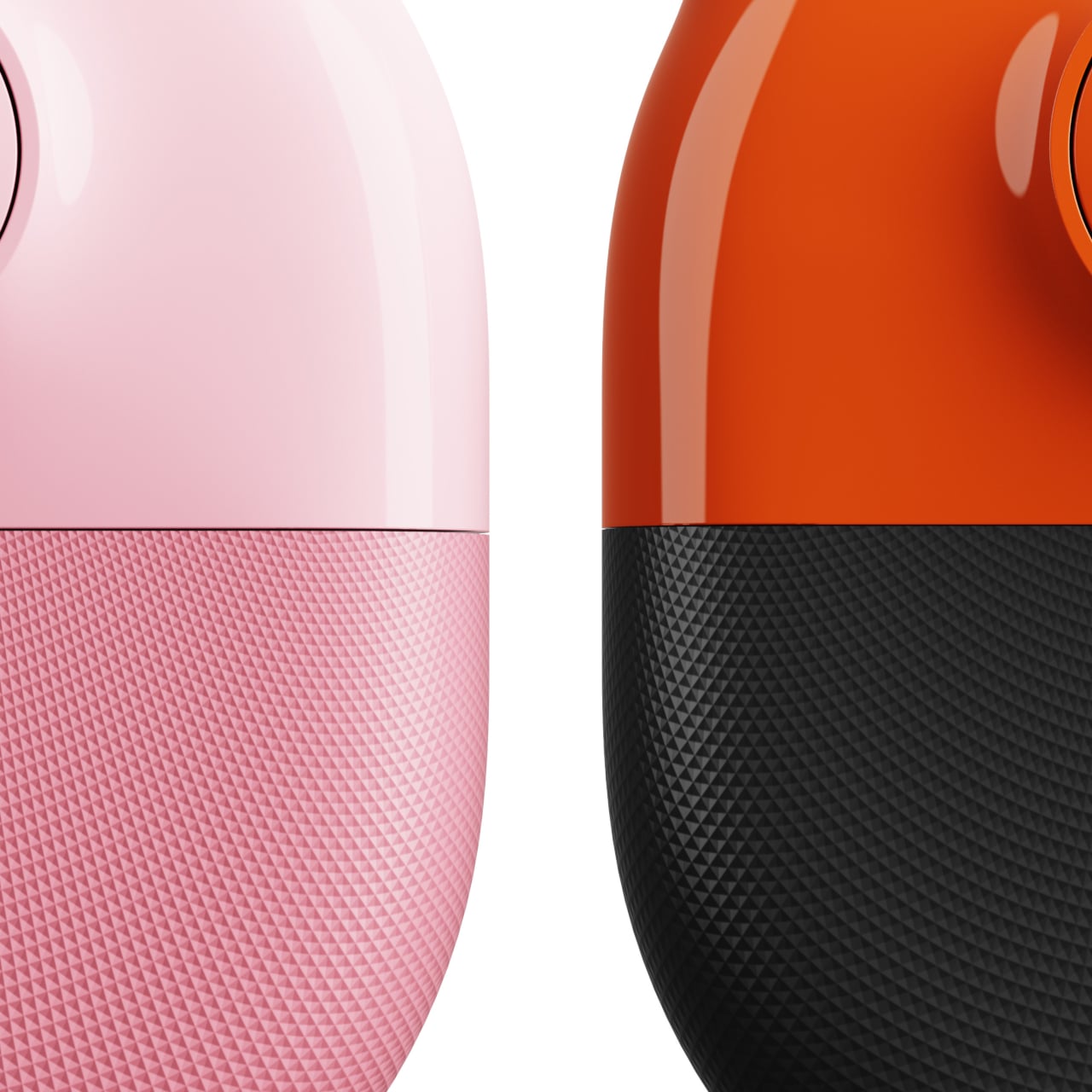
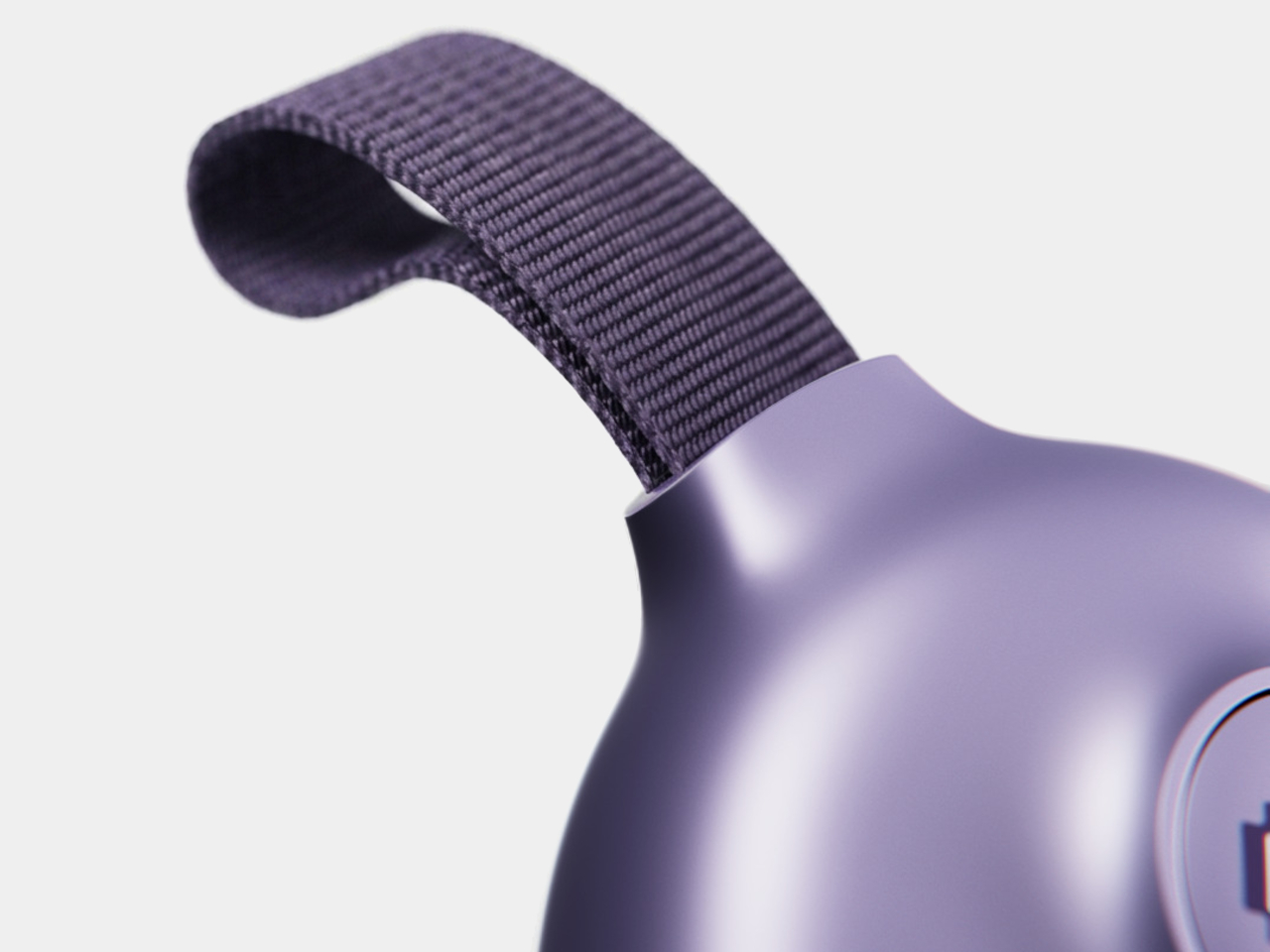
The finished form splits into two distinct zones. The upper half is smooth and slightly glossy, carrying a single circular “GO” button for all interactions. The lower half switches to a dense micro-diamond texture that adds grip and changes how the material catches light. A small LED sits flush in that lower section, while a woven fabric loop at the top connects to any carabiner, keychain, or bag strap.
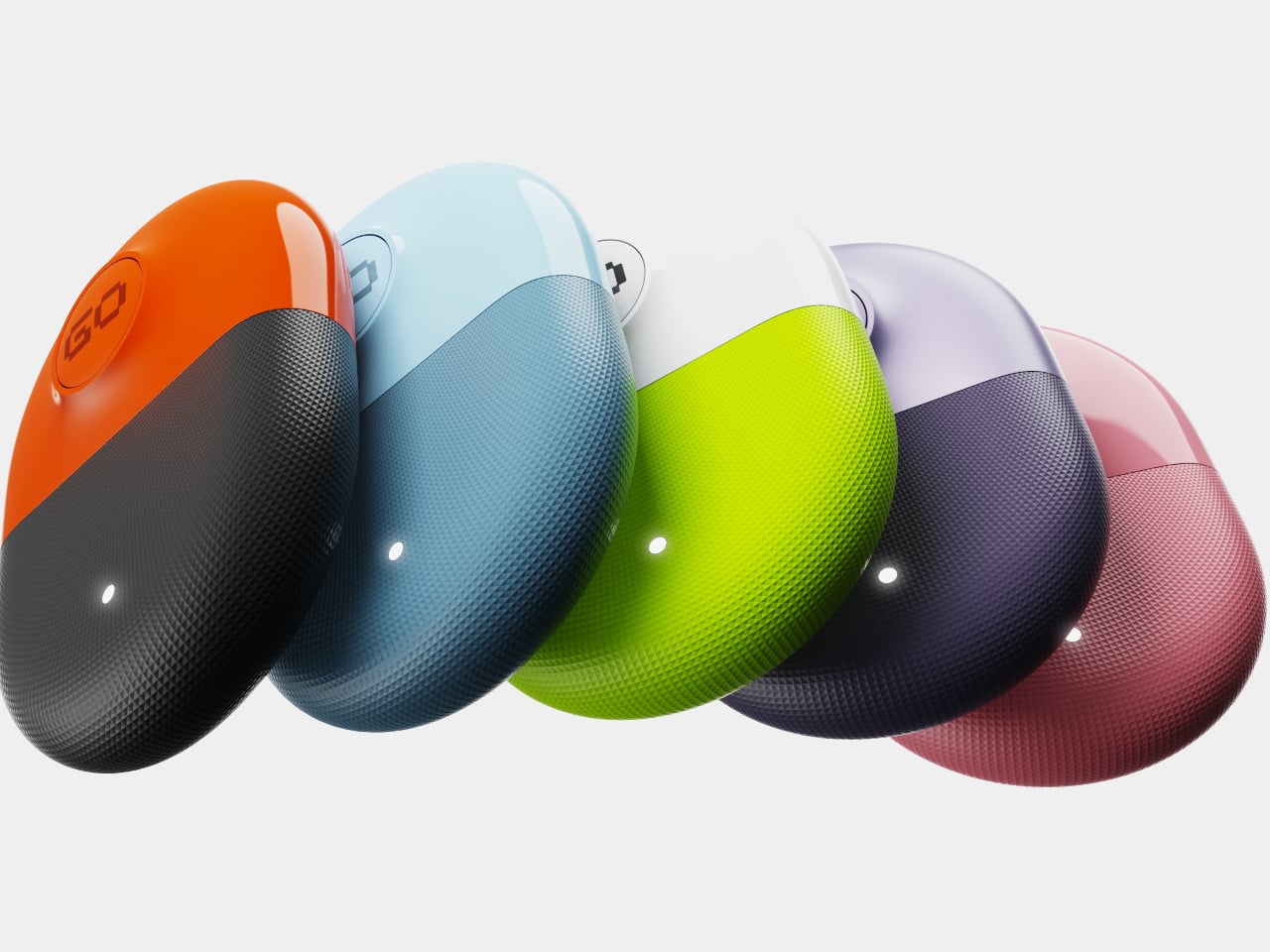
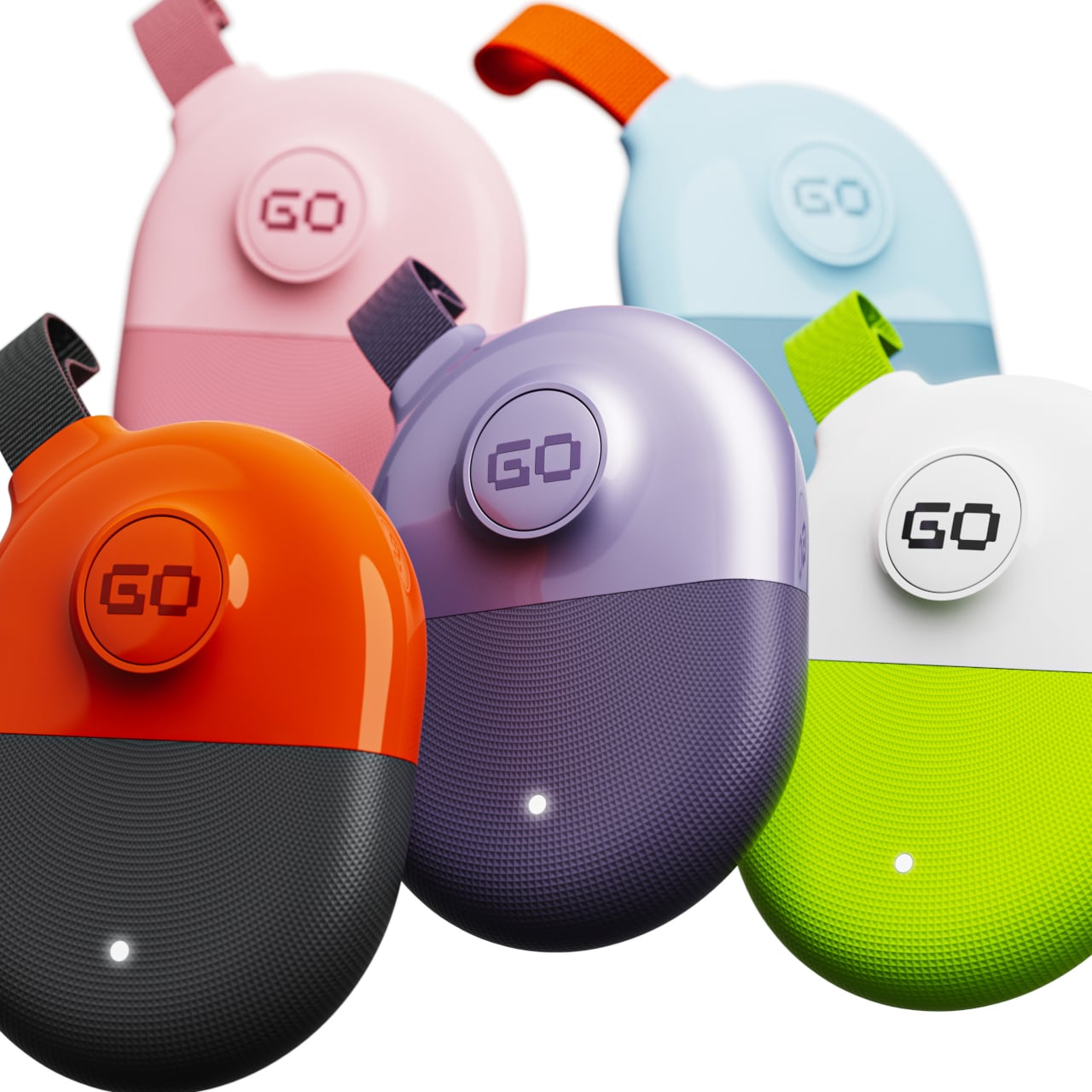
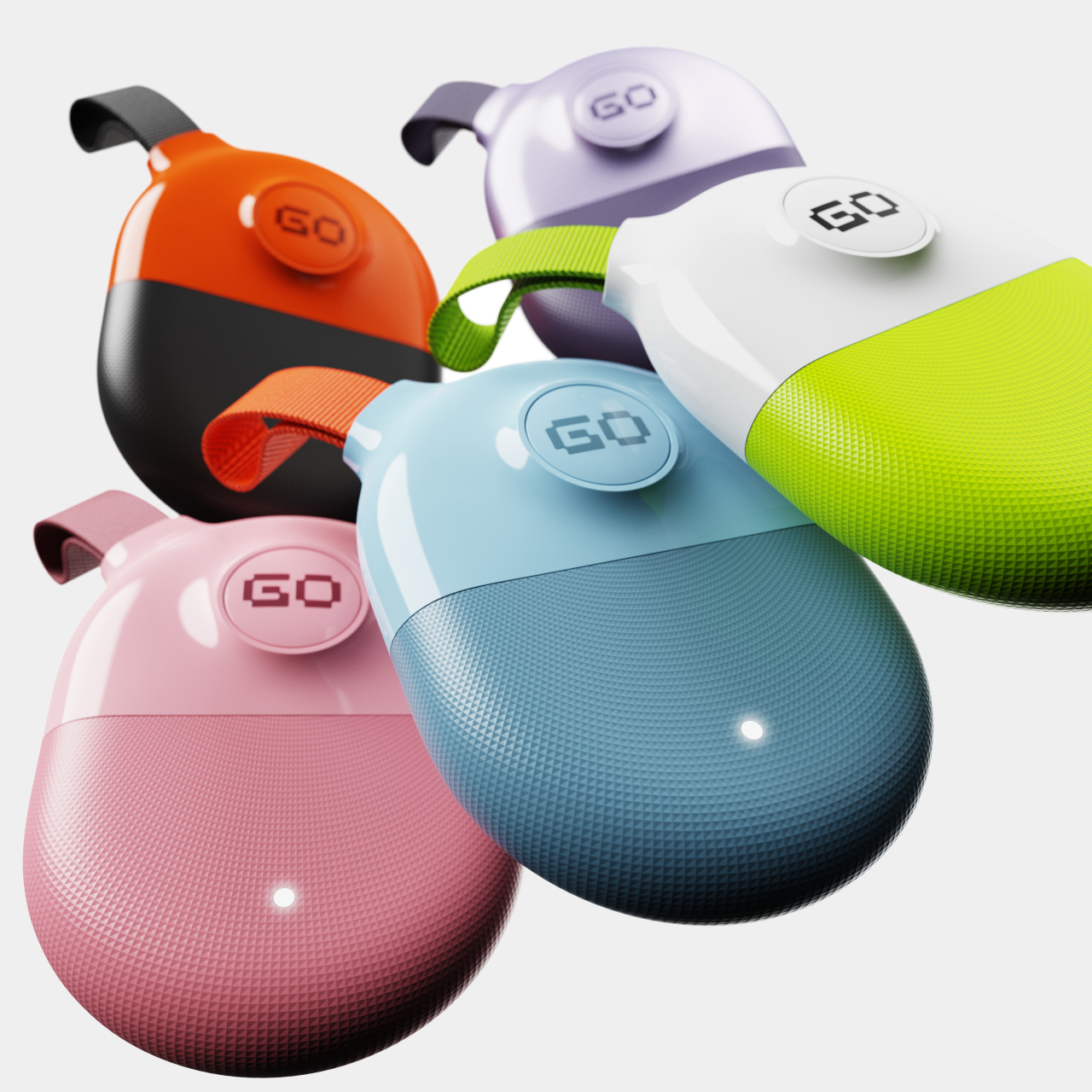
The concept comes in several colorways, each pairing a lighter upper tone with a darker lower section of the same color family. Orange over black, lavender over deep purple, sky blue over navy, white over lime green, and pink over rose are among the variants shown. Each combination reads as a different product personality while sharing the same silhouette, which is exactly the point.
The woven fabric loop slides onto a carabiner, clips over a bag zipper pull, or threads through a keyring. That flexibility matters for something meant to move with you across bags, jackets, and gear rather than stay in one fixed place. Tracking a camera bag on a trip, or keeping tabs on a child’s backpack, both fit within what the compact form makes genuinely easy to carry.
The GoTag reads as friendly and minimal from a distance but rewards closer inspection with texture transitions and material depth that most trackers skip entirely. The surface boundary between smooth and textured zones is deliberate and precise, giving the object a quality of craft that usually belongs to audio accessories or small cameras. There’s clearly room to treat the object as something worth picking up and looking at, rather than something you set and forget.
The laptop has become the default portable workstation, but it has one limitation that’s hard to overlook: you’re still stuck with one screen. Freelancers, students, and remote workers have learned to manage with a single panel, but demand for more display real estate on the go keeps growing. Cramming a presentation into one corner while notes fill the other half gets old quickly.
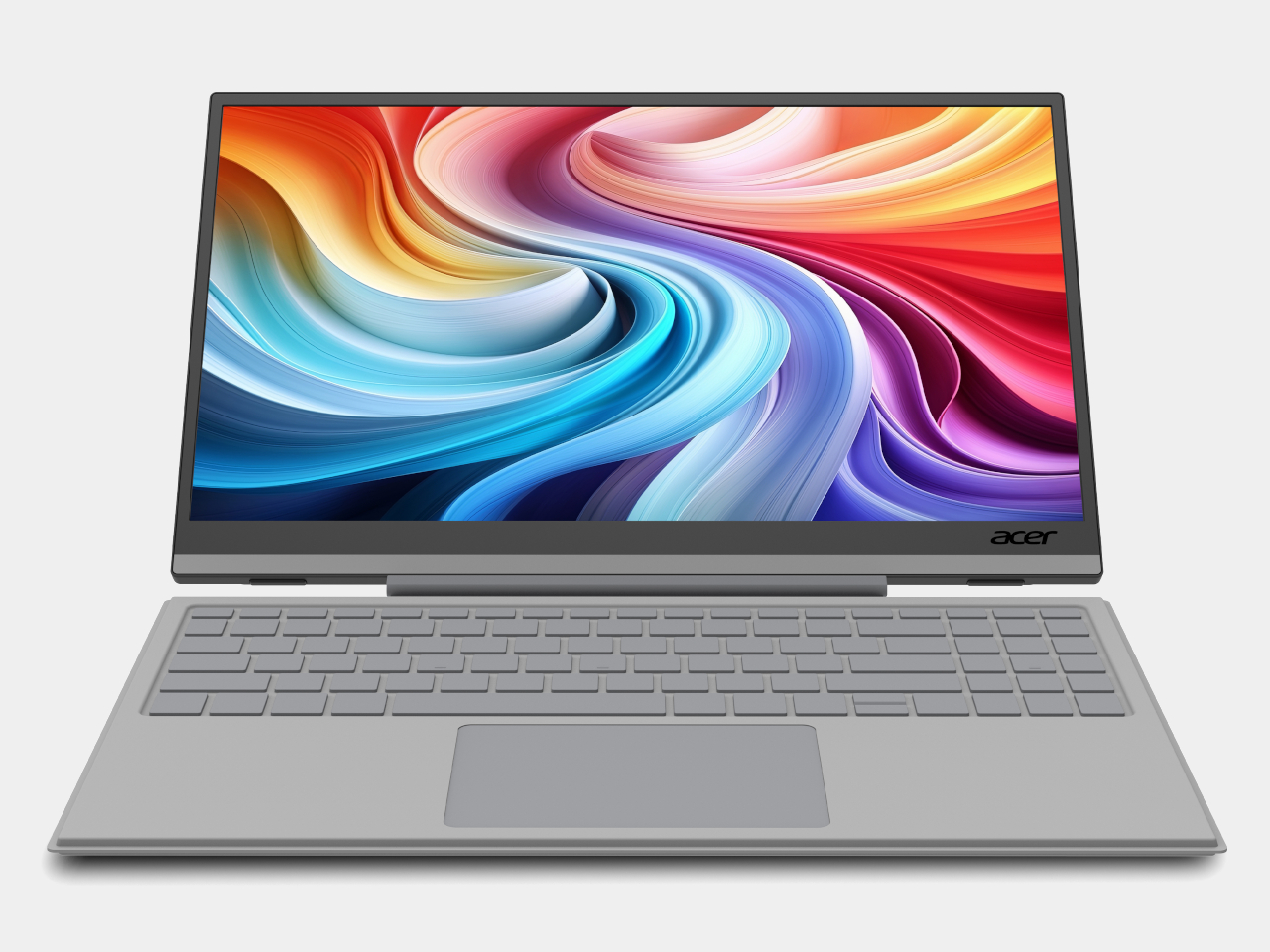
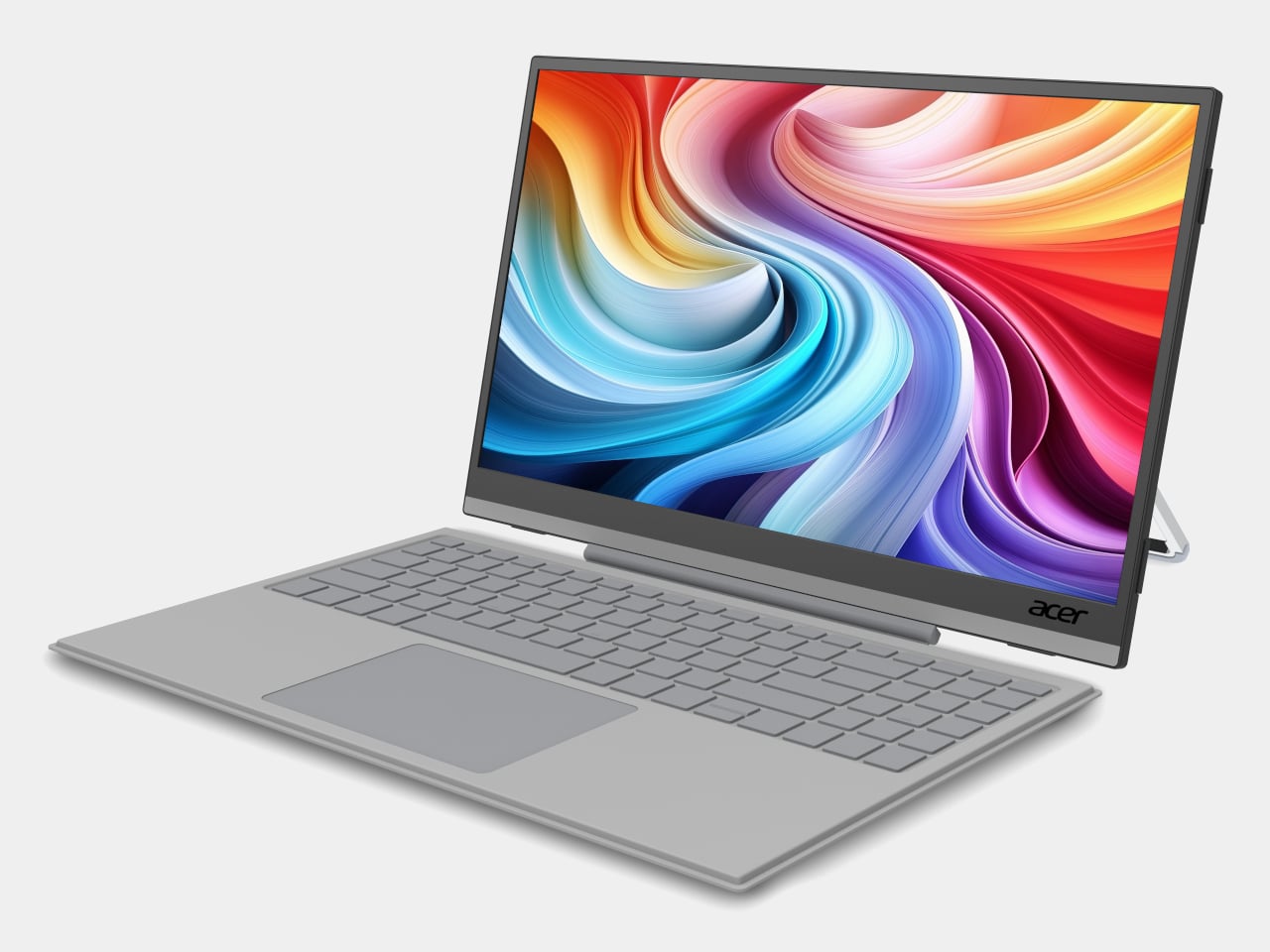
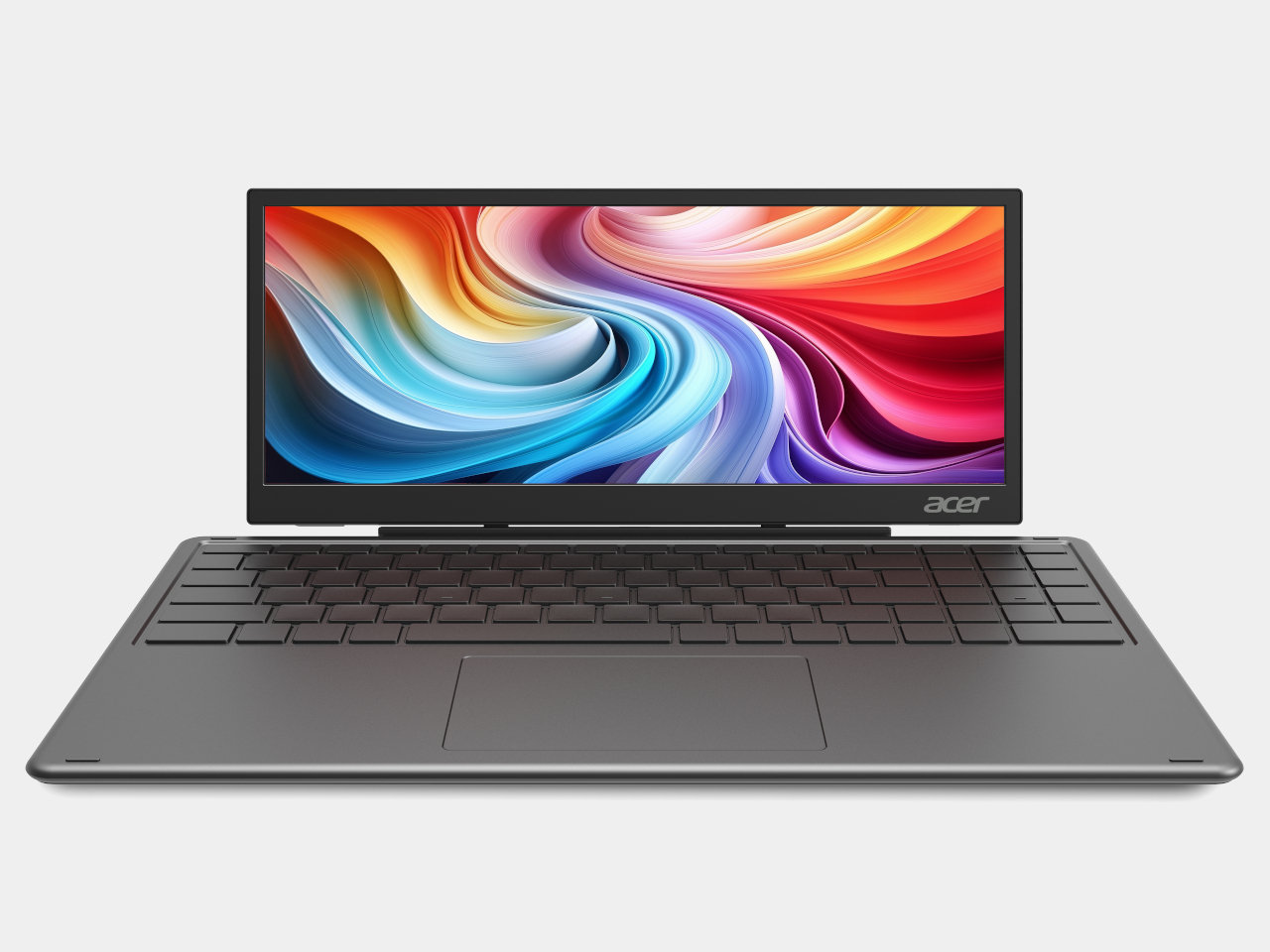
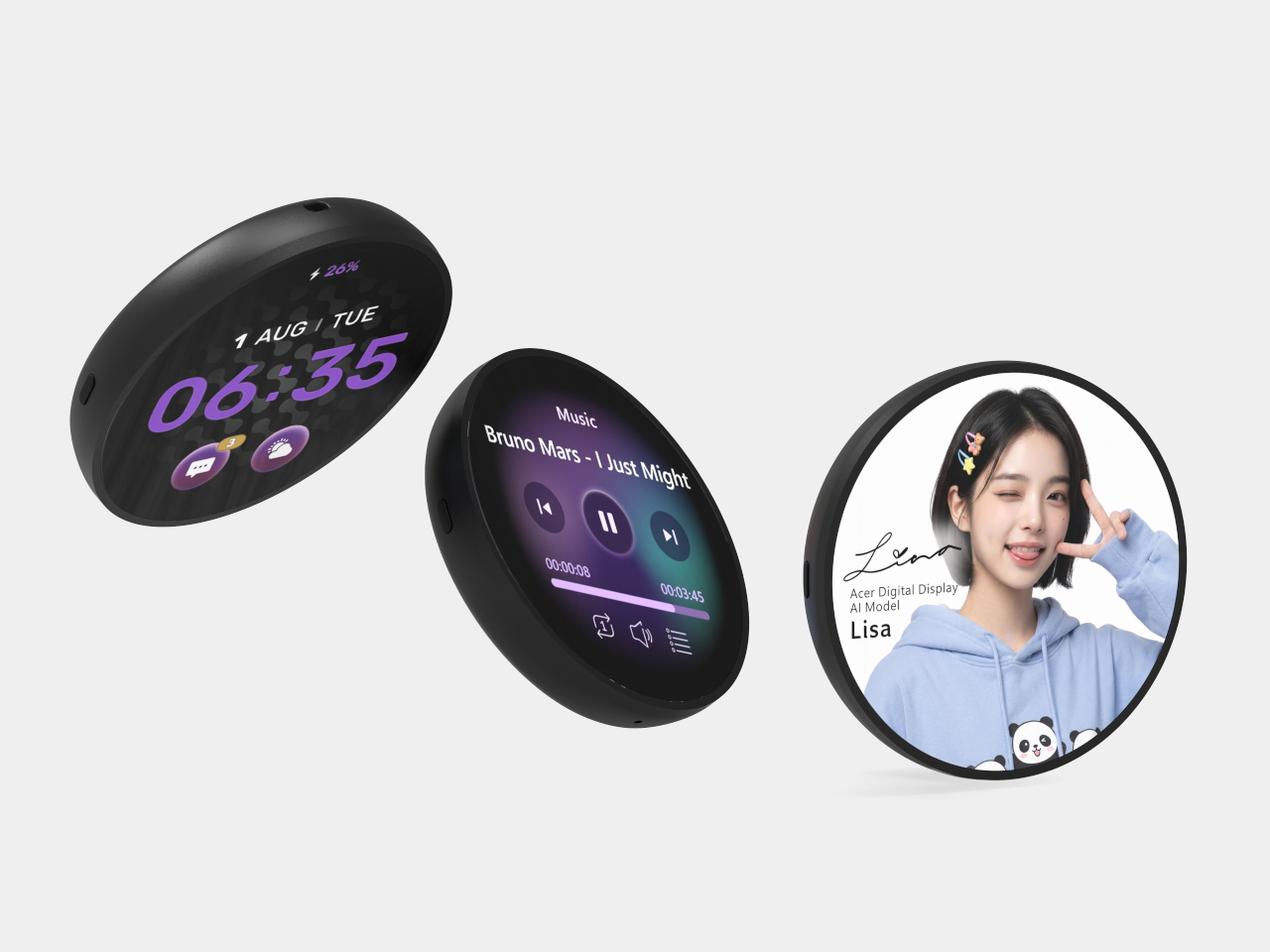
Acer is addressing that gap with two new portable monitors announced at Computex 2026, along with a third product aimed at an entirely different audience. The PM161Q JB and PM131QT cover professionals and digital nomads who need an extra screen wherever they land. The Aspire Badge is something else: a wearable display for kids and young creators who want to carry their personality with them, literally.
Designer: Acer
PM161Q JB
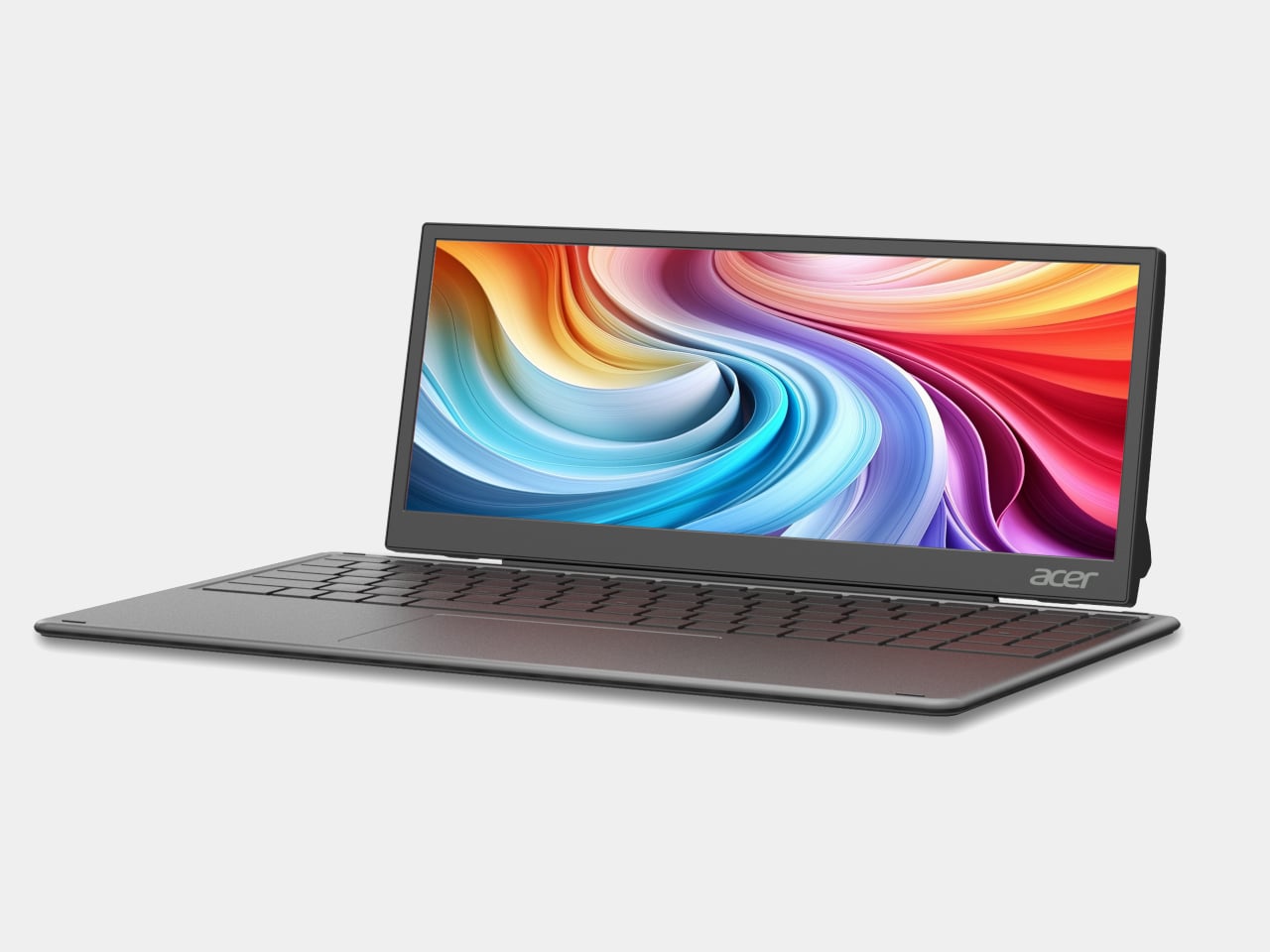
The PM161Q JB is the larger of the two portable monitors, coming in at 15.6 inches with a Full HD IPS panel and 170-degree viewing angles. A pair of Type-C ports and an HDMI input handle connectivity, and a single-cable setup means it’s ready to go as soon as you find a seat. A compatible detachable pogo keyboard turns it into a compact workstation without needing anything else nearby.
PM131QT
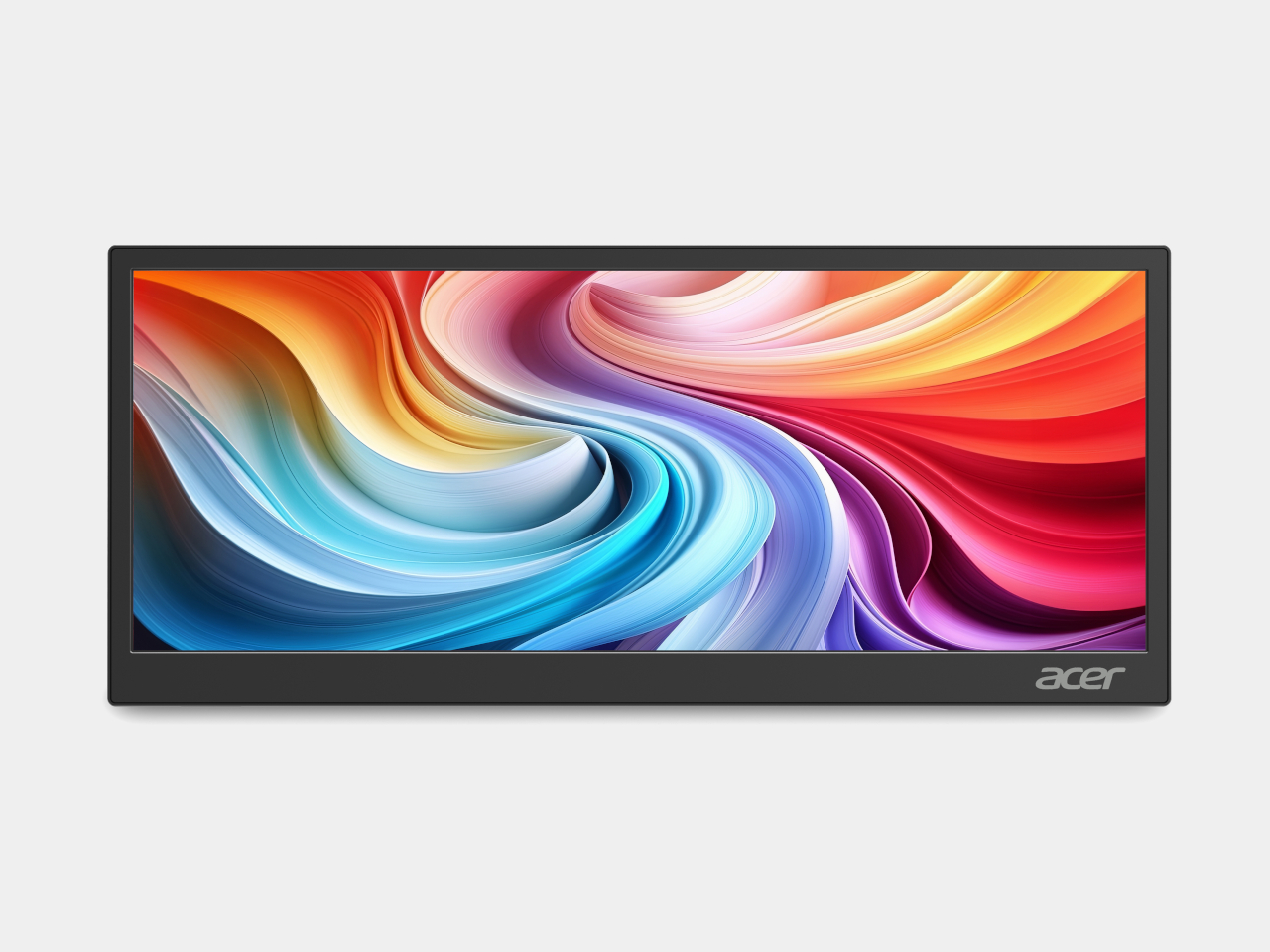
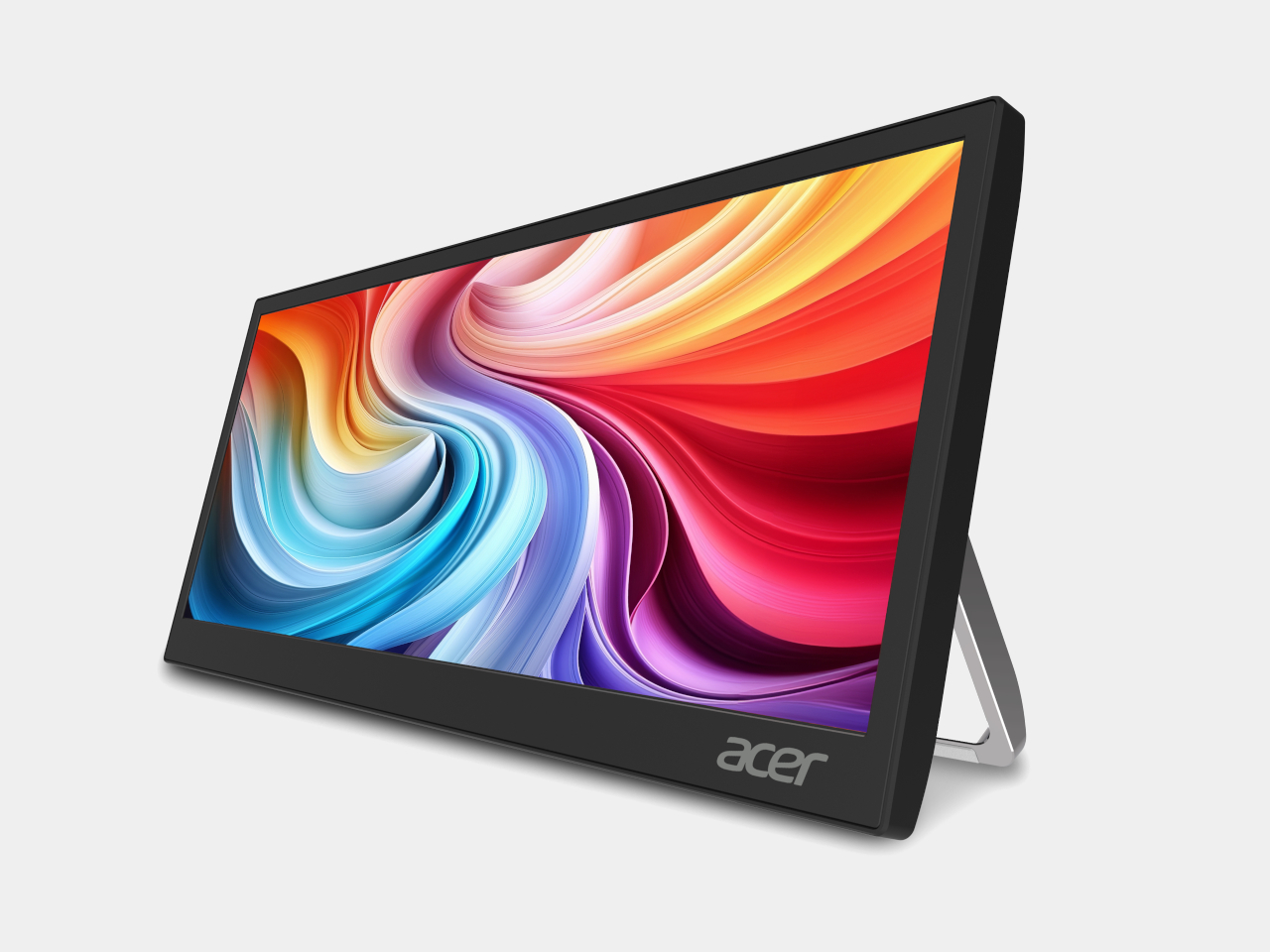
The PM131QT takes a different approach with a 12.3-inch touchscreen in an ultrawide 1920 × 720 format, a shape that suits secondary-display work rather than standalone use. Five-point touch makes it practical as an interactive panel, and the magnetic mounting design lets it attach to various surfaces, including a car dashboard. It also functions as a dedicated display for AI assistant interfaces on the road.
PM131QT
Both monitors connect over a single Type-C cable and support VESA mounting alongside a standard ¼-inch tripod thread, so a camera tripod becomes a workable monitor stand when there’s no desk in sight. The PM161Q JB starts at $149.99 in North America, arriving in Q4 2026, while the PM131QT comes in at $179.99 in the same window. Both reach Australia in Q3 2026.
The Aspire Badge is a round wearable with a 1.85-inch IPS screen that clips onto a shirt, hangs from a lanyard, or attaches magnetically to a bag. It pairs with a companion app over Bluetooth 6.0 and displays any image or animation pushed from a phone. Battery life runs up to four hours at full brightness or eight at minimum, with contact charging to restore it.
The Badge isn’t purely decorative. It includes an emergency alarm, an SOS alert that flashes in Morse code, and a night flash mode for improved visibility in the dark, adding a safety layer that makes it more than a novelty for kids walking to school or staying out after dark. It supports JPG, GIF, and PNG formats, and comes in at $49.99 in North America.
The three products together cover a broader range of needs than a typical monitor announcement does. The PM161Q JB and PM131QT reflect how seriously portable screen real estate has become for people working away from a fixed desk. The Aspire Badge takes the same logic in a completely different direction, treating a display not as a productivity tool but as something you wear out the door.
Gaming PCs have fractured into more categories than any single device can cover. The player who needs maximum frame rates for competitive play sits on one end, the person who just wants to game from the couch without moving their rig sits on the other, and every setup in between has its own distinct demands. Most gaming hardware picks a side and leaves the rest unaddressed.
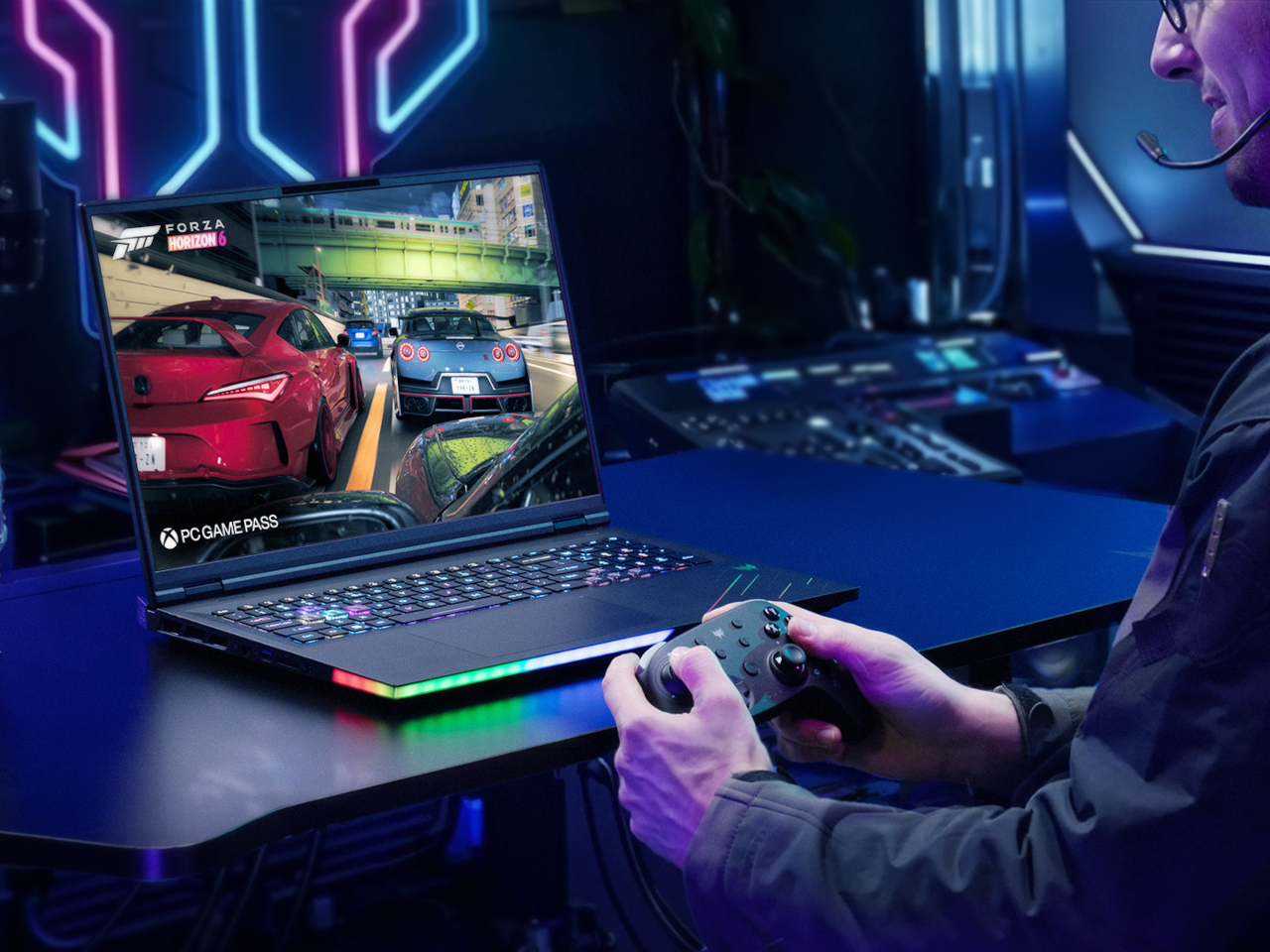
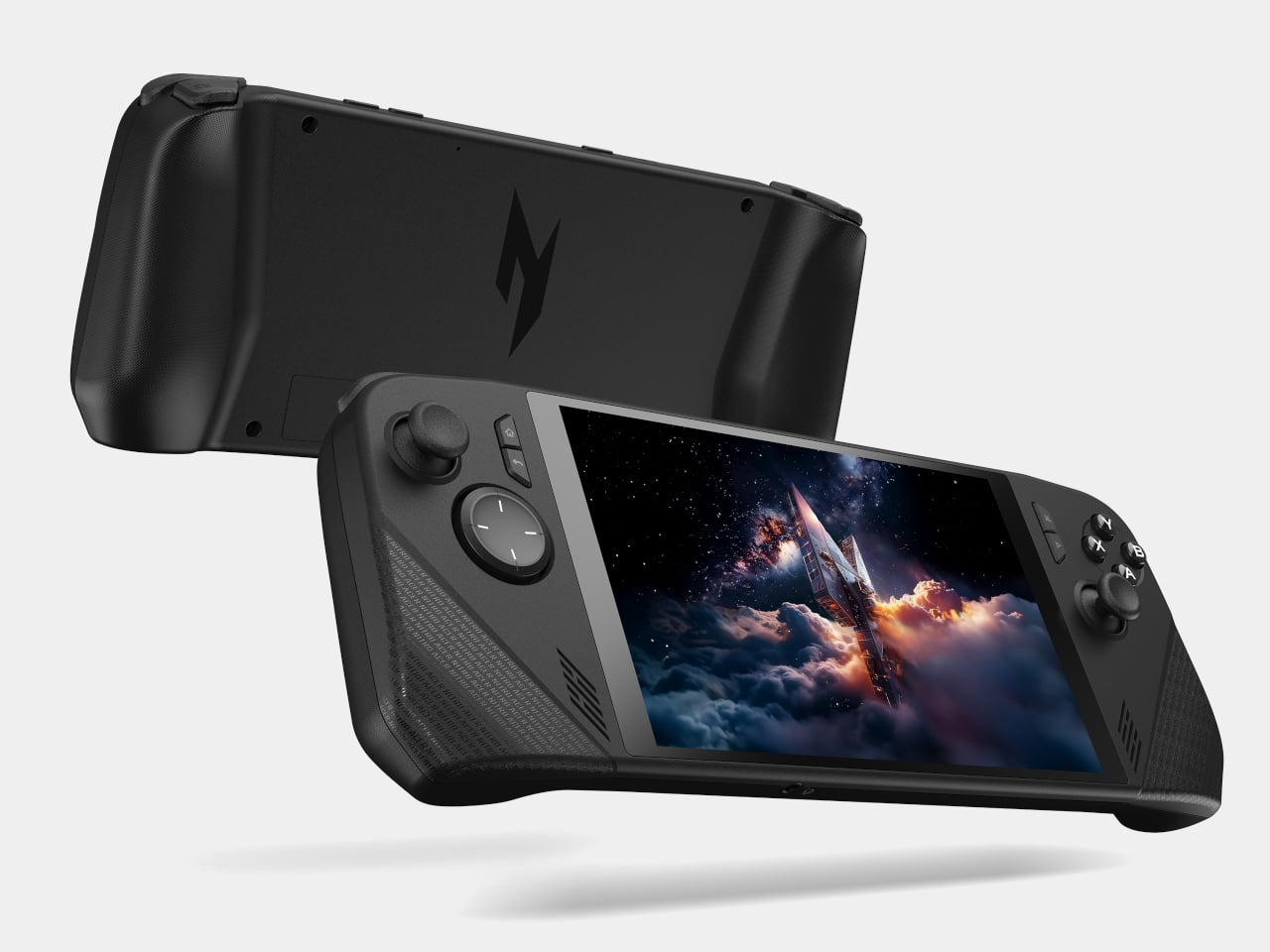
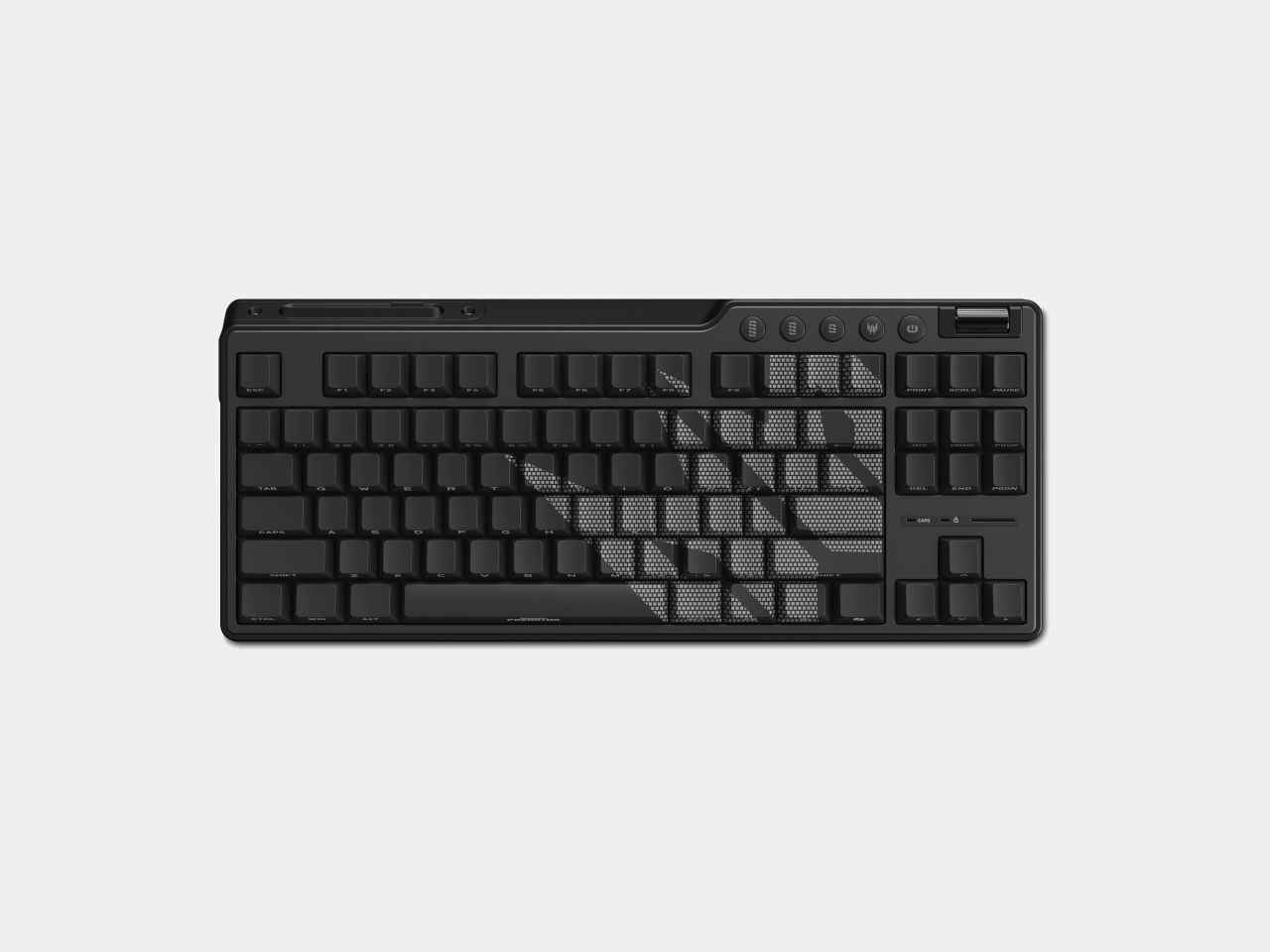
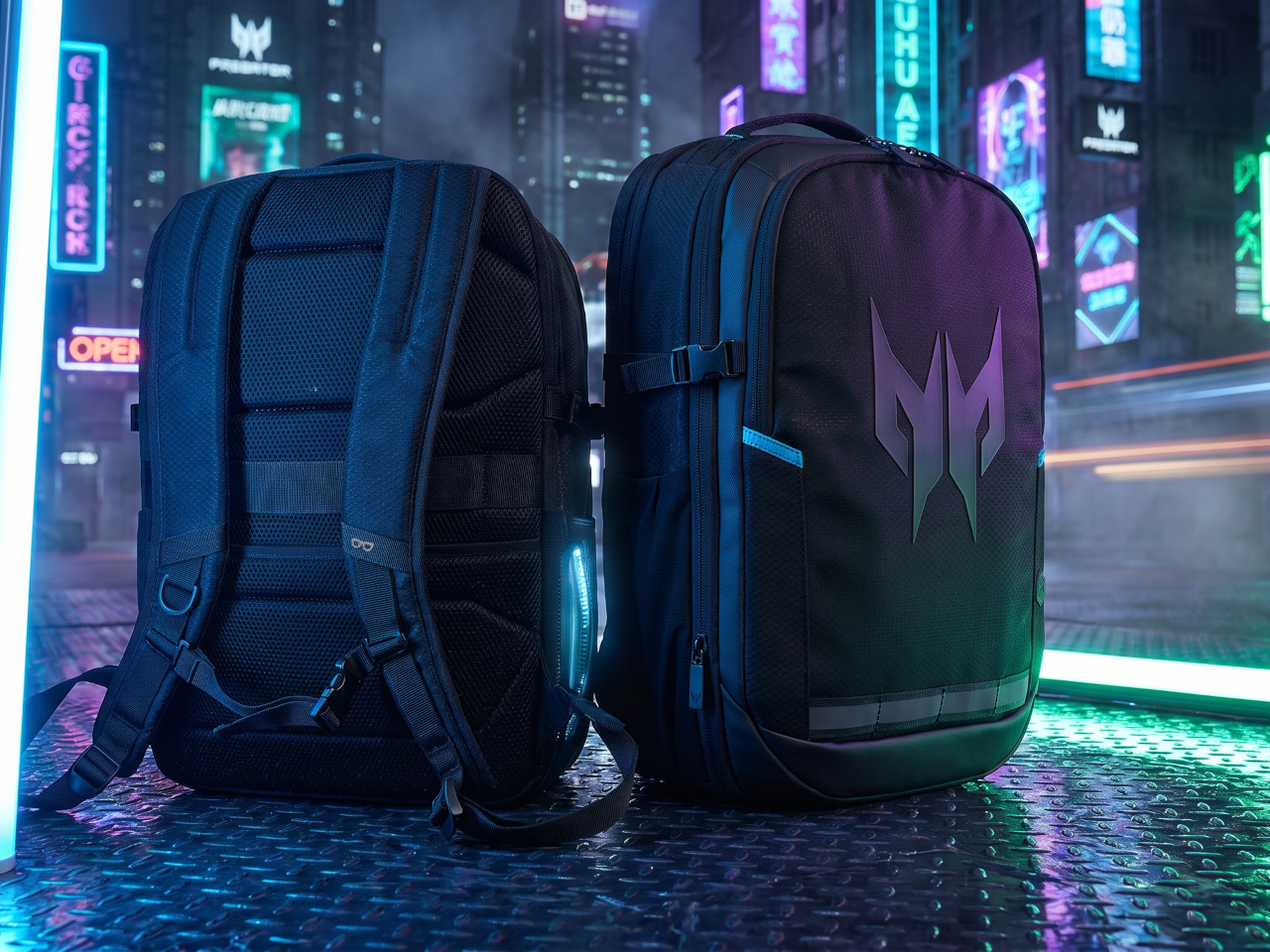
At Computex 2026, Acer addressed nearly the whole range at once with five new products. The lineup runs from the iF Design Award-winning Predator Helios 18 AI at the performance ceiling, through the Nitro 16 and the Nitro Blaze Link streaming handheld, and rounds out with the Predator Aethon 750 TKL keyboard and the Predator Robust Plus Backpack for getting all of it from place to place.
Designer: Acer
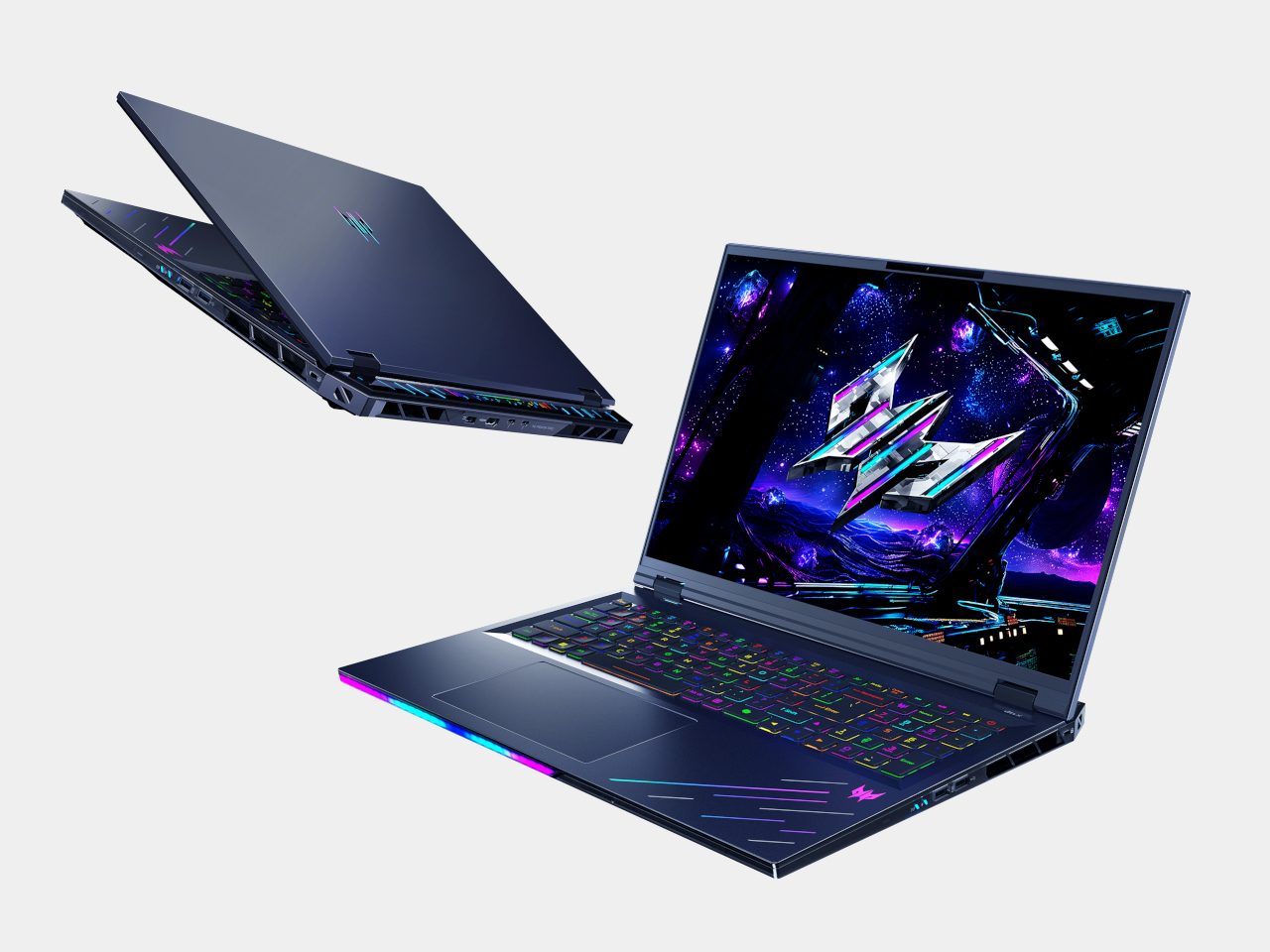
The Predator Helios 18 AI is where Acer went all out. Powered by an Intel Core Ultra 9 290HX Plus processor and up to an NVIDIA GeForce RTX 5090 Laptop GPU with 24GB of GDDR7 VRAM, it’s configurable with as much as 256GB of DDR5 memory and 6TB of storage spread across three PCIe Gen 5 NVMe slots. For a laptop, that’s a desktop workstation argument.
The 18-inch Mini LED display switches between 4K at 120Hz and Full HD at 240Hz through Acer’s Dual-Mode Display system. It reaches 1,000 nits in HDR mode and delivers Calman Verified color accuracy at 100% DCI-P3 coverage with NVIDIA G-SYNC. For a long competitive session or an extended run through an open-world RPG, the panel is built to match whichever demand comes first.
Keeping those specs from throttling requires hardware to match. Dual 6th Gen Predator AeroBlade 3D Fans each pack 100 metal blades at just 0.05mm, delivering a claimed 20% increase in airflow over plastic fans, supported by liquid metal thermal grease and vector heat pipes. Six speakers with Predator Vox technology handle audio, while Intel Killer DoubleShot Pro combines Wi-Fi 7 and Ethernet to keep online play stable.
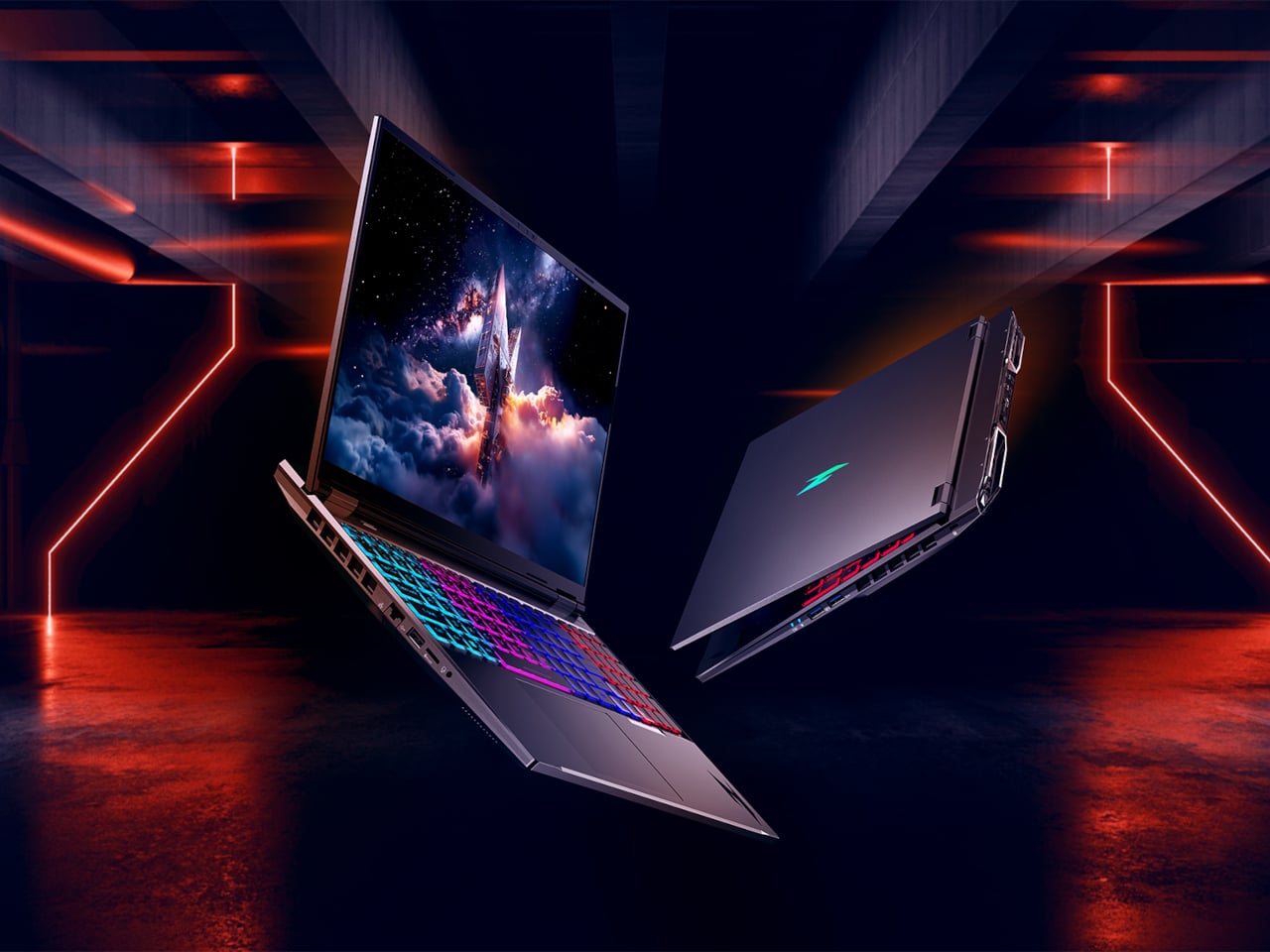
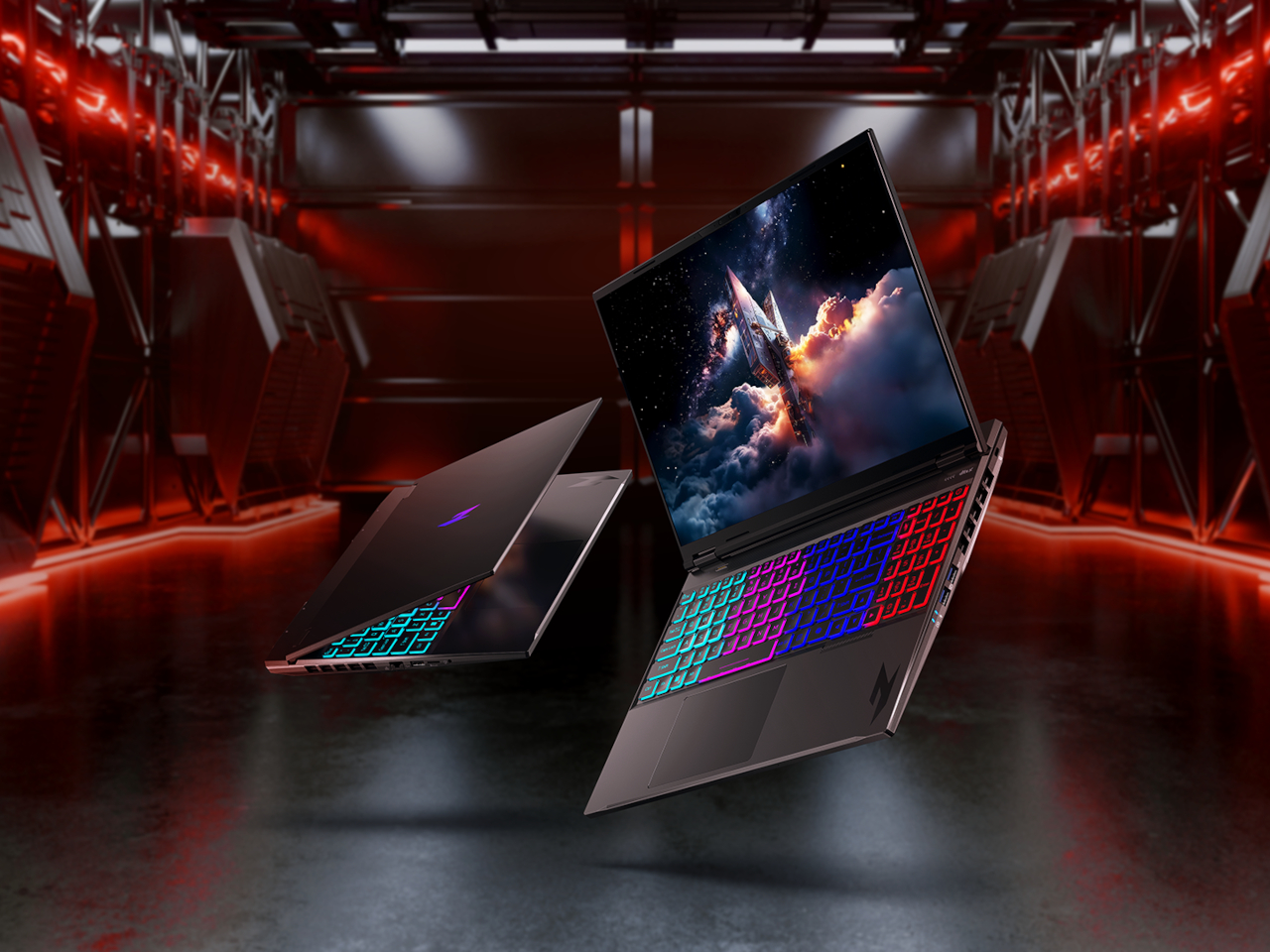
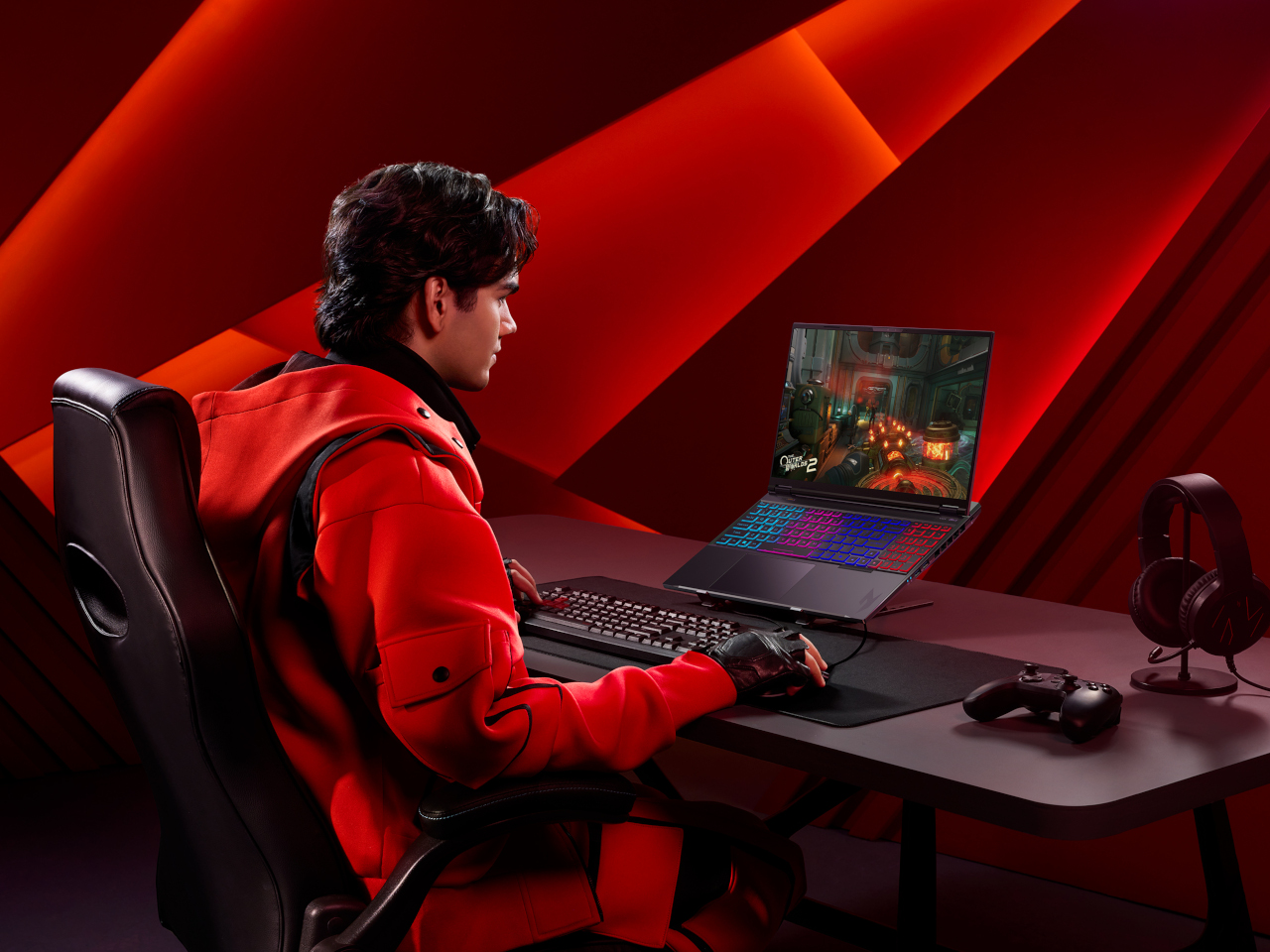
The Acer Nitro 16 doesn’t reach the Helios’s ceiling, but it earns its own headline. It’s the first Acer gaming laptop to feature the AMD Ryzen 9 9955HX3D processor, using 2nd Gen AMD 3D V-Cache technology to stay competitive even when unplugged. Paired with up to an NVIDIA GeForce RTX 5070 Ti Laptop GPU carrying 12GB of GDDR7 VRAM, it covers most of what serious gaming demands.
The 16-inch WQXGA panel runs at up to 240Hz with a 3ms response time and 100% DCI-P3 coverage, backed by G-SYNC. A dual-fan, quad-intake, quad-exhaust cooling system with vector heat pipes keeps thermals in check. At 2.5kg with a 92 Wh battery, USB 4 connectivity, and Wi-Fi 6E, it’s a more practical travel machine than most competing laptops in its performance class.
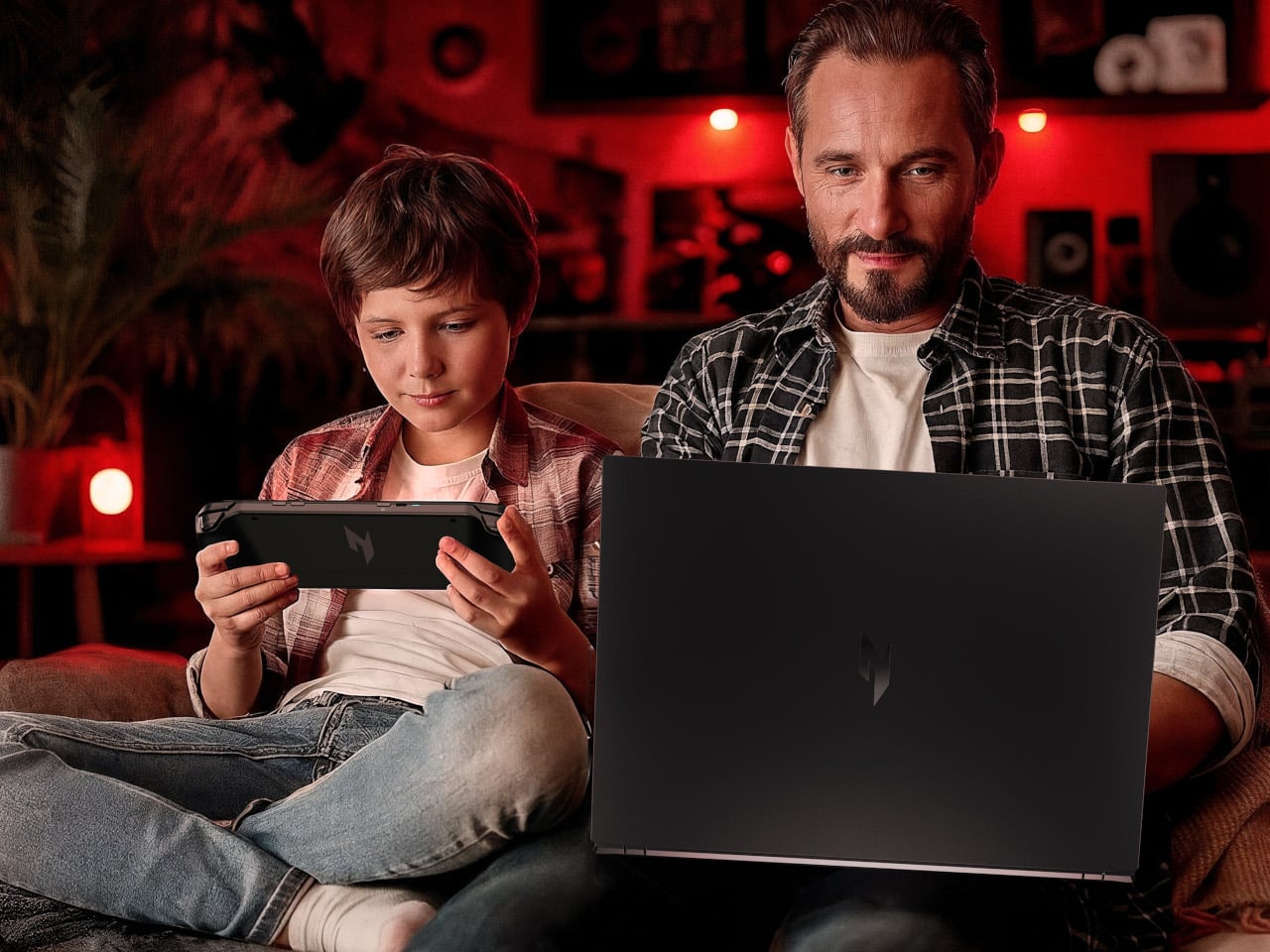
The Nitro Blaze Link puts a twist on the gaming handheld design and skips local processing entirely, opting to stream games wirelessly from a connected PC over Wi-Fi 6 via Sunshine and Moonlight services. It pairs naturally with the Helios 18 AI or Nitro 16, letting someone else in the household play from the couch while the main machine stays occupied elsewhere. The 7-inch WUXGA touchscreen and full controller layout handle the experience at a light 464 g.
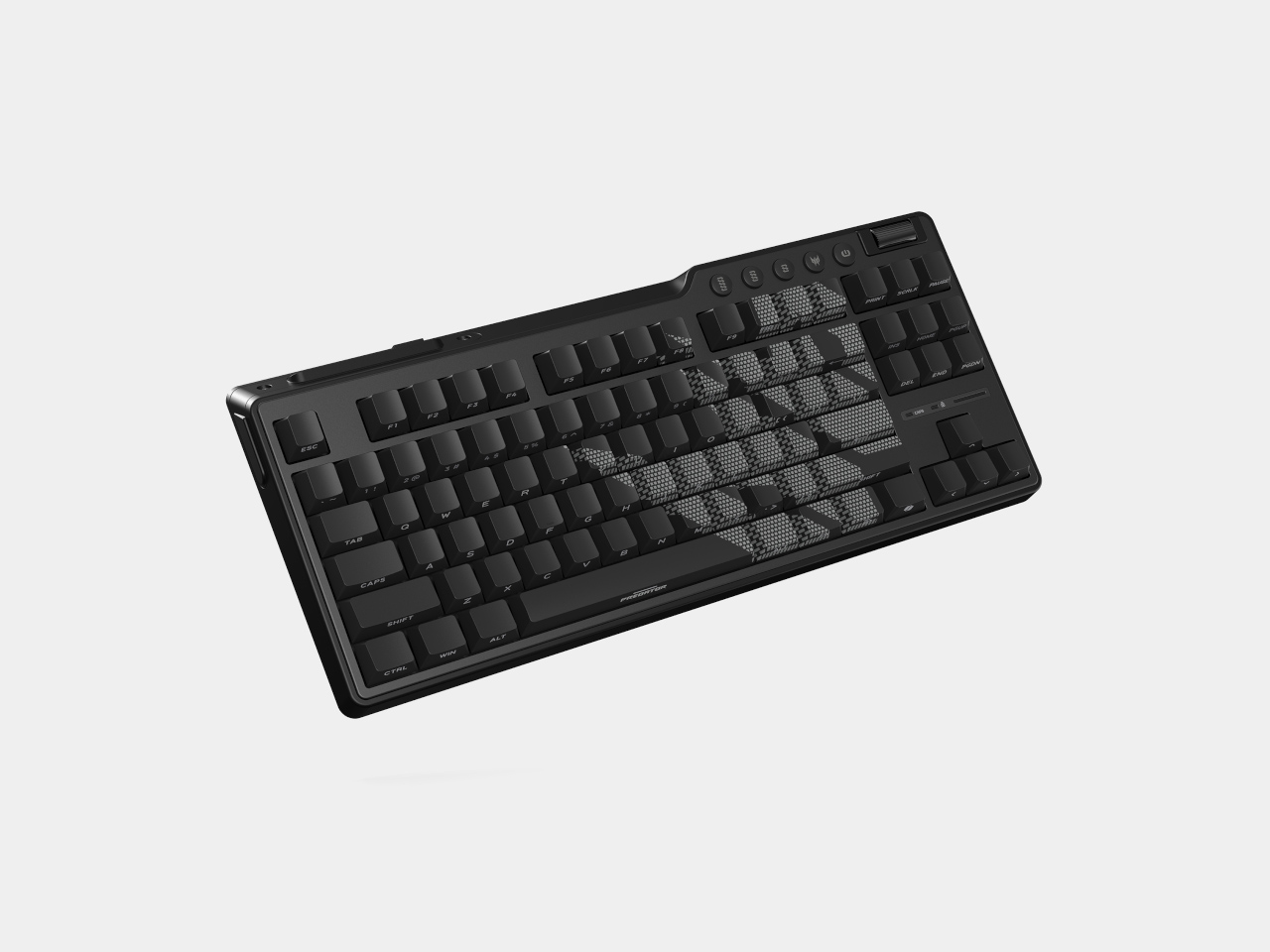
The Predator Aethon 750 TKL keeps the desk focused with a Tenkeyless layout that removes the number pad and anything non-essential for gaming. Custom Predator magnetic switches support WASD Rapid Trigger, Global Actuation, and Fine Actuation modes, while an 8,000 Hz polling rate and N-key rollover keep every input registering cleanly. Wired, 2.4 GHz wireless, and Bluetooth connections add flexibility for different setups.
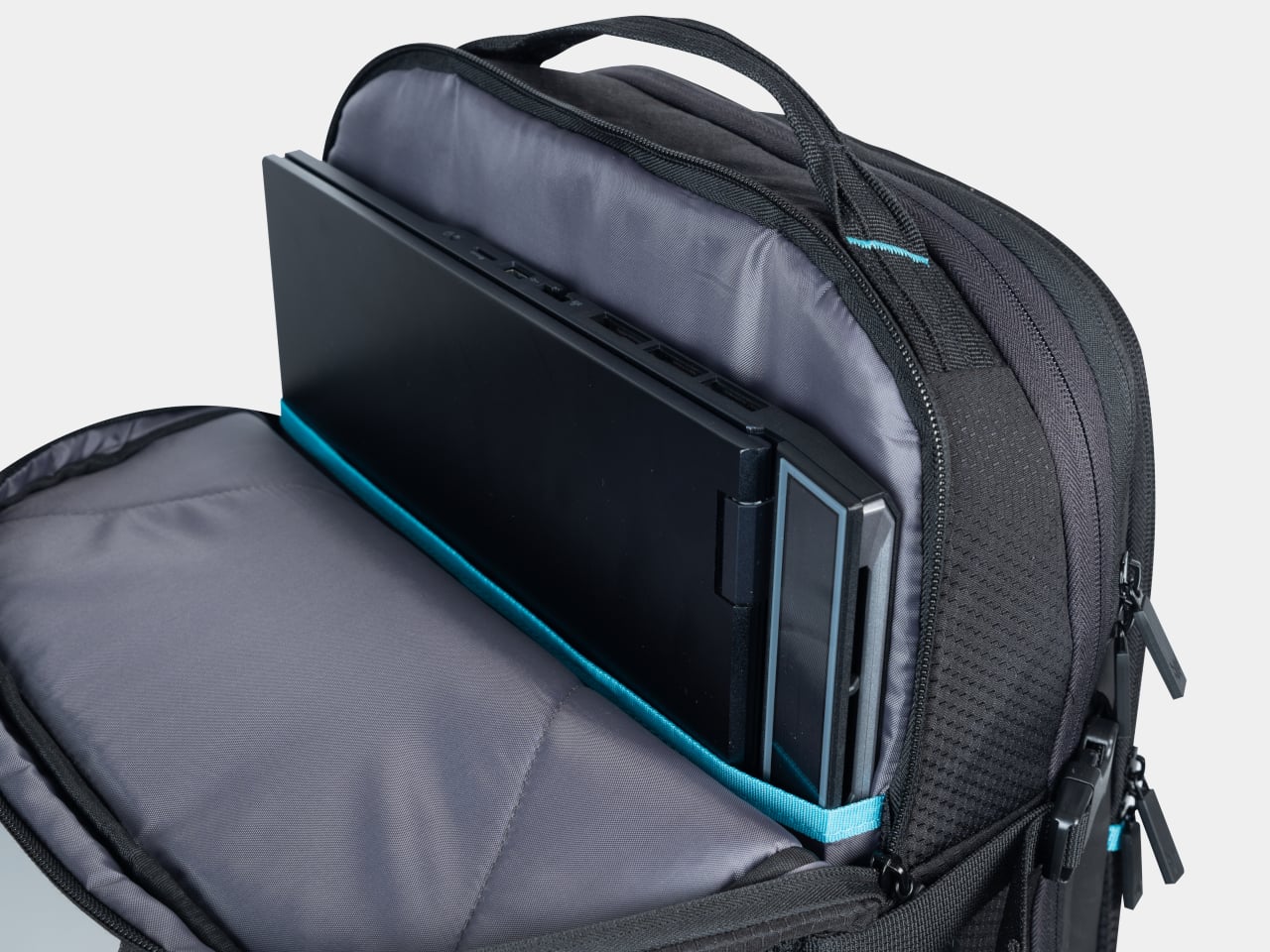
The Predator Robust Plus Backpack handles transport, expanding from 25L to 32.5L with a padded compartment for laptops up to 18 inches and a charging cable pass-through for keeping devices topped up on the move. A waterproof inner section and compression compartment round it out. The backpack arrives in North America in Q3 2026 at $199; the Aethon 750 TKL launches in EMEA in Q4 at €149.
The bag you carry into every café, co-working space, and airport lounge tells a story before the laptop opens. For years, that story was graceless — a tangle of cables, a charger shaped like a building block, a mouse that felt borrowed from a hotel business center. Nomad gear was assembled around survival rather than intention. Every surface it landed on looked worse for the visit.
Something has shifted. The tools built for people who work from everywhere are beginning to reflect the same care as the work itself. These eight gadgets share a quality that is harder to name than it is to recognize: they look considered. Each one earns its place in the bag not just by solving a problem, but by solving it in a way that leaves nothing clumsy on the table.
1. OrigamiSwift Folding Mouse
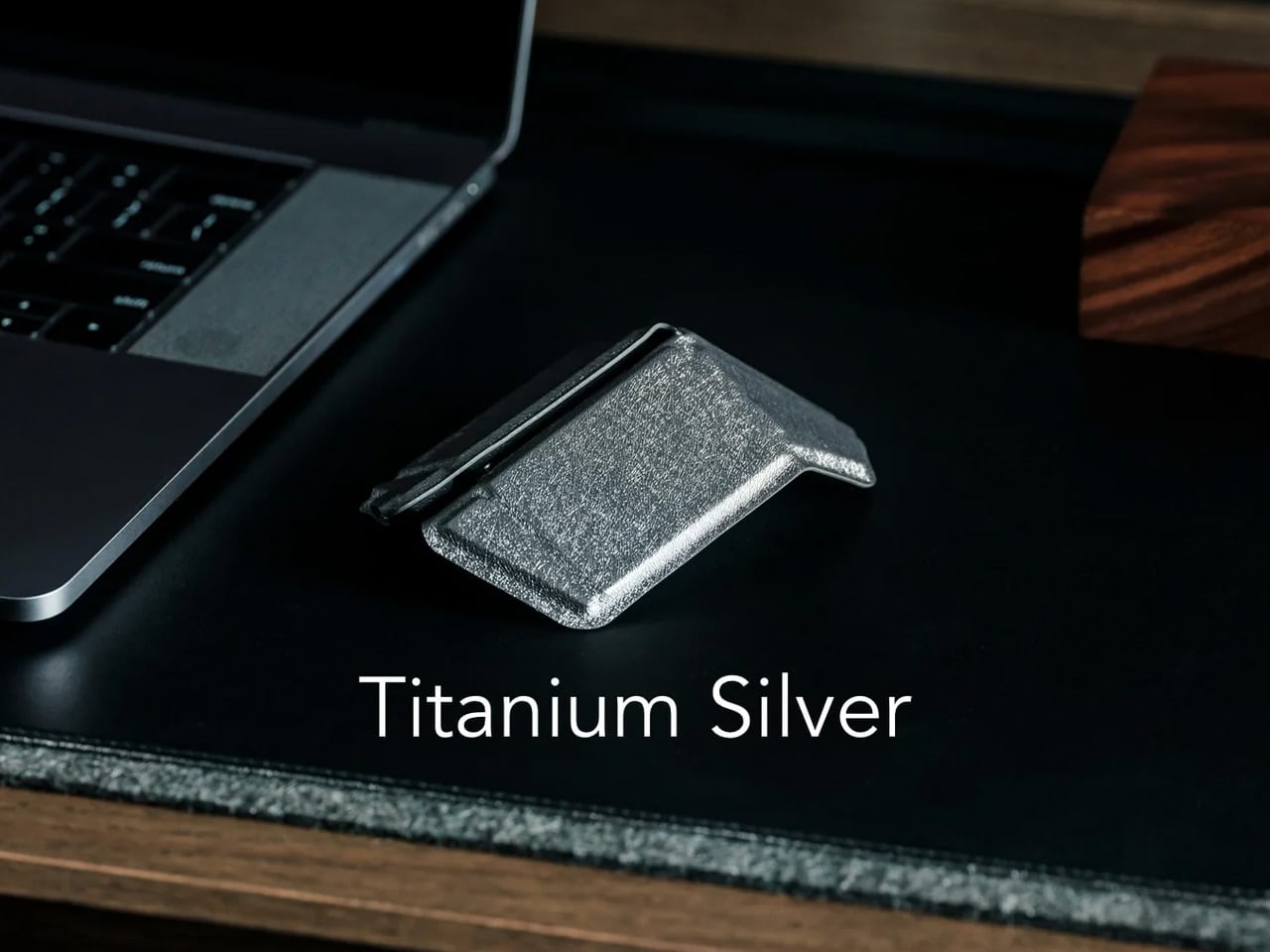
The travel mouse problem has never been about making mice smaller. Smaller mice create smaller hand cramps. The real solution is transformation, not compression, and the OrigamiSwift understands this from the geometry up. Borrowing the logic of its name, it collapses to card-sized flatness and snaps open — via magnetic clips — into a fully contoured ergonomic mouse that actually fits a palm. At 40 grams, it weighs less than a pen and disappears into a jacket pocket without announcing itself.
The polygonal folded surface earns its grip through geometry rather than rubber texture, which gives the form a visual coherence that most travel mice never achieve. Bluetooth 5.2 connects without a dongle, and three months of battery life on a single USB-C charge keeps it out of the daily rotation entirely. For the nomad whose work demands precision that a trackpad fails to deliver in the critical stretch of an afternoon, this removes every excuse for not carrying a proper mouse.
Folds to true card-size flatness without compromising full ergonomic comfort when open, which is the only trade-off that actually matters in a travel mouse
Three-month battery life means it charges about as often as a passport gets stamped
What we dislike:
The hinge mechanism is structurally the most complex part of the design, and daily fold cycles over the years could introduce wear that a solid-body mouse would never accumulate
Scroll feedback is softer than premium stationary alternatives, something certain users notice immediately, and others never register
2. Lana Laptop Stand
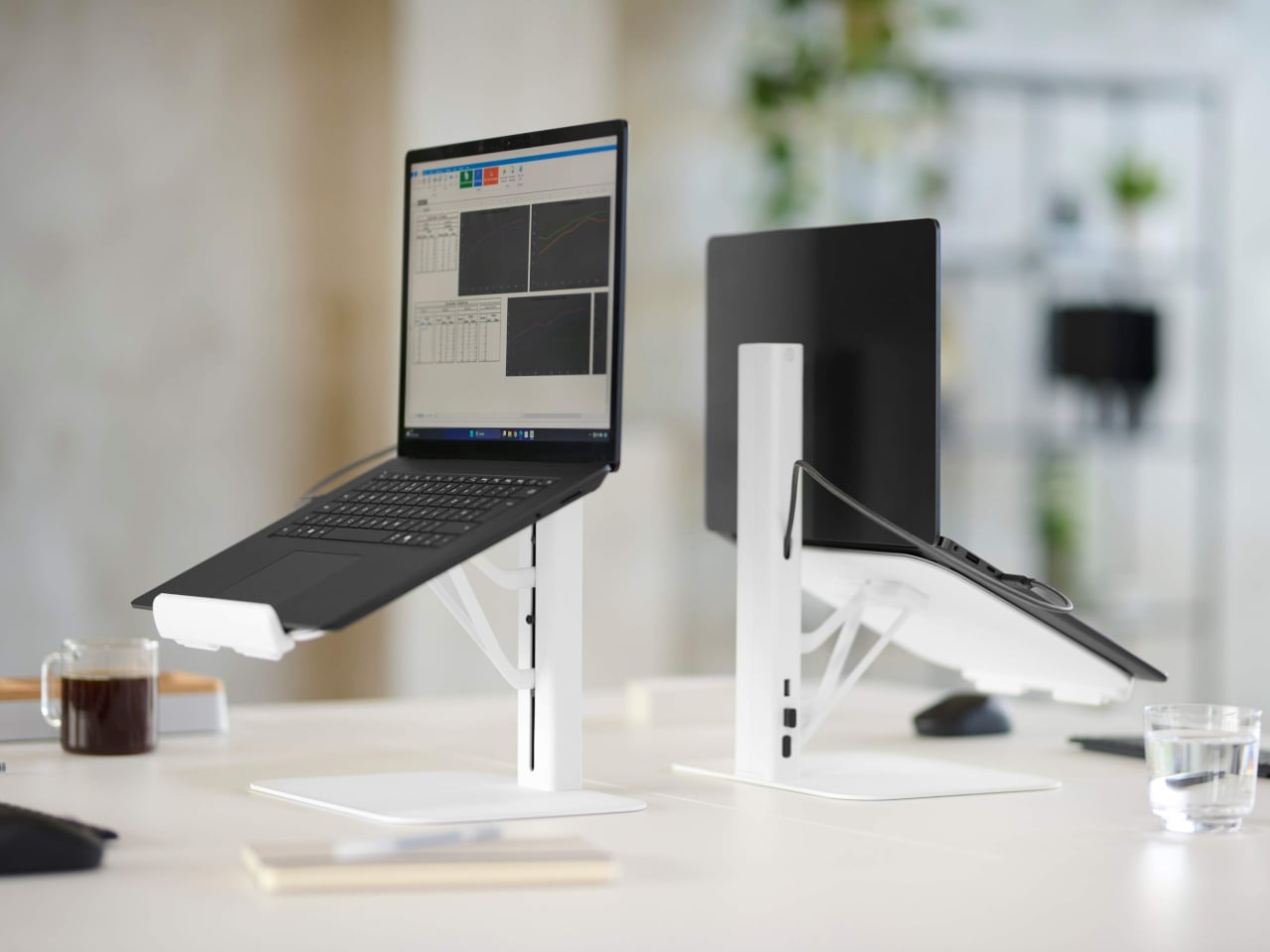
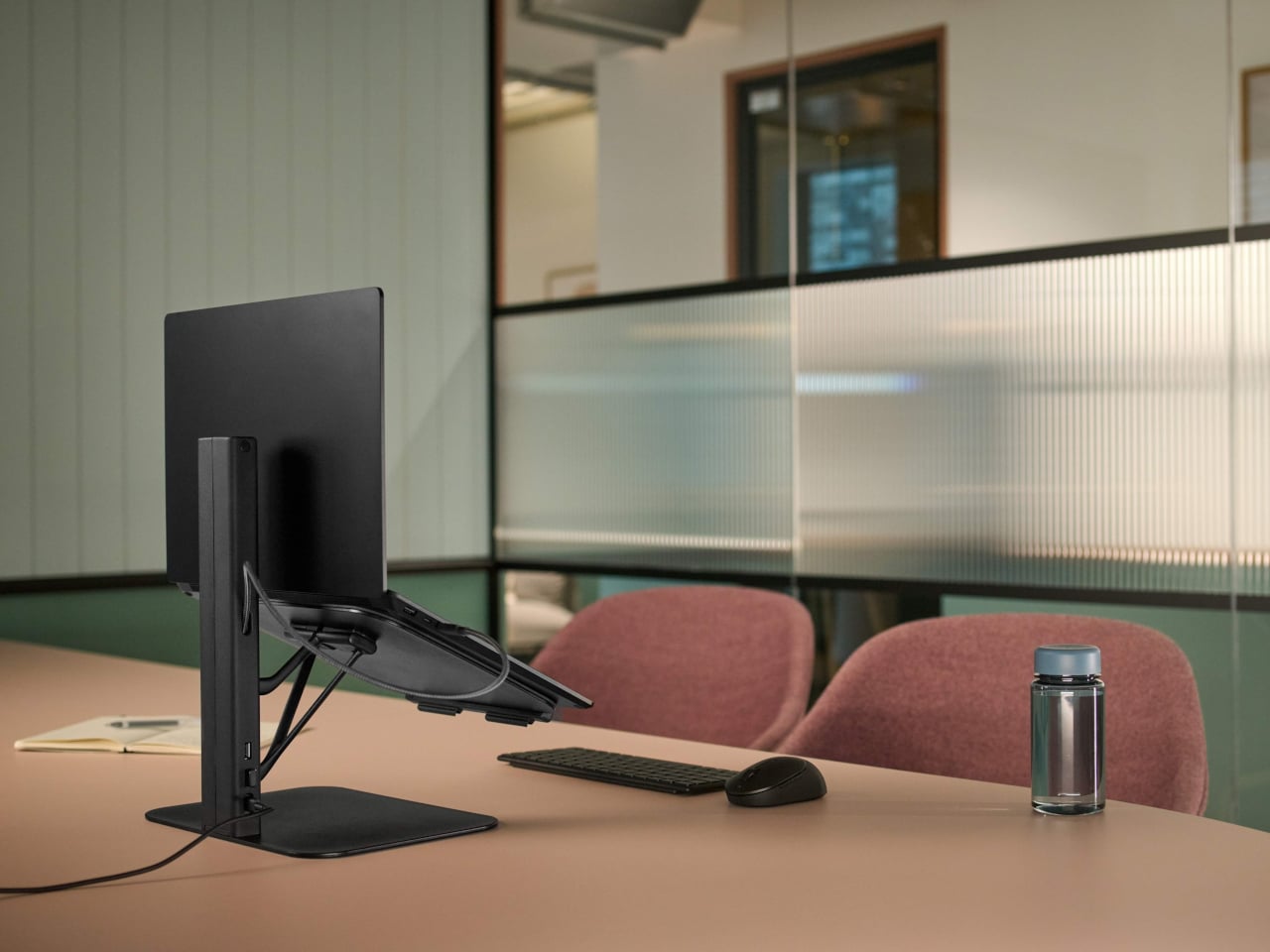
Working from borrowed surfaces has always involved a compromise that people accept rather than solve. Laptop too low, neck forward, shoulders rounded inward — the session ends the same way regardless of how productive the hour before felt. The Lana laptop stand from Colebrook Bosson Saunders is a compact riser with a USB hub integrated directly into its spine, meaning a single USB-C cable connects the laptop, keyboard, mouse, and power simultaneously. The temporary desk stops feeling improvised from the moment everything clicks into place.
Lana was designed specifically for the shared spaces nomads actually inhabit: pods, booths, communal benches — furniture built for lunch breaks, not extended output. The footprint is small enough for a café booth table, but tall enough to bring the screen level. A 12-year warranty from a British-designed and engineered product communicates something important. This is not a disposable gadget but a long-term fixture in a kit that gets used every single day, on surfaces that were designed for everything other than this.
What we like:
An integrated USB hub means one cable manages everything, collapsing the connectivity setup into a single plug-in rather than a small archaeology project
The 12-year warranty reflects an engineering confidence that most portable accessories never earn the right to claim
What we dislike:
Works best alongside an external keyboard, meaning it adds an item to the bag rather than replacing one
Price sits at the premium end of the laptop stand category, which is a real consideration for a product that functions before anything else as a riser
3. Nimble WALLY Pro Wireless
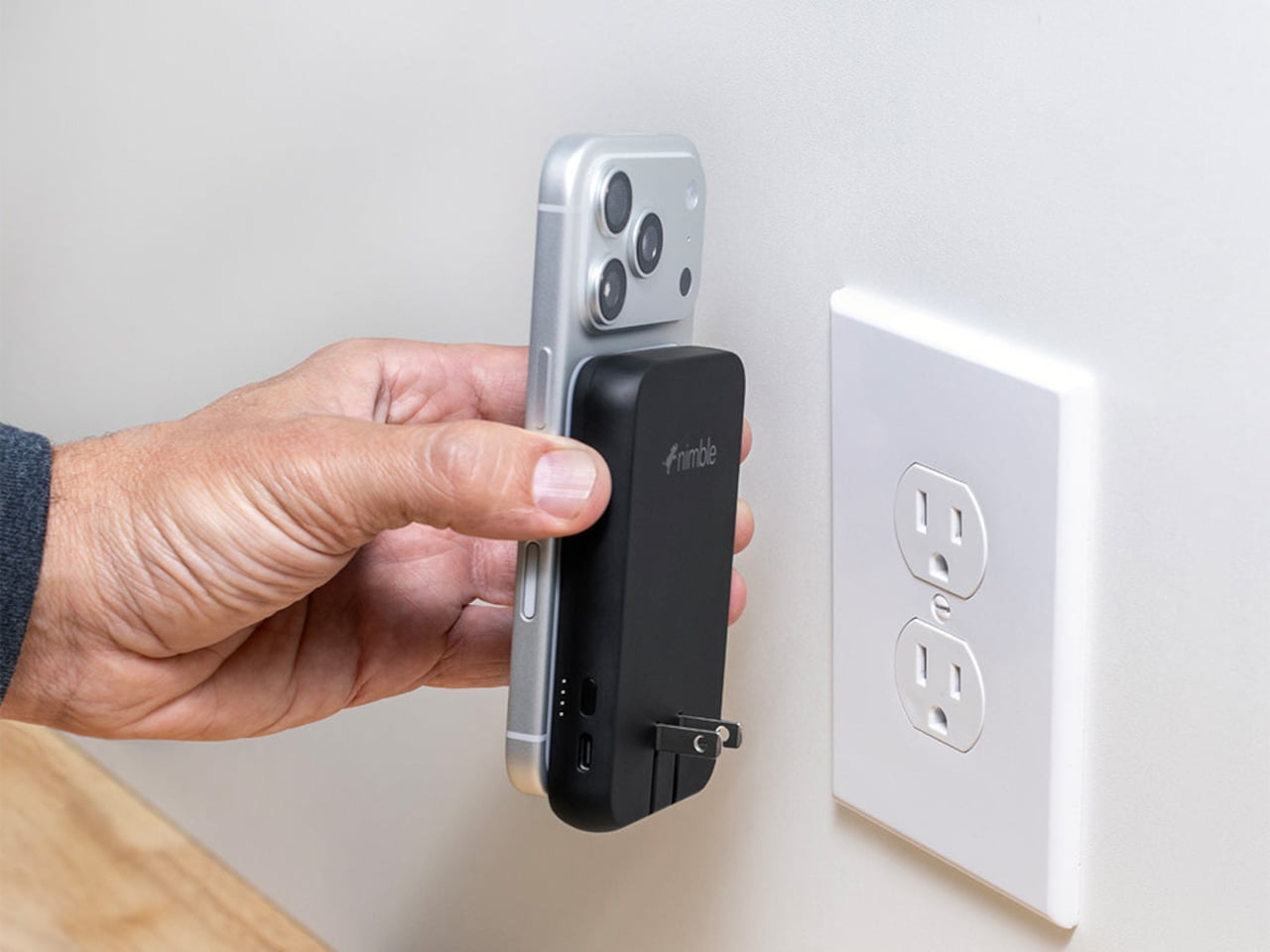
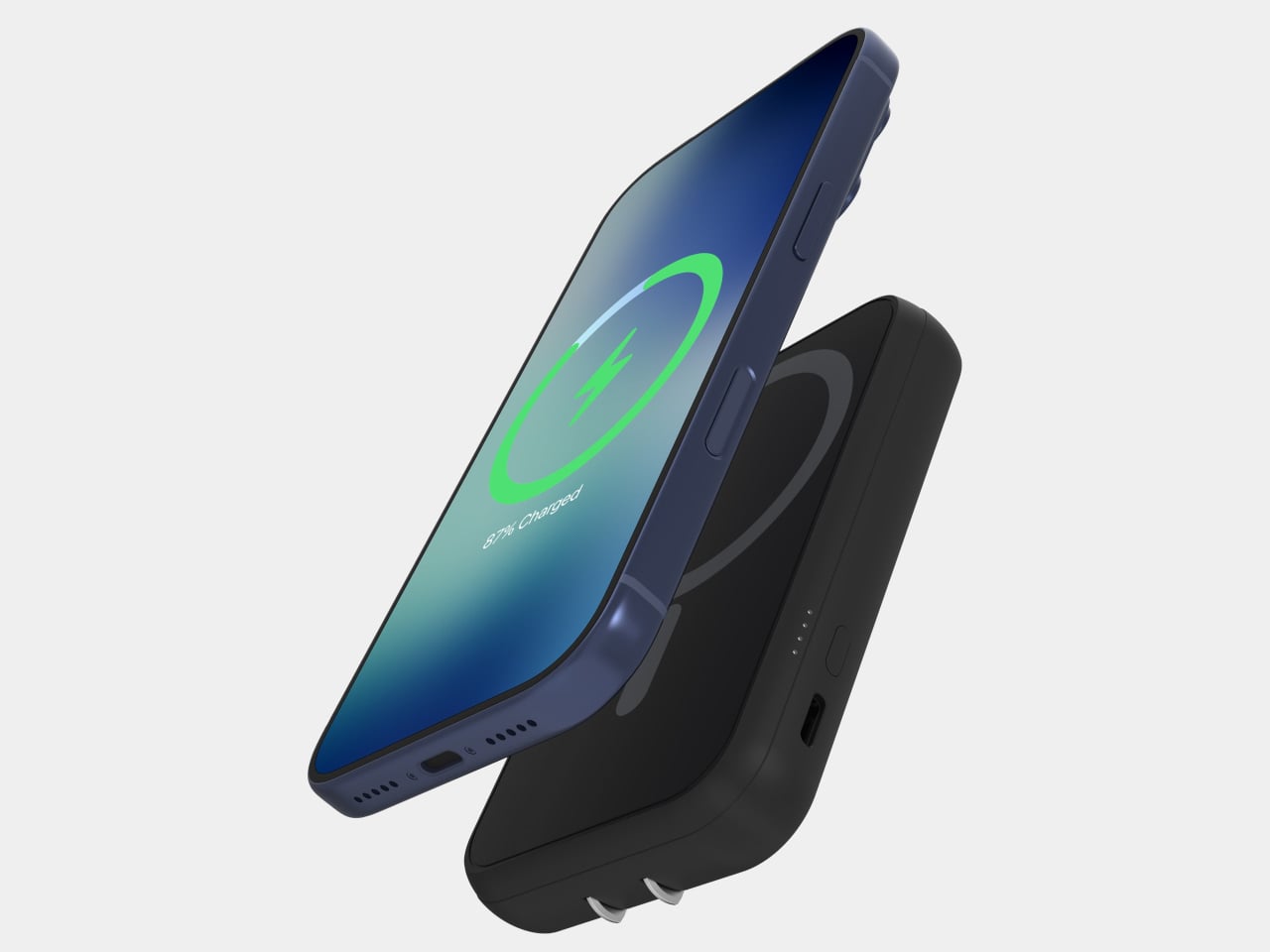
Traveling with electronics has long meant traveling with three separate charging accessories: a wall charger for the laptop, a power bank for the phone, and a wireless pad for overnight top-ups. Most people pack all three, use each one just enough to feel justified in carrying it, and leave one at a hotel room in a different country at least once a year. The Nimble WALLY Pro Wireless is a direct answer to that pattern. At 0.61 inches thin, it functions as a wall charger, a 5,000mAh power bank, and a Qi2 wireless charging pad, simultaneously.
Plug it into any outlet globally using folding prongs, and it charges its own internal battery while sending up to 15W wirelessly to a phone placed on its back. Pull it from the wall, and it switches to power bank mode without missing a step. The housing is 100% post-consumer recycled plastic, carbon-neutral certified, TSA-approved, and biodegradably packaged. At $49.95, it removes a genuine category of bag-packing anxiety rather than simply reducing it, which is the kind of simplicity that only feels obvious after someone else has done the work.
What we like:
Three accessories in one device, at under six ounces, address the entire charging layer of the nomad kit without requiring any rethinking of the rest
Recycled housing and carbon-neutral certification make the sustainability story as important as the engineering story
What we dislike:
A 5,000mAh capacity handles phones and earbuds cleanly, but will not meaningfully extend a laptop’s battery under any serious workload
Wireless charging tops out at 15W, which suits passive overnight top-ups more than emergency fast-charges before a gate closes
4. Rolling World Clock
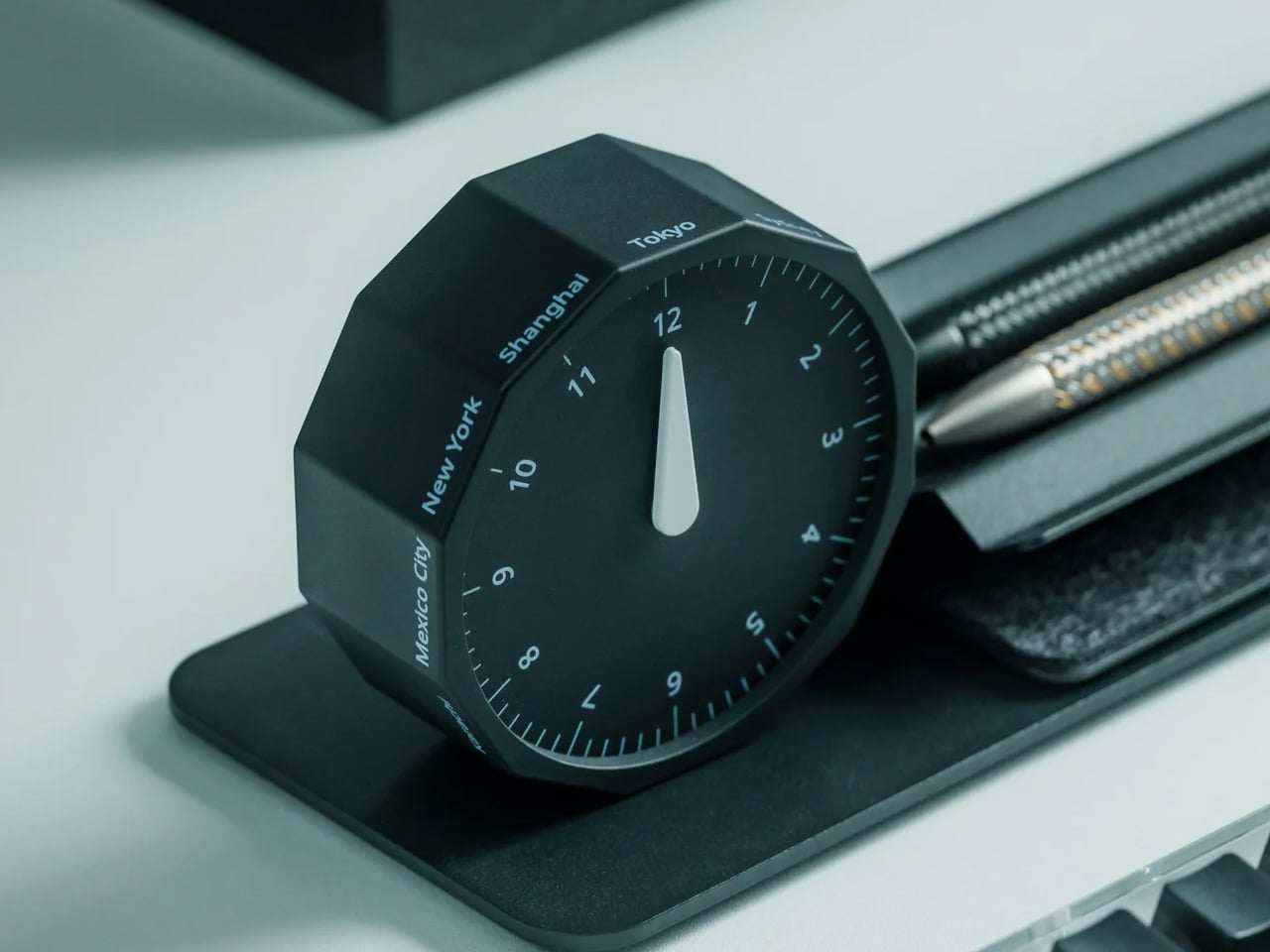
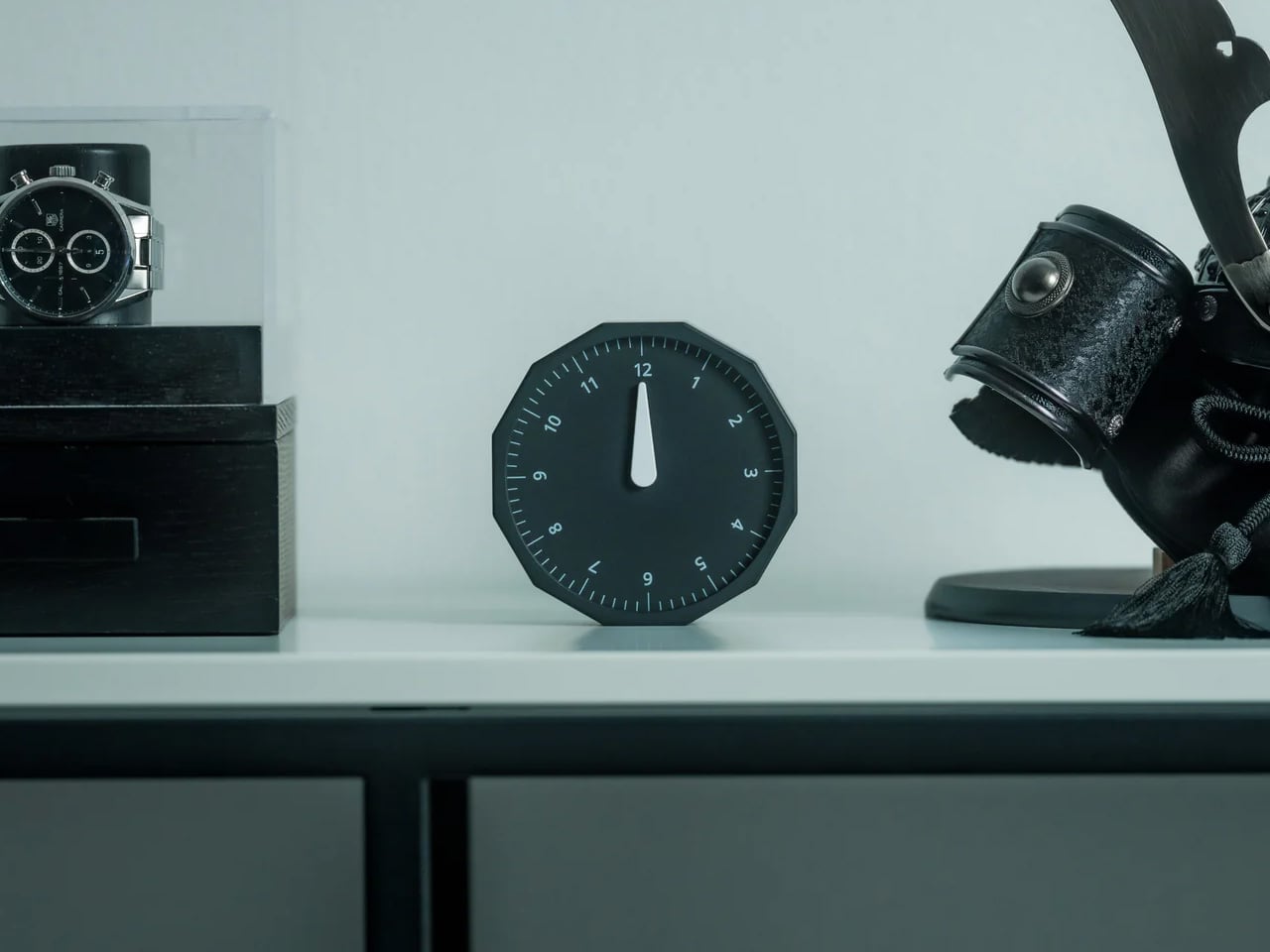
Working across time zones involves an arithmetic problem most people solve by unlocking a phone and navigating to a setting buried several menus deep. The Rolling World Clock removes the phone from that interaction entirely. A 12-sided dodecahedron, one analog hand per face, each face assigned to a city: roll it to any side, and it reads the correct local time in that location. The entire interaction takes less time than the lock screen.
Available in black and white at $49, it occupies the surface area of a hockey puck and sits at the precise intersection of functional object and desk sculpture. The design works because it resists adding more — no digital layer, no companion app, no charging port. On a surface full of screens and cables, a clock answered by physically rolling it is the object every person at the adjacent table wants to pick up and examine. That kind of unselfconscious utility is genuinely rare at any price.
Rolling to read a time zone is a screen-free physical gesture that removes a phone unlock from the workflow without requiring any habit change
The form communicates its function completely without a label, a tutorial, or a single button
What we dislike:
Twelve faces cover most regular international relationships, but nomads managing more than twelve cities regularly will need a secondary solution
The face-to-city mapping takes roughly a week of regular use before the interaction becomes fully automatic
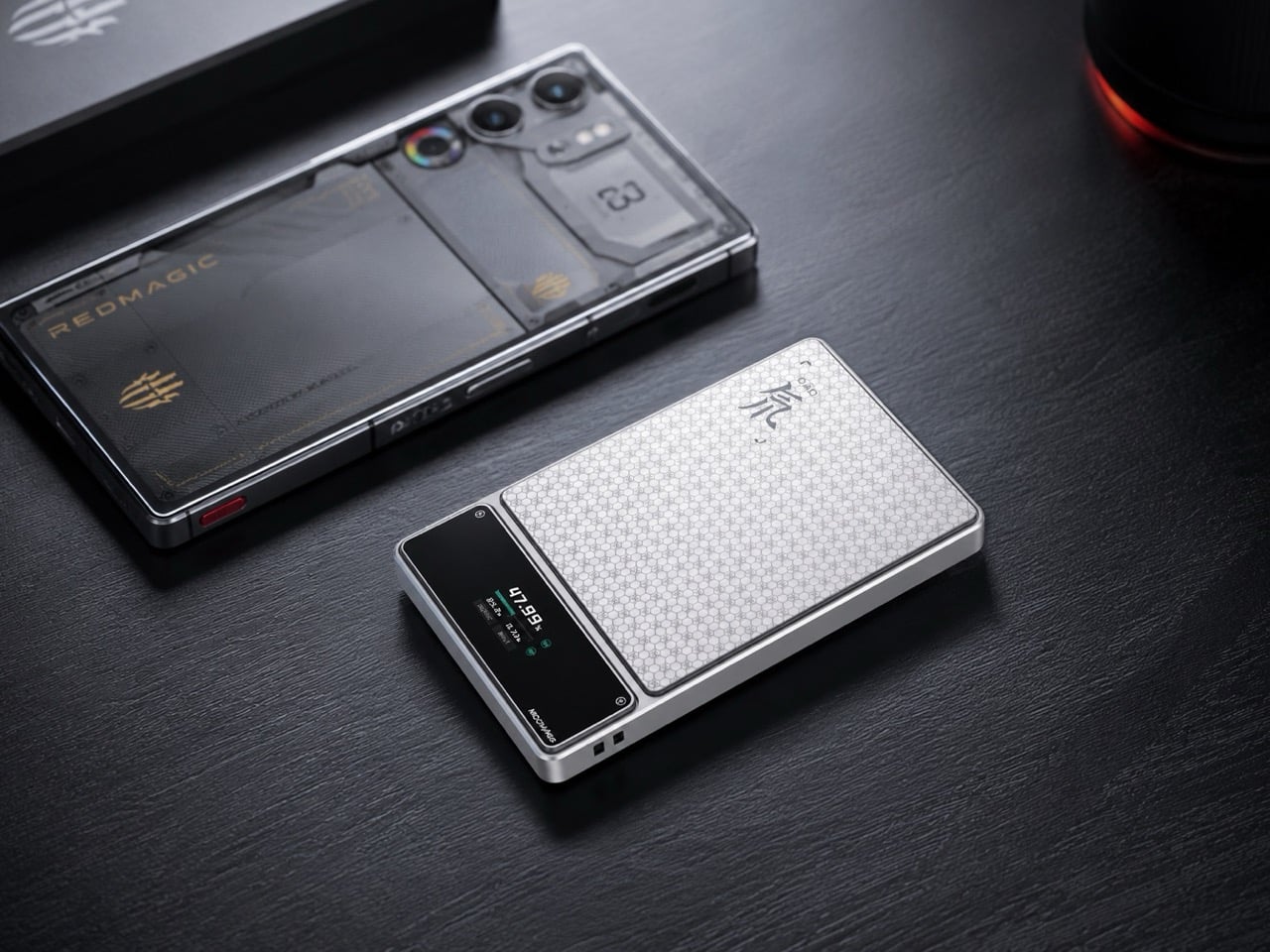
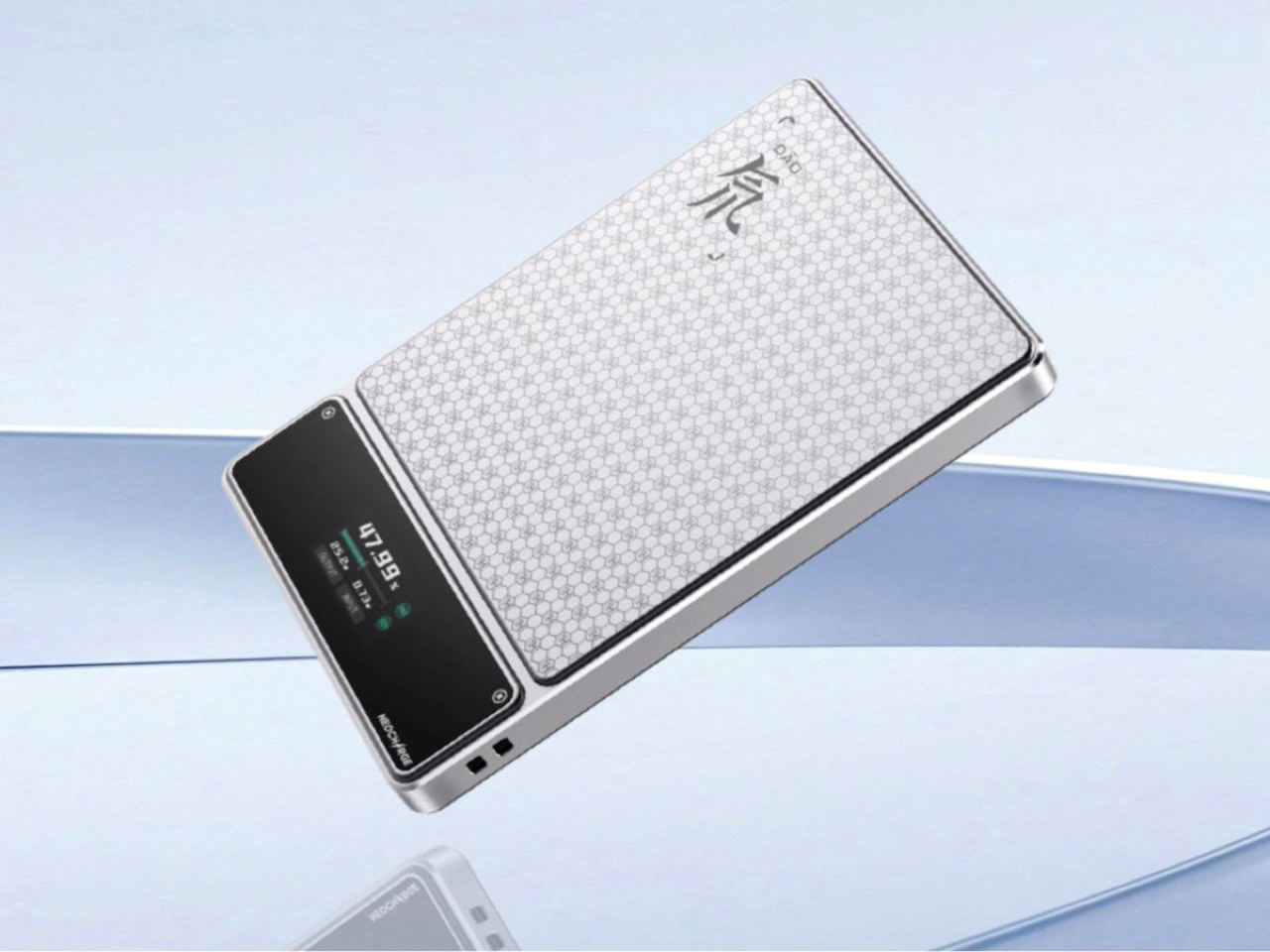
5. RedMagic Power Bank with Flight Mode
Aviation rules around lithium batteries have changed significantly in 2026 — multiple major carriers now ban in-flight power bank use entirely, and the regulations are still tightening. Most power bank manufacturers have responded to this by doing nothing. RedMagic responded by designing for the regulation directly. Their power bank includes a dedicated flight mode switch that disables active output functions on command, aligning with carrier requirements that previously involved gate-side arguments about a device nobody could quickly verify.
The one-touch flight mode cuts wireless transmission instantly, transforming a potential boarding problem into a one-press demonstration. Beyond the compliance story, the honeycomb aluminum finish suggests RedMagic wants you to leave this on your desk even when you are not traveling — a power bank that earns surface rights rather than disappearing into a pocket. For a brand that built its credibility making hardware for people who care about how their tools look and feel, the application to travel infrastructure is a natural extension rather than a category stretch.
What we like:
The dedicated flight mode switch turns a potential boarding conflict into a physical demonstration rather than a verbal explanation
Honeycomb aluminum finish gives the device a desk presence that most power banks, designed purely for pocket anonymity, never consider
What we dislike:
The flight mode feature is more useful than ever, but represents a design workaround for a regulatory gap that clearer aviation policy could simply close
Gaming-adjacent branding will read as the wrong register for some professional nomads who prefer their gear to carry no identity beyond the work
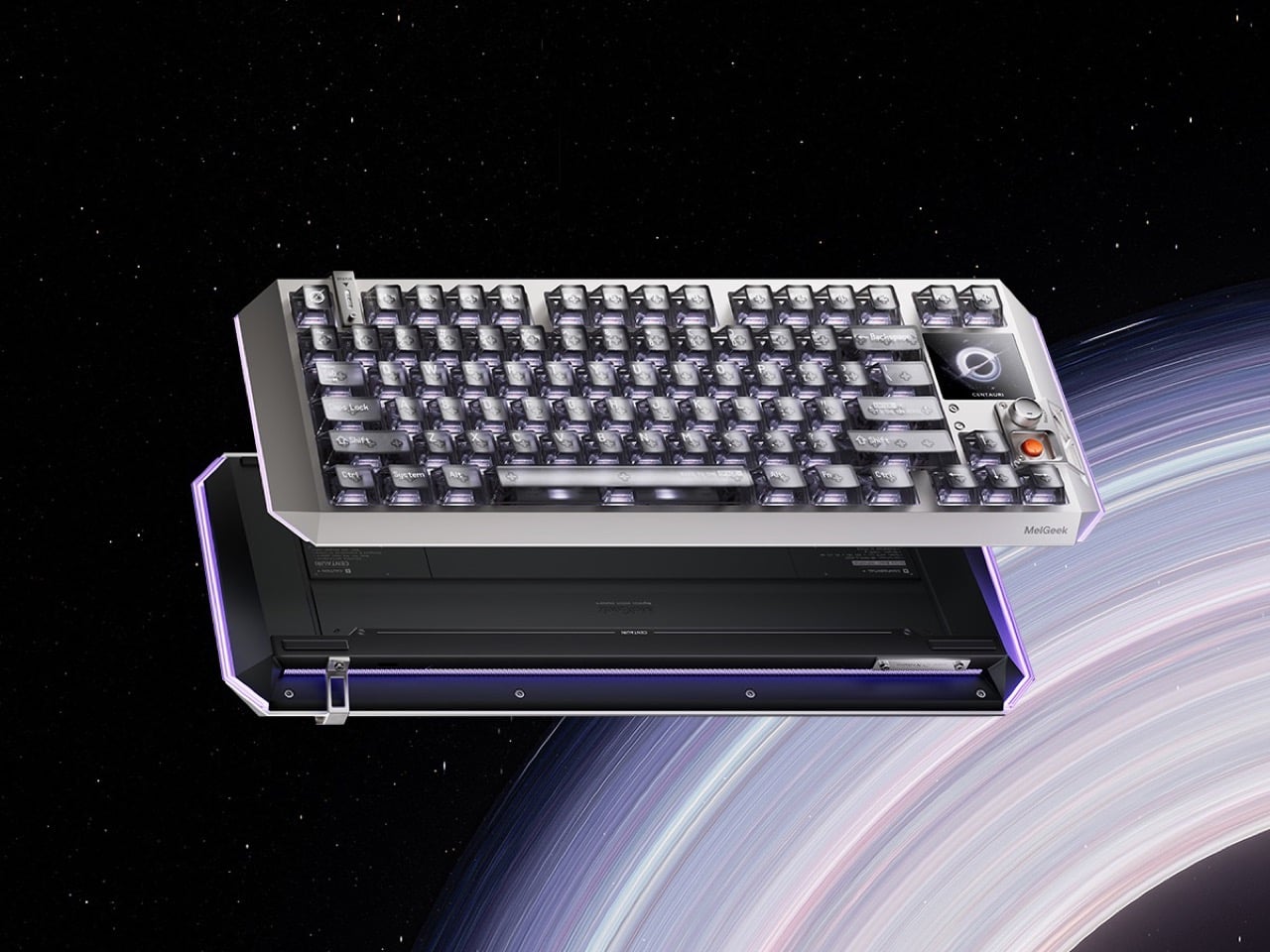
6. Centarui80
Fifty years of keyboard design produced better switches, heavier plates, and an entire hobbyist economy built around sound profiles — but the object itself stayed stubbornly analog in its ambitions. The Centauri80 breaks that contract. MelGeek embedded a 1.78-inch OLED touchscreen directly into the board at 325 PPI, the same pixel density as an Apple Watch face, alongside a physical rotary encoder called the Super Dock. Live wallpapers, macros, and lighting adjustments happen on the board itself, without alt-tabbing out of whatever the afternoon actually requires.
The engineering underneath supports the ambition. Six microcontroller chips drive TTC Flip King Hall Effect magnetic switches to 0.125ms latency at an 8000Hz polling rate — numbers that make the 80% aluminum unibody the most responsive input device on most desks, not just the most considered one. At $299 from MelGeek’s own store, the Centauri80 competes directly against the Wooting 60HE and the rest of the Hall Effect field while carrying something none of them have: a visual interface that turns the keyboard into a control surface with its own design language.
What we like:
A 325 PPI OLED screen embedded into the board makes macro and lighting control a keyboard-side interaction rather than a software detour through a menu nobody enjoys navigating
Hall Effect magnetic switches at 8000Hz polling deliver the kind of input responsiveness that makes every other keyboard in the same price range feel noticeably behind
What we dislike:
An onboard touchscreen and six microcontroller chips add genuine complexity to a device category where simpler hardware has historically outlasted ambitious feature sets
At $299, the Centauri80 is considered a purchase rather than an impulse one — the OLED and polling rate premium asks for conviction before checkout
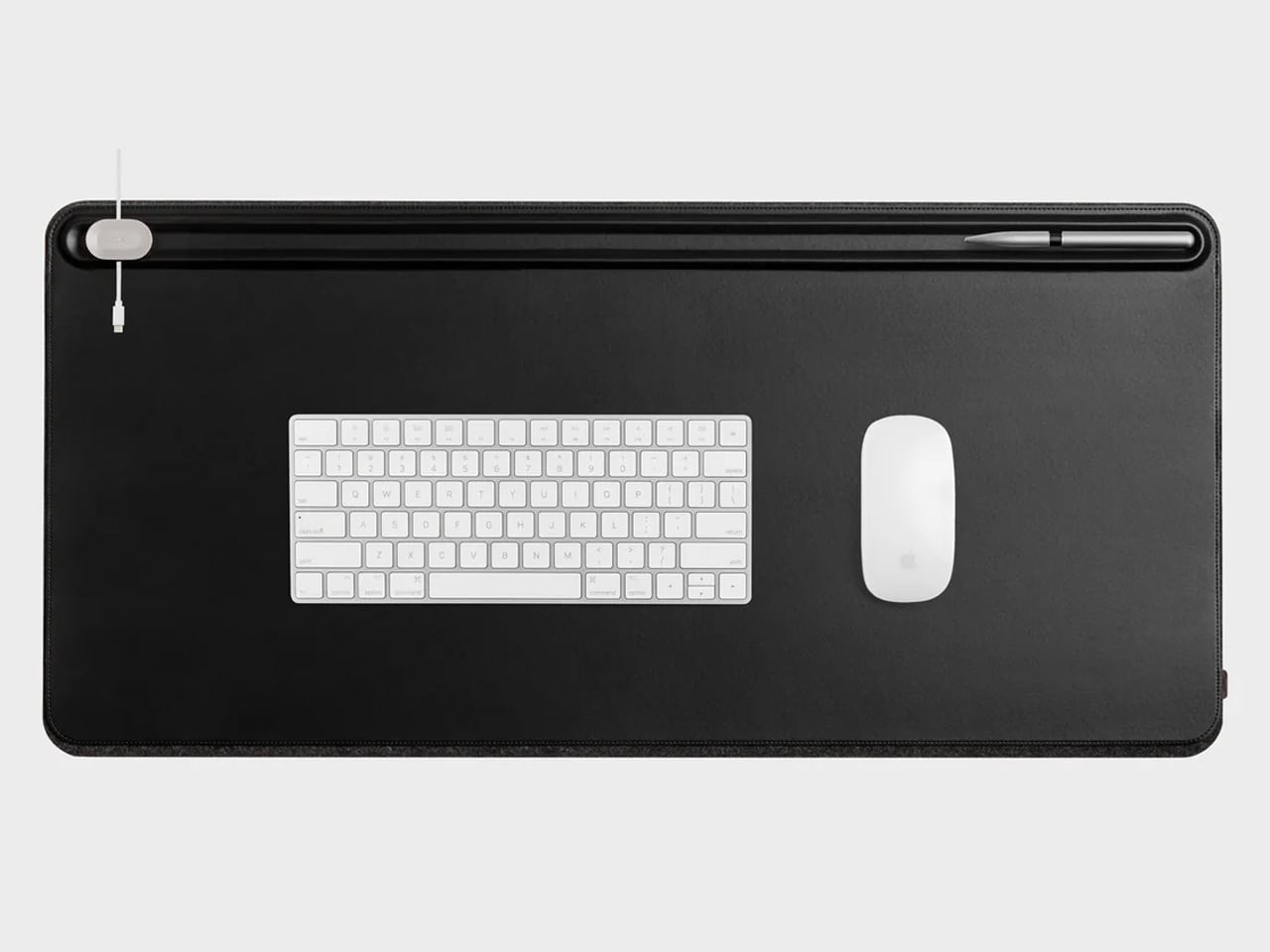
7. Orbitkey Desk Mat
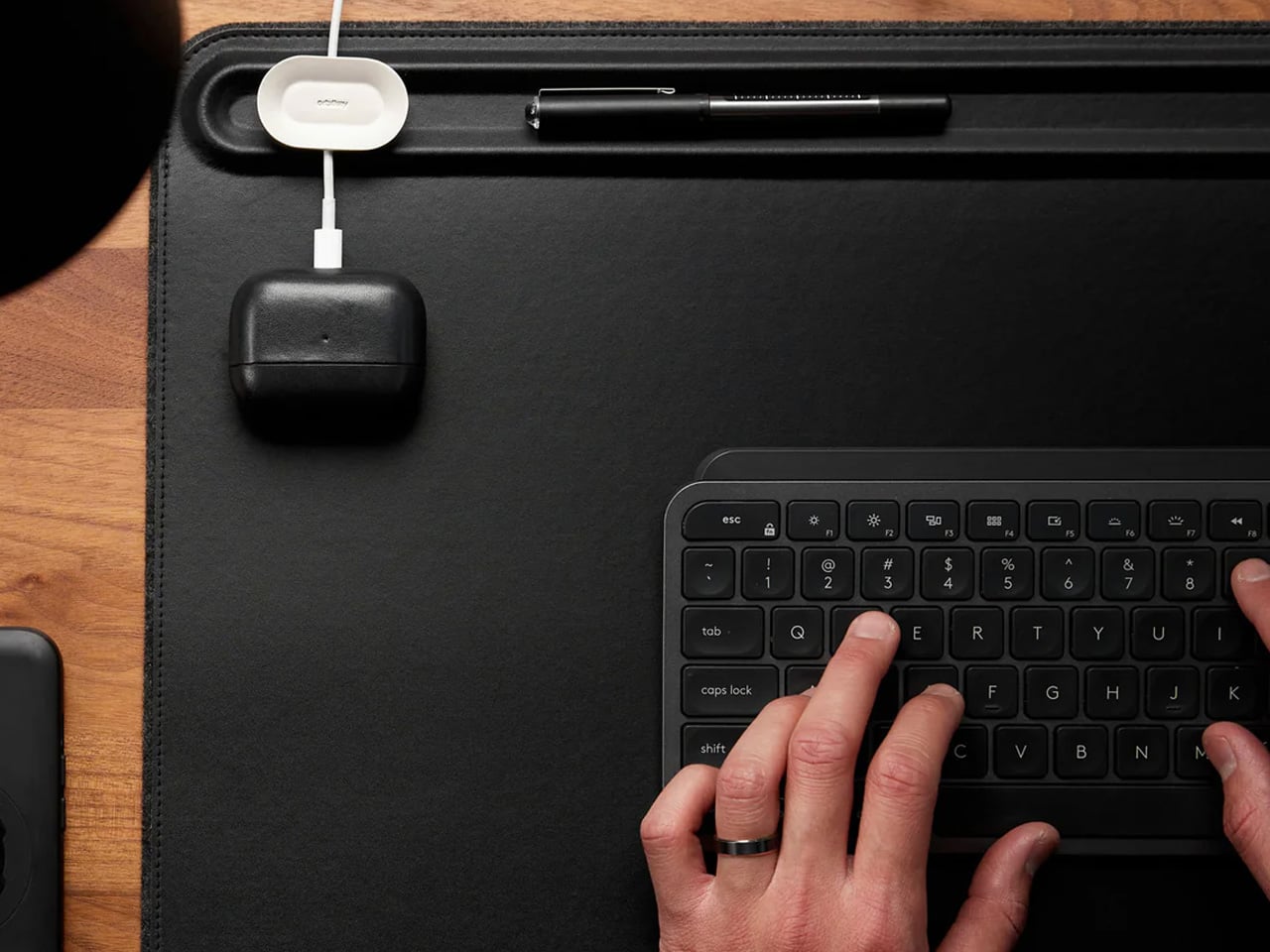
A borrowed table is still a borrowed table until something on it says otherwise. The Orbitkey Desk Mat doesn’t announce itself — it simply reframes the surface it occupies. Full vegan leather across the top, recycled PET felt underneath, a document slot along the upper edge, and Qi wireless charging embedded invisibly into the upper-right zone. Place a phone there, and it charges. No cable surfaces anywhere in the composition. The mat claims the desk and turns it into something that belongs to you, at least for the session.
It rolls tight enough to travel inside most laptop sleeves, deploys completely flat, and develops a surface character over months of use that reads as the quality indicator it actually is. Magnetic cable holders keep charging cables from drifting off the edge mid-session. A pen loop stitched into the left side holds exactly one pen. These details were thought through rather than listed on a spec sheet, which is the difference between a product designed for desk photography and one designed for daily work. At $99.90, it is the kind of surface investment that compounds quietly over the years.
What we like:
Wireless charging disappears so cleanly as a feature that it stops being a feature and becomes simply a behavior: phone down, phone charges
Rolls compactly enough to travel inside a laptop sleeve, adding no dedicated bag volume to the packing equation
What we dislike:
Wireless charging tops out at 10W, making it a passive convenience layer rather than a serious fast-charging solution
The leather surface requires periodic conditioning at the fold line after extended travel use to maintain its original finish
8. HubKey Gen2
Every modern ultrabook ships with two USB-C ports. Every modern nomad workflow needs more than two ports running simultaneously. The HubKey Gen2 resolves the gap with eleven connections in one compact 7 × 7 × 3cm cube: dual 4K/60Hz HDMI outputs, USB-A 3.1, USB-C 3.1, SD and TF card readers, 2.5Gbps ethernet, a 3.5mm audio jack, and 100W power delivery through a single cable into the laptop. The port problem disappears from the workflow rather than being permanently managed around it.
The programmable shortcut keys and central control knob on the top panel are what distinguish this from a standard travel hub. Volume, mute, display toggle, and screenshot become physical actions handled by the left hand while the right hand stays on the mouse. For nomads driving external displays across video calls and creative sessions in co-working spaces, turning a connectivity device into a tactile control surface is the kind of upgrade that feels immediately obvious on the first day and genuinely irreplaceable from the second. The cube form fits anywhere without announcing itself.
What we like:
Dual 4K/60Hz HDMI outputs let you build a two-monitor workstation from a single cube that fits inside a laptop sleeve pocket
Programmable shortcut keys and a control knob give the desk a physical control layer that no other travel hub currently offers
What we dislike:
Tightly spaced ports mean thick cables or large flash drives can crowd each other along the edges during a fully loaded setup
The cube form, while genuinely compact, is less pocketable than flat card-style alternatives when volume and weight are being counted carefully
The Desk You Build Is Better Than the One You’re Given
The kit assembled here is not a packing list. It is a position that the tools a nomad carries every day deserve the same design attention as the work those tools are used to produce. A mouse that folds with geometric logic. A clock answered by rolling it. A charger that stopped being three separate objects. A hub that turned its top surface into a control panel. Each object solves a specific problem in a way that leaves the desk better than it found it.
The best version of working from anywhere is not about freedom from a particular address. It is about arriving at any table with a kit that makes the table feel chosen. These eight products do that together in a way that none of them manages alone — and that is the standard worth holding to when every other square centimeter of the bag is already spoken for.
Handheld gaming PCs have come a long way in a short time, but two problems follow every device in the category. Performance peaks early in a session and then quietly retreats as thermals climb, and battery life forces a trade-off that no amount of power management has fully resolved. The Steam Deck addressed portability. The ROG Ally pushed performance. Both still leave room for something that takes thermal management seriously at the hardware level.
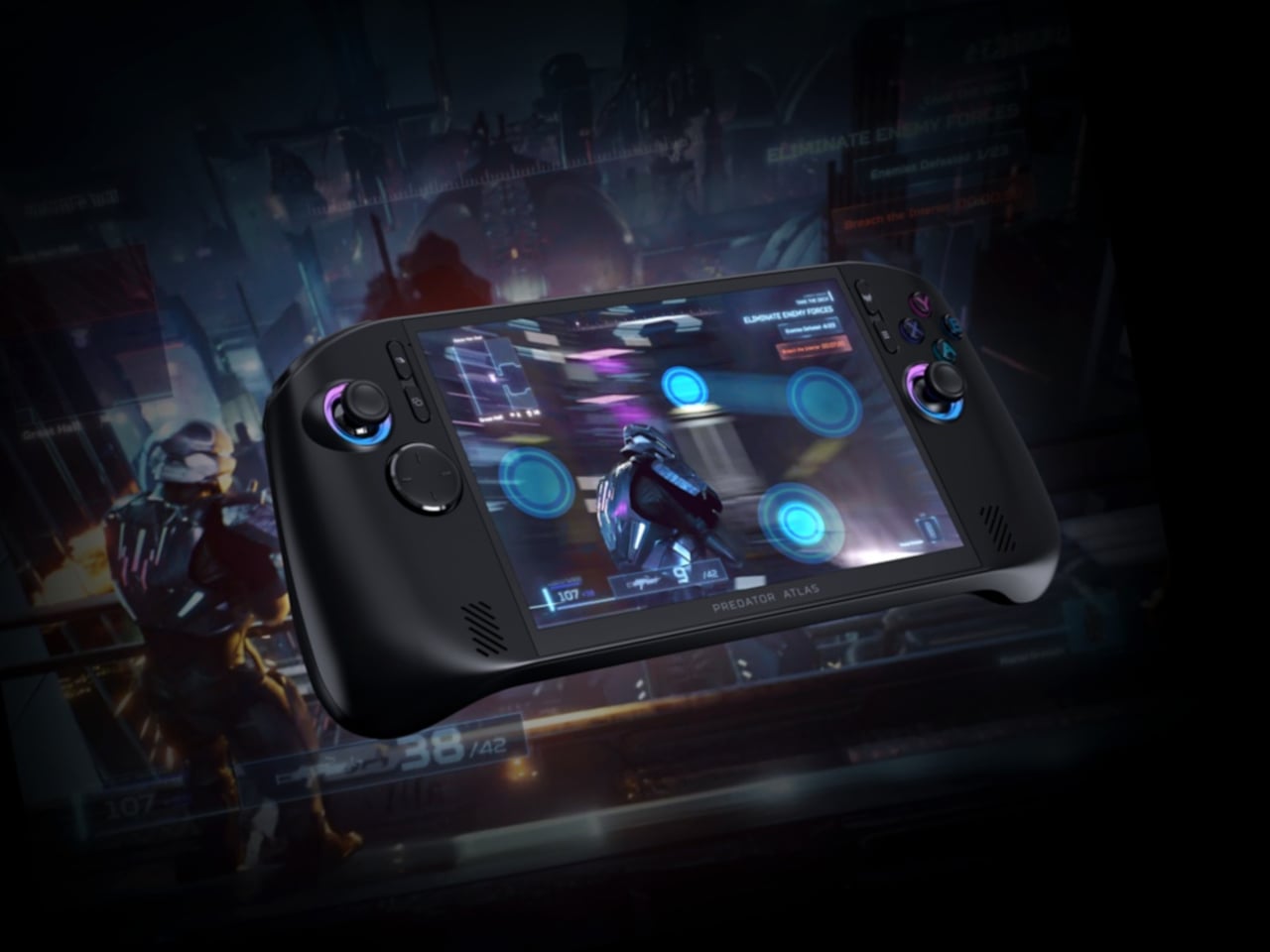
Acer’s answer is the Predator Atlas 8, a Windows 11 handheld announced at Computex 2026 and built directly from the same engineering philosophy behind the Predator laptop line. Rather than adapting a tablet platform, Acer treated the Atlas 8 as a PC that happens to be handheld, pulling familiar solutions into a smaller chassis. It arrives in North America, EMEA, and Australia in October 2026.
Designer: Acer
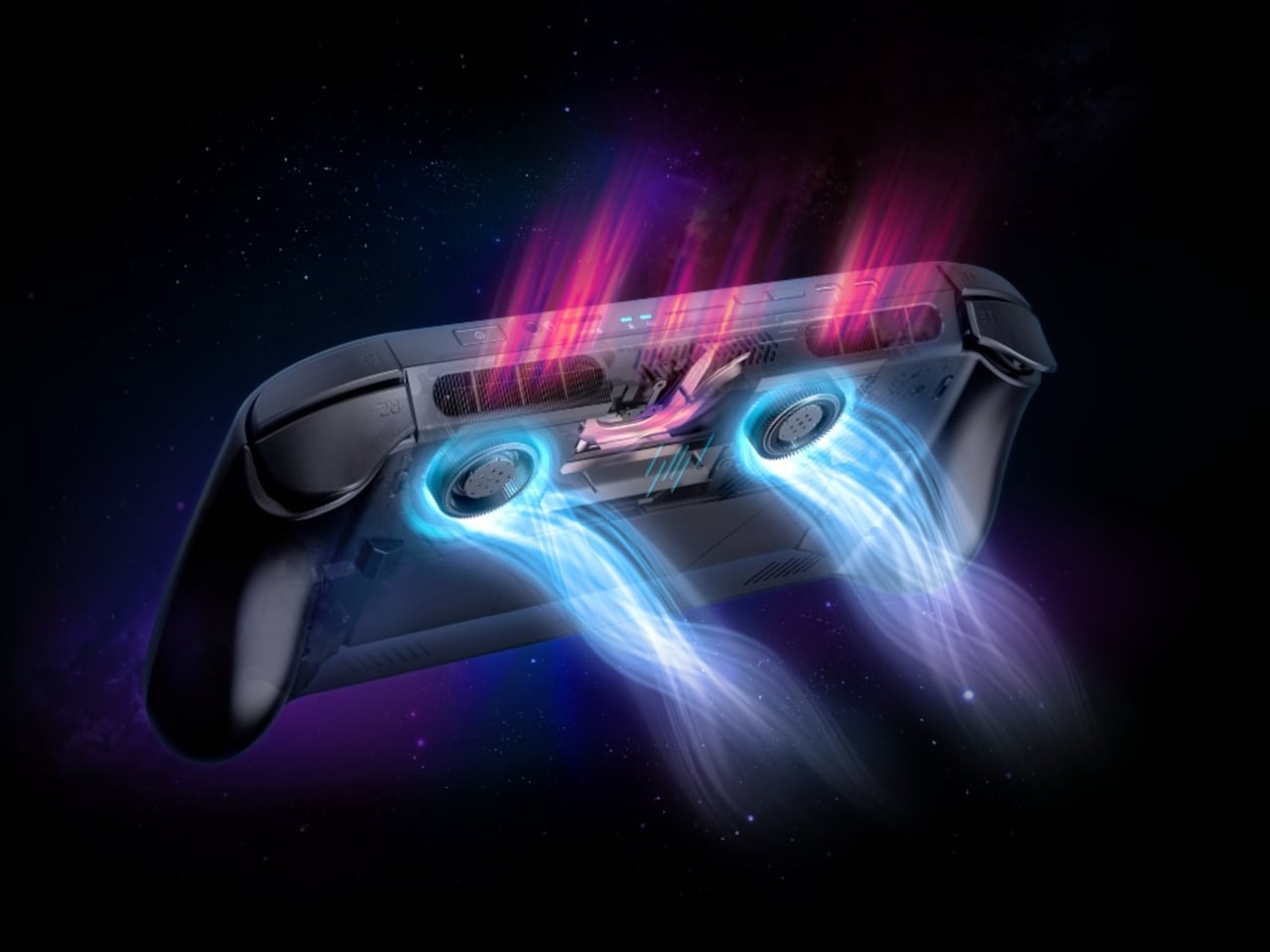
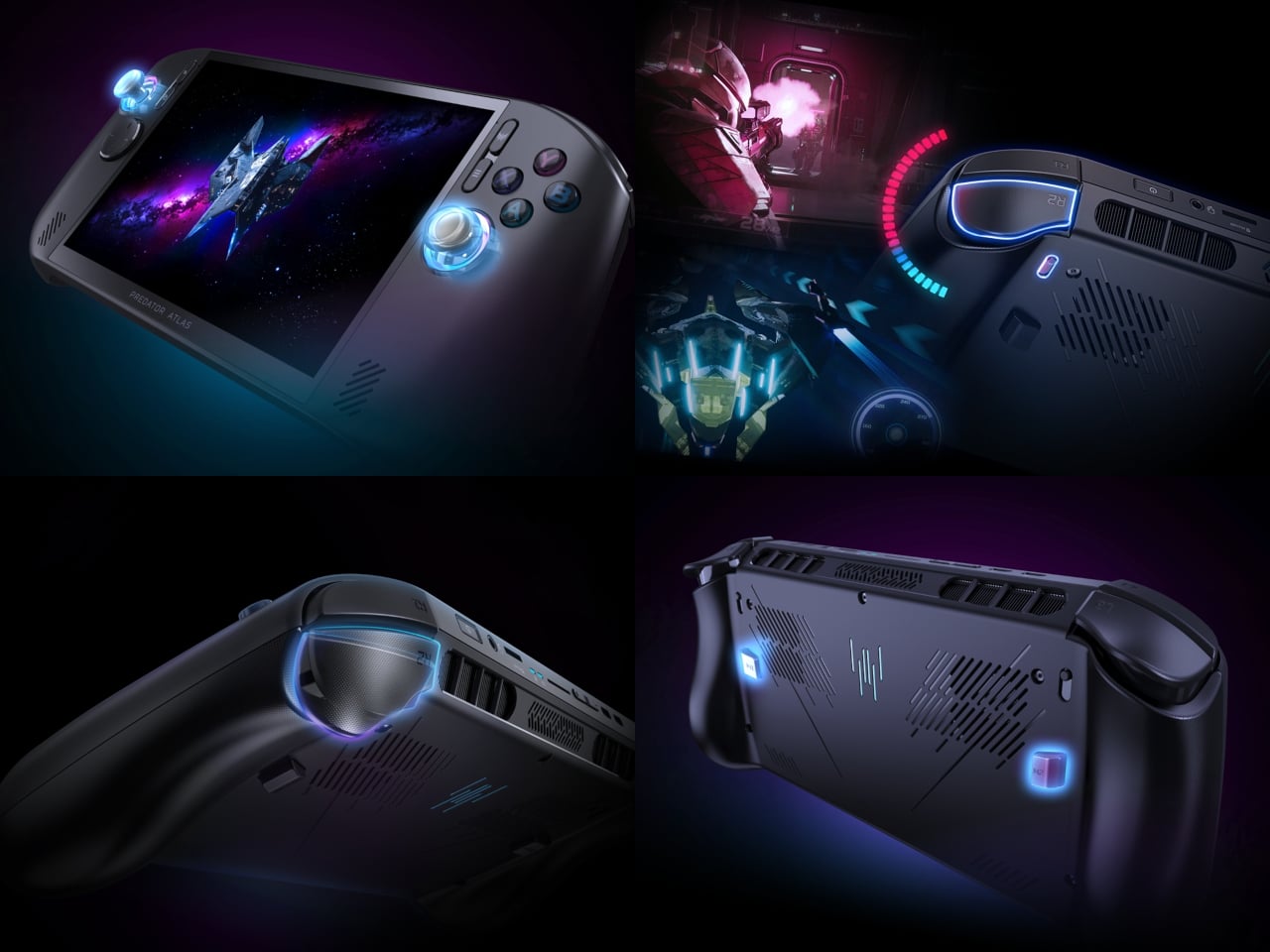
The cooling system is the headline. The Predator AeroBlade fan, a fixture in Predator laptops, makes its handheld debut here and brings a genuine first with it: the first metal fan in any gaming handheld. At 89 blades and just 0.1mm of thickness, it delivers up to a 10% increase in airflow compared to a plastic equivalent. A second plastic fan works alongside it, with Vortex Flow tuning directing air through angled internal channels so heat exits faster.
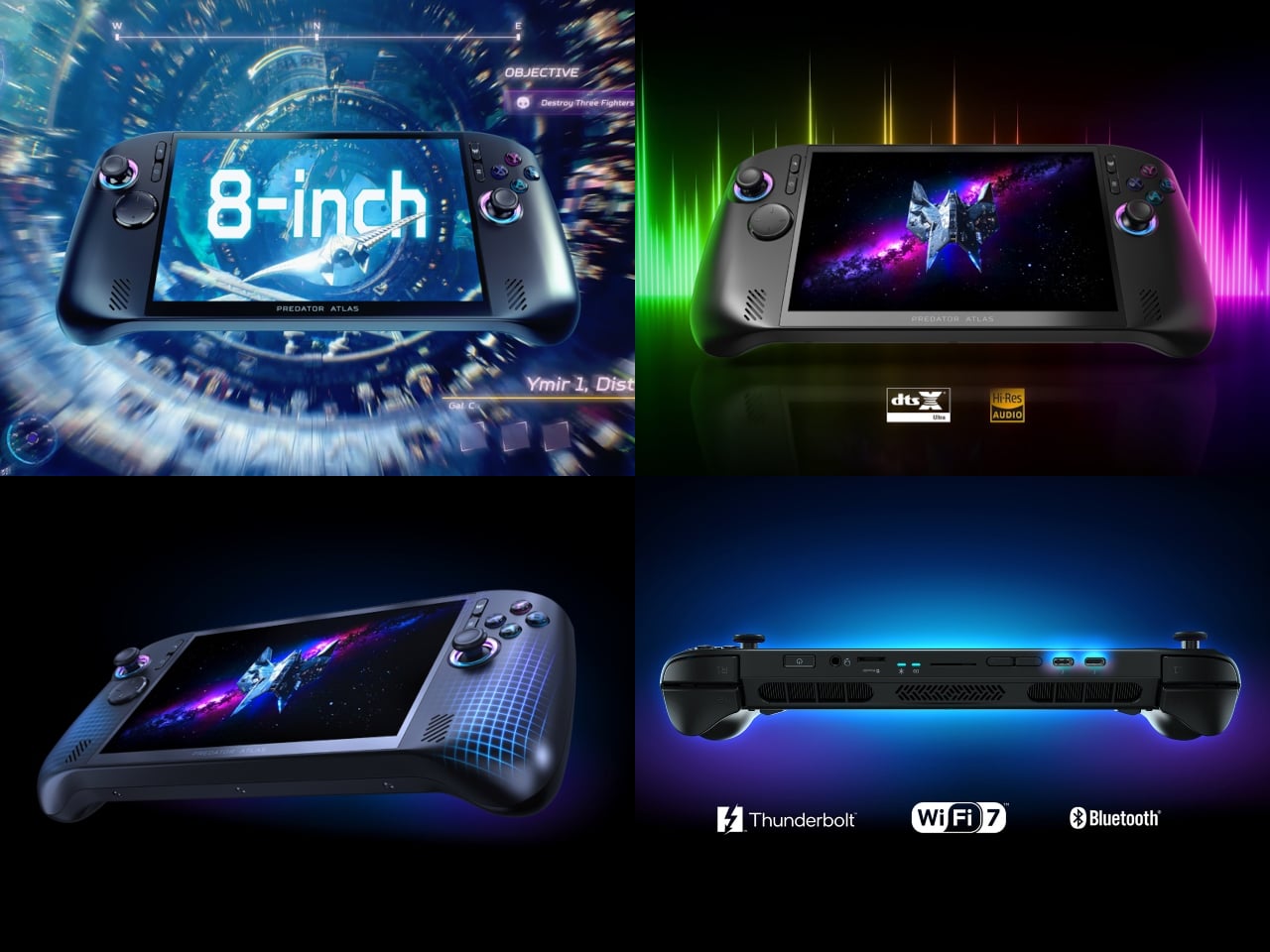
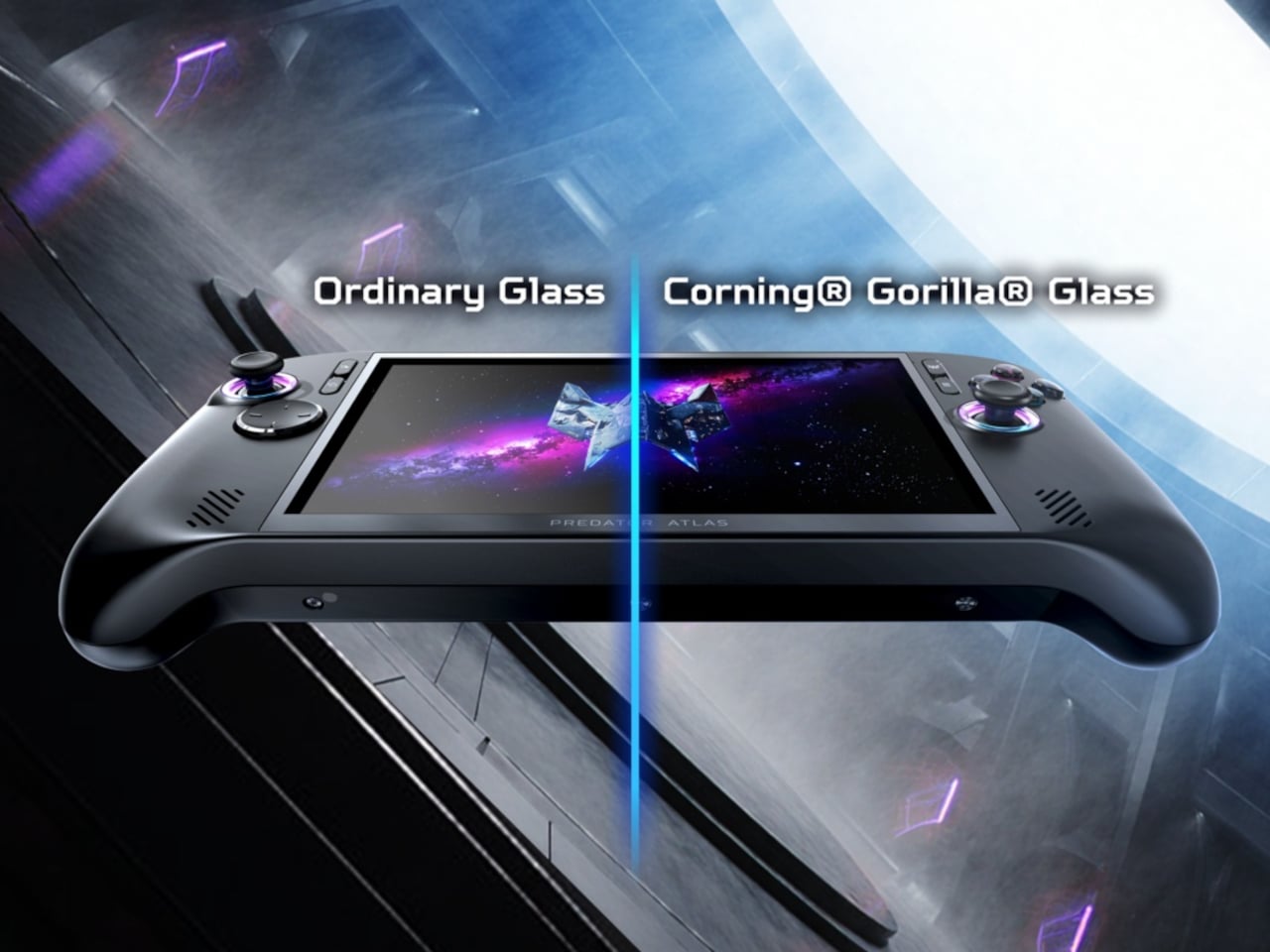
The display is a 16:10, 8-inch WUXGA panel running at 120Hz with Variable Refresh Rate (VRR) support and 500 nits of peak brightness. Corning Gorilla Glass Victus with DXC covers glare and scratch resistance for outdoor play. Audio runs through dual 2 W speakers with DTS:X Ultra, and dual microphones backed by Acer PurifiedVoice AI noise reduction keep voice chat clean even when the game gets loud.
The top configuration pairs the Intel Arc G3 Extreme processor with Intel Arc B390 graphics, adding ray tracing support and Intel XeSS 3 AI-powered upscaling to sustain high frame rates during heavy GPU workloads. Paired with an 80Wh battery and Intel Endurance Gaming, which balances frame rate against power draw dynamically, the Atlas 8 makes a credible case for longer sessions away from a wall without sacrificing visual quality.
The trigger system earns its own mention. A physical switch on each trigger toggles between two distinct response modes on the fly. Micro-switch mode provides an instant click suited to first-person shooters, while Hall-effect analog mode gives racing games and flight simulators the full pressure range they need. Switching between the two mid-session takes a moment, not a menu.
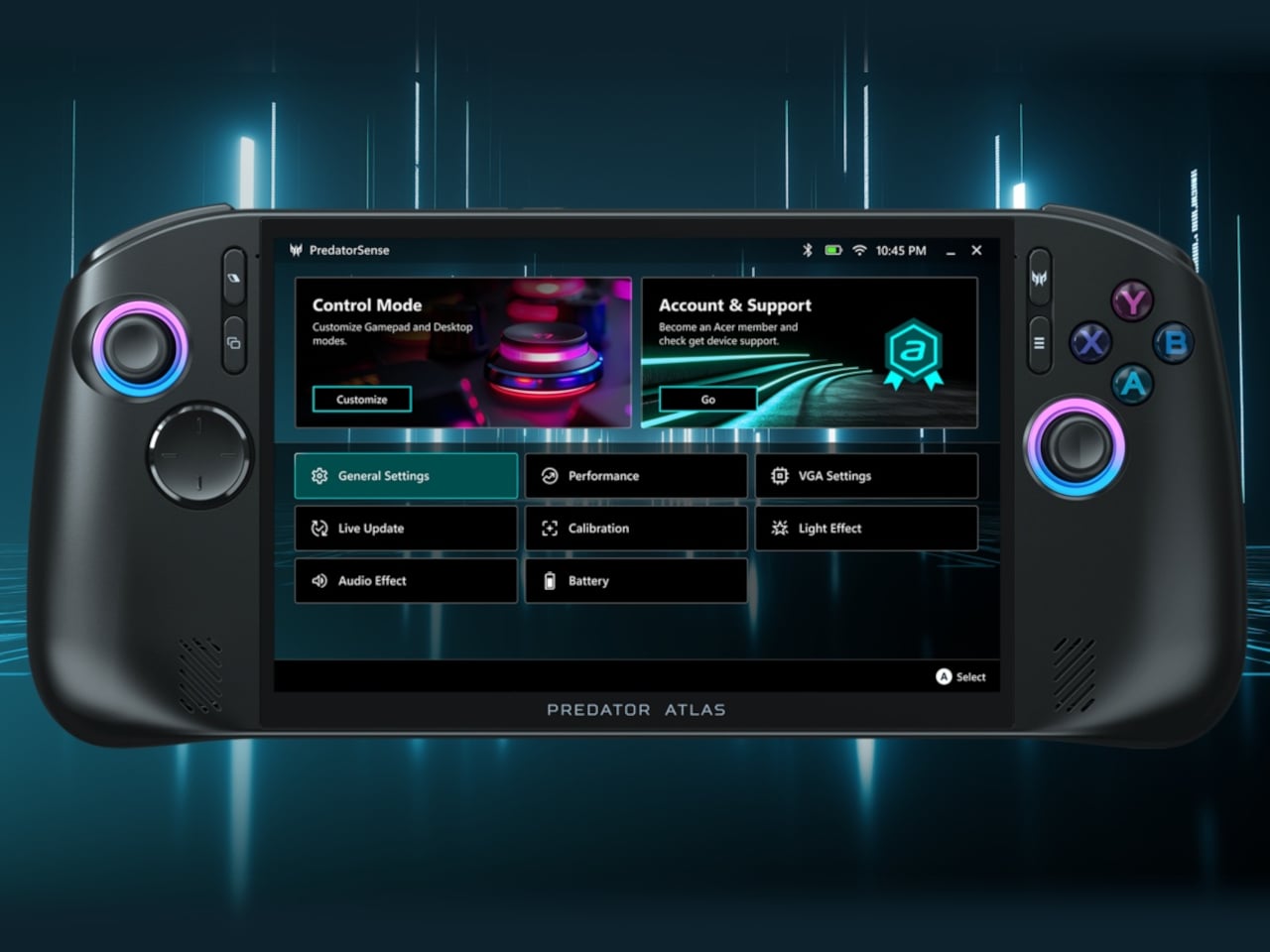
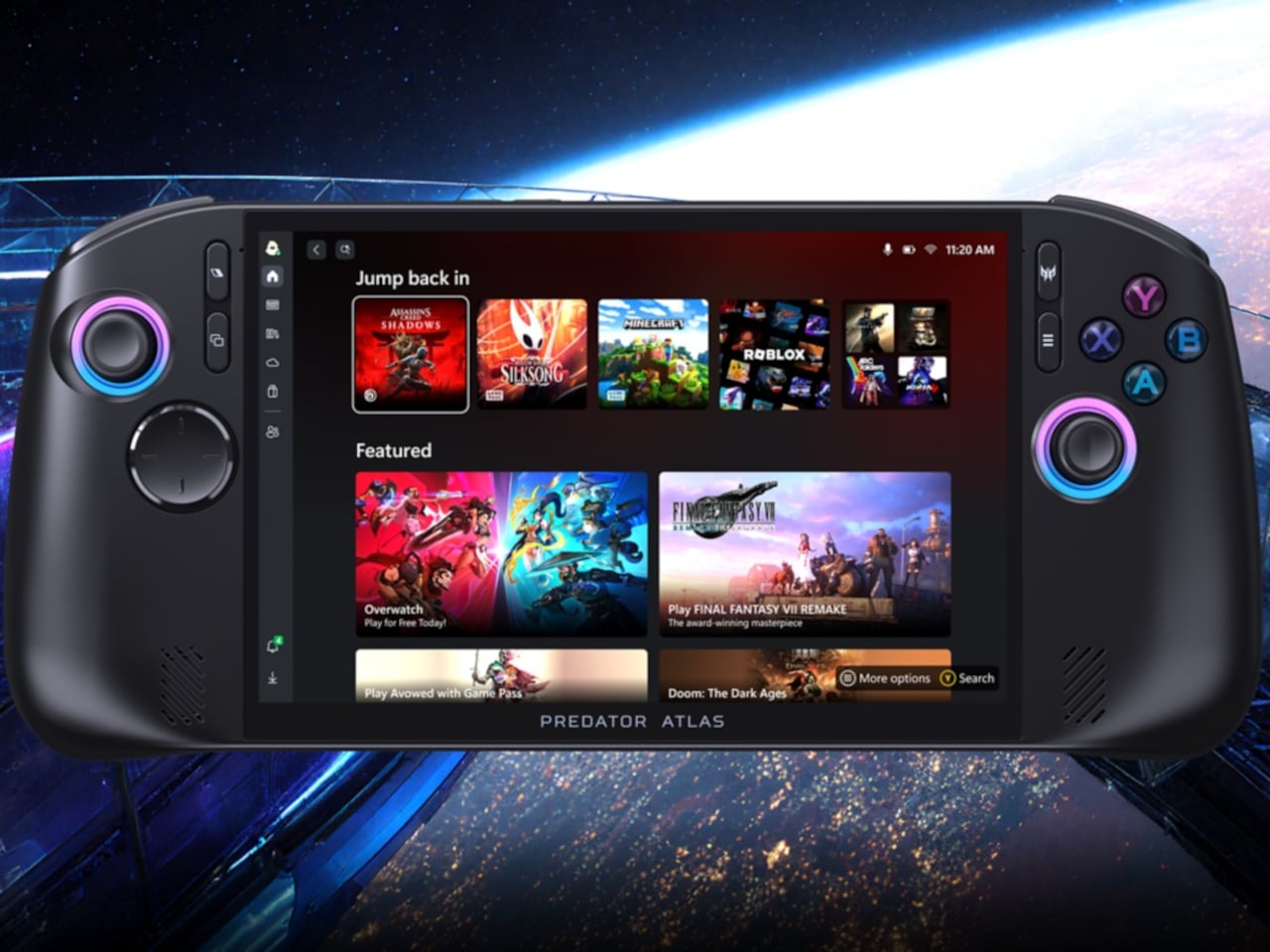
PredatorSense makes its handheld debut here, too. The app, which has been a cornerstone of Predator laptops for years, now sits behind a dedicated button on the device, bringing live system monitoring, performance modes, RGB lighting, and gameplay settings into one fast-access dashboard. XBOX Mode and an included XBOX Game Pass subscription reduce the friction of getting into a library of hundreds of titles from the first boot.
Memory reaches up to 24 GB of LPDDR5x, storage goes up to 1 TB via PCIe Gen 4, and the Atlas 8 weighs under 810 g with the larger battery. Dual Thunderbolt 4 ports, Intel Killer Wi-Fi 7, and Bluetooth 5.4 round out the connectivity. Pricing hasn’t been confirmed, but for a handheld that’s drawing from a decade of Predator laptop engineering, October 2026 can’t come fast enough.
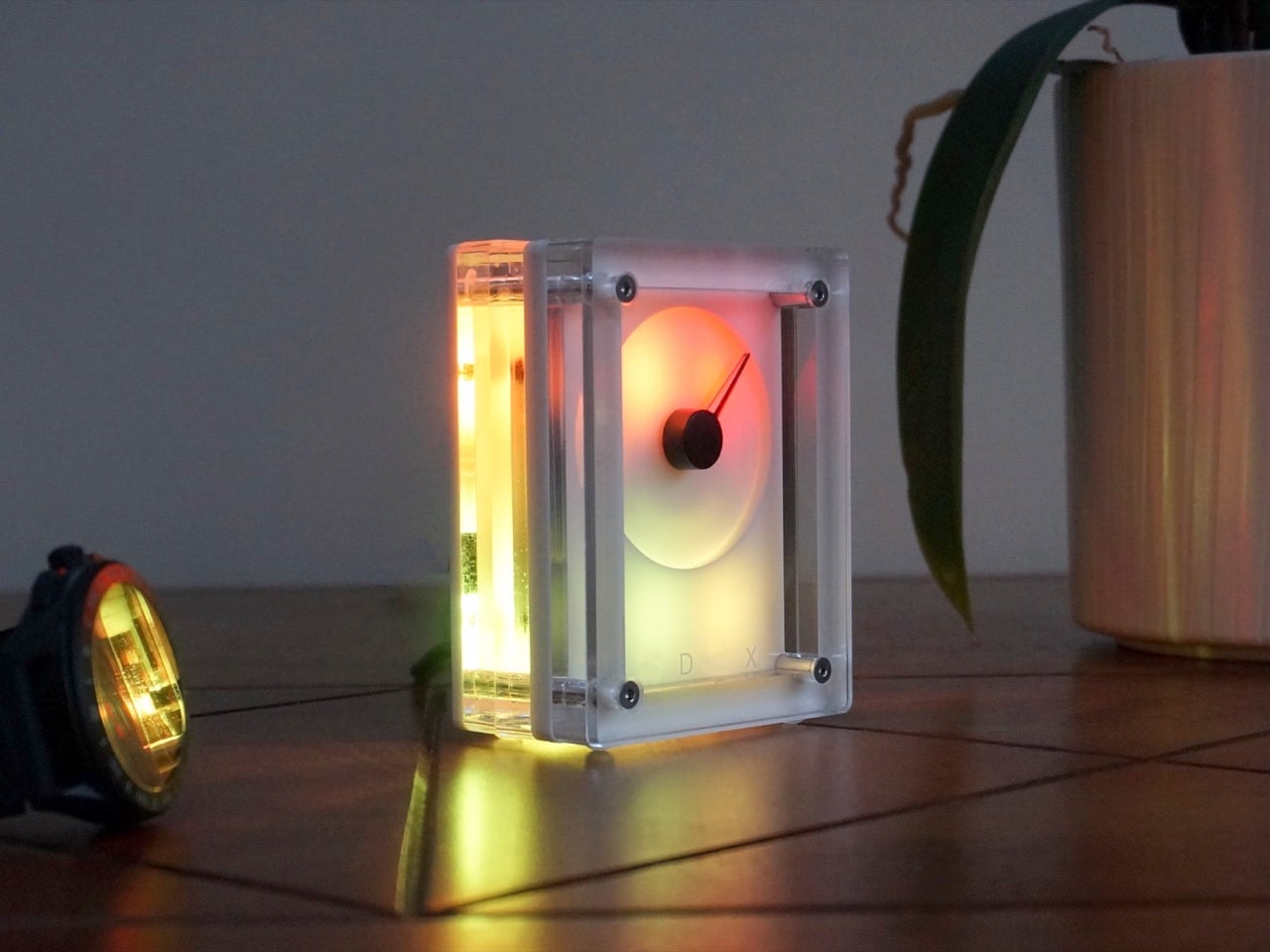
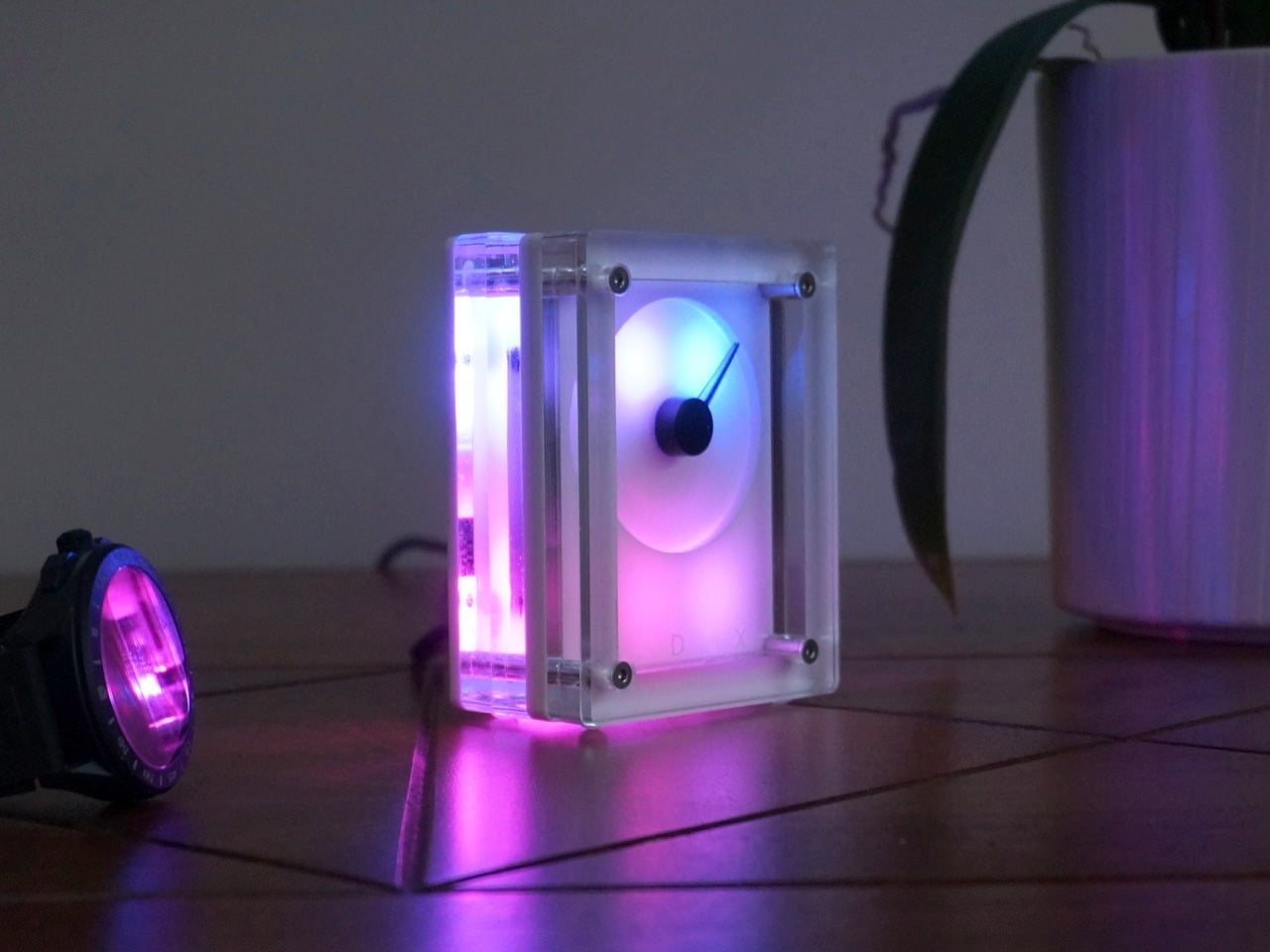
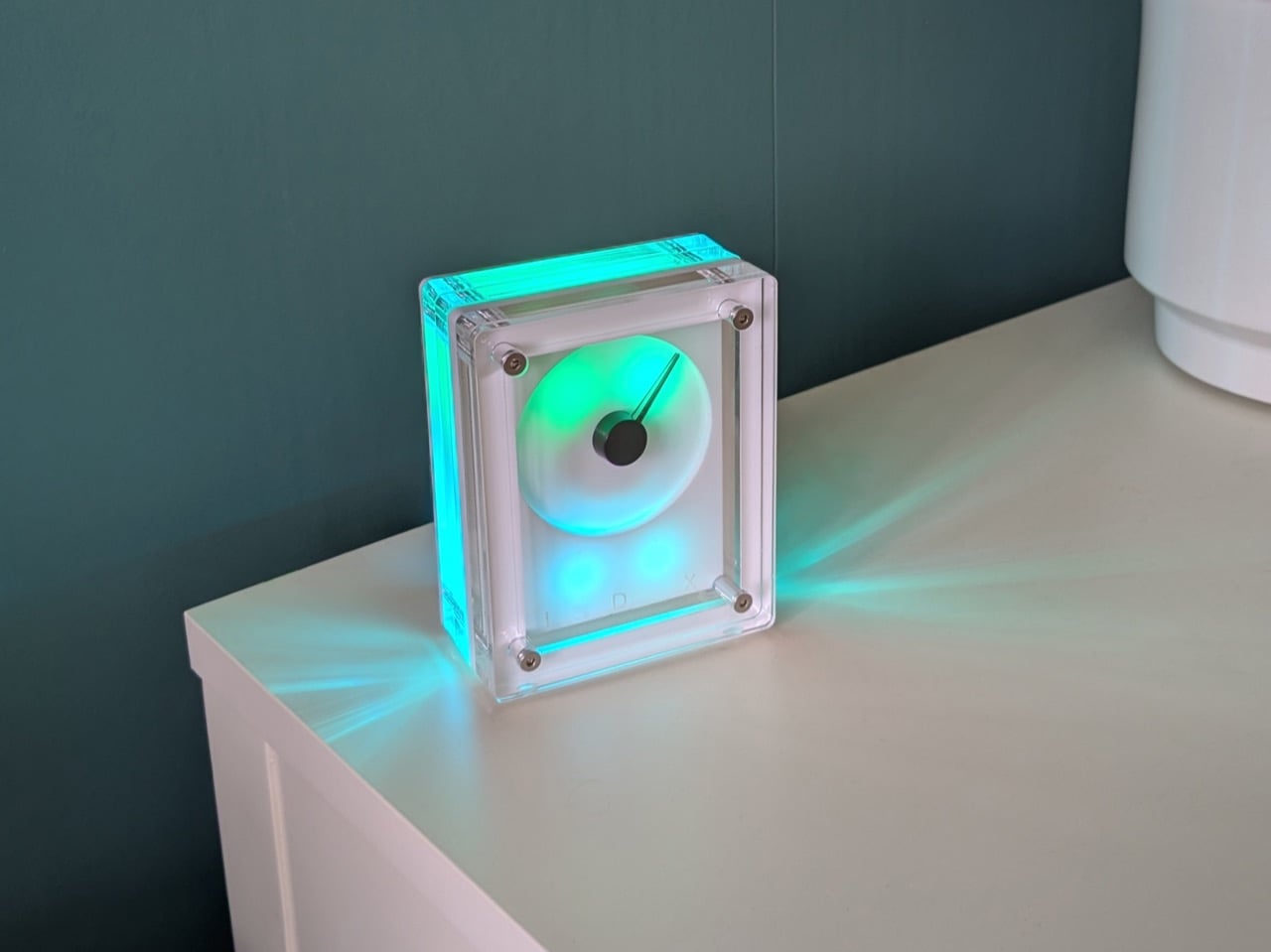
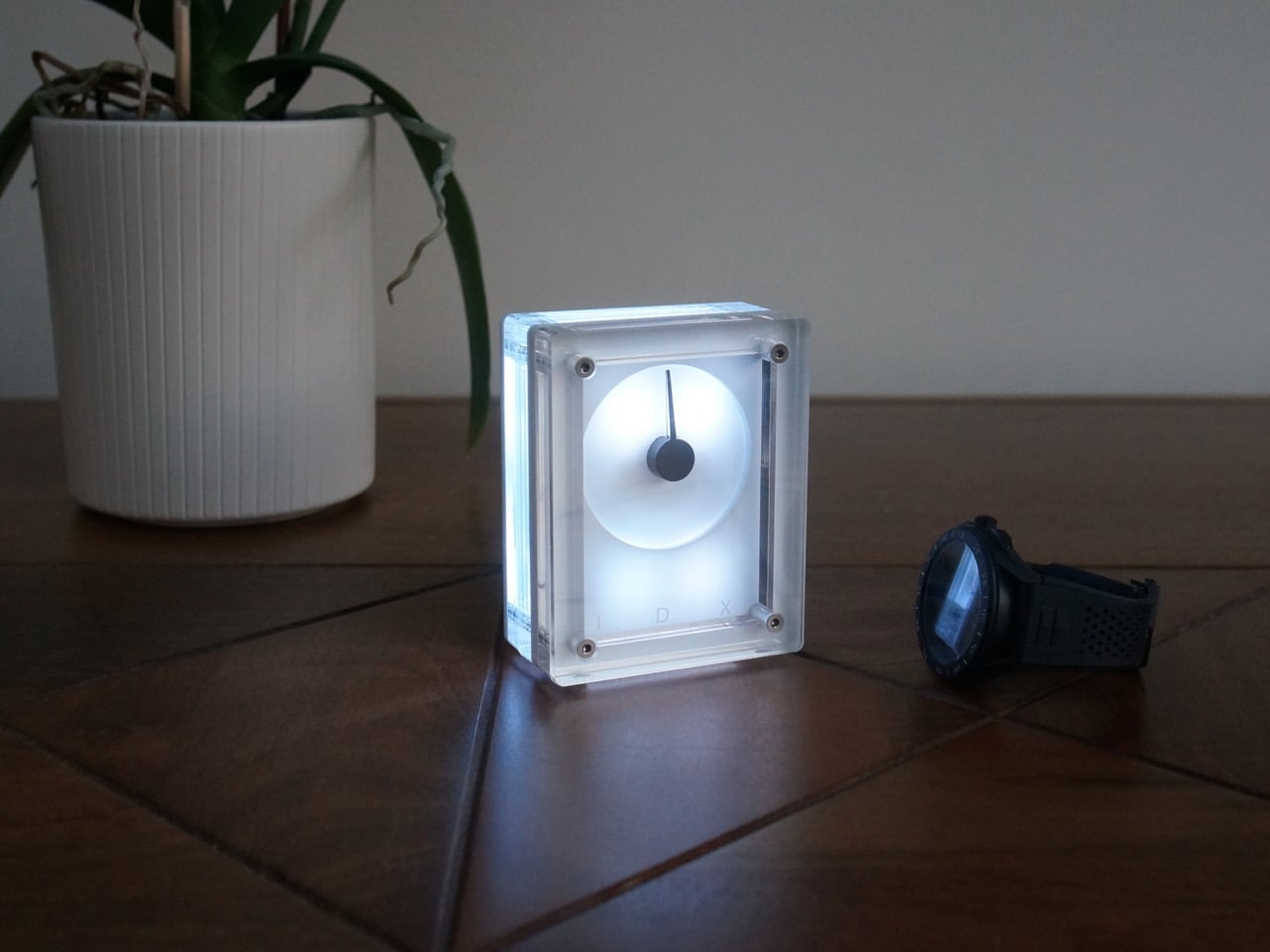
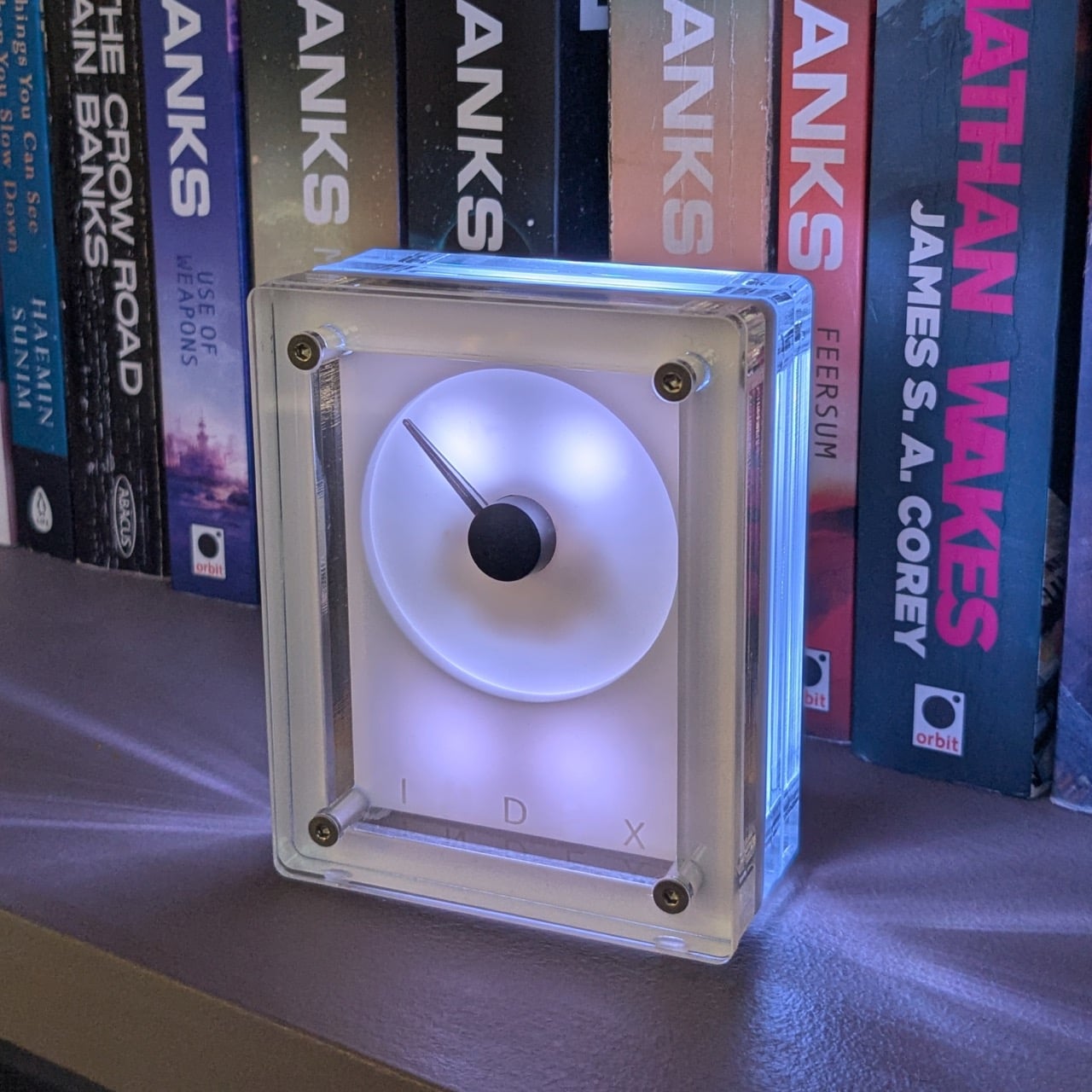
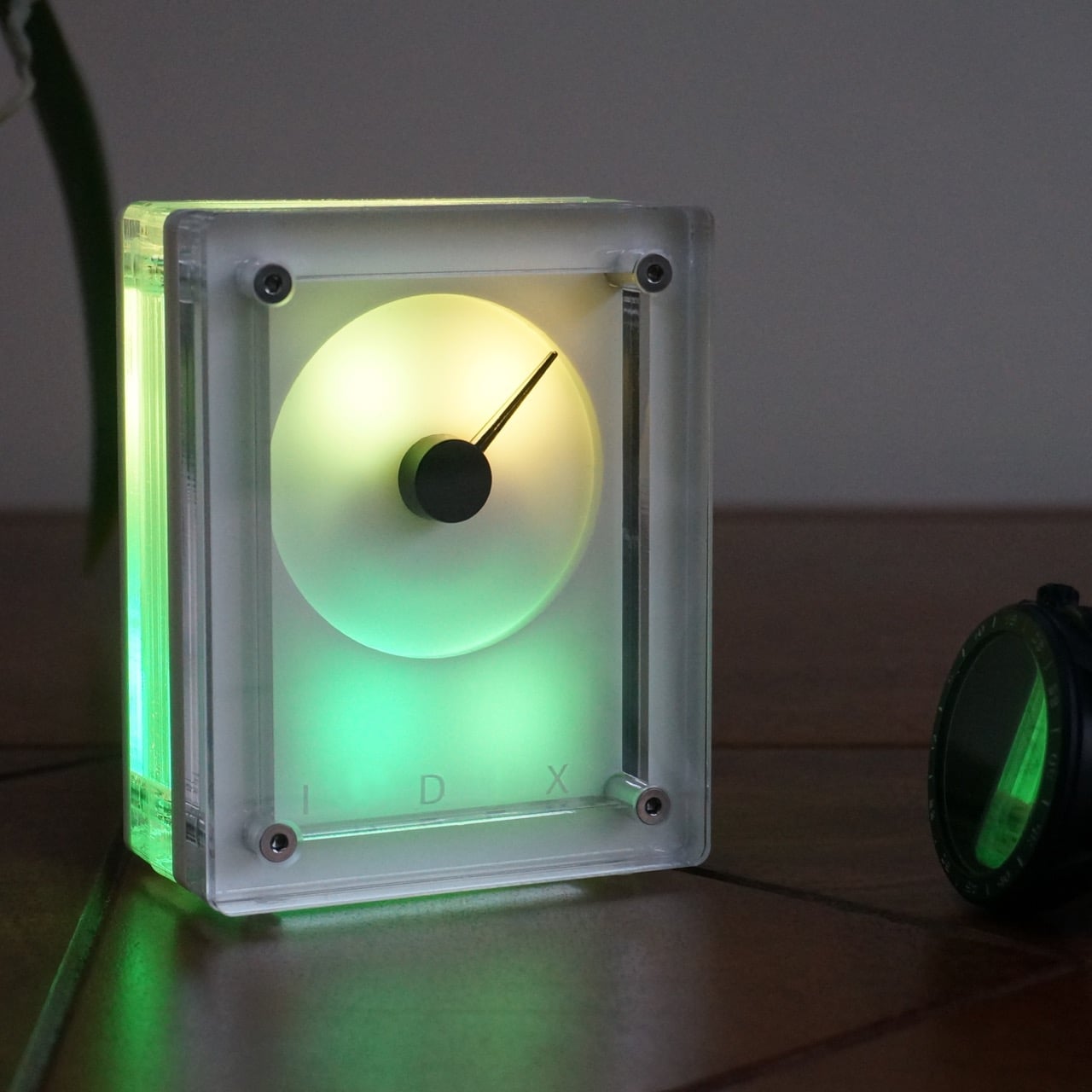
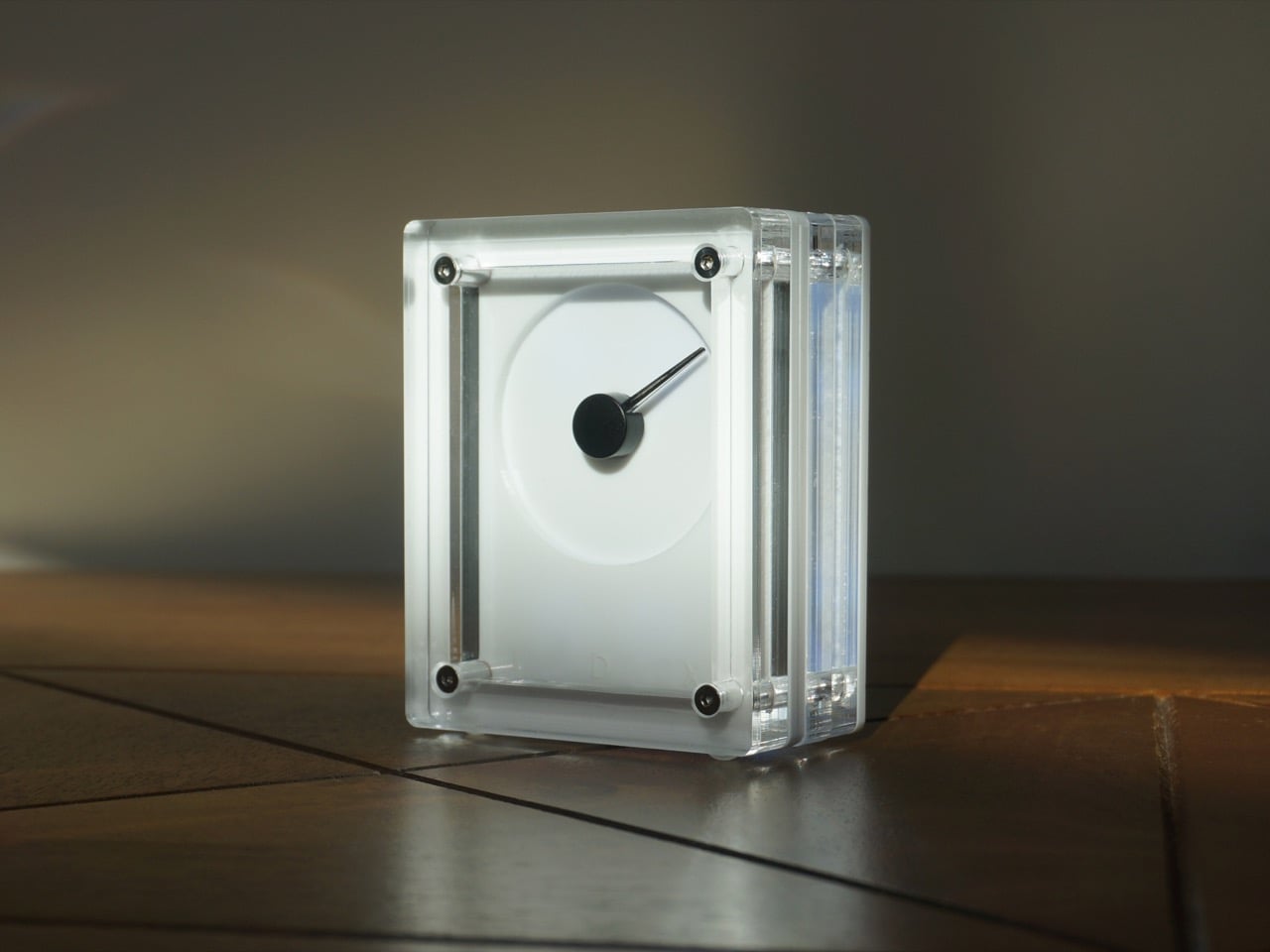
The seven-segment display has been doing the same job since the 1970s, and the LED ticker has been blinking its way across trading floors and departure boards for about as long. Both are functional. Both are also relentless. A new desk object from London’s Analogue Desk makes the case that live data can be delivered through something far more considered: a mechanical gauge needle sweeping across a frosted, unmarked dial, wrapped in a clear acrylic and stainless steel housing that looks like an object from a very good design showroom.
The IDX-1 connects via 2.4GHz WiFi and pulls live data from sources like crypto markets, stock indices, weather, and air quality readings. None of it surfaces as a digit or a scrolling value. The needle tells the story: centered means flat, a sweep right means a rise, a sweep left means a fall. For fixed-scale metrics like AQI or the Crypto Fear and Greed Index, the arc maps to a 0-100 range. There is also a Pomodoro mode, turning the gauge into a physical focus timer. Compact at around 80 x 100 x 40mm and hand-assembled in London, it is the desk piece that visitors consistently ask about.
The material choices are deliberate. Cast layered acrylic forms the body, with 304-grade stainless steel across the corner hardware and screws, giving the object a physical credibility that goes beyond what most desk gadgets aim for. LEDs embedded within push light through the entire transparent enclosure, illuminating the face while also diffusing color outward across whatever surface the unit rests on. The range of lighting modes covers a lot of tonal ground: a cool clinical white, vivid cyan, warm amber-orange that pools on the desk like a sunset, and a magenta-pink that shifts the whole object firmly into ambient sculpture territory. Being a boutique product, each hand-assembled unit carries a slightly unique character. An integrated Night Mode dials the intensity down on a schedule, so the glow fits the environment rather than fighting it.
Plug in the USB-C cable (included), join the IDX-1’s temporary WiFi portal from a phone, and configure the data source and lighting preference through a browser. Three steps, no app, no account, no code. Analogue Desk also provides a developer guide alongside the open platform the hardware is built on, leaving room for custom data sources and modified behavior without any gatekeeping.
Reddit’s r/IndustrialDesign settled on “a perfectly wonderful illuminating informational kinetic sculpture” as a descriptor, which manages to be simultaneously accurate and slightly unwieldy. That response makes sense when you look at the product: a desk object that quietly absorbs live data from the internet and expresses it through the sweep of a needle, glowing with shifting color, and built from materials that reward a closer look. The concept sits squarely in the calm tech tradition, where information lives at the periphery of attention rather than demanding the centre of it. The IDX-1 lands in a gap that the seven-segment display and the LED ticker left wide open.
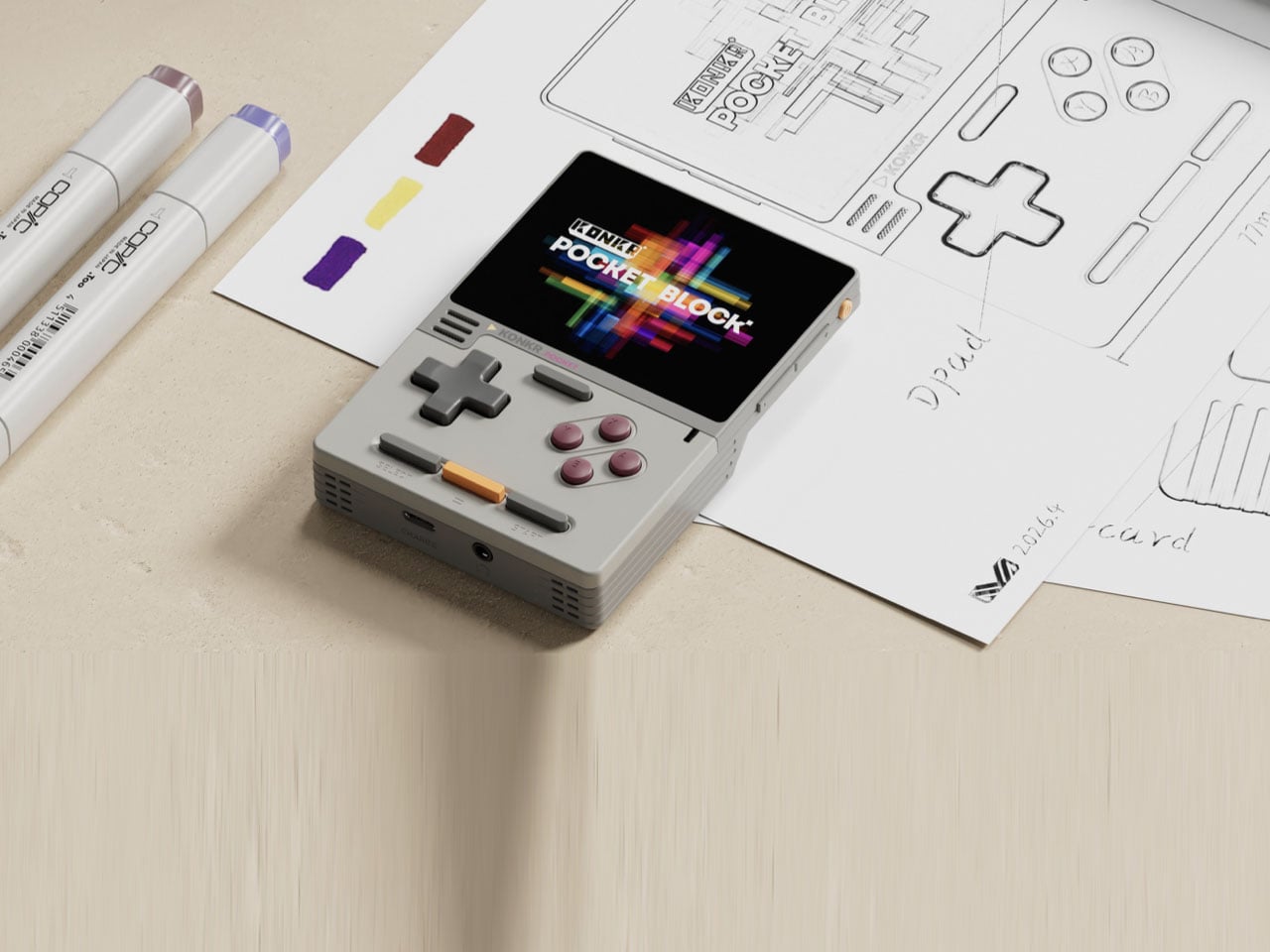
Ayaneo has steadily built a name for itself in the premium handheld arena with devices that can play anything from an indie title or an emulated game to a demanding AAA PC ported title. More recently, the brand has branched into the more budget section of the gaming industry with the sub-brand KONKR. Targeting gamers who want to enjoy casual gaming on the go, the Windows-powered KONKR Pocket Fit and the KONKR Fit Elite hit the sweet spot of affordable price and the meat you get for it as far as performance is concerned.
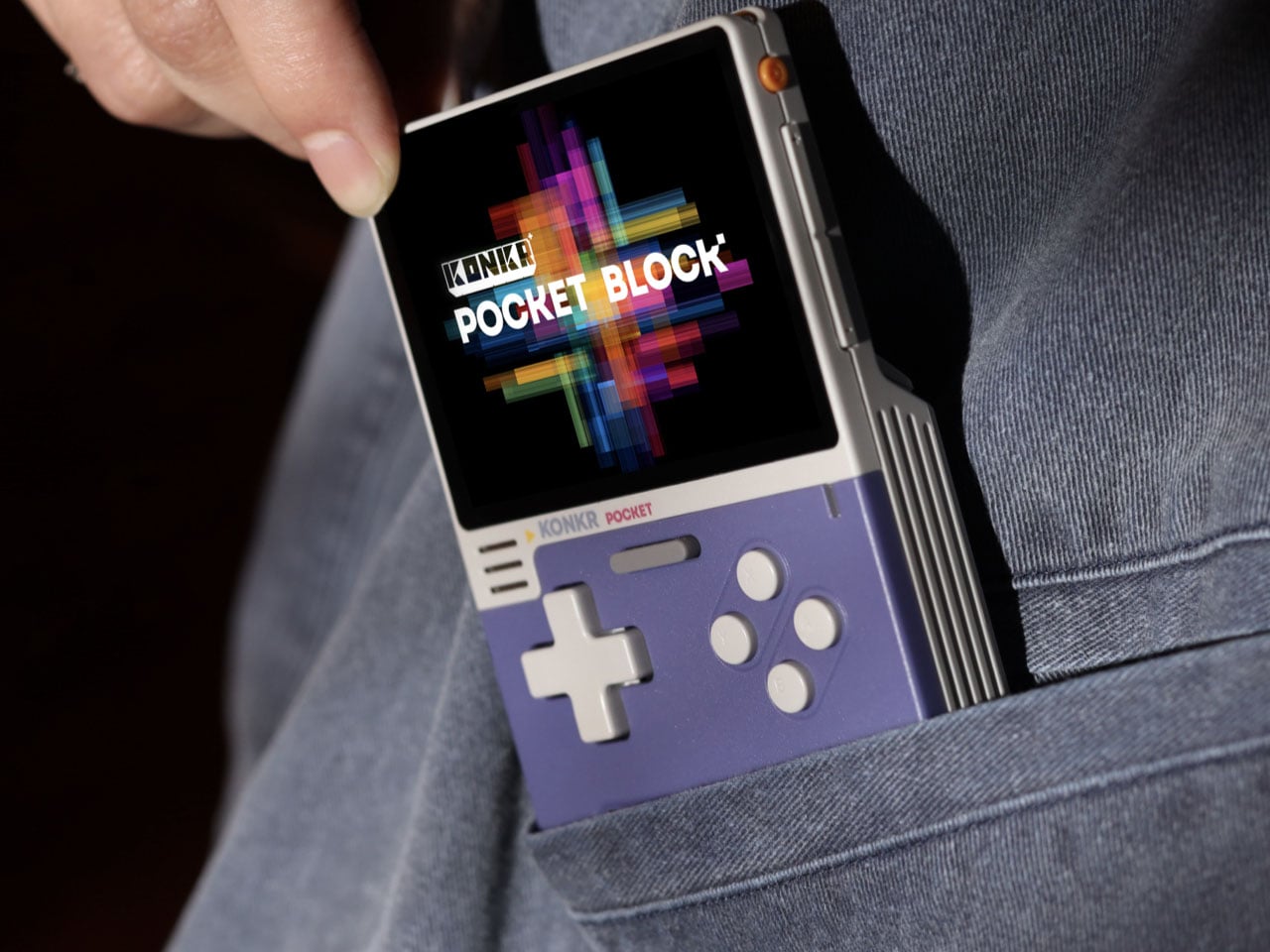
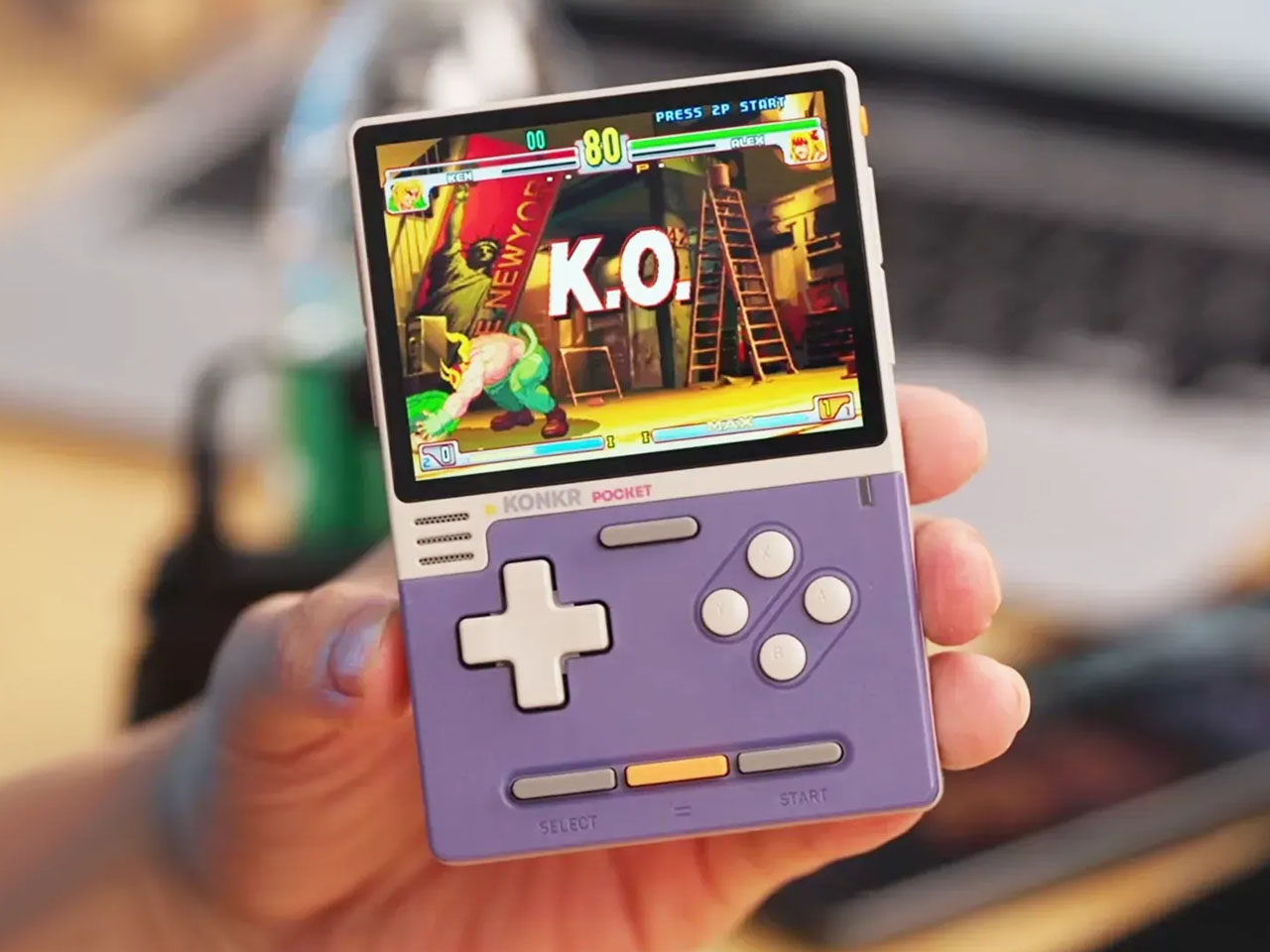
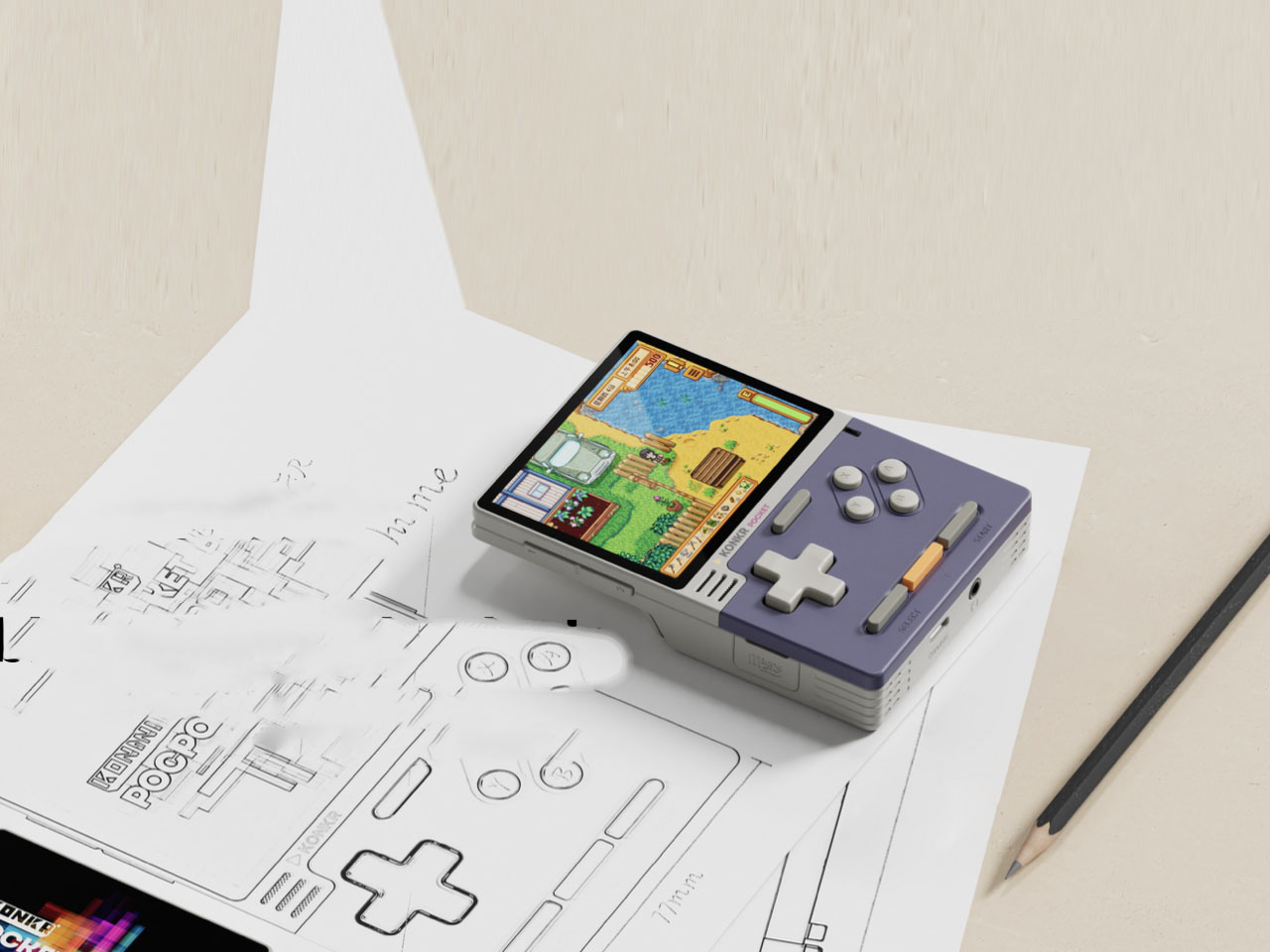
The portable gaming expert has now come up with the KONKR Pocket Block AI handheld, which has been lurking in the cloud for quite some time through leaks and rumors. The vertical configuration handheld touted to be the world’s first AI-powered portable gaming device has the telltale Game Boy vibes with its cyber-inspired design and retro aesthetics.
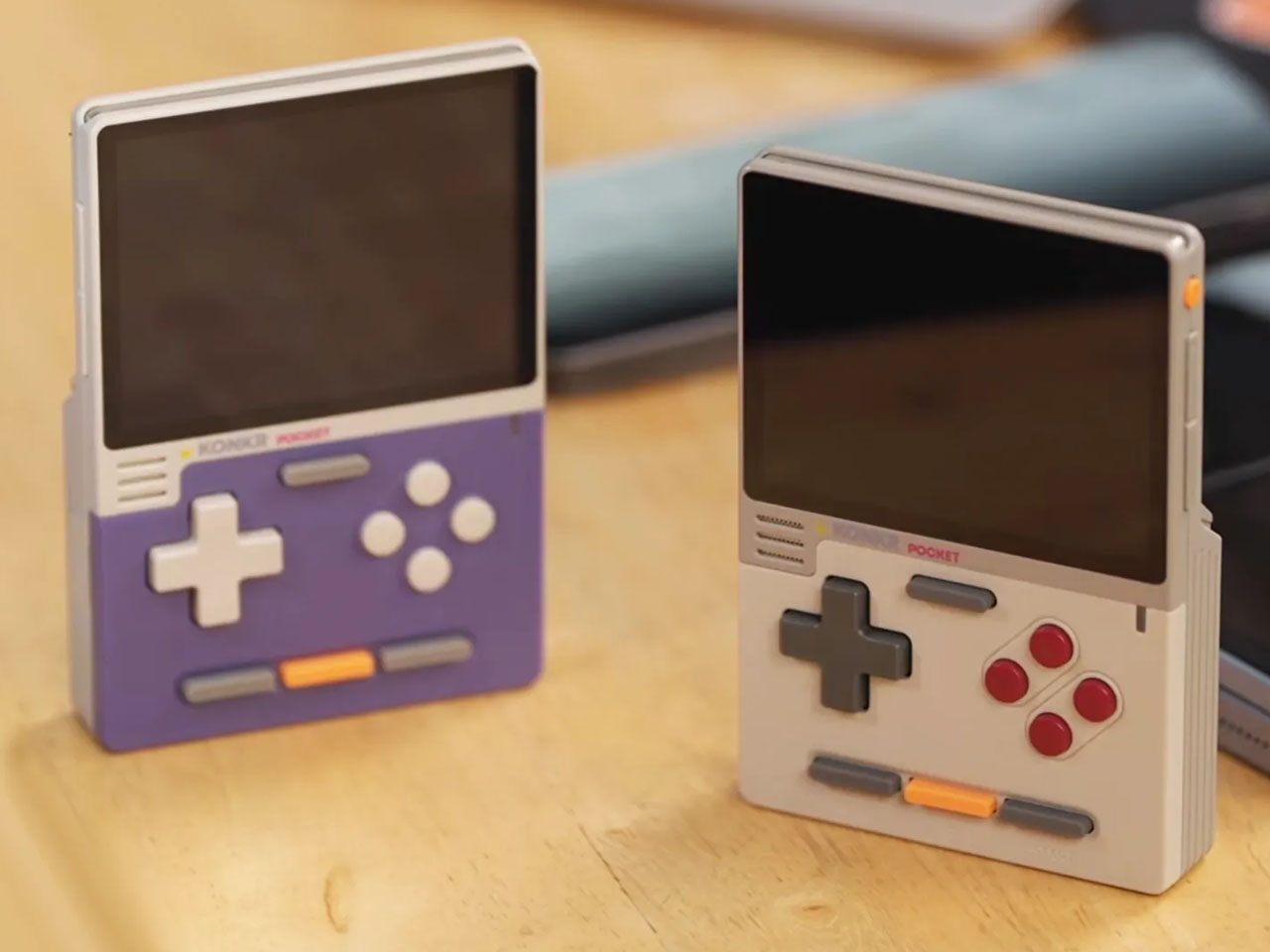
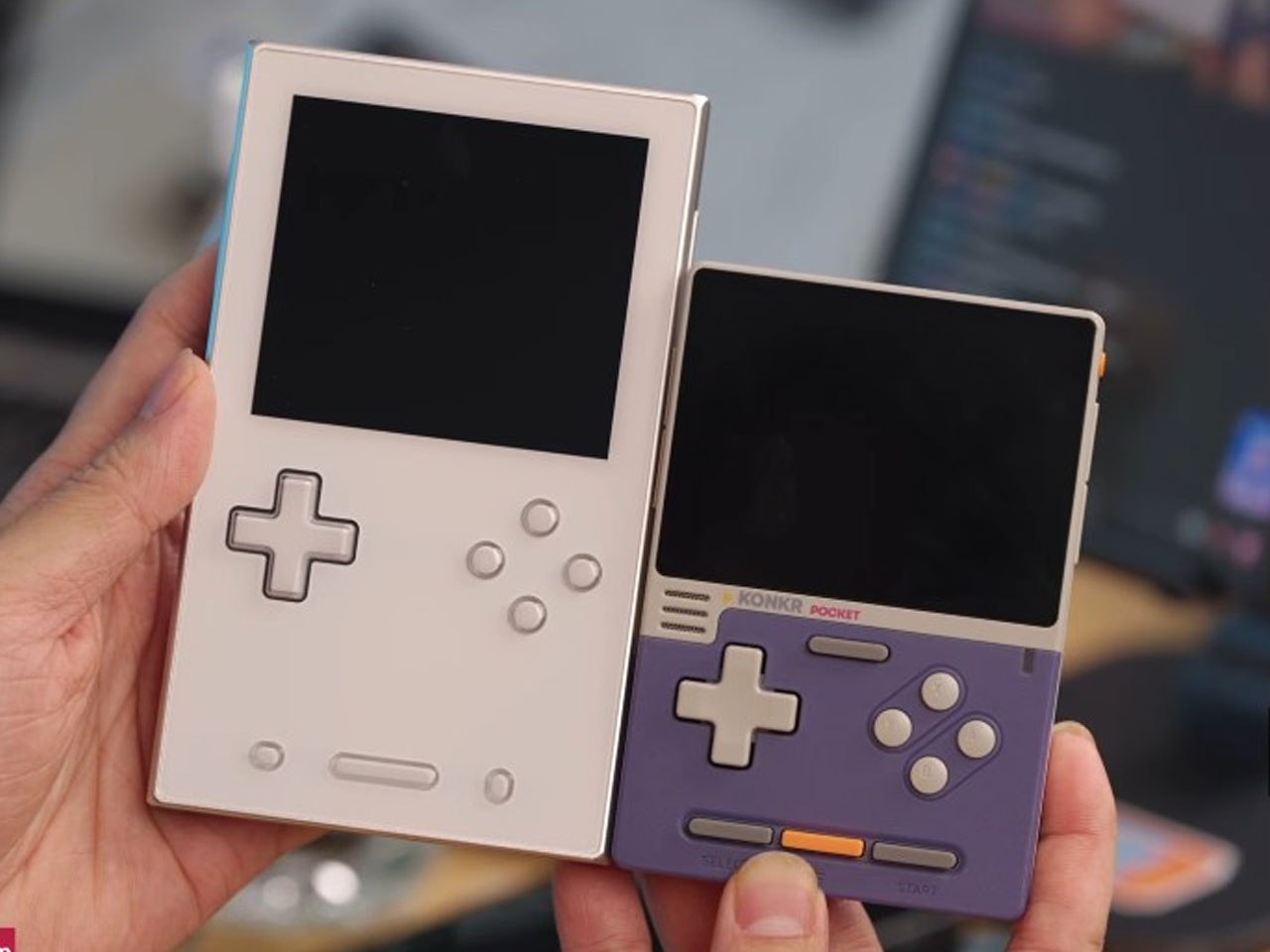
It all started with the leaked manuals of the handheld under the main brand, but eventually the device got leaked under the KONKR sub-brand. The handheld is slated to be released in two color options – one of which will have the Game Boy DMB-inspired hues, while the other has a pastel purple body panel contrasted with the off-white to replicate the late 90s and early 2000s electronic influences. The buttons on both are also color-matched as the former has a combo of grey, red, and orange, while the latter sports grey, white, and orange combos.
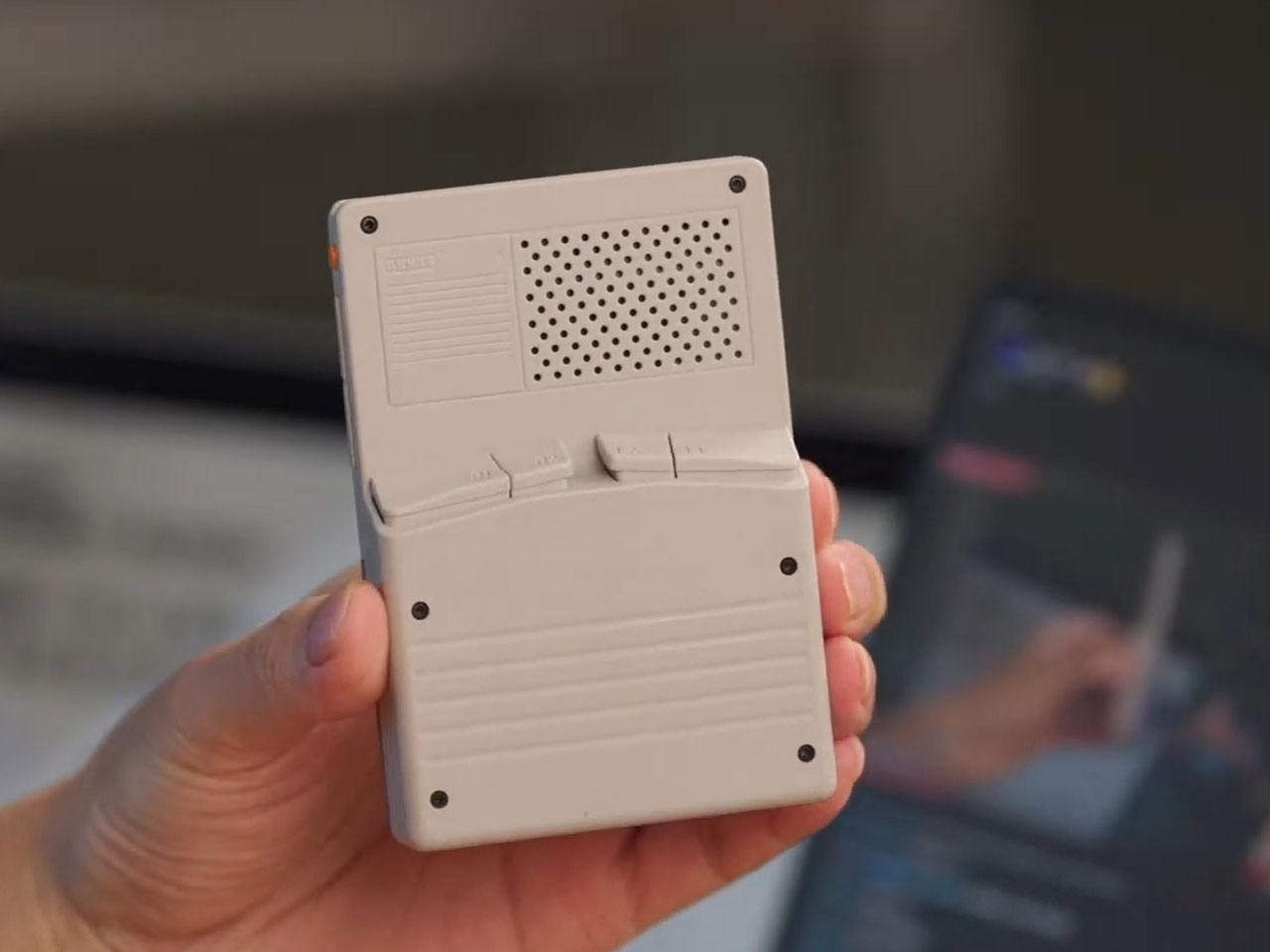
Although Ayaneo hasn’t revealed much about the specifications, the pocket-friendly handheld seems to have a 3 to 3.5-inch display. That puts it flush in competition with the Anbernic RG series and the Retroid Pocket Classic. The handheld was teased during the livestream event, alongside the Pocket AIR Mini handheld that comes with licensed IGS arcade games. Going by what’s seen in the earlier leaked images and the official livestream, the handheld comes without any analog sticks, has a 3.5mm port at the bottom, a front-facing speaker, ventilation on top to keep things cool, and a microSD card slot on the left. A closer look also reveals the presence of a plastic body, which is obvious given that the Pocket Block AI comes under the KONKR moniker.
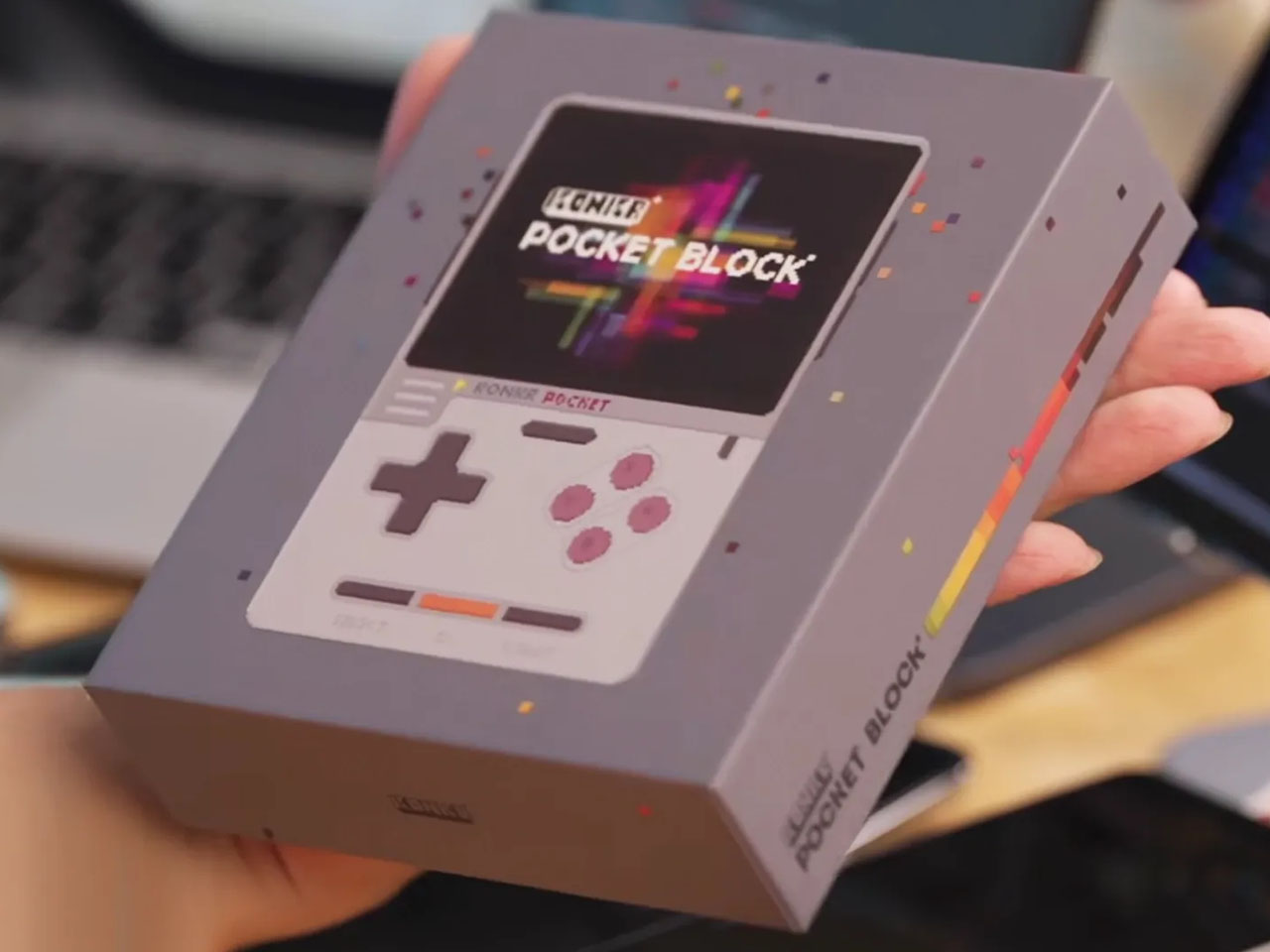
Previous leaks hint at a 3,500mAh battery powering the handheld with the 10W wired charging ability. If that’s true, given the compact size of the device, it is quite impressive. There’s no word on the pricing or the release date, but going by the leaked packaging images that look almost finished, the handheld should be official anytime in the coming weeks. The expected price tag for the KONKR Pocket is going to be around $150.
Most projector makers treat audio as an afterthought. Slap a single speaker somewhere on the chassis, call it Dolby-something, and move on. Soundcore, being a company that lives and breathes audio hardware, looked at that approach and decided to do something architecturally different with its first proper budget projector, the Nebula P1i.
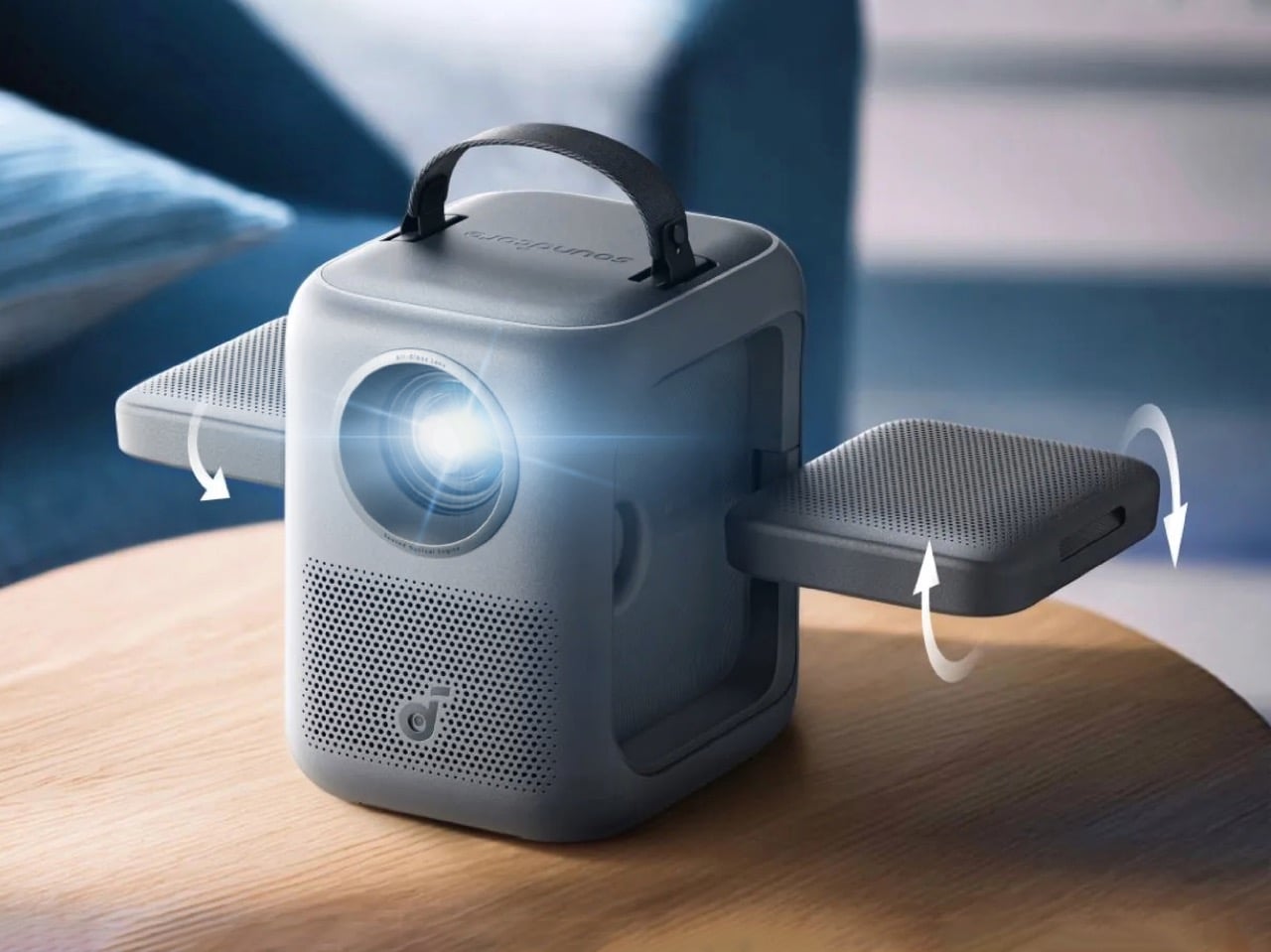
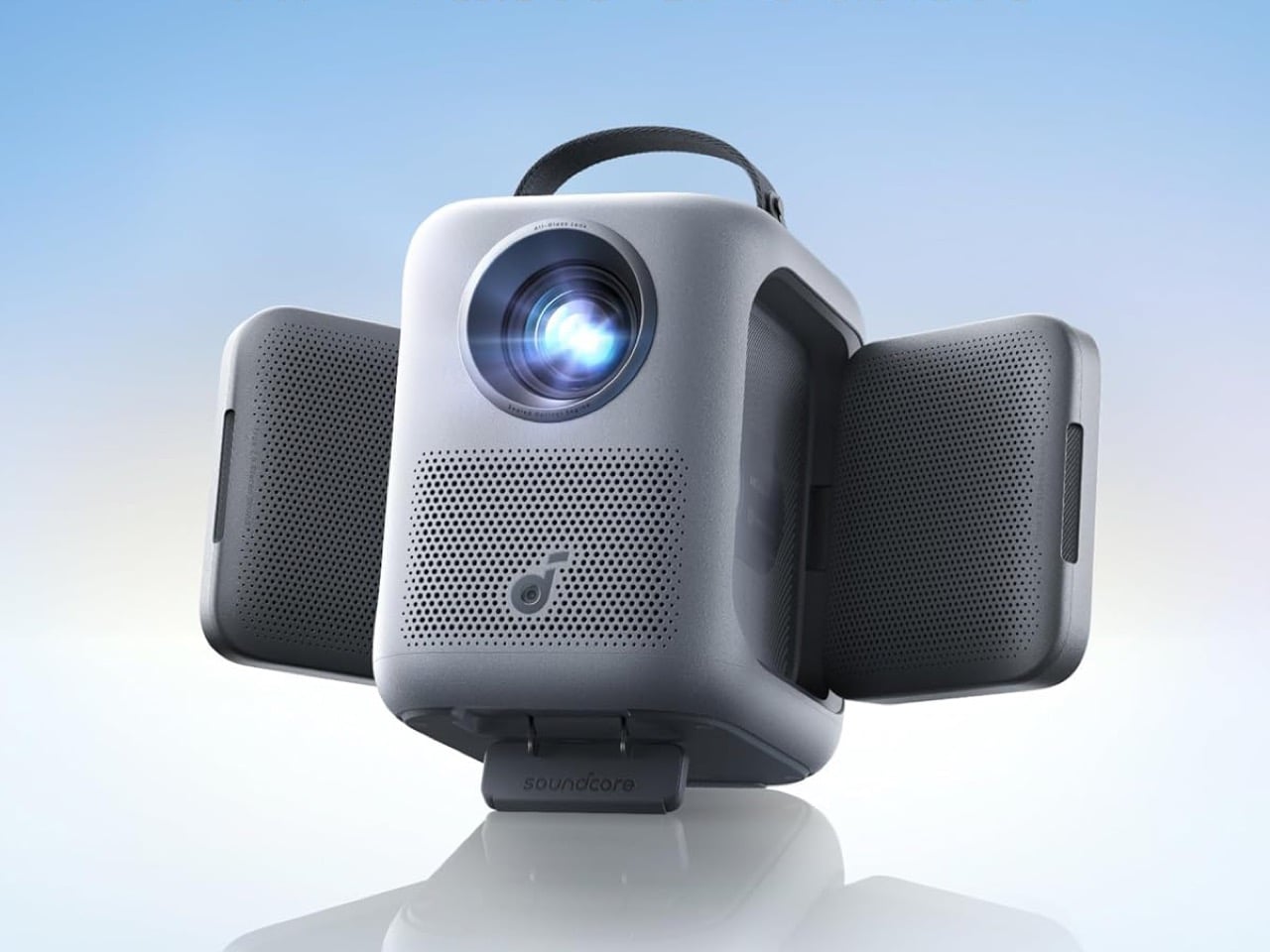
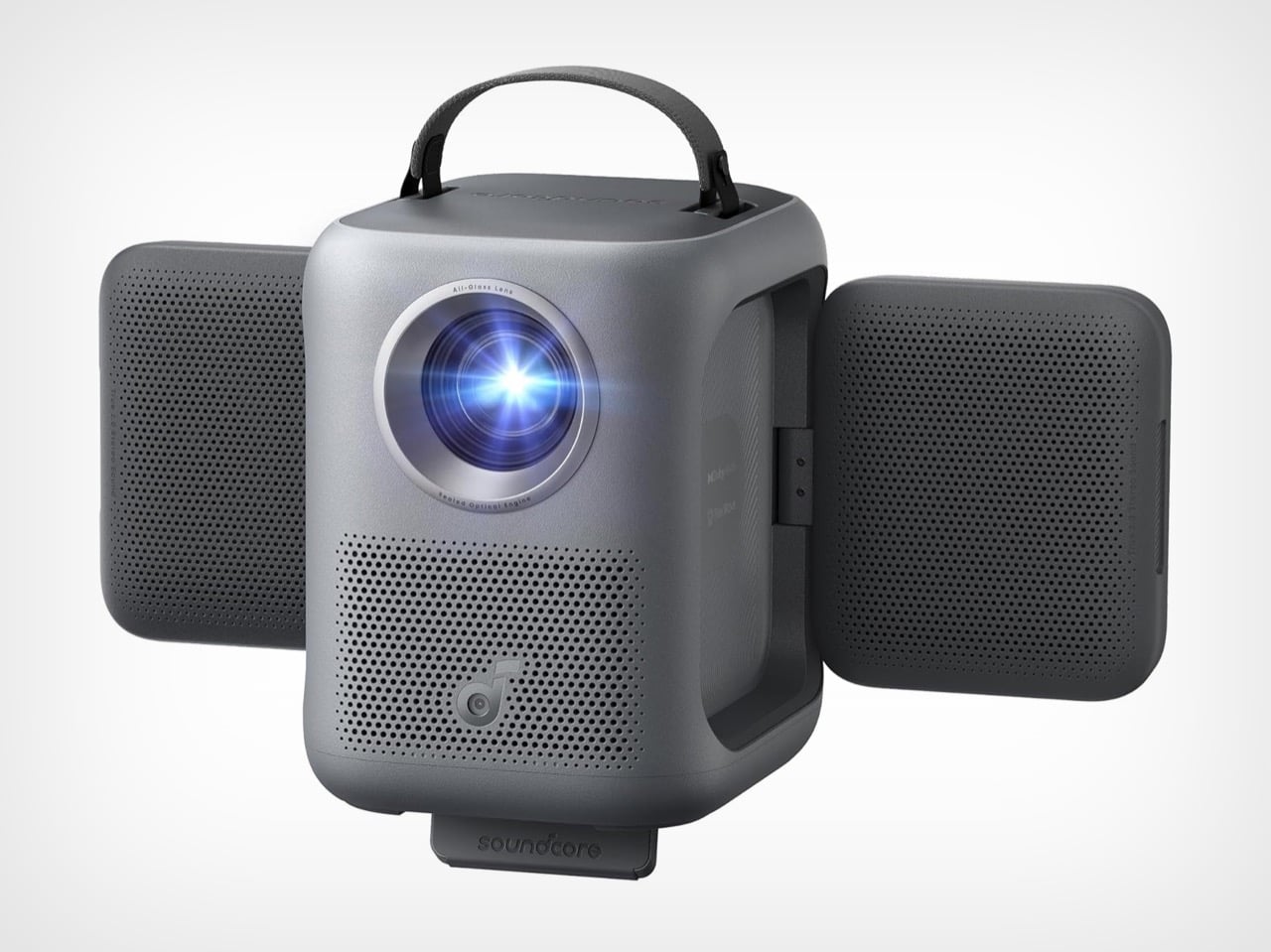
What came out of that thinking debuted at CES 2026 for $369, and it carries a feature Soundcore is billing as a world first: flippable speakers. Two 10W drivers are physically hinged into the projector body, fold outward, and swivel in two axes so the sound follows your seating position rather than pointing at whatever wall happens to be closest. It sounds like a gimmick until you realize how consistently every other projector in this price range gets the audio completely wrong.
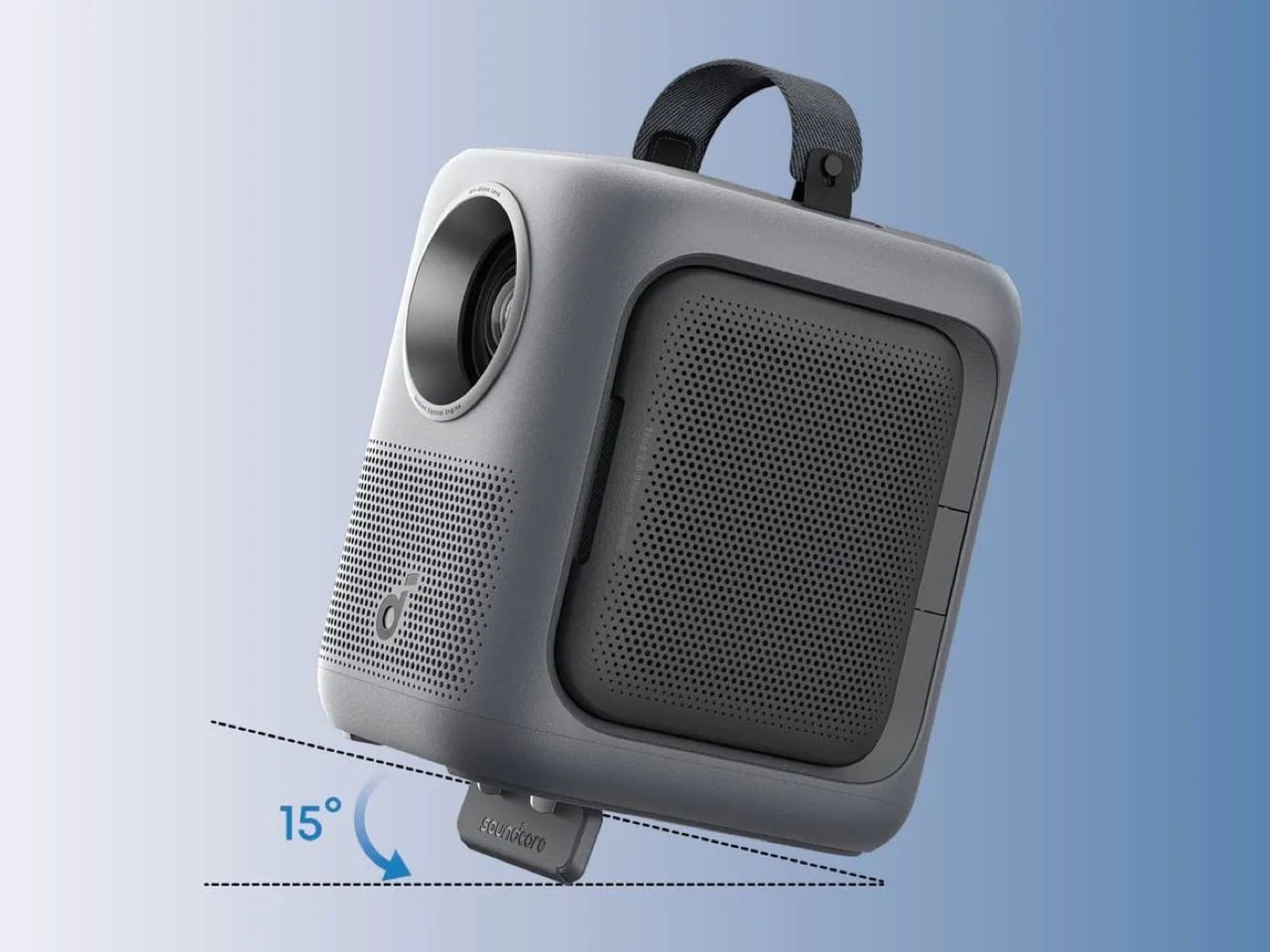
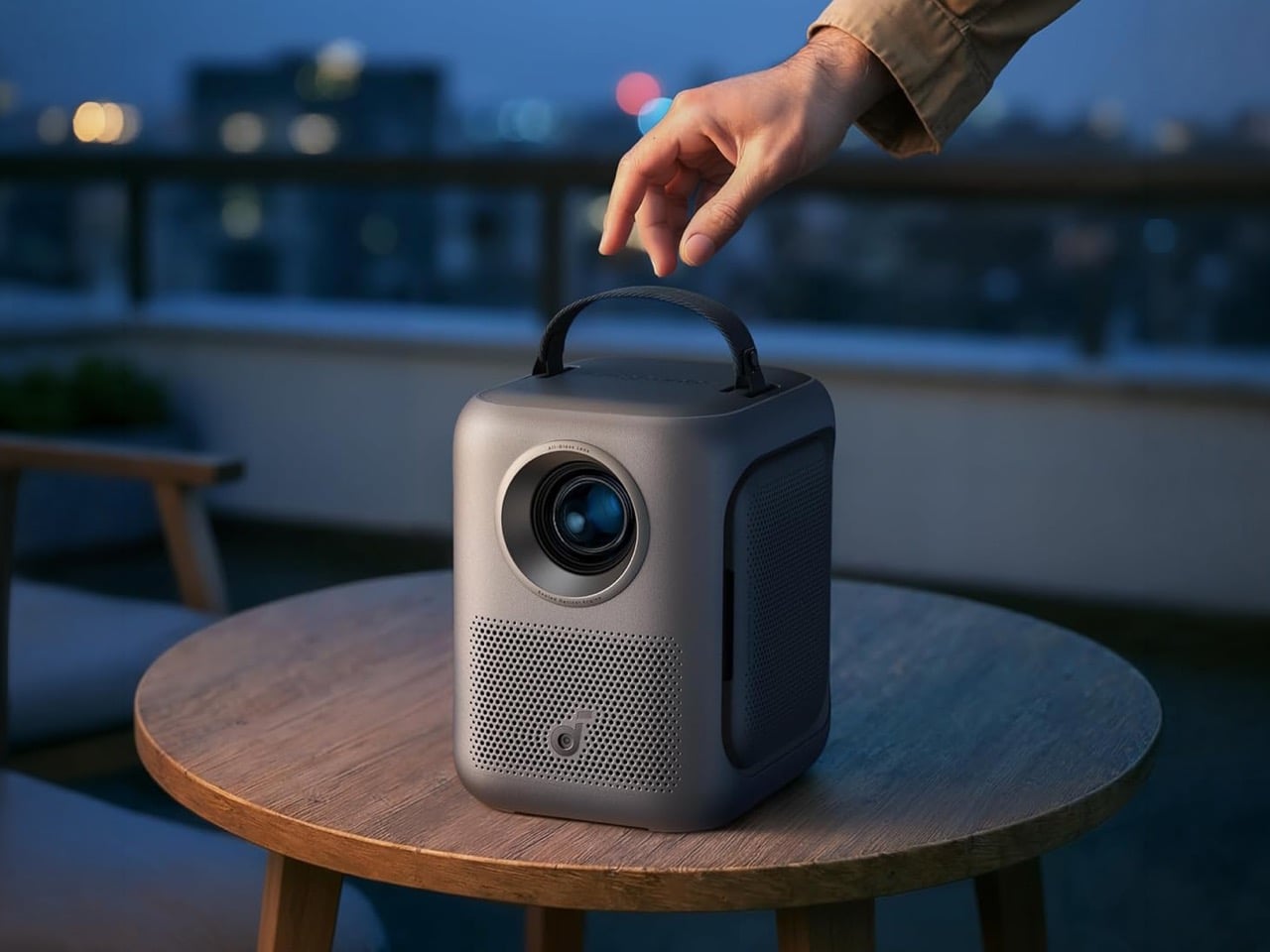
The device’s standout feature is its two hinged speakers that unfold from each side, and the result gives the projector a silhouette that feels more like a small satellite than a conventional home theater device. Each driver rotates 90 degrees side to side and 200 degrees up and down, so the sound follows your vibe regardless of where the projector is physically sitting. Fold them flush and the P1i looks like any other compact projector. Deploy them and the thing suddenly has ears, which, for a Soundcore product, feels exactly right. At 8.9 x 7.2 x 8.0 inches and just five pounds, it perches on almost any surface and travels easily by the soft handle on top. That handle is a small detail that matters more than it sounds when you’re moving the unit between a bedroom, a living room, and a backyard in the same evening.
For its $369 price tag, you get a native 1080p panel outputting TÜV-certified 380 ANSI lumens, and an all-glass lens combined with a fully sealed optical engine that resists dust and the focus drift that plastic lenses develop as they heat up over time. In a dark bedroom, colors come out surprisingly accurate for an LED projector, and the sealed optics keep the image consistent across long sessions. The brightness ceiling is real, though. Step outside before sunset or flip on a lamp and the picture washes out quickly, which puts the P1i firmly in the category of a dark-room machine. That’s not a unique limitation at this price, it’s basically the cost of admission for any projector south of $500.
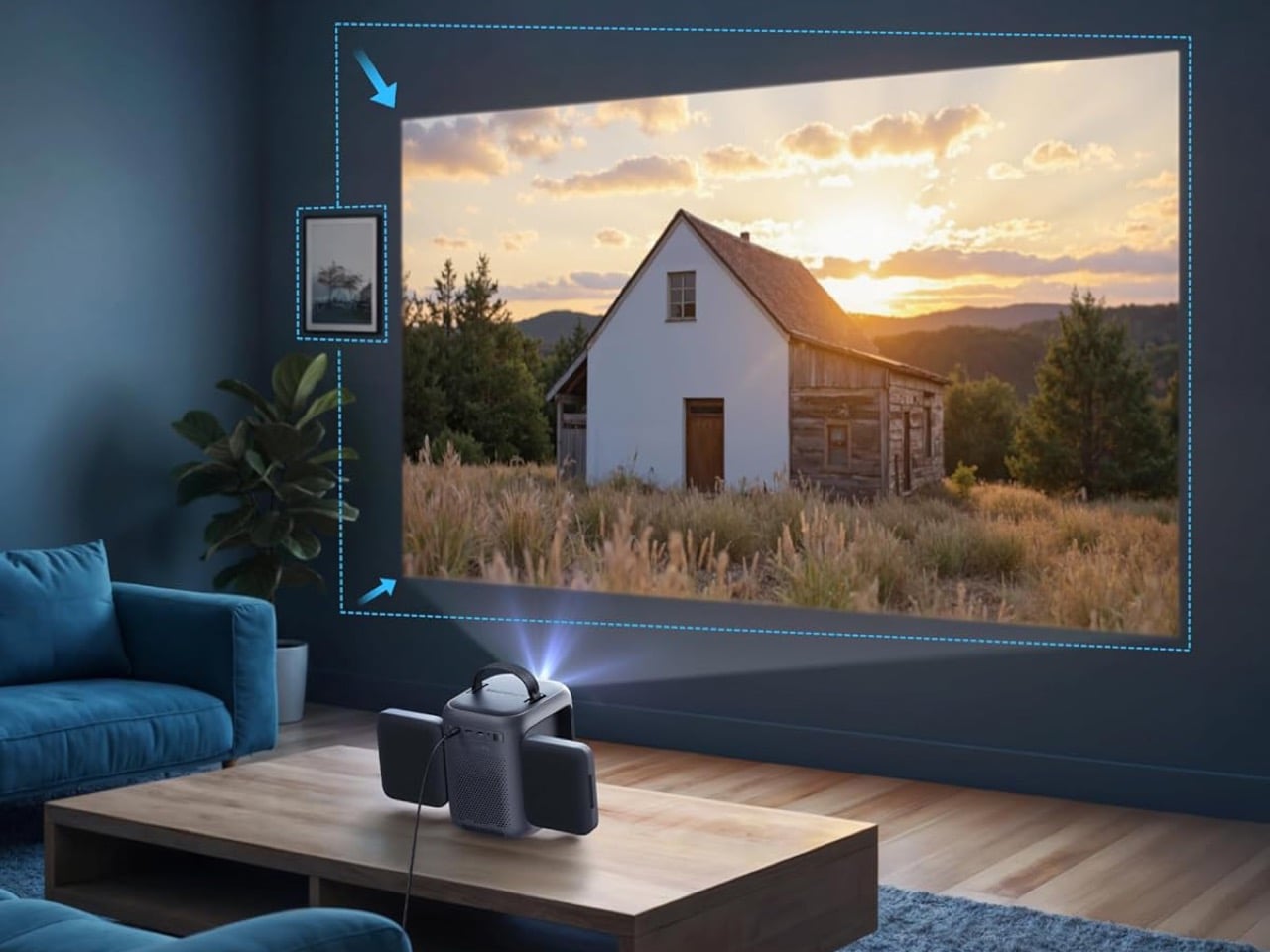
Anker’s Smart Instant Setup handles the initial configuration, featuring IEA 3.0, which handles autofocus, keystone correction, obstacle avoidance, and screen fit the moment you point the unit at a wall. Google TV runs the software side, bringing native Netflix certification, YouTube, Prime Video, and the rest of the streaming stack without a dongle in sight. The one gap that stings a little is the absence of a built-in battery. For outdoor use, Anker recommends pairing the P1i with its own SOLIX C300 power station, which extends runtime to roughly 3.5 hours. That’s a workable solution, but it does add cost and bulk to what is otherwise a lean, grab-and-go setup.
The P1i retails at $369, but it has already dropped to $294.99 during promotional periods. At that sale price, you’re spending the same as a pair of AirPods Pro on a 1080p smart projector with Google TV, flippable Dolby Audio speakers, and a lens assembly that will outlast most of the competition. The budget projector market is crowded with hardware that costs half as much and delivers a quarter of the experience. Soundcore priced the P1i at the exact point where the excuse to skip it runs out.
The Nebula P1i won’t unseat a dedicated home theater setup, and it won’t pretend to work in a sunlit living room. What it does is identify the one thing budget projectors have chronically failed at, build a genuinely novel audio hardware solution around it, and deliver the whole package at a price that’s hard to argue with. For a brand making its first real statement in the projector category, that’s a strong opening move.
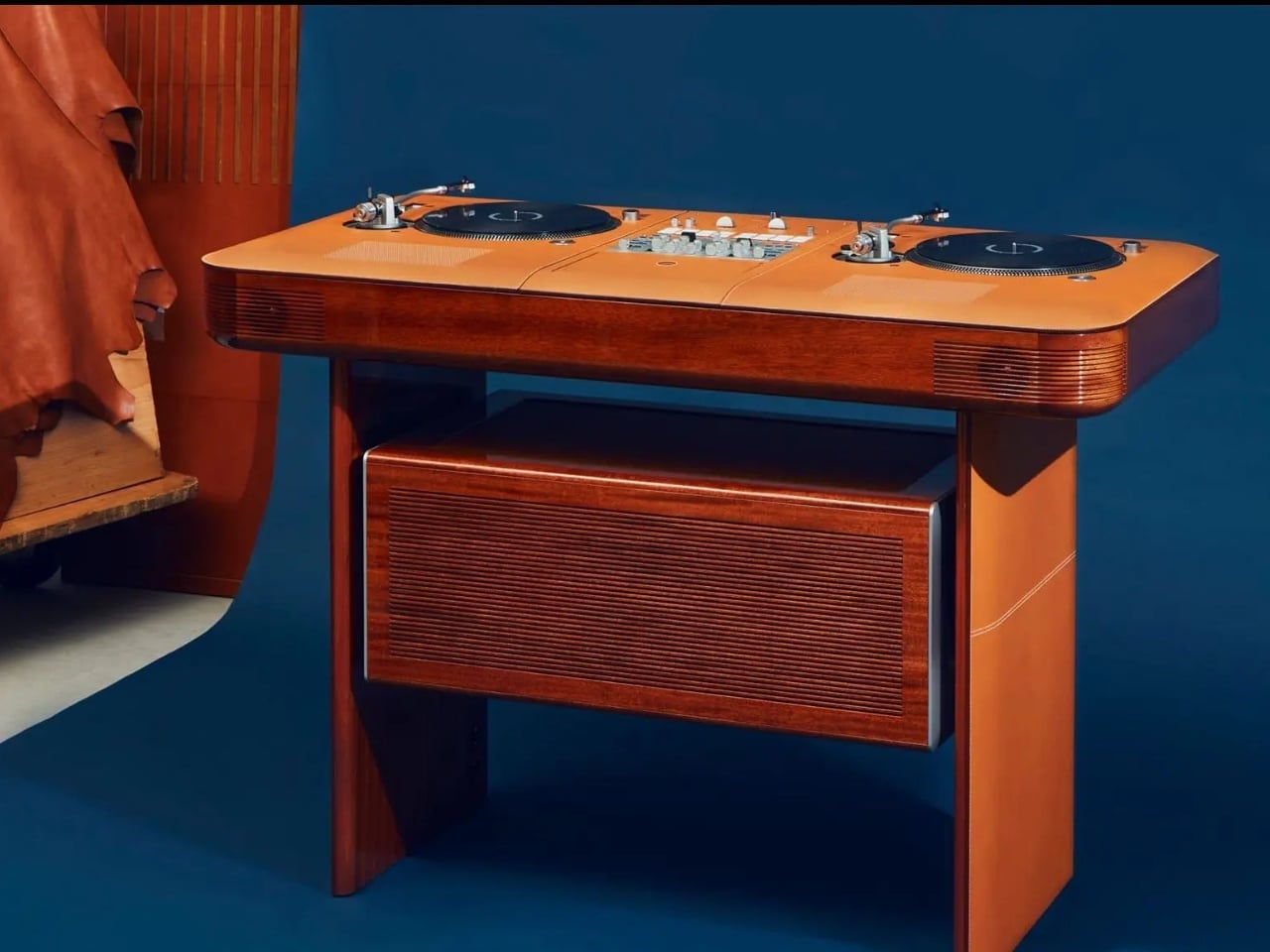
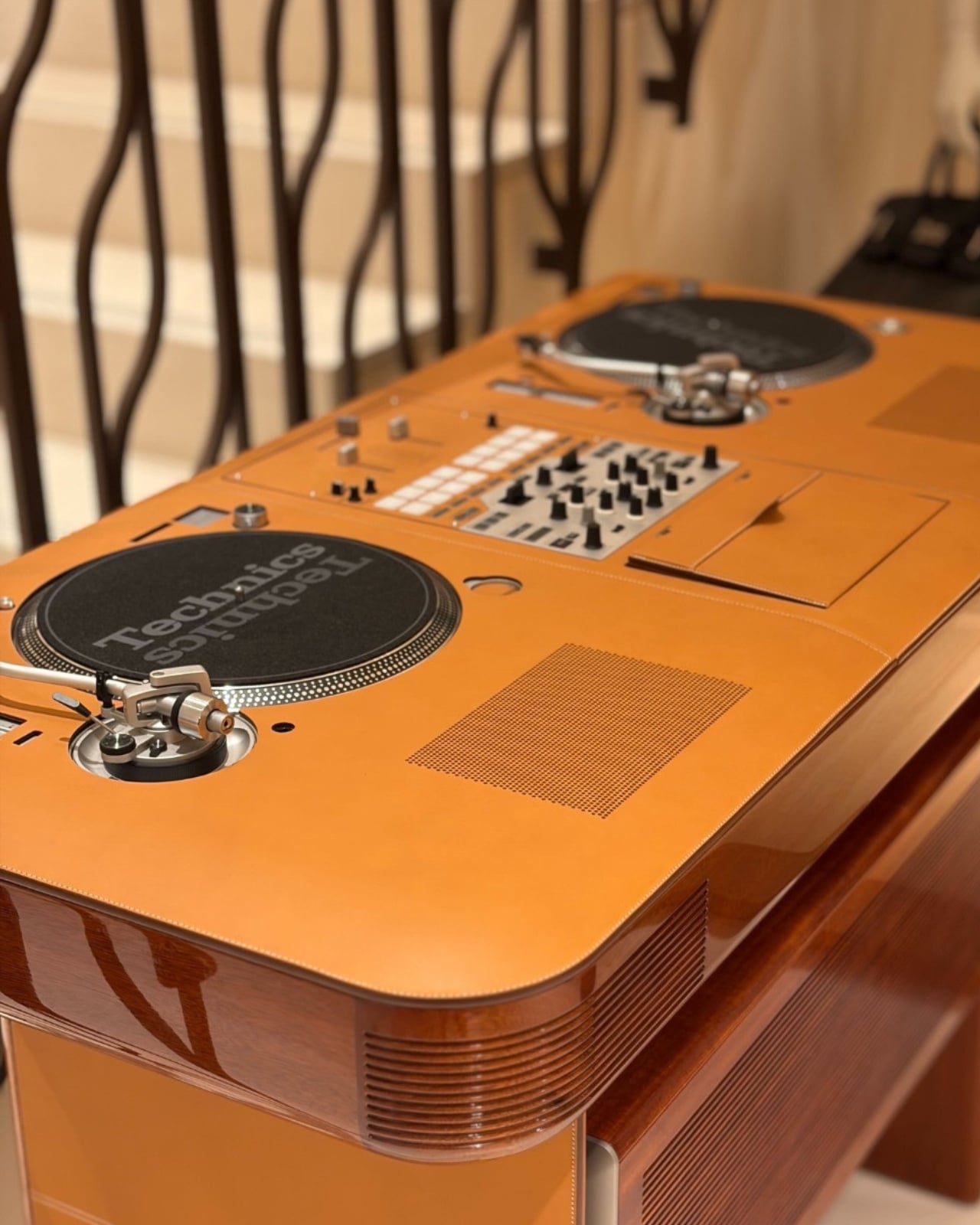
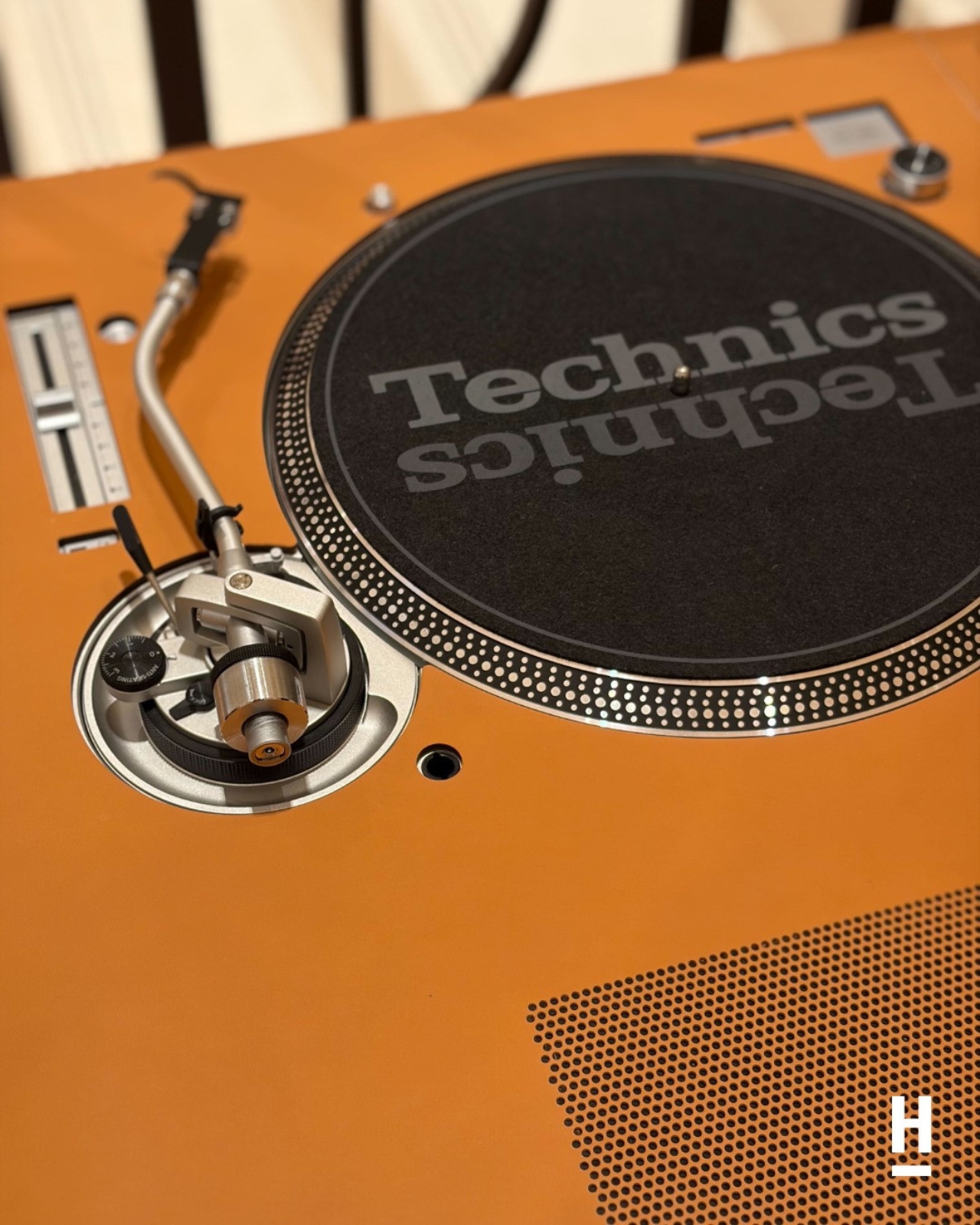
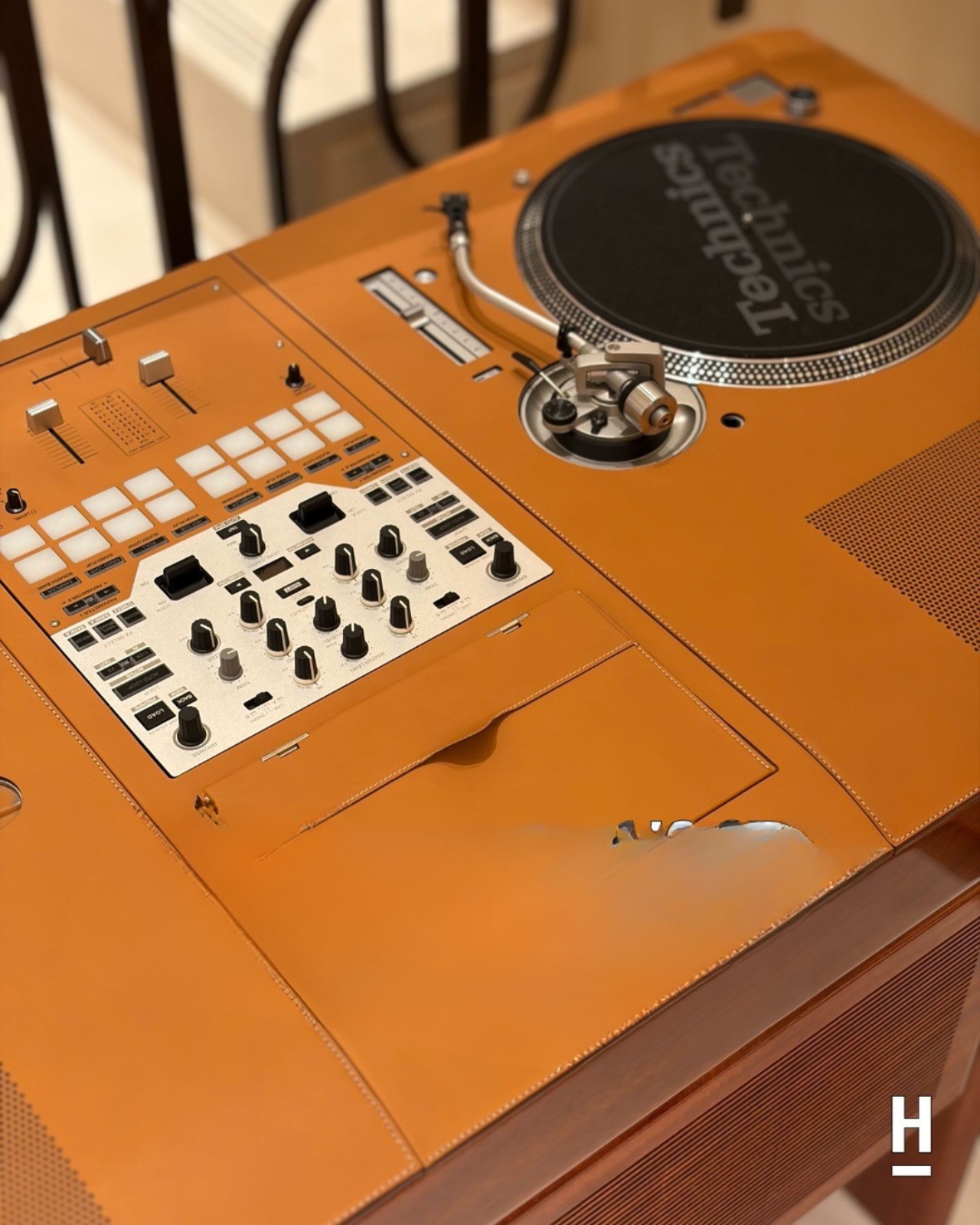
If you told me five years ago that Hermès would release a DJ table, I’d have assumed it was a joke told at a fashion party where nobody laughed. And yet here we are, looking at the Atelier Horizons Disque Jockey Club: a fully functioning DJ setup built in mahogany and wrapped in Pippa cowhide, with Japanese turntables fitted right in. It is, objectively, one of the most absurd and wonderful things I’ve seen come out of a luxury house in recent memory.
Let me back up a little. Atelier Horizons is Hermès’ bespoke workshop, run by creative director Axel de Beaufort. It exists in that rare space where the impossible meets the impeccably crafted. We’re talking leather-covered jukeboxes with Murano glass stands. Bespoke boomboxes. A birdcage bag that reportedly took three years to complete. The whole operation runs on one guiding principle: if you can imagine it and it can be made with extraordinary craft, Horizons will figure it out. What it is not, de Beaufort has made very clear, is a branding exercise. “We are not a branded company, we are craftsmen,” he’s said. And when you look at the DJ table, you believe him.
The Disque Jockey Club was developed in collaboration with British DJ Prince Charles (yes, that’s his actual name, and no, he is not a monarch). It’s fully functional, not decorative. The turntables are real, the mixer is real, and the whole setup performs exactly as a working DJ rig should. The French furniture craftsmen who built the wooden structure made sure of that. But it’s the material choices that make it so specifically Hermès: mahogany, warm and rich, paired with cowskin that has that unmistakable texture of something made to last several lifetimes. It doesn’t shout luxury. It doesn’t need to.
I’ll be the first to admit that a designer DJ table sits comfortably in the category of things very few people actually need. But I think that framing misses the point entirely. Atelier Horizons isn’t about need. It never was. It’s about the intersection of craft and desire, about what happens when a house with nearly two centuries of leather expertise decides to turn its attention toward a turntable. The result is less a product and more a provocation: what if the things we use to make music were treated with the same care and intention as the things we wear?
That question lands differently right now. We live in an era of disposable aesthetics, where everything from furniture to consumer electronics is designed to be replaced within a few years. The Hermès DJ table is the philosophical opposite of that. It’s an object that asks to be kept, passed down, maybe even argued over in an estate somewhere decades from now. There is something genuinely radical about that, even if the price tag ensures it lives in a very particular tax bracket.
All of this fits into a broader shift happening across luxury right now. The most interesting moves aren’t on the runway; they’re in spaces like this, where fashion houses start thinking like furniture designers, architects, and now apparently audio engineers. Hermès isn’t the only brand doing it, but they might be doing it with the most conviction. The Atelier Horizons pieces never feel like branded merchandise dressed up in leather. They feel like objects that had to exist, born from a genuine creative compulsion rather than a marketing calendar.
The DJ table is also, let’s be honest, wildly compelling on a purely visual level. The combination of dark mahogany and pale cowhide is exactly the kind of thing that photographs beautifully and looks even better in person. It occupies a room with quiet confidence and zero need for explanation. It’s not decorative in the way most luxury objects lean decorative. It’s still a working tool, one that just happens to look extraordinary while doing its job. You don’t have to be a DJ to want it. You don’t even have to own a record. You just have to appreciate the idea that craft, when taken seriously, can turn almost anything into art.