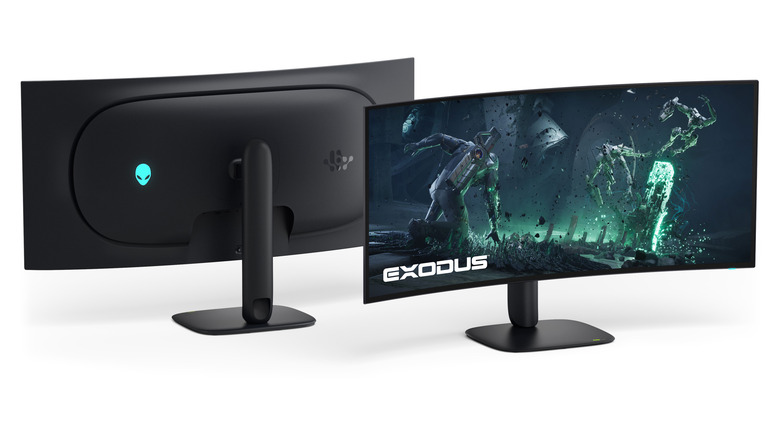
The Alienware AW3926QW is the world’s first 39-inch 5K OLED monitor with an RGB stripe panel
Alienware is also releasing an updated 34-inch ultra-wide alongside new affordable 32 and 34-inch displays.
Most everyday carry accessories are built on compromise. Flashlights need batteries. Multi-tools go through pockets without ever being opened. Tiny gadgets get charged for a few days, forgotten about, and eventually lost to a drawer somewhere. The smaller something is, the more disposable it tends to feel, and the less likely it is to stick around long enough to actually earn its place on your keys.
The SpinTi is a different kind of answer to that problem. Machined from Grade 5 titanium and measuring just 35mm at 8g, it’s a rotating tritium keychain that doesn’t need a power source, battery replacements, or a switch to activate. Its glow is passive and constant, driven by the natural properties of the tritium vials sealed inside. Once it’s on your keychain, it simply does its thing.
Designer: COMANDI
Click Here to Buy Now: $43 $59 (27% off). Hurry, only 98/100 left! Raised over $52,000.
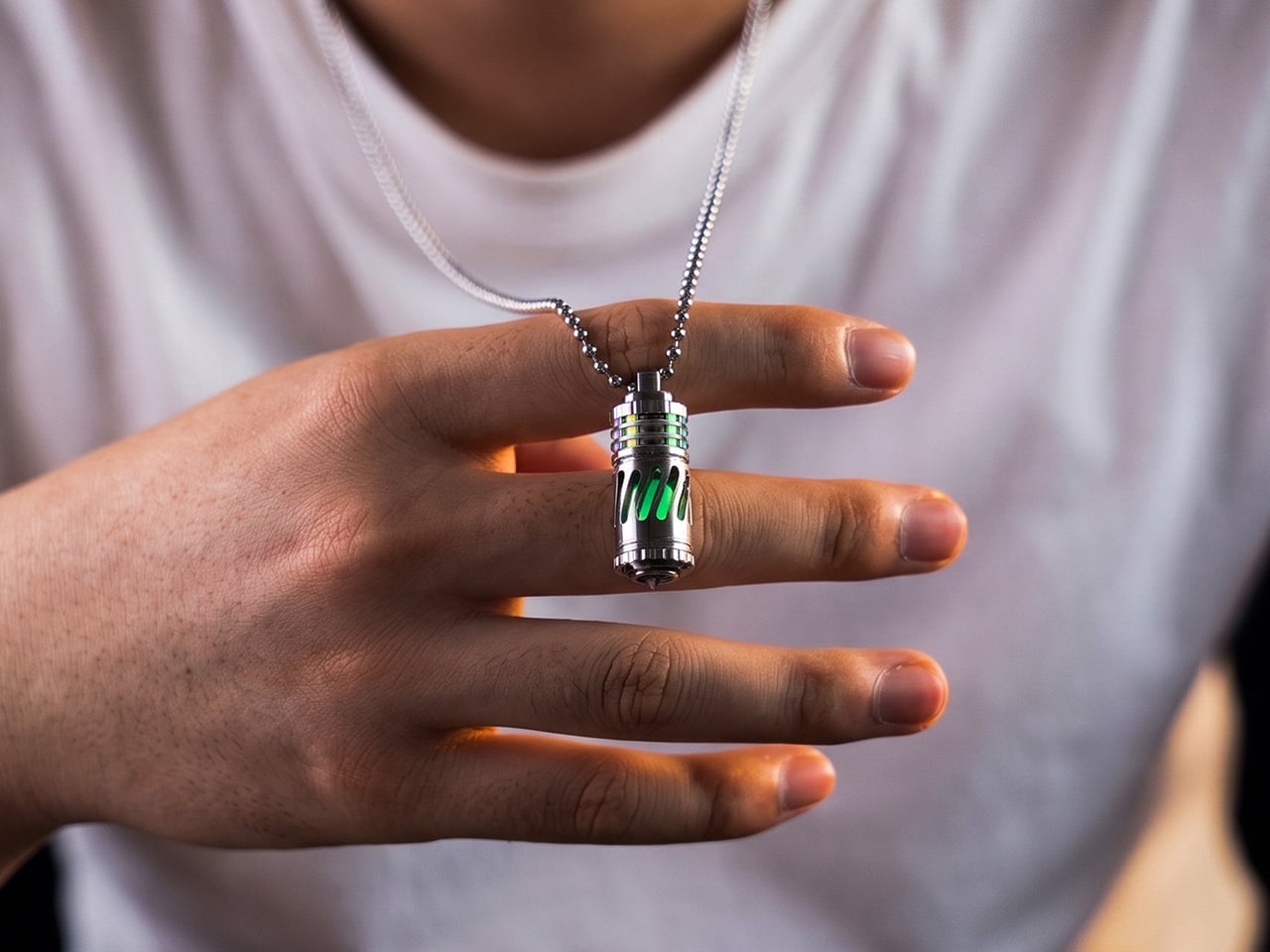
At 8g, it’s as light as a single credit card, and its 35mm frame is shorter than an AA battery. You’d clip it to your keys, toss it in your bag, or hang it from a zipper and forget about it for weeks. Then one night, in a dark room or a pitch-black campsite, your hand finds the keys, and there it is, that quiet, steady glow.

What sets SpinTi apart from other tritium markers is that spinning body. The body rotates on a solid-state pivot with no bearings, while the core is secured by a full-metal compression system instead of rubber O-rings. It’s the kind of thing your fingers gravitate toward during a long commute or a slow afternoon, giving it a secondary life as a tactile object that goes well beyond locating your keys in the dark.

The glow itself comes from tritium vials seated inside a six-slot core. As tritium decays, the beta particles it releases hit a phosphor lining, producing continuous light without any power source at all. It’s not meant to flood a room with light, and it doesn’t try to. What it offers instead is a low-level, always-on glow that stays usable over roughly 25 years, even as brightness gradually declines.

The body is CNC-machined from Grade 5 titanium, the same material used in aerospace components and surgical hardware. The skeletonized exterior has generously cut slots that expose the luminous core from every angle, while a precision metal compression system holds the vials firmly without relying on epoxy or rubber. It’s built to genuinely outlast the phone in your pocket by several decades.

SpinTi isn’t limited to keychain duty either. It can hang around your neck as a pendant, clip to a zipper pull for finding your bag in the dark, or attach to a tactical pack as a quick identifier. The tail end has a hardened glass-breaker tip for emergencies, and the hollow interior can carry small items like emergency pills or a micro memory card.

There’s room to make SpinTi feel personal, too. The vials come in six colors, from ice blue and apple green to midnight violet, and you can mix them across all six slots however you like. Three finish options are available for the titanium shell: raw titanium for a minimal look, a splash finish for something bolder, and a gradient anodized finish for something closer to wearable art.
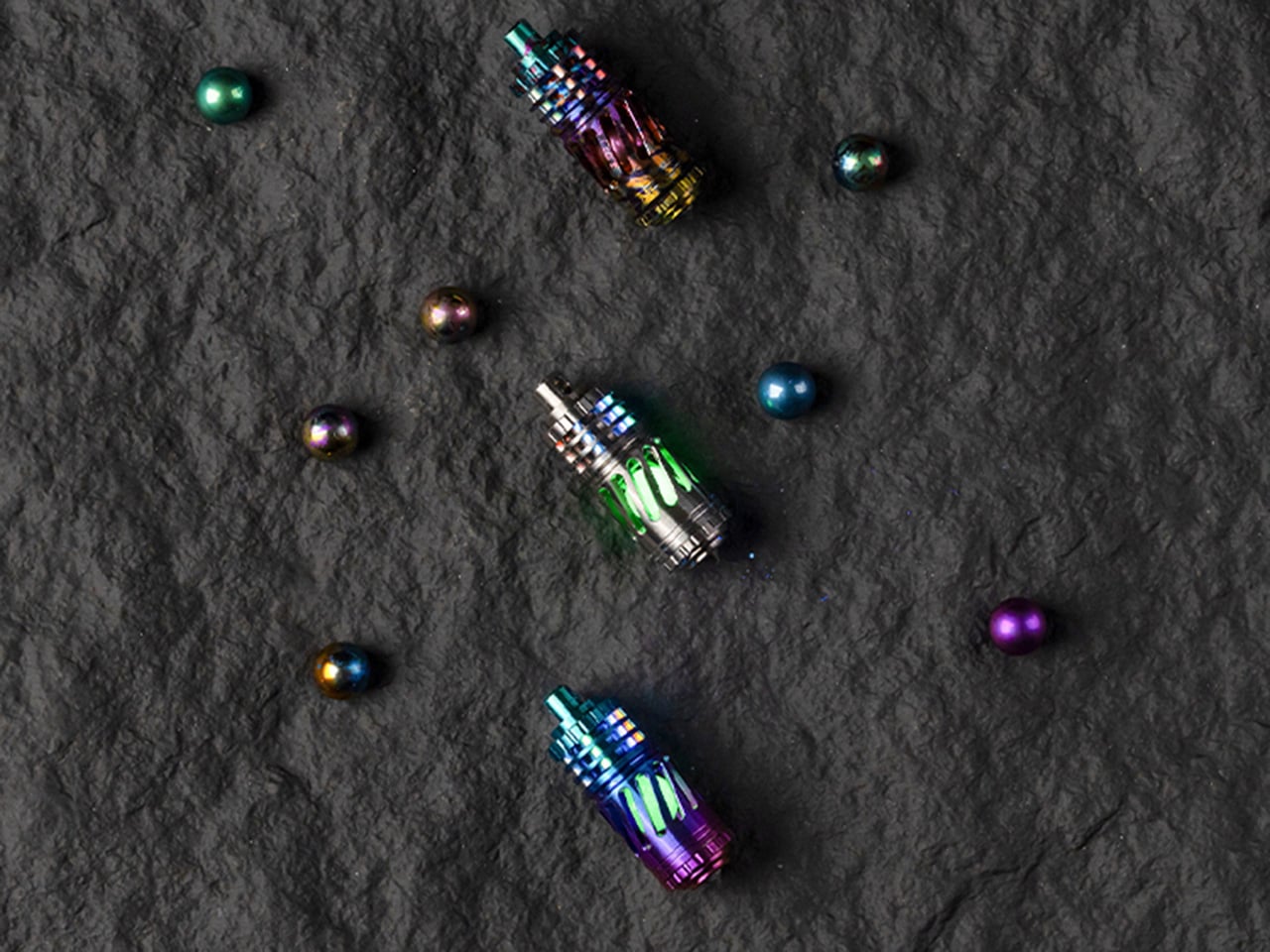
And since the core unscrews for service, you’re not locked into any one configuration. Swap a dimming tube after years of use, change the color to suit your mood, or drop in glass luminous tubes as a more affordable alternative. SpinTi is built to be updated and refreshed over time, and that’s part of what makes it feel less like a purchase and more like a long-term companion.
Click Here to Buy Now: $43 $59 (27% off). Hurry, only 98/100 left! Raised over $52,000
The post This Rotating Titanium Keychain Glows for 25 Years Without a Battery first appeared on Yanko Design.
The laptop has become the default portable workstation, but it has one limitation that’s hard to overlook: you’re still stuck with one screen. Freelancers, students, and remote workers have learned to manage with a single panel, but demand for more display real estate on the go keeps growing. Cramming a presentation into one corner while notes fill the other half gets old quickly.
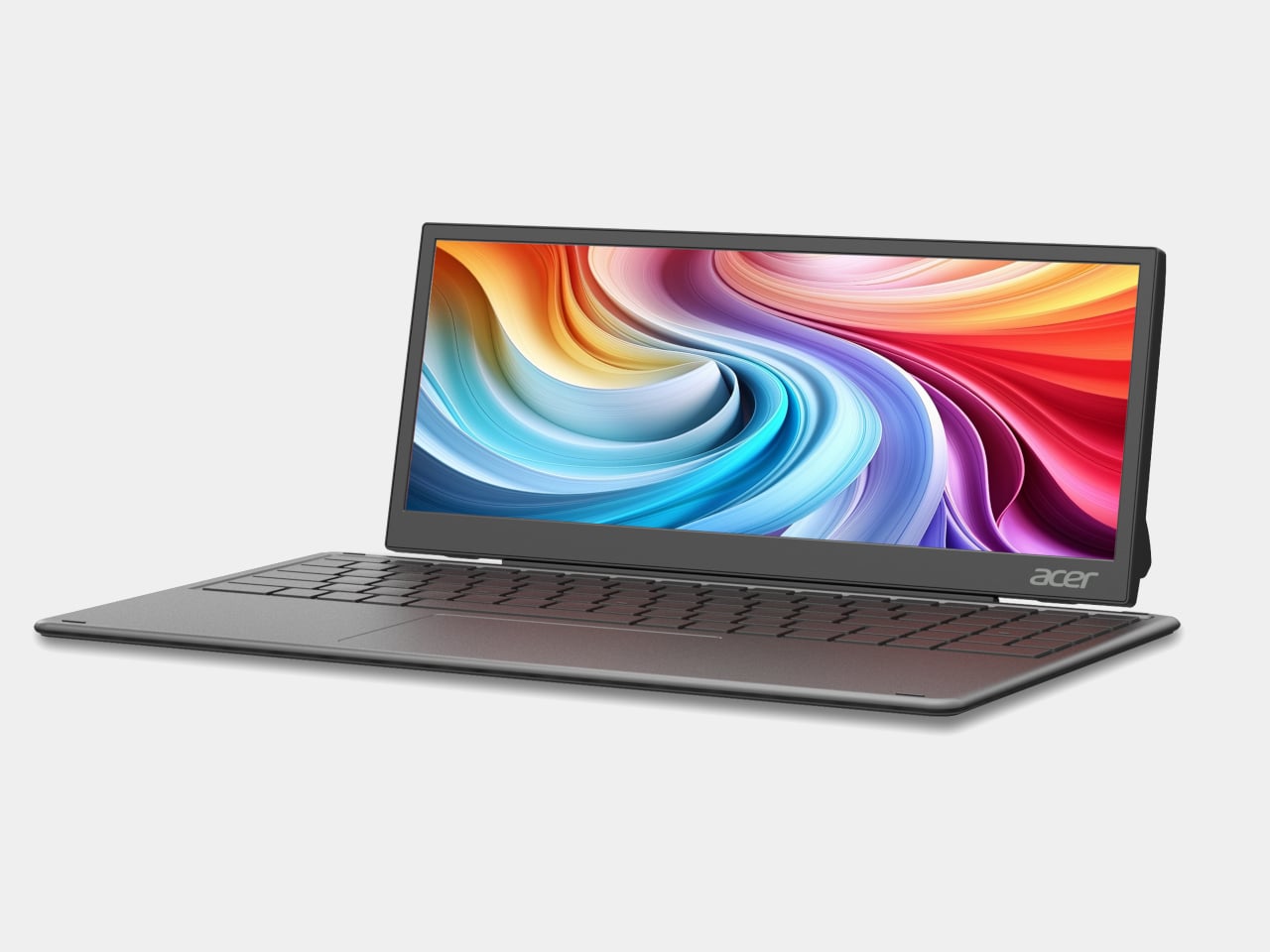
Acer is addressing that gap with two new portable monitors announced at Computex 2026, along with a third product aimed at an entirely different audience. The PM161Q JB and PM131QT cover professionals and digital nomads who need an extra screen wherever they land. The Aspire Badge is something else: a wearable display for kids and young creators who want to carry their personality with them, literally.
Designer: Acer
PM161Q JB
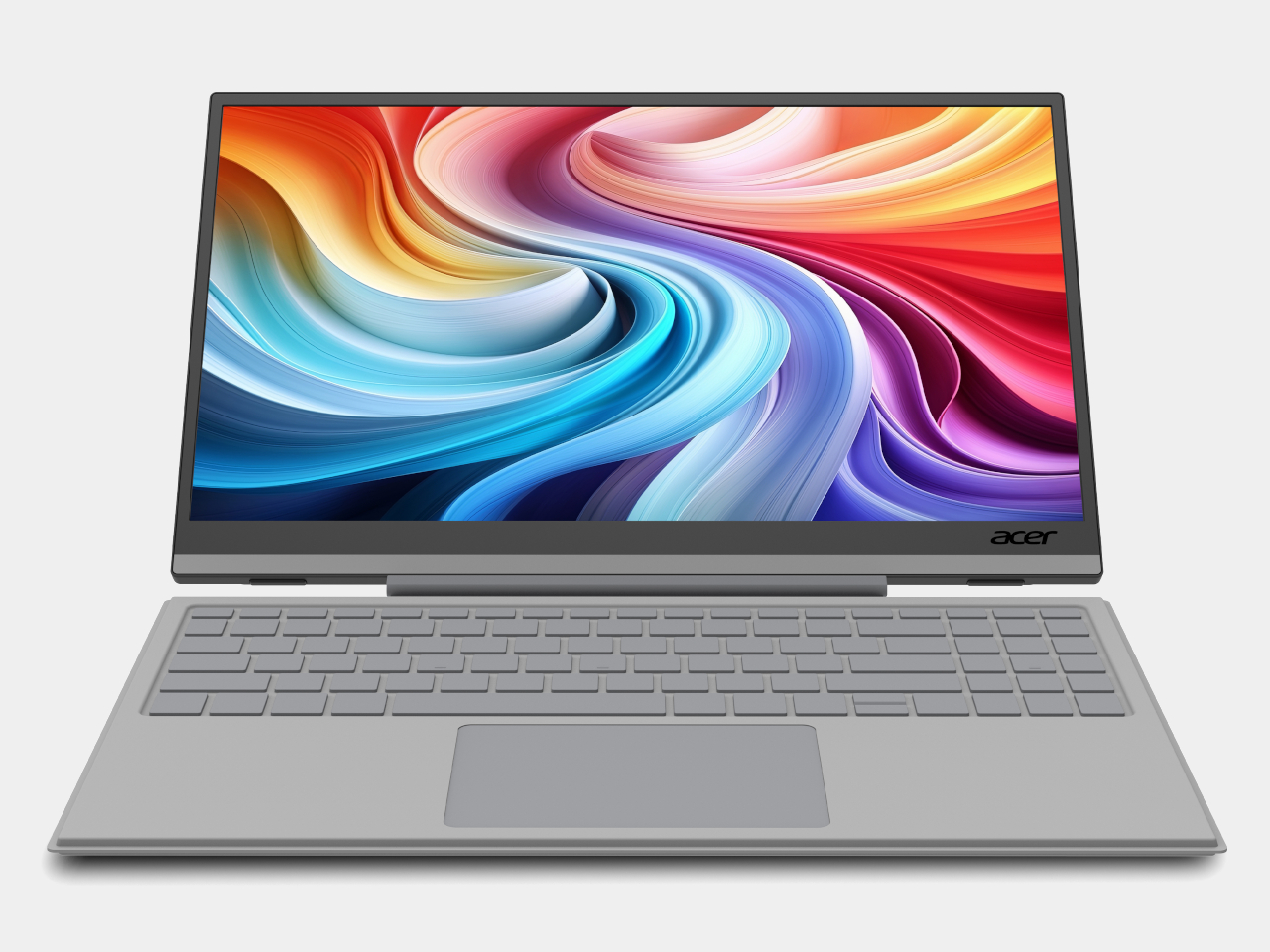
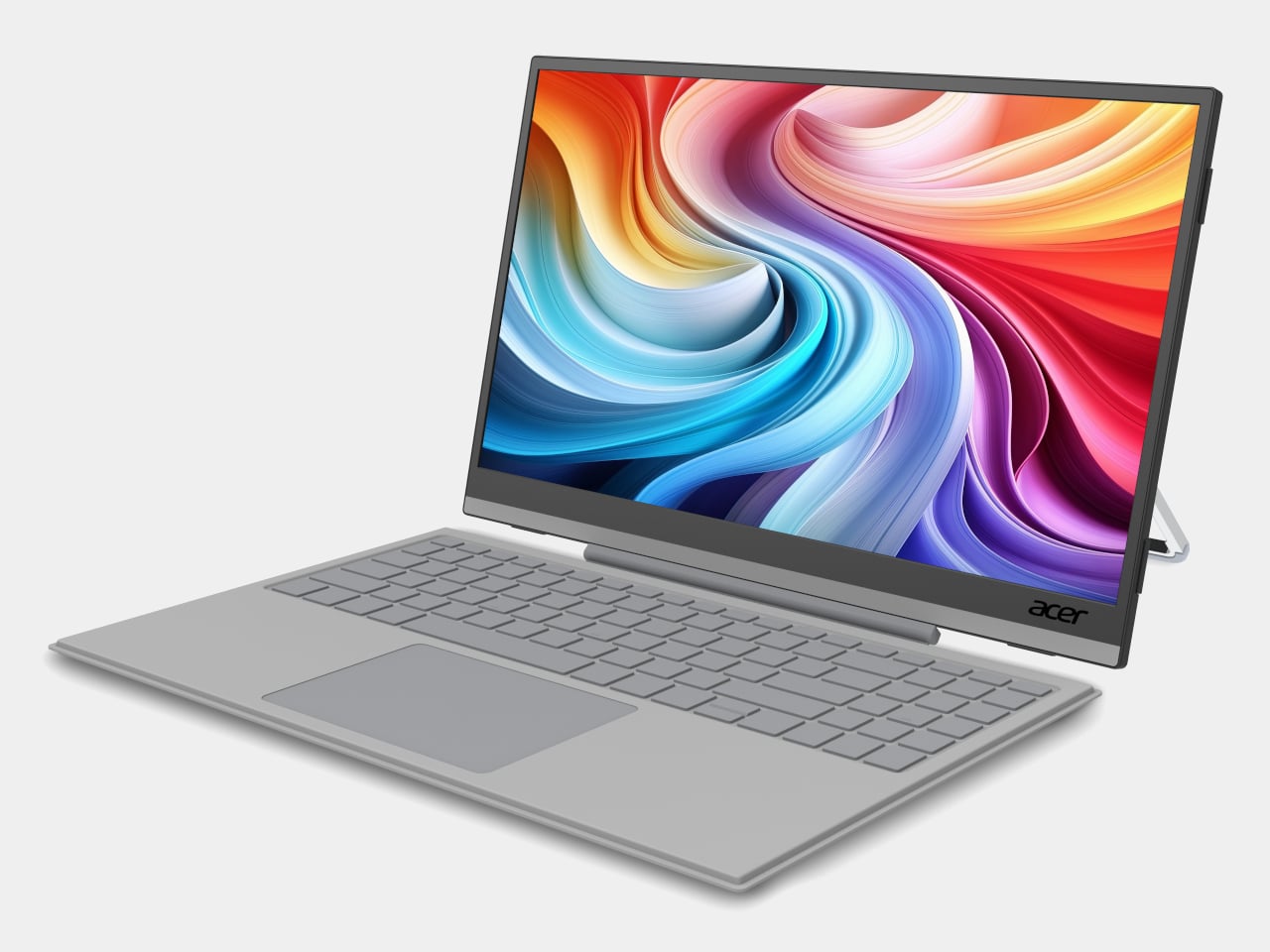
The PM161Q JB is the larger of the two portable monitors, coming in at 15.6 inches with a Full HD IPS panel and 170-degree viewing angles. A pair of Type-C ports and an HDMI input handle connectivity, and a single-cable setup means it’s ready to go as soon as you find a seat. A compatible detachable pogo keyboard turns it into a compact workstation without needing anything else nearby.
PM131QT
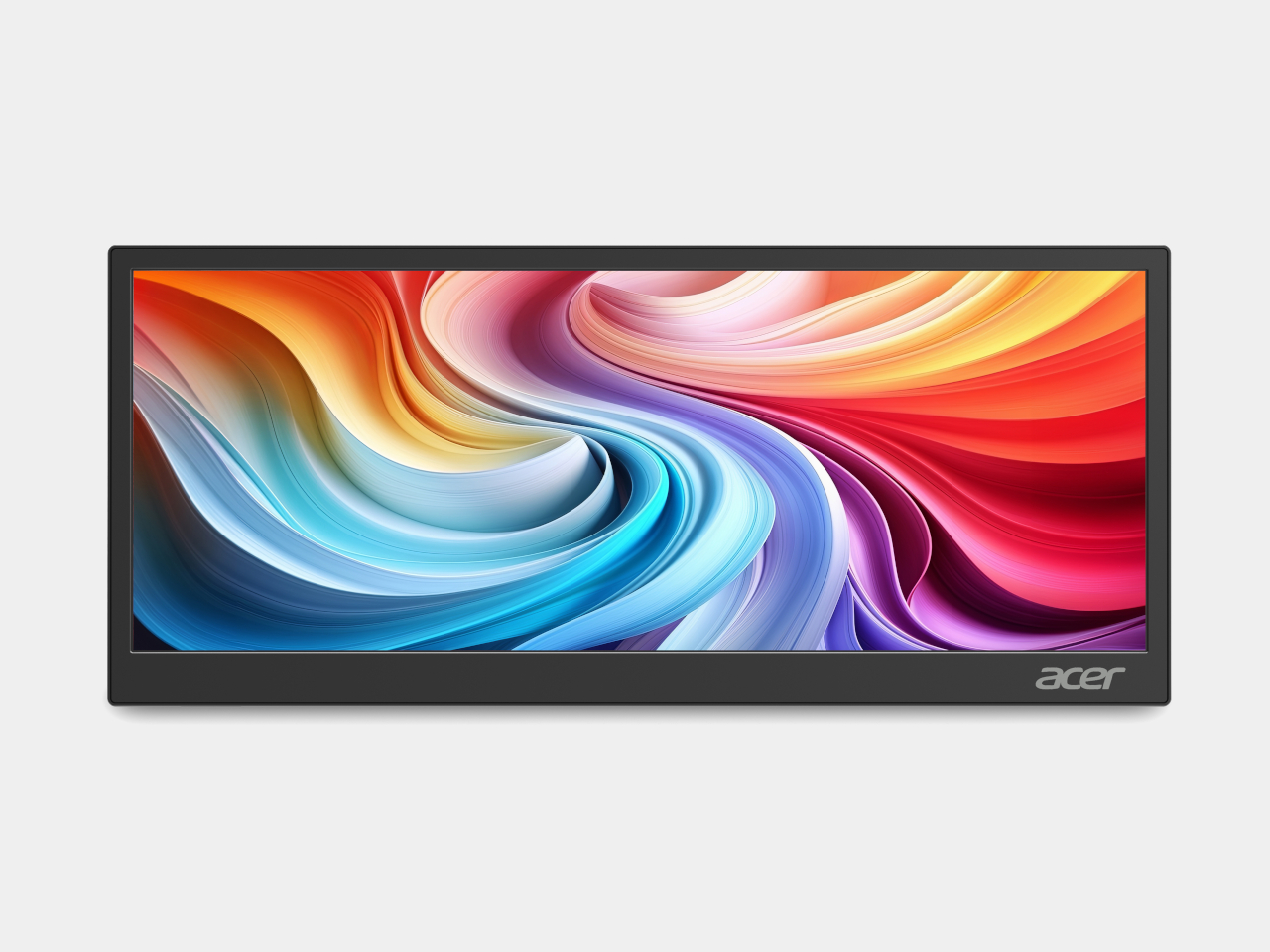
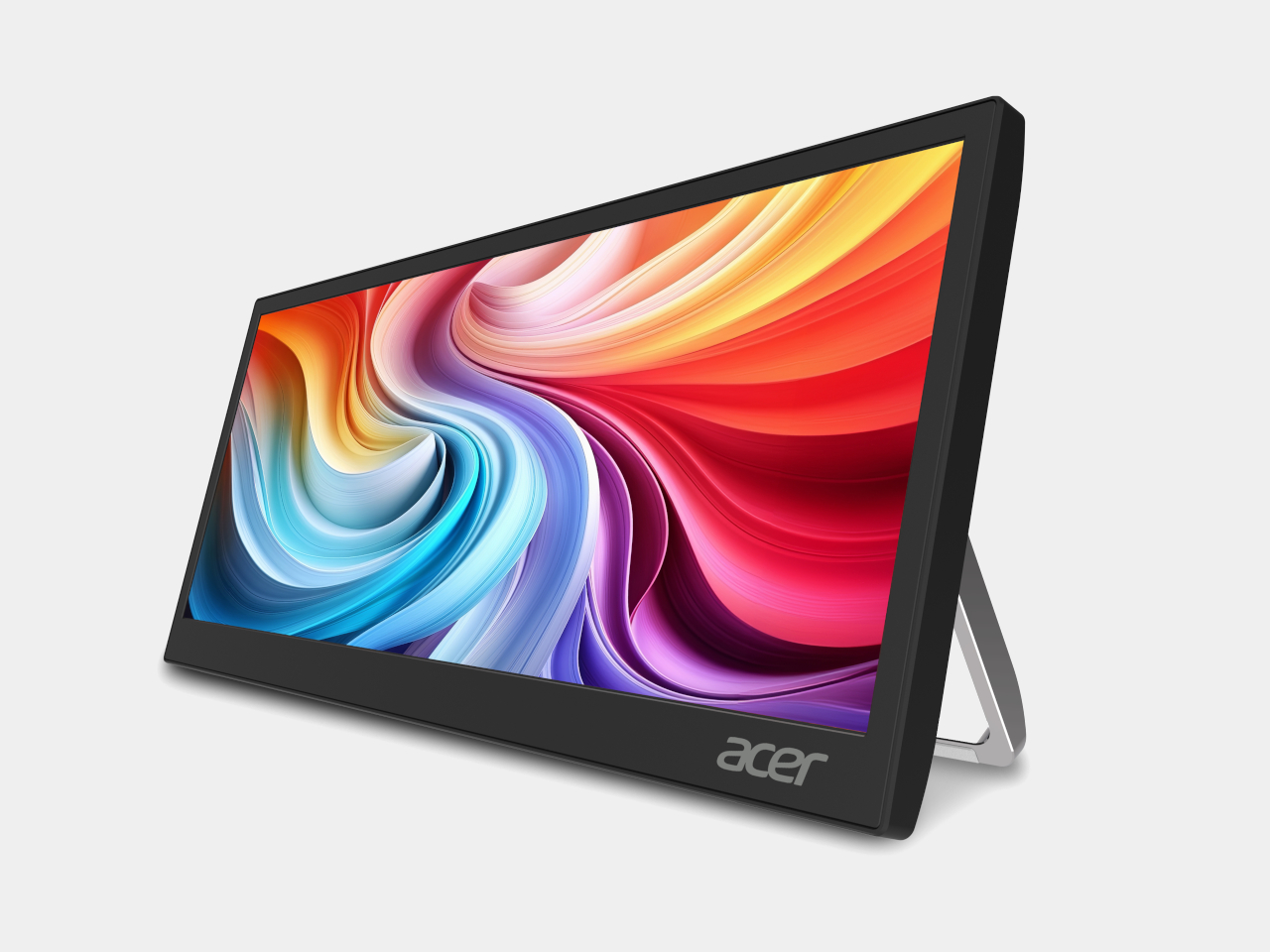
The PM131QT takes a different approach with a 12.3-inch touchscreen in an ultrawide 1920 × 720 format, a shape that suits secondary-display work rather than standalone use. Five-point touch makes it practical as an interactive panel, and the magnetic mounting design lets it attach to various surfaces, including a car dashboard. It also functions as a dedicated display for AI assistant interfaces on the road.
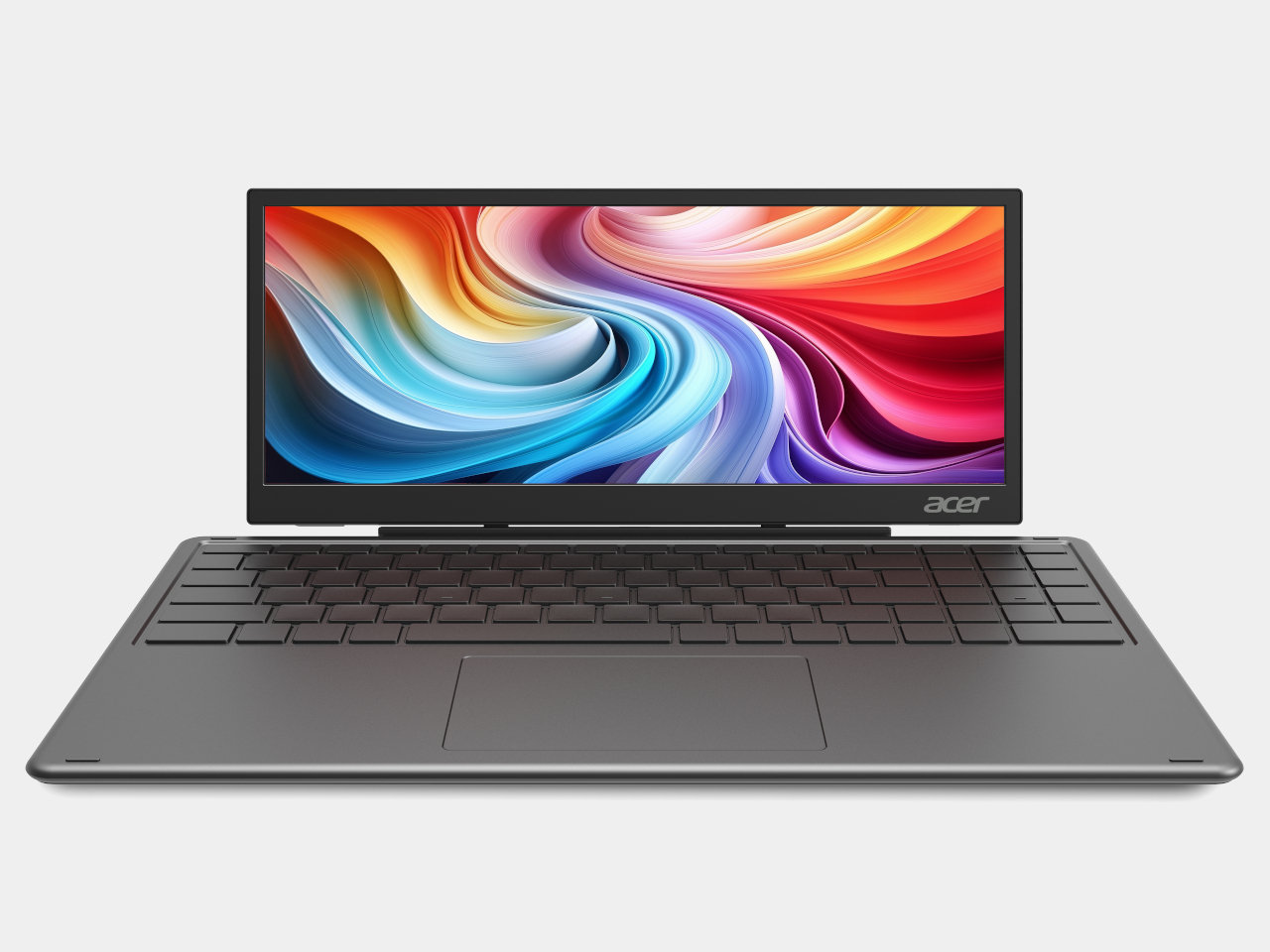
PM131QT
Both monitors connect over a single Type-C cable and support VESA mounting alongside a standard ¼-inch tripod thread, so a camera tripod becomes a workable monitor stand when there’s no desk in sight. The PM161Q JB starts at $149.99 in North America, arriving in Q4 2026, while the PM131QT comes in at $179.99 in the same window. Both reach Australia in Q3 2026.
The Aspire Badge is a round wearable with a 1.85-inch IPS screen that clips onto a shirt, hangs from a lanyard, or attaches magnetically to a bag. It pairs with a companion app over Bluetooth 6.0 and displays any image or animation pushed from a phone. Battery life runs up to four hours at full brightness or eight at minimum, with contact charging to restore it.
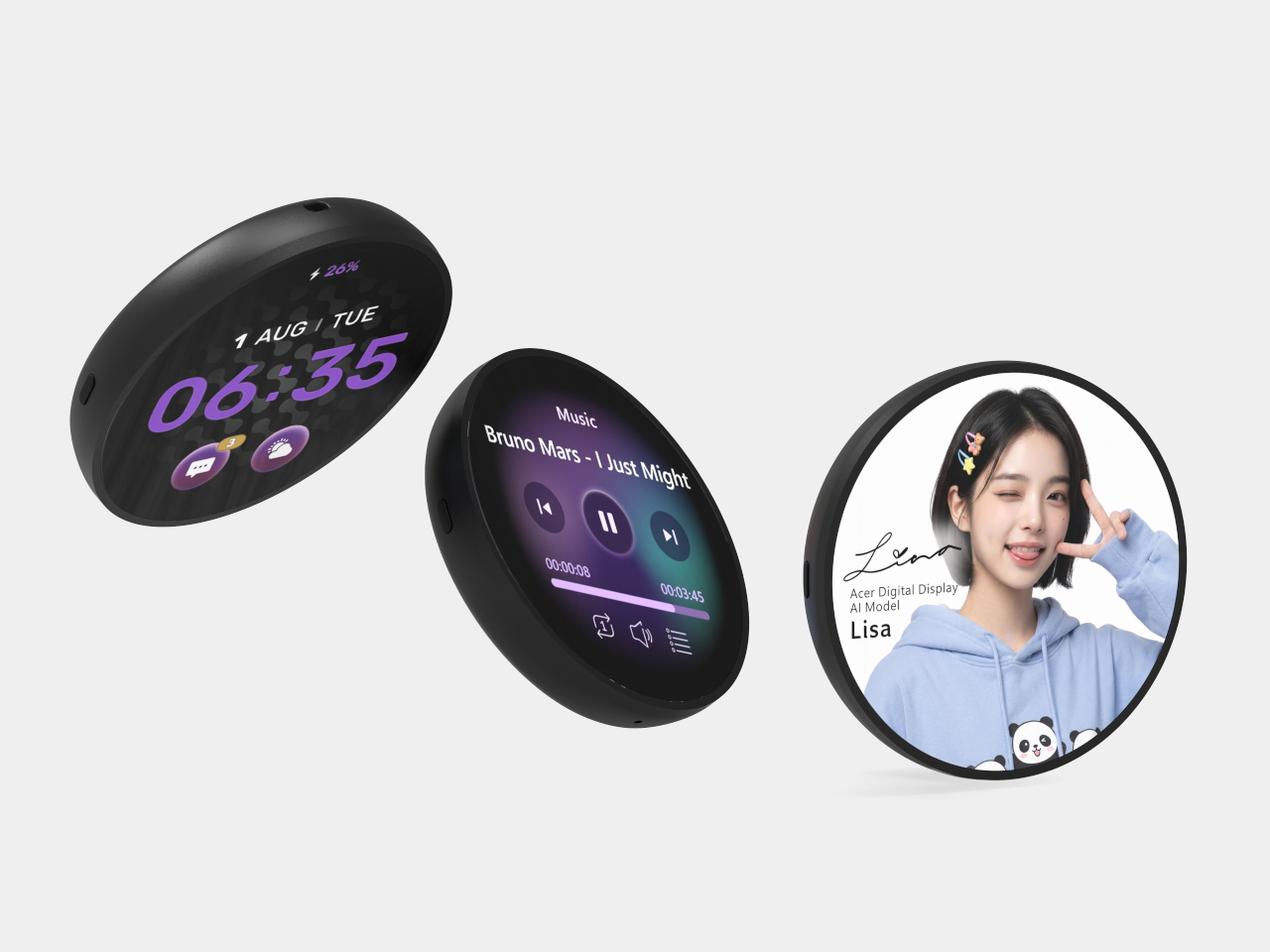

The Badge isn’t purely decorative. It includes an emergency alarm, an SOS alert that flashes in Morse code, and a night flash mode for improved visibility in the dark, adding a safety layer that makes it more than a novelty for kids walking to school or staying out after dark. It supports JPG, GIF, and PNG formats, and comes in at $49.99 in North America.
The three products together cover a broader range of needs than a typical monitor announcement does. The PM161Q JB and PM131QT reflect how seriously portable screen real estate has become for people working away from a fixed desk. The Aspire Badge takes the same logic in a completely different direction, treating a display not as a productivity tool but as something you wear out the door.
The post Two Acer Portable Monitors and a $50 Screen You Can Actually Wear first appeared on Yanko Design.
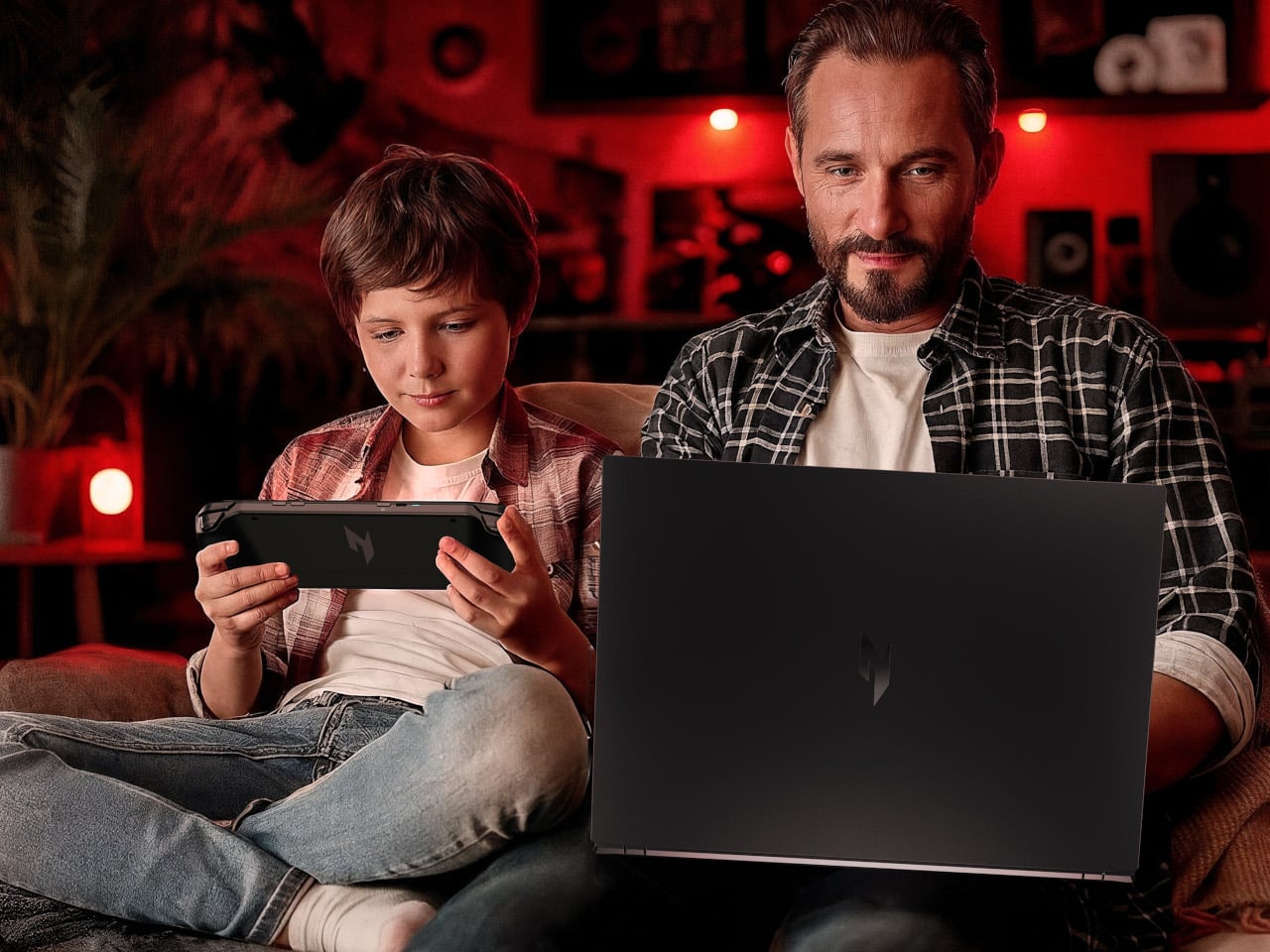
Gaming PCs have fractured into more categories than any single device can cover. The player who needs maximum frame rates for competitive play sits on one end, the person who just wants to game from the couch without moving their rig sits on the other, and every setup in between has its own distinct demands. Most gaming hardware picks a side and leaves the rest unaddressed.
At Computex 2026, Acer addressed nearly the whole range at once with five new products. The lineup runs from the iF Design Award-winning Predator Helios 18 AI at the performance ceiling, through the Nitro 16 and the Nitro Blaze Link streaming handheld, and rounds out with the Predator Aethon 750 TKL keyboard and the Predator Robust Plus Backpack for getting all of it from place to place.
Designer: Acer

The Predator Helios 18 AI is where Acer went all out. Powered by an Intel Core Ultra 9 290HX Plus processor and up to an NVIDIA GeForce RTX 5090 Laptop GPU with 24GB of GDDR7 VRAM, it’s configurable with as much as 256GB of DDR5 memory and 6TB of storage spread across three PCIe Gen 5 NVMe slots. For a laptop, that’s a desktop workstation argument.
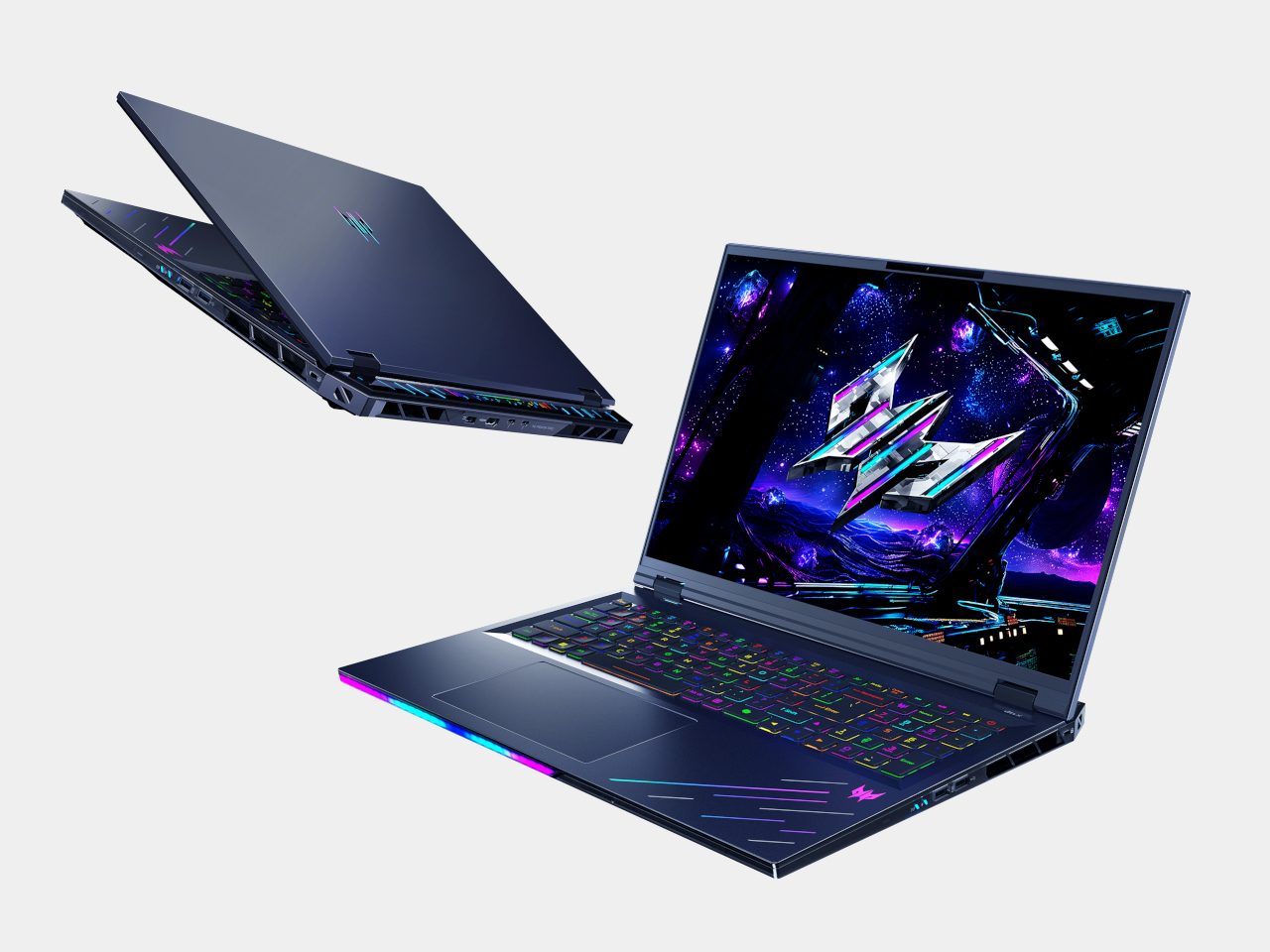
The 18-inch Mini LED display switches between 4K at 120Hz and Full HD at 240Hz through Acer’s Dual-Mode Display system. It reaches 1,000 nits in HDR mode and delivers Calman Verified color accuracy at 100% DCI-P3 coverage with NVIDIA G-SYNC. For a long competitive session or an extended run through an open-world RPG, the panel is built to match whichever demand comes first.

Keeping those specs from throttling requires hardware to match. Dual 6th Gen Predator AeroBlade 3D Fans each pack 100 metal blades at just 0.05mm, delivering a claimed 20% increase in airflow over plastic fans, supported by liquid metal thermal grease and vector heat pipes. Six speakers with Predator Vox technology handle audio, while Intel Killer DoubleShot Pro combines Wi-Fi 7 and Ethernet to keep online play stable.
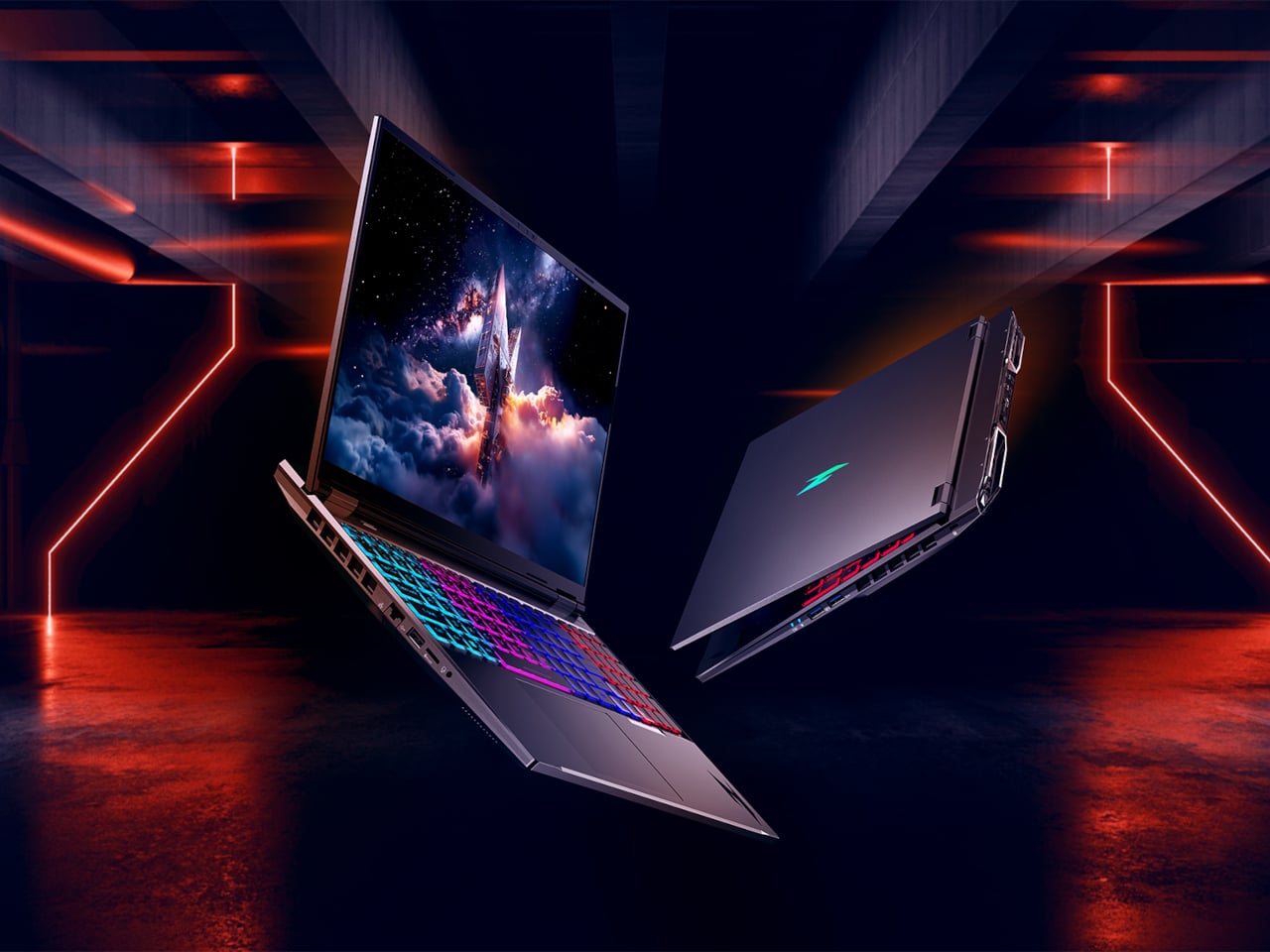
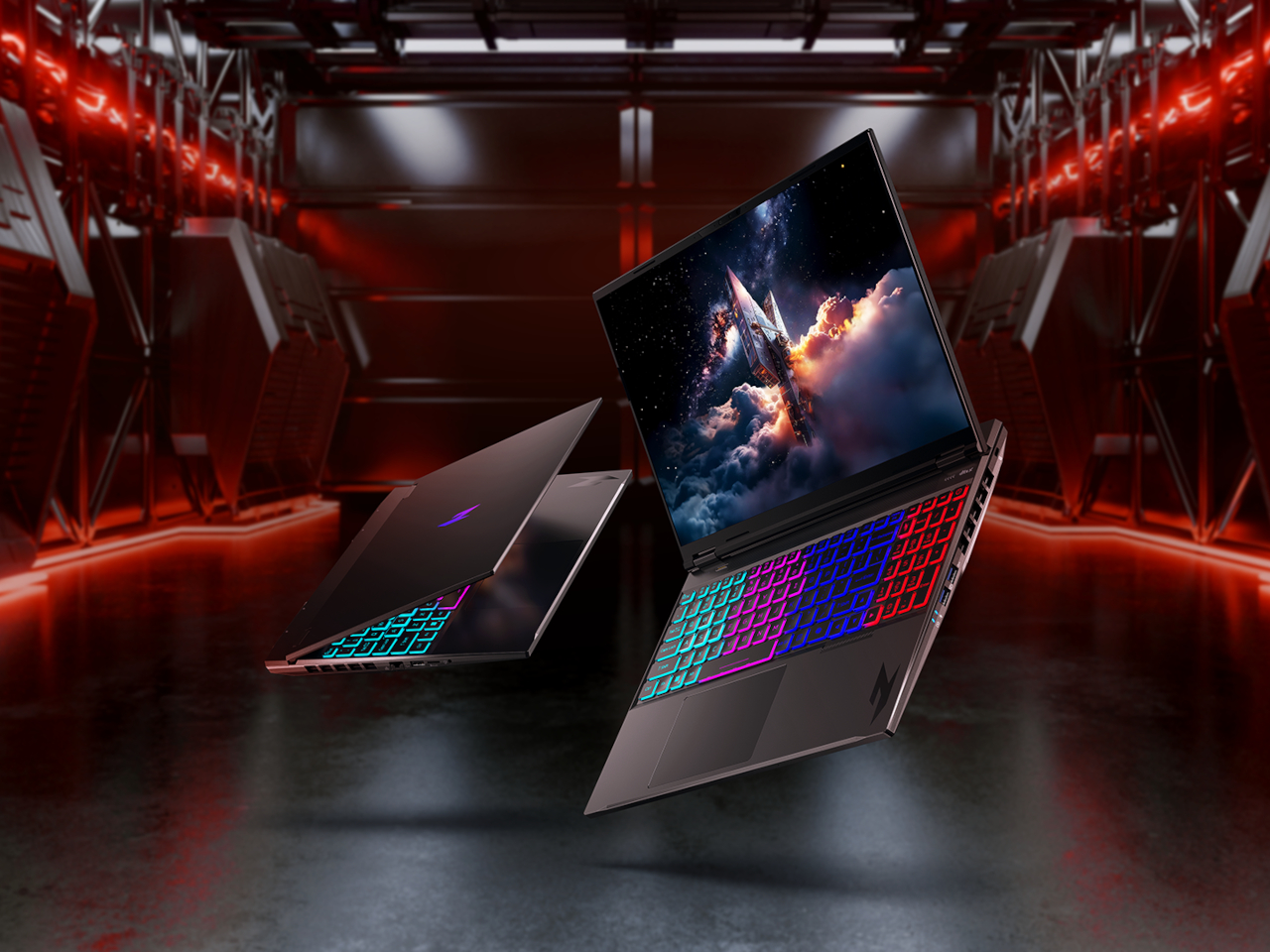
The Acer Nitro 16 doesn’t reach the Helios’s ceiling, but it earns its own headline. It’s the first Acer gaming laptop to feature the AMD Ryzen 9 9955HX3D processor, using 2nd Gen AMD 3D V-Cache technology to stay competitive even when unplugged. Paired with up to an NVIDIA GeForce RTX 5070 Ti Laptop GPU carrying 12GB of GDDR7 VRAM, it covers most of what serious gaming demands.


The 16-inch WQXGA panel runs at up to 240Hz with a 3ms response time and 100% DCI-P3 coverage, backed by G-SYNC. A dual-fan, quad-intake, quad-exhaust cooling system with vector heat pipes keeps thermals in check. At 2.5kg with a 92 Wh battery, USB 4 connectivity, and Wi-Fi 6E, it’s a more practical travel machine than most competing laptops in its performance class.
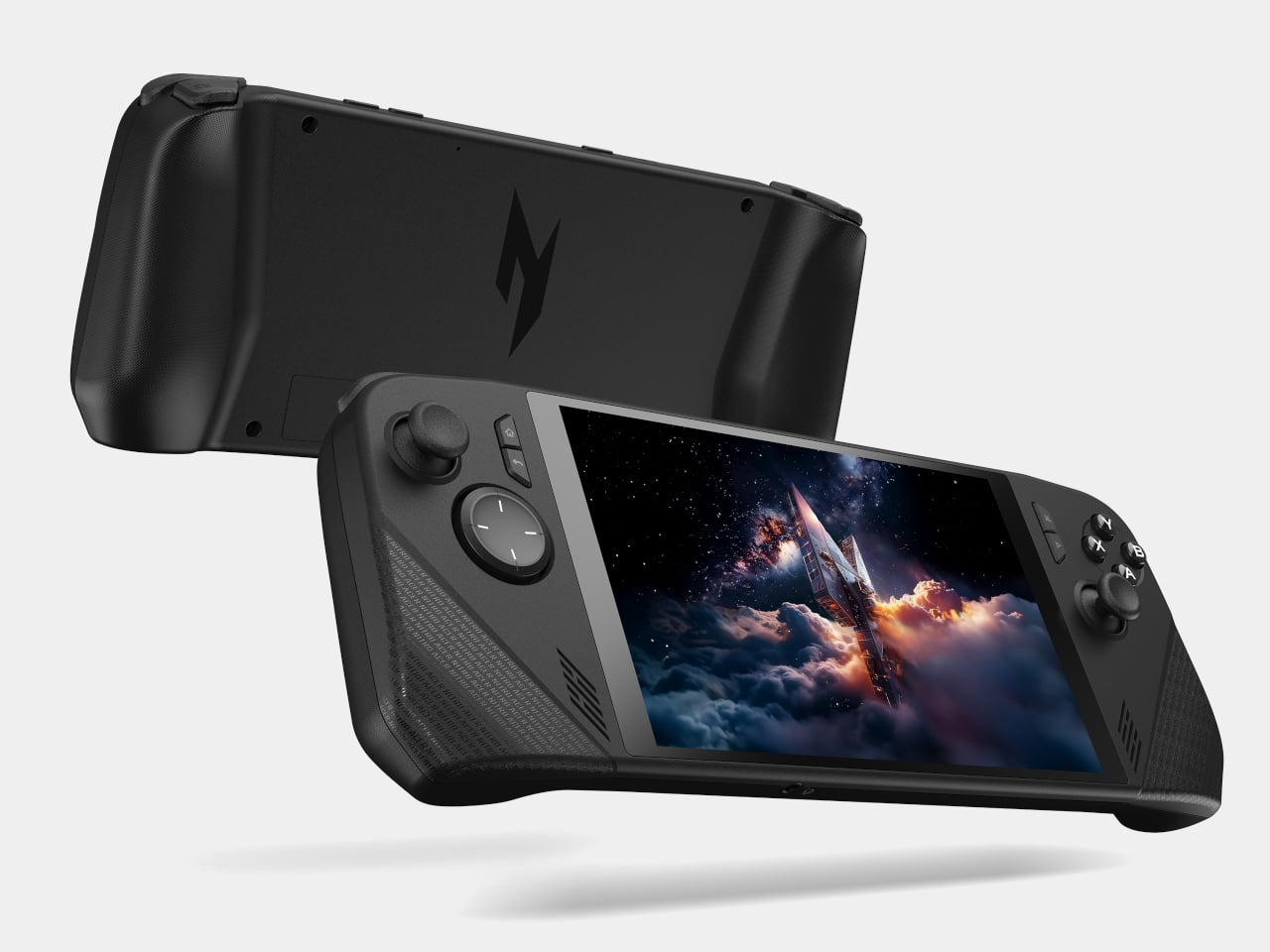

The Nitro Blaze Link puts a twist on the gaming handheld design and skips local processing entirely, opting to stream games wirelessly from a connected PC over Wi-Fi 6 via Sunshine and Moonlight services. It pairs naturally with the Helios 18 AI or Nitro 16, letting someone else in the household play from the couch while the main machine stays occupied elsewhere. The 7-inch WUXGA touchscreen and full controller layout handle the experience at a light 464 g.
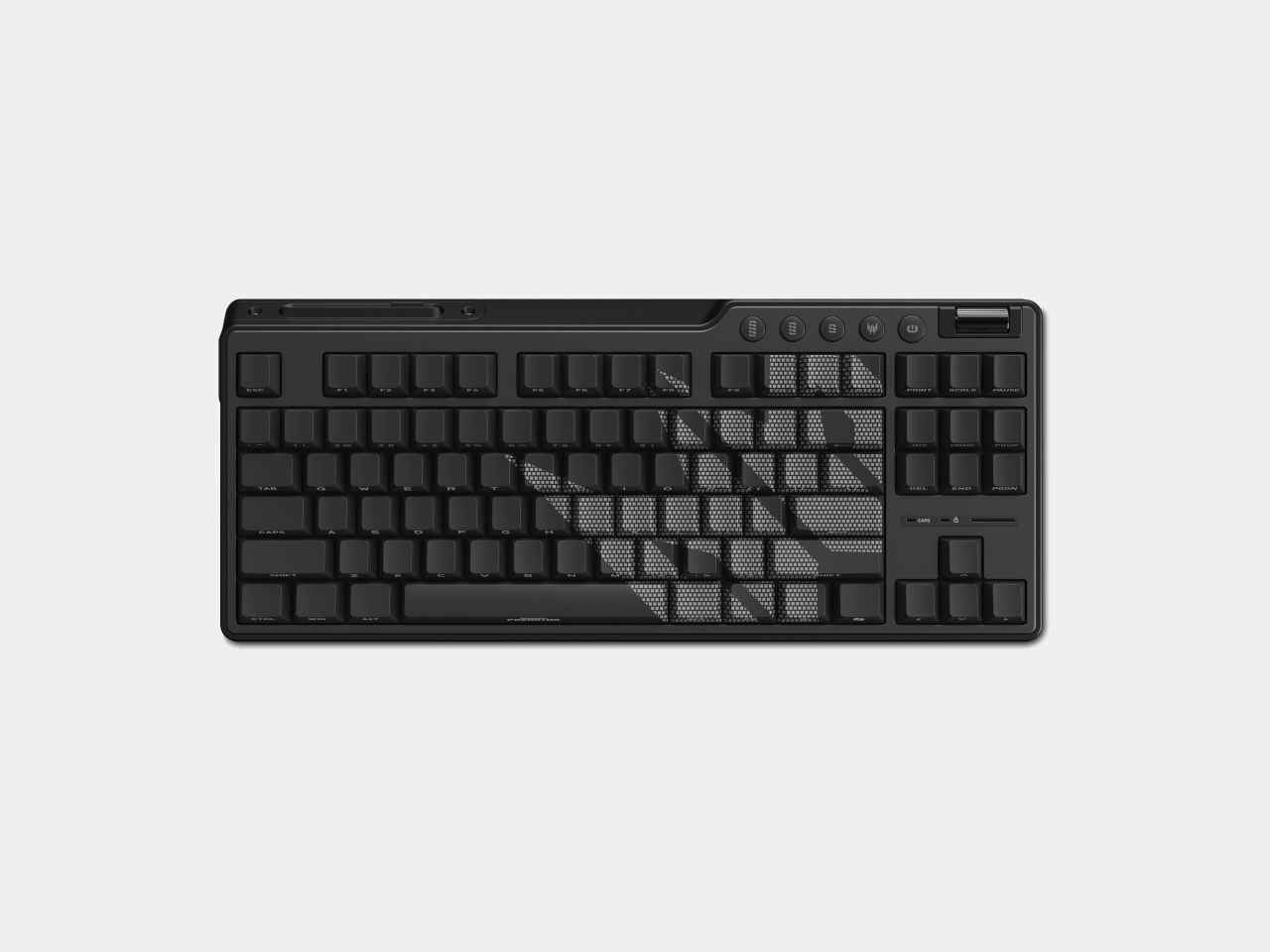
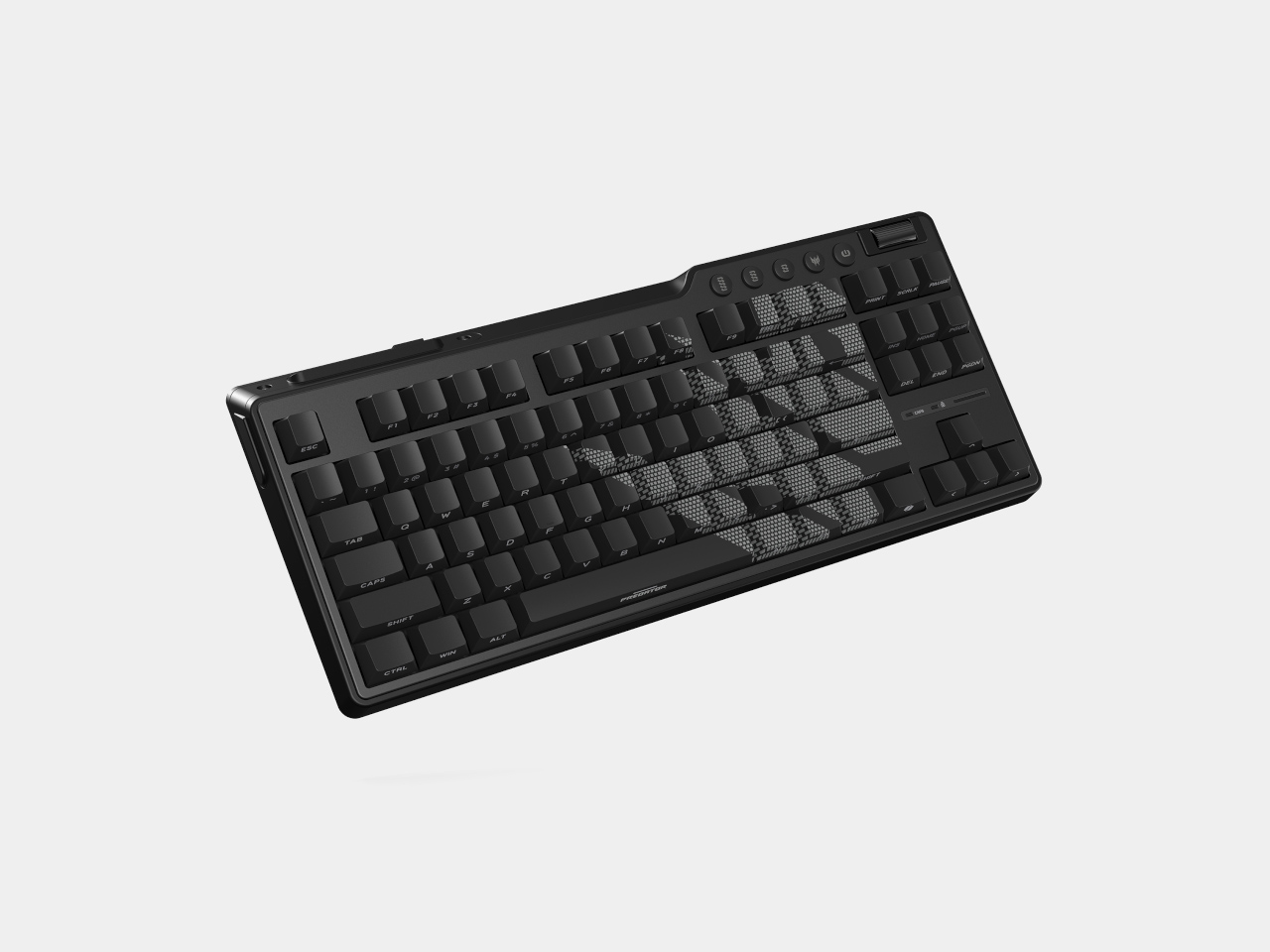
The Predator Aethon 750 TKL keeps the desk focused with a Tenkeyless layout that removes the number pad and anything non-essential for gaming. Custom Predator magnetic switches support WASD Rapid Trigger, Global Actuation, and Fine Actuation modes, while an 8,000 Hz polling rate and N-key rollover keep every input registering cleanly. Wired, 2.4 GHz wireless, and Bluetooth connections add flexibility for different setups.
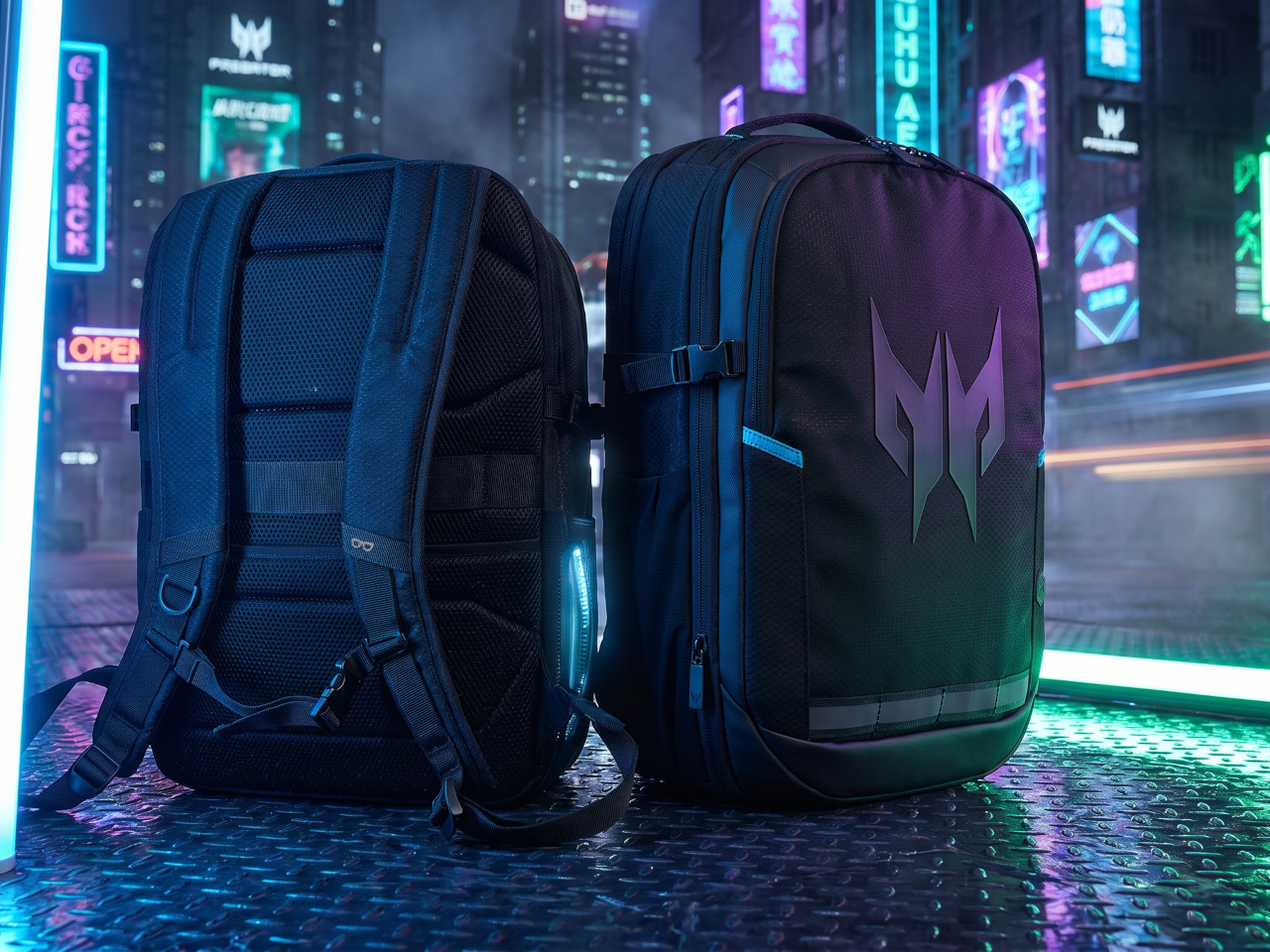

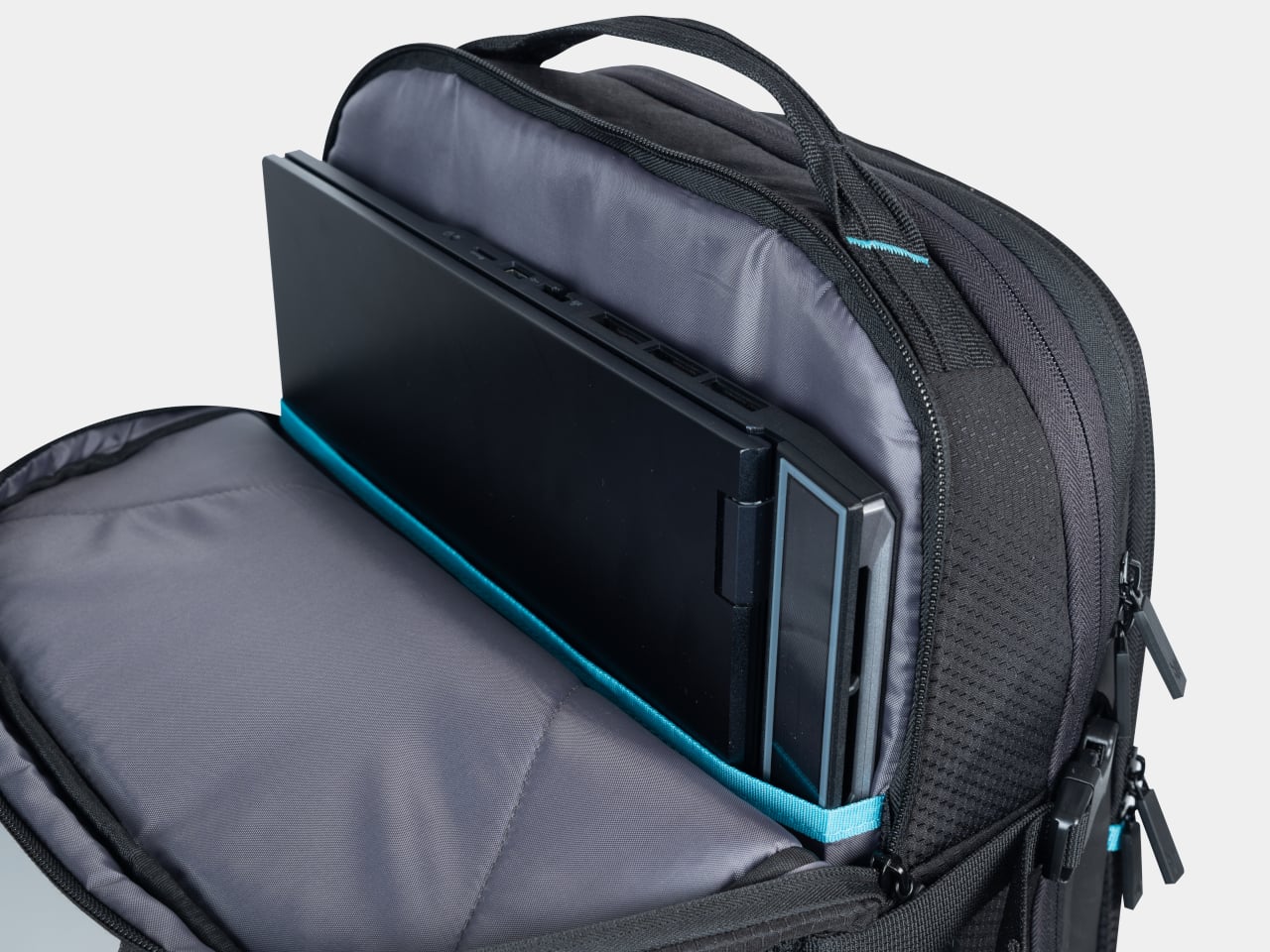
The Predator Robust Plus Backpack handles transport, expanding from 25L to 32.5L with a padded compartment for laptops up to 18 inches and a charging cable pass-through for keeping devices topped up on the move. A waterproof inner section and compression compartment round it out. The backpack arrives in North America in Q3 2026 at $199; the Aethon 750 TKL launches in EMEA in Q4 at €149.


The post Acer’s Nitro Blaze Link Is a Gaming Handheld That Skips the Processor first appeared on Yanko Design.

Android tablets have long defaulted to 16:9 screens, a ratio optimized for video that leaves them awkward for anything resembling actual work. Documents get letterboxed, web pages feel narrow, and the creative canvas ends up shorter than it should be. That works well for watching but not for producing, which is why the 3:2 display, long favored by productivity-first Windows devices, has been largely absent from Android.
Acer is changing that at Computex 2026 with the Iconia Duo lineup, three new Android 16 tablets that debut the brand’s 3:2 aspect ratio across three different price points. Alongside them, two new pairs of smart glasses push the mobile experience off the screen entirely: the AR Vision GR0 for immersive wired display and the GI0 for wireless, hands-free AI assistance on the go.
Designer: Acer
Acer Iconia Duo S14
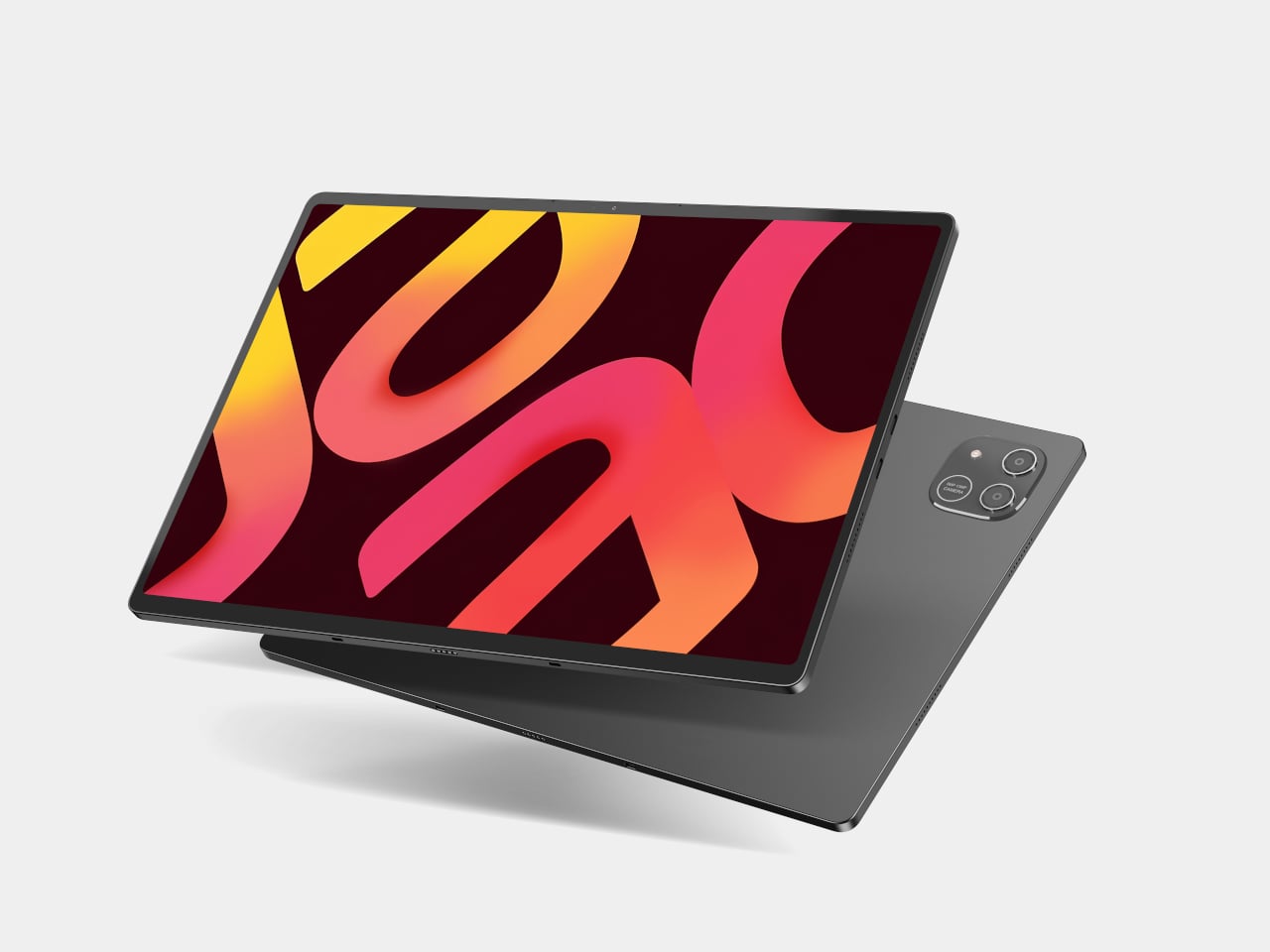
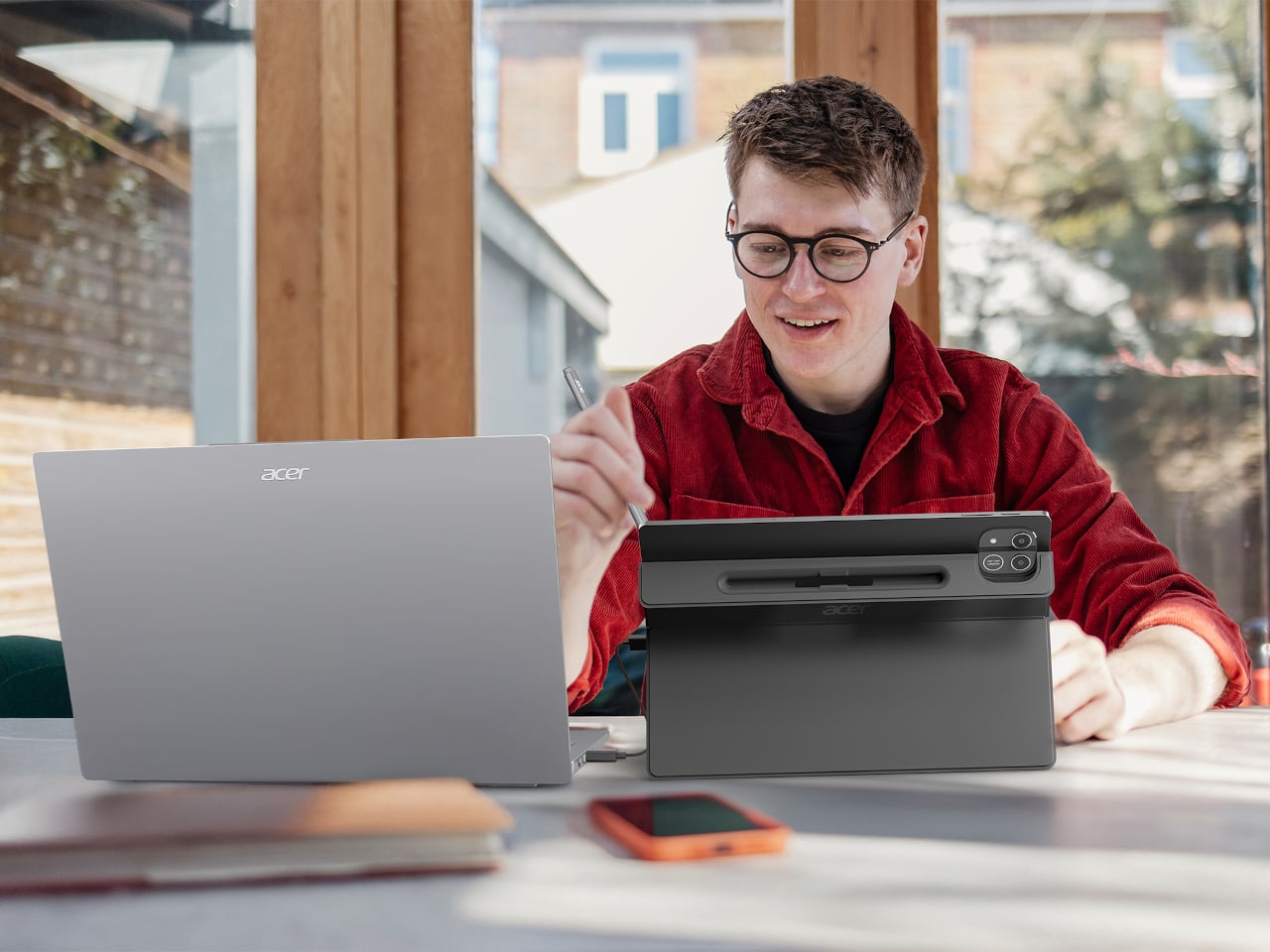
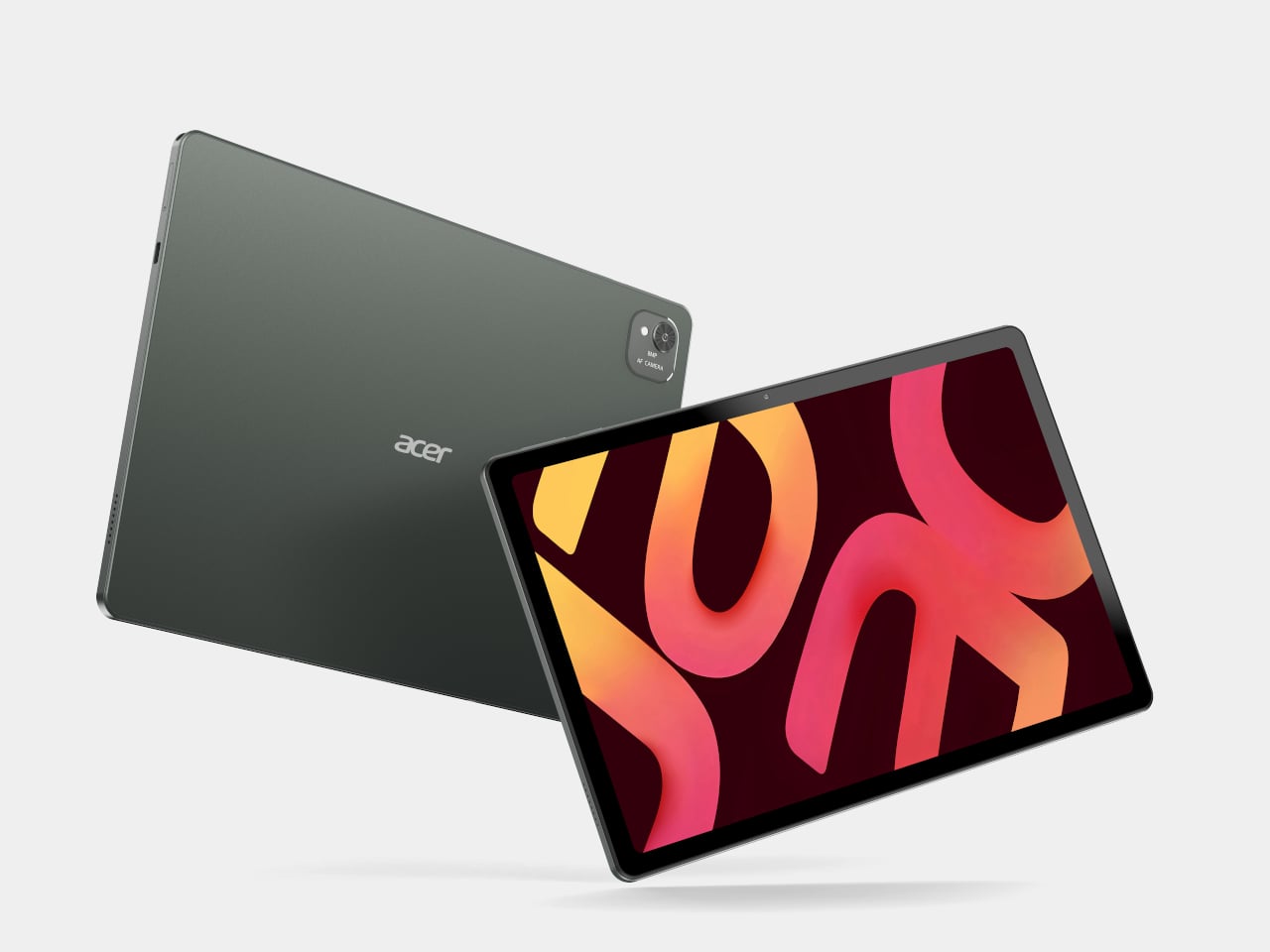
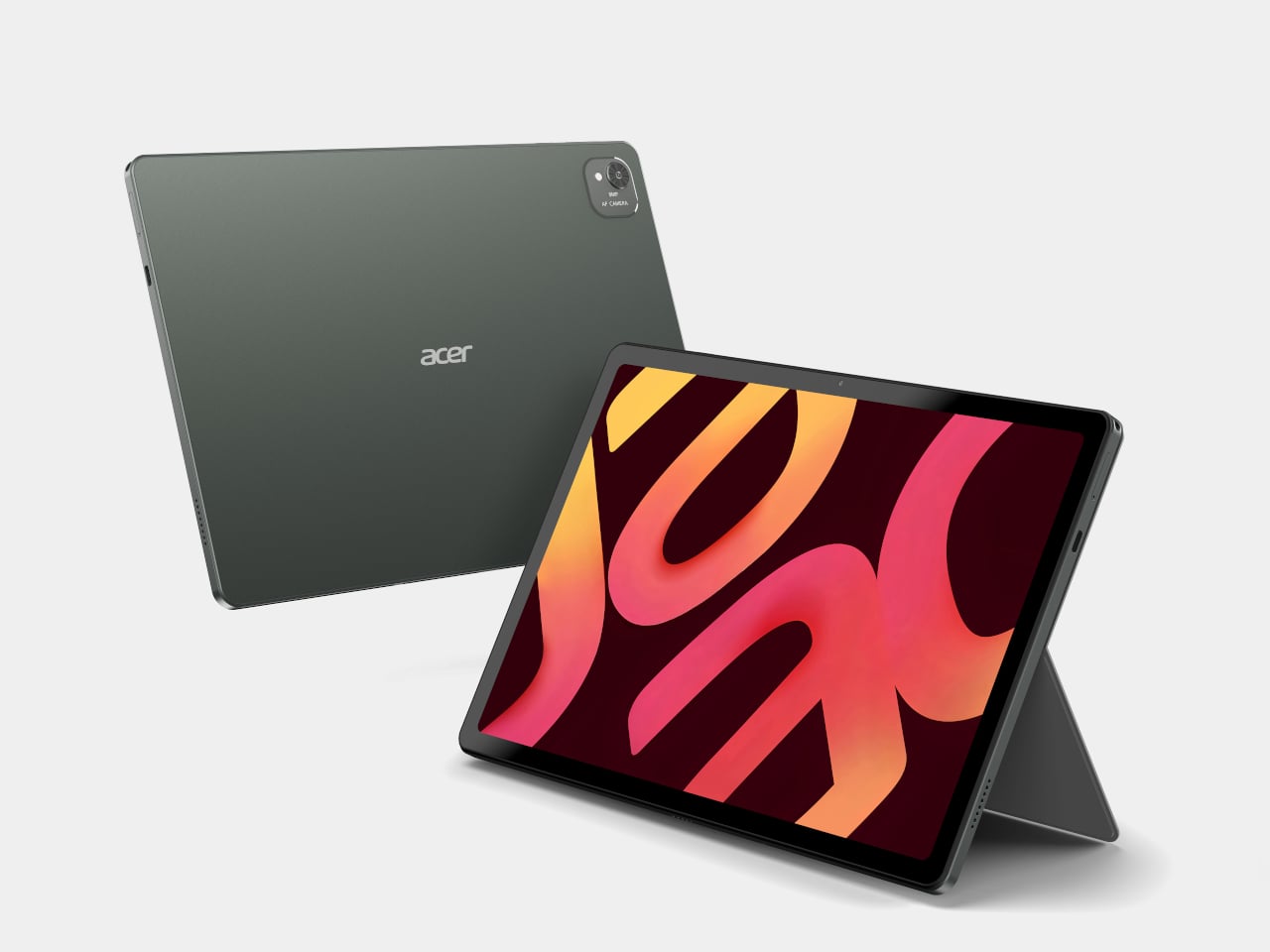
The flagship of the three is the Iconia Duo S14, built around a 14.2-inch 2.8K OLED display running at 120 Hz with 100% DCI-P3 color coverage. A MediaTek Dimensity 8300 SoC handles the processing, and DisplayPort in and out ports let it feed a larger screen during presentations or act as a portable monitor. At just 6.2 mm thin and 0.73 kg, it doesn’t exactly feel like a compromise.
Acer Iconia Duo S14
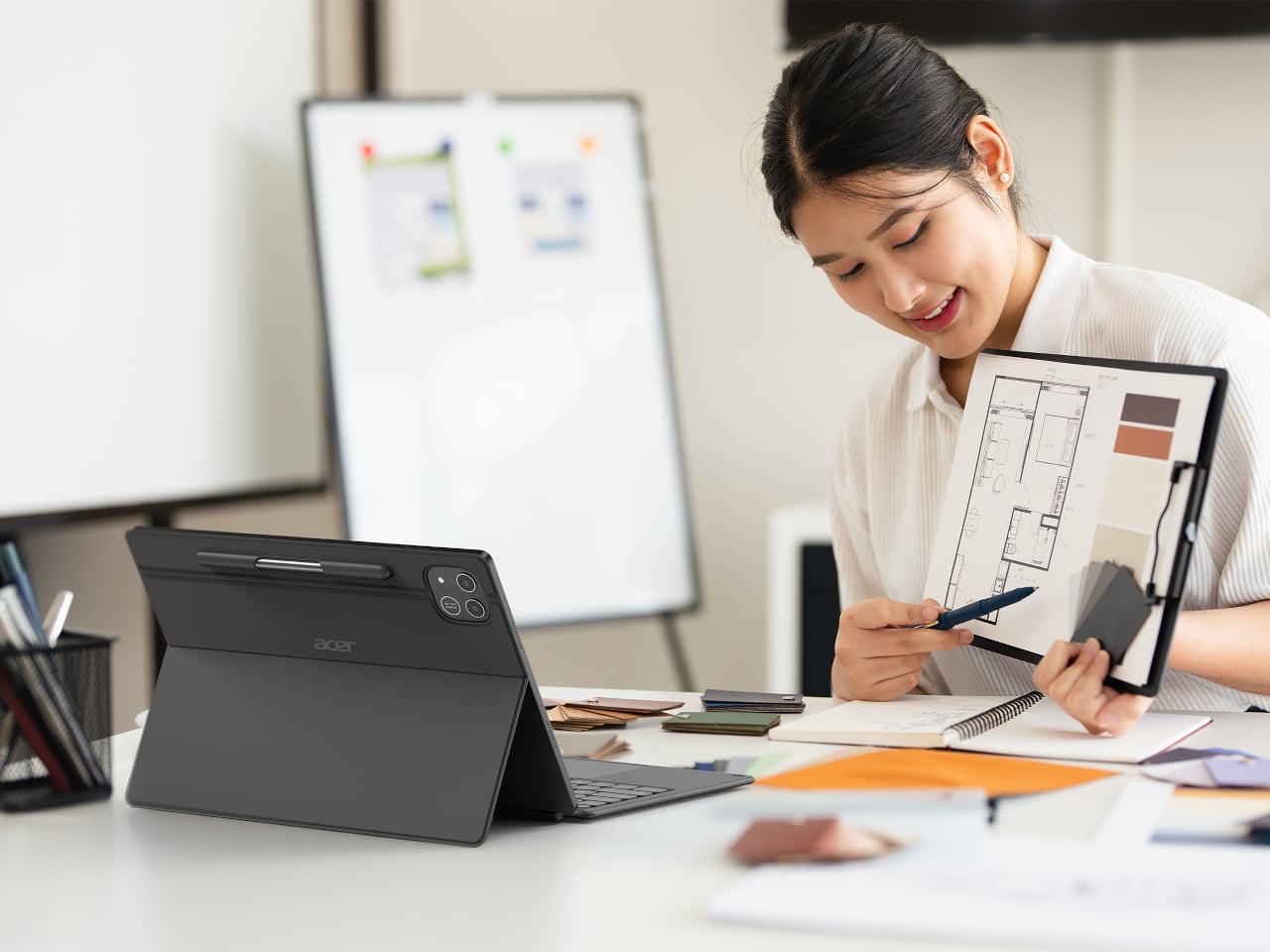
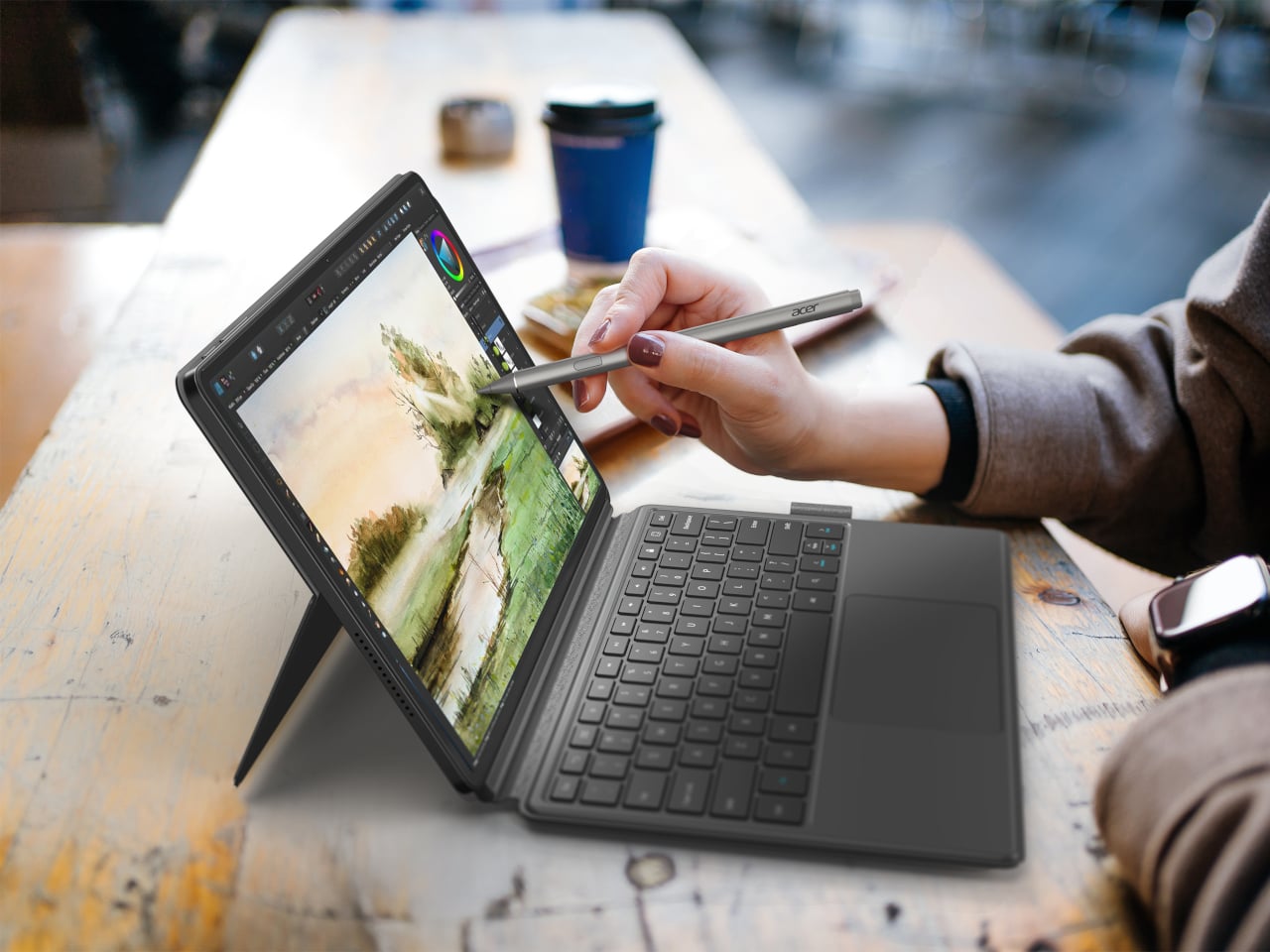
The 12.2-inch Iconia Duo S12 carries the same 2.8K OLED panel at 600 nits and adds nano-texture glass with anti-glare and anti-fingerprint properties, housed in an aluminum alloy chassis that makes it noticeably more premium to hold. The Iconia Duo D12 brings the same 3:2 format at a 2400×1600 resolution with a 90Hz refresh rate, starting at $399 for buyers who don’t need OLED.

Acer Iconia Duo S12
All three run Android 16 and support an optional Active Stylus, magnetic kickstand, and detachable keyboard, letting them shift from a drawing canvas to a laptop-like workstation with the right accessories. A microSD card slot in each model accepts cards up to 1 TB for local storage of large creative files, and battery life reaches up to 10 hours across the lineup.
Acer Iconia Duo D12
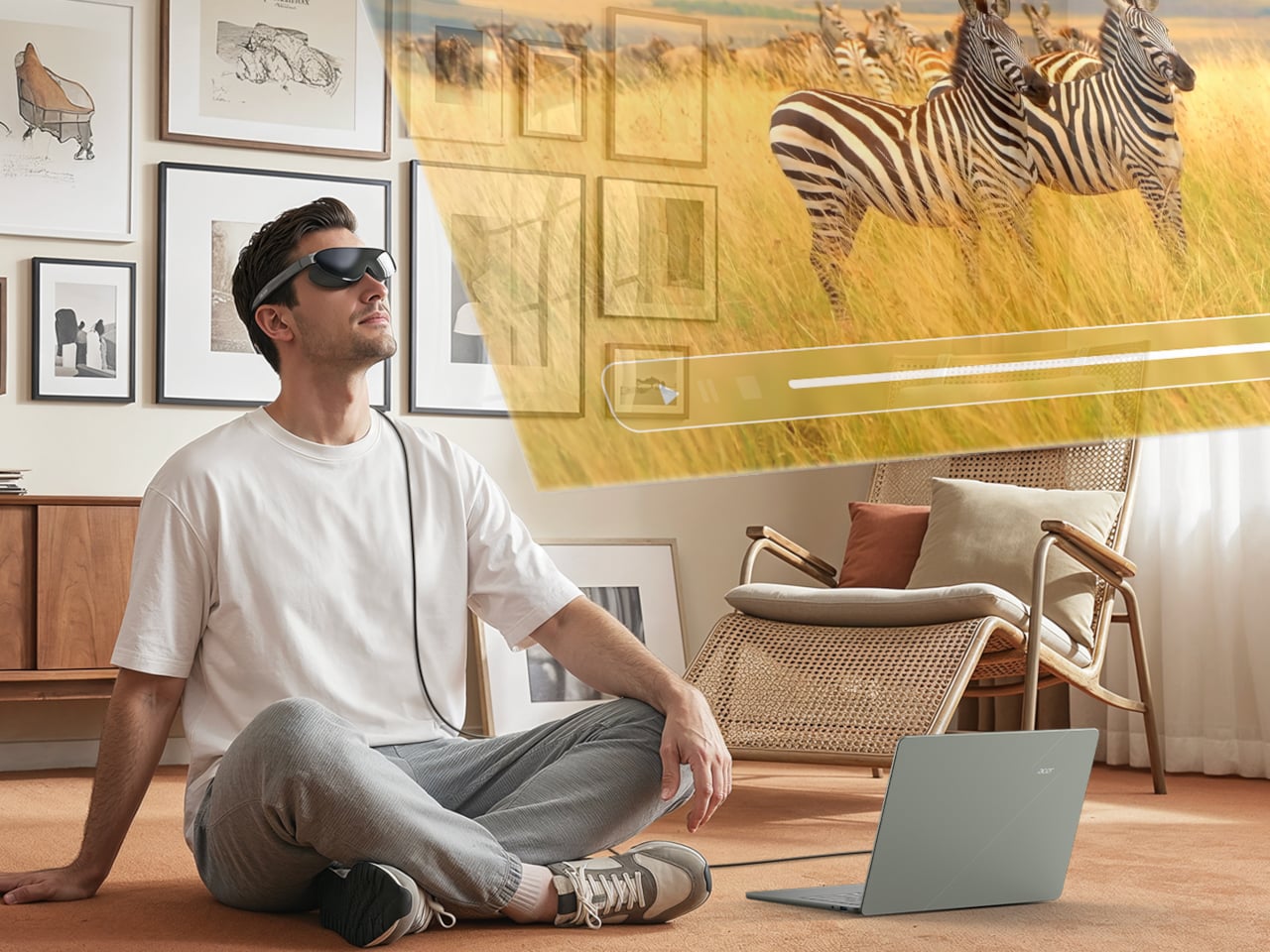
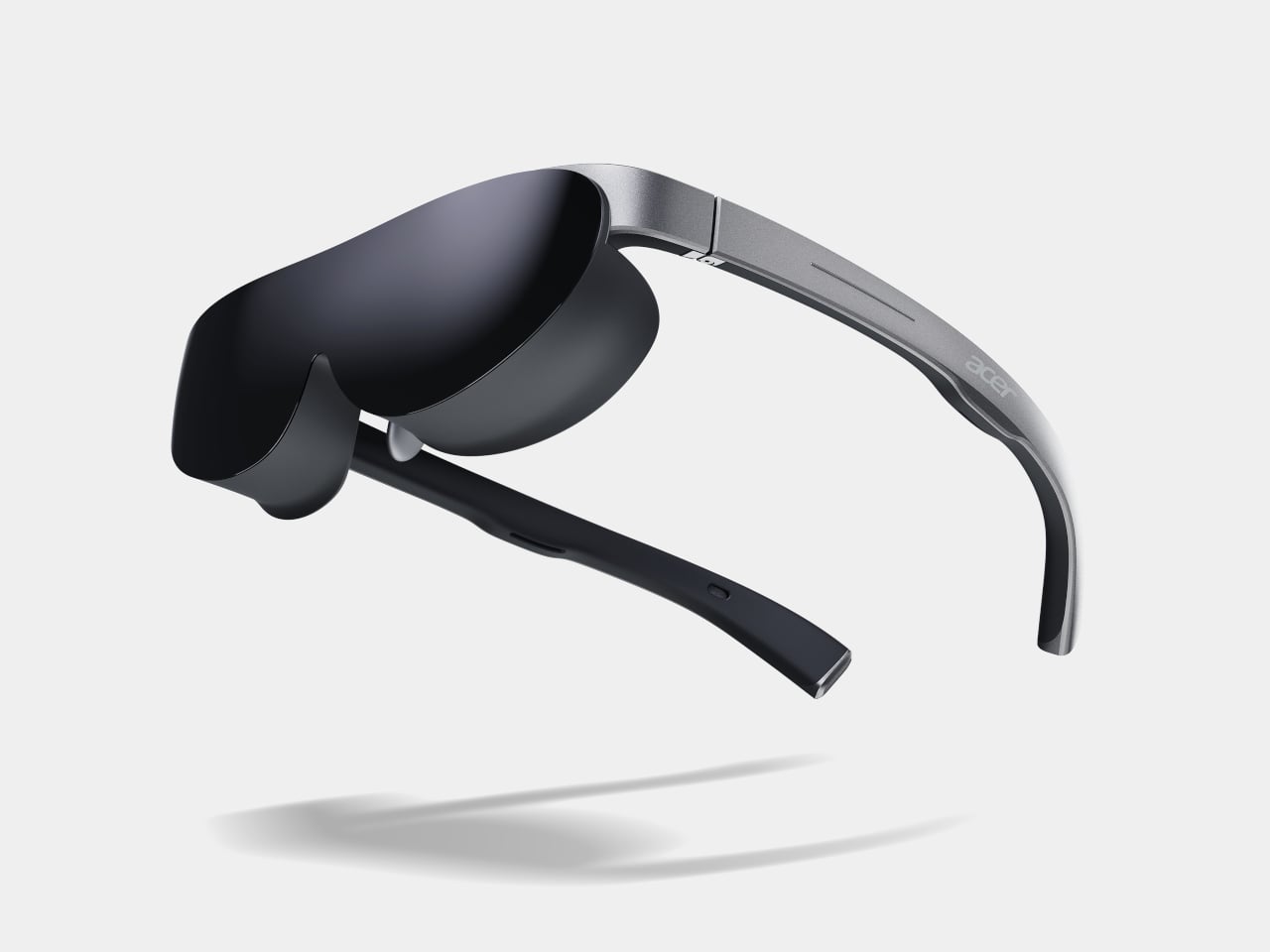
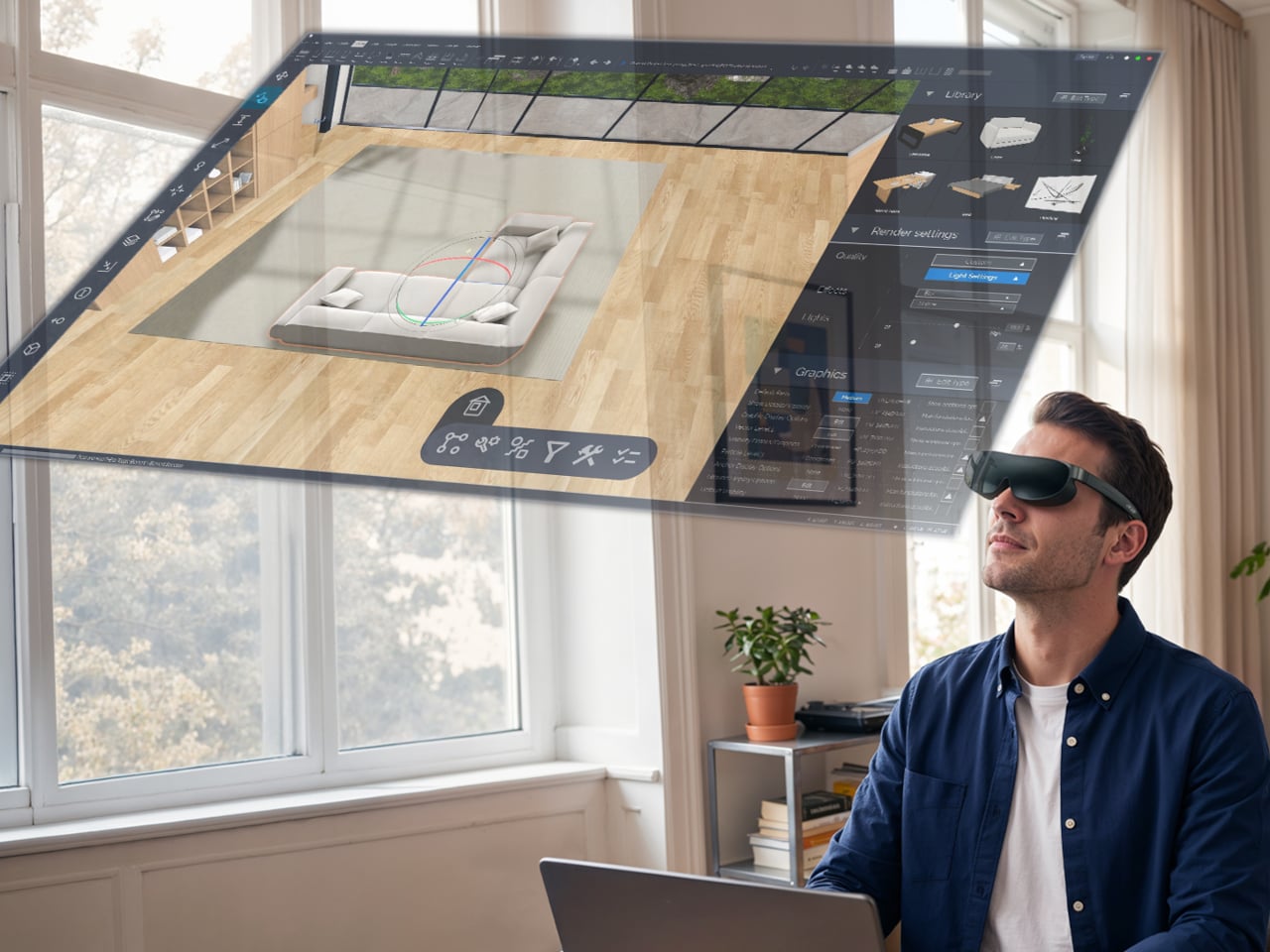
The AR Vision GR0 takes the display off the tablet entirely. The wired glasses connect to any phone, laptop, or tablet and deliver dual micro OLED FHD screens simulating a 172-inch screen from 6 meters away, with a 50,000:1 contrast ratio. They’re compatible with Android, iOS, and Windows, weigh just 69 g, and include a detachable light shield and a myopia magnetic lens option for prescription wearers.
Acer AR Glasses GR0
The GI0 heads in a different direction. Rather than a display, these 46 g AI glasses integrate a 12 MP camera and Google Gemini for real-time translation, AI captions, and voice-activated queries through three onboard microphones. They connect wirelessly over Bluetooth and Wi-Fi via the Acer AspireSync app, and they’re light enough to wear all day without thinking about them.
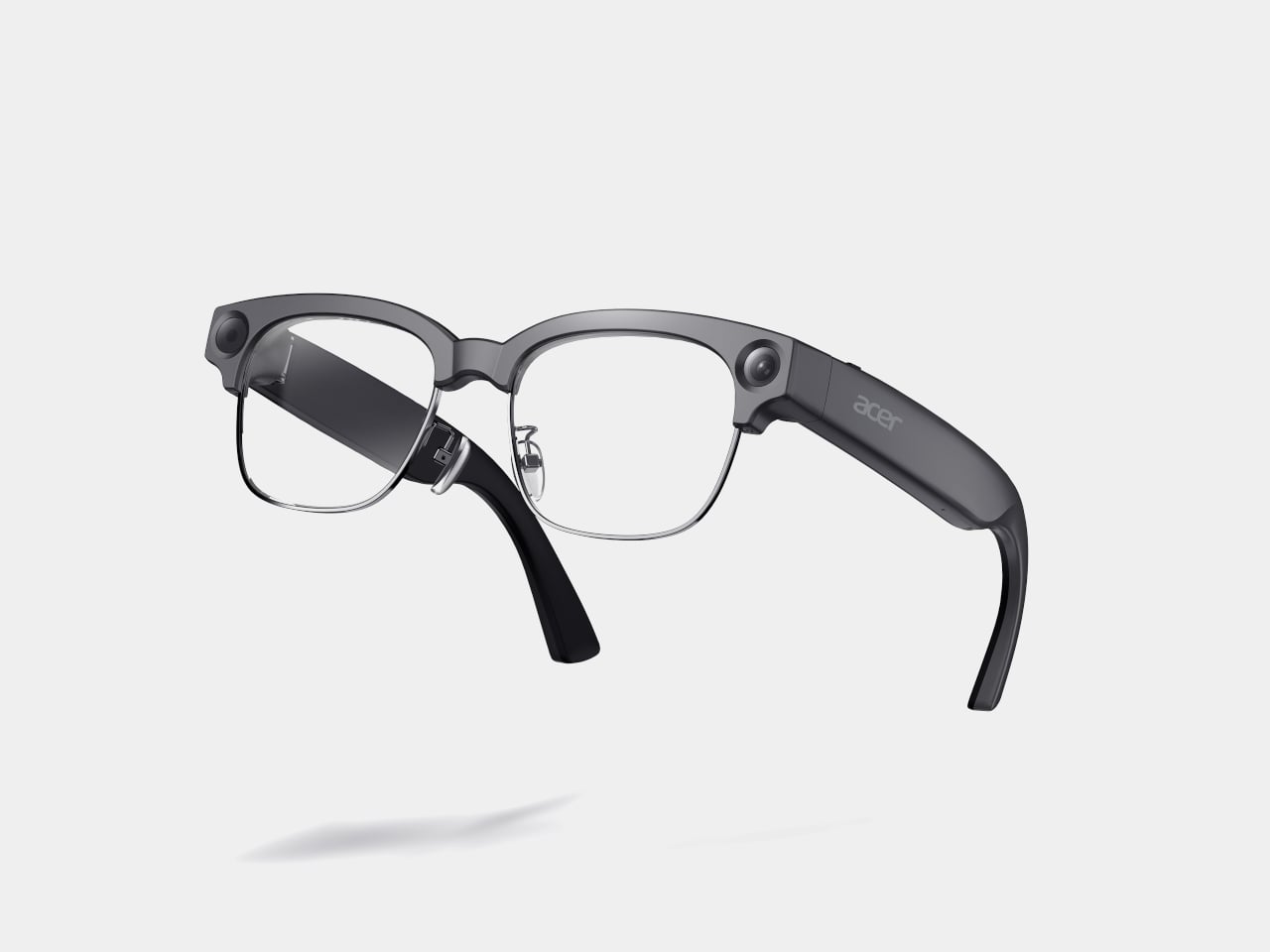

Acer AI Glasses GI0
The Iconia Duo S14 starts at $699 in North America in September 2026, the S12 at $549 in August, and the D12 at $399 also in August. The GR0 arrives at $499.99 and the GI0 at $299.99, both heading to EMEA in Q4 2026 and Australia in Q3. Together, they cover a broad stretch of mobile productivity, from an accessible Android tablet to a wearable AI companion.

The post Acer Made Android Tablets in 3:2 Because 16:9 Wasn’t Built for Work first appeared on Yanko Design.

The bag you carry into every café, co-working space, and airport lounge tells a story before the laptop opens. For years, that story was graceless — a tangle of cables, a charger shaped like a building block, a mouse that felt borrowed from a hotel business center. Nomad gear was assembled around survival rather than intention. Every surface it landed on looked worse for the visit.
Something has shifted. The tools built for people who work from everywhere are beginning to reflect the same care as the work itself. These eight gadgets share a quality that is harder to name than it is to recognize: they look considered. Each one earns its place in the bag not just by solving a problem, but by solving it in a way that leaves nothing clumsy on the table.

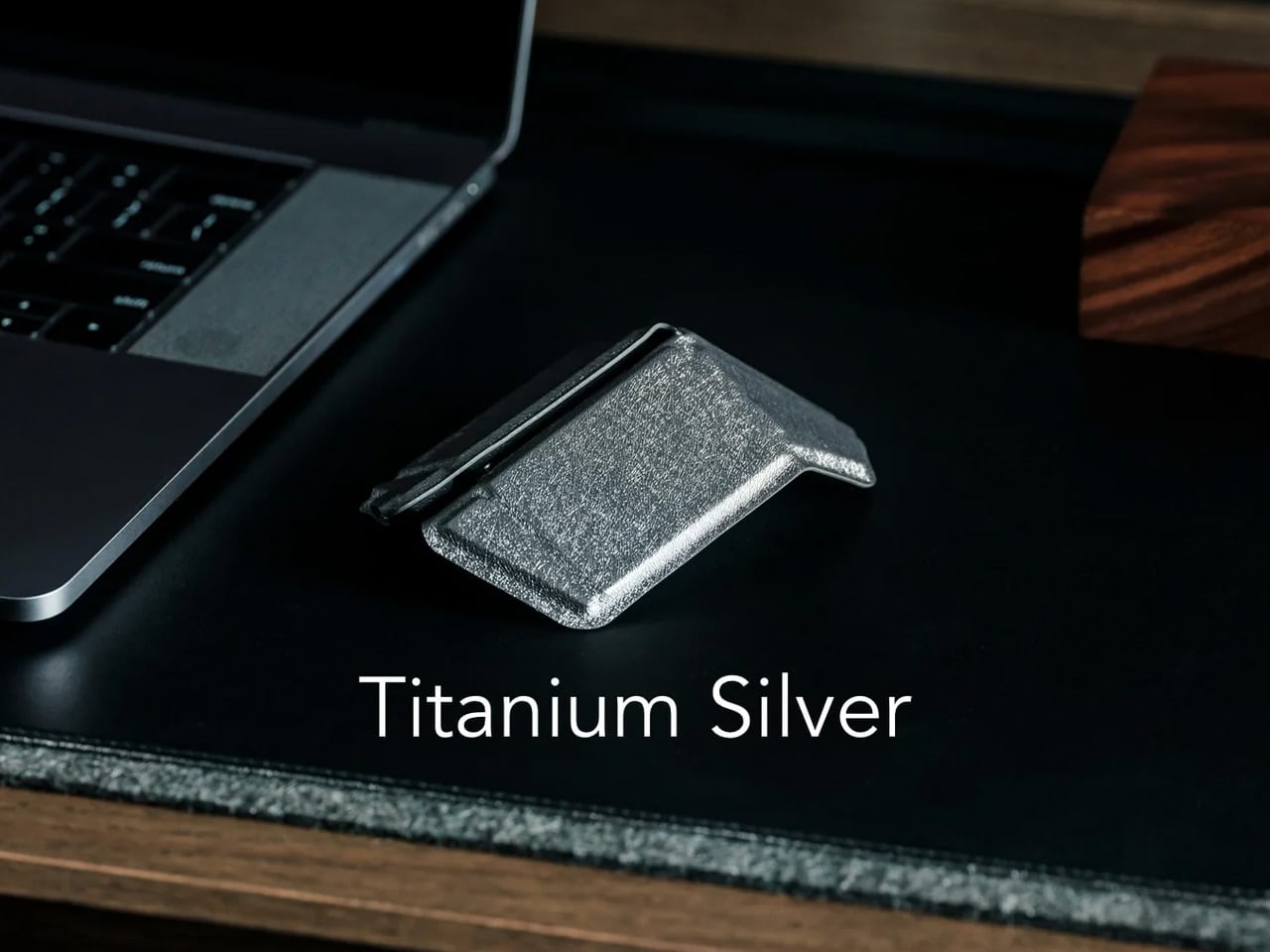
The travel mouse problem has never been about making mice smaller. Smaller mice create smaller hand cramps. The real solution is transformation, not compression, and the OrigamiSwift understands this from the geometry up. Borrowing the logic of its name, it collapses to card-sized flatness and snaps open — via magnetic clips — into a fully contoured ergonomic mouse that actually fits a palm. At 40 grams, it weighs less than a pen and disappears into a jacket pocket without announcing itself.
The polygonal folded surface earns its grip through geometry rather than rubber texture, which gives the form a visual coherence that most travel mice never achieve. Bluetooth 5.2 connects without a dongle, and three months of battery life on a single USB-C charge keeps it out of the daily rotation entirely. For the nomad whose work demands precision that a trackpad fails to deliver in the critical stretch of an afternoon, this removes every excuse for not carrying a proper mouse.
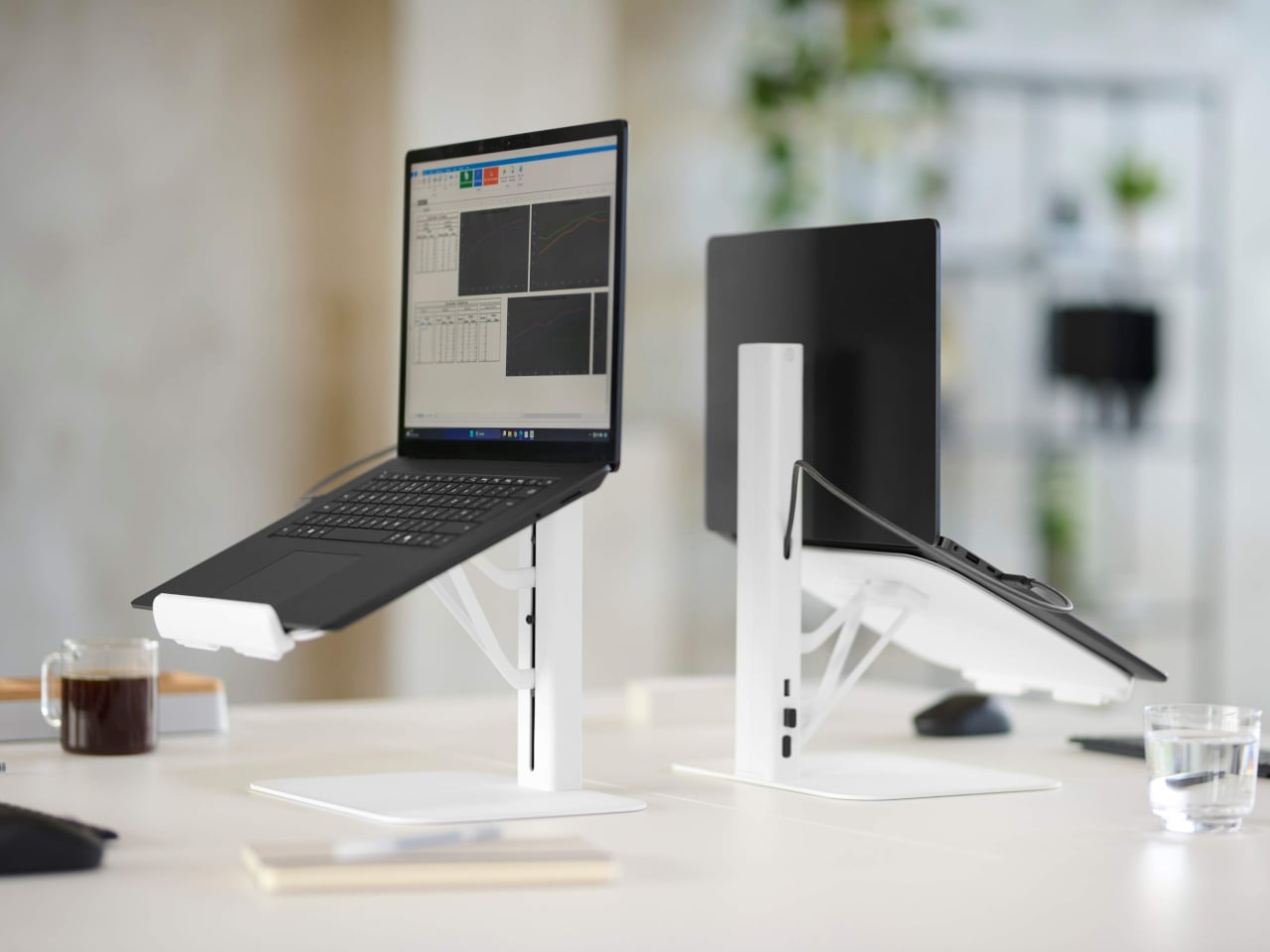
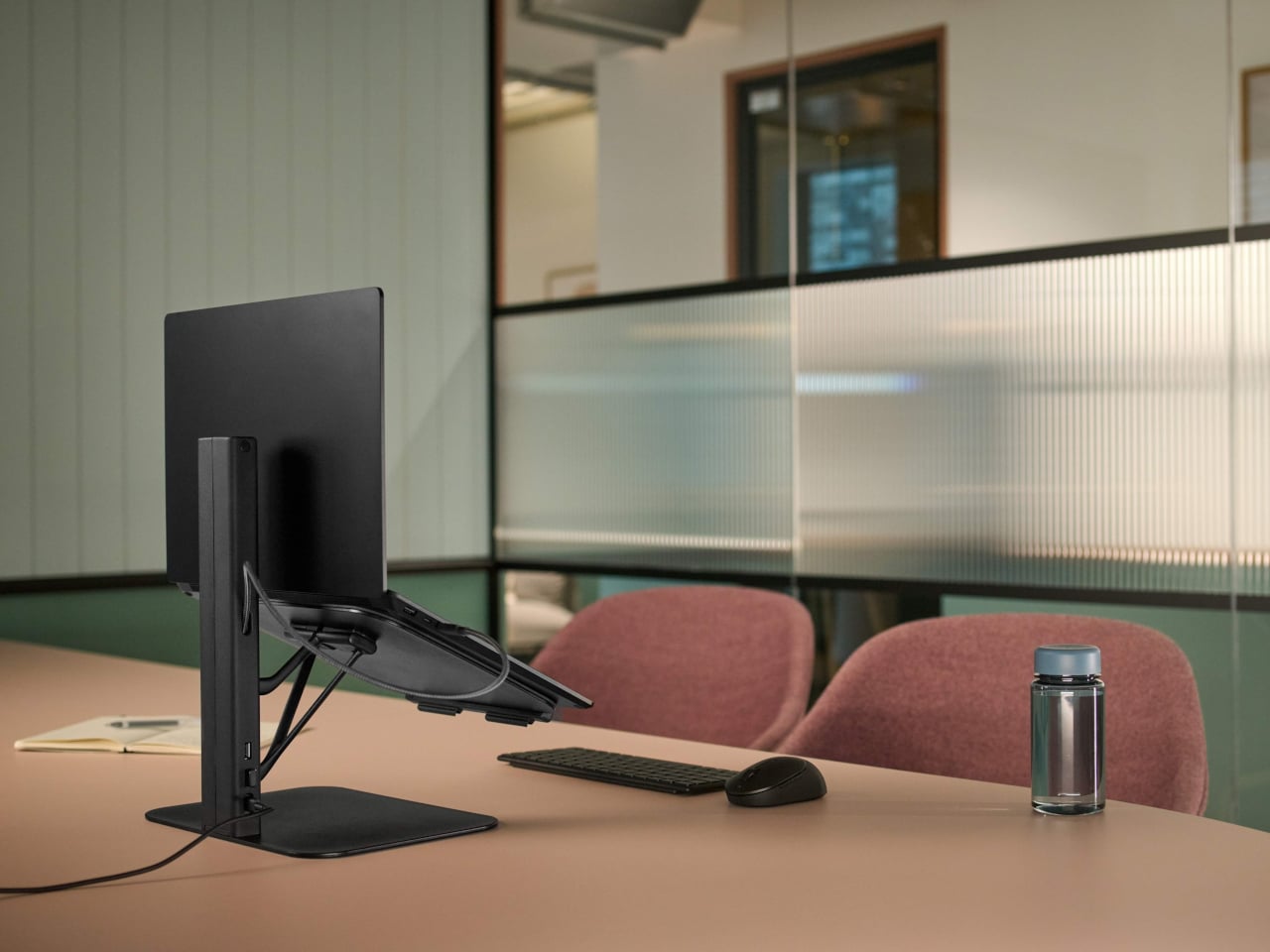
Working from borrowed surfaces has always involved a compromise that people accept rather than solve. Laptop too low, neck forward, shoulders rounded inward — the session ends the same way regardless of how productive the hour before felt. The Lana laptop stand from Colebrook Bosson Saunders is a compact riser with a USB hub integrated directly into its spine, meaning a single USB-C cable connects the laptop, keyboard, mouse, and power simultaneously. The temporary desk stops feeling improvised from the moment everything clicks into place.
Lana was designed specifically for the shared spaces nomads actually inhabit: pods, booths, communal benches — furniture built for lunch breaks, not extended output. The footprint is small enough for a café booth table, but tall enough to bring the screen level. A 12-year warranty from a British-designed and engineered product communicates something important. This is not a disposable gadget but a long-term fixture in a kit that gets used every single day, on surfaces that were designed for everything other than this.
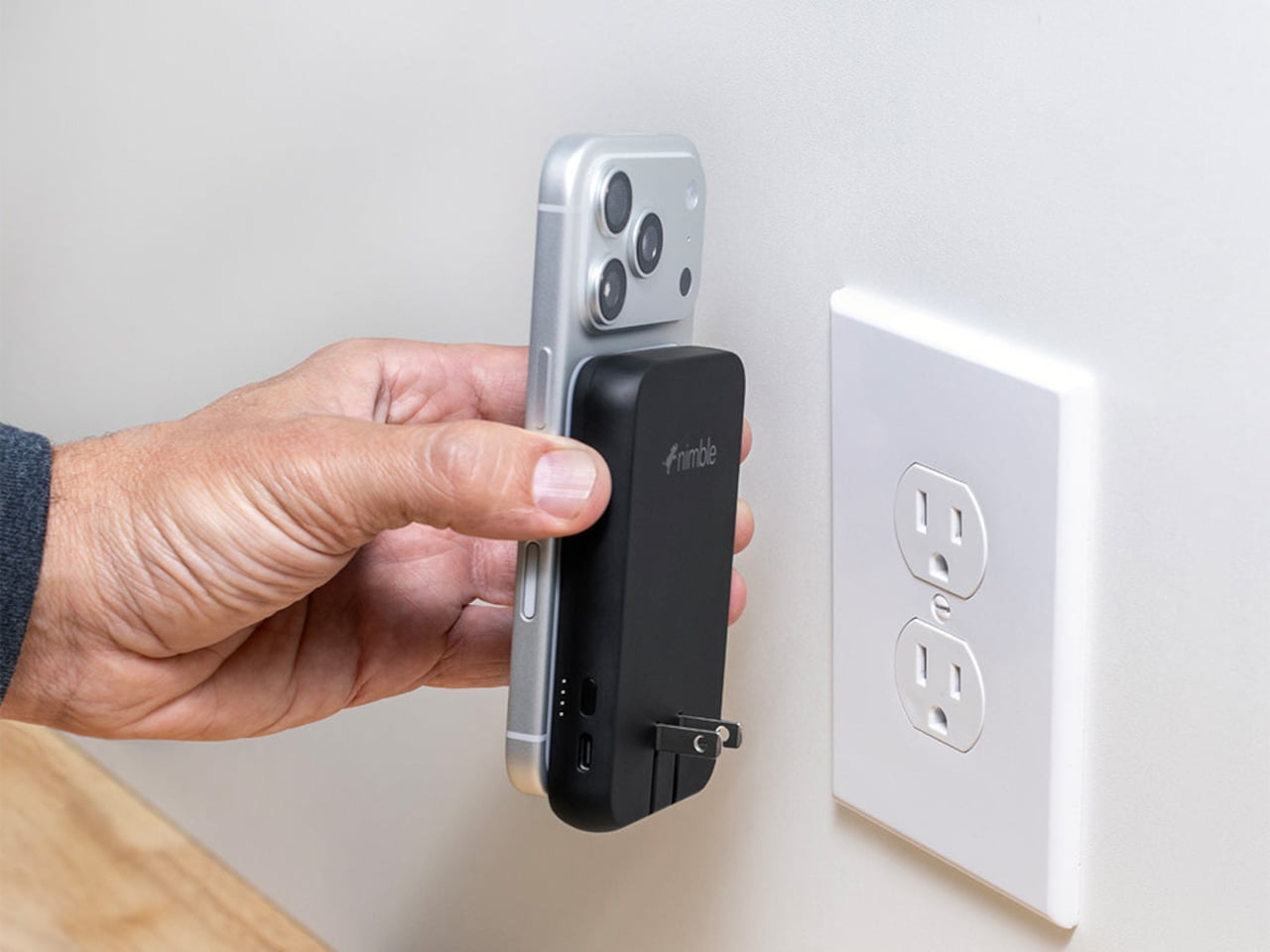
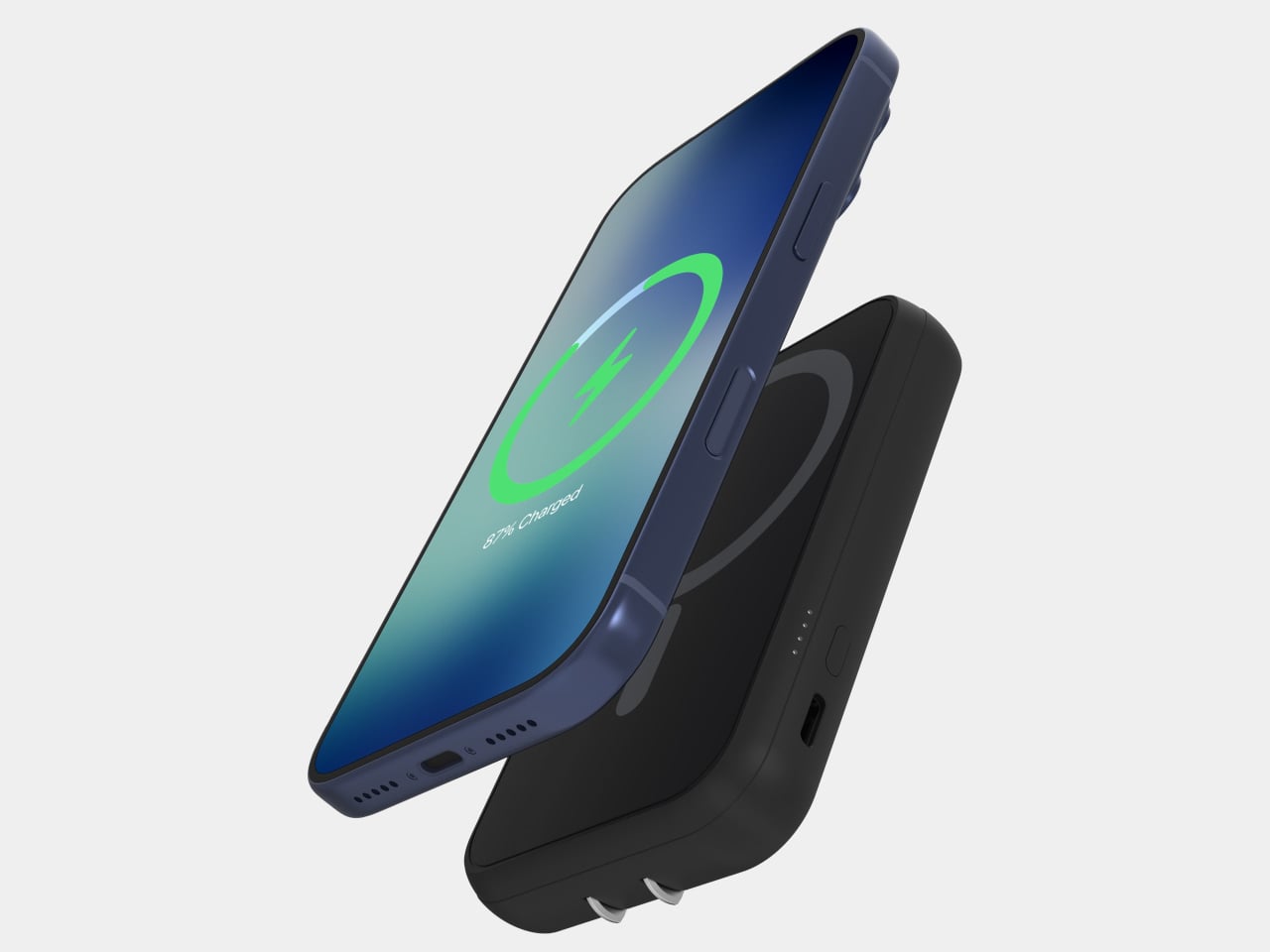
Traveling with electronics has long meant traveling with three separate charging accessories: a wall charger for the laptop, a power bank for the phone, and a wireless pad for overnight top-ups. Most people pack all three, use each one just enough to feel justified in carrying it, and leave one at a hotel room in a different country at least once a year. The Nimble WALLY Pro Wireless is a direct answer to that pattern. At 0.61 inches thin, it functions as a wall charger, a 5,000mAh power bank, and a Qi2 wireless charging pad, simultaneously.
Plug it into any outlet globally using folding prongs, and it charges its own internal battery while sending up to 15W wirelessly to a phone placed on its back. Pull it from the wall, and it switches to power bank mode without missing a step. The housing is 100% post-consumer recycled plastic, carbon-neutral certified, TSA-approved, and biodegradably packaged. At $49.95, it removes a genuine category of bag-packing anxiety rather than simply reducing it, which is the kind of simplicity that only feels obvious after someone else has done the work.
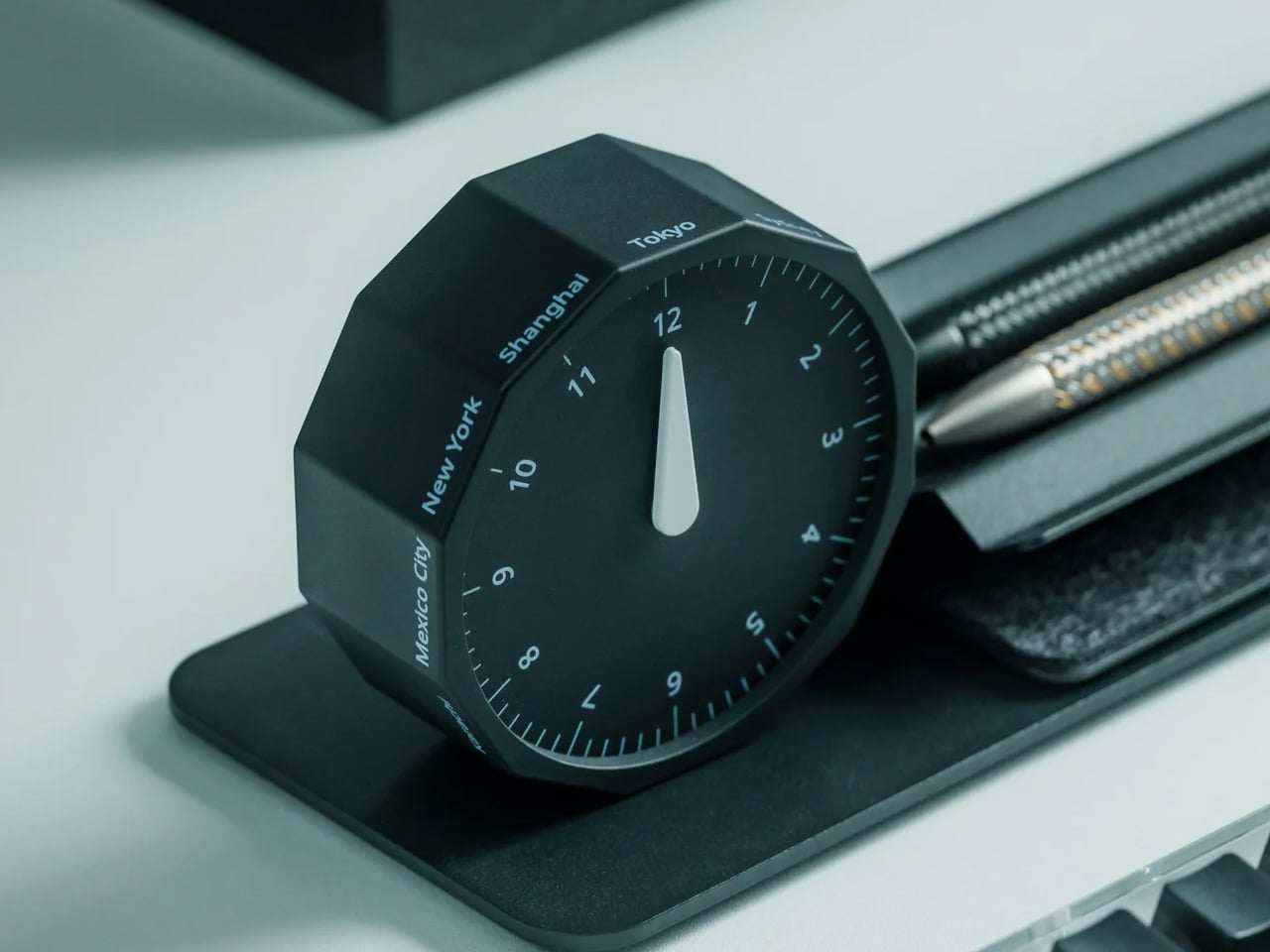
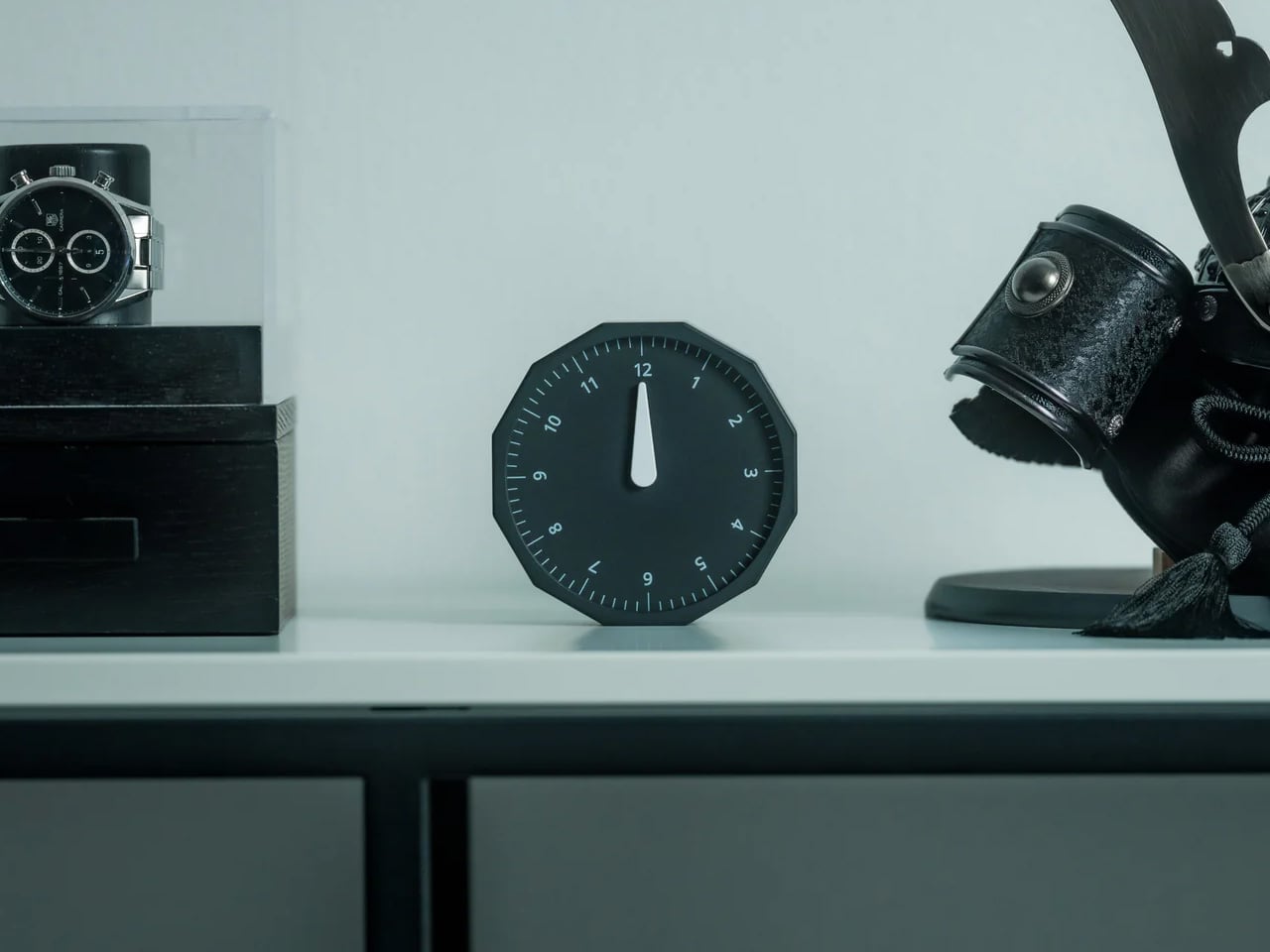
Working across time zones involves an arithmetic problem most people solve by unlocking a phone and navigating to a setting buried several menus deep. The Rolling World Clock removes the phone from that interaction entirely. A 12-sided dodecahedron, one analog hand per face, each face assigned to a city: roll it to any side, and it reads the correct local time in that location. The entire interaction takes less time than the lock screen.
Available in black and white at $49, it occupies the surface area of a hockey puck and sits at the precise intersection of functional object and desk sculpture. The design works because it resists adding more — no digital layer, no companion app, no charging port. On a surface full of screens and cables, a clock answered by physically rolling it is the object every person at the adjacent table wants to pick up and examine. That kind of unselfconscious utility is genuinely rare at any price.
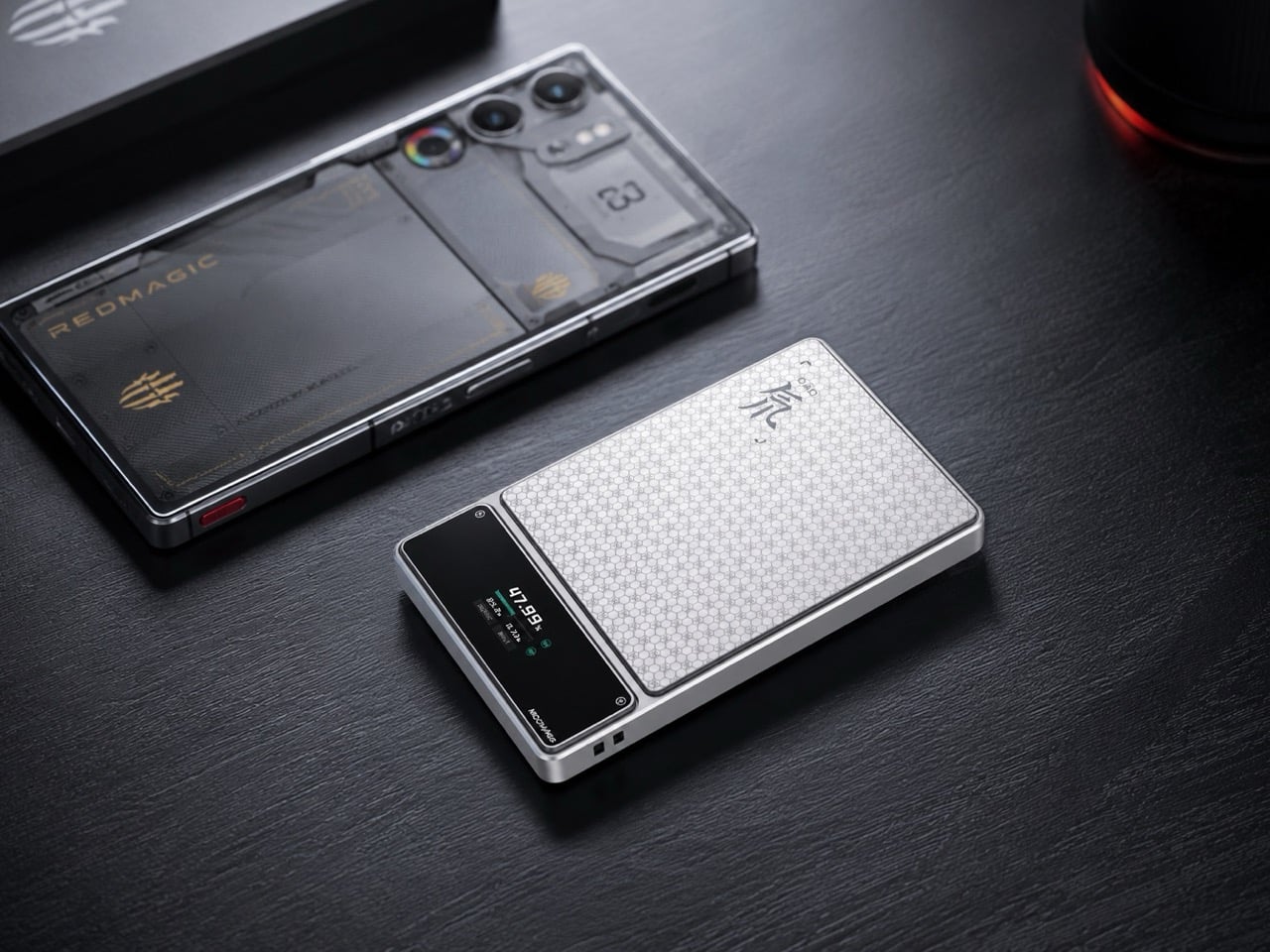
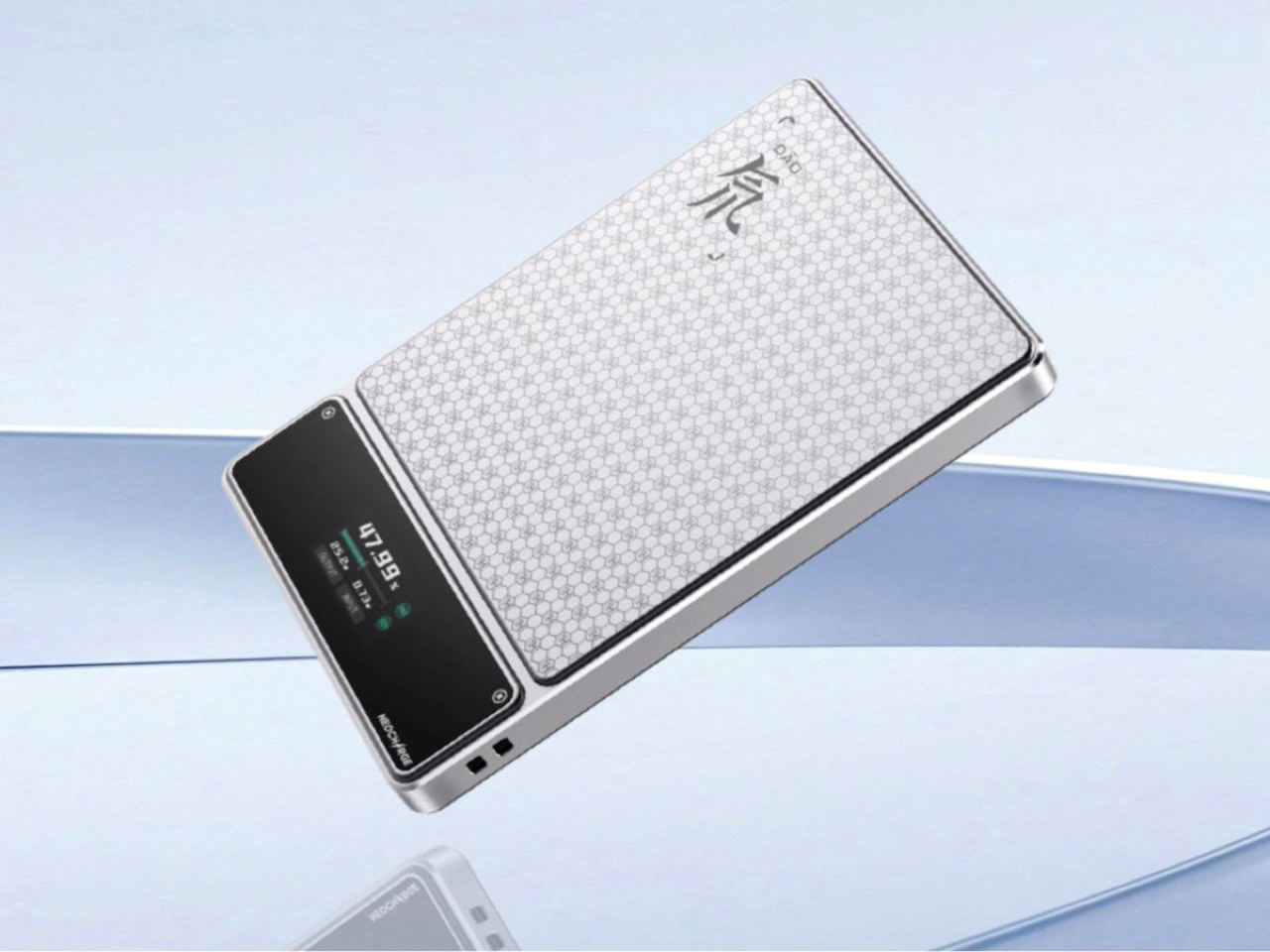
Aviation rules around lithium batteries have changed significantly in 2026 — multiple major carriers now ban in-flight power bank use entirely, and the regulations are still tightening. Most power bank manufacturers have responded to this by doing nothing. RedMagic responded by designing for the regulation directly. Their power bank includes a dedicated flight mode switch that disables active output functions on command, aligning with carrier requirements that previously involved gate-side arguments about a device nobody could quickly verify.
The one-touch flight mode cuts wireless transmission instantly, transforming a potential boarding problem into a one-press demonstration. Beyond the compliance story, the honeycomb aluminum finish suggests RedMagic wants you to leave this on your desk even when you are not traveling — a power bank that earns surface rights rather than disappearing into a pocket. For a brand that built its credibility making hardware for people who care about how their tools look and feel, the application to travel infrastructure is a natural extension rather than a category stretch.
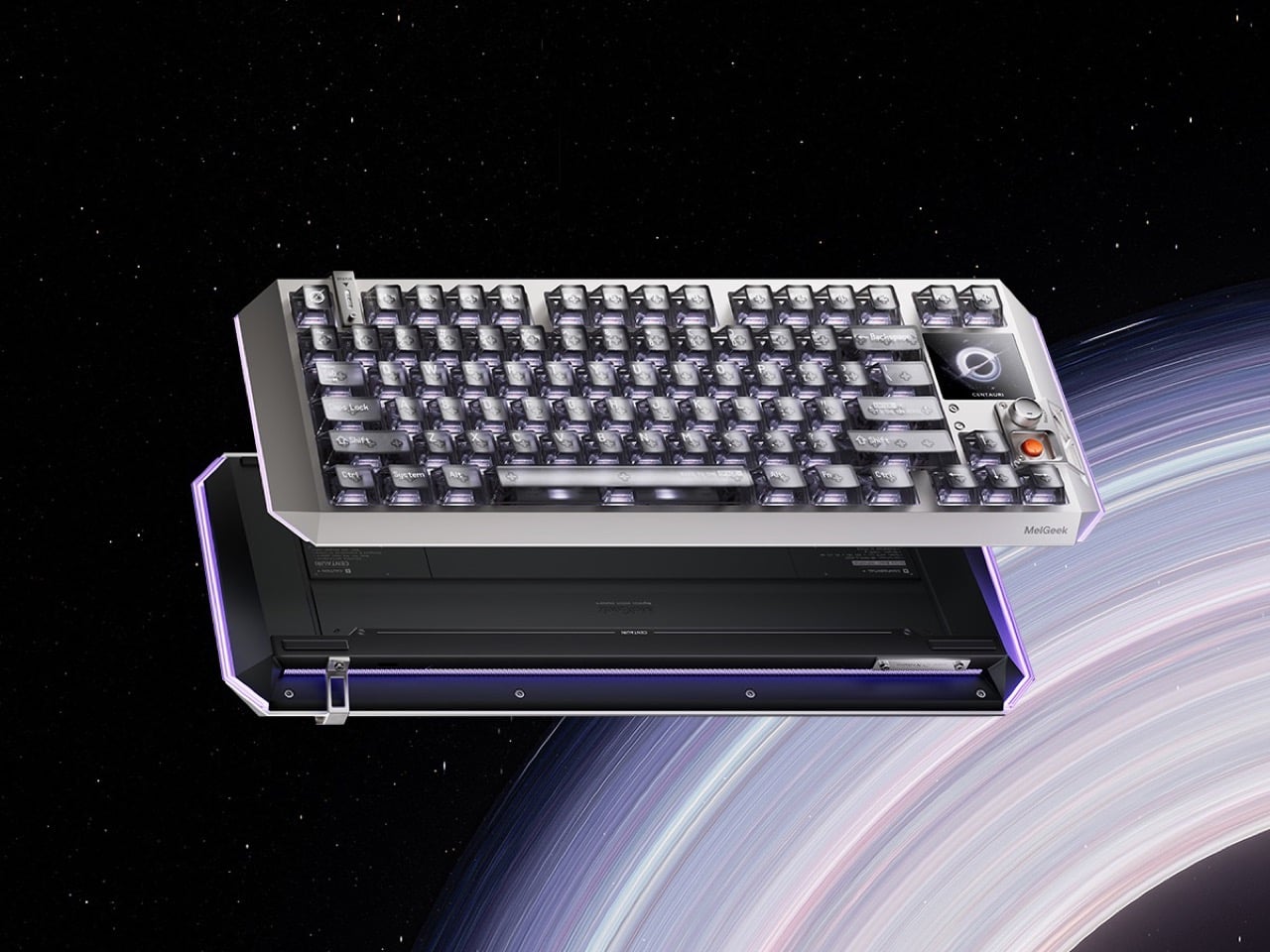
Fifty years of keyboard design produced better switches, heavier plates, and an entire hobbyist economy built around sound profiles — but the object itself stayed stubbornly analog in its ambitions. The Centauri80 breaks that contract. MelGeek embedded a 1.78-inch OLED touchscreen directly into the board at 325 PPI, the same pixel density as an Apple Watch face, alongside a physical rotary encoder called the Super Dock. Live wallpapers, macros, and lighting adjustments happen on the board itself, without alt-tabbing out of whatever the afternoon actually requires.
The engineering underneath supports the ambition. Six microcontroller chips drive TTC Flip King Hall Effect magnetic switches to 0.125ms latency at an 8000Hz polling rate — numbers that make the 80% aluminum unibody the most responsive input device on most desks, not just the most considered one. At $299 from MelGeek’s own store, the Centauri80 competes directly against the Wooting 60HE and the rest of the Hall Effect field while carrying something none of them have: a visual interface that turns the keyboard into a control surface with its own design language.
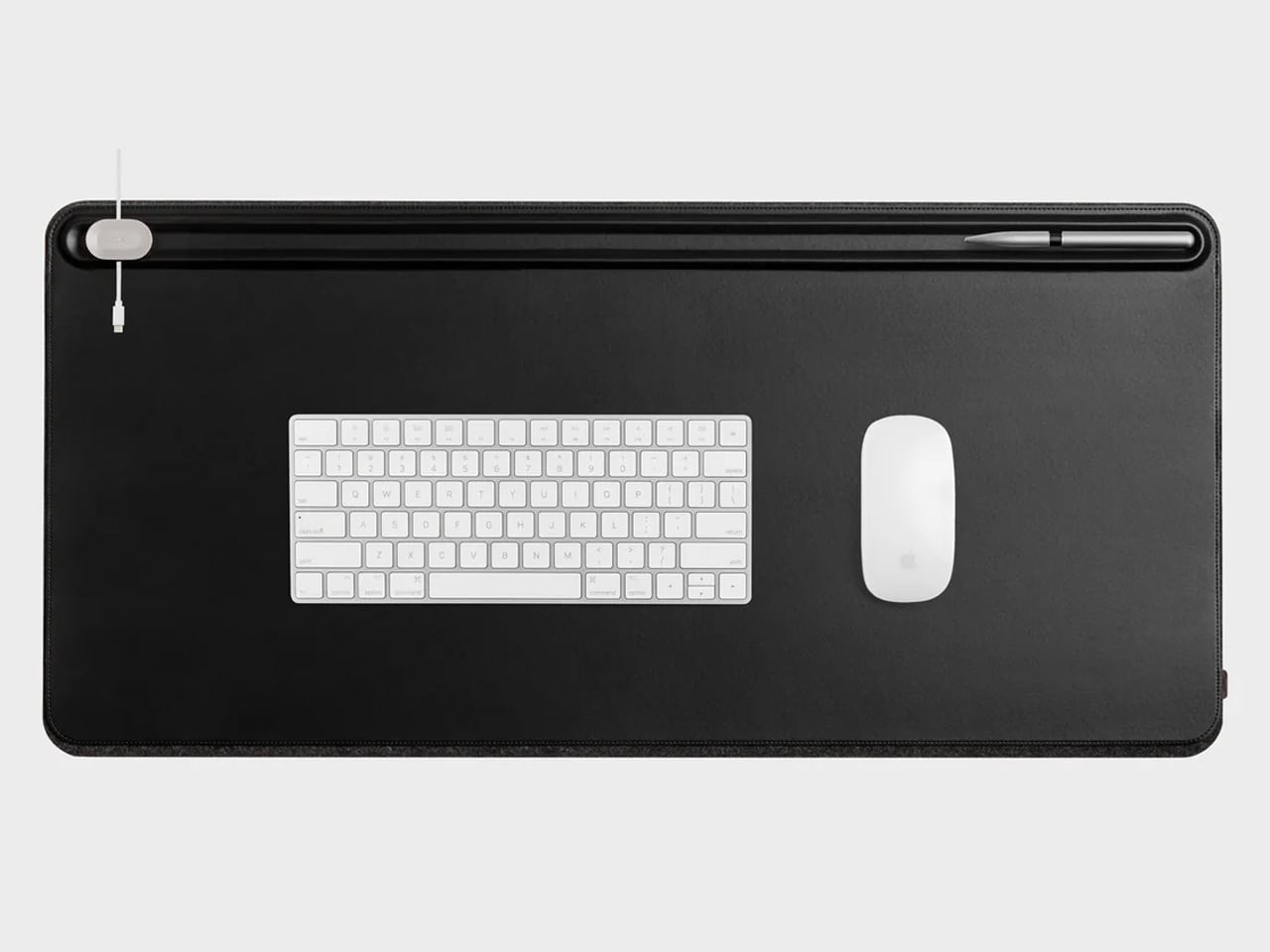
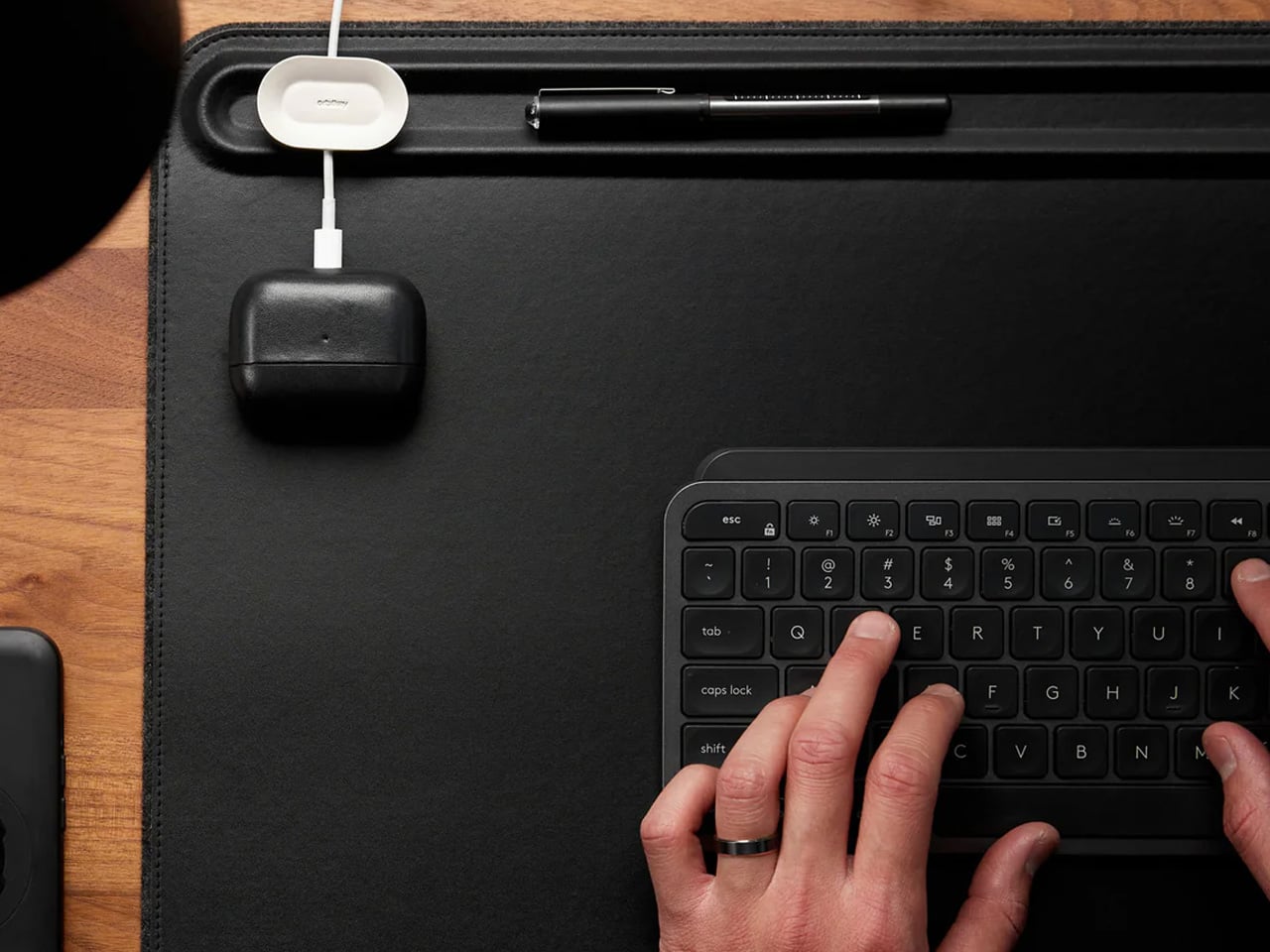
A borrowed table is still a borrowed table until something on it says otherwise. The Orbitkey Desk Mat doesn’t announce itself — it simply reframes the surface it occupies. Full vegan leather across the top, recycled PET felt underneath, a document slot along the upper edge, and Qi wireless charging embedded invisibly into the upper-right zone. Place a phone there, and it charges. No cable surfaces anywhere in the composition. The mat claims the desk and turns it into something that belongs to you, at least for the session.
It rolls tight enough to travel inside most laptop sleeves, deploys completely flat, and develops a surface character over months of use that reads as the quality indicator it actually is. Magnetic cable holders keep charging cables from drifting off the edge mid-session. A pen loop stitched into the left side holds exactly one pen. These details were thought through rather than listed on a spec sheet, which is the difference between a product designed for desk photography and one designed for daily work. At $99.90, it is the kind of surface investment that compounds quietly over the years.


Every modern ultrabook ships with two USB-C ports. Every modern nomad workflow needs more than two ports running simultaneously. The HubKey Gen2 resolves the gap with eleven connections in one compact 7 × 7 × 3cm cube: dual 4K/60Hz HDMI outputs, USB-A 3.1, USB-C 3.1, SD and TF card readers, 2.5Gbps ethernet, a 3.5mm audio jack, and 100W power delivery through a single cable into the laptop. The port problem disappears from the workflow rather than being permanently managed around it.
The programmable shortcut keys and central control knob on the top panel are what distinguish this from a standard travel hub. Volume, mute, display toggle, and screenshot become physical actions handled by the left hand while the right hand stays on the mouse. For nomads driving external displays across video calls and creative sessions in co-working spaces, turning a connectivity device into a tactile control surface is the kind of upgrade that feels immediately obvious on the first day and genuinely irreplaceable from the second. The cube form fits anywhere without announcing itself.
The kit assembled here is not a packing list. It is a position that the tools a nomad carries every day deserve the same design attention as the work those tools are used to produce. A mouse that folds with geometric logic. A clock answered by rolling it. A charger that stopped being three separate objects. A hub that turned its top surface into a control panel. Each object solves a specific problem in a way that leaves the desk better than it found it.
The best version of working from anywhere is not about freedom from a particular address. It is about arriving at any table with a kit that makes the table feel chosen. These eight products do that together in a way that none of them manages alone — and that is the standard worth holding to when every other square centimeter of the bag is already spoken for.
The post 8 Best Digital Nomad Gadgets of 2026 That Make Your Laptop Bag Look Like a Design Studio first appeared on Yanko Design.
Bolt-action pens command a fanbase that splits neatly into two camps. There are the fidget enthusiasts, the ones who cycle the bolt compulsively mid-conversation and genuinely cannot put the thing down, drawn entirely by the sensory reward of a well-tuned spring mechanism. The satisfying click and return of a well-machined bolt has an almost compulsive quality that most people who have owned one will recognize immediately. Then there are the EDC traditionalists, who carry bolt-action pens with something closer to reverence, appreciating how a mechanism borrowed from military rifles found its way into writing instruments and became a small, tactile piece of mechanical history worth keeping in a pocket. For that second group especially, the bolt-action pen occupies the same mental space as a quality pocket knife or a classic field watch: a precision object that earns its keep through both performance and heritage.
The Bullet Ant 4.0 by MeTool builds on that foundation and loads it with function. The bolt-action mechanism deploys a top-mounted 4mm bit driver the moment the bolt flicks forward. Nested inside the barrel is a magnetic bit garage holding a spare, and a hidden blade sits flush in the lower section, locked by two magnets that hold it against shaking, jostling, or being tossed in a bag. The rear tip swaps between a graphite and metal writing point, with a tungsten glass breaker completing the set. All of that in 32 grams of Grade 5 titanium.
Designer: MeTool Design Team
Click Here to Buy Now: $65 $108 (40% off). Hurry, only a few left! Raised over $32,000.
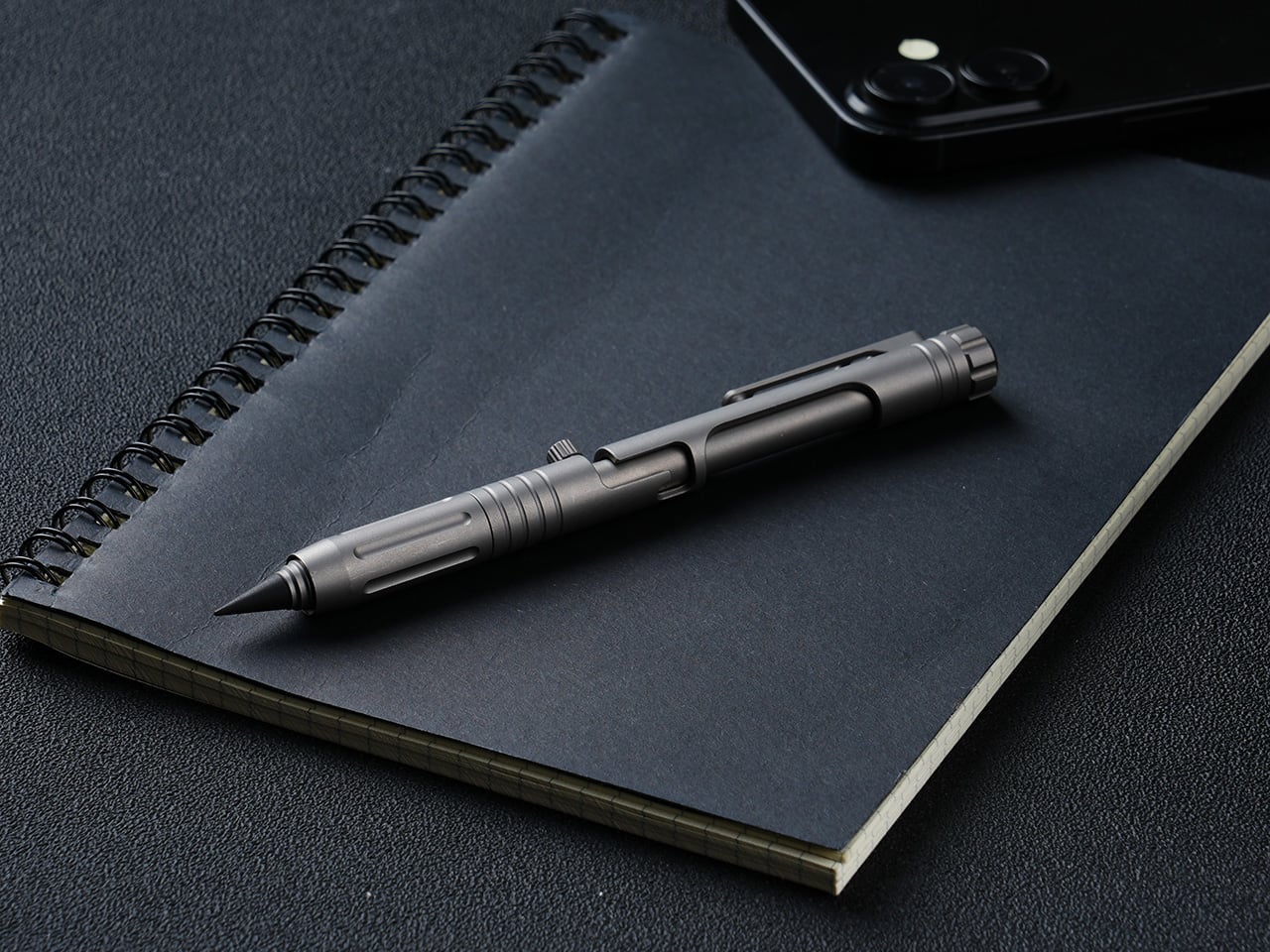
A single forward flick of the bolt deploys the 4mm magnetic bit driver into working position, with no caps to remove and no secondary steps to take. The magnetic mount keeps the bit seated precisely, and the same magnetic logic governs the bit garage inside the barrel, which stores a second 4mm bit as a permanent spare. Losing a bit mid-job is a real-world frustration that MeTool clearly heard from earlier-generation users, and the solution is architectural rather than behavioral: one extra 4mm bit, always with you, no loose parts, no hunting through a bag for the Phillips you dropped. Both the working bit and the stored backup are standard 4mm, keeping compatibility with common interchange systems rather than locking the user into proprietary accessories. The bolt mechanism also carries the distinction that made this whole category worth caring about: positive tactile feedback on both extension and retraction, the kind of mechanical click that turns a tool into something you actually look forward to using.

The blade lives flush inside the lower barrel, producing zero poke, zero rattle, and zero external profile, and when you don’t need it, it simply disappears, leaving a clean, cylindrical pen that looks like nothing but a pen. Two small but powerful magnets keep the bit blade perfectly seated, with no wobble and no creep, meaning you can throw the pen in a bag, run down stairs, or shake it aggressively without the blade budging until a deliberate thumb pull releases it. In practical daily use, it handles the mundane cutting jobs that otherwise require hunting for scissors: tape, packaging, zip ties, rope, plastic clamshells. Slip the blade out in two seconds, make the cut, click it back, and the pocket knife can stay home. The design intent leans firmly toward daily micro-cutter territory rather than survival blade ambition, which keeps the tool honest about its actual scope.

The everlasting pen tip carries no ink and no limits, writing on paper, metal, wood, plastic, or underwater. Two tip configurations are available: the graphite tip delivers smooth, paper-friendly contact suited for notebooks and daily writing, while the metal tip offers rigid marking performance on hard surfaces in outdoor conditions. The new alloy tip survives waist-high drops onto concrete without cracks or flakes, in either metal or graphite form, and swaps between configurations in seconds. The tungsten glass breaker occupies the same interchangeable slot at the rear of the barrel as a third configuration, converting that end into a hardened emergency strike point capable of breaking automotive glass. Concentrating the writing, glass-breaking, and emergency functions at the rear of the barrel is a coherent spatial decision that keeps the bolt-action end clean and dedicated entirely to the driver.

136mm of titanium at just 32 grams, with six precision grooves machined into the grip section that give ultimate hold in any condition, wet, cold, or gloved. Grade 5 titanium, the Ti-6Al-4V aerospace alloy, is the material for the entire body, chosen for its strength-to-weight ratio rather than its premium associations. The all-new ball-detent contact point lets the Bullet Ant 4.0 glide over any fabric, whether pocket, bag, or strap, without snags or scratches. Earlier generations of the pen were known to catch and drag on pocket linings, a small but genuinely irritating daily friction that the redesigned clip eliminates cleanly. Finish options include sandblasted titanium, raw and untouched in the way titanium comes out of the earth, and black, stealth and matte, a finish that disappears in low light.


Anodized blue and purple finishes are available as add-ons, and the distinction MeTool draws is worth noting: anodizing is an electrochemical bond that becomes part of the metal itself, and won’t chip or peel. Regardless of chosen finish, the underlying material is the same Gr5 titanium with identical performance throughout. The Bullet Ant 4.0 is built for a specific kind of person: someone whose environment demands improvised repairs, a cutting edge within reach, and legible notes all within the same hour, whether that person is a hiker tightening gear on a trail, a field technician working a job site, or an outdoors-oriented carry enthusiast who wants glass-breaking capability without a dedicated tool eating up pocket space. The pen cycles between five roles through mechanical reconfiguration rather than physical disassembly, shapeshifting from writing instrument to bit driver to blade to emergency tool without ever requiring a bag dig or a secondary carry item. It manages all of this without looking overtly tactical, which, for a category that sometimes leans too hard into military aesthetics, is a meaningful restraint.

Gen 1 proved the concept, Gen 2 made it tactical, Gen 3 packed in more tools, and MeTool has been running this annual design cycle since 2023. The two complaints every Bullet Ant 3.0 user raised were the same: why unscrew a cap every time a screwdriver is needed, and why does the metal tip crack on a drop. MeTool listened, and rebuilt. Gen 3 hid the blade under a cap that required unscrewing before driving a screw. Gen 4 hides the blade inside the bit itself. Gen 3’s tip could crack on a hard drop. Gen 4’s alloy tip survives waist-high falls onto concrete. That pattern of user-feedback-to-design-decision shows in how purposeful the Gen 4 upgrades feel when set against the earlier versions, each fix traceable directly to a complaint someone actually filed.
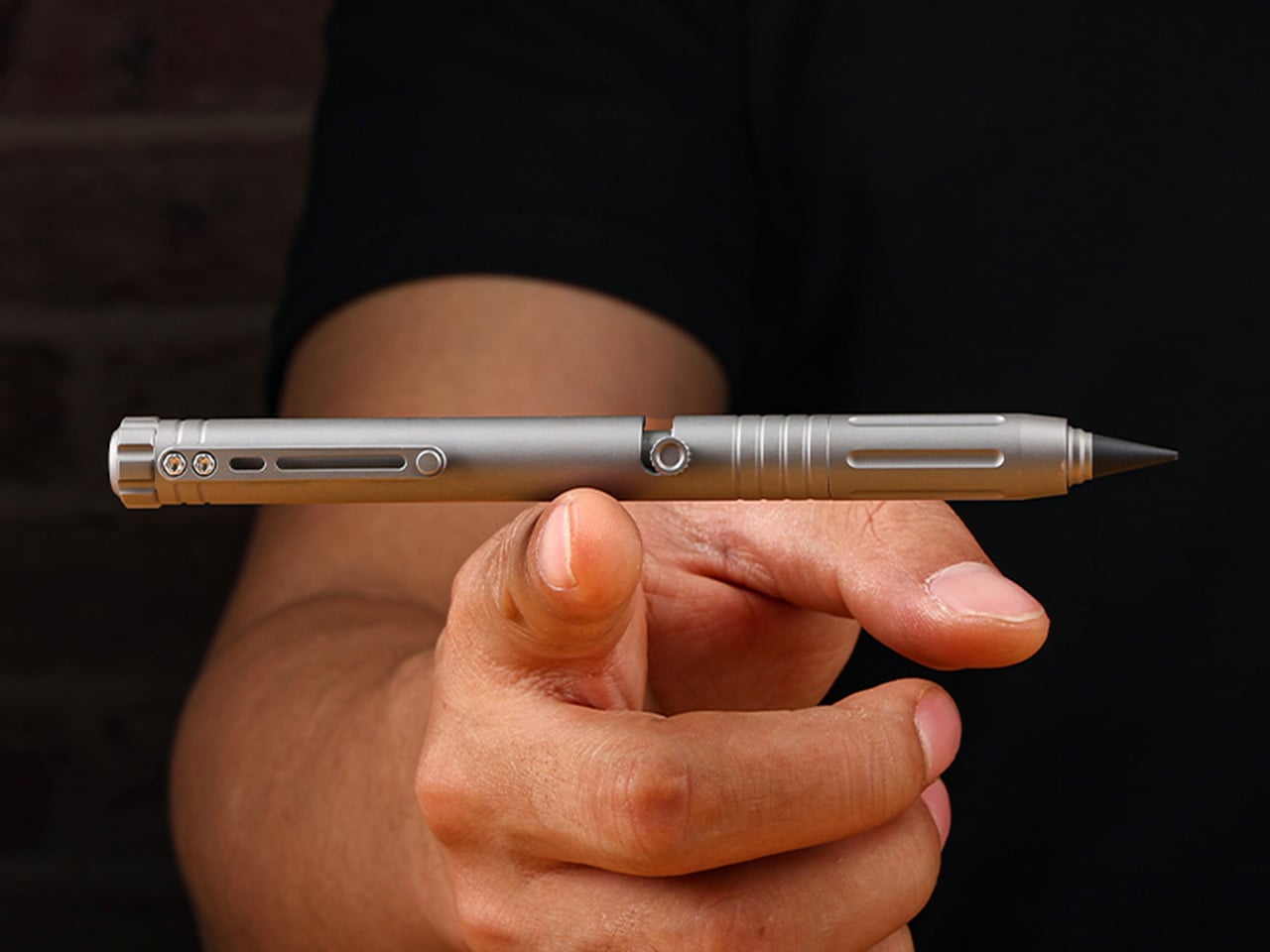
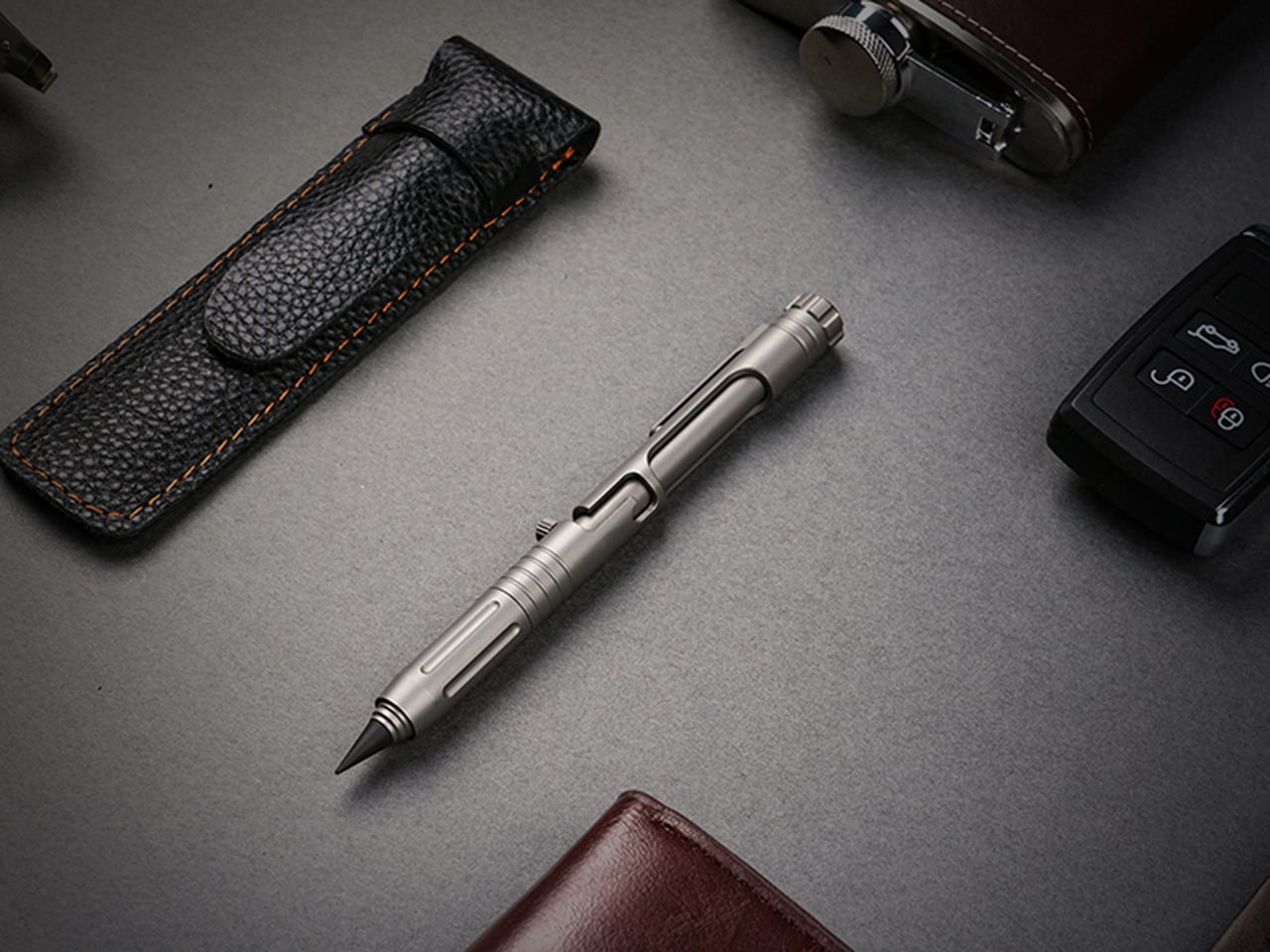
Each Bullet Ant 4.0 ships with the pen body in Gr5 titanium, an alloy tip for the everlasting pen system, one magnetic hidden blade, and two 4mm magnetic bits, with worldwide shipping included at no extra cost. That represents a complete functional loadout without any additional purchases required for core use. Anodized blue and anodized purple finishes are available as paid add-ons, with the electrochemical finish applied to the same Gr5 substrate across all color options. The campaign runs through June 17, 2026. Pricing and full reward tier details are live on the Bullet Ant 4.0 Kickstarter page.
Click Here to Buy Now: $65 $108 (40% off). Hurry, only a few left! Raised over $32,000.
The post Bolt-Action Titanium Pen Packs a Magnetic Blade, Glass Breaker, and Bit Driver Into A 32-Gram Package first appeared on Yanko Design.
If the Swiss Army knife became a flashlight, it would probably chase the same goal the VEZERLEZER WK2 does: fitting a surprising number of useful functions into a compact everyday carry form. Inside its slim rectangular body is a mix of tools that covers bright white light, UV illumination, a green laser, warm side lighting, and red light for situations that call for a gentler or more visible glow.
The result is a flashlight that feels designed around variety of use rather than a single headline spec. From quick household tasks and car checks to inspection work and hands-free lighting with its magnetic tail, the WK2 spreads its strengths across several small but practical moments. It is the kind of product that aims to stay close at hand because there is always another reason to use it.
Designer: VEZERLEZER
Click Here to Buy Now: $18.99 $39.99 (53% off).
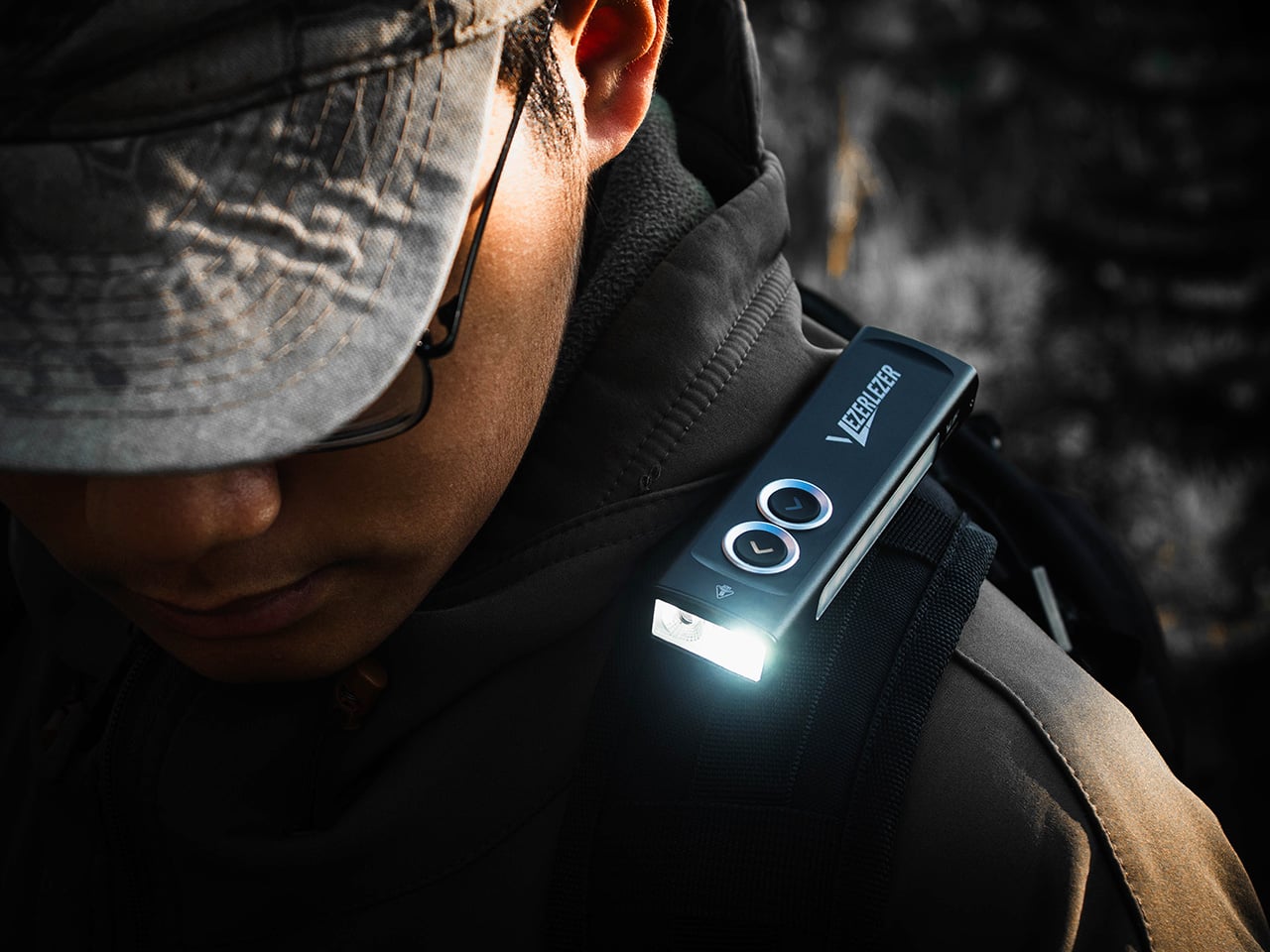
The front array of the WK2 houses three distinct lighting functions, each accessible independently through the dual button interface. The primary white light reaches a maximum output of 1300 lumens, enough to cover general illumination needs whether you’re navigating a dark space, searching for something in a trunk, or lighting up a work area outdoors. The 395nm UV light sits alongside it, designed for detection tasks like spotting pet stains, checking currency, verifying IDs, or inspecting surfaces that fluoresce under ultraviolet exposure. The third function is a 520nm green laser, which provides a focused pointing beam that reaches farther and with greater visibility than a red laser, making it useful for presentations, guiding attention at a distance, or marking specific areas during inspections or repairs. All three functions operate from the same front module but remain independently controlled, so switching between them happens without cycling through unwanted modes.
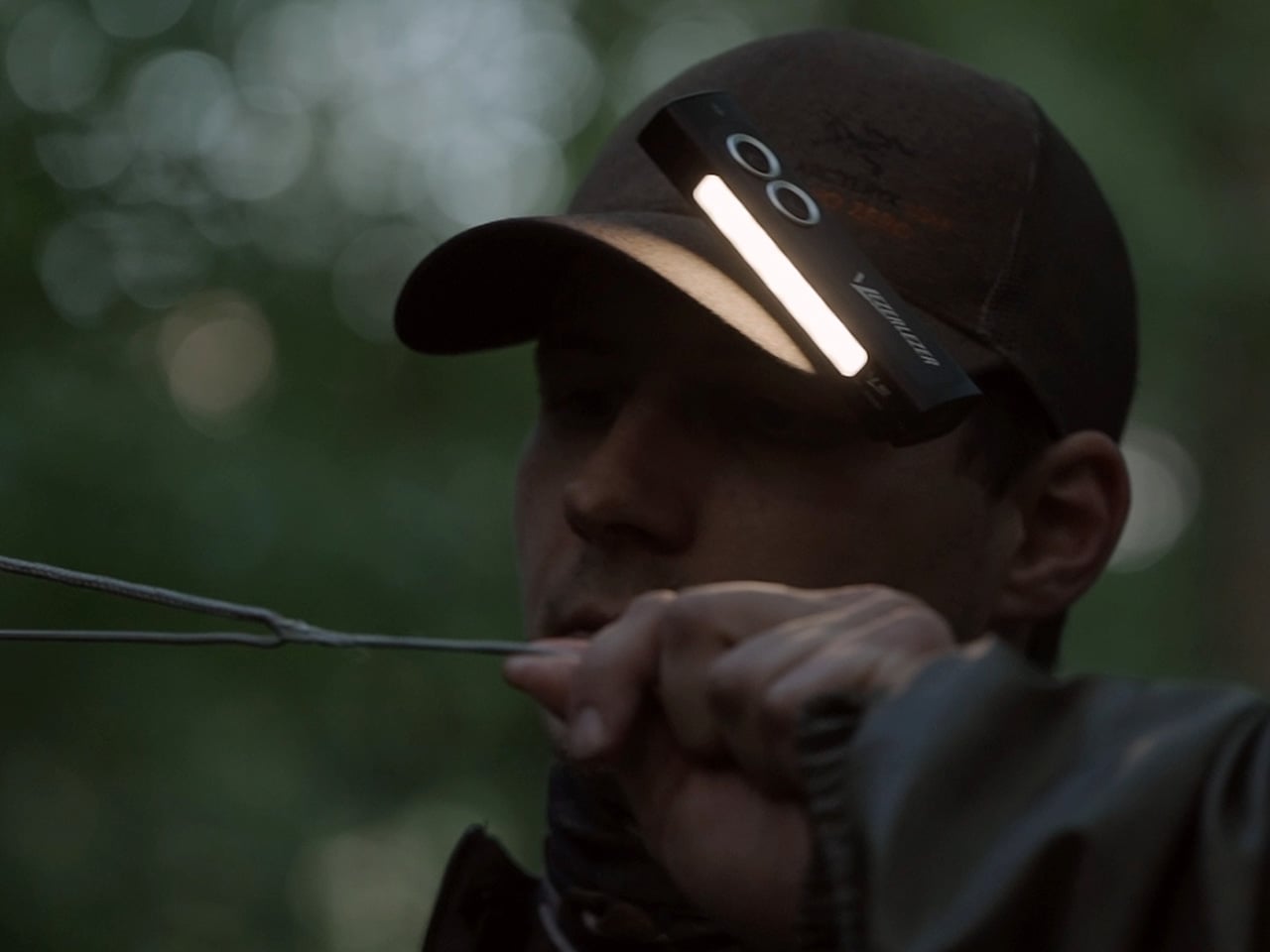
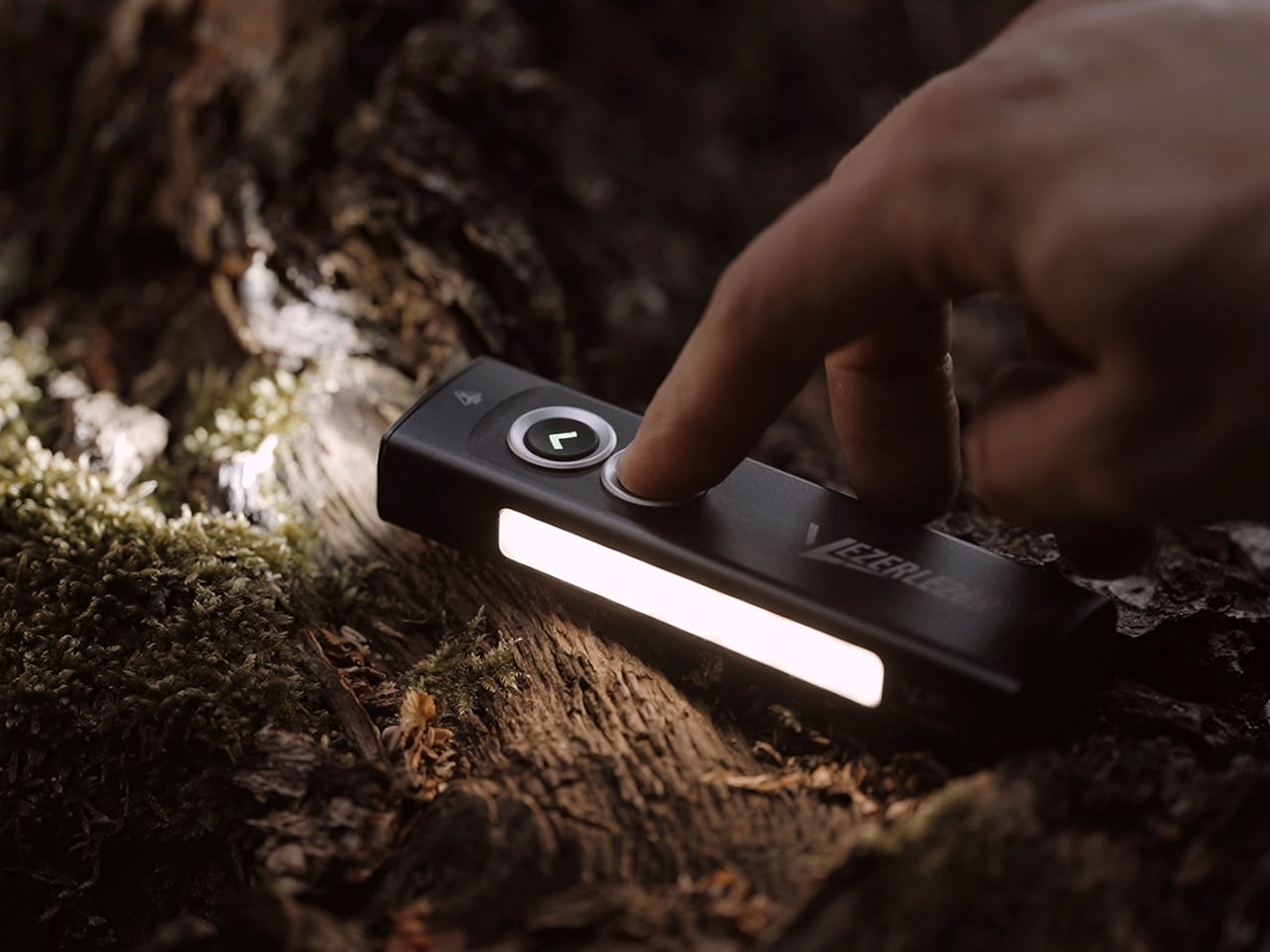
The side of the WK2 is where the design reveals its consideration for close range work and low profile visibility. A high CRI side light runs along the edge of the body, tuned to 4500K for a warmer, more comfortable color temperature that reduces eye strain during nearby tasks. Output is rampable, meaning users can select any brightness level between 0 and 200 lumens with a smooth transition rather than fixed steps. There is a shortcut to moonlight mode for instant access to the lowest output, which proves useful when preserving dark adaptation or working in tight spaces where even moderate brightness feels excessive. The red side light sits on the same edge and also offers rampable output, with its own dedicated shortcut to bypass the white light entirely. Red light has long been favored for preserving night vision, reducing glare in shared spaces, and offering a low signature option when discretion matters. The ability to jump straight to red without cycling through brighter modes makes the WK2 faster to operate in time-sensitive or situationally aware environments.
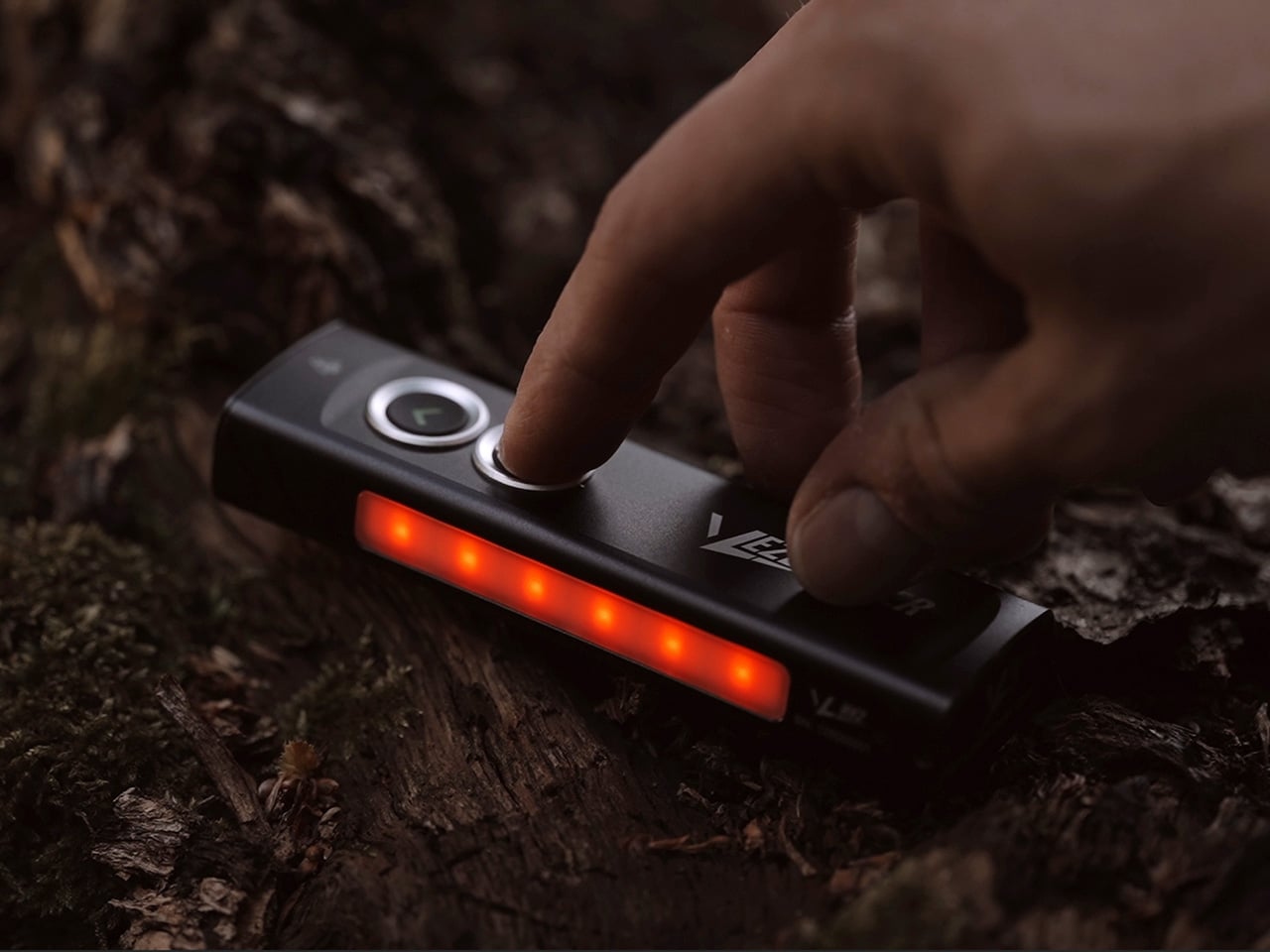
VEZERLEZER has given the WK2 a flat, rectangular profile that feels tailored to pocket carry and desk storage alike. The body is compact enough to slip into a front pocket or toss into a bag without creating bulk, yet wide enough to provide a stable grip when held. The dual button interface sits flush with the body but is surrounded by raised bezel rings, a design choice that prevents accidental activation when the light is loose in a pocket or bag. This physical safeguard reduces the need for frequent lockout, though lockout functionality is still present and accessible by clicking either button five or more times. If you lose count mid-sequence, simply clicking five more times completes the action, a small but thoughtful user experience detail. The deep carry pocket clip is positioned to keep the light low in the pocket, minimizing visible bulk while ensuring secure retention during movement or physical activity.
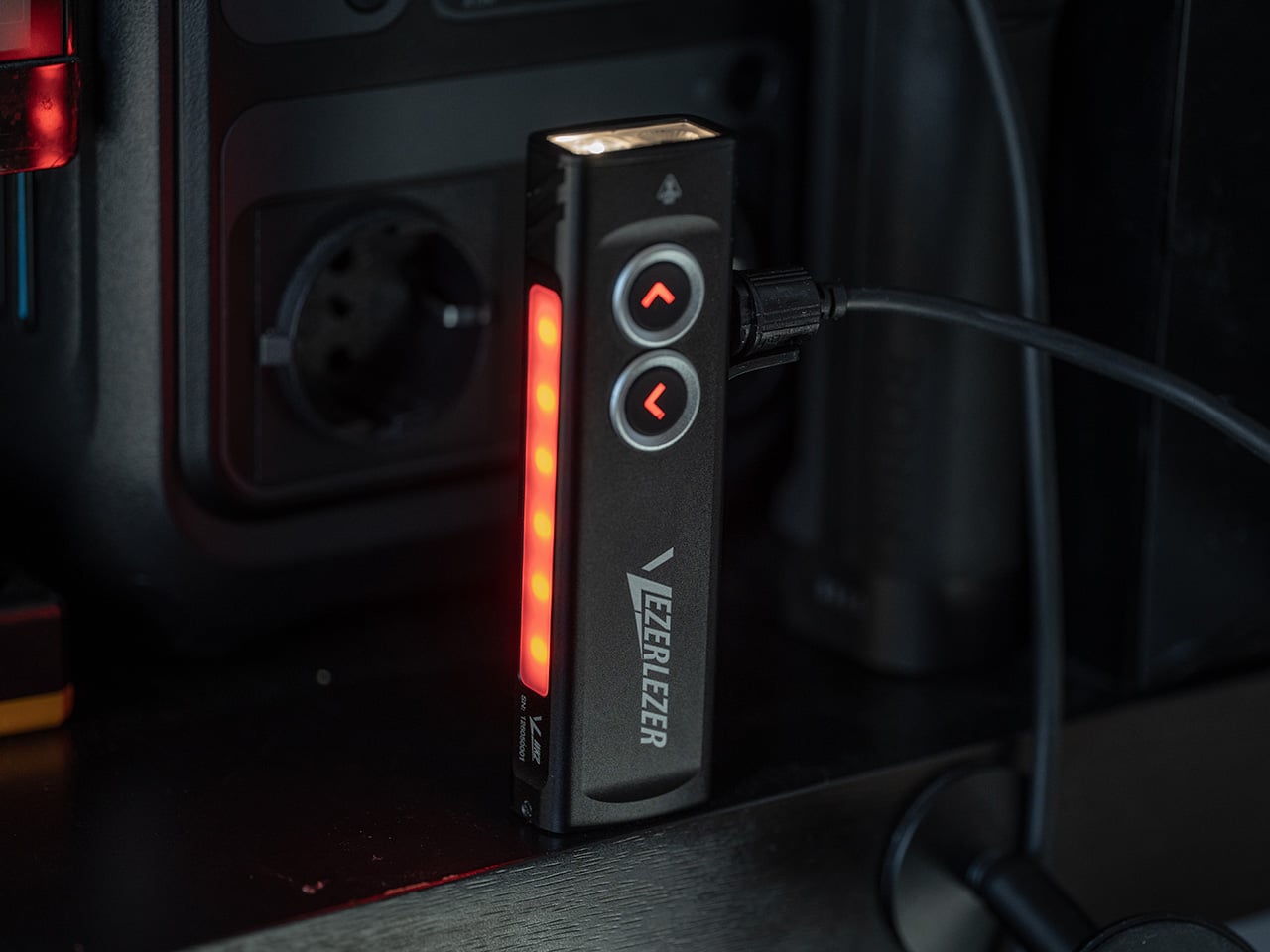
USB C charging keeps the WK2 aligned with modern device ecosystems, eliminating the need for proprietary cables or disposable batteries. The charging port also supports pass-through power, meaning the flashlight can be connected to an external power source like a power bank or direct power supply to extend runtime indefinitely. This feature transforms the WK2 from a self-contained tool into something closer to a portable work light when tethered, opening up use cases that involve longer duration tasks like automotive repairs, camping setups, or extended outdoor activities where reliable illumination matters more than portability. The magnetic tail cap adds another layer of utility by turning any ferrous metal surface into a mounting point. The magnet is strong enough to hold the light horizontally or vertically, freeing both hands for tasks that require simultaneous lighting and manipulation. Whether stuck to the underside of a car hood, the frame of a tent, a toolbox, or a refrigerator door, the magnetic tail offers positioning flexibility that a handheld beam or headlamp setup cannot always match.
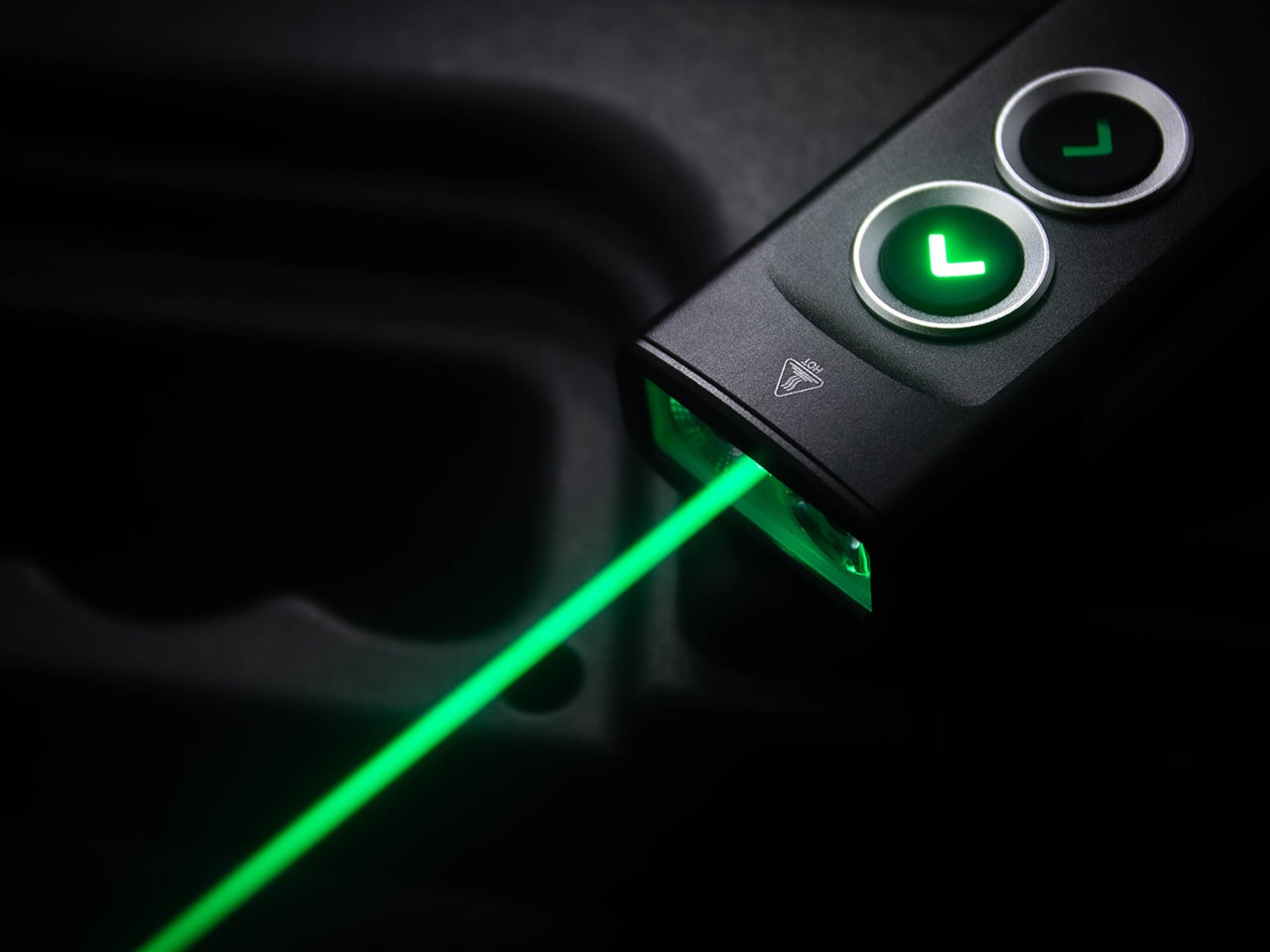
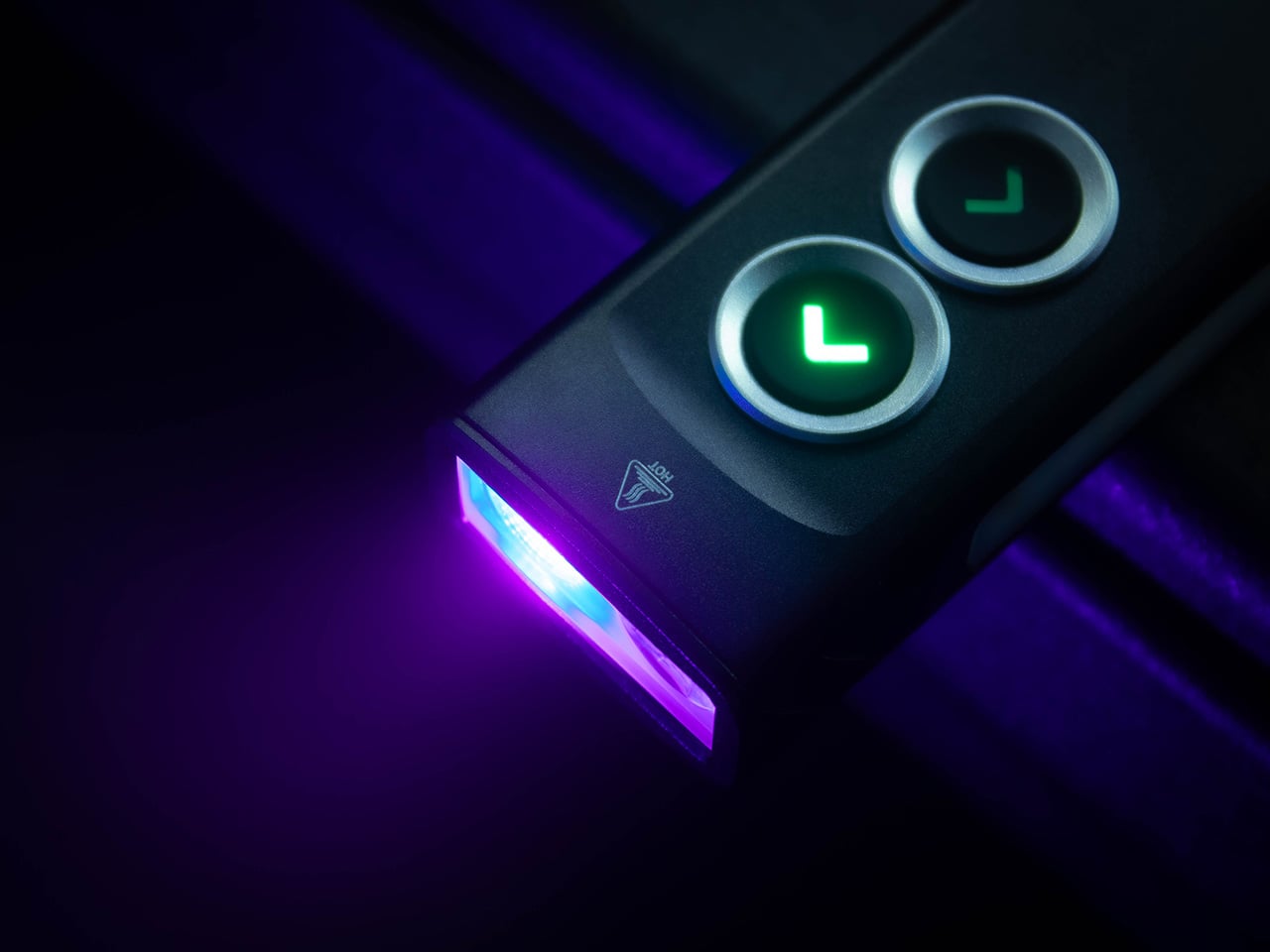
In practice, the WK2 works best when thought of as a lighting toolkit rather than a single-purpose flashlight. The front beam handles distance and general coverage, the UV light serves niche but valuable inspection roles, the laser adds precision pointing, and the side lights provide soft, adaptable illumination for close tasks or signaling. The rampable output on both side lights is particularly useful because it removes the guesswork of preset modes. You can dial in exactly the amount of light a situation calls for, whether that is a faint glow for reading a map at night or a brighter wash for prepping a meal at a campsite. The anti-accidental activation bezel, combined with lockout functionality, ensures the WK2 stays dark when it should and lights up instantly when needed. The clip orientation and flat body mean it carries like a pen or a slim multitool, present but unobtrusive, ready to serve whenever lighting becomes the limiting factor in a task.
The VEZERLEZER WK2 launches with a subscriber backer price of $17.99, 55% down from a standard retail price of $39.99. A limited flash deal offers the light at $15.99 for the first 100 units, scheduled to go live at 0700 PST on May 19th (2200 Beijing Time). Shipping is expected to begin following the campaign period, with deliveries planned for late summer 2026.
Click Here to Buy Now: $18.99 $39.99 (53% off).
The post This 5-in-1 EDC Flashlight Packs a 1300-Lumen Beam, UV Light, and a Green Laser For Under $20 first appeared on Yanko Design.

There is a reason Kevlar keeps showing up in premium phone accessories. The material brings a rare combination of low weight, tactile richness, and serious structural confidence, which makes it ideal for people who want their case to feel intentional rather than disposable. BENKS has been working that territory for a while, and the new BENKS ArmorEdge launch sharpens the formula with two color-forward editions, Savvy Red and Peri Purple, designed for the iPhone 17 Pro and Pro Max. Both treat the woven surface as a design element alongside its structural role. The result is a case lineup testing whether protection and personality can genuinely coexist at the same price point.
Both cases share the same core promise, slim everyday protection with MagSafe compatibility, 360-degree airbag corners, and DuPont Kevlar construction, but deliver it with very different moods. Savvy Red runs graphic and energetic while Peri Purple reads restrained and expressive, a contrast that registers as branding intentionality as much as a color choice. BENKS ArmorEdge Air Navigator then extends the family in a lighter direction, with an exposed 600D woven back, a 27g build, and a Magellan-engraved reverse that gives the case a narrative dimension uncommon in slim case design. The three together span bold color expression, understated sophistication, and material-first minimalism within a single product family. BENKS calls it confidence-forward protection, and the physical details mostly agree.
Designer: Benks
Click Here to Buy Now: Peri Purple | Savvy Red | ArmorEdge Air Navigator
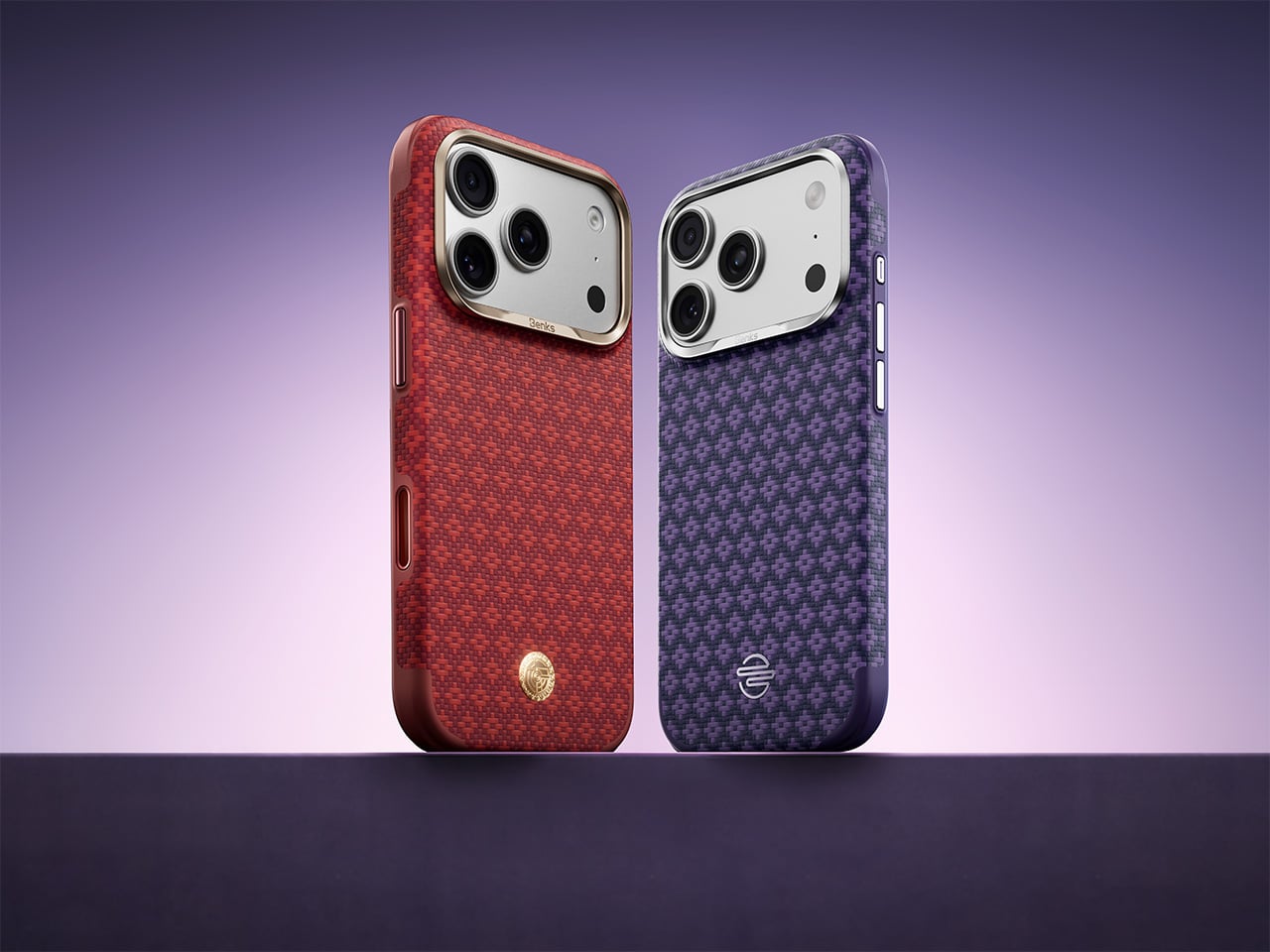
Savvy Red is structured around a raised jacquard diamond weave that catches light at shifting angles, making the surface genuinely tactile rather than decorative. As a protective Kevlar case, it keeps the frame edge at a precise 1.8mm while backing that slim profile with a four-guard 360-degree airbag system built to handle the corner-first drops that standard cases consistently fail at. We covered the BENKS ArmorGrid ArmorAir last September as a Kevlar phone case for the iPhone 17 Pro that carried real bulletproof-vest-grade material confidence, and Savvy Red builds on that character while pushing further into expressive design territory. MagSafe compatibility centers on a graphic on the back, a colorway-specific detail that ties the functional ring to a distinct visual identity rather than defaulting to a generic shared element across the lineup. At $64.99, the raised diamond weave alone justifies the ask as a tactile story that polycarbonate simply cannot replicate.
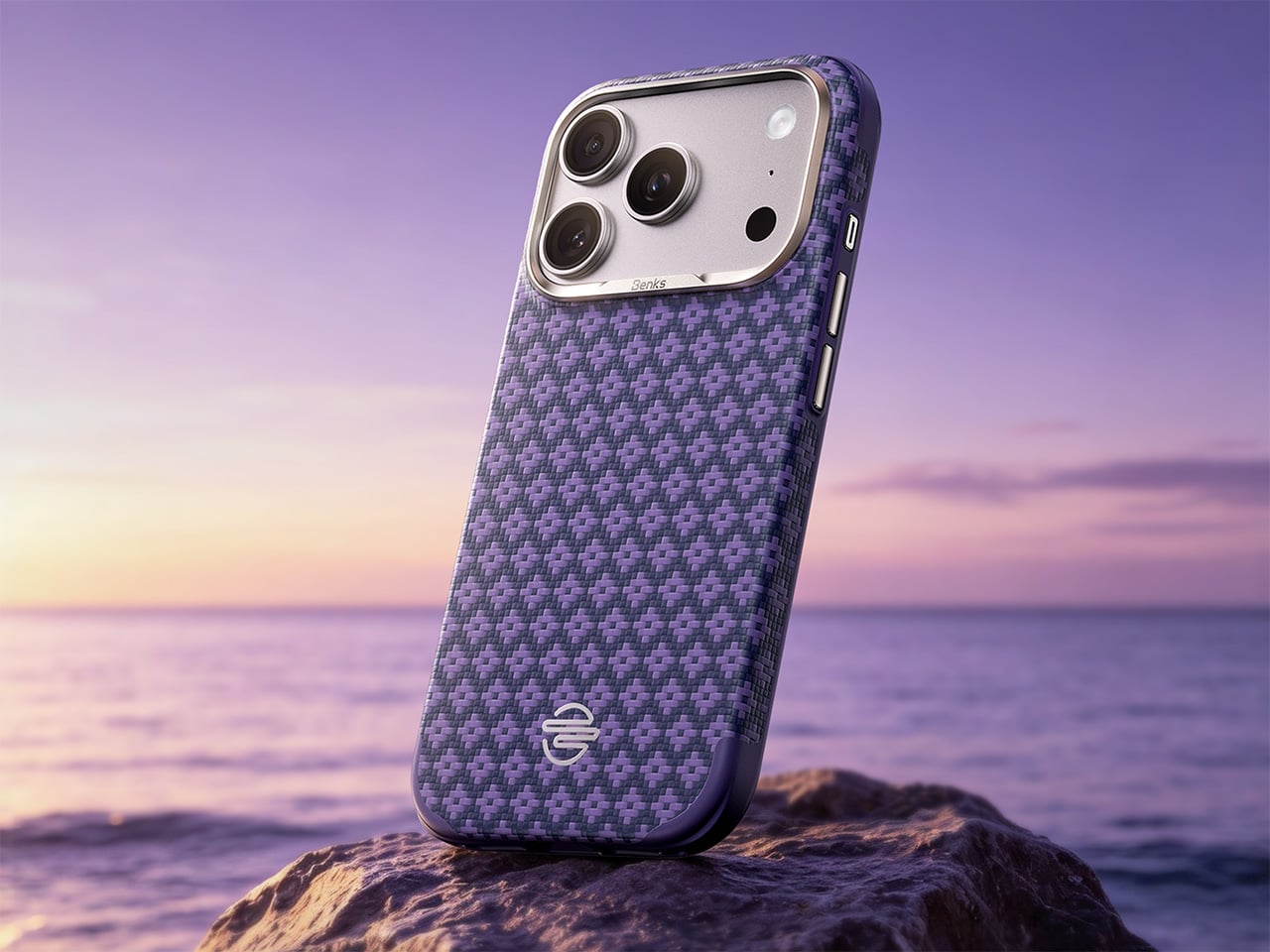
BENKS ArmorEdge Peri Purple
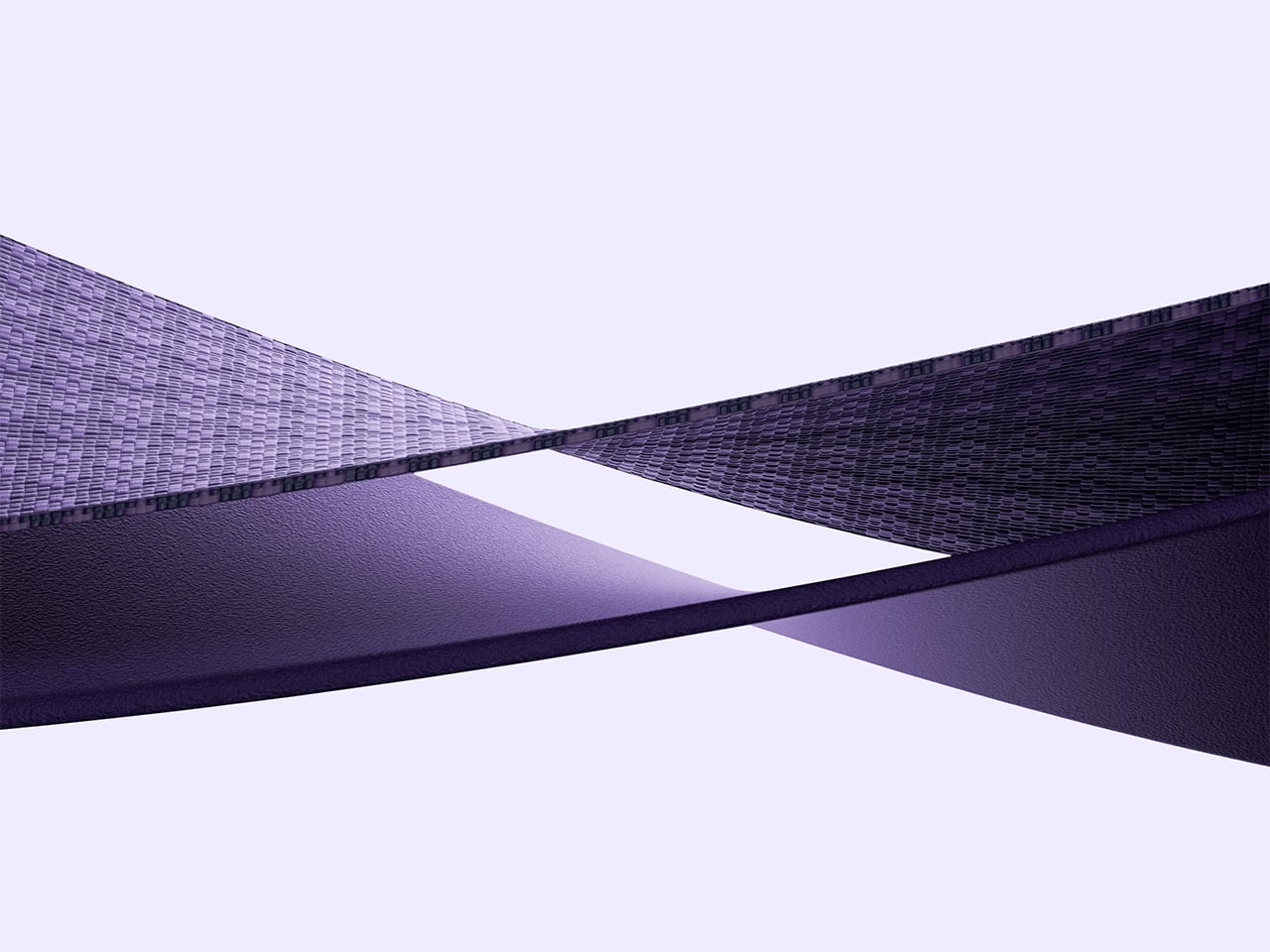
Peri Purple carries the same engineering foundation as Savvy Red but in a softer, more regal tone that makes it a premium Kevlar case for users who want Kevlar craftsmanship without the assertive graphic energy. BENKS describes it as designed for subtle expression over loud attention, essentially a style-driven protective Kevlar case for those who prefer their personality understated rather than announced. The airbag corners and MagSafe compatibility carry through, with a different visual graphic on the backside. That decision, giving each finish its own visual badge rather than a shared hardware element, is a considered design move that ties visual identity all the way through to the functional center of the case. Each case even showcases a different delicate badge on the bottom, right above the charging port, setting them apart distinctly. Both Savvy Red and Peri Purple retail at $64.99, positioned as two parallel expressions of personality under a single engineering standard.
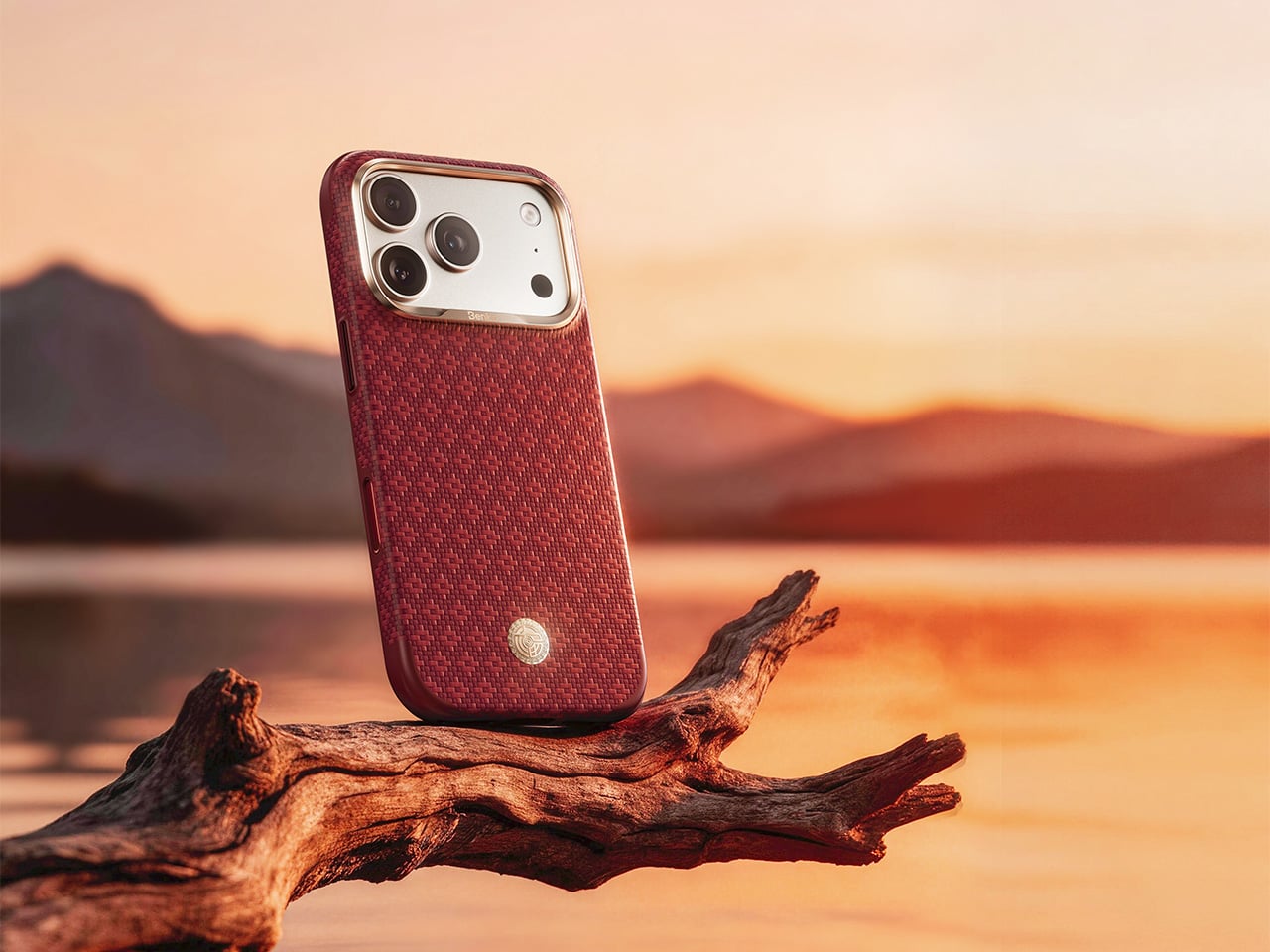
BENKS ArmorEdge Savvy Red
At 27g and 0.9mm at the frame edge, the BENKS ArmorEdge Air Navigator operates on a different set of priorities from its two siblings. It qualifies as a genuine BENKS ArmorEdge Kevlar case in the fullest material sense, with DuPont Kevlar fiber forming the structure, but TPU sits only at frame edges and structural stress points, leaving the entire 600D woven back exposed and fully in contact with the hand. That material-first decision makes the grip experience central to the case’s identity rather than something filtered through a polymer overlay. BENKS ties the Navigator edition to a travel and exploration theme through an anchor medallion on the front and an engraving of Magellan’s circumnavigation route on the back, paired with the Latin inscription “PRIMUS CIRCUMDEDISTI ME,” giving the MagSafe protective case a narrative depth that most slim builds forgo entirely. At $61.99, it reads as the most considered piece in the BENKS ArmorEdge family.
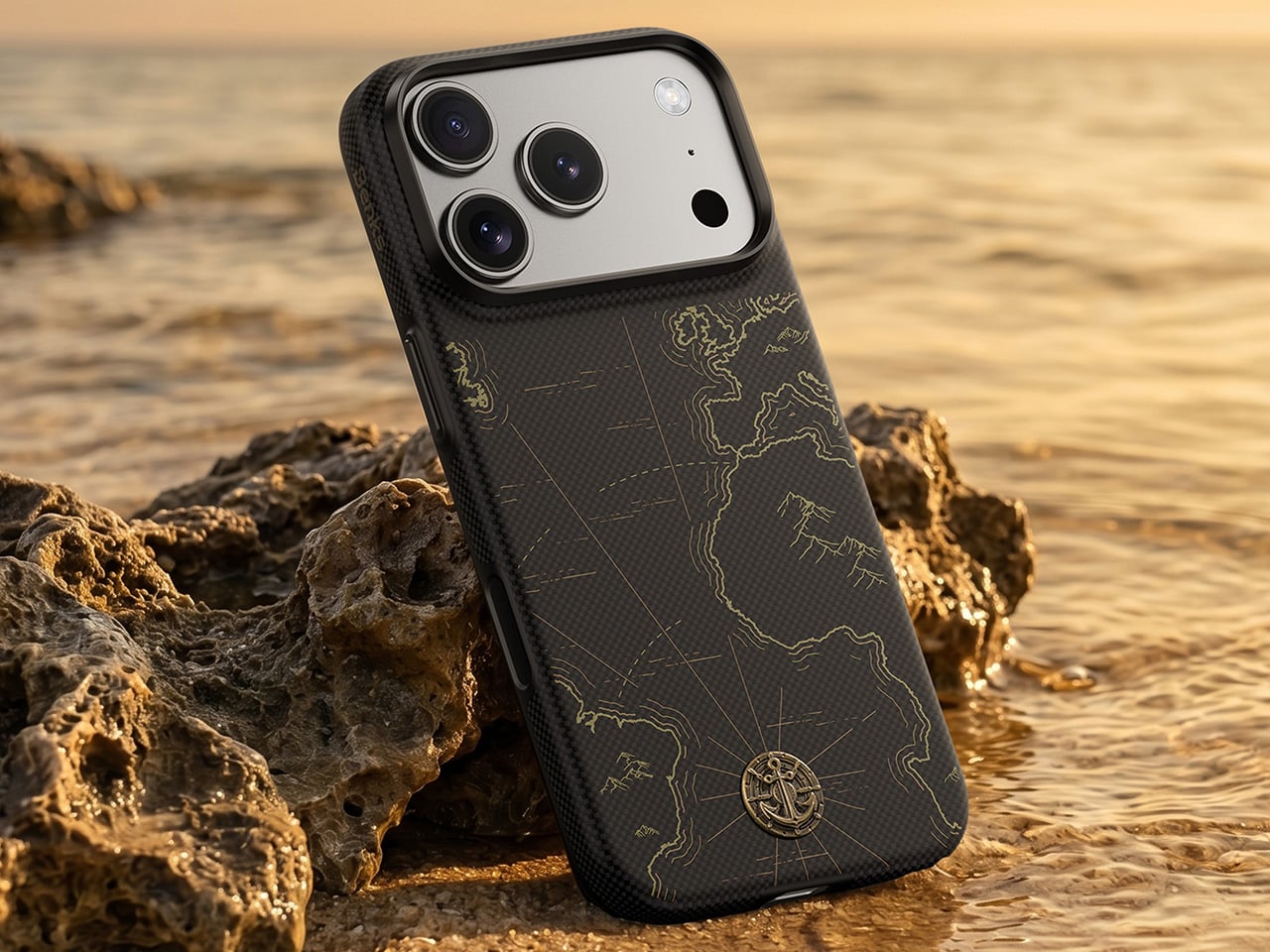
BENKS ArmorEdge Air Navigator
The full BENKS ArmorEdge lineup is available now at $64.99 for Savvy Red and Peri Purple and $61.99 for Air Navigator on the BENKS website.
Click Here to Buy Now: Peri Purple | Savvy Red | ArmorEdge Air Navigator
The post Drop-proof, under 28 grams, and finally beautiful: Benks’ new Kevlar iPhone cases put aesthetics first first appeared on Yanko Design.