There is a particular kind of frustration that comes with wireless keyboards, and it always arrives at the worst possible moment. Mid-sentence, mid-meeting, mid-game, the low battery warning blinks, the charging cable is nowhere nearby, and the whole appeal of going wireless suddenly feels like a poorly negotiated deal. The TH80 V2 and TH80 V2 Pro from Epomaker were built with that specific frustration in mind.
Both boards share a compact 75% layout, keeping the function row and dedicated arrow keys while shedding the numpad bulk that full-size keyboards carry everywhere. They are available in two switch flavors: the Creamy Jade linears for a smooth, consistent keystroke, and the Sea Salt Silent V2 switches for anyone sharing a space with people who would rather not hear every word being composed out loud.
Underneath each keystroke is a gasket-mount structure paired with a five-layer sound-dampening system. The polycarbonate plate adds some flex to the mix, and the result is that soft, cushioned thud the keyboard community has taken to calling “creamy.” It is one of those things that sounds like marketing until the first time a finger lands on a well-tuned gasket board, and then it just sounds like a very good reason to keep typing.
The battery is where both boards make their most persuasive argument. The TH80 V2 carries an 8,000 mAh cell rated at 200 hours with the RGB off, and the TH80 V2 Pro steps that up to 10,000 mAh. Most wireless keyboards in this price range ship with cells a quarter that size, which means charging becomes a weekly ritual rather than a distant afterthought. Both boards support 2.4 GHz, Bluetooth, and wired USB-C connectivity, remember up to five paired devices, and switch between Windows, Mac, and Android without any fuss.
TH80 V2 Pro
The TH80 V2 Pro goes a step further with a 1.06-inch glass-covered TFT color screen tucked beside the rotary knob. It shows time, battery percentage, and connection status at a glance, which is genuinely handy. It also supports custom GIF uploads through Epomaker’s browser-based driver, so the screen can carry a small personal detail for anyone who treats their desk as a considered space. No software installation needed, either, which removes a step that should have been dropped from this category a long time ago.
Picking between the two is a fairly straightforward exercise in priorities. The TH80 V2 covers the gasket mount, the massive battery, hot-swappable switches, full per-key RGB, and a side-lighting bar, available in a subtle Black Grey or a composed White Grey Yellow. The TH80 V2 Pro adds the LCD screen, the larger battery, the browser-based driver, and more expressive colorways, including a striking translucent black and a fan-favorite Pink edition.

What the TH80 V2 series gets right is the part that rarely makes it onto spec sheets: the sense that someone thought carefully about what actually makes a wireless keyboard annoying to live with, and then addressed those things one by one. Good typing feel, a battery that lasts long enough to stop being a concern, and enough room for personalization that the board can feel like yours rather than just a peripheral you settled for.
Japanese stationery operates on a different set of assumptions. Where most of the world treats pens, notebooks, and desk accessories as afterthoughts, Japan treats them as design problems worth solving with the same precision applied to architecture or automotive engineering. The difference shows up in the details: magnetic closures calibrated to be silent, paper engineered for a specific ink behavior, and leather cut from a single hide. Hence, the grain tells a continuous story.
We have been collecting our favorites for a while now, and this batch feels particularly well-considered. These are not gimmicks dressed in minimalist packaging. Each product here earns its place through a specific, clever solution to a friction most people have accepted as normal. From a pencil that never needs sharpening to a wooden postcard case that borrows its form from ceramic storage traditions, this is stationery that makes the rest of the world’s offerings feel like rough drafts.
1. Inseparable Notebook Pen
Most pens exist independently of the surface they write on. The Inseparable Notebook Pen rejects that premise entirely, using a magnetic clip to lock itself to your notebook cover. A built-in silencer dampens the attachment, so there is no click or rattle, just a quiet lock into place. The barrel is minimalist, comfortable during long sessions, and the ink flow is smooth and immediate.
Japanese stationery brands have long understood that the gap between reaching for a pen and writing is a moment of lost momentum. This pen eliminates that friction. The form is understated, almost invisible against a notebook cover, which is the point. Tools that disappear into your workflow tend to be the ones that last the longest.
The magnetic clip holds firm during transit but releases with zero effort when needed.
The silencer turns a mundane attachment into something tactile and deliberate.
What we dislike
The minimalist barrel may feel too slim for those who prefer wider-grip pens.
Ink cartridge options are limited, restricting personalization for specific ink preferences.
2. Stalogy Editor’s Series 365-day Notebook (A6)
Stalogy’s 365 Days Notebook packs 368 pages of ultra-thin paper into an A6 form factor that still fits a coat pocket. Each page carries minimal printed detail: dates, days, a faint grid, and time indicators. Ignore them or use them. The paper writes with a smoothness that recalls Hobonichi Techo’s Tomoe River stock, letting ink glide without feathering or bleed-through.
The real strength is flexibility. This notebook works equally well with bullet journaling, daily planning, freeform sketching, or straightforward notes, all without forcing a single organizational method. Most planners assume they know how a day should be structured. This one steps back and lets the user decide, which is a rarer quality than it should be.
What we like
Thin paper keeps 368 pages from becoming a brick, maintaining genuine pocketability.
Minimal page markings make it equally useful for structured planning and unstructured creative work.
What we dislike
Date and time markings are printed extremely small, making them difficult to read in low light.
Heavy fountain pen inks will ghost through the thin paper, limiting compatibility with certain instruments.
3. FoldLine Pen Roll
Cut from a single piece of Italian leather, the FoldLine Pen Roll converts from a carrying case to a functional desk tray in under two seconds using origami-inspired folding geometry: no stitched partitions, no zippers. The natural wrap of the fold separates and protects each pen, and metal-bodied instruments stay scratch-free without dedicated slots.
Unfolded, it creates a defined rectangular workspace on any surface: a cafe table, an airplane tray, a hotel desk. That containment matters. Scattered pens create micro-distractions, and a tray eliminates the chaos without occupying permanent desk space. The leather develops a patina over time, improving with age rather than deteriorating.
The two-step unfolding mechanism feels intuitive enough to be fast and intentional enough to feel like a ritual.
Single-piece leather construction means no stitching to fail and no partitions to limit capacity.
What we dislike
Without individual pen slots, instruments can shift during aggressive bag movement.
Italian leather at this quality carries a price premium well outside impulse-purchase territory.
4. Memento Business Card Log
Business cards are collected, shoved into wallets, and forgotten. The Memento Business Card Log, designed by Japanese brand Re+g, rejects that cycle. It stores up to 120 cards using a two-point slit system that keeps each card secure, and the facing page offers dedicated space for handwritten notes about the person: a conversation detail, a follow-up date, a distinguishing trait.
Re+g’s proprietary binding allows pages to be reordered by category, importance, or any logic that makes sense. The paper stock has a warm, tactile quality. Writing a note by hand about someone forces a level of attention that tapping a phone screen cannot replicate. The log becomes a record not just of who was met, but of how those meetings felt.
The proprietary binding allows page reordering, so the system evolves with the user.
Dedicated note space alongside each card slot turns passive storage into active relationship memory.
What we dislike
At 120 cards, heavy networkers will fill the log fast, requiring a second volume.
The analog format means no search function, so finding a specific card requires manual browsing.
5. Classiky Chestnut Postcard Case
Classiky’s Chestnut Postcard Case borrows its design language from the wooden boxes used in Japan to store precious ceramics. Varnished Japanese chestnut wood gives it a warmth and grain that plastic or metal storage cannot approach. The proportions (17.6 x 11.6 x 12.4 cm) are calibrated for standard postcards, with two removable separators and a magnetic closure that shuts with clean, weighted precision.
This is a storage object built to outlast its contents. The chestnut deepens in color over years of handling rather than fading, and the removable separators allow flexible configuration depending on collection size. For collectors, letter writers, or anyone who values the physical artifact of a postcard, this case turns storage into curation.
What we like
Varnished Japanese chestnut ages beautifully, growing richer in tone over the years of handling.
Removable separators allow for a flexible internal configuration across different collection sizes.
What we dislike
Dimensions are postcard-specific, so the case cannot accommodate larger formats, such as A5 prints.
The craftsmanship and material quality place it at a premium that limits its appeal for casual purchases.
6. Sonic Kakusta
The Sonic Kakusta starts as a soft pen case and transforms into a triangular desk stand that props pens at a 60-degree angle for easy visibility and access. A built-in divider splits the interior into two sections, while a second divider in the lid creates a small shelf for erasers and sticky notes. Strong magnets hold the folded lid in place, preventing the stand from collapsing mid-use.
That 60-degree angle is the smartest detail. Steep enough to display pen tops for identification, shallow enough that pens slide in and out without tipping the case. For anyone working between home, office, and library, the Kakusta eliminates the need to carry both a case and a desk cup. One object handles both roles without appearing to be a compromise.
What we like
The magnetic lid holds the stand shape on uneven surfaces without collapsing.
The lid divider doubles as a shelf for small items, adding utility most pen cases ignore.
What we dislike
Soft material offers limited protection against crushing in an overpacked bag.
The triangular footprint is wider than a flat case, occupying more bag space than a traditional pouch.
7. Pocket Everlasting All-Metal Pencil
The Pocket Everlasting All-Metal Pencil uses a graphite and metal alloy tip that deposits marks through friction rather than material loss. The core does not shorten. The point does not dull. The manufacturer claims roughly 10 miles of writing, and the marks are erasable with a standard eraser. At 4.7 inches with a cap, it slips into a shirt pocket without protest.
Traditional pencils generate shavings, require sharpeners, and degrade in humid conditions. This pencil sidesteps all three. The all-metal body has a substantial heft without being heavy, and the graphite-alloy line plays well with watercolor and wet media because it does not bleed when painted over. For field note-takers who need a tool that never fails at the wrong moment, this is a quietly radical solution.
The graphite-alloy tip eliminates sharpening, shavings, and the risk of a dull point at the worst time.
Compatibility with watercolor and wet media makes it versatile for mixed-media sketching.
What we dislike
Line weight is fixed, so artists needing variable stroke thickness will find it limiting.
The metallic graphite tone differs subtly from traditional pencil graphite, which may bother purists.
8. Stellar Edge Scissors
Scissors are the most overlooked object on a desk. The Stellar Edge Scissors argue that this neglect is a design failure. Crafted from Japanese stainless steel, the blades hold their edge far longer than standard office scissors, and the polished, seamless handles distribute weight so evenly that extended cutting sessions produce no hand fatigue. Every curve has been considered, from the finger loop radius to the pivot tension.
Each snip has a clean, controlled resistance that comes from precise blade geometry and tight manufacturing tolerances. The polished finish reduces friction against tape and adhesive paper, which tend to gum up matte or coated blades. The ergonomic shaping fits both left and right hands without the usual ambidextrous compromise. For anyone who uses scissors more than once a week, these make the ordinary feel considered.
What we like
Japanese stainless steel holds a sharp edge far longer than standard office scissor alloys.
Weight distribution across the handles eliminates fatigue during extended cutting sessions.
What we dislike
The premium material and finish come at a price point difficult to justify for occasional use.
The polished surface shows fingerprints easily, so it requires regular wiping to maintain a clean aesthetic.
Where this leaves us
Eight products, and the common thread is not aesthetics or branding. It is the refusal to accept that everyday tools should be disposable, forgettable, or merely functional. Japanese stationery design starts from the assumption that the interaction between a person and a tool is worth engineering down to the last magnetic click, the last gram of weight distribution, the last millimeter of paper thickness.
The rest of the world makes stationery. Japan makes instruments. The difference is not in the materials alone, though those matter. It is in the insistence that a pen’s relationship to a notebook, a scissors’ resistance against paper, or a wooden box’s aging behavior are all design problems that deserve solutions. These eight products are proof that once experienced, going back feels like a downgrade.
Reverse driving accounts for just 1% of all driving time, yet it’s responsible for roughly 25% of all accidents. A dirty backup camera in winter, mud season, or on dusty country roads is not a hypothetical inconvenience but a genuine safety liability, one that most drivers have resigned themselves to either living with or solving by stepping out of the car every time. Mike Klein, a Vermont-based tinkerer with a characteristically no-nonsense approach to annoying problems, got fed up enough to build a solution in his garage. What started as a Ziploc-bag-and-zip-tie prototype strapped to his license plate has turned into the Lens Lizard, a compact, self-contained, remote-controlled backup camera washer that just hit Kickstarter and has absolutely run away with its funding goal.
The concept is beautifully blunt. Lens Lizard mounts behind your license plate, sandwiched discreetly between the plate and the bumper using your car’s existing screw holes. No drilling, no wiring, no running tubing through door gaps or under trim panels. The whole install takes under five minutes with a standard screwdriver, and once it’s on, it’s invisible. The unit itself houses a fluid reservoir, a battery pack, and a high-pressure nozzle that you aim at your camera once during setup and then never have to touch again. When your backup camera gets caked in snow/ice or road salt on a grey January morning, or buried under a slush splatter from the truck overtaking you on a Vermont highway, you press a wireless remote button from inside the car and a jet of washer fluid blasts the lens clean. Sort of like a lizard or a chameleon striking its prey with a sharp, swift flick of its tongue. Except this time, it’s a concentrated jet of soapy water. Maybe a Pokémon reference would work better but I don’t want Nintendo’s lawyers sending me a cease and desist.
The engineering philosophy here is aggressively practical. Klein explicitly designed the Lens Lizard for Vermont winters, which means sub-zero temperatures, aggressive road salting, heavy snow, and the kind of freeze-thaw cycling that destroys lesser materials. The housing is sealed and built from automotive-grade materials, and the battery and fluid reservoir are sized to last four-plus months between refills and recharges, meaning you top everything up roughly once per season.
Maintenance is a non-event: open the latch, refill with washer fluid, charge via USB-C, close it back up. Klein’s origin story is worth noting too, because it gives the product a satisfying internal logic. He tried hydrophobic lens covers (they peeled), ceramic coatings (they did essentially nothing), and eventually decided to just build a scaled-down windshield washer system for his license plate. The first prototype was, by his own admission, ridiculous. But it worked, and that was enough to tell him the idea had legs.
Lens Lizard works with any vehicle where the backup camera sits above the license plate, which covers 99% of cars on the road, pickup trucks very much included. The product ships with assorted license plate screws to handle different fastener sizes, and the adjustable nozzle lets you dial in the spray angle for your specific camera position during initial setup. After that, the unit lives its entire life tucked behind the plate, completely out of sight. The wireless remote is puck-shaped and lives wherever you keep it in the cabin, a glove box, a cupholder, the center console.
The Lens Lizard starts at just $99 for the entire kit as an early bird discount off its $149 price tag. A dual bundle costs $189 if you’ve got two cars, and all bundles include the Lens Lizard unit, a wireless remote, a battery pack, and an assortment of screws to help you install the gizmo on your car. Given its specific design (and that every nation has a different license plate), the Lens Lizard only ships to the US and Canada for now, although I’m sure a more universal version is in the works. Production is slated to begin in April 2026, with shipping to backers planned for May. For drivers in cold-weather states, high-dust regions, or anywhere that sees serious road grime, it’s a hard value proposition to argue with. Certain premium vehicles have had integrated camera washers for years, quietly tucked into the bumper plumbing. Klein has simply figured out how to give everyone else the same result for under a hundred bucks, no dealer visit required.
Most backyard pools spend their lives being thoroughly underused. They’re great for a hot afternoon cool-down and perfectly fine for the occasional float, but not exactly built for anyone who wants to swim laps. The obvious fix is a swim jet system, until you look into what installing one actually costs. Professional installation means plumbing connections, dedicated electrical work, and a contractor quote that tends to start somewhere around five figures.
The iGarden Swim Jet X Series sidesteps that problem entirely. Rather than something built into a pool, it is something you bring to one. A jet head mounts to the pool’s edge with a clamp-and-bracket assembly, no drilling required, while a separate power box sits on the deck nearby. Attach it, switch it on, and the pool becomes considerably more useful than it was ten minutes ago.
That power box is worth a closer look. It is a compact cube with a brushed metal finish, a circular display showing battery level and session time, and a clean row of buttons for power, flow, and timer control. The main unit itself has suitcase-style wheels and a retractable handle, so moving the whole system poolside, storing it in the shade, or taking it somewhere else entirely takes almost no effort.
The entire system runs on a low-voltage architecture, making sure that the product is completely safe to use. The swim jet carries an IP68 waterproof rating, while the power box is rated IP65. The system will automatically cut off power if there is accidental contact or if the battery/power unit shifts out of position, and a safety grille covers the jet intake. The safety design is thorough without being complicated.
On the performance side, the flagship X35-P60 runs a 1,000W permanent magnet synchronous motor or PMSM, pushing flow speeds up to 3.5 meters per second. An AI inverter control system modulates the motor output in real time, keeping the current steady and laminar through a focused, straight-lane flow. The current remains consistent even as a swimmer pushes hard against it.
That steady resistance changes how the pool actually gets used day to day. A morning session at a moderate gear setting feels genuinely like open-water swimming, sustained and uninterrupted, without the constant wall turns. The six speed levels mean the same device works for casual paddling at the lower end and serious interval training at the top. The X35-P60 also runs for up to 10 hours on a single charge, enough for a full day of use without needing a top-up.
At the structured training end of the spectrum, the P3 and P4 settings unlock sprint programming through the companion app, with sessions configurable in blocks from 15 up to 90 minutes and workout history logged after each one. Dial the current back on a weekend afternoon, and the pool becomes a gentle flow that kids can float and play in. One device, one pool, several completely different experiences across a single day.
The iGarden Swim Jet X Series is compatible with plunge pools, fiberglass, concrete, gunite, and vinyl-lined pools, which cover almost every residential configuration. When the season ends, it packs into a storage bag, rolls on its wheels to a friend’s place when the occasion calls for it, and leaves no trace behind when removed. The pool stays exactly as it was. The swim jet is just a guest, and a rather useful one at that, starting at just $799.
To mark its launch, iGarden is throwing in a couple of reasons to move quickly. Everyone who pledges within the first 48 hours gets shipping at $25 flat, half the standard rate, and one randomly selected backer from that same 48-hour window will receive their iGarden Swim Jet X Series unit completely free. Not a bad way to kick off a launch.
Low-profile mechanical keyboards have always had a bit of an identity problem. They look the part: slim, clean, desk-friendly. Set one beside a MacBook and it fits right in, at least until you start typing and the plastic keycaps remind you that the aesthetic only goes so far. It is not that PBT is bad. It is just that plastic has a ceiling, and once you have typed on a well-built board, you start to feel where that ceiling is. The sound is a little hollow. The surface wears down. For a form factor that sells itself on refinement, the keycaps have always been the weakest part of the pitch.
That gap is exactly what Awekeys Air is designed to fill. These are low-profile metal keycaps built from recycled cupronickel, a copper-nickel alloy most people know from coins rather than keyboards. Beyond the material upgrade, there is an immediate visual payoff. A set of Satin Copper or Satin Gold caps on a slim board transforms what was previously just a functional object into something that actually improves the desk around it, the kind of detail that catches the eye mid-conversation and holds it.
At 5 mm tall, the Awekeys Air is half the height of a standard keycap, which typically sits at around 11 mm. That gap matters more than it sounds. A slim keyboard paired with standard-height keycaps loses its whole visual argument, and any ergonomic board designed for low-profile switches defeats its own purpose if you pile taller caps on top. The Air keeps that geometry honest while upgrading what that geometry is made of.
As someone who writes for a living and codes on the side, I see the keyboard as less a tool and more a constant physical companion, and the I find that the Awekeys Air shifts that relationship in a way that is difficult to ignore. The cupronickel surface stays cool under extended sessions, the low profile keeps wrist angle natural, and the grip from the hand-brushed Special Edition means fingers land where they are meant to, without any of the slight drift that smooth plastic encourages over a long afternoon.
Finish is where the Awekeys Air earns a lot of its character. Seven keycap colorways cover the satin-style options: Satin Gold, Satin Silver, Satin Copper, Titanium Black, Obsidian Black in matte, Ivory White in matte, and Sakura Pink. Each of them reads differently on metal than on plastic. Satin Copper picks up warm ambient light in a way no dye-sublimated PBT can replicate. Titanium Black has that flat, composed surface that makes a keyboard look more like a precision instrument than a peripheral. Small distinctions, but they add up when the whole point is a desk setup that looks as considered as it feels.
The Special Edition hand-brushed finish takes things a step further, available in Gold, Silver, Copper, and Ti Black. Each keycap is brushed individually, which creates a directional texture that shifts under light and adds a grip that the satin versions do not have. It is the kind of finishing detail that is easy to overlook in a product photo and immediately obvious the moment you sit down to type.
Holding it all together is a second-generation nano-coating that Awekeys claims delivers twice the scratch resistance of its first version. For keycaps that will see thousands of actuations daily, surface protection matters more on metal than on plastic, where wear is expected and mostly forgiven. The coating is what keeps the finish consistent across the whole set over time, and on a metal that is this unforgiving of surface variation, that consistency is doing real work.
The recycled angle is worth taking seriously, too. Awekeys notes that processing recycled cupronickel requires roughly 15% of the energy needed for raw metal extraction. giving the material story a logic beyond a simple badge. The acoustic character completes the picture: denser, more planted, with a sound that leans satisfying rather than sharp. The slim keyboard has been waiting a long time for a keycap set built to match it, and the Awekeys Air makes a strong case that the wait is over.
Camping gear has always operated on a quiet contradiction: the more you need comfort, the more weight you carry, and the more weight you carry, the less comfortable you become. Spring 2026 has a different answer. A wave of products has arrived that treats outdoor living not as an exercise in deprivation management but as a design problem worth solving properly — with biological modeling, modular cooking systems, and a shelter that erects itself in the time it takes to open a cold drink. These seven gadgets sit at that intersection.
The products on this list share a philosophy more than a category. Each one attacks a specific friction point in the camping experience — bad sleep, messy cooking, cold nights, assembly anxiety — with engineering that owes nothing to the gear conventions that preceded it. Whether you are weekend-tripping in the forest or plotting a longer off-grid stretch, this is what thoughtful outdoor design looks like in 2026.
1. Camp Napper
Most camping pillows solve exactly one problem: they pack small. Designer Chen Xu took a different starting point, drawing the Camp Napper‘s form from two biological sources: the surface texture of fungal spores shaped the contact face, and the hollow vascular geometry of plant stems informed the core. Voronoi polygon modelling mapped how pressure from a sleeping head spreads, then engineered protrusions and recesses to respond to that specific data.
The front face has raised cellular structures that increase skin contact area and channel airflow simultaneously. Four tactile zones on the back face offer orientation-dependent customization. The hollow stem-derived core keeps total weight around 400 grams and packs to roughly the volume of a water cup. Memory foam holds the bionic geometry through repeated use, and anti-slip rubber particles on the base keep it stable across sleeping pads and hard floors. Note: the surface patterning is not for the trypophobic.
What we like
Voronoi-mapped surface addresses pressure distribution and airflow through the same structural solution, not two separate ones
Four tactile zones on the back face give orientation-dependent comfort options uncommon in this category
What we dislike
The cellular surface patterning will be a hard stop for anyone with trypophobia
No published compression specification for cold-weather performance, where memory foam typically stiffens
2. The Cube
Tent assembly has not changed meaningfully in decades: poles, sleeves, and a diagram drawn by someone who has never camped. South African brand Alphago chose to treat that process as an engineering failure. The Cube is an inflatable tent with an air tube frame system that inflates via a wireless electric pump. One button press. Four minutes. No poles, no instructions, no arguments about which end faces the wind.
Speed is not the whole story. The Cube is built around comfort, with a stretched silhouette that allows standing height across most of the interior. The WeatherTec system uses welded floors and inverted seams, and both entrances have three independently operable layers: privacy screening, mosquito netting, and weather panels. Some configurations include integrated tables and storage drawers, extending the product into something closer to portable infrastructure than a simple shelter.
What we like
Four-minute wireless inflation eliminates the primary friction point of traditional tent setup
The three-layer entrance system handles every weather condition without reconfiguring the tent
What we dislike
Air tube frames are vulnerable to puncture in ways pole frames are not; field repair requires preparation
Inflatable architecture is larger and heavier than a comparable pole tent at the same floor area
3. All-in-One Grill
Outdoor cooking tends to bifurcate: bring a single-function grill and eat the same three things, or haul a kitchen’s worth of equipment and spend more time on logistics than on the fire. This modular tabletop grill takes a third position. Interchangeable cooking modules cover barbecuing, frying, grilling, steaming, smoking, and stew cooking from a single portable base, with a dedicated upright module for warming bottles — mulled wine included.
The compact footprint sits on any camp table without dominating it, and the modular construction that makes it versatile also simplifies cleaning. When one system handles multiple cooking methods, the question of what to cook becomes a matter of appetite rather than equipment logistics.
Six distinct cooking methods from one portable base, without multiple devices or fuel sources
A dedicated bottle-warming module is a specific, practical detail most outdoor cooking systems overlook
What we dislike
Modular systems accumulate small parts that are easy to misplace; no information on replacement part availability
Tabletop-only design limits cooking capacity for larger groups
4. TMB: The Modular Bottle
Hydration gear has a design problem few products acknowledge: one bottle cannot simultaneously optimize for commuting, exercise, and trail hiking. The TMB Modular Bottle builds adaptation into the object itself. The borosilicate glass interior preserves drink flavor without absorbing taste or odor — a material property that distinguishes it from the steel and plastic alternatives dominating this category. A translucent mid-section gives a constant view of remaining liquid, removing minor but real friction from the outdoor day.
The modular design allows configuration changes based on activity. For camping specifically, the glass interior means whatever you fill it with tastes like itself rather than the container. Easy disassembly for cleaning prevents the stale odor buildup that makes most reusable bottles unpleasant after weeks of real use.
What we like
Borosilicate glass preserves drink flavor without imparting taste or odor, a material advantage over steel or plastic
The translucent mid-section gives a real-time view of the remaining liquid that opaque bottles hide
What we dislike
Glass interiors, even borosilicate, carry more breakage risk than steel alternatives in rough outdoor handling
Modular assembly adds cleaning complexity compared to a single-body bottle
5. Portable Fire Pit Stand
There is an honesty to a fire pit that most portable cooking solutions sidestep. This bonfire stand brings it back without the permanence of a built pit or the flimsiness of a folding ring. The steel plate construction uses sheet metal technology to resist the warping and distortion that heat cycling causes in cheaper materials, and the punched holes and cutouts give it an industrial character while improving airflow around the burn.
Assembly works like a puzzle — metal pieces interlock without tools. Removable trivets open the cooking configuration to grilling, frying, and more. The warp-resistant black steel plate holds its geometry through repeated heating and cooling cycles, a failure mode that undermines most portable fire hardware after a single season.
Warp-resistant steel construction maintains geometry through repeated heat cycling, where most portable fire hardware eventually distorts
Tool-free interlocking assembly means no accessories that can be forgotten at home
What we dislike
Open fire structure requires a flat, stable, fire-safe surface — more site-dependent than enclosed stove alternatives
Black steel requires dry storage and some maintenance to prevent surface rust
6. Hot Pocket
Cold sleeping bag syndrome follows a predictable pattern: zip in, spend the first twenty minutes waiting for body heat to build, arrive at warmth already half-asleep and irritated. The Hot Pocket, created by the Sierra Madre team, breaks that cycle before it starts. It stores and compresses your sleeping bag or quilt during the day, then pre-heats the insulation before you get in — so the first moment of contact is already warm.
The system is wireless and portable, designed for use beyond the campsite: ski slopes, sports sidelines, anywhere pre-warmed insulation matters. The on-demand heating replaces disposable chemical heat packs, which degrade after a single use. Compression and heating are integrated into one object, handling a task the sleeping bag needed done anyway — storage and transport — while adding warmth as a built-in function.
What we like
Pre-heating eliminates the body-heat warm-up window that makes the first stretch in a cold sleeping bag genuinely unpleasant
Integrated compression and heating replace disposable chemical packs with a reusable, on-demand solution
What we dislike
Wireless operation adds battery management to the camping checklist; no published battery life data
Pre-heating duration and heat retention are unspecified, making it difficult to plan around the product’s actual warming window
7. DraftPro Top Can Opener
The DraftPro is not solving a survival problem. It is solving an experience problem. Designed by Japanese designer Shu Kanno, the tool removes the entire top of a can to create a wide-mouth opening that changes how the contents smell, taste, and behave. For beer, full-top removal mimics drinking from a glass, releasing aroma rather than directing it through a small aperture. The smooth-edged finish removes the safety concern that other full-removal openers have historically carried.
The camping application extends beyond drinking. With the top off, you can add ice directly to the can or build a cocktail inside it without a separate vessel. The opener handles domestic and international can sizes, which matters when available canned goods do not match a home market. For a campsite where the evening drink matters as much as the fire, this is the detail that earns its place.
Full top removal creates a draft-style drinking experience with full aroma release — a functional difference from standard can opening
The can-as-vessel approach allows ice-adding and cocktail preparation without additional cups or shakers
What we dislike
Single-function specialization means it earns a spot only if canned beverages are a consistent part of the camping plan
No published durability specification for the cutting mechanism over time
Spring’s best case for smarter camping
What connects these seven products is not a shared price point or aesthetic — it is a shared refusal to accept that outdoor gear has to be difficult, uncomfortable, or boring. The Camp Napper applies biological modeling to a pillow. The Cube eliminates the most frustrating fifteen minutes of any camping trip. The DraftPro turns a can into a proper drinking vessel. Each object is the result of someone looking at a friction point in outdoor life and deciding it deserved a real answer.
Spring camping is the ideal moment to bring these to a campsite. The temperatures invite longer stays, the light cooperates, and the desire to actually be comfortable rather than just surviving outdoors is at its highest. These products meet that desire with design intelligence rather than compromised portability or bulky engineering. Pack accordingly.
Modern laptops aren’t short on power, but they’re increasingly short on ports. One USB-C port ends up doing everything: charging, video out, storage, and peripherals, while a small pile of adapters accumulates next to the keyboard. The setup works, but it doesn’t look like the clean, minimal desk you were going for, and it means carrying more pieces than you’d like when you’re working somewhere that isn’t home.
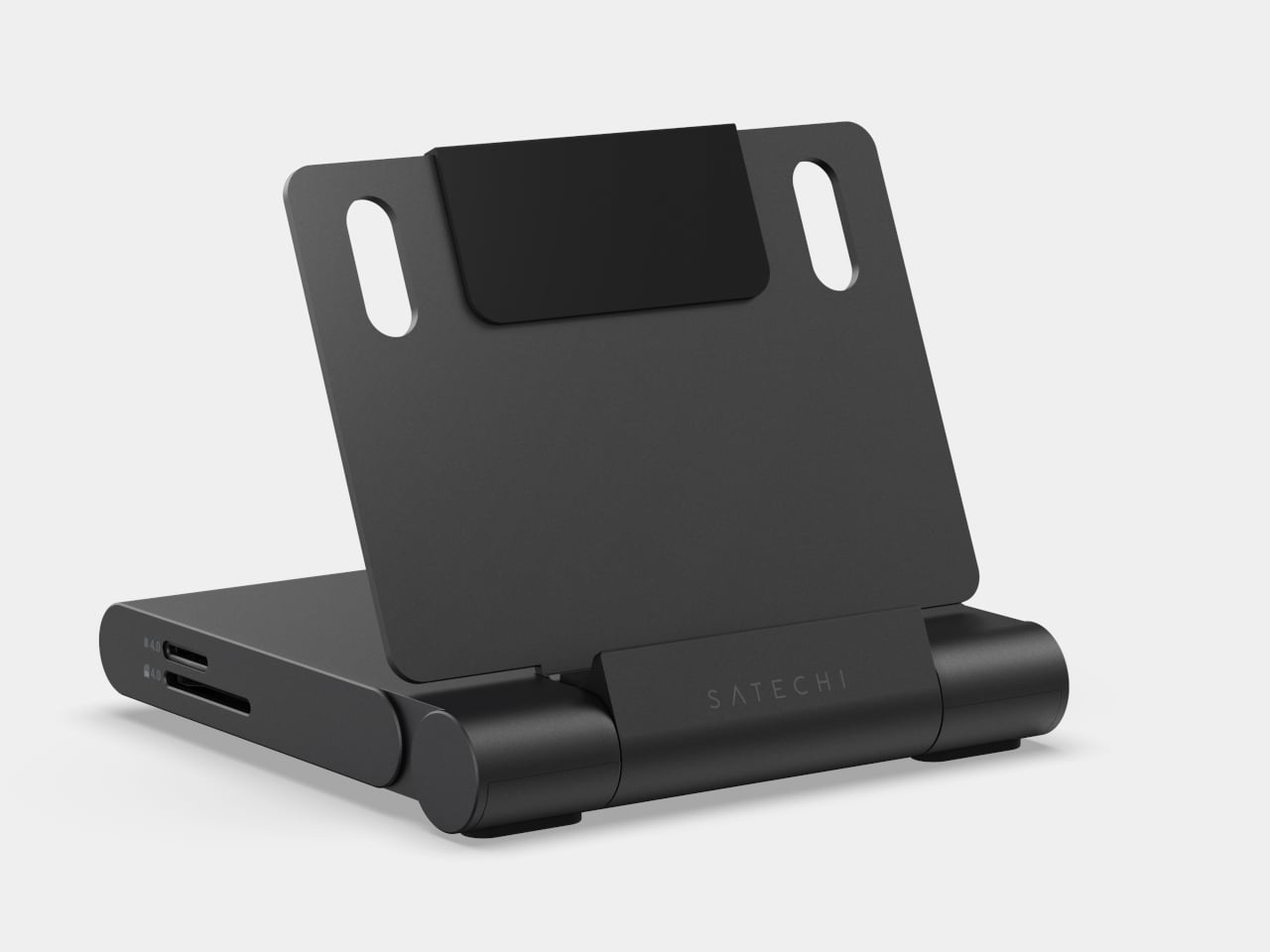
ADAM elements’ Hub S is a USB-C hub with built-in SSD storage, designed around the idea that a hub and an external drive don’t need to be two separate objects. Instead of plugging in one thing for ports and another for files, you plug in one slim aluminum accessory that handles both. It isn’t trying to replace a full docking station, but it’s the right-sized tool for someone who needs the essentials covered without the clutter.
The built-in SSD is available in 240 GB, 480 GB, and 960 GB capacities, so there’s a size for whether you’re keeping a working project library or just enough space for recent shoots and backups. Having storage physically attached to your hub means it’s always there when you need to dump footage, move large project files, or keep a client’s assets close during a session, without remembering to pack a separate drive.
Transfer speeds are rated at up to 520 MB/s read and 456 MB/s write, which makes moving large files feel routine rather than something you schedule around. That kind of speed isn’t just a spec, though. It’s the difference between waiting through a transfer and forgetting it’s happening. For photographers and video editors working on the road, that matters more than it sounds on a product page.
For Mac users, the ADAM elements Hub S is also Apple Time Machine compatible. That means it can act as a rolling backup target every time you plug in, turning a habit that’s easy to forget into something that happens automatically. Backup isn’t exciting, but having it built into the same accessory you’re already using for everything else makes it feel less like a separate job.
The USB-C port on the hub supports PD 3.0 pass-through charging up to 60W, so your laptop doesn’t lose its charge while the hub is handling storage, display, and peripherals. That’s a meaningful consideration when you’re transferring large files and streaming to an external display at the same time, both of which can pull enough power to make a laptop feel like it’s running a sprint.
The HDMI port outputs up to 4K at 30Hz and supports HDCP 2.2, which is the protocol required for streaming 4K HDR content from services like Netflix. A lot of hubs advertise “4K output” but fail on DRM handshakes, so the HDCP 2.2 compliance isn’t a minor footnote. Whether you’re mirroring for a presentation or extending to a monitor for a proper editing session, the connection holds up where it matters.
Rounding out the port selection is a USB-A 3.1 port rated at up to 5 Gbps for peripherals or flash drives, and a 3.5mm headphone jack that supports 48kHz/16-bit audio. Neither is glamorous, but together they cover the inputs that would otherwise require yet another adapter. The aluminum alloy body is designed to sit flush on a desk surface, and the whole thing weighs about 2.5oz, roughly the weight of a single C battery.
The ADAM elements Hub S works best as the kind of accessory you stop thinking about. You plug it in, your files are there, your display is connected, your laptop is charging, and your headphones are plugged in. That’s it. For people who’d rather carry one considered piece of hardware than a small collection of adapters and drives, consolidating all of that into a single slim object that fits in a jacket pocket feels like the more sensible way to work.
The humble flashlight is older than you probably think. The first handheld electric torch was patented in 1899, and for the better part of 127 years, the core concept barely changed: battery, bulb, switch, done. LED technology gave it a serious brightness upgrade. Rechargeable cells made it more practical. But the fundamental experience of using a flashlight, including that moment of blind faith when you click it on and hope the battery cooperated, stayed remarkably unchanged. Until now, apparently.
GODYGA (pronounced Go-dee-ga) has taken the flashlight’s first real swing at becoming a smart device with the TorchEye X1, a clip-on EDC light that combines a full-color smart display, precise battery management, and a laser distance measurement tool in a package that fits on a jacket lapel. It looks like something a concept designer dreamed up after spending too long staring at luxury dive watches. It also genuinely works.
The laser distance measurement is where the TorchEye X1 separates itself from your average EDC flashlight. It fires a red beam that measures distances up to 20 meters with ±1/8 inch accuracy at 20 readings per second. That’s 20 measurements in a single second. For context, a standard tape measure requires two hands, an extra person ideally, and at least one moment of mild frustration. The TorchEye? You point, you press, and the number appears on the display before you’ve had time to question your life choices. Whether you’re figuring out if that new sectional sofa will actually fit in your living room, hanging a gallery wall without eyeballing it for the fifth time, or sizing up a workspace, this is the kind of tool that quietly earns its place in your pocket. It works best indoors on lighter surfaces, a white wall reads brilliantly, while darker or highly textured surfaces outdoors will give it a harder time, so keep expectations calibrated accordingly. There’s also a front and rear reference point mode, useful depending on whether you want to measure from the tip of the device or the back.
TorchEye X1 laser version
Flashlights have never told you anything. You click one on, it works or it doesn’t, and the only feedback is the slow dimming that tells you the battery gave up three days ago. The TorchEye’s full circular smart screen changes that entirely, displaying exact battery percentage, real-time runtime estimates per brightness mode, and a charging countdown when it’s plugged in. The screen wraps around the front face of the body and it’s genuinely striking to look at, drawing obvious visual inspiration from the dial of a luxury watch. That rotating green bezel isn’t decorative either. It clicks through brightness modes with satisfying haptic feedback, the kind of tactile interaction that makes cheap flashlight buttons feel embarrassing by comparison.
Charging is via USB-C, and you can run it straight from your phone using the included USB-C to USB-C cable. The more interesting detail is what happens when you plug it in. Most high-lumen flashlights require anywhere from 10 to 20 minutes of charging before they’ll unlock turbo mode. The TorchEye hits its full 500 lumens the instant power is connected, zero delay, which is actually meaningful in an emergency rather than just a spec sheet flex. The battery system also lets you run the light while it charges, so a dead battery doesn’t strand you in the dark while you wait.
TorchEye X0 Non-laser version
The design philosophy borrows heavily from luxury watchmaking. The rotating green bezel gives satisfying haptic click feedback as you cycle through light modes, making the whole interaction feel considered and premium rather than plasticky. The front-facing button placement is intentional too. Because the TorchEye is designed primarily to be clipped onto a jacket, backpack strap, or cap brim for hands-free use, putting the controls on the front face means they’re always reachable with a single thumb, no awkward side-button fishing required. It’s one of those small ergonomic decisions that only becomes obvious once you’ve used a light that got it wrong.
Seven brightness modes on the white LED, running from Moonlight all the way up to 500 lumens with a 120-meter throw, cover essentially every situation you’d reach for a pocket light. The red LED adds a low-impact visibility option for night walks, map reading, or any context where torching someone’s retinas with 500 lumens would be socially unacceptable. The built-in 18-hole golf stroke counter lives quietly inside the interface, accessible with a short press to count strokes and a long press to advance holes, with bezel rotation letting you review the front or back nine. If golf means nothing to you, it switches off and disappears entirely.
For carrying options, GODYGA gives you three: the clip for clothing and bags, a magnetic base for sticking it to any metal surface, and a lanyard loop for wrist or bag attachment. And tucked inside the interface, almost as a delightful easter egg, is a built-in 18-hole golf stroke counter. Short press counts strokes, long press advances holes, bezel rotation lets you review front and back nine. Golfers will love it. Everyone else can turn it off and forget it exists.
The TorchEye X1, the version with laser distance measurement, is priced at $39.99 on Amazon. If the distance tool isn’t something you’ll reach for regularly, the TorchEye X0 carries all the same smart screen and lighting features for $30.59. Both are worth every dollar for what they pack in. GODYGA has built something that makes the humble pocket flashlight feel genuinely exciting again, which brings us full circle to that 1899 patent, and the very long time it took for someone to finally do this.
Spring has a way of resetting what we carry. The heavy layers come off, pockets shrink, and that overstuffed pouch of winter tools starts feeling like dead weight. This is the season where everyday carry gets honest about what actually earns space against your body, and what was just riding along out of habit. The five products on this list survived that edit. They are compact, functional, and built with enough design intelligence to justify displacing whatever is currently rattling around in your jacket.
What ties these picks together is a shared rejection of bulk for its own sake. The EDC market loves to pile features into objects that end up living in drawers because they are too heavy or awkward to carry daily. These five go the other direction, packing serious utility into forms that disappear into a pocket or clip onto a keyring without protest. Each one solves a real, recurring problem with clean engineering and a material palette that does not apologize for looking good while doing it.
1. Pockitrod Multitool Pen
The pen is the oldest item in pocket carry, and it has been the target of designers trying to cram more function into that slim cylinder for decades. Most tactical pens add a single trick (usually a glass breaker nobody ever uses) and call it innovation. The Pockitrod takes a fundamentally different approach, treating the pen form as a modular platform rather than a finished object. Its body is machined from 6061-T4 aluminum with a hex cross-section that doubles as a driver grip, a detail that sounds minor until the first time a screw needs tightening and the tool is already in hand.
The system is organized around a central driver assembly inside the handle, with additional modules that thread on as extensions: a box opener with interchangeable 20CV steel tips, an inkless writing implement, and a magnetic-base LED flashlight. Etched measurement markings run along the body with a zero-reference aligned to the edge, turning the entire tool into a ruler that actually measures from where objects begin rather than from some arbitrary point inset from the tip. What makes this work different from other multitool pens that collapse under their own ambition is the threading system. Each module is a self-contained unit, so the Pockitrod can be as simple or as loaded as the day demands.
What we like
The hex-shaped body provides a non-slip grip when used as a screwdriver, which most round pen multitools completely ignore.
Modular threading means the tool adapts to different carry needs without requiring a full kit commitment every day.
What we dislike
The added modules increase overall length, which could push the pen past comfortable shirt-pocket territory.
An inkless writing tip is a niche preference, and some users will want a ballpoint option that is not currently part of the system.
2. BlackoutBeam Tactical Flashlight
Flashlights are one of those categories where specs have outpaced what most people need, and manufacturers keep chasing lumen counts that look impressive on paper but blind the user as much as the target. The BlackoutBeam lands at 2300 lumens with a 300-meter throw, which is serious output, but the detail worth paying attention to is the 0.2-second response time. There is no lag, no warm-up flicker, no half-second of wondering whether the switch registered. Light appears the instant the button moves, and in a power outage or a dark parking lot, that immediacy changes the entire experience of using a flashlight.
The body is aluminum with an IP68 rating for water and dust resistance, which means submersion rather than just rain tolerance. Where most tactical flashlights lean into an aggressive, knurled aesthetic that screams preparedness, the BlackoutBeam keeps its lines industrial and clean. It is a tool that communicates function through proportion and material rather than surface decoration. The multiple lighting modes provide range for different scenarios, from full-blast flood to something more conservative for close work. Spring carries a flashlight that handles the transition from late-winter darkness to longer evenings without demanding a separate headlamp or phone-screen compromise.
The 0.2-second activation eliminates the hesitation gap that plagues cheaper flashlights in urgent situations.
IP68 waterproofing means genuine submersion protection, not just a splash rating that fails in real rain.
What we dislike
At 2300 lumens, the beam can be excessive for indoor or close-range tasks where a lower floor would be more practical.
Battery drain at full output will be aggressive, and the frequency of recharging could become a friction point for daily carriers.
3. Bullet SSD
Cloud storage has convinced most people that physical drives are obsolete, right up until the moment a file transfer stalls over weak Wi-Fi, a client meeting has no internet access, or a backup needs to happen without trusting data to someone else’s servers. The Bullet SSD is built for those moments. It measures 51 x 16 x 8mm, weighs 18 grams, and clips onto a keyring with the same casual permanence as a house key. Inside that shell sits up to 2TB of TLC NAND storage with USB-C 3.2 connectivity and read/write speeds around 500 MB/s.
The body is machined from a single piece of aerospace aluminum, which gives it structural rigidity that a plastic thumb drive cannot match, and the IP67 certification means water and dust exposure are non-issues. What separates this from a standard flash drive is the SSD architecture running underneath. Transfer speeds are fast enough to edit video and photos directly from the drive without copying files to a local machine first. For creatives, field workers, or anyone whose workflow involves moving large files between devices that do not share a network, the Bullet SSD turns a keychain into a portable workstation. The form factor is the real argument here: it is small enough to carry without thinking about it, and fast enough to use without compromise when the moment arrives.
What we like
The 18-gram weight and keychain form factor mean this drive is always present without occupying dedicated pocket space.
USB-C 3.2 with 500 MB/s speeds makes direct editing from the drive a practical reality rather than a spec-sheet fantasy.
What we dislike
The compact body limits heat dissipation, which could throttle sustained write speeds during large, continuous transfers.
At this size, the USB-C connector is exposed to pocket debris and lint, and there is no integrated cap or cover to protect it.
4. CraftMaster EDC Utility Knife
The utility knife is one of the most used and least respected tools in everyday carry. Most people settle for a flimsy box cutter from a hardware store or a folding knife that is overkill for opening packages. The CraftMaster occupies the gap between those extremes with a metal body that measures just 8mm thick and 12cm long, paired with an OLFA blade deployed through a tactile rotating knob. The thinness is not a gimmick. At 0.3 inches, this knife slides into a pocket alongside a phone without creating a noticeable bump, which is the difference between a tool carried daily and one left in a bag.
The companion metal scale docks magnetically to the knife’s back, adding dual-scale ruler markings in metric and imperial alongside a blade-breaker for snapping off dull OLFA segments. A 15-degree curvature on the ruler edge protects fingers during cutting, a small detail that reveals how much thought went into the interaction design rather than just the object’s appearance. OLFA blades are replaceable and widely available, which means the CraftMaster avoids the trap of proprietary consumables that plague many premium EDC knives. The 45-degree blade inclination is optimized for box opening, making this a tool that excels at the single task most people actually need a blade for, rather than pretending to be a wilderness survival instrument.
The magnetic-docking ruler scale transforms the knife into a measuring tool without adding bulk or requiring a separate carry item.
OLFA blade compatibility means replacements are cheap, universal, and available at any hardware store on the planet.
What we dislike
The rotating knob deployment, while tactile, is slower than a thumb-stud or flipper mechanism for one-handed opening.
At 12cm total length, the cutting depth is limited to anything beyond packages and light materials.
5. TPT (Titanium Pocket Tool)
Multitools love to advertise tool counts, but most of those numbers are inflated by variations on the same function (three slightly different screwdriver tips, two redundant pry edges). The TPT earns its ten-tool count because each function occupies its own distinct geometry on a body that measures just three inches long and weighs 28 grams. Grade 5 titanium alloy (6AL4V) gives it a strength-to-weight ratio that steel multitools cannot touch at this size, and the TSA-approved design means it travels without the anxiety of confiscation at airport security. That alone removes one of the biggest barriers to consistent carry.
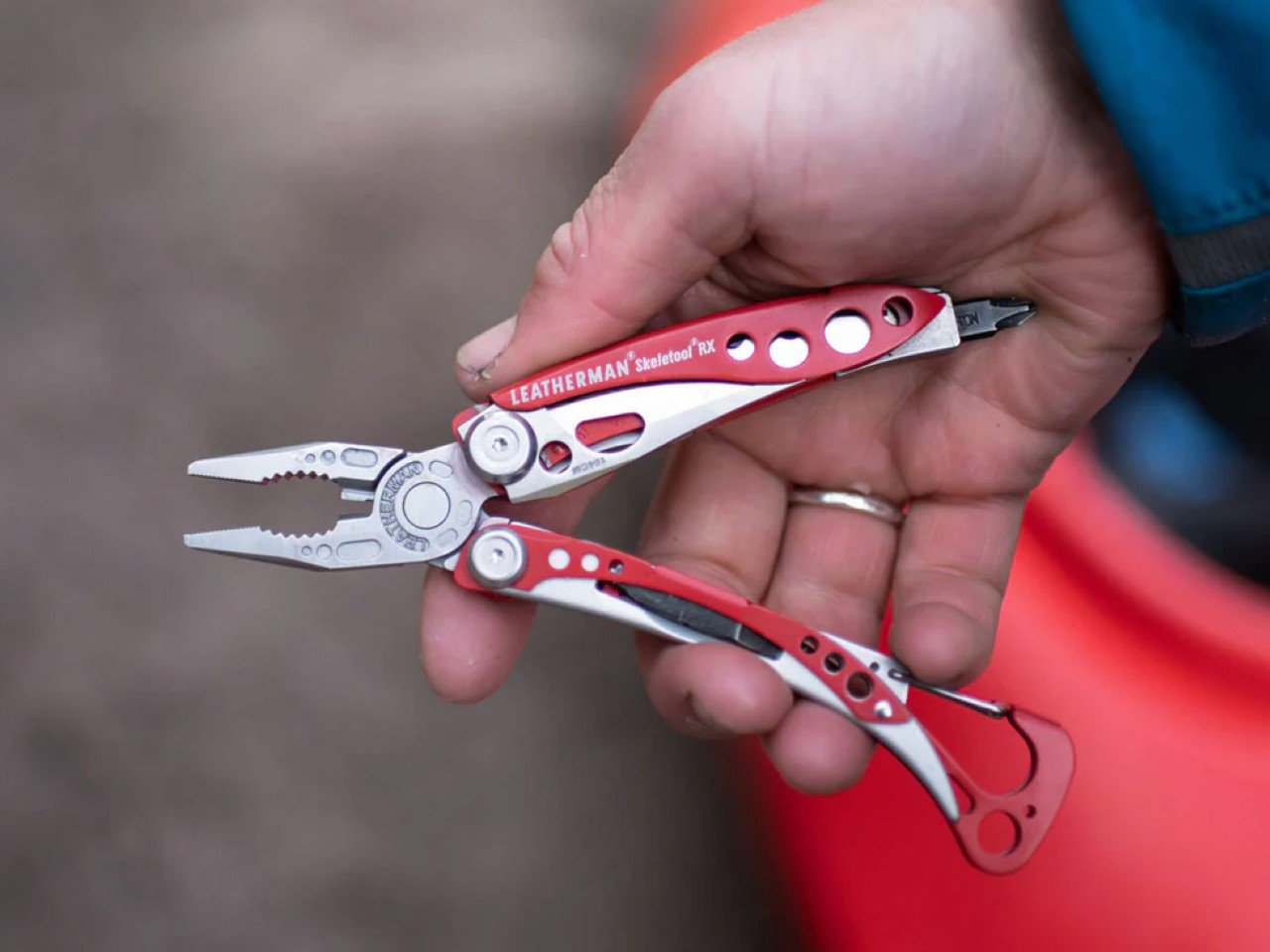
The tool set includes a full wrench array covering 15 socket sizes (both SAE and metric), a bottle opener, a hex bit driver, a scraper edge, a mini pry bar, measurement cues, and a retractable insert that functions as both a box opener and a camp fork. The stainless steel insert is dual-function, with a fork-tined end for eating and a conventional cutter shape on the other, which is a clever use of a single replaceable component. A removable pocket clip and paracord lanyard provide carry options, and the included leather sheath protects both the tool and whatever pocket it lives in. The TPT does not try to replace a full-sized Leatherman. It targets the 90% of daily situations where a compact, always-present tool solves the problem faster than digging through a bag for something bigger.
What we like
TSA approval means this tool crosses through airport security without issue, making it one of the few multitools suitable for travel carry.
The 15-size universal wrench built into the body handles quick fixes that would otherwise require a dedicated wrench set.
What we dislike
The retractable blade insert can be difficult to swap one-handed, and some users report that the magnet holding it in place could be stronger.
At three inches, the wrench openings are small, limiting torque and access in tight spaces where a longer tool would provide better leverage.
Where spring carry is heading
These five tools share a common design philosophy: carry less, carry better. The days of stuffing pockets with redundant gear are giving way to a more considered approach where each item earns its real estate through daily use rather than hypothetical scenarios. A pen that is also a driver and a ruler. A flashlight that responds before the thought finishes forming. A solid-state drive disguised as a keychain. A utility knife is thinner than most phones. A titanium multitool that flies through security.
The best EDC gear in 2026 does not demand attention or lifestyle changes. It occupies the margins of a pocket, a keyring, or a clip, and waits for the moment it is needed. Spring is the right season to audit what makes the cut and what gets retired. These five have earned permanent rotation.
The must-have for your home used to be a choice: a speaker or a digital frame. Good audio gear fills a room with sound but rarely does anything worth looking at. Digital frames look considered and calm on a wall but go completely silent the moment you need them to do something else. It seems obvious, in hindsight, that someone would eventually stop treating these as separate problems.
Monar is that someone. The Monar Canvas Speaker brings both together in a single framed wall piece that plays Hi-Fi audio while displaying art on a built-in screen, and the two functions are genuinely connected. When music plays, the display responds in real time, generating visuals that shift and react to the track. It fills your home with sound. It decorates your wall with art. It does both at once.
The design draws its visual logic from classical oil painting. Traditional canvas proportions, the kind that have framed masterworks for centuries, informed the 4:5 portrait ratio of the panel, a deliberate departure from the widescreen format most screens default to. That historical reference is not decorative. It is the reason the Monar reads like framed art on a wall rather than a screen that someone forgot to put away.
The outer frame is interchangeable across eight options: premium ABS plastics, natural linen, and brushed aluminium, with one ABS option styled after Mondrian’s primary color geometry. Swapping the frame is a practical feature rather than a gimmick, since the object is permanent décor. If your interior changes, the frame can too.
The audio side makes bold claims for an enclosure that is only 4.9cm deep. Six drivers handle the load: 2 titanium tweeters, 2 midranges using a golden ratio cone geometry, and full-size subwoofers running through a 2.2-channel amplifier. The 20Hz to 20kHz frequency response is ambitious for a chassis this thin, and one definitely worth hearing.
Where the product earns genuine interest is in the everyday texture of using it. Put on an album, and one of 12 lyric display themes animates the words in sync with the music. Switch to the World Gallery and the screen cycles through more than 50,000 digitized artworks, from Van Gogh to Hokusai. Activate Meditation Mode and the visuals shift to ambient scenes timed to calming audio. When no music is playing, it displays personal photos or videos, so it never really goes blank or dormant.
The generative AI tools go further still. Monar’s AI Studio lets you create original artwork through text prompts, uploaded images, or even a musical concept. The result displays on screen, making it possible to have genuinely new wall art on demand without touching a single frame nail. These features run on a points system, with a free tier offering 100 points per month. The World Gallery and Meditation Mode cost nothing extra, regardless.
Paid AI tiers range from $9.90 to $39.90 per month for heavier creative use, and the free allocation covers casual experimentation comfortably. What makes the pricing structure interesting is what it says about the product underneath it: even without touching a single AI feature, the Monar already delivers a fully functional Hi-Fi speaker system and a complete digital frame in one object. That combination alone is something no single product category had managed to pull off before it came along.
A speaker that becomes a painting, a gallery that plays music, a frame that reacts to sound: the Monar pulls off a combination that no single product category has figured out before it. The real question worth sitting with is not whether it works, but how much your walls have been missing something like it.