Memoreel captures nostalgic sensibility, fuses it with AI to create music and art from recorded emotions

Generative AI has the power to create music, images, content and videos from your input. Now, someone believes that not only words and text, but even memories need to be created into music. If you talk about preserving memories, photo frames and albums (digital or physical) are the best options that come to mind. Now memo:reel (yes, it’s an interesting wordplay) is designed to let you transform your memories into music and art.

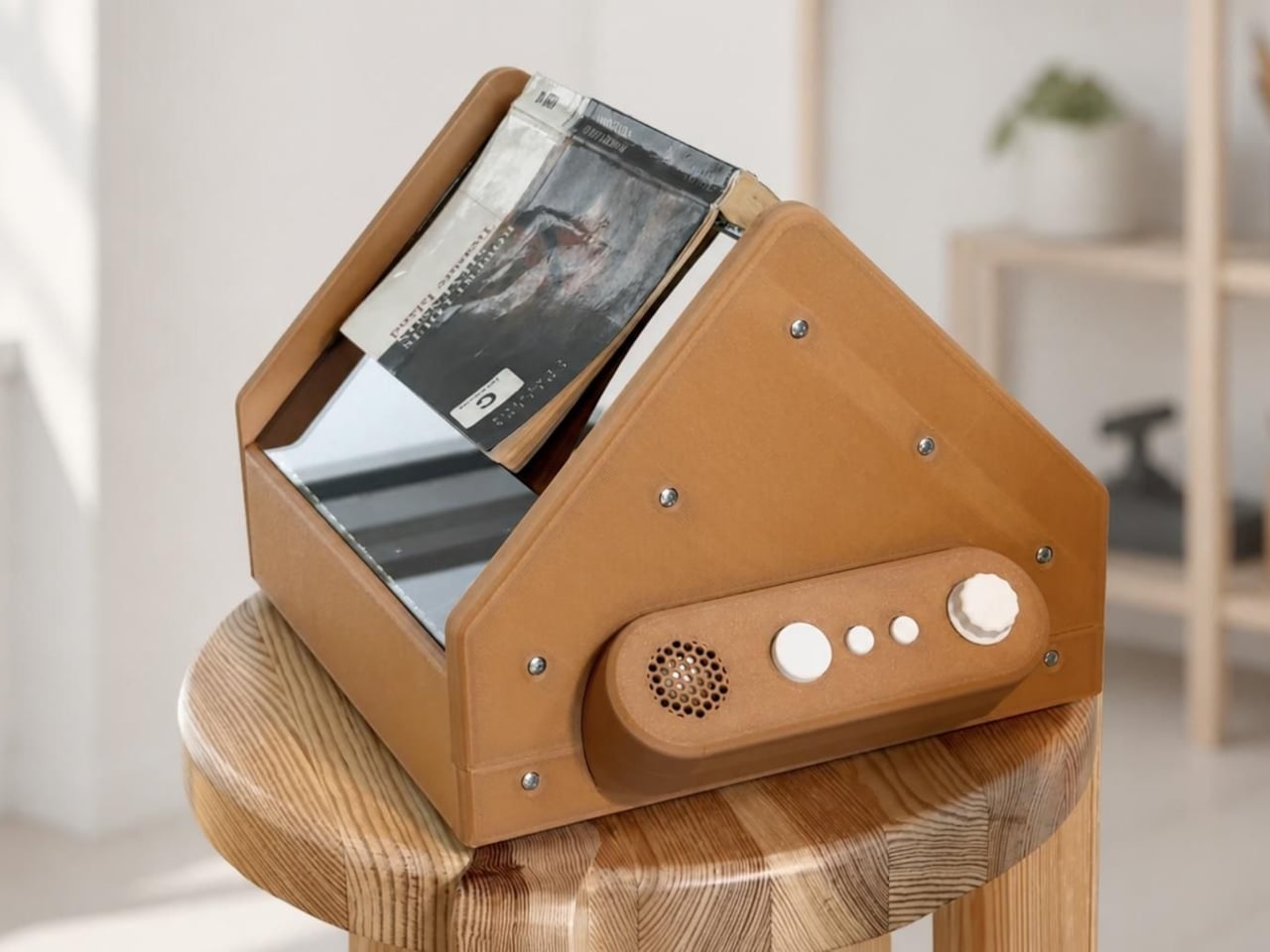
This emotion-driven AI device for music and art generation is conceptualized to allow each recorded emotion to be expressed through sound and visuals. And for this, one part of it is designed to resemble a traditional cassette player, whose speakers are used to play the created sounds. The recording and generation are done on separate devices. The idea behind the memoreel concept is to provide users with a new way to reconnect with themselves through the creative interpretation of their emotions.

Designers: Ji Hun Lee and CAU ID


To simply understand, memoreel uses a combination of the records of your daily moments and emotions and generative AI that creates music and artwork from these emotions, so you can relive them in a new format. The device basically comprises three primary units: a Speaker, a Frame, and the Record unit. The recording unit – a note taker (for written and verbal input) passes the recorded moments and emotions you want to remember either to the Frame (a monitor-like device) or the speaker unit (which is the cassette player-like contraption).

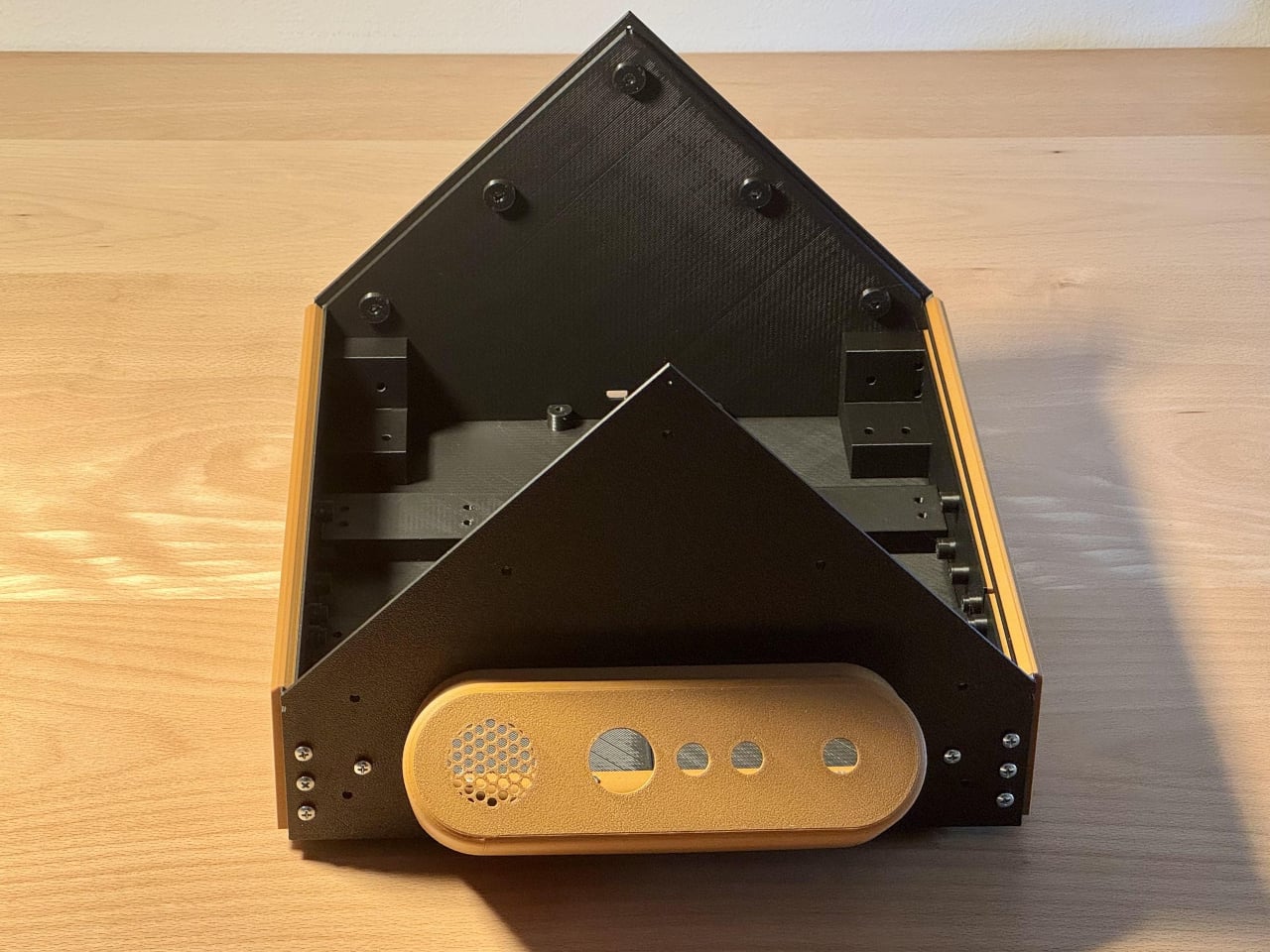
The Frame is a tiny monitor that generates and replays your emotional input as your own artwork, while the Speaker generates and replays them as your own music. The Speaker unit here is not just a look-alike of the cassette player; in fact, with its tactile knobs, it functions like one. In addition, a reminiscent façade – with a cassette-like slot for the Record unit – the top of the Speaker has a volume knob, a Track knob, and a power switch to turn the system on and off.

So, record your memories and emotions into layers of records and they turn them into music in your own sound. Yes, the memoreel’s built-in AI allows you to record your voice and then learns your voice and creates music sung in your own tone. You can pick the genre and style, enter prompts to express your mood and your own song comes to life that you can listen to or get others involved in your mood.

If the Speaker captures the nostalgic sensibility of a retro cassette player, the Frame is a rendition of a television set with a recording antenna on the top, a power switch at the back, and an interesting memory knob on the front. The knob lets you change between different memory-based artworks. Making things most interesting is the Note unit, which can attach to the back of your smartphone to record your emotions and feelings on the go.

The post Memoreel captures nostalgic sensibility, fuses it with AI to create music and art from recorded emotions first appeared on Yanko Design.
E-ink Vocabulary Card E2 Fits Language Learning Into a Gum Pack

Most language learning apps live on phones, competing with notifications, social media, and every other distraction fighting for your attention. Opening Duolingo between classes usually turns into five minutes of vocabulary followed by twenty minutes of scrolling through feeds you’ve already checked twice. Designers are starting to build tiny, single-purpose devices that turn fragmented time into focused practice instead of another excuse to stare at your phone screen until your eyes hurt.

The E-ink Vocabulary Card E2 is one of those tools, a chewing-gum-sized e-ink vocabulary device aimed at students but usable by anyone learning a new language. It pairs with a phone via Bluetooth to pull in study materials and memory modes from an app, then lets you review words on a 2.7-inch e-ink screen without opening your phone. It’s small enough to live in a pocket yet designed to feel like a dedicated learning tool.

Designer: DPP .

The form factor is remarkably simple. A slim rectangular bar about the size of a pack of gum, weighing only thirty grams. Rounded corners, soft edges, and a two-tone color scheme in orange, pink, green, or grey make it look friendly and approachable. The main action button is tilted at five degrees, tuned for thumb reach when you hold it in one hand, while the simple layout keeps the interaction logic easy to understand.

The 2.7-inch e-ink touch screen is the real selling point. Low blue light and low radiation make it easier on the eyes than a phone, and the high contrast gives a reading experience close to paper. Because e-ink only draws power when the screen changes, the device can reach around one hundred fifty days of standby time, which means it’s always ready when you pull it out between classes or on a commute.

E2 connects to a mobile app over Bluetooth. The device supports nine built-in languages, and the app lets you import more content and choose different study modes or memory patterns that match your learning style. You can load word lists, practice exercises, and review sessions, then leave the phone in your bag while the card handles the actual on-the-go practice.

The IP68 protection rating makes the card dust-tight and waterproof enough for more adventurous use. The renders show it in a gym, on a train, and even in a futuristic space scene, reinforcing that it’s meant to live in pockets and hands without babying. A matching wrist strap accessory clips into the body, adding security and a bit of personality to the tiny device.

The visual language is intentionally soft and playful. Big icons, rounded rectangles, and cheerful colorways make it feel more like a friendly gadget than test prep gear. The E-ink Vocabulary Card E2 treats vocabulary learning like checking a notification, but without the noise of a full smartphone, turning spare seconds into small, focused steps toward fluency.

The post E-ink Vocabulary Card E2 Fits Language Learning Into a Gum Pack first appeared on Yanko Design.
Echo Aviation Controller mimics realism of flying planes with a full set of flight controls

Gaming has come a long way from the nostalgic gamepads to the current wireless controllers with haptic feedback that mimic the vibration of game input elements. Right from the texture of the road in racing games, to the recoil of weapons in FPS titles, the idea is to bring that extra element of realism to the whole experience. Wearable headsets have taken the quotient of realism to the next level, but they are bulky, can cause eye strain, and are currently not very practical for everyday gaming. Therefore, the buck stops at buying a pricey racing sim, or dedicated hardware that caters to a niche set of gaming titles.

Microsoft Flight Simulator has a cult following, and I wish there were a simpler gaming controller to enjoy the game without any strings attached. That wish has come true with this unique gaming controller dubbed the Echo Aviation Controller, which is tailored for precision flight control input. Best of all, it has a small form factor and is portable enough to carry in your backpack. Slated for mid-December release for a price of $150, the gamepad guarantees hours of immersive gameplay during the holiday season.

Designer: Honeycomb Aeronautical

The gamepad-shaped flight controller is an accessory that’ll let you game from the comfort of your couch without losing out on the precision control method that isn’t possible with a conventional controller. Coming from a company that crafts flight simulator accessories, this controller is ideal for sim fanatics who like a compact gaming setup, especially for titles like Microsoft Flight Simulator. It comes with small joysticks, a dedicated trim wheel to actuate the plane’s altitude, and buttons on one side for flight-specific controls to actuate the in-game throttle levers. On the other side is positioned a thumbstick, four action buttons, and a conical joystick for panning the sim’s camera control.

Bottom of the Echo Aviation Controller has flap adjustment controls, landing gear control, and the parking brake activation controls. This gives the player an array of inputs that were earlier only possible with keyboard buttons. That method of input, however, couldn’t reach the level of professionalism you would expect from advanced sims. The shoulder section of the gamepad has sliding paddles to control the rudder function for directional movement of the plane. This controller is a middle ground of gaming aspirations without spending a ton of money or requiring ample space to set up the gaming accessory rigs.

The gaming accessory will be accompanied by a set of interchangeable caps that can be swapped with the default throttle levels and other controls. There are four assignable thrust levers with swappable caps for “GA or commercial aircraft.” The idea is to have the visual differentiation in the form of color and shapes of the remapped buttons. This controller is a plug-and-play experience that requires no advanced setup, perfect for casual gamers who desire to experience advanced simulation games. The gamepad has a 15-hour battery in wireless mode and can also be used in wired mode via USB-C charging port.


The post Echo Aviation Controller mimics realism of flying planes with a full set of flight controls first appeared on Yanko Design.
Ayaneo Pocket VERT reimagines Game Boy form factor with a touchpad and long-lasting 6,000mAh battery

In the rapidly evolving landscape of handheld gaming, Ayaneo continues to stand apart by treating portability as an experience rather than a specification. Its newest handheld embodies that philosophy with quiet confidence, merging high-end performance with a level of craftsmanship and material intention that feels decidedly premium. Every curve, texture, and component has been considered not just for function, but for how the device lives in the hand, resulting in a compact form factor that feels effortlessly capable and thoughtfully designed.

Meet the upmarket Pocket Vert, which has an Android-powered handheld that’s crafted out of a full CNC-milled unibody construction. The handheld has a full glass front panel fitted with a 3.5-inch high-resolution LTPS display having 1600×1440 resolution (at 615 ppi), 60Hz refresh rate, and 450 nits peak brightness level. In their latest teaser video, Ayaneo has revealed that the device will be positioned flush in between the flagship Pocket DMG and budget gaming controllers like Anbernic RG40XX V. This certainly will fill the gap, and the sweet spot mobile gamers were craving.

Designer: Ayaneo

The company teased the handheld earlier this month on November 5, revealing the design and some specifications. Now, in a fresh Product Sharing Session, they’ve revealed multiple prototypes that’ll ultimately morph into the compact handheld. Touted as a premium Game Boy clone, it’ll come in three color options: Black, White, and Red, with matching buttons. Measuring 86x143x20mm, the classy little gadget is smaller than the Pocket DMG. Despite the petite form factor, it has a 3.5mm jack and a USB-C port at the bottom. The Pocket Vert should have enough power under the hood as it is seen running the God of War title, which requires a good amount of processing fuel.

Section below the D-Pad and buttons is a touchpad, which the player can map to various button configurations or sticks. The touchpad is completely invisible and beyond the physical buttons for a less intrusive functionality. Just like the DMG, this one has a wheel called the MagicSwitch key for added functionality. It is used to toggle the volume control levels, short-pressed to mute, and long-pressed to trigger the function menu. As is clear from the naming convention, the handheld is targeted towards vertical retro handheld enthusiasts.

Ayaneo has confirmed the device packs a 6,000mAh battery and bottom-firing speakers for a satisfying playing experience. Depending on the processor fitted inside, the battery life could be excellent for such a small gadget. That said, there is no detail about the release date and other vital hardware information. We can expect the remaining fog to clear with another official sharing session in the coming days.

The post Ayaneo Pocket VERT reimagines Game Boy form factor with a touchpad and long-lasting 6,000mAh battery first appeared on Yanko Design.
DIY 3D-Printed Clamshell Turns BOOX Palma Into a Tiny Laptop

Palmtops and UMPCs are experiencing a quiet resurgence among people who want something more focused than a laptop and more tactile than a phone. Compact e-ink devices and tiny Bluetooth keyboards have become affordable building blocks for exactly this kind of project, letting makers combine them into pocketable machines tailored to writing, reading, or just tinkering. The result is a small but growing wave of DIY cyberdecks and writerdecks that feel like modern reinterpretations of classic Psion palmtops.

The Palm(a)top Computer v0 is one of those projects, born on Reddit when user CommonKingfisher decided to pair a BOOX Palma e-ink Android phone with a compact Bluetooth keyboard and a custom 3D-printed clamshell case. The result looks like a cross between a vintage Psion and a modern writerdeck, small enough to slide into a jacket pocket but functional enough to handle real writing and reading sessions on the go.

Designer: CommonKingfisher

The core hardware is straightforward. The BOOX Palma sits in the top half of the shell, while a CACOE Bluetooth mini keyboard occupies the bottom half. The keyboard was originally glued into a PU-leather folio, which the maker carefully peeled off using gentle heat from a hair dryer to expose the bare board. When opened, the two halves form a tiny laptop layout with the e-ink screen above and the keyboard below.

The clamshell itself is 3D-printed in a speckled filament that looks like stone, with two brass hinges along the spine giving it a slightly retro, handcrafted feel. Closed, it resembles a small hardback book with the Palma’s camera cutout visible on the back. Open, the recessed trays hold both the screen and keyboard flush, turning the whole thing into a surprisingly polished handheld computer, considering it’s a first prototype.

The typing experience is functional but not perfect. The maker describes it as “okay to type on once you get used to it,” and thumb typing “kinda works,” though it’s not ideal for either style. You can rest the device on your lap during a train ride and use it vertically like a book, with the Palma displaying an e-book and the keyboard ready for quick notes or annotations.

The build has a few issues that the maker plans to fix in the next version. It’s top-heavy, so it needs to lie flat or gain a kickstand or counterweight under the keyboard, possibly a DIY flat power bank. The hinge currently lacks friction and needs a hard stop around one hundred twenty degrees to keep the screen upright. There are also small cosmetic tweaks, like correcting the display frame width.

Palm(a)top Computer v0 shows how off-the-shelf parts and a 3D printer can turn a niche e-ink phone into a bespoke palmtop tailored to one person’s workflow. Most consumer gadgets arrive as sealed rectangles you can’t modify, but projects like this embrace iteration and imperfection. It’s less about having all the answers and more about building something personal that might inspire the next version.

The post DIY 3D-Printed Clamshell Turns BOOX Palma Into a Tiny Laptop first appeared on Yanko Design.
This E Ink Clock Prints Fortunes and Jokes on Paper Slips

Time usually passes without much fanfare. Numbers flip on your phone screen, the day blurs from morning coffee to evening TV, and most minutes feel interchangeable. Clocks are background objects, functional but forgettable, doing nothing more than reminding you how late you’re running. There’s no ceremony to checking the time, no surprise waiting when you glance at the display. It’s just numbers counting down to whatever you’re supposed to do next.

Houracle by True Angle approaches this differently. Instead of treating time as something that simply ticks away, it turns each minute into a potential moment of delight. The device is part clock, part oracle, with an eco-friendly thermal printer tucked into the top that spits out fortunes, jokes, riddles, or random facts tied to the exact moment you press the button. It’s the kind of thing that makes you want to check the time just to see what happens.

Designer: True Angle

Click Here to Buy Now: $128 $213 (40% off). Hurry, only a few left!

The design is deliberately retro. A boxy, powder-coated aluminum body with rounded edges, a large orange or yellow button on the top, and an e-ink display that looks like a pencil sketch on paper. The screen shows the time and date, the weather for your selected location, and a small prompt inviting you to press print. Five icons along the right edge let you select modes, fortune, fact, joke, riddle, or surprise, each represented by simple graphics.

Press the button and the printer whirs to life, a satisfying mechanical sound as the paper slip emerges from the top. At 7:42 in the morning, it might tell you destiny took a coffee break and suggest making your own magic. At 11:15, it could mention your brain runs on about 20 watts, enough to power a dim bulb or a brilliant idea. The messages feel oddly personal because they’re tied to that specific minute.

What makes this genuinely charming is how the slips accumulate. They end up on the fridge, tucked into notebooks, or shared with family members over breakfast. Heck, you might find yourself printing extras just to see what weird fact or ridiculous joke Houracle generates next. The lucky numbers printed at the bottom add an extra layer of whimsy that completes the fortune cookie vibe without taking itself too seriously.

The e-ink screen plays a bigger role than you’d expect. Unlike the glowing blue displays most clocks use, this one reflects ambient light rather than emitting it. That makes it easier on the eyes, especially at night, and gives the whole device a calming presence. The screen updates when you interact with it, but otherwise sits quietly, blending into the background.

Of course, the whole thing runs on wall power, which means no batteries to replace or USB cables to manage. The aluminum body is built to last, assembled with screws rather than glue. Houracle also uses BPA and BPS-free thermal slips, sourced from a company that plants a new tree or restores kelp in the ocean for every box of thermal rolls purchased. True Angle designed Houracle with sustainability in mind, using recyclable materials and avoiding planned obsolescence.

What’s surprising is how much a simple printed slip can shift your mood. A clever riddle before bed, a dumb joke during a work break, or a strange fact that makes you pause for a second. These aren’t profound moments, but they add small pockets of joy to days that might otherwise feel routine. Houracle captures the anticipation you used to feel when cracking open a fortune cookie.

The device sits on your desk or nightstand, looking unassuming until you press that button and hear the printer activate. Then it becomes something else entirely, a little machine that marks time with paper artifacts you’ll probably keep longer than you should. For anyone who’s tired of clocks that just tell time and do nothing else, that small shift makes all the difference.

Click Here to Buy Now: $128 $213 (40% off). Hurry, only a few left!

The post This E Ink Clock Prints Fortunes and Jokes on Paper Slips first appeared on Yanko Design.
5 Best Tech Gadgets Of November 2025

November 2025 has delivered some truly groundbreaking tech that pushes boundaries in ways we haven’t seen before. This month isn’t about incremental updates or spec bumps. It’s about rethinking fundamental assumptions around how we interact with our devices. The gadgets making waves right now challenge the status quo of mobile computing, wearable technology, ergonomic design, portable power, and smartphone engineering.

Some are available now, others are concepts that point toward what’s coming, but all of them represent a shift in thinking about what tech can be when designers refuse to accept the limitations we’ve grown accustomed to. These five gadgets stand out not just for their innovation, but for solving real problems that have plagued users for years. They’re the kind of products that make you wonder why nobody thought of this sooner.

1. WELDER Keyboard

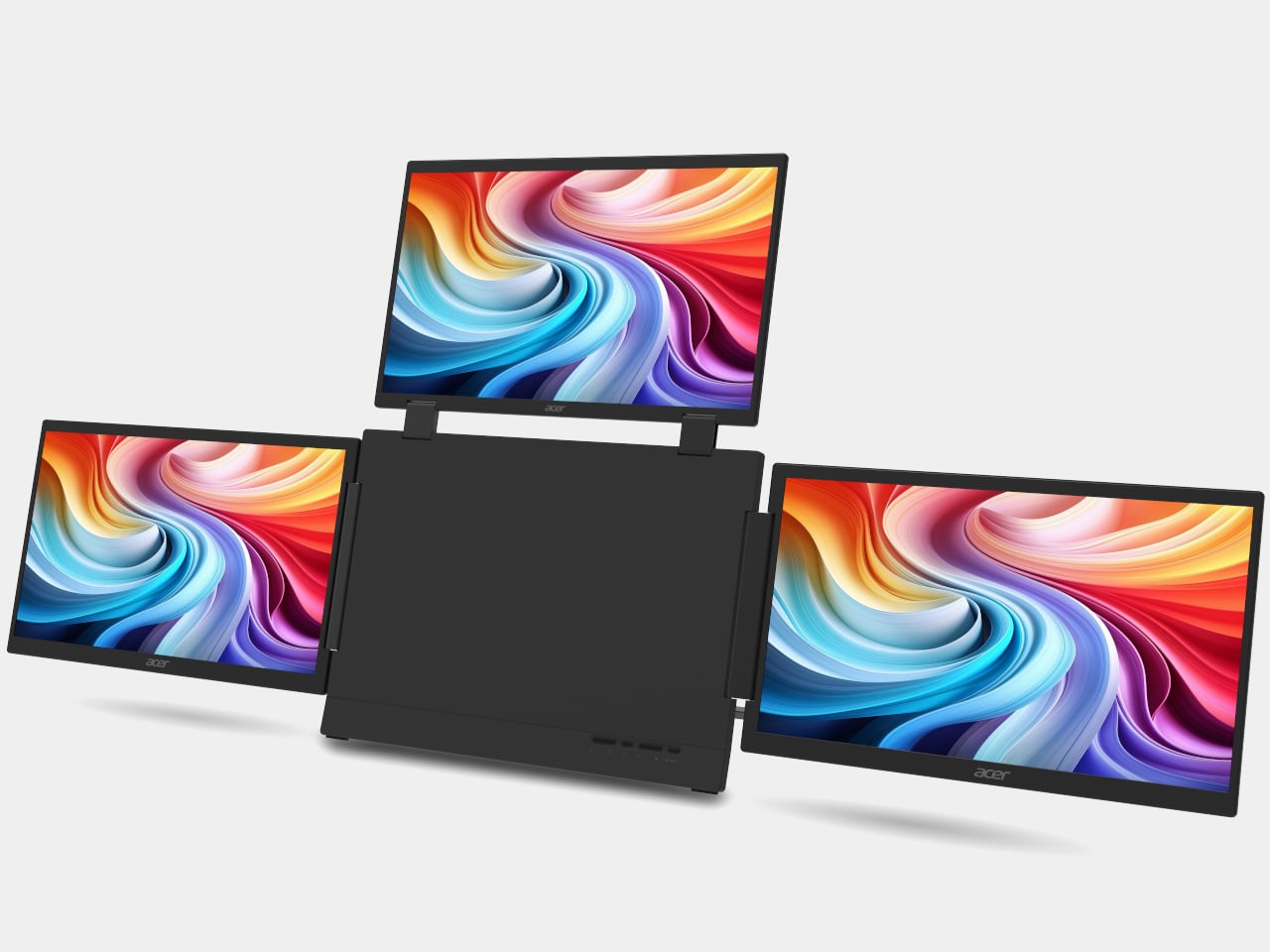
Mobile professionals face an impossible equation. Laptops provide adequate computing power but trap you behind a cramped single display. Portable monitors expand your workspace but clutter your bag with extra cables, stands, and fragile panels. Mechanical keyboards deliver typing satisfaction at the cost of carrying yet another device. The WELDER keyboard collapses this sprawling ecosystem into one unified tool that refuses to compromise on any front.

The centerpiece is a 12.8-inch touchscreen mounted directly above a full mechanical keyboard, both housed in precision CNC-machined aluminum. That material choice matters enormously. When the device folds at its 180-degree hinge, the metal construction prevents any flexing that would make typing unstable or damage the display. Close it up and you get a protective shell that safeguards both components during travel, transforming into a sleek aluminum block that looks more premium than most laptops. For a crowdfunded venture to achieve this level of build quality suggests serious engineering capability.

What we like

  • Eliminates the need to carry a separate keyboard and portable monitor.
  • CNC-machined aluminum construction provides exceptional build quality and durability.

What we dislike

  • Crowdfunded status means availability and long-term support remain uncertain.
  • The combined weight of screen and mechanical keyboard may be heavier than ultraportable alternatives.

2. MSI Gaming PC Watch

MSI’s wrist-mounted PC concept makes no pretense of being a conventional timepiece. Subtle hour markings exist almost as an afterthought, while the face reveals a miniaturized computer’s internal architecture. Cooling fans, graphics components, motherboard traces, and processors are fully exposed behind transparent housing. Four side pushers control various functions while the MSI badge sits where you’d normally find a watch crown. This is wearable computing stripped of any attempt at discretion.

The brand already dominates gaming hardware through laptops and desktops that push thermal management, graphics rendering, and RGB aesthetics to extremes. Translating that expertise to wrist-scale computing represents the logical, if audacious, next step. MSI has built a reputation on reliable performance under demanding conditions, which gives this concept more credibility than if a startup proposed it. The promise is immediate access to full computing capability regardless of location, though practical questions around battery life, heat generation, and actual processing power remain unanswered at this conceptual stage.

What we like

  • Showcases visible internal components for a striking aesthetic that appeals to tech enthusiasts.
  • Backed by MSI’s established reputation for durable, high-performance hardware.

What we dislike

  • Actual computing power and practical functionality remain unclear from concept alone.
  • Wrist-mounted form factor raises serious questions about heat dissipation and comfort during extended wear.

3. iRest Adjustable Ergonomic Mouse

Most mice ship with fixed dimensions that work adequately for average hands, while fitting nobody perfectly. iRest Health Science and Technology proposes something radically different with their conceptual mouse featuring app-controlled adjustability. The palm rest integrates two pneumatic cushions that inflate or deflate based on commands from your smartphone. Adjust the air volume, and the mouse physically reshapes itself to match your hand’s exact contours, creating a truly personalized ergonomic profile.

The concept brilliantly identifies a real problem, but stumbles on execution. Pneumatic adjustment requires miniature air pumps that would devastate battery life while adding mechanical complexity prone to failure. Alternative approaches exist that could deliver similar results more elegantly. Moldable silicone shells similar to custom in-ear monitors could work, though those require professional fitting. Mechanical adjustment systems comparable to ergonomic office chairs might provide the customization without electronic complexity. The core insight that ergonomic peripherals shouldn’t force users into standardized shapes remains valuable even if this particular implementation needs rethinking.

What we like

  • App-controlled customization allows precise fitting to individual hand dimensions.
  • Addresses genuine ergonomic needs for users who struggle with standard mouse shapes.

What we dislike

  • The air pump mechanism would significantly drain battery life and add mechanical complexity.
  • Still in concept phase with no clear path to production or retail availability.

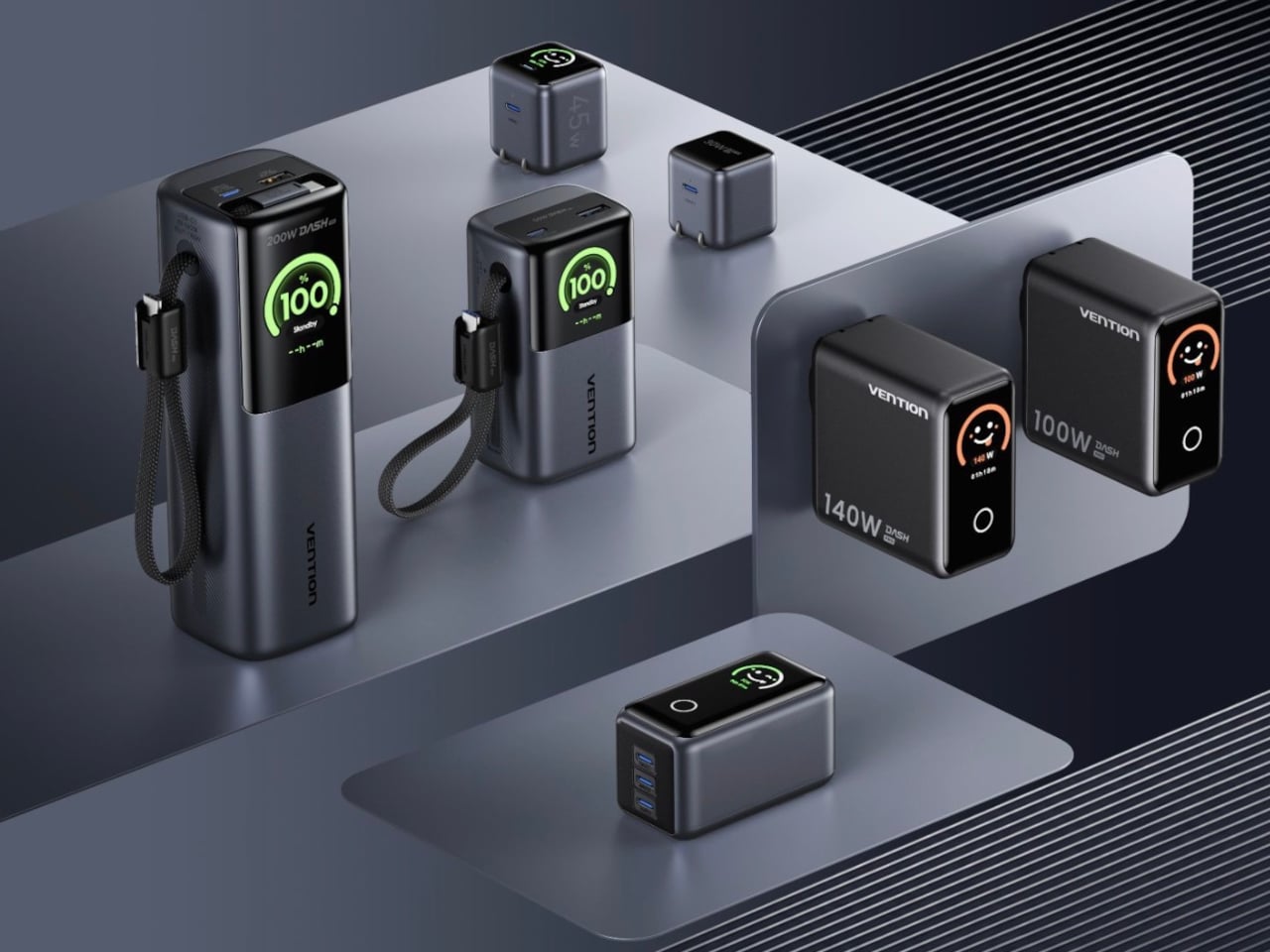
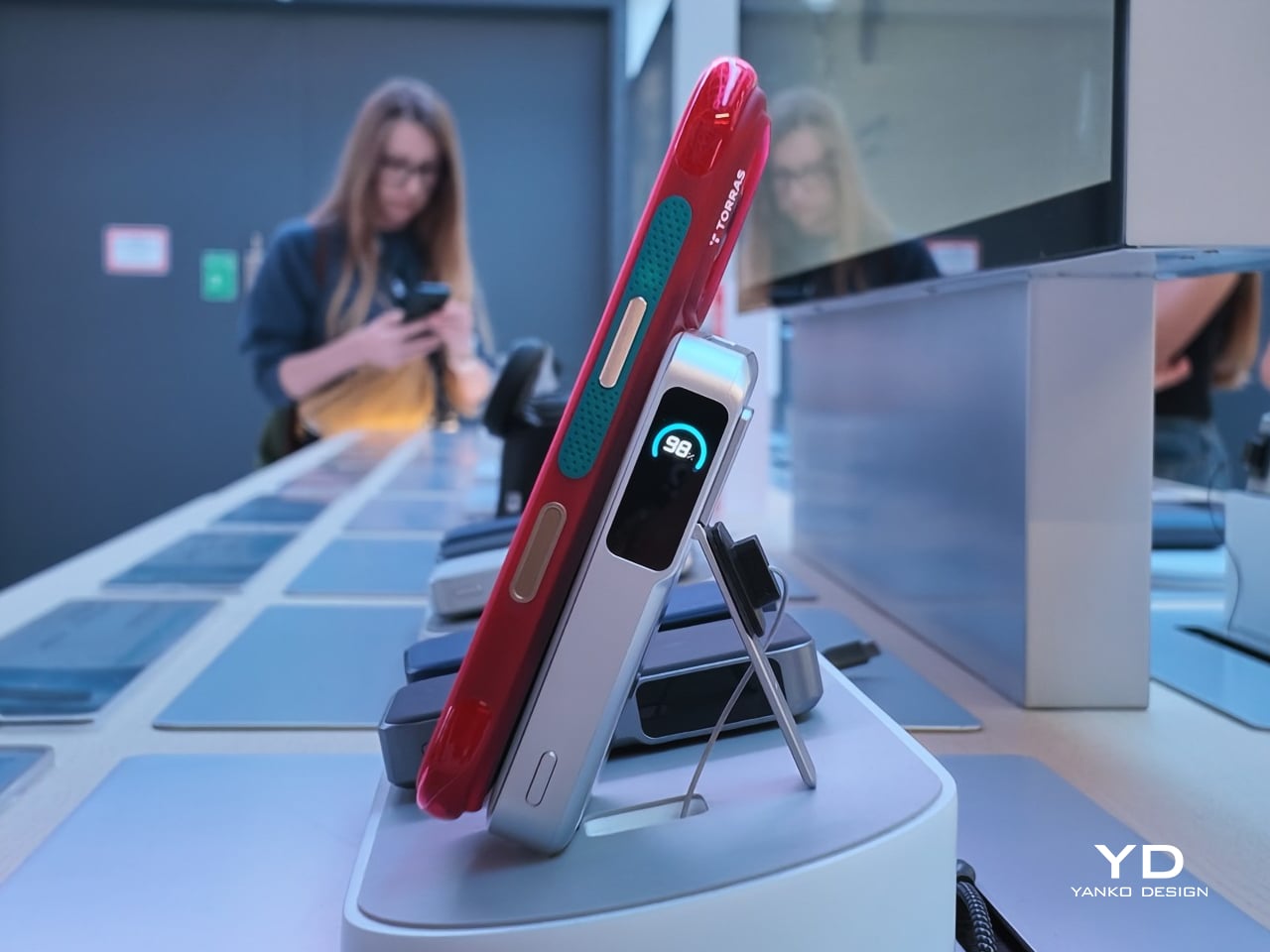
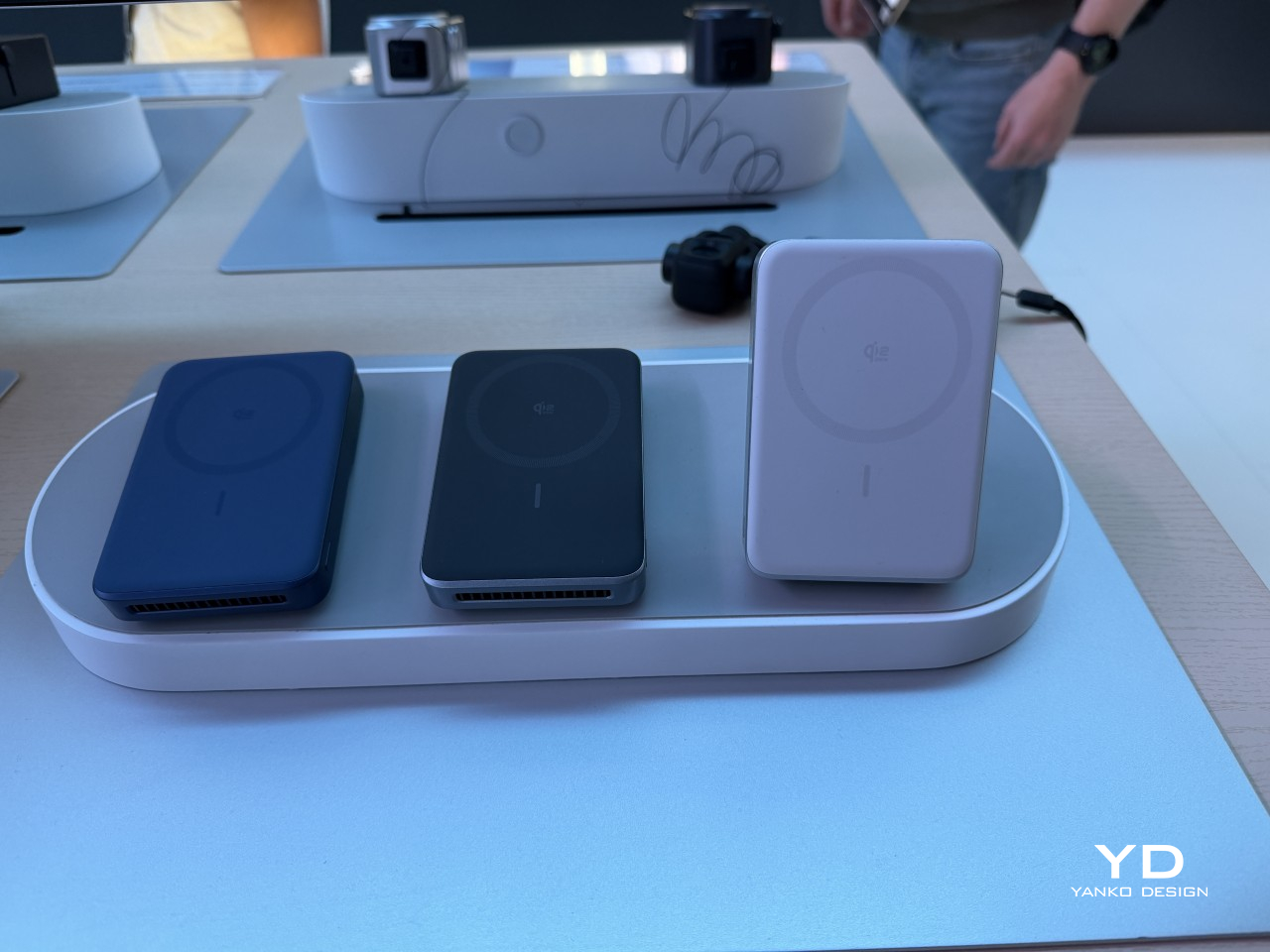
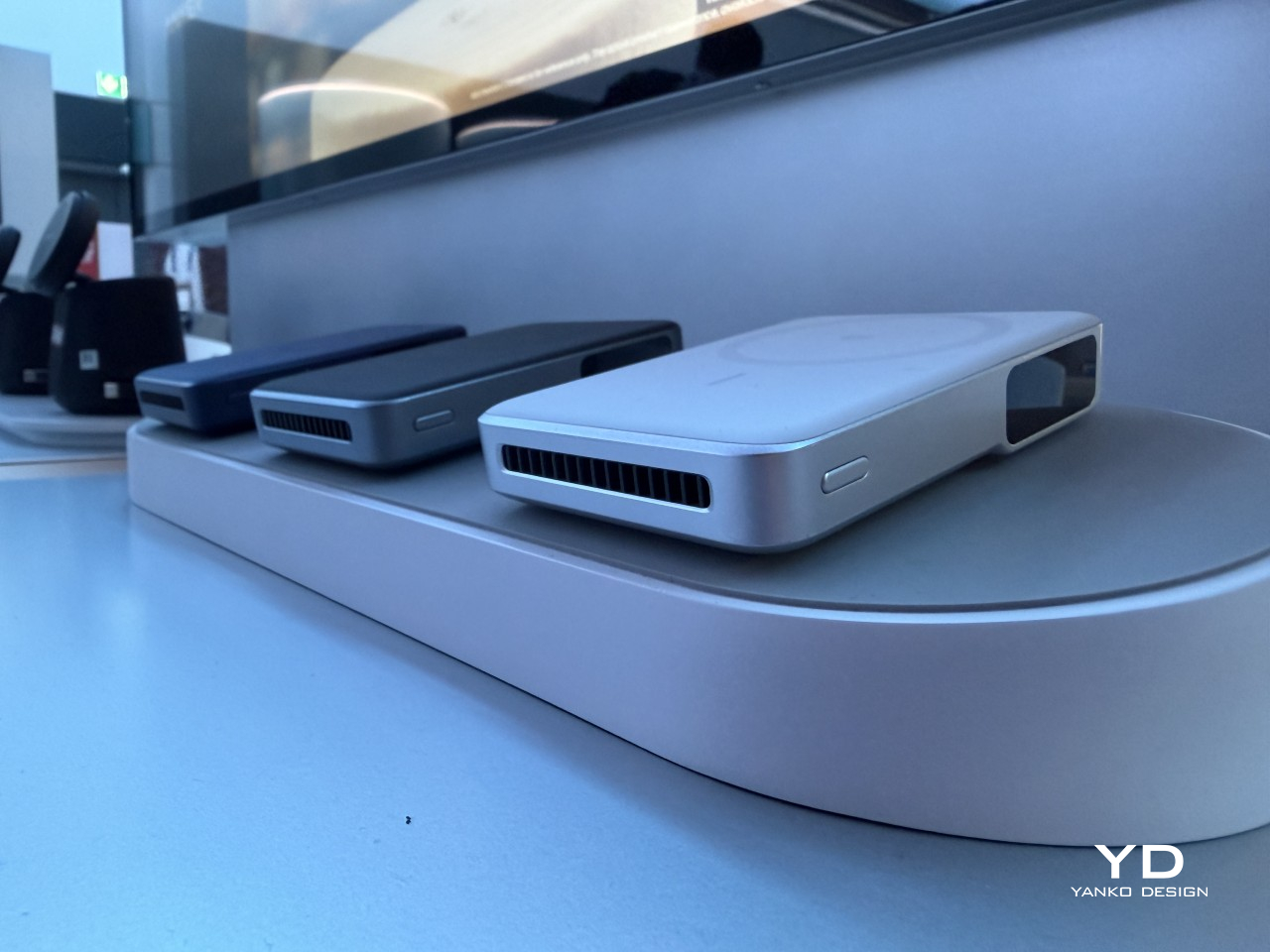
4. Portable Magnetic Power Bank

Traditional power banks lock you into carrying a fixed capacity regardless of your actual needs for that day. Quick coffee run where you just need earbuds topped up? You’re hauling 20,000mAh. Week-long trip requiring multiple full phone charges? You’re stuck with whatever single capacity you bought. The Portable Magnetic power bank rejects this inflexibility with a two-piece modular design that adapts throughout your day. The main body provides high-capacity charging for phones and larger devices, while a detachable Energy Capsule handles smaller accessories like wireless earbuds and smartwatches.

Magnetic connection makes the system work. The two units snap together seamlessly when you need maximum capacity, then separate instantly when you want to travel light. No fiddly clips, no cables, no alignment struggles. The magnets ensure perfect contact every time while being strong enough to prevent accidental separation in normal use. You can leave the heavy module at your desk while pocketing just the Energy Capsule for a quick outing, then reunite them for your commute home. It’s flexible power management that finally reflects how people actually move through modern life rather than forcing compromise.

What we like

  • Modular design lets you carry only the capacity you need for different situations.
  • The magnetic connection system provides tool-free attachment without cables or complicated mechanisms.

What we dislike

  • Splitting power across two units may reduce overall efficiency compared to single-cell designs.
  • Magnetic connections could potentially separate accidentally in bags or pockets during movement.

5. Samsung “More Slim” Smartphone

Samsung’s internal development codename reveals its direction clearly. The More Slim follows their S25 Edge, which itself carried the Slim codename during creation. Rather than retreating from ultra-thin smartphone design, Samsung appears committed to pushing dimensional boundaries even further. Engineering challenges multiply exponentially as thickness decreases. Components must be custom-designed for tighter spaces, which dramatically increases manufacturing complexity and cost. Every millimeter shaved requires fundamental rethinking of internal architecture.

The concerning precedent comes from the S25 Edge. To achieve its thin profile, Samsung accepted a dual-camera system without telephoto capabilities and crammed in just a 3,900mAh battery. Those compromises felt severe at the S25 Edge’s premium price point. Going even slimmer logically means accepting additional limitations on battery capacity and camera hardware. Physics imposes constraints that marketing ambition cannot overcome. The ultra-thin phone market certainly exists, but it serves a narrow audience willing to sacrifice functionality for aesthetic minimalism. Samsung clearly believes that the audience is worth pursuing despite the technical and economic challenges involved.

What we like

  • Ultra-slim profile appeals to users prioritizing pocketability and minimalist aesthetic.
  • Samsung’s manufacturing expertise suggests quality execution despite extreme thinness constraints.

What we dislike

  • Likely to feature reduced battery capacity and limited camera capabilities based on S25 Edge precedent.
  • Premium pricing expected despite hardware compromises required to achieve ultra-thin design.

Gadgets That Refuse to Compromise

These five gadgets represent where tech is heading as we close out 2025. What ties them together is a willingness to question established norms. The WELDER asks why keyboards and monitors must be separate. MSI questions whether a watch needs to just tell time. iRest challenges fixed ergonomics. The modular power bank rejects monolithic battery designs. Samsung pushes thinness beyond what seems reasonable.

Not all will succeed commercially. Some are concepts that may never reach production. Others face significant engineering hurdles that could limit their appeal. The value in highlighting these products isn’t predicting which will dominate the market. It’s recognizing that innovation happens when designers refuse to accept inherited constraints. November 2025 delivered gadgets that refuse to play it safe, and that’s exactly what we need.

The post 5 Best Tech Gadgets Of November 2025 first appeared on Yanko Design.
Someone Built a Working Synth From Cardboard and Walnut Keys

Most synthesizers look and feel like appliances. They’re plastic boxes mass-produced in factories, efficient and functional but utterly lacking in personality or warmth. Pianos and guitars get to be handcrafted instruments with wood grain and visible joints, while synths are treated like glorified toasters with circuit boards inside. That disconnect between electronic music and tactile craft has always felt like a missed opportunity, especially when you consider how satisfying it is to play a real wooden keyboard.

One maker decided to fix this by building a fully functional synthesizer from scratch, using materials that sound completely impractical. The result is a compact, 34-key synth with a fiberglass-reinforced cardboard body, a steam-bent walnut frame, and individual keys handmade from oak and walnut. It looks like something between a vintage record player and a mid-century hi-fi component, with a turquoise fiberglass shell and warm wooden accents that feel more like furniture than electronics.

Designer: Gabriel Mejia-Estrella

The body starts as folded cardboard panels cut from a template, then gets layered with fiberglass cloth and epoxy until it transforms into a rigid, glossy shell. The process borrows from old automotive techniques where fiberglass shaped custom car bodies in the 1950s, giving the synth a retro-futuristic sheen. Around the perimeter sits a continuous steam-bent walnut strip with oval cutouts that mimic speaker grilles on vintage radios, adding visual warmth and a furniture-like presence.

The keys are where the craft really shows. Black keys are made from laminated walnut offcuts, while white keys are cut from oak for contrast and durability. Each key is individually shaped, drilled for a shared steel rod pivot, beveled to prevent jamming, then coated with fiberglass and sanded up to 3000 grit for a smooth finish. The result looks and feels closer to a piano than a typical plastic keyboard.

Underneath sits a custom flexible printed circuit with interdigitated copper pads and rubber dome switches. When you press a key, the dome collapses and bridges the pads, closing a circuit that a Teensy microcontroller scans continuously. The Teensy sends MIDI messages to a Raspberry Pi running Zynthian, an open-source synth platform packed with engines and presets, all displayed on a small touchscreen.

Of course, using cardboard and steam-bent walnut creates challenges the designer readily admits. Cardboard turned out to be impractical, requiring multiple fiberglass layers and tedious filling. Walnut is notoriously stubborn to bend, needing kerf cuts and boiling water to soften the fibers. The designer suggests foam board or 3D printing as easier alternatives and notes that more precise tools would have made the keys cleaner.

What makes this synth significant is how it challenges the assumption that electronic instruments have to be cold and industrial. By using wood, fiberglass, and visible handwork, it reintroduces warmth and personality into something usually purely functional. It’s less a finished product and more proof that synthesizers can be beautiful, tactile objects worth admiring even when silent.

The post Someone Built a Working Synth From Cardboard and Walnut Keys first appeared on Yanko Design.
Black Friday: Arzopa D14 Photo Frame With Unlimited Family Sharing

Digital picture frames have struggled to find their place in homes that value both aesthetics and functionality. Most tilt too far toward obvious tech styling with glossy bezels and LED accents, or they compromise on display quality to hit budget price points. The market offers plenty of options that promise effortless memory sharing, but they typically deliver clunky apps, restrictive storage limits, and screens that look pale under natural light.

The Arzopa D14 WiFi digital photo frame addresses these issues by balancing design restraint with genuine capability. The champagne gold finish reads as furniture rather than gadgetry, letting it sit naturally on console tables or nightstands without drawing unwanted attention. Its 14-inch display uses anti-glare glass that maintains clarity near windows or under direct lighting. The proportions feel considered, large enough to matter without overwhelming the surrounding space.

Designer: Arzopa Team

Click Here to Buy Now: $118.99 $219.99 ($101 off, use coupon code “D14YANKO”). Hurry, deal ends in 48-hours!

Setup happens before the frame even arrives, which removes the usual friction. Photos can be preloaded, WiFi configured, and playlists organized through the Arzopa app ahead of time. Recipients plug it in and see their memories immediately, no pairing or downloads required. This becomes particularly valuable when gifting to parents or grandparents who find typical device setup frustrating or confusing.

The Arzopa D14 WiFi digital photo frame plays videos up to two minutes long alongside standard photos, adding dimension that still images can’t provide. Birthday messages, vacation clips, and grandchildren recording quick hellos all fit comfortably. The Arzopa app works across iOS and Android, making uploads straightforward regardless of device. Unlimited cloud storage eliminates the usual anxiety about choosing which memories to keep, while 32GB of built-in storage ensures smooth offline playback.

Family members anywhere can send photos that appear almost instantly on the frame. A daughter traveling uploads market scenes from Barcelona, and her parents see them within seconds. The like and gift features create simple interactions that feel natural rather than forced. Privacy controls keep exchanges within invited circles, while folders help organize memories by event, person, or timeline. The system adapts to however people want to use it.

Night mode dims the display automatically as the room darkens, sparing everyone from that harsh glow that disrupts late-night routines. The weather widget and clock turn the Arzopa D14 picture frame into something more than just a photo display, adding small conveniences that make it feel useful throughout the day. The 1920×1200 resolution keeps images crisp across the full 14 inches, while the IPS panel holds color accuracy even when viewed from across the room.

WiFi handles most file transfers smoothly, but the Arzopa D14 frame includes SD card support and direct Windows PC connections for situations where the Internet drops out or video files run large. It ships with everything needed, including the power adapter and wall mounting hardware. The weight distribution feels right, substantial enough to convey quality without making repositioning awkward when rearranging furniture or switching rooms.

Founded in 2021, Arzopa has spent the past few years building a range of display products that prioritize practical functionality over flashy features. The company’s portfolio includes portable monitors and digital frames, all designed around the idea that screens should work smoothly without requiring technical expertise to operate. That focus shows in how the Arzopa D14 Digital Photo Frame handles the basics well before adding extra features.

A quad-core processor keeps transitions between photos fluid, eliminating the stuttering that plagues cheaper frames. The touchscreen responds precisely to gestures, which matters for people who lose patience with laggy interfaces. That anti-glare coating makes a noticeable difference compared to standard glass. The Arzopa D14 photo frame handles common formats like JPG, PNG, MP4, and 3GP directly, so there’s no need to convert files before uploading them.

With the holidays approaching, the Arzopa D14 digital photo frame makes a thoughtful tech gift that keeps delivering long after unwrapping, and this Black Friday deal offers the perfect opportunity to grab one or more. The frame occupies a useful middle ground between static picture frames and overcomplicated smart displays, showing memories clearly while looking appropriate on furniture people care about.

Click Here to Buy Now: $118.99 $219.99 ($101 off, use coupon code “D14YANKO”). Hurry, deal ends in 48-hours!

The post Black Friday: Arzopa D14 Photo Frame With Unlimited Family Sharing first appeared on Yanko Design.
Why This Alarm Clock Might Actually Make You a Morning Person

Let’s be real: most of us have a complicated relationship with our alarm clocks. When I say most of us, I mean me. It’s my least favorite necessary thing even though it’s just basically on my phone . I get jolted awake with aggressive beeps, sometimes it glows too brightly in the dark, and honestly, they’re not exactly objects we want to look at or hear first thing in the morning.

But what if your alarm clock could actually make waking up feel less like a punishment and more like a gentle invitation to start your day? That’s exactly what The Real Objects, a Milan-based design studio, seems to be thinking with their latest concept, Alarm O’clock. And yes, that apostrophe is intentional, giving it a playful Irish lilt that already makes it more charming than your phone’s default alarm.

Designer: The Real Objects

The design is described as “a bedside companion designed to bring calm, clarity, and personality to the way we wake up,” and I’m here for it. Because let’s face it, we spend way too much time thinking about productivity hacks and morning routines while completely ignoring the object that literally defines how our day begins.

From what I can see, Alarm O’clock isn’t trying to be smart or connected or packed with features you’ll never use. Instead, it looks like it’s going back to basics, but with a thoughtful, contemporary twist. The Real Objects describes it as blending “light, sound, and simplicity into one object,” which honestly sounds like exactly what we need in a world where everything is trying to do a million things at once.

There’s something refreshingly analog about this approach. While everyone else is using their phones as alarm clocks (guilty), we’re also scrolling before bed and checking notifications the second our eyes open. Having a dedicated alarm clock means you can actually leave your phone in another room, which sleep experts have been begging us to do for years.
The Real Objects was co-founded in Milan in 2024 by designers who are “dedicated to pushing the boundaries of product design.” But pushing boundaries doesn’t always mean adding more tech or making things more complicated. Sometimes it means rethinking everyday objects and asking why they’ve been designed the way they have.

What strikes me about Alarm O’clock is that it seems to prioritize the experience over the function. Yes, it needs to wake you up, but how it wakes you up matters. The emphasis on “calm” and “clarity” suggests this isn’t going to be one of those alarms that sounds like a fire drill. And the mention of light integration hints at something closer to a sunrise alarm, which studies have shown can make waking up feel more natural.

The design itself appears minimal and sculptural, the kind of object that could sit on your nightstand without feeling like a piece of electronics invading your bedroom. In an era where we’re all trying to make our spaces feel more intentional and less cluttered with gadgets, that matters more than you might think. I love that they’re calling it a “bedside companion” rather than just an alarm clock. It’s a small word choice, but it signals a different philosophy. Your bedside table is intimate space. It’s the last thing you see before sleep and the first thing you see when you wake up. The objects there should feel like they belong, not like they’re just functional necessities you tolerate.

There’s also something to be said for designers who focus on the rituals of daily life. We get excited about revolutionary new products, but the truth is, the objects that actually improve our lives are usually the ones that make ordinary moments a little bit better. Waking up is one of those moments we experience every single day, and yet most of us haven’t thought critically about how we could make it better. Will Alarm O’clock change your life? Probably not. But could it make your mornings feel a little more human, a little less jarring? Absolutely. And in a world where we’re all trying to figure out how to have healthier relationships with technology, that feels like a step in the right direction.

The post Why This Alarm Clock Might Actually Make You a Morning Person first appeared on Yanko Design.