With our dependence on computers, phones, and the Internet, staying connected and powered up is more important than ever. The world, however, seems to be thwarting that modern lifestyle, from unexpected power outages to the growing frequency of natural disasters. The demand for reliable, robust, and versatile power solutions has skyrocketed, and the old fuel-based generators can’t catch up.
Get ready to transform the way you experience energy with BLUETTI’s latest marvel, the Elite 200 V2. This 2KWh portable power station is your ticket to worry-free home backup and outdoor escapades. Building on the years of successful products in the market, this portable solar power station is the next-level energy solution upgrade everyone’s been waiting for!
Designer: BLUETTI
Click Here to Buy Now: $1044.05$1999 ($954.95 off, use coupon code”YankoElite200″ at checkout). Hurry, deal ends in 48-hours!
Imagine a power station that sticks with you for 17 years! Thanks to its automotive-grade LiFePO4 batteries, the BLUETTI Elite 200 V2 offers over 6,000 life cycles. That’s 12 times more than the competition. Tested rigorously by CNAS and the first of its kind to pass over 33 battery tests, it promises unmatched reliability and performance.
Long-lasting power stations won’t mean much if their capacity is too low to be useful. Fortunately, the Elite 200 V2 has you covered. Its 2,600W output can handle home essentials like a breeze—no more spoiled groceries or dark nights, even running a 100W refrigerator for up to 16.8 hours. For the adventurers, it powers everything from your morning coffee maker to high-demand gadgets with its Power Lifting mode. Need 3,900W for a hot plate or hair dyer? No problem! This power station is your ultimate travel companion.
Space is precious, especially in RVs and tiny homes. The Elite 200 V2 packs a punch with its compact design — 40% smaller than its famed predecessor, the BLUETTI AC200P, yet just as powerful. Its sleek frame makes it easy to fit anywhere, and its 24.2kg weight still makes it relatively portable. This space-saving magic is thanks to the use of advanced LFP prismatic cells with zero-gap battery stacking instead of the typical cylindrical battery cells.
Waiting for your power station to recharge is a thing of the past. With BLUETTI’s Turbo technology, the Elite 200 V2 charges to 80% in just 50 minutes with dual AC and solar input! On the road? Use the 560W car charger and get back to full power in just over four hours. Off the grid? Harness the sun’s energy with a 1,000W solar input and keep going without a hitch. Whatever your location or situation, you can make sure that your power station is ready for action at any time.
The Elite 200 V2 isn’t just powerful — it’s smart, safe, and quiet. Plug in high-power devices with confidence, thanks to its BLUETOPUS AI-BMS smart battery management and multi-chip protection. Fire-resistant and shock-proof, it’s built to withstand any adventure you throw at it. Operating with sound as low as 16dB, it can be easily used in a home office or tent. And with support for both Wi-FI and Bluetooth app connectivity, you can remotely monitor and control the power station with ease.
Don’t settle for the ordinary when you can have the extraordinary. The BLUETTI Elite 200 V2 is more than a power station — it’s your gateway to freedom and reliability. Whether at home or on the go, it’s ready to power your devices with safe and green energy that will be able to keep up with your lifestyle.
Click Here to Buy Now: $1044.05$1999 ($954.95 off, use coupon code”YankoElite200″ at checkout). Hurry, deal ends in 48-hours!
Although video games today have become a multi-billion dollar industry, there are analog games that have existed for centuries and continue to be a beloved pastime and sport today. Chess, for example, is still going strong across peoples of all ages, but it isn’t just players who find the game to be a treasure trove of inspiration.
The variety of chess set designs shows how the game is so open to interpretation, much more than most video games, resulting in products ranging from artistic to technological. This rather unusual take on the classic strategy game takes chess in a slightly different direction, presenting a game you can literally wear and take with you anywhere, ready to set up a match at a moment’s notice.
Designer: Louis Le Joly Senoville
We’ve seen many interpretations of the classic chess set design, from minimalist to brutalist to self-playing technological marvels. Most of these sets are designed to be installed in one location, while portable chess sets are sometimes too small because they’re meant to fit inside bags. They still take up space, of course, so that means giving up room that’s meant for your other, equally important stuff.
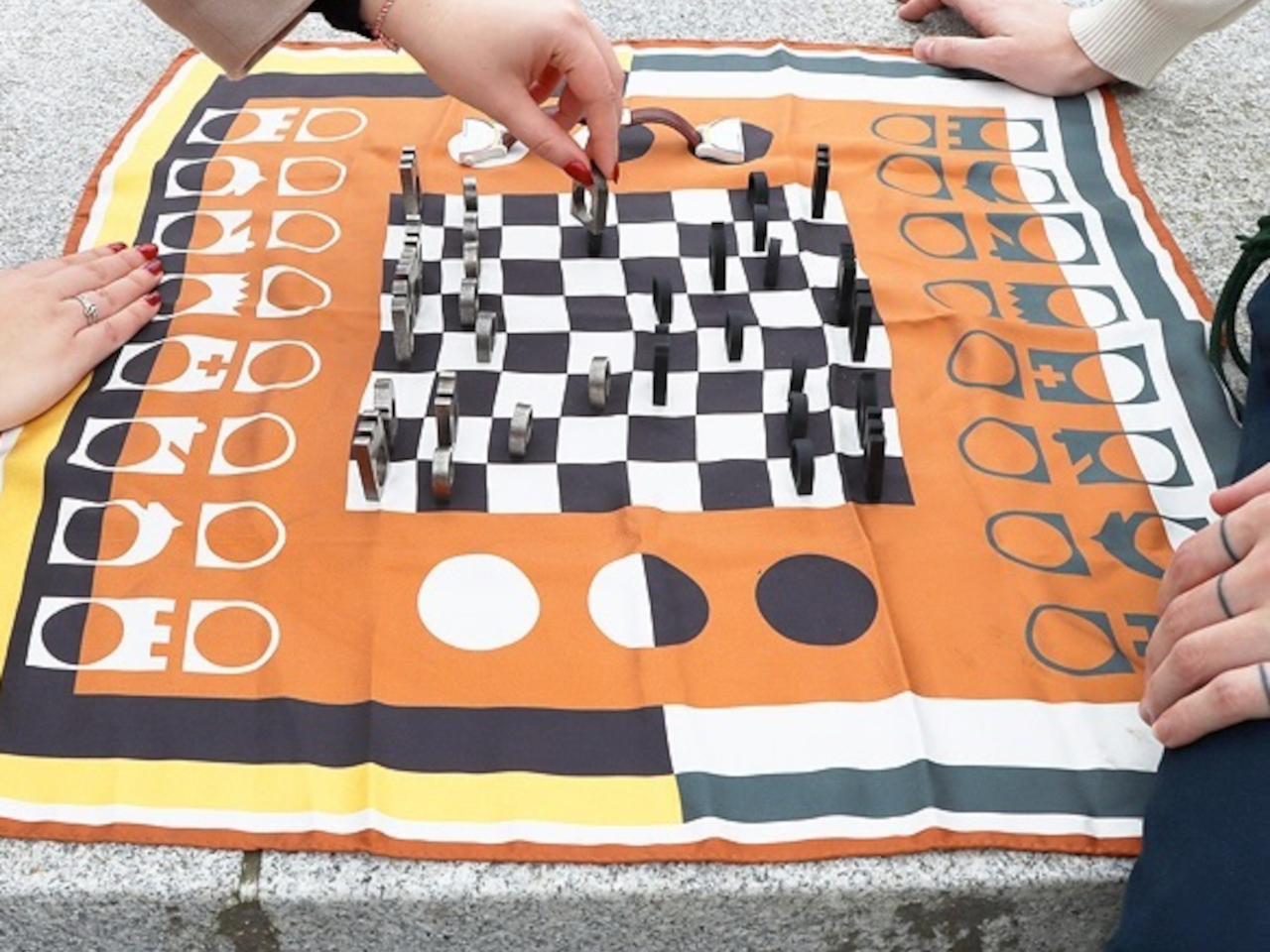
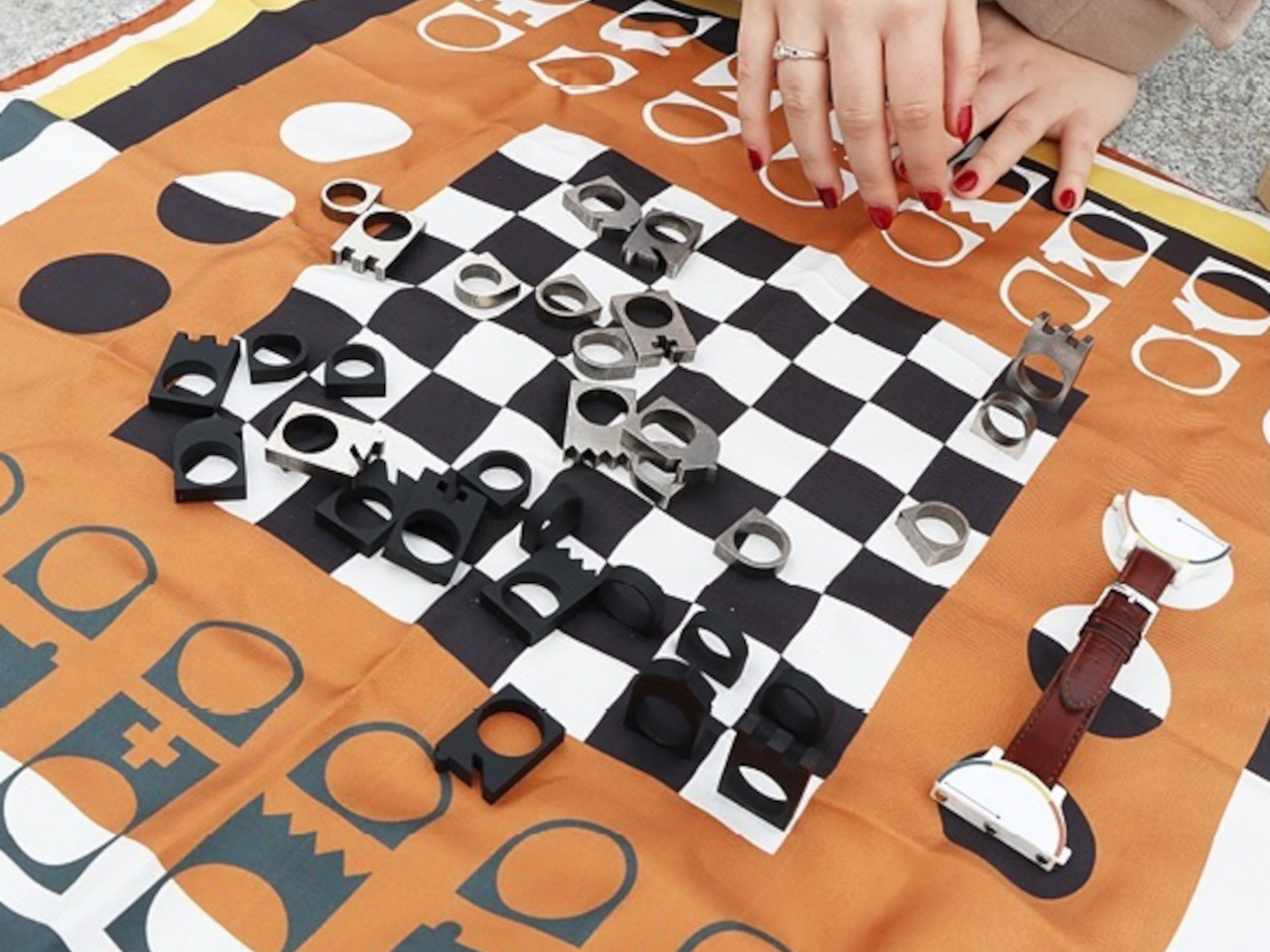
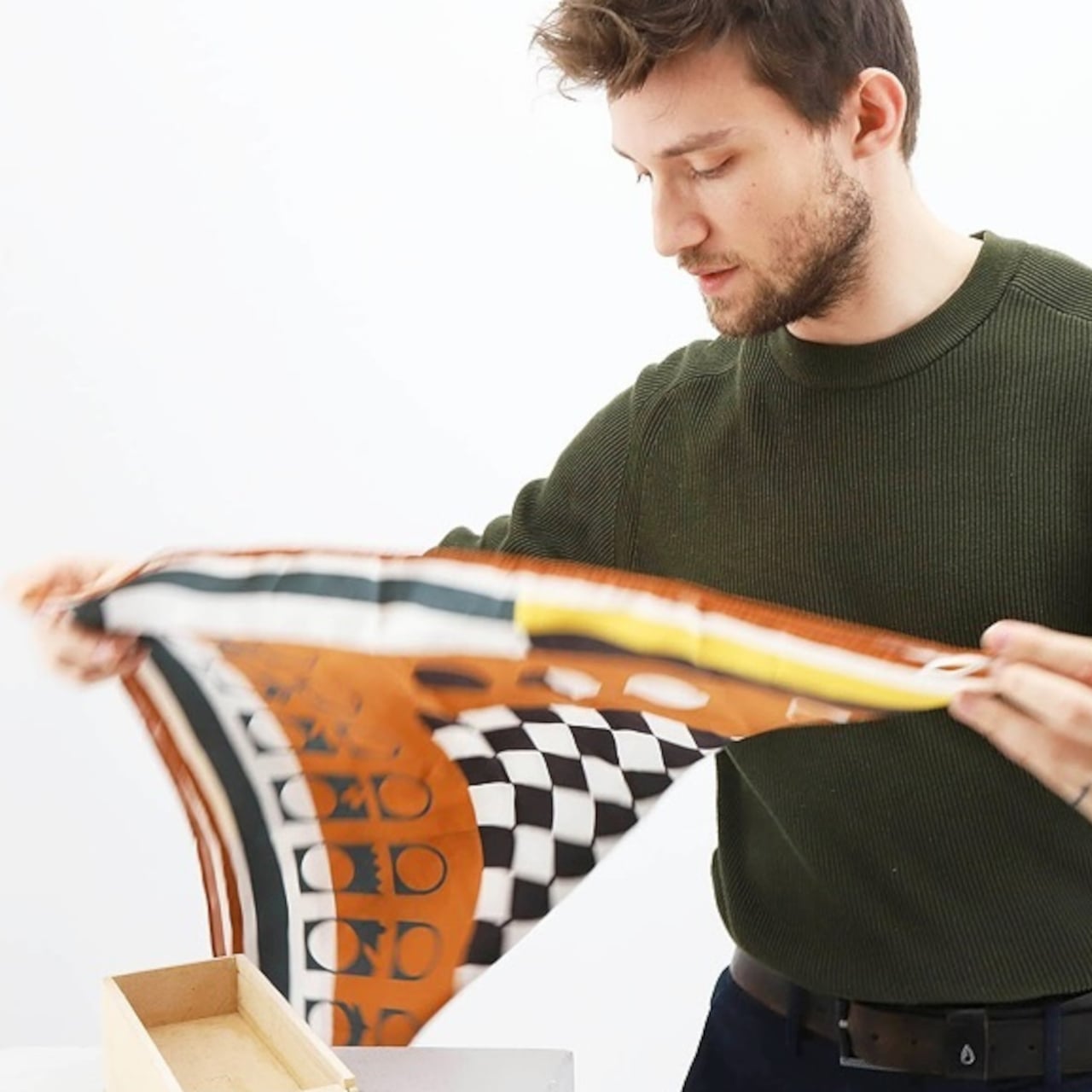
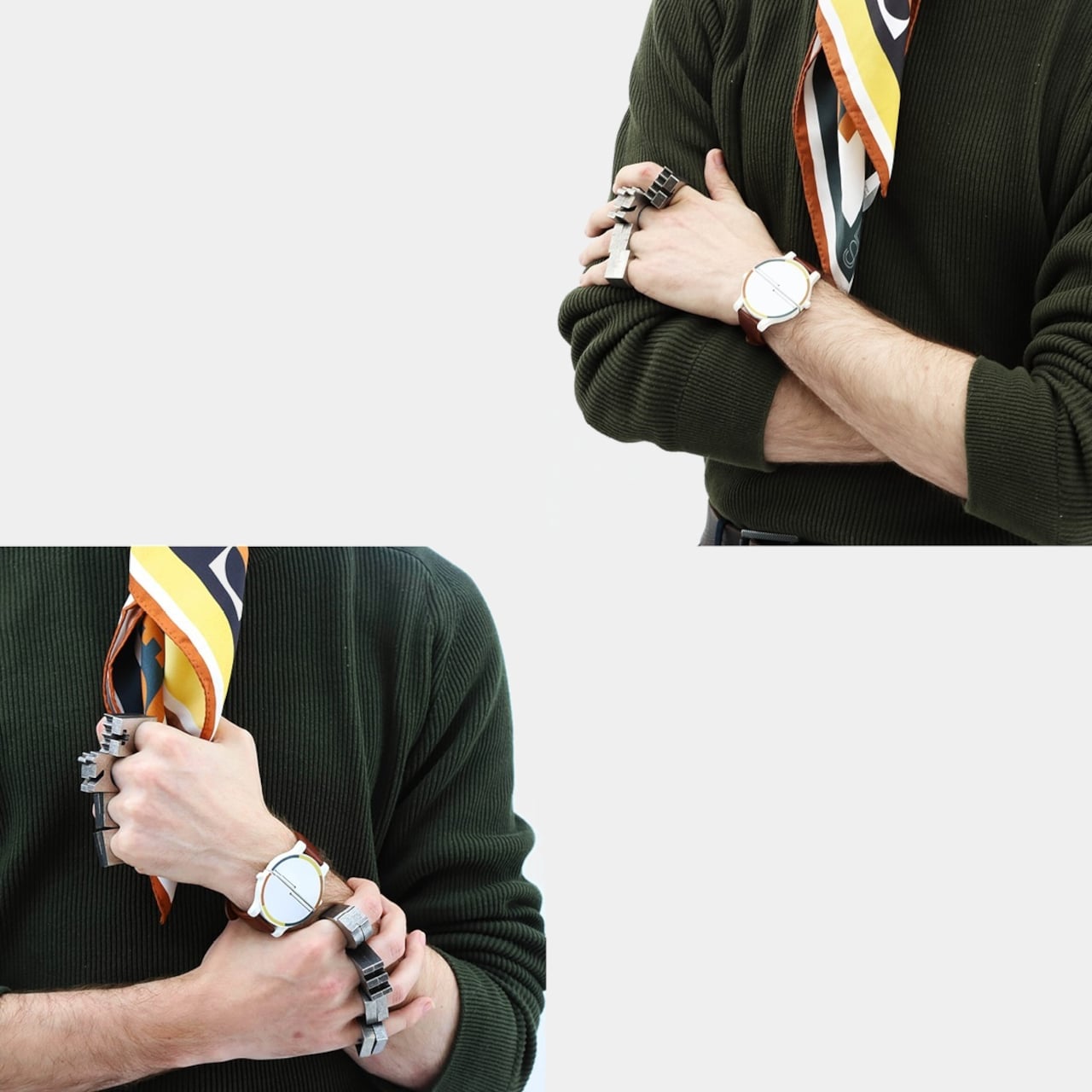
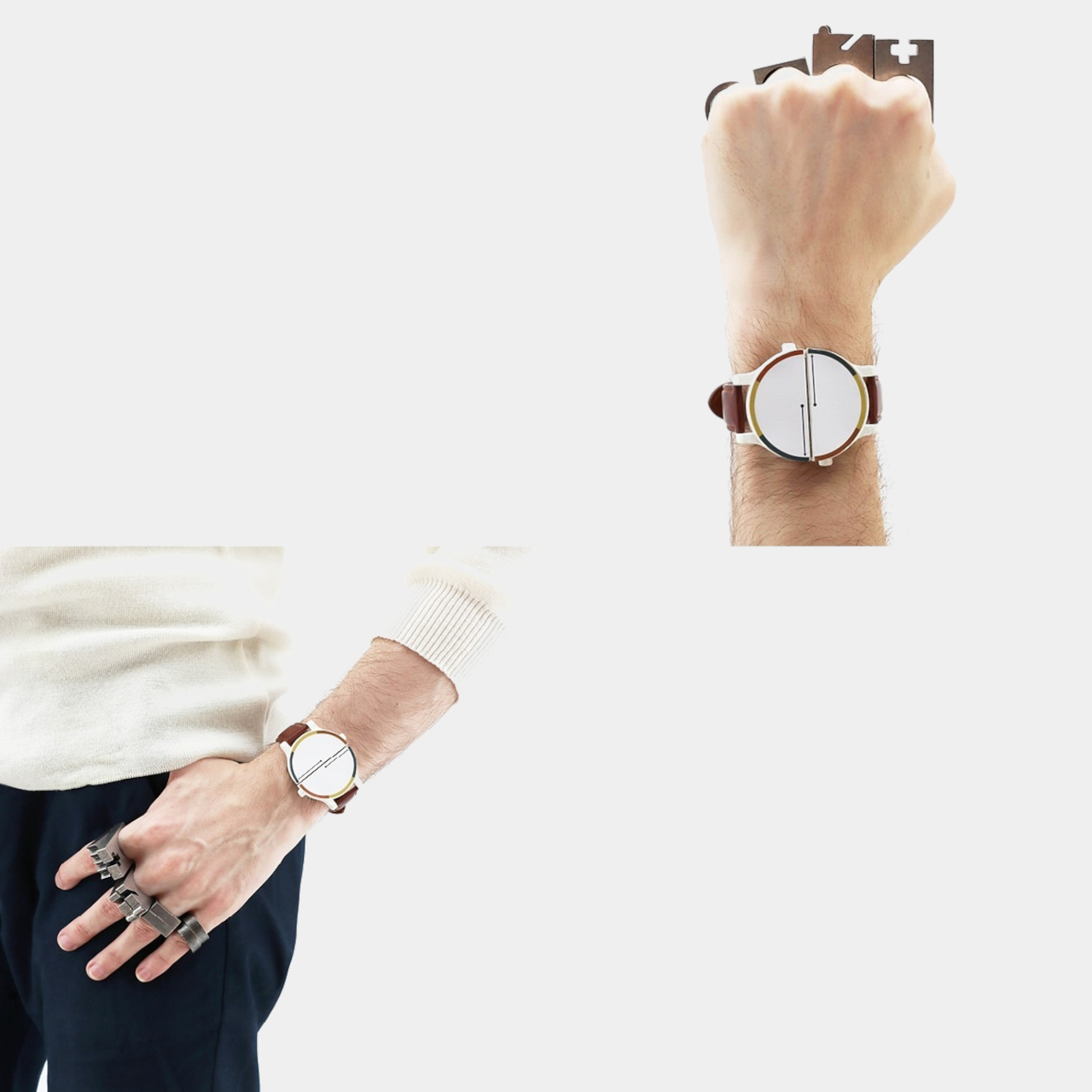
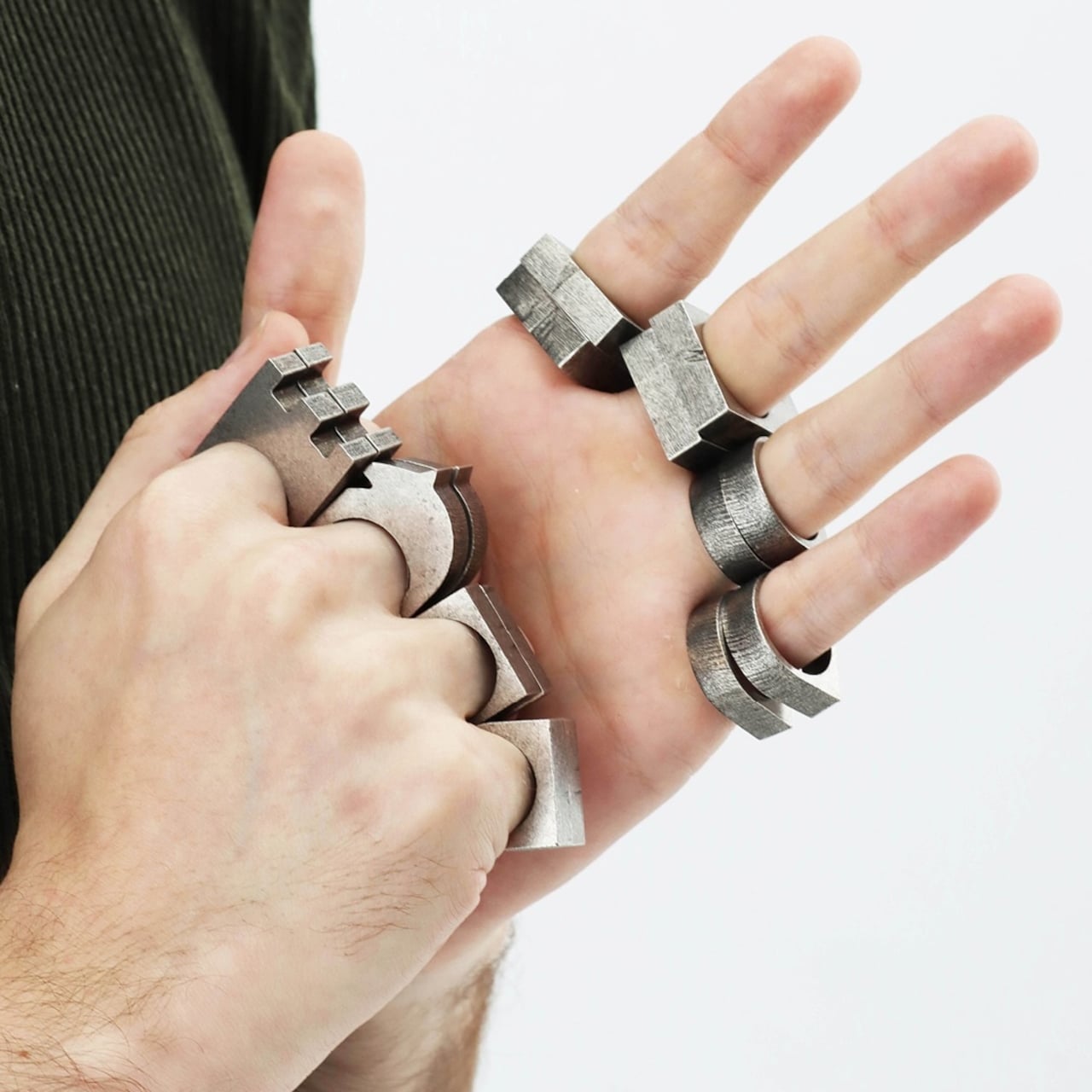
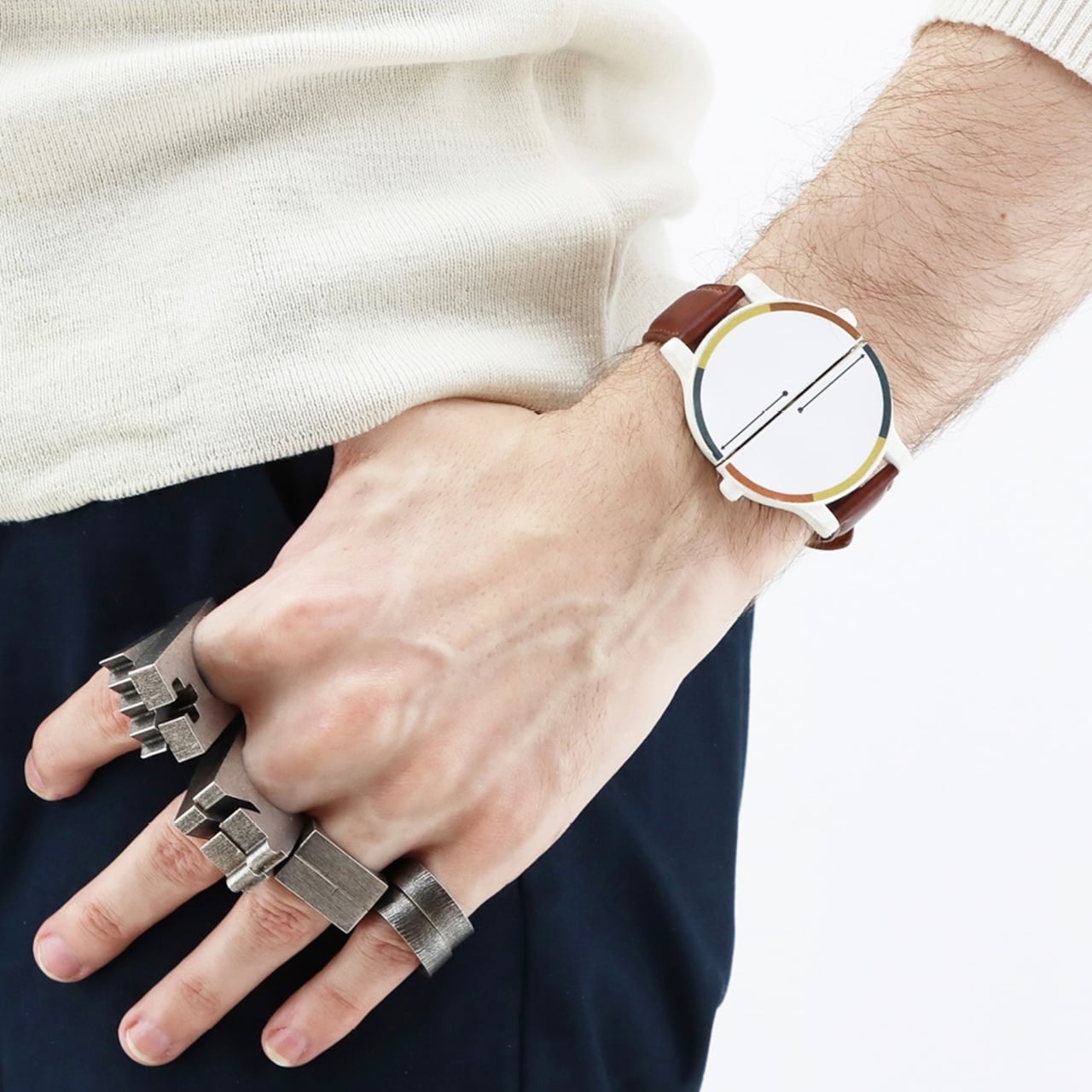
Ha Mat, which is short of “eched ha mat,” (“checkmate” in Breton) solves this problem by turning the chess set into something completely inconspicuous when not in use. In this case, the chess board becomes a scarf, the pieces become rings, and the timer becomes a watch. It’s literally a chess set you can wear as a fashion piece, allowing you to play anywhere there’s a flat plane to place everything on.
Of course, Ha Mat needs to actually look fashionable to qualify as a fashion statement, and it definitely fits the bill. The “board” takes inspiration from silk maps and military training scarves on antiquity, and the color scheme even tries to pay homage to luxurious hues used on chess boards in the past, particularly leather and wood. The watch that’s part of the set is quite peculiar because it can split in half and act as a timer for both sides.
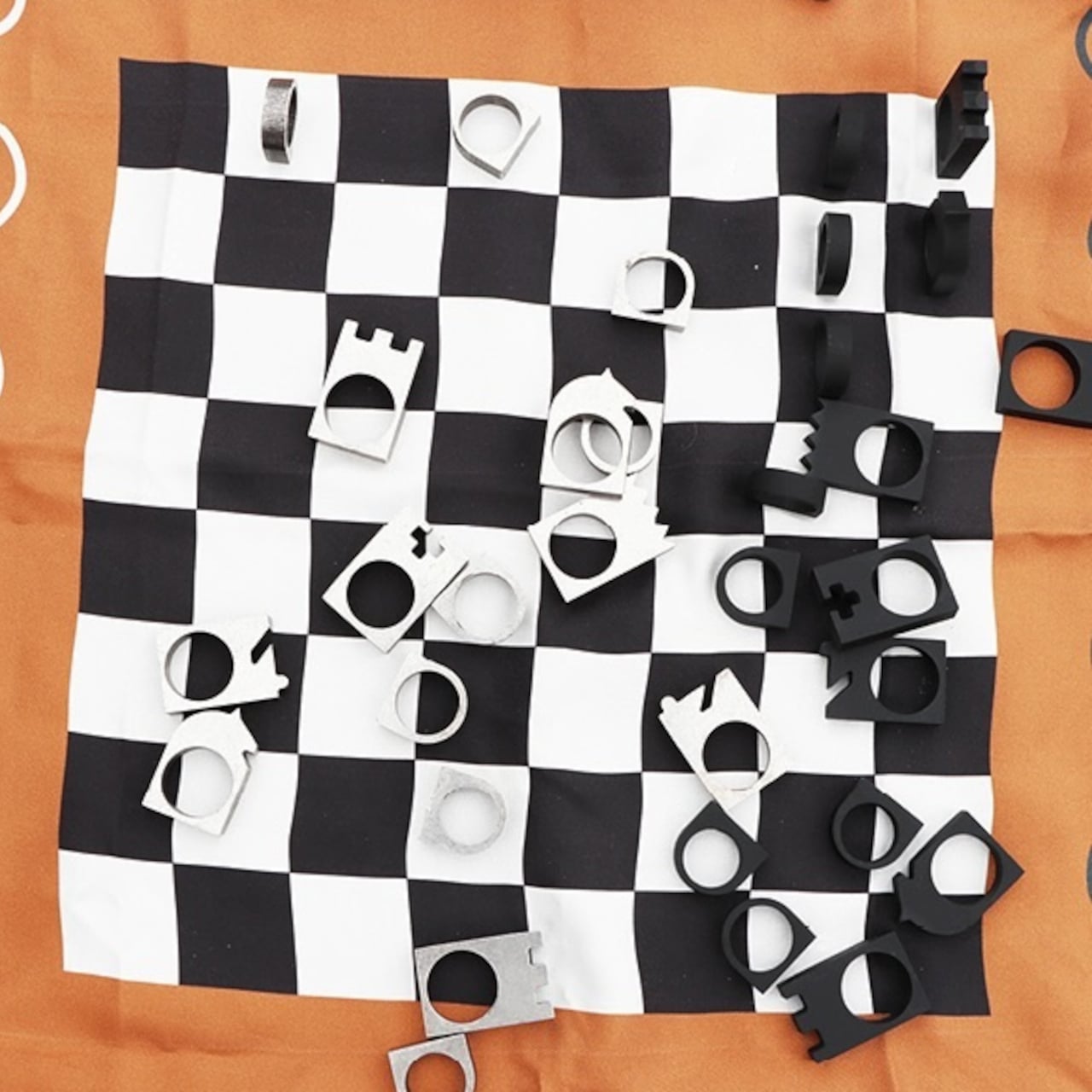
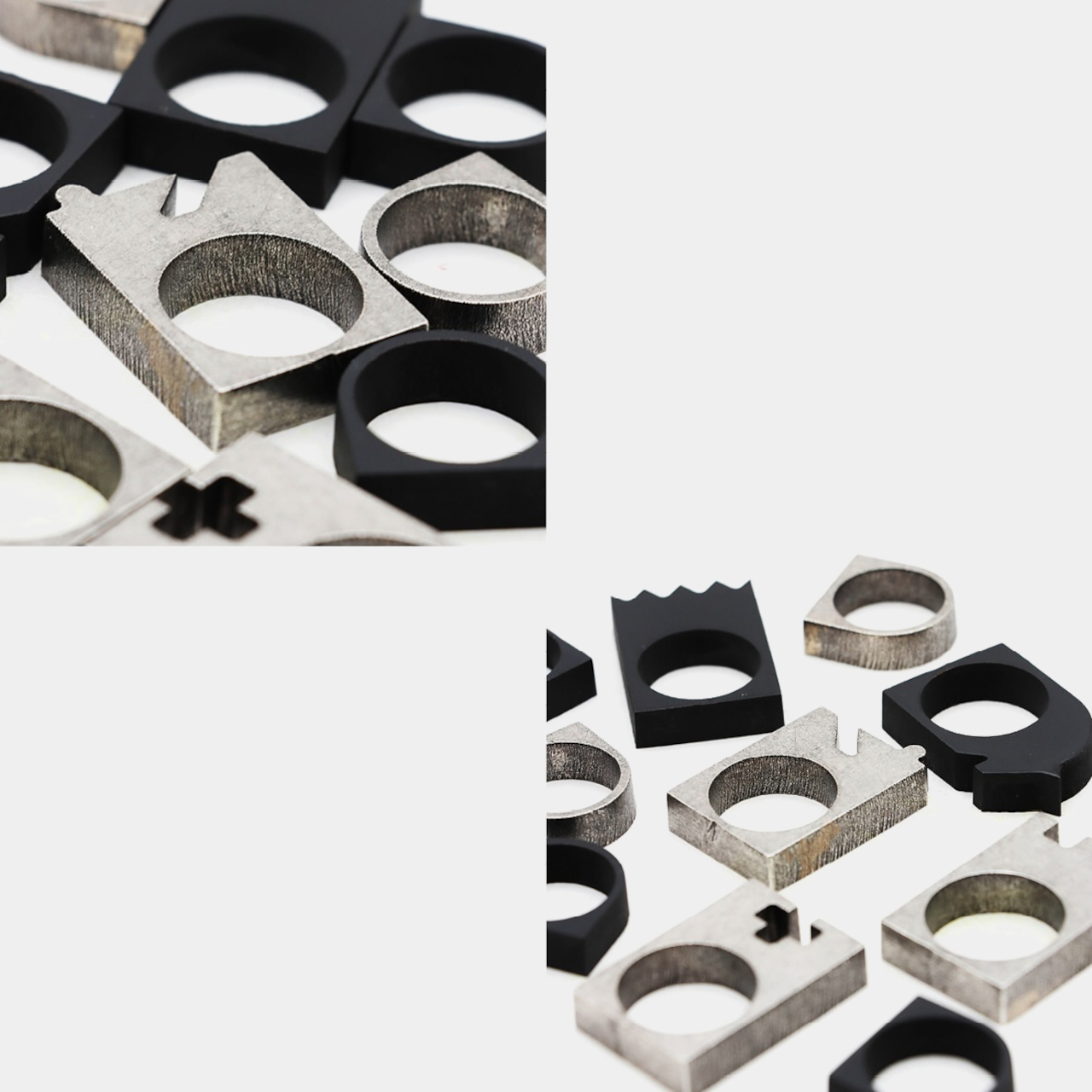
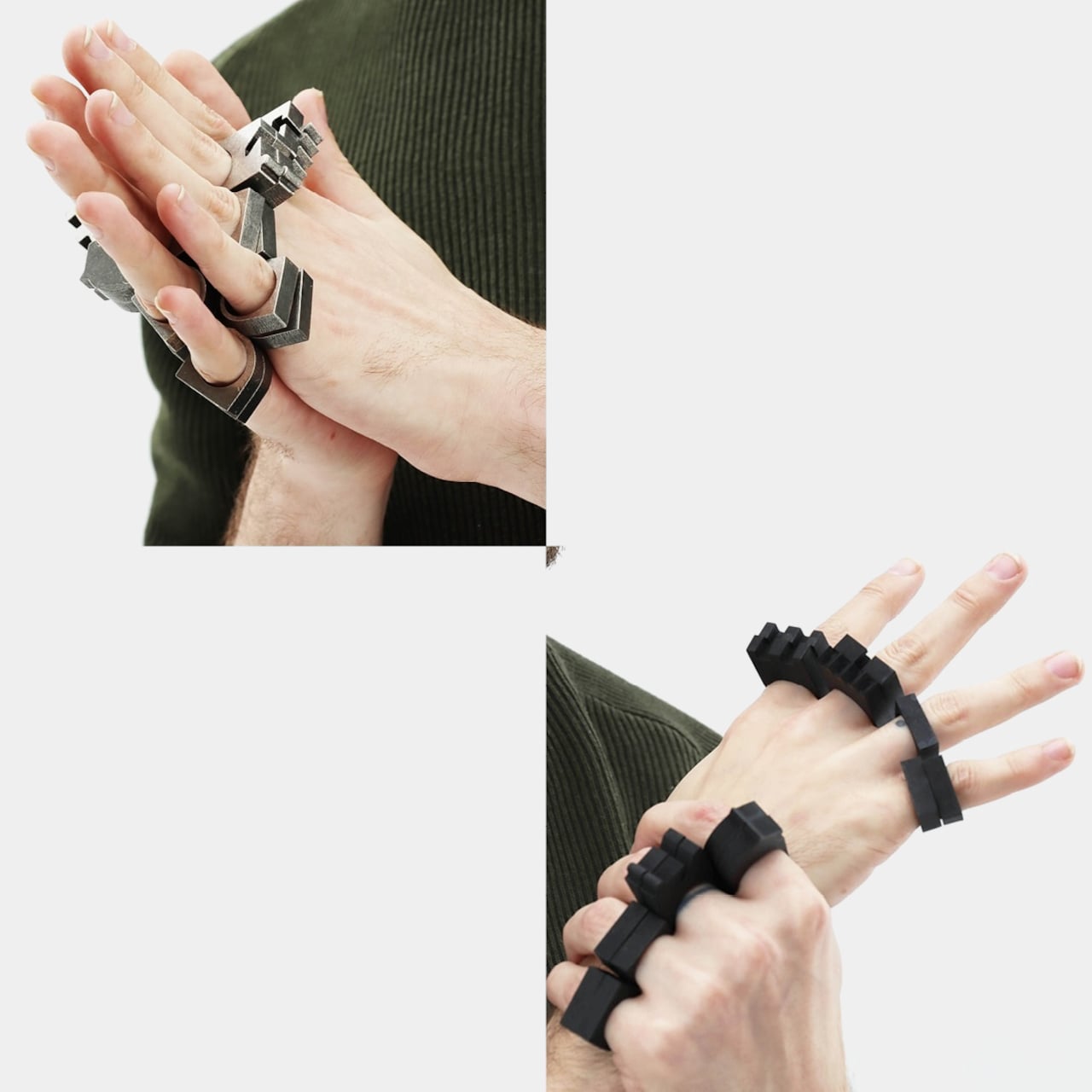
The most interesting designs, however, are the chess pieces themselves. They have flat bottoms so they can stand on the “board,” but they have holes in the middle to wear as rings on your fingers. The pieces have tops that are more symbolic and iconic to identify their position on the board, simplifying their identity in order to fit the need to have flat pieces.
Of the 32 chess pieces, you can wear 16 on eight of your fingers if you pair similar pieces together. These would make you look like you’re wearing knuckle dusters, so they might not exactly be safe to wear in public. Still, the concept is quite intriguing, as it transforms one type of product into a completely different kind, without losing either one’s identity. In fact, it elevates the chess set from a game to something that’s an integral part of your life.
Today mobility is an important cornerstone of both work and leisure, and the modern road warrior whether he is a digital nomad, business traveler, or adventure seeker, needs to always be well-equipped with the right tools and accessories to ensure he stays productive, comfortable, and connected on the go. By traveling light, you don’t simply reduce your physical luggage, but you elevate your travel experience, and ensure you make the most of your journey. And, we’ve curated 10 portable essentials we feel every road warrior should pack.
Incorporating these handy and portable designs is a must, as they will help you deal with the demands of life on the road. Each product is designed to provide convenience, comfort, and efficiency. By traveling light and carrying the necessities you create space to focus on what is important – making the most of your journey and embracing new experiences easily and with excitement.
1. Portable Headphones To Shut Out The World
While traveling finding moments of peace can be downright impossible. This is where you need some high-quality headphones. These headphones will create your sanctuary of sound, ensuring you can focus, relax, or simply listen to your favorite songs without any disruption. If you can find headphones equipped with advanced noise cancellation technology, then all the better, as they will block out any ambient sounds that disturb you.
Comfortable over-ear designs with plush ear pads are also great for long flights or extended work sessions. Additionally, consider models with long battery life and quick charging capabilities to ensure you stay powered up throughout your travels.
Nothing x AIAIAI Headphones
An excellent headphone design that I love is the Nothing x AIAIAI Headphones. These headphones combine both the company’s visions to build one beautiful and functional product. The headphones are amped with individual features as witnessed in the AirPods Max, but they also boast the transparent beauty of Nothing.
The headphones are made up of modular parts that can be replaced and swapped out on the fly. This makes them ideal for a life on the road, as you don’t need to worry about them coming apart and not working the way you need them to. They are equipped with some lovely transparent housing on the cans, ear stems, and ear cushions as well. This transparent cushioning on the headrest truly makes the headphones stand out.
What we like
Features slide-out cans, removable ear-cups, and detachable aux cable
An aesthetic and modular design that perfectly captures Nothing’s design language
What we dislike
The color options are limited – black and white. It would have been fun if they’d experimented with different colors since it is a concept
2. Laptop Stands To Help You Work Better Anywhere
For digital nomads and business travelers, maintaining ergonomic comfort while working remotely is crucial. A portable laptop stand can help prevent neck and back strain, ensuring you stay productive without compromising on health. Opt for a lightweight and collapsible stand that elevates your laptop screen to eye level, promoting better posture. Adjustable stands allow you to customize the height to your preference. Compact designs that fit easily into your backpack or carry-on are ideal for those who frequently work on the go.
Working on the road isn’t the easiest task, but having a great laptop stand by your side ensures that you can get your work done with ease, and be your most productive self. So, it doesn’t matter where the road takes you, you can set up your handy laptop stand, and get to work no matter where you are.
Logitech Casa Pop-Up Desk
Meet the Logitech Casa Pop-Up Desk – a revolutionary portable workstation that is a must-have for those who are always on the move. This nifty product is a lifesaver, helping you maintain productivity on the go. It has a clever design that mimics a fabric-covered notebook, making it a subtle and stylish addition to your luggage. When you open it, it converts into a full-fledged ergonomic setup, including a laptop stand, wireless keyboard, and touchpad.
The Casa Pop-Up Desk elevates your laptop to eye level, helping you maintain a healthy posture, and reducing neck strain. It includes multiple compartments for cables, pens, and other essentials. It features a compact and easy-to-carry form, ensuring it fits your backpack or briefcase with ease.
What we like
Features a stylish, notebook-like design that merges well with other personal items
Offers a quick setup within minutes
What we dislike
The desk may not hold larger laptops or additional peripherals well
It is best used on flat surfaces, so it may be difficult to use in some situations
3. Innovative Travel Bags To Lessen Your Load
Of course, while traveling one of the most important belongings you can have is the right travel bag. Picking the right travel bag helps you organize your belongings, and carry them with ease and style. You need to select options that are durable, versatile, and equipped with plenty of storage without being cumbersome or heavy. You could always go for travel backpacks that are carry-on compliant and amped with spacious main compartments, or you could also opt for modular travel systems that redefine the way you pack.
The right travel bag is the difference between a good on-the-road experience and an uncomfortable or bad one. Picking an option that best meets your needs and requirements, ensures you don’t need to keep packing, repacking, and organizing, to keep your things in order and easily accessible. If you’re looking for a nifty and modular travel system, then we may have the perfect one for you!
The Trilogy Set
Named Trilogy, this innovative travel system is Onli Travel’s latest design. The modular travel system includes three distinct parts – a spinner (trolley bag), a tote, and a daypack. These components can be utilized independently as regular pieces of luggage, or paired and mixed and matched with each other to create unique combinations based on your personal needs and requirements. You could also join them together life a club-sadnwich, so all your personal belongings are packed in one cohesive unit.
Modularity is truly the solution to pack well and travel light. The three bags are all different and unique, tailored to handle different scenarios, but when the need arises they can all be paired together to create something truly functional and useful. You can attach the bags, allowing you to wheel them as one unit.
Click Here to Buy Now:
What we like
Each component is a complete bag in itself and can be used alone
Available in three color options to choose from – Black, Blue-Wing Teal, and a Rust-like Zinfandel
What we dislike
4. Portable Kitchen Tools To Simplify Chores
If you’re gonna spend time on the road, then you need to learn to cook on the go. Cooking on the go isn’t as difficult as it may sound, as long as you have the right tools with you. Portable kitchen tools are often a lifesaver, they are compact and functional, helping you prepare delicious meals with ease, no matter where you are. They often feature a flexible and foldable design, which makes them easy to pack up once you’re done using them.
Of course, you will pack the necessities – the pots, pans, and mugs, but what about when you’re done using these utensils? You can’t carry dirty kitchenware with you when you’re on the go. This is where you may want to consider a shrinking dish rack – a unique kitchen tool that will make a world of difference to your after-cooking process.
Slim Fold Dish Rack
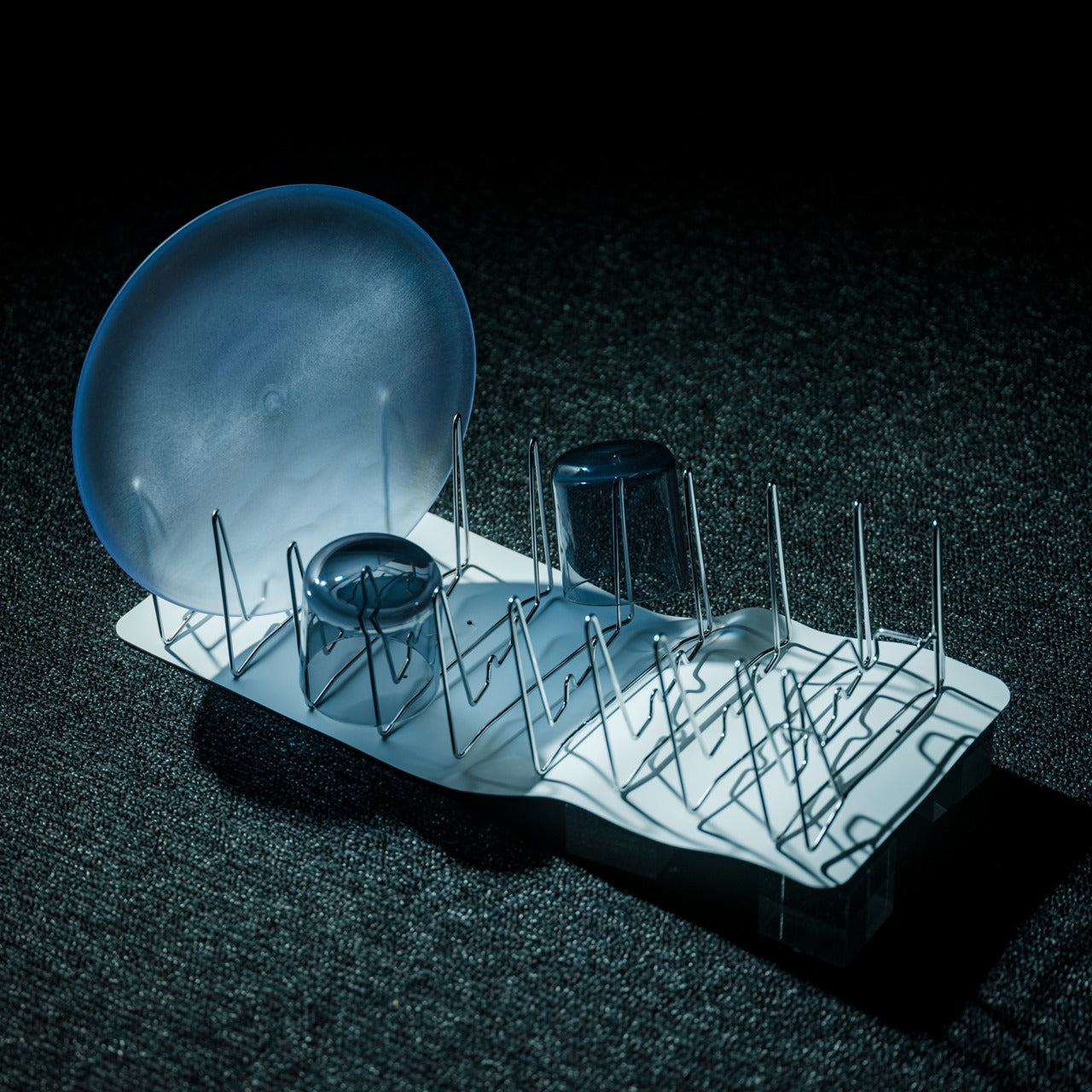
Dubbed the Slim Fold Dish Rack, this easy-to-carry dish rack is portable, and is designed to accompany you on all your outdoor trips, and adventures on the road. It features a patent-pending spring mechanism which allows it to be adjusted with ease. You can set up the handy little dish rack as and when needed, it is easy to deploy and set up.
The dish rack features a sturdy and minimal form, and it provides plenty of abundant ventilation. It has more than enough space to hold utensils, plates, and cookware. It is an excellent product for your kitchen, whether you’re cooking indoors or outdoors because you always need some place to dry your utensils.
Features convenient flexible collapsible form that makes it quite portable
What we dislike
It can only hold light utensils, not the best option for heavier utensils
5. Versatile & Travel-Friendly Clothing With Multiple Features
If you’re spending a life on the road, then you need to select the correct clothing for yourself. You need a selection of versatile clothing that can be mixed and matched helping you reduce luggage weight. It is important to pick items that are suitable for various climates, helping you adapt to different environments without excessively packing. Your choice of clothing shouldn’t simply be aesthetic, but also practical, functional, and comfortable.
Travel-friendly clothing designs are often innovative with multiple pockets and a bunch of handy features. These apparels are designed to help you deal with different situations, weather conditions, and scenarios where you don’t have much time to get ready. Pick the right clothing to help support your life on the road!
Baubax 2.0 Travel Jacket
When you’re traveling, you need to feel comfortable, especially during long flights to tedious road trips. The Baubax 2.0 Travel Jacket focuses heavily on comfort and convenience. The jacket integrates a whole bunch of travel essentials into one single stylish garment. The jacket is designed for the modern road warrior, and it features a built-in neck pillow, eye mask, gloves, blanket, and footrest, ensuring you always travel with comfort.
The jacket features twelve utility pockets, providing more than enough space to store your passport, snacks, phone, and other travel necessities, ensuring everything is always within reach. The Baubax 2.0 is an excellent pick for those who want to streamline their travel experience, it merges multiple accessories into one convenient package.
What we like
Merges multiple travel accessories into one convenient garment
It features a built-in pillow and blanket to offer added comfort during travel
What we dislike
The jacket may not suit all body types or fashion preferences
6. Flexible Fire Pits To Keep You Warm
If you prefer spending time in the outdoors, basking in the beauty of mother nature, then a portable fire pit is a necessity. It is designed to bring warmth and ambiance to any setting. A flexibly-designed and portable fire pit lets you truly enjoy a campfire experience, without leaving behind much of a mess, they usually adhere to a Leave No Trace principle and aren’t a hassle to set up.
It is best to pick up models that are quite easy to assemble and disassemble, so you don’t need to spend hours setting up or cleaning up your fire. A multifunctional pit that keeps you warm, and lets you cook on it is an added bonus since you don’t need to carry a separate portable stove to help you with cooking.
Portable Fire Pit Stand
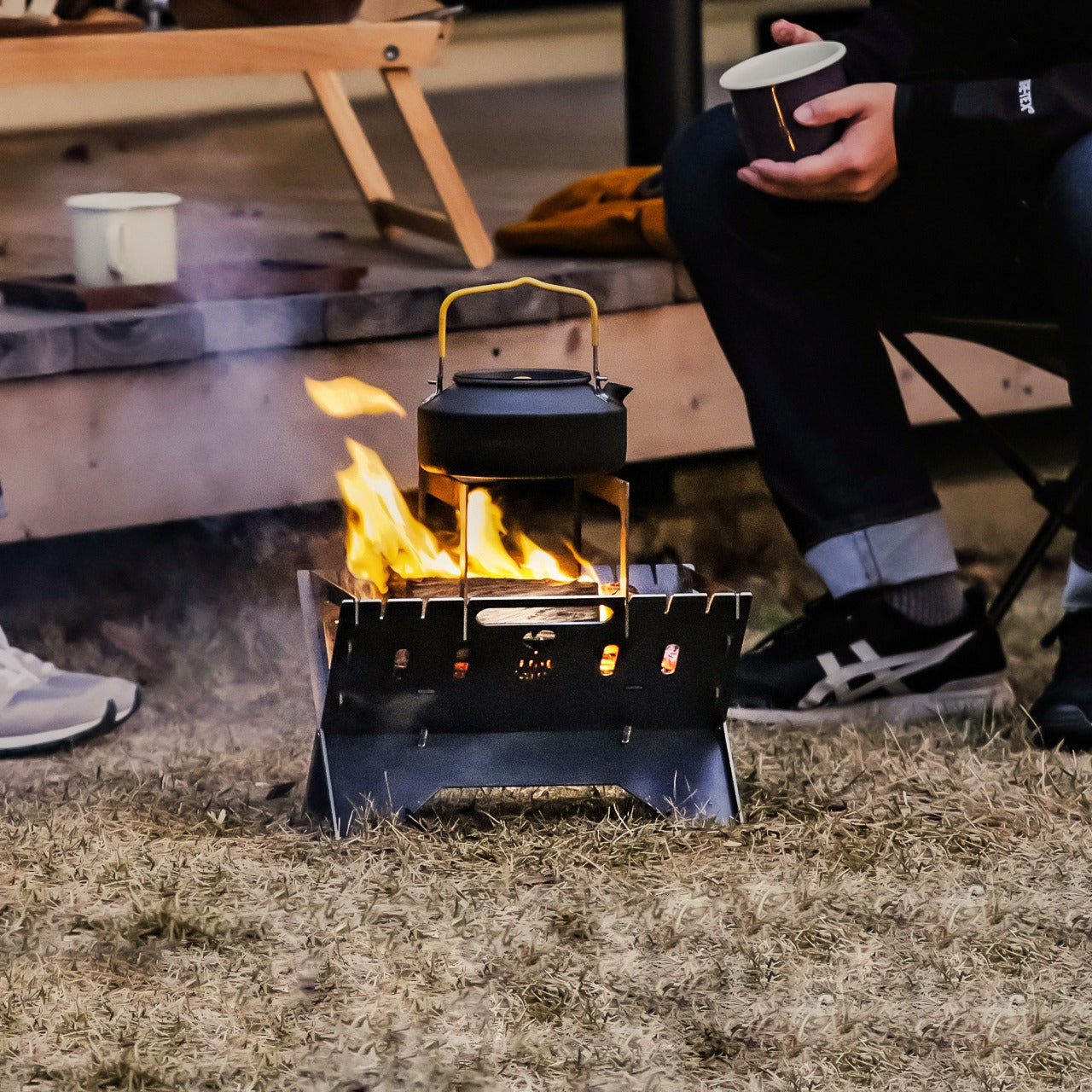
When you’re out and about, whether camping in the outdoors or road-tripping through the country, you need a fire pit by your side. This Portable Fire Pit Stand is something you need to check out. It features a unique puzzle-like assembly, which makes it stand out from the typical fire pits on the market. It offers you warmth, while also serving as a cooking station, making it essential for the winter season.
The Portable Fire Pit Stand is made from special sheet metal technology, and it can’t be warped or distorted due to the heat, ensuring longevity and safety. The stand features a compact size, and is pretty easy to assemble, making it perfect for different outdoor settings – whether it is someone’s backyard or a camping trip.
Equipped with a convenient puzzle-like design that allows for a quick and straightforward setup
Features a sleek, industrial look that enhances your outdoor gear collection
What we dislike
Not suitable for larger groups due to its compact size
7. Portable Furniture For Some On-The-Go Rest
Finding a cozy space to sit down and rest in can be tough when you’re traveling. Sometimes you will need to create a makeshift functional living space that doesn’t sacrifice comfort too much. Portable furniture options need to be considered, they tend to be lightweight and easy to set up, offering comfort without the bulk. You can consider compact camping chairs that provide great support and comfort. They are often equipped with durable frames and breathable fabric.
Portable chair designs today can often be packed into your suitcase, or backpack making them pretty easy to transport. They’re great for sitting by the campfire, or on the beach, just make sure they have sturdy frames that can support you without fear of breaking.
Campster 2
Dubbed the Campster 2 Foldable Camping Chair, this handy chair should be a part of the reliable gear you carry to enhance your travel experience. The chair doesn’t weigh you down, instead, it serves as a portable and comfy seating solution for life on the road, whether you’re camping or conducting any other outdoor activity. It features lightweight construction and is pretty easy to set up.
It features a compact design that can be folded down to the size of a 1.5-liter bottle, making it an ideal choice for easy transport and storage. The chair is durable and designed to handle the rigors of outdoor use while ensuring you sit comfortably. It is an excellent choice for adventurers who want something portable, comfortable, and durable.
What we like
Straightforward assembly and disassembly that doesn’t take too much time
Lightweight design that is easy to carry over long distances
What we dislike
It may not be able to support heavier individuals, limiting its usability
8. Portable Coffee Makers For A Perfect Cup Of Joe On The Go
If you’re like me, then you need to start your day with a great cup of coffee. If you’re on the move it can be hard to get some good coffee, you may have to make do with subpar hotel or café options. And that’s why purchasing a portable coffee maker isn’t a bad option at all. There are plenty of coffee makers on the market that brew smooth and delicious coffee through unique immersion or pressure brewing techniques.
Go for compact designs that are easy to carry. Compact and portable models are usually quite easy to clean and use, and they don’t require any electricity. They can be operated using physical pressure, making them great for camping and road trips.
Leverpresso
If you’re a coffee aficionado who refuses to gulp down bad coffee, then you need to get your hands on the Leverpresso Portable Espresso Maker. This compact device is a game changer, letting you brew rich and delicious espresso wherever you are, without needing electricity. It requires manual operation, which offers complete control over the brewing process – ranging from pressure to extraction.
The espresso maker provides a personalized coffee experience, and it is compact enough to fit in your backpack or suitcase. It is created for those who need their perfect cup of joe while they’re on the go. It works well whether you’re camping in the wilderness, or staying at a hotel.
What we like
Easy to transport and use in different settings
It doesn’t need electricity, so great for remote locations and power outages
What we dislike
There will be a learning curve, users may take some time to perfect the brewing technique
It only prepares one cup at a time, not well-suited for groups
9. Compact Travel Pillow & Blanket To Keep You Cozy
When you’re on the road, you never know when the temperature could dip or rise. Predicting weather conditions is an impossible task, hence it is better to be well-prepared for different scenarios. You need a blanket to keep you warm and help lull you to sleep. You also need an ergonomic and comfortable pillow that lets you nod off on your long journeys, without causing immense strain to your neck.
Sleeping in a vehicle is often simply torture, hence you need a convenient and comfortable travel pillow and blanket combination to help you rest in peace. You need products that provide the correct support to your body while ensuring you’re warm and comfortable. There are plenty of options on the market, but we’ve found a good one for you.
Nod Travel Pillow & Blanket
The Nod Travel Pillow is a lifesaver in itself. It features a patent-pending “Over the Top” design that prevents your head from falling forward, as well as left or right. This keeps your head in a comfortable position, ensuring your neck doesn’t get strained, and you don’t wake up with crummy neck pain. It is equipped with a super comfortable memory foam interior which offers a soft and relaxed sleeping experience, helping you catch a quick nap or a good night’s rest.
The travel pillow pairs up perfectly with the Nod Travel Blanket. It is designed for travelers who often end up in chilly environments. It offers warmth and comfort, without the bulk and weight of traditional blankets. It features an open-back design which lets it securely stay in place, allowing you to sleep, without constantly adjusting and handling it. It is made from wind and waterproof materials, providing extra protection against chilly drafts.
What we like
The pillow and blanket can be easily stored away since the blanket folds itself into a bag
The blanket includes a hood for extra warmth
What we dislike
The blanket may not provide enough warmth in extremely cold conditions
Users may find the action of resting their chin on a pillow uncomfortable
10. Modular Water Bottle To Meet Your Hydration Needs
When you’re on the go, you may ignore your hydration, but worry not, because a modular water bottle is what you need. A modular and compact water bottle can adapt to different environments and is equipped with customizable components that let you tailor it to your specific needs. If you’re setting off on a hiking adventure, or taking a long flight somewhere, a modular water bottle will keep you hydrated while suiting your lifestyle.
Modular water bottles usually feature different lids, little storage compartments, and filters, blessing you with a versatile and convenient hydration system. Besides helping you stay hydrated, these water bottles are excellent at offering a personalized and eco-friendly solution.
TMB
Named the TMB or the Modular Bottle, this innovative bottle will store your water or drink of choice as you move around. It is designed to meet various drinking requirements, ensuring you don’t neglect your hydration while traveling or working. It will offer you with a refreshing beverage.
The interiors of the bottle are built from durable borosilicate glass, which maintains your drink’s flavor, even if you use the bottle many times. It is easy to clean, and equipped with a translucent mid-section, so you can always see how much liquid is left inside the bottle. TMB makes for a great sidekick as you spend your life on the road, ensuring you always have some water or a delicious drink to sip on.
What we like
Equipped with an Infusion Module Add-On for tea and fruits
It features a secret compartment to store snacks
What we dislike
It is a glass bottle, so must be handled with care
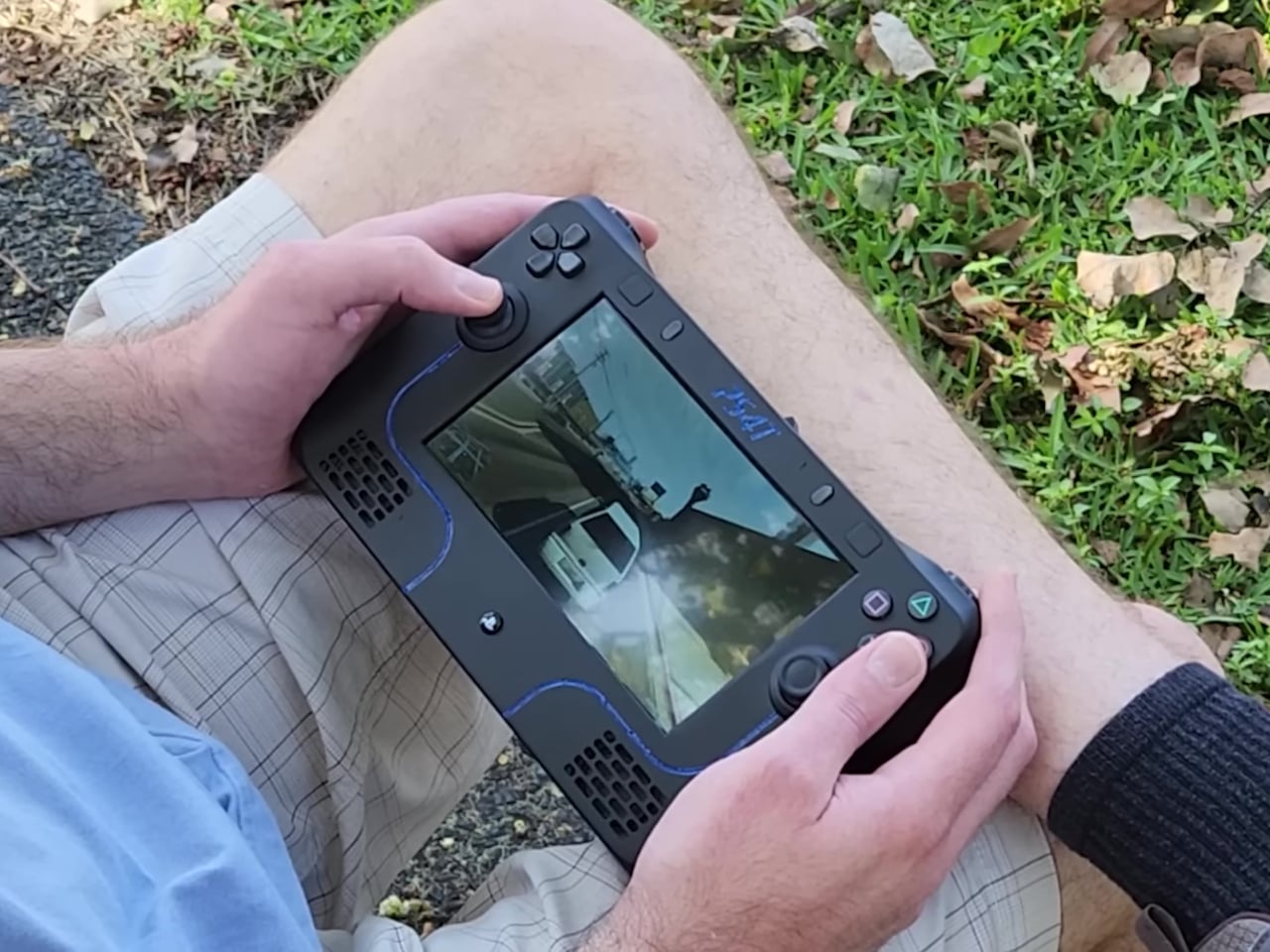
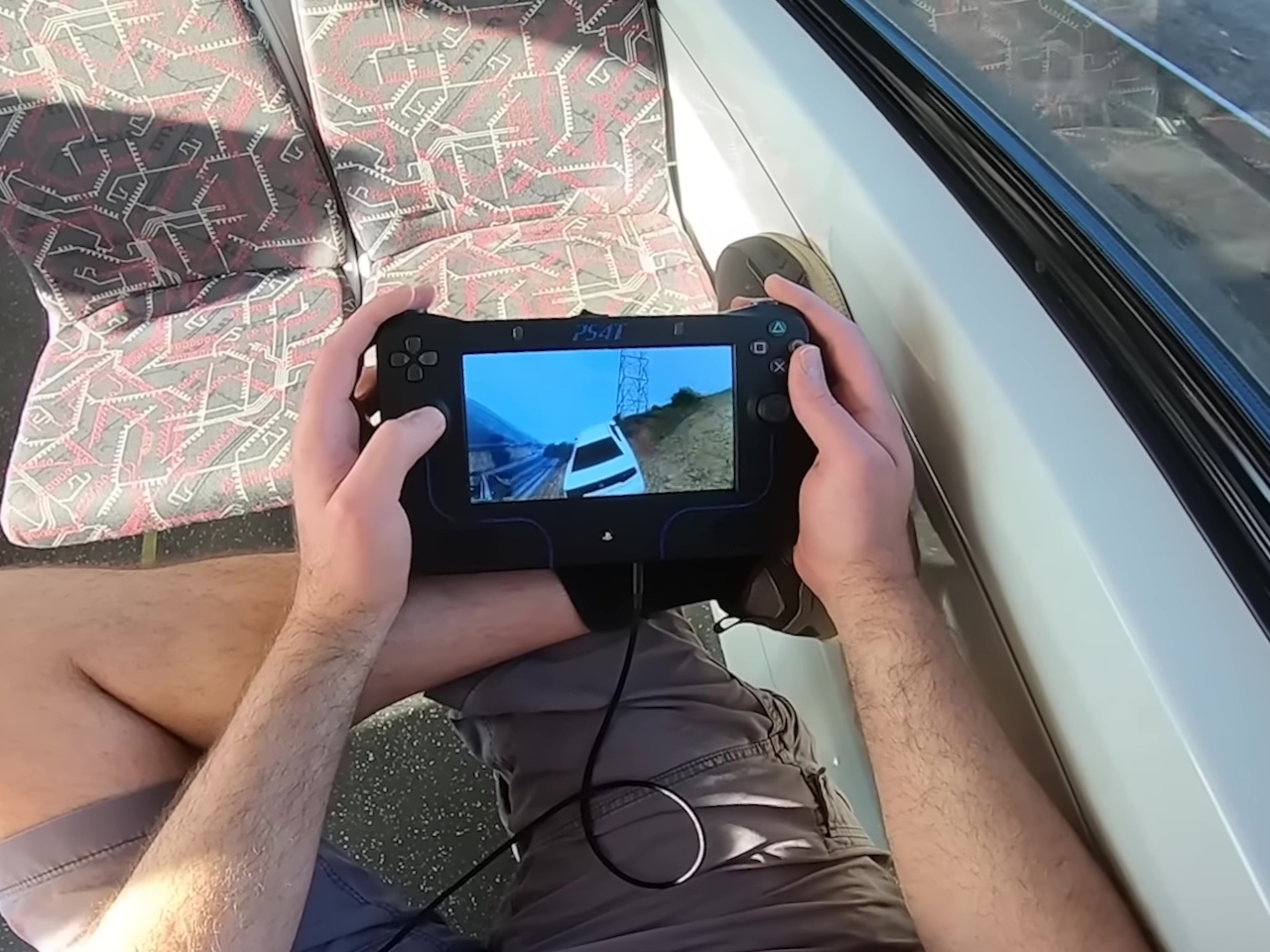
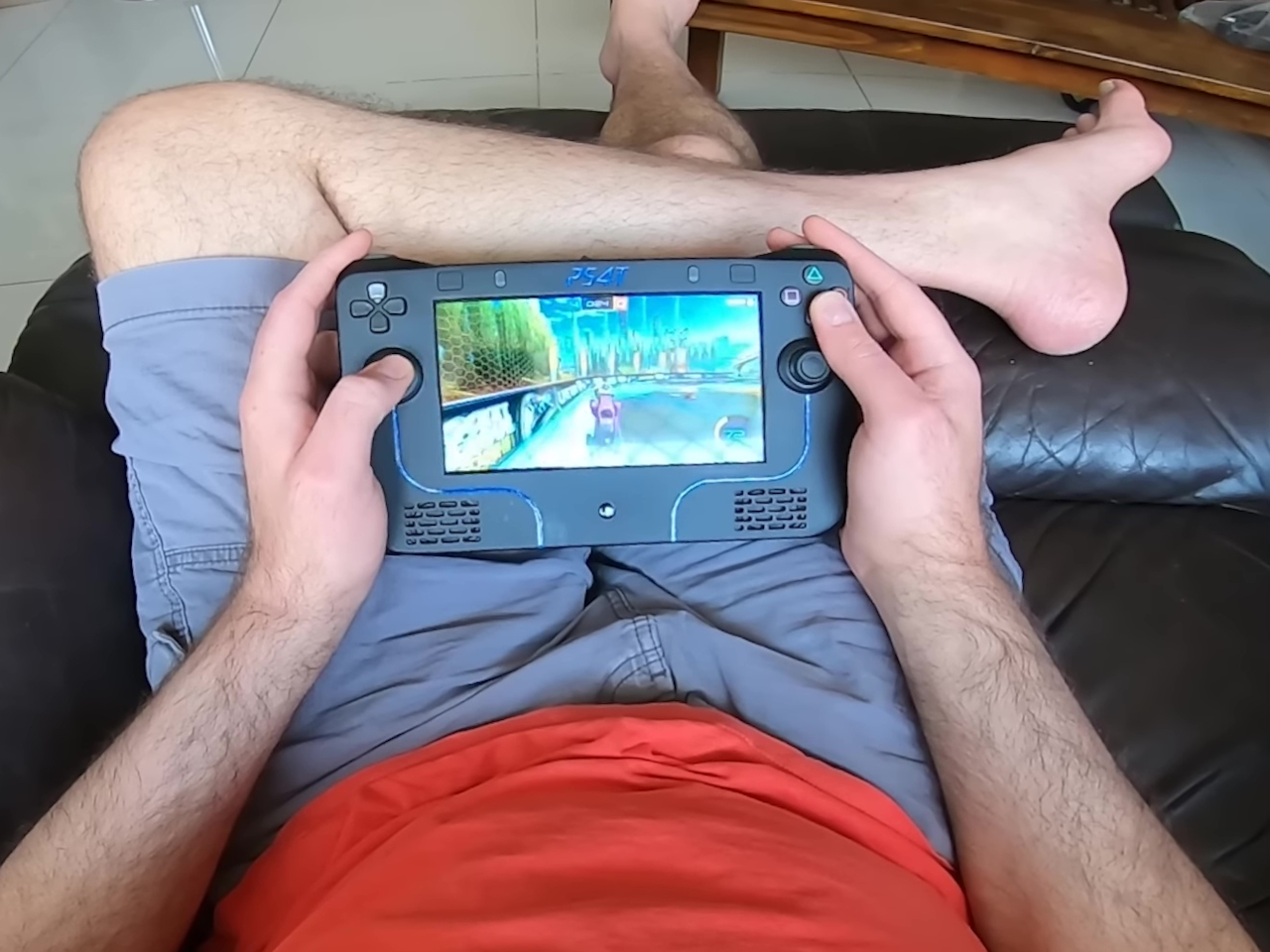
The Nintendo Switch ushered in a new age for handheld gaming devices, but somewhat ironically, PC gaming handhelds are the ones dominating that niche market. There was a time when the PlayStation Portable and Vita were the only “serious” portable consoles around, but neither Sony nor Xbox seems to be in a rush to catch up. No, the PlayStation Portal doesn’t qualify in this regard.
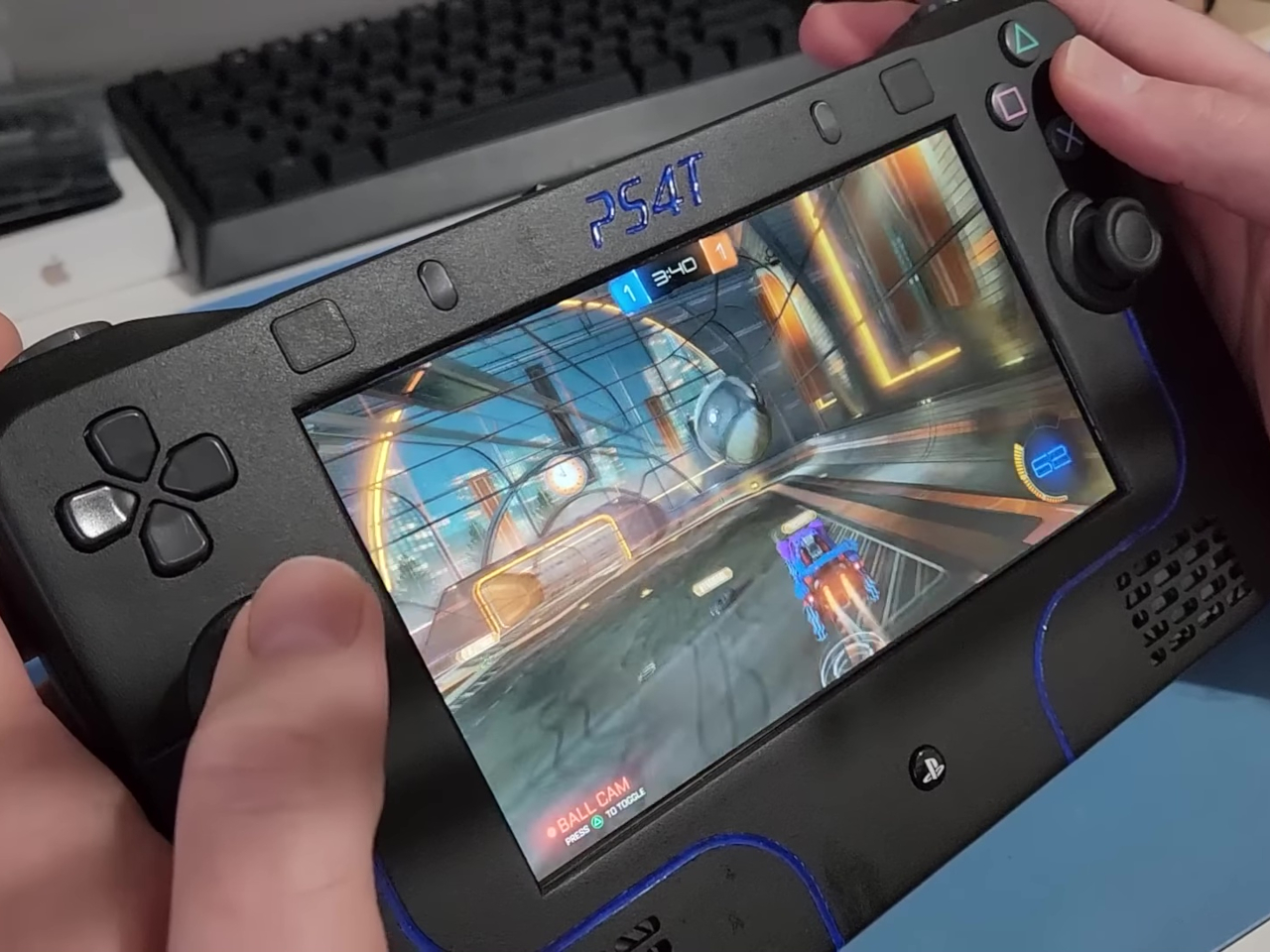
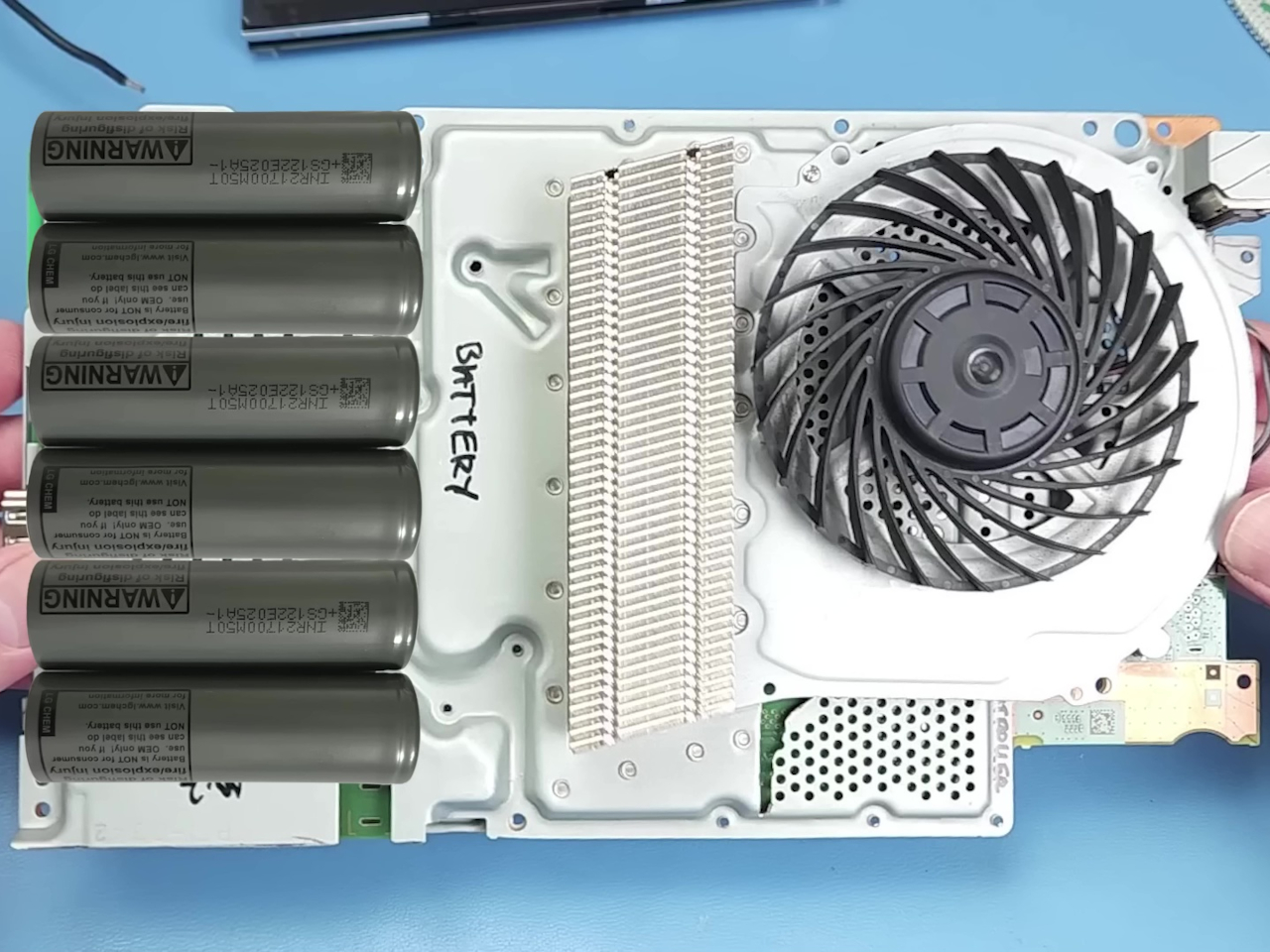
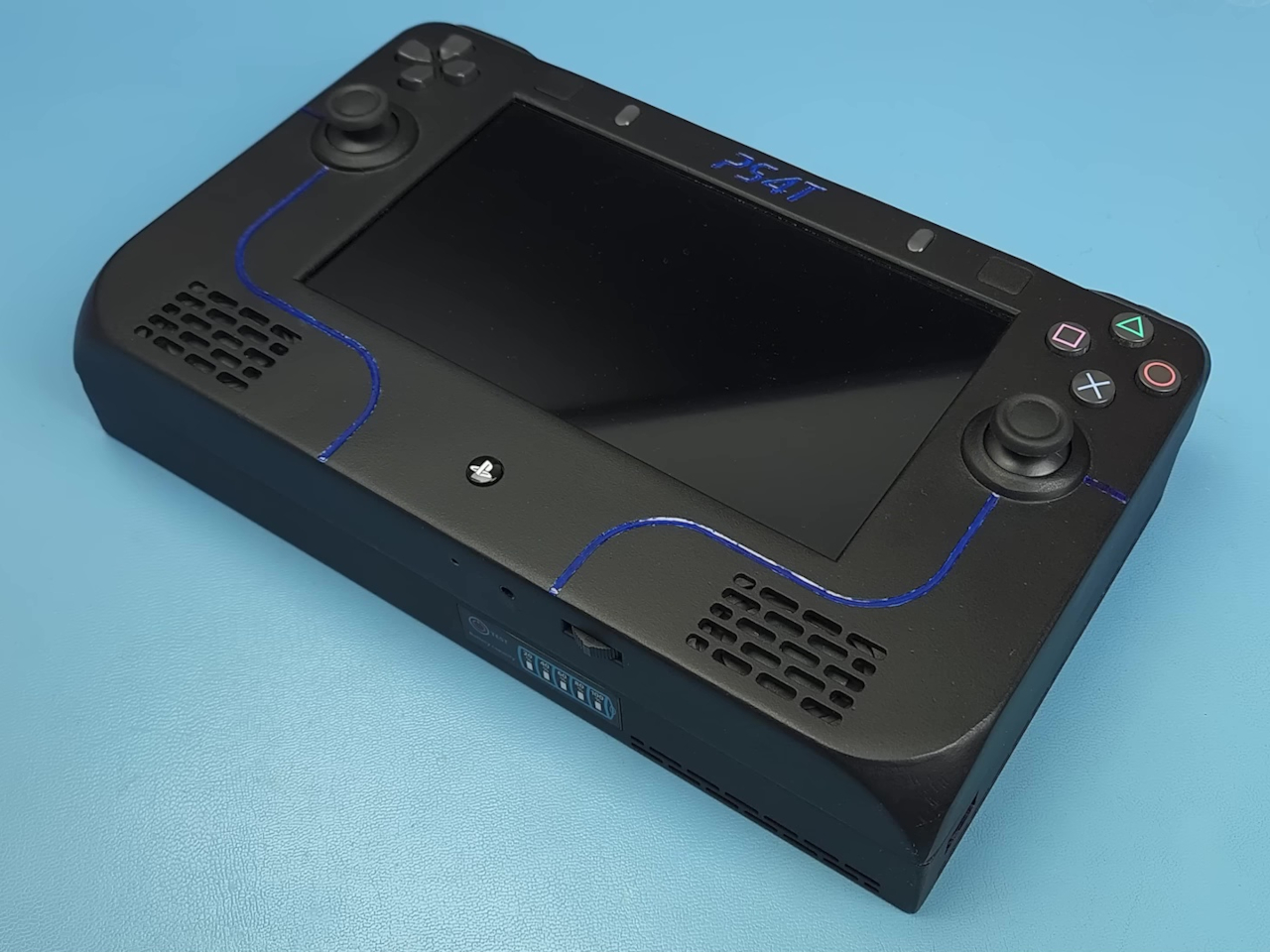
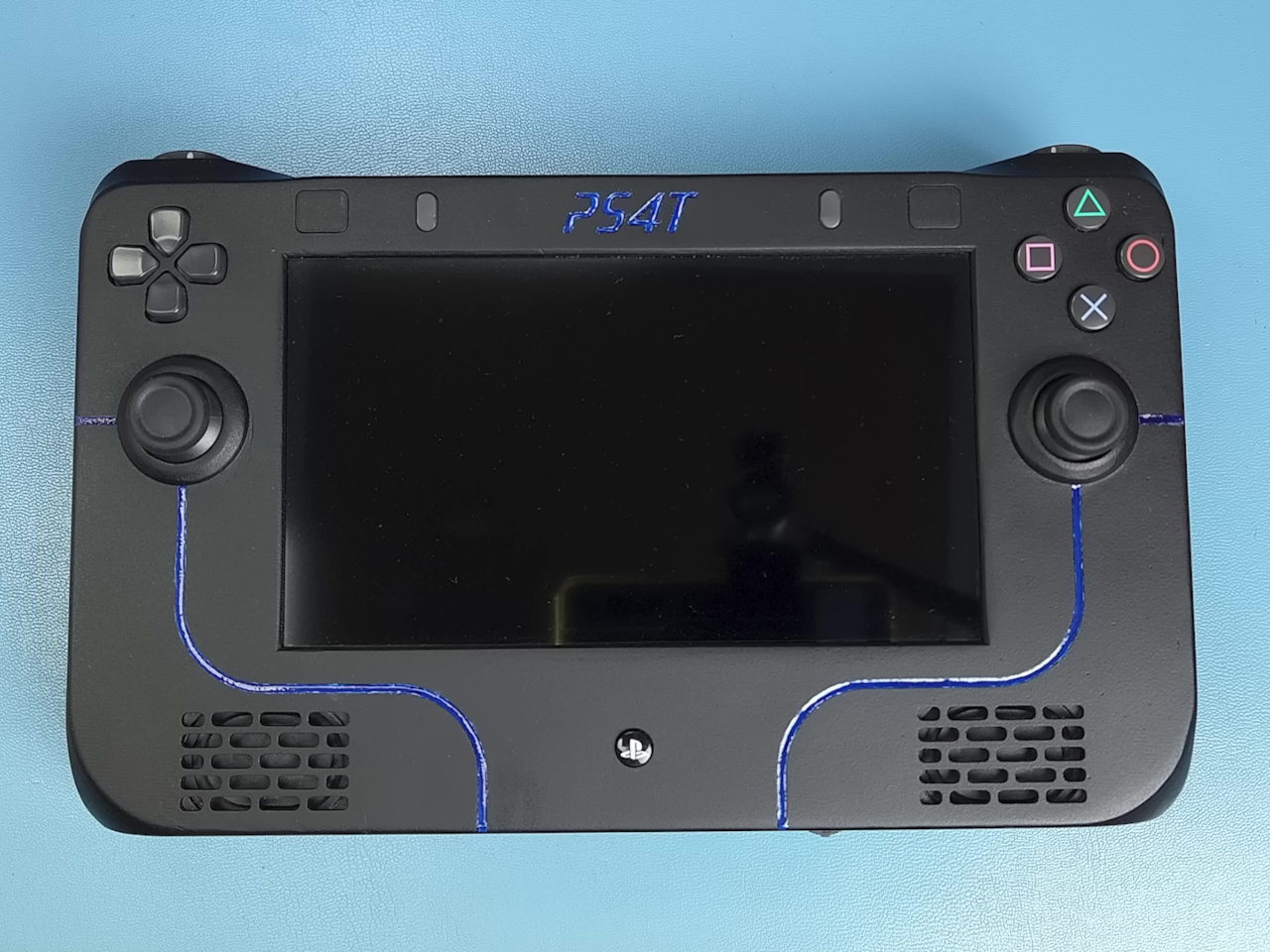
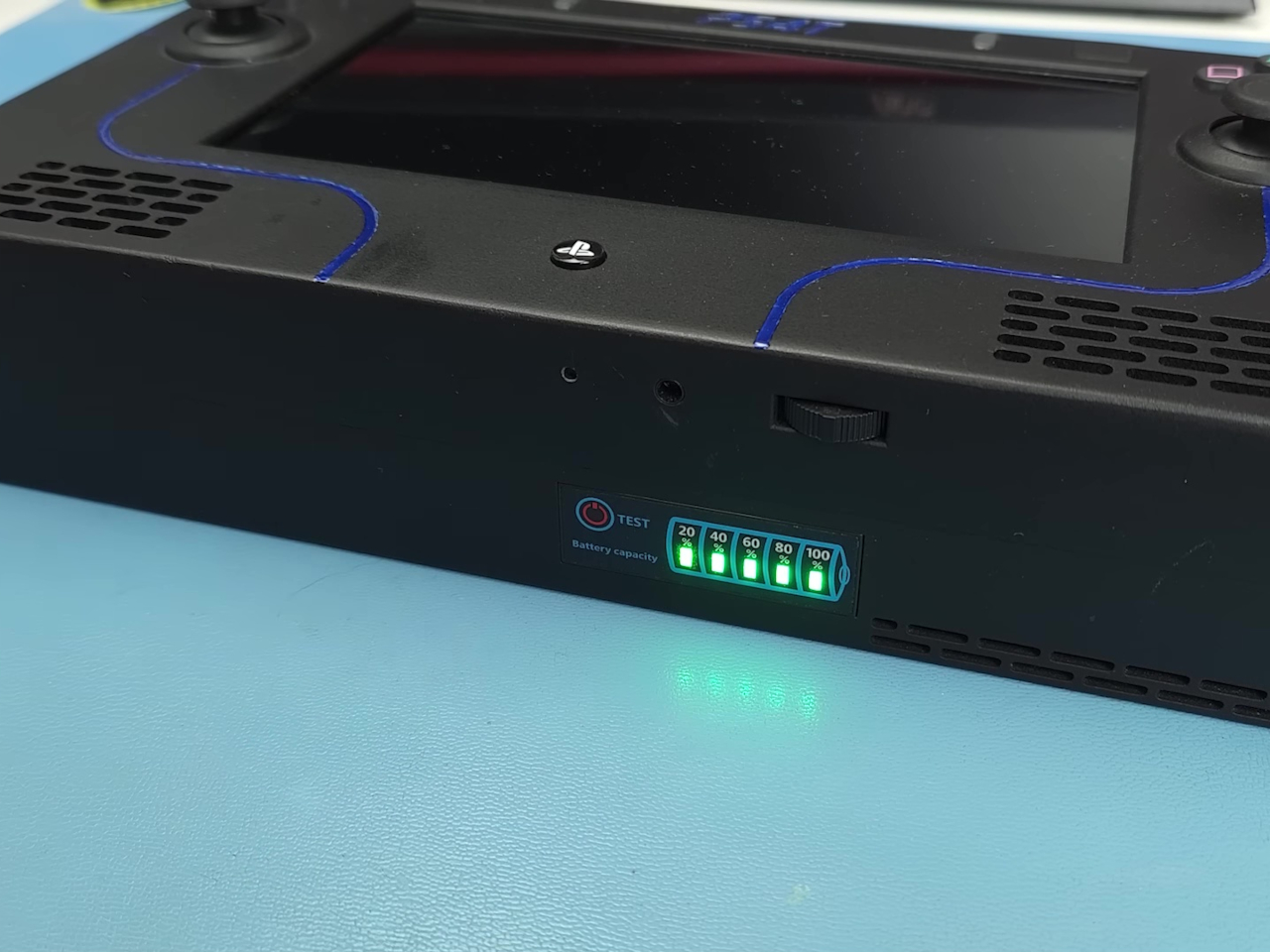
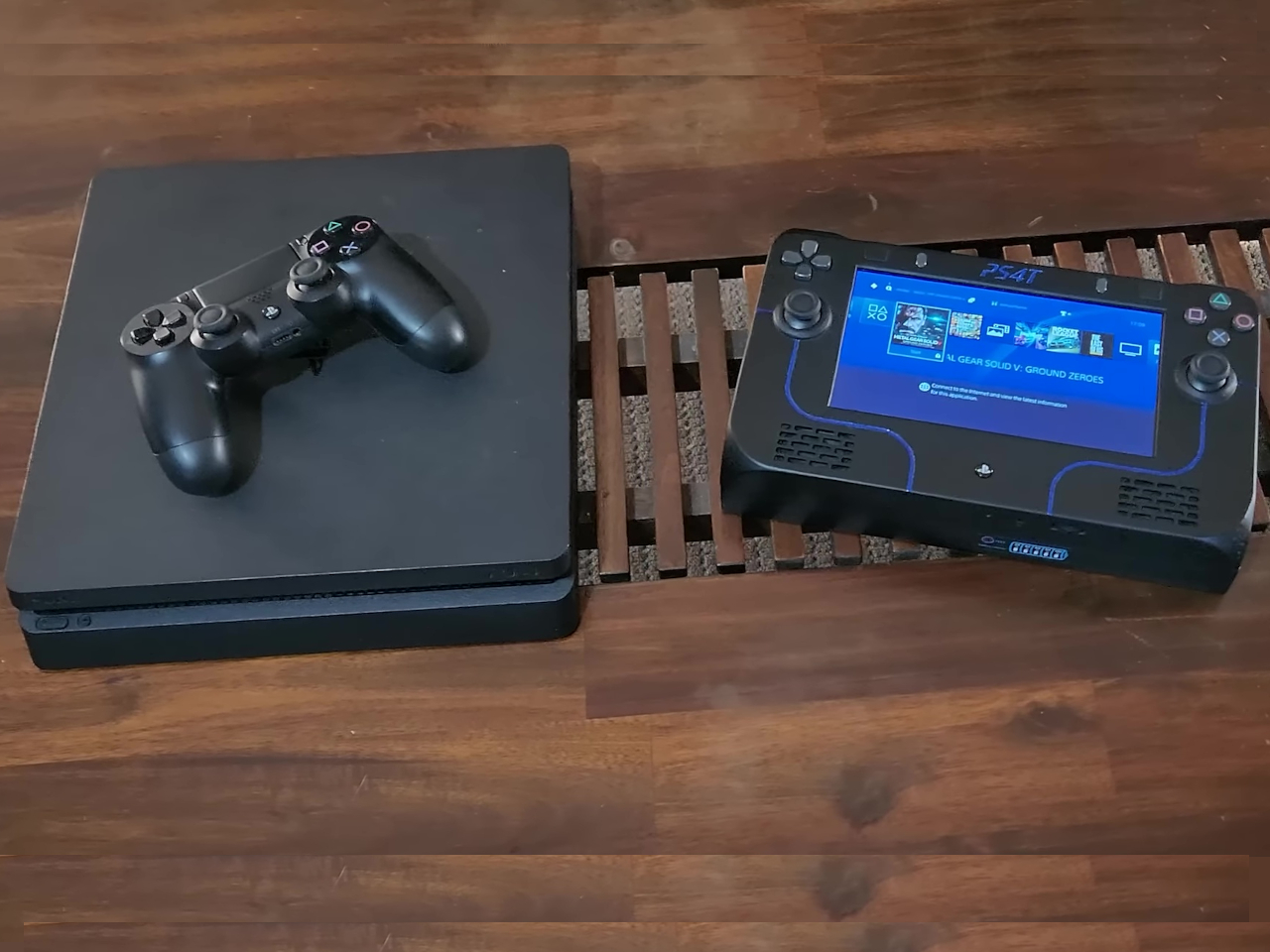
This left PlayStation fans to their own devices to scratch this portable itch, leading to many mods and DIY projects with varying levels of success. What makes the “PS4T” rather notable isn’t its looks, which is downright basic, but the way it tries to reuse as much of the original PS4 Slim hardware as much as possible, leading to some interesting design choices.
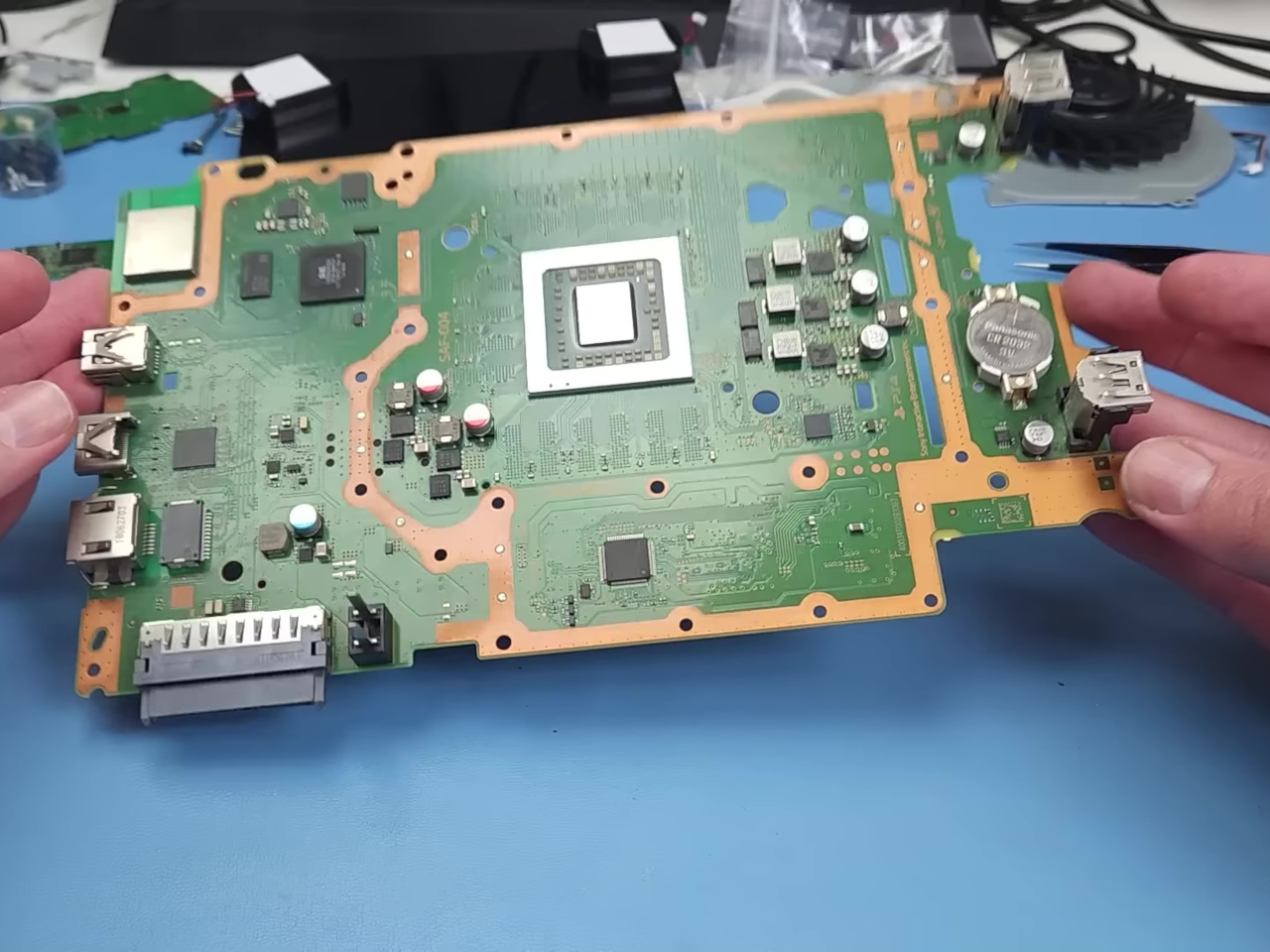
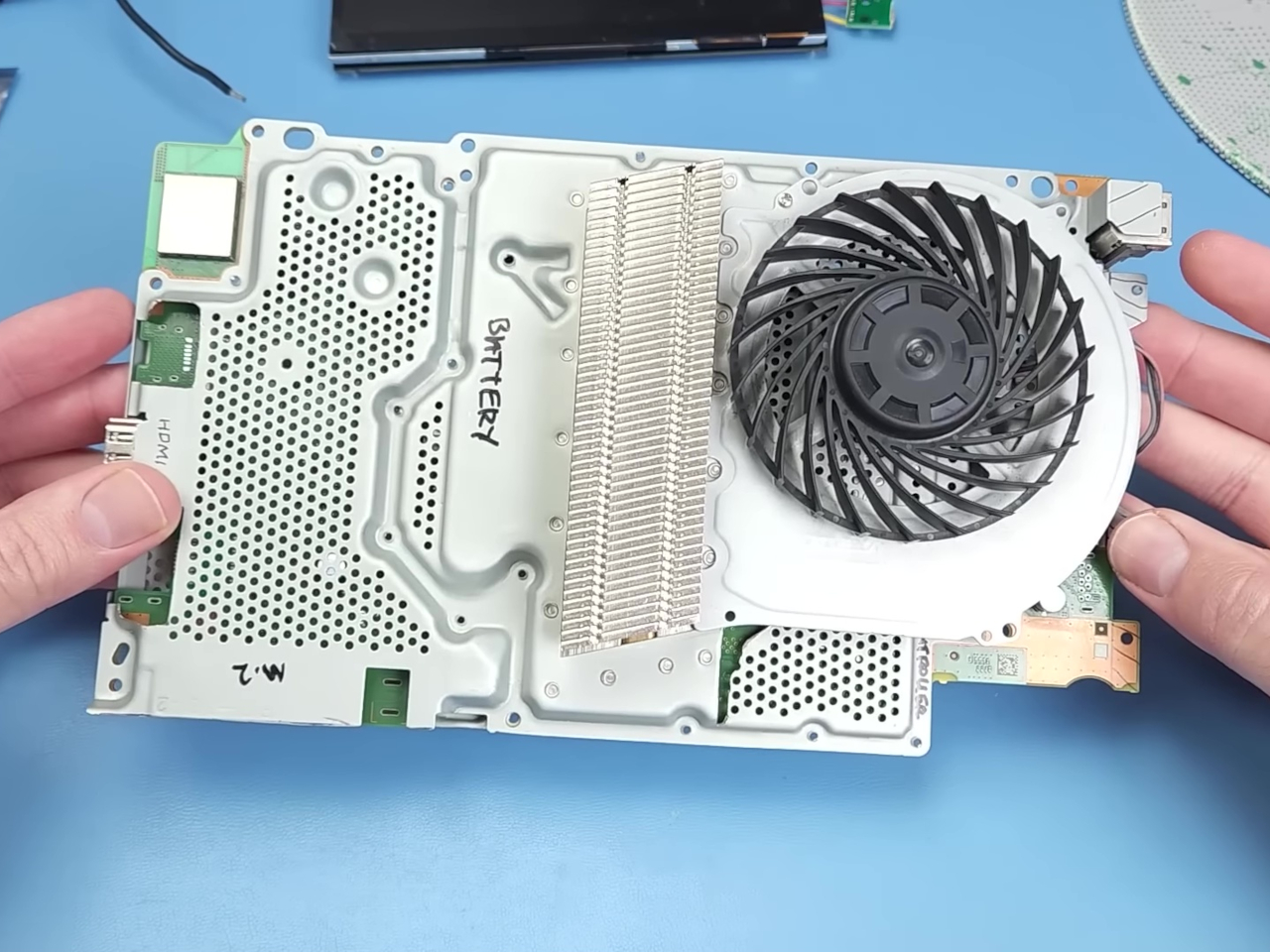
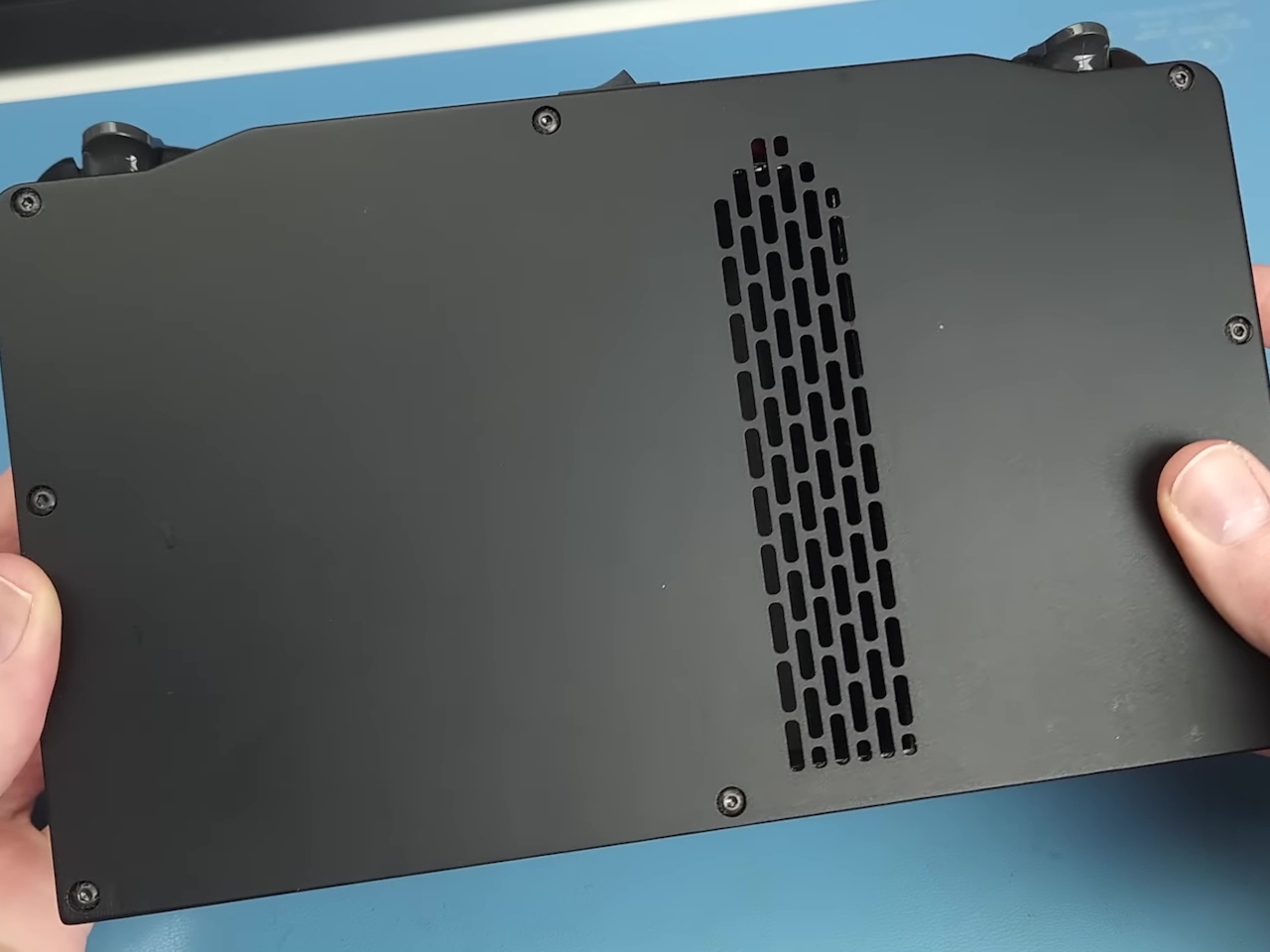
There is no shortage of attempts to shoehorn PlayStation and Xbox consoles into relatively handheld sizes, and many of them require modifying and cutting up the console’s motherboard to shrink the whole system down. Curiously, this particular design doesn’t do that, which simplifies the process a little bit but does mean that “handheld” is loosely applied in this case. Of course, many parts like the optical drive and hard disk have to be removed, but the fan and cooling system are mostly the same.
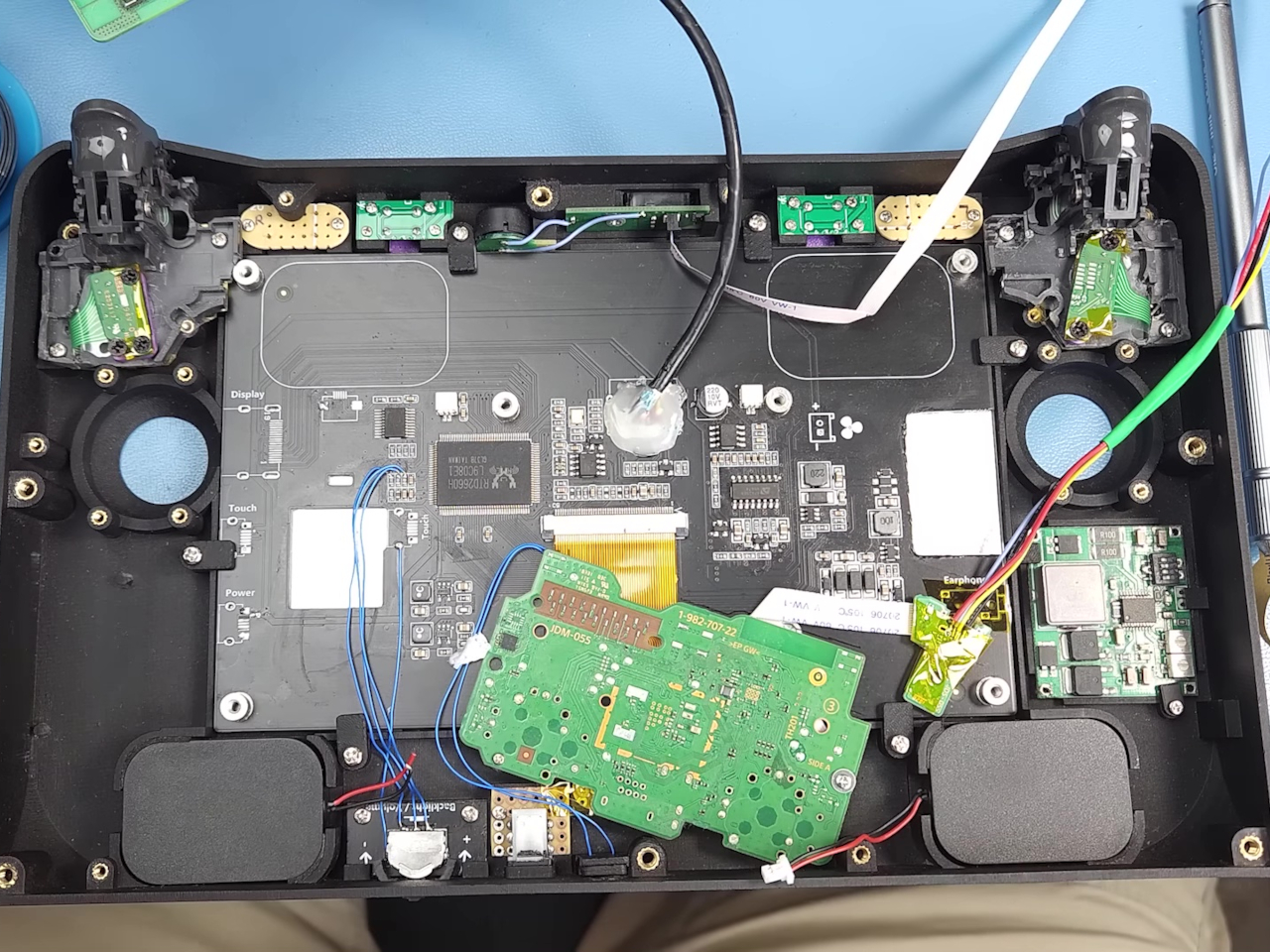
The PS4 Slim is used as the base for this mod as it has the smallest mainboard, fan, and power draw of modern PlayStation models. An original DualShock 4 controller was also used and gutted, but unnecessary parts like the rumble motor and the touchpad were thrown out. The process is definitely not for the faint of heart, but more seasoned modders probably won’t break a sweat.
What’s interesting about the entire process is how it reveals the considerations that have to be made when designing a portable gaming device. Not only do you have to think about battery capacity and heat management, you also have to consider the optimal placements of components inside. It’s definitely not as simple as throwing everything together to have a pretty layout, but the final design, despite its boxy shape, is satisfying and, more importantly, actually functional.
Of course, Sony would have better engineers and designers to work on such a product, so it’s really a matter of business why it hasn’t yet made a new portable PlayStation. For now, console gamers will have to settle for fan-made handheld designs, presuming they’re not wading into the murky gray area of intellectual property rights.
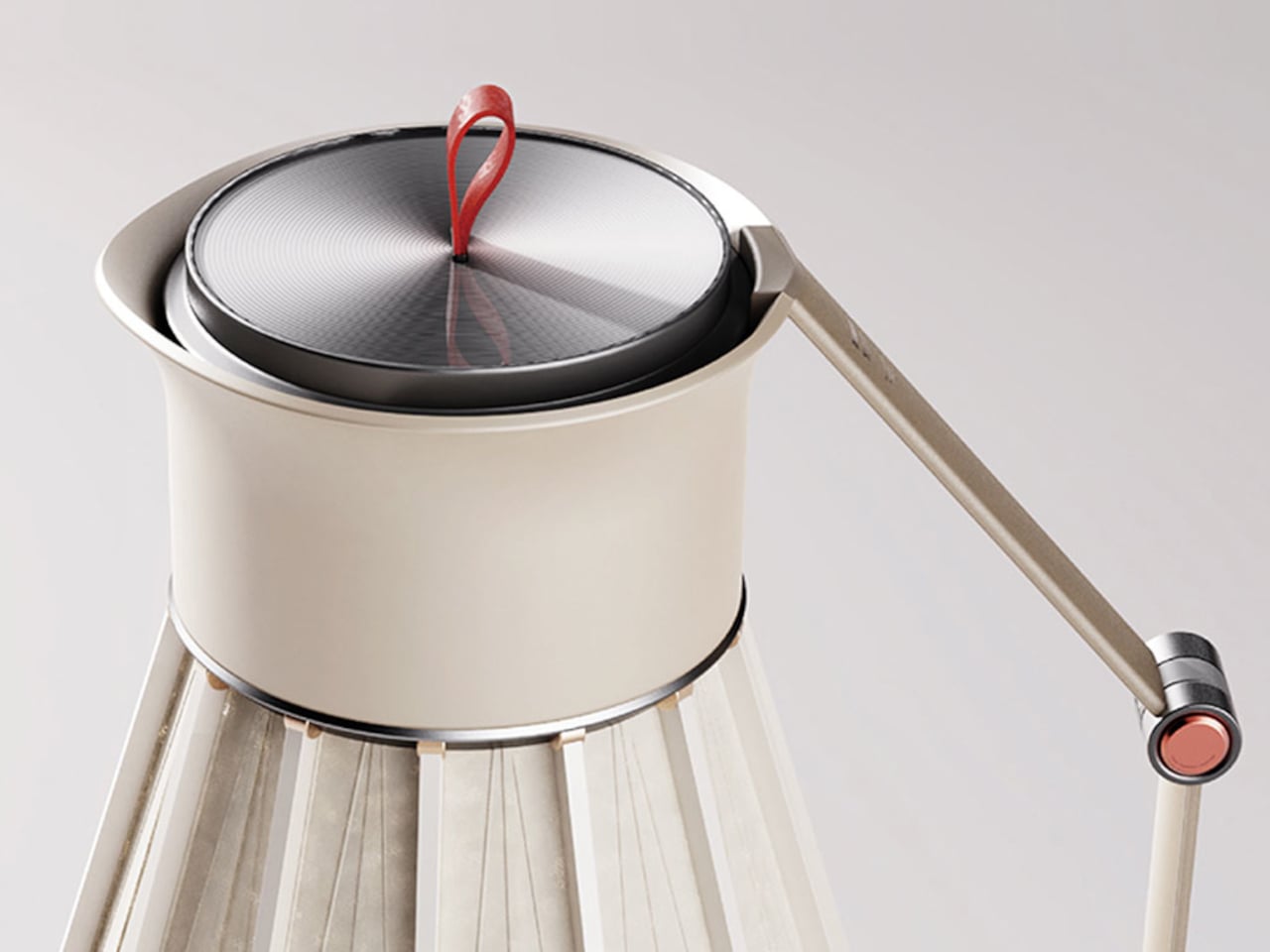
Have you ever found yourself in a situation where you are traveling and you find yourself in need of hot water but there isn’t anywhere that you can get it at the moment? When you’re craving for a cup of coffee, tea, or just hot water, wouldn’t it be convenient if you could just whip out a kettle from your luggage and plug it in to boil some water? There are several portable kettles already available but this one is probably the most portable and eco-friendly.
Designers: Guo Jianhong, Pan Sui, Deng Kairui
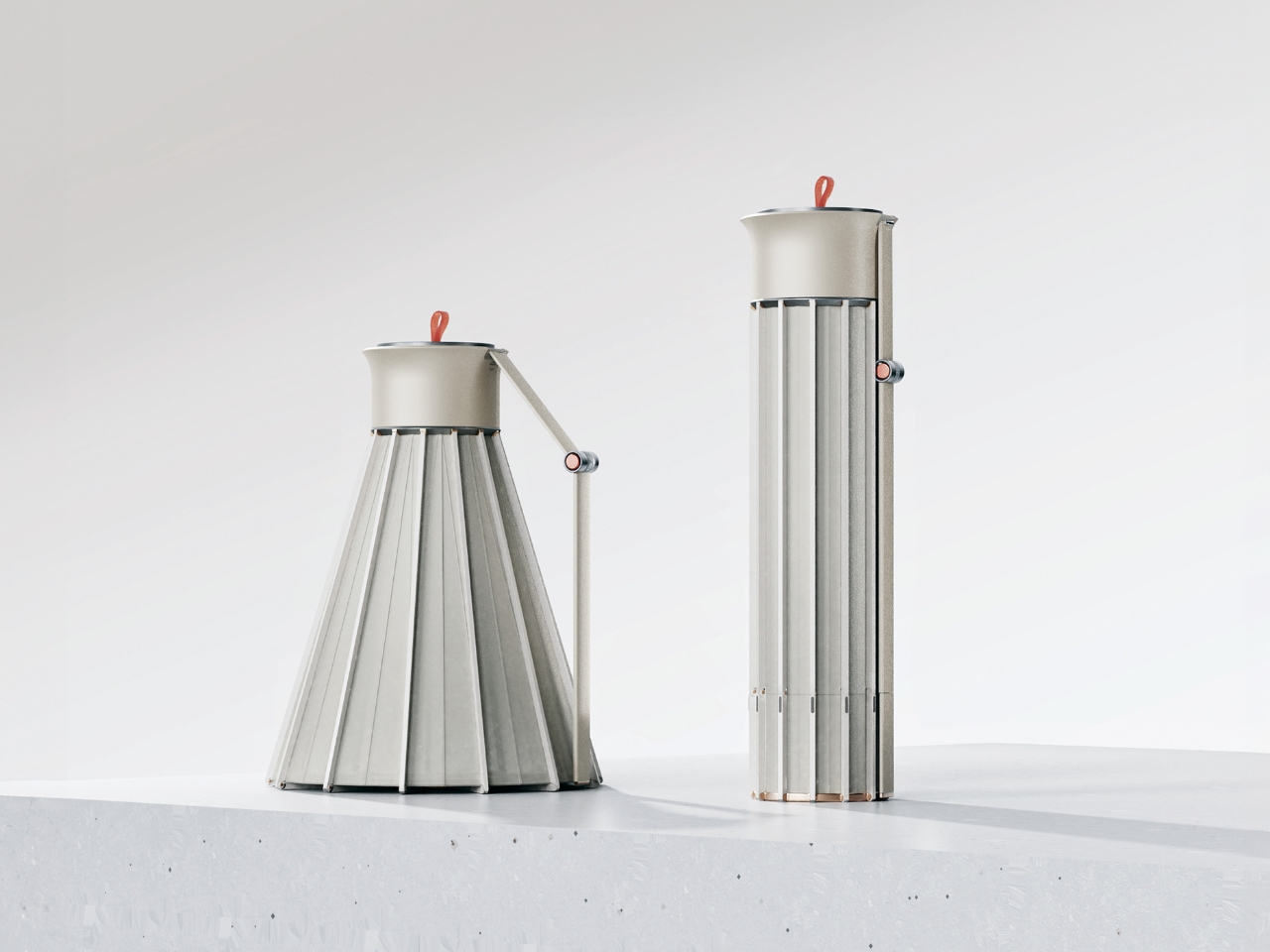
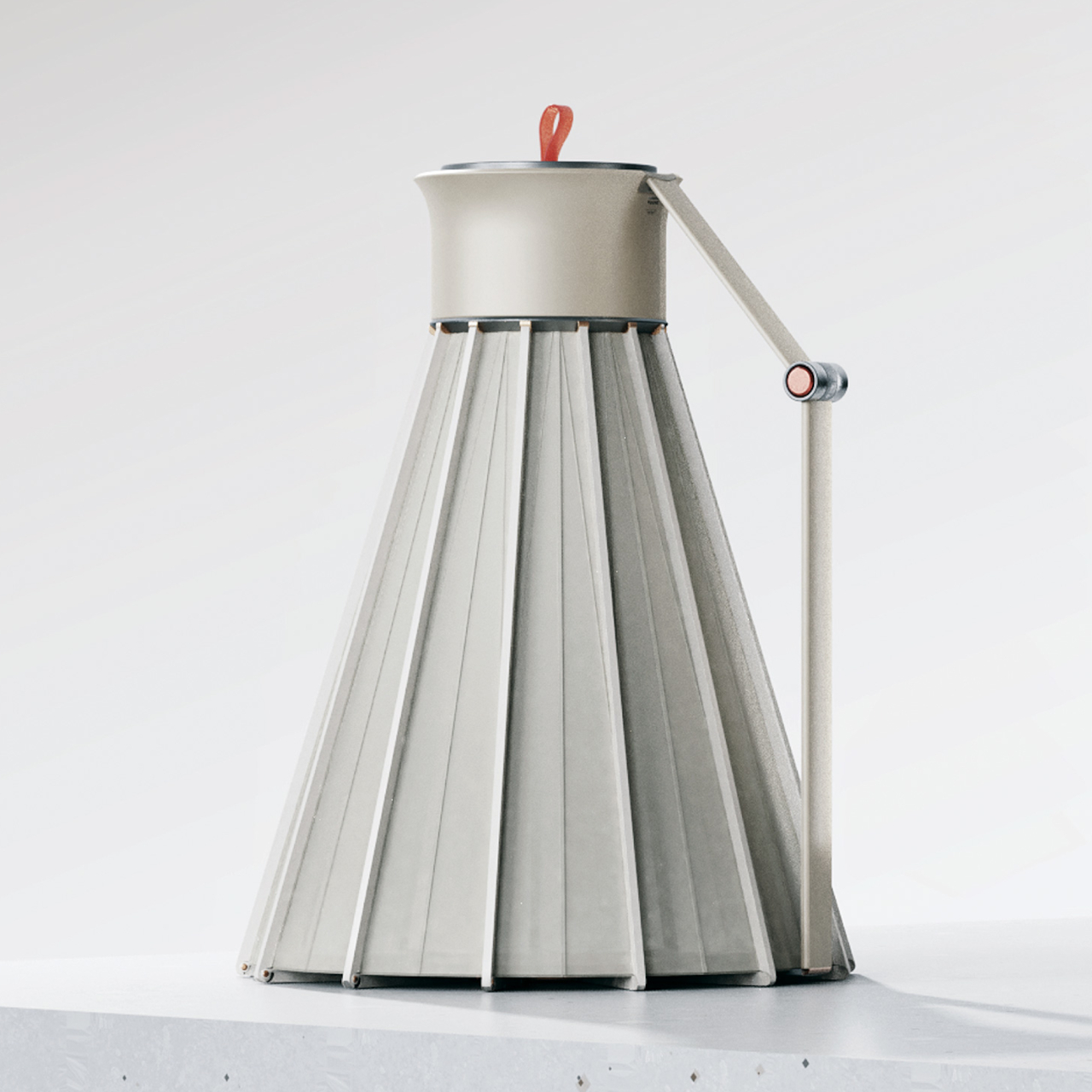
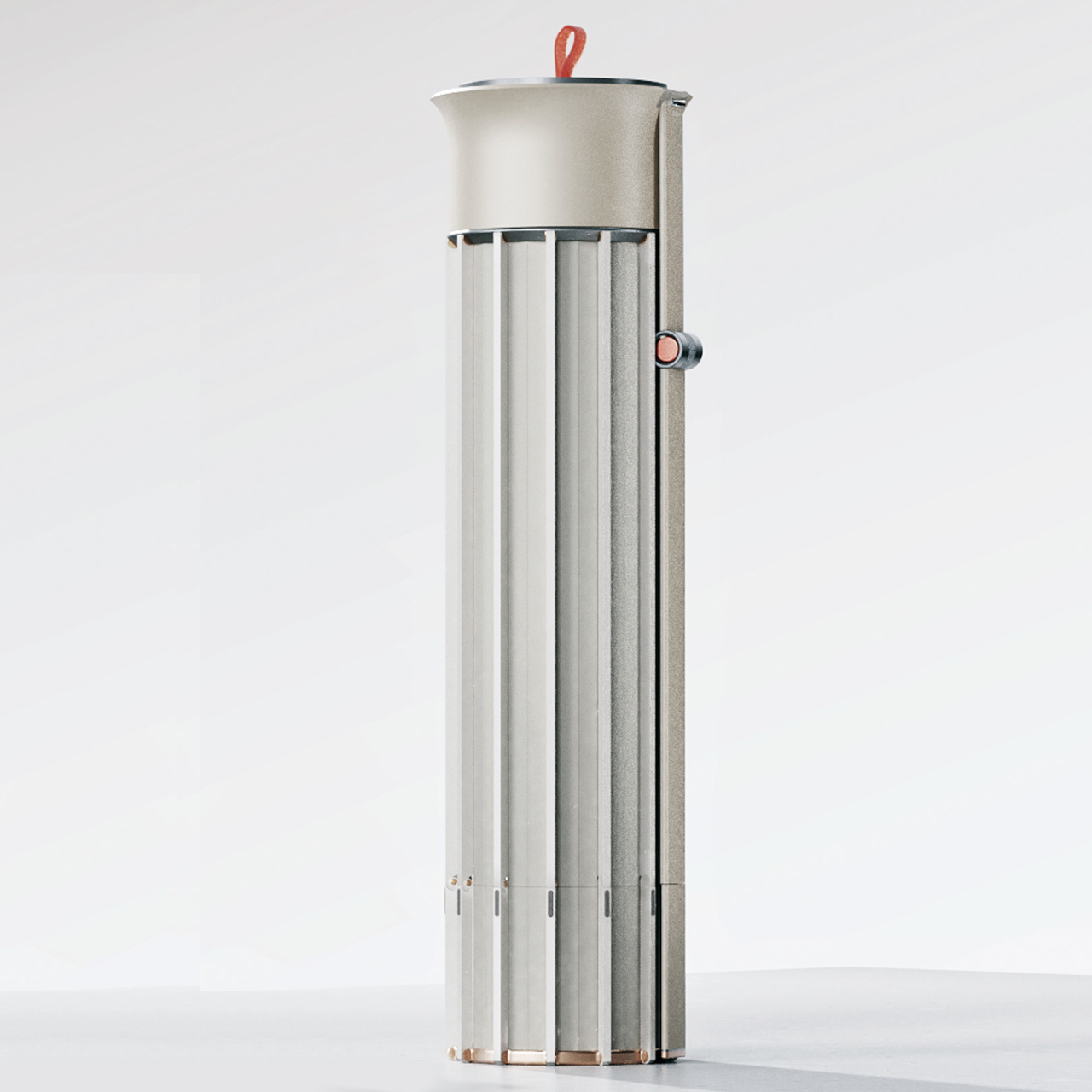
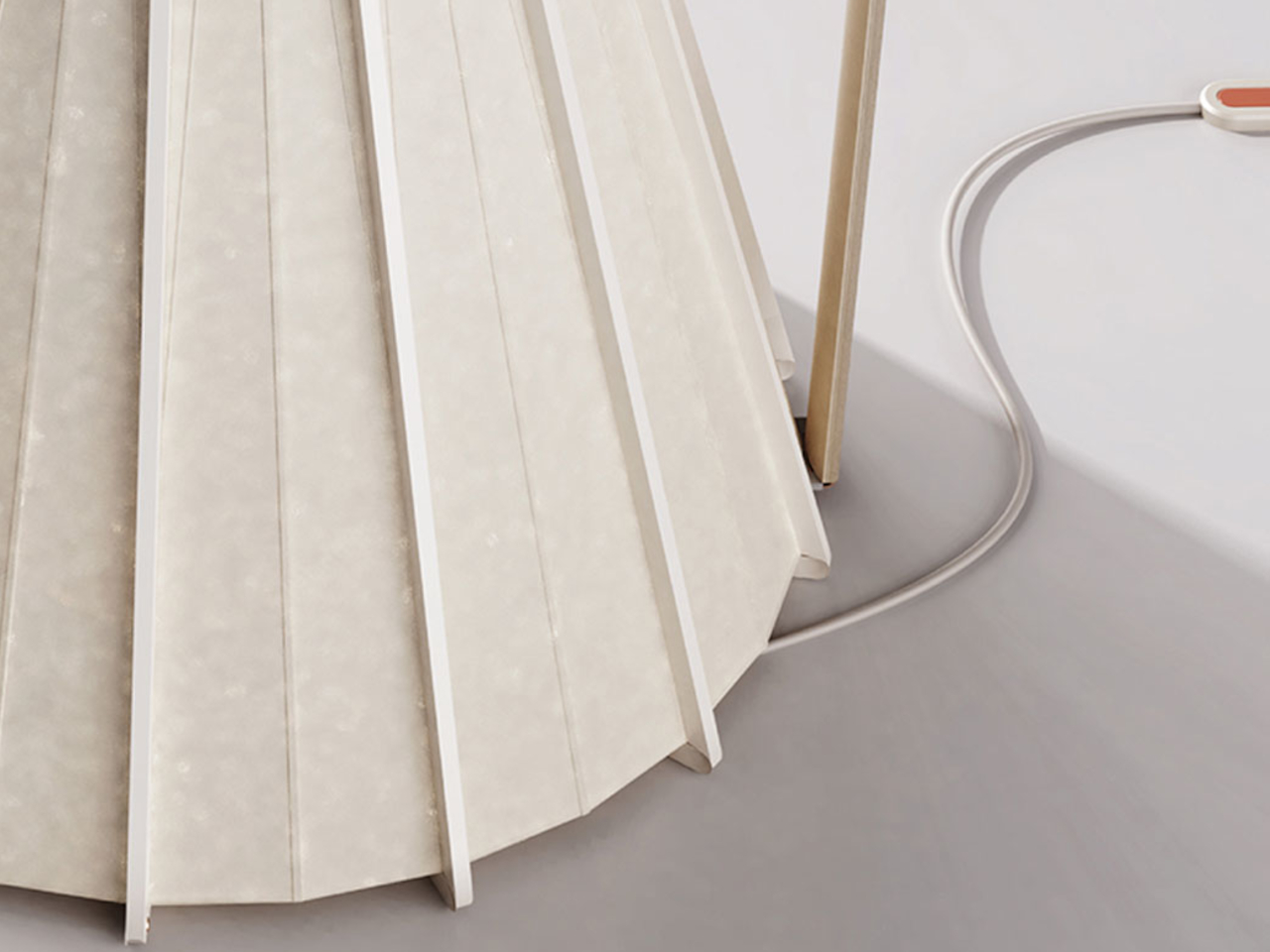
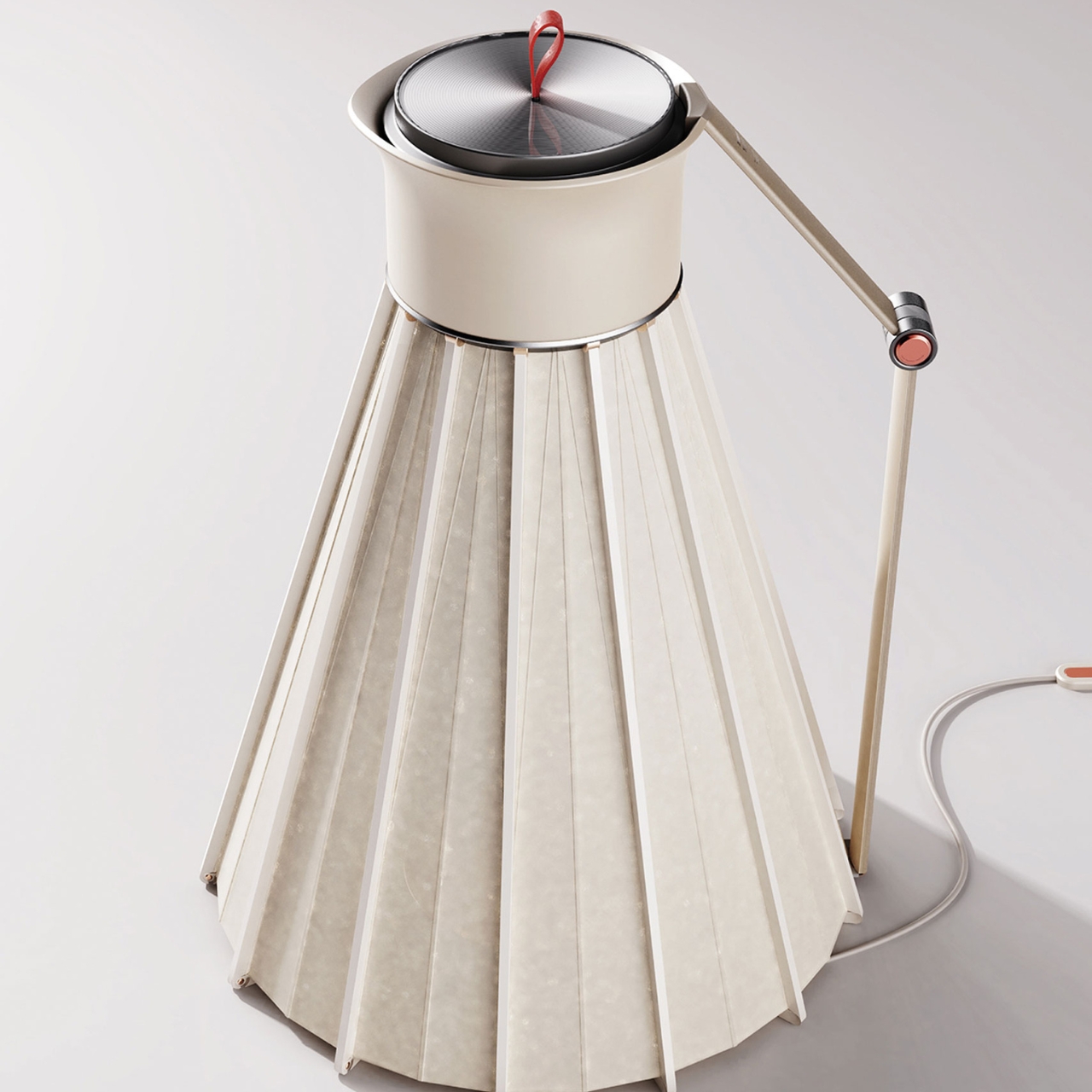
This portable kettle with foldable structure doesn’t have a unique name just yet except for that very description. The folding kettle is actually inspired by another every day, portable item: the umbrella. It has parts like a foldable handle, a support frame, and expandable silicone. When not in use, it folds into a cylindrical form, just like an umbrella, and can fit into a suitcase, backpack, or even a big bag.
When you’re ready to use it, the cylindrical form expands into a kettle with a triangular support frame to make sure that it’s stable especially when you put water into it and plug into a power source through its magnetic power connector. It also has a top pull lid that should make it easy for when you’re ready to pour out the hot water.
This kettle is also eco-friendly as it’s made from environmentally friendly materials like food-grade silicone, 304 stainless steel, and safe plastics. Because of this, it becomes recyclable once it reaches end-of-life. It’s an interesting traveling item to have if you regularly crave a cup of hot liquid whenever you travel.
In today’s day and age mobility and efficiency are of the utmost importance, and hence having the right collection of portable gadgets by your side can truly elevate your daily routine. These innovative and easy-to-carry designs will provide practical and unique solutions to your daily issues – irrespective if you’re a tech enthusiast, digital nomad, or someone who wants to make your life more convenient. From providing barista-level coffee on the go to translating languages in real-time, these ten must-have portable gadgets will make your on-the-go lifestyle even better. These devices promise to meet your tech-based needs, providing you convenience, functionality, and speed.
1. Nothing Power Bank
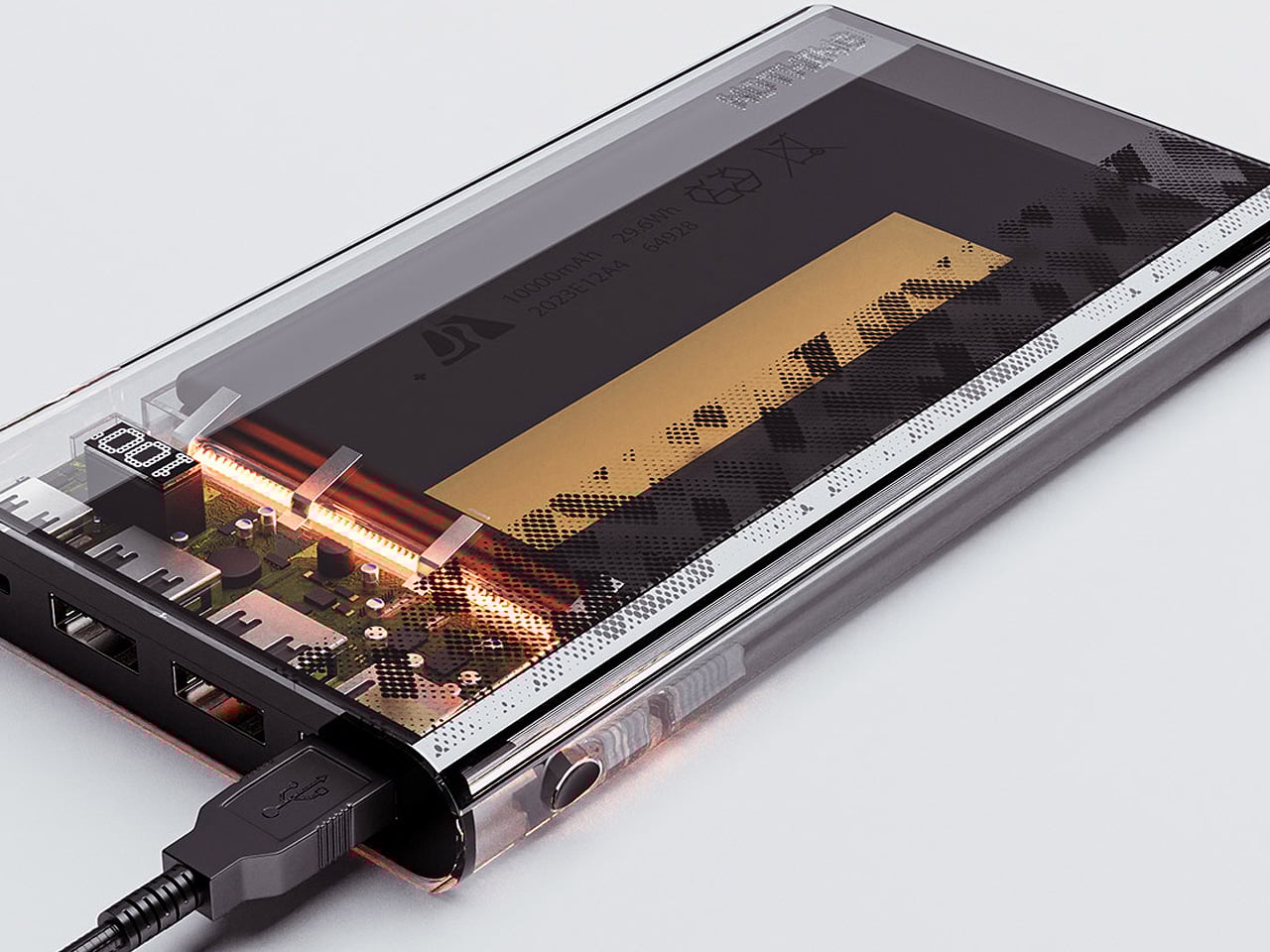
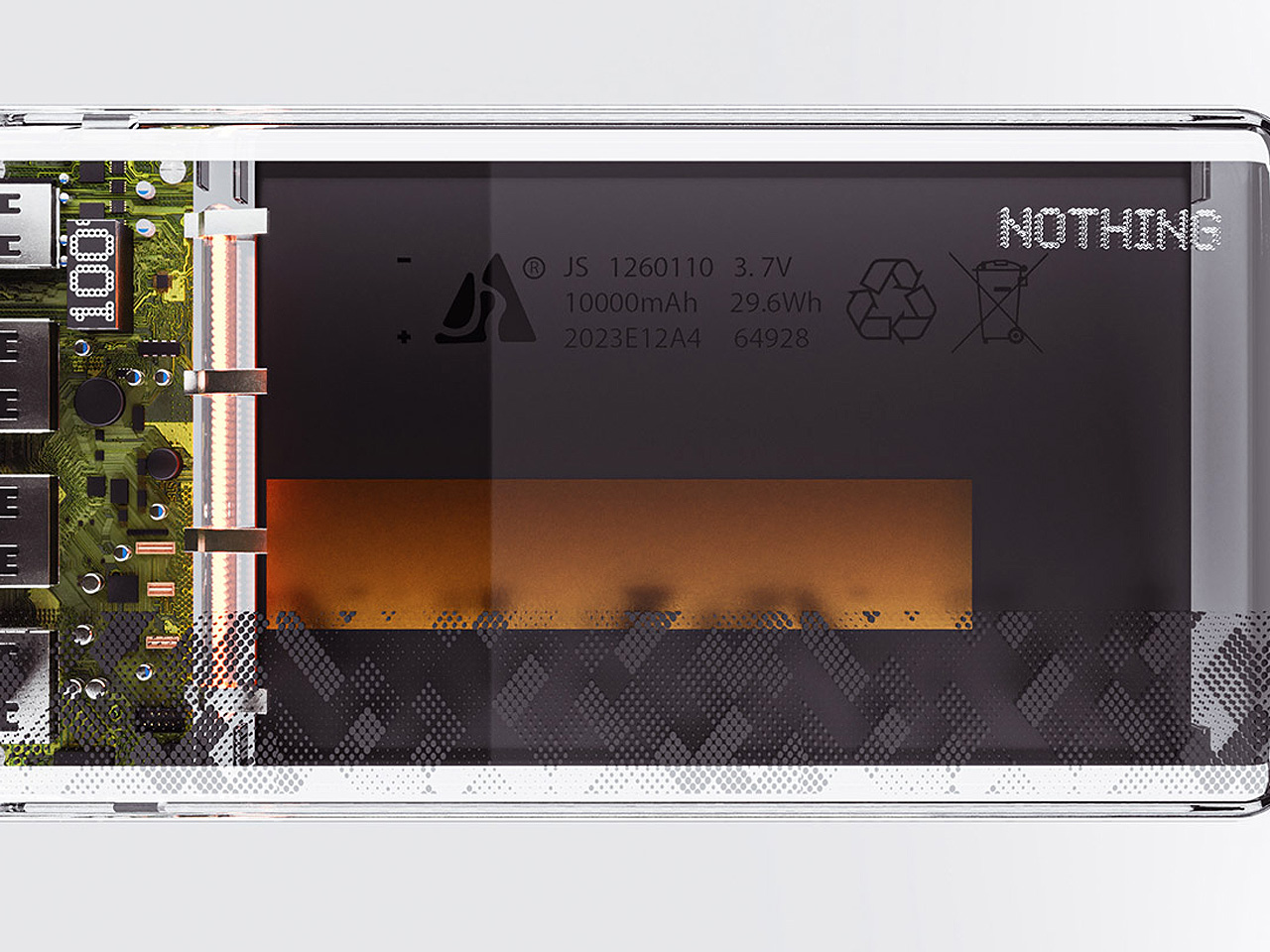
Dubbed the Nothing Power Bank, this incredible little product is the perfect companion for when you’re on the go. It features a transparent aesthetic which showcases the insides with glory and beauty. The interior is illuminated with tiny warm-toned LEDs, which give the power bank a Cyberpunkish and cool look.
Why is it noteworthy?
The Nothing Power Bank has a pleasing yet no-frills design. Its transparent design makes it a fitting addition to Nothing’s ever-growing line of products. It is functional, portable, and visually innovative as well.
What we like
The power bank pairs well with the Nothing Phone (2)
Equipped with a sleek transparent aesthetic, visually pleasing design
What we dislike
It is a concept, so we don’t know how well it will convert into a real product
2. Minisforum S100
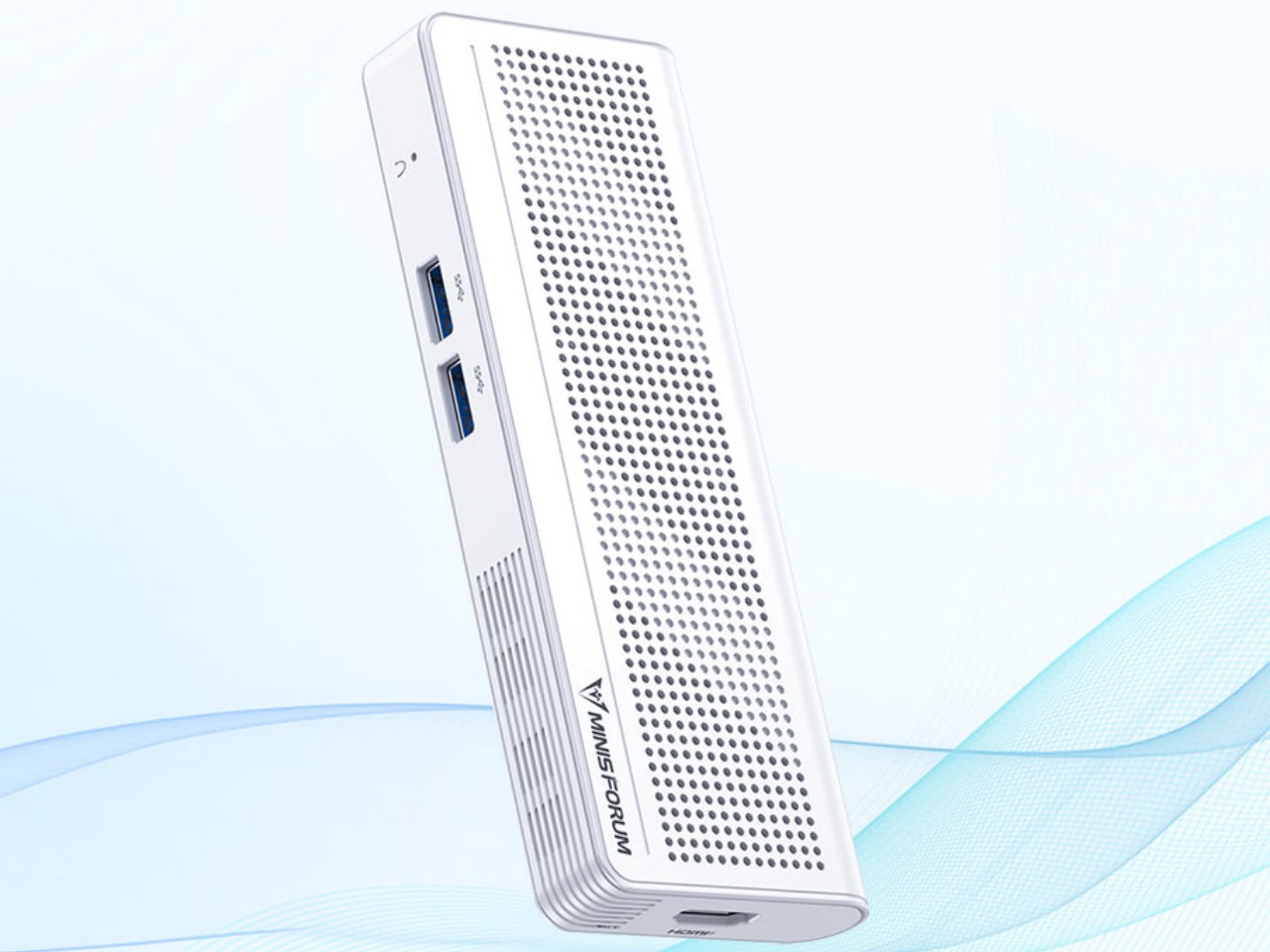
Say hello to the Minisforum S100 – this sleek compact box is a mini PC you can take wherever you go. You can even install it in narrow spaces. It has a compact form but features many standard connectivity options such as Wi-Fi 6, Bluetooth 6.2, 2.5 Gbps Ethernet, USB-A ports, HDMI, and 65W USB-C. The HDMI and the USB-C make the gadget portable and flexible.
Why is it noteworthy?
You can connect another monitor through the HDMI to create a high-value dual-screen setup which increases productivity. The palm-sized mini PC is pretty easy to pick up and take anywhere with you, so you can work in a cafe by simply connecting an external display and a power bank.
What we like
It offers Power-over-Ethernet or PoE, so you can utilize the gadget to operate a camera security system without plugging it in
What we dislike
The little PC isn’t equipped with its own battery
3. Timekettle X1 Interpreter Hub
Timekettle has introduced the X1 Interpreter Hub! It is the ideal culmination of user feedback and technological advancement, making it even better than its predecessors. The device has an interesting all-in-one design that doesn’t need any extra apps or complex setups. It is designed to offer real-time translation for one-on-one conversations or multi-language meetings, making it essential for communication purposes.
Why is it noteworthy?
The X1 Interpreter Hub helps users to converse with speakers of diverse languages, without facing any hassles and delays, allowing smooth and seamless interactions in diverse settings to be a reality. The device is great for business meetings, travel, and social interactions, making it an excellent design for techies who live a life on the go.
What we like
Offers multi-language support, making it ideal for group settings
Compact design that can fit perfectly in your pocket or bag
What we dislike
Hefty price tag
4. Orba
Designed by Artiphon, Orba is a handheld musical instrument that merges a synthesizer, looper, and MIDI controller into one compact and easy-to-carry device. The Orba is created for music lovers and enthusiasts, and it creates endless possibilities for users, allowing them to make and play music on the go.
Why is it noteworthy?
Orba features a minimal and compact design, and it looks like something in between a gaming controller and half a grapefruit. It has feather-touch sensitivity, which allows you to use the device with total ease. It offers musicians an opportunity to experiment with new founds, encouraging creativity.
What we like
Has an easy-to-learn and easy-to-use interface, making it great for beginners and experienced musicians
It functions as multiple devices in one, offering versatile functionality
What we dislike
For an advanced music production, users will need other devices or software
5. CoffeeJack
If you’re a tech head who needs coffee no matter where they go, then the CoffeeJack is a total dream come true for you. This pocket-sized espresso maker prepares some high-quality coffee for you, no matter where you are. It eliminates the need for a coffee machine, giving you your caffeine fix wherever you please.
Why is it noteworthy?
You simply need to add your favorite coffee, pour in some hot water, and a steaming cup of coffee is ready for you in no time! The portable coffee maker prepares barista-quality coffee, making some rich espresso that will give those professional machines a run for their money.
What we like
It will reduce your coffee shop visits, helping you save some money
Doesnt need pods to operate, hence reducing waste
What we dislike
It needs some manual efforts to brow, so not convenient for all users
Can only serve one person, not ideal for serving multiple people in a go
6. Chargepuck
Named the Chargepuck – this innovative design will replace your wireless charging dock or mat. You can attach it to your iPhone, and it features a nifty retractable cable that lets you plug it anywhere. It is designed to be a charging apparatus that can be easily attached to your iPhone, allowing you to simultaneously charge three devices.
Why is it noteworthy?
The Chargepuck is an excellent alternative to a wireless charging dock or mat. It is connected to your phone and is pretty easy to use. It is also quite easy to carry, so you can take it when you’re on the go, ensuring your devices don’t run out of juice.
What we like
Features an easy-to-carry and portable design
Equipped with a fully functional 360-degree ring
What we dislike
Only works with MagSafe-compatible devices, incompatible with older iPhone models and non Apple devices
7. Harmon Kardon Traveller
A design adopted Harman Kardon’s design language to create a super-slim speaker that will remind you of a Sony point-and-shoot camera. Dubbed the Traveller, this Bluetooth speaker features a premium body and looks as iconic and special as the Esquire Mini 2. It is equipped with touch control buttons and LED light indicators on the top. The speaker is stylish and portable, and a perfect fit for techies who often travel.
Why is it noteworthy?
The Traveller delivers clear and crisp sound, ensuring your music experience is always great, irrespective if you’re at home, or traveling on the road. It has a befitting slim design for traveling, making it pretty easy to carry and use.
What we like
It features a sleek aesthetic, making it an attractive addition to your gear
It has reverse charge functionality, so you can use it as a power bank as well
What we dislike
The sound of the speaker may not match the volume of larger and stronger speakers
8. Nan-Fuse
Say hello to the Nan-Fuse – a sleek and small device that serves as an international 5-in-1 adapter for you. It also serves as a power bank for your laptop/tablet/smartphone. The Nan-Fuse is equipped with multiple ports which allows you to charge multiple gadgets in one go. It is powered by GaN semiconductor technology, and it has an output of 65 watts. It is the only charging accessory a techie needs when on the go.
Why is it noteworthy?
This travel adapter is a compact and powerful solution that will keep your phone, tablet, and laptop charged anywhere you go. It has universal compatibility, making it an ideal accessory for remote workers and globetrotters who need a reliable power source when they move about.
What we like
Lightweight and easy to pack
Lets you charge multiple devices in one go
What we dislike
Since it is a powerful charger, there is a risk of overheating
9. Viture One XR Glasses
The Viture One XR Glasses let you play AAA games or watch movies anywhere, anytime on a 5G/WiFi connection. These glasses are the perfect culmination of a fashion accessory and wearable tech product. They allow you to game and stream content wherever you please. They are ideal for gamers and entertainment enthusiasts who like to have access to their fav media on the go.
Why is it noteworthy?
If you’re a techie who wants to play their favorite game or enjoy their fav movie while on the go, then the Viture One XR Glasses are a great fit. They are a versatile entertainment solution, offering a beautiful visual experience for both gaming and video content.
What we like
The glasses support a wide range of games and streaming platforms
What we dislike
Expensive price tag
Some users felt that the neckband gets warm
10. DWARF II
This is the Dwarf II Smart Telescope – it is designed to be a portable and versatile smart telescope that offers instant access to the wonders of the night sky. The telescope has been designed for astronomy enthusiasts who may spend some time on the road, allowing them to enjoy the marvels of the sky. It is equipped with powerful optics and smart features in a compact form.
Why is it noteworthy?
It is a periscopic telescope, and a prism is used to fold the light path. It can rotate in altitude and azimuth, with the altitude axis passing through the centroid of the optical tube. This reduces the moment of inertia around the altitude axis, and the optical tube does not “rise up”.
What we like
It integrates with your smartphones for enhanced functionality and sharing of observations
What we dislike
Some users say it is not ideal for viewing and imaging planets
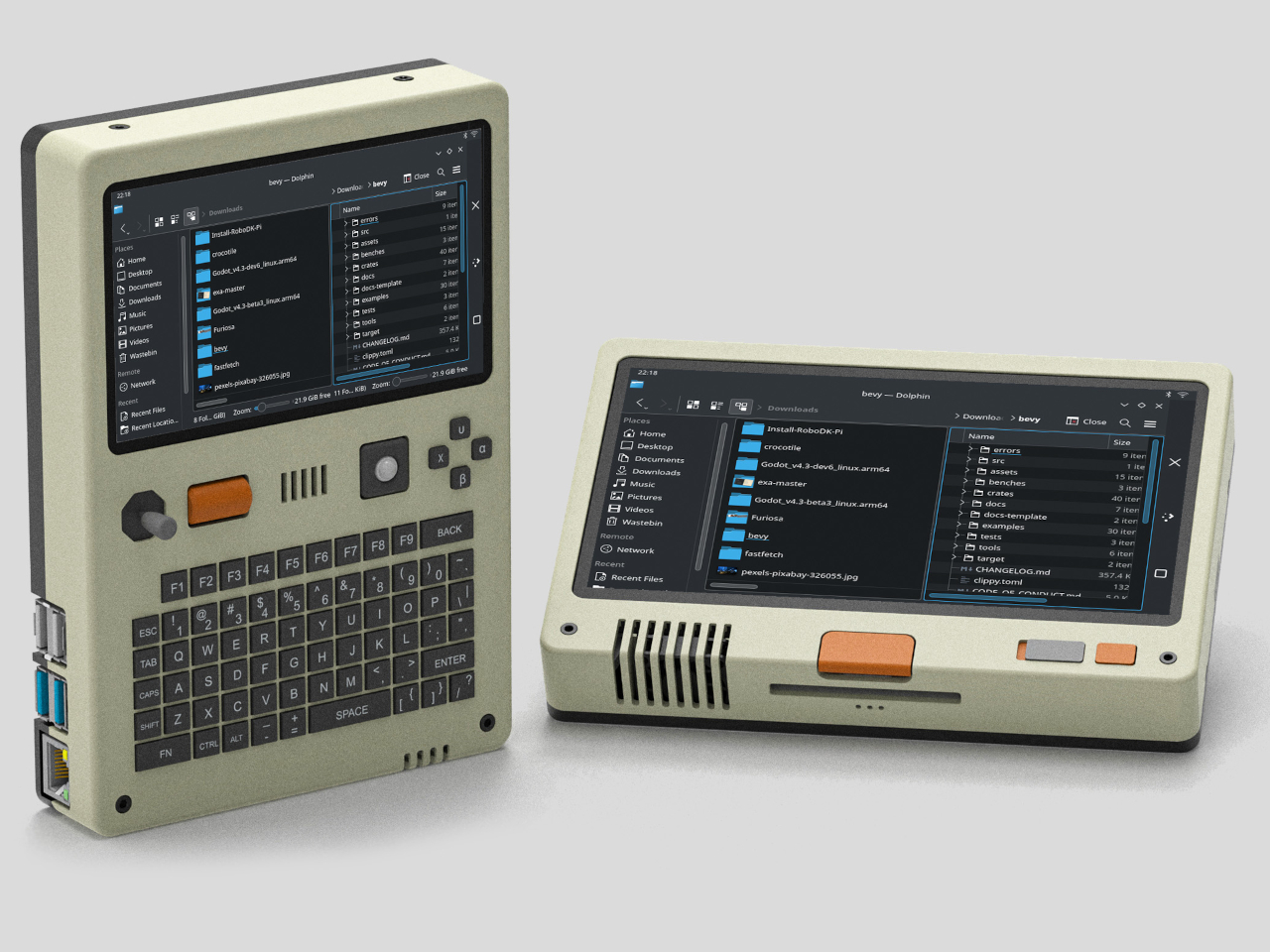
It’s pretty amazing how much computing power can be crammed into a small space these days. After all, our smartphones are very capable computers themselves, but we also have handheld gaming PCs and single-board computers or SBCs that are no larger than (very thick) credit cards. The latter, popularized by the super-affordable Raspberry Pi, blasted wide open the doors to creative projects and gadgets, from mirrors that act as your smart home console to fictional cyberdeck computers brought to life. This latest design is one of the latter, offering a handheld computer with modern features and an aesthetic that seems to come from an alternate 80s timeline.
Despite its size, the Raspberry Pi is a complete computer, one that can run desktop operating systems, including a trimmed-down version of Windows. With just the right peripherals, it can be used as a normal computer, and some have even turned the SBC into a laptop or even a desktop, complete with liquid cooling. These, however, don’t take full advantage of the Raspberry Pi’s small and portable size, a form that’s perfect for a handheld computer.
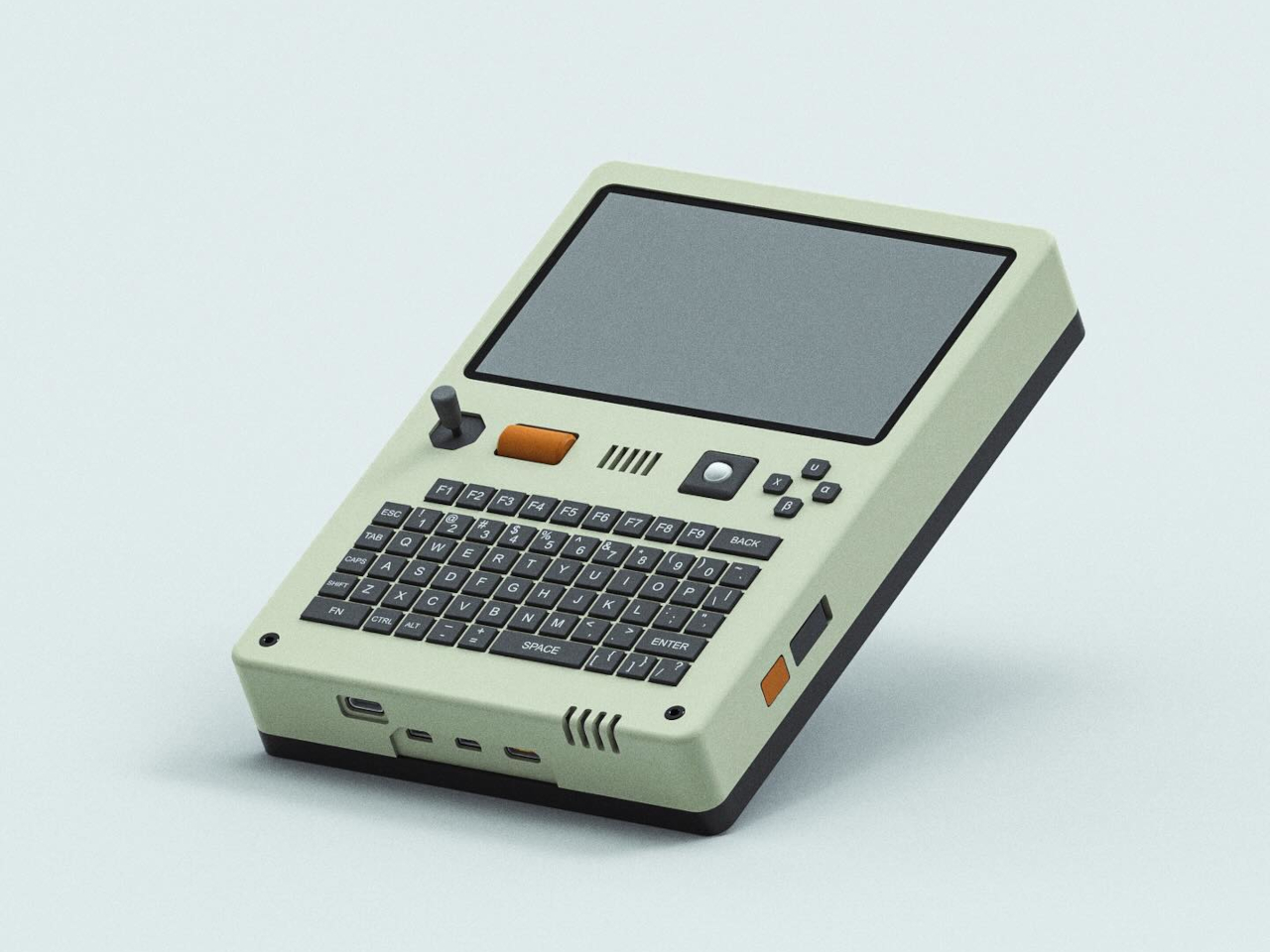
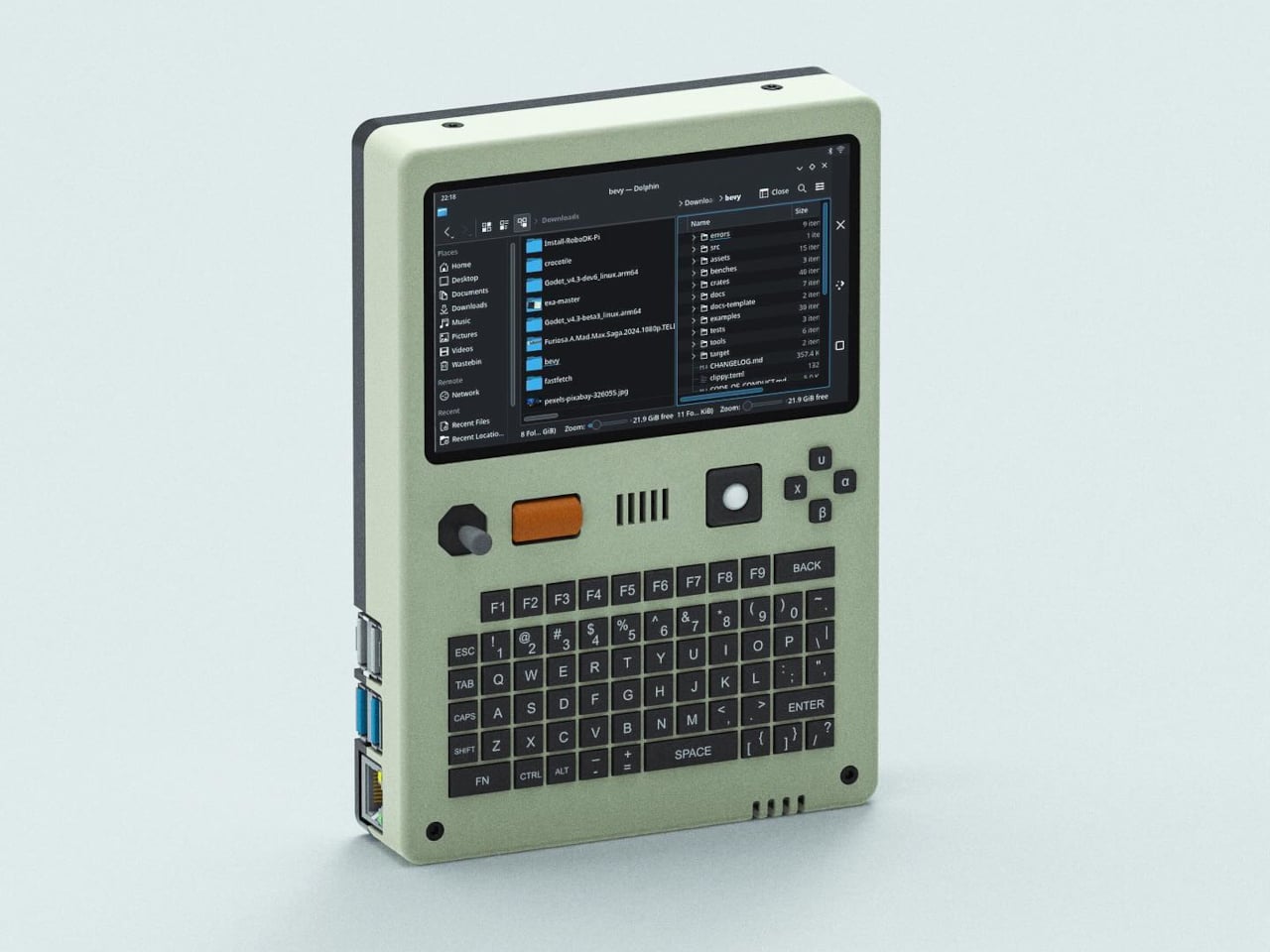
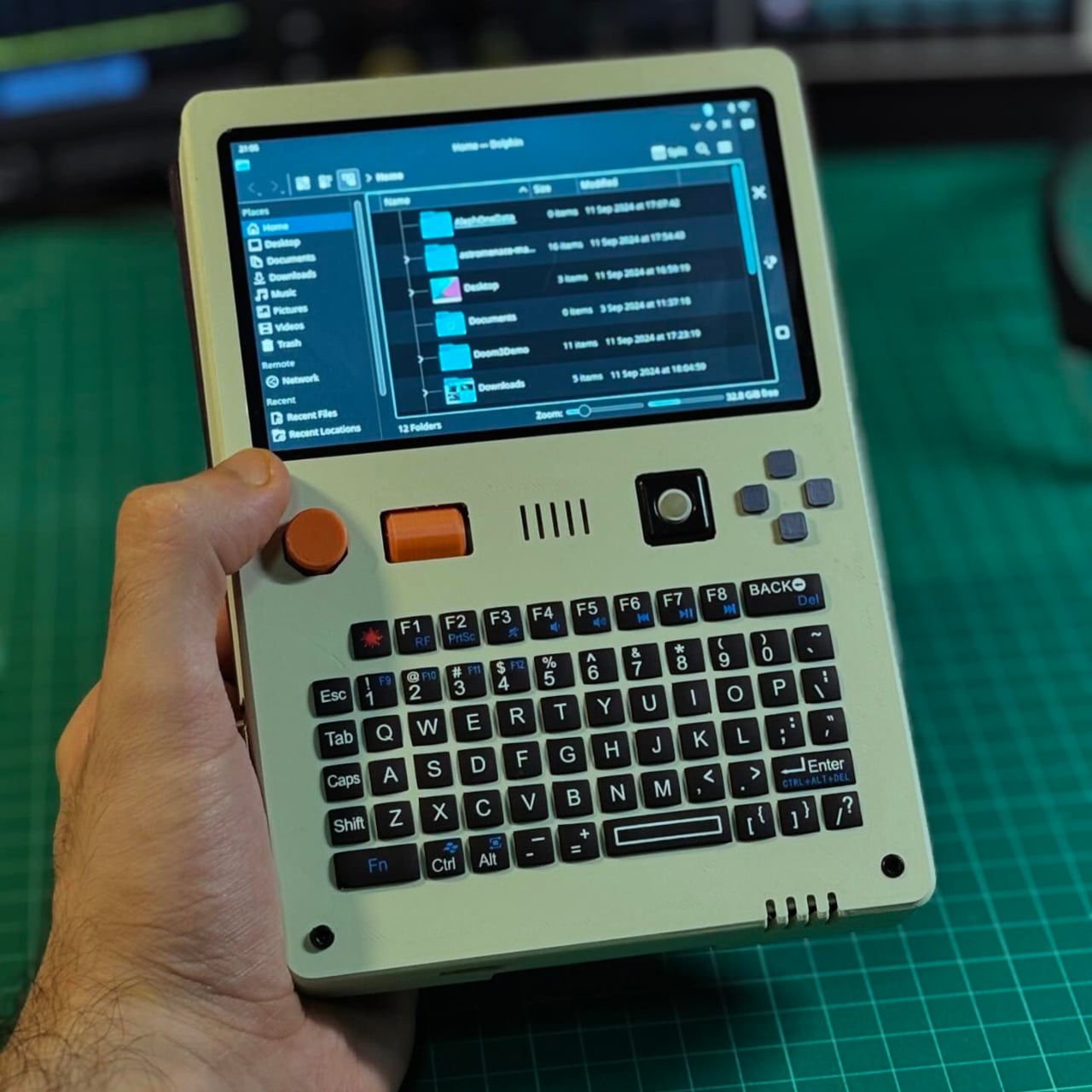
The Pilet 5 handheld console adds those essential missing parts to the barebones computer, turning it into a finished product that is usable the moment you turn it on. This form takes the shape of a rather chunky box with a 5-inch screen at the top and a QWERTY keyboard on the bottom half. This isn’t the first BlackBerry-like design powered by a Raspberry Pi and it definitely won’t be the last, but there are a few details that makes this project a bit interesting.
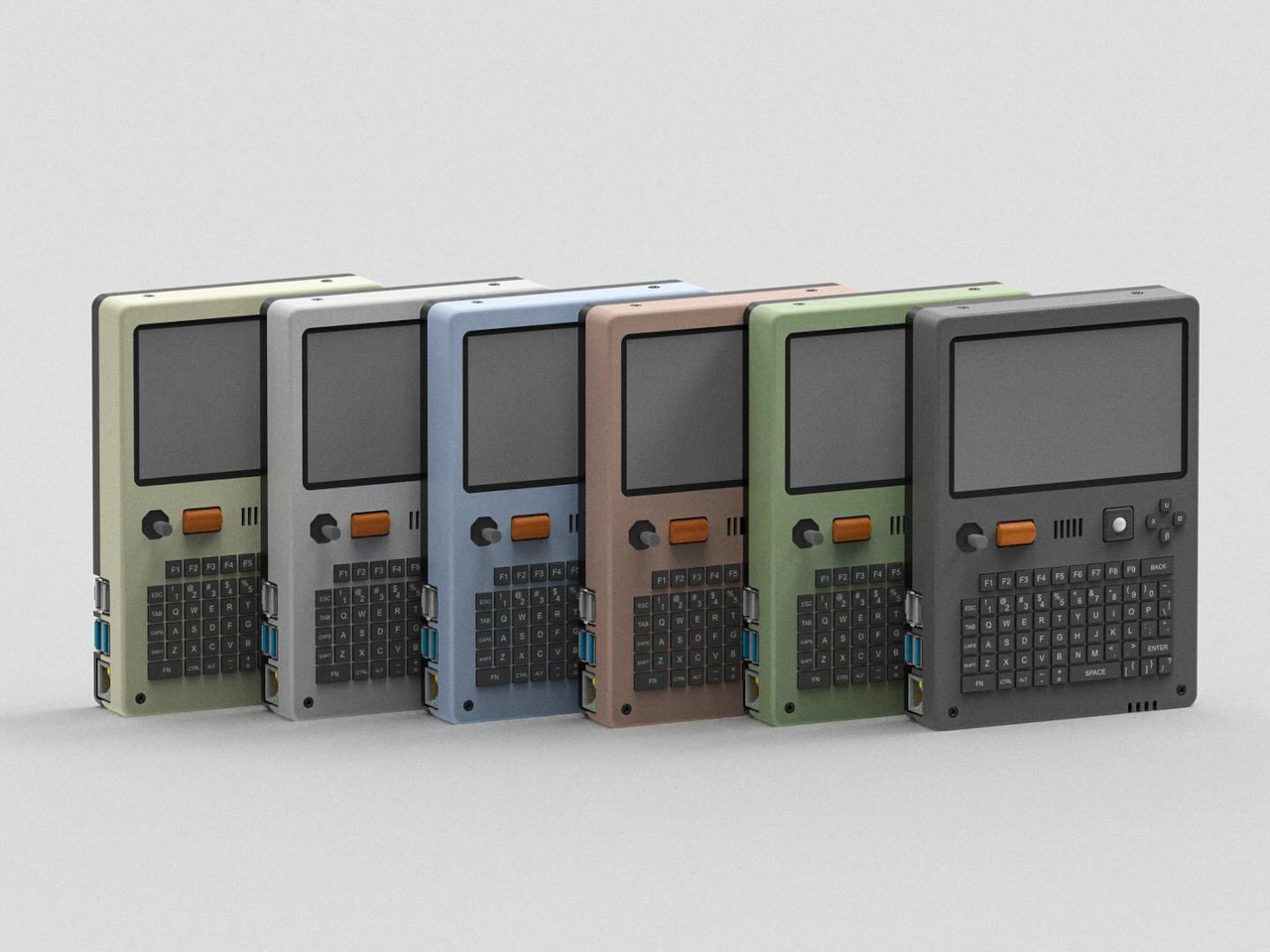
In addition to the keyboard, Pilet 5 has a four-direction D-pad as well as a tiny trackball on the right side of the device, while the opposite side has a joystick and a scroll wheel. These would definitely be more than enough to move the mouse, if the touchscreen still wasn’t enough, and they open up more use cases, like gaming for example. The aesthetic of the design is also less grungy and raw, unlike typical cyberpunk-inspired “cyberdecks.” The beige motif, gray buttons, and minimal colors give it a vibe similar to the consoles and computers from the late 80s and early 90s.
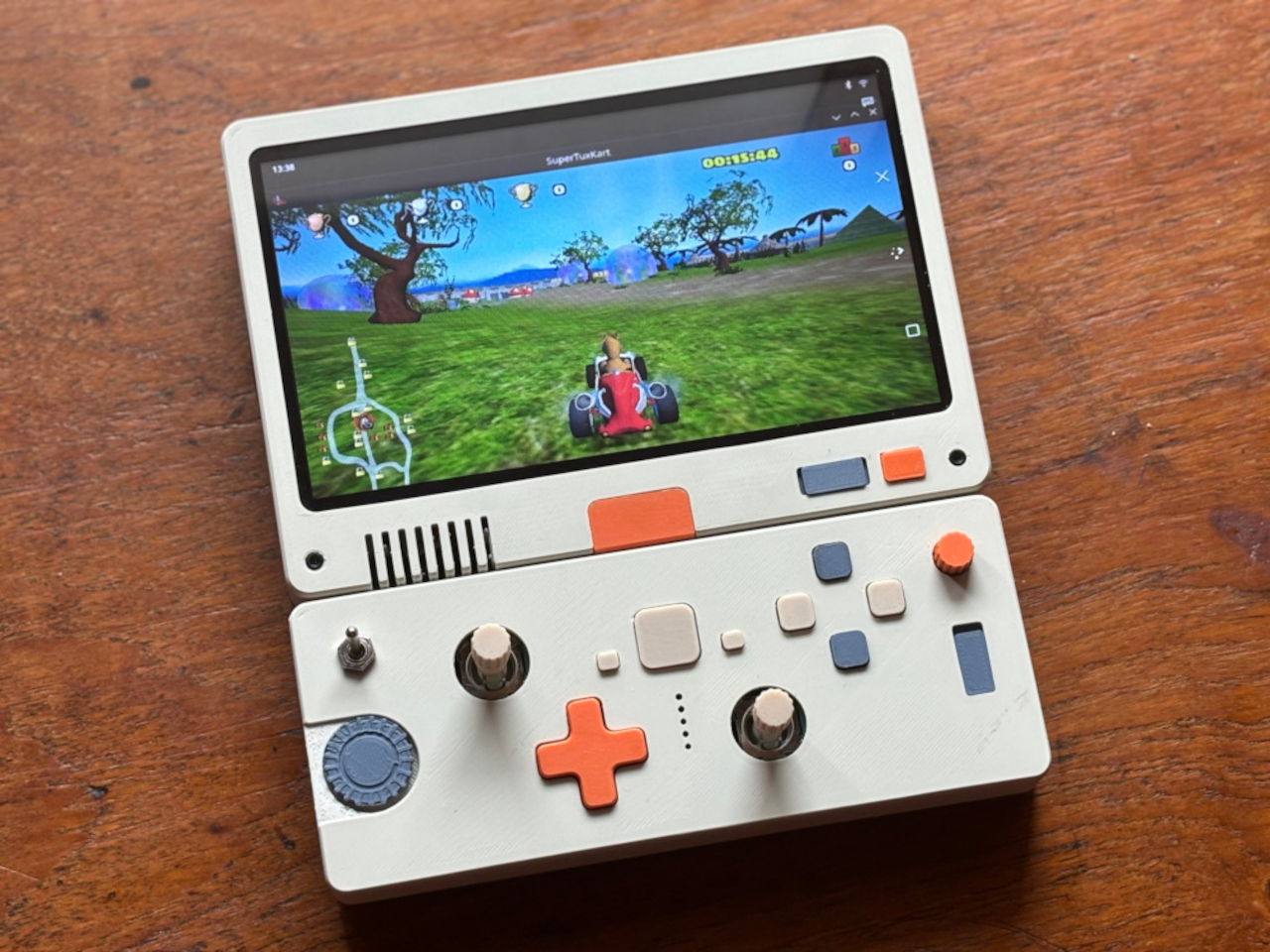
Just like the Pilet 7, formerly known as Consolo, the more compact Pilet 5 still promises a 7-hour battery life thanks to dual 8,000mAh batteries, just in a smaller and more complete form. That said, it does lose out on the appeal of a modular design that can adapt to almost any use case, which is what the Pilet 7 will bring to the table once it’s actually out.
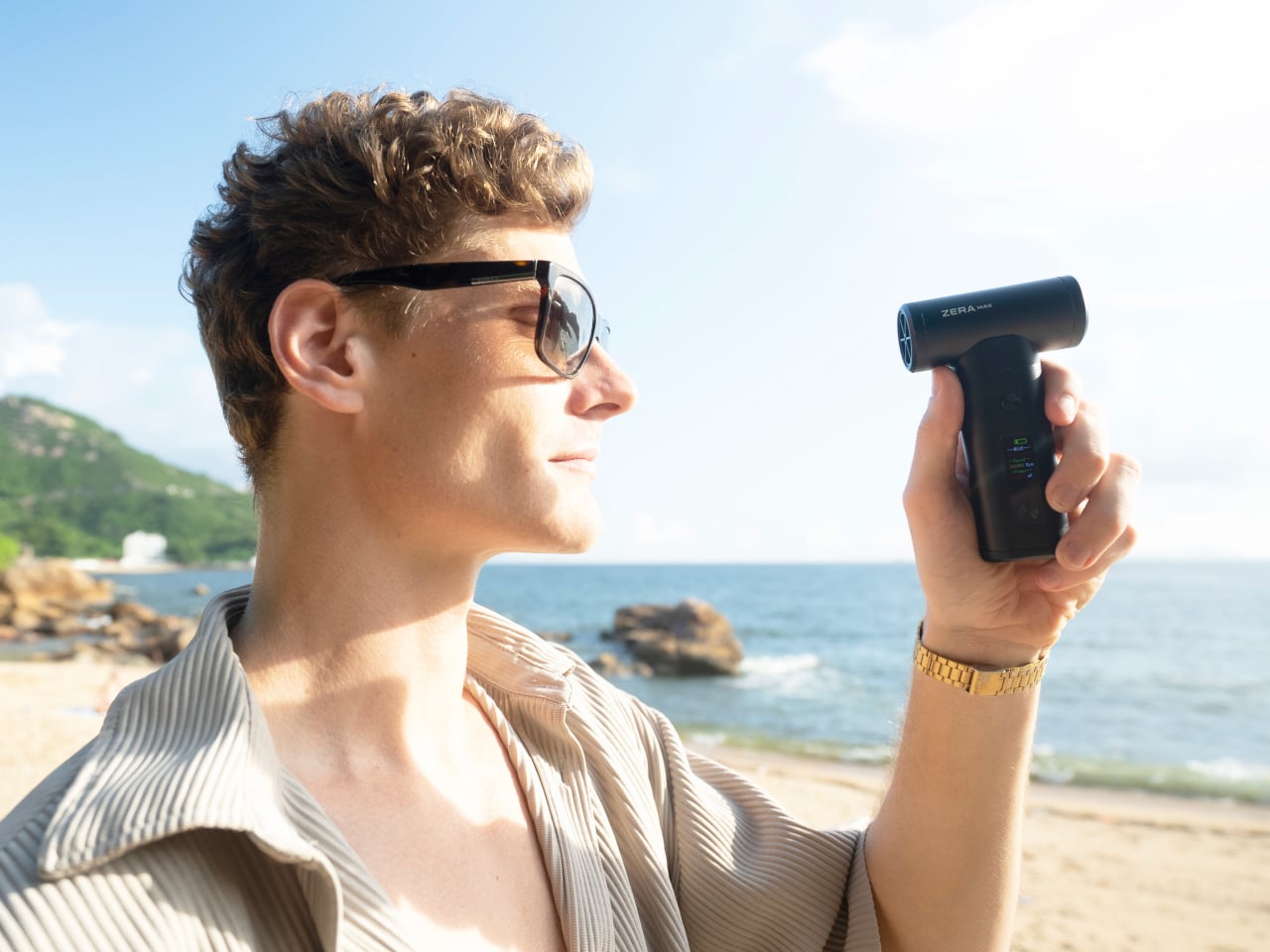
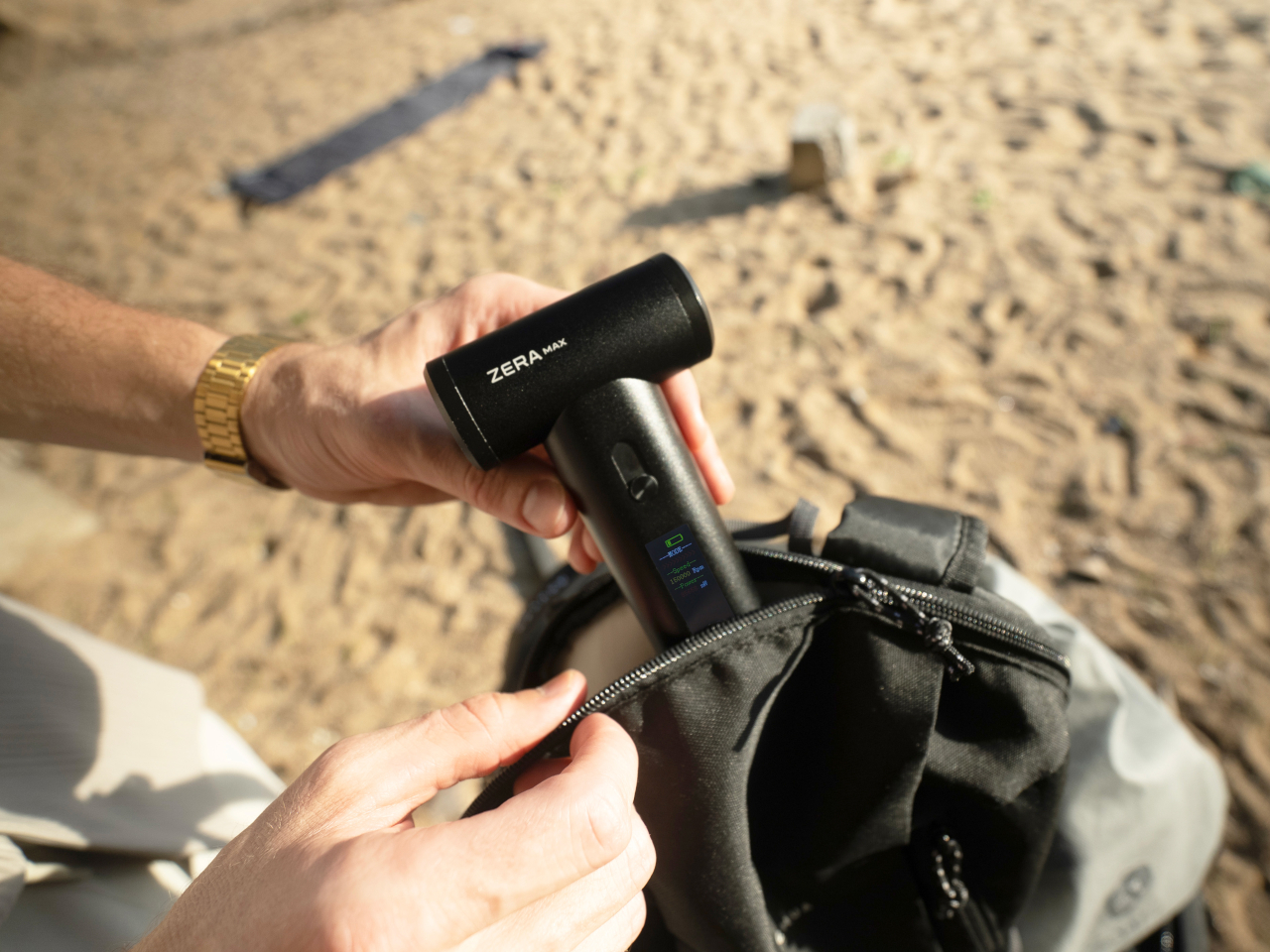
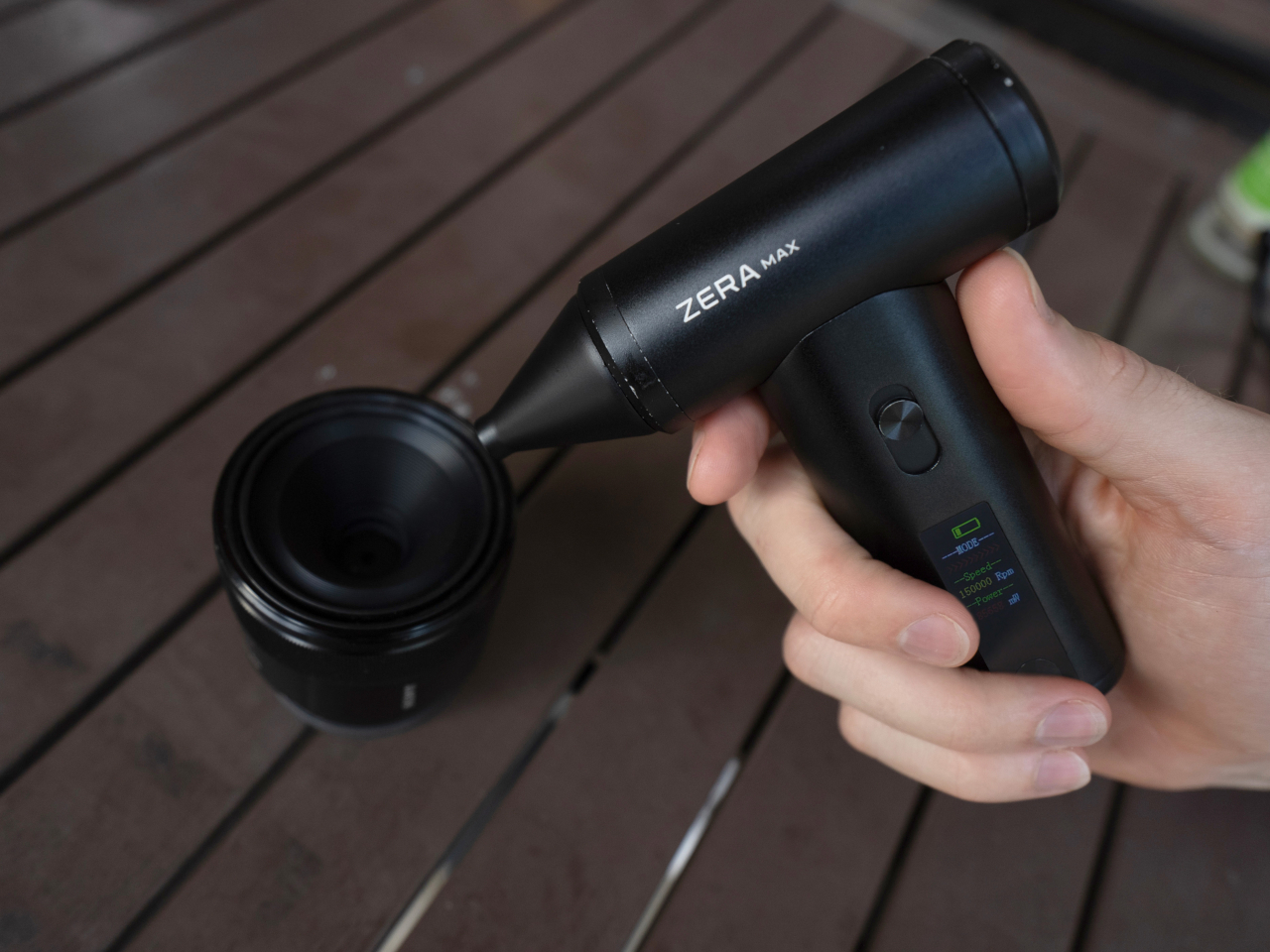
Imagine being in the great outdoors, basking in nature’s beauty, but also sweating profusely and feeling sluggish under the oppressive sun. You might not believe it, but your body definitely feels both days and nights getting hotter. Portable fans are the rage these days, but many of them require you to carry large bottle-sized contraptions that sacrifice your comfort just to beat the heat. That’s where ZERA MAX comes in, a revolutionary portable air duster fan designed to keep you cool and comfortable no matter where your adventures take you. Meticulously crafted to seamlessly combine power, portability, and stunning design, this handheld turbine delivers the wind you need to keep cool and look cool anytime. Whether you’re an avid camper, a dedicated hiker, or someone just looking to conquer the summer heat, the ZERA MAX promises to bring indoor comfort to your outdoor experiences.
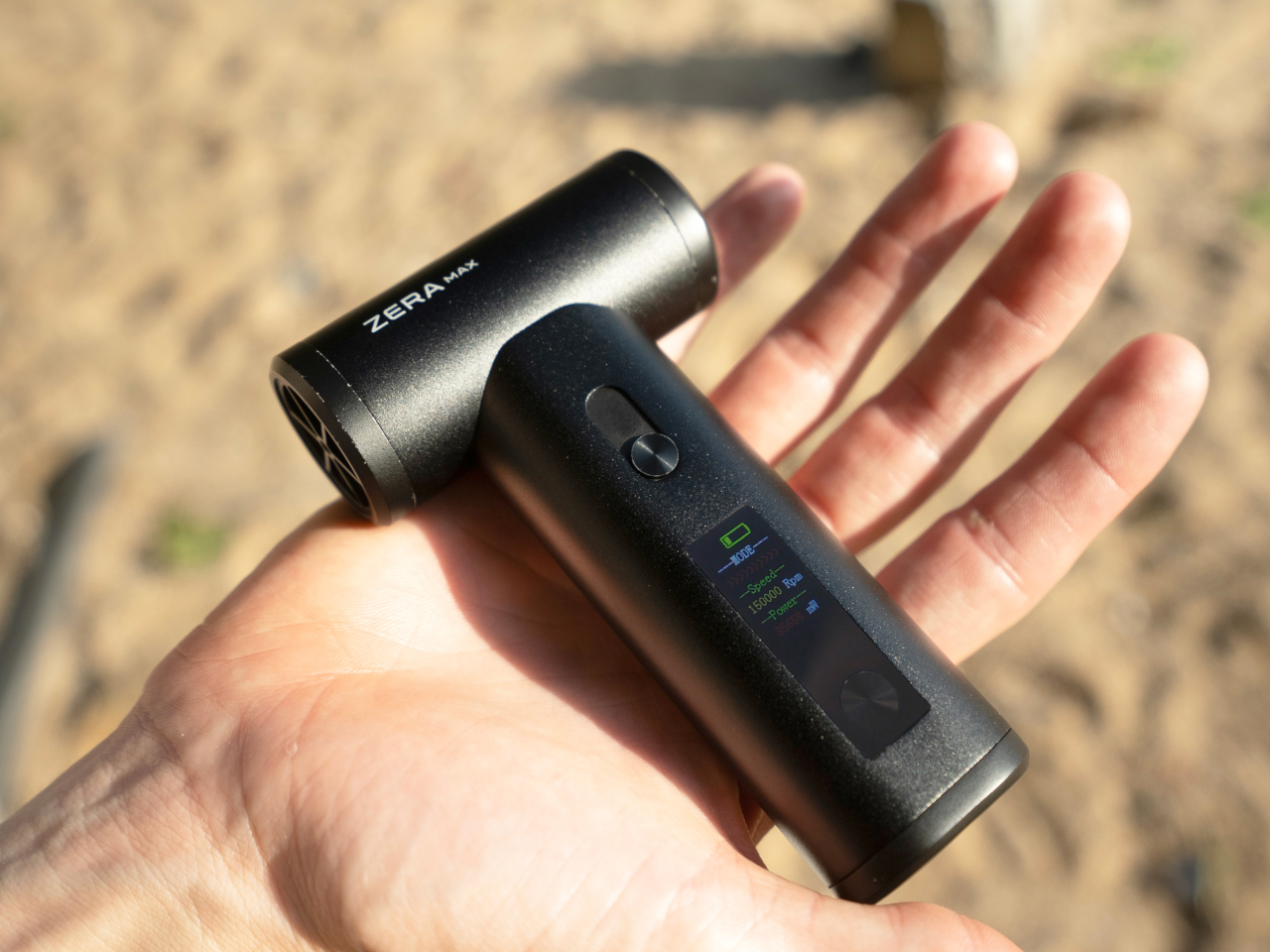
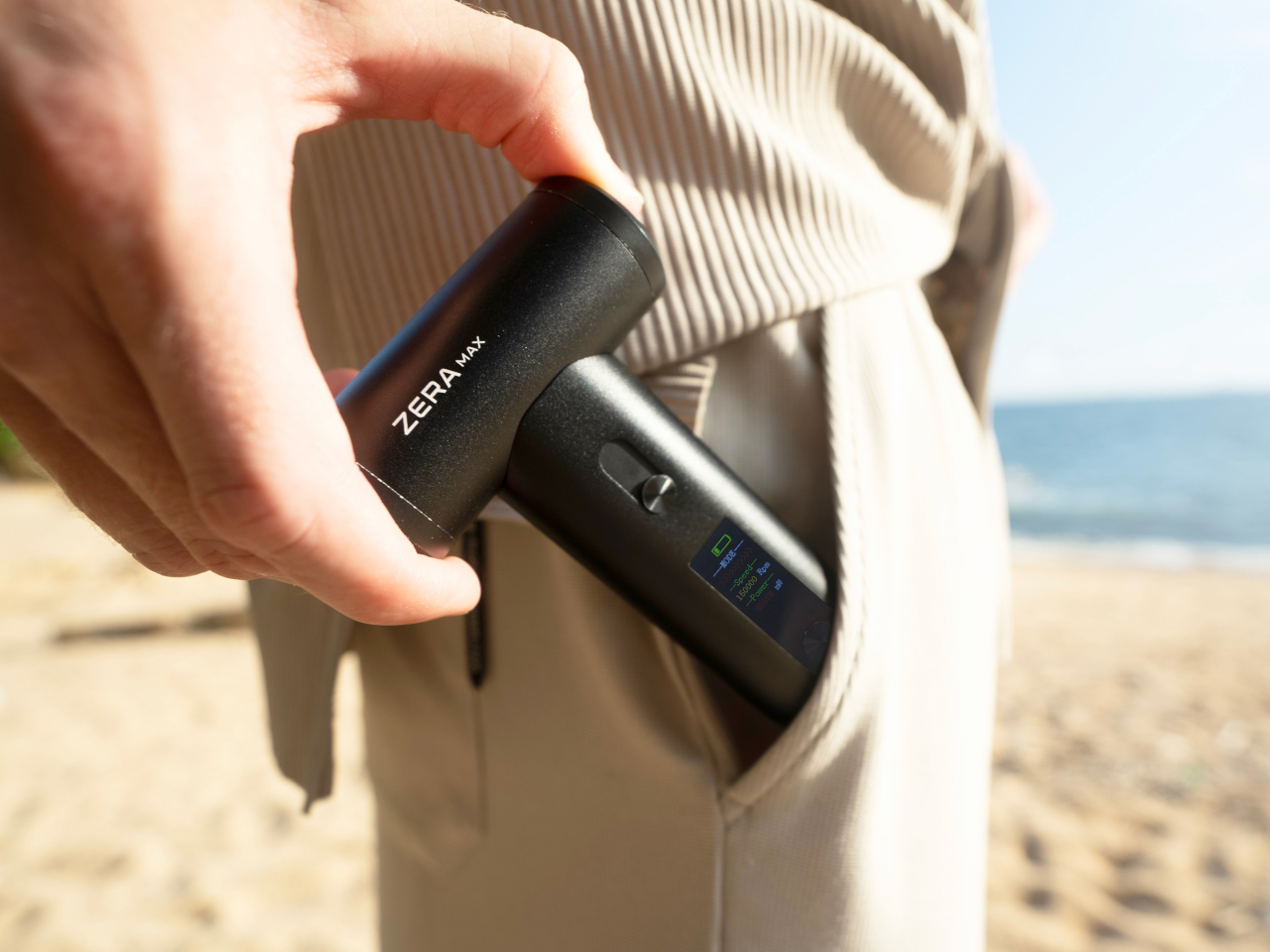
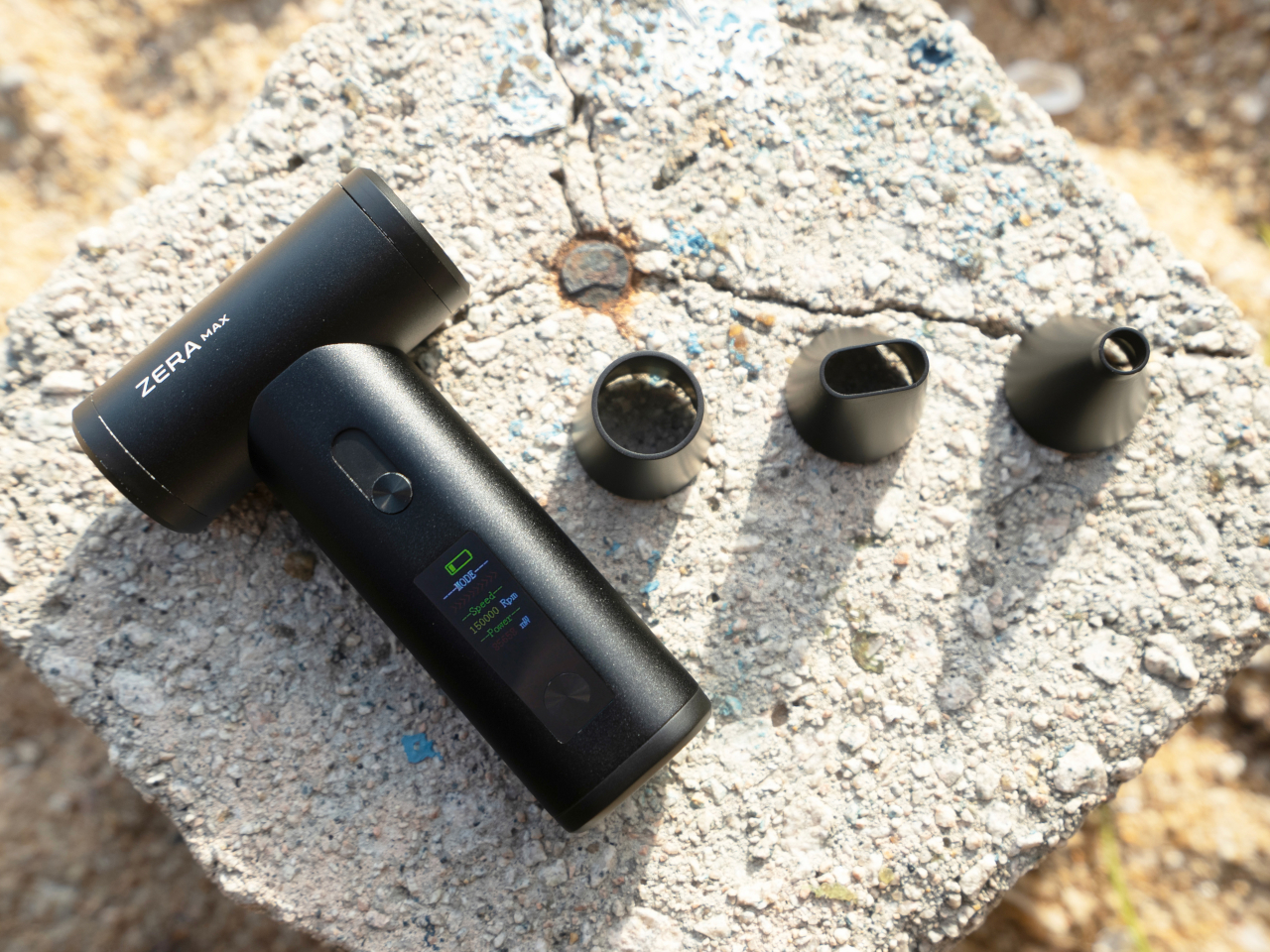
What sets the ZERA MAX apart at first glance is its sleek, ergonomic, and pocket-sized design. Crafted from aluminum alloy, this fan is lightweight yet incredibly durable, making it an indispensable companion for any outdoor activity. Its modern and minimalist aesthetic is a visual delight, ensuring it doesn’t just function well but looks good doing it. The convenience of its compact build cannot be overstated – you can effortlessly slip it into your backpack, hiking gear, or beach bag, giving you the freedom to carry it wherever you go, unlike other fans that are as large as water bottles. This blend of style and practicality ensures that relief from the heat is always within arm’s reach.
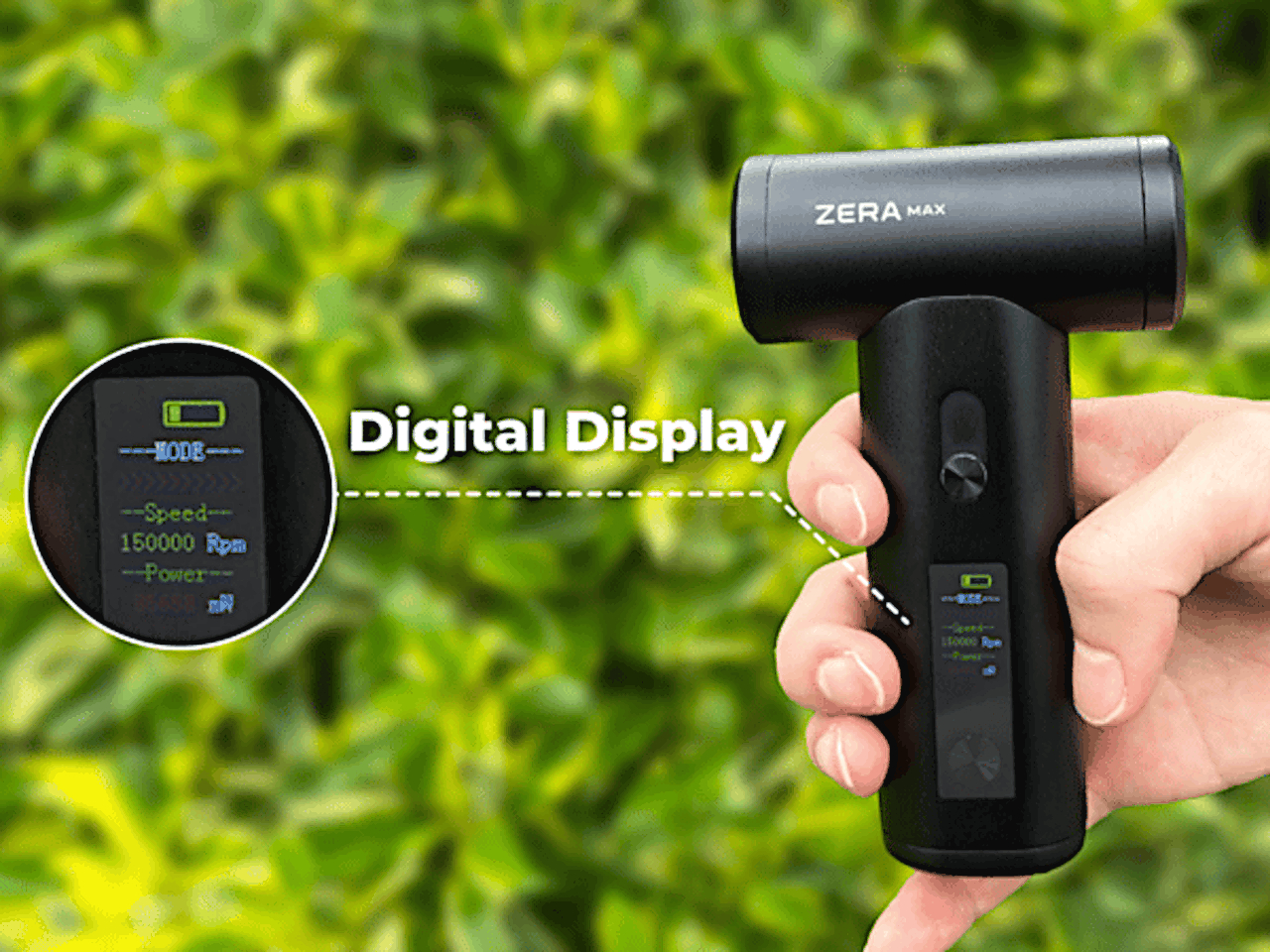
The relief is delivered by a small yet powerful wind turbine with a top speed of 150,000 rpm. With a simple sliding button, you can customize the speed that you need, whether it’s a gentle breeze for a mellow afternoon or a strong gust to keep the sweltering midday heat at bay. All the information you need is available at a glance on the handle’s digital display, whether it’s battery charge or speed. It’s these thoughtful features that distinguish the ZERA MAX as a versatile tool, perfect for any situation you might find yourself in.
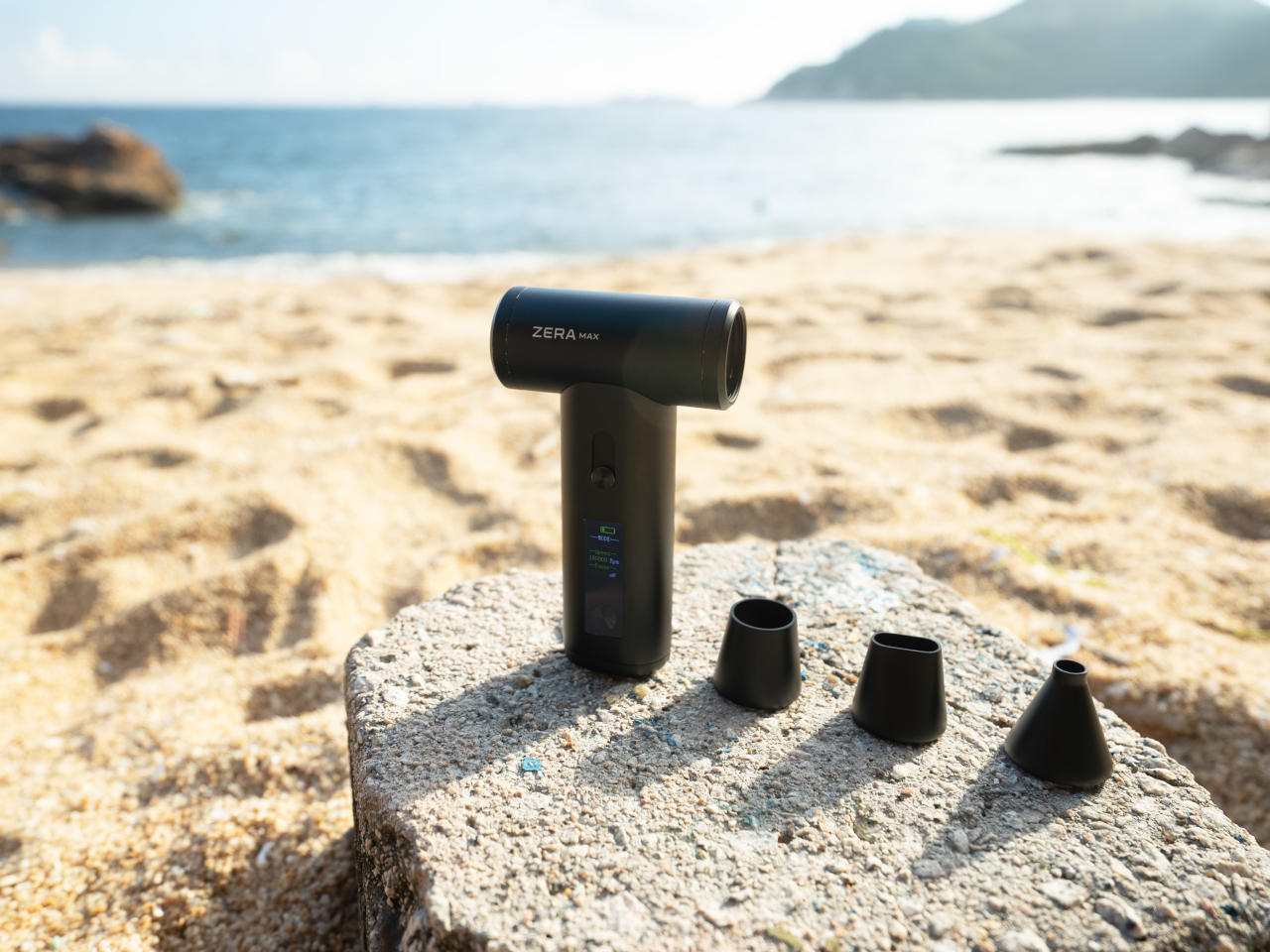
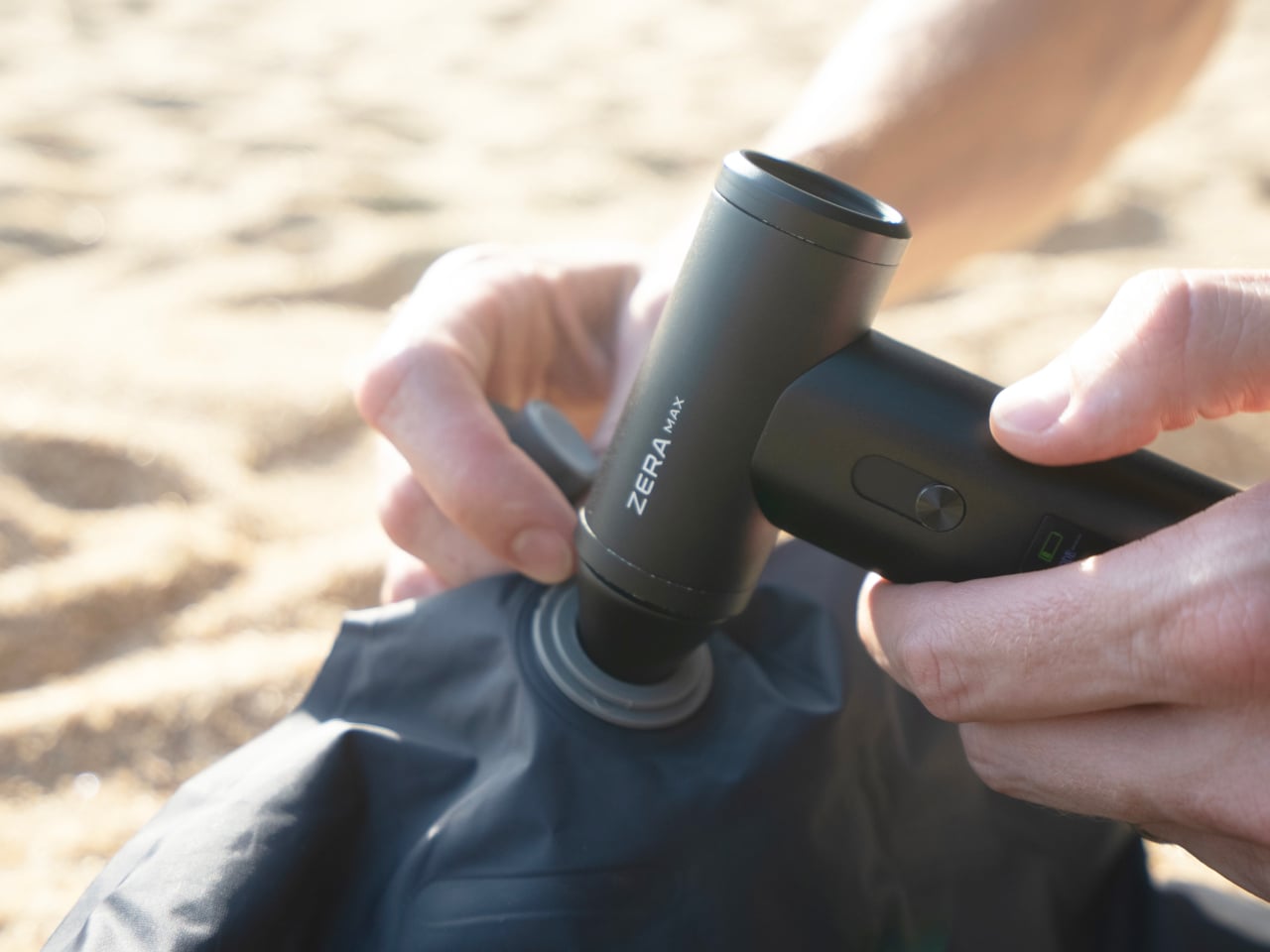
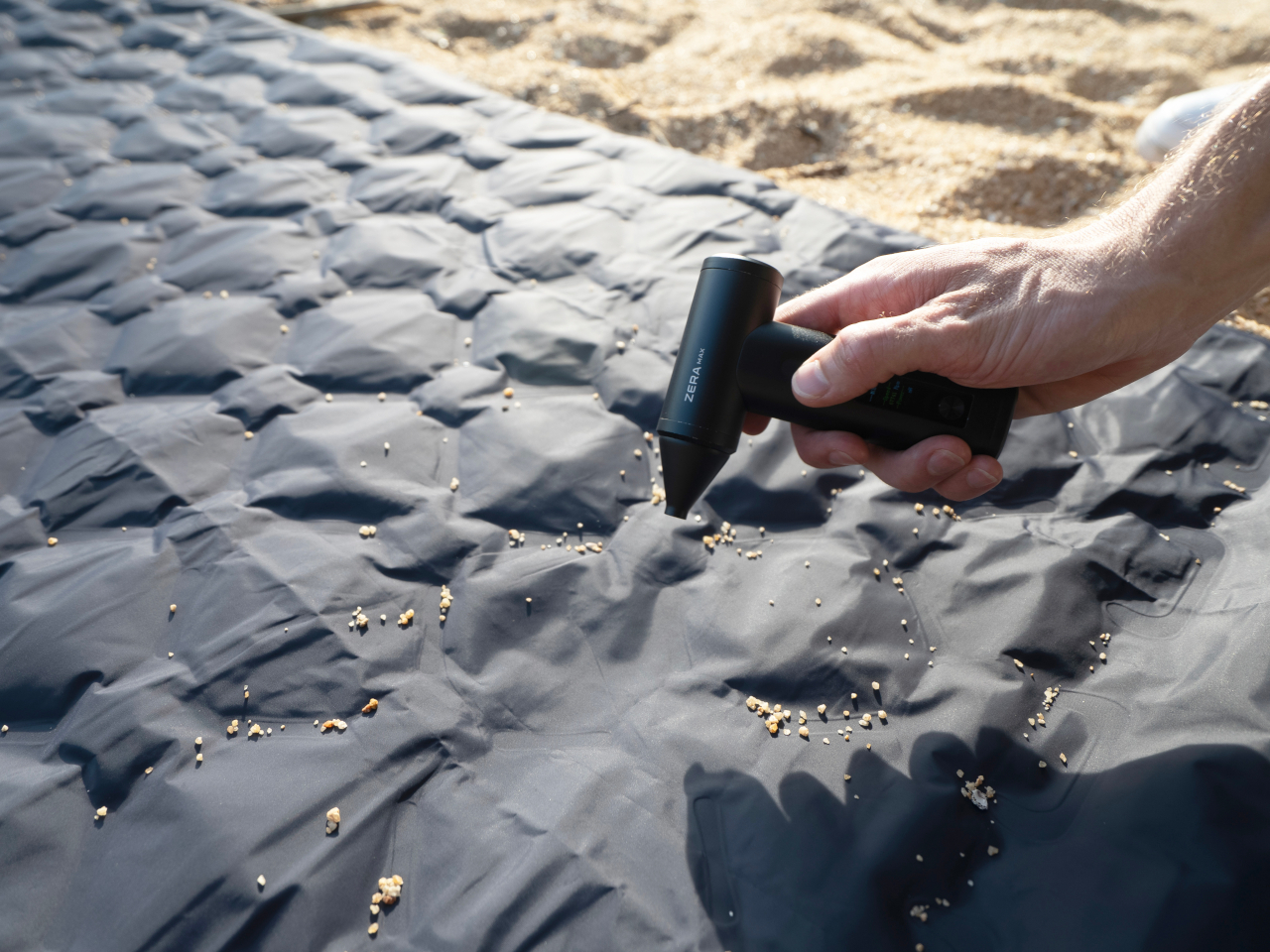
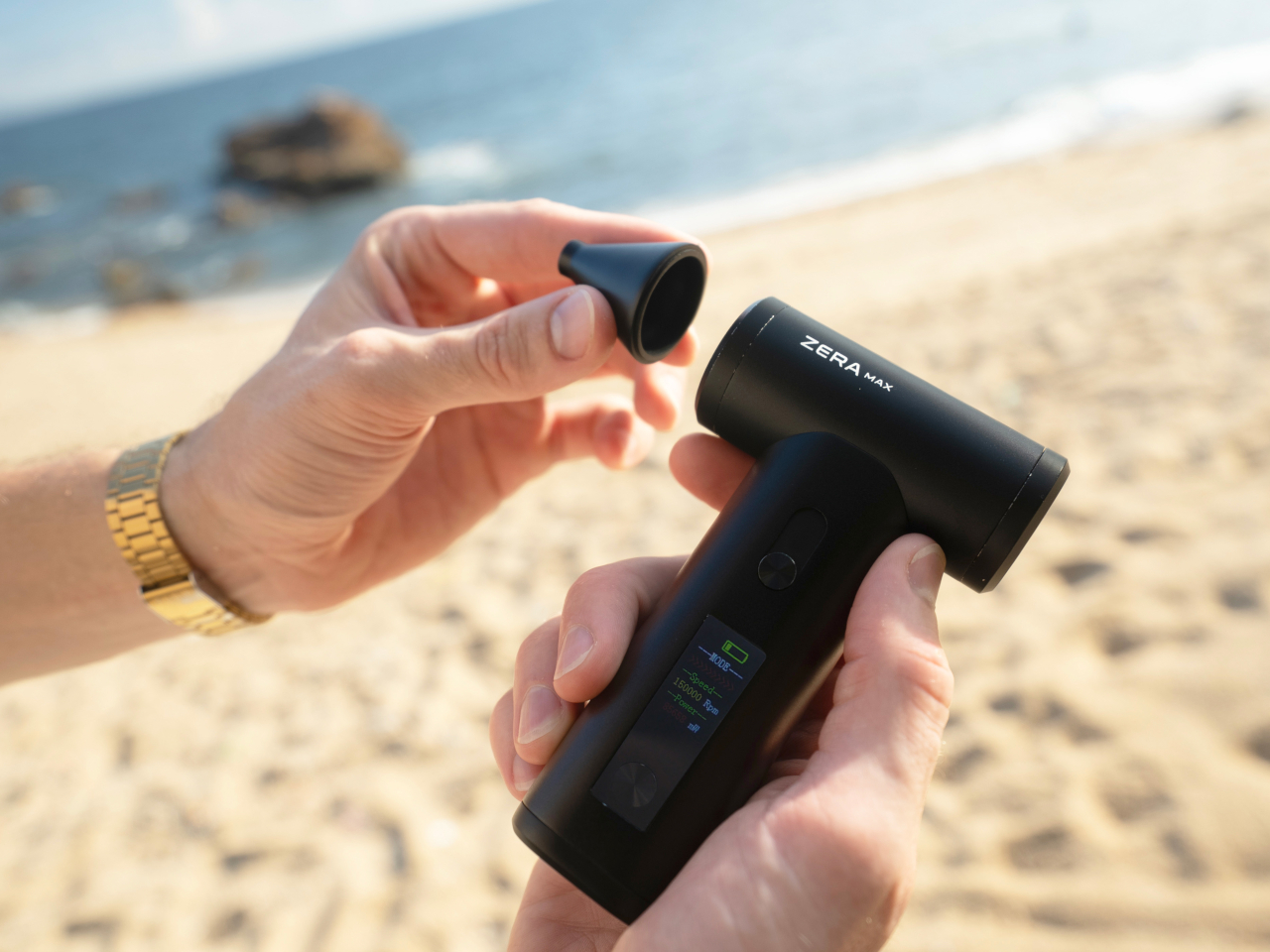
But the ZERA MAX isn’t just a fan – it’s a powerhouse of functionality. Picture this: you’ve just reached your camping spot, and with a quick switch, your fan doubles as an air duster to swiftly blow away dirt from your equipment. It’s a dream come true for outdoor enthusiasts who often have to deal with dusty environments and gear. It can also function as a vacuum, an air mattress and ball inflator, an eyeglasses cleaner, and more. All these functions are made possible with a variety of interchangeable nozzles that quickly snap and stay on thanks to a strong rare-earth magnet on the fan’s nose. These features are not just convenient but essential, ensuring your gear stays clean and functional, allowing you to focus on enjoying your adventure.
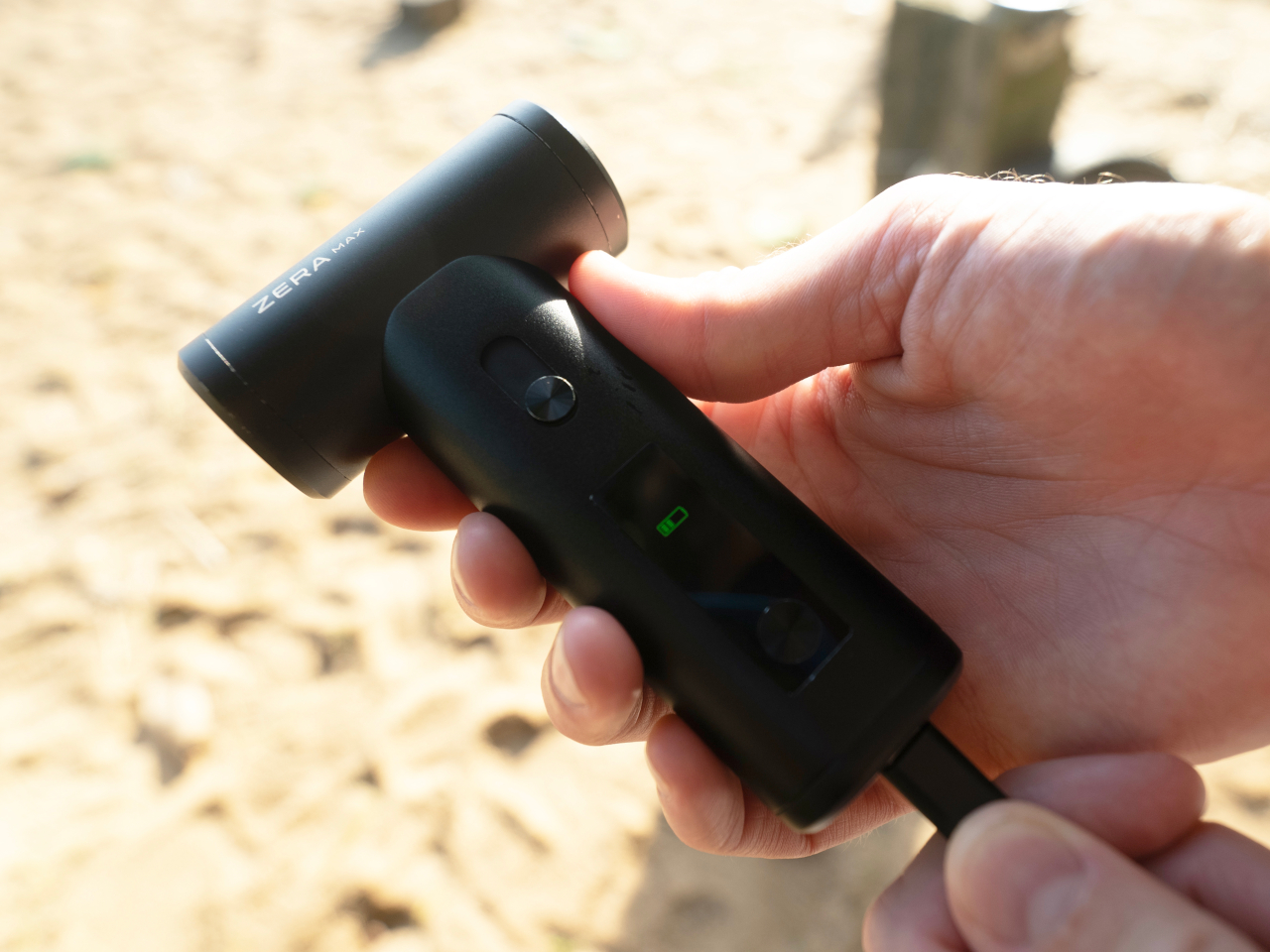
With such a powerful wind turbine in your pocket, the last thing you’d want is for your portable air duster fan to die after just half an hour of use. Thanks to a large 4,000mAh battery in the handle, that’s never a worry and you can enjoy a comfortable breeze for up to 3 hours. And when it does come to juice up the ZERA MAX, its fast USB-C charging makes sure you’ll be up and ready again in no time. It is designed to keep up with your energetic lifestyle, providing uninterrupted comfort throughout your outdoor excursions. With its harmonious fusion of innovative design, exceptional functionality, and versatile adaptability, this handheld wind turbine redefines what a portable fan can be. Whether you’re embracing the outdoors, trying to survive a hot day, setting up a mattress, or simply cleaning your laptop, the ZERA MAX is ready to revolutionize your adventures, wherever the wind blows, especially if the wind isn’t blowing at all.
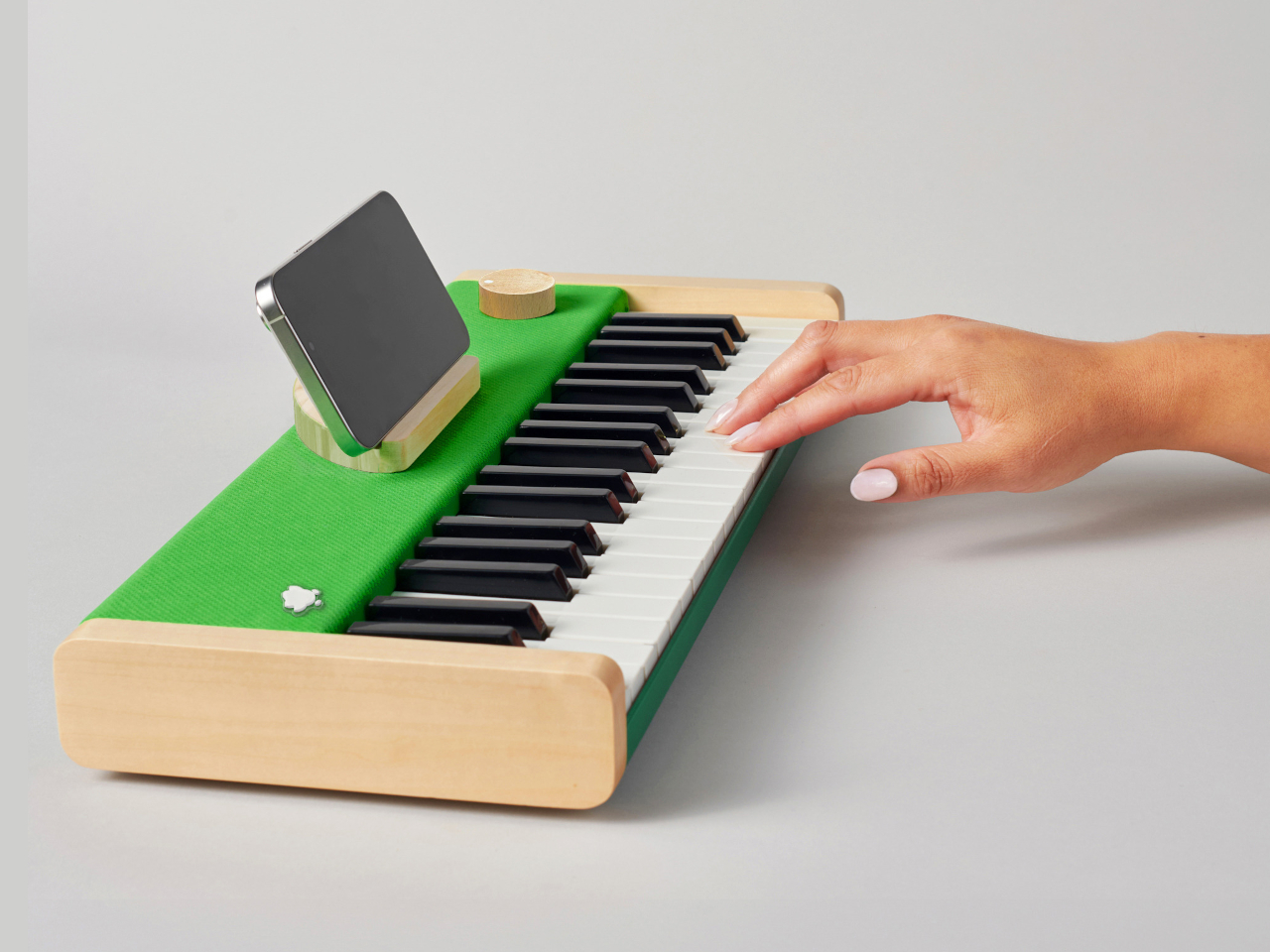
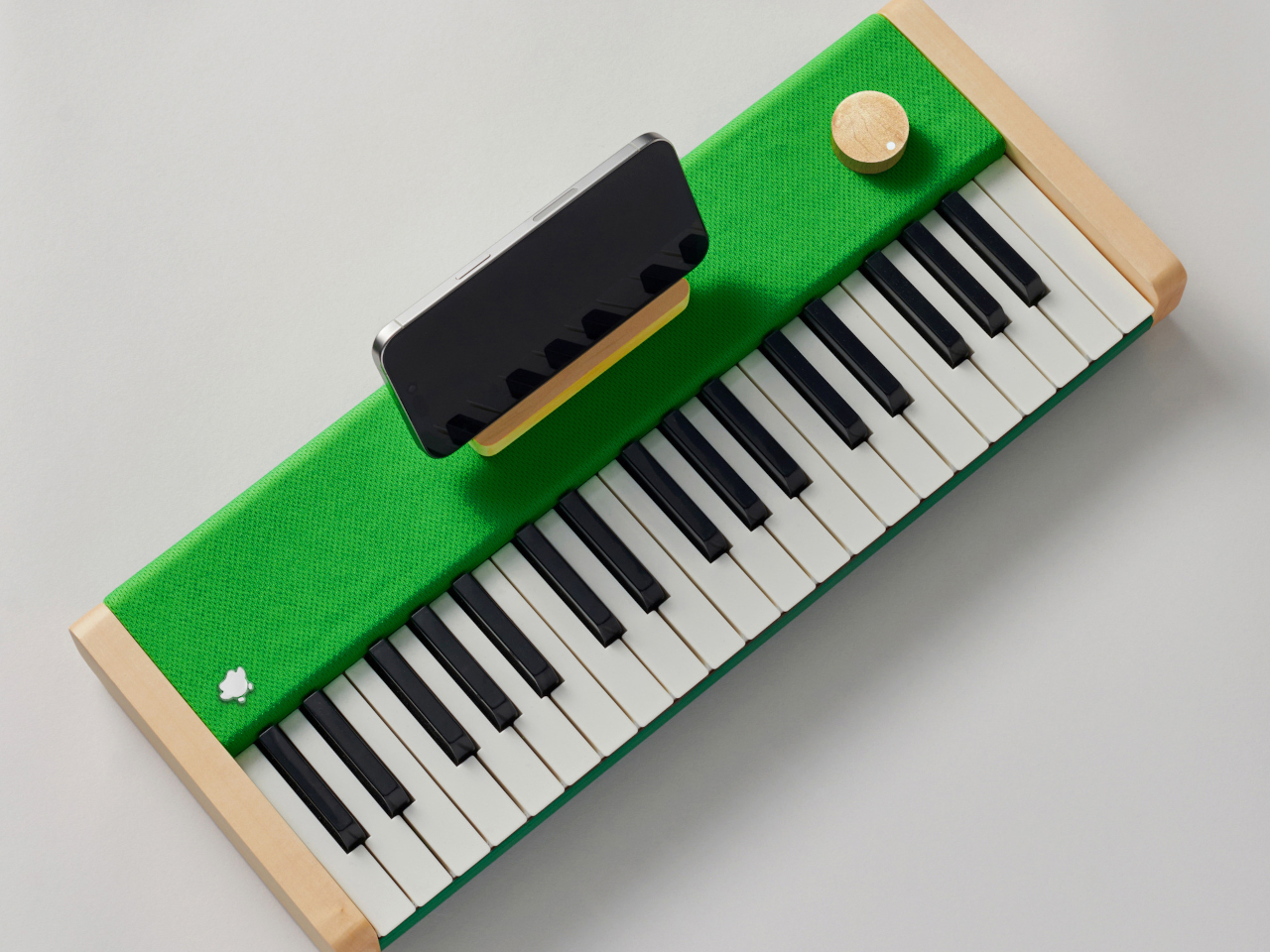
Learning a new language is never easy, whether it’s human language, programming language, or harmonic language. It takes time, effort, and more importantly, drive to go through the process, but it doesn’t have to a be painful and dreadful experience all the time. Of the many strategies that make learning languages both fun and effective, Duolingo is perhaps the best-known service. What few people realize, however, is that the green owl has been teaching music for over a year now, applying the same principles it uses in teaching Spanish or Mandarin to do-re-mi’s. Unlike smartphones and spoken languages, however, music has to be played to really be learned, which is why Duolingo has come out with a small digital piano so that you can do that anywhere you are.
A piano isn’t the only instrument you can use to learn music, but it’s one of the most convenient and can be designed into an electric and portable form that doesn’t require minding strings that could break. You don’t even need a full-sized piano to get started, but you do need one that’s small enough to be carried around yet has a decent size and a decent sound as well. Rather than relying on a smartphone piano app that doesn’t give the same tactile experience, Duolingo teamed up with Loog, a popular brand of musical instruments for kids and beginners, to make one.
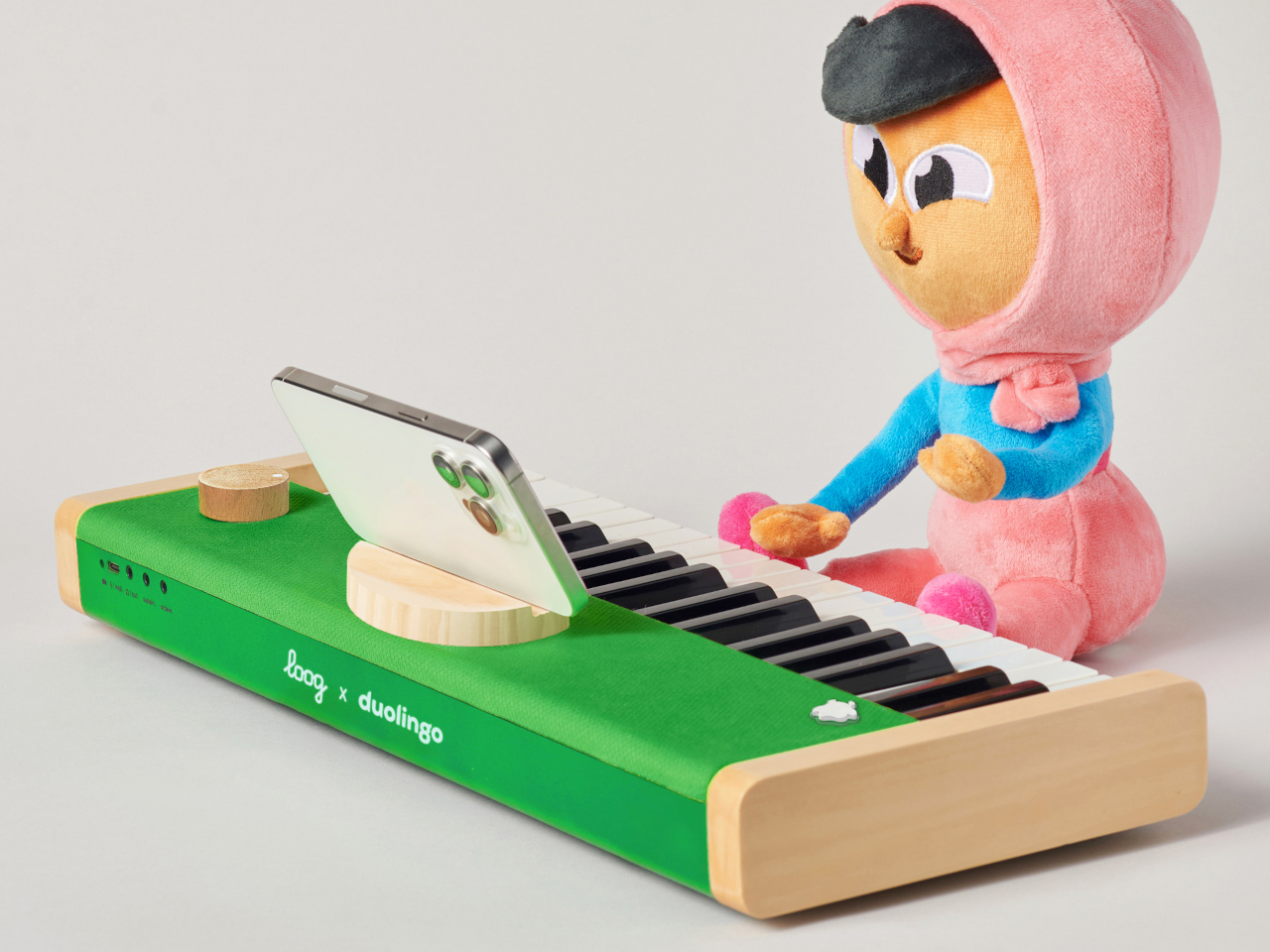
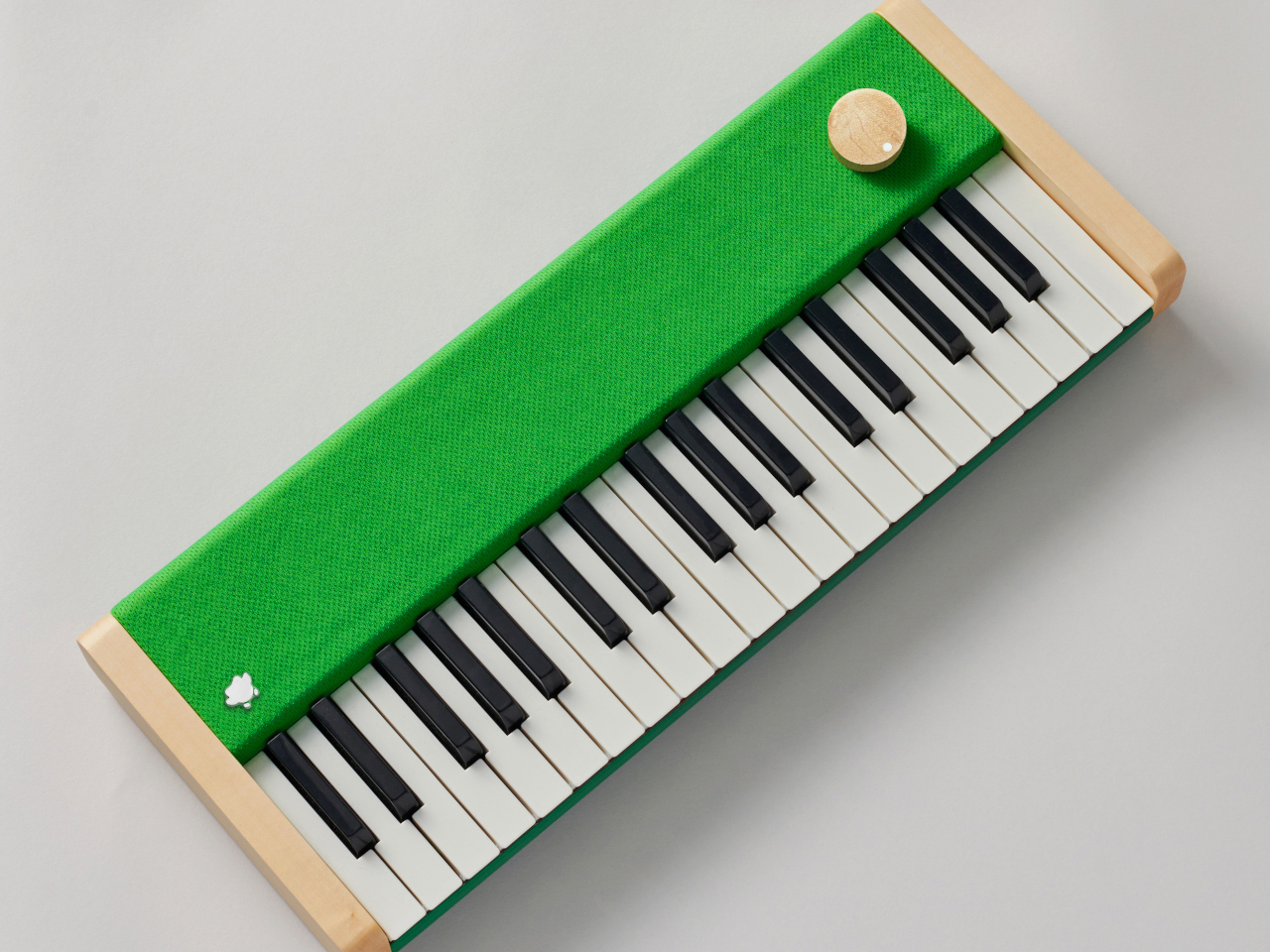
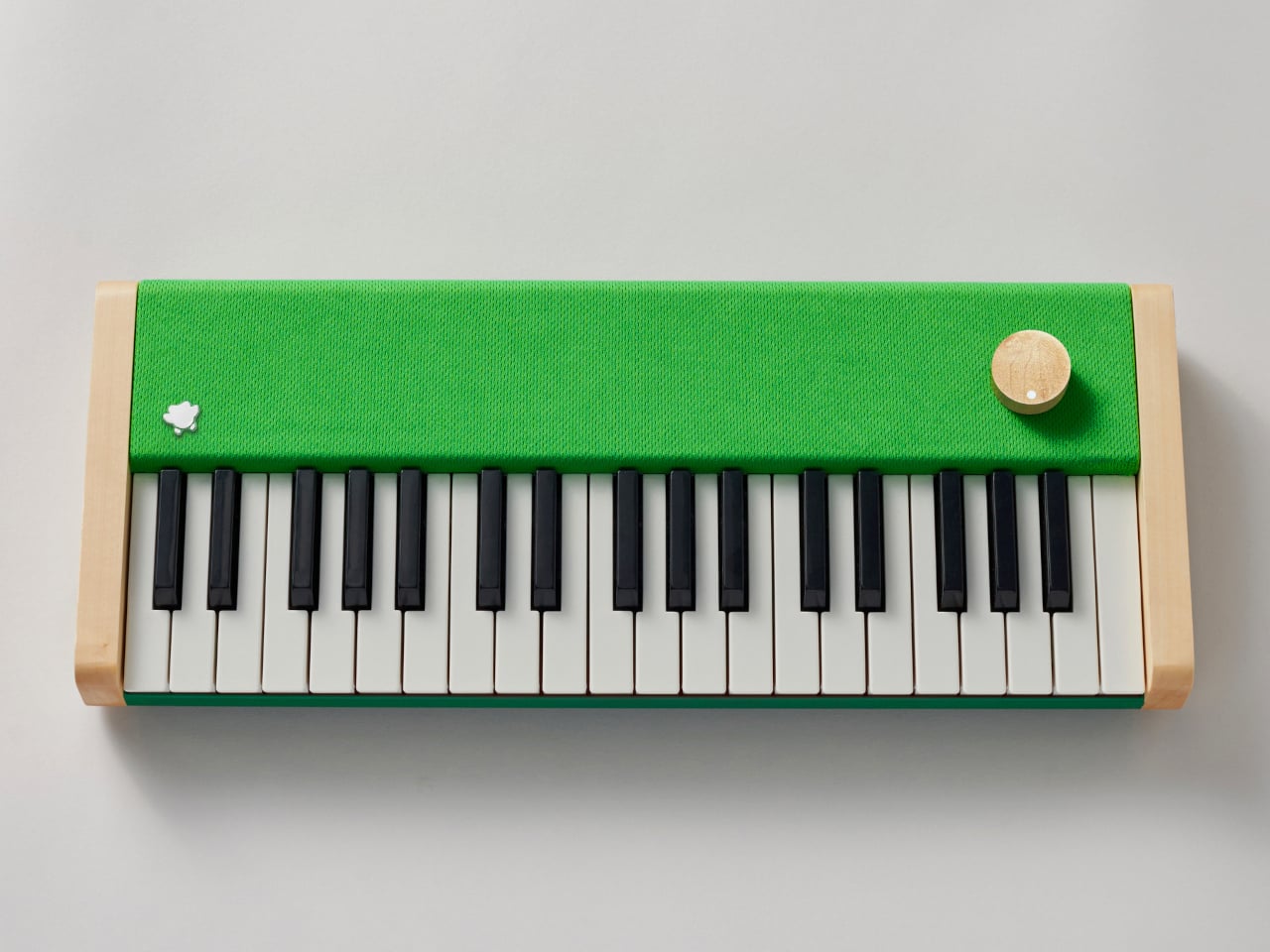
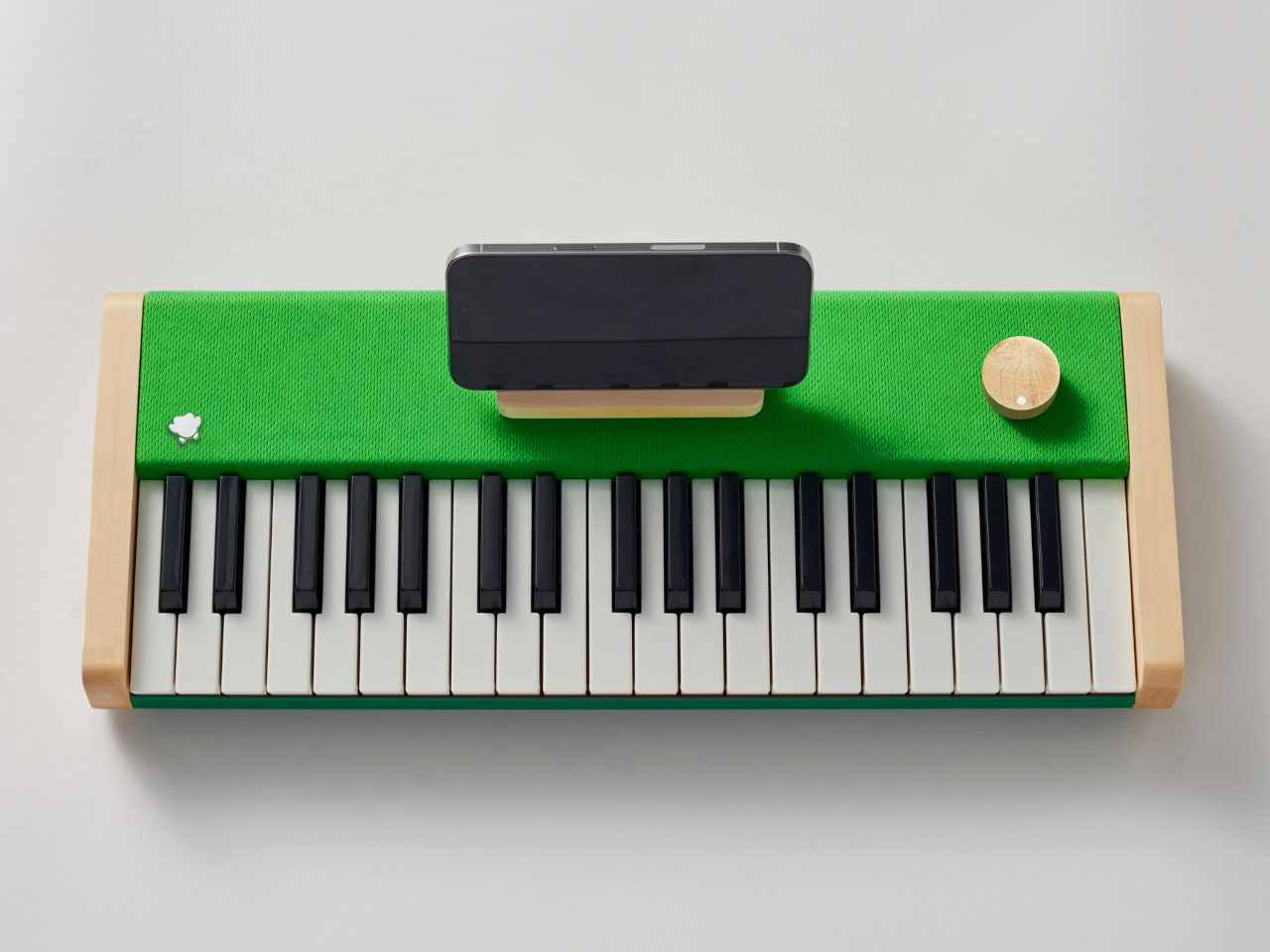
That’s what the Loog x Duolingo Piano brings to the table, figuratively and literally. It’s basically a special version of the Loog piano themed with Duolingo’s iconic green hue. It’s still the same piano made with solid wood panels that enhance the acoustics, making it sound almost like a real classical piano. It also has the same velocity-sensitive keys that implement proper dynamics, meaning that you can hit the keys harder to make the note sound louder, just like a real piano.
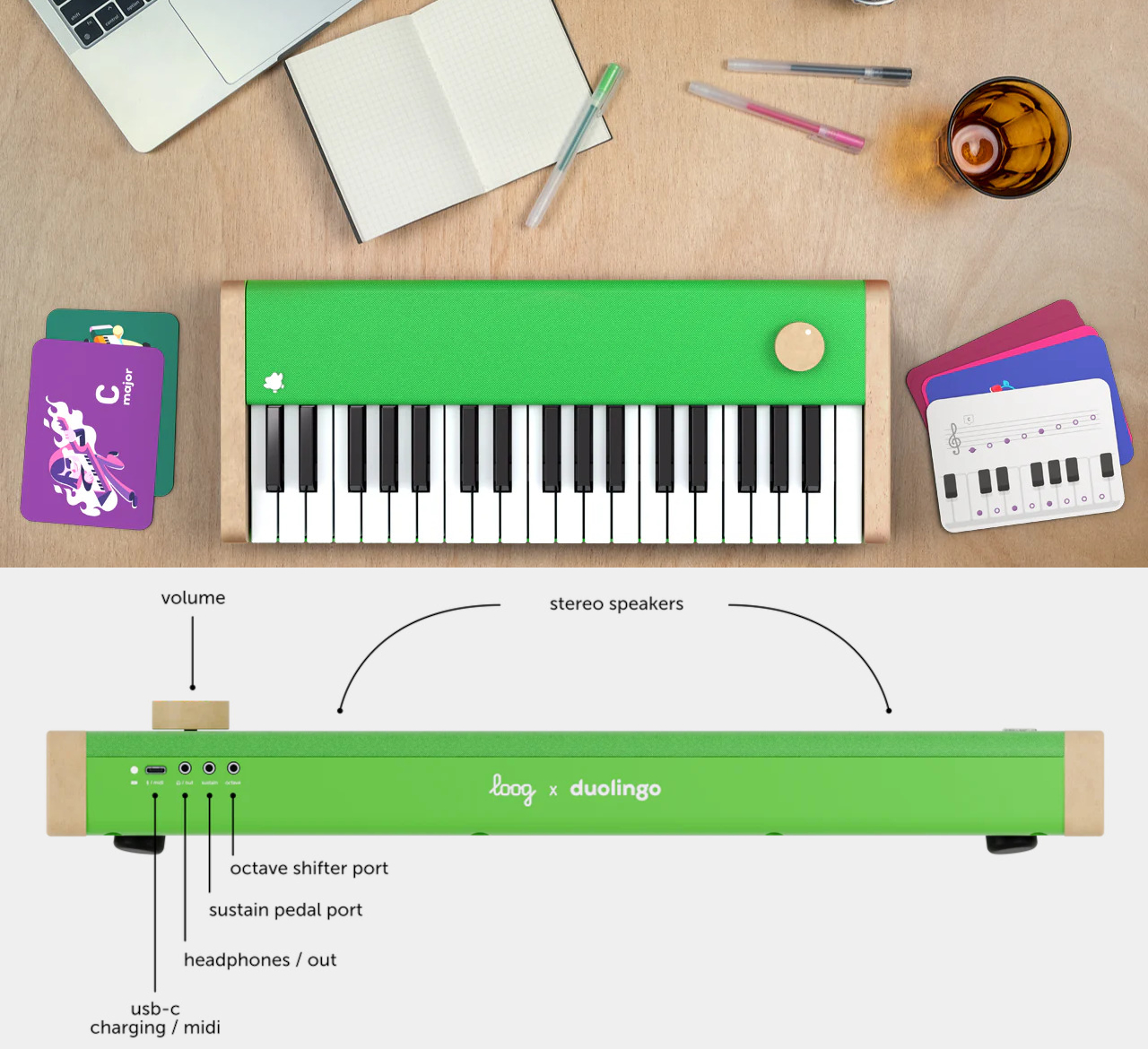
It’s not just a Duolingo-branded Loog piano, though, as this particular kit is designed with the easy-to-use and fun learning service in mind. There’s a wooden phone stand that matches the aesthetics of the piano, perfect for holding up the phone while you learn and play. And for a more offline learning experience, the package includes Piano Flashcards as well.
The Loog x Duolingo Piano is more than just a simple digital piano. It can be used as a MIDI controller when connected to an instrument via its USB-C port, and there are also ports not just for headphones but also for pedals and octave shifters. It might look like a kid’s toy, but this piano definitely has the guts to stand proudly as a proper musical instrument so that its use doesn’t stop after you’ve already mastered everything Duolingo has to teach.
If you’re the type of person that likes to do handy projects every once in a while and outside your home or workstation, then a portable work table is probably a necessity. Not all tables or surfaces can be sturdy enough to do some sawing, hammering, or other tool-related activities. Not all work tables though are easy to assemble or to carry around or those that are portable may not be that strong to handle all the activities you need to do.
Designer: Worx
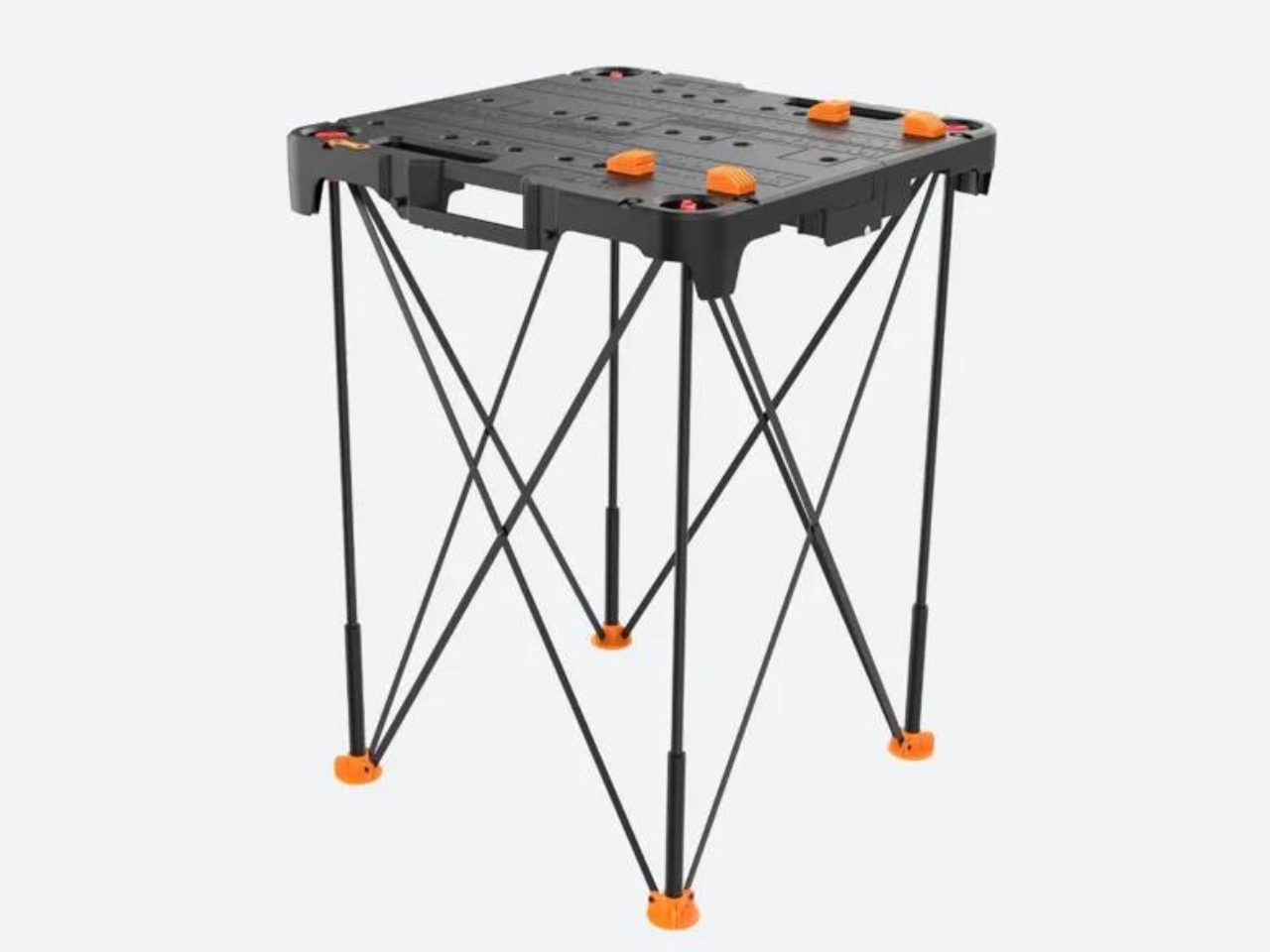
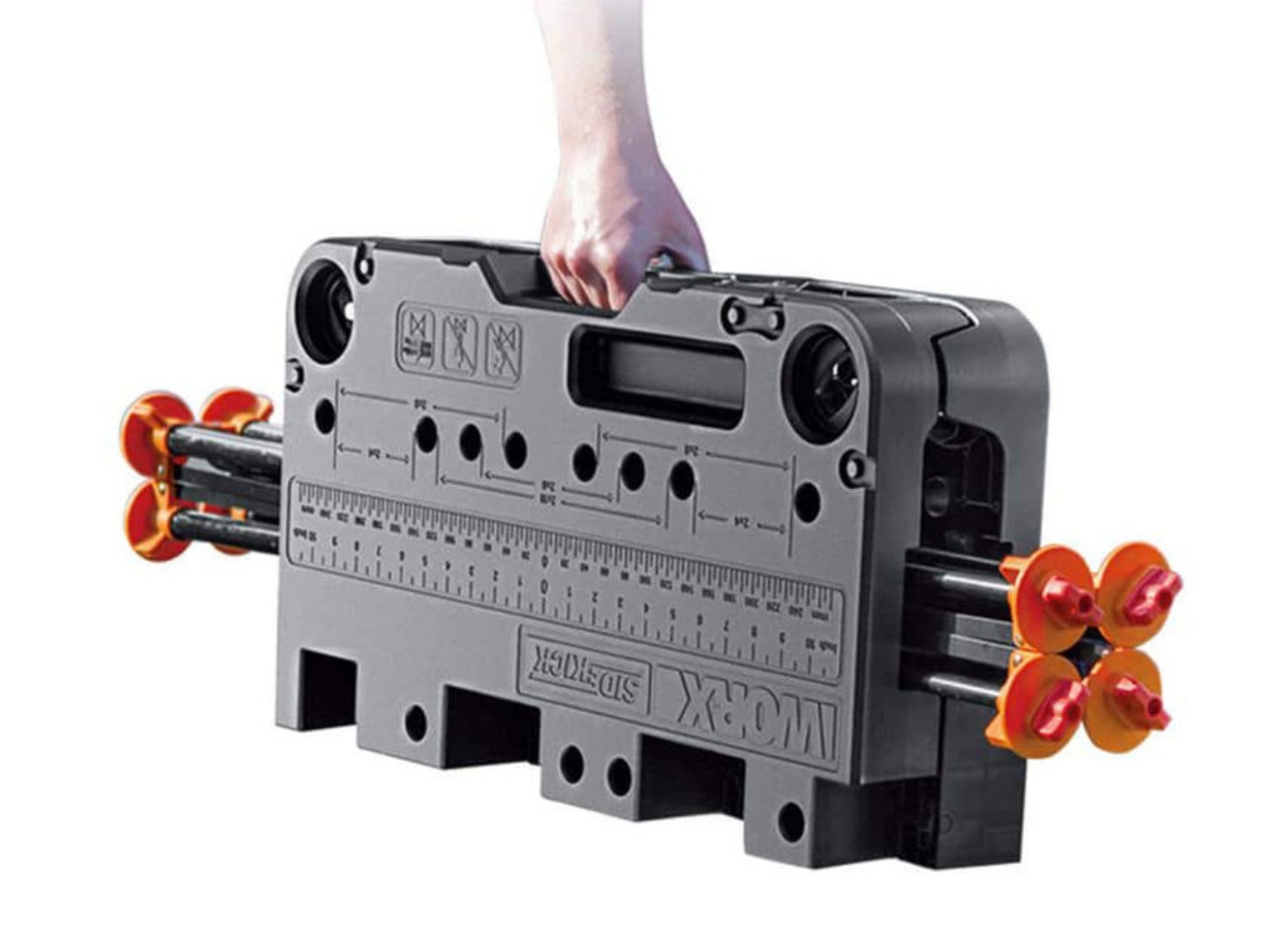
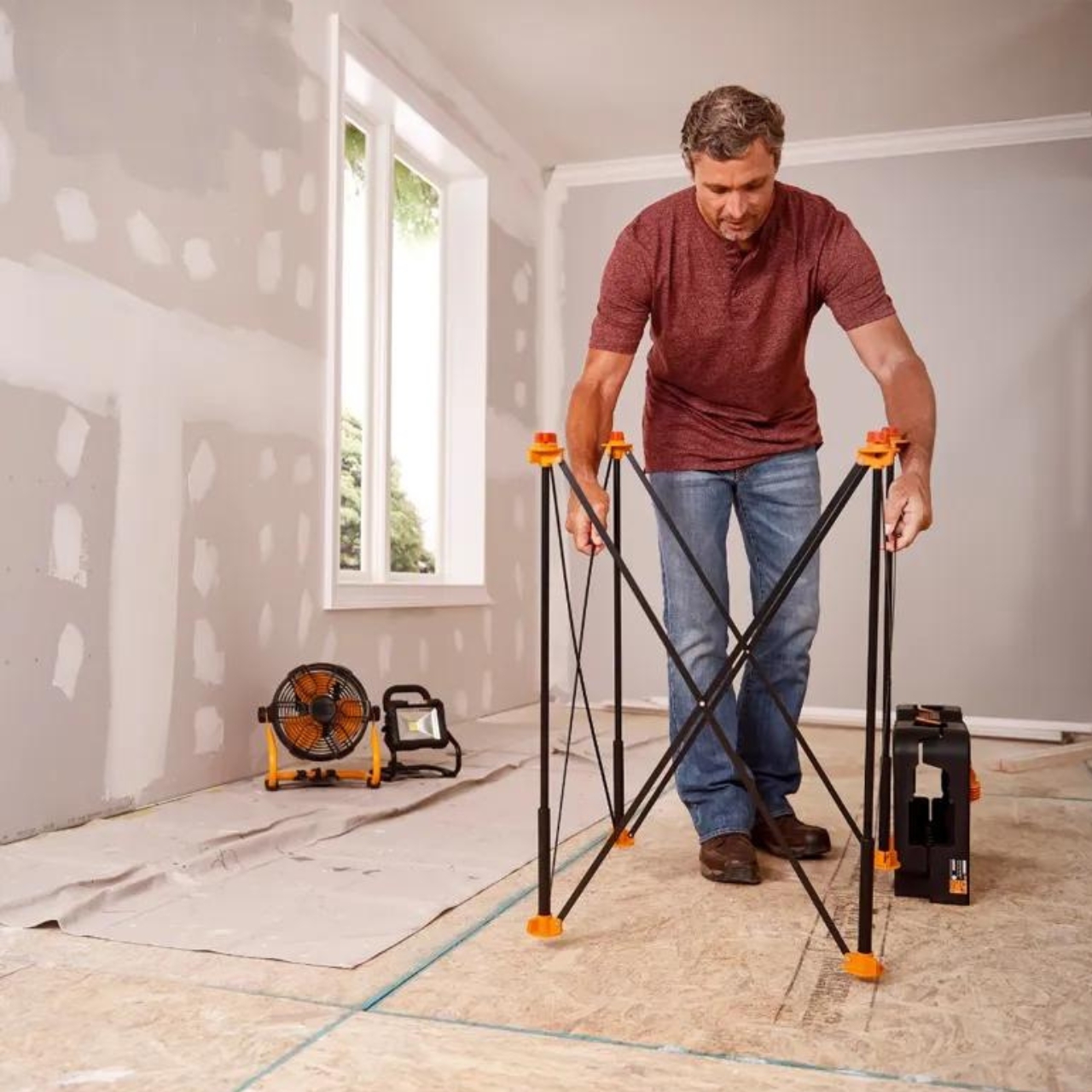
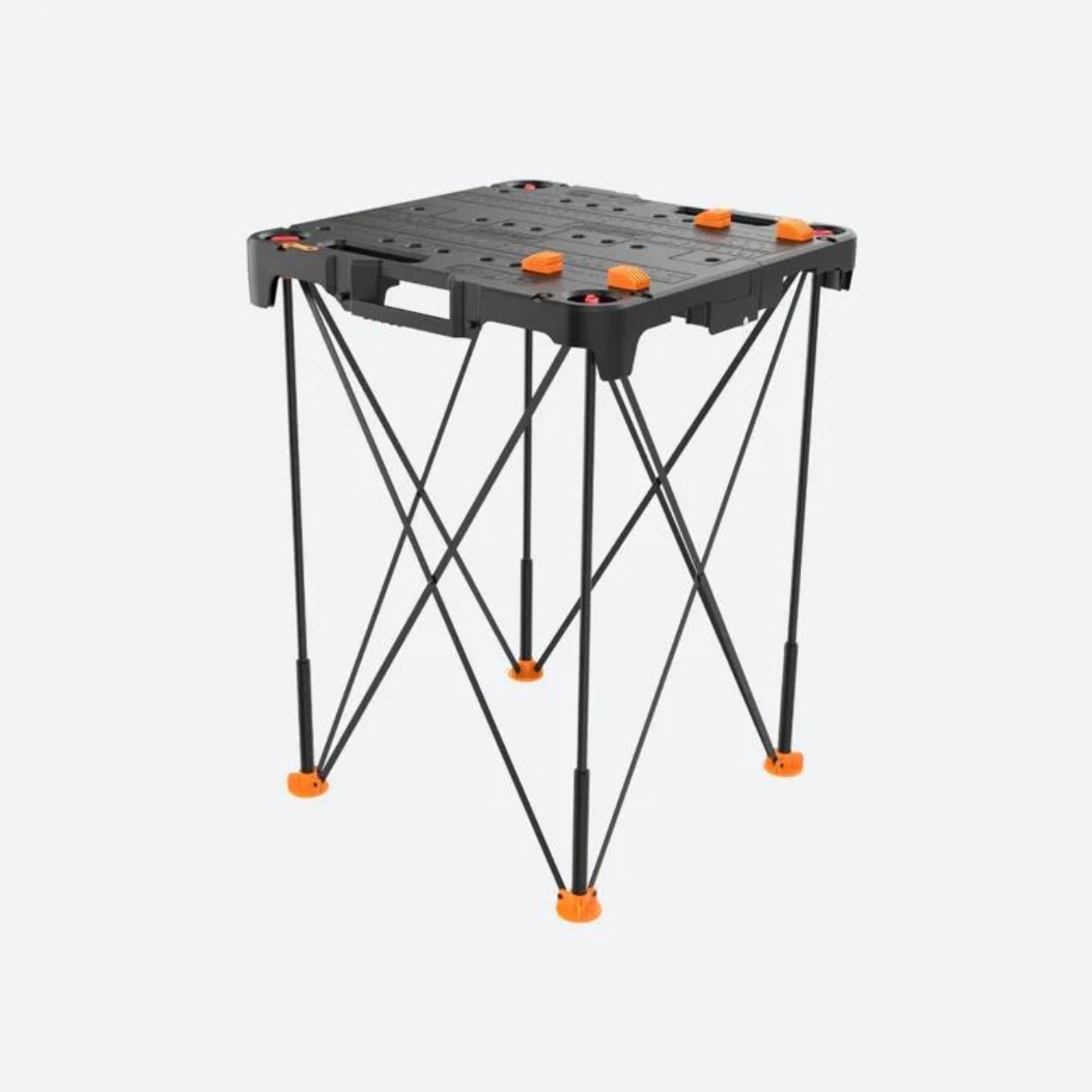
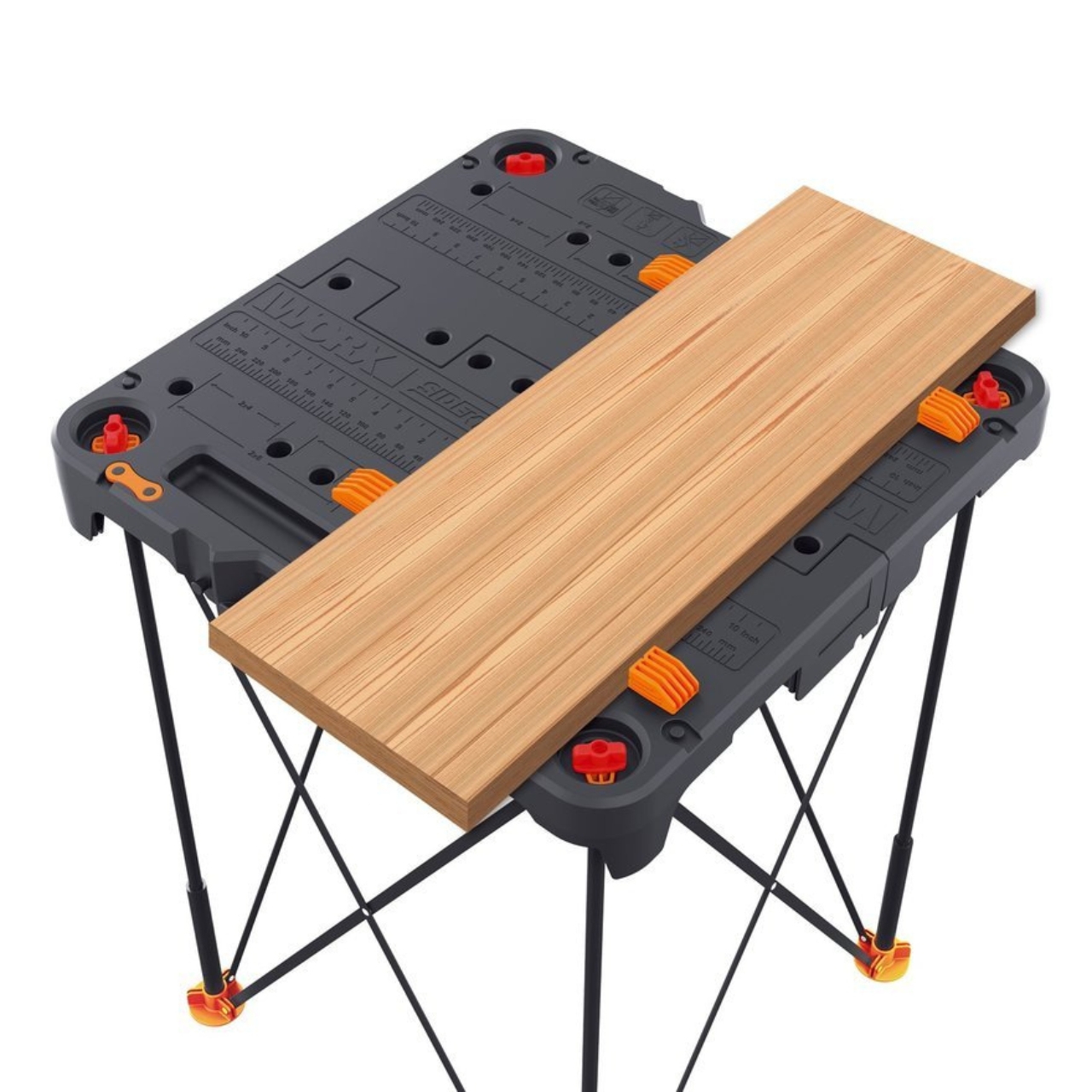
Tool brand Worx has come up with the Sidekick Work Bench, a “handy, compact, portable worktable”. When not assembled, it’s a weird-looking, toolbox-like contraption that a handyman carries around but once unfolded, it’s actually a 2-foot-square table. The collapsible design but easy to assemble tool gives the user maximum portability and versatility as well.
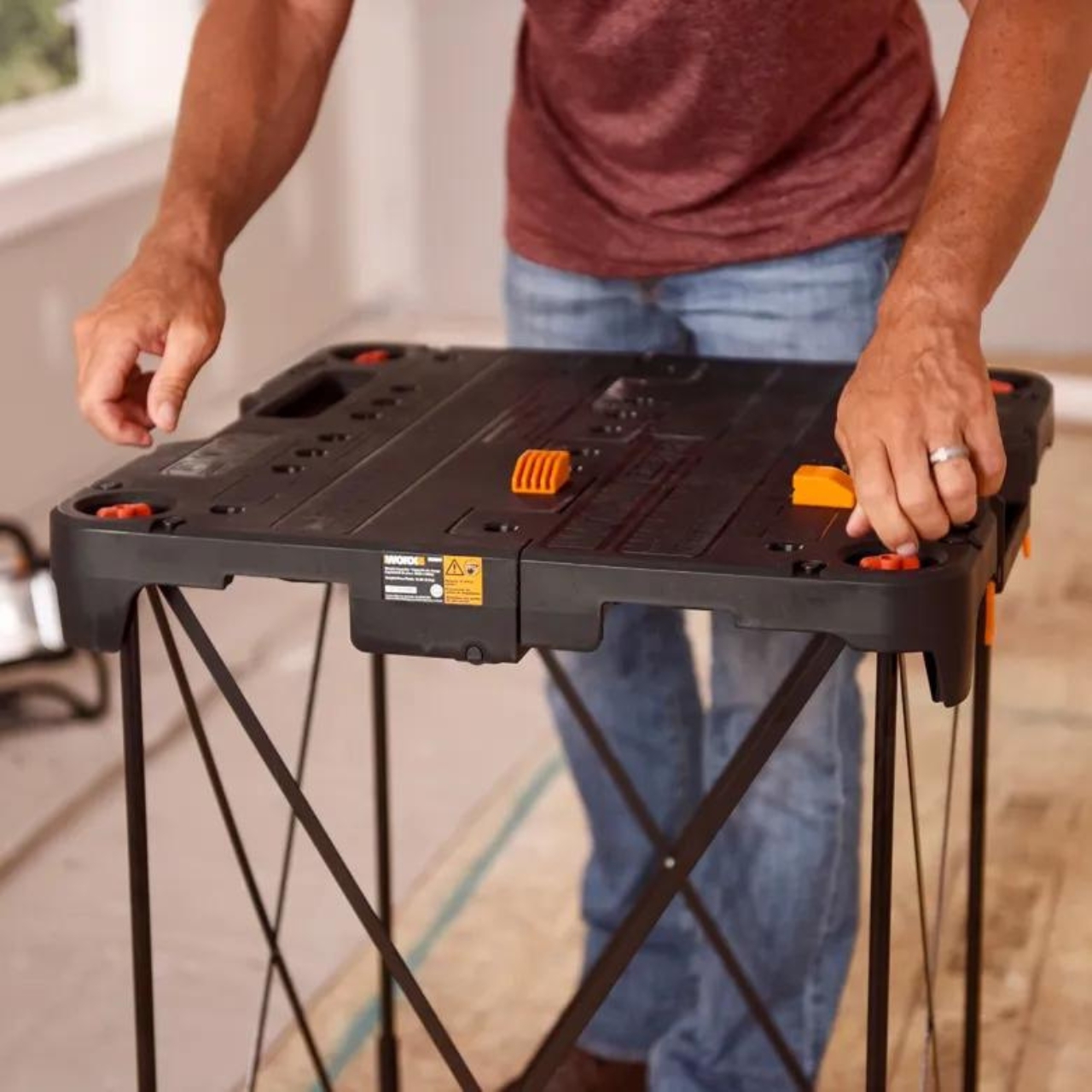
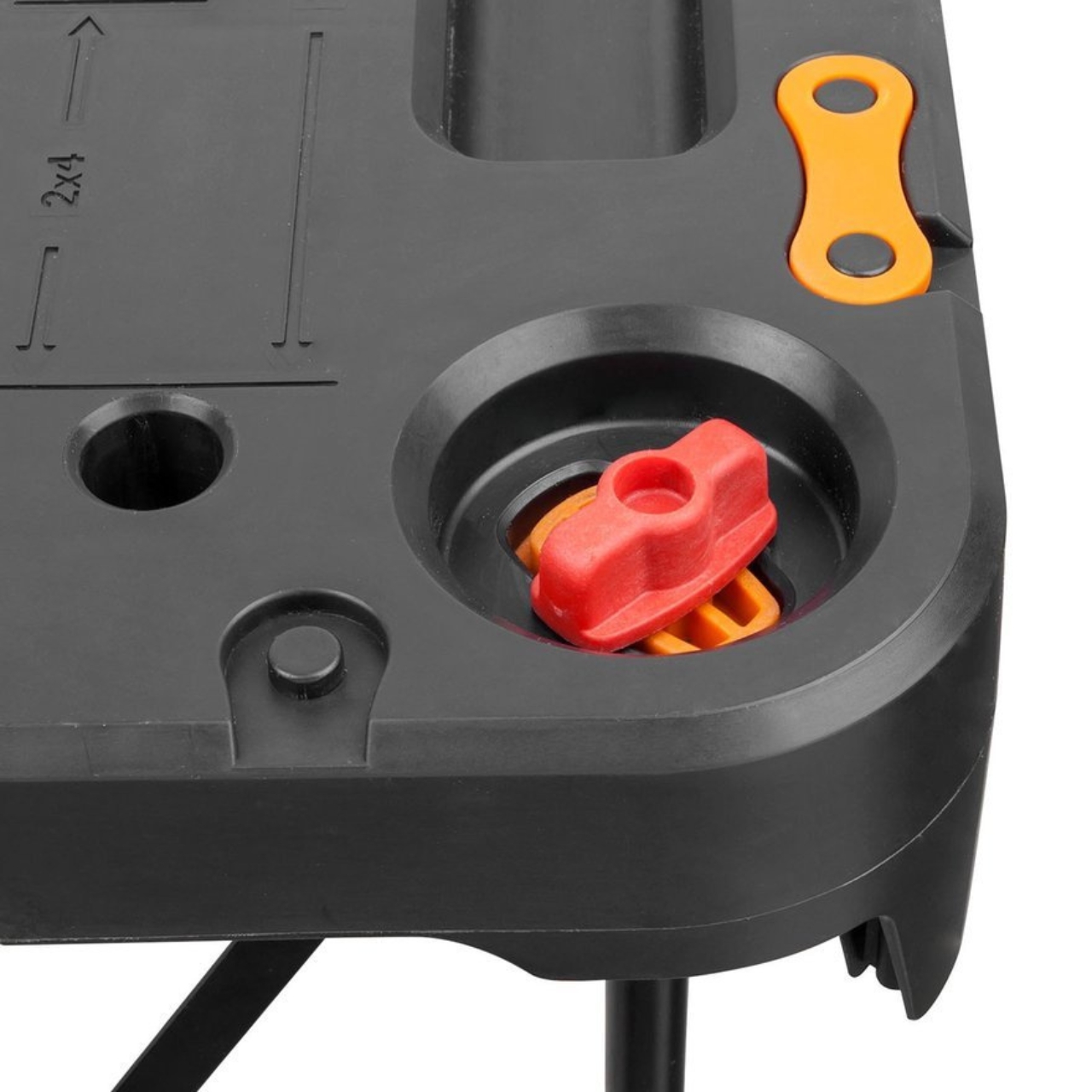
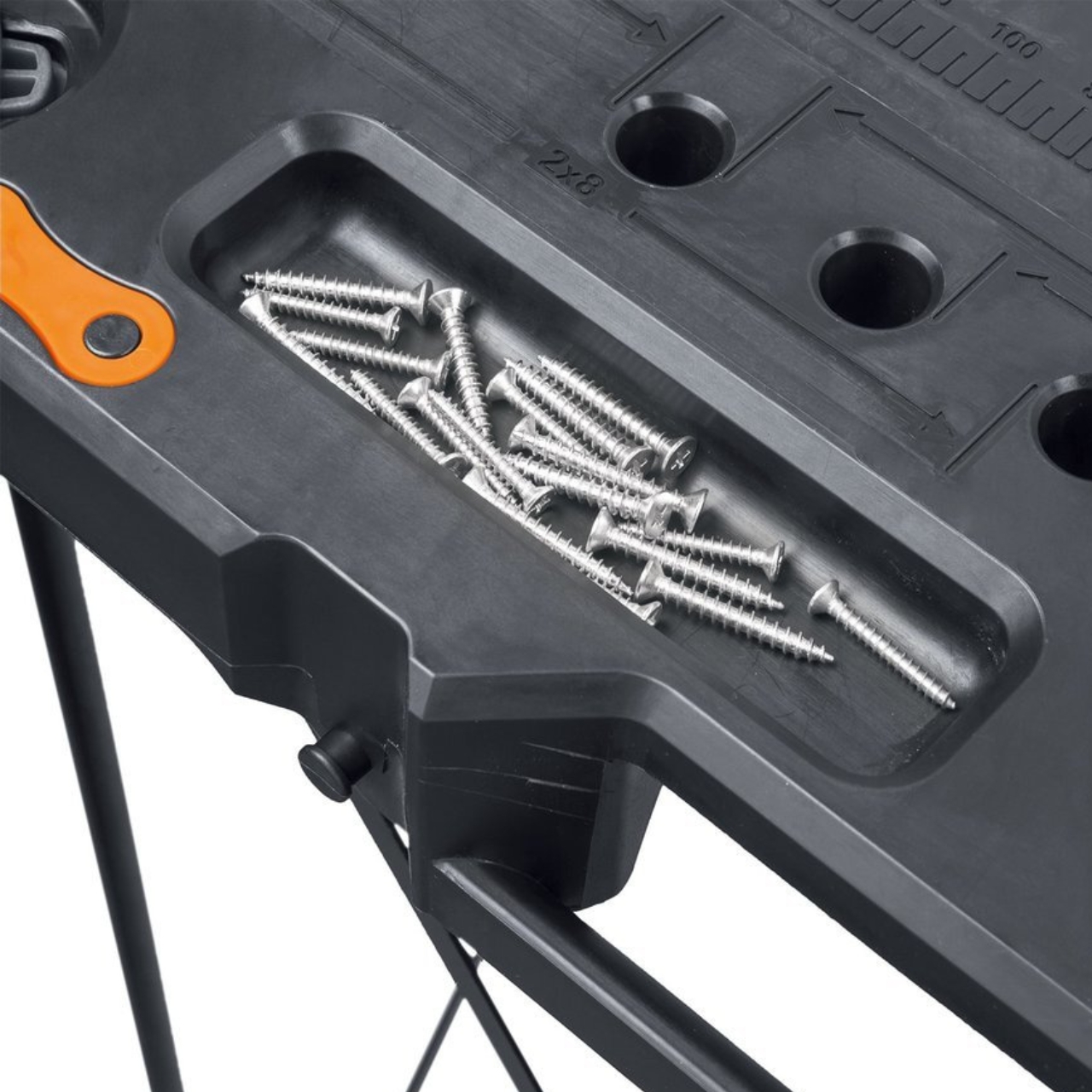
The table has metal legs that can withstand soft ground but also not slip on hard or smooth surfaces. The worksurface has different sections that can be used for whatever project it is that you’re working on, whether it’s indoors or outdoors. At the corners, you’ll see things that look like the infinity symbol but are connectors that you can use to connect to other Sidekicks in case you need a bigger work area or to other Worx products that can be connected.
Reviews say that this seemingly DIY-looking contraption is actually very stable and sturdy, perfect for whatever project you’re working on that needs a work table. The fact that it’s also pretty easy to set up adds to the good feedback from users.