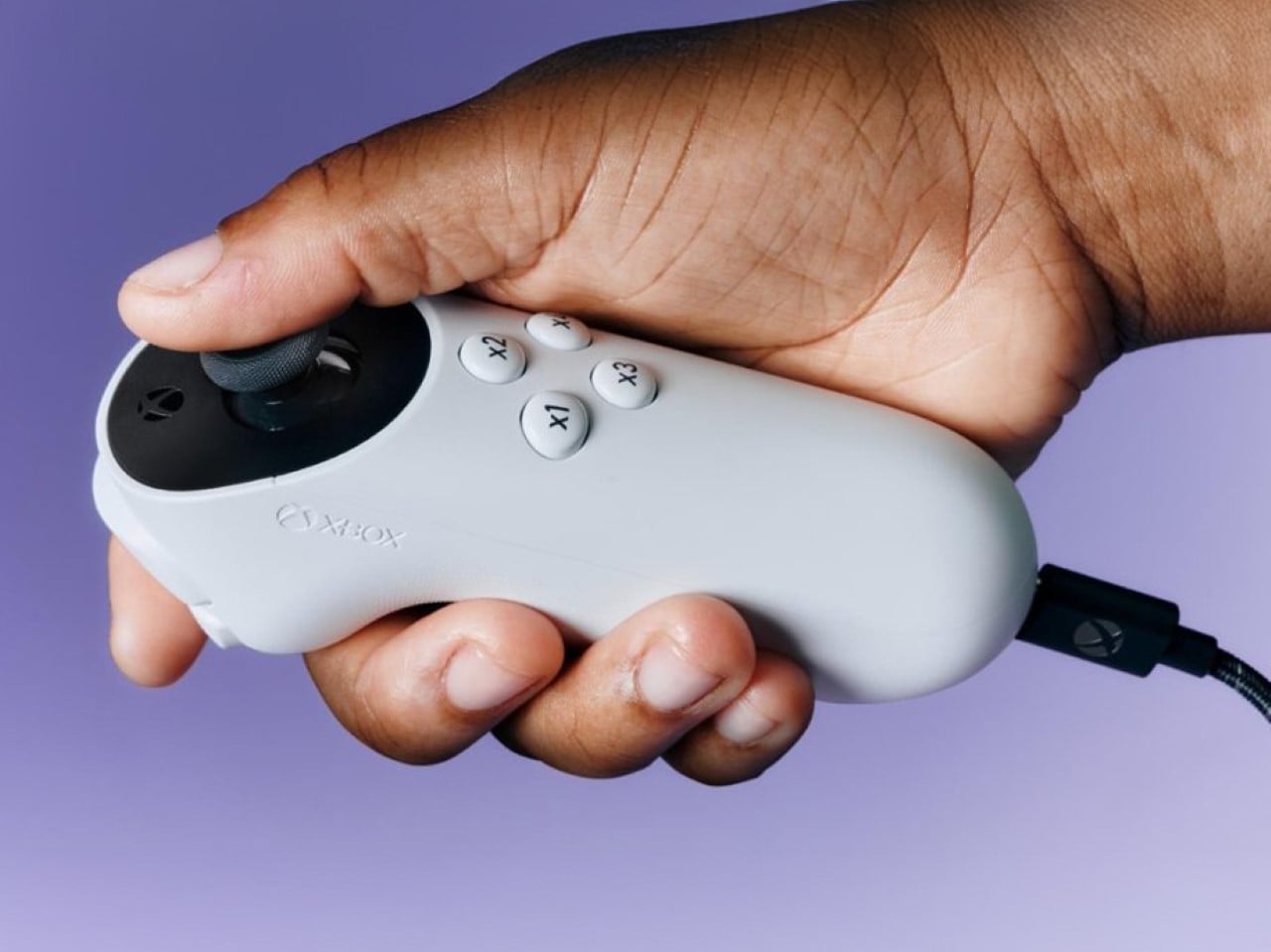
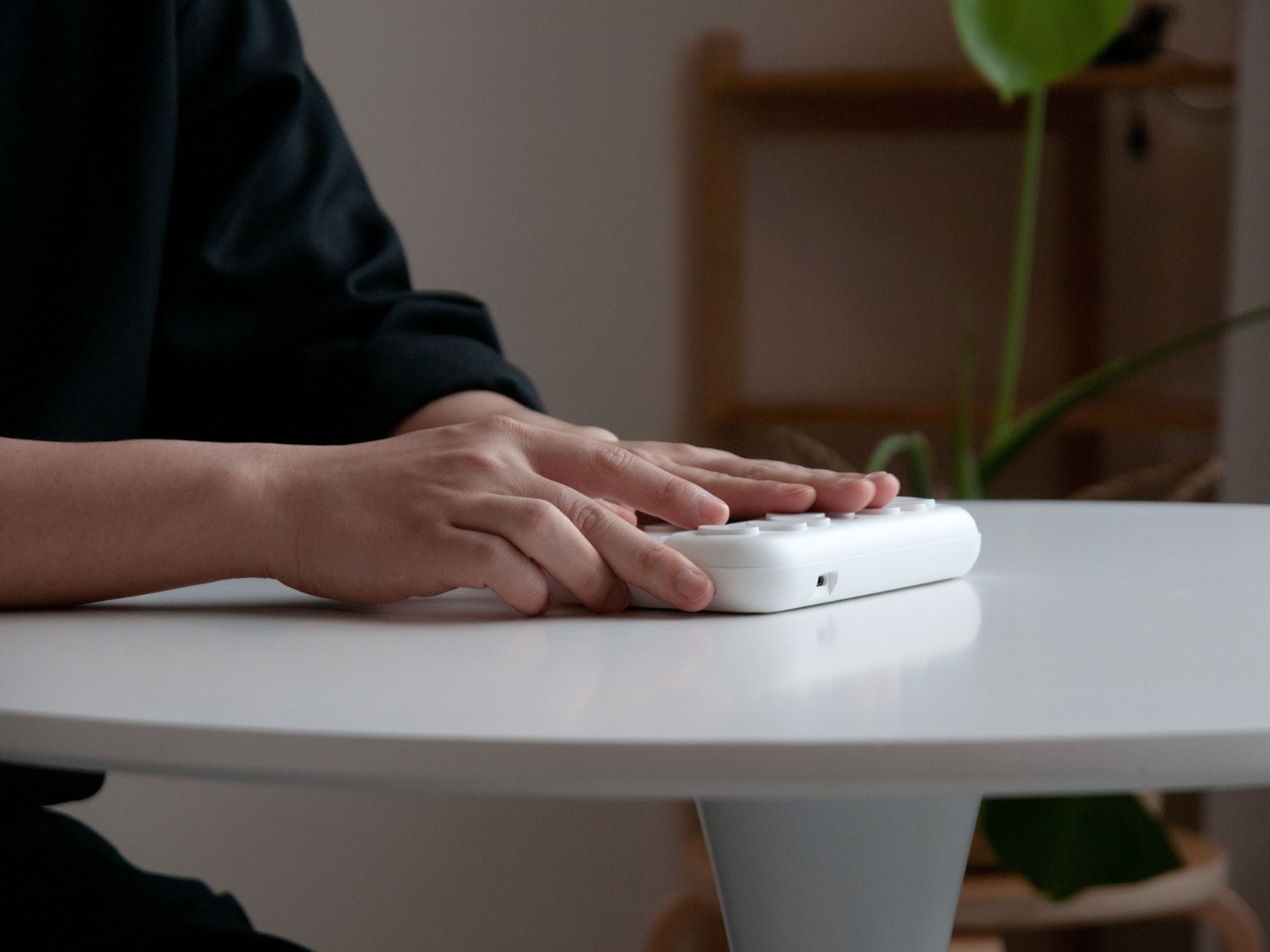
The Adaptive Controller was just the beginning – Microsoft aims at developing an entire suite of accessible devices for its gamer market. Aside from working alongside other independent controller brands to reveal new devices, Microsoft’s also announced the Adaptive Joystick, a controller that can be hand-held, positioned against your body, or even tripod-mounted, giving all gamers the ability to interface with their games in a manner that’s comfortable, yet responsive enough to give them the edge while gaming.
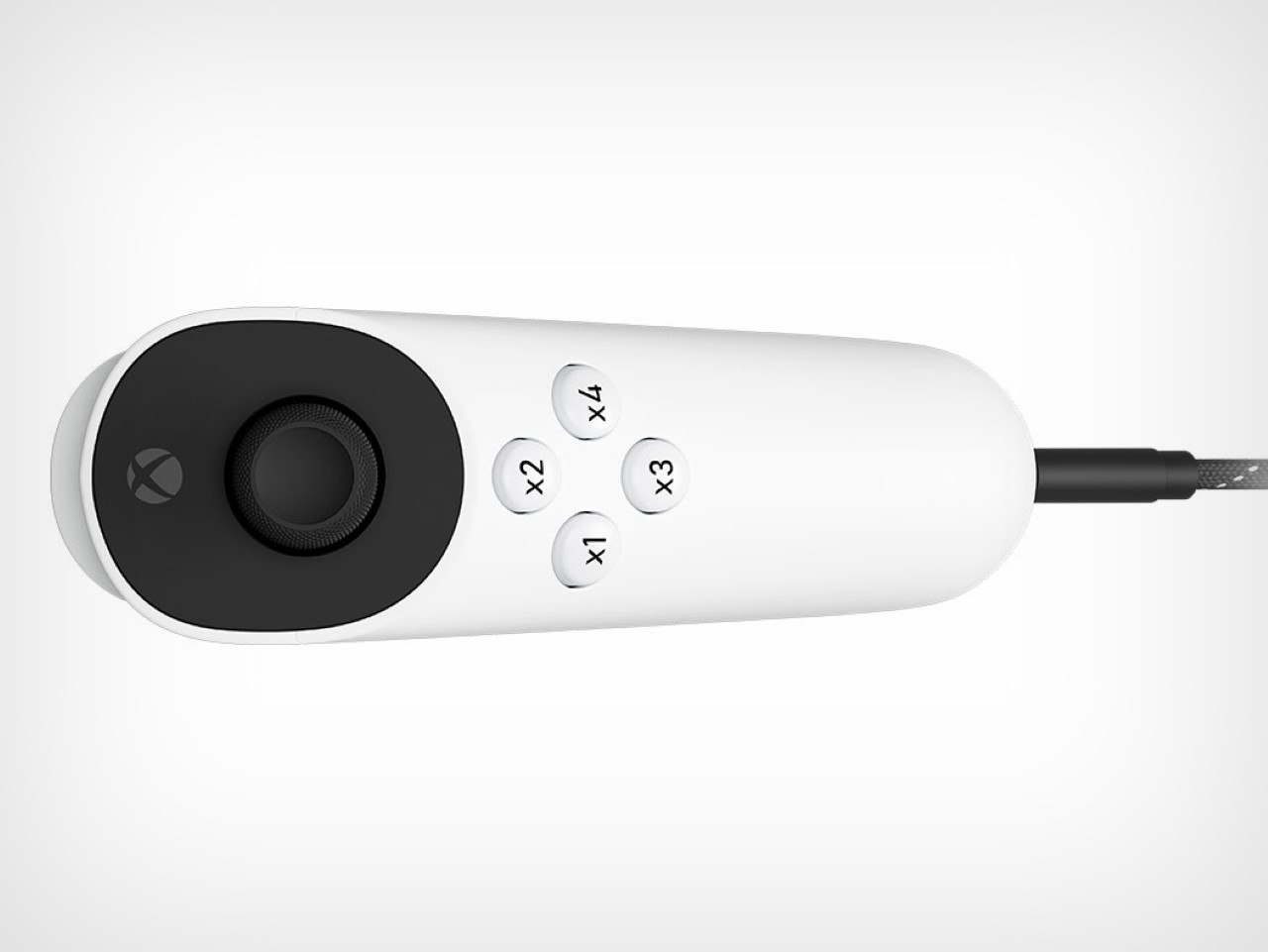
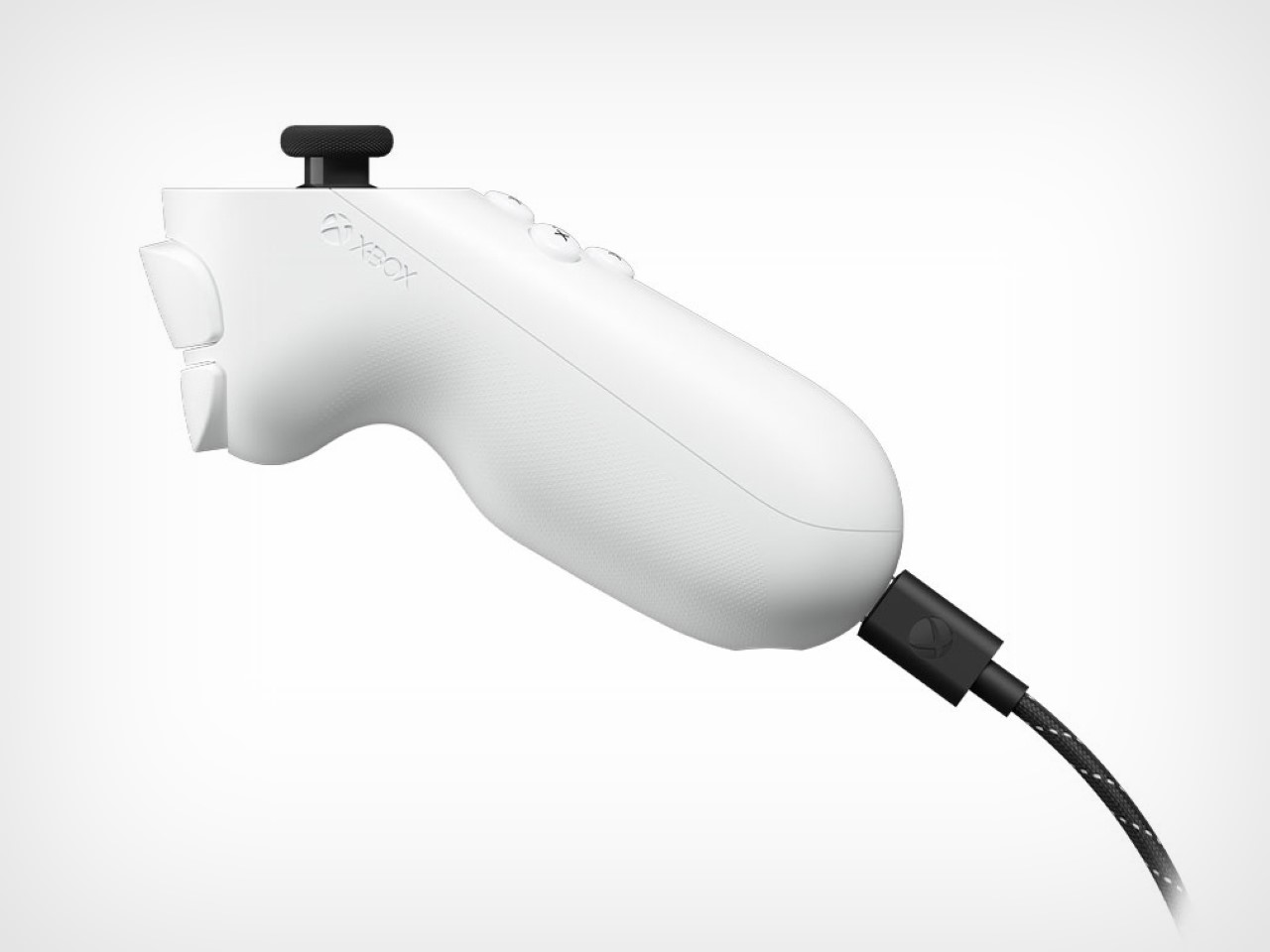
Designed specifically for gamers with limited mobility, this joystick aims to enhance the already extensive Xbox accessibility ecosystem. Unlike many controllers that rely on a standard form factor, the Xbox Adaptive Joystick breaks away by offering a unique blend of adaptability and modularity. The joystick is a wired companion for the Xbox Adaptive Controller, but it can also function independently, directly connecting to both Xbox consoles and PCs. The design focuses on user flexibility, with customizable buttons and a thumbstick that can be easily adjusted to suit different needs.
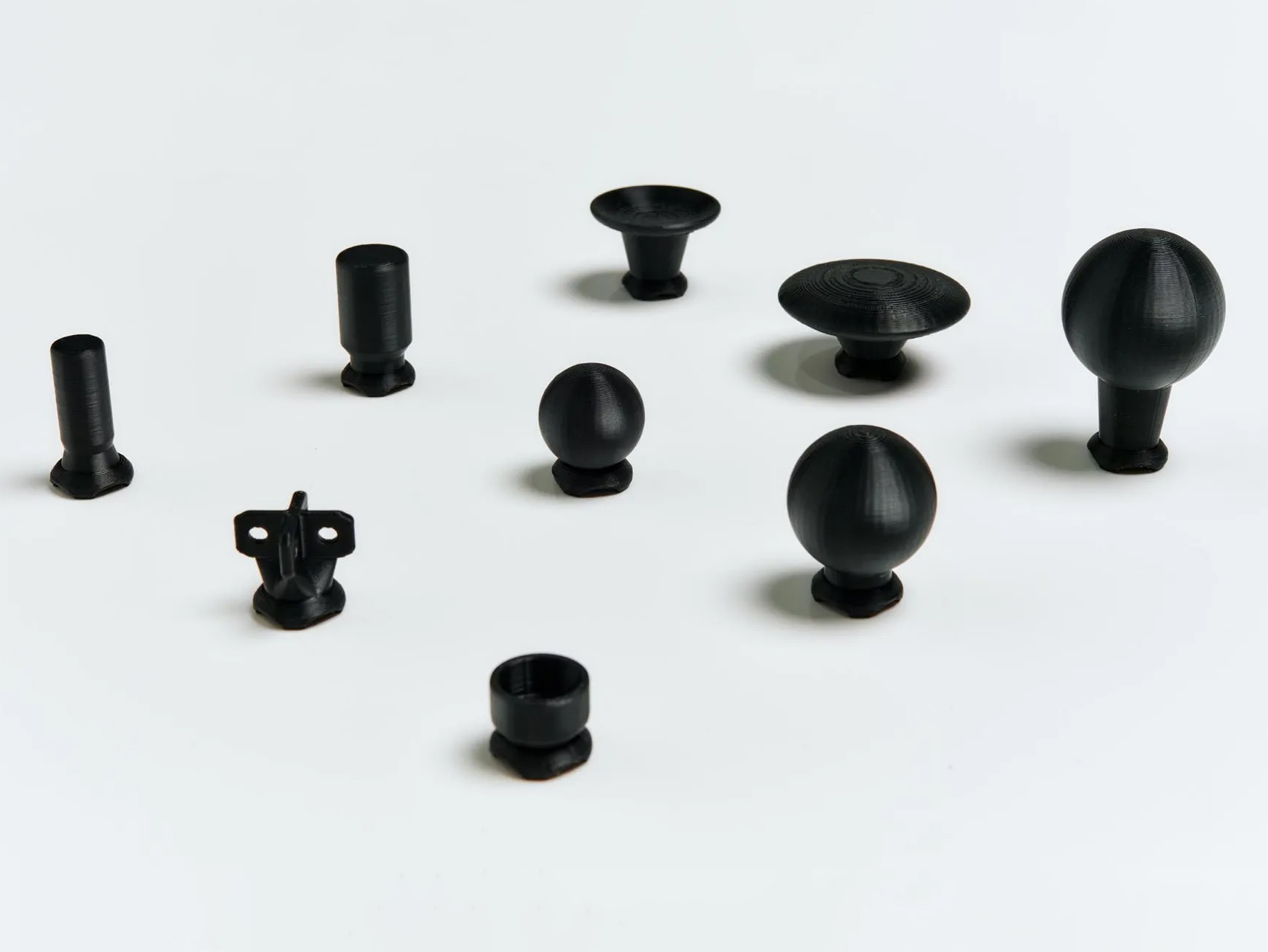
The Xbox Adaptive Joystick includes four programmable buttons, a thumbstick, and two additional buttons for bumper and trigger controls. One of the standout features is the option for users to 3D print thumbstick toppers, allowing them to modify the height, width, and overall feel of the joystick. As highlighted by Kaitlyn Jones, Xbox’s senior accessibility product manager, the design process involved extensive collaboration with the disabled community. Early prototypes were shared with this group for feedback, resulting in a product that addresses specific challenges faced by players with limited mobility.
Incorporating community feedback has been central to the development of the Xbox Adaptive Joystick. During one session at a Seattle hospital, Microsoft engineers brought various prototypes, seeking input on aspects like grip size, button layout, and overall ergonomics. According to Chris Kujawski, a principal designer at Xbox, this iterative process ensured that the final product is not only functional but also intuitive for a wide range of users. The joystick’s versatility is further enhanced by its compatibility with the existing Xbox Adaptive Controller, allowing it to be part of a broader adaptive gaming setup.
Beyond just the joystick, Microsoft is working closely with other accessible hardware innovators. The Proteus controller, which has been refined and optimized for Xbox through this collaboration, showcases this commitment. Additionally, the 8BitDo Lite SE controller offers an alternative for those who require front-facing buttons in a familiar arcade-stick layout. This inclusive hardware ecosystem gives users options that go beyond the traditional controller experience, making gaming more accessible than ever before. As for Microsoft’s own Adaptive Joystick, it hits markets early next year, with a price tag of $29.99.
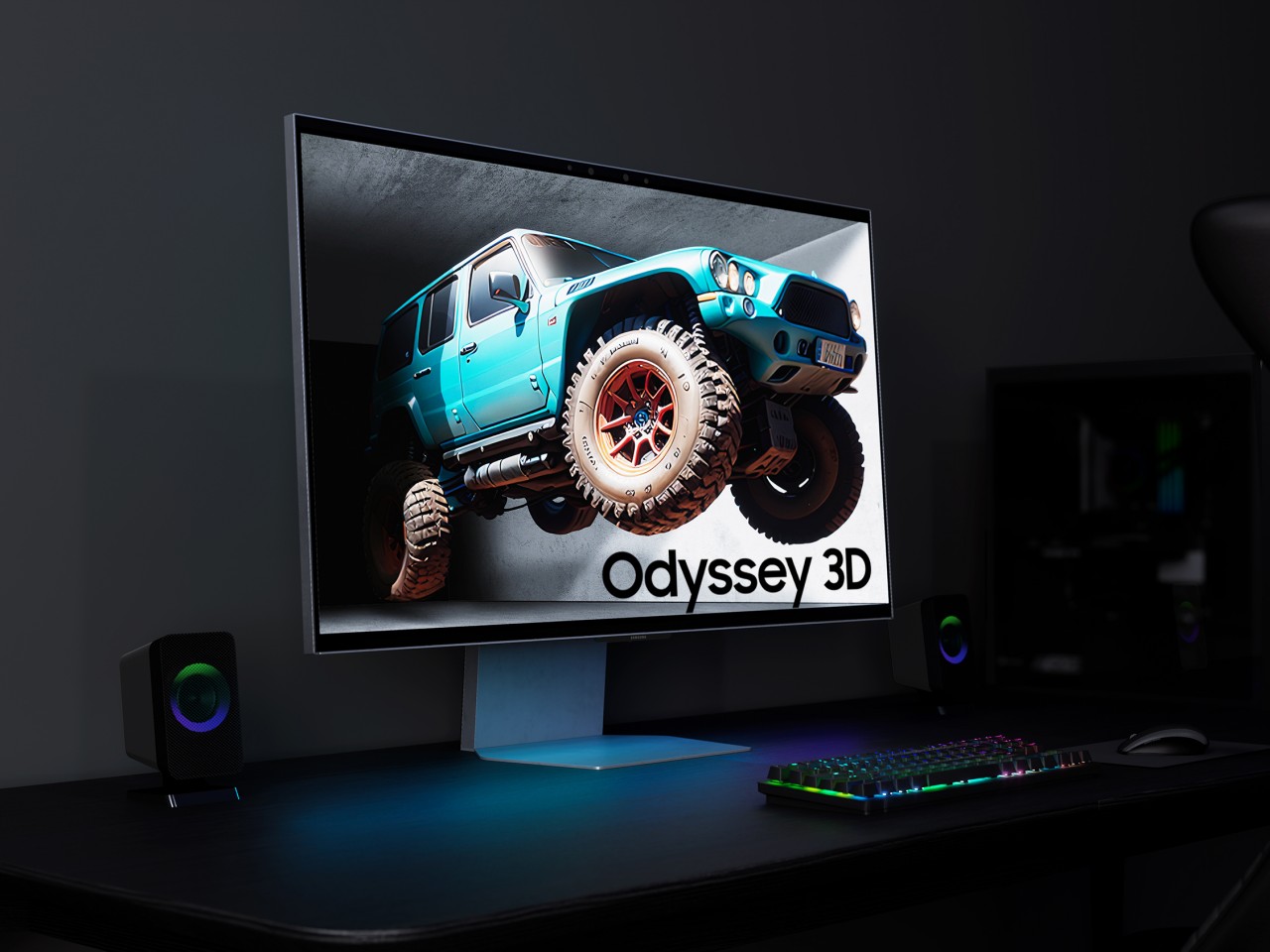
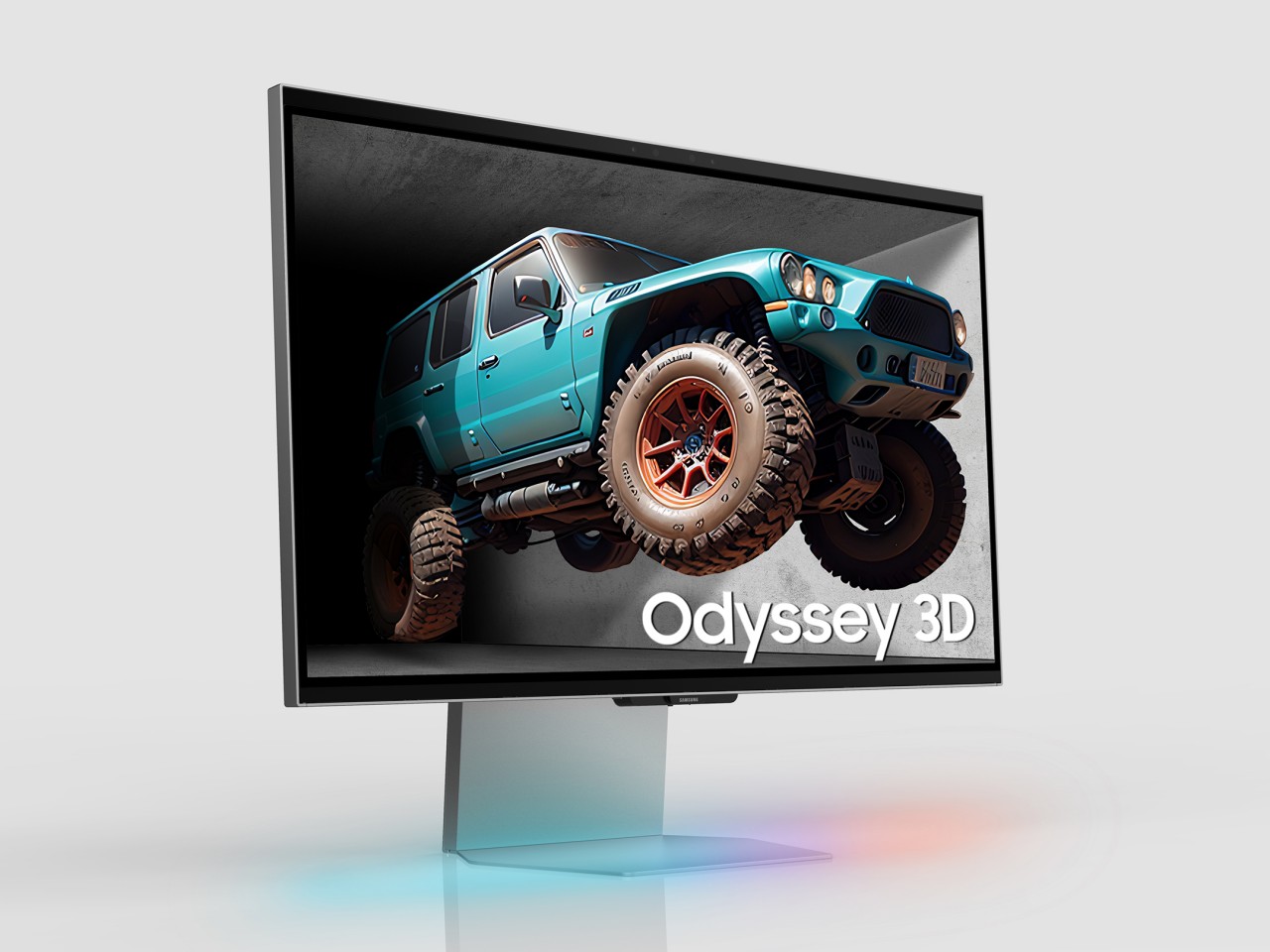
We live in a three-dimensional world and see in three dimensions, and yet the computers and mobile devices we use every day are confined to flat, 2D space. Mixed reality and spatial computing are trying to bridge that gap, but they still project flat virtual objects in the real world and, more importantly, require wearing goggles or headsets. In fact, most stereoscopic 3D experiences require some sort of eyewear, at the very least glasses that guide images to the correct eye. That is until monitor makers have gotten smarter and have started to implement 3D displays that don’t need glasses to work, like the new Samsung Odyssey 3D shown off at Gamescom 2024 this week.
Our eyes see in 3D because they can view objects at two different angles due to the space between them. Stereoscopic 3D tries to mimic our innate binocular vision by projecting two different images, shifted slightly at an angle, which are then sent to the right or left eye as necessary. This re-direction requires polarizing filters to work, which is why people have to wear glasses when watching 3D movies. Impressive as the experience might be, it’s definitely inconvenient, especially for those that wear prescription glasses, and can’t be used for general-purpose computing, until now.
The Samsung Odyssey 3D is the latest in a new breed of computer monitors that promise this same stereoscopic 3D experience without having to put anything in front of your eyes. The monitor has built-in stereo cameras that track the movement and position of each eye. View mapping creates two sets of images which are then displayed separately to each eye thanks to a lenticular lens on the front panel. It creates the same effect of seeing floating 3D images but without the hassle of glasses or headsets.
The monitor is primarily targeted at gamers, which is why it boasts features like 4K resolution, a fast 1m gray-to-gray response time, and a 165Hz refresh rate. Of course, the need to see 3D images as they truly are isn’t just limited to entertainment, since those creating assets for these games will also want to check if they’re 3D models are displaying correctly. Monitors like the Samsung Odyssey 3D will eventually become an invaluable tool for designers, artists, and content creators who might want to work in 3D space right from the start.
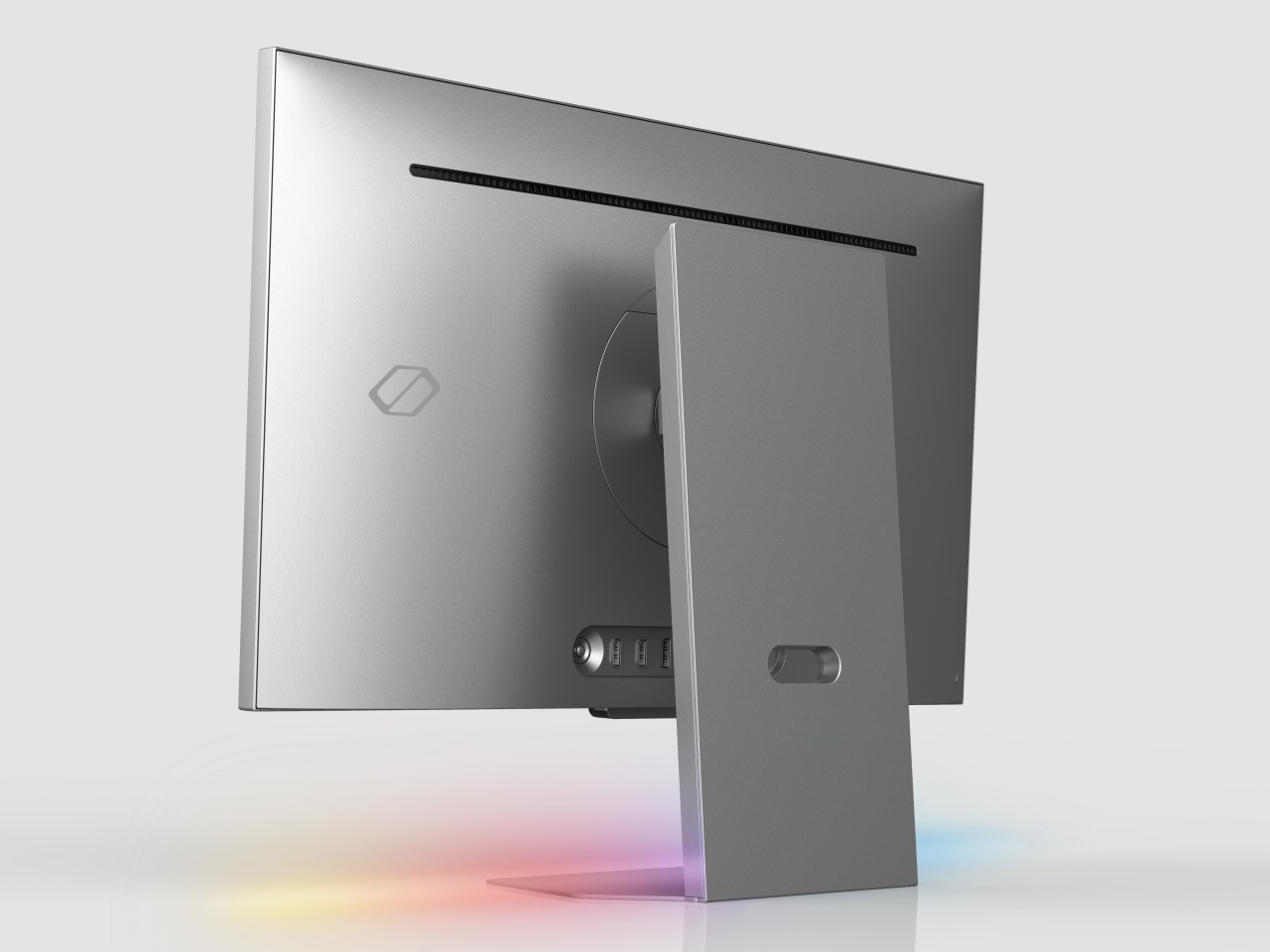
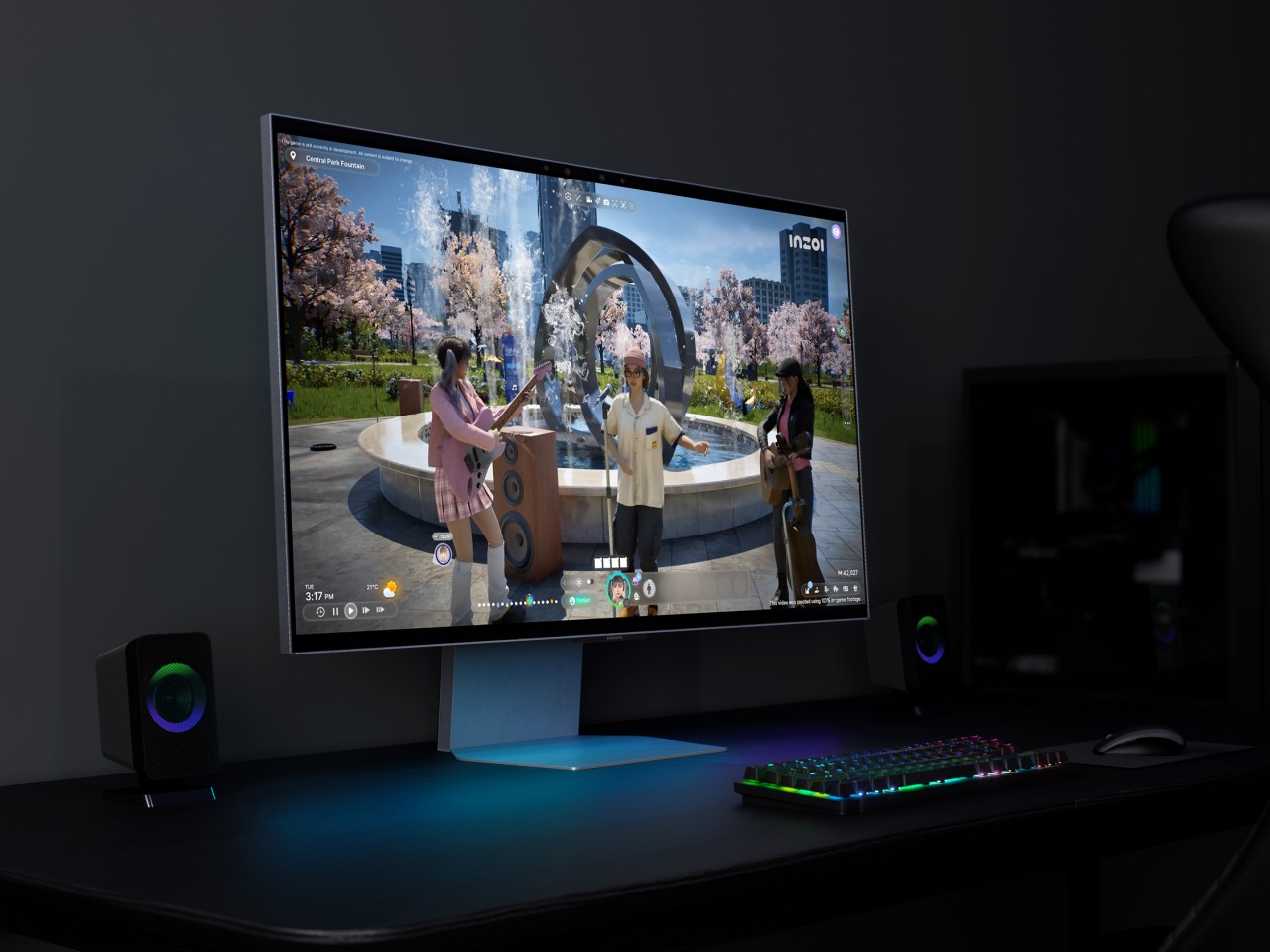
Of course, this glasses-free 3D monitor also functions as a 2D monitor, and you can seamlessly switch from one mode to another, depending on your use case. It also features an ergonomic Height Adjustment Stand, tilt capabilities, as well as HDMI 2.1 and DisplayPort 1.4 connectivity. Samsung hasn’t disclosed when the Samsung Odyssey 3D will launch and at what cost, but considering this monitor was first teased back in January at CES 2024, it probably shouldn’t be long now.
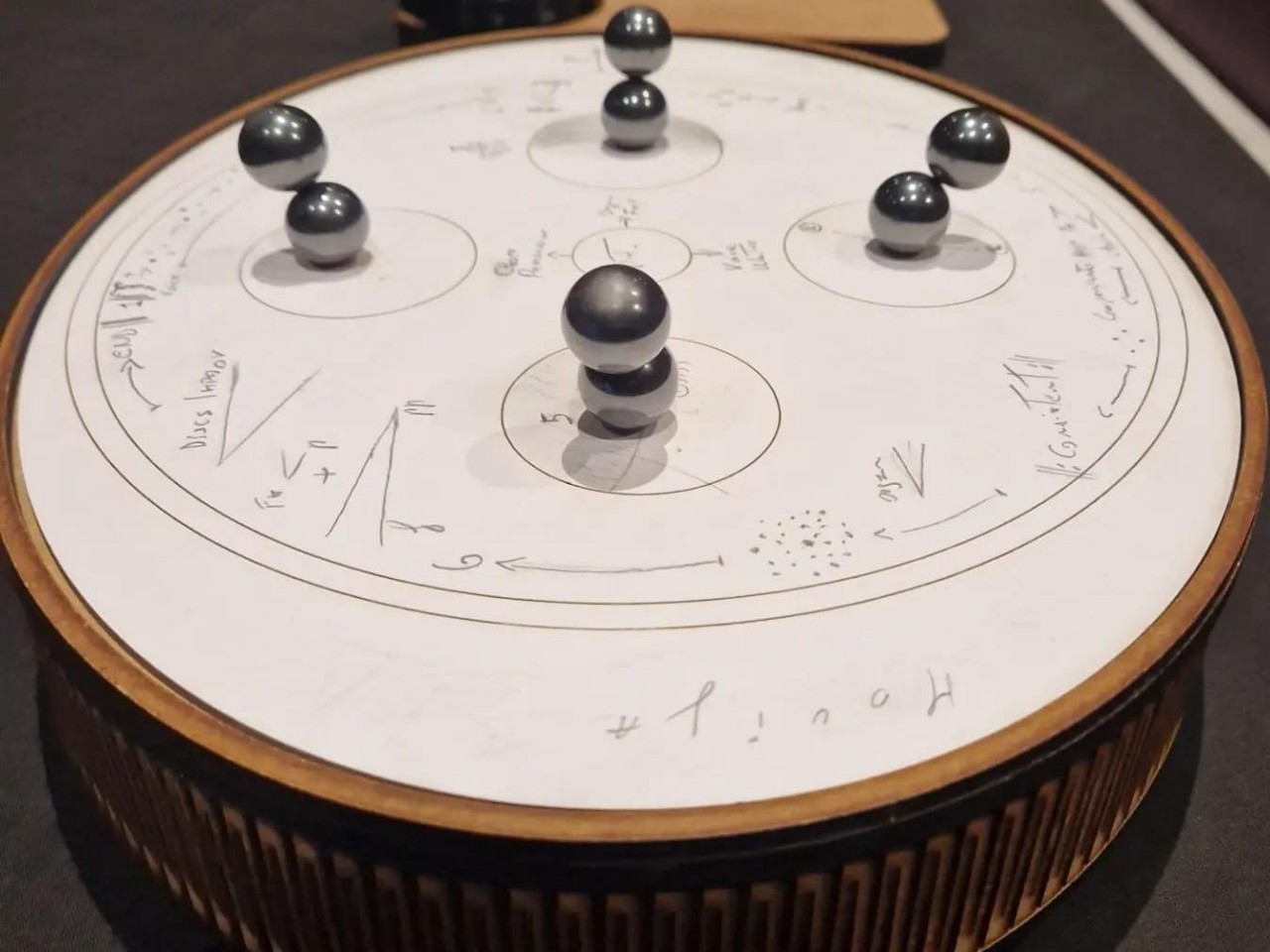
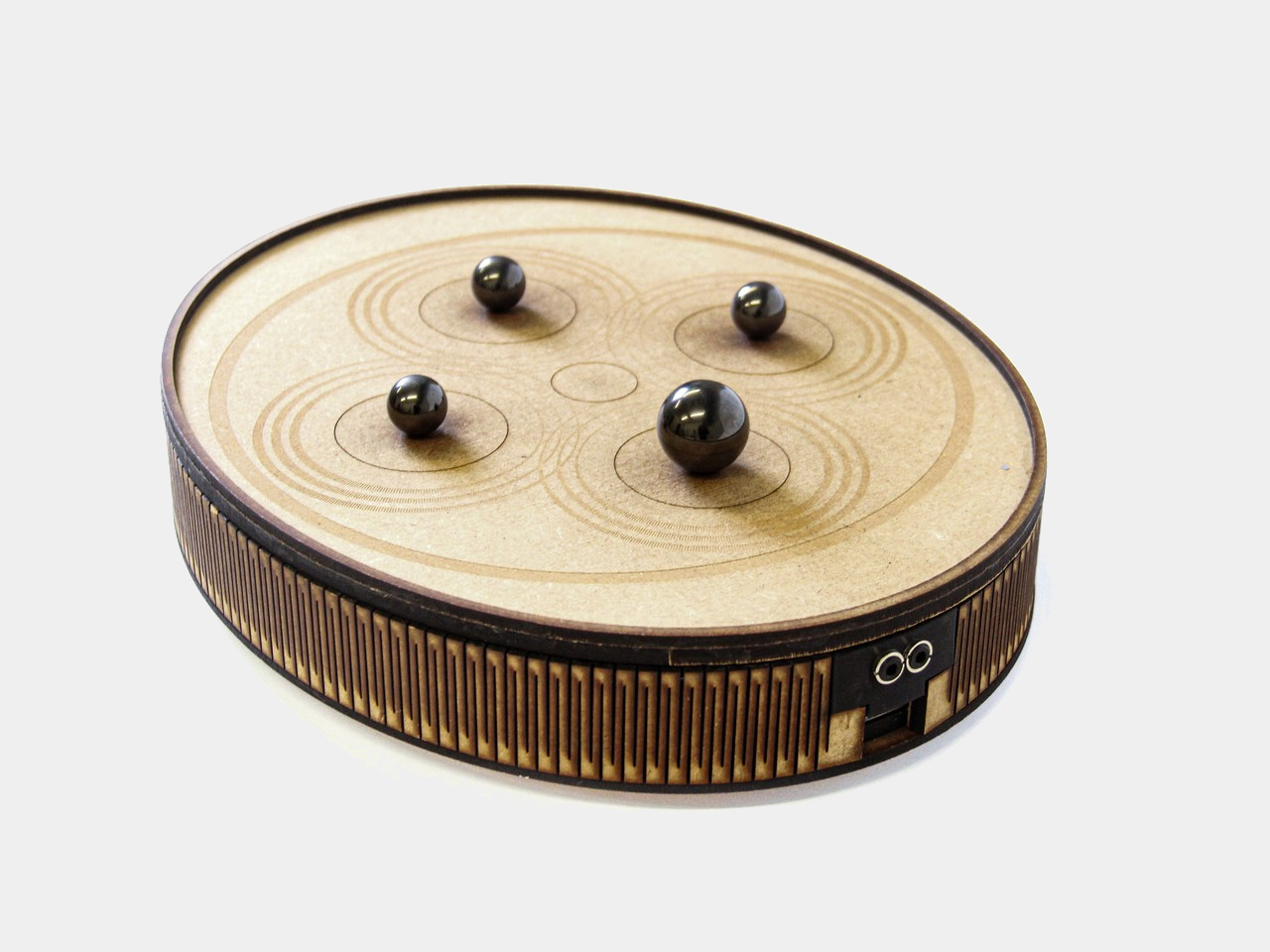
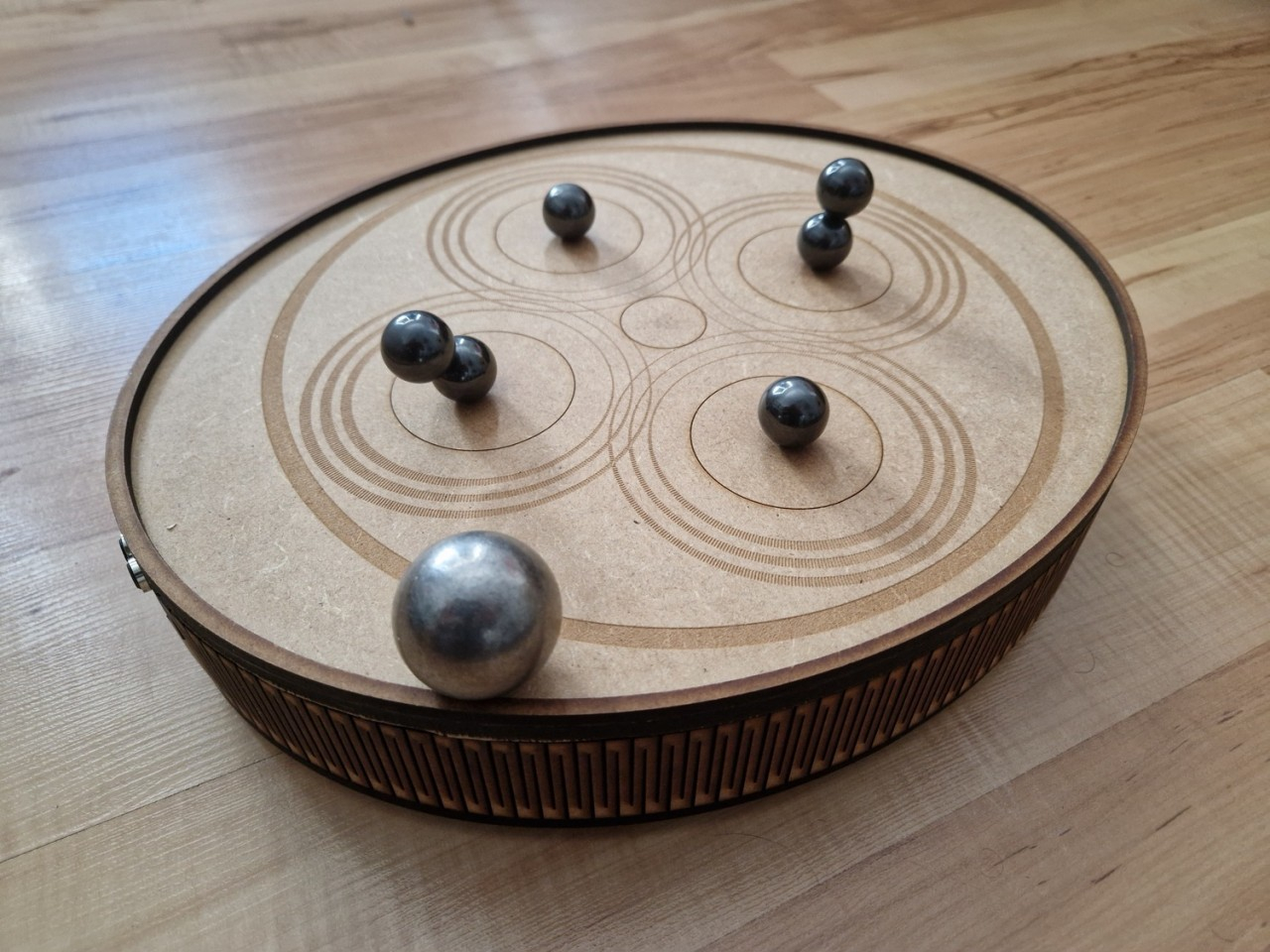
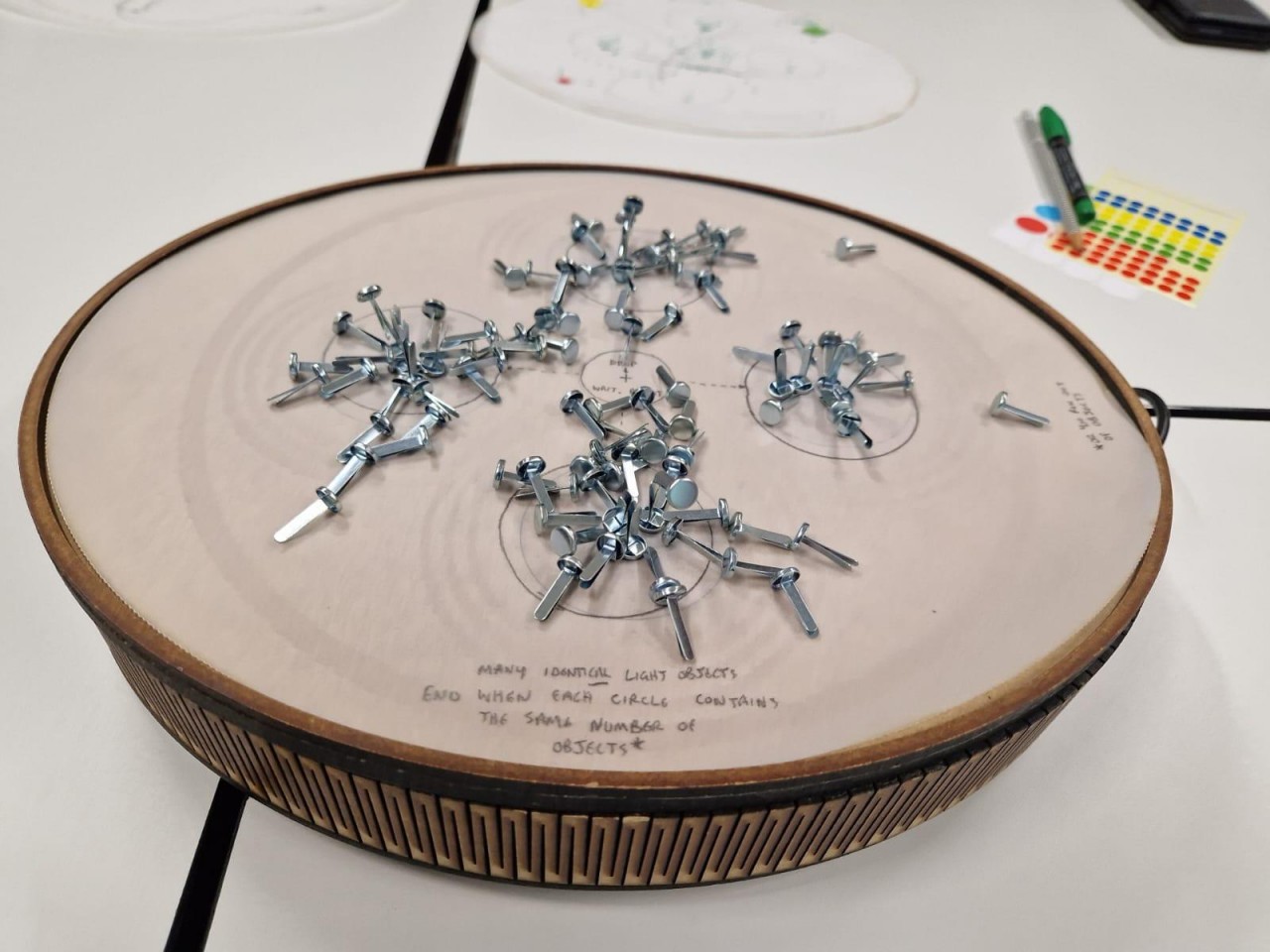
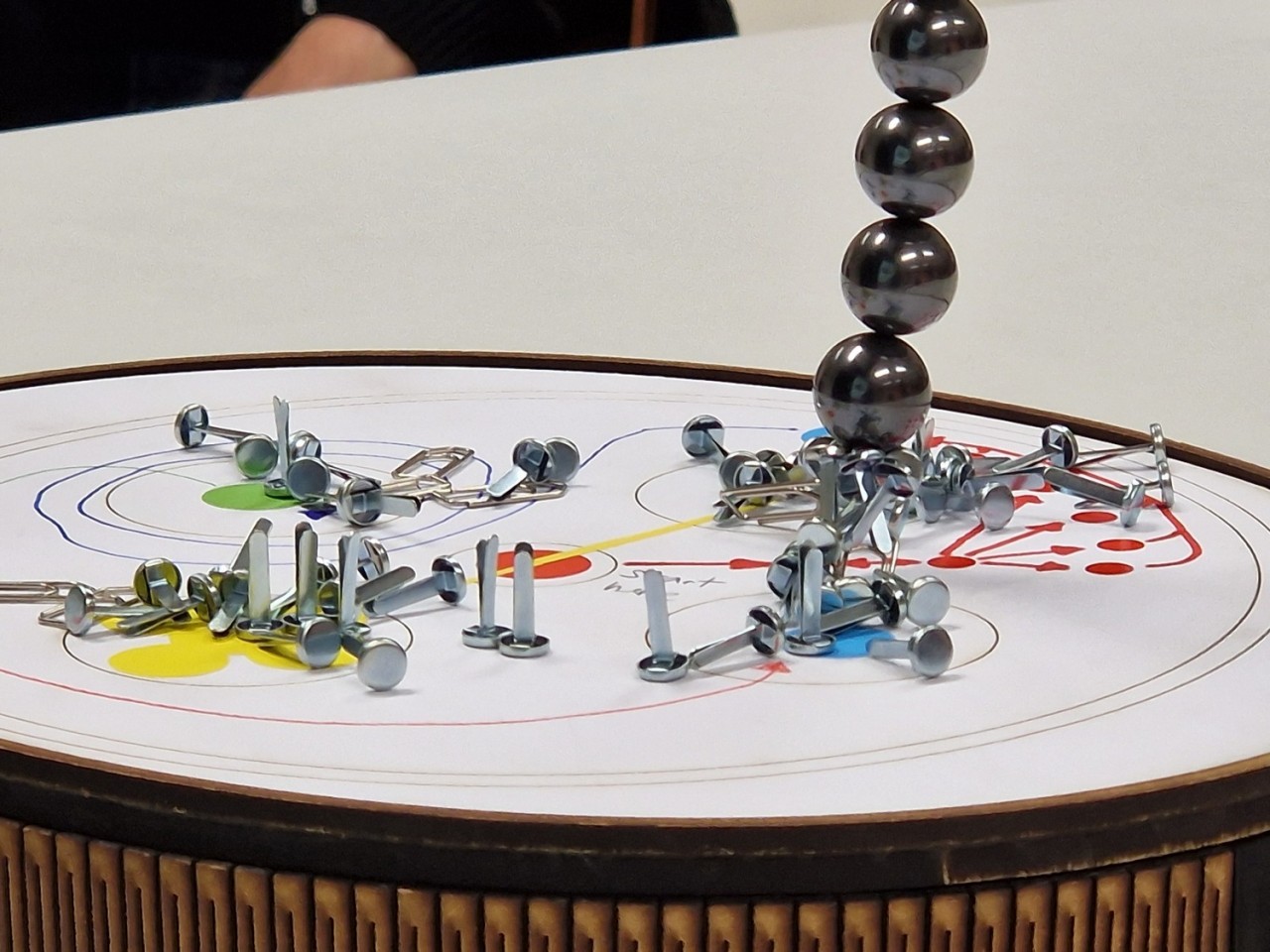
When people think of musical instruments, they most probably think first of traditional ones like guitars, pianos, and violins. These days, music can come from a wide variety of sources, sometimes generated by unexpected things, like the flow of fluids in plants. There is going to be some debate on whether these random arrangements of tones can qualify as “music,” but there will be little argument that the sequences they produce can be melodic and even pleasant. Plus, the way they’re generated can be just as interesting as the sounds they make, like this drum-like cylinder that produces a curious mix of synth tones by moving magnetic balls and objects around its surface, almost like playing with marbles and sticks.
Thanks to modern electronics, software, and a bit of AI, it’s nearly possible to use any phenomenon to generate different kinds of sounds and combine them in a harmonic way. This opens up a world of possibilities in how instruments can be designed, from passive sources like the biological processes of plants to more actively controlled machines with knobs and sliders. Stacco is an experimental instrument that mixes these two, using magnetic forces influenced by objects in your hands.
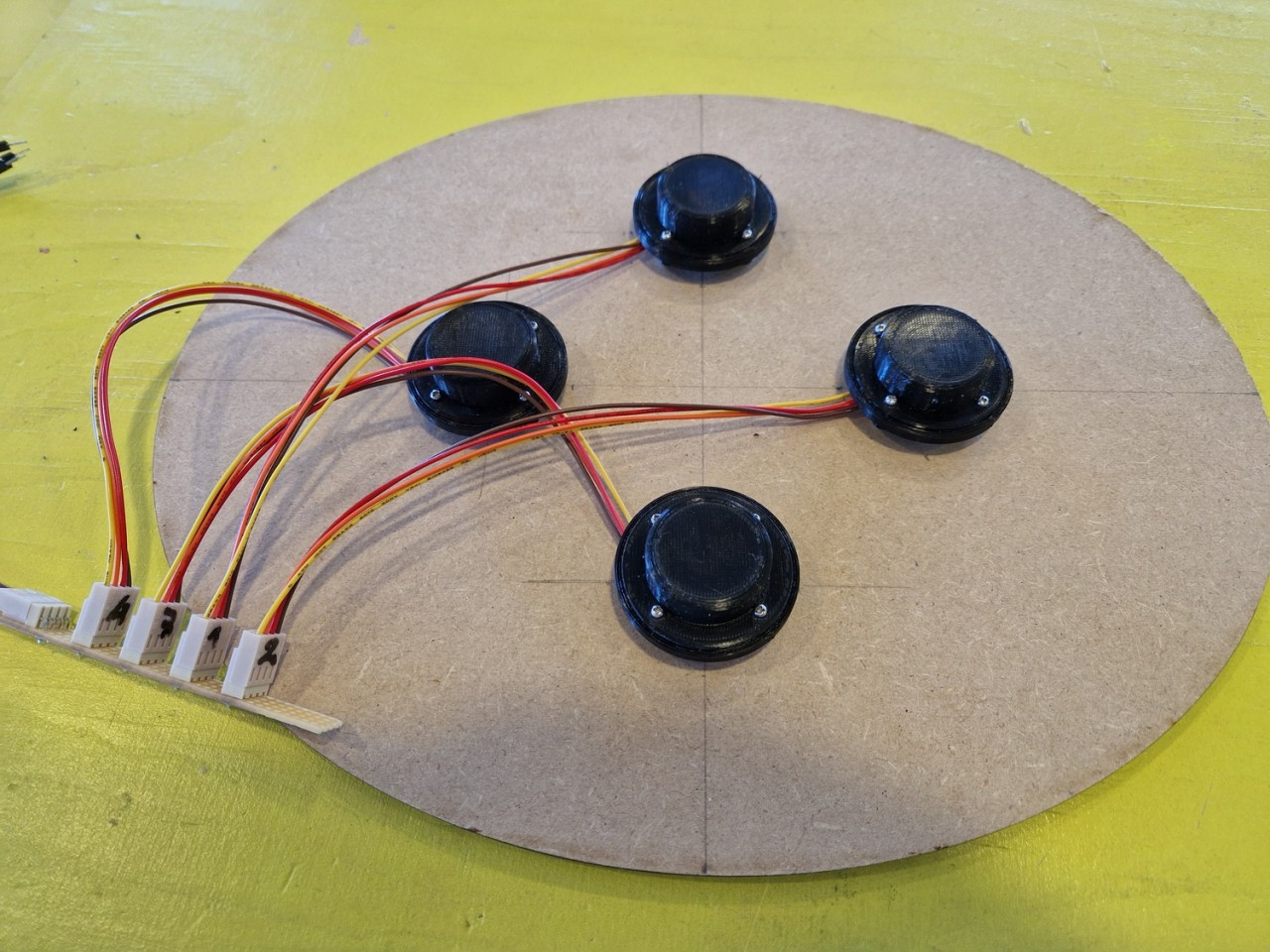
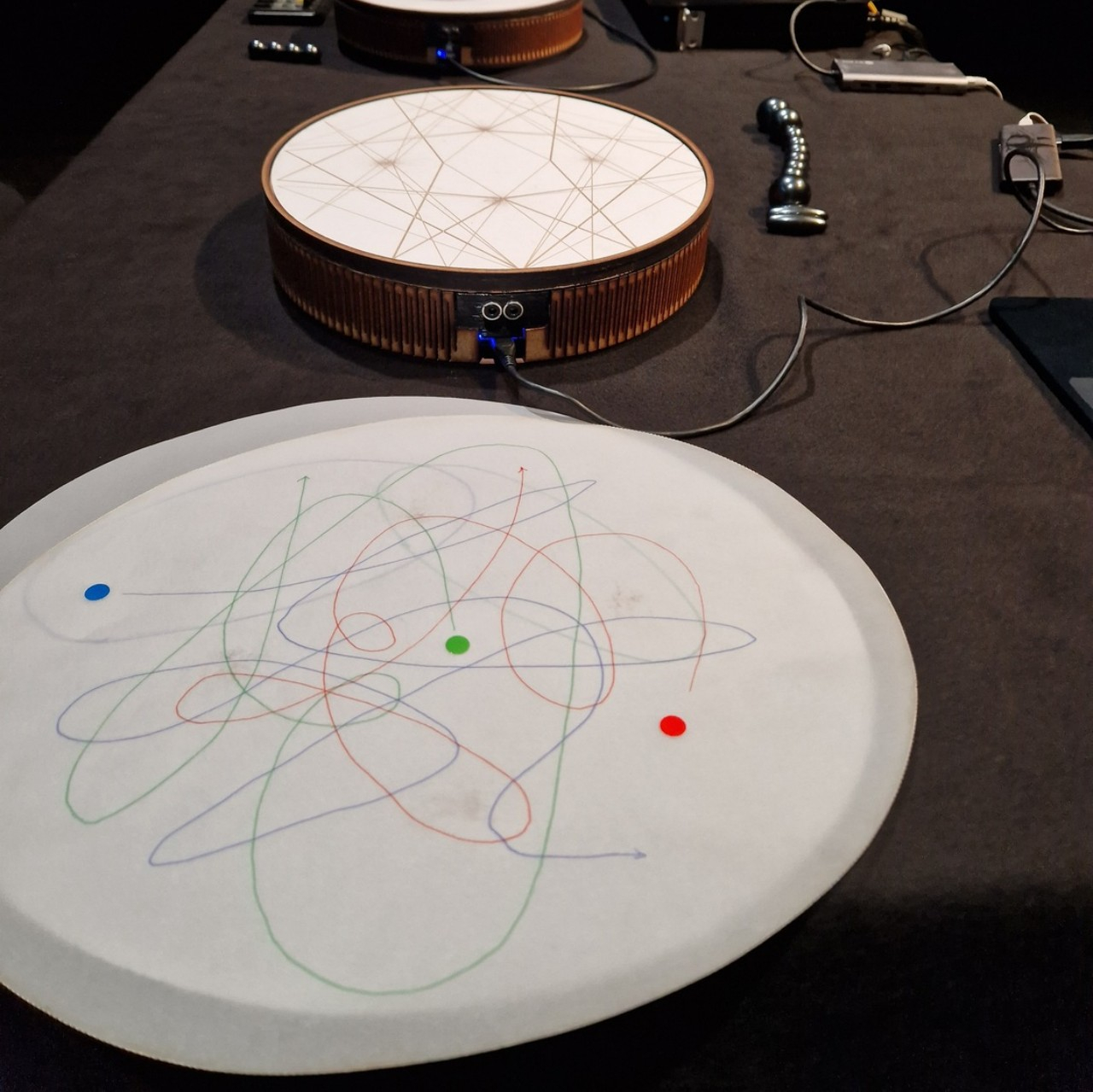
At the heart of Stacco, or rather beneath the surface, are four devices called magnetic attractors. These can detect the changes in the magnetic fields around them, which is then processed by artificial intelligence called Neural Audio Synthesis into sound or data that can further be manipulated into music, mostly of the synth type. What makes Stacco interesting is that you can use a variety of objects to affect these attractors as long as they generate some amount of magnetic field.
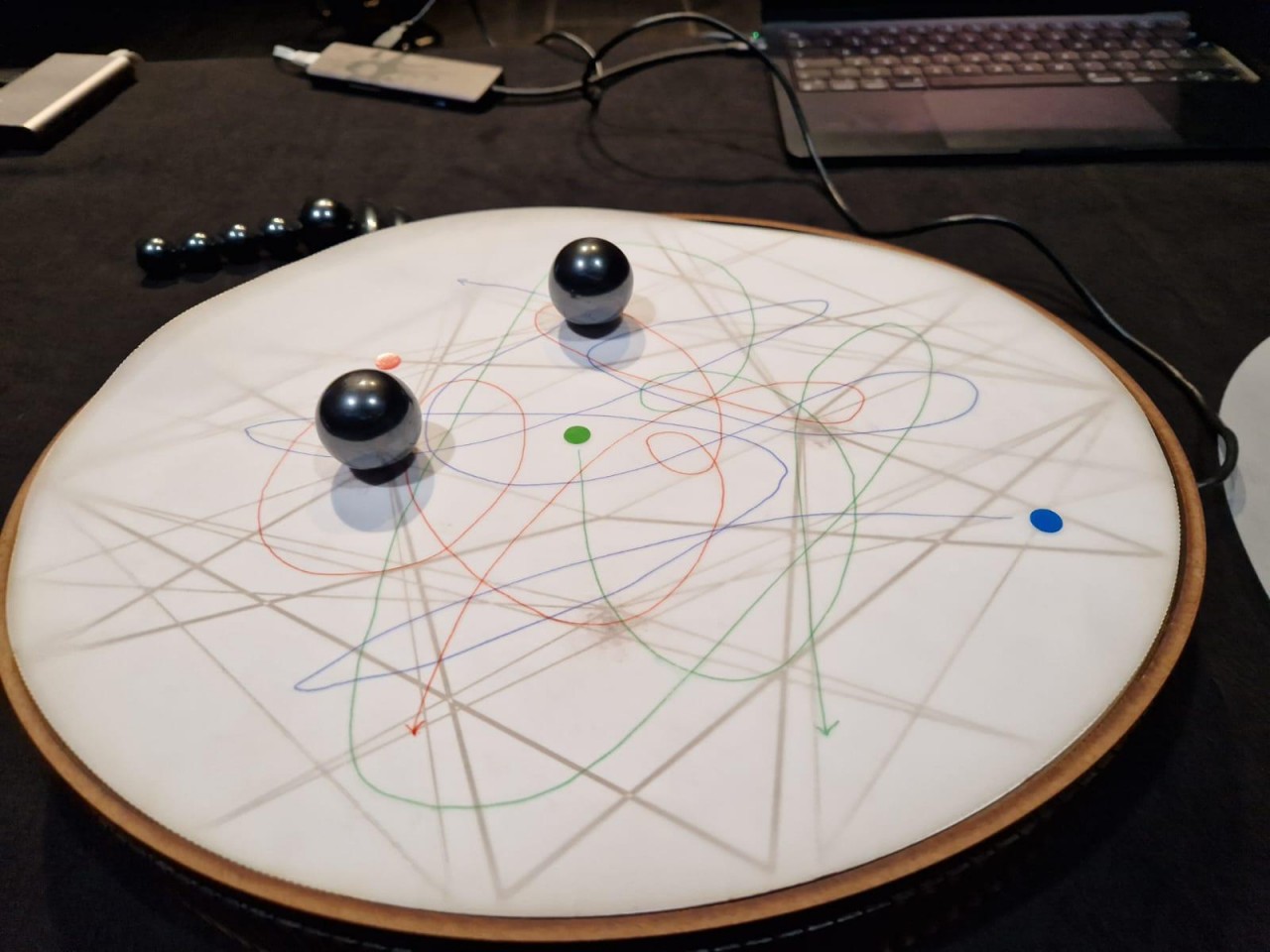
You can, for example, push or roll around four magnetic marbles to produce sound. Ferromagnetic objects like nails, rods, and rings can also be used to “push” the magnetic fields around. You’re not limited to just moving the balls on the surface of the drum-like instrument either. To some extent, you can also pick and drop objects to have the same effect, though probably on a smaller or weaker scale.
This odd musical instrument not only offers a more interactive experience, it also changes the way you can record or compose music. Since the tones are generated by moving objects across the surface, these can be noted down as lines, circles, and other figures that can result in beautiful geometric patterns. Musicians can then just simply trace those lines to recreate the same musical score or simply let it guide their hands to create variations and discover new melodies in the process.
You would think that in this age when we mostly listen to music through streaming services, old school ways of listening to music would be all but extinct. While we probably won’t see cassette tapes make a comeback soon, we still see CDs and vinyls have a pretty niche but passionate market. So we’re seeing several music players that are able to still play these “relics”, mostly for the vinyls (sadly, I have yet to see excellently designed CD players with great sound quality).
Designer: Vadzim Sadouski
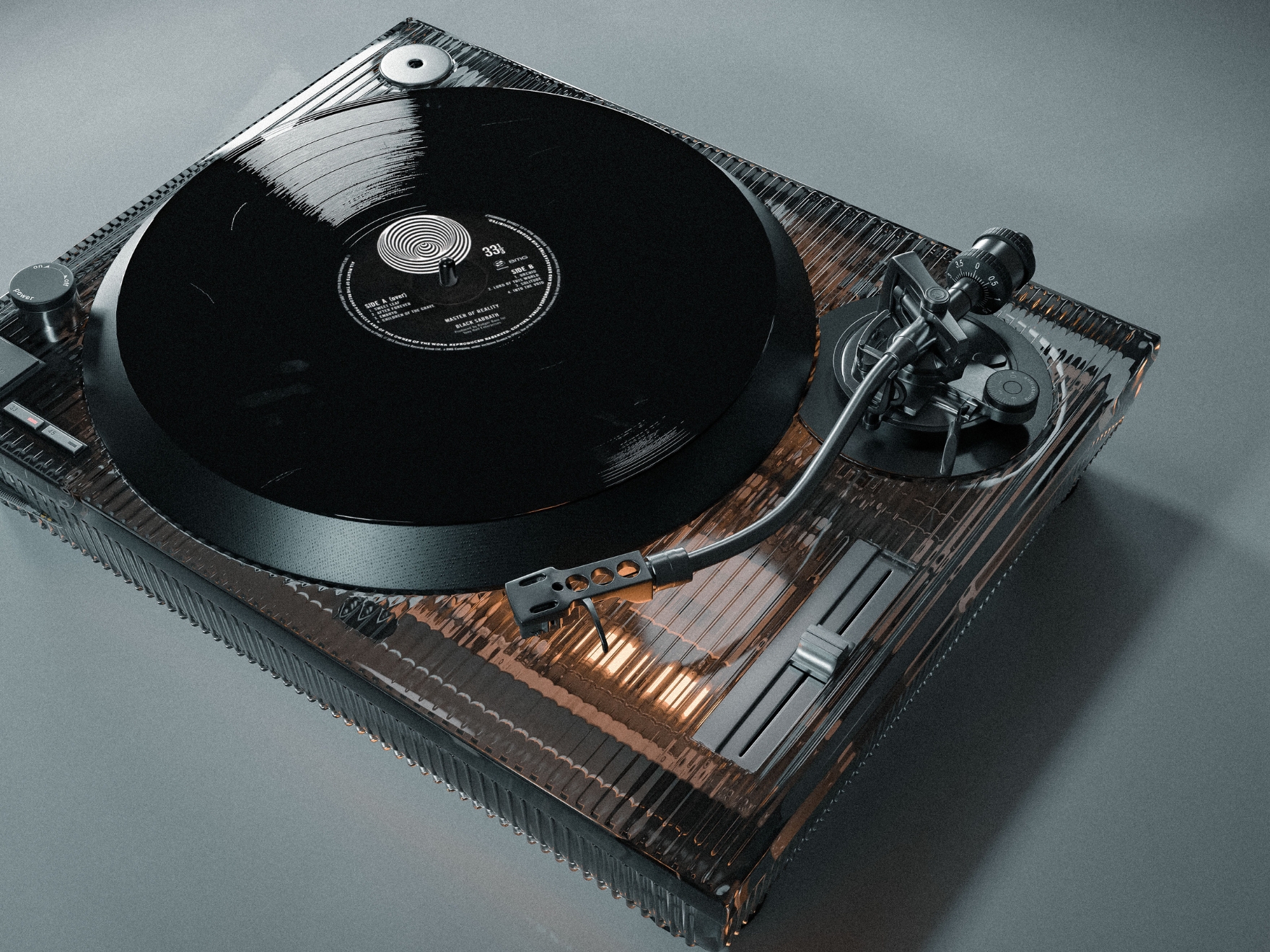
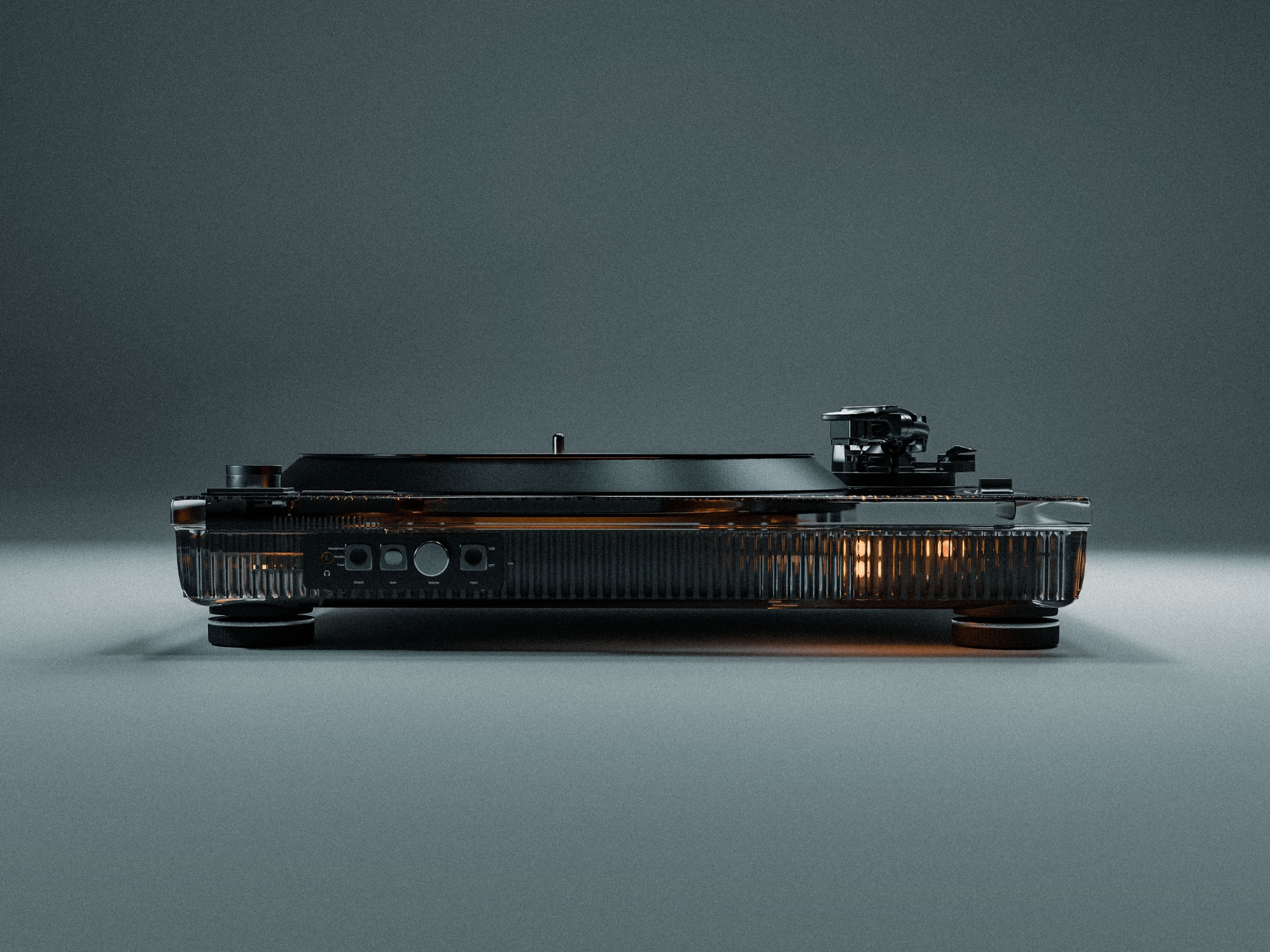
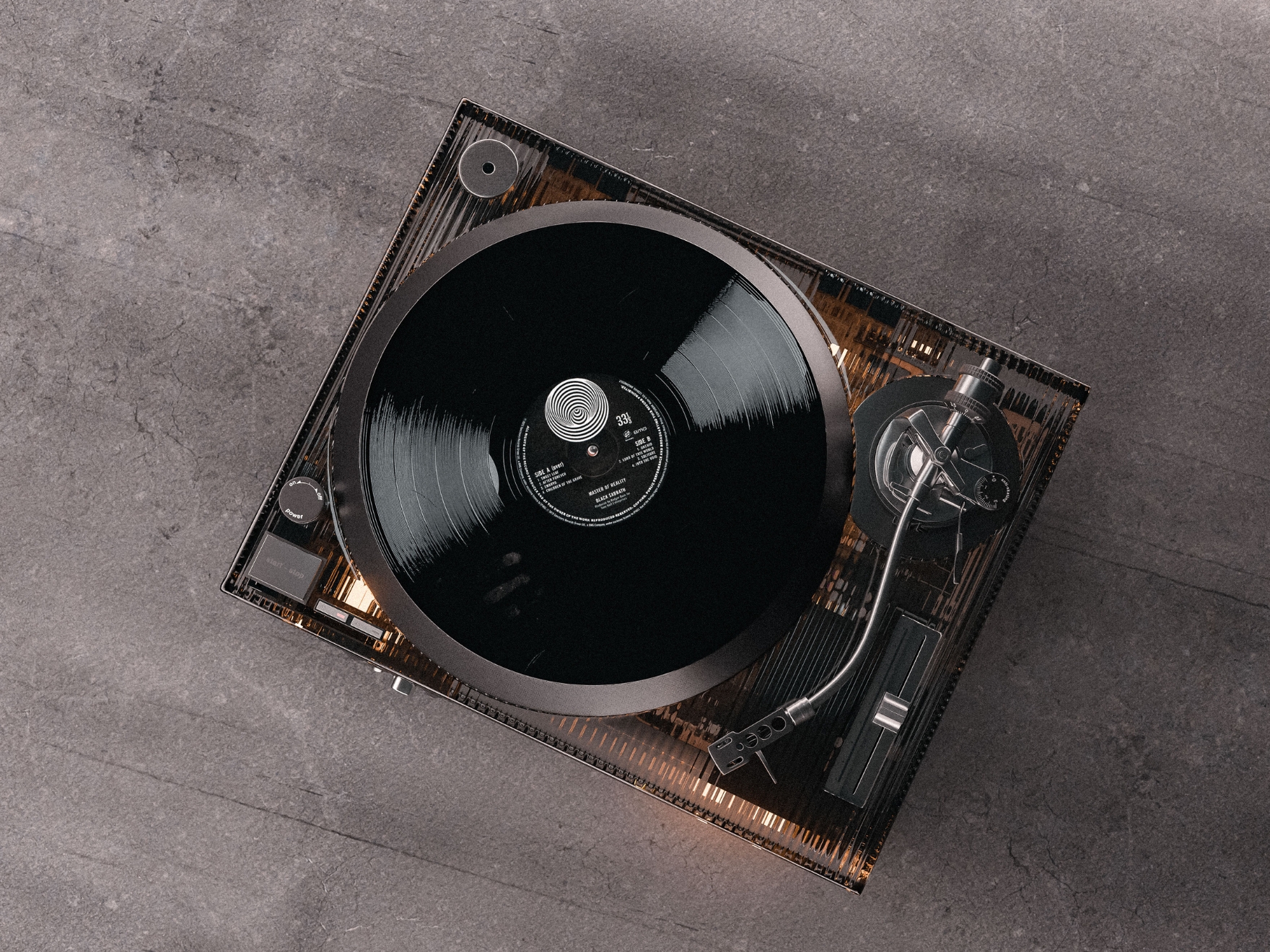
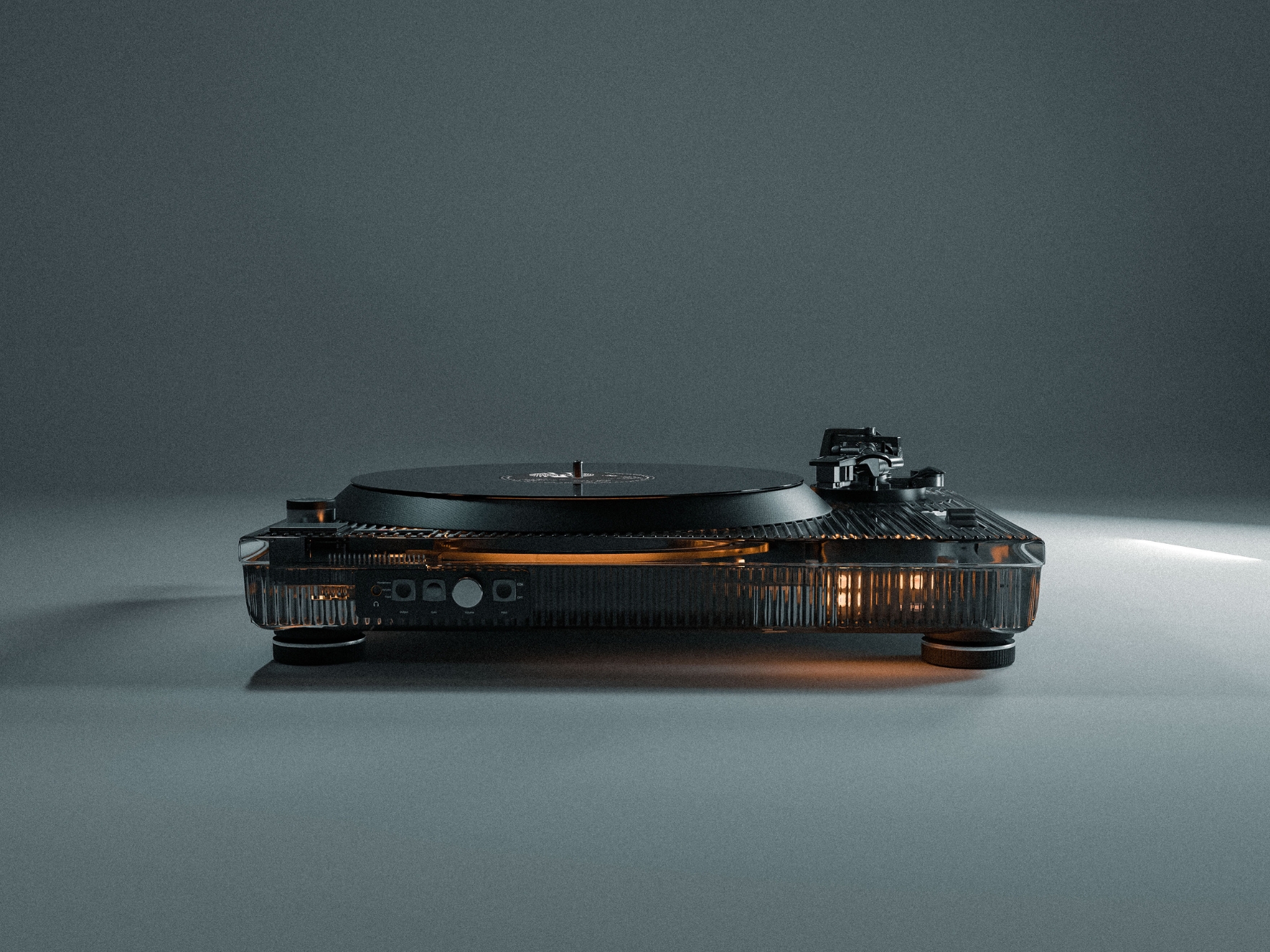
There is no lack of great-looking and great-sounding turntables out there if you’re in the market for one. And there is also no dearth of interesting concepts for vinyl players, ranging from retro to cutesy to premium to sci-fi/out there levels. This concept for a “record player transparent design” is one of those that catches the eye and would be interesting to see as an actual vinyl player (and hopefully it gets a specific name too). From the moniker itself, you probably have an idea of what it would look like even if you don’t see the renders.
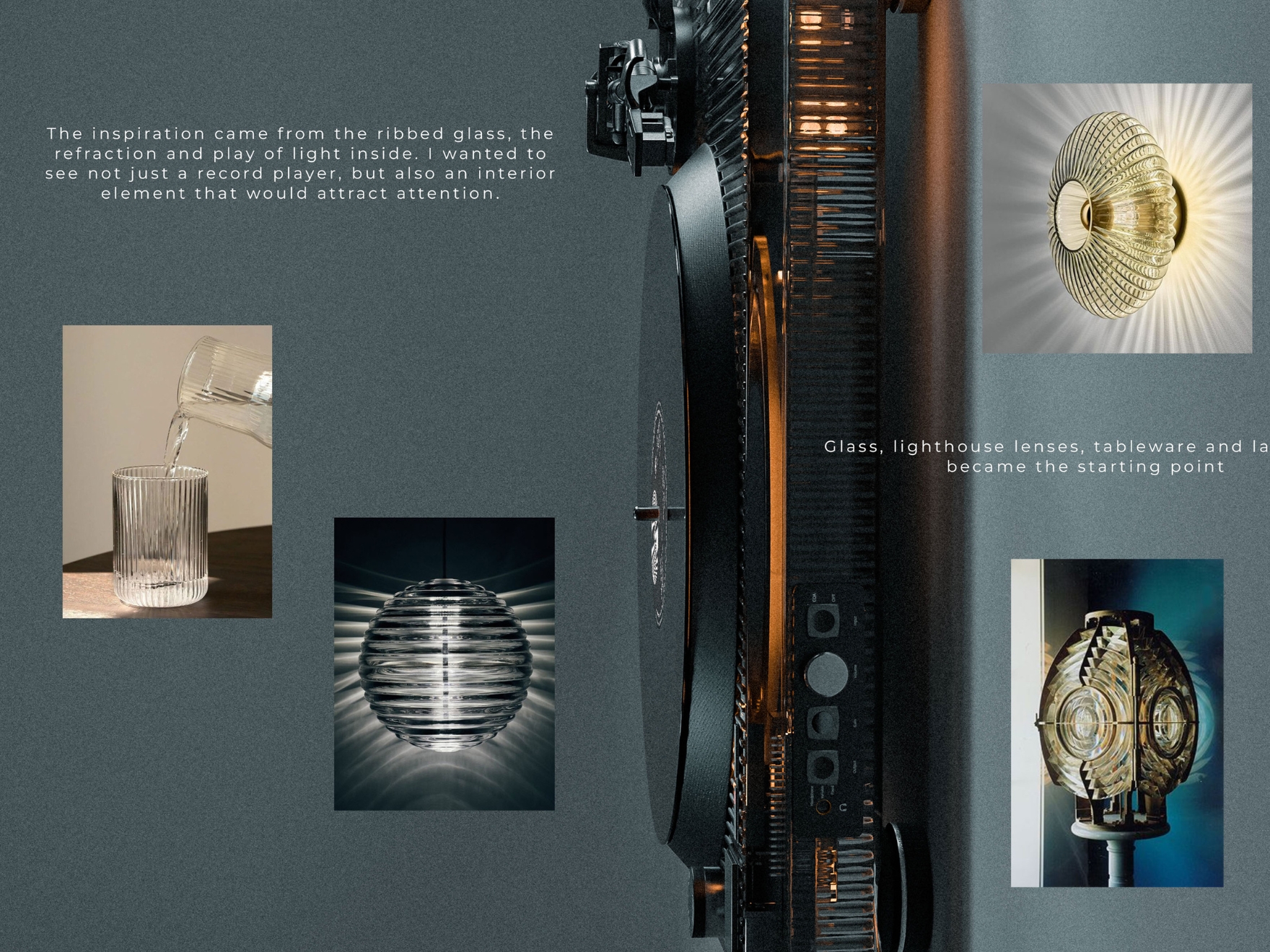
There’s a certain fascination with transparent things now and seeing how the inside looks like as it does its thing. This one is inspired by the play of light inside ribbed glass as the light refracts and plays around. The designer says the starting point for the design are things like glass, lighthouse lenses, tableware, and even lamps. What you get is a vinyl player with its base showing off the light inside from the glass grills.
Now as to how the vinyl records would sound like from having a transparent design like this is a problem for another day. But the concept itself seems pretty interesting and is definitely eye-catching. But real music lovers would tell you that no matter how well designed something is, the important thing is the sound quality of course.
Whether the mouse stops scrolling, the sensor begins to glitch, or the switch records twice when you just want a single click; it’s time for you to replace your mouse. You know why, because most mice we have connected to our PCs or laptops are unrepairable, and there’s a high chance, yours is a plasticky one you cannot mend.
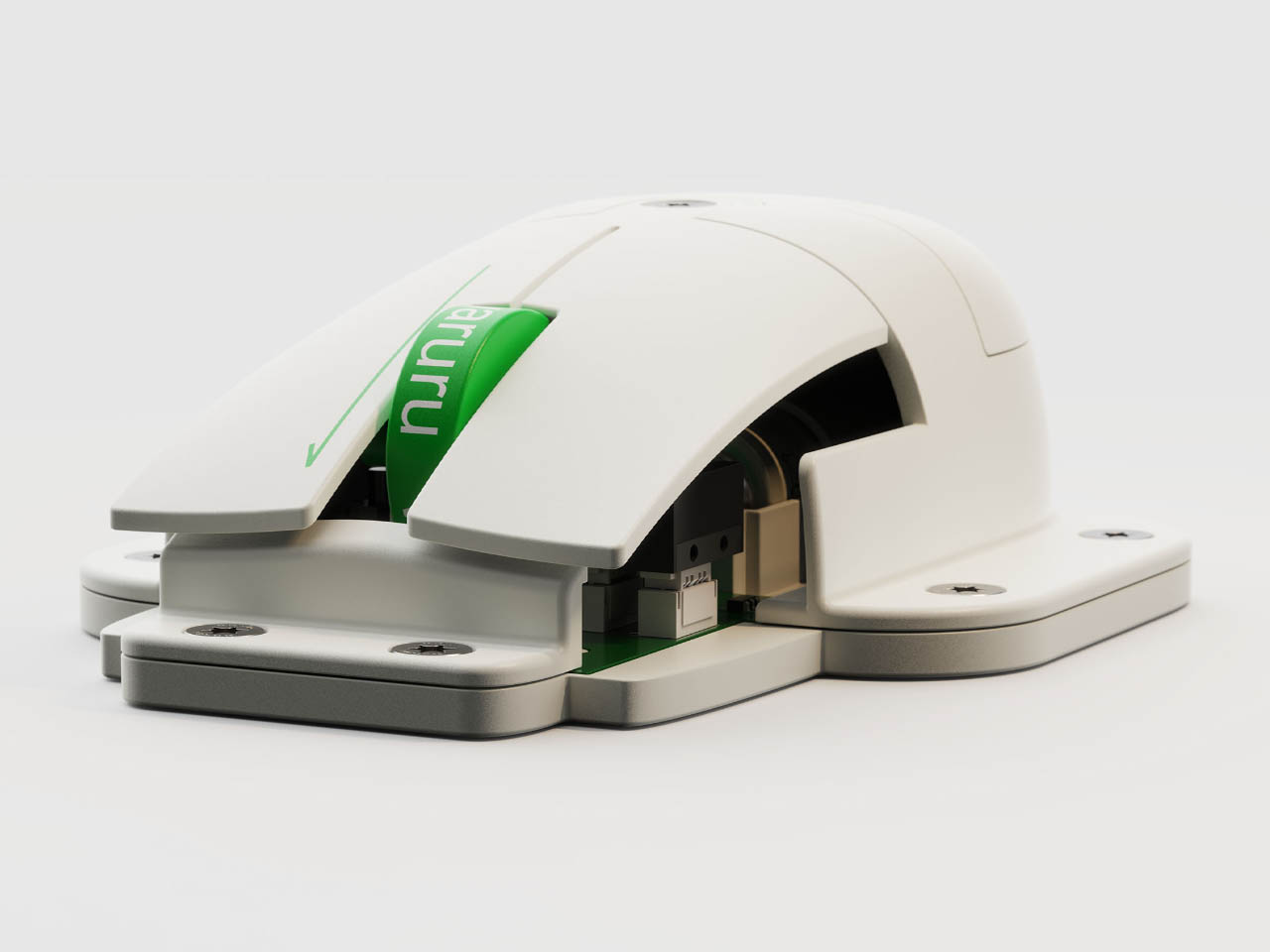
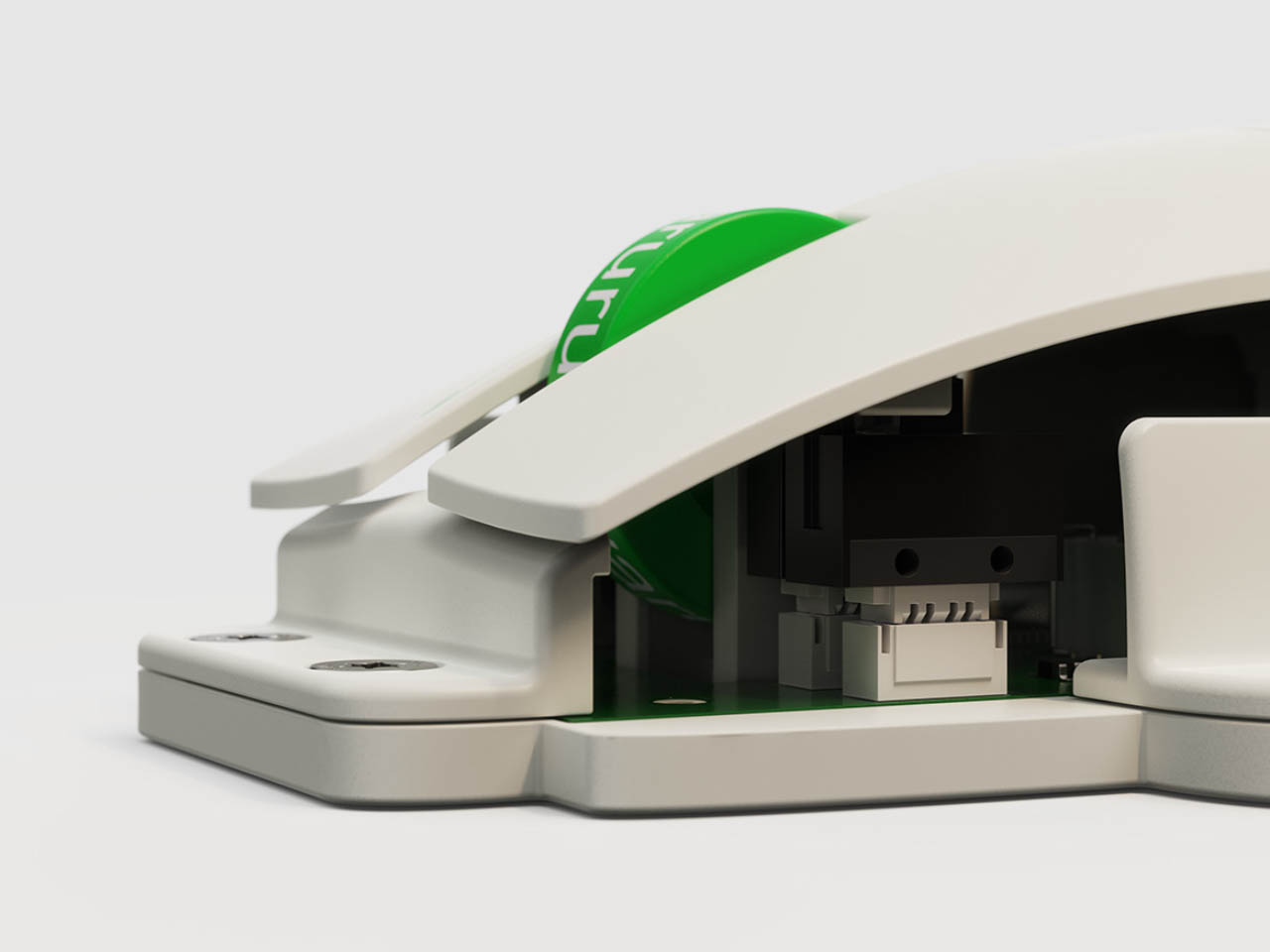
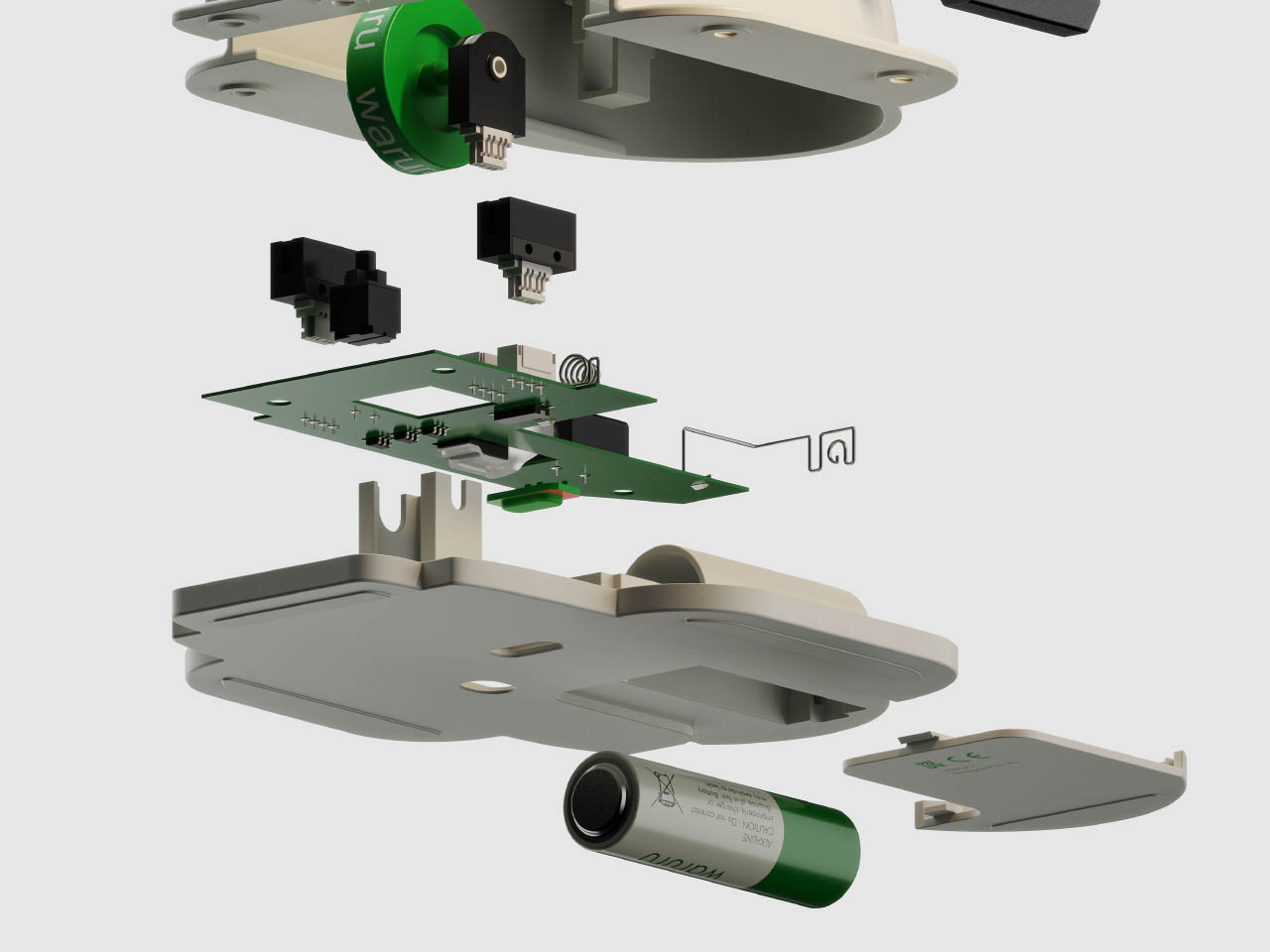
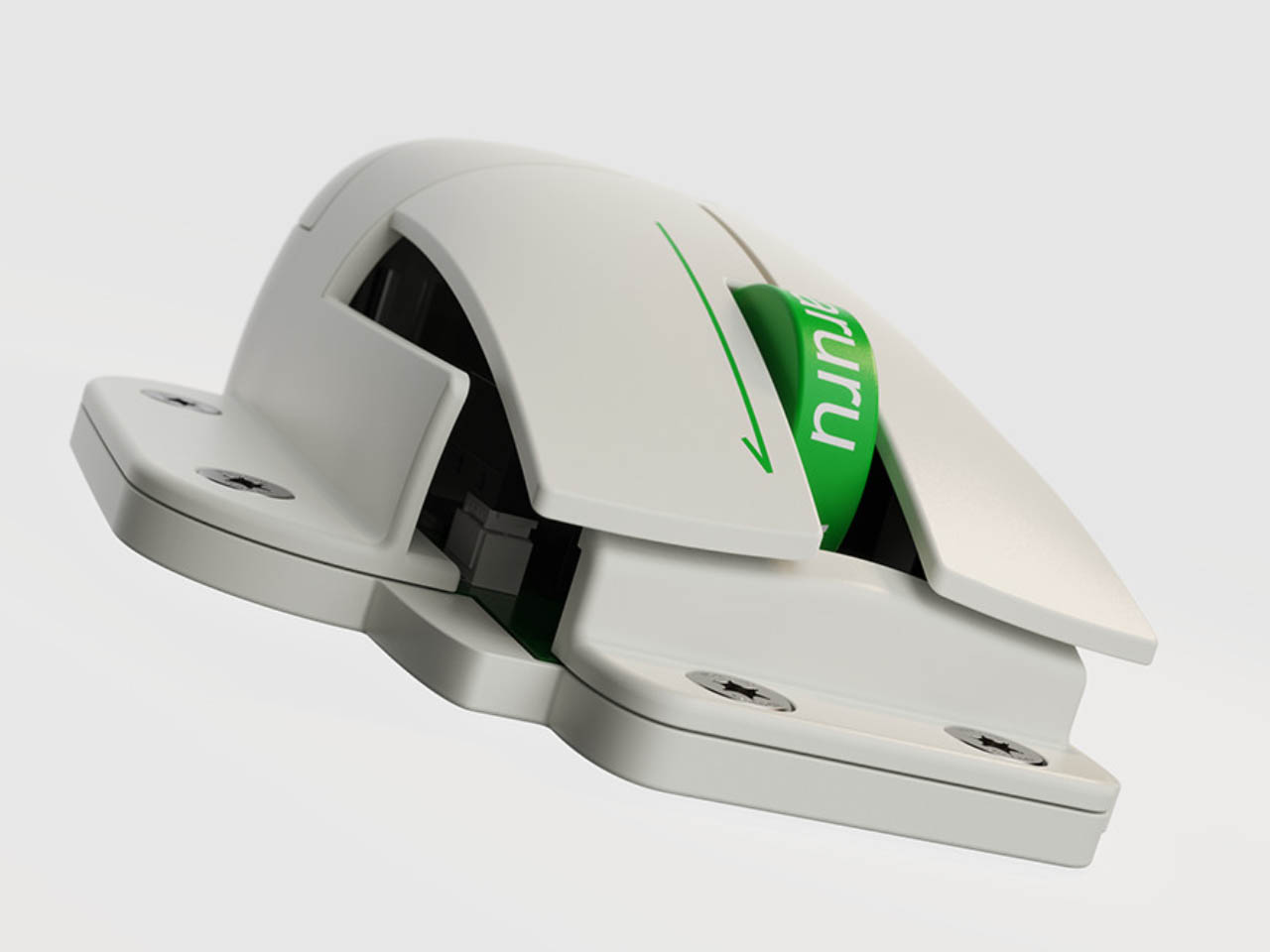
Over prolonged usage or when a mouse accidentally drops, most of the time, it fails in ways you wish you could open it up and replace the faulty part, since it looks like new on the outside still. Unfortunately, only a handful (if I’m not wrong) of mice have the option to replace a part or two. In such a scenario, the waruru: easy-to-fix mouse is a class apart. It is the Framework of a mouse!
Today, if you want a laptop that you can upgrade and repair effortlessly, it’s the Framework laptop. These repair-friendly laptops have become an exciting option on the market with more people preferring them for their repairability and eco-consciousness. Replaceable parts can save a lot of hardware from reaching landfills and leading to toxic electronic and plastic waste.
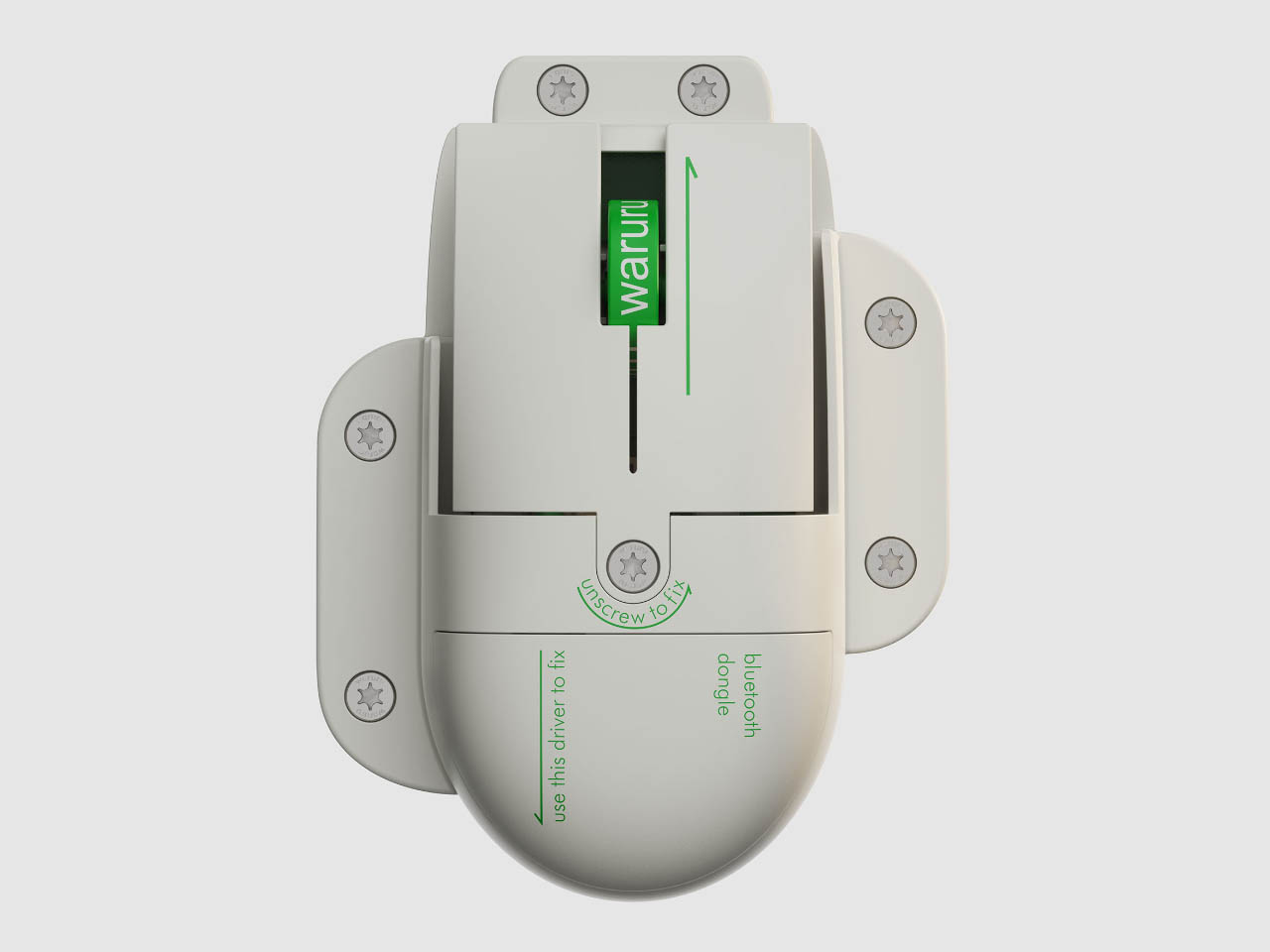
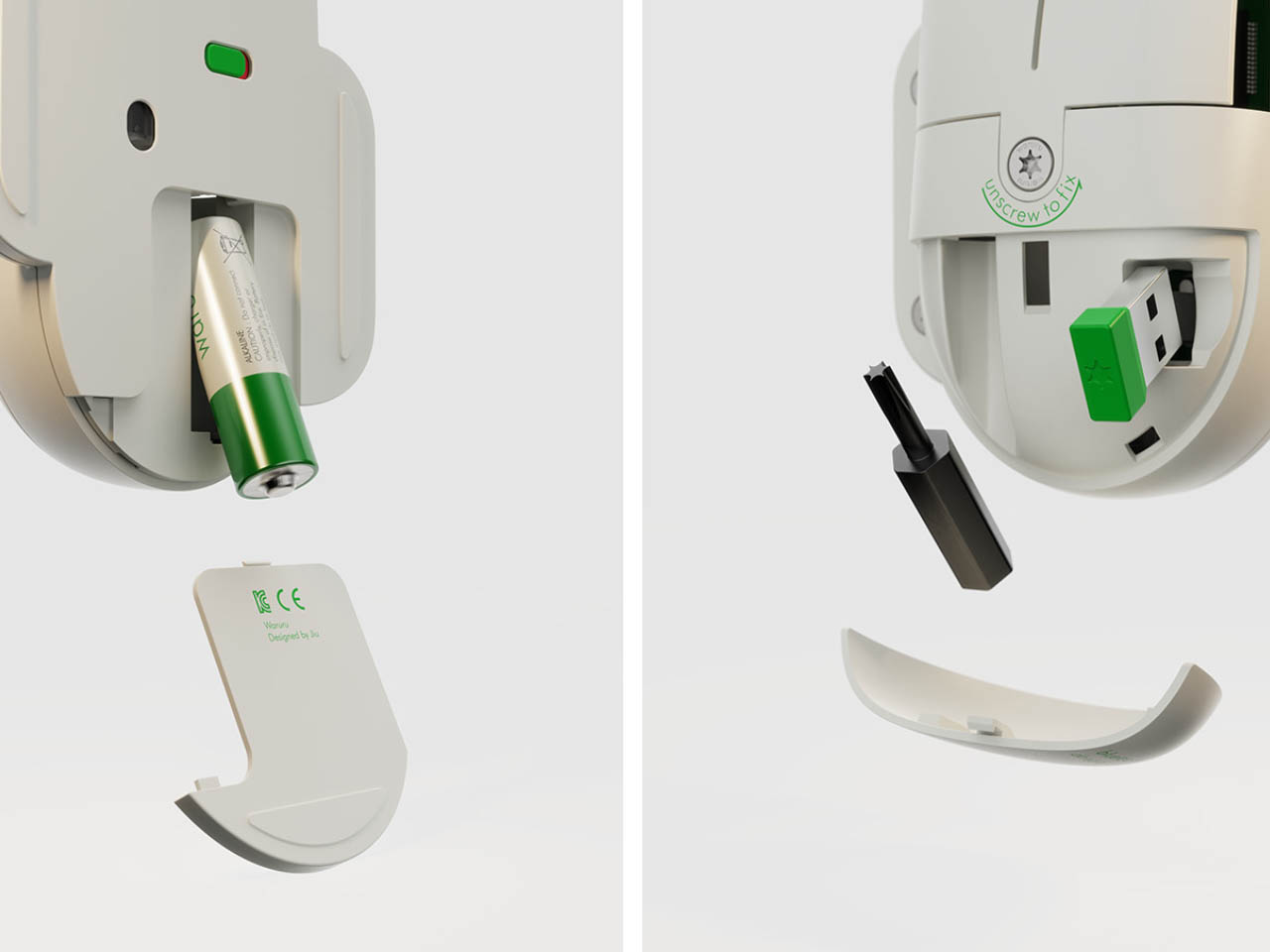
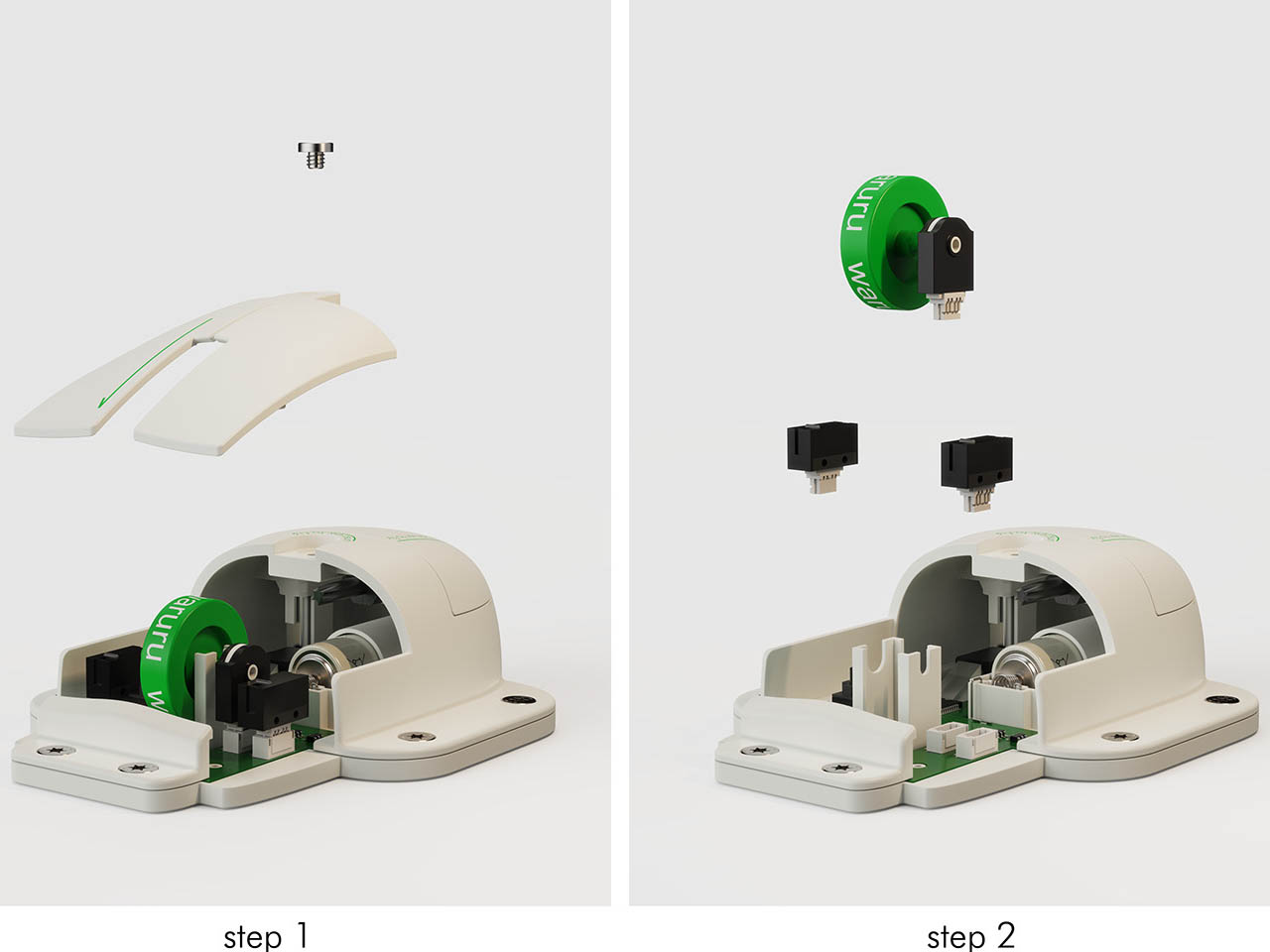
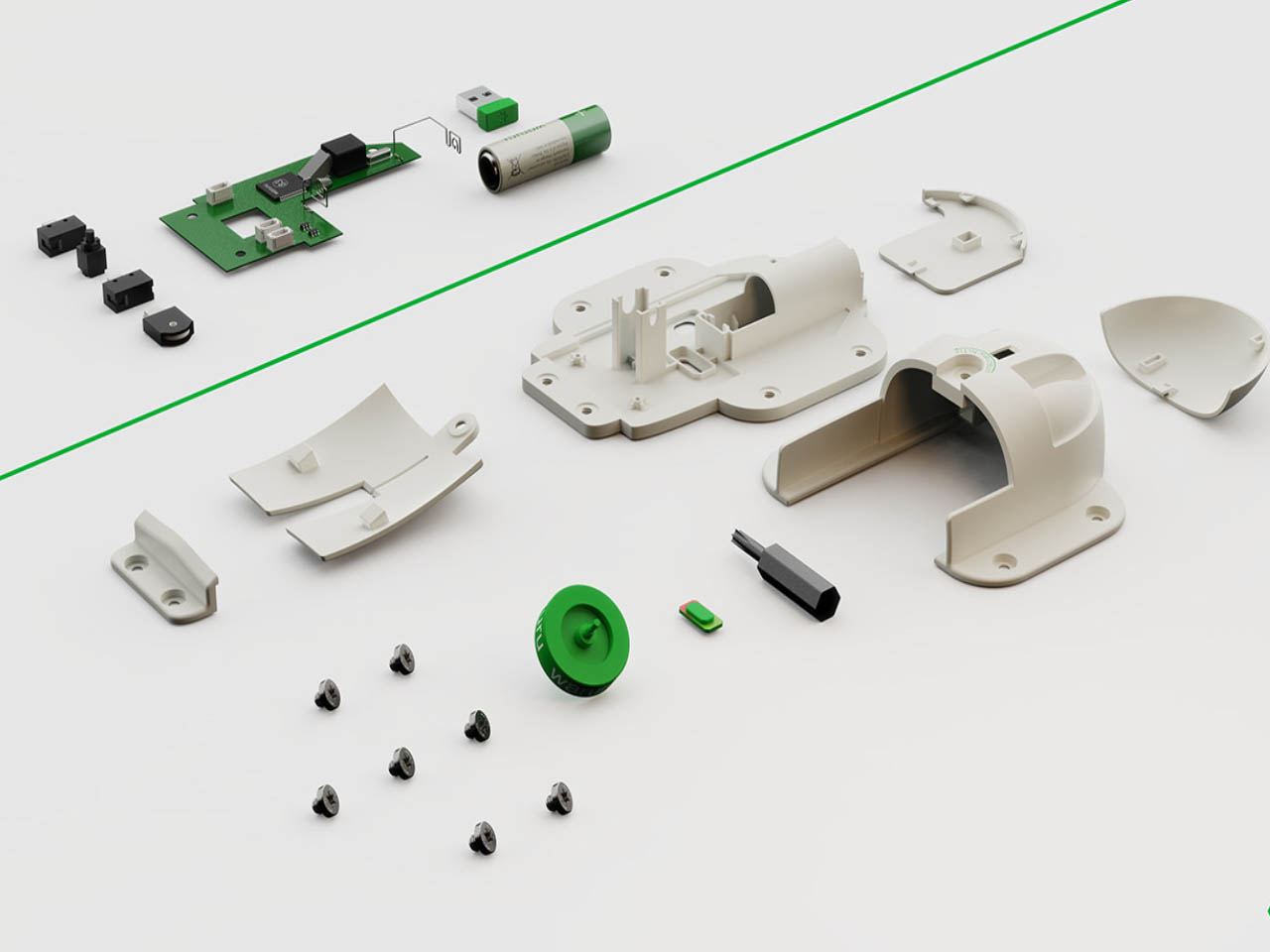
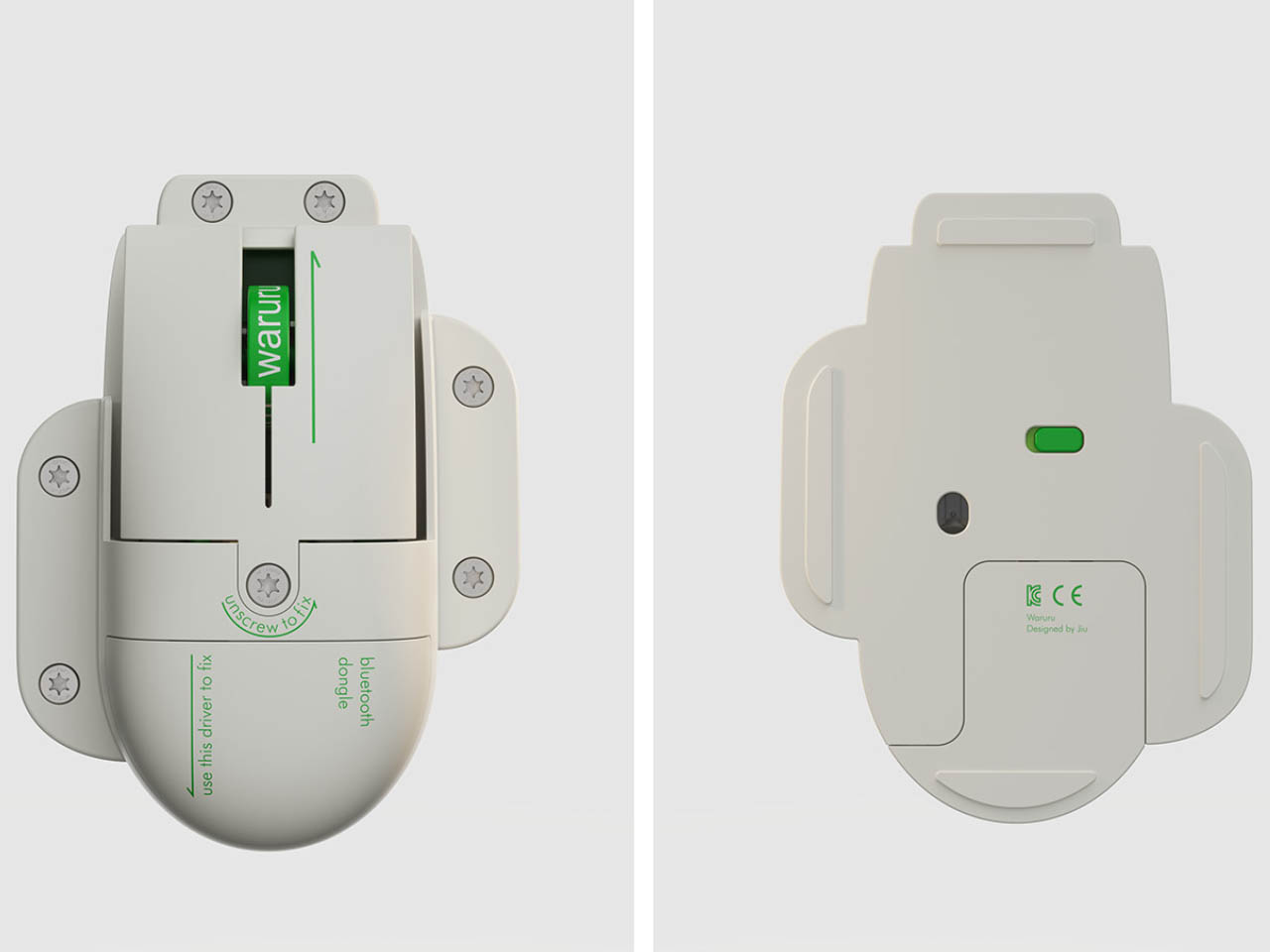
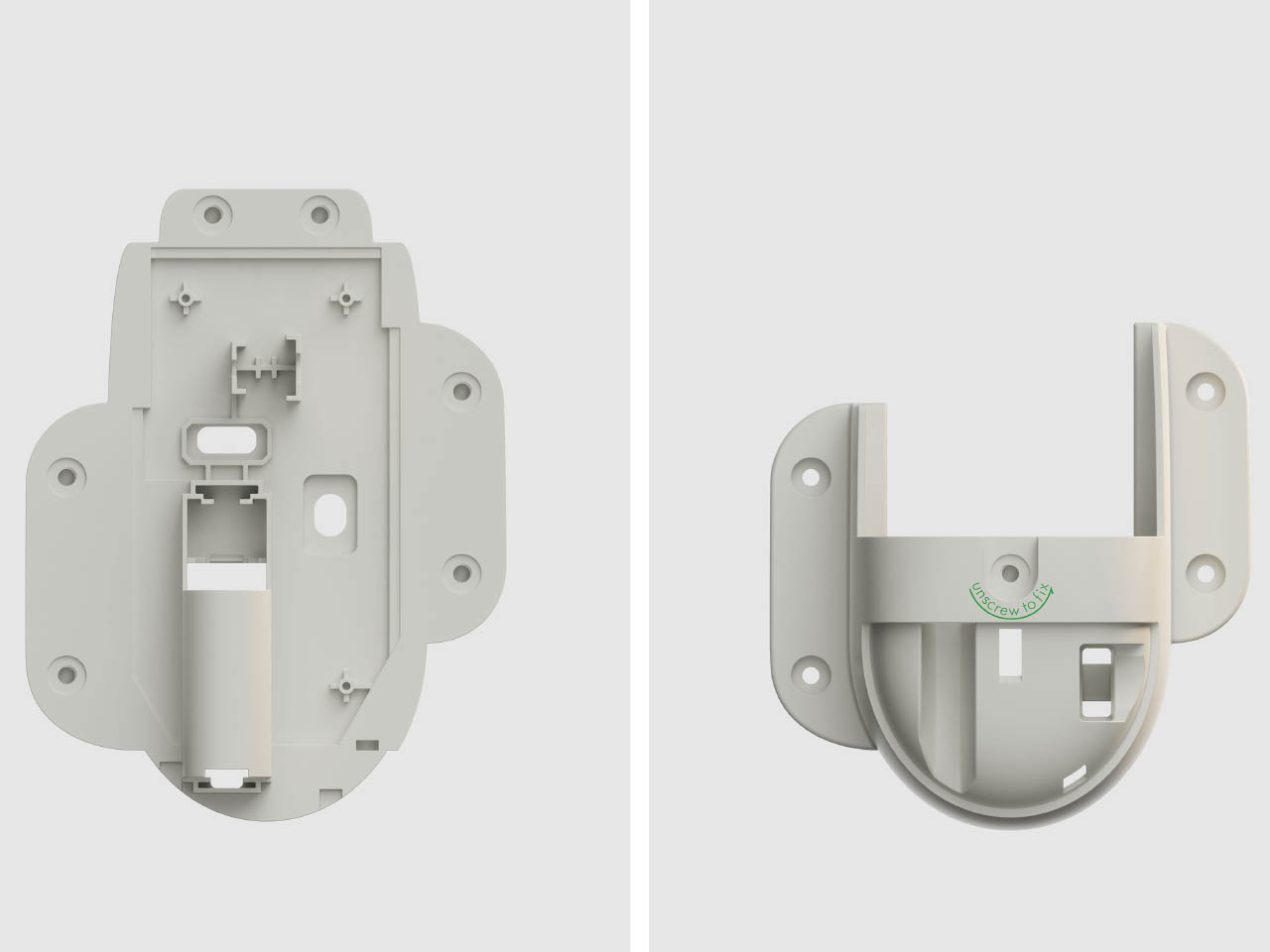
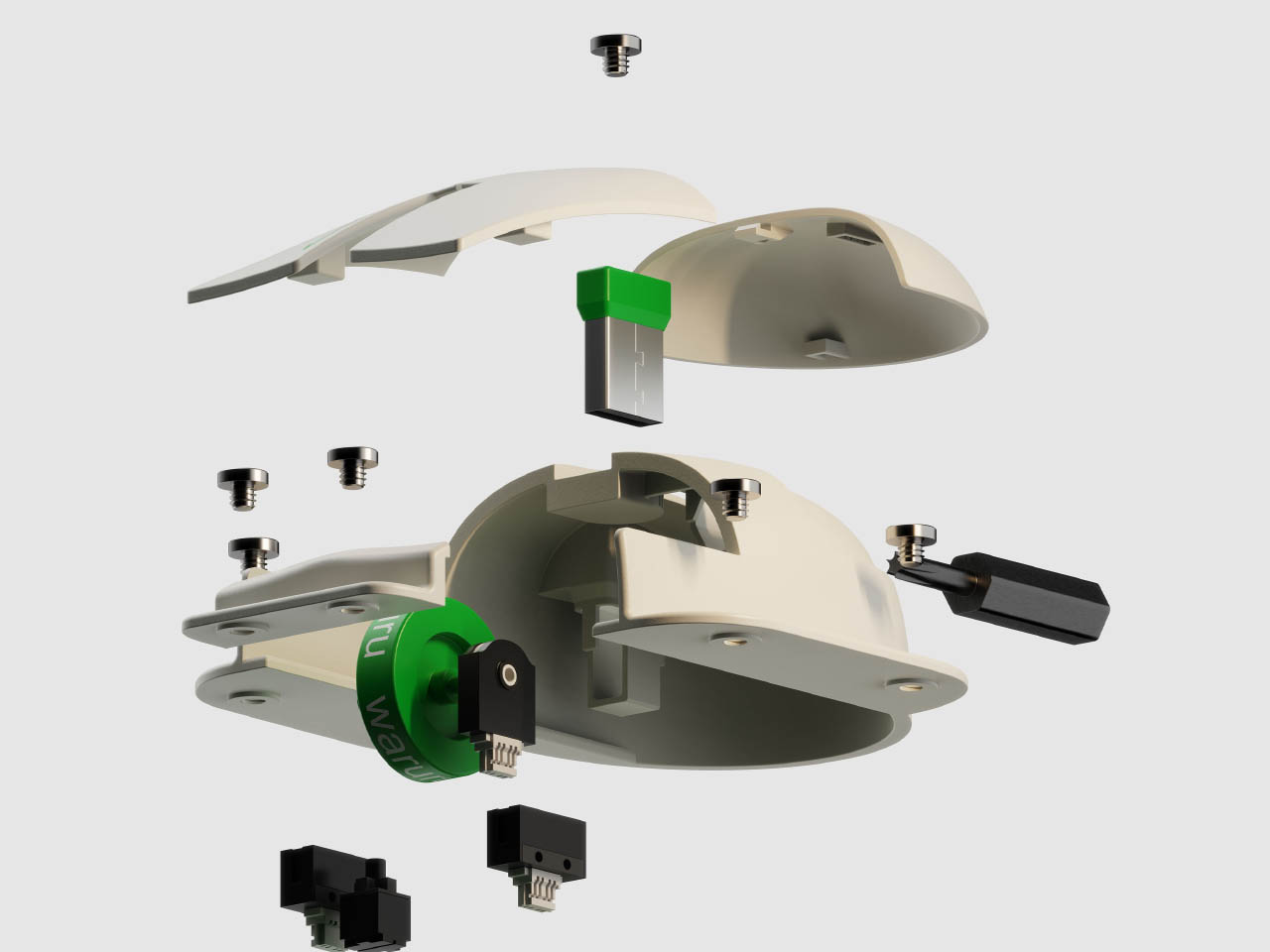
Built for high performance, the easy-to-upgrade and customize, waruru comes with replaceable key components. The scroll wheel, the wheel encoder, the click switch are all replaceable and repairable. This is facilitated with a single screw on the top. Unscrew it and you and access the faulty part and instantly repair, upgrade, or replace.
Now with the waruru, Framework laptops have a partner that is repairable and eco-friendly like them. These mice are easy to open, have replaceable parts, and disassemble – at the end of life – so that recyclable parts can be separated from the electronics, making the recycling process easier.
The new era of video meetings has put webcams in the spotlight. At the same time, it has also become more quickly apparent that webcam technologies and designs didn’t really grow alongside the rest of the computing industry, seemingly stuck in the requirements and conventions of the early 2000s. But while their capabilities have indeed caught up to modern needs, their designs remain eyesores sitting on top of many monitors and laptop screens. This design concept tries to buck the trend by presenting a webcam that isn’t just useful or privacy-respecting but also carries a character of its own.
There’s a principle in psychology that says that something that’s always in our vision can affect our minds in sometimes subconscious ways. That’s why sticky notes surrounding your computer monitor can be good at nagging us long after we’ve clocked out of the office, which can be a good or bad thing for your productivity. We also put things that delight and inspire us always within our field of vision, but things that irk or discomfort us can bring our mood down if we have them in our faces long enough.
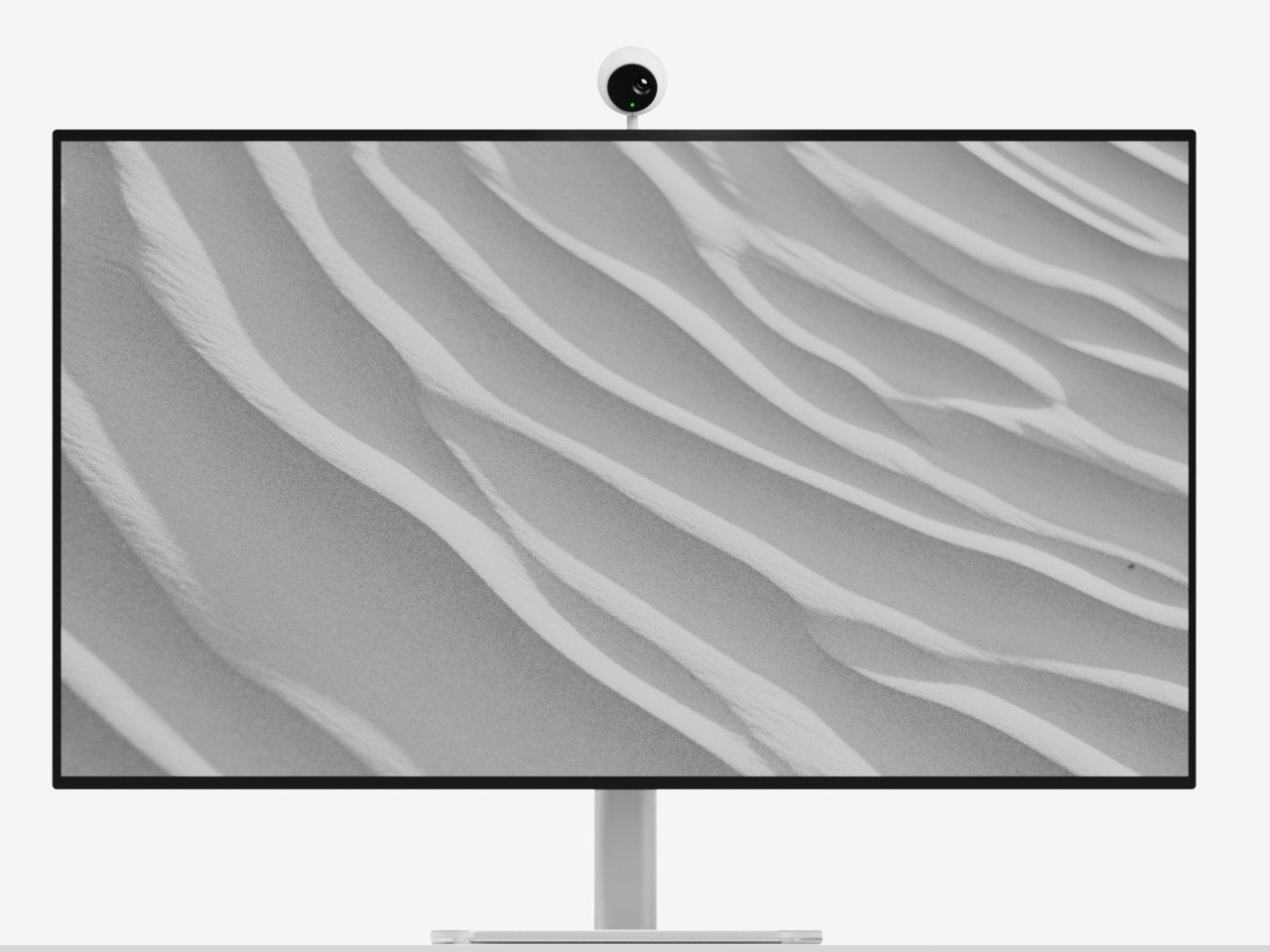
Webcams are meant to be discreet and almost invisible, but except for built-in cameras in laptop monitors, the vast majority of them are perched on top of our screens, often at eye level, so there’s absolutely no way to ignore their presence. It’s not that these devices are unappealing, though some might indeed fall under that category, but many of them are plain, uninspiring, and sometimes at odds with our carefully designed desk or computer motif.
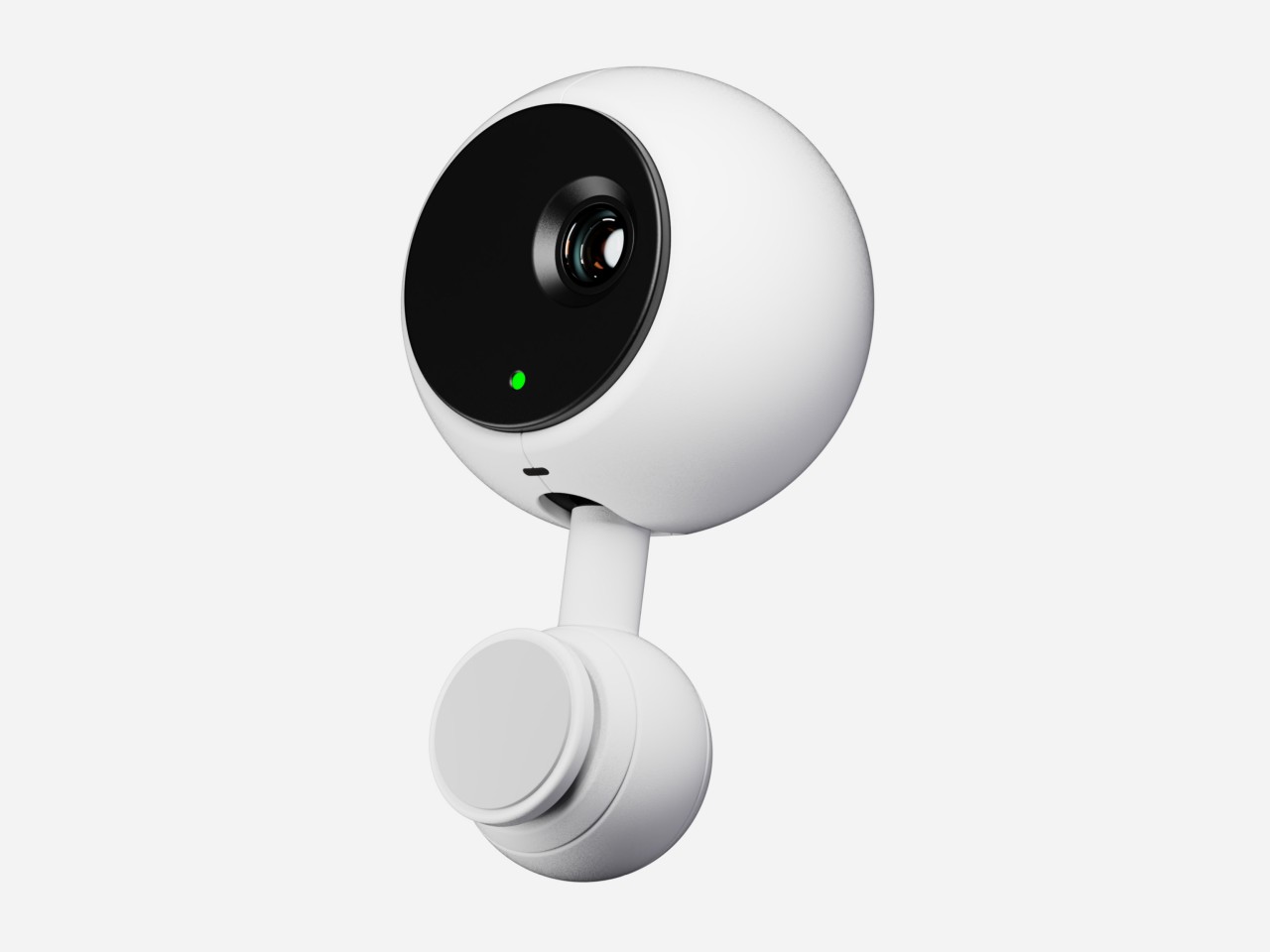
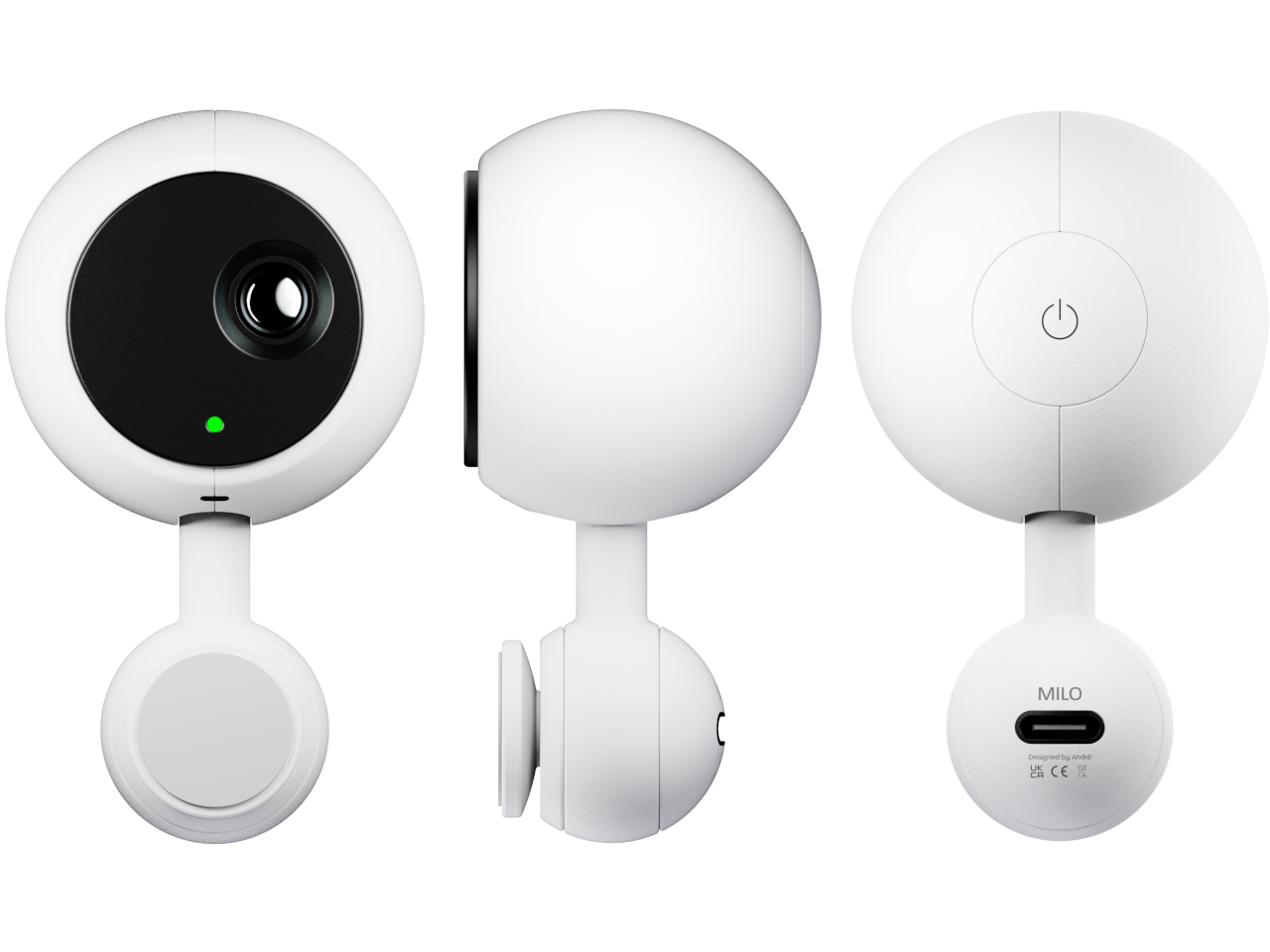
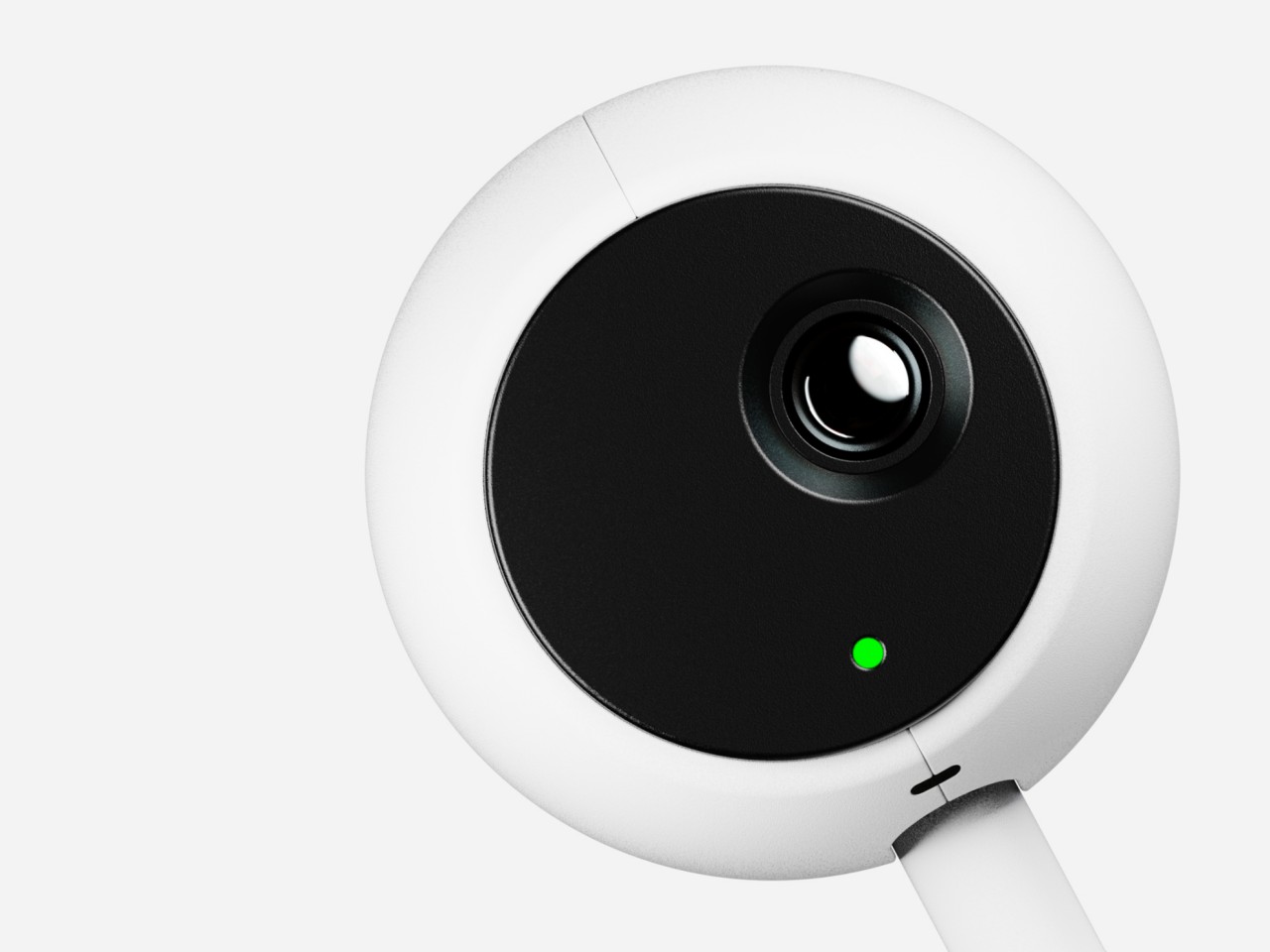
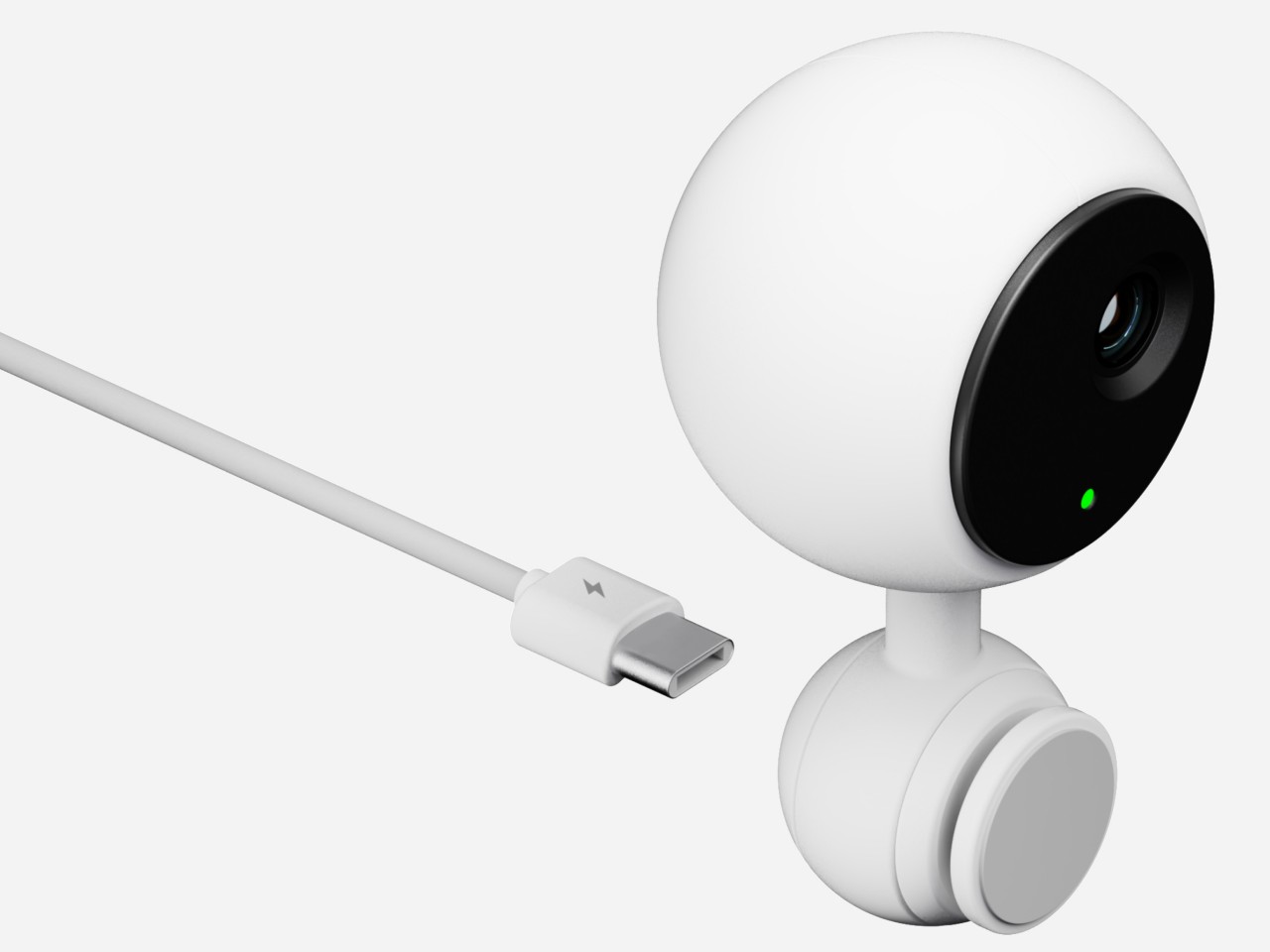
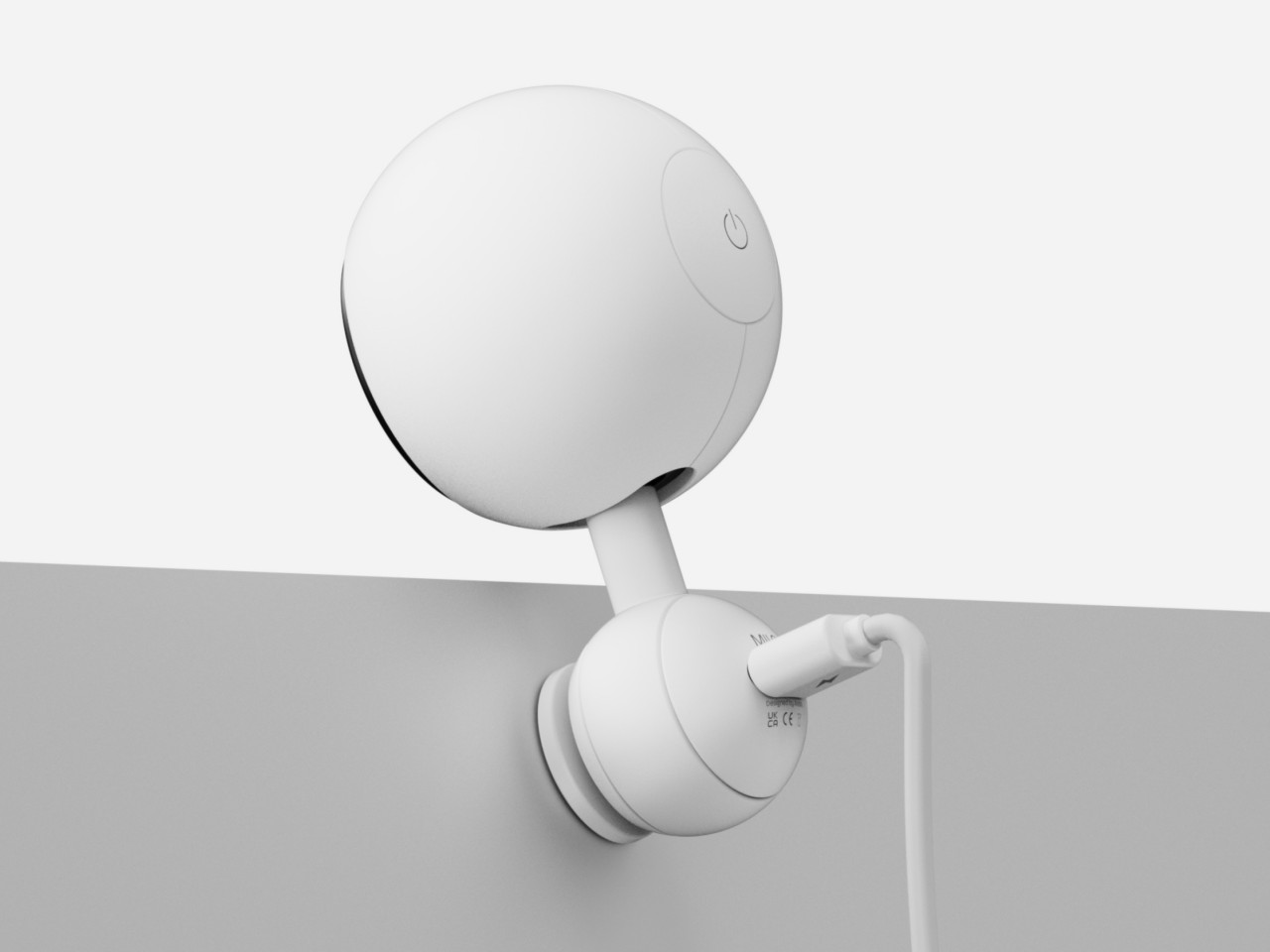
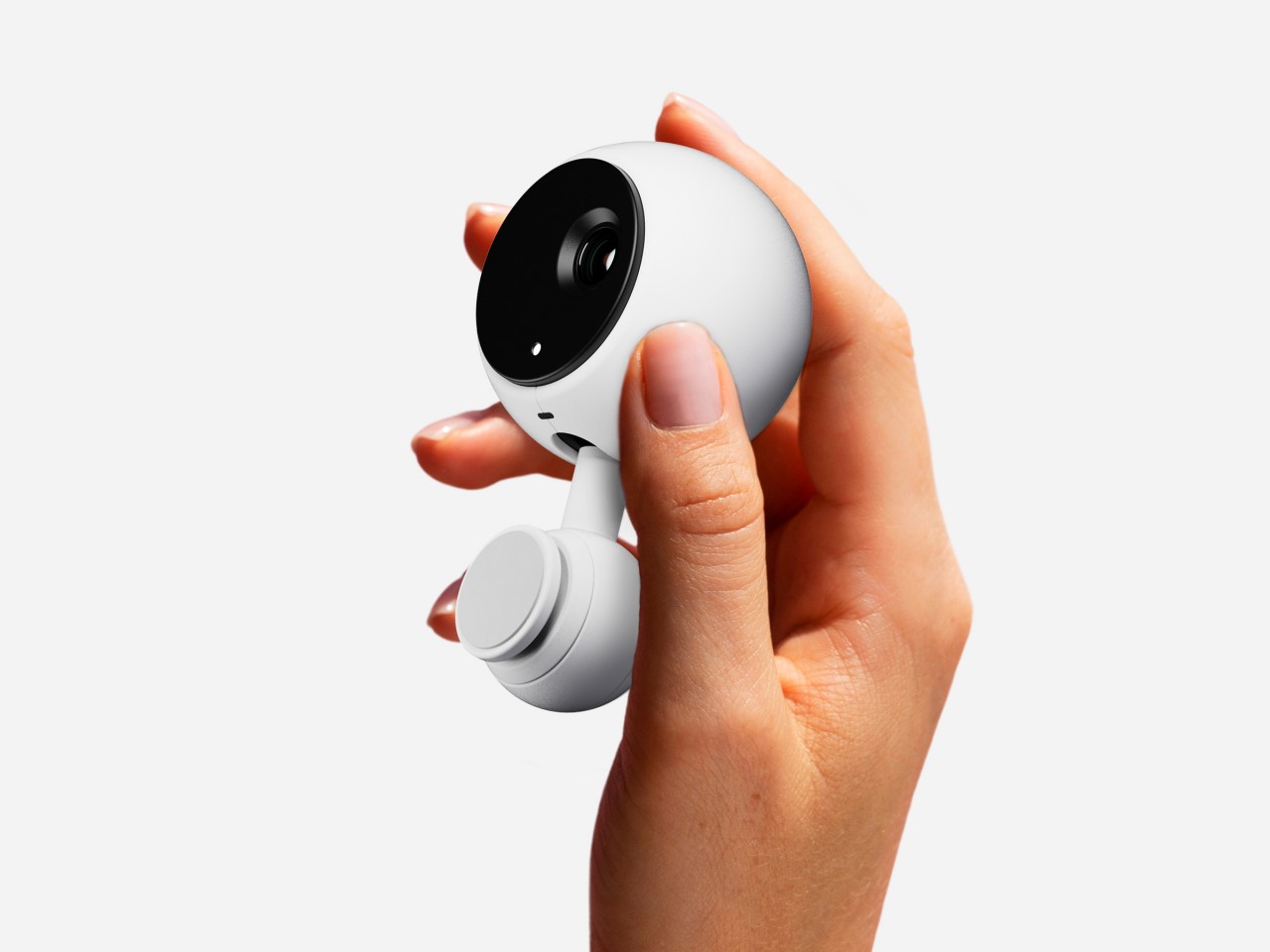
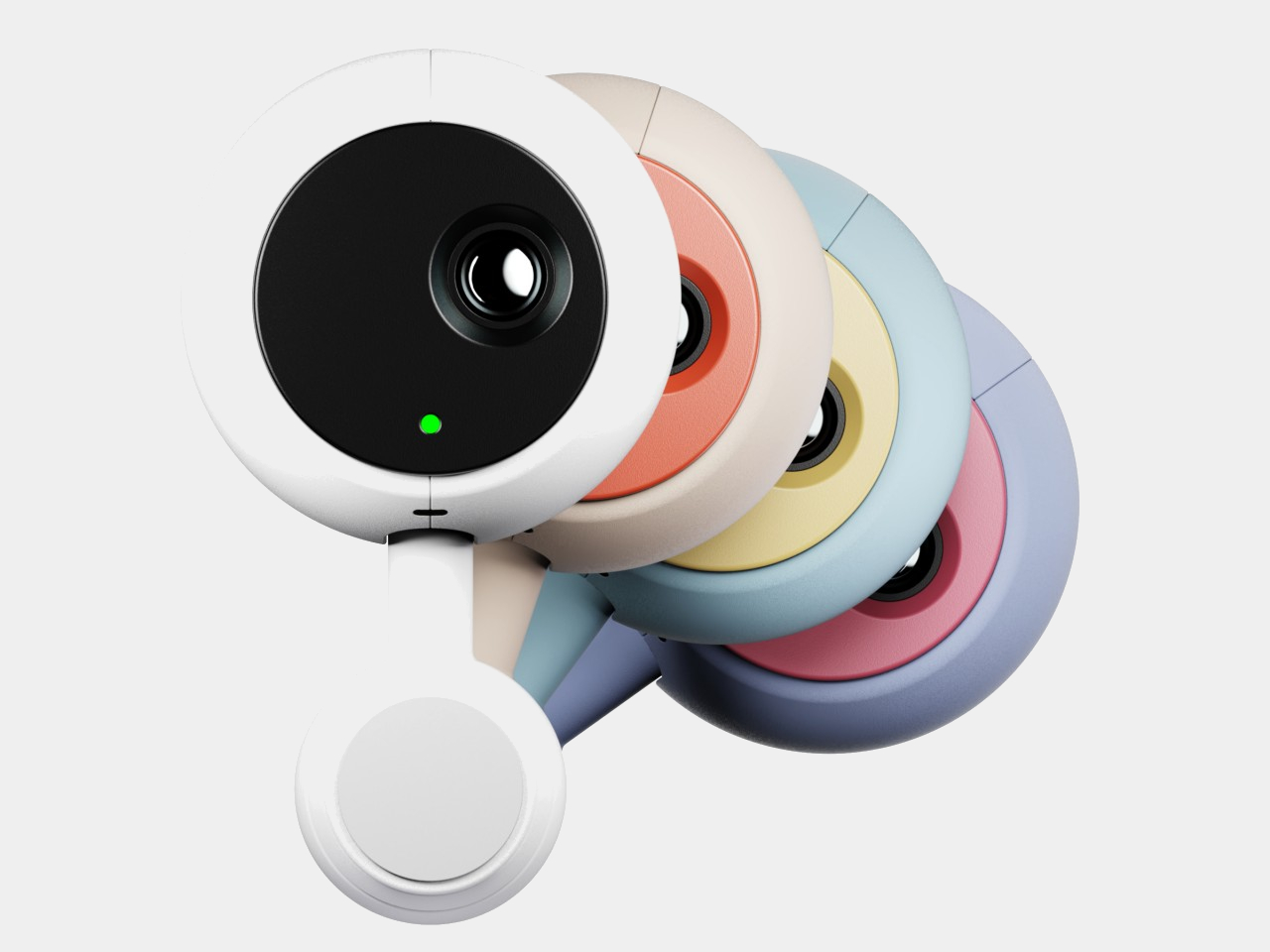
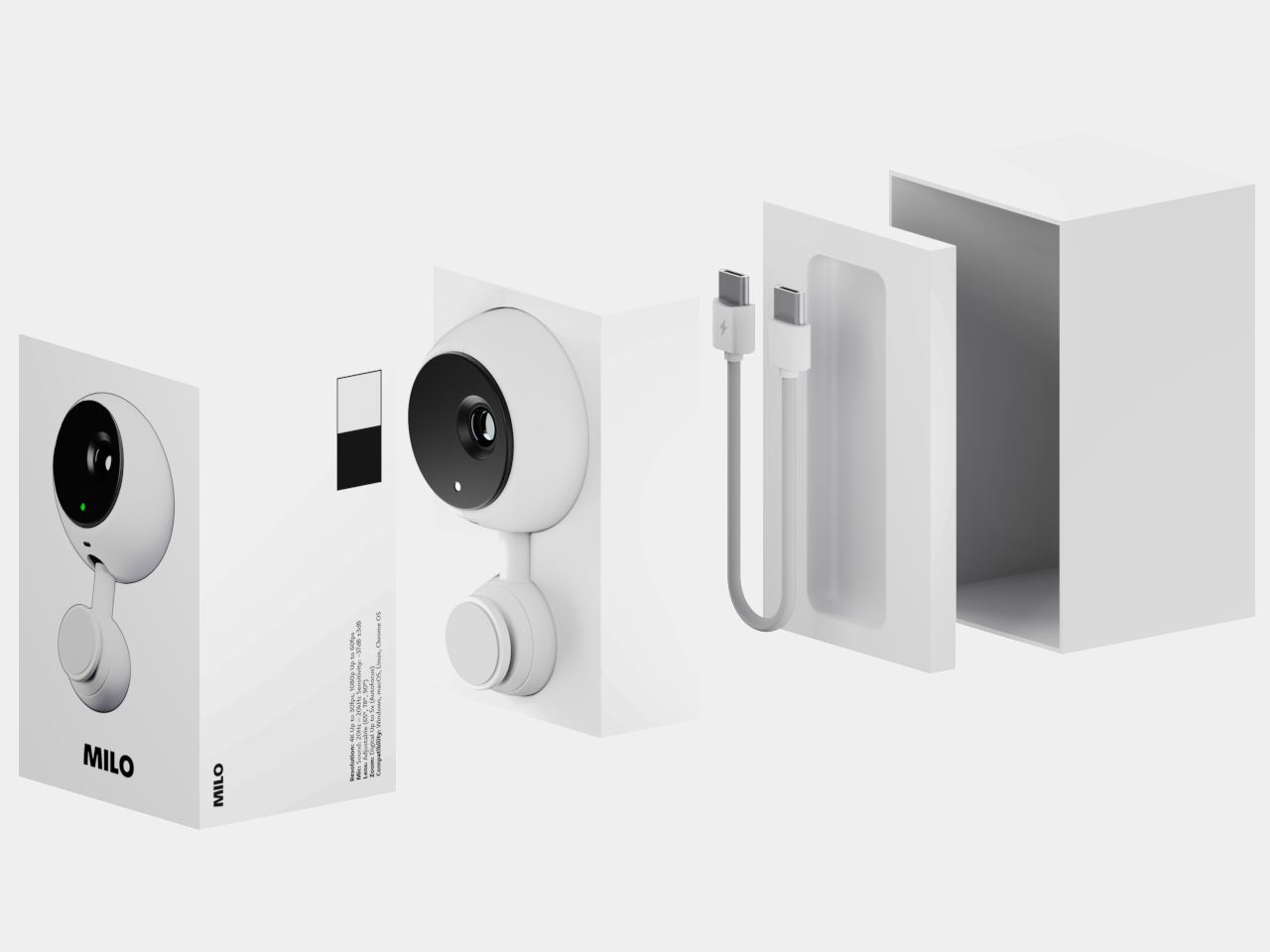
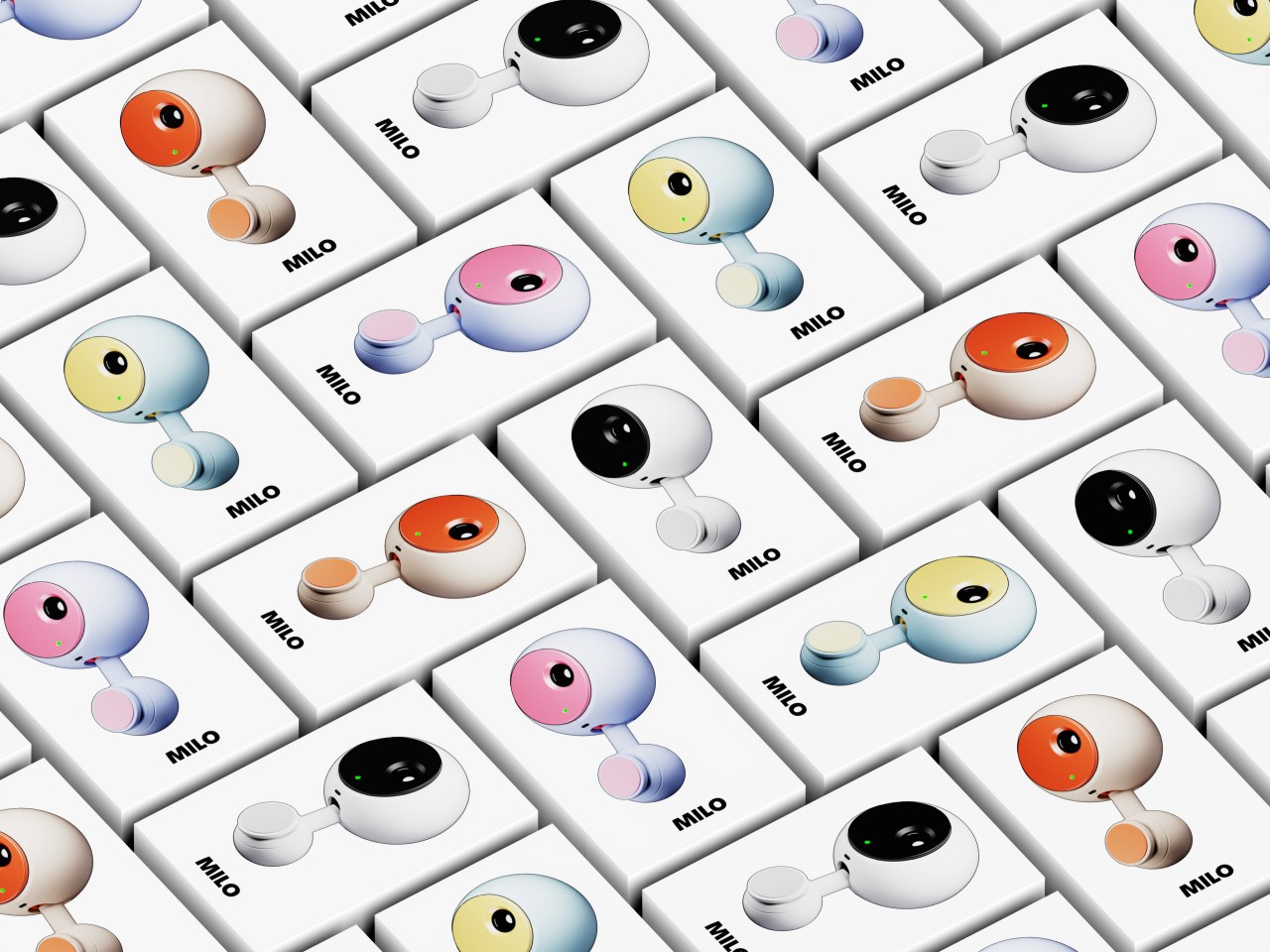
MILO is a design concept that tries to make the webcam look a little more alive and distinctive, and it does so by simply putting a ball on a stick. A spherical webcam isn’t new, but most of the existing designs often use tripods, wide mounts, or clips to stay upright. In contrast, MILO has a stem with a spherical base that can stick to the back of any monitor using an adhesive surface and suction force to stay in place. This makes MILO look almost like a robot ball or a robotic eye that’s peeking from the top of your screen.
This small design change also brings some important benefits to its functionality. For one, you only need a single USB-C cable coming out of its base, away from sight and tangles. Another is that the magnetic base can rotate in a 360-degree direction, letting the webcam swivel downward if you want to block its view and prevent accidental recording. MILO’s design is also compact and convenient to carry around, allowing you to set up your mobile office anywhere and take up video calls with a quirky-looking webcam sticking out of your laptop lid.
The way we capture videos and view them has constantly been changing and along with that, mobile devices have also been evolving. With the introduction of spatial videos, we see brands like Apple trying to become the pioneer in this new form. Basically, this is a video that lets you view photos and videos as if you were there instead of looking at them with just a single fixed view. It’s a more immersive form of 3D since you’re able to turn your head and see different perspectives.
Designer: Suosi Design
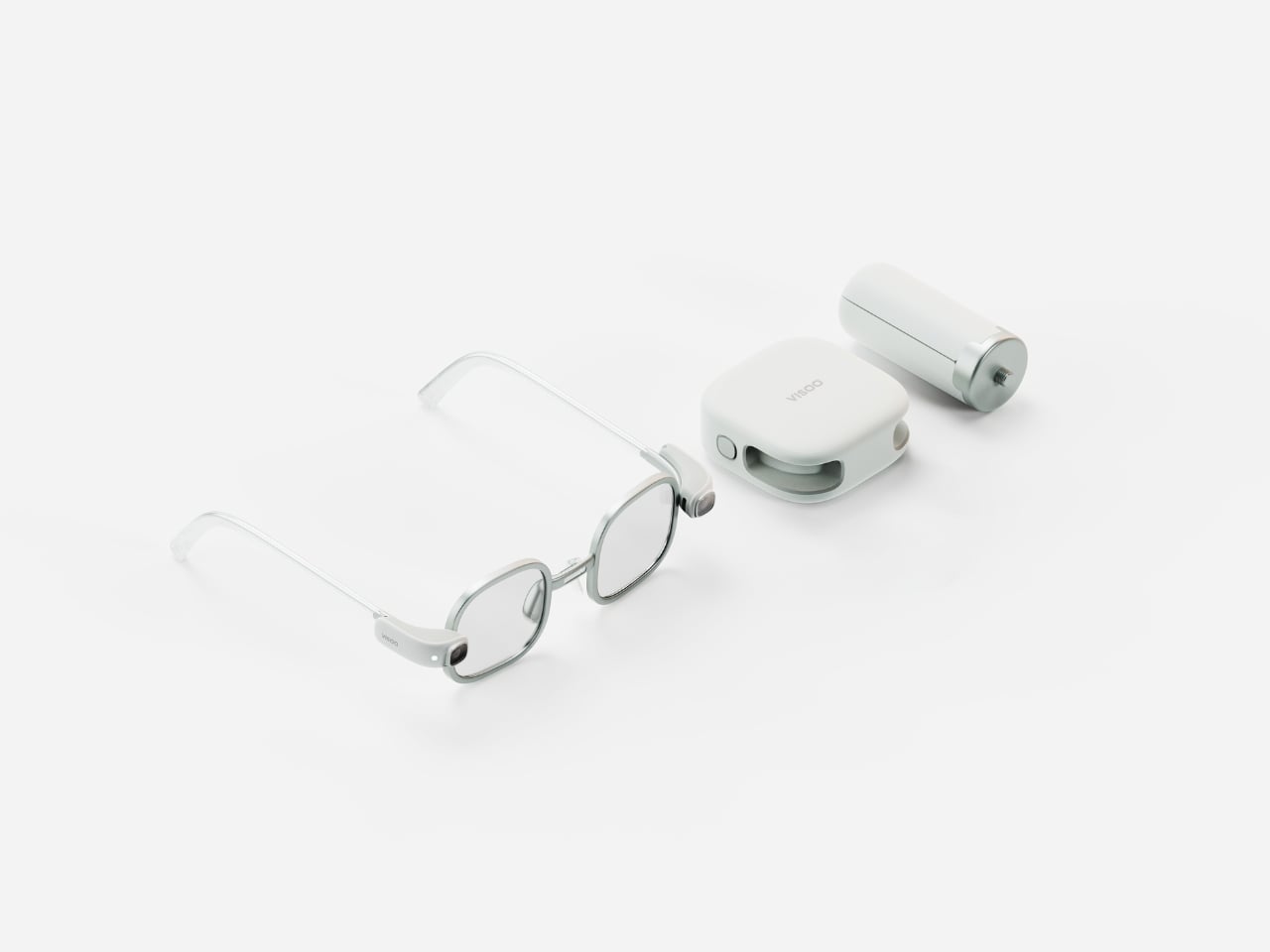
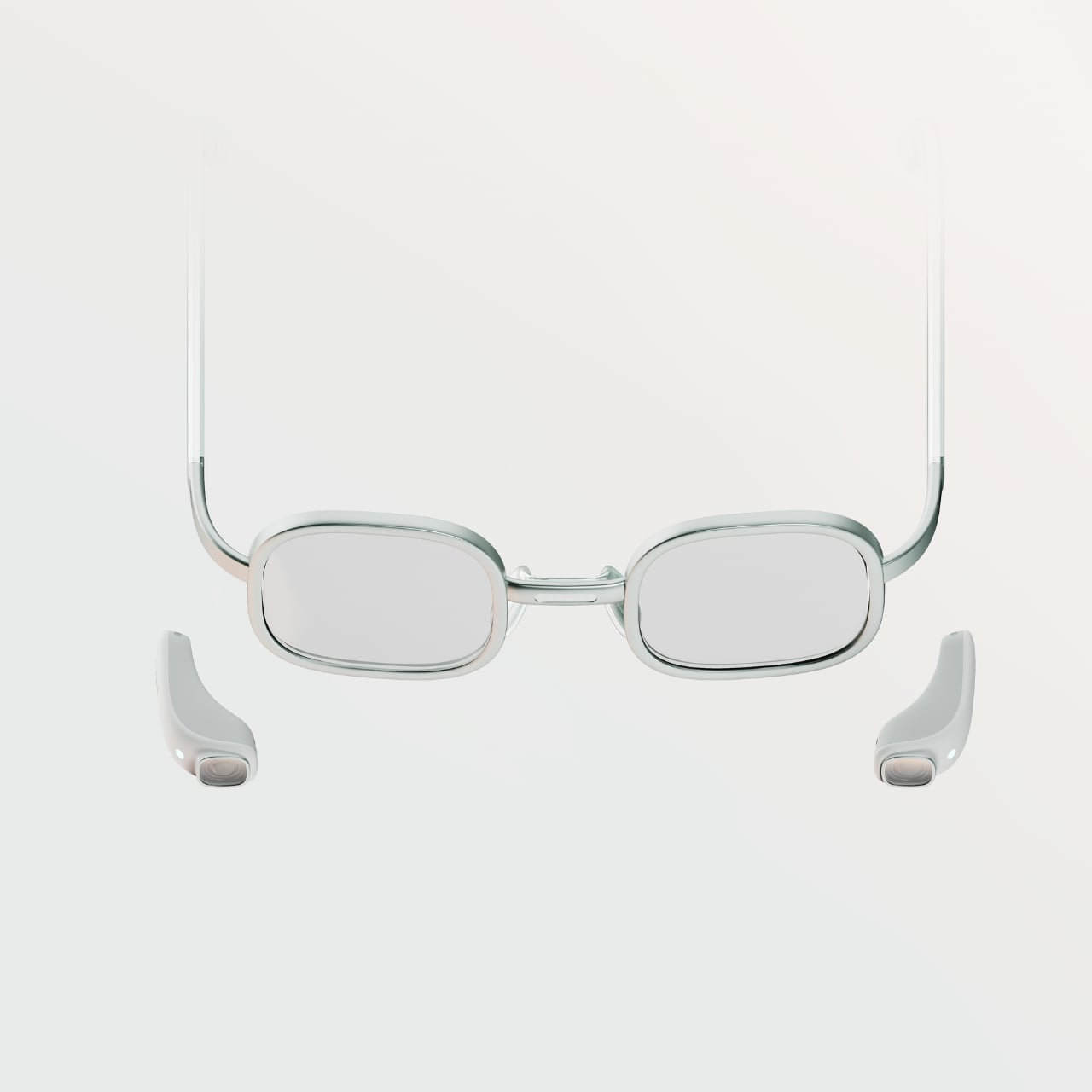
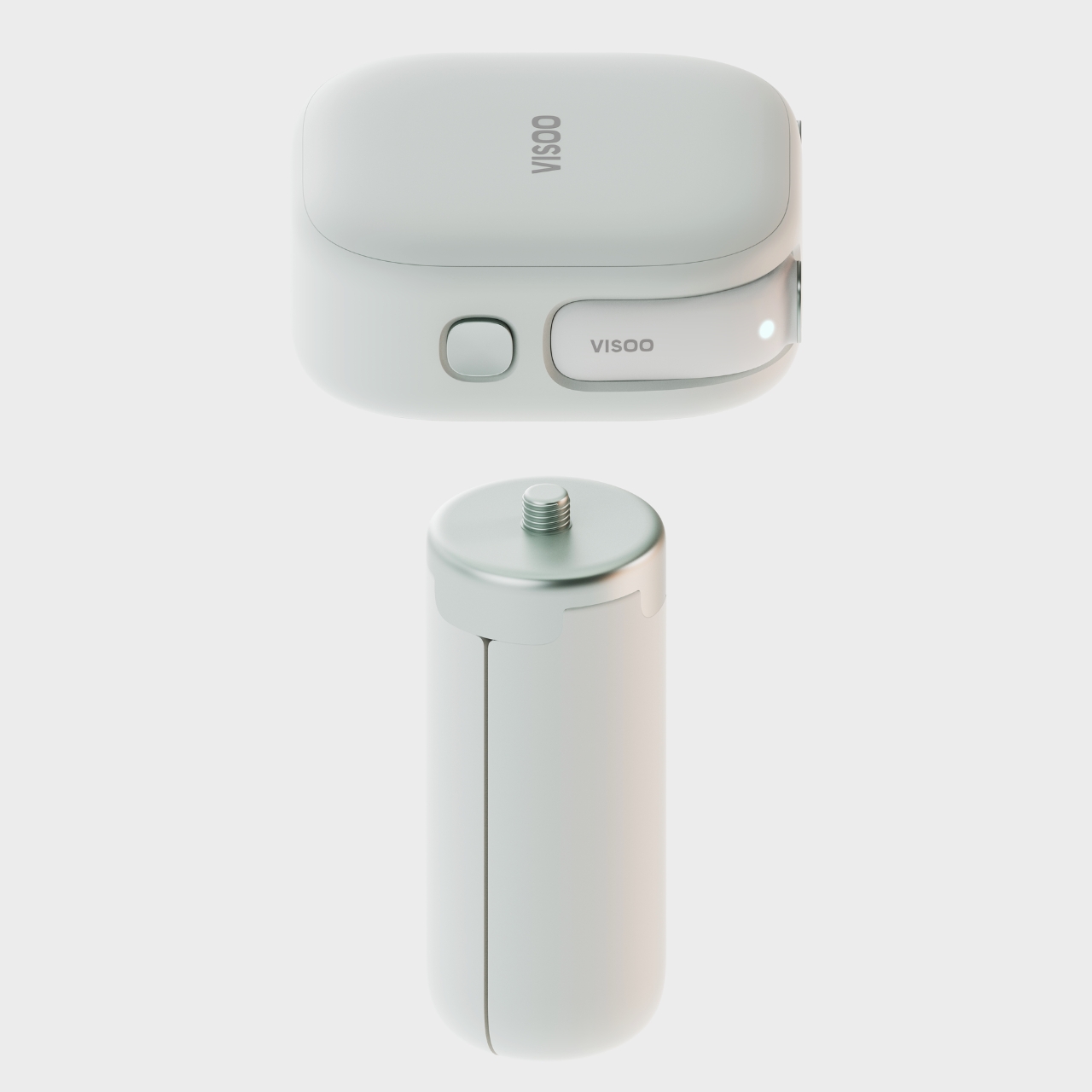
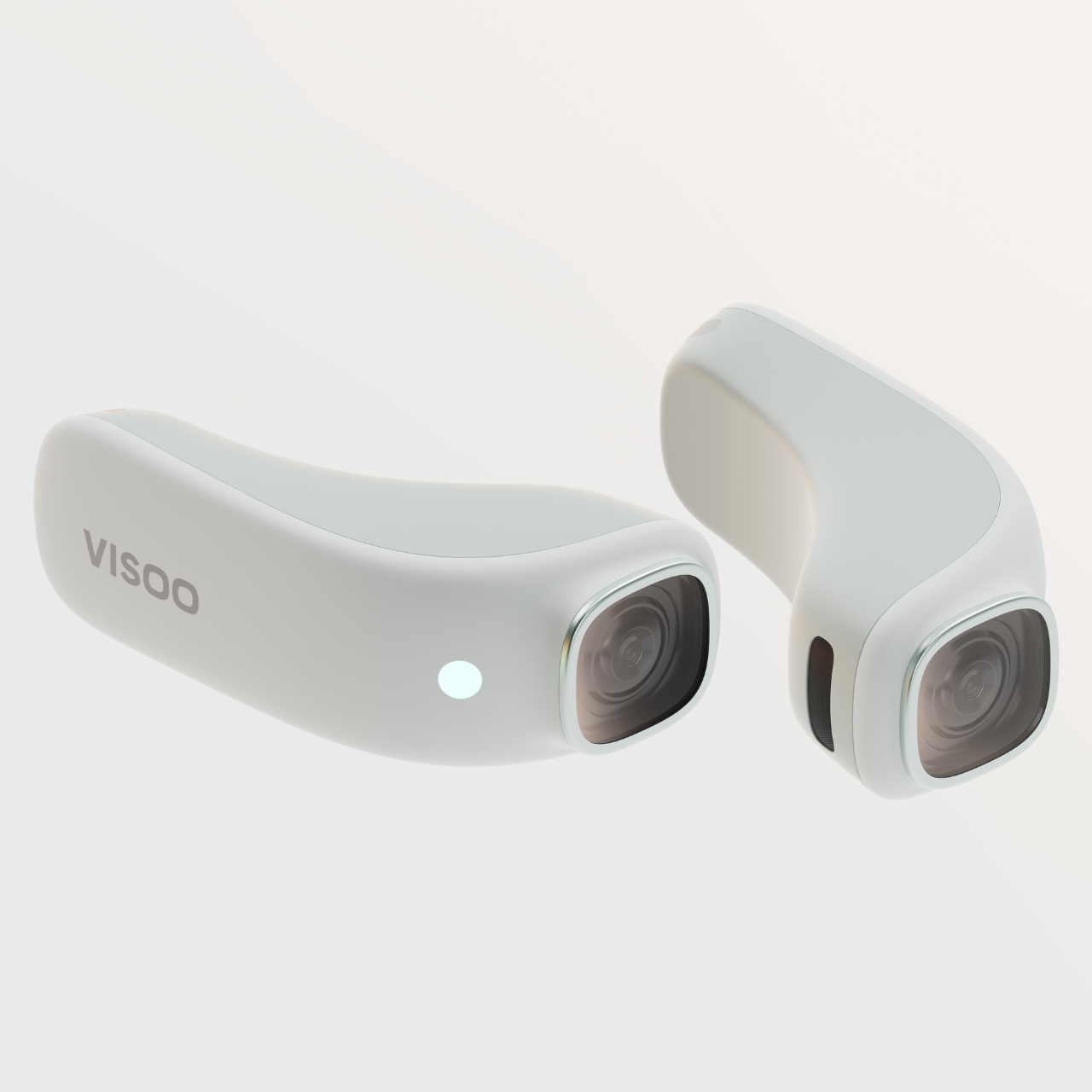
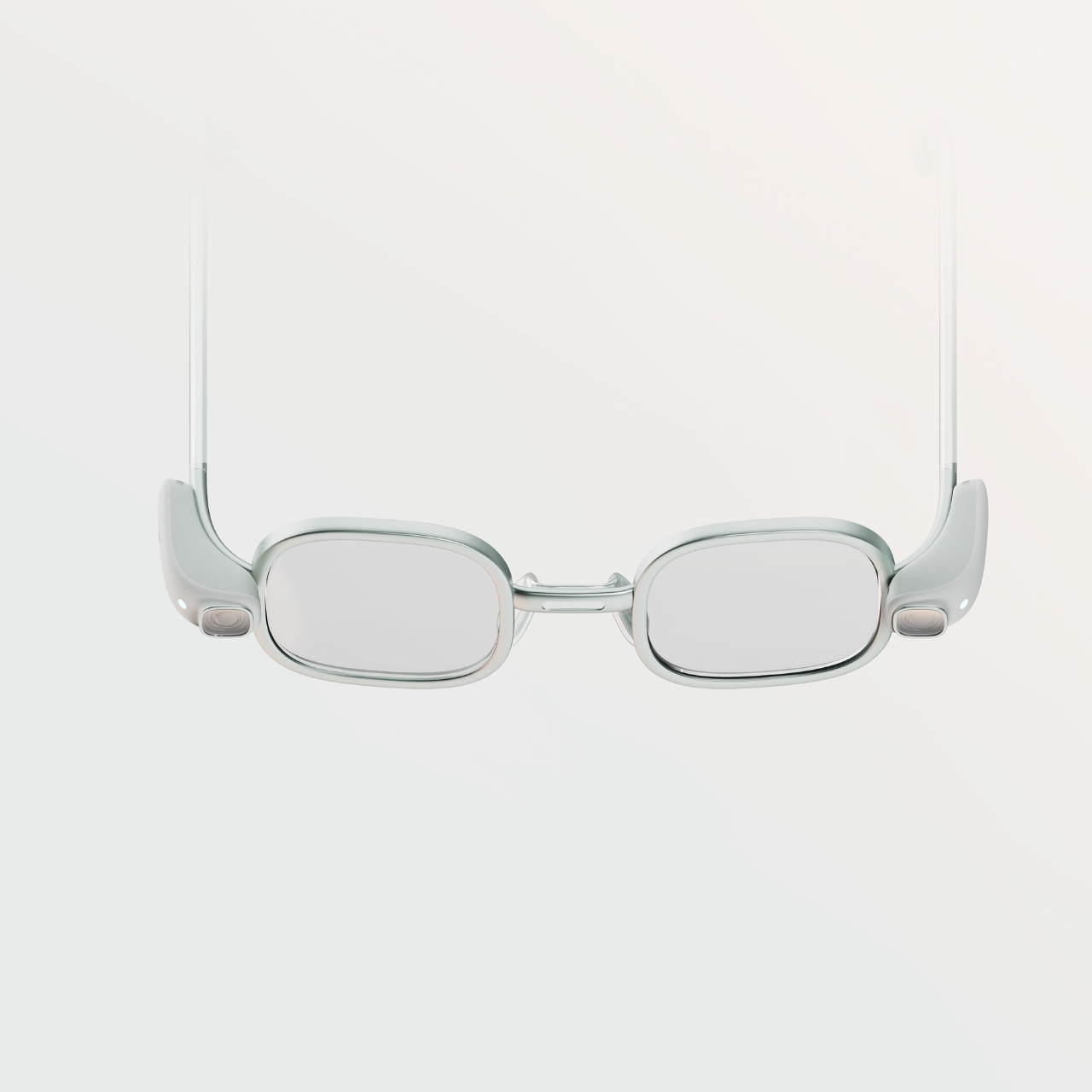
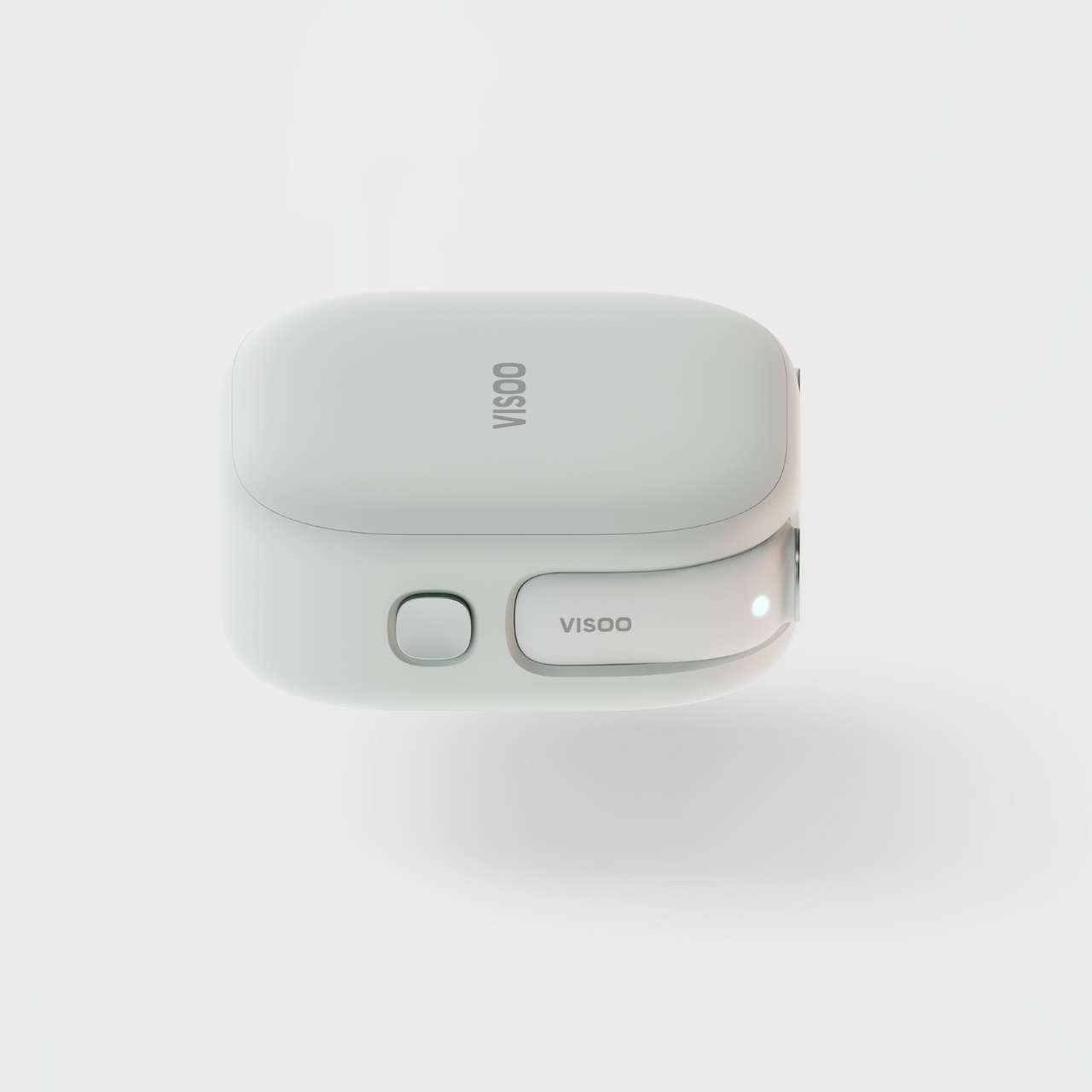
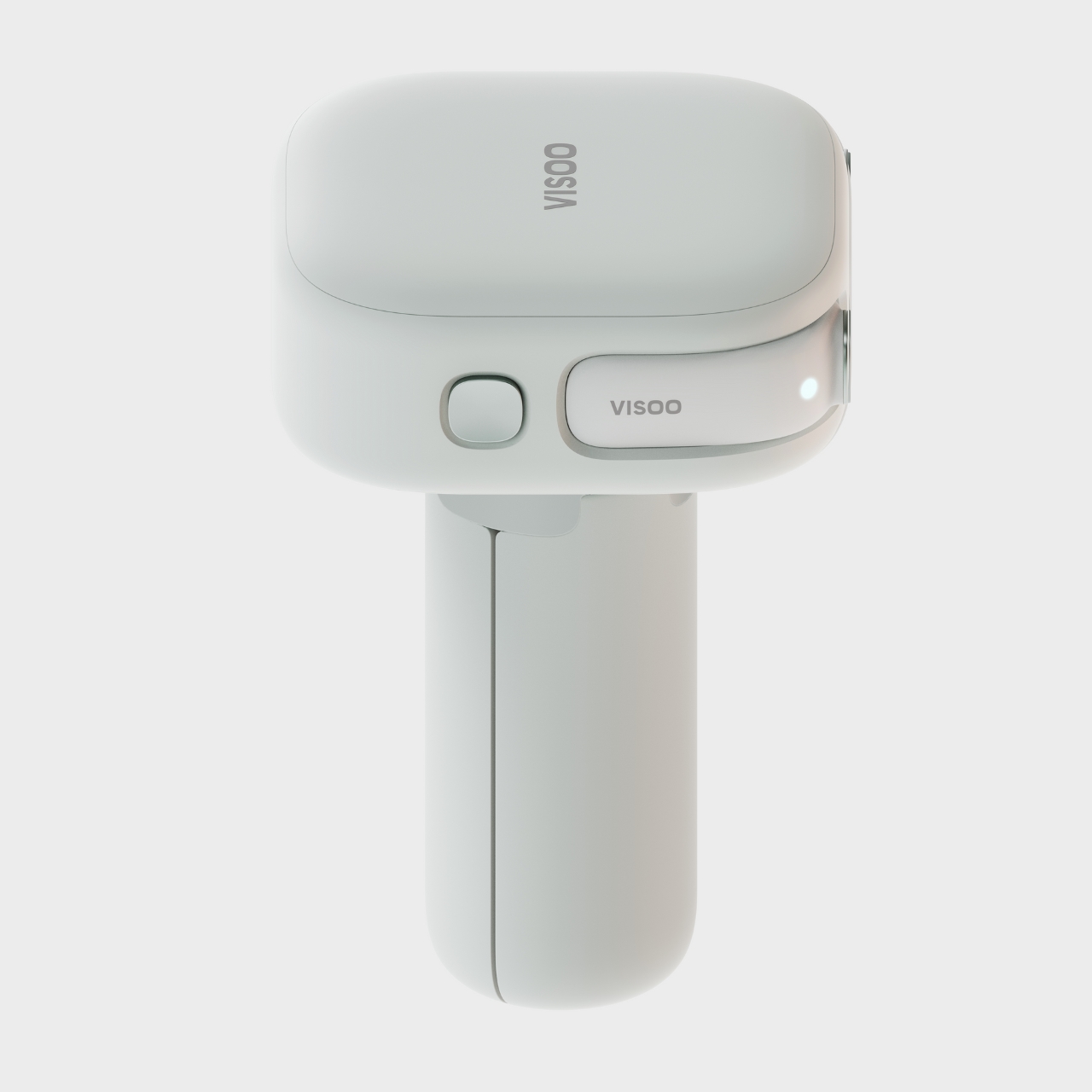
As more people get into spatial videos, we’ll see all kinds of tools that will be able to capture and view videos like these. One concept tool is called VISOO, a spatial video camera that you can to take videos that can later be viewed using devices like Apple’s iPhone 15 Pro. It is not a bulky camera at all as probably one of the things that will be taken into consideration when developing tools for this kind of video is that it’s easy to carry around.
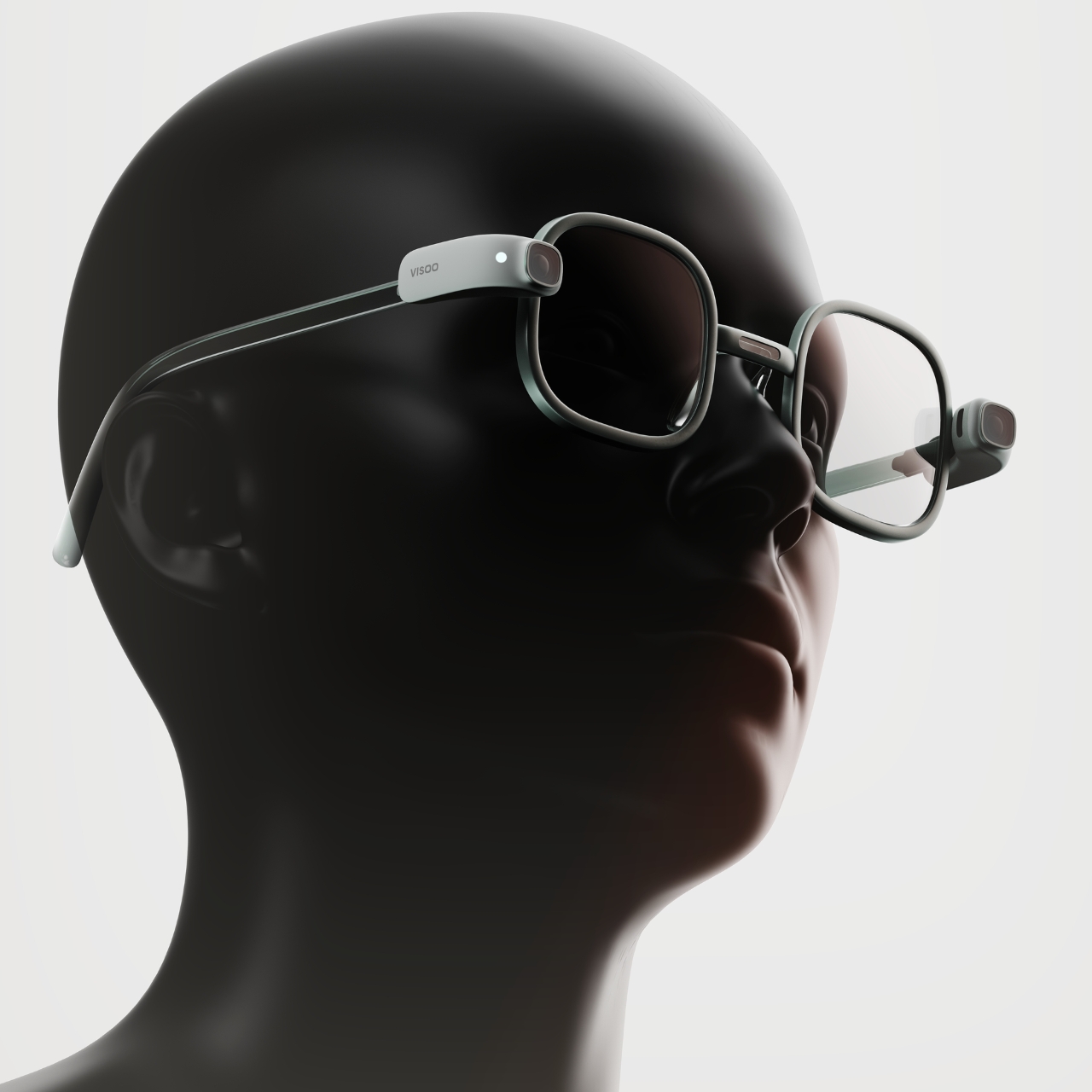
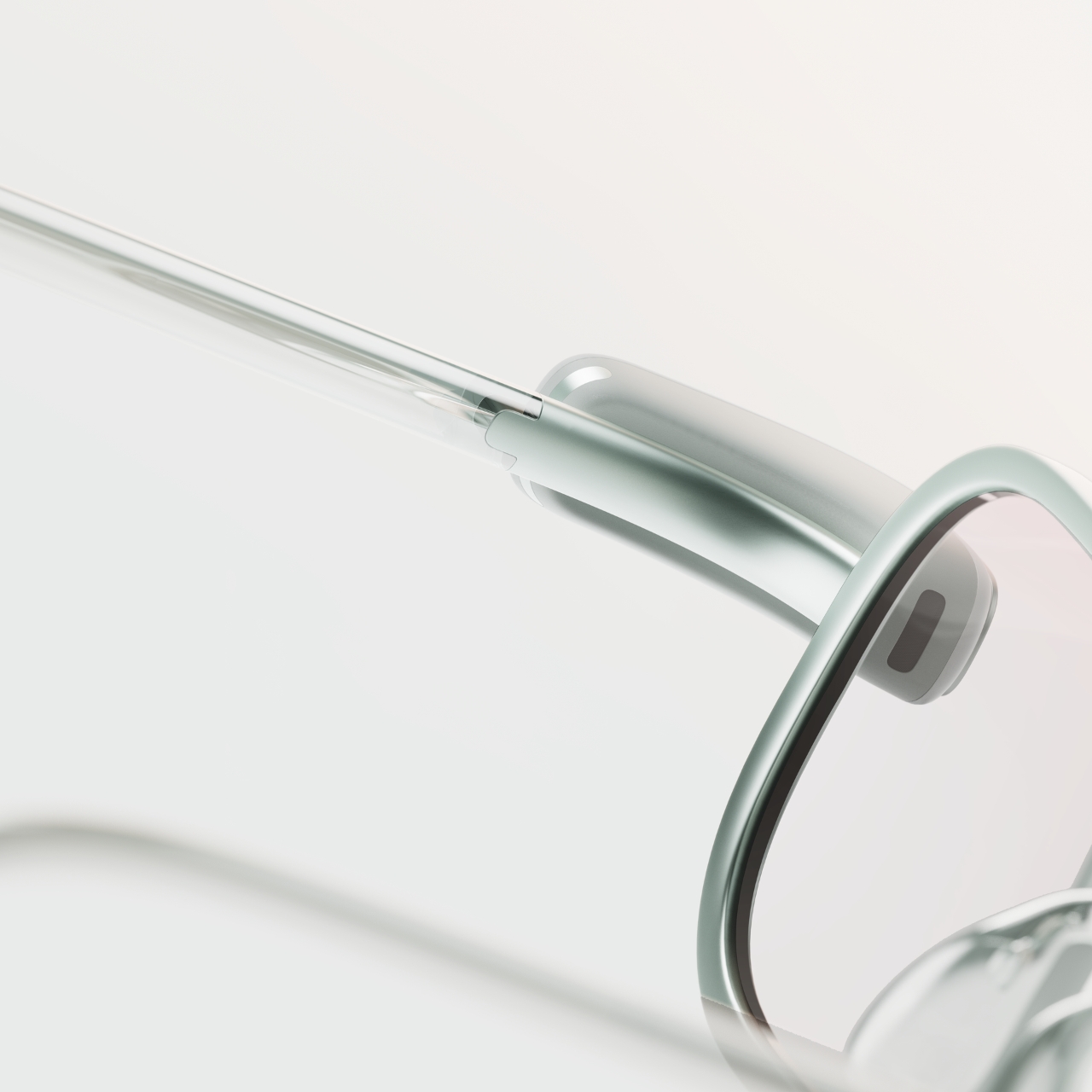
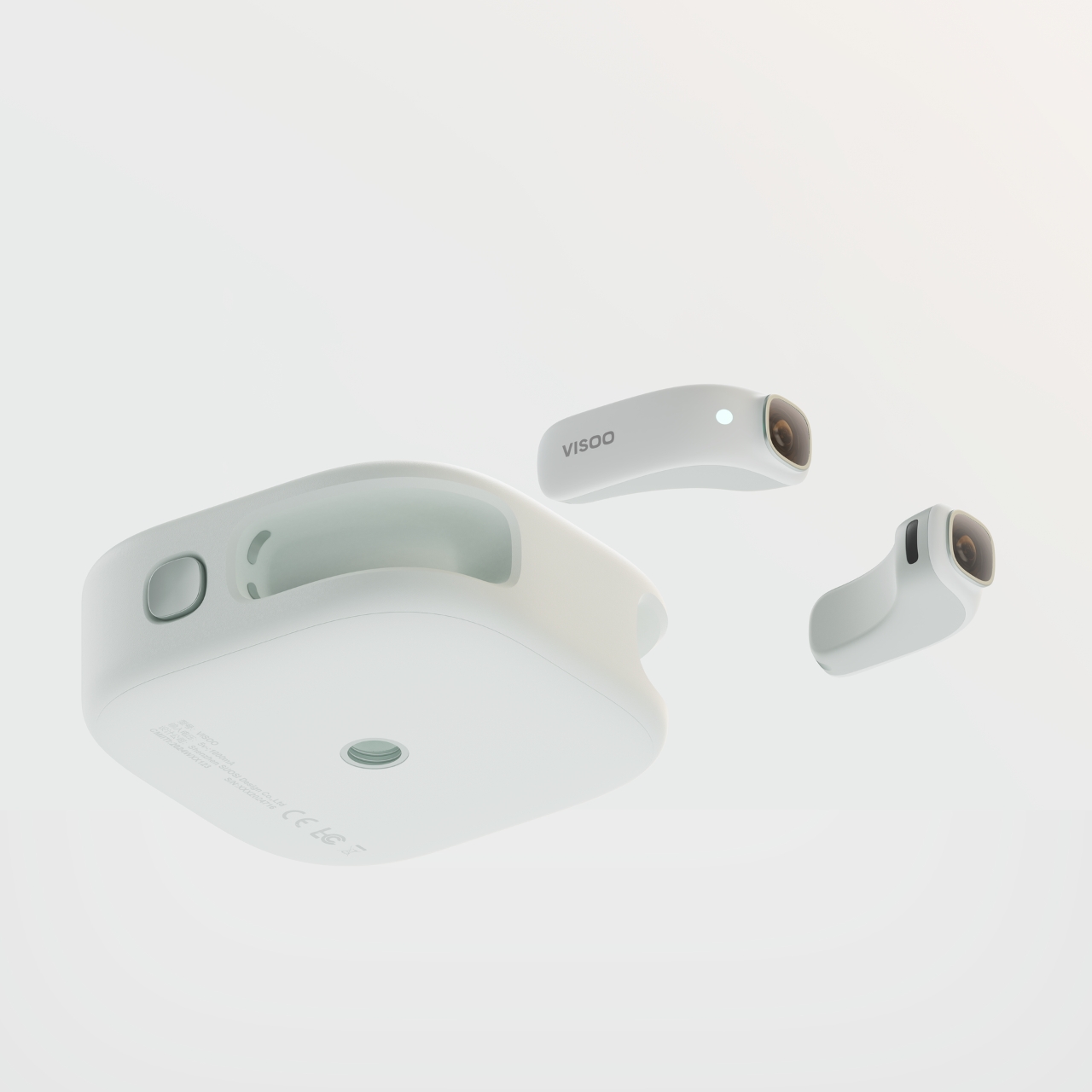
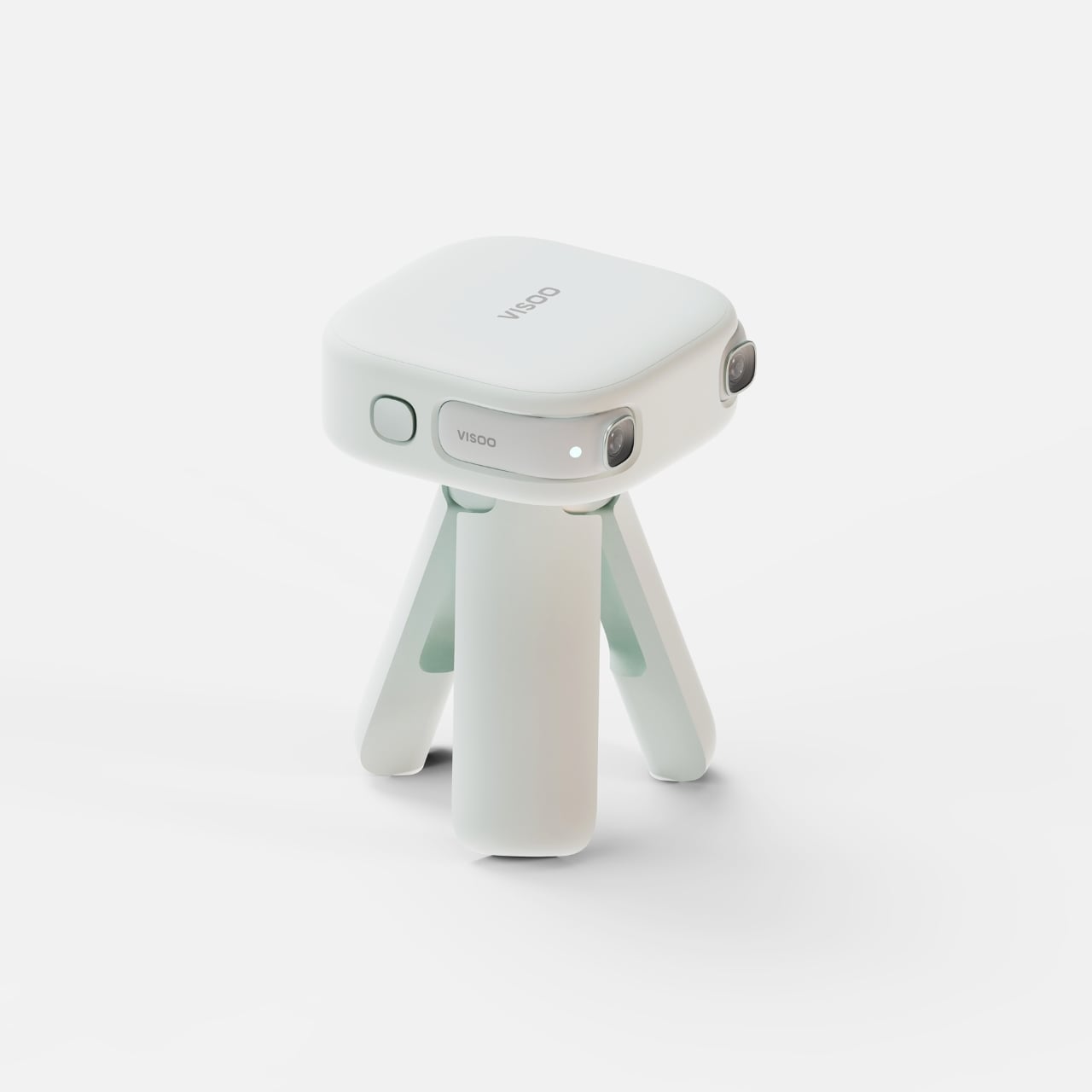
Based on the product renders, VISOO is a pretty light device that you can either carry around or attach to the accompanying glasses. For the handheld option, the cameras will be stored onto the battery case as you shoot your photos and videos. It seems there’s also a tripod where you can attach the case to for times when you need to have it placed on something a little more stable. For the glasses option, the cameras are attached to the hinges so you can move around easily while capturing moments.
Since this is still in the conceptual stage, there’s no information about the quality of photos and videos that it will capture. And with spatial videos still in early days, there’s still a lot to be discovered and explored for brands that are developing tools that can be used to enjoy capturing and viewing them.
Whether you’re working from home or in a commercial office, boosting your productivity is going to be something you’re always focused on. And one way to elevate your productivity is to fill your desk with clever gadgets and well-designed products that help you streamline your work routine, and keep your concentration to a maximum. Adding limited, quality, and innovative products to your desk setup can help you achieve your work and productivity goals! And we’ve curated a collection of smart and thoughtful gadgets to help you achieve peak productivity. Have a look, happy working!
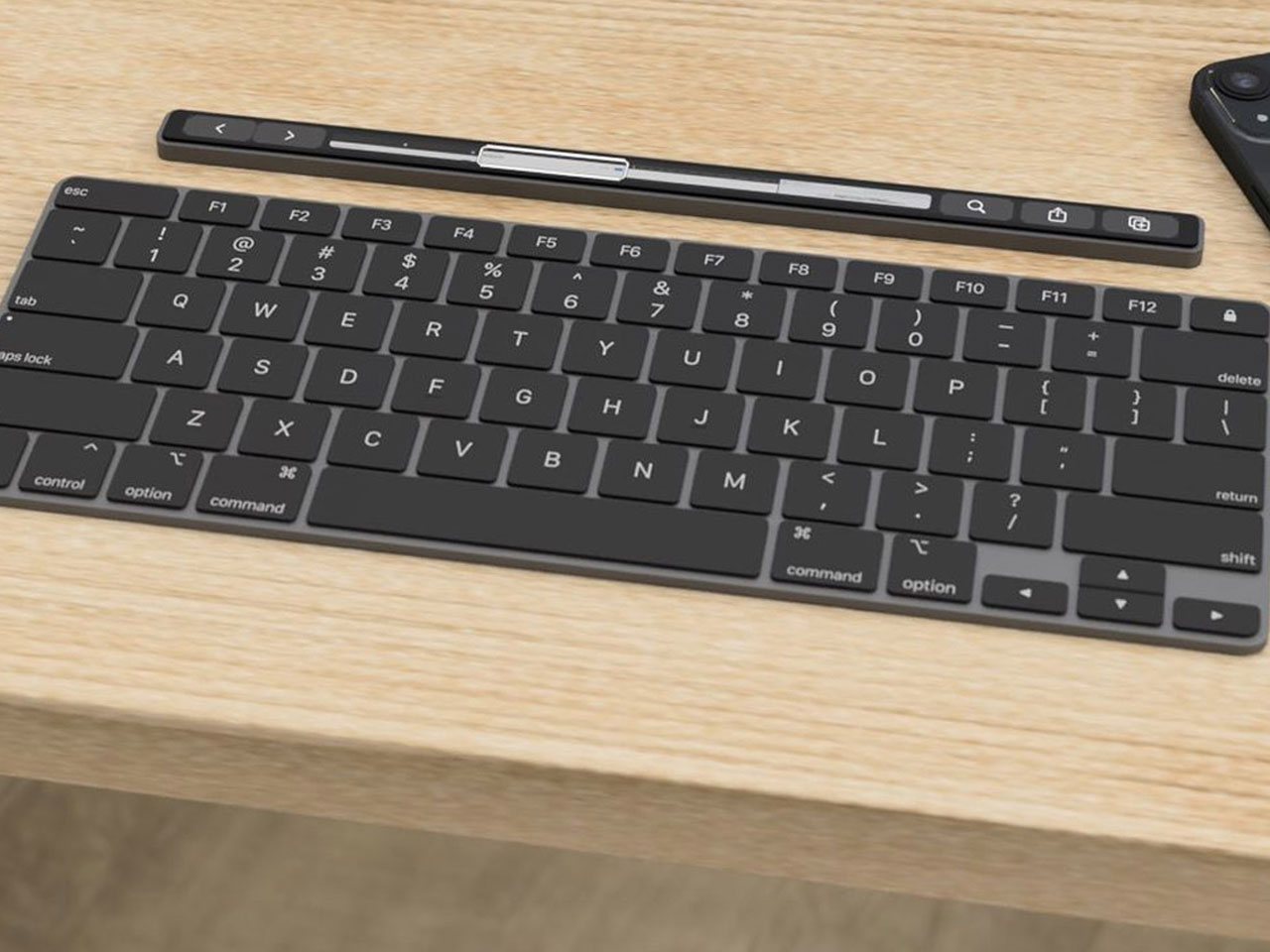
1. Magic Bar for MacBook
Say hello to the Magic Bar, a portable Touch Bar that pairs up perfectly with any Apple peripheral. The notable device is sleek, seamless, and easy to carry, serving as a portable and functional gadget that is pretty similar to the Touch Bar in terms of form and functionality. The features of the Magic Bar are pretty similar to the Touch Bar as well.
Why is it noteworthy?
It also has a pretty recognizable design that aligns horizontally with your keyboard. You can pair up the Magic Bar with your iPhone, to create and use multiple smart home shortcuts.
What we like
Portable and easy-to-carry form
What we dislike
It is a concept, so we are unsure how well it will translate into a real product
2. Keychrone K2 HE
Called the Keychron K2 HE, this keyboard is designed for gamers, programmers, writers, and professionals. It offers a personalized and customizable typing experience. The keyboard features an ergonomic design, and supports versatile connectivity, setting it apart from other magnetic keyboards on the market. Its focus on personalization, magnetic switches, and robust quality make it an excellent addition to your workdesk.
It merges aesthetics and functionality to create a sleek and seamless keyboard with a compact 75% layout. The keyboard allows you to maximize desk space while maintaining the important keys. The keyboard is also available in multiple editions, amped with aluminum frames and lovely wooden accents.
What we like
The different keyboards are meticulously crafted to offer a robust and visually appealing experience
What we dislike
Comes with a battery-operated version only
3. Rolling World Clock
Called the Rolling World Clock, this minimal and one-hand device is an excellent purchase if you work globally, and need to interact with different clients in different timezones. Besides being quite functional, the Rolling World Clock is also quite minimal and sleek, making it an aesthetically pleasing addition to your workdesk.
The Rolling World Clock lets you access different timezones using a simple one-handed movement. You can turn and move the clock until you get the city whose time you need to check, this enables the watch hand to adjust to the correct timezone automatically and with ease.
What we like
Eliminates the need to use a screen to check on multiple timezones
Makes time-telling a simple affair
What we dislike
The clock only features 12 set cities, so you will still need to calculate the time zones outside the clock’s interface
4. Snapmaker Artisan Premium
Designed by Snapmaker, the Artisan Premium is a top-notch creating tool. It is a 3-in-1 device that prints, engraves/etches, and CNC machines. It provides a big work area, while still saving up space since a whole bunch of functionalities are packed in one workstation. It has an all-metal design which facilitates factory-grade precision.
Why is it noteworthy?
The device includes an enclosure that holds the dust and provides protection to your eyes from laser damage. It also includes a control unit with a 7″ touchscreen, which lets you handle the machine with complete ease.
What we like
You can plug in any of Snapmaker’s various modules into the modular interface
What we dislike
Hefty price tag which may not be okay with everyone
5. Time Gate
Designed by Divoom, the Time Gate is a desk clock that ensures all your preferred notifications and widgets are placed in one unified interface, helping you work better, and cutting down on distractions. The device includes five separate screen interfaces, and it unifies all your necessary widgets onto one clock interface.
Why is it noteworthy?
The interfaces have been pixelated, and the digital clock has been given an expanded sense of realism, allowing all your essential assistants and dials to be placed in your peripheral view. You can add different widgets like weather updates, calendars, reminders, social media followers, stock market updates, and more.
What we like
The clock interface can be customized via the companion app which allows you to create custom texts and animated graphics
What we dislike
The clock’s form is unique and users may take some time to adjust to it
6. GRAVITUBE
Say hello to GRAVITUBE – a minimal anti-gravity desk gadget. It is a stylish anti-stress gadget amped with a neodymium floating magnet. If you find it difficult to concentrate at work, then you will like this innovative fidget toy. It features an anodized finishing touch, and it helps users calm down, ensuring they concentrate better at work.
Why is it noteworthy?
Fidgeting with the GRAVITUBE helps users calm down, but so does the magnet. Since the magnet is in movement, the field changes, creating a mechanical force that resists and slows down the magnet itself. The flow of the magnet can be observed from the precise 10cm cutout.
What we like
It has a smooth surface and a high-quality body
What we dislike
There are limited color options to choose from
7. Loona
If you need a break from work, and get some rest to heighten your productivity, then we’ve found the perfect companion for your break time – Loona. Meet Loona – the most intelligent Petbot with ChatGPT. Loona is so playful that you may even forget she is a robot.
Why is it noteworthy?
Loona can do almost anything! She’ll welcome you when you come home, follow you around as you walk, and get super happy when you pet her. Loona can also have fun by herself – she scratches, roams your home easily, and even sneezes.
What we like
Gives you a much-need break and distraction from work
What we dislike
She seems a bit fragile, so you need to handle her with care, especially if you own actual pets
8. Yeslamp Evo Adjustable LED Desk Lamp
This is the Yeslamp Evo Adjustable LED Desk Lamp – a 6-axis adjustable large-range LED natural spectrum lamp that meets all your lighting requirements when you’re working on a desk. This innovative lamp provides the perfect light and brightness for all your essential desktop working requirements.
Why is it noteworthy?
What makes the Yeslamp Evo even more unique is that it uses special LED beads that have been integrated with a Color Rendering Index (CRI), which is above 95. It is equipped with a spectrum that is close to the natural daylight, serving as an eye-friendly source of light that lets you read, work, write, and see with ease.
What we like
Retains the authentic color of any object you’re working with
You can complete your tasks better with minimum eye effort
What we dislike
The black body of the lamp does not work for all desk setups.
9. PowerStudio
Called PowerStudio, and designed by AUKEY, this new portable power source was built by listening to the voices of customers who said, “I want a portable power source with a stylish design,” and “I wish there was a portable power source that even beginners can use and that can be used daily!”. Taking these needs into consideration, AUKEY created the PowerStudio.
Why is it noteworthy?
PowerStudio is designed to be compact and lightweight with an aesthetically pleasing and decorative form. It has a retro feel as well, which allows it to harmoniously merge with the different interiors and styles of different homes. It features a round shape and has a handle made from cowhide leather, so its character develops more as you use it.
What we like
Combines functionality and aesthetics to create a product that will look great anywhere in your home
What we dislike
The power capacity may be low for some users
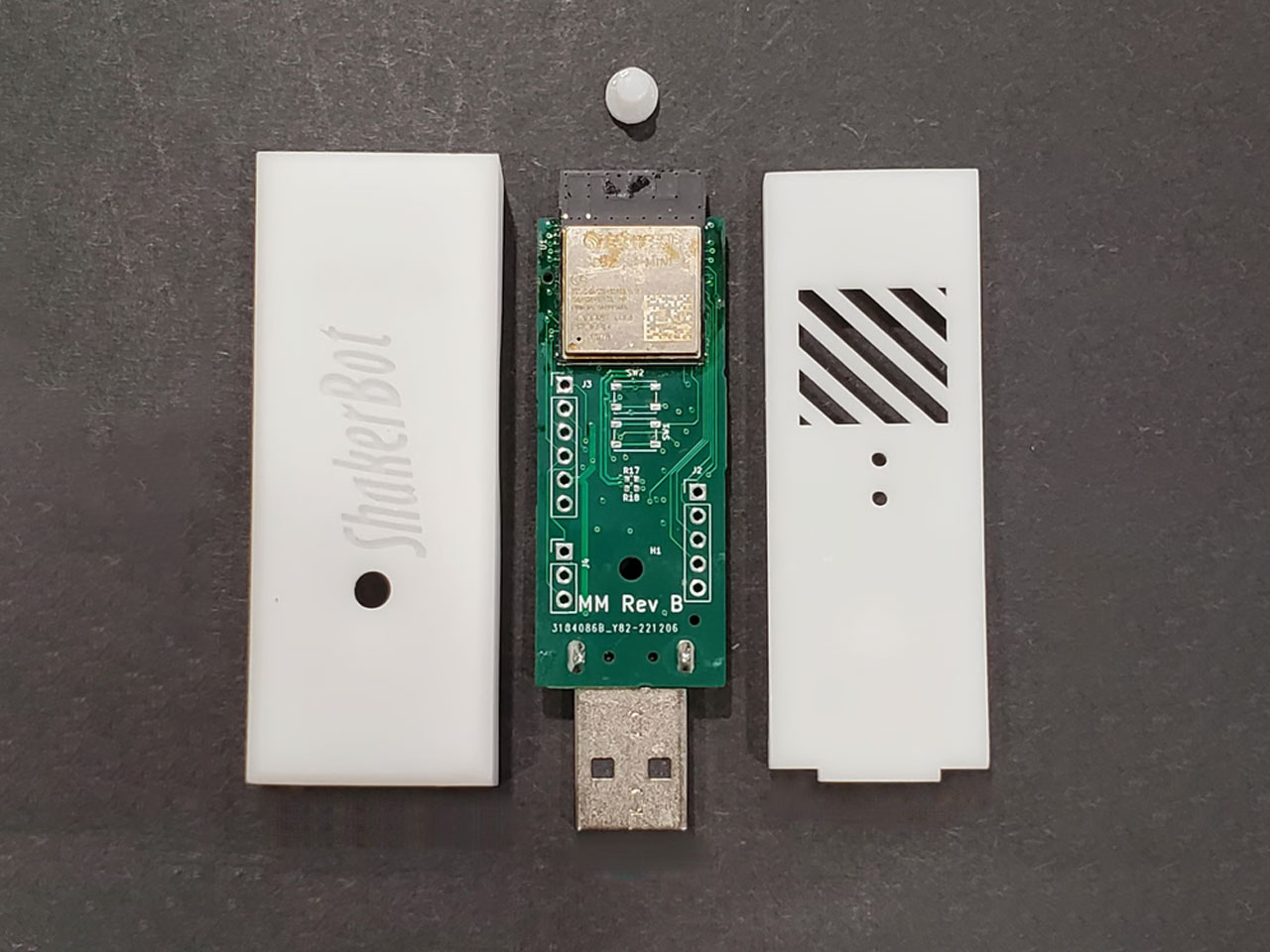
10. Shakerbot
Called the ShakerBot, this fully programmable “Mouse Jiggler” assists you with time-based scheduling, web configuration, and OTA updates. The ShakerBot is designed to be flexible like a standard USB device while functioning as a secondary mouse or a pointing device. You can also use the USB port or an external Wall Wart for power, and connect to a Bluetooth mouse.
Why is it noteworthy?
The ShakerBot is designed to function as a real mouse and a keyboard. It can simulate mouse movements, and inject keyboard keystrokes to ensure your laptop, smartphone or tablet remains awake. You can also add mouse movements to log out, log in, or keep a particular application awake.
What we like
Allows you to inject keystrokes into your device
Supports OTA updates
What we dislike
The device is quite small and compact, so can be misplaced easily
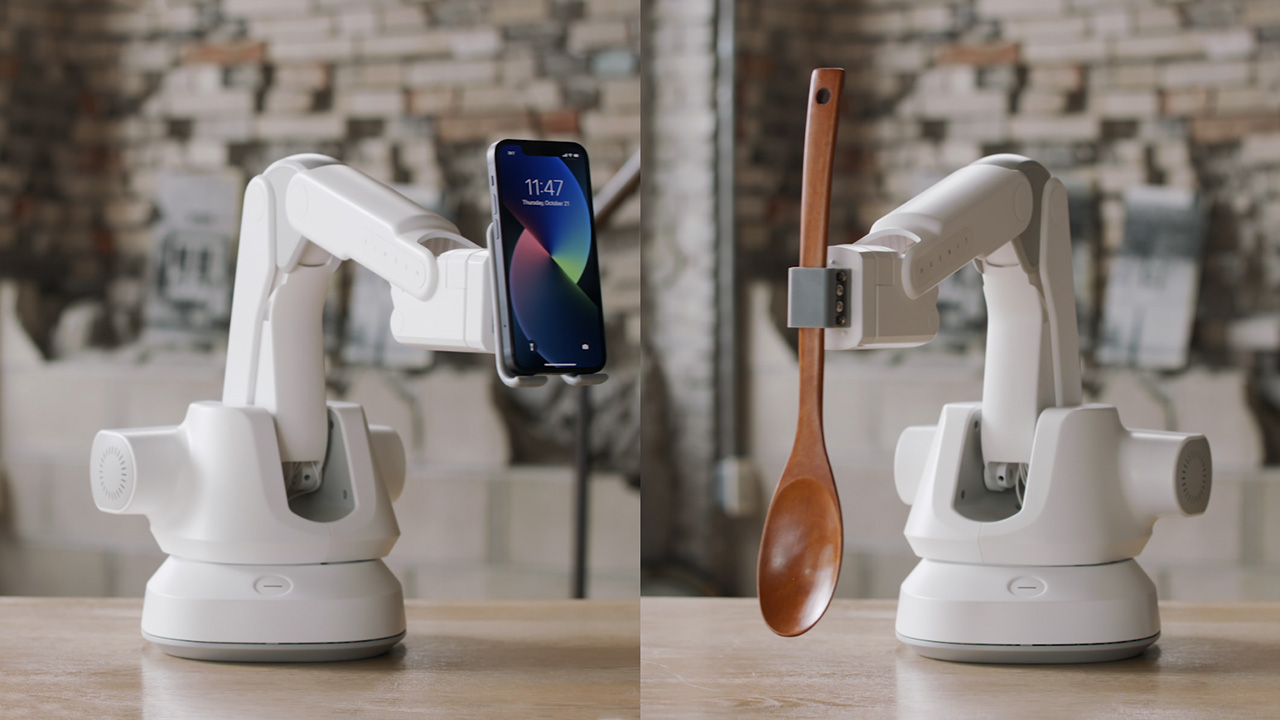
Apple appears to be making significant progress in its development of home robotics, according to a report from *Bloomberg’s* Mark Gurman. New details suggest that Apple is working on a tabletop device that sounds like it could change how we manage our homes. This upcoming product, reportedly featuring an iPad-like screen on a robotic arm, seems designed to serve multiple functions—a hub for smart home controls, a video call tool, and a home security monitor. What makes it particularly intriguing is how it seems to balance practical use with thoughtful design, potentially positioning it as a standout in Apple’s lineup.
Designer: Apple
The centerpiece of this new product is its screen, which can tilt and rotate 360 degrees on a slim, robotic arm. This design enhances user interaction significantly. Imagine a FaceTime call where the screen automatically pivots to face you or adjust the screen angle during a meeting with a simple voice command. Such flexibility transforms this device from mere technology into an adaptive companion for your daily life.
Apple appears to focus on creating a home assistant that fits naturally into the living space, both in appearance and function. Running a modified version of iPadOS, this device will be familiar to iPad users but with added features tailored for home use. Voice commands, like “look at me,” could make Siri even more useful, allowing for hands-free control over smart home devices, video calls, and security monitoring with ease.
Design-wise, this home assistant aligns with Apple’s approach of combining simplicity with functionality. The robotic arm, while a key feature, is expected to be sleek and discreet, ensuring it fits seamlessly into any room. It’s easy to imagine this product becoming as central to the home as other Apple products like the HomePod but with a broader range of uses.
In terms of functionality, the device is remarkably versatile. It could be the main control center for smart home devices like lights and thermostats, providing an easy-to-use visual interface. Its ability to rotate and adjust makes it just as valuable in the kitchen for recipes as it would be in the living room for managing your entertainment system. The added security features, such as remote monitoring through the camera, add further practical value, making it a versatile tool for everyday living.
Siri
Apple plans to release this home assistant between 2026 and 2027, with a price tag of about $1,000. This pricing strategy suggests Apple is targeting a premium yet broadly accessible market. By blending familiar technology with new, practical features, Apple appears to be crafting a device that enhances daily living and sets a new standard for home robotics.
This new addition raises an interesting question: is Apple creating a must-have device for our homes, or is it simply a product searching for a place on our countertops? While it’s designed to blend into daily life and make our spaces more connected, one has to wonder if this is the kind of innovation we truly need—or if it’s just another gadget vying for a spot in an already crowded smart home landscape. For Apple, it might be the next step in its push into home robotics, but only time will tell if consumers feel the same way.
Most people assume that it is easy for visually impaired people to learn Braille. But according to those who are learning this system, the learning tools available are not always that intuitive and easy to use. In fact, the more cluttered a device or tool is, the harder it is as it can be overwhelming for those who are trying to learn and navigate it. Fortunately, there are product designers that want to create concepts for better designed tools that will hopefully be turned into actual products.
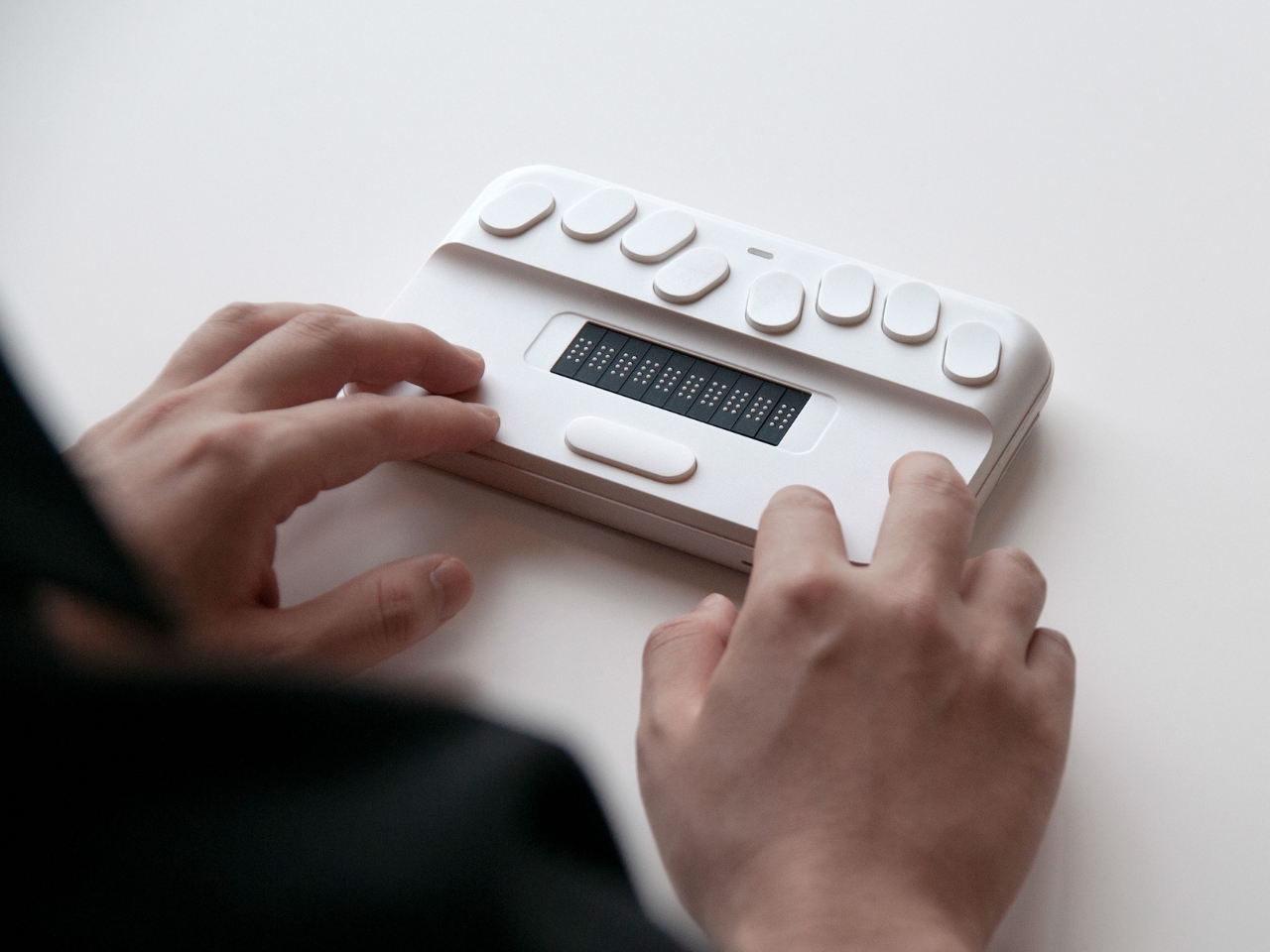
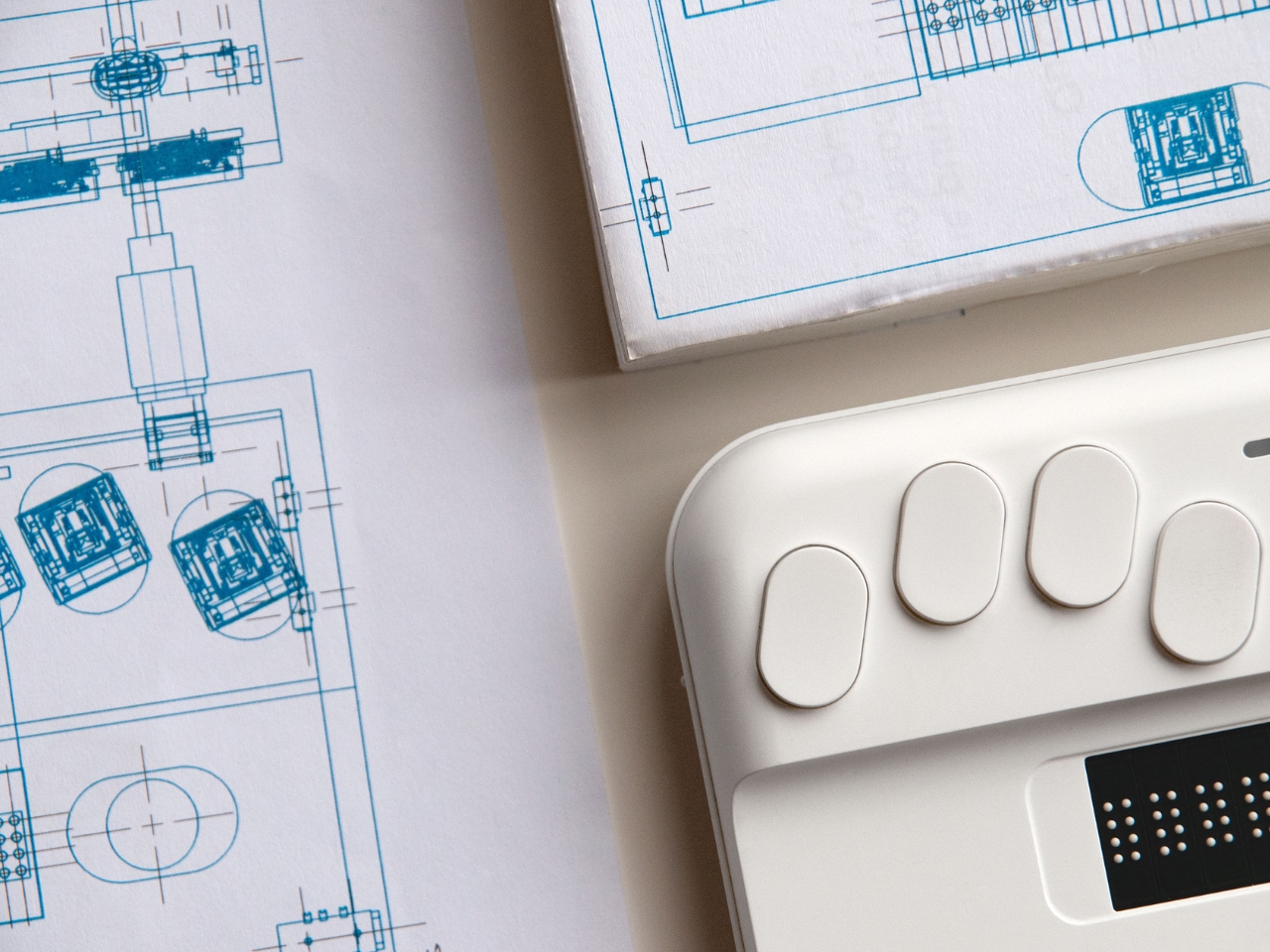
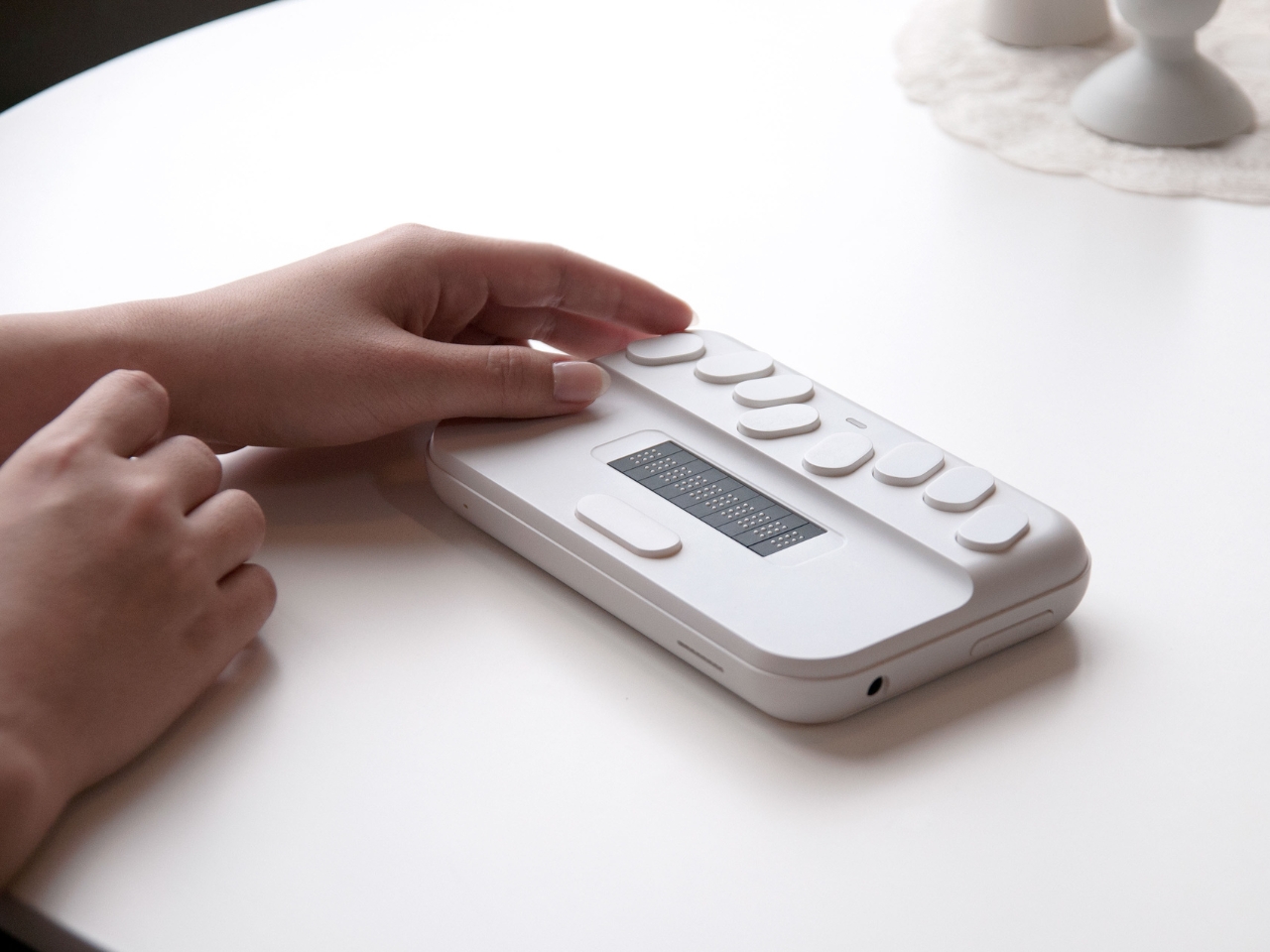
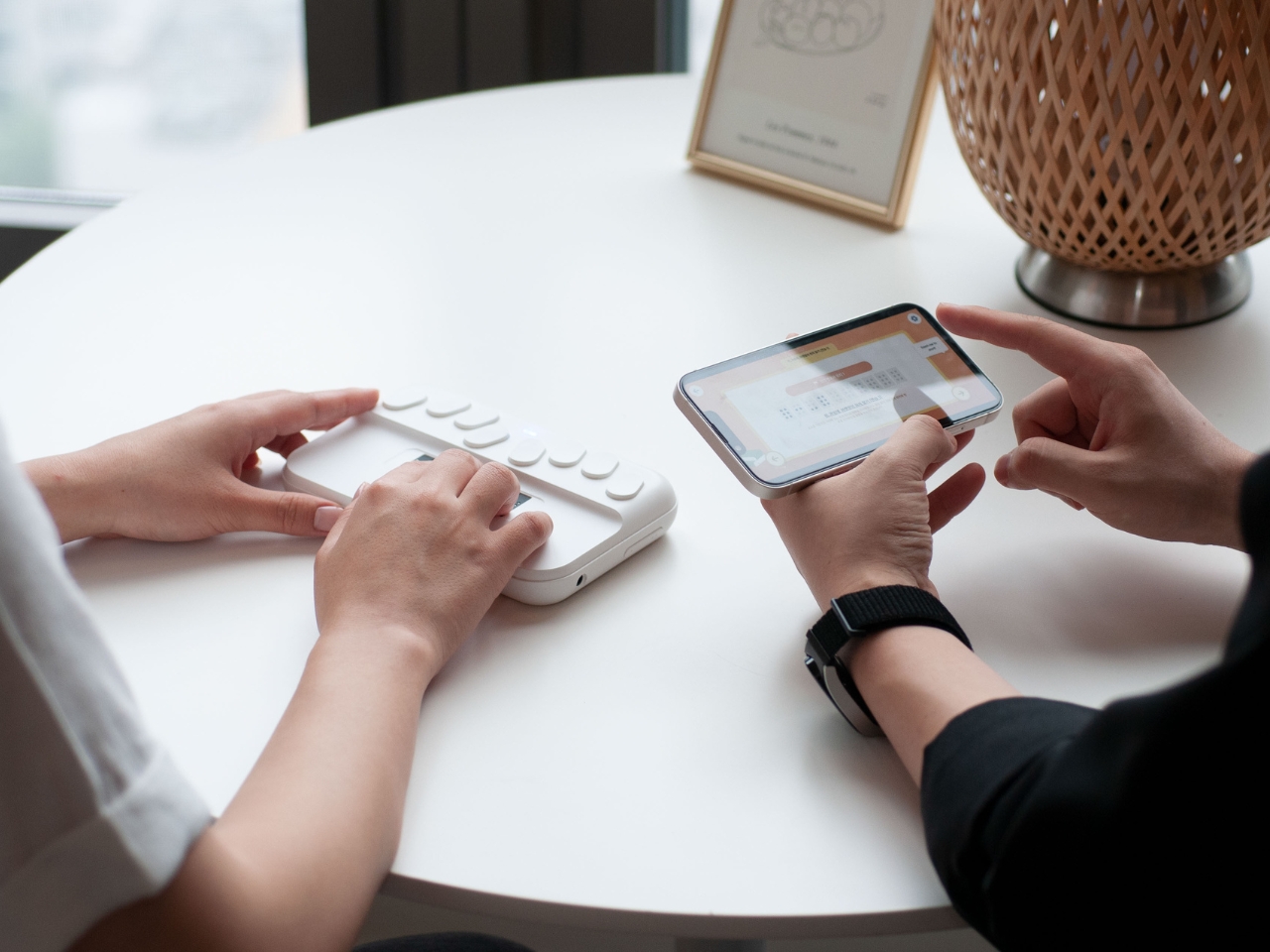
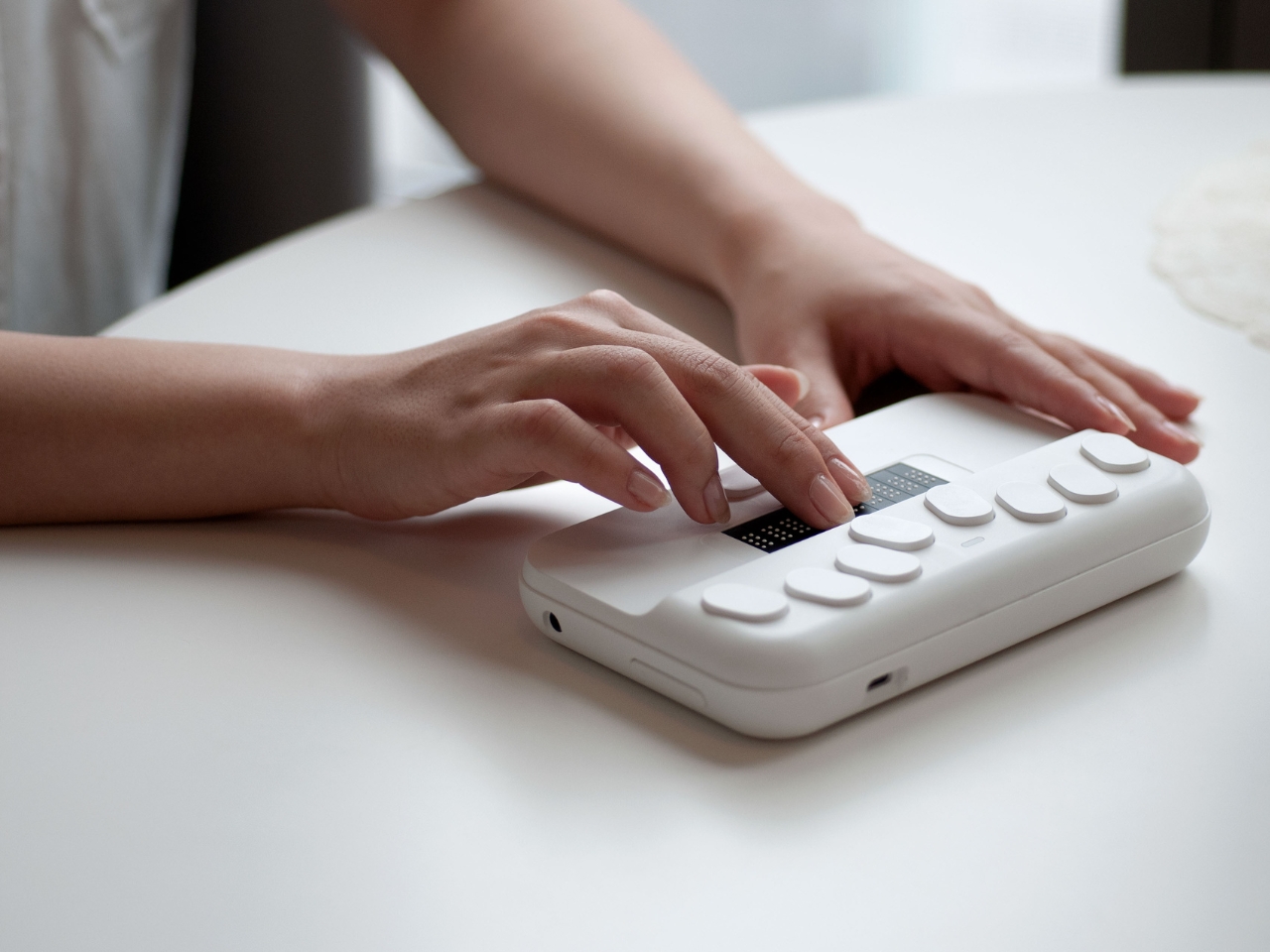
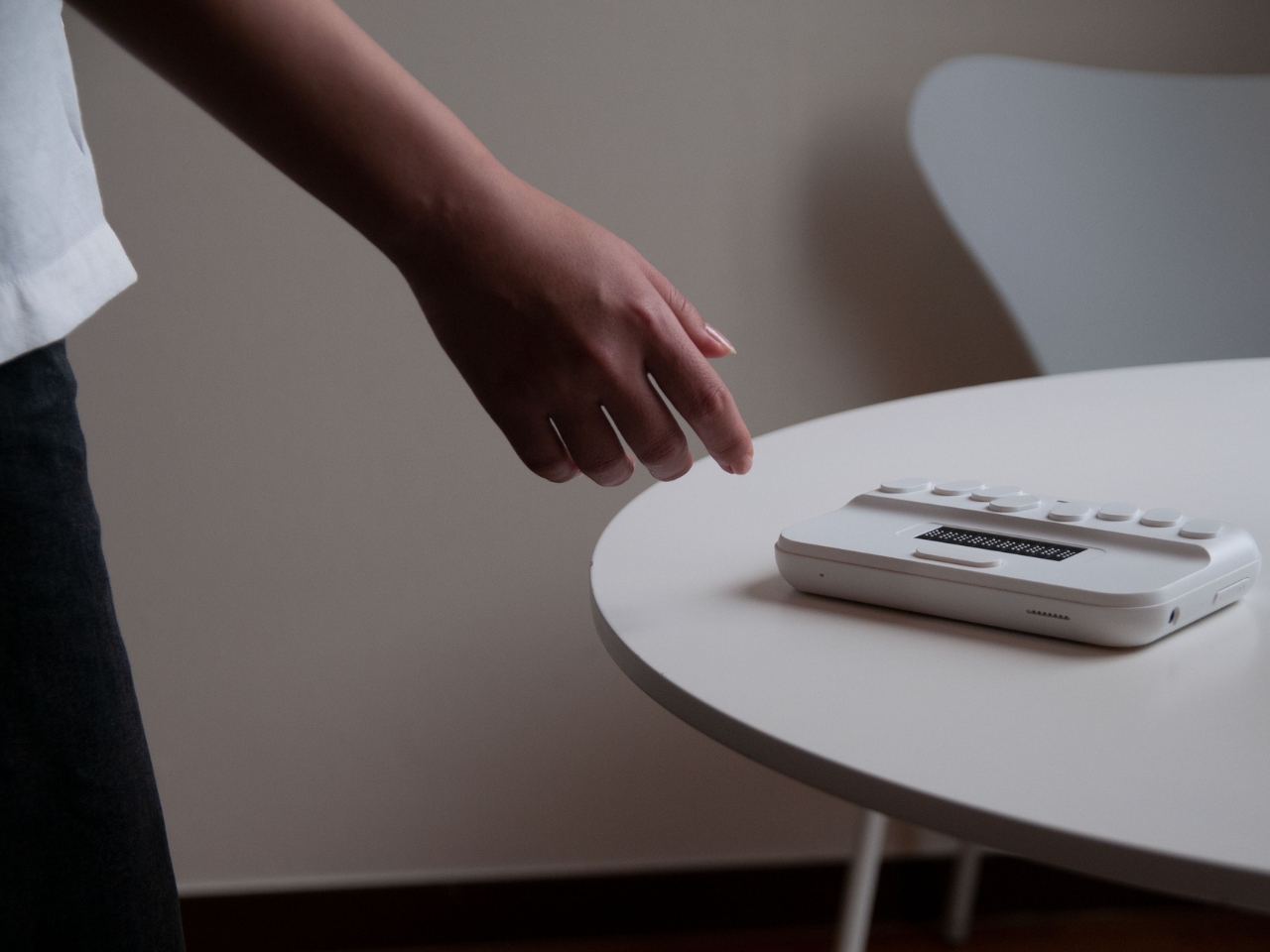
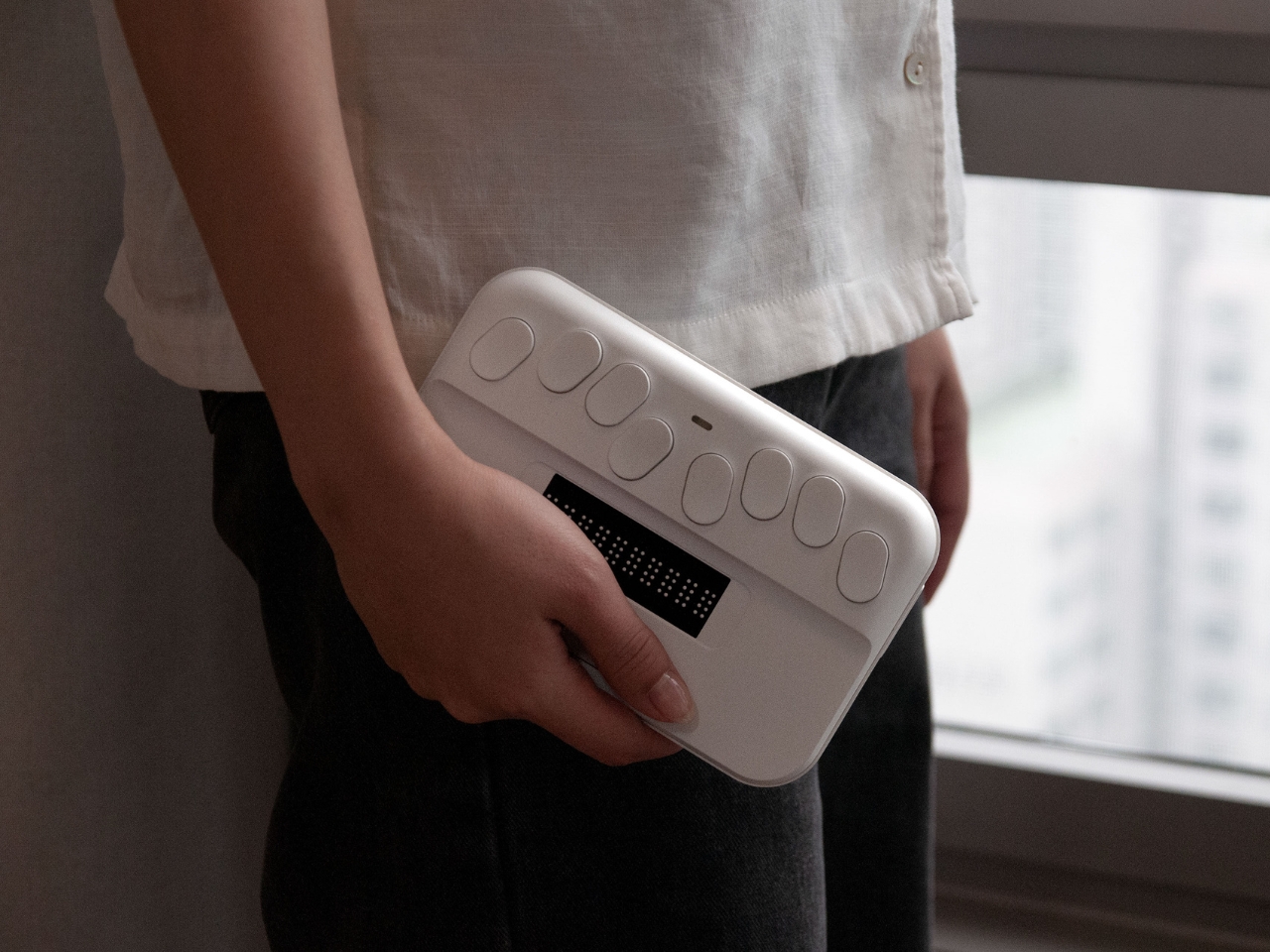
SMARTIO EDU is a concept for a Braille Education Device that uses minimal tactile noise for both teachers and students that are trying to learn Braille. It is designed to optimize the organization of the information that is at the user’s fingertips. They used soft contours for the surfaces of the device and at the same time used tactile hints to help the user read the information through their fingertips.
The device looks like an instrument and in fact, it is, just not one that produces music. There are buttons on top for the various functions and that can serve as navigational aids. The “subtle cues” is able to tell the user the front and back of the device and also where the key interfaces are located. The device is also designed to work with a companion app that the teacher and student can easily follow and engage with.
The designers would of course have consulted with actual Braille learners to determine if this is something that could work even as it is still a concept. But we don’t see a lot of Braille learning devices in the market so if this does become an actual product, it would be a big help to the community.