Midea Flexify French Door Air Fryer: 10-in-1 Oven, 1 Black Friday Deal

Small kitchen counters have a way of accumulating appliances. You start with a toaster, then add an air fryer for crispy fries without the oil. A countertop pizza oven shows up because takeout is expensive, and before you know it, there’s a slow cooker tucked in the corner. Pretty soon, you’re playing appliance Tetris just to clear enough space to chop vegetables, and half the devices spend most of their time unplugged and shoved into cabinets.

The Midea Flexify™ French Door Air Fryer Oven tries to solve this by replacing that entire lineup with one countertop oven. It’s a BEST OF KBIS 2024 winner built around a simple idea: combine ten cooking modes into one appliance without making it too complicated or too big. The oven handles air frying, baking, broiling, roasting, toasting, pizza, reheating, slow cooking, dehydrating, and warming. Midea is running a Black Friday and Cyber Monday promotion on it, which makes it worth considering if you’ve been thinking about clearing out your countertop.

Designer: Midea

Click Here to Buy Now: $139.87 $169.99 (17% off). Hurry, deal ends in 48-hours!

The first thing you notice is the French doors. Instead of a single drop-down door that forces you to lean over a hot cavity, the Flexify uses dual doors that swing open with one pull. They’re made from stainless steel with wide glass windows, so you can check on your food without letting heat escape. There’s an anti-scald handle to keep your fingers safe, and the doors save space in front of the oven.

Inside sits a 26.4-quart cavity with generous vertical space. You can fit a whole chicken or turkey breast on one rack and vegetables on another, or stack a multi-layer lasagna without worrying about clearance. The oven also handles a twelve-inch pizza, six slices of toast, or fourteen chicken wings comfortably. Four rack positions let you adjust the height depending on what you’re cooking.

The Cyclone Air Fry system is what lets the Flexify work as both an air fryer and a conventional oven. It uses a convection fan and six heating tubes to circulate air quickly and evenly, cooking up to 25 percent faster than traditional frying while using up to 90 percent less oil. The oven heats up fast enough that you can skip preheating when air frying, so you just toss frozen food into the basket and start.

What sets the Flexify apart from most countertop ovens is the VDE-certified evenness. That certification means the oven’s heat distribution has been independently tested and proven consistent, so your toast browns evenly and cookies on different racks bake at the same rate. It’s the kind of reliability that matters when you’re making dinner for a family or hosting a gathering and can’t afford uneven results.

The oven settles into daily routines naturally. In the morning, it toasts bread and reheats pastries. At lunch, it warms leftovers without drying them out. In the afternoon, it dehydrates fruit snacks or slow-cooks a stew that finishes by dinnertime. At night, it air-fries vegetables or broils salmon. The digital LED display makes it easy to adjust temperature and time precisely without navigating complicated menus.

What makes the Flexify feel like a smart upgrade is how it cleans up both the physical and mental clutter of a crowded kitchen. Instead of remembering which appliance does what and where you stored it, you just open the French doors and pick a mode. The stainless body and clean lines also look better than a collection of mismatched plastic gadgets.

The Midea Flexify™ French Door Air Fryer Oven fits the category of appliances that earn their counter space by doing more than one job well. For anyone tired of juggling multiple devices, it consolidates without sacrificing functionality. The Black Friday and Cyber Monday window brings it down 18 percent from November 20 to December 1, which is worth considering if you’ve been eyeing a countertop upgrade.

Click Here to Buy Now: $139.87 $169.99 (17% off). Hurry, deal ends in 48-hours!

The post Midea Flexify French Door Air Fryer: 10-in-1 Oven, 1 Black Friday Deal first appeared on Yanko Design.

These 3 Desk Objects Make Shredding, Crushing Feel Like Design

Many of us already practice tiny acts of destruction when we’re stressed. Shredding receipts, crumpling paper, or picking at packaging feel oddly satisfying even though we usually hide them. They’re little releases that most designs ignore, treating them as guilty pleasures instead of real human behaviors. Art of Destruction is a concept that leans into those impulses and asks what happens if industrial design treats them as experiences worth designing.

The project is a trio of objects named Disintegrate, Compress, and Explosion. Each one takes a different destructive action and turns it into a deliberate, almost ceremonial interaction. They share a visual language of cool grey bodies, orange accents, clear panels, and exposed mechanisms that make them look more like hi-fi gear than office tools. Together, they feel like a small family of instruments for controlled chaos on your desk.

Designers: Meesol Park, JiHoon Park, MIN A Kim, Nahyeon Kwon, Dongkyun Kim, Taeyoon Kim

Create your own Aesthetic Render: Download KeySh2ot Studio Right Now!

Disintegrate is a reimagined paper shredder that puts the whole process on display. A rectangular frame with a large side window reveals gears, belts, and blades pulling paper into a cylindrical bin. A big orange dial and a row of circular buttons invite you to tune the experience. Shredding becomes less about security and more about watching documents get mechanically unmade in sound and motion.

Compress is a small cylindrical compactor that looks like a cross between a speaker and a sculptural vase. The top is a solid metal cap, while the lower half is a clear chamber showing a twisted vortex of ribs inside. Drop something in, press down, and the spiral structure crushes it into a neat puck. The act of compression becomes a slow, visual performance instead of a quick, guilty squeeze.

Explosion is a flat tabletop console built around a central well of magnetic fluid. A large knob and button sit on one corner, and a perforated grid hints at lights or sound. Press the control, and a pulse of magnetism sends the ferrofluid erupting into spikes before it settles back. It’s a safe, repeatable way to trigger miniature explosions, with the mess contained behind a clear top plate.

The three devices work together visually. In the group shots, they share proportions and detailing, so they could sit on a desk like a family of instruments. Transparent panels and exploded views reveal carefully layered internals, turning mechanisms into part of the aesthetic. They feel less like gadgets and more like props from a film about emotional regulation through designed objects.

Art of Destruction is a playful question about how we deal with tension and boredom. Instead of hiding our urge to tear, crush, or explode things, these concepts imagine channeling it through objects that are honest about what they do and beautiful while doing it. Whether or not they ever exist beyond renders, they make a strong case that even destruction can be a mindful ritual.

The post These 3 Desk Objects Make Shredding, Crushing Feel Like Design first appeared on Yanko Design.
NOVA Cools PCs Without Fans or Spinning Blades, Uses Ion Wind

RGB fans have become the default way to make a PC build look custom, yet most of them look the same. Spinning blades, ring lights, and aggressive grilles dominate the category, visually loud but rarely distinctive. NOVA is a Red Dot-winning concept that asks what a cooler could look like if you removed the fan entirely and treated airflow as a sculpted, silent element instead of a spinning propeller.

NOVA is a fanless desktop cooler designed to sit where a case fan would normally go. Instead of blades, it uses a shaped intake, ion electrodes, and clever airflow to move air through a central opening. The frame reads more like a minimalist architectural vent than a traditional PC fan, with a form language closer to audio components or precision instruments than the usual gamer aesthetic.

Designers: Minhwan Kim, Gyuri Kim

Create your own Aesthetic Render: Download KeySh2ot Studio Right Now!

The front face is a square frame with rounded corners and four curved ribs that form a circular opening in the middle. The ribs flare from a wide outer edge to a narrower inner throat, guiding air and accelerating it toward the center. The metallic finish and subtle LED halo around the intake give it a calm, sculptural presence rather than the visual noise of rainbow patterns.

The airflow works through shaped channels and ion wind. The intake narrows the path, so air speeds up as it moves toward the center, like water through a nozzle. Ion electrodes arranged in a ring around the opening create a high-speed jet that clings to the curved surfaces and pulls surrounding air along with it. The result is a strong flow through the central hole without any visible blades or motor noise.

NOVA is designed to look finished from both sides. Opaque materials and careful detailing mean the cooler maintains its identity even when mounted at the rear of a case. A circular PCB carries both the ion electrodes and LEDs, arranged in a ring that simplifies assembly and gives a clean visual effect. The lighting is more like an architectural accent than a typical fan RGB, emphasizing form over flash.

The intake components are modular curved segments that assemble into a full ring. The circular layout minimizes unique parts and makes production more straightforward if the concept ever moves to market. Everything feels engineered with manufacturing in mind, not just designed to look good in a portfolio, with careful attention to how pieces fit together and how the whole unit mounts inside standard cases.

NOVA shows what PC cooling could look like once we stop assuming every solution needs spinning blades and RGB chaos. By combining ion wind, shaped channels, and a sculptural form, it turns a background component into a visible design element. Whether or not this exact concept ships, it makes a strong case that airflow inside a case deserves the same design attention as the hardware it keeps cool.

The post NOVA Cools PCs Without Fans or Spinning Blades, Uses Ion Wind first appeared on Yanko Design.
Dad Built a 4-Step Sequencer Synth Simple Enough for Age 3

A father built a portable synthesizer for his daughter’s third birthday, and the result looks almost too polished to be a first electronics project. It’s a four-step sequencer with sliders instead of keys, designed so a toddler can make looping melodies just by moving colorful controls. The synth is as much a design and learning story as it is a music gadget, documenting what happens when someone jumps into hardware with no experience and a clear deadline.

The idea started with a Montessori activity board full of switches and LEDs. Watching his daughter twist knobs and flip switches reminded Alastair Roberts of a synth control panel, and he wondered if he could build a musical version. He had no prior hardware experience, which turned the project into an excuse to learn microcontrollers, CAD, PCB design, and 3D printing along the way, all while trying to finish before her birthday.

Designer: Alastair Roberts

The finished synth is a rounded square box in pink or white, with four vertical sliders in bright colors and four matching knobs at the corners. Slide up for higher notes, down for lower, while a tiny OLED screen shows a dancing panda. There are no menus or hidden modes, just a looping sequence that keeps playing while little hands experiment with pitch and tempo, creating simple melodies that shift and evolve with every adjustment.

Roberts started on a breadboard, then realized he needed a proper enclosure that his daughter could actually hold. Off-the-shelf cases were the wrong size and the wrong colors, so he opened Fusion 360 for the first time and slowly modeled a custom shell. A friend’s 3D printer turned those sketches into a real, toy-like enclosure that feels closer to a commercial product than a hack, complete with rounded corners and smooth edges.

The first hand-wired version worked but was fragile, with a nest of wires that broke when he closed the case. That pushed him to design his first printed circuit board, using Fusion’s electronics tools to lay out sliders, knobs, and connectors in a neat, single layer. The PCB not only made assembly faster, but it also gave the interior the same sense of order and intention as the exterior, no hidden messes or shortcuts.

Small design touches make it feel finished. A dedicated battery compartment with a removable cover, mounting posts that let the board screw down securely, and a raised bezel around the OLED so it sits flush with the top surface. The front panel carries his daughter’s name, Alma, turning the synth into something personal. It now lives on a shelf with her other toys and, according to him, gets regular use.

The synth works at two levels. For kids, it’s a fun, tactile way to poke at sound without needing lessons or screens. For adults, it’s a reminder that you can go from zero hardware experience to a polished, gift-worthy object by following curiosity and learning each tool as you need it. Whether or not it ever becomes a product, it’s already a successful piece of design for the one user who mattered most.

The post Dad Built a 4-Step Sequencer Synth Simple Enough for Age 3 first appeared on Yanko Design.
This 3D-Printed Modular Power Strip Is Made From Recycled Plastic

Carefully curated desks always have one ugly secret hiding underneath them. Power strips are black plastic bricks with tangled cables, even in the most beautifully designed workspaces. You need the outlets and USB ports, but nobody wants to look at the usual tangle of cords and generic housings. The bFRIENDS Power Module treats power access as something that deserves the same design attention as pen cups and storage trays.

The bFRIENDS Power Module is a family of 3D-printed desk power hubs designed by Pearson Lloyd for Bene. It’s part of the broader bFRIENDS collection, which uses recycled bioplastic and additive manufacturing to create desk accessories. That same language now extends into sockets and USB chargers, turning a power strip into a small, modular object that sits proudly on the desk instead of hiding on the floor or under a cable tray.

Designer: Pearson Lloyd for bene

The basic form is a low, rounded tray with one or two ribbed cylinders that dock into it. The cylinders hold either a mains socket or a USB charger, while the tray doubles as a shallow organizer. Module S offers a single power point in a compact footprint. Module M adds one cylinder plus a shelf for pens and small items. Module L fits two cylinders and a wider storage area for more devices and desk clutter.

The modules are designed to be modular beyond their size. The cylinders can be specified with different country sockets or USB chargers, and the threaded sub-assembly simplifies swapping them out. Colour is also part of the system. The tray, cylinder body, and top insert can be mixed from the full bFRIENDS palette, so you can match brand colours, interior schemes, or other accessories instead of defaulting to anonymous black plastic.

The Power Module uses the same recycled bioplastic as the rest of bFRIENDS, sourced from food packaging waste diverted from landfill. Pieces are 3D-printed locally on demand, which eliminates injection-mould tooling and reduces warehousing and transport. That agile manufacturing approach makes it easier to offer many colour combinations and evolve the range without the usual constraints of mass production and minimum order quantities.

The combinations and uses are practically endless. For example, a Module M or L can rest against a fabric privacy panel, with the tray holding a phone and stationery while the cylinder powers a monitor or laptop. By bringing sockets and USB up onto the desk, the module makes plugging in less of a reach and turns cable management into part of the overall desk composition rather than an afterthought you hide under a grommet.

The bFRIENDS Power Module shows what happens when designers look at the boring parts of the office. By combining power, storage, recycled materials, and colour in a single object, it makes the everyday act of plugging in feel a bit more considered. It’s not trying to reinvent electricity, just the way it shows up on your desk, turning something functional into something you might actually want visible in your workspace.

The post This 3D-Printed Modular Power Strip Is Made From Recycled Plastic first appeared on Yanko Design.
VoxeLite Is a Bandage-Thin Patch That Adds Textures to Screens

Screens and headphones already give us high-resolution sight and sound, but touch is still mostly limited to simple buzzes that tell you a notification arrived. That gap makes virtual experiences feel flat, even when the visuals are convincing. VoxeLite is a research project from Northwestern University that brings fingertip-level detail into digital touch, wrapped in a form factor closer to a bandage than a bulky glove.

VoxeLite is a transparent, stretchy patch that wraps around your fingertip like a thin adhesive strip. It’s only a tenth of a millimeter thick and weighs less than a paperclip, but it hides a grid of tiny soft domes that can be turned on and off individually. When you slide your finger across a surface, those domes add patterns of force that feel like bumps, ripples, or directional cues layered over whatever you’re touching.

Designers: Sylvia Tan, Michael A. Peskhin, Roberta L. Klatzky, and J. Edward Colgate (Northwestern University)

The experience works through tiny grabs and releases. As you move your finger, some of the domes gently stick and drag against the surface beneath them, creating little taps or tugs on your skin. Because there are many of them packed closely together and they can switch very fast, the system can draw small icons, arrows, or textures directly on your fingertip. That opens the door to touch-based notifications, tactile emojis, or invisible guides on flat glass.

One of the most important design choices is that VoxeLite is meant to disappear when it’s not active. The soft domes compress and move with your skin, so you can still feel the real texture of a fabric, a button, or a tool handle through the patch. In tests, people could tell rough from smooth materials while wearing it, which is crucial if you want a wearable that stays on during everyday tasks.

On touchscreens, VoxeLite could make virtual buttons feel different from each other, helping you find controls without looking. In AR and VR, it could add the grain of wood, the click of a dial, or the direction of a swipe gesture directly to your finger. For accessibility, it could help blind users trace contours, follow tactile arrows, or feel icons on otherwise flat interfaces that currently offer no feedback.

The research team pushed both how many tactile pixels they could fit and how fast they could update them. The densest version packs more than a hundred actuators into a square centimeter and creates sensations up to hundreds of times per second. In user studies, people could reliably recognize tiny directional patterns and different virtual textures, suggesting that the fingertip can receive surprisingly rich information from such a thin patch.

VoxeLite is still a lab prototype, tethered to external electronics and tested on single fingers. Scaling it up to multiple fingers, making it wireless, and figuring out the best patterns for everyday use are all open questions. It’s a glimpse of what it might feel like when our fingers can sense digital content as clearly as our eyes see pixels, turning touch into a first-class channel instead of an afterthought.

The post VoxeLite Is a Bandage-Thin Patch That Adds Textures to Screens first appeared on Yanko Design.
BALOLO Setup Cockpit: Wood Monitor Stand That Adapts to Your Work

Most desks tell the same story. A monitor sitting too low, forcing you to hunch forward. A tangle of charging cables disappears behind the desk, where you’ll never find them again. Your phone wedged between the keyboard and a coffee cup, headphones draped over the back of your chair, and a growing pile of notebooks that never quite fit anywhere. It’s functional enough to get work done, but it’s also the kind of setup that makes you dread sitting down every morning.

The Setup Cockpit by BALOLO approaches this differently. Instead of adding more organizers that take up space or forcing you to commit to a fixed layout, it creates a foundation that adapts to however you work. The monitor stand itself is straightforward, a long walnut or oak shelf that raises screens to eye level while freeing up the desk underneath. What sets it apart is the patented mounting grid running along the bottom, a system of attachment points that lets you easily add accessories wherever they’re needed and rearrange them whenever your workflow changes.

Designer: Ruben Keferstein

Click Here to Buy Now: $237.92 $279.90 (15% off, use coupon code “BLACKBALOLO”). Hurry, deal ends in 48-hours!

The first thing you notice when unpacking the Setup Cockpit is how solid it feels. The wood is real American walnut or oak, hand-finished in Germany with natural oils and waxes that bring out the grain. The feet, made from MDF wood, are sturdy enough to keep the whole thing stable, even with two large monitors perched on top. It’s the kind of build quality you’d expect from furniture that costs a few hundred dollars, not something marketed as a desk accessory.

Setting it up is refreshingly simple. Slide your monitors onto the shelf, adjust the monitor height if needed, and tuck your keyboard underneath in the 3.9 inches of clearance. That alone transforms how your desk feels, raising screens to eye level and opening up space you didn’t realize you were wasting. But the real shift happens when you start adding accessories from BALOLO’s modular ecosystem, which is where the mounting grid earns its keep.

A laptop riser is perfect for those days when you need a second screen. A MagSafe holder keeps your phone charged and visible for notifications without cluttering the surface. Cable magnets attach to the grid, holding charging cables in place so they don’t slip behind the desk every time you unplug something. Heck, there’s even a headphone holder that keeps your cans within reach instead of draped over your monitor or tangled in your bag.

The modularity is what makes this feel genuinely useful instead of just another piece of furniture you buy once and forget about. Your workflow changes depending on what you’re working on, and the Setup Cockpit keeps up. Whether you need a tablet holder for sketching or more space for your accessories, the BALOLO Setup Cockpit lets you customize your desk to suit your preference, while leaving you with the freedom to expand and change it at any time.

What’s surprising is how much this changes the rhythm of your workday. Starting with a cleared surface instead of a pile of cables and peripherals makes sitting down feel less overwhelming. Everything has a spot, and that spot can change if you decide you want your phone on the left instead of the right. It’s the kind of flexibility most desks never offer, where adding one thing means removing something else or living with clutter.

The materials help too. The walnut finish warms up spaces that lean too heavily on black plastic and aluminum, while the oak or black-stained oak options fit minimalist setups without feeling cold. The wood is sealed, so spills and wear won’t ruin the finish, and the whole thing is built to support up to 50 pounds without wobbling. That’s reassuring when you’re stacking ultrawide monitors and laptops on top of a shelf.

The Setup Cockpit doesn’t reinvent what a monitor stand can do so much as it refines every detail until nothing feels compromised. BALOLO’s approach combines German craftsmanship with modularity that actually makes sense, creating furniture that transforms your desk without forcing you to tear everything apart first. It’s designed to adapt as your work evolves, which is exactly what premium workspace solutions should have been doing all along.

Click Here to Buy Now: $237.92 $279.90 (15% off, use coupon code “BLACKBALOLO”). Hurry, deal ends in 48-hours!

The post BALOLO Setup Cockpit: Wood Monitor Stand That Adapts to Your Work first appeared on Yanko Design.
This School Chair Concept Has 3D-Printable Replacement Parts

Old school chairs like the Mullca were built to survive decades of abuse, with welded steel frames and bolted parts that could outlast the building itself. That durability was impressive, but it also meant the chairs were impossible to take apart or repair at home if something did eventually break. Contemporary designers are questioning whether indestructibility is the only way to think about longevity, with design for disassembly and repair becoming just as important as raw toughness.

Carrousel is a chair concept by Thibaud Rollet that starts from the familiar silhouette of nostalgic school chairs but shifts the focus to how it is assembled and maintained. Instead of chasing the legendary durability of a Mullca, Carrousel is designed to be easy to produce, disassemble, and repair, with individual elements that can be replaced or even 3D printed by the user at home when parts wear out or need refreshing.

Designer: Thibaud Rollet

The basic construction is straightforward. A bent or laminated wooden frame forms the legs and backrest supports, while horizontal traverse pieces carry the structural load. The seat and backrest are separate panels fixed with four screws each, visible on the surface. Those screws bite into metal threaded inserts embedded in the wood, so panels can be removed and reattached repeatedly without damaging the material or stripping the threads.

The covering L-shaped pieces sit over the joints between the frame and the seat or backrest. These parts are held in place by the screws and inserts, and they are the most likely candidates for 3D printing. Users could swap them out to change colors, textures, or even shapes, turning a functional joint into a place for customization and personal expression without needing professional tools.

The visible screws and simple joinery send a clear message that the chair is meant to be taken apart, not treated as a sealed object. Instead of hiding the assembly, Carrousel uses it as part of the aesthetic language. That openness encourages people to replace worn panels, refresh the look, or tinker with new parts, extending the chair’s life in a way that feels approachable rather than intimidating.

Of course, swapping a backrest or changing the covering pieces can refresh the chair without replacing the whole thing, and the act of playing with those options adds emotional value. When you’ve customized or repaired something yourself, you are more likely to keep it around rather than send it to the curb when a screw loosens or a panel gets scratched.

Carrousel borrows the reassuring outline of a school chair but rewires the logic underneath, making it easy to disassemble, repair, and personalize. It suggests that the next generation of everyday chairs might be less about lasting untouched forever and more about being easy to live with, update, and care for. That shift from indestructible to repairable might end up keeping more furniture out of landfills than any amount of added steel ever could.

The post This School Chair Concept Has 3D-Printable Replacement Parts first appeared on Yanko Design.
SabreSat Air-Breathing Satellite Treats the Upper Atmosphere Like Fuel

Most satellites avoid very low Earth orbit because the atmosphere is still thick enough to drag them down in days or weeks without constant propulsion. That said, Very Low Earth Orbit (VLEO) satellites offer sharper imagery with smaller optics and lower latency for communications if you can survive there. Redwire’s SabreSat is a satellite designed to live in that zone on purpose, using the air that normally kills spacecraft as part of its propulsion strategy.

SabreSat is Redwire’s VLEO-optimized satellite bus, chosen by DARPA for its OTTER program to demonstrate sustained operations in very low orbit. The platform is modular and built for Earth observation and atmospheric sensing, but its most interesting option is an air-breathing propulsion system that literally inhales thin air, ionizes it, and throws it out the back as thrust instead of relying on stored propellant alone.

Designer: Redwire

The overall shape from the renders looks more like a glider or flying wing than a cube with panels. A long, rounded fuselage with an oval nose, a huge vertical solar sail rising from the top, and two canted tail fins on each side. It has a clear nose, body, and tail rather than a generic bus, which makes sense for a spacecraft that has to fly through fluid instead of coasting in a vacuum.

The large vertical surface is clearly a solar array, covered in a dense grid of cells and framed in gold. Its size and placement suggest an aerodynamic role as well. In VLEO, that panel can act like a sail or stabilizer, helping align the spacecraft with the flow and giving attitude control systems something to work with. It’s a power source and an aerodynamic surface wrapped into one.

The fuselage and tail support the air-breathing concept. The smooth, rounded nose and long body are consistent with reducing drag and possibly funneling air toward an intake region inside. At the back, renders show twin exhaust plumes emerging from the aft end, hinting at an electric thruster fed by harvested air. The canted tail fin adds stability and helps manage the angle of attack in the thin atmosphere.

The air-breathing system is optional. SabreSat can fly as a more conventional VLEO satellite using stored propellant, or as an air-breathing craft that uses the atmosphere as reaction mass. That flexibility lets operators choose between shorter, simpler missions and long-duration, highly maneuverable flights that treat VLEO more like an operating layer than a decay zone where satellites eventually burn up.

SabreSat is a glimpse of what satellites might look like when we stop pretending space is always empty. Its flying-wing silhouette, solar sail, and air-breathing option suggest a future where spacecraft skim the upper atmosphere, sensing it and using it as fuel at the same time. It’s a reminder that the most interesting design work often happens where two environments overlap.

The post SabreSat Air-Breathing Satellite Treats the Upper Atmosphere Like Fuel first appeared on Yanko Design.
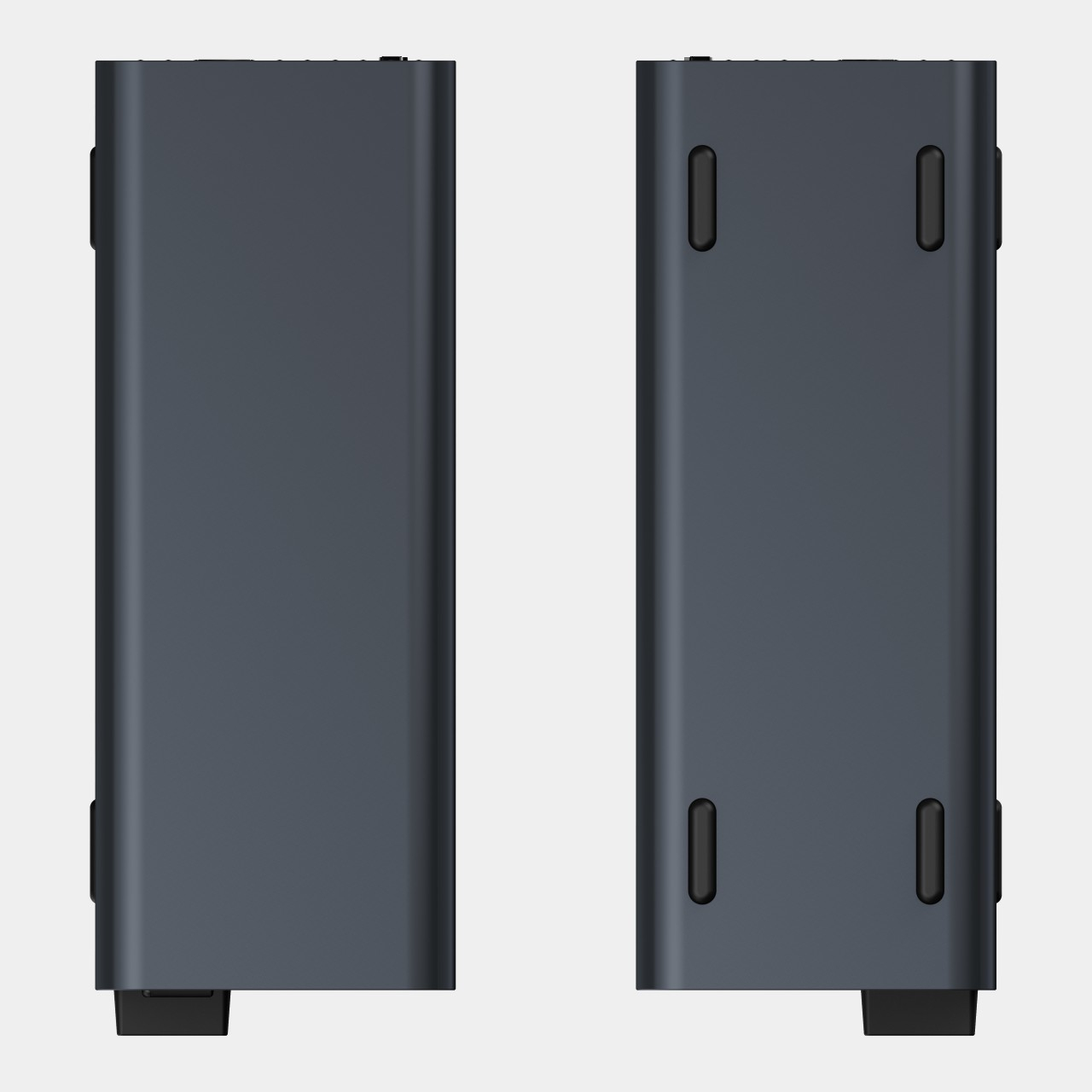
LOOP GEAR LOOPDOT Flashlight Plays 11 Mini Games and Has a Fidget Dial

Flashlights are one of those things you never think about until you need one, and then you spend five minutes digging through drawers looking for the cheap plastic one that barely lights up anymore. Most of them do the bare minimum, offering a single brightness setting and maybe a strobe mode you’ll never use. They’re tools, not gadgets, and they certainly don’t inspire any excitement when you’re packing them into a bag or clipping them to a keychain.

The LOOPDOT by LOOP GEAR approaches this differently. Instead of treating a flashlight as purely functional, it adds a pixel display, a mechanical fidget dial, and enough personality to make you actually want to carry it around. It’s the kind of device that makes you realize how boring most pocket lights have been, combining serious output with features that are genuinely fun to play with.

Designer: LOOP GEAR TEAM

Click Here to Buy Now: $39.99 $49.99 (20% off). Hurry, deal ends in 48-hours! Website Here.

The first thing you notice is how compact it is. At roughly the size of a car key fob, the LOOPDOT slips into pockets, bags, or clips onto keychains without adding noticeable weight. The body is aluminum or titanium, depending on which version you choose, and the finish feels solid in your hand. The pixel display on the front shows twinkling stars, flowing rainbows, or animated patterns that can be changed to match your mood.

The fidget dial dominates the top of the device, a large knurled ring that rotates smoothly to adjust brightness. Unlike buttons that click through preset levels, this dial offers stepless dimming, letting you dial in exactly the amount of light you need. The tactile feedback alone makes it satisfying to spin, even when you’re not adjusting anything. Dual infrared sensors detect rotation without mechanical contacts, ensuring smoother control and longer lifespan.

LOOPDOT offers two lighting modes that switch with a simple shake. Spotlight mode throws a focused 400-lumen beam up to 100 meters, perfect for nighttime walks, finding your tent in the dark, or lighting up a path when you’re hauling groceries from the car. Floodlight mode delivers 270 lumens with a CRI of 90, creating soft, natural light that works beautifully for reading or close-up tasks.

The pixel display isn’t just decoration. It shows battery status, lighting mode, and even plays 11 mini games when you’re waiting around with nothing to do. Rolling dice, tossing coins, or watching animated patterns flow across the screen turns idle moments into something slightly more entertaining. It’s a small touch, but one that makes the LOOPDOT feel less like a tool and more like a gadget you enjoy carrying.

Battery life is respectable for something this small. The 600mAh rechargeable battery lasts up to 11 hours on the lowest setting, or about 1.5 hours on full spotlight blast. USB-C charging means you can top it up with the same cable that charges your phone, and the IPX6 water resistance rating handles rain, splashes, or accidental drops into puddles without issue.

What makes the LOOPDOT feel genuinely different is how it refuses to be boring. Most EDC flashlights are black cylinders with a button and maybe a clip. This one has animations, a fidget dial that begs to be spun, and lighting modes that adapt to whatever you’re doing. It’s the kind of thing you show to friends, not because it’s overwhelmingly practical but because it’s oddly delightful.

LOOP GEAR managed to pack all of this into a device that’s smaller than most multitools, which is almost impressive on its own. While it won’t replace a dedicated camping lantern or tactical light, it fills the gap between cheap throwaway flashlights and serious outdoor gear. For anyone who wants something that’s actually fun to carry every day, that’s probably the sweet spot worth aiming for.

Click Here to Buy Now: $39.99 $49.99 (20% off). Hurry, deal ends in 48-hours! Website Here.

The post LOOP GEAR LOOPDOT Flashlight Plays 11 Mini Games and Has a Fidget Dial first appeared on Yanko Design.