Robot wheelchair concept puts a friendlier face on caregivers of the future

More than just the population problem, we are also facing a crisis in terms of care for the aging segments of that population. Traditional geriatric care centers are sometimes filled beyond capacity, and caring for elderly people living alone can be expensive and at times even risky. Futurists and visionaries would have us dream of a future where robots, whether humanoid or not, would take the place of household help, and we’re starting to see some of those rolling boxes in homes, often for less critical conveniences like bringing things from one place to another. Human care, however, is a very different matter entirely, so this concept design for a service robot and an advanced wheelchair duo tries to paint a different picture by making the experience look and feel a little bit more human and, therefore, more humane.

Designer: Sungmin Hwang

Geriatric patients living at home need more than just having things brought to them, which is what many home service robots are designed to do. They will also want to move around, on their own or with assistance, and motorized wheelchairs try to make that activity more convenient. These two mobility activities might be related, but they’re provided by two very different kinds of products. But rather than having disparate and disconnected machines, this design concept presents an integrated system that acts like a whole, even if they function separately.

The actual “companion” is a service robot that looks like a tall board with arms and wheels, unlike the common design that’s practically a self-driving cabinet. It has a simplified face, basically just eyes that can express emotions and a dot matrix display that can spell out words, but it’s enough to give it a more personable character. Rather than having shelves to put items on, the robot has harms and hands that can grab and hold objects to hand them over to the patient, making the action feel more personal rather than clinical.

The other half of the duo is a motorized wheelchair that’s designed as much for comfort as it is for mobility. In addition to the cushioned surfaces and curved parts, the chair features plenty of storage space not just for things but also for medicine. The patient can exercise their own agency by driving the wheelchair on their own, but it can also be pushed by the companion robot when it connects to the chair. This recreates the experience of having someone push their wheelchair, hopefully making them feel less lonely and less detached.

The “Companion” robot and wheelchair concept is designed with many of the existing technologies already available today, from self-navigating home robots to intelligent charging docks to precision robot hands for carefully grabbing objects. Of course, such a machine would still need to undergo rigorous testing, not to mention regulatory scrutiny given its medical applications, but it’s definitely an interesting take on what a home service robot can do, especially when it’s designed to take care of elderly people or people with mobility disabilities.

The post Robot wheelchair concept puts a friendlier face on caregivers of the future first appeared on Yanko Design.
Futuristic mini PC is like a spaceship ready to take gaming to new heights

Is there a reason why desktops and even mini PCs mostly come in flat boxes? Electronics are still rigid objects, and they have to adhere to flat or similarly boxy designs with today’s engineering limitations. As such, a tower or a box is the most space-efficient container for these pieces that work together to provide all your computing needs. But what if space was less important than aesthetics, especially with today’s more compact hardware? That’s the kind of revolutionary mindset that this mini PC is trying to present with a chassis that is almost literally out of this world, looking more like a spaceship that’s ready to take off and elevate your gaming, and it does so literally as well.

Designer: ACEMAGIC

Mini PCs are no longer that alien to people’s ears, especially thanks to the popularity of the non-PC Mac mini and Mac studio. These computers emphasize compact designs that save you some desk space while still cramming as much power in a tiny boxy. That doesn’t have to be the only design available, however, especially with how small some computer components have become. After all, the latest breed of handheld gaming PCs are technically portable mini PCs, though with even bigger constraints when it comes to performance.

The ACEMAGIC M2A is a mini PC that throws design conventions out the door. Technically, its hardware can all fit in what would be a slim and minimalist rectangular box, but that would be boring and completely unoriginal. Instead, the company aimed to make its product stand out, almost literally, but making it look like a spacecraft similar to those you’d see on sci-fi flicks and shows. Specifically, the main body itself tapers slightly to the side and then splits upward and downward into fins. The style is largely polygonal, which matches the sci-fi theme, with LED accents in front and on the tip of the wings for added flavor.

The design admittedly takes up more vertical space on your desk, and it won’t be something you can conveniently place underneath your monitor (unless that monitor is set up on an ergonomic stand or arm). It is, after all, designed more to have some visual impact rather than space savings, but it does have one practical benefit, whether intentional or not. The bottom fins act as legs that lift the mini PC up, allowing for better airflow into the bottom-mounted fans.

Internally, the ACEMAGIC M2A tries to be a compact gaming PC, and it seems to meet that description, depending on your needs. It practically uses hardware from 2022, so it might not be up to snuff when it comes to more demanding AAA titles today. There are definitely more powerful mini gaming PCs in the market today, ones with the latest CPUs and GPUs, which makes you wonder if this spaceship-like computer’s high price tag is really worth that distinctive design.

The post Futuristic mini PC is like a spaceship ready to take gaming to new heights first appeared on Yanko Design.

Donut-shaped Bluetooth speaker concept inspires a more playful way to enjoy music

Wireless speakers have become all too common now thanks to multiple factors, from the rise of voice-activated smart home assistants to the popularity of streaming services to the demise of the headphone jack from smartphones. These audio devices have also outgrown their initial designs which seemed to be limited to blocks or cylinders, adopting more fluid forms that are almost artful than technical. Of course, there is no need to go to opposite extremes to have a good speaker design, as this concept proves with a simple and clean shape that immediately strikes one as something that isn’t your regular wireless speaker while, at the same time, clearly tries to deliver the basics of an omnidirectional audio source.

Designer: Fran Rossi, Javier Bianchi

Many wireless speakers today try to deliver sound in 360 degrees to cover the entire room, which is especially needed if it’s meant to respond to voice commands coming from anywhere in the area. Thanks to the likes of the Amazon Echo, Google Home, and Apple HomePod, cylindrical shapes seem to have become the most common design for wireless speakers. Of course, there are conical or even spherical speakers, but these aren’t the only round objects that can be used to the same effect.

Orbit adopts a lesser-used shape that, along with a sphere or ball, is immediately associated with fun things. A torus can be a donut, a wheel, a piece of candy, or even a floatation device, and the way it can roll on a floor and wiggle and spin before falling down flat is often a game played by children. That playful charm is further emphasized the by concept’s choice of colors and materials, with a bright orange accent against a cool white body, and reflective plastic instead of fabric. It looks almost like a toy, though its functionality is far from being child’s play.

1

Thanks to its ring shape, it can also transmit audio 360 degrees, though it also has more freedom on where the sound is sent. When standing, it can bounce the sound off the ceiling, though it can also be placed down on its back for a more conventional horizontal output. The Orbit is almost a perfect torus, so it requires a stand to, well stand up. Its other functions, however, are all built into the device itself, like the large backlit power button in front and the embossed playback controls on top.

Despite the playful nature of its shape, small variations to the design can result in a totally different character. Covering the entire ring with dark gray fabric and switching the accents to wood or gold gives it a more luxurious appeal that could proudly stand as an art object in your living room. Switching up the colors and materials also generates different imagery, turning what looks like a simple design into a highly flexible and customizable one.

The post Donut-shaped Bluetooth speaker concept inspires a more playful way to enjoy music first appeared on Yanko Design.
M4 iPad Pro teardown reveals an important sustainability upgrade

As expected, the Internet is abuzz over the new M4 iPad Pro’s ultra-thin design, but there are also reasonable concerns over the device’s durability and longevity because of that design as well. Fortunately, a bend test proved that the tablet has enough resistance to withstand accidents within reason, but accidents will still happen regardless. Displays will get cracked and batteries degrade and, sooner or later, the new iPad Pro will become old and will need to be repaired. When that time comes, how easy and expensive will it be to open up the thinnest iPad in the world and replace those broken parts? It turns out, that Apple made one very important step toward improving the device’s repairability, at least for one of the most common types of repairs.

Designer: Apple (via iFixit)

Whether it’s a smartphone or a tablet, mobile devices have two or three parts that easily get damaged or need to be replaced. Screens crack or shatter after accidental falls, charging ports get damaged or blocked, and batteries start to lose their charge faster or, worse, start to bloat. For the iPad Pro, getting to any of these parts has always been a chore and a risk, but the M4 iPad Pro has surprisingly made it easier to remove and replace the battery without removing as many important parts.

Opening up the iPad Pro is still an exercise in patience and dexterity, perhaps even more so now with a new Tandem OLED display. A closer look at that screen reveals not the dual-layered panels that Apple used to explain the technology, but, for all intents and purposes, it practically functions the same way. Long story short, there’s a high chance that the screen will be damaged beyond repair when you try to open the iPad Pro just to replace the battery.

Fortunately, the battery itself is easy to reach, as it is immediately exposed after removing the display. There are a few parts that need to be unscrewed to gain access to the pull tabs, but there’s no need to remove daughterboards, logic boards, or even speakers. Considering this is Apple we’re talking about, that’s a rather ground-breaking change and a step in the right direction.

Unfortunately, Apple’s “size zero” design does also come with its drawbacks, like many of the parts now glued down rather than screwed down, just because there’s virtually no space left for screws. And then there’s the new Apple Pencil Pro that’s still an expensive disposable accessory as far as repairability is concerned. All in all, the M4 iPad Pro represents a significant step forward for Apple when it comes to making the tablet a more sustainable option on top of being one of the best of its kind.

The post M4 iPad Pro teardown reveals an important sustainability upgrade first appeared on Yanko Design.

AYANEO AG01 graphics dock puts a retro-style spaceship on your desk

Nostalgia is a very powerful (and lucrative) emotion, but the retro designs don’t necessarily have to be just based on past products. In fact, they don’t need to be based on real things at all. Retro designs only need to incorporate elements from the past, whether that’s a historical past or a fictional one. The latter especially applies to what has become known as retro-futuristic styles that try to blend past and future in a way that makes some sense in the present. This upcoming graphics dock, intended to give handheld gaming PCs a performance boost, is one such example, bringing a unique visual accent to your workspace by taking on the appearance of a miniature spacecraft with the blocky and rugged aesthetics of the past.

Designer: AYANEO

Although external graphics enclosures have existed for a while now, it was only with the advent of handheld PCs that they started to become smaller and slightly more portable. The purpose remains the same, providing significantly more powerful graphics capabilities than the portable computer can manage, but in a form factor that can also be carried around in a bag if desired. Many of these so-called graphics docks take on the form of uninspiring rectangular bricks, but the AYANEO AG01 bucks the trend with a design that is almost literally out of this world.

As part of its next batch of REMAKE products, AYANEO is including its very own graphics dock with a design that doesn’t really resemble any existing product from the past. The company describes it as a starship, though it might not immediately strike one as similar to those from hit sci-fi shows like Star Trek or even Star Wars. It has a more blocky shape, not unlike other graphics docks, but with an overabundance of panels and grilles. Its rough edges and dark color scheme contrast with the usual smooth curves and lighter motifs of futuristic spacecraft. This is a spaceship that humans would first produce for exploration and perhaps even militaristic action. Space-efficient, rugged, and a little menacing.

Underneath that retro-futuristic shell, however, is a very typical graphics dock, one that even houses a slightly dated AMD Radeon RX 7600M XT graphics from last year. There’s a plethora of connectivity options, including USB4 and the newer Oculink technology. It does also function as a typical data hub when connected to a computer, which means USB ports and even an Ethernet jack for faster network connectivity. Although technically compatible with any computer that supports external GPU via USB4, the AYANEO AG01 is specifically designed for the brand’s handheld gaming computers that have a significantly weaker GPU compared to laptops.

There’s also some RGB lighting, but that’s curiously limited to the ring around the dome on one end of the dock and three “vents” near it. It’s a purely aesthetic element, though one that admittedly looks too modest for what should be a space-faring vehicle. Availability details about the AYANEO AG01 are still unknown at this point, but the graphics dock’s unique design will surely catch the fancy of many collectors, whether they have an AYANEO handheld PC or not.

The post AYANEO AG01 graphics dock puts a retro-style spaceship on your desk first appeared on Yanko Design.
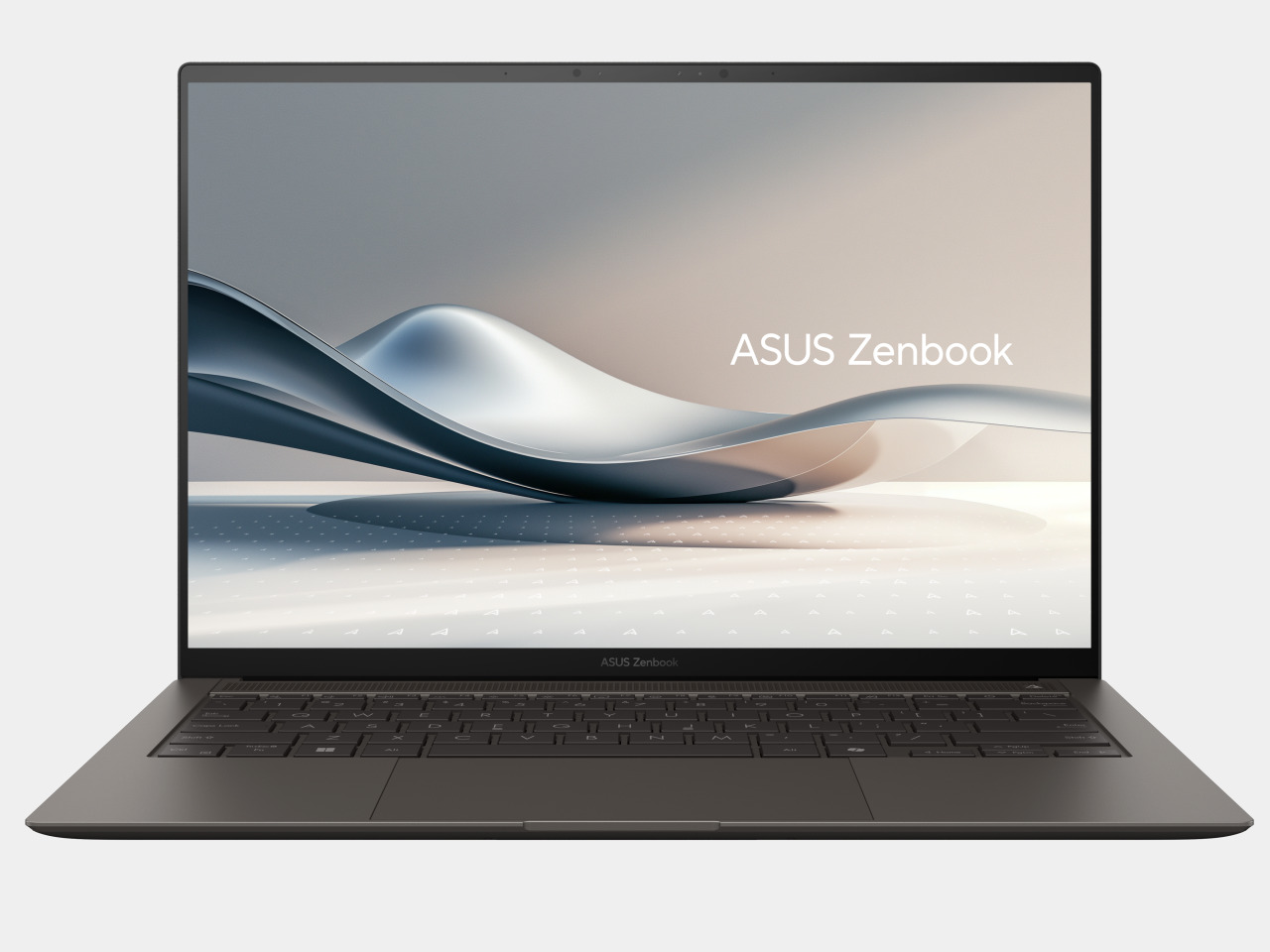
AI-powered modular mouse has some nifty tricks to level up your presentations

The nature and location of work today have changed considerably, especially after the introduction of work-from-home arrangements, but there is one thing that still remains the same. People still hold in-person meetings, which often involve making presentations, be it in front of colleagues or before clients. Despite how common this activity is, the tools used especially by presenters haven’t evolved that much except for teleconferencing equipment. Many of the devices needed for an effective presentation often come as separate products, so this concept tries to integrate not just two but four tools into a single design that, at first glance, looks like a normal mouse.

Designers: TianRun Chen, ZiLong Peng, Yanran Zhao, YueHao Liu

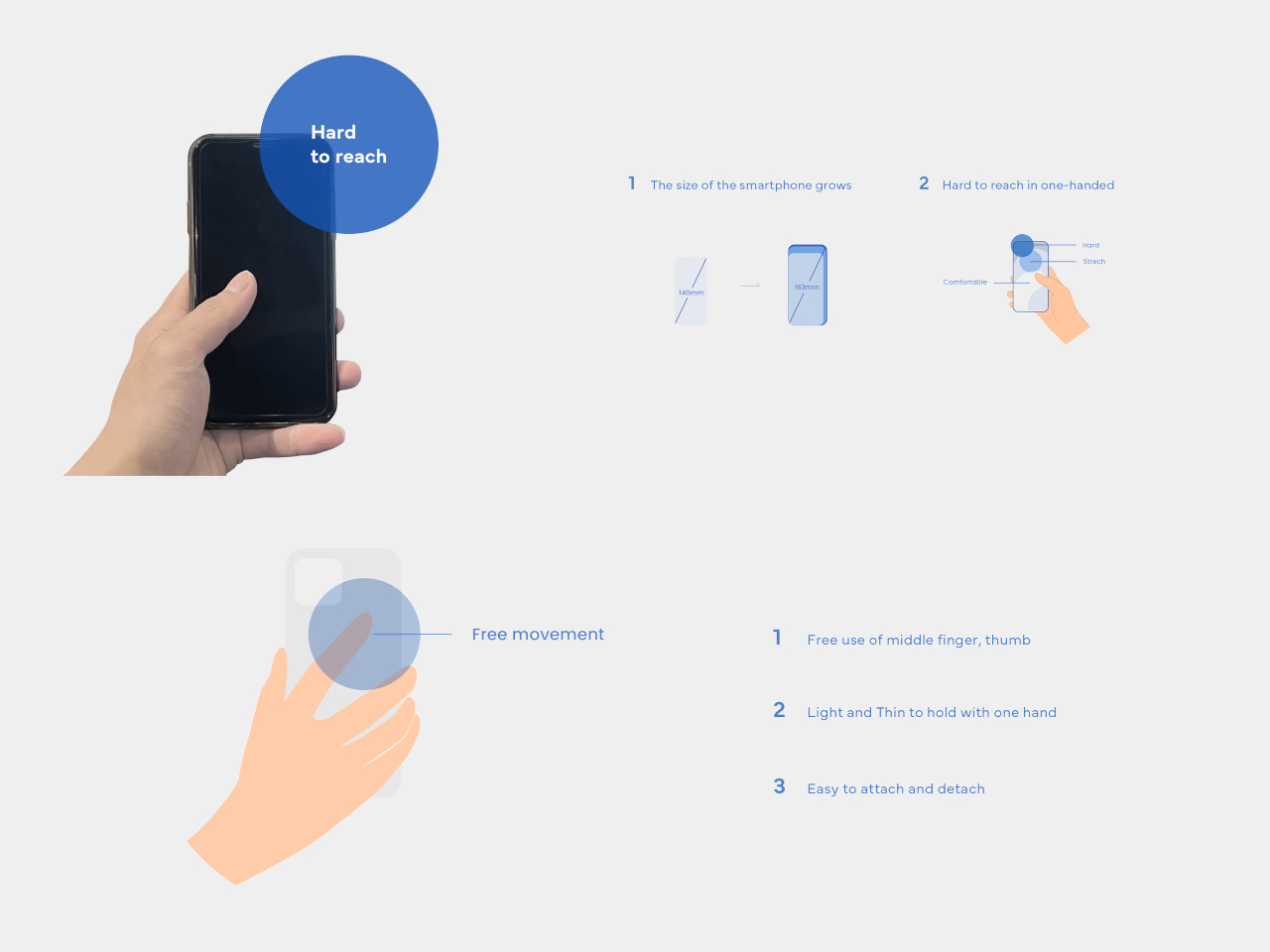
Many computer users use a mouse, even if they actually prefer using laptops. It’s almost an indispensable tool for on-the-go knowledge workers, including those who often find themselves speaking in front of other people in a room. Unfortunately, these people would also find themselves grabbing a presenter and a laser pointer during those presentations, making their work lives needlessly complex. There are some thin, portable mice that try to integrate a laser pointer, but these are still rare, not to mention not ergonomic in their designs.

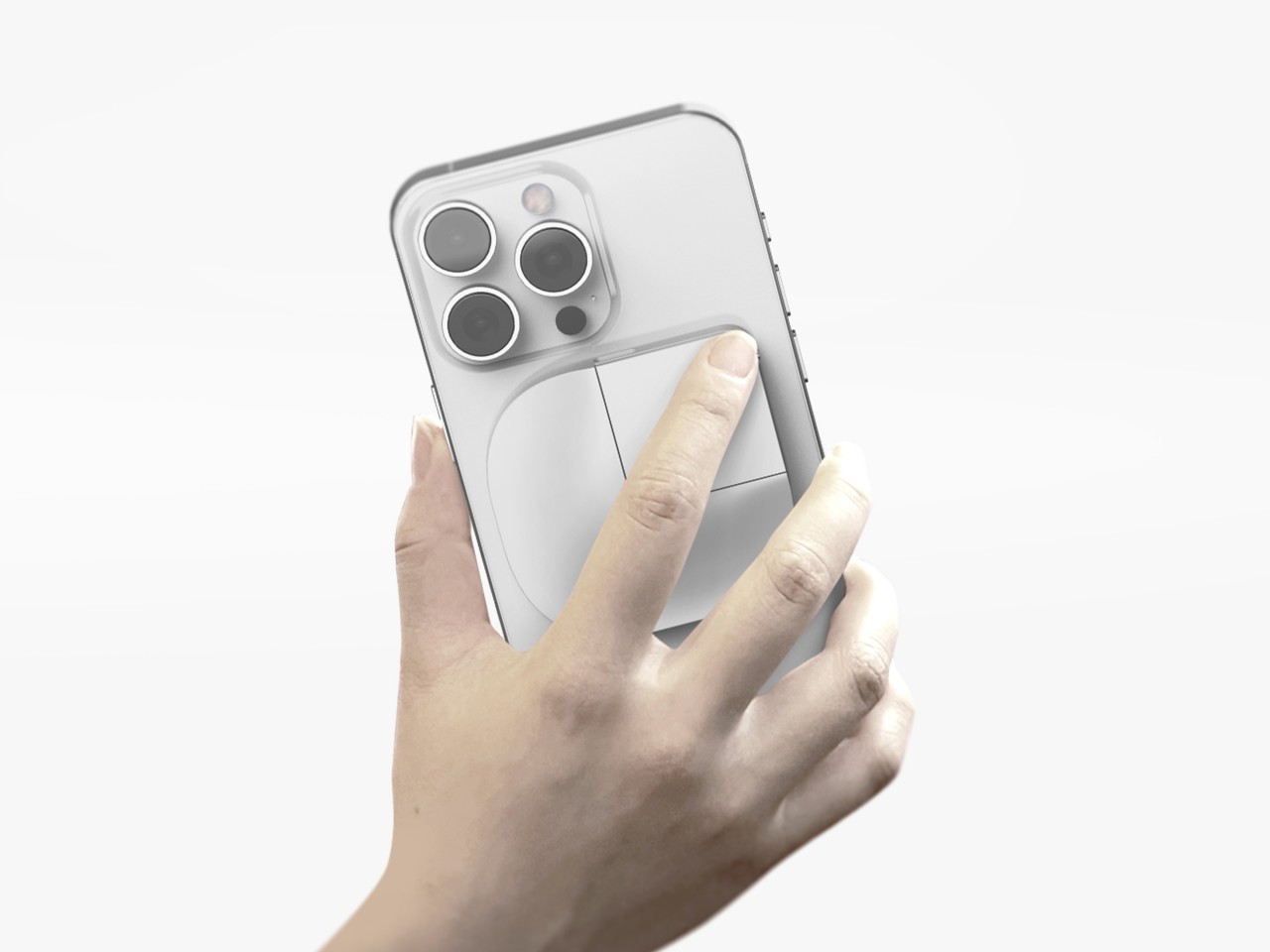
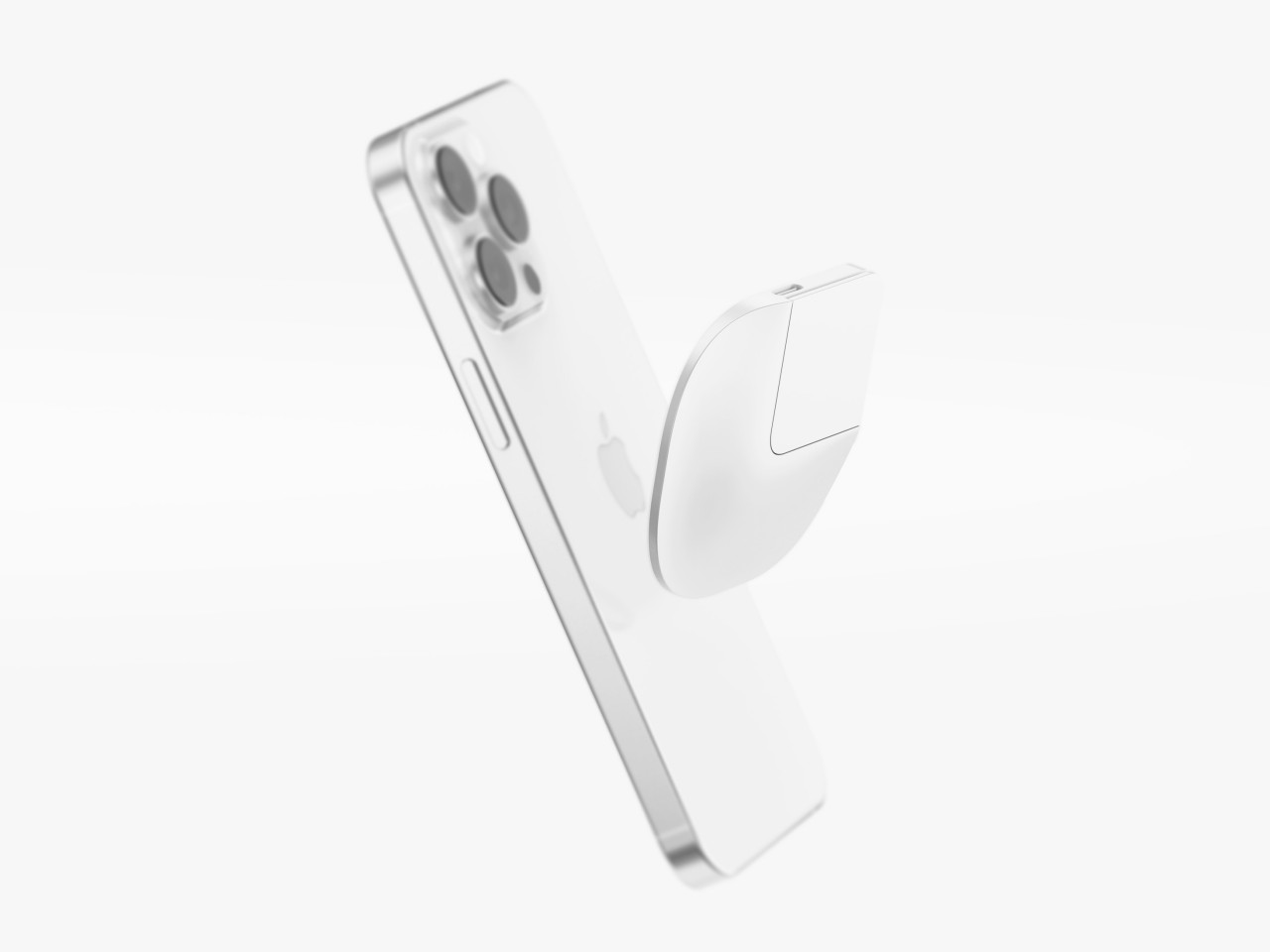
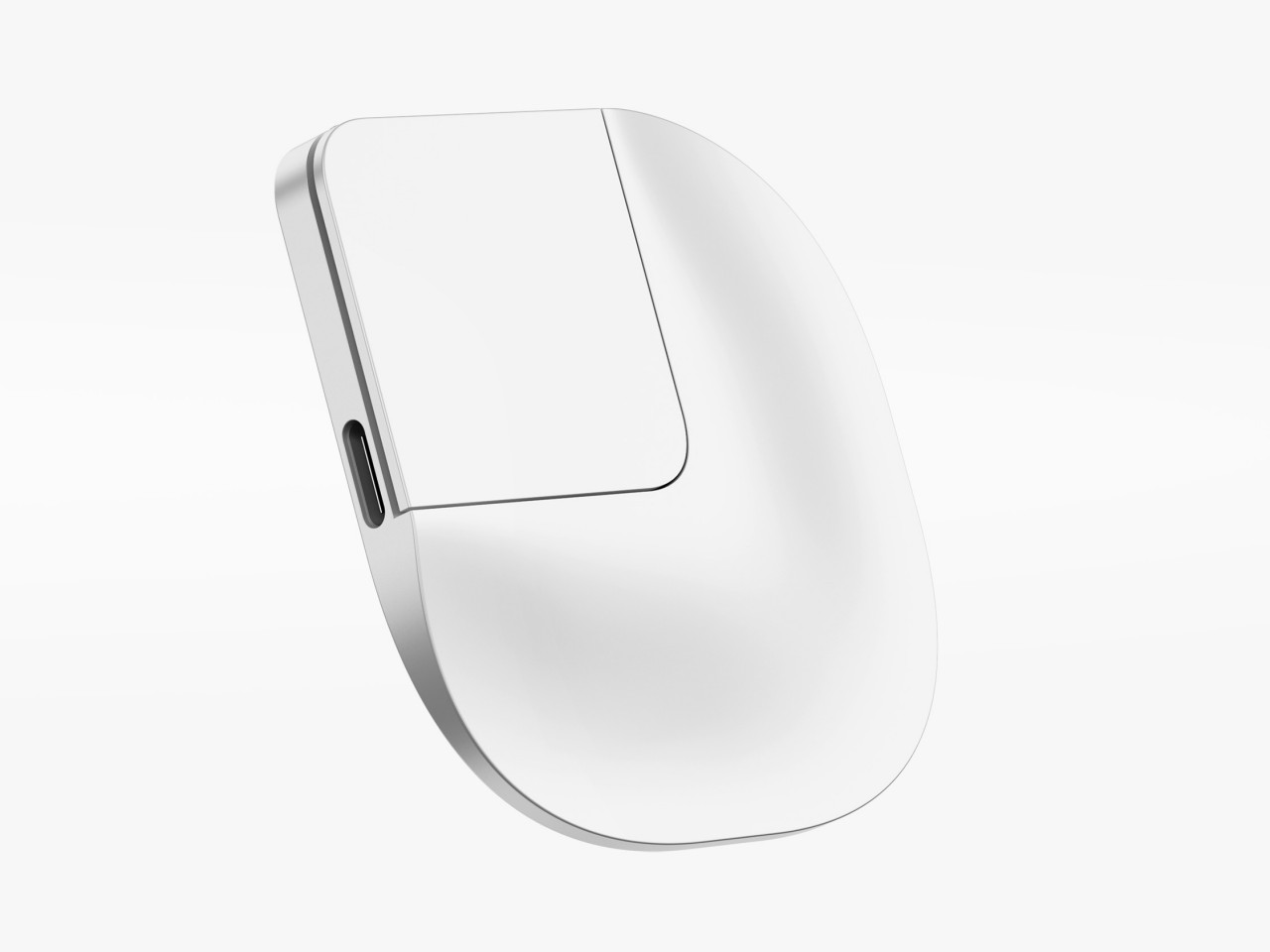
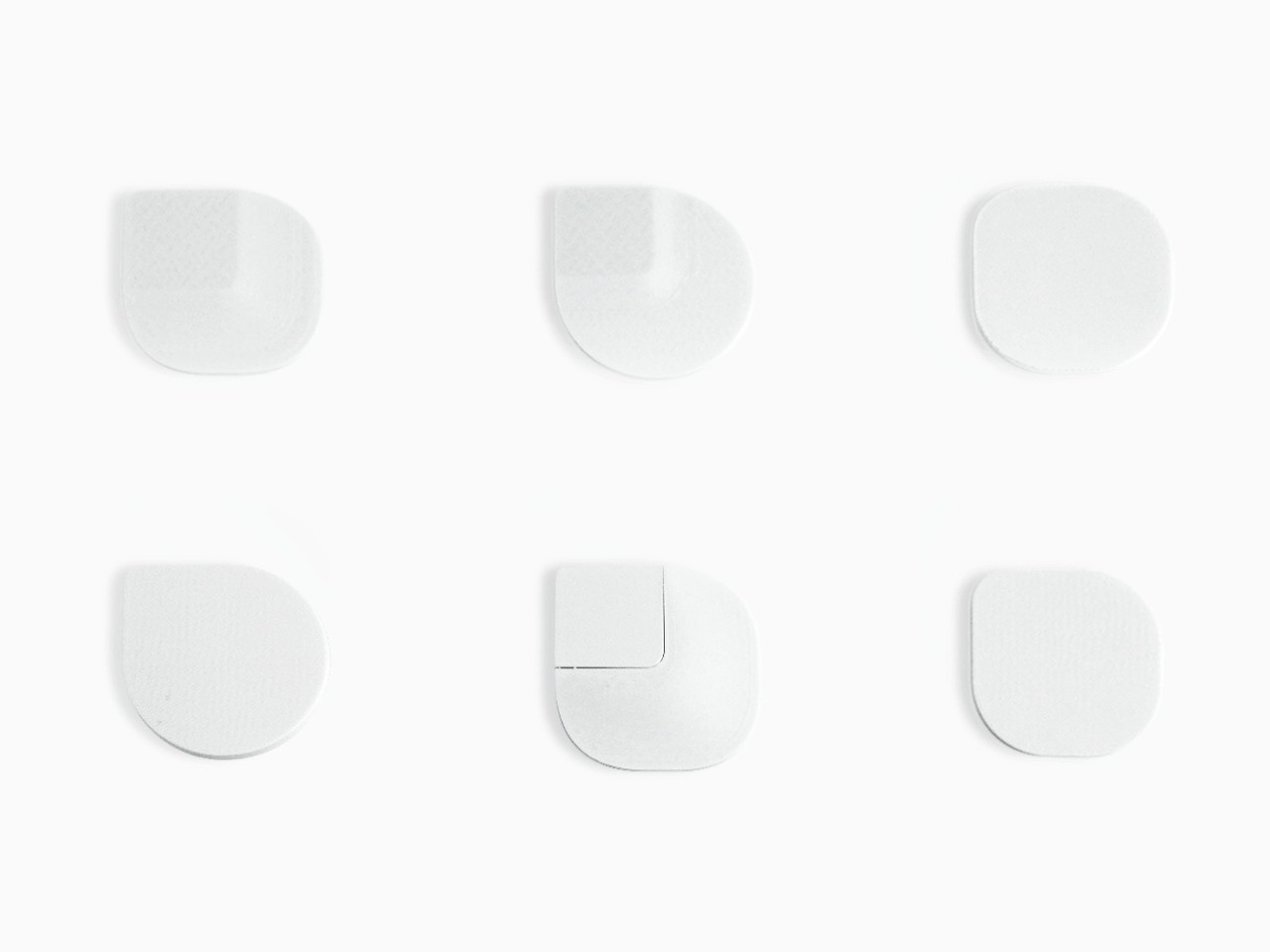
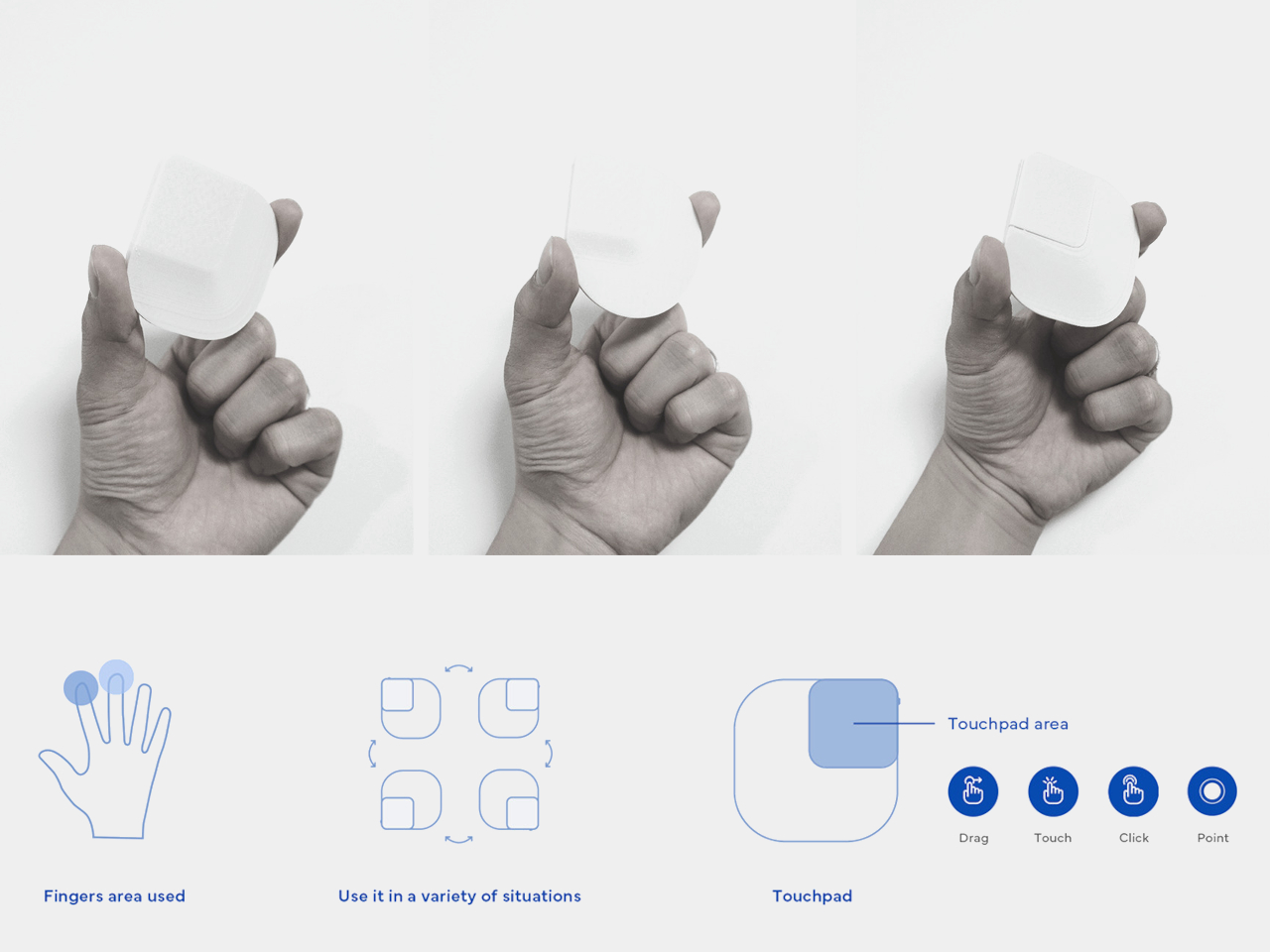
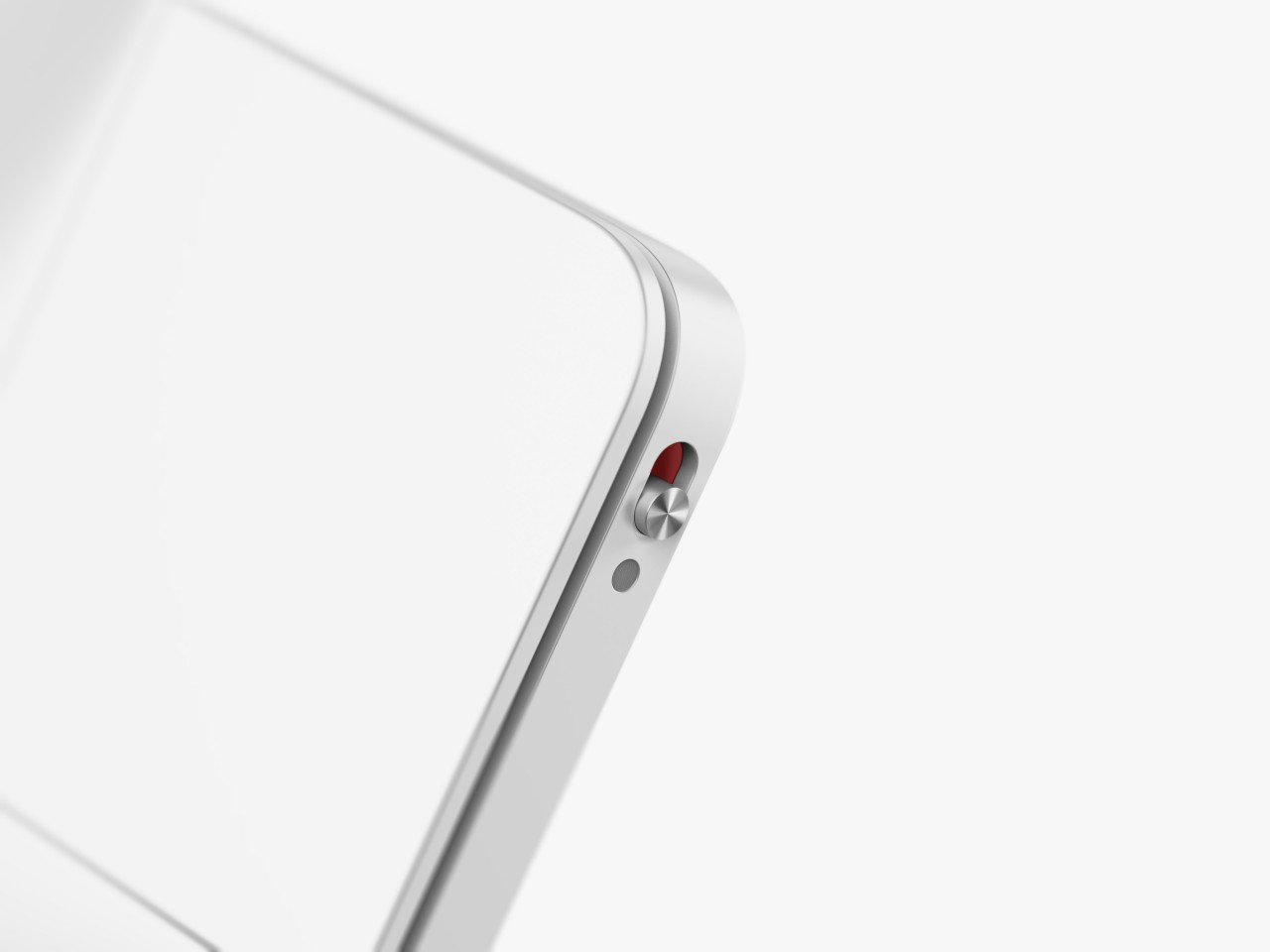
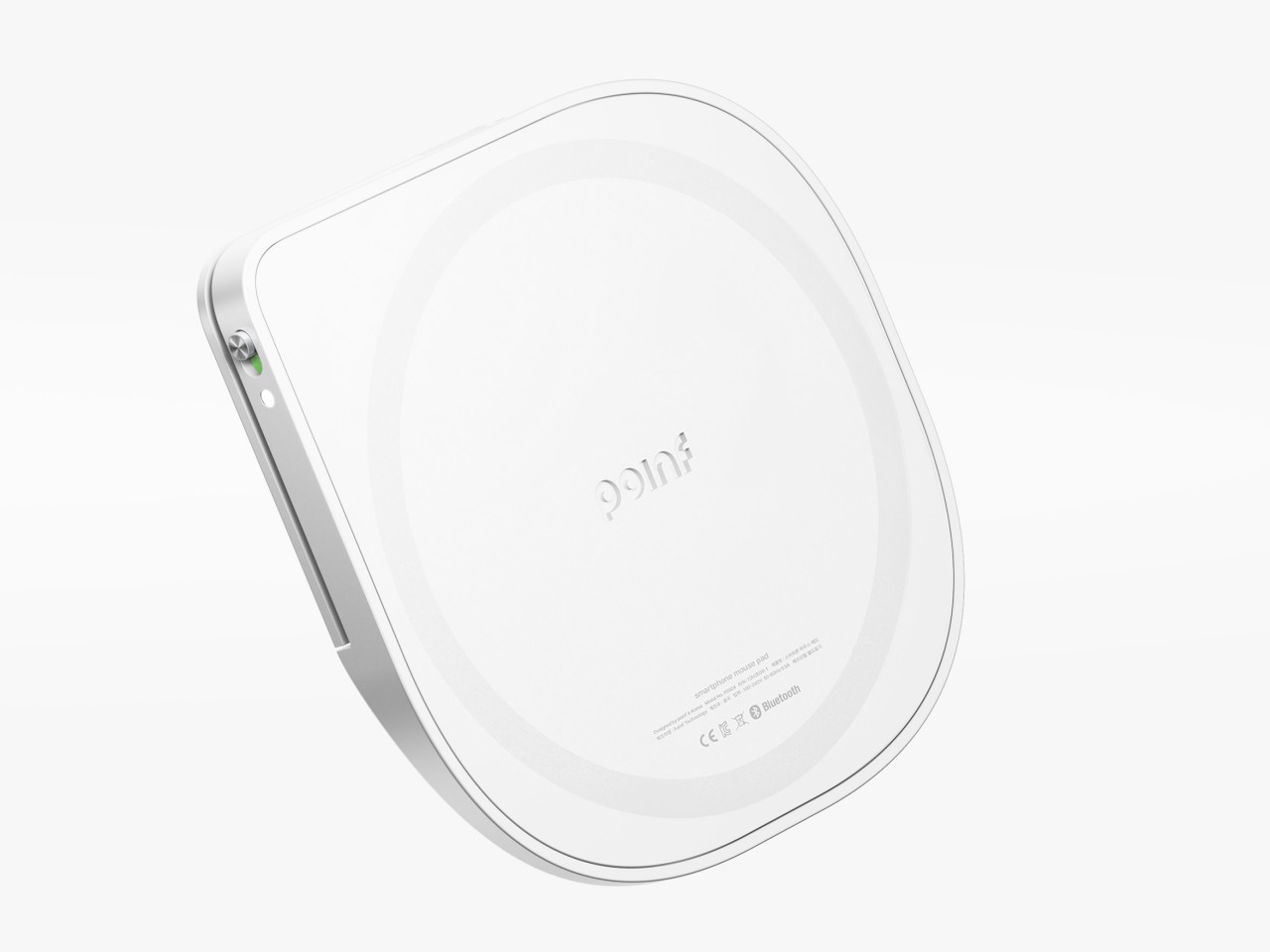
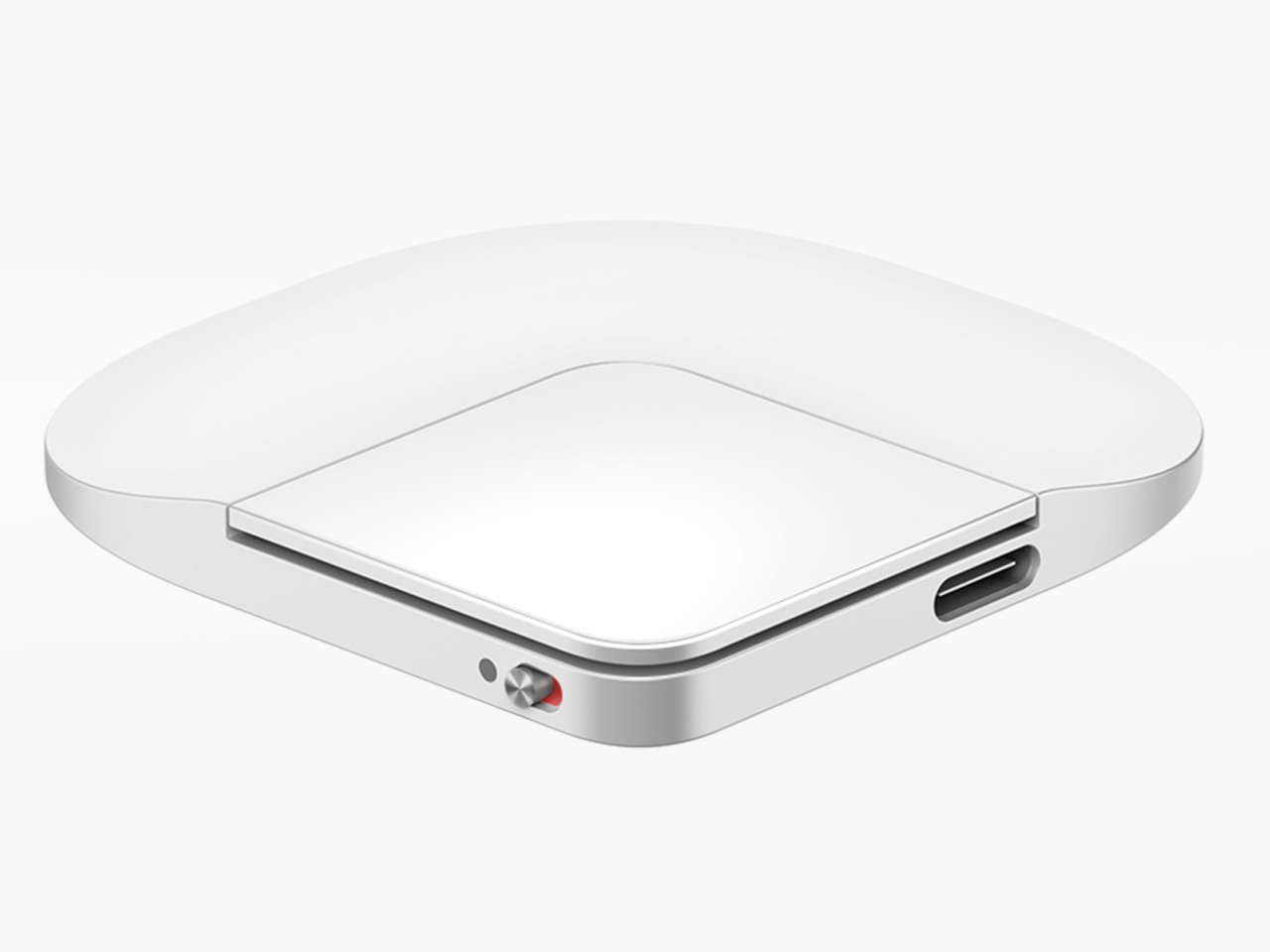
The OctoAssist concept design has a rather intriguing solution that deconstructs the design of the computer mouse in order to provide more functionality. At its core, it sports a modular design where the main “module” is actually the front third of a conventional mouse, where the buttons would normally be located. This module is actually a touch-sensitive device that you can use on its own as a mini touchpad that supports gestures like pinching and three-finger taps. It can magnetically connect to a “base” that provides the ergonomic shape of a mouse, while potentially also offering additional battery power in its rather large body.

The core module also has a built-in laser pointer and, thanks to its touch-sensitive surface, can be used to easily control presentations with the same hand. It also has a voice recorder so you can have the entire presentation or meeting preserved for documentation purposes. But why stop there when you have today’s ubiquitous AI available to almost everyone? That AI, built into the device, can also summarize the meeting and generate notes in a flash, impressing everyone in the room with your technological wizardry and efficiency.

From a regular office mouse to a miniature touchpad to a presenter to an AI secretary, the OctoAssist offers plenty of features, though perhaps a bit too much as well. The AI-powered summary and notes are definitely convenient, but they could weigh the core module down not just with complexity but also with hardware and battery consumption. It does offload the AI processing to a connected smartphone, but that can sometimes cause lags and even data loss. Regardless, it’s definitely an interesting concept that might even be plausible, presuming a manufacturer sees profitable value in an all-in-one design instead of selling multiple devices that do those tasks separately.

The post AI-powered modular mouse has some nifty tricks to level up your presentations first appeared on Yanko Design.
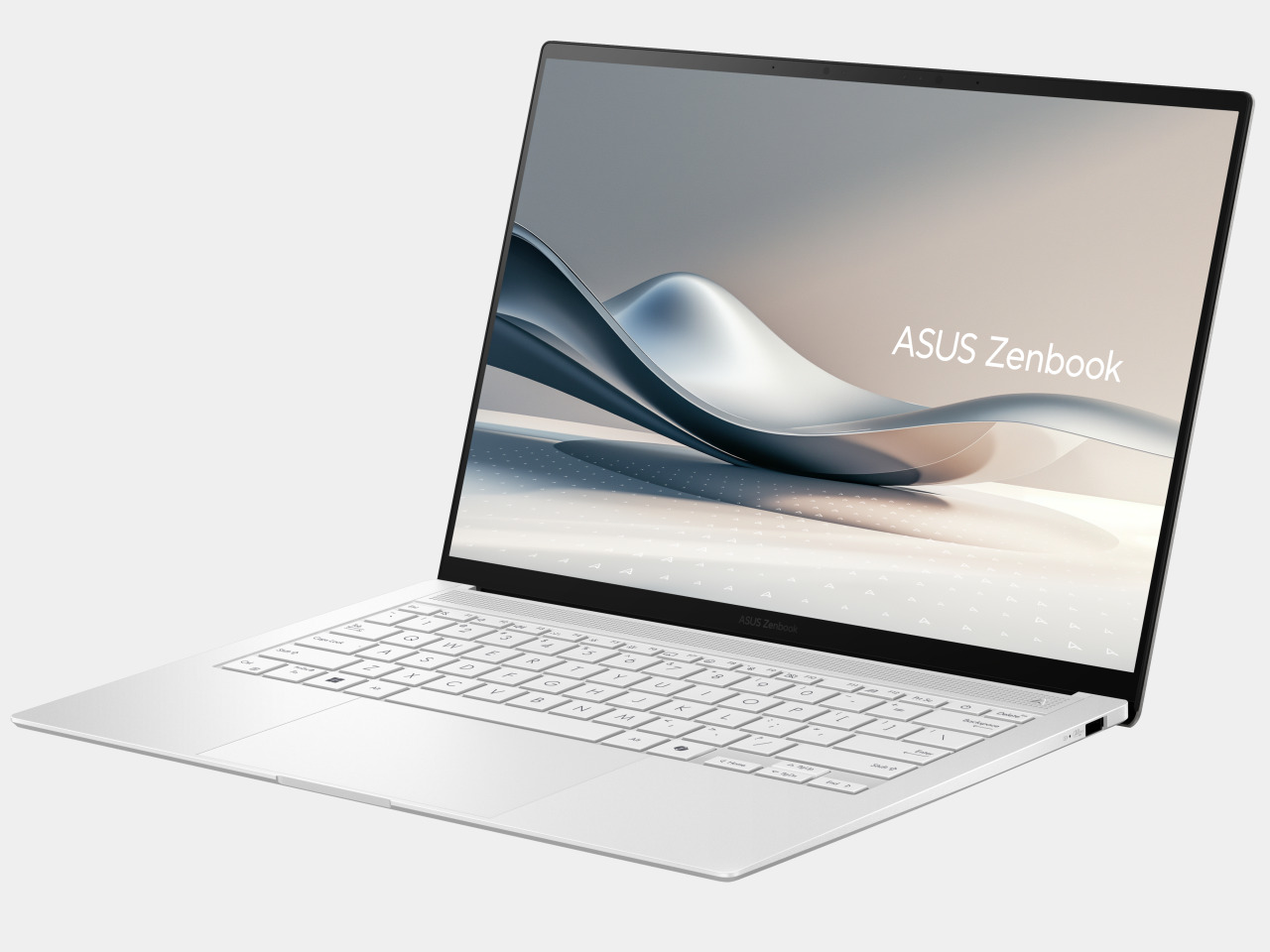
Odd modular game controller gives Xbox players with disabilities a helping hand

It’s about time that gaming companies and studios realize that there are people who would love to play their games and use their consoles but are hindered because of one physical disability or another. Accessibility has only recently been an advertised feature of games and gaming hardware, and it might take a while before it actually becomes a standard in the industry. Thankfully, major companies are leading the accessibility charge, giving birth to accessibility devices that may look weird but give all gamers, even those perfectly capable ones, incredible powers to enjoy games the way they want them. Take for example this newly announced Xbox-certified accessibility controller that almost looks like a small alien swarm thanks to its modular design.

Designer: ByoWave

For gamers with physical disabilities that relate to their hands or fine motor control, the typical game controller or keyboard, despite their ergonomic designs, is sometimes impossible to use. Thankfully, there has been an increased interest in developing more accessible control devices, spearheaded by the Xbox Adaptive Controller in 2018 and followed by the Sony Access Controller, previously dubbed “Project Leonardo,” last year. Of course, there are more than just two ways to design for accessibility, and ByoWave’s Proteus Controller is just the latest to turn heads with its unconventional mechanism and innovative idea.

In a nutshell, the Proteus Controller is made up of small, rounded cubes with some faces that can be changed to be a button, a D-Pad, a joystick, and more. These cubes can then connect to each other to form different shapes that cater to the needs of the gamer. It can, for example, be a single, curving stack that you can hold like a joystick, a 2×2 grid that you can mash like arcade buttons on a table, or even a conventional gamepad layout with the right accessories and connectors. It can support over a hundred such configurations and LED lighting combinations, letting the user decide how they want to play depending on their circumstances.

Of course, the controller is primarily designed to address the needs of gamers with disabilities, but it’s not hard to see how this will be popular with almost any gamer, especially those on the Xbox platform. The sheer number of options and combinations is mind-blowing, and some might even just make new controller designs just for the fun of it. It’s a clear example of how accessible design actually benefits everyone, and gamers will probably be excited for the arrival of the Proteus accessibility controller in the fall, especially given its starting price of $299.

The post Odd modular game controller gives Xbox players with disabilities a helping hand first appeared on Yanko Design.
M4 iPad Pro is super thin but also super durable as proven by bend test

There is an almost irrational desire to have the lightest and the thinnest mobile devices. After all, we don’t want to carry the literal weight of just products if we can help it, and thin devices also look sleeker, take up less space in your bag, and, at least in theory, use less material during production. That thinness, however, doesn’t come without a price, at least in terms of durability. Thin sheets of wood break more easily (karate, anyone?) and it’s also easier to bend thin metal than thicker ones. That may be the concern some people will have about the new M4 iPad Pro, especially the larger 13-inch model, but a rather excruciating stress test fortunately proves that isn’t the case, with one important caveat.

Designer: Apple (via JerryRigEverything)

You might no longer hear about it, but there were times when Apple’s quest for thin designs backfired catastrophically. Its first large iPhones, the iPhone 6 and iPhone 6 Plus, were notoriously susceptible to bending when placed in back pockets that the term “bendgate” was coined in 2014. The first iPad Pro, though less dramatic, was also proven to be less than reliable if put under extreme pressure. Fortunately, those seem to be well in the past and Apple has figured out a new design to help prevent that sort of structural failure in its thinnest iPad yet.

JerryRigEverything, the YouTuber whose claim to fame has been the unrelenting bend, scratch, and burn tests on phones and tablets proved that new solution to some extent. Apple apparently added a “cowling” or a spine inside the thin tablet that runs across its height, covering the new M4 chip in the center and splitting the two large battery packs. Thanks to this new structural support, bending the tablet across its long edge no longer breaks it in half. It does deform in a way that won’t return to its flat state but it at least remains usable.

The catch, however, is that bending it in the opposite direction does actually destroy the iPad Pro. The flaw unsurprisingly lies in the thinnest part of the frame, the area around the USB-C port. With enough pressure, this bends sharply and pushes into the screen, cracking it and rendering it completely unusable. To be fair, the chances of that happening inside your backpack are extremely rare, but its existence should give owners caution. That said, most M4 iPad Pro owners will probably keep their ultra-thin tablets inside the new keyboard case when in transit anyway.

The stress test of the 2024 13-inch iPad Pro also shows some of the gems of this new design, like that aforementioned spine that was revealed after the shattered screen was peeled off. The YouTuber also provided a close-up of the Tandem OLED screen but, unfortunately, can’t show the second layer of OLED pixels underneath. All in all, the design of the M4 iPad Pro, both in terms of technology as well as product design, is quite impressive, but that isn’t an excuse not to take proper care of the device. Be sure to check out our hands-on of the new iPad Pro and keep a look out for our in-depth review coming soon!

The post M4 iPad Pro is super thin but also super durable as proven by bend test first appeared on Yanko Design.
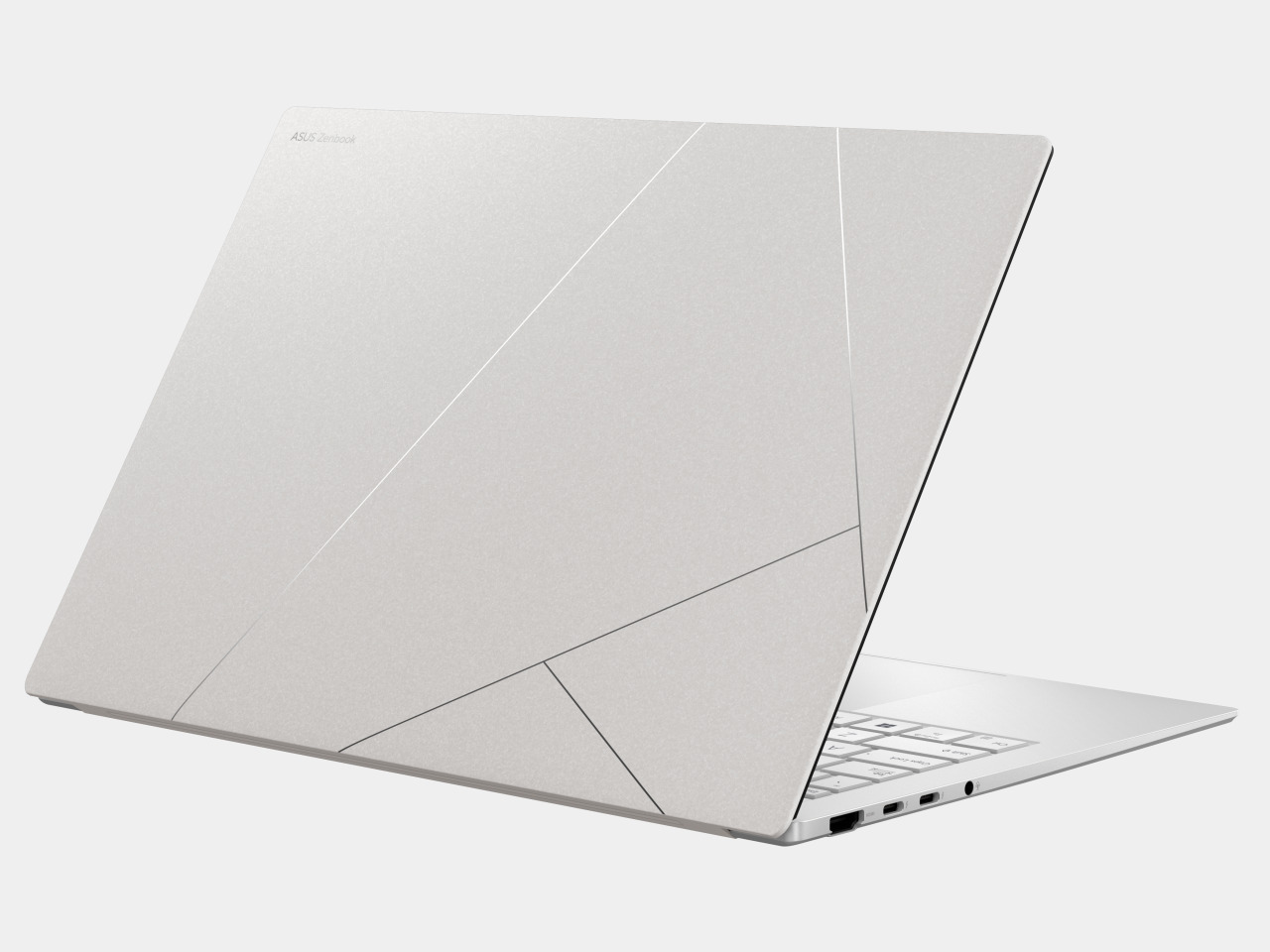
Motorola Razr+ 2024 foldable phone: News, Rumors, Price, and Release Date

Google I/O 2024 has come and gone, and despite rumors and expectations, a new foldable phone was nowhere in sight. Of course, the Google Pixel Fold is hardly the only game in town, nor is it the only one that’s expected to debut really soon. Perhaps beating both Google and Samsung to the punch, Motorola’s next-gen foldable could be hitting shelves as early as June, though it will still be competing with the likes of the Samsung Galaxy Z Flip rather than the OnePlus Open and other larger foldables. Unofficial information about the device is quite thin, but the ones we’ve already heard are quite substantial and paint an interesting picture, one that could make the Motorola Razr+ 2024 or Motorola Razr 50 Ultra the clamshell foldable to beat this year.

Designer: Motorola

Motorola Razr+ 2024: Design

According to sources, this year’s Motorola foldable would look exactly like last year’s Motorola foldable, save for some changes in screen size. That means the Motorola Razr+ 2024’s external screen will still cover the entire surface of the upper half of the phone’s back, leaving only room for the camera lenses themselves. It might sound like a letdown and a sign of lack of innovation over at Motorola, but sticking to a design that works is also a sign of maturity, especially since the design is only a year old.

Image courtesy of: MSPoweruser

Motorola’s design for its Cover Screen is admittedly divisive. On the one hand, it’s the only foldable of its kind that utilizes the whole area, while others make do with tiny rectangles, even tinier circles, or a square with an uneven cutout to make way for cameras. On the other hand, this also makes for a weird arrangement that actually cuts out part of the display anyway, making the image or text in that area inaccessible.

Motorola is also the only brand that allows normal apps to run on that external screen, which is both an advantage and a disadvantage. Regardless, it seems to be sticking to its guns for one more year, offering an experience that, while faithful to the design spirit of the original RAZR, isn’t afraid to go beyond to offer something new and useful.

Motorola Razr+ 2024: Specs and Software

While the Moto Razr+ 2024, or Moto Razr 50 Ultra, won’t look any different on the outside, it will be a very different beast on the inside. Of course, there’s the new Qualcomm Snapdragon 8s Gen 3 leading the changes, and there will supposedly be a larger external screen at 3.9 inches up from last year’s 3.6-inch Cover Screen. There will also be 12GB of RAM paired with 256GB of storage, while the battery has been expanded from 3,800mAh to 4,000mAh.

Given the expected launch windows, the 2024 Razr will be running Android 14 out of the box, and while it might sound like Motorola would upgrade it once Android 15 comes out, there’s not really any certainty. After all, the Motorola Razr+ 2023, which launched with Android 13, still received Android 14 half a year later. Despite being once owned by Google (now under Lenovo’s stewardship), Motorola’s track record for Android updates sadly isn’t that impressive.

Motorola Razr+ 2024: Cameras

Part of the big upgrades coming to the Motorola Razr+ 2024 according to those rumors is an upgrade to the camera system. It will now have not one but two 50MP cameras, one of which has a wide lens while the other is capable of 2x telephoto zoom. Given how Motorola advertises its foldable phone as a sort of mini camcorder, more capable cameras are definitely in order. The 32MP selfie camera, on the other, might remain the same as last year.

Motorola Razr+ 2024: Price and Release Date

There has been no word on the exact date when the Motorola Razr+ 2024 will be launched, which might go by the name of Motorola Razr 50 Ultra in other markets, but all signs point to yet another June release. In fact, the device was spotted making its way through a certification process, suggesting that its debut is close at hand. The leak also confirms what we’ve heard about the design, that it would be a dead knocker for last year’s model.

Image courtesy of: 91mobiles

That leak also “revealed” the color options for the Razr+ 2024, which include Blue, Orange, and Green instead of last year’s Black, Magenta, and Peach. But the more interesting detail about the phone is its starting price of $999 for the base model with 12GB of RAM and 256GB of storage. That’s the same price for half the capacity last year, so it will definitely make the Motorola Razr+ 2024 the cheapest flagship foldable in the market.

Motorola Razr+ 2024: Final Thoughts

Although they are younger than the larger foldables like the Galaxy Z Fold, clamshell-style foldables have become better accepted and sought after. They’re usually more affordable and look more stylish, bringing to mind the flip phones of old. They’re pocketability makes a bit more sense to most people who don’t need a phone that turns into a tablet, and their accessible price tag makes them feel more like regular flagships rather than overpriced novelties.

Of the many foldable flip phones in the market right now, the Motorola Razr+ 2024 seems to offer a more reasonable balance of features and price, especially one from a reputable brand. It looks like this year will show a significant upgrade, at least internally, while still keeping the design that has won fans. That said, Motorola’s Android updates don’t inspire confidence, and we’ve yet to see it make any improvements in that regard.

The post Motorola Razr+ 2024 foldable phone: News, Rumors, Price, and Release Date first appeared on Yanko Design.

Phone-sized mini PC lets you take your computer and your work anywhere

Our smartphones have become so powerful that, in theory, they have hardware equivalent to entry-level laptops from a few years back. But despite all that silicon muscle, they can’t really replace our everyday PCs mostly because of the operating system that’s used on most of these computers: Windows. Small, portable, and inconspicuous computers have always been a dream for both users and business owners, whether it’s for working on the go or setting up kiosks, security systems, or space-efficient workstations. This small brick tries to deliver exactly that, giving you the flexibility you need for any kind of computing in almost any context in a size that’s no larger than high-capacity power banks.

Designer: Minisforum

With the popularity of the Apple Mac Mini and, now, the Mac Studio, mini PCs have become more visible in the market. These desktop alternatives, however, are still meant to sit on a table or even on a shelf despite their small sizes. But while these small computers do offer plenty of power to support even some content creation or light gaming, that hardware also closes the door on many possible use cases that would have required them to be less tied down to a table.

The Minisforum S100 is a small, sleek box that you might easily mistake for a power bank. Ironically, it doesn’t actually have its own battery but is a mini PC that you can bring along with you or install in the narrowest of spaces. Despite its small size, it actually boasts a complete set of standard connectivity options, including Wi-Fi 6, Bluetooth 6.2, 2.5 Gbps Ethernet, USB-A ports, HDMI, and 65W USB-C.

The latter two are what make this design so portable and flexible. On a typical desktop, you can connect it to a USB-C monitor that supports USB-C PowerDelivery so that you don’t even have to plug the S100 into an outlet. You can connect another monitor via HDMI to have a dual-screen setup for increased productivity. And when you’re done for the day, you can pick up the palm-sized mini PC and go, maybe even work or chill in a cafe by connecting an external display and a power bank. The Ethernet port also supports Power-over-Ethernet or PoE, so you can use the S100 as the brains behind a camera security system and not have it plugged in at all.

Despite the flexibility that the Minisforum S100 offers, its performance is hampered a bit by the quad-core Intel N100 processor that runs the show, definitely not the best among the chip maker’s “mobile” processors. Its lower-power operation, however, does allow the mini PC to sip rather than chug electricity and keep thermals equally low. You definitely won’t be running heavy applications, but for $189, a Windows 11 computer you can easily slip into your bag or even your pocket might actually be worth the price.

The post Phone-sized mini PC lets you take your computer and your work anywhere first appeared on Yanko Design.