At $230, This Gaming Headset Keeps Playing While You Swap Its Battery

Wireless gaming headsets have carried a quiet contradiction since they first appeared. Cutting the cable was supposed to mean more freedom, but the moment the battery dropped, you were plugging back in anyway, tethered to a wall or a charging dock and waiting. The industry’s answer has been to push battery life further with each generation, but even a 60- or 70-hour headset runs flat eventually, usually in the middle of something.

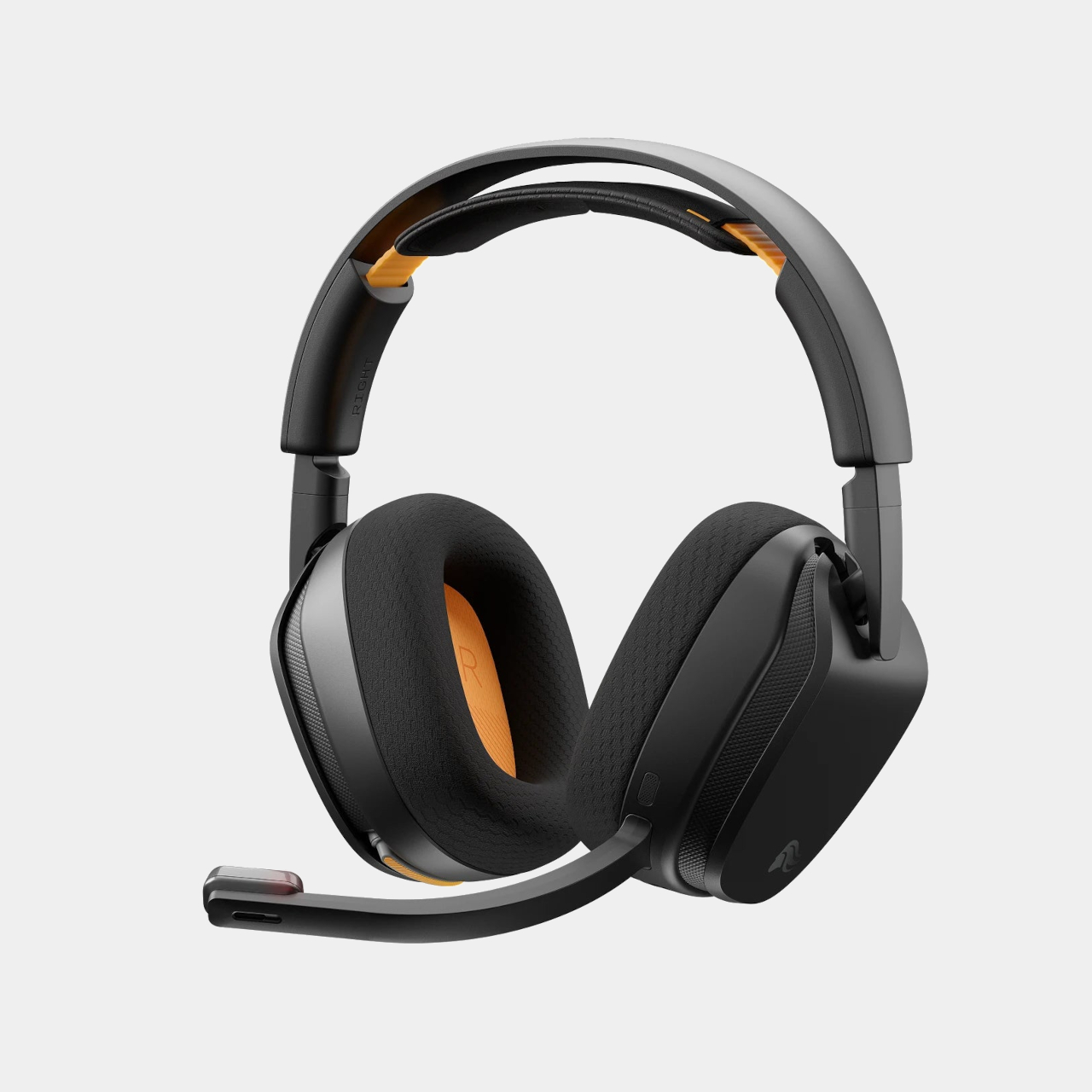
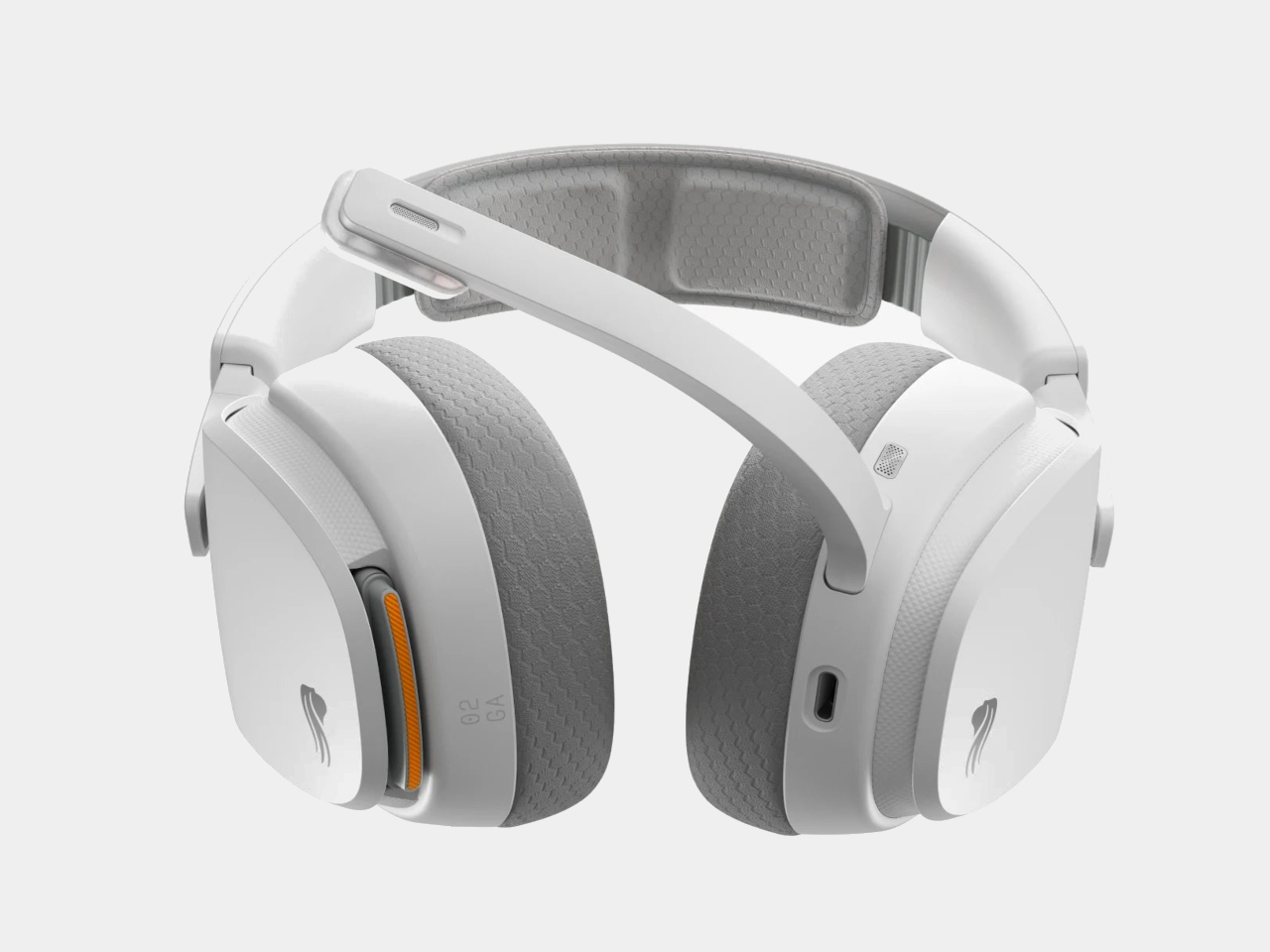
Glorious took a different angle with the GHS Wireless InfinitePlay. Rather than chasing a single larger battery, the headset ships with two hot-swappable 85-hour battery packs and an internal Guardian Battery reserve that bridges the gap during the moment of the swap. The result is a headset that, in practical terms, never actually stops playing, because by the time one pack drains, the other is already charged and ready.

Designer: Glorious

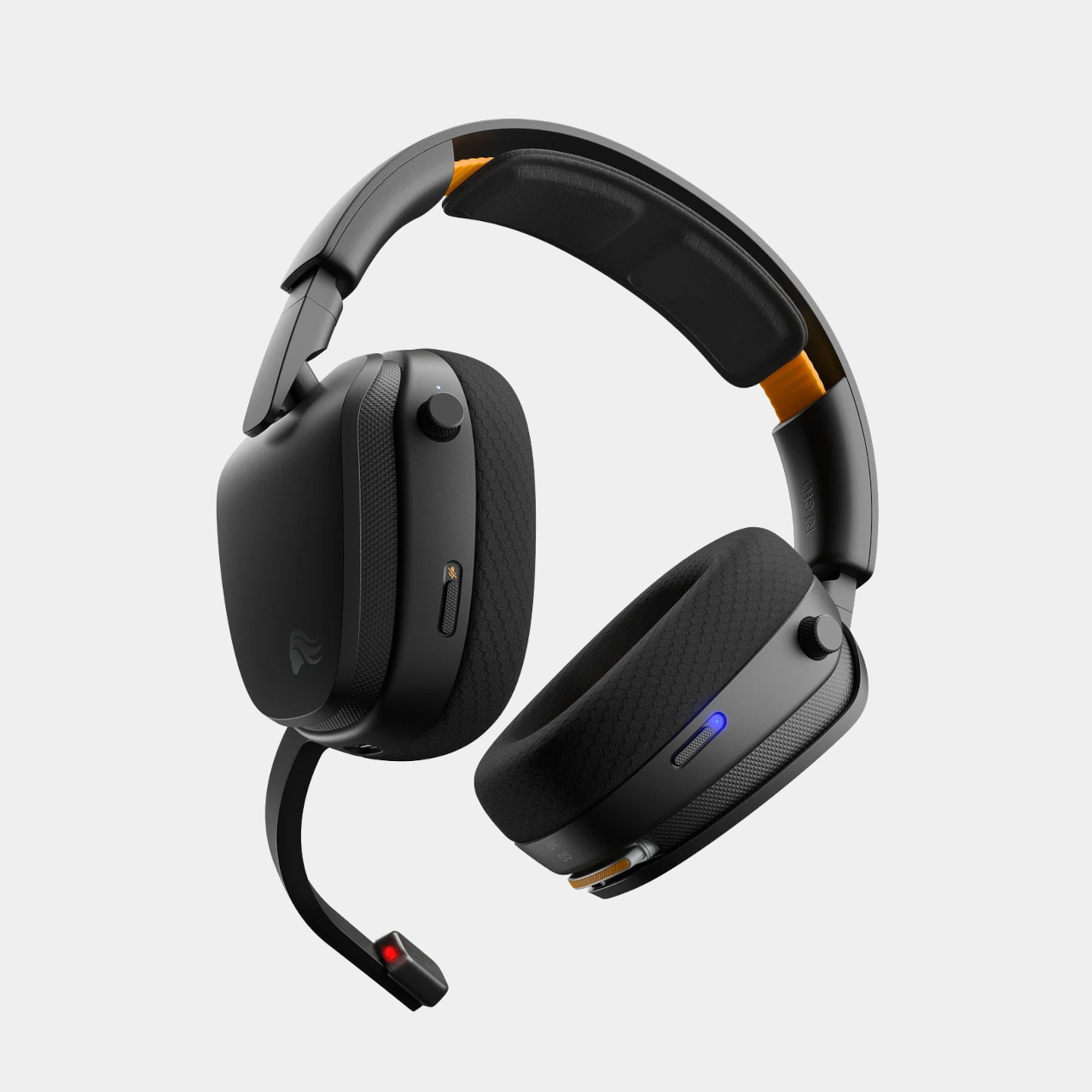
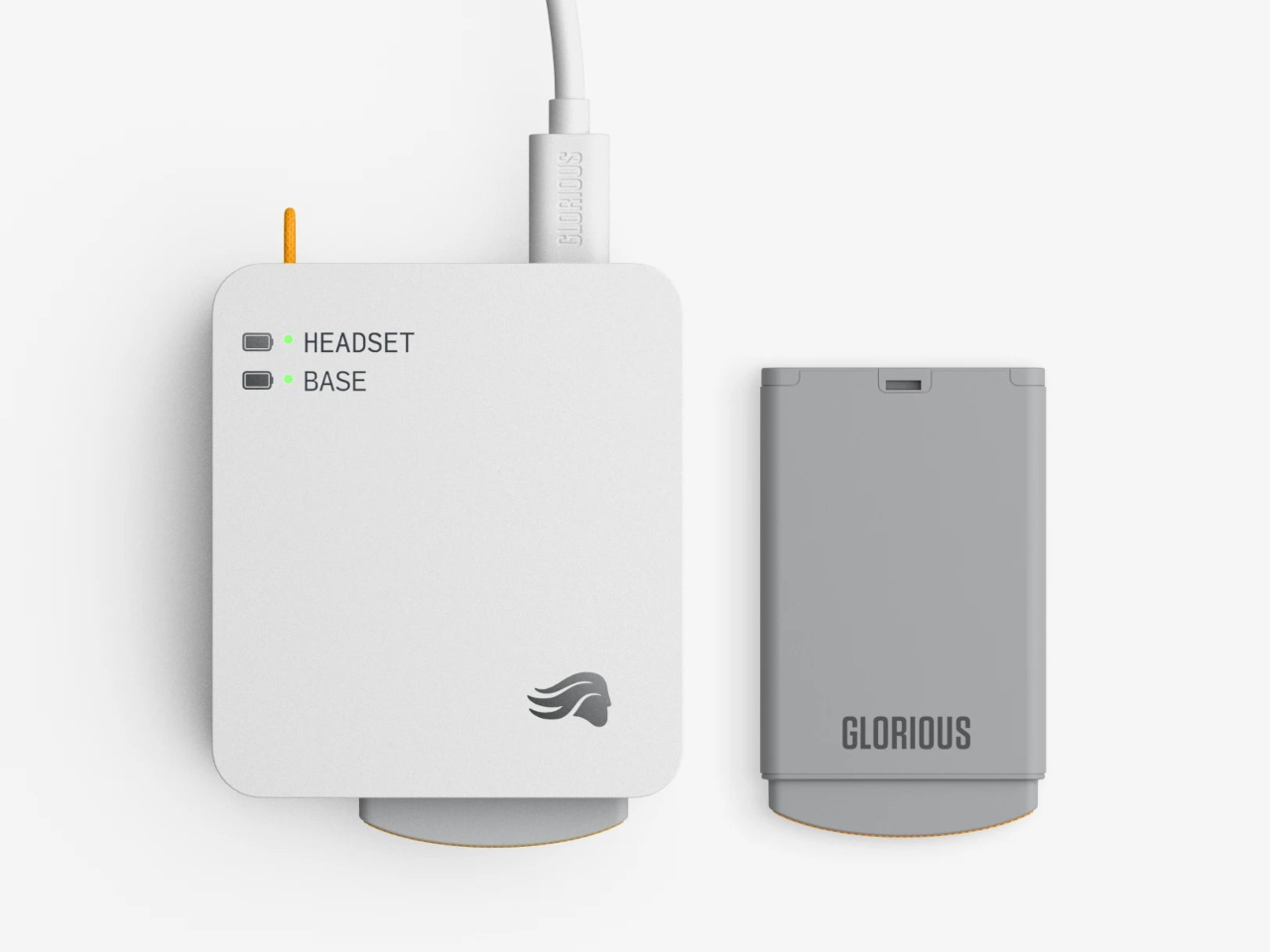
The system works through a dual-purpose charging base that also serves as the 2.4 GHz wireless dongle. One battery sits in the headset while the other charges on the base. When the depleted pack comes out and the charged one slots in, the Guardian Battery, which can run the headset independently for about 3 hours, has already kept audio uninterrupted through the swap. There’s no pause in sound and no drop in connection.
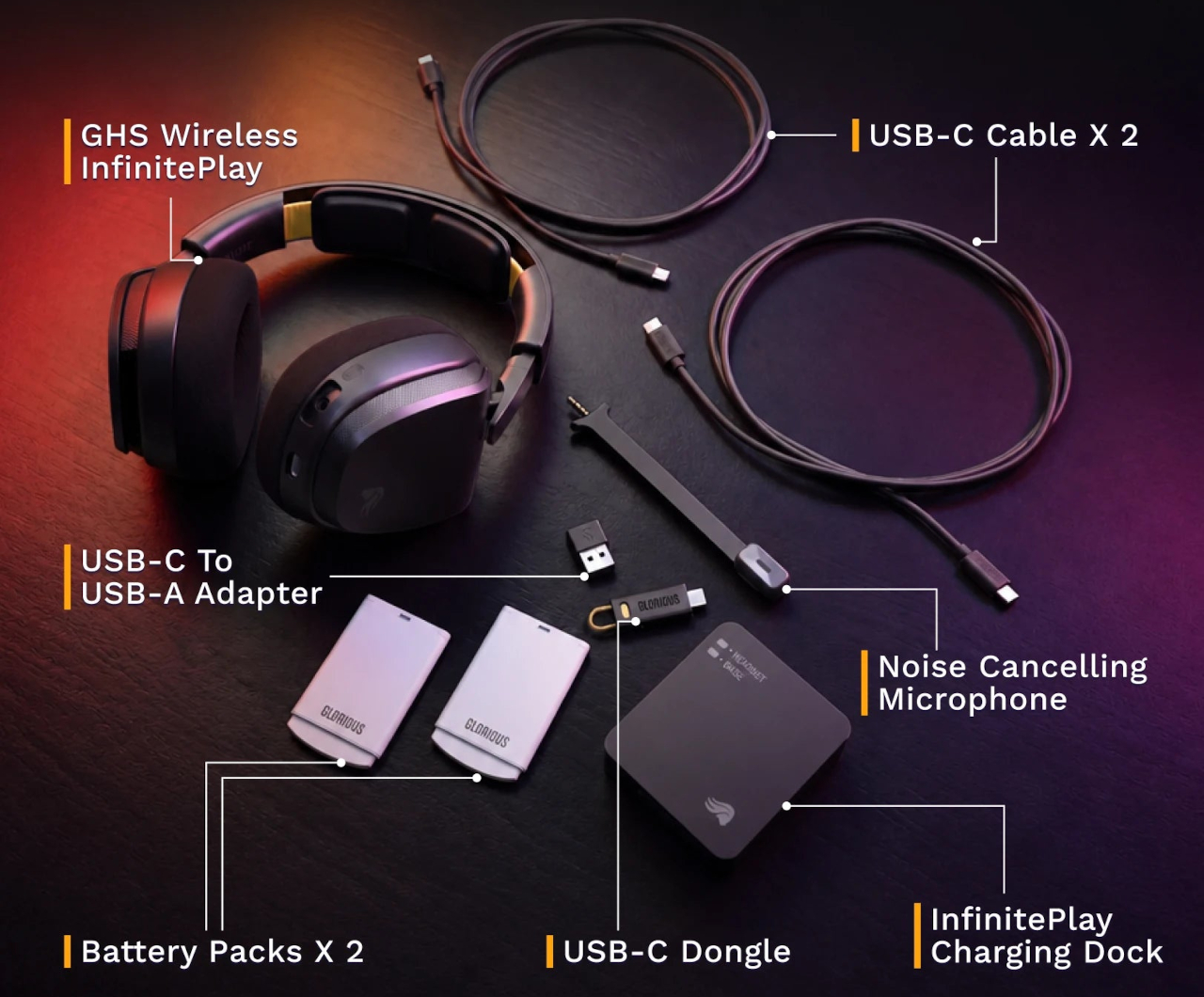
Combined, the two packs add up to more than 170 hours of capacity. For any kind of extended session, a long run at a tournament, a weekend of back-to-back play, or everyday use where charging gets forgotten, the swap-based approach removes the anxiety from the equation entirely. Swap the battery, put the depleted one on the dock, and carry on without another thought about it.
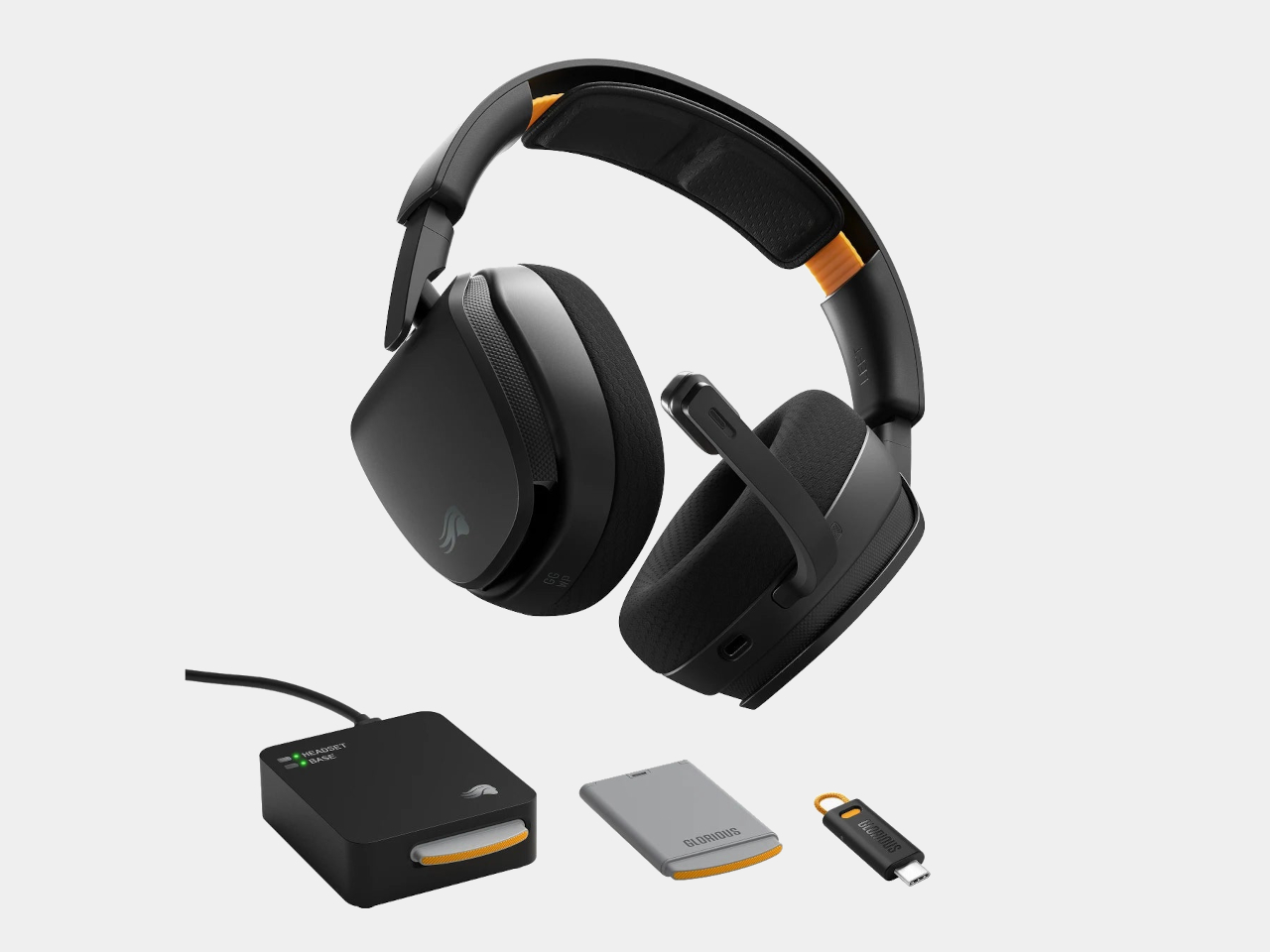
The headset is built around 40mm custom-tuned drivers angled to improve clarity and stereo imaging, covering a frequency response of 20Hz to 20kHz. The detachable boom microphone is noise-cancelling, and the ear cups use memory foam padding over a suspension headband that distributes the 360g weight across the top of the head. Connectivity covers both 2.4 GHz wireless for low-latency gaming and Bluetooth 5.4 for everything else, switchable with one button press.
That Bluetooth mode makes the headset practical outside the gaming setup too. Moving from a PC session to a phone call or a commute doesn’t require switching to a different pair of headphones. The same swap-and-go logic applies to any situation where the headset is living on your head for extended stretches, and the battery system works just as well whether you’re at a desk or out the door.
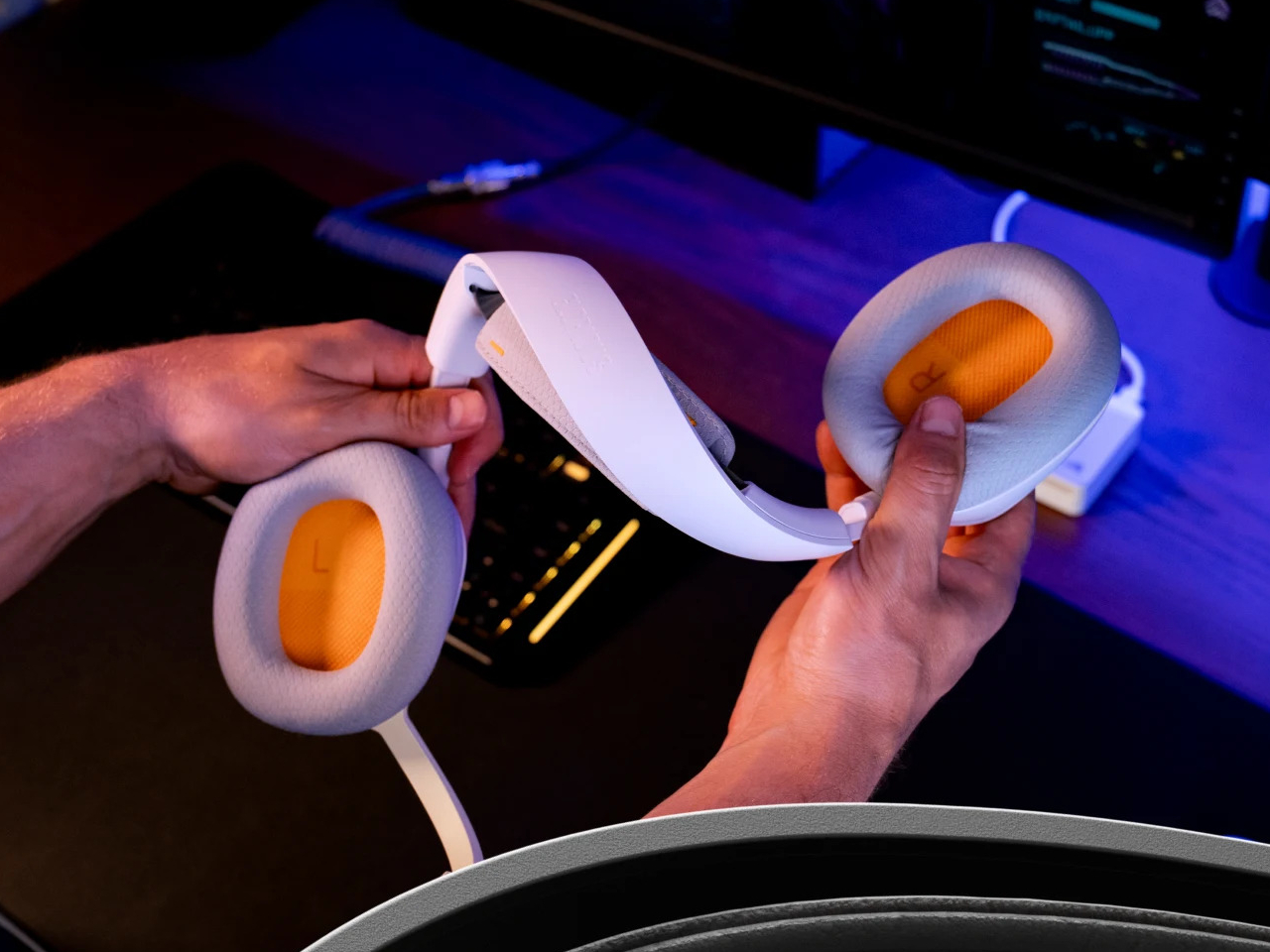
Most hot-swappable headsets at higher price points make the process awkward or require specific docking sequences. Glorious kept it simple enough to execute mid-session without missing a beat, which is ultimately the only version of this feature that actually matters. The GHS Wireless InfinitePlay is priced at $229.99 and comes in black and white. Both battery packs and the charging base are included in the box, so the whole swappable system is ready to go from day one, not sold separately as an add-on down the line.

The post At $230, This Gaming Headset Keeps Playing While You Swap Its Battery first appeared on Yanko Design.
Garmin Just Built the Whoop Alternative That Needs No Subscription

There’s a growing frustration with fitness wearables that has nothing to do with their accuracy or features. It’s the screen. Even devices that track recovery and stress can contribute to the same screen-checking habit they’re supposed to help reduce, turning what should be a passive health monitor into just another thing demanding attention on your wrist. The smartwatch category has leaned further into displays, notifications, and apps, leaving a gap for something that doesn’t do any of that.

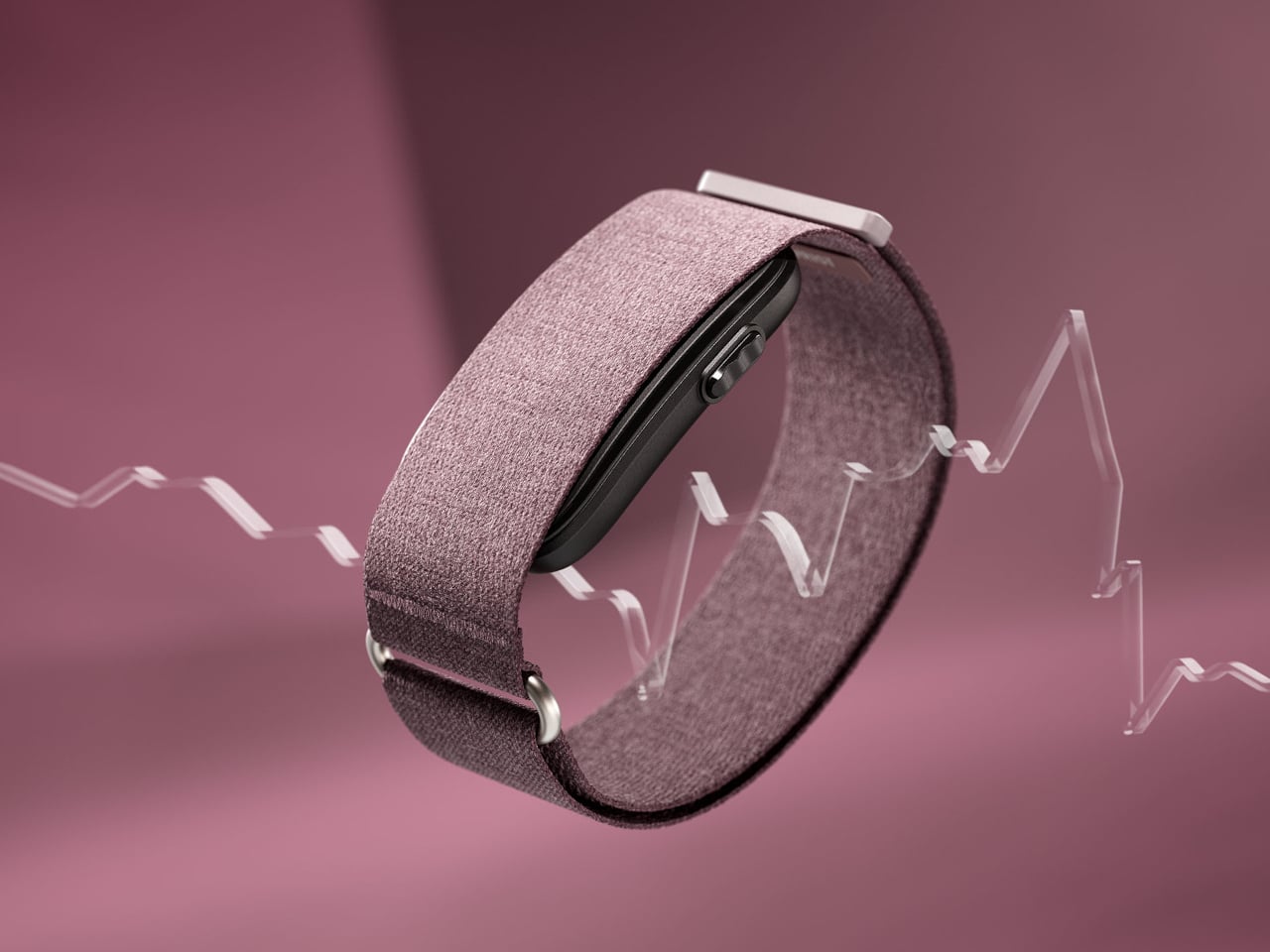
The Garmin CIRQA is Garmin’s first screen-free smart band, and the pitch is straightforward. It tracks everything, shows you nothing on the wrist, and routes all the data to the Garmin Connect app for review when you actually want to look. There’s no display to glance at, no notifications, no interface to interact with during the day. The band does its job in the background, and you check the results on your terms.

Designer: Garmin

Worn on the wrist or moved up to the upper arm for sleeping or specific activities, the CIRQA runs 24 hours a day on a single charge for up to ten days. The sensor stack covers all the metrics Garmin is known for: continuous heart rate, Body Battery energy monitoring, Pulse Ox, stress, skin temperature, HRV status, and comprehensive sleep tracking including sleep stages, a sleep score, and nap detection. Women can also track their menstrual cycle and sync skin temperature data with the FDA-cleared Natural Cycles birth control app.

Fitness tracking doesn’t require picking up the phone either. The band detects and records activities automatically, and the more you review and correct those logs in Garmin Connect, the better it gets at classifying your workouts without prompting. For sessions where you want more control, a single side button lets you manually start any of 80-plus activities. Connected GPS borrows location data from a paired smartphone for accurate outdoor pace and distance, and LiveTrack lets people follow your route in real time.

The monitoring side goes deeper than basic step counting. Training readiness, VO2 Max estimates, and workout recovery time give athletes a fuller picture of whether a day calls for a hard effort or an easy spin. The CIRQA was built to complement Garmin’s watch lineup rather than replace it. Someone who already runs with a Forerunner can use the CIRQA to handle overnight recovery and all-day wellness without wearing the watch to bed or to the office.

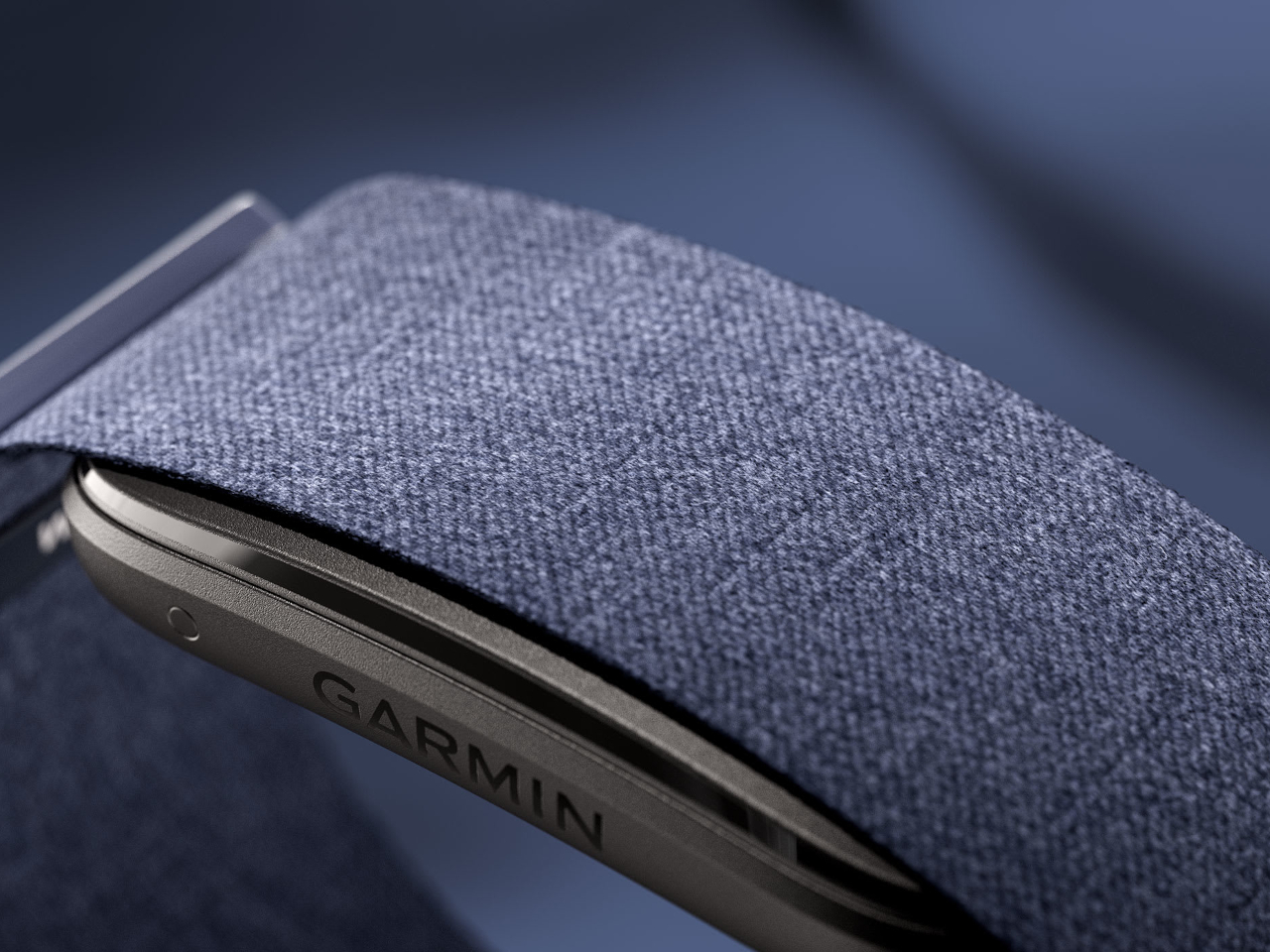
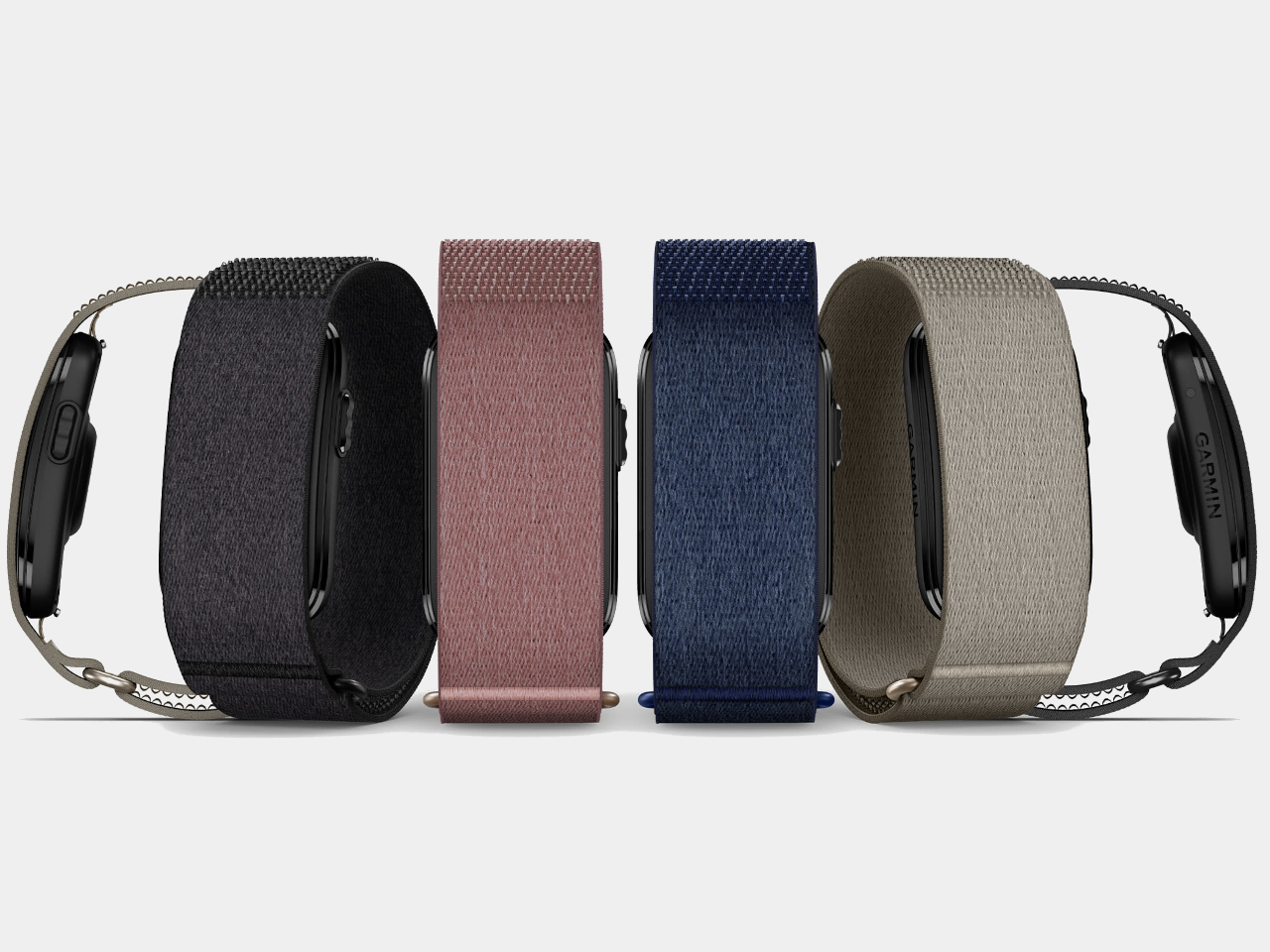
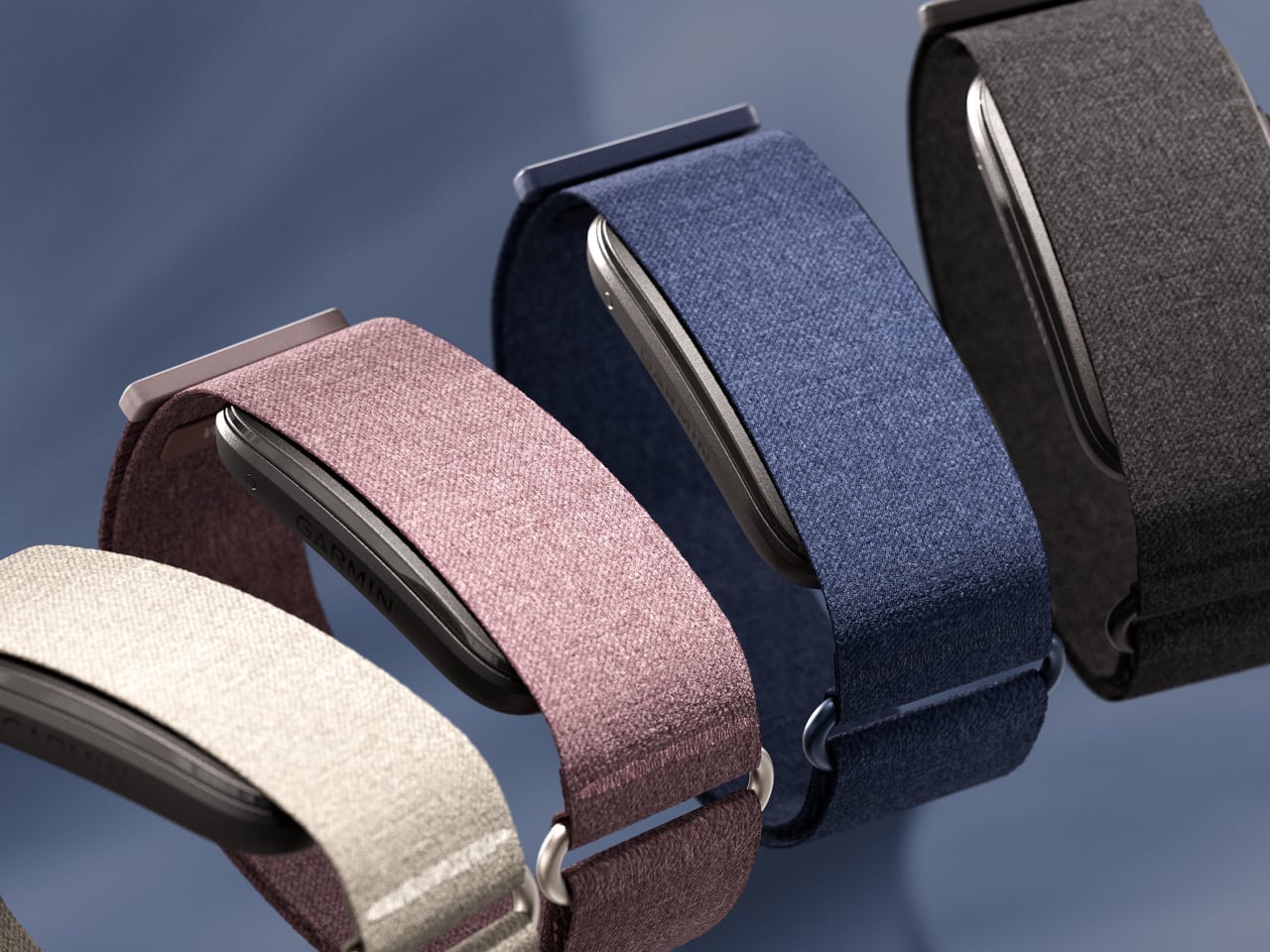
The band comes in a soft ComfortFit fabric strap that Garmin designed to fade into the background and sits in a compact sensor module with a fiber-reinforced polymer housing. Colors include Black, French Gray, Berry, and Navy, with seven additional accessory band options for the wrist. Both wrist and upper-arm sizing are available in two fits.

The CIRQA Smart Band is priced at $199.99, and no subscription is required for the core feature set, which is a pointed difference from Whoop, the most obvious comparison in this category. Garmin does offer optional Connect+ upgrades for coaching and advanced guidance, but the full tracking stack works without it.

The post Garmin Just Built the Whoop Alternative That Needs No Subscription first appeared on Yanko Design.

A $299 Flip Phone That Does What Screen Time Apps Never Actually Did

Flip phones never really disappeared. They just got sidelined once smartphones made everything available in a single touchscreen slab. Now they’re back in two very different forms: the foldable flagship, where a large touchscreen folds in half and costs over a thousand dollars, and a growing category of deliberately simpler devices that use the clamshell form to keep things from spiraling into the same habits smartphones enabled.

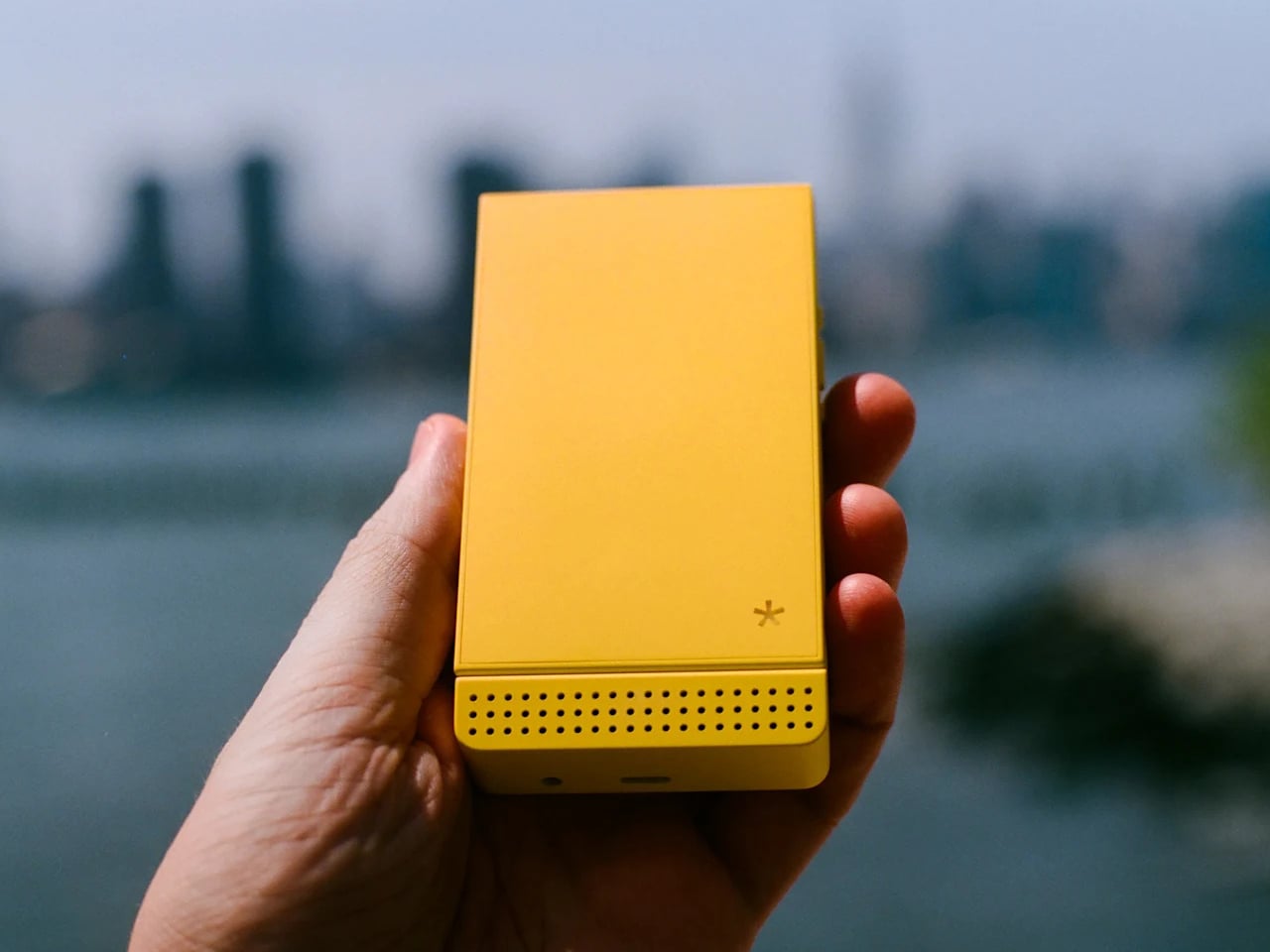
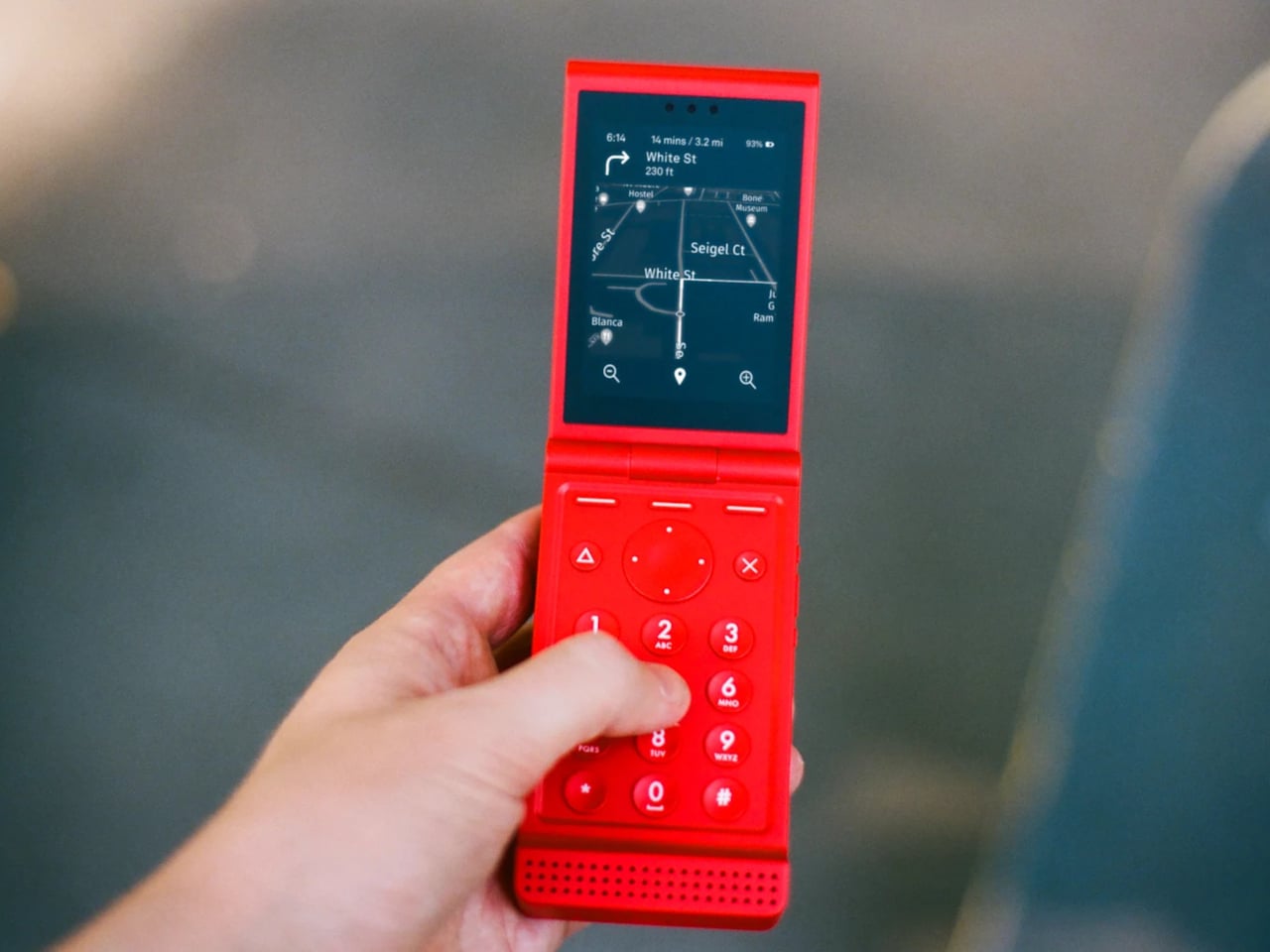
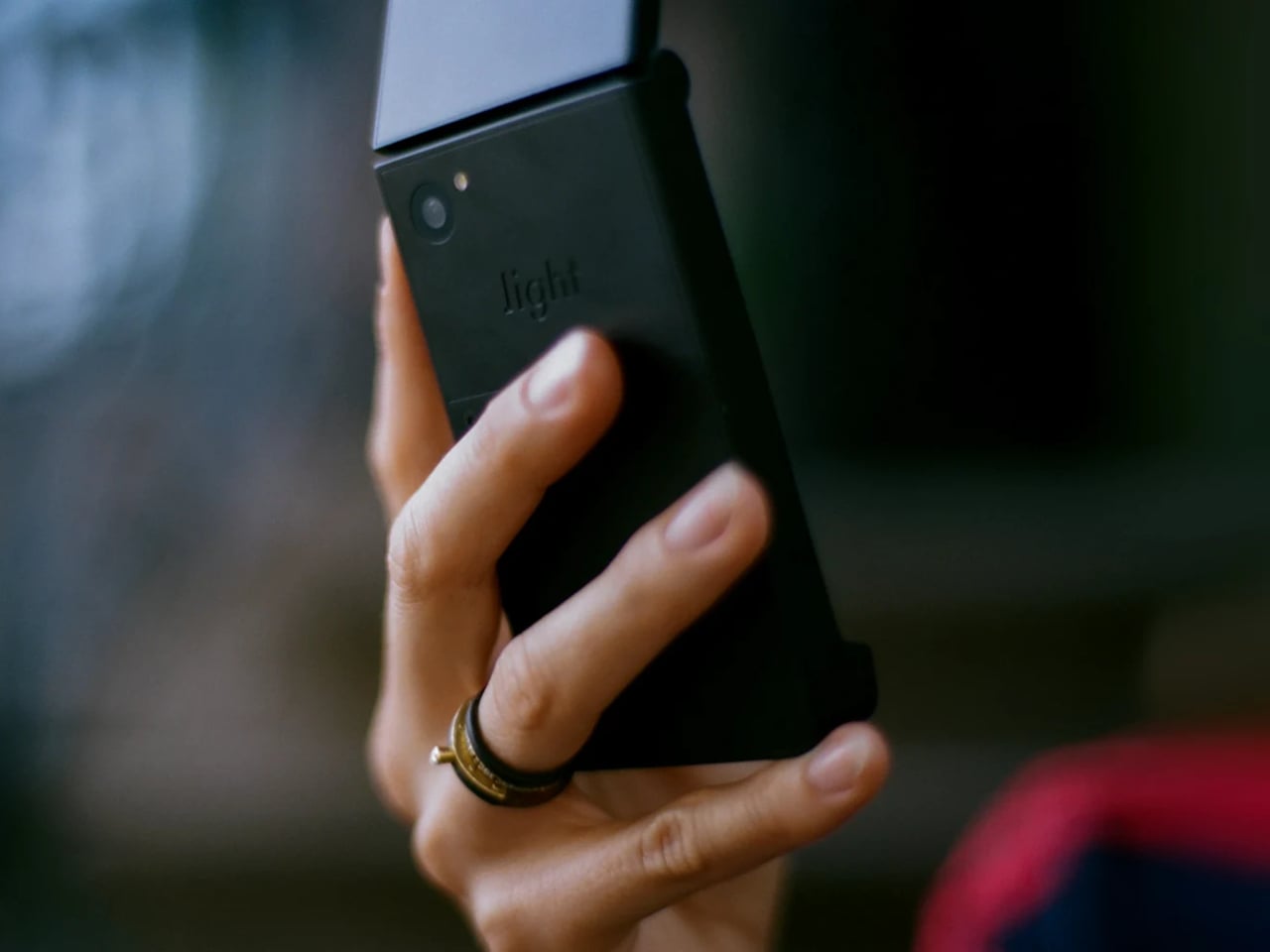
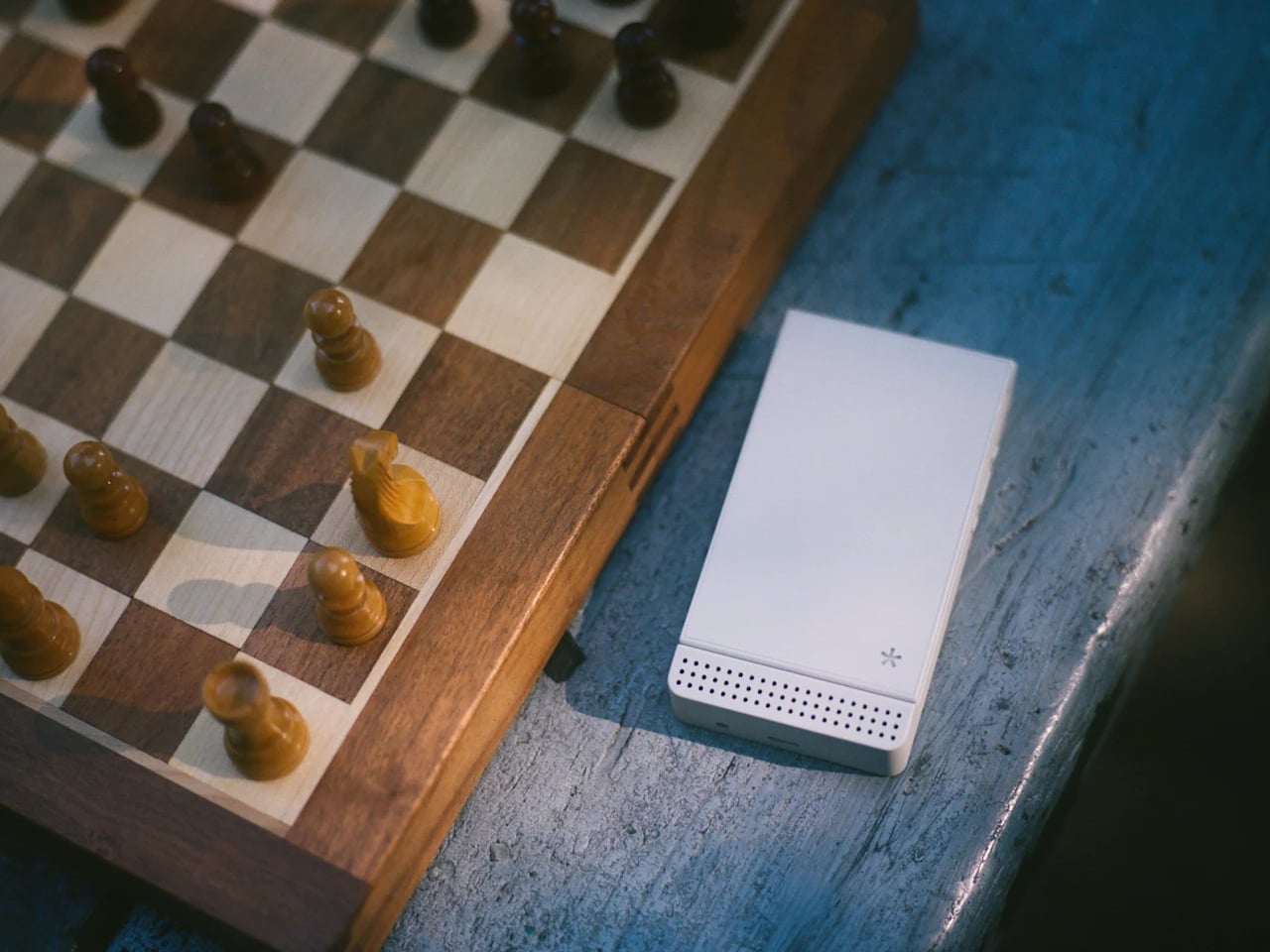
The Light Flip lands firmly in that second camp. It’s a 5G clamshell built around the same philosophy that has driven Light’s earlier devices, giving people the connectivity they need without the features that compete for attention. Fold it open, and you get a 2.8-inch matte OLED display and a physical keypad. Close it, and there’s no outer screen to glance at, no notification count, nothing pulling you back.

Designer: Light Phone

That absence of an outer display is a deliberate one. Most modern flip phones make the external screen a selling point, showing you messages and notifications without opening the phone. The Light Flip skips that entirely, which means the act of opening it is the only way in. It’s a small friction that turns out to make a meaningful difference in how often you reach for the phone by instinct rather than by intention.

Calls, texts, T9 predictive input, voice-to-text, and audio messaging cover the communication basics. Beyond that, LightOS includes a focused set of tools: directions, a music and podcast player, hotspot, calendar, weather, notes, a timer, and an authenticator for two-factor logins. The tools are genuinely useful and show up only when you need them. There’s no app store, no browser, and no social feeds anywhere in the operating system.

The hardware is honest about where the money went. The body is plastic, 160g, and uses a MediaTek MT8873 processor with 128 GB of storage and a 1,800 mAh battery that lands around 1.5 days. The camera uses a 50-megapixel rear sensor to produce 12-megapixel images. There’s no selfie camera, no NFC reader, and no touchscreen, which is how Light kept the price to $299. A 3.5mm headphone jack and a swappable battery are both present, which makes the trade-off feel more deliberate than arbitrary.

Connectivity covers Wi-Fi, Bluetooth 5.0, GPS, and 5G across a wide band range. The phone ships with a nano SIM slot and an eSIM option, and Light offers its own service plan at $39 a month for unlimited calls and texts with 1 GB of data, available in the US on a two-year contract. The unlocked version works on compatible carriers worldwide.

There’s a growing audience for devices that sit somewhere between a dumbphone and a smartphone. The Light Flip fills a specific niche with modern hardware and a considered software layer that adds without overwhelming. For anyone who’s tried screen time apps and focus modes on a smartphone and found them too easy to undo, a phone that simply doesn’t have those functions built in offers a different kind of answer to the same problem.

The post A $299 Flip Phone That Does What Screen Time Apps Never Actually Did first appeared on Yanko Design.
Someone Built a Handheld PS4 Twice Because Sony Never Will

Sony’s PlayStation has always been a home console first and only. The PlayStation Portal, which came closest to answering the demand for a portable PlayStation, streams games from a PS5 rather than running them on the device itself. That gap, an actual PlayStation that plays its own library locally, has stayed open long enough that at least one person decided to fill it themselves, twice.

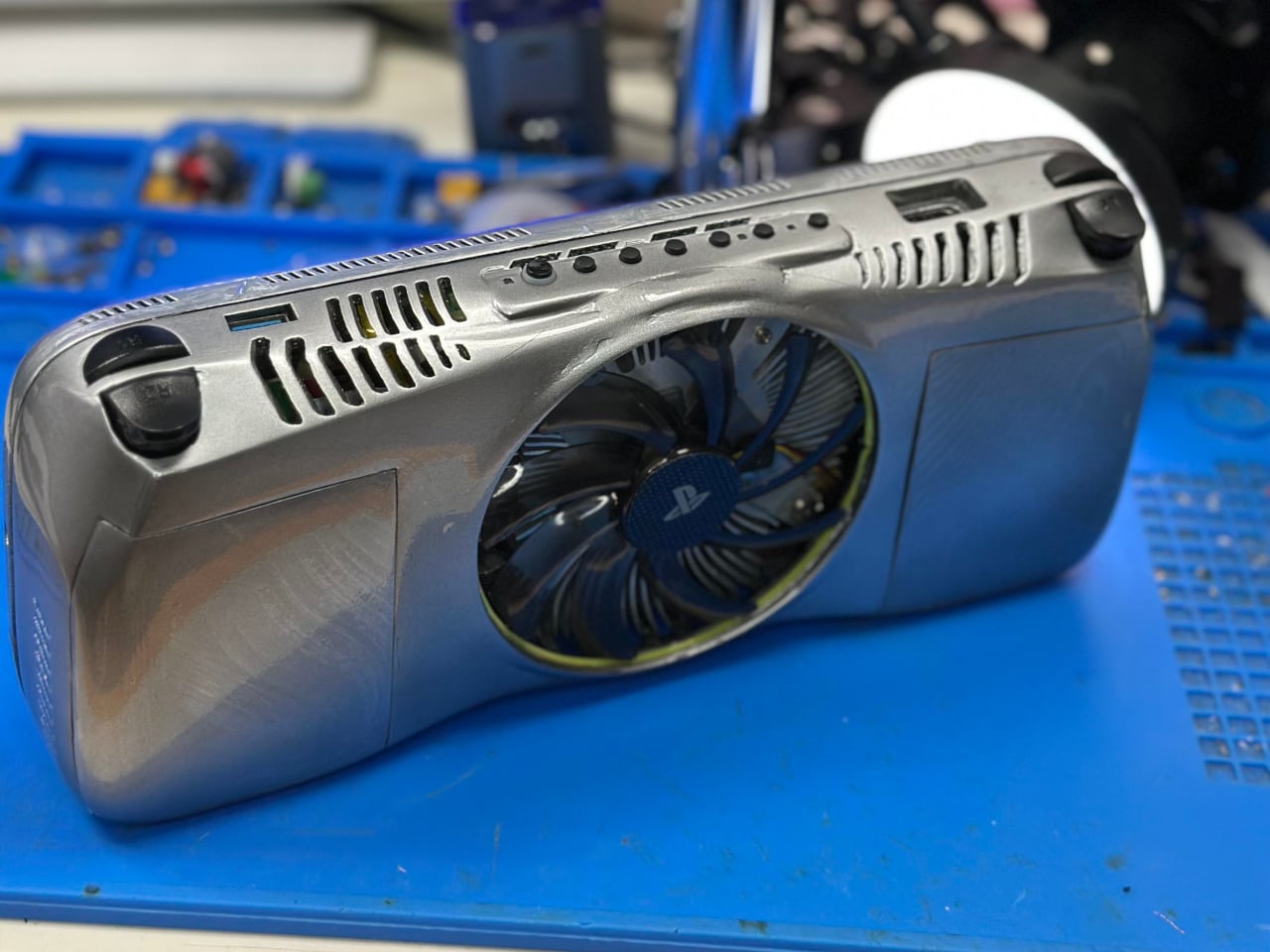
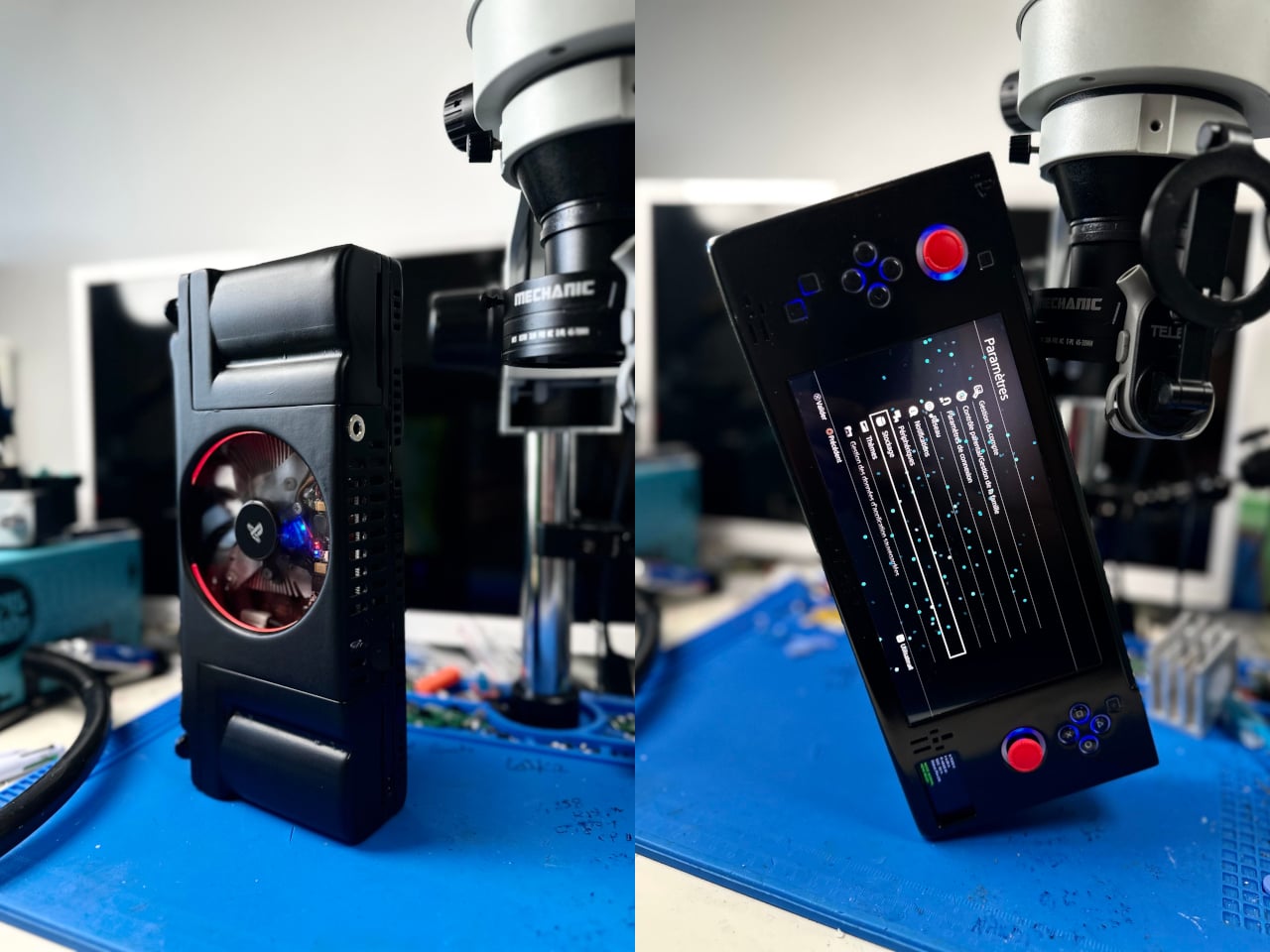
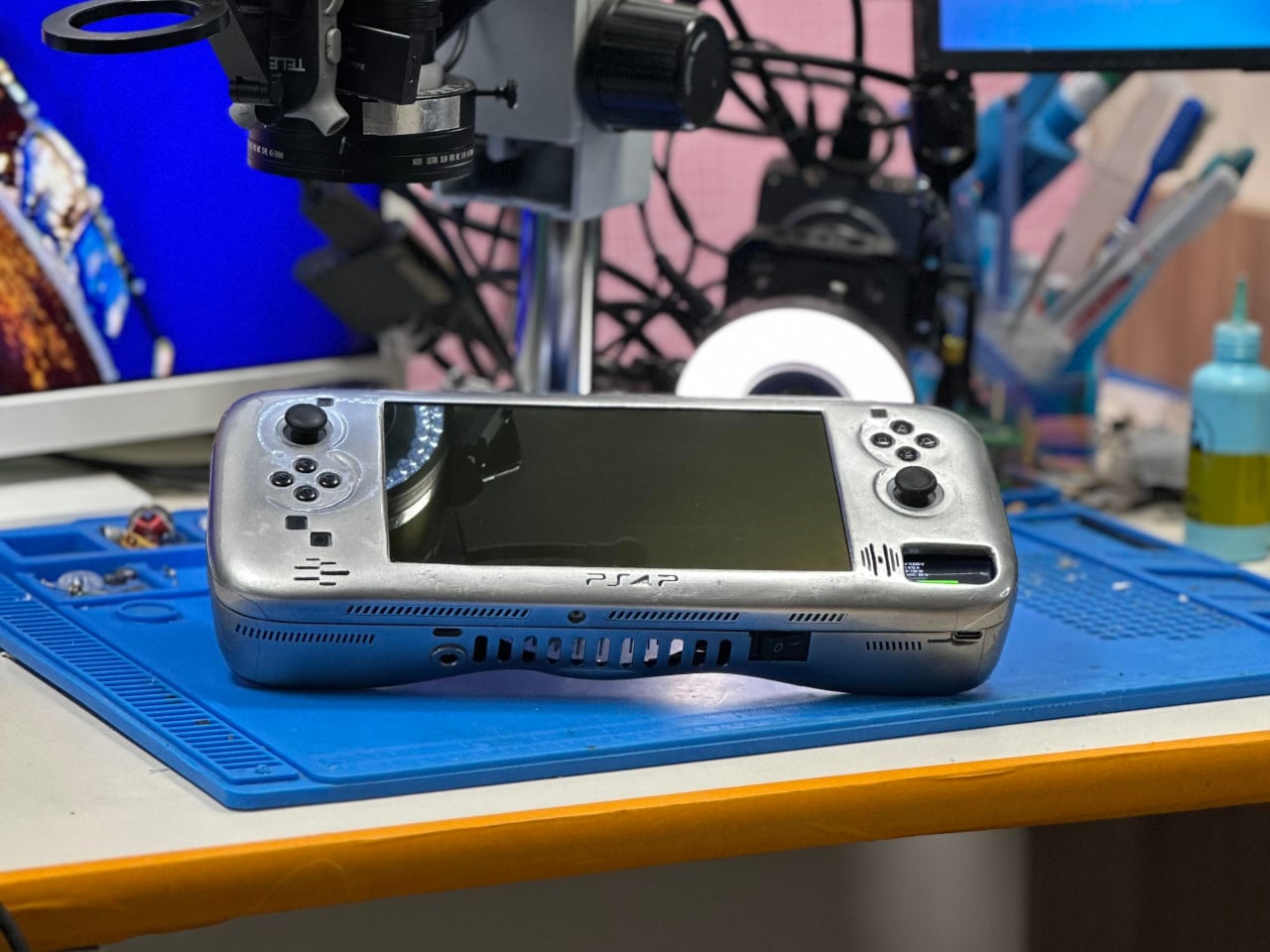
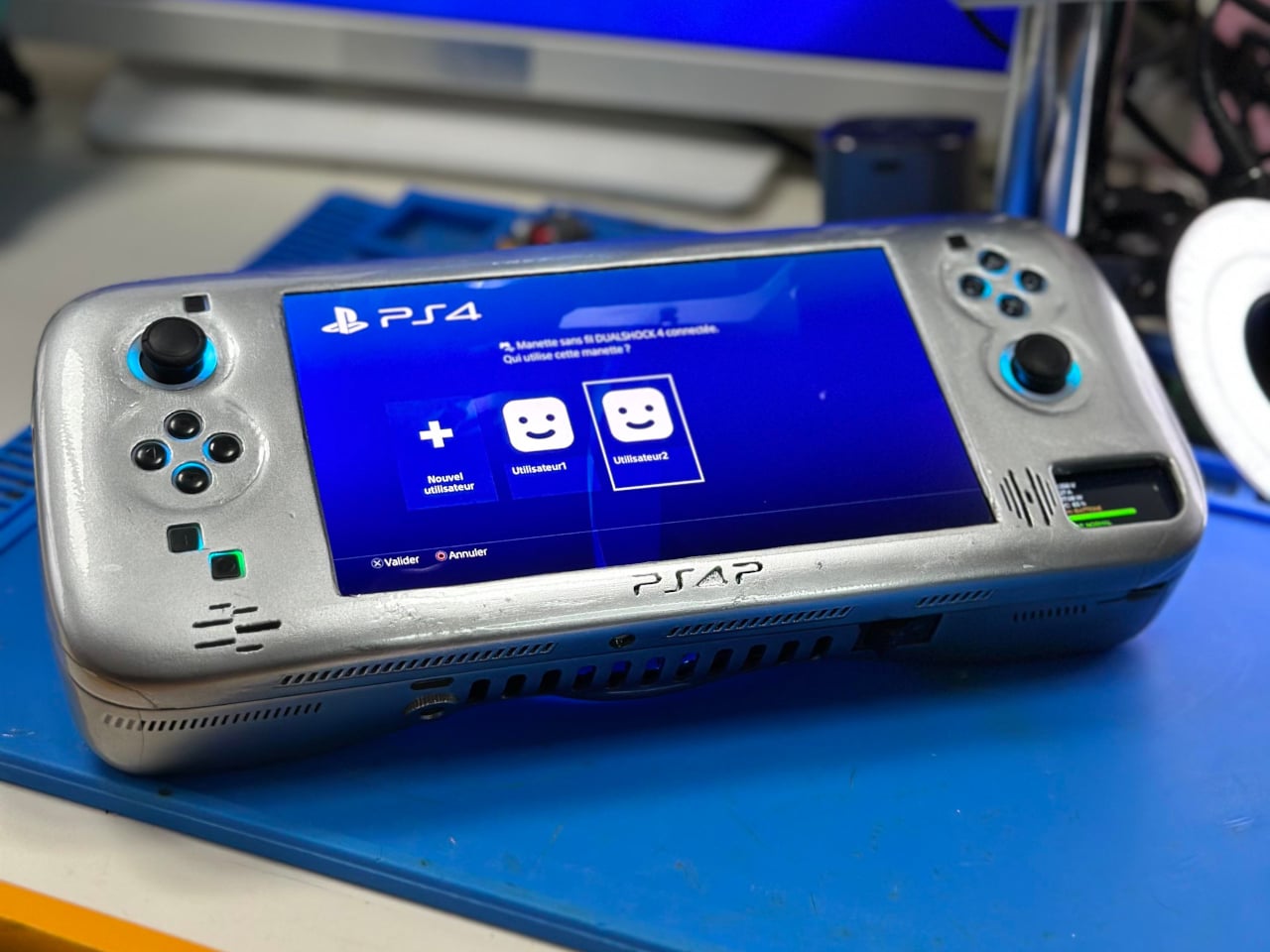
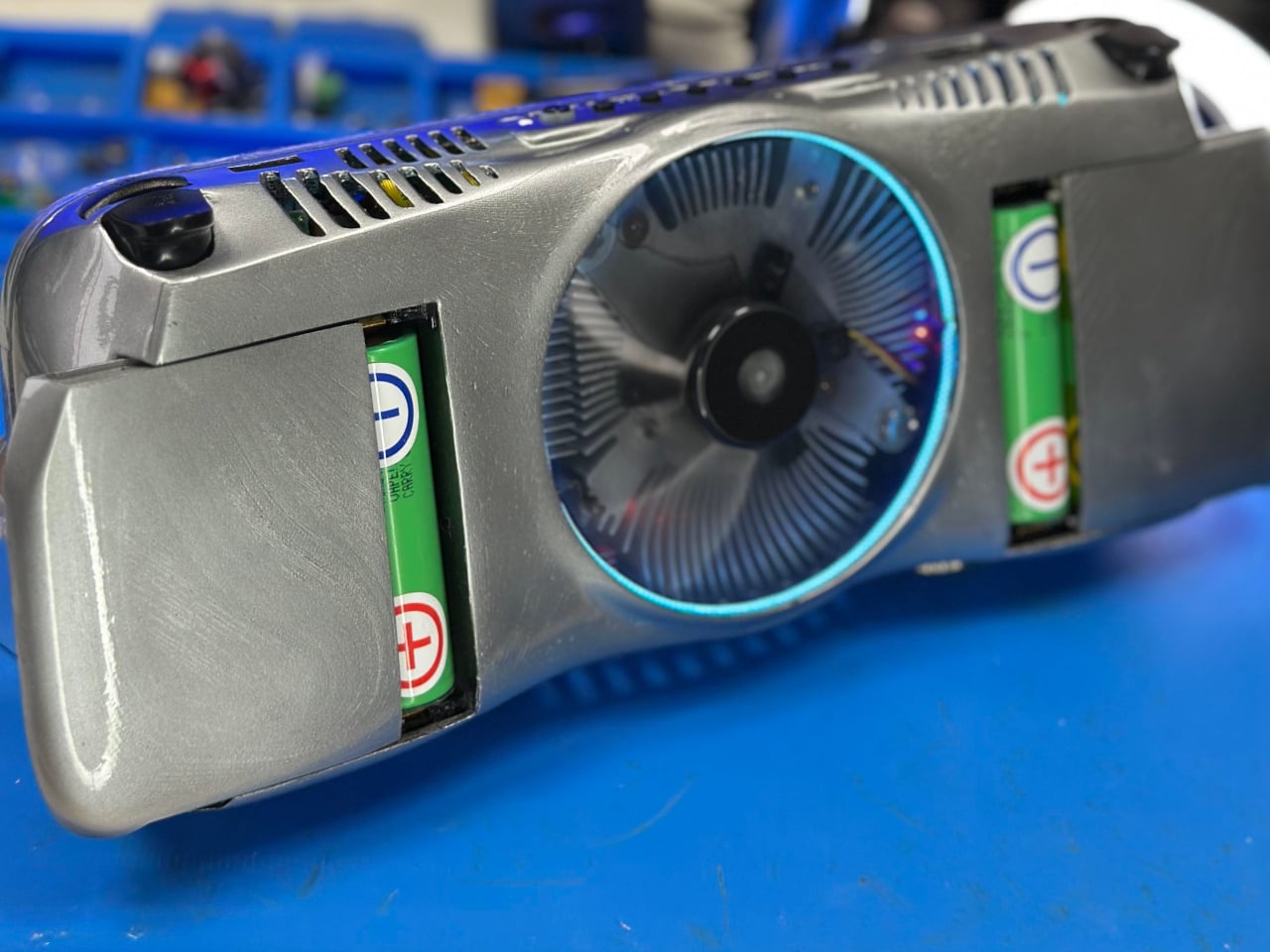
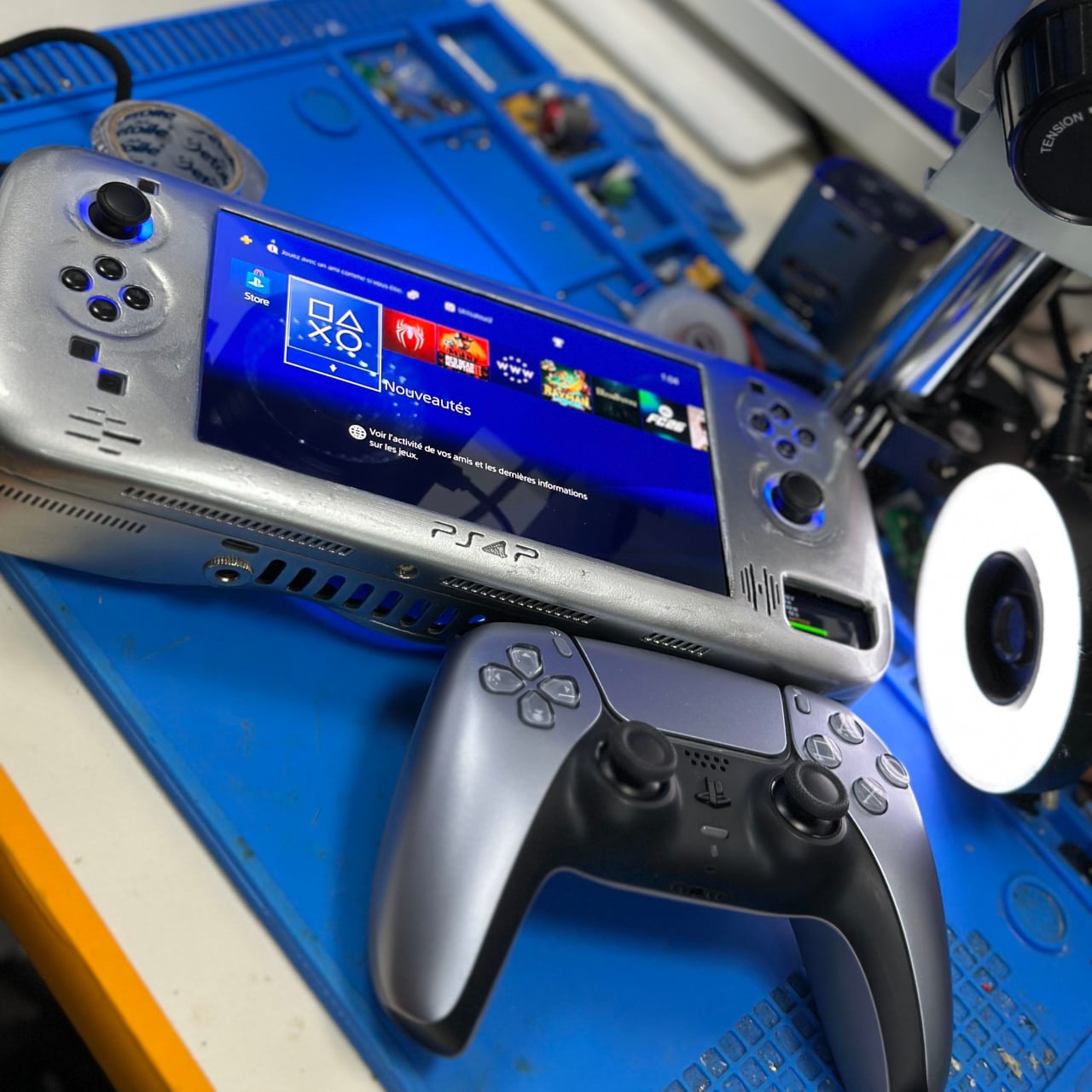
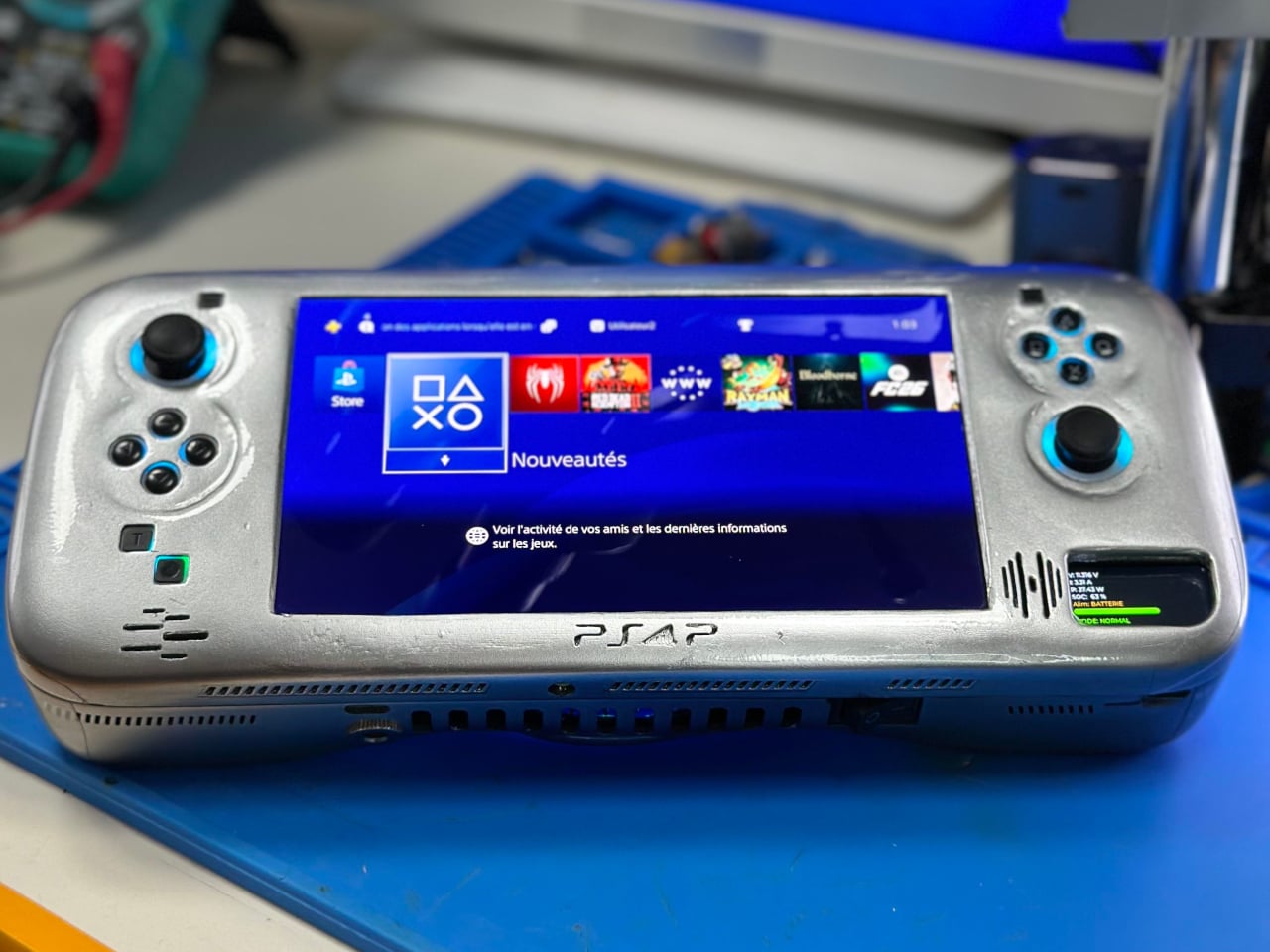
The PS4P v2 is the second version of a DIY handheld built around a real PS4 Slim motherboard, trimmed and modified to fit inside a 3D-printed shell. The first version, completed earlier this year, was a functional proof of concept that came in at around 1.5 kg and looked more like a prototype than a finished product. This second build is a step up in almost every meaningful way, and the jump in refinement between the two is obvious from the build photos alone.

Designer: wewillmakeitnow

The core remains a cut-down PS4 Slim board, but the second version draws less power than the first, which helps push the battery life a bit further. Six 21700 cells, each rated at 5,000 mAh, power the whole thing for anywhere from 1.5 to 3 hours depending on what’s being played. It can also run off external power for longer sessions, and HDMI output means the whole unit can connect to a television with a real DualShock controller attached.

PS4P V1

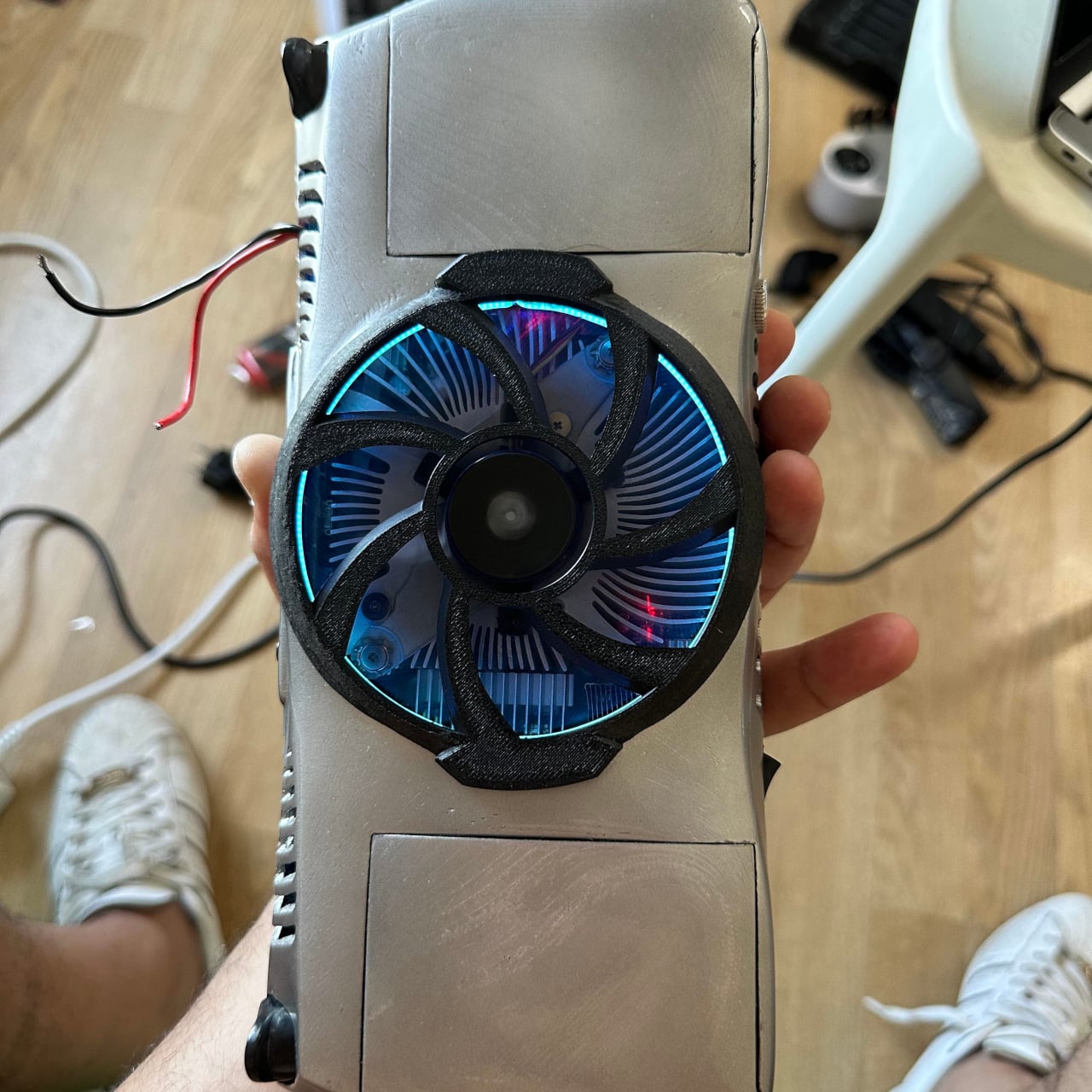
The display is a 7-inch 1080p OLED panel, which puts it in a different category from most handheld screens at this scale. Cooling is handled by a fan pulled from a retired GTX 750 graphics card, mounted on the rear of the unit. A removable guard sits over the fan, and pulling it off improves airflow when the game demands it; leaving it on protects the fan from dust and impacts during storage or travel.

The finished unit weighs 1.3 kg, which is heavy by any commercial standard. A Steam Deck is considerably lighter. But the honest comparison isn’t really with a Steam Deck, which runs PC games through an x86 processor. This runs the PS4’s actual hardware, which means native execution of the PS4’s library without emulation, streaming, or compatibility layers getting between the player and the game.

The build sits closer to a real commercial product than most DIY console conversions manage. The 3D-printed shell holds everything together cleanly enough that, at a glance, it reads as something you might actually find in a store. That it came out of a single person’s workshop rather than an engineering team with a production budget makes the result even harder to dismiss.

For now, it remains a one-off. Making it smaller, lighter, or more energy-efficient would require changes to the PS4 Slim’s motherboard that go beyond what any single modder can reasonably achieve. The constraints are baked into the hardware. But as a demonstration of what dedication to a specific piece of gaming hardware looks like when Sony won’t build it themselves, the PS4P v2 makes its point clearly.

The post Someone Built a Handheld PS4 Twice Because Sony Never Will first appeared on Yanko Design.
This $19 Module Solves the Hard Part of Building a Custom Smartwatch

The consumer smartwatch market has become a fairly predictable place. Most wristwear from major brands covers health monitoring, notifications, and a tightly controlled app ecosystem, with little room for deviation. Tinkerers and developers who want something outside that formula have traditionally had to cobble together components from different sources, which is more a test of patience than a creative process and rarely results in something worth wearing.

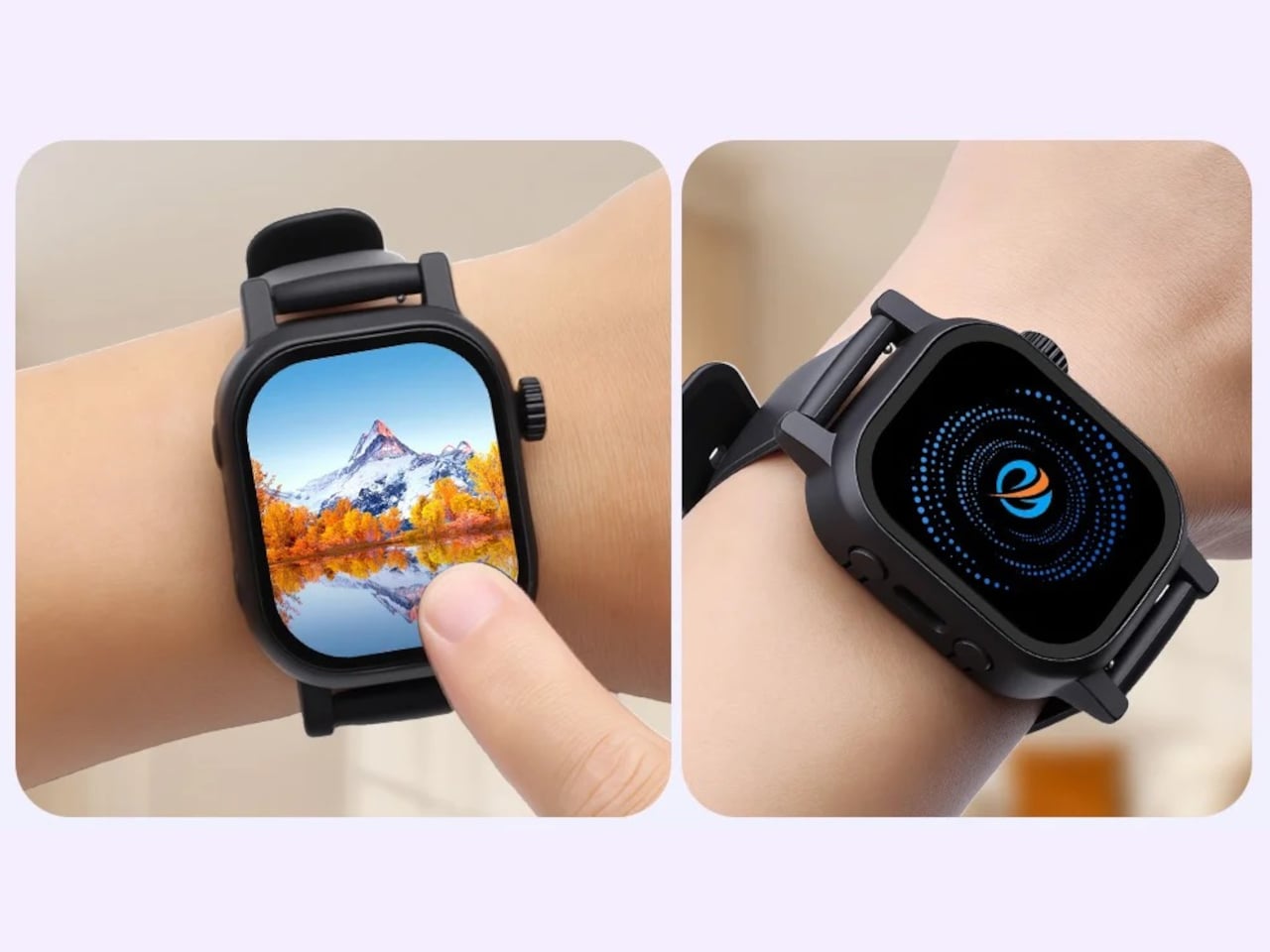
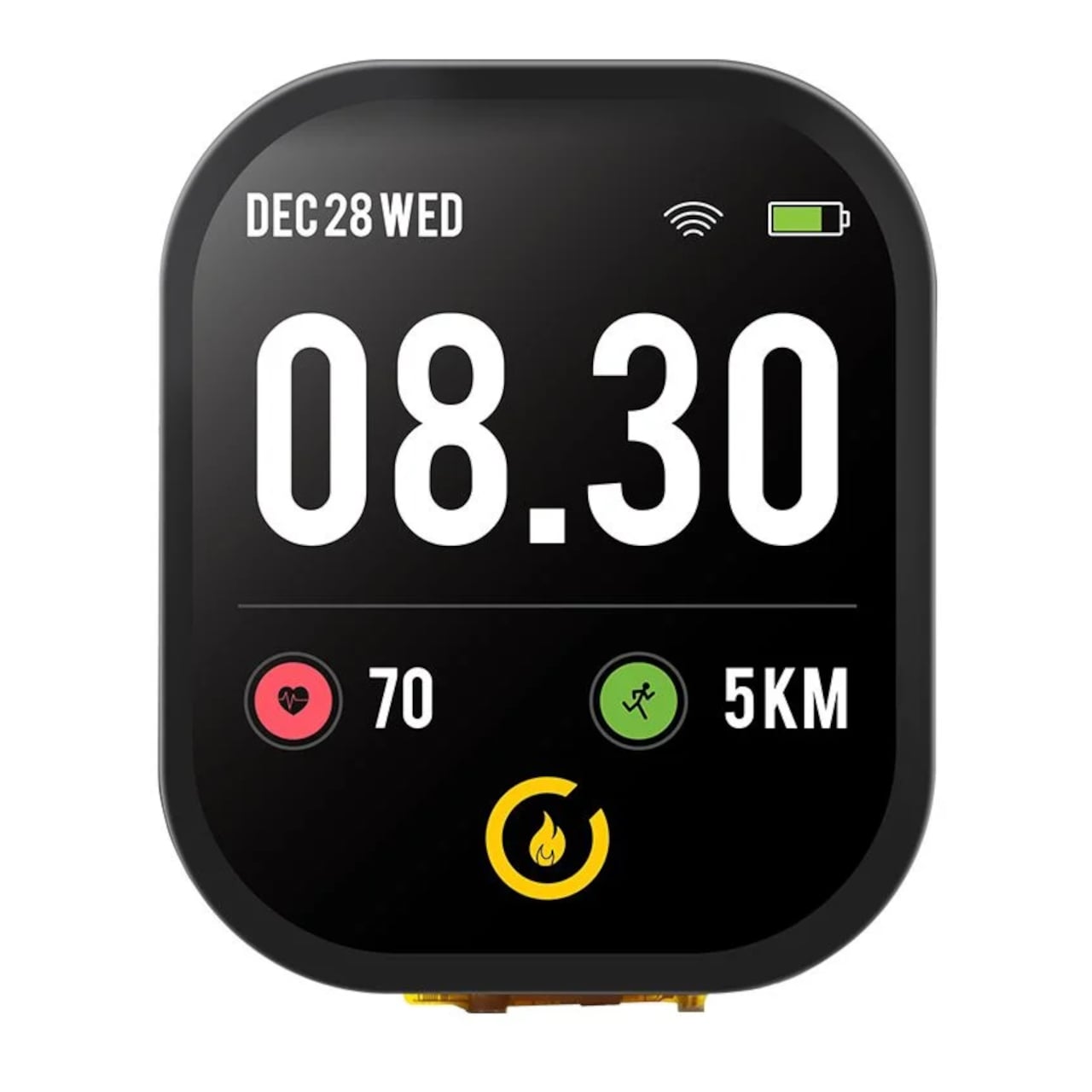
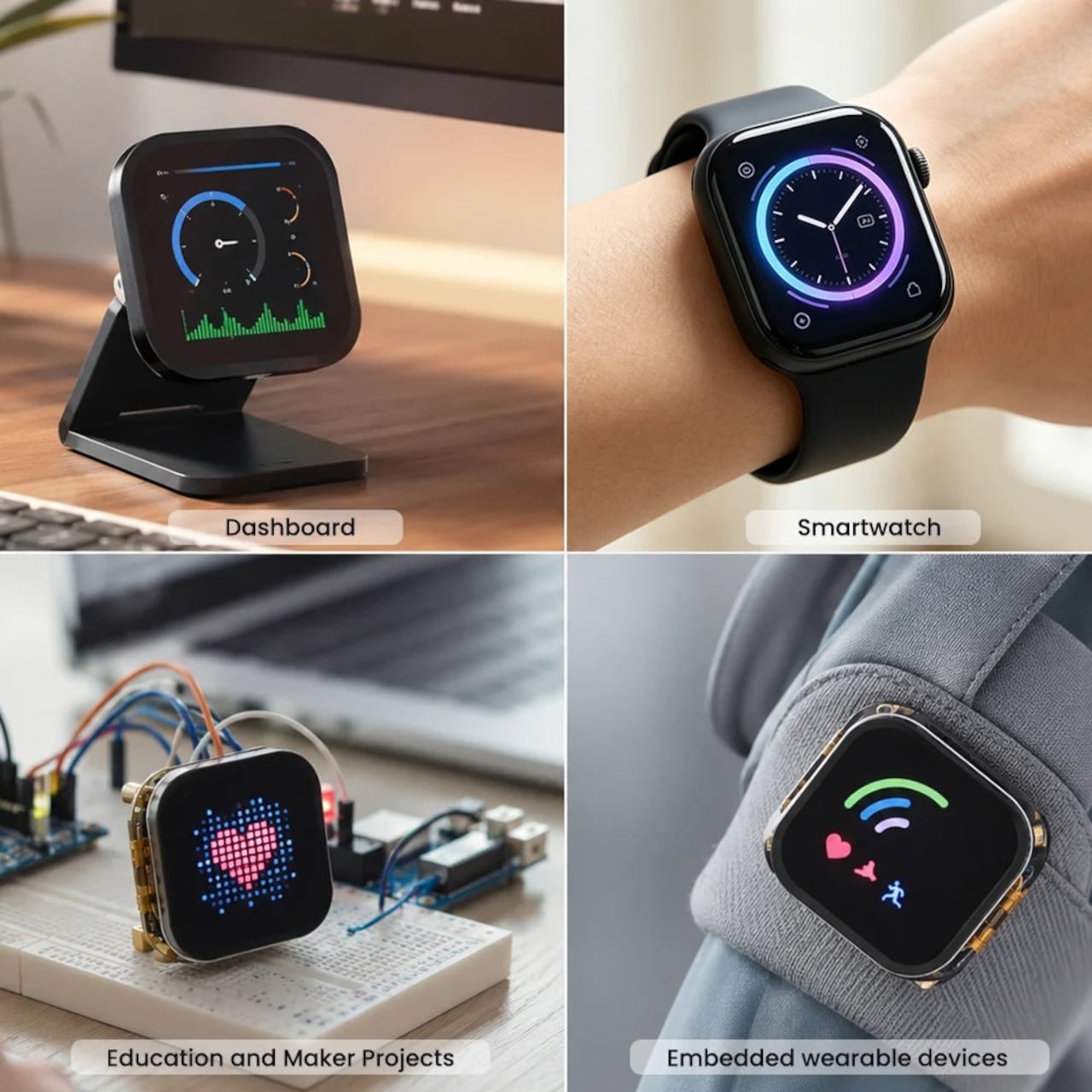
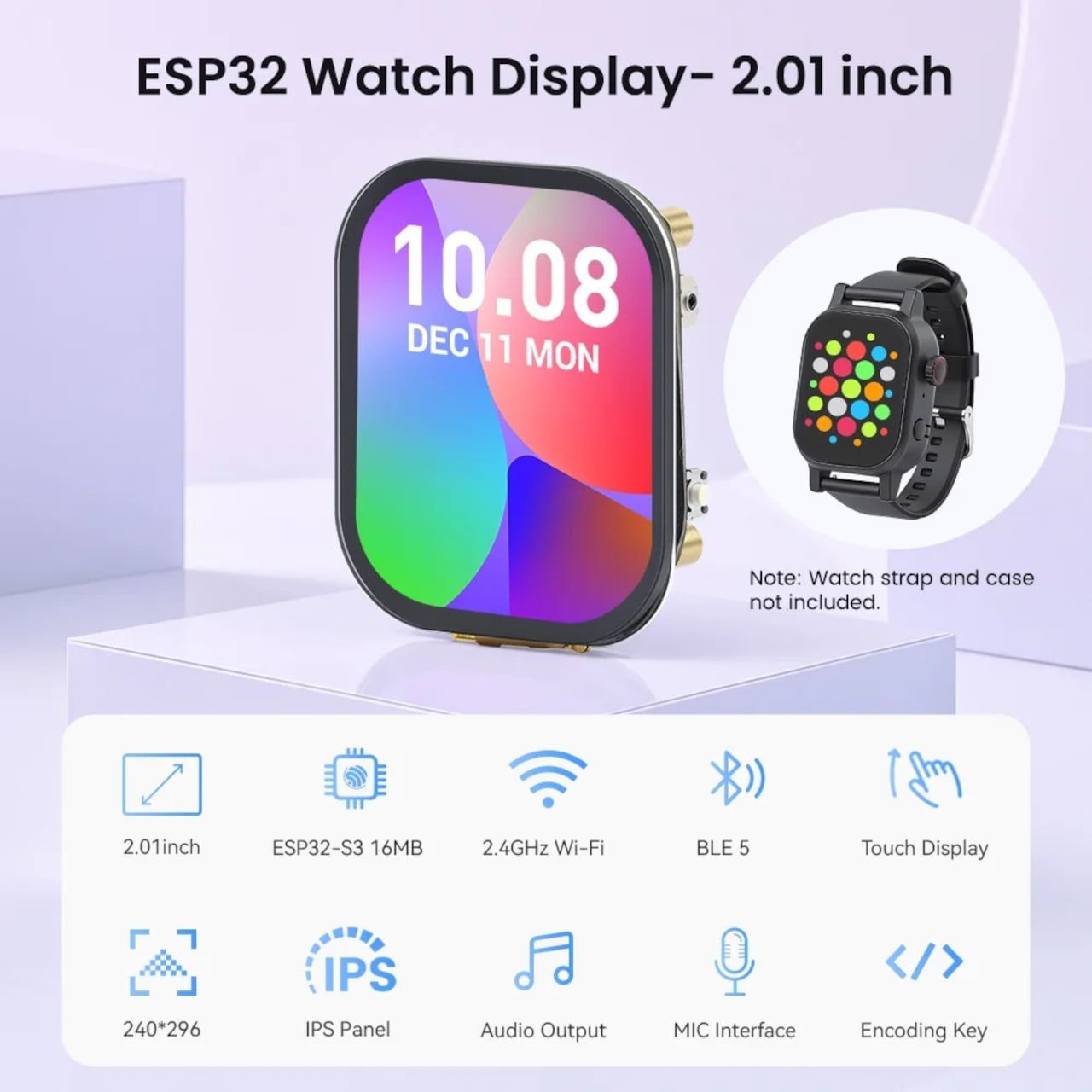
Elecrow’s CrowPanel Watch Display is a ready-made starting point for building something more personal. It’s an all-in-one development module built around the ESP32-S3 microcontroller, packaged as a wrist-sized board complete with a 2.01-inch touchscreen, a microphone, a rotary encoder, and expansion contacts. The idea is that most of the hardware problem is already solved, leaving you with the more interesting part: deciding what the device should actually do.

Designer: Elecrow

The IPS panel has a resolution of 240×296 pixels, capacitive touch, and a 178-degree viewing angle. Navigation doesn’t depend on touch alone. A rotary encoder functions like a traditional watch crown for scrolling and selection, and a dedicated side button rounds out the physical inputs. Both keep the interactions familiar to anyone who’s worn a watch before.

Under the hood, the ESP32-S3 runs a dual-core Xtensa LX7 processor clocked at up to 240MHz, with built-in Wi-Fi and Bluetooth 5. That means the watch can pull weather data, push notifications from a paired phone, or interact with a smart home network from the wrist. The Wi-Fi capability also makes it a viable control panel for home automation, a secondary identity the hardware handles just as comfortably.

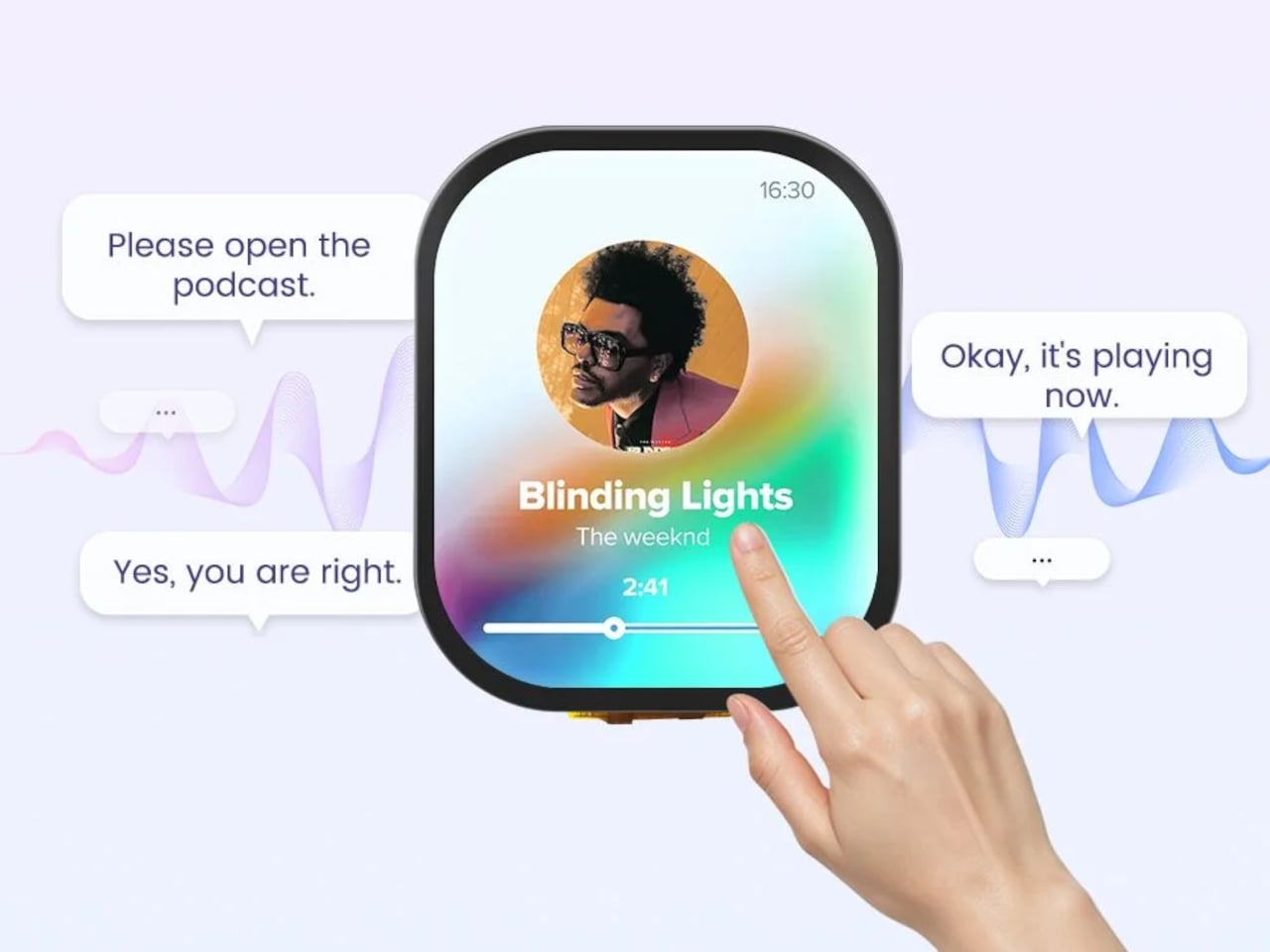
The built-in microphone and speaker add voice control to the mix, allowing spoken commands to trigger actions on the device or interact with connected services. That’s a feature most entry-level wearable modules skip entirely, and it opens up a range of hands-free interactions well beyond setting a timer. For anyone building a smart home companion for the wrist, that’s a significant difference in day-to-day usability.

A gyroscope handles motion sensing, and a vibration motor is on board for haptic feedback. The package doesn’t include a heart rate sensor or GPS, which rules out the health-tracking and location features that define most commercial smartwatches. A battery isn’t included, but the board provides the necessary contacts to connect one, giving builders control over form factor and battery capacity from the outset. For a DIY module at this price, that tradeoff is expected.

The module sells for $18.99 as a bare PCB, without an enclosure or strap. That part of the build is left entirely to the maker, which is the point. For engineers, hobbyists, or students who’ve wanted a genuinely custom wearable without sourcing a dozen individual components, it’s a reasonably priced foundation that does far more of the groundwork than most development boards at this size and cost.

The post This $19 Module Solves the Hard Part of Building a Custom Smartwatch first appeared on Yanko Design.
Xteink’s Cult Pocket E-Reader Finally Gets a Frontlight for $99

Pocket-sized e-readers have existed in one form or another for years, but most have struggled to be genuinely pocketable. Anything much larger than a phone immediately stops feeling like a carry-anywhere device and starts feeling like something you have to plan around. The original Xteink X4 built a loyal following by treating compact form and distraction-free reading as non-negotiables, with physical buttons, a clean 4.3-inch E-Ink screen, and a $69 price that was hard to argue with.

The one complaint that kept surfacing was the absence of a frontlight. Reading in dim conditions meant clipping on a separate lamp or giving up entirely, which was an odd gap for a device otherwise built around serious reading habits. The Xteink X4 Pro addresses that directly. It launches at $99 with an adjustable warm-to-cool front light built in, removing the need for any workarounds when the lighting situation isn’t ideal.

Designer: Xteink

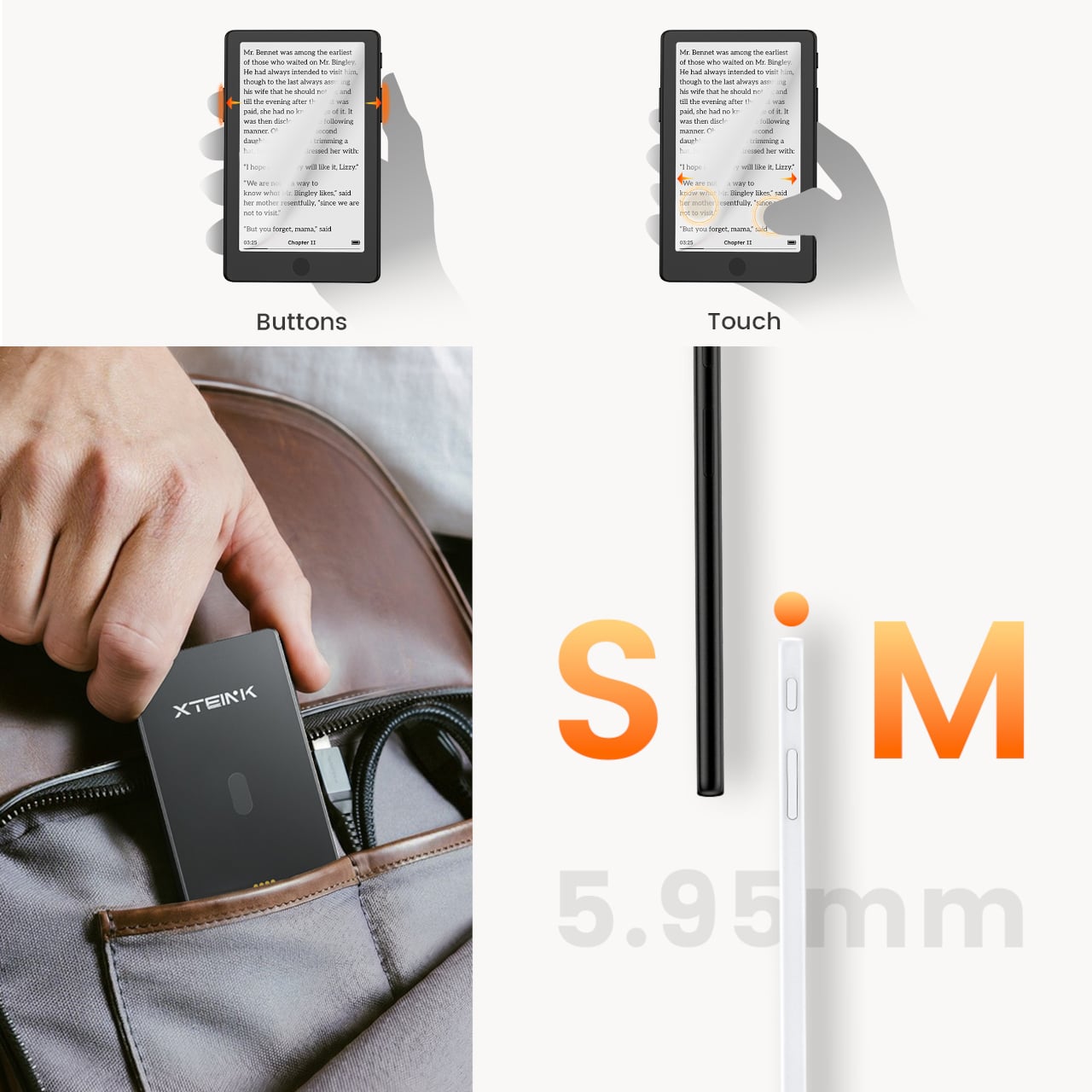
The frontlight isn’t the only addition. The X4 Pro also introduces a touchscreen for navigation, though it retains physical page-turn buttons along the sides for anyone who’d rather not tap the display while reading. That combination matters because part of what made the standard X4 appealing was the tactile, no-swipe experience. The Pro doesn’t discard that, but it layers touch navigation on top for people who want it.

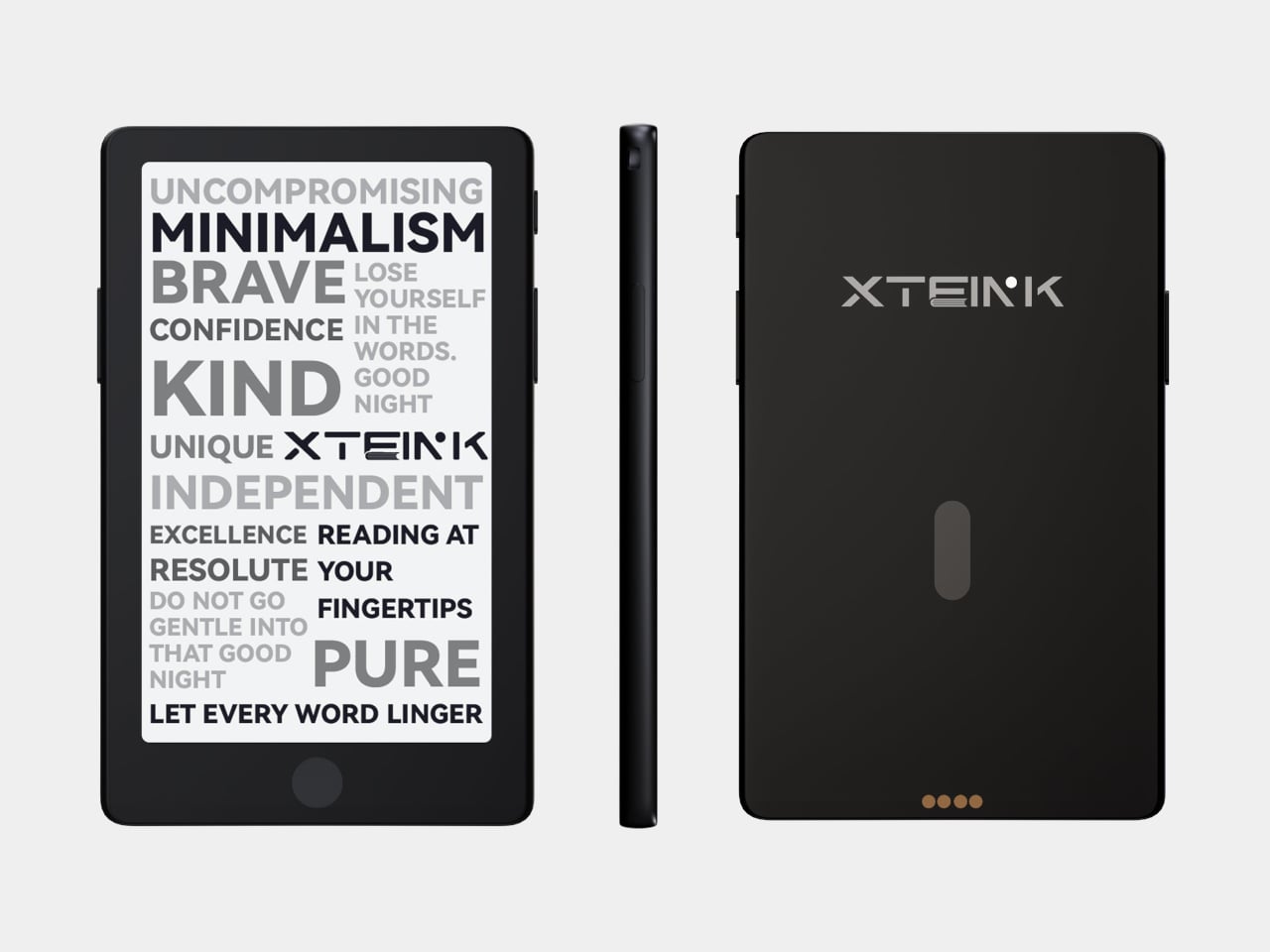
The trade-offs are real and worth noting. The front navigation buttons that sat below the screen on the original have been removed on the Pro, replaced by the touchscreen. More significantly, the USB-C port is gone, swapped out for a proprietary pogo-pin magnetic connector. That means carrying a specific cable rather than reaching for any USB-C cord already in a bag. The X3 has used the same pogo-pin setup since its release, so it’s a known quantity, but it’s still a step backward in convenience for anyone who valued USB-C universality.

The physical footprint barely changes. Despite adding layers for the light and touch sensor, the X4 Pro is actually marginally thinner at 5.95mm versus the X4’s approximately 6.4mm, and sheds a couple of grams to land at 72g. The same 4.3-inch, 220-PPI E-Ink display carries over, and battery life holds steady at around 14 days per charge. Storage remains the same 16GB microSD configuration with expansion support.

It’s a focused upgrade rather than an overhaul. The X4 Pro doesn’t try to compete with full-featured six-inch Kindles or Android-based E-Ink tablets. It stays small, stays quiet, and now stays lit, at $99 for people whose reading life regularly extends past sunset.

For existing X4 owners, the calculus comes down to one question: how often does dim lighting stop you from reading? If the answer is rarely, the base X4, for $30 less with USB-C and front buttons intact, still has a strong case. For anyone who’s been waiting to pick up an Xteink device but held off specifically because of the missing frontlight, the Pro closes that gap without fundamentally changing what the device is about.

The post Xteink’s Cult Pocket E-Reader Finally Gets a Frontlight for $99 first appeared on Yanko Design.

This Origami Pot Just Solved the 2 Things That Kill Most Houseplants

Keeping houseplants alive has become something of a modern ambition, especially for those living in smaller spaces where a bit of greenery goes a long way. The problem is that most people have a complicated relationship with plant care. Forgetting to water on time, struggling with repotting, and watching plants suffer because the pot can’t keep pace can make the whole experience feel more discouraging than rewarding.

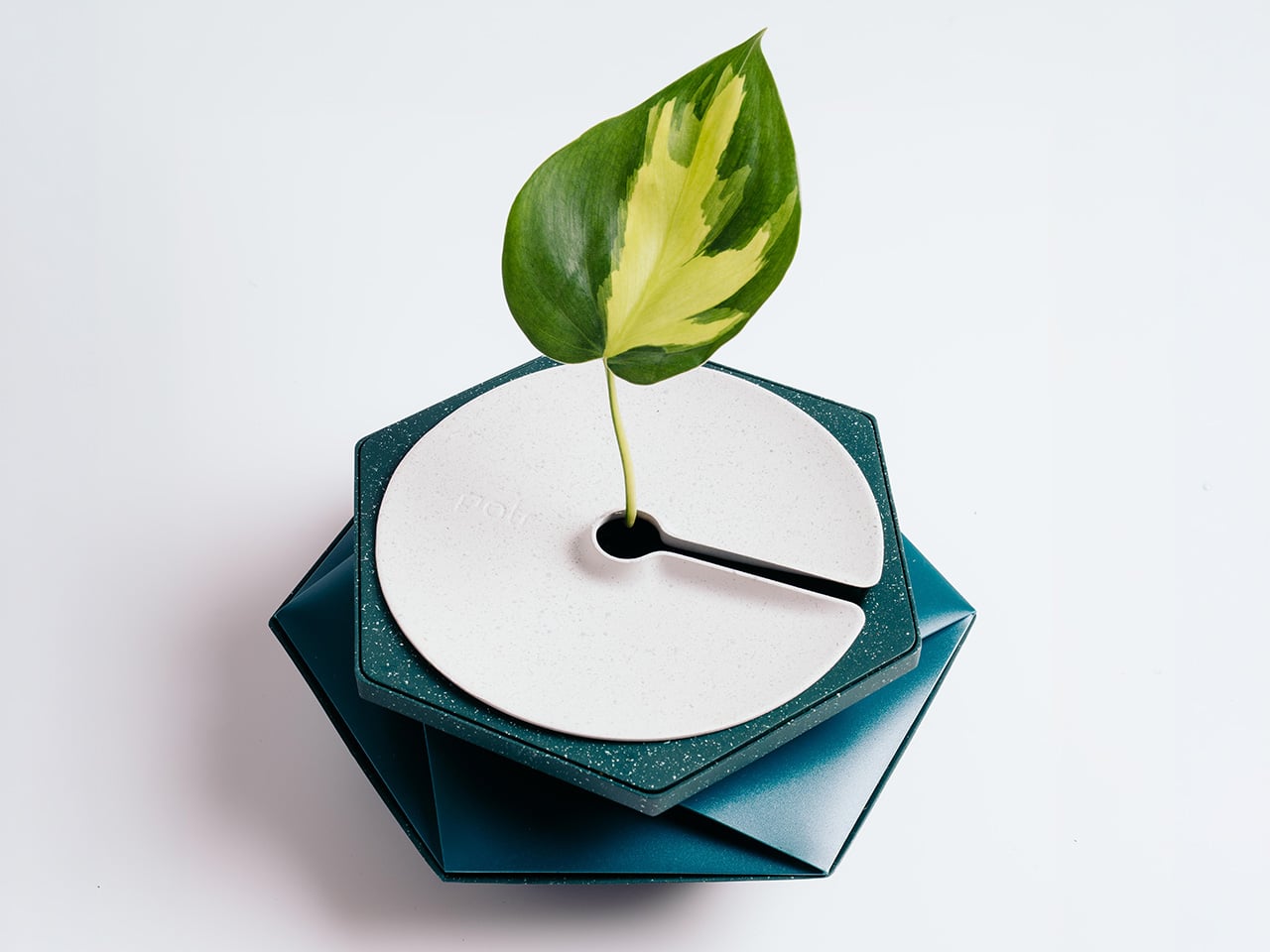
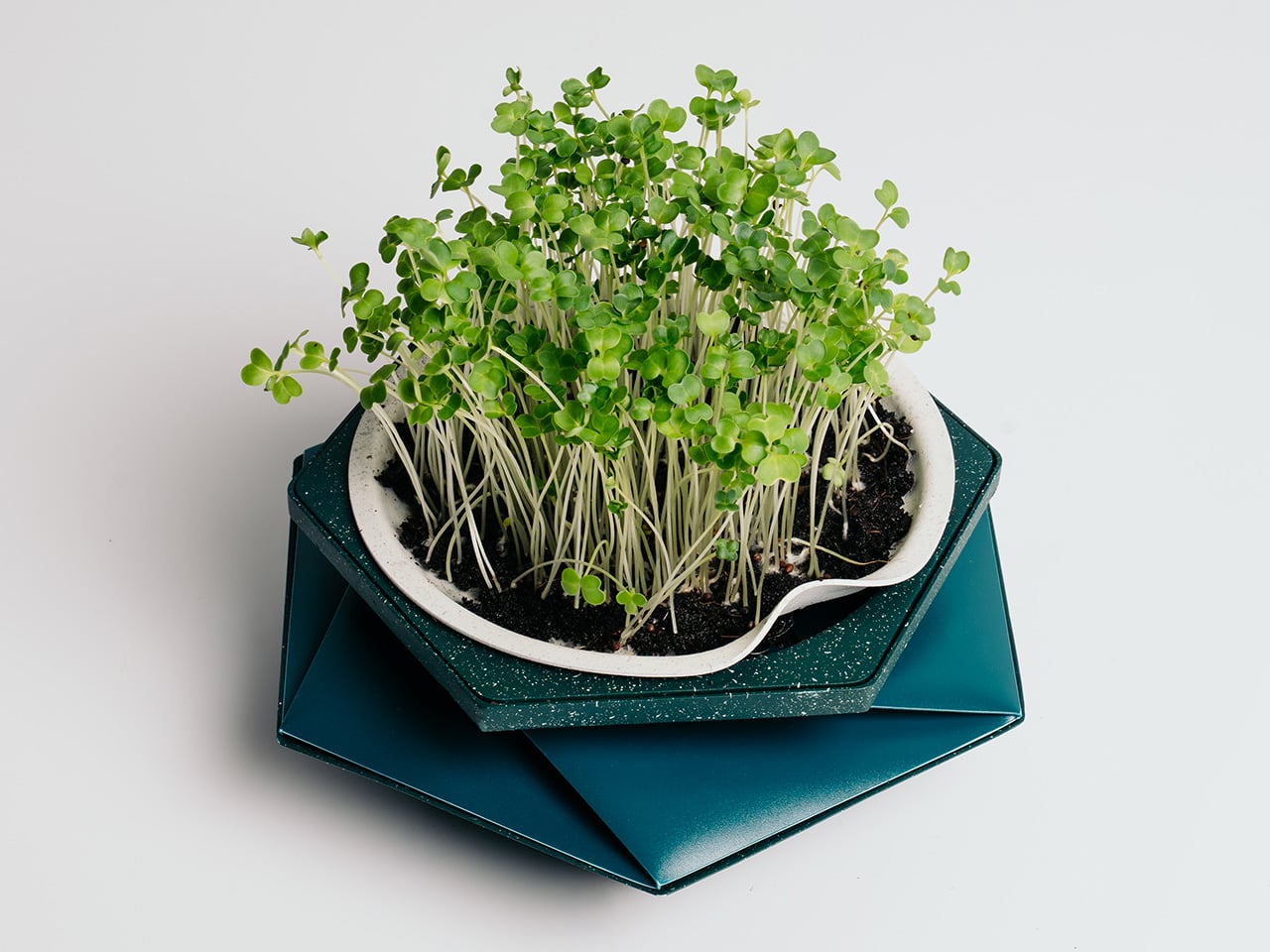
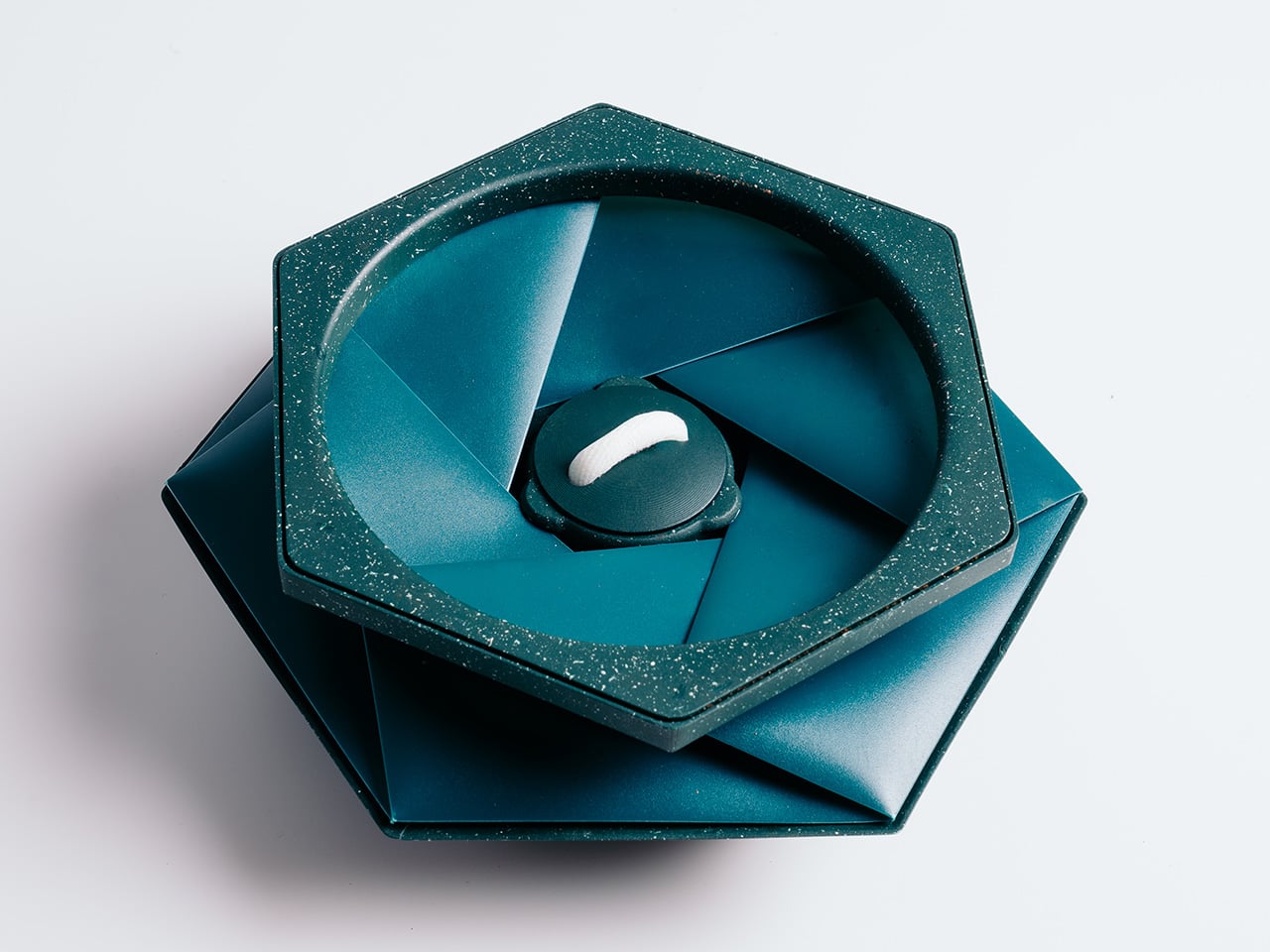
That’s what HELIX was designed to address. Created by Andrew Flynn, former industrial design lead at Dyson and the mind behind the Airwrap, Corrale, and Airstraight, HELIX is what POTR describes as the world’s first self-watering pot that physically grows alongside your plant. Its origami-inspired form isn’t purely decorative; the folds are the functional mechanism that lets the pot expand as roots develop.

Designer: POTR

Click Here to Buy Now: $29 $39 (27% off). Hurry, only a few left! Raised over $124,000.

At the heart of HELIX is a capillary wicking system tucked into the base. Fill the 300 ml reservoir, and a wick draws moisture steadily upward into the soil, letting the plant absorb exactly what it needs. The result is consistent hydration for up to two weeks between refills, meaning you’re no longer guessing whether you’ve overwatered, underwatered, or simply forgot entirely.

What really sets HELIX apart is what happens when a plant outgrows its space. Rather than pulling it out, cleaning up the mess, and starting over in a bigger container, you simply twist the pot open and add fresh compost around the root ball. The structure expands from 7cm to 16cm tall, accommodating up to 2 litres of soil without disturbing the roots.

For those who want to start from scratch, the Sprout Plate turns HELIX into a seed-starting setup. It sits inside the pot and works with the self-watering reservoir to keep seeds consistently moist, which is exactly what herbs like basil, mint, coriander, and parsley need to get going. As the seedlings grow taller, the pot simply expands around them, no transplanting required.

The Sprig Plate handles something slightly different. It’s designed for propagating cuttings, holding them above the water reservoir so stems can develop roots before being moved into soil. It works well for popular houseplants like pothos, monstera, and Chinese money plants, and the smart part is that once those roots have taken hold, the same HELIX pot expands to become their permanent home.

Then there are climbing plants, which have their own needs entirely. The Expanding Trellis plugs into the soil and can be extended upward in layers as the plant grows, with stems clipped into the folded origami structure for support. It borrows from the same geometric design language as the pot, turning something aesthetic into a functional vertical guide for climbers like pothos, hoya, or jasmine.

What makes HELIX even more interesting is that its hexagonal footprint lets multiple pots sit flush against each other without awkward gaps. Line up several on a counter or windowsill, each growing a different herb or microgreen, and you end up with a surprisingly coherent indoor herb garden that you can keep adding to. It’s a modular setup that scales with your appetite for growing.

The sustainability angle is woven into the design rather than tacked on as an afterthought. HELIX ships completely flat, which cuts both packaging volume and transport emissions compared to conventional rigid planters. It’s made entirely from recycled polypropylene, a waste plastic that often ends up in landfill, and uses roughly 70% less material than a comparable concrete or ceramic pot, making the eco credentials feel genuinely earned.

Plant care has always been about patience and attention, but it’s rarely been about the pot itself. HELIX shifts that dynamic by asking what a container could look like if it were as invested in a plant’s progress as the person tending to it. Whether you’re growing something you plan to eat, something to look at, or something you simply don’t want to kill, that’s a compelling thought.

Click Here to Buy Now: $29 $39 (27% off). Hurry, only a few left! Raised over $124,000.

The post This Origami Pot Just Solved the 2 Things That Kill Most Houseplants first appeared on Yanko Design.
Lenovo Just Made a $44 Kid Phone That Kills TikTok and the Browser

Most phones marketed at kids are really just smartphones in disguise, dressed down with monitoring apps and screen-time limits that parents set and children quietly find ways around. The tension between staying connected and staying focused has pushed many families toward patchwork fixes: a shared phone, an old handset with most apps deleted, or a prepaid SIM dropped into hardware never meant for the job.

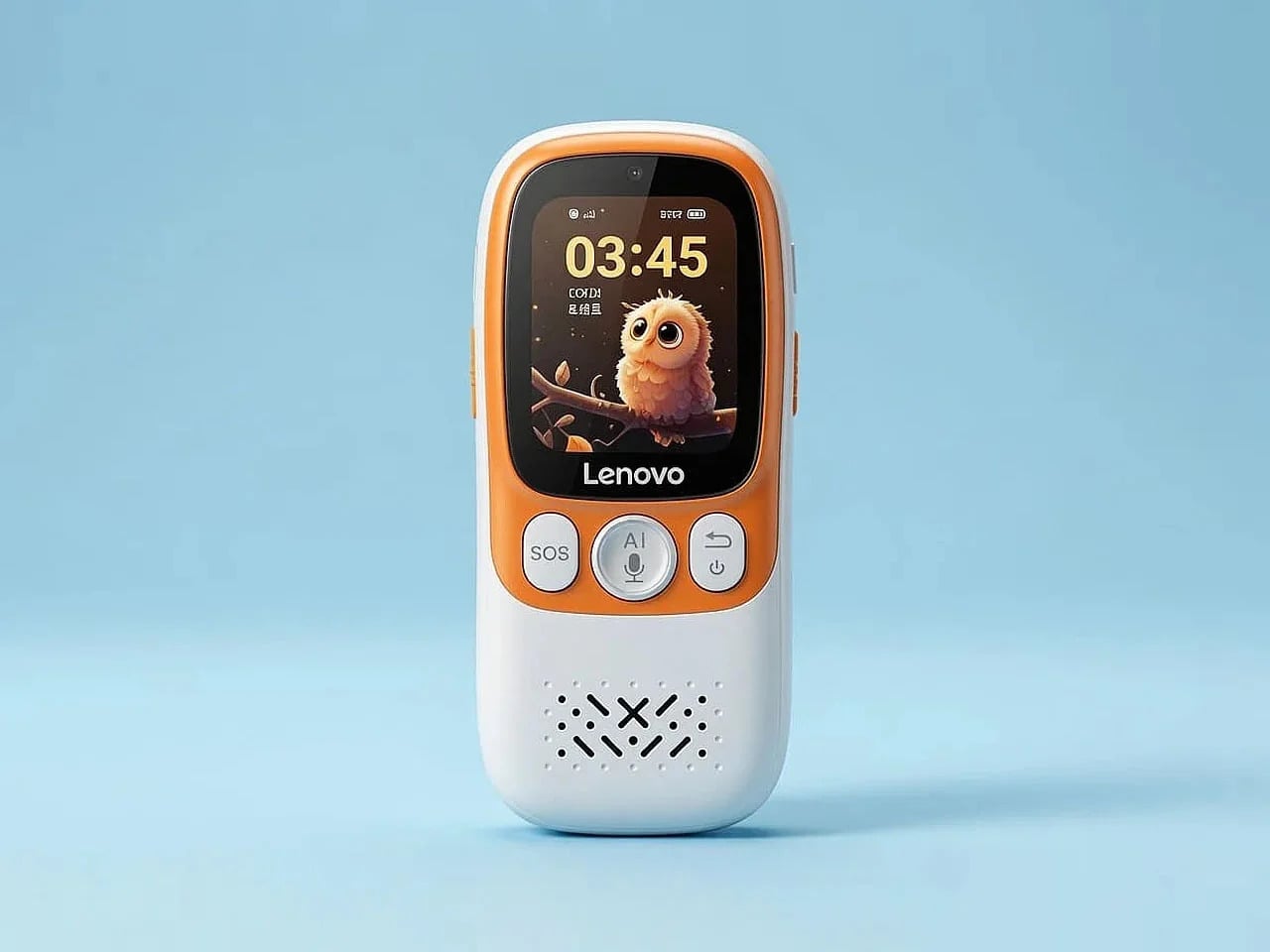
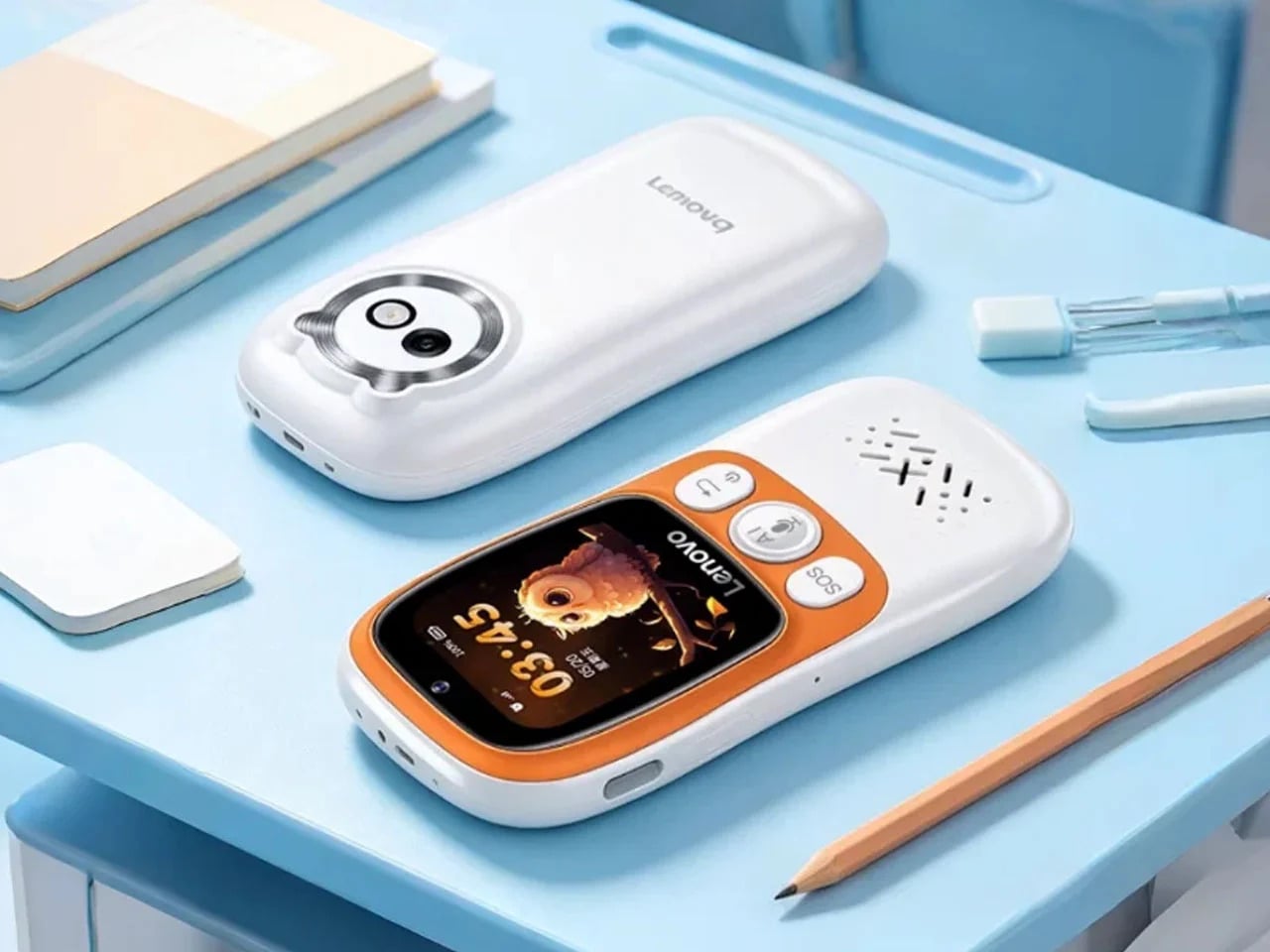
Lenovo’s answer to that problem is the AI Student Phone L1, which we covered at launch in China in late June 2026 for 299 yuan, or about $44. It looks like a compact candy-bar phone with a 1.83-inch touchscreen and 4G connectivity, but it behaves far more like a purpose-built study companion. There’s no browser, no social media, no games, and based on current reporting, sideloading isn’t an option.

Designer: Lenovo

What makes the L1 interesting from a design standpoint isn’t what’s missing; it’s what Lenovo chose to keep and why. The phone reportedly features a compact body built with Panda glass, a material meant to handle the daily punishment a backpack full of school supplies tends to deliver. That choice isn’t a premium flourish; it’s a quiet signal about who this device is actually built for.

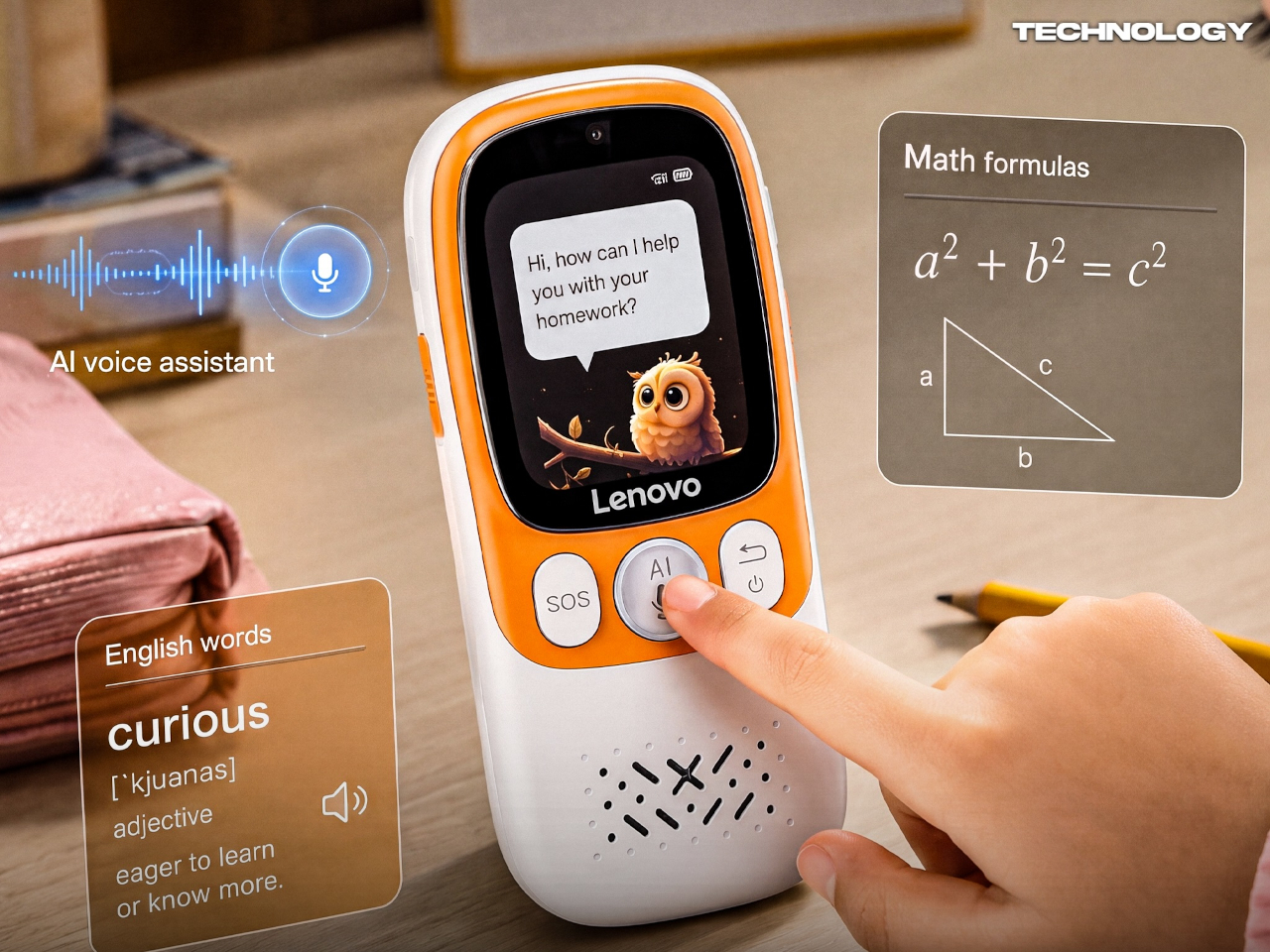
The most telling design decision is the dedicated physical AI button reportedly built into the side of the L1. In most other phones, the AI assistant lives inside software, hidden behind a long press or buried in settings. A hardware button changes that, making help a fixed and visible part of the object. A child doesn’t need to find the feature; the button is it.

Press it, and the L1 reportedly connects to an AI assistant that can help with homework, language learning, and subject lookups. The simplicity is the point. Instead of opening a browser and disappearing down a rabbit hole, the student gets a focused answer and moves on. The phone isn’t trying to replace a teacher; it’s trying to stay out of a teacher’s way.

The feature most coverage tends to bury is the reported QR-code payment system with parent-set spending limits. A child can reportedly take the bus, grab lunch, or pay for a snack without a full smartphone or a physical wallet. GPS tracking and an SOS button reportedly keep parents in the loop. Parents set a cap, the child spends within it, and that’s the end of the negotiation.

That said, the L1 isn’t without its compromises. A 1.83-inch screen is genuinely small, and while that probably discourages mindless scrolling, it also makes extended interaction feel a bit cramped. If handwriting input is included, as some reports suggest, the novelty may wear off quickly. Restraint is a valid design philosophy, but it still has to feel comfortable enough to use every day.

(Image courtesy of @Technology)

For parents in the US or Europe, the L1 is unfortunately a China-only device for now. Products like the Gabb Phone, Pinwheel, and Bark Phone all tackle the same distraction problem, but by restricting a conventional smartphone from the inside. The L1 appears to start from a narrower behavioral premise, building limits into the hardware rather than patching them in through software.

That distinction is worth sitting with. Handing a child their first phone has always been about balancing independence and oversight, and software-based restrictions have always felt like a workaround. The Lenovo AI Student Phone L1 raises the question of whether you can get closer to that balance by designing the object differently from the start, and that’s probably the right conversation to be having.

The post Lenovo Just Made a $44 Kid Phone That Kills TikTok and the Browser first appeared on Yanko Design.

This Vine-Shaped Winery Concept Can Grow Just Like a Real Vine

Winery architecture has long struggled to find the right balance between the rustic identity of viticulture and the ambitions of contemporary design. Most wineries reach for one extreme or the other, either leaning on stone barns and old-world aesthetics or commissioning cold modernist boxes that feel disconnected from the land around them. Few have tried to use the vineyard itself, quite literally, as the architectural concept.

The Great Vine Winery is an unbuilt conceptual proposal that takes that idea seriously. It envisions a two-story winery whose entire form reads as a giant grape vine that has grown organically from the ground. It’s a structure that doesn’t just sit in a vineyard but tries to feel like a living, functional part of it, with every curve evoking something the landscape itself might have produced.

Designer: Michael Jantzen

Inside, the building accommodates tasting rooms, retail, and offices across its two levels. Outside, the structure extends into a series of shaded exterior areas, formed by large curved green panels, that are meant for tasting, picnics, and special events. The boundary between indoor and outdoor experience is deliberately blurred, with the architecture guiding visitors through the building the way a path through an actual vineyard might.

The enclosed spaces within the structure are cylindrical, calling to mind the cross-section of a real vine. Skylights set into their roofs are shaded by more of the curved panels, delivering natural light without solar glare. Underfloor vents channel cool air into each space from below, while perimeter windows and doors contribute additional ventilation and open views of the vineyard to anyone sitting inside.

Sustainability runs quietly through the whole concept. A large dark curved solar array, mounted on the central arched section of the structure, generates enough electricity to power the entire facility. Rainwater collected from the curved panels is channeled into underground reservoirs, where it’s held for use in daily winery operations and the upkeep of the surrounding grounds.

What makes the design particularly interesting is its built-in logic for growth. If the winery ever needs more space, the vine metaphor simply continues, with new sections of structure branching outward in any direction to suit whatever the program demands at a given time. This adaptability isn’t just a technical feature; it’s an extension of the central concept, where the building grows the same way an actual vine would.

Everything is intended to be fabricated from lightweight, colored concrete composite, an eco-friendly material that suits the complexity of the organic forms and keeps construction practical at a scale this ambitious. The muted green finish running consistently through every surface, inside and out, reinforces the vine reference without needing any additional ornamentation or applied symbolism to make the concept legible.

Winery visits have grown more intentional over the past few decades, with visitors expecting a sense of place as much as a good pour. The Great Vine Winery concept answers that expectation in a way most tasting room designs don’t, offering a building that’s as immersive to move through as the vineyard around it. As unbuilt concepts go, it’s a rare one where the metaphor genuinely earns its keep.

The post This Vine-Shaped Winery Concept Can Grow Just Like a Real Vine first appeared on Yanko Design.
This $21 Magnetic Clipboard Fixes 3 Things Every Clipboard Gets Wrong

The clipboard hasn’t changed much since it arrived on desks and workbenches over a century ago. It’s still a flat backing board with a spring clip at the top, reliable enough for what it does, but never quite solving the small annoyances that anyone who uses one regularly has quietly accepted. Papers flap in the wind, finished pages dangle awkwardly, and there’s never a convenient surface to mount them on.

Japanese stationery brand King Jim took those frustrations seriously with the MagFlap, a clipboard that rethinks the form through a series of small magnetic additions that end up changing how the whole thing works. It doesn’t look dramatically different from the outside, but the moment you start using it for anything beyond signing a single sheet, the thoughtfulness behind each feature becomes clear pretty quickly.
Designer: King Jim

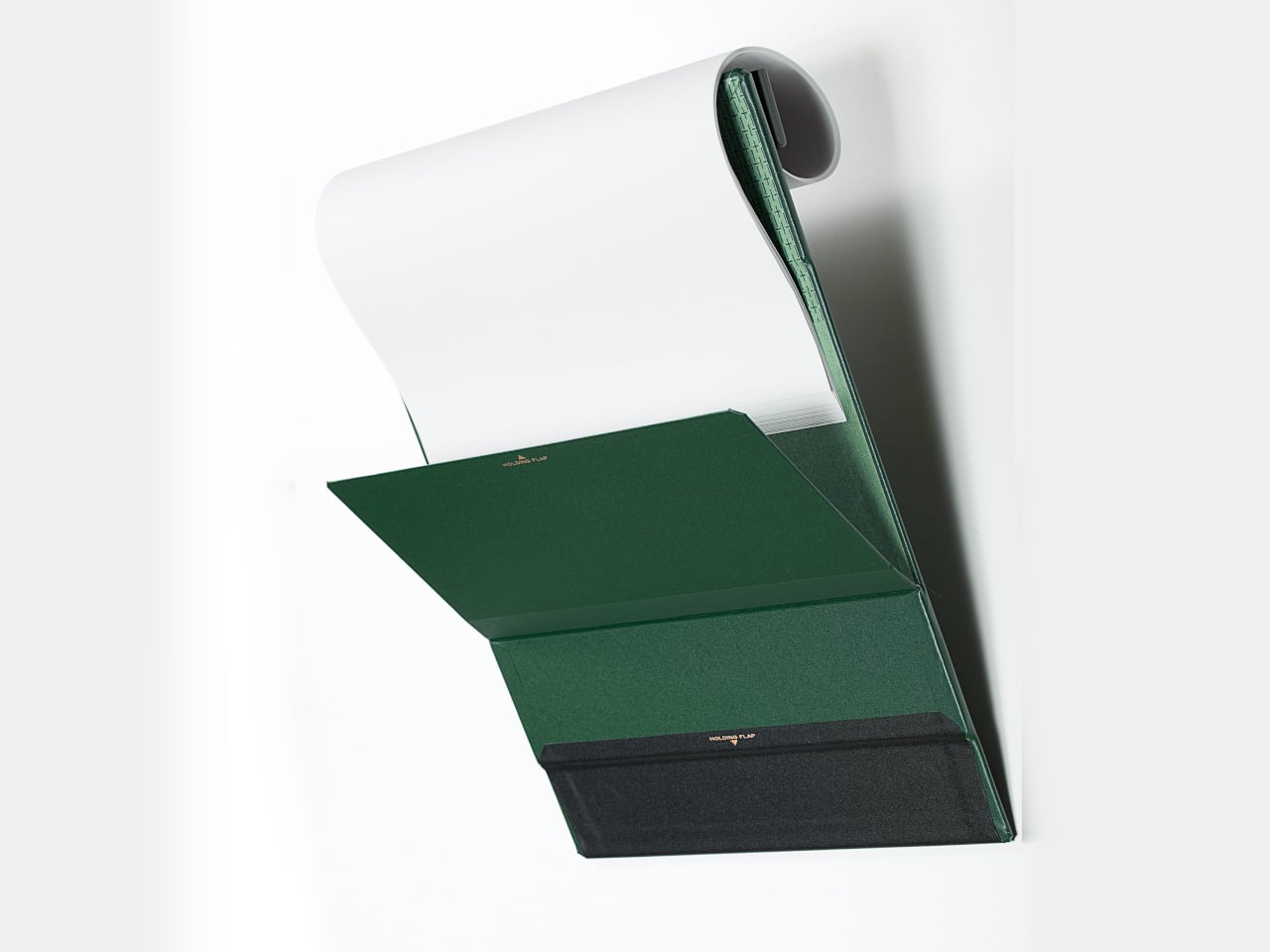
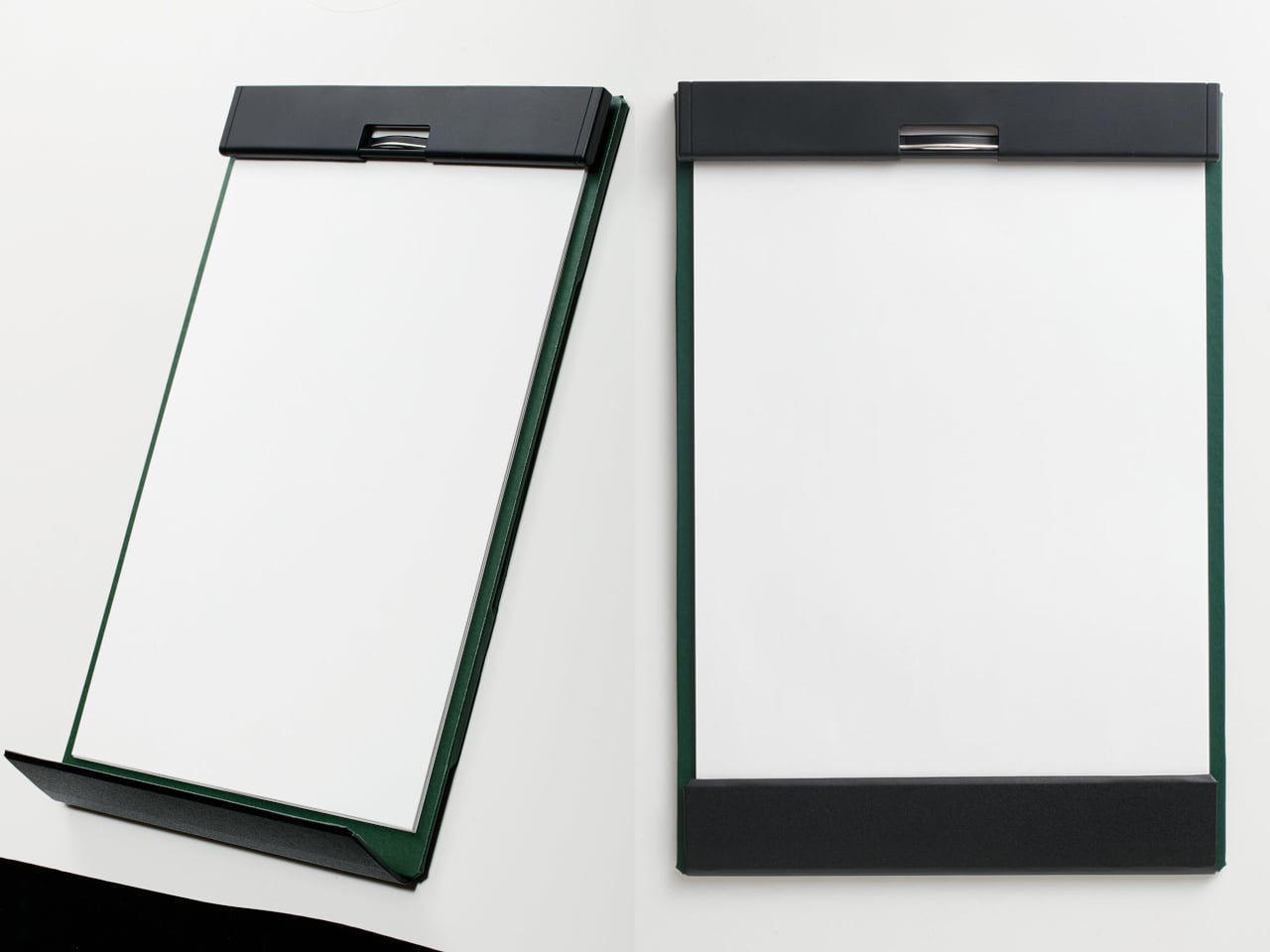
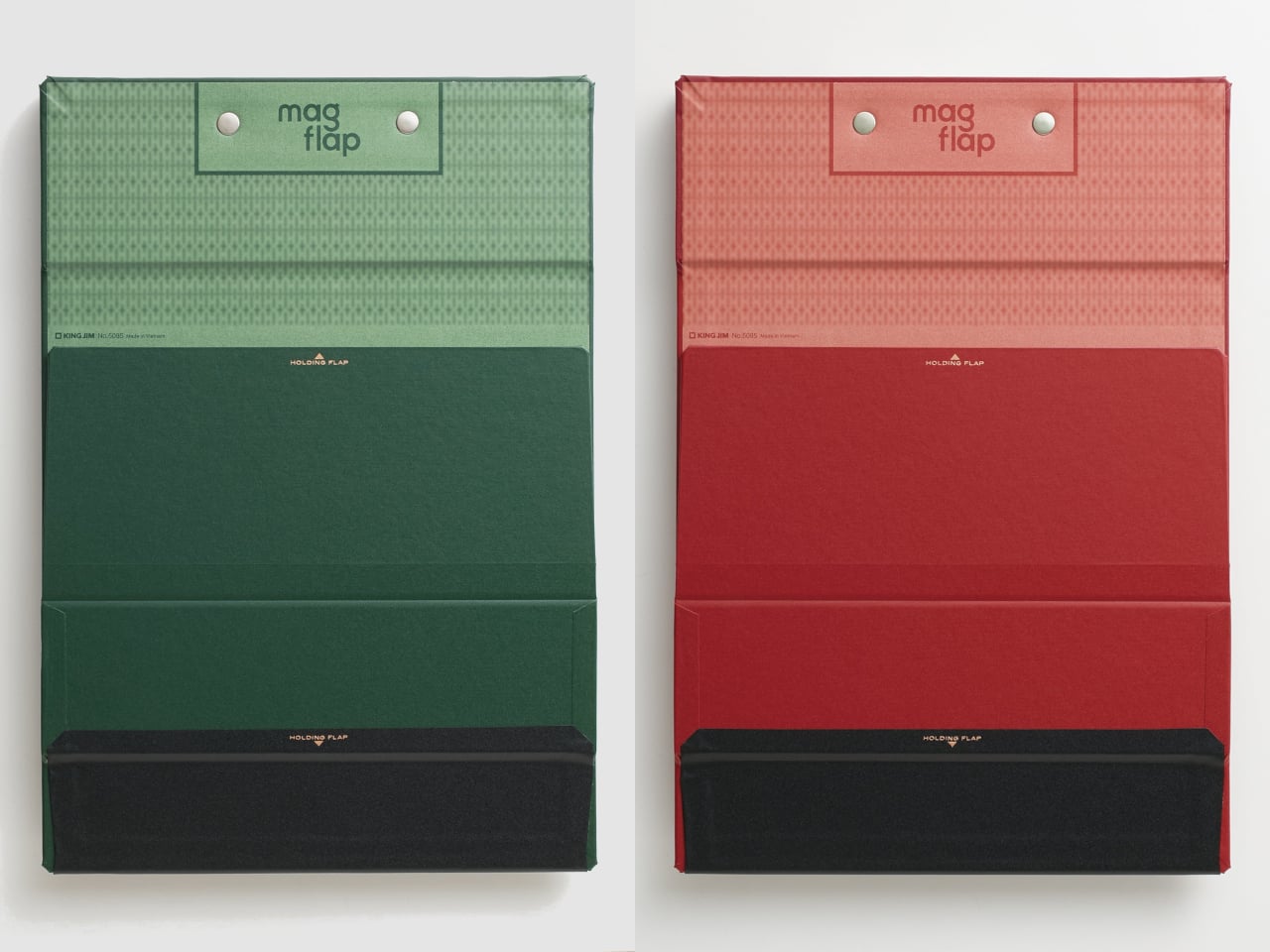
The most visible improvement is at the bottom, where a magnetic flap closes over the lower edges of the papers. On a regular clipboard, any wind or movement is enough to send pages flapping and bending corners. The front flap locks everything flat against the board and protects the surface from the kind of gradual damage that most clipboard users have simply accepted as unavoidable.

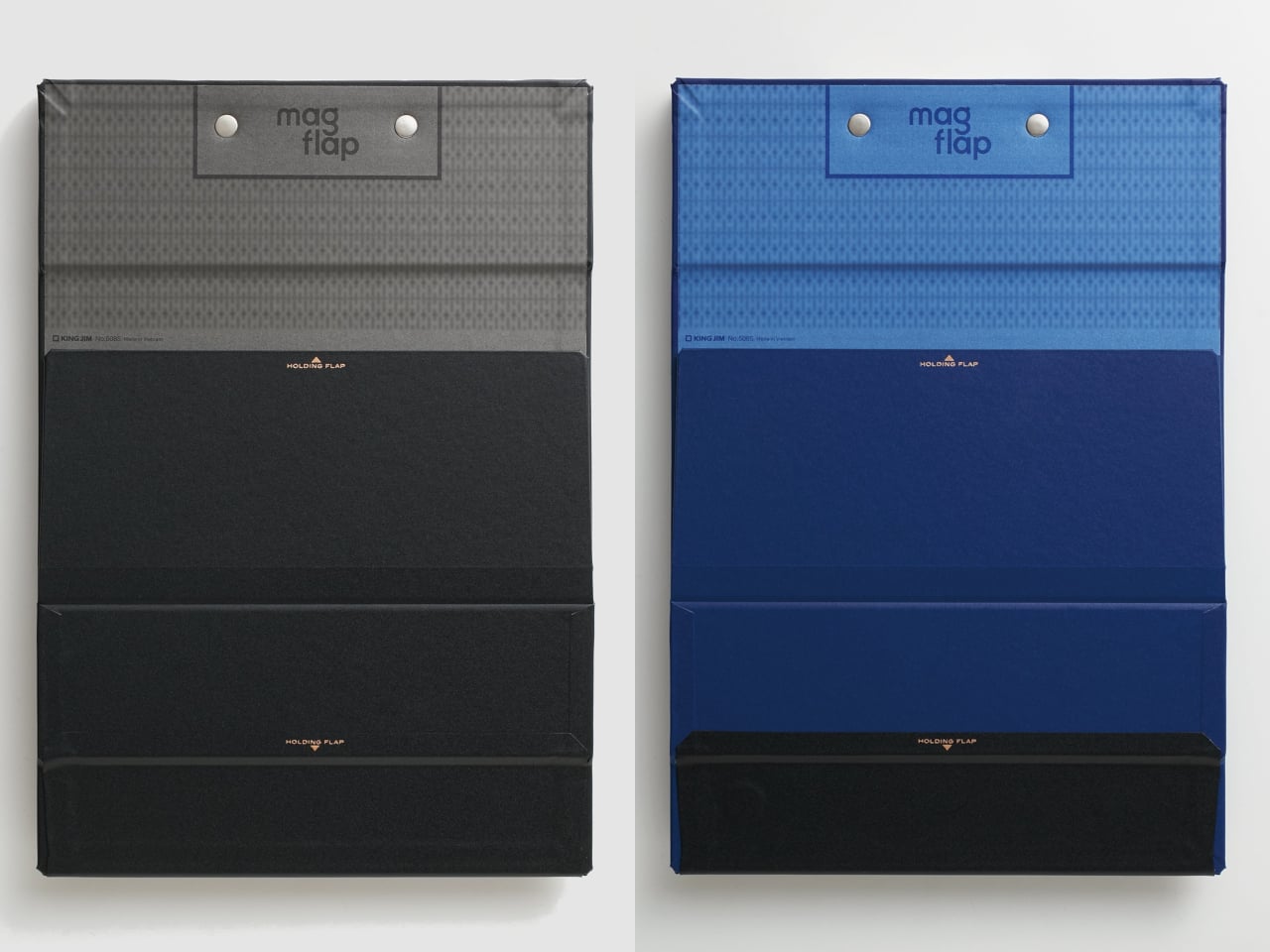
The second magnetic flap is on the back and solves a different but equally familiar problem. Reviewing multiple pages usually means dealing with finished sheets flopping back over the clip or dangling in the way. With the MagFlap, completed pages curl over the top and get held securely against the back of the board by a magnetic flap, keeping the working surface clear at all times.

The full-width metal clip at the top is another departure from the norm. Most clipboards grip only the center of a page’s edge, leaving corners free to curl and crumple. The MagFlap’s clip spans the entire width, keeping everything flat. And since the body itself is magnetic, it attaches directly to steel surfaces, turning a filing cabinet, a locker, or a refrigerator into an instant mounting point.

Put those three features together, and the MagFlap starts to make a lot more sense for anyone who regularly deals with paperwork away from a desk. Nurses moving between wards, field inspectors filling out reports outdoors, or students working through multi-page readings all get a clipboard that doesn’t just grip paper from the top, but actually manages the reality of it moving around.

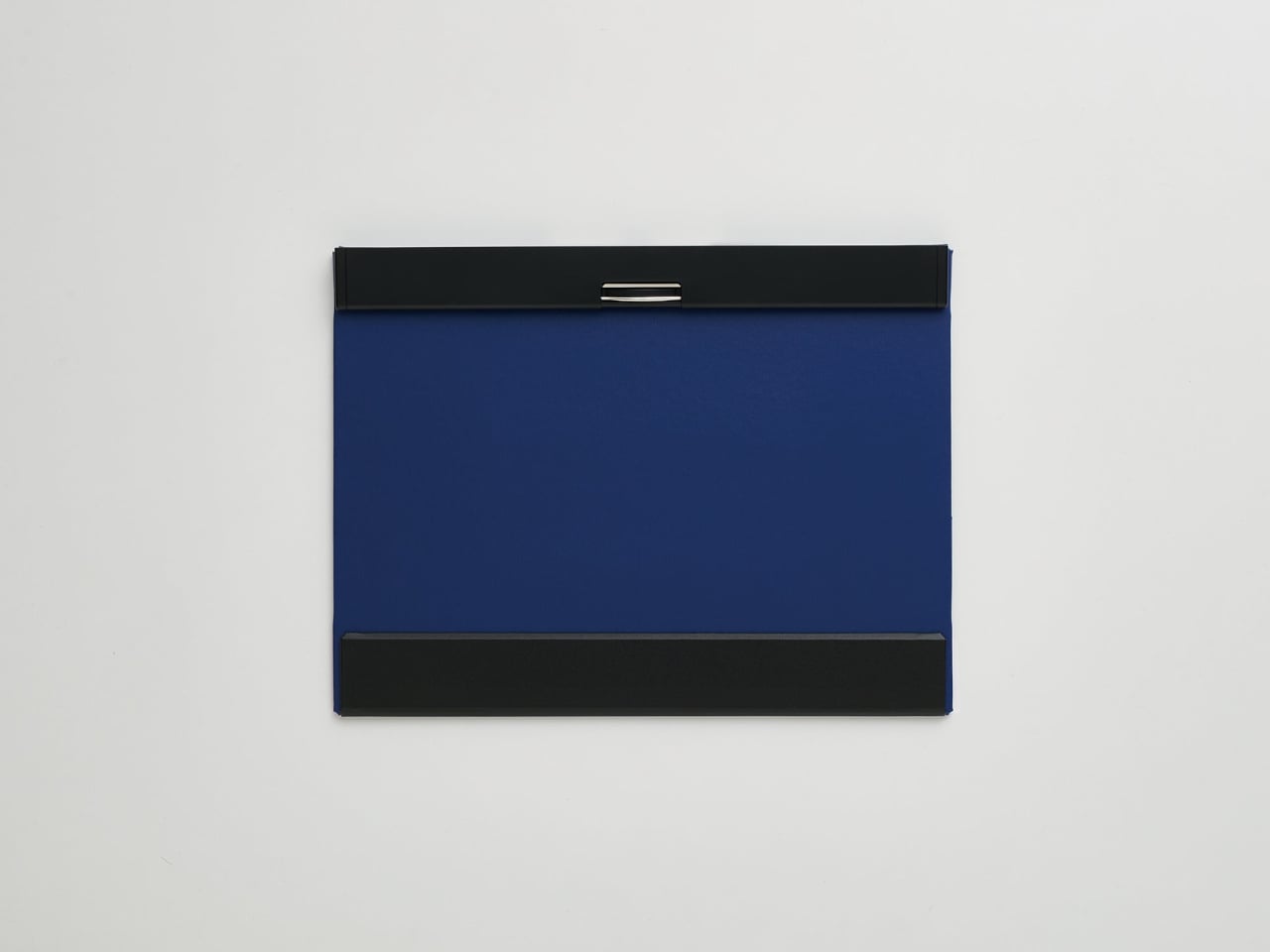
The clipboard comes in three sizes: A4 vertical, A4 horizontal, and A3 horizontal. All are covered in a PP film-applied polypropylene shell and hold up to 30 sheets of standard copy paper. The profile stays slim at 0.7 inches thick, and the board is rigid enough to grip at a single corner without flexing, which makes one-handed use genuinely practical rather than just technically possible.

A position guideline printed on the board helps with paper alignment, a small but useful detail when you’re handling a high volume of pages. Available in blue, red, green, and black, the MagFlap retails for $20.99. It’s not the cheapest option on a stationery shelf, but what it fixes is real, and the three solutions it offers are hard to find anywhere else in a single product.

The post This $21 Magnetic Clipboard Fixes 3 Things Every Clipboard Gets Wrong first appeared on Yanko Design.