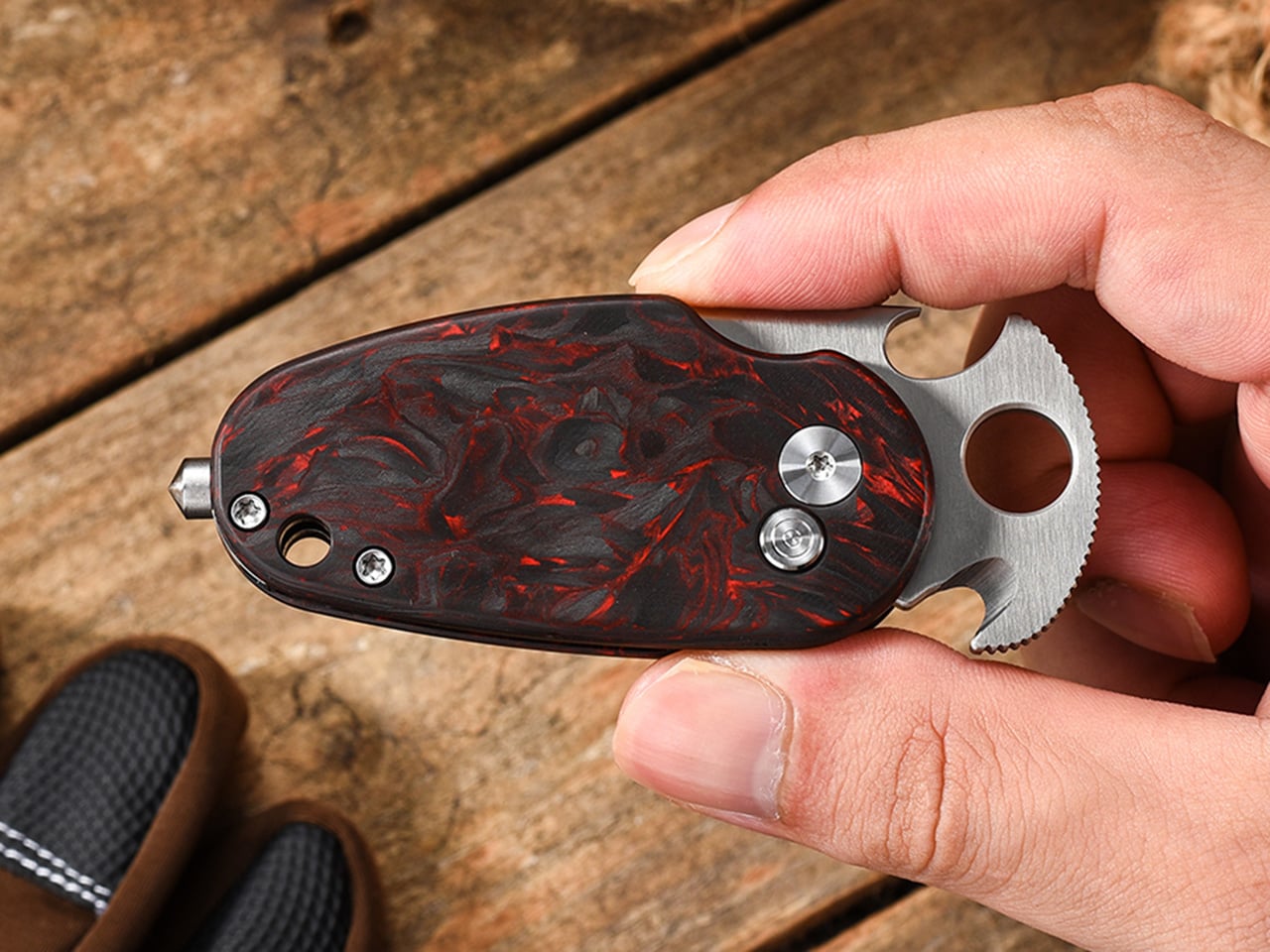
Pockets keep an honest tally of how much clutter daily life demands. A blade for random tasks, a bottle opener, a strap cutter kept in the glovebox, and folded cash wedged behind a phone case. Harnds looked at that pile and designed the Sidekick, a folding knife barely bigger than your palm that combines a blade, opener, rope cutter, window breaker, and cash clip into one body.
As EDC enthusiasts, the team behind Harnds grew tired of the usual compromise. Most pocket knives fall into two camps: sharp but single-purpose, or loaded with gadgets yet bulky and cheaply built. Plenty of multi-tools sacrifice blade quality to cram in extra features, leaving you stuck between something sharp and something useful. The Sidekick tries to close that gap instead of picking a side.
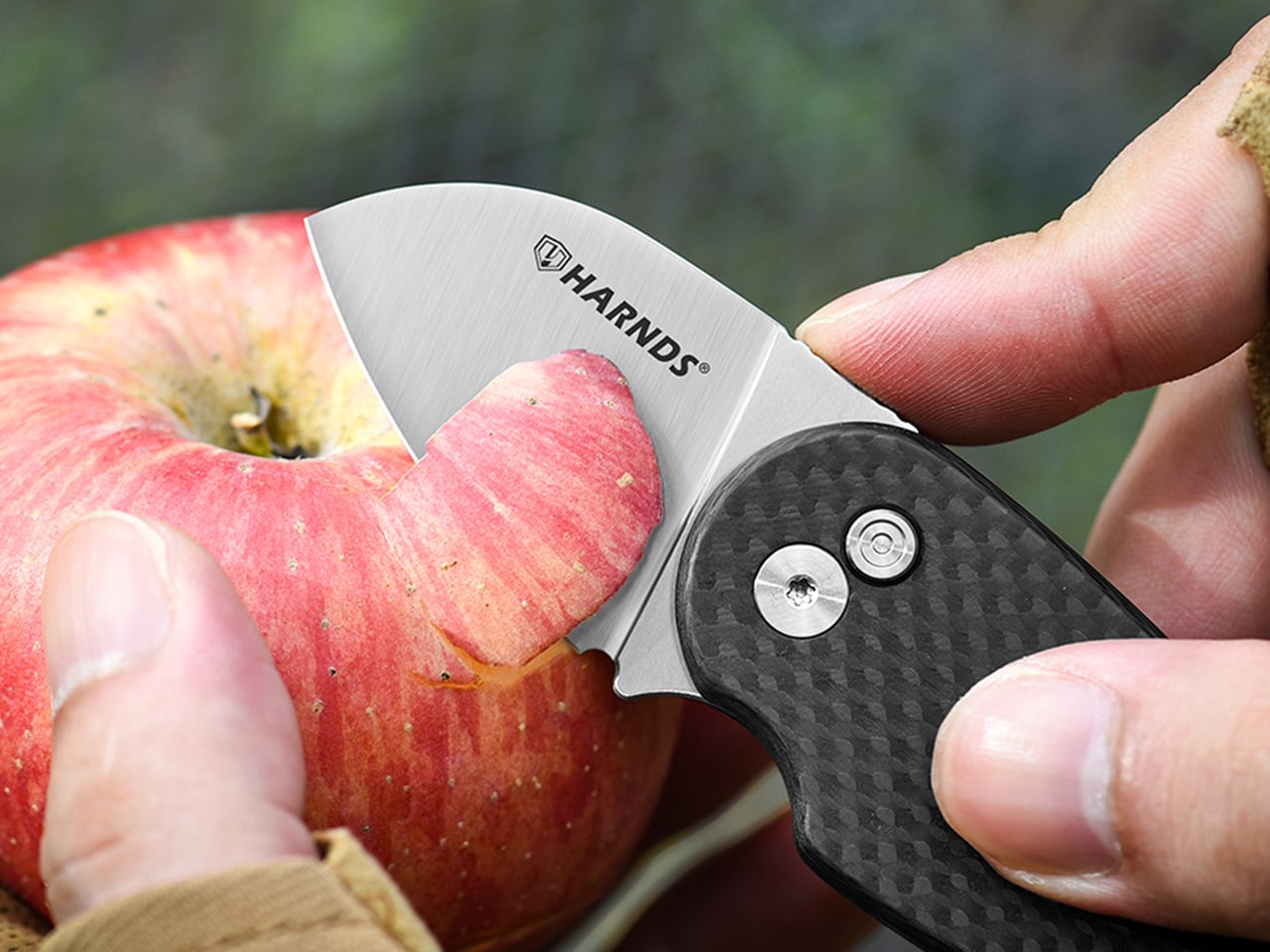
That balance starts with the blade. The steel holds an edge through small daily tasks: slicing open a delivery box, trimming loose thread, peeling fruit on a hike, prepping food at a campsite. A satin finish keeps the surface smooth and easy to wipe clean. Nothing about it feels tacked on; it reads like a proper knife that happens to do more.
Tucked into the body is a hidden hook built for cutting paracord, seatbelts, and rope, providing safe and precise escape during emergencies. The enclosed design keeps the cutting edge away from skin and gear, avoiding accidental scratching. It’s the sort of detail you forget exists until a stuck buckle or tangled line reminds you why it matters.
At one end sits a hardened tip designed to break a car window in an emergency, a feature most people hope to never use but are glad to have. It gives drivers and hikers a small, reliable backup when seconds matter and options run out. Paired with the rope cutter, it turns the Sidekick into something closer to a compact emergency kit than a simple pocket knife.
The mood shifts with the next two features. A bottle opener built into the handle makes the knife a natural fit for camping trips or any gathering where someone forgot to pack one. Nearby, a built-in card and cash clip frees up space in a wallet, holding a few bills flat against the body. Together, they nudge the Sidekick into daily rotation.
Deploying all of this comes down to a button lock riding on smooth bearings, letting the blade snap open or closed with one hand. That matters more than it sounds: reaching for a knife while holding a grocery bag or a coffee cup is common, and fumbling with a stiff mechanism defeats the purpose of carrying something compact. The lock keeps things quick without feeling loose.
The entire premise goes out the window if the knife itself were bulky. The Sidekick measures 4.53 inches overall, with a 1.65-inch edge, and weighs just 2.39 ounces, light enough to disappear in a front pocket or the corner of a bag. That kind of restraint takes real engineering, since packing five functions into a small shell usually means sacrificing size, weight, or both.
Harnds offers the Sidekick in two builds. The everyday version pairs 9Cr18MoV steel with a textured G10 handle, built for commuters and first-time EDC carriers who want durability without a steep price. The special edition steps up to M390 steel, prized for edge retention and corrosion resistance, wrapped in a carbon fiber handle, for collectors chasing sharper performance.
That carbon fiber handle carries its own quirk worth mentioning. Each one is infused with random streaks of red, yellow, blue, or green against a black base, so no two knives look quite alike. It’s a small touch, but it turns a tool into something more personal to carry. Fitting a blade, opener, cutter, breaker, and clip into one small shape without feeling crowded is a difficult trick.
Most backyard greenhouses ask you to choose a side. Either you’re hunched over seedlings in a cramped glass box, or you’re lounging on a deck somewhere else entirely, disconnected from whatever you just planted. The Eco-Oasis Pavilion concept refuses that split. It’s a prefabricated wood structure meant to sit near the main house, pairing a working greenhouse with a shaded deck built right alongside it, so growing food and doing nothing at all finally share the same address.
The tunnel-shaped greenhouse sits at the center of the design, built from curved sliding panels that swing open like ribs along its length. Clear glazed sections let sunlight flood the plants inside, while a second layer of shading panels slides over the same tracks whenever the sun turns hostile. Both layers tuck away into storage bays on either side when not needed, keeping the structure’s profile clean rather than cluttered with hardware.
Growing food outdoors in variable weather has always meant chasing the right amount of light without cooking whatever you planted. This design solves that with mirrored interior walls on the east and west sides, bouncing low-angle morning and evening sun deeper into the greenhouse instead of letting it slip past the crop shelves. Water-filled tubes lining the north wall store solar heat during the day and release it after dark, so the greenhouse never fully goes cold overnight.
Ventilation follows the same passive logic. Sliding glazed panels, a north-facing entry door, and built-in exhaust vents work together to keep air moving through the greenhouse without a single fan running. On a hot afternoon, opening a few panels does the job that mechanical cooling handles in most other backyard structures, cutting the energy bill down to whatever the rooftop solar panel already covers.
That solar panel does double duty on the roof, generating electricity for the pavilion while its angled surface also funnels rainwater into two steel tanks mounted on the deck. Instead of running a hose out to water the garden, the structure quietly stockpiles its own supply overhead every time it rains. Planting containers wrap around the greenhouse’s north wall and trace the pavilion’s perimeter, turning what would be empty siding into more growing space.
Step outside the glazing and the deck takes over as the payoff for all that food production. A long table, a set of seats, and a couple of lounge chairs give the space a reason to linger, not just pass through on the way to check on tomatoes. Flowering planters line the deck’s edges, blurring the line between the ornamental garden and the food-growing structure a few feet away.
What makes this concept worth paying attention to is how little it separates function from comfort. The greenhouse isn’t hidden behind a fence, and the deck isn’t disconnected from the plants that make it worth sitting there in the first place. Everything runs on sunlight and rainwater already falling on the roof, proving a backyard structure can feed a household and still look like somewhere you’d actually want to spend an evening.
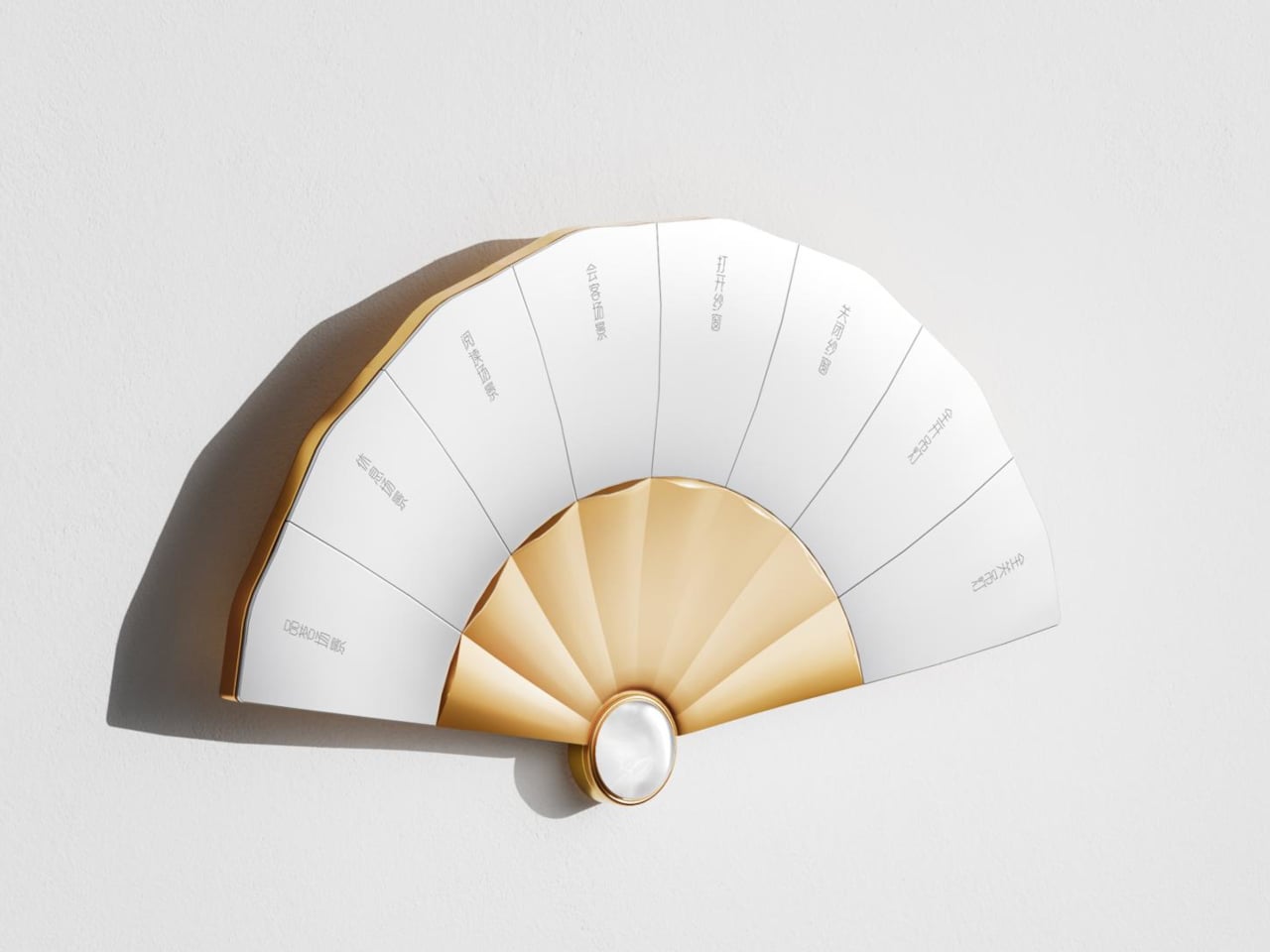
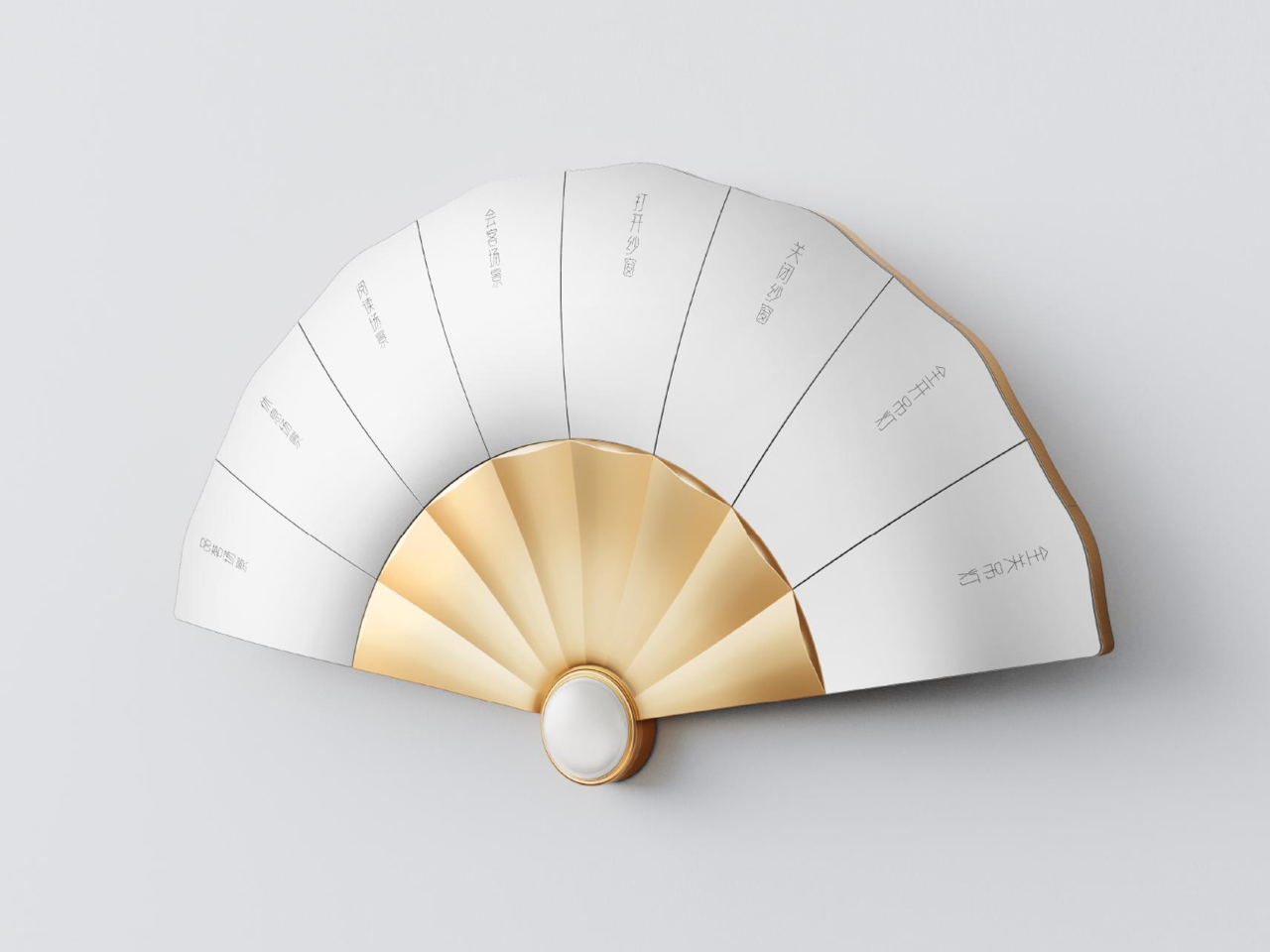
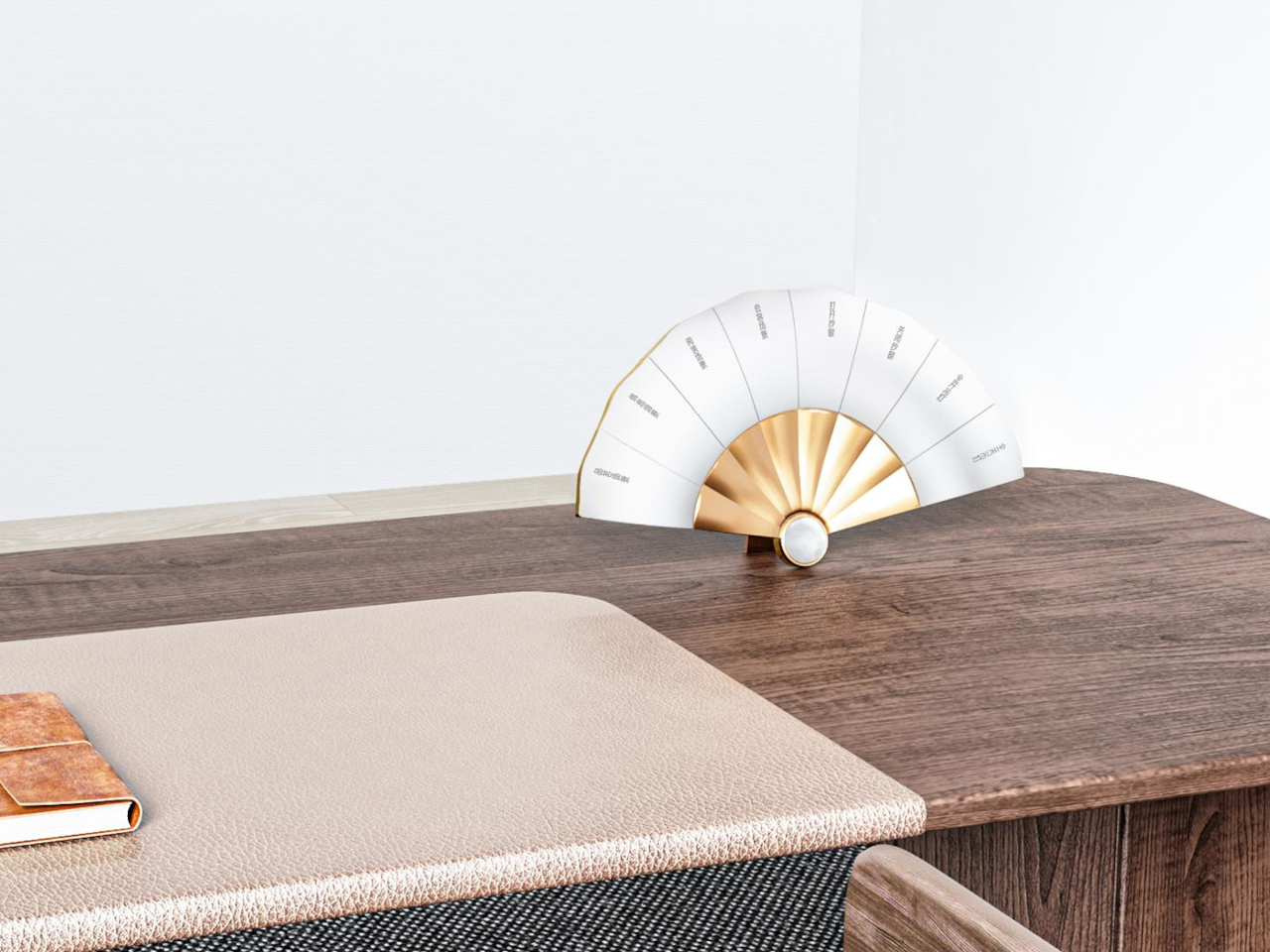
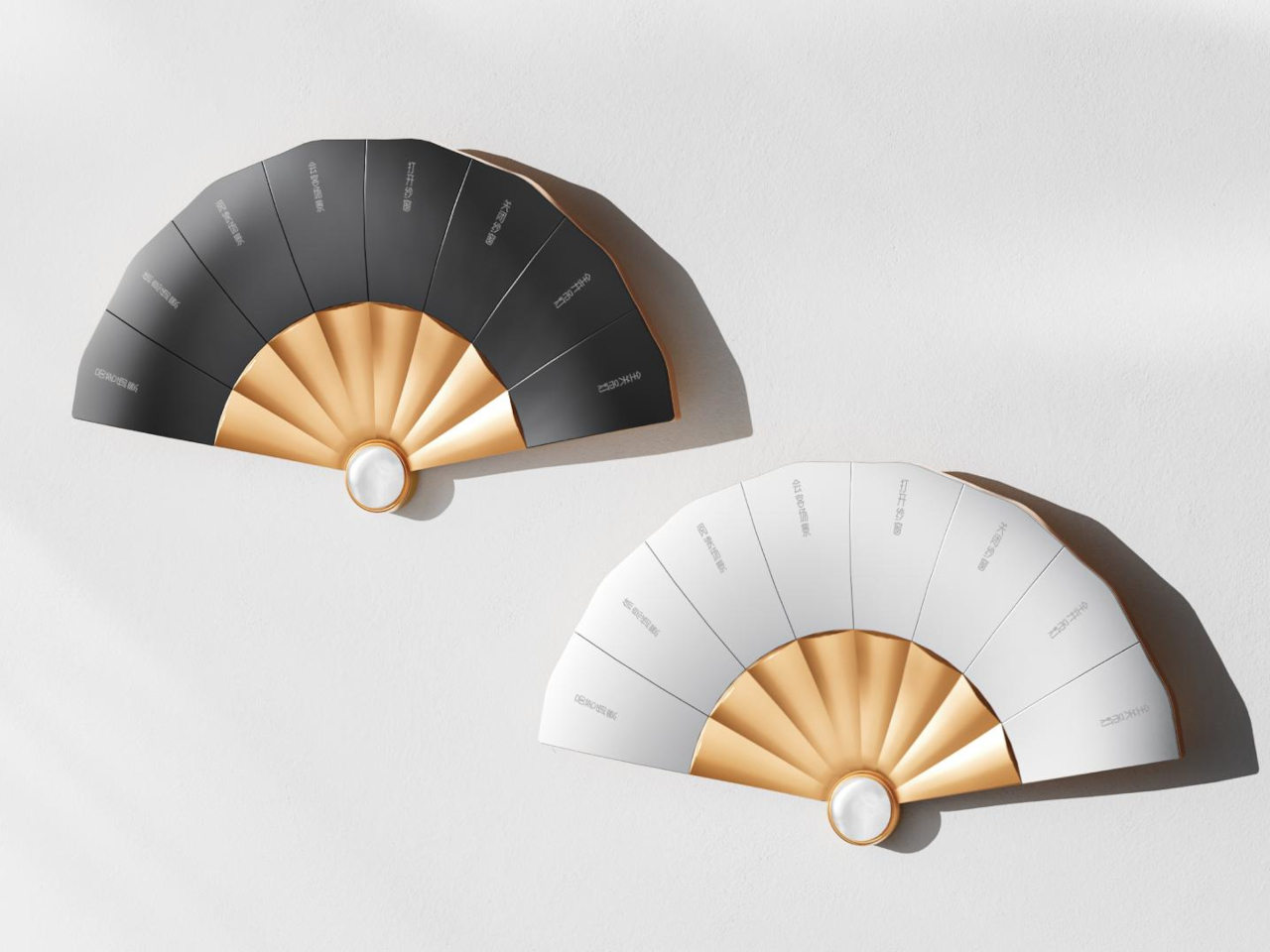
A folding fan used to say something about the person holding it, signaling taste and refinement long before anyone cared about voice assistants or smart lighting. The Fanora Control Terminal borrows that exact silhouette and turns it into a wall-mounted switch panel, proving a home automation interface doesn’t have to look like it was designed by an engineer who’s never held a fan in their life.
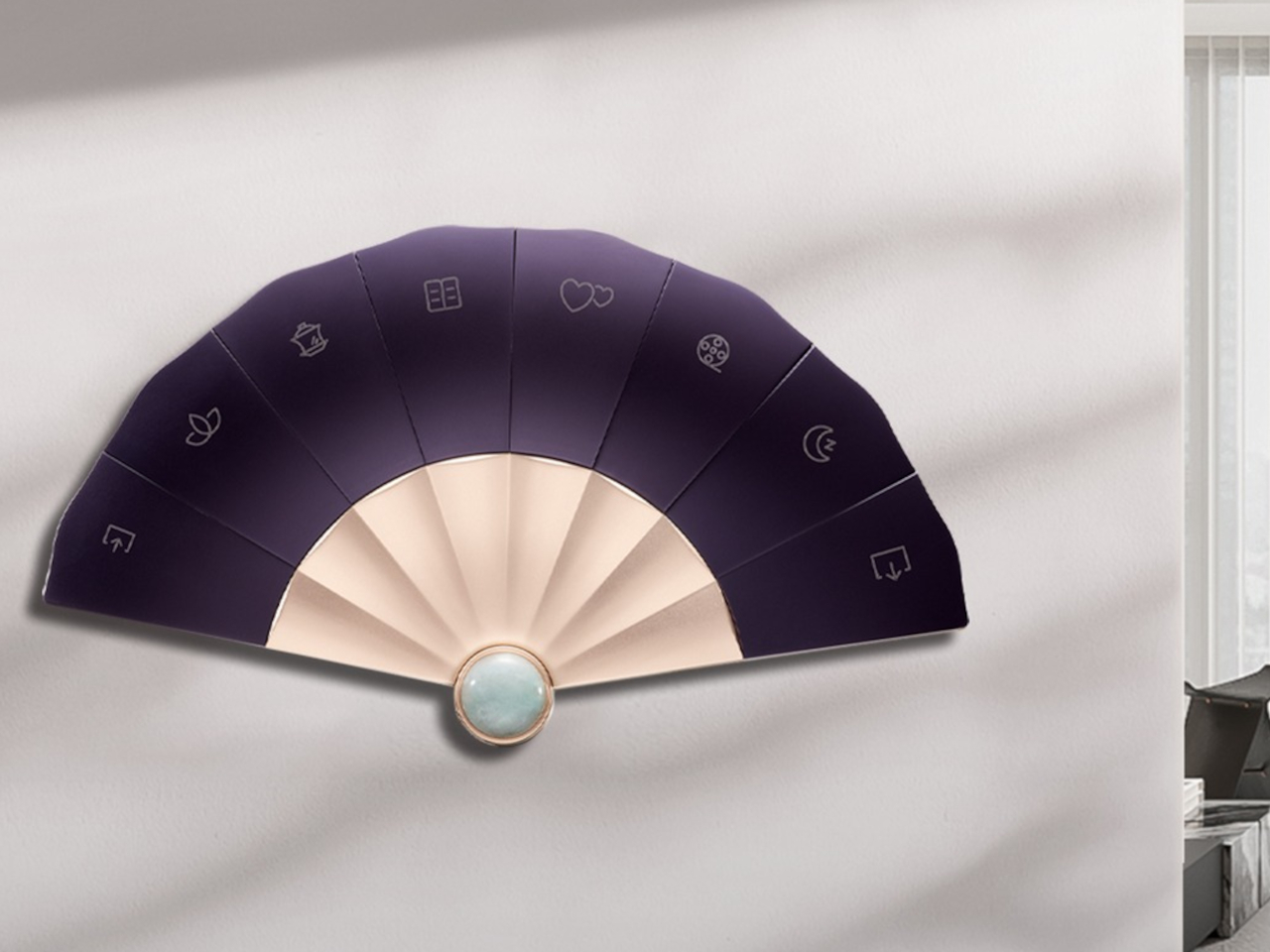
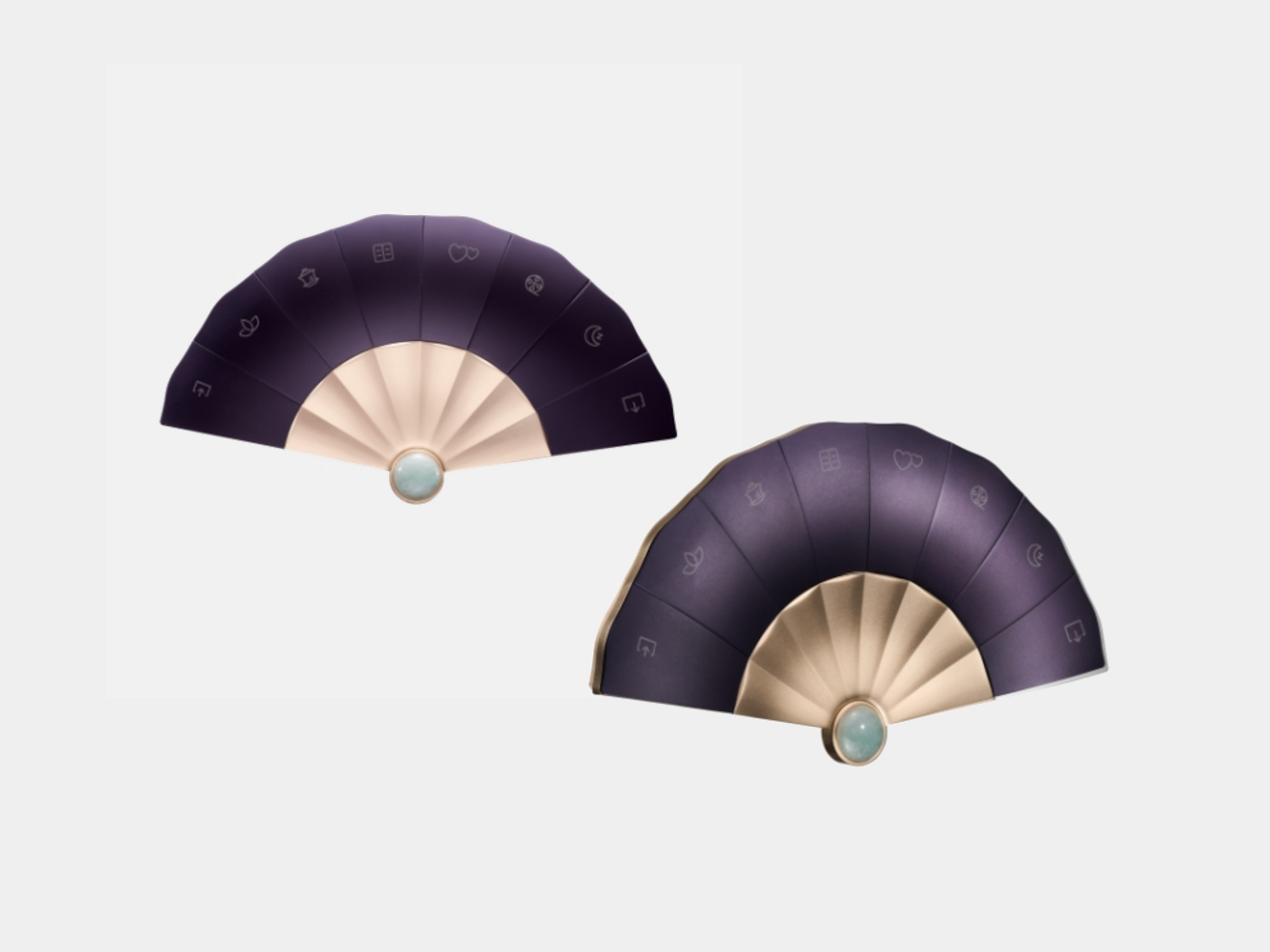
Eight mechanical buttons fan out from a central hinge point, each one following the natural arc a real folding fan would take when opened halfway. That shape isn’t decorative shorthand either. It’s the whole control surface, built from aluminum and finished with a jade centerpiece that used to signal scholarly status in Chinese tradition and now doubles as a working sensor housing.
The panel’s main body is machined from 6063 aluminum alloy, then sandblasted and anodized to get that matte, slightly warm finish instead of the glossy plastic most switch panels settle for. Each of the eight buttons goes through CNC processing, with a curvature shaped around how a fingertip actually presses rather than how a mold happens to come out, and a fine sand texture that keeps fingerprints from building up over months of daily use.
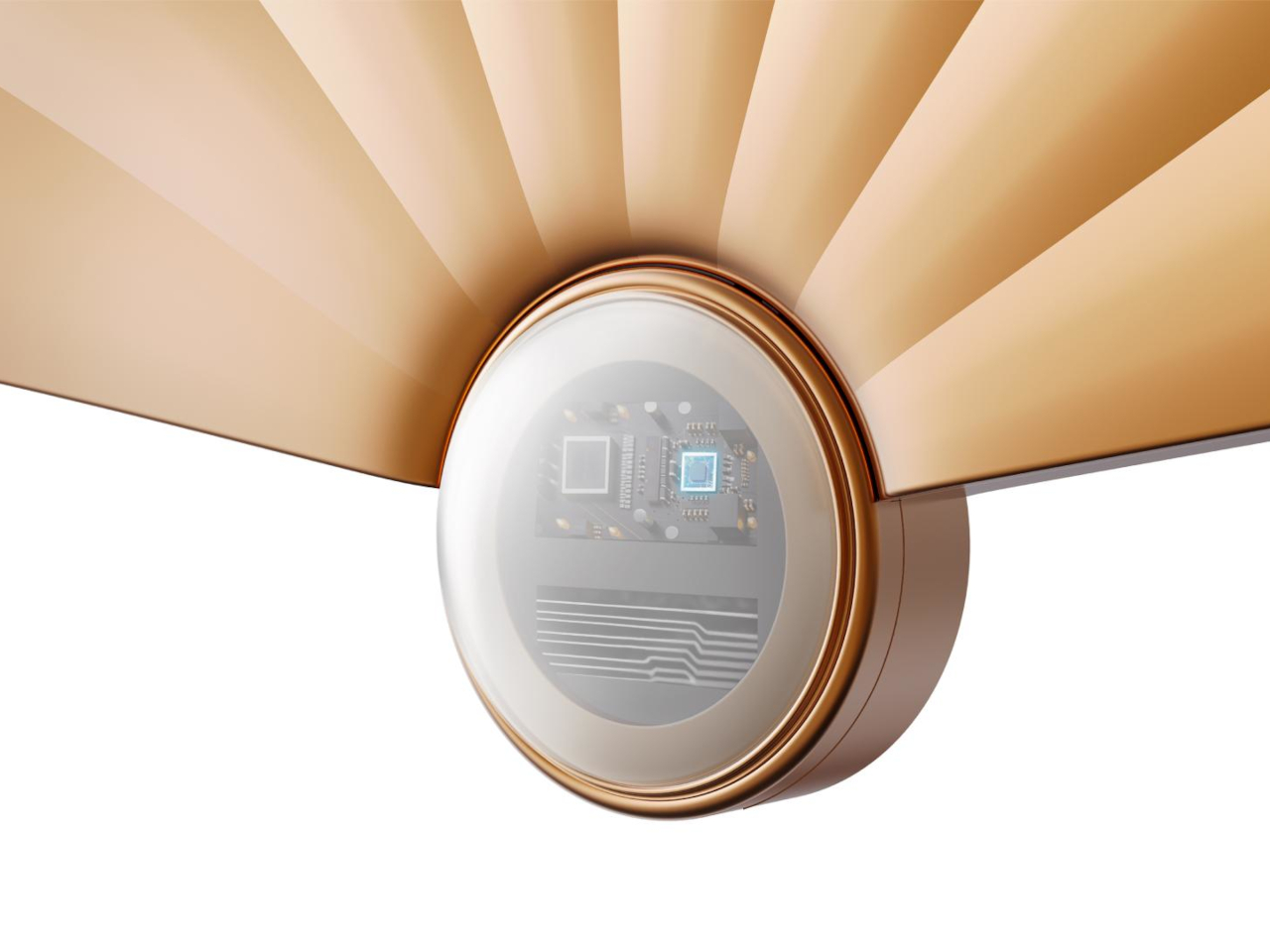
That centerpiece pendant is carved from natural Hetian jade, a material historically prized in Chinese craftsmanship, polished by hand rather than mass-produced. It sits at the base of the fan where the ribs converge, doing double duty as both the visual anchor and the housing for the temperature and motion sensors underneath. A jade certificate ships in the box, treating the stone as a verified material rather than a cosmetic add-on.
Sensors Hidden Where a Fan’s Handle Would Be
Motion detection lives inside that jade pendant, waking the panel’s touch display the moment someone walks close enough to reach for it, instead of leaving a screen lit and idle all day. A built-in temperature sensor reads the room and feeds that data straight into scene and automation logic, so a preset for movie night or afternoon reading can react to the actual conditions in the room rather than a fixed schedule.
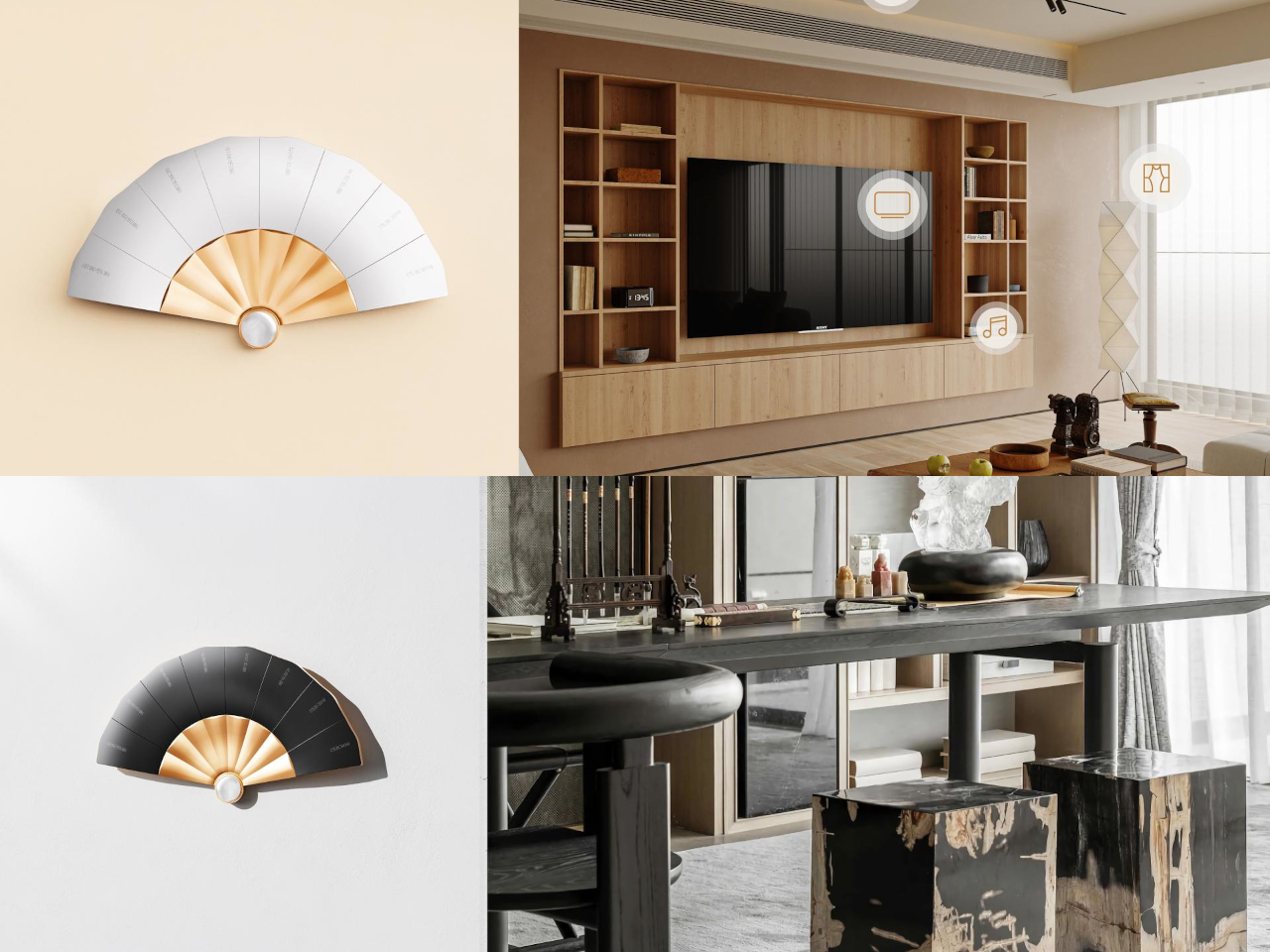
Each button supports laser engraving with custom text, meaning a household can label its own shortcuts instead of memorizing generic switch numbers. One button might trigger a reading nook’s lighting, another could dim everything down for a film, and a third could raise the curtains, all without opening an app or hunting through menus. The panel handles curtains, music, and broadcast scenes across a room without breaking that same physical interaction.
Wall-Mounted or Freestanding, By Choice
Unlike a fixed switch plate, Fanora can sit flush against a wall or rest on a desk as a standalone display, a flexibility built into its wiring rather than bolted on as an afterthought. That range means the same object can function as a hallway light switch in one home and a bedside control surface in another, without needing a separate model for each context.
Customization extends to the jade pendant’s shape itself, letting a household choose a silhouette that fits their own taste rather than accepting one fixed design across every unit sold. That level of personalization treats the panel less like static hardware and more like a piece of furniture chosen for a specific room, which explains why a folding fan turned out to be the right shape for a light switch after all.
Some phone collaborations slap a logo on a box and call it a day. This one goes further, treating a smartphone like a prop pulled straight from the wizarding world rather than a branded accessory bolted onto existing hardware. The realme 16 Pro Harry Potter Edition rebuilds its entire back panel around Hogwarts iconography, then wraps the whole package in a trunk replica that plays the role of Harry’s own school luggage.
Underneath the theming sits the same hardware found in the standard realme 16 Pro: a Dimensity 7300 Max chipset, a 144Hz AMOLED display rated at 6,500 nits of peak brightness, and a 7,000mAh battery supporting 80W wired charging along with bypass and reverse charging. None of that changes here. What changes is how all of it gets dressed up, and that’s where the real story starts.
Designer: realme
A Back Panel Built Like a Wizard’s Chessboard
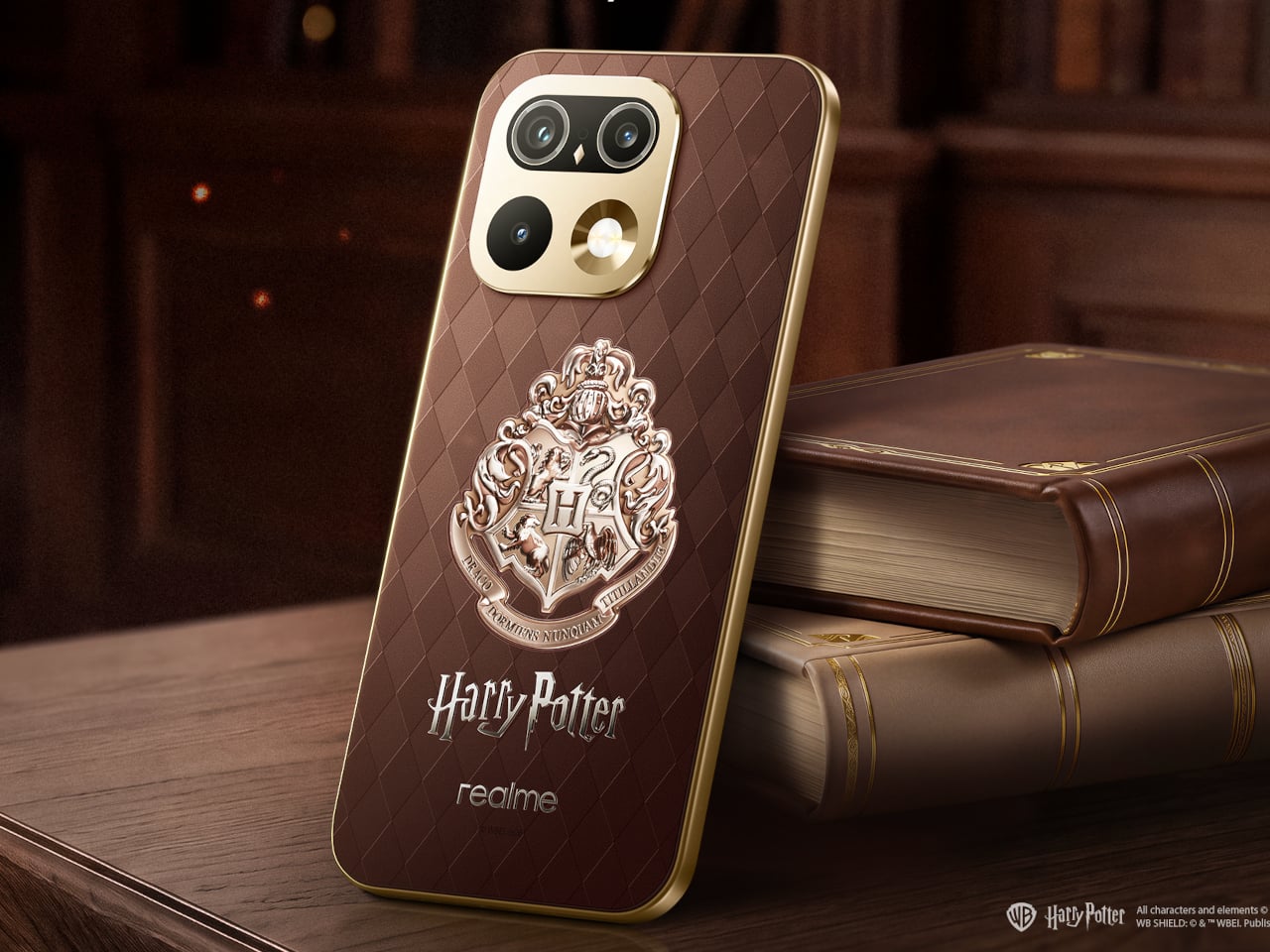
Flip the phone over, and the design leans on texture before it leans on imagery. A brown, leather-textured back panel carries an Argyle pattern lifted from the Wizard’s Chess scene, giving the surface a woven, tactile quality instead of a flat printed graphic. The Hogwarts Crests sit subtly at the center, small enough to reward a second look rather than shouting for attention from across a room.
The camera module gets its own quiet reinterpretation. Built on the standard 16 Pro’s Metal Mirror Camera Deco, the ring here is reshaped to resemble Hedwig’s eyes, turning a purely functional component into a character reference without needing an explicit illustration to sell the idea. It’s a detail that rewards fans who know the franchise while staying subtle enough not to alienate anyone who doesn’t.
A Frame That Whispers Instead of Shouts
The metallic mid-frame carries a laser-engraved “Welcome to Hogwarts” slogan, placed where a hand would naturally wrap around the device during a call or a photo. That kind of detail only reveals itself through use, not through a glance at a product photo, which fits the restrained tone running through the rest of the design.
Nothing about the theming interferes with how the phone actually functions day to day. The engraving, the crest, the camera ring reshape, all of it layers onto hardware that still charges fast and still displays at a brightness most phones can’t match outdoors. The fantasy stays skin-deep in the best possible way, present without slowing anything down.
A Trunk Instead of a Box
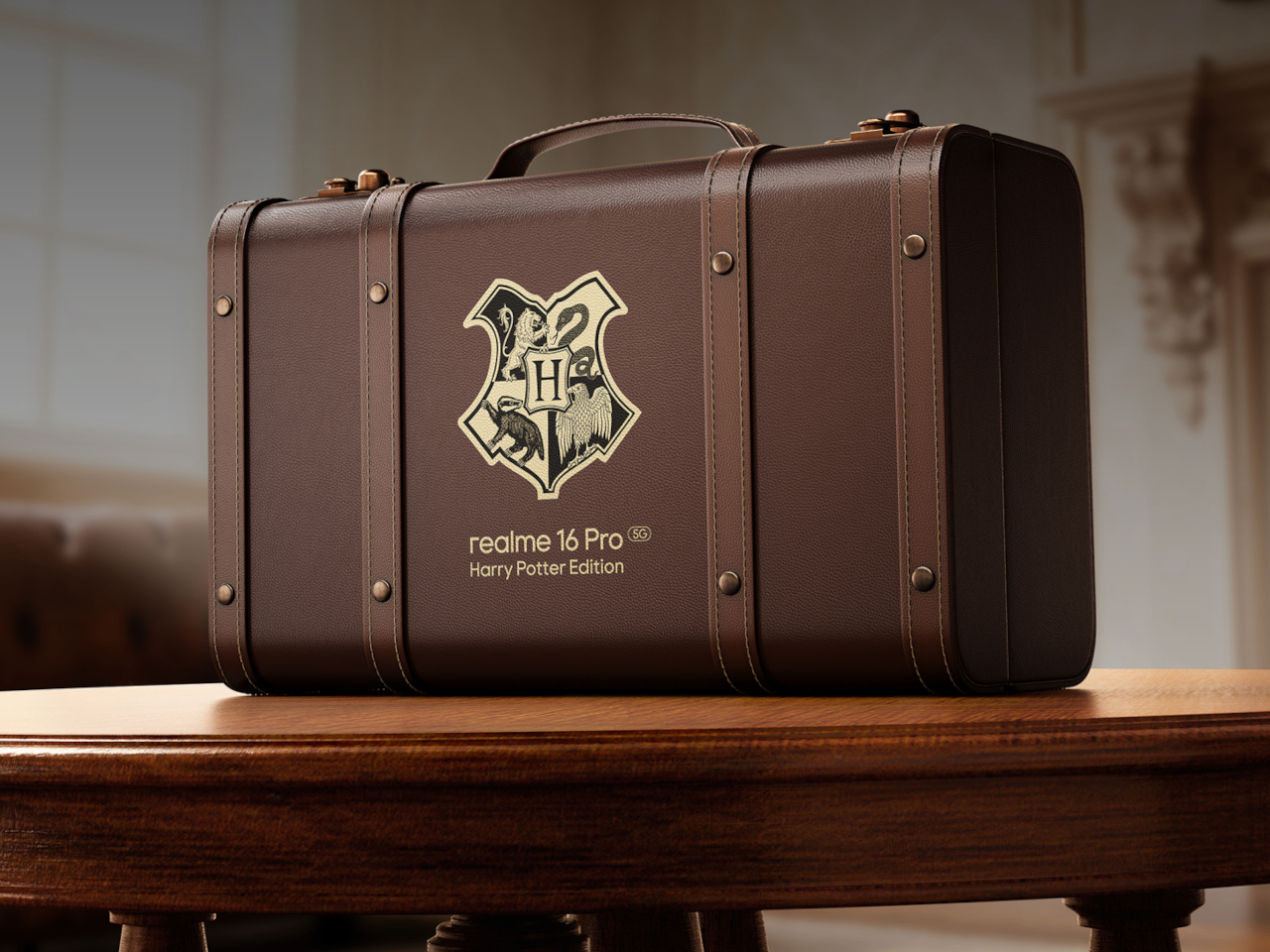
The packaging might be the boldest swing in the whole release. Instead of a standard retail box, this edition ships in a school-style trunk built as a 1:1 replica of Harry’s own luggage, the kind of object that turns unboxing into a small ceremony rather than a chore done over a kitchen counter. Only 5,000 units exist worldwide, immediately treating the box as collectible.
Open it, and the trunk holds a Hogwarts Welcome Pack rather than plastic filler. An acceptance letter and train ticket recreate the moment of becoming a first-year student, while house-crest bookmarks let a fan pick their allegiance and character postcards recreate Harry, Hermione, and Ron’s first steps into the castle. A logo-embossed phone case and a phone pin round out a set built for shelf display as much as daily use.
Merchandise That Understands Its Audience
None of these objects function as phone accessories in the traditional sense. The bookmarks and postcards exist purely as collectible ephemera, while the case is the one item pulling double duty as protection and display piece. That split matters because it treats the box as a keepsake first, with the phone itself as the technological anchor holding the theme together.
That approach reflects a broader shift in how phone makers court younger buyers who grew up with the franchise rather than discovering it as adults. Pairing a genuinely capable mid-range chipset and fast charging with a story-driven unboxing experience gives this edition a reason to exist beyond a seasonal marketing push, aimed at a generation that treats favorite franchises as identity rather than nostalgia.
Some phone collaborations slap a logo on a box and call it a day. This one goes further, treating a smartphone like a prop pulled straight from the wizarding world rather than a branded accessory bolted onto existing hardware. The realme 16 Pro Harry Potter Edition rebuilds its entire back panel around Hogwarts iconography, then wraps the whole package in a trunk replica that plays the role of Harry’s own school luggage.
Underneath the theming sits the same hardware found in the standard realme 16 Pro: a Dimensity 7300 Max chipset, a 144Hz AMOLED display rated at 6,500 nits of peak brightness, and a 7,000mAh battery supporting 80W wired charging along with bypass and reverse charging. None of that changes here. What changes is how all of it gets dressed up, and that’s where the real story starts.
Designer: realme
A Back Panel Built Like a Wizard’s Chessboard
Flip the phone over, and the design leans on texture before it leans on imagery. A brown, leather-textured back panel carries an Argyle pattern lifted from the Wizard’s Chess scene, giving the surface a woven, tactile quality instead of a flat printed graphic. The Hogwarts Crests sit subtly at the center, small enough to reward a second look rather than shouting for attention from across a room.
The camera module gets its own quiet reinterpretation. Built on the standard 16 Pro’s Metal Mirror Camera Deco, the ring here is reshaped to resemble Hedwig’s eyes, turning a purely functional component into a character reference without needing an explicit illustration to sell the idea. It’s a detail that rewards fans who know the franchise while staying subtle enough not to alienate anyone who doesn’t.
A Frame That Whispers Instead of Shouts
The metallic mid-frame carries a laser-engraved “Welcome to Hogwarts” slogan, placed where a hand would naturally wrap around the device during a call or a photo. That kind of detail only reveals itself through use, not through a glance at a product photo, which fits the restrained tone running through the rest of the design.
Nothing about the theming interferes with how the phone actually functions day to day. The engraving, the crest, the camera ring reshape, all of it layers onto hardware that still charges fast and still displays at a brightness most phones can’t match outdoors. The fantasy stays skin-deep in the best possible way, present without slowing anything down.
A Trunk Instead of a Box
The packaging might be the boldest swing in the whole release. Instead of a standard retail box, this edition ships in a school-style trunk built as a 1:1 replica of Harry’s own luggage, the kind of object that turns unboxing into a small ceremony rather than a chore done over a kitchen counter. Only 5,000 units exist worldwide, immediately treating the box as collectible.
Open it, and the trunk holds a Hogwarts Welcome Pack rather than plastic filler. An acceptance letter and train ticket recreate the moment of becoming a first-year student, while house-crest bookmarks let a fan pick their allegiance and character postcards recreate Harry, Hermione, and Ron’s first steps into the castle. A logo-embossed phone case and a phone pin round out a set built for shelf display as much as daily use.
Merchandise That Understands Its Audience
None of these objects function as phone accessories in the traditional sense. The bookmarks and postcards exist purely as collectible ephemera, while the case is the one item pulling double duty as protection and display piece. That split matters because it treats the box as a keepsake first, with the phone itself as the technological anchor holding the theme together.
That approach reflects a broader shift in how phone makers court younger buyers who grew up with the franchise rather than discovering it as adults. Pairing a genuinely capable mid-range chipset and fast charging with a story-driven unboxing experience gives this edition a reason to exist beyond a seasonal marketing push, aimed at a generation that treats favorite franchises as identity rather than nostalgia.
Functions as a full-time everyday bulb even with the flame effects off
CONS:
Dual-color flame mode could offer a few more combinations
Group control caps at 16 bulbs per synced setup
RATINGS:
AESTHETICS
ERGONOMICS
PERFORMANCE
SUSTAINABILITY / REPAIRABILITY
VALUE FOR MONEY
EDITOR'S QUOTE:
The Linkind Smart Light Stick doesn't just light a room; it gives the room something to watch.
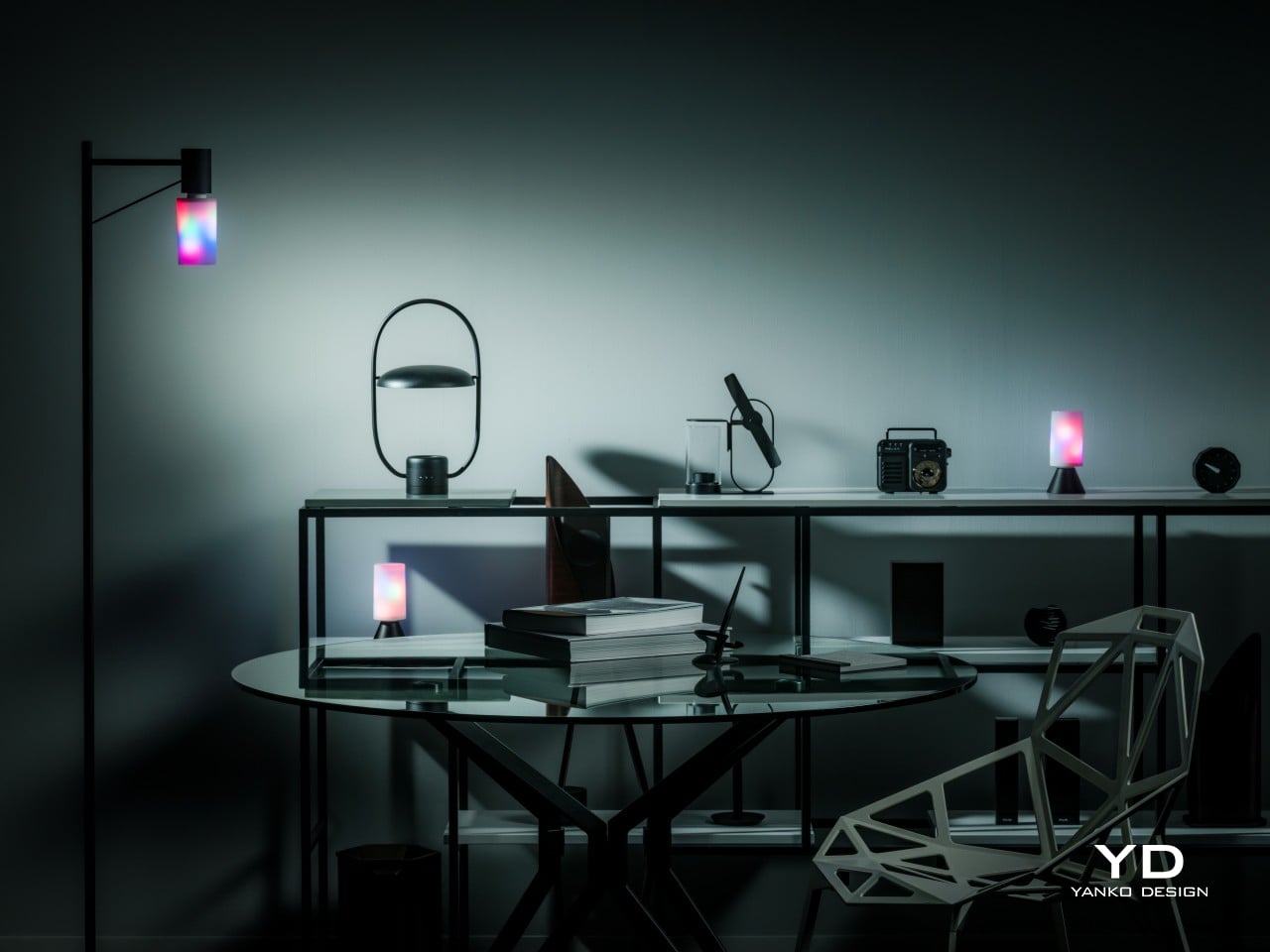
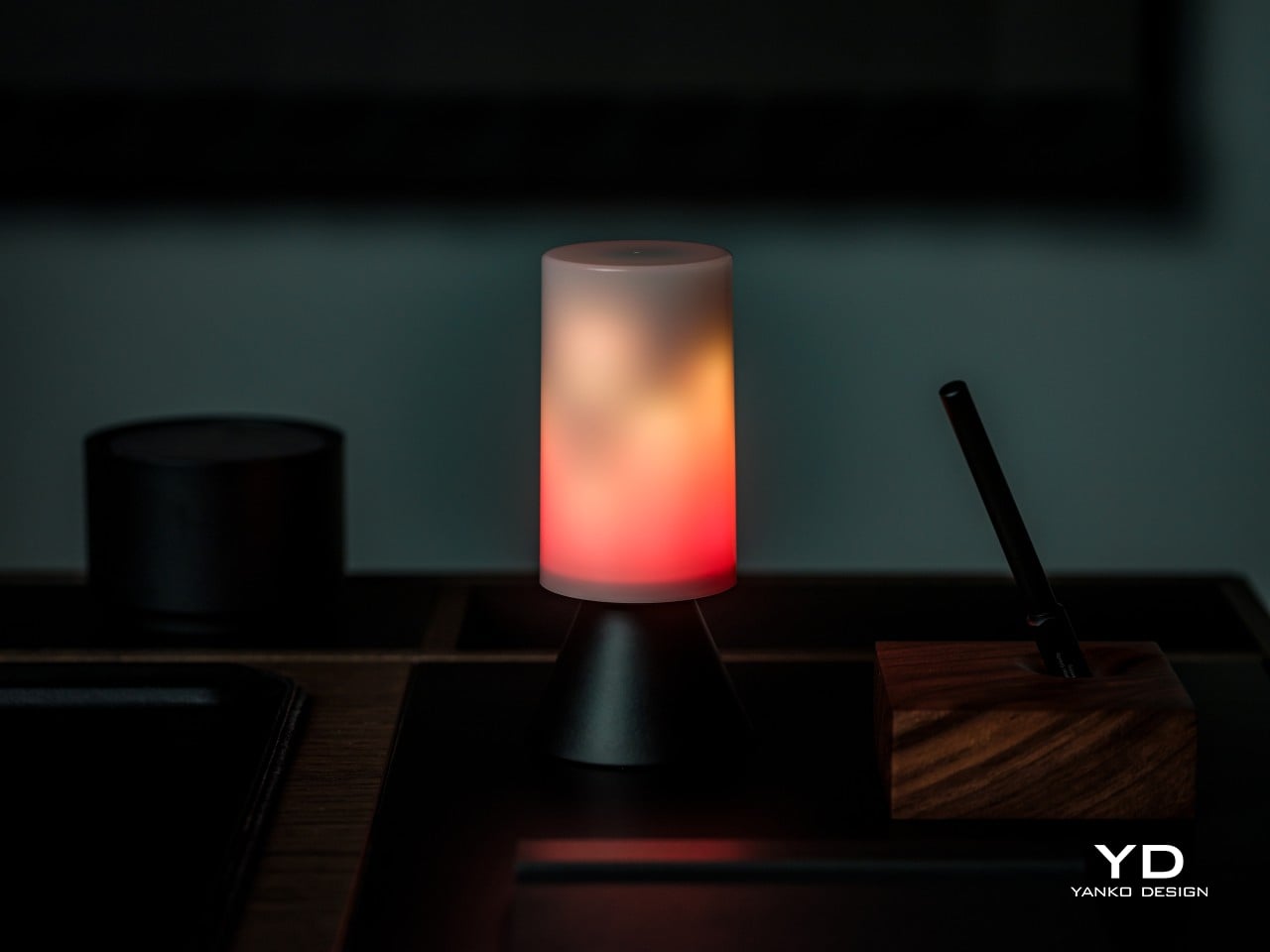
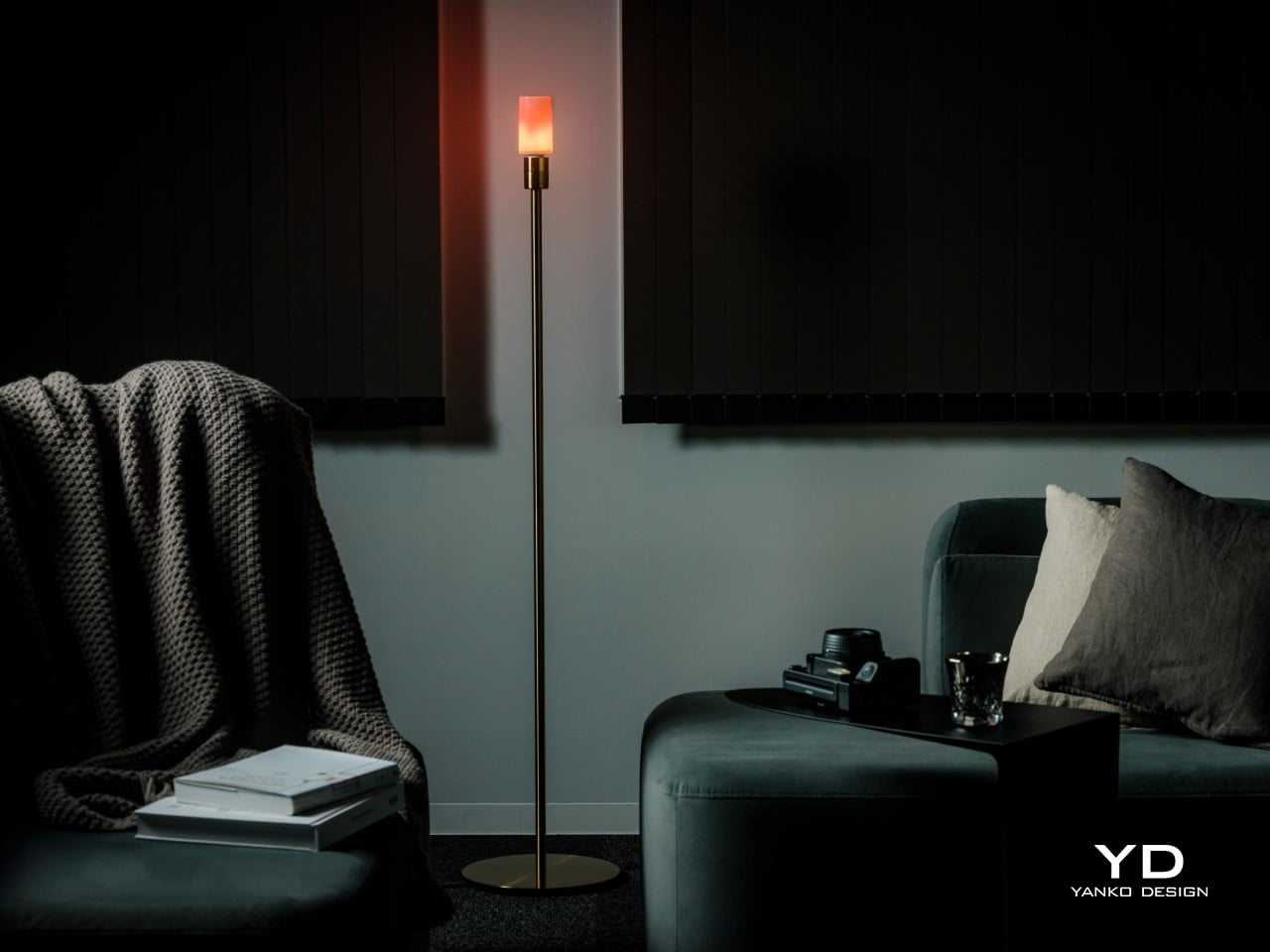
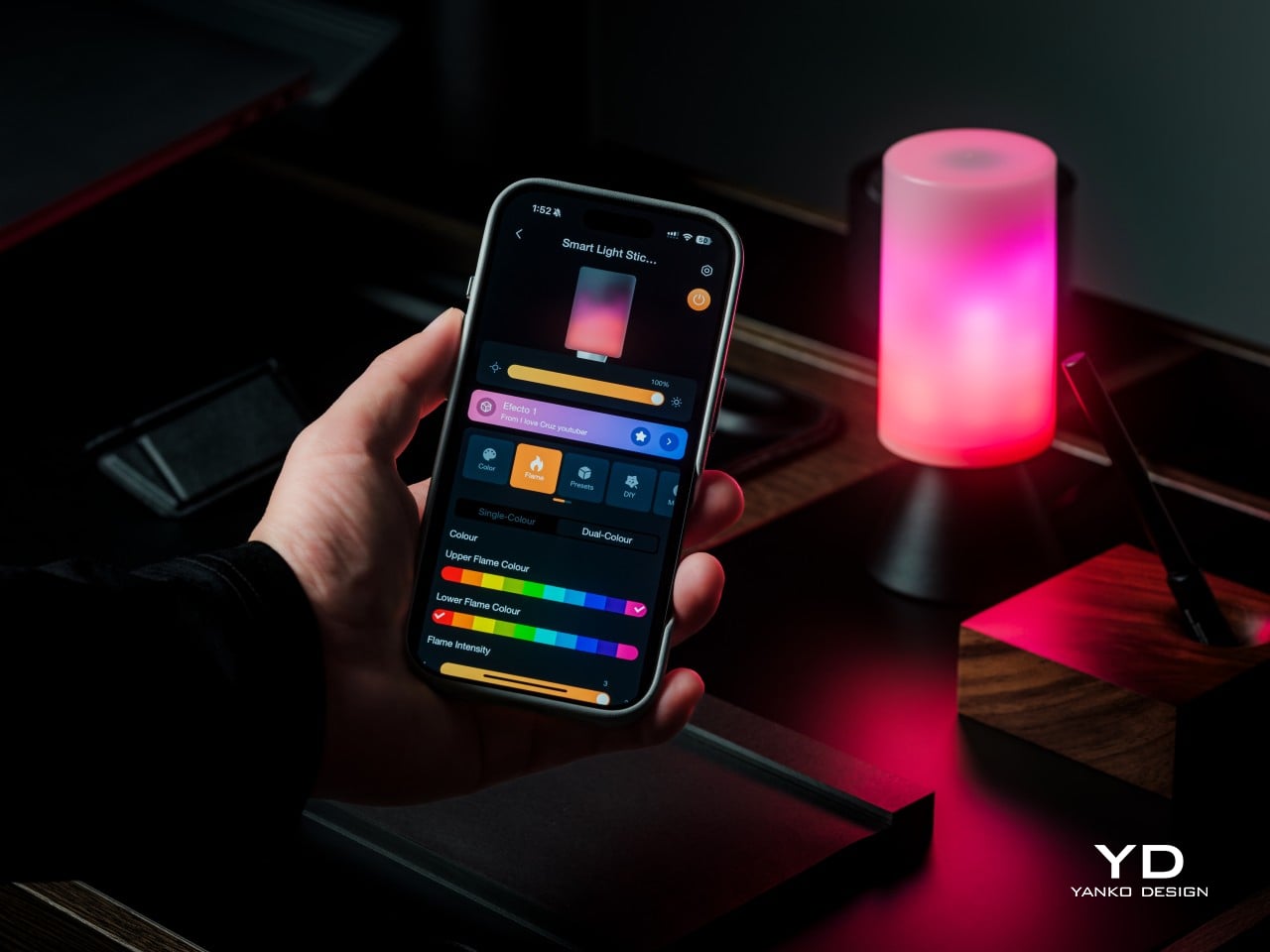
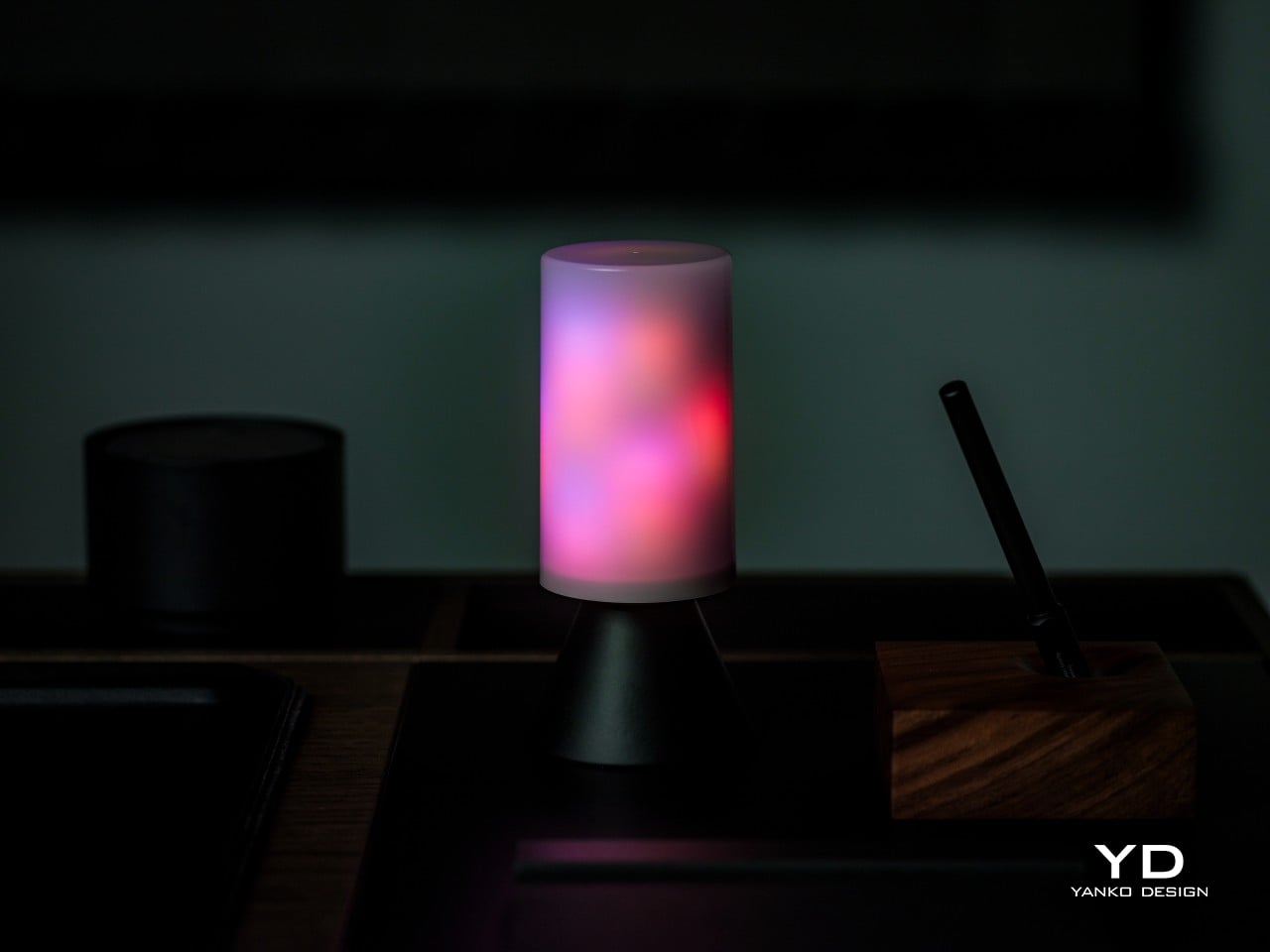
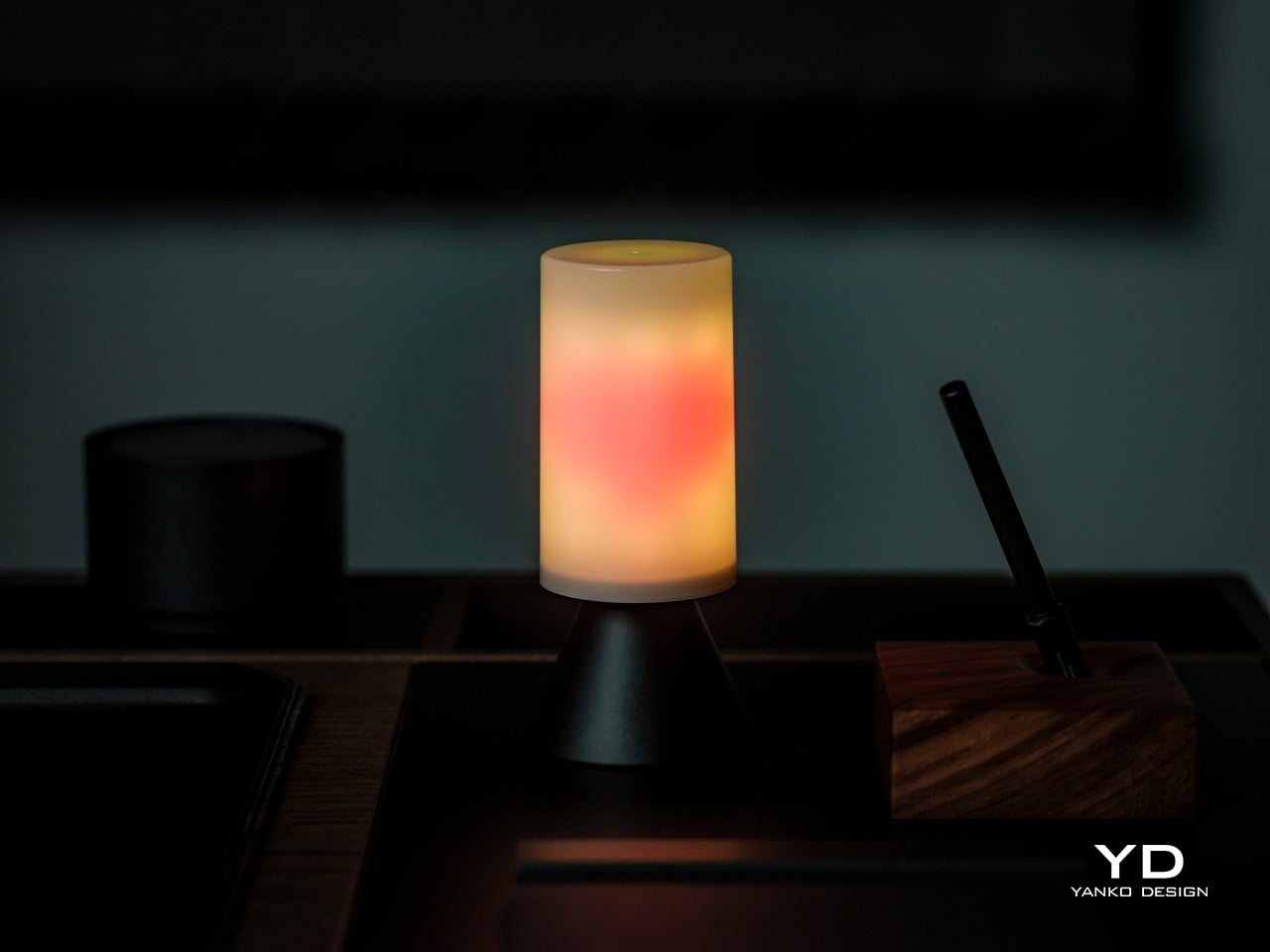
Most bulbs disappear once you screw them in. The Linkind Smart Light Stick refuses to. Instead of hiding inside a shade, it turns into the centerpiece, flickering through warm oranges and reds like a small fire caught inside glass. It still handles the job any bulb needs to do, pushing out up to 850 lumens from a standard E26 socket, so the drama doesn’t come at the cost of actual light.
Linkind built its name on the idea that lighting should shape how a room feels, not just how bright it gets. The Smart Light Stick is where that philosophy gets its most theatrical outing yet, pairing animated color zones with Matter connectivity and app control through AiDot. It’s less a novelty bulb and more a small piece of moving light art that happens to also light your porch.
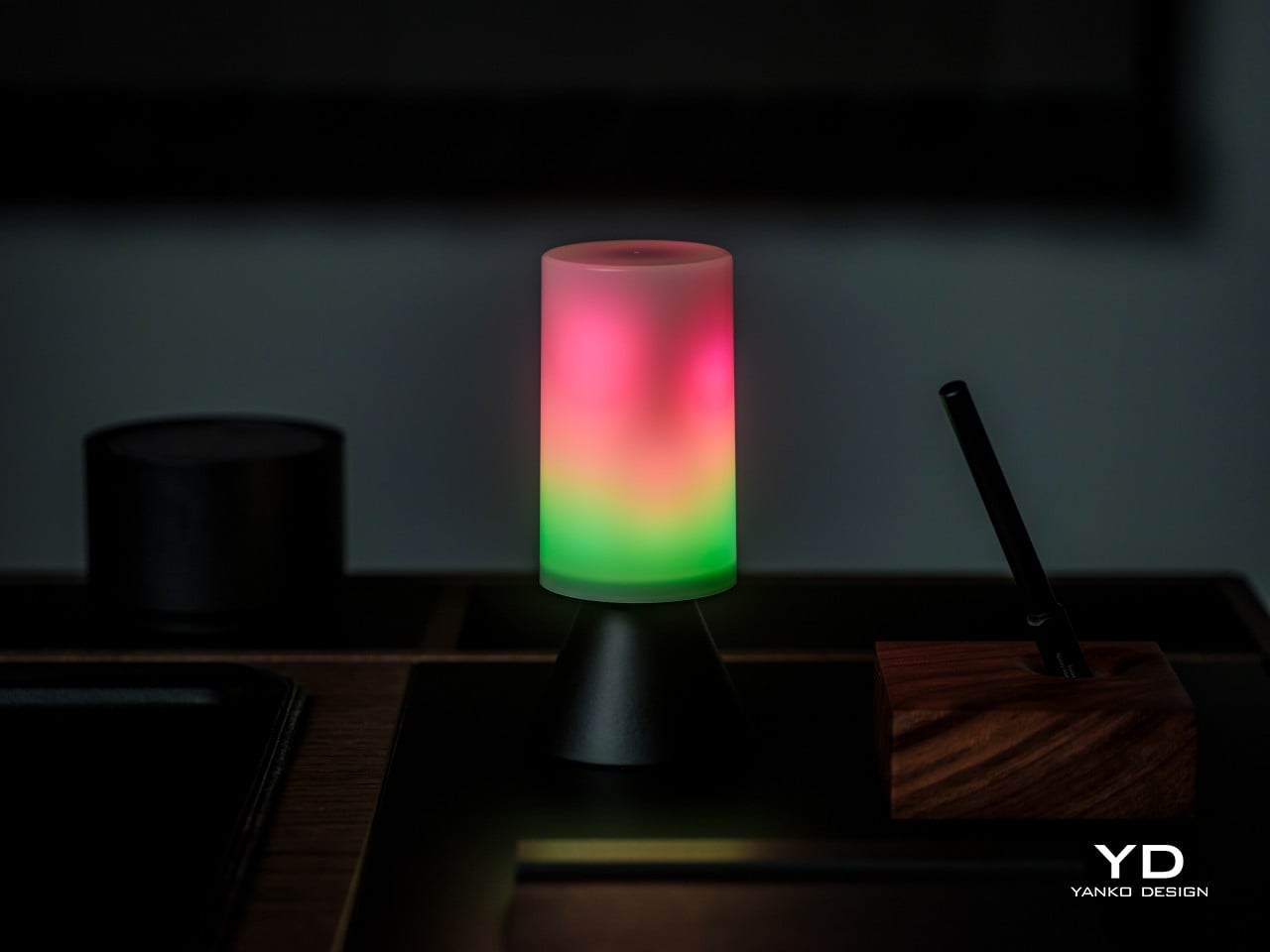
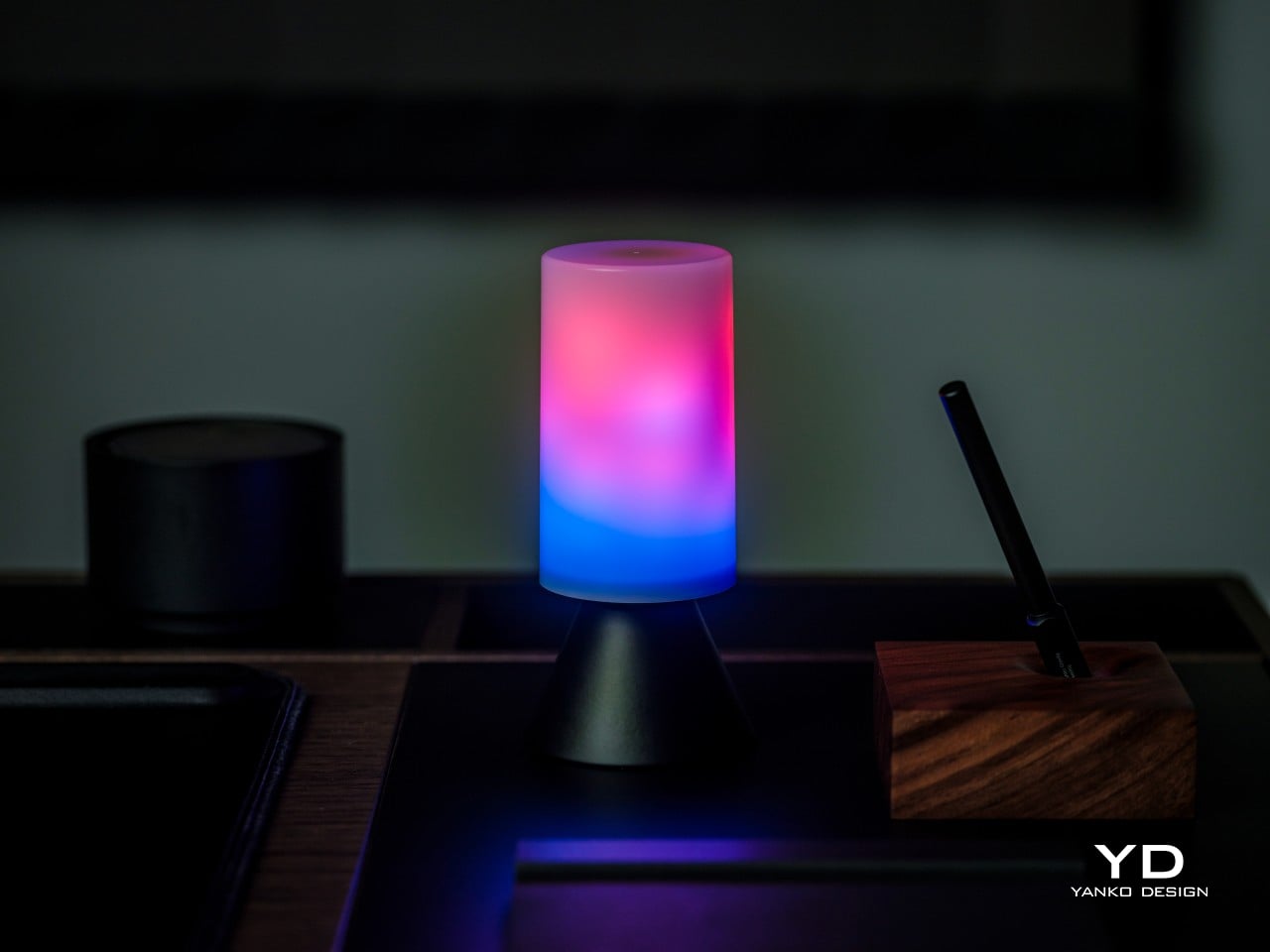
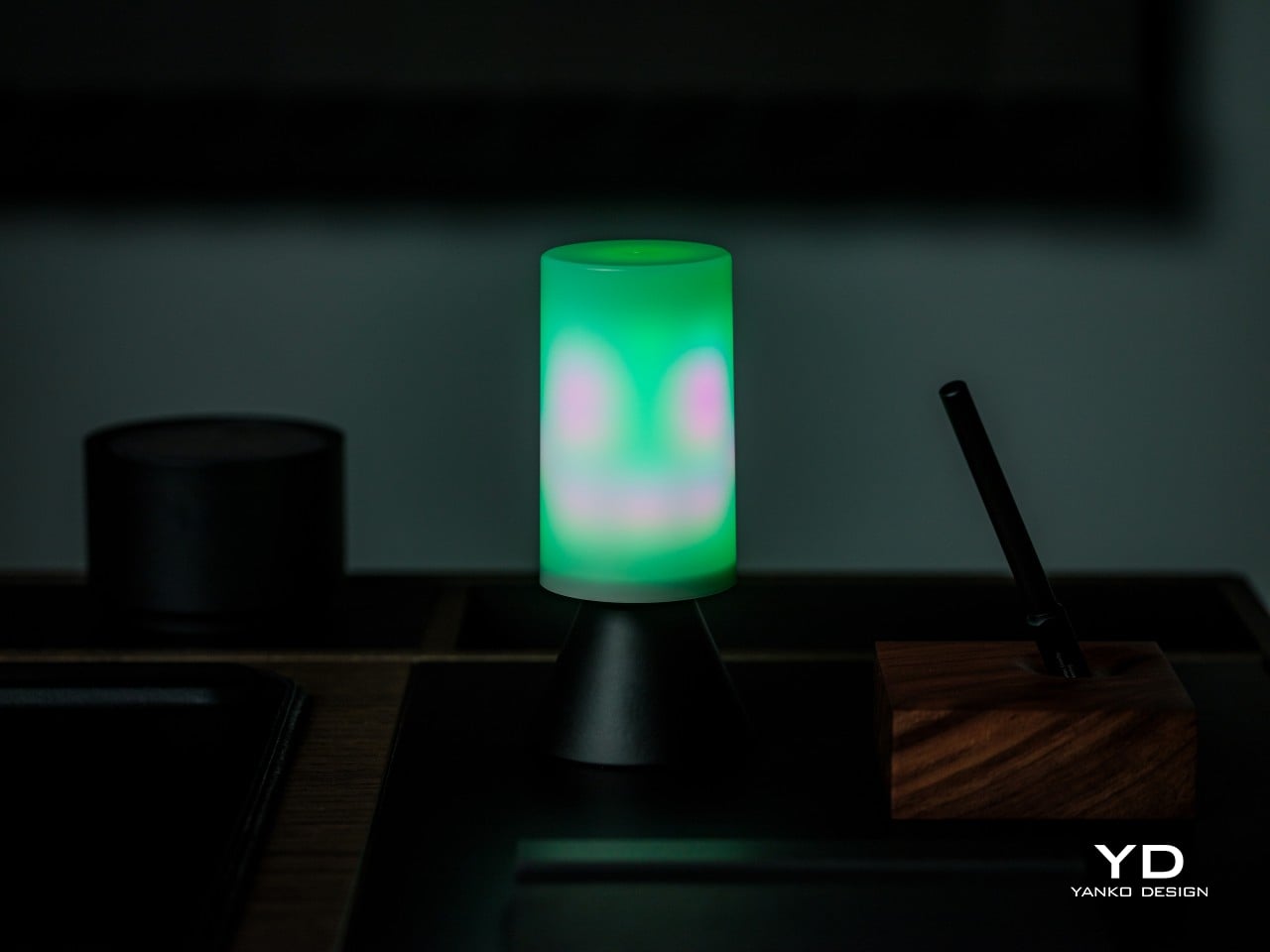
Flip the switch, and the flame mode takes over, cycling through 50 individually controlled zones that make the light climb and taper the way flickering light naturally moves. Three intensity settings, large, medium, and small, let you dial in how big that flicker looks inside whatever fixture it’s living in. It’s an animated, layered kind of glow, more theatrical suggestion of fire than anything trying to be mistaken for one.
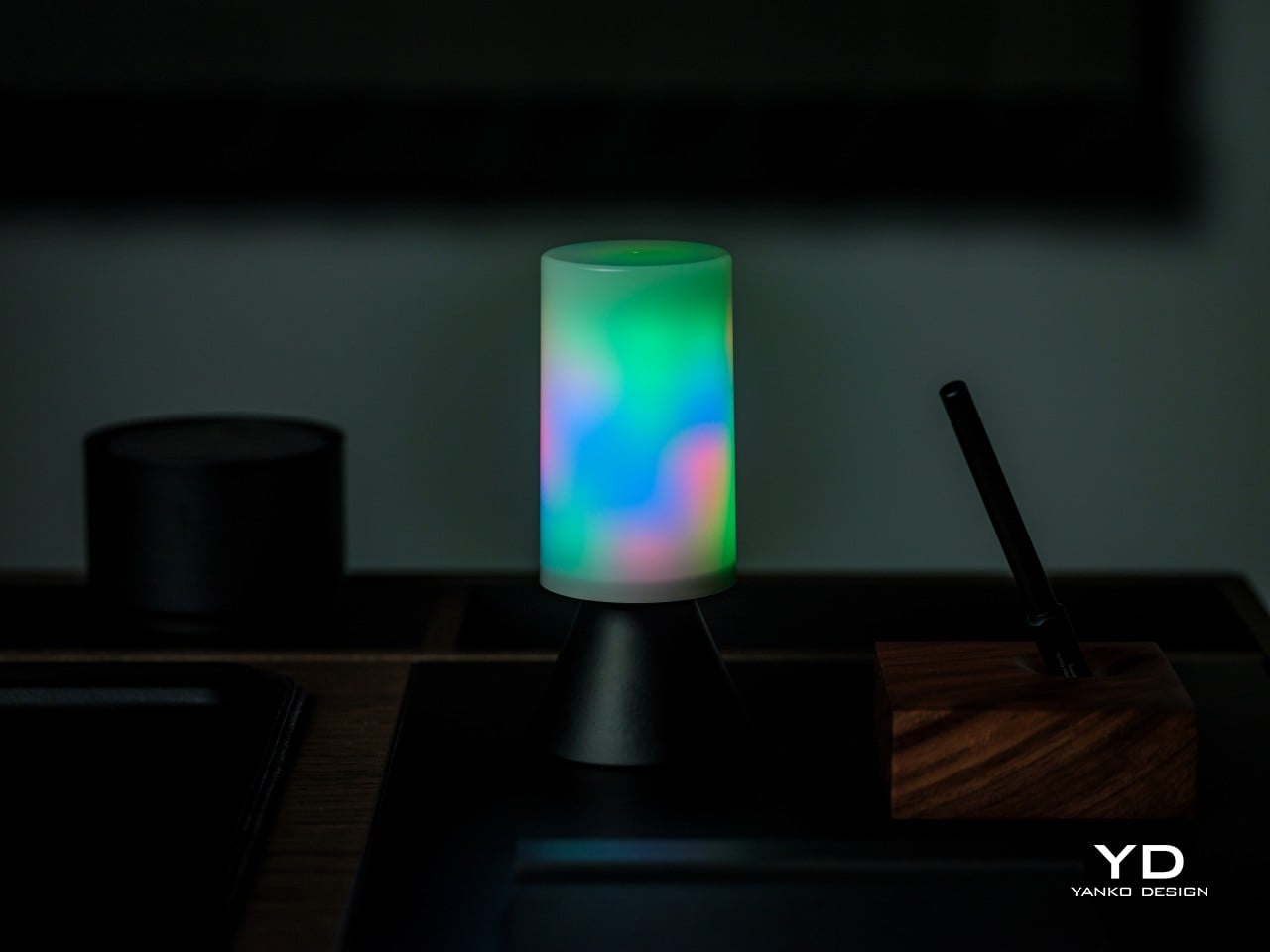
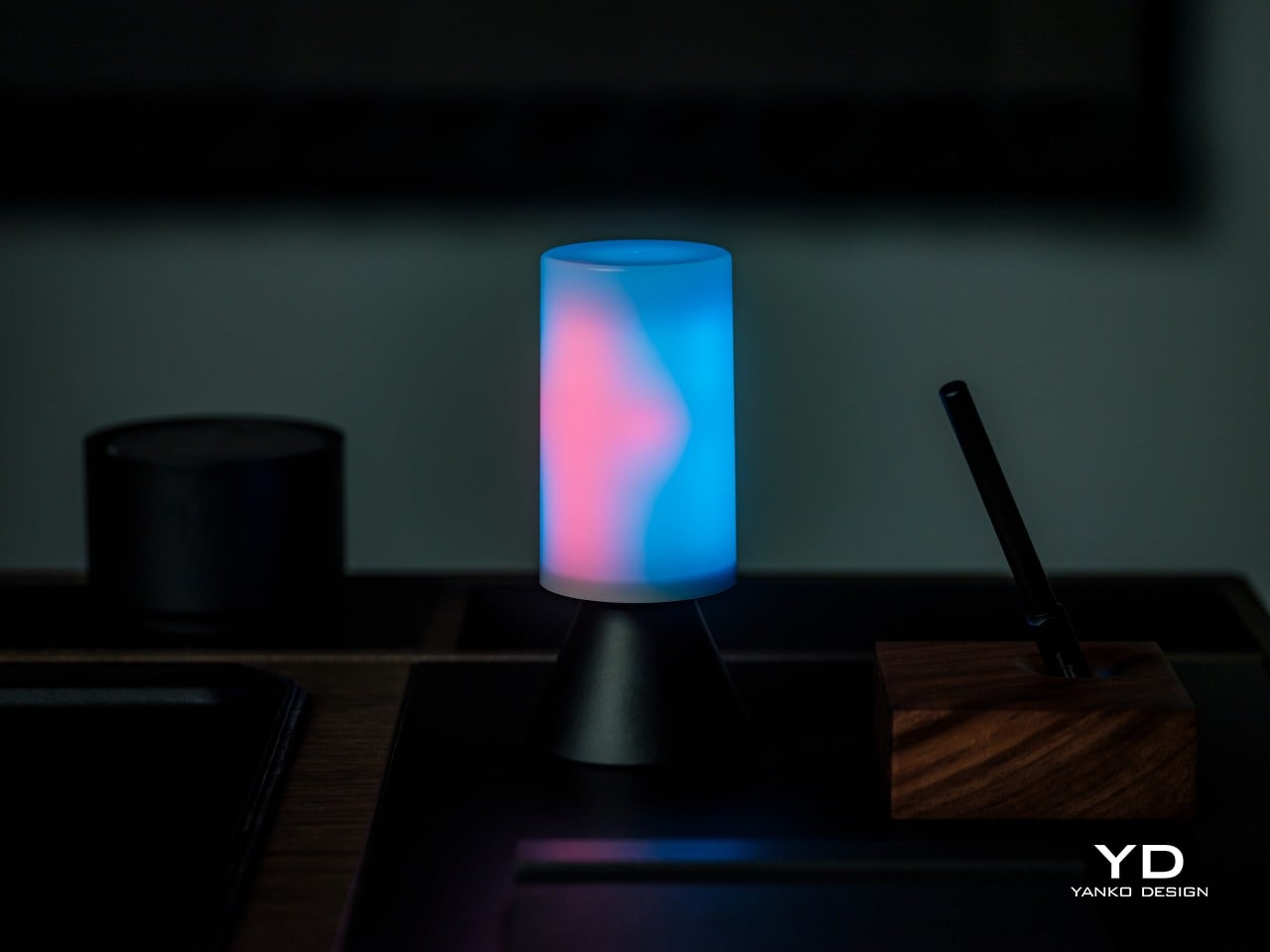
There’s also a dual-color option that layers two hues together for extra depth, plus a full palette of 16 million colors and more than 120 preset scenes for whenever you want something other than fire. Switch over to white light, and the range runs from an ember-warm 1000K up to a crisp 6500K, so the same bulb that plays campfire at night can light a workspace by day.
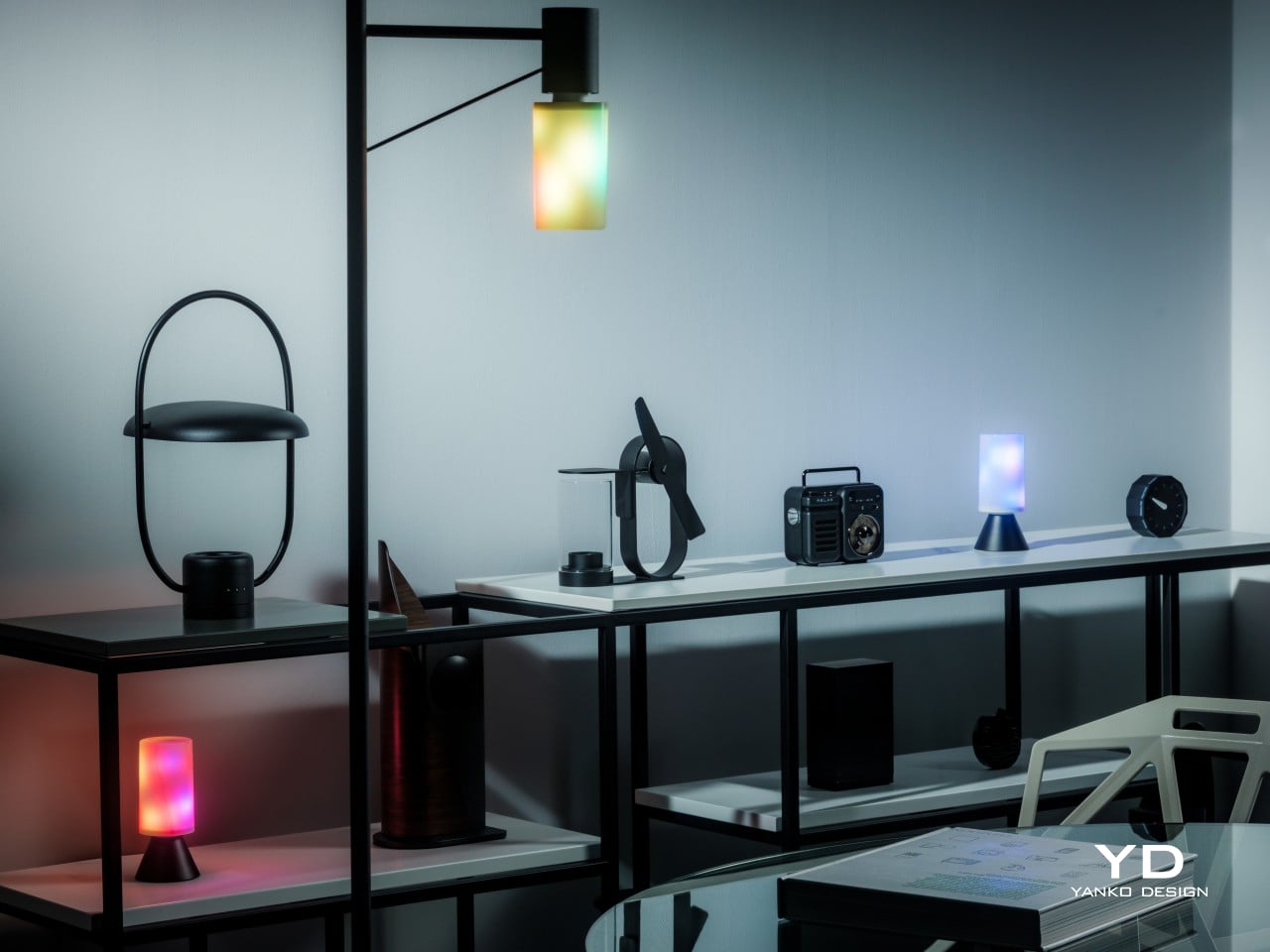
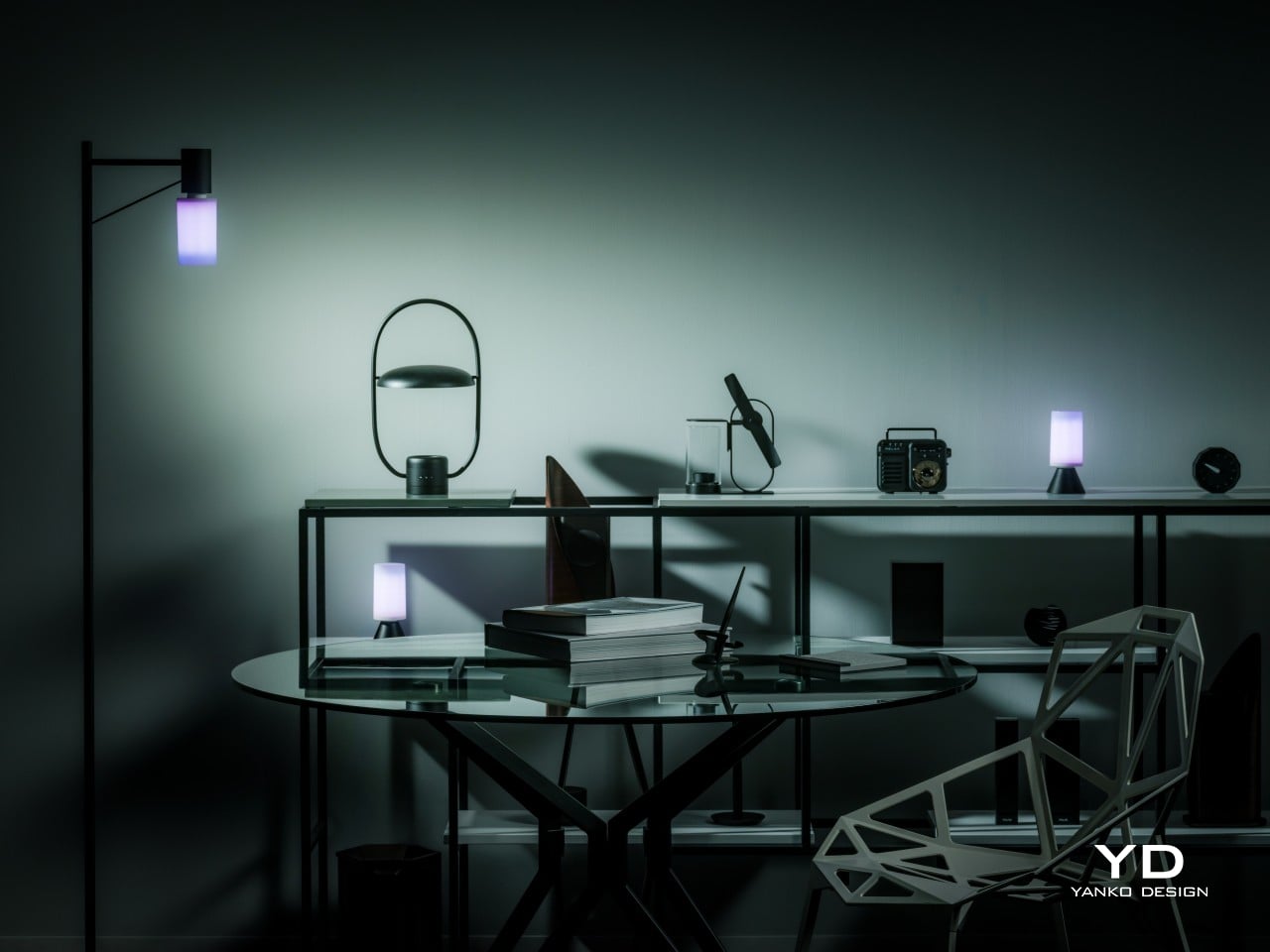
Off, the bulb itself stays quiet about all this. Its T19 shape is slim and cylindrical, finished in a neutral polycarbonate and aluminum body that slips into an open sconce, a lantern, or a clear-glass pendant without fighting the fixture’s own design. That restraint matters because the effect depends on the bulb being seen, and a busy-looking bulb would only compete with the light show it’s about to put on.
Ergonomics
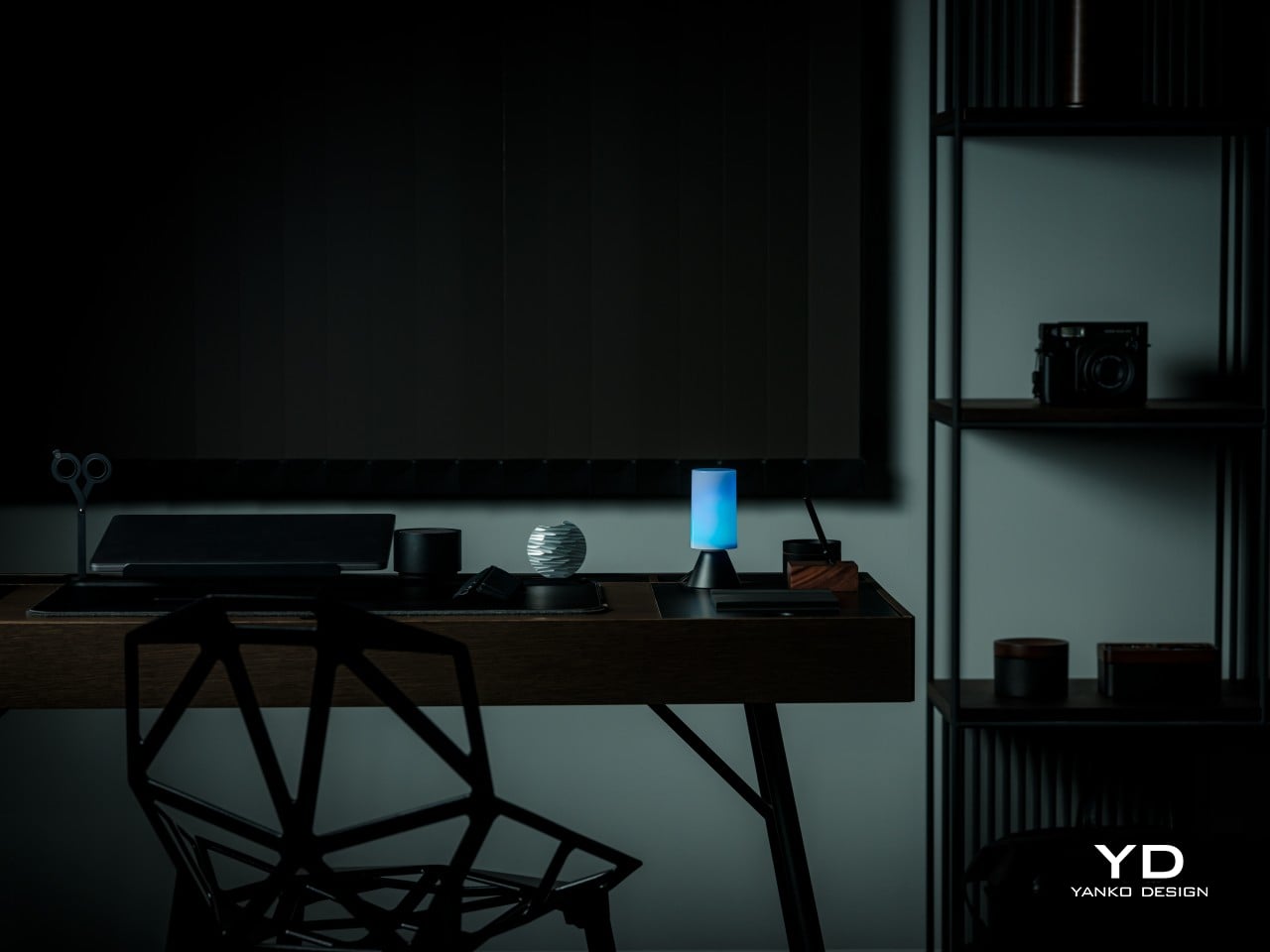
Getting one of these into a fixture takes about as long as changing a regular bulb, because that’s essentially what’s happening. The standard E26 base and compact T19 footprint mean it threads into ceiling fixtures, floor lamps, table lamps, overhead fixtures, and most decorative fixtures without extra hardware, adapters, or an electrician on speed dial. Twist it in, and the fixture is instantly running a completely different kind of light.
One detail solves a problem most flame bulbs never bother with: orientation. Because the flicker effect only reads correctly right side up, the bulb includes an automatic upright sensor that keeps the animation oriented no matter how the socket sits, whether that’s straight up in a table lamp or upside-down in a pendant lamp. It’s a small piece of engineering that removes the guesswork from installation entirely.
Performance
Strip away the theatrics, and this is still a genuinely bright bulb. At a maximum of 850 lumens, it puts out noticeably more usable light than typical flame-effect bulbs, which tend to trade brightness for atmosphere. Drawing only 8W to get there, it’s efficient enough to leave running in a main lamp for actual daily use, not just switched on for a few atmospheric minutes each evening.
The reason the flame animation looks fluid instead of choppy comes down to hardware most people never think about. Inside the bulb sit 160 individual LEDs arranged across 50 controllable zones, giving the light enough resolution to move in smooth gradients rather than snapping between colors. That density is really the engine behind every effect the bulb runs, flame or otherwise.
White light gets equal attention. The temperature range spans 1000K to 6500K, covering everything from a warm, almost candlelit glow to a cooler tone suited for reading or focused work. A Color Rendering Index of 80 keeps colors looking natural rather than washed out, and a built-in night light mode handles the moments when all a room needs is a soft, low-key glow.
Controlling all of it happens through the AiDot app, which pairs over Wi-Fi and Bluetooth and connects to Matter-based ecosystems including Apple Home, Alexa, Google Home, and SmartThings. Group control lets up to 16 bulbs sync together, scheduling handles timing automatically, and Music Sync ties the light show to whatever’s playing, perfect for setting the mood at parties.
Sustainability
Build quality shows up in the materials Linkind picked for the housing. Polycarbonate handles knocks and everyday wear better than the brittle plastics found in cheaper decorative bulbs, while the aluminum components help pull heat away from the LED array. That heat management matters more than it sounds, since LEDs that run cooler tend to hold onto their brightness and color accuracy much longer.
That durability carries outdoors too. The bulb is UV-resistant, meaning a porch lantern or garden fixture can keep it installed through full seasons of sun exposure without the diffuser yellowing or growing brittle the way lower-grade plastics eventually do. It’s built to become a permanent fixture upgrade rather than something that gets swapped out once the weather turns or a holiday ends.
There’s also the quieter advantage of running on LED technology in the first place. Older flame-effect novelty bulbs typically rely on incandescent or halogen sources that run hot and burn out fast. Pulling a maximum of just 8W keeps this bulb running cool by comparison, which extends the working life of both the LEDs and the polycarbonate shell surrounding them.
Value
Buying a decorative flame bulb and a functional smart bulb separately usually means two purchases for two different fixtures. At $39.99, this one collapses both into a single socket, and the 850-lumen output is strong enough to actually light a room rather than just accent it. That consolidation alone makes a solid case for the price before any of the effects or app features even factor in.
Most flame-style lighting gets bought for October and boxed up by November. This one earns its socket year-round instead. Halloween and fall evenings get the flame modes, the holidays get the wider color range, everyday nights get the warm white glow, and summer entertaining gets a bulb that’s just as comfortable strung up outside as it is glowing on a nightstand.
Add more than one and the value compounds further, since group control links up to 16 bulbs into a single synchronized display across a porch, hallway, or living room. That’s a level of coordinated lighting usually reserved for pricier installation-grade systems, delivered here through a bulb that screws into a socket you already own, with nothing extra to install or wire.
Factor in the smart home compatibility, the effects library, and the option to run the bulb as either an accent or a primary light source, and the overall package holds up well against similarly priced bulbs that typically ask you to pick one function or the other. Few competitors bundle brightness, animation, and full ecosystem support into a single screw-in bulb this convincingly.
Verdict
What makes the Linkind Smart Light Stick worth the attention is how little it asks you to compromise. It’s bright enough for everyday use, animated enough to change the mood of a room in seconds, tough enough to live outside, and simple enough to install in the time it takes to unscrew an old bulb. Those four things rarely show up together in one piece of lighting.
It earns its place most in fixtures where the bulb gets to be seen: open lanterns, glass pendants, and porch posts where that flicker becomes part of the room’s personality rather than something hidden behind a shade. Anyone hoping to give an old fixture new character without buying a new fixture entirely will find this bulb makes a genuinely persuasive case for itself.
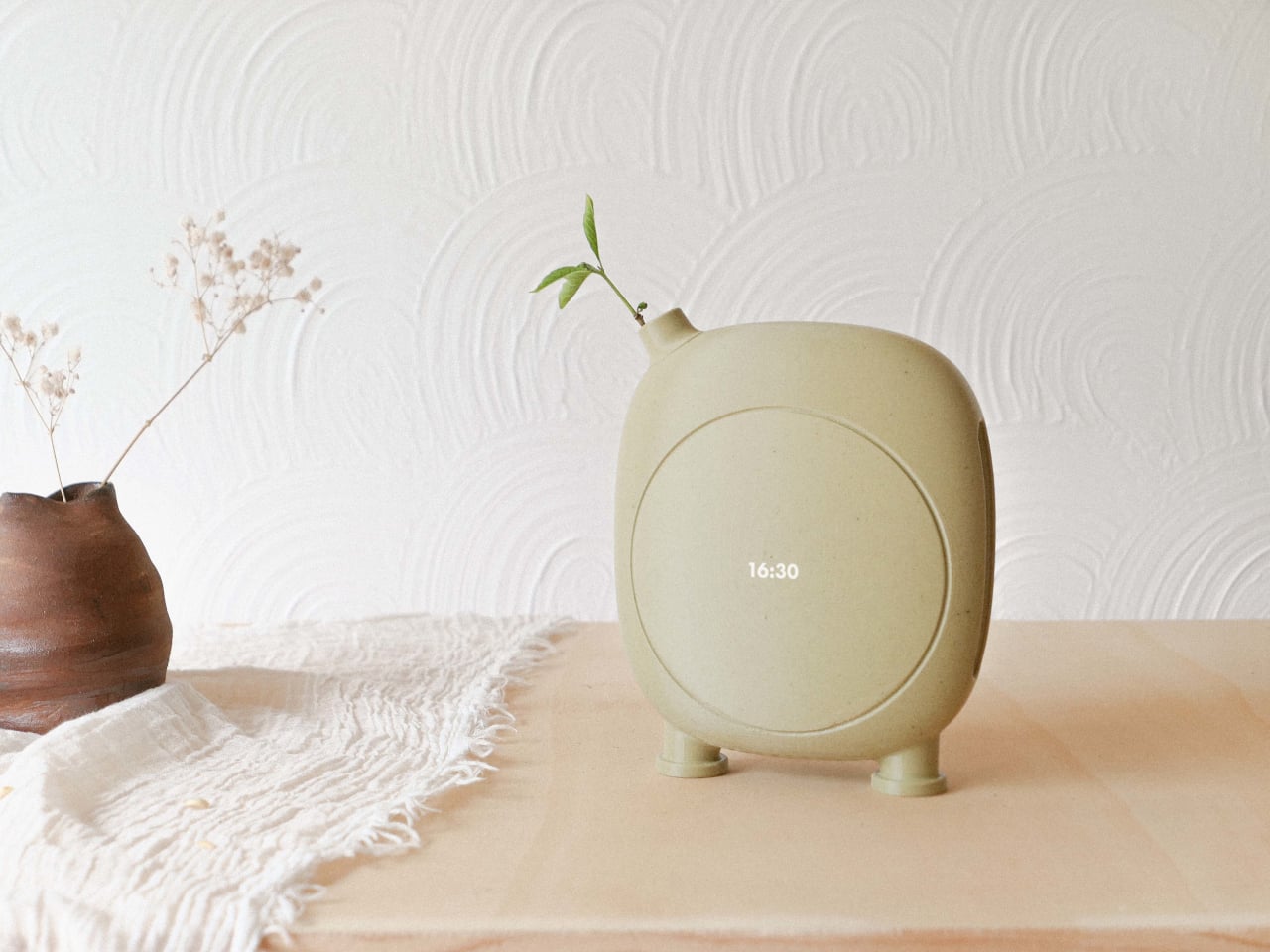
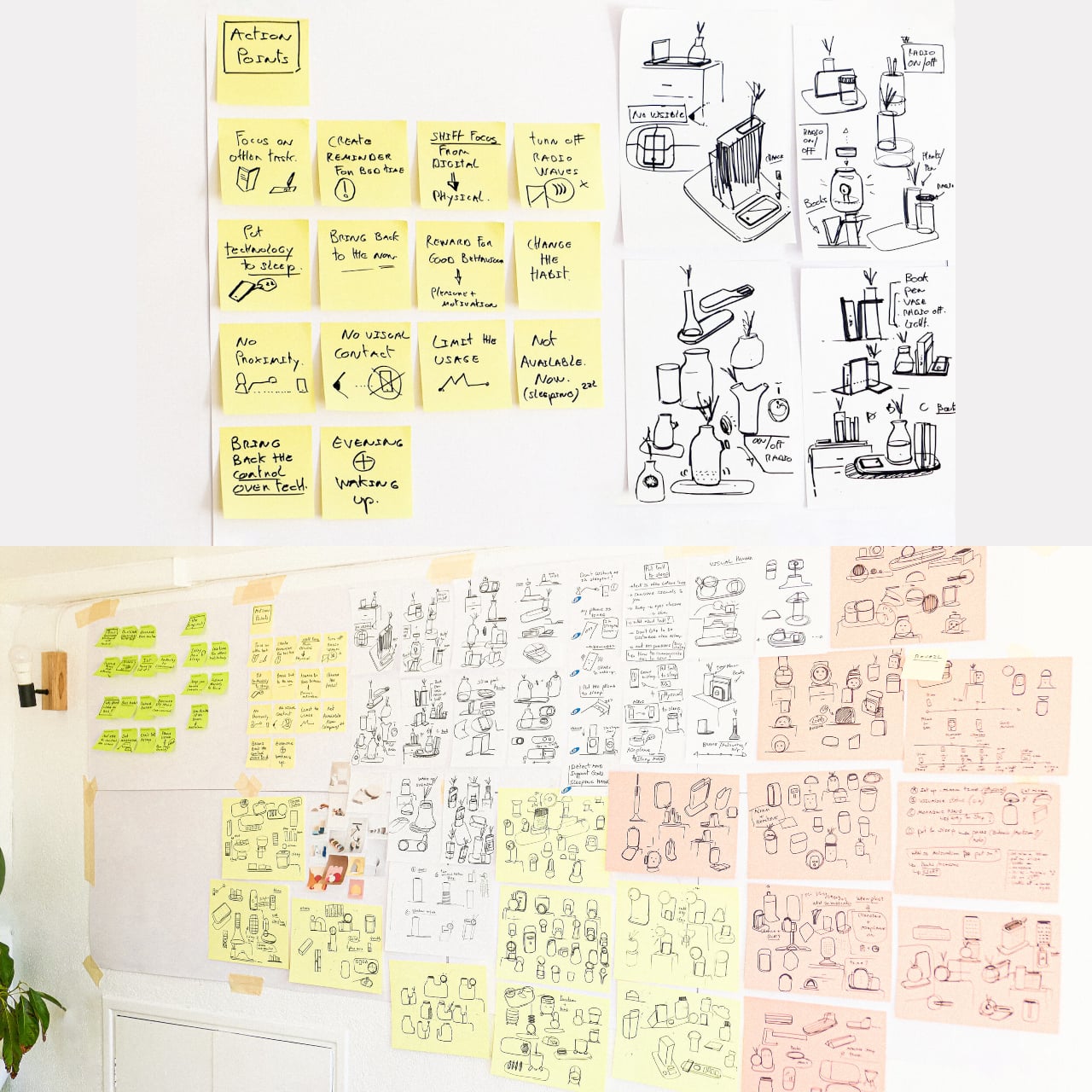
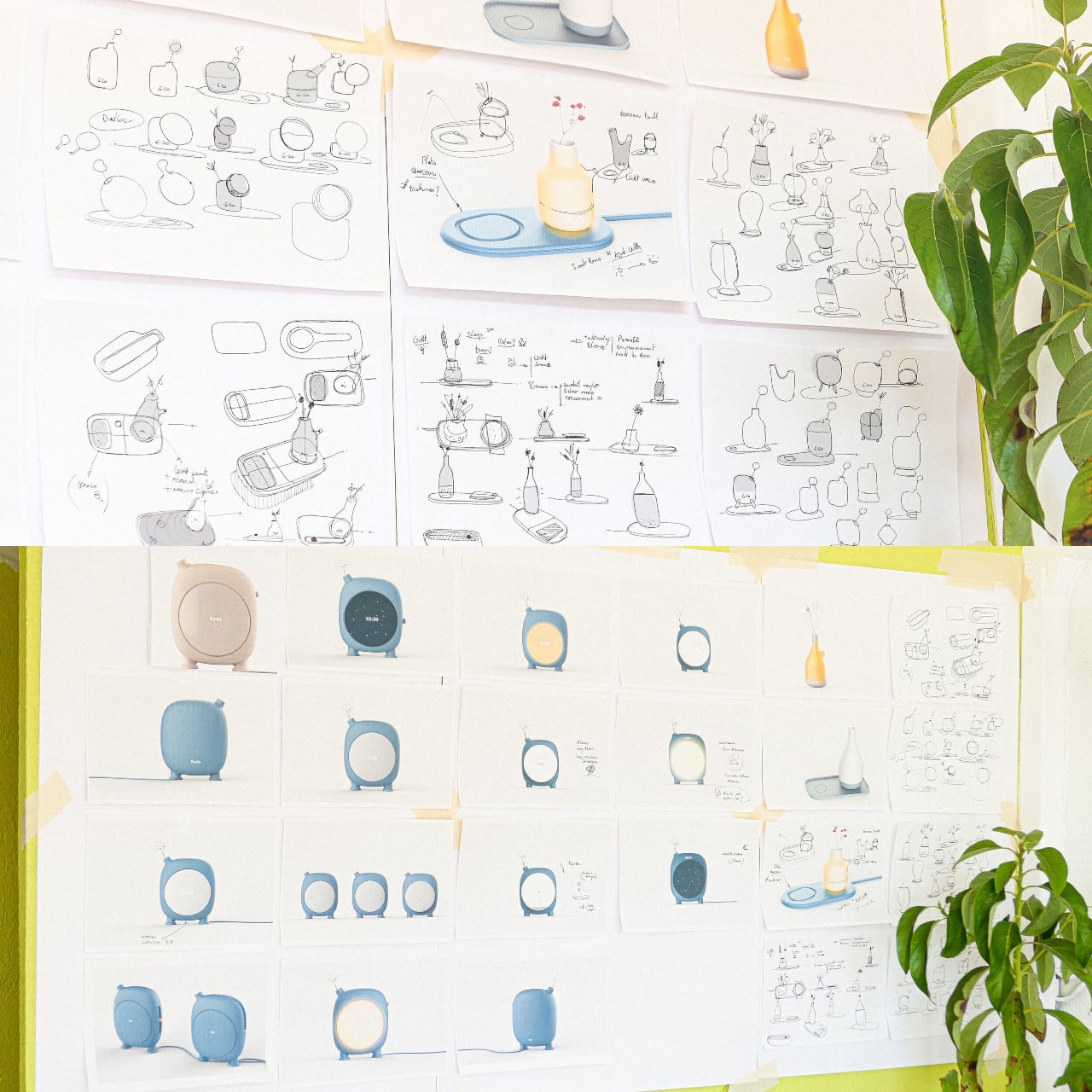
Waking up shouldn’t require staring at another glowing rectangle before your eyes even adjust to the room. Kodo, a conceptual smart alarm clock, rejects the buzzing plastic box entirely and takes the shape of a ceramic vessel instead, complete with a slender spout that holds an actual sprig of greenery. It looks like something a potter made, right up until it starts syncing with the sunrise.
That sunrise syncing is the whole point of mornings with this object. Rather than jolting you awake with a harsh beep, Kodo times itself to daybreak and layers in birdsong instead of an alarm tone, easing you into consciousness the way an open window might on a good morning. Silencing it doesn’t involve fumbling for a button either. A simple tap anywhere on its surface reads as a vibration and shuts the sound off.
That tap-to-quiet gesture carries through the rest of the day as a kind of running theme. The body stays sensitive to touch and presence, responding subtly rather than lighting up with notifications or demanding attention the way a phone screen does. It’s built to sit quietly on a nightstand, doing nothing most of the time, until the exact moment it needs to do something.
Evenings get their own quiet ritual built into the same object. Before bed, Kodo gradually dims the light in the room, nudging your body toward its natural sleep cycle instead of leaving you to scroll under harsh lamp light until exhaustion wins. That single feature turns the piece from a wake-up tool into something closer to a bedtime routine, bookending the day the same way it starts it.
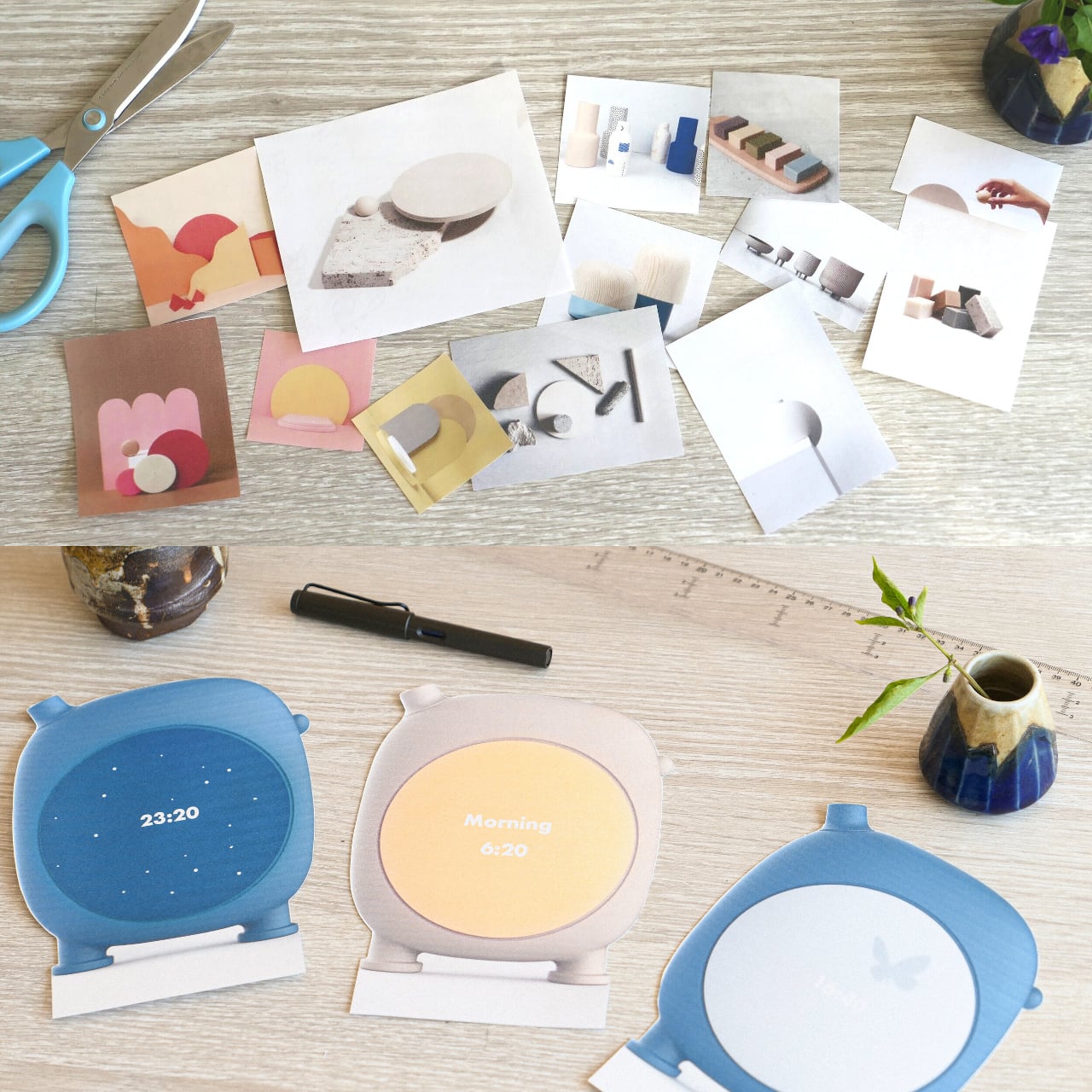
None of that would matter if the object itself felt like more screen time in disguise. Its circular face, styled after a pot’s opening rather than a display panel, shifts its entire look depending on the hour: a soft gradient for morning, plain digits at midday, a starfield glowing quietly once night falls. The clock face becomes part of the room’s atmosphere instead of a separate glowing distraction sitting on top of it.
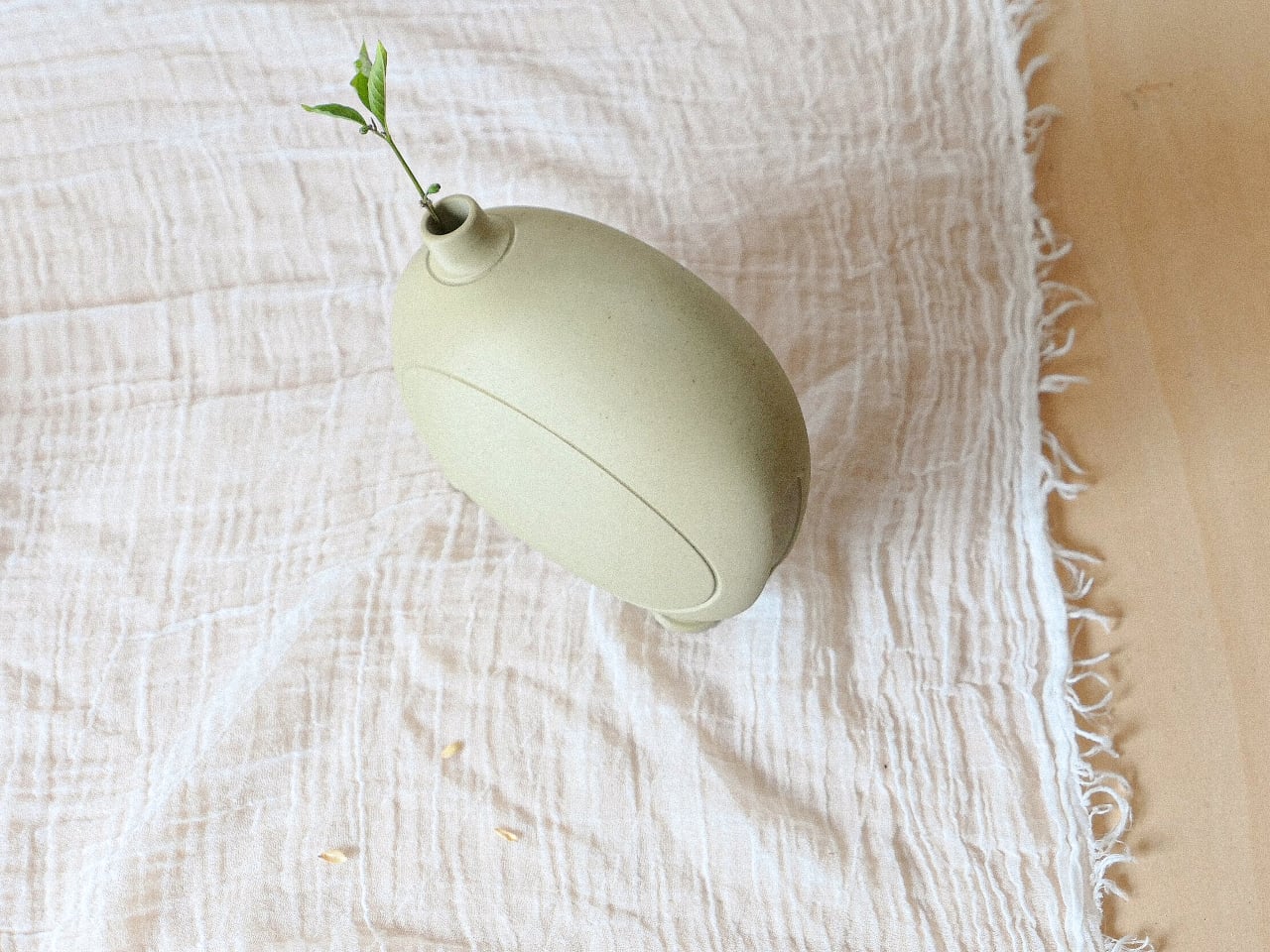
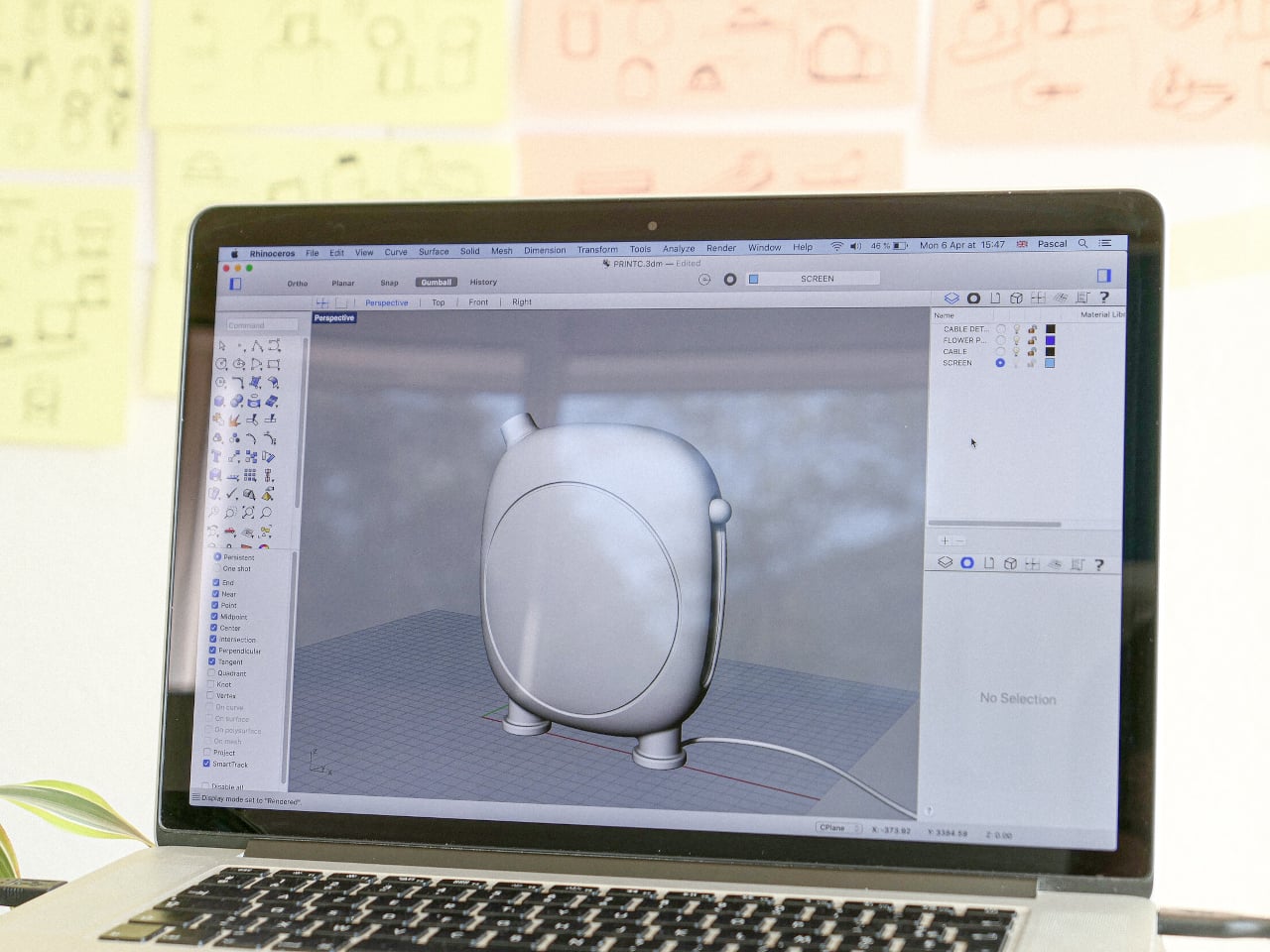
Every material choice reinforces that same restraint. The matte, sand-toned finish and rounded silhouette borrow directly from pottery, right down to stubby little feet that make the whole thing look handmade rather than manufactured. Even the vase-like spout isn’t decorative filler. It holds a real plant cutting, turning a piece of consumer electronics into something you’d want visible on a shelf even when it’s not telling time at all.
Objects like this argue for a different relationship with the technology already crowding most bedrooms. Kodo doesn’t compete with your phone for attention before you’ve had coffee. It just marks the hours quietly, dims the lights when it’s time to stop, and waits by the window like it always belonged there.
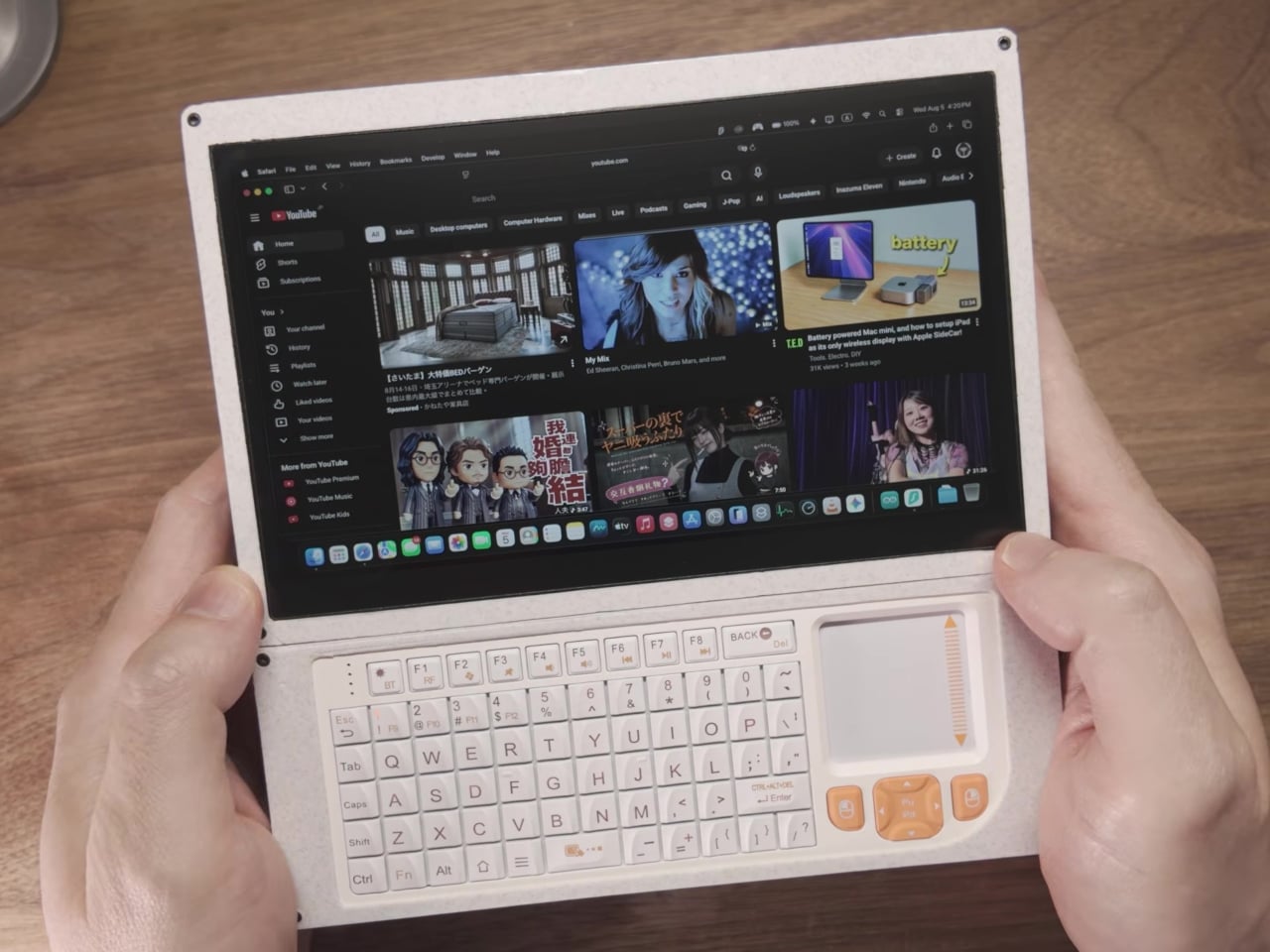
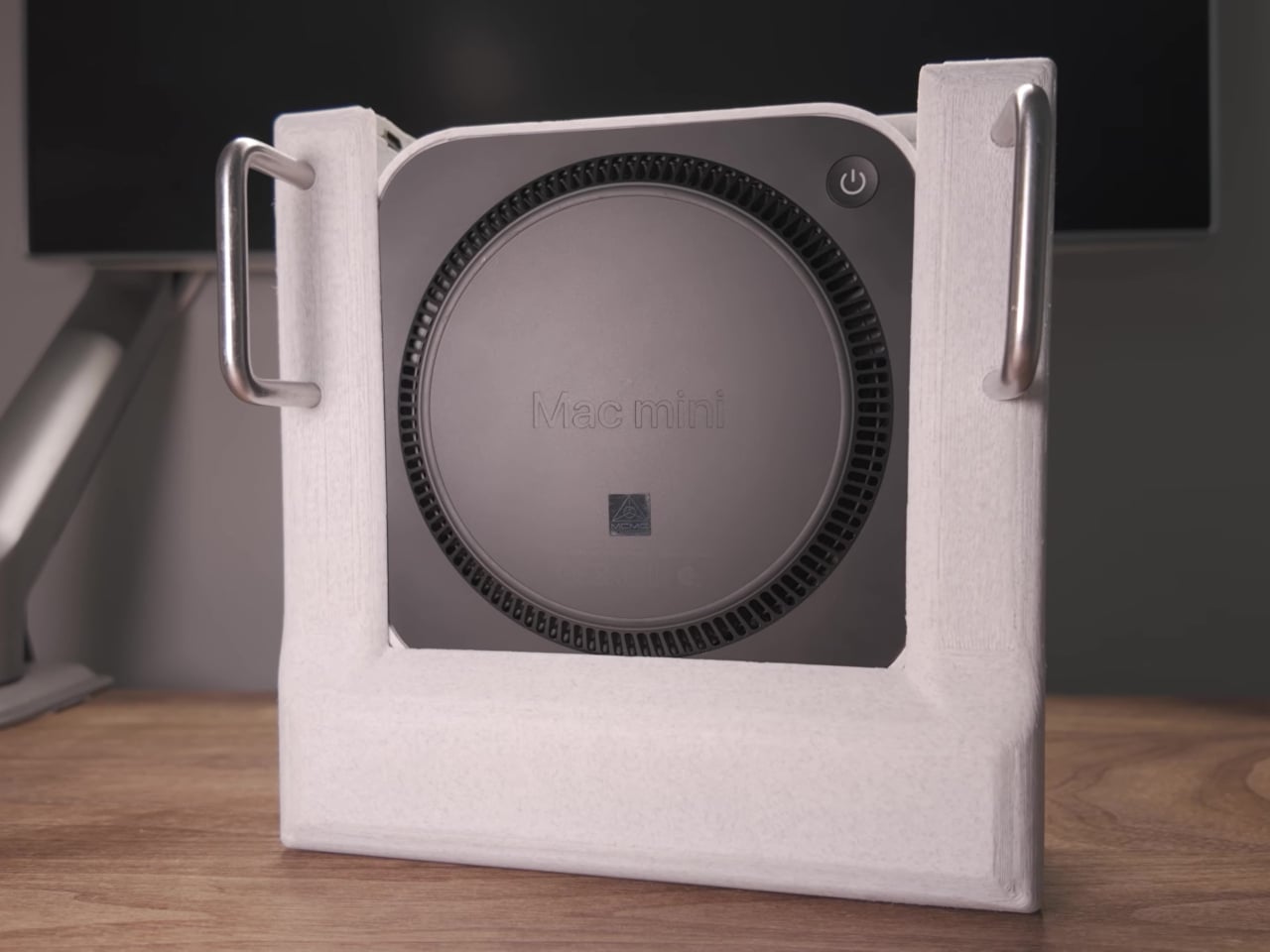
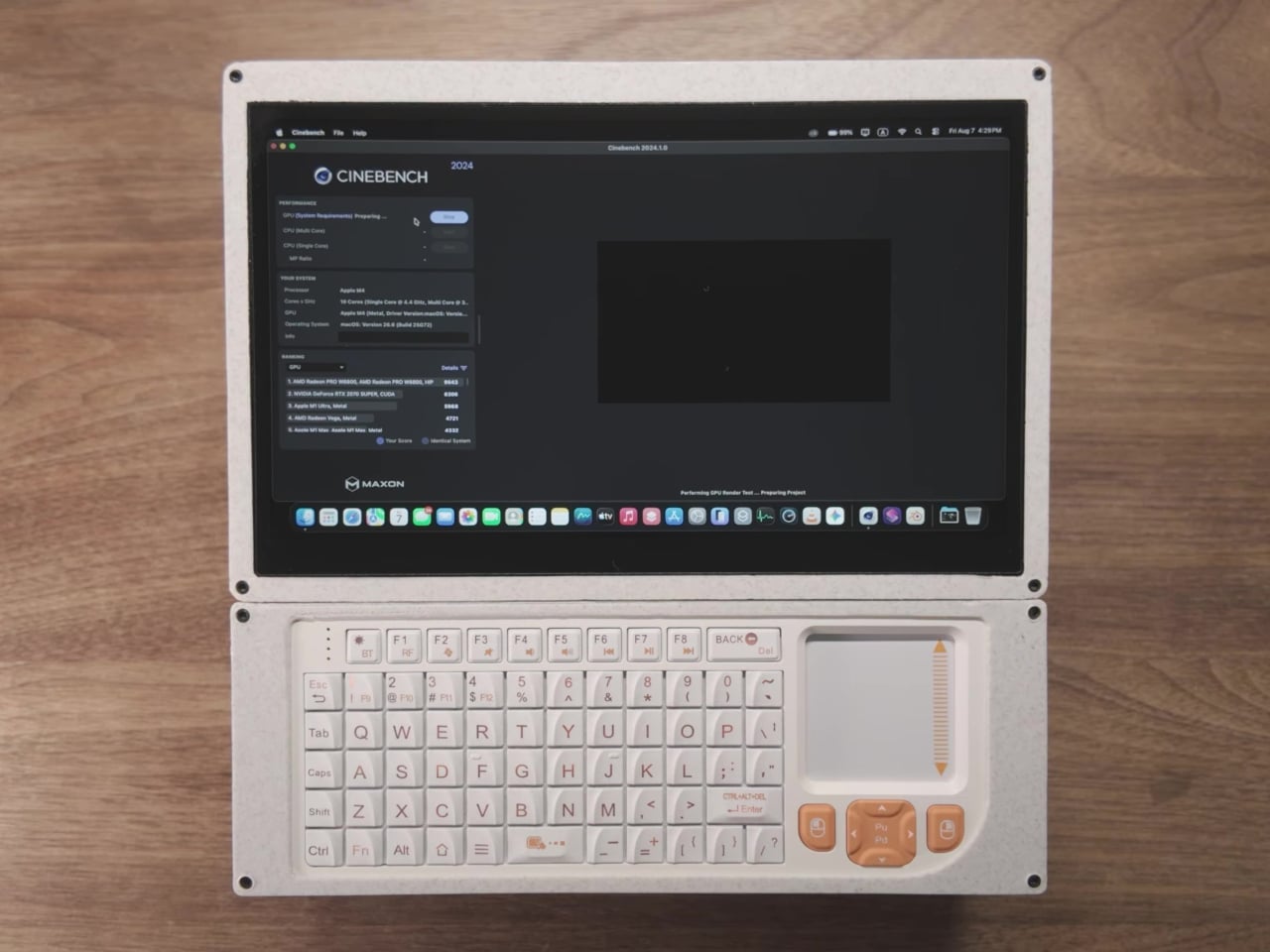
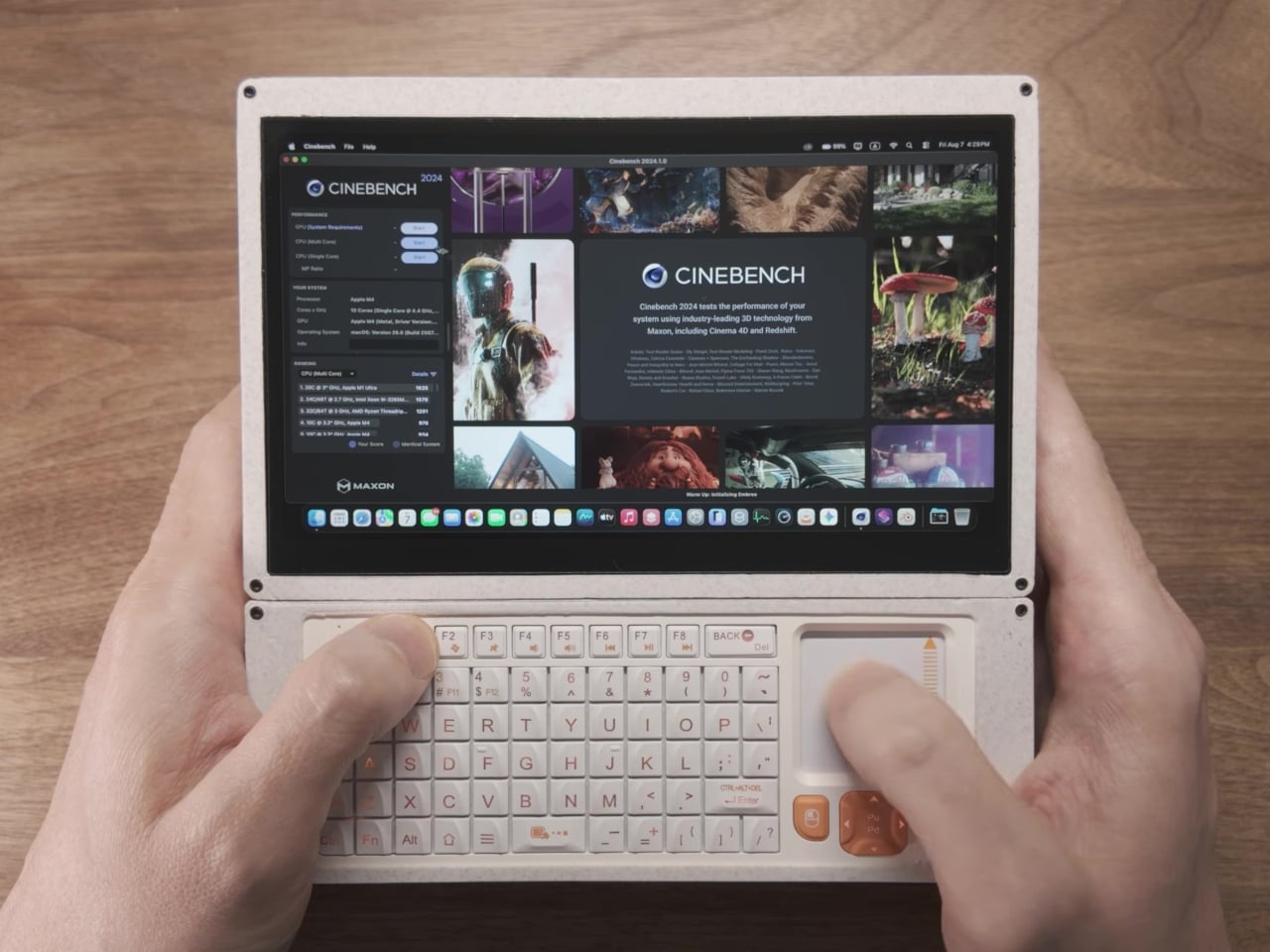
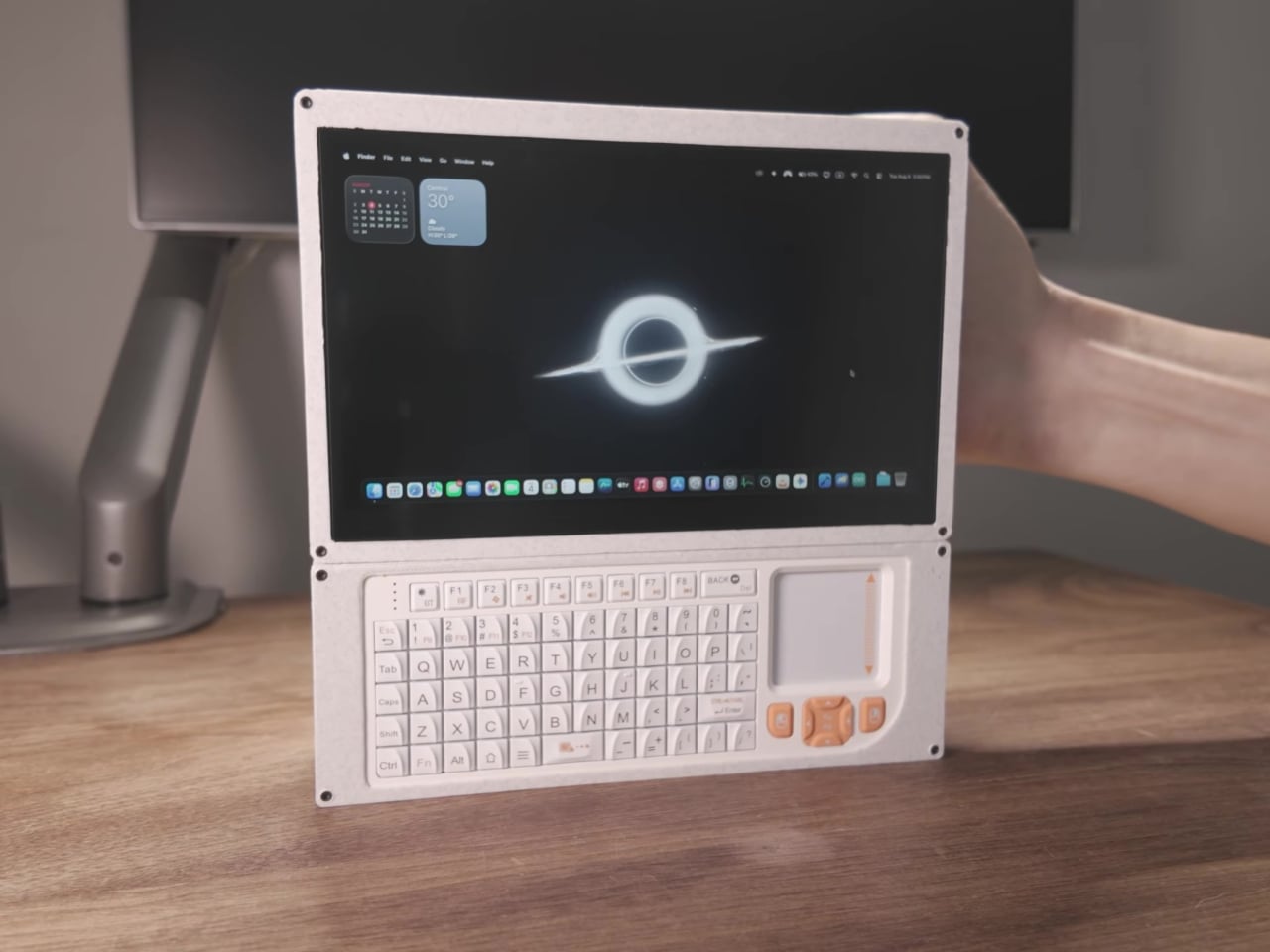
Most people who outgrow a Mac Mini just buy a bigger one. One builder went the opposite direction, gutting an M4 Mac Mini down to its bare motherboard and squeezing the entire machine into something you hold in two hands. The result runs full macOS, plays games with real controllers, and never touches a wall outlet, proving Apple’s desktop silicon was never actually tied to a desk in the first place.
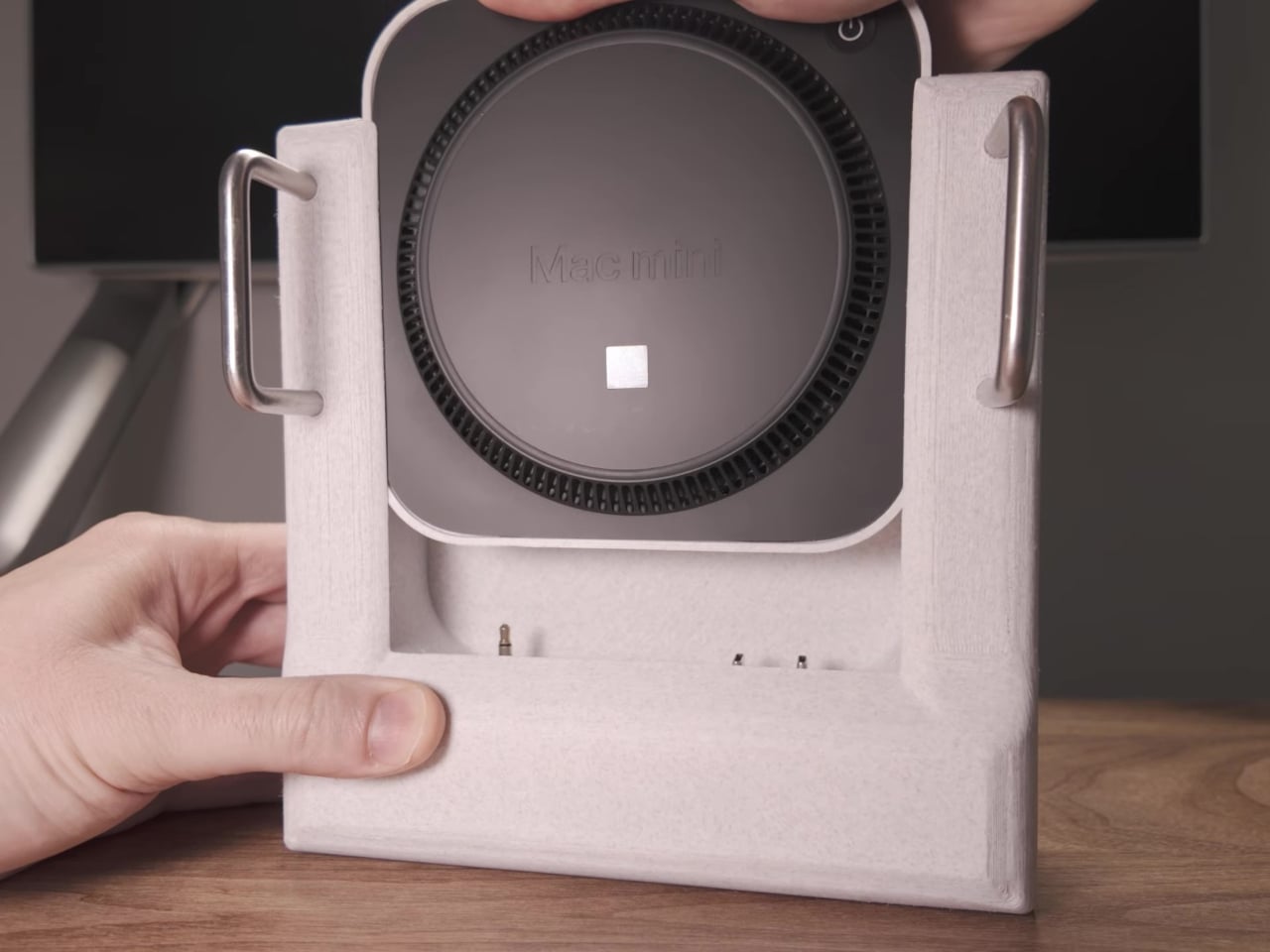
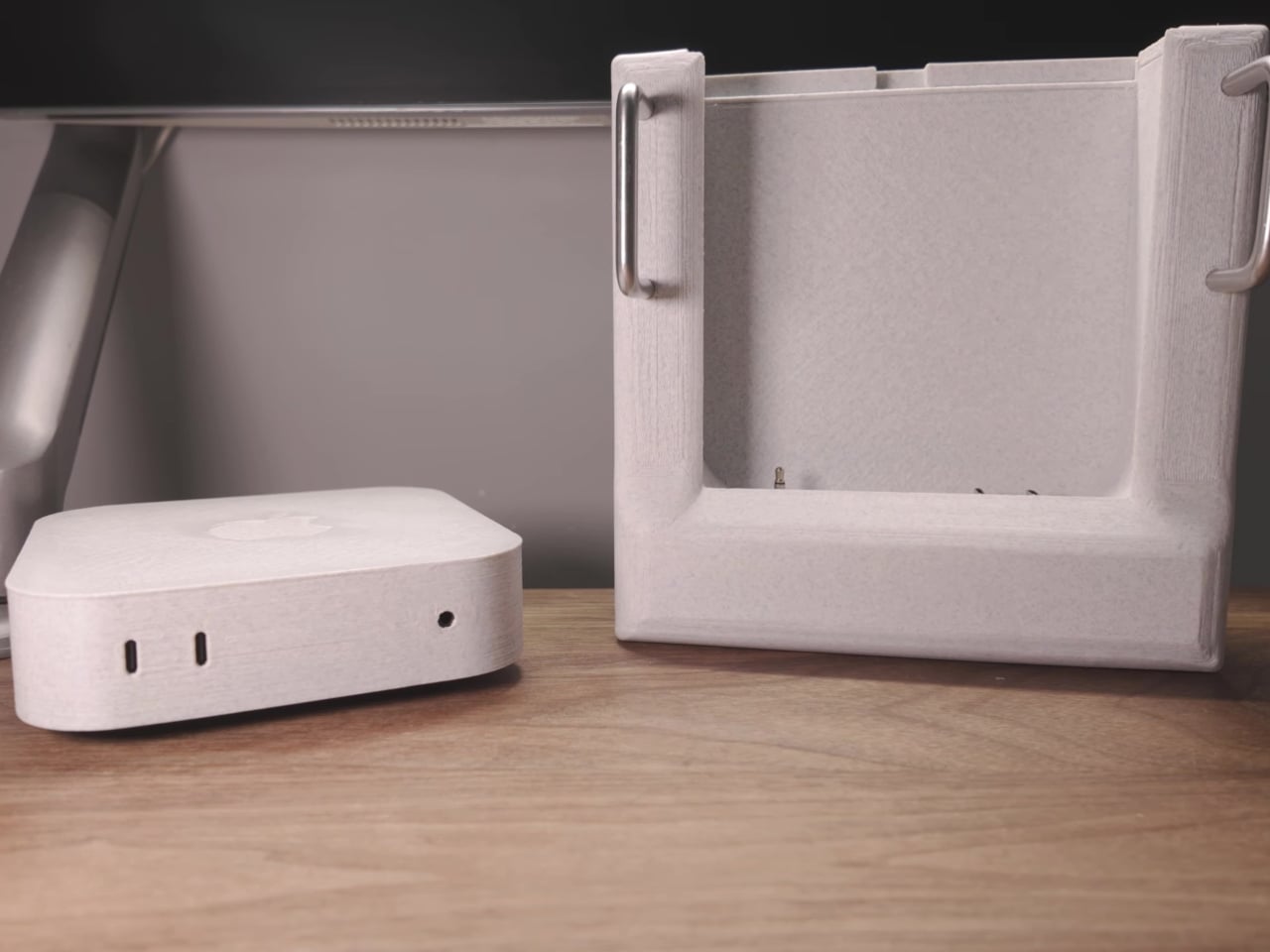
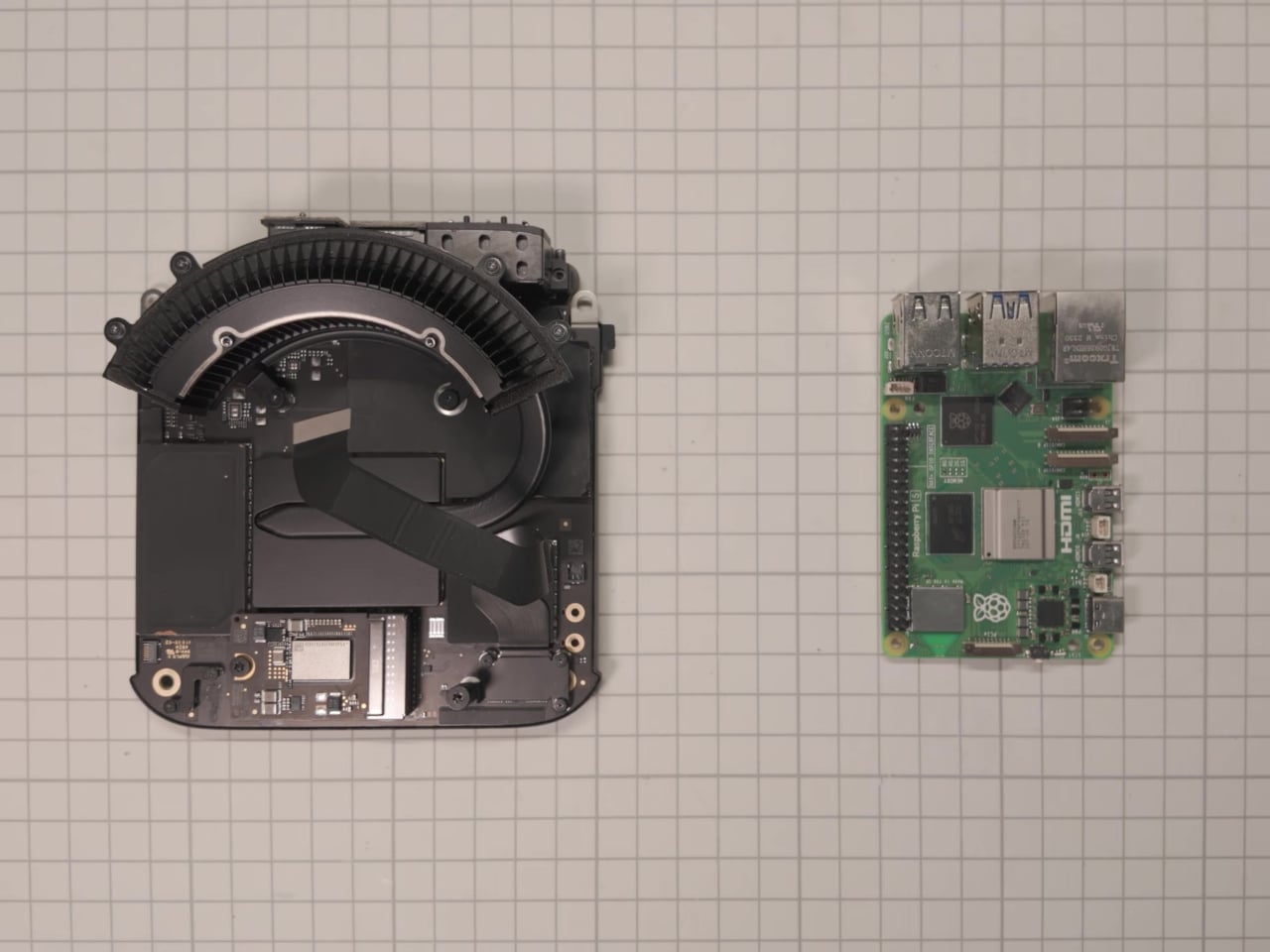
The trick starts with restraint rather than miniaturization. Instead of ripping out Apple’s factory heatsink and blower fan to save space, the build keeps that original cooling setup intact, letting the M4 chip run demanding workloads without throttling under heat. The motherboard and its cooling system then slide into a custom 3D-printed shell nicknamed the Mac Nano, treating Apple’s silicon less like a sealed product and more like a component waiting to be rehoused.
Designer: Shing Solutions
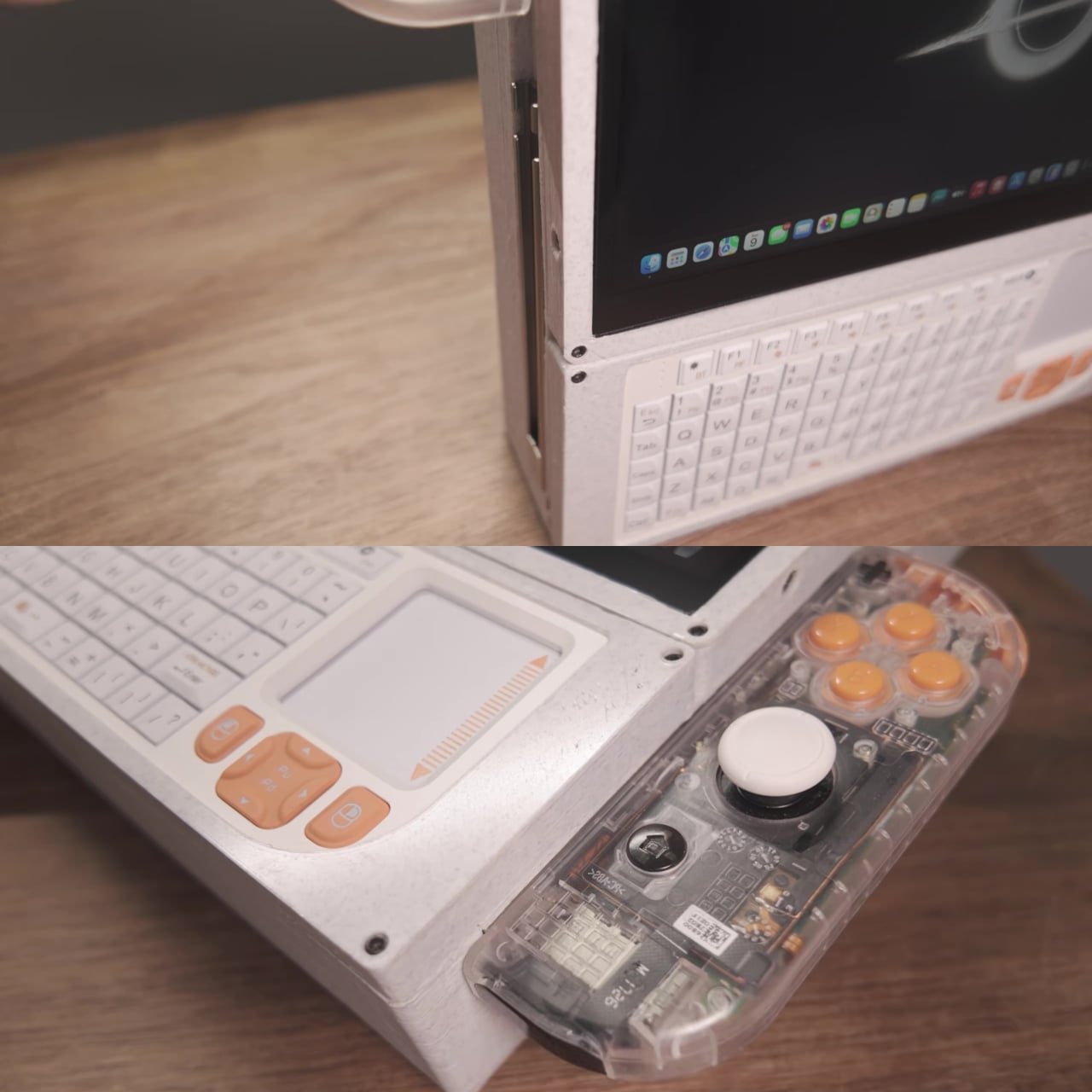
That shell doesn’t bolt permanently into the cyberdeck’s body. It slides in and out on rails instead, resembling something closer to a Game Boy cartridge than a soldered motherboard. Pull it free, and the rest of the handheld, its screen, its keyboard, its controllers, stays behind as a shell ready for whatever core gets slotted in next, whether that’s a repair, an upgrade, or an entirely different chip generation down the line.
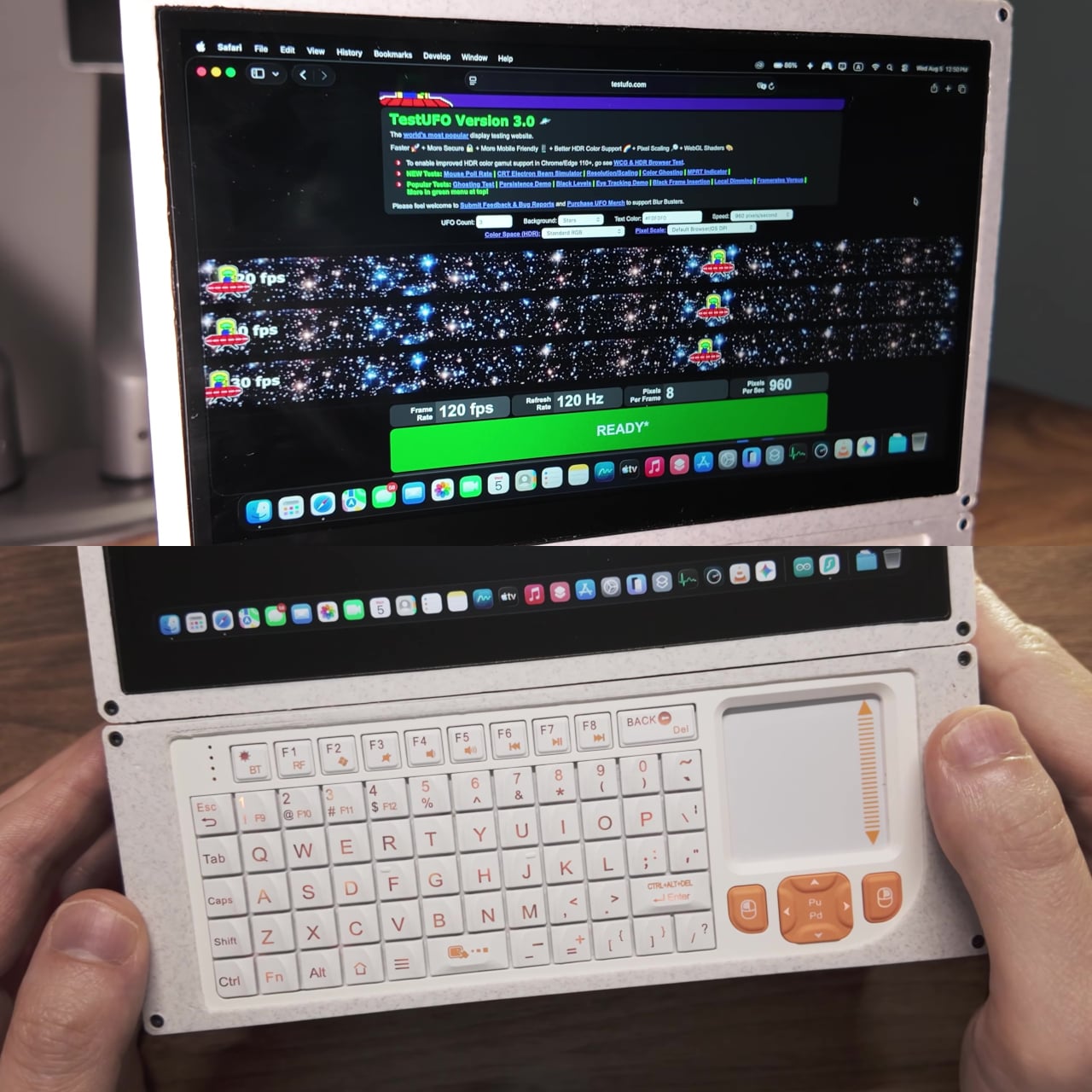
Up front sits a 7-inch touchscreen running at 120Hz, paired with a shrunken QWERTY keyboard that includes its own built-in touchpad. That keyboard began as a wireless accessory, but its battery got pulled and rewired to draw power straight from USB instead, trimming both weight and one more thing that could run out of charge mid-session.
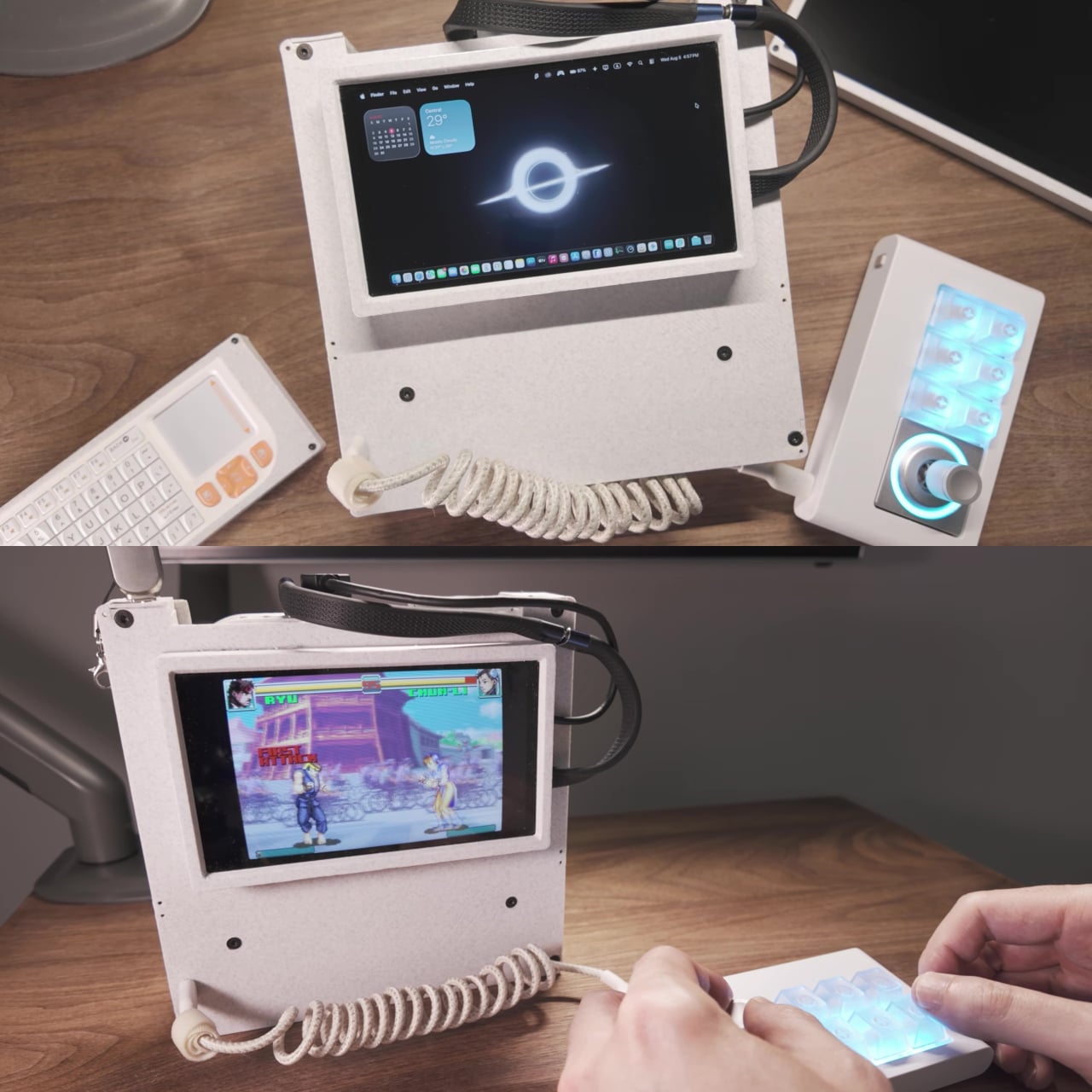
Gaming input came from an unexpected donor. Circuit boards pulled from genuine Nintendo Joy-Con charging grips now sit on rails built into both sides of the cyberdeck, wired directly rather than paired over Bluetooth. Since macOS has no native support for wired Joy-Cons, Steam’s controller mapping layer bridges that gap, turning what looks like a stripped-down laptop into something that plays games with console-grade tactile controls in hand.
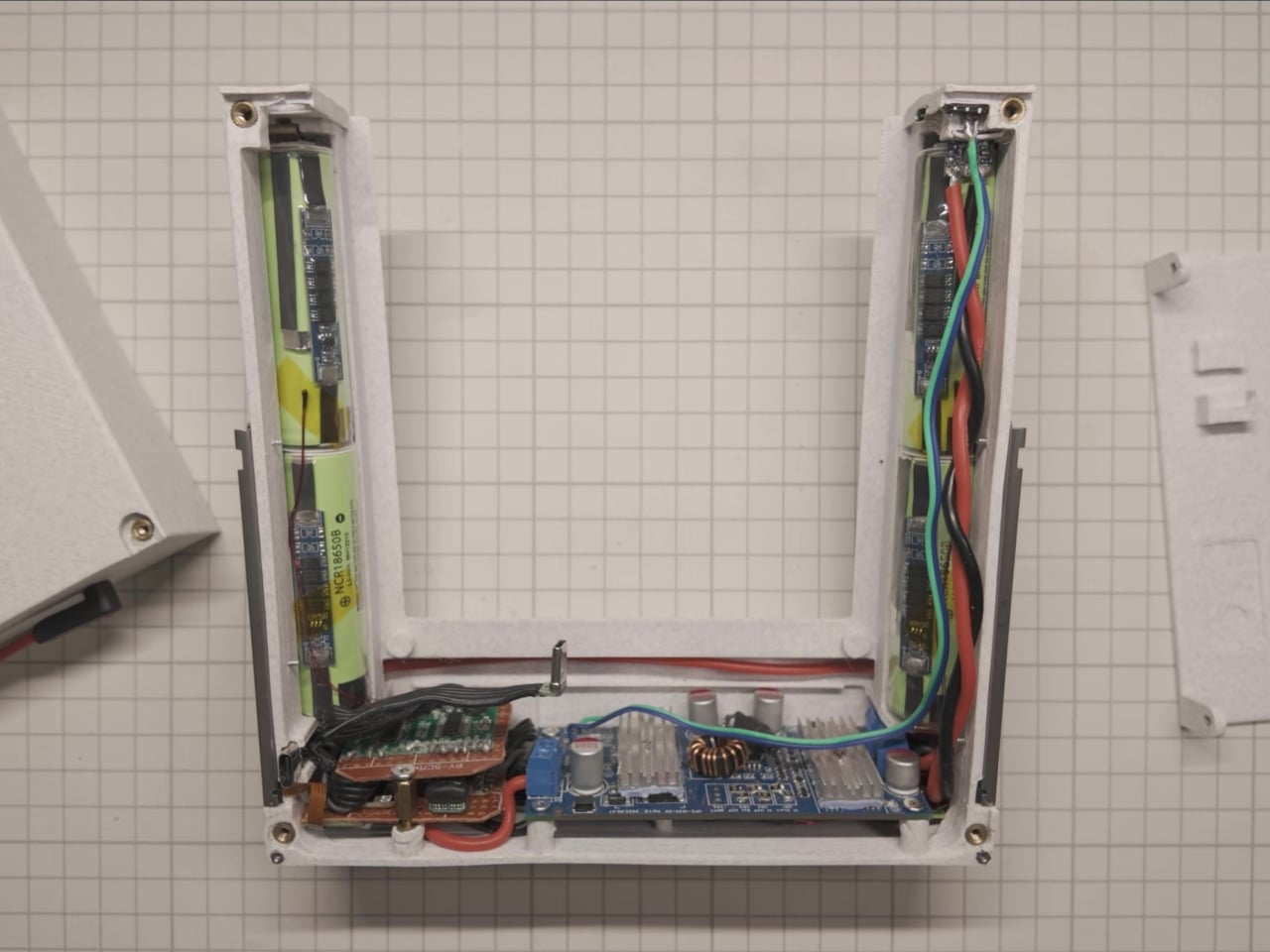
Wiring that many peripherals into one small chassis created its own bottleneck. The fix came from combining two miniature USB splitter boards into a single custom three-port hub, stripped of their bulky original connectors to fit the tight internal layout. A bank of rechargeable cells rounds out the build, feeding a custom power delivery setup that keeps the whole machine running for hours without a cable in sight.
None of these choices were about making the smallest possible Mac Mini. They were about proving a desktop chip could be pulled apart, rehoused, and handed a battery without losing what made it worth owning in the first place. That kind of modular thinking, where the computer becomes a swappable cartridge rather than a sealed box, points toward a version of portable computing that upgrades in pieces instead of getting replaced whole.
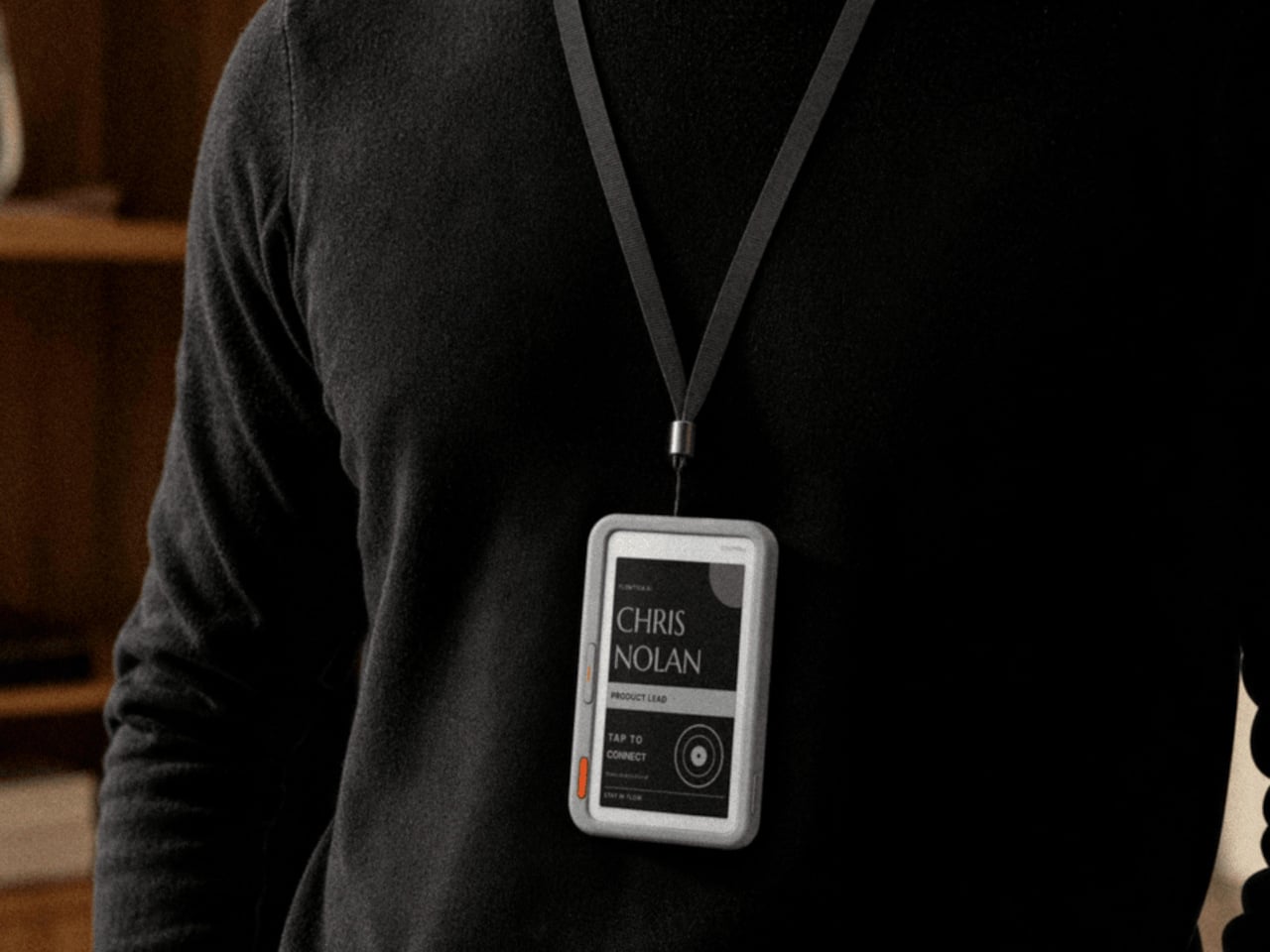
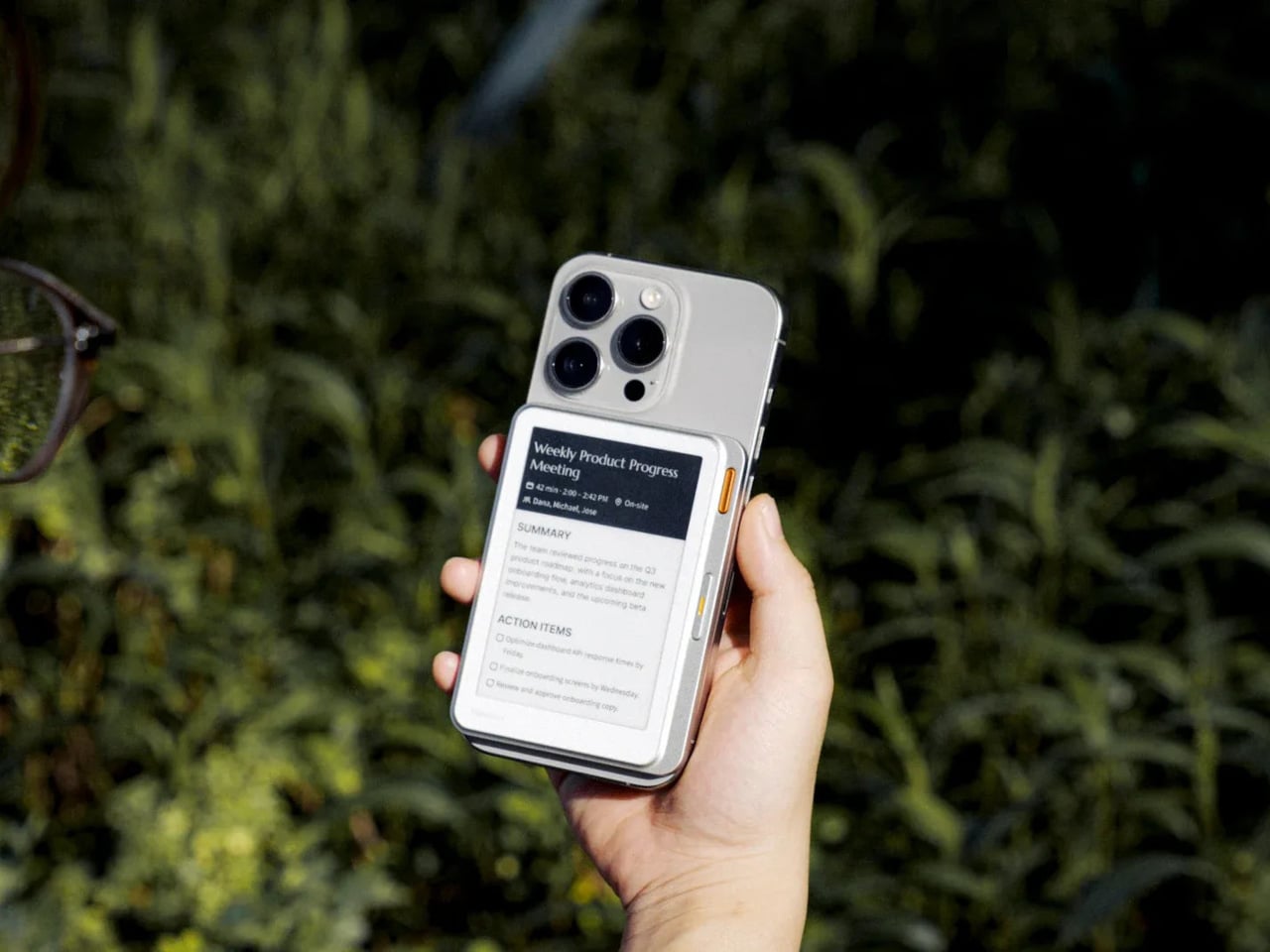
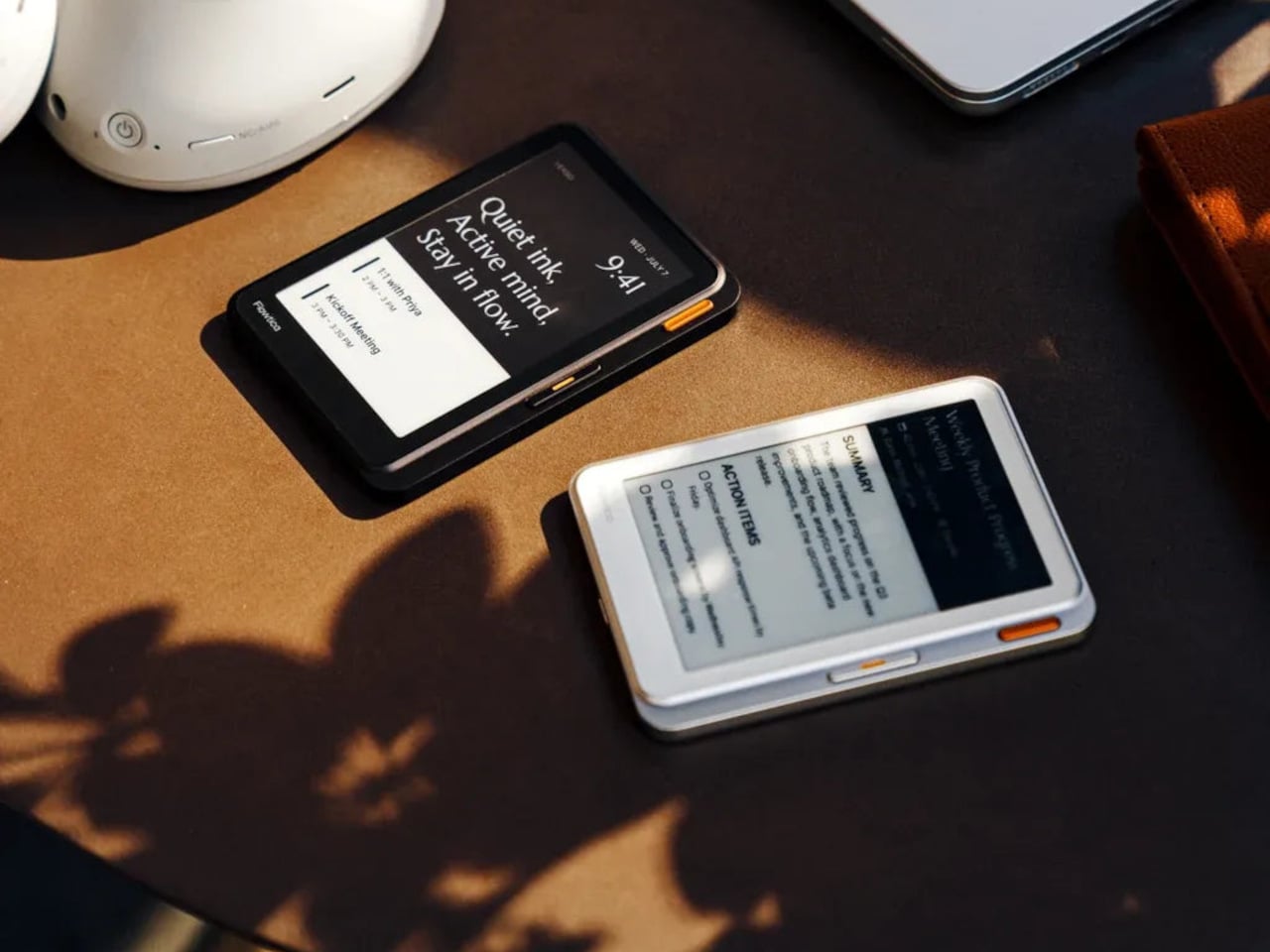
Phone screens have quietly become the default display for everything, including thoughts that never needed an app in the first place. The Flowtica Verso pushes back on that habit by giving your phone a second face, a card-sized panel with its own always-on e-paper screen. Snap it onto the back of a handset, and it starts listening, transcribing, and summarizing conversations without asking you to unlock anything.
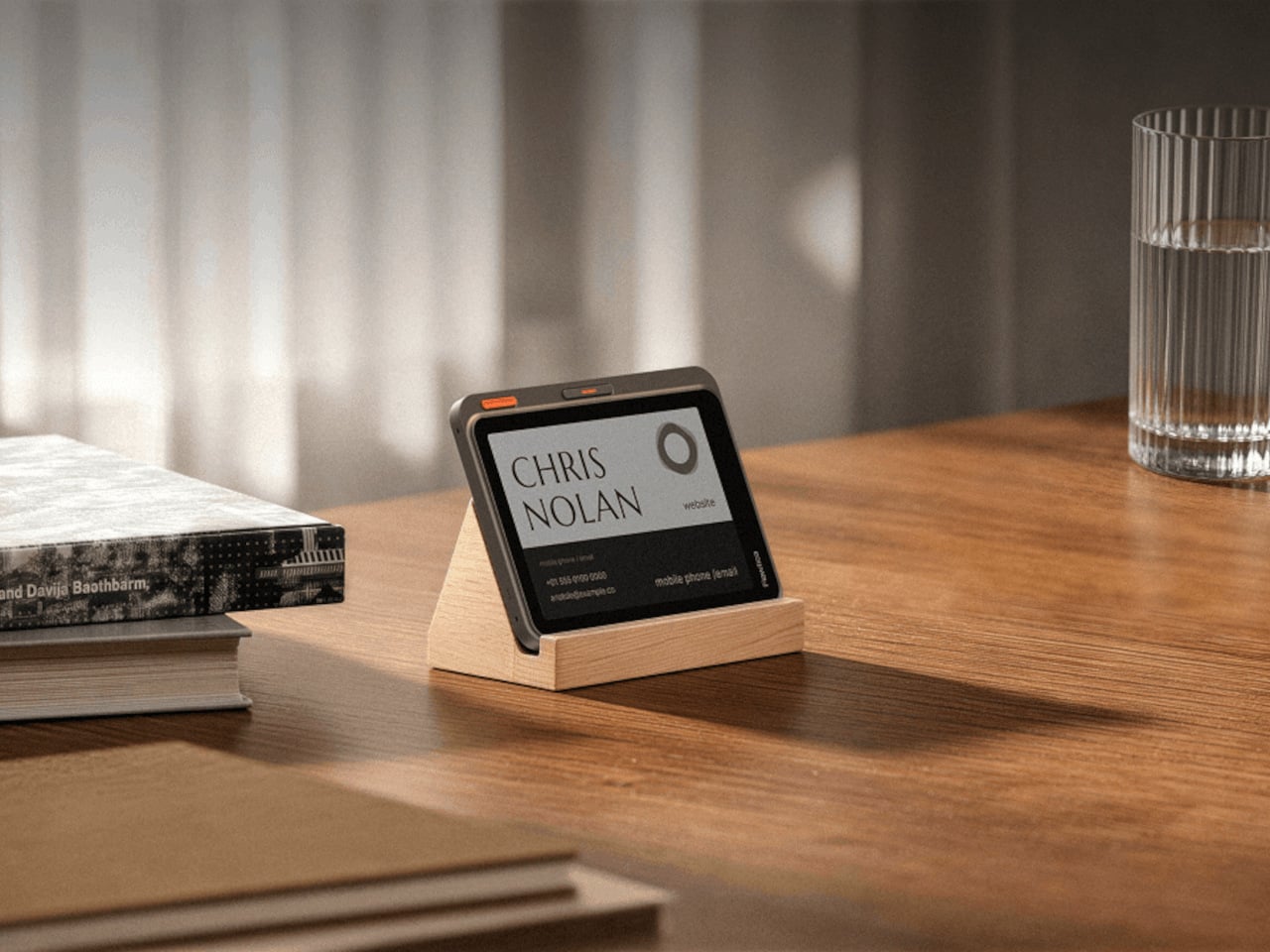
That panel is barely 6.5 millimeters thick, thinner than most phone cases, yet it holds a full touchscreen, a five-microphone array, and enough battery to run for up to 72 hours between charges. Magnets let it click onto a MagSafe-compatible phone, but that’s only one option. Hang it from a lanyard during a conference, or prop it on a desk stand next to a laptop instead.
Picture a meeting that runs long and scattered, the kind where important details slip past because everyone’s phone is face down on the table. With the Verso clipped to a case, none of that gets lost. It records the discussion, then turns the audio into a clean summary with action items sitting right there on its screen, ready before anyone reaches for a notebook or a second device.
A second button turns the same panel into something closer to a conversation partner. Hold it down, ask a quick question about what just got discussed, and the answer appears on the e-paper face within seconds, no app switching required. That small design choice matters more than it sounds, because it keeps a person’s attention on the room instead of a glowing rectangle in their palm.
A Screen That Keeps Working After the Meeting Ends
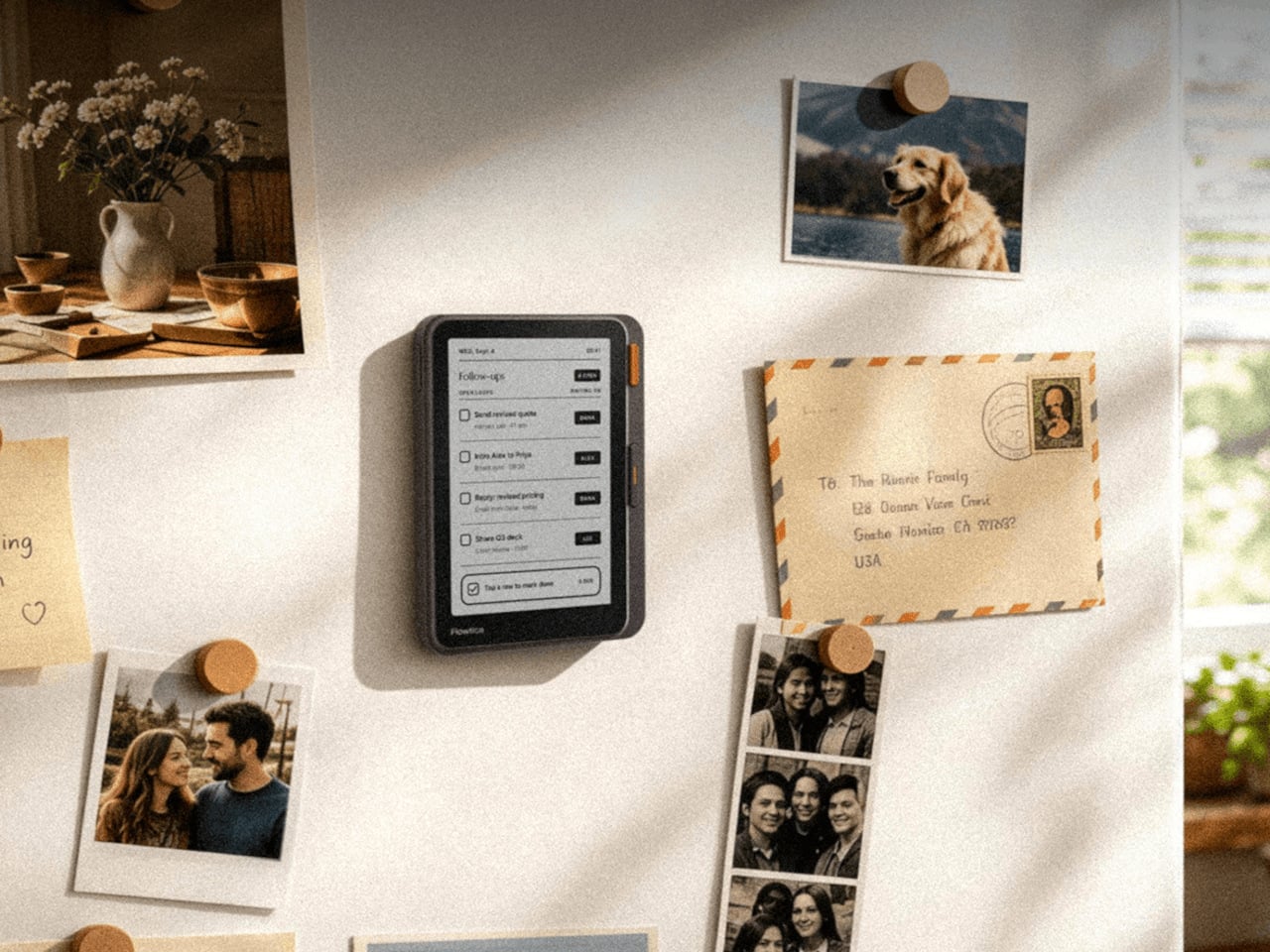
Beyond a single meeting, the same panel doubles as a running dashboard for the day. It surfaces calendars, pending to-do items, and summaries pulled from earlier recordings, so checking on today’s schedule stops requiring a phone unlock at all. The device is priced at $299, positioning it closer to a dedicated tool than a phone accessory picked up on a whim.
E-paper is the quiet advantage running through the whole design. Unlike an OLED display that drains a battery just by staying lit, the Verso’s screen holds its last update with almost no power draw, which is how it stretches to 72 hours of use. Text also stays legible outdoors under direct sun, somewhere most phone screens start to wash out and become unreadable within minutes.
Shared Real Estate, Different Jobs
The back of a phone has quietly become contested real estate. Xteink’s X4 Classic strips a magnetic add-on down to page-turn buttons and nothing else at $79, while its X4 Pro version adds a front light for $99, and BOOX’s Picco shrinks a touchscreen reader to pocket size for around $100. Each one chases distraction-free reading. Verso claims the same magnetic footprint but points it at conversations instead of pages.
That distinction matters because a magnetic back panel is easy to copy, but the job it performs is not. Reading gadgets ask for stillness and a single task done well. Verso asks for the opposite, staying alert through scattered conversations and handing back organized thoughts before the moment passes. Both approaches treat a phone’s blank back as valuable space, just aimed at very different kinds of attention.
Every idea deserves somewhere to go, and for a lot of 3D printing hobbyists, that place has been missing. ELEGOO wants to change that with ELEGOO DAY 2026, launching September 10, its annual celebration built around bringing creators together on Nexprint. This year folds in a creator fund, a design contest, new model generators, and a sale, all pointing toward one goal: getting more people to create, share, and be part of a growing community.
Most of that action happens on Nexprint, ELEGOO’s open-source 3D model platform, built on the belief that creation should be open to anyone with an idea. Think of it as the hub tying everything together: models get uploaded, tools get discovered, and creators get a real reason to keep contributing. That shift is slowly turning ELEGOO from a printer maker into a community built around making.
The centerpiece is the new $1,000,000 Creator Fund, ELEGOO’s way of recognizing and rewarding people for sharing 3D models on Nexprint, not just paying for output but investing in the community itself. Rewards start with your very first submission, no waiting for likes or rankings to climb first. Individual models can earn up to $100, and stacking incentives push that ceiling to $300 per model.
There’s more structure built in too. Extra rewards unlock at 3, 5, 10, 20, and 50 submissions, so consistency pays off as much as any single hit model. Monthly rankings hand exclusive prizes to the top five creators, including actual ELEGOO printers, while a new bonus-card mechanism can push individual payouts even higher. It feels less like a marketing gimmick and more like a system built to grow alongside its creators.
From September 10 to October 30, ELEGOO runs the MakeItReal contest on Nexprint, and the premise couldn’t be simpler: take a flat idea, in whatever form it takes, and give it dimension, no design background required. There’s no theme to chase, just that shift from flat to physical. Winning entries will be picked and announced on November 20, each earning up to $300 in ELEGOO coupons for the trouble.
The idea behind it is almost sentimental for a hardware company, echoing ELEGOO’s belief that 3D printing works best as a creative outlet, not a manufacturing shortcut. A photo on your phone or a doodle in a notebook can end up as something you actually hold, not just imagine. Creators don’t need advanced modeling skills to compete, either. Nexprint’s upcoming Text and Image to 3D Generator lets anyone shape a contest entry straight from a photo or a written description, no CAD needed.
That generator is one of three new tools ELEGOO just added to Nexprint, alongside a Vase Generator and a Nameplate Generator, each built to make creation easier for beginners and veterans alike. All three do the same basic job: they take a drawing, a photo, or a few typed words and turn it into a printable model within minutes. None of it replaces real design skill, but it removes the blank-page problem that stops many from starting.
Put it together, and the loop makes sense. Someone sketches an idea, runs it through a generator, shares the result on Nexprint, enters it into MakeItReal, and picks up Creator Fund rewards along the way. None of those steps demand deep technical skill. This is the connected ecosystem ELEGOO keeps referencing, not a slogan, but an actual sequence anyone can walk through starting today.
All this activity lines up with the ELEGOO DAY Sale, with discounts of up to 54% on selected products, running September 8 through 29 with regional pricing, ELEGOO’s way of putting that ecosystem into more hands. The Saturn 4 Ultra 16K brings high-resolution resin printing for detailed sculptures, jewelry prototypes, and miniatures. The Centauri Carbon 2 Combo handles multicolor prints for home décor and personalized gifts. The Mars 5 Ultra offers a smaller resin option with sharp detail for tight workspaces.
What stands out about ELEGOO DAY 2026 isn’t any single feature; it’s the shape of the whole thing. A hardware company built its business on printers, then quietly built systems for sharing, competing, and earning that turn a machine into a habit. For ELEGOO, that’s what building an ecosystem means: more chances for people to create, connect, and turn ideas into something real.