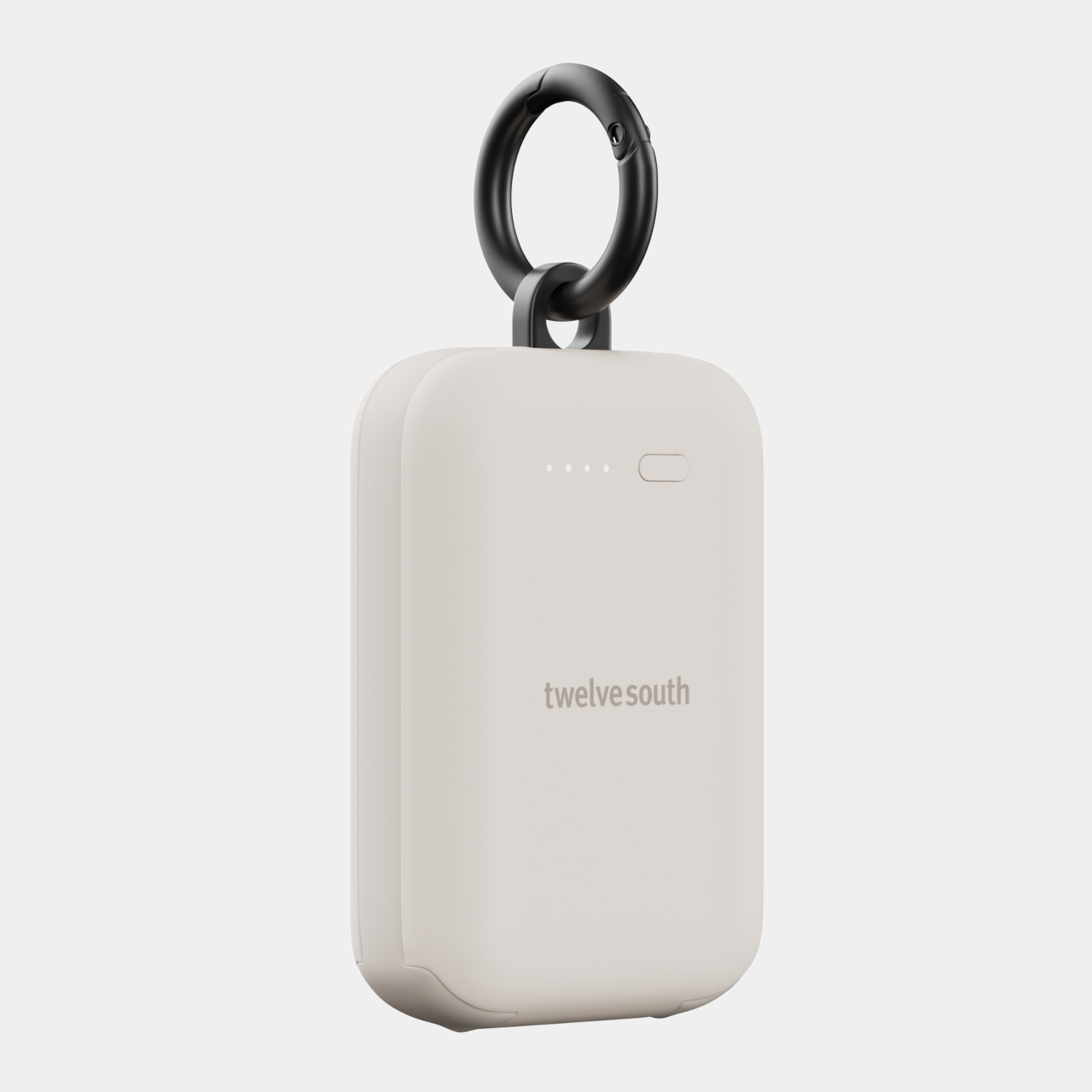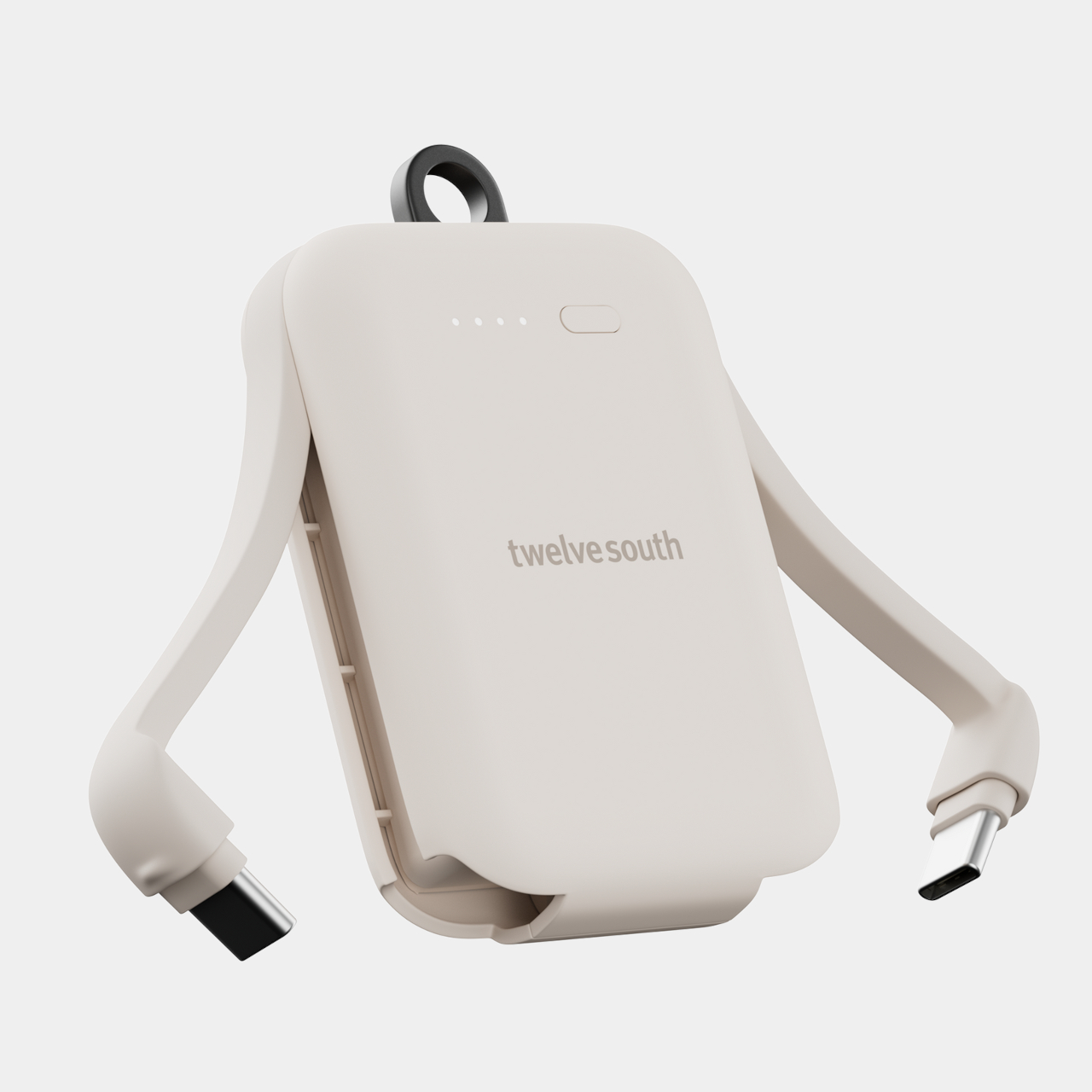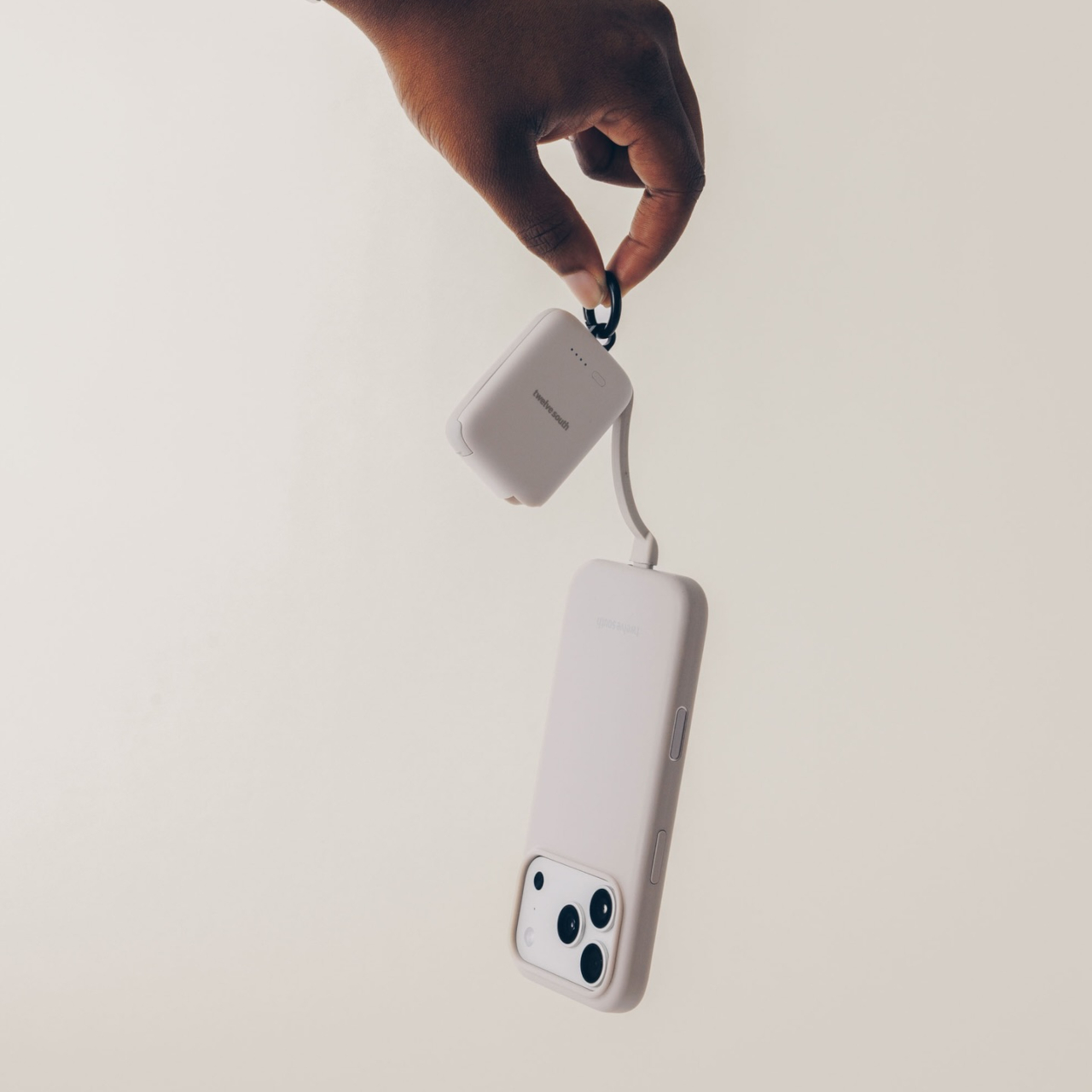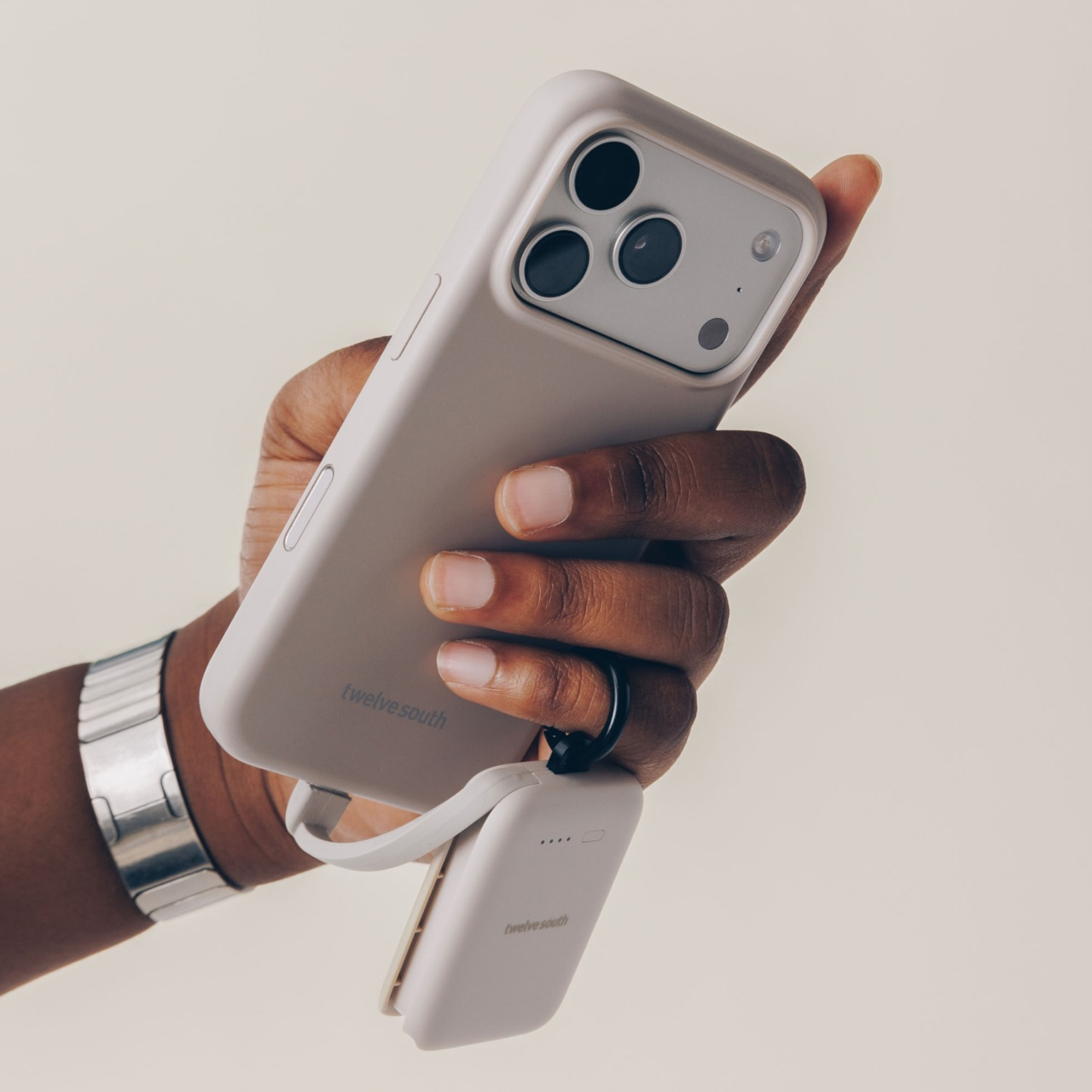
Nomad Made a Credit Card AirTag Thin Enough to Fit in Your Wallet

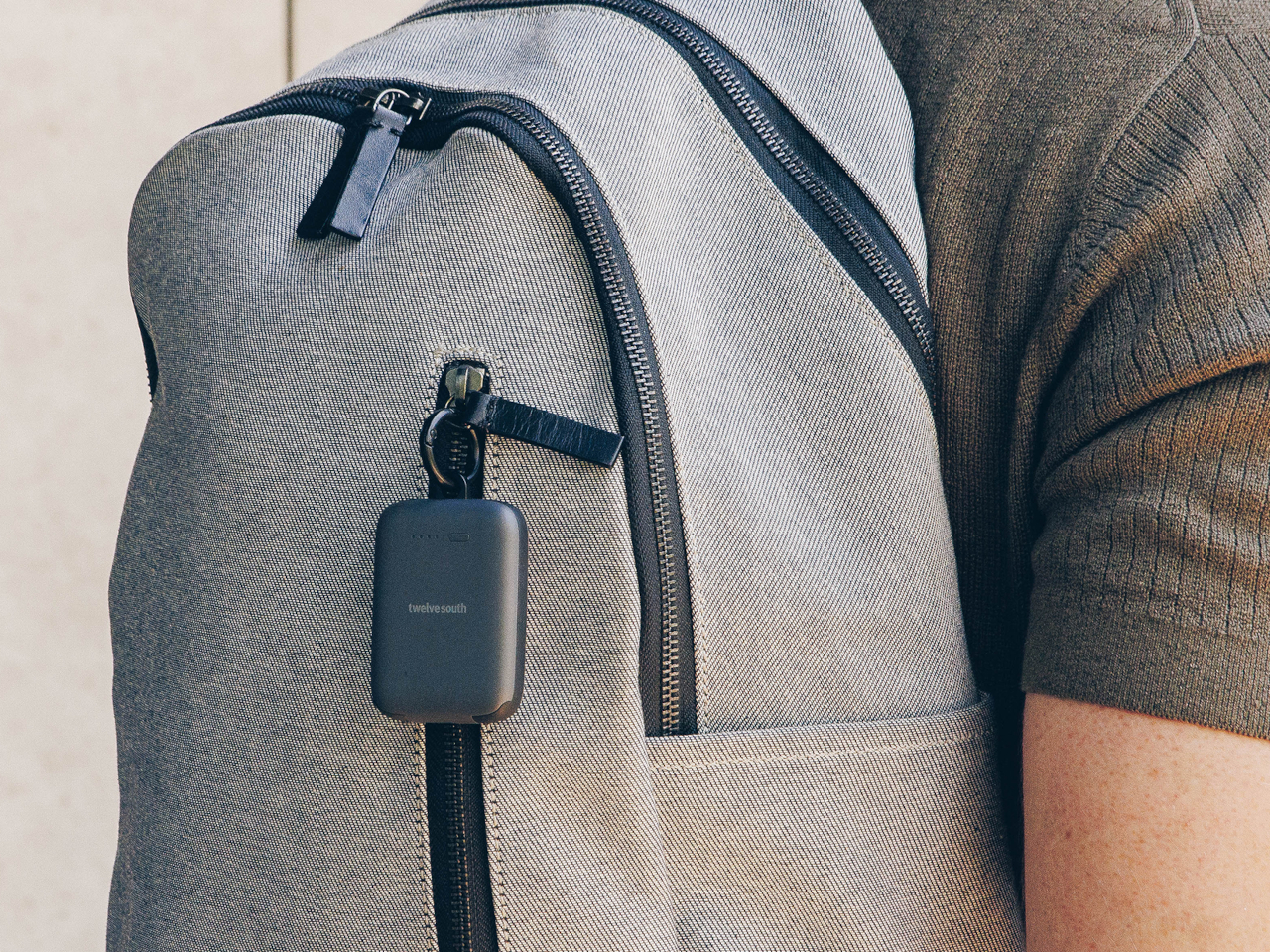
Losing your wallet ranks somewhere between forgetting your keys and realizing you left the stove on in terms of minor panic attacks. The sinking feeling when you pat your pockets and find nothing but lint is pretty much universal, yet most tracking solutions require bulky add-ons that won’t fit properly or make your wallet noticeably thicker. AirTags work great for bags and keychains, but stuffing one into your wallet feels like carrying a small hockey puck between your cash and cards.

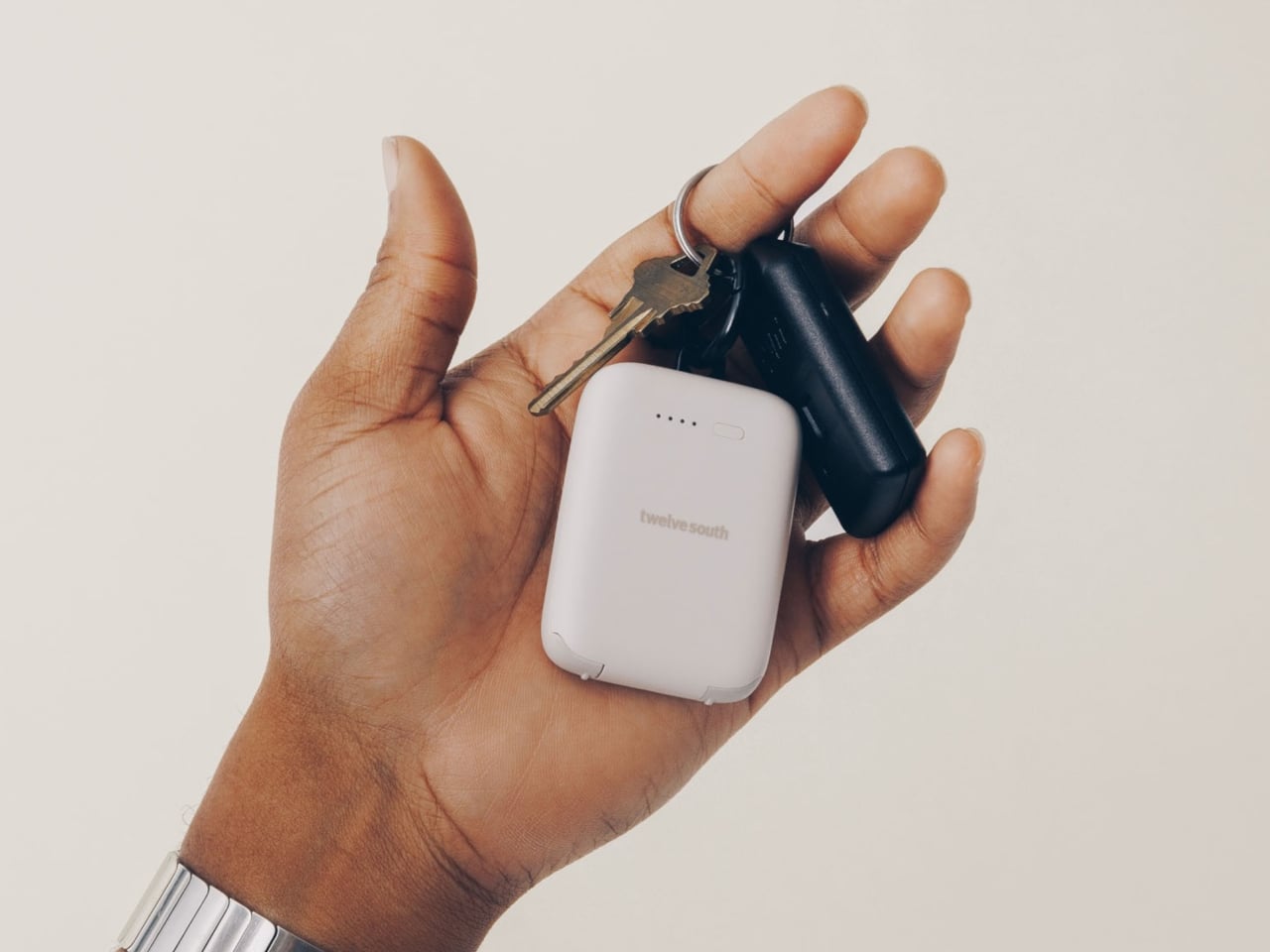
Nomad’s Tracking Card Pro solves this by fitting Apple Find My technology into something that looks and feels exactly like a premium metal credit card. At just 2.5mm thick, it’s three times slimmer than an AirTag and slides into any wallet without adding noticeable bulk. The real achievement is cramming a rechargeable battery and wireless charging into that thin form, then making it last up to 16 months on a single charge.

Designer: Nomad Goods

The card itself is deceptively simple. A polycarbonate and aluminum body with a matte black or white finish, subtle Nomad branding on top, and a small chip icon that mimics what you’d see on an actual credit card. There’s a wireless charging symbol near the bottom and a tiny LED indicator that lights up when charging, but otherwise it’s designed to blend in completely with your other cards.

Charging happens wirelessly on any Qi or MagSafe pad, and Nomad claims you can even charge it through leather wallets without removing the card. That’s actually pretty handy for something you’re meant to leave in place and forget about until you need it. Heck, the IPX7 waterproof rating means the occasional spill or rainstorm won’t kill it, which is reassuring for something that lives in your pocket most of the time.

Setup is straightforward if you’ve ever used an AirTag. Pop open the Find My app, add the Tracking Card Pro, and name it whatever you want. From there it works like any other Find My device, pinging nearby Apple devices to report its location. The global network means your wallet can be tracked almost anywhere someone with an iPhone happens to be.

Of course, the slimness comes with trade-offs. The card is about as thick as two credit cards stacked together, so it does take up a slot in your wallet. The audio alert for locating the card works but isn’t particularly loud, so you’ll want to be relatively close when triggering it. That said, the primary use is tracking via the Find My app anyway, where you can see the card’s location on a map. If you want an even thinner option, the 1.3mm Slimca HERE 2 Tracker Card can even charge via USB-C despite its super-thin profile.

At $39, the Tracking Card Pro sits between cheap alternatives that barely work and premium options that don’t offer much extra. It’s currently on preorder with shipments expected by mid-January, and there’s a discount if you buy multiple cards. For anyone who’s ever spent an afternoon tearing apart their house looking for a wallet, or worse, realized it’s gone while standing in line at checkout, that’s probably money well spent.

The post Nomad Made a Credit Card AirTag Thin Enough to Fit in Your Wallet first appeared on Yanko Design.

This Power Strip Is Shaped Like an Original NES Console

Power strips live beneath desks or behind furniture where nobody has to look at them. Black plastic housings with rows of identical outlets do their jobs without offering anything visually interesting or worth displaying. They’re purely functional objects designed to disappear, which works fine until you’re building a desk setup where aesthetics matter as much as keeping devices charged, and everything ends up looking generic and forgettable.

The Trozk Game Style Socket recreates the Nintendo Famicom console as a functional charging station, bringing the red and white color scheme and design language from 1983 directly onto modern desks. Instead of hiding, this power strip sits visibly where it becomes a conversation starter about childhood gaming memories while handling the practical work of powering laptops, phones, and whatever else needs electricity. The nostalgia hits immediately for anyone who remembers cartridge-based gaming.

Designer: PTPC

The body follows the Famicom’s rectangular shape with rounded edges and cream-colored plastic accented by deep red panels. Vertical ridges run along the sides like ventilation grilles from the original hardware. A large red power button sits on one side, positioned exactly where you’d expect a console’s main switch. The whole thing commits fully to looking like a game system from four decades ago instead of just borrowing surface details.

The front panel displays a pixel-style LED screen showing voltage, current draw, and operational status through green numbers and colored bar graphs pulled straight from early arcade interfaces. Small smiley face icons and retro graphics appear alongside the readings, making functional information feel playful. The screen provides genuinely useful data about power consumption while looking like something that should be showing your high score instead.

Multiple AC outlets cover the top and rear surfaces alongside two USB-A ports and one USB-C port for fast charging. The layout spaces everything out enough that bulky adapters don’t block neighboring outlets. The USB-C handles modern quick-charge protocols, while the AC sockets accept different plug types depending on your region. Everything you’d typically plug into a standard power strip works here, just with significantly more personality surrounding it.

Tactile buttons along the front feel satisfying to press like actual controller buttons instead of mushy switches that typical power strips use. The plastic housing looks and feels substantial rather than cheap. Internal construction visible in assembly diagrams shows thoughtful engineering with proper component spacing and secure mounting for all electrical elements. Surge protection and safety features likely come standard, though specific certifications aren’t detailed.

The socket works best on desks where the retro gaming aesthetic adds character to setups that would otherwise look like every other workspace filled with identical black rectangles. It organizes charging needs while referencing shared cultural memories. The Trozk Game Style Socket treats charging as an opportunity for design that carries emotional weight, making daily device management slightly more joyful for anyone who appreciates objects that tell stories.

The post This Power Strip Is Shaped Like an Original NES Console first appeared on Yanko Design.

AeroPress Made a Coffee Grinder That Fits Inside the Plunger

Manual grinders designed for travel usually give up something important to stay portable. Compact versions use cheaper burrs that grind unevenly, producing bitter coffee no matter how carefully you brew it. Premium grinders with Italian burrs deliver consistent results but end up too bulky for backpacks, forcing you to choose between bringing mediocre equipment or leaving the grinder at home and buying pre-ground beans that taste stale before the bag even opens.

AeroPress’s new manual grinder fits completely inside the AeroPress plunger without any parts sticking out or requiring disassembly beyond detaching the magnetic handle. Italian titanium-coated burrs handle everything from espresso-fine to French press coarse across sixty distinct settings. The all-metal construction weighs enough to feel serious without becoming awkward to pack alongside other camping gear or travel essentials that compete for limited bag space.

Designer: AeroPress

The body uses knurled aluminum with vertical ridges that provide grip when your hands are cold or slightly damp from washing beans. Dark gray metal keeps it looking professional instead of cheap. The catch holds twenty-five grams, which matches single-dose brewing perfectly and eliminates the waste that comes from grinding more coffee than you actually need for one cup or pot.

Grind adjustment happens through a numbered dial that clicks between sixty settings spanning the full range from powder-fine espresso to chunky cold brew. The grinder ships preset to medium-fine, which works immediately for AeroPress without fiddling with settings first. Twist coarser for French press. Dial finer for moka pot or espresso. The changes happen quickly without tools or confusing calibration steps that make adjusting grind size feel like solving a puzzle.

The handle attaches magnetically when you’re grinding and slides into a groove along the body when you’re done, where magnets hold it flat against the metal surface. This lets the entire grinder collapse into a cylinder that fits inside the AeroPress plunger without anything jutting out awkwardly. Pull it out, snap the handle on, grind your beans, and brew using two pieces of gear that nest together the whole trip.

Dual bearings inside the crank mechanism keep grinding smoothly enough that your arm doesn’t tire halfway through processing a full dose. The long handle provides leverage that makes each rotation easier compared to compact grinders with short cranks that require more effort and more turns to process the same amount of beans. This matters early mornings when you’re not fully awake yet or outdoors when cold air makes everything feel harder.

Cleaning requires no tools beyond the included brushes that sweep out residual grounds from the burr chamber and catch. The all-metal construction handles temperature swings and outdoor conditions better than grinders with plastic parts that crack when cold or warp inside hot cars. The lifetime warranty on the burr set suggests AeroPress expects this grinder to last years of regular use without degrading performance.

The grinder extends what AeroPress does well into the grinding stage, giving users who already trust the company’s brewers a matching tool that shares the same design priorities around portability, build quality, and making excellent coffee. The combination of premium burrs, thoughtful engineering, and genuine compactness makes it one of the few manual grinders that actually delivers on portability claims without compromising the grind consistency serious coffee brewing demands daily.

The post AeroPress Made a Coffee Grinder That Fits Inside the Plunger first appeared on Yanko Design.
10 Best Tech Accessories & Gadgets That Add Personality To Any Space In November 2025

Your workspace doesn’t have to be a sterile collection of black rectangles and generic gadgets. The most interesting people surround themselves with objects that spark conversations, evoke emotions, and reflect their unique perspective on the world. These ten exceptional tech accessories prove that functionality and personality can coexist beautifully.

Each piece on this list transforms routine interactions with technology into moments of genuine delight. They’re the kind of accessories that make visitors pause, smile, and ask, “Where did you get that?” More importantly, they remind us daily that our spaces should inspire us, not drain us.

1. Trozk Marvel Infinity Stones 35W USB-C Chargers

Power adapters typically disappear into cable chaos, forgotten until desperately needed. Trozk’s Infinity Stone chargers flip this relationship entirely, transforming charging into a collectible experience that Marvel fans genuinely want to display. Each cube captures light like genuine gemstones, with translucent shells that seem to glow from within when catching desk lamp illumination.

The genius lies in making something utilitarian genuinely beautiful. Six different stone colors create a collectible series that encourages completion, turning mundane power delivery into treasure hunting. These aren’t just pretty faces either—each adapter delivers legitimate 35W fast charging through advanced GaN technology, proving that exceptional design doesn’t require performance compromises.

What we like

• Transforms everyday charging accessories into displayable collectibles.

• Delivers genuine 35W fast charging performance with modern GaN efficiency.

What we dislike

• Premium pricing significantly exceeds standard charger costs.

• Marvel theming may not appeal to users preferring subtle aesthetics.

2. OrigamiSwift Mouse

Portable mice traditionally sacrifice comfort for compactness, creating cramped experiences that leave your hand aching after extended use. OrigamiSwift solves this fundamental compromise through ingenious origami-inspired engineering that delivers full-sized ergonomics while folding completely flat. The transformation happens in milliseconds, springing from storage to workspace readiness almost magically.

This represents thoughtful design at its finest—understanding that mobile professionals need both portability and comfort without choosing between them. The mouse fits naturally in your palm during use, then disappears into laptop bags or pockets when traveling. Every interaction feels intentionally crafted, from the satisfying snap of deployment to the precise tracking across any surface.

Click Here to Buy Now: $79.00

What we like

• Provides full-sized ergonomic comfort while folding completely flat for storage.

• Sub-second deployment makes it instantly ready whenever needed.

What we dislike

• The mechanical folding system may experience wear with intensive daily use.

• Higher cost compared to traditional compact travel mice.

3. Gboard Dial Version Concept Keyboard

Some design experiments exist purely to make you reconsider fundamental assumptions, and Google Japan’s dial keyboard succeeds spectacularly. This delightfully absurd concept replaces key pressing with rotary phone mechanics, turning text input into a nostalgic ritual. Users insert fingers into vintage-style holes, rotating to select characters while enjoying the satisfying “jiko-jiko” grinding sounds of mechanical precision.

The three-layer dial structure claims faster input speeds, though productivity clearly isn’t the primary goal here. This keyboard exists to spark smiles, generate conversations, and remind us that technology doesn’t always need to optimize for efficiency. Sometimes the best innovations simply help us rediscover joy in everyday interactions with our devices.

What we like

• Creates a unique conversation piece that challenges conventional input methods.

• Nostalgic mechanical sounds provide a meditative, deliberate typing experience.

What we dislike

• Likely much slower than traditional keyboards for practical work tasks.

• Conceptual nature means commercial availability remains uncertain.

4. Minions-Themed Wi-Fi Routers

Network equipment usually hides in closets and cabinets, forgotten until connection problems arise. These Minion-themed routers celebrate connectivity infrastructure, transforming essential but invisible technology into cheerful desk companions. Bob and Kevin’s designs aren’t just cosmetic—shorter Bob handles dual-band networking while taller Kevin manages triple-band frequencies, including cutting-edge 6GHz connectivity.

The character selection reflects genuine technical differences, creating functional storytelling that makes networking specs memorable. Mesh capabilities eliminate dead zones throughout your home, ensuring every corner maintains strong connectivity for 8K streaming or competitive gaming. These routers prove that essential technology can bring personality to spaces without sacrificing performance.

What we like

• High-performance mesh networking with comprehensive multi-band frequency support.

• Character theming makes typically hidden networking equipment genuinely enjoyable.

What we dislike

• Playful aesthetic may clash with sophisticated or minimalist interior design.

• Licensed character branding typically commands premium pricing over generic alternatives.

5. Side A Cassette Bluetooth Speaker

Nostalgia products often prioritize appearance over functionality, creating beautiful objects that disappoint when actually used. This cassette speaker nails both dimensions perfectly, delivering authentic mixtape aesthetics with genuinely useful modern features. The transparent shell and Side A labeling create instant recognition, while Bluetooth 5.3 connectivity provides reliable wireless audio that sounds surprisingly warm for such compact dimensions.

The clear case doubles as a display stand, transforming any shelf into a mini music museum. MicroSD card support enables offline playback, letting you curate actual digital mixtapes without streaming dependencies. This clever design bridges decades of music technology, honoring analog heritage while embracing contemporary convenience.

Click Here to Buy Now: $45.00

What we like

• Authentic cassette design combined with modern Bluetooth 5.3 wireless connectivity.

• MicroSD card support enables offline playback without internet streaming requirements.

What we dislike

• Compact dimensions naturally limit maximum volume output and bass response.

• Retro aesthetic appeals primarily to specific generational demographics.

6. XDOBO BMTL Mushroom Bluetooth Speaker

Audio equipment tends toward aggressive, angular designs that announce their presence loudly. This mushroom speaker takes the opposite approach, bringing organic whimsy to tech-heavy environments while delivering surprisingly robust sound quality for its diminutive size. The design immediately evokes forest floors and fairy tales, creating instant warmth wherever it’s placed.

Despite its compact footprint, the speaker produces full, rich audio that reviewers consistently praise for clarity and balance. The form factor encourages creative placement—nestled among books, perched on nightstands, or clustered with plants for a woodland aesthetic. This speaker proves that audio equipment can integrate naturally into living spaces rather than dominating them.

What we like

• Unique mushroom aesthetic creates instant visual appeal and conversation opportunities.

• Delivers impressive audio quality despite an extremely compact, novelty-focused design.

What we dislike

• Limited room-filling capabilities compared to larger, traditional speaker designs.

• Whimsical appearance may not suit minimalist or professional workspace aesthetics.

7. Corsair iCUE 5000X RGB Tempered Glass Case

Desktop computers traditionally hide components behind opaque panels, treating internal hardware as purely functional elements. The iCUE 5000X flips this philosophy completely, featuring four tempered glass panels that transform your build into an illuminated sculpture. Smart RGB lighting responds to music, temperatures, or gaming events, creating a dynamic room ambiance that extends far beyond the desktop.

Cable management systems ensure clean aesthetics match the technical showcase, while the included RGB fans provide both cooling performance and customizable lighting effects. This case supports high-end builds without compromising display potential, accommodating large graphics cards and multiple fans while maintaining pristine sightlines. Modern front panel I/O, including USB-C, keeps connectivity current with contemporary device requirements.

What we like

• Four-panel tempered glass design creates a stunning 360-degree component visibility showcase.

• Advanced RGB lighting ecosystem allows extensive customization and environmental response.

What we dislike

• Glass panels require frequent cleaning to maintain a pristine, fingerprint-free appearance.

• Premium materials and lighting features command significantly higher pricing.

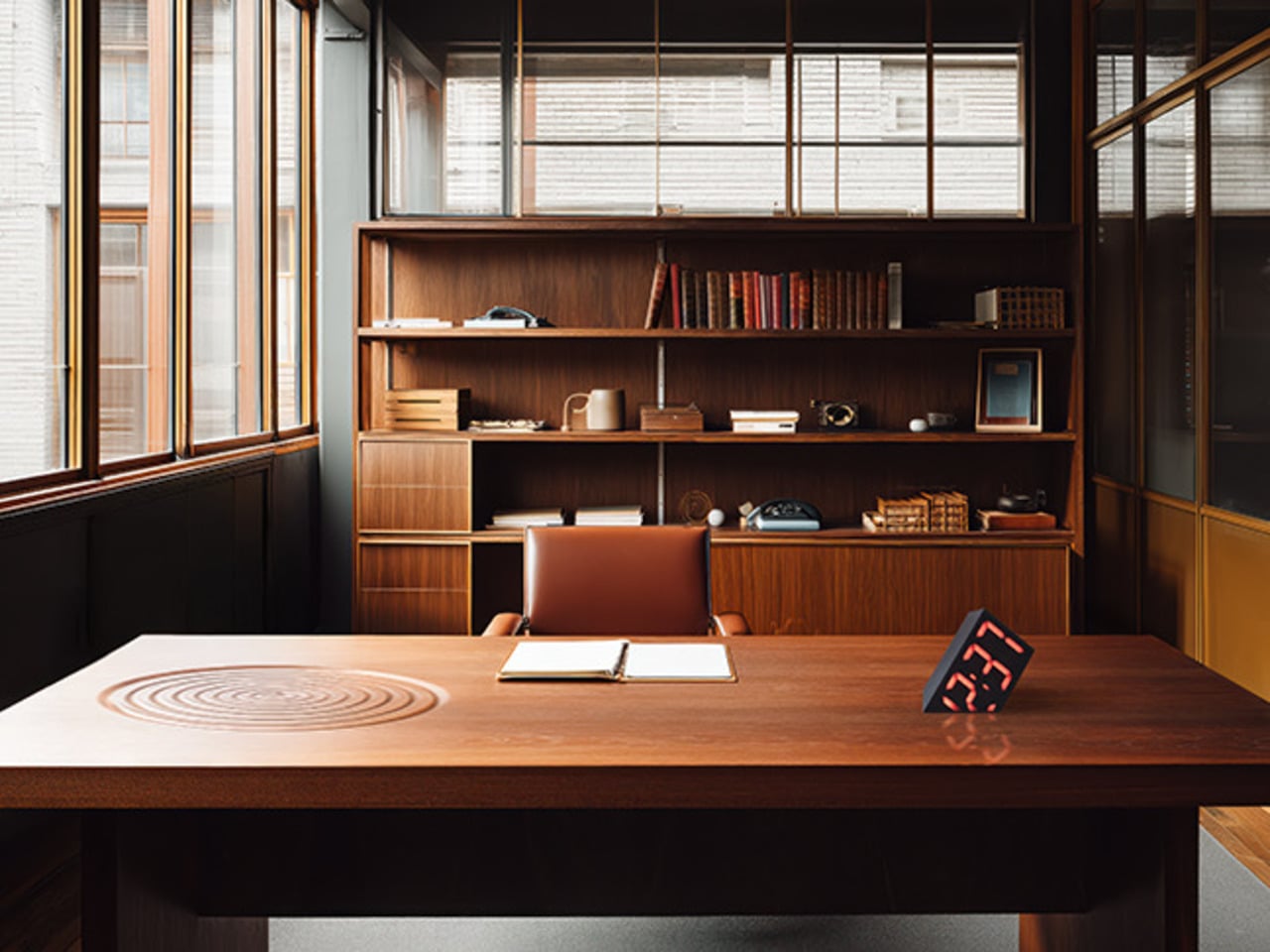
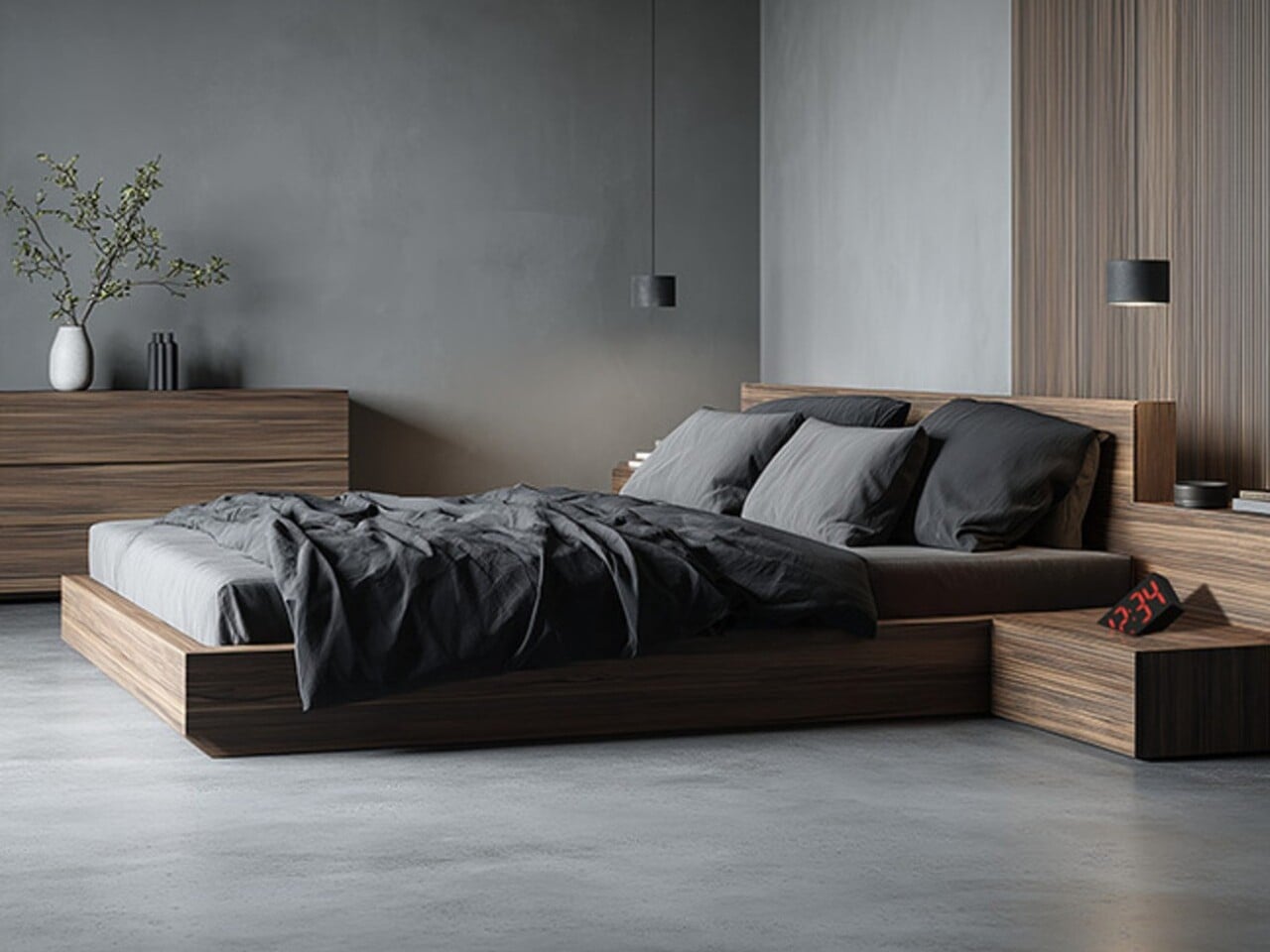
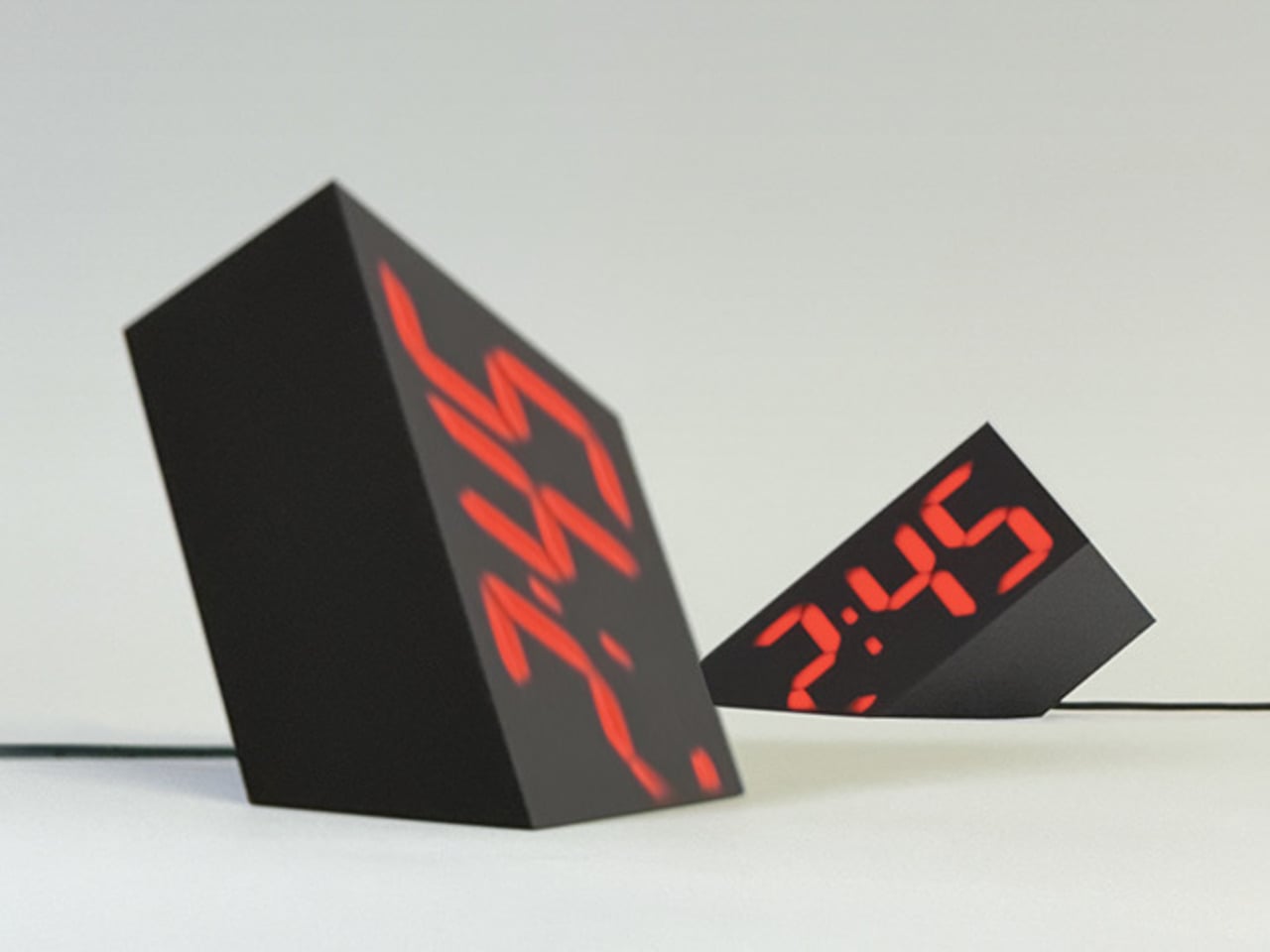
8. Dieter Rams-Inspired Desk Clock with Wireless Charging

Digital displays typically compete for attention through brightness and animation, creating visual noise that disrupts workspace tranquility. This Braun-inspired clock takes the opposite approach, embedding time and date information so subtly into the matte surface that they appear almost ghostly. The asymmetrical layout breaks conventional clock design while maintaining perfect balance.

Wireless charging integration eliminates cable clutter without compromising the clean aesthetic that makes this piece special. The design philosophy prioritizes essential functions while removing everything superfluous, creating a timeless appeal that won’t feel dated in five years. This clock proves that the best technology often involves thoughtful subtraction rather than feature addition.

What we like

• Timeless Braun-inspired design philosophy ensures lasting aesthetic appeal across decades.

• Seamlessly integrates essential functions without creating visual clutter or distraction.

What we dislike

• Subtle display design may challenge readability from certain viewing angles.

• Wireless charging compatibility is limited by specific phone dimensions and case thickness.

9. InkyPi E-Paper Productivity Display

Digital productivity tools often create more distraction than focus, bombarding users with notifications and visual noise. The InkyPi display takes a fundamentally different approach, using E-ink technology to create calm, always-on information that never glows, flickers, or demands attention. Housed in a simple picture frame, it resembles desk art more than technology.

The Raspberry Pi Zero foundation enables complete customization for specific workflow needs while consuming minimal power throughout the day. Open-source design means endless possibilities for displaying to-dos, calendar events, weather information, or progress tracking. This project proves that the most effective productivity tools often embrace simplicity over feature complexity.

What we like

• E-ink technology provides distraction-free, always-visible information without eye strain. • Open-source foundation enables complete customization for individual productivity workflows.

What we dislike

• DIY assembly requirements may challenge users without basic technical skills.

• Slow E-ink refresh rates are unsuitable for dynamic or frequently updating information.

10. LEGO Brick Wireless Charging Platform

Wireless charging pads typically serve single purposes, providing power delivery without additional functionality or personality. This LEGO-inspired charging platform transforms power delivery into a creative playground, featuring modular docking areas for accessories, lighting, and actual brick building. The concept celebrates modularity that appeals equally to tech enthusiasts and brick builders.

Hidden coils power connected modules without additional cables, while the square platform provides dedicated space for displaying building skills or docking essential accessories. The design bridges childhood creativity with adult functionality, proving that the best tech accessories can nurture playfulness alongside productivity. This platform shows how familiar building concepts can revolutionize everyday technology interactions.

What we like

• Modular design enables endless customization, combining charging, accessories, and creative building.

• Hidden power coils eliminate cable clutter while supporting multiple connected modules.

What we dislike

• Fan-made concept design means limited availability and uncertain commercial production.

• Building block compatibility may not appeal to users preferring streamlined aesthetics.

Tech Accessories That Tell Your Story

These ten accessories prove that technology can enhance our spaces emotionally as well as functionally. They remind us that the best designs don’t just solve problems—they bring joy to daily interactions, spark conversations, and reflect the personalities of the people who choose them. Each piece transforms routine tech use into moments of genuine delight and connection.

In a world of increasingly generic technology, these pieces celebrate the human desire to surround ourselves with objects that truly resonate. They show that functionality and personality aren’t opposing forces but complementary elements that create richer, more meaningful relationships with our digital tools and the spaces they inhabit.

The post 10 Best Tech Accessories & Gadgets That Add Personality To Any Space In November 2025 first appeared on Yanko Design.

Water Bottle Inspired by Japanese Kintsugi Celebrates Cracks

Water bottles rarely carry meaning beyond their function. Most exist purely to hold liquid, stay cold, and survive daily wear without much thought given to what they represent or how they make you feel. They’re tools that disappear into routines, useful but forgettable, designed for efficiency rather than connection. Few products in this category attempt to add narrative or emotional weight to something as ordinary as staying hydrated throughout the day.

The Takeya Kintsugi Collection draws from the Japanese art of repairing broken ceramics with gold, a practice that treats fractures as features worth highlighting rather than flaws to hide. Instead of concealing damage, Kintsugi transforms cracks into golden seams that tell stories of resilience and renewal. The collection applies this philosophy to water bottles through gold-accented crackle patterns that wrap around the surface, turning each one into a small meditation on strength found through imperfection.

Designer: Takeya

Gold lines branch across the matte finish in patterns that catch light differently depending on angle and movement. The effect feels deliberate rather than decorative, like each bottle carries its own history of breaks and repairs even though they arrive new. The visual reference works because it doesn’t just borrow aesthetics but commits to the underlying philosophy.

Four colorways offer different personalities while maintaining the same gold crackle treatment. Blanc presents soft and minimal. Rose adds warmth through its blush tones. Bleu Marine brings depth and boldness. Noire creates dramatic contrast where gold lines feel most pronounced against the matte black surface. Each color changes how the Kintsugi pattern reads visually, giving the same design language multiple emotional registers depending on what resonates personally.

The bottles hold meaning beyond their appearance through how they’re built to withstand actual use. Triple-wall insulation keeps water cold for thirty-six hours, which matters during long days when refilling isn’t convenient. The silicone bumper protects against drops and impacts that inevitably happen when objects get carried everywhere. These protective features align with the Kintsugi metaphor perfectly, the bottle is designed to endure damage gracefully rather than pretend damage won’t occur.

Using the bottle becomes a small daily ritual that carries more weight than typical hydration. The gold lines serve as visual reminders that imperfection doesn’t diminish value but can enhance it when embraced intentionally. Every scratch or ding the bottle accumulates over time adds to its story rather than detracting from its appearance, which inverts how we typically think about wear and aging in consumer products.

The Kintsugi Collection makes hydration feel less mechanical and more mindful by connecting a simple daily act to a philosophy that’s survived centuries. The bottles function as practical tools while serving as small, portable reminders that strength often comes from what we repair and carry forward rather than what remains pristine and untouched.

The post Water Bottle Inspired by Japanese Kintsugi Celebrates Cracks first appeared on Yanko Design.

1.3mm Tracker Card Charges via USB-C, Trumps AirTag and Tile Slim

Losing your wallet, passport, or bag is a universal frustration that can turn a busy day or a big trip into a scramble of retracing steps and hoping for a miracle to happen in your favor. Most tracking cards promise peace of mind, but end up bulking up your wallet like a small pebble wedged between your cards or running out of battery just when you need them most during critical moments when losing something could ruin your plans.

The Slimca HERE 2 is a rethink of what a tracker card can be for modern life and daily carry needs. At just 1.3mm thick, it’s as slim as a credit card, bends without breaking under pressure, and works with both Apple Find My and Android Find Hub seamlessly across platforms. It’s a tracker designed to disappear into your daily life completely until you need it, then spring into action when it matters most.

Designer: Jerry & Minami

Click Here to Buy Now: $29.4 $42 (30% off). Hurry, only 629/1200 left! Raised $88,000.

Imagine rushing through airport security, your mind on deadlines and gate changes, when you realize your wallet isn’t in your pocket anymore. That sinking feeling hits, but your phone buzzes with an alert from the Slimca HERE 2, telling you exactly where you left it. No panic, no frantic backtracking through three terminals—just a quick glance at your phone and a confident walk back to the checkpoint where you set it down.

Slimca HERE 2 is crafted from mirror-finish 304 stainless steel, giving it a premium look and the resilience to flex up to 15 degrees without snapping under pressure from daily use. Slip it into a wallet slot next to your debit cards, tuck it behind your passport in a travel pouch, or drop it in a bag’s hidden pocket, and it vanishes completely without a trace. No bulge, no awkward fit, just seamless integration with your essentials.

Unlike plastic trackers that crack or warp over time from repeated stress, HERE 2’s steel body shrugs off pressure from sitting on hard surfaces, bending when you squeeze into tight spaces, or getting jostled in crowded subways during rush hour. The minimalist face features a single button for playing a sound when you need to locate it, a charging light for battery status, and subtle gold or silver branding that keeps the look clean and timeless.

One of the biggest innovations of the Slimca HERE 2 is the USB-C port ingeniously integrated into its 1.3mm frame, allowing for easy, direct charging with any standard cable you already own for other devices. A single charge lasts up to five months, and the battery supports 100 cycles. The rechargeable design and stainless steel construction make Slimca HERE 2 a sustainable choice for conscious consumers who care about reducing waste while ensuring that their tracker is always ready for the next adventure.

Slimca HERE 2 is one of the only tracker cards to support both Apple Find My and Android Find Hub networks, so you’re covered no matter what phone you use or switch to in the future. Pair it with your device in seconds, and you’ll get instant notifications if you leave your wallet or bag behind at a coffee shop, plus the ability to play a sound to help you find it when it’s nearby but hidden.

For travelers who’ve had their luggage separated from them, students who lose their wallets between classes, and anyone who values peace of mind without carrying bulky gadgets, HERE 2’s blend of durability and discretion solves real problems elegantly. The tracker becomes invisible until the moment you need it, then delivers exactly what you need without fuss or complicated apps. And when you do need to bring it out, the HERE 2’s mirror-polished steel and impossibly slim profile make it as much a design object as a tech accessory worth showing off.

Click Here to Buy Now: $29.4 $42 (30% off). Hurry, only 629/1200 left! Raised $88,000.

The post 1.3mm Tracker Card Charges via USB-C, Trumps AirTag and Tile Slim first appeared on Yanko Design.
Someone Made a Brick Phone Power Bank with a Working Walkie Talkie

Portable chargers occupy that weird space between essential and forgettable, living in bags until phones hit red battery warnings. Most focus exclusively on capacity and charging speed while looking like every other rectangular black slab available. They serve their purpose well enough, keeping devices alive through long days, but they offer nothing beyond that single function and tend to blend into the background of everyday carry items.

The Trozk Walkie Talkie Power Bank combines a 20,000mAh battery with a built-in walkie-talkie and wraps everything in a design that recreates the iconic Motorola DynaTAC brick phone from the 1980s. The result is a charger that handles modern fast charging while enabling actual radio communication between units, all while looking deliberately bold and retro enough to spark conversations wherever it appears.

Designer: Trozk

The brick phone form commits completely to the reference, including a removable antenna, tactile buttons arranged like a vintage keypad, and a red LED display showing battery percentage in real time. Available in white with black and red accents, the power bank is substantially larger and more visually striking than typical portable chargers, which makes it feel more like a statement piece than a forgettable accessory that hides in pockets.

Two USB-C ports and one USB-A port allow simultaneous charging of three devices at a maximum combined output of 165W, while a single port can deliver 140W through PD3.1 fast charging for power-hungry laptops. The device distributes power intelligently based on what’s connected, automatically adjusting output to match requirements without needing manual settings or complicated menus to navigate through before charging starts.

The walkie-talkie function enables direct voice communication between two units through built-in radio frequency, working across multiple regions including the United States, Europe, Australia, Japan, Taiwan, and China. Press the walkie-talkie button and speak, and the other unit receives immediately. This becomes genuinely useful during camping trips, hiking with separated groups, or anywhere cell reception fails but coordination still matters for safety or convenience.

A voice recorder mode captures memos or conversations directly onto the device in retro style, adding another function beyond charging and communication that makes the power bank more versatile. The LED display cycles between battery percentage, voltage readings, and current draw depending on which button gets pressed, providing real-time information about how devices are charging and how much power remains available.

Four electric-vehicle grade battery cells provide the 20,000mAh capacity while ensuring durability that outlasts cheaper cells prone to faster degradation over charge cycles. The power bank meets airline safety regulations for carry-on luggage, making it suitable for air travel without concerns. The tactile buttons and clear LED display remove the need to check charging status through phone apps or complicated interfaces.

The Trozk Walkie Talkie Power Bank handles practical charging requirements while looking deliberately different from standard portable batteries. It brings retro aesthetics, built-in communication, and high-capacity fast charging together in ways that make keeping devices alive during travel, outdoor activities, or daily routines feel slightly more interesting than plugging into yet another anonymous black rectangle.

The post Someone Made a Brick Phone Power Bank with a Working Walkie Talkie first appeared on Yanko Design.
Vosteed Vombat Review: Why This M390 Pocket Knife Is an EDC Modder’s Dream Come True

Picture the typical launch cycle for a new folding knife. The company teases a product on Instagram, drops some specs, maybe partners with a YouTube reviewer or two. Enthusiasts argue about blade steel and lock mechanisms in comment sections. Someone complains about the price. Someone else points out the handle color options are boring. Launch day arrives, and the knife goes out into the world exactly as the manufacturer intended, sealed behind screws most buyers will never touch. Months later, modders start posting custom scale builds, aftermarket clips, and anodizing projects. The manufacturer either ignores this entirely or, in some cases, sends cease-and-desist letters.

Vosteed took one look at that cycle and designed a knife that skips straight to the modding phase. The Vosteed Vombat arrives as something closer to a platform than a finished product, complete with swappable scales, adjustable internals, and a construction system so deliberately user-friendly that all the body screws use the same T8 driver. They even provide the 3D files for printing custom scales, turning what’s usually a gray-market activity into an official feature. Pair that openness with a 2.92-inch M390 blade and a patent-pending Ball Roll Bar crossbar lock, and you have a knife that refuses to choose between performance and personalization.

Designer: Vosteed

Click Here to Buy Now: $83.40 $139 (40% off). Hurry, deal ends in 48-hours! Amazon Here.

It’s a hell of a gamble, trusting your customers not to mess things up. Most brands are terrified of this, preferring a locked-down ecosystem where they control every aspect of the user experience. Vosteed is basically handing over the keys to the kingdom, admitting that their vision ends where yours begins. This transforms the Vombat from a static object into a dynamic project. It’s a brave move that says more about their confidence in the EDC community than any slick marketing campaign could. But it also raises the stakes. An open platform is only as good as its foundation, so the core knife has to be absolutely dialed in from the factory.

And deliver it does. The whole thing is built around their Swappable Adjustable Scale, or SAS, system. This is the beating heart of the Vombat. Sure, you can swap the slick, CNC-textured aluminum scales for aftermarket kits in G10 or micarta, or go wild with your own 3D-printed designs. The real magic, though, is under the hood. You can actually tweak the crossbar’s omega spring tension using clever little “music note” indicators on the liners, letting you dial in the perfect action. There’s even a dedicated service hole that gives you access to the pivot for fine-tuning blade centering without having to perform the dreaded full takedown. This is the kind of obsessive-level tuning that knife nerds live for, and it’s all part of the stock package.

A tinkerer’s dream is a user’s nightmare if the knife itself can’t cut worth a damn. Vosteed knows this, which is why the Vombat is rocking a 2.92-inch blade made from Bohler M390, a super-steel that holds an edge forever and laughs at corrosion. You get two blade shapes to choose from: a classic, clip-point Bowie and a beefy Zulu spearpoint for more demanding utility work. They’ve also milled in their signature dual jimping, one set on the spine for your thumb and another up front for when you need to choke up for detail work. It’s one of those tiny ergonomic details that feels incredibly right once you use it, making the knife feel both secure and nimble.

Even the crossbar lock, which is everywhere these days, gets a thoughtful upgrade. Vosteed noticed that some crossbar locks can develop a bit of grit or stick over time, so they developed what they call a Ball Roll Bar. It’s a tiny, polished sphere at the heart of the mechanism designed to make the action smoother and more reliable over thousands of deployments. That’s the kind of obsessive detail that separates a good design from a great one. They didn’t just copy a popular feature; they identified a point of friction and engineered an elegant, almost invisible, solution.

So what we have here is not just another knife release. The Vombat is a premium folder built like a kit car. It gives you a fantastic M390 engine, a cleverly refined chassis with that Ball Roll Bar lock, and then invites you to build the rest of it exactly how you want. Everything from the single T8 screw size to the etch-friendly wire clip plate is designed to be pulled apart and personalized. With the current 40% launch discount bringing the price down to $119, it’s a no-brainer for anyone who’s ever looked at their EDC and thought, “I could make this better.” I’m genuinely stoked to see the weird, wonderful things people do with this knife.

Click Here to Buy Now: $83.40 $139 (40% off). Hurry, deal ends in 48-hours! Amazon Here.

The post Vosteed Vombat Review: Why This M390 Pocket Knife Is an EDC Modder’s Dream Come True first appeared on Yanko Design.

Minimalist Book Stand Works as Bookmark, Display, Bookends

Books in progress disappear easily in daily life. They slide beneath magazines, stack horizontally until the pile tips, or close flat on nightstands where they compete with phones and glasses for space. Bookends organize collections but ignore single volumes being actively read. Most stands prop books at awkward angles or take up more surface area than they deserve for what they accomplish.

The Penguin x MOEBE Book Stand treats books as objects worth displaying rather than just storing. Created to celebrate Penguin’s 90th anniversary, the stand gives reading material a visible place that makes returning to your current page feel natural. Its bent steel construction holds books open, displays single volumes upright, or works in pairs as bookends depending on what you need.

Designer: MOEBE for Penguin

The stand comes in stainless steel, cream, black, and Penguin’s signature orange. Each version uses a single bent sheet of steel, creating a seamless L-shape with no visible fasteners. The matte finish stays quiet visually while the angled base supports books of different thicknesses without wobbling. Subtle Penguin and MOEBE marks sit on the base where they don’t interfere.

Functionally, the stand adapts without adjustment. Prop a novel open to your current page and it holds position, removing the need to constantly relocate your place. Stand a hardcover upright to display its cover temporarily. Pair two stands to bookend a small collection on a desk, with everything staying secure. The same object shifts between these roles depending on what you’re reading.

The compact footprint fits bedside tables, narrow shelves, or kitchen counters where cookbooks get referenced mid-recipe. The vertical back supports books without hiding spines or covers entirely. The open form lets you grab volumes from either side depending on where you’re sitting, which removes the awkward reaching that happens with conventional stands when books sit facing one direction.

Books become the primary visual element when the stand holding them stays minimal. A colorful Penguin paperback in the orange version creates complementary color pairings. Hardcovers with interesting artwork get framed rather than buried. The stand recedes visually while making whatever sits in it more noticeable, which feels backwards from typical accessories that announce their presence louder than their contents.

Using the stand shifts how books exist in rooms. Instead of closing a novel and setting it somewhere to get buried later, you leave it propped open where it stays visible. That reminder makes picking it back up feel easier than hunting through stacks for where you abandoned it last. The ritual around reading becomes slightly more deliberate without requiring extra effort.

The Penguin x MOEBE Book Stand handles practical storage while maintaining enough visual restraint to work on surfaces where aesthetics matter. It gives books presence without making the stand itself compete for attention, which most reading accessories struggle to balance properly. The bent steel form stays minimal while adding genuine utility to spaces where people actually read rather than just collect.

The post Minimalist Book Stand Works as Bookmark, Display, Bookends first appeared on Yanko Design.
Beekeeb Toucan: The Split Ergonomic Keyboard Built for Travelers

The Beekeeb Toucan asks a question that ergonomic keyboard enthusiasts have been wrestling with for years: why should comfort stay home? Split keyboards and columnar layouts have long belonged to desk-bound workers, their benefits tethered to permanent workstations and cable management systems. This 42-key wireless design challenges that assumption.

Designer: Beekeeb

Two halves sit independently, angled outward to match natural shoulder width. Keys follow a columnar stagger rather than traditional row offset. Each key positions directly beneath a finger’s natural arc of movement. These principles are well-established in ergonomic design, but the Toucan’s interpretation focuses on what most split keyboards treat as secondary: portability without compromise.

Engineering Movement Into Ergonomics

Material choices reveal priorities. An anodized aluminum top plate provides structural rigidity and premium typing surface, while 3D-printed construction sheds weight from the bottom case. This hybrid approach answers the specific demands of travel: constant packing, unpacking, shifting between surfaces that may or may not be level. The result weighs significantly less than comparable mechanical keyboards yet maintains the solid feel necessary for confident typing. Low-profile Kailh Choc V1 switches keep everything close to the desk surface, reducing wrist extension while preserving tactile feedback.

The columnar stagger deserves particular attention. Traditional keyboards offset keys horizontally because that layout accommodated typewriter mechanisms, not human anatomy. But fingers move more naturally up and down than side to side. Aligning keys in vertical columns adjusted for each finger’s length reduces lateral reaching and finger curling. Small reductions compound significantly over hours of use.

Placing a 40mm circular touchpad on the right keyboard half solves a familiar problem for anyone who has tried maintaining ergonomics while traveling. Laptop trackpads force users to center their body with the screen, pushing the keyboard into asymmetric position. External mice require desk space and introduce reaching movements that negate split layout benefits. The Toucan’s integrated trackpad keeps both hands on home position. Cursor control becomes thumb movement rather than arm extension, maintaining portability while eliminating separate pointing devices through the Cirque GlidePoint sensor’s precision tracking in a compact footprint.

This integration matters particularly for mobile work environments where desk space is limited or nonexistent. Coffee shop tables. Airplane tray tables. Hotel desks. These spaces punish conventional ergonomic setups that sprawl across multiple square feet, but the Toucan consolidates typing and pointing into two connected halves that adapt ergonomic principles to constrained real estate.

Efficiency Through Component Selection

The memory-in-pixel display on the left half exemplifies the keyboard’s efficiency-focused design. This technology, borrowed from smartwatch engineering, updates only changed pixels rather than refreshing the entire screen, dramatically reducing power consumption compared to conventional displays. Battery life can extend to 4,000 hours on a modest 1,500 mAh cell when paired with ZMK firmware. That figure is not theoretical. ZMK optimizes wireless efficiency through aggressive power management, putting the keyboard into deep sleep between keystrokes and waking instantly when needed.
The open-source nature allows users to customize power profiles, though even default settings deliver weeks or months between charges depending on usage patterns. Beyond efficiency metrics, the display serves practical ergonomic purposes: current layer information, battery status, and connectivity indicators appear without requiring users to memorize LED blink patterns or consult software. This immediate feedback reduces cognitive load and maintains workflow continuity, particularly valuable when switching between devices or adjusting layouts on the fly.

ZMK firmware provides more than power efficiency. Open-source programmability allows users to adapt the keyboard to their specific ergonomic needs rather than conforming to preset layouts. Key positions can be remapped to reduce finger stretching. Frequently used combinations consolidate to single keys. Custom layers accommodate different tasks without abandoning muscle memory. This flexibility becomes particularly valuable for users with specific ergonomic requirements. Someone with limited finger mobility can consolidate modifier keys to thumb clusters, while a user prone to repetitive strain can spread common key combinations across multiple fingers. The ability to experiment with different configurations without hardware limitations transforms the keyboard from static tool into adaptive interface.

The open-source heritage traces back through the Piantor to the Cantor design, demonstrating how community-driven development can accelerate ergonomic innovation. Each iteration addresses real-world feedback from actual users, refining dimensions, switch positions, and feature integration based on practical experience rather than marketing assumptions.
Compromises and Considerations

Split keyboards traditionally require users to choose between portability and features. Compact designs sacrifice programmability or build quality, while feature-rich options become too bulky for travel. The Toucan attempts to resolve this through modular availability options: DIY kits at $189 appeal to enthusiasts comfortable with soldering and assembly, offering the lowest entry price while maintaining complete control over switch selection and build quality. Pre-soldered options at $298 eliminate assembly complexity but still require sourcing keycaps and switches separately. Fully assembled units with switches and keycaps push toward $352, competing directly with established options like the ZSA Voyager at $365.

That pricing positions the Toucan as a considered purchase rather than impulse buy. However, the Voyager lacks wireless connectivity and integrated pointing, requiring additional purchases for equivalent functionality. The Keychron Q13 Max, while more affordable at $250, weighs substantially more and uses wired connection that limits portability. The optional carrying bag reflects practical travel considerations. Split keyboards create packing challenges with two separate pieces, exposed switches, and electronics. A purpose-designed case protects components while keeping both halves together during transit.

The Toucan does not eliminate all compromises inherent to portable ergonomics. The 42-key layout requires layers for numbers, function keys, and special characters, creating a learning curve for users accustomed to dedicated keys for every function. This cognitive overhead can temporarily reduce productivity during the transition period. The Choc V1 switch ecosystem offers fewer options than standard MX switches. While tactile, linear, and clicky variants exist, enthusiasts seeking specific force curves or exotic switch types will find selection limited. Keycap availability similarly constrains customization, with Choc spacing requiring dedicated sets that cost more and offer fewer aesthetic options than MX keycaps.

Battery procurement adds friction to the purchase process, as shipping regulations prevent Beekeeb from including batteries. Users must source compatible cells separately. While standard hobby batteries work, this extra step complicates what should be straightforward unboxing. These limitations reflect genuine constraints rather than oversights. Compact layouts inherently sacrifice dedicated keys for portability, niche switch formats will always offer less variety than dominant standards, and battery shipping restrictions affect all manufacturers equally. Understanding these trade-offs helps potential users evaluate whether the Toucan’s strengths align with their specific needs.

Portable Ergonomics as Design Goal

The fundamental proposition the Toucan advances: ergonomic benefits should not require permanent workstation installations. Coffee shop workers, digital nomads, frequent travelers, and anyone who splits time between multiple locations have historically chosen between comfort and mobility. Heavy split keyboards stay home. Laptop keyboards cause strain but pack easily.

By packaging columnar layout, split design, integrated pointing, and extended battery life into travel-friendly form factor, the Toucan suggests a third option. Ergonomics become portable. The setup that reduces wrist strain at a home desk can accompany users to temporary workspaces without requiring compromises in either direction.

Whether this approach succeeds depends on individual priorities. Users who value maximum key count, premium switch feel, or comprehensive keycap selection will find the Toucan’s compromises too limiting. Those who prioritize portability above all else might find even this compact design too complex compared to minimalist 40% layouts. But for workers who move between locations while maintaining significant typing demands, the Toucan addresses a genuine gap. It proposes that ergonomic design can serve movement rather than constraining it, that comfort can travel alongside laptops and cables rather than waiting at dedicated desks.

The question is not whether everyone needs this approach. It is whether enough people recognize they have been making unnecessary compromises.

The Beekeeb Toucan is available for pre-order starting at $189 for DIY kits, with shipments beginning in December. Pre-assembled options with switches and keycaps reach approximately $352.

The post Beekeeb Toucan: The Split Ergonomic Keyboard Built for Travelers first appeared on Yanko Design.