This $3,500 Guitar Changes Colors via Bluetooth, No Repainting Needed

Guitarists obsess over finishes. Sunburst fades, metallic flakes, relic’d nitro that looks like it survived three decades of dive bars, all of it matters until you realize that once you pick a color, you are stuck unless you repaint. Stage rigs and LED walls morph through palettes every night while the guitar stays frozen, a static object carried by musicians who constantly reinvent their sound and visual identity.

Cream Guitars’ DaVinci wraps its entire body in an E Ink Prism 3 panel, turning the surface into a programmable skin that changes colors and patterns over Bluetooth. Instead of a single paint job, the guitar becomes a dynamic canvas. It is the first commercially available product to use Prism 3, which is usually reserved for architectural surfaces and product experiments, not instruments you plug into an amp and carry on tour.

Designer: Cream Guitars

Prism 3 is color changing ePaper, closer to a Kindle page than an LED screen. It does not emit light, just holds pigment using low power electrophoretic particles. DaVinci’s front divides into sixty four segments, each assigned one of seven colors, white, black, yellow, orange, blue, red, or green. That segmentation lets you build stripes, blocks, and faux pickguards, changing the visual structure without touching a spray can.

A guitarist could match the guitar to different projects without owning three instruments. One night, geometric patterns echo album art. Another, a minimalist scheme feels right. The ePaper only draws power when changing, so once set, it sits visible under stage lights without glowing like LEDs or draining the battery between songs or overnight in a case, ready to change again whenever the visual identity shifts.

Under the display sits a Voltage body with roasted maple neck, rosewood fretboard, extra jumbo frets, and Graphtech locking tuners. Fishman Fluence pickups offer three voices, single coil, traditional humbucker, and high output humbucker. The tech wraps around a serious guitar, not a prop with thin pickups that sound disappointing once the visual novelty wears off after the first show or when you need to track a real session.

Traditional refinishing is messy and permanent. Sand, spray, cure, repeat if you change your mind. DaVinci’s ePaper skin reprograms endlessly, with Prism 3’s low power profile positioning it as a more sustainable alternative to LED bodies or constantly changing finishes. The guitar becomes a long term canvas rather than a disposable fashion statement that needs repainting or ends up retired because the color fell out of style after one album cycle.

DaVinci hints at instruments as programmable surfaces that evolve with the player. It feels like a crossover between luthier craft and interface design, where the object in your hands can match your projected identity without needing backup guitars. Whether or not you want one at three thousand five hundred dollars, it is easy to imagine keyboards, drum shells, and amps following the same path, turning stage gear into surfaces that shift as often as setlists do.

The post This $3,500 Guitar Changes Colors via Bluetooth, No Repainting Needed first appeared on Yanko Design.

This $3,500 Guitar Changes Colors via Bluetooth, No Repainting Needed

Guitarists obsess over finishes. Sunburst fades, metallic flakes, relic’d nitro that looks like it survived three decades of dive bars, all of it matters until you realize that once you pick a color, you are stuck unless you repaint. Stage rigs and LED walls morph through palettes every night while the guitar stays frozen, a static object carried by musicians who constantly reinvent their sound and visual identity.

Cream Guitars’ DaVinci wraps its entire body in an E Ink Prism 3 panel, turning the surface into a programmable skin that changes colors and patterns over Bluetooth. Instead of a single paint job, the guitar becomes a dynamic canvas. It is the first commercially available product to use Prism 3, which is usually reserved for architectural surfaces and product experiments, not instruments you plug into an amp and carry on tour.

Designer: Cream Guitars

Prism 3 is color changing ePaper, closer to a Kindle page than an LED screen. It does not emit light, just holds pigment using low power electrophoretic particles. DaVinci’s front divides into sixty four segments, each assigned one of seven colors, white, black, yellow, orange, blue, red, or green. That segmentation lets you build stripes, blocks, and faux pickguards, changing the visual structure without touching a spray can.

A guitarist could match the guitar to different projects without owning three instruments. One night, geometric patterns echo album art. Another, a minimalist scheme feels right. The ePaper only draws power when changing, so once set, it sits visible under stage lights without glowing like LEDs or draining the battery between songs or overnight in a case, ready to change again whenever the visual identity shifts.

Under the display sits a Voltage body with roasted maple neck, rosewood fretboard, extra jumbo frets, and Graphtech locking tuners. Fishman Fluence pickups offer three voices, single coil, traditional humbucker, and high output humbucker. The tech wraps around a serious guitar, not a prop with thin pickups that sound disappointing once the visual novelty wears off after the first show or when you need to track a real session.

Traditional refinishing is messy and permanent. Sand, spray, cure, repeat if you change your mind. DaVinci’s ePaper skin reprograms endlessly, with Prism 3’s low power profile positioning it as a more sustainable alternative to LED bodies or constantly changing finishes. The guitar becomes a long term canvas rather than a disposable fashion statement that needs repainting or ends up retired because the color fell out of style after one album cycle.

DaVinci hints at instruments as programmable surfaces that evolve with the player. It feels like a crossover between luthier craft and interface design, where the object in your hands can match your projected identity without needing backup guitars. Whether or not you want one at three thousand five hundred dollars, it is easy to imagine keyboards, drum shells, and amps following the same path, turning stage gear into surfaces that shift as often as setlists do.

The post This $3,500 Guitar Changes Colors via Bluetooth, No Repainting Needed first appeared on Yanko Design.

This $200 Display Finally Brings Album Art Back to Your Home

For most musicians and artists, the album artwork of their albums or EPs is serious business. In the days of cassette tapes, CDs, LPs, and other physical forms of media, they also served as part of your space’s display, especially if you’re a collector. But when streaming came along, you could only display these works of musical art on your smartphone or music player. But what if you really love your favorite albums’ cover art and wanted to show them off while listening to them?

That’s the idea behind the Tuneshine Album Art Display, which may become your newest favorite piece of technology. Created by Tobias Butler and lovingly assembled by hand in the USA, this charming little display brings a touch of vintage record store vibes into the streaming age. It basically shows off the album artwork of the song or album that’s currently playing. But if you’re not using it, it can also serve as an image display device.

Designer: Tobias Butler

At its heart, Tuneshine is a 6.3″ x 6.3″ square LED display that’s about 1.57″ thick (or 16cm x 16cm x 4cm if you prefer metric). Don’t let the compact size fool you, as this beauty packs 64 x 64 extra-bright pixels that make your album artwork pop with vibrant colors and impressive clarity. Plus, you have brightness control, so whether you’re setting the mood for a dinner party or jamming out in broad daylight, you can adjust it to perfection.

You can connect it to your music service of choice, including Spotify, Apple Music, Sonos, and last.fm. As long as your albums or playlists live in these services (no idea if YouTube Music will eventually be added), their album covers will be displayed in Tuneshine. You can also use Shazam to display artwork from other sources like vinyl records, CDs, radios, etc., and capture the magic of the art that the artists put effort into. You just need an iOS or Android device and a Wi-Fi connection to do the initial setup.

For those times when you’re not using the device to play music, you can actually customize it to display the image of your choice, whether it’s a favorite photo, a work of art, or a motivational quote. When it comes to the design, the Tuneshine comes in light and dark wood options like Beechwood + Walnut in a solid wood case. You can also get it in a solid anodized aluminum case with five options: Sapphire (a rich blue), Onyx (deep black), Obsidian (dramatic dark tones), Pearl (elegant and light), and Ruby (bold red).

You have to note that Tuneshine doesn’t include an internal or external speaker, so you have to use it alongside an existing speaker or sound system. For collectors, there’s an extra special touch: each Tuneshine unit is assembled, signed, and numbered inside the case by creator Tobias Butler himself, making it a genuine piece of functional art. The wooden versions are fulfilled quickly in 1-2 business days, while the Gems collection takes 1-2 weeks, but the wait is worth it for something this unique.

In our streaming age, we’ve gained incredible convenience but lost some of the tangible magic that came with physical music collections. Remember the ritual of carefully placing a record on the turntable, admiring the cover art before the first note played? Or displaying your favorite albums on your shelf like the treasures they were? Tuneshine bridges that gap beautifully, letting us reclaim that visual connection to our music without sacrificing modern convenience.

Whether you’re a longtime collector missing the days of physical media or simply someone who appreciates beautiful design and wants to celebrate the artistry behind your favorite music, the Tuneshine Album Art Display transforms any space into a personal gallery. It’s not just a gadget; it’s a love letter to album art, a conversation starter, and a daily reminder that music is meant to be experienced with all our senses.

The post This $200 Display Finally Brings Album Art Back to Your Home first appeared on Yanko Design.

This Smart Perch Weighs Birds Without Ever Touching Them

Picture this: you’re a wildlife rescuer trying to nurse an injured falcon back to health. Every few days, you need to catch the bird, restrain it, and place it on a scale. The bird panics, thrashing and screeching. Your heart races as you try not to get talons to the face. Sometimes, the stress alone can kill the very creature you’re trying to save. It’s a nightmare scenario that plays out in rescue centers worldwide, but a team of Korean designers just might have cracked the code on a better way.

Enter PerchCare, a sleek smart perch that’s basically the Fitbit of the bird world, minus all the drama. Created by designers Lee Hanung, Kwon Hyeokwoo, Choi Yoonji, and Kim Minji, this Red Dot Award-winning design tackles a problem most of us never knew existed. But for wildlife rehabilitators, it’s been a persistent thorn in their side for decades.

Designers: Lee Hanung, Kwon Hyeokwoo, Choi Yoonji, Kim Minji

Here’s the thing about wild birds: they’re masters of disguise when it comes to illness. It’s a survival instinct hardwired into their DNA. In the wild, showing weakness makes you an easy target for predators, so birds will act perfectly fine even when they’re seriously unwell. That’s why tracking their weight becomes absolutely crucial. It’s often the only reliable indicator that something’s wrong before it’s too late. The design team didn’t just dream this up in a vacuum. They spent time interviewing rescuers at the Gyeonggi Northern Wildlife Rescue Center, getting their hands dirty with real-world insights. What they heard was consistent: the current method of weighing birds is dangerous for everyone involved. Birds get stressed to the point of harm, and caretakers risk injury every single time.

So how does PerchCare work its magic? The genius lies in its simplicity. Instead of forcing an unnatural interaction, it turns an everyday object into a monitoring device. Birds need to perch anyway, right? It’s what they do. By embedding weighing technology directly into something that mimics a natural branch, PerchCare lets birds just be birds while quietly collecting vital health data in the background.

The perch itself looks refreshingly minimal, almost Apple-esque in its aesthetic. It comes in multiple sizes to accommodate different species, from tiny songbirds to larger raptors. The mounting system uses suction cups, which means installation is as easy as sticking it to the cage wall. No tools, no complicated setup, no engineering degree required. But the really cool part is how the system communicates. An integrated lighting system provides at-a-glance status updates, while a companion app delivers detailed charts and trends over time. Rescuers can spot concerning weight drops before they become critical, all without ever touching the bird. It’s like having a 24/7 health monitor that doesn’t require awkward vet visits.

The implications here go beyond just making life easier for rescuers (though that alone would be worth celebrating). When you reduce stress during rehabilitation, birds recover faster and more successfully. That means higher release rates back into the wild, which is ultimately the whole point of rescue work. Every bird that makes it back to its natural habitat is a win for biodiversity and ecosystem health.

There’s something beautifully poetic about technology that works by getting out of the way. In our world of constant notifications and flashy interfaces, PerchCare succeeds by being invisible to its primary users. The birds have no idea they’re being monitored. They just land on what feels like a normal perch and go about their business while the tech does its thing quietly in the background. This is design thinking at its finest: identifying a real problem, understanding the needs of all stakeholders (including the non-human ones), and creating a solution that’s both elegant and effective. It’s not about reinventing the wheel or adding unnecessary complexity. Sometimes the best innovations are the ones that feel obvious in hindsight.

The post This Smart Perch Weighs Birds Without Ever Touching Them first appeared on Yanko Design.

5 Smart Fabrics Using Tech Innovations To Transform Sleep, Safety, and Home Comfort

Is fabric just for covering furniture and beds, or can it do more? For centuries, cotton, silk, and wool were seen as static materials. Now, a quiet revolution is underway. Smart fabrics, or e-textiles, combine traditional textiles with digital components like sensors, LEDs, and microprocessors, turning everyday home materials into intelligent systems. What once seemed like science fiction is quickly becoming reality, transforming how we sleep, stay safe, and experience comfort at home.

Imagine sheets that regulate your body temperature throughout the night, carpets that detect when someone falls and alerts caregivers, or curtains that adjust room lighting based on time of day. These innovations go beyond novelty, creating textiles that actively monitor health, prevent accidents, and adapt to our needs—making our homes smarter, safer, and more responsive to how we actually live.

1. The Science Behind Smart Fabrics

Smart fabrics are created by merging traditional textile production with advanced electronics and material science. Instead of attaching devices to clothing, microscopic technology is embedded directly into the threads. This is done using conductive materials like specialized polymers or ultra-fine metal coatings, which allow the fibers to transmit power and data. The aim is to keep the fabric soft and natural while making the technology practically invisible.

To be practical for daily use, these fabrics must be flexible, durable, and washable. Engineers focus on creating systems that endure everyday wear, so items like health-tracking sleepwear remain functional even after multiple washes.

Soft Interfaces is a pioneering project redefining interaction with everyday objects by merging advanced technology with textiles. The lamp created by Fraunhofer IZM and WINT Design Lab allows users to adjust brightness and color simply by pressing or stretching its fabric surface, due to liquid metal embedded within custom-knitted textiles. This tactile, screenless control senses subtle movements and touch, translating them into real-time changes in light. The fabric pathways are precisely engineered for durability and sensitivity, surpassing traditional conductive threads, while a specially designed frame keeps the textile tensioned, diffusing light softly and concealing technical components.

Beyond lighting, this technology could transform home textiles into responsive surfaces, enhance car interiors, or improve medical devices, all with lower energy consumption than conventional displays. Design is central to the project, with knit patterns and yarn blends defining interactive zones while elevating aesthetics. Soft Interfaces marks a new era where textiles act as intuitive, interactive bridges between humans and smart devices.

2. Revolutionizing Health and Wellness Monitoring

Smart fabrics are reshaping healthcare by moving monitoring from hospitals to everyday clothing. Picture a lightweight shirt that tracks heart rate, breathing, and even ECG data with medical-level accuracy, all while feeling like regular fabric. This discreet, comfortable technology offers an effortless way to monitor health, helping athletes, seniors, and people managing chronic illnesses stay informed.

By providing real-time insights, these textiles support proactive care. A sports bra could analyze sweat to detect dehydration or fatigue, while smart sleepwear or bedding could spot unusual patterns or even sense a fall, instantly alerting caregivers for timely intervention.

MIT scientist Yoel Fink has been advancing smart fabric technology for over a decade. He and his team developed fibers capable of detecting audio, transforming woven fabrics into needle-thin, functional microphones. Building on this foundation, the researchers now focus on digital capabilities, weaving fibers that carry continuous electrical signals into wearable fabrics. Published in Nature Communications, the work demonstrates applications in physiological monitoring, human-computer interfaces, and on-body machine learning. Creating these fabrics involves embedding hundreds of silicon digital chips into pre-forms, which are then spun into flexible, wearable fibers.

Each fiber can reach tens of meters in length, containing hundreds of intertwined digital sensors that track body temperature and store data for real-time activity inference. The ultra-thin fabric hides its hundreds of embedded chips while forming a neural network of 1,650 AI connections. It can record 270 minutes of temperature changes, store a 767-kilobit short film, and a 0.48-megabyte music file, retaining all data for up to two months without power.

3. The Future of Functional Fashion

Smart fabrics are transforming clothing into more than just a style statement. They bring adaptability and purpose, creating garments that respond to the wearer’s needs. Picture a lightweight jacket with built-in heating and cooling elements that adjust automatically to weather changes, eliminating the need for extra layers. This innovation makes clothing not only stylish but also highly practical.

Beyond comfort, these textiles are enhancing safety and utility. Workwear can feature sensors that detect dangerous gases or UV exposure, sending instant alerts. Even everyday accessories, like backpacks with illuminated fibers, can improve nighttime visibility without adding extra weight.

Jacquard, Google’s early smart fabric project, produced a simple jacket that could control music playback. Taking smart textiles much further, Boston-based designer Irmandy Wicaksono’s KnitX merges technology with fabric in innovative ways. Using computerized knitting machines, KnitX combines functional yarns which are resistive, conductive, thermochromic, photochromic, and thermoplastic, with traditional fibers like polyester, nylon, and spandex. The result is fabrics that respond to touch, stretch, proximity, light, and temperature. Current prototypes include touch-sensitive fabric keyboards, UV-responsive backpacks, and thermo-formed knits that instantly change shape, while future designs aim to create clothing that adapts to heat, cold, appearance, or even the wearer’s mood.

KnitX demonstrates the transformative potential of smart textiles, turning ordinary fabrics into interactive, digitally capable materials. By integrating technology directly into clothing, it redefines how garments behave and interact with the wearer, bridging design, technology, and functionality to create practical, responsive, and socially meaningful applications.

4. Powering Up with Textile-Based Energy

One of the biggest hurdles for smart fabrics is power. To solve this, researchers are developing ways to harvest and store energy directly within the fabric. Imagine a shirt that fuels its own sensors by turning body movement into electricity, eliminating bulky battery packs. This can be done with flexible solar cells woven into the cloth or special piezoelectric fibers that generate power as you move.

The aim is to create garments that are fully self-powered or even able to charge devices like phones. Thin, soft textile-based batteries ensure the fabric stays comfortable, lightweight, and practical for daily wear.

MotorSkins is transforming the way we interact with technology through its innovative SELK system, which merges ambient computing with programmable matter. This intelligent, multilayered textile integrates soft robotics, fluid logic, and software to create a material that senses, reacts, and adapts to its environment. Unlike traditional devices, SELK turns static objects into dynamic, interactive interfaces, offering a tactile and responsive medium that enhances human interaction with digital and physical spaces. By embedding smart actuators into everyday products, MotorSkins demonstrates how materials can respond intuitively to user input and environmental changes, making technology seamless and unobtrusive.

SELK technology is being applied across industries. In healthcare, SELK-based orthoses adapt to movement, providing personalized support and flexibility. In automotive interiors, cabins can adjust dynamically, with controls and haptic feedback appearing only when needed. By combining programmable matter with ambient computing, MotorSkins is redefining human-machine interfaces and creating intelligent, ergonomic environments, signaling a future where technology integrates naturally into daily life.

5. Integrating Smart Fabrics in Home and Interior Design

Smart fabrics are moving beyond clothing to transform homes into responsive, interactive spaces. Imagine curtains woven with photovoltaic fibers that generate electricity while letting in sunlight, or a sofa with pressure-sensitive fabric that remembers your preferred seating and adjusts lighting or music automatically. These innovations make everyday living more convenient and personalized.

They also enhance safety and functionality. A modern area rug with built-in sensors could track an elderly resident’s movements and alert caregivers if a fall occurs, while wallpaper with flexible electronic displays can change colors or patterns on demand. Smart textiles merge technology with comfort and design seamlessly.

The K-25 Smart Bath Towels redefine what a towel can do, featuring a giant waffle-weave design that absorbs water like a super-sponge. The waffle texture gently exfoliates the skin, while the honeycomb pattern soaks up moisture quickly and dries twice as fast due to its breathable, airy construction. Lightweight yet plush, the towels feel thick and soft against the skin and work equally well for hair, eliminating frizz efficiently. Generously sized, they wrap comfortably around the body, creating a spa-like experience at home, and are versatile enough for use at the gym, by the pool, or while traveling.

Crafted from GOTS and OEKO-TEX-certified 100% organic cotton, the towels are naturally antibacterial, hypoallergenic, and durable. Designed with optimized waffle size, fabric weight, and weave style, K-25 towels come in four XL sizes and three colors—Vanilla, Galaxy Blue, and Frost Gray. Wide borders and hang-tags enhance durability and convenience, making them functional, stylish, and luxurious.

Textiles are evolving from simple coverings to intelligent, interactive materials, marking a breakthrough in modern material science. Smart fabrics are now a reality, enabling personalized health, adaptive fashion, and responsive homes. By blending technology with comfort, they create a safer, healthier, and more connected future, inviting us to rethink everyday fabrics as active, life-enhancing tools.

The post 5 Smart Fabrics Using Tech Innovations To Transform Sleep, Safety, and Home Comfort first appeared on Yanko Design.
IKEA and Teklan Turn Tech Into Eye Candy

You know that weird thing we do with tech products? We buy them, we use them every day, but then we kind of hide them. Tuck the speaker behind the plant. Stash the lamp in the corner. As if apologizing for needing functional things in our homes. IKEA’s new collaboration with Swedish designer Tekla Evelina Severin (known as Teklan) is here to flip that script entirely.

The Teklan collection, which launches globally this December, is all about making your speakers and lamps the main character instead of background extras. We’re talking bold patterns, nostalgic color combos, and shapes that look like they wandered out of a really cool vintage store and somehow learned to play your Spotify playlist.

Designer: Teklan for IKEA

At the heart of the collection is the SOLSKYDD family, a trio of round Bluetooth speakers that refuse to be boring. The smallest is an 8-inch portable speaker in orange with a pattern that practically demands attention. The medium version comes in green with brown and beige diagonal stripes that feel very 70s but in the best possible way. And the largest? An 18-inch wall-mounted beast in textured orange that can even connect to a screen. These aren’t speakers that blend in. They’re conversation starters that happen to have excellent acoustics, designed by Ola Wihlborg to balance form with serious sound quality.

Then there’s the KULGLASS lamp speakers, which might be my favorite thing about this entire launch. Teklan designed them to look like soft-serve ice cream, because why shouldn’t your tech look like dessert? They come in mint green and a red-brown with pink combo, and they work as both lamps and Bluetooth speakers. The built-in volume knob is a nice tactile touch in a world where everything is controlled by tapping a screen.

What makes this collaboration feel special isn’t just the aesthetic, though the colors are definitely doing the heavy lifting. It’s the intention behind it. Teklan literally went to her grandparents’ house to match the exact shade of mint green to an old bar of soap from her childhood memories. That level of personal storytelling in product design is rare, especially for mass-market furniture retailers.

“We wanted to bring that softness and friendliness into technology, to help people see home electronics differently and invite more colour into their everyday spaces,” Teklan explained. And honestly, mission accomplished. These products feel warm and approachable in a way that most tech doesn’t. While the insides are packed with all the technical complexity you’d want from quality speakers, the outsides feel almost playful.

The collection also includes a refresh of IKEA’s cult-favorite VAPPEBY speaker, now decked out in Teklan’s signature colors, plus a whole range of braided charging cables called SITTBRUNN, RUNDHULT, and LILLHULT that are inspired by climbing ropes. Even your charging cables get to have personality now.

All the speakers can connect to each other and other compatible IKEA Bluetooth speakers for multi-speaker mode, and they support Spotify Tap, so you can seamlessly continue whatever you were listening to. The SOLSKYDD also comes in a plain white version if you’re not quite ready to commit to orange geometric patterns (though I’d argue that’s missing the point). Price-wise, we’re still solidly in IKEA territory. The portable SOLSKYDD starts at $80, the medium at $100, and the largest at $140. The KULGLASS lamp speakers are $130. Not cheap for IKEA, but reasonable when you consider you’re getting both form and function wrapped in genuinely unique design.

This collaboration represents something bigger than just pretty speakers. It’s part of a shift in how we think about the stuff that makes our homes work. After years of minimalism telling us to hide everything, make it all white, keep it neutral, there’s this growing appetite for objects with personality. Things that reflect who we are, what we love, the colors that make us happy.

IKEA has been experimenting with this more expressive approach since ending its partnership with Sonos earlier this year. The Teklan collection feels like a confident step into that space, proving that affordable design doesn’t have to mean boring design. The collection starts rolling out in December, with specific dates varying by market, so check with your local IKEA for availability. And maybe start thinking about where you want to display, not hide, your next speaker.

The post IKEA and Teklan Turn Tech Into Eye Candy first appeared on Yanko Design.
Creality’s Black Friday Bundle Gives You 20W Laser Cutting and Professional 3D Scanning for $1,265

The idea of a personal fabrication lab, a complete suite of tools for digitizing and creating physical objects, was once the stuff of university research departments and well-funded makerspaces. It meant having separate, expensive machines for additive and subtractive manufacturing, plus another complex setup for 3D scanning. Bringing that entire workflow into a home workshop or a small business was a multi-thousand dollar proposition, placing it well out of reach for most enthusiasts and entrepreneurs.

This Black Friday, Creality is effectively dismantling that entire paradigm. With aggressive discounts on its latest generation of hardware, the company has made it possible to assemble a surprisingly complete desktop workflow for a fraction of the traditional cost. By combining a capable 3D scanner with a powerful laser cutter and engraver, you can build a system that takes you from physical object to digital model and back to a newly fabricated part, all for less than the price of a high-end laptop.

Creality Falcon A1 Pro 20W Laser Engraver: $719.10 $1,099.00

The Falcon A1 Pro sits at the upper end of what diode laser systems can realistically accomplish, and Creality has equipped it with the kind of features that used to separate prosumer machines from true commercial units. The dual 10W diode configuration, combined into a single 20W output beam, gives this engraver enough power to cut through 15mm plywood or 10mm acrylic in a single pass under optimal conditions. That’s approaching the cutting capacity of entry-level CO2 systems, but without the water cooling, tube maintenance, or ventilation complexity. For users who need to work with wood, leather, cardboard, coated metals, and various plastics, the diode approach offers a much simpler operational footprint.

As publications like Techradar have pointed out, the entire field of laser engraving has become far safer and easier to use in the last year, reaching a point where the process is almost as simple as sending a drawing to a printer. The Falcon A1 Pro is a perfect example of this evolution. Imagine you’re running a small Etsy shop. One moment you’re engraving a batch of wooden coasters, and the next you need to cut custom acrylic keychains from thicker stock. On older machines, this meant a tedious manual recalibration process. Here, the motorized autofocus and built-in thickness probe handle it automatically. The machine measures the new material and adjusts the laser height for a perfect focus, eliminating guesswork and dramatically reducing setup time and wasted material. This level of automation is what turns a hobbyist tool into a reliable small business machine.

For anyone operating this machine in a home office, garage, or classroom, the full safety enclosure is a critical feature. It contains the Class IV laser emissions and traps fumes, but more importantly, it provides peace of mind. Integrated sensors for flame detection and door status mean you can confidently let a 45-minute engraving job run while you handle other tasks, knowing the machine will pause or stop if an issue arises. This security is complemented by the built-in air assist, which keeps the cutting surface clear of debris. This isn’t just about cleanliness; it results in cleaner cuts, sharper engravings, and less charring on materials like wood, which directly translates to a higher quality, more sellable final product.

At the current $719.10 sale price, the Falcon A1 Pro becomes a compelling option for small business use, not just hobbyist experimentation. The combination of cutting power, safety features, and workflow automation puts it in the same capability tier as machines that routinely sell for $1,500 or more. For product designers, sign makers, or makers running a side business, the ability to move from a digital file to a finished product with minimal supervision is what makes this machine a production asset. Paired with the Otter Lite scanner, the workflow becomes even more powerful: scan an object, modify it digitally, then laser-cut a custom mounting bracket or decorative surround in minutes. That kind of rapid iteration and customization is what defines modern small-scale manufacturing, and having both capabilities for under $1,500 total is a legitimate shift in what’s economically feasible for independent creators.

Click Here to Buy Now: $719.10 $1099 ($379.9 off, use coupon code “CREALITY10”). Hurry, deal ends in 48-hours!

Creality Otter Lite 3D Scanner: $546.30 $759.00

The Otter Lite represents one of the more significant shifts in the consumer 3D scanning market over the past year. Creality has managed to pack features typically found in scanners that cost twice as much into a wireless handheld device that achieves 0.05mm accuracy across a flexible working range. The four-lens stereo vision system is doing most of the heavy lifting here, allowing the scanner to maintain tracking and precision even when working with tricky surfaces like reflective metals or matte black plastics. That’s a problem that has plagued budget scanners for years, often requiring users to coat objects in developer spray or talcum powder before scanning. The Otter Lite handles these materials natively, which removes a tedious preprocessing step and makes the workflow considerably faster.

Picture scanning a vintage car door handle for a restoration project. You’re working in a garage with no convenient outlet nearby, moving around the vehicle to capture different angles and details. The Otter Lite’s three-hour battery life means you can complete the entire scan session without hunting for power or dealing with extension cords snaking across the floor. The 20mm to 2000mm working envelope handles both the small mounting hardware and the full door panel in the same session. Or consider a scenario where you’re digitizing a client’s sculpture at their studio: the wireless operation lets you walk a full 360 degrees around the piece, capturing undercuts and complex geometry without repositioning cables or worrying about tripping over your own setup. The anti-shake tracking compensates for the minor hand movements that happen when you’re reaching around awkward angles or holding the scanner overhead.

The scanner works across Windows, macOS, iOS, and Android platforms, which matters more than it might seem at first. Being able to start a scan on your laptop, then switch to a tablet for field work, or even use your phone for quick capture jobs, removes the friction of being locked into a single device. The bundled software handles alignment, mesh generation, and texture mapping without requiring deep technical knowledge, and the 30fps scanning speed with full 24-bit color capture means you’re getting texture fidelity that’s actually usable for color-matched 3D printing or detailed visualization. Exporting clean meshes directly into Fusion 360, Blender, or your slicer of choice happens without the usual manual cleanup that budget scanners demand.

At $546.30 during this sale, the Otter Lite is priced aggressively enough to make 3D scanning a realistic addition to a home workshop rather than a luxury reserved for professional studios. The jump from budget photogrammetry rigs or sub-$300 scanners to something with this level of precision and ease of use is substantial. For anyone doing custom part fabrication, cosplay props, small-scale manufacturing, or educational projects, having the ability to quickly digitize a reference object or create a baseline model for modification changes the speed and flexibility of the entire creative process. This discount puts it within range of a strategic investment rather than a speculative purchase.

Click Here to Buy Now: $546.30 $759 ($212.7 off, use coupon code “CREALITY10”). Hurry, deal ends in 48-hours!

The post Creality’s Black Friday Bundle Gives You 20W Laser Cutting and Professional 3D Scanning for $1,265 first appeared on Yanko Design.

5 Best iPhone 17 Accessories You Actually Need in 2025

Let’s be real…your shiny new iPhone 17 is incredible straight out of the box, but it’s not reaching its full potential. With camera upgrades that rival professional equipment and processing power that surpasses laptops, you need accessories that can keep pace. Lucky for you, Black Friday is just around the corner, and we’ve found some seriously impressive deals that won’t break the bank.

This year’s accessory game has undergone a complete transformation. Gone are the days of choosing between a pretty case and actual functionality. The best manufacturers have figured out how to pack serious features into designs that actually make your daily life easier. We’ve spent weeks testing, going through game-changing cases to professional-grade tools, and these five accessories genuinely earned their spot on our desks (and in our pockets).

1. TORRAS Ostand Q3 Air Case

The Q3 Air is straight-up engineering wizardry. This case takes everything great about its sibling (Q3 Silicone) and adds some seriously clever protection technology that makes it perfect for people who are hard on their phones. The big innovation here is TORRAS’ AirMax airbag system, which uses aerospace-grade technology for incredible drop protection. The dual airbag system runs along the top and bottom of the case, covering all four corners to deliver true 360° drop protection for your iPhone. The result is superior protection that doesn’t feel like you’re carrying a brick. The surface has this clever dot-matrix pattern that isn’t just for looks – it actually improves grip significantly. We tested this by having people hold both cases while walking, and the difference was noticeable. The textured surface gives your fingers something to grab onto without feeling rough or cheap.

Like the silicone version, you get that fantastic 360° spinning stand, but this one’s made from aluminum alloy, so it’s even more durable. Whether you’re presenting to colleagues, binge-watching shows, or on endless video calls, the stand adapts to whatever you need. The adjustment is smooth and precise, and it locks securely at any angle. All the protection specs match the silicone case – 8-foot drop rating, perfectly calculated raised edges, and those powerful N52 magnets for rock-solid MagSafe compatibility. But the airbag technology and anti-slip design make this the better choice if you’re active, clumsy, or just want the absolute best protection available. What distinguishes the Q3 Air is its focus on active users who demand maximum protection without sacrificing everyday usability. The airbag technology provides enhanced impact resistance for users with active lifestyles, while the anti-slip design offers additional security during dynamic use situations, representing months of testing and refinement to create the optimal balance between protection, functionality, and daily usability.

Click Here to Buy Now: $59.39 $69.99 (10% off, use coupon code “Q3AIR7799”). Hurry, deal ends in 48-hours! Website Here.

Why You Should Buy It

The airbag technology isn’t marketing fluff – it genuinely works better than traditional case materials. Combined with the anti-slip surface, you’re significantly less likely to drop your phone in the first place. The aluminum stand feels more premium and durable than plastic alternatives, and the MagSafe magnets are strong enough to trust with your expensive phone. What makes this even better is that you can use code Q3AIR7799 to get 10% OFF – though you’ll want to act fast since it’s limited to the first 80 customers only, making this already impressive protection solution an even smarter investment.

2. Akko MetaKey

Remember when phones had keyboards? Before we all resigned ourselves to autocorrect failures and fat-finger typos? Akko remembers, and they’ve done something pretty brilliant about it. The MetaKey brings back physical keys for your iPhone 17 Pro Max, and honestly, once you try it, touchscreen typing feels primitive. This isn’t some cheap knockoff – Akko makes some of the best mechanical keyboards in the business, and that expertise shows.

The keys have real tactile feedback, they’re backlit for low-light typing, and the layout is surprisingly intuitive despite being compact. The connection is USB-C with a passthrough port, so you’re not giving up charging to use it. That’s crucial because this keyboard is addictive once you get used to it. The shortcuts for common iPhone functions (Siri, dictation, number input) are actually useful, and there’s this “scroll mode” that turns the top rows into navigation controls. Scrolling through Twitter or long documents becomes way more precise than finger-swiping.

Why You Should Buy It

If you type more than a few words a day on your phone, this changes everything. Your accuracy and speed will improve dramatically, and the tactile feedback makes typing enjoyable again instead of frustrating. The backlit keys work in any lighting, and the passthrough charging means you never have to choose between productivity and power. It’s perfect for anyone who uses their phone for serious work or just wants their typing to not suck.

3. TORRAS Ostand Q3 Silicone Case

Here’s the thing about phone cases – most of them are boring. They protect your phone, sure, but they don’t actually make your life better. The TORRAS Q3 Silicone is different. It’s like someone finally asked, “What if a phone case could do more than just sit there?” The standout feature is this brilliant 360° spinning stand that’s built right into the back. It’s not some flimsy afterthought – this thing is solid. You can prop your phone up for video calls (finally, no more holding your arm up for 30 minutes), watch Netflix in bed without weird neck angles, or follow recipes in the kitchen without getting flour all over your screen. The stand adjusts from 30° to 90° vertically and 15° to 165° horizontally, which sounds technical but basically means you’ll always find the perfect angle. What really impressed us was the attention to detail. The case uses food-grade liquid silicone that feels amazing in your hand – none of that cheap, sticky stuff that attracts every piece of lint in your pocket. Inside, there’s this soft velvet lining that cradles your phone like it’s precious cargo, preventing those tiny scratches that somehow always appear despite your best efforts.

Protection-wise, it’s serious business. This case can handle 8-foot drops, which we unfortunately tested more than we’d like to admit. The edges are raised just enough around the camera (1.2mm) and screen (1.2mm) to keep everything safe when you place it face-down, but not so much that it feels bulky. At only 3.35mm thick, it barely adds any bulk to your phone. The MagSafe magnets are impressively strong – 18N magnetic strength with N52 magnets, if you’re into specs. What that means in real life is your wireless chargers, car mounts, and other MagSafe accessories work perfectly. No sliding, no repositioning, just a solid magnetic grip every time. Despite its comprehensive protection, the case maintains an impressively slim profile, adding minimal bulk while delivering maximum functionality that transforms how you interact with your iPhone throughout your daily routine.

Click Here to Buy Now: $45.99 $59.99 (23% off). Hurry, deal ends in 48-hours! Website Here.

Why You Should Buy It

This case solves multiple problems you didn’t even realize were annoying you. No more propping your phone against random objects or holding it during long video calls. The food-grade silicone feels premium and safe, while the velvet interior keeps your phone pristine. Plus, you never have to choose between protection and MagSafe functionality. With the expected Black Friday price of $39.99, it’s honestly a steal for what you’re getting.

4. MagHub Go- 3-in-1 Portable SSD Enclosure & USB-C Hub

Content creators, this one’s for you. The MagHub Go solves the storage problem that’s been plaguing iPhone videographers since ProRes recording became a thing. This tiny device packs up to 4TB of blazing-fast NVMe storage, connects via MagSafe, and includes fingerprint security that actually works.

The fingerprint unlock isn’t just a gimmick – it’s enterprise-grade security that responds instantly. One touch and your drive is accessible, but it stays locked tight otherwise. For anyone handling client work or sensitive content, this peace of mind is worth the price alone. The device accepts M.2 NVMe drives in 2230 format, so you can start small and upgrade the storage as your needs grow.

Why You Should Buy It

This eliminates the storage anxiety that kills creative momentum. Record as much ProRes 4K as you want, knowing it’s going straight to fast, secure storage. The fingerprint security protects your work, the MagSafe attachment is seamless, and the charging passthrough means your phone never dies mid-shoot. For serious content creators, this transforms the iPhone 17 from a capable camera into a complete professional video rig.

5. Sandmarc Telephoto 6x Lens

Here’s something most people don’t realize: the iPhone 17 Pro’s built-in telephoto lens, while impressive, uses a smaller sensor that limits image quality at high magnification. The Sandmarc 6x lens takes a smarter approach by working with the main 48MP camera, giving you better zoom with superior image quality.

The difference is immediately obvious in your photos. Colors are richer, details are sharper, and you get much more flexibility in post-processing because you’re working with the full 48MP resolution instead of a cropped sensor. The lens itself uses premium multi-coated glass elements that minimize flare and maximize light transmission, so your photos look professional even in challenging conditions.

Why You Should Buy It

This lens unlocks zoom capabilities that genuinely rival dedicated cameras while maintaining the convenience of your iPhone. The image quality advantage over built-in telephoto is significant, and the manual focus control opens creative possibilities that aren’t possible with software alone. For photographers who want professional results without carrying additional gear, this lens delivers exactly what you need in an incredibly portable package.

Level Up Your iPhone 17 Game

These five accessories aren’t just add-ons – they’re genuine improvements to how your iPhone 17 works in real life. The cases make daily tasks easier while protecting your investment. The keyboard brings back the joy of accurate typing. The storage hub removes creative limitations. The lens expands photographic possibilities. Each one solves actual problems you face every day.

The best part is that you don’t need all five to see a difference. Pick the one that matches your biggest pain point – whether that’s protection, productivity, storage, or photography – and see how much better your iPhone experience becomes. Sometimes the right accessory doesn’t just protect your phone; it transforms how you use it entirely.

The post 5 Best iPhone 17 Accessories You Actually Need in 2025 first appeared on Yanko Design.
VoxeLite Is a Bandage-Thin Patch That Adds Textures to Screens

Screens and headphones already give us high-resolution sight and sound, but touch is still mostly limited to simple buzzes that tell you a notification arrived. That gap makes virtual experiences feel flat, even when the visuals are convincing. VoxeLite is a research project from Northwestern University that brings fingertip-level detail into digital touch, wrapped in a form factor closer to a bandage than a bulky glove.

VoxeLite is a transparent, stretchy patch that wraps around your fingertip like a thin adhesive strip. It’s only a tenth of a millimeter thick and weighs less than a paperclip, but it hides a grid of tiny soft domes that can be turned on and off individually. When you slide your finger across a surface, those domes add patterns of force that feel like bumps, ripples, or directional cues layered over whatever you’re touching.

Designers: Sylvia Tan, Michael A. Peskhin, Roberta L. Klatzky, and J. Edward Colgate (Northwestern University)

The experience works through tiny grabs and releases. As you move your finger, some of the domes gently stick and drag against the surface beneath them, creating little taps or tugs on your skin. Because there are many of them packed closely together and they can switch very fast, the system can draw small icons, arrows, or textures directly on your fingertip. That opens the door to touch-based notifications, tactile emojis, or invisible guides on flat glass.

One of the most important design choices is that VoxeLite is meant to disappear when it’s not active. The soft domes compress and move with your skin, so you can still feel the real texture of a fabric, a button, or a tool handle through the patch. In tests, people could tell rough from smooth materials while wearing it, which is crucial if you want a wearable that stays on during everyday tasks.

On touchscreens, VoxeLite could make virtual buttons feel different from each other, helping you find controls without looking. In AR and VR, it could add the grain of wood, the click of a dial, or the direction of a swipe gesture directly to your finger. For accessibility, it could help blind users trace contours, follow tactile arrows, or feel icons on otherwise flat interfaces that currently offer no feedback.

The research team pushed both how many tactile pixels they could fit and how fast they could update them. The densest version packs more than a hundred actuators into a square centimeter and creates sensations up to hundreds of times per second. In user studies, people could reliably recognize tiny directional patterns and different virtual textures, suggesting that the fingertip can receive surprisingly rich information from such a thin patch.

VoxeLite is still a lab prototype, tethered to external electronics and tested on single fingers. Scaling it up to multiple fingers, making it wireless, and figuring out the best patterns for everyday use are all open questions. It’s a glimpse of what it might feel like when our fingers can sense digital content as clearly as our eyes see pixels, turning touch into a first-class channel instead of an afterthought.

The post VoxeLite Is a Bandage-Thin Patch That Adds Textures to Screens first appeared on Yanko Design.
Apple’s $70 Hikawa Grip Proves Accessibility & Art Can Coexist

Apple just dropped something unexpected and pretty cool: the Hikawa Phone Grip & Stand, a $69.95 MagSafe accessory that looks more like a piece of modern art than your typical phone attachment. What makes this launch special isn’t just the design, though. It’s Apple’s way of marking 40 years of accessibility work, and honestly, it shows in every curve and ridge of this thing.
Los Angeles designer Bailey Hikawa didn’t just sketch this grip at a design table. She worked directly with people who deal with limited muscle strength, reduced dexterity, and various hand control challenges. That kind of collaboration makes a difference you can actually feel. The triangular silicone form accommodates different grip styles, letting users hold their phones with way less effort than usual. The magnetic MagSafe connection stays secure during use but snaps off easily when you’re done.

Designer: Apple

Here’s where it gets practical. The grip doubles as a stand that works in both portrait and landscape modes. Propping up your iPhone for a FaceTime call or binge-watching session suddenly doesn’t require awkward hand positions or makeshift setups. The premium silicone has that soft-touch feel that doesn’t irritate your hands during extended use, which matters more than you’d think.

Hikawa’s artistic background really shines through in the sculptural form. Each grip genuinely looks like something you’d see in a contemporary art gallery. Apple is offering two exclusive colors: Chartreuse, a bold greenish-yellow picked specifically for high visibility, and Crater, a recycled finish with gray, black, and white specks that feels surprisingly sophisticated. At 3.1 by 2.3 inches, it adds just enough bulk to be useful without turning your phone into a brick.

Compatibility spans everything from the iPhone 12 through the upcoming iPhone 17 lineup, including the new iPhone Air. Any MagSafe-enabled device works right out of the box. Sarah Herrlinger, Apple’s Head of Accessibility, made an interesting point about this product. She acknowledged that it’s designed to solve specific problems for certain users, and that’s perfectly fine. Not every accessibility tool needs to appeal to everyone.

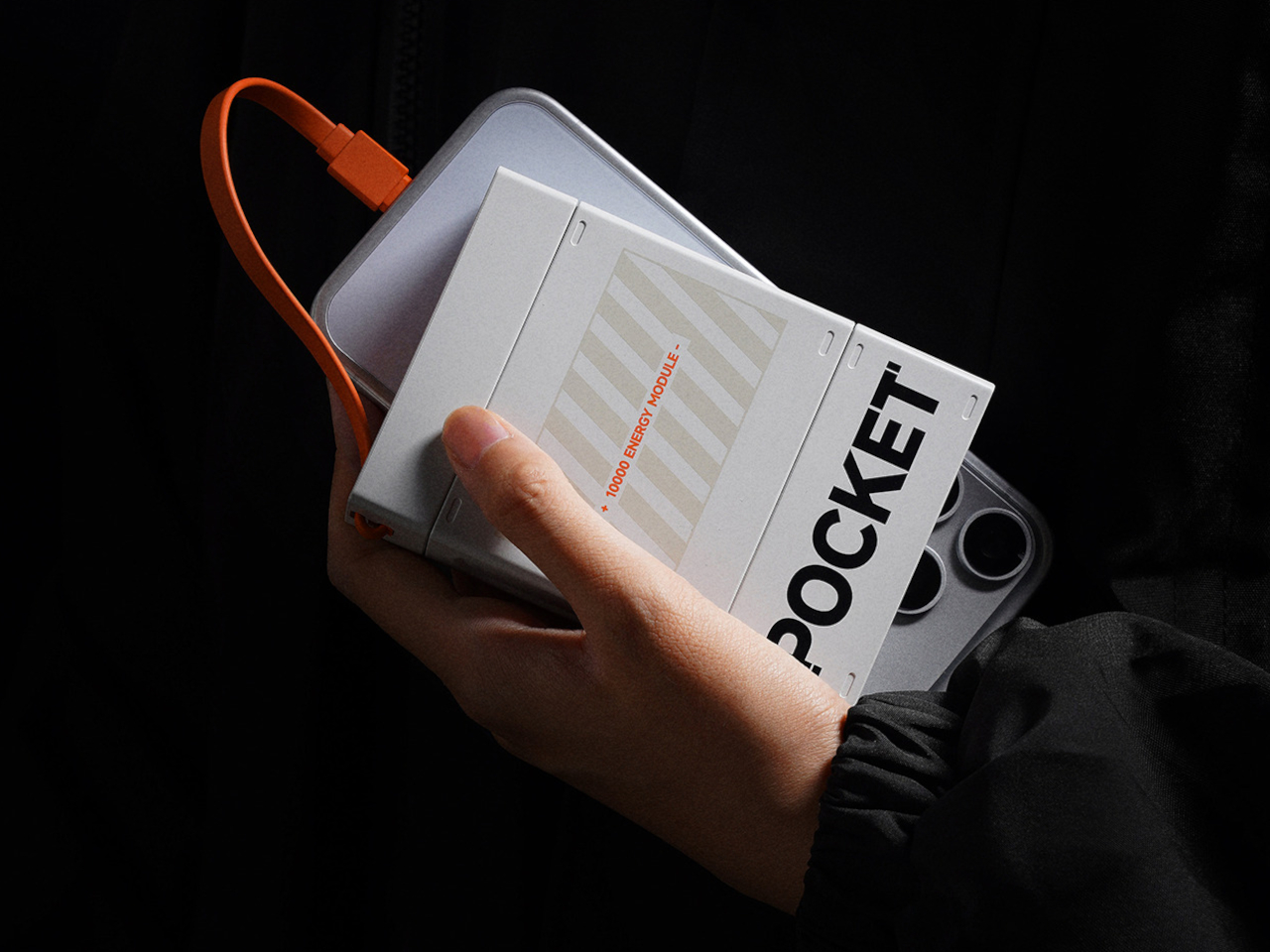
This limited edition grip is exclusive to Apple’s U.S. online store, and given how fast their recent iPhone Pocket sold out, you might want to move quickly if it catches your eye. What strikes me most is how Apple’s bringing attention to accessible design without making it feel like charity or an afterthought. The Hikawa grip works because it’s genuinely useful and genuinely beautiful, proving those two things don’t have to be mutually exclusive.

The post Apple’s $70 Hikawa Grip Proves Accessibility & Art Can Coexist first appeared on Yanko Design.