SwitchBot’s $119 Portable Battery Fan Brings Matter Over Wi-Fi to Patios and Campsites

The whole point of a portable fan is that it goes where you go. Bedroom in the morning, home office by noon, patio by evening, campsite by the weekend. That flexibility is basically the product’s entire reason for existing. Smart home integration has historically worked against that, though. Most connected fans are smart in exactly one place: wherever the hub lives. The Curtain 3 and the Blind Tilt, products we’ve covered in the SwitchBot lineup, both need the Hub 3 to talk to Apple Home or Google Home. The Hub lives on a shelf. Your fan moves. That tension has been quietly baked into smart home portability for a while.

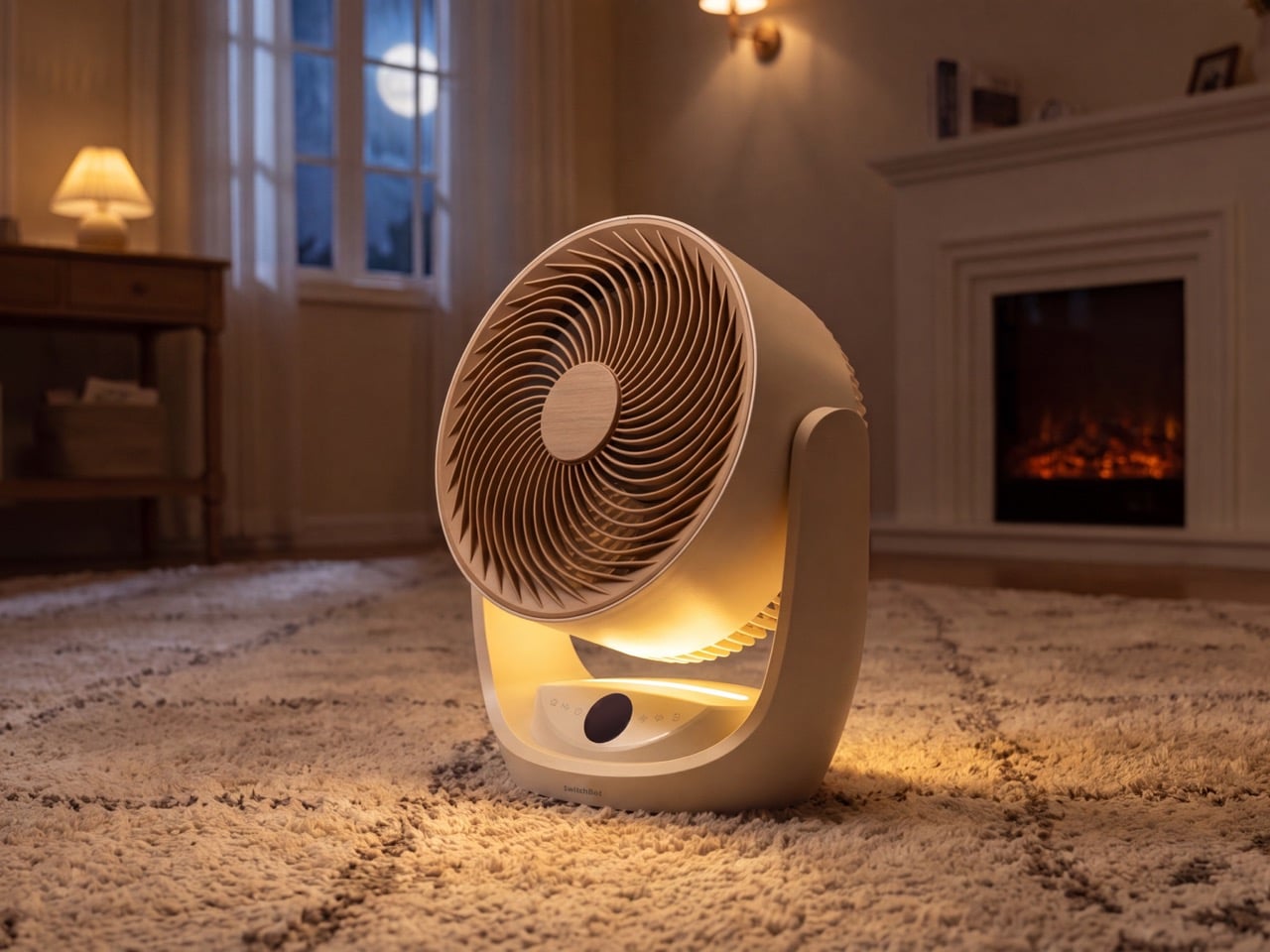
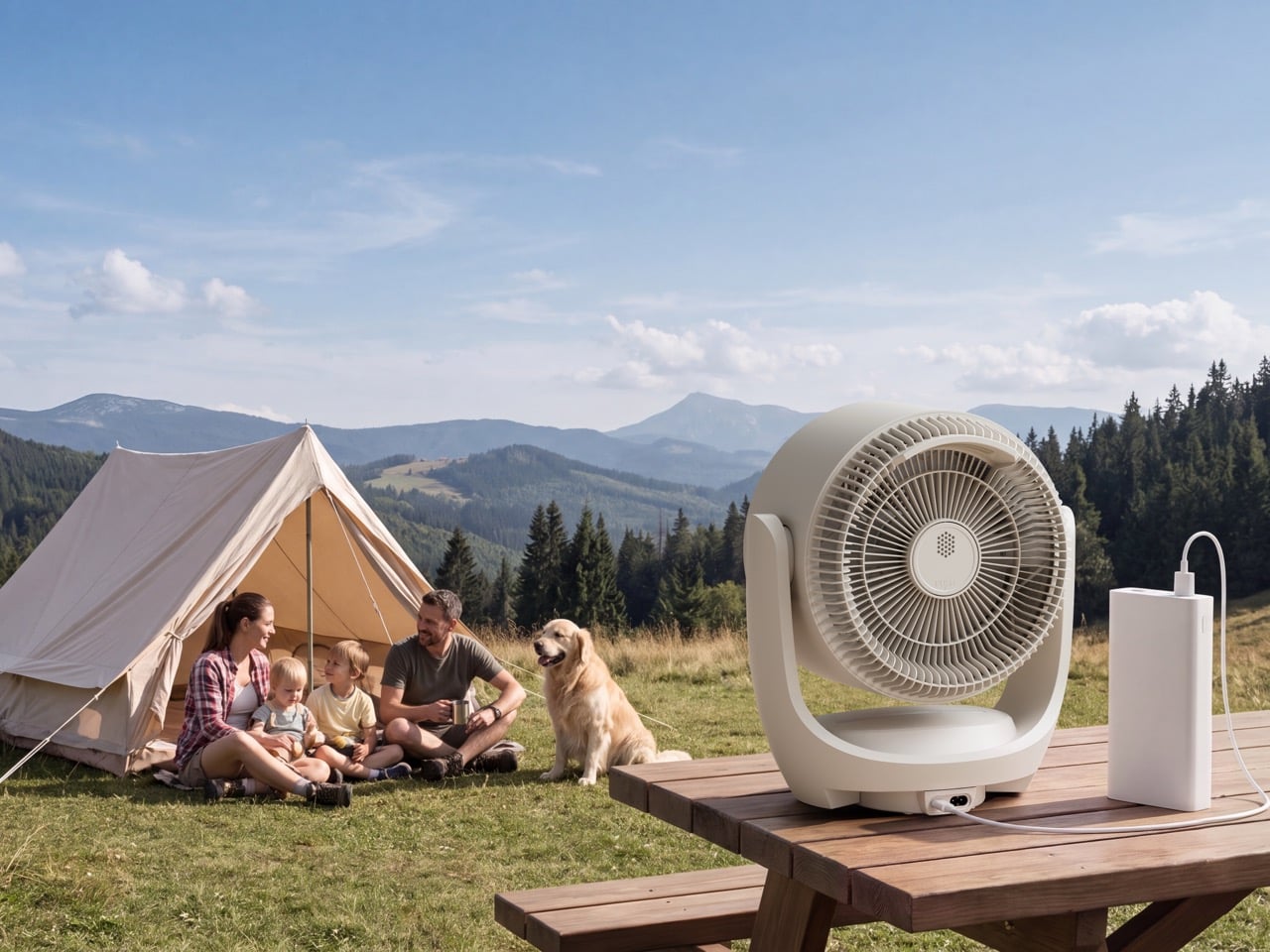
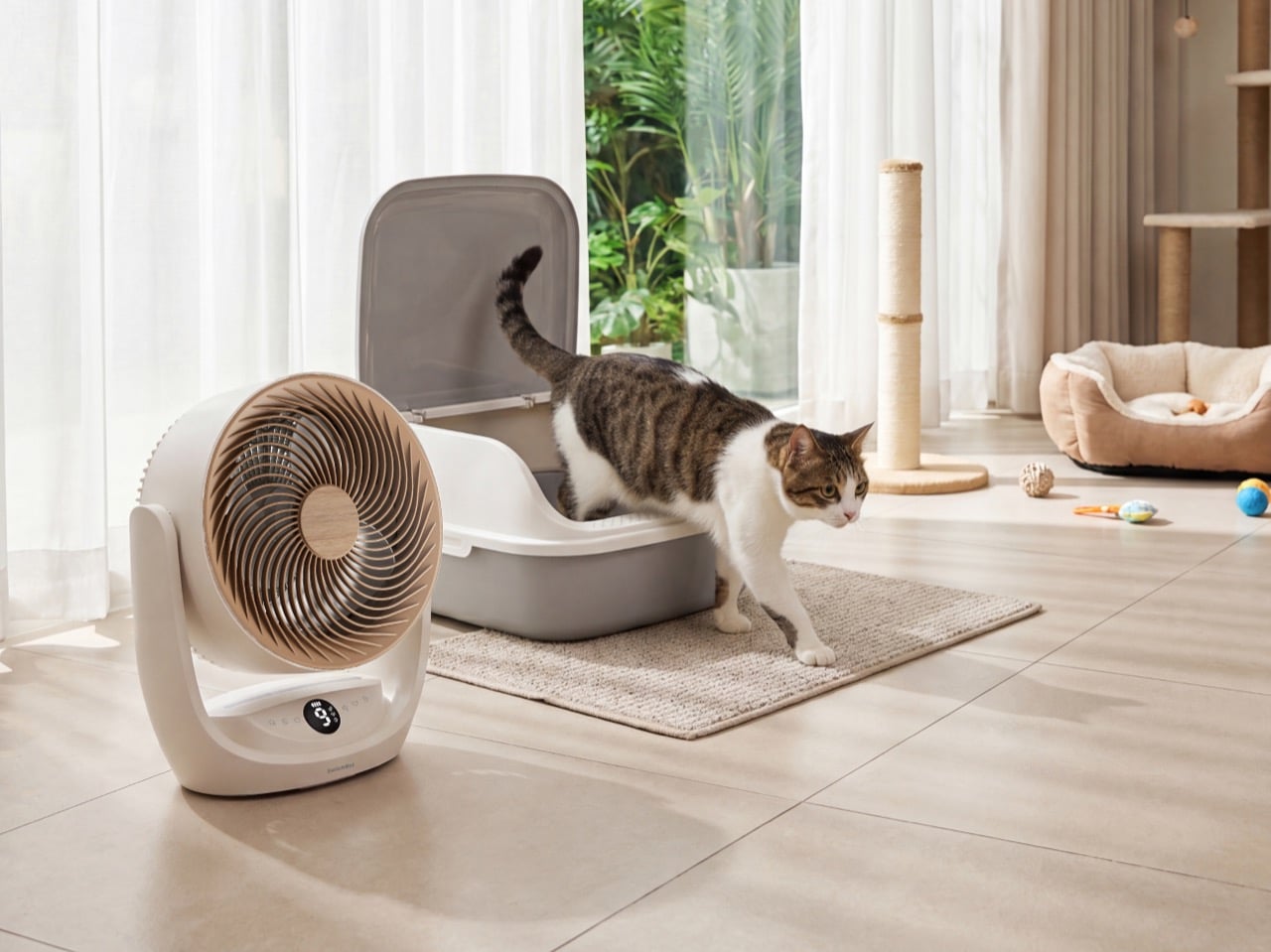
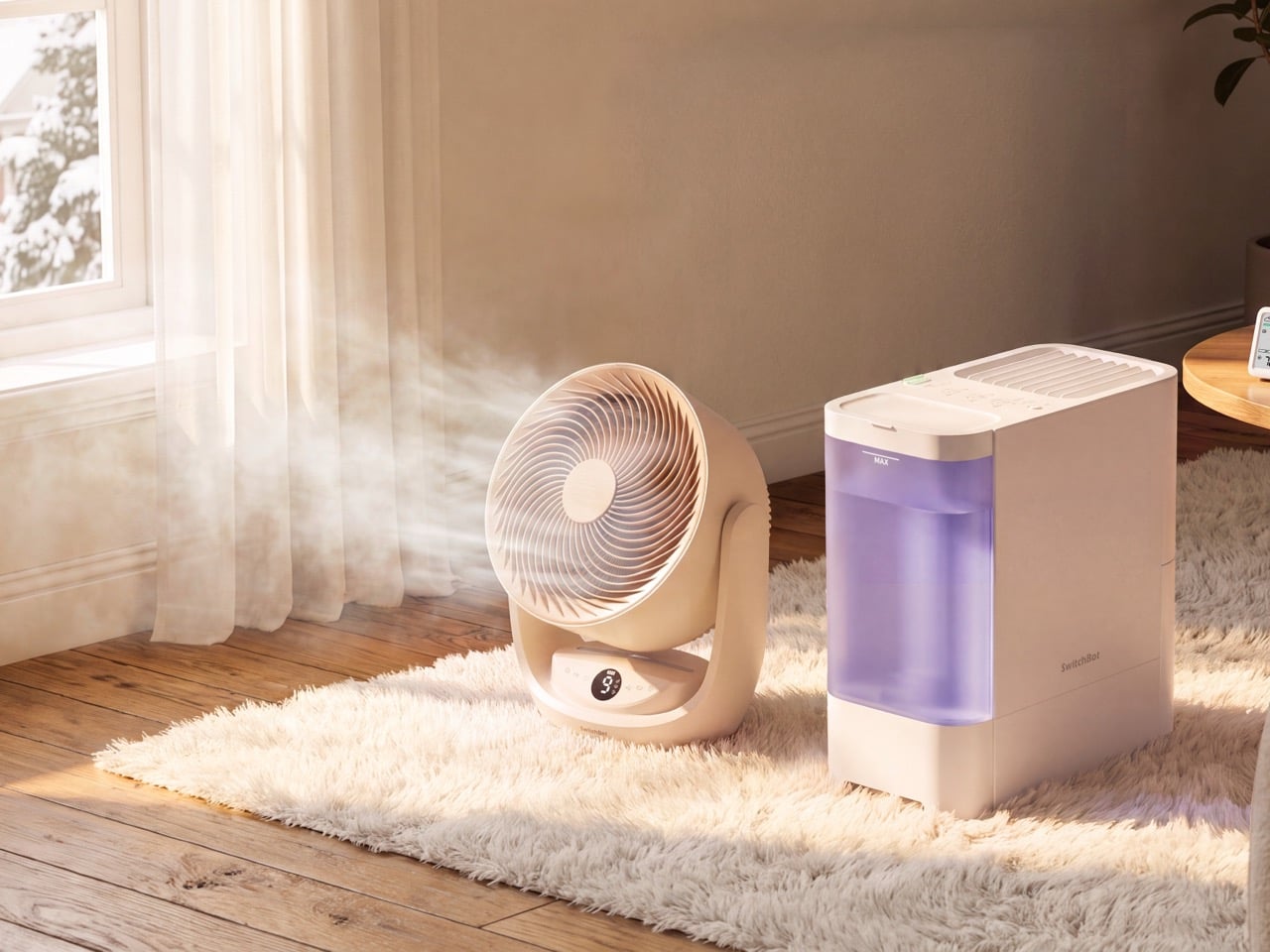
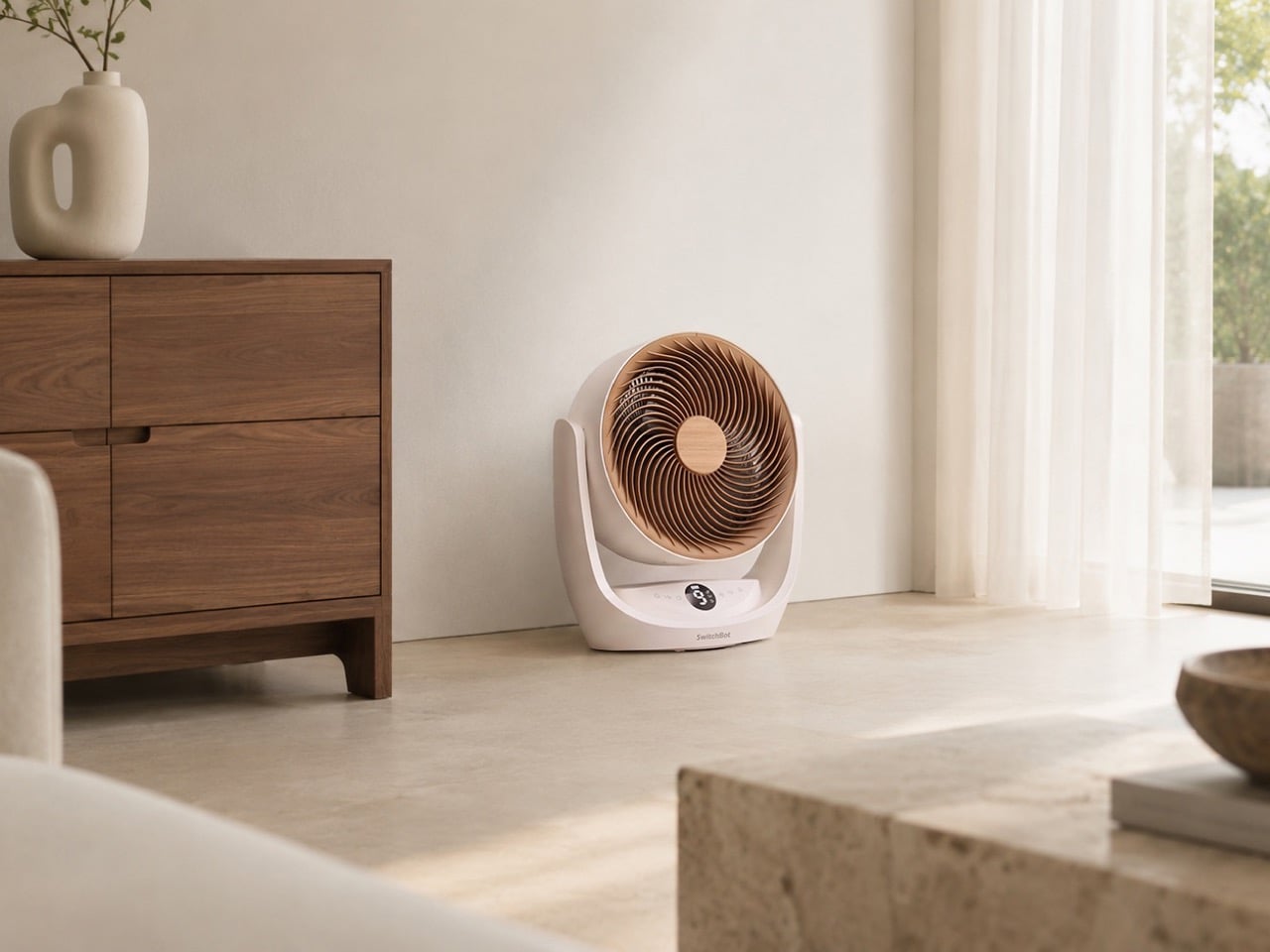
Matter over Wi-Fi is the fix. It’s the open connectivity standard that Apple, Google, Amazon, and hundreds of other tech companies built together so that devices can join any smart home platform without a proprietary bridge in the middle. The Battery Circulator Fan 2 Pro has it built in, which means it connects straight to Apple Home, Alexa, Google Home, or Home Assistant from wherever it happens to be, bedroom, patio, campsite, corner of the living room you forgot existed. No Hub required. SwitchBot says it’s the first battery-powered air circulator to ship with Matter over Wi-Fi, and and boasts a 70-hour battery, making it last well over a long weekend when you’re out camping. Even more if you hook it to a power bank.

Designer: SwitchBot

A 3,600 mAh battery gives the fan its untethered freedom – that’s enough to run for several days, or even a full week of evenings, without needing a charge. On its highest setting, you get about four hours of peak performance, which is plenty for cooling down a room quickly. SwitchBot also built in a practical safety net for when the battery does run low. The fan supports both AC wall power and USB-C charging, so you can plug it in and keep it running indefinitely. This triple-power setup makes the portability feel genuine, because the fan is never truly out of commission; it just switches from being cordless to corded without missing a beat.

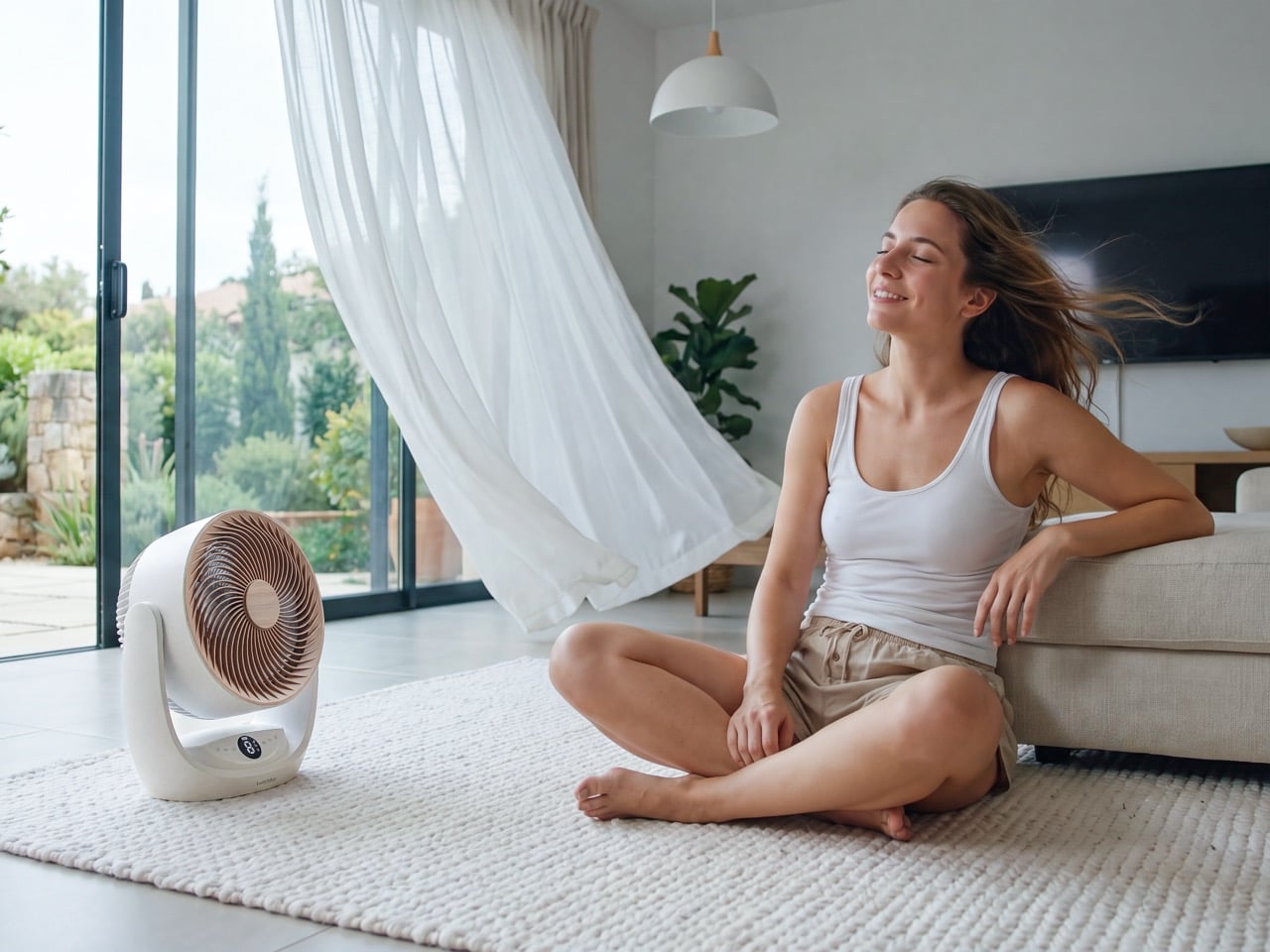
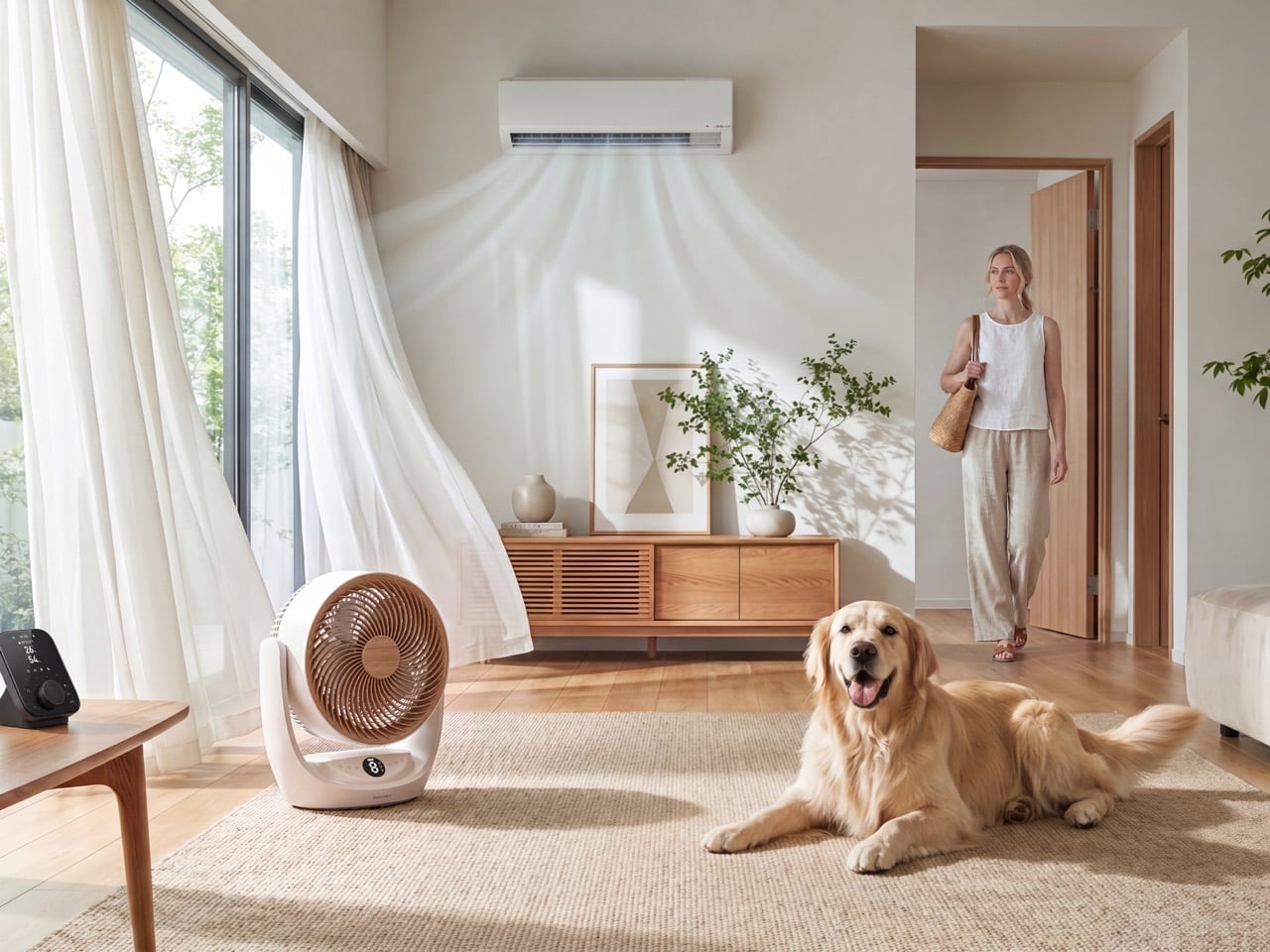
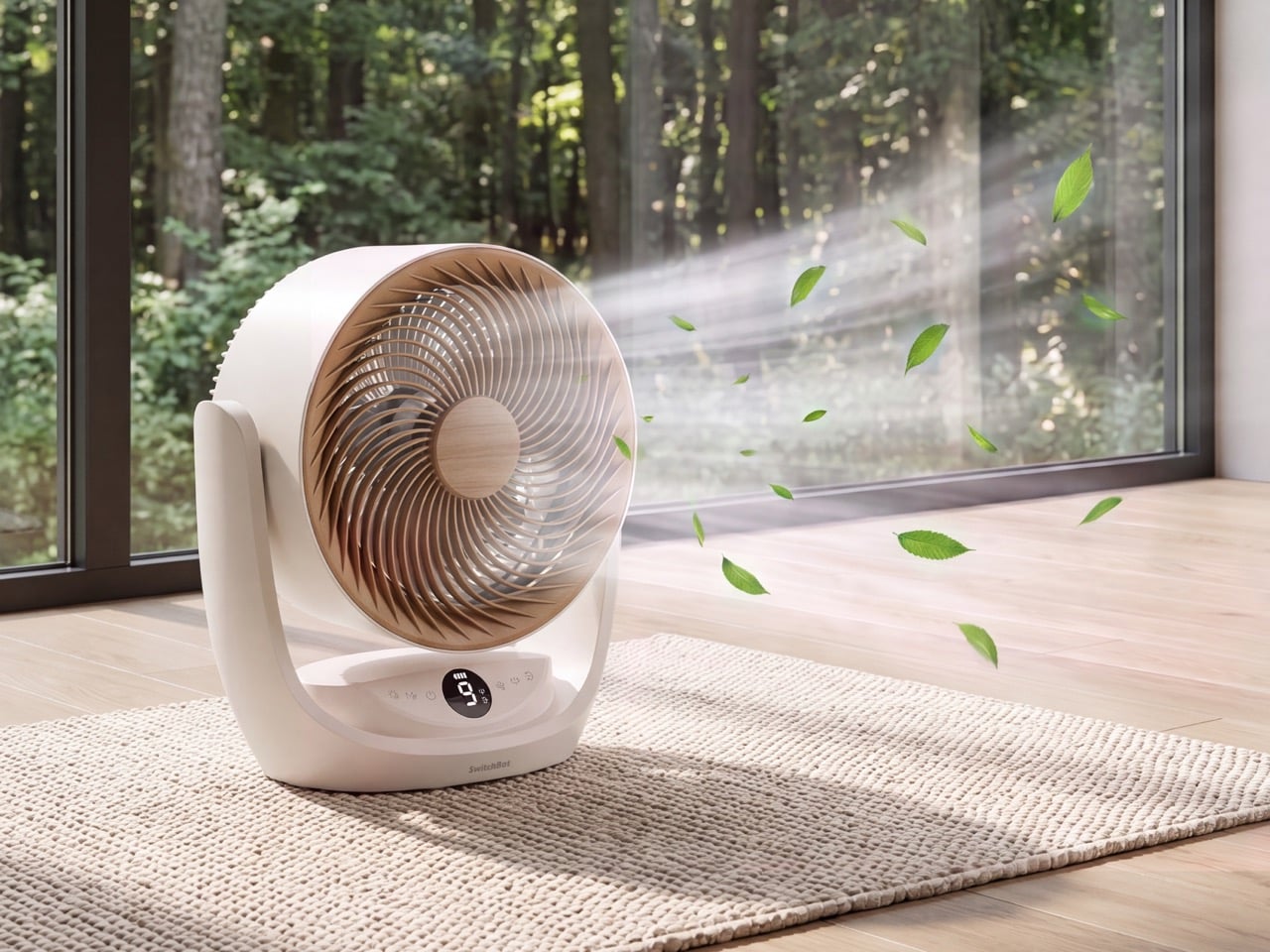
This fan moves a serious amount of air. It’s an air circulator, designed to generate a powerful, focused column of air that can travel up to 33.5 meters, or about 110 feet. With a max airflow of 477 cubic feet per minute (CFM) and a wind speed of 6.5 meters per second, it’s engineered for whole-room ventilation. This is the kind of performance that helps an air conditioner work more efficiently by distributing cold air evenly, or keeps a stuffy room from feeling stagnant. It’s a significant step up from smaller personal fans that are only effective when they are pointed directly at you from a few feet away, making this a much more versatile cooling tool for larger spaces.

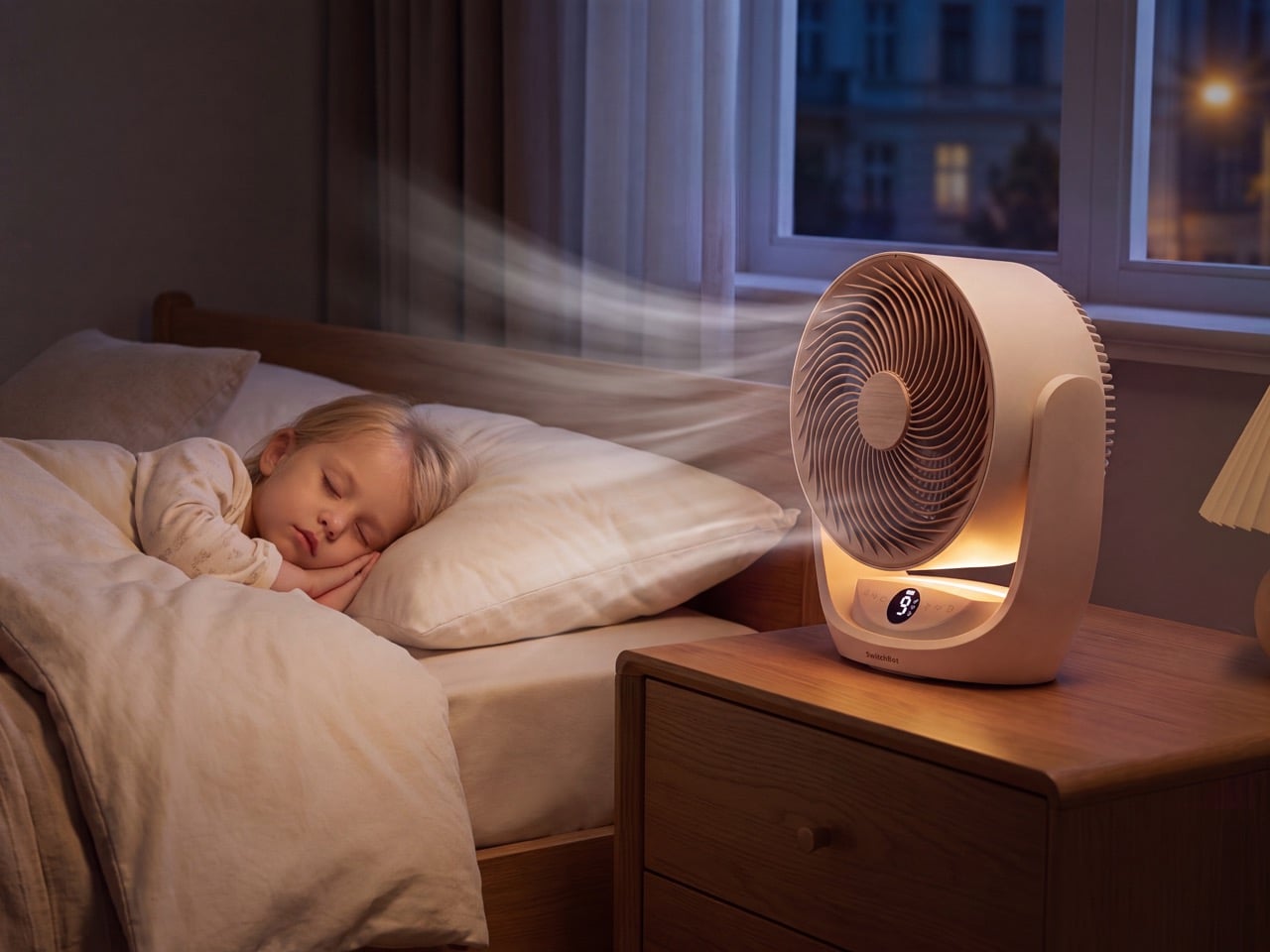
At its lowest setting, the fan runs at just 21 decibels. That’s quieter than a whisper, making it an easy addition to a bedroom or a quiet office without creating a distracting hum in the background. This focus on low-noise operation is a critical detail, because a loud fan, no matter how powerful, often gets turned off. The fan also includes a subtle but clever lifestyle feature: an optional aroma diffuser. A small pad near the grille allows you to add a few drops of your favorite essential oil, letting the fan circulate a pleasant scent throughout the room along with the cool air. It’s a small touch that elevates the experience from simple utility to something that enhances the room’s overall atmosphere.

The fan’s physical design is built around its portability. Its clean, sculptural form is available in both black and white, with a large, integrated handle on top that makes it easy to pick up and move with one hand. The unit feels solid without being heavy, striking a good balance for a device meant to be relocated often. SwitchBot also included a thoughtful, practical detail for long-term use: a removable and washable filter. This fine mesh screen sits behind the main grille and is designed to catch larger particles like pet hair and dust before they get into the fan blades. It’s a simple addition that makes maintenance easier and keeps the air it circulates a little cleaner.

That direct Matter connection unlocks some genuinely useful automations. Because the fan can talk to any Matter-compatible platform, you can tie it into routines with devices from other brands. You could pair it with a separate temperature and humidity sensor, for example, and create an automation that kicks the fan on whenever the living room hits 78 degrees. Or, you could include it in a “Good Night” scene that turns off the lights, locks the doors, and starts the fan on its quietest setting. This is where the hub-free design really shines, allowing the fan to act as a truly independent and intelligent part of your home, wherever you decide to place it for the day.

For years, the intelligence in our devices has been tethered to a power outlet and a central hub. By embedding Matter over Wi-Fi in a battery-powered device, SwitchBot has created a gadget that is smart everywhere, not just in one room. It’s a small but significant step toward a more flexible and intuitive connected home, where our devices adapt to our lives instead of forcing us to arrange our lives around them. For $119.99, you get a powerful air circulator, a long-lasting battery, and a glimpse of a more sensible smart home future.

The post SwitchBot’s $119 Portable Battery Fan Brings Matter Over Wi-Fi to Patios and Campsites first appeared on Yanko Design.

This $299 Nugget Ice Maker Fills 2 Stanley Cups in 5 Min

I’m one of those people who would prefer their cold drinks to have more ice even if they’re already cold, whether it’s water, soft drinks, juices, or iced coffee. But when I’m at home, I have to make do with manually filling my tumblers using just two ice trays from my refrigerator. That’s why getting an ice maker is on my list, except that most of what I see in the market are too big for my daily, personal use.

The new GE Profile Opal Mini Nugget Ice Maker is created for people like me who would prefer to have nugget ice from a more compact and counter-friendly machine. It’s a miniaturized version of their best-selling Opal Nugget Ice Maker and also has a smaller carbon footprint, if that kind of thing concerns you as well (as it should).

Designer: GE

Compared to regular ice, nugget ice (also known as sonic or pellet ice) is softer, more chewable, and more importantly, it is able to absorb drink flavors. Having that kind of ice produced in a countertop machine makes it ideal for smaller spaces. It is also able to produce the first batch in just five minutes, which is way faster than traditional ice makers or waiting for your ice trays to harden.

The Opal Mini is 30% smaller than the previously released Opal Nugget Ice Maker, so it can fit into smaller kitchens, or even in your living room or on your bedside table. But it doesn’t sacrifice ice output, as it can still churn out up to 36 lbs of ice per day, which should be more than enough for your own personal needs. They say that the bin can hold enough ice to fill two 40-ounce Stanley Cups. If you’re having a party or some friends over, there is an Opal Mini Pro version that has a side tank for extended water supply so it can produce more ice.

At just $299, it’s of course more affordable than the full-size version, even if it’s still more expensive than those budget ice makers you can find on shopping apps. However, this is GE we’re talking about, and GE Profile at that, so you can rest assured that the build quality and performance of this machine are on a whole different level.

What also makes the Opal Mini easy to love is how naturally it fits into an everyday routine. Whether you’re working from home and want a steady flow of ice throughout the day, or you’re a home barista craving that perfect glass of iced coffee ready in minutes, this little machine genuinely earns its counter space. There’s something almost satisfying about pressing a button and watching a fresh batch of soft, pillowy nugget ice tumble into the bin, and having it ready in under five minutes makes it feel like a small luxury you deserve.

The machine also connects to the SmartHQ app via Wi-Fi, allowing you to schedule ice production remotely and even set it up to have a fresh batch ready before you wake up in the morning. It also recycles melted ice water back into production, which means less waste and more efficiency. It’s a thoughtful detail that shows GE didn’t just shrink the machine, they refined it. It’s the kind of feature you appreciate quietly, but would definitely miss if it weren’t there.

If you’ve been holding off on getting an ice maker because you thought it was too much of a splurge, or simply couldn’t justify the size of most models, the Opal Mini might just be the nudge you needed. It’s compact, fast, and makes genuinely better ice, the kind that makes every drink feel like it was made by someone who really thought about it. For anyone who has ever stood in front of their freezer, impatiently waiting for ice trays to harden, this one is for you.

The GE Profile Opal Mini Nugget Ice Maker is available now starting at $299. The Opal Mini Pro, which includes a side tank for extended ice production, is priced at $399.

The post This $299 Nugget Ice Maker Fills 2 Stanley Cups in 5 Min first appeared on Yanko Design.

This human refrigerator chills you the in peak summer heat – anytime, anywhere

Summer temperatures are rising globally, leading to uncomfortable heatwaves even in regions where summers were earlier a pleasant affair. This has prompted manufacturers to develop innovative ways to handle heat when not in the cozy comfort of home or your vehicle. The latest trend has revolved around personal coolers like the Sony REON Pocket Pro Plus, Dyson HushJet Mini Cool, and the Aecooly Cold Air Ultra.

Please add more to the list from the Land of the Rising Sun, which has not been spared by the brutal summers this year. Thinking out of the box, Japanese refrigeration and vending machine manufacturer SDRS has collaborated with industrial equipment supplier TRUSCO Nakayama for a human refrigerator. The idea is to have a portable machine a person can walk into on a hot day.

Designer: TRUSCO Nakayama and SDRS

This one-person cooling booth, dubbed Do Hiemon Box, looks like a commercial refrigerator and is designed to provide rapid cooling when exposed to intense heat. In fact, the solution is inspired by Japan’s popular vending machines that can be found in virtually every corner of the cities. The booth maintains an ambient temperature of around 15 degrees Celsius on the inside, which is a welcome relief for anyone exposed to the peak summer Sun. To provide rapid cooling, 5 degrees Celsius chilled air is directed towards the head, neck, and shoulders. This reduces the symptoms associated with heat exhaustion within 10 minutes.

Of course, accelerated cooling after being exposed to extreme heat in a very short time frame can also be dangerous. Keeping this in mind, the cooling booth has three cooling modes and an automatic shut-off timer after 20 minutes. This helps the body adapt to the sudden temperature change, as eventually the user has to step out into the Sun again. Do Hiemon Box is intended for commercial use in places with high temperatures like factory floors, construction sites, warehouses, schools, outdoor events, or city centers. The fact that the cooling booth has caster locking wheels, runs off any standard 100-volt outlet, and uses only 0.51-kilowatt-hour power (half the electricity required by a spot AC), makes it a highly practical solution with global warming on the rise.

Measuring approximately 2 meters tall, 93 cm wide, and 1.2 meters deep, the IPX3-rated cooling booth made out of stainless-steel panels has polystyrene insulation boards for maximum cooling efficiency. Do Hiemon Box’s standard model comes at 1.5 million yen before taxes (approximately $9,200). The versions with crane eyebolts and more options like a portable power station cost extra. Operating at a cost of around 16 yen per hour (roughly $1), the cooling solution is destined to be a popular choice around the globe.

The post This human refrigerator chills you the in peak summer heat – anytime, anywhere first appeared on Yanko Design.
XGIMI’s Elfin Flip 4K Replaces the Power Button With A Gesture You Already Do Everyday

Flip phones snapped shut and ended calls. Zippo lighters click open with a sound that somehow feels more satisfying than the flame itself. Laptop lids have woken computers from sleep for two decades without anyone writing a line of tutorial copy about it. Physical gestures that double as commands used to be everywhere in consumer tech, and they disappeared almost entirely once touchscreens and voice assistants convinced designers that every function needed a menu. XGIMI just brought one of those gestures back into a category that badly needed it. The company’s new Elfin Flip 4K turns projector power into a single, tactile motion, no screen tap required.

Flip the stand upright on the Elfin Flip 4K and the projector powers on by itself, no remote, no app, no hidden button. Fold the stand back down and the unit shuts off just as automatically, closing the loop on a single continuous gesture. That same stand pulls double duty as a carry handle and rotates up to 150 degrees, letting you redirect the image just by tilting the projector in your hand. XGIMI prices the unit at 999 dollars, positioning it as a projector meant to travel between rooms rather than sit bolted to one shelf. The gesture is small, but it reveals how XGIMI thinks about the relationship between a person and the object they are holding.

Designer: XGIMI

A tilt sensor or magnetic switch built into the stand hinge likely handles the power detection, the kind of component already common in laptop lids and flip phone hinges repurposed for a projector chassis. XGIMI has not detailed which sensor drives the mechanism, and the hinge’s reliability becomes the single point of failure for an otherwise buttonless design. That stand also carries the full weight of the unit whenever someone lifts it by the handle, adding mechanical stress that a purely cosmetic hinge would never face. Repeated flipping over months of use tests durability differently than a static power button ever would. XGIMI is betting real trust in that single moving part.

Portable projectors have multiplied fast over the past few years, with Anker’s Nebula lineup and a wave of similarly sized boxes chasing the same pitch of cinema on the go. Most of that competition still separates carrying, angling, and powering the unit into three distinct actions handled by three distinct parts. XGIMI’s flip mechanism collapses two of those actions into one continuous motion, tying power directly to the act of setting the projector up. That distinction matters more in a crowded category than a marginal bump in lumens or contrast ratio, since shoppers scanning a wall of similar looking boxes respond to a difference they can actually see. A projector that turns on by being picked up travels on social feeds without a spec sheet.

XGIMI clearly built this projector around the idea that setup should disappear into the act of picking the thing up, and that instinct shows real thought about how people actually live with portable tech. A projector priced at 999 dollars competes on plenty of fronts, brightness, contrast, audio, but the small mechanical choices are often what a shopper remembers a year later. This one gets remembered for making power an afterthought instead of a chore. That’s the kind of detail that tends to travel well once people start actually using the thing day to day, long after the spec sheet stops being the selling point.

The post XGIMI’s Elfin Flip 4K Replaces the Power Button With A Gesture You Already Do Everyday first appeared on Yanko Design.
This Shredder Turns Paper Into Cardboard By Compressing The Confetti Together

Where does shredded paper actually go? Ask most office workers and they will shrug, assume it gets recycled, and move on with their day. In reality, once paper turns to confetti, its usefulness mostly ends right there. A sliver of it gets repurposed into crinkle filler for gift boxes and fragile shipments, the kind of packaging cushioning you see in unboxing videos. Everything else joins the mountain of paper waste already responsible for roughly a quarter of global landfill volume, sitting there indefinitely because loose confetti is too fine, too mixed, and too inconsistent for anyone downstream to want.

The Afterlife of Paper, a 2025 DIA Honorable Mention project, answers that question with a machine instead of a shrug. Every 20 sheets fed through the device get shredded, wetted, and pressed into a single sheet of usable cardboard, ready to be folded into a desktop box or a small bin. The owner unit behind the project, Changsha Drowm Education Technology, positioned it less as a novelty appliance and more as infrastructure for a slightly greener office, one shredder run at a time.

Designer: Wuhan Kuku Ball Design Service Co., LTD

Recycling plants are picky. They want clean bales of sortable material, not a bag of mystery confetti mixed with staples, sticky notes, and whatever else got fed through by accident. Most shredded office paper fails that test before it even gets a chance, which is exactly why so much of it skips recycling entirely and goes straight to the dump. This machine doesn’t bother waiting for a facility to want it. It does the upcycling itself, on your desk, in the time it takes to grab a coffee. The machine requires a small chamber filled with water, which it uses to turn the paper effectively into papier-mâché. You’d normally require a bit of glue too, but we’ll give this one a pass since it’s currently just a concept.

Just stack a load of sheets into the shredder and pull down on the orange plunger on the side for the process to begin. For every 20 sheets of paper, you get one sheet of thick cardboard, speckled to look like terrazzo, and ready for your projects, whether it’s to make boxes, folders, or anything else you can think of. Fold it one way and you get a lidded box for pens, cables, or the loose screws that multiply in every desk drawer. Fold it another way and it becomes a mini trash bin, so the thing collecting your waste is literally made from waste.

What I actually respect here is the laziness built into the design, and I mean that as a compliment. You don’t download an app. You don’t sort anything. You don’t change a single habit. You shred paper exactly like you always have, and the machine quietly does something useful with the leftovers instead of asking you to care harder. Most sustainable office products fail because they demand extra effort from people who are already checked out by 3pm. This one asks for nothing.

Shredders have been the most boring appliance in the office for forty years straight, doing one repetitive task and nothing else. The Afterlife of Paper finally gives the category a personality, turning a machine nobody thinks about into a pocket sized recycling plant that quietly outperforms the actual recycling system.

The post This Shredder Turns Paper Into Cardboard By Compressing The Confetti Together first appeared on Yanko Design.
If Le Creuset and Instant Pot Had a Baby, It Would Look Exactly Like This $199 Pressure Cooker

Le Creuset built its legacy on color and craftsmanship. Instant Pot built its empire on speed and convenience. Our Place just tried to merge both into a single six quart pot, and the result is the Dream Cooker, a pressure cooker that takes its name seriously, because I’d definitely have it as the centerpiece of my dream kitchen, right beside this SMEG x Porsche coffee machine.

The dome lid, the matte pastel finish, the wooden style knob on top all borrow directly from heritage cookware. But underneath that soft exterior sits a digital control panel offering pressure cooking, slow cooking, searing, sauteing, and keep warm modes, making it one of the more versatile entries in Our Place’s growing appliance lineup. The result is literally the best of both worlds – the aesthetic beauty of a wonderfully enameled Dutch oven, along with the precise cooking ability of an electric pressure cooker.

Designer: Our Place

Click Here to Buy Now

I have owned an Instant Pot for six years and I still keep it in the cabinet under the counter, next to the waffle iron I use twice a year. It is a genuinely great appliance but I have never once wanted to look at it beyond the digital screen. That is the entire problem Our Place is trying to solve here, and honestly, it is the same problem they solved with the Always Pan back in 2019, when they figured out that people would happily pay a premium for cookware they were proud to leave sitting out. The Dream Cooker takes that exact playbook, the one that turned a nonstick pan into a genuine internet phenomenon, and points it at one of the least glamorous corners of the kitchen. Pressure cookers have never needed to be beautiful because nobody buys one for the way it looks. Our Place clearly thinks that is a market failure waiting to be corrected.

You can see the strategy in every curve of this thing. The dome lid sits high and rounded, closer to a French cocotte than anything with a locking pressure valve, and the little knob on top looks like someone turned it on a lathe rather than injection molded it in a factory in Shenzhen. The handles are chunky and soft edged, built more for the aesthetic of a farmhouse kitchen than the ergonomics of hauling a hot pot across a countertop, though they do that job fine too. None of it screams appliance, and that is precisely the point. Sit this next to an actual Dutch oven and the family resemblance is not subtle. Our Place is not hinting at heritage cookware here. They are co-opting it.

Our Place offers the Dream Cooker in 4 pastel shades – a subtle cobalt-y ‘blue salt’, a soft terracotta shade named ‘spice’, an anthracite grey/black called ‘char’, and a sandy neutral tone called ‘steam’, all finished in that chalky matte texture the brand has used since the Wonder Oven launched. Stainless steel pressure cookers disappear into a kitchen because they are trying to be invisible. These colors do the opposite. They behave like ceramic, like something a potter glazed rather than something an engineer specced, and lined up together in the marketing shots they look like a paint swatch card for a boutique hotel. Whether you find that charming or not probably depends on how many other Our Place products are already sitting on your shelves… or whether you’re hovering close to that ‘Add to Cart’ button.

Look beyond the gorgeous shell and you’ve got a six quart nonstick pot, and four modes covering pressure cooking, slow cooking, searing and sauteing, and keep warm, all controlled through a single dial instead of the twelve button command center most multicookers ship with. Our Place claims pressure mode cooks up to eighty percent faster than a stovetop, which if true puts it in the same conversation as the appliance it is clearly gunning for.

Here is my actual question, though. Instant Pot won by being the appliance nobody thought about twice, a workhorse that came, conquered, and retired back to its cabinet. Our Place is betting that a chunk of that audience actually wanted the opposite the whole time, an appliance they would leave out, photograph, maybe even feel a little smug about. That is a more interesting wager than another multicooker chasing one more preset button, and if the sear function sears the way it should and the pressure release feels as considered as the knob on top, Our Place will have done something most kitchen tech never bothers attempting. It will have given the pressure cooker a cultural makeover… here’s hoping Our Place does the Air Fryer next!

Click Here to Buy Now

The post If Le Creuset and Instant Pot Had a Baby, It Would Look Exactly Like This $199 Pressure Cooker first appeared on Yanko Design.
Beatbot’s AquaSense X Proves the Best Technology Goes Unnoticed

Smart home products have a funny habit of promising to simplify your life while quietly adding to your list of things to manage. Pool cleaning robots are a sharp example. They roam the floor, collect debris, and surface when finished, but someone still has to rinse the filter, empty the basket, and reset the machine before the next cycle. The automation, it seems, doesn’t quite finish what it starts.

Beatbot seems to have noticed this gap and designed AquaSense X around a different question altogether. Rather than asking how to make pool cleaning more autonomous, it asks how to make the whole experience, cleaning and cleanup both, feel like it barely happened. That sounds like a marketing promise until you start looking at how the system actually works, at which point it becomes something closer to a design thesis.

Designer: Beatbot

Click Here to Buy Now: $3999 $4250 ($251 off). Hurry, deal ends in 48-hours!

AquaSense X isn’t sold as a single robot but as an ecosystem, and that distinction matters. The system pairs the AI robotic pool cleaner with the AstroRinse cleaning station, and the pairing is the point. The robot cleans the pool. The station cleans the robot. That self-sustaining cycle sets AquaSense X apart from every other autonomous pool cleaner on the market, which still leaves the messy part to you.

After each cleaning cycle, docking the robot is all that’s required. Once it’s seated in the station, a high-pressure rotating nozzle enters the filter basket, backflushes the trapped debris, and transfers everything directly into the station’s sealed bin. The filter basket opens from the bottom to make sure nothing gets left behind. The whole process takes about three minutes, and you don’t touch a thing.

When the filter is clean, charging starts automatically, and the robot is ready for its next run without any intervention from you. The station’s debris bin holds 22 liters, which under typical conditions translates to roughly two months of operation before it needs emptying. That’s not a small number. It means pool maintenance stops being something on your weekly checklist and becomes something you handle a few times a season.

What makes the robot itself worth talking about is that its intelligence is tied to genuine utility. HybridSense AI Vision, which combines an AI camera with infrared and ultrasonic sensing, recognizes 40 debris types, twice what the previous generation could identify, and extends that detection to the water surface, not just the pool floor. That broader scope means fewer spots get overlooked after the robot surfaces and calls the job finished.

Coverage also runs deeper than detection. A single AquaSense X handles the water surface, the floor, the walls, the waterline, and elevated platforms like shallow entry steps and tanning ledges, all without swapping attachments. Using 11 motors and a submarine-style propulsion system, the robot transitions between floating and diving seamlessly, while dual downward-facing ultrasonic sensors detect edges on raised platforms so it never tumbles off one.

Then there’s the water clarification piece, which is perhaps the most invisible feature in the entire system. As the robot cleans, it automatically dispenses Beatbot’s AquaRefine 3-in-1 Clarifying Agent, a formula made from recycled crab shells that removes fine particles, oils, and residue without any mixing or measuring on your part. One 300mL kit treats up to 99,000 gallons, so it’s not something you’ll be restocking constantly.

Voice control through Google Home, Amazon Alexa, and Apple Siri adds another layer to the hands-off experience. From outside the pool, you can start or stop a cleaning cycle, check battery status, enable the child lock, or get an alert when the session wraps up. The Beatbot app handles scheduling, pool mapping, cleaning mode selection, and over-the-air software updates, so the system keeps improving without asking for much in return.

Beatbot describes its mission as making technology disappear into the background, giving users back their time without demanding constant attention. AquaSense X makes that feel tangible rather than aspirational. The robot cleans, the station resets, and the pool stays clear, and the most you’ll probably do is glance at an app notification. That’s the kind of ownership that feels less like managing a device and more like just having one.

Click Here to Buy Now: $3999 $4250 ($251 off). Hurry, deal ends in 48-hours!

The post Beatbot’s AquaSense X Proves the Best Technology Goes Unnoticed first appeared on Yanko Design.
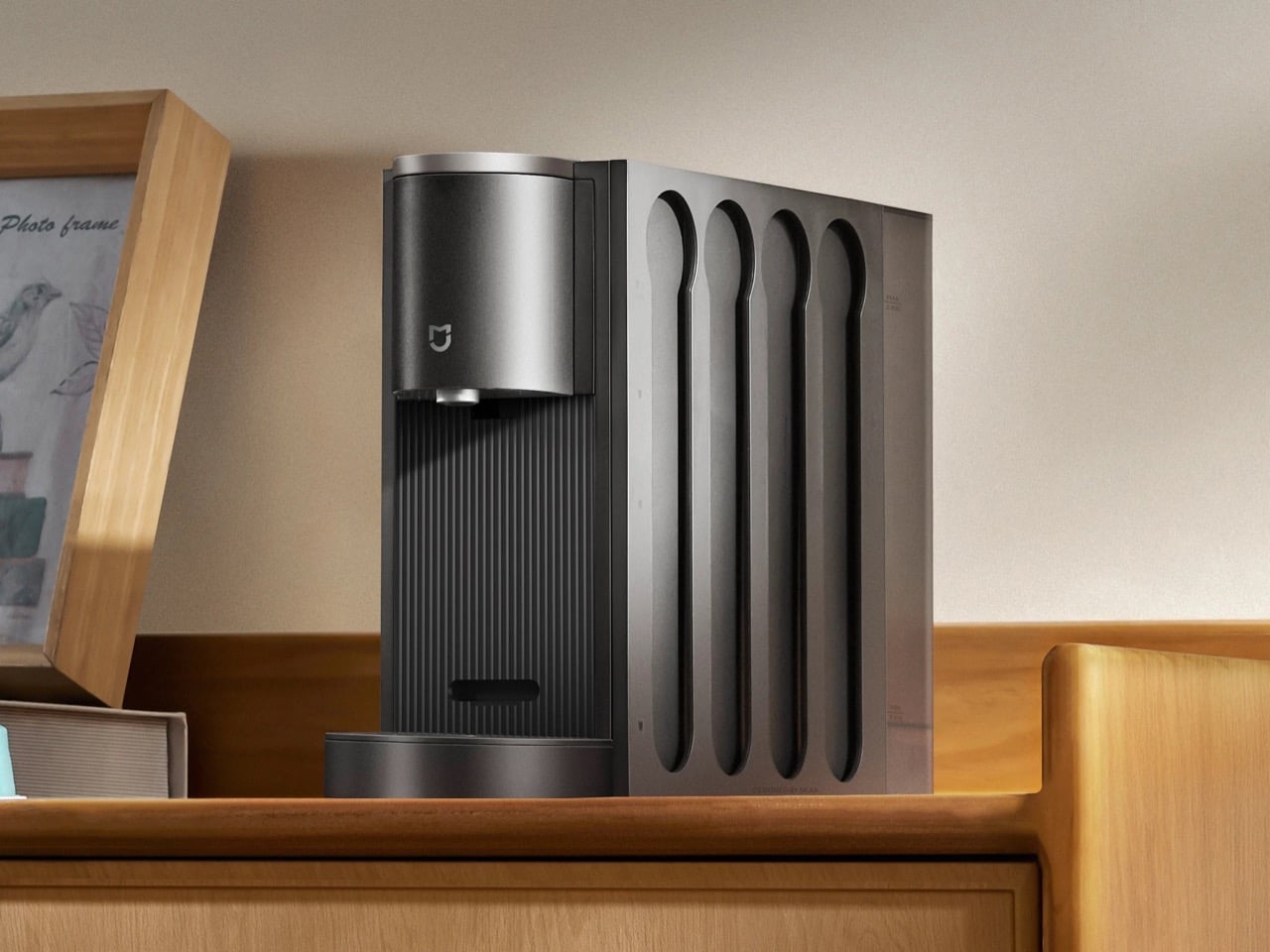
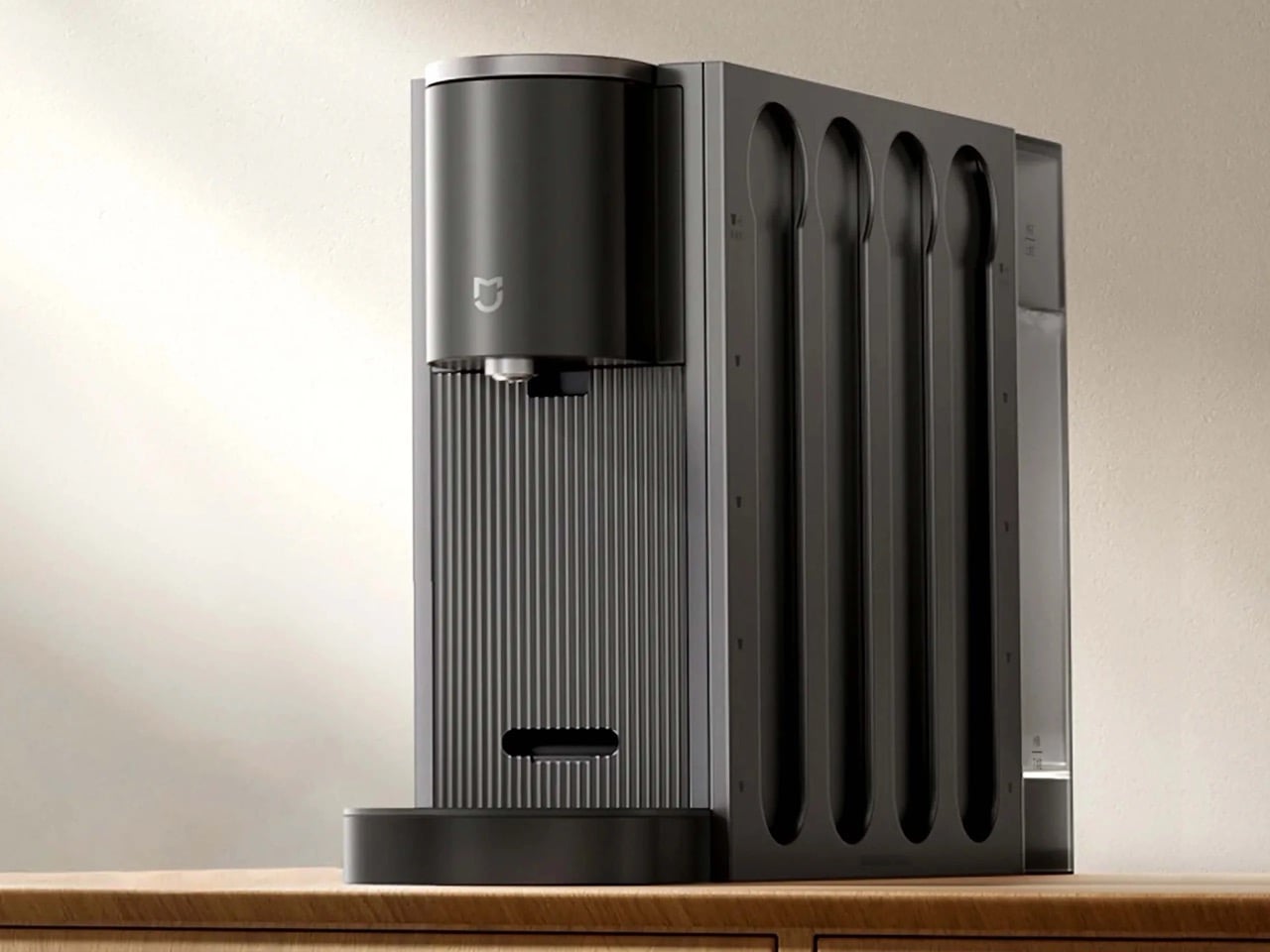
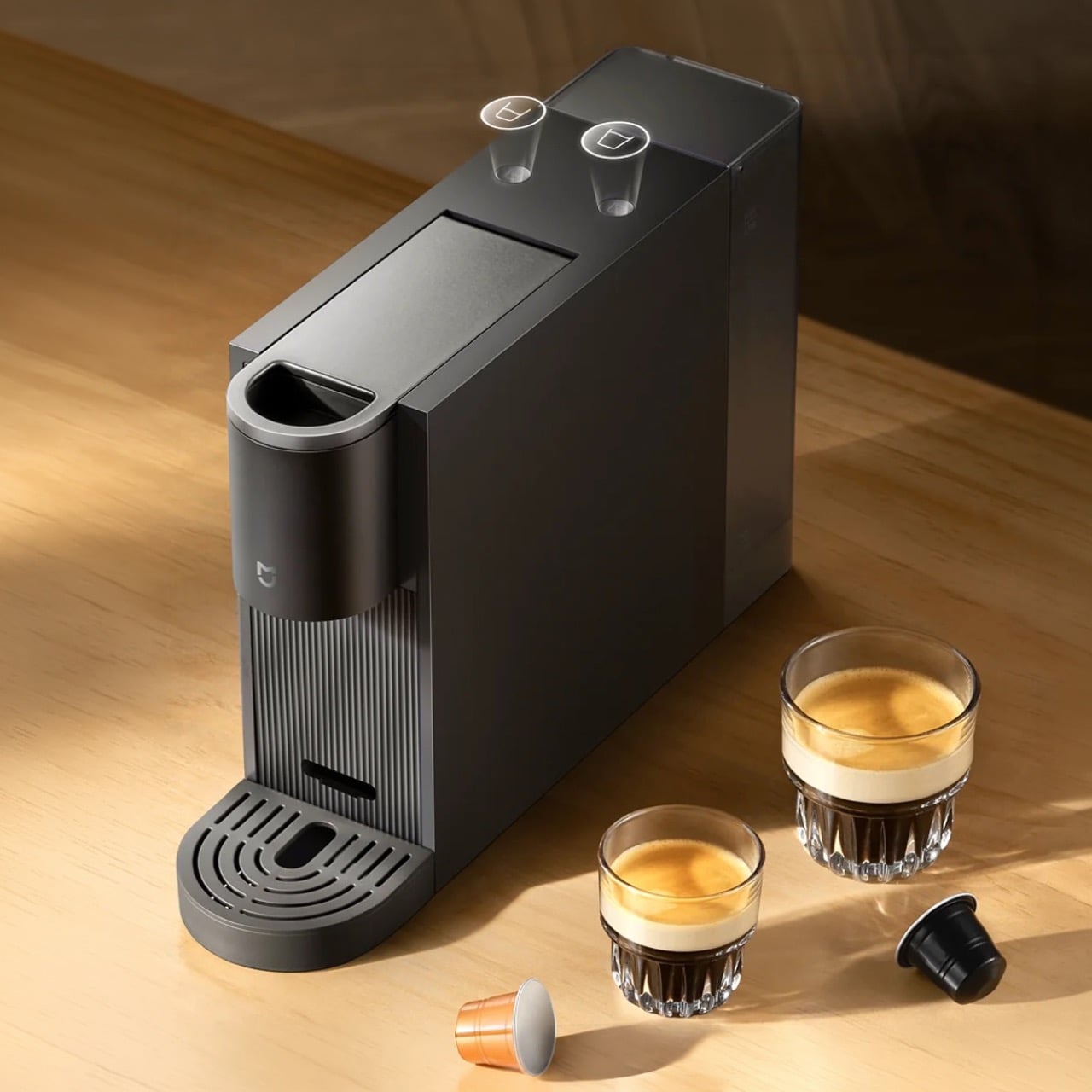
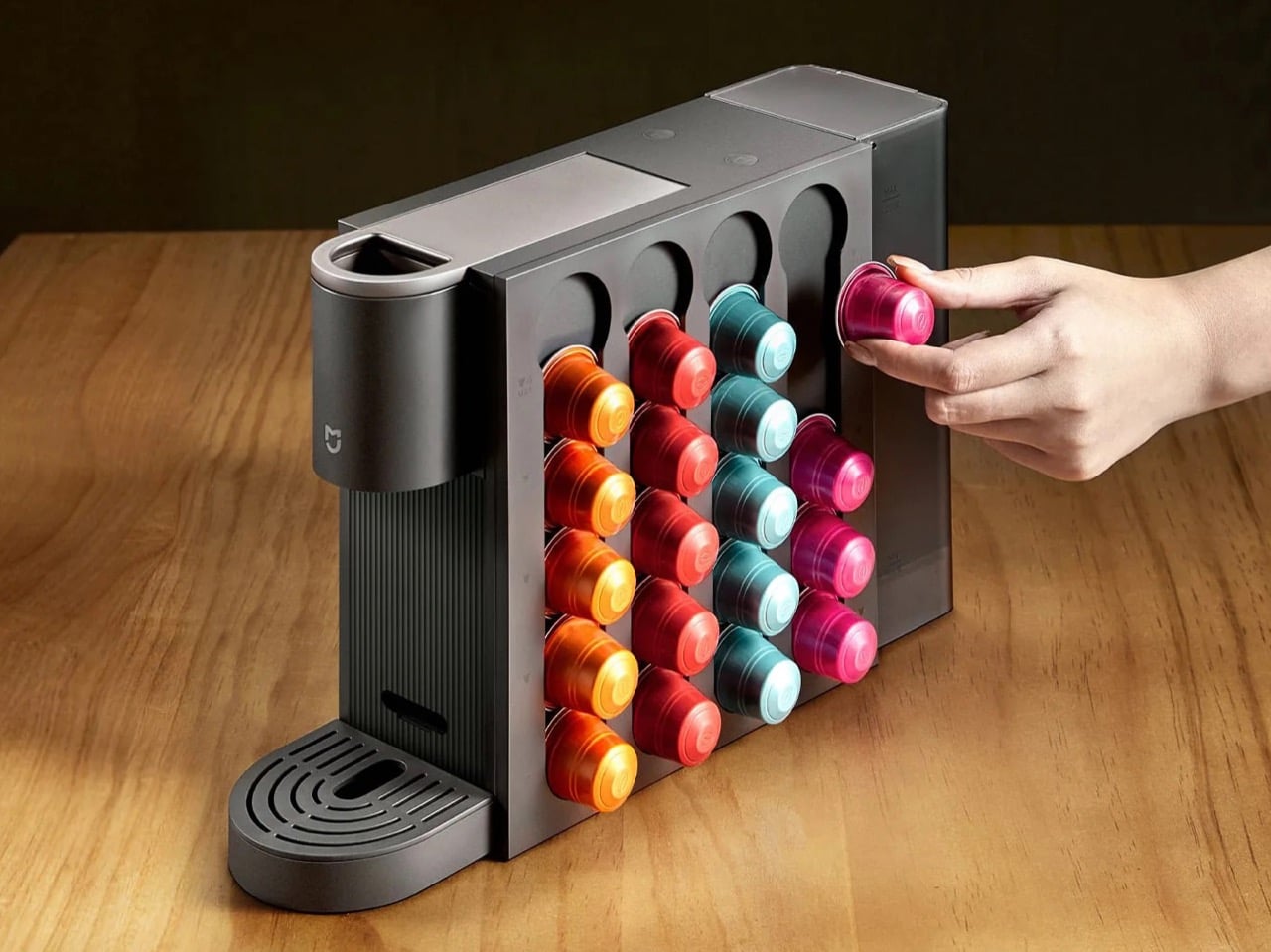
Xiaomi launched a $107 compact photo printer while all other tech is becoming expensive

Xiaomi picked a strange moment to launch cheap hardware, because the global gadget market spent 2024 and early 2025 conditioning buyers to accept higher prices. Phones, laptops, tablets, and wearables all saw price increases between 15 and 30 percent compared to 2022 models, and most brands blamed supply chain costs, component shortages, and inflation without offering much evidence that those factors still applied by mid-2025. Even Apple, which held iPhone pricing relatively steady for years, finally bumped the base iPhone 16 Pro up by $100 in late 2024. The price hikes stuck anyway, largely because competitors moved in unison and consumers had few alternatives. Xiaomi clearly saw an opening in categories where pricing had stagnated rather than spiked, and photo printers fit that description almost perfectly.

The Mijia Desktop Photo Printer 2 launched this week at 699 yuan (about $107) through Xiaomi’s Youpin crowdfunding platform, with a retail price of 799 yuan ($122) planned after the campaign closes. The device uses 4-color dye sublimation printing, supports 4 inch and 6 inch photo sizes, and connects via Bluetooth to phones, tablets, and computers without needing a Wi-Fi network. Xiaomi claims the per-print cost can drop to 0.99 yuan (roughly 14 cents) when using the 4 inch dual-print paper packs in higher-volume bundles, which would make it one of the cheapest per-print options in the compact photo printer category. The Mi Home app adds templates, AR photo playback, ID photo generation, and LUT color filters, leaning into the same app-native feature strategy Xiaomi uses across its smart home lineup.

Designer: Xiaomi

Canon’s Selphy CP1500 typically retails between $140 and $160 depending on region and sales cycles, and HP’s Sprocket models sit in a similar range. Fujifilm’s Instax Share SP-3 launched at $199 and has stayed there for years. None of those companies aggressively cut hardware prices, because photo printer economics depend heavily on consumables revenue. The paper and ribbon cartridges generate steady income long after the hardware sale, so keeping hardware prices high protects the perceived value of those refills. Xiaomi is attacking both sides of that model by undercutting the upfront hardware cost and claiming a per-print expense well below what competitors charge for equivalent output.

The per-print math is where Xiaomi’s really squeezing out the competition. Canon’s RP-108 paper and ink set costs around $40 for 108 4×6 prints, which works out to roughly 37 cents per photo. HP’s Zink paper for the Sprocket runs about 50 cents per 2×3 print, though the smaller format makes direct comparison tricky. Xiaomi’s claimed 14 cent per-print cost assumes you buy the dual-print 4 inch paper packs in bulk, but even the 6 inch professional paper is listed at 2.48 yuan (about 35 cents) per sheet during the crowdfunding campaign. That pricing could shift after launch, but the gap between Xiaomi and the incumbents is wide enough that even a modest increase would still leave Xiaomi ahead.

The Mijia Desktop Photo Printer 2 ships in China first, with no confirmed timeline for international availability. Xiaomi typically tests hardware on the domestic market before deciding whether to expand regionally, so this could stay China-only for months or longer. The bigger question is whether Canon, HP, and Fujifilm respond by cutting prices or whether they hold steady and bet that brand loyalty and distribution advantages keep Xiaomi contained to its home market.

The post Xiaomi launched a $107 compact photo printer while all other tech is becoming expensive first appeared on Yanko Design.
The Air Purifier That Rolls Toward Smoke Before It Fills the Room

Air purifiers have quietly become household staples, tucked into corners and set to auto, doing their work without much acknowledgment. The fundamental assumption behind every stationary model is that polluted air will eventually drift past the filter if you wait long enough. That’s not entirely wrong, but it means the unit is always reacting to something that’s already spread rather than catching it at the source.

Omnipure reframes the whole premise. Rather than sitting in one corner hoping the air comes to it, this autonomous robot concept maps the home, learns the occupant’s routines, and moves toward pollution before it has a chance to disperse. Catching cooking smoke at the stove rather than after it fills the room is the kind of meaningful difference that makes a purifier genuinely useful rather than marginally helpful.

Designer: Kyuhong Kim

The behavior is where the design makes its most interesting decisions. When someone walks through the front door, Omnipure rolls to the entryway and greets them while clearing entryway dust at the same time. Framing that as a welcome rather than a clinical alert is a deliberate choice. A robot charging toward you the moment you arrive home communicates something quite different from one that simply seems glad you’re back.

The kitchen scenario captures the same thinking. When cooking raises PM2.5 levels or volatile organic compounds spike from a hot pan, Omnipure navigates toward the source and announces its arrival with “Smells Good!” rather than an alarm. If TVOC levels climb too high, it suggests opening a window rather than filtering at maximum capacity, because the better response to a ventilation problem isn’t a better filter.

The ventilation behavior adds another dimension. Rather than treating indoor air as automatically preferable to outdoor air, Omnipure monitors both and suggests airing out when outdoor conditions are favorable. When a window is opened, it positions itself in the airflow to filter incoming air before it circulates. The messages it displays at these moments frame its function as a conversation rather than a status readout.

The face display communicates air quality through four states tied to PM2.5 levels. Clean air below 15 μg/m³ reads as a blue glow with relaxed eyes, acceptable conditions around 35 μg/m³ show green, poor air at 75 μg/m³ appears amber, and hazardous readings above 76 μg/m³ trigger a red glow with X-shaped eyes. A glance across the room is enough to know what you’re breathing without unlocking a phone.

Internally, Omnipure runs on LiDAR and time-of-flight sensors for navigation, a clipping camera, dual temperature and humidity sensors, and a centrifugal ventilation fan drawing air through a large replaceable filter housed in the lower body. The filter slides out from the side for maintenance, which turns what’s usually a buried, tool-required task into something that takes about as long as changing an ink cartridge.

Omnipure is a concept rather than a product on shelves. But the problem it identifies is real: stationary purifiers can only clean the air that eventually reaches them. A device that maps a home, learns activity patterns, and positions itself where pollution is forming solves a fundamentally different problem from one that simply runs on auto in a corner, hoping the air comes to it.

The post The Air Purifier That Rolls Toward Smoke Before It Fills the Room first appeared on Yanko Design.
TCL PlayCube Review: One Twist Replaces Your Entire Projector Setup

PROS:


  • Fun, quirky, and stylish design

  • Create rotating solution to typical stands and mounts

  • Functional and tactile fabric exterior

  • 66Wh built-in battery for hours of use

  • Built-in Google TV with officially licensed Netflix needs no extra dongle

CONS:


  • A bit pricey

  • Single 5W speaker

  • 750W ISO lumens lamp requires a darker environment

RATINGS:

AESTHETICS
ERGONOMICS
PERFORMANCE
SUSTAINABILITY / REPAIRABILITY
VALUE FOR MONEY

EDITOR'S QUOTE:

The TCL PlayCube isn't trying to be the brightest or the loudest, just the easiest to live with, and it pulls that off beautifully.
Portable projectors have gotten better on paper, but setting one up in an unplanned setting has stayed stubbornly complicated. Finding a surface at the right height, manually correcting the geometry, and discovering the angle is still off after all of that are steps that haven’t gone anywhere. The gap between what portability promises and what it delivers in practice is one of the more persistent frustrations in personal electronics.

The TCL PlayCube is built around that gap. Rather than adding features to a conventional projector body, it rethinks the form: a compact, nearly cubic unit where the upper half rotates to steer the projection without physically moving the whole device. A built-in 66Wh battery, Google TV, and officially licensed Netflix round out the package, making a case for portability that actually holds up outside of a product demo.

Designer: TCL

Aesthetics

Most portable projectors don’t have a recognizable silhouette, tending toward flat or cylindrical shapes distinguished mostly by logo and color. At 149.8mm x 96.6mm x 96.6mm, the PlayCube arrives with proportions that feel genuinely considered. The near-cubic geometry stands apart on a shelf or tabletop, and the rotating sections make the mechanism visually legible, so the form communicates what the product does before you even touch it.

Those sections are where the design does its most interesting work. Twisting it redirects the projection without moving the whole unit, making the device feel less like a sealed gadget and more like a tool with a clear physical interface. The visual logic is borrowed from the Rubik’s Cube, and the reference earns its place, signaling play, interaction, and adjustability in a product that actually delivers those qualities.

The exterior is wrapped in an outdoor waterproof speaker fabric that went through acoustic testing before landing on the finished product. The result is a surface considerably warmer and gentler than the matte plastic or rubberized textures typical in the category. It makes the PlayCube feel approachable in a way most tech products don’t manage, closer to a domestic object than a piece of AV equipment.

Choosing a textile exterior for a device that also functions as a speaker enclosure is a decision that works on multiple levels. The fabric repels environmental interference, blends into different settings without the harsh visual presence of a glossy casing, and gives the surface a softness that makes handling feel natural. On a nightstand, a coffee table, or an outdoor spread, the PlayCube’s material finish doesn’t announce itself as electronics.

Ergonomics

At 1.3kg, the PlayCube is light enough to move between rooms without planning for it, and the cube-like shape stows more cleanly in a bag than the elongated designs common in the category. The built-in 66Wh battery delivers up to three hours of playtime, enough for a full movie, and USB-C charging means a portable power bank can extend that window considerably when an outlet isn’t available.

Aim the PlayCube toward a bedside ceiling, and you’d normally need mounting hardware or a creative stack of books to hold the right angle. Here, a simple twist of the upper half handles the redirection, making ceiling projection something you’d attempt on a whim rather than plan for in advance. The rotating design earns its place in the ergonomics story as firmly as it does in the aesthetic one.

Connectivity is thorough for the size. An HDMI input, USB 2.0 port, and 3.5mm audio output cover the physical side, all of them located on the back for a single point of access. Bluetooth 5.1 and WiFi 5.0 handle the wireless stack, and the Bluetooth connection makes pairing an external speaker effortless whenever the built-in driver isn’t quite enough for a given setting. A standard tripod thread at the base opens up more formal placement options.

The included remote is compact and covers quick-access buttons for the most commonly used streaming services. Google TV’s interface will feel immediately familiar to anyone who has used a recent Android TV device, removing most of the learning curve upfront. Its broad app ecosystem reduces the need for workarounds or sideloaded content, an advantage most apparent when the PlayCube is set up somewhere without a dedicated media arrangement in place.

Performance

The PlayCube’s imaging uses a 0.33-inch DMD DLP display engine rated at 750 ISO lumens. That ISO designation carries weight because ISO lumens are measured under standardized conditions, unlike the inflated figures common on cheaper portables. In dimmed rooms or outdoor evening settings, 750 ISO lumens holds up well, keeping the image from looking washed out in the conditions this projector is actually built for.

Resolution sits at 1920×1080, holding up across the full projection range from 30 to 150 inches without obvious softness at the larger end. Color is handled by TCL’s ImmersiColor Technology, covering 99% of the Rec. 709 color space, the standard most streaming content is mastered against. A 1,000,000:1 dynamic contrast ratio adds depth to dark-scene performance that the compact form might otherwise limit.

The Intelligent Correction suite is where much of the practical imaging convenience lives. Real-time autofocus, keystone correction, Auto Fit Screen, Auto Obstacle Avoidance, and Auto Eye Protection work together to compress what’s typically a multi-step manual calibration process into something closer to an automatic one. Place the unit, rotate the top toward the wall or ceiling, and the image settles into position on its own within seconds.

Running Google TV natively makes a meaningful difference compared to a projector manufacturer’s in-house smart system. The app ecosystem and interface logic are a step above what most projectors ship with, and the officially licensed Netflix integration removes one of the category’s most persistent frustrations, since many devices either lack direct access or rely on workarounds and external devices.

The built-in speaker is a single 5W driver, suited to personal viewing and small gatherings in quieter settings. It won’t challenge a dedicated audio setup, but Bluetooth 5.1 makes connecting an external speaker simple, and the 3.5mm output handles wired alternatives. EQ presets for movies, music, and sports give the built-in driver more adaptability across content types, which helps when the PlayCube moves between different environments.

The 1.21:1 throw ratio is well-suited to typical room dimensions, making it practical to fill a 100-inch screen without pushing the unit into a far corner. Noise is rated to be around 26dB, which means the fan is slightly audible but not enough to compete with dialogue or pull attention during quieter scenes. These specs make the PlayCube more suited for use in small rooms, but it definitely has a place outdoors, provided it’s dark enough.

Sustainability

The outdoor waterproof speaker fabric wrapped around the PlayCube is made from eco-friendly recycled materials, a detail that doesn’t read as an afterthought. TCL selected it for its acoustic properties and environmental resilience, so the sustainability credentials are attached to a component doing genuine functional work. A material choice grounded in responsible sourcing that also serves acoustic and protective purposes is a rarer alignment than it should be.

Without a replaceable lamp, the PlayCube avoids one of the more persistent limitations of traditional projectors, with no bulb to monitor and no degradation cycle that shortens its useful life prematurely. The fabric exterior also protects the optical housing during transit, making it more resilient than a typical plastic-shelled portable. A projector built for real portability tends to stay in service longer, which benefits environmental footprint and practical value equally.

Value

The PlayCube isn’t aimed at the budget end of the market, and the package supports that positioning. A 1080p DLP engine, 750 ISO lumens, officially licensed Google TV and Netflix, a 66Wh built-in battery, and award-recognized design together form a more complete proposition than most portable projectors at a comparable price. The cost reflects a device where each element was built to serve the others, not assembled from separate decisions.

The value case is strongest for buyers who’ve experienced the gap between what portable projectors promise and what they actually deliver. If the usual frustrations include needing an external streaming device, manual keystone corrections after every move, or improvised elevation workarounds to get the angle right, the PlayCube addresses all three as part of its base design, without additional accessories or workarounds required.

Buyers focused on raw lumen output or built-in audio power will find options that compete more aggressively on those individual metrics. What’s harder to find is a portable projector where the form, the smart platform, the auto-calibration, and the physical placement flexibility are all pulling toward the same experience. The PlayCube’s value sits in that coherence, and it’s a harder thing to quantify than brightness numbers or battery ratings.

Verdict

The TCL PlayCube brings together design decisions that rarely appear in the same device. The twistable cube form, fabric-wrapped exterior, Intelligent Correction suite, and self-contained Google TV platform all work toward the same goal: a portable projector that’s genuinely easy to use across different environments, not just one that lists portability on the box. That coherence is uncommon in a category that frequently trades usability for spec comparisons.

It’ll resonate most with people who’ve grown frustrated with how much effort the category usually demands. The image quality is solid, the smart features work without a separate dongle, and the rotating form makes placement far less of a puzzle. For anyone after a big-screen experience that moves with them as naturally as it performs, the PlayCube is an easy recommendation and an even easier product to live with.

The post TCL PlayCube Review: One Twist Replaces Your Entire Projector Setup first appeared on Yanko Design.