Most entryway organizers fall somewhere between two unsatisfying extremes: purely functional things that look like afterthoughts, or purely decorative objects that don’t actually hold anything. Dump trays accumulate more clutter than they resolve, adhesive hooks pull paint off walls, and floating shelves become flat surfaces for miscellaneous junk. The first thing you see walking in and the last thing you grab heading out rarely looks the way it should.
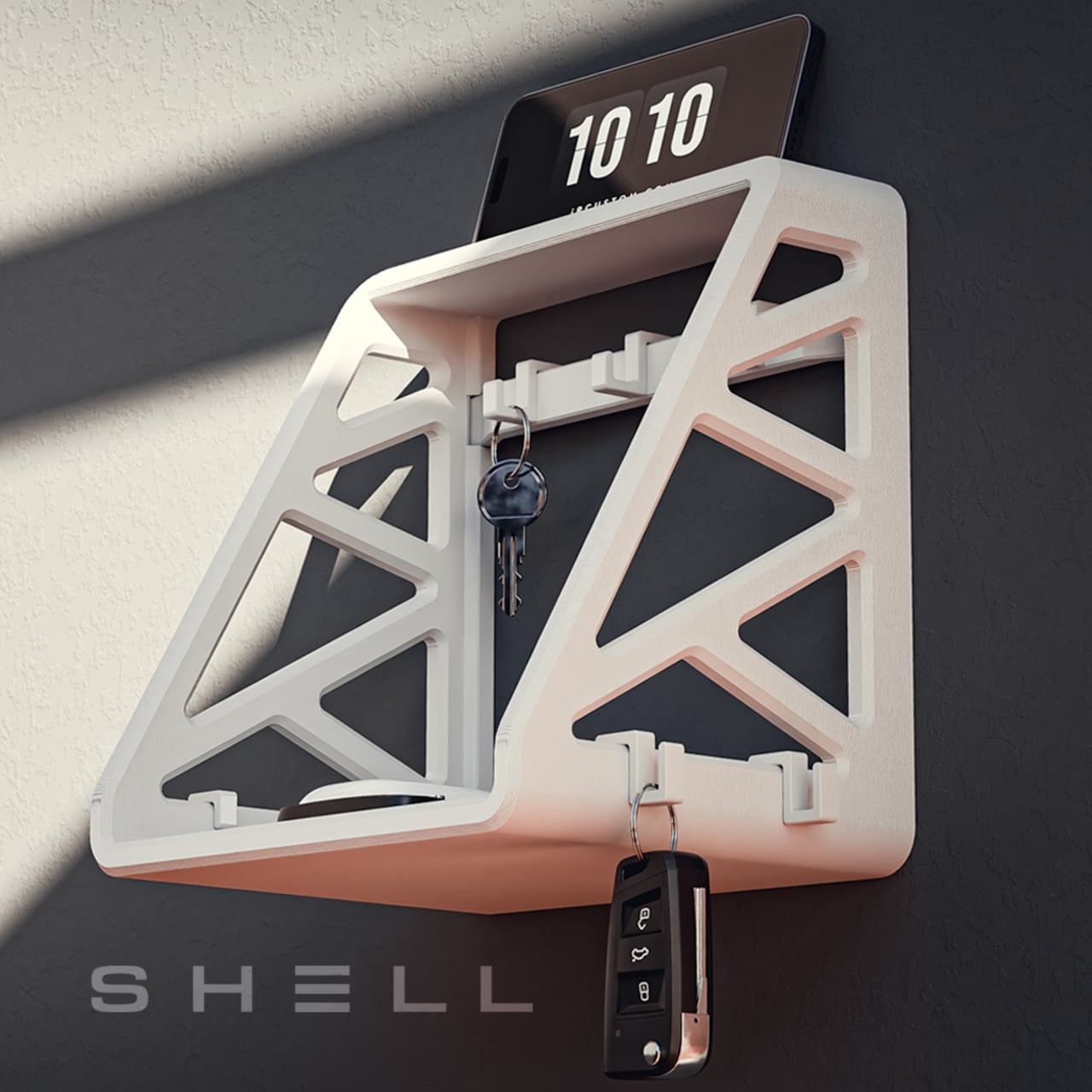
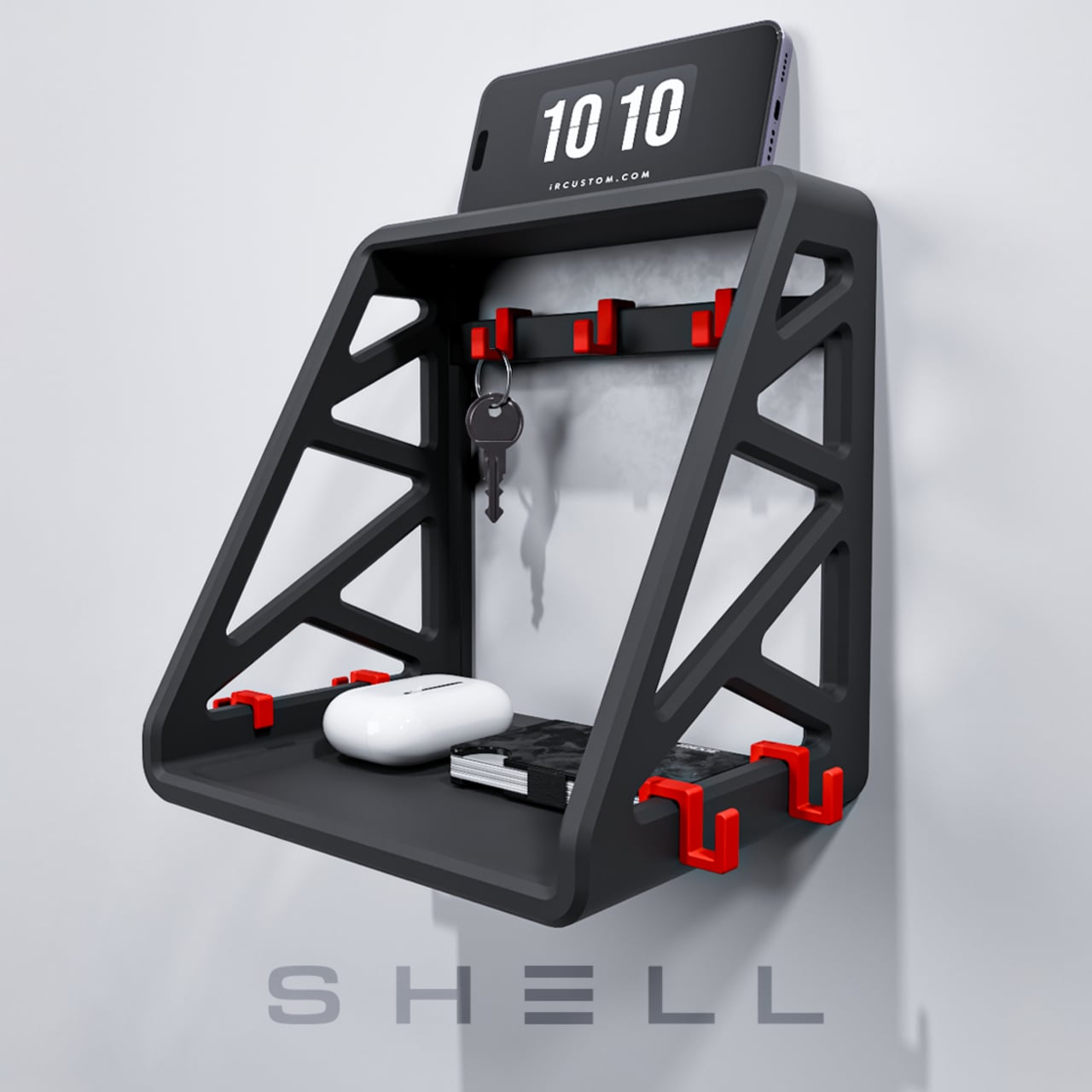
The SHELL is built around a different idea. Rather than hiding your keys and wallet in a tray or box, it treats them as things worth displaying, giving them an architectural home on the wall that’s as thoughtful to look at as it is to use. It sits at the intersection of furniture design and everyday storage, and it pulls off both.
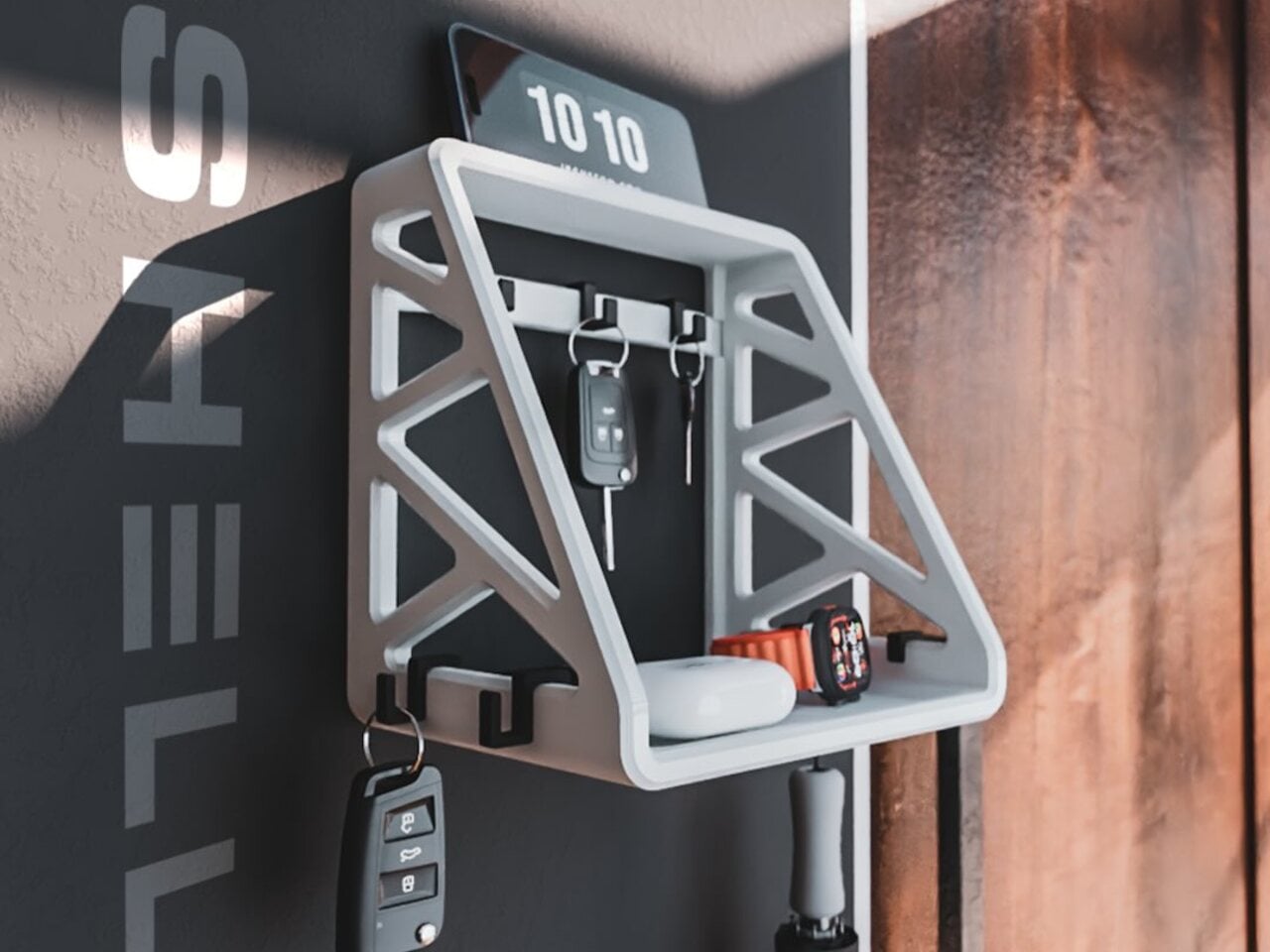
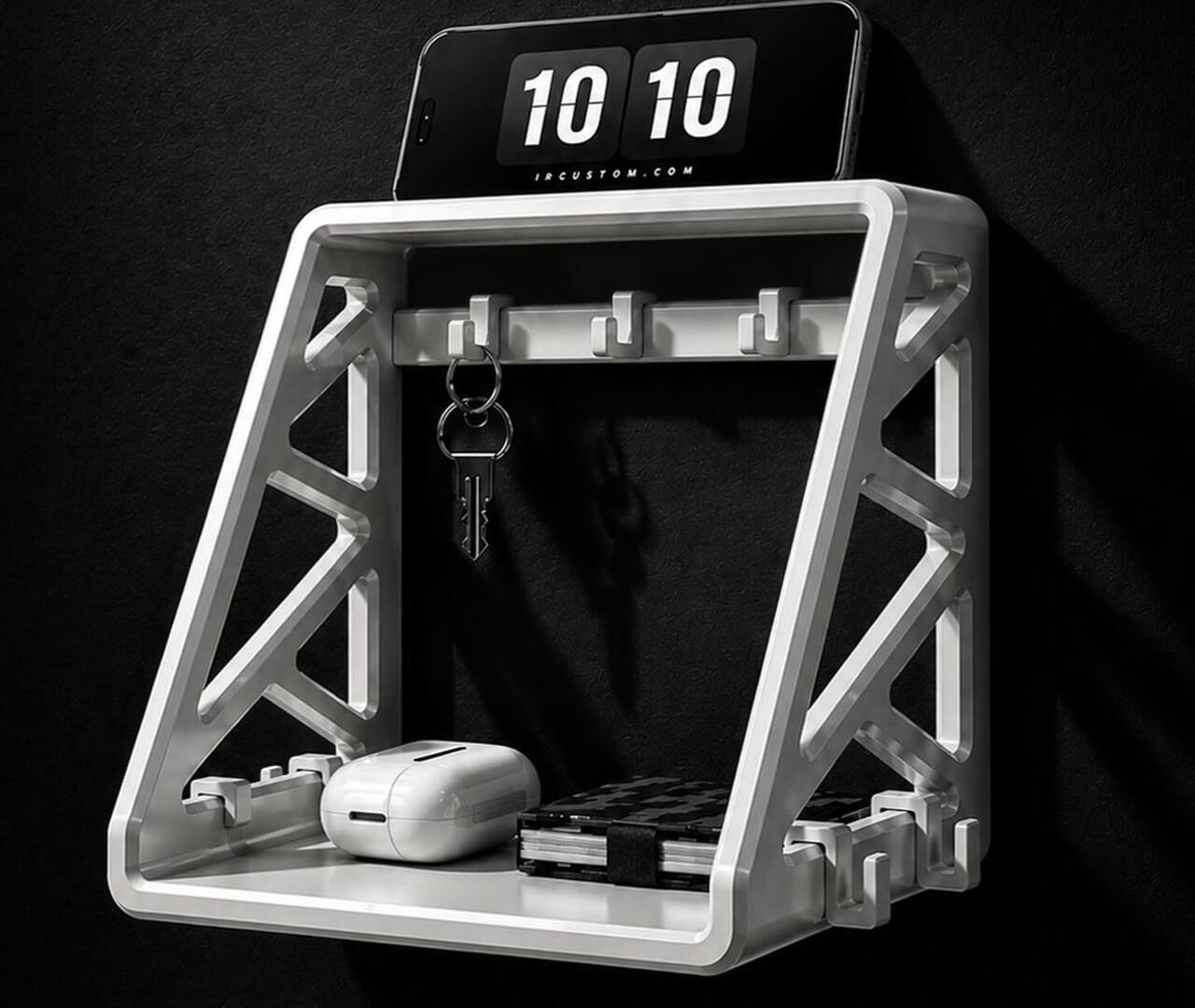
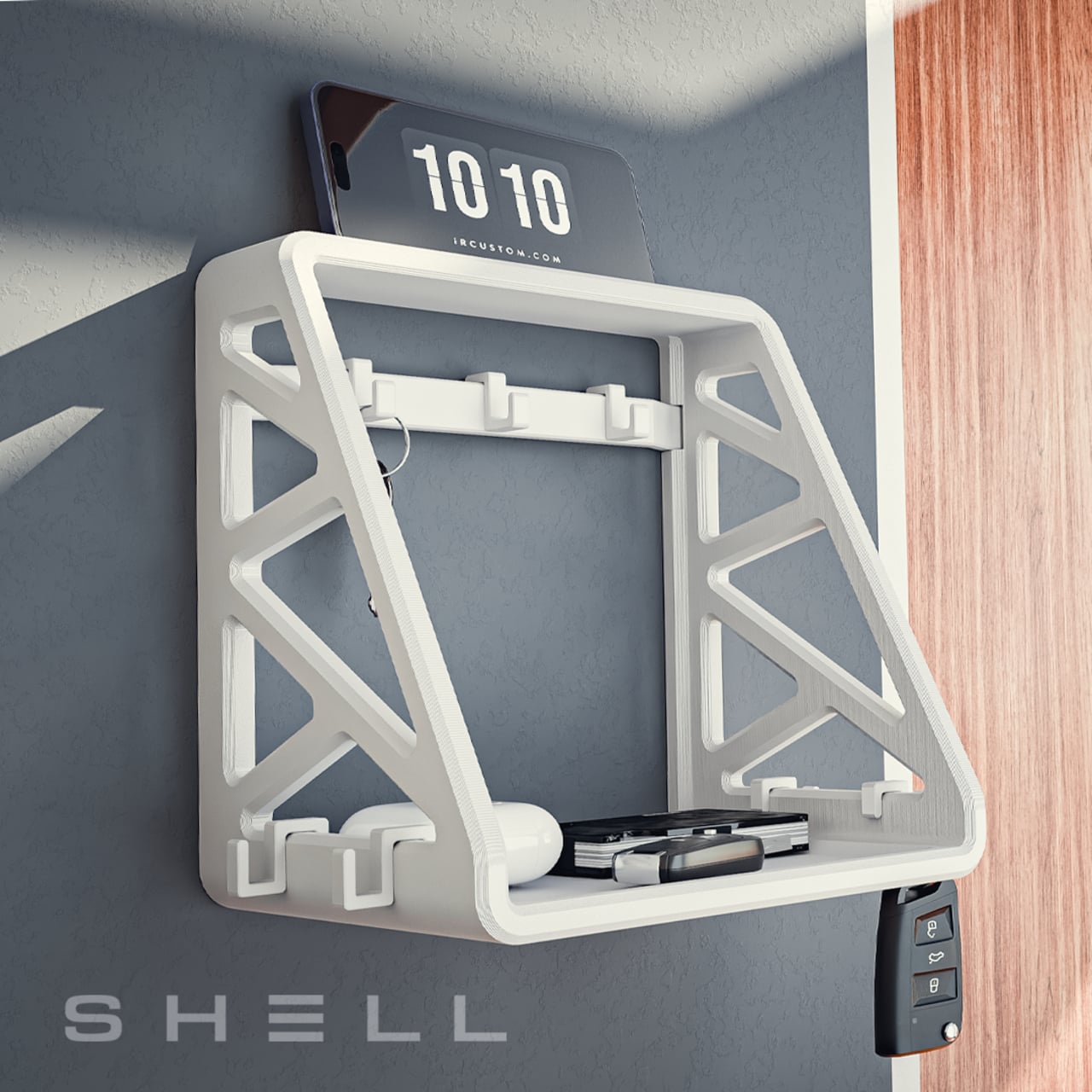
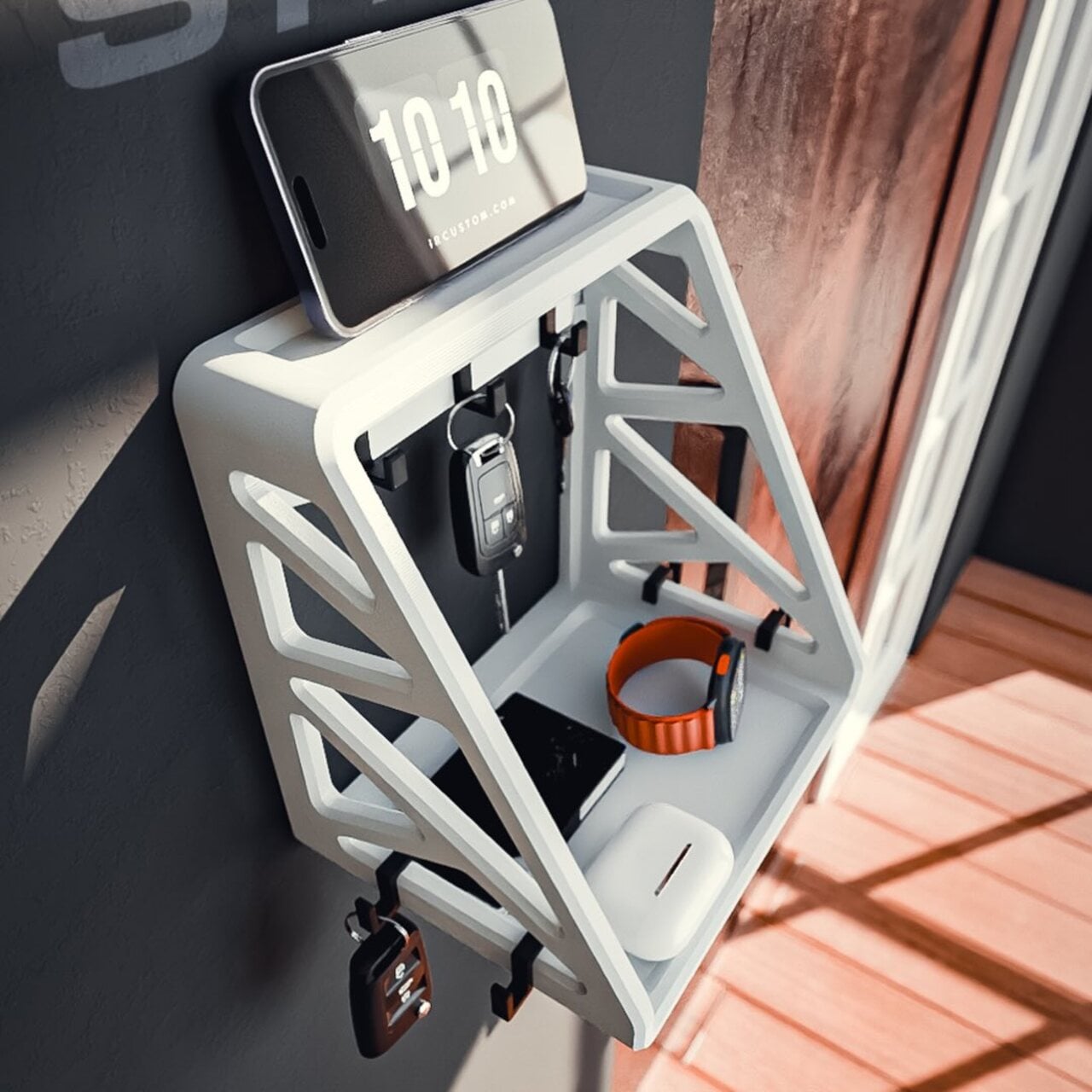
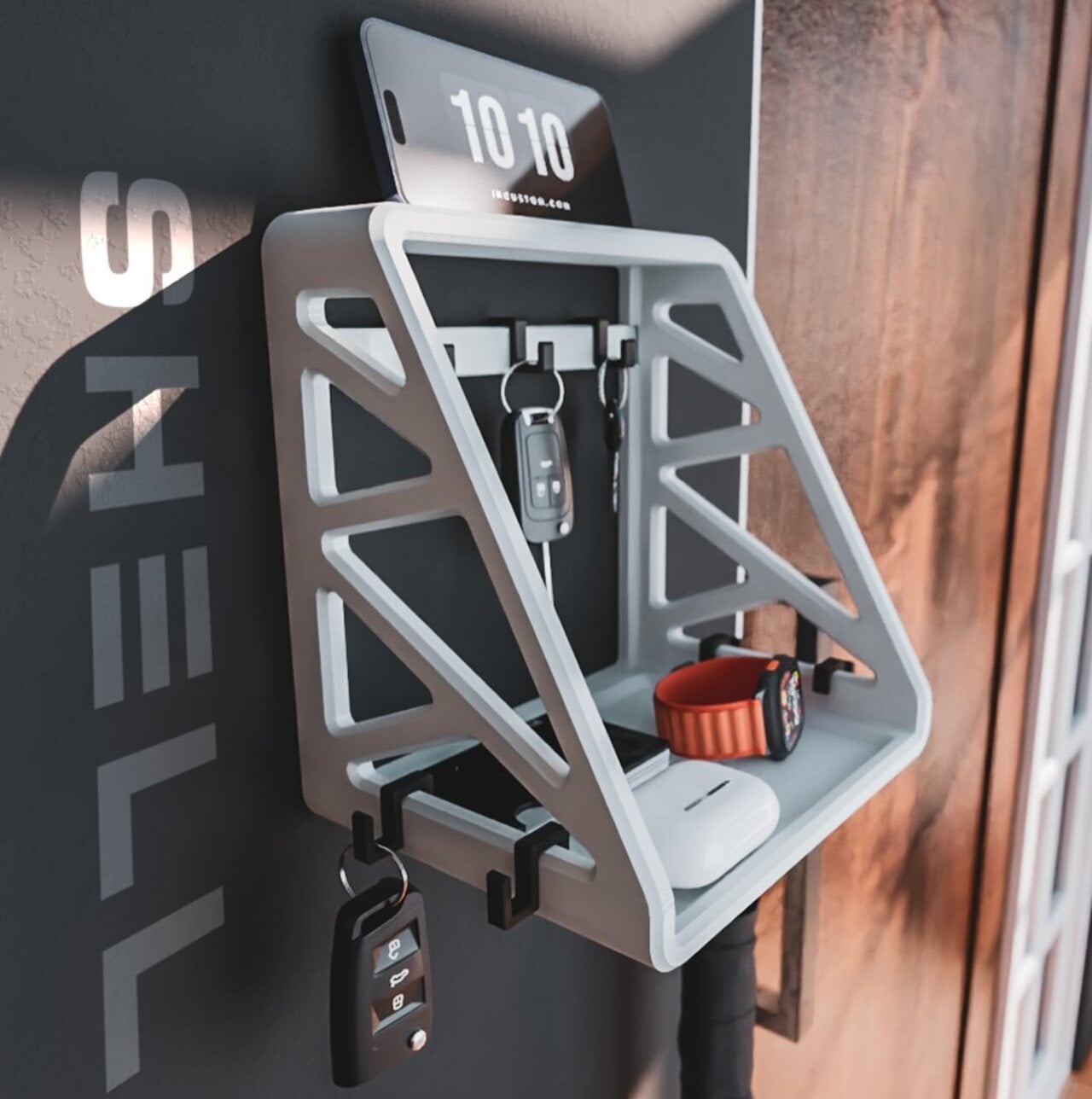
The name and look share the same logic. An open, structural frame with angular side geometry gives SHELL a wall presence that reads more architectural than decorative, and more purposeful than either. The hooks can be repositioned to accommodate whatever needs hanging that day: a set of car keys, a lanyard, a bag strap, or a jacket on the way out the door. It adapts rather than dictates.
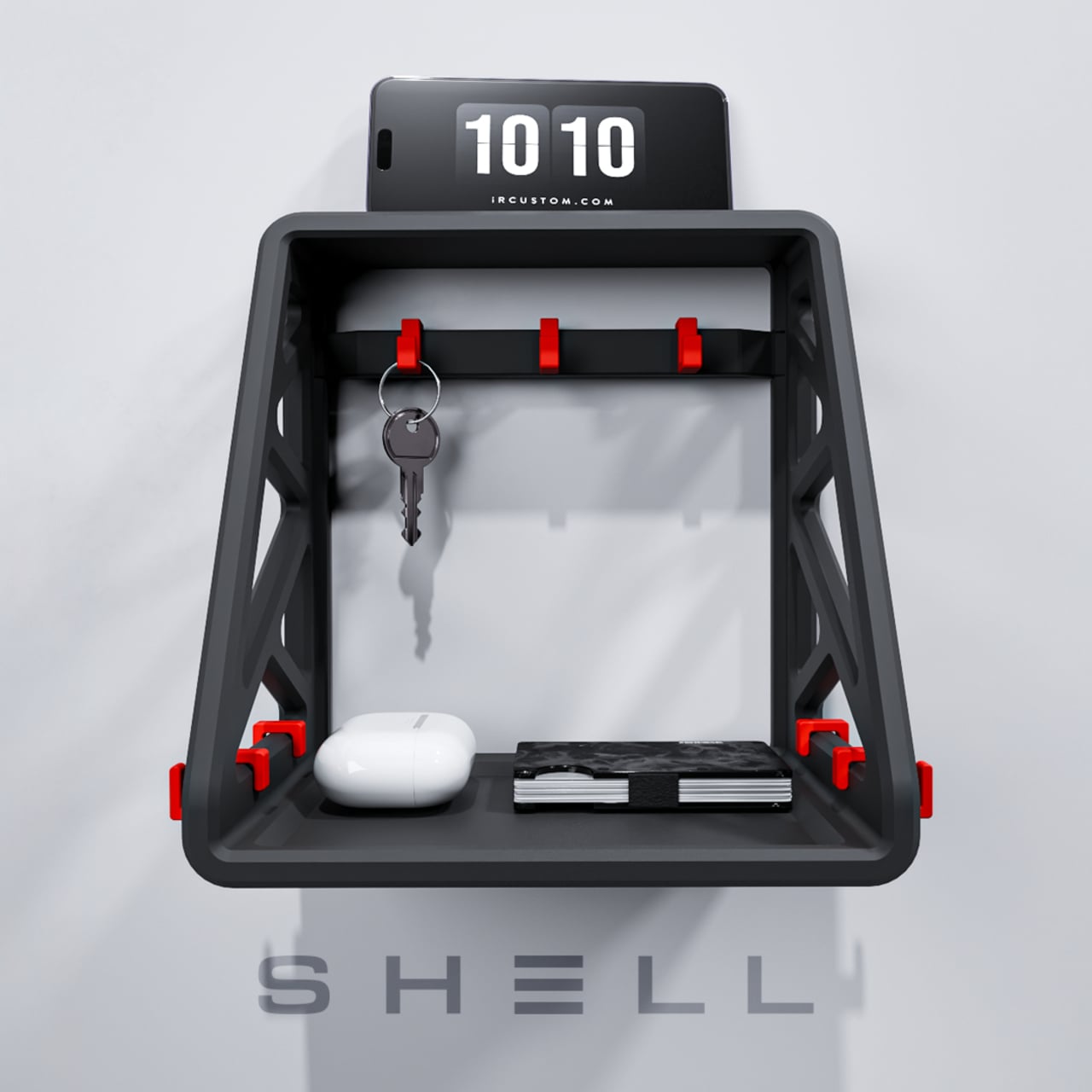
Below the hooks, a lower shelf provides a dedicated landing spot for the smaller things that tend to disappear into pockets until you need them most. A wallet sits there in the same spot every night, as does a watch or whatever else rounds out your daily carry. A phone stand is also built into the design, which means one less separate accessory cluttering the wall nearby.
The SHELL is 3D-printed, which explains how the frame manages to look structurally complex while staying so lightweight. The open profile is a natural outcome of how it’s made, layer by layer, without solid walls or closed surfaces. For those who’d rather print their own, Divito also offers a $9.99 digital download of the files, optimized for desktop 3D printers.
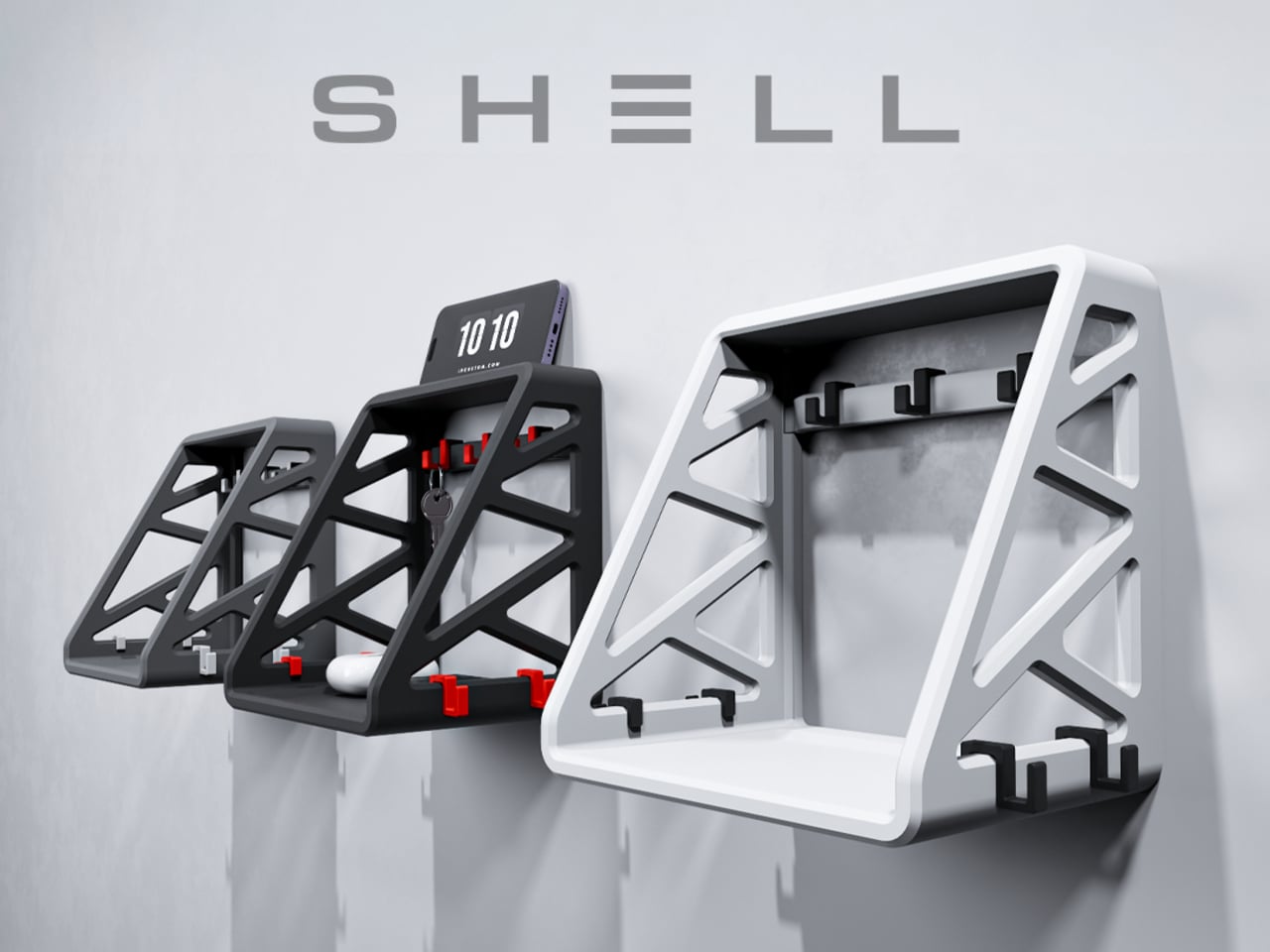
Color customization is settled at the point of purchase for the ready-made version, which starts at $49.99. The frame comes in black, white, or gray, while the hooks can be ordered in any of those finishes or in red, letting the movable parts stand out or blend in as you see fit. It’s a small but smart option for something that lives on a wall permanently.
Installation is handled through wall anchors and wall marking studs included in the package, keeping the setup straightforward even for those who don’t usually reach for a drill. Divito designed SHELL for the spaces you pass through most often, and entryways are the obvious fit, but the same qualities that make it work at the door also serve a studio wall, a home office, or anywhere else where a little order wouldn’t go amiss.
Most entryways get far less design attention than a coat closet, even though they’re the first and last space you interact with every single day. SHELL finds a neat way around that problem by being the kind of object you actually want on the wall rather than something you’re willing to tolerate there. That’s a harder thing to get right than it looks.
Digital calendars have made keeping track of the date nearly frictionless, which sounds like a good thing until you realize how thoroughly that frictionlessness has stripped the experience of any meaning. The date appears in a corner of your screen, on a lock screen, or in a quick glance at a smartwatch, but you don’t actually interact with it. You just absorb it, briefly, and move on.
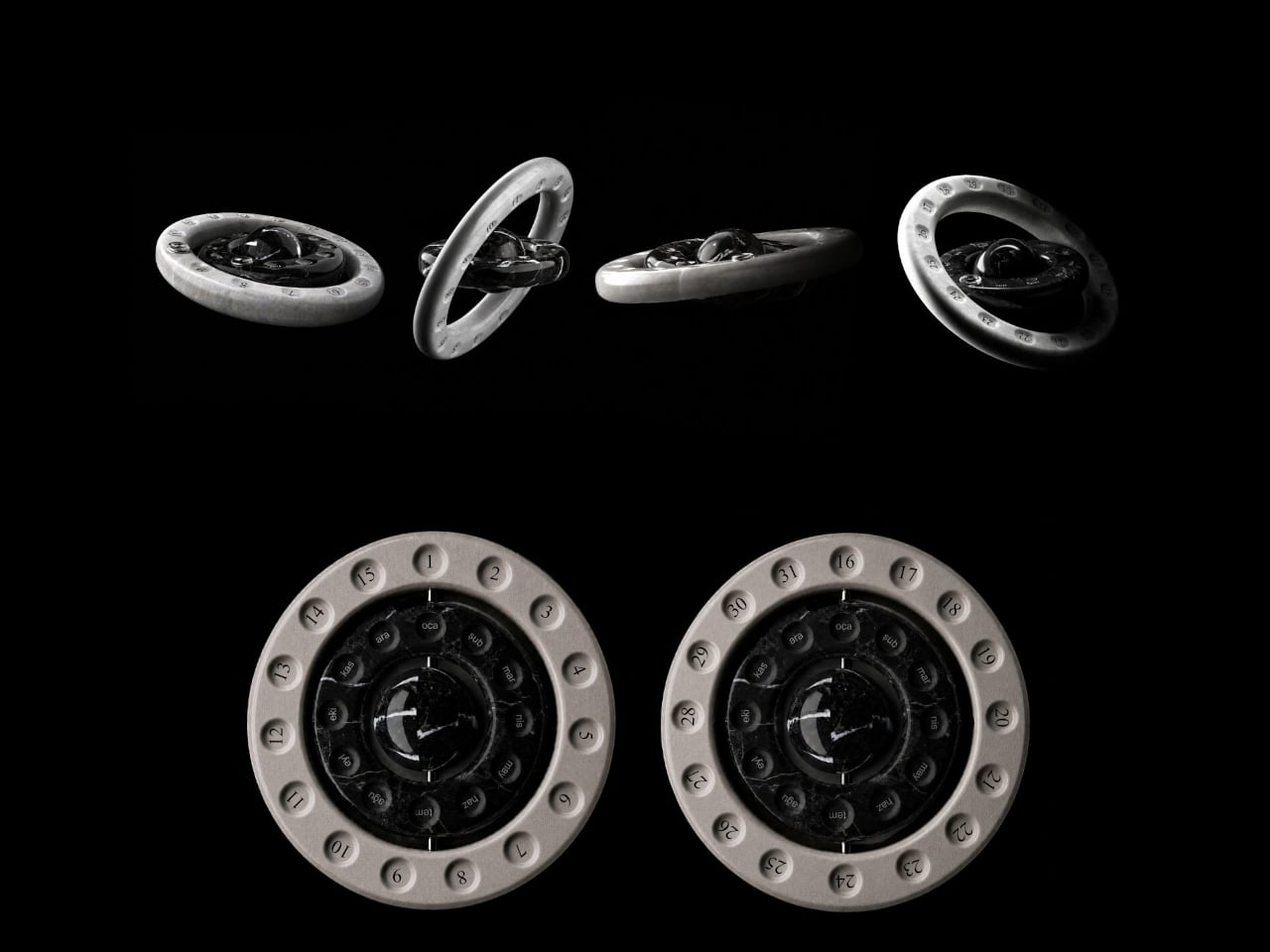
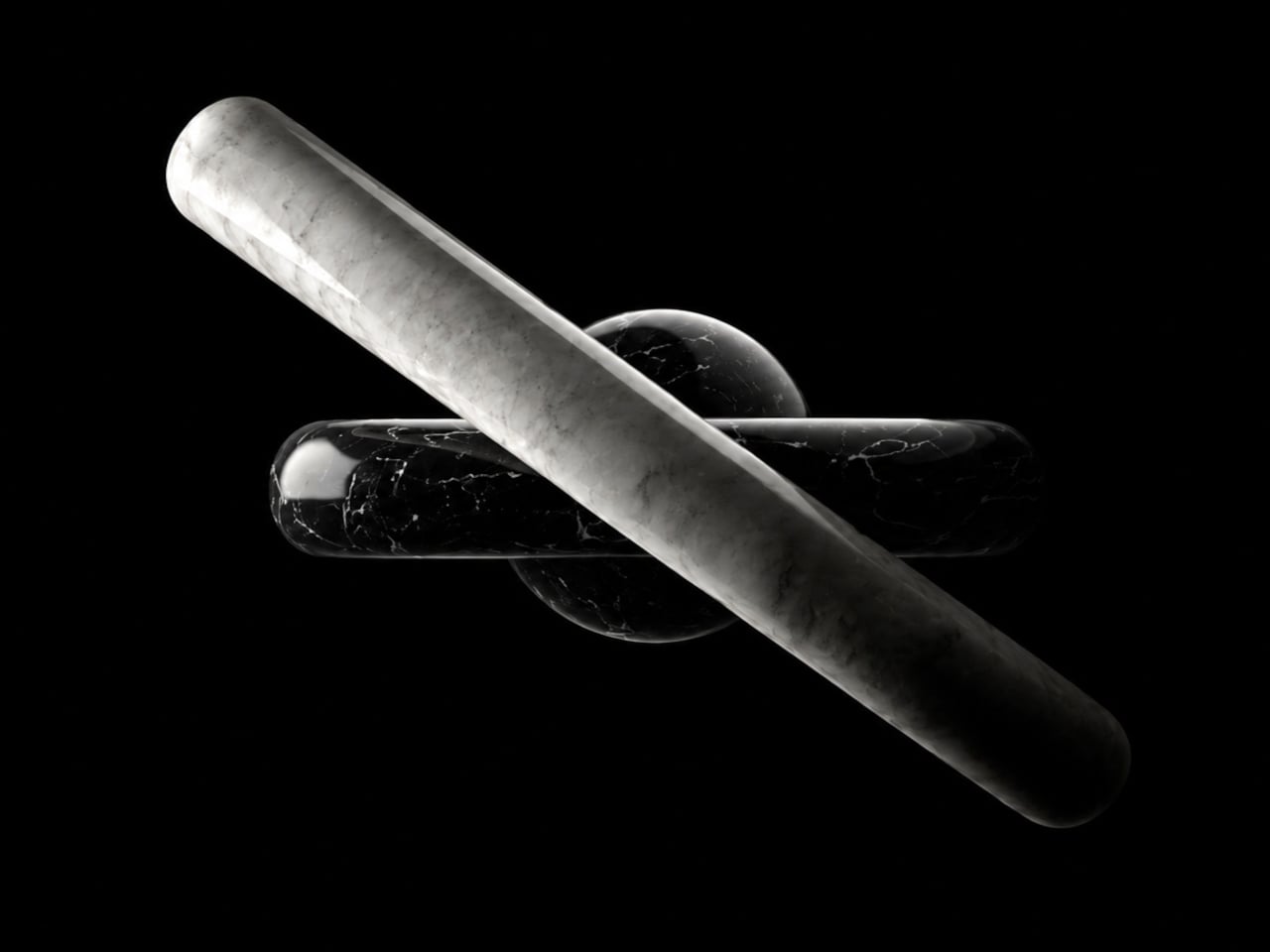
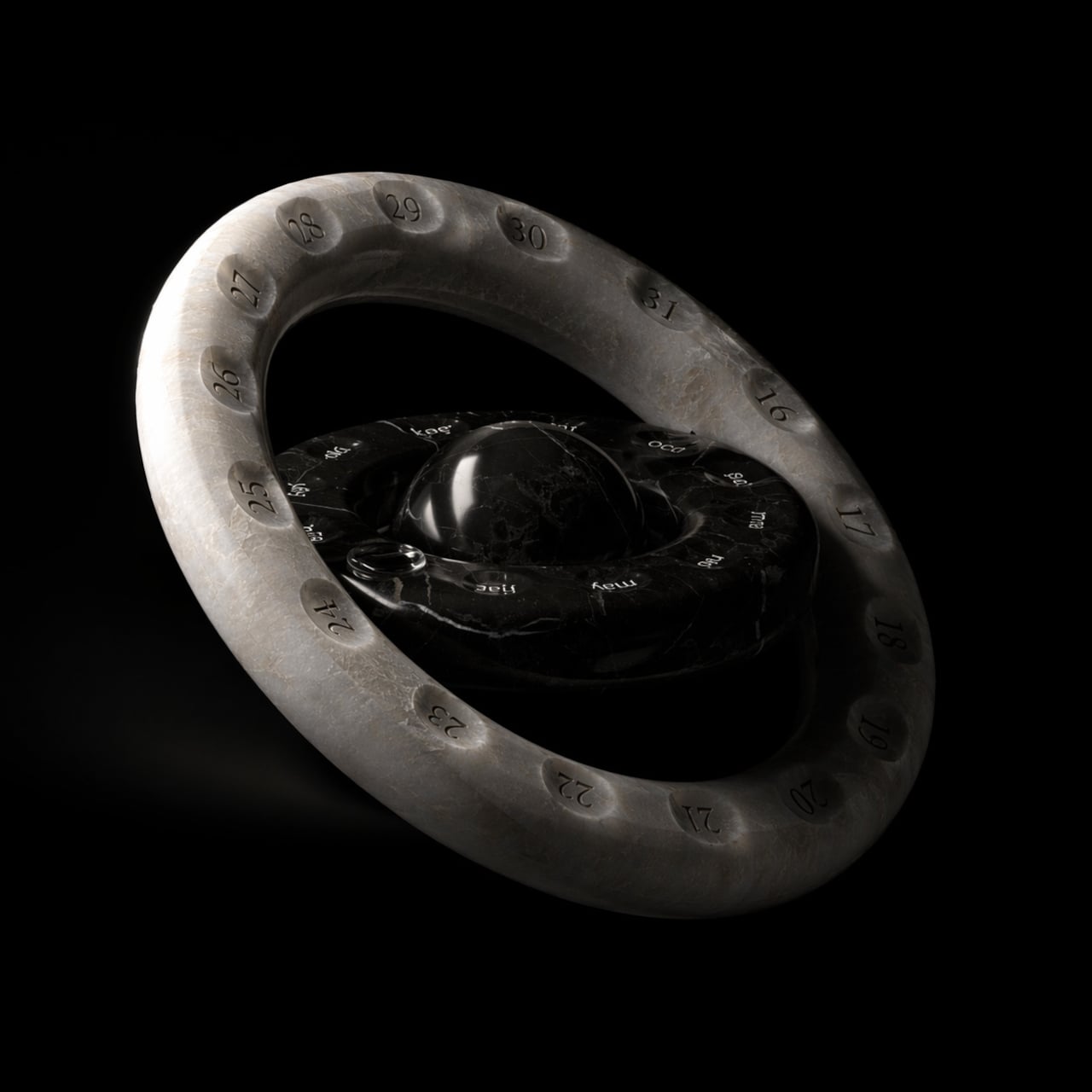
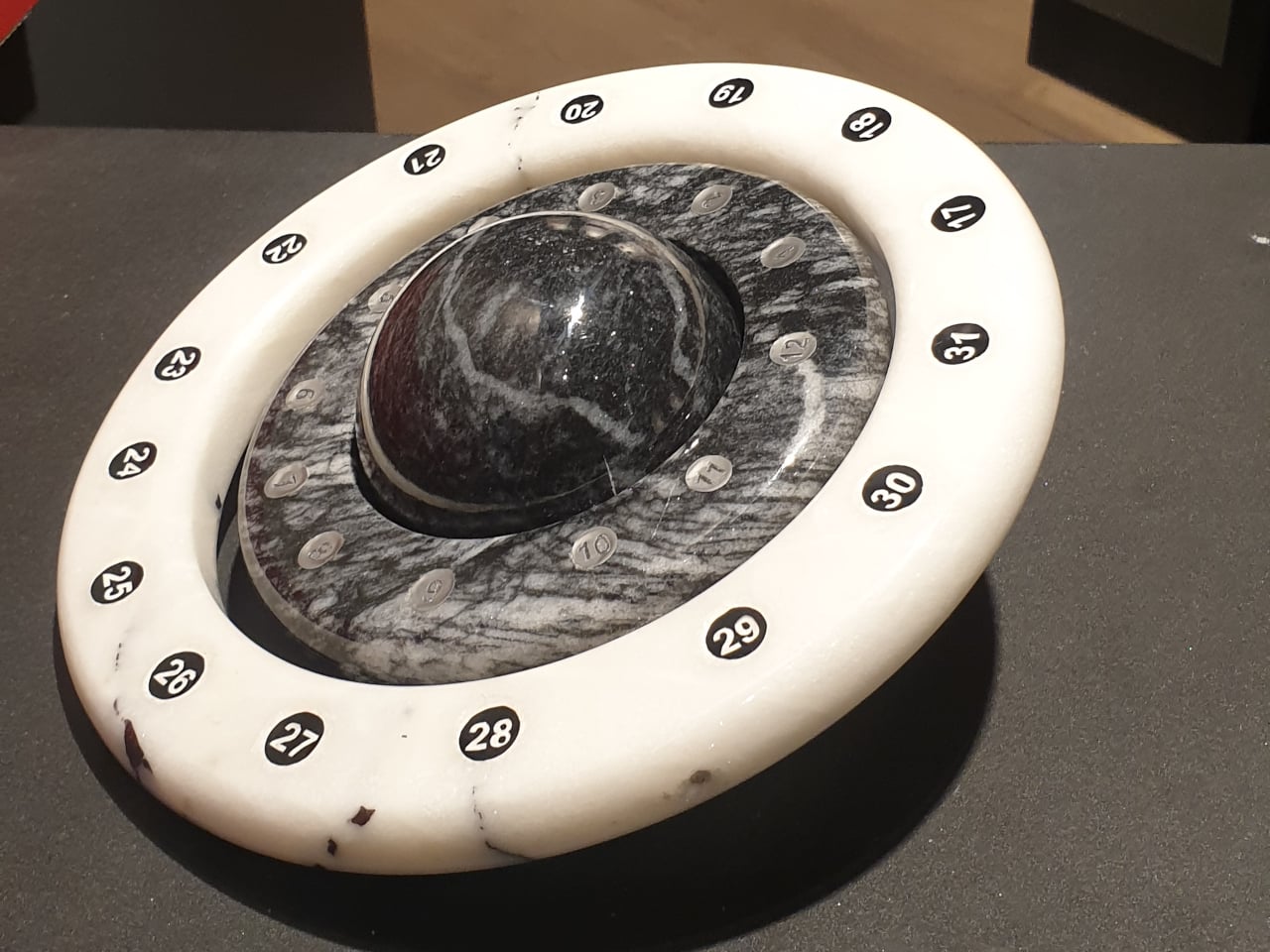
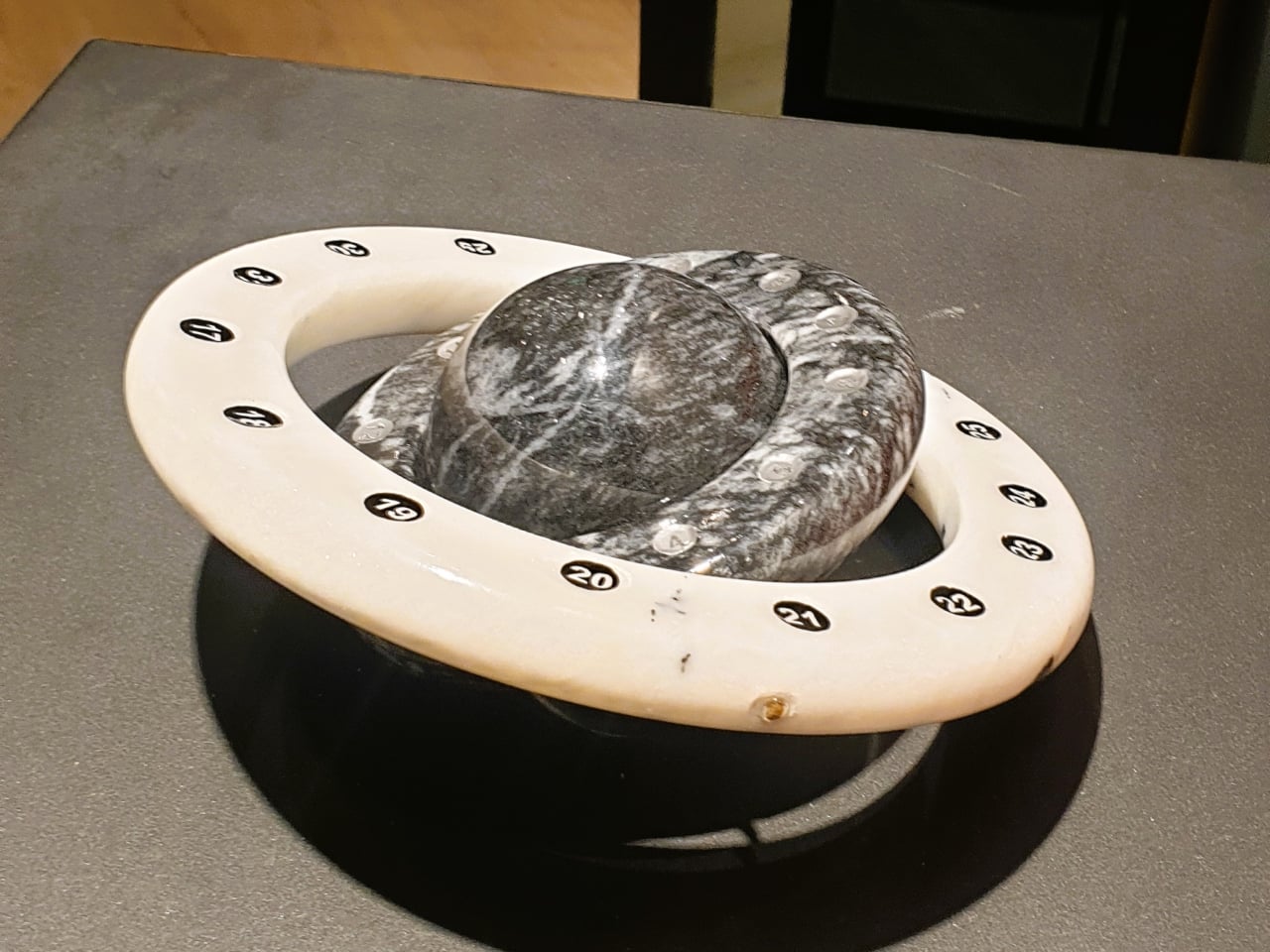
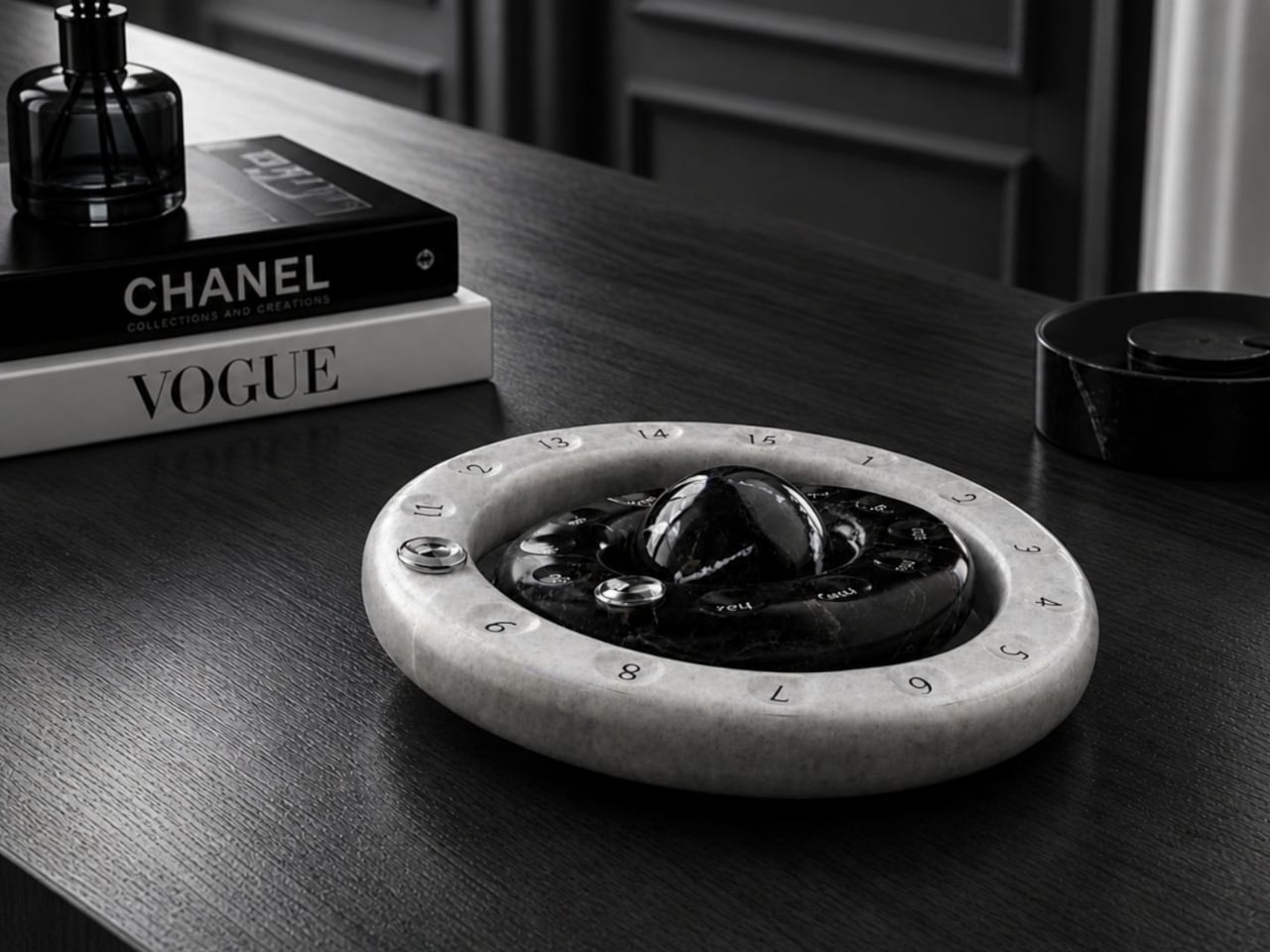
Elif Karaca’s Loop, a finalist in both the fifth International Novel Natural Stone Design Competition and the Değişik Design Award 2023, pushes back against that passivity. Crafted from marble and structured around two concentric rotating rings in contrasting stone tones, it reframes the calendar as a physical object you’re meant to touch and adjust each day, not something to glance at and forget.
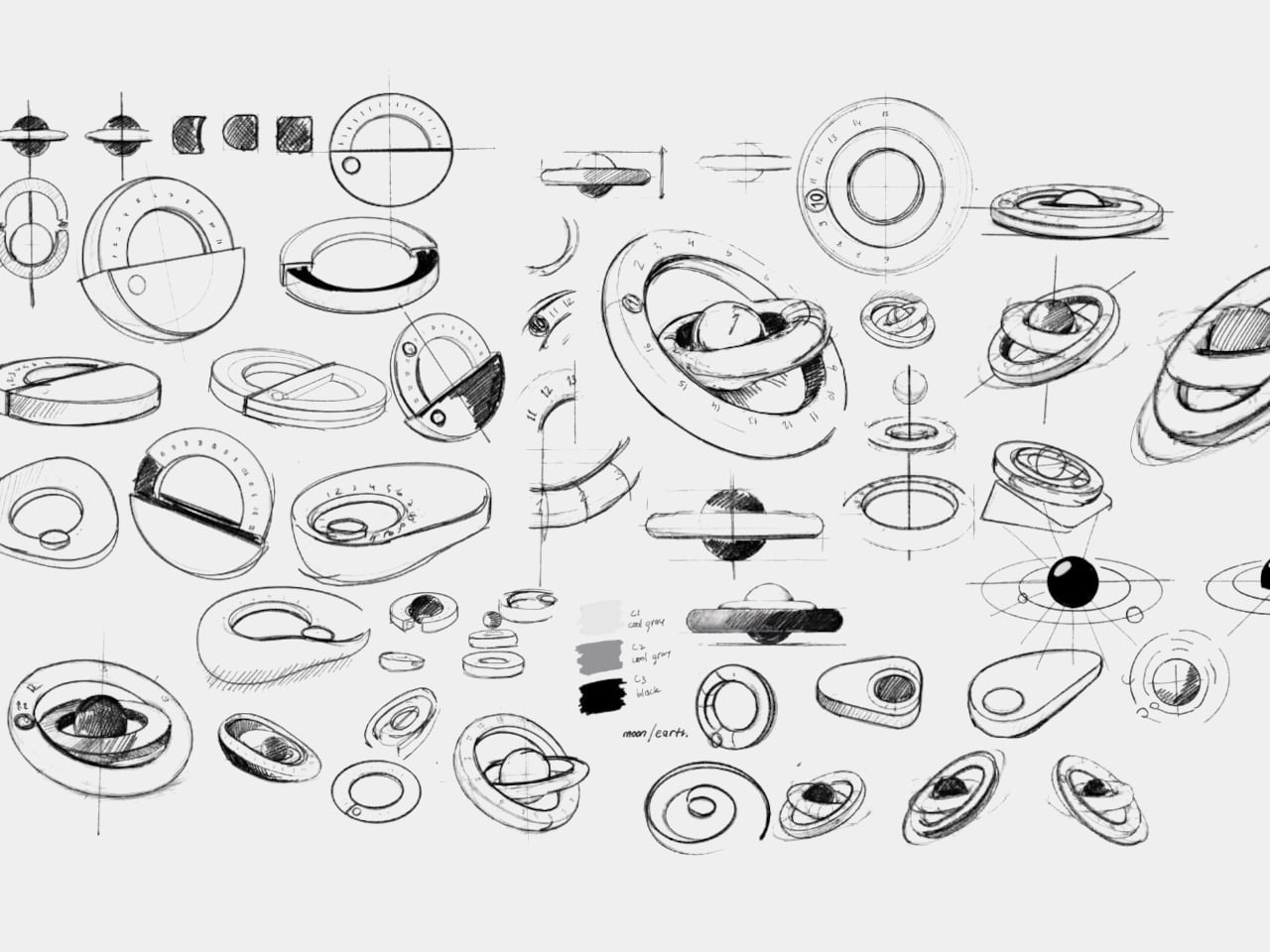
The mechanism draws from the orbital relationship between the Earth and the Moon. The inner ring, carved from dark marble, represents the months. The outer ring, in a lighter stone, tracks the days and rotates around the center as time passes. Advancing the date requires an intentional turn, which is exactly the point: the act of updating it becomes a small, grounding gesture built into the day.
Most people who keep a physical calendar treat it as a reference document rather than something they engage with. Loop approaches that differently. The marble surface carries natural veining and texture that make each piece distinct, and the weight and cool smoothness of the stone change the character of the interaction entirely. You don’t click a button or tap a screen; you rotate something solid.
The choice of marble is also a response to a wider problem in stone processing. Only about 25 to 30 percent of extracted natural stone ends up as usable product; the rest becomes dust and fragments, which generate both environmental and economic waste if left unaddressed. Karaca’s position is that good design can make the most of this material by turning it into something long-lasting and genuinely valued.
A calendar that lasts indefinitely doesn’t generate packaging waste or run out of pages. There’s no annual replacement, no recycling bin at the end of December. The marble rings carry the same numbers and months year after year; the owner simply rotates them back to the start. For a material already associated with permanence, that kind of continuity feels entirely appropriate.
Sitting on a desk, Loop occupies the same territory as a clock or a well-chosen paperweight, objects that do something quietly useful while also holding their own aesthetically in the space. The circular form keeps the footprint compact, and the contrast between the two marble tones, one dark and veined, one pale and matte, gives it enough visual weight to register without demanding attention. The idea that checking the date could become a ritual rather than an afterthought is less ambitious than it sounds when the object itself makes that ritual easy to want.
Portable monitors have become a legitimate part of the modern mobile workspace, with countless options available across every price range. But almost all of them share one fundamental constraint: they’re flat, rigid panels in protective cases, indistinguishable from each other in form even when they vary in quality. The screen that travels in your bag looks exactly the same as it did before you packed it.
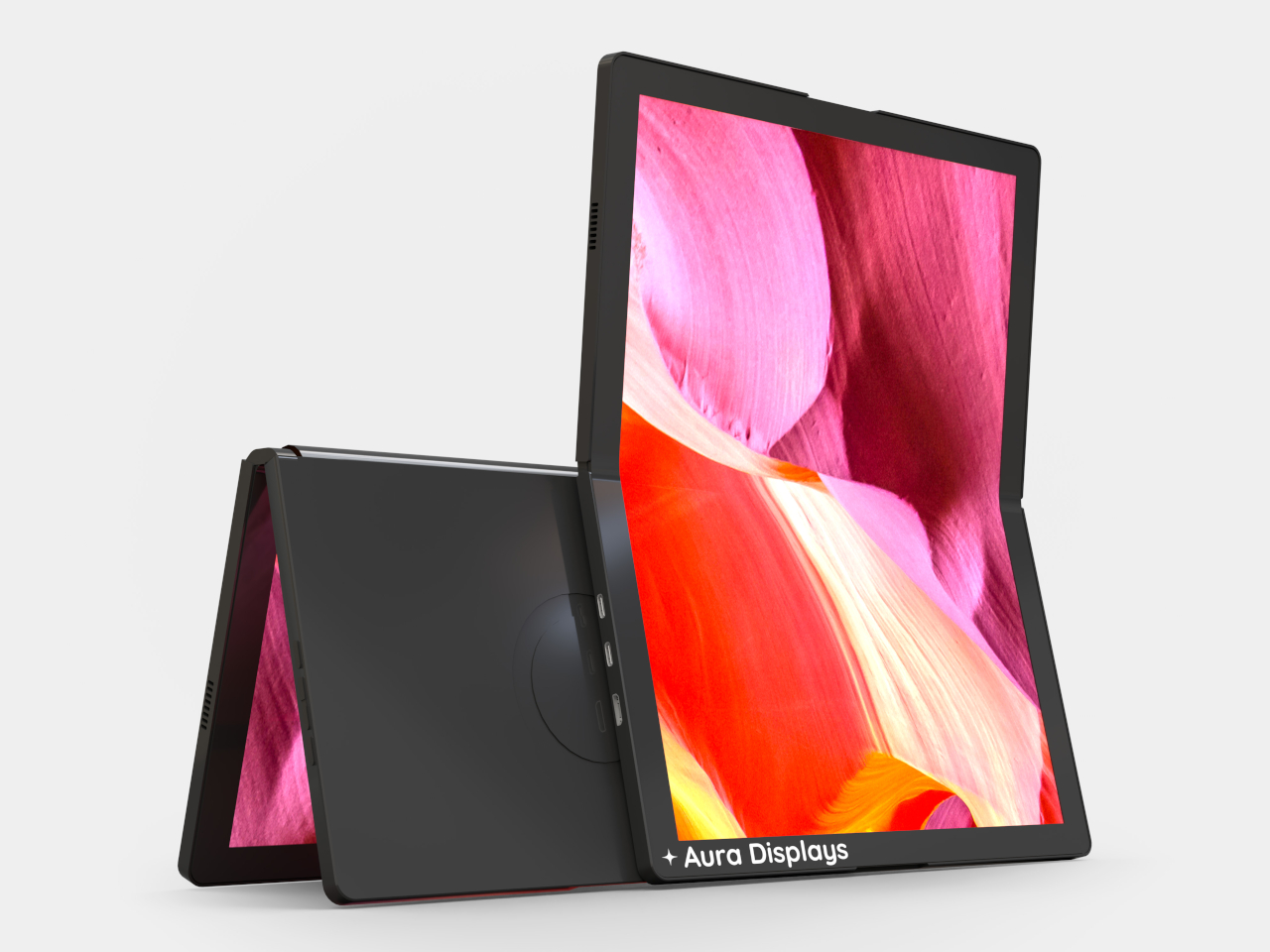
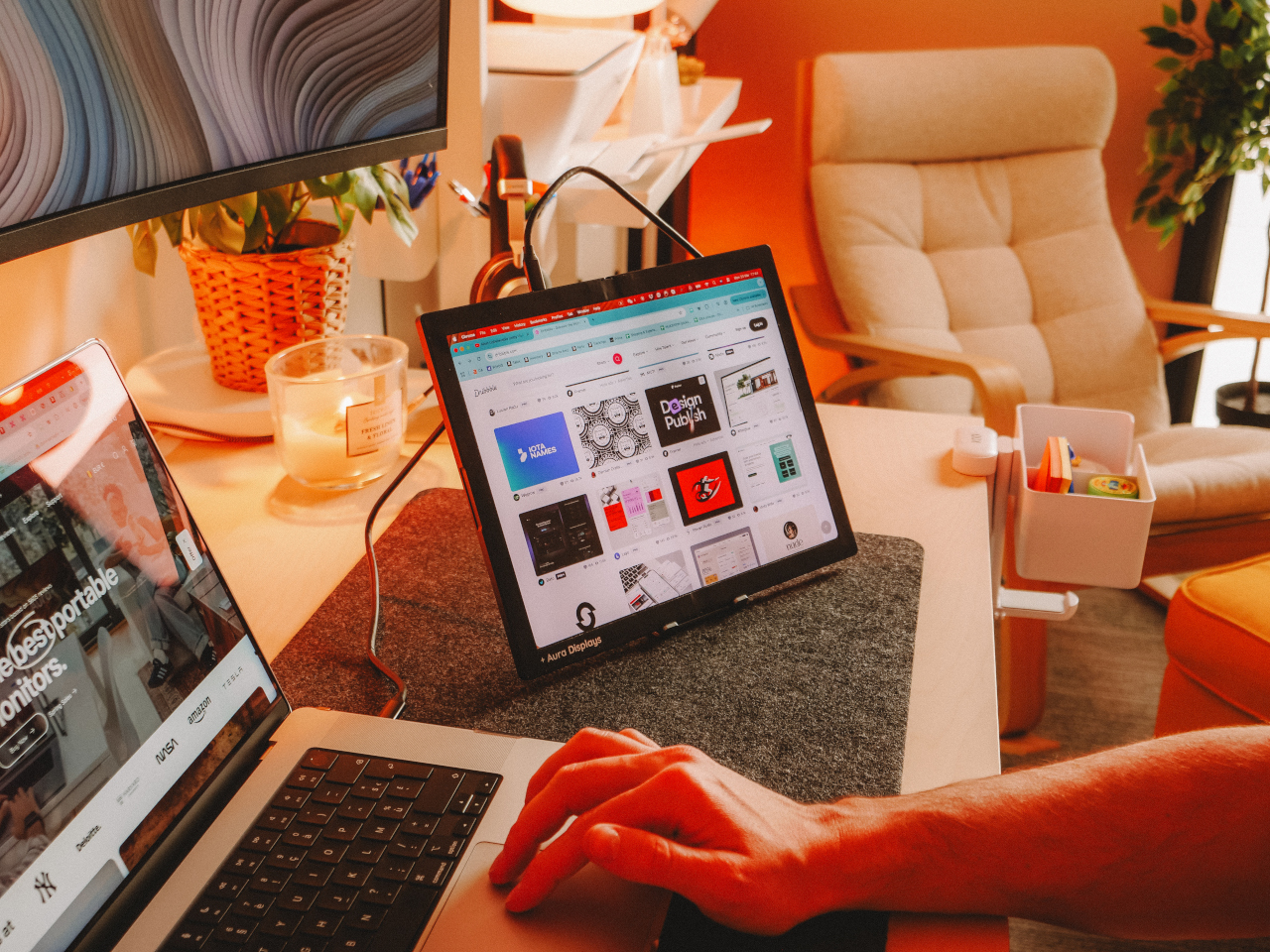
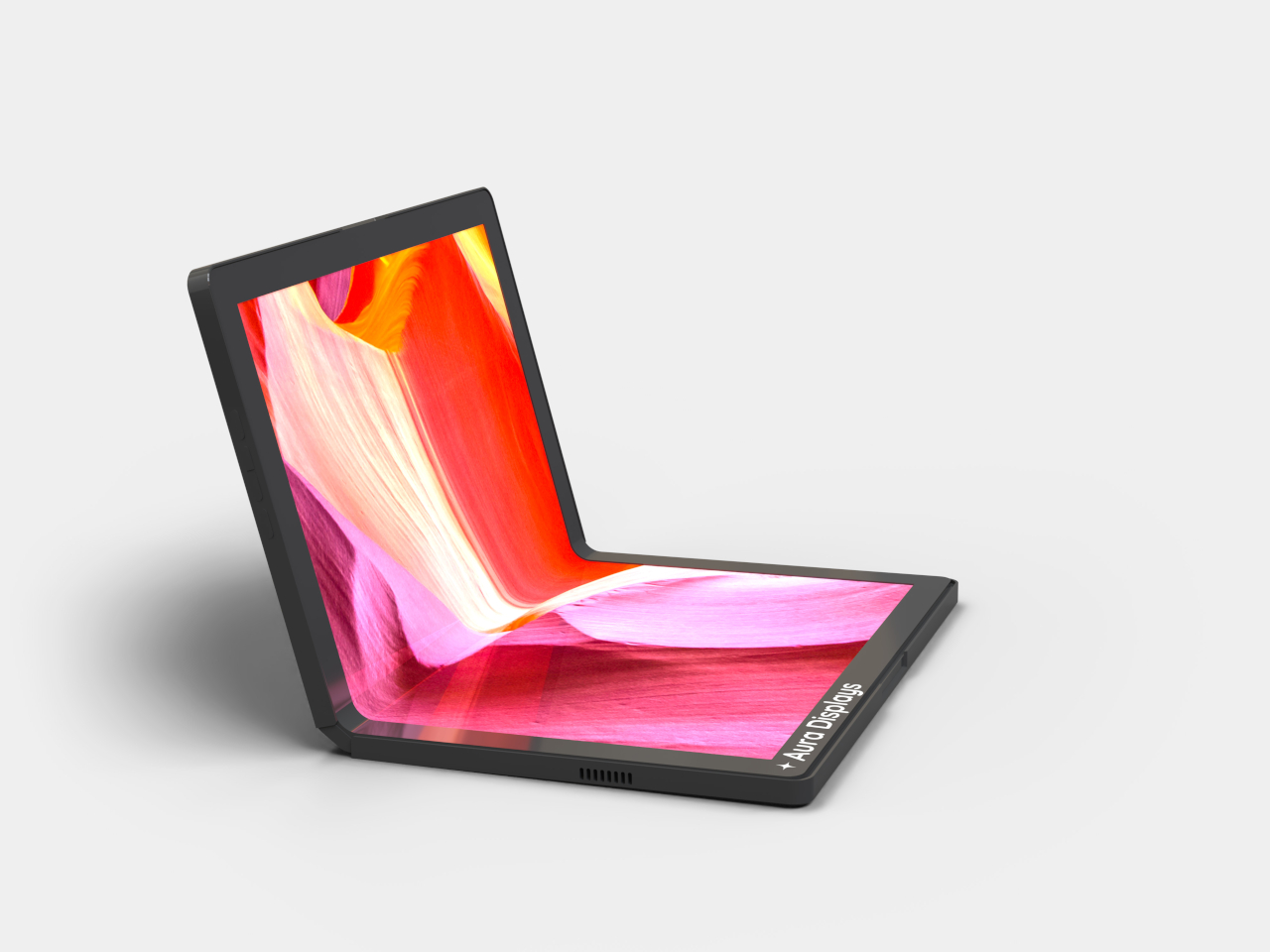
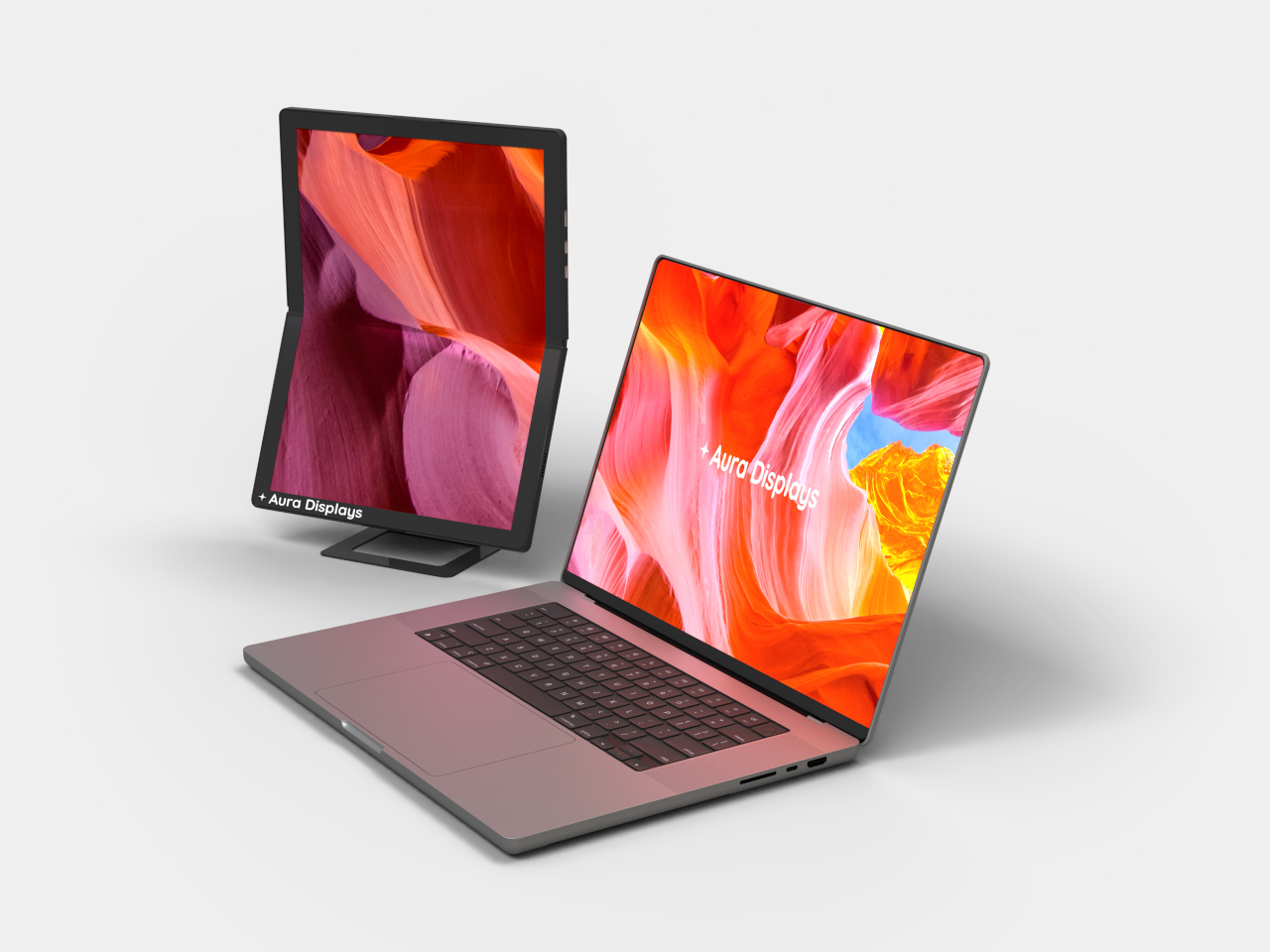
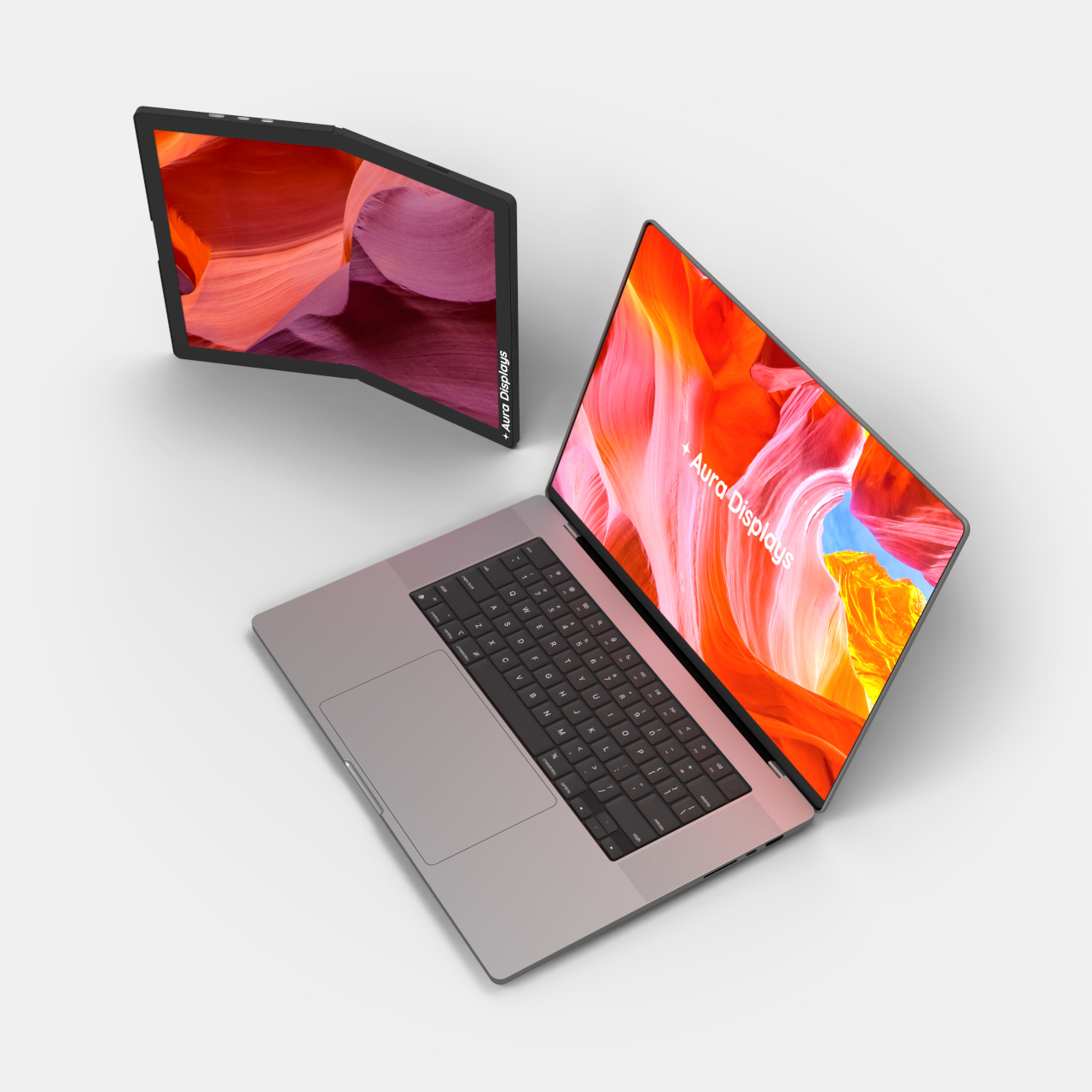
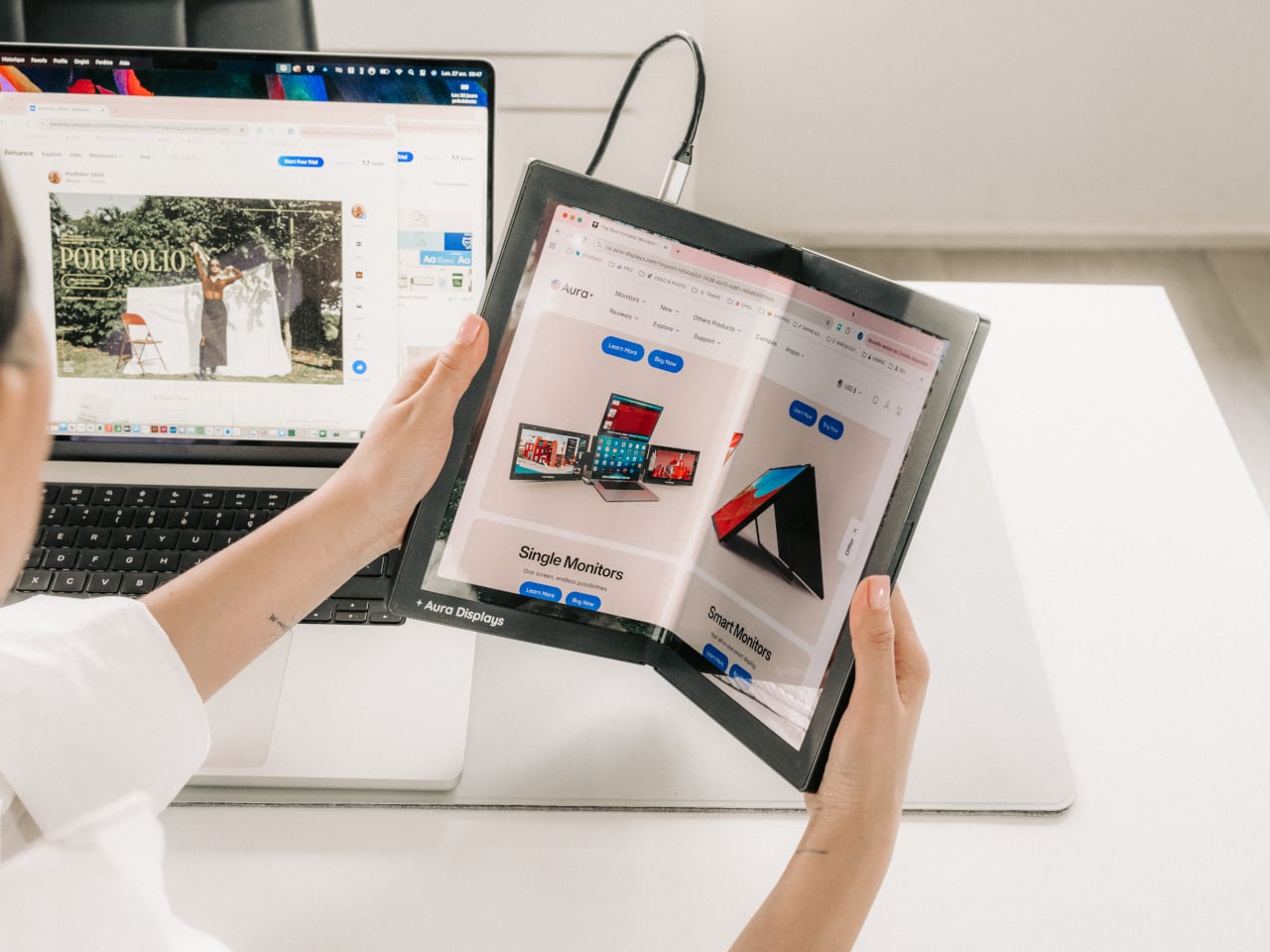
Foldable display technology has been reshaping the smartphone market for years, but making it work meaningfully for laptop accessories has proven far more complicated. Aura Displays’ Single Flex Pro Gen 1 is a portable monitor that does exactly that, introducing FlexMatrix technology that lets the screen bend, fold, and adapt to angles and surfaces that no rigid display can match.
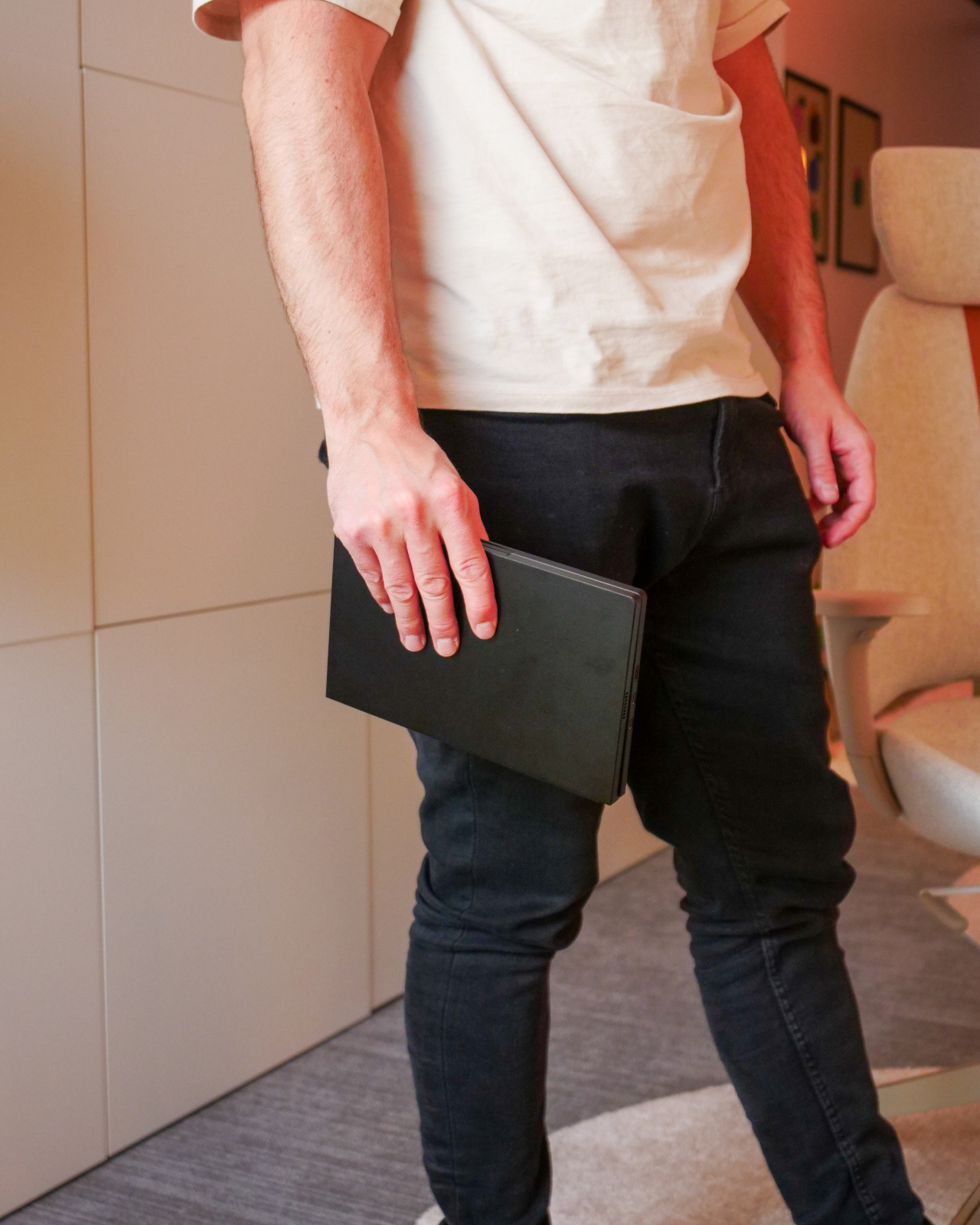
Consider what it actually means to carry a second screen around all day. With conventional portable monitors, you’re always working with the same fixed rectangle, propped up at the same angle, regardless of the surface. A display that folds to just 6.1 by 9.3 inches and opens flat in seconds turns that into a fundamentally different proposition: the form factor adapts to the space, not the other way around.
The actual display is a 13.3-inch AMOLED panel with a 1536×2048 resolution at a 3:4 aspect ratio, meaning it’s portrait-oriented rather than the standard widescreen format. That’s a deliberate choice for someone editing a document, annotating a PDF, or reviewing design layouts in a vertical workflow. The screen covers 117% of the NTSC color gamut, with a 2ms response time and touch input support built in.
AMOLED as a panel technology brings practical advantages worth noting. Contrast is technically infinite since each pixel generates its own light and can switch off entirely, so blacks are genuinely black rather than a deep gray approximation. For anyone reviewing color-critical artwork or working on dark-themed interfaces for long stretches, those aren’t trivial differences; they affect how accurately you read what’s on screen throughout the day.
The physical construction is built around pro-grade hinges and a premium aluminum chassis, keeping the whole unit to 1.54lb despite the structural complexity of a panel that needs to flex repeatedly without degrading. Folded, the monitor is just about 0.63 inches thick; unfolded, it drops to 0.31 inches. Connectivity runs entirely through USB-C, plug-and-play, with no drivers or software installations needed before you can start using it.
There’s also a 17-inch version in the works, currently in pre-production and expected to arrive in June 2026. That suggests Aura isn’t treating this as a one-off experiment but as the beginning of a product line built around this flexible form factor. The Gen 1 name further implies future revisions, which is a reasonable expectation for a product type that genuinely hasn’t existed before now.
The Single Flex Pro Gen 1 is on sale at $1,299, down from its regular $1,499 price, available in Midnight Black. It ships with a USB-C to USB-C cable and a USB-C to USB-A adapter, backed by a one-year warranty. For something claiming a genuine category first, that price reflects both the novelty of the technology inside and the engineering required to keep a flexible AMOLED panel reliable through daily use.
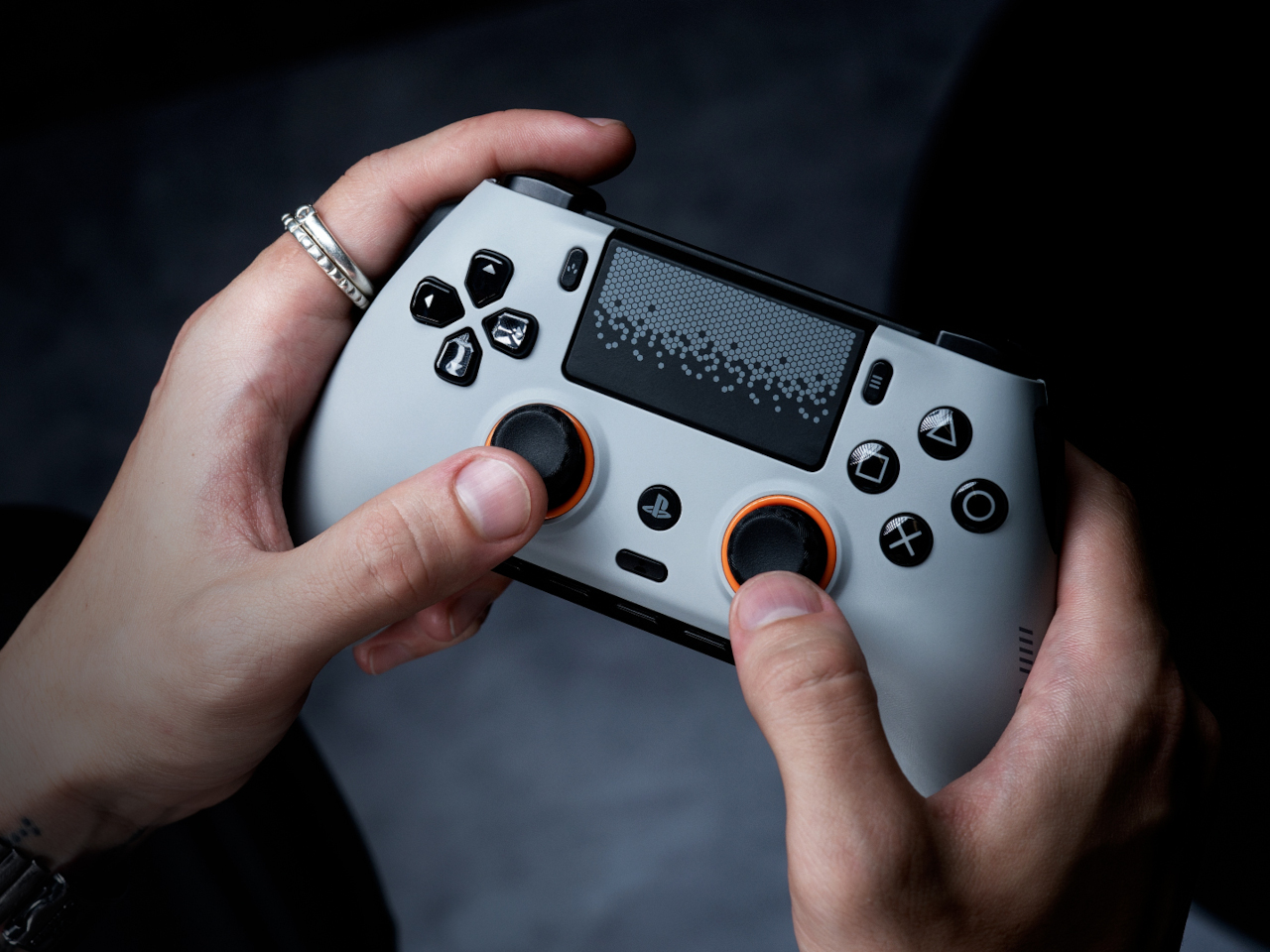
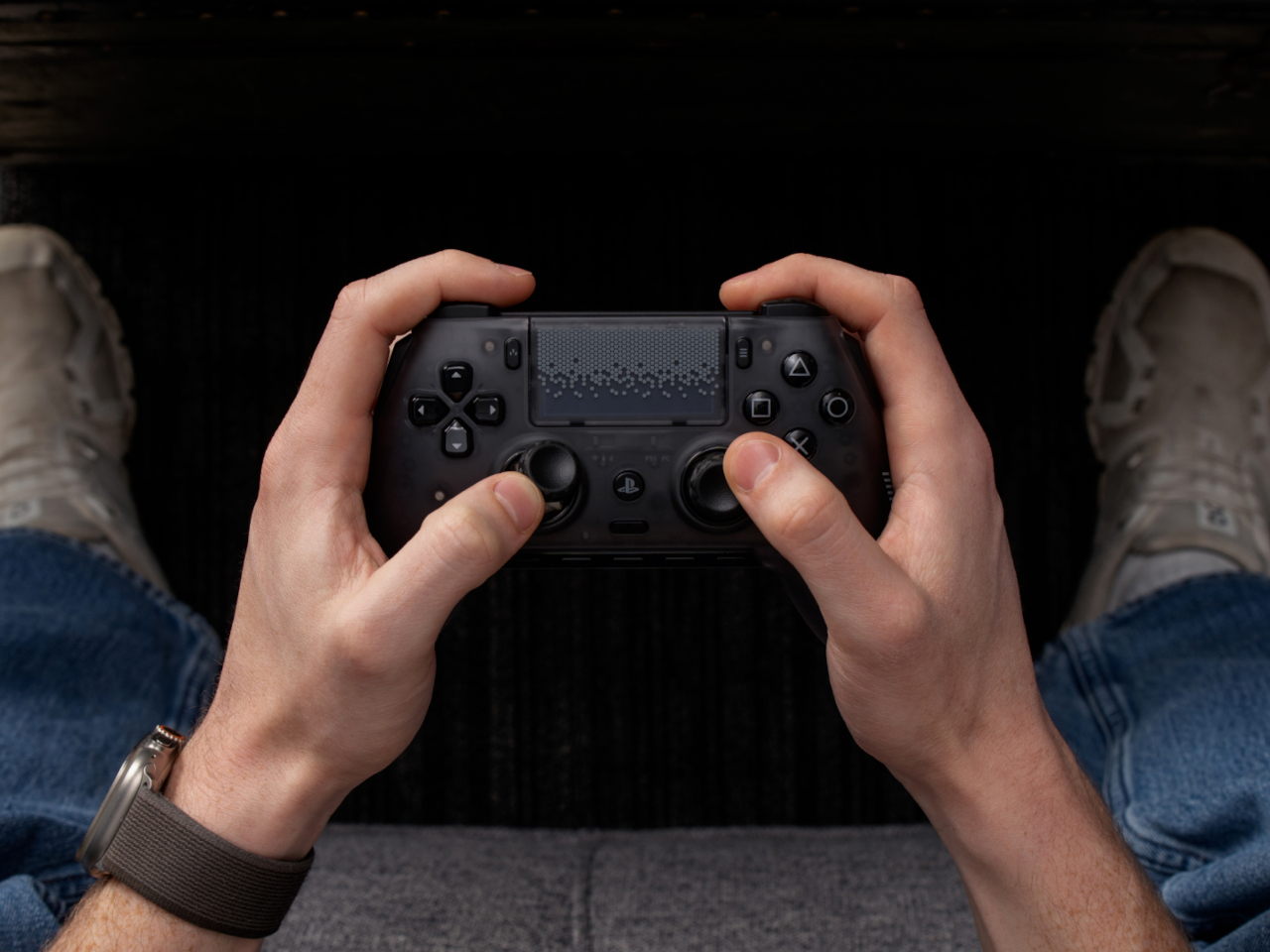
The PlayStation 5’s DualSense controller is genuinely excellent for most kinds of gaming. Haptic feedback and adaptive triggers have added a new layer of immersion to mainstream titles, and the ergonomics are comfortable enough for long sessions. But competitive gaming operates by a different set of priorities, where fractions of a second matter more than vibrating triggers, and the standard pad wasn’t designed with that crowd in mind.
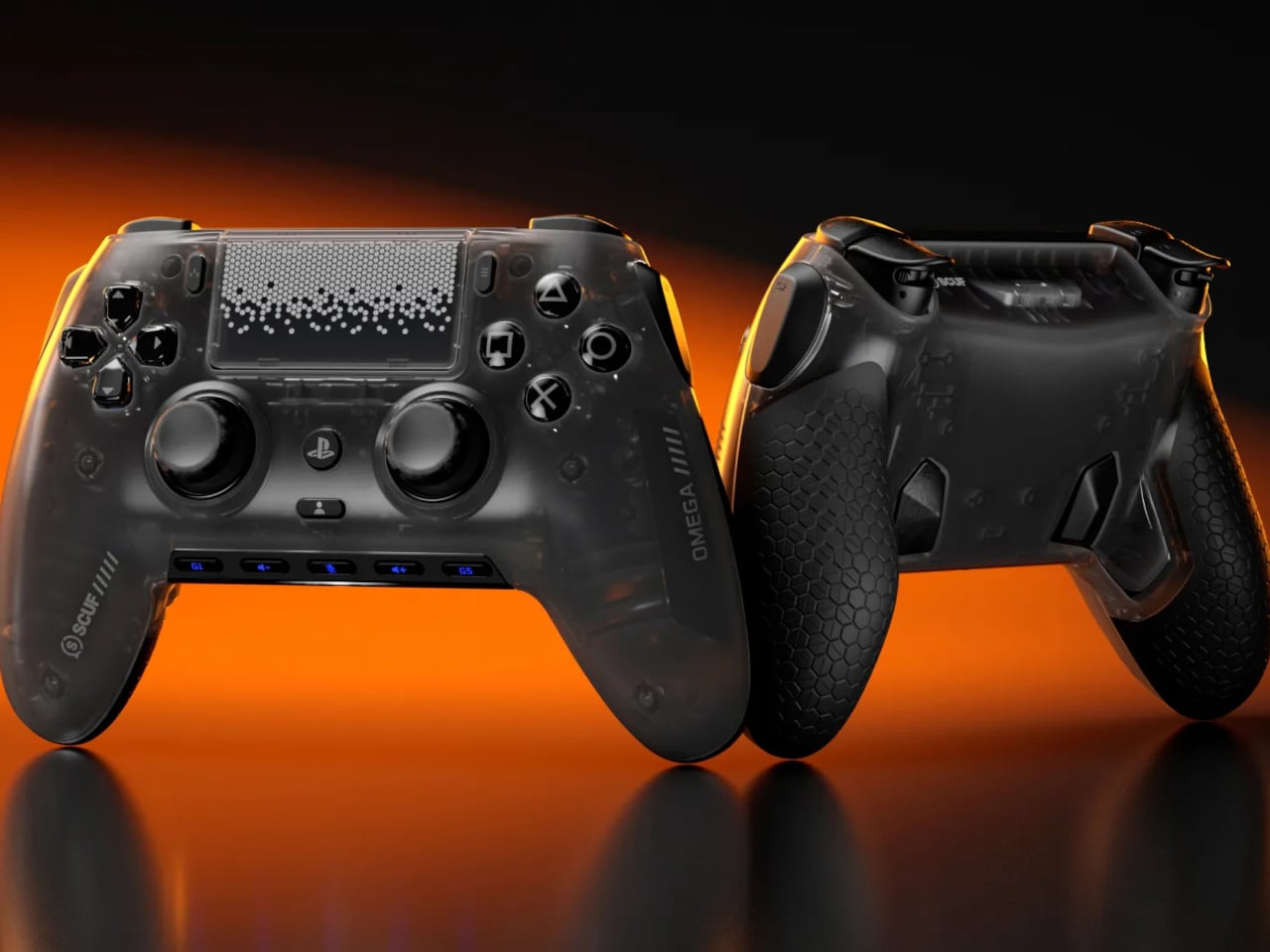
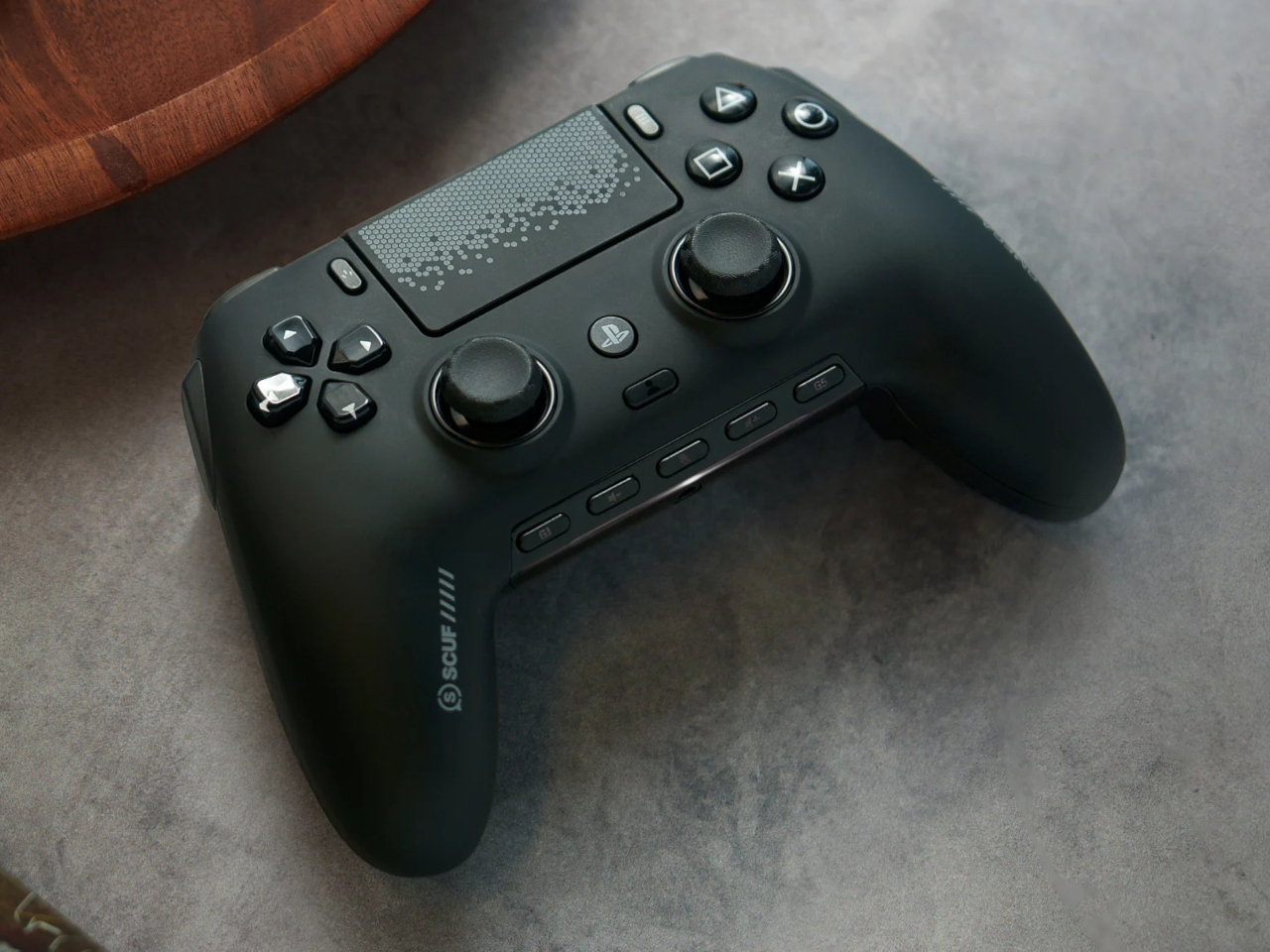
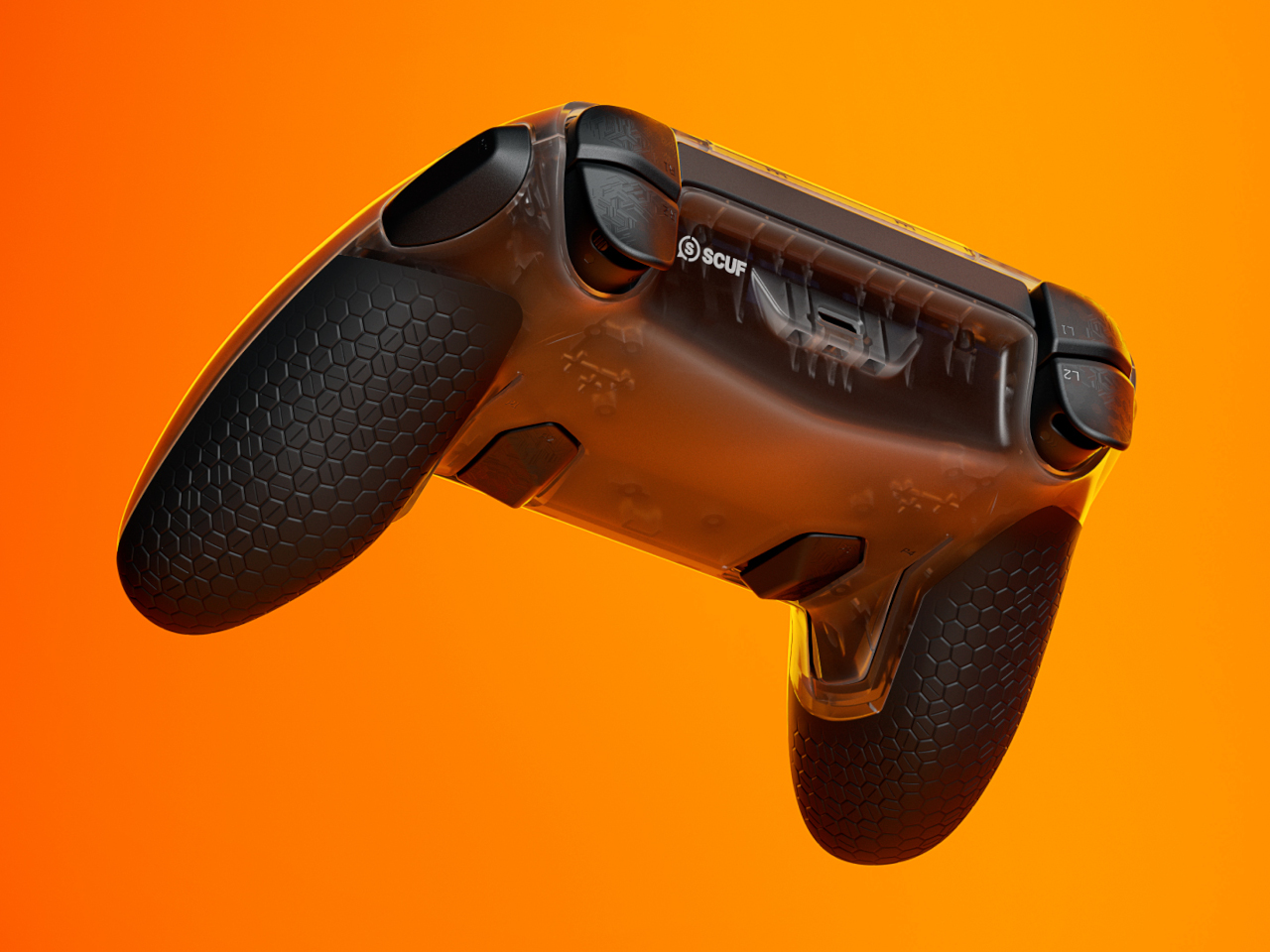
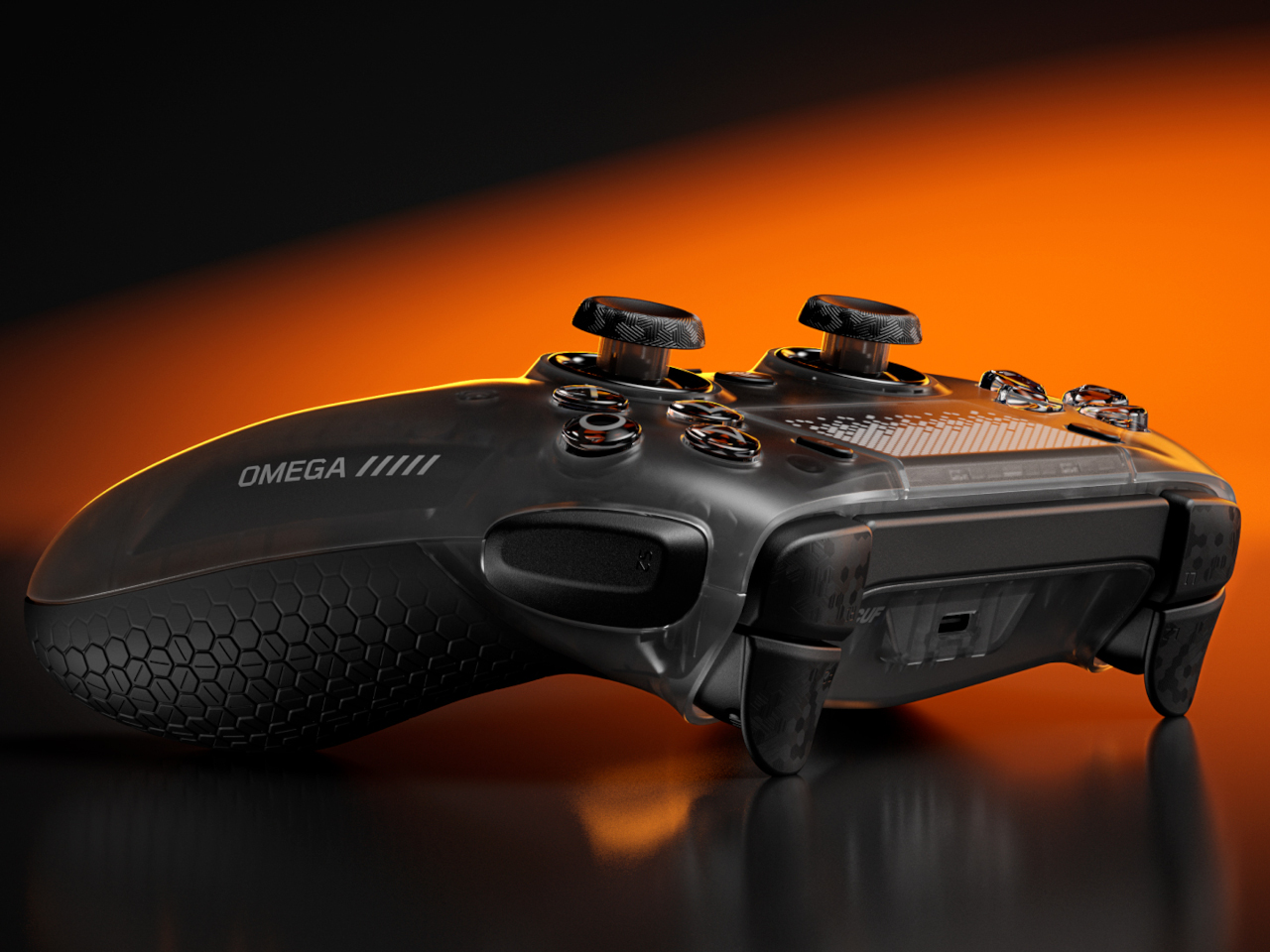
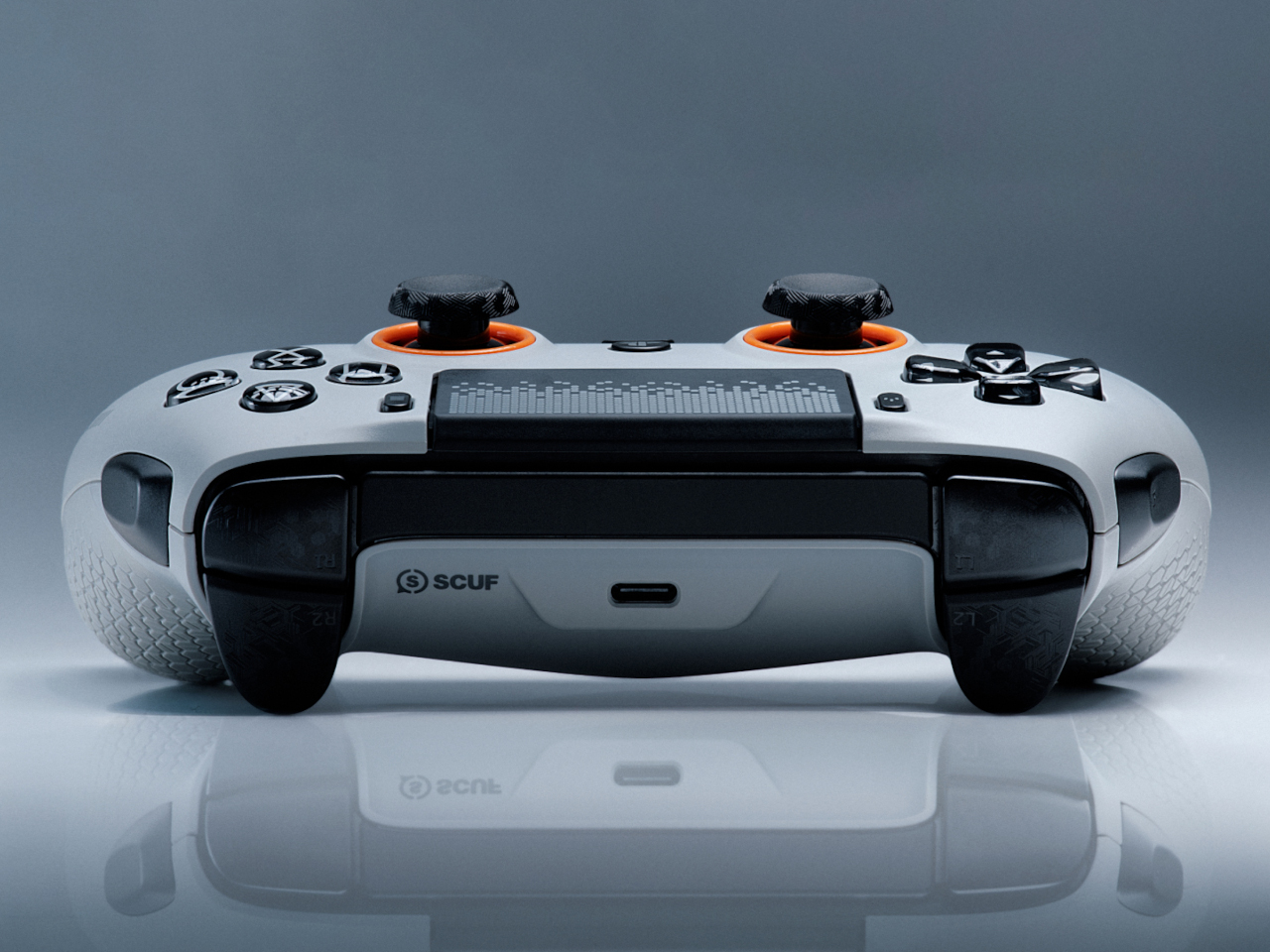
That’s the gap SCUF has been filling for 15 years across multiple platforms, and the Omega marks the first time it’s done so with an officially licensed PS5 controller. Built on feedback from professional players and championship-level esports teams, it doesn’t try to replicate the DualSense so much as rethink the PS5 controller from the ground up for a very specific type of player.
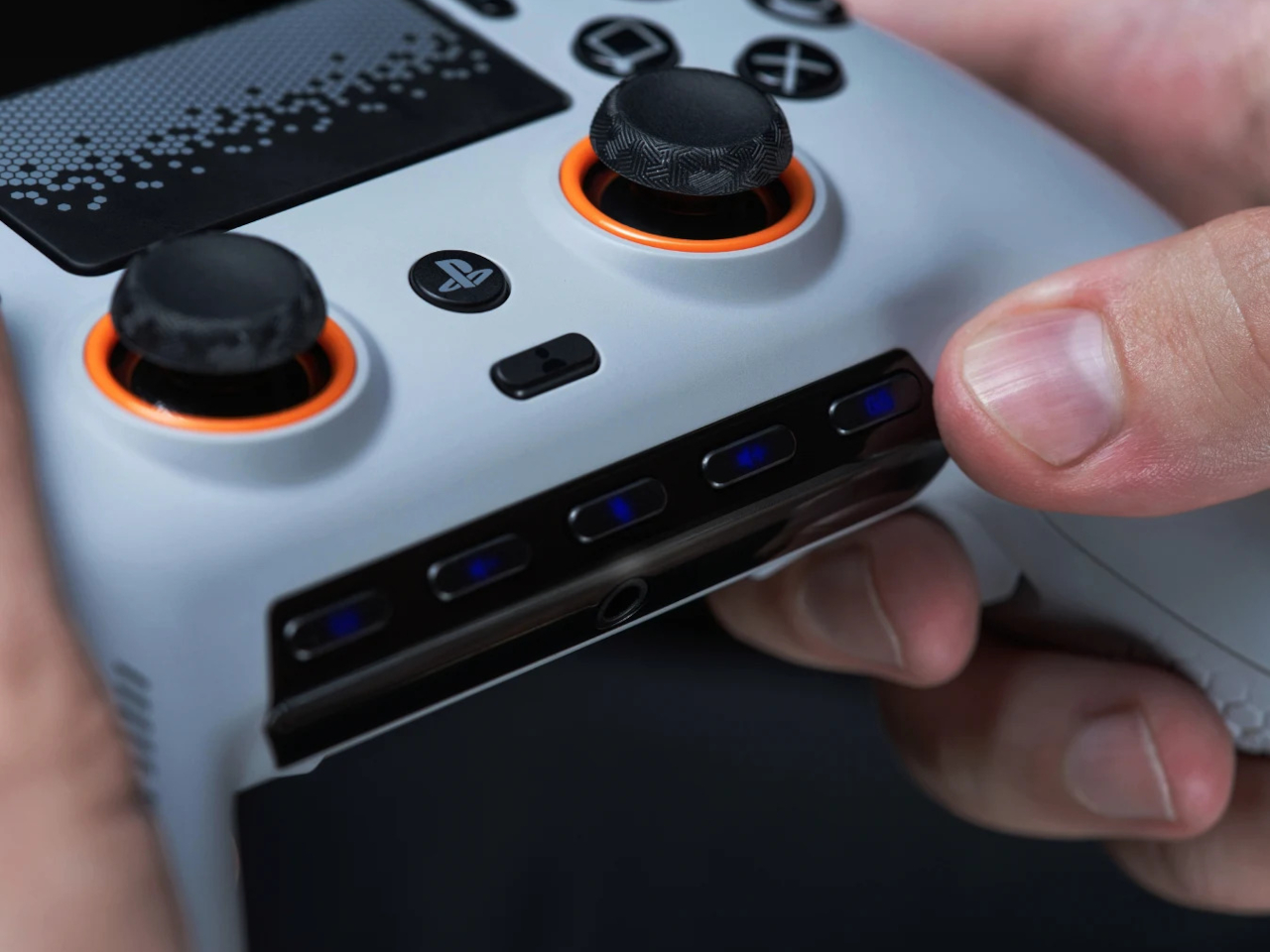
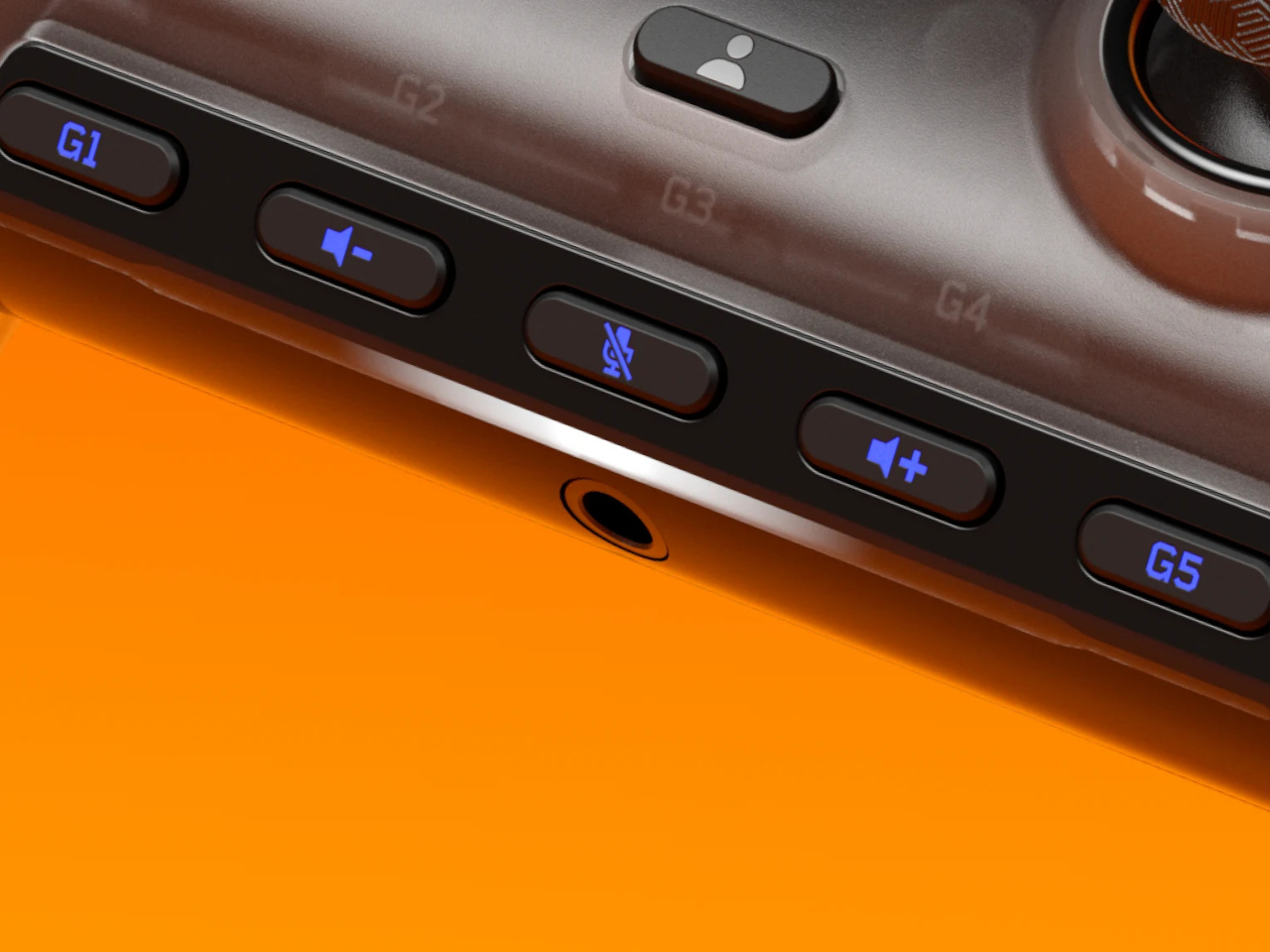
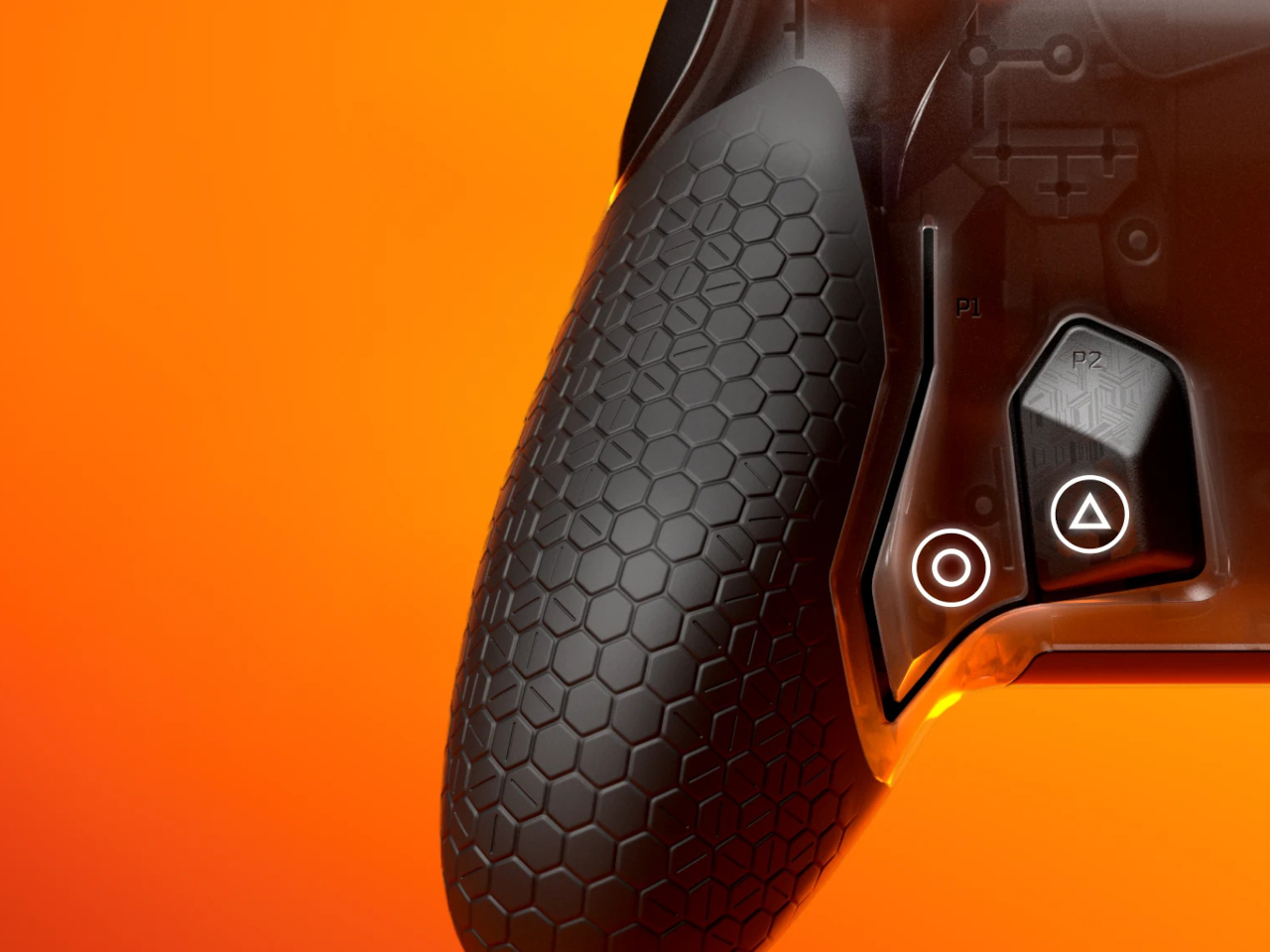
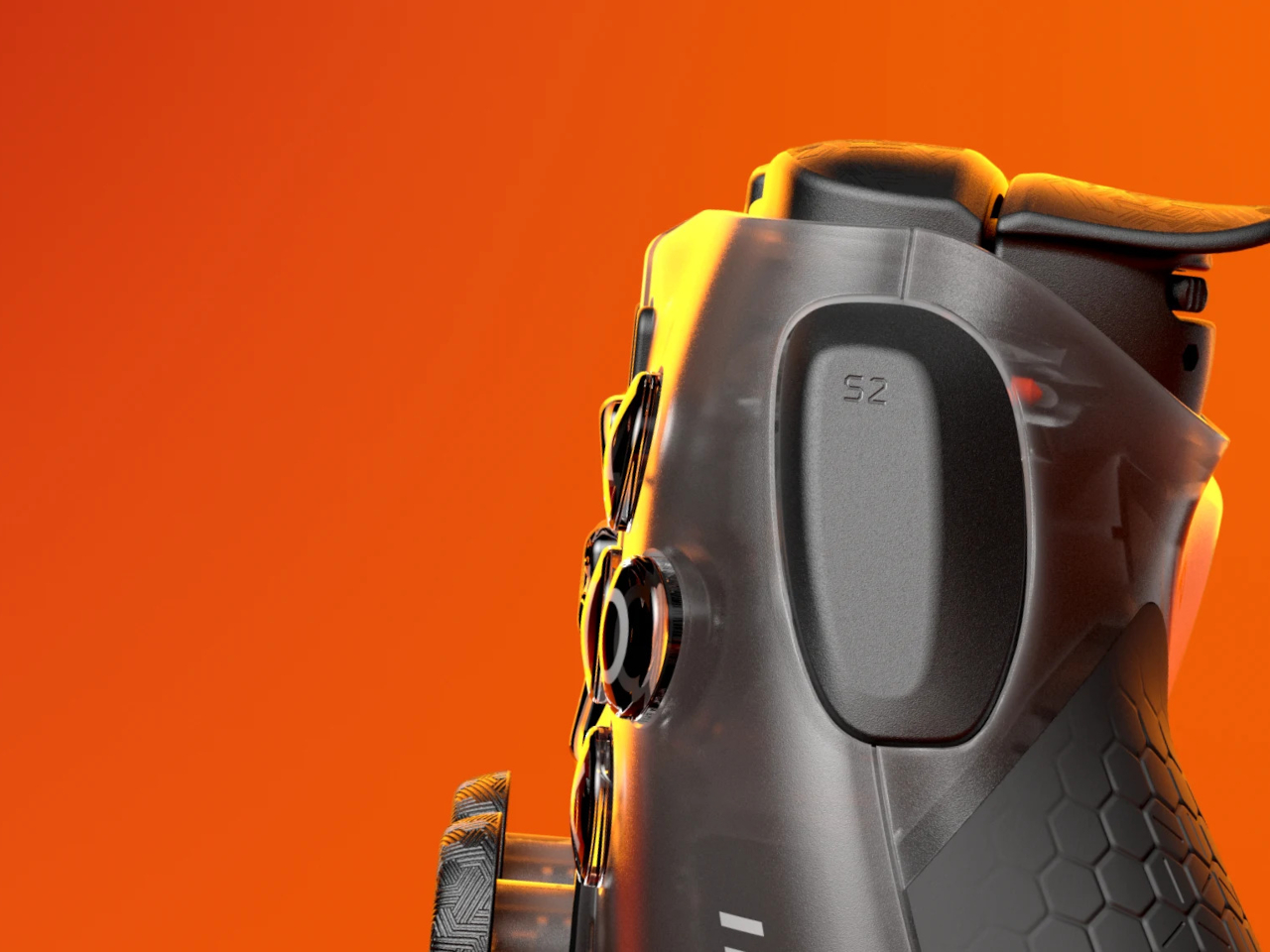
The most immediately striking feature is the sheer number of additional inputs. Beyond the standard button layout, the Omega adds four remappable rear paddles at the back, two SAX (Side Action) buttons on the sides of the grip, and five G-Keys near the bottom of the controller, all fully programmable. That’s 11 extra inputs, each of which can be mapped to any action through the SCUF Mobile App.
The rear paddles are the most critical of these for shooters. The whole point is to keep your thumbs planted on the thumbsticks while still executing jumps, crouches, or reloads through the paddles. In a close-range firefight, lifting a thumb to reach a face button even briefly can mean losing the engagement. The SAX buttons expand on this idea further, accessible without shifting your grip even slightly.
Adjustable Instant Triggers give the Omega another competitive edge. Each trigger toggles between a hair-trigger click mode designed for rapid FPS inputs and a full analog range for games that use throttle or feathered inputs. Swapping between those modes takes seconds and doesn’t require a tool. This alone makes the controller feel meaningfully different from the DualSense, not just cosmetically different.
There’s a notable tradeoff, though. The Omega drops adaptive triggers and haptic feedback entirely. Sony’s DualSense Edge made a similar call, only with the adaptive triggers. For SCUF, removing vibration also reduces weight and eliminates the buzz that can subtly disrupt stick control mid-game. The face plate is magnetic and swappable, and the controller connects wirelessly via Bluetooth or USB-A dongle, or wired via USB-C.
The SCUF Omega retails for $219.99 in the US and £209.99 in the UK. It works across PS5, PS5 Pro, PC, Mac, iOS, and Android, so the investment follows you across platforms. It costs more than the DualSense Edge’s closest equivalent, but the extra inputs, swappable face plate, and TMR sticks make a reasonable argument for the premium.
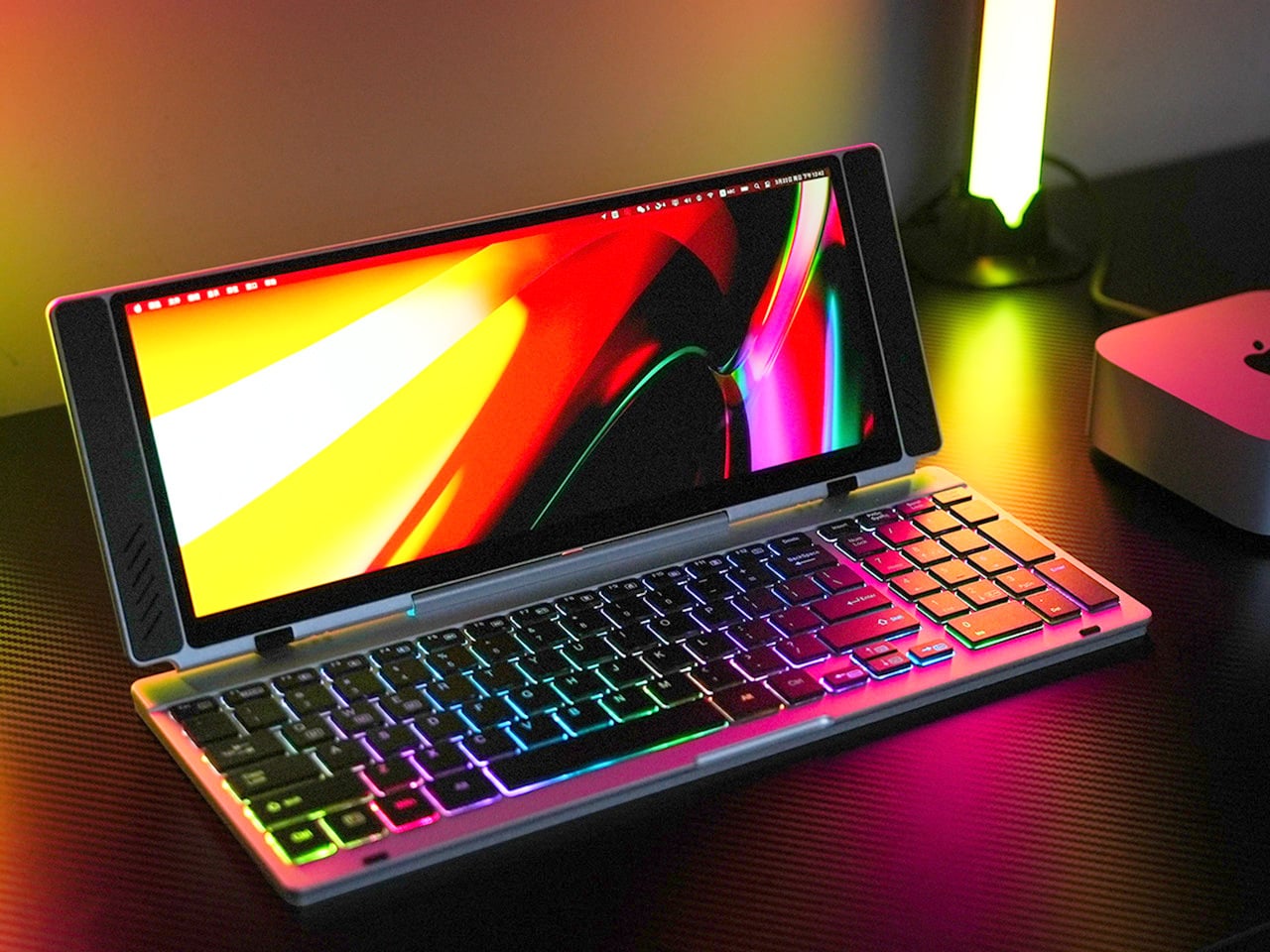
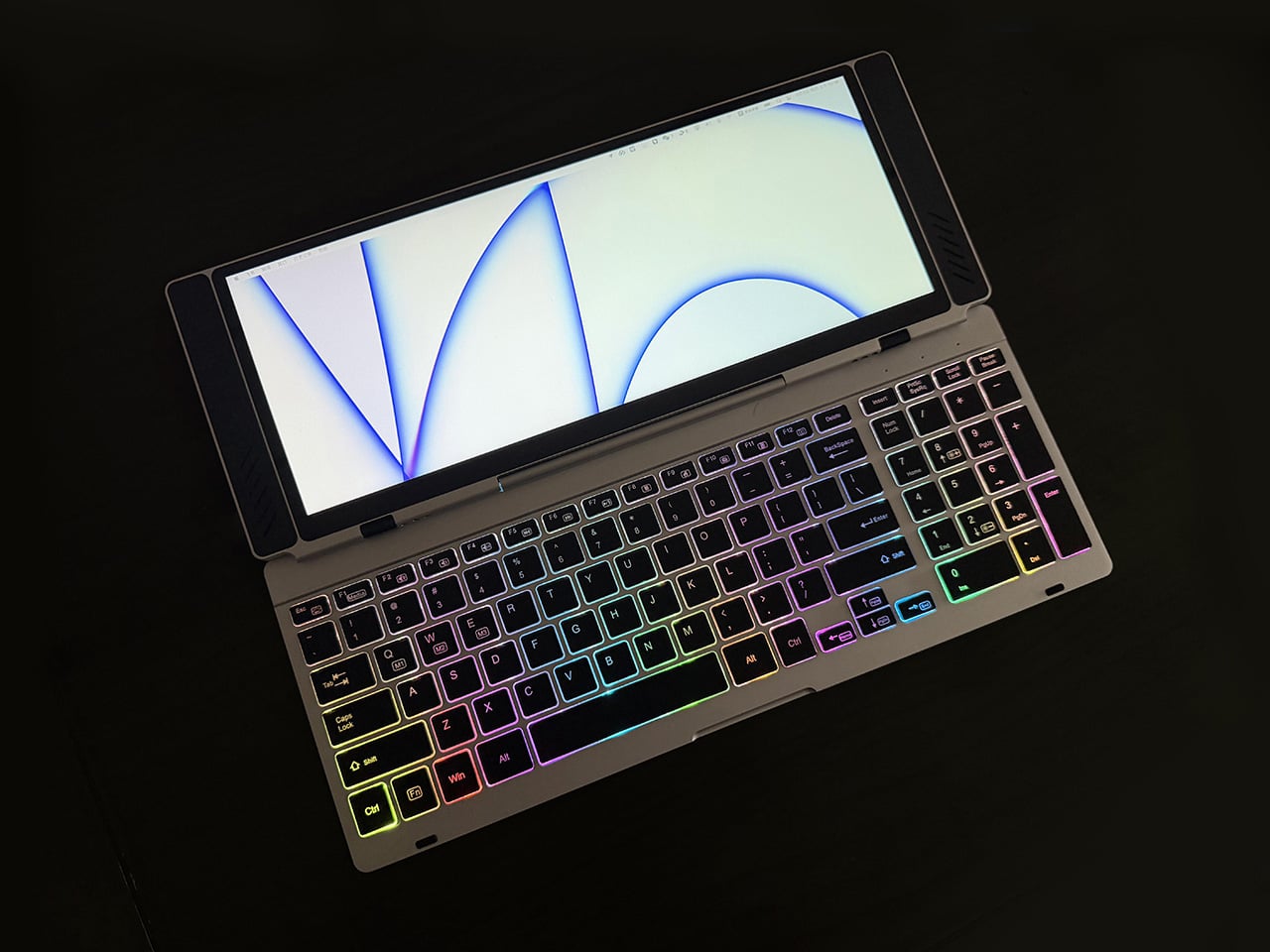
Closed, the VitaLink looks like a very flat book, silver, about the footprint of a large paperback, with nothing to suggest it carries a 4K display inside. At 20mm thick with a CNC-machined aluminum shell, it weighs 1200 grams and travels the way a slim notebook does; it fits in a laptop sleeve, takes up a predictable corner of a bag, and requires no dedicated case beyond what you already carry. Then it unfolds at 180 degrees. The screen lifts above the keyboard, the whole unit settles into a 34 by 15 centimeter footprint, and what you have is a self-contained dual-screen workspace that happened to be a thin slab a moment ago.
The keyboard is the part that usually betrays products like this. Portable keyboards compress key spacing to save millimeters, shorten travel to save thickness, and leave you typing on something that feels like a shallow membrane rather than actual keys. VitaLink went in the opposite direction, widening key spacing to 3.27mm and setting travel at 0.8mm, with scissor switches tuned for speed and quiet actuation. The display above it runs at 3840×1600 with a 2.4:1 aspect ratio, a cinematic proportion that gives the screen an unusually wide horizontal span, well-suited to keeping a reference panel open alongside a working document without feeling like you’re squinting at either side.
The resolution translates to 298 pixels per inch, which puts it in the same territory as Apple’s Retina displays and well above the pixel density of most portable monitors in this category. Text holds sharp at native scaling, fine details in images stay crisp, and the 60Hz refresh rate keeps touch input feeling immediate. Ten-point multitouch means gestures respond the way they do on a tablet, with swipes, pinches, and drags registering without lag. The screen covers 100 percent of the sRGB color gamut, which makes it viable for color-sensitive work where you need confidence that what you see on the display matches what the final output will deliver. That 2.4:1 ratio keeps showing up as the design’s defining decision; it gives you enough horizontal real estate to run a code editor with a console window beside it, or a timeline with a preview panel, without either side feeling like it’s been compressed into a narrow strip.
Typing on the VitaLink is designed to feel deliberate in a way that most travel keyboards do not. The 0.8mm of key travel sits in a range where the keys actuate fast but still give tactile confirmation that you pressed them, a balance that makes a difference during long writing sessions where you need speed without sacrificing accuracy. The 3.27mm key spacing is wider than what most compact keyboards offer, eliminating that cramped sensation where your fingers feel like they’re hunting for keys in tight quarters. RGB backlighting runs through three modes, activated with function key shortcuts: a breathing gradient, a solid single-color backlight, and a rainbow wave that ripples across the keys as you type. The backlighting does actual work in low-light environments, but the rainbow mode leans more toward visual flair than strict utility.
CNC machining means the aluminum body starts as a solid block and gets precision-carved, producing the kind of structural rigidity that protects the screen during transit and prevents flex when you’re typing hard. The 180-degree hinge lets the unit lay completely flat, which matters both for stability on uneven surfaces and for low-angle use when you’re working on a cramped airplane tray table or a café counter. Dual USB-C ports handle video, data, and power delivery up to 65W, so a single cable from your laptop, tablet, or phone brings the display to life with no drivers to install. Compatibility spans Windows, macOS, Linux, and Android, with plug-and-play recognition across all of them. Connect a Steam Deck or a Nintendo Switch via USB-C, and the VitaLink becomes a 13-inch 4K external display for handheld gaming, turning a small console screen into something considerably more immersive.
VitaLink offers eight keyboard layout options, covering US Windows (the default), US Mac, German QWERTZ, Japanese JIS, UK, French AZERTY, Nordic, Italian, and Spanish. The standard US Windows layout ships at no extra cost; upgrading to US Mac adds ten dollars, German or Japanese layouts add twenty, and UK, French, Nordic, Italian, or Spanish layouts add thirty. The layouts require specific laser engraving and dedicated production runs, so they’re available as optional add-ons rather than default configurations. You select your preferred layout during checkout or in a post-campaign survey if you miss it the first time.
VitaLink is currently available on Kickstarter starting at $299, down from a retail price of $658. The package includes the VitaLink keyboard and display unit plus two USB-C cables. Eight keyboard layout options are available as add-ons, including US Mac, German QWERTZ, Japanese JIS, UK, French AZERTY, Nordic, Italian, and Spanish, with upgrade fees ranging from $10 to $30 depending on the layout. Shipping is scheduled for September 2026, with delivery fees ranging from approximately $18 to $33 depending on region. VitaLink covers all taxes and customs duties, so the listed shipping fee is the only additional cost beyond the pledge amount.
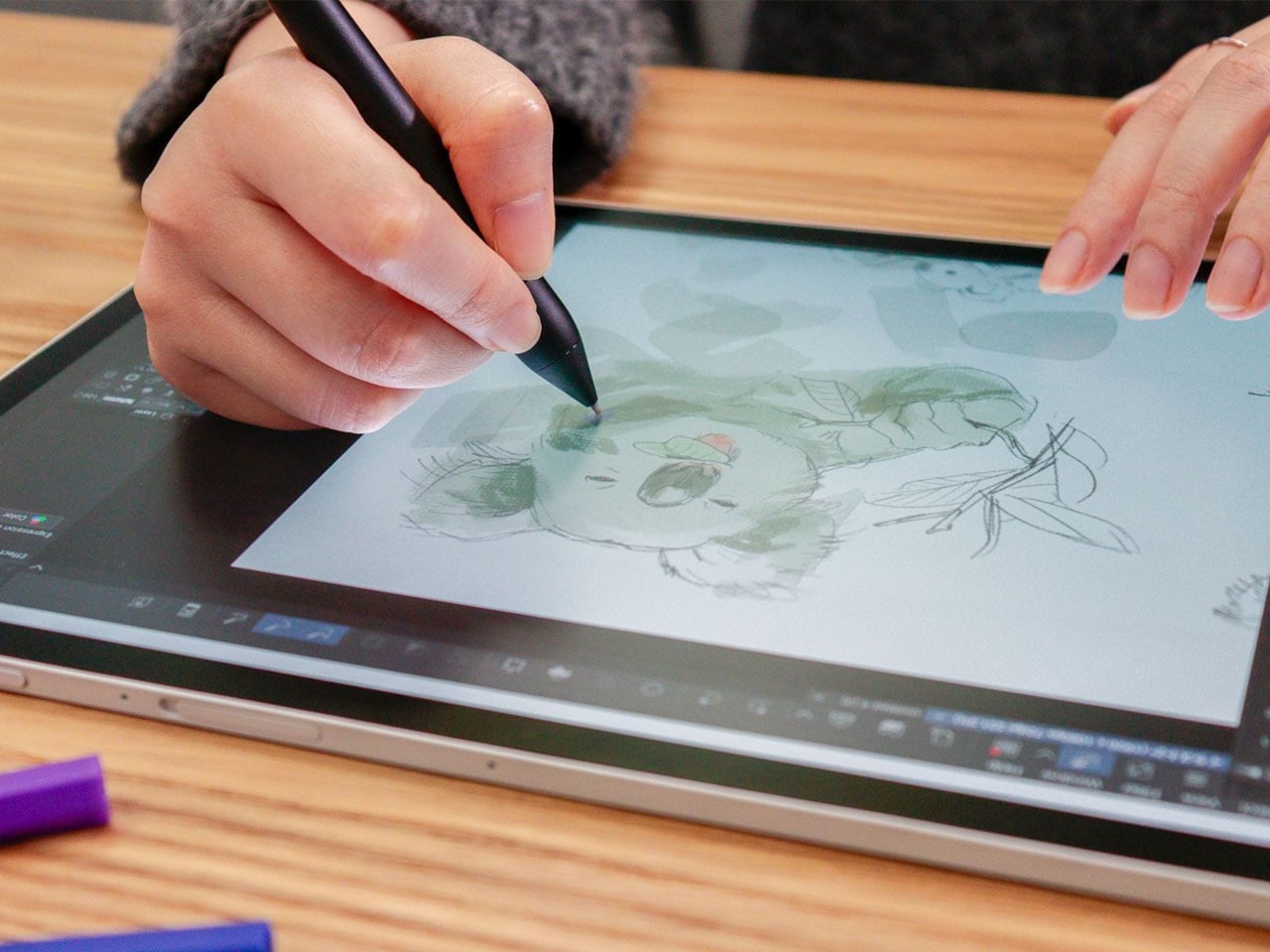
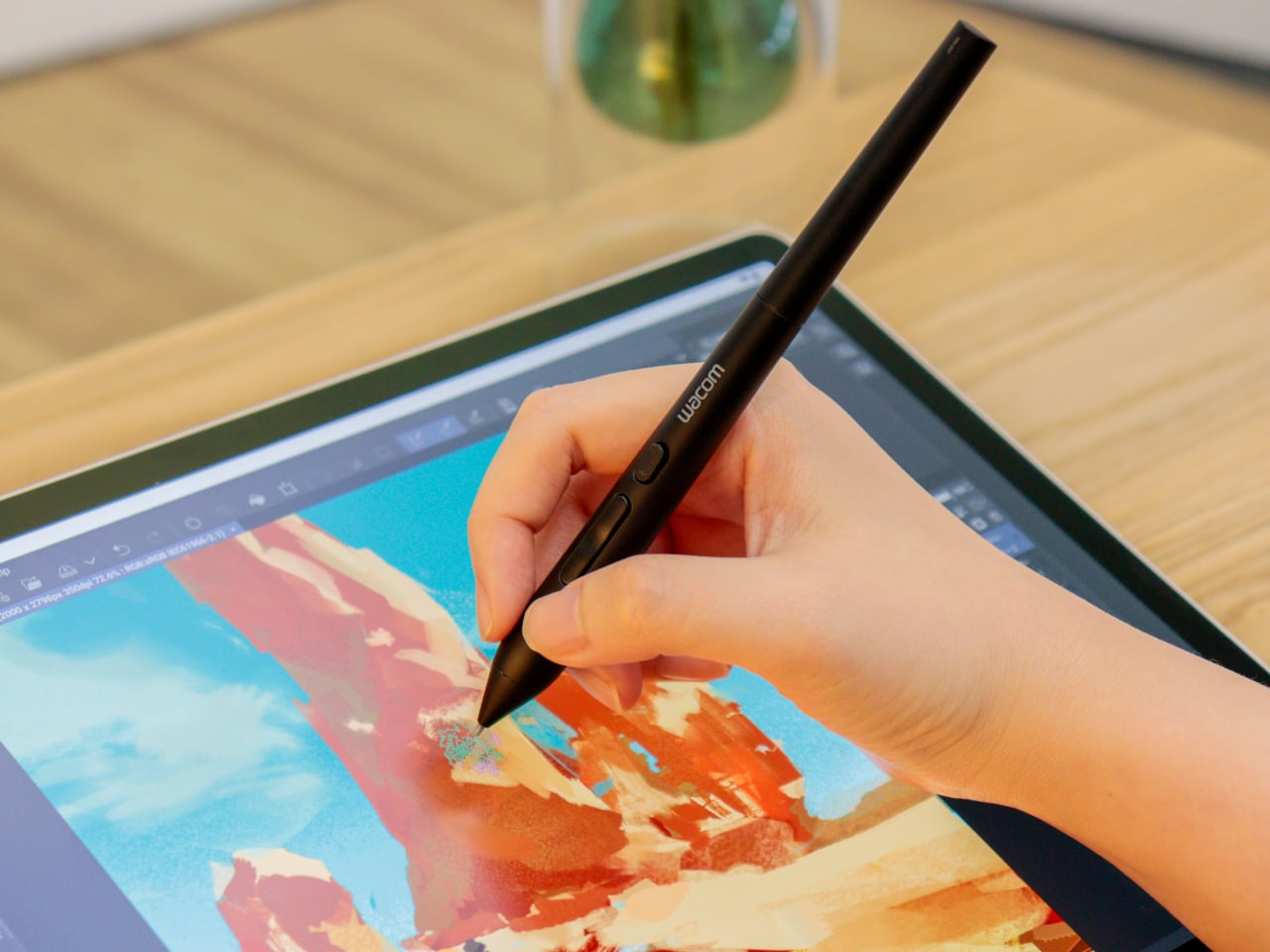
Digital art tools have gotten remarkably good at reading pressure and tilt, two of the three physical inputs that define how traditional artists handle a pen or brush. What’s remained elusive is the third one. The way a calligrapher twists a brush mid-stroke, or how a flat marker rotates to shift from wide edge to fine tip, hasn’t had a reliable digital equivalent for most current drawing hardware until now.
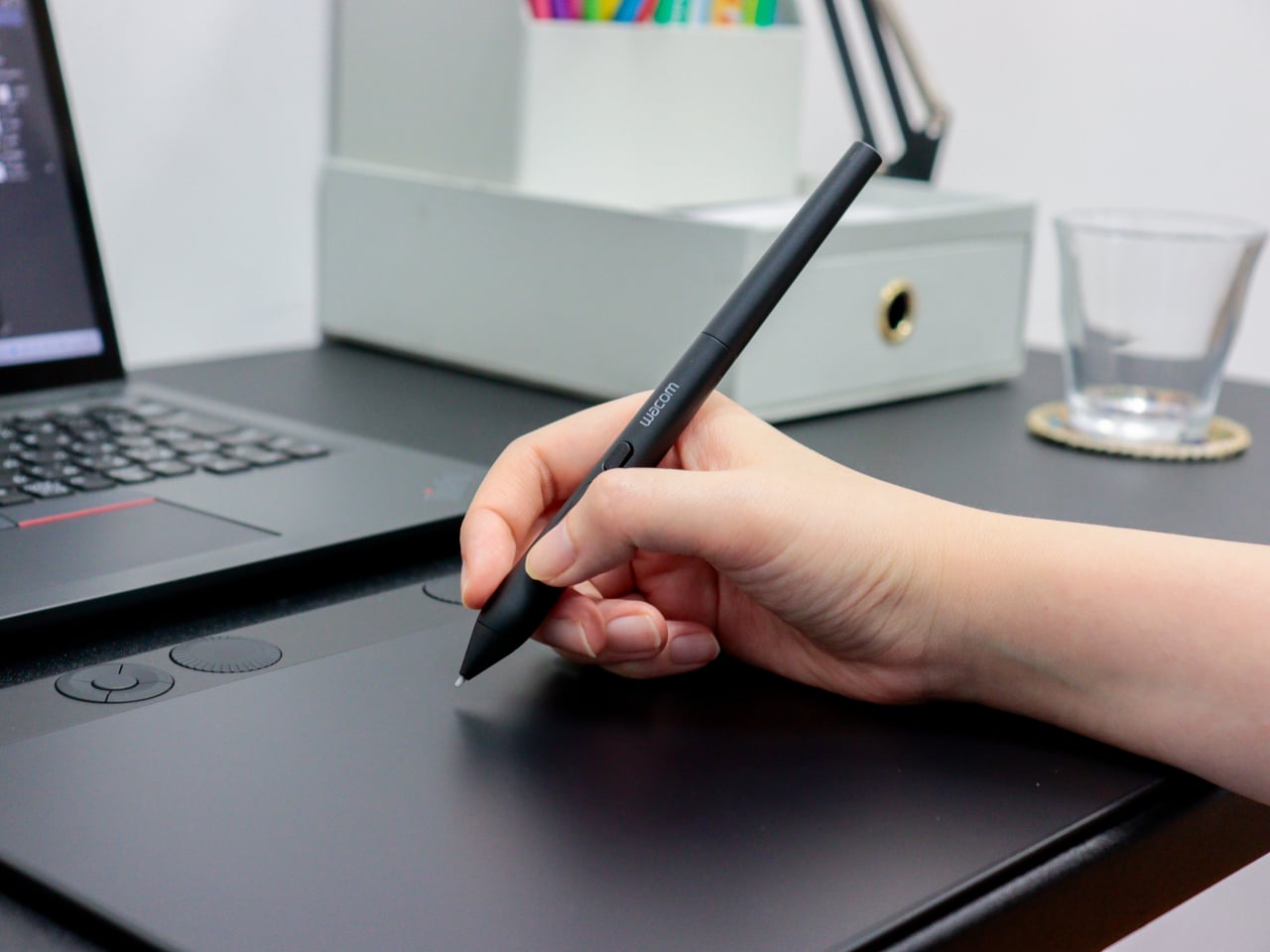
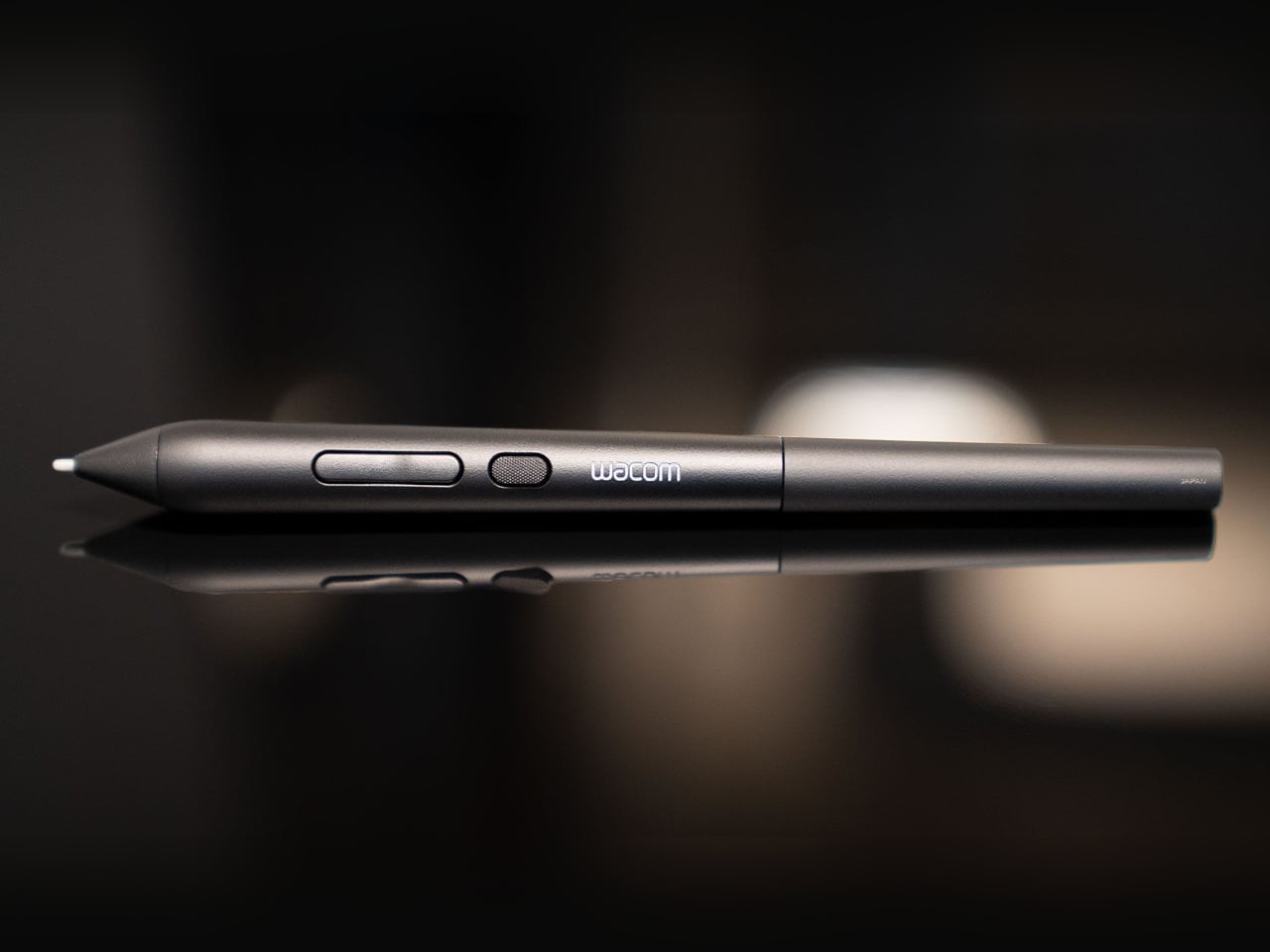
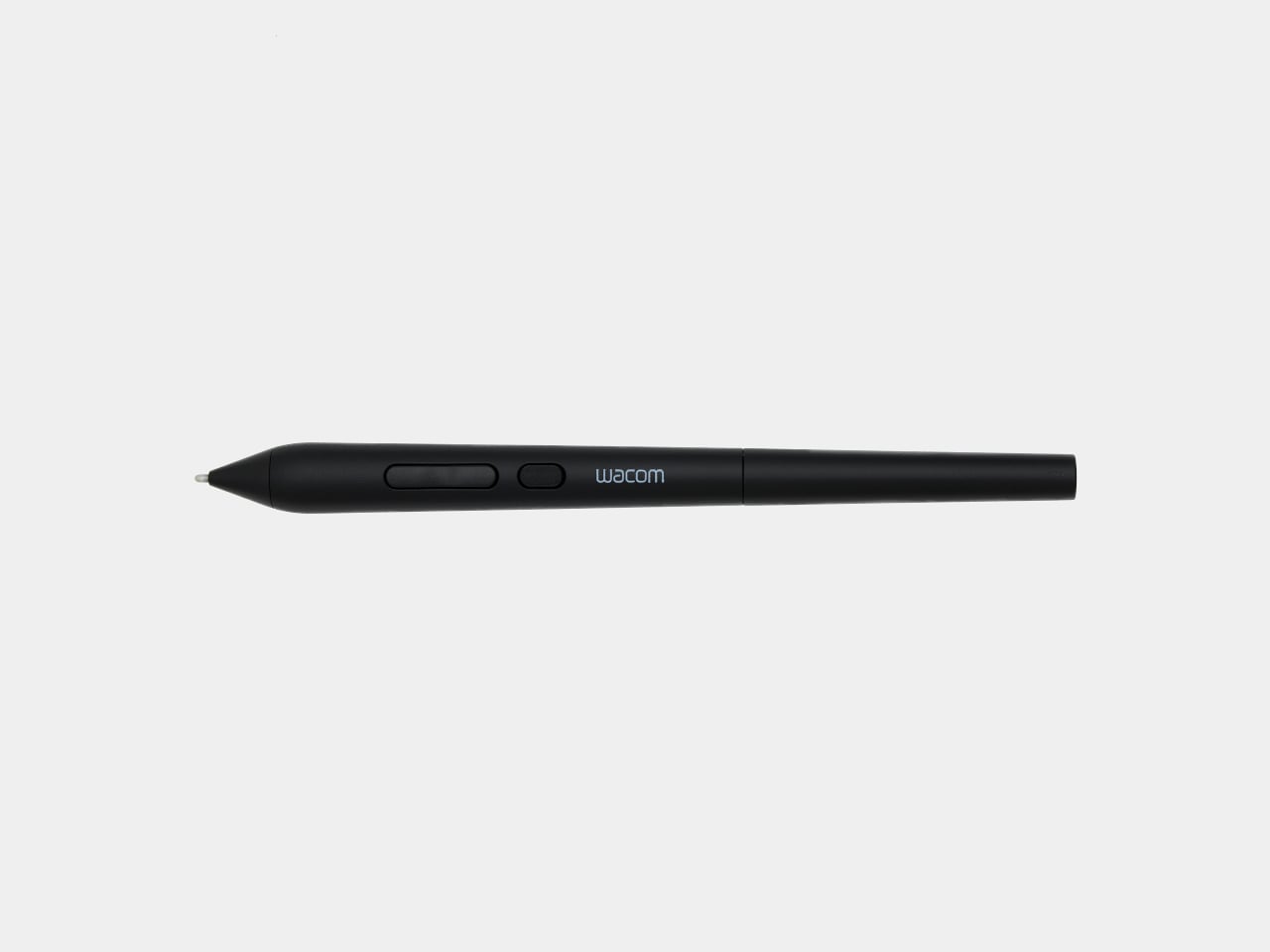
Wacom’s new Art Pen 2 addresses that directly. It’s the successor to the original Art Pen (KP701E) from 2010, a pen that already had a devoted following specifically for its 360° barrel rotation. The Art Pen 2 brings that same capability into Wacom’s current pen technology, combining rotation sensing with modern pressure and tilt detection in a tool built for serious digital drawing.
Designer: Wacom
Rotating the pen in your hand, a motion letterers and calligraphers rely on instinctively, now translates into the software canvas when used with compatible applications. The Art Pen 2 reads that rotational angle and adjusts brush behavior accordingly, so thickening a stroke or softening an edge becomes a matter of how the pen sits in your grip, not which menu you reached for last.
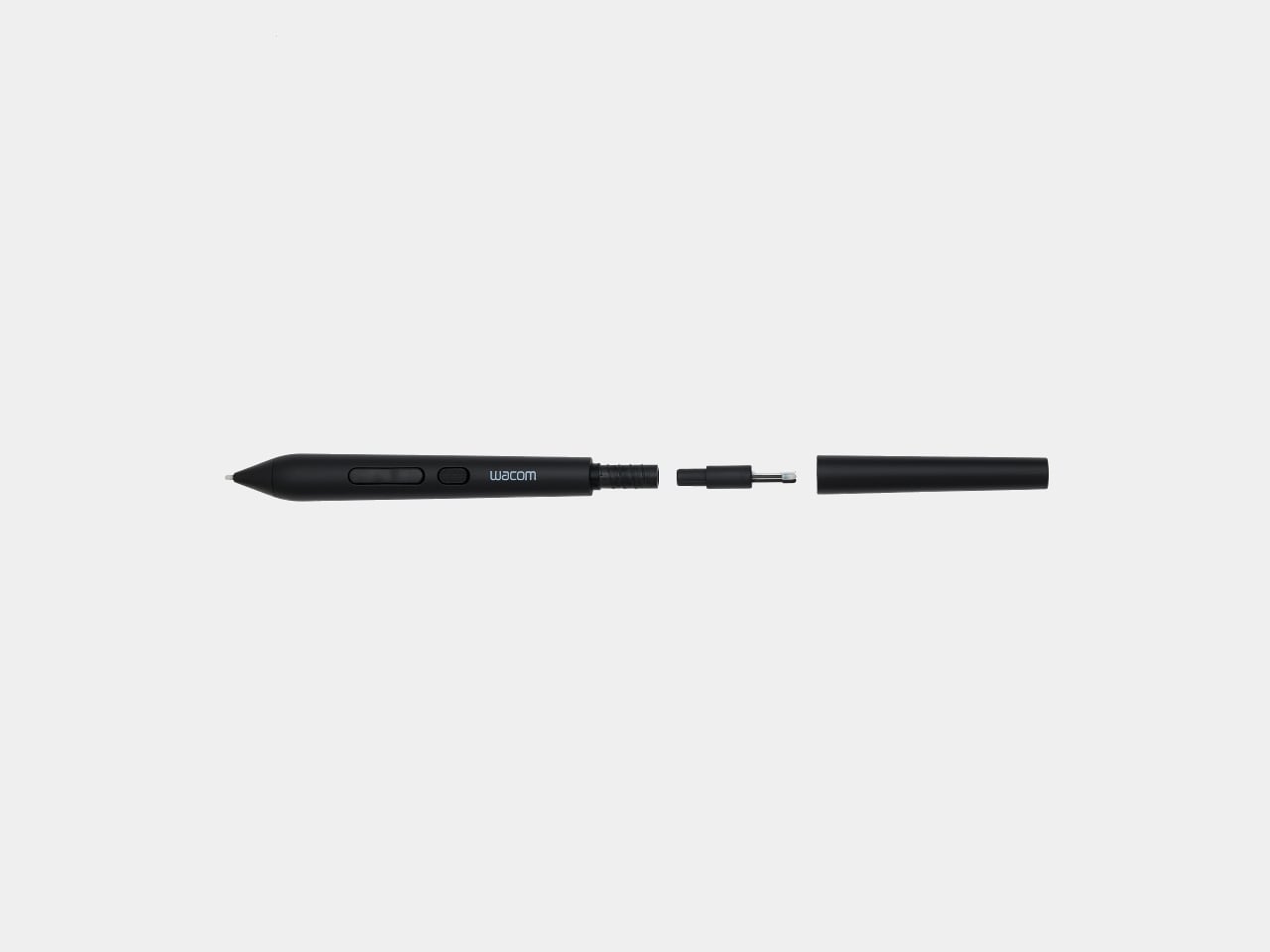
The technical foundation behind all that expressiveness is solid. The Art Pen 2 runs on Wacom’s battery-free EMR technology, so there’s no charge to manage mid-session. Three pen buttons handle workflow shortcuts, and up to 8,192 levels of pressure sensitivity cover everything from whisper-light gesture lines to heavy, decisive marks. A nib holder built into the barrel stores three spare tips for quick swaps.
Nib choice is also part of the picture. The pen ships with a Carbon Shaft POM (Polyoxymethylene) nib installed, a denser option suited to detailed, controlled work. Two additional types, standard POM Nibs and Felt Nibs, are available separately, each offering a different surface response that can shift the drawing experience considerably. All three nib types are exclusive to the Art Pen 2 and aren’t interchangeable with Pro Pen 3 nibs.
The Art Pen 2 sits alongside the Wacom Pro Pen 3 rather than replacing it. Where the Pro Pen 3 caters to artists who want physical customization, with interchangeable button plates, grips, and balance weights to fine-tune grip feel and center of gravity, the Art Pen 2 is built around expressive, rotation-sensitive drawing first. It’s a deliberately focused tool for a different kind of creative priority.
Compatibility covers a healthy range of current Wacom hardware. The Art Pen 2 works with the Wacom MovinkPad Pro 14, Wacom Intuos Pro (PTK470, PTK670, and PTK870), Wacom Cintiq 16 (DTK168), Wacom Cintiq 24 (DTK246), and Wacom Cintiq 24 touch (DTH246), with support for the Wacom Cintiq Pro lineup (DTH172, DTH227, and DTH271) arriving later this year.
Artists who’ve been using the original Art Pen for its rotation capability and waiting for it to work with current-generation Wacom devices finally have that option. The jump from the older KP701E to the Art Pen 2 also brings the full pressure sensitivity and EMR advances of today’s lineup, giving longtime fans of that rotation-based workflow a genuinely modern upgrade without giving up the expressiveness they’ve relied on.
Somewhere in your home, there’s likely a camera that used to mean something. A Nikon FM2 inherited from a parent, a Canon AE-1 found at a flea market, a Pentax K1000 that still smells faintly of old leather. These bodies were built with a precision and intention that most modern cameras rarely replicate. The feel of a metal shutter, the resistance of a manual aperture ring, the satisfying click of the film advance lever. None of that ever became obsolete. What became obsolete was the film inside.
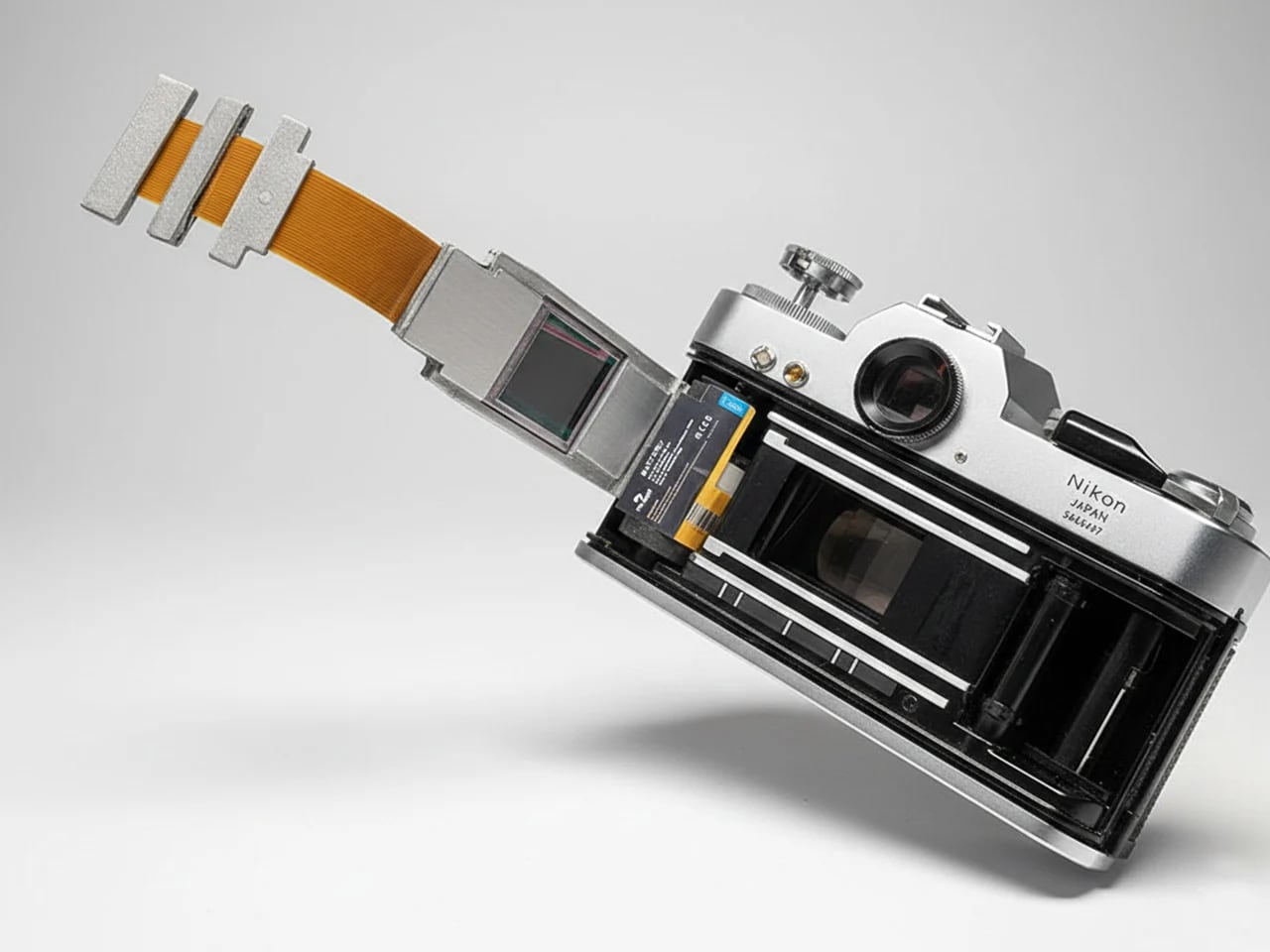
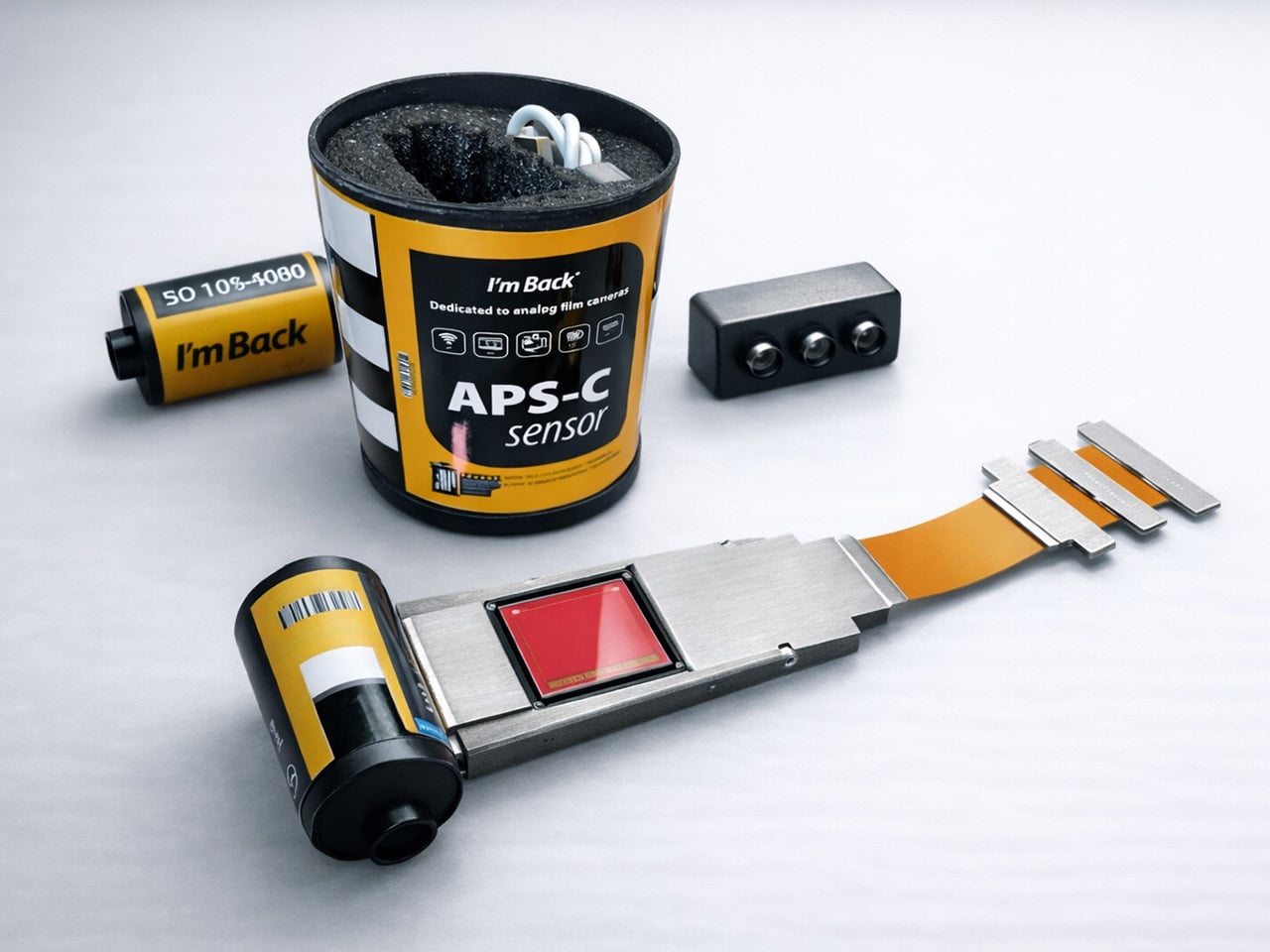
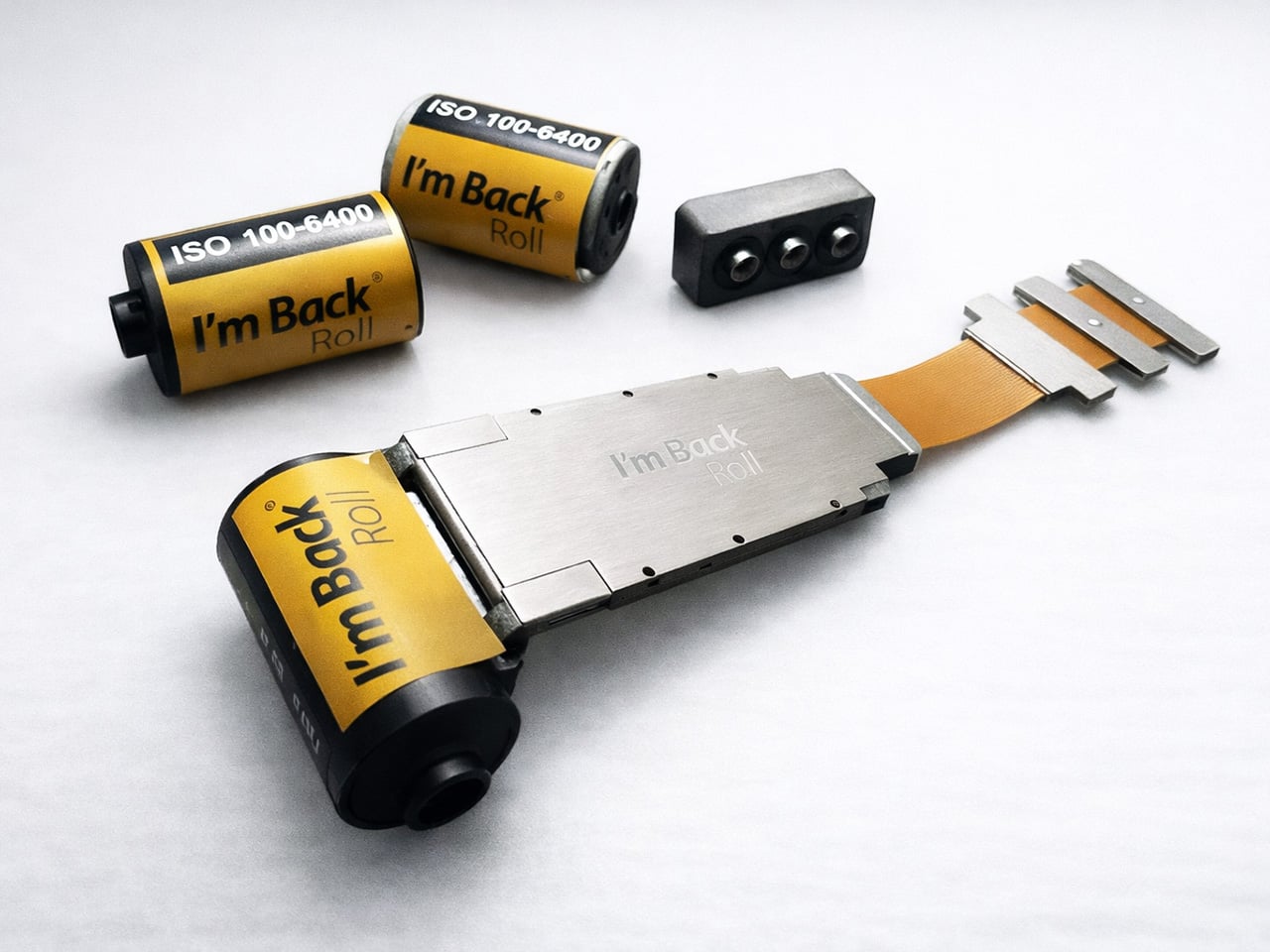
Samuel Mello Medeiros decided to use that space where the film cartridge would go, and create a retrofittable module that turns any analog camera into a digital one. Medeiros’ module slides into the film chamber of any compatible 35mm film camera, and packs a Sony IMX571, a 26.1-megapixel back-illuminated APS-C sensor along with up to 256FB of internal storage, Wi-Fi, Bluetooth, and a rechargeable battery. Dubbed the “I’m Back Roll APS-C”, it’s designed to be compatible with cameras from Canon, Nikon, Leica, Pentax, Olympus, Minolta, and dozens of others. Just put the module into the film canister and you’re ready to shoot. The camera goes untouched. The shutter fires the same way it always did. Images accumulate on internal storage and transfer wirelessly once the shoot wraps. Nothing hangs off the body. Nothing changes on the outside. Future-proofing at its finest.
At the heart of I’m Back Roll is the Sony IMX571, a professional APS-C sensor used in astronomy cameras, where image quality is pushed to its absolute limits. Astrophotography demands sensors that extract clean signal from vanishingly faint sources, which requires exactly the qualities that make a sensor excellent for general photography: low noise, wide dynamic range, and clean performance at elevated ISO. The IMX571 is a back-illuminated design, meaning the photodiodes are exposed to light before the wiring layer rather than behind it, collecting more photons per pixel and delivering measurably better high-ISO output than front-illuminated sensors of equivalent resolution. At 26.1 megapixels, it is designed to preserve the optical character of classic cameras. The APS-C plane measures 23.4 x 15.6mm, producing a 1.5x crop factor, so a 50mm Nikkor on an F3 behaves as a 75mm equivalent, worth accounting for if your collection runs heavy on wide primes.
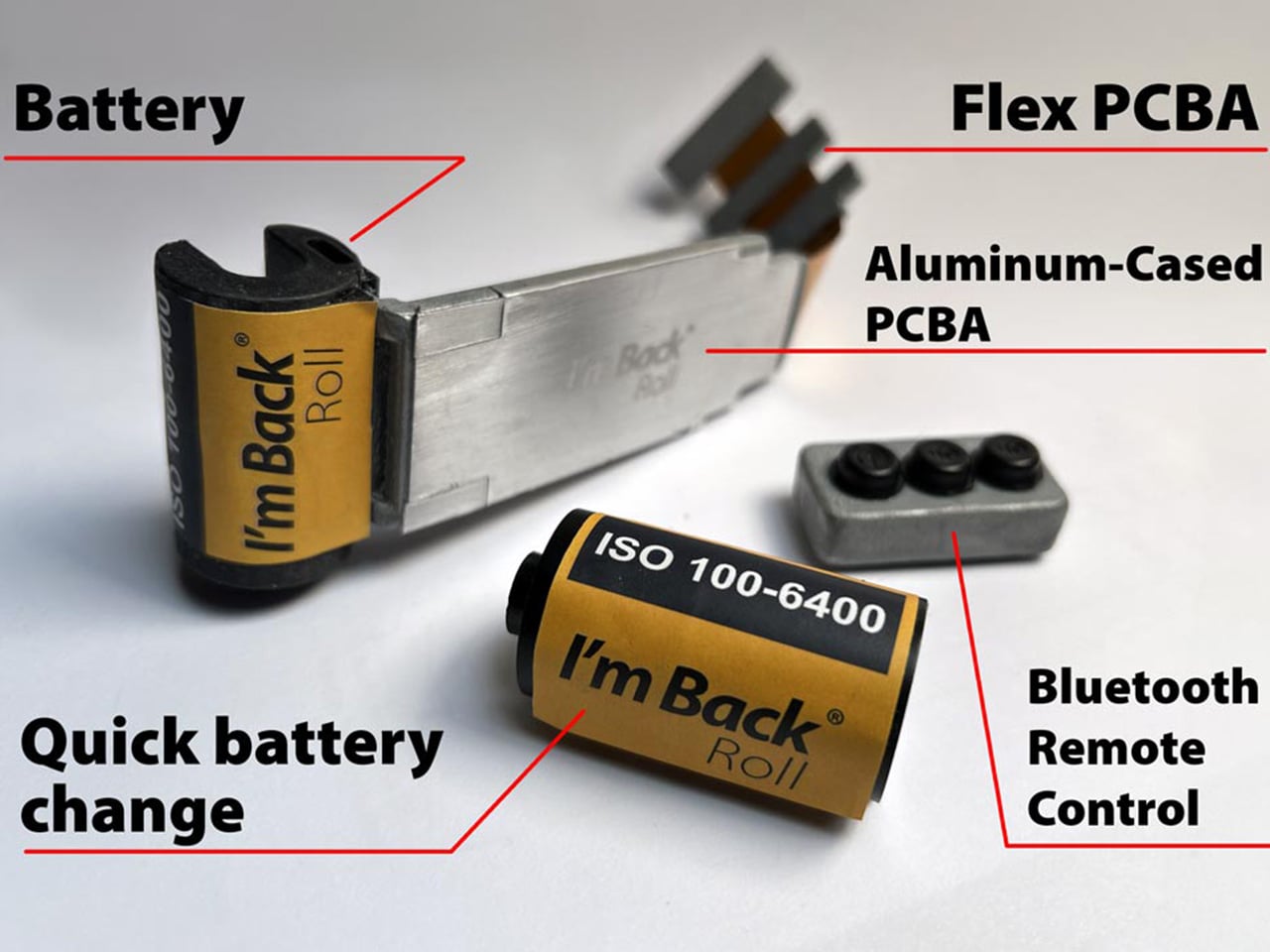
There is no rear display, making for pure, distraction-free photography. You use the camera as you normally would, setting focus, aperture, and shutter speed just like with film. When ready to shoot, you press the remote control button to activate the digital sensor, then immediately press the camera shutter release. You have roughly one to two seconds after activating the sensor to trigger the shutter. After a few shots, this movement becomes natural and intuitive. For those who prefer a cleaner approach, the new sync button lets you take photos with a single click, just like a normal analog camera, screwing onto the shutter if available, or fixing on top of the button. One press activates the system and triggers the camera instantly. No remote. No extra step. Think of it as just you retrofitting an electric motor on your existing analog bicycle – everything stays the same, but you get a remarkable performance bump.
The structure is CNC-machined aluminum, built for durability, heat dissipation, and full internal integration. Running a 26-megapixel sensor inside a sealed metal body with no active airflow is a genuine thermal engineering problem, and aluminum’s conductivity is doing real work here. The battery is compact, stable in power delivery, safe, and easy to replace, enclosed in a protective housing and connecting to the PCBA through a sliding rail system that allows easy and secure replacement. The battery itself takes the exact form factor of a 35mm film canister, sitting in the chamber exactly where your Kodak Ultramax would load, swapping out the same way. The module works like a film roll, approximately 4mm thick. I find the replaceable battery design to be the most quietly clever decision in the entire product. It asks nothing new of the photographer.
The I’m Back Roll is compatible with most 35mm film cameras, including Nikon (F, F2, F3, F4, F5, FM, FM2, FE, FE2), Canon (AE-1, A-1, AT-1, F-1, EOS series), Minolta (X-700, X-500, XG series), Pentax (K1000, LX, ME Super, Spotmatic), Olympus (OM-1, OM-2, OM-3, OM-4), Contax (139, RTS, G1, G2), Yashica, Leica M and R series, Fujica, Konica, Ricoh, Chinon, and Praktica. A dedicated solution was designed for Leica M cameras specifically, featuring a custom back with integrated sensor, no change to camera feel, and the full mechanical experience preserved. Your Leica stays analog, but becomes digital. A semi-transparent frame overlay shows the exact sensor area, using a very light adhesive that is non-permanent and easily removable, placed directly on the viewfinder window so you always know what is inside the final image. Cameras with vertically opening backs, including the Nikon F, Contax II, and Alpa, may require a dedicated back cover produced via 3D printing, though based on previous experience, only three models out of hundreds tested required this.
The I’m Back Roll captures RAW and JPEG, 4K video, and film-inspired color profiles. The fact that it captures 4K video is impressive, since shooting video on a Contax RTS through a Zeiss Planar T* 50mm f/1.4 is a creative proposition nobody had access to when that camera was in production. The unlocked stretch goal brings extra color profiles and film-inspired looks, plus a clean digital mode. The profile lineup covers Kodacolor, Kodak Portra, Tri-X 400, Fujifilm, Ilford HP5, Agfa Vista 200, Cinestill 800T, and Kodak Ektachrome E100, each tuned to the color science and tonal character of its namesake stock. Cinestill 800T carries its signature tungsten-halation glow, Tri-X delivers the high-contrast grain that defined a generation of photojournalism, and Portra’s skin-tone-saturated warmth translates faithfully. The optional external touchscreen display runs 2.5 inches at 400 x 712 pixels on an OLED panel, with up to 1000 nits of peak brightness, connected to the I’m Back Roll via a flexible flat cable.
Storage tiers run 64GB for everyday use, 128GB for creators who shoot more, and 256GB for maximum freedom, with Leica M versions for dedicated rangefinder users. Every reward includes the I’m Back Roll APS-C, remote control, USB-C cable, and a 2-year warranty. The $499 Discovery Kit saves 29% off the MSRP of $699 (with 64GB storage). Concretely, that puts the the Creator Kit with 128GB between $499 and $549 (for the Leica M edition), and the Master Kit with 256GB at $599. All backers also receive a 3-year warranty, with global shipping starting August 2027.
The home has become increasingly cluttered with gadgets that need charging, pairing, and their own dedicated spaces. Even something as simple as playing music from a smartphone often involves a Bluetooth speaker sitting on a shelf, waiting for its battery to drain. There’s been a quiet counter-movement in product design, where objects do their jobs without power and sit in a room the way a vase or a mug would.
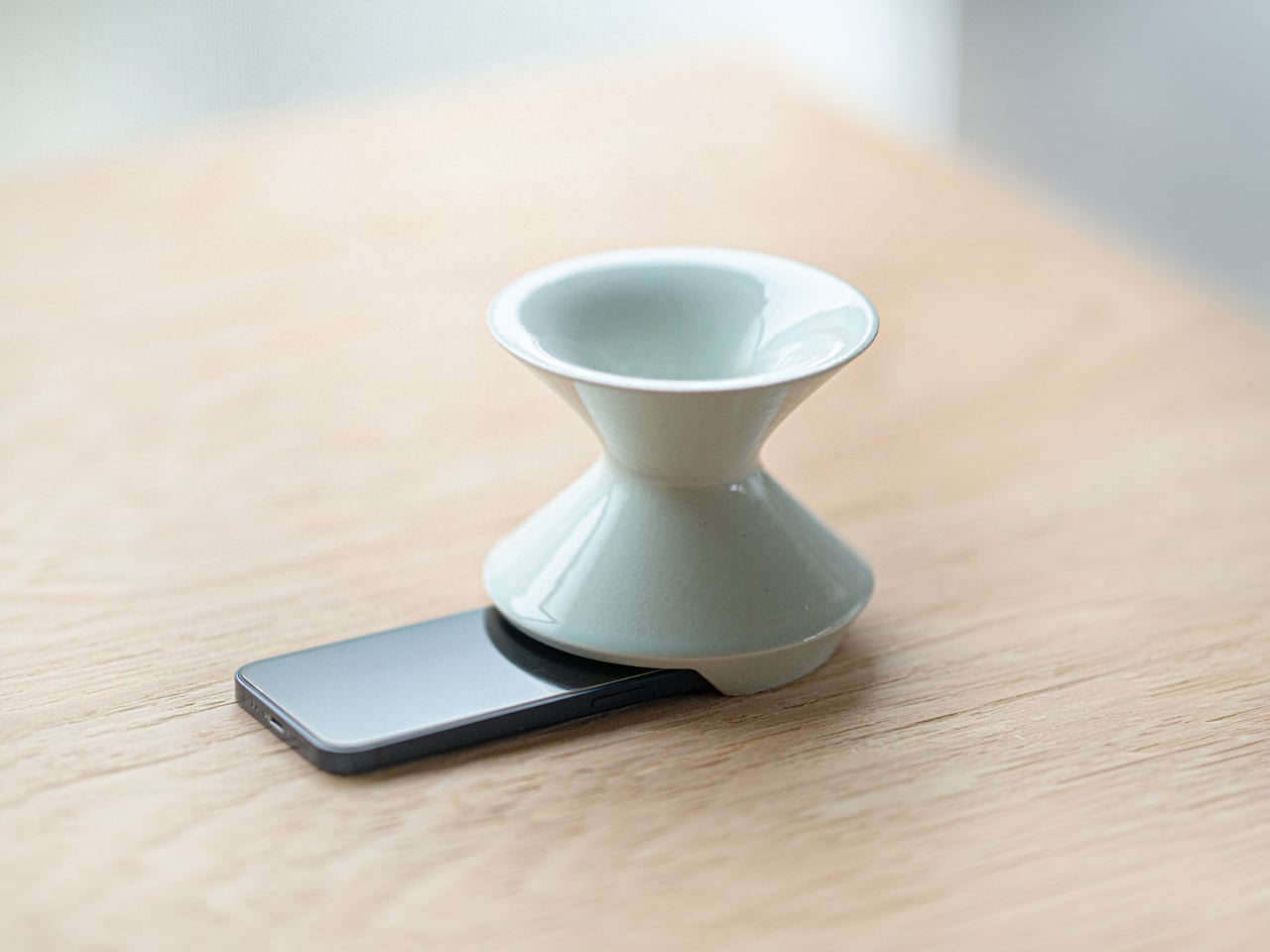
Kenji Abe’s ECHO is exactly that kind of object. It’s an analog speaker that amplifies smartphone audio simply by being set on top of the phone, requiring no power, no pairing, and no setup beyond placing it down. The concept takes its cues from wind instruments and seashells, two forms that have been shaping and projecting sound for centuries without the help of electricity.
The inside of ECHO works like a chamber, built to catch the phone’s audio and carry it outward in soft, diffused waves rather than projecting it directly. The geometry draws from the same logic as a cupped hand, but with more control over how sound travels. The result isn’t a dramatic volume boost so much as a room-filling quality that feels warmer than a powered speaker on a desk.
The choice of material makes as much of a statement as the form. Abe uses glazed ceramic, the same material found in vases, mugs, and tableware, giving ECHO a texture and presence that belongs in a home rather than on a tech shelf. It doesn’t look like an accessory. It looks like something that was always there, something that simply happened to be placed near a phone.
That quality matters when the phone is on the kitchen counter and you want music while cooking, or on a desk where you’d rather not have a speaker taking up permanent residence. ECHO doesn’t need to live next to a charging cable or be put away between uses. It sits on the table and becomes part of the room, as unobtrusive as any other ceramic piece nearby.
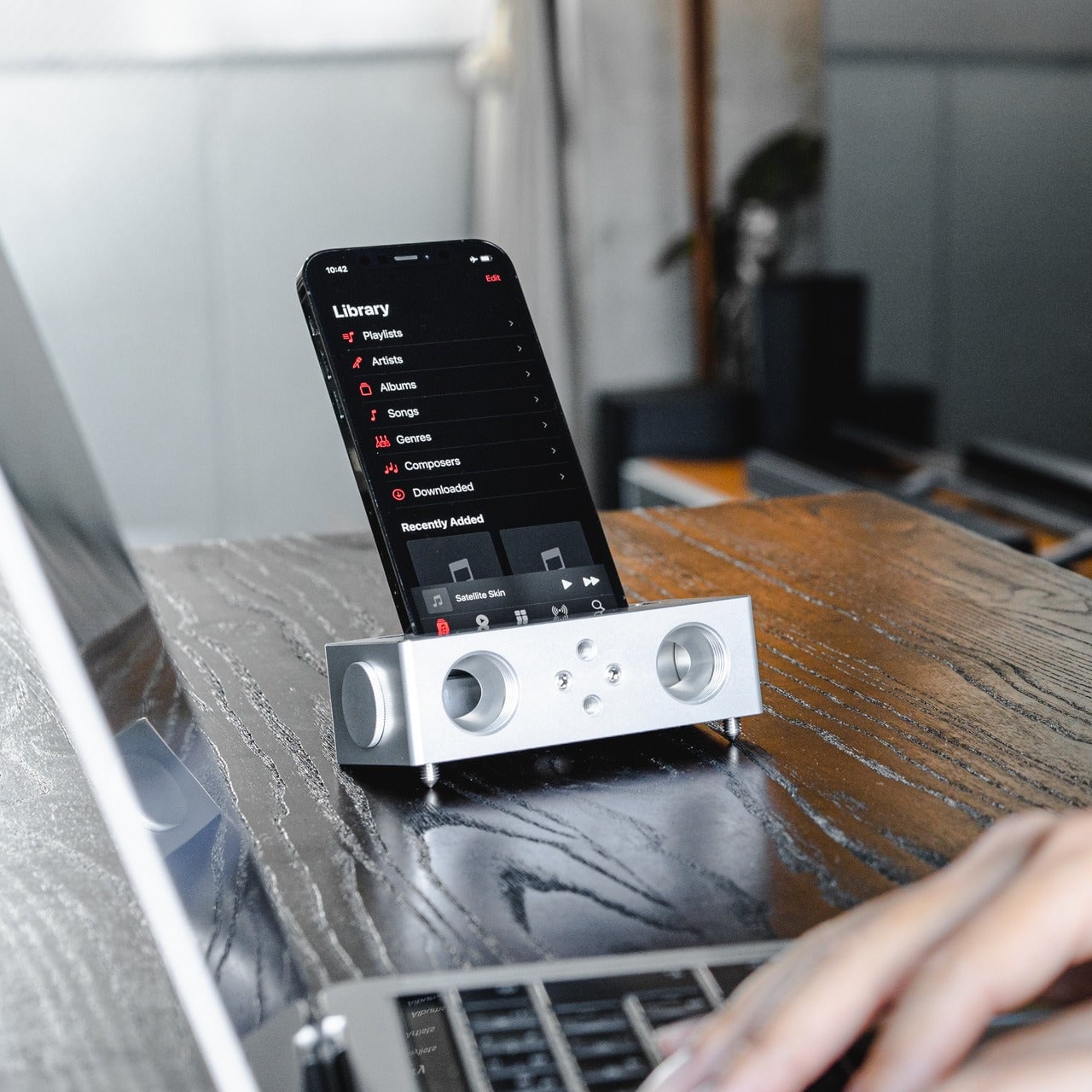
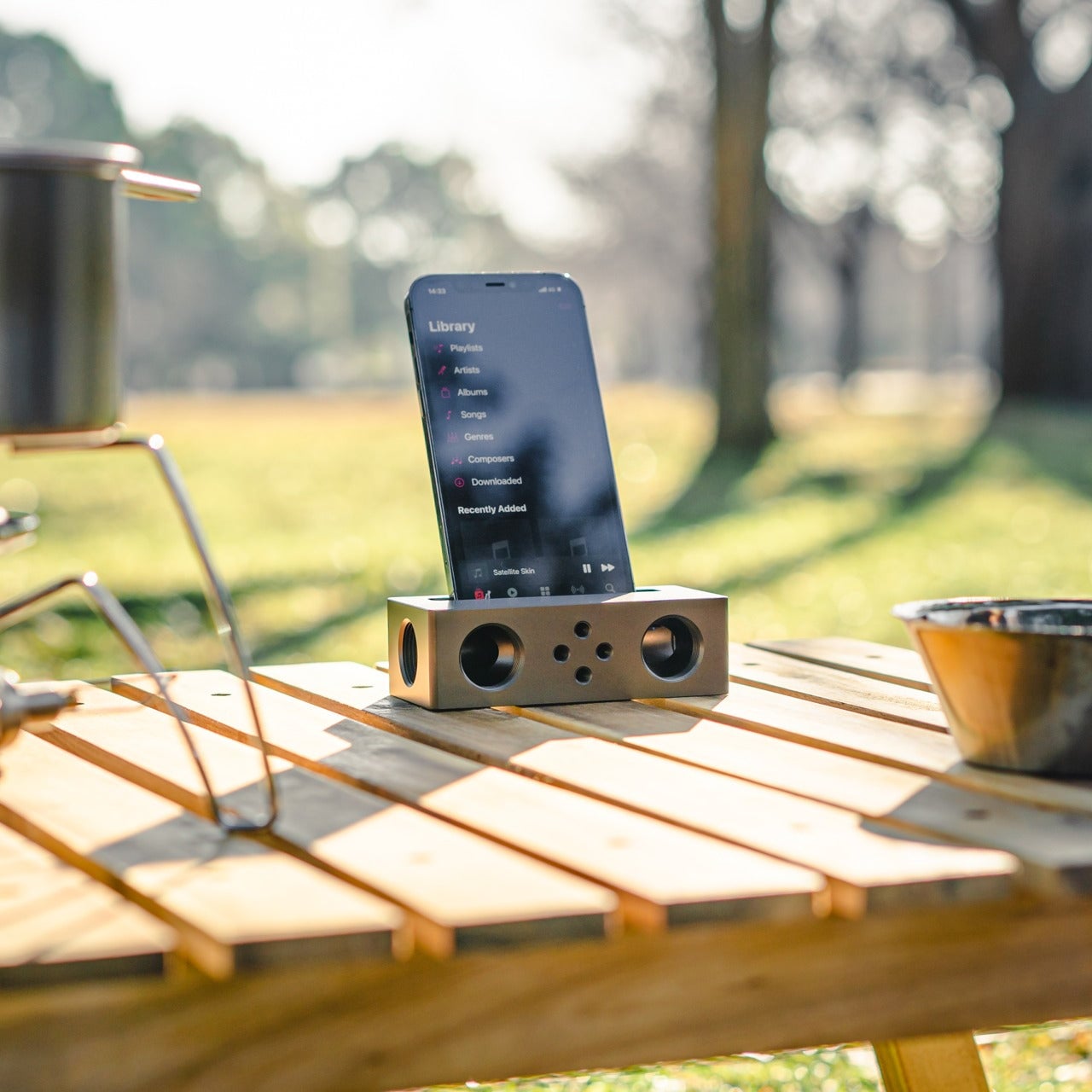
A guest walking in wouldn’t necessarily clock it as a tech product. That’s partly the point. The glazed surface catches light the way pottery does, and the form is quiet enough to sit beside books or plants without demanding attention. When a phone is slid underneath it, it starts doing its job. When the phone is gone, it just stays there, still looking like it belongs. The same underlying principle runs through the Battery-free Amplifying iSpeakers, where a Duralumin metal enclosure amplifies a smartphone’s audio without any power.
Abe designed ECHO to exist comfortably in a room even when it isn’t doing anything, a goal most speakers never consider. Most audio accessories announce themselves. This one quietly waits, and when a phone is close enough to fill the cavity with sound, the room gets a little warmer and a little fuller without anyone having to reach for a power button.
A Red Dot Design Award and a $210,000 Kickstarter campaign are two very different kinds of validation. One comes from a jury of design professionals evaluating form, function, and coherence. The other comes from tens of thousands of people who looked at a product and handed over money before it shipped. SparkO, the compact wearable EDC flashlight from California’s ScoutLite, earned both. That combination suggests something specific about the object: it reads clearly to designers and solves something real for everyday people. At $45.99 and 40 grams, the barrier to entry is low enough that hesitation becomes difficult to justify.
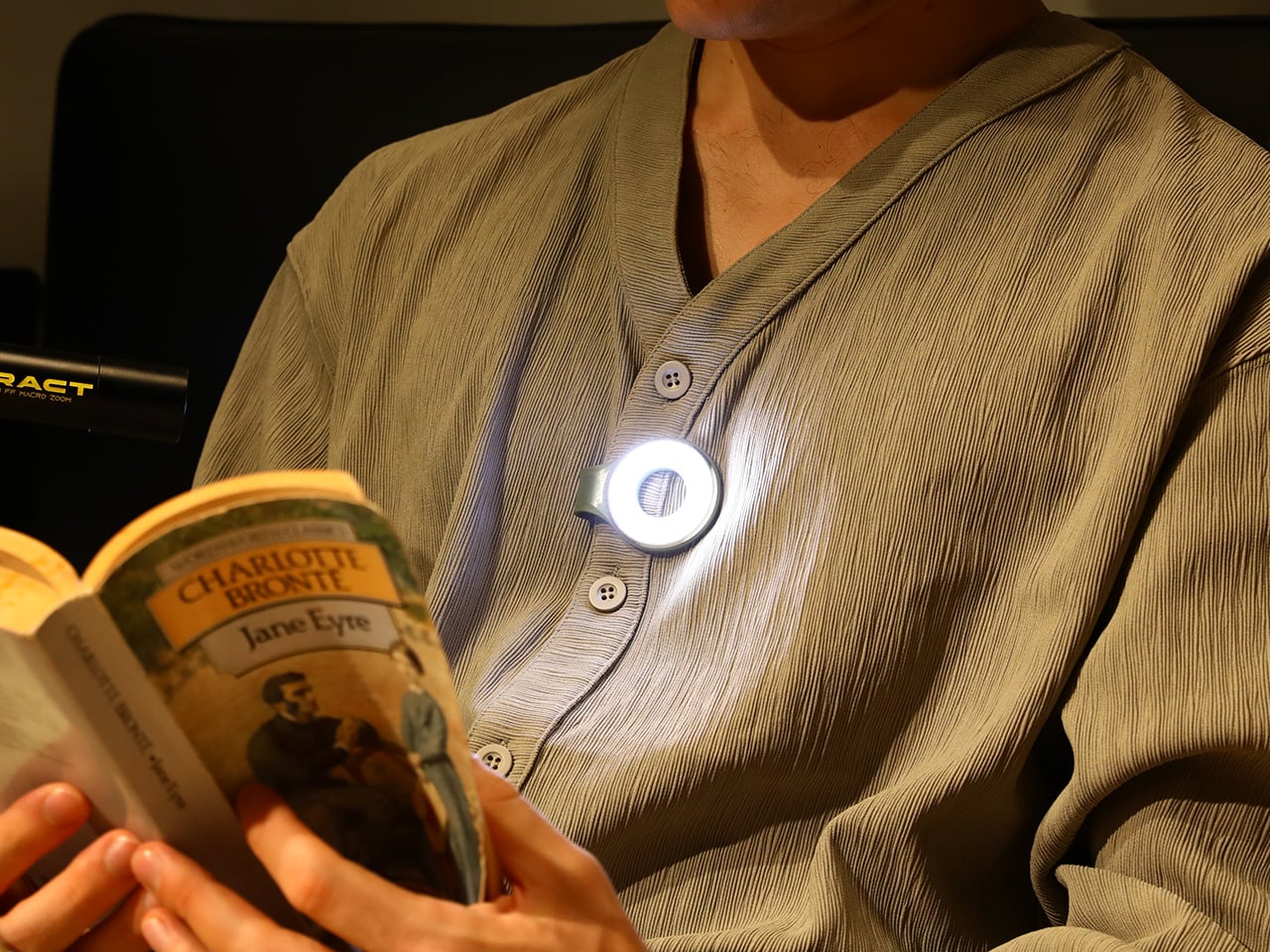
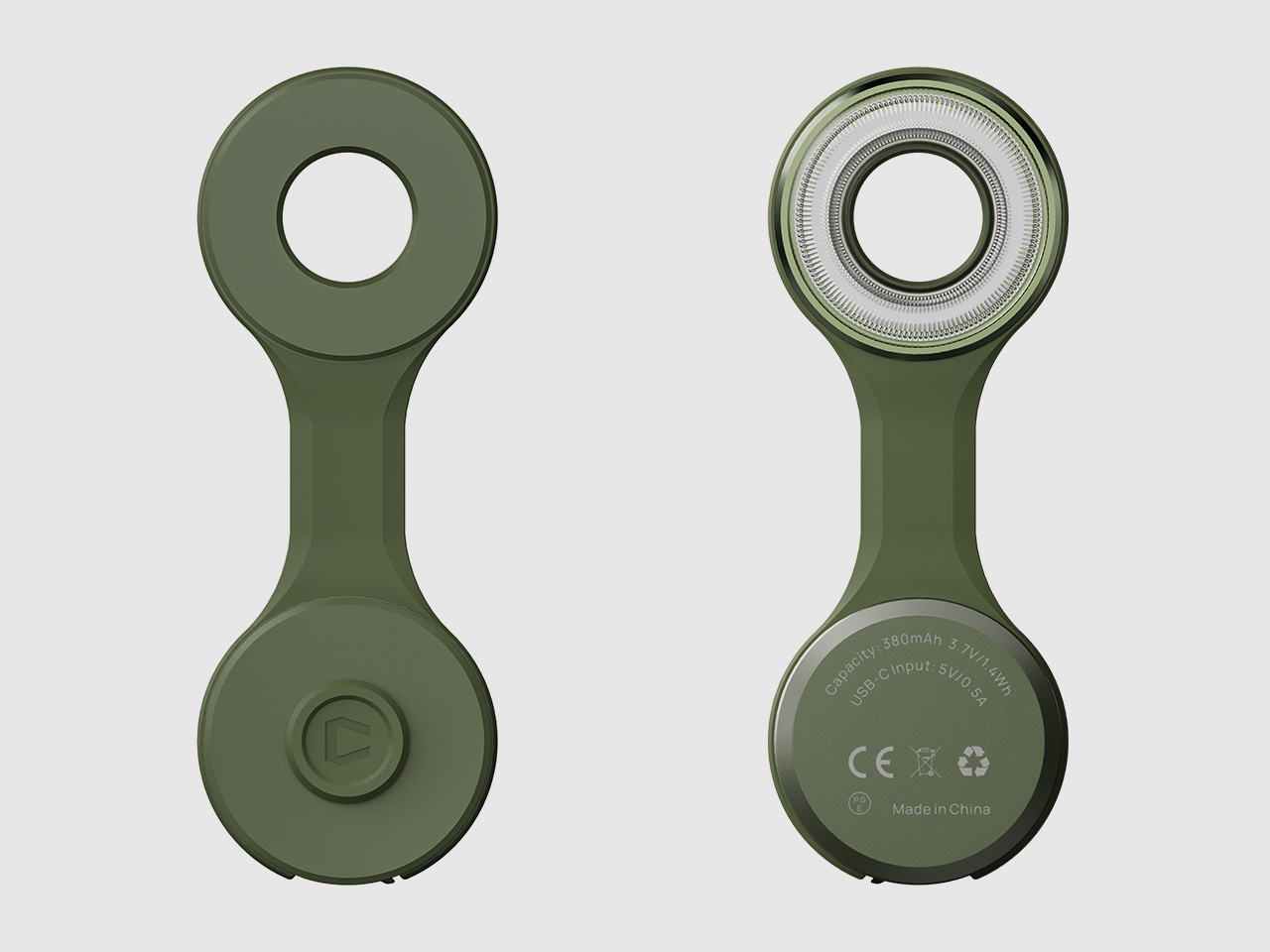
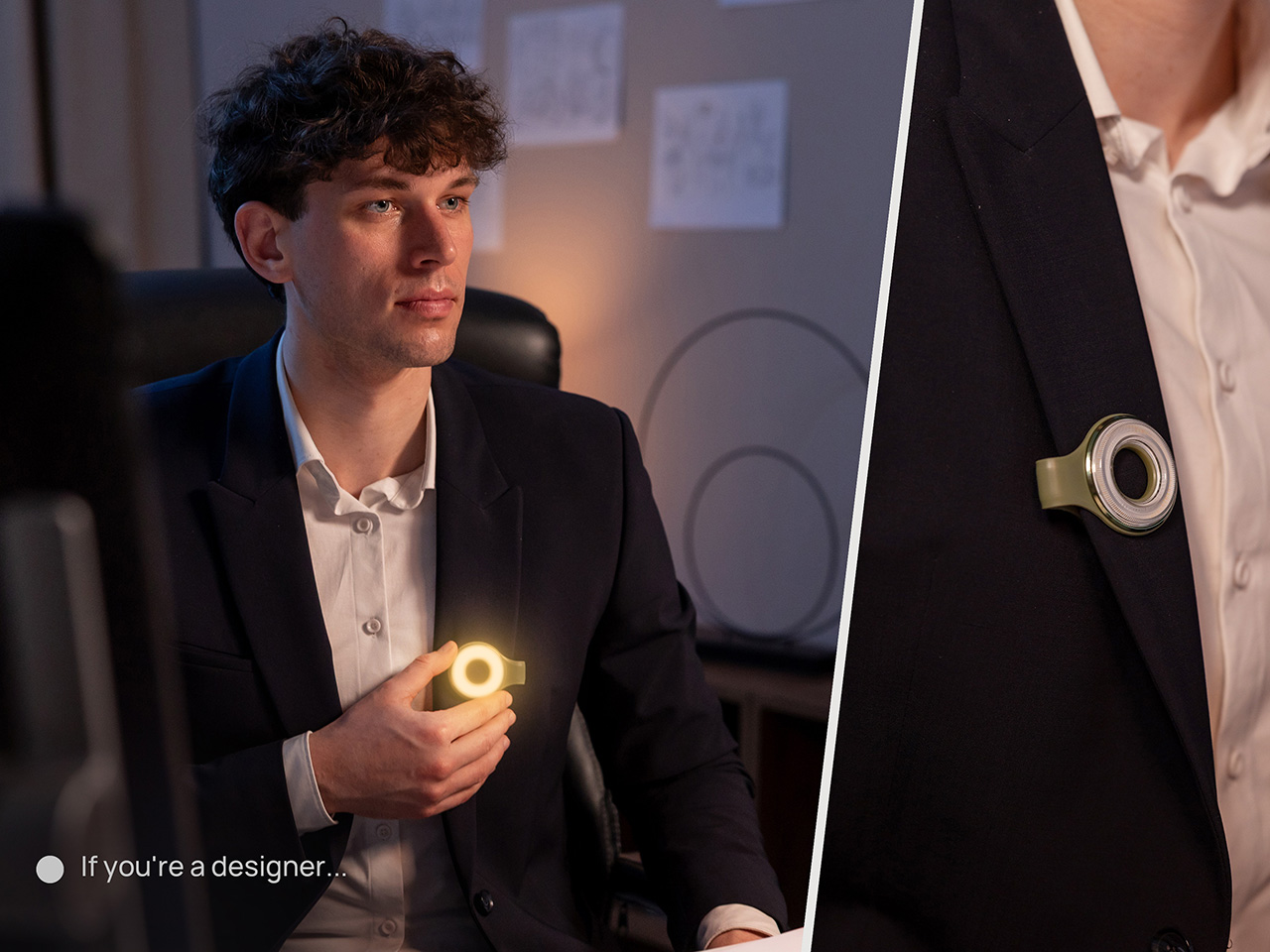
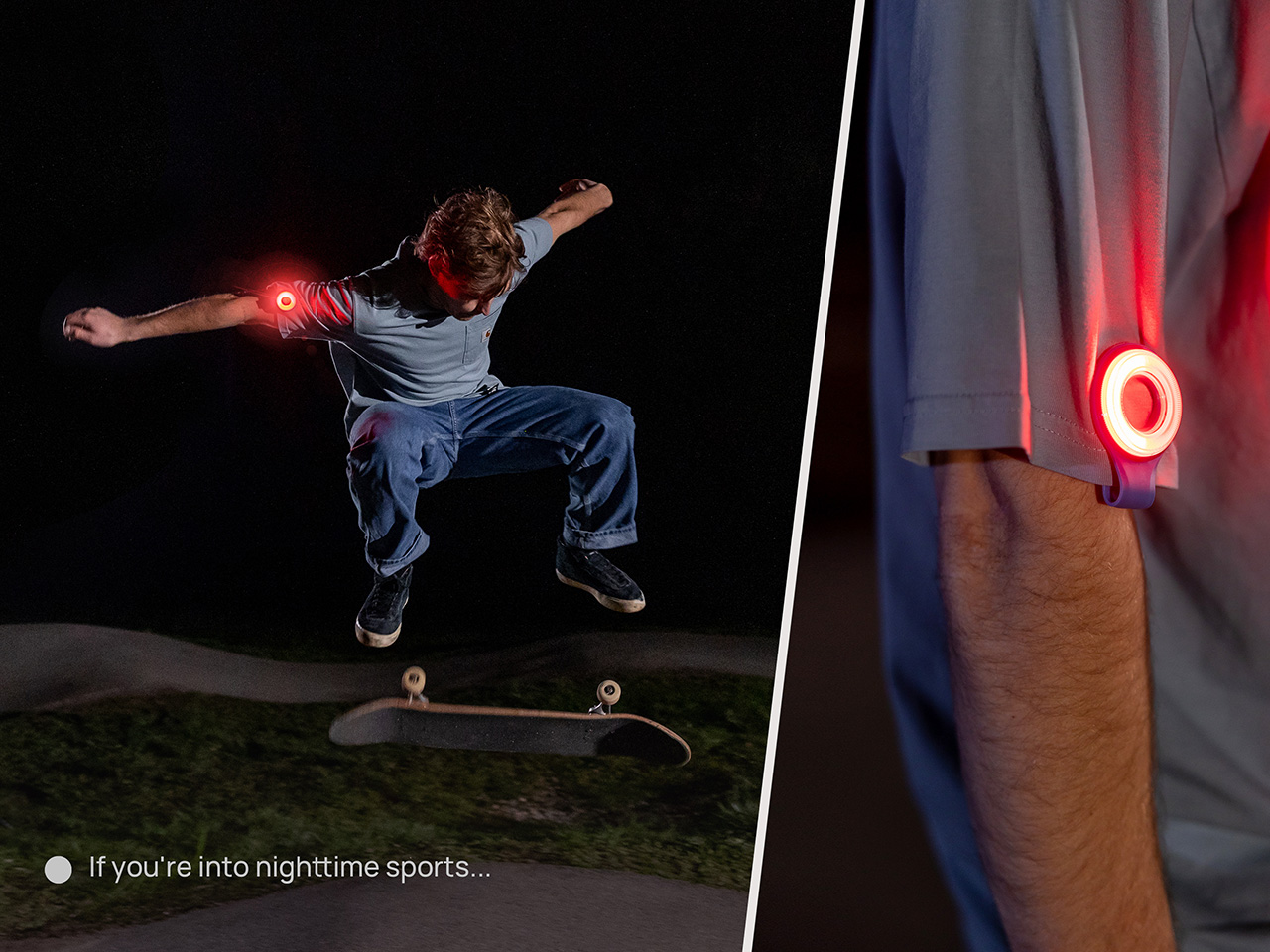
Two photos of SparkO are enough to grasp the concept: a disc-shaped body, a silicone loop that clips and doubles as a kickstand arm, and a circular LED array wrapped in a fine prismatic lens ring. The anodized metal bezel is color-matched to whichever of the four options you pick, Forest Moss, Basalt Black, Glacier Blue, or Canyon Clay. It clips to a bag strap or jacket, snaps magnetically to a MagSafe iPhone, props upright on the optional ring stand, or rides on clothing as a hands-free wearable. That range of deployment is the whole argument for SparkO, and ScoutLite backs it with 300 lumens, three color temperatures, four brightness levels, a red light mode, CRI 95+ rendering, a 14.5-hour runtime, and USB-C charging. At a campsite, a workbench, or a dim restaurant table, the light adapts to the situation rather than demanding you adapt to it.
The disc form is a real departure from the cylindrical tube that has defined flashlight design for over a century. A cylinder forces you to hold it; a disc invites you to wear it, clip it, or set it down facing wherever light needs to go. The silicone loop is soft enough to flex over thick fabric and structured enough to hold position once seated, its geometry doubling as the kickstand arm when the magnetic ring base enters the picture. The circular LED face is surrounded by a concentric prismatic lens ring that distributes light broadly and evenly, borrowing visual language from photography ring lights rather than from tactical torches. That framing signals the breadth of SparkO’s intended audience: the tradesperson and the camper, but equally the commuter, the hobbyist, and the photographer working in low light.
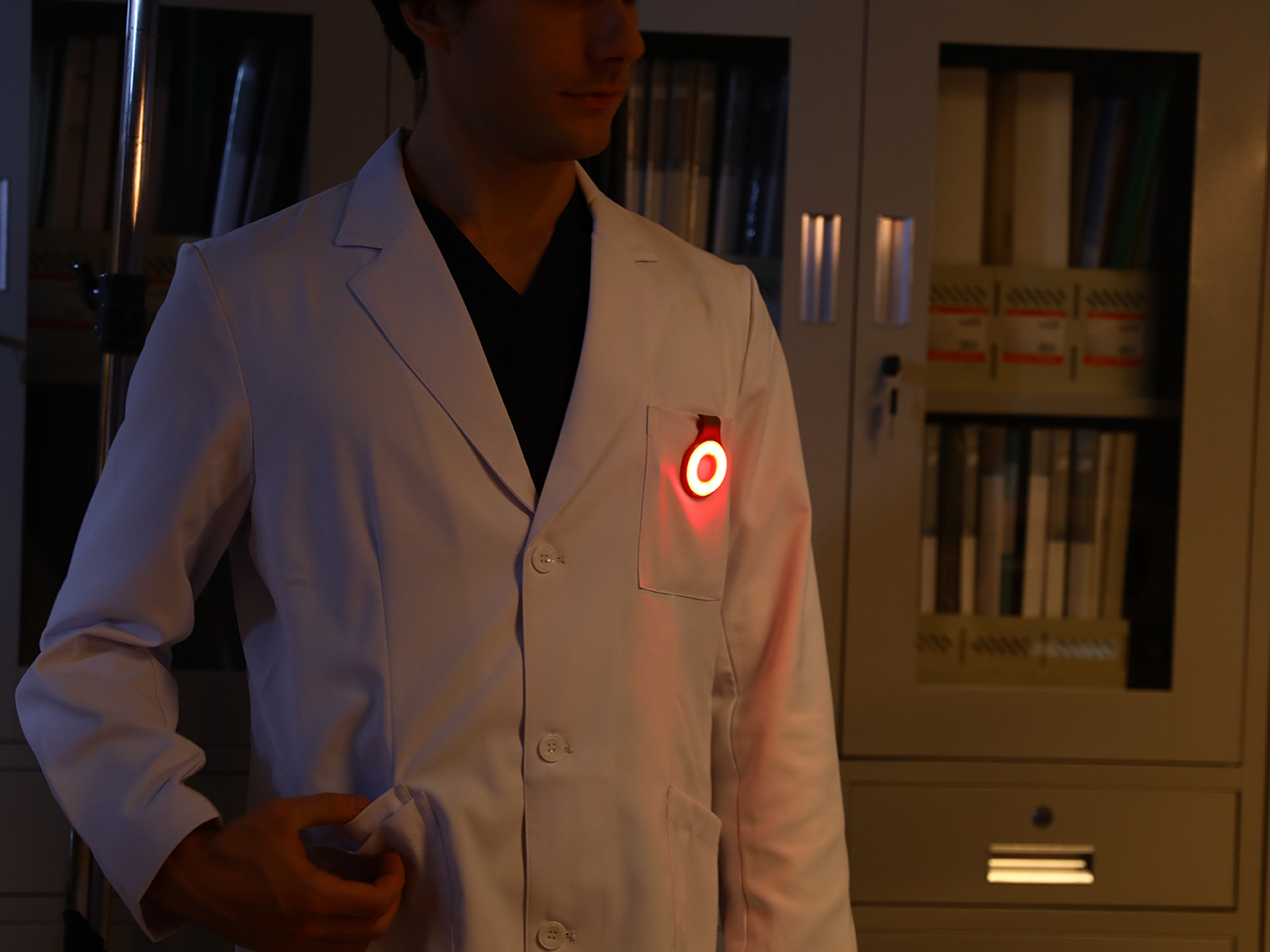
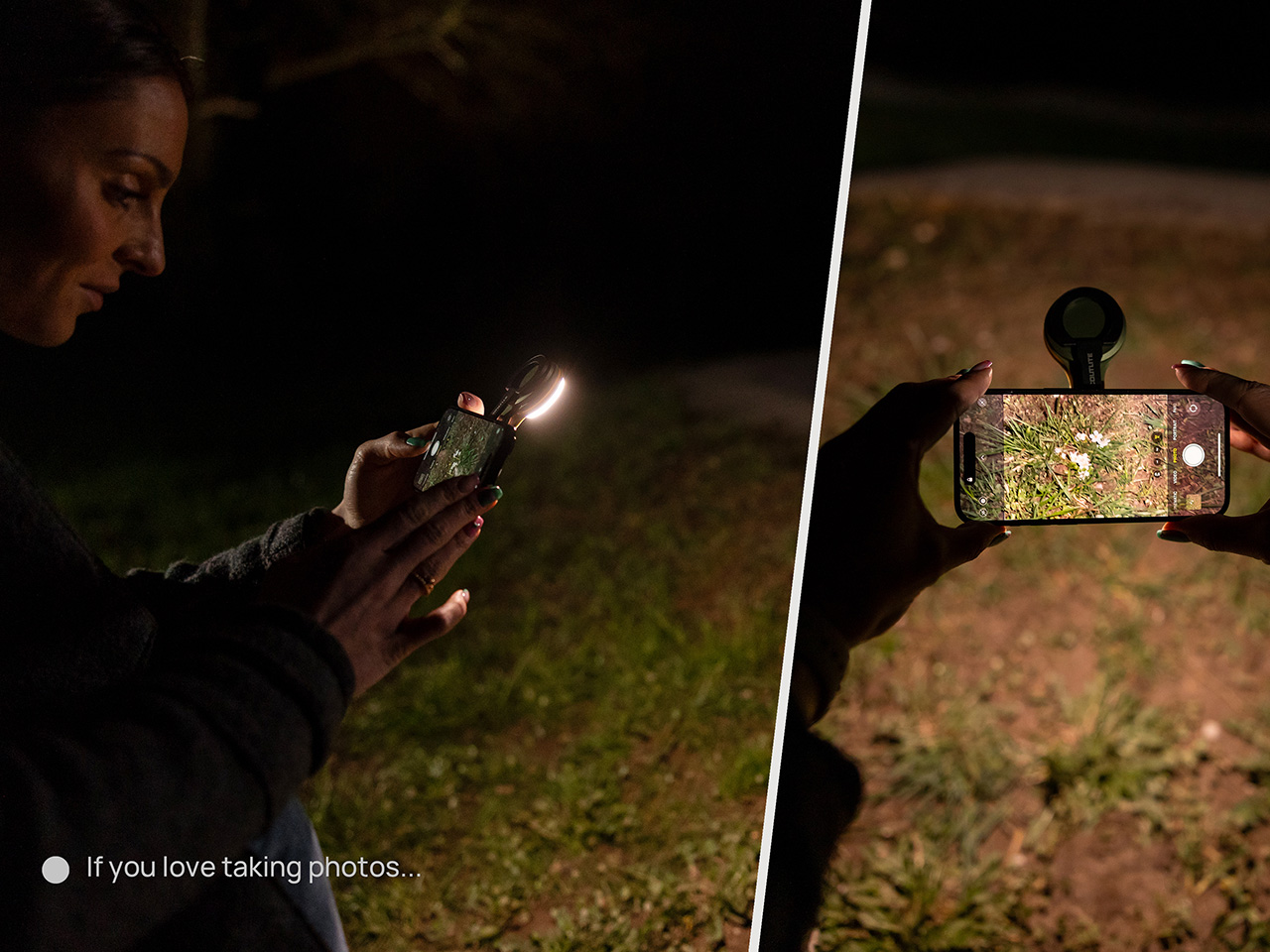
Clipped to a chest pocket or jacket collar, SparkO illuminates whatever your hands are working on without requiring you to hold anything, which is the core use case that conventional EDC lights have historically fumbled. Snapped to the back of an iPhone Pro via the magnetic base, it becomes a fill light for close-up photography, turning a phone into something resembling a professional lighting rig for the cost of a decent lunch. The ring stand converts the same unit into a bedside reading lamp or a compact task light with a footprint smaller than a drink coaster. Each scenario calls for a different mounting method, and the transitions between them take seconds rather than a setup ritual. Four modes sounds like a marketing stretch right up until you’ve run through all of them in a single day, and then it starts to feel like the accurate count.
Three hundred lumens is the right range for a light this size: capable outdoors, tolerable at close range, and not so aggressive that it becomes a problem in tight spaces. The three color temperature options matter more than the lumen figure in daily use, covering the gap between a warm amber reading mode and a cooler beam suited to detailed work. CRI 95+ color rendering is what sets SparkO apart from most of the EDC lighting field, reproducing colors accurately enough that the light reads close to natural daylight, which makes a genuine difference for craftspeople and photographers. The red mode preserves night-adapted vision on a trail or at a campsite, a small but real addition for outdoor use. Runtime at 14.5 hours and USB-C charging put SparkO on a weekly recharge cycle with a cable it shares with everything else in a modern carry kit.
ScoutLite has built a product that lands on the right side of the three virtues the EDC community consistently responds to: compact, accessibly priced, and solving a problem the existing field handles poorly. The Red Dot Award carries credibility for an audience that pays attention to such things, while the $210,000 Kickstarter result is a harder signal to argue with, because crowdfunding backers are betting on a design that communicates its own value clearly enough that waiting feels unnecessary. At $45.99, the decision practically makes itself, especially given that the clip, the magnet, the stand, and the wearable mode collectively cover more scenarios than most EDC kits manage with multiple dedicated tools. Whether ScoutLite follows this up with accessories or a higher-output variant, SparkO sets a credible benchmark for what a wearable EDC light should cost, weigh, and do. The category has needed something this considered for a while.
The tabletop clock has been one of the quieter casualties of the smartphone era. Most people stopped owning them the moment a phone took over nightstand duty, and those that survived tend to be either nostalgic holdovers or objects that lean so hard into decoration that the time-telling part becomes secondary. The ones that actually last tend to be the ones that got the balance exactly right from the start.
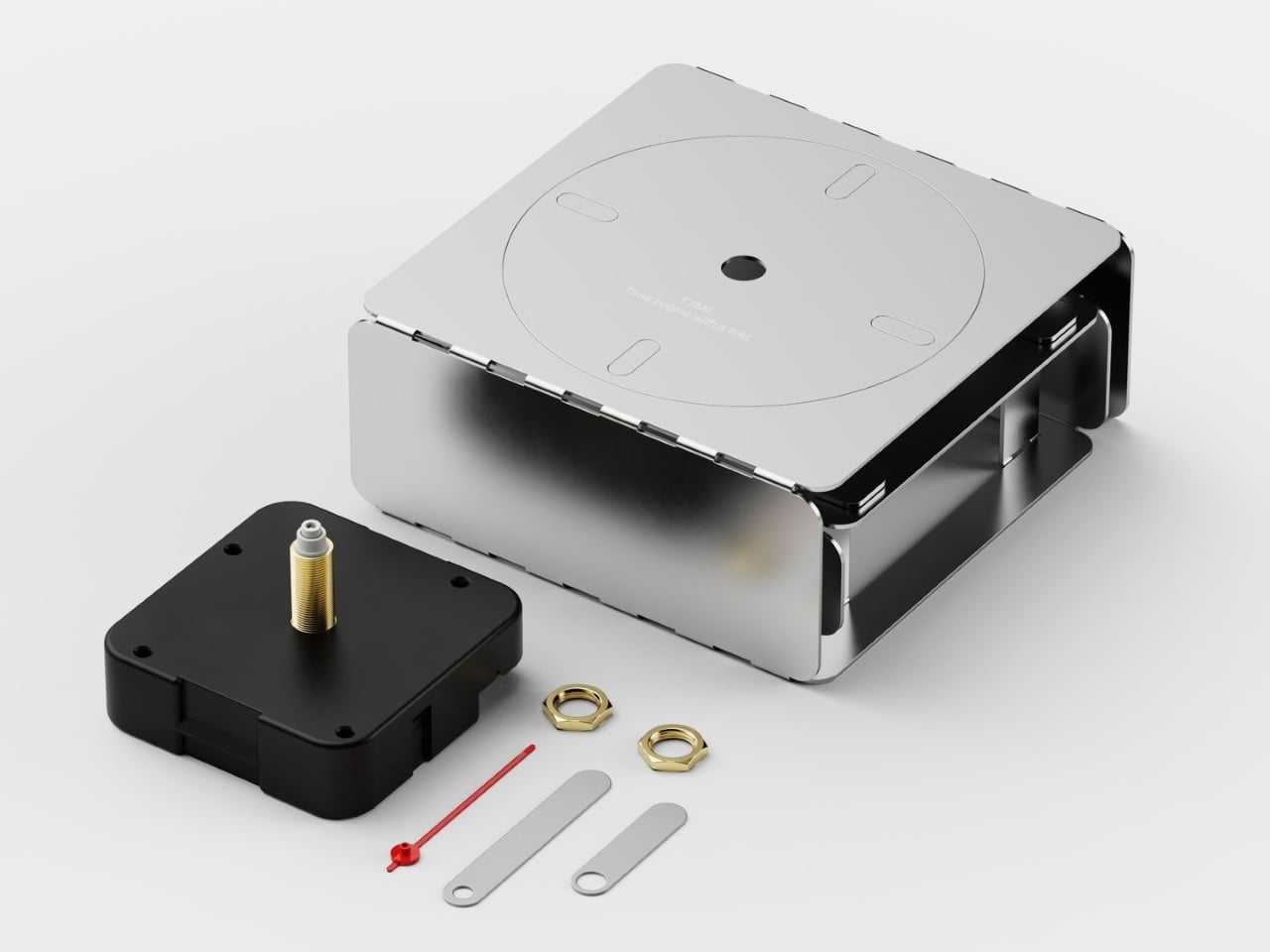
Braun managed that balance better than anyone with the AB 20, a 1975 travel clock by Dieter Rams and Dietrich Lubs that reduced the concept of a clock to almost nothing unnecessary. Argentina-based industrial designer Agustin Papadopulos had that same spirit in mind when he designed TYME, a conceptual table clock that pushes minimalism further by starting from a literal flat sheet of steel.
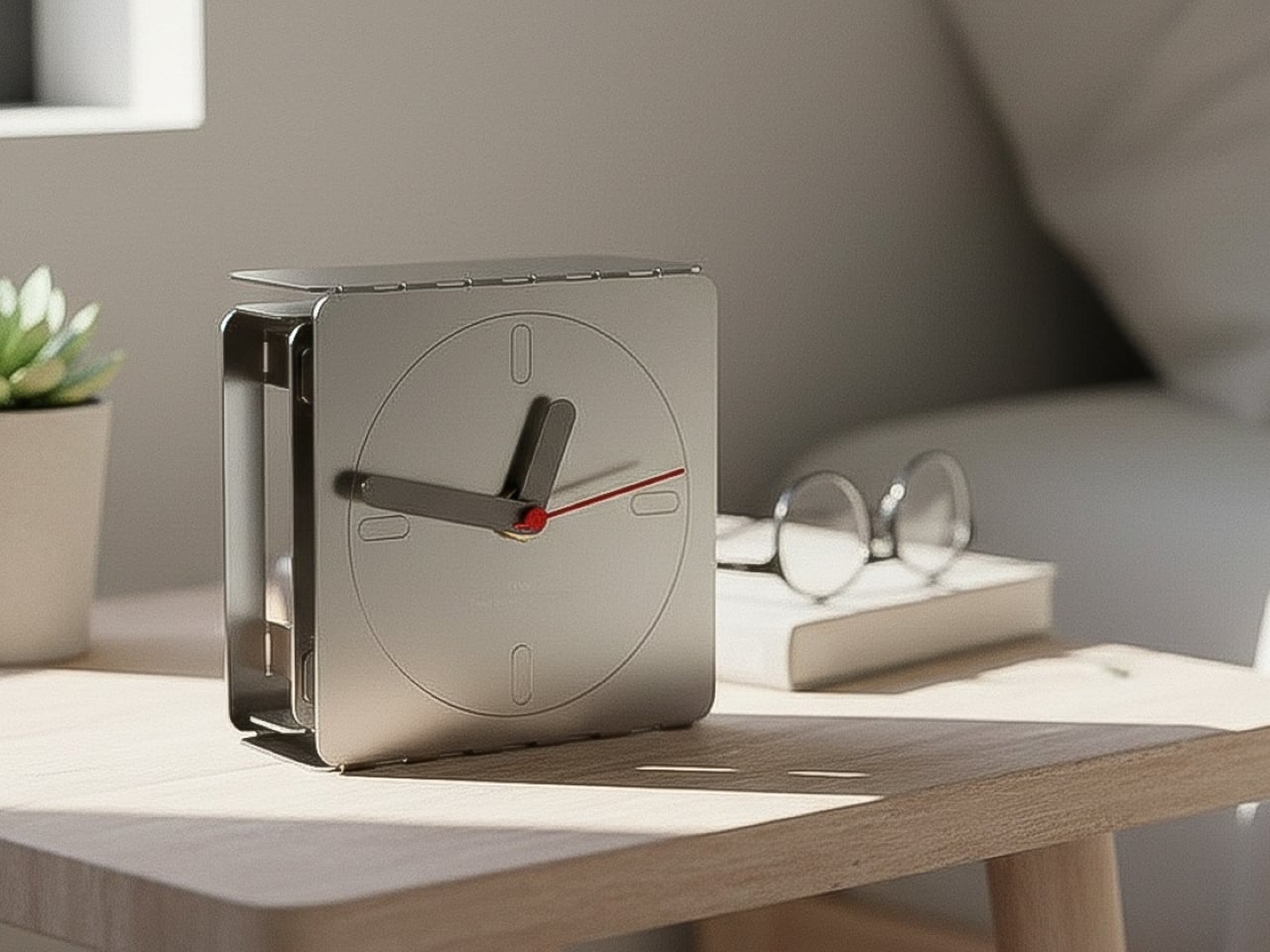
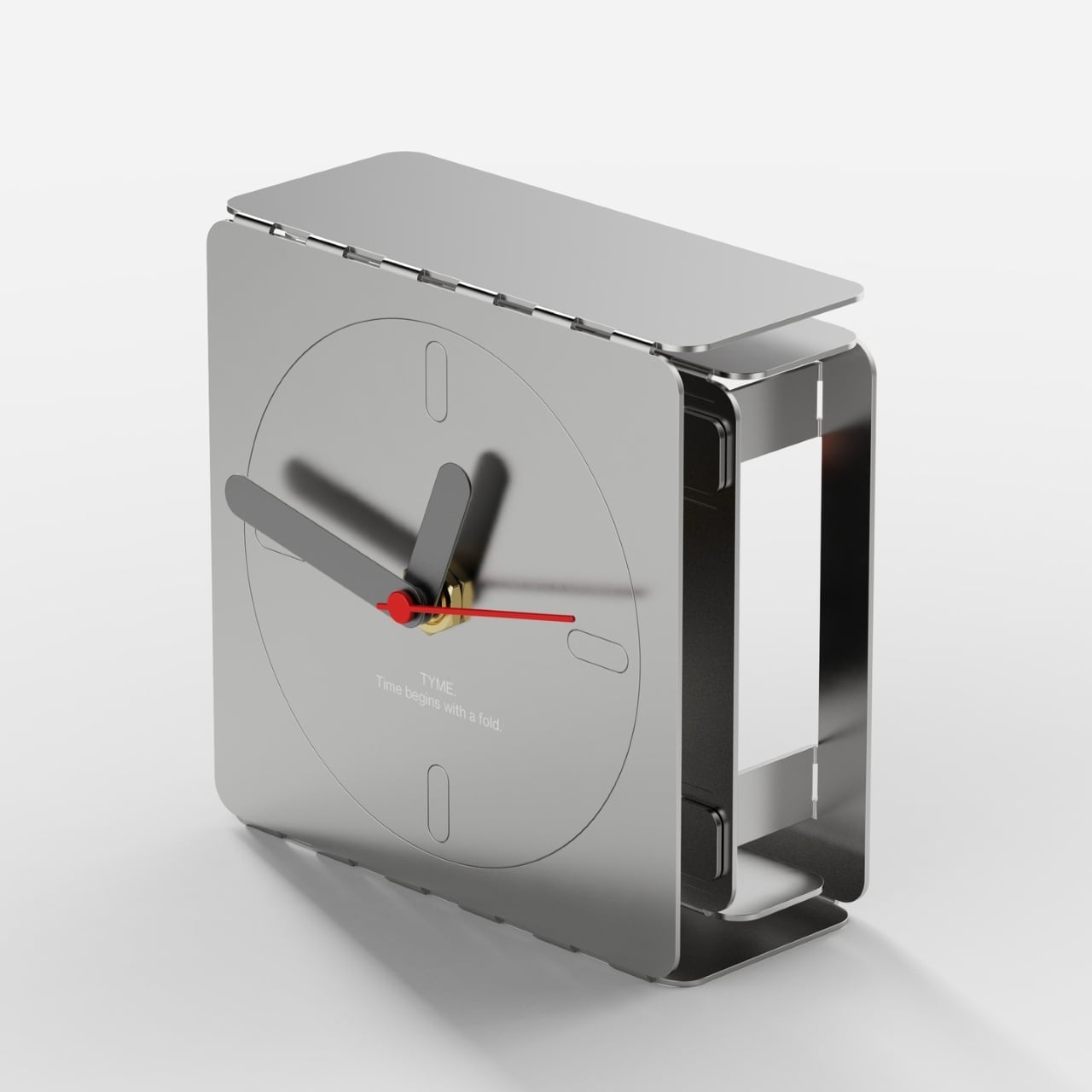
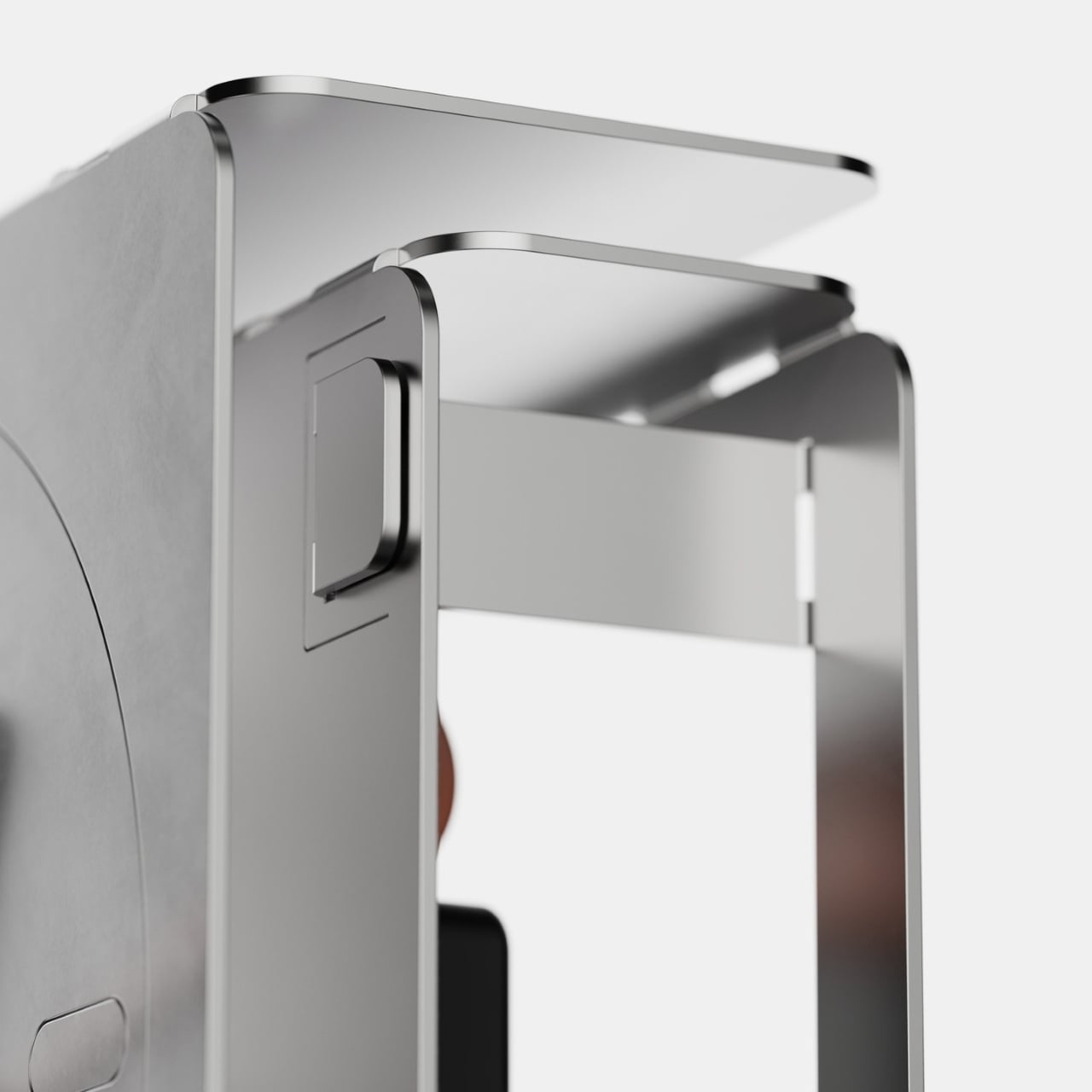
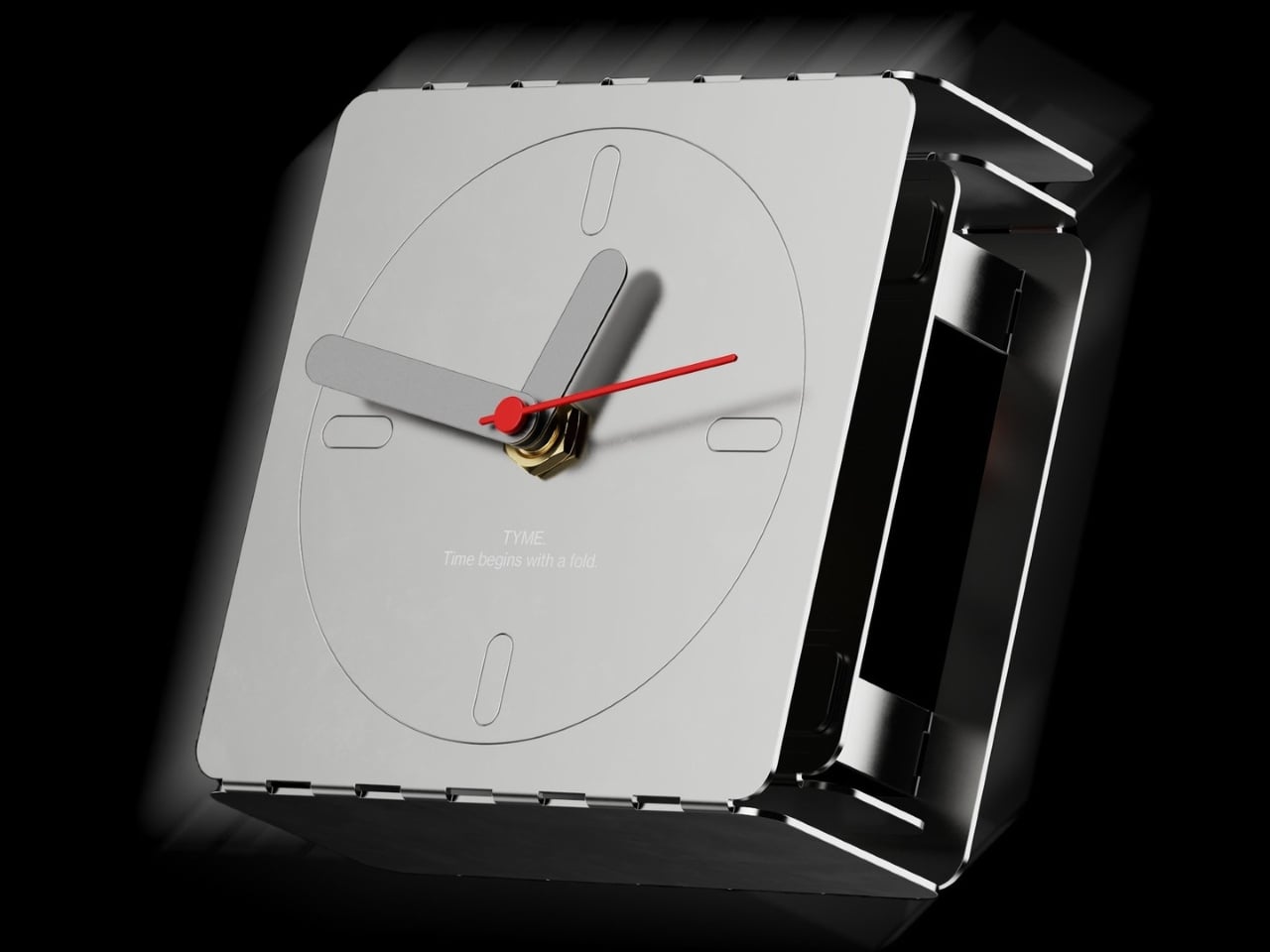
The process starts with a single laser-cut steel sheet, pre-scored along fold lines. Fold the sides inward, interlock the tabs, and a rigid three-dimensional case takes shape without a single screw or adhesive. There are no separate structural components. The entire chassis emerges from one piece of material, with nothing added and nothing wasted, just the geometry of the fold doing all the work.
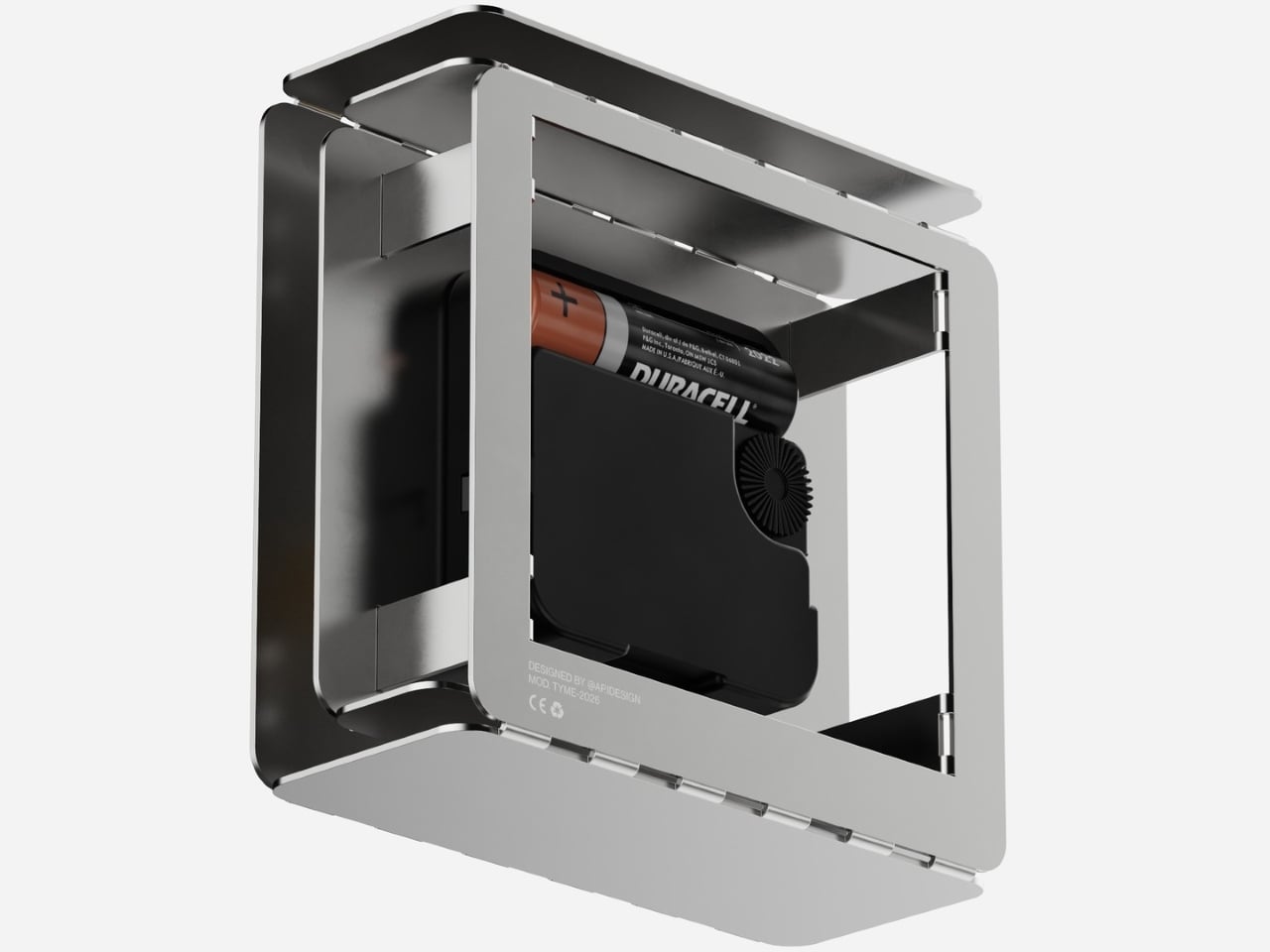
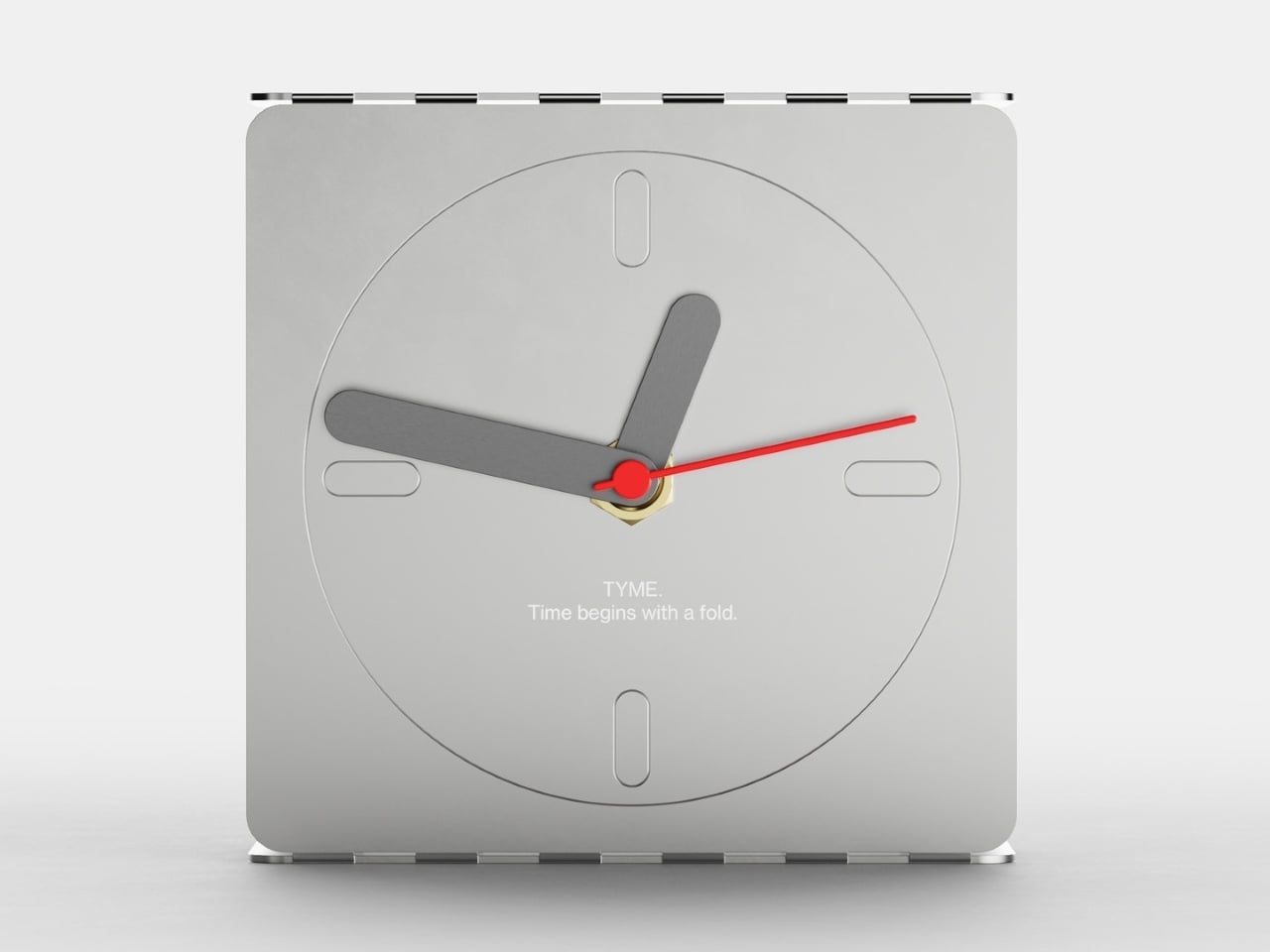
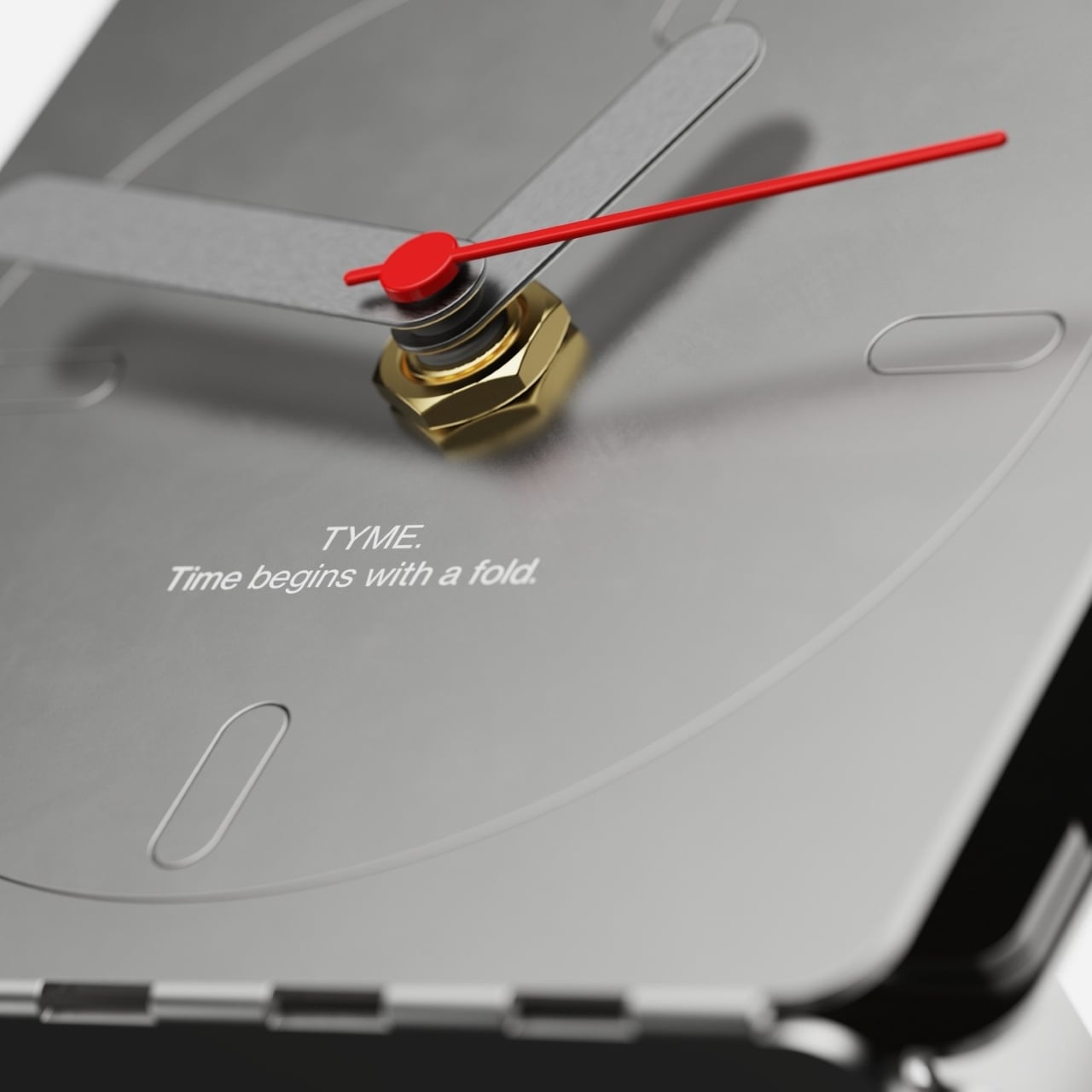
Once the body is formed, the clock mechanism drops in from behind. A standard quartz movement fits inside the folded cavity, with the shaft passing through the circular dial on the face. The hands, two muted gray blades for hours and minutes and a thin red sweep for seconds, slip onto the shaft. A brass hex nut anchors everything with a deliberately exposed, industrial touch.
The face itself is a direct nod to the Braun AB 20’s design language. Four pill-shaped markers at the cardinal positions stand in for numerals, and the circular dial is etched lightly into the face rather than applied as a separate element. It’s been stripped to its most essential logic, which is exactly what Dieter Rams and Dietrich Lubs were doing with the AB 20 back in 1975.
Using a single sheet for both the structure and the visible surfaces makes good sense from a production standpoint. Laser cutting eliminates the need for molds or complex tooling. The fold lines that hold the body together are the same cuts that shape the overall form, so each incision does double duty. Less material, fewer components, and a simpler process all follow from that one decision.
There’s a quieter idea at work in TYME that goes well beyond material efficiency. Papadopulos frames folding not as a simple assembly step, but as the moment you bring the clock into existence. You’re not receiving a finished object. You’re closing the form, installing the hands, dropping in the battery, and starting the mechanism. The first second it ticks is genuinely yours to claim.





 technology that lets the screen bend, fold, and adapt to angles and surfaces that no rigid display can match.