Anicorn x PlayStation’s $780 Mechanical Watch Is The Wildest 30th Anniversary Flex Yet

Anicorn and Sony just dropped a fully mechanical PlayStation watch, and the fact that it exists at all feels like a minor miracle in a market drowning in lazy licensed quartz. Limited to 300 numbered pieces and priced at $780, the PlayStation 30th Anniversary watch launches December 19th with a Miyota automatic movement, a custom rotor, and enough thoughtful design touches to justify the “limited edition” label beyond artificial scarcity. The caseback alone, with its exhibition window and engraved numbering, shows more restraint and craft than most gaming collabs bother with.

What makes this interesting beyond the usual merch cycle is how seriously they treated the design language. The △○×□ symbols sit at 12, 3, 6, and 9 o’clock as three-dimensional applied elements, not flat prints. The PlayStation logo occupies a raised central medallion, and the hands are modeled after the original controller’s Start and Select buttons, which is the kind of nerdy detail that separates fan service from actual design work. The case mirrors the faceted geometry of the 1994 console hardware, finished in that unmistakable matte grey, and the rubber strap carries the button symbols all the way down. It feels like someone actually cared about making this coherent as an object of sheer nostalgia, not just profitable as a limited drop.

Designer: Anicorn

Miyota movements get dismissed sometimes by the Swiss snob crowd, but here’s the thing: they’re reliable, serviceable by basically any competent watchmaker, and when decorated properly, they do the job without drama. The rotor visible through the exhibition caseback gets custom perforation work that echoes disc drive aesthetics, which is a subtle touch that could have easily been skipped in favor of a plain rotor with a logo slapped on. That kind of restraint shows up throughout the design, actually. The dial could have been a chaotic mess of branding and colors, but instead it uses that soft grey finish with selective pops of color on the applied symbols. Legibility takes a backseat to theme, sure, but you buy a watch shaped like a PS1 controller for the vibe, not to check train schedules.

Pay special attention to the case shape. Those faceted, near-octagonal edges are a direct reference to the original PlayStation’s industrial design language, which was all hard angles and serious electronics aesthetics back when consoles still tried to look like they belonged in an A/V rack. Anicorn could have gone with a standard round case and called it a day, but the geometric approach makes the whole thing feel intentional rather than opportunistic. The integrated strap design, with that all-over micro-print of controller symbols, reinforces the “this is a device” impression rather than trying to split the difference between jewelry and gadget. You wear this and people either get it immediately or think you’re wearing some kind of fitness tracker. There’s no middle ground, which is exactly how it should be.

Three hundred pieces worldwide means this will sell out in minutes, probably to a mix of serious PlayStation collectors who still keep mint PS1 longboxes and watch nerds who appreciate limited mechanical releases with actual design thought behind them. The memory card-shaped authenticity cards included in the packaging are pure fan service, but they work because they commit to the bit completely. At $780, you’re paying for scarcity, licensing, and that Miyota movement wrapped in very specific nostalgia. I can almost hear the PS booting sound as I look at this watch! Don’t lie, I’m sure you can too.

The post Anicorn x PlayStation’s $780 Mechanical Watch Is The Wildest 30th Anniversary Flex Yet first appeared on Yanko Design.
Clover Emotion Tracker Turns Small Happy Moments into a Daily Desk Ritual

People are more stressed than ever, yet still find it hard to talk honestly about how they feel, even with therapists or friends. Most mental health tools live inside apps that want you to rate your mood on a slider or fill out forms about your day, which can feel clinical or like homework you forgot to do. Clover is a concept that tries to make emotional check-ins gentler and more tangible, focusing on collecting small moments that went right instead of cataloging everything that went wrong.

Clover is a small ecosystem built around three pieces: a pocketable voice recorder, a desk-calendar device, and a companion app. Instead of logging stress or symptoms, you press a button and record short voice notes whenever something makes you genuinely happy. Those moments are then visualized on the calendar and analyzed in the app, turning your week into a kind of happiness log that quietly reframes how you see your days.

Designers: Seyeon Park, Bhin Son, Yu Jin Song, Jiwon Park, Jinya Kim

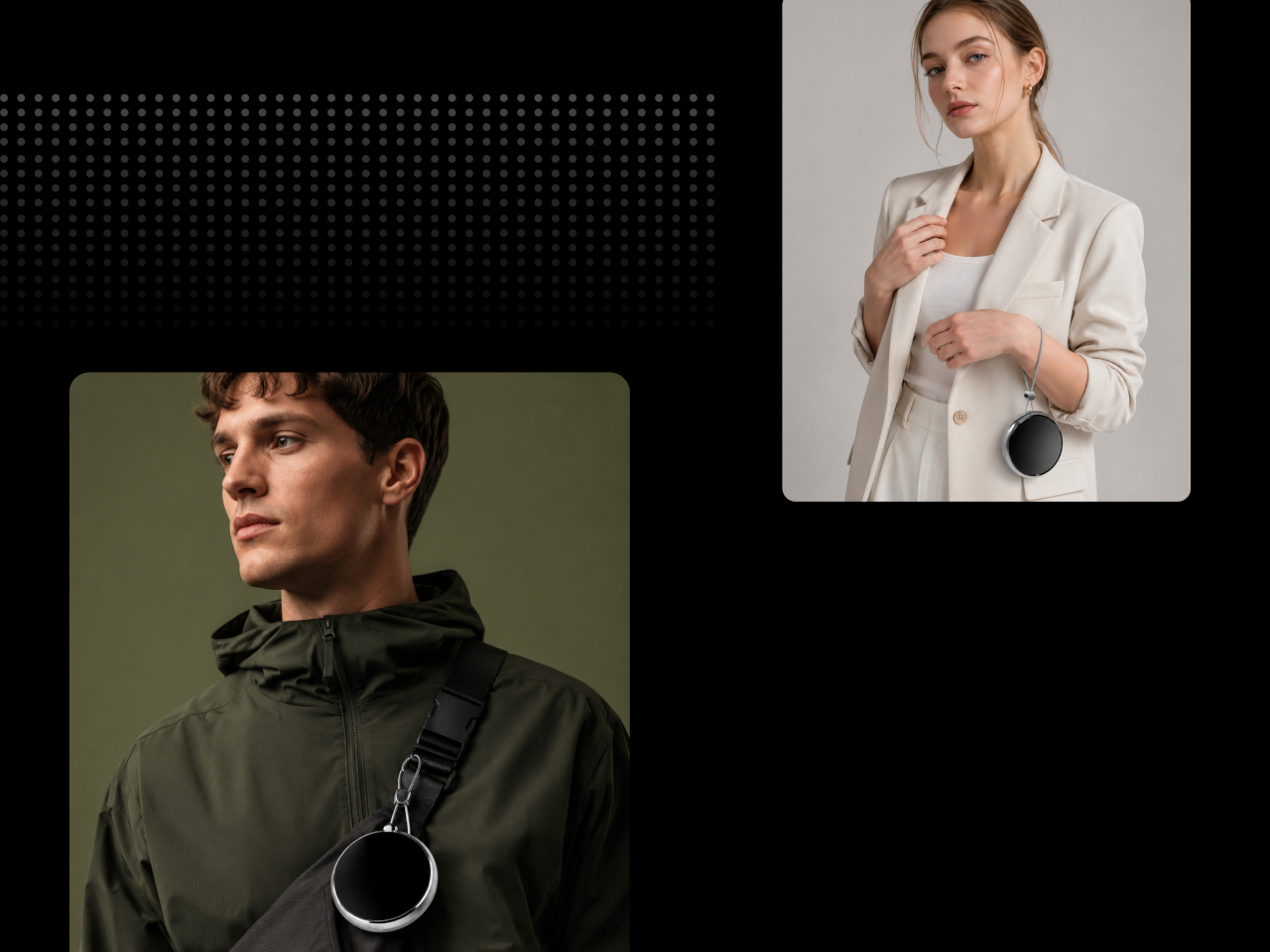
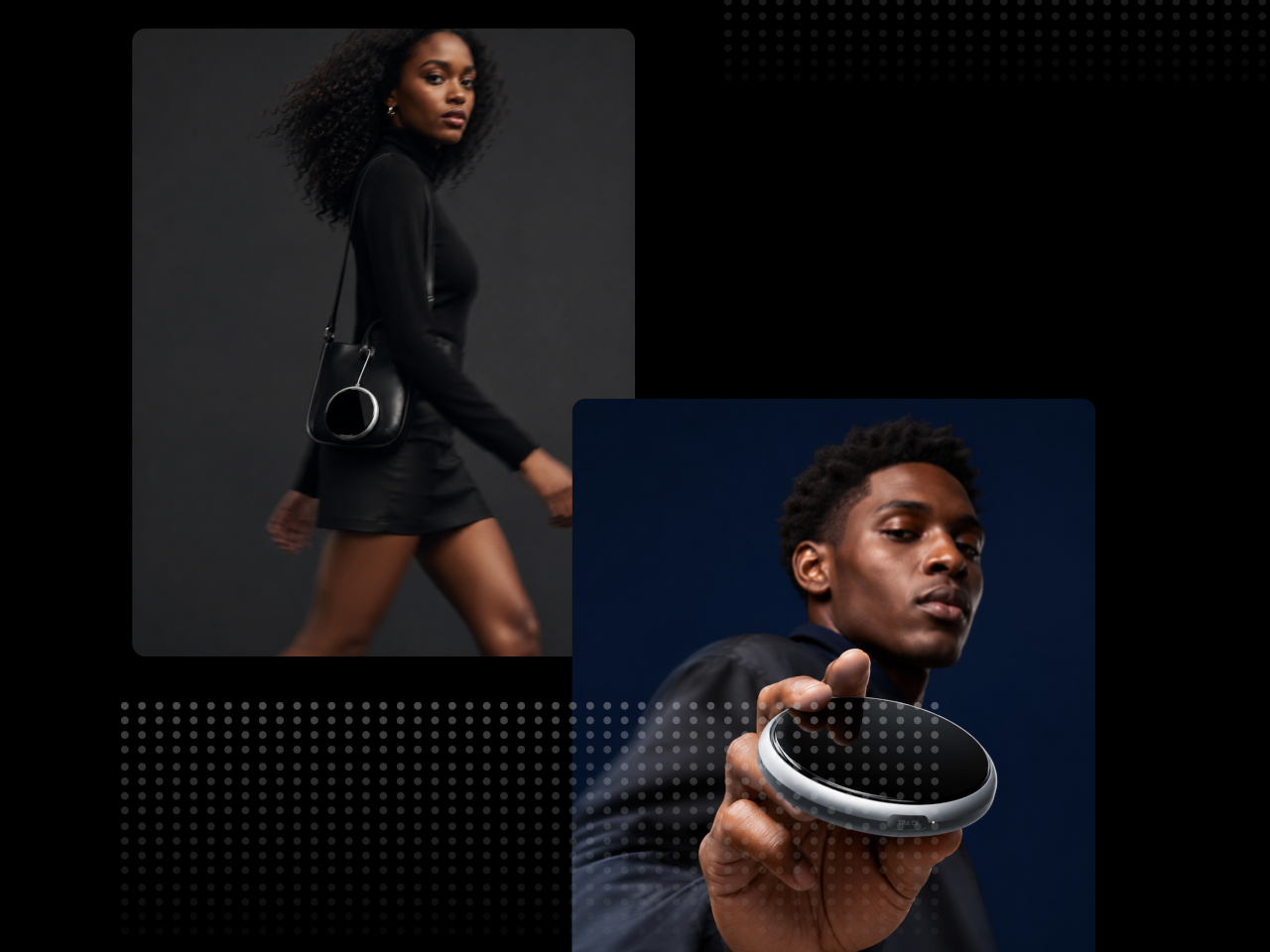
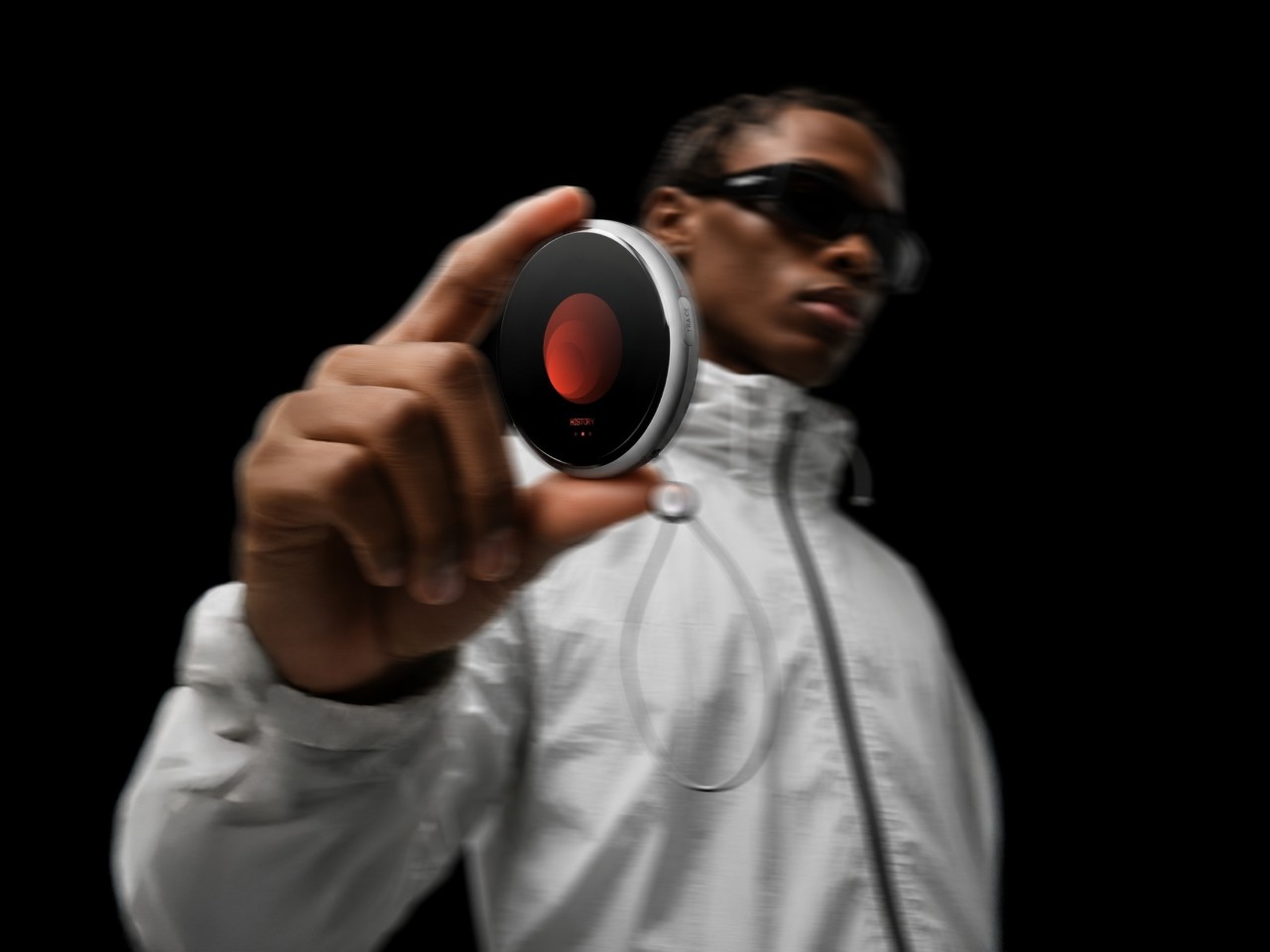
The recorder is a small, circular object with a single orange button and a loop strap, designed to be grabbed and pressed quickly. It is meant for capturing tiny, specific moments, sunlight on your desk, a good cup of tea, a joke from a friend, in your own voice. The goal is to lower the friction so much that recording a positive moment feels as easy as taking a photo, no unlocking, no tapping through screens, just press and speak.

1

The desk calendar is a tilted white slab with a large circular dial labeled with days of the week and a small screen that displays words like “Sunlight” or “Spring.” It plays back or summarizes your voice recordings by day, and turning the dial lets you move between Day mode, Q&A mode, and long-term overview modes. Checking your emotional log becomes a physical ritual, more like flipping through a calendar than scrolling a feed or staring at another glowing interface.

1

The app brings everything together, with daily cards asking “What is your today?”, weekly and monthly views full of dots and bars, and simple text insights that highlight recurring themes. You can tag entries by time, category, or keywords, and later see which people, places, or activities show up most often in your happiest moments. The analysis stays gentle, showing patterns without drowning you in numbers or making you feel like you failed when a week looks sparse.

1

Clover’s visual language, white and grey surfaces with orange accents, soft typography, and a clover icon that appears on hardware and UI, keeps the system from feeling like medical equipment. The core values, self-honesty, emotional balance, and everyday positivity, are baked into how it looks and behaves. It frames itself as a friendly desk object and app you would not mind seeing every day, not a reminder that something is broken.

Clover quietly flips the usual tracking script. Instead of asking you to monitor symptoms or productivity, it asks you to notice and collect small good things, then shows you that they happen more often than you think. For people who are tired of mood sliders and habit streaks, the idea of a physical recorder and calendar that simply help you remember what felt right might be the most calming part of the concept.

The post Clover Emotion Tracker Turns Small Happy Moments into a Daily Desk Ritual first appeared on Yanko Design.

Huawei FreeClip 2 Review: Open-Ear Audio at Its Best

PROS:


  • Featherlight 5.1g design disappears on your ears within minutes

  • Dual-diaphragm drivers deliver bass that open-ear rarely achieves

  • Nod to answer, shake to reject: head gestures feel futuristic

  • Intelligent Volume Adaptation matches audio to your environment automatically

  • 38-hour battery and IP57 durability: built for all-day adventure

  • Perfect, secure fit stays locked through runs, shakes, and sleep

CONS:


  • No ANC means loud environments will always win

  • Huawei Audio Connect app unavailable on Google Play Store

RATINGS:

AESTHETICS
ERGONOMICS
PERFORMANCE
SUSTAINABILITY / REPAIRABILITY
VALUE FOR MONEY

EDITOR'S QUOTE:

FreeClip 2 is proof open-ear audio doesn't have to compromise.
award-icon

Three million units. Huawei’s original FreeClip proved open-ear audio could sustain mainstream adoption, not simply exist as a design curiosity for early adopters willing to sacrifice bass for situational awareness. The FreeClip 2 is the engineering-driven response to that market validation.

Designer: Huawei

Refinements. Huawei’s engineering team reworked acoustic design, material selection, ergonomic architecture, and battery systems, each adjustment responding to friction points that first-generation users identified during extended daily wear cycles. These aren’t incremental changes. They required rejecting constraints the open-ear category had normalized as acceptable trade-offs.

Ergonomics & Design: Solving Gen 1’s Friction Points

The original FreeClip launched in Dubai, December 2023. Three million units later, Huawei knows exactly where it succeeded and where users pushed back. The FreeClip 2 arrives two years later, same city, same month, with a focused brief: fix the comfort complaints without abandoning what worked.

I’ve never worn open-ear earbuds before. My entire audio life has revolved around AirPods. The moment I clipped the FreeClip 2 on? Comfortable. Secure. It felt like they weren’t going anywhere, regardless of what I threw at them.

The architecture stays familiar: C-bridge, acoustic ball, comfort bean. Three components working as a unified clip mechanism. What changed is the material stack and dimensional tuning underneath.

The C-Bridge

Gen 1’s bridge gripped well but created pressure hot spots during extended wear. Huawei’s fix: a hybrid construction pairing skin-friendly liquid silicone over a shape-memory alloy core. The silicone adds 25% more flexibility. The alloy maintains consistent clamping force across temperature swings. No summer loosening. No winter tightening.

The new C-bridge doesn’t pinch. It doesn’t squeeze. It just… holds. Against my ear cartilage, the pressure distribution feels even rather than concentrated at specific contact points. “Cloud-like softness” sounds like marketing fluff until you’re six hours into a workday and realize you haven’t adjusted them once.

Huawei validated the design through 25,000 flex cycles. That’s lab durability. Real-world durability means the bridge returns to form after months of daily clipping and pocketing.

Acoustic Ball & Comfort Bean

The acoustic ball shrank by 11% in volume while achieving 95% internal space utilization. That’s engineering density: dual diaphragms, microphones, and acoustic venting packed tighter without adding visual bulk. The glossy finish on Denim Blue contrasts deliberately with the textured bridge.

The comfort bean, the counterweight behind the ear, reduced by 12.5% in volume. Huawei’s 10,000+ global ear scan database informed micrometer-level adjustments, expanding ear shape compatibility by 12.3%.

The bean tucks neatly into the anti-helix hollow, that curved ridge of cartilage behind your outer ear. It doesn’t fight for space or create awkward pressure points. The smaller footprint means it sits where anatomy intended rather than forcing the ear to accommodate the hardware. During head turns, it stays planted. During vigorous movement, same story.

Weight: The Competitive Edge

5.1g per earbud. Down from 5.6g. Half a gram matters because open-ear designs concentrate all mass on the helix rather than distributing it across the ear canal. At 5.1g, the FreeClip 2 is the lightest in its competitive set:

  • Bose Ultra Open: 6.5g
  • Shokz OpenDots One: 6.5g
  • SoundCore AeroClip: 5.9g

Glasses wearers gain the most. The softer bridge and smaller footprint reduce interference with temple arms.

Extended Wear Reality

After three to six hours, I forget I’m wearing them. That’s not hyperbole. That’s the actual experience. They disappear into background awareness the way a comfortable watch does.

Here’s where the open-ear advantage becomes obvious: car trips. The FreeClip 2 lets road noise through. Conversation reaches you unfiltered. But your podcast, your music, your navigation prompts, they’re all there too, layered on top of environmental audio rather than replacing it. Huawei’s “wear and forget” positioning isn’t aspirational marketing. It’s describing what actually happens.

The Sleep and Travel Test

Flying with AirPods is a gamble. Lean back in a business class seat, drift off, and wake up to find one earbud has slipped into the crevice where cushions meet armrest. Gone. The FreeClip 2’s clip mechanism eliminates that anxiety entirely. I wore them through an international flight, slept in them, and never once worried about losing a $200 earbud to upholstery.

They’ve become a sleep aid. For anyone managing tinnitus, the ability to wear comfortable earbuds to bed, playing low ambient audio to mask the ringing, is genuinely life-improving. Most earbuds create pressure points that make side-sleeping impossible. The FreeClip 2’s open design and featherweight construction don’t.

Case & Colorways

The case redesign matters for pocket carry. Crossed C-bridge arrangement inside achieves 17% narrower grip width and 11% smaller footprint. Case weight dropped 14%, from 45.5g to 37.8g. The larger 537mAh battery fits despite the shrinkage.

I love this form factor. The case slots perfectly into my jeans coin pocket, that small fifth pocket most people forget exists. It sits there all day without demanding attention. Always with me. Always ready.

Here’s an unexpected bonus: the slight bulge it creates actually works as a physical gate, preventing my phone from sliding up and out. The AirPods case does the same thing, but the FreeClip 2’s narrower profile makes it less intrusive while still providing that pocket security. It’s a small detail, but it means I don’t fish around wondering where I left them. They’re just – there. The compactness isn’t just a spec sheet flex. It translates directly to daily carry confidence.

Huawei offers four colorways: Denim Blue, Feather Sand White, Modern Black, and Rose Gold. I’d have picked Modern Black, but Huawei didn’t have one available for review. The Denim Blue unit I received turned out to be fine. It’s clearly the hero color, the one Huawei leads with in every press image, and after wearing it everywhere for weeks, I don’t mind it at all. The blue reads as understated rather than attention-seeking.

The Denim Blue and Feather Sand White cases feature micrometer-level molded denim weave texture, replicated from actual fabric. It’s stain-resistant (18 tests passed) and genuinely pleasant to the touch. The fabric-like surface adds grip without feeling gimmicky or cheap. Modern Black and Rose Gold ship with smooth matte finishes instead, trading the tactile detail for a more traditional premium look.

Durability

IP57 for the earbuds, up from IP54. The “7” rating certifies immersion to one meter for 30 minutes. Rain, sweat, accidental sink drops won’t end them. The case holds at IP54.

The Foundation

Here’s the thing about earbuds, headphones, any wearable audio that lives on your body: comfort isn’t a feature. It’s the prerequisite. Performance specs can dazzle on paper, but if the hardware pinches, slips, or annoys you into taking it off, none of those numbers matter. You won’t use them. They’ll collect dust in a drawer while you reach for something that actually feels right.

The FreeClip 2 nails this. Comfortable. Secure. Easy to forget you’re wearing them. Huawei got the foundation right, which means the performance conversation actually matters now. It’s worth having because you’ll actually wear these long enough to experience it.

So. How do they sound?

Performance: What Two Years of Engineering Buys You

Open-ear earbuds have always come with an asterisk. The form factor that keeps you connected to your environment also means no ear canal seal, no passive isolation, and historically, compromised bass. The first FreeClip accepted this trade-off. The FreeClip 2 challenges it.

The Dual-Diaphragm Difference

Huawei’s solution to open-ear bass limitations is architectural, not just algorithmic. The FreeClip 2 stacks two 11mm diaphragms inside the acoustic ball, sharing a single magnetic circuit. Think of it like a drum that can be struck from both sides simultaneously. The result: 100% more loudness and 100% more low-frequency power compared to Gen 1, all within a housing that’s actually 11% smaller.

On paper, that sounds like marketing. In practice, it translates to bass you can feel, not just hear. Electronic tracks have actual sub-bass presence. Podcast voices carry weight without sounding thin. The dual-diaphragm setup delivers what Huawei claims is the equivalent air volume of a 14mm driver, and my ears agree. Coming from AirPods, I expected the FreeClip 2 to sound hollow by comparison. It doesn’t. The bass extension surprised me, layered rather than boomy, with enough definition to distinguish kick drums from bass lines.

That said, let’s be realistic. These aren’t going to match the isolation and bass response of sealed in-ear monitors. They’re not trying to. The FreeClip 2 optimizes for a different use case: audio that coexists with your environment rather than replacing it. Within that constraint, the dual-diaphragm architecture delivers the best bass I’ve experienced from an open-ear design. And here’s the thing: these are on par with AirPods 4. Coming from someone who’s lived in Apple’s ecosystem for years, that’s not a statement I make lightly. The FreeClip 2 matches Apple’s latest in clarity, balance, and overall listening satisfaction. Different form factors, different philosophies, but the same tier of audio quality.

The elephant in the room: ANC. The FreeClip 2 doesn’t have it. It can’t, really. The open-ear clip form factor doesn’t create the seal needed for traditional active noise cancellation to work effectively. Huawei’s Intelligent Volume Adaptation compensates by boosting audio in noisy environments, but that’s fundamentally different from reducing ambient noise.

If you need to block out the world, the FreeClip 2 isn’t the answer. But here’s the thing: Huawei already makes that answer. The FreeBuds Pro 4 stays in the same ecosystem, uses the same Huawei Audio Connect app, and shares the same audio tuning philosophy. The difference is memory foam tips that create a proper seal and Ultra ANC mode that actually blocks external noise. I tested them on a Dubai-to-Dallas flight and they handled crying babies and engine drone beautifully. For Apple users, the AirPods 4 with ANC offers similar isolation in an open-ear-adjacent form factor.

The FreeClip 2 isn’t competing with those products. It’s serving a different need. Situational awareness first, isolation never. If that trade-off doesn’t work for your use case, Huawei has you covered with the FreeBuds Pro 4. Different tools, same ecosystem.

Sound Signature Across the Spectrum

Clarity over warmth. That’s the tuning philosophy here, and it works. Vocals sit forward with high stereo separation, positioned like you’re standing in front of a concert stage rather than lost in the crowd. High frequencies stay bright without crossing into harshness. Rich detail, zero sibilance. The mids avoid that muddy congestion that plagues open-ear designs trying to compensate for weak bass by boosting everything else.

How does this translate to actual listening? Electronic tracks stay layered. Individual synth lines remain distinct even when the producer stacks fifteen of them. Podcast voices sound full rather than thin. Acoustic guitar has actual body to the low strings.

I’ve spent time with the competitors, and they all make different tuning choices. The Bose Ultra Open leans warm with emphasized bass, which some listeners prefer for relaxed listening. The Shokz OpenDots One delivers strong low-end impact, though complex tracks can get congested. The SoundCore AeroClip emphasizes treble detail, which works well for acoustic content but may feel bright on certain recordings. The FreeClip 2 takes a different approach: balanced across all three frequency bands with no obvious peaks or valleys. Whether that’s “better” depends on your preferences, but for my listening habits, the neutral tuning works.

The NPU and Adaptive Audio

This is where the FreeClip 2’s third-generation audio chip with NPU AI processor starts to matter. The chip delivers 10x the processing power of Gen 1, and Huawei uses that headroom for something genuinely useful: Intelligent Volume Adaptation.

Enable it, and the FreeClip 2 continuously monitors environmental noise and adjusts volume in real-time. Quiet office? Volume drops to comfortable levels. Step onto a busy street? It ramps up automatically. Enter a subway car during rush hour? The system not only increases volume but activates voice frequency enhancement, boosting the specific frequencies that help speech cut through ambient noise.

I was skeptical. Automatic volume adjustment sounds like the kind of feature that would constantly annoy you with unexpected changes. But Huawei’s implementation is subtle enough that I stopped noticing it was happening. The transitions feel gradual rather than jarring. After a few days, I realized I was no longer manually adjusting volume when moving between environments. The earbuds just – handled it.

Call Quality: The VPU Advantage

Open-ear earbuds have traditionally struggled with calls. No seal means environmental noise bleeds into your voice pickup. The FreeClip 2 addresses this with a three-microphone system plus a VPU, a Voice Pickup Unit that uses bone conduction to capture your voice directly. It’s the first implementation of this technology in the open-ear category.

The DNN noise reduction algorithm running on the NPU has 9x the parameters of Gen 1. What does that mean in practice? I took calls from a coffee shop, from the street during traffic, from my home office with the window open. Every time, the person on the other end reported my voice was clear, not competing with background noise. The VPU captures vocal vibrations through bone contact, which the algorithm blends with the microphone feed to isolate your voice from everything else.

This isn’t the same as noise-canceling earbuds creating a bubble of silence around you. You still hear your environment. But the person you’re calling doesn’t, or at least not as much. That distinction matters for the always-in use case. You can take a work call while walking through an airport and remain aware of gate announcements while your colleague hears you clearly.

Controls: Swipe Volume Changes Everything

Gen 1 offered tap gestures. Double-tap for play/pause, triple-tap for next track. The FreeClip 2 keeps those but adds something I didn’t know I needed: swipe volume control on the comfort bean.

Slide your finger up or down, and volume adjusts accordingly. AirPods 4 introduced the same capability with swipe gestures on the stem, so this isn’t a differentiator. It’s table stakes for premium earbuds now, and both execute it well. The FreeClip 2’s larger touch surface on the comfort bean makes the gesture slightly easier to hit accurately during movement, but the difference is marginal. What matters is that both get the job done without forcing you to reach for your phone.

Head motion control is the feature I didn’t expect to love. Nod to answer calls, shake to reject. AirPods 4 has the same capability with Siri interactions, nodding for “yes” and shaking for “no.” I use it constantly on both. When your hands are full, carrying groceries, mid-workout, cooking dinner, the ability to manage calls with a simple head movement feels like the future arriving quietly. The FreeClip 2 matches AirPods here, not exceeds it. Both implementations work reliably, and both have become muscle memory.

Auto L/R Detection

Thanks to a six-axis attitude sensor and intelligent channel correction, either FreeClip 2 earbud works in either ear. Pop them on however you grab them from the case. The system detects orientation and assigns left/right channels automatically.

This sounds like a convenience feature until you’ve lived with it. No more squinting at tiny L and R markings. No more swapping buds when you realize you’ve got them reversed. Just clip and go.

Battery: Incremental but Meaningful

Gen 1 delivered 8 hours per earbud and 36 hours with the case. Gen 2 pushes to 9 hours and 38 hours respectively. Not a dramatic leap, but notable given that Huawei also increased loudness by 100%. More power output with longer battery life means meaningful efficiency improvements in the audio chain.

Quick charging remains at 10 minutes for 3 hours of playback, which covers most emergency situations. The case now supports wireless charging and, in an industry first for open-ear earbuds, can charge from a smartwatch charger. That last detail probably won’t matter to most people, but for Huawei ecosystem users who travel with a watch charger anyway, it’s one fewer cable to pack.

In practice, I’ve been getting through full workdays without needing a case top-up. The 9-hour claim holds if you’re not pushing volume to maximum constantly. At moderate listening levels, I’ve stretched past the rated time.

The App Situation

Huawei replaced the AI Live app with Huawei Audio Connect, a dedicated audio app for pairing, device management, EQ presets, and custom sound profiles. It’s available on the Apple App Store and Samsung Galaxy Store.

It’s not on Google Play.

For Pixel users or anyone running stock Android without Galaxy Store access, this means sideloading the APK or managing without the app entirely. The earbuds work fine via standard Bluetooth pairing, but you lose access to EQ customization, gesture configuration, and firmware updates. It’s not a dealbreaker, but it’s a friction point worth knowing about.

Spatial Audio 3.0 and Privacy Features

Two features worth mentioning, even if they won’t matter to everyone.

Spatial Audio 3.0 adds head tracking with 40% lower latency than Gen 1. Turn your head, and the soundstage adjusts. Three modes: Head Tracking, Fixed, and Off. The catch? You need compatible content. Huawei Music has a spatial audio library. Some streaming apps support Audio Vivid. But Spotify? Apple Music? The spatial features sit dormant. If you’re deep in the Huawei ecosystem, it’s a genuine enhancement. For everyone else, it’s a checkbox feature you’ll probably never activate.

More interesting: the reverse sound field system. Open-ear earbuds have always had a leakage problem. Your music becomes everyone’s music. Huawei’s solution uses openings at the rear of the acoustic ball to emit reverse sound waves that cancel what would otherwise leak outward. Does it work? Better than expected. At moderate volumes in a quiet room, someone sitting next to me couldn’t make out what I was listening to. Crank the volume in a silent library, and yeah, people will hear something. But for normal use? The privacy concern that plagued earlier open-ear designs feels mostly solved.

One more connectivity detail: dual-device connection. Pair to your laptop and phone simultaneously, switch between them without re-pairing. Useful if you’re bouncing between Zoom calls and mobile notifications. It’s table stakes for premium earbuds at this point, but worth confirming it works as expected. It does.

Performance Reality Check

The FreeClip 2 doesn’t rewrite the laws of physics. Open-ear audio will never isolate like sealed buds. In extremely loud environments, like a packed concert or a construction site, you’re going to struggle to hear your audio regardless of how much the NPU boosts volume.

But within the design constraints of the category, Huawei has pushed further than I expected. The dual-diaphragm architecture delivers bass that actually satisfies. The adaptive volume system works without being annoying. Call quality genuinely improved. The control additions, especially swipe volume, make daily use smoother.

For the always-in use case, situational awareness plus audio, the FreeClip 2 represents the most complete package I’ve tested in the open-ear space.

The Bottom Line

The FreeClip 2 lands in a category that’s still finding its identity. Open-ear earbuds don’t compete with AirPods Pro or Sony’s noise-canceling flagships. They serve a different need: audio without isolation. For runners who need to hear traffic. For office workers who can’t miss their name being called. For parents who want music but also want to hear if the kids are tearing the house apart.

Within that category, Huawei built something that feels genuinely refined rather than merely iterated. The comfort improvements matter because this form factor lives or dies by wearability. The dual-diaphragm architecture matters because open-ear bass has always been the weak point. The VPU matters because calls are half the reason people wear earbuds in the first place. The adaptive volume matters because open-ear listening happens in chaotic, shifting environments.

What works: Comfort across multi-hour sessions. Bass that actually shows up. Call quality that doesn’t embarrass you. Swipe volume control. Auto L/R detection. IP57 durability. The case size.

What doesn’t: No ANC (physics, not laziness). Spatial Audio limited to Huawei ecosystem content. The app isn’t on Google Play, which creates friction for Pixel users. Spatial audio content remains limited outside Huawei’s ecosystem.

Who should buy this: Anyone who wants all-day audio without cutting themselves off from their environment. Runners. Cyclists. Office workers. Parents. People with tinnitus who need sleep audio. Glasses wearers frustrated by traditional earbuds competing for ear real estate.

Who shouldn’t: Anyone who needs isolation. Loud environment workers. People who primarily listen in quiet spaces where open-ear leakage becomes more noticeable. If that’s you, consider the Huawei FreeBuds Pro 4 instead. Same ecosystem, same app, same Huawei audio tuning philosophy, but with memory foam tips that create a proper seal and Ultra ANC mode that actually blocks the world out. I tested them on a Dubai-to-Dallas flight and they handled crying babies and engine drone beautifully. For Apple users, the AirPods 4 with ANC offers similar isolation in an open-ear-adjacent form factor. Different tools for different jobs.

Three million Gen 1 units proved the market exists. The FreeClip 2 proves Huawei is serious about owning it. For the always-in use case, this is the most complete open-ear package available. It’s not perfect. Nothing is. But it’s the first open-ear earbud I’ve tested where the trade-offs feel worth making.

The post Huawei FreeClip 2 Review: Open-Ear Audio at Its Best first appeared on Yanko Design.

The World’s Smallest Full-Size Umbrella Has an OLED Screen

Look, I’ve broken my fair share of umbrellas. That satisfying snap when a gust of wind hits you at just the wrong angle, the metal rib poking through fabric like a broken bone, the awkward dance of trying to fold the thing back into submission. We’ve all been there. So when I first saw the Ori umbrella, my immediate thought was: wait, where’s the rest of it?

This sleek little cylinder looks more like a fancy pen or a futuristic flashlight than an umbrella. And that’s entirely the point. Ori just announced what they’re calling the world’s first frameless umbrella, and honestly, it’s one of those “why didn’t anyone think of this sooner” moments that makes you question everything.

Designer: Modestas Balcytis

The magic is in the origami. Founded by MIT engineers and origami specialists, Ori uses a patented folding technique based on the Miura fold, which is the same kind of engineering NASA uses for deployable spacecraft structures. Instead of the traditional setup of metal ribs covered in fabric, the canopy itself becomes the structure. No ribs. No fabric stretched over a frame. No failure points waiting to betray you on a windy Tuesday.

When folded, this thing measures just 3.5 by 23 centimeters. That’s genuinely pocket sized, and I’m not talking about cargo pants pockets either. It compresses a full one meter canopy into something smaller than most water bottles. The canopy unfolds with what they call “1-degree of freedom motion,” which is engineering speak for “it opens with one smooth movement and doesn’t fight you.”

But here’s where Ori gets really interesting. They didn’t just reinvent the umbrella’s mechanics. They added an OLED display right into the handle. This isn’t some gimmicky addition either. The display shows you real time air quality data through something called AirSense, measuring particles and UV levels right where you’re standing. There’s MoodShift, which adapts the display visuals based on weather and your preference. You can customize the display themes, and everything operates with a simple tap to open or close.

The design itself is gorgeous. Available in iPhone grade aluminum housing with finishes in silver, rose gold, and sky blue, it genuinely looks like something Apple would make if they decided to tackle rain gear. The comparison to Dyson and Apple isn’t just marketing speak. Founder and CEO Modestas Balcytis explicitly said that’s the goal: to become the premium design brand in a category that hasn’t seen real innovation in 170 years.

And he’s not wrong about that timeline. The basic umbrella design has remained essentially unchanged since the mid 1800s. Sure, we’ve gotten automatic open buttons and wind resistant frames, but the fundamental architecture of fabric on metal ribs hasn’t budged. Meanwhile, we’ve completely reinvented phones, watches, even how we vacuum our floors. The umbrella just sat there, breaking in the same predictable ways, generation after generation.

The umbrella market is massive too. We’re talking $7.4 billion annually, with 1.2 billion units sold every year. Yet there’s no iconic umbrella brand. No household name that owns the category. It’s a completely fragmented market of cheap airport kiosk purchases and forgotten drugstore impulse buys. Ori sees that gap and wants to fill it with something people actually want to own and show off.

At $249.99, this isn’t an impulse purchase. But neither was the first Dyson vacuum or the original iPhone. Premium pricing positions this as an investment piece, something that should last years instead of months. With four patents filed covering everything from the folding architecture to the locking system and smart core, Ori has built serious intellectual property around this design.

The first Founder Edition units are expected to ship globally in 2026. Whether Ori succeeds in becoming the Dyson of umbrellas remains to be seen, but they’ve definitely created something worth paying attention to. Sometimes the most innovative products come from rethinking the everyday objects we’ve stopped questioning. And honestly? I’m ready to see umbrellas get the glow up they deserve.

The post The World’s Smallest Full-Size Umbrella Has an OLED Screen first appeared on Yanko Design.
Japanese Minimalism: 7 Tools That Do More With Less

Japanese design philosophy has always understood something the rest of the world is only now catching up to: true sophistication comes from subtraction, not addition. This approach, rooted in centuries of aesthetic refinement, strips away the superfluous to reveal function in its purest form. The tools that emerge from this tradition don’t just accomplish tasks—they redefine how we think about everyday objects. Each piece becomes a meditation on purpose, where every curve, edge, and material choice serves a reason beyond mere decoration.

The seven tools featured here embody this principle completely. They’re not trying to impress with flashy features or unnecessary complexity. Instead, they achieve something far more difficult: they make the complicated simple. These designs prove that when you remove everything that doesn’t matter, what remains becomes not just functional but beautiful. From kitchen essentials to pocket-sized problem-solvers, each tool demonstrates how Japanese minimalism transforms ordinary objects into instruments of effortless living.

1. Craftmaster EDC Utility Knife

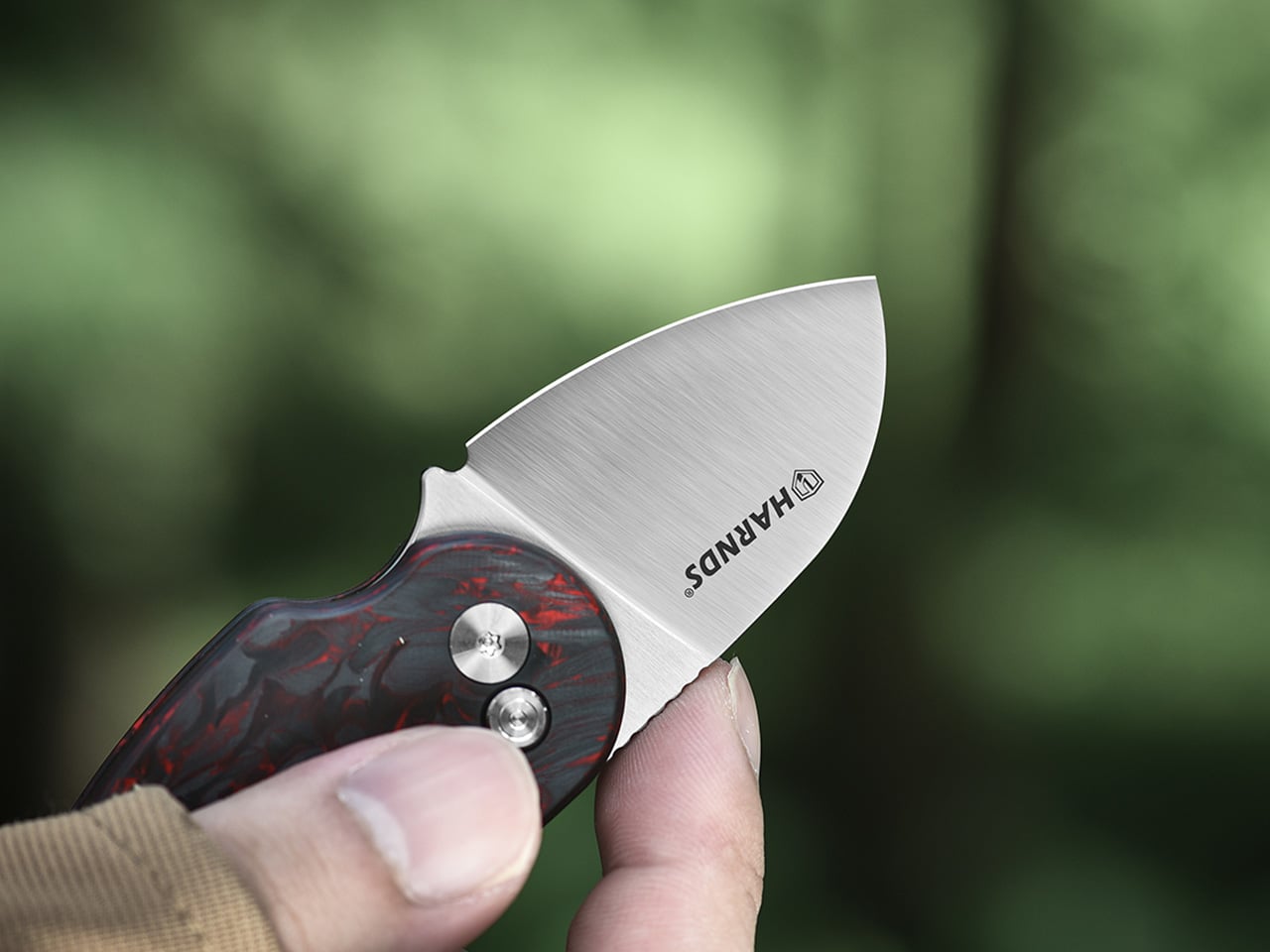
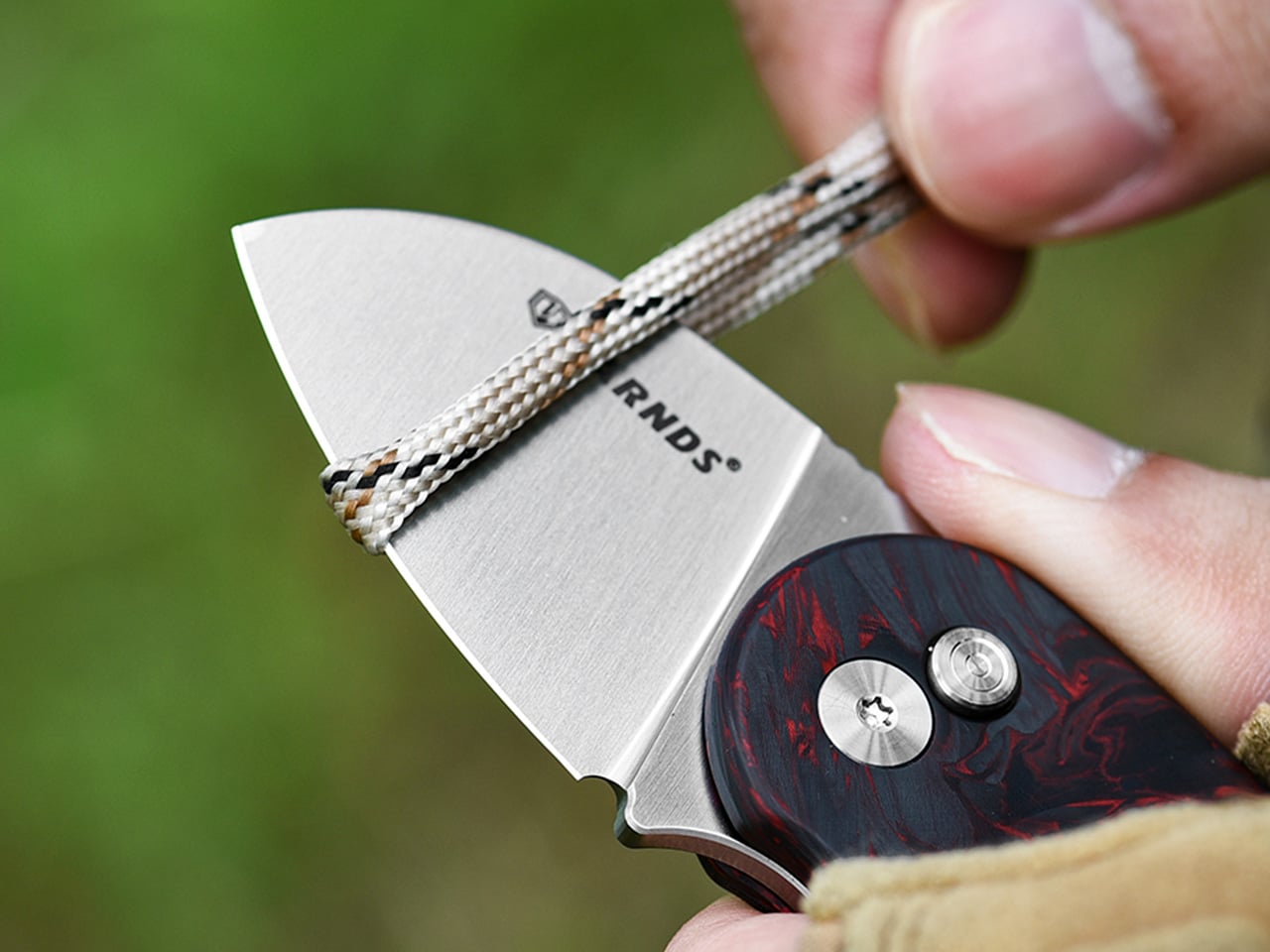
The Craftmaster EDC Utility Knife challenges everything you think you know about pocket tools. Its metallic body sits just 0.3 inches thick and stretches 4.72 inches long, creating a profile slim enough to disappear into any pocket while maintaining the heft that signals quality. The rotating knob deployment system feels tactile and deliberate, engaging an OLFA blade through a mechanism that rewards precision over speed. This isn’t a tool that screams for attention—it earns respect through its restraint, proving that powerful utility doesn’t require bulk or bravado.

The magnetic back serves dual purposes with characteristic Japanese efficiency. It transforms any metal surface into a storage solution, keeping the knife accessible without adding clutter to your workspace. The companion metal scale docks seamlessly to this magnetic base, featuring raised edges that make retrieval from flat surfaces effortless. Both metric and imperial markings ensure universal utility, while the integrated blade-breaker lets you snap off dulled edges without additional tools. The 15-degree curvature protects fingers during operation, and the 45-degree inclination angle makes box-opening safer. Every detail reflects the principle that good design removes friction between intention and action.

Click Here to Buy Now: $79.00

What we like

  • OLFA blade replacement system extends the tool’s functional lifetime indefinitely.
  • Magnetic docking transforms unused metal surfaces into organized storage.
  • The dual-scale ruler eliminates the need for separate measuring tools.
  • 8mm thickness allows the knife to live comfortably in any pocket.

What we dislike

  • The metal construction adds weight compared to plastic alternatives.
  • Blade snapping requires the companion ruler for optimal safety.

2. 8-in-1 EDC Scissors

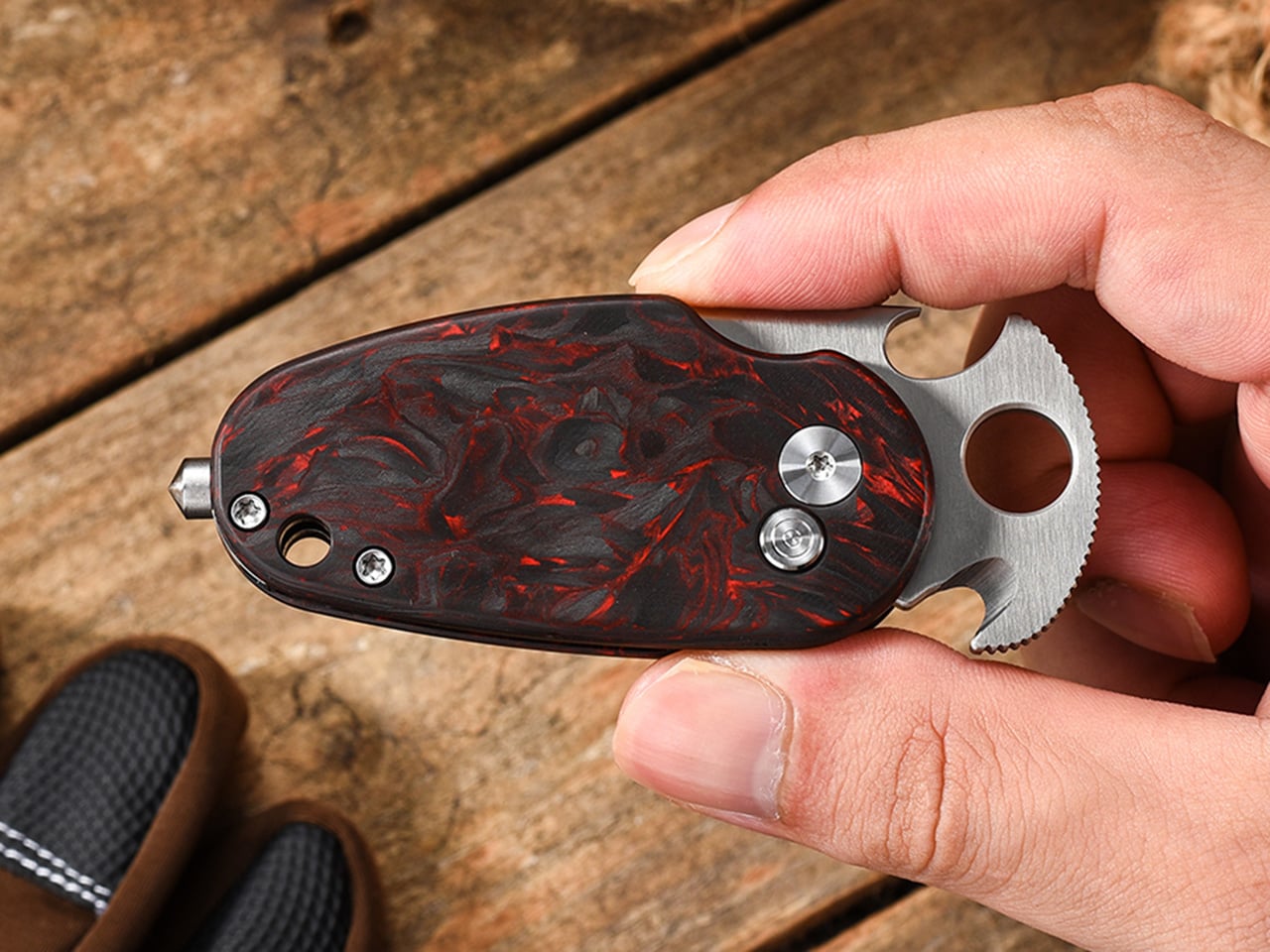
Conventional wisdom says versatile tools sacrifice quality for quantity. These scissors prove that assumption wrong. The 13-centimeter design fits completely within your palm, creating a tool that travels anywhere without announcing its presence. Eight distinct functions emerge from a single elegant form: scissors, knife, lid opener, can opener, cap opener, bottle opener, shell splitter, and degasser. The oxidation film coating doesn’t just prevent rust—it creates a matte black finish that elevates the tool from utility to aesthetic choice.

The genius lies in how each function integrates without compromising the others. The scissor blades maintain their sharpness because they’re not forced into awkward multi-tool compromises. The bottle opener achieves proper leverage despite the compact form factor. The can opener actually works smoothly instead of becoming an emergency-only frustration. This integration happens because the design started with minimalism as the foundation rather than cramming features into an existing form. The result feels purposeful rather than accidental, proving that constraint breeds creativity when handled with skill and intention.

Click Here to Buy Now: $59.00

What we like

  • Eight genuinely useful functions integrated without bulk or complexity.
  • Oxidation film coating provides both protection and sophisticated aesthetics.
  • Palm-sized dimensions make it genuinely pocketable for daily carry.
  • Each function maintains full effectiveness despite the compact form.

What we dislike

  • The black finish may show wear over time with heavy use.
  • Small size might feel less substantial in larger hands.

3. Rodent Bottle Opener

Kairi Eguchi’s Rodent bottle opener for WELD DESIGN STORE asks a radical question: what happens when you remove everything except absolute necessity? The answer arrives as a simple oval steel pipe, processed only at the section required for uncorking. Advanced 3D pipe laser technology creates the functional opening while leaving the rest of the material untouched, preserving the raw character of freshly cut metal. This approach produces an object that feels honest in a world drowning in overdesign, where the material itself becomes the primary aesthetic element.

The philosophy extends beyond mere appearance into something more profound about how we interact with objects. Using the Rodent requires engaging with the pipe’s industrial nature—there’s no rubber grip, no decorative flourishes to mediate the experience. The cold steel against your palm, the weight that comes from solid construction, the tactile feedback of metal against metal—these sensations connect you directly to the act of opening a bottle. This directness might seem harsh at first, but it creates a relationship with the tool that feels more genuine than cushioned alternatives. The opener becomes a small reminder that sometimes the best design simply reveals material truth.

What we like

  • Single-material construction eliminates weak points and potential failures.
  • Untouched pipe sections preserve the authentic character of industrial steel.
  • Minimal processing reduces manufacturing complexity and environmental impact.
  • The design achieves complete functionality without any superfluous elements.

What we dislike

  • The raw steel aesthetic may not suit every environment or preference.
  • Lack of grip coating means cold metal directly against the hand.

4. Painless Key Ring

Key rings have operated on the same principle for decades: a tightly wound coil that requires finger-destroying force to manipulate. The wave spring key ring borrows technology from aerospace equipment and automotive applications to solve this everyday frustration. The innovative coil design maintains tension without the aggressive grip that damages nails and deforms rings. Adding or removing keys becomes genuinely stress-free, transforming a minor annoyance into a smooth operation that respects both your time and your fingertips.

The engineering reveals itself through performance rather than appearance. The wave spring construction achieves superior durability while reducing weight compared to traditional rings. This means the device in your pocket becomes lighter even as it grows more robust—a combination that seems impossible until you understand how the spring geometry distributes stress. Available in silver and black finishes, the ring adapts to personal aesthetic preferences without adding bulk or complexity. The design proves that solving problems often requires looking beyond established solutions to principles from entirely different fields, importing expertise that transforms the familiar into something better.

Click Here to Buy Now: $29.00

What we like

  • The wave spring mechanism eliminates the fingernail damage of traditional key rings.
  • Aerospace-grade durability ensures the ring won’t deform or fail over time.
  • Lighter construction reduces pocket bulk without sacrificing strength.
  • Silver and black options provide aesthetic flexibility.

What we dislike

  • The unfamiliar mechanism may require a brief adjustment period.
  • Slightly higher cost reflects the advanced spring technology.

5. Compact Modular Grill Plate

Outdoor cooking equipment typically forces a choice: lightweight portability or effective heat distribution. The Compact Modular Grill Plate rejects this false dichotomy through intelligent material layering. The three-layer steel plate construction ensures uniform heat conduction across the entire surface, maintaining the even temperatures that separate mediocre cooking from exceptional results. The modular handle system adapts to different situations—stable bases, unstable campfires, or quick movements between heat sources. When finished, everything packs into a remarkably compact form that defies the plate’s cooking capabilities.

The versatility extends to heat source compatibility that borders on remarkable. Campfire coals, gas burners, and induction stoves all work equally well with the plate’s construction. This universality means the same tool serves backyard gatherings, backcountry adventures, and indoor cooking with identical effectiveness. The even heat distribution preserves moisture in proteins while achieving proper browning, delivering restaurant-quality results in settings where such outcomes typically seem impossible. Available in Basic and Special configurations, the system scales to different needs without abandoning the core principle: proper heat management makes better food, regardless of setting.

Click Here to Buy Now: $89.00

What we like

  • Three-layer steel construction distributes heat evenly for consistent cooking results.
  • The modular handle system adapts to campfires, gas burners, or induction stoves.
  • Compact collapsed form enables easy transport and storage.
  • Material quality delivers professional cooking performance in outdoor settings.

What we dislike

  • Steel construction adds weight compared to aluminum alternatives.
  • Initial investment exceeds disposable camping cookware options.

6. Slim Fold Dish Rack

The Slim Fold Dish Rack solves a problem so common we’ve stopped noticing it: permanent dish racks occupy valuable counter space even when empty. The patent-pending spring mechanism collapses the 14-inch rack down to 1.2 inches in one second, with deployment just as fast. This transformation happens smoothly enough to become genuinely practical rather than a clever trick you stop using after the novelty fades. The collapsed form actually fits in pockets, making it genuinely portable for camping trips, RVs, or anywhere space comes at a premium.

The minimalist structure provides ample ventilation while accommodating plates, utensils, and cookware of varying sizes. The design achieves this flexibility through strategic material placement rather than complex adjustments or attachments that add bulk and failure points. Cleaning becomes effortless—the rack is dishwasher-safe, removing the irony of hand-washing the thing meant to organize your dishwashing. The spring system maintains tension through repeated cycles without loosening or failing, proving that elegantly simple mechanical solutions often outlast their complicated electronic counterparts. Sometimes the best technology is just physics applied with precision and care.

Click Here to Buy Now: $89.00

What we like

  • Patent-pending spring system enables genuine one-second collapse and deployment.
  • Collapsed 1.2-inch profile fits in pockets for complete portability.
  • Dishwasher-safe construction eliminates cleaning friction.
  • Minimalist design provides proper ventilation for various dish sizes.

What we dislike

  • The spring mechanism requires periodic cleaning to maintain smooth operation.
  • Collapsed form may be too compact for users who prefer permanent setups.

7. Effortless Standing Letter Cutter

The Standing Letter Cutter transforms envelope opening from a mundane task into a moment of tactile satisfaction. Slide an envelope across the anodized aluminum bar and watch as it creates a clean incision along one side. The blade makes a surgical opening without generating paper scraps or mangled edges—just a smooth entry that preserves the envelope’s integrity. When not in use, the cutter serves as a paperweight or desk accent, demonstrating how functional objects can occupy space beautifully rather than apologetically.

The anodized aluminum construction achieves that rare balance between substance and refinement. The material feels substantial without being unnecessarily heavy, creating an object that announces quality through tactile experience rather than visual noise. The replaceable blade system extends the cutter’s lifetime indefinitely, embracing repair over replacement in a culture addicted to disposability. This serviceability reflects a deeper design philosophy: good tools should outlast their users, becoming heirlooms rather than landfill material. The simple act of opening mail becomes slightly more pleasurable, which might seem trivial until you realize how many small moments compose a life.

Click Here to Buy Now: $49.00

What we like

  • Anodized aluminum construction provides an elegant desk presence beyond pure utility.
  • Clean incision eliminates paper scraps and simplifies envelope opening.
  • Replaceable blade system extends product lifetime indefinitely.
  • Dual functionality as a paperweight maximizes usefulness per cubic inch.

What we dislike

  • The metal construction may scratch wooden or delicate desk surfaces.
  • Replacement blades require sourcing from the manufacturer.

Why Less Becomes More

These seven tools share a common thread that extends beyond Japanese origin or minimalist aesthetics. Each design starts by questioning assumptions about how objects should look and function. The Craftmaster knife asks why utility tools need bulky handles when slim metal suffices. The palm scissors challenge the notion that versatility requires size. The Rodent opener wonders whether bottle openers need any processing beyond what’s functionally necessary. These aren’t rhetorical questions—they’re design principles that produce tangible results. The tools work better precisely because they attempt less, focusing energy on core functions rather than dissipating effort across unnecessary features.

This approach resonates because it addresses a deeper cultural fatigue with overcomplicating everything. We’re surrounded by objects that try too hard, products that add features to justify price points rather than solve actual problems. Japanese minimalism offers an antidote: tools that respect your intelligence by trusting you don’t need hand-holding or distraction. They accomplish their purposes cleanly, then get out of the way. That restraint becomes its own form of luxury—the space to think, act, and exist without constant negotiation with poorly designed objects. In choosing tools that do more with less, you’re not just simplifying your carry or kitchen. You’re reclaiming mental space from the clutter of modern life, one thoughtfully designed object at a time.

The post Japanese Minimalism: 7 Tools That Do More With Less first appeared on Yanko Design.
Snake-Shaped Razer Boomslang Mouse Returns 20 Years Later With 45K DPI

At the end of the 1990s, when most PC mice were beige, ball-based, and capped at a few hundred DPI, the original Razer Boomslang showed up with a weird snake-head shape and a 2,000-DPI mechanical sensor. Razer now calls it the world’s first gaming mouse, and whether or not you want to argue that title, it definitely helped turn the mouse from a beige accessory into a performance peripheral that people obsessed over.

The Boomslang 20th Anniversary Edition is Razer’s way of revisiting that moment with twenty years of hindsight. It is a one-time release limited to 1,337 units worldwide, each uniquely serialized, with the #1337 unit reserved as a “leet” nod for one lucky fan. It is aimed squarely at people who either owned the original or wished they had, but it is also a fully modern mouse that can live on a current desk without feeling like a prop.

Designer: Razer

On the outside, the new Boomslang keeps the iconic snake-head outline and true ambidextrous form, preserving the low, wide body that made the original stand out. The translucent shell and underglow are deliberate echoes of that first model, but the lighting is now a nine-zone Razer Chroma RGB system that can be tuned in Synapse. The idea is that, at a glance, it still reads as a Boomslang first, and as a spec sheet second.

Inside, everything is from 2025. The Razer Focus Pro 45K optical sensor offers up to 45,000 DPI with 99.8 percent resolution accuracy, a ridiculous number compared to the original’s 2,000-DPI ball. HyperPolling Wireless pushes the polling rate up to 8,000 Hz, which means the mouse can report its position to the PC eight thousand times per second. Gen-4 optical switches handle primary clicks with a 100-million-click lifespan and no debounce delay.

Charging and connectivity also get a full reboot. The mouse is fully wireless and ships with a Razer Mouse Dock Pro that acts as both a magnetic charging base and a dedicated wireless receiver. Drop the Boomslang on the dock, and it starts charging automatically, while the dock handles HyperPolling Wireless up to 8,000 Hz over a single USB cable. It is a neat contrast to the wired-only original that helped define the gaming-mouse category.

Material and feel have been nudged into more premium territory. The primary buttons are wrapped in PU leather for extra grip and a more tactile press, which is a small but noticeable change if you are used to hard plastic shells. Underneath, nine zones of Chroma underglow can be customized with 16.8 million colors and effects, and eight programmable controls can be mapped to macros and profiles in Synapse.

The Boomslang 20th Anniversary Edition is a reminder that the idea of a gaming mouse had to be invented once, by a translucent, snake-shaped oddball that rolled a ball at 2,000 DPI. This remake uses that nostalgia to show how far sensors, switches, and wireless tech have come. For anyone who grew up on early Razer gear, it is a small, serialized time machine that also happens to be a high-end mouse in 2025.

The post Snake-Shaped Razer Boomslang Mouse Returns 20 Years Later With 45K DPI first appeared on Yanko Design.

AYANEO Pocket PLAY Brings Back the Slider Phone, Now With D-Pad

AYANEO is known for gaming handheld devices that run Windows and, sometimes, Android, but not phones. Most gaming phones still feel like regular slabs with RGB lights and higher refresh rates, treating games as an app category instead of the reason the device exists. Pocket PLAY is AYANEO’s first smartphone, and they are not shy about calling it “more than a phone,” framing it as a handheld console that happens to live on a SIM card instead of a desktop operating system.

AYANEO calls it “the ultimate fusion of mobile phone and gaming handheld,” built “in the name of games, made for the dreams of gamers.” The minimalist front follows golden-ratio proportions and AYANEO’s “handheld artistry” philosophy, looking like a clean black slab until you slide it open and the real personality appears. The idea is that it should not shout gamer aesthetic when you are checking email, only when you want to play.

Designer: AYANEO

The classic side-slide mechanism is a light push that reveals a full controller under the screen. Anyone who remembers Sony’s Xperia Play will feel a flicker of déjà vu, another Android phone that hid a gamepad under a slider. The difference is that Pocket PLAY arrives in a world where handheld gaming and emulation are mainstream, and AYANEO has spent years building hardware for that exact crowd, not for casual mobile gamers who might try it once.

Pocket PLAY reinterprets a standard gamepad layout in a compact way, with a D-pad, ABXY buttons, and shoulder controls tuned for the sliding mechanism. AYANEO promises crisp, light presses and fast response, and a grip shaped so your fingers land where you expect. The idea is that you slide, and you are instantly in handheld mode, no adaptation period or clip-on accessories. The D-pad and buttons are meant to bring back the pure, satisfying feel of classic handheld gaming.

The dual intelligent touchpads sit where analog sticks might go, and they can map virtual joysticks, act as traditional touch surfaces, or trigger custom input combinations. That opens up camera control, mouse-like input for streaming PC games, or macro shortcuts for complex titles. The positioning is ergonomic, and the goal is to make every swipe and tap feel natural, closing the gap between a dedicated handheld and a phone that also runs Genshin Impact or emulators.

AYANEO leans into “cyber-romanticism” language, calling handhelds a culture and a shared emotional language among players. Pocket PLAY is pitched as a tribute to classic designs and an exploration of how handheld spirit can extend to a new medium. It is meant to feel like a daily-carry extension of the devices people already use for emulation and retro gaming, not a generic Android gaming phone with triggers and marketing.

Xperia Play hinted at this form factor years ago, but the ecosystem and audience were not ready. Pocket PLAY picks up that thread with modern hardware, a serious controller, and a brand that already lives in handheld culture. For players who want a phone that slides into a console instead of just another slab with shoulder buttons, it feels like a very specific dream finally getting another shot, this time built by people who actually understand why sliders and D-pads still matter.

The post AYANEO Pocket PLAY Brings Back the Slider Phone, Now With D-Pad first appeared on Yanko Design.

AYANEO Pocket PLAY Brings Back the Slider Phone, Now With D-Pad

AYANEO is known for gaming handheld devices that run Windows and, sometimes, Android, but not phones. Most gaming phones still feel like regular slabs with RGB lights and higher refresh rates, treating games as an app category instead of the reason the device exists. Pocket PLAY is AYANEO’s first smartphone, and they are not shy about calling it “more than a phone,” framing it as a handheld console that happens to live on a SIM card instead of a desktop operating system.

AYANEO calls it “the ultimate fusion of mobile phone and gaming handheld,” built “in the name of games, made for the dreams of gamers.” The minimalist front follows golden-ratio proportions and AYANEO’s “handheld artistry” philosophy, looking like a clean black slab until you slide it open and the real personality appears. The idea is that it should not shout gamer aesthetic when you are checking email, only when you want to play.

Designer: AYANEO

The classic side-slide mechanism is a light push that reveals a full controller under the screen. Anyone who remembers Sony’s Xperia Play will feel a flicker of déjà vu, another Android phone that hid a gamepad under a slider. The difference is that Pocket PLAY arrives in a world where handheld gaming and emulation are mainstream, and AYANEO has spent years building hardware for that exact crowd, not for casual mobile gamers who might try it once.

Pocket PLAY reinterprets a standard gamepad layout in a compact way, with a D-pad, ABXY buttons, and shoulder controls tuned for the sliding mechanism. AYANEO promises crisp, light presses and fast response, and a grip shaped so your fingers land where you expect. The idea is that you slide, and you are instantly in handheld mode, no adaptation period or clip-on accessories. The D-pad and buttons are meant to bring back the pure, satisfying feel of classic handheld gaming.

The dual intelligent touchpads sit where analog sticks might go, and they can map virtual joysticks, act as traditional touch surfaces, or trigger custom input combinations. That opens up camera control, mouse-like input for streaming PC games, or macro shortcuts for complex titles. The positioning is ergonomic, and the goal is to make every swipe and tap feel natural, closing the gap between a dedicated handheld and a phone that also runs Genshin Impact or emulators.

AYANEO leans into “cyber-romanticism” language, calling handhelds a culture and a shared emotional language among players. Pocket PLAY is pitched as a tribute to classic designs and an exploration of how handheld spirit can extend to a new medium. It is meant to feel like a daily-carry extension of the devices people already use for emulation and retro gaming, not a generic Android gaming phone with triggers and marketing.

Xperia Play hinted at this form factor years ago, but the ecosystem and audience were not ready. Pocket PLAY picks up that thread with modern hardware, a serious controller, and a brand that already lives in handheld culture. For players who want a phone that slides into a console instead of just another slab with shoulder buttons, it feels like a very specific dream finally getting another shot, this time built by people who actually understand why sliders and D-pads still matter.

The post AYANEO Pocket PLAY Brings Back the Slider Phone, Now With D-Pad first appeared on Yanko Design.
AYANEO Pocket PLAY Brings Back the Slider Phone, Now With D-Pad

AYANEO is known for gaming handheld devices that run Windows and, sometimes, Android, but not phones. Most gaming phones still feel like regular slabs with RGB lights and higher refresh rates, treating games as an app category instead of the reason the device exists. Pocket PLAY is AYANEO’s first smartphone, and they are not shy about calling it “more than a phone,” framing it as a handheld console that happens to live on a SIM card instead of a desktop operating system.

AYANEO calls it “the ultimate fusion of mobile phone and gaming handheld,” built “in the name of games, made for the dreams of gamers.” The minimalist front follows golden-ratio proportions and AYANEO’s “handheld artistry” philosophy, looking like a clean black slab until you slide it open and the real personality appears. The idea is that it should not shout gamer aesthetic when you are checking email, only when you want to play.

Designer: AYANEO

The classic side-slide mechanism is a light push that reveals a full controller under the screen. Anyone who remembers Sony’s Xperia Play will feel a flicker of déjà vu, another Android phone that hid a gamepad under a slider. The difference is that Pocket PLAY arrives in a world where handheld gaming and emulation are mainstream, and AYANEO has spent years building hardware for that exact crowd, not for casual mobile gamers who might try it once.

Pocket PLAY reinterprets a standard gamepad layout in a compact way, with a D-pad, ABXY buttons, and shoulder controls tuned for the sliding mechanism. AYANEO promises crisp, light presses and fast response, and a grip shaped so your fingers land where you expect. The idea is that you slide, and you are instantly in handheld mode, no adaptation period or clip-on accessories. The D-pad and buttons are meant to bring back the pure, satisfying feel of classic handheld gaming.

The dual intelligent touchpads sit where analog sticks might go, and they can map virtual joysticks, act as traditional touch surfaces, or trigger custom input combinations. That opens up camera control, mouse-like input for streaming PC games, or macro shortcuts for complex titles. The positioning is ergonomic, and the goal is to make every swipe and tap feel natural, closing the gap between a dedicated handheld and a phone that also runs Genshin Impact or emulators.

AYANEO leans into “cyber-romanticism” language, calling handhelds a culture and a shared emotional language among players. Pocket PLAY is pitched as a tribute to classic designs and an exploration of how handheld spirit can extend to a new medium. It is meant to feel like a daily-carry extension of the devices people already use for emulation and retro gaming, not a generic Android gaming phone with triggers and marketing.

Xperia Play hinted at this form factor years ago, but the ecosystem and audience were not ready. Pocket PLAY picks up that thread with modern hardware, a serious controller, and a brand that already lives in handheld culture. For players who want a phone that slides into a console instead of just another slab with shoulder buttons, it feels like a very specific dream finally getting another shot, this time built by people who actually understand why sliders and D-pads still matter.

The post AYANEO Pocket PLAY Brings Back the Slider Phone, Now With D-Pad first appeared on Yanko Design.

Blueair Mini Restful(™) Sunrise Clock Air Purifier Review: The Only Air Purifier with a Sunrise Alarm Clock

PROS:


  • Soft, bedroom-friendly aesthetics

  • Multi-function bedside consolidation, including USB-C charger

  • Circadian-friendly lighting system

  • QuietMark certified for sleep

  • Simple maintenance with long filter life

CONS:


  • Single color temperature range might not fit some preferences

  • Premium price for small coverage area

RATINGS:

AESTHETICS
ERGONOMICS
PERFORMANCE
SUSTAINABILITY / REPAIRABILITY
VALUE FOR MONEY

EDITOR'S QUOTE:

The Blueair Mini Restful Sunrise Clock Air Purifier quietly merges clean air with gentle dawn into one compact, sleep-focused design object.
award-icon

Nightstands have quietly become cluttered charging stations over the past decade, with phones serving as alarms, small purifiers humming in corners, and separate wake-up lights trying to undo the damage of jarring ringtones at six in the morning. Sleep has turned into a wellness habit people track and optimize, but the tools meant to support it often feel scattered and visually chaotic.

The Blueair Mini Restful(™) Sunrise Clock Air Purifier is a compact attempt to pull some of those tools into one object. It is a small bedside cylinder that cleans the air, glows like a sunrise to wake you gently, plays soft sounds, shows the time, and charges your phone, all while looking more like a design piece than some cold, drab piece of appliance. But does this striking appliance work as advertised? We put it beside our comfy bed to find out.

Designer: Blueair x Samuel Thoumieux

Click Here to Buy Now: $150 $199.99 (25% off, use coupon code “SAVE25”). Hurry, deal ends in 48-hours!

Aesthetics

The Mini Restful is a short cylinder about eleven inches tall, wrapped in premium fabric with a smooth top disc. It looks closer to a smart speaker or a small bedside lamp than a traditional purifier, which makes it feel natural sitting on a nightstand. The proportions are deliberately compact and soft, with rounded edges and no visible vents.

Two color options are available: Coastal Beige and Midnight Blue. Coastal Beige has a light oatmeal fabric with a warm off white top, which reads well in rooms with light wood furniture and neutral bedding. Midnight Blue uses a deep navy fabric, making it comfortable in darker, moodier bedrooms with richer tones.

The top surface is where the aesthetic gets interesting. A circular user interface houses a dot matrix clock and touch controls, surrounded by a ring that glows when the wake-up light or mood lighting is active. When the sunrise alarm is running, the top looks like a tiny dawn, casting a warm halo onto the bedside table and wall.

It is much more pleasant than the blinking LEDs most appliances default to, and it doubles the device’s role as both a functional purifier and a kind of ambient light. The glow feels intentional, like a small lamp designed to support sleep rather than disrupt it, which is a significant shift from typical purifier status lights.

The fabric wrap is a key design choice. It softens the entire object and makes it read as part of the room’s soft furnishings rather than a hard plastic box. The textile has a fine woven texture that feels closer to upholstery than speaker mesh, and it helps the Mini Restful blend into spaces where you want calm rather than tech on display. The overall look avoids the glossy plastics and aggressive styling that make a lot of gadgets feel cheap or temporary.

Ergonomics

At around two and a half pounds out of the box, the Mini Restful is genuinely portable. You can pick it up with one hand and move it between rooms or reposition it without any strain. The small footprint, roughly six and a half inches in diameter, means it takes up about as much space as a medium-sized speaker or a chunky candle.
The cylindrical shape means you can place it close to the bed without worrying about sharp corners poking you if you brush against it in the dark. The air intake and outlet are all around the body, so it does not need a lot of clearance to work effectively, which is helpful in tight bedrooms or smaller apartments where every inch of surface area counts.

The top controls and clock are designed for quick, low-effort interaction. The dot matrix display is readable without being glaring, and the surrounding touch icons handle basic tasks like setting alarms, adjusting light brightness, and likely fan speed. You can do the essentials without grabbing your phone, which is helpful if you are trying to reduce screen time before bed.

Filter access is straightforward. The fabric sleeve slips off, and the inner filter is a wraparound design with a simple closure, so replacing it does not require tools or wrestling with complicated cartridges. This kind of maintenance design makes it more likely that people will actually change the filter when it is due rather than giving up and buying a new device.

Performance

Inside the cylinder is a HEPASilent filter system that pulls in air from around the base, traps fine particles like dust, pollen, and smoke, and pushes cleaner air back out. The filtration is sized for small spaces, specifically bedrooms up to around one hundred forty square feet, which aligns with typical master bedrooms or nurseries. It is meant to clean the zone where you actually sleep.

The idea of a fresh air dome around the bed is central to how Blueair frames this product. Placing the Mini Restful on a nightstand or dresser top helps keep the immediate breathing zone cleaner, which can be especially helpful for people who deal with nighttime congestion, seasonal allergies, or asthma. The device cycles the air in a small bedroom multiple times per hour.

Noise performance is critical for a sleep device, and the Mini Restful is designed to be quiet. On its lowest settings, it is softer than most fans, more like a gentle whoosh than a mechanical hum. Higher speeds are audibly stronger when the device is working harder to clear the air, but the ability to drop back into whisper-quiet operation at night keeps it compatible with light sleepers.

The QuietMark certification adds third-party validation that the noise level is genuinely sleep-friendly, tested and approved by independent acoustic consultants. This matters because many purifiers claim to be quiet but still produce enough mechanical sound to disturb rest, while the Mini Restful can fade into the background entirely on low settings.

The wake-up light is where the Mini Restful starts to feel different from a standard purifier. You can set a time in the Blueair app, and then, in the fifteen to thirty minutes leading up to that time, the top light slowly brightens from a very dim glow to a warm, room-filling light. The color temperature stays in the warm range, mimicking the quality of a natural sunrise.

This gradual brightening is designed to help your body wake up more naturally than a sudden alarm. The light acts as a cue that morning is approaching, which can make the transition from sleep to wakefulness feel gentler and less abrupt, especially during darker winter months when natural light comes late or not at all.

If you want more than light, you can add sound. The app includes a library of gentle wake-up tones and nature sounds, and you can choose one to start playing after the light has reached full brightness. The combination of light and sound is meant to guide you from deep sleep to wakefulness in a calmer way than a phone alarm blaring suddenly at full volume.

The same light that wakes you up can also help you wind down. In the evening, you can set the top to a very low amber glow as a night light or turn it up to a comfortable reading level, all in warm color temperatures that are gentler on melatonin production than bright white overhead lights or blue light-heavy phone screens.

The ability to adjust brightness on the device or in the app means it can match different routines, whether you are reading before bed or just want a soft ambient glow while you settle in. This dual role, supporting both wind down and wake up, makes the light feel integrated into the full sleep cycle rather than just a morning feature.

The Blueair app lets you fine-tune alarm times, choose how long the sunrise light takes to reach full brightness, select wake-up sounds, and create schedules so the device behaves differently on weekdays and weekends. The app also shows air quality and lets you adjust fan speed remotely, though most people will set a preference once. For people who like to see what is happening, the data is there, but the device does not force you into constant app interaction.

The integrated USB-C charging port on the back is a small but practical touch. It lets you plug in a phone or wearable directly into the Mini Restful, reducing the number of separate chargers and cables cluttering the nightstand. For people who currently use their phone as an alarm, this makes it easier to transition to the Mini Restful without losing charging convenience.

Sustainability

The Mini Restful uses a filter designed to last many months before needing replacement, which reduces how often you need to buy and discard new filters compared to some smaller purifiers with shorter lifecycles. The wraparound filter design with simple closure encourages full use of the filter’s lifespan and makes replacement straightforward, supporting longer ownership.

The device is relatively low power and Energy Star certified, which matters for something that might run many hours every day. At its lowest settings, the energy draw is modest, and even at higher speeds, it stays well within the range of efficient bedside appliances. Blueair, as a brand, positions itself with higher environmental standards as a Certified B Corp.

Value

The Mini Restful costs more than a basic purifier or a simple alarm clock. But that price starts to make sense when you consider the roles it plays at once: purifier, sunrise light, sound machine, clock, and phone charger, all in a single compact object designed for the nightstand. If you were to buy those devices separately, you would likely spend a similar amount while ending up with more clutter. The Mini Restful consolidates that into one cylinder that is easy to set up, easy to maintain, and designed to look intentional rather than accidental.

Space and visual calm are real forms of value, especially in small bedrooms or apartments where every object on a nightstand matters. Having one well-designed cylinder instead of multiple mismatched gadgets reduces the sense of clutter and makes the room feel more deliberate. For design-conscious consumers, that reduction in visual noise is worth something tangible, not just aesthetic preference alone.

The sleep focus is also part of the value story. For people who are already treating sleep as a wellness habit, investing in better mattresses, bedding, or blackout curtains, and adding a device that supports circadian rhythms and keeps the breathing zone cleaner is a logical next step. The fact that it is optimized for bedrooms makes it feel like a targeted tool.

The Mini Restful makes the most sense for people who care about both design and sleep quality, who want their nightstand to feel calm rather than cluttered, and who appreciate when technology quietly supports routines instead of dominating them. For users trying to break phone dependence at bedtime, or parents setting up nurseries, or anyone in a small space, it fits naturally.

Verdict

The Blueair Mini Restful Sunrise Clock Air Purifier is a compact, carefully designed object that manages to be a purifier, a sunrise light, a sound machine, and a clock without looking or feeling like four gadgets taped together. It blends into bedrooms with the kind of visual ease that makes you forget it is technology, and the combination of quiet air cleaning, warm light, and gentle sounds makes it feel integrated into sleep rituals.

As sleep continues to be treated as a key part of wellness, devices that treat air, light, and sound as one integrated experience will likely become more common. For homeowners who want their bedroom tech to be as considered as their furniture and as gentle as their nighttime routine, the Mini Restful feels like a thoughtful step in that direction, turning the nightstand into a quieter, calmer place where everything works together.

Click Here to Buy Now: $150 $199.99 (25% off, use coupon code “SAVE25”). Hurry, deal ends in 48-hours!

The post Blueair Mini Restful(™) Sunrise Clock Air Purifier Review: The Only Air Purifier with a Sunrise Alarm Clock first appeared on Yanko Design.