Smartphone Accessories That Bring Back Some Tangibility Into Our Digital Lives

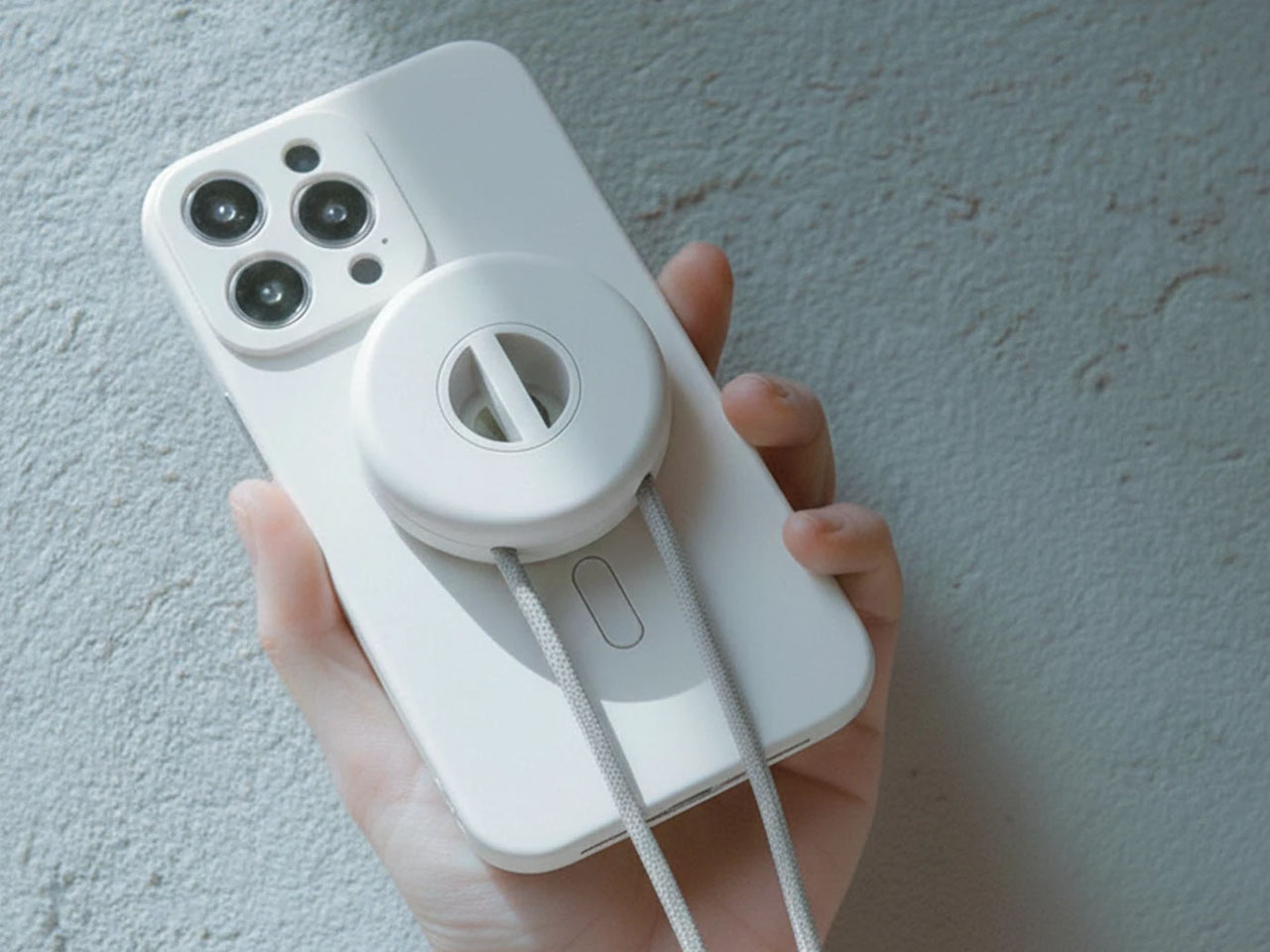
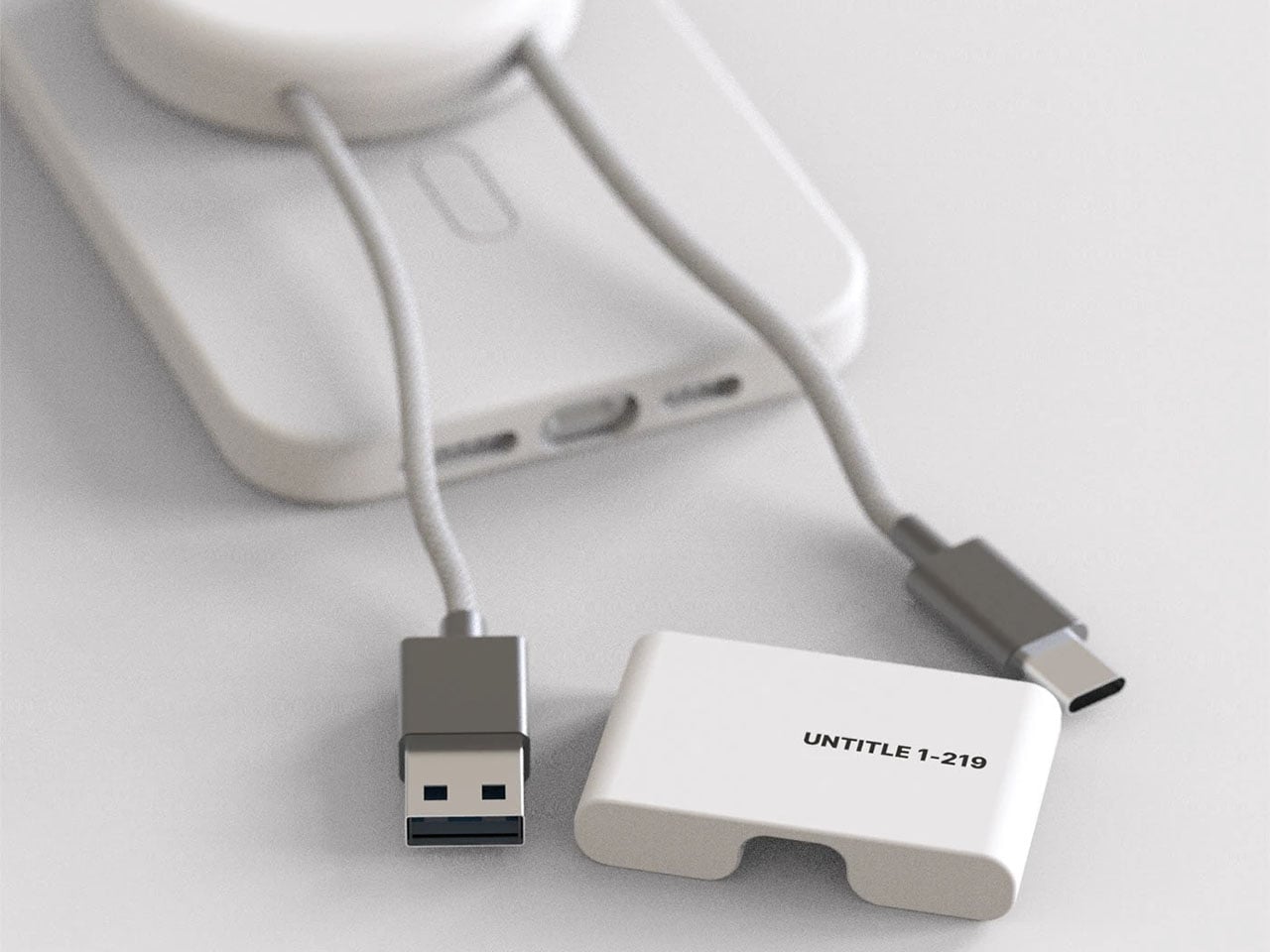
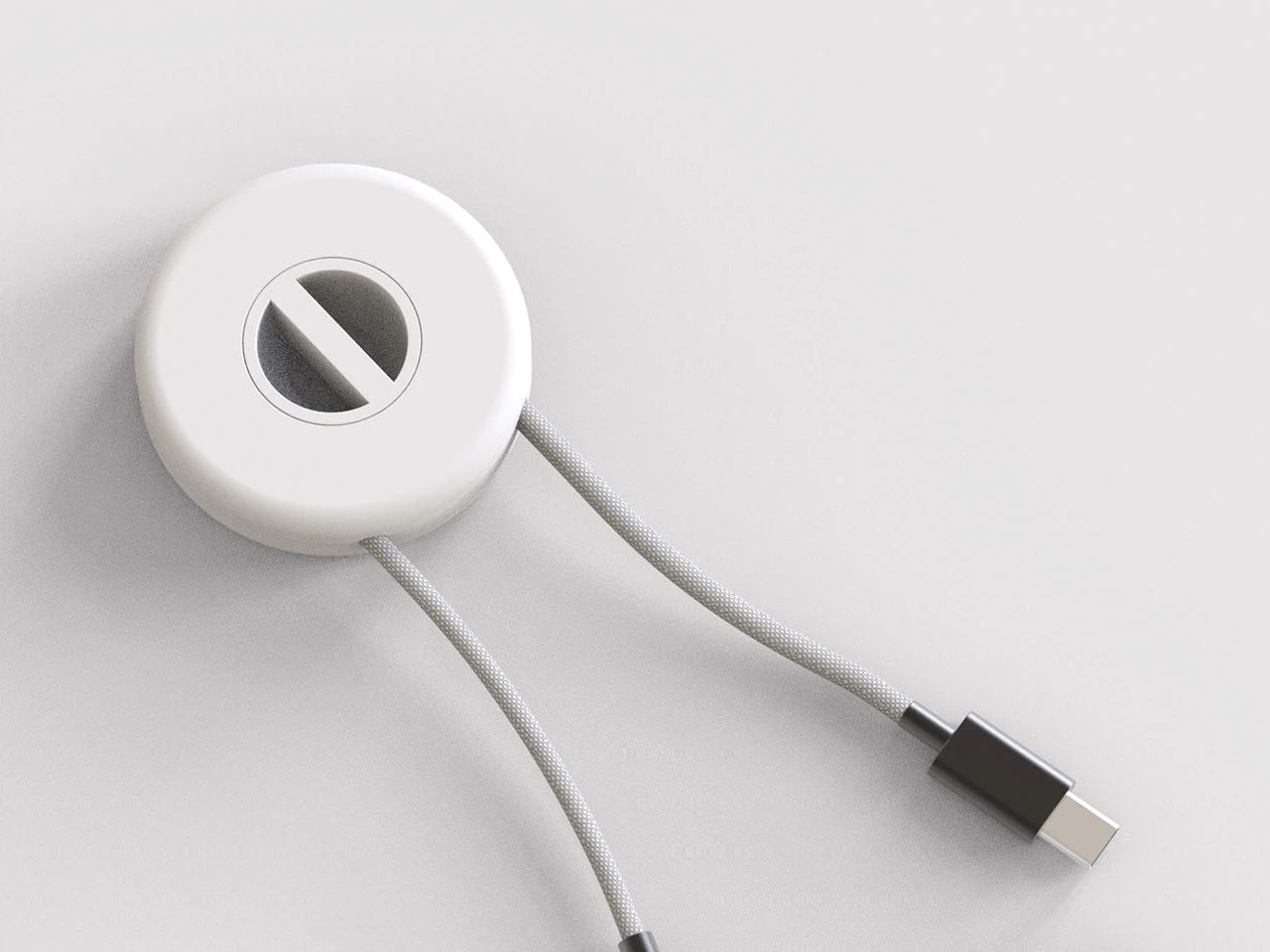
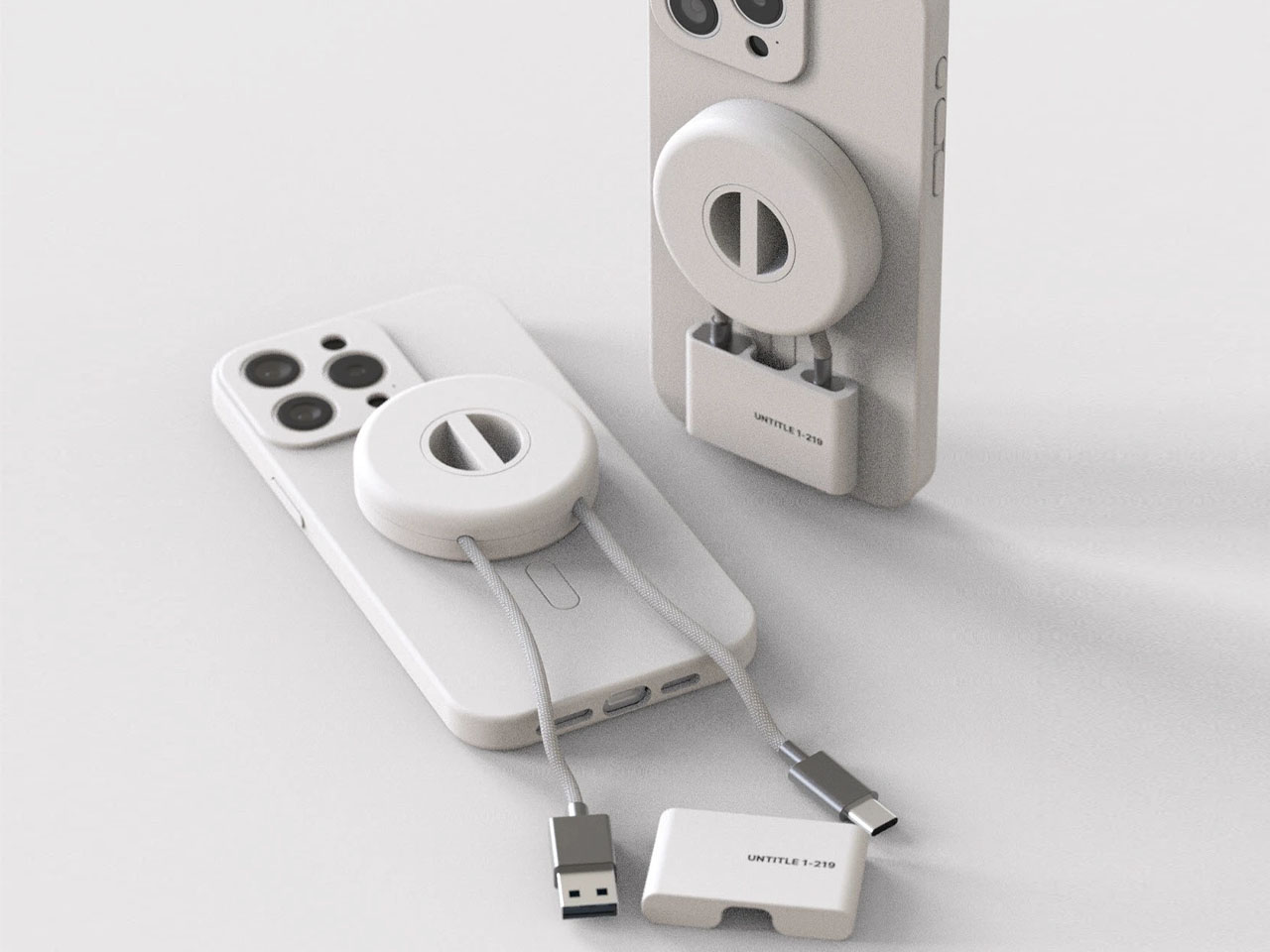
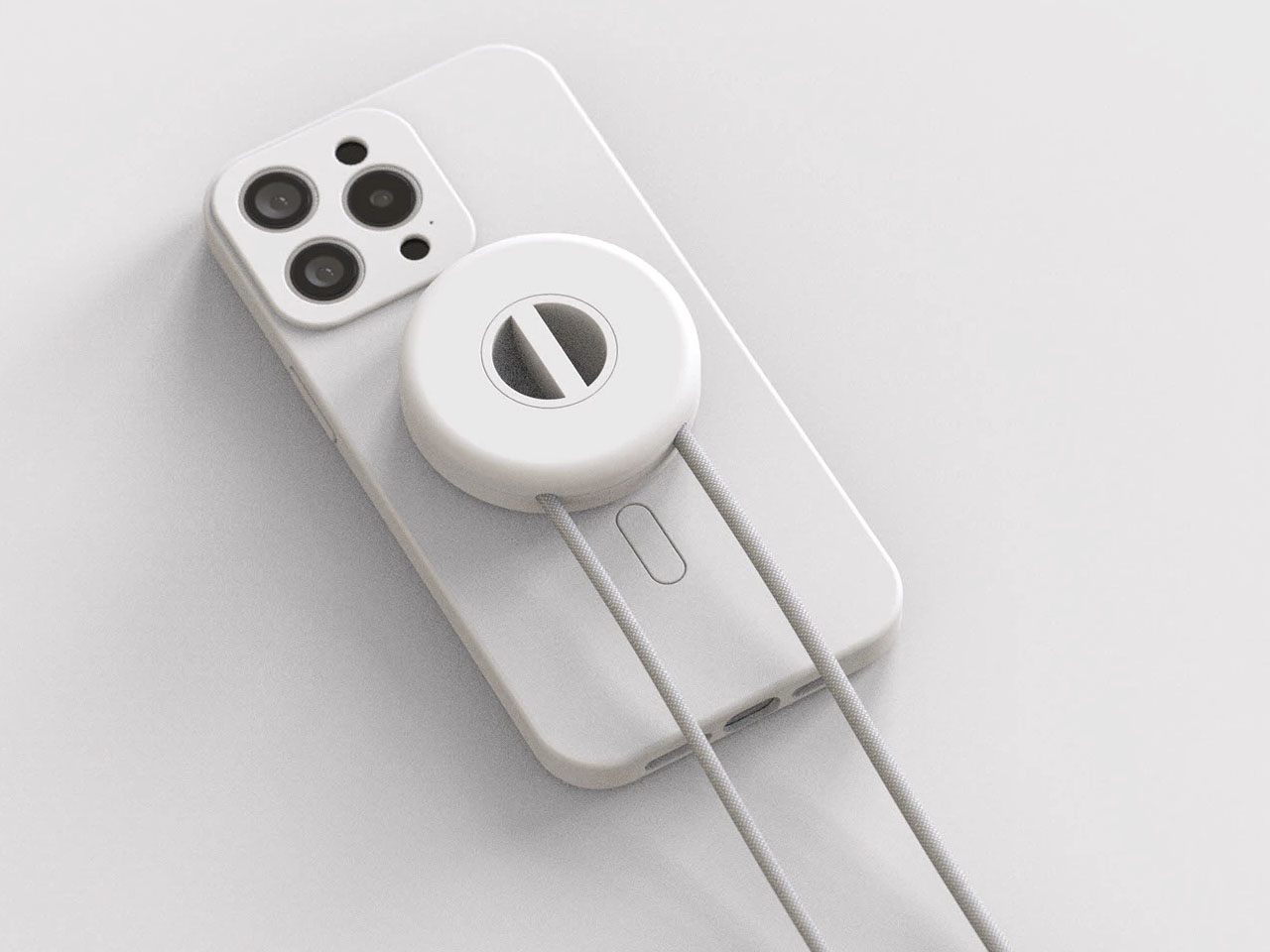
Living in a world full of smartphones and digital everything, the PUI (Physical User Interface) series steps in to make our tech experiences more hands-on. Amid touchscreens and high-tech gadgets, PUI wants to remind us of the good old days when we could touch and feel things. This series of smartphone accessories, seamlessly connected via Bluetooth, redefines the way we interact with our devices, encouraging users to reconnect with the physical world.

Designers: Taeyang KimYujeong Shin, and JiHoon Park

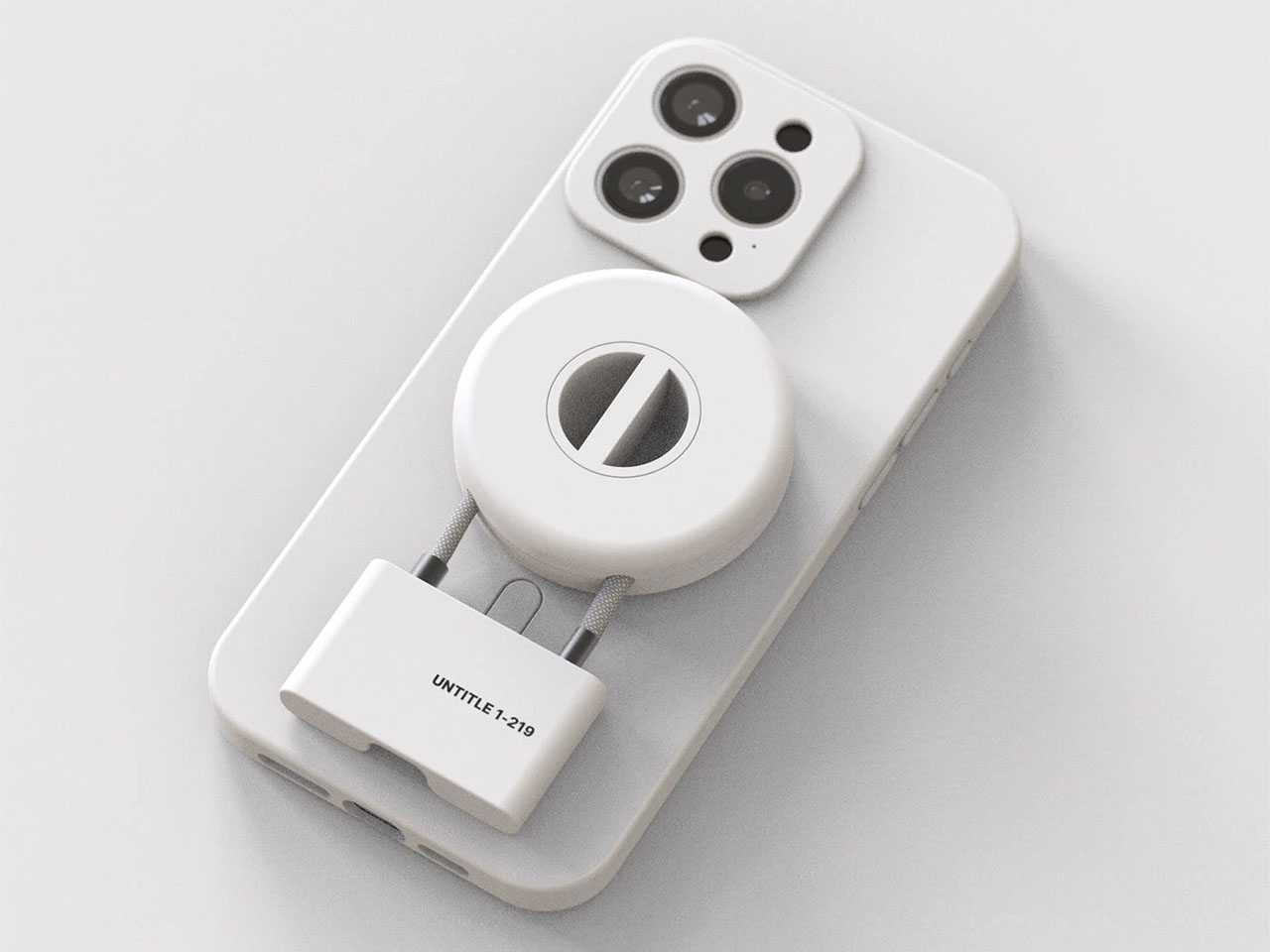
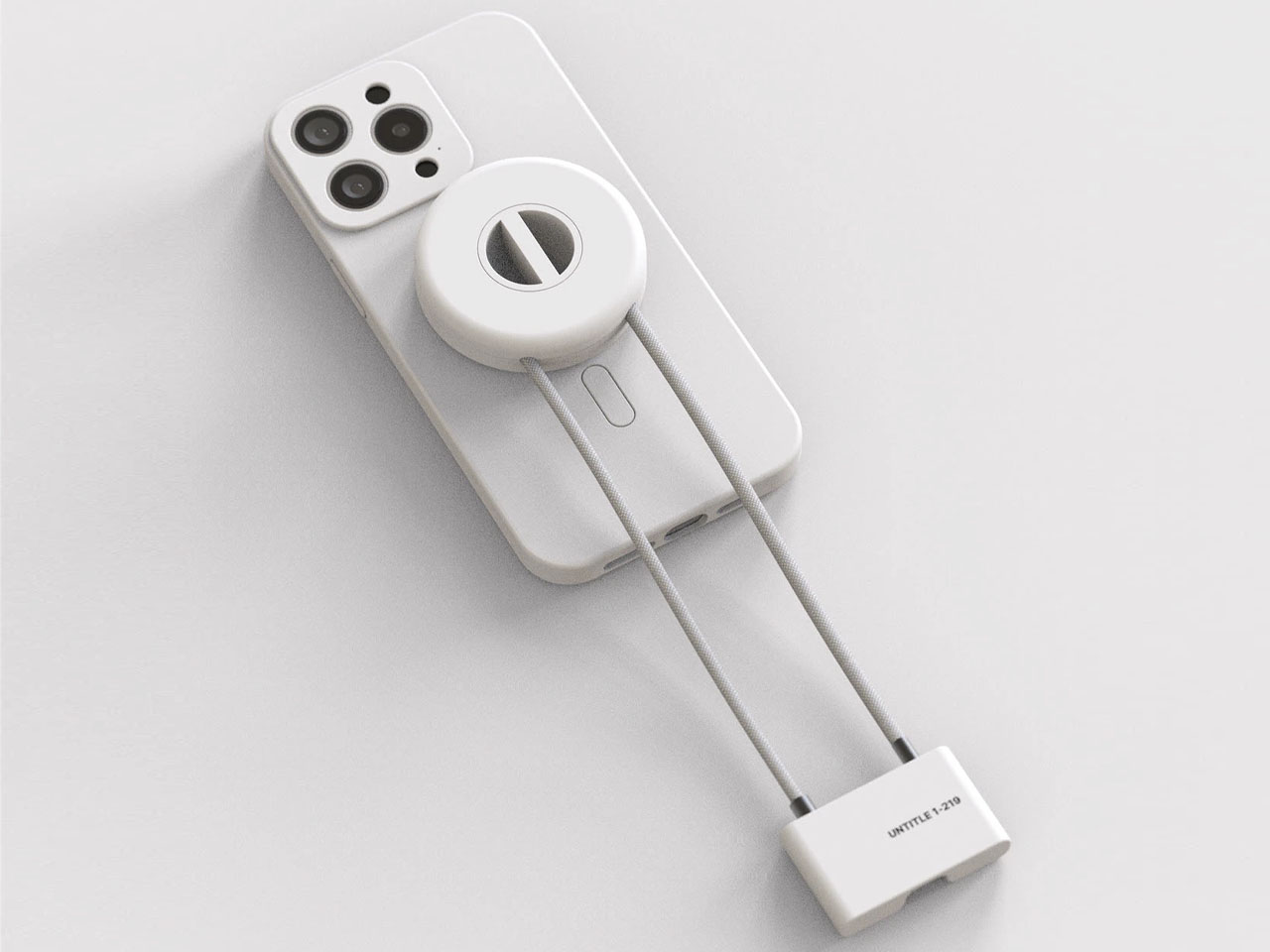
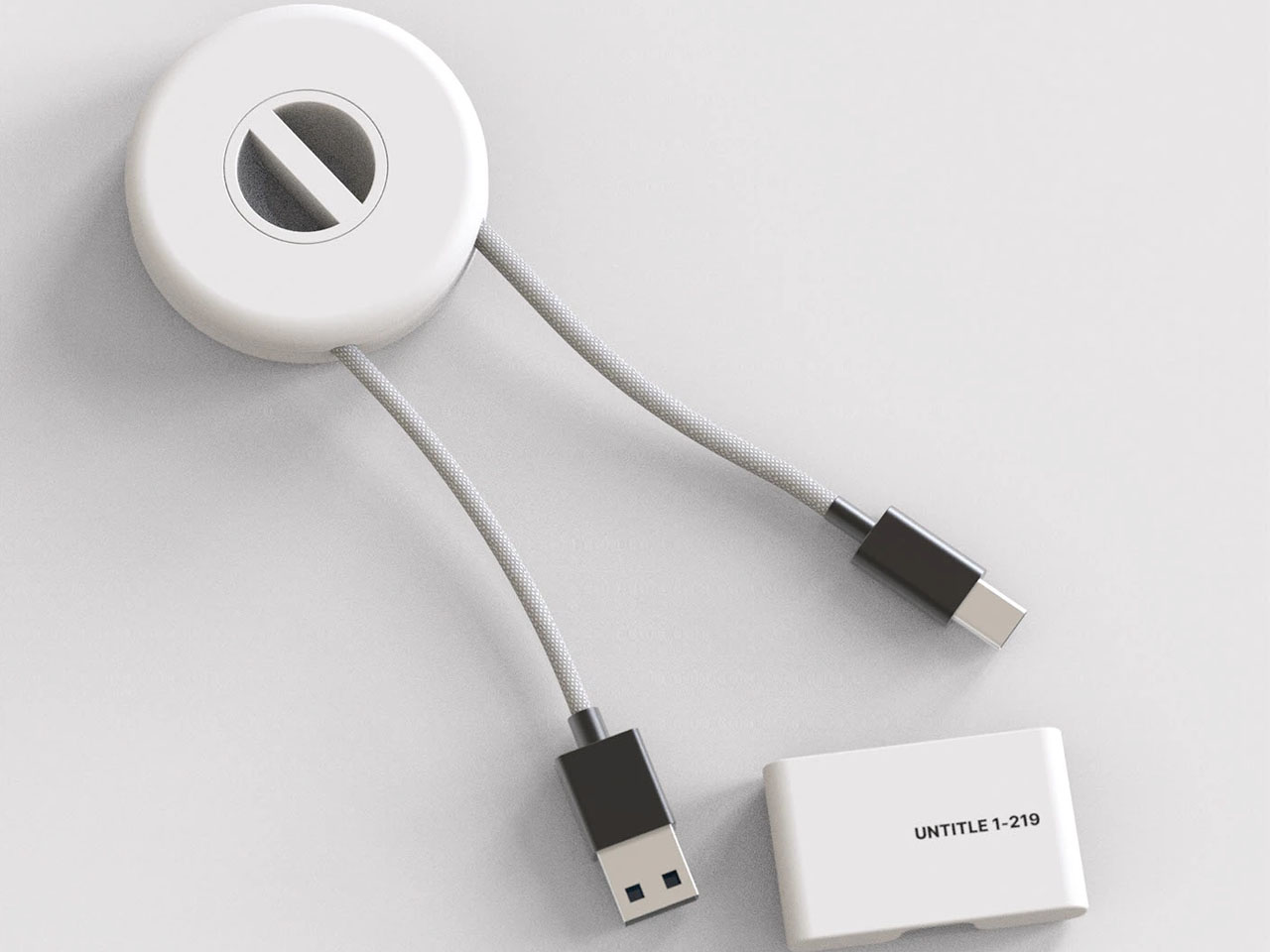
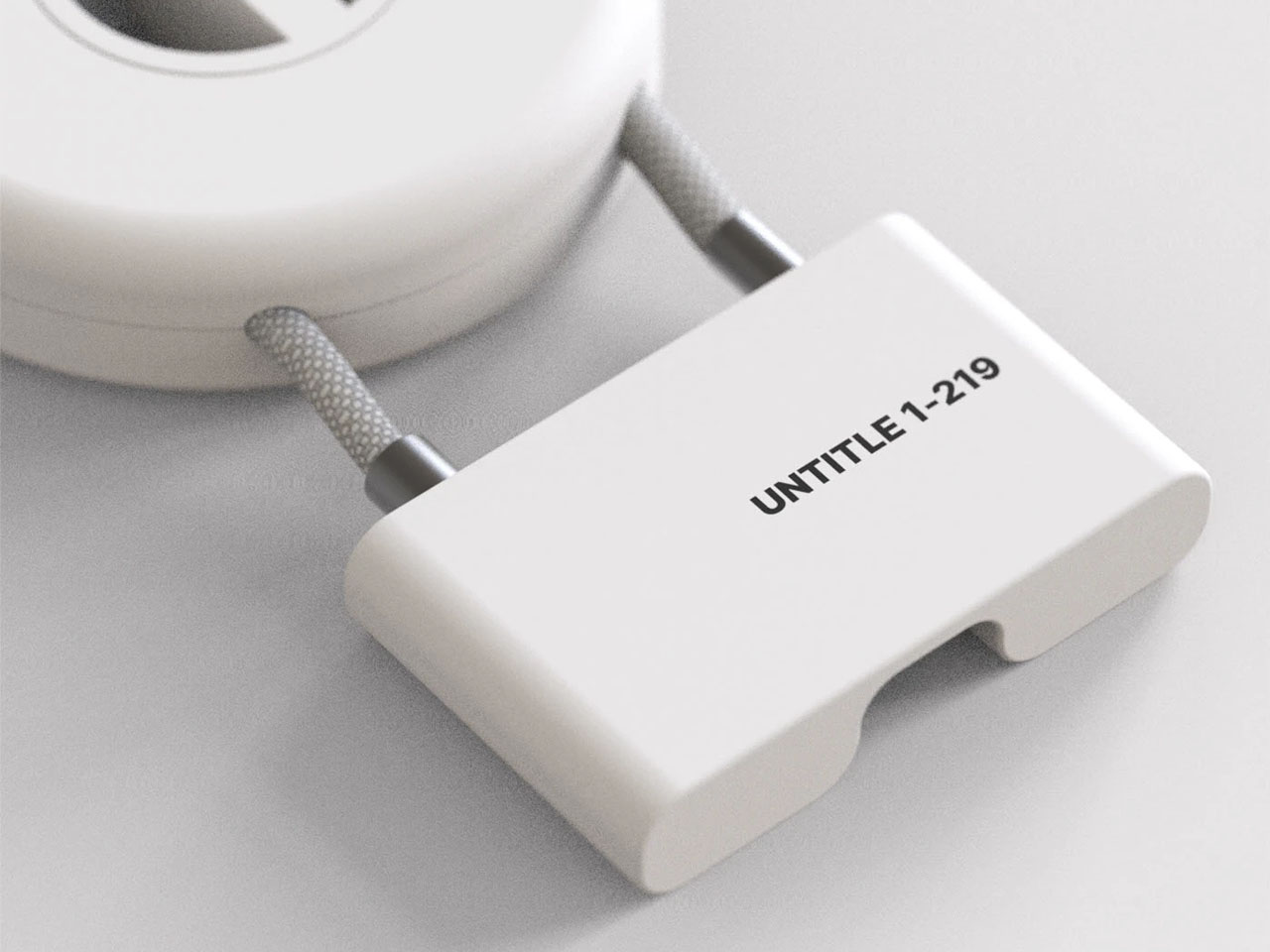
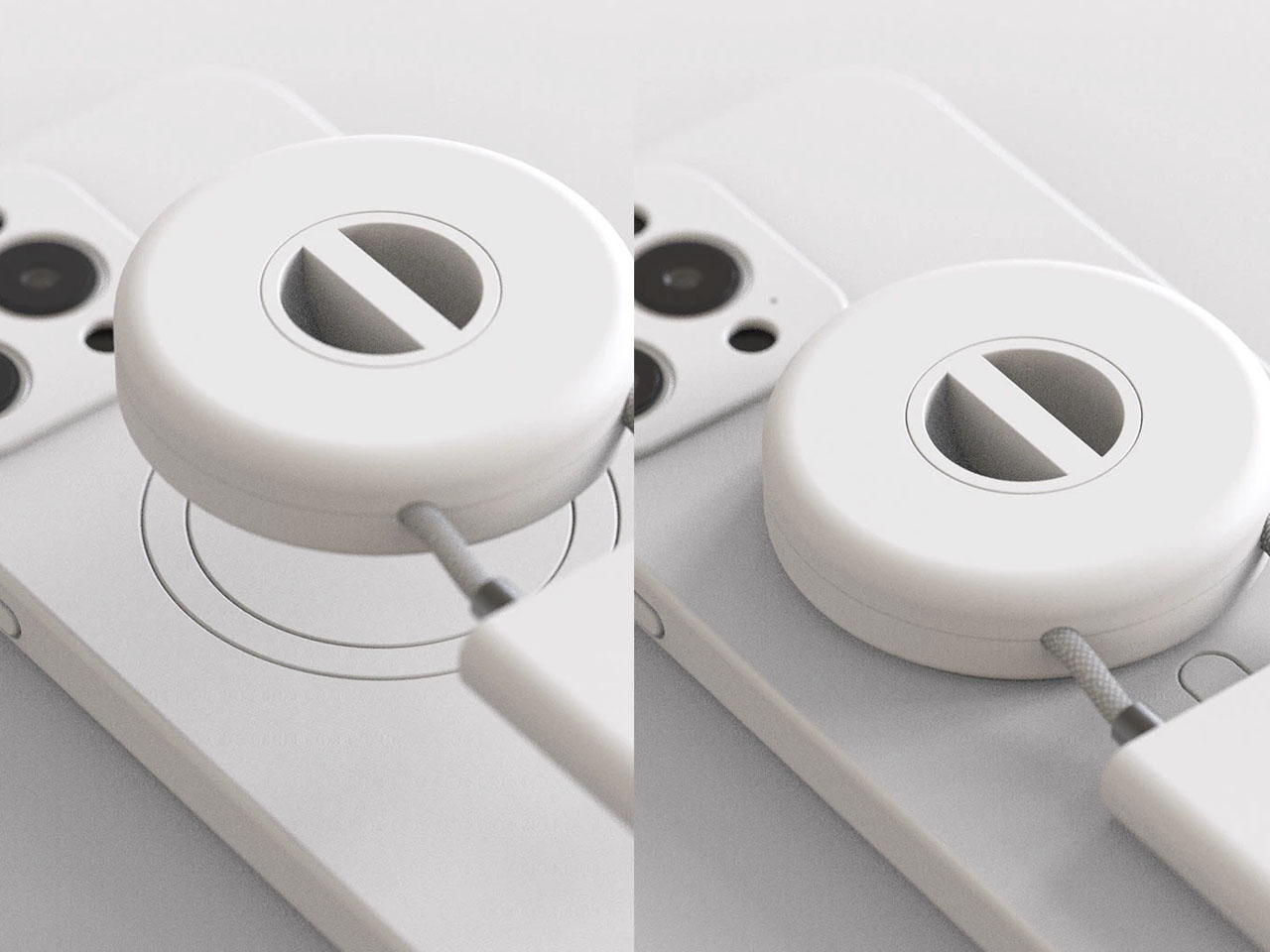
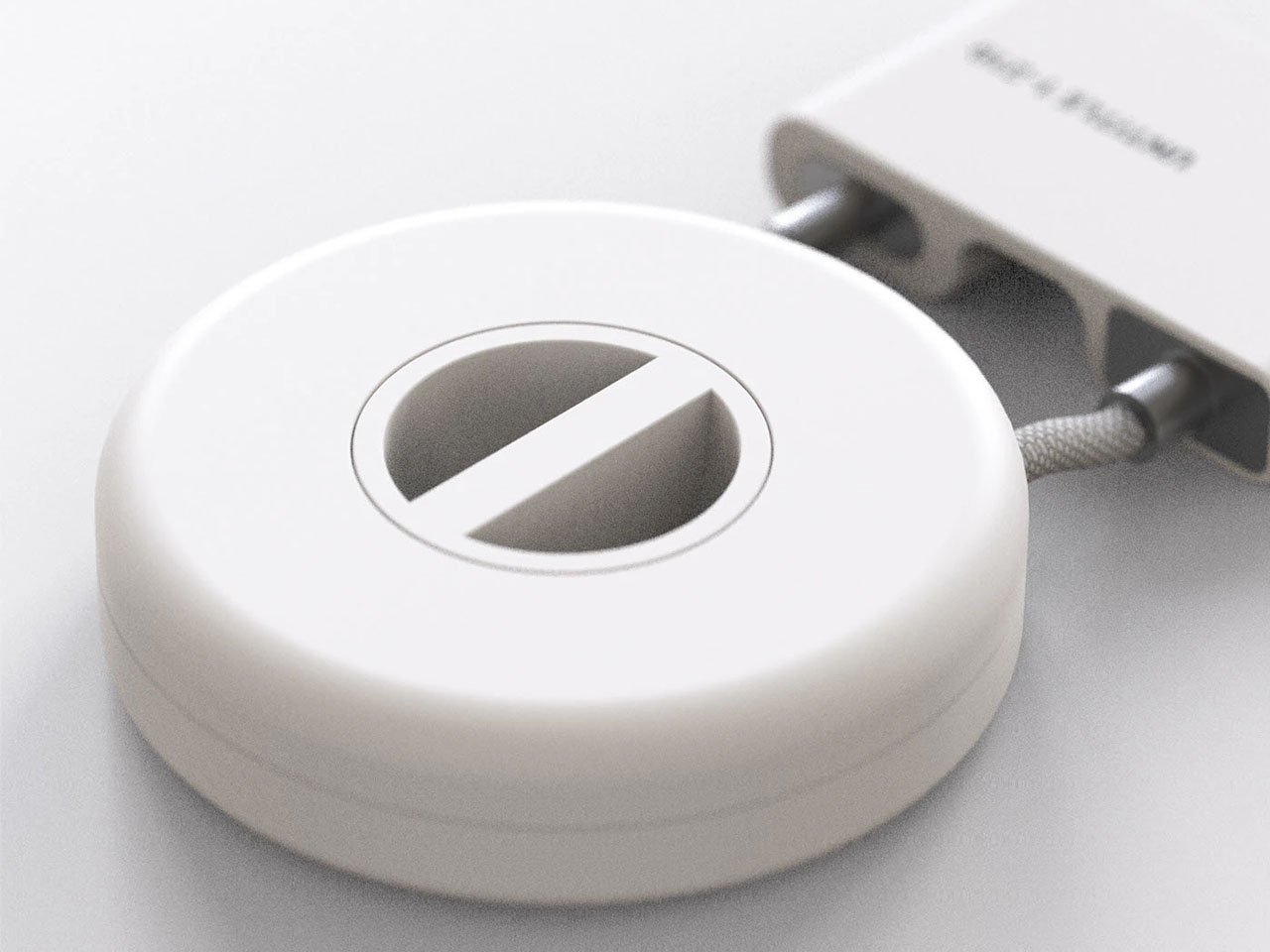
We all love our smartphones for making life easier, but deep down, there’s a part of us that misses the real touch. PUI gets that and wants to bring back the emotions we used to get from physical things. PUI comprises a range of accessories designed to reintroduce physical elements into the user’s daily interactions with their smartphones. These accessories include the PUI Alarm Clock, Camera Shutter, Dial Lock, Recorder, and Volume Control, each contributing to a richer physical experience.

PUI Alarm Clock:

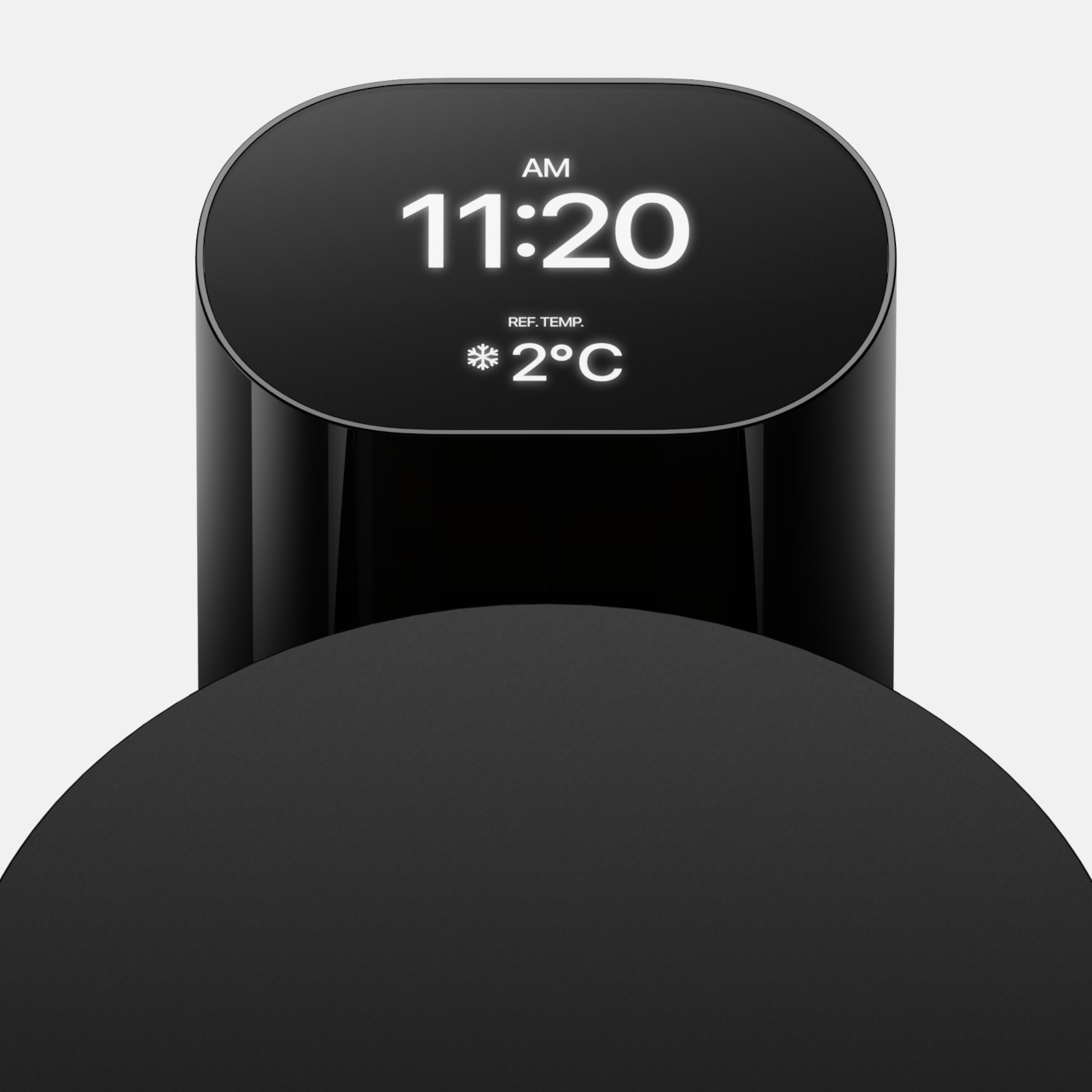
The PUI Alarm Clock makes waking up more fun by bringing back the cool dial feature from old clocks but with a modern touch. It’s a bit sad that some of the Gen Zs and Gen Alphas don’t know how to set alarms on those old clocks. This Alarm Clock is like a time-traveling buddy, keeping the old clock style but fitting into our modern lives. You can easily set the alarm by turning the bottom dial, adding a hands-on feel that you don’t get with digital screens. It’s a small thing, but it makes waking up a bit more enjoyable and real. The PUI Alarm Clock is like a time machine, connecting the past and today, making mornings a simple joy for everyone. The PUI Alarm Clock stands as a bridge between generations, seamlessly weaving the nostalgia of the past into the fabric of our dynamic present.

PUI Camera Shutter:

The Camera Shutter accessory brings back the joy of photography by integrating a zoom dial and shutter button. Users can smoothly adjust the frame size with the zoom dial, and the physical act of pressing the shutter button to capture a moment adds a layer of satisfaction often missing in purely digital interactions. It’s a real-life micro-interaction that enhances the user experience.

PUI Dial Lock:

Diverging from traditional rigid screen locks, the PUI Dial Lock offers a tactile locking mechanism. Users input their password by manipulating the dial in a specific sequence, enhancing the security experience with a touch of physical engagement, almost giving a feeling of opening a locker and improving the importance of the device.

PUI Recorder:

The PUI Recorder serves as an audio recording device that incorporates physical buttons for record, play, and stop functions. The act of physically interacting with the device during recording adds a visually and aurally rich dimension to the experience. Making every touch count and moment consciously memorable.

PUI Volume Control:

Adjusting the volume is now a hands-on affair with the Volume Control. Turn the dial to control the sound. This physical touch goes beyond just tapping on a screen, giving a sense of ownership and satisfaction.

PUI (Physical User Interface) is like a breath of fresh air in a world full of digital screens. It connects our smartphones with real, touchable experiences. In a time when everything is about ease and speed, PUI brings back the joy of feeling and interacting with our devices in a more personal way. It’s a cool bridge between the old and the new, making our tech time more enjoyable and real.

The post Smartphone Accessories That Bring Back Some Tangibility Into Our Digital Lives first appeared on Yanko Design.
Ten of the Best IoT Devices To Create A Smart & Cohesive Home Environment

If you dream of having a smart home, then filling it up with excellent IoT gadgets is key. People prefer IoT devices today as they help them create an automated home that requires minimum interference and actions on their part. The range of IoT devices is truly quite remarkable today from smart shades that lift themselves to exceptional security cameras that ensure complete safety in your home. We’ve curated a collection of smart, well-designed, and easy-to-use IoT devices that will make your home a smooth automated haven. From IoT devices that help you stay connected with your pets while you’re away from home to the Frame Wall Pad, a full-screen touch system with Korean elegance – we have a whole range of exciting gadgets for you.

1. The Frame

Called the Frame, this impressive full-screen touch system is designed for Kocom, a renowned Korean smart home appliance company. The unique wall pad is designed to redefine and elevate the smart home experience with complete comfort and convenience.

Why is it noteworthy?

Frame’s impressive full-screen touch system differentiates it as a sophisticated and user-friendly centerpiece on the wall of any home. Its functionality and impeccable design set it apart from other systems on the market.

What we like

  • Serves as an embodiment of elegance, and technological advancement

What we dislike

2. SwitchBot Curtain 3

Called the SwitchBot Curtain 3, this simple robot can be attached to any curtain rod within 30 seconds, transforming your regular curtains into smart ones that can control your phone. You can smoothly operate the robot with shortcuts or voice commands.

Why is it noteworthy?

The SwitchBot Curtain 3 is currently in its third edition and features a new DynamiClamp design that lets it work on a large range of curtain rods and tracks, moving curtains the way you’d see them in five-star hotels.

What we like

  • Super easy to install, and can be configured in multiple ways
  • The DynamiClamp design lets the Curtain 3 be navigated in different kinds of rod designs

What we dislike

  • You need SwitchBot Hub for Voice Control feature

3. Mui Board Gen 2

Called the Mui Board Gen 2, this gadget looks like a simple piece of timber at first glance, but it converts into a touch-sensitive interface for controlling various aspects of a smart home. You can adjust your lighting, curtains, thermostat, and speakers with a simple tap on the wooden surface.

Why is it noteworthy?

This second-gen Mui Board features a new Matter networking protocol, allowing compatibility with smart devices from Apple, Google, and Amazon. This integration offers easy connectivity and elevates the board’s appeal.

What we like

  • Features ChatGPT integration via APIs

What we dislike

  • Looks could have been worked upon, to make it more appealing

4. Arpobot Smart Shade

The Arpobot Smart Shade is a Matter-compliant IoT accessory that is designed to work with almost every chain-operate blind and shade. It can transform your analog blinds into voice-activated automatic ones.

Why is it noteworthy?

You can just snap the Arpobot Smart Shade in place, and it will start working without needing extra hubs or separate apps…just your Apple/Google/Amazon smart home platform.

What we like

  • Easy to install
  • Minimalist design that blends well into almost every interior space

What we dislike

  • Hefty price tag

5. Migo

Migo is short ‘for amigo’, and it means friend in Spanish. The various components of Migo communicate and connect via Bluetooth, allowing owners and their dogs to interact remotely.

Why is it noteworthy?

The main appeal of Migo is the collar which has its own tracking system, temperature sensor, heart rate monitor, audio output, and an LED flashlight. It allows owners to have eyes on their dogs at home, through the camera unit that functions as a traditional surveillance camera.

What we like

  • The camera has a speaker, so owners can speak to their dogs

What we dislike

  • It’s currently a concept, so we don’t know how well it would translate into a tangible product

6. SwitchBot Bot

The SwitchBot Bot is designed to automate products that aren’t originally smart. Called the ‘Button Pusher’, this IoT gadget can stick to switchboards or appliances, pushing buttons and switches with a plastic flipper so you don’t need to.

Why is it noteworthy?

The Bot is a simple and efficient approach to enhancing homes and lives. It can turn simple products into remote-controlled ones that can be operated via an app, voice commands, smart home setups, or IFTTT routines.

What we like

  • Automate switches that aren’t designed to be smart
  • Economical than upgrading to a smart appliance

What we dislike

  • Needs SwitchBot Hub for Voice Control and Smart Home configuration

7. ecobee Smart Doorbell Camera

The ecobee doorbell camera records in 1080p to offer “enhanced low light vision”, and utilizes a 175-degree vertical field of view, allowing you to see everything clearly from the floor to the sky.

Why is it noteworthy?

It allows the viewer on the opposite side of the doorbell camera to see any packages being dropped on the porch, or in more dangerous cases, identify any potential threats that they may present on the opposite side of the door.

What we like

  • Features a slick outward appearance featuring a machined glass front panel surrounded by aluminum alloy

What we dislike

  • You need a subscription to ecobee Smart Security, which connects all ecobee security devices

8. Bownce

Bownce calls itself “the first IoT ball of its kind”. It is a small ball designed to get you sweating, and training your muscle groups with the help of technology. It has a compact size, accentuated by integrated electric components.

Why is it noteworthy?

It is quite small, and easy to install, allowing you to bring it to your office, backyard, or whichever room in your home you feel most comfortable in. It’s also not intimidating for newbies who want to start punching stuff.

What we like

  • It has integrated electric components, allowing you to track your performance
  • The connecting app logs your punches and gives you real-time updates and statistics

What we dislike

  • Not sure how it can replicate an actual punching bag

9. SwitchBot Smart Lock

The SwitchBot Smart Lock is created to fit over standard single deadbolt locks, automating it, and allowing you to open it using an app, Bluetooth, proximity, or even voice commands. The device has a motor that can either lock or unlock it.

Why is it noteworthy?

The lock connects with the SwitchBot app via Bluetooth and can work with your Apple Watch as well. It also pairs with the Hub for WiFi-based connectivity, and you can control it using your voice.

What we like

  • It is protected by 128-bit AES encryption
  • Can be configured with your smart doorbell to open for approved people

What we dislike

  • The battery lasts for 6 months

10. Bird Buddy

Called the Bird Buddy, this AI-powered bird feeder captures videos of any birds that make it to your garden or porch, streaming their faces to your phone, alongside a notification when they show up. The feeder features a camera in the front, which captures the bird as closely as possible.

Why is it noteworthy?

The Bird Buddy’s AI identifies the birds for you as well, maintaining a record of the birds that visit, along with their pictures, in case you don’t make it to your porch in time with the DSLR.

What we like

  • Weather-proof feeder
  • Features a modular design, allowing you to snap the camera attachment off and take it indoors for charging

What we dislike

  • Has a low battery life
  • The Bluetooth camera pairing process is a bit buggy

The post Ten of the Best IoT Devices To Create A Smart & Cohesive Home Environment first appeared on Yanko Design.
AI-powered synthesizer lets you create tailored music just by pressing buttons

AI has become a powerful and controversial tool that’s being applied to the creation of many things in different industries. The most well-known are, of course, images and text, but these same technologies can also be applied to other fields, even ones that are considered to require more human creativity than others. Music, for example, is believed to be an art that’s hard to master and difficult to quantify in a way that would be of use to AI, but that’s exactly what’s happening here with this “artifact from the future.” That said, the suitcase-sized synthesizer doesn’t completely wrest the act of creation away from your hands but turns it into a creative collaboration between man and machine.

Designer: Arvind Sanjeev

Imagine having to only press a few buttons and you’ll have tunes that are specifically crafted to suit a given mood or genre. Most synthesizers simply give you the raw controls to mix and match to your heart’s content, but you’ll have to draw from your own creativity to actually come up with a pleasing harmony tailored to fit that situation. SPIN, the name for this AI-powered music synthesizer, actually helps you in this creative journey by serving ready-made ingredients to put into your mix without taking anything away from your freedom. It’s like the difference between buying a can of tomato sauce for a recipe versus making your own from scratch.

SPIN has buttons for different moods, genres, and sounds that you can mix and match to your heart’s content. How does happy death-metal disco sound? Why not try some dark jazz opera to really turn heads? Not every combination is going to work, of course, so you’ll still have to step in and fine-tune it to your tastes, no pun intended. And with sliders for BPM or duration and a turntable to scratch, you also have the tools to make your own style shine, with or without AI’s help.

The synth is just as much a work of art as it is a demonstration of the power of AI. A variety of off-the-shelf components are assembled to provide the brains and muscle behind the scenes, almost literally. You won’t see any of these while using SPIN, as all are hidden behind an interface and a design that’s meant to encourage playfulness and experimentation. Even the choice of bright yellow and white colors, unusual for most synth designs, emphasizes that rather jovial character.

Generative AI has been receiving a lot of flak, in no small part thanks to abuse and misuse of the technology rather than anything inherent. SPIN is an attempt to reverse that perception and present AI not only as something approachable but even fun to use. Given how it works, you won’t even have to worry about infringing on anyone’s copyright or intellectual property, leaving you free to explore that harmony between human creativity and machine learning.

The post AI-powered synthesizer lets you create tailored music just by pressing buttons first appeared on Yanko Design.

Actual working Pokédex uses ChatGPT to identify Pokémon… and you can build one too

Let’s face it. You didn’t click on this article by accident. You’re as much of a Pokémon nerd as I am and there’s complete reason to feel excited given what I’m about to show you. A YouTuber by the name of Abe’s Projects decided to throw together a few components to make a rudimentary (but functioning) Pokédex and I CANNOT KEEP CALM!

This Pokédex works surprisingly like the original. Relying on the powers of ChatGPT to identify imagery captured through a rather basic camera setup, Abe’s Pokédex does a fairly good job of replicating the experience of the original from the hit TV series and comic book. Abe even encased his electronics in a wonderfully nostalgic red 3D-printed enclosure, making it resemble the original Pokédex to an uncanny degree… and if that wasn’t enough, he even programmed the Pokédex to speak just like the original, with a computer-ish robotic voice.

Designer: Abe’s Projects

The process, although fairly complicated, gets detailed out by Abe in the YouTube video. One of his admittedly harder builds, Abe mentions the first conundrum – planning the exterior and interior. The problem – you can’t 3D model an outer shape without knowing where your inner components are going to sit, and you can’t know where your inner components are going to sit without planning out your outer shell. Nevertheless, Abe designed a rudimentary framework featuring an outer shell, a few removable components (like the bezel for the screen and buttons), and a flap that ‘opens’ your Pokédex.

The internals feature a XIAO ESP32S3 Sense microcontroller that has its own integrated camera, connected to a black and white OLED screen (based on the Pokédex toy from the 90s), an amplifier that hooks to a speaker, a set of breaker buttons, a battery, and a USB-C port for loading all the information to run the mini-computer, as well as to charge the battery.

The way the Pokédex works is rather clever – it uses GPT4 along with the PokéAPI, relying on the latter’s massive information database. The GPT4 gives the device its AI chops, and an AI voice generator (PlayHT) helps create the signature vocal effect of the Pokédex. Together, they work in tandem to first, identify the Pokémon, second, reference the information in the database, third, display the Pokémon on the screen, and finally, play relevant audio about the Pokémon’s name, type, background, and performance. This does, however, mean that the Pokédex needs to stay connected to WiFi at all times to constantly tap into GPT4 and the PokéAPI (since nothing happens locally on-device).

The entire process wasn’t without its fair share of problems, however. The problems started with the software itself, which hung, crashed, and sometimes got overburdened with just the amount of heavy lifting it had to do. Meanwhile, the PlayHT audio generator posed its own share of issues, like an annoying ticking noise that played in the background as the AI spoke. Abe mentions all the problems he had in a dedicated section of the video, also outlining how he fixed them (hint: a lot of coding).

Once all the bugs were fixed, Abe took his Pokédex out for a spin. In all fairness, it did a pretty good job of identifying Pokémon strictly by analyzing their shape. This meant the Pokédex worked absolutely flawlessly when pointed at images, or an accurate 3D figurine or toy. It didn’t however, fare too well with plushes, which can sometimes have exaggerated proportions. That being said, it’s still impressive that the Pokédex works ‘as advertised’.

Building your own isn’t simple, Abe mentions… although he does have a paywall on his YouTube page where paid members can get access to behind-the-scenes content where Abe talks more extensively about his entire process. If you’re a coding and engineering whiz (with a penchant for Pokémon and 3D printing), hop on over to the Abe’s Projects YouTube page and maybe you’ll figure out how to build your own Pokédex too! Maybe you’ll simplify the process so simpletons like us can build them as well…

The post Actual working Pokédex uses ChatGPT to identify Pokémon… and you can build one too first appeared on Yanko Design.

DIY LED Flower is the perfect geeky gift that will never wilt

It’s that time of year again when the prices of flowers skyrocket as demand far outpaces supply. Of course, there’s nothing wrong with gifting flowers this week or on any other day of the year, but the sad truth is that those flowers will eventually wilt and die, at least the real ones will. Their ephemeral beauty is actually part of their appeal, but those who want to preserve the memory of the gift will have to resort to other strategies that don’t involve cheap plastic. What better gift is there, then, than a flower that was made by your very own hands? Especially one that will never wilt nor wither away and only requires replacing the broken parts, presuming the recipient is equally adept at electronics.

Designer: Marcel (potblitd)

It won’t be the prettiest flower, admittedly. Not unless you’re actually the type to fall head over heels for the raw beauty of naked electronics. If so, FloLED will definitely be up your alley, but that’s not an assurance that your recipient will have similar tastes. Regardless, it is both an interesting project you can undertake on your own as well as a distinctive piece of decoration should decide to keep it for yourself instead.

This wouldn’t be the first LED-illuminated flower, but the project sets itself apart with its flexibility. The flower has six petals, each with 20 LEDs for a grand total of 120, and each petal has its own microcontroller, which means it can operate on its own independently of the others. That also means that should one petal go awry, it’s a simple matter of replacing that part rather than redoing the whole flower.

Of course, you have to make everything yourself, from the custom-shaped PCB (printed circuit board) to soldering the LEDs down. The circular base, itself a PCB, has slots that make the petals connect at an angle, giving the impression of a flower in mid-bloom. The base also has a single large LED that glows the brightest, representing the head of the flower.

FloLED is definitely a sight to see, especially at night. Given the almost translucent makeup of the petals, you can also see the circuit lines glowing in a yellow light against the red surface. And since each of the petals can be controlled and programmed individually, you could create an animated light show with one or more of these LED flowers, a spectacle that’s sure to enchant anyone, regardless of their aesthetic inclinations.

The post DIY LED Flower is the perfect geeky gift that will never wilt first appeared on Yanko Design.
Folding Magsafe wireless charger for iPhone 15 series fits in your pocket

Getting an iPhone 15 series smartphone brings with it the need to get those new-age accessories that make life a tad easier. A good example is the wireless charger that gets rid of any wire clutter and the freedom to charge multiple Apple devices at once. You have the option to choose from Apple’s inventory or go for the more modesty-priced, yet time-tested options from Belkin or Anker.

Also, you have the lure to choose from not-so-popular third-party Apple accessories makers who bring the latest in technology but are not 100 percent foolproof in their implementation of multi-device charging capabilities. This holds true, especially when you go beyond anything capable of charging two devices at once. 3-in-1 Magsafe wireless chargers to be precise.

Designer: 苦 口

Add to the mix of options the ability to completely fold down your Magsafe wireless charger and you’ve got yourself a utilitarian accessory that’s going to take care of juicing up every Apple gadget you own without having to worry about carrying it around. Sticking to the safer and more accepted tech trend of dual gadget wireless chargers is this Qi2 certified 2-in-1 wireless charger that folds down to a very compact size. I would even go to the extent of calling it a pocketable accessory.

This 15W Magsafe compatible concept iPhone 15 charger can orient in a laid down position or an alternate orientation where the phone can be set up in a portrait mode for productivity. Of course, the alternate pad can be used to charge your earbuds or Apple Watch in the laid-down position. While the 3-in-1 chargers give you the extra option of hanging the Watch in the third vertical slot, I would refrain from doing that, especially with kids around.

While still in the concept phase, the idea is interesting enough to be implemented by renowned accessories providers for the Apple ecosystem!

The post Folding Magsafe wireless charger for iPhone 15 series fits in your pocket first appeared on Yanko Design.

Smart piggy bank concept brings the Bitcoin feeling to physical coins

Cryptocurrencies like Bitcoin and its cousins were supposed to revolutionize the way the world sees and uses money, but it will take more than just a few revolutionary ideas to change a system that has been in place for centuries, even millennia. That said, the craze did reveal a few advantageous features, particularly the handling of money through digital wallets. Of course, the latter only makes sense for the money you’ve already “digitized” through banks, digital or otherwise, not so much for the money you still have at hand. That’s especially true for coins that are often chucked into containers, presuming they don’t get lost, and are almost forgotten. This concept design for a “smart piggy bank”, however, gives importance to every dime and penny, allowing you to really see where your money is going, even if still exists in physical form.

Designer: Guilherme Ferreira, Pietro Vitelo, Gustavo Billo (Breathe Design & Strategy)

Digital wallets that let you monitor the flow of your money have been around for a long time now, but it wasn’t until the cryptocurrency craze became mainstream that people started to realize the benefits that such a system has to offer. In particular, it gave people more direct control over the money they have in their accounts, especially when it comes to monitoring how much goes in and out of their savings. Real physical coins, however, aren’t as easy to handle and they often get dropped anywhere and lost, money that could have added up to big savings over time.

1

Smart Piggy is a concept that upgrades the iconic pink piggy bank into something fit for the 21st century. In a nutshell, sensors on the slot at the top of the pig-shaped device detect when a coin is inserted and pass this information to a connected smartphone. The mobile app, which is actually the center of the whole experience, is where users get to monitor the comings and goings of their savings, particularly those from the Smart Piggy. It’s a simple feature that has a significant impact on user behavior, encouraging people to actually pay attention to where those coins go.

The concept does leave a few details open to interpretation, like how the system will be able to identify different coin denominations. It also doesn’t mention anything about taking out coins from the piggy bank, so presumably, the coin detection and monitoring is a one-way street. Still, it touches on the possibility of an implementation that can take into account both cash flows, so to speak, giving people not only the tools they need to keep track of those coins but also the motivation to actually pay attention to where they go.

The post Smart piggy bank concept brings the Bitcoin feeling to physical coins first appeared on Yanko Design.
Smart tea bottle lets you brew your calming beverage anywhere you go

Coffee is often touted as the fuel that runs the world, but not everyone is a lover of the brown liquid. For others, tea is what gets them going, whether perking them up for the work ahead or putting them in a more relaxed state. But just like coffee, good tea isn’t something you can just make any time, even though it’s technically a bit easier to steep and infuse tea leaves compared to coffee beans that still have to be ground. Keeping the freshly brewed tea still fresh when and where you actually want to drink it can also be a bit of a problem, especially if you spend a lot of time outside. This portable smart bottle solves all of that by letting you brew your favorite tea anywhere you need it and keeping it warm so you can enjoy it all day, wherever you go.

Designer: Bota

To be fair, you can actually brew tea anywhere as long as you have all the necessary pieces, which include the tea leaves, a way to boil water, and a brewing chamber to steep the leaves in the water. The problem is that you need to bring that many pieces with you, which is almost the same as saying you can’t. That’s where Bota comes in, an all-in-one smart tea bottle that lets you do all of those, keep your brewed tea hot, and let you enjoy your favorite flavors as you go about your day or even night.

Bota includes everything you need in a single bottle. It holds and then boils water at the specific temperature you need for brewing. It has a steeping chamber to hold the tea leaves separately from the rest of the bottle, allowing for hassle-free cleaning afterward. And it can keep that tea hot for about 12 hours, presuming you don’t finish that delight cup before then. Drink a hot cup of tea any time or brew a fresh batch when you get the chance. All you need are the tea leaves and water.

Despite all those features mashed together, Bota manages to come in a sleek and portable form, making it easy to throw the bottle in your bag when you’re in a rush (after you’ve securely closed the lid, of course). There are no complicated buttons either, just a single touch screen and button to set the temperature and start the boil. It’s a stress-free experience for making a drink that’s associated with calmness and relaxation.

There’s also an indirect sustainability angle to this portable device that also gives you a good feeling while you take a sip. You produce less waste by doing away with single-use cups and using tea leaves directly, so you can make as much tea as you want without adding to the planet’s trash problem. This way, you can relax and enjoy your favorite drink knowing that you’re healthy lifestyle doesn’t come at the cost of the Earth’s health.

The post Smart tea bottle lets you brew your calming beverage anywhere you go first appeared on Yanko Design.
This $39 MagSafe Charger is like Apple’s AirPower Mat on performance-enhancing steroids…

If anything, the AirPower Mat did manage to achieve one remarkable thing – it pushed the idea of having one wireless charging solution for all of Apple’s devices. The AirPower Mat may have failed in this particular venture, but it did lead to multiple third-party manufacturers making their own version of a 3-in-1 charger. Now, INVZI is showing that there’s a way to make them even better. With a shapeshifting design and a MagSafe feature to align your phone, the INVZI MagFree Transform is easily the most impressive 3-in-1 charger I’ve seen. Use it flat like a charging mat, or swivel its halves to turn it into a charging dock. The MagFree Transform also routes more power to your devices than traditional chargers, juicing their batteries faster… and the kicker, its $39 price tag makes it a whopping $110 cheaper than the Belkin BOOST↑CHARGE™ PRO 3-in-1 charger that’s available on Apple’s own website.

Designer: INVZI

Click Here to Buy Now: $39 $69 (44% off) Hurry! Only 41 hours left.

The two simple ways to look at the MagFree Transform are as A. a flat charger that’s easy to carry, and B. a shapeshifting versatile charger that juices your iPhone, Watch, and AirPods simultaneously. Individually, those are great features. Together, however, they make a formidable combination that sets the MagFree Transform apart as a perfect pick for charging both at your table as well as on the go.

Perhaps the most noteworthy part of the MagFree Transform’s design is the swiveling detail that allows it to go from mat to stand in under a second. Relying on an angular cut and a swivel joint, the MagFree Transform gets its name from its ability to literally shapeshift between one of two formats. In the mat-shaped format, the charger lets you easily rest all your gadgets down on its horizontal surface, but swivel it into a dock and it puts your smartphone on display, allowing it to snap into place thanks to a MagSafe detail in the charging ring. Meanwhile, the AirPods and Watch charge at the back, away from your view. The MagSafe ring supports both vertical and horizontal docking methods (with the latter activating the iPhone’s StandBy always-on screen.

Convenience aside, the MagFree Transform also outputs a total of 23W across all its charging zones, helping ‘rapidly’ juice all your devices. The primary charging coil outputs 15W to charge your iPhone faster than traditional 7.5W or 10W wireless chargers, while the coil for the Apple Watch maxes out at 5W, and the AirPods coil at 3W. Sure, this doesn’t compare to the kind of fast-charging speeds offered by wired chargers, but for a sleek wireless charger, the MagFree Transform sits at the top of its ladder.

It can simultaneously charge three devices at the same time, whether in mat or standing mode. A USB-C port on the back lets you hook your MagFree Transform to any power source (like an outlet or a power bank) so you can charge anywhere, whether it’s on your workspace or at your bedside. Heck, at that $39 price point, I’d probably buy multiple units just to keep in different parts of my house. The only thing missing is a USB-C out that would allow you to connect your charger to an iPad or any other device for wired charging too. However, the MagFree Transform focuses strictly on wireless charging, which is a kind of commitment that I can respect.


The MagFree Transform supports Apple’s StandBy feature during charging.

Measuring 8 inches in length, 3.2 inches wide, and 0.59 inches thick, the MagFree Transform is just marginally bigger than a Plus/Max iPhone. It weighs a paltry 100 grams, making it incredibly easy to slip right into your bag or backpack to carry around with you, and comes in two color choices – white or black, with the ability to attach (and even swap) vegan leather veneers on top to cushion your gadgets and give the MagFree Transform a classy and distinct look.

Each MagFree Transform charger starts at a discounted $39, and also includes a 30W GaN charging brick along with a 3.3ft USB-C cable in the box. An additional $10 will either get you a soft-shell case to carry your charger and its accessories, or a set of those aforementioned vegan leather covers to customize your gadget. The MagFree Transform ships globally starting April 2024.

Click Here to Buy Now: $39 $69 (44% off) Hurry! Only 41 hours left.

Click Here to Buy Now: $39 $69 (44% off) Hurry! Only 41 hours left.

The post This $39 MagSafe Charger is like Apple’s AirPower Mat on performance-enhancing steroids… first appeared on Yanko Design.
Apple-inspired alarm clock concept helps you snooze a bit longer

People buy and use alarm clocks to wake them up at the right time, but let’s face it, almost everyone ends up extending their sleep by five or ten more minutes or at least want to. With the advent of smartphones, that has become even easier with the built-in snooze functionality in apps. But just as reaching for your phone before bedtime can be bad for your health, doing the same when you just want to snooze your alarm could also end up keeping you from going back to sleep instantly. What you probably need is an alarm clock whose only purpose, ironically, is to get you to sleep longer, which is what this device concept offers in addition to looking like one of Apple’s stylishly minimalist products.

Designer: Antoine Brieux

Useful as they are, our smartphones are notorious for also being sources of distractions. At night, those incessant notifications and the screen’s blue light keep us awake, but our phones also prevent us from snoozing properly again in the morning. Few of us dare to slide the screen blindly for fear of pushing the phone over the edge and breaking it, so we’re forced to open our eyes, get blinded by the screen, and be tempted by the number of unread notifications. There goes your plan to continue that sweet dream!

You know those shows or cartoons where people simply push or smash a button on their bedside clock to silence their alarms, all without even looking at the thing? Well, that’s what this alarm clock concept design also lets you do, except it doesn’t stop the alarm from sounding. The big, though flat, button on top of the small box has one and only one purpose: to snooze the alarm and let you extend your sleep, all without pulling you out of your slumbering state completely. No fumbling over which button to push. You can even hit it with your eyes closed, which is the point entirely.

With such an extremely focused purpose, the design of the device can’t be any more complex than it needs to be. It’s a perfect opportunity to apply some of Apple’s famous minimalist design language, leaving a small cube that’s bereft of any unnecessary feature other than a small LCD screen on the front, a USB-C charging port on the back, and Apple’s iconic logo on top. That said, the design is also so simple that it can actually be easily used by other brands, for example, a LEGO-inspired yellow block.

The alarm clock does have another hidden functionality. It can charge your iPhone, but only if you place it on the iPhone’s back. It makes for an awkward position where the iPhone has to lie face down on a flat surface, which risks scratching its screen. Of course, the bigger question is whether there’s a real need for such a device that does only one thing, especially if that one thing encourages and even rewards sleeping in when you really should be getting up.
The post Apple-inspired alarm clock concept helps you snooze a bit longer first appeared on Yanko Design.