Dedicated music players gradually faded from use once streaming apps turned every smartphone into an on-demand jukebox. Carrying a separate device for audio began to feel redundant. That attitude has slowly changed. Growing numbers of listeners, tired of notifications and algorithm-driven queues, have started reaching for standalone players again, ones that let music be the only thing competing for their attention.
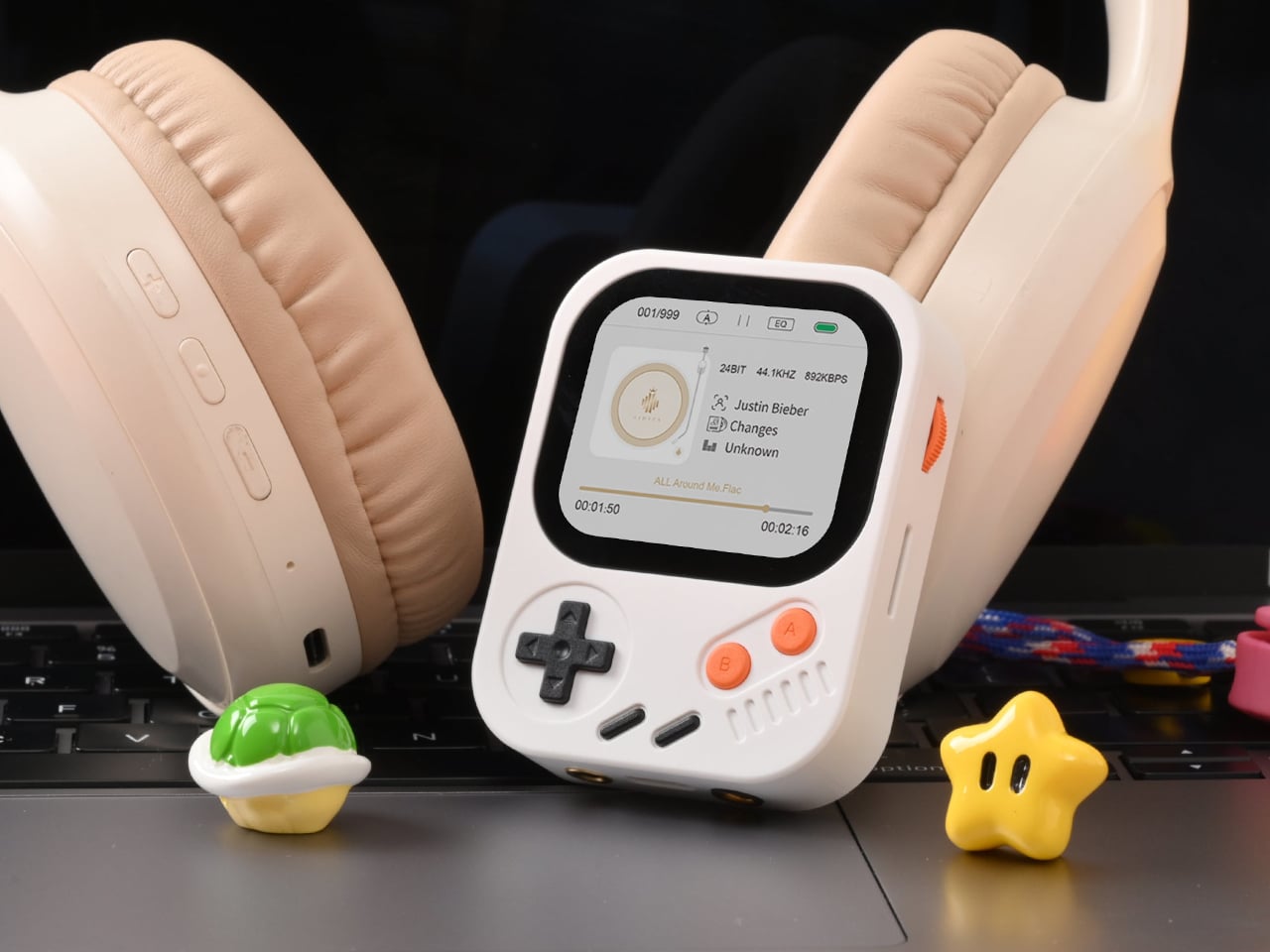
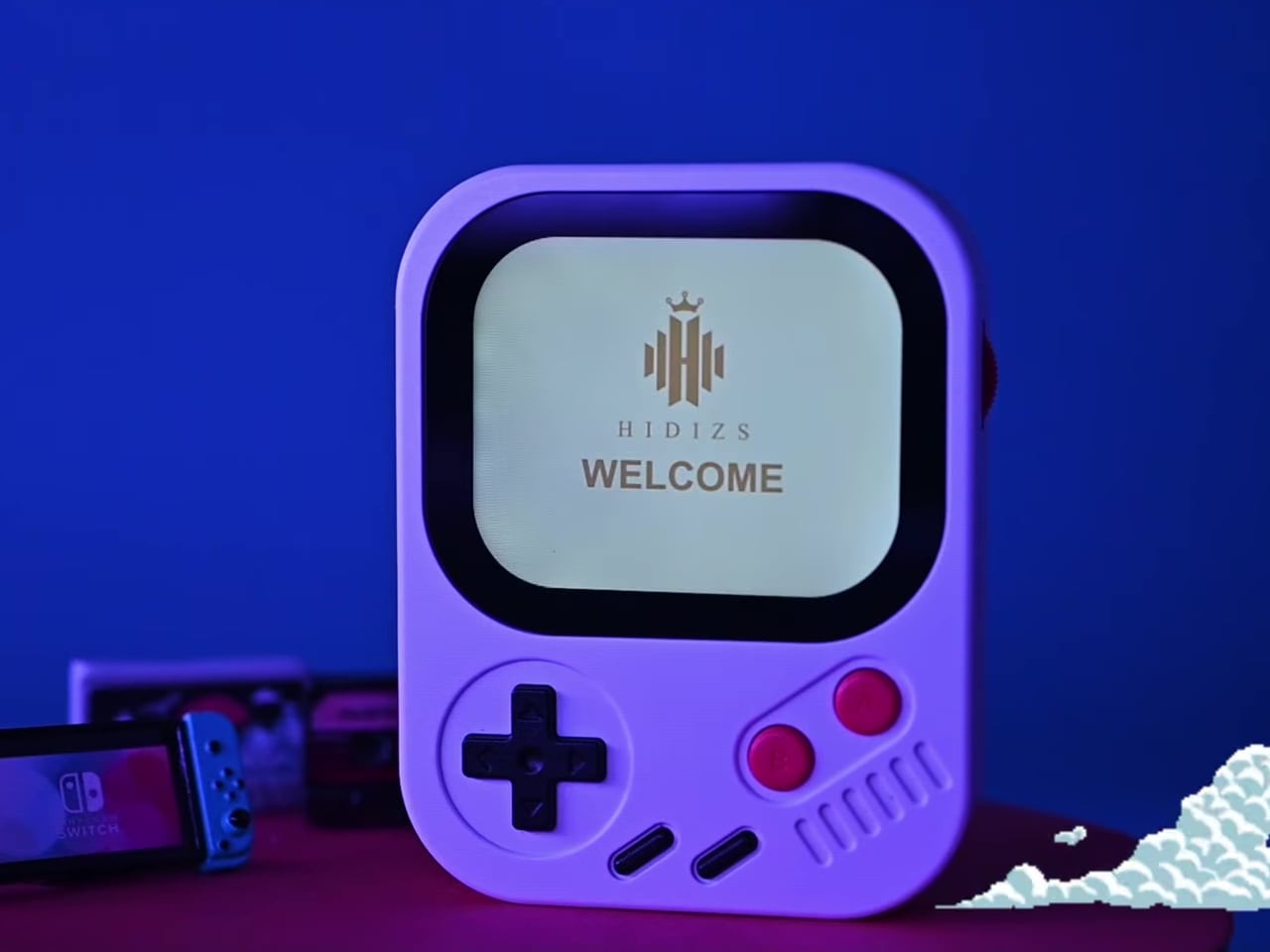
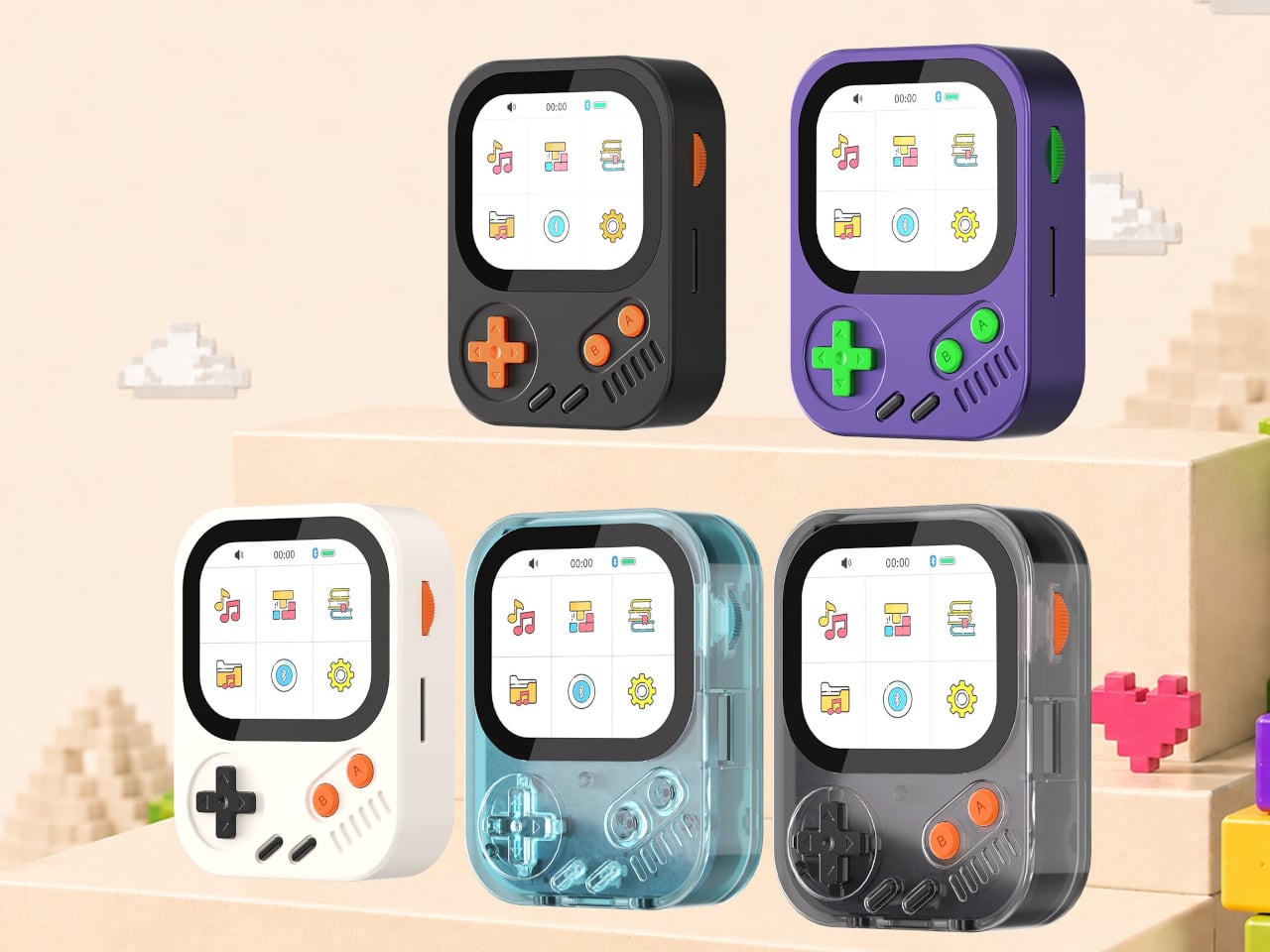
The Hidizs AP30 Music Boy addresses that growing appetite, though it does so in a way that isn’t easy to overlook. Rather than adopting the clean, minimal aesthetic common to most digital audio players, it draws heavily from the visual language of retro handheld gaming. The result is a device that looks playful and compact but carries serious audio hardware inside.
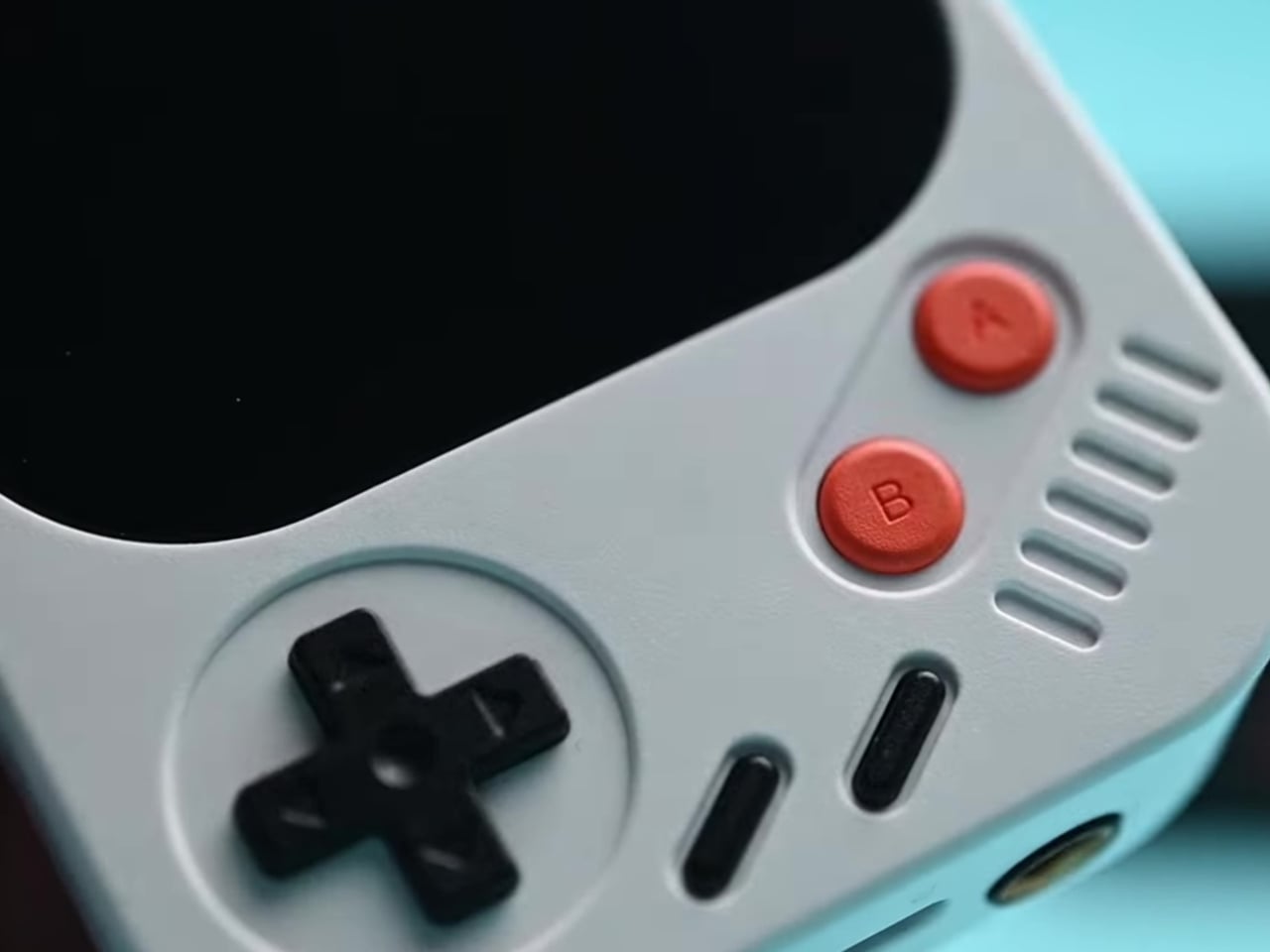
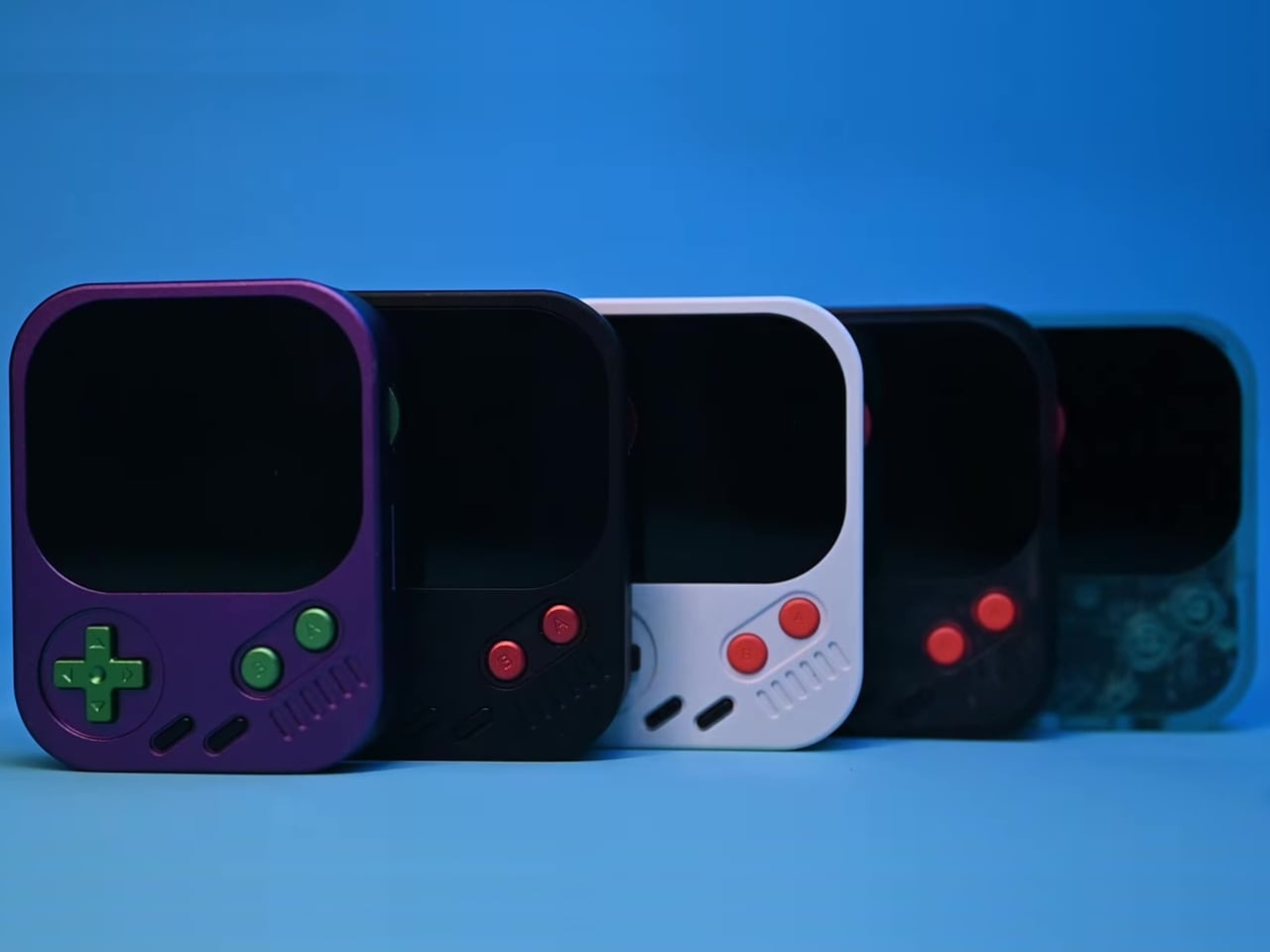
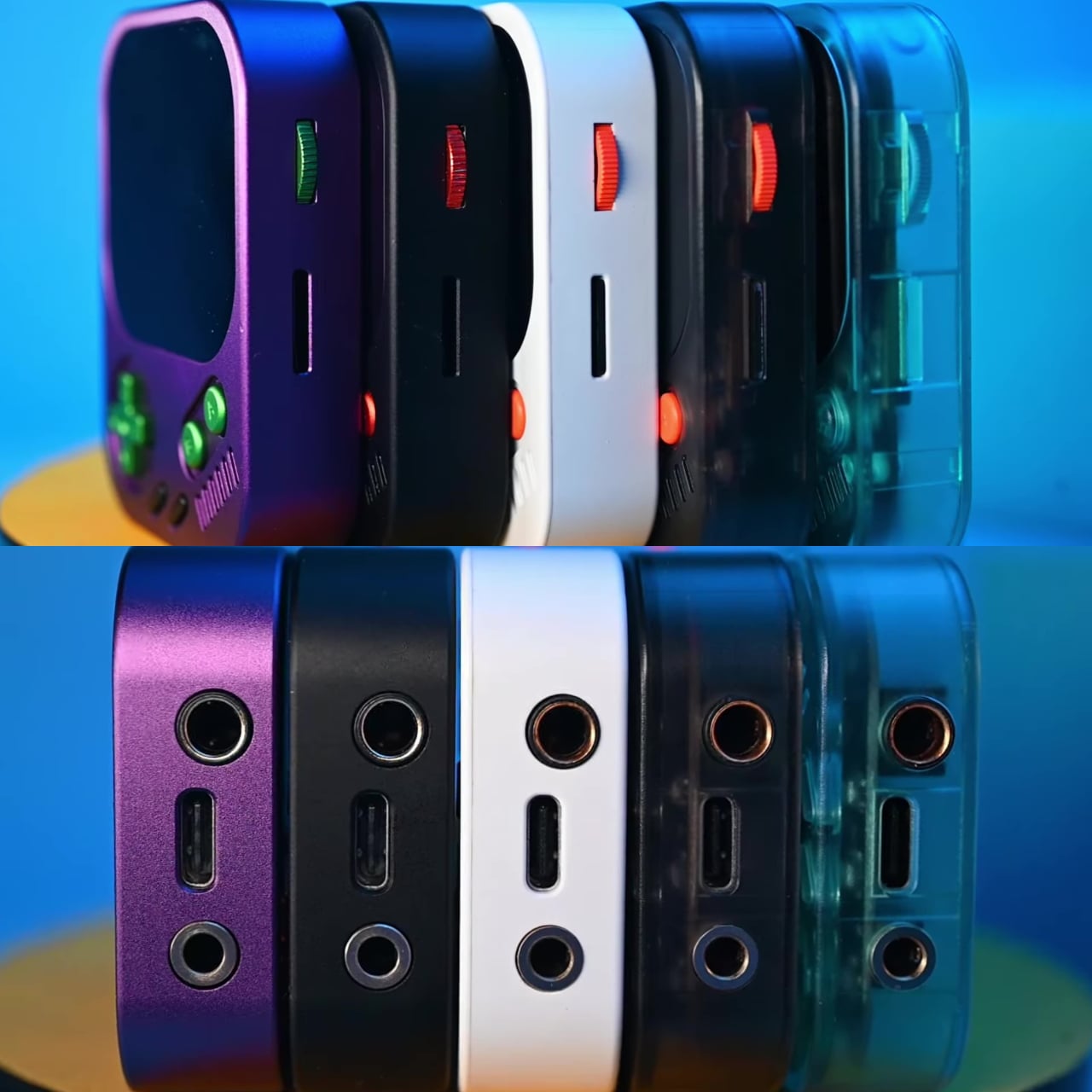
Physical directional buttons and a 2.0-inch IPS display give the AP30 an immediately tactile quality that touchscreen-only devices often lack. The plastic version weighs just 56g, while the CNC aluminum edition comes in at 80g. A small whale motif on the back adds a quiet nod toward environmental awareness, giving the device one more detail that makes it memorable beyond the spec sheet.
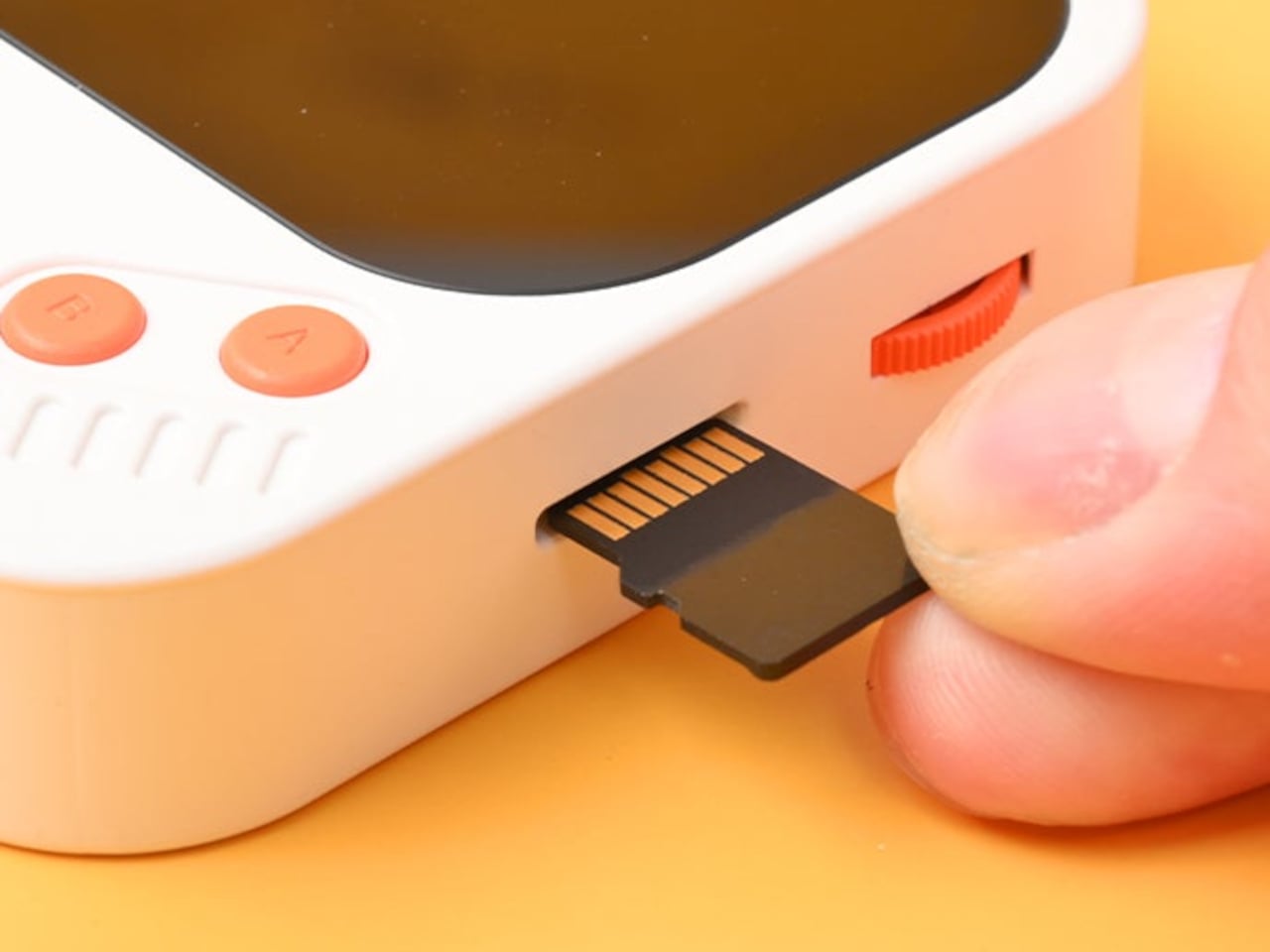
The “wearable” part of the AP30’s pitch has practical implications. It clips to bag straps, hangs from a neck lanyard, or attaches magnetically to the back of a phone via an optional case, keeping it physically accessible during exercise, commutes, or any activity that doesn’t leave a free hand. Storage starts at 128GB built-in and expands to 256GB via a microSD slot.
Behind the gaming console’s exterior is a Cirrus Logic CS43198 DAC paired with an RT6863 amplifier, supporting DSD256, PCM at 24-bit/192kHz, and lossless formats including FLAC, WAV, and ALAC. Everyday headphones connect to the 3.5mm single-ended output, while the 4.4mm balanced connection offers meaningfully stronger output for listeners using higher-end in-ear or over-ear monitors, with room to grow as their setup does.
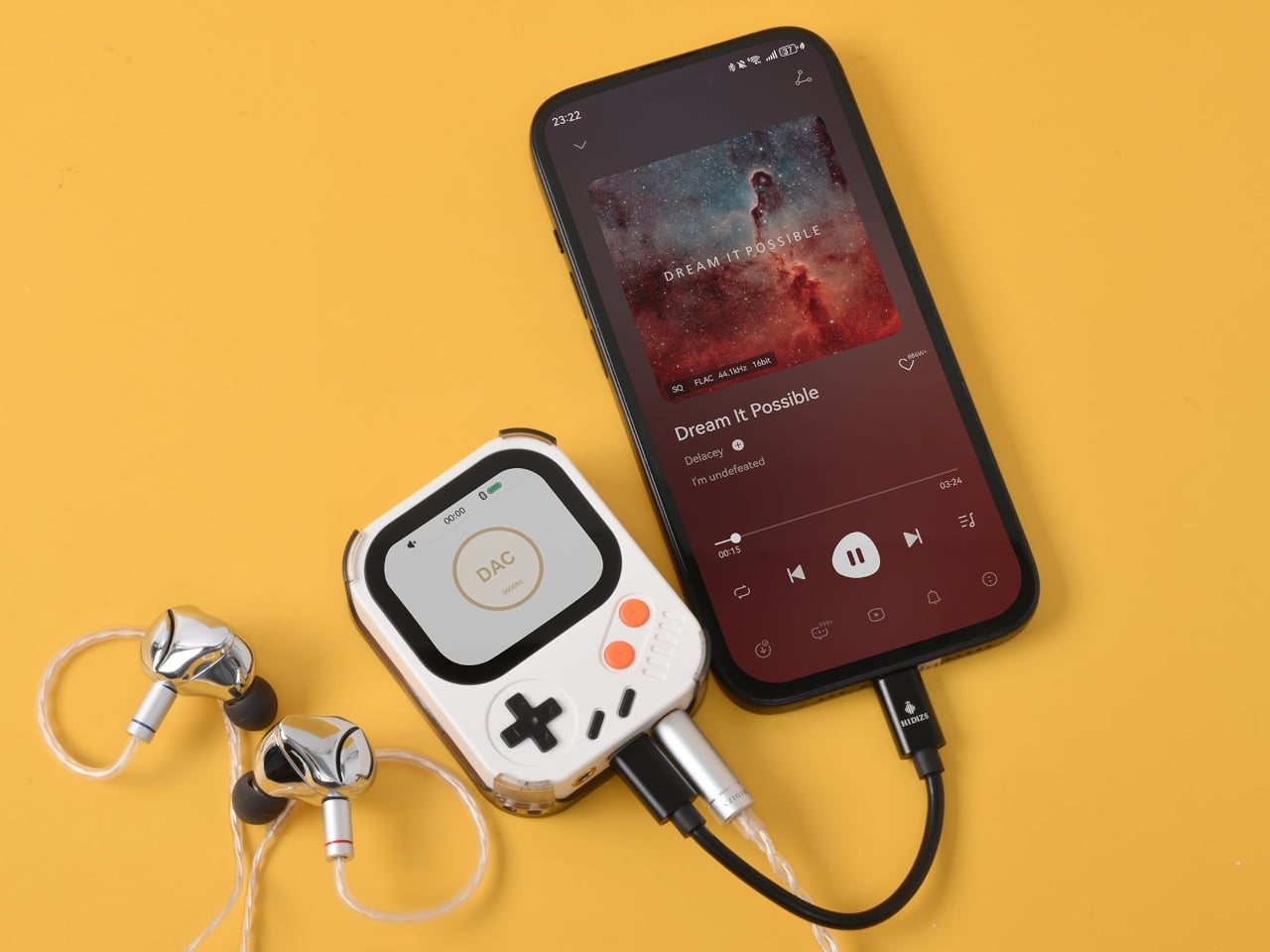
Bluetooth 5.3 with LDAC handles wireless listening without much compromise in audio quality, and the USB-C port doubles as a DAC input for computers and phones. Connect it that way, and the AP30 draws its own power, sparing the host device’s battery. The 1,200mAh cell manages 10 to 12 hours of continuous playback in single-ended mode and charges back to full in about one hour.
HidizsOS, the player’s Linux-based operating system, keeps the interface focused entirely on music rather than apps or streaming services. Customizable EQ presets and switchable digital hardware filters give listeners control over how their music sounds, and a built-in block puzzle game is a fitting Easter egg on a device with this much retro DNA. Both plastic and aluminum editions retail at $129.
There’s no streaming service, no social feed, and no notification waiting to derail the listening session. The AP30 runs on a locally stored library and asks for nothing more than a decent pair of earphones. For anyone who’s ever put a phone on silent just to get an hour of uninterrupted music, it makes a compelling case for carrying two things instead of one.
Managing multiple AI agents at once has become a surprisingly real friction point in modern knowledge work. Developers using tools like OpenAI’s Codex, which is closing in on nine million users, often run several threads simultaneously. Constantly switching between windows and chat screens to check each agent’s progress breaks the kind of focused flow that agentic workflows are supposed to create in the first place.
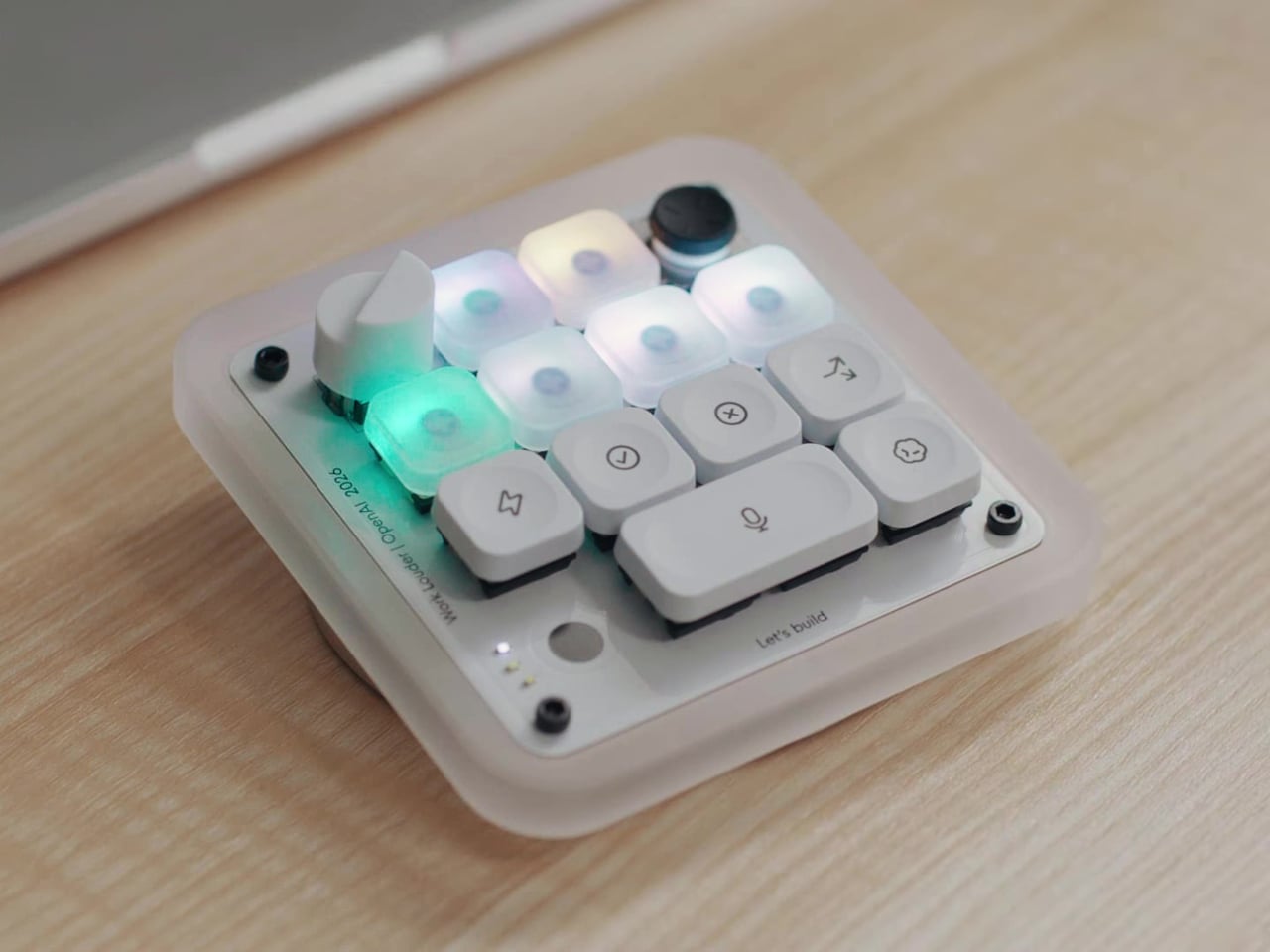
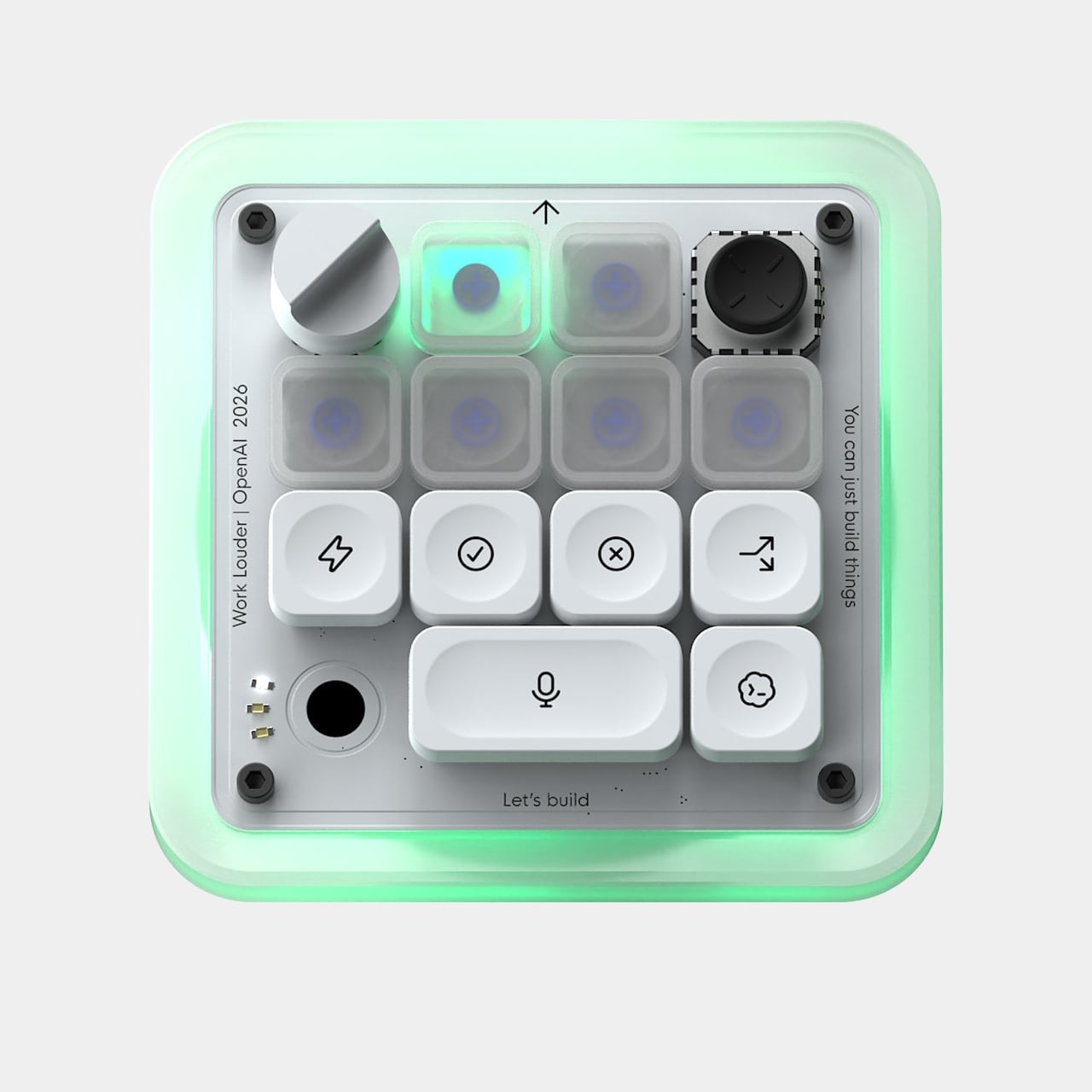
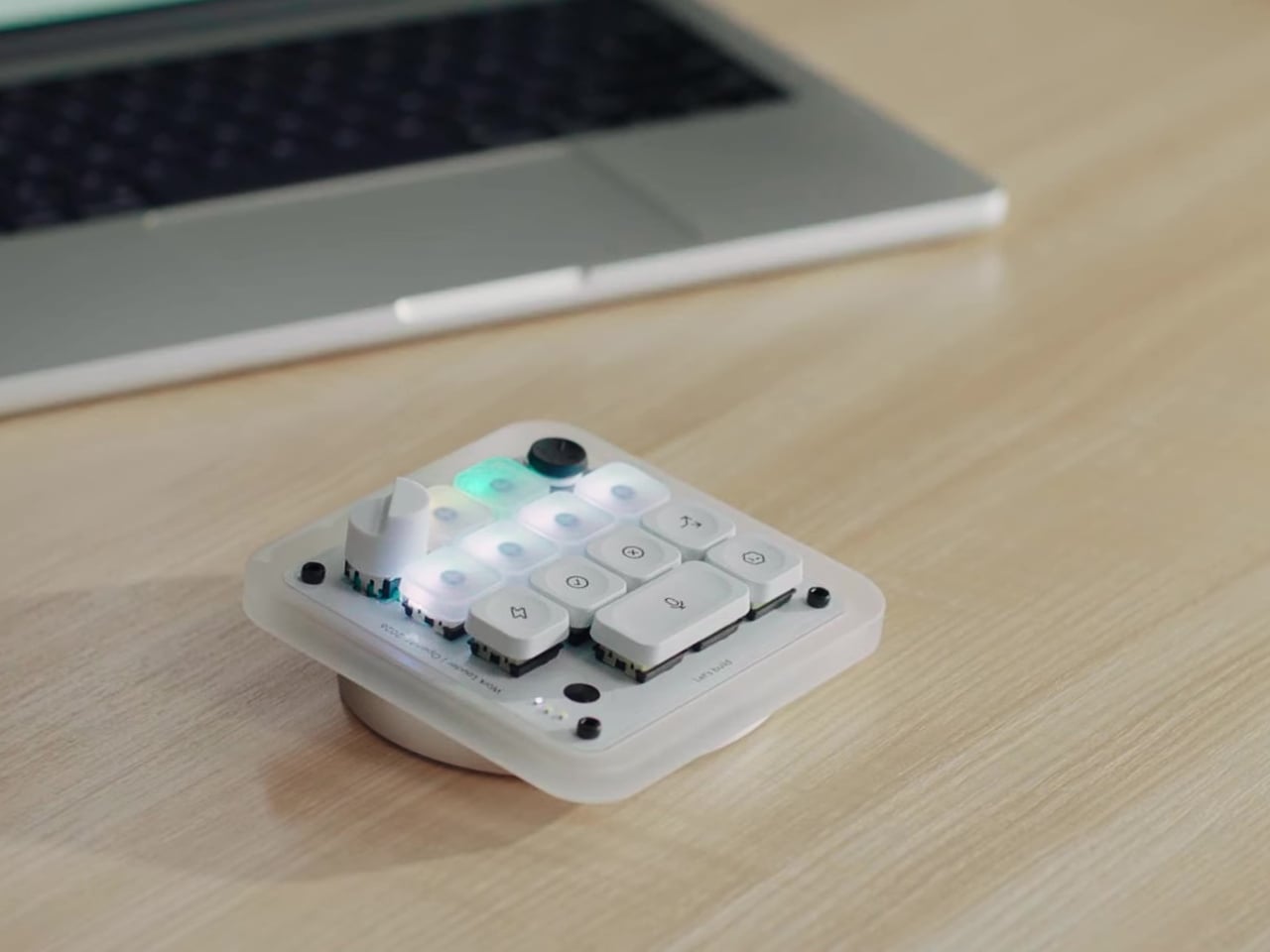
That’s the problem the Codex Micro, a collaboration between OpenAI and boutique keyboard maker Work Louder, tries to solve. It’s essentially a compact mechanical macropad purpose-built as a physical command center for AI agents, keeping the most important controls and status readouts within arm’s reach without requiring you to look at your screen. It’s a small but thoughtfully considered piece of hardware for heavy Codex users.
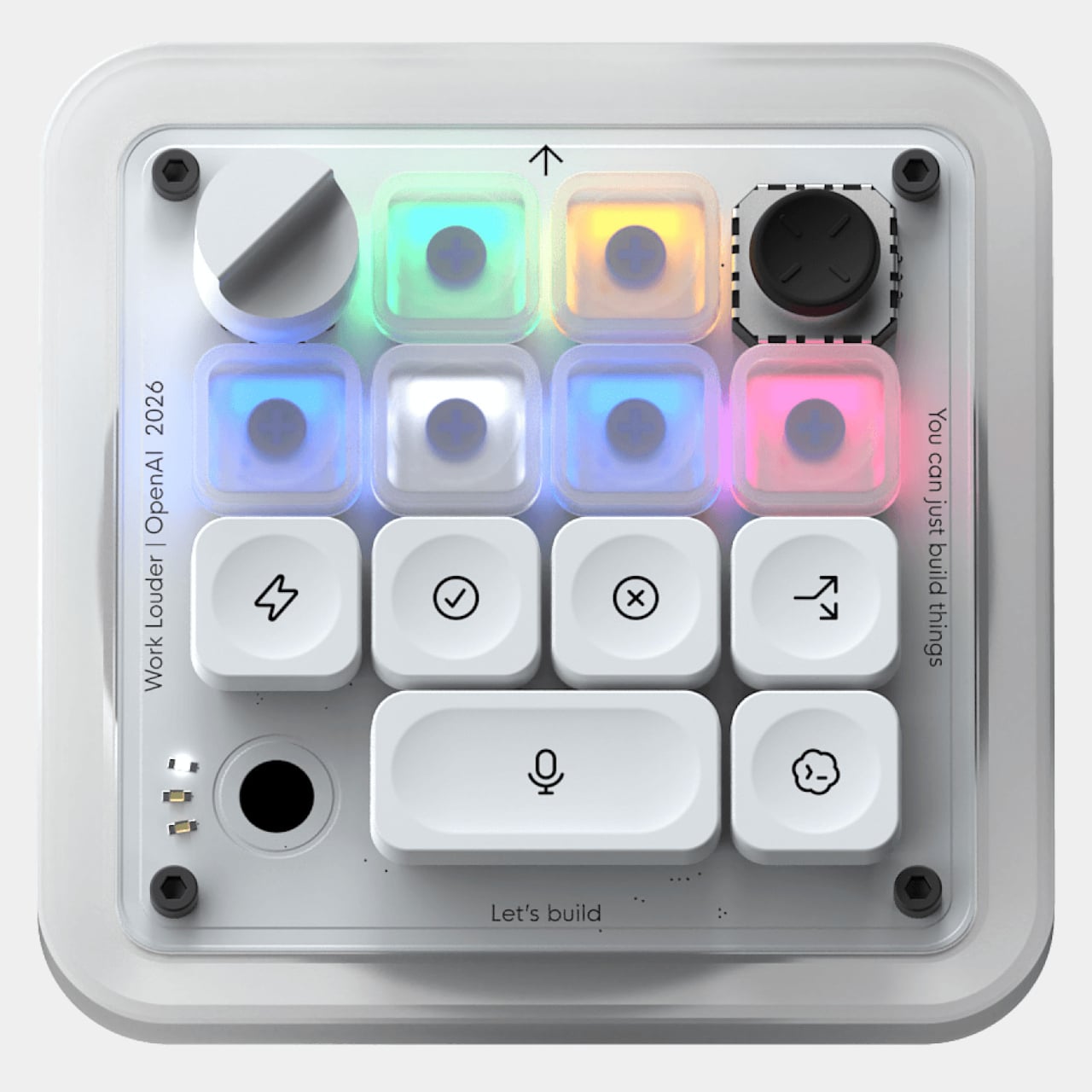
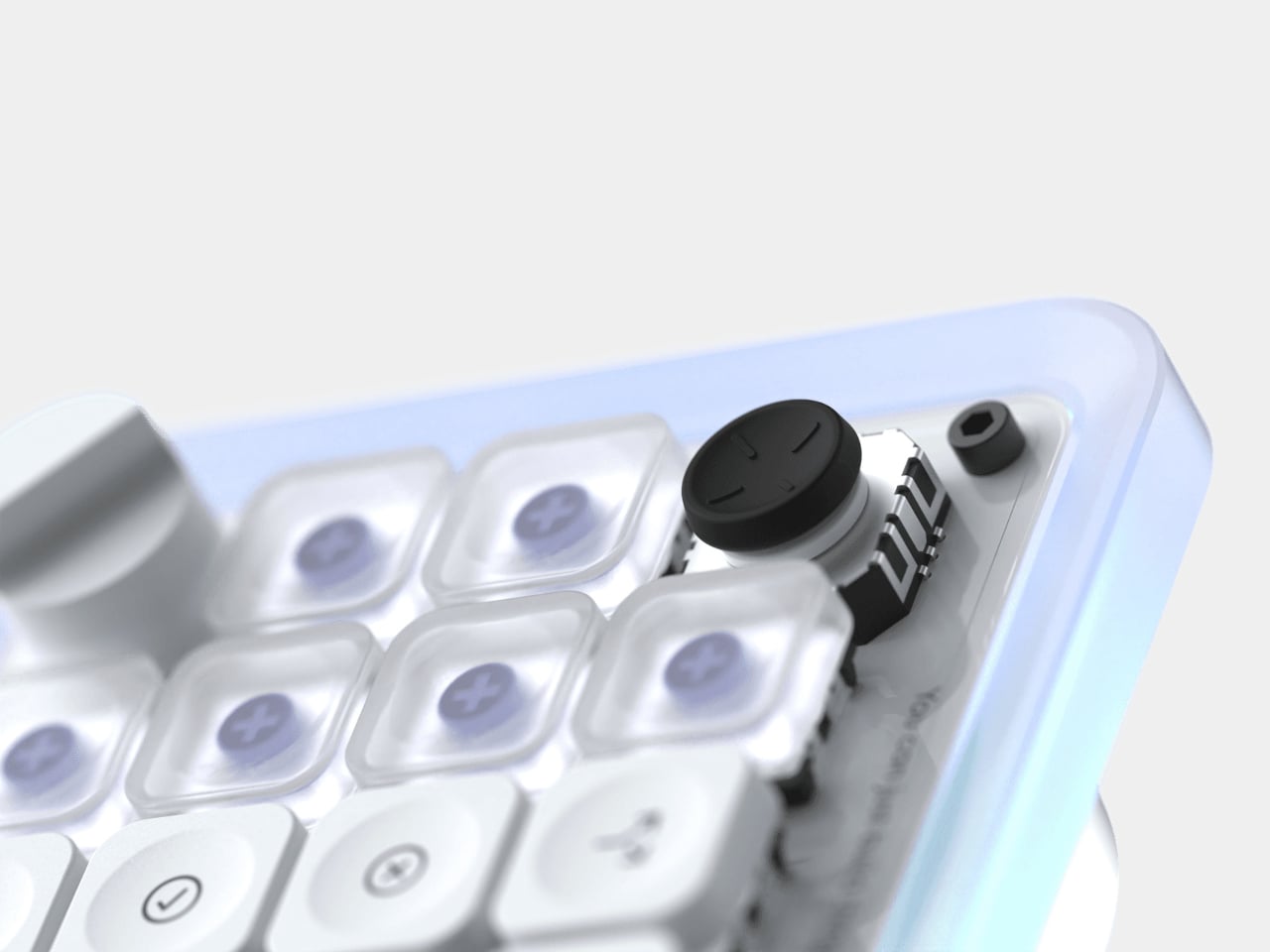
The heart of the device is its six frosted Agent Keys, each mapped to a separate Codex thread. They light up in different colors to reflect each agent’s status: white for idle, blue for thinking, green for completed tasks, amber when it needs your input, and red for errors. A single tap selects an agent in the background; a double tap brings it to the foreground.
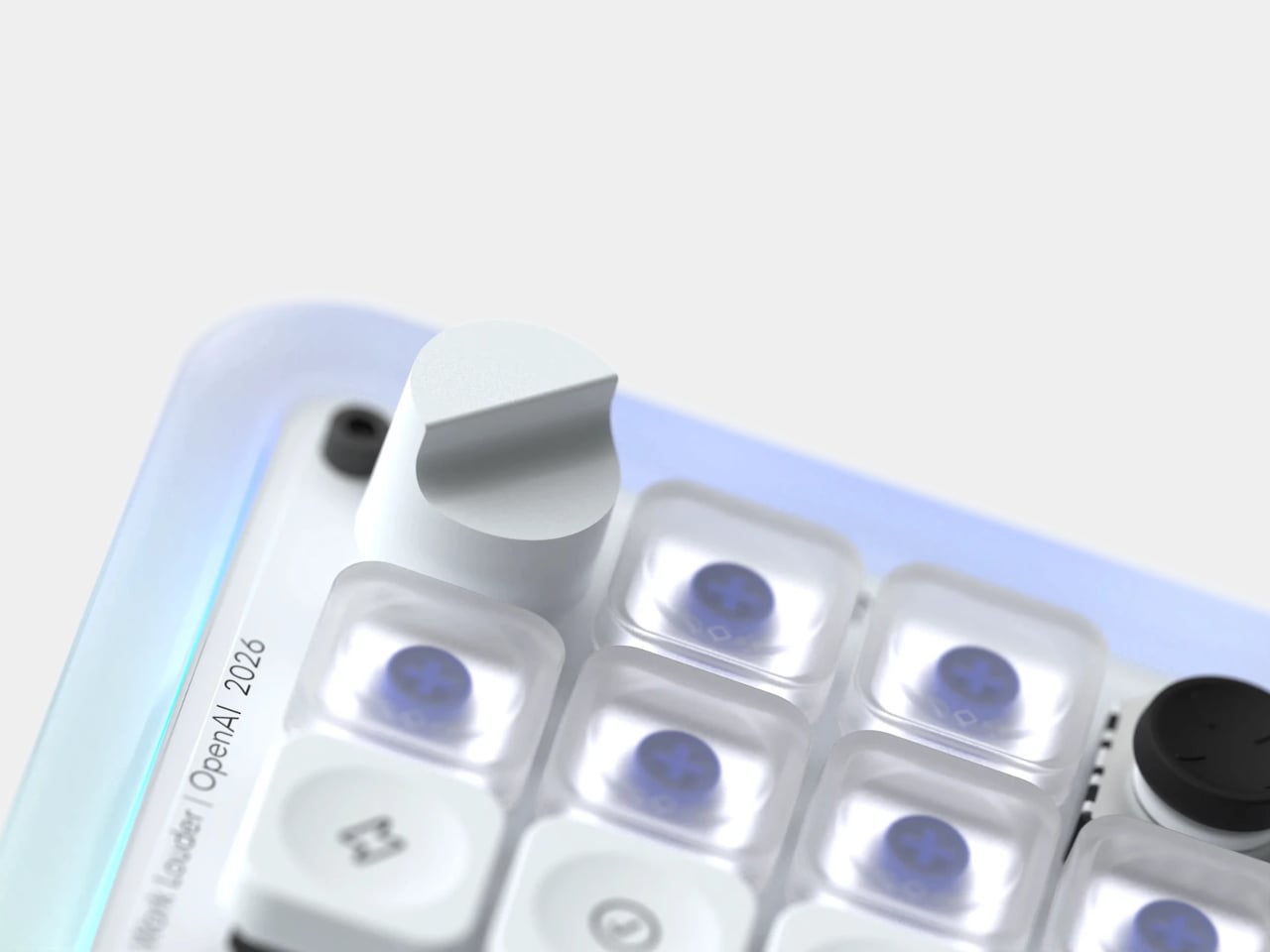
The dial and joystick add two more dimensions of tactile control. The rotary encoder lets you adjust how deeply your agent reasons through a problem, dialing things down for quick tasks and up when the work calls for more careful consideration. The four-directional joystick can be mapped to skills like toggling plan mode or navigating between threads, and it’s never more than a thumb’s flick away.
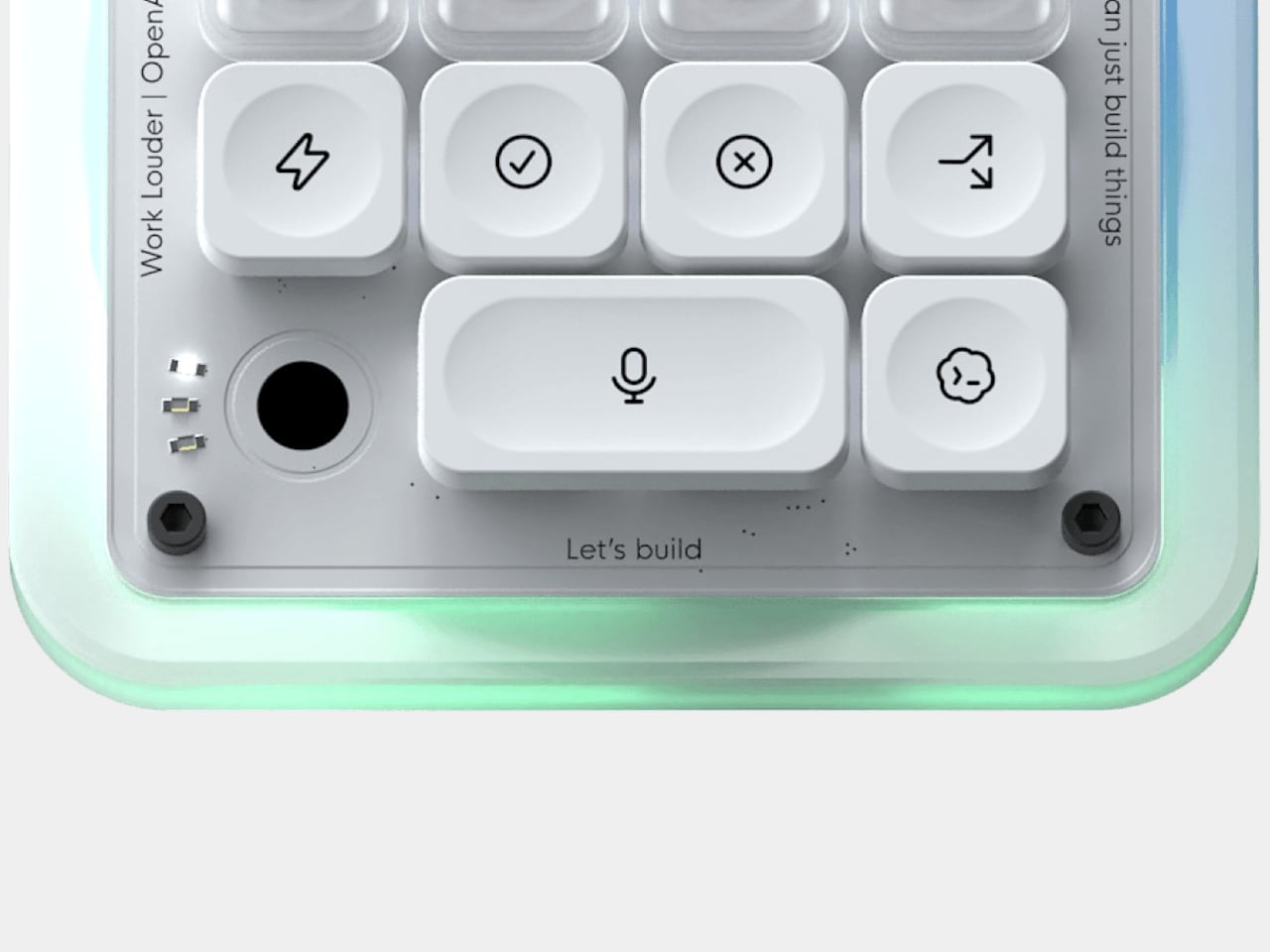
The largest button, which takes up twice the space, is for push-to-talk. A double-tap starts recording, and the ambient RGB shifts to a snaking green pattern to confirm it’s live. Once you stop speaking, a white effect takes over while Codex processes your voice, and a solid white cue signals it’s ready to send. It makes submitting a prompt feel more like dictating than typing.
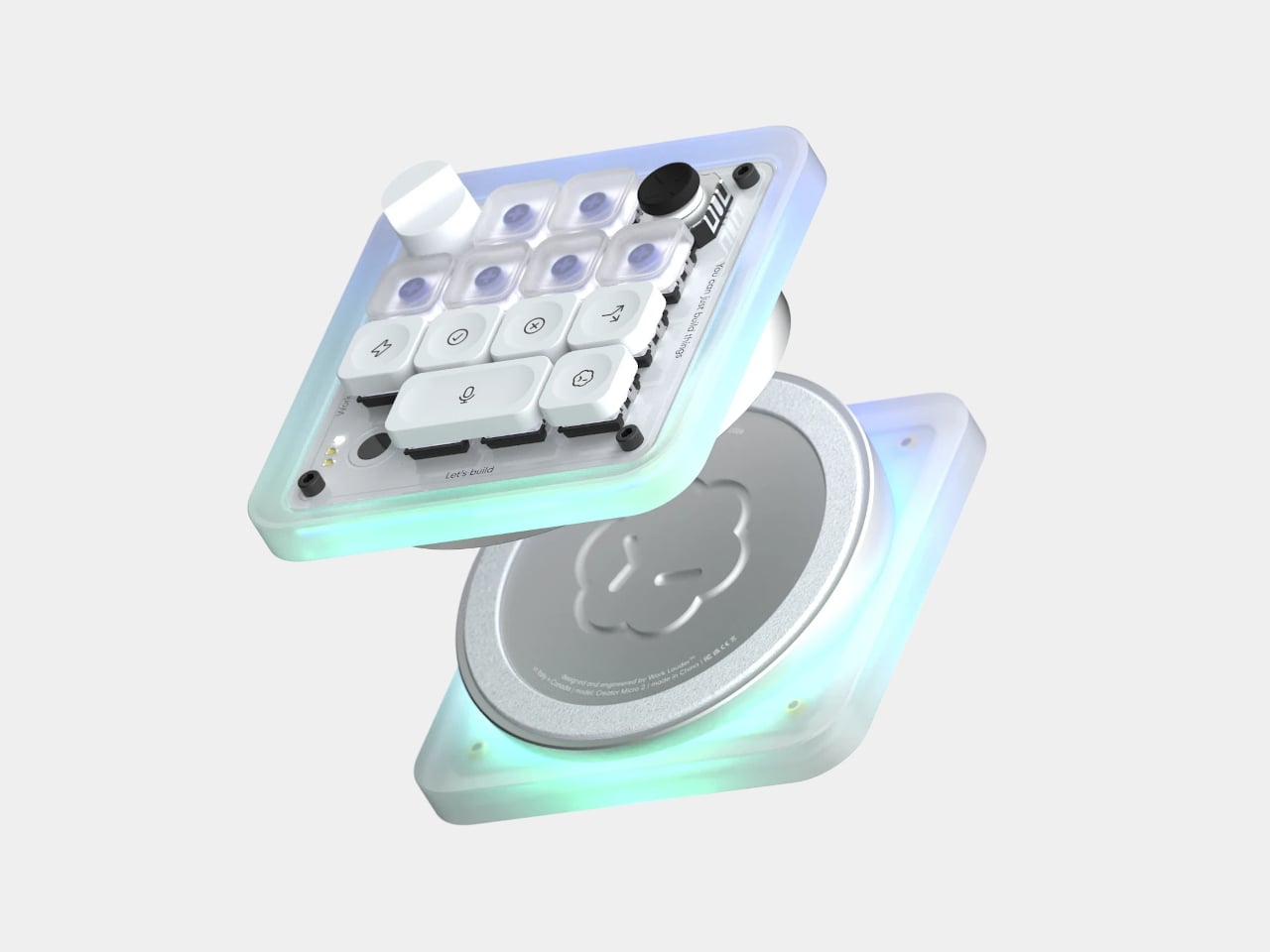
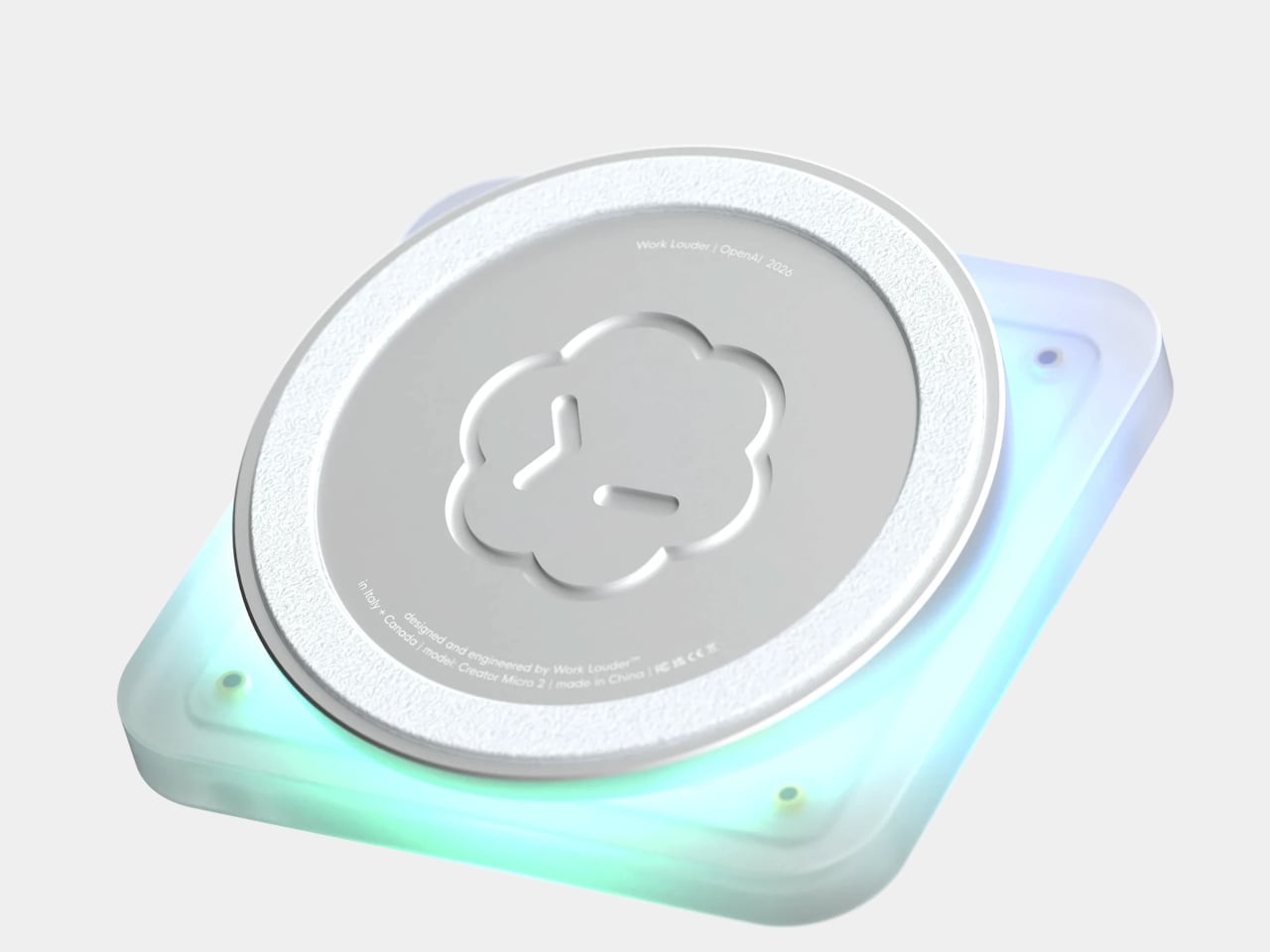
Beyond what it does, the Codex Micro is built to feel as good as it works. The body is made from sandblasted polycarbonate that diffuses the RGB lighting into a soft, even glow. The base, a solid aluminum block, keeps the whole unit planted on the desk thanks to an anti-slip ring. Buyers can choose between clicky or silent low-profile switches, with USB-C and Bluetooth connectivity.
What sets it apart from a generic programmable macropad is its direct integration with Codex itself. There’s no extra software to download or vet; key assignments and layouts can be adjusted natively within Codex. For more advanced setups, Work Louder’s Input app unlocks up to six programmable layers, letting you group different workflows into dedicated layouts without needing more desk space. It works on both Mac and Windows.
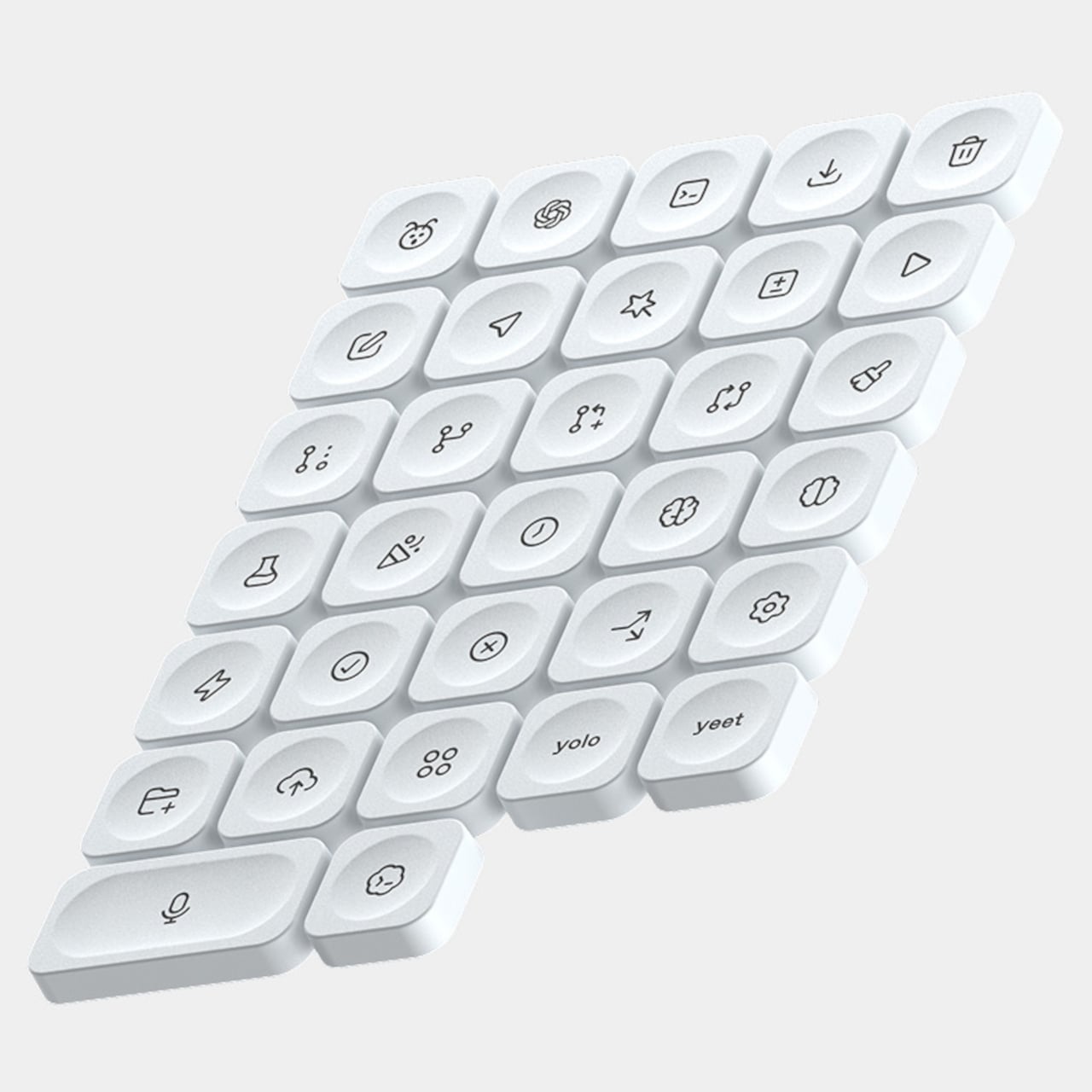
The Codex Micro ships with a USB-C to USB-C cable and the Codex Icon Keyset, a collection of 32 custom-designed keycaps with icons specific to Codex functions. It’s the kind of peripheral that’ll appeal to developers who’ve started treating their AI agents less like chat windows and more like teammates running parallel tasks. It’s priced at $230, and stocks have been limited since its launch.
Health apps and wearables have become remarkably precise at reading the human body. They can tell you how restorative last night’s sleep was, how stressed your body was during a presentation, and whether your recovery is on track after a hard week. What most of them don’t do, at least not in any concrete way, is hand you a tool to act on what they’ve just told you.
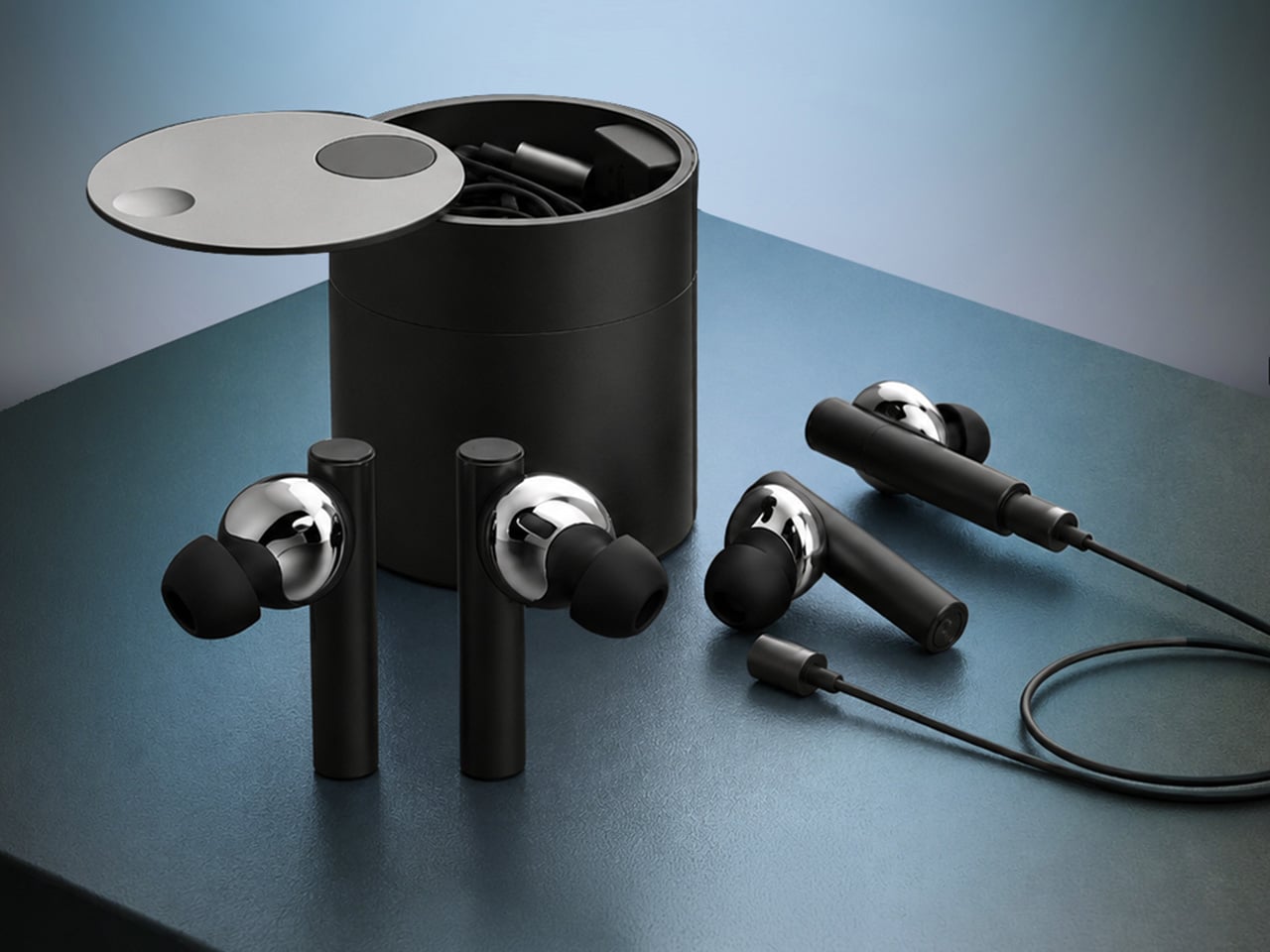
That’s the gap MobiFren founder and CEO Juwon Heo set out to address with the HealingFit TWS, a true wireless earbud built to go beyond standard listening. It earned a CES 2026 Innovation Awards recognition in Headphones and Personal Audio, but the more compelling aspect isn’t the accolade. It’s the design thinking underneath it, and what that thinking could mean for the broader world of digital health.
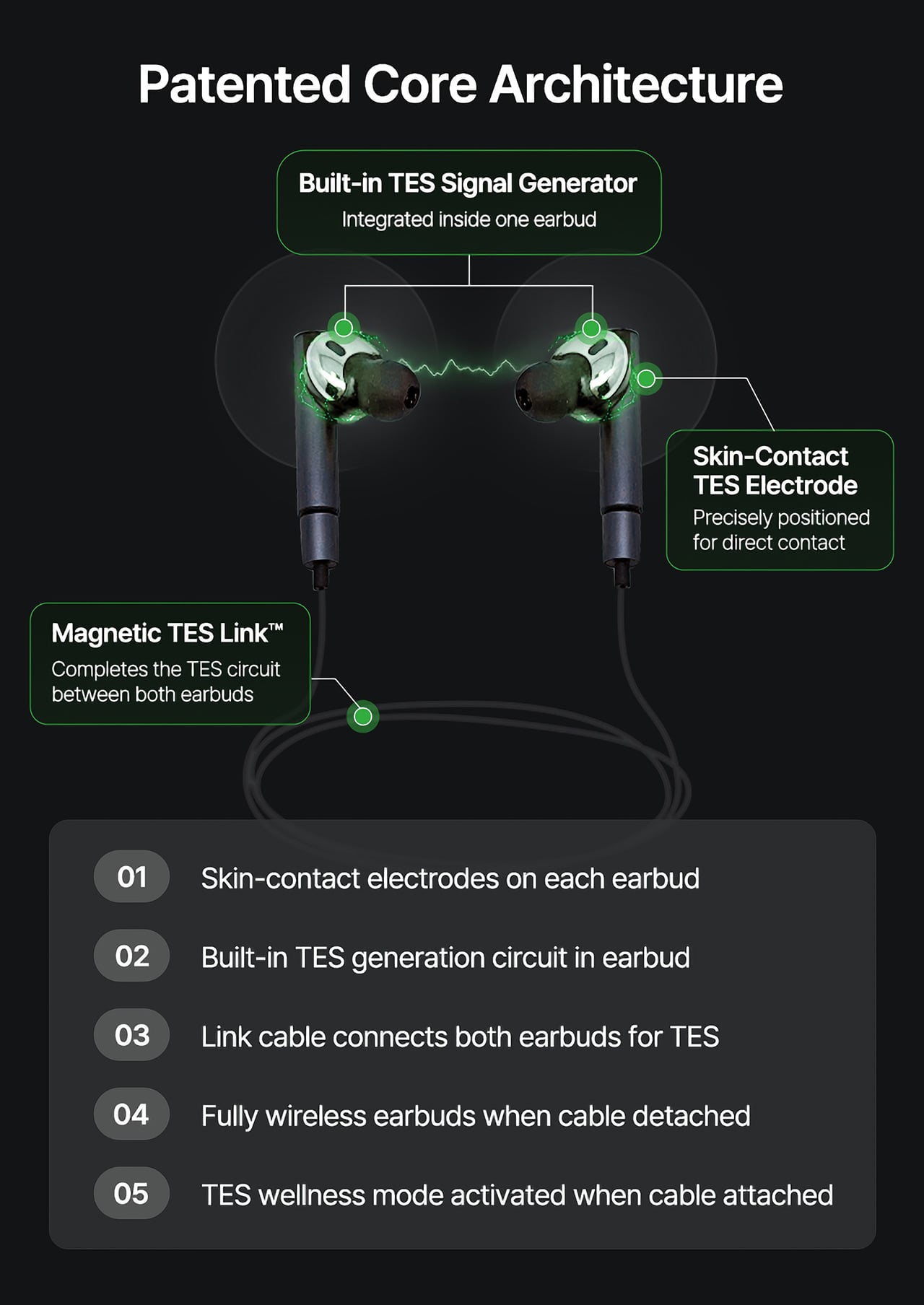
During normal use, HealingFit TWS functions as a premium pair of true wireless earbuds with Bluetooth 6.0, Hybrid ANC, and five tunable sound modes built on MobiFren’s own MSTS sound tuning system. The shift into wellness mode happens when you attach the Magnetic TES Link, a cable that snaps magnetically onto both earbuds. There’s no separate gadget involved, and no new category of hardware to carry.
TES, or Transcranial Electrical Stimulation, is a non-invasive approach widely studied in neuroscience. HealingFit TWS translates it into a controllable daily routine, running calibrated microcurrents through skin-contact electrodes built into each earbud. The intensity is adjustable across 15 levels, and most people describe the sensation as a subtle, rhythmic pulse. It’s designed to support the nervous system’s natural shift toward rest or focus, not force it there.
Three wellness modes organize the experience. Sleep is the bedtime routine, pairing TES with binaural audio tracks to help you gradually settle for the night. Healing is a shorter session for mid-afternoon or post-work moments when the day has felt relentless. Study is a focus-priming routine to run before anything demanding real concentration. Each mode comes with five dedicated tracks, though you can also layer TES over your own music.
That three-mode framework reads differently from the perspective of a digital health platform. Platforms like Samsung Health, Apple Health, Google Health, and Fitbit have become genuinely capable at detecting sleep quality, stress levels, recovery readiness, and daily activity. They generate scores, flag patterns, and surface recommendations. What they don’t typically offer is a connected, device-level way to act on those signals in the moment they appear.
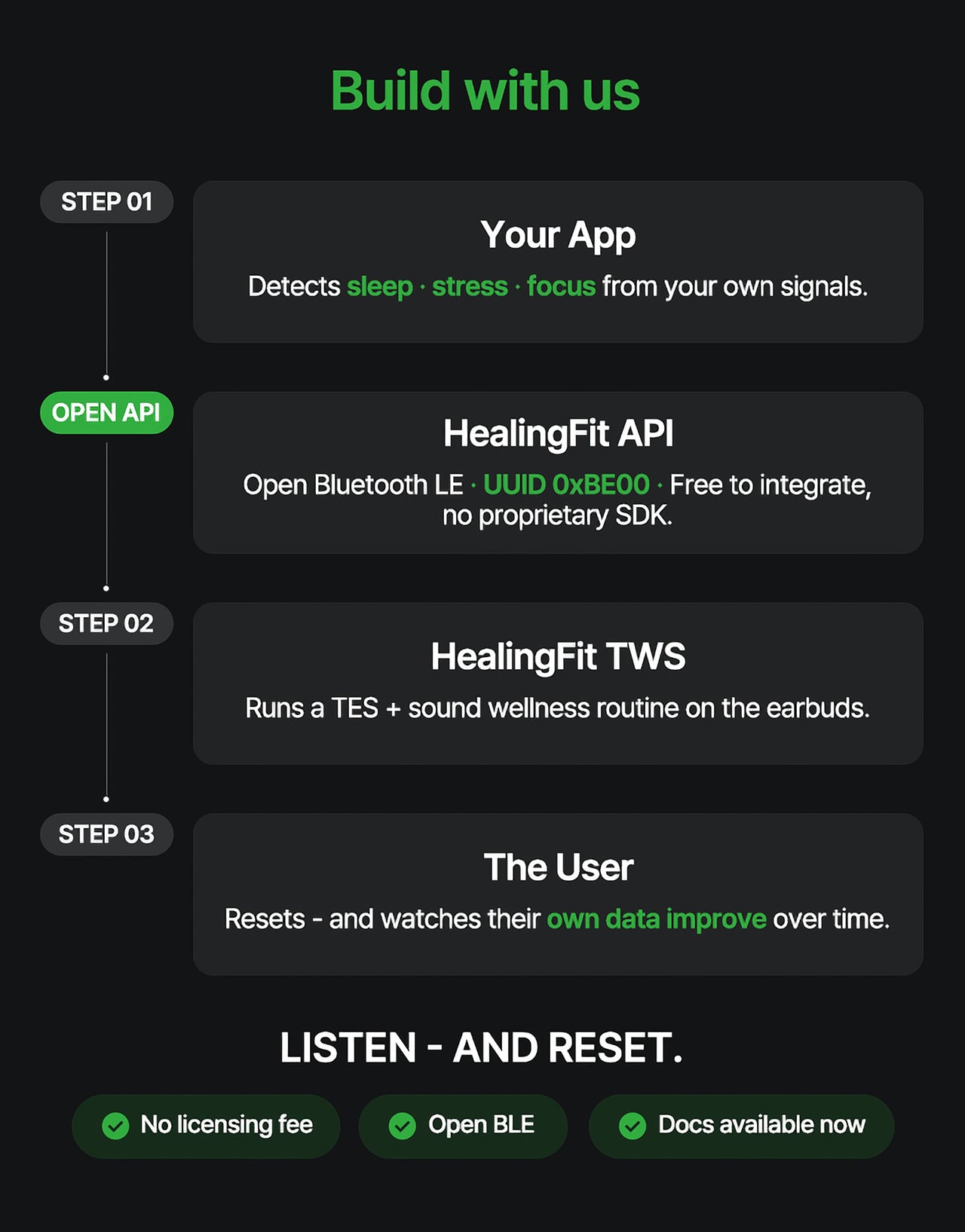
HealingFit TWS addresses that with an open Bluetooth LE interface that developers and platform teams can connect to without a licensing fee or a proprietary SDK. The technical entry point is UUID 0xBE00, and documentation is publicly available through mobifrenglobal.com. The intent is clear: the earbud becomes the intervention hardware, while the app or platform provides the health context that determines when and which session a user might benefit from.
Think about what that could look like in practice. A sleep app detecting elevated pre-bed stress could suggest a Sleep session. A recovery platform flagging low readiness after a demanding training week could prompt a Healing routine. A focus tool that spots declining concentration before a deadline could surface the Study mode. In each case, the platform has done its analysis. HealingFit TWS handles what comes after.
The core architecture places a TES-generating circuit inside one earbud, with electrodes on the front of each earbud that contact the ear canal, and a TES Link cable that connects both earbuds. Detached, it functions as flagship-grade wireless earbuds; connected, it transforms into a wellness device designed to support sleep, stress relief, focus, and memory.
What makes the TES architecture appealing to hardware teams isn’t just the open API. The circuit that generates TES signals relies on entirely standard, commercially available components, totaling just 18 parts: a dual-transistor chip, one FET, and a set of RLC components. The earbud’s existing charging contacts also serve as the TES link contacts, so no extra contact points or major structural changes are needed.
The design has received formal IP recognition across multiple jurisdictions. The U.S. patent application covering the core architecture has been allowed and is proceeding to registration, with the patent expected to be granted soon. There are also registered patents in Korea and Japan, as well as a published application in Europe. FCC certification was granted on July 1, 2026.
Heo founded MobiFren in February 2002, originally as a contract developer for Samsung Electronics feature phones. The company started building its own Bluetooth audio products in 2005 and brought its first Bluetooth earphones to market in 2006. MobiFren has maintained an ongoing relationship with Samsung through smartphone software verification work ever since. That two-decade grounding in Bluetooth audio is what gives HealingFit TWS its engineering footing.
The choice to build this platform on earbuds specifically is, in that context, a deliberate one. Earbuds are already the personal technology closest to the human body for most of the waking day. They’re phone-paired, habitually worn, and typically owned by the same people most likely to be using a health app. Embedding TES therapy into a device people already carry daily removes most of the adoption barrier entirely.
The hardware reflects that audio-first foundation. Alongside the TES system, HealingFit TWS delivers up to 6.5 hours of playback and up to 4.5 hours in TES mode, with Hybrid ANC, three microphones per side, and wear detection for auto-pause when an earbud is removed. Both earbuds and the Magnetic TES Link cable dock in a cylindrical charging case finished in anodized aluminum, designed to carry without fuss.
What Heo is ultimately proposing is a platform category that doesn’t quite have a name yet. His comparison is to how true wireless earbuds, from AirPods to Galaxy Buds, turned personal audio into a mainstream daily habit. The longer ambition is for this patented TES architecture to be adopted into future products from those same companies, giving their health platforms a connected hardware layer for the signals they already detect.
The more compelling case might be for the health platforms themselves. Apple Health, Google Health, Samsung Health, and Fitbit have spent years becoming sophisticated at detecting when something is off: poor sleep, elevated stress, slow recovery. What they don’t yet widely offer is a hardware path from that detection to user-controlled action. HealingFit TWS was built to be exactly that path, and it’s open to anyone willing to test it.
That’s a bold bet, and the category he’s describing doesn’t fully exist yet. But HealingFit TWS makes a credible early case for it, with a patent-allowed architecture, open developer access, and a hardware design that doesn’t ask users to change anything about how they already carry and use earbuds every day.
E Ink phones have spent years selling one idea: a calmer screen, a longer battery, and a slower relationship with your phone. That promise has almost always come with a catch. You’d get the paper-like display but lose the processing power. You’d get the focus-friendly software but sacrifice half the apps you actually need. The category thrived on convincing buyers that every compromise was worth making.
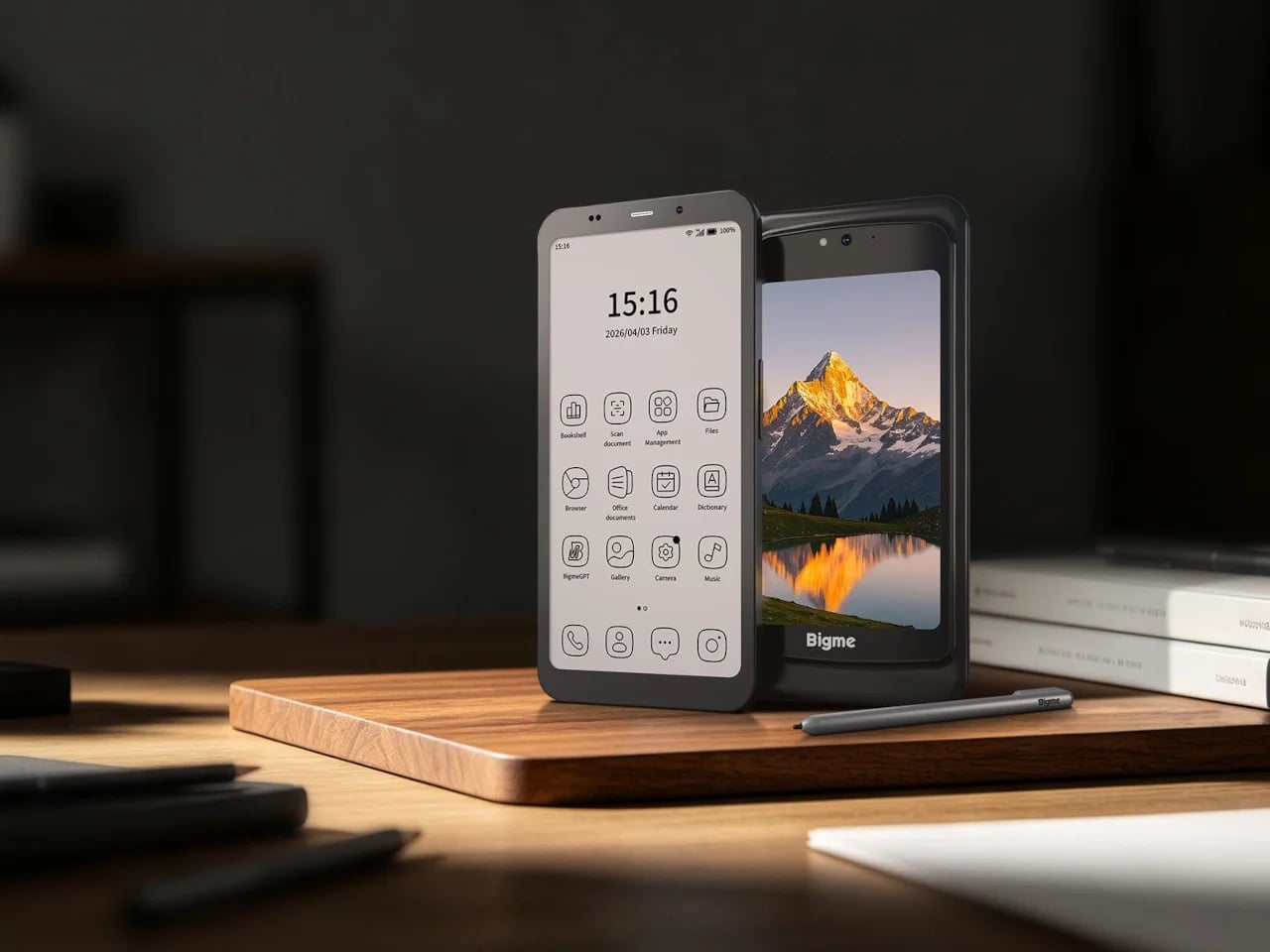
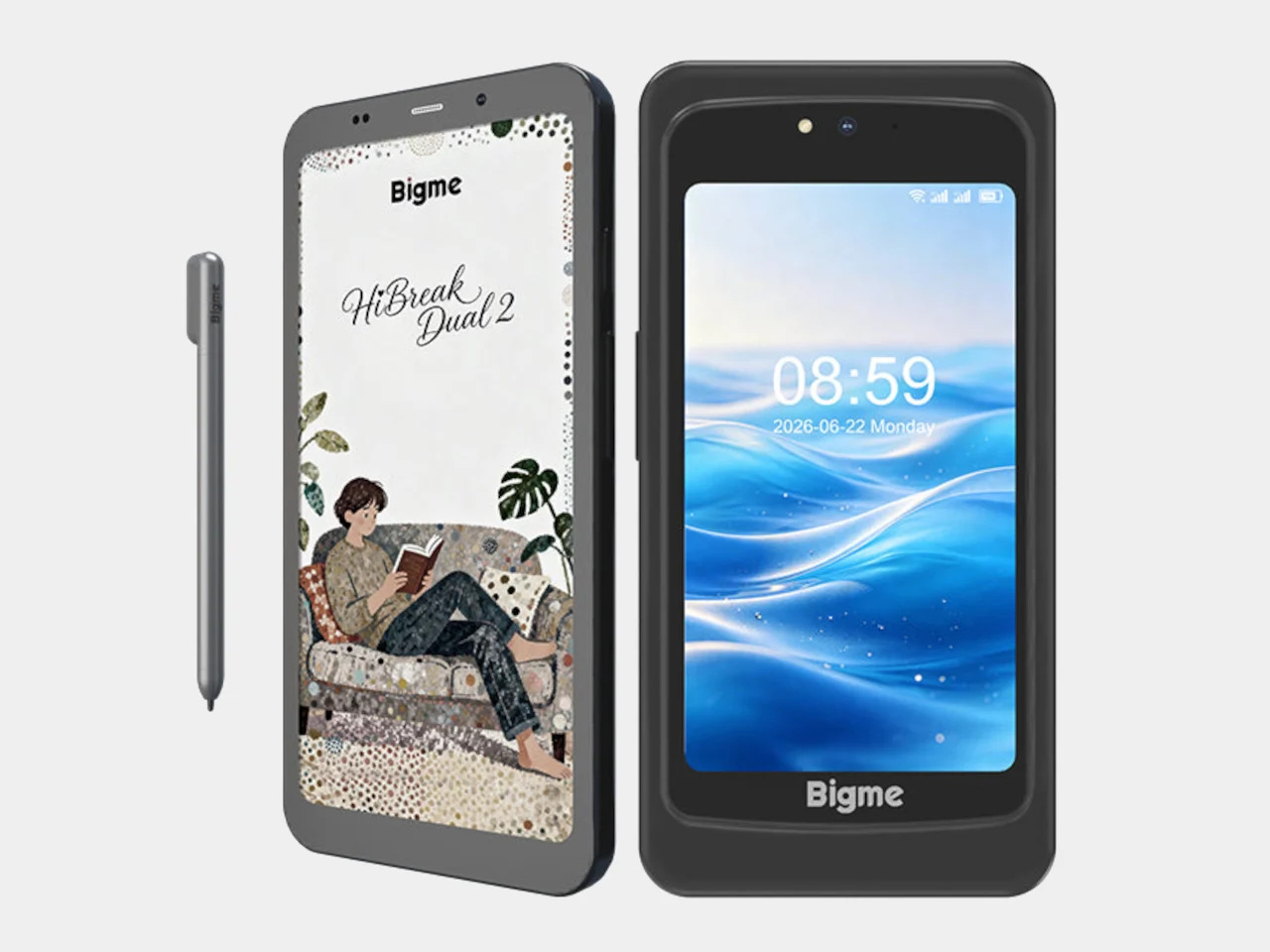
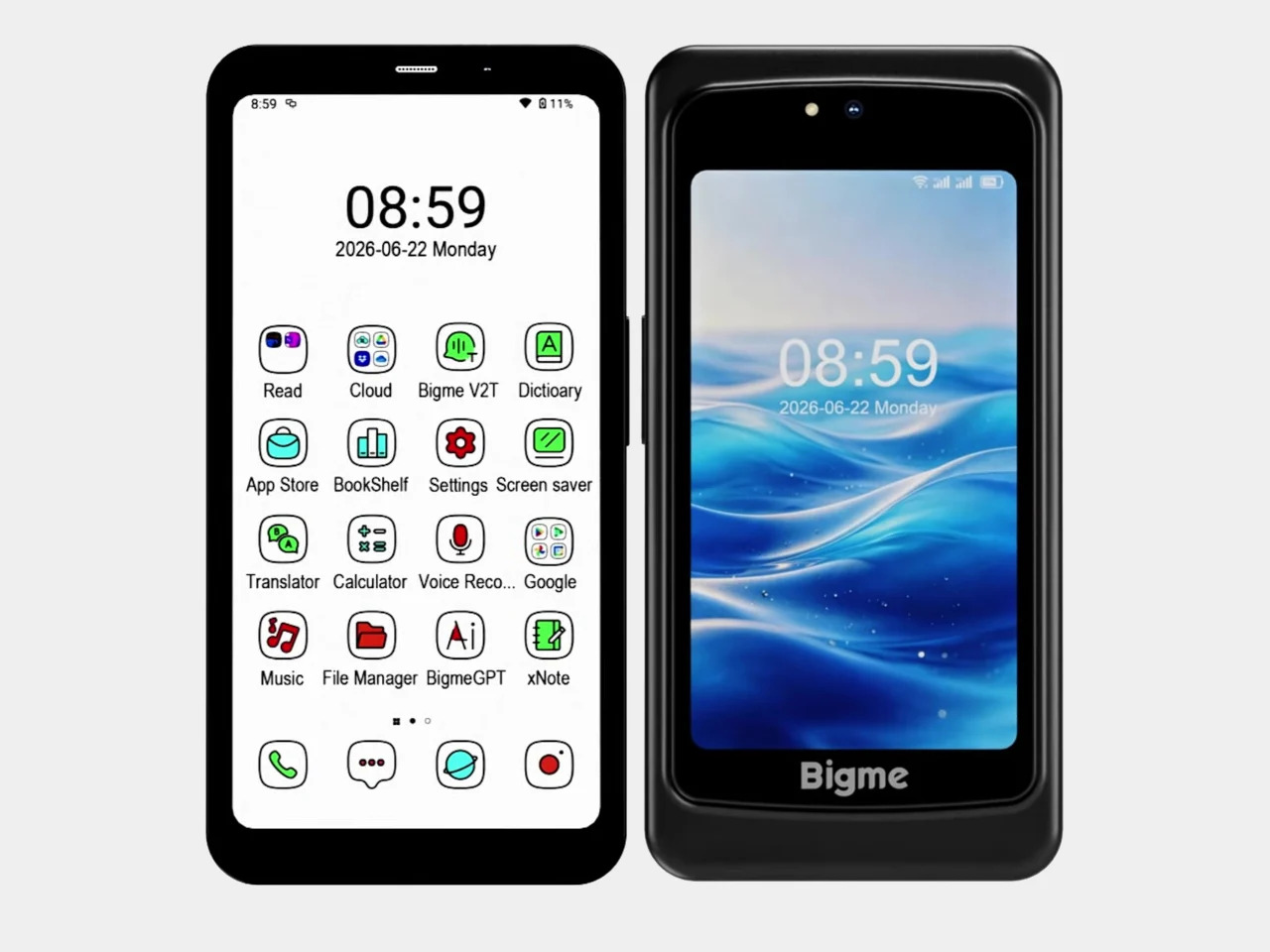
Bigme’s HiBreak Dual 2 doesn’t improve on the E Ink formula. It changes the question entirely. Pairing a 6.13-inch color E Ink front panel with a 5-inch LCD on the back and running Android 16 on a Dimensity 8300 chip, it removes the old forced choice between paper-like calm and normal smartphone capability. That shift forces every rival to explain what they’re still asking you to give up.
Bigme HiBreak Dual 2
It’s a refreshingly practical premise. When E Ink handles the task, reading, taking notes with the optional stylus, or checking messages, the front panel does the work quietly. When it can’t, the 5-inch LCD on the back handles video calls, maps, or anything that moves too fast for a paper display. You’re not forced to pick a lane. The phone picks it based on what you’re actually doing.
The familiar trade-offs don’t apply anymore. With 12GB of RAM, a 50MP camera, dual SIM 5G, NFC, and Google Play on Android 16, the Dual 2 closes every gap this category used to own. What it still costs is simplicity. A two-screen phone with an optional stylus isn’t a minimalist object, but that’s the honest bargain. The sacrifice shifted from capability to preference, and at $574, that’s an easier trade.
Minimal Phone
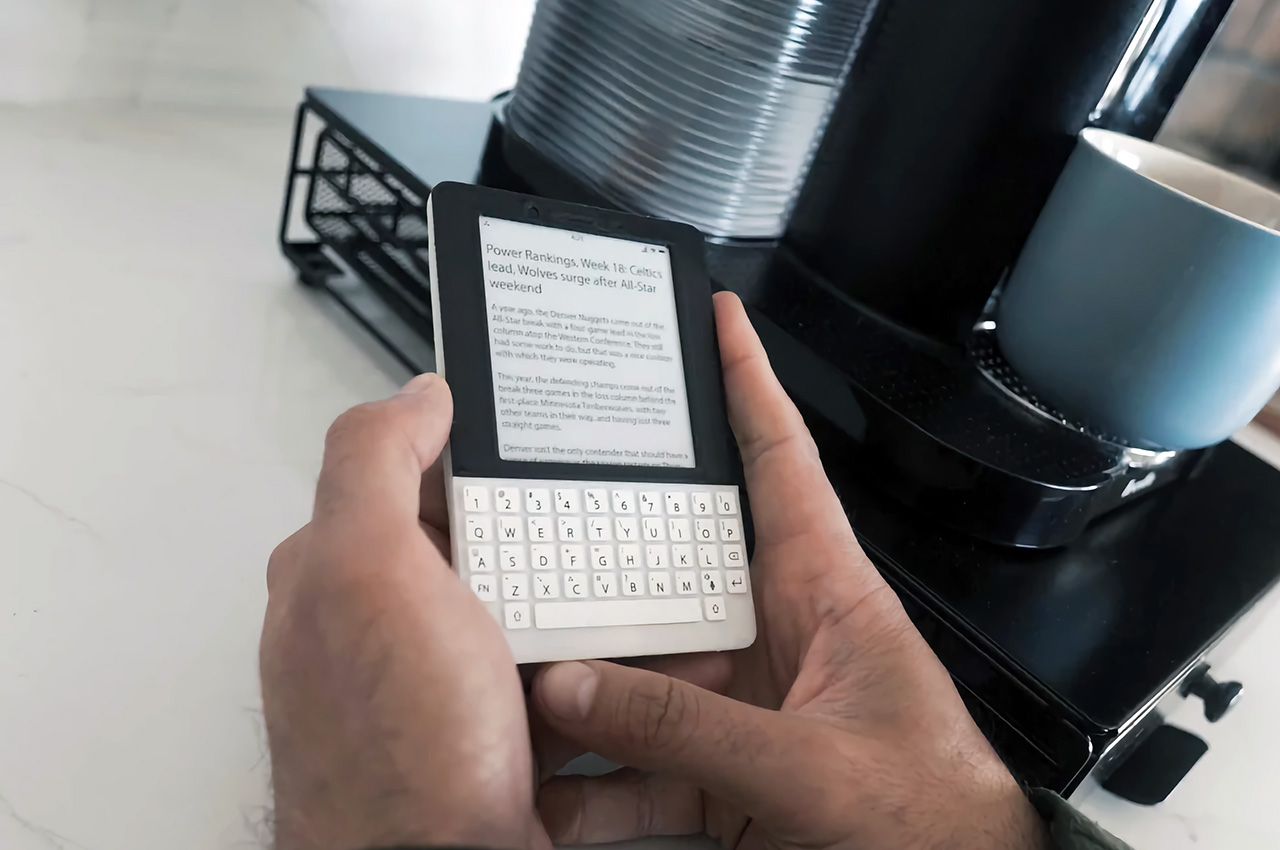
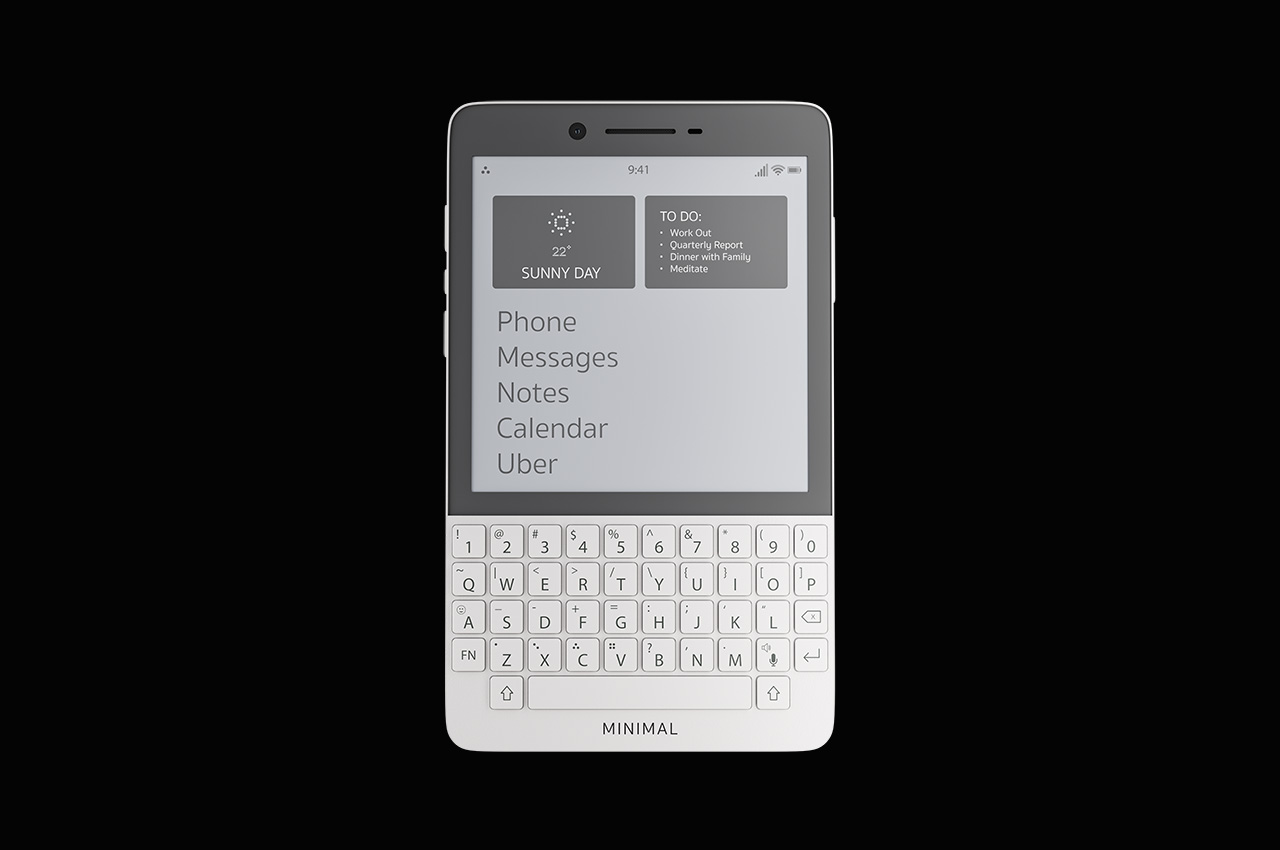
Before the HiBreak Dual 2, the Minimal Phone offered what felt like a reasonable compromise: a full Android 14 experience on a 4.3-inch E Ink touchscreen grounded by a physical QWERTY keyboard. Google Play works out of the box, NFC and wireless charging are onboard, and battery life is strong enough that charging feels less urgent. It starts at $499 for 6GB of RAM and 128GB of storage.
The keyboard is the whole identity, and that’s either the appeal or the limitation, depending on who you are. If you prefer typing with actual resistance, this phone still makes a strong case. But after Bigme, the keyboard has to work harder as a justification. It’s no longer the pragmatic path through the category. It’s a deliberate preference, which means it now belongs to a more specific kind of buyer.
Mudita Kompakt
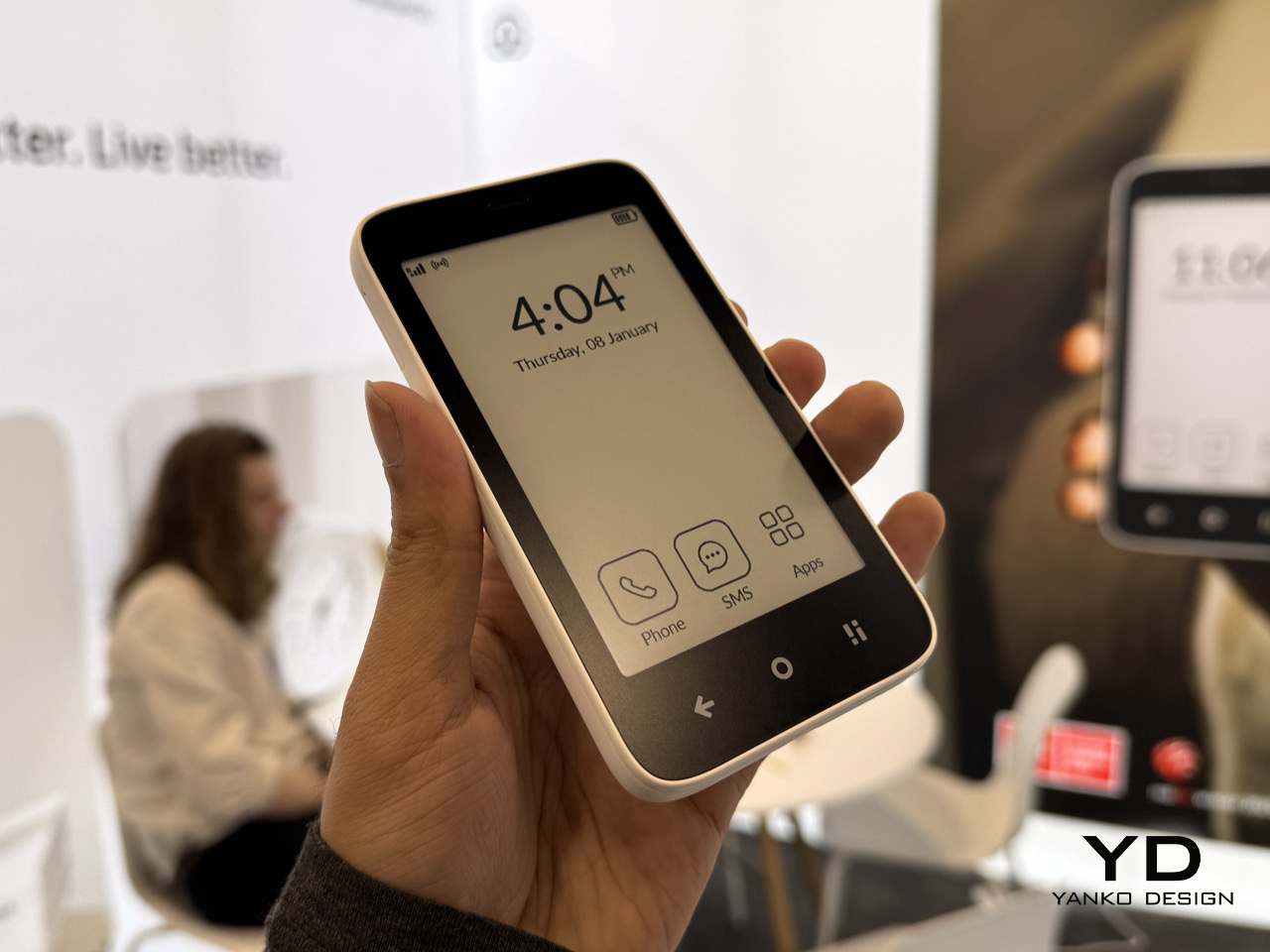
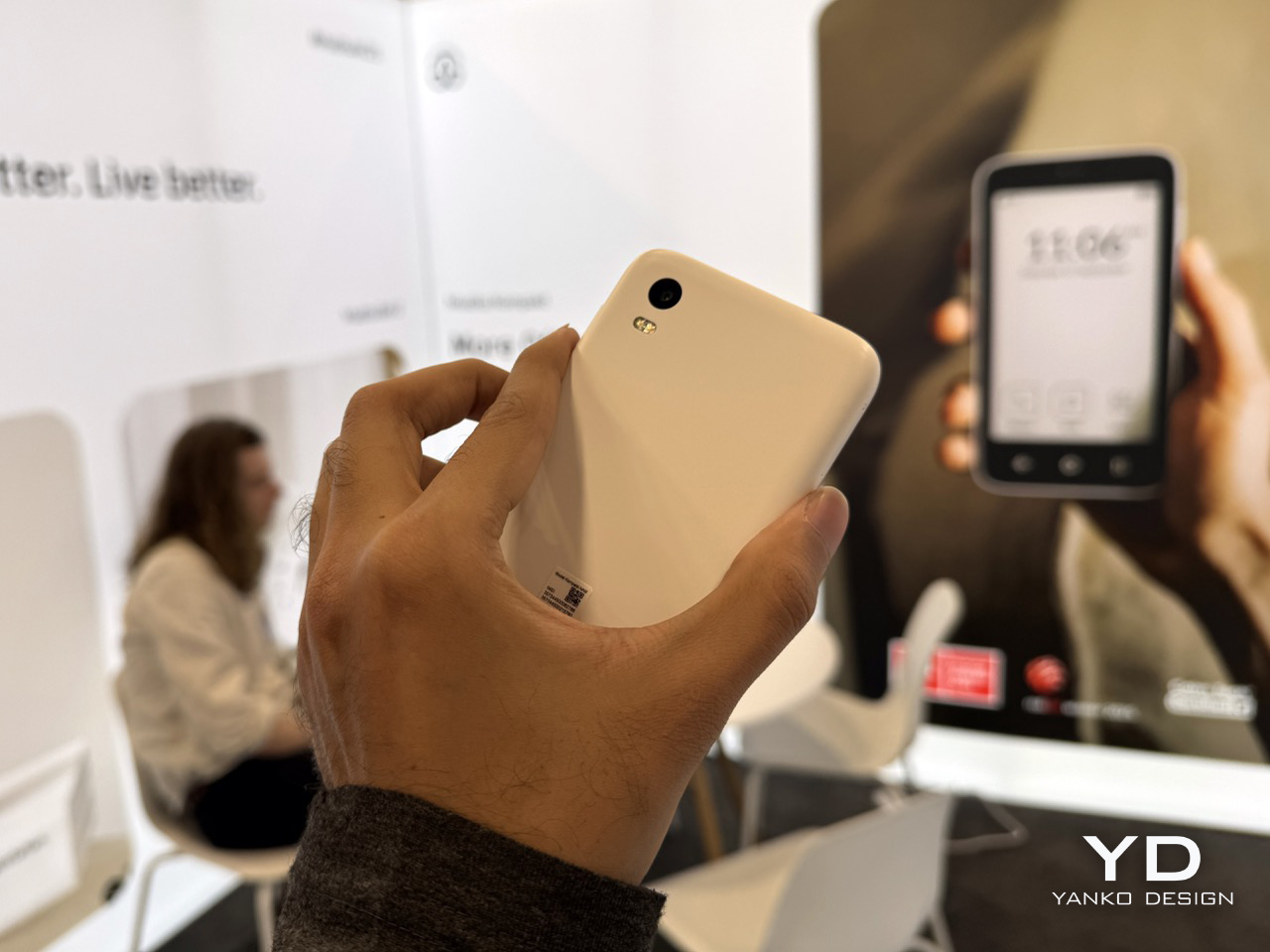
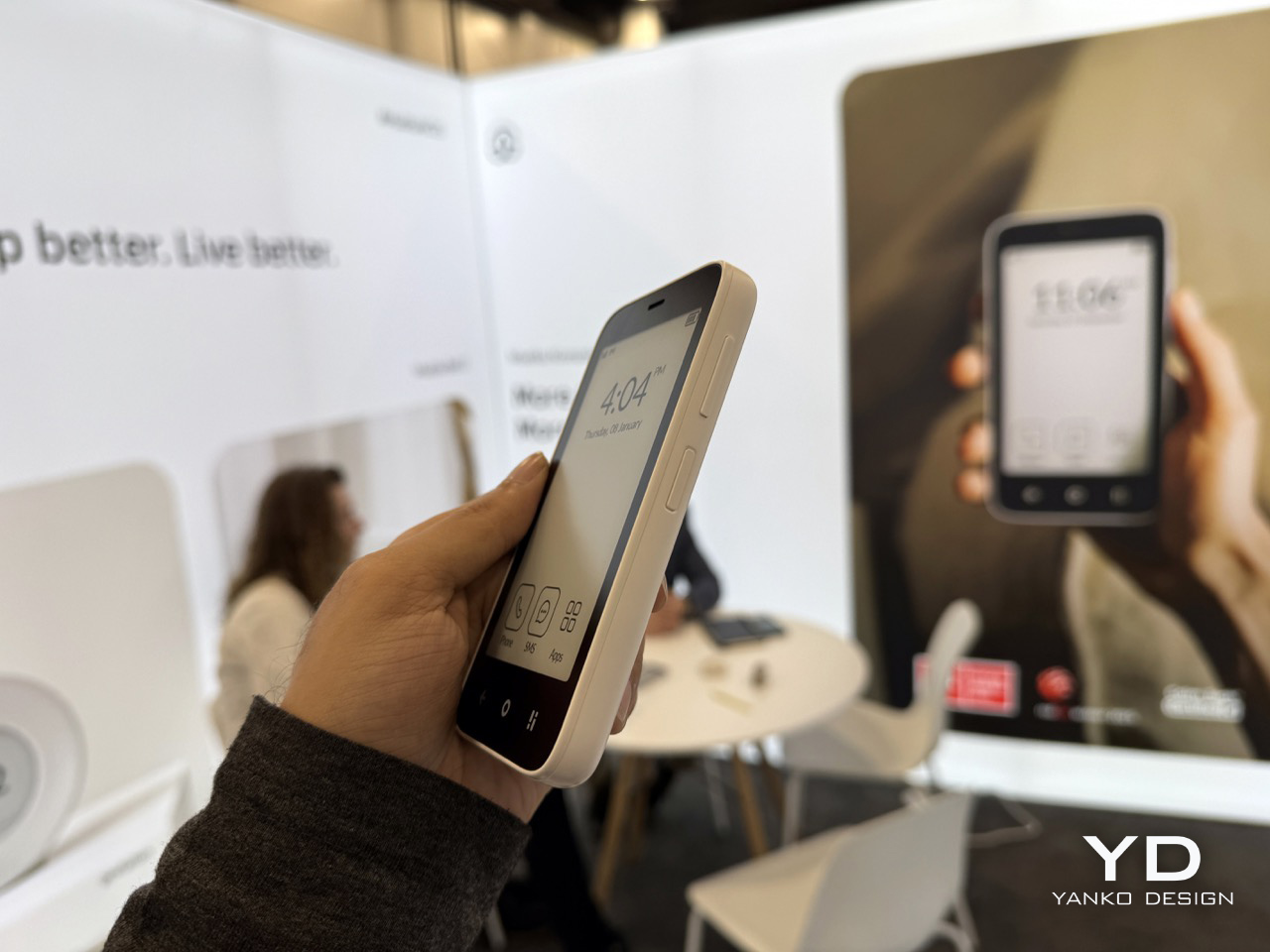
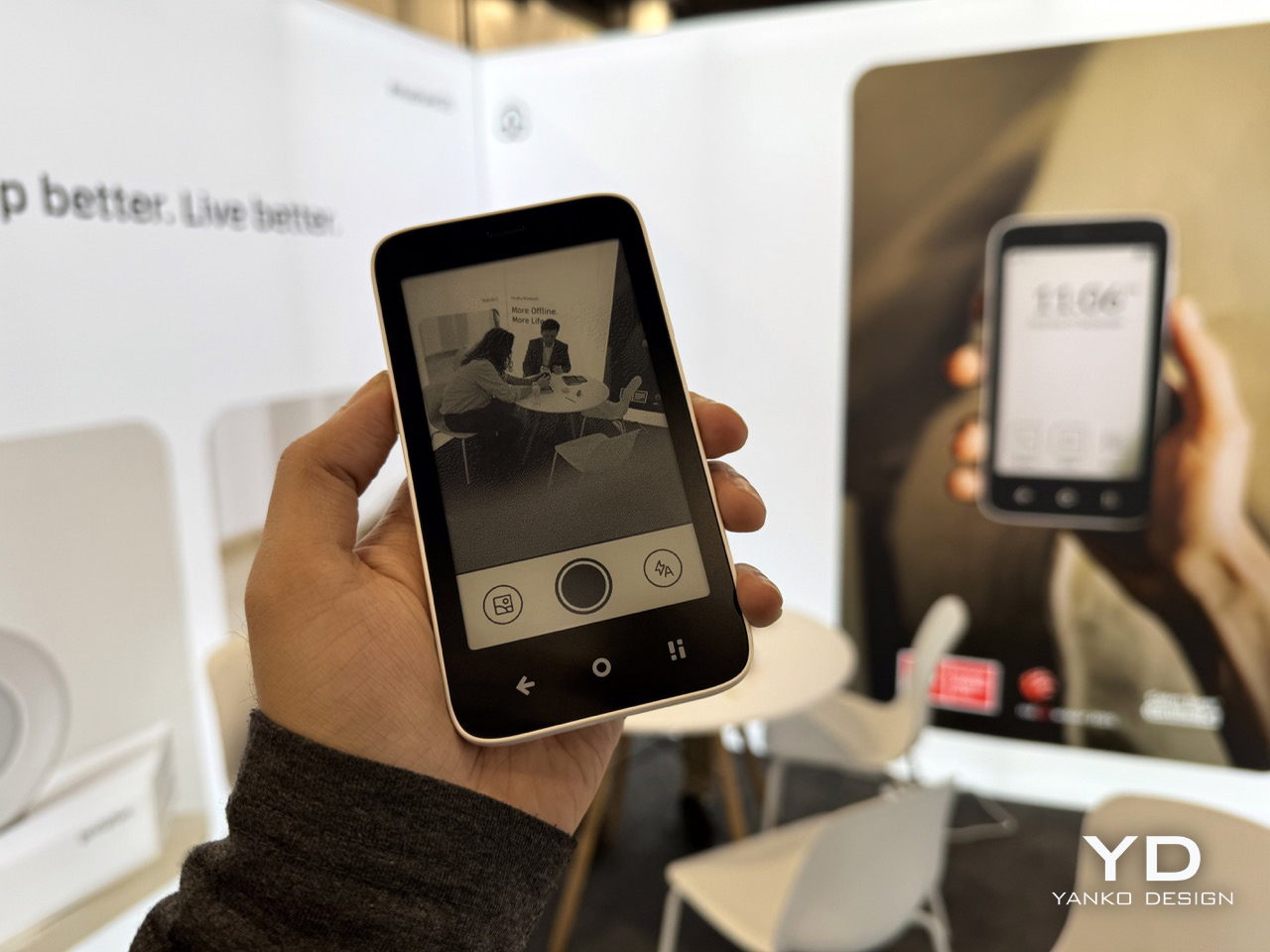
The Mudita Kompakt doesn’t compete on specs and isn’t trying to. It runs a custom OS stripped down to calls, texts, offline maps, music, and not much else. There’s no app store, no browser built for scrolling, just a 4.3-inch E Ink display, a 3,300 mAh battery with up to six days of life, and a phone that genuinely expects to be set down often. It’s available for $399.
What Mudita charges you is breadth. The Offline+ Mode disables every signal at once, including GSM, Wi-Fi, Bluetooth, camera, and microphone, which sounds drastic until you realize that’s exactly the point. The trade-off goes beyond app access. It’s the assumption that a phone should keep expanding. For anyone exhausted by that expectation, the Kompakt feels less like a device with missing features and more like one that refused them deliberately.
Light Phone III
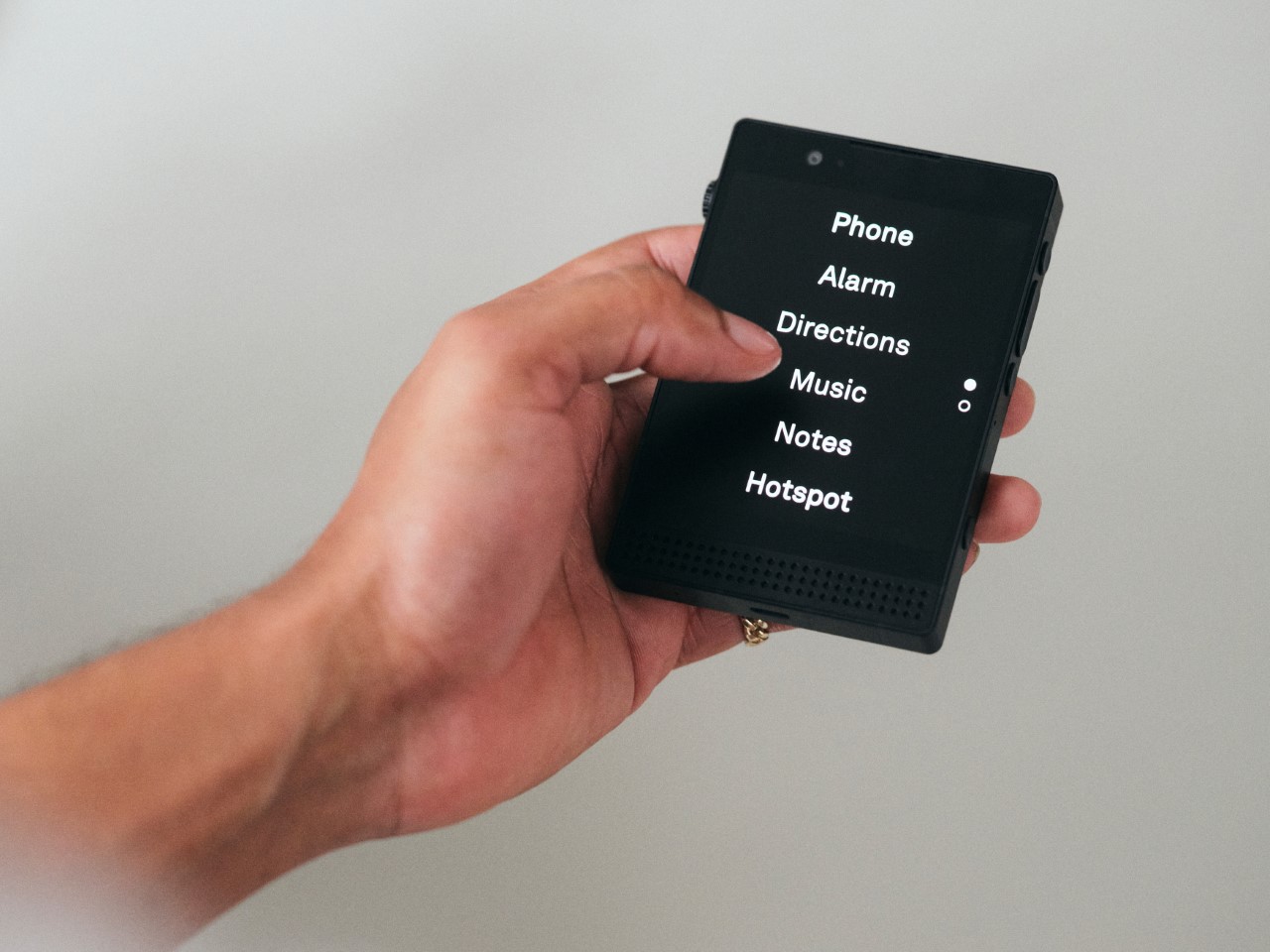
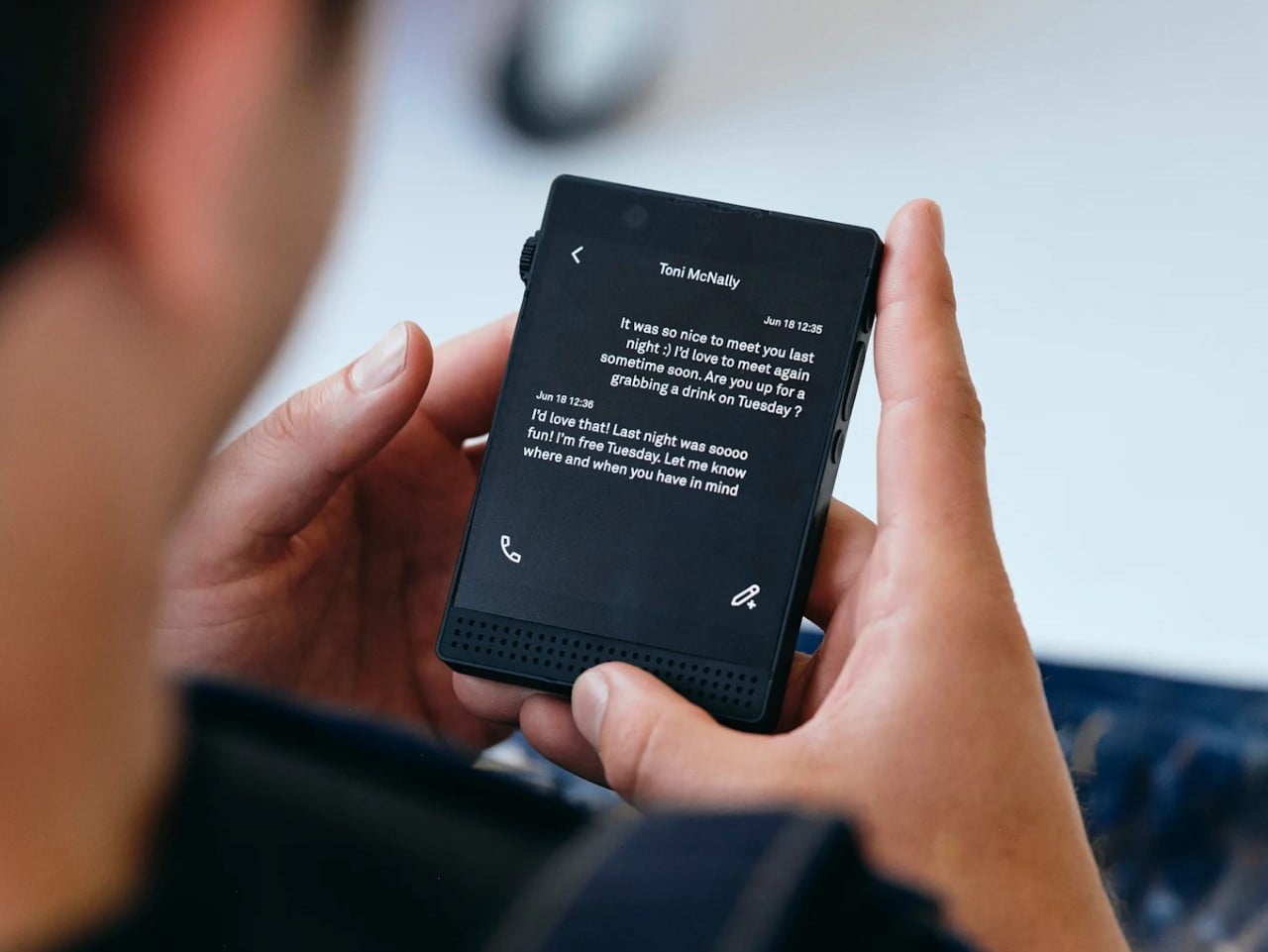
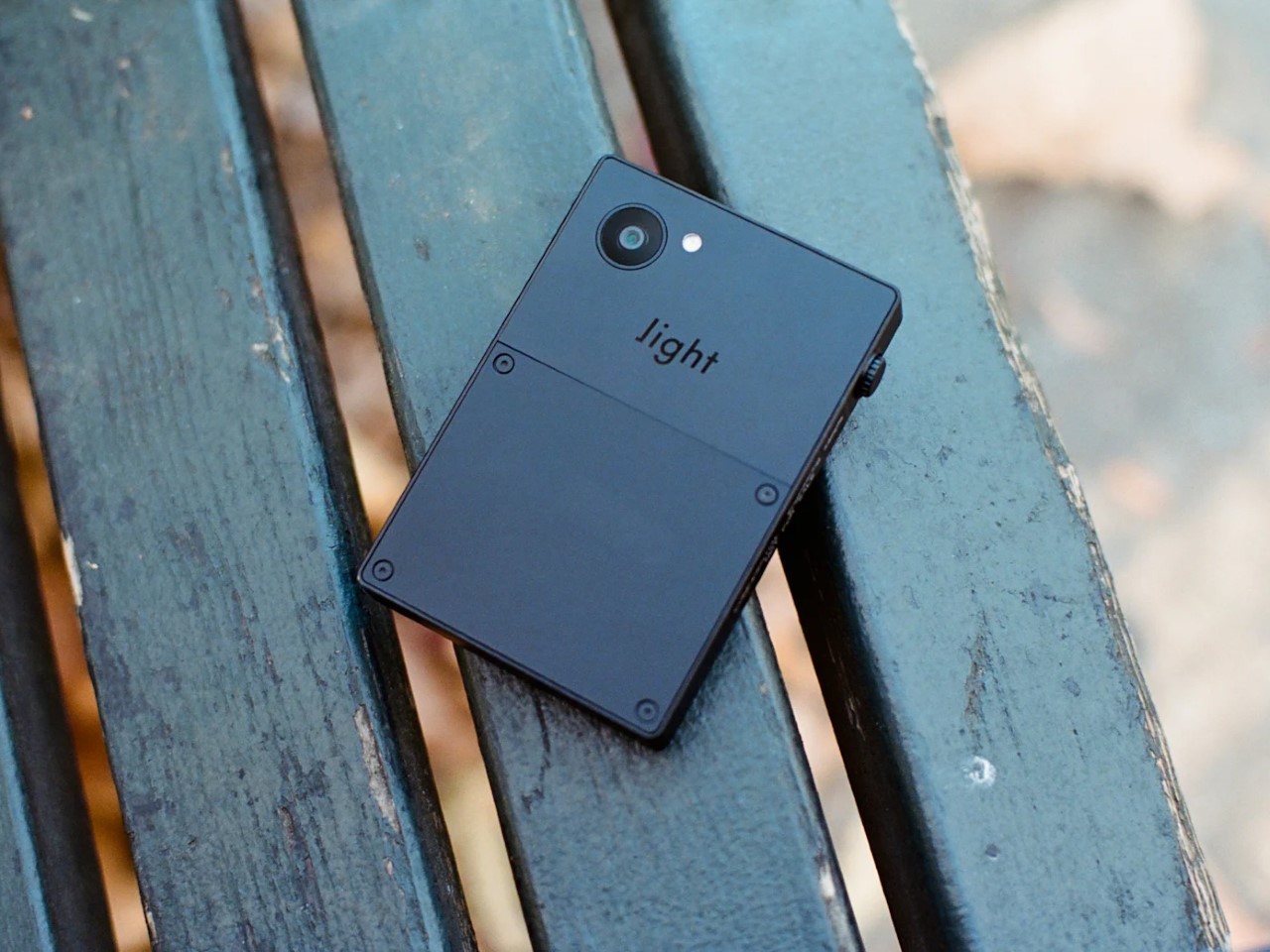
The Light Phone III is the most philosophically clear product here, and the only one without E Ink. It runs a 3.2-inch OLED in grayscale, no app store, no browser, and a proprietary OS with a short, curated list of tools. What it does carry is 5G, NFC, and the kind of calm that comes from removing things rather than restraining them. At $799, it’s priced like a considered commitment.
That clarity is also its challenge. After Bigme, the Light Phone III’s restrictions no longer read as a necessary cost of the category. They read as a position statement. You’re not settling for less because less is all that exists. You’re paying more for less because you’ve decided that’s the better way to live. That’s a meaningful shift, and it makes the Light Phone III a conviction purchase, nothing more.
BOOX Palma 2 Pro
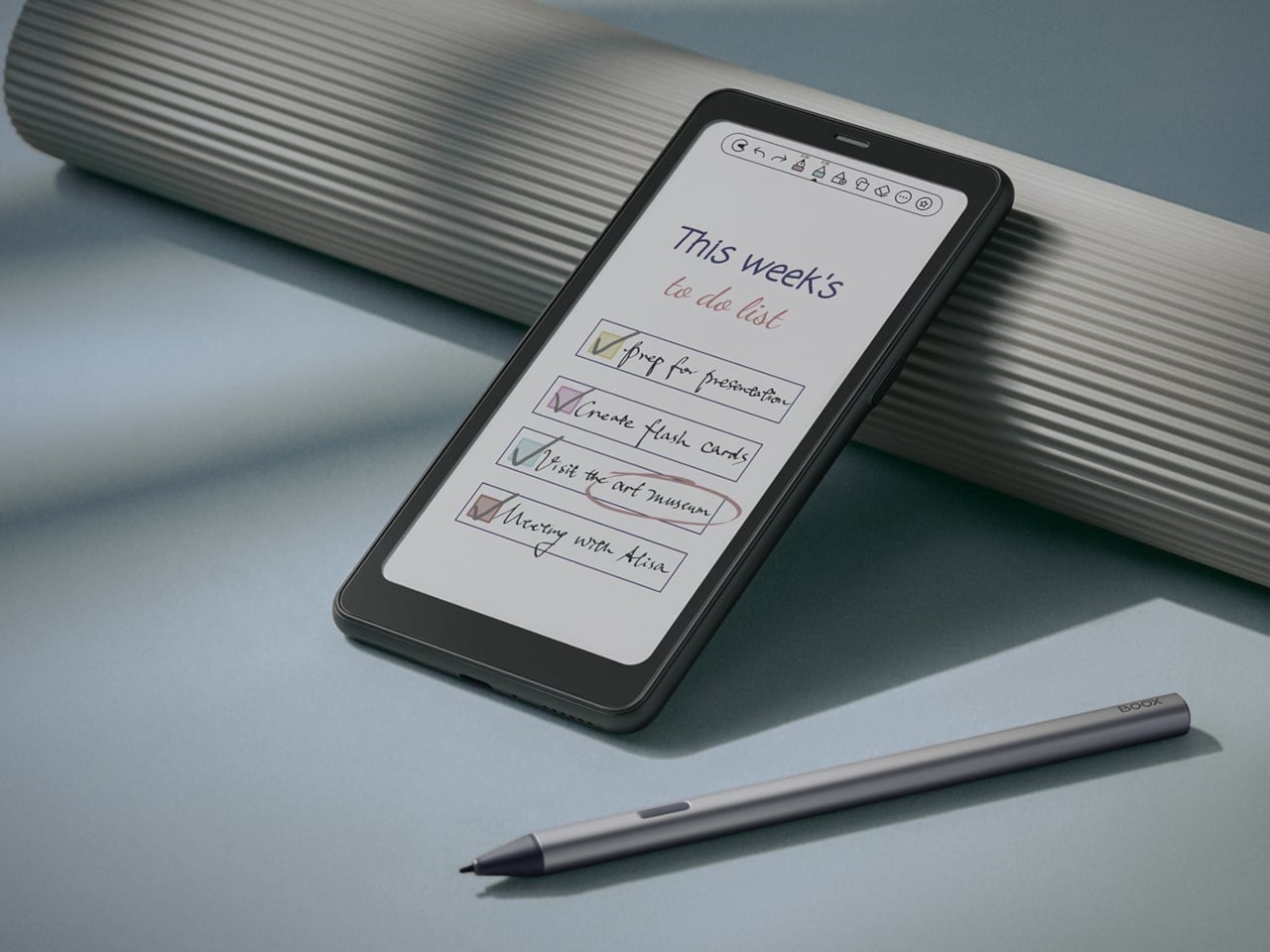
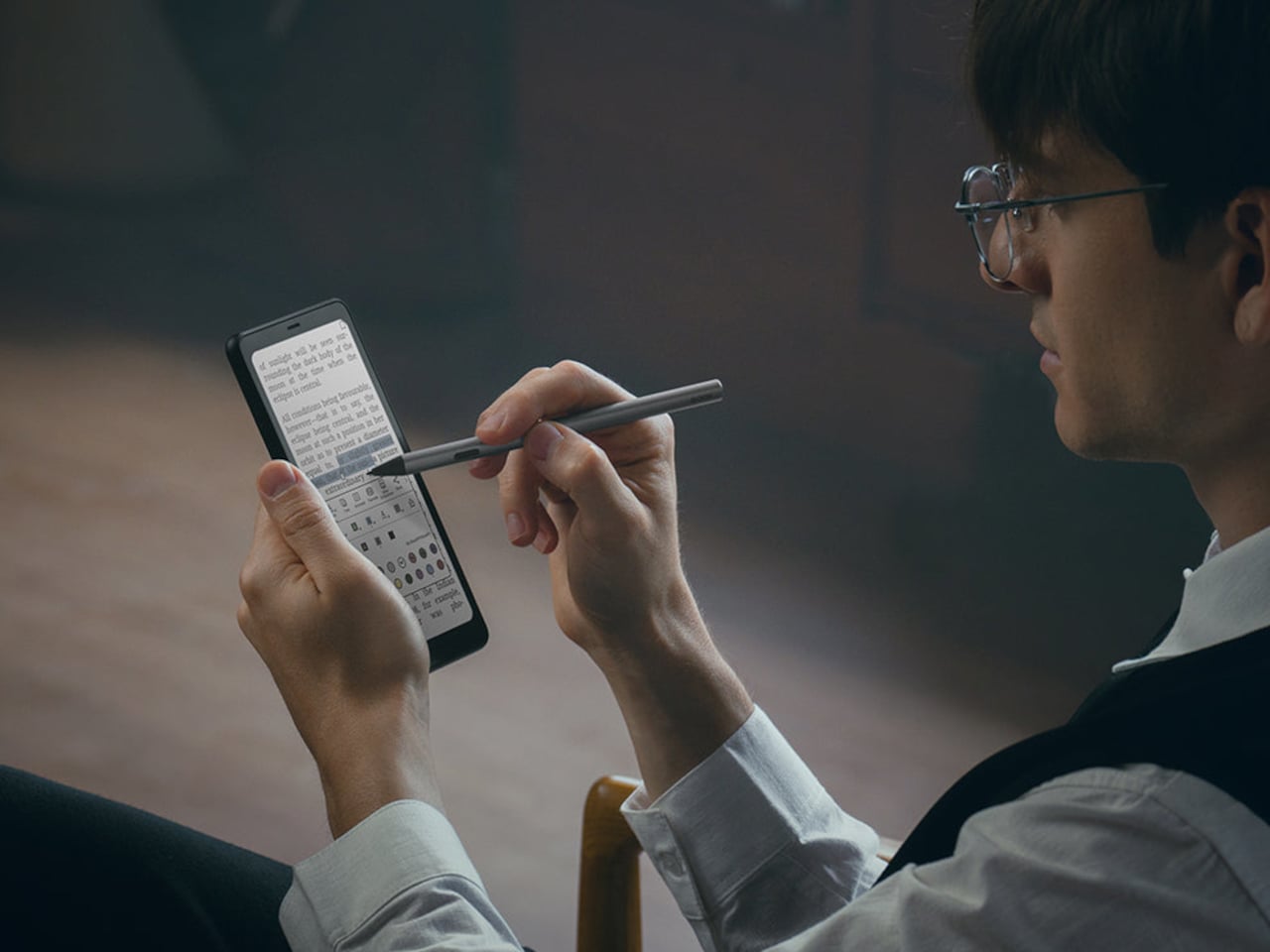
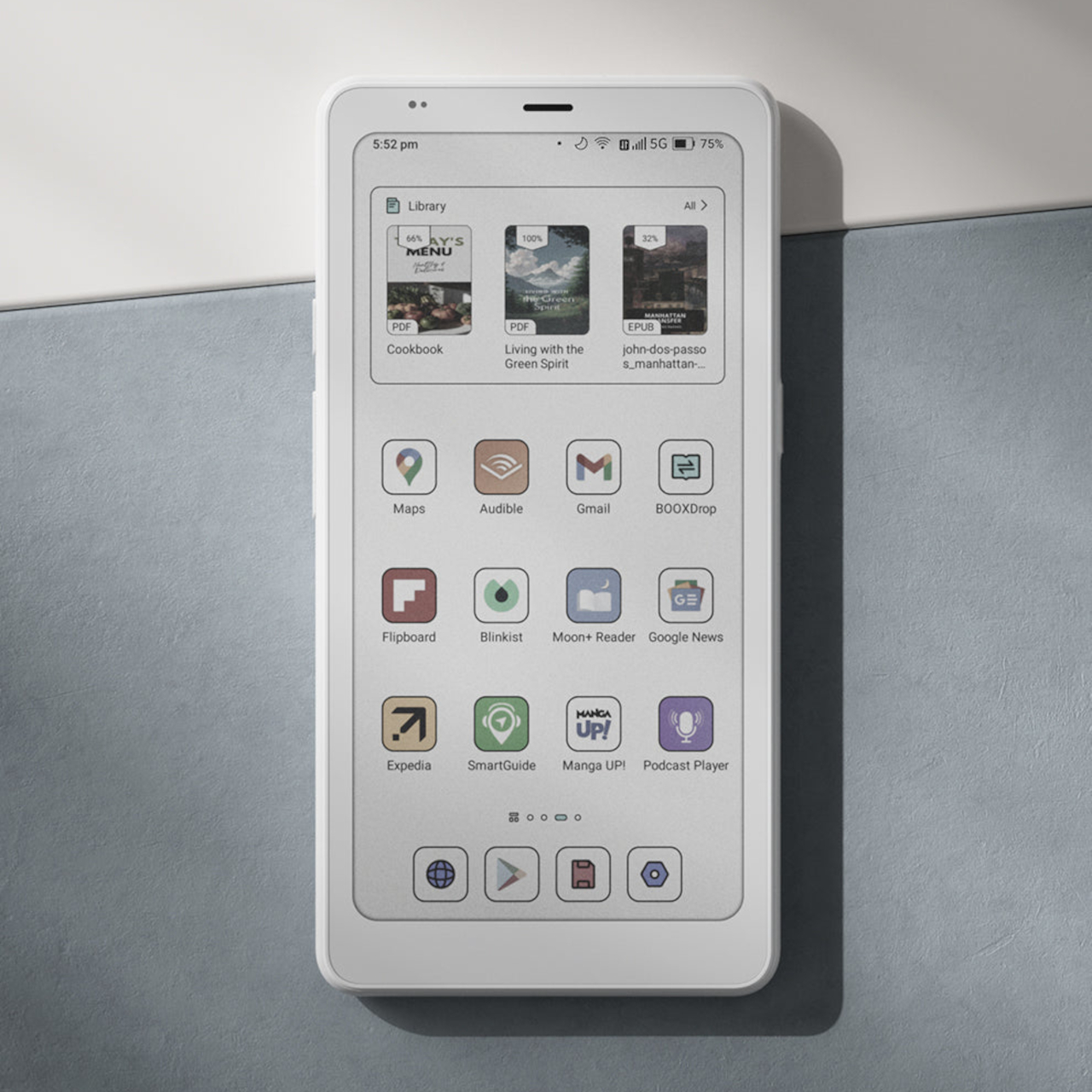
The BOOX Palma 2 Pro sits in its own corner of this category. It’s a 6.13-inch Kaleido 3 color E Ink device running Android 15 with full Google Play access and 8GB of RAM. A hybrid SIM provides 5G data, so you can run messaging apps, make VoIP calls, and browse freely. Native cellular calls and SMS aren’t officially supported, though some users have found workarounds that get reasonably close.
Phone legitimacy is the sacrifice here, which is a harder ask than anything else on this list. But the Palma 2 Pro delivers the best E Ink reading experience in a pocketable form right now. If your communication needs fit through apps like WhatsApp or Google Voice, and you’ve always wanted a reading device that travels independently, it’s a compelling choice at $399 that doesn’t fit any category neatly.
Books tend to get stacked, shelved, and forgotten in most homes. They migrate from nightstand to floor to the corner of a couch, and the one you’re currently reading usually ends up spine-down on whatever surface is closest when you need both hands. Furniture design has solved almost every other interaction you have with objects in a room, but the relationship between people and the books they’re reading hasn’t received much considered attention.
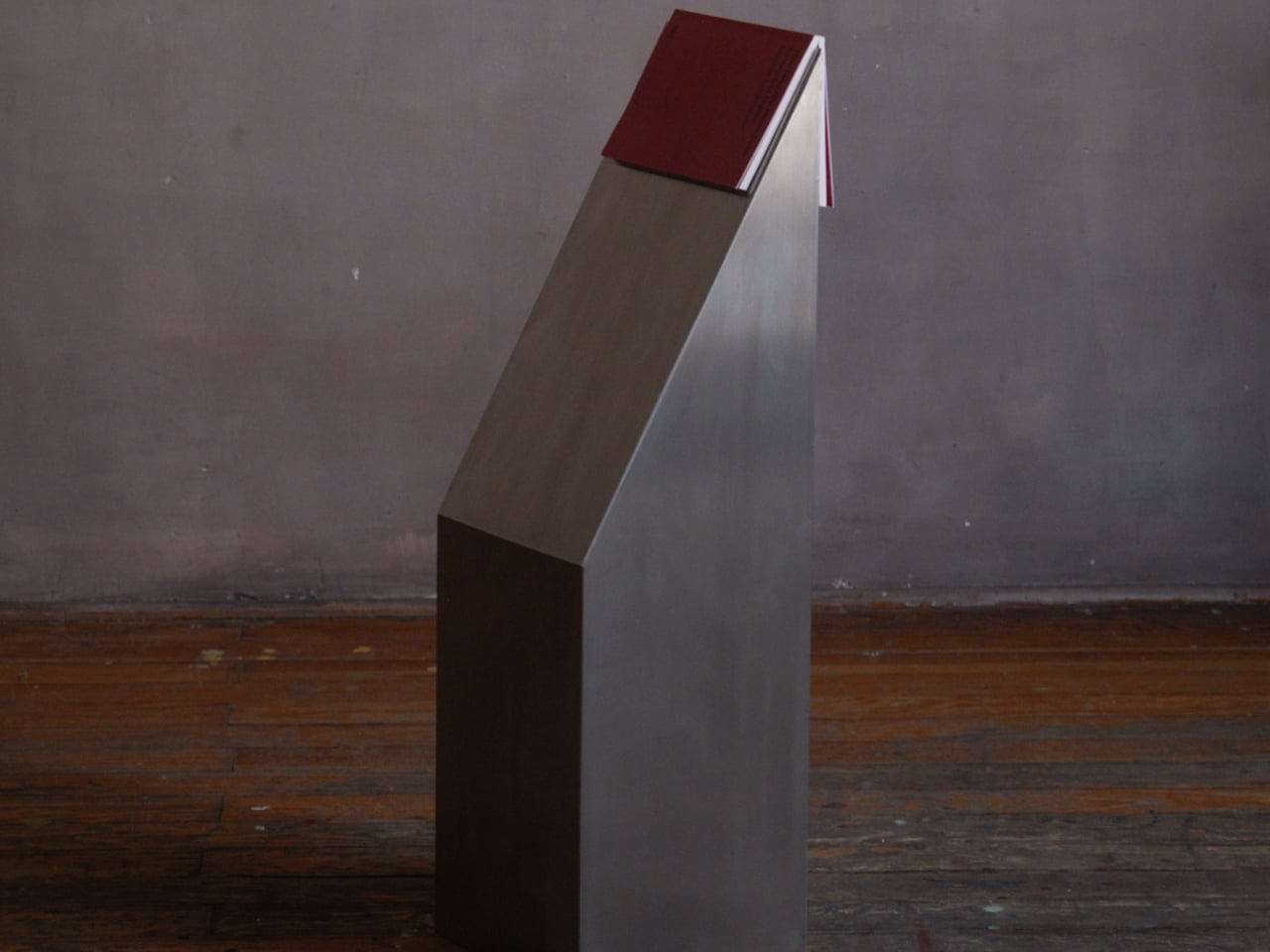
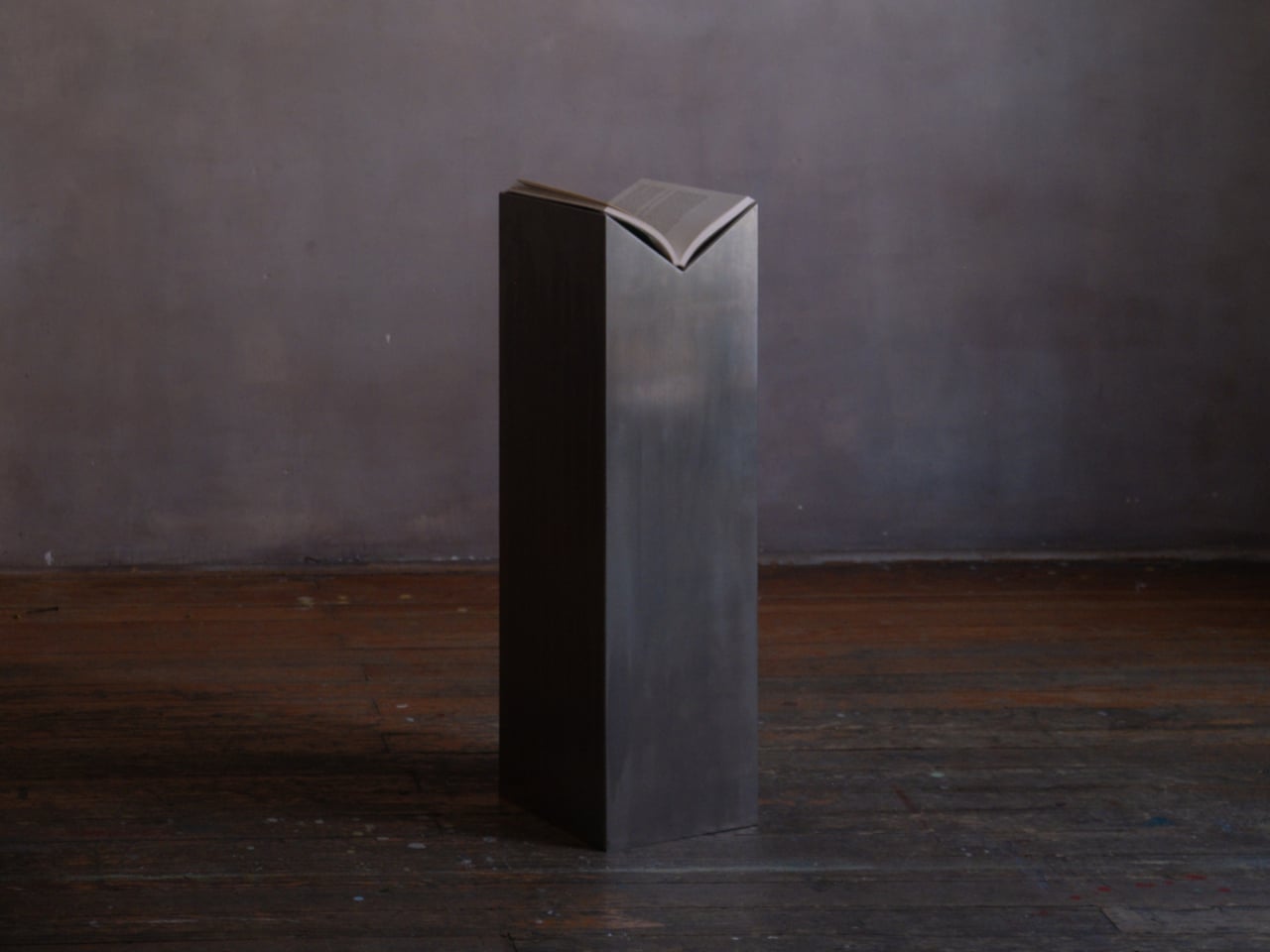
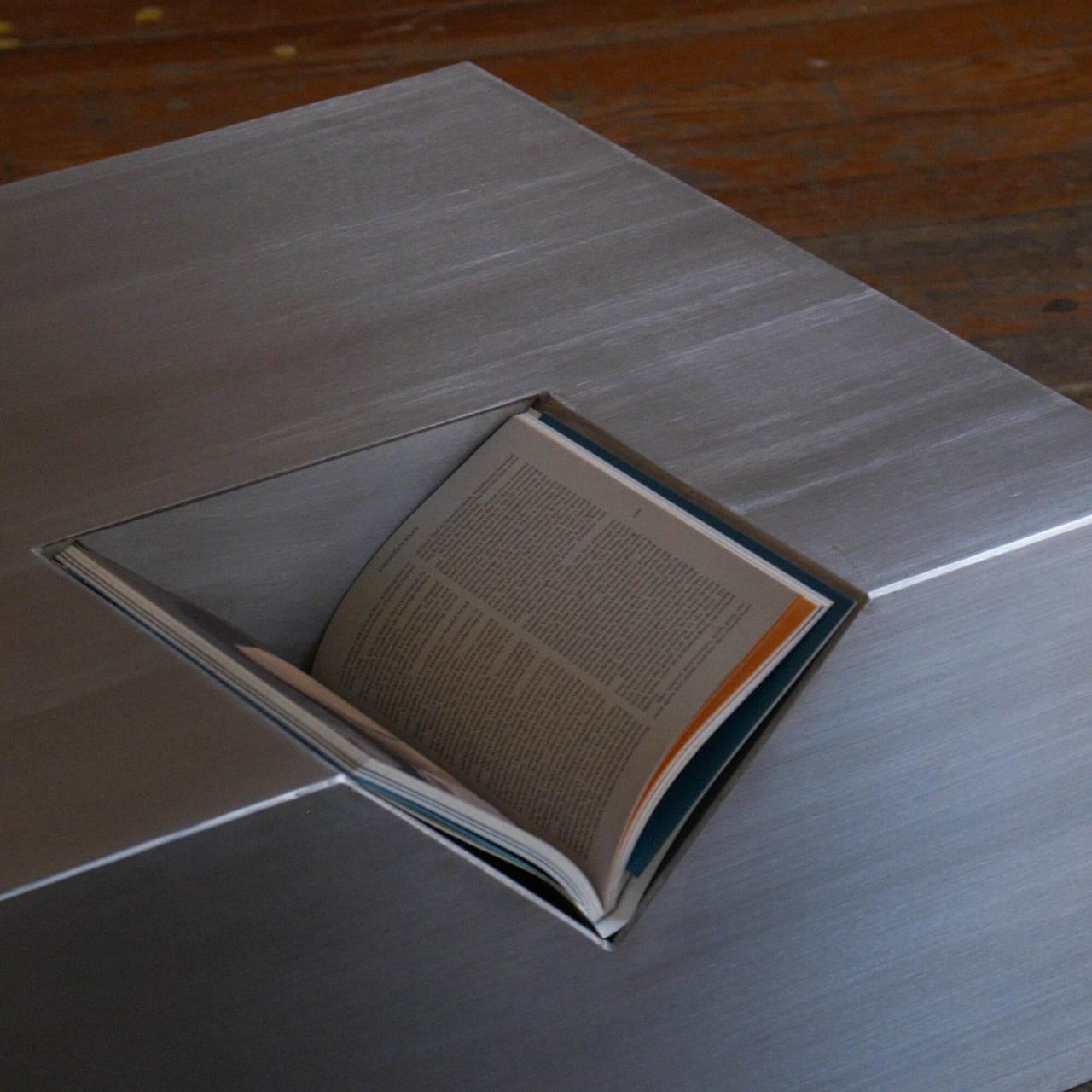
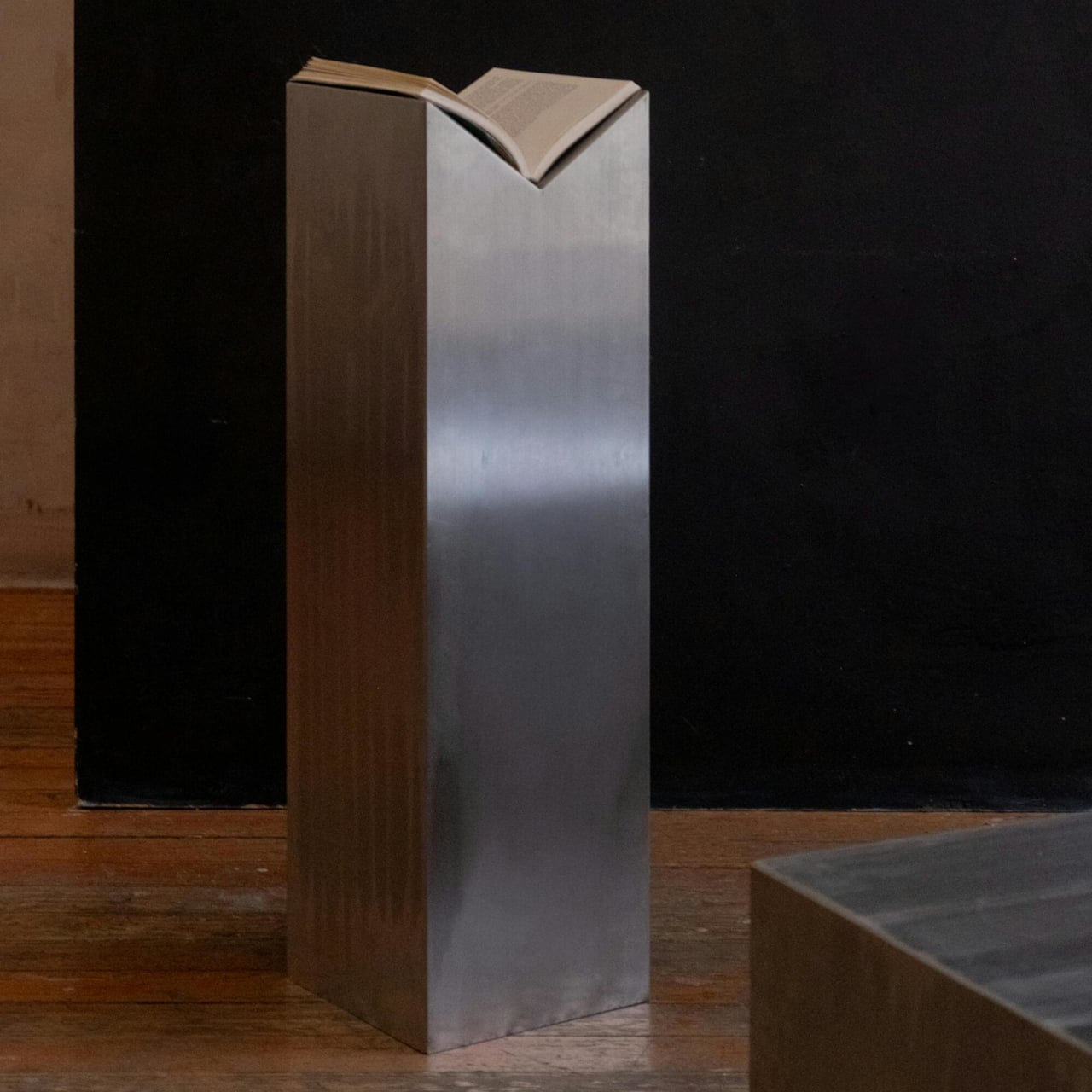
The Totem collection from Eran approaches that problem seriously. It’s a series of stainless steel furniture pieces that hold books as a primary function, not a secondary feature. Each piece has a precisely cut slot integrated into the steel that keeps a book in place, whether closed or open, at a specific height and angle. The slot isn’t decorative. It’s the whole point.
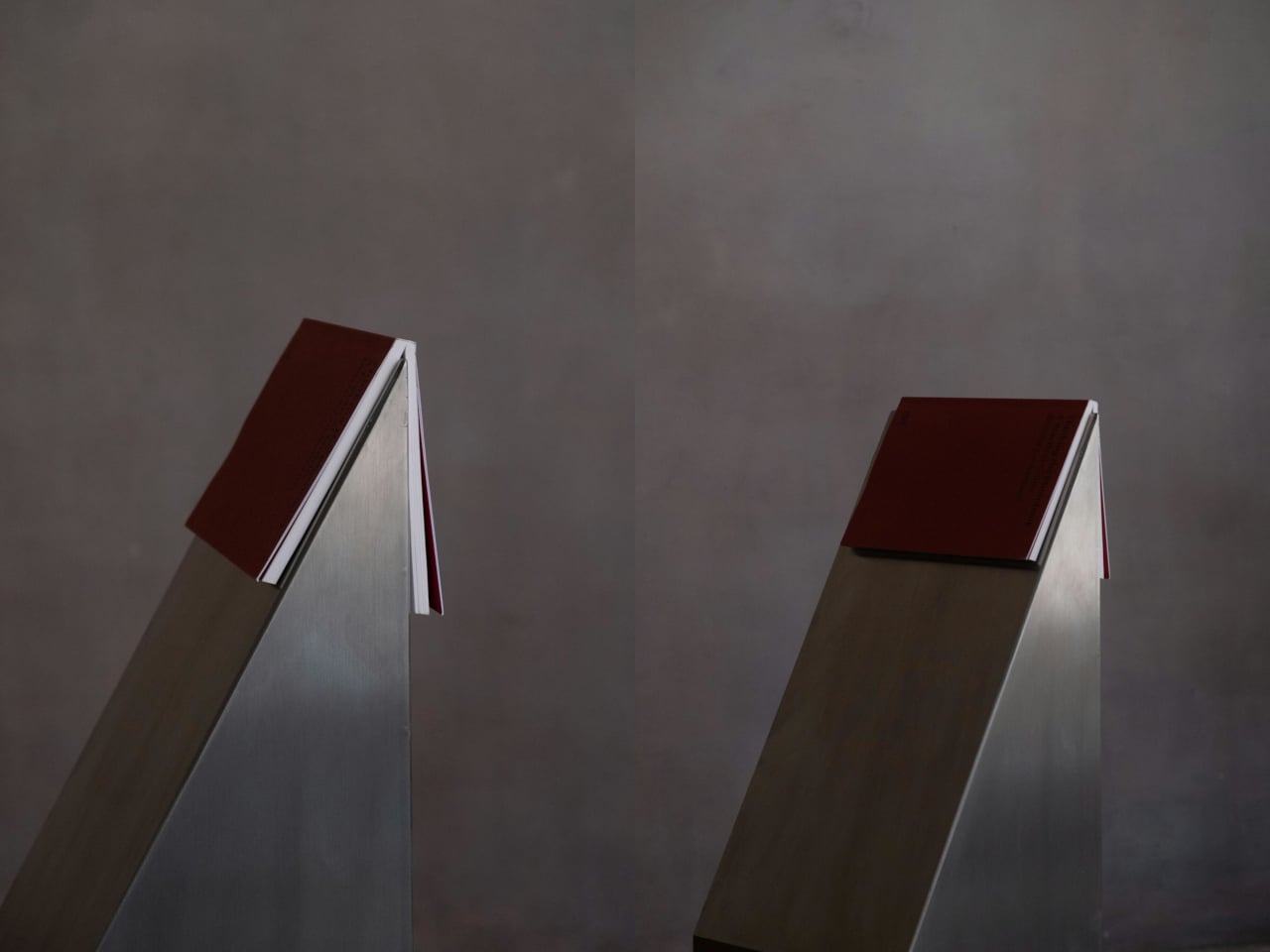
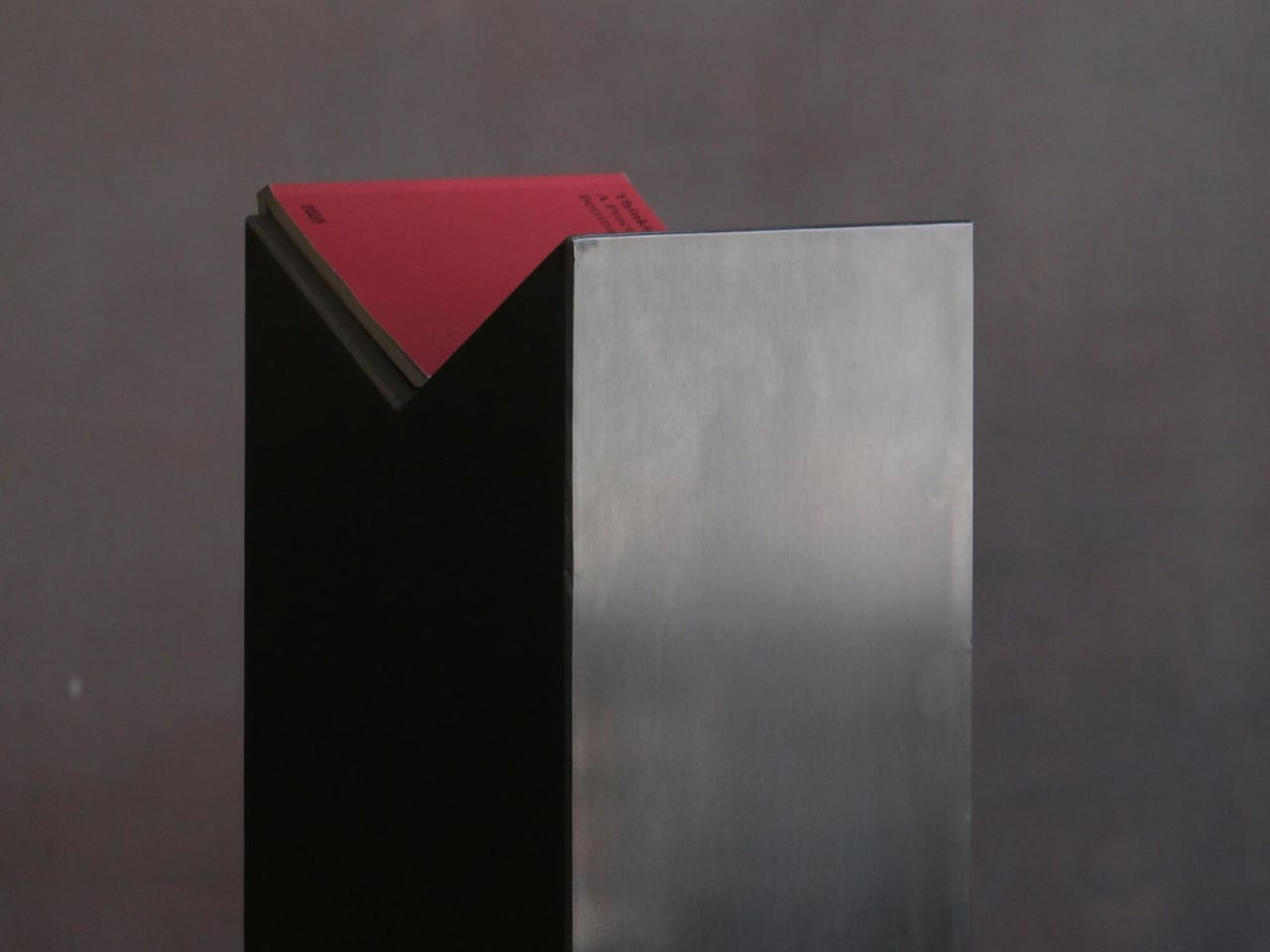
The collection includes two standing totems and a coffee table, all in brushed stainless steel with a matte finish. One totem is a tall rectangular column with a V-shaped notch cut into the flat top, wide enough to hold an open book by its spine with pages splayed upward like wings above the steel. The other has an angled face cut diagonally from the top, with a slot along that edge that tilts the book upward at a display angle.
That’s a meaningful distinction from a bookend or a reading stand. The totems are floor-standing, placing a held book at roughly chest height, which makes picking it up feel more like choosing something from a collection than retrieving it from a pile. The sculptural quality holds whether a book is in the slot or not, but the slot gives each totem a reason to exist beyond decoration, and beyond what most furniture does with books at all.
The coffee table operates on the same logic at a different scale. A diagonal slot runs across part of the steel surface, holding an open book at a shallow, readable angle while the flat area remains free for other objects. It’s a small structural decision that changes how you interact with the table. A book placed in the slot reads as intentionally parked rather than absentmindedly abandoned, which turns out to be a more significant distinction than it sounds.
Eran’s studio philosophy fuses artisanal work with a vision that connects the past and present, and the Totem name draws on archaeological totemic sculptures found across Mexico. That framing does real work here. A totem holds something up, marks it as significant. Dedicating a piece of furniture specifically to keeping a book accessible and presented changes what the book means in a space, and the collection is made in Mexico, entirely in stainless steel, sitting at the intersection of furniture and sculpture with enough conviction that neither category alone quite covers it.
The REDMAGIC Astra 2 is the rare gaming tablet that makes its engineering the most interesting thing about it.
Gaming tablets have long chased desktop-class performance, but thermal throttling has always been the real ceiling. The more demanding the session, the more heat builds up, and the more the chip has to dial back to protect itself. Vapor chambers and cooling fans have helped, but none has fundamentally changed the equation. The gap between peak specs and what a device can actually sustain has remained difficult to close.
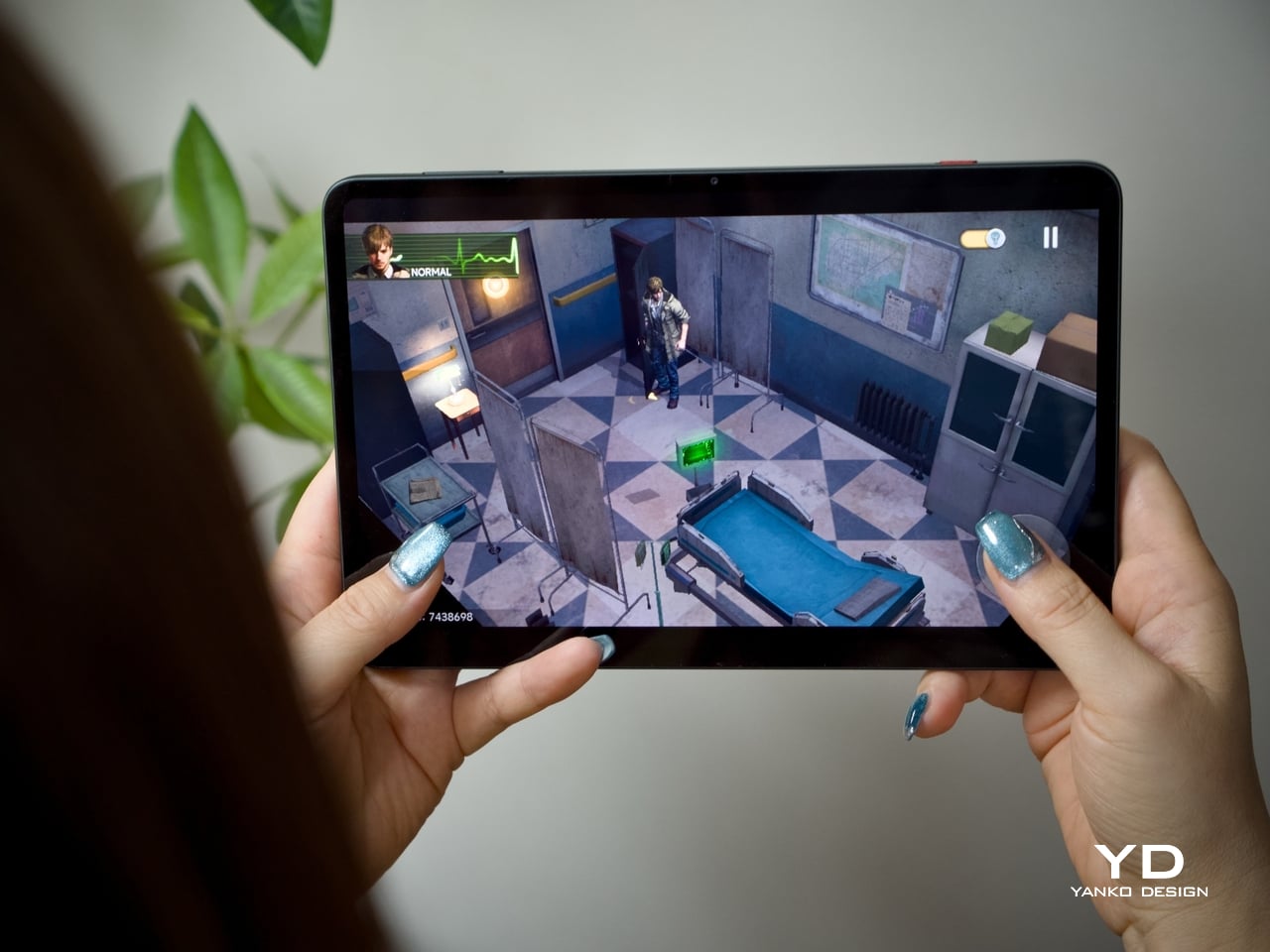
REDMAGIC’s answer is the Astra 2 Gaming Tablet, which brings liquid cooling to a consumer tablet for the very first time. It pairs that with a 9.06-inch OLED display running at 185Hz and the Snapdragon 8 Elite Gen 5 chipset, all in a design that’s as visually interesting as it is capable. And rather than just a bullet item on a spec list, the Astra 2 makes that defining feature visible for everyone to see. But does it deliver on its promise, or is it just another design gimmick to woo gamers? We take it for a spin to find out.
Aesthetics
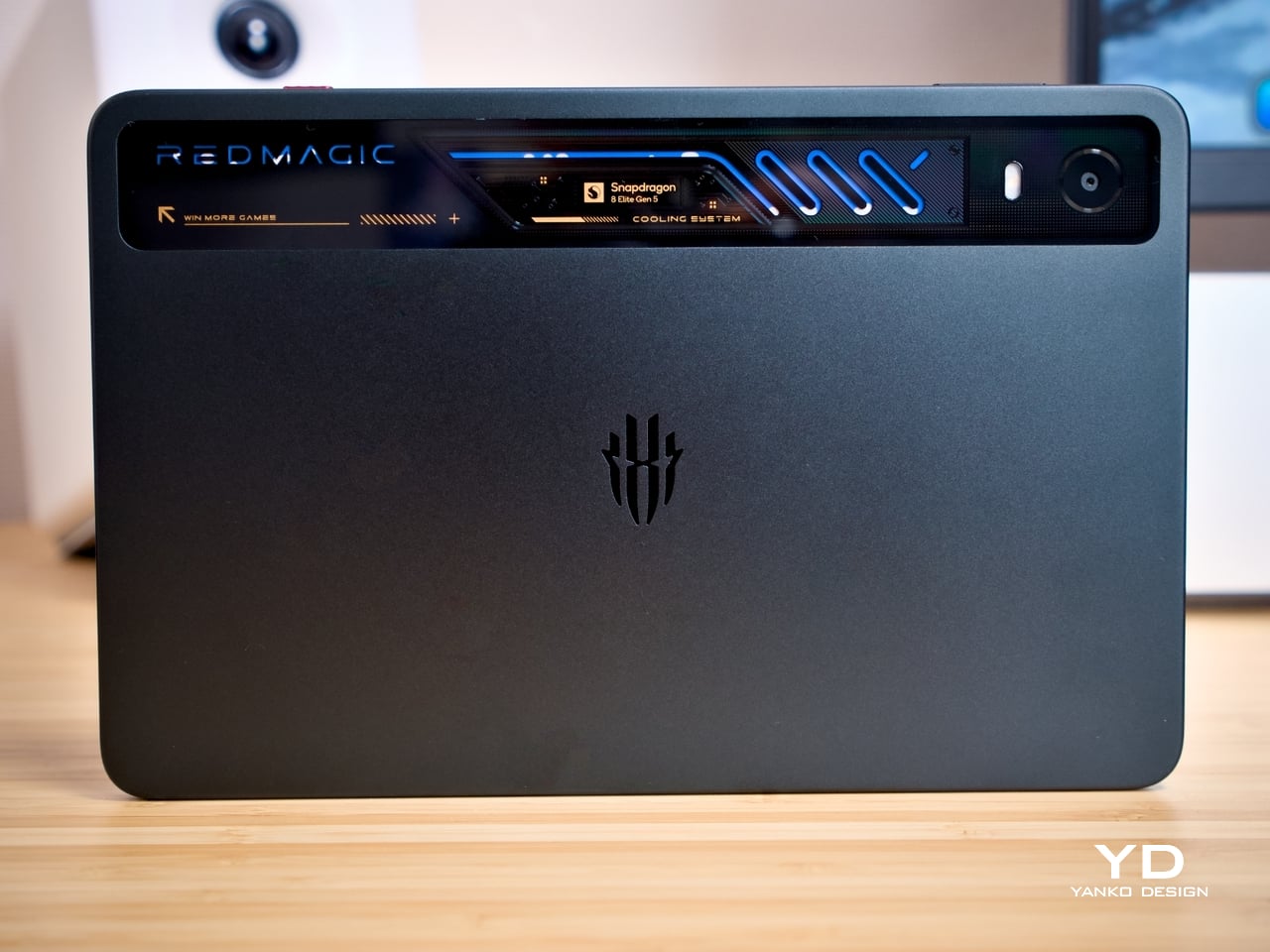
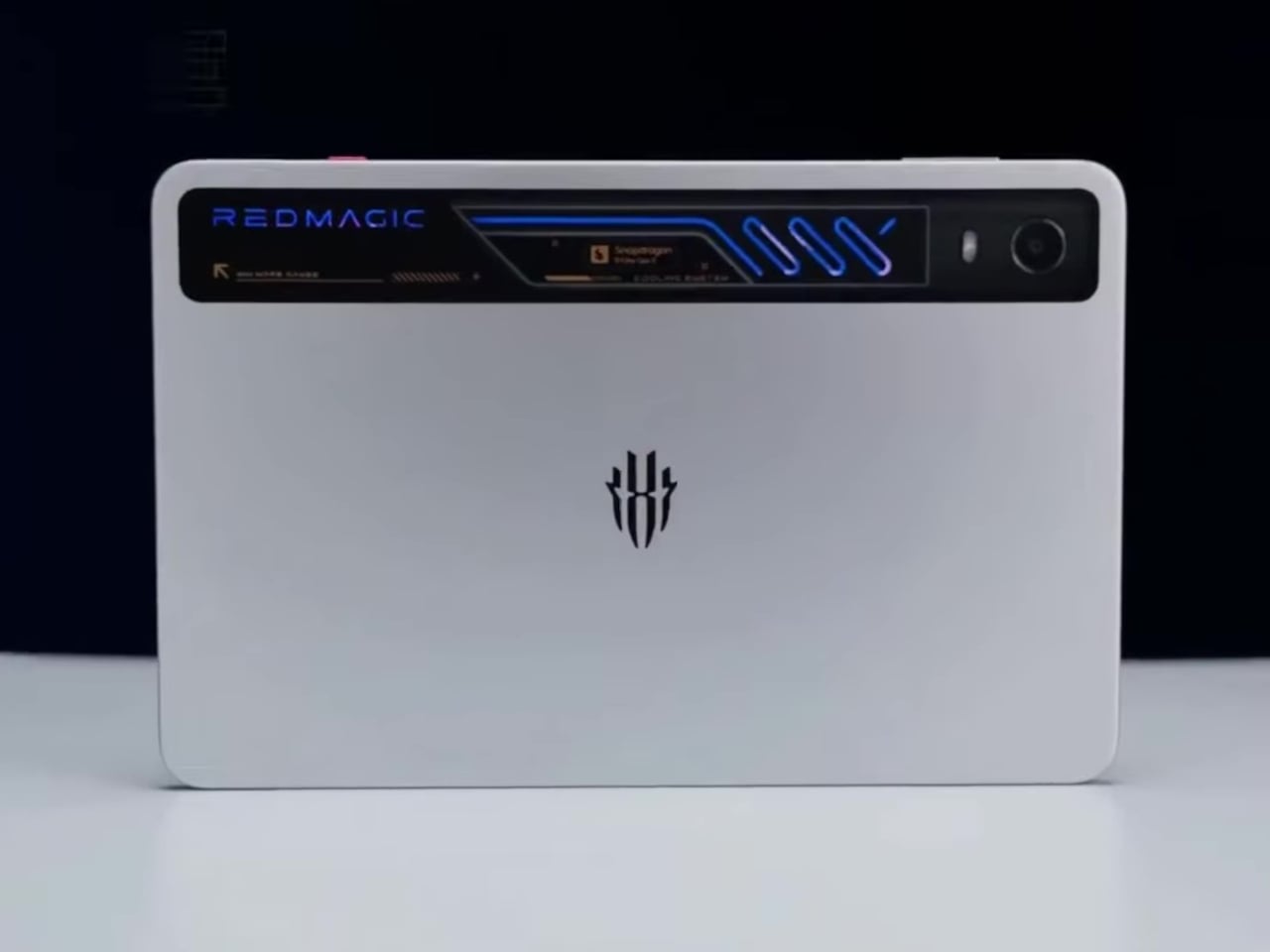
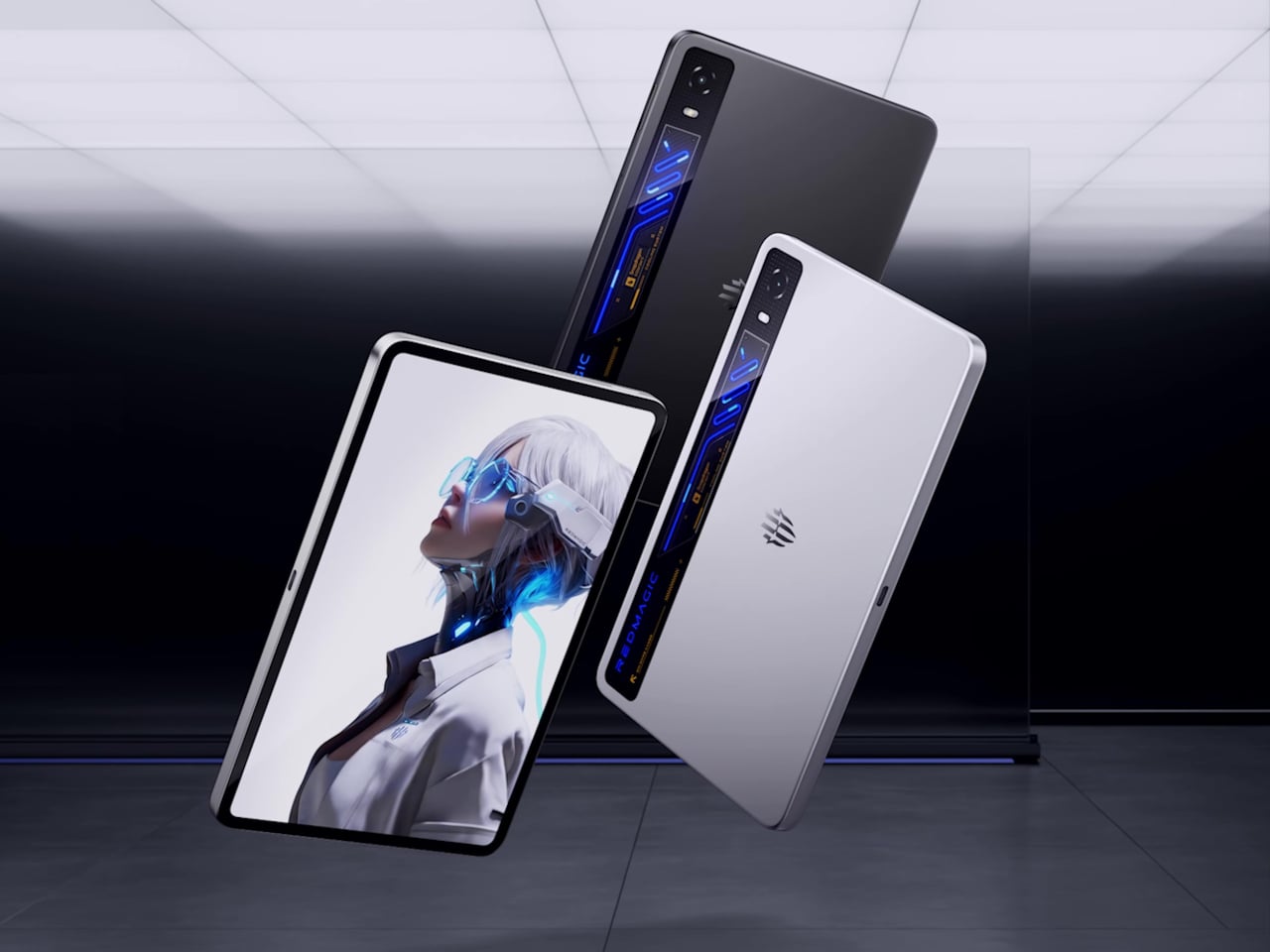
Most gaming tablets announce themselves loudly, with aggressive angles and bold branding that leave little to the imagination. The Astra 2 takes a different approach. Its body is flat matte aluminium in dark charcoal Eclipse or light silver Starfrost, with a subtly embossed REDMAGIC trident at the center of the rear panel. There’s no camera bump, no competing surface details, nothing vying for attention against the one element the design clearly prioritizes.
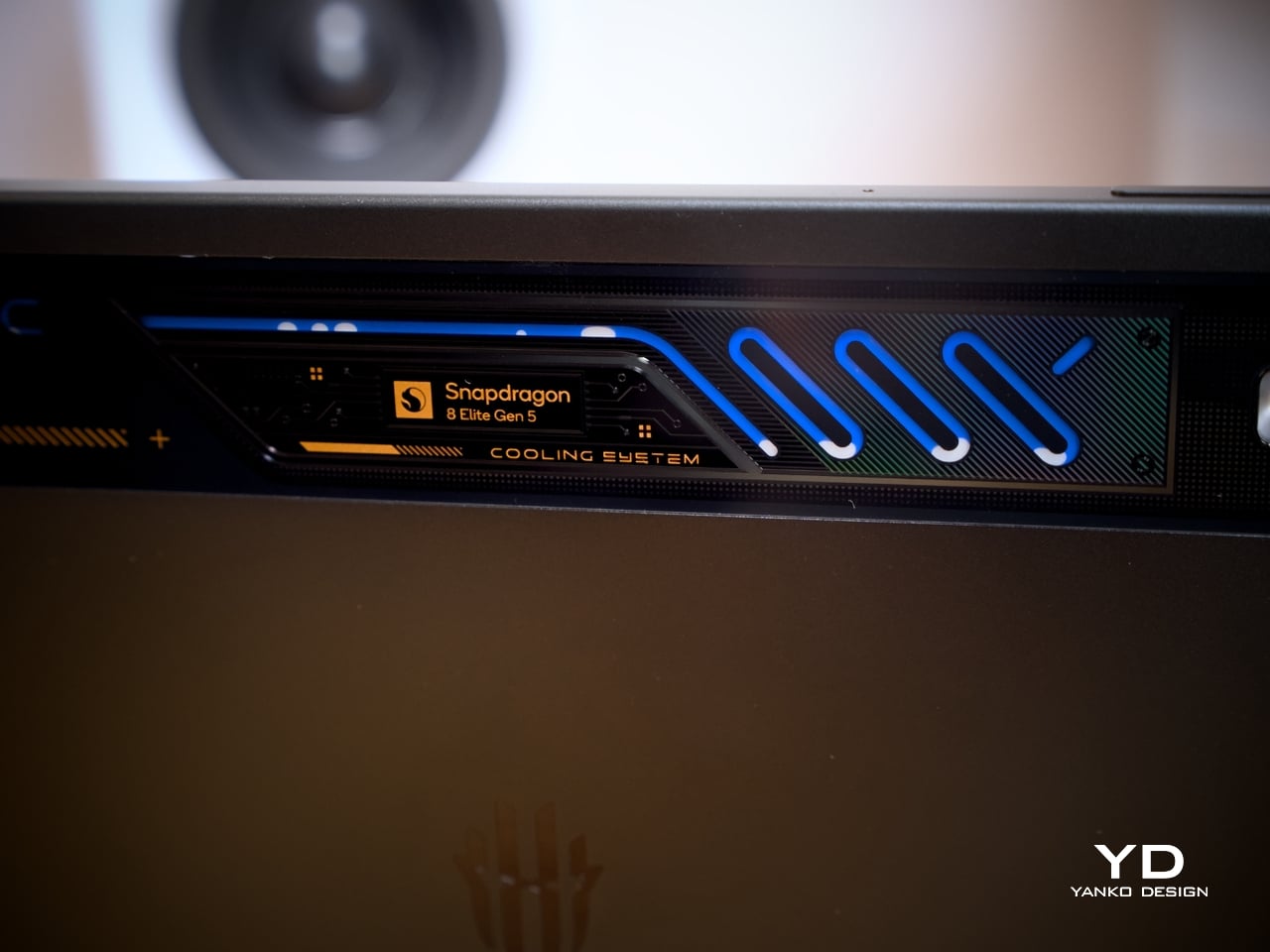
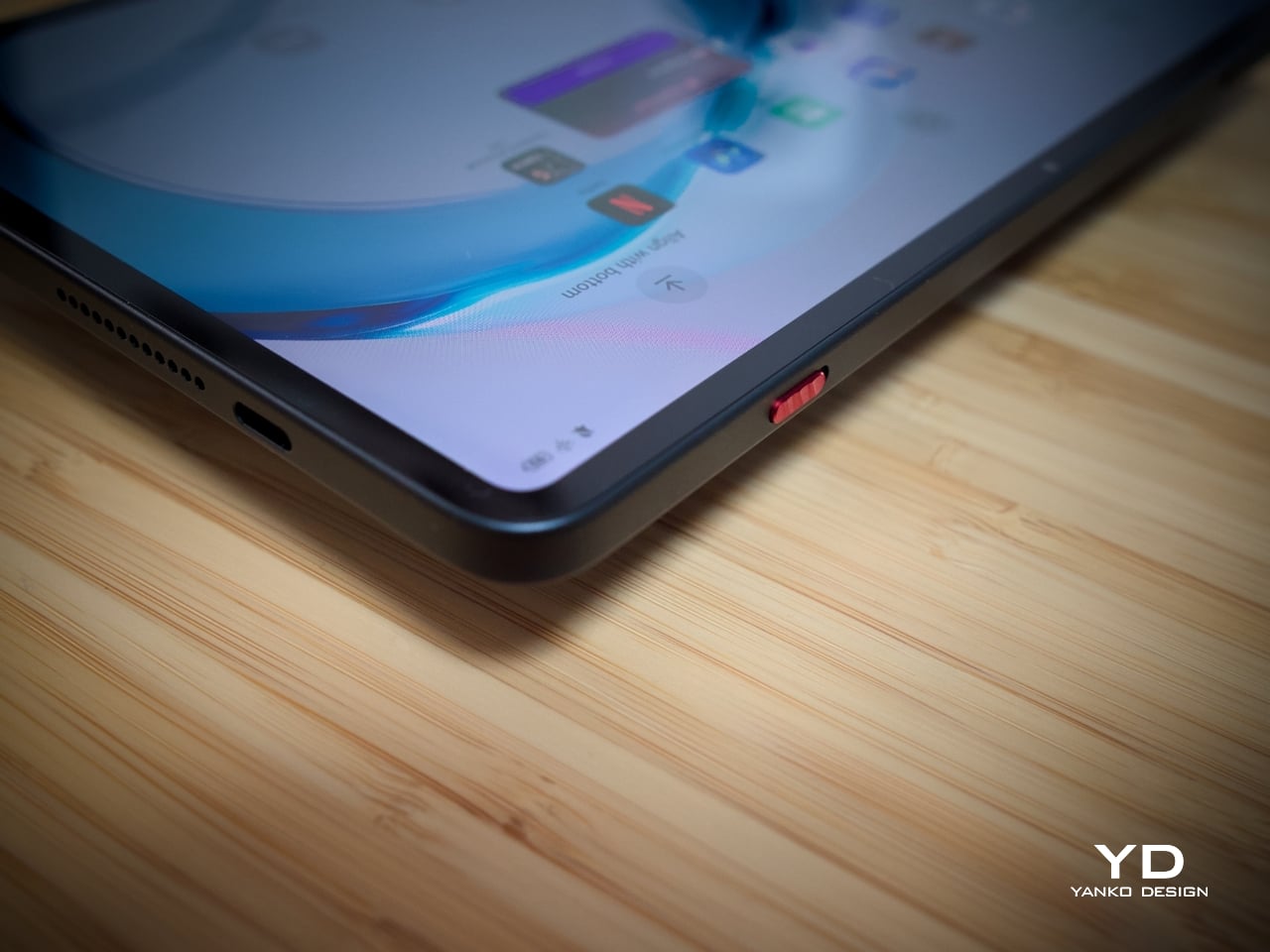
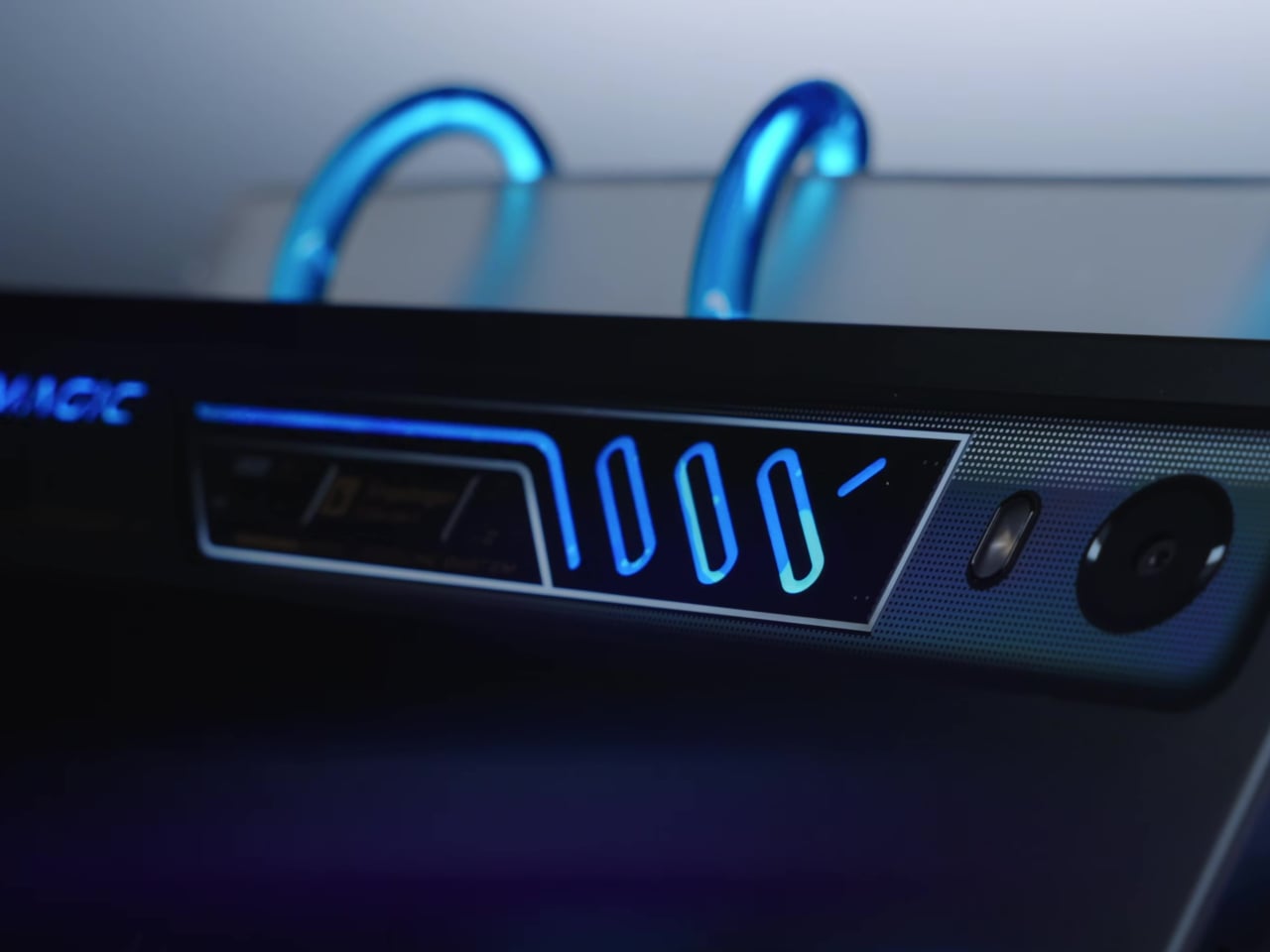
That element is the transparent cooling strip along the top edge of the rear. Beneath it, serpentine liquid cooling channels glow in blue RGB, with the Snapdragon 8 Elite Gen 5 badge and “COOLING SYSTEM” lettering etched into the surround. It reads like a nod to gaming PC culture, where lit, windowed hardware has long been a mark of serious intent. Here, that reference is earned.
The front face is equally considered. With 4.9mm bezels and a 90.1% screen-to-body ratio, the display fills almost all of the face, and the front camera is practically invisible at 1.9mm in diameter, the smallest on any tablet. A red Magic Key provides the only real color accent, small but deliberately placed. Between colorways, Starfrost makes the blue cooling strip more dramatic, while Eclipse keeps things precisely controlled.
The REDMAGIC Astra 2 offers a tasteful middle ground between loud gaming gear and professional tech gadget. It has a head-turning design that doesn’t distract constantly, letting that first impression last even when you’re no longer paying attention. It has that character of maturity that gamers of this generation are looking for in their gear, especially when they’re out and about.
Ergonomics
At 363g and 6.9mm thin, the REDMAGIC Astra 2 is genuinely comfortable to hold through extended sessions. The flat back sits flush on any surface without rocking, which matters more in practice than it sounds. The 9.06-inch size puts on-screen controls within natural thumb reach in landscape mode, and the rounded corners distribute the weight evenly enough that the tablet doesn’t become a burden during a long session.
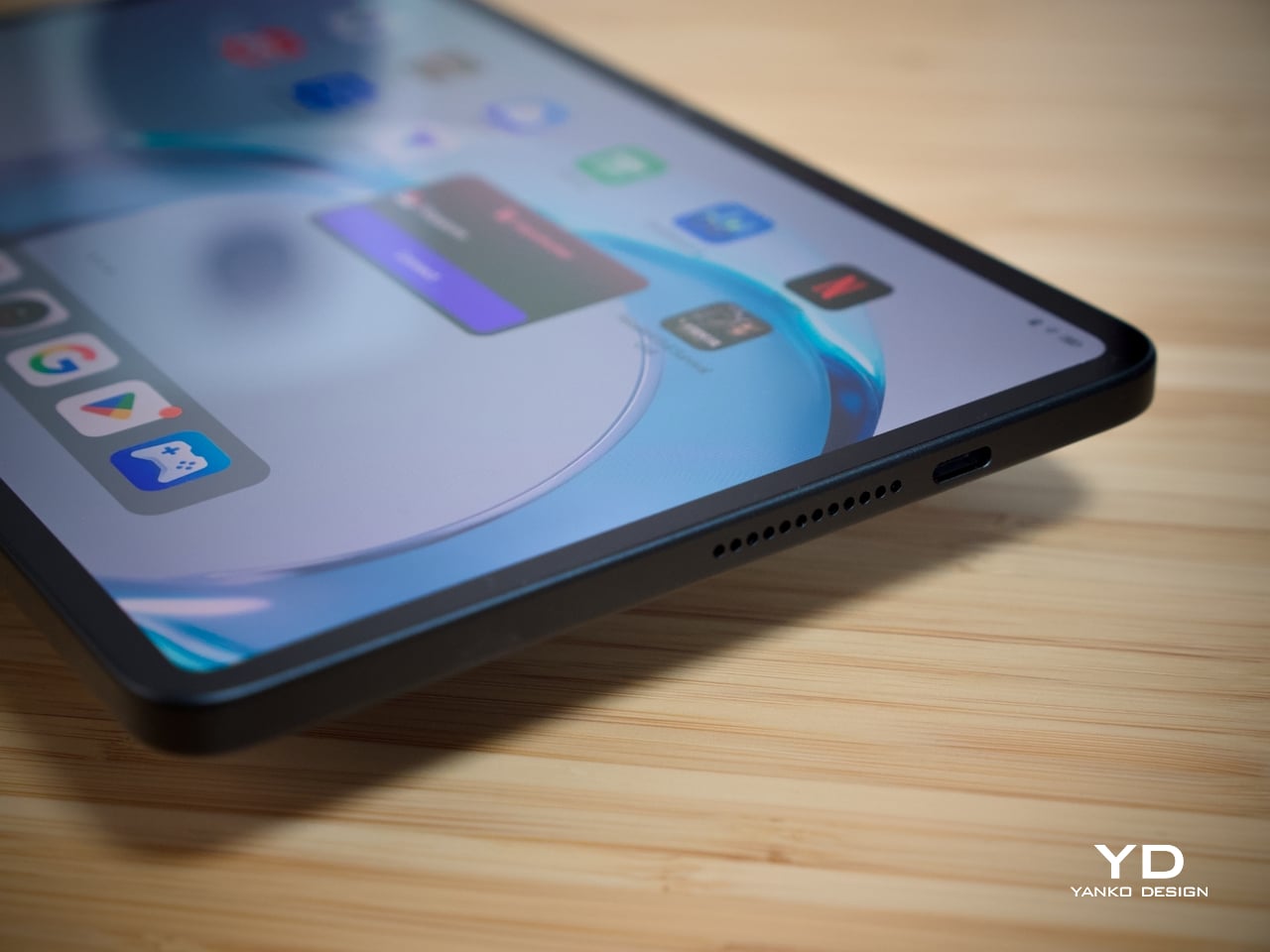
The dual USB-C layout is the real game-changer here, pardon the pun. A USB 3.2 Gen 2 port on the short side and a USB 2.0 on the long edge means a charging cable is always accessible regardless of orientation without blocking your hands, allowing comfortable play while charging. The Magic Key is customizable beyond its default GameSpace launch, and both fingerprint and face unlock work in wet conditions, a practical benefit for a device regularly used during intense gaming sessions.
Performance
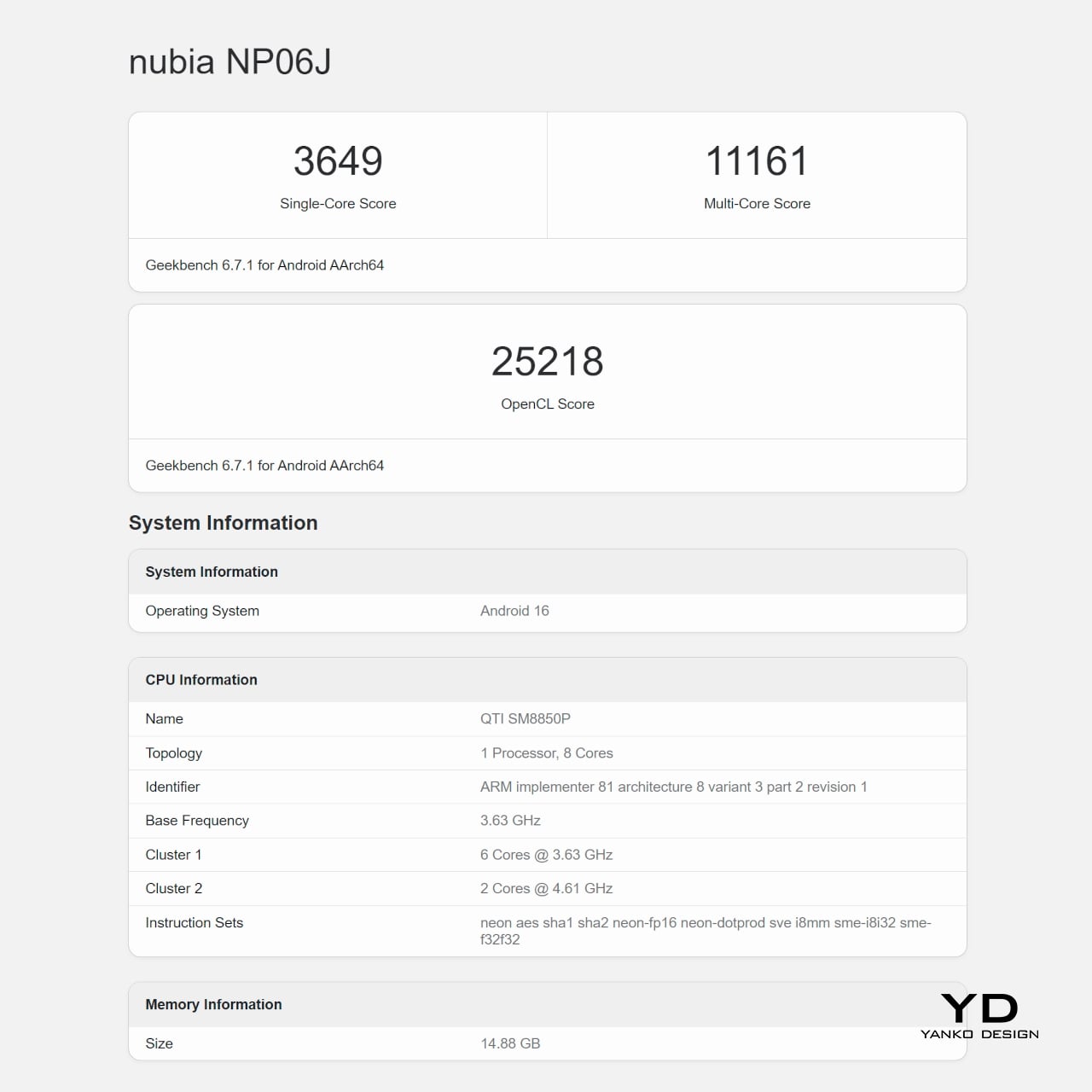
The Snapdragon 8 Elite Gen 5 runs on a 3nm architecture with a peak clock speed of 4.6 GHz and notably lower power consumption than its predecessor. Alongside it sits REDMAGIC’s RedCore R4 co-processor, which dynamically allocates CPU, GPU, memory, cooling, and touch resources in real time based on what each game demands. You also get 12GB or 16GB of RAM, depending on your configuration, which is plenty not only for games but for some heavy-duty multitasking.
The AquaCore Cooling System 2.0 is what makes extended performance possible, with REDMAGIC being the first mass-produced tablet brand to pioneer liquid cooling. A piezoelectric micropump circulates fluorinated liquid through micron-laser-cut channels inside the device body. Liquid Metal 3.0 transfers chip heat rapidly to a large vapor chamber, which distributes it across the entire device. Together, these three components maintain stable performance during prolonged gaming sessions in a way conventional cooling simply can’t match.
What all these mean in practice is that you get higher FPS stability and faster responsiveness with lower power draw and less heat. Performance is stable and optimized, whether you’re gaming, enjoying a video binge, or, on rare occasions, being productive thanks to the plethora of apps available on Android 16. As with gaming PCs, good gaming hardware tends to result in good performance across the board, and the REDMAGIC Astra 2 proves it.
The 9.06-inch H5 OLED panel runs at 185Hz, currently the highest refresh rate on any OLED gaming tablet. Resolution sits at 2.4K, or 2400×1504, and peak brightness reaches 1,600 nits. These deliver a screen that is bright, vibrant, and a joy to look at, both for gaming and other visual content. The next-gen custom Synaptics touch controller delivers 300Hz average and up to 2,000Hz instantaneous touch sampling, making the screen feel immediately precise and responsive even with sweaty hands.
The battery is rated at 8,500mAh and supports fast 75W charging, though it eschews wireless charging for that feat. On regular tablets, that’s definitely enough to last for a day or two, but gamers know how fast you can burn through that in just a few hours of gaming, especially at max settings. Thankfully, the Astra 2’s dual USB-C design and safeguards not only allow but even encourage you to charge while playing, minimizing downtime as long as you’re near a wall socket.
While the REDMAGIC Astra 2 excels in most cases, it doesn’t have much to show when it comes to mobile photography. The single 13MP camera is, for the most part, decent, while the 9MP front camera is clearly intended for video calls and live streaming more than taking selfies. None of these is surprising, of course, as this is a tablet that’s laser-focused on delivering a super gaming experience first and foremost.
Sustainability
The Astra 2 is built to handle daily wear without fuss. The aviation-grade aluminium frame resists flexing, Corning Gorilla Glass 3 protects the display against scratches and impacts, and an IP54 rating covers dust protection and water splashes from any direction. That’s the appropriate level for a device that lives on desks, in bags, and in hands, covering the real conditions a gaming tablet encounters day to day. That said, it’s not exactly what you would expect from a device at this price point.
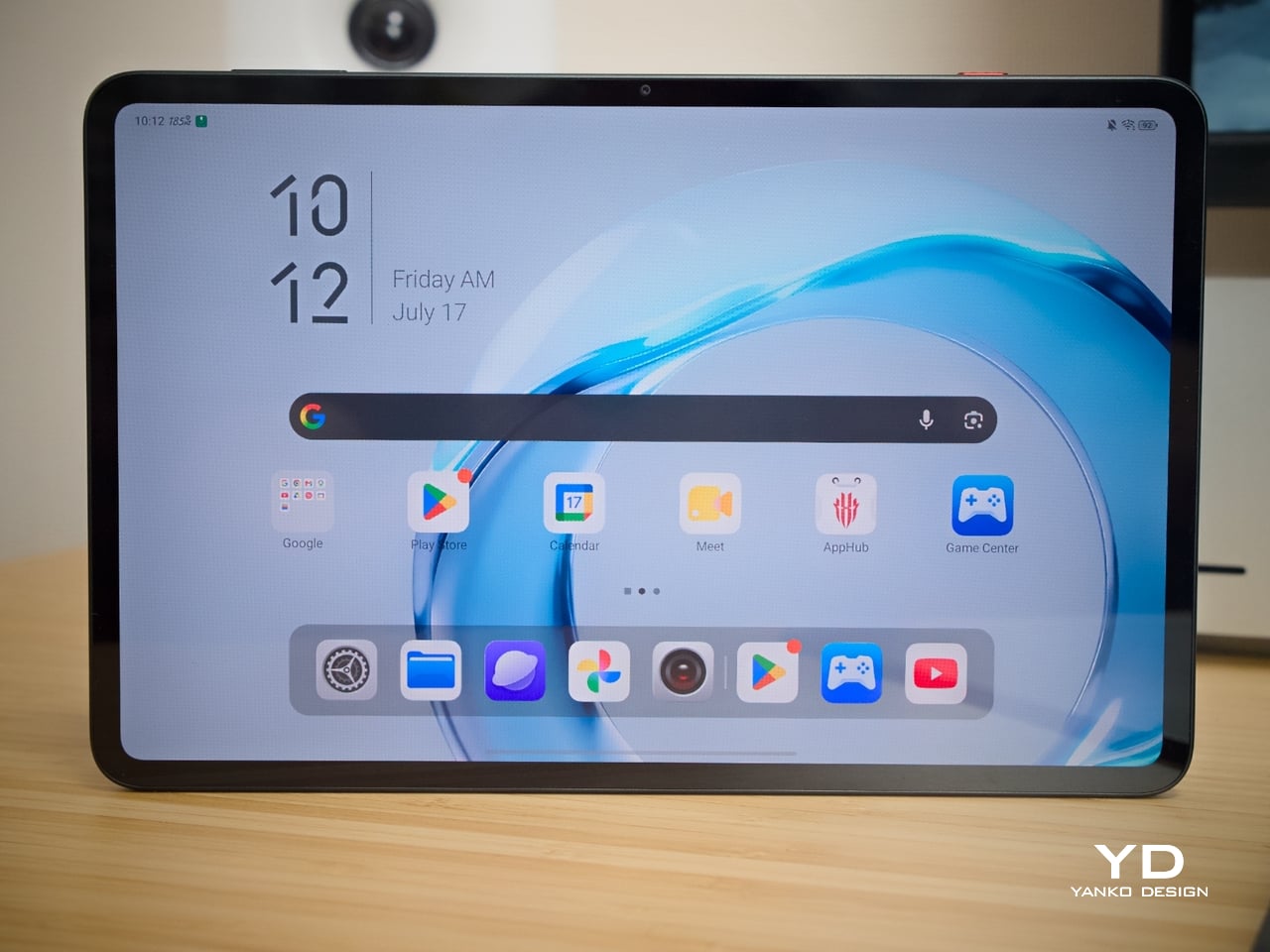
The Astra 2 ships on REDMAGIC OS 11.5 running Android 16, starting on the current version of the OS rather than entering the market already a software generation behind. Unfortunately, the brand has not made any commitment to future software updates, which does raise some concerns about its longevity in that department.
Value
The 12GB/256GB Astra 2 starts at $749 in North America and €699 in Europe. At that price, it’s the only tablet available with both a 185Hz OLED display and liquid cooling. Comparable gaming tablets in this range use LCD panels at lower refresh rates with conventional cooling, making the REDMAGIC Astra 2 the clear leader in terms of specifications that define sustained gaming performance.
The 16GB/512GB tier goes up to $849, and the software platform adds real value to both configurations. Frame Rate Boost uses interpolation to smooth gameplay on titles that cap their native frame rate, intelligently inserting extra frames for more fluid motion, while the system upscales games to 2K resolution for a visually impressive experience. The Astra 2 is Wi-Fi only, which is standard for gaming tablets at this level and accurately reflects where serious mobile gaming actually takes place.
USB On-The-Go support means keyboards, mice, and external drives connect directly without needing a computer as a host. DisplayPort output supports external displays at up to 8K resolution at 60FPS, and the Gravity X desktop mode enables full keyboard-and-mouse PC-style play directly from the tablet. It may not have a Switch-like modular design, but the capabilities allow the Astra 2 to meet gamers where they are, be it while waiting in line, in the comfort of their bed, or on an extended session on their desk.
Verdict
What makes the REDMAGIC Astra 2 interesting as a design object isn’t any single specification but how well the decisions relate to each other. The dual USB-C ports, the 185Hz OLED, the flat profile, and the vapor chamber geometry all feel purposeful rather than assembled from a spec sheet. There’s a coherence here that suggests these components were conceived together, not independently justified and bolted on.
The cooling strip is worth one final note, particularly for design-minded readers. Most consumer electronics go to considerable effort to hide their internal complexity behind smooth, opaque surfaces. The REDMAGIC Astra 2 puts a window in the back panel and lets the working hardware be the visual centerpiece, a straightforward and honest position, and one that’s genuinely satisfying to see in a product at this level.
Smartphone makers have been adding AI features for a few years now, and at this point, the marketing language around them has become fairly predictable. A phone summarizes your messages, suggests reply text, cleans up your photos, and maybe transcribes a meeting. These are genuinely useful tools, but they’re still responding to individual requests. The phone doesn’t actually do anything on its own. Someone still has to ask.
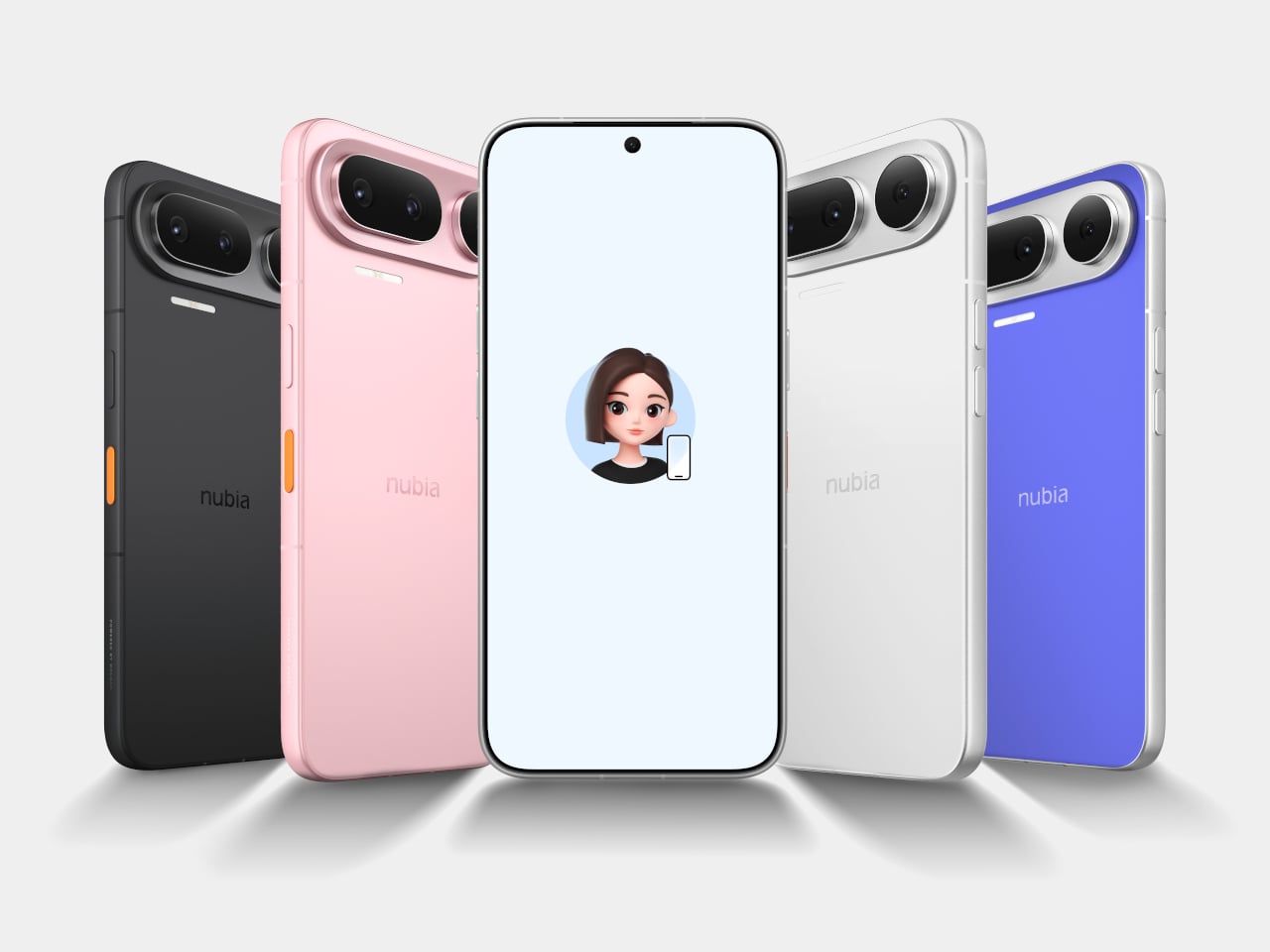
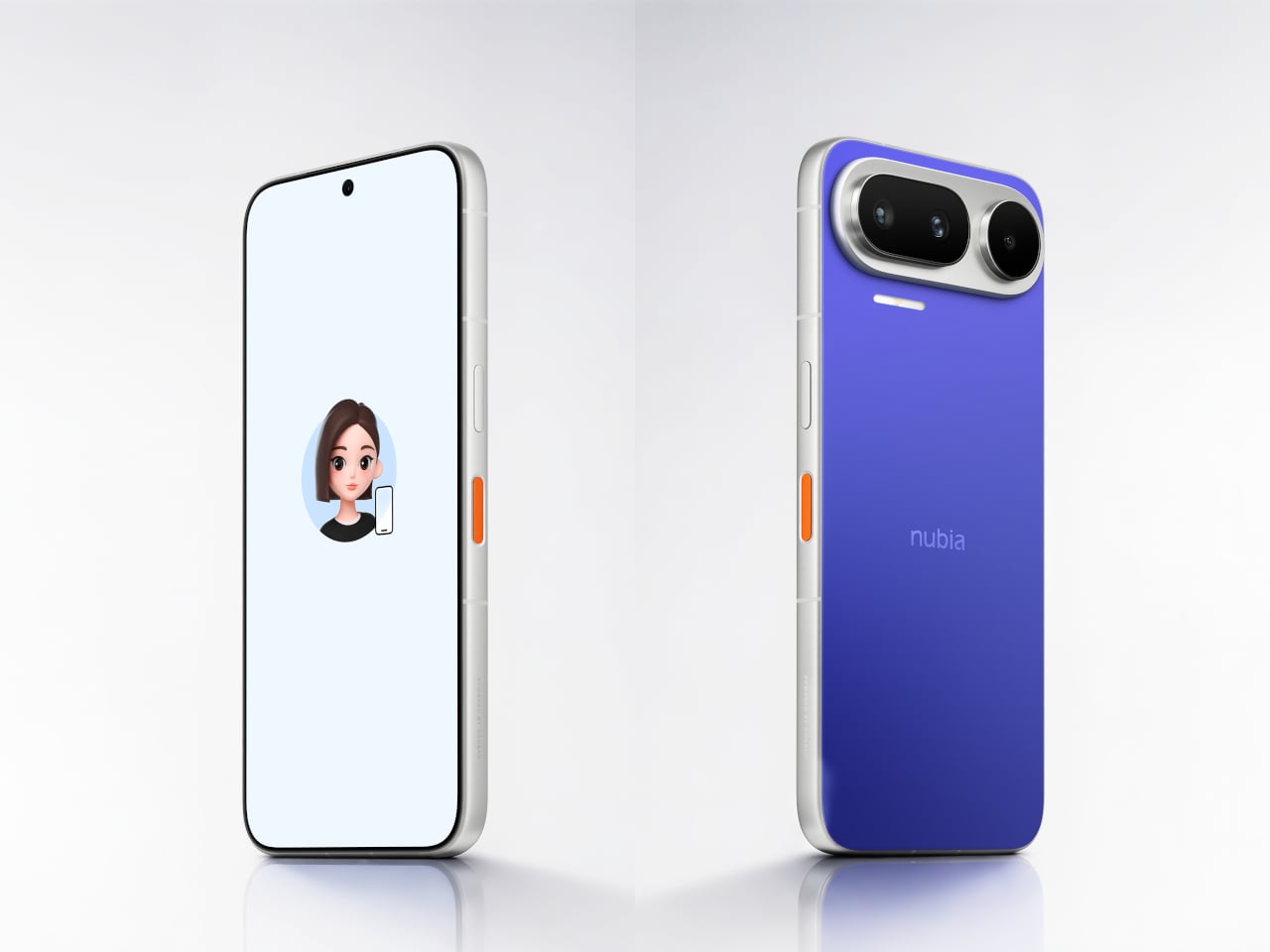
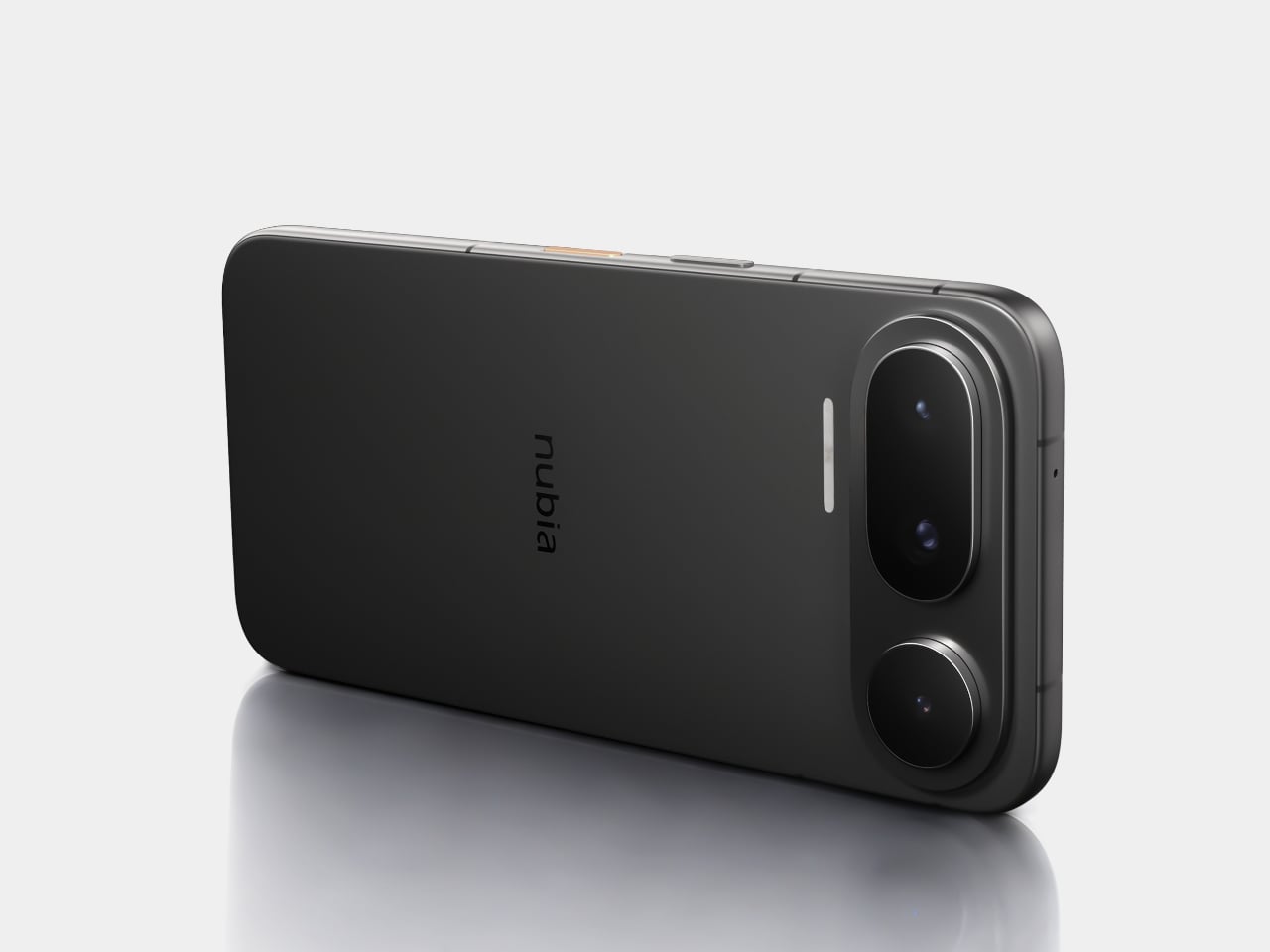
The nubia NaviX Ultra is making a more ambitious claim. Unveiled at the World Artificial Intelligence Conference in Shanghai, it’s being positioned as the world’s first AI agent smartphone, and the distinction matters. An AI agent doesn’t just respond to prompts; it operates across apps and services on behalf of the user, handling multi-step tasks without being asked to execute each one individually. Nubia is calling this system-level integration rather than a feature layer.
That distinction isn’t entirely hypothetical for nubia. The NaviX Ultra’s predecessor, the nubia M153 with Doubao AI assistant, debuted earlier this year in partnership with ByteDance and sold out its initial 30,000-unit batch on launch day in China. The NaviX Ultra is the commercial follow-up to that limited run, now carrying the Doubao assistant at a system level that nubia describes as enabling autonomous cross-platform operation. The phone also received the 2026 SAIL Award ahead of its unveiling.
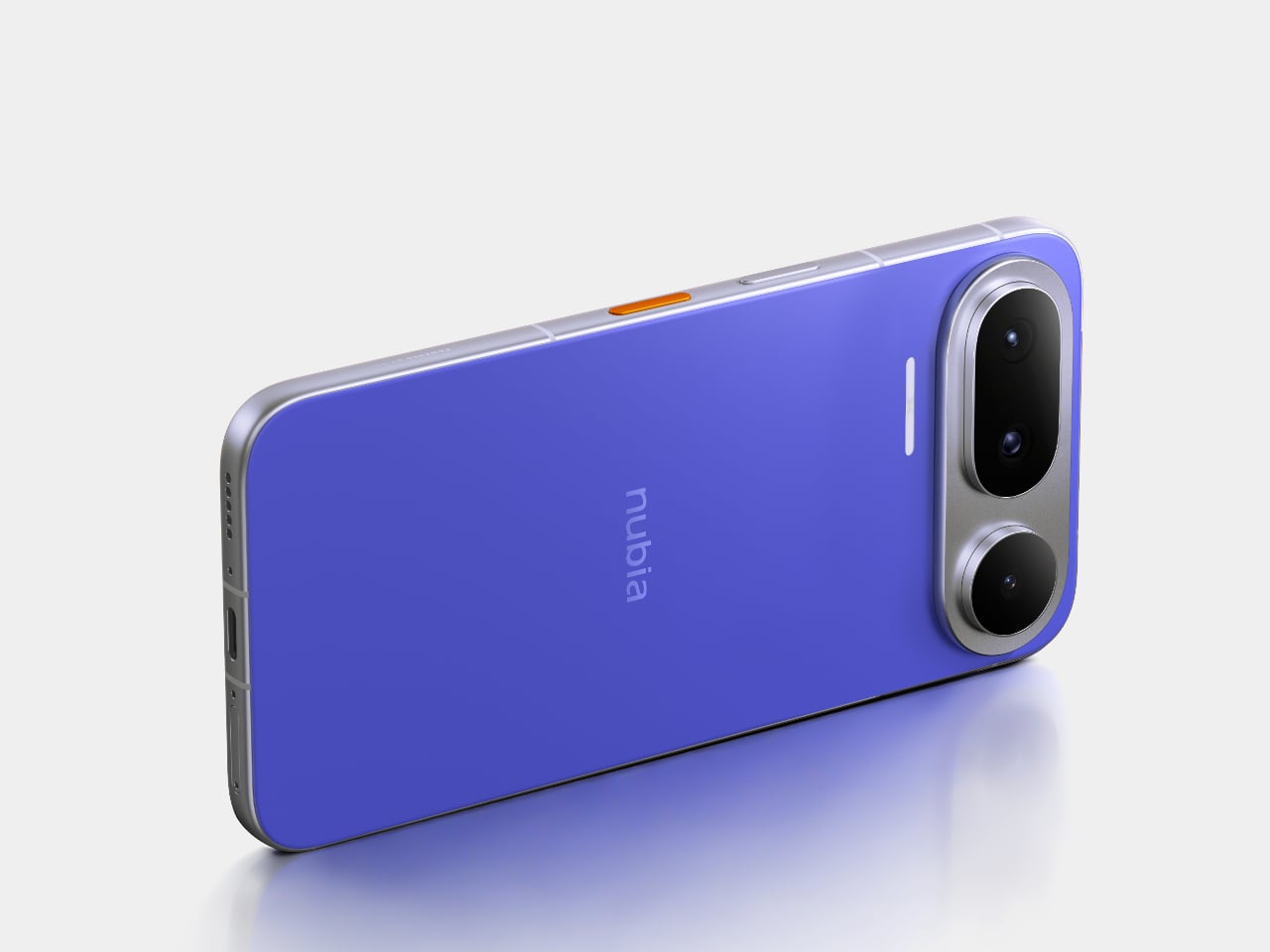
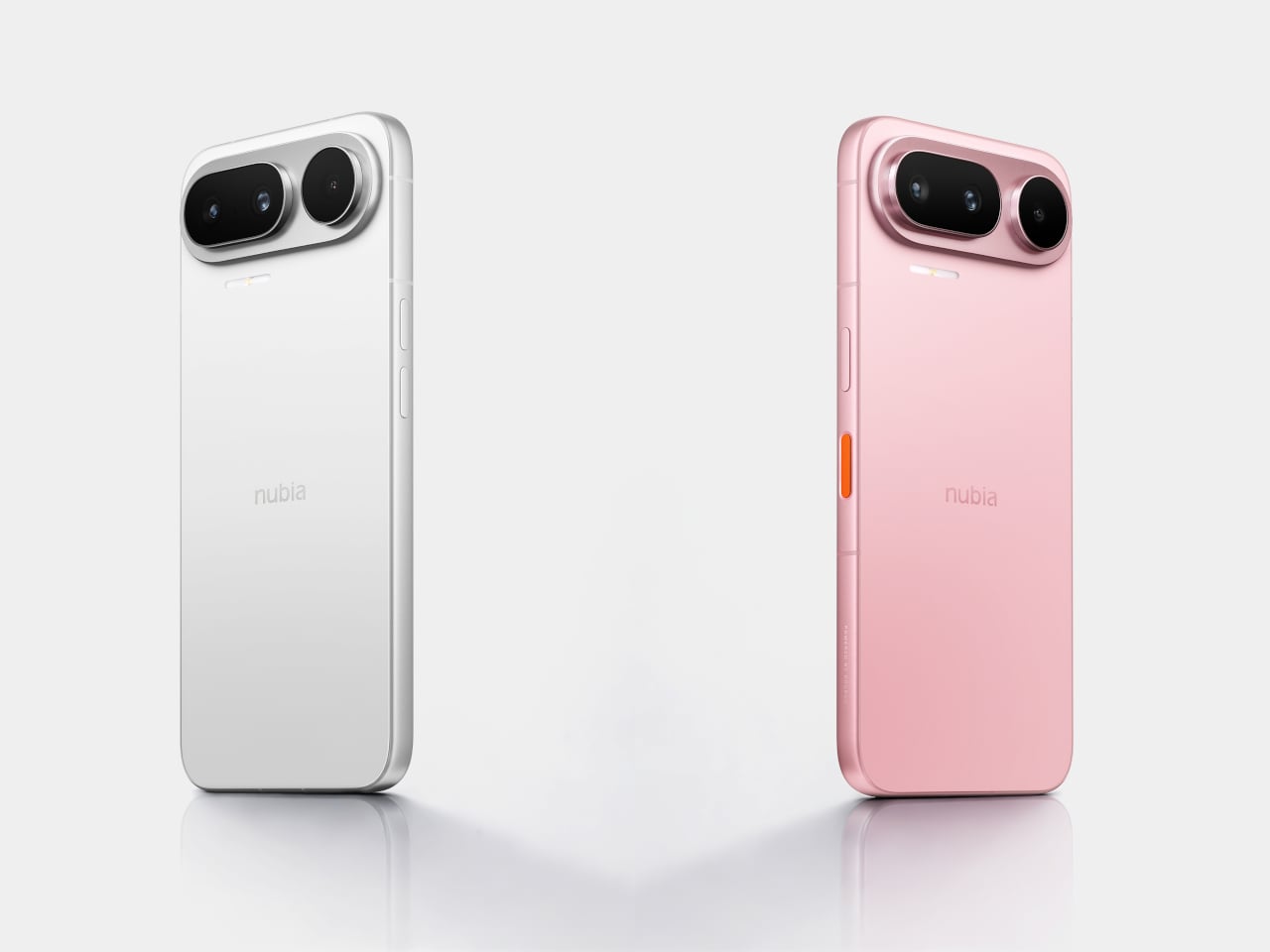
The hardware specifics haven’t been fully confirmed yet. What nubia has revealed ahead of launch is the design: a metal-framed body with exceptionally narrow bezels, a triple rear camera arranged in a horizontal Pixel-style bar, and a dedicated AI button on the frame. The phone comes in four colorways: Blue Horizon, Black, Dreamscape, and White. Whether the internal hardware matches the ambition of the software positioning is still an open question until full specs are released.
What’s interesting about the NaviX Ultra’s framing isn’t just the technical claim. It’s what the AI agent model implies about how people actually use their phones. The friction of switching between apps, re-entering context, and manually chaining tasks together is real, and it’s something that feature-level AI has only partially addressed. A phone that can hold that context across apps and act on it changes the interaction model rather than just adding a new tool to an existing one.
Nubia’s Doubao partnership with ByteDance gives the NaviX Ultra’s AI ambitions a specific cultural and software context. Doubao is one of the most widely used AI assistants in China, which gives this particular agent integration a large user base to learn from. Whether the system-level AI agent lives up to the label is something that will only be testable after the full device is in hand, but nubia is at least asking a more interesting question than most of its competitors have been willing to pose publicly.
Moving furniture in a city without a car involves a lot of improvisation. You carry what you can, leave what you can’t, and replace what got lost somewhere between the last three apartments. For a lot of renters in their twenties, heavy furniture isn’t something you accumulate. It’s something you abandon. IKEA designers sat with that problem after visiting a series of London homes of young renters and watching the improvised solutions people were actually living with.
The result is KOMPISHÄNG, a collection of 11 portable pieces launching in the US in August 2026, built from solid pine, powder-coated steel, and durable canvas. The brief was direct: design furniture that can be moved with your body alone, without needing a car. Everything in the collection takes that constraint seriously, and the problem-solving starts the moment you pick something up.
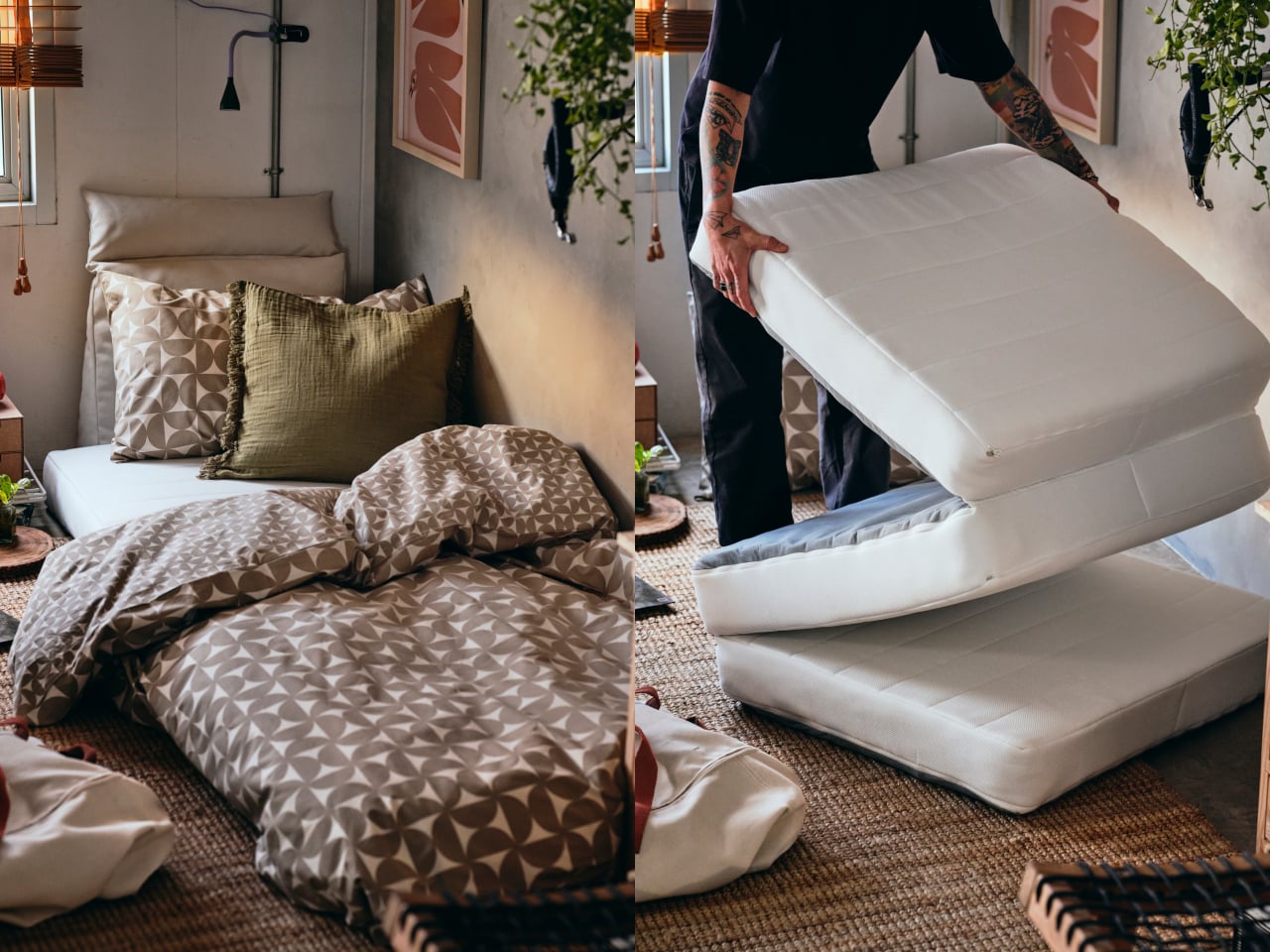
The desk assembles with two pulls and two clicks, no tools required, and has a built-in handle underneath so it can be carried from one room to another without putting anything else down. The side table folds almost completely flat and can be carried over the arm like a handbag. The mattress and pouffe have adjustable shoulder straps and travel like a backpack, then unfold into a guest bed or collapse into an extra seat when no one’s visiting.
The two stackable stools, priced at $60 for a set, are probably the most quietly clever pieces in the collection. They nest into each other for storage, but their legs also interlock to form a tiered shelving unit, turning two stools into a small display surface for a plant, a lamp, or a stack of books. It’s the kind of dual-function logic that feels genuinely thought through rather than incidental.
The accessories follow the same thinking. The canvas wardrobe organizer converts to a carry bag with one zip, so clothes travel already sorted rather than packed from scratch. The jute plant pot has large handles and a built-in rolling cover that protects whatever’s inside during transit, removing the usual anxiety around moving a plant. The red metal bookend with handles is one of IKEA’s more self-aware pieces: a bookshelf that knows most rentals don’t have one.
The pieces are priced between $9.99 and $99.99, which keeps the stakes low enough that replacing a piece or passing it to the next tenant isn’t a loss. The creative team behind the collection put longevity on the brief, too: the textiles can be washed, the wood furniture can be sanded and repainted, and the stated hope is that pieces move from one person to the next rather than ending up discarded. For furniture designed around the reality of constant change, the expectation of a long life is a telling detail.
Clous de Paris-inspired button makes AI more tactile and personal
Decent performance and strong value for its price
CONS:
No dedicated telephoto or ultra-wide cameras
Infinix HOT 70 (non-Pro) is limited to 4G networks only
RATINGS:
AESTHETICS
ERGONOMICS
PERFORMANCE
SUSTAINABILITY / REPAIRABILITY
VALUE FOR MONEY
EDITOR'S QUOTE:
The Infinix HOT 70 is proof that expressive, design-forward smartphones don't have to cost a fortune.
The affordable smartphone market has long operated on an unspoken rule: you get your camera, your processor, and a solid battery, but genuine design ambition is a luxury reserved for pricier tiers. Walk into any mid-range phone aisle, and you’re likely to face the same predictable cycle, gradient blues and purples on glass-and-plastic slabs that look almost indistinguishable from one another, functional but rarely intentional.
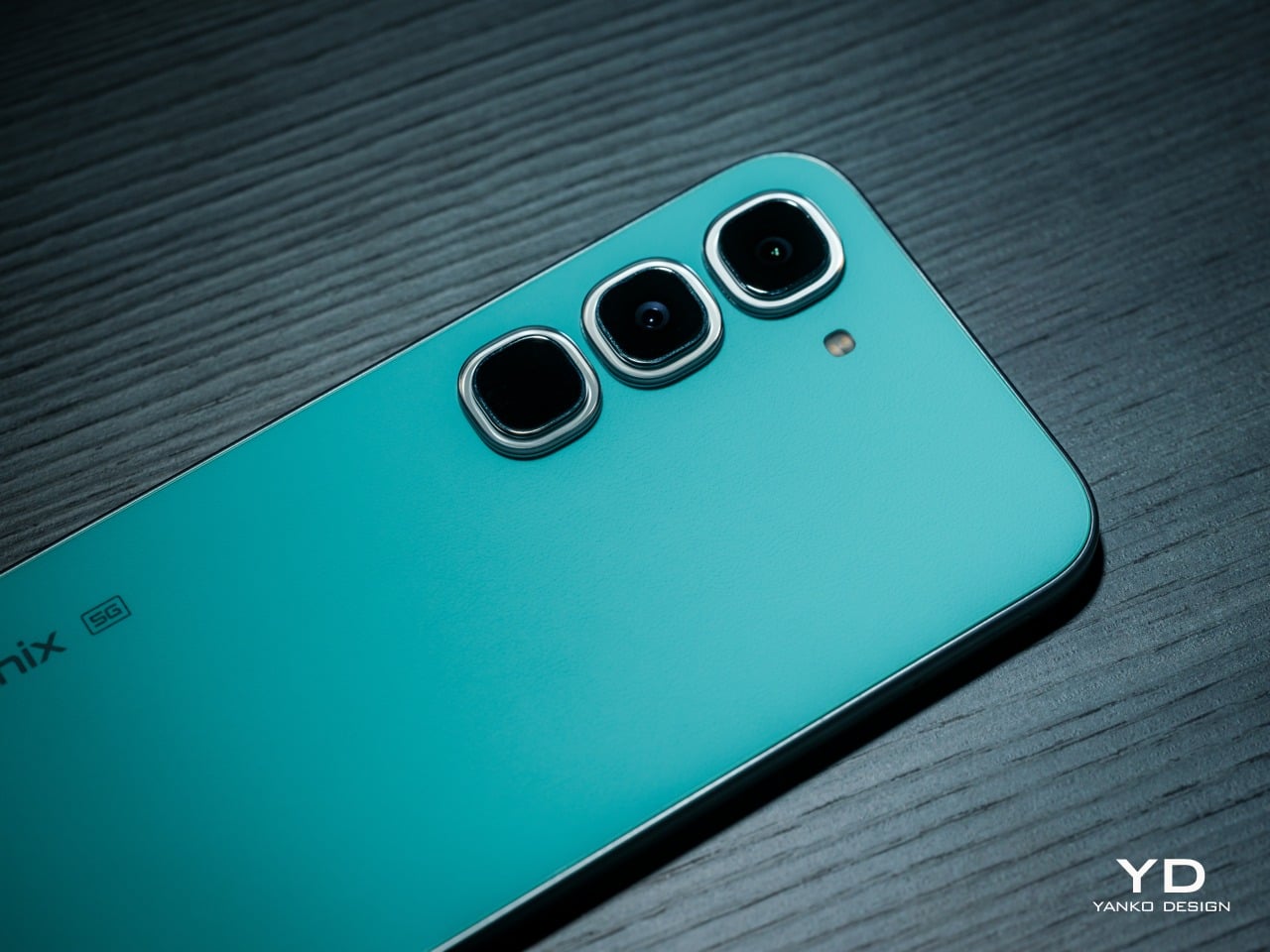
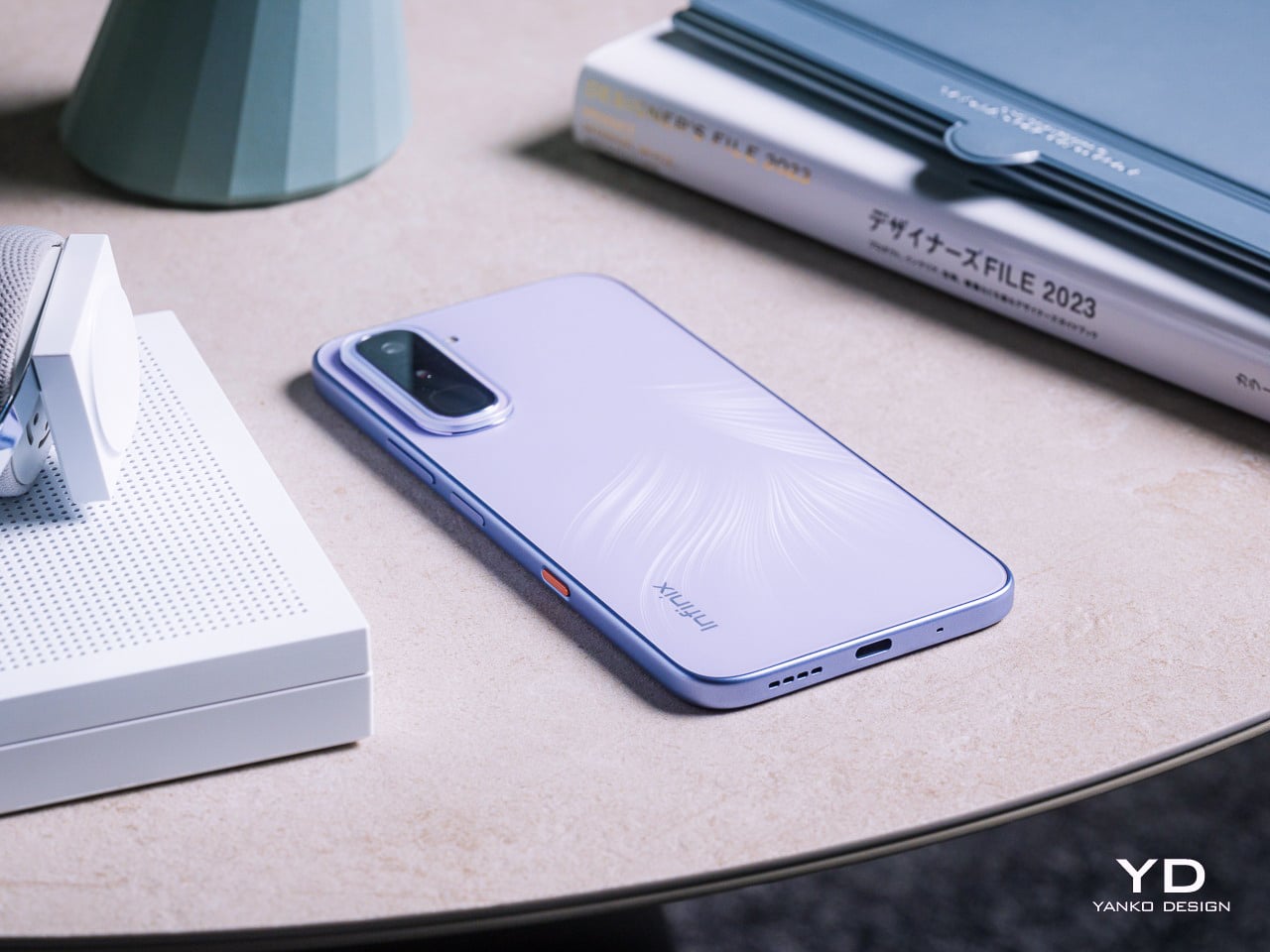
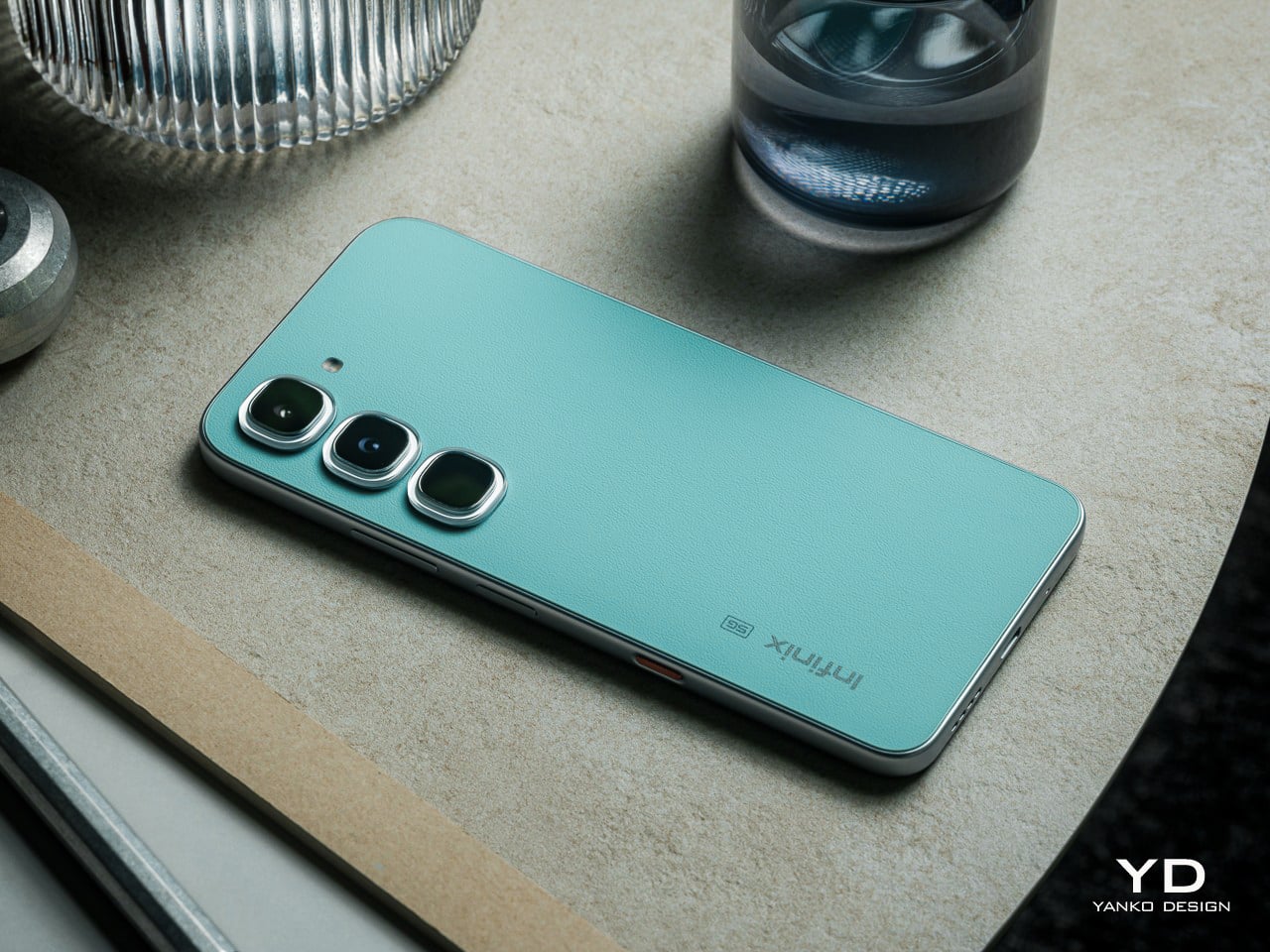
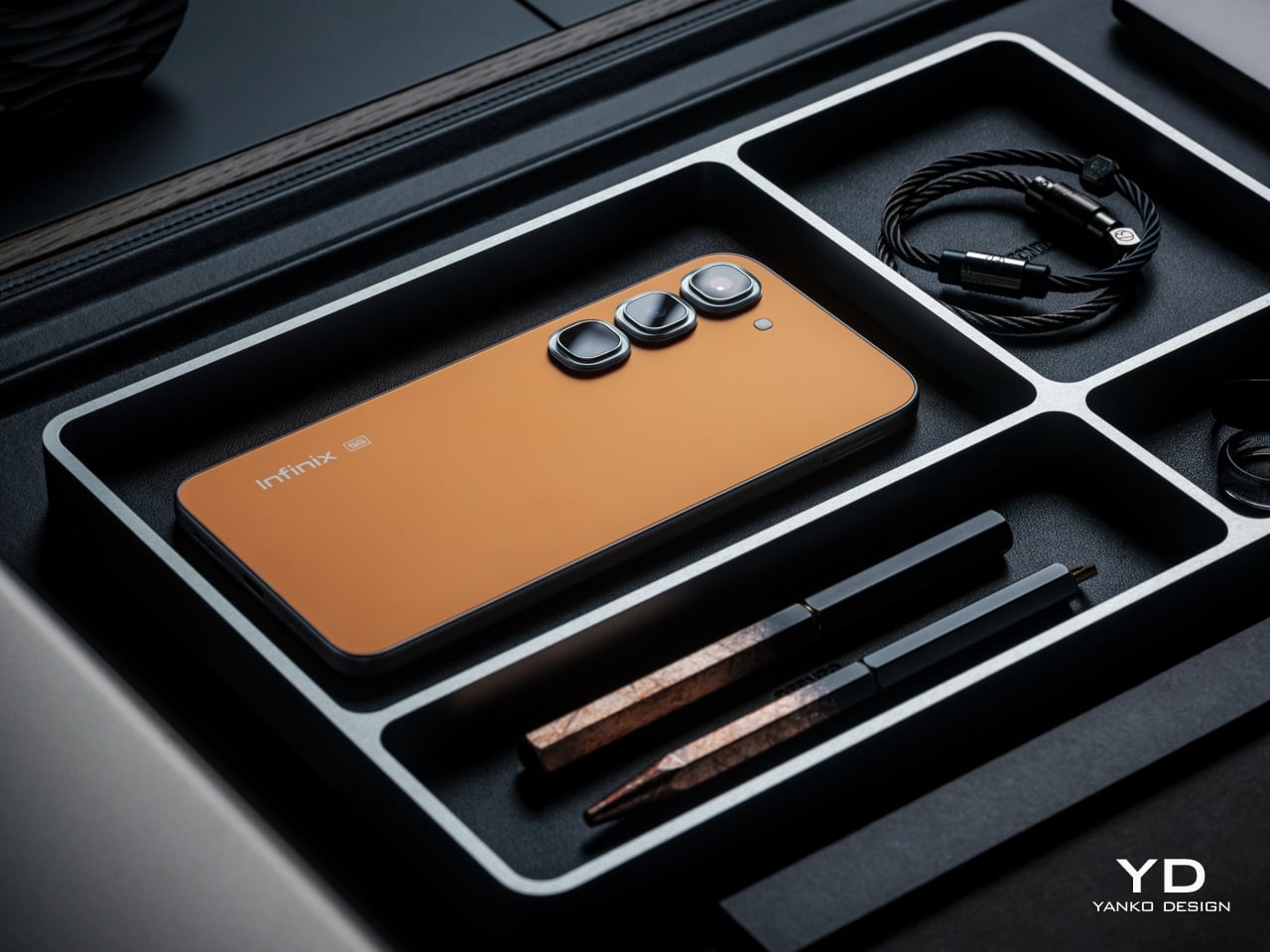
Infinix is trying to challenge that assumption with the HOT 70 series with its Industry-First 12-Colorway Dynamic Shine Design. It comes in two distinct flavors: the HOT 70 and the HOT 70 Pro 5G. Both arrived for this review, the HOT 70 in Quiet Violet and the HOT 70 Pro 5G in Thermo Orange and Mirage Green, and all announced themselves as something genuinely
Infinix has long understood something that a lot of phone brands still haven’t fully caught on to: young users aren’t shopping for specs alone, they’re buying something that reflects who they are and what they’re about. The HOT 70 series is the brand’s clearest statement on that front, organized around a “Colorful, Versatile, Fun” philosophy that treats aesthetic identity and personal expression as core design priorities, not afterthoughts.
Both phones share a design language Infinix calls the Dynamic Shine Aesthetic Design, and the common thread across both models is a Baby-Smooth Finish, a surface with an advanced anti-fingerprint coating. That silky, finely soft in-hand texture genuinely holds up in practice. After time with both phones, fingerprints and grease smudges are noticeably less of a nuisance than on most others in this price category, which counts for a lot.
Infinix HOT 70
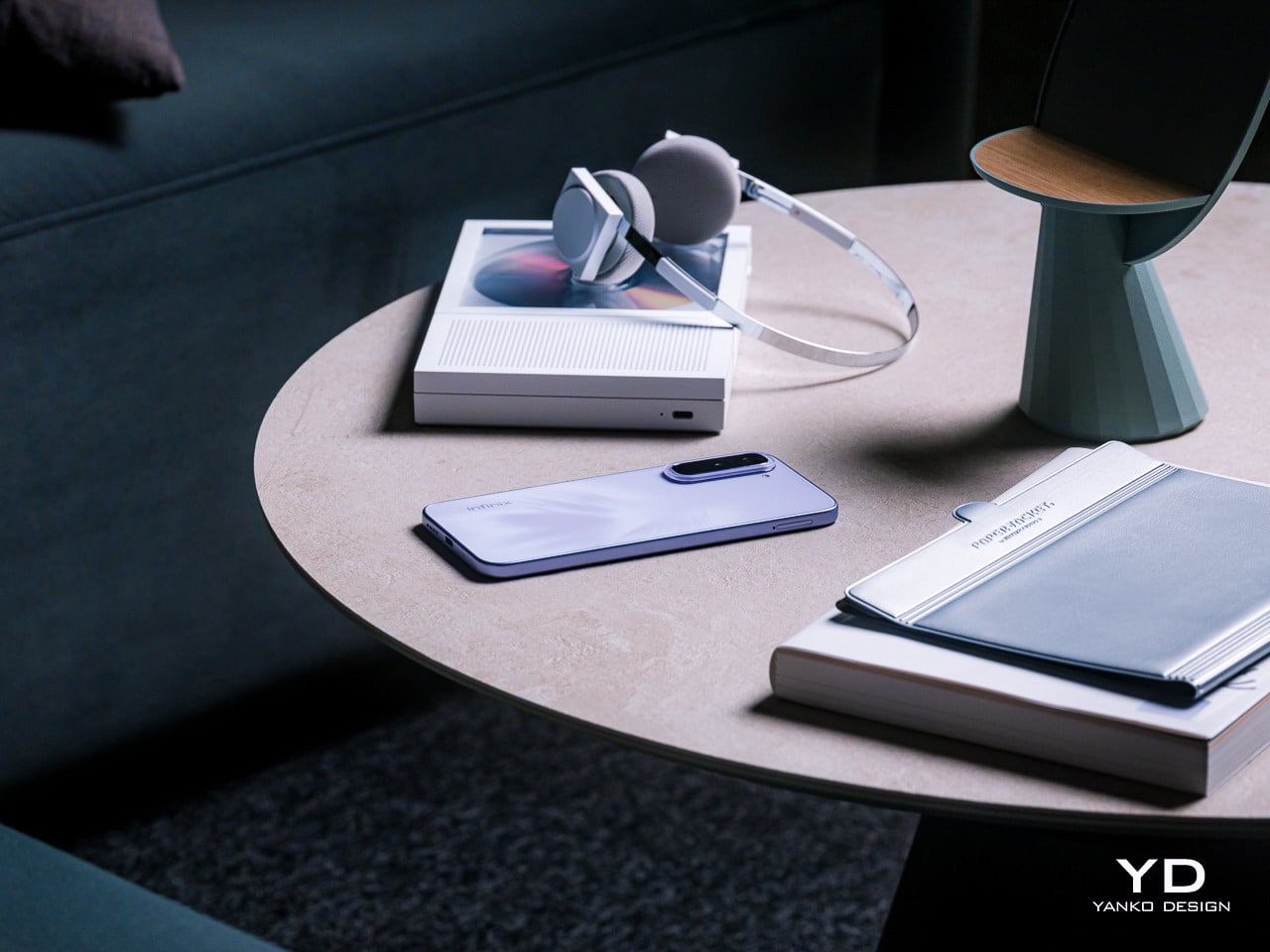
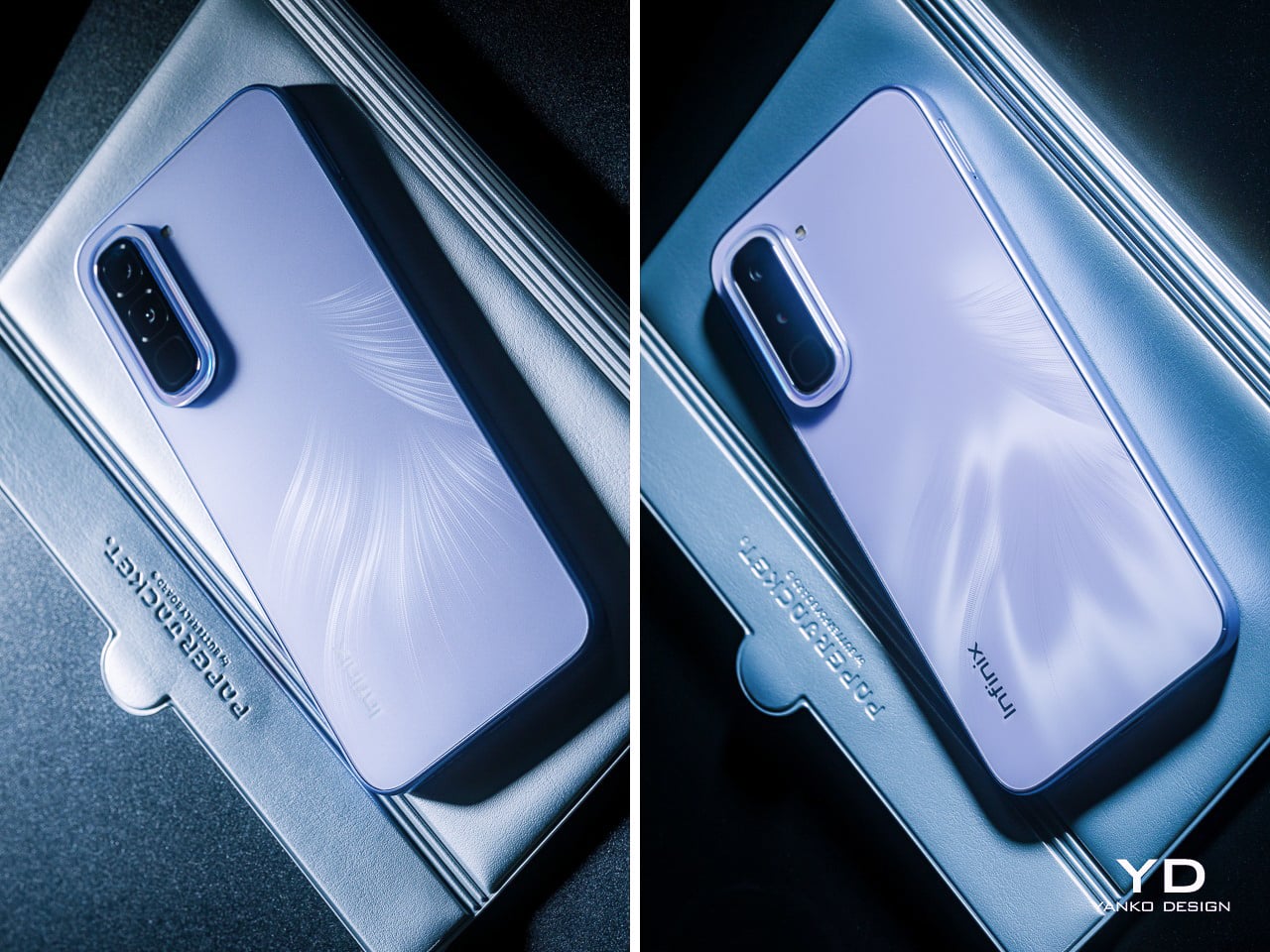
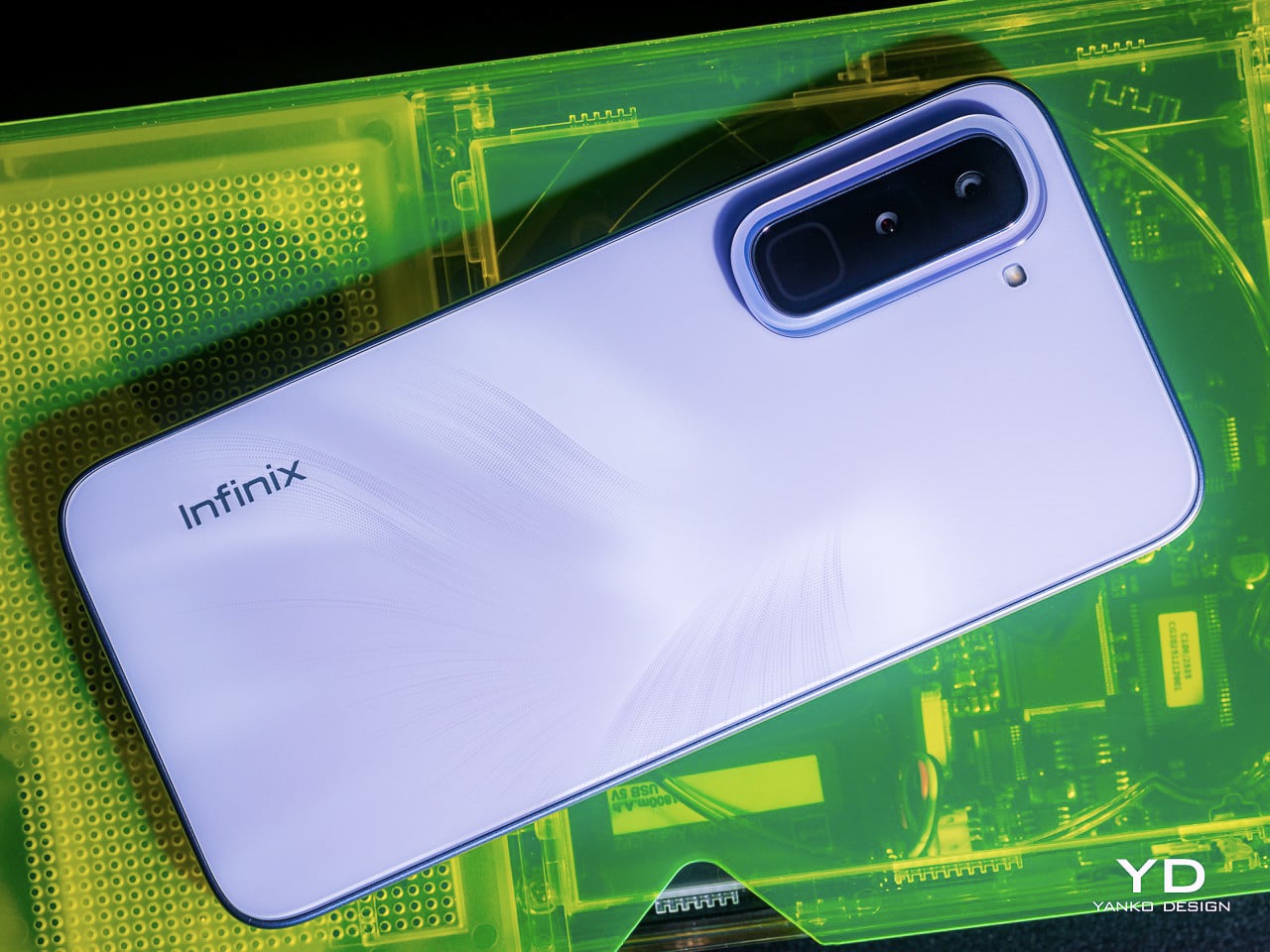
The HOT 70 arrives in six colorways: Thermo Orange, Night Pulse, Silver Dancer, Dive Blue, Green Texture, and the Quiet Violet reviewed here. Where most phones at this price simply pick a color and commit to it, the Quiet Violet does something more considered. The Lumina Flare Dynamic Flame Texture layers micro-textures beneath the surface, creating a shifting light-and-shadow effect that reads differently depending on where you are.
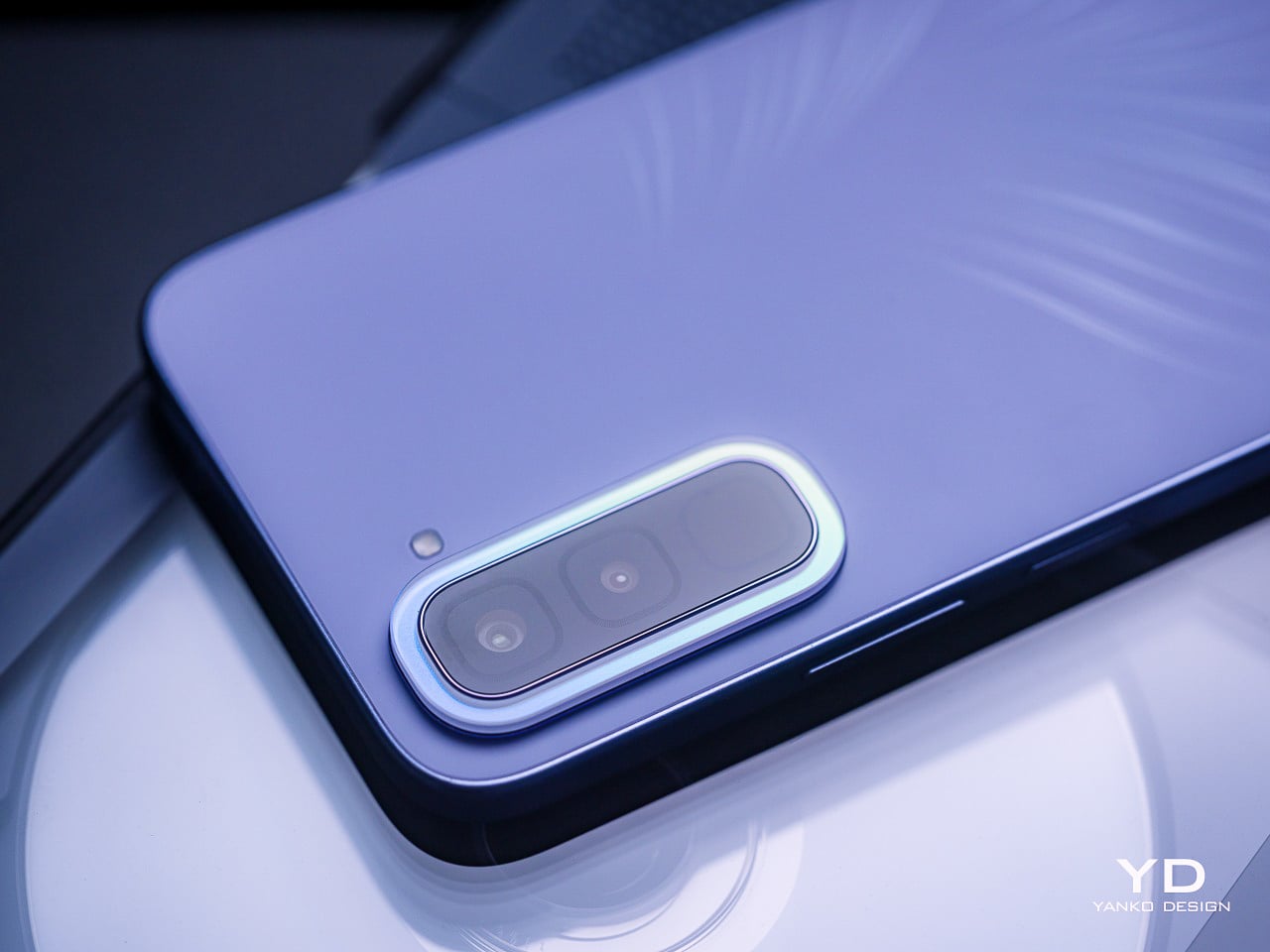
The Crystal Mood Island camera ring is where the craftsmanship gets more deliberate. It sits around the camera bump as a decorative ring that catches light and bends it into iridescent gloss, shifting tone with every viewing angle. On paper, that sounds like a marketing detail, but in practice, it adds genuine visual contrast between the ring and the rest of the panel behind it.
Then there’s the Active Halo, the light ring surrounding the camera area that pulses softly for calls, messages, charging status, and game launches. It’s tempting to dismiss this as a gimmick, but there’s a genuinely useful case for it: the phone is face down, silent, and the Halo quietly signals an incoming call without making you reach for it every few minutes.
Infinix HOT 70 Pro 5G
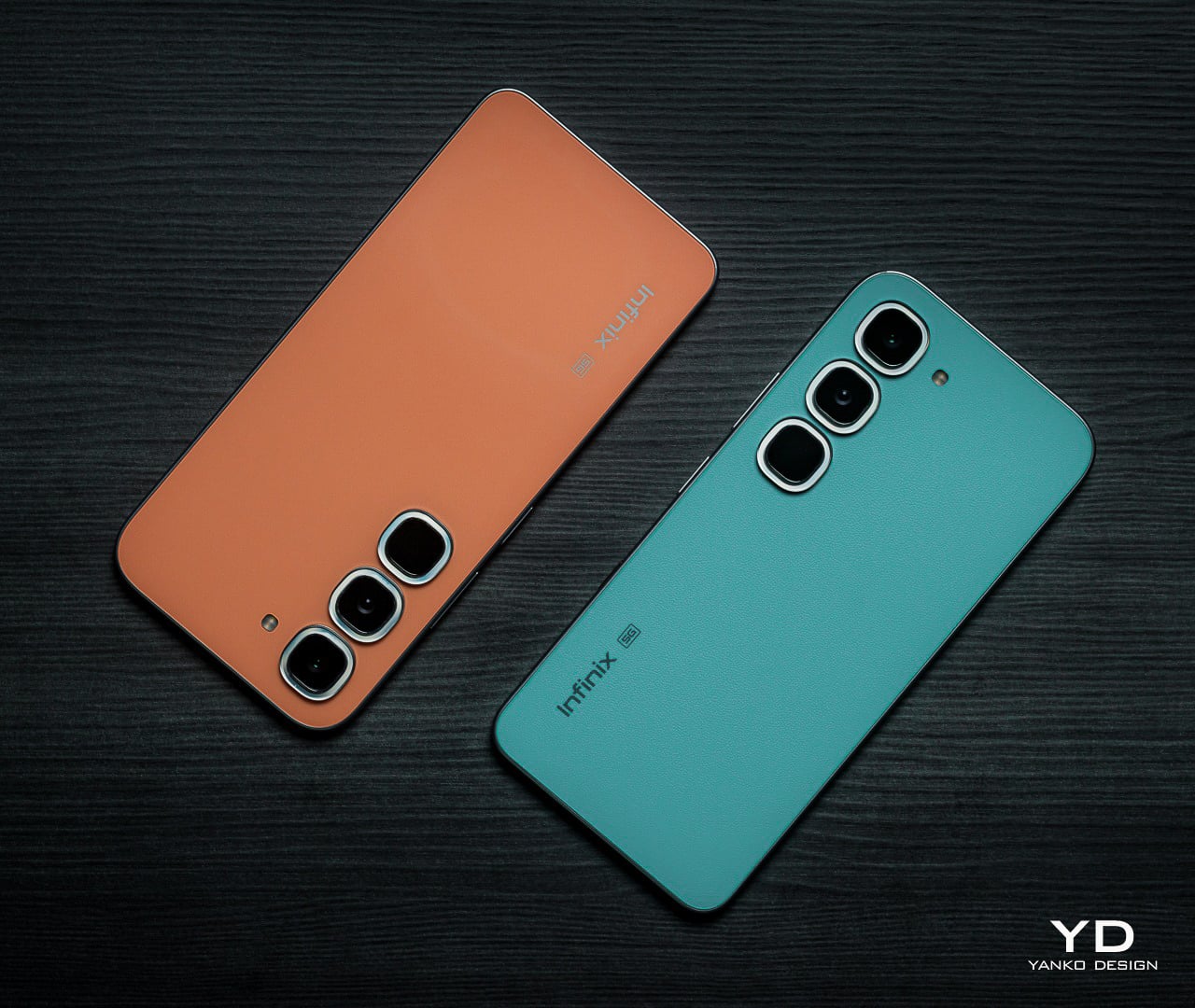
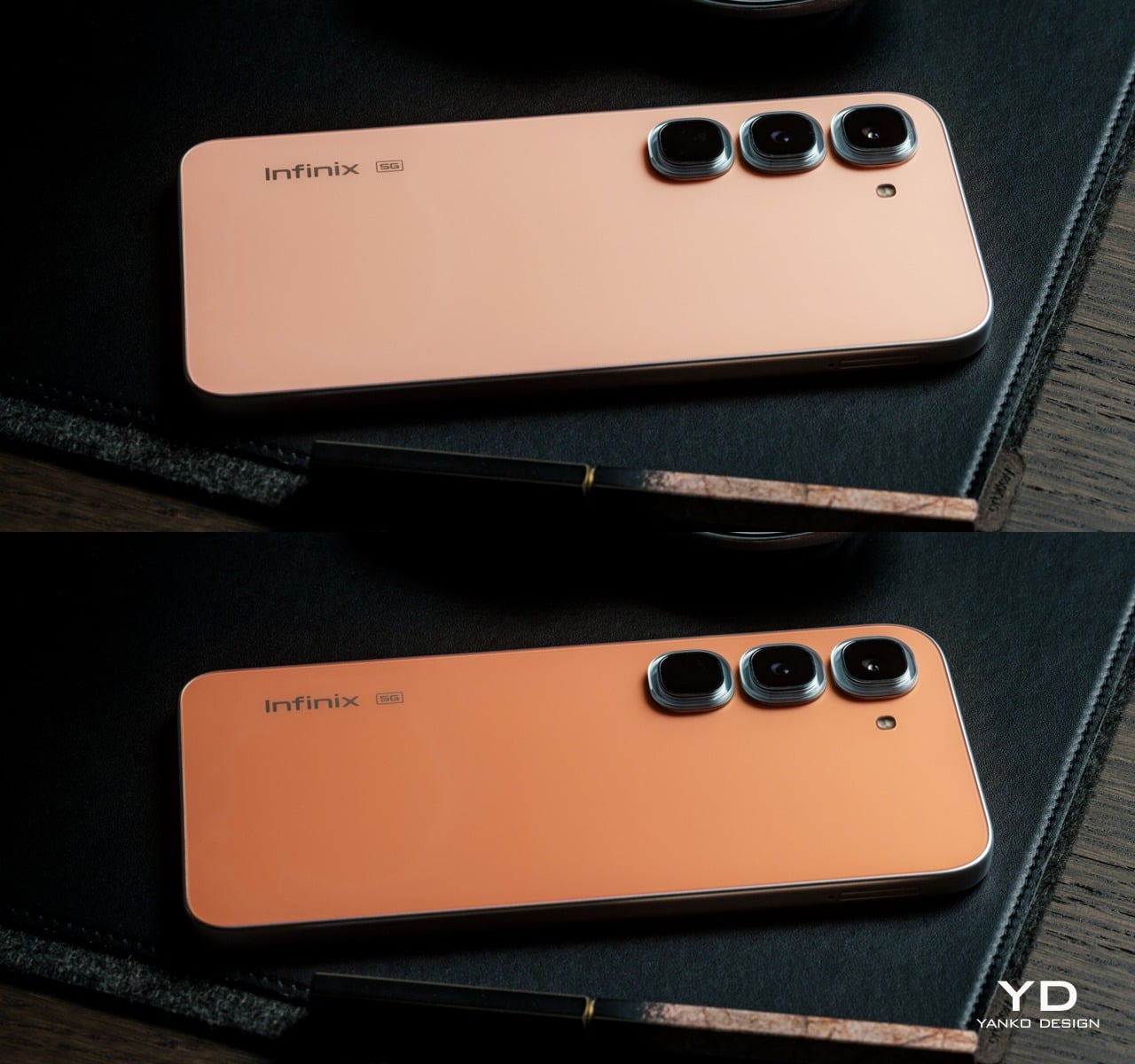
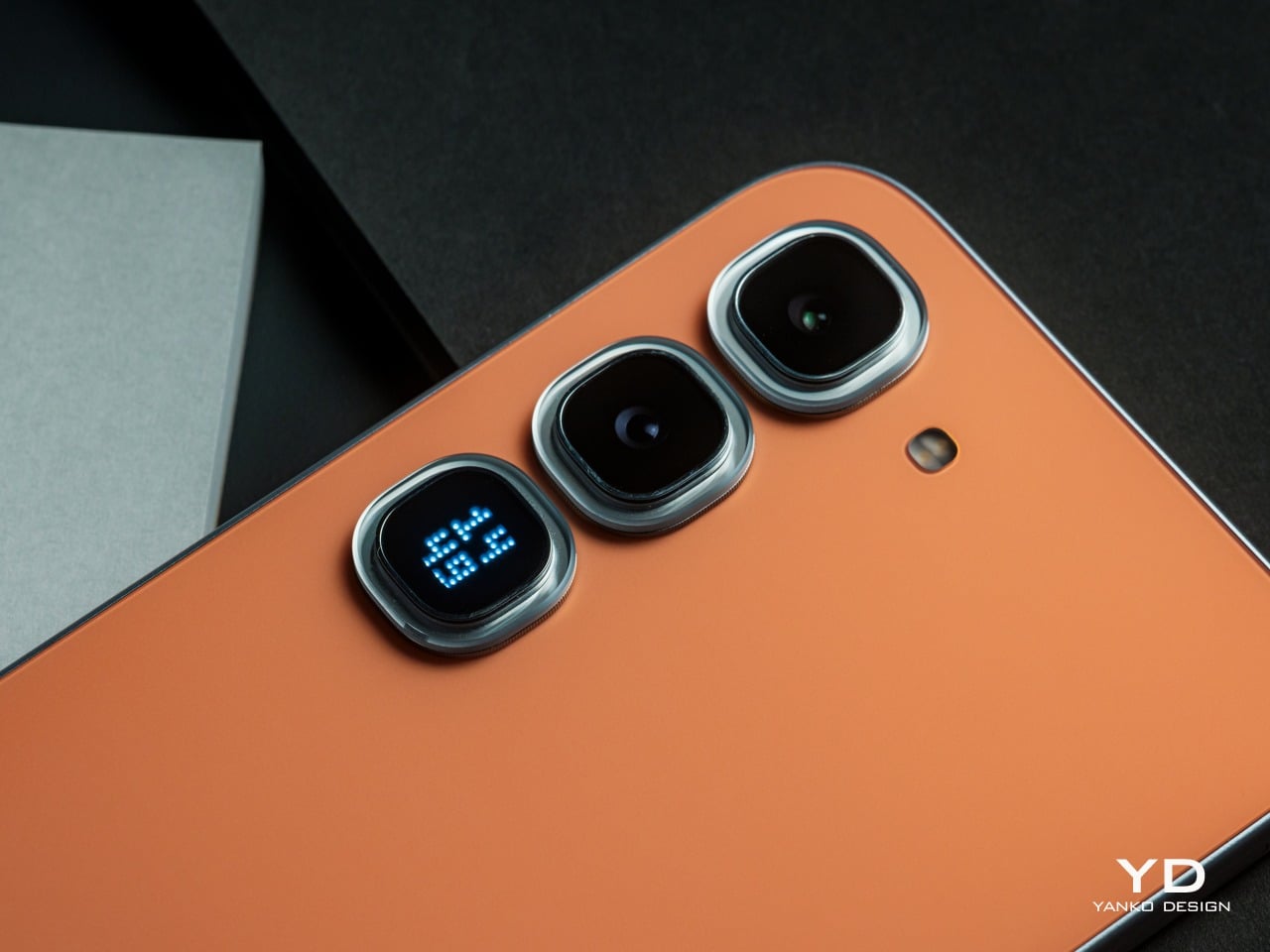
The HOT 70 Pro 5G is available in six colorways: Thermo Orange, Mirage Green, Silk Glow Purple, Night Pulse, Dive Blue, and the limited edition Depth Ring White. The Thermo Orange commands the most attention, and rightly so. Its Dual-way Thermo Sensing Skin technology physically shifts between a deeper orange below 0°C and a lighter tone above 65°C, and crucially, holds that state until the temperature resets it.
What the Thermo Orange also enables is DIY customization: cool the phone to its deep state, then press a heated stamp or trace with a hot glue pen at around 65°C to create patterns directly onto the back. The concept is genuinely novel for this price tier, and it’s quite fascinating to see the phone come out of the freezer with a different shade of orange. It also opens up possibilities for DIY designs with the stencils and the careful use of a glue gun to heat up only certain areas, creating eye-catching contrasts of light and dark areas you’d think the phone was designed with originally. Given that you are exposing the phone to extreme cold and hot temperatures, however, proper care should still be taken.
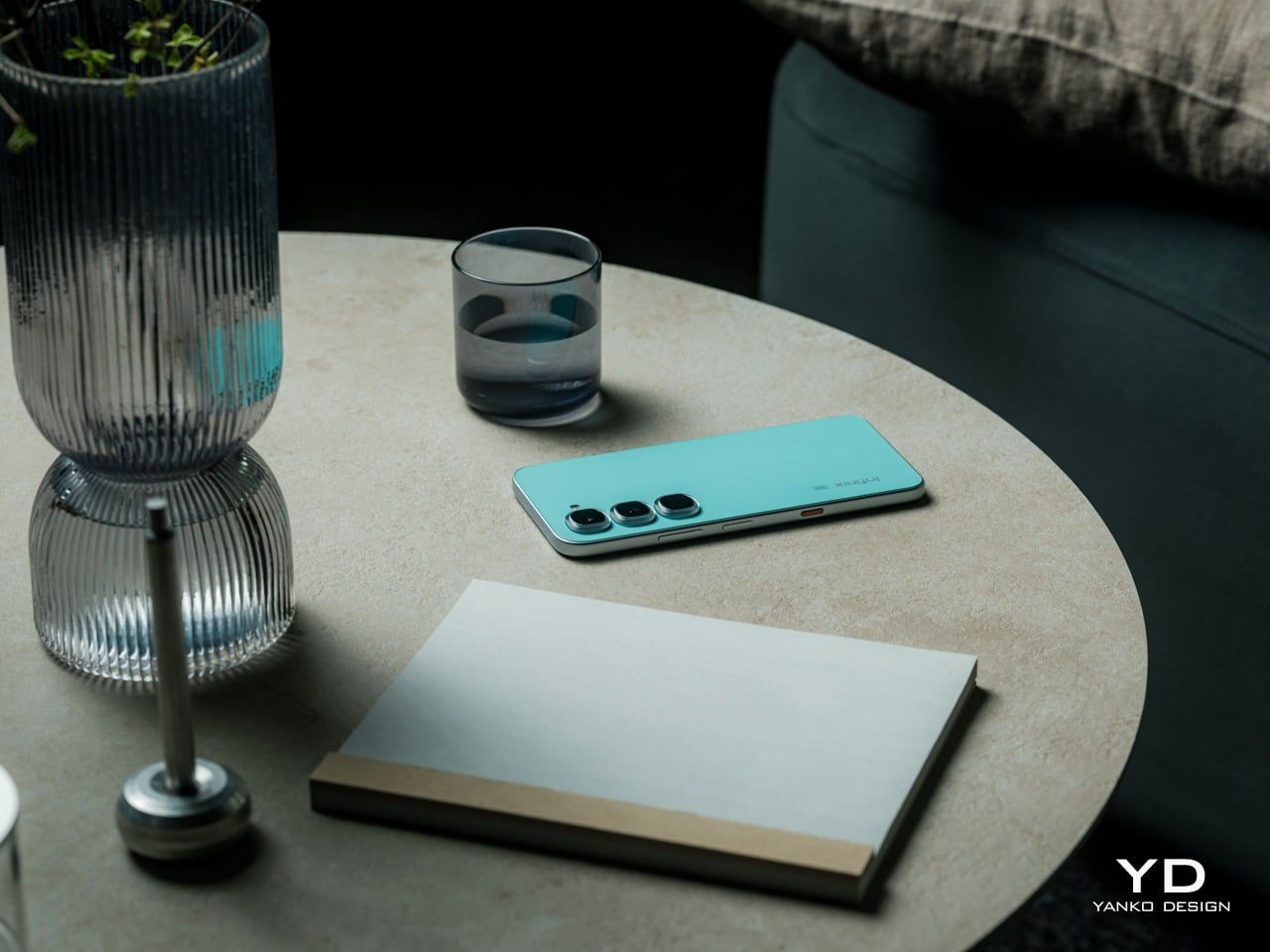
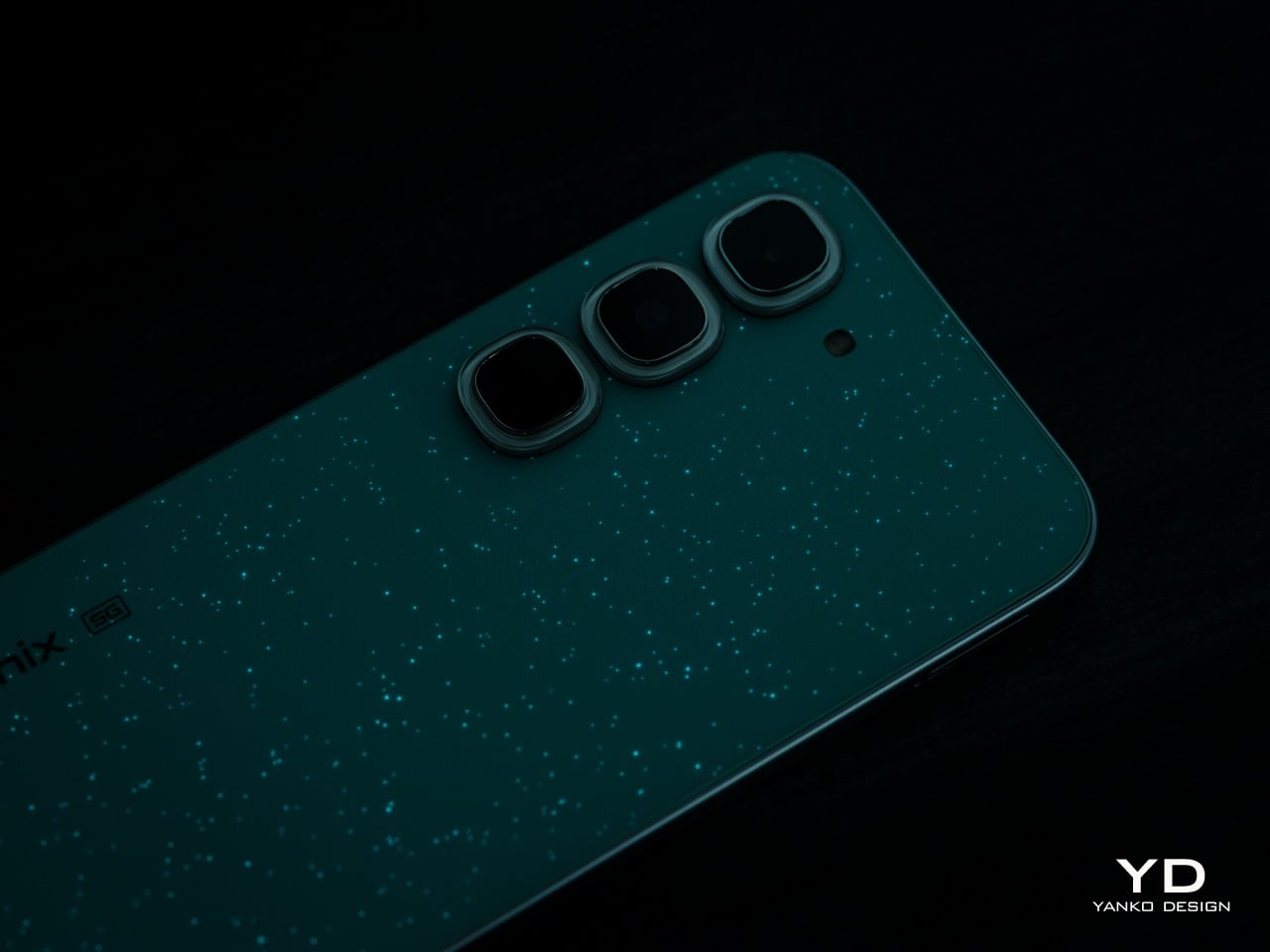
Mirage Green, exclusive to the Pro model, offers a more subtle yet equally stunning color-changing effect. Nearly-invisible luminous particles embedded in the leather-like finish on the back of the phone absorb light during the day. Once the sun sets, these dots glow like stars dots scattered against a dark green night sky. It’s a visual that is both premium and calming, perfectly reflecting its design.
The remaining hero finishes deserve more than a footnote. Silk Glow Purple builds its color from nano-scale structural layers rather than pigment, which means the purple actually shifts and travels across the surface as the angle changes. The Limited Edition Depth Ring White goes further, using a micro-lens array to create what reads as a floating 3D ring against an otherwise flat back panel.
The Active Matrix Cube is the Pro’s most distinctive rear-surface detail, a programmable light matrix that’s a flagship-level feature from Infinix’s premium product lineup. It handles status alerts, ambient lighting, mini-games, and custom pattern displays, and can even share those creations via NFC with a single tap. It turns the back of the phone into a secondary surface that communicates something, even when the screen is dark.
Ergonomics
At just 7.49mm thin and 195g light, the HOT 70’s pocket-favourite design offers effortless portability, slipping easily into pockets or small bags and ensuring smooth one-handed handling for commuting, travel, and everyday use. The HOT 70 Pro 5G is marginally heavier at 204g and slightly thicker at 7.85mm to 7.95mm, depending on the colorway, differences that don’t read as particularly significant in everyday handling.
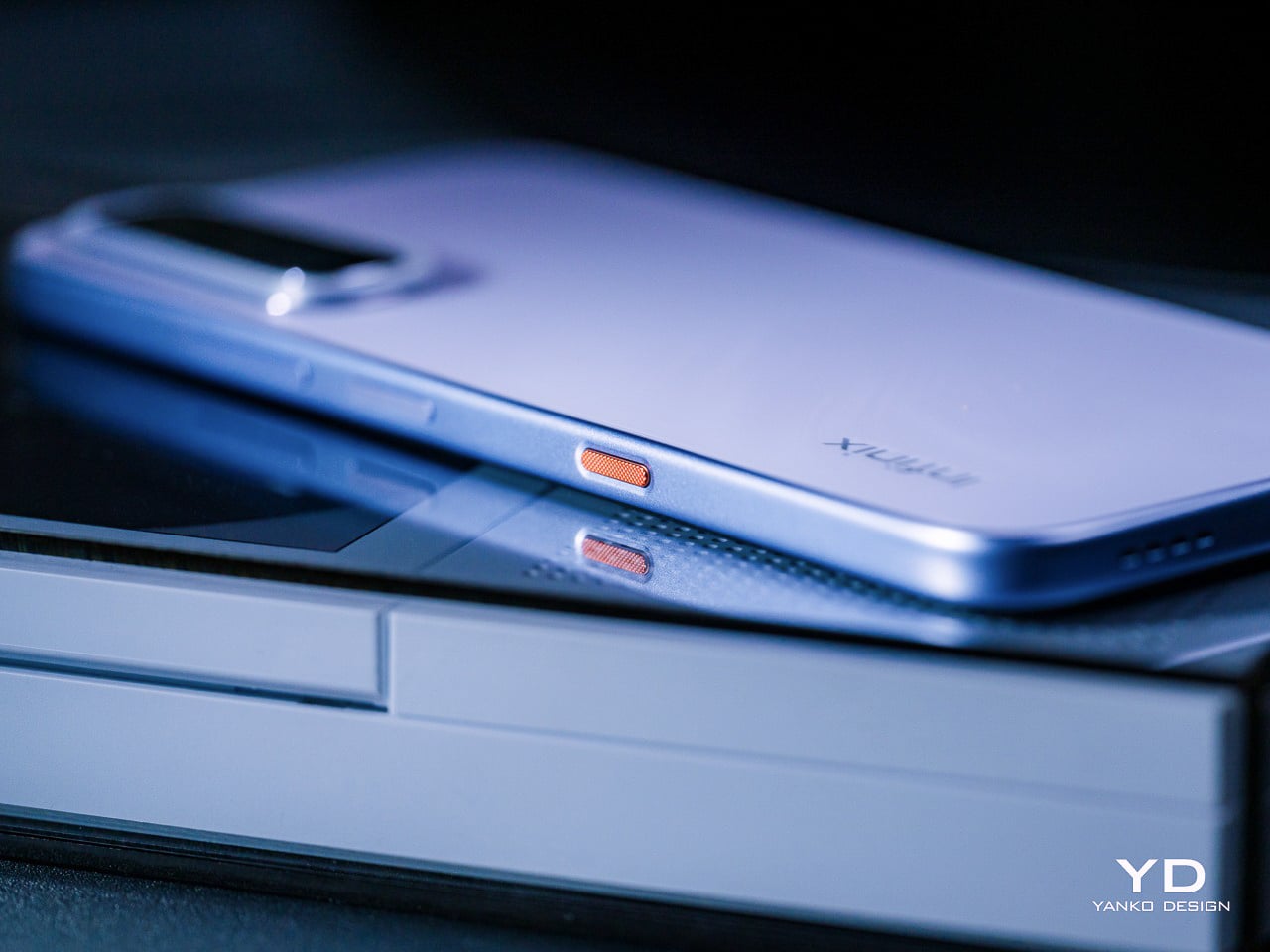
The One-Tap AI Button on both phones is inspired by the Clous de Paris design, with a three-dimensional textured surface that delivers a refined, premium tactile feel. Its customizable shortcut logic enables One-Tap AI FlashMemo with a short press and activates Folax AI assistant with a long press, allowing intuitive control and more efficient smart interaction by streamlining everyday tasks. That physical anchor makes AI feel genuinely accessible rather than buried in software menus.
Both phones use punch-hole displays with narrow bezels, giving a clean, open canvas for everyday use. The HOT 70 and HOT 70 Pro 5G have very similar screen sizes at 6.78 and 6.76 inches, respectively, so the real ergonomic difference lies in the refresh rate. The HOT 70 Pro 5G’s 144Hz high refresh rate and 240Hz touch sampling rate deliver ultra-smooth scrolling without ghosting while browsing and streaming, while the HOT 70’s 120Hz panel handles daily navigation comfortably. The smooth visuals help ease eye strain while also improving the overall user experience.
Performance
AI is quite the trend these days, and Infinix isn’t one to be left behind. The HOT 70 Series delivers a full AI experience upgrade featuring a physical One-Tap AI Button, with a dedicated AI Button that supports intelligent intent recognition, enabling one-tap capture of ideas, meetings, emails, and more, with auto archiving and smart schedule creation based on content type. Long-pressing the button activates Folax, Infinix’s custom AI assistant, which answers questions based on whatever is on screen, from displayed text to a live camera view, with access to five or more AI models simultaneously. Between FlashMemo’s capture-and-organize logic and Folax’s any-screen contextual awareness, the two together cover most of what people actually reach for their phones to do throughout the day.
Battery anxiety is real, especially among the younger generation, so Infinix naturally has a solution. Both models offer a 15% larger battery capacity than the previous generation, featuring a 6,000 mAh single-cell design or 5,600 mAh in certain regional markets, a capacity difference driven by local regulatory requirements rather than any hardware compromise. Fortunately, both capacities support 45W Lightning FastCharge, and in Super Fast Charging mode, which allowed us to hit 50% in half an hour and fully charge in an hour. Bypass charging routes power directly from the charger to keep the phone cooler during heavy use, a critical safety measure when gaming or using the phone for navigation.
The Infinix HOT 70 runs on a MediaTek Helio G100 Ultimate, a powerful octa-core gaming processor designed for smoother daily use, multitasking, and light gaming. That said, the Helio G100 is a 4G-only chip, which means the HOT 70 can’t connect to 5G networks. The HOT 70 Pro 5G steps up to a MediaTek Dimensity 7100 with 5G support, a meaningfully stronger chip that pushes AnTuTu V11 scores above 780,000, delivers up to 90 fps in supported games, and brings faster 5G connectivity tuned for crowded real-world conditions.
The display difference between the two models is more significant than the size gap suggests. The HOT 70’s 6.78-inch 120Hz Eye-Care Display reaches 700 nits of HBM brightness for sunlight readability. The HOT 70 Pro 5G’s 6.76-inch FHD+ panel pushes that to 950 nits of HBM brightness, a genuine sunlight-legibility advantage, and the jump to Full HD+ resolution adds sharpness that becomes particularly noticeable when reading text or watching video.
Camera setups share a foundation but diverge meaningfully at the Pro tier. Both phones use a 50MP main sensor, with AI Live Photo on both automatically filtering out shaky frames from a burst. The HOT 70 Pro 5G’s imaging toolkit, however, rests on a 50MP Sony IMX882 with a large 1/1.95-inch sensor, f/1.8 aperture, and full-pixel autofocus, plus a 2x lossless zoom shortcut, giving it stronger low-light performance.
In both cases, both images and videos come out clear, detailed, and vibrant, punching above their price tier. Sadly, the lack of a dedicated telephoto or ultra-wide cameras will make you miss out on decent close-ups and breath-taking panoramas. It isn’t the series’s strongest suit, but it at least won’t let you down when you need to preserve important moments and scenes.
Sustainability
The HOT 70 carries an IP65 rating, featuring six-level full dustproofing and IP65 splash resistance, blocking dust, rain, and sweat effectively for safer daily commutes and outdoor use. It also boasts military-grade durability with an SGS-certified 5-star drop protection. The HOT 70 Pro 5G steps up to IP68, Infinix’s highest rating to date, rated for up to 2 meters of fresh water for 30 minutes, with screen and camera protected throughout, and further adds MIL-STD-810 military-grade certification for durability across more demanding conditions.
Both phones deliver long-term OS support, keeping the device smooth, secure, and reliable for years, with guaranteed three years of major XOS version upgrades (only for models with 6GB RAM or more) starting with factory-installed XOS 16, continuously updating to XOS 17, XOS 18, and XOS 19. Three OS upgrades aren’t quite on par with what some flagship brands now offer, but it’s a genuinely generous commitment for this price tier, where software longevity is rarely treated as a selling point at all. One caveat is that certain XOS features only apply if your configuration has 6GB of RAM or more.
Value
The Infinix HOT 70 starts at around $120, depending on configuration and market, and the package it delivers at that price is hard to dismiss. Tactile finishes, a physical AI shortcut, a generous battery, and a sunlight-readable display aren’t common at this tier. The Lumina Flare texture and Crystal Mood Island add visual differentiation that most competitors simply don’t bother attempting.
The Infinix HOT 70 Pro 5G starts at around $200, and the step up from the base HOT 70 is justified on multiple fronts. A faster 5G chip, a sharper and faster display, a more capable Sony camera sensor, full IP68 waterproofing alongside military certification, and the Active Matrix Cube add up to a meaningfully more capable and expressive package.
Neither phone asks for a premium price to deliver a premium-feeling design, and that’s genuinely rare. At comparable price points, the alternatives in this category tend to compete primarily on camera megapixels or battery size, without investing much thought into what the phone feels like to hold, look at, or interact with. The HOT 70 series treats those questions as worth answering, which puts it in a different conversation entirely.
Verdict
The HOT 70 makes a case for what affordable phone design can look like when treated as an actual discipline. The Lumina Flare texture, the Crystal Mood Island camera ring, the Active Halo, and the Baby-Smooth Finish come together in a device that rewards closer attention. It gets noticed on a table or out of a pocket, not because it’s loud, but because it clearly has a point of view. The HOT 70 Pro 5G takes that design ambition further into something genuinely experimental, with four optical behaviors across its colorways, a 5G chip with real gaming headroom, a Sony camera sensor that performs above expectations, and IP68 waterproofing for more demanding conditions.
Together, both phones say something interesting about where considered, expressive design is heading at the more accessible end of the smartphone market. At a price tier where “design” usually means picking between black, blue, or midnight black, the Infinix HOT 70 series is quietly raising the bar for what a phone at this price is allowed to look and feel like.
PC gaming has never had a proper physical media equivalent. Console players have always had something tangible to hold and shelve, a disc or cartridge that represents one specific game. On PC, games live in a library on a platform that’s only yours as long as the platform stays up. It’s convenient, but a lot of PC gamers quietly miss the ritual of picking something physical off a shelf.
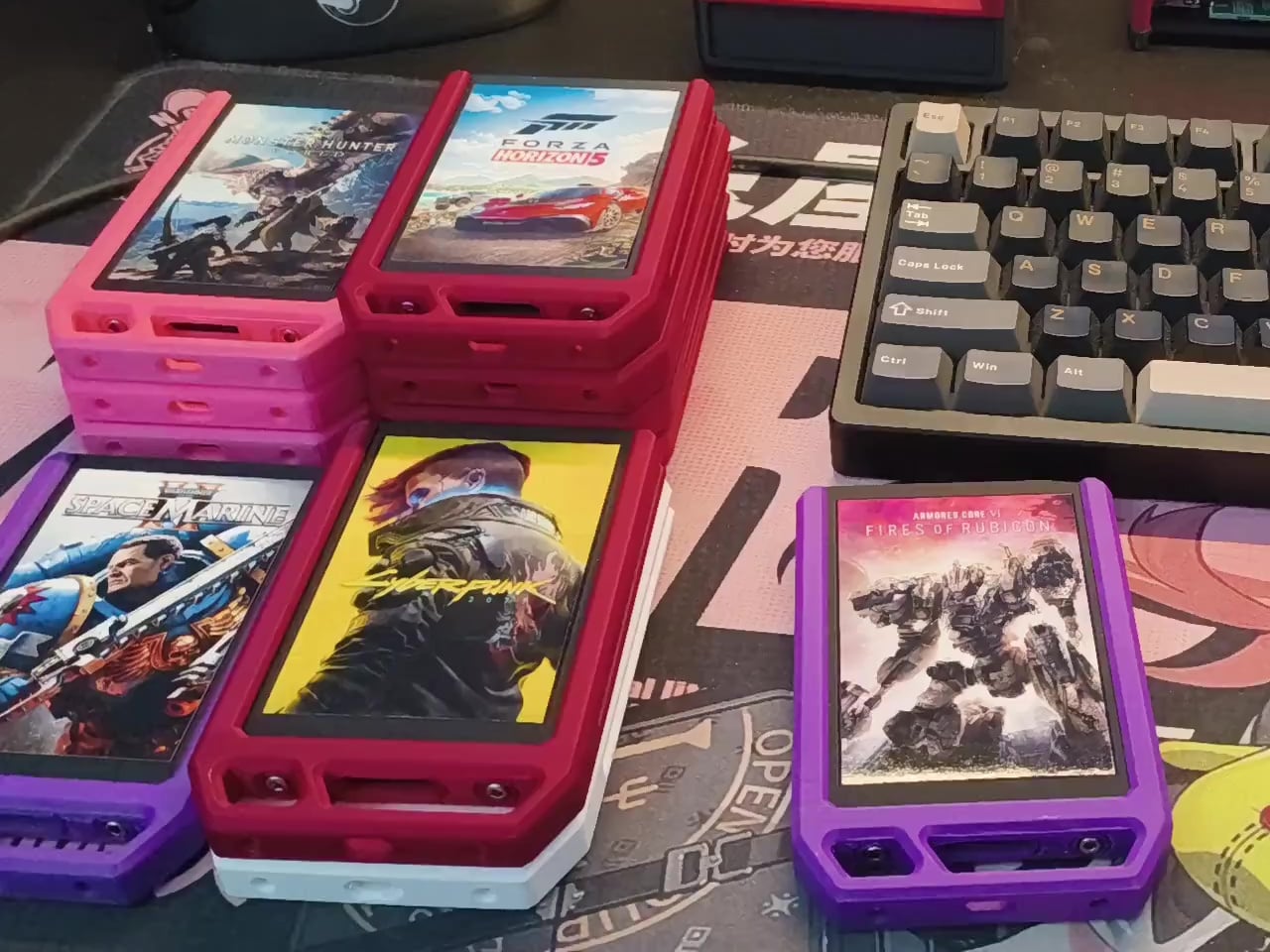
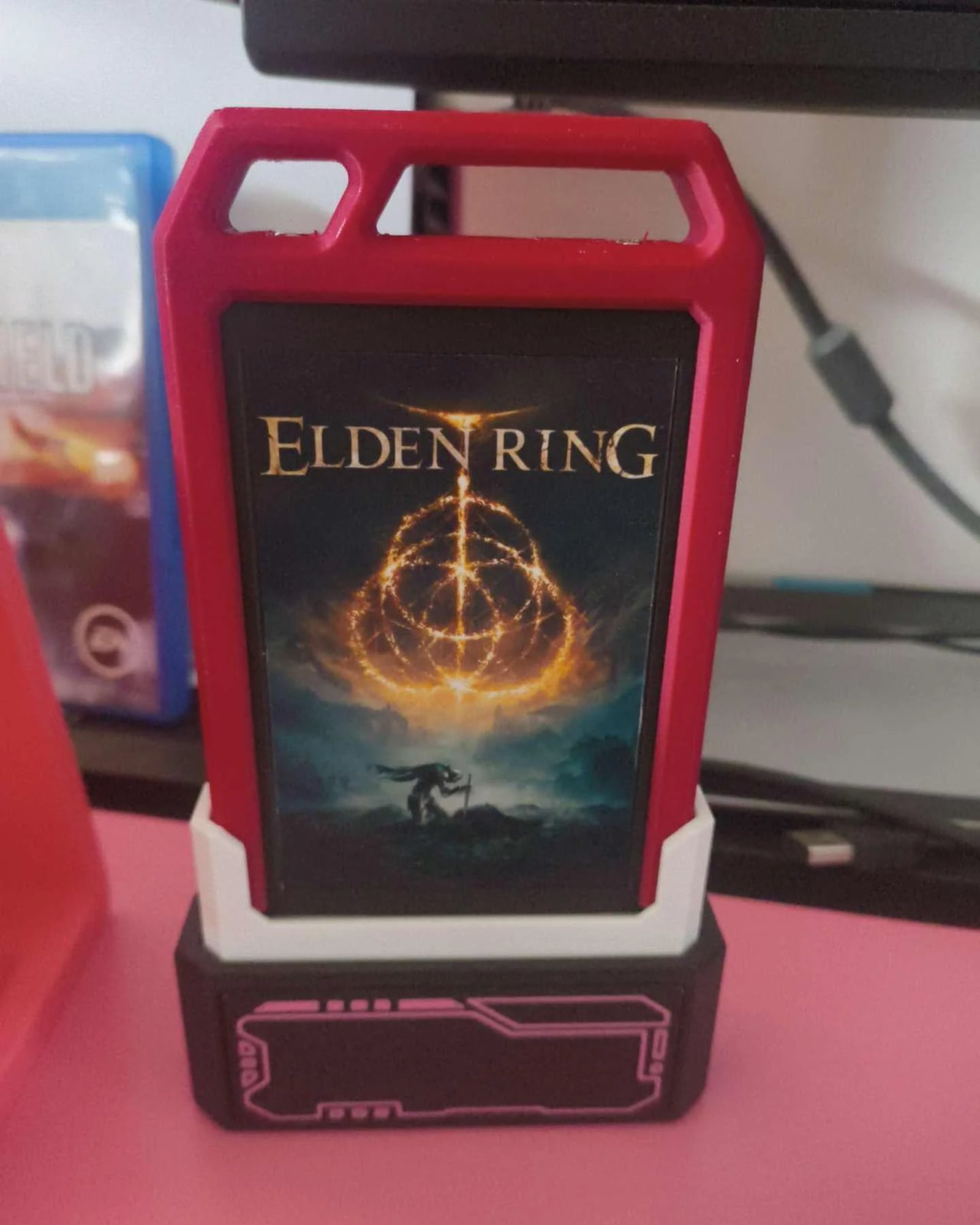
A post on Reddit recently took a direct swing at that gap. A gamer picked up a handful of secondhand 2.5-inch SATA SSDs, each 128 GB and priced at around €7 ($8) a piece, and built a cartridge system for Steam. Each drive holds a single game alongside a script that auto-navigates Steam to that game’s page once the drive is plugged in. Auto-launching the game directly is also possible.
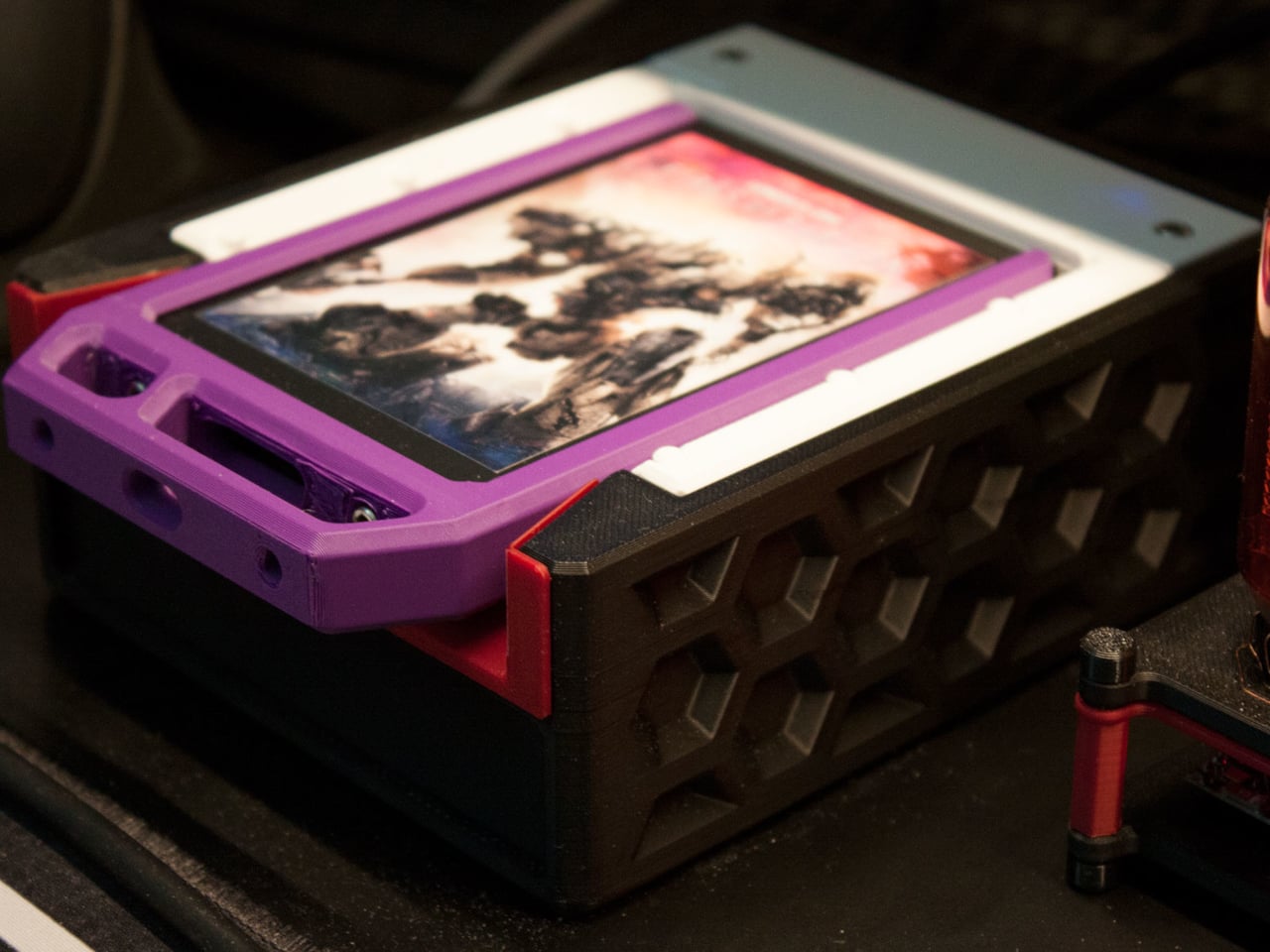
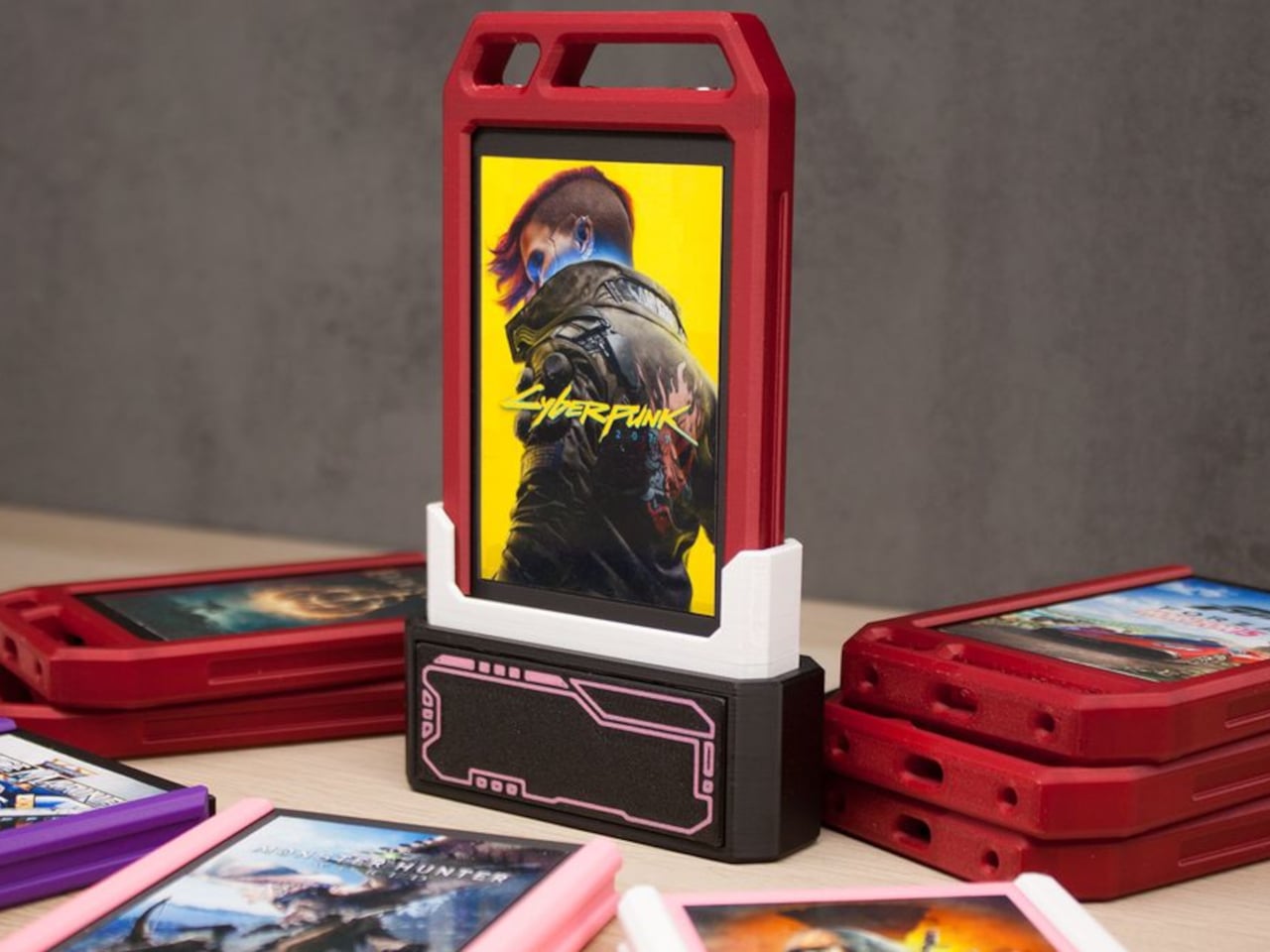
What really sells the effect is the presentation. Rather than leaving the drives as bare hardware with labels stuck on, each SSD sits inside a colorful protective case with custom game art on the cover. The result looks genuinely like a cartridge collection, not a pile of storage drives. It’s the kind of detail that makes the idea land visually rather than just functioning as a clever technical trick.
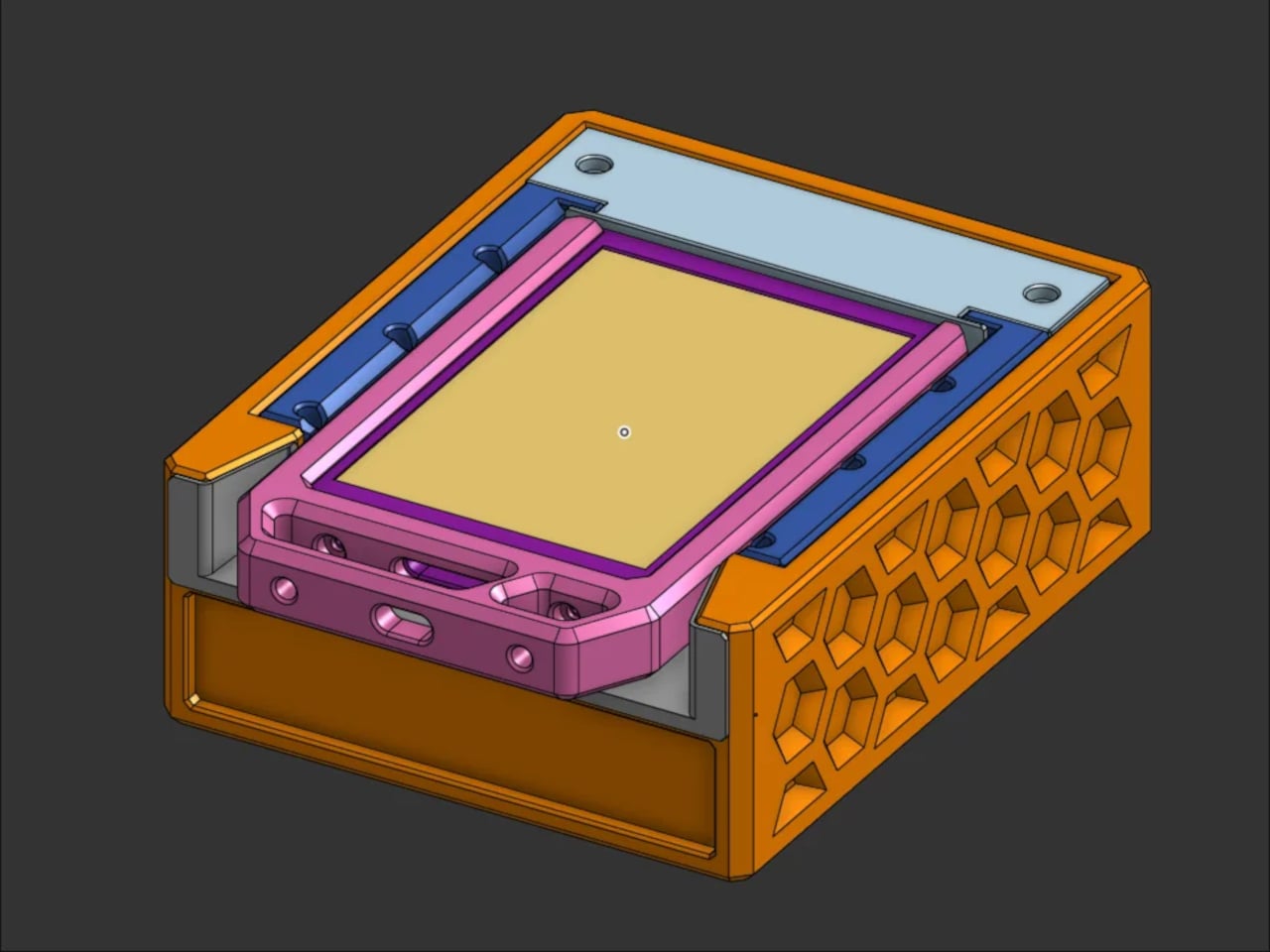
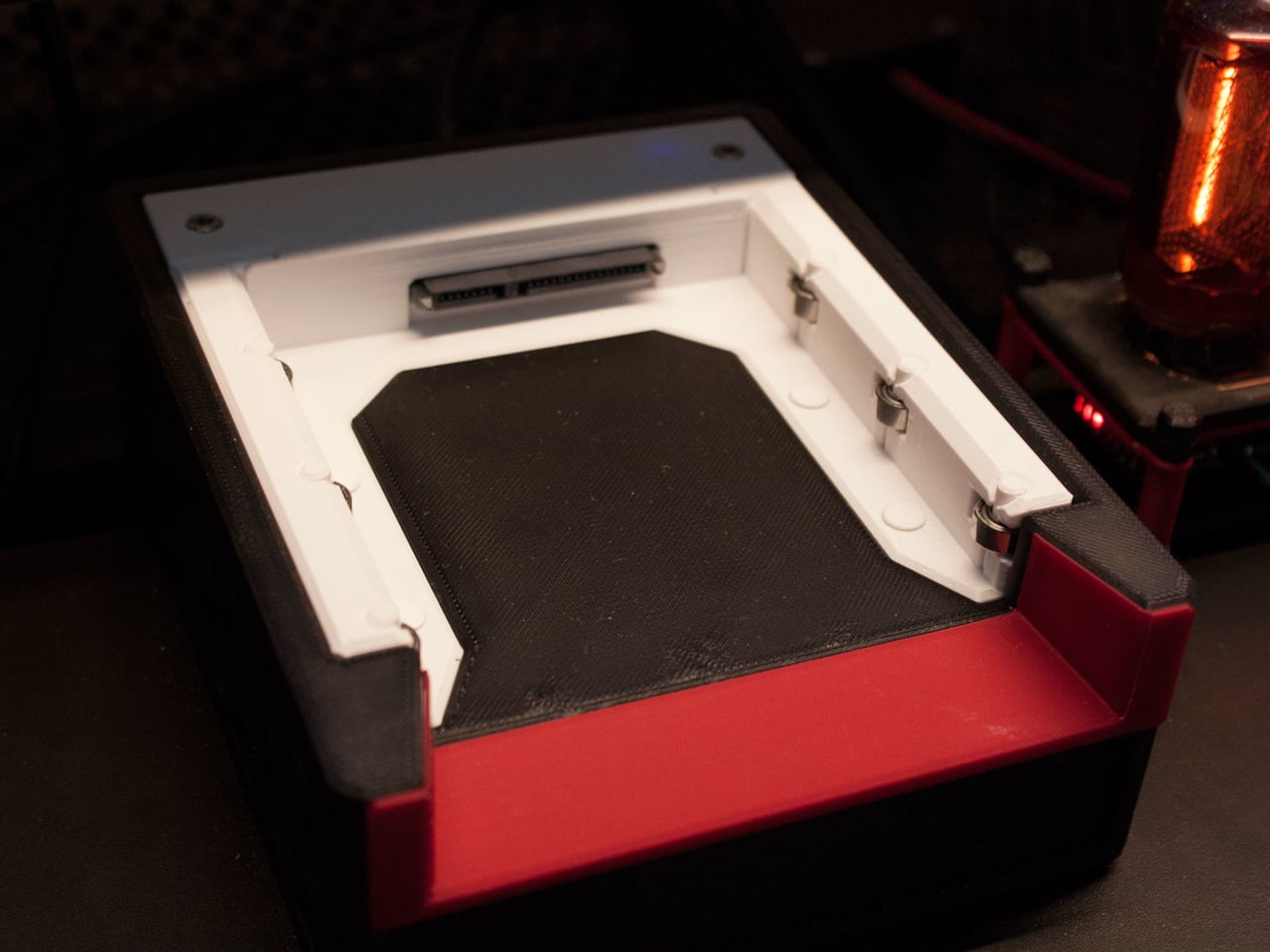
The system runs on Linux. When an SSD is plugged into a SATA dock connected to the PC, a udev rule detects the mount event and triggers a systemd daemon, which finds the script on the drive and executes it. Valve’s Steam URL Protocol handles navigating to the game’s page or launching it. The hardware side requires nothing more unusual than a standard SATA dock.
There are genuine practical limits. Steam still needs to be installed, and the game needs to be in your library, so this isn’t a workaround for ownership or a way to share games. Updates are the bigger friction point, since multi-gigabyte patches push regularly even to older titles. The creator’s approach is to keep cartridges for games worth replaying occasionally rather than live-service titles that need constant updating.
The reaction ran heavily nostalgic, with comparisons to NES cartridges, Switch game cards, and the general ritual of pulling a game off a shelf. Some commenters want the system extended to GOG libraries. Others are already planning their own versions, with several suggesting 3D-printed cartridge shells to push the aesthetic even further.
What the project surfaces is how much the ritual of physical media matters, separate from convenience or ownership. These drives don’t give you anything you couldn’t already get by clicking a game in your Steam library. The Linux requirement narrows who can replicate it directly, but at €7 ($8) per drive, the cost to build a collection of ten or fifteen games is still less than a single new release.