Stream Deck Studio goes overboard with 32 customizable LCD keys for broadcasters

The very first Stream Decks were, as the name implied, made for streamers, content creators who thrived on live Internet video platforms like Twitch and YouTube. Over time, the device spread to more creative professionals who use the programmable buttons to make their workflows less cumbersome. That said, these tools benefited people working in mostly digital environments, such as those using computers. Realizing that even traditional broadcasting workflows could use an upgrade, a new kind of Stream Deck was made, one that had a ridiculous number of LCD buttons to customize, not to mention a stackable design to double or triple that number if it weren’t enough.

Designer: Elgato

The idea behind the Stream Deck and its kind is pretty simple. Rather than a sequence of keystrokes that are hard to remember across different apps and services, it offered buttons that could be mapped to almost any function. Even better, those buttons are actually LCD keys, so they can have dynamic icons that identify their purpose and change depending on the app in use.

That kind of flexibility is critical in a smooth and fast digital workflow, whether it’s changing settings on a live stream, stitching up videos, or changing digital brushes. Traditional broadcasting also has use for so many controls, but those buttons and dials are often fixed and permanent. The Stream Deck Studio brings the flexibility of Elgato’s mainstream devices to this professional setting where speed is of the essence.

Unlike the boxy Stream Decks, the Studio is a long 19-inch bar with two rows of 16 keys flanked by a dial on each end. This is the largest Stream Deck product to date and is obviously not meant for regular desktop use. The shape of the device, however, fits perfectly with broadcast studio racks. In fact, you can also stack and connect two or three of them, for a whopping 96 buttons and six dials.

Like any other Stream Deck product, the keys and dials are programmable, but there’s a slight catch this time. The Studio was developed together with Bitfocus, whose Companion software is already a popular alternative to Stream Deck’s own app, with tweaks for broadcast media. The new Buttons software was made specifically for the Stream Deck studio, though it requires a recurring subscription. Then again, the $900 price tag makes the Stream Deck Studio a no-go for individual creators anyway, but offers studios and other companies the same kind of flexibility and power that the Stream Deck offers, except on a larger scale.

The post Stream Deck Studio goes overboard with 32 customizable LCD keys for broadcasters first appeared on Yanko Design.
Flashlight design concept reframes an ordinary tool as a familiar smartphone

There’s no rule that says everyday tools need to be mundane and boring. With the trend in everyday carries and kits, people are discovering how ordinary objects can become more interesting or even more functional by changing their designs. Sometimes that means giving the object a fresh new look, one far removed from the original design and yet even more familiar to people. A flashlight, for example, doesn’t have to just be a cylindrical or rectangular stick you point with, and this concept design runs with that freedom to envision alternative forms, giving it the shape and interface of one of the most familiar products of this age: our smartphones.

Designer: Sihyun Choi

There is, of course, a good reason why conventional flashlights are shaped as long fat cylinders. They’re easy to grab and wrap your hands around, and their length allows you to possibly insert it in narrow spaces. There might also be some traces of their original inspiration, the equally cylindrical candlesticks. It might be an ergonomic design, but ergonomics can change over time as well.

Today, for example, many people are just as adept at grasping their smartphones in their hands, which is the inspiration behind the WHITT concept. In a nutshell, it takes the basic form of a smartphone but puts the internals of a flashlight instead. It’s not a completely faithful recreation of a smartphone, of course, considering it tapers to one side a bit. It actually looks more like a lopsided flask or even a handheld laser projector in this case.

WHITT is also operated like a smartphone, at least when it comes to turning it on and off. The button is at the side, like where you would find a phone’s own power button, which is something we probably unconsciously push dozens or even hundreds of times a day. The similarities end there, however, as the flashlight isn’t even powered by rechargeable batteries. It uses two AA batteries that can be easily swapped out, unlike the fixed batteries inside smartphones.

As interesting as the design might be, it still leaves the question of ergonomics hanging. Opposite the tapered side is a curved edge with a ribbed surface that should improve the flashlight’s grip. Even then, a cylindrical flashlight is probably still easier to grip firmly, which is an important aspect of the tool’s utility.

The post Flashlight design concept reframes an ordinary tool as a familiar smartphone first appeared on Yanko Design.
Cooler Master MasterHUB Controller Review: Complete Control Over Your Creative Pursuits

PROS:


  • Innovative modular design puts users in control

  • Incredible flexibility in software customization

  • Future-proof design for extended functionality

CONS:


  • Essential stand is a separate purchase

  • Can't fit all 5 modules on the base

  • Aesthetics and texture feel a bit cheap

RATINGS:

AESTHETICS
ERGONOMICS
PERFORMANCE
SUSTAINABILITY / REPAIRABILITY
VALUE FOR MONEY

EDITOR'S QUOTE:

The Cooler Master MasterHUB's modular design redefines the control panel category and empowers creative professionals to design their own tools for a smoother and effortless workflow.

Generative AI is getting better at creating images and videos, but if you want professional-looking, not to mention correct, content, someone still has to put in the work. Software tools are also becoming more powerful and more sophisticated, but sometimes that creates even more complexity, with more features hidden behind incomprehensible sequences of keys. That’s not even considering how a single person might have to juggle different apps, each with their own set of functions. There are now tools like customizable keyboards or buttons that try to alleviate some of that pain, but there really isn’t a “one size fits all” solution. Instead, Cooler Master takes a different approach by providing not a single tool but a toolkit, allowing creators, streamers, gamers, and power users to build their own control panel that adjusts to their needs and workflow rather than forcing them to adapt to simply pushing buttons on a box. Given the novelty of this proposal, we took the MasterHUB for a spin, a roll, and a push to see if it can really take a load off creators’ already heavy shoulders.

Designer: Cooler Master

Aesthetics

If you judge the Cooler Master MasterHUB solely based on its appearance, you will probably be disappointed. Right out of the box, the different modules look pretty ordinary, even uninteresting. Sure, you have a variety of physical controls, more than competing brands that offer only programmable buttons with tiny displays, but the quality of the design and the material themselves are nothing to write home about.

The MasterHUB is a completely black affair, which seems to be the standard for control panels like this. It’s also mostly made of plastic, and not the premium kind either. Different areas of the modules have different textures, with some smooth and reflective, while others have a rougher matte surface. To be fair, this particular market isn’t exactly known for stylish designs and premium materials, so it’s in good company as well.

Cooler Master does make up for it with plenty of LED colors, whether on the display of the dial and the buttons or beneath some of the controls. You have a great degree of freedom when it comes to customizing the MasterHUB’s RGB lighting, except for one module that oddly doesn’t have any kind of lighting. Hopefully, it’s just some oversight, because there’s really no logical reason for this inconsistent design.

In the final analysis, the Cooler Master MasterHUB isn’t exactly something great to look at, but its true value lies in its performance. Unfortunately, it shouldn’t be a choice between form or function, when you can and should have both. And with something as big as the MasterHUB always in your field of vision, something more aesthetically pleasing could do wonders for your mind as well.

Ergonomics

The MasterHUB is already a league above other keyboard decks and controllers for offering a more tactile experience that goes beyond pressing buttons. Some actions, like scrubbing through timelines or changing the size of a brush, just feel more natural if you use a dial, a slider, or a roller instead of repeatedly mashing a single button. It isn’t just about intuitive controls either, as having your fingers actually manipulate something tangible adds a certain depth and enjoyment to the action.

At the same time, however, Cooler Master’s default package isn’t exactly ergonomic because it practically lies flat on your desk. There’s a low magnetic foot included in the box, but that barely lifts the controller at a comfortable angle. This can be especially problematic when you need to see the icons on the buttons or the display. There is a stand available, but it’s a separate purchase rather than a part of the entire ensemble. Depending on how you use the MasterHUB, it might not be a deal-breaker, but it’s still something that logically would be included or even built into the base.

Performance

The Cooler Master MasterHUB immediately sets itself apart from the likes of the Stream Deck and the Loupedeck with its modular design. While some brands and models might offer knobs in addition to buttons, it doesn’t stop there nor does it presume it knows best what creators need. Just like LEGO, it provides the building blocks for you to arrange your own setup, whether that means using two 15-key modules or having two Encoder dials.

The MasterHUB currently has six modules, starting with the innovative Base module that makes all of these possible. This unassuming flat box holds the pogo pins that connect the other modules to one another as well as magnets that keep them in place. Of course, you can set the base horizontally or vertically, adding another layer of customization.

In theory, you’re free to put any of the other modules in any position as long as they’re connected to those pins and held down by magnets. In practice, however, you’ll probably want to have the modules fit snugly inside the boundaries of the base, which means you have a limited number of arrangements considering the sizes and shapes of those modules. You can’t also fit all five other modules on the Base, so you’ll have to choose which ones you need for a given task.

The 15-key IPS module is probably going to be familiar to users of other control panels. Each key can be mapped to almost any action or combination of actions, a.k.a. macros, through the MasterHUB software. You can also select different icons or make your own to assign to that key. On an amusing note, pressing each key makes the icon shrink while it’s depressed and jumps back to its normal size once you release the button, adding a bit of visual feedback to the action.

There’s a 3-knob module you can use to adjust minor settings like lighting, opacity, and the like. For bigger or major adjustments, you might want to use the Econder with an IPS display module, which is just another way of calling a big dial with a circular screen in the middle. Just like with the buttons, the display can be customized with complete freedom.

The 5-Fader module is not a common sight on controllers like these, but it’s a standard device for many tools related to multimedia work. Perhaps the most unusual of the group is the 2-Roller module, which is perfect for scrolling or going through undo and redo histories quickly. These five pretty much offer everything you need to work with almost any creative suite, though you can’t fit them all at the same time, as mentioned earlier. You can, however, use as many of the same modules you can fit, as long as you buy those additional modules, of course.

If the modular hardware was already impressive, the MasterHUB software doesn’t disappoint either. It has almost limitless possibilities in how you can set up and control the device, almost to the point of being overwhelming and confusing. Some things, like visually dragging and dropping actions to the controls, are easy, but some require digging through layers of options. The user interface could do a bit of polish, and thankfully that’s easier to pull off than a hardware upgrade.

Even if it doesn’t have a head-turning design, the Cooler Master MasterHUB’s functionality is pretty mind-blowing. If you’re a creative who juggles multiple apps, a streamer who needs to have every control under their finger or a gamer who can’t afford the latency of a string of keyboard combos, the flexibility that this modular controller offers is unbeatable. The power it offers is both outstanding and overwhelming, so it’s kind of exciting what Cooler Master will cook up next for future modules and software improvements.

Sustainability

Despite its heft, the MasterHUB is thoroughly made of plastic. It might be resilient, but it’s not completely durable nor hardened against accidents. It’s also not a sustainable material, though Cooler Master thankfully uses post-consumer recycled or PCR plastics for some of its products, though it doesn’t indicate if the MasterHUB benefits from this program. It might also be good if it used other materials like rubber, both for protection and tactile properties, though it could still do so in future iterations.

The MasterHUB’s modular design does bring one indirect advantage over the likes of the Stream Deck, which is that it’s more future-proof. Cooler Master could put out revised and improved versions of the modules, expand the selection of modules or even add new features that it didn’t have at launch. In fact, there are DisplayPort ports on the Base module, teasing the possibility of new features. Of course, that will all depend on Cooler Master actually continuing to push the envelope in the foreseeable future.

Value

Cooler Master definitely struck a chord with creators, streamers, and gamers with the modular design of the MasterHUB. It offers not only flexibility but also power, putting users in complete control of their workflows. Even Logitech’s new MX Creative Console barely scratches the surface of what this control panel is capable of, especially when you consider the possibilities of future modules and features.

That said, the MasterHUB isn’t an inexpensive kit, which is probably to be expected considering how much more it offers compared to similar products. That’s why you’ll probably want to take advantage of discounts, like the current pre-order campaign that’s offering the basic kit, which includes only the 15-key IPS, 5-Fader, and 2-Roller modules, for only $299 instead of the $399 SRP. If you really want more flexibility, the Pro bundle adds the Encoder with IPS display and 3-Knob modules for $399, a rather steep $150 discount from the $549 SRP. Whichever bundle you pick, though, the stand will cost an additional $17 (SRP $19) if you want it.

Verdict

With great power comes great responsibility, or in this case, more keyboard shortcuts. Content creation shouldn’t be a dreadful and tiring task, and tools should be making people’s lives easier, not harder. As software becomes more sophisticated, the need for better and more efficient controls also increases. Rather than forcing users to shoehorn their workflows into a grid of LCD buttons and a few dials, the Cooler Master MasterHUB offers professionals and hobbyists the freedom to design their own tools and define their own strategies that let them focus on the most important task: creating their best content.

The post Cooler Master MasterHUB Controller Review: Complete Control Over Your Creative Pursuits first appeared on Yanko Design.
Glue gun concept gives the crafting tool a modern and ergonomic makeover

Anyone who has done any kind of craft would have at one point or another used a glue gun. This tool simply melts solid glue and dispenses it through a nozzle, and its design hasn’t changed one bit over the decades. It’s a very simple tool that’s shaped like a toy gun, and while it does get the job done, it is inefficient, uncomfortable, and even unsafe. Perhaps it’s because it has fallen out of use that the glue gun hasn’t seen any action in the design department, something that this concept design tries to make up for by taking inspiration from an iconic houseware brand commonly associated with kitchen tools.

Designer: Sahitya Kashyap

Kitchen tools like whisks and tongs are probably the last things you’d expect to be given the beauty treatment, but that’s exactly what Joseph Joseph brought to the kitchen countertop. The brand’s products are famed not just for their utility but also for their simple charm, turning their use from a chore to a joy. Given the expectations of a glue gun, this tool definitely deserves such a treatment as well, but one that also redefines the basic shape that is at the heart of the glue gun’s woes.

There’s really no reason why it needs to be shaped like a gun anymore, at least not one that faithfully sticks to that form. Any L-shaped form with a trigger mechanism can easily be considered a gun, and our brains will fill in the rest. This concept goes through various iterations to achieve that design, until one that is distinctive and more interactive makes it to the top. It comes in the form of a tube that has been flattened on its long sides and is actually made of two parts connected at an angle. Thanks to that cut, twisting one end creates that angle that associates the form with a gun.

The design also resolves the problem of precision with a significantly smaller and thinner rod-shaped nozzle. Unlike the conical nozzle of today’s glue guns, this allows the tip to get closer to narrow spaces without the hot metal touching the surface. The design also adds an LED light to signal when the gun is ready to use, a feature that 3D printing pens had for years now. And when you’re done, simply twisting the gun back to its original straight form is enough to turn it off, and you don’t have to worry about how to put the still-hot gun down.

More than just the form, the aesthetics of the glue gun also changes significantly. Gone is the plain, unattractive, and cheap plastic, replaced by a smooth and glossy finish befitting of a Joseph Joseph product. The design does still leave a few problems to be solved, like how the glue stick is supposed to bend as well, but it’s an interesting thought experiment for a product that has barely been given the long-overdue attention it deserves.

The post Glue gun concept gives the crafting tool a modern and ergonomic makeover first appeared on Yanko Design.
Physical Double-Sided Gboard is the keyboard of your dreams or nightmares

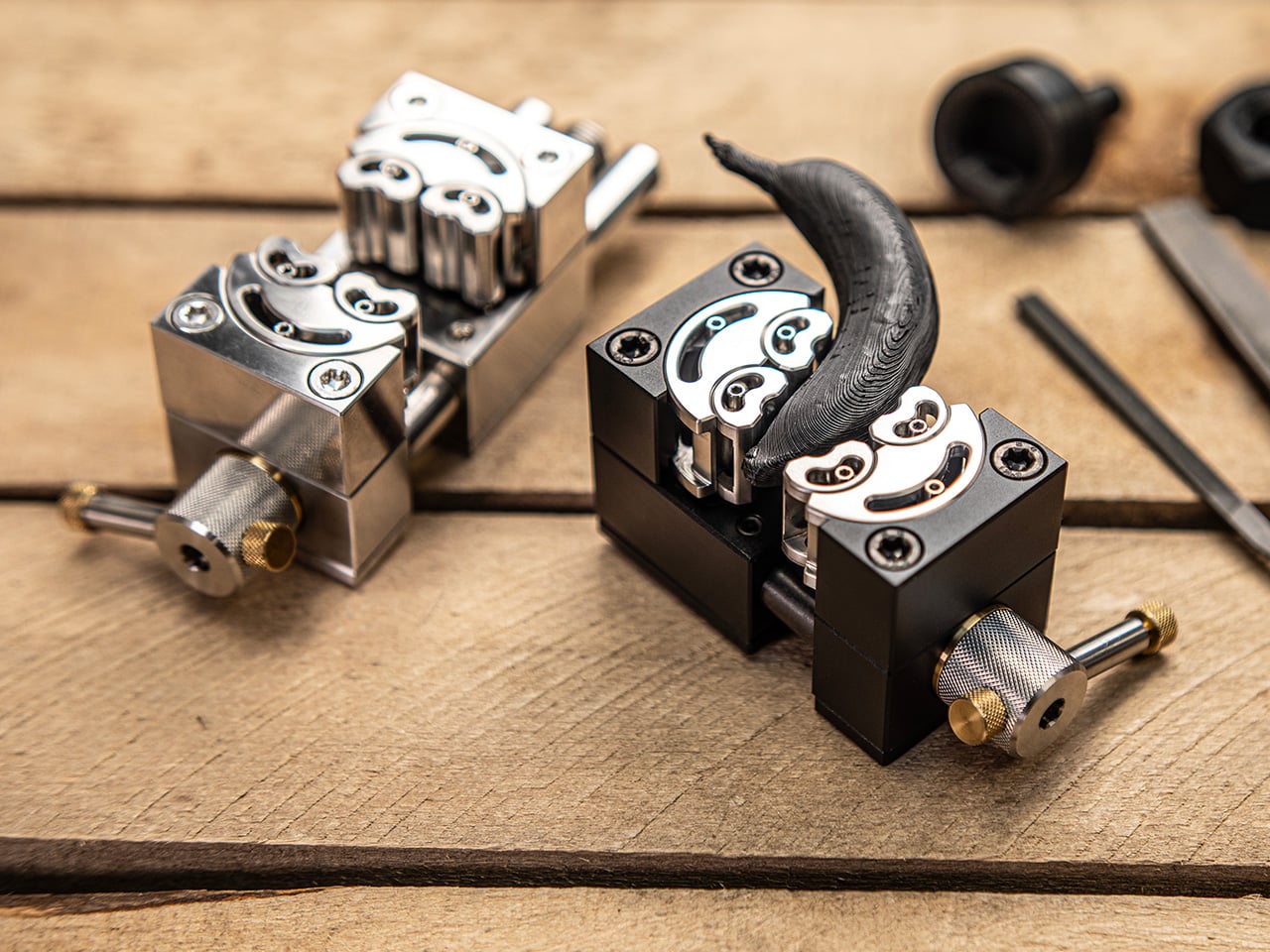
Our computer keyboards have just enough keys to cover the letters and numbers of the English language, but sometimes those aren’t enough. Some probably wish there were more keys to assign to certain app shortcuts and actions, while others dealing with other languages and scripts will probably want to cover those without having to switch keyboard layouts every time. Of course, a keyboard with that many keys will probably be huge, but not unless you design it in a creative form. Fortunately, Google Japan has our backs, and fronts for that matter, with a double-sided keyboard monstrosity inspired by one of math’s most classic paradoxes: the Möbius strip.

Designer: Google

The keyboard is made up of 26 modules, each of which has eight RGb-backlit keys, four on each side of the structure. They’re laid out in a band that technically has no front or back, which is what the Möbius strip is infamous for. That means you can practically turn this “keyboard” around or flip it on its side and it will always be right side up. Sort of.

Of course, it’s pretty obvious how unusable such a contraption would be as a keyboard, but the bright minds at Google Japan do have a few suggestions. Forget pair programming! This keyboard lets up to three or even more people type simultaneously, which increases productivity threefold. Since it basically has no right or wrong side, it will be an essential tool in zero-g environments as well. The possibilities are nearly endless, especially since you can’t figure out where this keyboard begins and ends either.

The Double-Sided Gboard also has utility outside of typing. It can be put on a spinning pedestal as a futuristic desk decoration or hung on doors as a welcoming wreath. Google suggests that, just like the strip itself, future updates could unlock access to alternate dimensions. Even if that day never comes, you can still proudly carry the keyboard around like a fashionable handbag.

Of course, Google isn’t planning on putting this highly advanced design into production, but it is generously allowing others to attempt building it on their own, providing complete 3D printer files, firmware, and guidance. The Double-Sided Gboard is just the latest in Google Japan’s series of keyboard designs launched on October 1st, a.k.a. 10/1, to celebrate the iconic and standard 101 keyboard.

The post Physical Double-Sided Gboard is the keyboard of your dreams or nightmares first appeared on Yanko Design.

iPhone 17 concept dreams of an interesting direction Apple will never take

Apple is both famed and notorious for its meticulous attention to detail and it has been hailed as a champion of product design in the tech industry. It rarely makes big changes to its design language, but when it does, it holds on to that aesthetic for years. It held onto the notch for six years before giving way to the island on the iPhone 15, and it still uses the square camera design it first introduced on the iPhone 11 back in 2019. That’s not to say that the iPhone 17 next year couldn’t be different from this year’s iPhone, and this concept tries to explore designs that could make sense but will probably never happen under Apple’s watch.

Designer: Mohamed Mahdy

Apple has championed minimalism for its most recent products, barely adding any vibrant colors or textured finishes to its iPhones and MacBooks, save a small number of special editions. It has left the doors wide open for case makers to offer those flavors to people who do want them, but it has reserved for itself classier aesthetics. Of course, it’s not like Apple has never embraced more eye-popping hues before, as proven by the candy iMac G3, the colorful iPhone 5c, and the current generation of vibrant flat-screen iMacs.

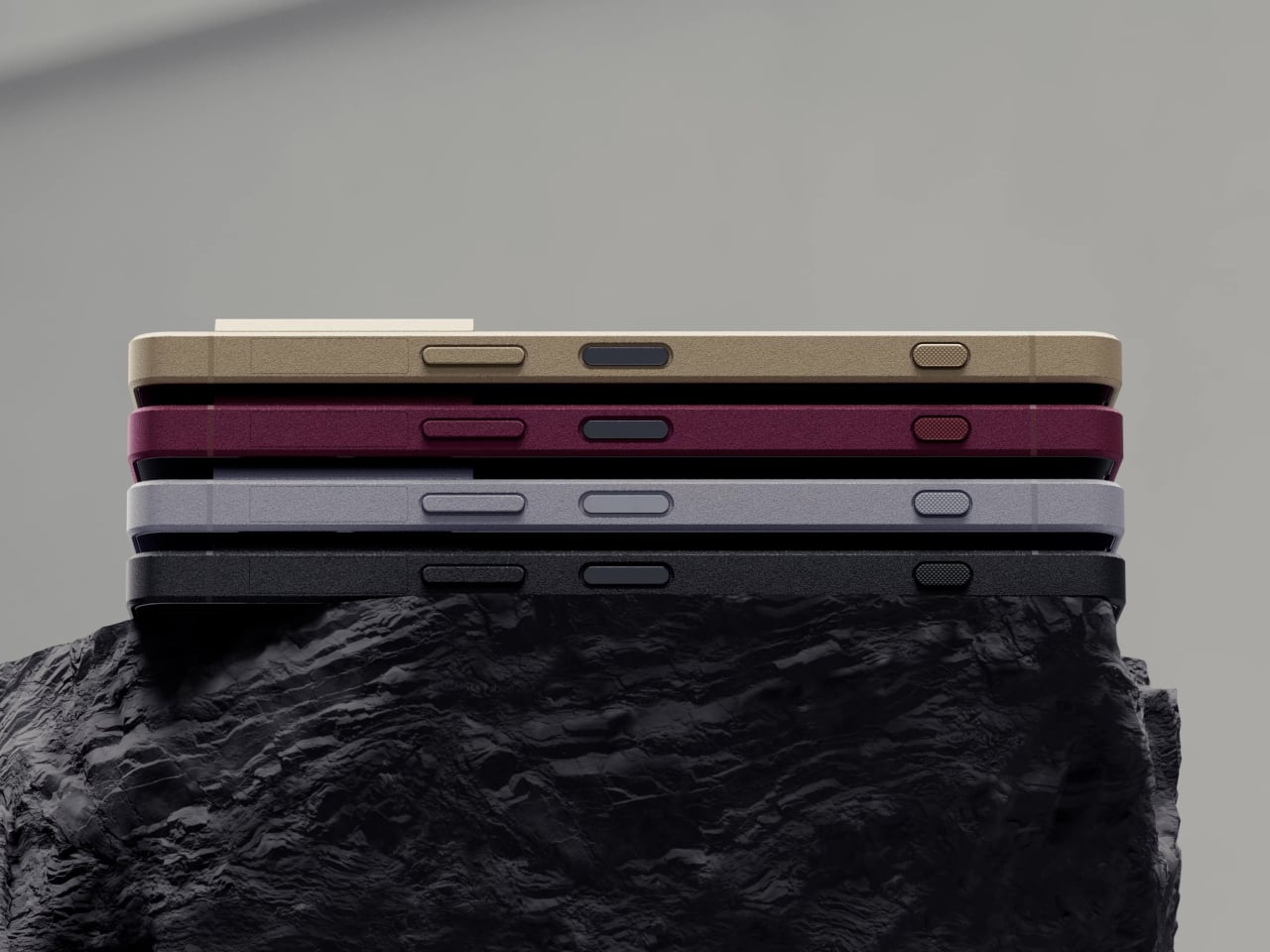
This Apple iPhone 17 conceptual design dares to venture into unknown territory with a design that, almost doesn’t look like Apple if not for the telltale logo. It does have the flat design of the current iPhones, but rather than a smooth and featureless chassis, it adds a bit of texture that looks almost like fabric. This can perhaps be an opportunity for Apple to use more sustainable recycled materials rather than just plain metal.

The biggest deviation, however, is the camera design, a pill shape that runs across the width of the phone. It has four cameras, something that has yet to happen on any iPhone, arranged in a row with the LED flash and 3D time-of-flight sensor in the middle. This design is one possible solution to the design puzzle that Apple will have to face when it does add another camera sensor to next year’s iPhone. It also fixes the wobbling problem that most smartphones have because they push the thick camera bump off to the corner.

Interesting as it may seem, it does feel unlikely that Apple would go this far if it ever does finally change the iPhone 17’s design. The changes are far too great and the benefits are far too few. It’s still an interesting thought experiment, of course, one that does try to at least stick to the general design of current iPhones. Chances are, however, that the company won’t be ready to make such a drastic leap, even with sustainability and ergonomics at stake.

The post iPhone 17 concept dreams of an interesting direction Apple will never take first appeared on Yanko Design.

This floating cart could become a dream come true for shoppers and workers

The shopping cart, also known as a trolley or buggy, is one of the most essential tools people use inside stores, especially supermarkets, both for customers as well as store workers. Despite its importance, its design has basically remained unchanged in almost a century, even when that design doesn’t really take the comfort of users in mind. Yes, the four wheels and the spacious metal basket can hold your groceries and take them from one point to another, but they are difficult to control, heavy, and more importantly, unable to climb up or go down the stairs. This prototype tries to address those pain points to make dealing with groceries and packages easier, safer, and more accessible.

Designers: Geonwoo Park, Hyungeun Park, Wooyong Park, Dongjae Lee, Murim Kim, Seung Jae Lee (Seoul National University of Science and Technology)

Shopping carts are so iconic that they have literally become icons in digital stores that don’t have anything to do with wheeling physical objects around. Despite that popularity, they’re not exactly the easiest tools to use and offer only the bare minimum convenience so that we don’t have to carry our groceries. Considering their cheap and mass-produced designs, it’s no surprise that many have damaged wheels that make them difficult to turn. These wheels also don’t let you drive the cart up or down places that don’t have inclined planes for them to roll on.

Palletrone’s solution is to do away with those problematic wheels completely. Instead, it uses a rather large drown to lift a platform that will hold your groceries and boxes. There’s also a cage around the drone to protect humans from those powerful and dangerous propellers. Think of it like an upside-down basket with the drone inside, flying to keep the platform off the ground.

The description might sound simple, but there’s definitely a lot complicated technology involved. For one, the Palletdrone always flies at around the person’s chest height, which means that it will also ascend or descend as the person goes up or down stairs. It also doesn’t tilt so that the contents on top of it don’t slide off. Finally, it moves and turns as the person pushes or pulls it, so the experience is more or less exactly like a shopping cart minus the wheels. And it can do all this by knowing if the force being exerted is being done by a human or from the weight of the objects on top of it.

This floating and hovering “cart” sounds dreamy and very useful both for shoppers as well as personnel who have to bring goods from storage to the aisle. That said, the design is far from perfect, let alone presentable and aesthetic. For one, everyone who has ever used a drone will know how noisy they can be, especially one of this size. For another, the current Palletrone is only able to carry less than 3kg of cargo, which is significantly less than a family’s typical grocery bag. It’s a start, though, and one that finally addresses one of the biggest inconveniences when going to the supermarket by boldly giving the decades-old shopping cart a do-over.

The post This floating cart could become a dream come true for shoppers and workers first appeared on Yanko Design.
Artistic router concept opens like a folding fan based on the Wi-Fi strength

Being stuck at home for months on end has been an eye-opening experience for many people. For some, it revealed how little space we have at home, while others realized how they are ill-equipped to work at home. At the same time, many people have also become more aware of how the tools they use, especially consumer electronics, have aesthetic value that could either uplift their mood or burden their subconscious minds because of their designs. Wi-Fi routers, in particular, come in uninspiring or sometimes menacing designs that we often hide in corners or behind other objects that can actually negatively affect their performance. This router concept design tries to address that and other pain points with a design that turns a boring box into something like an art object that unfurls its beauty like a peacock when the Wi-Fi signal is strong.

Designer: Sunjin Na

Common home routers are simple boxes with one or two antenna rods sticking out from them. More powerful and sophisticated equipment, however, would have multiple antennas that transform the router into something like a robotic sci-fi creature. Unless you actually go for that kind of aesthetic, chances are you’ll be hiding the router from view. But if you’re not careful, that could actually affect the signal that it transmits. Additionally, you wouldn’t have any way of knowing whether the router itself is receiving a good Internet signal without looking at your phone’s Wi-Fi bar or some other app.

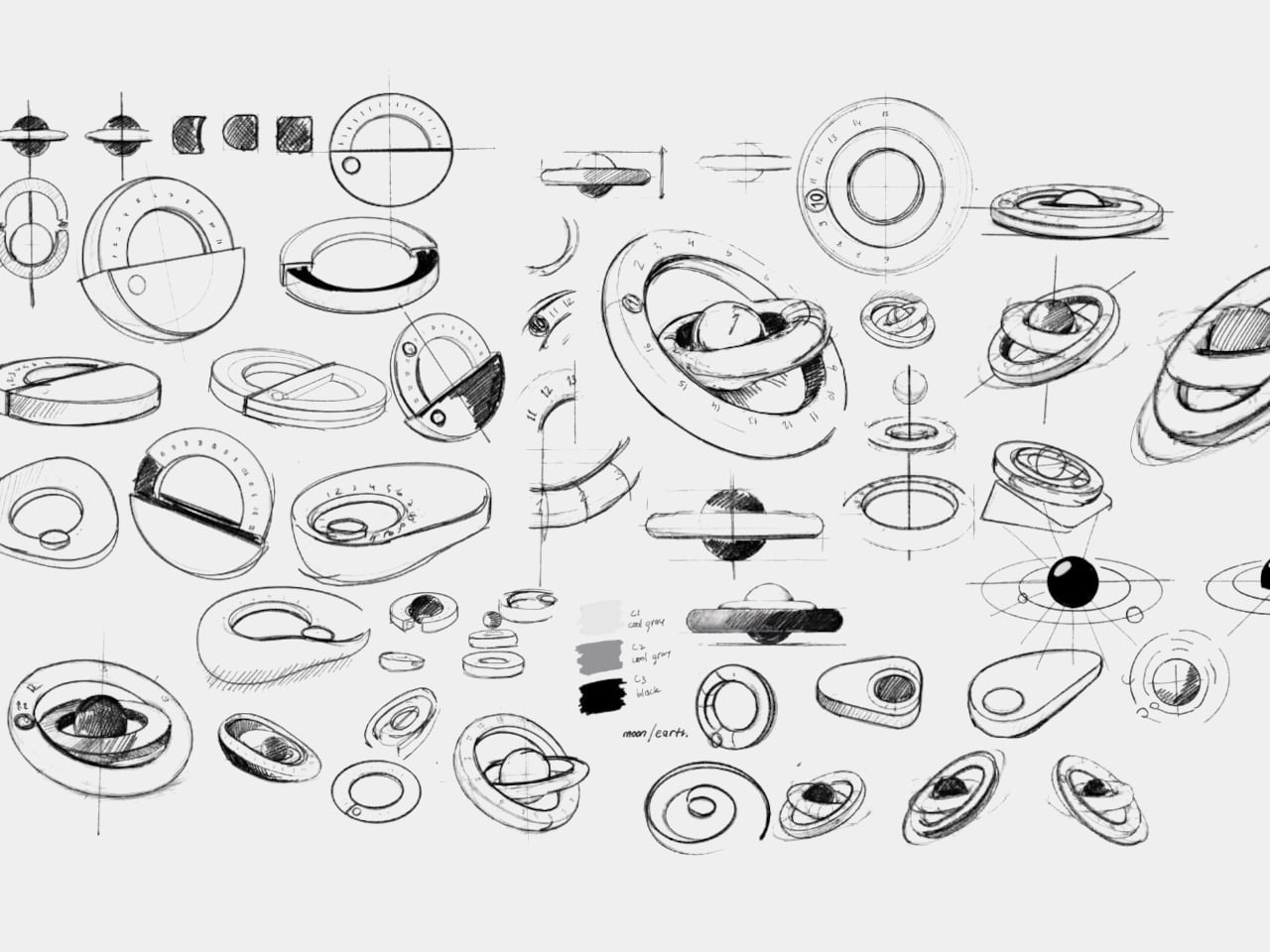
Blooming Out is a design concept that fixes those problems by making sure you wouldn’t want to hide the router in the first place. It gives the router a makeover that isn’t just aesthetically pleasing but also functional. It uses the concept of a folding fan that “blooms out” when the Wi-Fi signal is strong but retracts and folds in when it is weak. It’s not a binary state, though as the 29 fans can indicate the signal strength in between.

1

The router also has visible antennas, but not in the design you’d normally expect. The three antennas stand together a bit off-center and can be rotated to maximize the spread of the signal. Because of this design, Blooming Out looks more like a peacock fanning out its tail in pride when it’s working in full force.

With this design, the Blooming out router concept becomes more than just a tool. It becomes an aesthetic object that adds visual value to any space, disguising its actual function without compromising its functionality. Of course, there could still be some technical drawbacks with this unconventional design, but it could be something that’s easily resolved with today’s technologies.

The post Artistic router concept opens like a folding fan based on the Wi-Fi strength first appeared on Yanko Design.
Revolutionary sneakers expand to fit your growing feet

Of all the pieces of clothing that we regularly buy, shoes are probably the most tedious. We need to get the fit just right, because, unlike regular clothes, we don’t simply grow into them nor do they shrink after several washes. In fact, shoes are often discarded once our feet have outgrown them, making footwear rather wasteful and unsustainable. What if, however, your shoes could grow with you, at least for a while longer? That’s the kind of kind of unbelievable value that these sneakers bring to the table, or on the ground rather, promising footwear that stretches and expands to accommodate the varied, uneven, and complicated needs of your feet.

Designer: Dr. D’Wayne Edwards for Target

Given their still-developing bodies, it’s not really surprising that kids would outgrow their shoes faster than their parents can keep up with. Adults, however, aren’t immune to this problem, as their feet can expand and contract a little during the day. That perfect fit you might have at one time might not be so perfect anymore sooner rather than later, and the financial and material waste that comes from buying new pairs often definitely adds up.

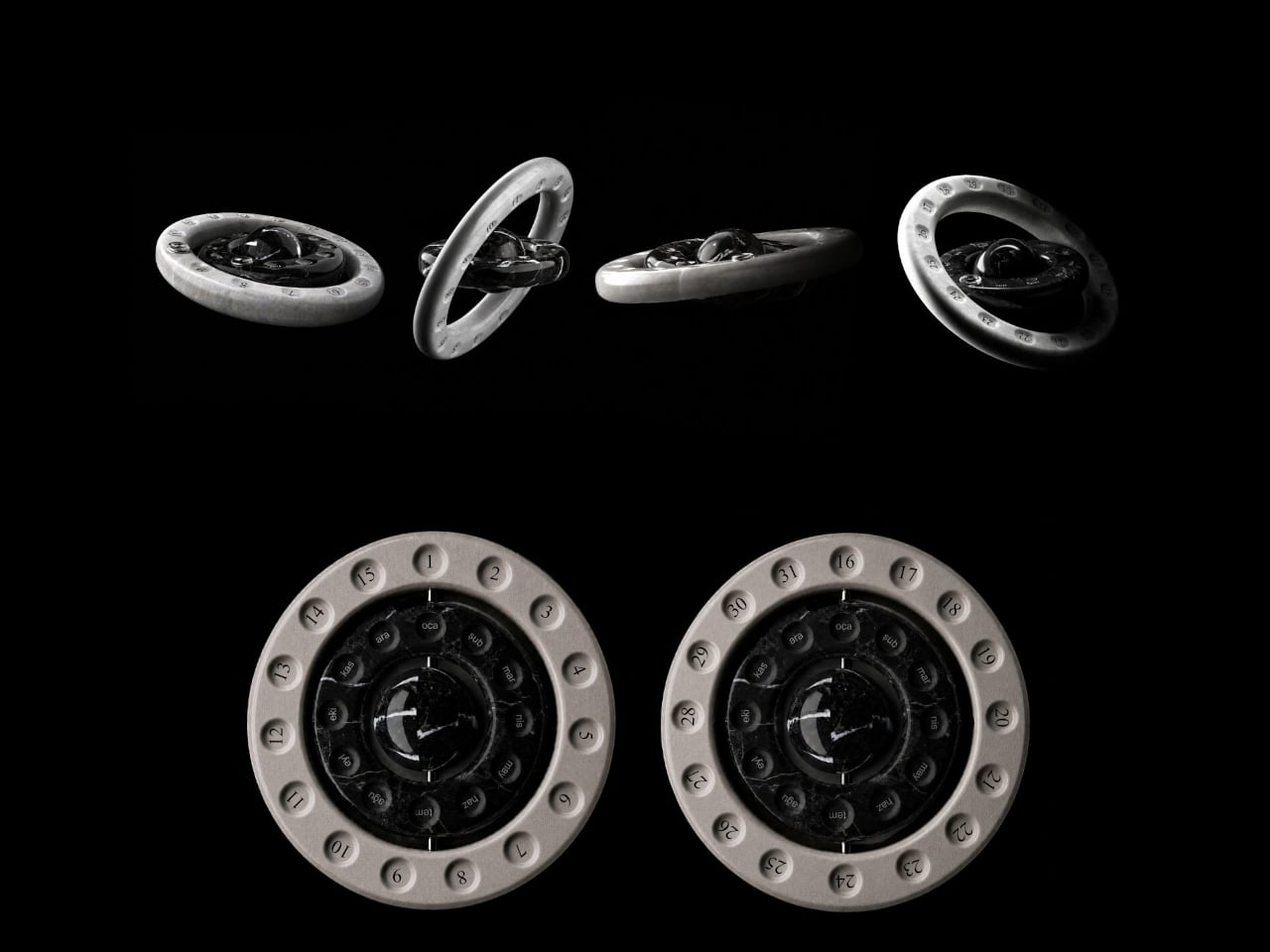
UNOS by Sz is a revolutionary sneaker design that solves this problem, at least for a while longer than you would normally chuck out the old Chucks and buy new ones. The shoe can expand by a half size for kids and a full size for adults, and it doesn’t even look like some complicated contraption to make that possible. It does look like it has a cracked or split sole, which is actually the secret to its magic. Turn the shoe over and you’ll see the patented Z-shape running across the sole, allowing the shoe to stretch a bit farther than its initial size.

This unique design solves many footwear problems, not just ones involving growing feet. People whose feet have slightly different sizes don’t need to buy two different pairs of the same design just to have a matching pair, and people who need bigger shoe sizes than what’s available don’t have to give up either. It’s a very economical solution to a problem that’s often taken for granted, ensuring that “U Need One Size” only, which is what the shoe’s name stands for.

Of course, the sneakers are also made to be comfortable to wear, regardless of your current foot size. The upper has an unconventional sock-like shape that can stretch to adapt to the wearer’s foot shape. It also makes the shoe breathable and easy to slip your foot into, also fixing one of the biggest pain points about having to wear shoes quickly.

The post Revolutionary sneakers expand to fit your growing feet first appeared on Yanko Design.

HoloLens 2 discontinuation practically ends Microsoft’s Mixed Reality vision

There was a time, before today’s AI rush, when anyone and everyone seemed to be going all in on eXtended Reality or XR, the umbrella term for AR, VR, and mixed reality all smashed together. Now it seems that Meta and Apple, the latter with its self-branded “spatial computing” platform, are the only big players left in this field. HTC Vive, like its smartphones, has silently gone into the background, and Valve’s SteamVR and Index headset have taken a backseat to the Steam Deck. Now another big name in that is practically calling it quits, regardless of any lingering ties and commitments. Microsoft has reportedly discontinued its remaining mixed reality headset, the HoloLens 2, and in doing so puts the final nail in the coffin of a virtual experience that was already on life support for a long time.

Designer: Microsoft (via UploadVR)

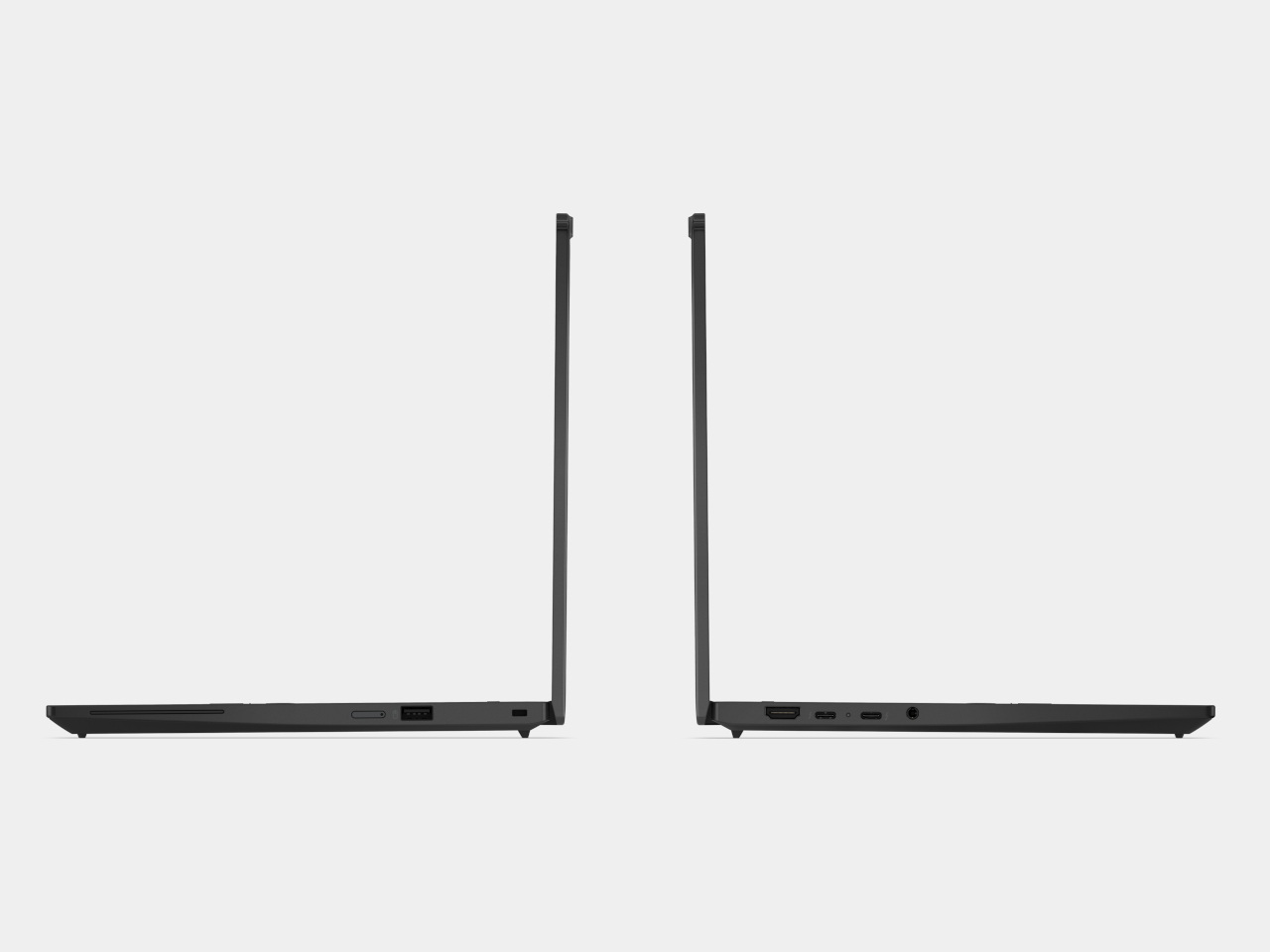
It probably surprises no one that the HoloLens 2 is on its way out. It’s a five-year-old device that sported advanced features no one else had back in 2019 but has been surpassed by modern headsets since then. Without any successor, however, it’s clear that Microsoft has other plans, ones that no longer involved the enterprise, nor the mixed reality experience that it made available to the public.

Microsoft actually announced late last year that its Windows Mixed Reality (WMR) platform was being deprecated, so the writing has been on the wall ever since. This mixed reality platform, launched back in 2017, predated Apple’s visionOS but practically promised the same virtual computing experiences in real-world space. Of course, the technology back then wouldn’t be able to hold a candle to today’s Vision Pro, and Microsoft quickly learned that its HoloLens and WMR aren’t going to fly with consumers who can’t even afford the headset. It has, since then, pivoted to the enterprise market, targeting industrial and field workers, training scenarios, and the like.

According to the report, the HoloLens 2, the current and last iteration of that hardware, has gone out of production, so the moment supplies run out, that will be it for the headset. It will remain supported until December 2027, perhaps to honor Microsoft’s existing enterprise contracts. That said, it hasn’t completely turned its back on extended reality, but its focus will be on the militarization of the technology, which means custom experiences that won’t be available to the public. And that will last for only as long as the US Army is interested in that technology.

Microsoft’s exit from the XR market is perhaps yet another sign of this industry’s ailing health. Although the Apple Vision Pro generated plenty of hype, its prohibitive price tag has made it less of a commercial success. In the meantime, Meta more or less remains at the top and continues to try its luck with new designs that could bring this technology to even more people. Even Microsoft has put its XR eggs in the Quest basket, making its Office suite and Xbox Cloud Gaming available there, which in turn, made its own XR platform really pointless. But with even fewer stakeholders, XR runs the risk of becoming a monoculture where only one company dictates the kind of experiences you’ll have in the Metaverse and beyond.
The post HoloLens 2 discontinuation practically ends Microsoft’s Mixed Reality vision first appeared on Yanko Design.