Designers Just Built the Chess Set Brutalism Fans Wanted

There’s something deeply satisfying about watching a familiar game get completely reimagined. The Mohmaya chess set does exactly that, turning the classic battlefield into a three-dimensional landscape where every move feels like navigating through a modernist city.

Designed by Tanay Vora, Vidushi Gupta, Hardik Sharma, and Yaman Gupta, this isn’t your grandmother’s chess set. Though actually, it kind of is, if your grandmother happened to appreciate mid-century Indian modernism and spiritual philosophy. The name “Mohmaya” translates to “illusion,” which feels perfect for a game that’s all about deception, strategy, and seeing through your opponent’s tricks.

Designers: Tanay Vora, Vidushi Gupta, Hardik Sharma, Yaman Gupta

What makes this set visually striking is its refusal to stay flat. Unlike traditional chessboards that exist on a single plane, Mohmaya creates a topography. Pawns start on the lowest level, grounded and humble. The center of the board sits even lower, like a valley where the real drama unfolds. Then the back row rises highest, where kings and queens preside over everything like architectural monuments on a hilltop. Playing on this board means you’re not just moving pieces across squares but navigating elevation changes, climbing through terrain with every strategic advance.

The pieces themselves are love letters to India’s architectural golden age. Each one draws from the concrete geometry, bold lines, and structural balance of mid-century modernist buildings. Think of the work of BV Doshi, Louis Kahn’s Indian Institute of Management in Ahmedabad, or Amit Raje’s brutalist visions. These weren’t architects who whispered. They made statements in poured concrete and dramatic forms, and Mohmaya channels that same confident energy.

But there’s another layer here that elevates the design beyond pure aesthetics. Each chess piece aligns with chakra symbolism, giving every element a metaphysical dimension. Pawns connect to the Root Chakra, representing stability and patience. Knights embody the Sacral Chakra with their creative, playful energy, always in motion. Bishops hold the Solar Plexus, focused and powerful in their diagonal precision. Rooks align with the Heart Chakra, protective yet generous. Queens carry the Throat Chakra’s voice, expressing leadership across the board. And the king stands with the Crown Chakra, the quiet center of wisdom and balance.

This symbolic framework isn’t just decorative philosophy. It actually affects how you think about each piece’s role in the game. When your rook moves, you’re activating that protective heart energy. When your queen sweeps across the board, she’s literally voicing your strategy. It adds a narrative dimension to every match, making the board itself part of the story.

Speaking of story, Mohmaya introduces one fascinating rule variation. When a pawn reaches the opposite end of the board, it transforms into an additional queen, just like in traditional chess. But here, that transformation carries extra weight. It’s the awakened queen, a reminder that even the smallest, most grounded pieces can undergo radical change. It’s a beautiful metaphor for growth and potential, wrapped in gameplay mechanics.

What really resonates about this project is its underlying mission to reframe how people see Indian design. For too long, the global perception has been narrow, viewing Indian aesthetics through a lens of nostalgia, ornamental patterns, or folkloric charm. Mohmaya pushes back against that limiting view. This is Indian design that’s bold, globally conversant, forward-thinking, and philosophically deep. It draws from a culture that has always asked big questions about life, reality, and meaning, then translates those questions into something you can hold in your hands and play with.

The design team describes it as an homage to Indian utopian modernism, that brief moment when tradition and innovation mixed without hesitation. That period produced some of the most exciting architecture in the world, buildings that weren’t afraid to be both contemporary and rooted in local context. Mohmaya carries that same spirit into object design.

Whether you’re a chess enthusiast, a design collector, or someone who just appreciates objects with intention behind them, this set offers something rare. It’s functional art that doesn’t sacrifice playability for concept. It’s culturally specific without being exclusive. It takes an ancient game and makes it feel fresh by connecting it to a different kind of history, one that deserves more recognition in global design conversations.

The post Designers Just Built the Chess Set Brutalism Fans Wanted first appeared on Yanko Design.

Apple’s Secret AI Pin Looks Like an AirTag and it Might Just Kill The Smartwatch

Representational Image

Apple’s wearable future might not be strapped to your wrist at all. According to new reports, the company is developing an AI-powered pin about the size of an AirTag, complete with dual cameras, microphones, and a speaker. The device would clip onto clothing or bags, marking a deliberate shift away from the smartwatch form factor that has dominated wearable tech for the past decade.

If the rumors prove accurate, this circular aluminum-and-glass device could launch as early as 2027, running Apple’s upcoming Siri chatbot and leveraging Google’s Gemini AI models. The company appears to be betting that consumers want ambient AI assistance without constantly pulling out their phones or glancing at their watches. Whether this gamble pays off remains to be seen, especially given the struggles of similar devices like Humane’s now-defunct AI Pin.

Designer: Apple

Representational Image

The hardware specs sound modest on paper but reveal something about Apple’s thinking. Two cameras sit on the front: one standard lens, one wide-angle. Three microphones line the edge for spatial audio pickup. A speaker handles output. Physical button for tactile control. Magnetic inductive charging on the back, identical to the Apple Watch system. The whole thing supposedly stays thinner than you’d expect from something packing this much capability. What strikes me most is the screenless design, which tells you Apple learned something from watching Humane crash and burn trying to replace phones with projectors and awkward gesture controls.

Representational Image

Because here’s the thing about AI wearables so far: they’ve all suffered from identity crisis. The Humane AI Pin wanted to be your phone replacement but couldn’t handle basic tasks without overheating or dying within hours. Motorola showed off something similar at CES 2026, and demonstrated a level of agentic control that was still in its beta stages but was impressive nevertheless. Apple seems to be taking notes from both the failure of the former as well as the potential success of the latter. A screenless pin that relies entirely on voice, environmental awareness, and audio feedback has clear limitations, which paradoxically might be its greatest strength.

Motorola’s AI Pendant at CES 2026

The timing lines up with Apple’s Siri overhaul coming in iOS 27. They’re rebuilding the assistant from scratch as a proper conversational AI, and they’ve partnered with Google to tap into Gemini models for the heavy lifting. Smart move, actually. Apple’s in-house AI efforts have been mediocre at best, and licensing Google’s tech lets them skip years of expensive catch-up work. This pin becomes the physical embodiment of that strategy: a purpose-built device for ambient AI that doesn’t pretend to be anything else. You clip it on, it listens and watches, you talk to it, it responds. Simple interaction model.

But I keep circling back to the same question: who actually wants this? Your iPhone already has cameras, microphones, and Siri access. Your Apple Watch gives you wrist-based notifications and quick voice commands. AirPods put computational audio directly in your ears. Apple’s ecosystem already covers every conceivable wearable surface area. Adding a clip-on camera pin feels like solving a problem nobody has, or worse, creating a new product category just because the technology allows it. The 38.5-gram weight of competing devices like Rokid’s AI glasses shows manufacturers obsess over comfort, but comfort alone doesn’t justify purchase.

Representational Image

The 2027 timeline is far enough out that Apple can quietly kill this project without anyone noticing, exactly like they did with the Apple Car. They’ve got a pattern of floating ambitious ideas internally, letting engineers explore possibilities, then axing things that don’t meet their standards or market conditions. Sometimes that discipline saves them from embarrassing product launches. Sometimes it means we never get to see genuinely interesting experiments. This AI pin could go either way, and frankly, Apple probably hasn’t decided yet either. They’re watching how the market responds to early AI wearables, gauging whether spatial computing takes off with Vision Pro, and waiting to see if their Siri rebuild with Google’s Gemini actually works before committing manufacturing resources.

The post Apple’s Secret AI Pin Looks Like an AirTag and it Might Just Kill The Smartwatch first appeared on Yanko Design.

These Steel Chairs and Lamps Look Like Sitting Inside a Pergola

Walking under a pergola or slatted canopy, sunlight breaks into stripes, and the structure feels more like a drawing in space than a solid roof. That rhythm of beams and shadows is both architectural and strangely calming, turning overhead shelter into something closer to a pattern you move through. Foln takes that outdoor language and shrinks it down into objects you can live with indoors.

Jiyun Lee’s Foln series is a family of three stainless-steel pieces: the Linear Chair, a floor lamp, and a wall lamp, all built from folded metal lines. Each element is made entirely of stainless steel, with dimensions that keep it slender and vertical. The project is less about adding another chair or lamp to the world and more about importing a structural idea into a domestic scale, treating furniture and lighting as small frameworks you inhabit or move around.

Designer: Jiyun Lee

Encountering the Linear Chair, you see a small framework first, a set of repeated uprights and crossbars that read like a fragment of pergola. Only when you get closer does the seat reveal itself as a crossing of beams, with the back continuing the same rhythm upward. It is clearly functional, but it also feels like sitting inside a drawing, surrounded by lines and the shadows they cast on the floor and wall behind you.

The floor and wall lamps extend the same language into light. The floor lamp becomes a vertical corridor where illumination travels up and down between nested frames, while the wall lamp compresses that idea into a compact cluster that hovers off the surface. In both cases, lighting is less about a glowing bulb and more about how brightness slips between the metal and onto nearby surfaces, treating the surrounding wall as part of the composition.

Foln changes as you move around it. From one angle, the lines stack and the pieces look dense, almost solid; from another, they open up and nearly disappear. The designer’s statement that shadows become architectural elements in their own right comes through when you realize the real composition includes the dark stripes on the floor and wall as much as the polished steel itself, rewriting the room with every shift in daylight.

Stainless steel, sharp geometry, and unpadded surfaces mean Foln is not chasing ergonomic softness or maximum light output. The chair will feel firm, and the lamps will behave more like ambient or accent pieces than task lights. That trade-off is intentional, prioritizing a contemplative, spatial experience over conventional comfort and placing the series closer to collectible design than everyday contract furniture you buy in bulk.

Foln reframes interiors as places where structure, light, and emptiness can be as present as color or texture. By borrowing the pergola’s rhythm and translating it into folded metal, the series turns a familiar outdoor gesture into a quiet indoor ritual. Rhythm is not only seen in the lines of steel but felt in the way light and shadow keep rewriting the room around them, turning simple objects into small, inhabitable frameworks that change how you read the space they sit in.

The post These Steel Chairs and Lamps Look Like Sitting Inside a Pergola first appeared on Yanko Design.
5 Best LEGO Creations of January 2026

LEGO has spent decades proving that plastic bricks can build anything from childhood memories to architectural masterpieces. January 2026 continues that tradition with designs that push beyond simple construction into genuine cultural commentary. These aren’t just toys gathering dust on shelves. They’re conversation pieces that bridge art history, gaming nostalgia, comedy legends, sports culture, and the maker movement into something you can actually hold.

What makes these five stand out is their refusal to play it safe. Each one takes risks with form, function, or concept. Some open to reveal hidden worlds. Others capture movement frozen in absurdity. The best designs this month understand that LEGO’s real magic lies in surprising people who thought they’d seen everything the medium could offer.

1. LEGO Campbell’s Soup Can Opens to Reveal Andy Warhol’s Factory Studio

This LEGO Ideas submission transforms Warhol’s most famous subject into an architectural achievement that honors both pop art and the artist’s creative process. The 24-stud diameter curved exterior alone represents great technical skill, but that’s just the packaging for what’s inside. Months of research went into recreating The Factory’s actual layout, visual language, and cultural significance. The printed artworks covering interior walls reference Warhol’s practice of painting on the floor surrounded by finished pieces.

The metallic interior creates a jarring contrast against the familiar red and white label, mimicking that disorienting moment when commercial design becomes fine art. Props from the actual studio populate the space: the disco ball reflecting celebrity culture, the motorcycle representing Warhol’s fascination with danger and fame, the couch where artists and socialites blurred boundaries. The silver-wigged minifigure presides over it all like a tiny curator. This works as both a display piece and an educational tool, making 1960s avant-garde culture accessible through the universal language of LEGO.

2. LEGO Editions 43019 Soccer Ball Opens to Stadium Interior

This 1,498-piece build measures 15 inches long, 10.3 inches wide, and 2.8 inches tall when fully assembled. The ball exterior alone would make a decent display piece, but cracking it open reveals the real achievement: a complete miniature stadium tucked inside curved walls. Stands, pitch, and match details occupy space most designers would leave hollow. Tiny fans populate the seating areas while players freeze mid-action on the field, capturing that electric moment before kickoff.

The engineering required to create both a recognizable ball exterior and a detailed stadium interior deserves recognition. This isn’t hollow packaging with loose pieces rattling around. Every element serves the dual design, allowing two completely different display configurations from one set. Show the closed ball for sports memorabilia aesthetic, or open it up to reveal the intricate stadium work. That versatility makes it perfect for shelves, desks, or dedicated LEGO display areas. The commitment to surprising builders at every construction stage elevates this beyond typical sports merchandise.

3. LEGO Monty Python Ministry of Silly Walks Build

John Cleese’s Mr. Teabag finally exists in brick form, complete with exaggerated proportions capturing every knee-flinging motion from the legendary sketch. The Technic joints provide genuine articulation rather than decorative suggestion, allowing precise recreation of those impossibly specific movements. This build solves a difficult problem: translating physical comedy into a static medium while preserving all the visual humor that made the original sketch memorable.

The facial expression captures Mr. Teabag’s deadpan bureaucratic seriousness with museum-quality attention to sculptural detail. That silhouette reads instantly from across any room, making it display-worthy alongside traditional LEGO architecture sets. The bowler hat and umbrella complete the aesthetic, transforming simple accessories into essential elements of British absurdist comedy. This works whether you’re a Python fanatic who can quote entire sketches or simply appreciate builds with genuine personality. The wit translates perfectly into plastic brick form.

4. LEGO Portal 2 Test Chamber Creator with Modular Design

The Portal franchise earned its legendary status through ingenious puzzles, dark humor, and an aesthetic so distinctive that orange and blue instantly evoke Aperture Science. KaijuBuilds translated that sterile-yet-sinister world into brick form with this LEGO Ideas submission. The sophisticated modular tile system features 18 unique configurations across 29 total modules, letting builders reconstruct famous chambers or design entirely new challenges. Around 1,280 pieces include Chell, Wheatley, Atlas, P-body, turrets, portals, a Companion Cube, and that infamous cake.

Attention to detail extends to overgrown tiles referencing Portal 2’s decayed facility sections, complete with a white rat nodding to mysterious Rattman. The modular approach mirrors the in-game test chamber editor, transforming this from a frozen diorama into an actual spatial puzzle playground. You can play with configurations rather than building one static scene, which captures the core Portal experience of manipulating space to solve problems. That interactive design philosophy makes this more than fan service. It’s a genuine translation of game mechanics into a physical building system.

5. LEGO Ender-Inspired 3D Printer Model

LEGO and 3D printing occupy similar creative territory, both transforming ideas into physical objects through systematic processes. Despite this natural kinship, no official LEGO model has captured the specific machine democratizing small-scale manufacturing. This fan submission fixes that gap with a recognizably Ender-inspired design capturing both the utilitarian aesthetic and basic kinematic structure of Creality’s popular printer lineup. The build doesn’t actually function like some ambitious LEGO projects, but that misses the point entirely.

Someone unfamiliar with 3D printing could assemble this and understand how Cartesian motion systems work, how hotend assembly relates to the build plate, and why vertical lead screws matter for Z-axis stability. For people who already own an Ender or similar machine, it offers nostalgia and novelty in seeing familiar hardware translated into tabletop collectible form. This bridges two maker communities that share fundamental DNA: the systematic joy of creating physical objects layer by layer, whether through molded plastic bricks or extruded filament.

The New Direction of LEGO Design

These five builds represent where LEGO culture is heading: designs that celebrate specific communities, translate complex ideas into accessible forms, and trust builders to appreciate nuance. They’re not chasing mass appeal. They’re serving passionate audiences who want their interests reflected in brick form, whether that’s pop art history, gaming nostalgia, or maker culture.

The best part is how these designs use LEGO’s constraints as creative fuel rather than limitations. Curved soup cans, modular game chambers, articulated comedy, nested stadiums, and kinematic printer structures all push the medium into new territory. January 2026 proves that after decades of innovation, LEGO still has surprises left to build.

The post 5 Best LEGO Creations of January 2026 first appeared on Yanko Design.

This Phone Runs Android, Linux, and Windows to Replace 3 Computers

Carrying more computers than you want is familiar. There is a personal phone, maybe a MacBook, and then a separate Windows laptop “just for work” or a Linux box for coding. Phone-as-PC ideas have been floating around for years, but they usually stop at a half-baked desktop mode that feels more like a demo than something you would actually use for hours at a stretch.

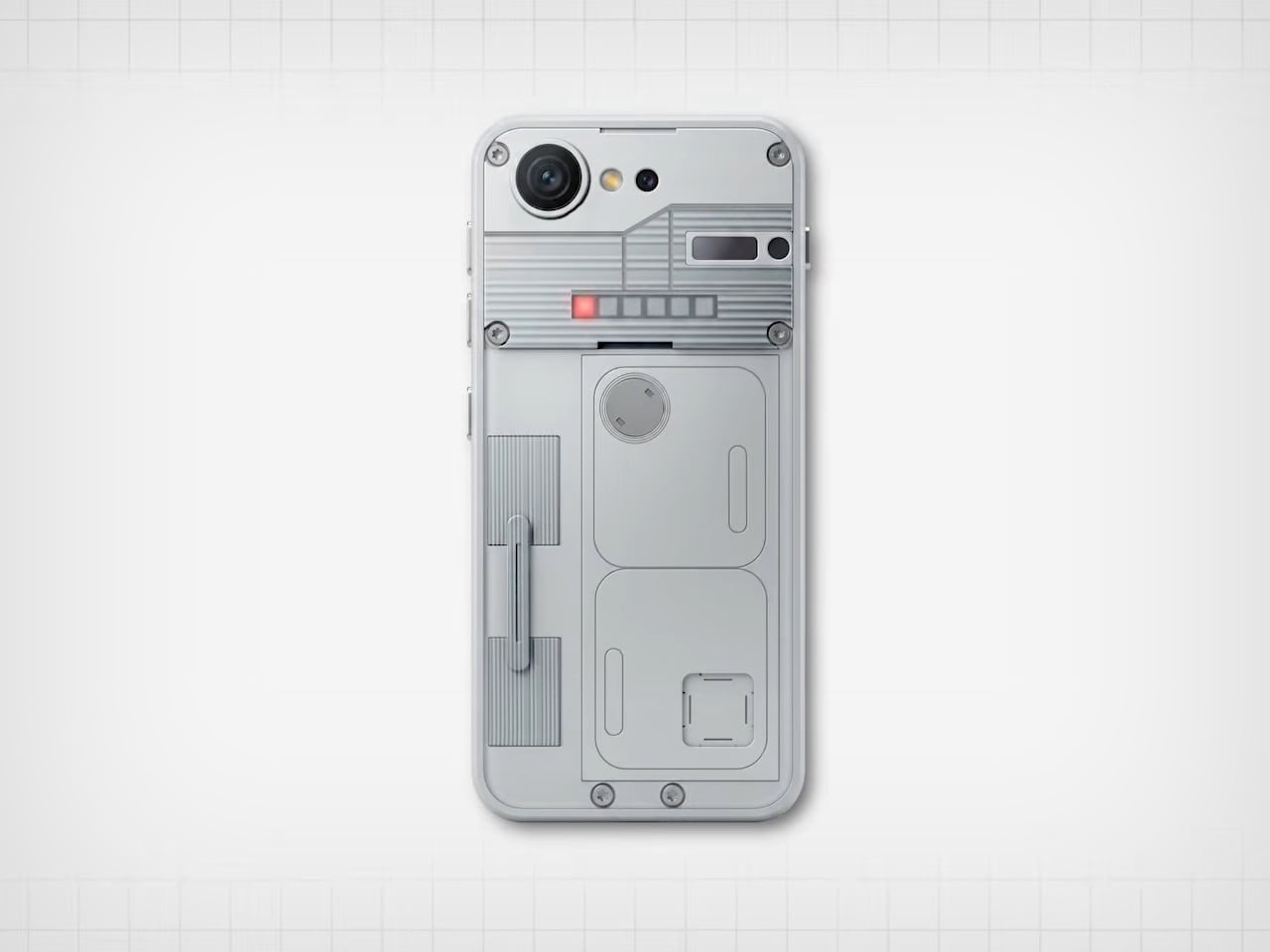
NexPhone is an Android 16 handset built on Qualcomm’s QCM6490, a long-term-support chip Qualcomm says will be backed through 2036. That is rare in phone marketing, but it matters when the device is also your computer. It has 12 GB of RAM, 256 GB of storage with microSD expansion, a 6.58-inch 120 Hz display, a 5,000 mAh battery, dual rear cameras, dual SIM, wireless charging, and MIL-STD-810H plus IP68/IP69K ruggedization.

Designer: Nex Computing

NexOS lets you treat the phone as three machines in one. On its own, it is a clean Android system with no bloatware. Plug it into a monitor, and you can switch into Android desktop mode or full Debian-based Linux with hardware acceleration, sharing folders between them. If you opt in, you can also boot Windows 11 on Arm, turning the phone into a tiny Windows PC when docked.

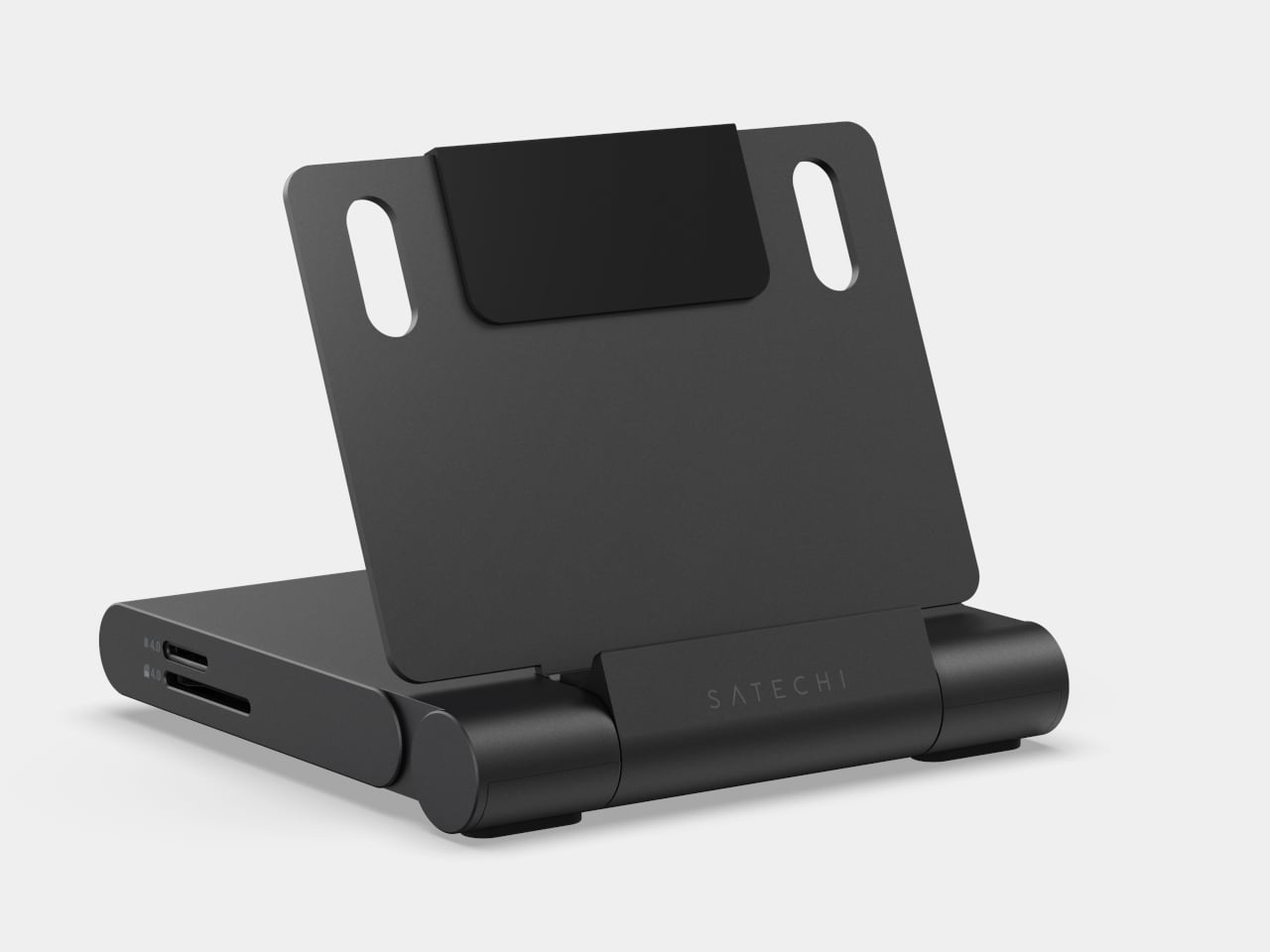
NexPhone builds a custom Windows Mobile UI on top of Windows 11, a grid-style launcher inspired by old Windows Phone tiles to make the OS less painful on a small screen. For desktop use, the phone ships with a five-port USB-C hub that fans out to HDMI, keyboard, mouse, and power. Any desk with a monitor becomes your workstation with a single cable, and you pick up at home where you left off at the office.

Windows 11 on Arm still has app compatibility gaps and relies on emulation for many x86 programs, which can hurt performance and battery life. Multi-booting Android, Linux, and Windows adds complexity that appeals to enthusiasts more than casual users. Putting phone, PC, and laptop brain into one device also means a single point of failure, and the rugged build does not remove the need for backups and a fallback plan.

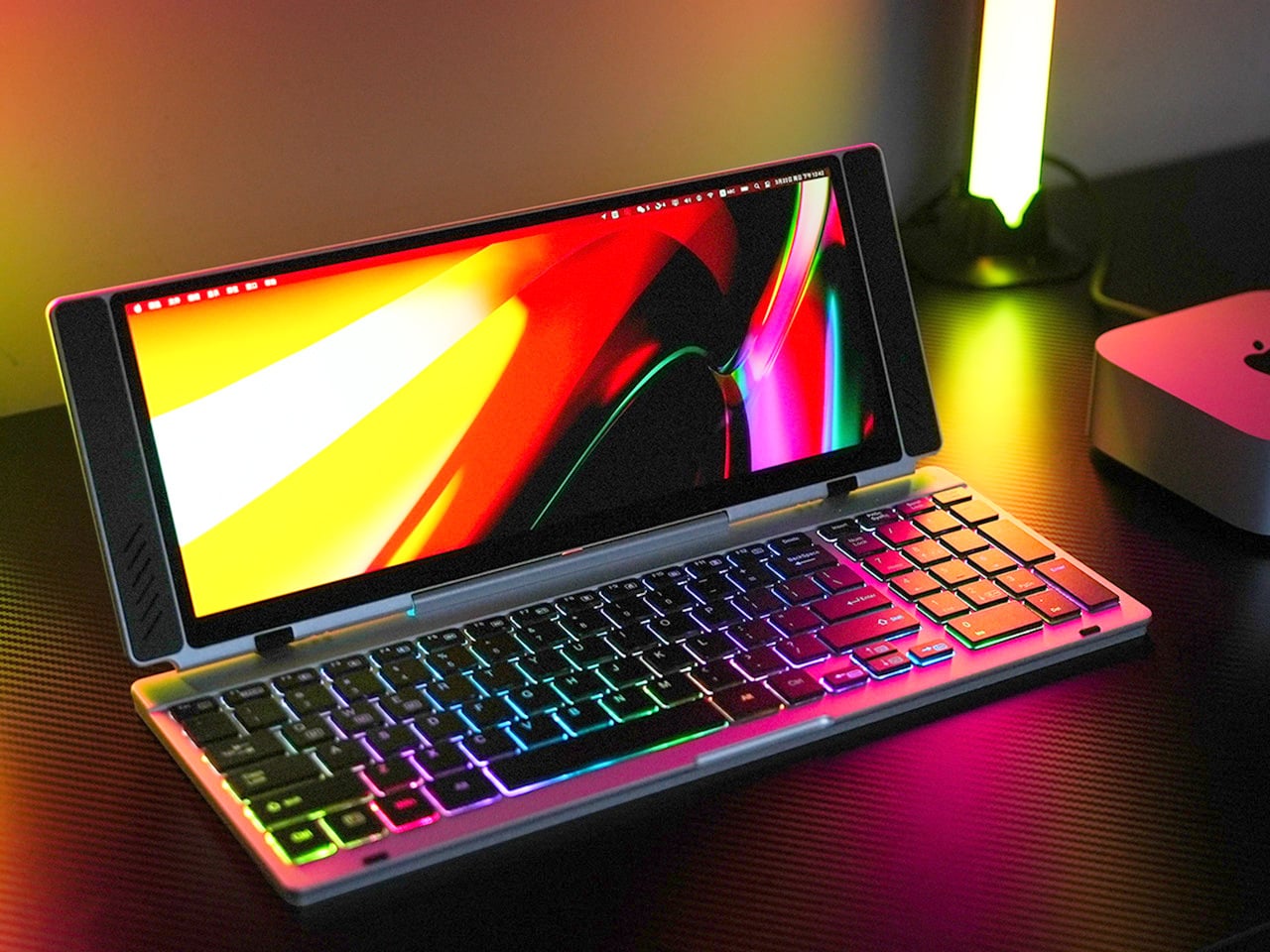
With the optional NexDock laptop shell, you can plug in and get a 14.1-inch display, keyboard, and trackpad in airport lounges or coffee shops without carrying a full laptop. It is designed for people who already juggle multiple OSes and want to consolidate, but not for those hoping to escape complexity. The promise to support the device for a decade is either visionary or risky, depending on how seriously you take startup hardware commitments.

NexPhone is less about convincing everyone to ditch laptops and more about giving the Linux-comfortable, multi-OS crowd a serious shot at carrying one device instead of three. It treats the phone, the OS stack, and the docking experience as one design problem. Whether that holds up depends less on the specs and more on whether the software behaves like three clean experiences instead of one messy compromise.

The post This Phone Runs Android, Linux, and Windows to Replace 3 Computers first appeared on Yanko Design.

This Pocket Titanium Ruler Has a Level, Protractor, and Pen Built In

Projects pile up on the bench with a ruler that stops at 30 cm, a square for right angles, a separate protractor for odd cuts, a level somewhere in a drawer, and a pencil that has wandered off. Those small frictions add up when you are trying to stay in a flow state, and most rulers can measure but do not really help you think through the layout. You end up switching between tools, rechecking marks, and occasionally cursing when parallels drift, or angles end up slightly crooked.

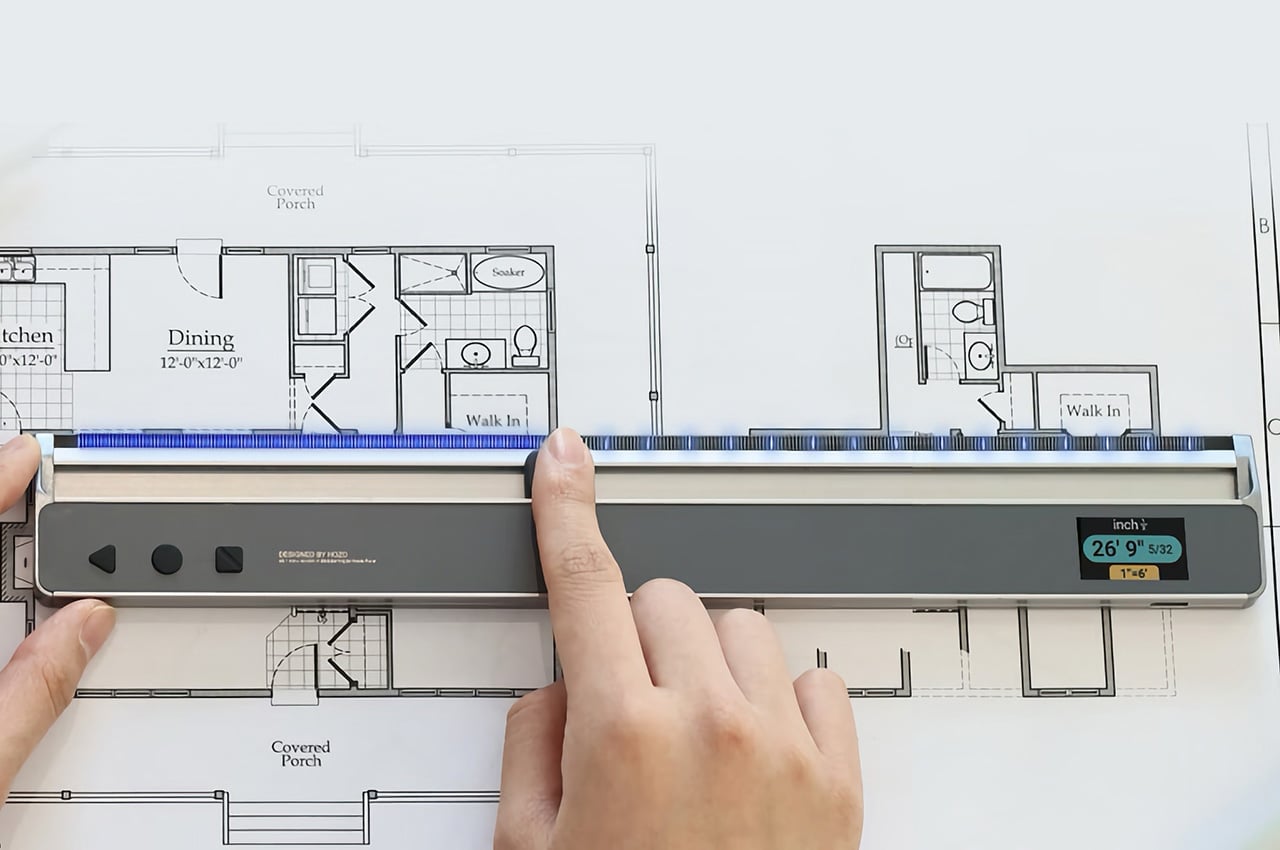
The FLINTONE MegaRuler is a titanium 9-in-1 drawing master that tries to compress a whole layout kit into something smaller than a phone. It is designed for garage tinkerers, designers, woodworkers, model builders, electronics people, and 3D-printing geeks who want strength, accuracy, and versatility in one object. The body is machined from titanium, so it feels like a small instrument rather than a disposable ruler, and it packs infinite extension lines, perfect parallels, angles, levels, magnets, and a built-in pen into a single pocket-sized block.

Designer: FLINTONE

Click Here to Buy Now: $69 $99 (30% off). Hurry, only 223/500 left! Raised over $150,000.

1

The infinite extension feature uses a central roller that lets you draw a straight line as long as you need by rolling the tool along the surface. You can dock the ruler end-to-end 27 times with less than 0.1mm cumulative error, enough to lay out an 8m straight line without a laser or chalk box. For framing, cabinetry, set building, or large-format graphics, that kind of repeatable accuracy means less rework and fewer compromises when the layout determines everything downstream.

The side wheels hug a reference line, so every new line stays exactly the same distance away. In testing, drawing 50 parallel lines produced a maximum drift of 0.07mm, which is effectively negligible for most jobs. That lets you stop measuring every joist, slat, or tile and simply roll the MegaRuler along, trusting it to keep spacing consistent for grooves, stitch lines, or printed patterns. The result feels less like measuring and more like running a tiny machine that thinks about geometry for you.

1

MegaRuler handles angles by letting you draw any-angle slanted lines from 1° to 179° in one smooth motion. The integrated protractor is laser-etched with a high-contrast scale that remains readable in bright light, dust, or glare, so you can lean the body to the exact angle you want and draw without switching tools. For miters, chamfers, or odd-angle joints, it becomes the single reference you reach for instead of juggling a ruler and a protractor and hoping the alignment holds while you mark.

1

Dual bubble vials turn the tool into both a horizontal level and a plumb checker. Standing it up gives true vertical in half a second, laying it flat gives an instant surface check. N52 magnets are flush-mounted in the body, so it sticks to steel beams, machines, or a shop cabinet, allowing hands-free marking and storage. A small marking pen lives inside the ruler itself, sliding out to mark and back in when you are done, so measuring and marking are finally in the same place instead of scattered across the bench or lost in pockets.

1

MegaRuler might live clipped to a pocket on a jobsite, sitting next to a sketchbook on a designer’s desk, or magnetized to a drill press in a home workshop. Instead of reaching for a different tool every time you need a line, angle, or level check, you grab the same titanium block and let its rollers, vials, magnets, and pen handle the details. It earns its space by doing many jobs well, feeling less like a novelty and more like the ruler you wish you had from the start, compact enough to forget until you need it and precise enough to trust when accuracy actually matters.

Click Here to Buy Now: $69 $99 (30% off). Hurry, only 223/500 left! Raised over $150,000.

The post This Pocket Titanium Ruler Has a Level, Protractor, and Pen Built In first appeared on Yanko Design.
We Might Get A Touchscreen M6 MacBook Pro Before GTA 6

So here’s the timeline we’re apparently living in: Apple will ship a completely redesigned MacBook Pro with OLED displays and touchscreens before Rockstar manages to release GTA 6. Let that sink in for a second. A company that refreshes laptops on a predictable yearly cadence is moving faster than a studio working on a game announced in 2022. Industry sources suggest Apple is accelerating development of its M6-powered models, with launch windows now pointing to late 2026 rather than the previously expected 2027 timeline. The shift signals confidence in advancing multiple breakthrough technologies simultaneously, from next-generation display panels to cutting-edge silicon manufacturing.

The irony is delicious because both Apple and Rockstar operate on their own time. They ship when they’re ready, audiences be damned. Except Apple apparently got ready really fast this time. For professionals who have waited through several years of iterative updates, the M6 models promise substantial reasons to upgrade. The combination of OLED technology borrowed from the iPad Pro, potential touchscreen integration, and the performance leap expected from 2-nanometer chips creates a compelling package. Add to this a thinner chassis, refined thermal management, and possibly even cellular connectivity, and the M6 MacBook Pro begins to look like the generational shift many have been anticipating since the original Apple Silicon transition.

Designer: Apple

Representative Image

The rumor mill had most of us penciling in a 2027 launch for the M6 MacBook Pro, giving Apple time to perfect the OLED transition and work through the inevitable supply chain headaches. But production starting early suggests either the technology matured faster than expected or Apple sees competitive pressure building and wants to strike first. My money is on both. The shift signals confidence in advancing multiple breakthrough technologies simultaneously, and when Samsung starts manufacturing panels months ahead of schedule, it means someone with deep pockets is pushing hard. That someone is Apple, and they clearly want these machines out the door before 2027.

The redesign also alleges a shift to tandem OLEDs, the same technology we saw on the iPad Pros last year (which apple called their Ultra Retina XDR Display). Tandem OLED uses two emissive layers stacked on top of each other, which delivers higher sustained brightness, better power efficiency, and dramatically reduced burn-in risk. The iPad Pro already proved this works beautifully. Blacks that actually look black, colors that pop without looking oversaturated, and HDR content that doesn’t feel like a compromised laptop experience. Moving that to a 14-inch or 16-inch panel with different thermal constraints is complex, but Apple’s display team has pulled off harder tricks. The mini-LED panels in current MacBook Pros are excellent. OLED makes them look outdated.

Representative Image

Then Apple is apparently adding touchscreens, which is wild considering how long they insisted touchscreens on laptops were bad design. They weren’t entirely wrong. Gorilla arm is a real problem. Nobody wants to reach up and poke a vertical screen all day. But the implementation details suggest Apple found a middle ground that actually works. Reinforced hinges keep the display stable when you tap it. A hole-punch camera cutout instead of the notch, possibly with Dynamic Island functionality, points to interface elements designed for quick touch interactions. This isn’t about replacing the trackpad. This is about adding occasional touch input for specific tasks where it makes sense, like scrolling through a timeline or adjusting sliders in creative apps.

The M6 chips built on TSMC’s 2-nanometer process could deliver 15 to 20 percent performance gains over M5 while improving energy efficiency. That translates to faster renders, quicker compile times, and snappier machine learning workflows without sacrificing battery life. The real party trick is how Apple might structure the chips with CPU and GPU in separate blocks, allowing more customization in performance configurations. You get exactly the compute power you need without paying for components you’ll never max out. Smart, efficient, very Apple.

Representative Image

Here’s where the joke stops being funny though. These redesigned models will probably only come in Pro and Max configurations initially, with the base model stuck on the old design for another year. That’s Apple’s way of charging a premium while keeping cheaper options available. The iPad Pro jumped about $200 when it got tandem OLED. Expect similar economics here, putting the entry point for a redesigned 14-inch model somewhere around $2,200 or higher. You’ll be able to buy this laptop and play GTA 6 on it via cloud gaming before you can buy GTA 6 natively. What a time to be alive.

The post We Might Get A Touchscreen M6 MacBook Pro Before GTA 6 first appeared on Yanko Design.

We Might Get A Touchscreen M6 MacBook Pro Before GTA 6

So here’s the timeline we’re apparently living in: Apple will ship a completely redesigned MacBook Pro with OLED displays and touchscreens before Rockstar manages to release GTA 6. Let that sink in for a second. A company that refreshes laptops on a predictable yearly cadence is moving faster than a studio working on a game announced in 2022. Industry sources suggest Apple is accelerating development of its M6-powered models, with launch windows now pointing to late 2026 rather than the previously expected 2027 timeline. The shift signals confidence in advancing multiple breakthrough technologies simultaneously, from next-generation display panels to cutting-edge silicon manufacturing.

The irony is delicious because both Apple and Rockstar operate on their own time. They ship when they’re ready, audiences be damned. Except Apple apparently got ready really fast this time. For professionals who have waited through several years of iterative updates, the M6 models promise substantial reasons to upgrade. The combination of OLED technology borrowed from the iPad Pro, potential touchscreen integration, and the performance leap expected from 2-nanometer chips creates a compelling package. Add to this a thinner chassis, refined thermal management, and possibly even cellular connectivity, and the M6 MacBook Pro begins to look like the generational shift many have been anticipating since the original Apple Silicon transition.

Designer: Apple

Representative Image

The rumor mill had most of us penciling in a 2027 launch for the M6 MacBook Pro, giving Apple time to perfect the OLED transition and work through the inevitable supply chain headaches. But production starting early suggests either the technology matured faster than expected or Apple sees competitive pressure building and wants to strike first. My money is on both. The shift signals confidence in advancing multiple breakthrough technologies simultaneously, and when Samsung starts manufacturing panels months ahead of schedule, it means someone with deep pockets is pushing hard. That someone is Apple, and they clearly want these machines out the door before 2027.

The redesign also alleges a shift to tandem OLEDs, the same technology we saw on the iPad Pros last year (which apple called their Ultra Retina XDR Display). Tandem OLED uses two emissive layers stacked on top of each other, which delivers higher sustained brightness, better power efficiency, and dramatically reduced burn-in risk. The iPad Pro already proved this works beautifully. Blacks that actually look black, colors that pop without looking oversaturated, and HDR content that doesn’t feel like a compromised laptop experience. Moving that to a 14-inch or 16-inch panel with different thermal constraints is complex, but Apple’s display team has pulled off harder tricks. The mini-LED panels in current MacBook Pros are excellent. OLED makes them look outdated.

Representative Image

Then Apple is apparently adding touchscreens, which is wild considering how long they insisted touchscreens on laptops were bad design. They weren’t entirely wrong. Gorilla arm is a real problem. Nobody wants to reach up and poke a vertical screen all day. But the implementation details suggest Apple found a middle ground that actually works. Reinforced hinges keep the display stable when you tap it. A hole-punch camera cutout instead of the notch, possibly with Dynamic Island functionality, points to interface elements designed for quick touch interactions. This isn’t about replacing the trackpad. This is about adding occasional touch input for specific tasks where it makes sense, like scrolling through a timeline or adjusting sliders in creative apps.

The M6 chips built on TSMC’s 2-nanometer process could deliver 15 to 20 percent performance gains over M5 while improving energy efficiency. That translates to faster renders, quicker compile times, and snappier machine learning workflows without sacrificing battery life. The real party trick is how Apple might structure the chips with CPU and GPU in separate blocks, allowing more customization in performance configurations. You get exactly the compute power you need without paying for components you’ll never max out. Smart, efficient, very Apple.

Representative Image

Here’s where the joke stops being funny though. These redesigned models will probably only come in Pro and Max configurations initially, with the base model stuck on the old design for another year. That’s Apple’s way of charging a premium while keeping cheaper options available. The iPad Pro jumped about $200 when it got tandem OLED. Expect similar economics here, putting the entry point for a redesigned 14-inch model somewhere around $2,200 or higher. You’ll be able to buy this laptop and play GTA 6 on it via cloud gaming before you can buy GTA 6 natively. What a time to be alive.

The post We Might Get A Touchscreen M6 MacBook Pro Before GTA 6 first appeared on Yanko Design.
This Oreo-shaped Tea Infuser Retains The Dunking Ritual With A Twist!

There’s something deeply comforting about a cup of tea, especially when it’s paired with an object that makes you smile before you even take the first sip. CookieTea, a tea infuser designed by Peleg Design, turns a familiar daily ritual into a small, joyful moment. Shaped like a classic sandwich cookie, it brings warmth, humor, and intention to the simple act of brewing tea.

At first glance, CookieTea looks almost edible. The resemblance to a real cookie is so convincing that you might hesitate for a second before dropping it into your cup. That playful confusion is part of its charm. Unlike regular tea bags, which tend to disappear into the mug, this infuser is meant to be seen. When dunked into hot water, it looks deliberate and thoughtfully placed, as if it belongs there by design rather than necessity. The act of steeping suddenly feels visual and expressive, not just functional.

Designer: PELEG DESIGN

Click Here to Buy Now

The experience goes beyond appearance. CookieTea is genuinely easy to use, even for someone who does not usually reach for loose-leaf tea. One side of the cookie lifts open effortlessly, creating a small compartment where you can add your preferred tea leaves. Once filled, it seals back securely with a simple press. There is no struggle, no fiddling, and no sense of fragility. The interaction feels natural and intuitive.

The cream layer of the cookie hides one of the smartest details of the design. A peelable strip controls how the tea infuses. When closed, it keeps the interior clean and contained. When opened, tiny perforations allow the flavor and aroma of the tea to mix with the water gently. This thoughtful mechanism ensures that the infuser performs just as well as it looks, balancing cleanliness with proper brewing.

Another small but meaningful detail is the hook-shaped edge built into the peelable strip. This allows CookieTea to rest securely on the rim of the cup, preventing it from sinking to the bottom or floating around while steeping. It also makes removing the infuser effortless once the tea is ready. It solves a common annoyance so quietly that you only realize how useful it is once you experience it.

After brewing, CookieTea continues to add value. Instead of feeling like something to hide away, it fits perfectly on a plate beside your cup. It adds to the overall table setting, enhancing the visual experience rather than disrupting it. Whether used during a quiet afternoon break or while hosting guests, it naturally becomes part of the moment.

CookieTea does not try to redefine tea drinking. It simply makes it more pleasant, more intentional, and more human. It is a reminder that good design lives in the details and that even the smallest everyday rituals deserve objects that spark joy.

Click Here to Buy Now

The post This Oreo-shaped Tea Infuser Retains The Dunking Ritual With A Twist! first appeared on Yanko Design.

Nomad Icy Blue Glow Stratos Band adds glow-in-the-dark twist to Apple Watch Ultra

Getting a watch band for your Watch Ultra just got interesting with Nomad’s latest addition to the Stratos Band line-up. After the success with the custom fit band designed for the Ultra in titanium finish and the FKM links, which is more comfortable to wear and touch, this watch band is irresistible. Coming in a fluoroelastomer cast that glows in Tron-like hues, the band demonstrates how “performance and fun can happen at the same time.” Nomad calls it the Icy Blue Glow version, and it’s a limited-run creation that pairs rugged durability with understated style.

The new Stratos Band blends Grade 4 titanium hardware with compression-molded FKM fluoroelastomer for a hybrid design that balances strength and flexibility. The titanium outer links provide a refined look and robust build, while the FKM interior links contour around the wrist for comfort and movement that traditional metal bands rarely offer. This dual-material approach also introduces subtle ventilation spaces, which help with moisture evaporation and breathability during everyday wear or more intense activity.

Designer: Nomad

What sets the Icy Blue Glow edition apart is the photoluminescent material infused into the interior FKM links. This compound absorbs light throughout the day and emits a soft blue glow in low-light conditions. The glowing effect is more subdued in typical environments because the material sits beneath the titanium, but it still produces a cool, visual accent in the dark that distinguishes it from more conventional bands. Nomad equips this limited version with a custom magnetic clasp engineered for secure closure and corrosion resistance. The clasp remains fastened through daily movements yet opens easily when the sides of the buckle are squeezed. Users can also fine-tune the band’s fit using the included tool to remove or add links, making customization straightforward.

Though designed from the ground up for Apple Watch Ultra models 1 and higher, the Stratos Band is also compatible with earlier Apple Watch Series 1–11 and SE models, offering versatility across a wide range of devices. The band’s flexible design supports wrist sizes generally between 130 mm and 200 mm, and its construction balances a weight that feels substantial without being cumbersome. The titanium elements are finished with a scratch-resistant DLC coating, adding resilience for adventures and daily use alike.

The fluoroelastomer material itself is antimicrobial and can be cleaned easily with soap and water, supporting hygiene for wear during workouts or outdoor activities. The band’s water-resistant design further reinforces its adaptability to various lifestyles, though it’s recommended to allow the band to dry fully after exposure to moisture. Priced at $189, the Stratos Band Icy Blue Glow edition offers a premium alternative to standard Apple and third-party bands with a playful glow-in-the-dark element.

The post Nomad Icy Blue Glow Stratos Band adds glow-in-the-dark twist to Apple Watch Ultra first appeared on Yanko Design.