Expensive earbuds: When and why it’s worth paying more
Earbuds range in price from under $10 to hundreds. What do you get for the money?
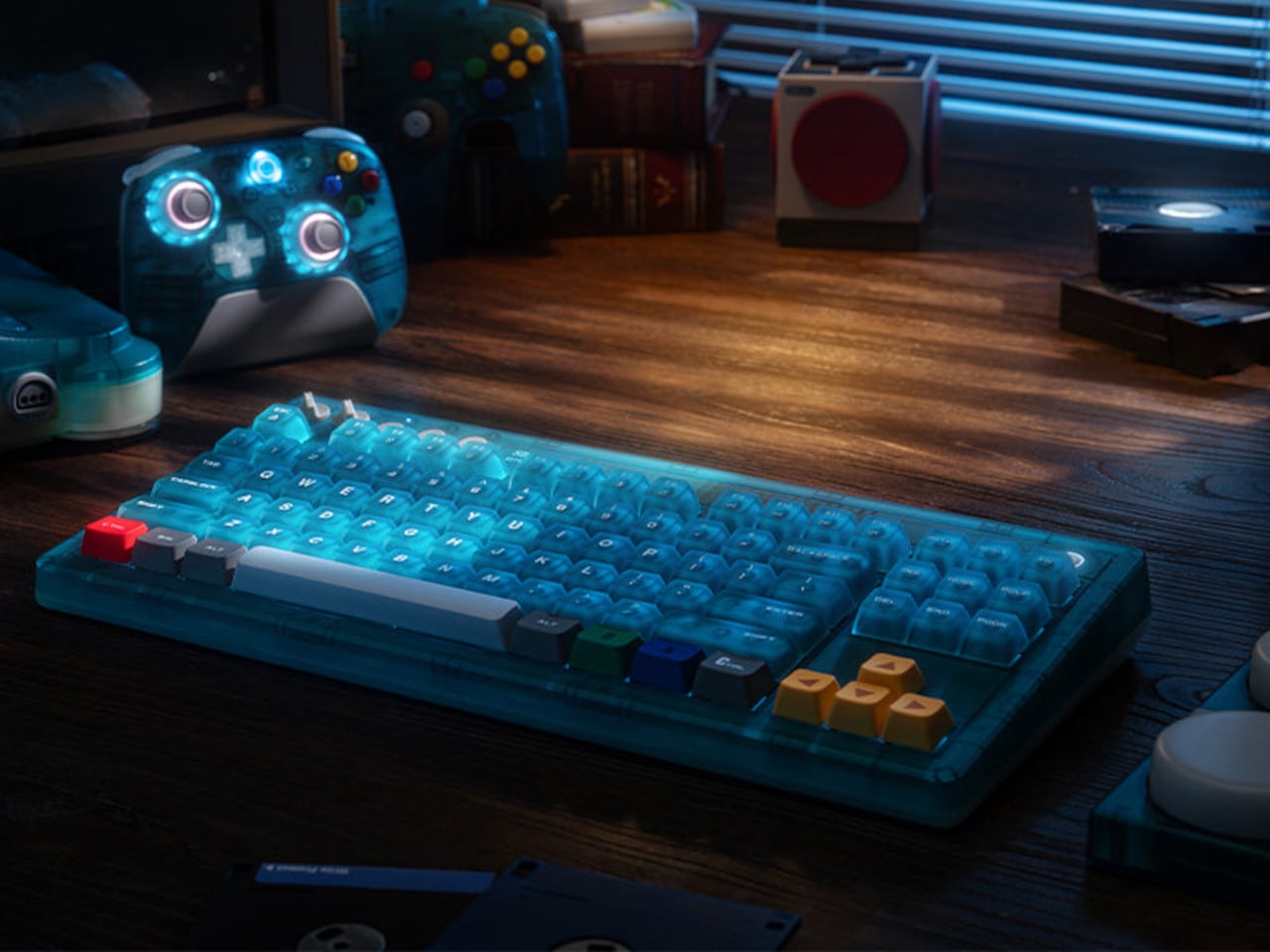
Nintendo’s “Funtastic” translucent plastic era tends to provoke a specific kind of nostalgia. The see-through consoles and controllers from the late 1990s made the hardware itself part of the aesthetic, and the ice blue variant of the N64 in particular developed a cult following that outlasted the console’s commercial run by several decades. The transparency wasn’t a gimmick then, and it still doesn’t feel like one now.
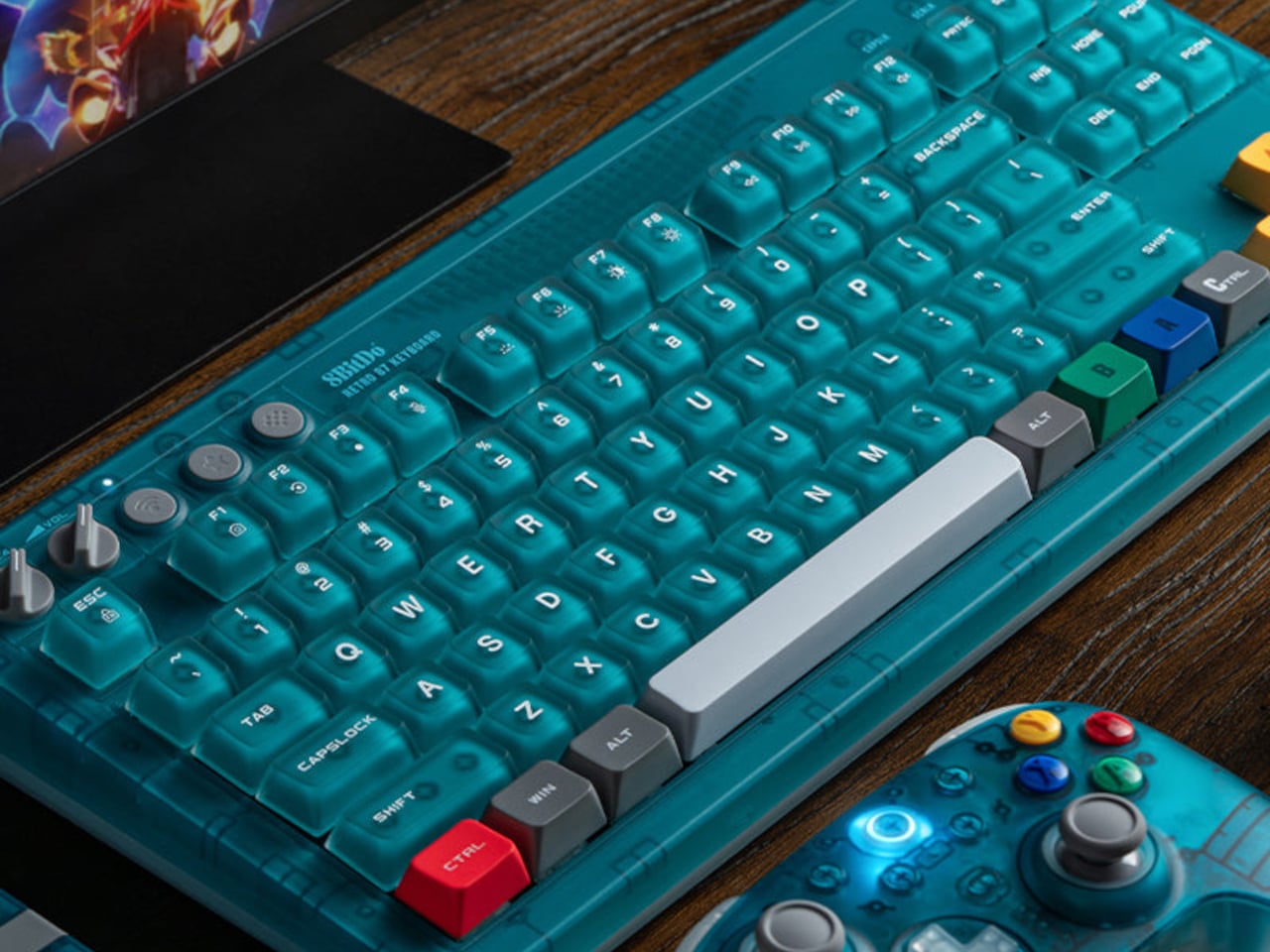
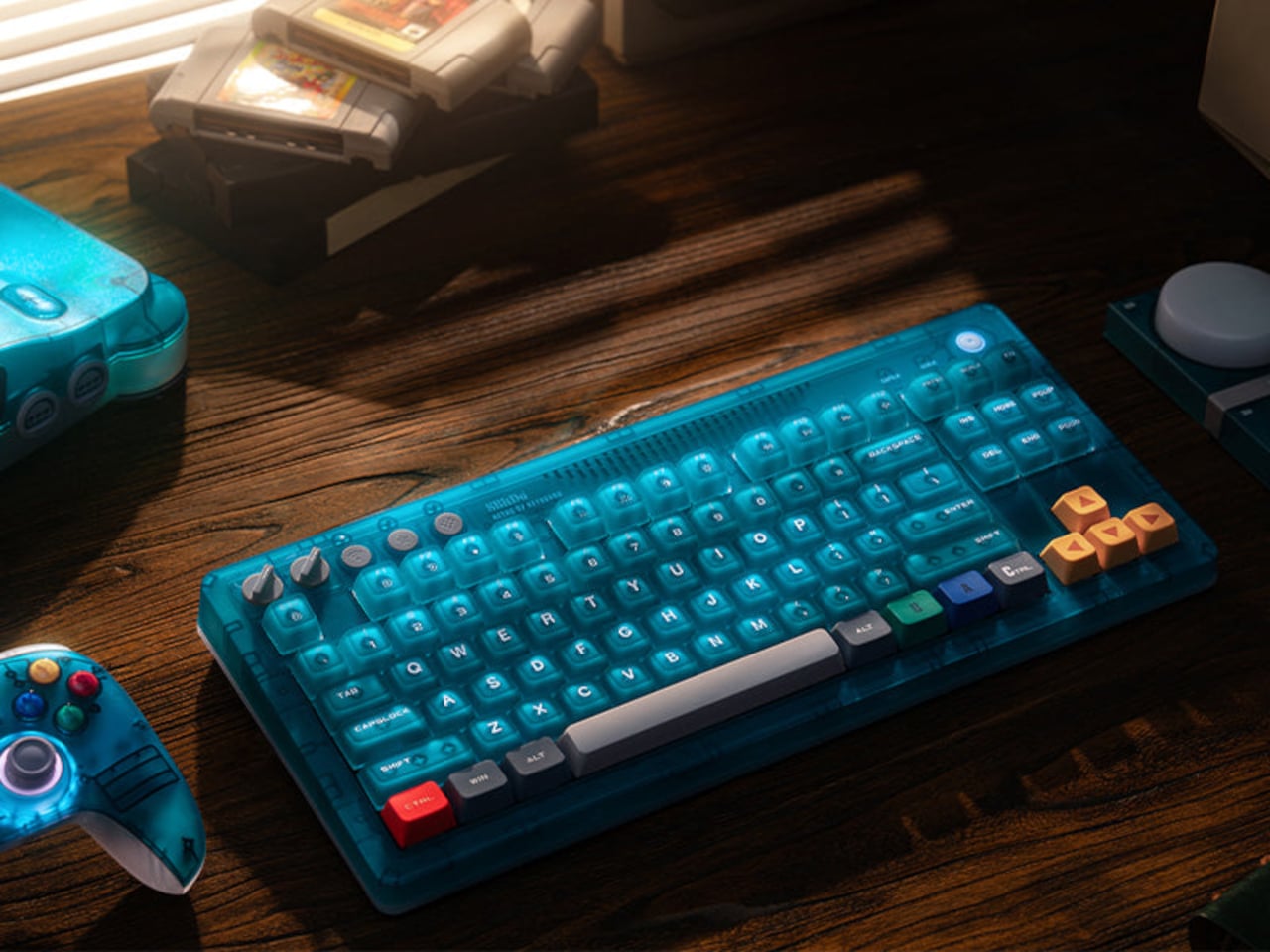
The 8BitDo Retro 87 Keyboard in Clear Blue arrives as part of the N64’s 30th anniversary and borrows that translucent blue finish directly. But the design doesn’t stop at the shell. Specific keys carry the actual color palette of the original N64 controller: yellow arrow keys for the C-buttons, blue and green A and B keys, and a red left Ctrl referencing the Start button. For anyone who logged enough hours with that particular controller, the color map reads immediately.
Designer: 8BitDo

The Clear Blue edition uses 8BitDo Cloud Gray Linear mechanical switches, co-developed with HUANO specifically for this version and distinct from the Kailh Box White switches in the Fami and N editions. The keycaps combine dye-sublimation PBT and ABS + PC double-shot construction with a matte UV coating, giving the legends both durability and a finish that suits the translucent shell better than a glossy alternative would.
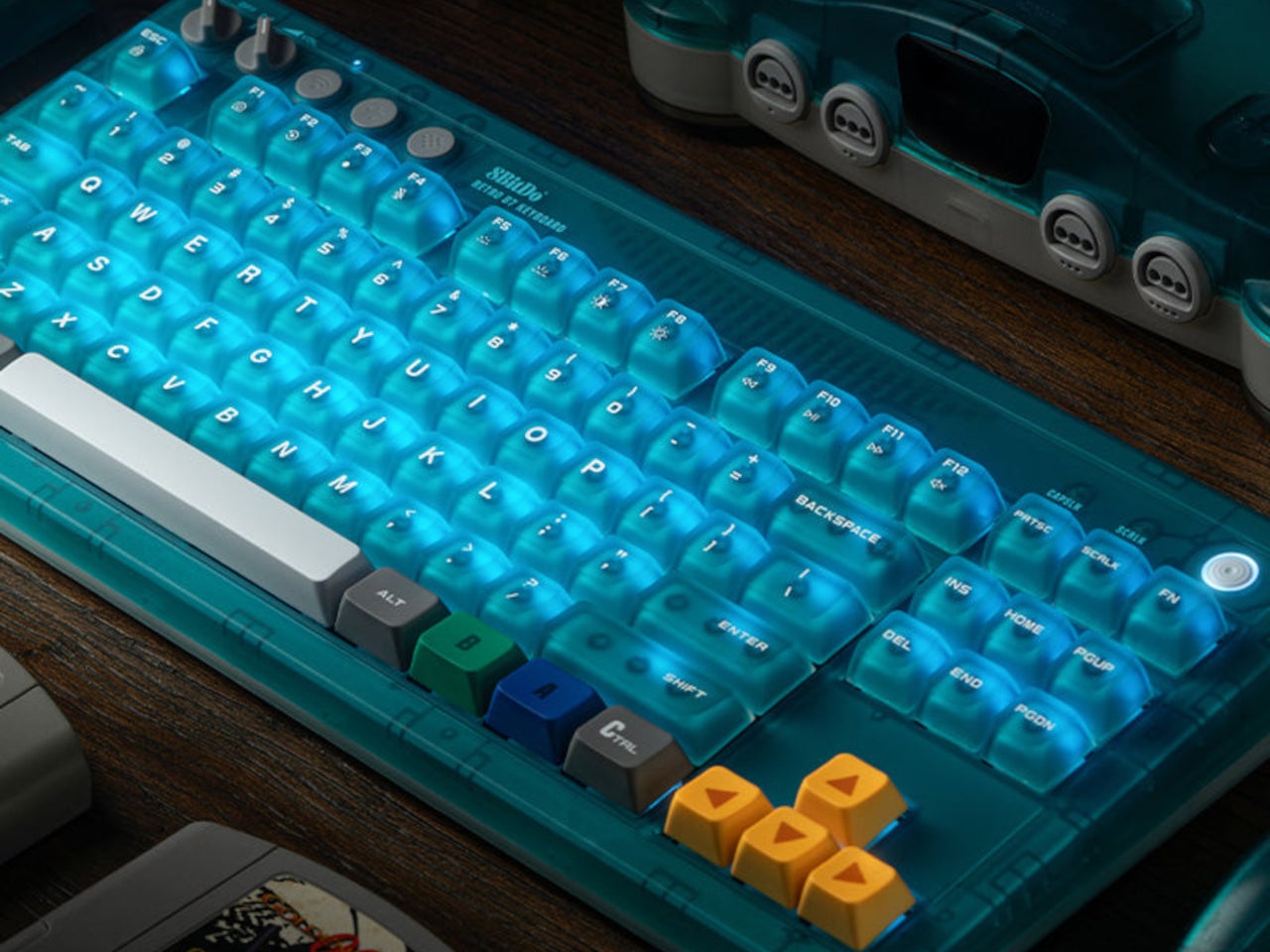
Underneath, the hot-swappable PCB sits in a top mount configuration, which is a construction choice that tends to provide a softer, more cushioned typing feel compared to bottom mount builds. N-key rollover handles simultaneous inputs without dropping keystrokes. Per-key RGB backlighting runs through the whole board, visible through the translucent shell in a way that a standard opaque case would never allow. The 200-hour wireless battery life on a 2,000 mAh cell is rated for the 2.4 GHz wireless mode, with the adapter included in the box.
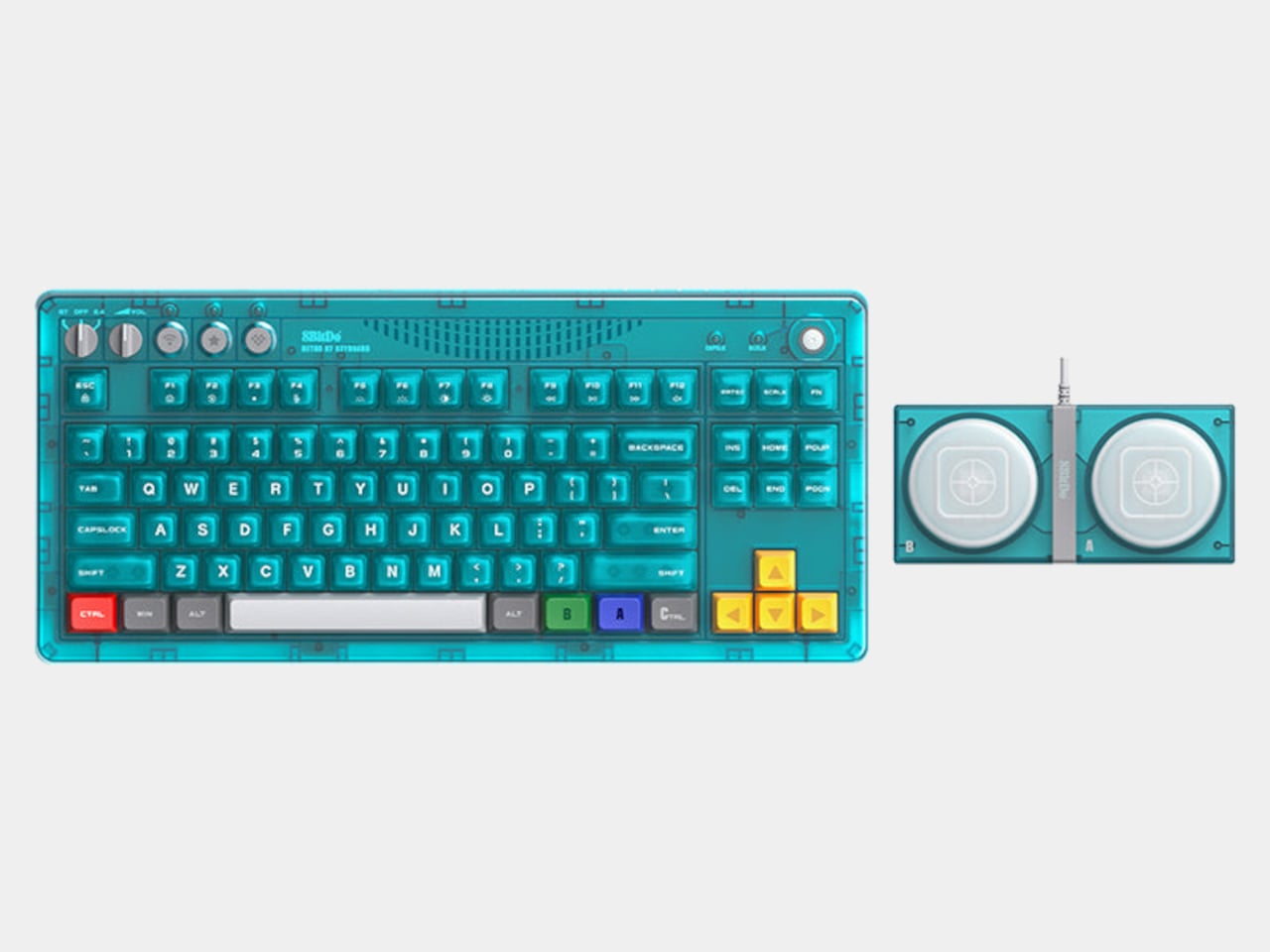
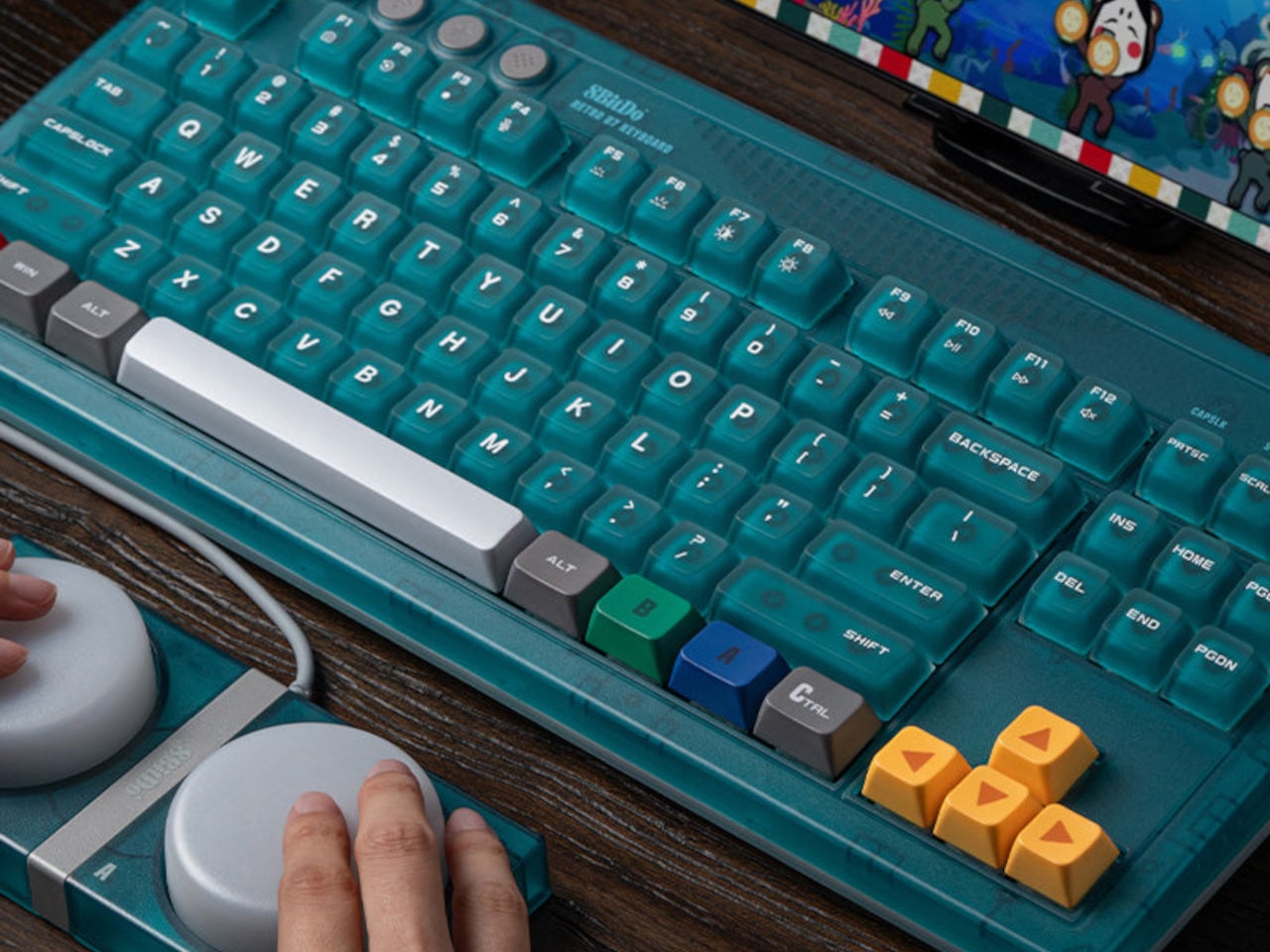
Connectivity covers three modes: Bluetooth, 2.4 GHz wireless, and wired USB, the standard trio for a modern keyboard that needs to move between devices and setups. A pair of programmable Super Buttons ships with the keyboard, matching the Clear Blue finish and assignable through 8BitDo Ultimate Software V2. They sit outside the main typing area and can take on whatever function is needed, from media controls to game inputs.
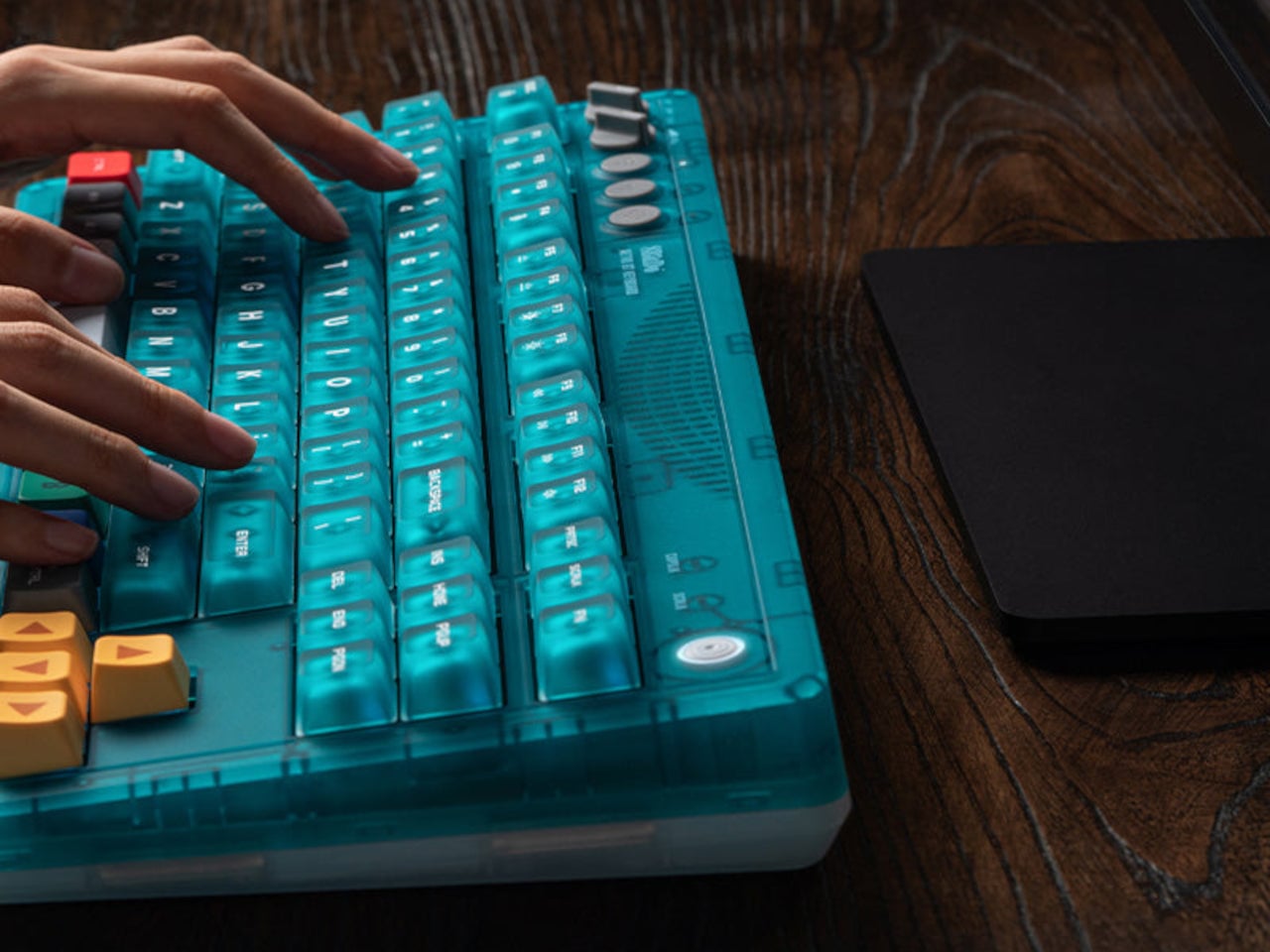
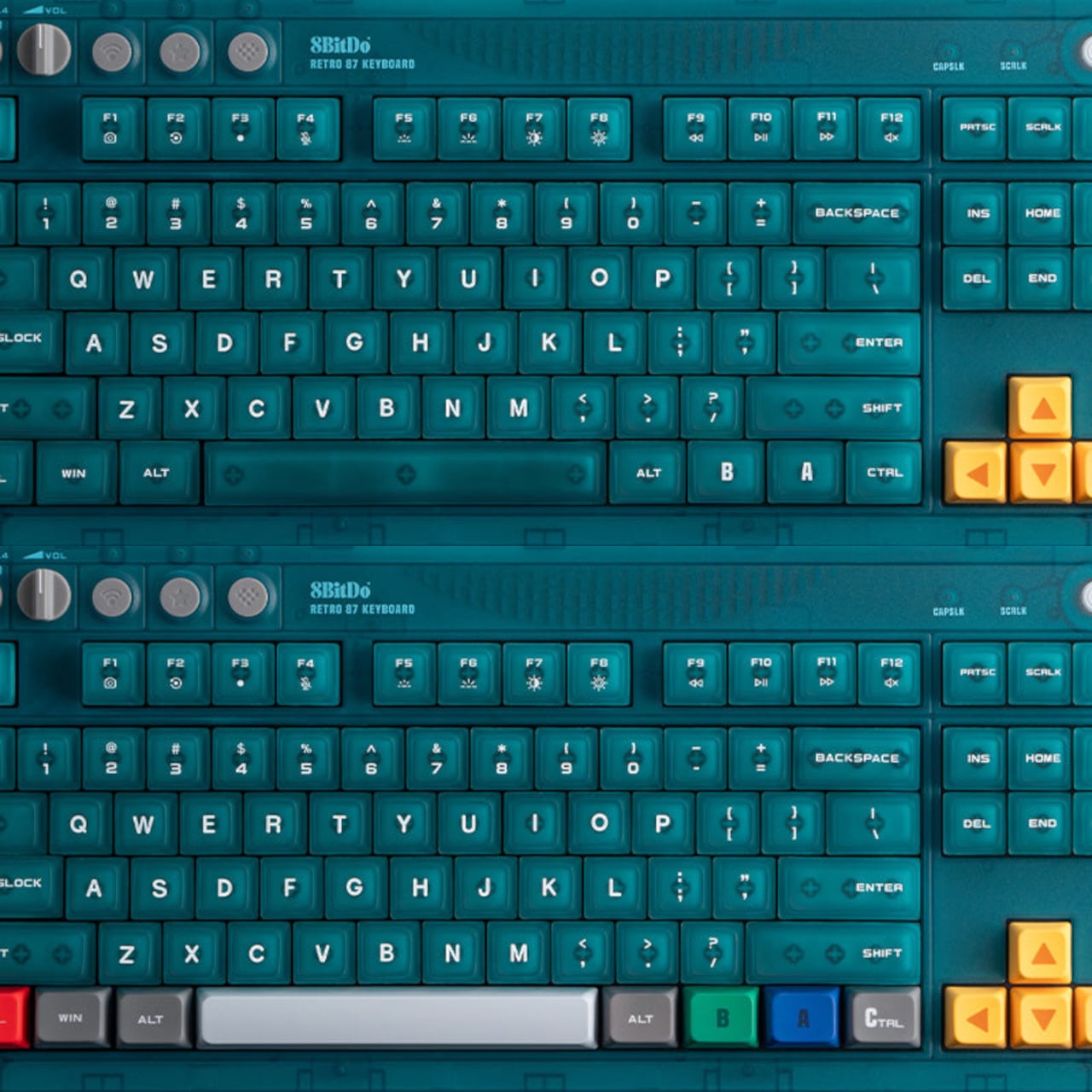
The 87-key tenkeyless layout drops the number pad but keeps the full navigation cluster, which is the practical choice for a keyboard meant to share desk space with other peripherals. The layout doesn’t commit to being purely a gaming board or purely a productivity tool, which suits a keyboard this visually distinctive rather well. Something that references a 30-year-old console doesn’t need to pretend it’s a neutral office accessory.
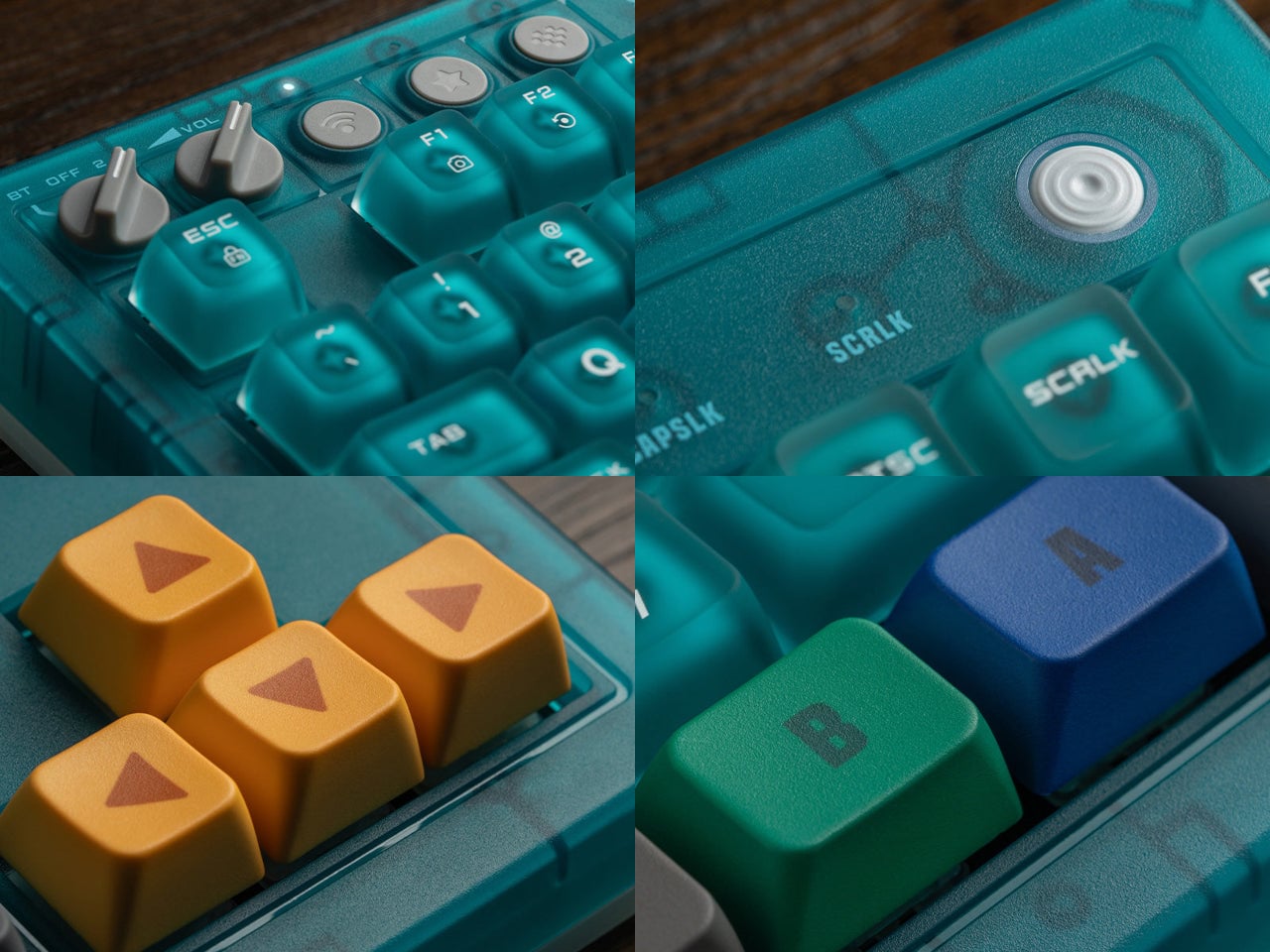
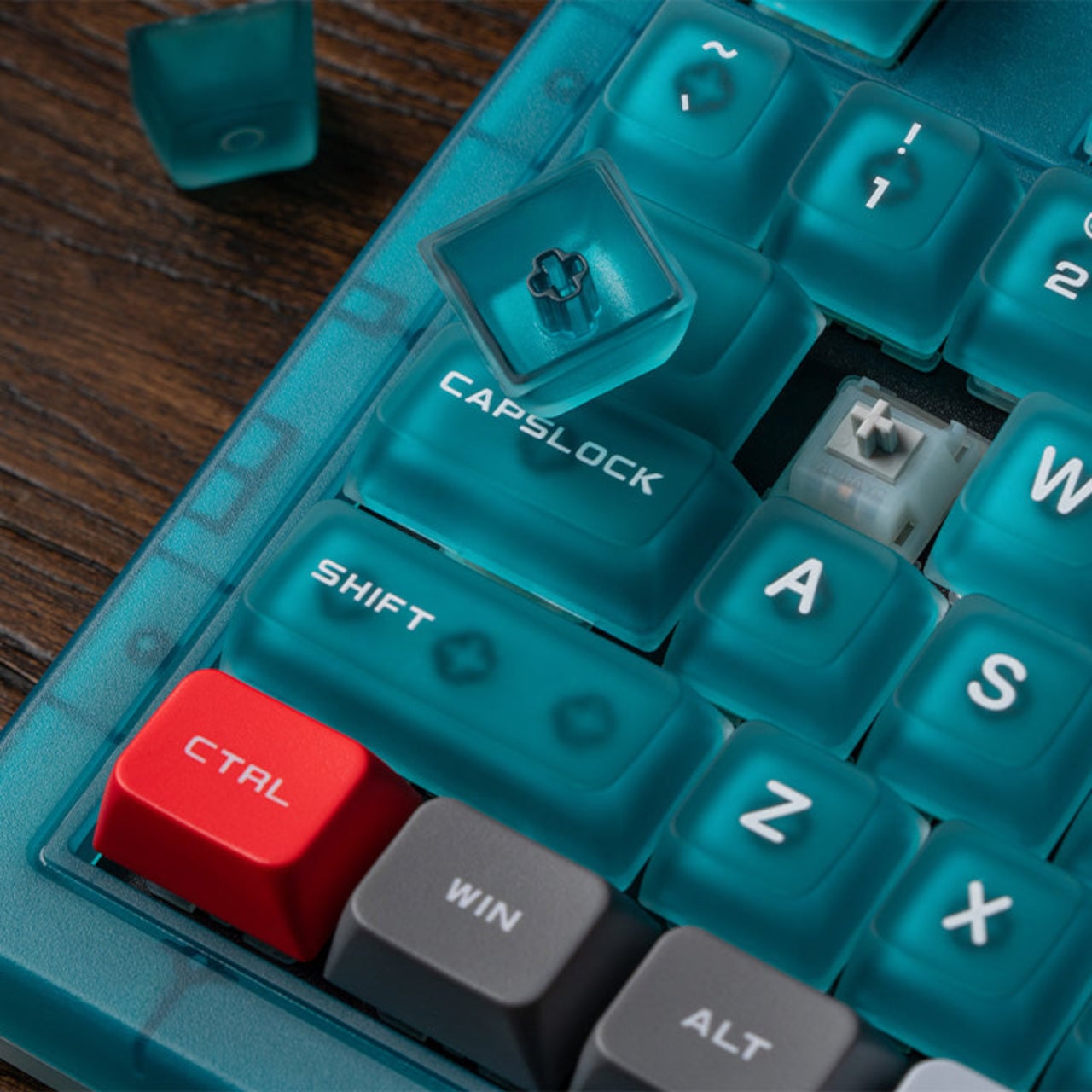
There’s a certain honesty to the approach here. The Clear Blue colorway isn’t a subtle nod or a distant reference; it’s an explicit callback to a specific era of hardware design that a generation of players grew up with. The translucent shell shows the PCB and internal components through the blue tint, carrying the same logic those original Funtastic consoles did: the inside of the hardware was worth looking at.
The post 8BitDo Made the N64’s 30th Anniversary Keyboard Every Millennial Wants first appeared on Yanko Design.
Macro pads have always operated on the assumption that a handful of keys is enough. Most offer between six and 24 programmable buttons, which covers a tidy shortcut setup until it doesn’t, when a workflow shifts or a new application joins the rotation. Running out of keys usually means buying a second pad, stacking it beside the first, and accepting that the layout will never quite be what you originally wanted.
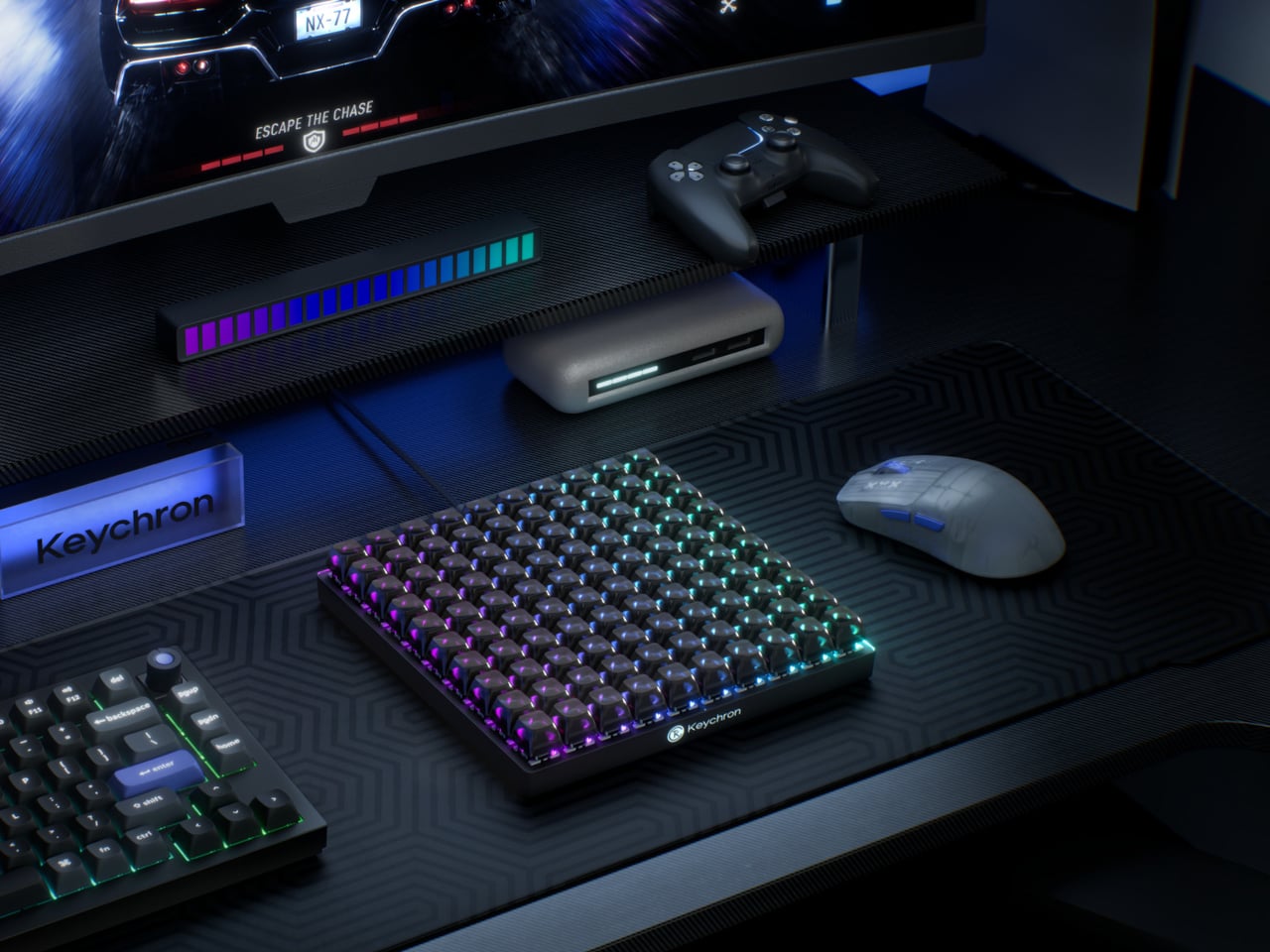
The Keychron C100 8K skips that problem entirely by starting with 100. Arranged in a 10-by-10 grid and taking up roughly the footprint of a full-size keyboard, it ships with every key completely unbound. There are no default shortcuts, no preset layouts, and nothing to undo. The entire surface is a blank canvas that users fill through Keychron Launcher, the brand’s browser-based configuration tool.
Designer: Keychron
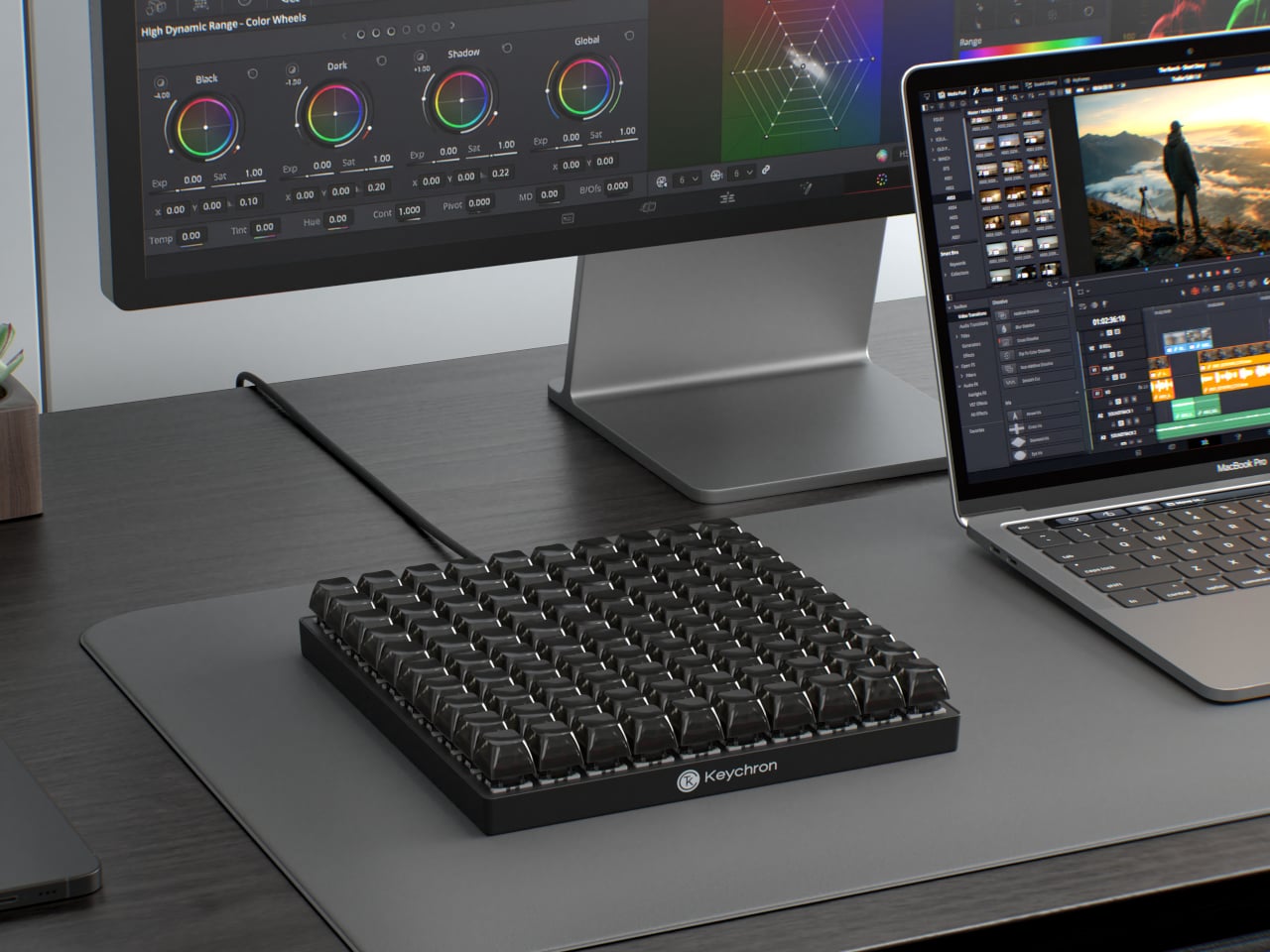
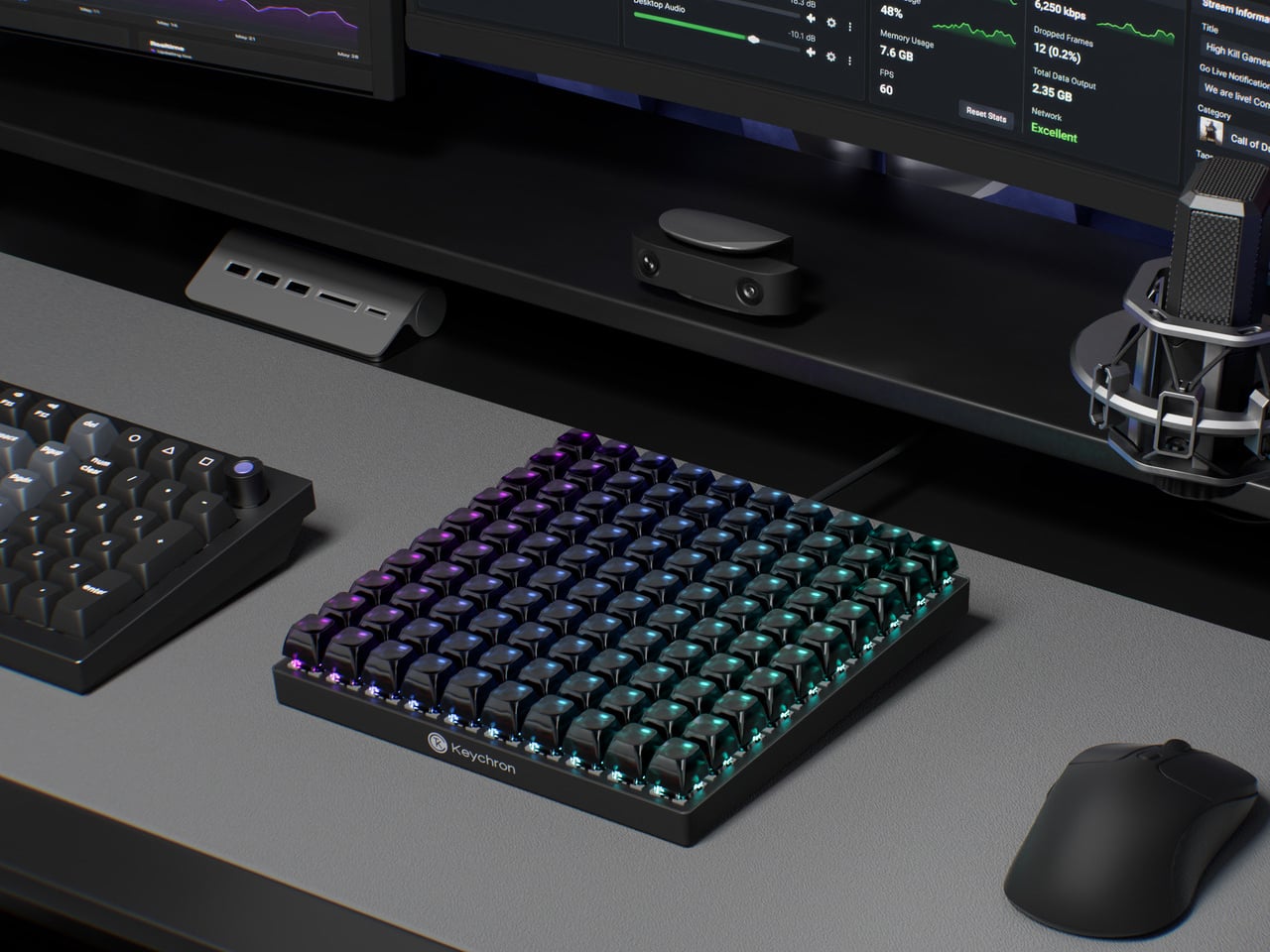
That software handles everything from key assignments and macro sequences to per-key RGB lighting. Color-coding matters more here than it does on a conventional keyboard, because it’s one of the more practical ways to navigate 100 unmarked keys. A cluster in red for video editing, a row in blue for streaming controls, and a section in green for communication apps turns a uniform grid into something immediately legible.
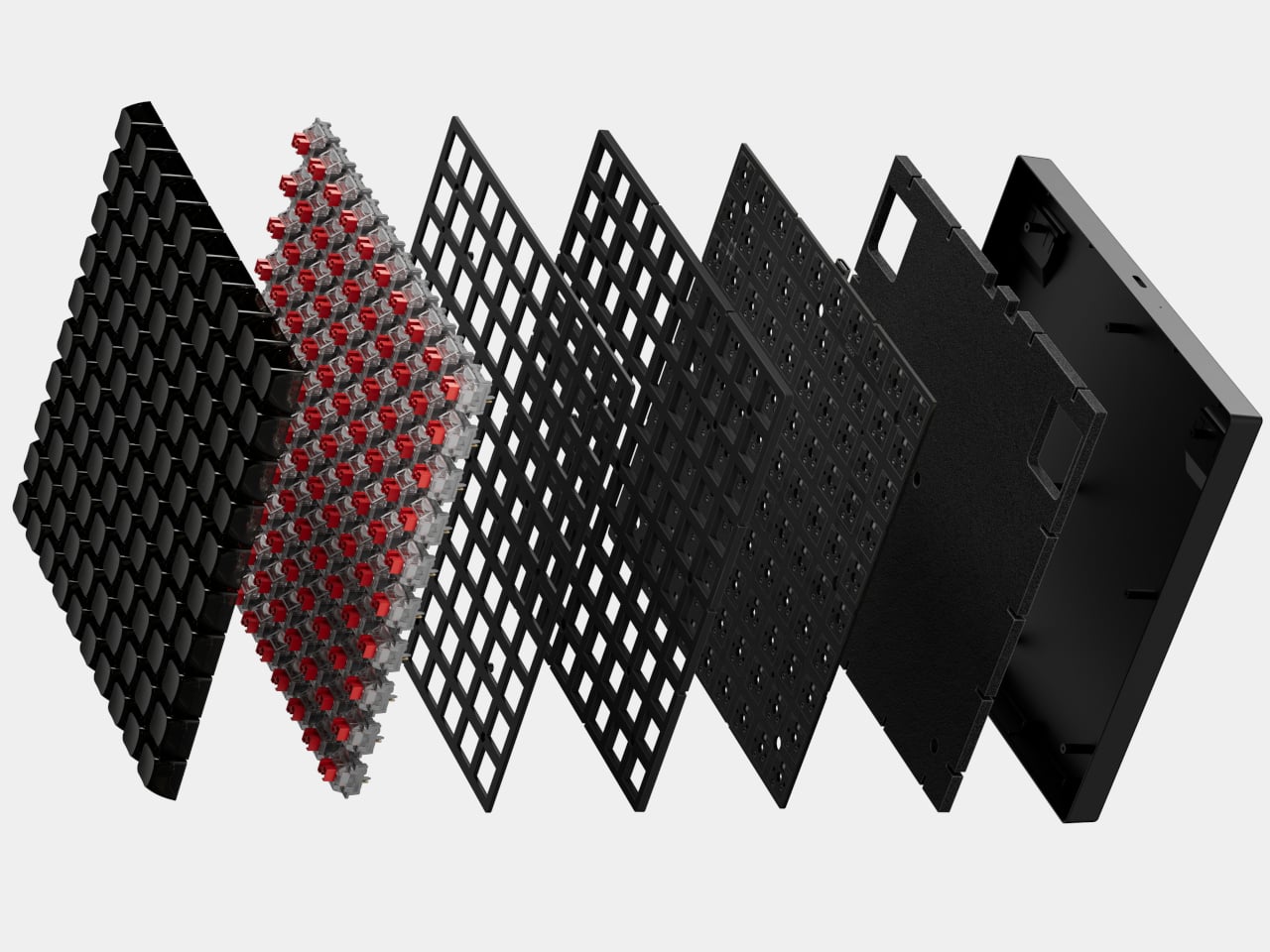
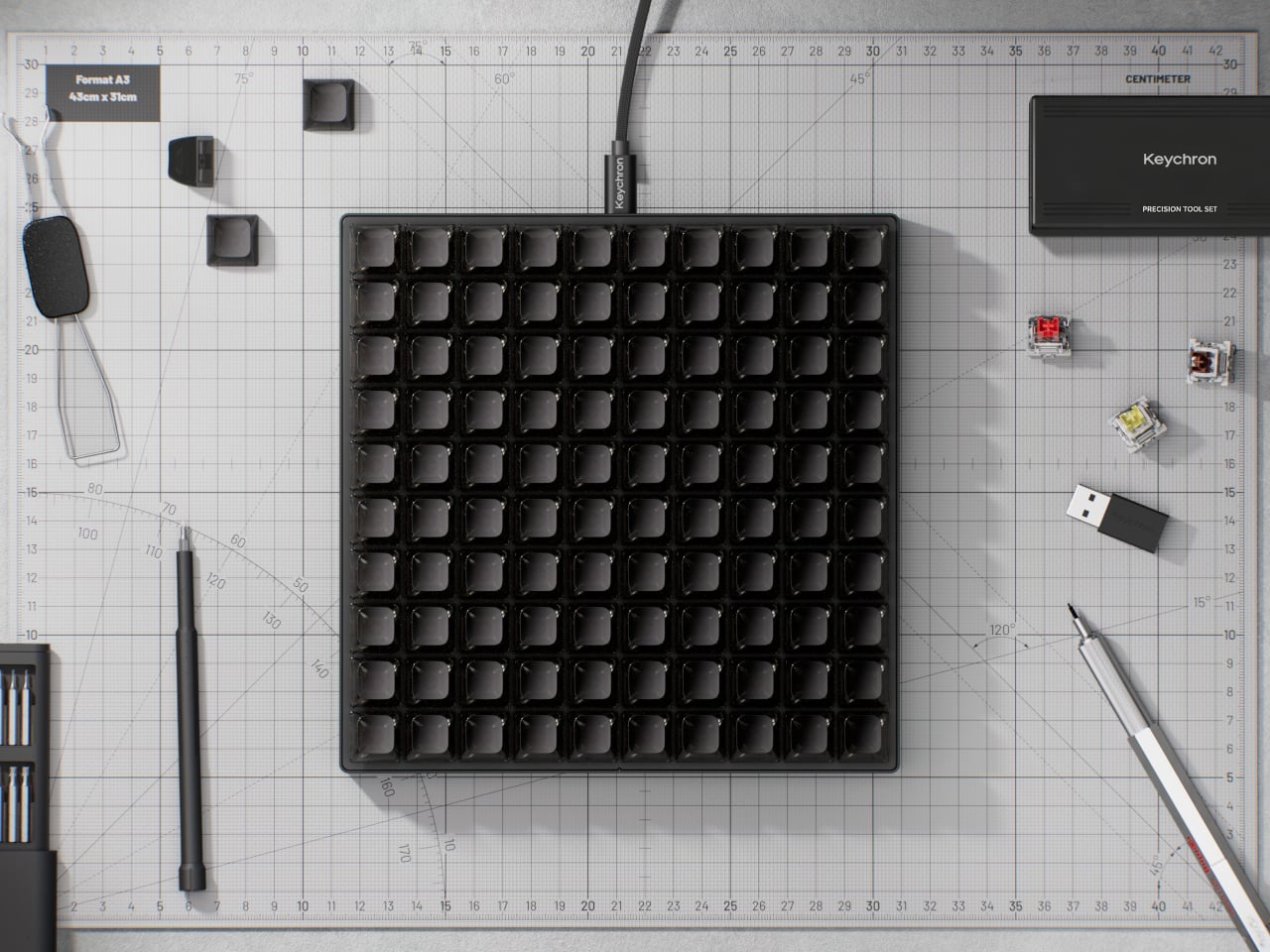
The switches underneath are Keychron’s own Apex Red linears, which ship installed but aren’t the only option. Hot-swappable sockets mean any MX-style switch fits without soldering, which opens the C100 to the deeper enthusiast habit of collecting and testing different switches across different zones. The transparent ASA-profile keycaps, made from a combination of PBT and polycarbonate, let the per-key RGB glow through without muddying the colors.
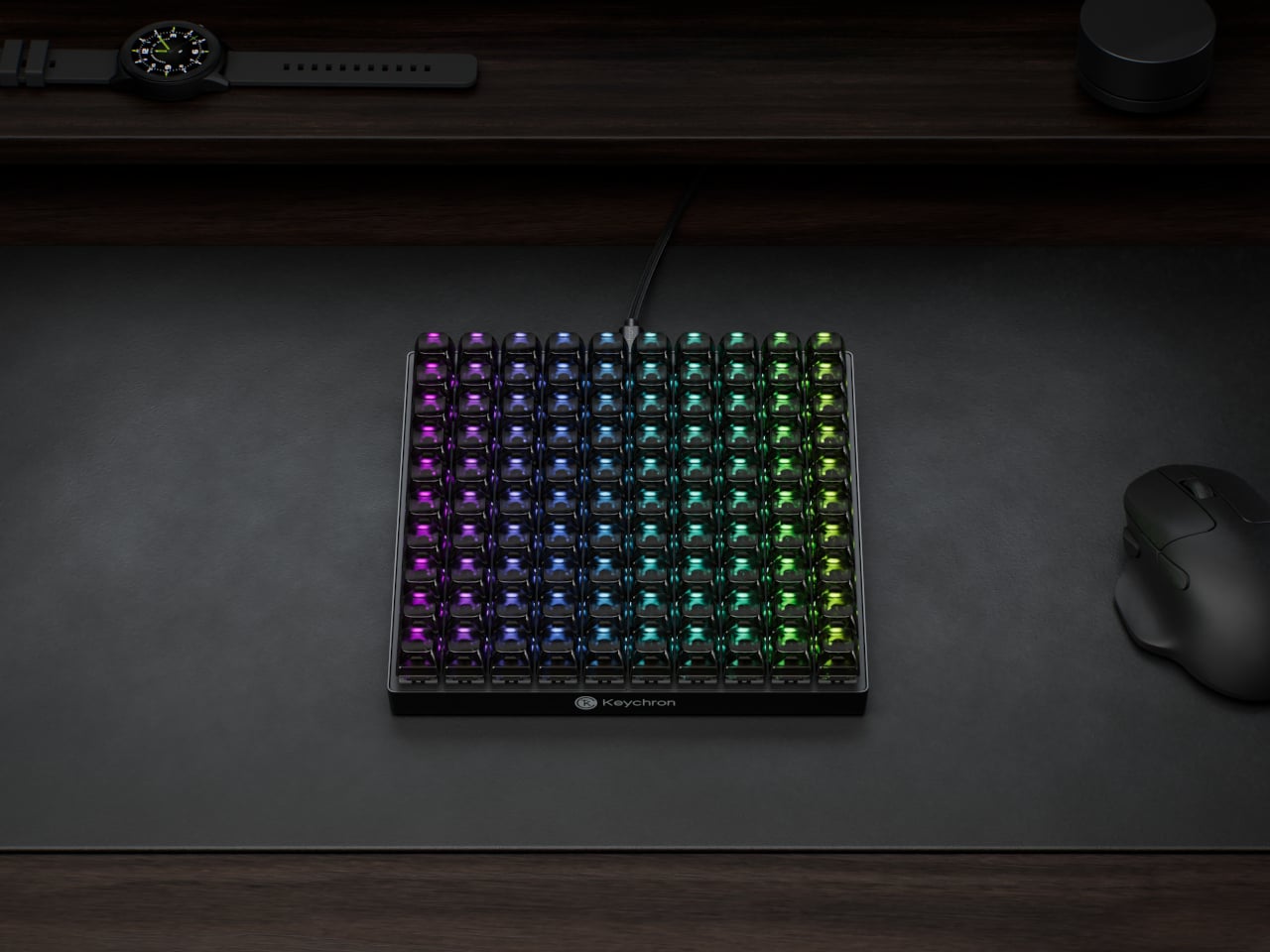
An 8,000Hz polling rate sits at the competitive end of the spec sheet, which matters most for gaming where input latency becomes meaningful. That puts the C100 in a different position from most macro pads, which treat speed as secondary to programmability. Having both in the same device means the 100 keys can cover reactive gaming inputs and slower productivity shortcuts with the same responsiveness.
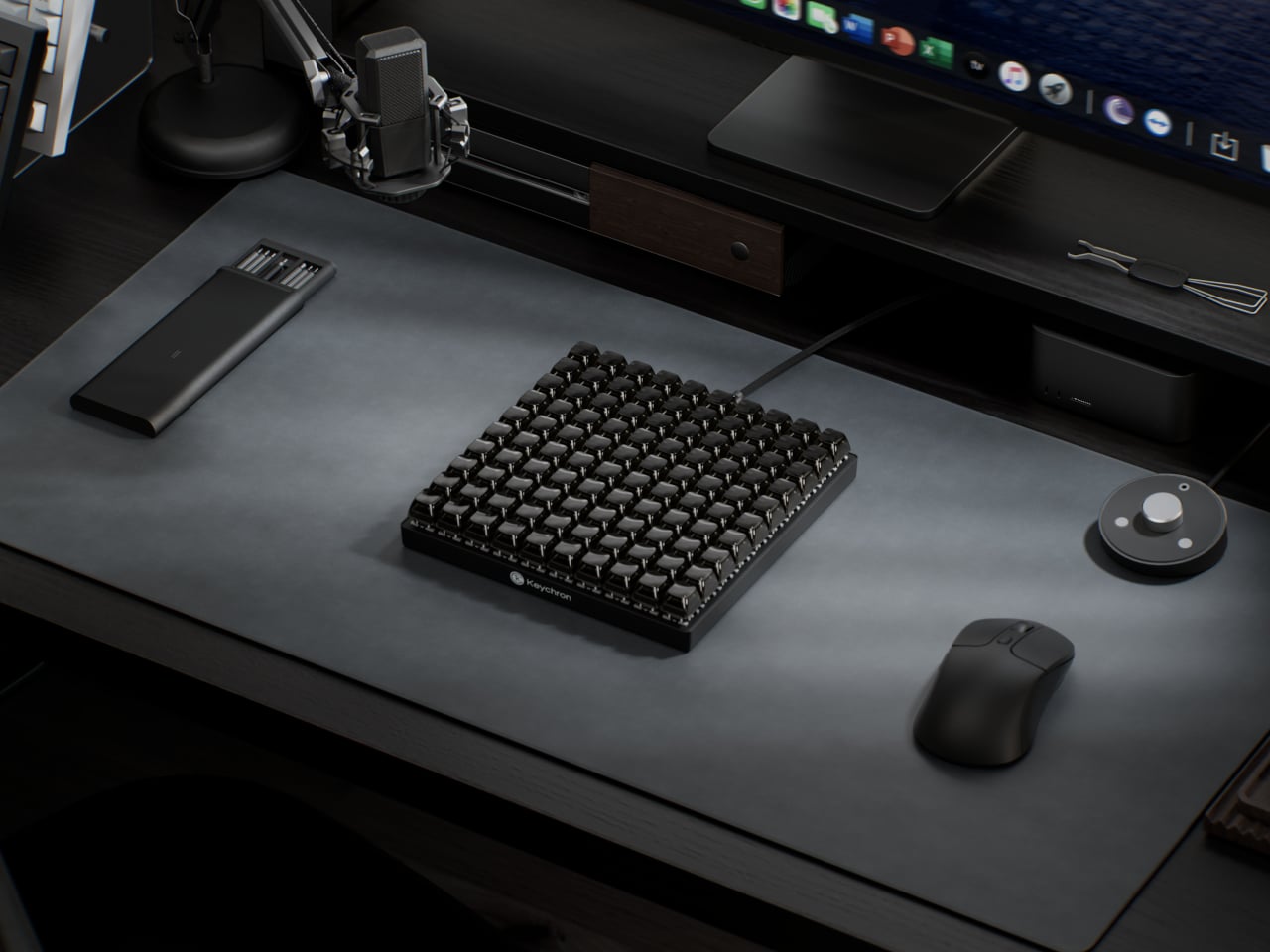
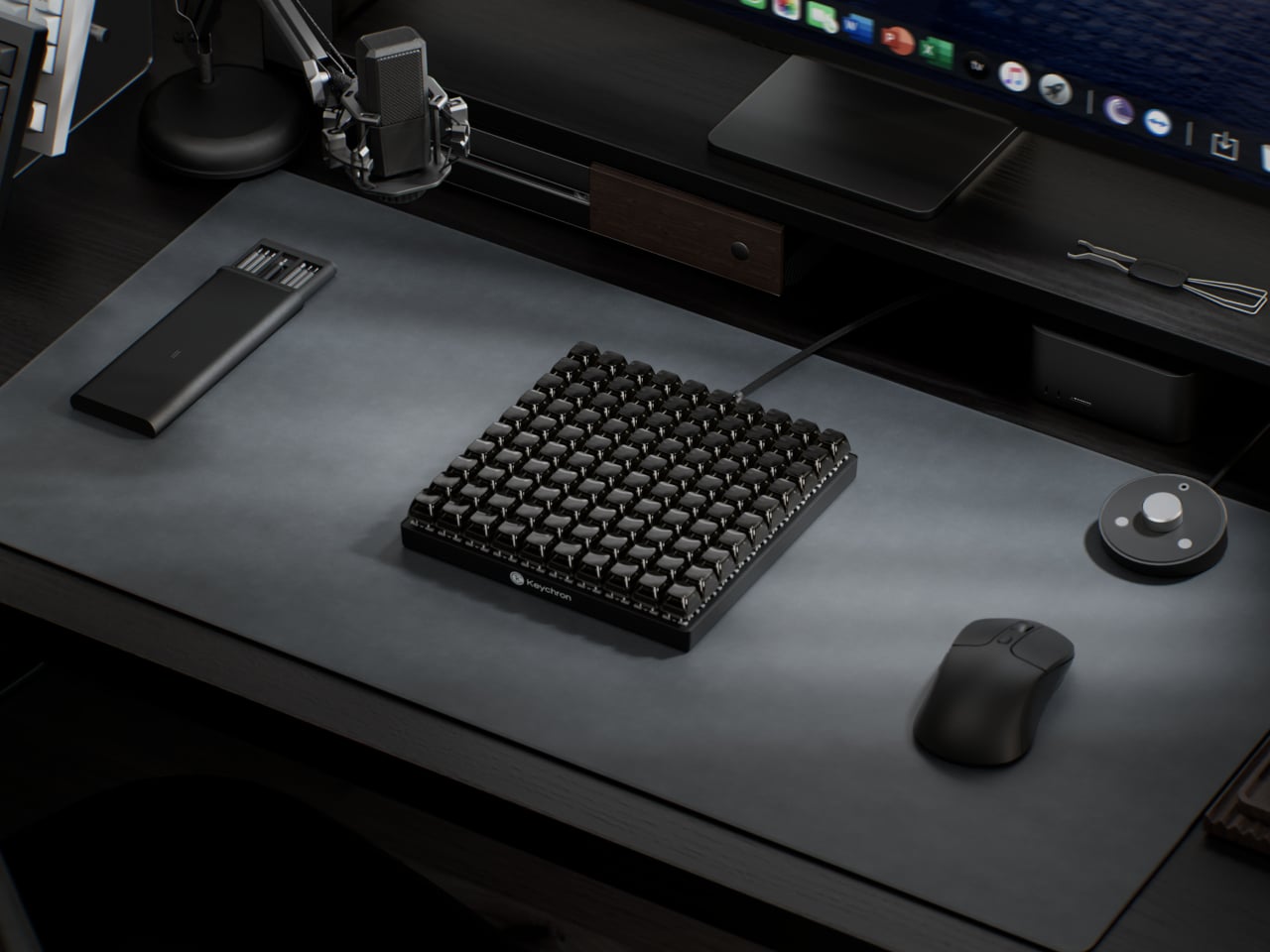
The scale of the grid also changes how the device can be organized in practice. A standard macro pad tends to cluster tightly around a single application, leaving little room for secondary controls. The C100 has enough room to dedicate zones to different software contexts without overlap, so switching between a video editor and a 3D modeling tool doesn’t require reprogramming or layer-switching in the middle of a session.
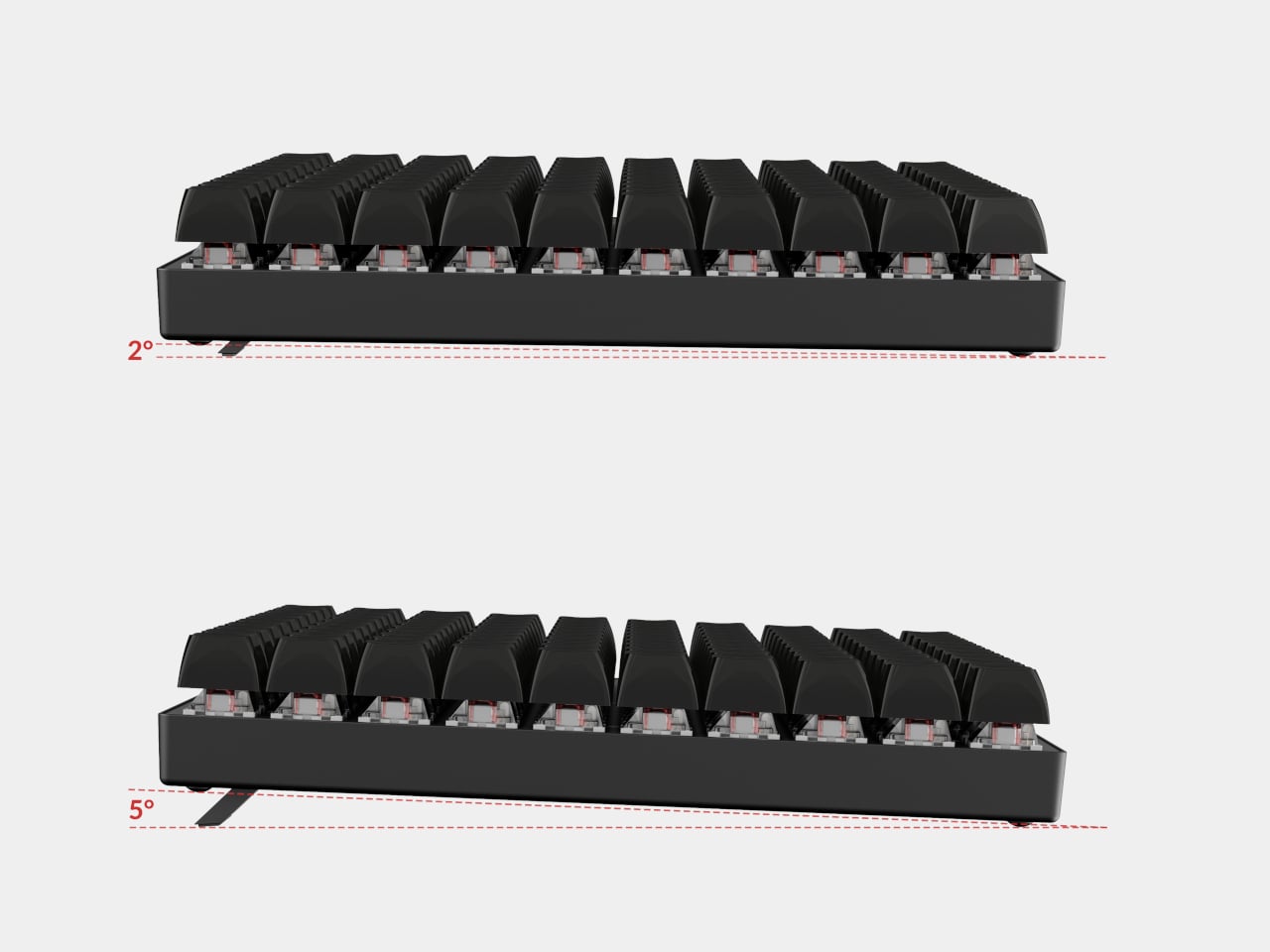
Connectivity is wired USB Type-C, which removes batteries and wireless latency from the equation. Adjustable feet let users dial in the typing angle, and the plastic body keeps the overall weight manageable for something this large. At 196.65mm x 196.65mm, the C100 forms a perfect square, which makes it geometrically distinctive at a glance and easy to position consistently on a desk.
The post Most Macro Pads Top Out at 24 Keys, but This Keychron Has 100 first appeared on Yanko Design.
While I have a lot of keychains, from pop culture to K-pop to travel-themed, I am truly annoyed with keyrings. To be honest, I don’t have any ability to open and close them, so I have to wait for my brother or a friend to attach my keychain of choice. It’s something we use every single day, yet there hasn’t been any improvement to them for the past hundred years or so, and they cause annoyance and sometimes even pain. That oversight, I think, is finally getting corrected.
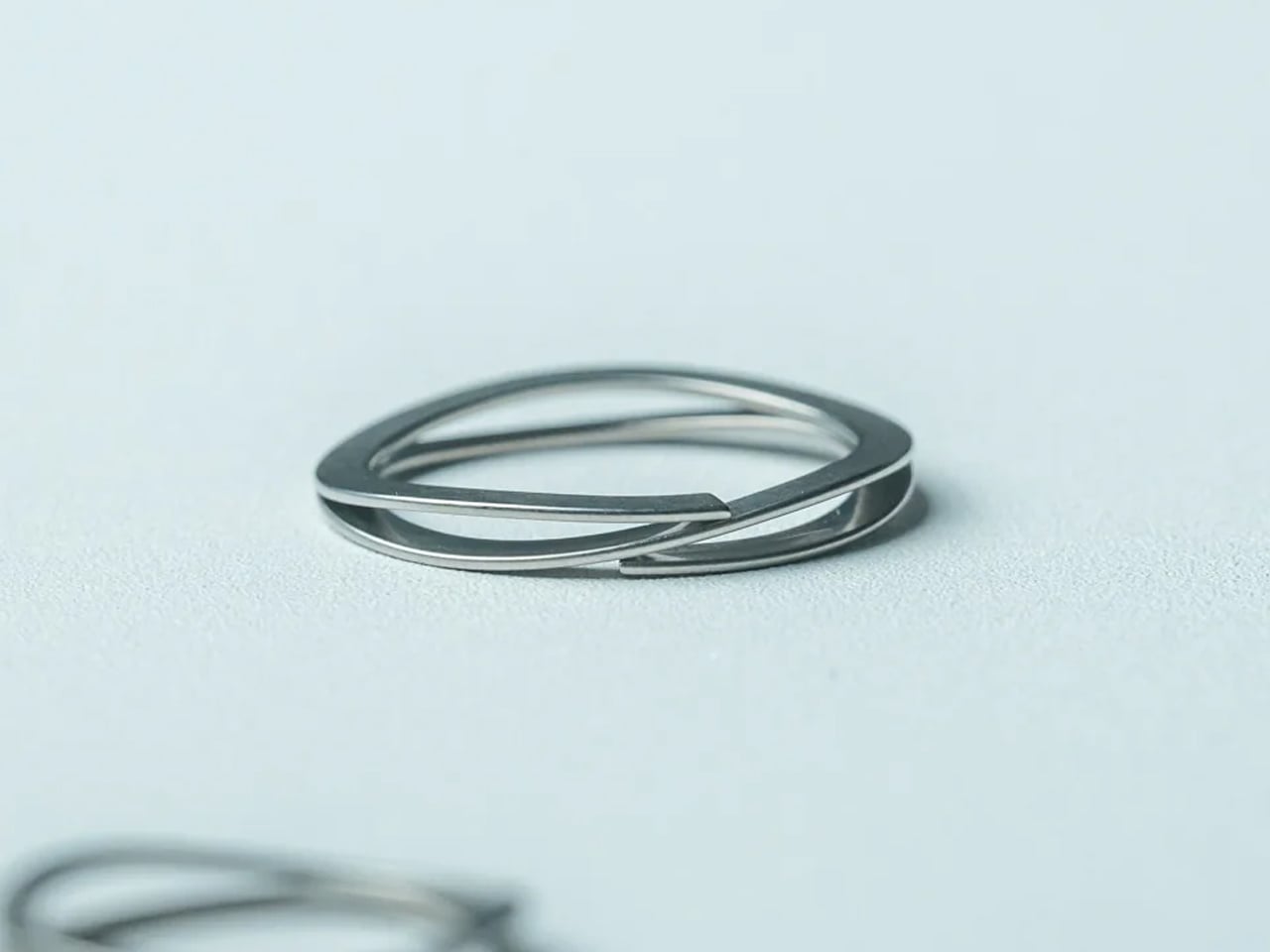
The Painless Key Ring is exactly what its name promises, which is both its greatest strength and possibly why it is not getting the attention it deserves. It sounds almost too simple. A key ring without the pain. But when you consider that the double-coiled split ring design has not meaningfully changed in over 130 years, a product that actually reimagines it from the inside out starts to feel less like a novelty and more like something that was long overdue.

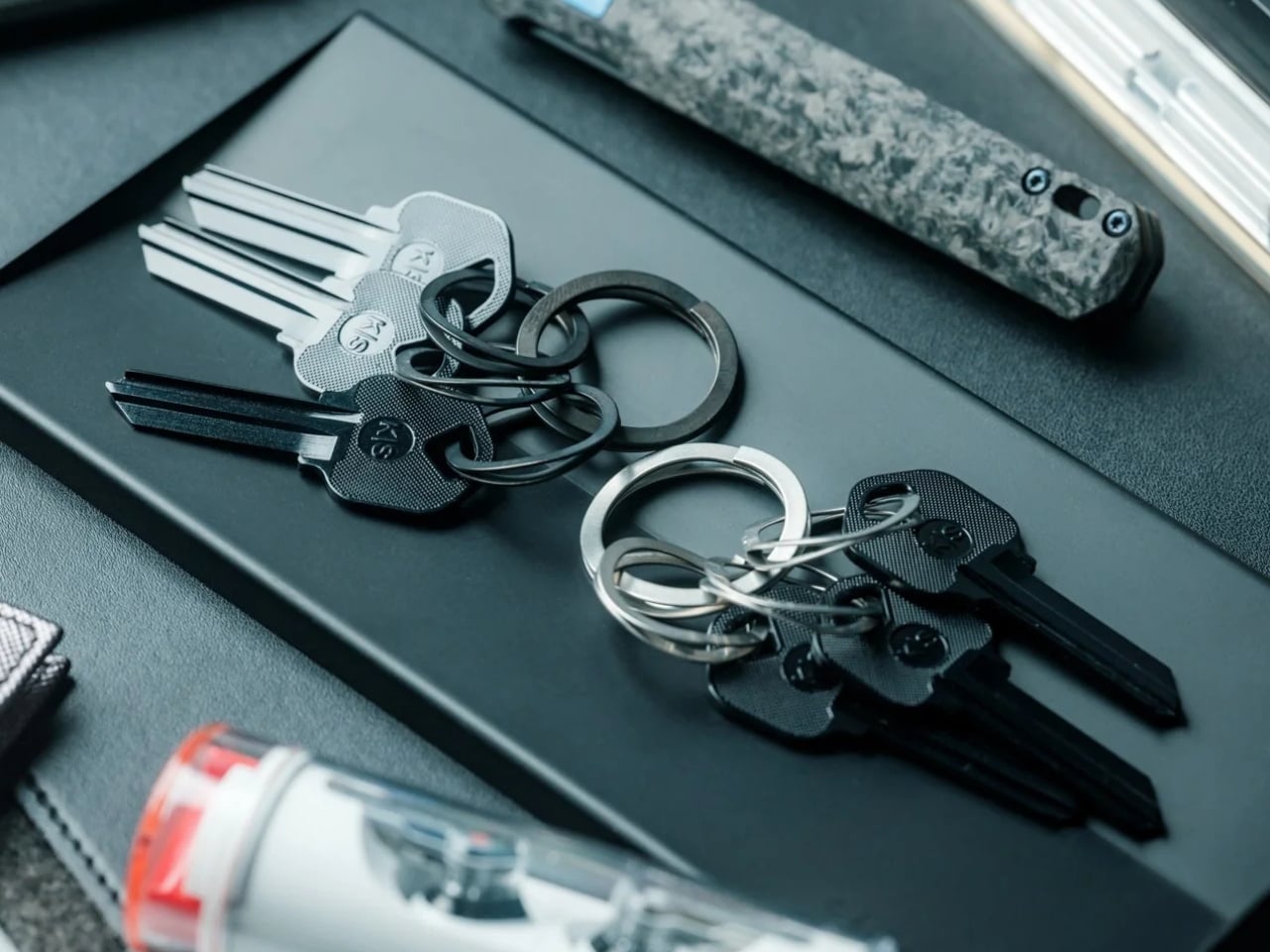
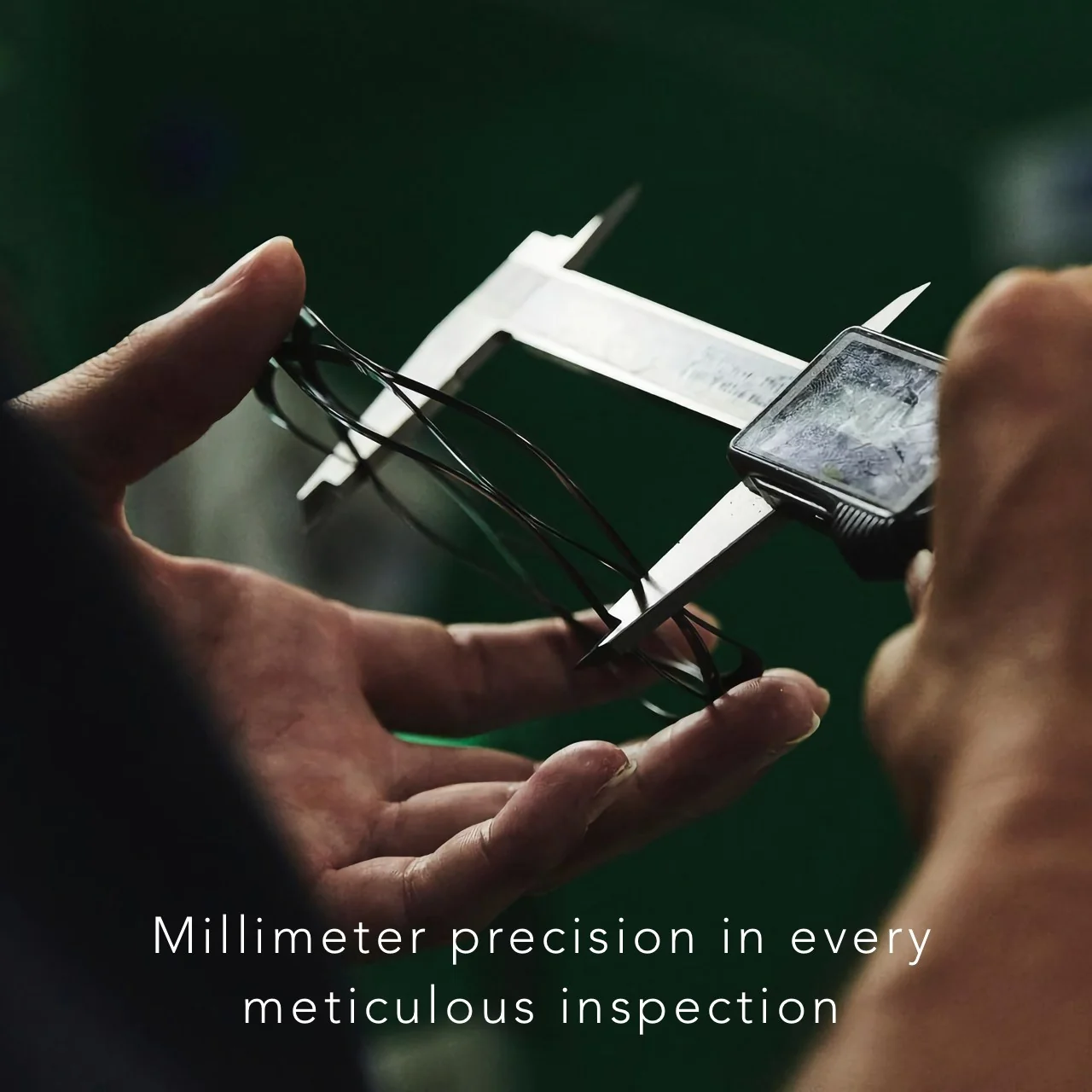
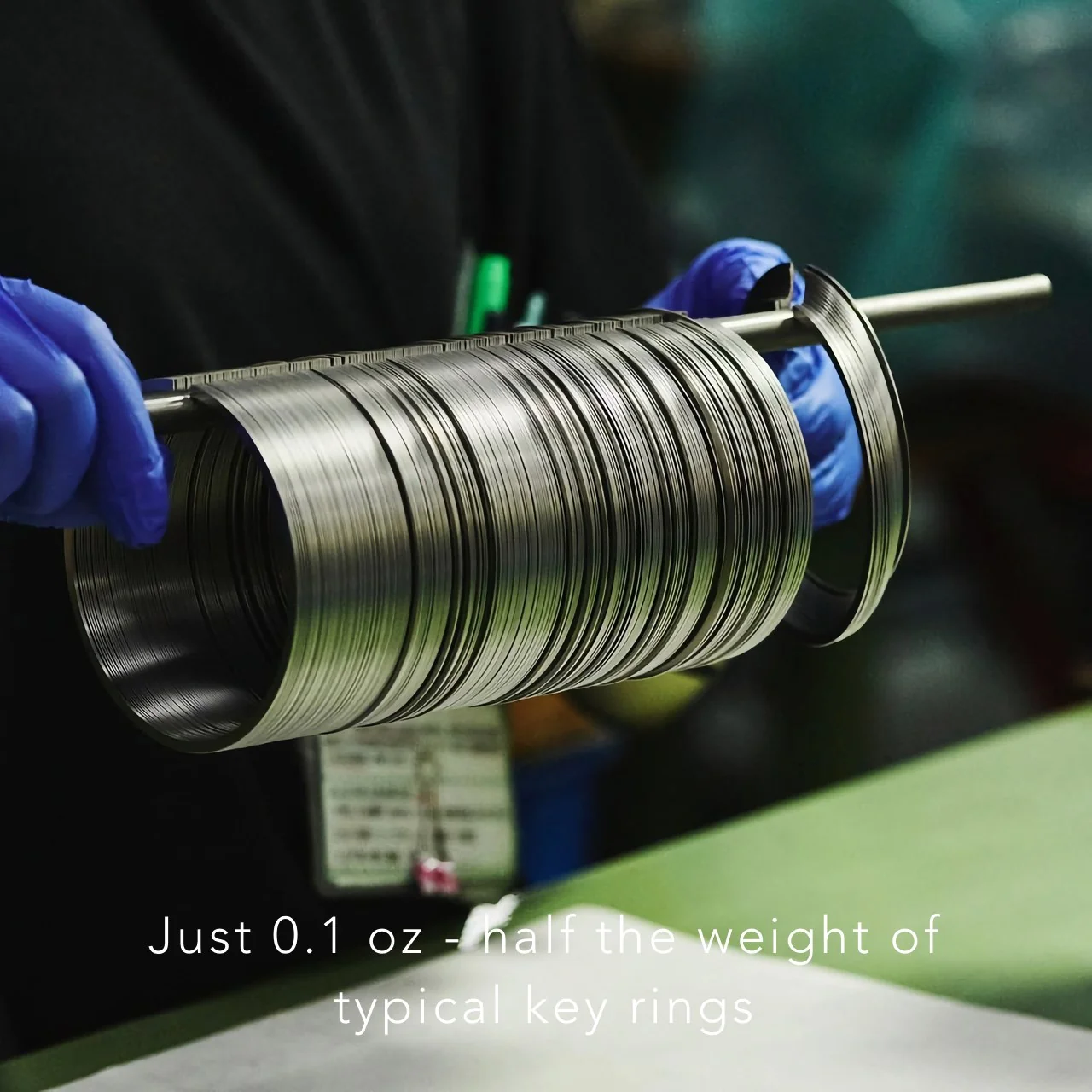
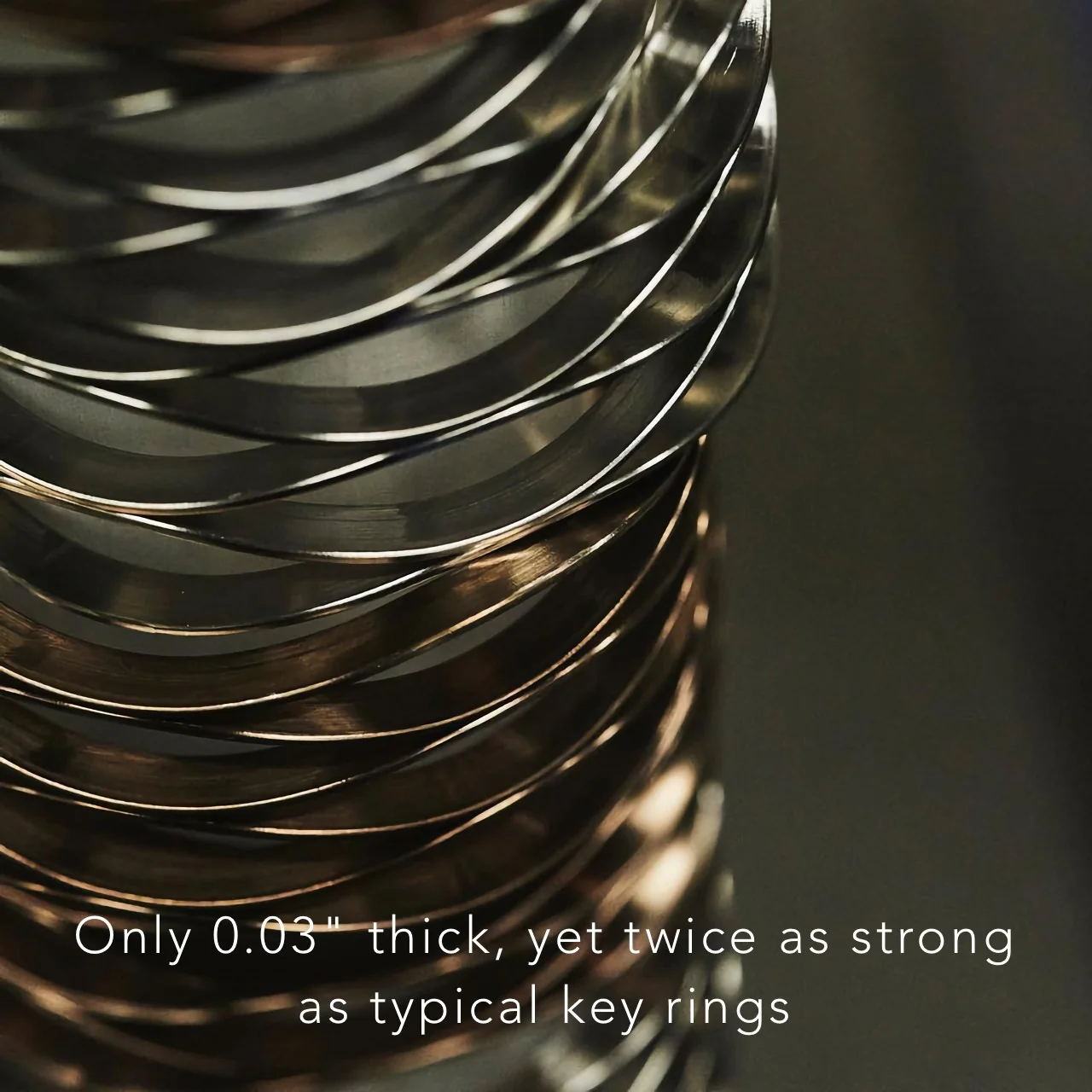
The engineering behind it borrows from places you would not typically associate with your front door key. The coiled wave spring technology used in this ring is the same mechanism found in aerospace equipment and bullet train systems. Japan, where the ring is made, is not exactly known for cutting corners on precision, and that pedigree shows in the numbers. At just 0.1 oz for the large version, it is half the weight of a standard key ring. At 0.03 inches thick, it is noticeably slimmer. And despite being lighter and thinner, it is twice as strong as a conventional ring, thanks to the high-tensile steel used in its construction.

The functional difference comes down to one motion. A traditional split ring makes you hunt for the gap in the coil, wedge a fingernail underneath, and pry it open millimeter by millimeter while the metal digs into your skin. The Painless Key Ring opens when you press the release point. Let go, and it closes. That is the entire operation. No gap hunting, no skin damage, no compromised manicure. The wave spring structure creates what you could describe as a “pre-warped” design, where the natural flex of the ring accommodates keys of any size without warping under stress or losing its shape over time.
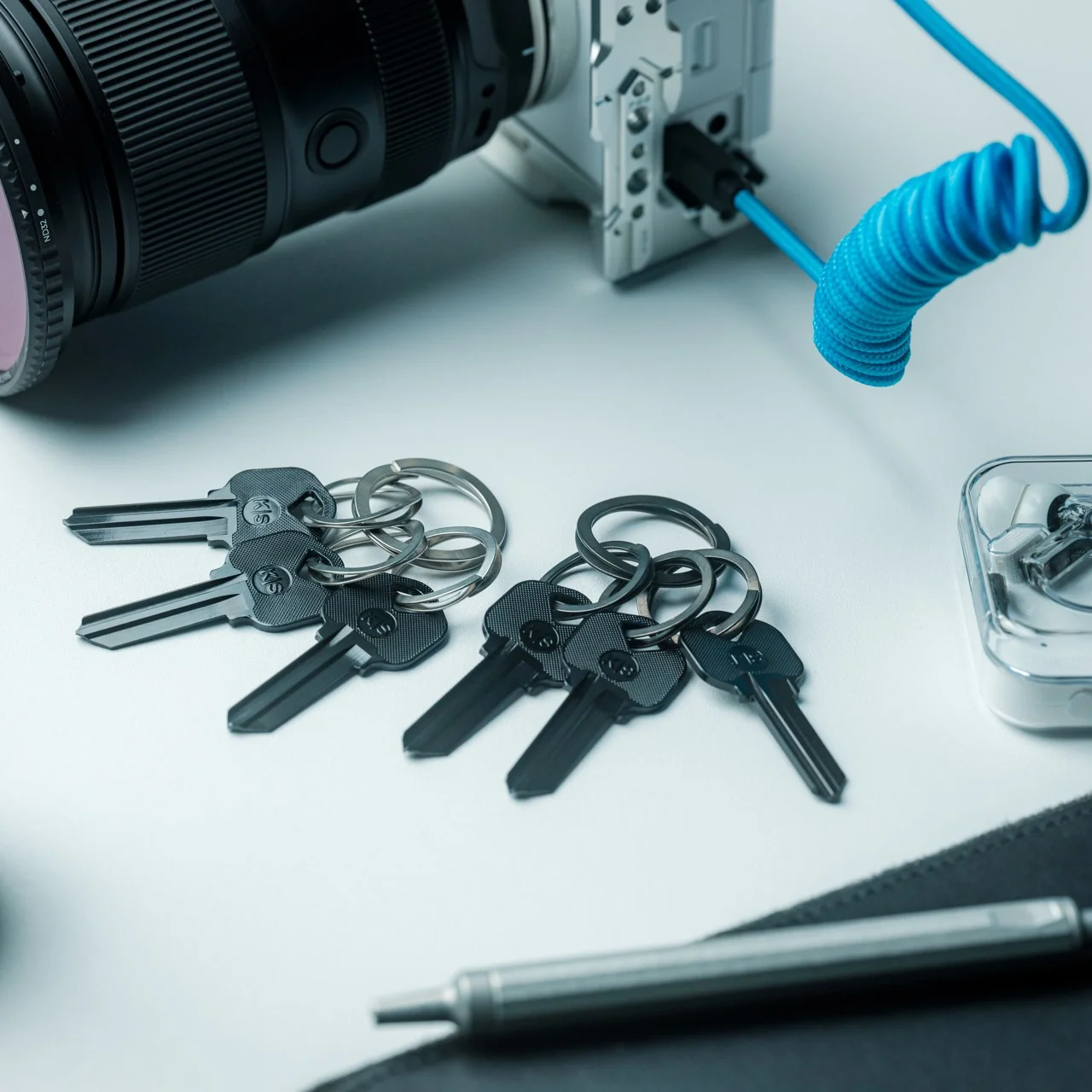
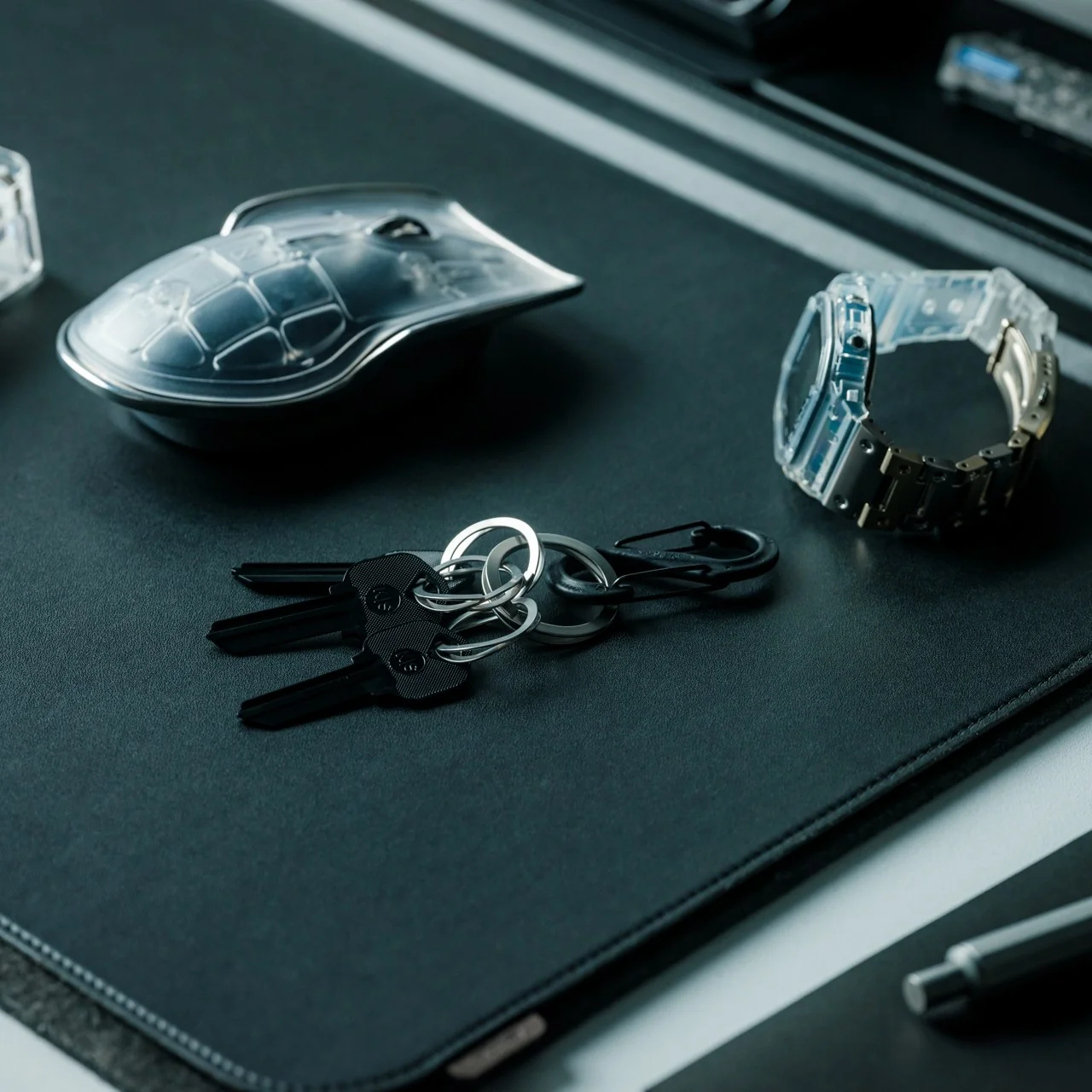
It comes as a set of one large ring and three smaller rings, available in silver and black. The black version is dyed rather than painted, which makes it more resistant to wear and scratches, not just aesthetically different. Both finishes hold up well against the daily context of being thrown into a bag, clipped to a carabiner, or dropped on a desk, which is most of our actual key ring experience.
At $29 for a set, the price sits in a range that feels proportionate to what you are getting. It is not an impulse buy, but it is also not a hard sell when you consider that most people spend more on a single decent pen without much deliberation. The comparison that keeps coming to mind is the razor that replaced the old disposable, or the notebook that made you stop picking up freebies at conferences. Once you use something engineered to actually work, the previous version becomes very difficult to go back to.
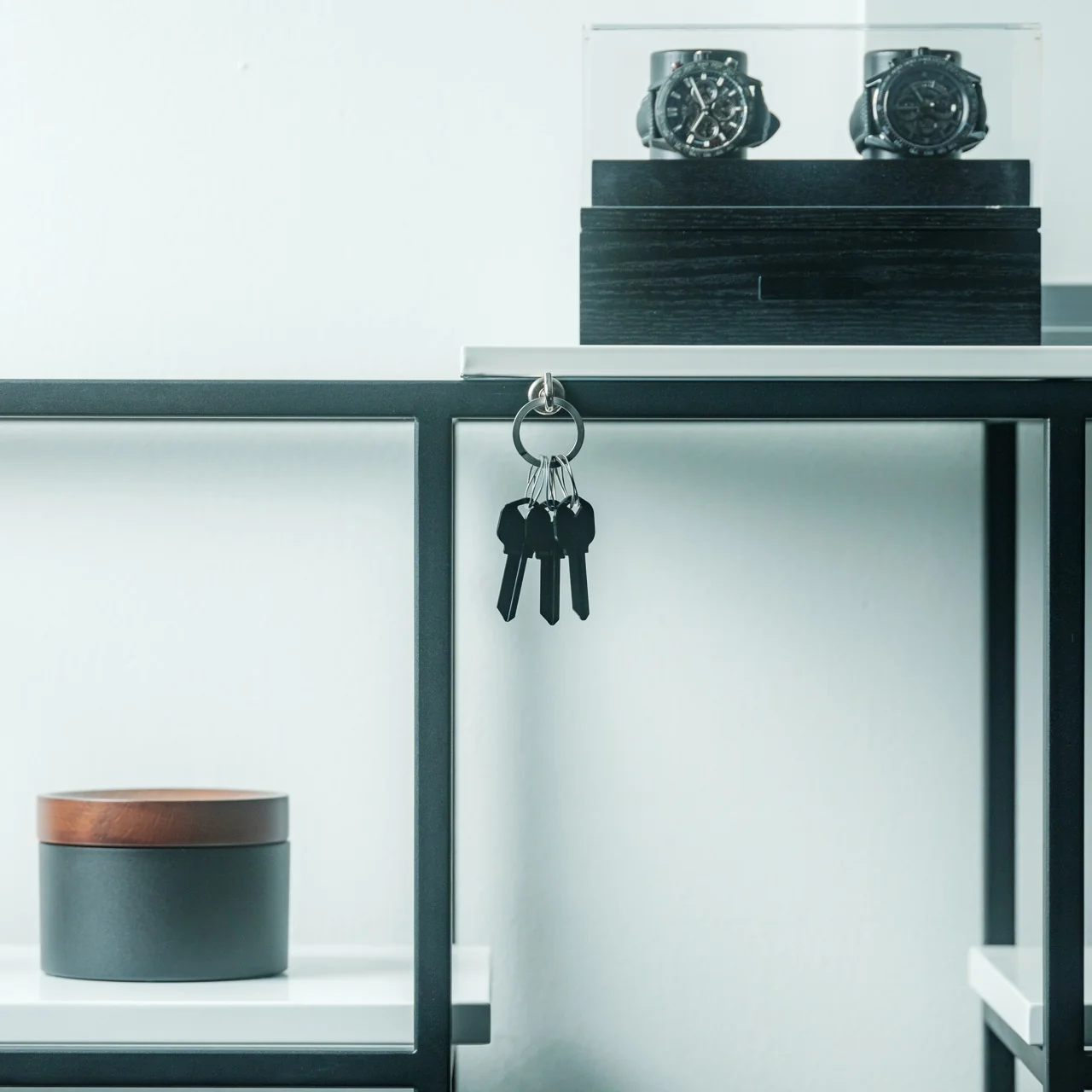
The design community talks a lot about objects that deserve more attention than they receive, and the key ring is probably the most obvious example of that gap. We carry our keys every day without any particular feeling about them, which is fine until you realize that feeling nothing about a daily object usually means it is only doing the minimum. The Painless Key Ring sets a different bar, one that takes the smallest, most neglected piece of your everyday carry and applies genuine engineering logic to it. Whether you are someone who obsesses over EDC setups or someone who just wants to stop destroying their nails every time you need a spare key, the upgrade reads the same either way.
The post The $29 Key Ring That Finally Fixed a 130-Year-Old Problem first appeared on Yanko Design.
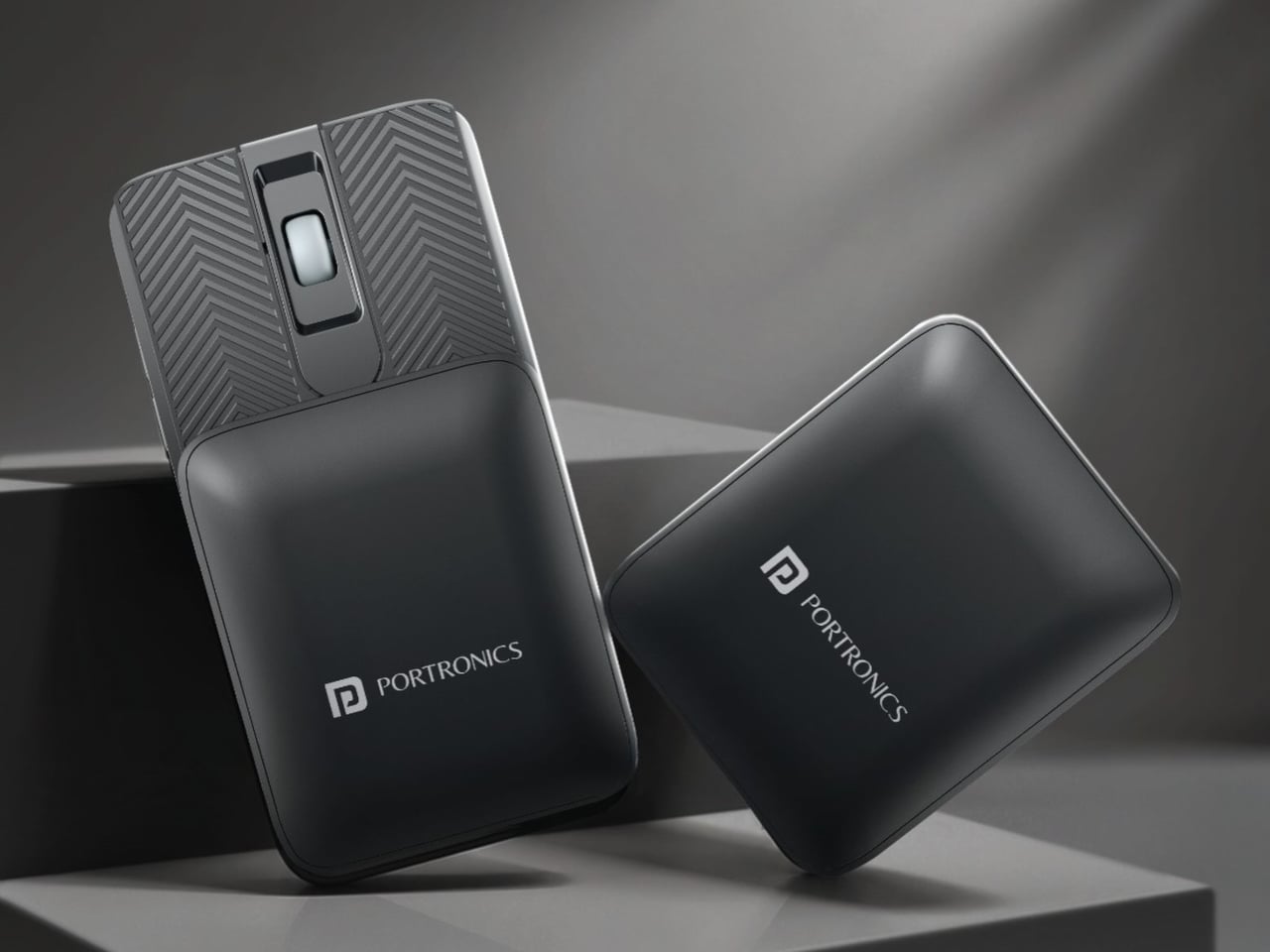
Traveling with a mouse has always carried a specific low-level inconvenience. Full-size mice claim too much space in a slim bag, compact mice often sacrifice comfort for portability, and both still need their own compartment to avoid getting lost or damaged. The usual answer is a palm-sized wireless mouse that needs to be packed with some thought and unpacked with intention at every new stop along the way.
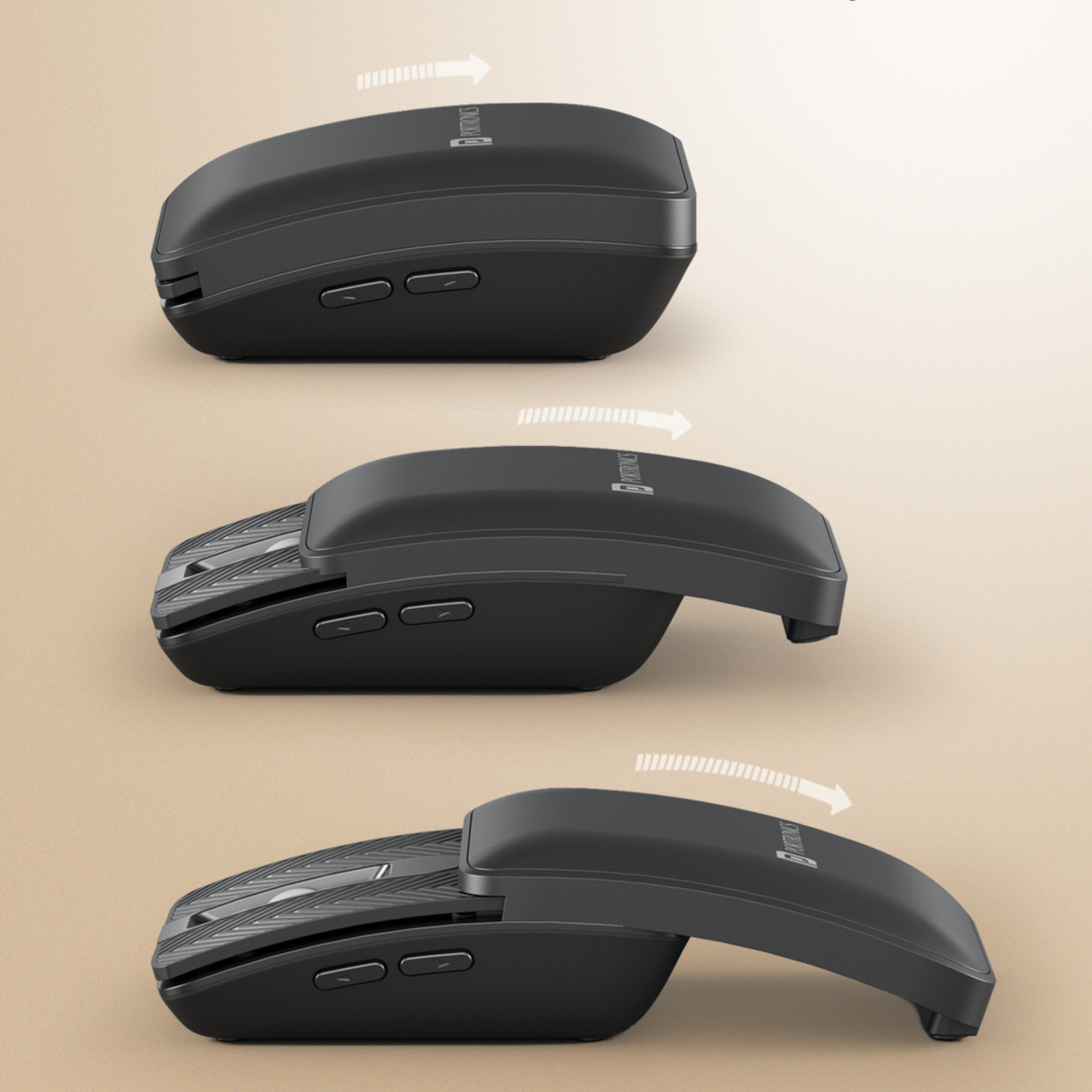
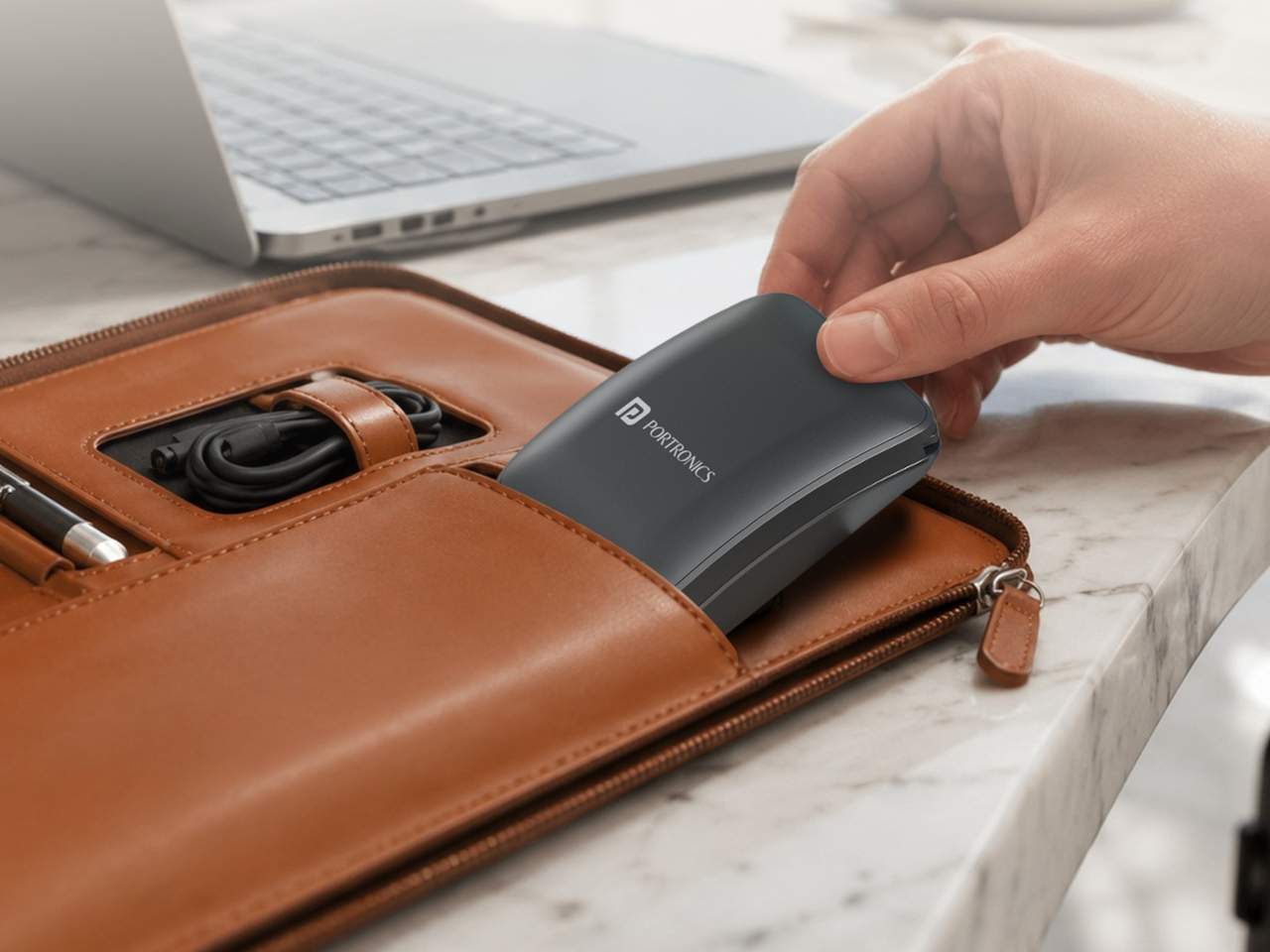
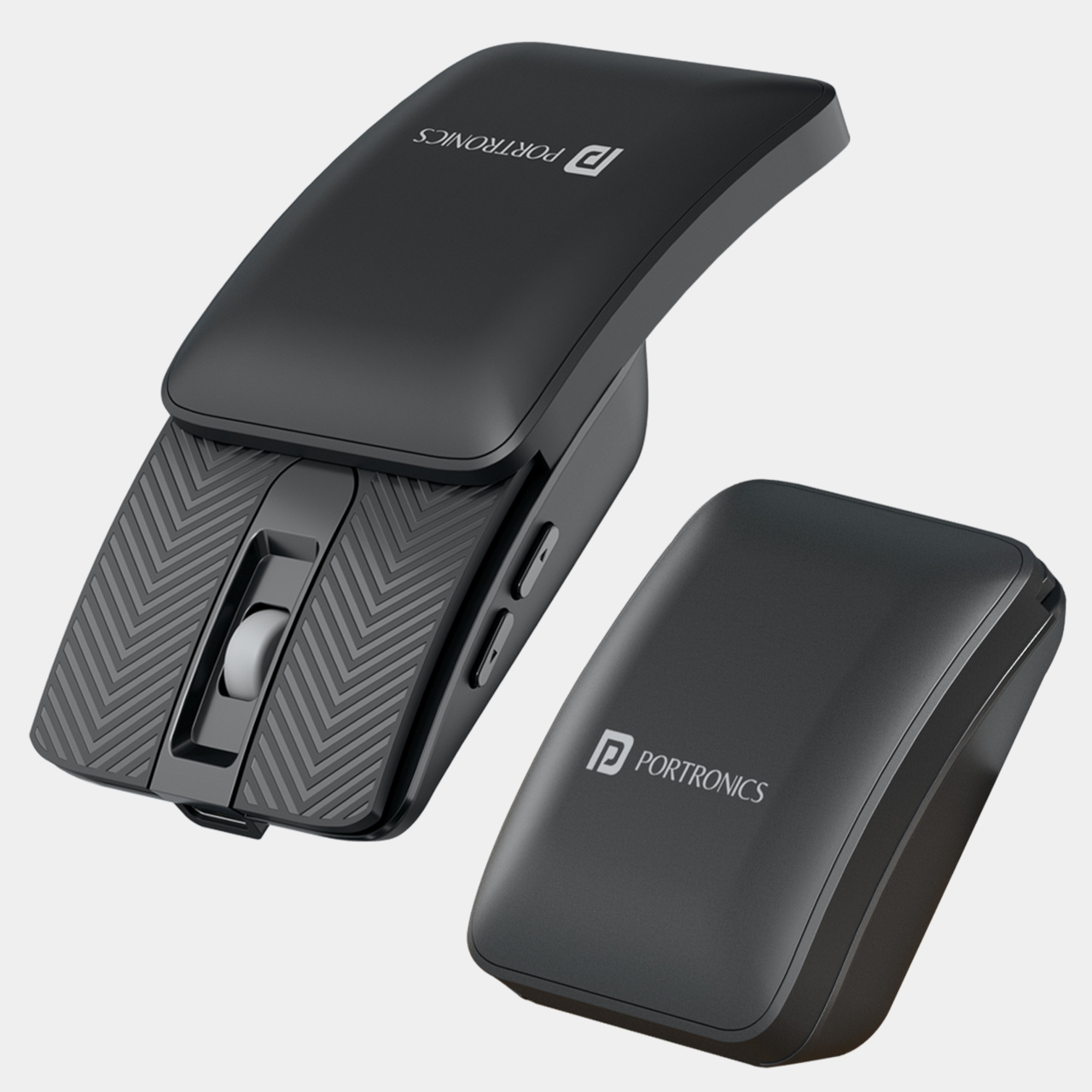
The Portronics Toad Fold approaches that directly. Rather than making a mouse smaller, it slides down in half with a magnetic snap mechanism, collapsing to a profile flat enough to slip into the same laptop sleeve as the laptop itself. At just 38g, it barely registers in a bag, and the snap closure means it doesn’t need a separate case or a dedicated compartment to stay protected during the commute.
Designer: Portronics
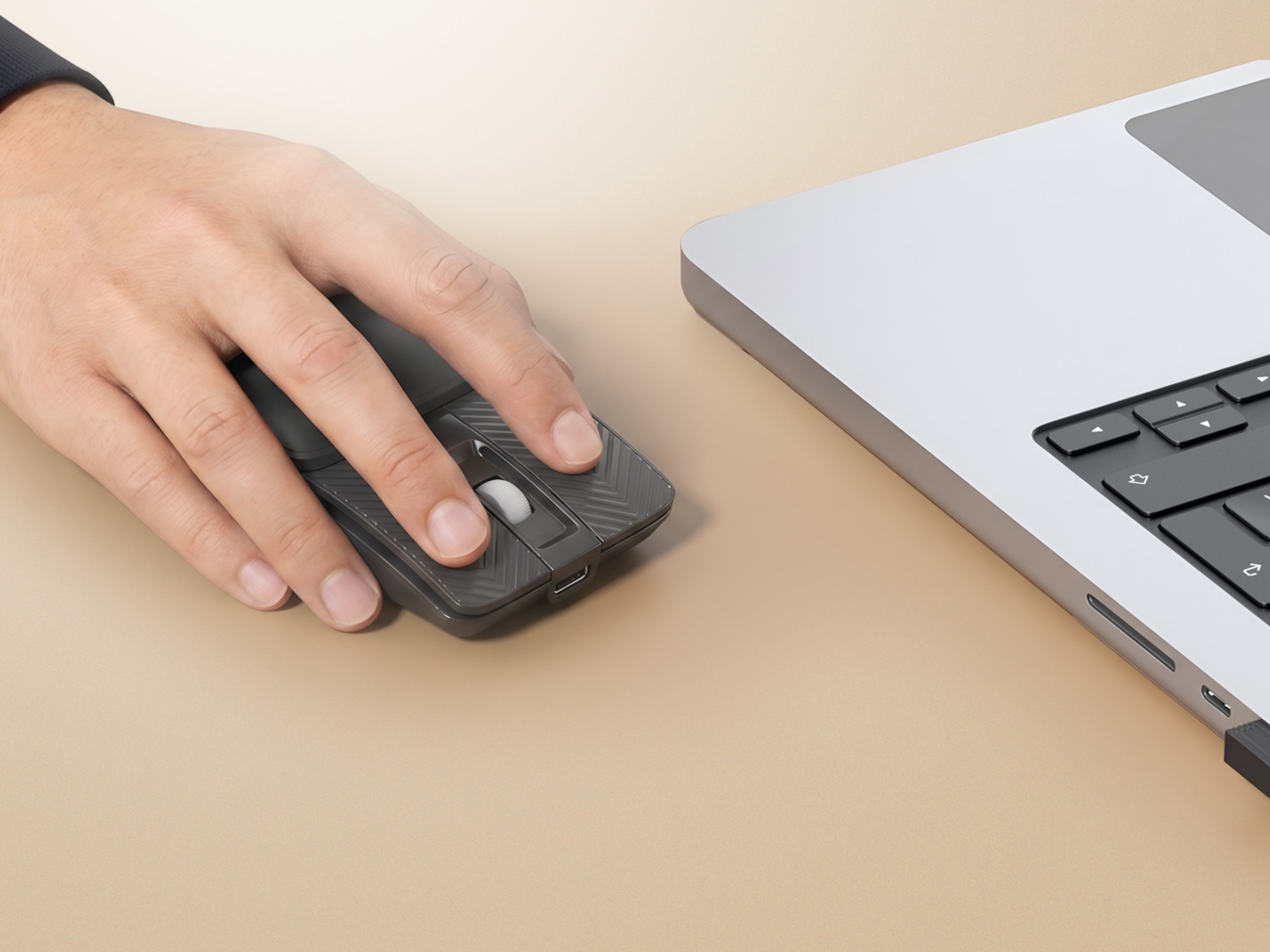
Connectivity covers both Bluetooth and 2.4 GHz wireless, and multi-device pairing allows the Toad Fold to work across several devices without swapping dongles or going through re-pairing every time. Moving from a laptop to an Android tablet becomes a matter of switching, not reconfiguring. The included USB receiver handles the 2.4 GHz side for scenarios where a stable, lag-free connection matters more than portless convenience.
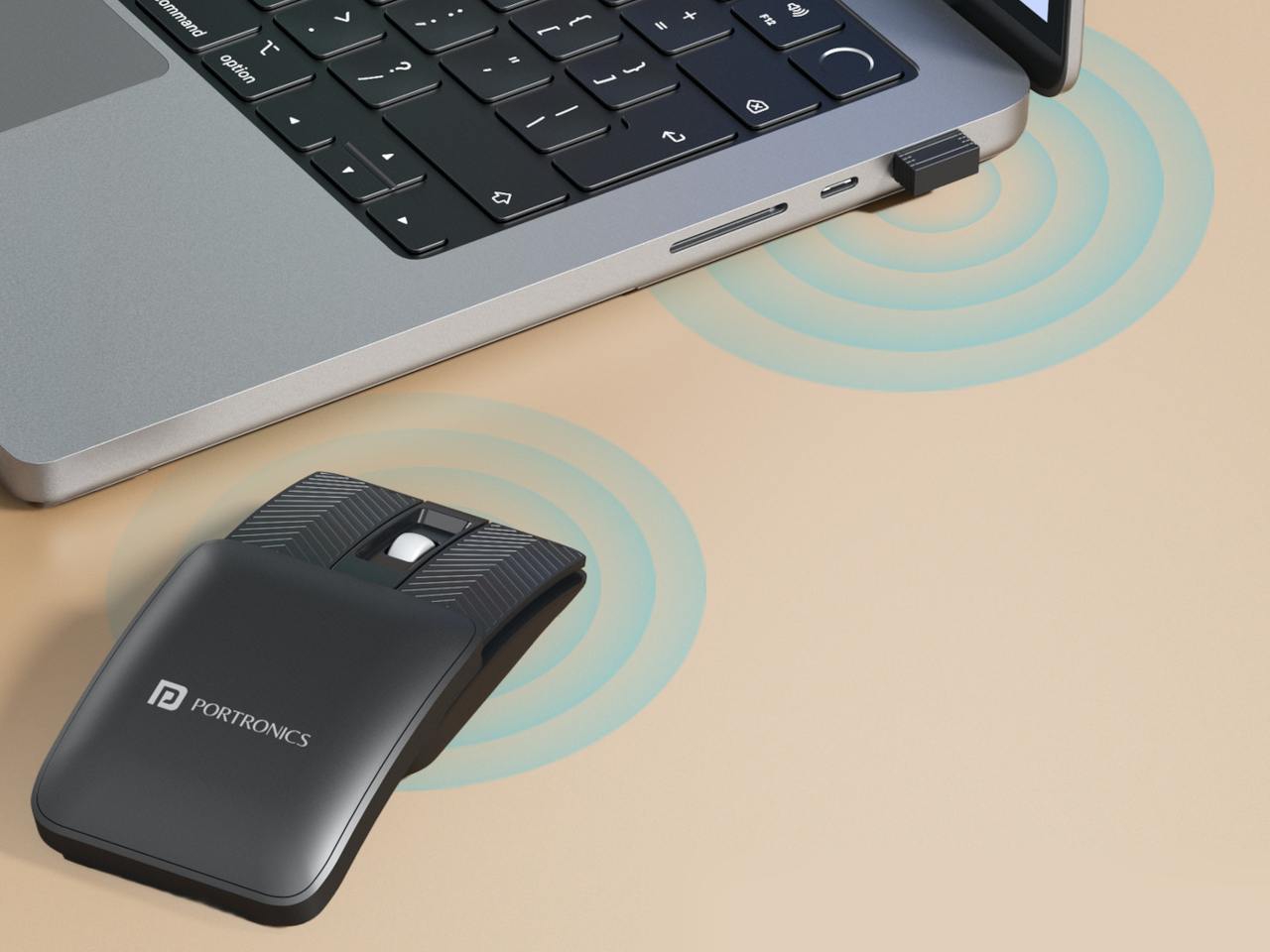
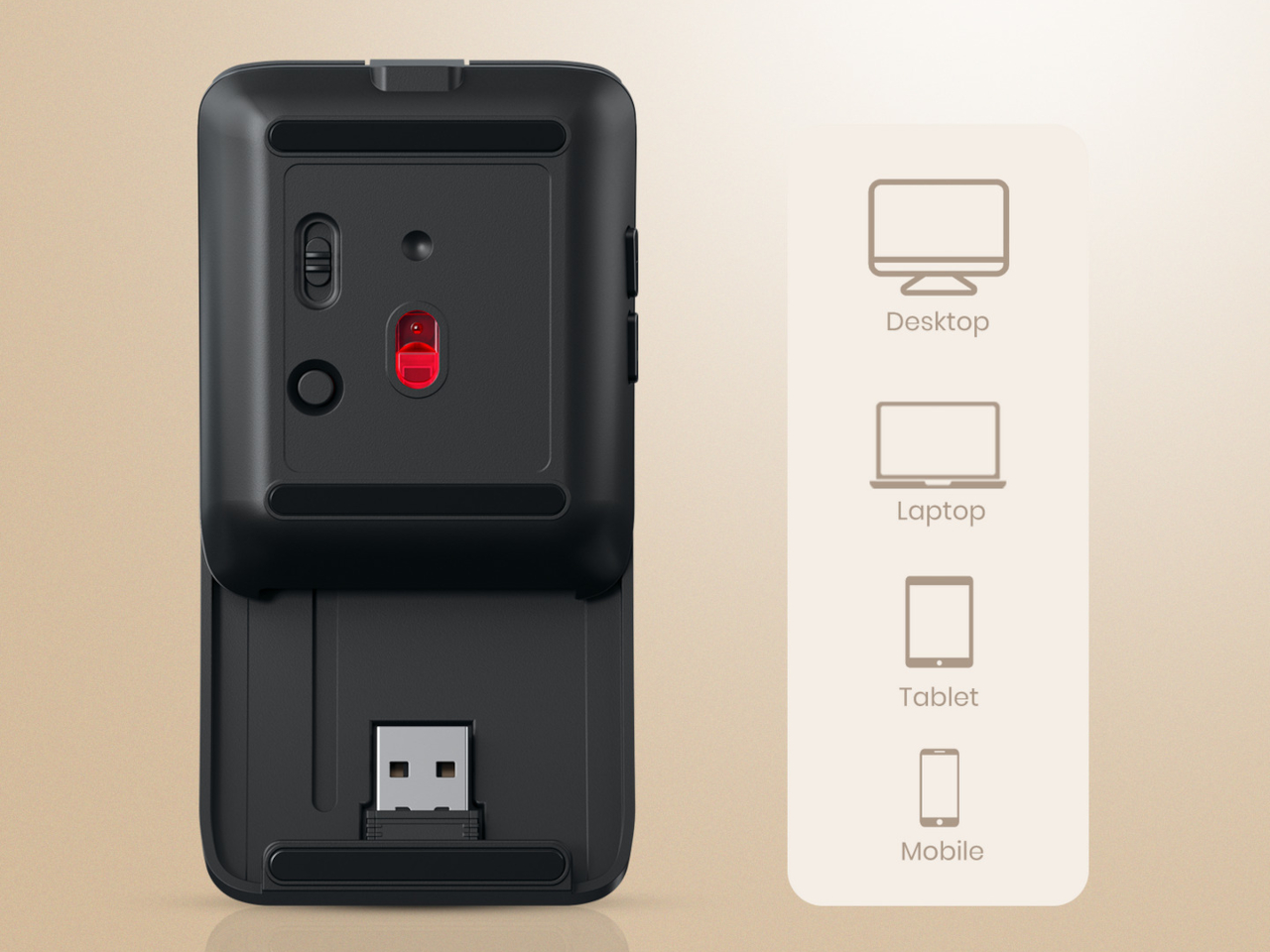
Opening the mouse reveals an ergonomic curved shape designed for extended use, with DPI adjustable up to 3,200 for precision across different tasks. The curve sits more naturally against the hand than most ultra-compact mice allow, since that category usually forces a nearly flat profile that gets tiring through long sessions. A matte black finish keeps the surface neutral and fingerprint-resistant without demanding any particular attention.

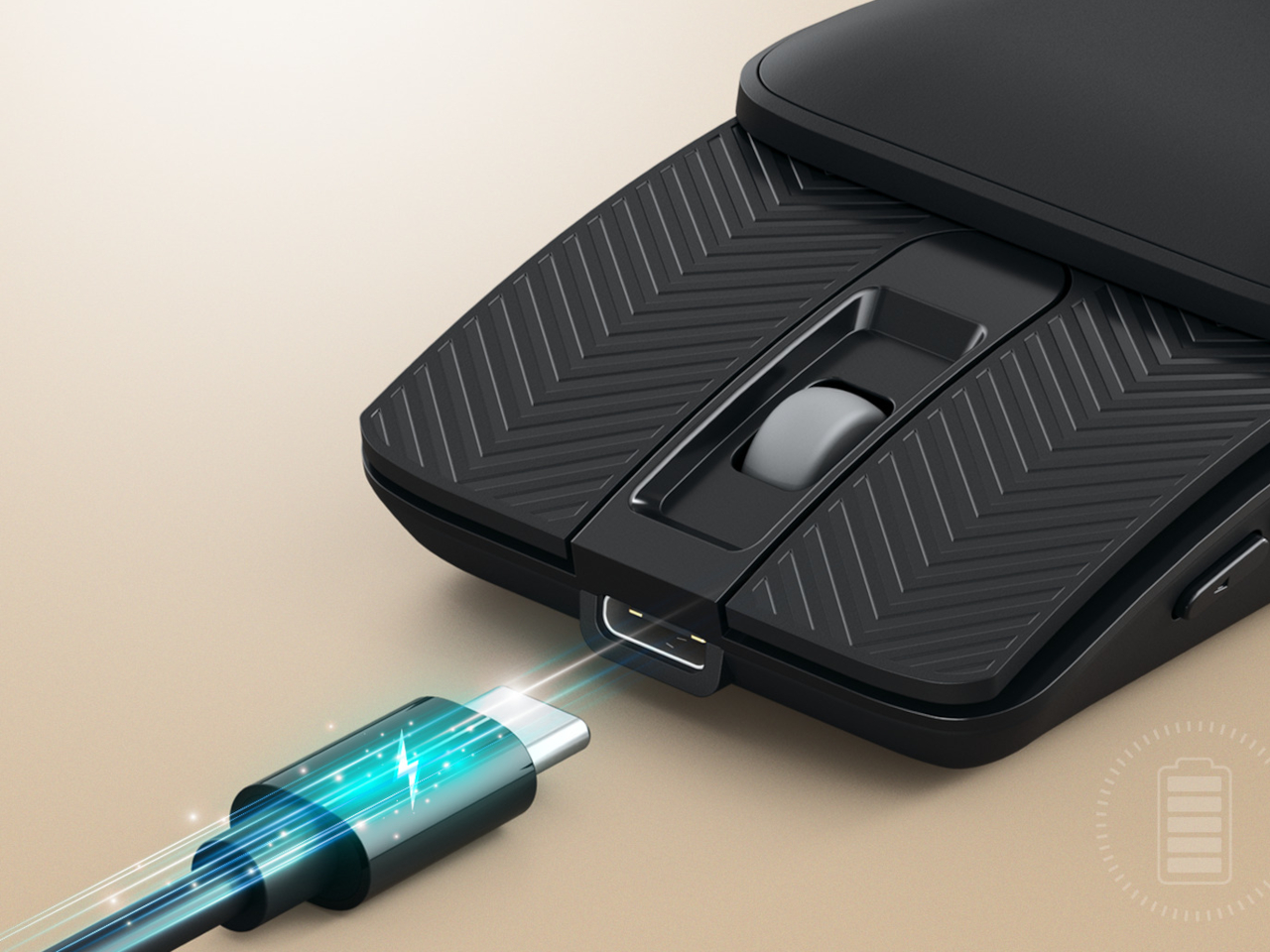
The built-in battery charges via USB-C, removing the need for replacement batteries, and an auto sleep mode stretches battery life during idle periods. That combination handles a full workday without needing to charge mid-session, which is the relevant concern for anyone moving between locations rather than sitting at a fixed desk with easy access to a charging cable at all times.
The Toad Fold is designed for a kind of worker who treats the mouse as the last thing to pack rather than the first. Students sharing library tables, remote workers bouncing between coffee shops, and professionals moving between offices all share the same friction with conventional mice, which tend to be an afterthought in bag organization despite being essential to how work actually gets done on a laptop every day.
Compatibility covers Windows, macOS, and Android, which handles most combinations of laptop and tablet a person might carry across locations. Multi-device pairing means a single mouse can stay connected to a laptop and tablet at the same time, reducing the friction of shifting between screens during a day that moves between different setups without a fixed home base. It’s a mouse built around the idea that the best portable peripheral vanishes into an existing bag without adding to the mental overhead of packing.
The post This Collapsible Mouse Is So Flat It Shares a Sleeve With Your Laptop first appeared on Yanko Design.
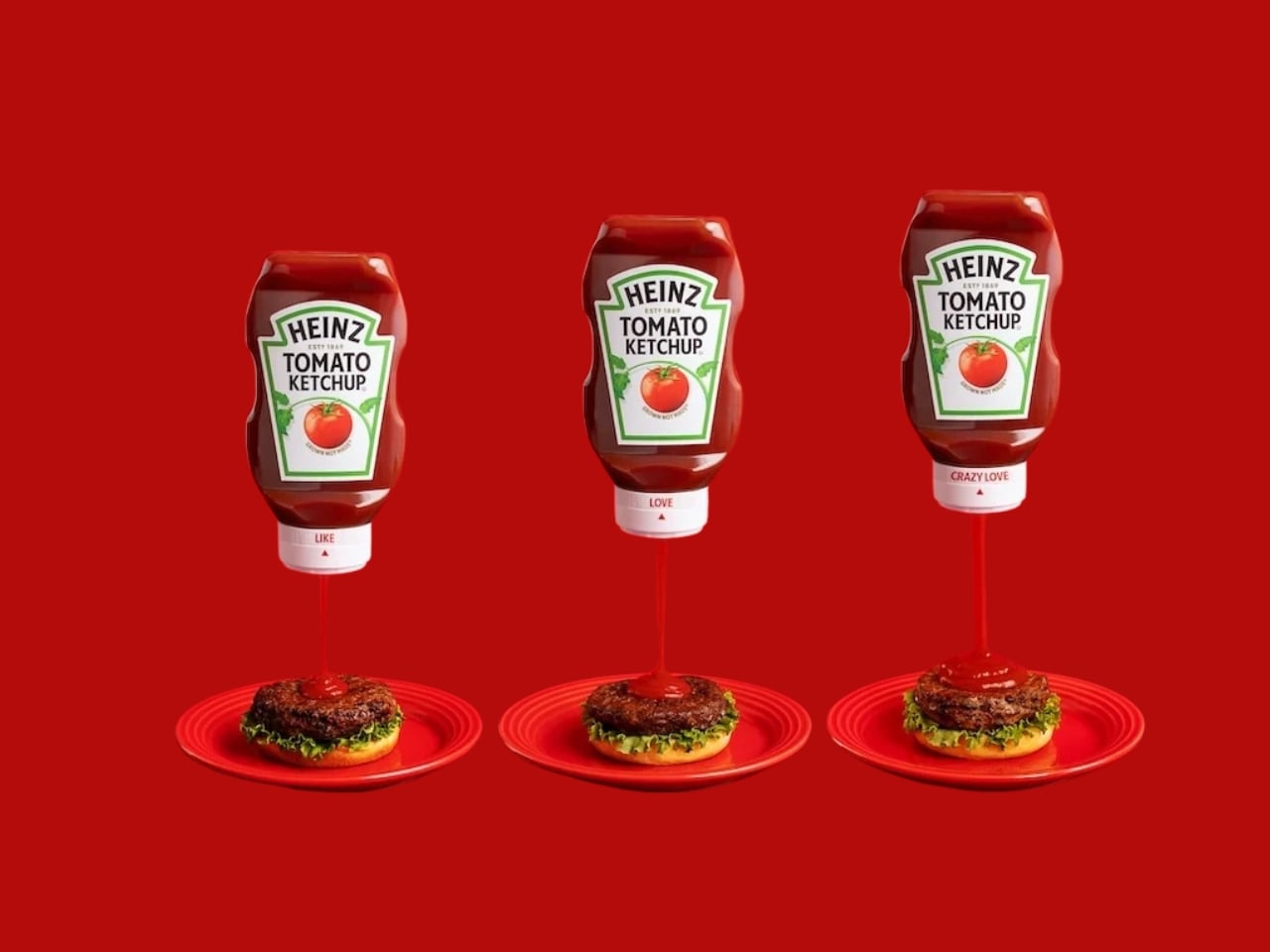
Ketchup people are serious people. Not in an uptight way, but in the way that they know exactly what they want: a precise drizzle over scrambled eggs, a controlled zigzag down a hot dog, or the kind of generous pour that basically constitutes a second course. Ketchup rituals are personal, and Heinz, after 157 years of watching people argue silently over the bottle, has finally decided to do something about it.
The Heinz Love Lid is a customizable ketchup lid, and yes, that is exactly as delightful as it sounds. It replaces the standard cap on any existing 20-ounce Heinz bottle and comes with a rotating dial that moves through three settings: Like, Love, and Crazy Love. Each one adjusts the flow by raising an internal core to widen the aperture, so the more love you dial in, the more ketchup comes out. It’s patented, it’s made from recyclable polypropylene, and it was developed in partnership with Beta Design Office and Wieden+Kennedy London.
Designer: Heinz
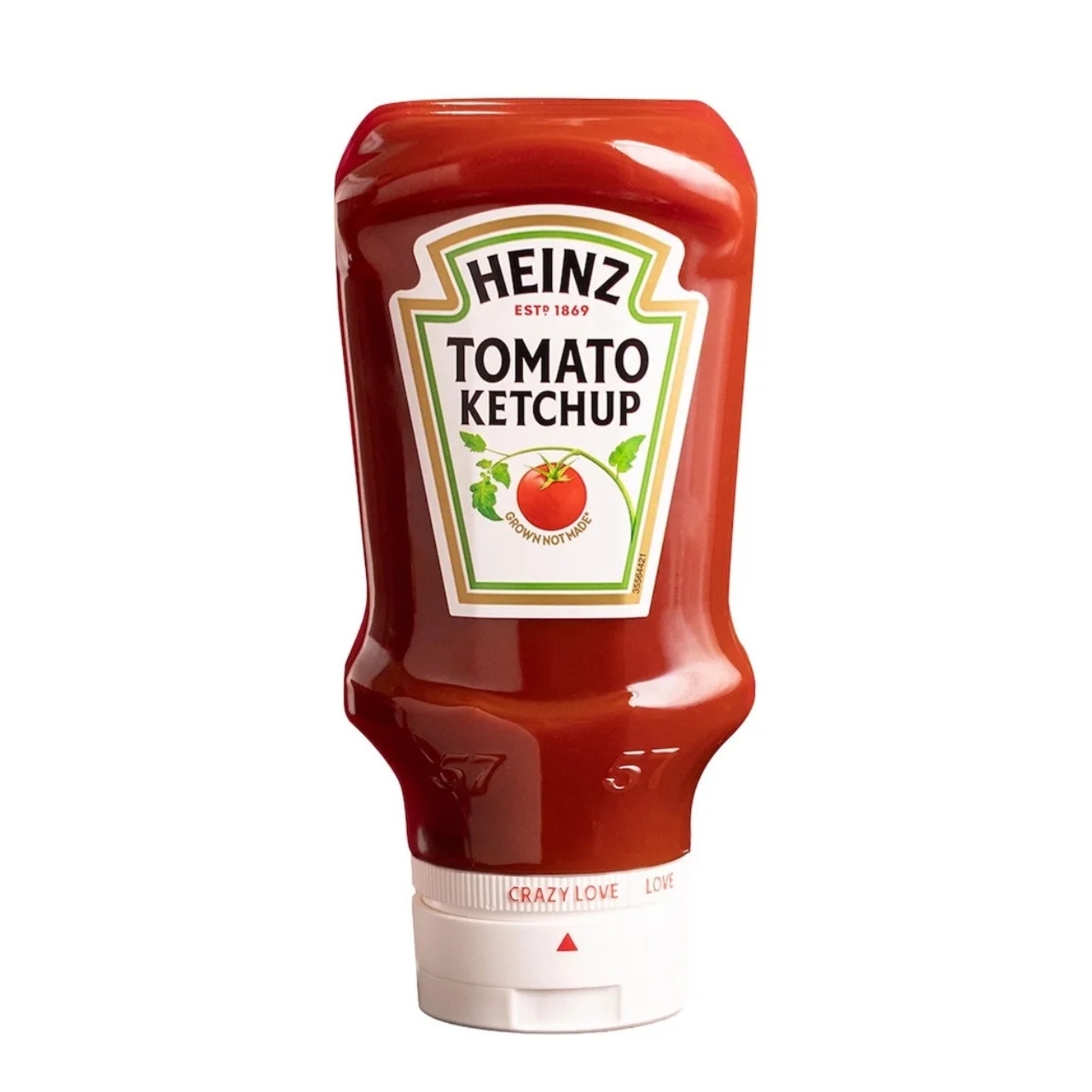
What makes the Love Lid genuinely interesting isn’t just that it’s functional. Plenty of products are functional. What makes it worth talking about is the design thinking behind the naming. “Like,” “Love,” and “Crazy Love” aren’t just cute marketing fluff; they’re actually communicating something true about how people relate to condiments. Not everyone wants the same amount, and more importantly, the amount they want changes depending on what they’re eating. A fries-and-dip situation calls for something very different from a burger situation, and treating those two moments as identical has never really made sense.
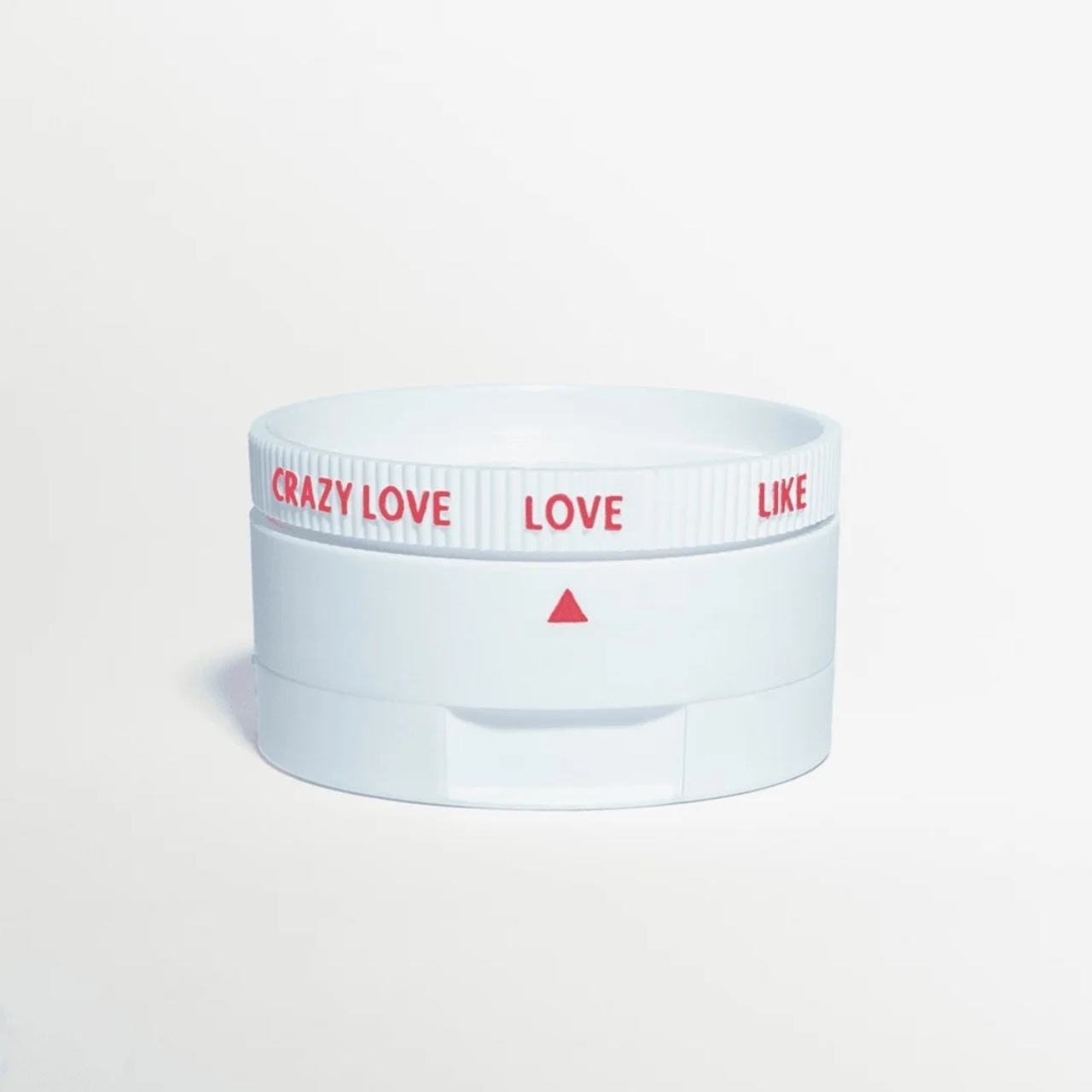
Packaging rarely gets this kind of attention. Most brands treat the cap as an afterthought, a functional necessity that doesn’t need to earn its place on the shelf. Heinz seems to have realized that the lid is actually where the entire experience lives. It’s the last thing between you and the food, the part that determines whether you’re satisfied or standing over the sink trying to salvage a plate. Getting that right is not a trivial design problem, and Heinz approached it with the same brand language it uses everywhere else. Warm, a little playful, rooted in the idea that ketchup is a love story. That coherence is what elevates this from a gimmick to a decision that actually makes sense.
The bundle is limited edition, available online during grilling season. It comes with one bottle of Heinz Tomato Ketchup, the lid itself, and a printed guide suggesting which setting to use for different foods. The guide is a nice touch. It’s the kind of thing that feels unnecessary until you’re standing at a backyard barbecue at noon in August and suddenly very grateful someone thought this through.
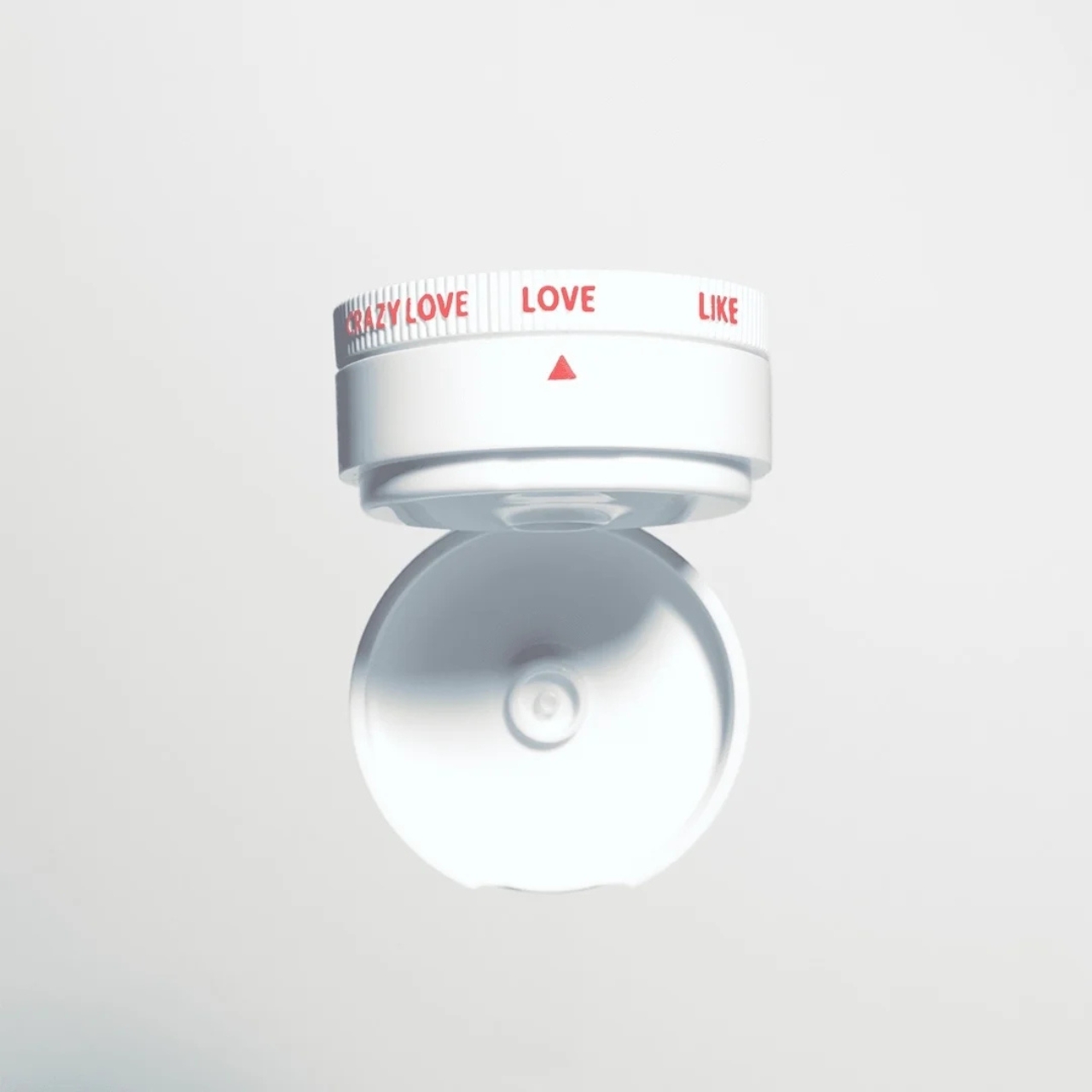
I’ll admit the cynic in me noticed that this is a limited run, not a permanent product shift. You can’t just walk into a grocery store and grab one, and there’s a real chance many people will never know it exists. That does take some of the wind out of the sails for a design that clearly had real engineering effort behind it. A patented two-part closure with a mechanical flow adjustment deserves more than a grilling-season window.
But the more generous read is that Heinz is testing an idea before committing to it at scale. They’ve been doing a version of this with recent packaging experiments, including the Heinz Dipper, a fry box with a built-in condiment compartment, also a limited run. The pattern suggests a brand that’s genuinely curious about where its packaging can go, not just chasing a headline. If this gets traction, it’s hard to imagine Heinz leaving it as a seasonal novelty.
Ketchup, at the end of the day, is one of the most democratic foods we have. It belongs to everyone, and Heinz has always known that its market isn’t a type, it’s a spectrum. The Love Lid is proof that they’re still paying attention to that spectrum, right down to the pour.

The post Heinz’s New Lid Has 3 Settings Based on Your Love Language first appeared on Yanko Design.
Most multi-port chargers operate on faith. You plug in six devices, the indicator lights glow, and you assume everything is receiving the power it needs until something is still at 12 percent an hour later. The culprit is almost always shared output being split in ways the charger never bothered to explain, which leaves users guessing which port to prioritize and whether anything is actually charging at full speed.
The Satechi ChargeView 240W Desktop Charger takes the guesswork out with an LCD on the front that shows live wattage readings for every port simultaneously. Plug in a laptop and see exactly how many watts it’s drawing. Add a tablet, a phone, and a pair of earbuds, and every number updates in real time. It’s a straightforward idea that most chargers, including expensive ones, haven’t bothered to implement.
Designer: Satechi
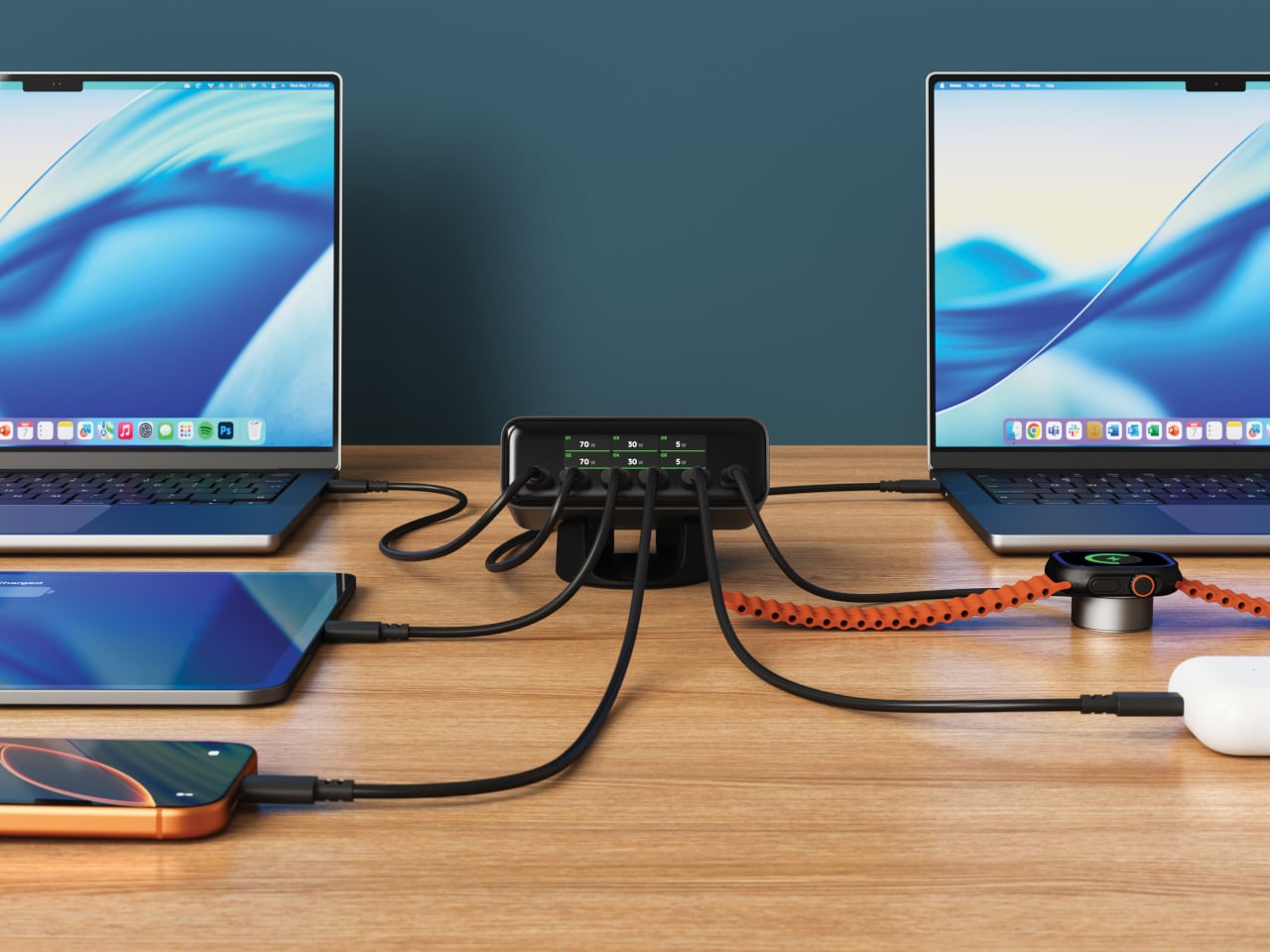
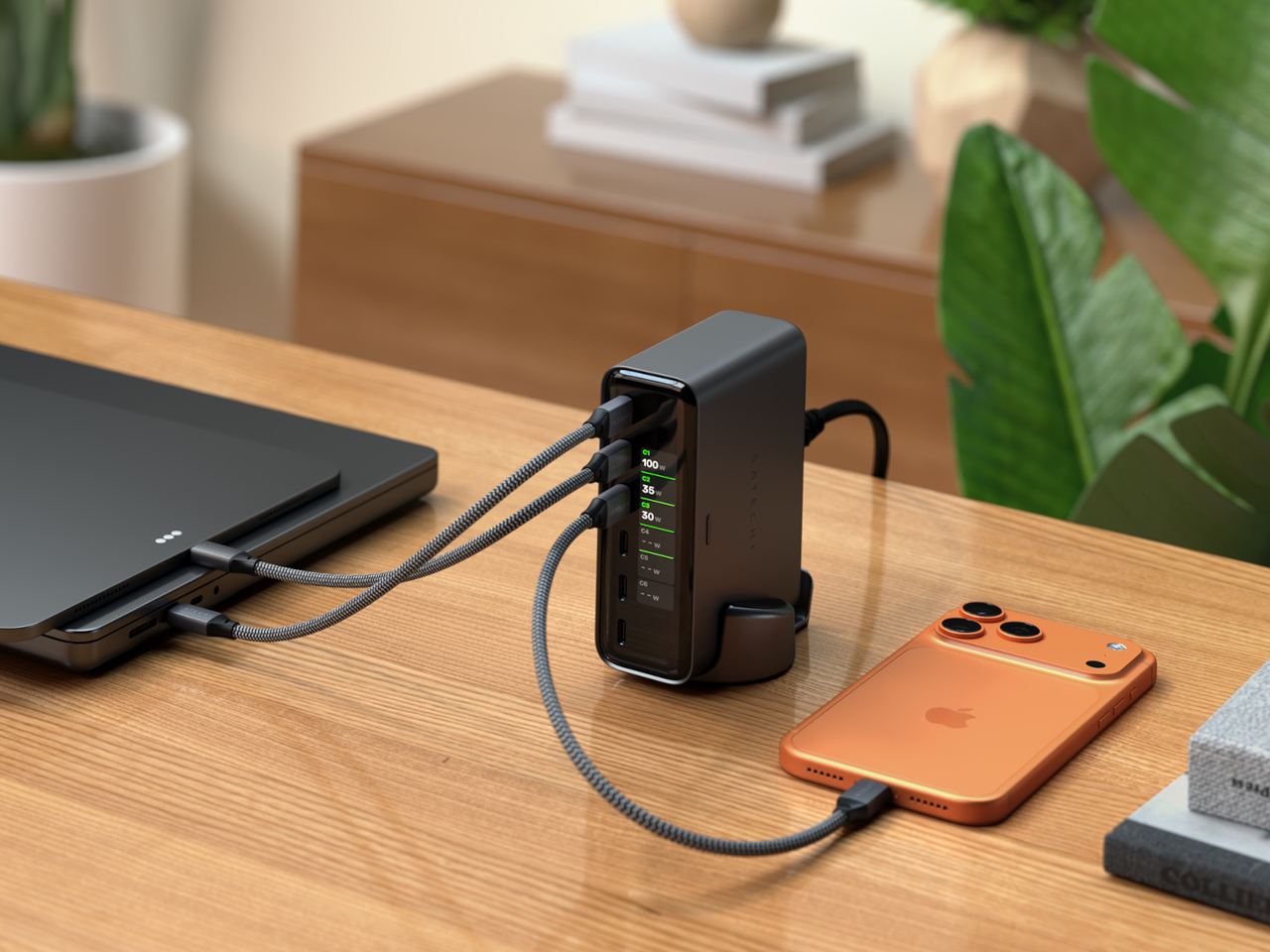
Six USB-C ports cover the range of what a loaded desk actually needs. The top two, C1 and C2, each deliver up to 140W using PD 3.2 AVS, making them capable of handling two MacBook Pros at full speed simultaneously. C3 and C4 go up to 100W each for tablets and lighter laptops, while C5 and C6 top out at 30W each for phones, earbuds, and accessories. The 240W total budget distributes intelligently across whichever ports are active.
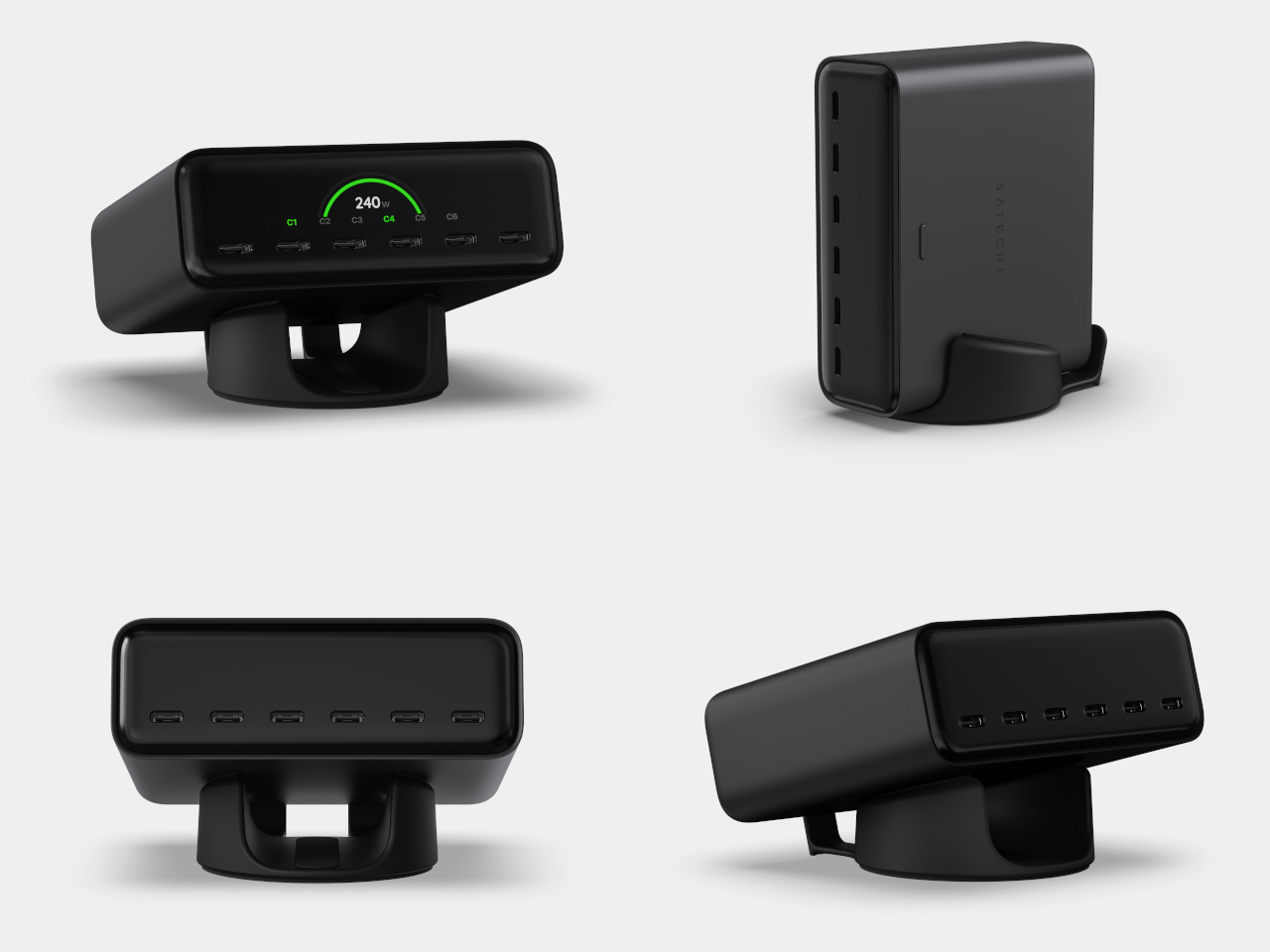
That intelligence extends to how the ChargeView negotiates with each device. PD 3.2 AVS and PPS allow the charger and device to agree on precisely the right voltage in fine increments rather than jumping between fixed steps. In practice, that means a nearly full phone battery gets a gentle trickle rather than the same hard push used to top up a laptop from empty, which is easier on battery health over time.
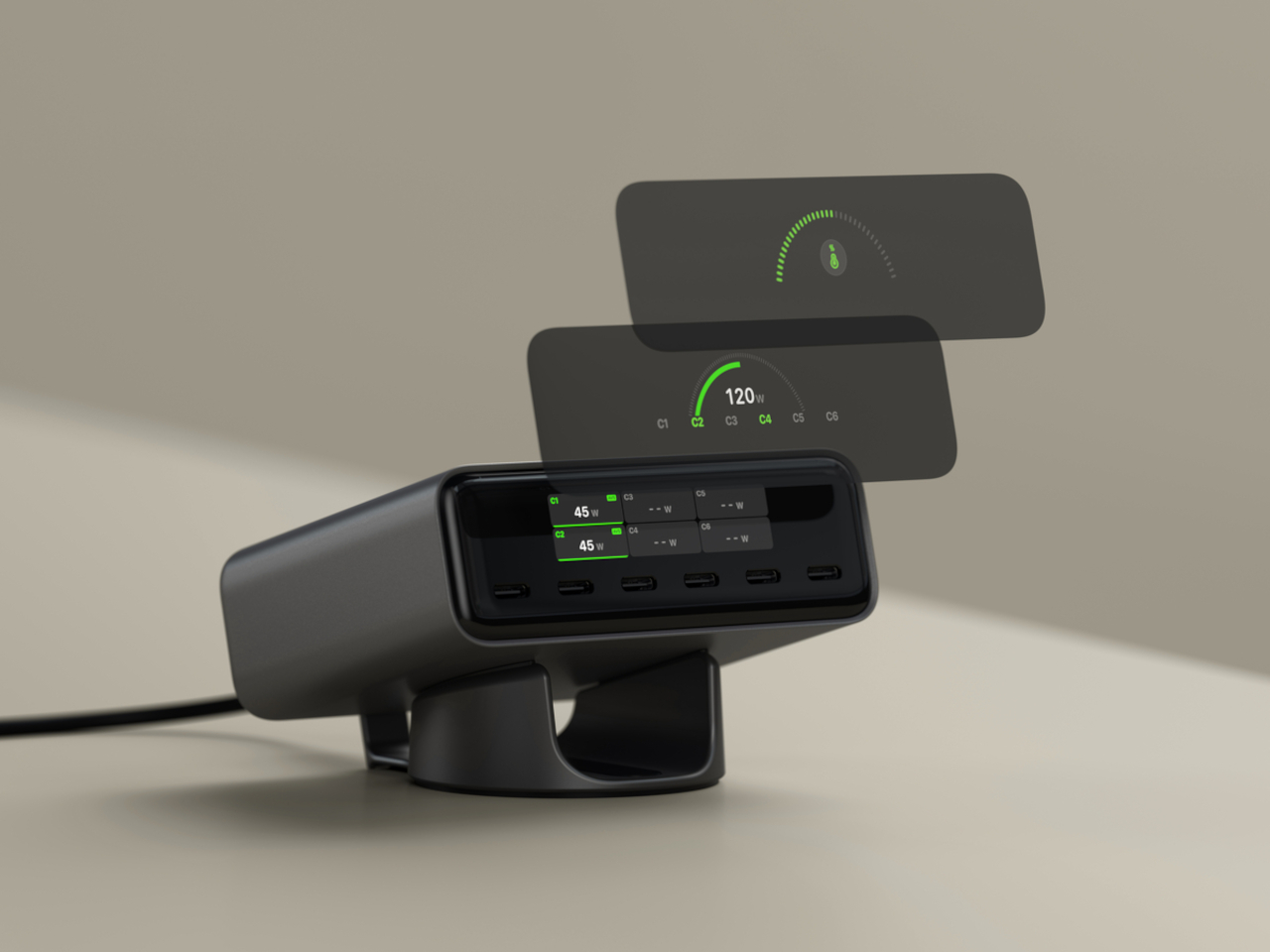
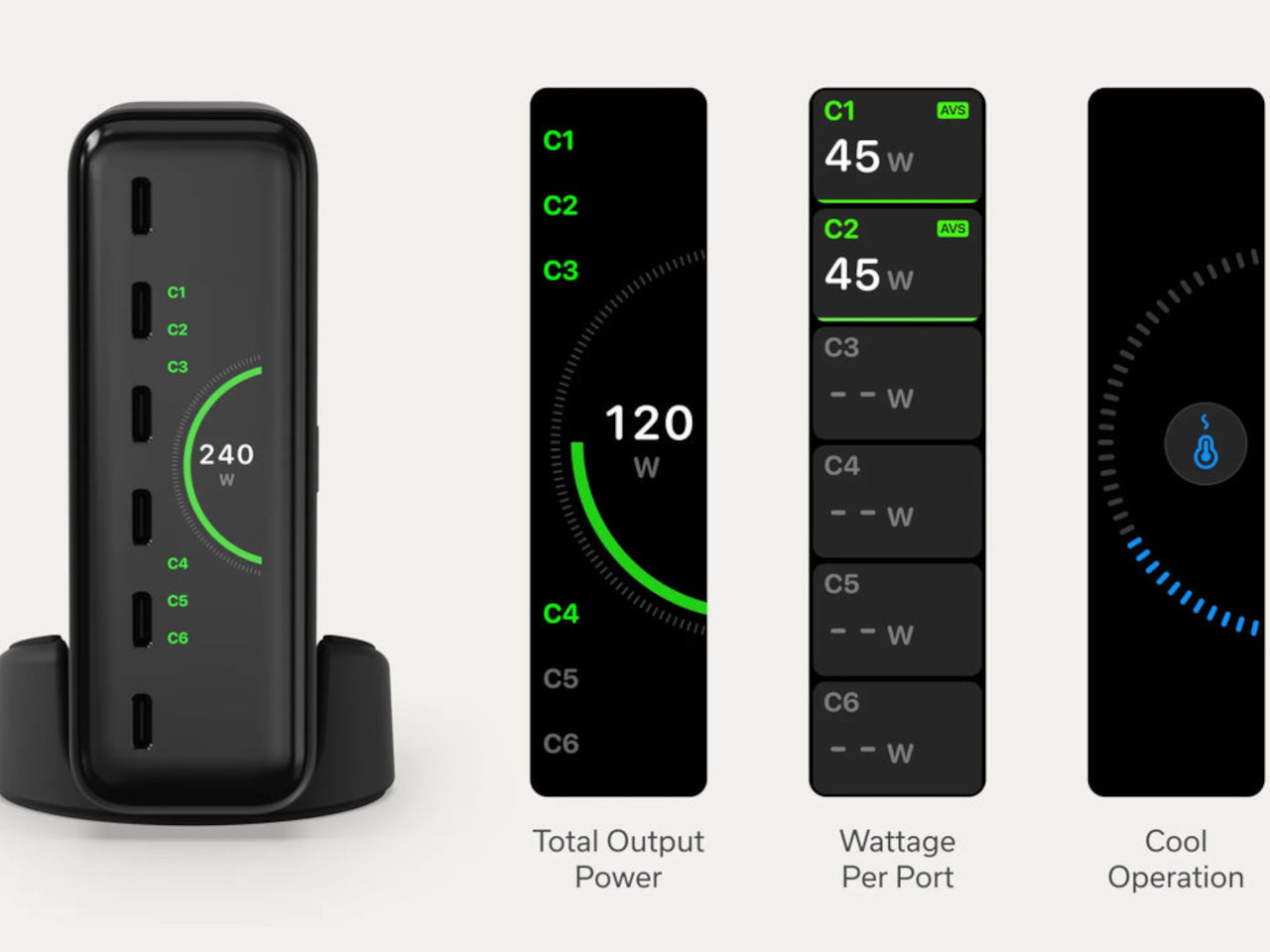
The display does more than show wattage. It reads temperature across all ports simultaneously, and flags when thermal conditions shift, with the charger pulling back output before heat becomes a problem. That monitoring runs continuously without any intervention needed. The LCD auto-dims after about a minute of inactivity and wakes when a cable is plugged in, so it’s visible when useful and dark when not. The display also rotates to stay readable in either vertical or horizontal orientation, matching whichever position the included precision stand is set to.
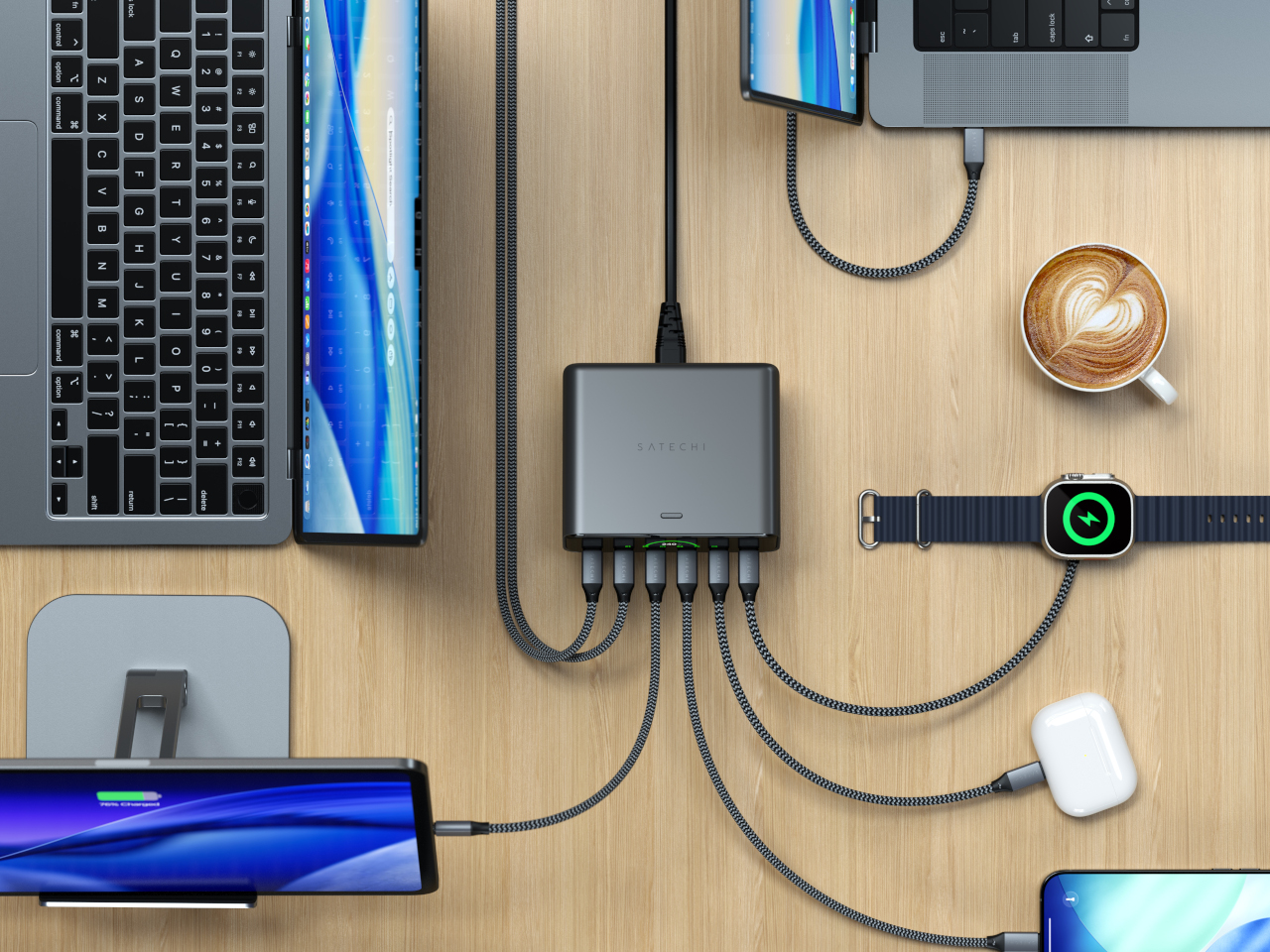
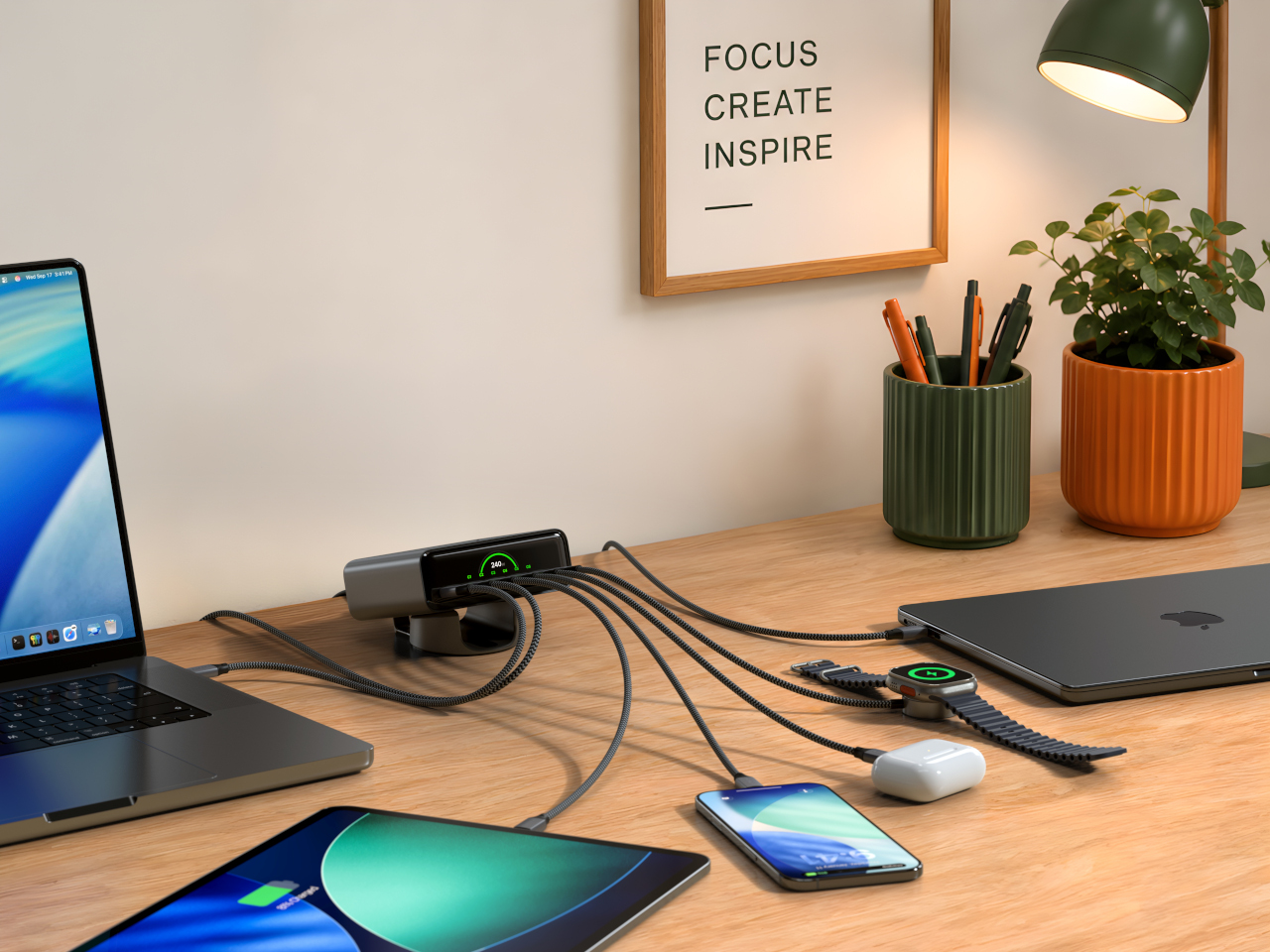
GaN technology handles the power delivery without a fan, keeping the unit silent even when all six ports are running at capacity. At 4.3in x 3.6in x 1.5in, it’s roughly the footprint of a paperback book for something handling 240W. The Space Black metallic finish and borderless display cover sit comfortably next to darker-toned setups, and the stand’s horizontal position adds a slight forward tilt that makes the display easier to read from a seated position.
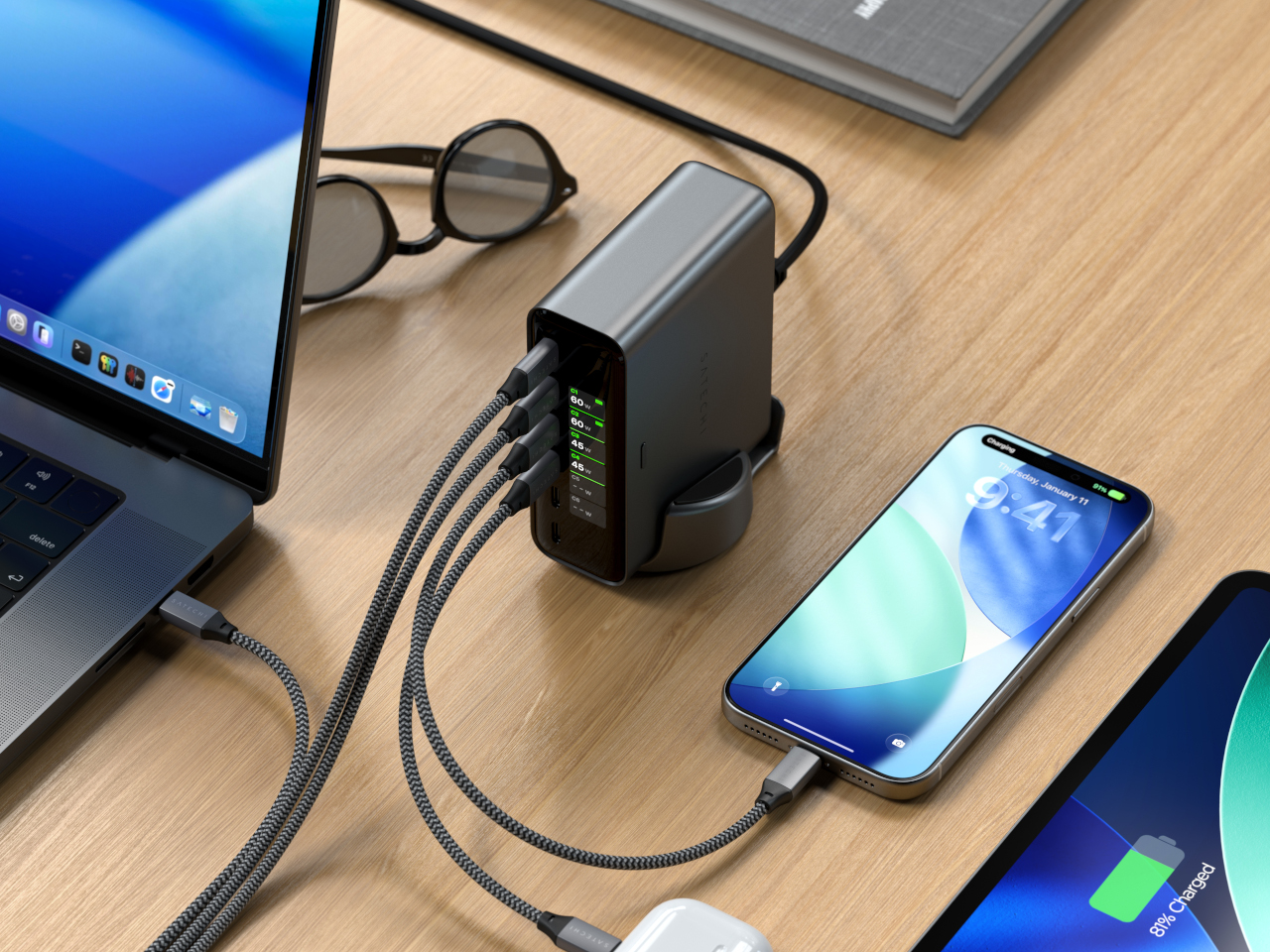
The ChargeView 240W retails for $149.99 and is covered by a two-year warranty. What this 240W charger offers that a standard multi-port product doesn’t is accountability. Every watt is visible, every device is reported, and the charger’s own thermal state is always on display. For anyone who has watched a laptop charge for two hours and wondered why it’s still at 60 percent, that kind of transparency turns out to be worth something.
The post The $150 Charger That Explains Why Your Laptop Is Still at 60 Percent first appeared on Yanko Design.
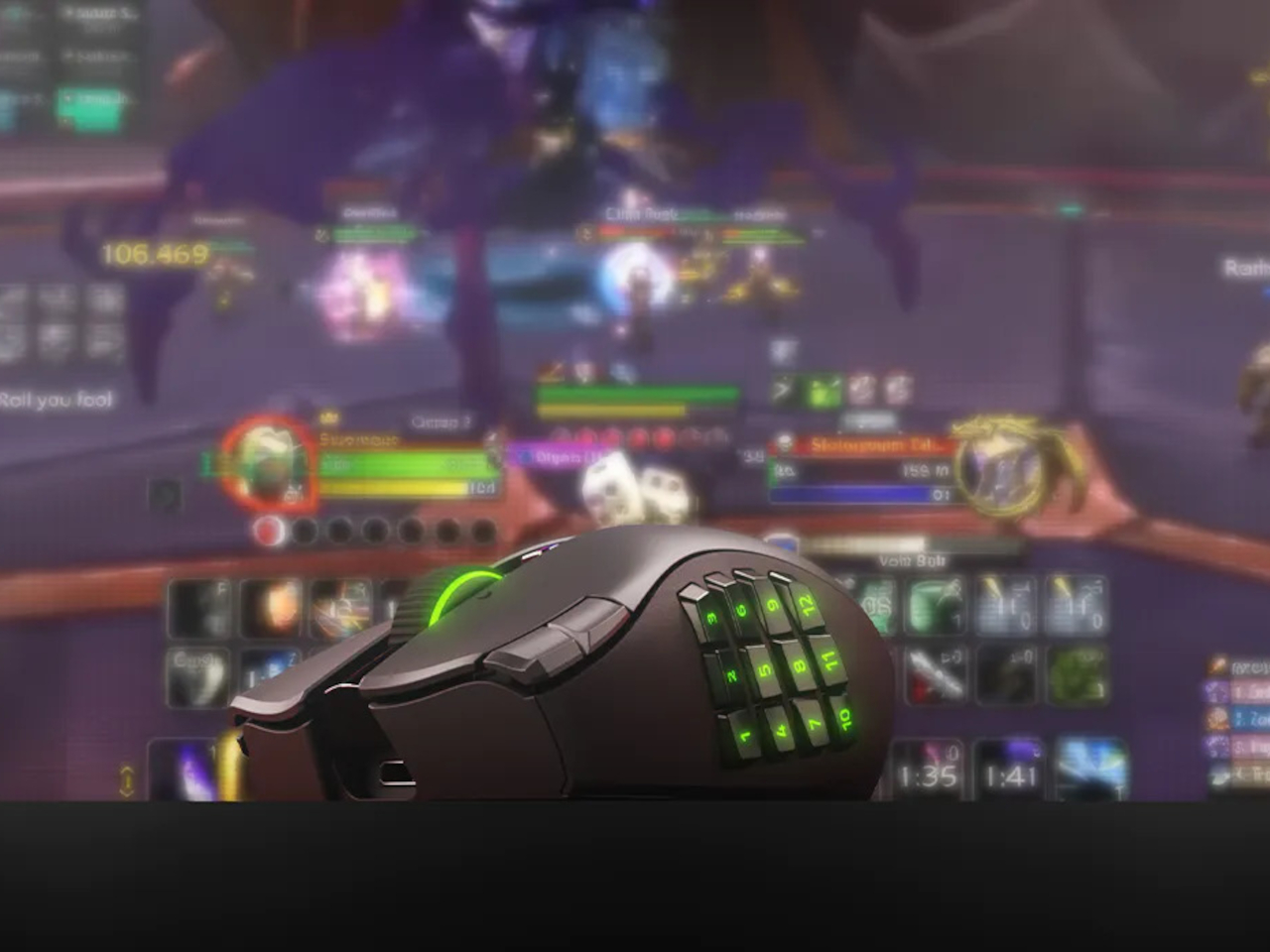
Gaming mice have always had a specialization problem. The ones built for MMOs come loaded with thumb buttons that feel excessive the moment you switch to a shooter. FPS mice are clean and fast but leave MOBA players reaching for keyboard shortcuts that shouldn’t need to be there. Buying two mice for two genres has been the practical answer, which is also the least satisfying one.
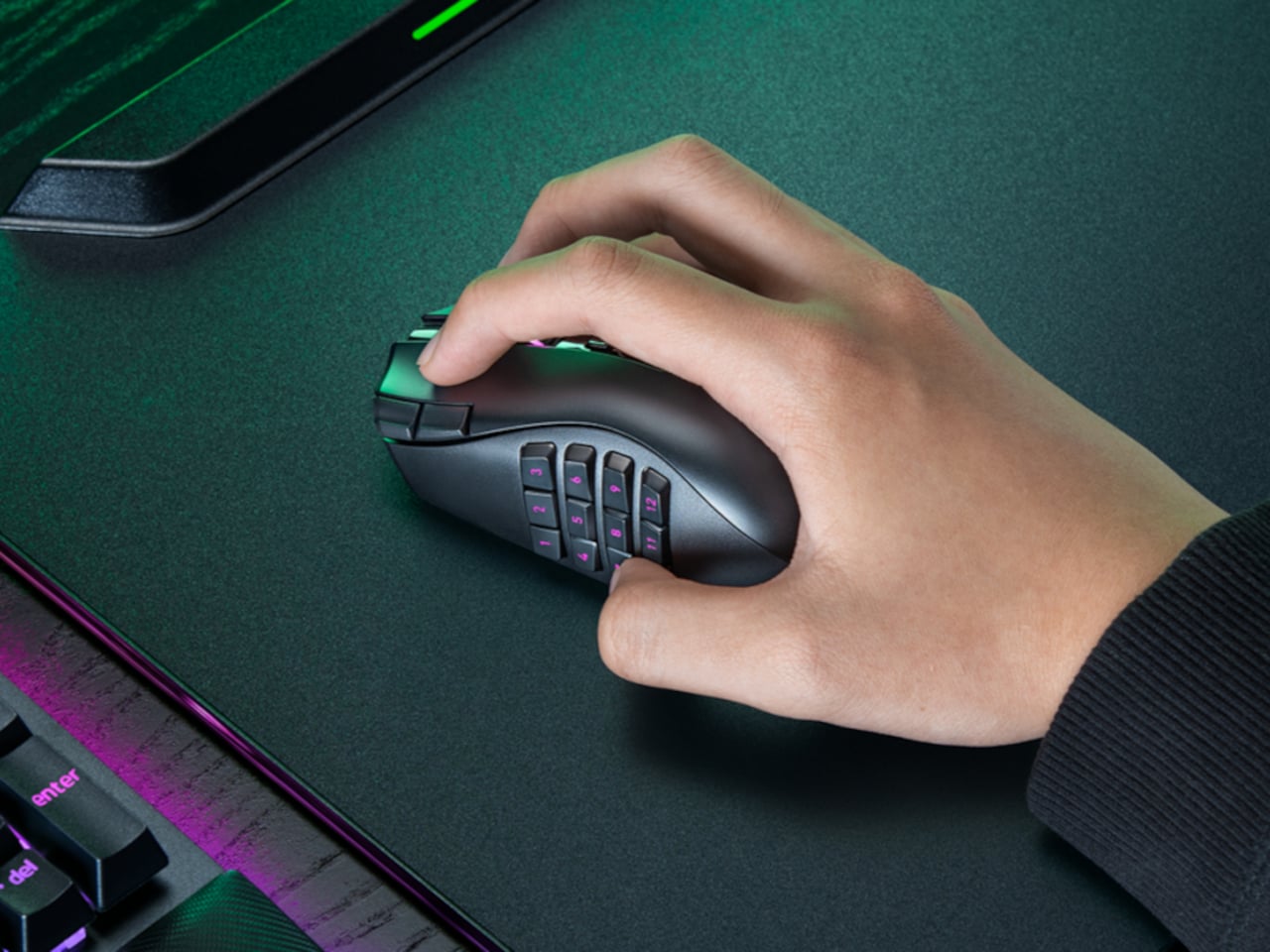
The Razer Naga V3 Pro addresses that directly. It ships with three magnetic side plates that swap out in seconds, each designed for a different genre of play. The 12-button grid suits MMOs, the six-button layout covers MOBAs and battle royale games, and the two-button plate clears the side for FPS use. One mouse, three configurations, and the same right-handed ergonomic shape throughout all of them.
Designer: Razer

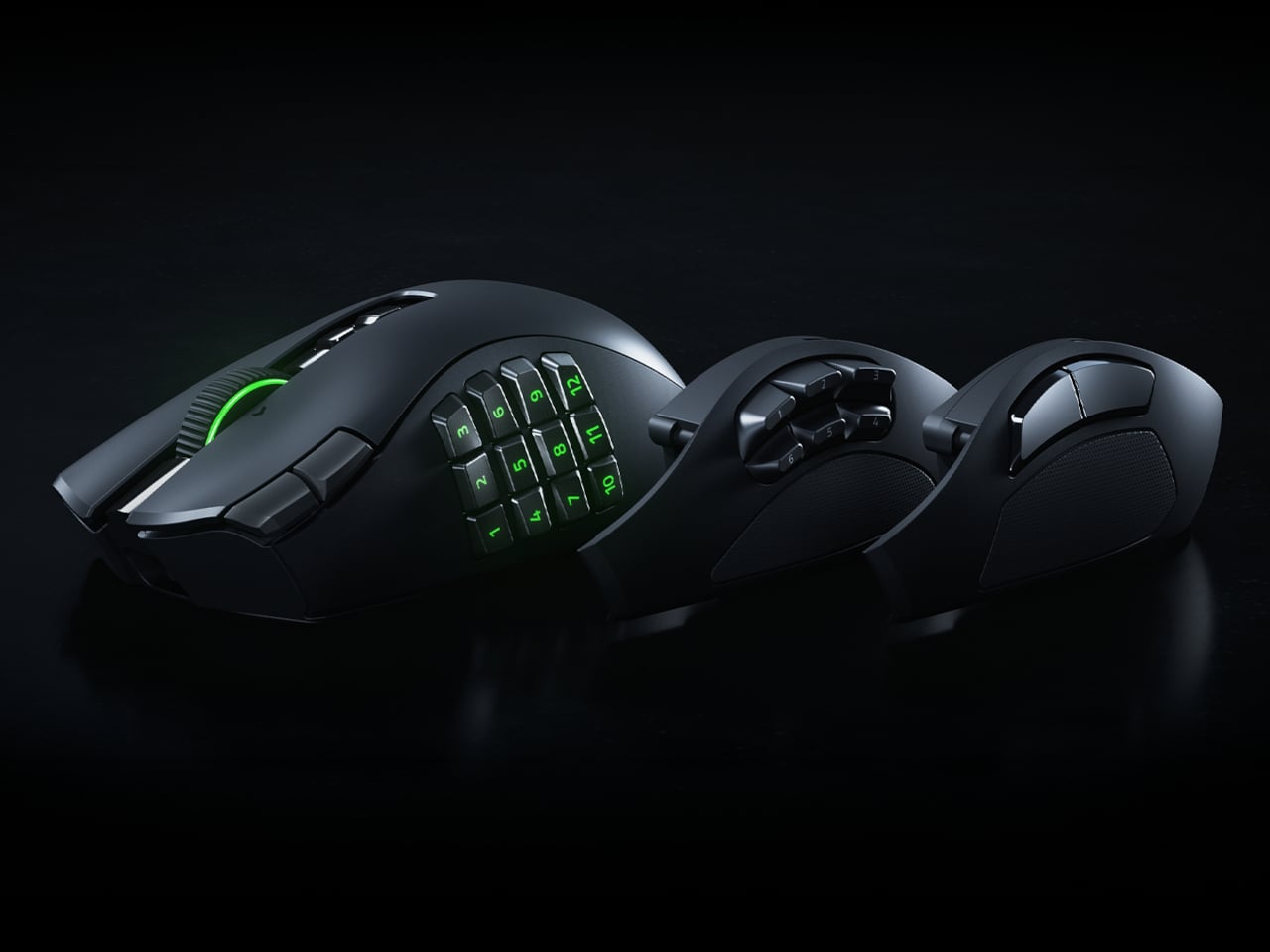
The side button system itself isn’t new to the Naga line, but the V3 Pro brings the rest of the hardware up to the same level as what’s inside Razer’s top-tier esports mice. The Focus Pro 50K Optical Sensor Gen-3 powers tracking with up to 50,000 DPI and 390 IPS, the same sensor found in Razer’s dedicated competitive mice. Gen-4 optical switches handle clicks with a rated life of 100 million actuations and are designed to eliminate the bounce clicks that can misfire at the worst moments.
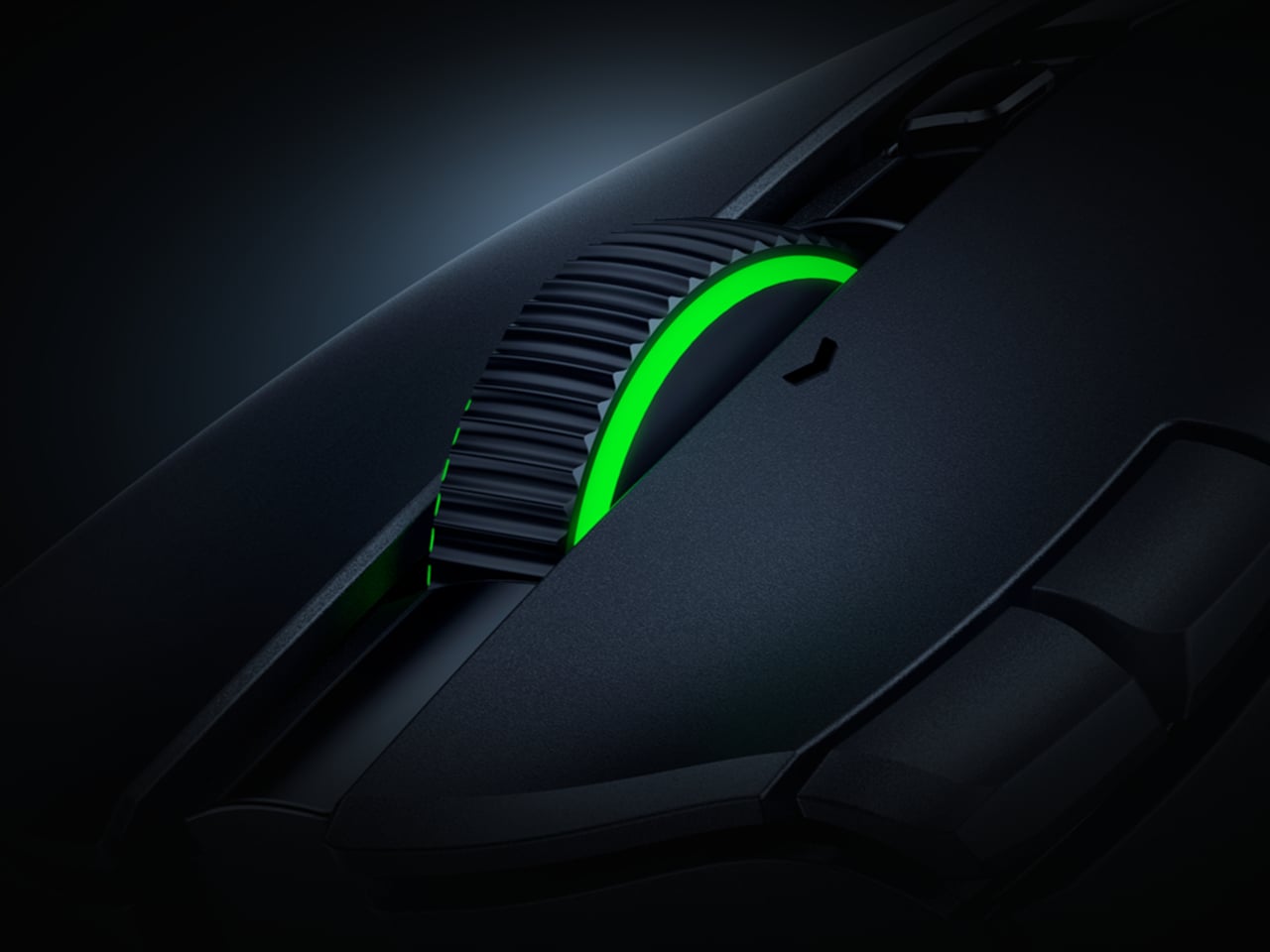
The scroll wheel also gets a meaningful upgrade here. The HyperScroll Tilt Wheel Gen-2 offers four distinct modes: Free-Spin for fast document scrolling, Tactile for click-by-click precision, Precision Tactile for finer steps, and Smart-Reel for automatic switching between modes. In an MMO, cycling through inventory with Free-Spin feels different from navigating a skill tree in Tactile mode, and having that level of control in the wheel itself is something most mice don’t bother offering.
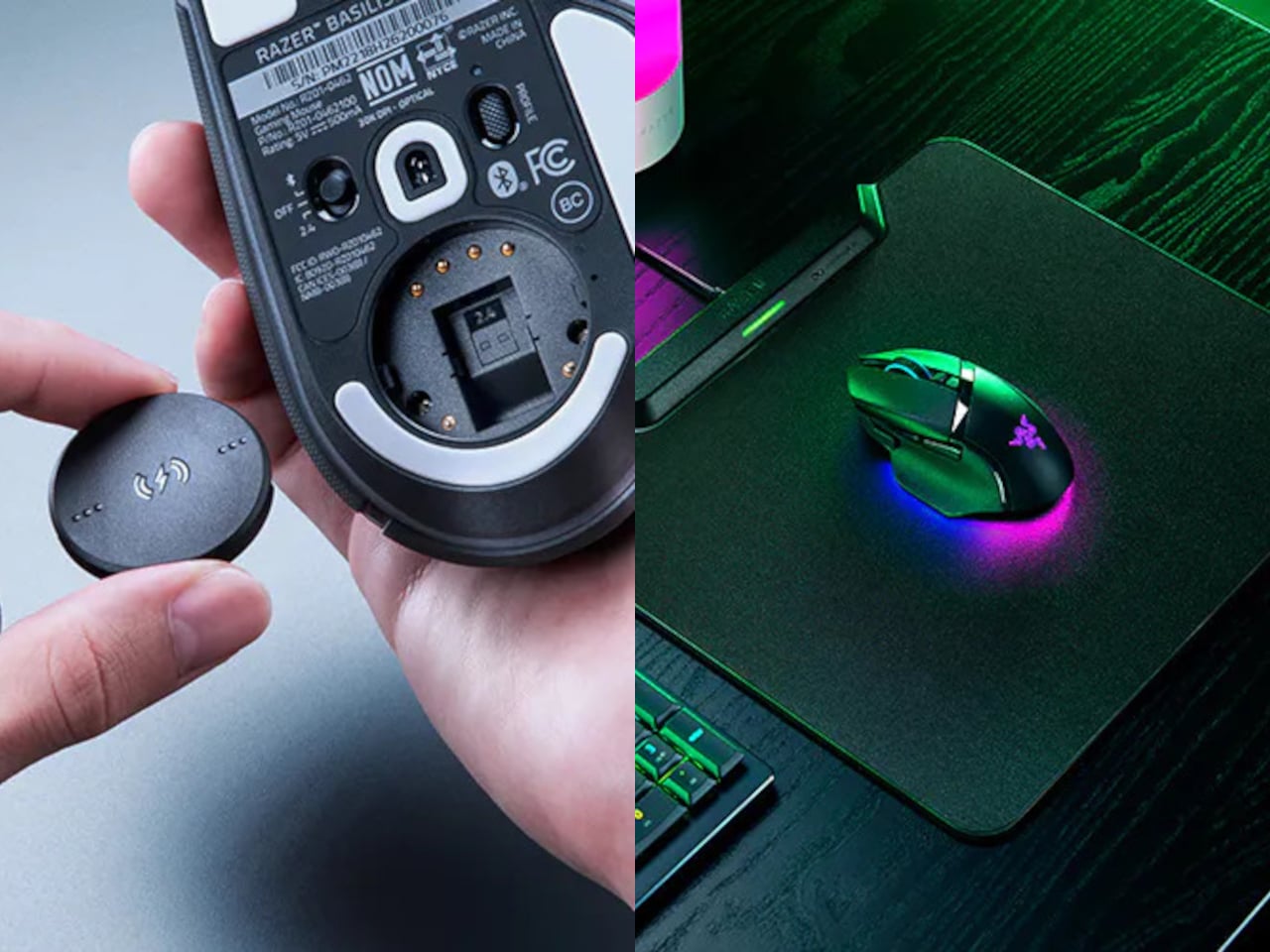
Battery life holds up across both wireless modes. On HyperSpeed 2.4 GHz, the Naga V3 Pro runs for up to 155 hours; switch to Bluetooth and that extends to 280 hours. The mouse body weighs 112 g without a side plate, with the 12-button plate adding 20 g, the six-button adding 17 g, and the two-button adding 15 g. That last configuration brings the total down to where FPS players tend to want it, and the weight difference is noticeable enough in practice.
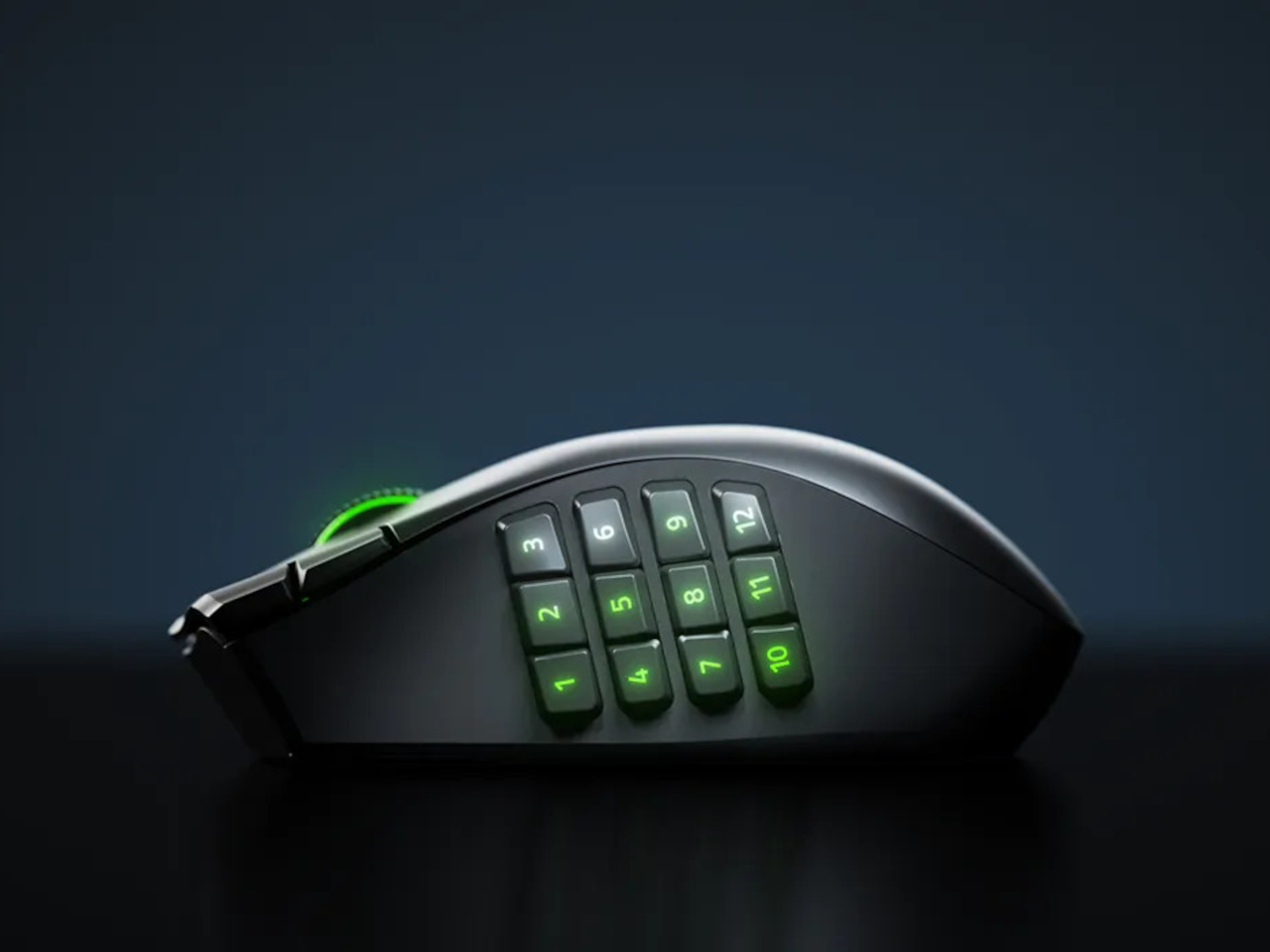
Up to 23 programmable buttons are available depending on the active plate, down from 23 to just two when the FPS plate is on. The pinky rest is also a button, lockable from the underside when not wanted, which adds one more control point without requiring any reach. Double-injection molded legends on the side buttons ensure the labels don’t wear off under daily use.
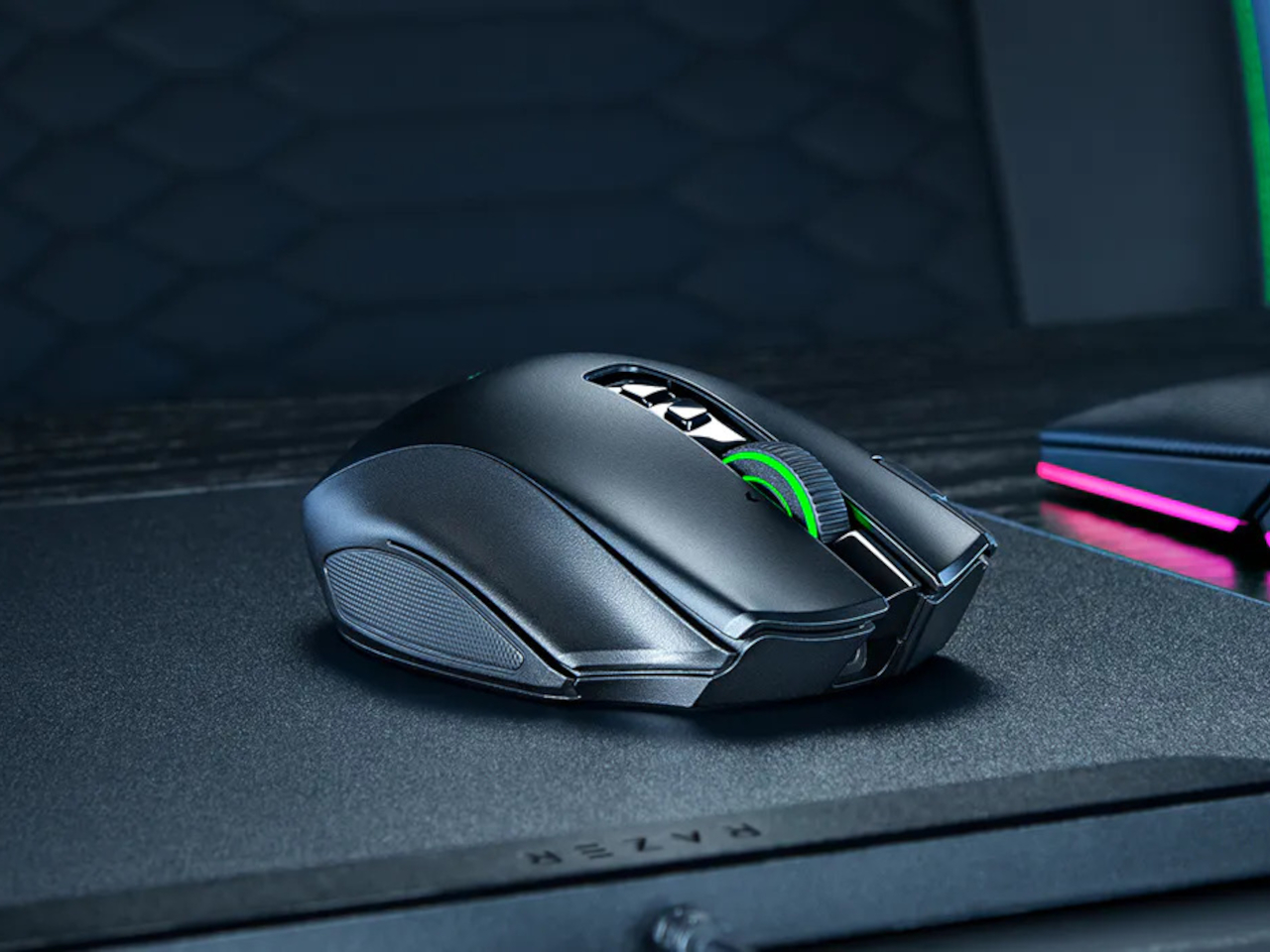
What the Naga V3 Pro argues, quietly but consistently, is that genre-specific peripherals don’t have to mean genre-specific hardware purchases. The plates snap off and on without tools, the transition between configurations takes less time than a loading screen, and the underlying hardware is good enough that nothing feels like a compromise.
The post The $180 Razer Mouse That Makes a Second Gaming Mouse Pointless first appeared on Yanko Design.

Somewhere in your house right now, there is a perfectly good iPad/Android Pad doing absolutely nothing. Maybe it is the one you replaced two years ago when the new model came out, or the one your kid borrowed and never gave back, now sitting on a nightstand charging for no reason. It has a great screen, solid processing power, and more capability than most factory-installed car infotainment systems from the last decade. The problem was never the tablet. The problem was always that nobody made a convincing way to put it in a car and have it behave like an actual car display, CarPlay and all. HERMIX NANO is a credit-card-thin wireless bridge device that finally does exactly that.
Roughly the shape and size of an iPod Classic, the HERMIX NANO is a compact wireless hub that sits in your car, pairs to your phone, and turns your mounted tablet or phone into a fully functional smart car infotainment display. It supports wireless CarPlay for iPhone and wireless Android Auto for Android, designed for vehicles without a built-in display, or for drivers tired of slow and outdated factory systems. Plug in the included 1080p backup camera and the tablet automatically switches to a reverse view the moment you shift into reverse, no manual tapping required. Who knew that a $74 device could transform your existing car and tablet into a new car experience that you’d otherwise pay tens of thousands of dollars for.
Designer: Hong Kong Hermes Technology Limited
Click Here to Buy Now: $74 $99 (25% off). Hurry, only a few left! Raised over $68,000.
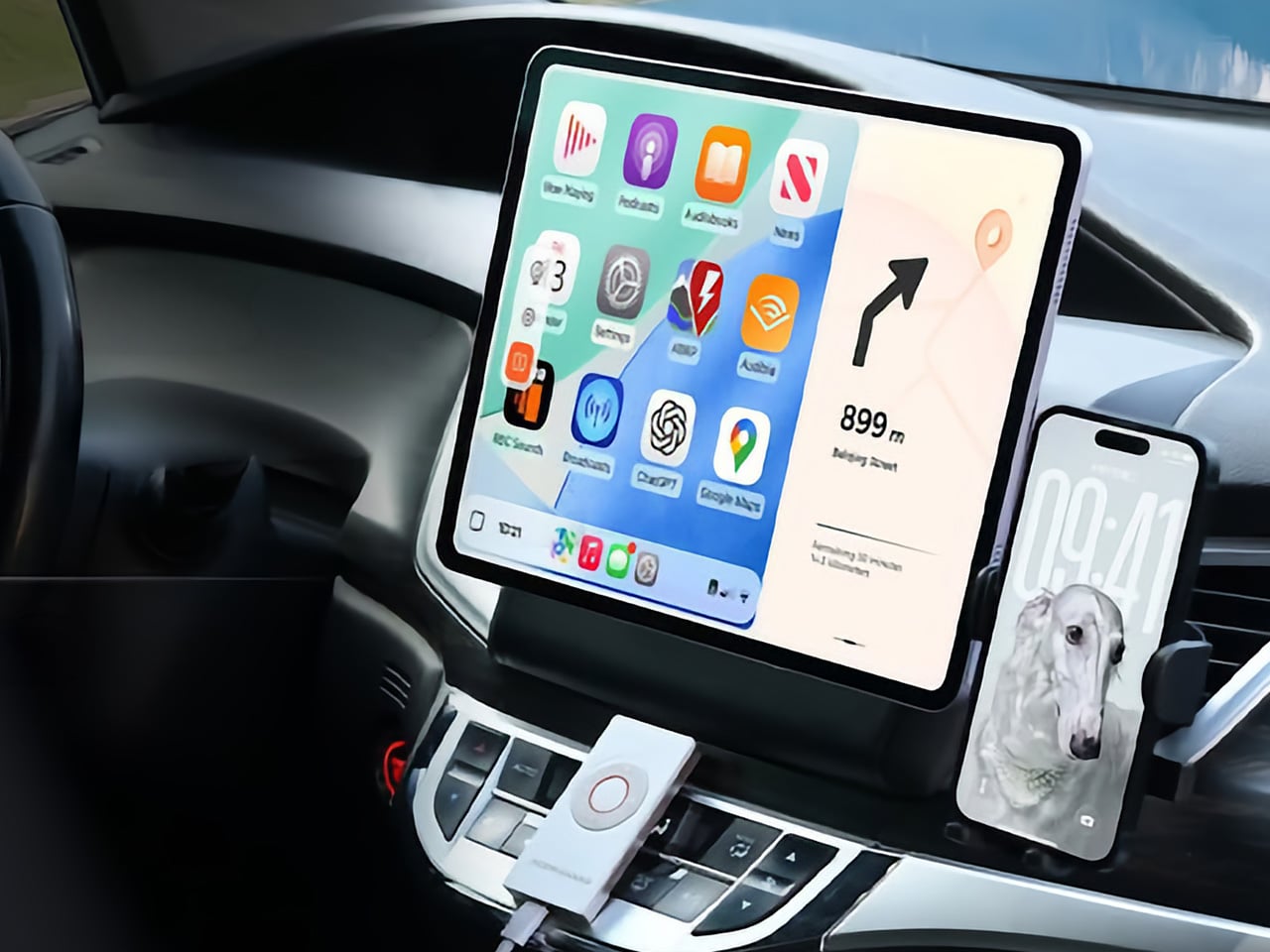
Mounting an old tablet PC to your dashboard and opening Google Maps already works, technically. But a tablet stuck in a car still behaves like an iPad or Android Pad, which means you are dealing with a regular tablet interface, regular apps, regular notifications, and a screen layout that was never designed around driving. HERMIX NANO changes the operating system experience entirely by turning that tablet into a proper CarPlay or Android Auto display, with the simplified app grid, large touch targets, voice-first controls, and glanceable navigation layout people already know from newer cars. That shift is the whole point. Instead of juggling a tablet UI meant for the couch, you get a driving interface built around quick inputs, cleaner menus, easier media control, and maps that make sense when your eyes need to get back on the road in about half a second.

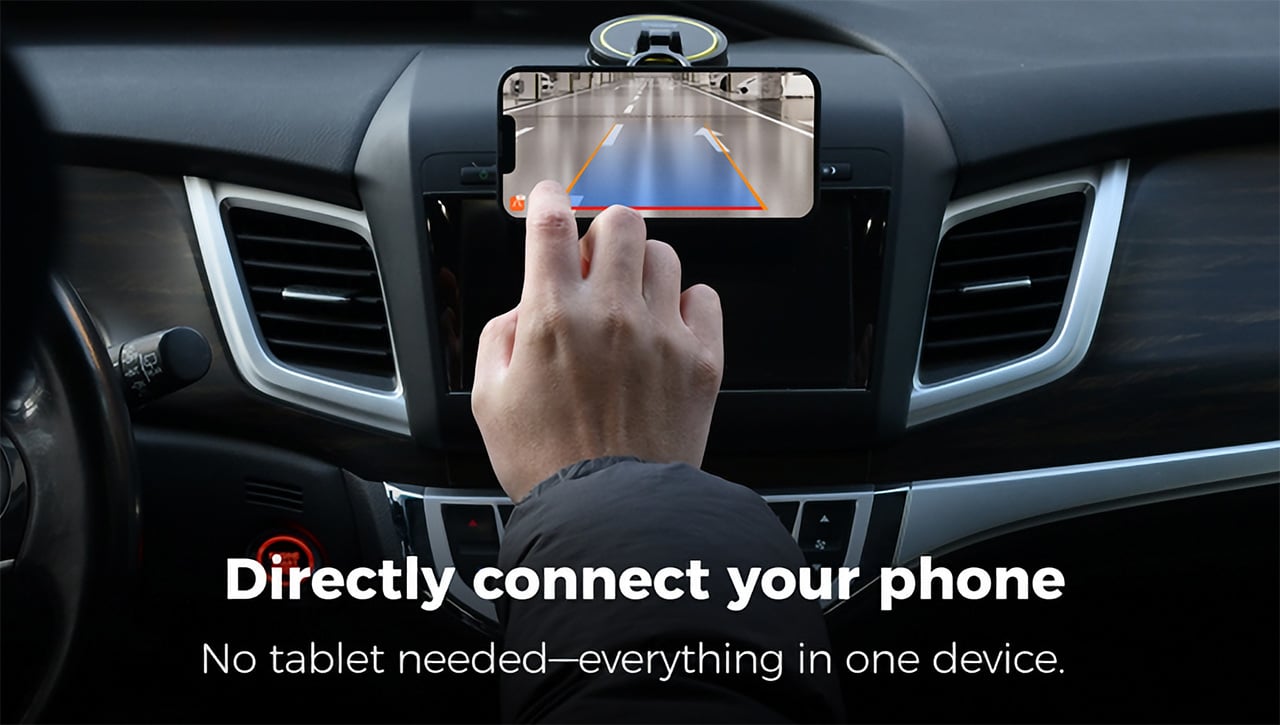
Setup involves installing the device, connecting the power, and downloading the HERMIX NANO app, and the whole process requires no tools, no rewiring, and no dashboard modification of any kind. You power on the HERMIX NANO, find it in the app, connect via Bluetooth, pair your phone, and you are done. After that first pairing, the connection happens automatically every time you get in the car. iPhone users get wireless CarPlay with Siri, navigation, music, calls, and every app Apple has approved for CarPlay, while Android users get wireless Android Auto with Google Assistant, Google Maps, Waze, Spotify, and the rest. Whether you are on Android or iOS, the Hermix Nano app is available free on Google Play and the App Store, and unlocks all features immediately.
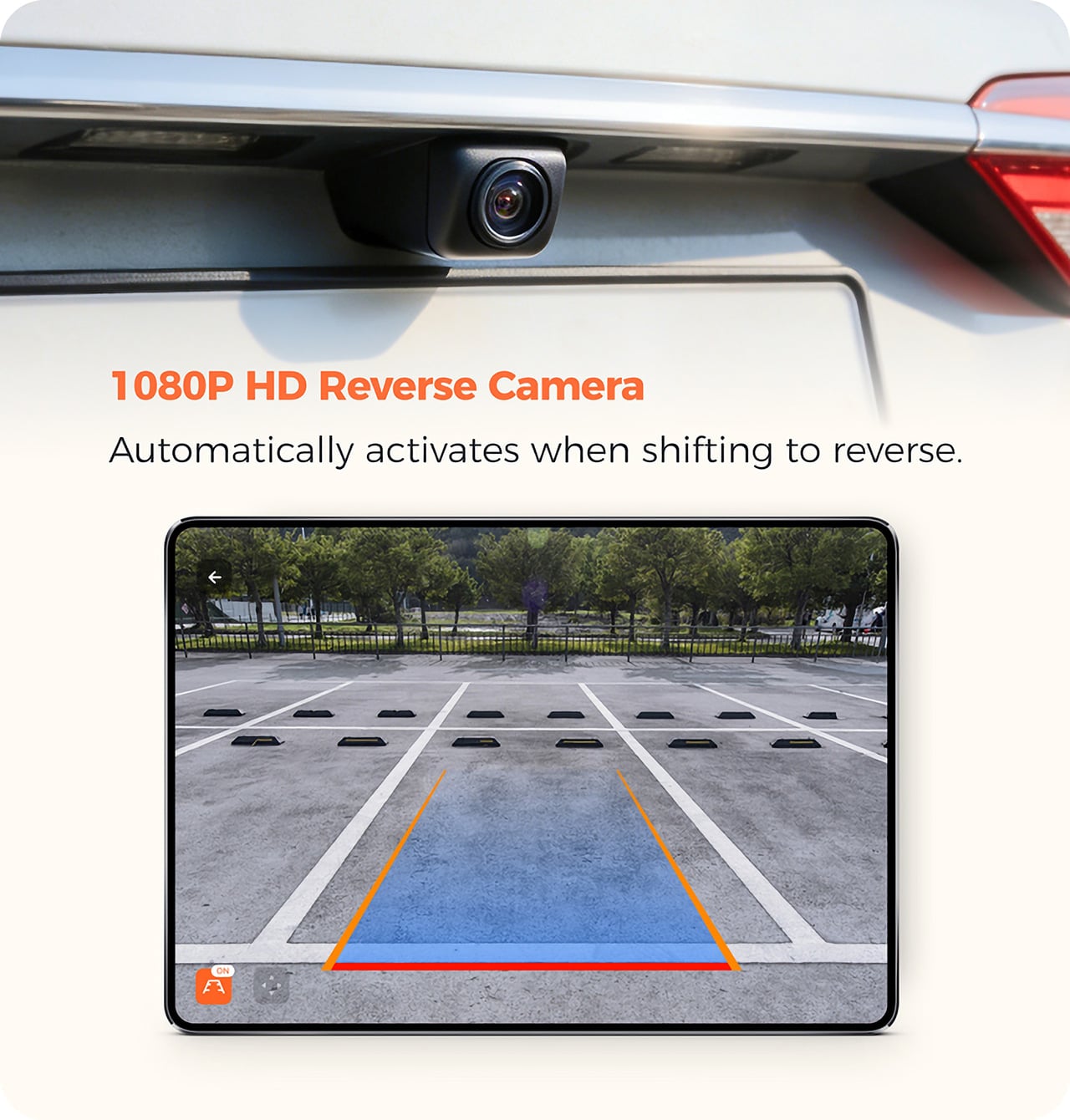
The HERMIX NANO also packs a 1080p HD backup camera that mounts to the rear of your car – the moment you shift into reverse, HERMIX NANO automatically wakes the camera up, with no manual operation needed, instantly turning the tablet into an HD large-screen rearview mirror that gives a clear view of every blind spot (again, something your existing iPad or Android Pad wouldn’t do). A backup camera that routes to a full tablet screen is a meaningfully better experience than one squeezed onto the three-inch display of a typical aftermarket head unit. Shift back out of reverse and the infotainment interface returns immediately, with no settings menu and no manual switching. The result is a clearer view of blind spots and greater confidence when parking. For anyone navigating tight urban lots daily, this alone is a compelling reason to pay attention.

On the tablet version of the HERMIX NANO app, a dedicated split-screen feature unlocks a more flexible display experience, with multiple customizable modes including HUD Mode. HUD mode gives a simplified navigation view for distraction-free driving, Mini Map mode delivers a real-time compact navigation display, and Family Album mode showcases selected photos and videos for a personalized in-car screen experience. The HERMIX NANO features five customizable physical buttons on the device body, allowing you to personalize controls based on your driving habits. Easily access frequently used functions such as volume adjustment, track switching, phone calls, and map launch. A long press of the “OK” button allows manual rear camera activation, providing safer and more convenient control while driving.That last one is genuinely useful if you want to check what is behind you while parallel parking without actually putting the car in reverse. The display also auto-rotates based on how the device is mounted, whether portrait or landscape, adapting instantly with no manual setup required.

For global compatibility, the system supports left-hand drive and right-hand drive modes, letting users switch the UI layout according to their vehicle setup for optimal visibility and comfort. The HERMIX NANO interface automatically switches between Light and Dark Mode according to surrounding brightness, providing optimal visibility and a comfortable viewing experience during both daytime and nighttime driving.Firmware updates push wirelessly through the app, meaning the device can improve over time without any physical servicing. By combining automotive-grade hardware, seamless wireless connectivity, and deeply integrated software, HERMIX built a compact smart hub that transforms devices people already own into a complete in-car smart experience. The obvious audience is anyone driving a vehicle more than five years old, but it is equally relevant for drivers whose factory systems simply never matched the software quality of modern CarPlay and Android Auto.

The HERMIX NANO is priced at $99 retail, with early pricing at $74 for a single kit that includes the device, a 1080p HD rearview camera, a USB-Type C cable, a Type C-to-C cable, and a user manual. A two-pack runs $138 and a three-pack $178 at early pricing, and a tablet car holder add-on is available separately for $9. Shipping is estimated to begin in October 2026, covering the US, Canada, the EU, the UK, Australia, Japan, South Korea, Singapore, and most other major markets. The Hermix Nano app is already live and free on both the App Store and Google Play.
Click Here to Buy Now: $74 $99 (25% off). Hurry, only a few left! Raised over $68,000.
The post This tiny $74 device turns an old tablet into a smart dashboard for cars that never had one first appeared on Yanko Design.