Liquid Death x Spotify Eternal Playlist Urn, because afterlife deserves good vibes

Spotify is undoubtedly one of the most used streaming audio services worldwide, with a library of over 100 million tracks, 7 million podcasts, and 500,000 audiobooks. Their upgrade to lossless audio will only edge the 751 million-user base further, as the battle with Apple Music, YouTube Music, and Tidal heats up.

Their estimated market share of 31 percent is not eroding anytime soon, so why not experiment with out-of-the-box product designs that attract more users? The Scandinavian music giant has collaborated with beverage company Liquid Death to create one of the most unique products you’ll see all year long. This is the Eternal Playlist Urn, a Bluetooth speaker shaped like an urn (no prizes for guessing). According to Spotify, this is the world’s first music streaming ceremonial jar that makes death “a lot less boring” and keeps hauntings at a minimum, as music tends to calm down the deceased, presumably!

Designer: Spotify and Liquid Death

The idea here is to create music vibes somewhere that has never been done before. A belief that the dearly departed souls should have the freedom to jive to their favorite tunes down 6 feet under. That too for eternity, as Spotify jokingly exclaimed. As most of us would believe, the keepsake pot houses the wireless speaker unit. That’s not the case, as the big urn doesn’t conceal the big speaker; it is a small driver unit in the lid of the urn. When you get this speaker urn, the first thing you do is create the Eternal Playlist on Spotify. There are a few questions that you need to answer, like “What’s your eternal vibe?” or “What’s your go-to ghost noise?”, and then the custom playlist is generated considering these replies and the listening history.

The playlist generating tool Spotify calls the Eternal Playlist is synced to the urn right away, and you can share the last rights with your friends and family. Of course, you can then play the music directly on your newly purchased urn speaker on the living room shelf. The urn, measuring 7 x 7 x 11 inches and weighing 2.4 pounds, is intended to be minimal in white color and respectful of other décor elements it sits beside. It has the Spotify and Liquid Death logos engraved upfront, which keeps the musical vibe apparent, if you don’t fancy urns in your peripheral vision.

While this speaker urn will not be the best thing to hold the ashes of your dear dead, the thing is definitely going to be a collector’s item. Only 150 will be available for purchase in the United States for a fat $495, so you’d better be on your toes to grab this one. For those who still prefer contemporary audio accessories, that amount of money can buy you a decent speaker system. I just hope this isn’t an early April Fool’s joke.

The post Liquid Death x Spotify Eternal Playlist Urn, because afterlife deserves good vibes first appeared on Yanko Design.

Colorful Inhaler Case Laser-Engraves Names So Kids Aren’t Embarrassed

Inhalers are one of those everyday objects that millions of people carry around without ever thinking about how they look or feel. They roll around in bags, get shoved into pockets, and come out in public with all the elegance of a used tissue. Nobody designed them to be personal, and it shows. The hale Flow, a colored SLS nylon case made in the UK, wants to change that by treating an inhaler less like a clinical tool and more like something you’d actually want to pull out of your bag.

The person behind it is Matthew Conlon, who built hale from his own experience living with asthma. That starting point matters because the material choice isn’t just cosmetic. The case is made from PA12 nylon through selective laser sintering, a polymer grade found in aerospace and medical implant applications. At just 1mm of wall thickness, it wraps tightly around the Ventolin Evohaler without adding bulk, and the slightly grainy, matte surface gives it a tactile quality that immediately separates it from the cheap silicone sleeves floating around online.

Designer: Matthew Conlon

Two halves snap together through concealed magnets, each only 0.85mm thick, so there are no visible clips or latches breaking up the surface. The mouthpiece cap bonds with a small dot of adhesive, the one permanent step in an otherwise reversible setup. Subtle contours across the grip area help with one-handed use, which is the kind of detail you appreciate when you’re having a mid-asthma episode and fumbling isn’t really an option. Three colorways are available (Lemon, Pink, and Black) at £29, sitting comfortably between throwaway accessories and hale’s own aluminum Classic at £59.

What genuinely sets the Flow apart, though, is laser engraving. You can add a name or even upload a custom image, like a pet illustration, etched permanently into the nylon. For a parent buying one for a child with asthma, that turns a medical necessity into something personal, something a kid might actually feel proud pulling out of a backpack. No other inhaler accessory on the market currently offers that level of personalization at this price, which is surprising given how large the potential audience is.

The honest caveat here is compatibility. The hale Flow works exclusively with the Ventolin Evohaler, and while salbutamol remains one of the most dispensed bronchodilators in the UK, with over 22 million units in 2020 alone, millions of asthma patients rely on entirely different devices. Hale says it is exploring additional models, but for now, the design promise stops at one inhaler.

At £29, manufactured in the UK by a single founder who actually lives with the condition he’s designing for, the hale Flow sits in a category that barely existed before it showed up. Whether it can grow beyond that single compatible inhaler will determine if it remains a thoughtful niche product or turns into something with a much wider reach.

The post Colorful Inhaler Case Laser-Engraves Names So Kids Aren’t Embarrassed first appeared on Yanko Design.

5 Best Gadgets Gen Z Uses to Touch Grass Instead of Doom-Scrolling

There’s a version of your day that doesn’t start with your phone face inches from your eyes. Gen Z is slowly remembering it exists. Doom-scrolling sounds like a boss level you keep losing. The fix isn’t a screen time limit you’ll override in two days or a wellness app that wants your data. It’s gadgets that give your hands something real to do, something that clicks, twists, and responds without asking for your attention span.

These five picks are not nostalgia for nostalgia’s sake. They are considered objects built around single purposes, each doing exactly one thing well and nothing else. A camera that shoots. A phone that calls. A tablet that writes. A clock that tells time. A CD player that plays music. In a world designed to keep you hooked, choosing a device that doesn’t compete for your attention is its own kind of resistance.

1. Camera (1)

Photography moved inside phones and got buried under notifications. Camera (1) imagines what it looks like when shooting becomes a thing you do with your hands again. Camera (1) is a concept design with a compact, metal body sized to slip into a pocket but solid enough to fill the hand. All the main controls live on one edge: a shutter, a circular mode dial with a glyph display, and a D-pad your thumb can reach without shifting your grip or touching a screen. The design draws from Nothing’s hardware-forward language, with circuit-like relief on the front panel, small red accents, and a bead-blasted metal shell that feels considered across every surface.

A curved light strip around the lens pulses for a self-timer, confirms focus, or signals that video is rolling. The engraved lens ring invites you to twist rather than pinch. Taking this camera to a dinner or a show means twisting to frame, feeling the click of the shutter, and glancing at the glyph to confirm your mode. That is it. The rear display stays out of the way, and so does every instinct to start scrolling.

What We Like

  • Physical controls replace every touchscreen interaction, keeping your attention on the moment in front of you.
  • The glyph dial and LED strip communicate everything the camera needs to say without waking a rear display.

What We Dislike

  • Camera (1) is a student concept and not currently in production, with no confirmed release date.
  • No direct sharing path to your phone means adjusting to reviewing images later on a separate device.

2. Portable CD Cover Player

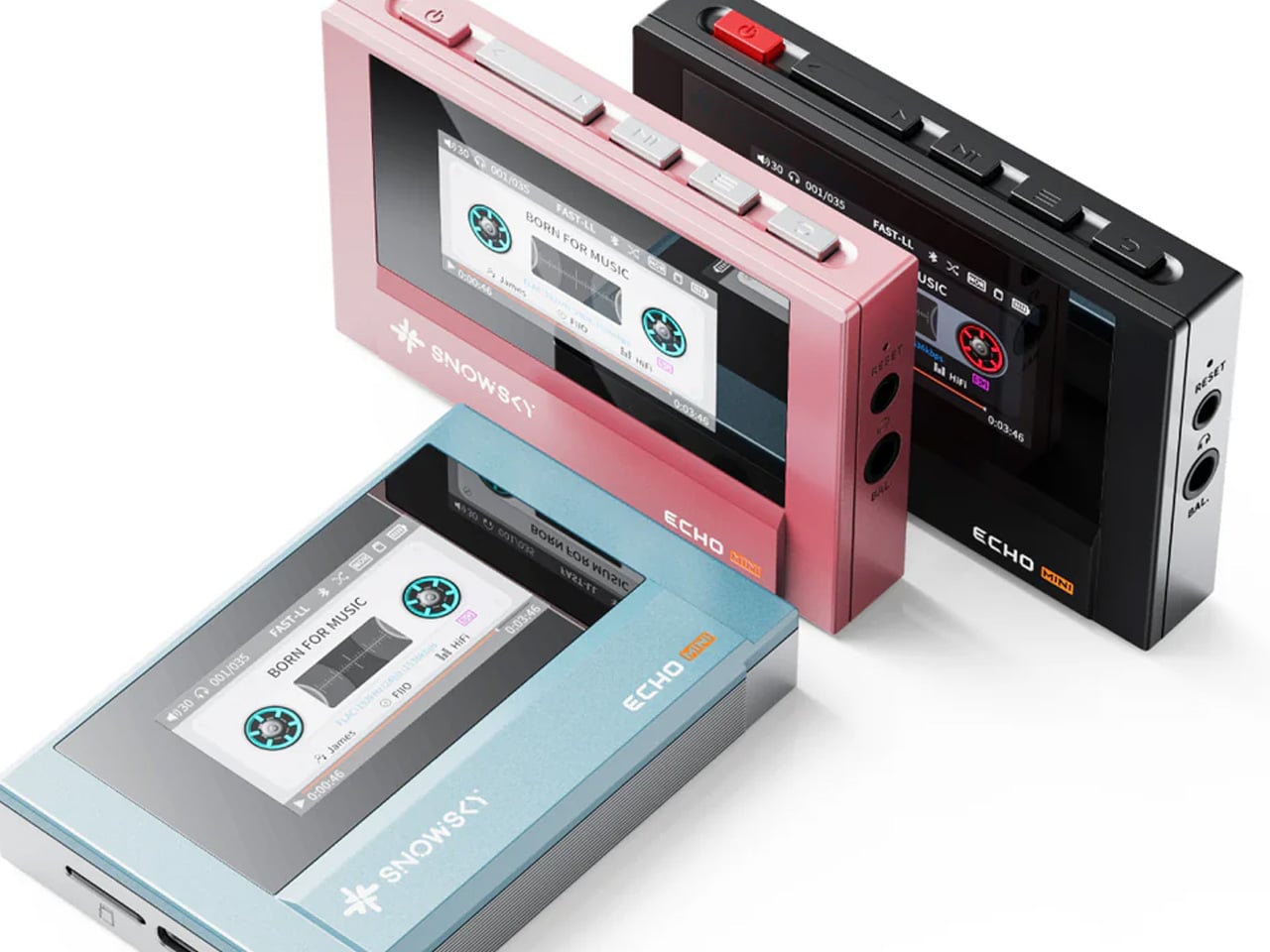
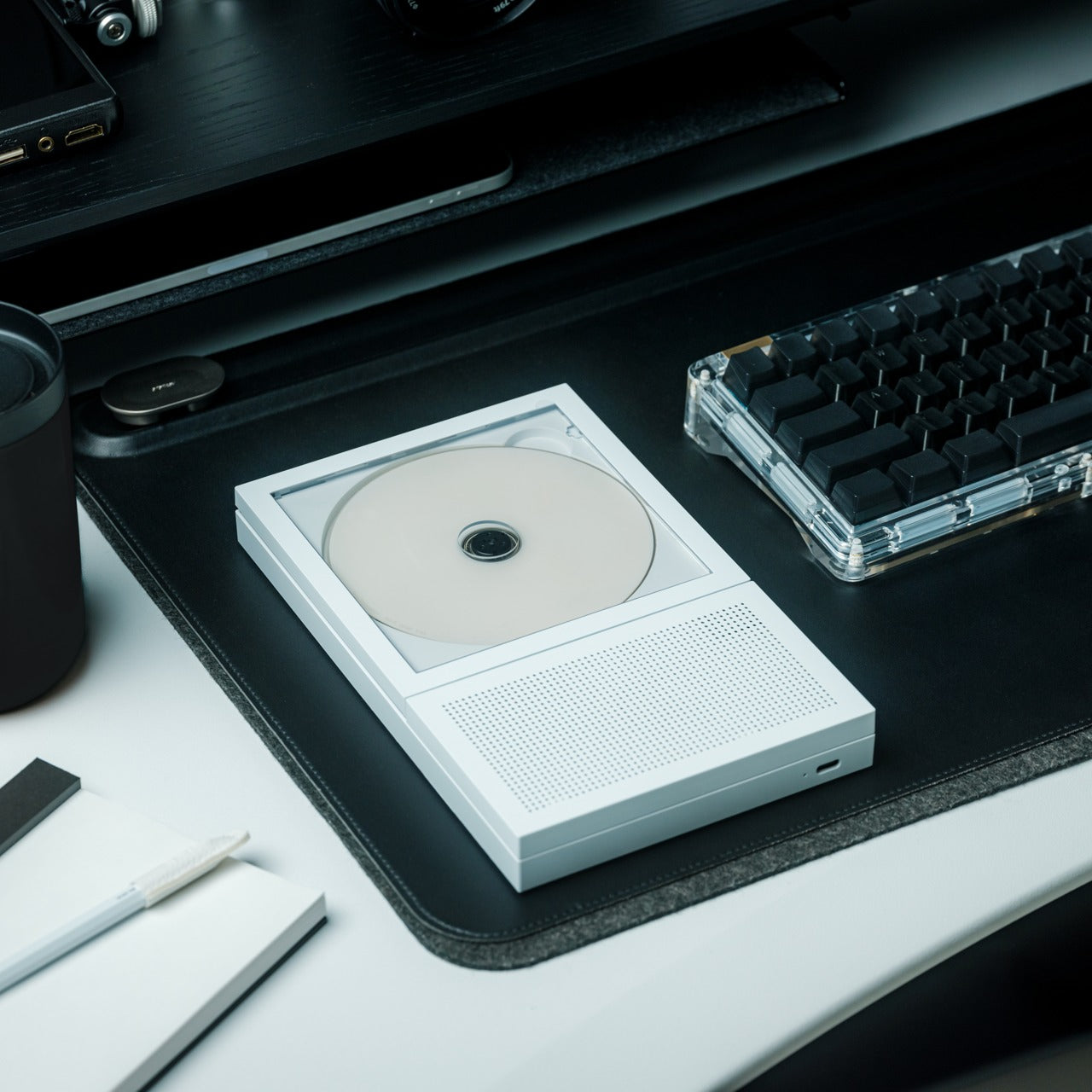
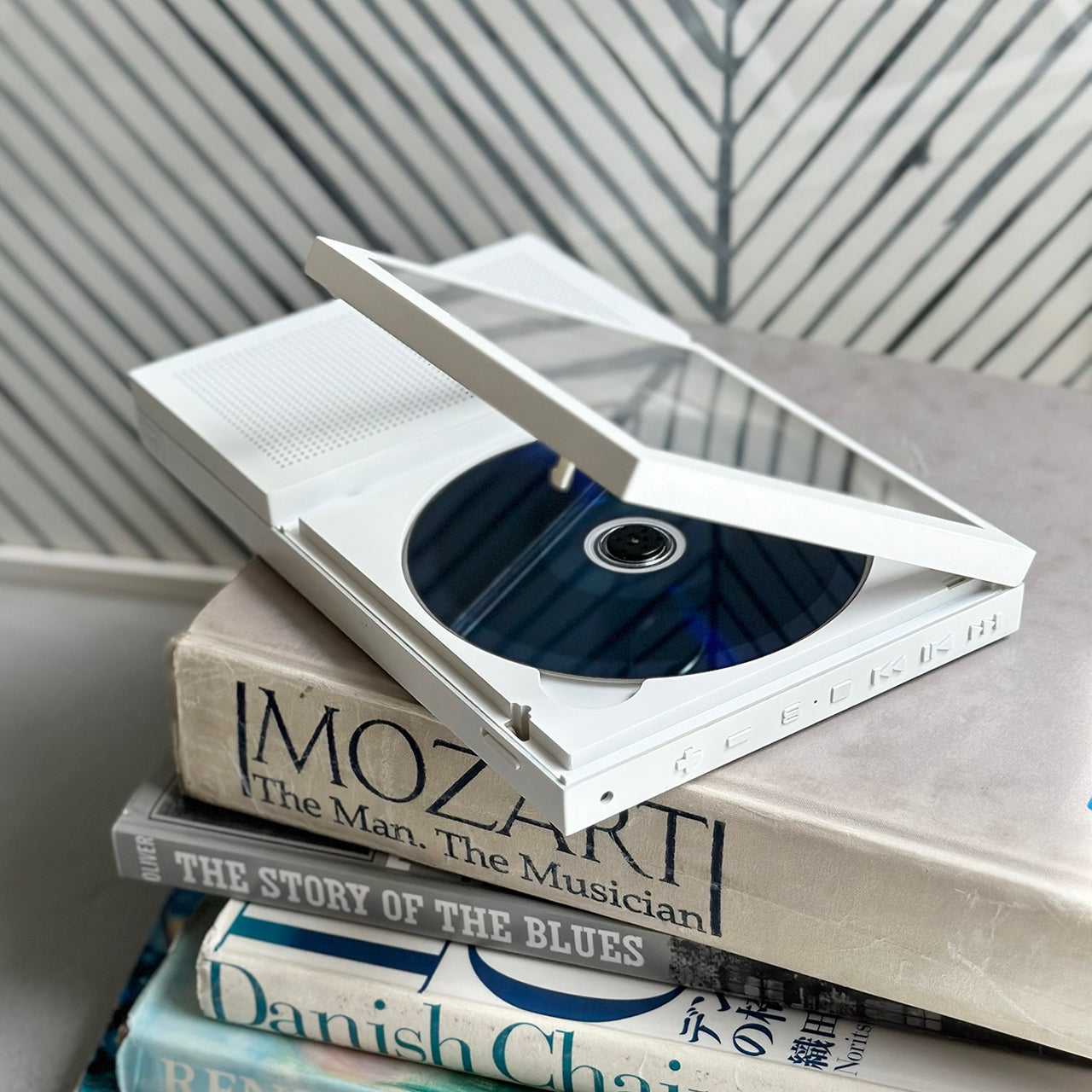
Most listening devices treat album art as a thumbnail. The Portable CD Cover Player treats it as the whole point of sitting down to listen. Slide a CD into the front pocket, and the jacket art faces outward while the music plays through the built-in speaker. A rechargeable battery means you can carry it from room to room or out the door, and a wall-mount bracket option lets it hang like a small piece of art between sessions. It is a device designed to involve your eyes as much as your ears, and that one decision changes how the experience of listening actually feels from the first time you press play.

Streaming made music invisible. Open an app, hit shuffle, and album art scrolls past as a thumbnail nobody really looks at. The CD Cover Player reverses that entirely. The physical disc becomes a reason to engage with the full artwork, the liner notes, and the sequence of tracks someone arranged with intention. That kind of listening has more in common with reading a book than with background audio. It makes music feel like something worth sitting with, not just filling silence while you check your phone.

Click Here to Buy Now: $199.00

What We Like

  • Displaying the CD jacket while music plays turns listening into a visual ritual rather than ambient noise.
  • Functions as a portable speaker, a shelf object, and a wall-mounted display all at once.

What We Dislike

  • Built-in speaker quality will not satisfy anyone used to a dedicated Hi-Fi setup or a good pair of headphones.
  • Building a physical CD collection takes time and shelf space if your library currently lives inside a streaming app.

3. reMarkable Paper Pro

Writing moved onto phones and tablets and gradually stopped feeling like thinking. The reMarkable Paper Pro brings friction back to the process, and it turns out friction was doing most of the work all along. The reMarkable Paper Pro is an 11.8-inch writing tablet with a textured surface built to feel like paper under the pen. The Canvas Color display uses millions of color ink particles rather than a backlit panel, delivering depth and natural tones without glare or eye strain during long sessions. Responsiveness is near-instant, with a pen-to-ink distance of under one millimeter. An adjustable reading light means you can write comfortably in the dark without turning on a screen that floods the room with blue light at midnight.

Writing on the reMarkable Paper Pro does not feel like typing a text or filling in a form. The surface friction slows you down in a way that is genuinely worth something. Notes become more considered. Ideas take longer to arrive, which means they tend to stick around. Color adds another layer of possibility: use it to organize thoughts, mark priorities, or simply make a page feel like yours. Carrying it feels closer to carrying a notebook than carrying a device, and that distinction matters more than it sounds once you’ve spent a week with it.

What We Like

  • Canvas Color display delivers full color without a backlit panel, so long writing sessions never leave your eyes sore.
  • Paper-like surface friction makes every note feel deliberate, consistently producing better thinking than a keyboard does.

What We Dislike

  • Premium pricing is a real barrier to knowing whether a dedicated writing tablet fits your daily routine.
  • The 11.8-inch size does not slip into a jacket pocket, which changes when and where it realistically comes with you.

4. Light Phone 3

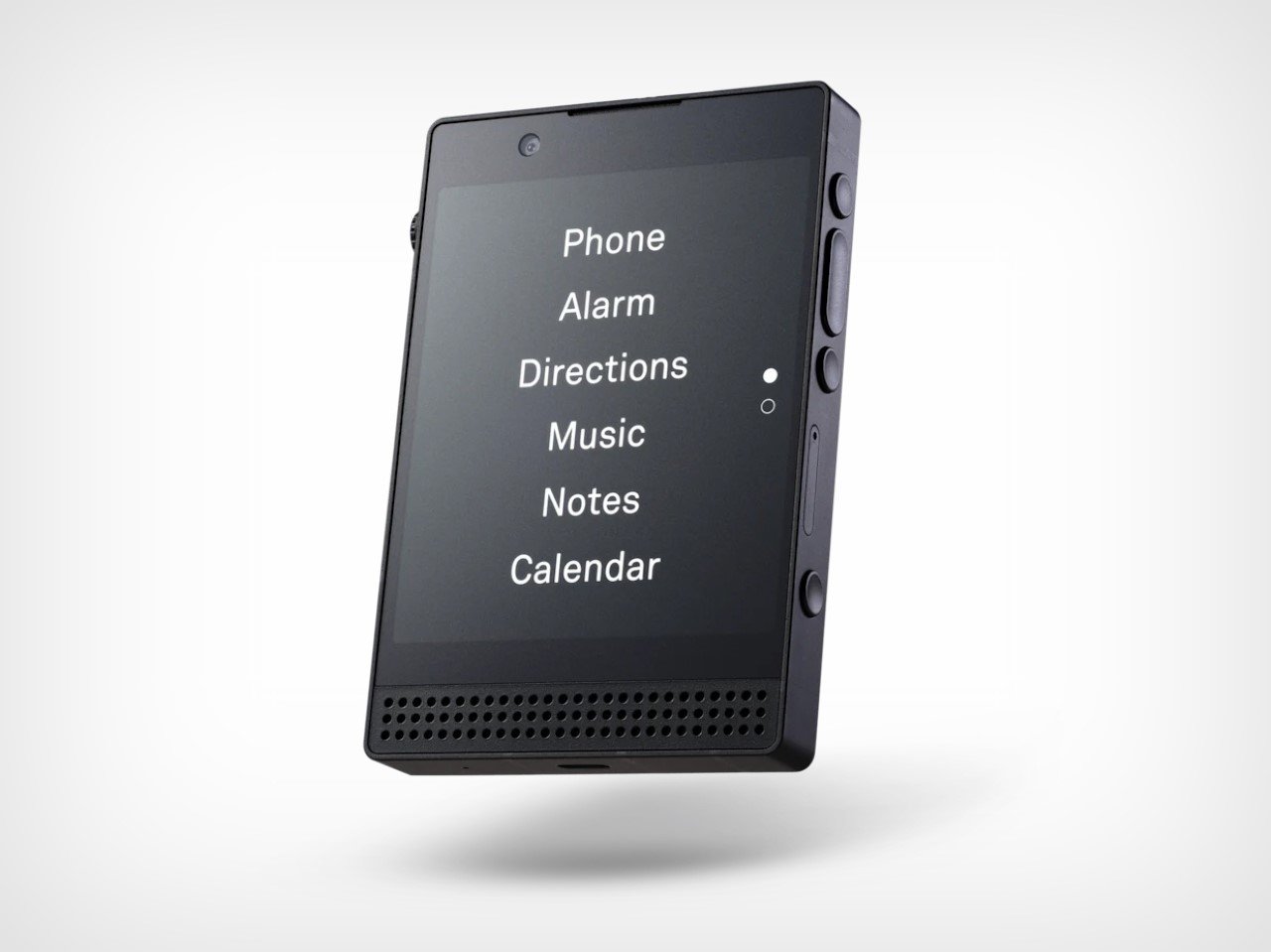
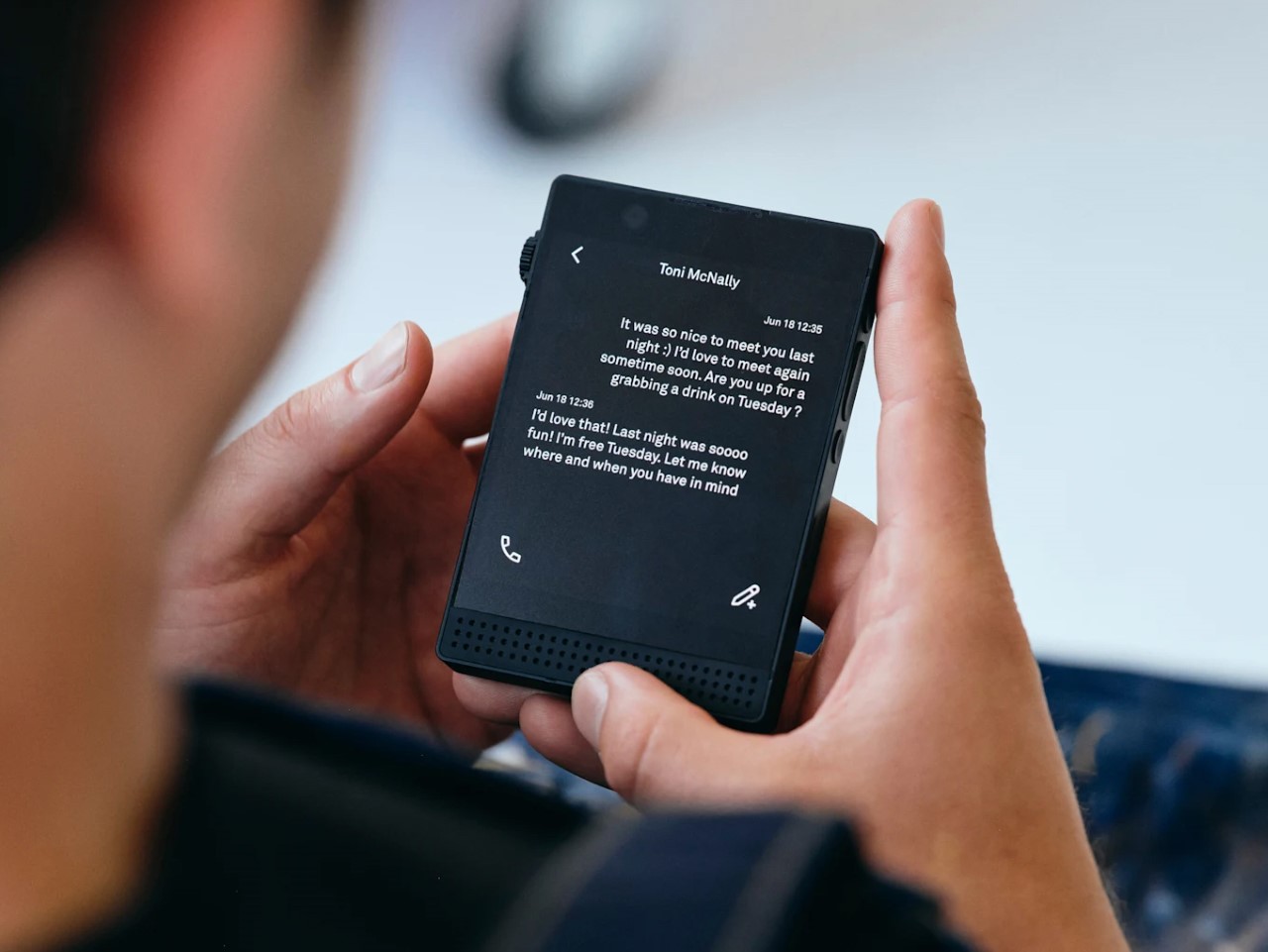
The Light Phone 3 is not a worse version of your phone. It is a different one, built around the idea that doing less on purpose is more valuable than doing everything by reflex. The Light Phone 3 is built by New York-based Light Phone and does far less than your current device on purpose. This third-generation minimalist phone restricts usage to calls and texts, with no access to social media, email, or internet browsing. The 3.92-inch OLED display runs in black and white, and a 50MP rear camera with a dedicated two-step hardware shutter button handles every moment worth capturing. A brightness scroll wheel on the right side replaces every on-screen slider you never actually enjoyed using.

Switching to a phone that cannot open Instagram does not mean going offline. It means being reachable for what matters and unreachable for everything else competing for your attention. The Light Phone 3 arrived five years after its predecessor, and that time shows in the hardware quality, the metal frame, and the more refined interface. Using it for a weekend resets something in how you relate to a screen. By Monday, returning to your smartphone feels like a choice rather than the only available setting.

What We Like

  • A 50MP camera with a dedicated two-step hardware shutter means you never lose moments worth keeping, even without social media to post them on.
  • Restricting the device to calls and texts removes ambient distraction without requiring willpower each time you pick it up.

What We Dislike

  • No maps, ride-share apps, or mobile browsers means planning in a way most people have quietly stopped doing.
  • The black-and-white display is intentional, but the adjustment period is real enough to factor in before committing.

5. Rolling World Clock

A clock that tells time by being rolled, with no screen, no charging port, and no app to pair it with, turns out to be one of the more quietly satisfying objects you can put on a desk in 2026. The Rolling World Clock is a 12-sided object that tells time by being rolled. Each face corresponds to a major timezone city: London, Paris, Cape Town, Moscow, Los Angeles, Karachi, Mexico City, New York, Shanghai, Tokyo, Sydney, and New Caledonia. Roll it to the city you need, and the single hand reads the correct local time. No charging, no syncing, no setup required. It handles one task and nothing else, and that simplicity is precisely the point of placing it on a desk at all.

Most people check the time on their phones and put the phone down thirty seconds later than they planned to. The Rolling World Clock short-circuits that loop completely. Available in black or white, it sits on a desk or shelf with the quiet presence of something that earns its place as both a functioning clock and a piece of considered design. The physical act of rolling it to a different city does something a world clock widget never could: it makes checking the time feel like a deliberate act rather than a gateway to something else.

Click Here to Buy Now: $49

What We Like

  • Twelve faces covering every major timezone make it genuinely useful for anyone with friends or collaborators spread across the world.
  • Works as well as a desk sculpture as it does as a functioning clock, earning its place in a room even when nobody is actively using it.

What We Dislike

  • The single hand and minimal face markings take a moment to read accurately if you’re used to relying on digital displays.
  • Twelve flat sides mean the clock can rock when bumped, so placement on a hard desk surface matters more than expected.

The Best Gadgets Don’t Ask Anything Back

None of these five objects needs you. They do not send notifications, hold streaks, refresh feeds, or run recommendation engines quietly in the background. That indifference is the point. Gadgets that do one thing well leave you with more room to decide what to do with the rest of your time, and that turns out to feel like a significant amount of room once you actually notice it.

Touching grass is not really about being outside. It is about choosing where your attention goes before something else makes that choice for you. A camera that makes you look up. A phone that stays quiet. A tablet that brings friction back to thinking. A clock you roll with your hands. A CD player that makes you sit with an album from beginning to end. All of it adds up to a different relationship with your own time, and that is worth more than any app that promises the same thing.

The post 5 Best Gadgets Gen Z Uses to Touch Grass Instead of Doom-Scrolling first appeared on Yanko Design.

Forget Smart Pens. This Titanium Fidget Pen Writes, Clicks, Spins, and Delights.

Your hands are restless by design. Even when you’re sitting still and supposedly focused, they want to press something, rotate something, click something into place. This tendency has been pathologized and productized in equal measure, first by disapproving teachers, then by the fidget spinner industry. But before any of that, there was just the pen. The clicking ballpoint. The cap you’d snap and unsnap. The barrel you’d roll between your knuckles during a long phone call. Pens have always had a secondary life as objects of physical preoccupation, and most people who’ve ever worked at a desk know exactly what that feels like.

SPINNX takes that secondary life and makes it the whole point. Built by WEIWIN out of aerospace-grade titanium and held together by magnets, the pen separates into three modules that each deliver a distinct tactile sensation. Snap them together and there’s a crisp magnetic click. Press the spring-loaded ball in the middle and it gives you another one. Spin the dice top and it rotates through a series of rhythmic mechanical detents. The pen tip deploys with a twist rather than a click, because even the functional part of the experience has been thought through. Three years of development, ten design revisions, and one very specific goal: a pen that writes and delights.

Designer: WEIWIN

Click Here to Buy Now: $59 $102 (42% off). Hurry, only 168/200! Raised over $46,000.

The three-part system allows you to reconfigure the pen’s entire sensory output. You can flip the middle module to put the spring-loaded ball on top for a different kind of thumb-actuated click. Each combination changes the weight distribution and the way the pen feels in motion, which creates a surprisingly deep rabbit hole of tactile experiences. The team claims over fifty different ways to spin and fidget with the thing, and that number feels plausible once you start playing with it. The design provides a whole palette of physical feedback, letting you find the specific sensation your brain needs at that moment to stay locked in.

The snap of two modules connecting sounds like a well-tuned mechanical keyboard switch, something the designers obsessed over to ensure the end-product has a strong audio-visual-tactile experience. WEIWIN engineered the acoustic and tactile response of each magnetic separation and reconnection as an intentional product feature, treating the sound with the same design attention as the geometry… sort of like how luxury car designers obsess over how the doors sound when they close. Most clicking pens produce their click as a mechanical consequence, with nobody sitting in a room deciding whether it needs to be crisper or more controlled. With SPINNX, somebody clearly did sit in that room, and the result is a snap that feels sound-designed for sheer satisfaction.

The dice module functions like a high-quality EDC spinner, rotating with a series of crisp, audible clicks that feel like running your thumb over the crown of a well-made watch. Its ceramic bearing ensures the rotation is smooth and completely unaffected by the precision-engineered magnets holding the pen together. Choosing a non-metallic bearing is the kind of small, deliberate decision that separates a durable tool from a simple toy. Beyond the satisfying spin, it serves as a simple decision-making device. When you’re stuck between two choices, a quick roll gives you an answer, which is a surprisingly effective way to get past minor mental roadblocks.

Choosing aerospace-grade titanium for the body does more than just add a premium feel. The material provides a specific heft and durability that aluminum or steel can’t quite match, giving the pen a reassuring presence in the hand without being overly heavy. This balance is critical for an object designed for constant manipulation. The pen tip itself deploys with a smooth twist mechanism, which feels more deliberate and controlled than a standard clicker. WEIWIN also engineered its own proprietary “Super Refill,” which they claim has up to six times the writing life of a standard refill. Sure, it won’t work with standard refills, but standard refills only last 1/6th as long as the one that comes with the SPINNX.

There’s an optional Maglev Pen Stand that completes the package for anyone who spends most of their day at a desk. The stand uses magnetic levitation to balance the pen perfectly upright, letting it float and glide with a gentle touch. It turns the pen into a kinetic sculpture when you’re not using it, a piece of interactive art that settles back to its center with precision. This stand isn’t just for storage; it’s an extension of the pen’s core philosophy. It’s another way to engage your hands and mind with a simple, satisfying physical interaction, turning a moment of pause into something quietly delightful.

The standard SPINNX comes in four finishes. The base model is a silver-colored aluminum for $59, while the premium versions are offered in natural titanium, matte black titanium, and a striking brass-colored titanium for $69. For those who want the complete experience, a $99 Professional Kit bundles the pen with a leather pouch and other accessories. There are also several add-ons available separately, including extra refills, a calfskin leather pouch for protection, a spiral module to swap with the dice cap for a different visual flow, and the magnetic fidget sticks for more desk-based play. The Maglev Pen Stand is also available as a standalone $35 purchase. All SPINNX variants ship worldwide starting April 2026.

Click Here to Buy Now: $59 $102 (42% off). Hurry, only 168/200! Raised over $46,000.

The post Forget Smart Pens. This Titanium Fidget Pen Writes, Clicks, Spins, and Delights. first appeared on Yanko Design.

Functional LEGO Sewing Machine actually moves a needle up and down when cranked

There’s nothing from stopping this LEGO machine from actually sewing clothes, apart from the fact that attaching a real needle to it would make it an ‘illegal’ build. Illegal builds in LEGO are when you use bricks in unauthorized ways (wedging them, gluing them, using them upside down), or using non-brick parts in a LEGO build. Sadly, this rather outdated law is the only thing preventing BrickStability’s Sewing Machine from letting you stitch clothes, kerchiefs, and quilts together.

What I love about LEGO MOCs (My Own Creations) is that some people try to achieve aesthetic perfection, while others try to actually make LEGO builds functional. There’s a LEGO lawnmower that cuts grass, a LEGO Typewriter that types, and even a functional LEGO Turing Machine that ‘computes’. Add this sewing machine to that list because it isn’t just a visual masterpiece, it’s complicated, intricate, and to a great extent, functional.

Designer: BrickStability

It’s true that nobody can agree who first invented the ‘sewing machine’. Elias Howe is credited with the version we popularly use today, although Thomas Saint, Barthelemy Thimonnier, and Isaac Singer are all also attributed as key figures in helping create some version of the modern-day sewing machine. This particular version, the lockstitch sewing machine, was patented in 1846 by Elias Howe, and while the LEGO MOC isn’t exactly Howe’s patented design, it’s an antique machine that takes that lockstitch technology and packages it into a form factor a lot of us recognize even today.

There are multiple YouTube shorts and GIFs on how these machines actually ‘stitch’ clothes, but the simple explanation is that a rotating element (powered by a crank on the side or a foot-pedal at the bottom) moves a special needle up and down, while a spool feeds continuous thread directly to the needle. As you stitch, the machine creates that rhythmic noise associated with tailoring shops, while the spool gradually rotates too, feeding thread into the ever-hungry machine.

BrickStability’s version is gorgeously accurate. Not only is it functional (the crank rotates and the needle element moves up and down), it also comes with LEGO spools of colored thread, along with a tailoring scissor made from LEGO bricks too. The machine is black, just like almost every machine in that time (funnily enough I only remember the motorized ones as being white in color), and comes with some ornate gold brickwork, reminiscent of the detailing seen on vintage machines.

This MOC is different from the usual ones we feature on the website. It wasn’t created for LEGO Ideas the way we know it, but rather, was designed as a submission for a challenge hosted by LEGO on its Ideas website. Needless to say, it took home the grand prize, and one can only hope LEGO actually turns this build into a real retail box set!

The post Functional LEGO Sewing Machine actually moves a needle up and down when cranked first appeared on Yanko Design.

Modded Transparent iPhone Air with a Working SIM Slot Looks Like Apple and Nothing had a Dream Child

12:28 AMHuaqiangbei operates on its own physics. The sprawling electronics market in Shenzhen is the place where flagship smartphones get dismantled, reimagined, and rebuilt into things their original manufacturers never approved and probably never imagined. It runs on American time, buzzes with microscopes and milling machines, and treats the word “warranty” as a polite suggestion. If you want something done to your phone that a brand explicitly decided against, this is where you go.

Taiwanese creator Linzin Tech went there with a blue iPhone Air, the thinnest iPhone Apple has ever made and the first one sold without a physical SIM slot anywhere in the world. He left with something that looks like a cyberpunk collector’s piece: a fully transparent-backed iPhone Air with a functioning nano-SIM tray carved directly into its frame, wired into the motherboard by hand, under a microscope, late at night. A Dbrand X-Ray case could never…

Designer: Linzin Tech

YouTuber Scotty Allen built an iPhone with a headphone jack in Huaqiangbei. He also assembled a working iPhone almost entirely from parts bought off the street there. The market has this reputation for turning Apple’s deliberate omissions into solved problems, and the community around it keeps raising the difficulty level. Linzin’s challenge was particularly gnarly because he wanted two separate modifications on Apple’s most space-constrained iPhone ever, one cosmetic and one structural, and both required touching parts of the phone that Apple engineers spent years optimizing down to the millimeter.

The transparent back came first, and the process was a laser job performed on the rear glass panel. Technicians at Changlong Technology stripped the internal paint layer without touching the MagSafe charging coil sitting directly beneath it, which is about as precise as it sounds. Once the coating was gone, the phone’s internals became fully visible through the glass: the battery, logic board, shielding, internal connectors, and the flexible cable running between the upper and lower assemblies with “Changlong Technology” printed right on it. The Apple logo floats above actual hardware now. It looks like a concept render that somehow got approved.

The iPhone Air has no physical SIM slot in any market, globally, which meant Changlong’s team had to use a CNC milling machine to carve a slot opening into the phone’s ultra-thin metal frame. The original Taptic Engine had to come out entirely because there was simply no room for both it and a SIM tray in that chassis. A smaller third-party linear motor went in its place. Linzin estimates the haptic feedback at around 98% of the original, with the main perceptible difference being less granularity between light and heavy vibration patterns. Apple’s Taptic Engine is genuinely one of the finest haptic systems in consumer electronics, so even a 2% degradation is something purists will notice.

Board-level microsoldering connected the new SIM reader to the motherboard, and after a reboot the phone recognized a physical nano-SIM and connected to a carrier on 5G. Hot-swapping requires a restart to register a new card, which is a minor workflow tax. The thermal picture is less rosy. The graphite heat spreader sheets were casualties of the laser process and were not fully reinstated, which pushed operating temperatures noticeably higher under sustained load. Linzin ran 20 rounds of stress testing and confirmed the throttling. IP68 water resistance is also gone the moment the frame gets milled. And on the morning he flew back to Taiwan, the microphone ribbon cable came loose, sending the phone back to Shenzhen for repairs.

Close-up of the machined SIM tray

Here is the thing though. Linzin paid real money for a phone Apple sells for a premium, then paid again to have it modified, accepted degraded thermals, lost water resistance, voided his warranty instantly, and still calls it worth it. His reason is genuinely practical: he changes phones weekly and eSIM-only means a carrier visit every single time. The modification solves a real problem for a specific kind of power user, and it does so with enough visual drama that you would probably auction this thing for three or four times its retail price. Huaqiangbei has been poking holes in Apple’s “impossible” list for years. This one just happens to be the most beautiful hole yet.

The post Modded Transparent iPhone Air with a Working SIM Slot Looks Like Apple and Nothing had a Dream Child first appeared on Yanko Design.

Electric guitar–shaped Clearaudio Celebrity Al Di Meola Edition Turntable exemplifies functional art

In the world of high-fidelity audio, certain products move beyond function and enter the realm of art. For instance, the  VS-01 Bluetooth Vertical Turntable, Orbit Turntable, Concrete Stereo, or Memphis-inspired vinyl player are all in a league of their own. For decades, German manufacturer Clearaudio has built a reputation for engineering turntables that prioritize craftsmanship and sonic purity. With its latest release, the brand takes a more expressive turn, blending technical mastery with musical tribute. The Clearaudio Celebrity Al Di Meola Edition turntable is not only a playback device but also a sculptural homage to one of contemporary jazz’s most influential guitarists, Al Di Meola.

Limited to just 1,000 units worldwide, this inaugural model in Clearaudio’s Celebrity series celebrates Di Meola’s virtuosity through both sound and form. The most striking element is its body, shaped in the flowing outline of an electric guitar. Crafted from high-density wood fiber, the chassis is available in either a deep black finish or a real rosewood veneer, reinforcing its visual connection to the instrument that defined Di Meola’s career. The design transforms the turntable into a statement piece, equally suited to a listening room or a curated interior space.

Designer: Clearaudio

Beneath its artistic exterior lies serious engineering. The turntable features a 30 mm high-density platter paired with a precision CNC-machined aluminum sub-platter. A flat belt drive system ensures smooth rotation, while Clearaudio’s Tacho Speed Control (TSC) continuously monitors and adjusts speed in real time. This system compensates for variables such as temperature fluctuations or belt tension changes, automatically recalibrating at startup to maintain accurate playback at both 33⅓ and 45 RPM. The result is stable rotation and faithful sound reproduction, essential for preserving the nuances of analog recordings.

Vibration control plays a central role in the turntable’s performance. Clearaudio incorporates its Innovative Motor Suspension (IMS) system, derived from higher-tier models in its lineup. The decoupled 12V DC motor is isolated from the chassis to minimize unwanted resonance and mechanical interference. This careful separation helps maintain clarity, allowing listeners to experience greater detail and dynamic range from their vinyl collection. Ease of use has also been thoughtfully considered. A multifunction control knob, inspired by a guitar’s volume dial, manages operation. With a single press, users can power the unit on, switch speeds, or place it in standby mode. During calibration, the knob can be rotated to fine-tune speed adjustments. The interface is simple yet tactile, echoing the physical engagement that defines vinyl playback itself.

Each unit comes fully equipped with Clearaudio’s Profiler tonearm and a specially matched Celebrity moving-magnet cartridge, ensuring optimized performance straight out of the box. Adding to its collectible appeal, the package includes a numbered special-release vinyl album by Al Di Meola and a branded guitar pick, reinforcing the personal connection between artist and equipment. Weighing approximately 22 pounds and measuring about 18.1 x 14.2 x 5.5 inches, the turntable has a substantial presence without overwhelming a space. Its construction reflects careful material selection and attention to resonance control, balancing aesthetics with acoustic performance.

In terms of pricing and availability, the artistic vinyl player has a recommended retail price of about €3,950 (approximately $6,000 USD), depending on the retailer. That reflects the vinyl player’s premium design, precise engineering, and most importantly, collector value.

The post Electric guitar–shaped Clearaudio Celebrity Al Di Meola Edition Turntable exemplifies functional art first appeared on Yanko Design.
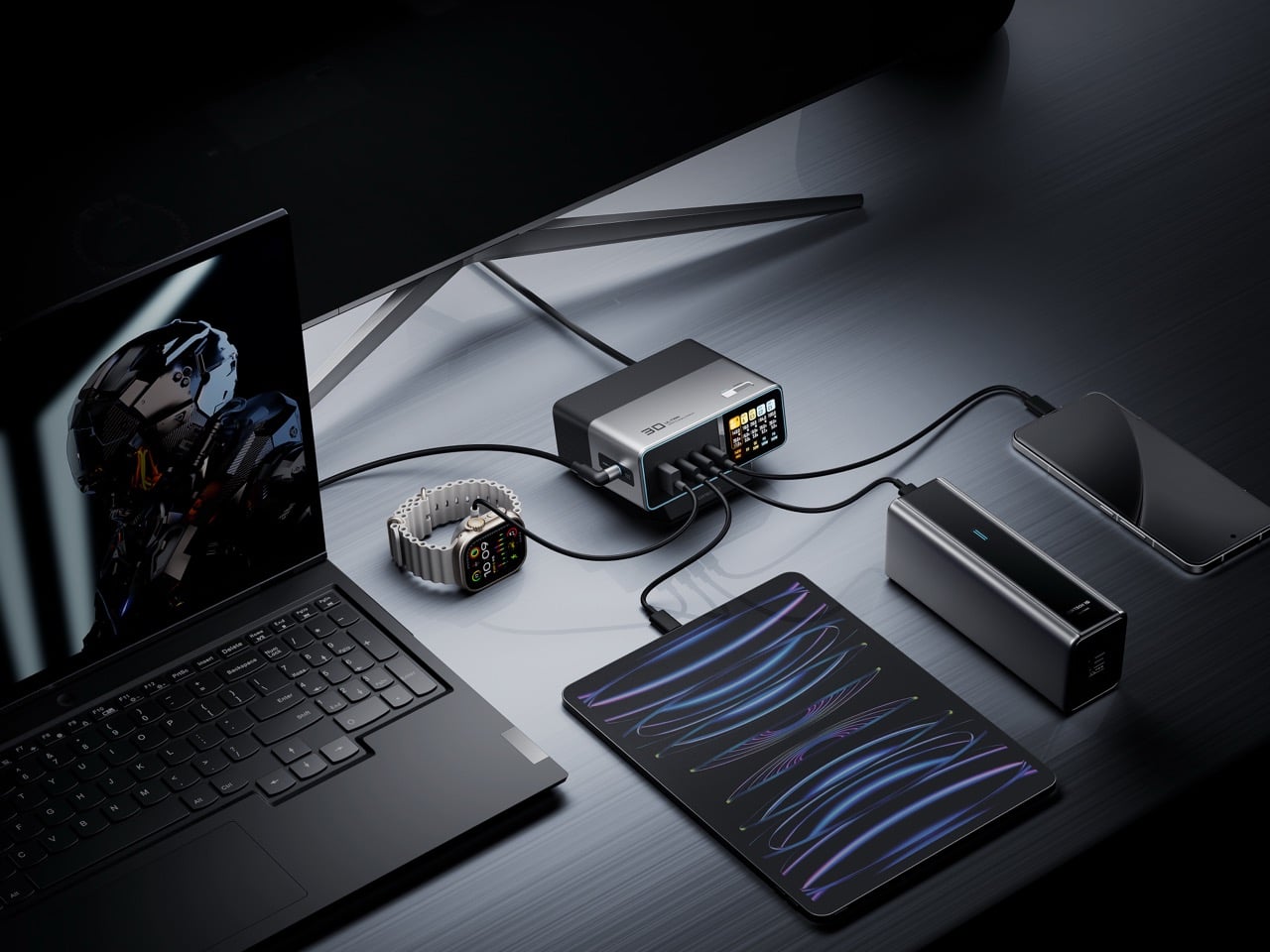
This Portable Power Strip Clamps to Table Edges and Charges 3 Devices

Working from wherever you can find a seat means accepting certain frustrations, and outlet hunting is near the top of the list. Extension boards solve that at home, but they’re designed for rooms rather than bags, and dragging one to a café or shared studio means arriving with a coil of cable that becomes someone else’s problem. Power infrastructure hasn’t caught up with how people actually work.

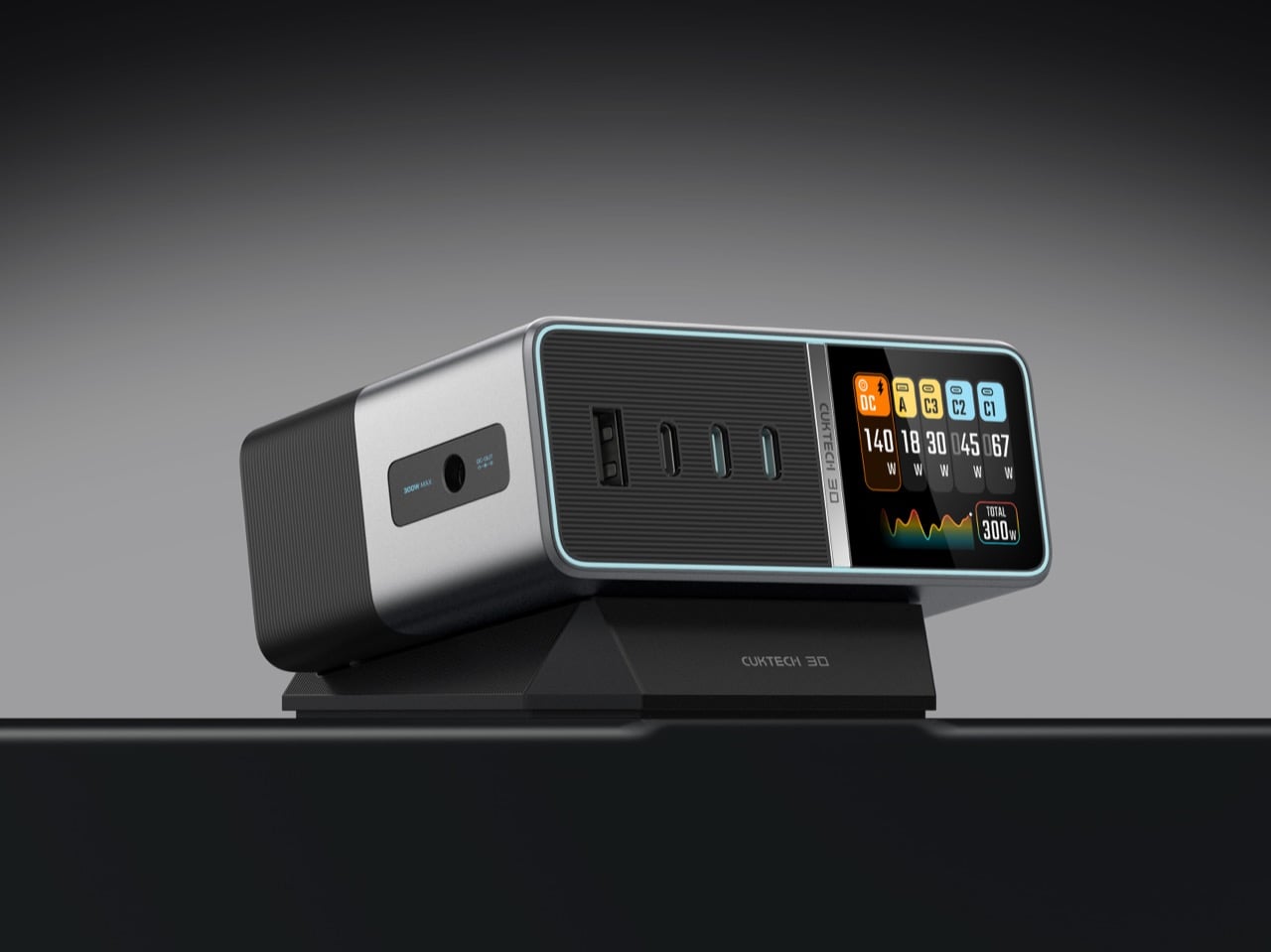
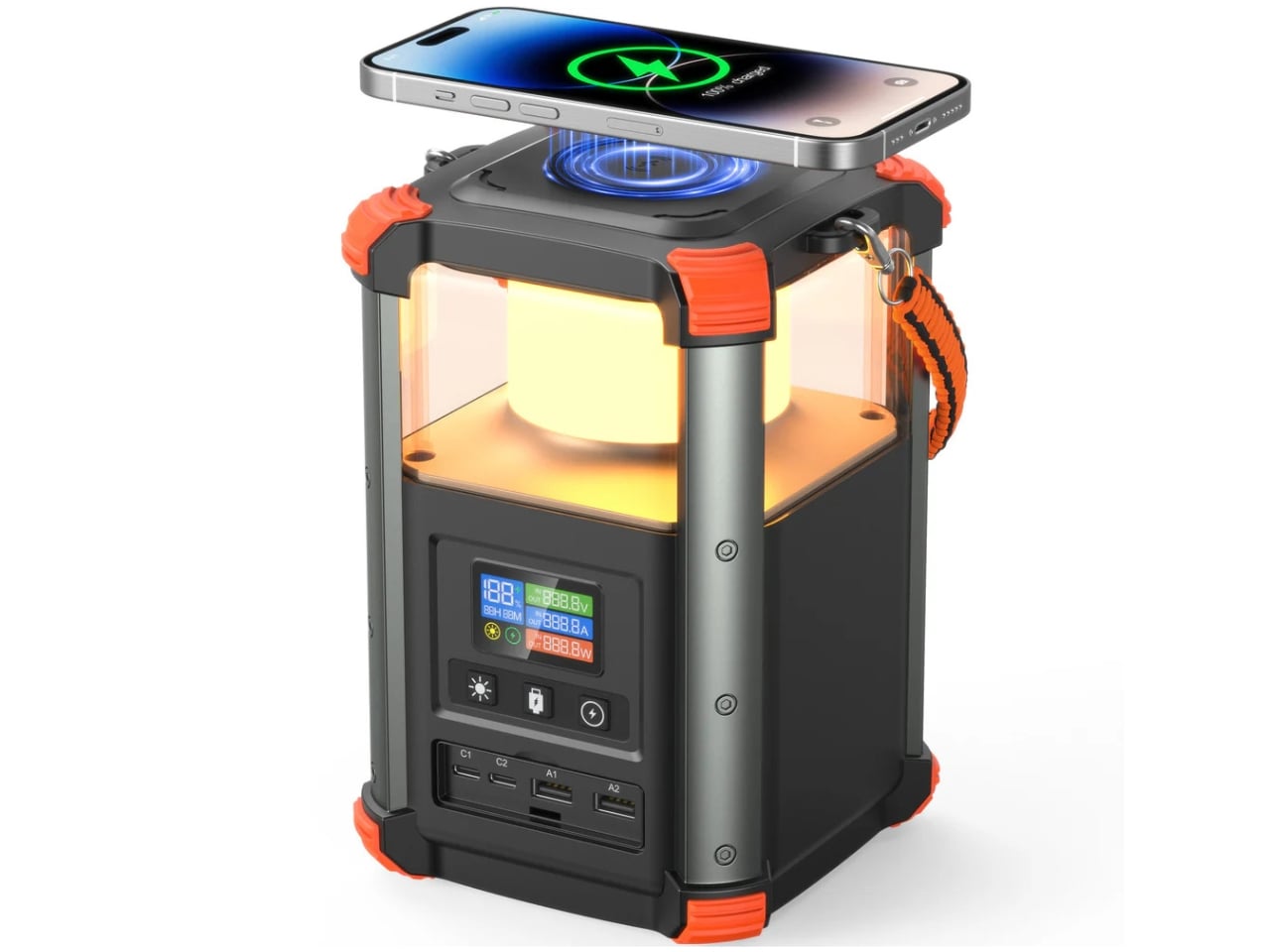
Xtend is a personal charging extension concept built around one challenge: making power access portable without making it awkward. The guiding claim is “Power access shouldn’t be bulky,” which is fair when most extension boards still feel designed for a fixed office and are never reconsidered. The concept answers with a compact, desk-edge device you carry rather than leave behind.

Designer: Parth Amlani

Rather than a strip on the floor where cables become trip hazards, Xtend clamps to the table edge and creates an elevated power zone right where you’re working. That’s the main behavioral shift, and it matters. It keeps cables off the ground, reduces accidental unplugging when someone shifts their chair, and gives the whole setup a predictable home, whether you’re there for twenty minutes or a few hours.

A manual retractable wire manages the cable when you pack up, addressing tangles at the source rather than relying on cable ties or zip pouches. The table attachment uses a selfie-stick-inspired locking mechanism for adjusting and securing the device to different desk edge profiles. That’s not a small detail, because portability only works if setup and stow are both quick.

Of course, attaching to a desk edge only matters if it handles what you’re actually charging. Xtend is set up for three devices at once, a top-facing outlet for a laptop charger, and USB ports on the side for phones or smaller devices. That mix reflects how people actually charge at a shared desk, one large draw and a couple of smaller ones, rather than forcing everyone to compete for a single wall strip.

Xtend treats power the way people already treat other portable tools, as something that belongs in a bag and works anywhere. Extension boards have been a room infrastructure for decades, but how people work has changed. A small device that attaches to a desk edge, charges three things, and retracts its own cable before you leave suggests that the power strip category is ready for a rethink.

The post This Portable Power Strip Clamps to Table Edges and Charges 3 Devices first appeared on Yanko Design.
ASUS ROG Flow Z13 Kojima Productions Edition Review: Designed, Not Branded

PROS:


  • CNC machined artwork creates depth that printed graphics can't replicate

  • Carbon fiber and aluminum deliver genuine material contrast

  • Decennium Gold colorway builds a collaboration-specific design language

  • Thermal architecture integrates visibly into the surface composition

  • Multiple configurations give collectors several compositionally distinct angles

  • Shinkawa's design vocabulary translates to hardware without dilution

CONS:


  • Static chassis can't capture the kinetic energy of Shinkawa's illustrations

  • Tablet weight limits comfortable handheld use beyond fifteen minutes

RATINGS:

AESTHETICS
ERGONOMICS
PERFORMANCE
SUSTAINABILITY / REPAIRABILITY
VALUE FOR MONEY

EDITOR'S QUOTE:

Most limited editions wear an artist's name. The Z13 KJP wears an artist's hand.
award-icon

When the artist holds the pen, the object changes at a structural level. ASUS calls the ROG Flow Z13 Kojima Productions Edition a collaboration with Yoji Shinkawa, but the result reflects authorship rather than endorsement. Shinkawa drew the design elements directly. The angular chassis cutouts reference Ludens’ armor, the same character he originally created as Kojima Productions’ icon. The Decennium Gold colorway exists because Shinkawa chose it. The carbon fiber integration, the custom keycap typography, the vent laser etching: these trace back to his visual direction, not ASUS’s interpretation of it. The geometry, materials, and graphic hierarchy don’t feel applied to an existing chassis. They feel drawn into it.

Shinkawa himself described the process as designing a gadget that “belongs to Ludens” and integrating that into the PC design. That framing tells you where creative authority sat. The artist didn’t adapt to the hardware. The hardware adapted to the artist.

Kojima Productions as Design House

Calling Kojima Productions a game studio accounts for what the company ships, not what it builds. The studio’s visual identity, shaped primarily by Shinkawa since its founding, represents one of the most distinctive aesthetic vocabularies in entertainment. Shinkawa’s style blends bold brushwork with intricate mechanical detail: fluid motion rendered with precision, emotion conveyed through futurism. The characters, vehicles, and environments of Metal Gear Solid and Death Stranding share a visual language that’s immediately identifiable: heavy contrast, dynamic composition, mechanical forms that feel organic.

Ludens, the company’s mascot, embodies this philosophy. Designed as a collaboration between Kojima and Shinkawa, Ludens wears an “extravehicular creative activity” suit: part knight armor, part astronaut gear. The character represents “those who play” (Homo Ludens), and the visual design merges protective functionality with exploratory optimism.

The motto: “From Sapiens to Ludens.” The Z13 KJP’s tagline: “For Ludens Who Dare,” combining Kojima Productions’ philosophy with ROG’s established “For Those Who Dare.” Even the marketing language operates as a design decision.

The Chassis as Canvas

The CNC-milled aluminum chassis does something unusual for limited edition hardware: it uses premium manufacturing as the design medium rather than premium materials as decoration.

Angular cutouts carved into the aluminum reference Ludens’ armor plating. These aren’t applied graphics or printed textures. They’re machined into the body with tolerances you can feel with a fingernail. The cutting angles create shadow lines that shift with viewing angle, adding depth that flat surfaces can’t achieve.

The Decennium Gold colorway breaks from gaming hardware convention. ROG products typically live in blacks, dark greys, and aggressive reds. Shinkawa chose a palette that references neither typical gaming aesthetics nor typical Kojima aesthetics. It’s a new color vocabulary specific to this collaboration, one that reads as industrial warmth rather than decorative accent.

Vent laser etching creates a subtle pattern across thermal exhaust areas that reads differently depending on lighting. At a glance, it’s texture. Up close, it’s deliberate patterning that maintains the Ludens visual motif even on functional surfaces.

Surface Detail as System

The rear panel artwork is layered in three visual weights, each serving a distinct compositional role. Fine parallel lines establish a base grid across the aluminum while medium thickness strokes intersect at angles that echo Ludens armor plating. Deep black ventilation apertures anchor the composition as functional shadow fields. Some lines are laser etched while others are machined recesses, and the vents aren’t hidden beneath the artwork but integrated into it.

This is where the detail level becomes clear. The vent field doesn’t interrupt the art but completes it, with perforations radiating in controlled clusters. Horizontal exhaust lines align with printed striations, while thicker strokes deliberately break alignment to preserve composition. It reads less like decoration and more like a technical schematic of something operational.

Micro typography reinforces the illusion. “Ensure lock is tight” sits near the kickstand mechanism. “Do not touch lens surface” frames the rear camera. “Li polymer battery pack here” is printed as if this were an exposed prototype rather than a sealed device. The language mimics field equipment labeling. It creates narrative without becoming parody.

What elevates the rear panel from decoration to design system is physical depth. The CNC bevels catch and redirect light differently depending on the angle of incidence, so the composition’s visual weight shifts throughout the day without any element disappearing. Under diffuse lighting, flat artwork would lose definition. Machined geometry holds contrast even when the room goes dim.

Carbon Fiber as Material Language

The carbon fiber elements operate as material contrast rather than structural marketing.

The weave is visible and directional. Under angled light it shifts between matte absorption and subtle reflection, creating tonal variation that the aluminum can’t replicate. This is real carbon fiber, not printed simulation. It introduces organic texture into an otherwise machined surface vocabulary.

Placed adjacent to CNC milled aluminum, the fiber changes how the entire rear panel reads. Woven composite beside bead blasted metal creates tension between engineered precision and tactile irregularity. That pairing echoes Shinkawa’s broader design instincts. Mechanical forms feel inhabited rather than sterile. Armor suggests use rather than abstraction.

Thermal Architecture Shapes the Exterior

The Z13 KJP’s tablet form forces its cooling system to live within a flat plane rather than a hinged clamshell cavity.

ASUS integrates larger fans and a wider vapor chamber because the device lacks a traditional hinge exhaust path. An airflow channel under the display helps reduce touchscreen surface temperatures. These engineering decisions directly influence vent placement and rear panel geometry.

The diagonal vent cluster embedded in the carbon fiber panel isn’t arbitrary styling. It exists where airflow demands it. The long horizontal vent array on the aluminum side stretches across a composition already defined by linear etching. Function determines location. Design determines how it’s expressed.

The Z13 KJP treats cooling infrastructure as compositional material. The vents, channels, and exhaust geometry participate in the rear panel’s visual rhythm rather than interrupting it, which is why the thermal sections don’t read as engineering compromises from any distance.

Form Factor as Design Statement

The detachable keyboard format makes the Z13 KJP a design outlier among limited edition laptops.

Most collector hardware comes in clamshell form. You see it closed or open. The Z13 KJP presents differently depending on configuration. As a tablet, it’s a slate with the Ludens-inspired chassis as the primary visual element. With the keyboard attached, custom KJP keycaps and typography add detail at interaction distance. On a kickstand at an angle, it shows the chassis rear and carbon fiber panel simultaneously.

This multiplicity matters for display-oriented owners because each configuration foregrounds different design decisions, from the macro geometry of the rear panel to the micro detailing of keycap typography. Most limited edition hardware offers a single hero surface. The Z13 KJP offers several, and they’re compositionally distinct.

At 1.25 kilograms as a tablet and 1.72 kilograms with the keyboard attached, the Z13 KJP balances density with portability. Inside the 300.28 by 204.5 millimeter footprint at 14.56 to 14.99 millimeters thick sits an AMD Ryzen AI Max Plus 395 processor paired with Radeon 8060S graphics up to 80 watts, 128GB of LPDDR5X 8000 quad channel memory, and a 70Wh battery supporting 100 watt USB C charging with a 50 percent charge in 30 minutes claim.

Ports and Edge Composition

Edge design is where themed hardware often collapses into generic product. The Z13 KJP maintains consistency.

HDMI 2.1 FRL sits alongside dual USB4 ports supporting DisplayPort 2.1 and Power Delivery 3.0. A USB A 3.2 Gen 2 port anchors legacy connectivity. The microSD UHS II slot hides beneath the kickstand, an industrial design decision that preserves side silhouette integrity. Even the Command Center button is placed without disrupting the visual rhythm of the edge.

The port cutouts are clean and deliberate, preserving the angular language established on the rear panel rather than fracturing it. Negative space between each cutout prevents the edge from reading as a fragmented utility strip. Black rubberized edge guards introduce a darker boundary layer that frames the Decennium Gold aluminum, visually grounding the device while protecting high contact surfaces.

On a device this compact at 300.28 by 204.5 millimeters and under 15 millimeters thick, edge discipline determines whether the hardware reads as composed or cluttered. The Z13 KJP maintains its visual argument all the way to the perimeter.

Display as Primary Surface

As a tablet first device, the display isn’t a spec line but the dominant interaction surface and the largest uninterrupted plane on the hardware. Everything else on the Z13 KJP supports or counterbalances what happens on this 13.4 inches of glass.

The ROG Nebula Display runs at 2560 by 1600 resolution across a 16:10 WQXGA panel, 180Hz with 3ms response time and 500 nits of brightness, covering 100 percent of the DCI P3 color space. Gorilla Glass DXC provides the protective layer, which ASUS positions as glare resistant. In a tablet configuration where the screen faces ambient light directly, glare resistance becomes a design-critical material choice rather than a spec sheet footnote.

The glass side operates as deliberate counterweight to the rear panel’s visual density. Where the aluminum layers machined geometry, etched lines, carbon fiber, and micro typography into a complex composition, the display presents smooth, unbroken optical neutrality. That restraint is functional. The front surface stays quiet so it doesn’t compete with whatever content the owner puts on screen.

Ergonomically, the 16:10 aspect ratio provides vertical space for document work and browsing without forcing a width that compromises single-handed grip. When held as a tablet, the device balances expressive density on one side with functional clarity on the other, each surface serving a role the opposite can’t.

The Unboxing as Ritual

Limited edition hardware typically includes printed documentation and perhaps a numbered certificate. The Z13 KJP bundle creates a curated experience.

The carrying case uses the same Decennium Gold design language as the laptop. A flight tag bears ROG × KJP dual branding. A sticker sheet includes “For Ludens Who Dare” and branded designs that extend the aesthetic to wherever the owner applies them.

The centerpiece is the thank-you card. Front: Yoji Shinkawa’s original early sketches of the Z13 KJP, developmental drawings that preceded the final product. Back: personal messages from Hideo Kojima and Yoji Shinkawa with their signatures.

For a collector, this card may become the most valued item in the box. Original Shinkawa sketches of any kind command significant prices. Printed reproductions on a thank-you card aren’t originals, but they’re the closest most people will get to Shinkawa’s developmental process for this specific product.

The peripheral ecosystem extends the language: ROG Delta II-KJP headset, ROG Keris II Origin-KJP mouse, ROG Scabbard II XXL-KJP mousepad. All three bear Shinkawa-illustrated design elements. Sold separately, they allow the aesthetic to extend from the laptop to the entire workspace.

Living With the Design

Design analysis happens at arm’s length. Living with hardware happens at fingertip distance, and the Z13 KJP reveals different priorities depending on which distance you’re evaluating from.

The Decennium Gold finish reads as muted industrial alloy rather than jewelry. Under warm lighting it deepens slightly without turning brassy, and under cooler overhead light it holds its tone without washing out. That tonal stability means the device doesn’t shift personality depending on where you set it down. It looks the same on a coffee shop table as it does on a studio desk, which is rarer than it should be for hardware at this price point.

Fingerprints are the inevitable test. The bead blasted aluminum shows contact marks under direct light, particularly on the flatter surfaces between CNC channels. The machined geometry helps break up the visual uniformity that makes prints obvious on polished metal: shadow lines and textured transitions camouflage minor contact marks rather than highlighting them. The carbon fiber panel resists prints more effectively because the woven texture absorbs oils differently than the metal. Over a work session, the aluminum side shows use while the carbon fiber side stays visually cleaner.

At 1.25 kilograms in tablet mode, the Z13 KJP is honest about what it is. Extended handheld use past ten or fifteen minutes reminds you that there’s an AMD Ryzen AI Max Plus 395 and 128GB of memory packed inside a 14.56 millimeter chassis. The angular cutouts on the rear don’t create sharp pressure points against the palm because the CNC beveling rounds the internal edges enough to prevent digging. But the density concentrates in a footprint compact enough that you feel the weight per square centimeter more than you would on a larger device. The carbon fiber section provides a subtle grip advantage over the aluminum, with the woven texture catching skin differently at reading angles where hold confidence matters.

The CNC channels and etched line work invite a question most design pieces avoid: does precision age well? The machined recesses are shallow enough that casual dust isn’t immediately visible, but deep enough that compressed air works more effectively than a cloth for thorough cleaning. The vent apertures, which serve as compositional anchors from a design perspective, become maintenance zones from a use perspective. The rubberized edge guards show no visible wear patterns at high contact points, and their slightly softer surface provides meaningful grip improvement along the edges where you naturally hold the device when repositioning.

The kickstand deploys with firm, deliberate resistance that holds angles confidently. The hinge mechanism doesn’t feel fragile or provisional. When the device sits on its stand with the rear panel facing outward, the visual density of the artwork becomes ambient rather than demanding. You stop reading individual design decisions and start seeing a unified surface that happens to be more interesting than anything else on your desk.

Where the Translation Lands

What the hardware can’t fully capture is the kinetic energy of Shinkawa’s original illustrations. His drawings imply velocity and force through brushstroke dynamism, qualities that a static consumer electronics chassis isn’t built to reproduce. The etched line work creates layered visual complexity, but complexity isn’t motion. The silhouette doesn’t shift with posture. The energy remains implied rather than kinetic, frozen into surface detail rather than expressed through form.

Where the translation succeeds is in its commitment to depth. The design vocabulary lives inside the hardware’s structure rather than on its surface, which is why scrutiny rewards rather than punishes. Move closer and the layering intensifies. Change the lighting and the composition shifts weight without losing coherence. That durability under inspection is rare for any consumer electronics product, let alone one bearing an artist’s name.

A design theme needs its best angle and its ideal lighting. The Z13 KJP doesn’t have a weak configuration or a viewing distance where the intent falls apart, because the intent is embedded in the object itself. Whether the price premium over the standard Z13 is justified depends on how you value that kind of manufacturing commitment. But as a precedent for what artist collaborations in hardware can actually achieve, nothing in the laptop category has come this close to letting the original vision survive production intact. Pre-order starts today at ASUS Store.

The post ASUS ROG Flow Z13 Kojima Productions Edition Review: Designed, Not Branded first appeared on Yanko Design.
This Concrete Lamp Looks Calm and Rounded, not Brutalist

Concrete’s default mode in product design is heavy, rectilinear, and a little confrontational. It shows up in candles, bookends, and lamp bases that lean into the brutalist reference, as if rawness is the whole point. That aesthetic works in the right context, but it rarely feels calm or considered at desk scale, where the goal is usually a surface that helps you focus rather than one that announces itself at every angle.

Mikka started as a question: what if cast concrete could feel light? The answer was a desk lamp with softened edges, carefully balanced volumes, and a silhouette that reads as calm rather than rigid. The intent wasn’t to disguise the material or pretend it’s something else, but to present concrete in a way that feels contemporary and approachable without stripping away what makes it honest.

Designer: Leon Bora

The form does most of the work. Surface transitions are controlled and gradual, edges are rounded rather than chamfered, and the overall proportions avoid the solid block feel that makes most concrete objects look like they belong on a construction site. The negative space inside the body carves away visual mass, helping the lamp feel lighter than any concrete object has a right to feel when you know how dense the material actually is.

Manufacturing played a central role in making that geometry possible. The housing was cast using a precisely engineered 3D-printed mold, which enabled tight radii, consistent wall conditions, and a refined surface finish that would be difficult to achieve with conventional mold making. This is a hybrid workflow, additive manufacturing used as tooling for traditional casting, and it’s what allows the lamp to have the controlled, nuanced form language it’s going for rather than the rougher profile that hand-built molds often produce.

The pivot mechanism is where Mikka asks for interaction. Angle the head downward, and the beam grazes across the concrete surface, revealing subtle texture variations and the natural imperfections from the casting process. The lamp becomes almost self-referential in that mode, drawing attention to the material qualities that define it. Angle it outward, and it becomes a practical reading or work light, focused and direct. One gesture shifts the whole character of the object.
That duality is what keeps it interesting on a desk rather than just on a shelf. Late at night, angled inward, it’s a quiet ambient presence. During the day, aimed at a book or screen, it’s functional and unfussy. It doesn’t ask you to commit to one mode, which is a useful quality in a lamp that has to share space with other objects.

Mikka suggests that concrete at product scale doesn’t have to default to weight and aggression. When the form is thoughtful, and the mold is controlled, the material can carry a different kind of presence, one that fits on a desk at home without demanding to be the only thing you notice in the room.

The post This Concrete Lamp Looks Calm and Rounded, not Brutalist first appeared on Yanko Design.