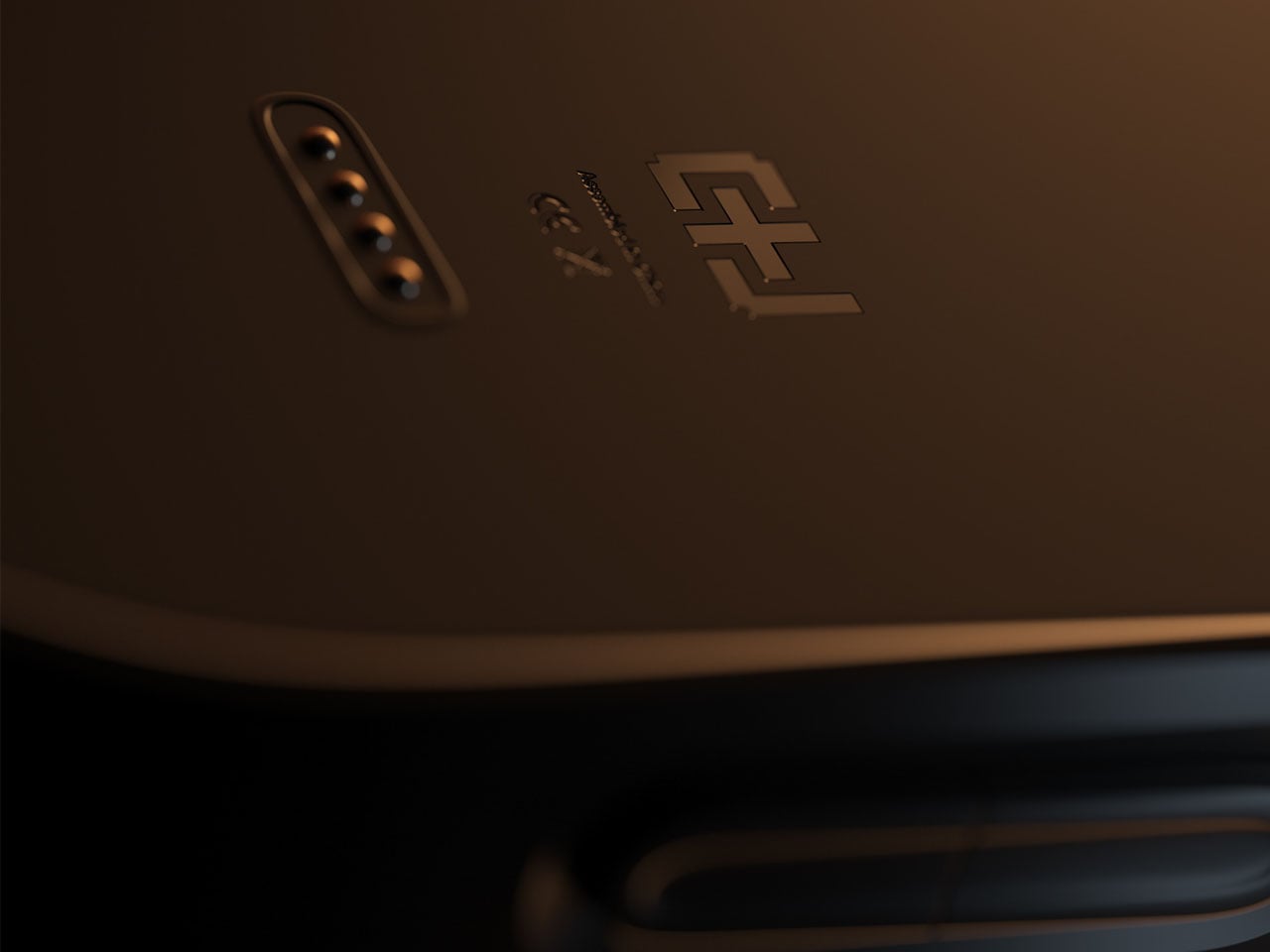
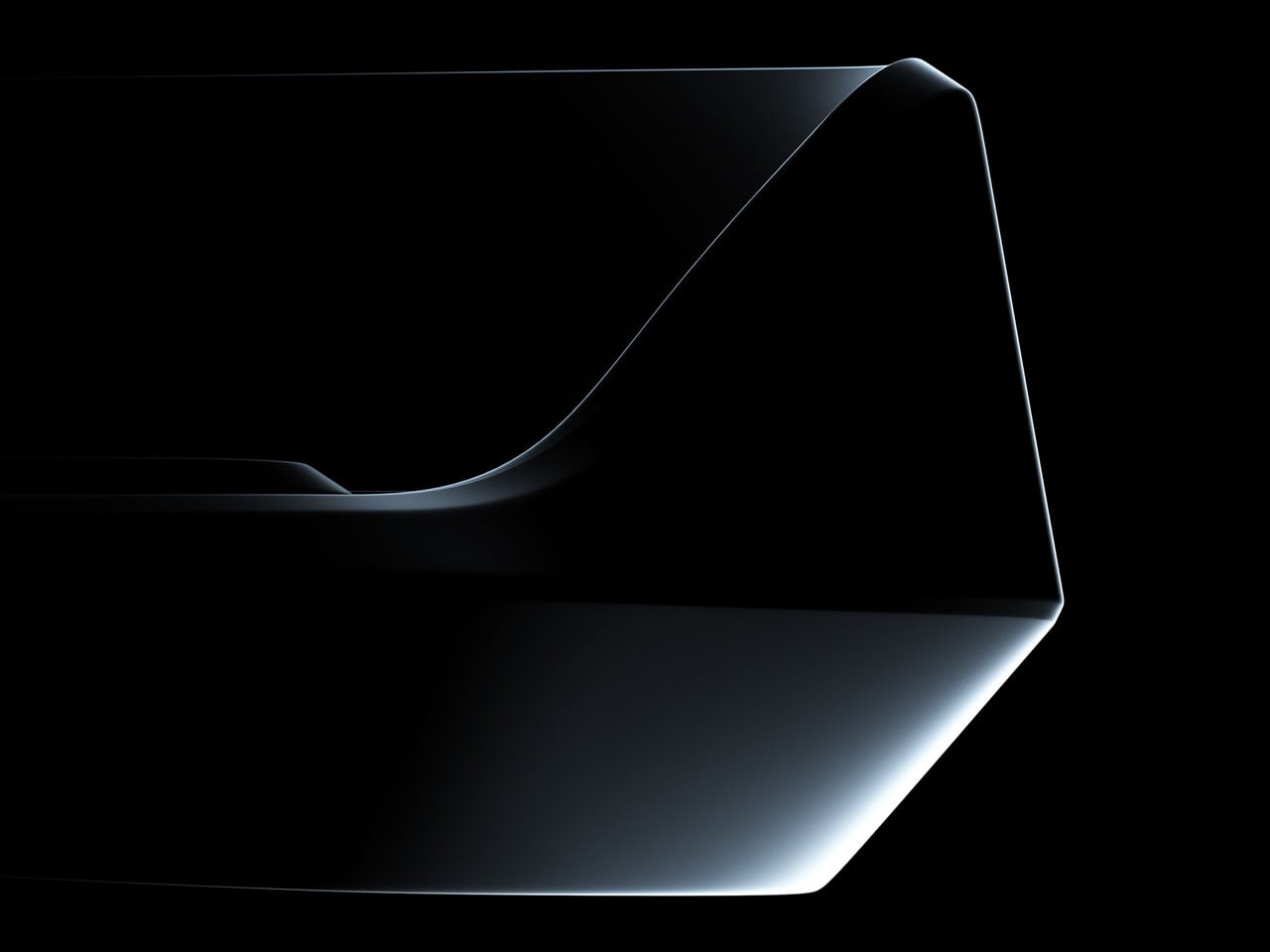
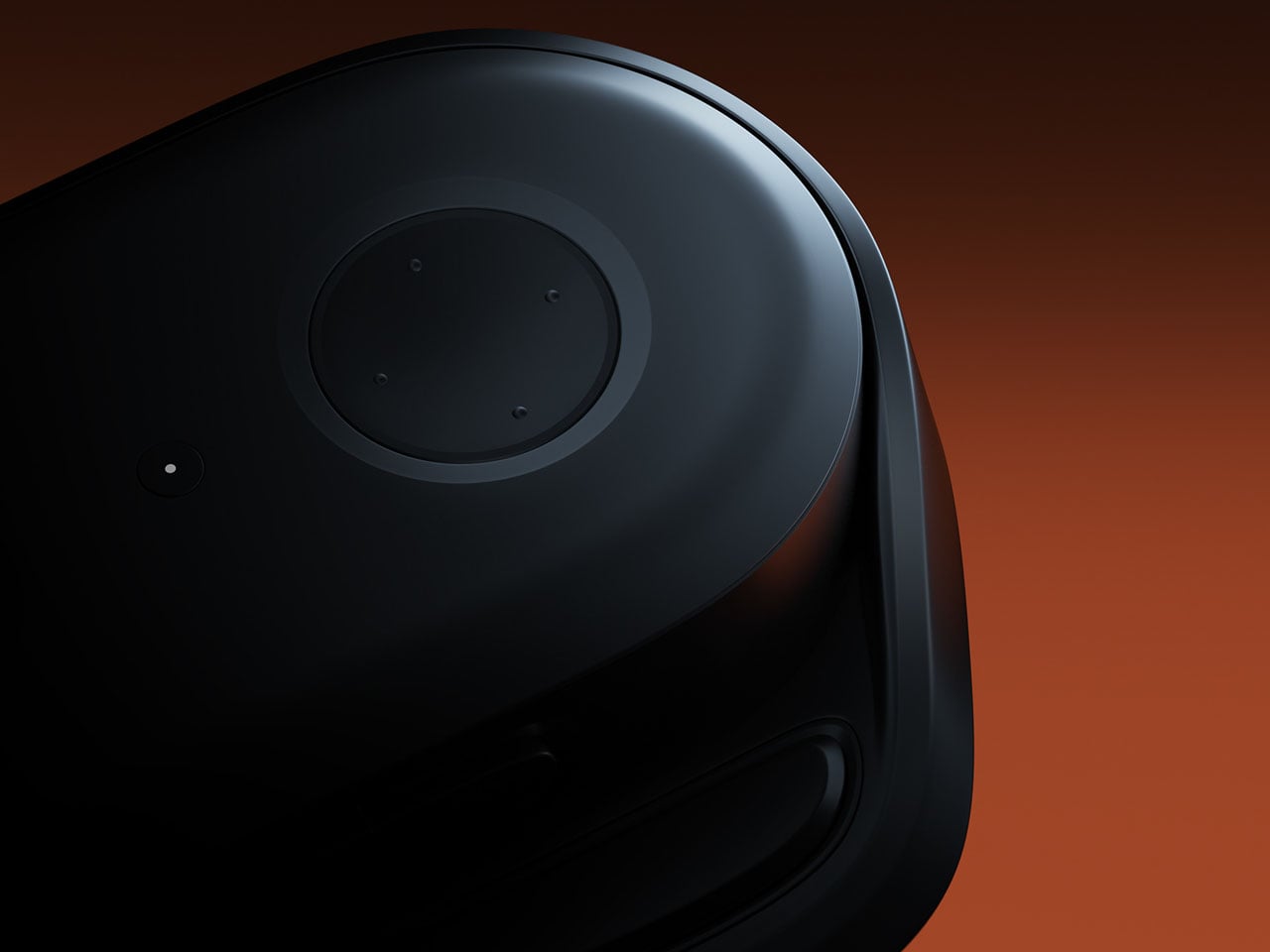
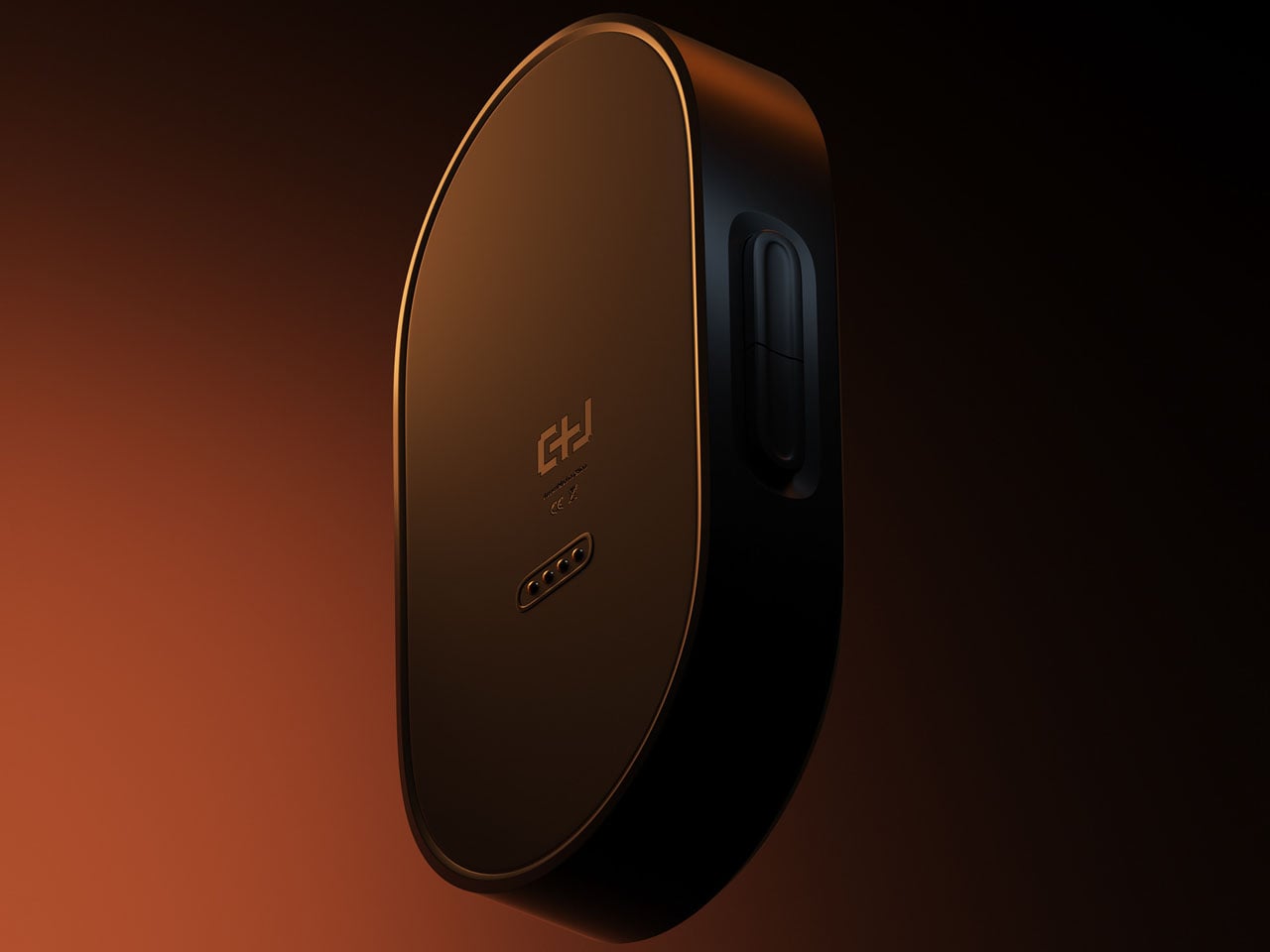
Most of us have looked up at the night sky at some point and felt that brief, humbling recognition that there is an enormous universe out there, and we have no idea what is happening in it. Then a notification comes in, and the moment passes. Lumen Orbit, a student concept from CEPT University, is a small handheld accessory designed to keep that awareness alive without requiring a telescope, a star chart, or a dedicated app.
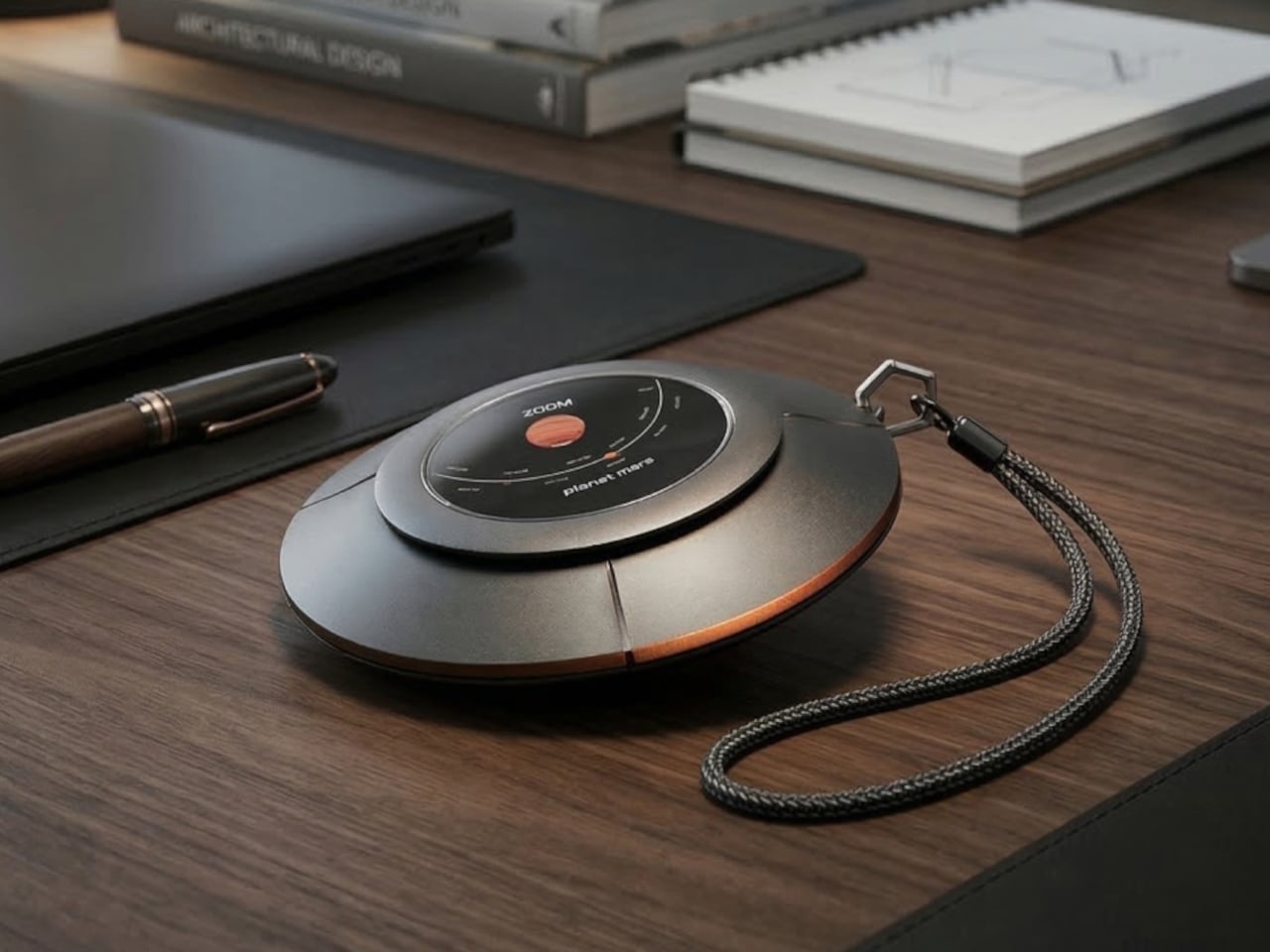
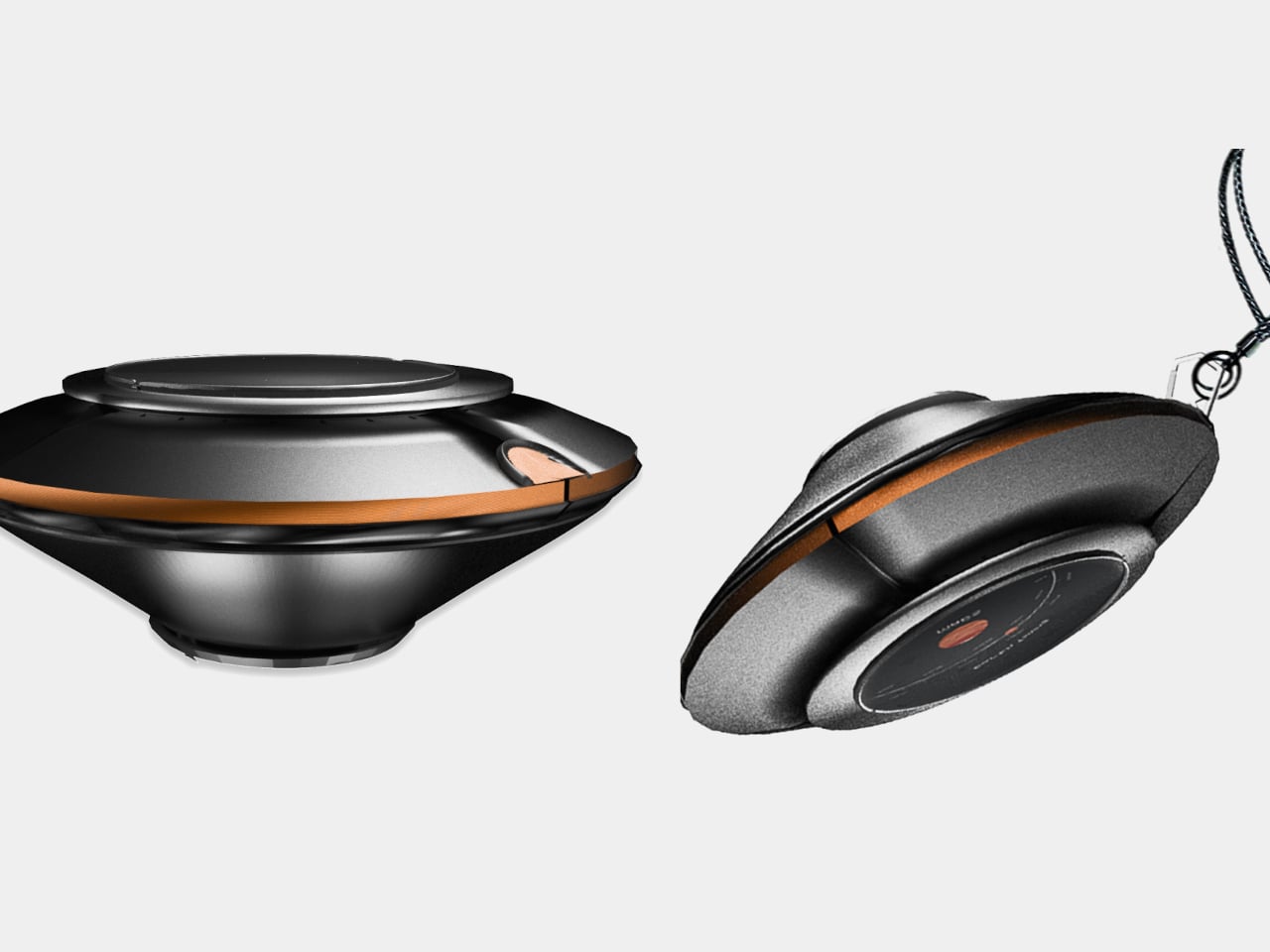
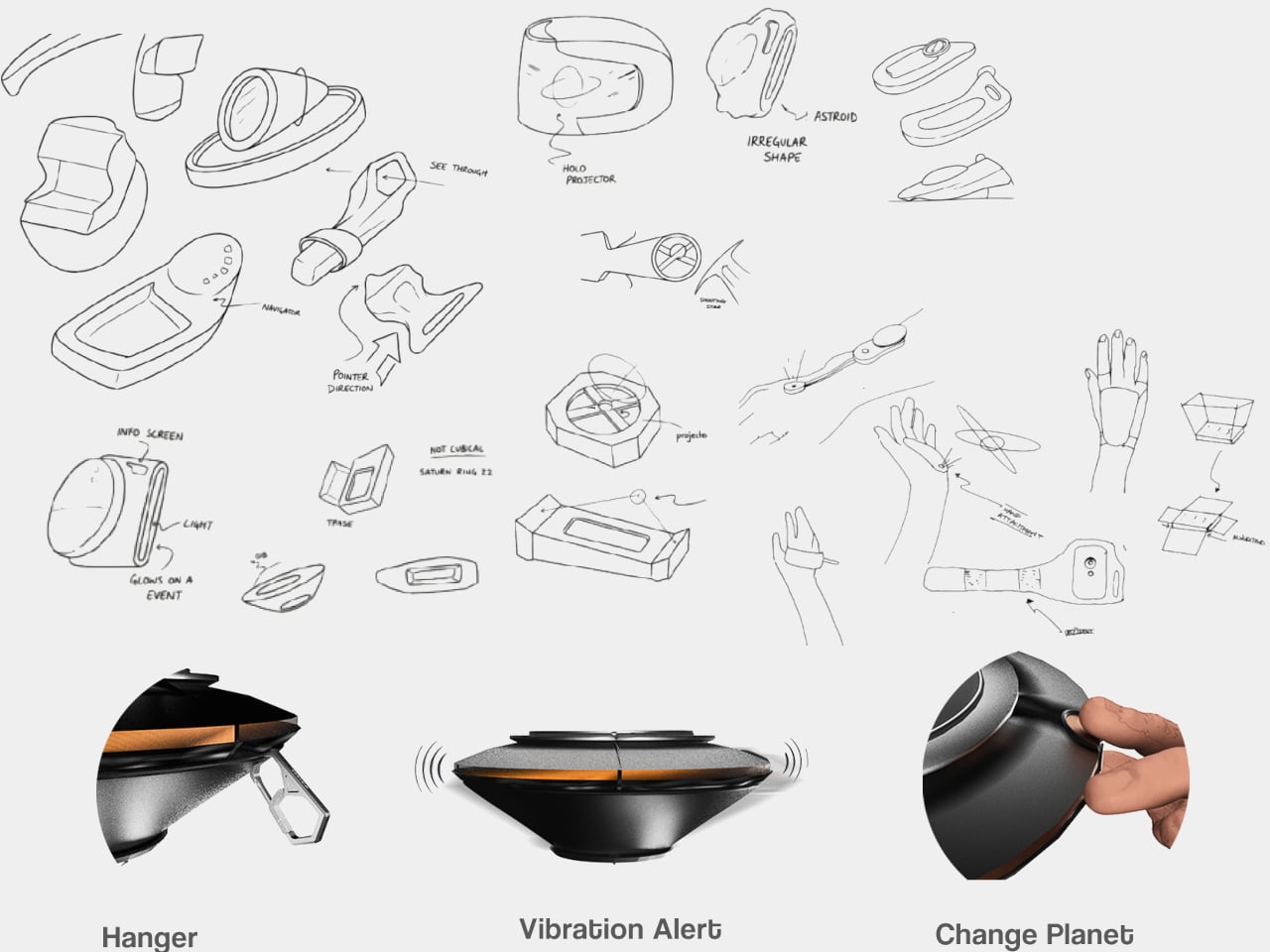
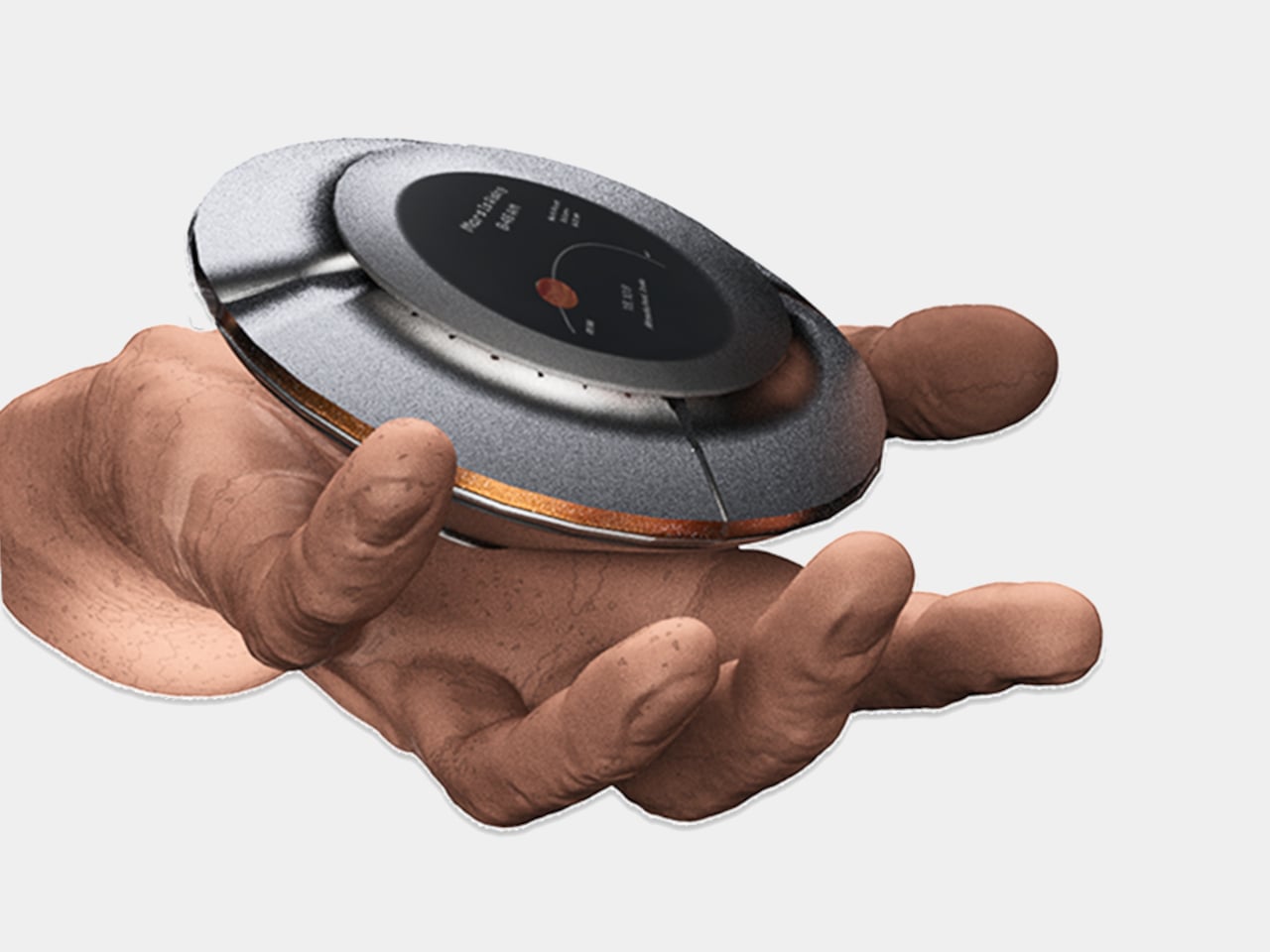
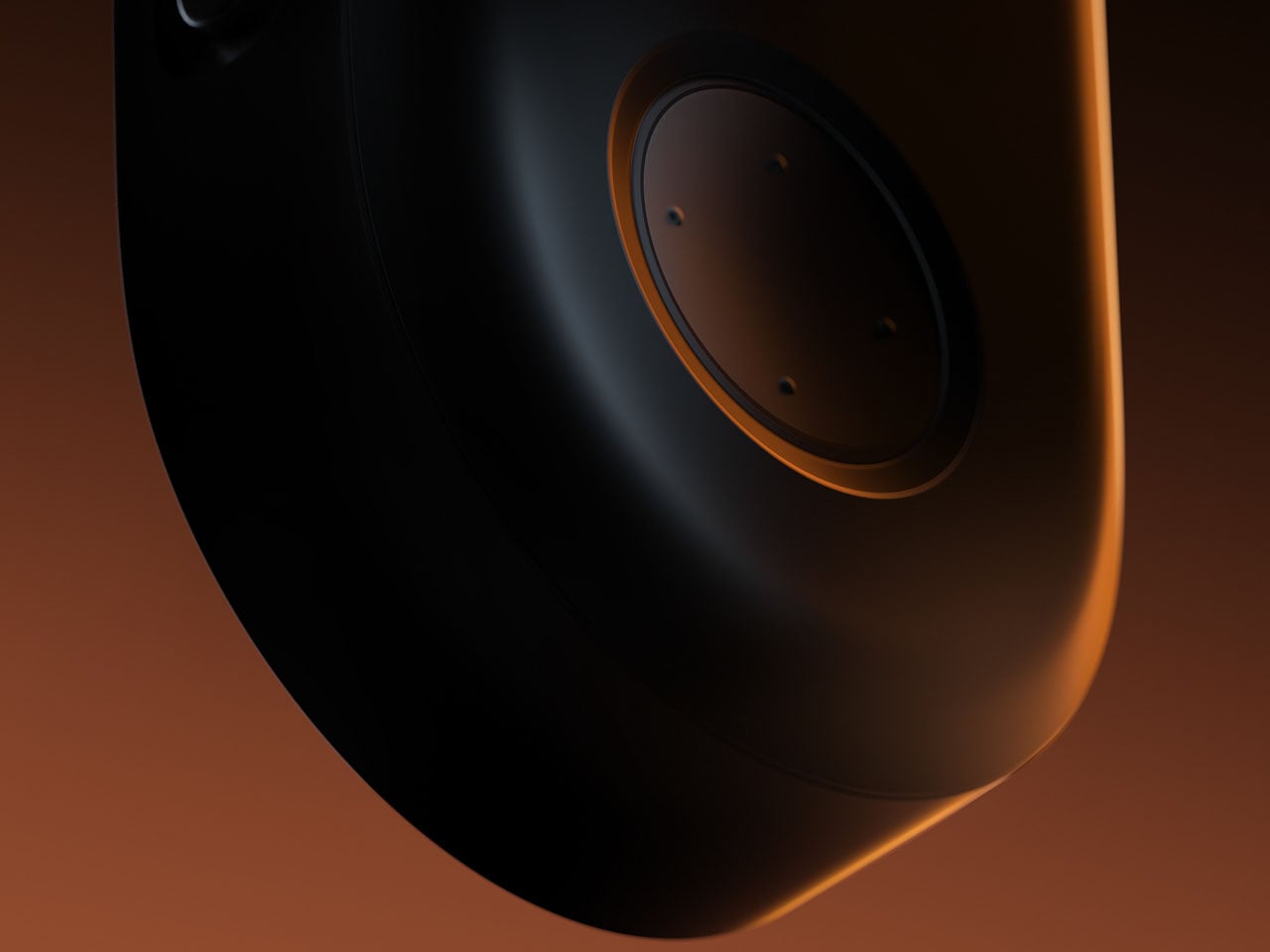
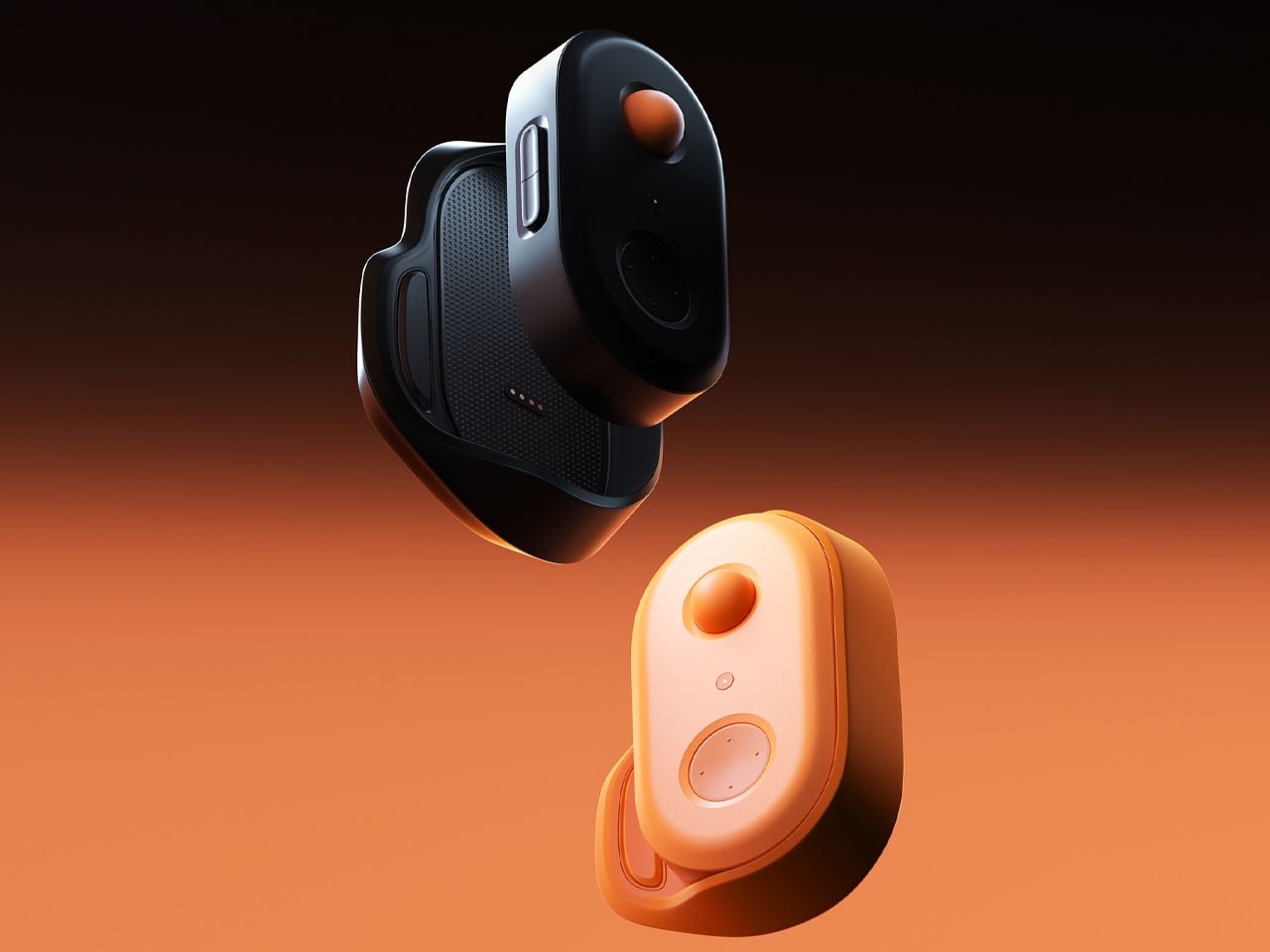
The device is disc-shaped and roughly palm-sized, with a two-part body split along its equator by a copper-toned accent band. The upper half is a polished silver-gray cap; the lower sits wider and shallower in a dark matte gunmetal finish. A woven braided lanyard with a hexagonal metal clasp attaches to the body, making it something you can loop around a wrist, hook to a bag, or hang using a built-in fold-out carabiner.
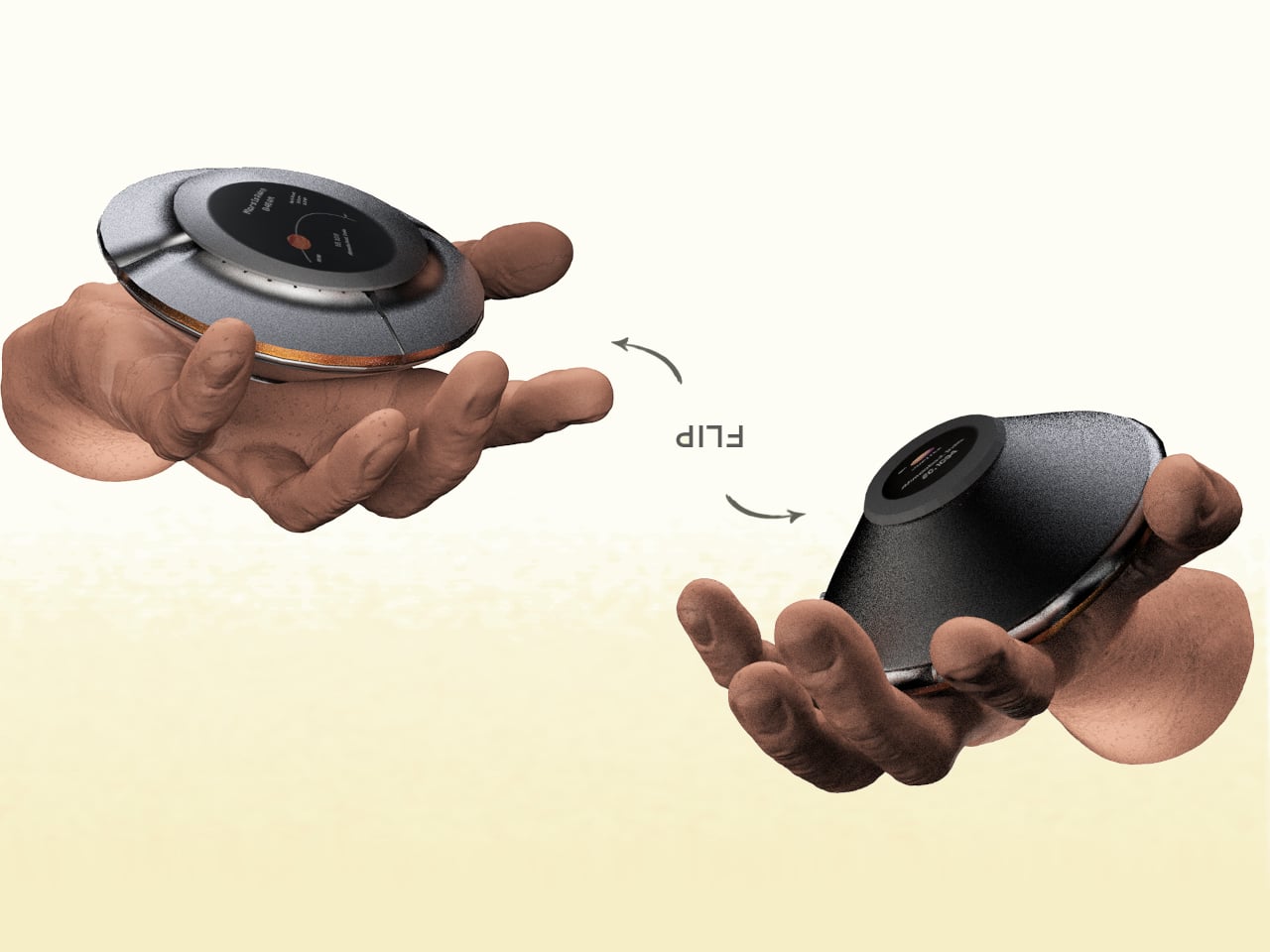
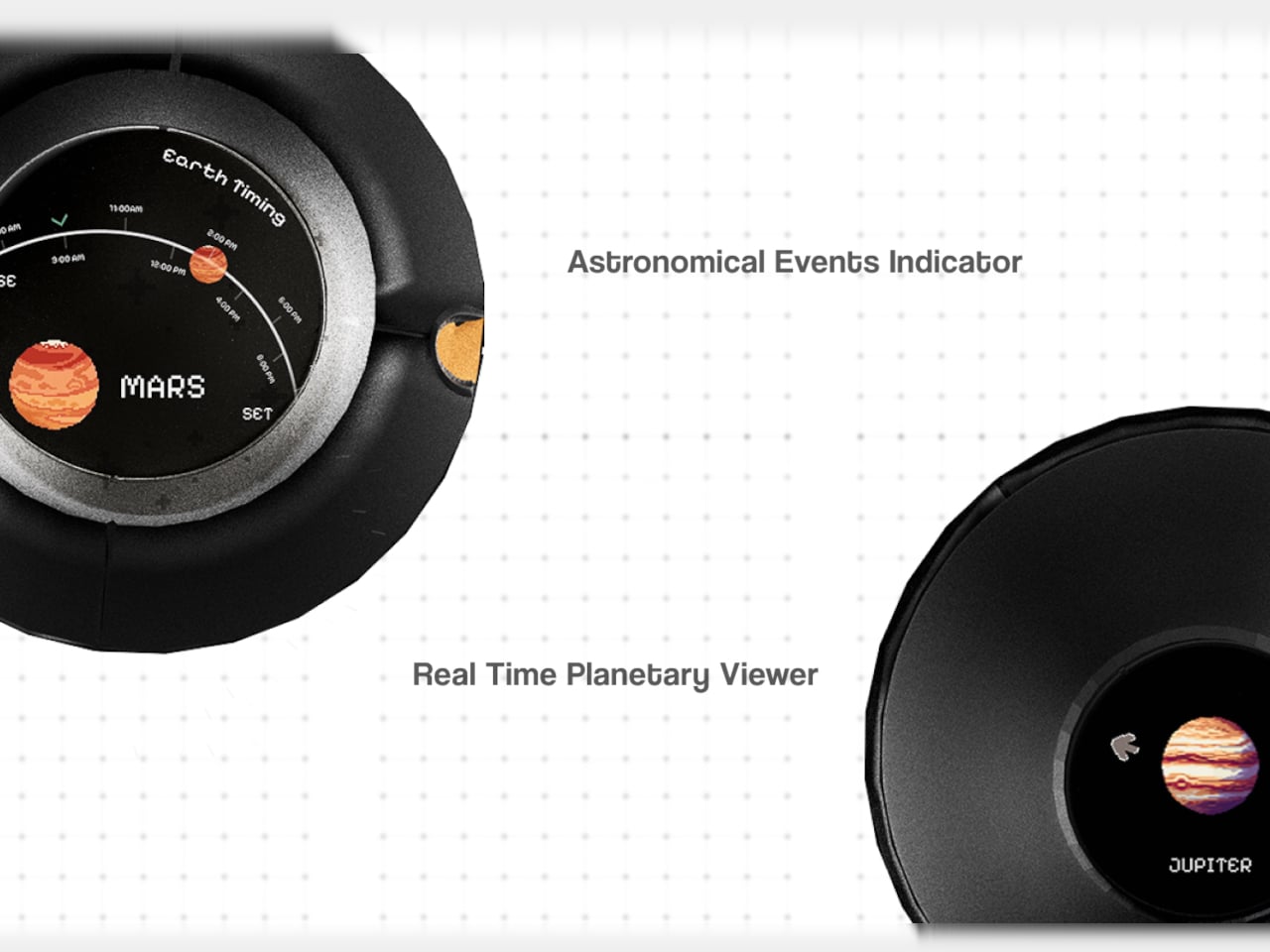
The primary face carries a circular display showing real-time planetary positions: which planet is currently visible, where it sits in the sky relative to your location, and when it rises and sets. Flip the device over, and a second, smaller screen on the reverse offers a close-up planetary render. The UI uses pixel-art-style graphics for its planet illustrations, landing somewhere between retro charm and deliberate restraint.
The interaction model is equally considered. A flip gesture switches between the two display modes, squeezing the body cycles through planets, and haptic vibration signals astronomical events such as meteor showers, eclipses, and alignments. The idea is that information about the cosmos arrives the same way a text message does, as a quiet nudge rather than something you have to actively seek out.
What the concept is really proposing is a dedicated single-purpose ambient device for astronomical awareness. Smartphones can technically do all of this through apps, but a specialized physical object changes the relationship to the information entirely. Carrying something whose only purpose is to connect you to the solar system is a genuinely different proposition than opening an app between emails.
The open questions are substantial. How the real-time tracking handles connectivity, how the device charges, and how positional accuracy works without confirmed GPS integration are things the concept leaves unspecified. The form is confident, and the interaction logic is coherent. The more interesting problem is whether a working version could fit into a jacket pocket for easy access.
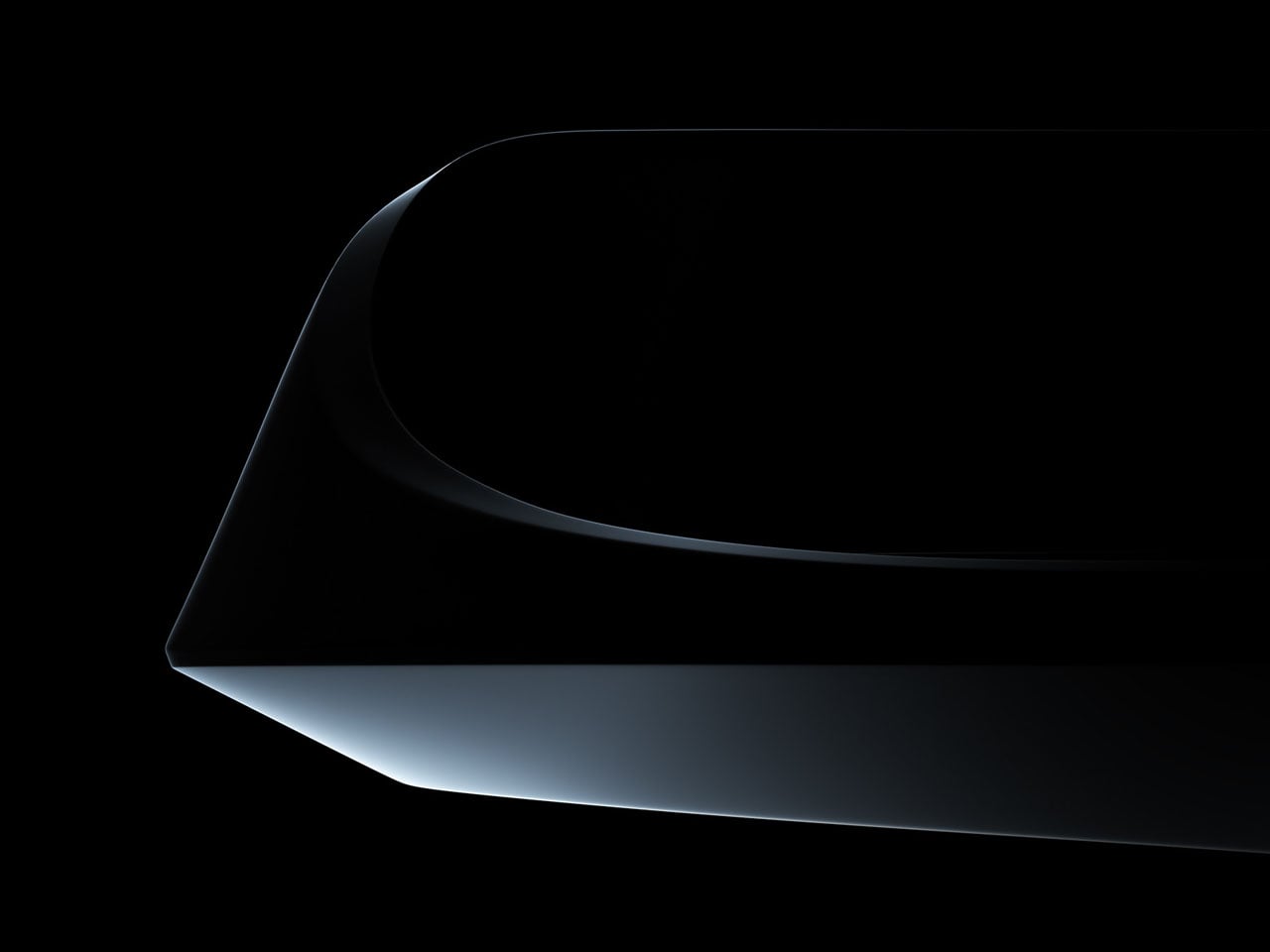
In an era where gaming peripherals are constantly evolving, designers are increasingly experimenting with new ways to rethink the relationship between the hand and the controller. Control PlusArc concept controller challenges the familiar joystick-and-button layout with a more tactile and deliberate approach to movement. Interestingly, this exploration arrives around the same time as other unconventional input devices, such as a mouse that doubles as a hidden game controller.
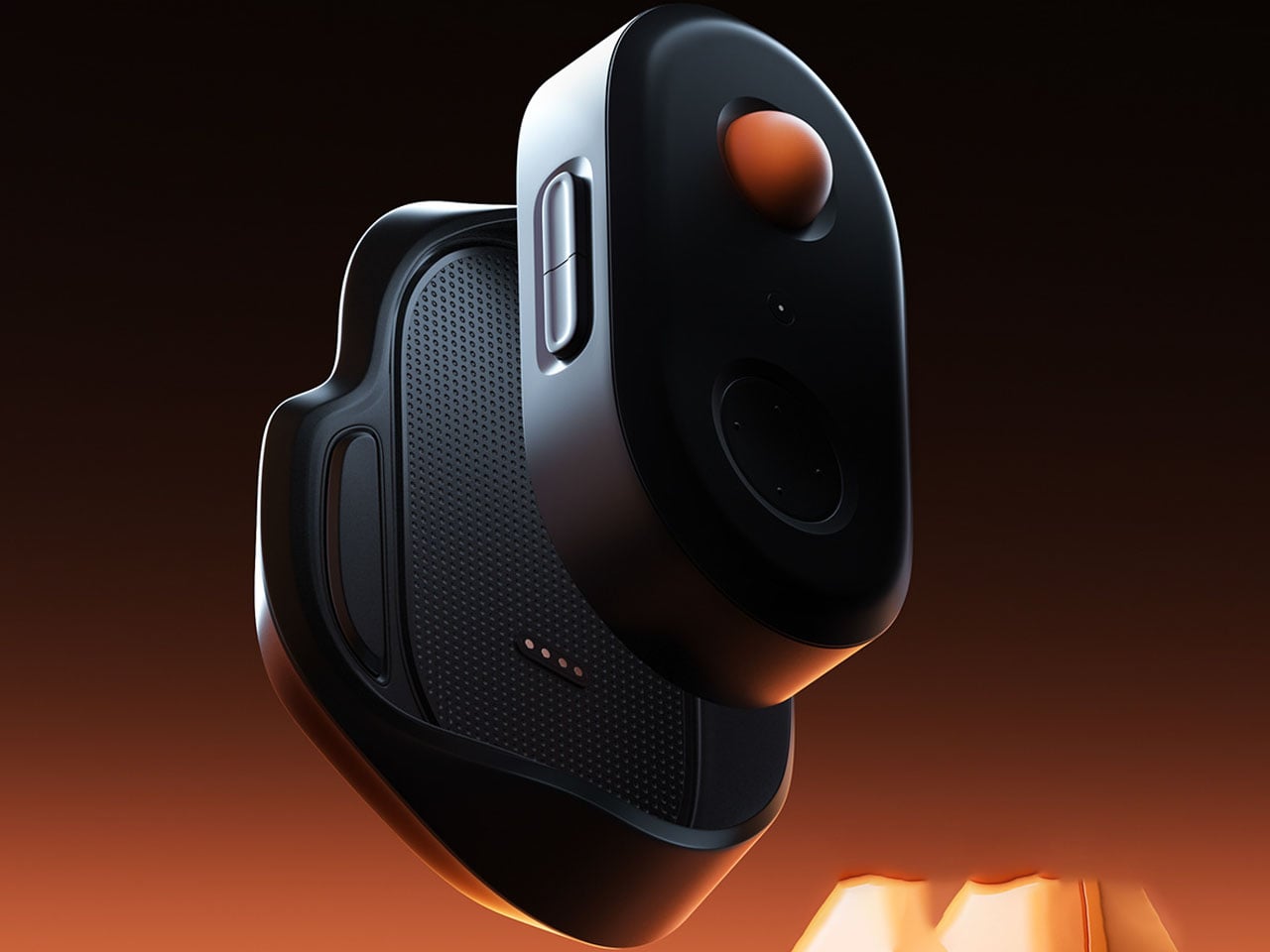
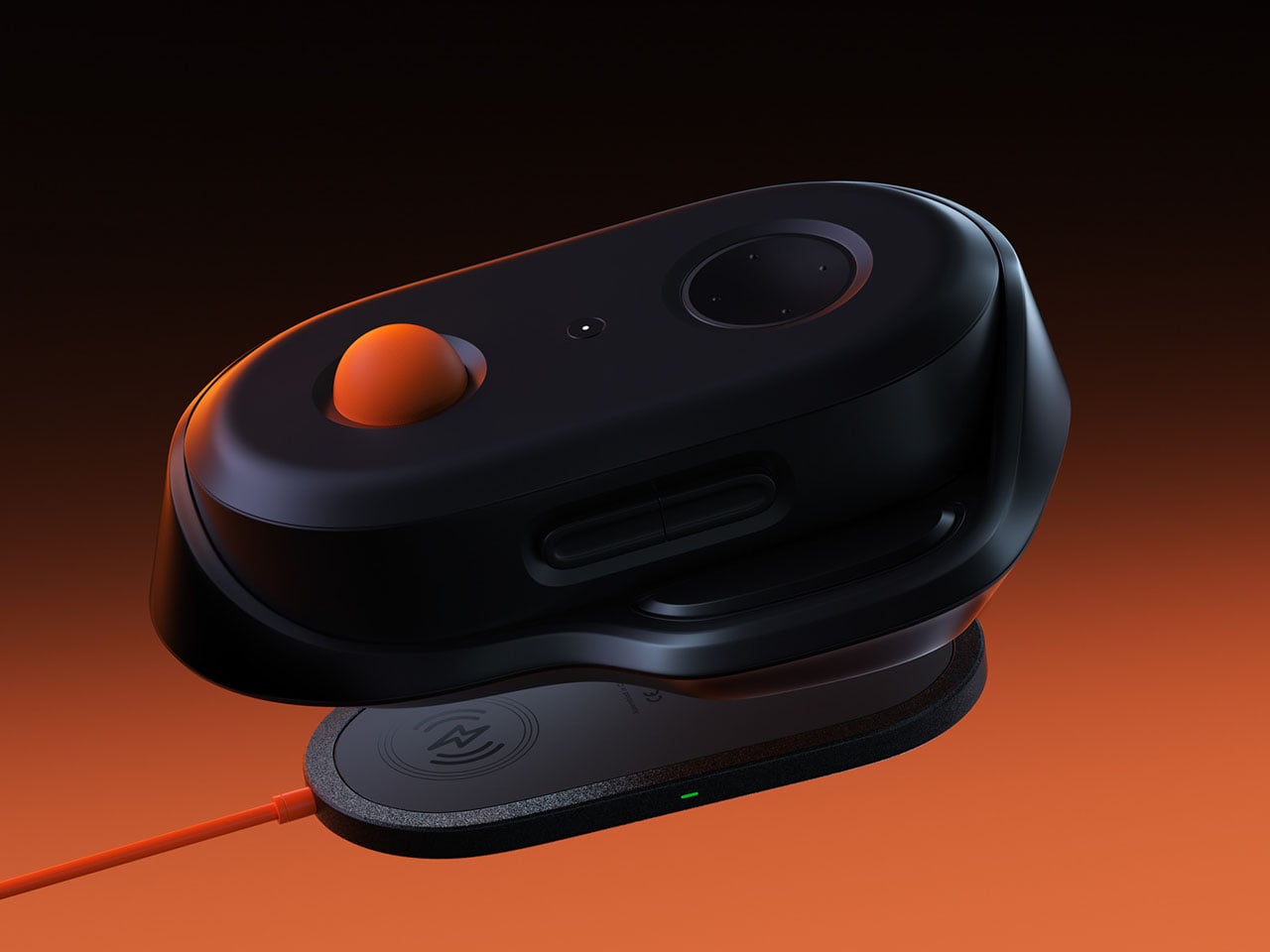
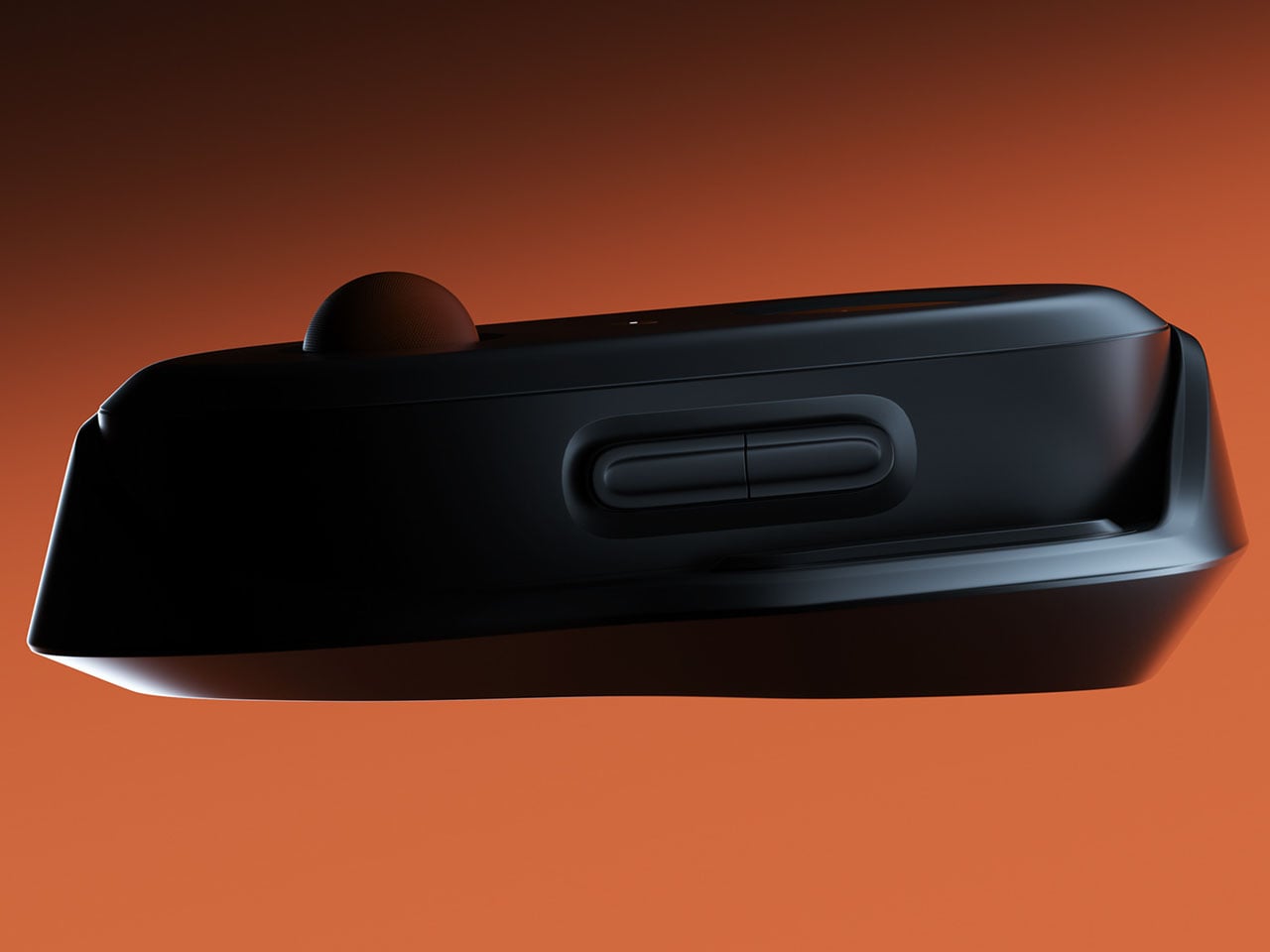
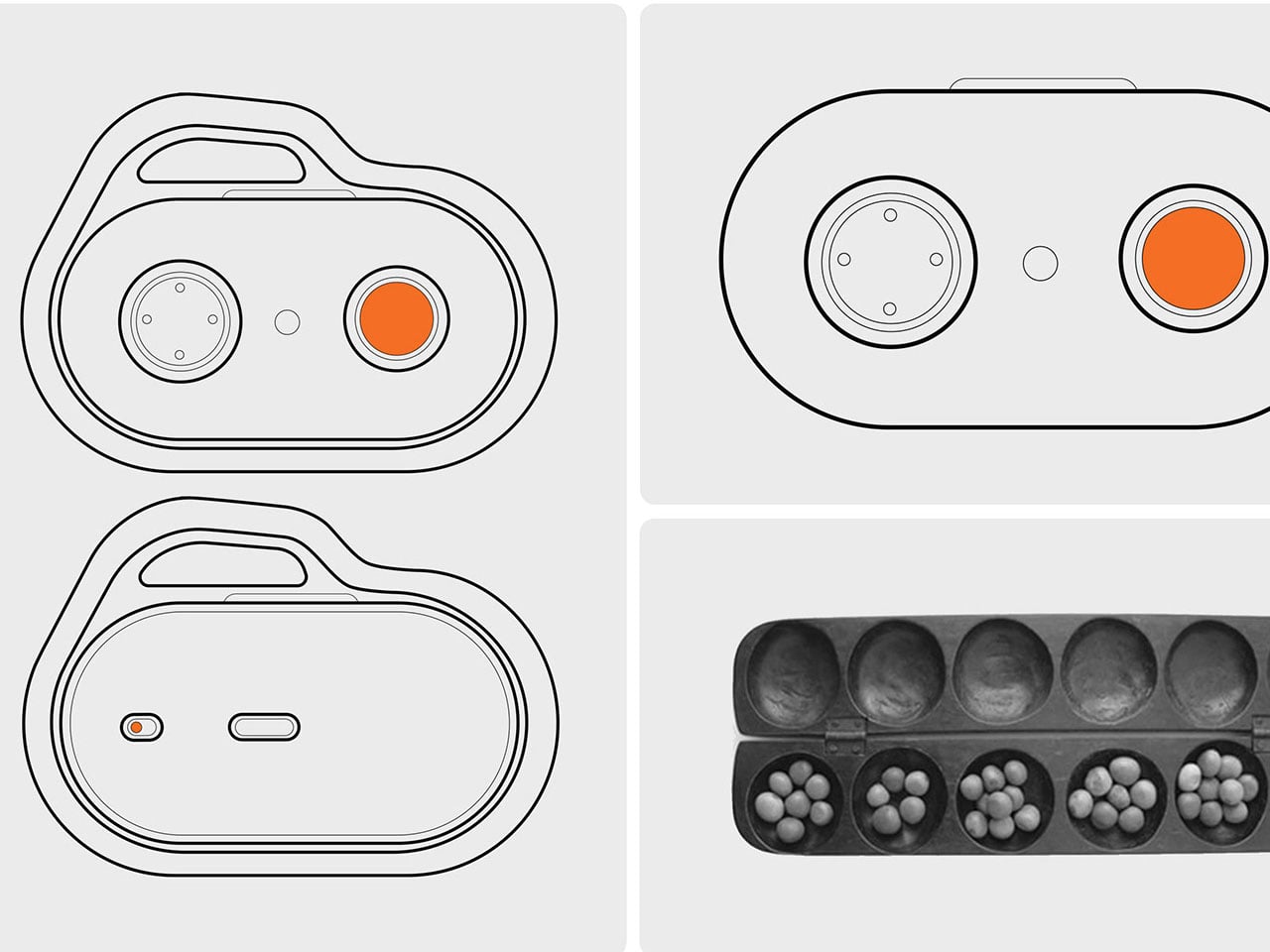
Control PlusArc is built around the idea that interaction should feel natural rather than mechanical. Instead of relying on standard analog sticks, the design introduces a semi-spherical control mechanism that encourages controlled, intentional movement. The controller’s overall oval form factor reflects this philosophy as well. Rather than forcing the user into rigid hand placements, the shape allows the device to sit comfortably within the palms, encouraging a continuous grip that feels fluid and stable during gameplay.
The concept controller is inspired by Oware, known for its rhythmic and thoughtful movement of pieces across carved pits on a wooden board. Instead of mimicking the visual style of the game, the Control PlusArc borrows its philosophy of deliberate interaction. The controller’s oval shape emphasizes the organic contours of an Oware board, creating a tactile connection between hand movement and the act of play.
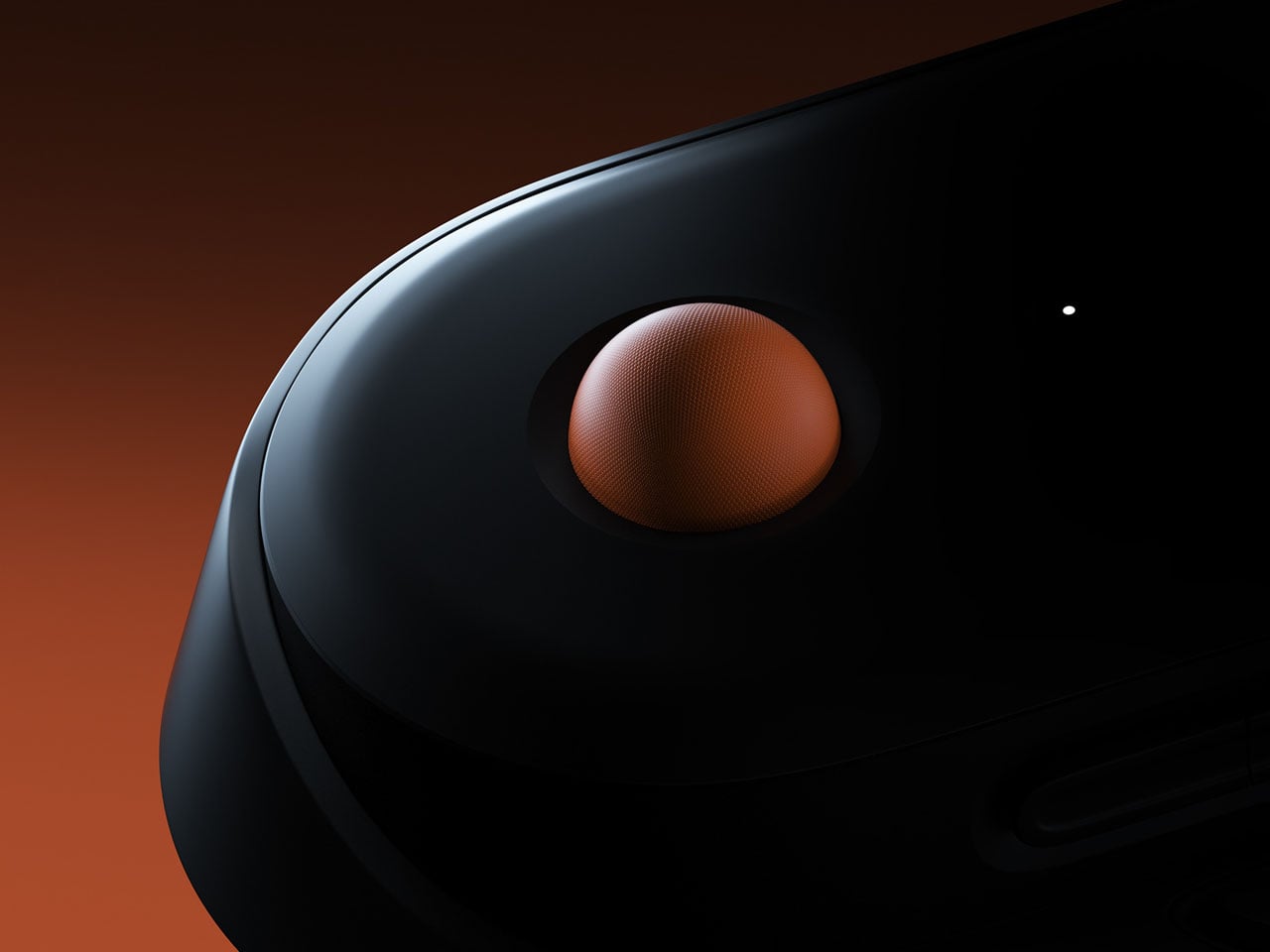
This influence becomes even more evident in the controller’s semi-ball control mechanism. Unlike a full trackball or freely spinning joystick, the half-ball structure introduces clear boundaries to movement. Players can roll the control surface in different directions, but the restricted geometry ensures that movement remains precise and predictable. This design choice prevents the kind of uncontrolled spinning that often accompanies traditional trackballs, instead reinforcing a sense of intentional navigation.
The half-ball interface effectively becomes the centerpiece of the interaction. Because the surface sits partially embedded in the controller body, it balances freedom and constraint. The user can perform quick directional adjustments while still maintaining tactile awareness of the controller’s limits. The result is a control system that feels less like manipulating a mechanical stick and more like guiding motion across a defined space.
Most modern gamepads still follow a layout popularized by early console designs: two sticks, directional inputs, and face buttons. By rethinking the primary control surface itself, this gaming controller questions whether future controllers might shift toward more tactile, sculptural interfaces that respond more intuitively to the way hands naturally move.
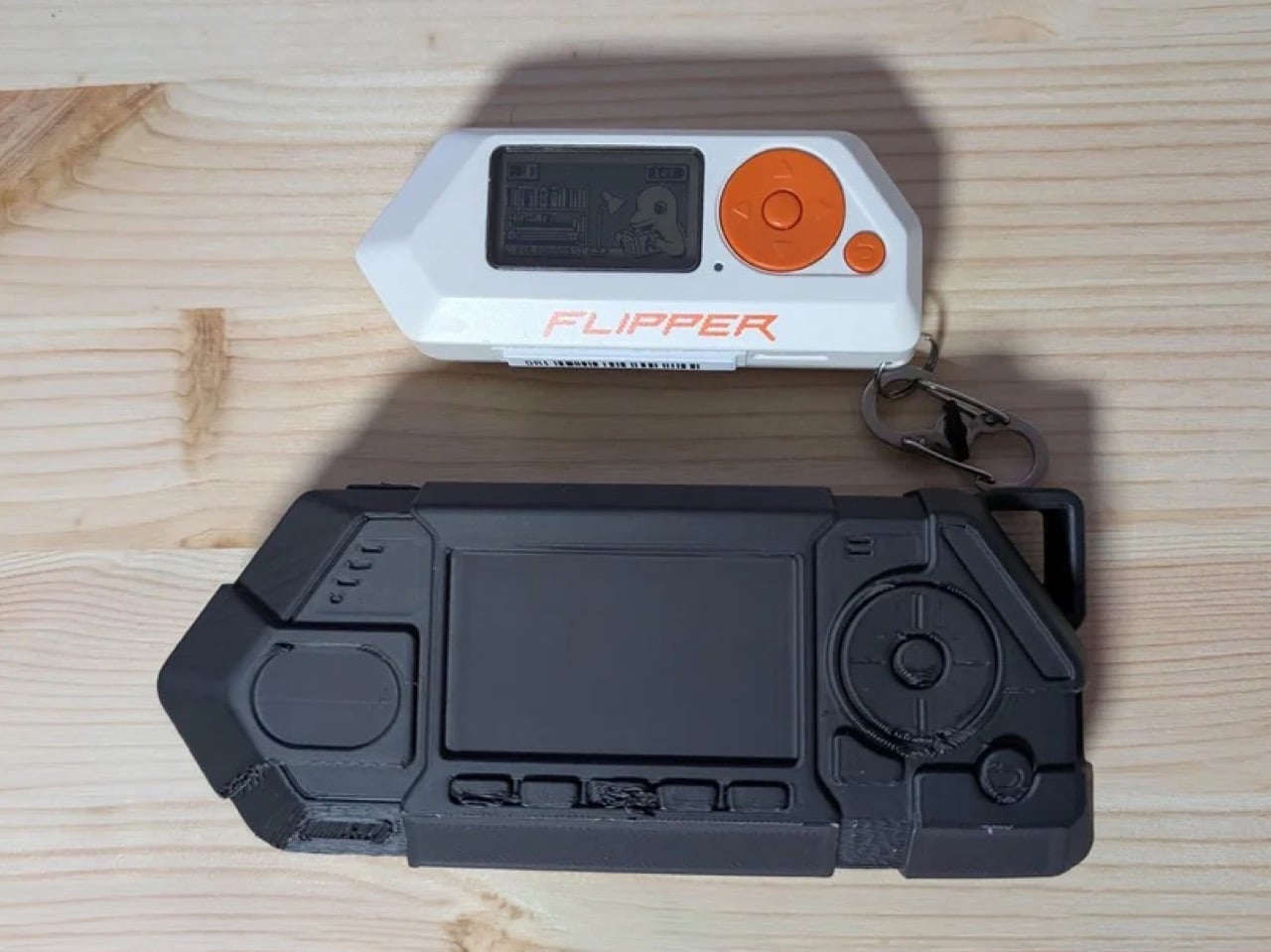
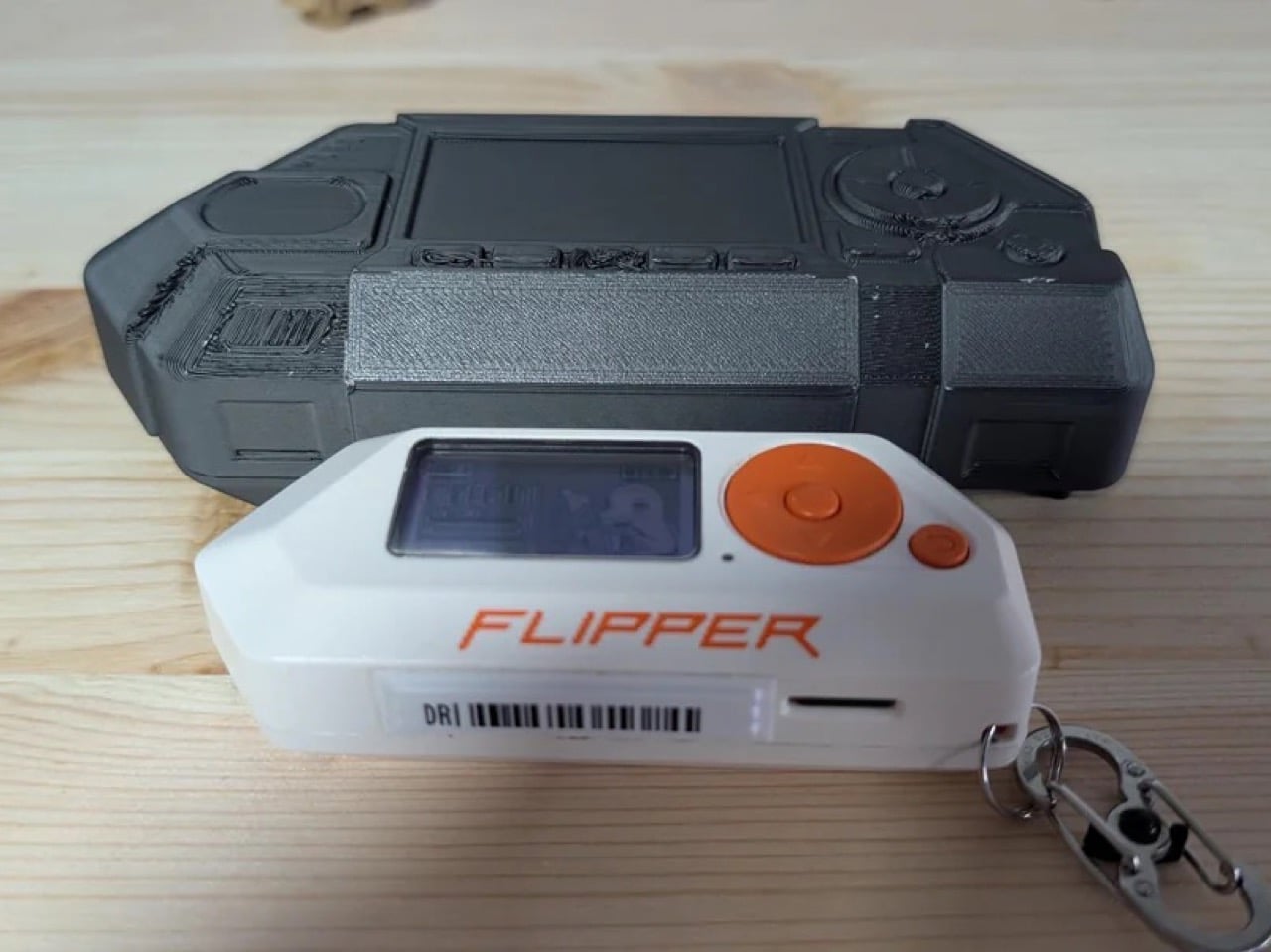
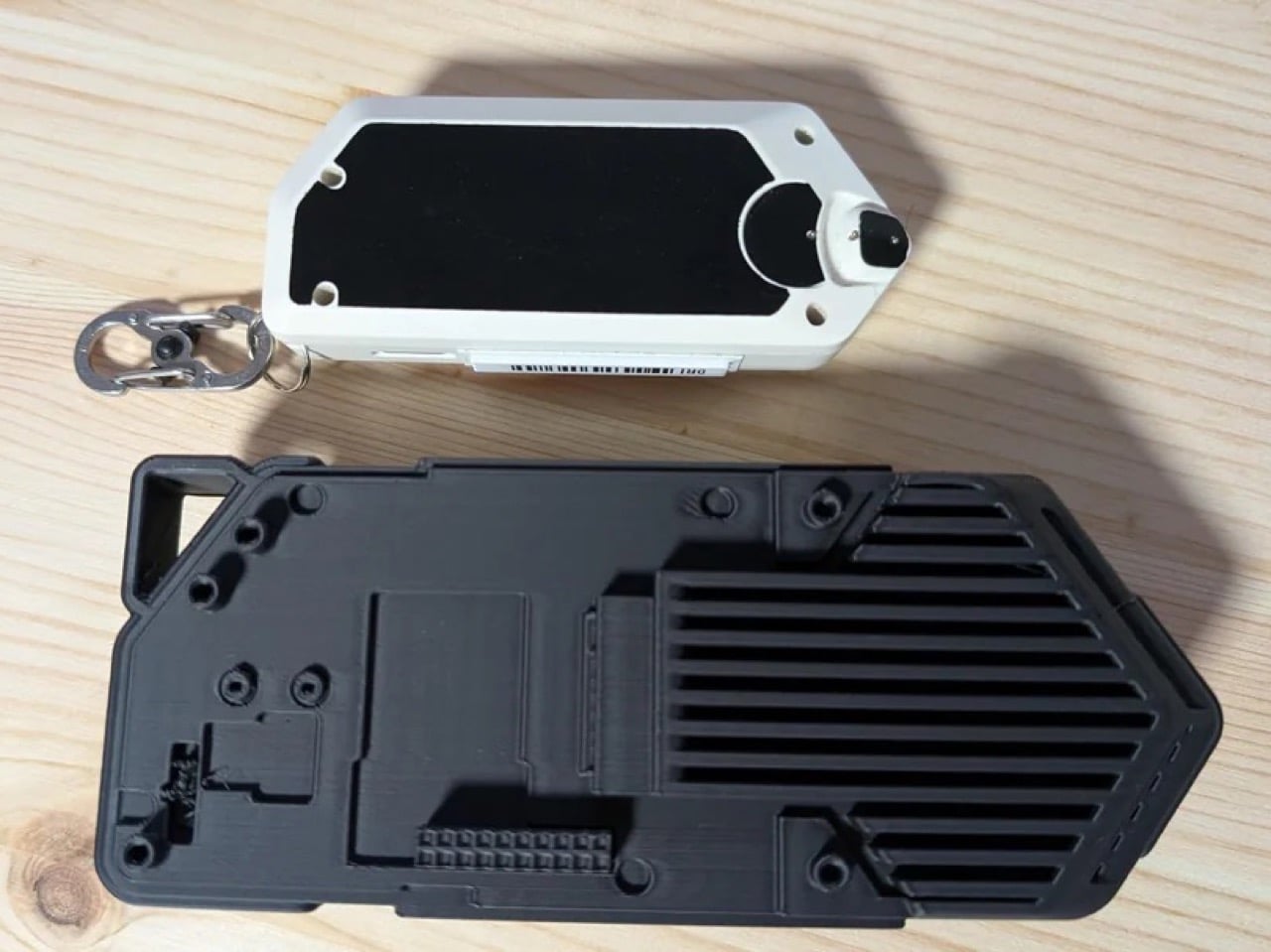
Someone has already printed the Flipper One. Not a real one, but rather a prototype model to show its size compared to the Flipper Zero. First reaction, it’s massive. Second reaction, where did they get the 3D file from? Well, Flipper Devices actually published full mechanical enclosure files for their upcoming Linux-powered handheld on Github. Here’s the link just in case you want to print yours too.
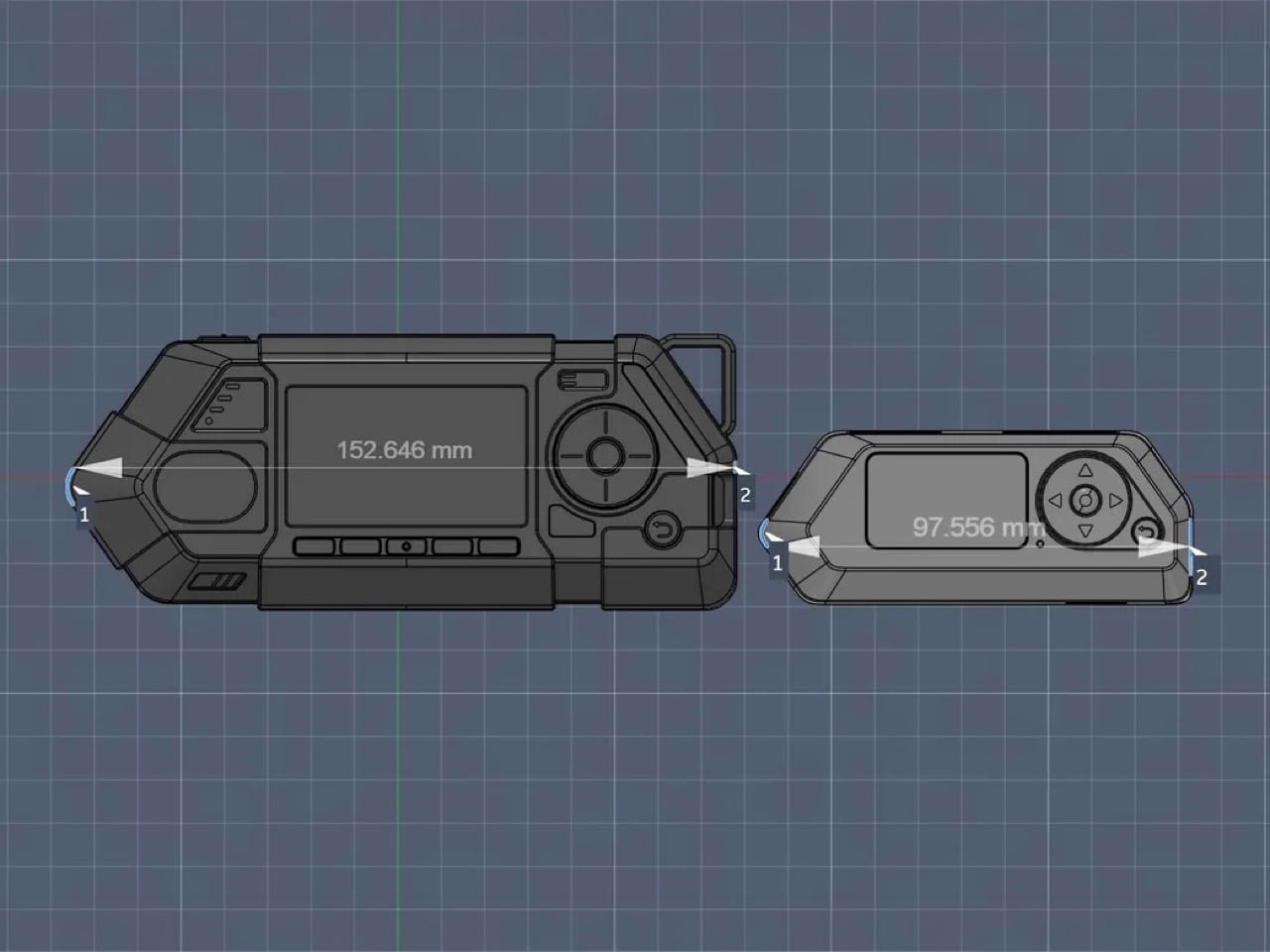
The CAD files put it at 152.6mm wide, against the Zero’s 97.5mm, a difference that becomes viscerally obvious in photos. The front face alone tells you what this device is for: a wide display recess for the 256×144 screen, four function buttons, a D-pad with integrated OK button, a dedicated joystick, and a lanyard/carabiner loop suggesting field carry over pocket carry. A Rockchip RK3576 SoC running Linux, an M.2 slot for modular radios, and dual-processor architecture all need somewhere to live, and Flipper gave them a proper home.
Designer: Flipper Devices
The repository breaks the enclosure into three published parts. The body is the main shell containing everything: display, controls, electronics. It ships as a solid exterior with an intentionally hollow interior in the public files, meaning Flipper is sharing enough geometry for accessory makers to work with while keeping the internal mechanical layout proprietary. The back plate, which covers the M.2 expansion port and swaps out depending on what module you have installed, is published in full including internal surfaces. Same goes for the antenna rail, a separate bracket for routing SMA antenna cables before the back plate closes, a decision born from actual testing where routing cables through an integrated back plate kept damaging connectors during assembly. These are not arbitrary design choices; every split in the enclosure reflects a specific problem someone ran into during prototyping and solved deliberately.
The modular back plate represents a fairly new (and exciting) direction for the Flipper One’s community. Because the back plate geometry is fully open, third-party manufacturers can design their own versions tailored to specific module configurations without waiting on Flipper. Someone building a custom SDR module with a non-standard antenna setup can design a matching back plate that fits the same screw pattern. The Zero had a thriving accessory ecosystem built on top of its GPIO header, and Flipper seems to be seeding the same dynamic for the One, except this time the third-party entry point is baked into the enclosure architecture from day one rather than discovered after launch.
The sheer size of the Flipper One printed next to the Zero tells you something important about where Flipper Devices thinks the market has moved. The Zero was designed for a world where the coolest thing a pocket device could do was clone your hotel key card. The One is designed for a world where security researchers want a full Kali Linux environment, SSH access, and swappable radio hardware on their person during a pentest, without pulling out a laptop. The cyberdeck community has been hand-building devices like this for years at significant cost and effort. Flipper is essentially productizing that whole category, and publishing the enclosure files before the device even ships is a very deliberate signal about who they’re building it for.
Somewhere between the overstuffed tech pouch and the empty pocket lies a sweet spot that most gadget makers ignore. The minimalist carry is not about owning less for the sake of it, but about each object earning its place through thoughtful design and genuine daily utility. We have been keeping tabs on pocket-friendly gadgets that manage to pack serious functionality into forms small enough to forget about until the moment they are needed. These seven picks balance portability with purpose, skipping gimmicks in favor of smart engineering.
What ties this list together is a shared restraint. None of these products tries to do everything. Each one solves a specific problem within a compact footprint, and the design decisions behind them reflect a growing shift in how makers approach portable tech. Less bloat, more intention, and a willingness to rethink form factors that have gone unchallenged for too long.
1. OrigamiSwift Mouse
The OrigamiSwift borrows its name from Japanese paper folding, and the comparison holds up. This foldable Bluetooth mouse collapses flat for storage and springs into a full-sized shape in under half a second, making it one of the more clever portable input devices we have come across recently.
At just 40 grams, the mouse is lighter than most pens and thin enough to slip into a jacket pocket without adding bulk. The ergonomic curve that appears when unfolded feels closer to a standard desktop mouse than most travel mice bother attempting, which makes extended work sessions far less punishing on the wrist.
The origami-inspired folding mechanism is quick and satisfying, going from flat to functional almost instantly.
Weighing only 40 grams, it vanishes into a bag or pocket and adds almost zero weight to a travel setup.
What we dislike
The folding hinge is a mechanical point of failure that could wear over time with heavy daily use.
Bluetooth-only connectivity means no option for a USB dongle, which can be a dealbreaker for users who prefer a dedicated receiver.
2. DuRobo Krono
Reading on a phone screen is a compromise most people accept without questioning. The DuRobo Krono pushes back on that default by squeezing a 6.13-inch E Ink Carta 1200 display into a form factor that fits pockets as easily as a smartphone, but replaces the distraction engine with a focused reading and productivity tool.
The 300 PPI resolution matches what premium Kindles deliver, and the tall 18:9 aspect ratio gives the Krono a narrow, phone-like grip at 154 x 80 x 9mm and 173 grams. Built-in AI capabilities turn it into a note-taking and creative thinking companion, not just a page-turner.
What we like
The E Ink display at 300 PPI is sharp and comfortable for extended reading without the eye fatigue that LCD screens cause.
AI features baked into the device add a productivity layer that separates it from standard eReaders stuck in single-purpose territory.
What we dislike
E Ink refresh rates remain sluggish for anything beyond static pages, making note-taking and navigation feel slower than on a phone.
At 6.13 inches, the screen is on the smaller side for PDFs and academic papers that need more real estate to be readable.
3. Pokepad Pocket PC
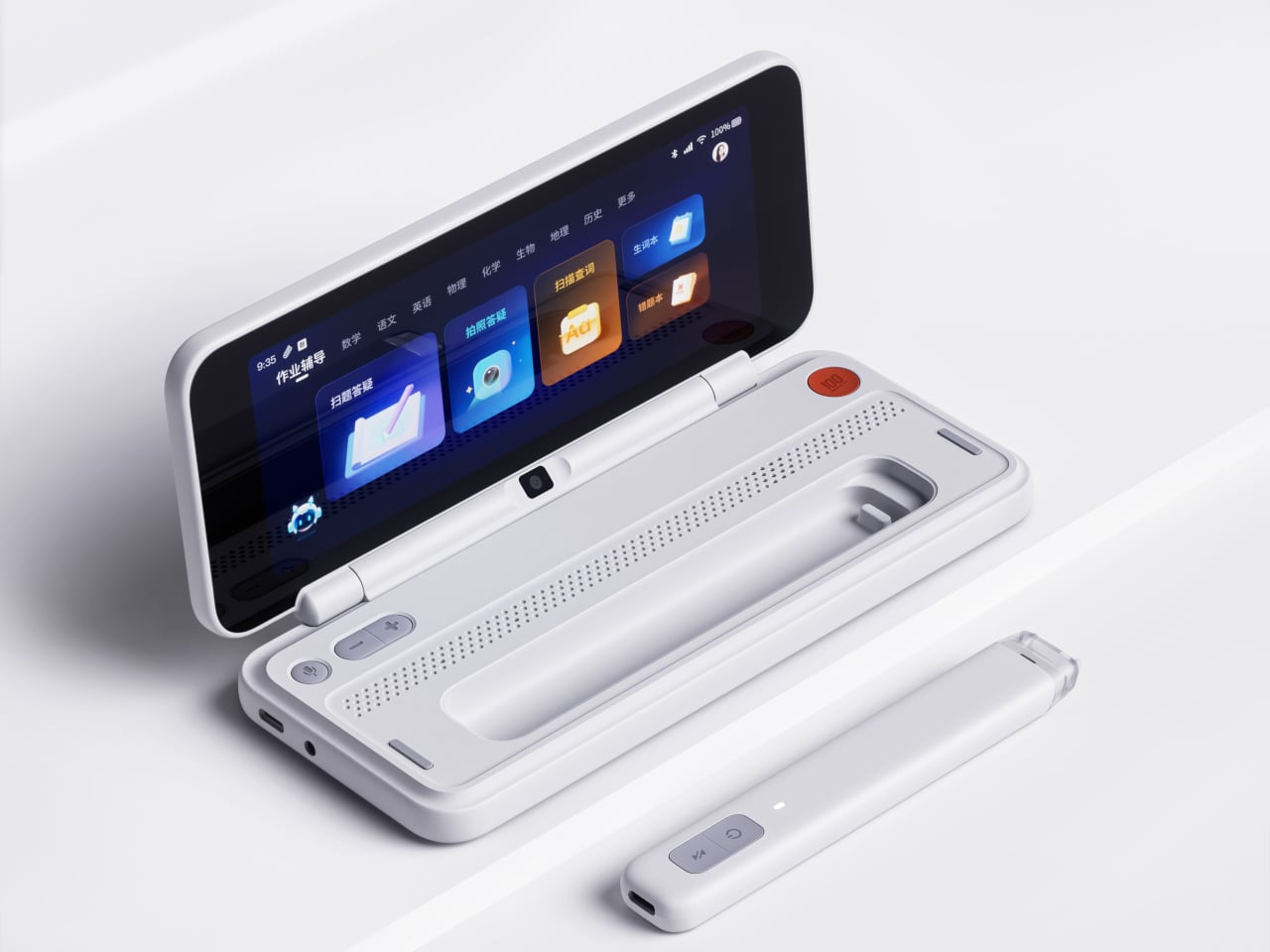
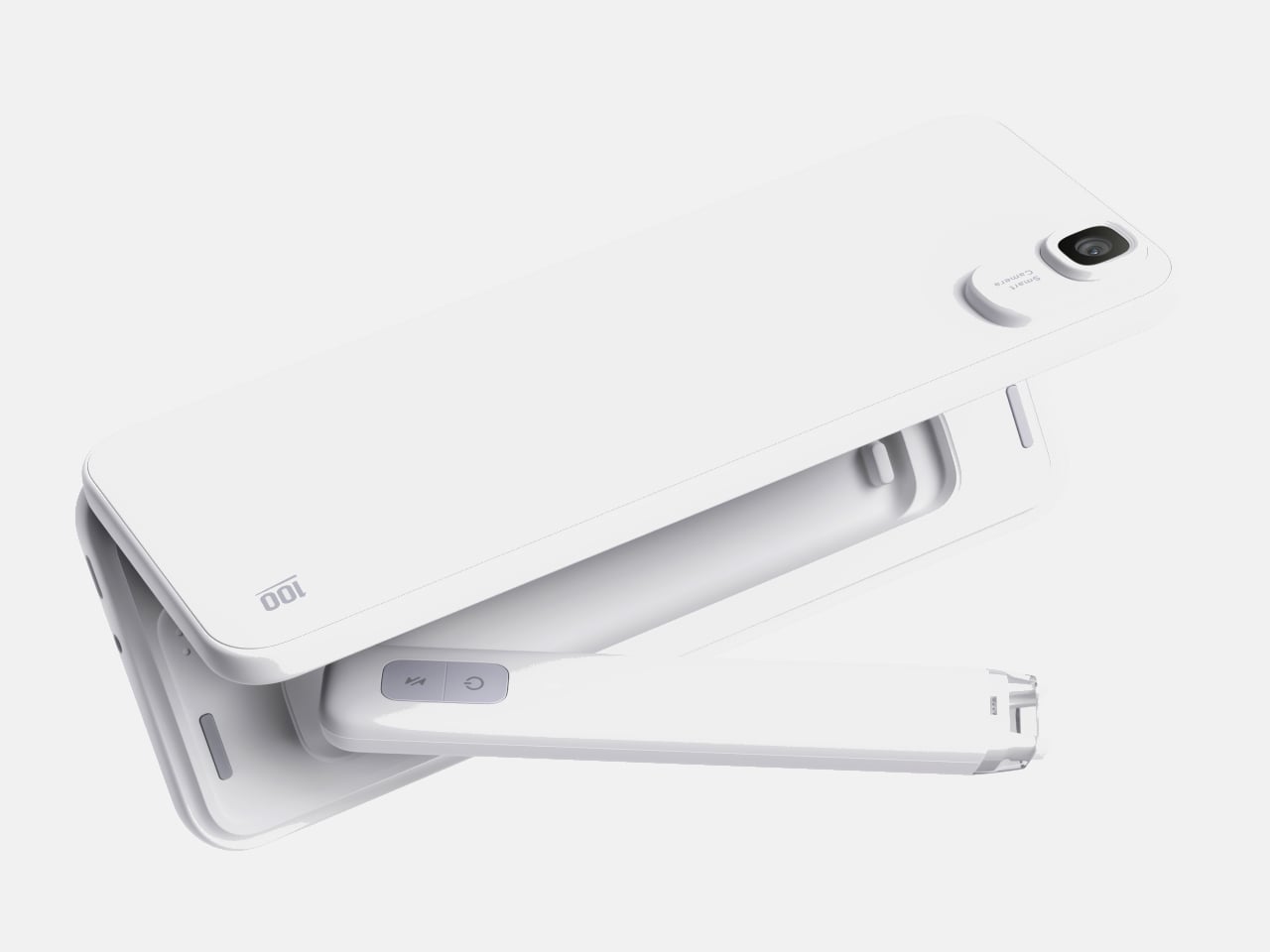
Most devices aimed at students are either stripped-down tablets or locked-down phones fighting a losing battle against social media. Pokepad takes a different route: a compact learning device shaped like a slim rectangular box, with a flip-out pen and zero gaming apps. The goal is a distraction-free tool that travels from classroom to bus to bedroom.
The design team tested multiple shapes before landing on this box form factor, balancing enough internal volume for a decent battery, speakers, and a pen mechanism without tipping into tablet territory. The deliberate absence of an app store full of entertainment is the product’s sharpest design choice, and its most controversial one.
What we like
The flip-out pen integrated directly into the body eliminates the need to carry (and inevitably lose) a separate stylus.
A distraction-free software environment means this device stays focused on learning rather than competing with TikTok for attention.
What we dislike
This is still a concept, so there are no confirmed specs, pricing, or a release timeline to evaluate.
The locked-down software approach assumes students will not simply resist using a device that blocks entertainment entirely.
4. Battery-free Amplifying iSpeakers
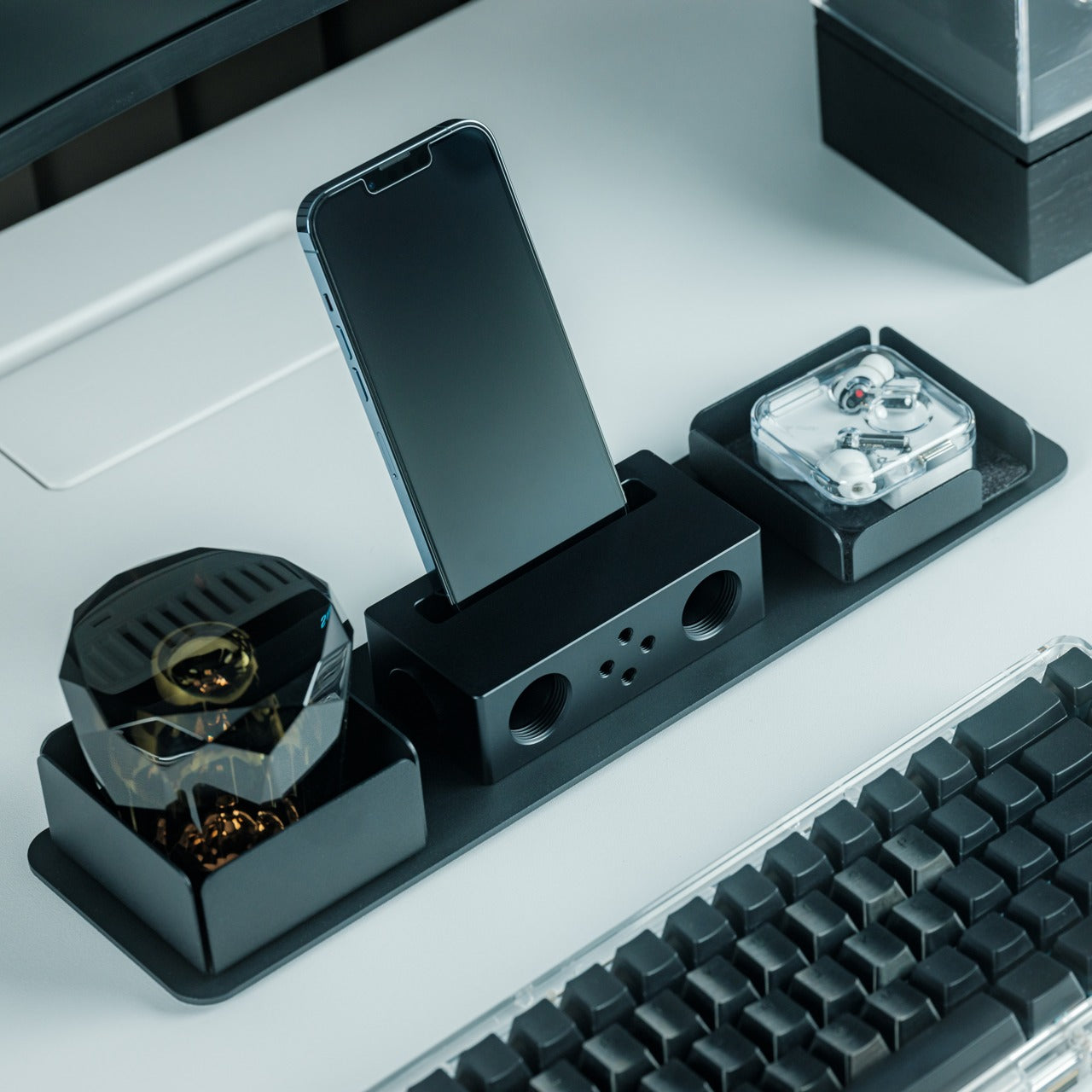
In a category drowning in Bluetooth speakers that need charging, the iSpeakers strip things back to pure physics. This metal smartphone speaker amplifies sound using acoustic design alone, with no battery, no electricity, and no pairing process. Slot a phone in, and the Duralumin body does the rest.
The material choice is the interesting detail here. Duralumin is an aluminum alloy used in aircraft construction, chosen for its vibration-resistant properties and its ability to project sound cleanly. The speaker’s proportions follow the golden ratio, which shapes how sound waves travel through the chamber and spread outward. Optional +Bloom and +Jet mods (sold separately) let users direct sound for different room setups.
Zero power requirement means no batteries to charge, no cables to carry, and no wireless connectivity to troubleshoot.
Duralumin construction gives it a premium, lasting feel that ages well and resists the kind of dings that kill plastic speakers.
What we dislike
Volume output is inherently limited by passive amplification, so this will not fill a large room or compete with powered speakers.
Compatibility depends on phone size and speaker placement, so not every phone model will fit or project sound optimally.
5. Unix UX-1519 NEOM Power Bank
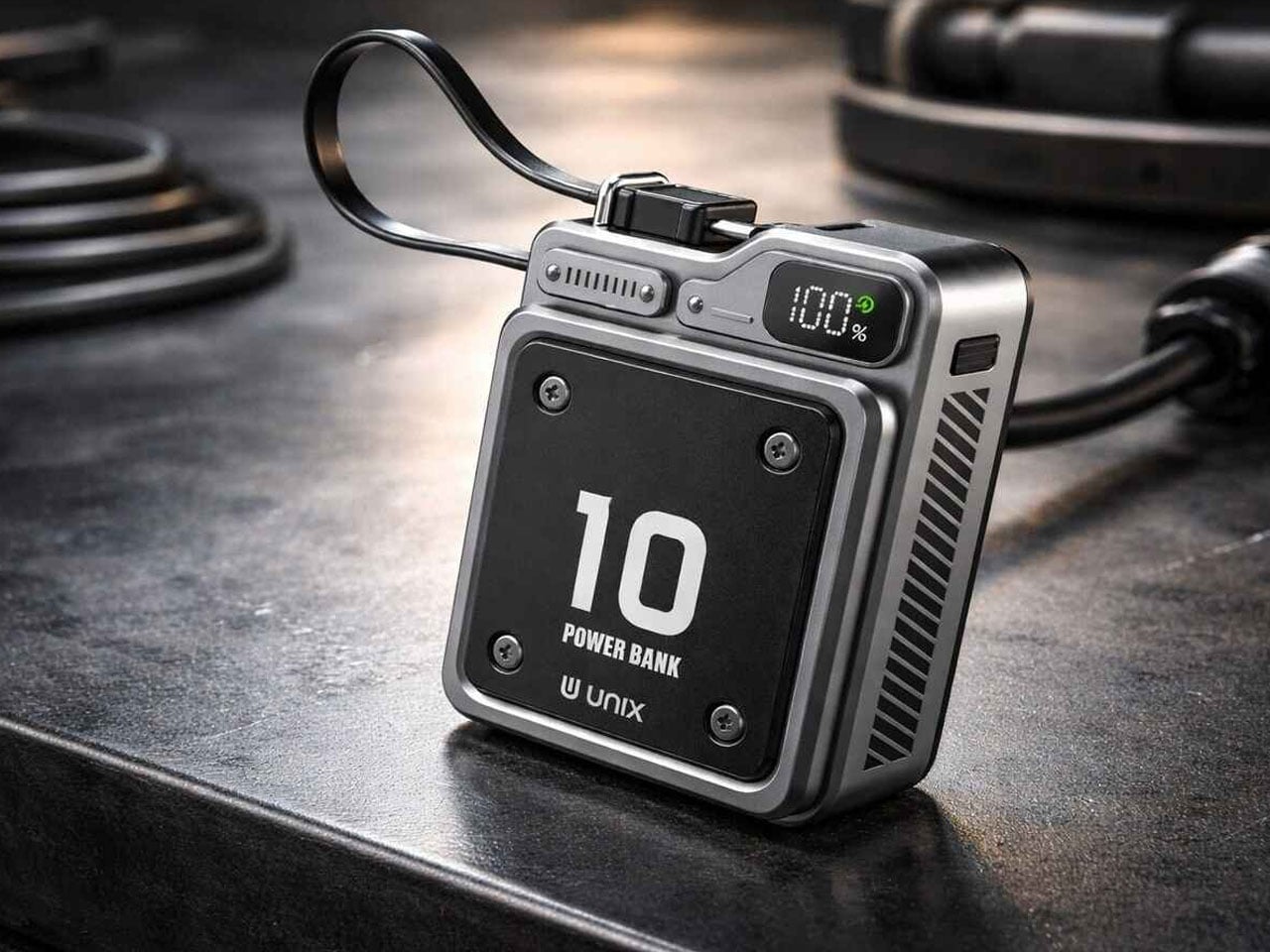
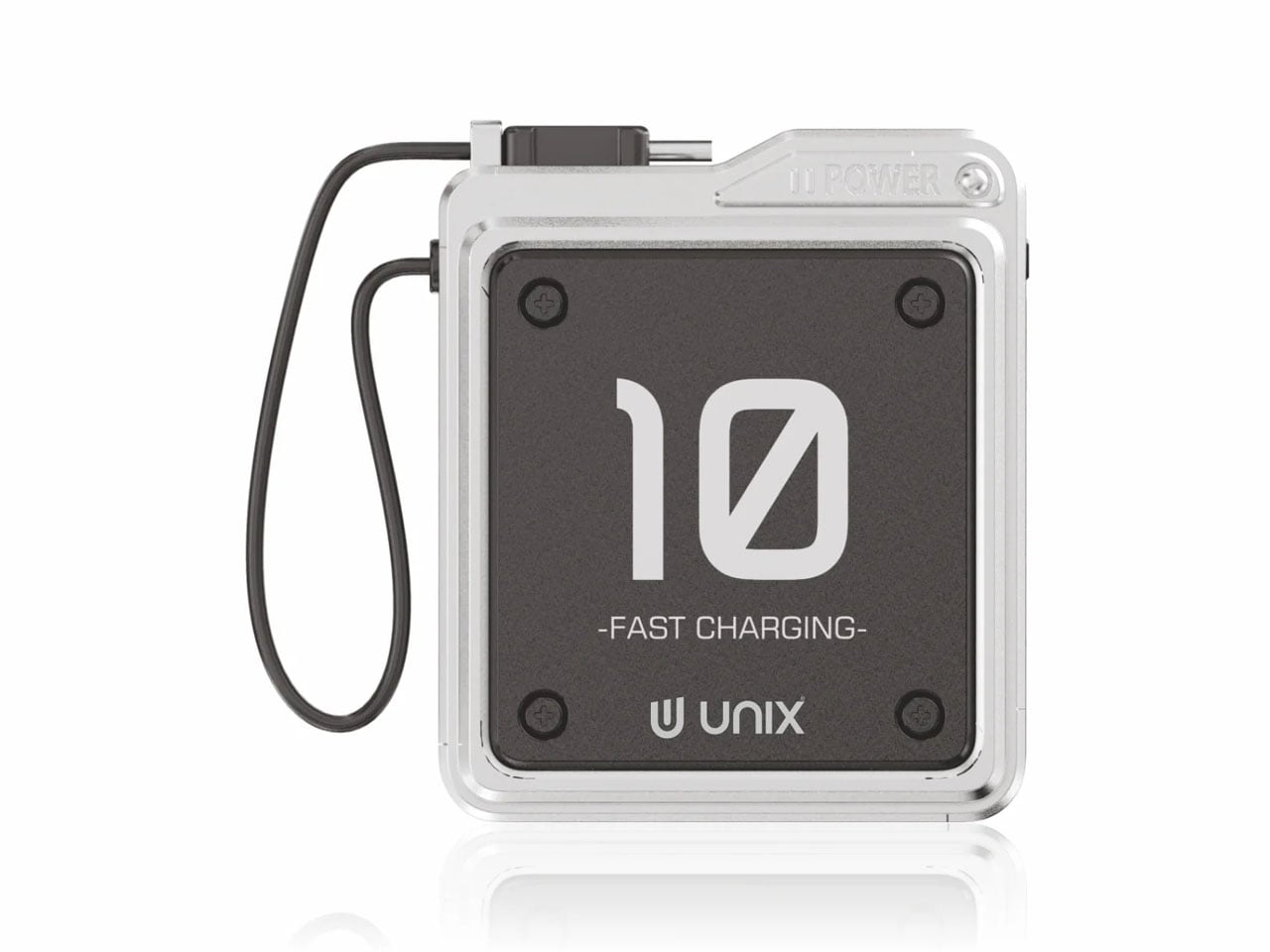
Power banks are the most boring objects in the average carry. The Unix UX-1519 NEOM challenges that assumption by wrapping 10,000mAh of capacity and 22.5W fast charging in an industrial design language that actually looks intentional. This is a real, shipping product, not a concept render.
The retro-modern aesthetic slots neatly alongside devices from brands like Nothing and Teenage Engineering, where exposed design elements and visible construction details are part of the appeal. Under the surface, a high-density Lithium Polymer battery provides a safer, longer-lasting cell compared to standard lithium-ion packs found in most competing power banks.
What we like
The industrial design treatment turns a utilitarian object into something worth displaying alongside the rest of a curated collection.
22.5W fast charging keeps compatible devices topped up quickly, cutting the time spent tethered to a power bank.
What we dislike
The design-forward approach may command a price premium over functionally identical power banks with plainer exteriors.
At 10,000mAh, capacity is adequate for one to two phone charges, but falls short for users who need to power tablets or laptops on the go.
6. Keychron B11 Pro
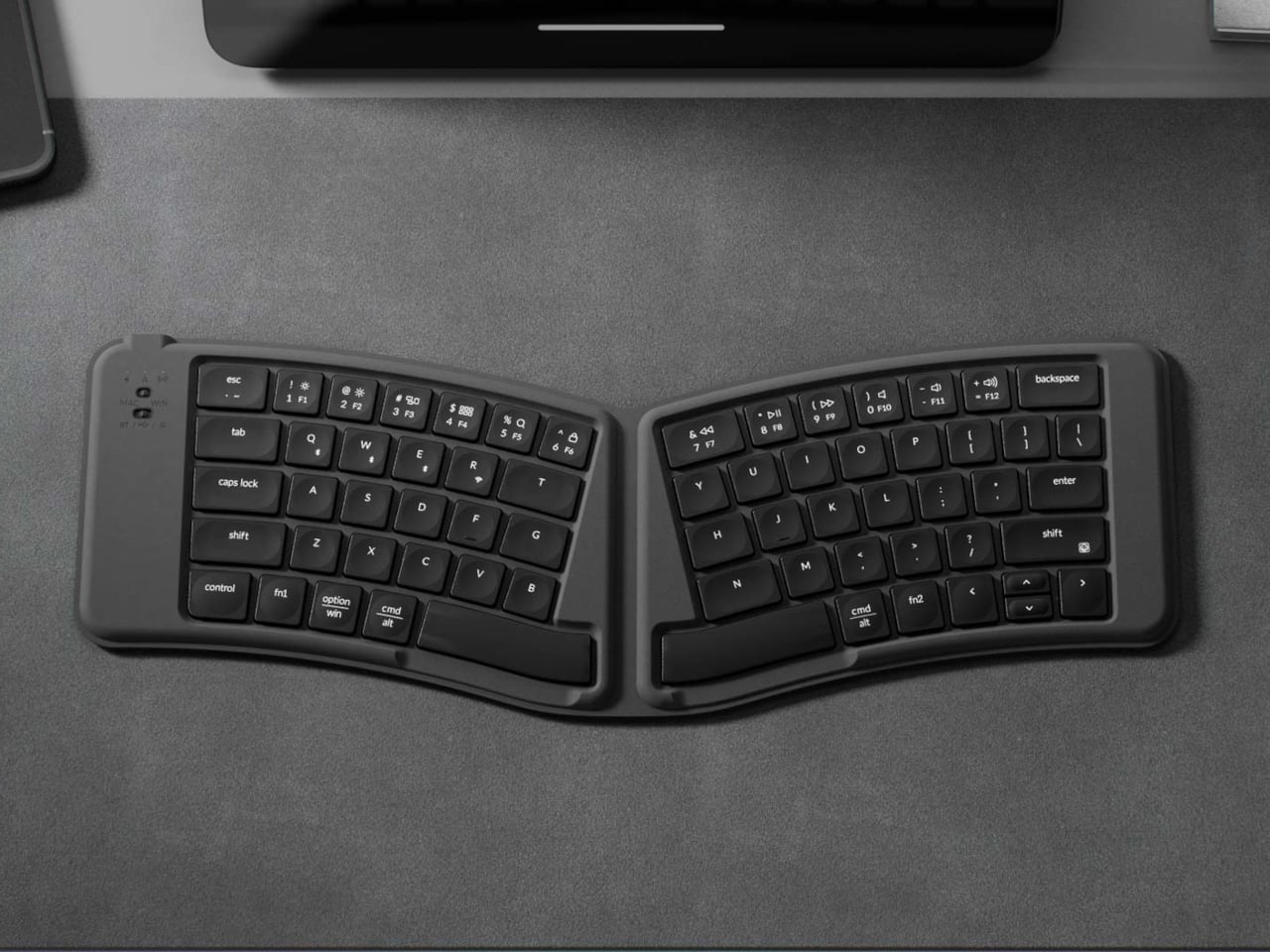
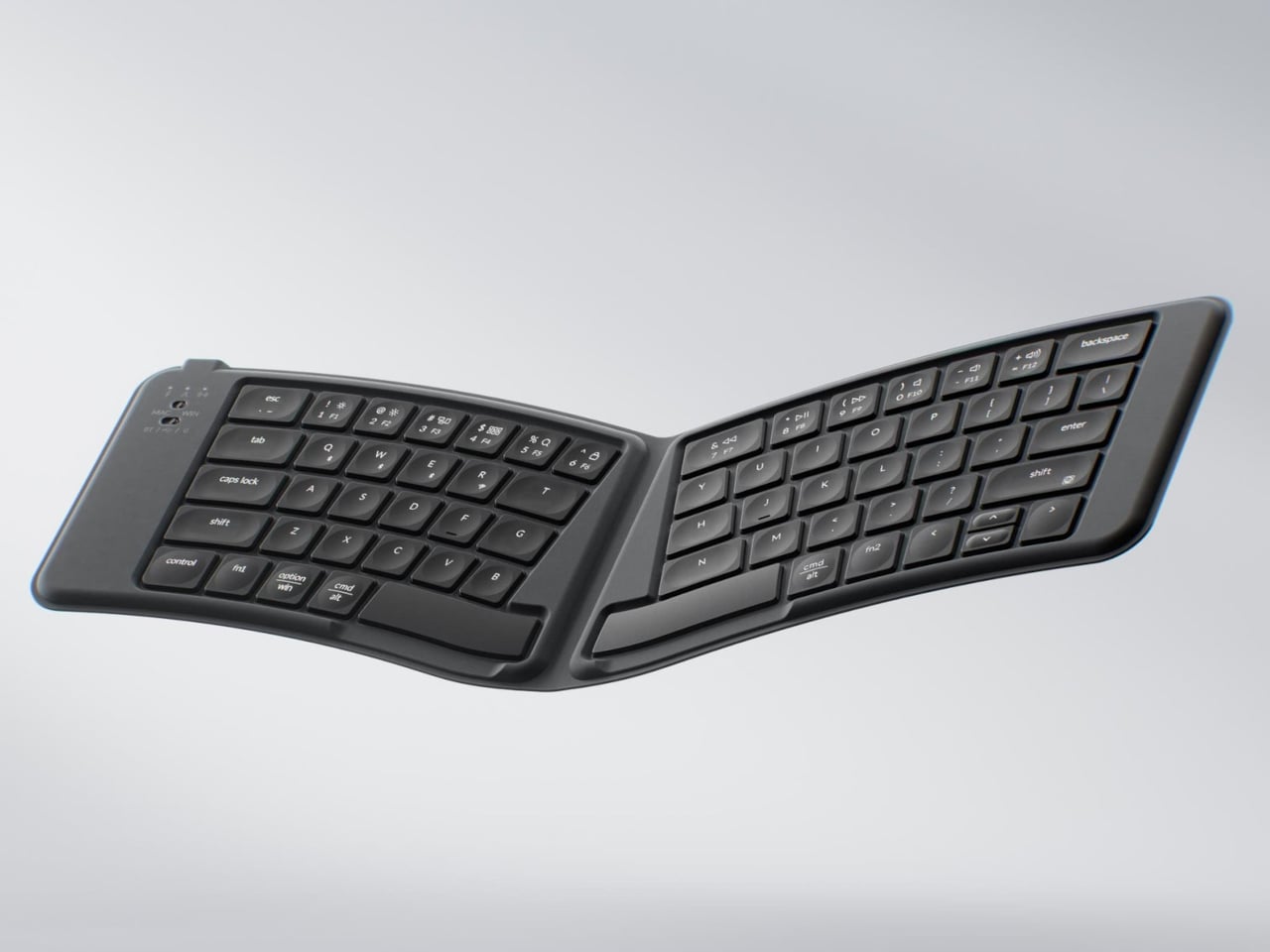
Portable keyboards have spent years treating compactness as the only variable worth optimizing. The Keychron B11 Pro adds a second priority: ergonomics. It folds in half to a 196.3 x 143 mm footprint (smaller than a paperback) at 258 grams, but unfolds into a 65% Alice layout that angles both key clusters inward for a more natural wrist position.
The Alice geometry is what separates this from every other folding keyboard in its price bracket. Keychron already uses the same split-angle approach in the desk-bound K11 Max, a full mechanical keyboard, so the ergonomic logic is well tested. Putting it into a foldable form at $64.99 is a different proposition, one that treats travel typing as something deserving of the same wrist comfort as a home office setup.
What we like
The Alice split layout reduces lateral wrist strain during long typing sessions, a benefit that flat portable keyboards do not offer.
At $64.99, the price point is accessible compared to other ergonomic keyboards that cost two to three times as much.
What we dislike
A 65% layout means missing dedicated function rows and navigation clusters, which power users may find limiting.
The folding hinge adds a visible seam along the middle of the keyboard that could collect dust and affect long-term build quality.
7. Frame CD Player
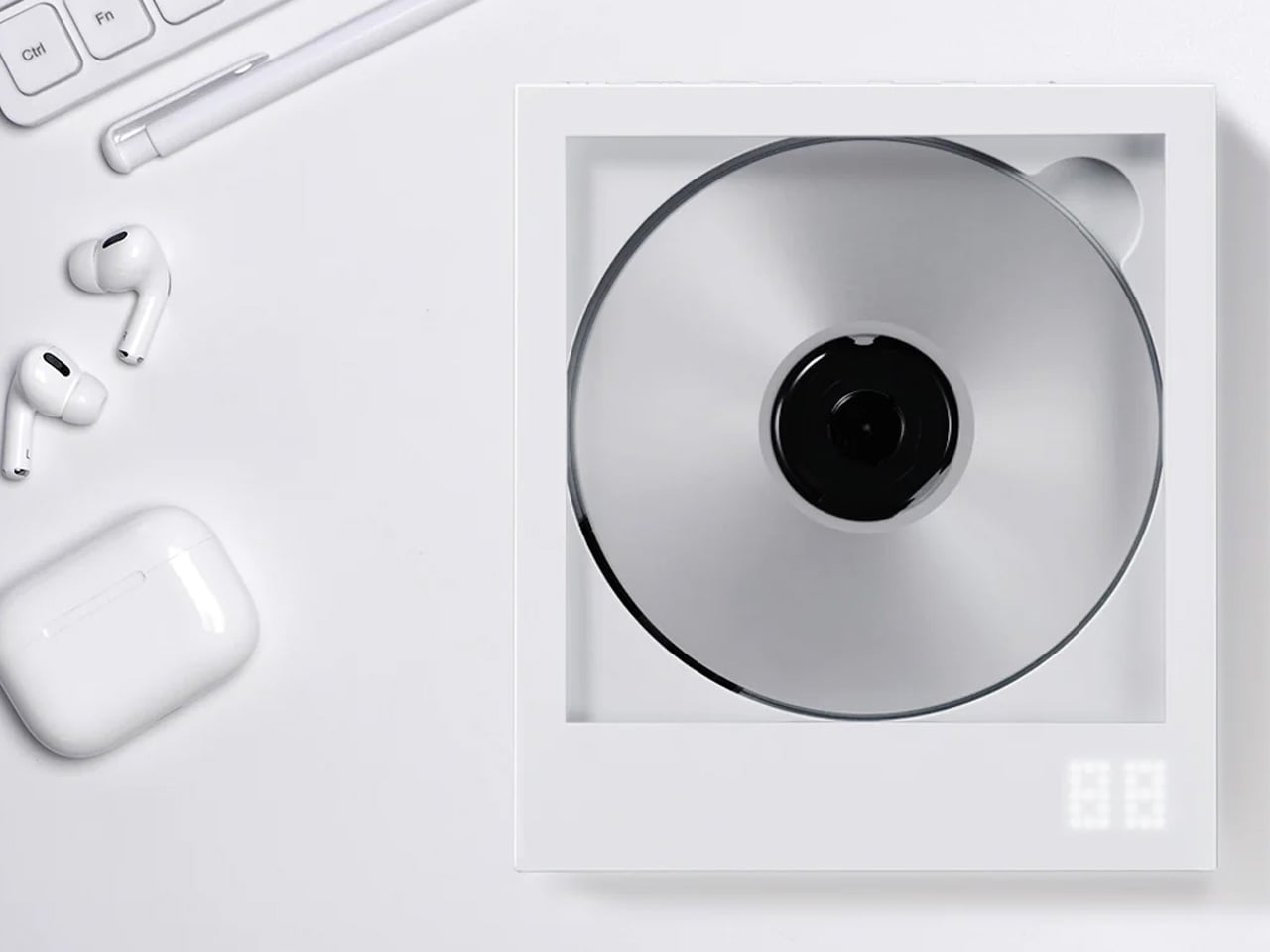
Streaming killed the CD, but it never replaced the ritual. The Frame CD player leans into that gap with a portable player that does double duty as a display for album jacket art. Pop in a disc, slide the cover art into the built-in frame, and the album becomes an object again instead of a thumbnail on a screen.
Bluetooth 5.0 lets the player connect to wireless speakers and earphones, so it works within modern audio setups without demanding a wired system. A built-in battery makes it portable enough to move between rooms or take on the go, and the minimalist housing is designed to hang on a wall as a piece of functional decor when not in transit.
The album art frame transforms a music player into a visual display piece, giving physical media a presence that streaming cannot replicate.
Bluetooth 5.0 connectivity bridges the gap between vintage formats and modern audio gear without extra adapters or cables.
What we dislike
CD collections are shrinking, so the player’s long-term utility depends on how committed a listener is to physical media.
Sound quality through Bluetooth compression will not satisfy audiophiles who are drawn to CDs for their lossless audio in the first place.
Less carry, more intent
The common thread running through these seven gadgets is not a spec sheet or a price bracket. It is an attitude toward what portable tech should be: small enough to disappear when not needed, capable enough to perform when called upon, and designed with enough intention that carrying them feels like a choice rather than a burden. Not every product on this list will suit every carry, but each one earned its pocket space.
What makes this current wave of compact gadgets exciting is the refusal to treat portability and quality as opposites. The best pocket-sized tech does not ask for compromise. It simply demands better design thinking, and these seven products deliver on that front in different, often surprising ways.
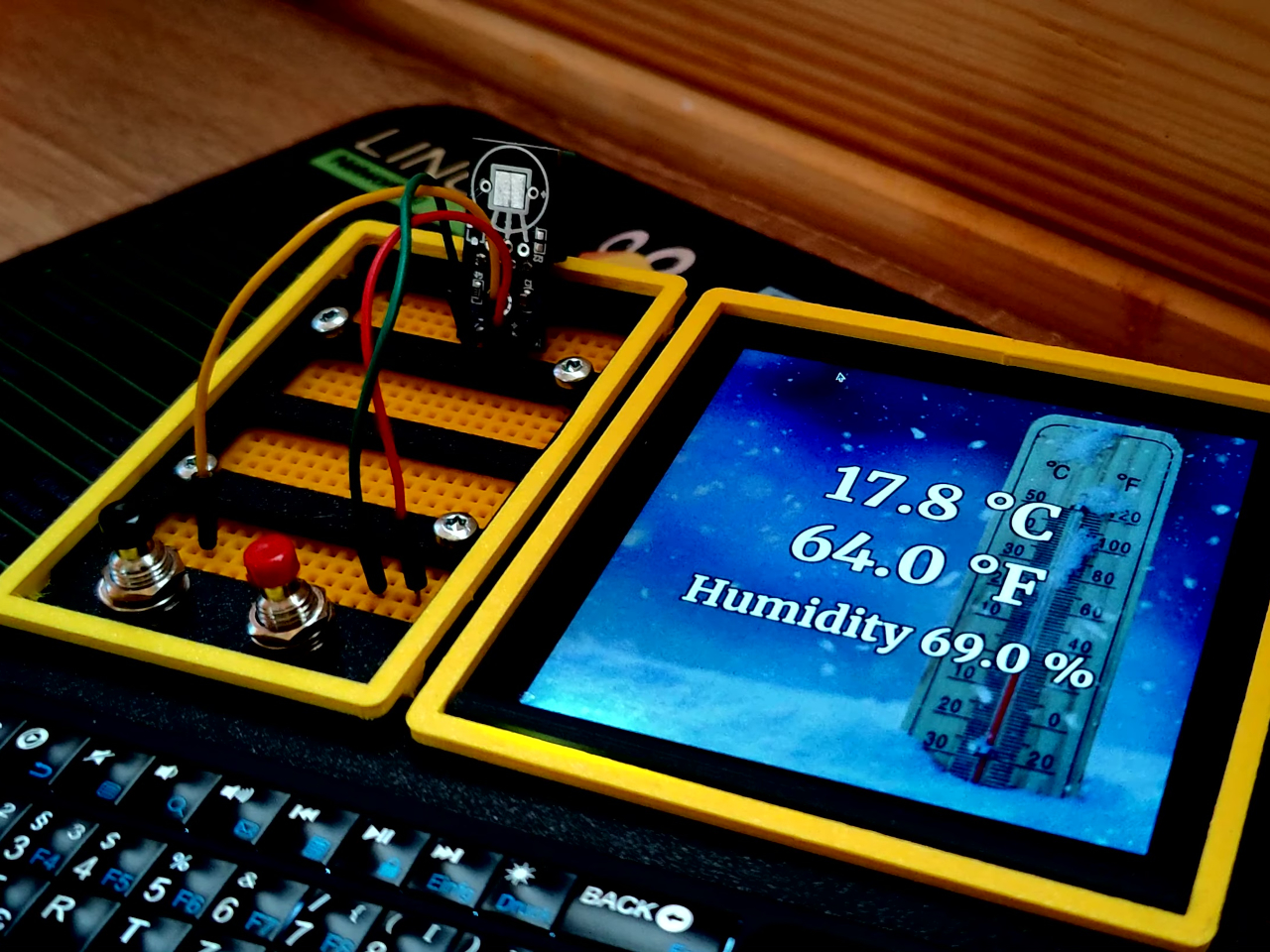
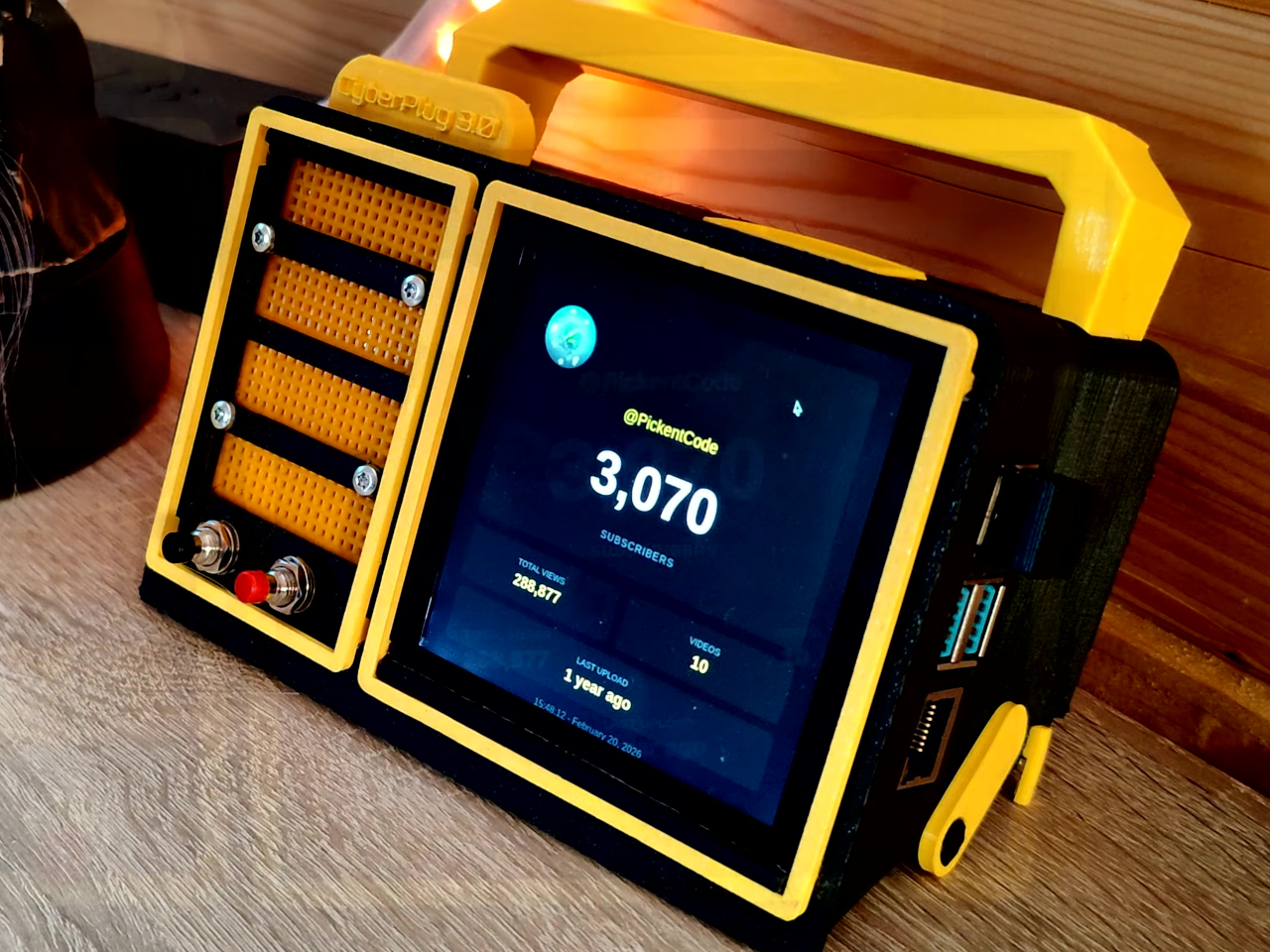
Most portable computers are sealed boxes, which is exactly what makes them frustrating for anyone who wants to experiment with electronics. You can run code on a laptop, but try wiring a temperature sensor or an infrared transmitter directly to it, and you’ll realize that consumer hardware was never designed for that kind of access. A maker who goes by PickentCode got tired of that gap and built something to close it.
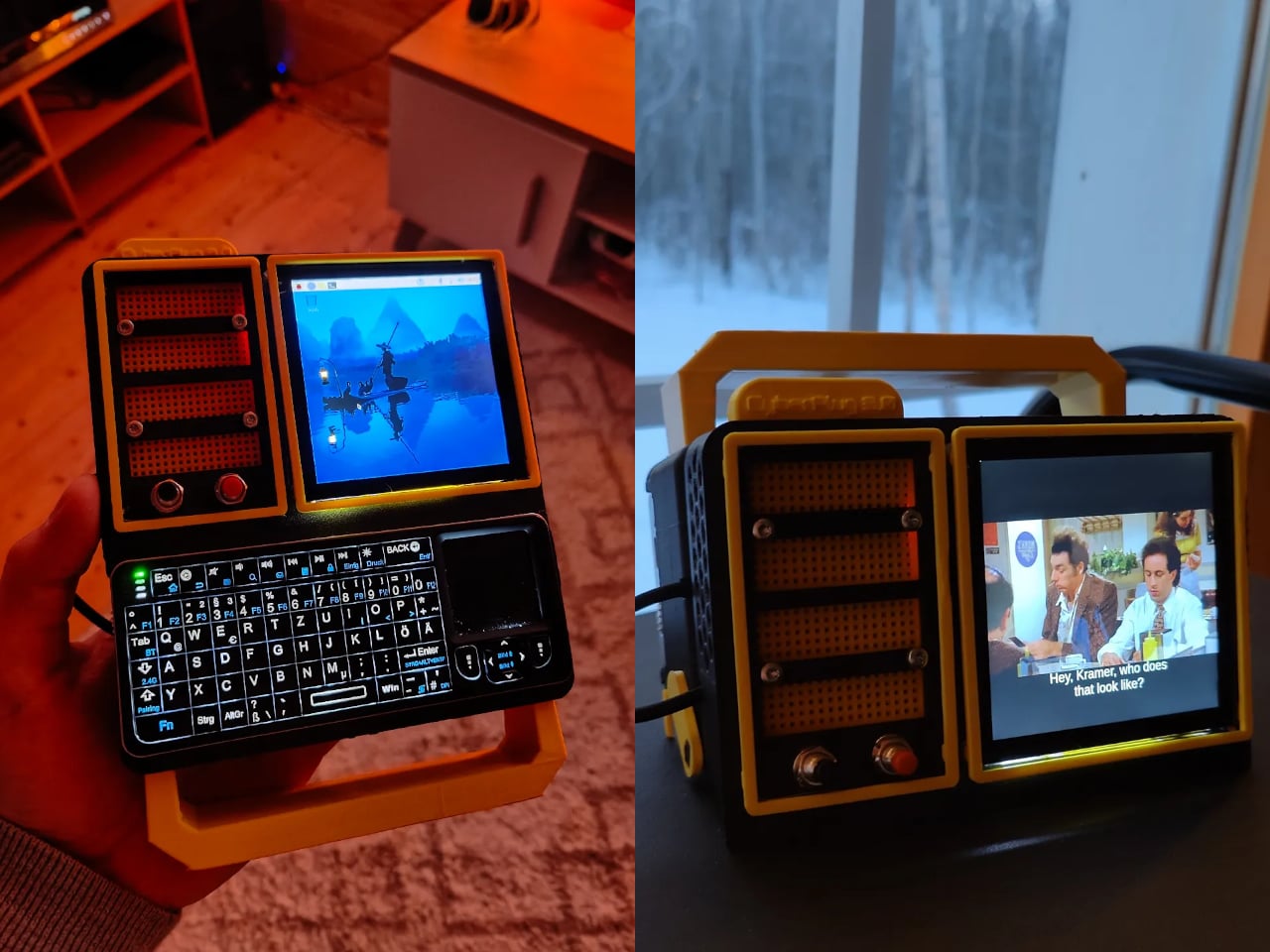
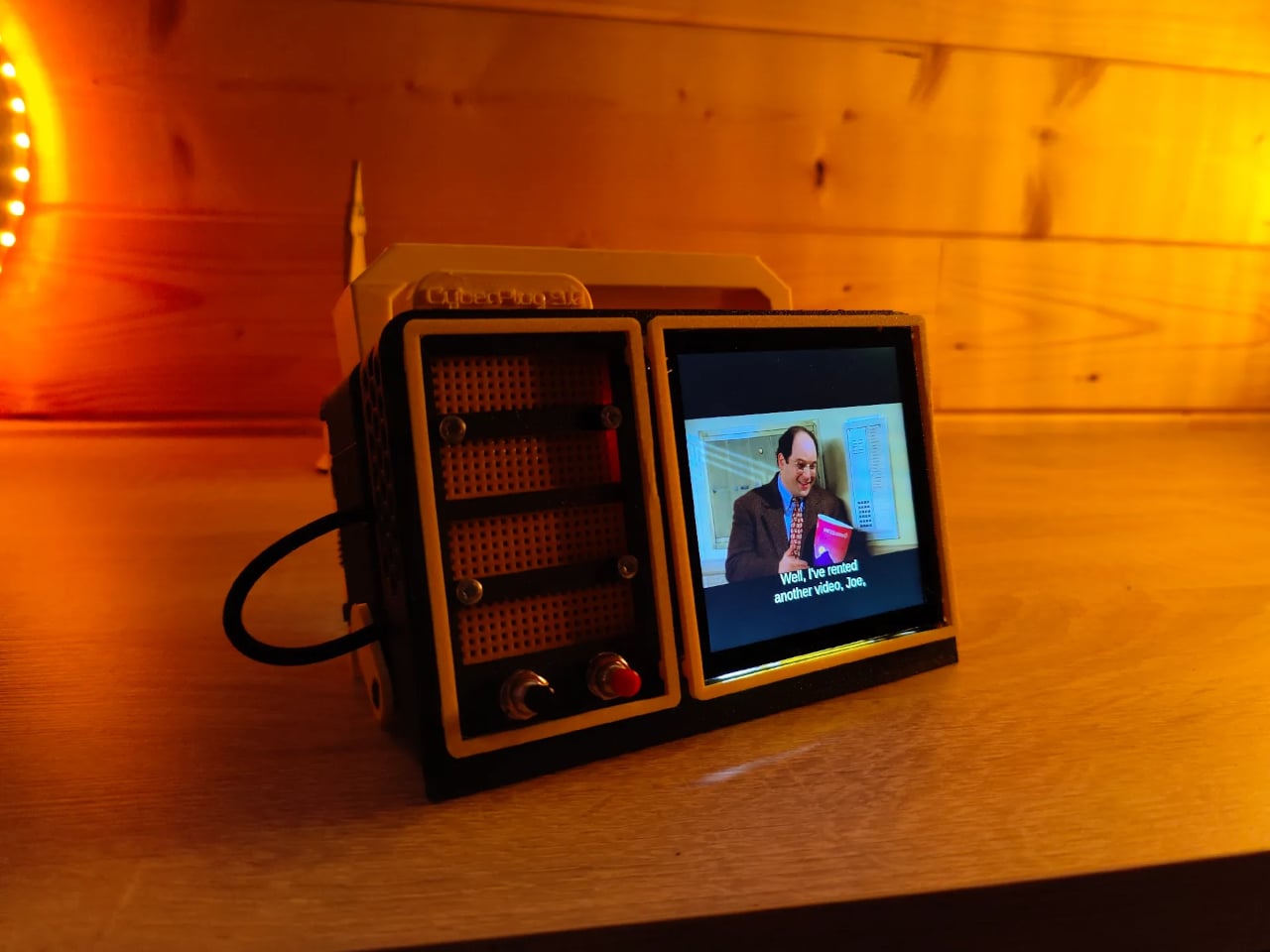
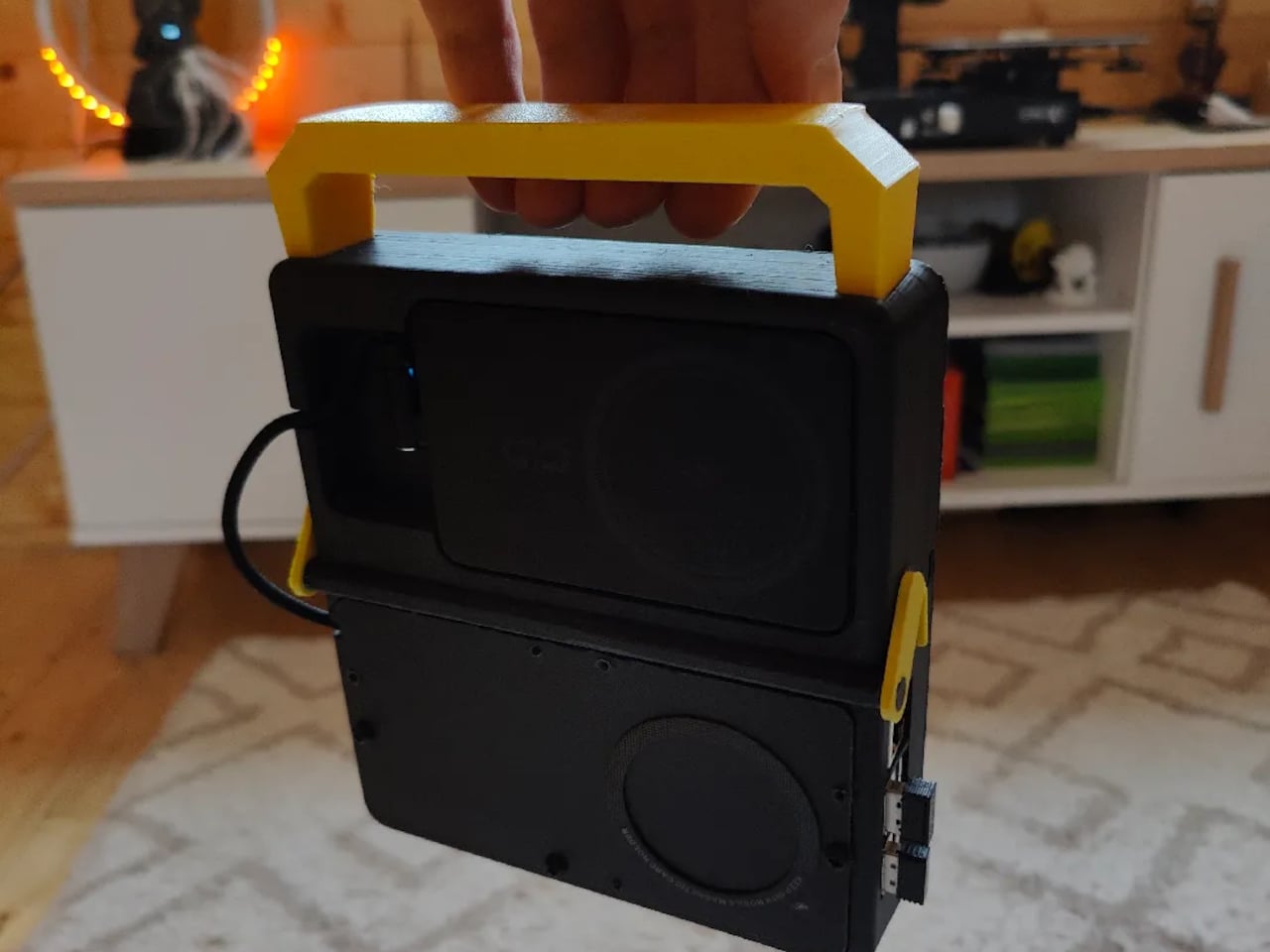
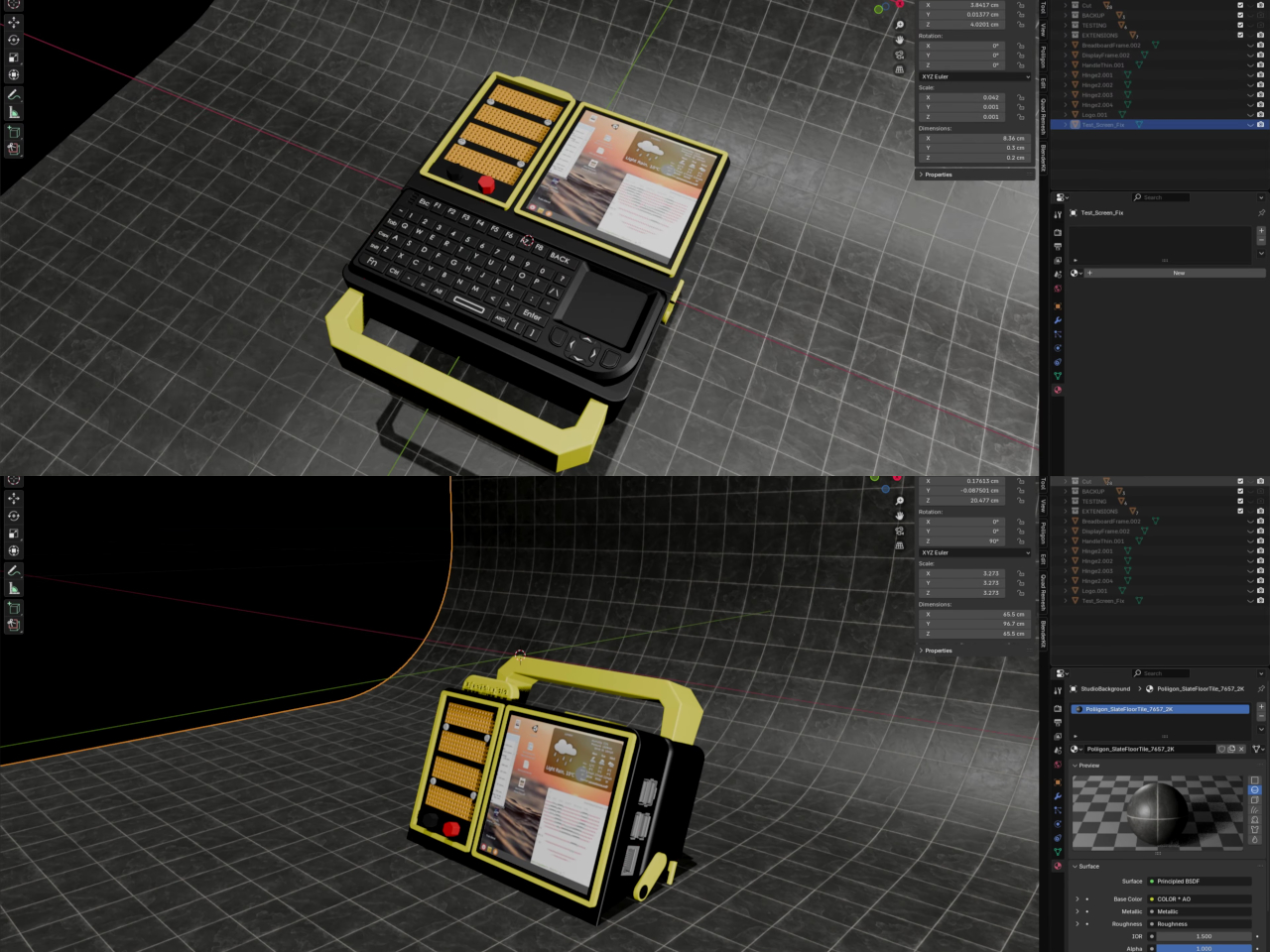
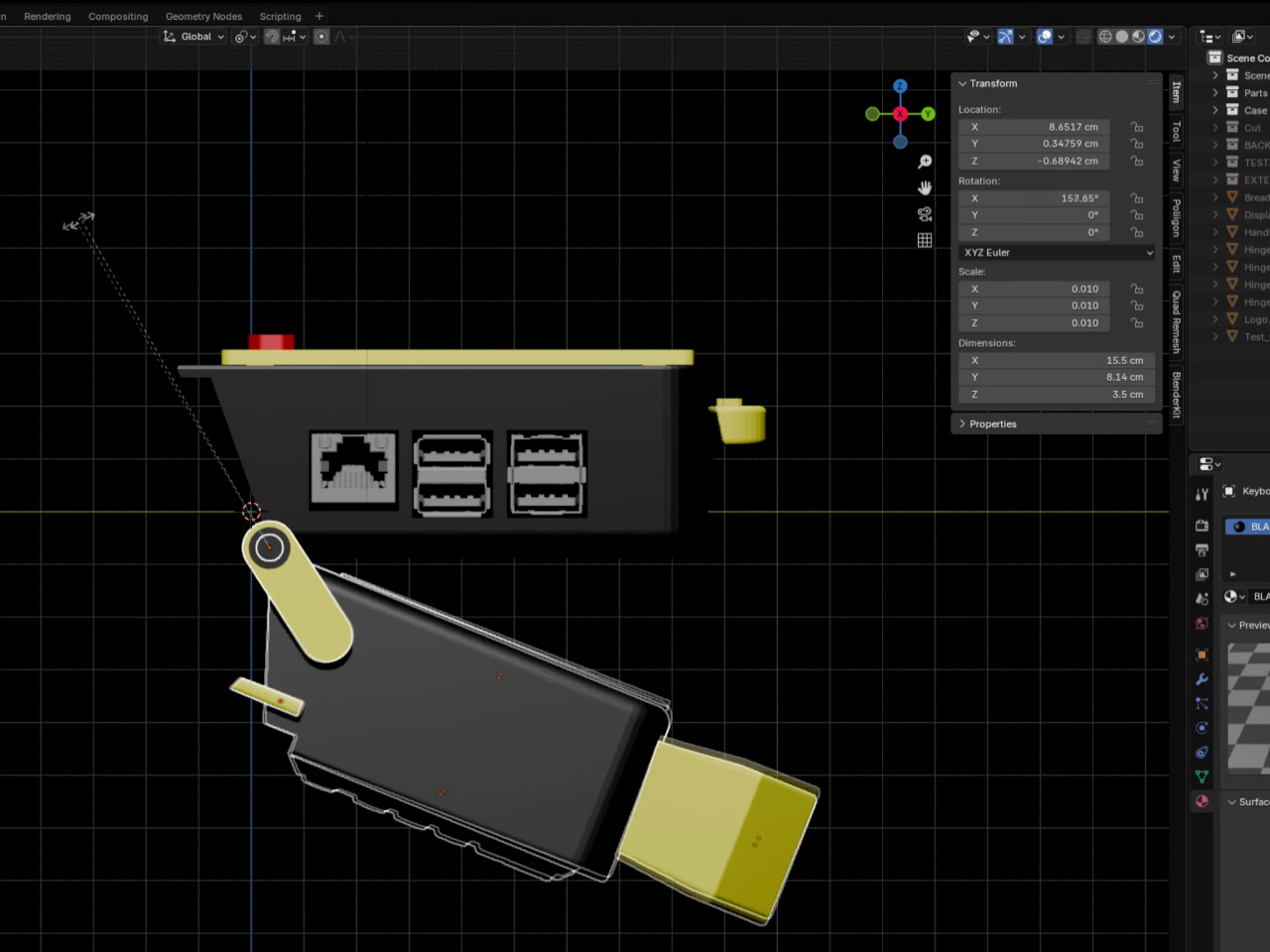
The CyberPlug 3.0 is the third iteration of a personal cyberdeck project, the earlier two having usability problems that sent PickentCode back to Blender to redesign. The final build packs a Raspberry Pi 4 Model B, a 4-inch IPS touchscreen, a Rii K06 mini keyboard with a built-in touchpad, and a 5,000 mAh USB-C power bank into a 3D-printed hinged body that folds flat for handheld use or props open at a desk-friendly angle.
Designer: PickentCode
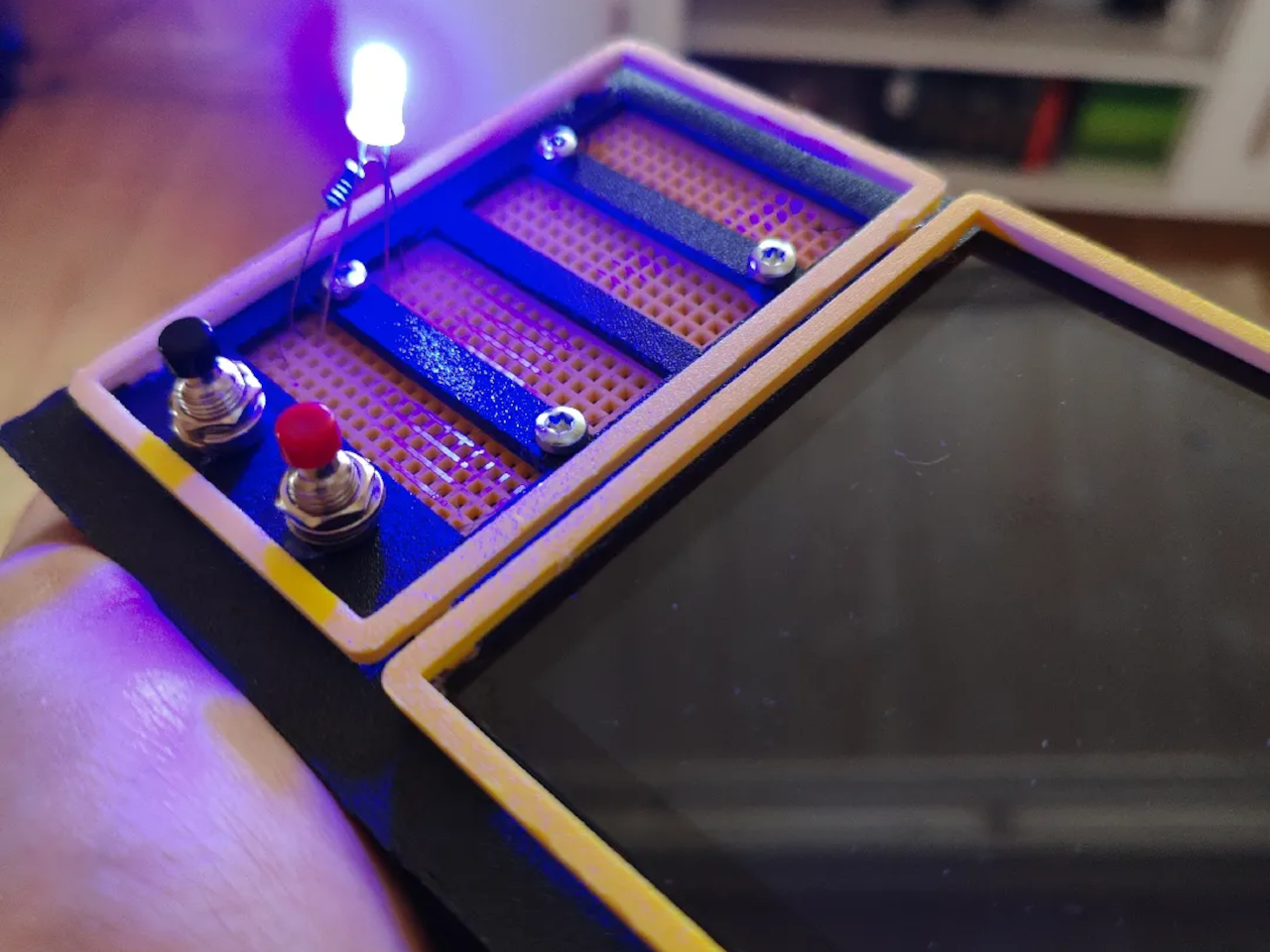
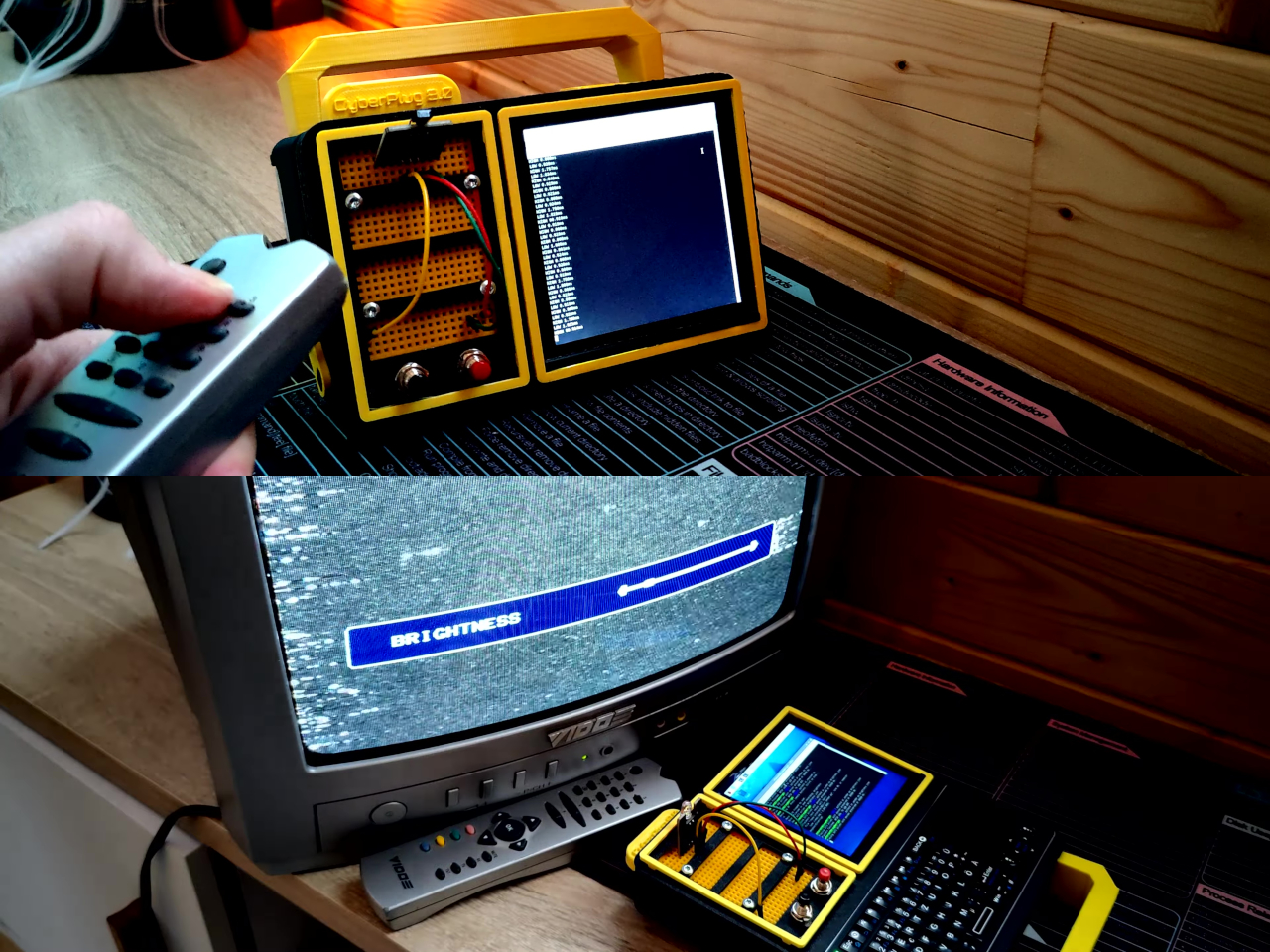
What separates this from a standard Raspberry Pi build is the pair of breadboards soldered directly to the GPIO pins, seated inside the case, and accessible through a removable back panel. Connecting a sensor no longer means hunting for a separate breadboard and a tangle of jumper wires. PickentCode plugged in a temperature and humidity sensor and had it reading live data within minutes, then built an infrared setup that records remote control signals and replays them as single-button macros.
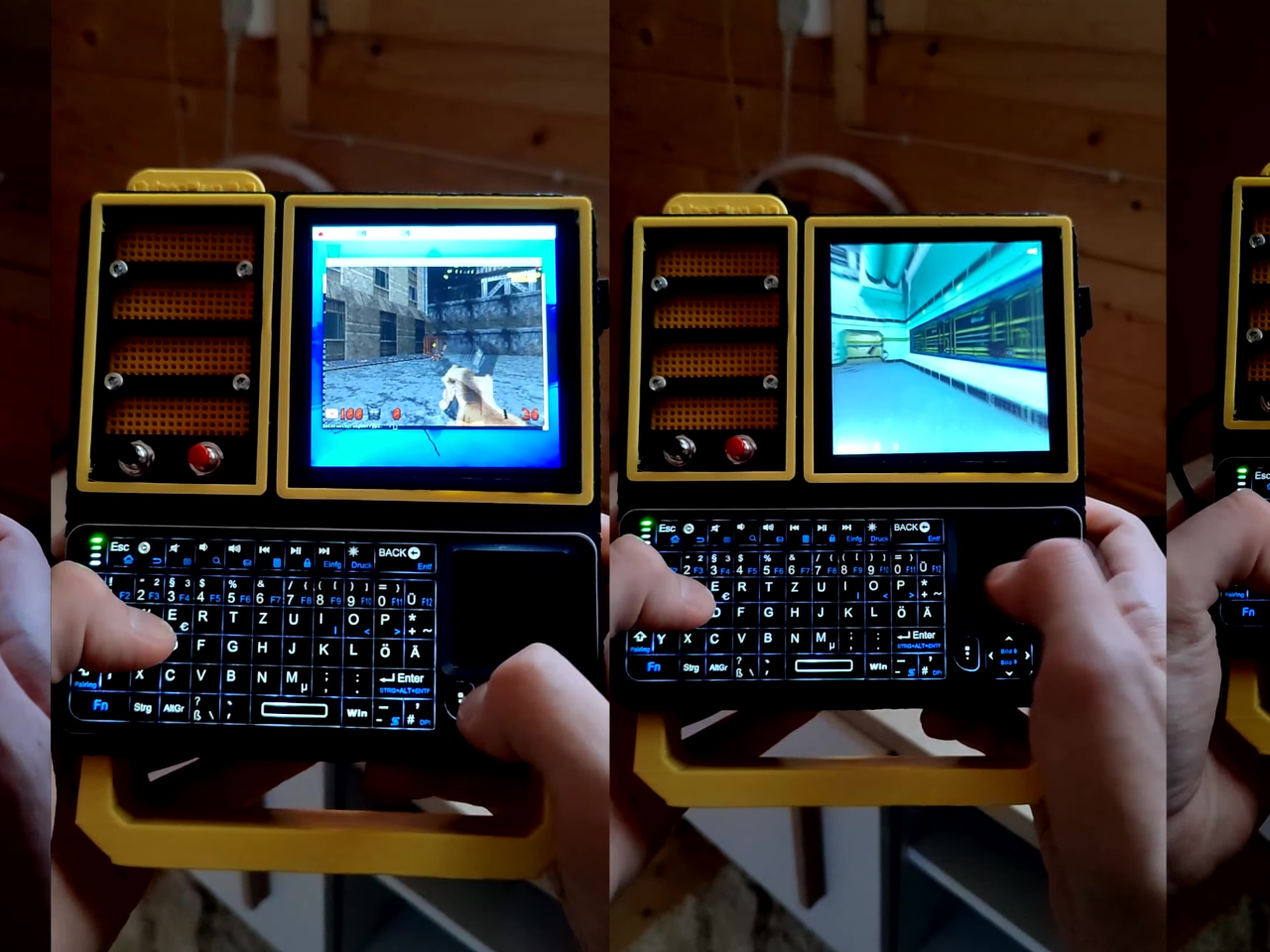
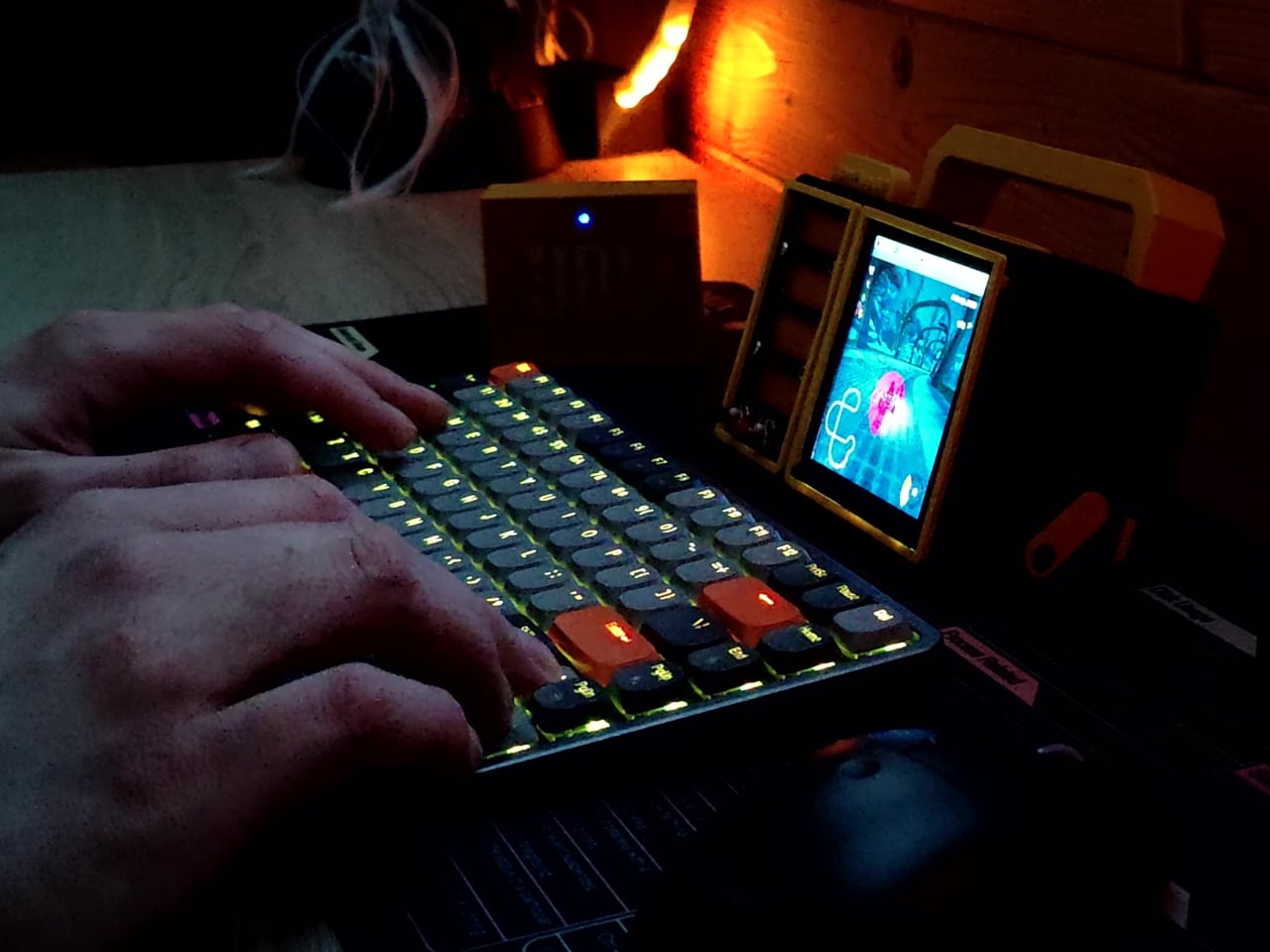
The two form factors each have a distinct locking mechanism rather than just flopping into position. In handheld mode, twin magnets pull the two halves together. In desktop mode, a metal ring on the back grabs the MagSafe-style power bank magnetically, holding the whole thing at a stable upright angle. Both the keyboard and the power bank slide out independently, and the deck keeps working on a desk without either of them.
Extensions are where the project gets more interesting. PickentCode added a PWM-controlled external fan that reads CPU temperature and adjusts speed automatically, and a small speaker module that opened the door to YouTube and older games. Doom, Half-Life, and GTA: Vice City all ran on it, better with an external setup in desktop mode, though workable in handheld after some button remapping.
PickentCode frames this plainly as a testbed for learning electronics, not a replacement for a phone or a real computer. The 3D files are free on Printables, so the main cost is filament, time, and the components. For anyone who has ever stared at a sealed laptop wishing they could just plug something into it, that framing is probably the most relatable thing about it.
March has a habit of delivering the products that January only promised. CES demos become preorders, concept renders start circulating with real specs attached, and the gadgets worth paying attention to separate themselves from the ones that were only ever meant to look good on a stage. This month’s picks share a common thread: each one challenges an assumption about how a familiar product category should behave, look, or fit into daily life.
What makes these five stand out from the usual parade of iterative upgrades is their willingness to subtract. Less screen time, less bulk, less noise, less compromise between form and function. They are not chasing specs for the sake of benchmarks or piling on features to pad a marketing sheet. From a handheld PC that refuses to apologize for its ambition to a concept camera that wants nothing more than for its user to look up from a screen, these gadgets are worth your time and attention this month.
1. GPD Win 5
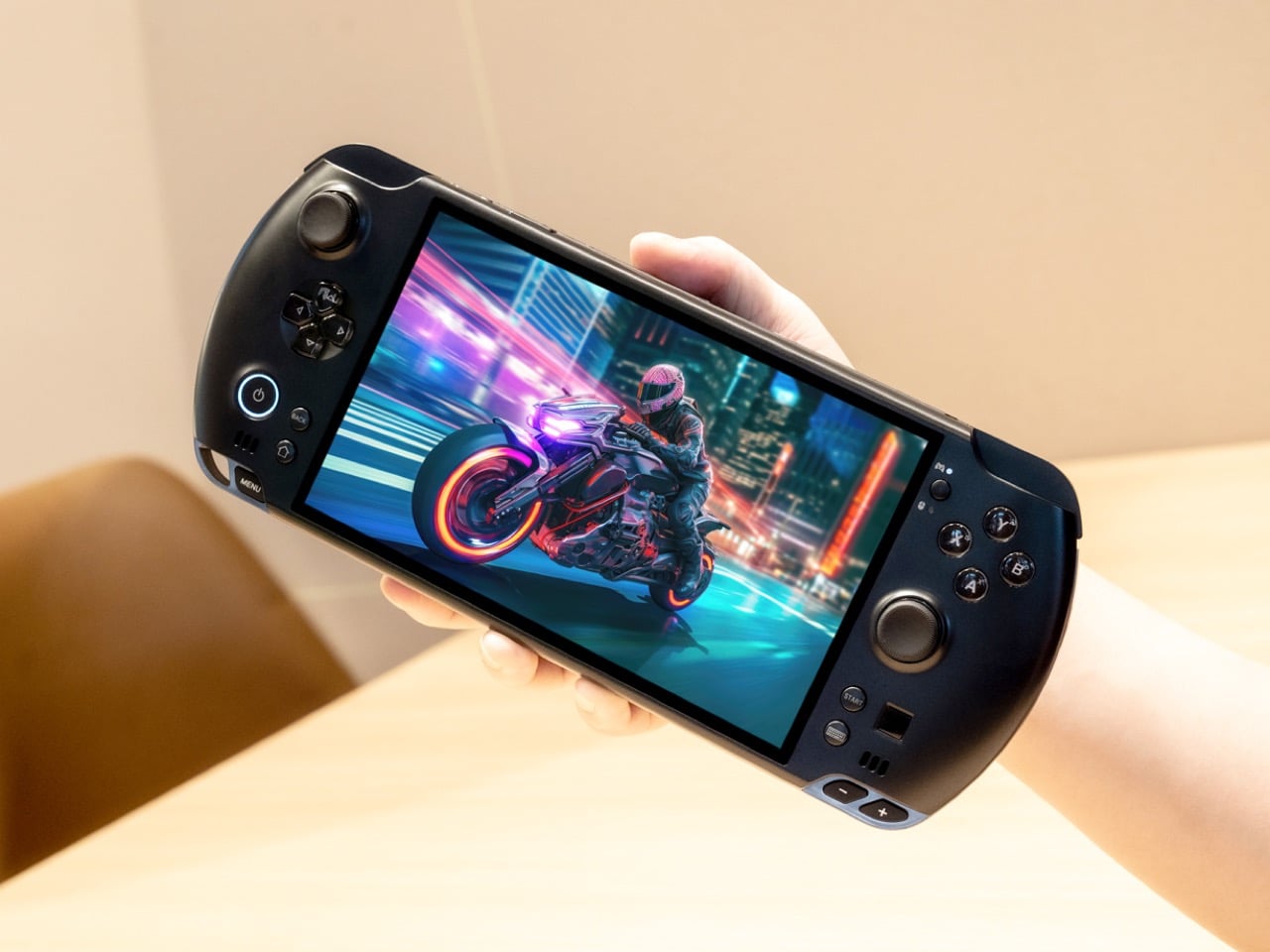
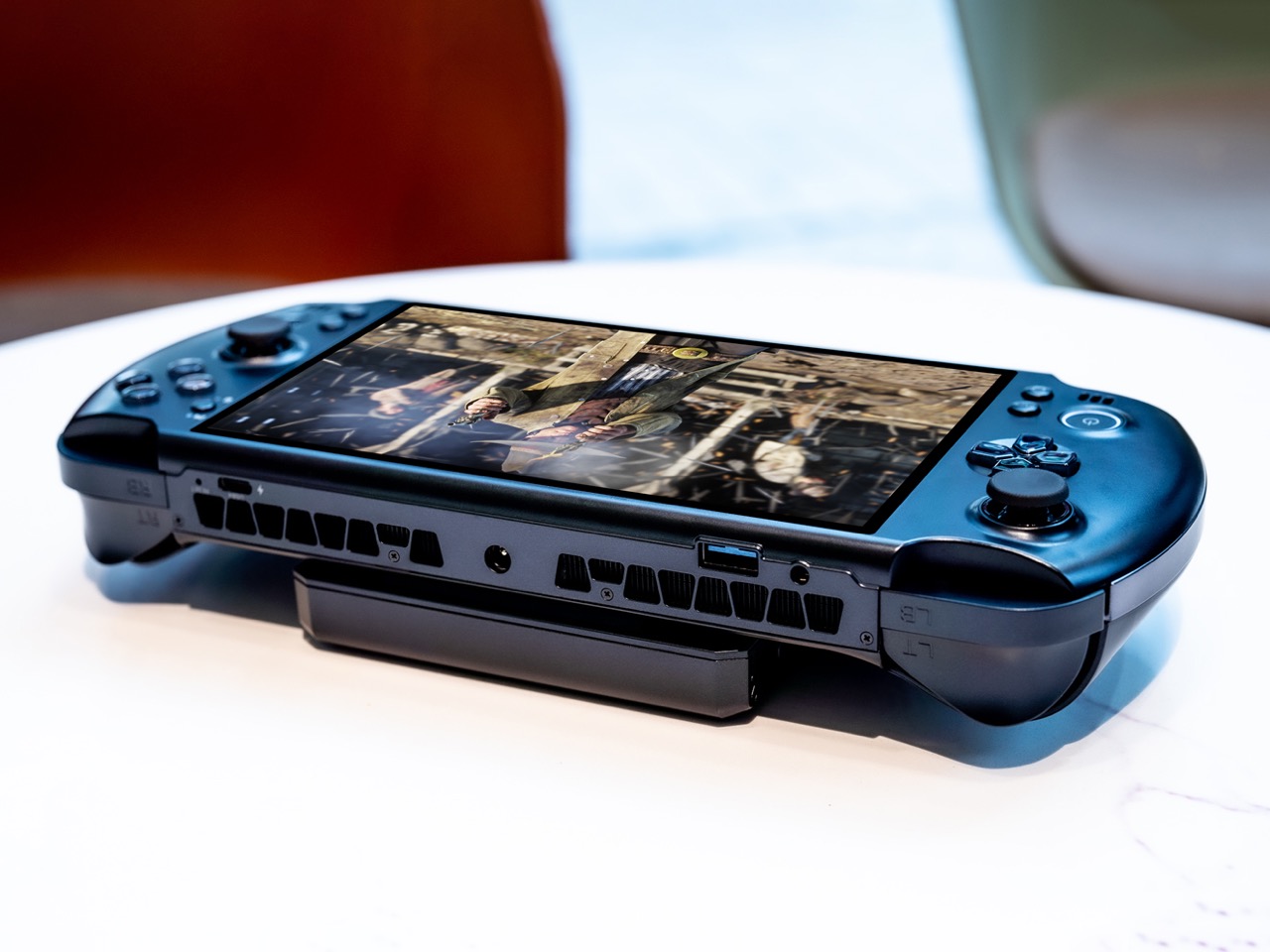
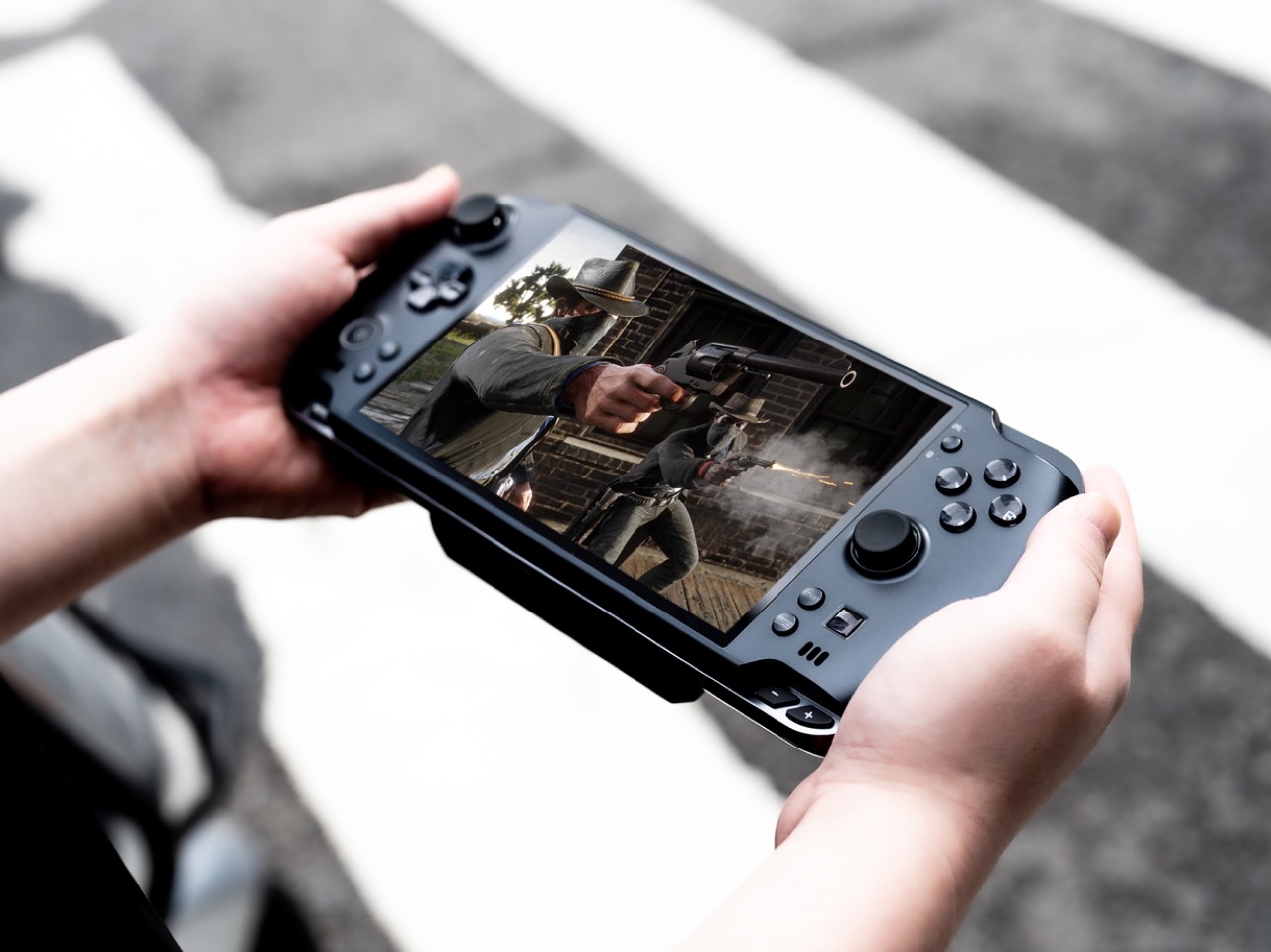
The PSP’s body plan endures, and the GPD Win 5 is its most ambitious descendant yet. Packed with an AMD Ryzen AI Max+ 395 processor, up to 4TB SSD storage, and 32GB of LPDDR5X RAM, this handheld runs a 7-inch 1080p display at 120Hz with Radeon 8060S integrated graphics. Starting at $1,400, this is not a portable console pretending to be a PC. It is a full PC compressed into two hands.
GPD removed the internal battery entirely, replacing it with a detachable 80 Wh pack that clips to the back. A quad heat pipe cooling system handles thermal loads across a TDP range from 28W to 85W on mains power. Hall effect triggers and capacitive joysticks eliminate drift and deadzone, while a proprietary Mini SSD slot pushes transfer speeds beyond microSD limits. Every design choice solves a problem created by one stubborn, central ambition: desktop-class performance in a handheld shell.
What we like
The external battery swaps in seconds, and plugging into the 180W adapter unlocks full 85W TDP performance that rivals many desktop setups.
Hall effect triggers and capacitive joysticks eliminate the drift issues that plague most handheld PCs after months of heavy use.
What we dislike
The external battery makes the device awkward to hold when attached, and the proprietary charger adds bulk to an already heavy travel kit.
Pricing starts at $1,400 and climbs past $2,000 for the top configuration, placing it deep into enthusiast-only territory.
2. NanoPhone Pro
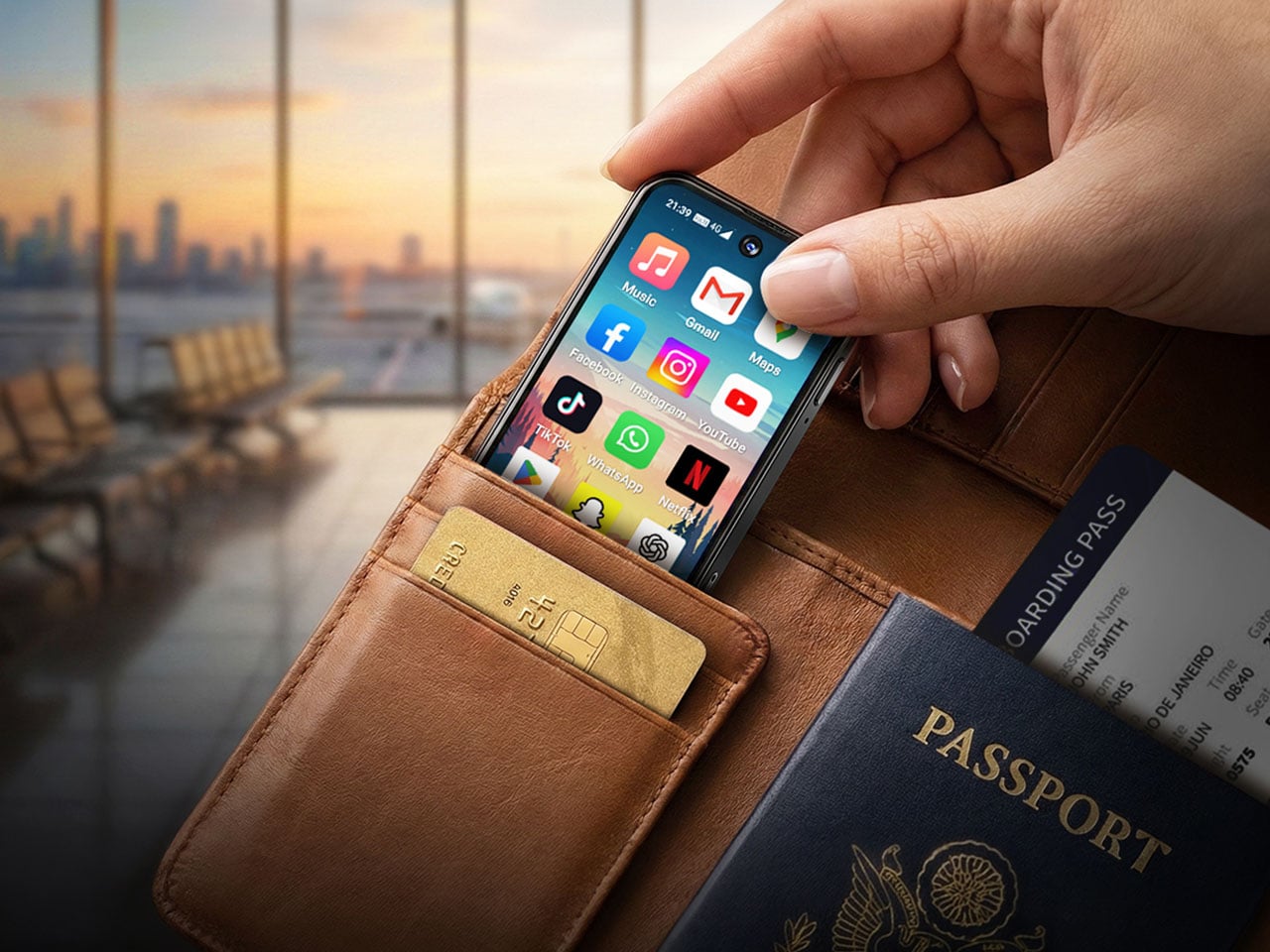
Smartphones have spent a decade getting bigger. The NanoPhone Pro walks in the opposite direction with a credit-card-sized body measuring 0.4 x 3.8 x 1.8 inches and weighing just 2.8 ounces. Running Android 12 with Google Play certification, this 4G device handles calls, messages, navigation, and basic apps without demanding pocket real estate. At $99, it is built for minimalists, travelers, and anyone tired of their phone being the loudest object in the room.
The spec sheet is an exercise in deliberate restraint. A 4-inch edge-to-edge IPS touchscreen, dual SIM support, 2MP front and 5MP rear cameras, a 2000mAh battery, and expandable storage via microSD. Face ID handles unlocking. The NanoPhone Pro does not pretend to compete with flagships, and that restraint is the entire point. It is a quiet, pocketable alternative that runs WhatsApp, Google Maps, and everything else that matters without the attention-hungry weight of a modern slab phone.
What we like
The credit-card form factor disappears into wallets and running shorts, making it ideal for situations where a full-sized phone feels like overkill.
Google Play certification means the app ecosystem works without sideloading, so daily essentials like navigation and messaging run without friction.
What we dislike
The 5MP rear camera produces images that are functional at best, making this a poor choice for anyone who photographs anything beyond the occasional note or receipt.
Android 12 on a 4-inch screen feels cramped, and typing requires patience and smaller-than-average fingers.
3. Camera (1)
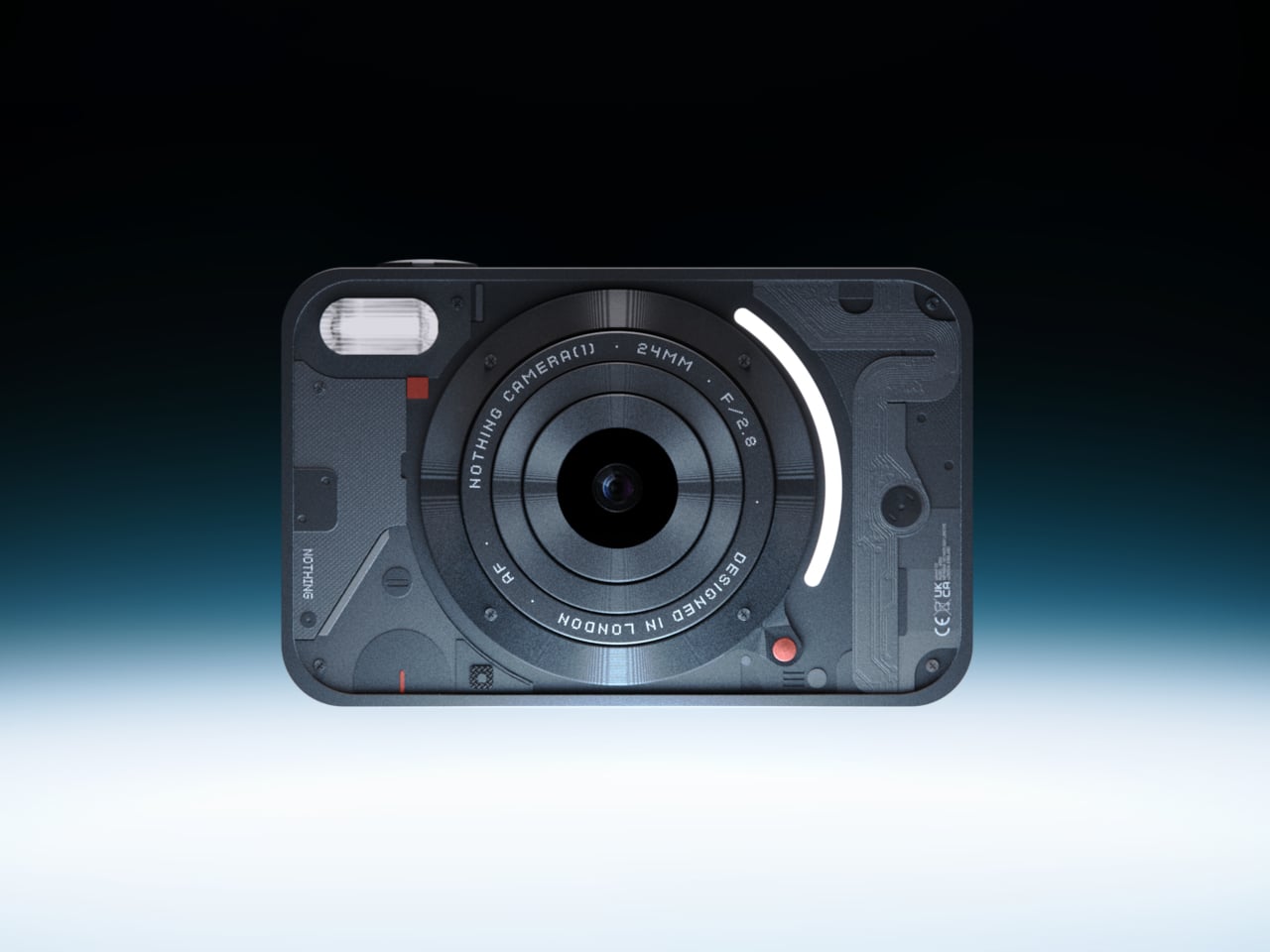
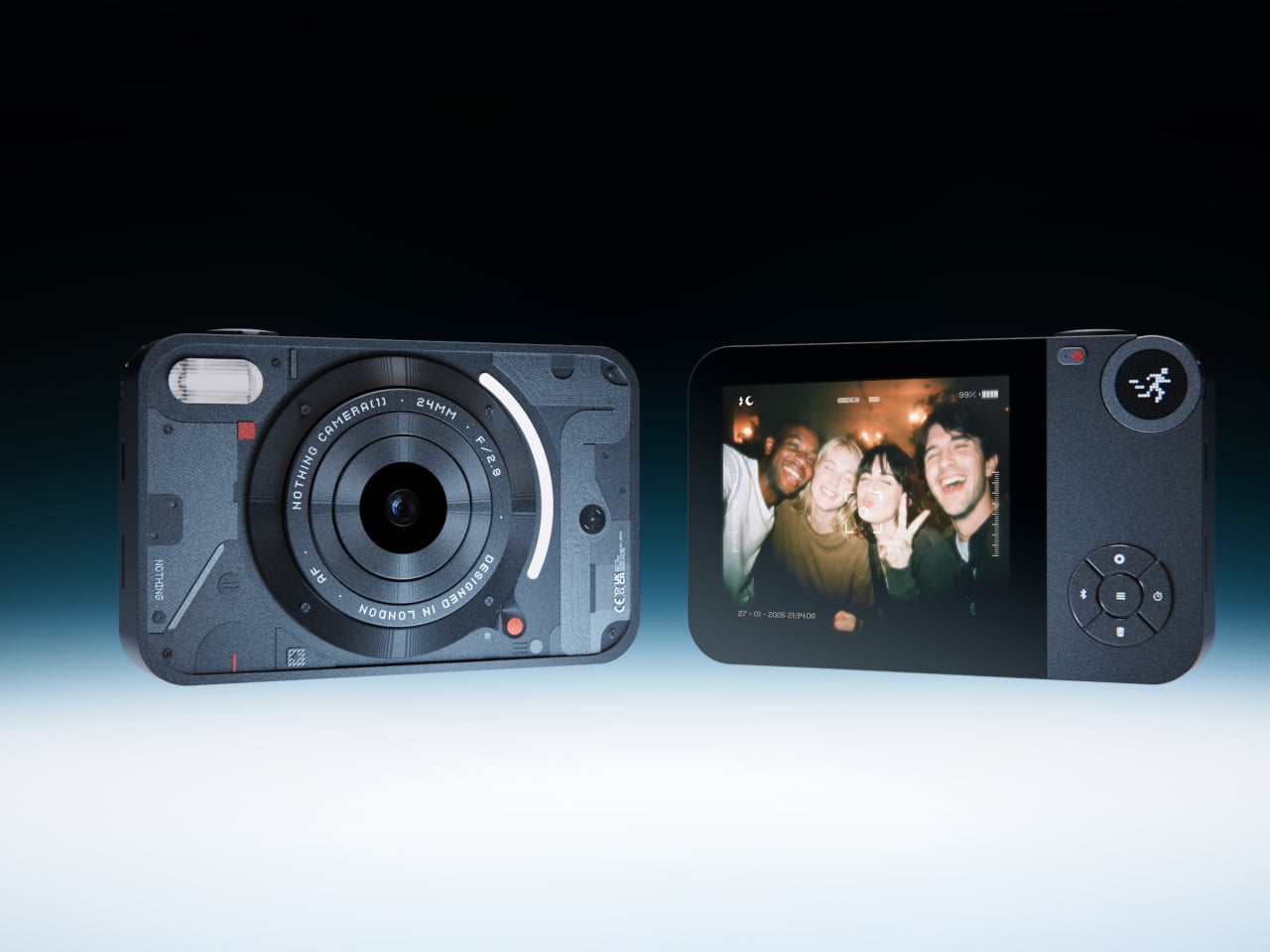
Photography migrated into phones and got buried under notifications. Camera (1), a concept posted on the Nothing Community forum by designer Rishikesh Puthukudy, imagines shooting as a tactile act again. The compact metal body fits a pocket but fills a hand, with all controls on a single edge: a shutter, a circular mode dial with a glyph display, and a D-pad reachable without shifting grip. The design draws from Nothing’s hardware-forward language with circuit-like relief and bead-blasted metal.
A curved light strip around the lens pulses for self-timers, confirms focus, or signals active recording. The engraved lens ring invites twisting rather than pinching. A rear display exists but stays deliberately out of the way, letting physical controls carry most of the interaction. Camera (1) is a student concept, not an official Nothing product, but the question it asks is worth sitting with: in a world where every screen demands something, what would a camera look like if it just wanted its user to notice what was in front of them?
What we like
The single-edge control layout keeps eyes on the scene rather than buried in menus, restoring a tactile shooting workflow that phone cameras abandoned years ago.
Nothing’s glyph design language translates well to a camera body, delivering mode feedback through simple icons rather than nested software screens.
What we dislike
As a concept, Camera (1) exists only as rendered images and community discussion, with no confirmed path to production or a working prototype.
The absence of a sensor, lens, and video specs makes it impossible to judge whether it could compete with even entry-level dedicated cameras.
4. Samsung Slac
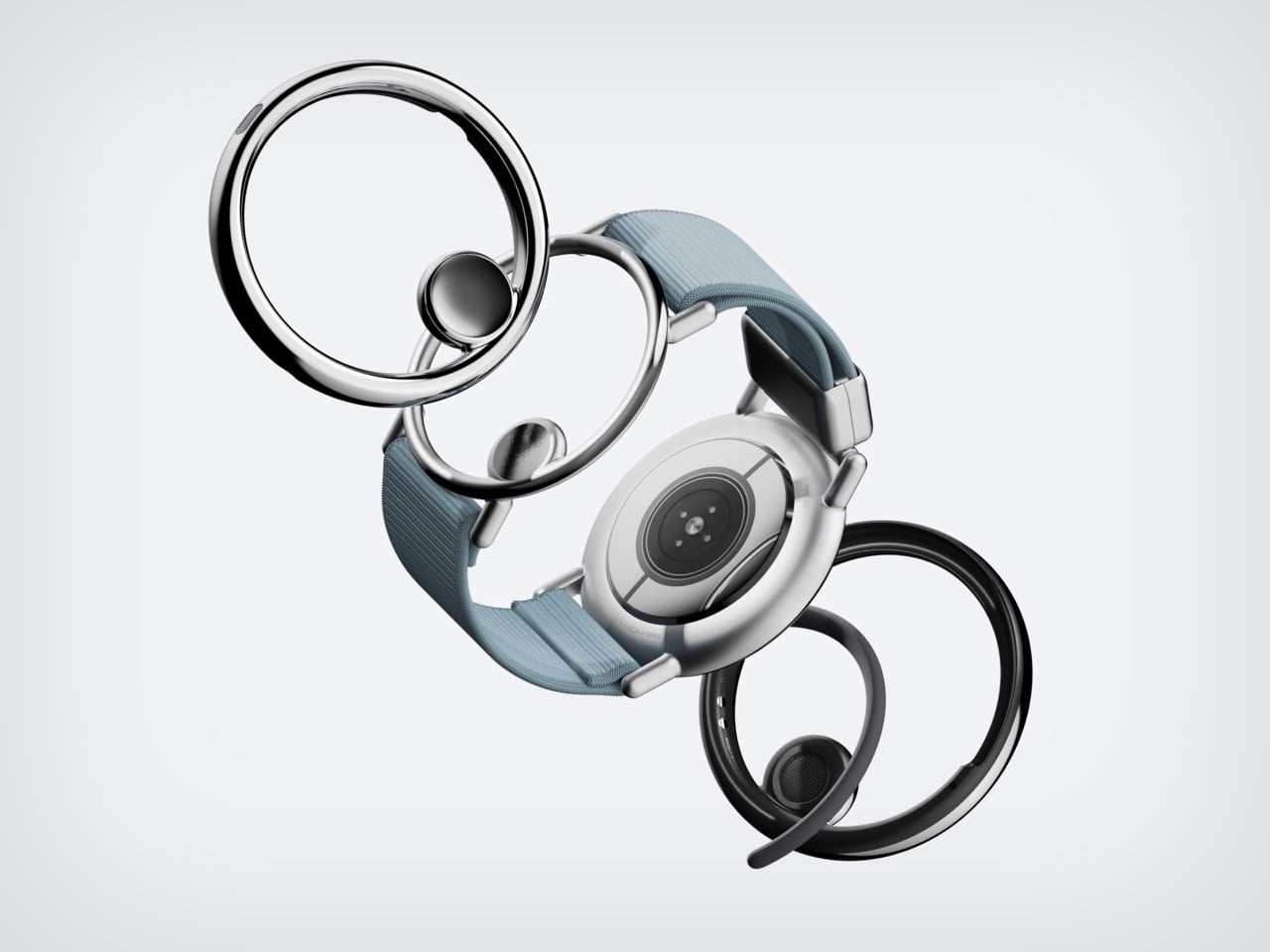
Earbuds have looked like earbuds for too long. Samsung’s Slac concept, developed within the company’s design incubation programs, reimagines wearable audio as jewelry. Three components make up the system: an open ear ring for audio output, a wrist-worn ring that tracks listening data and doubles as a magnetic dock, and a home charging station. The circular form wraps around the ear without entering the canal, maintaining awareness of surrounding sound while layering music on top.
When listening ends, the ear ring snaps magnetically onto the wrist component, transforming into something that reads as a chunky bracelet rather than stowed tech. AI tracks a full 24-hour audio cycle, building preference profiles from sound intensity, pitch variation, and tonal characteristics. The design team behind Slak understands that Gen Z treats audio devices as expressions of taste, not utilitarian tools. Whether Slac reaches production is an open question, but the proposition that wearable tech should earn its place on the body through aesthetics feels like a direction the entire industry needs to follow.
What we like
The open-ear design preserves environmental awareness while delivering audio, solving the isolation problem that makes traditional earbuds socially awkward in many settings.
Magnetic docking between ear ring and the wrist component eliminates the pocket-case fumble and turns storage into a wearable moment.
What we dislike
Concept status means no confirmed specs on audio quality, battery life, or connectivity, making it impossible to evaluate whether the sound matches the visual ambition.
Open-ear audio struggles in noisy environments, and without active noise cancellation, Slac may underwhelm on busy streets or public transit.
5. DAP-1
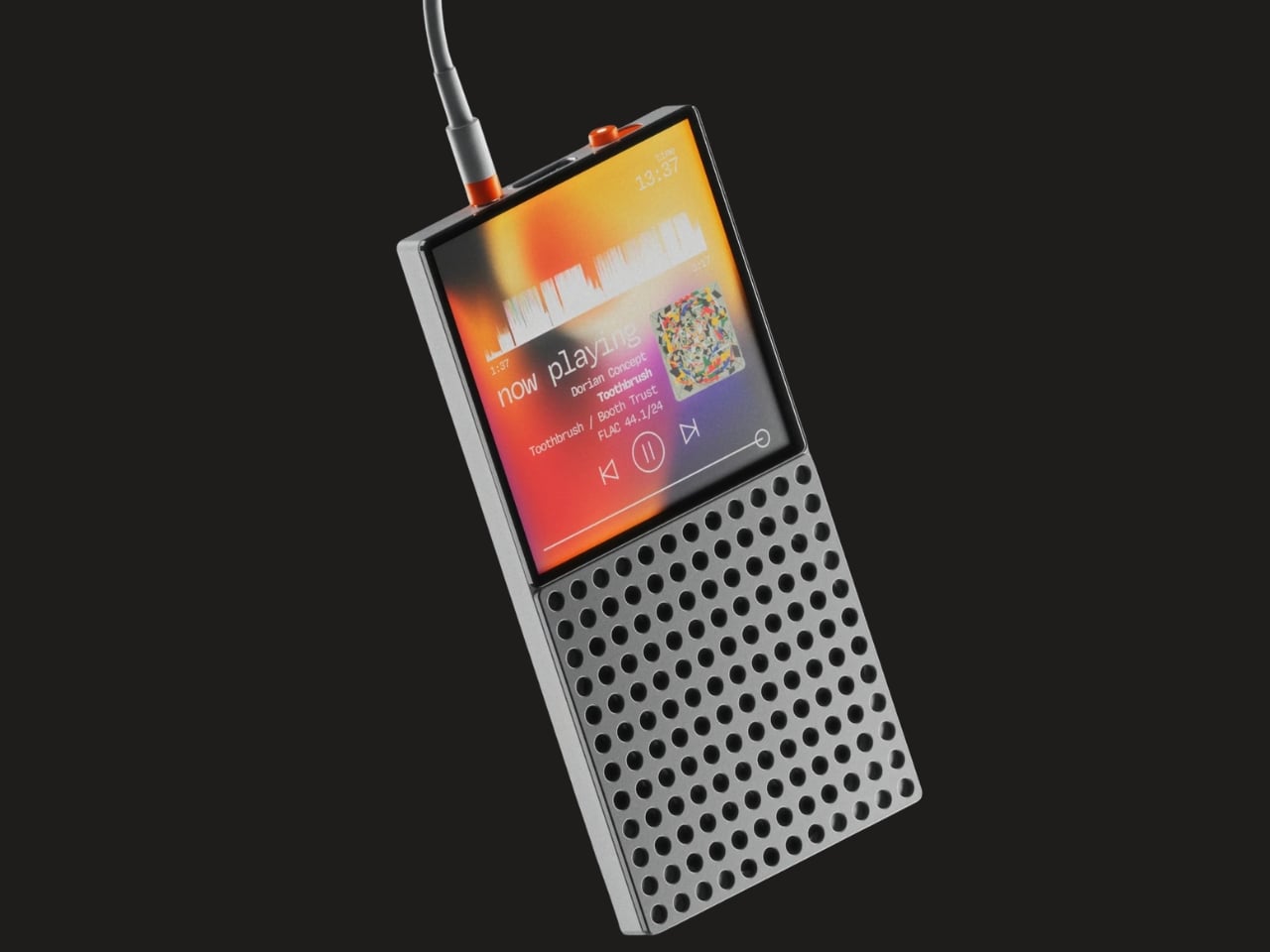
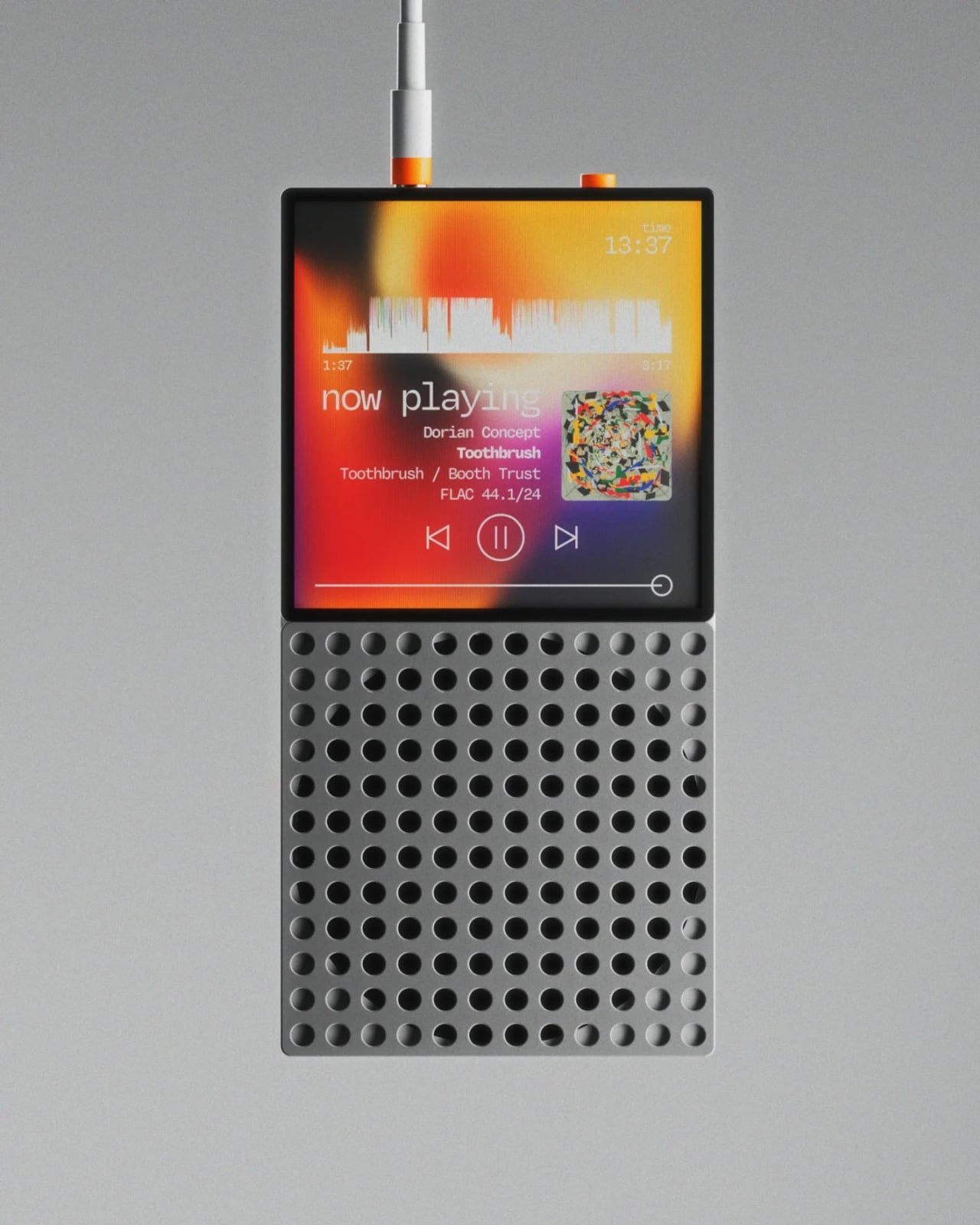
Vinyl got its comeback, and dedicated digital audio players have been staging a quieter return. The DAP-1 concept by Frankfurt-based 3D artist Florent Porta is one of the most compelling arguments for why that return matters. The device carries a slim rectangular body with an OLED touchscreen, a perforated front-facing speaker grille, and an aesthetic sitting between Teenage Engineering and Nothing’s CMF line. It looks like it arrived from a timeline where iPods evolved into something more considered.
The standout decision is the built-in speaker, a feature most high-end DAPs skip entirely. Porta’s inclusion acknowledges that music is sometimes shared, not just private. The DAP-1 is built around FLAC playback, preserving audio quality without streaming compression artifacts. A USB-C port, 3.5mm AUX output, and illuminated power switch line the top edge, while rubberized feet and torx screws on the rear give the device a repairable, tool-like quality. As a concept, it exists only in renders, but the conversation it starts outweighs most finished products on the market.
What we like
The built-in speaker turns a solitary listening device into something social, removing the need for external hardware to share a track with someone next to you.
FLAC-first design philosophy treats audio fidelity as the primary feature rather than an afterthought buried in a settings menu.
What we dislike
Concept-only status means no production timeline, no pricing, and no way to evaluate real-world audio performance beyond what renders suggest.
Dedicated music players occupy a narrow niche, and carrying a separate device for audio requires commitment most listeners will not make.
Where March leaves us
Three of this month’s five picks are concepts. That ratio says something about where consumer tech sits in early 2026: the most exciting ideas are still in render engines, while the products that actually ship tend to iterate rather than invent. The GPD Win 5 and NanoPhone Pro prove that real, purchasable hardware can still surprise, but Camera (1), Slac, and DAP-1 suggest the most interesting design thinking is happening outside production timelines and quarterly earnings calls.
What connects all five is a shared instinct to push back against the default. Against bigger screens, against feature bloat, against the assumption that technology should demand attention rather than earn it. March’s best gadgets respect the space they occupy, whether that space is a pocket, an ear, or the palm of a hand. If even a fraction of these concepts make the jump to production, the rest of 2026 could be far more interesting than the usual upgrade cycle suggests.
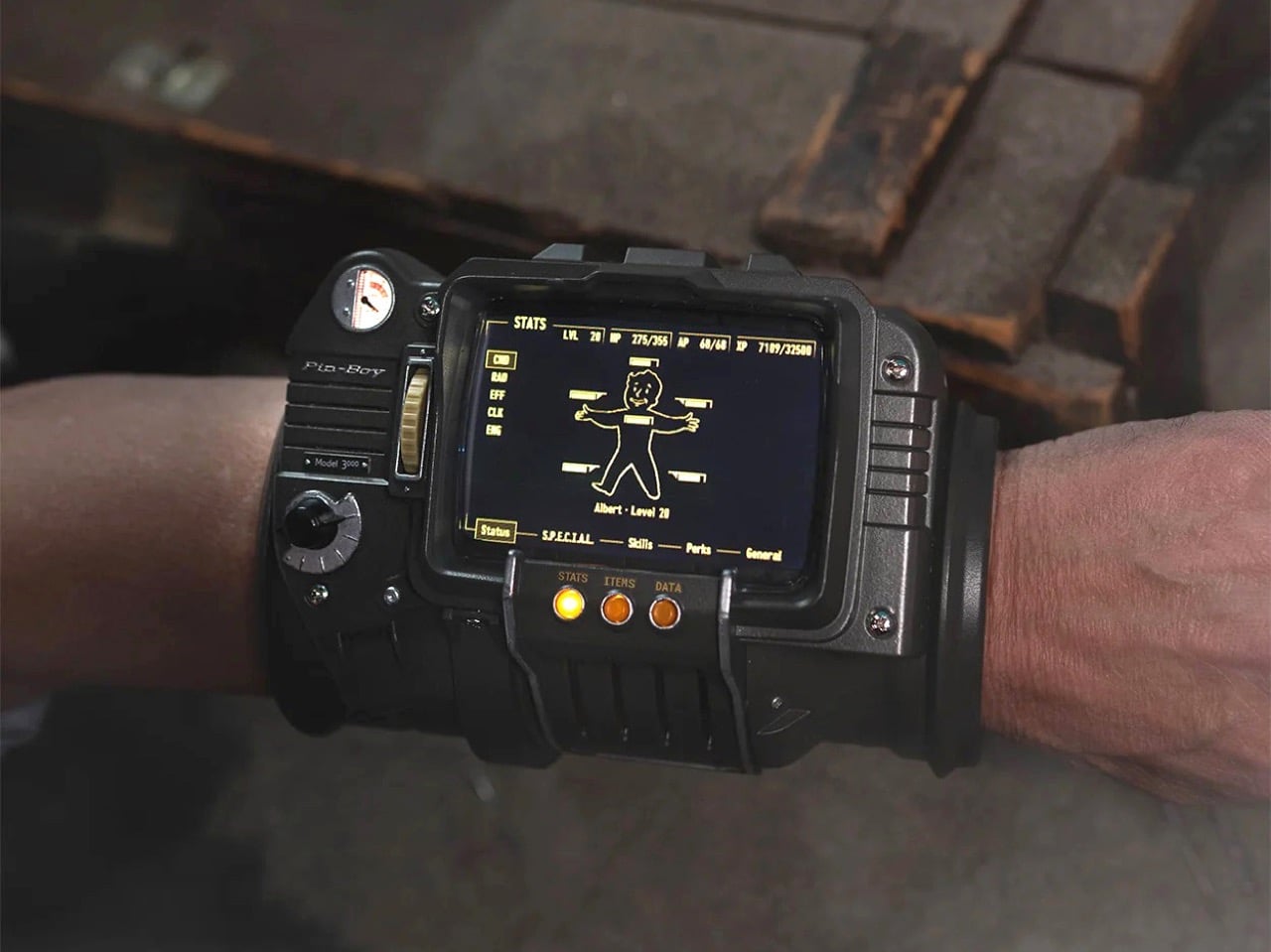
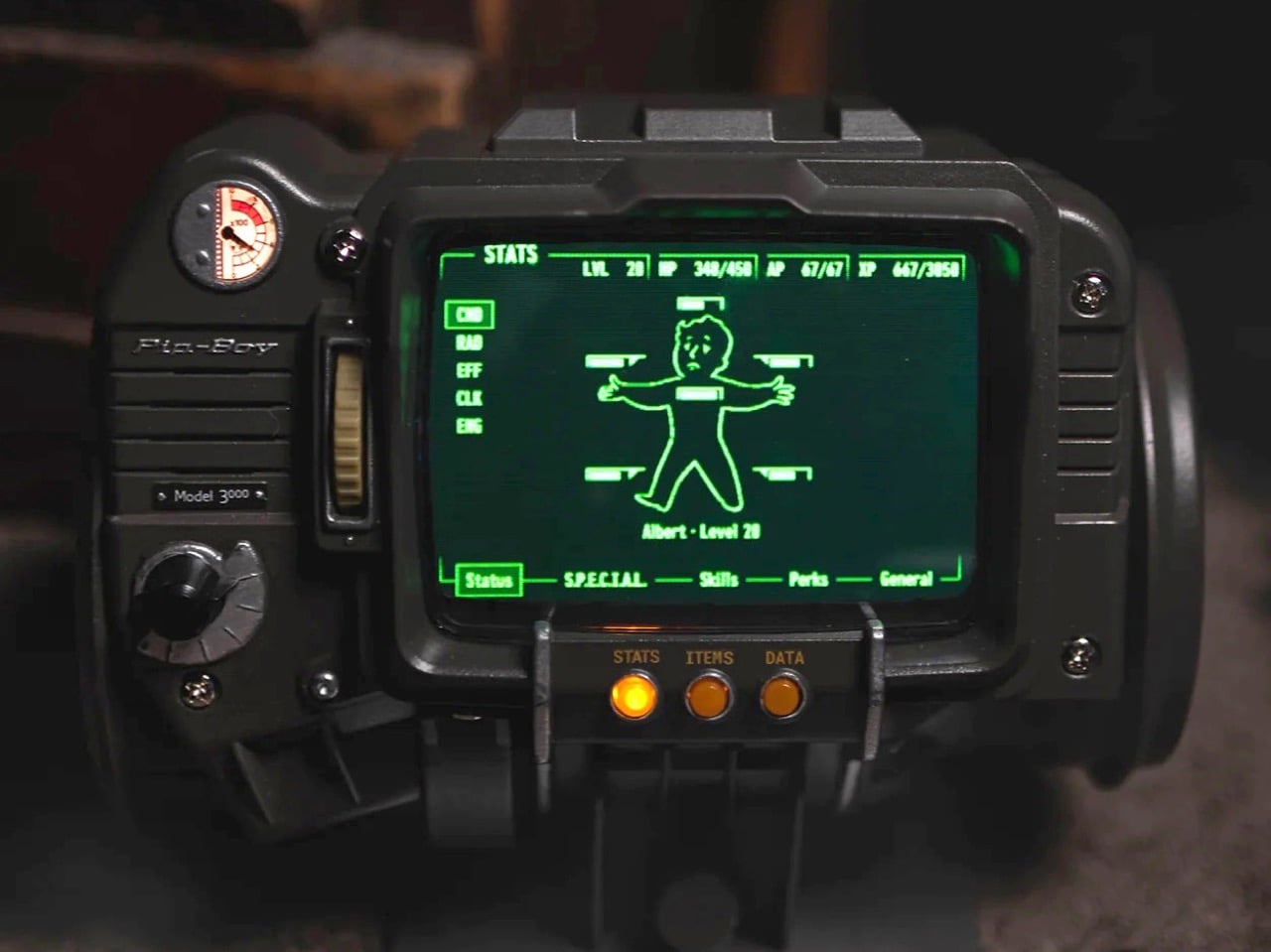
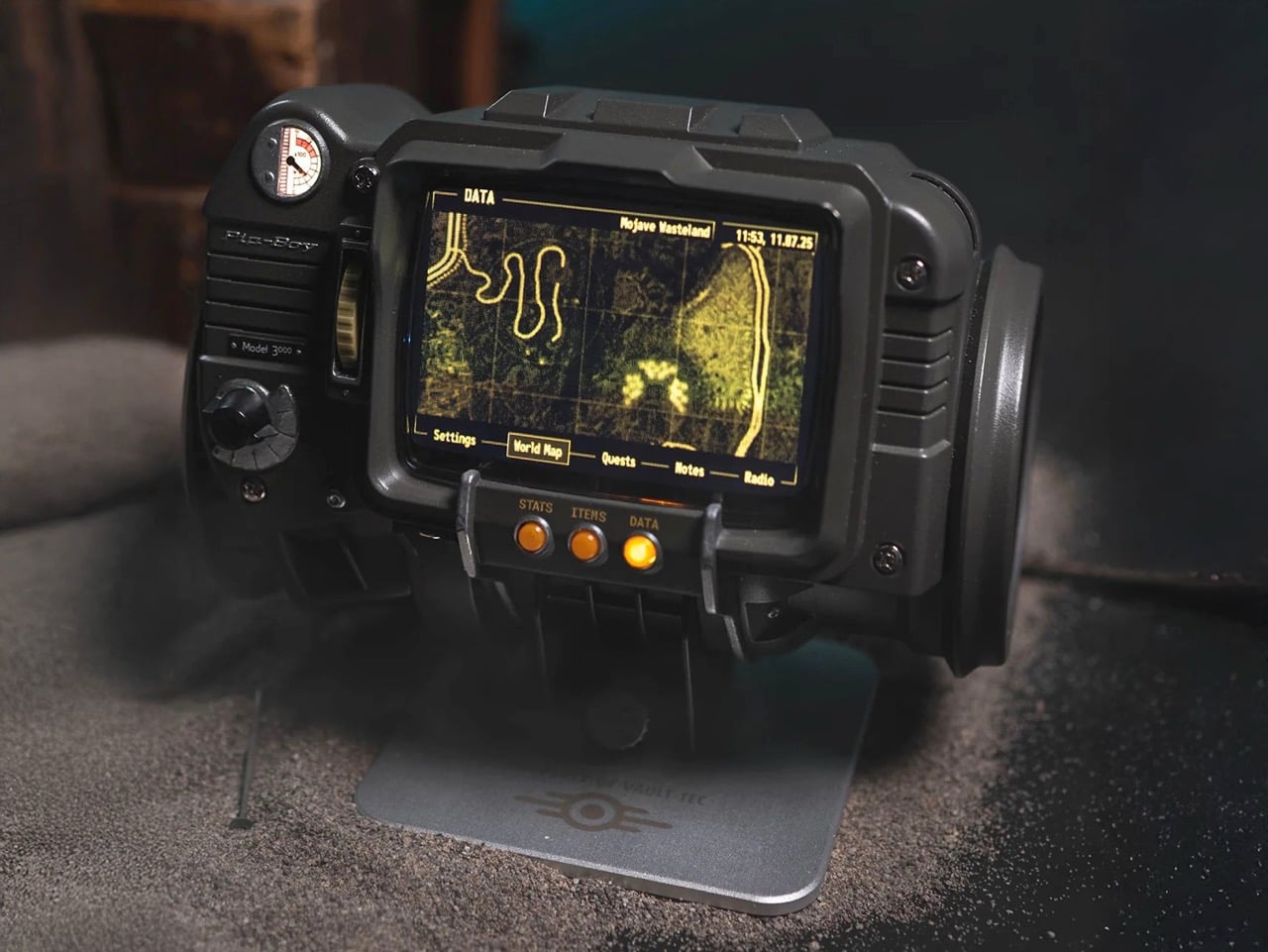
Seventeen years of Fallout fans walking around with a fictional computer strapped to their arm in their heads, and The Wand Company has finally made the thing real. This is the Pip-Boy 3000 replica, built from the original in-game 3D geometry of the wrist-worn personal information processor from Fallout 3 and Fallout: New Vegas, and it is a fully functional, wearable, 724-gram argument that some obsessions are worth indulging. The Wand Company has form here, having already produced the Pip-Boy 3000 Mk V replica based on the Amazon TV series prop, but this is the one Fallout 3 and New Vegas players have actually been waiting for since 2008.
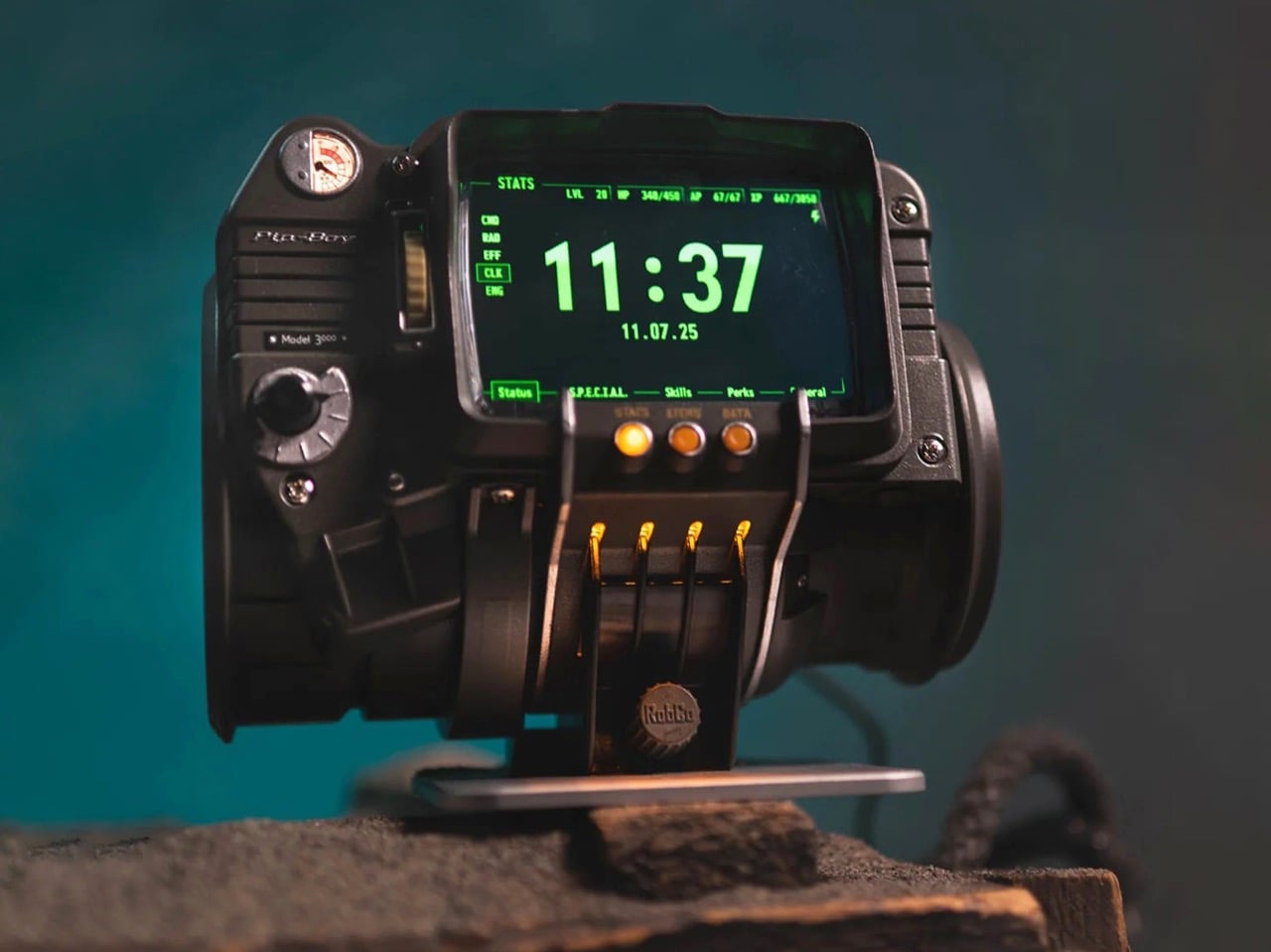
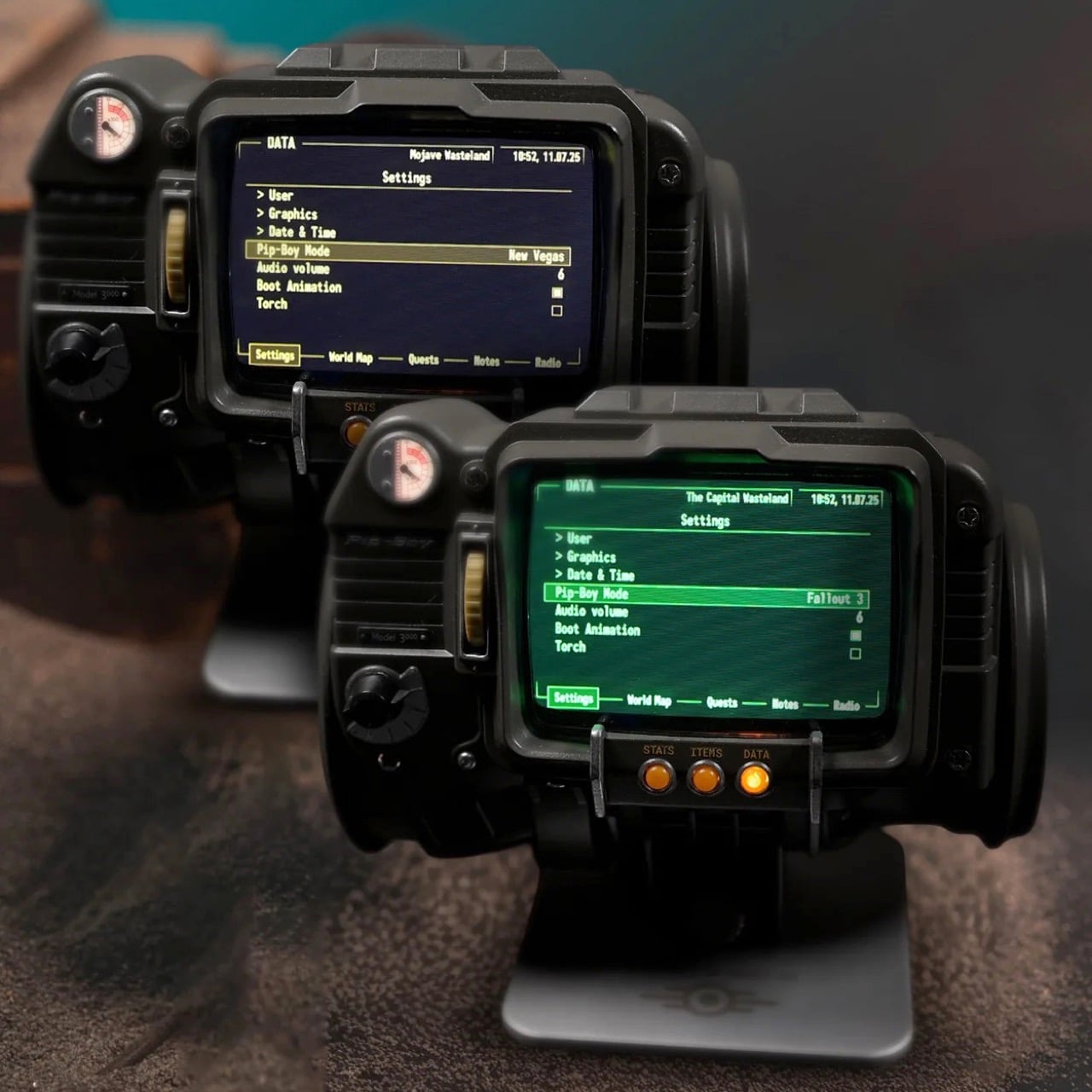
The front casing is die-cast metal, the body is injection-moulded ABS, and the cuff is memory foam with an included spacer bar that adds 22mm of circumference for larger arms. The 4-inch IPS LCD screen displays nearly all of the in-game content from both titles, and you can toggle between the classic green UI from Fallout 3 and the amber one from New Vegas. Hundreds of menus are navigable using the scroll wheels and dials on the body, the screen mimics a vintage CRT display with glitch effects and scanlines baked in, and you can temporarily fix those glitches by smacking the device because there is, naturally, an accelerometer inside. The whole package weighs about as much as a large can of soup, which will become noticeable roughly forty-five minutes into wearing it at a convention.
Designer: The Wand Company
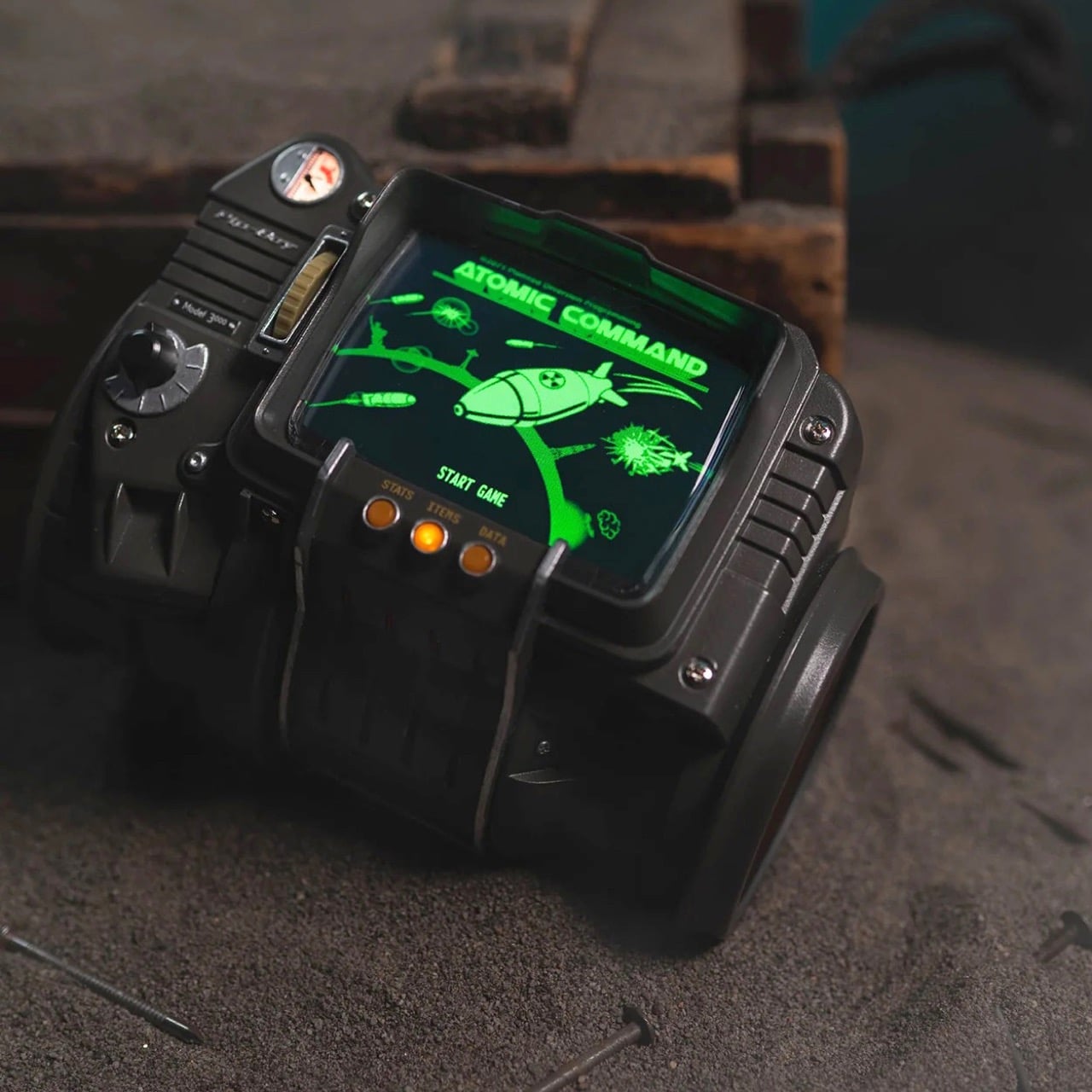
There is also a playable version of Atomic Command, the in-game holotape minigame, marking the first time anyone has defended fictional American landmarks from nuclear missiles on their actual wrist. The flashlight at the rear, headphone jack, and alarm clock mode are all present and accounted for. The radiation detector deserves a special mention: rather than measuring the ionizing kind that would actually matter in a wasteland scenario, it picks up radiation from FM radio broadcasts, displaying readings on the Geiger counter screen with full sound effects. The replica can also function as a working FM radio, which makes it possibly the most elaborately housed FM tuner ever manufactured. This is either a charming bit of in-universe worldbuilding or a tremendous cop-out, depending entirely on how generous you are feeling about the whole thing.
When you are not wearing it, the replica sits on a solid machined aluminum display stand that locks into four slots on the lower front of the device. The stand is also where the alarm clock function comes into its own, with the Pip-Boy propped upright on a desk or nightstand doing its best impression of the world’s most expensive bedside clock. The Wand Company says Bethesda staff saw the prototype and were left speechless, which tracks, because the level of content depth here, over 2,200 menu entries pulled directly from both games, goes considerably further than anyone needed to go for a collectible.
Preorders are live now at the Bethesda Gear Store for $299.99, with shipping expected as early as June 2026. Bethesda is restricting it to one item per order. International buyers can order through the Bethesda Gear Store International. It is rated for ages 14 and up, which seems optimistic.
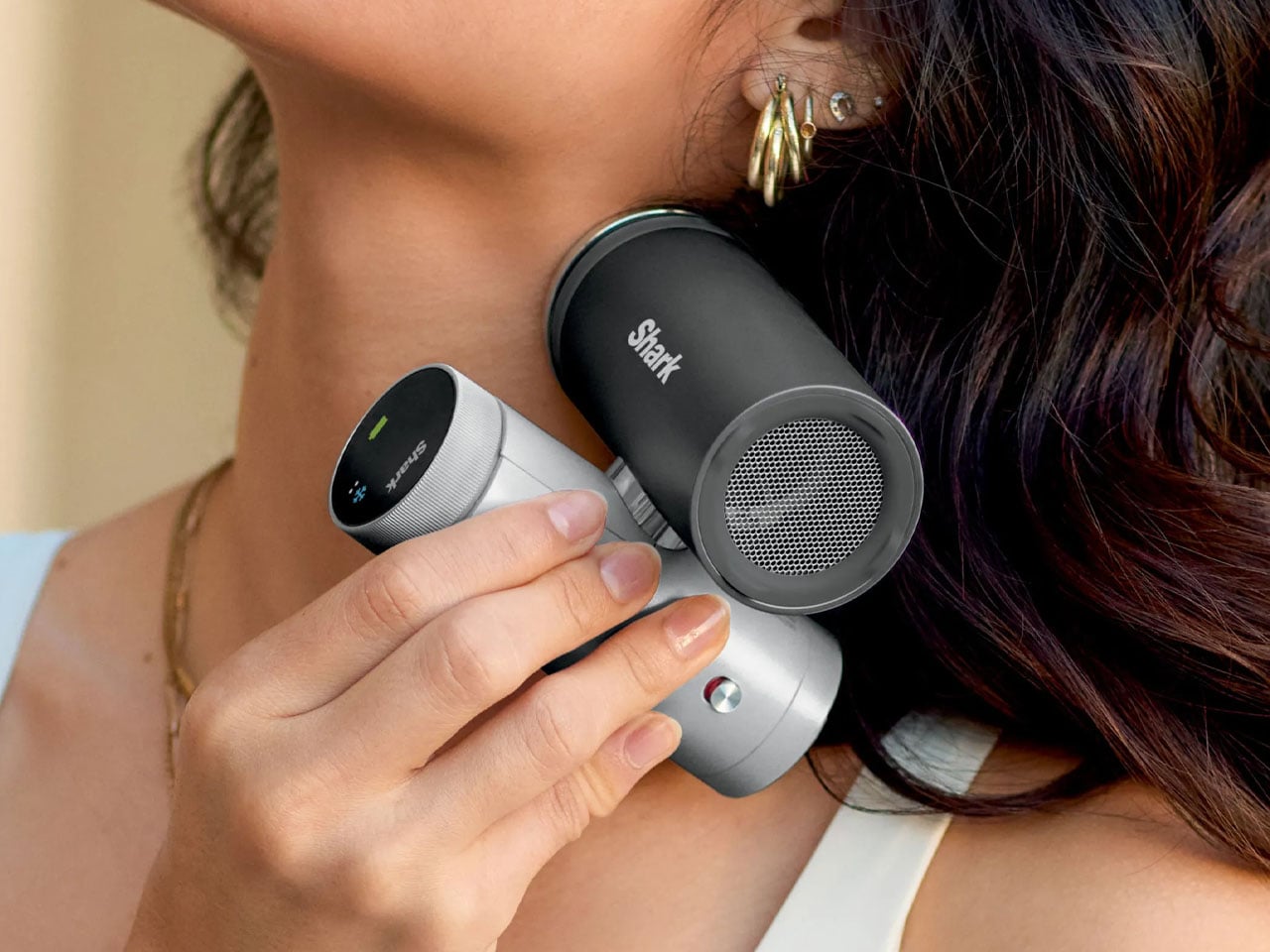
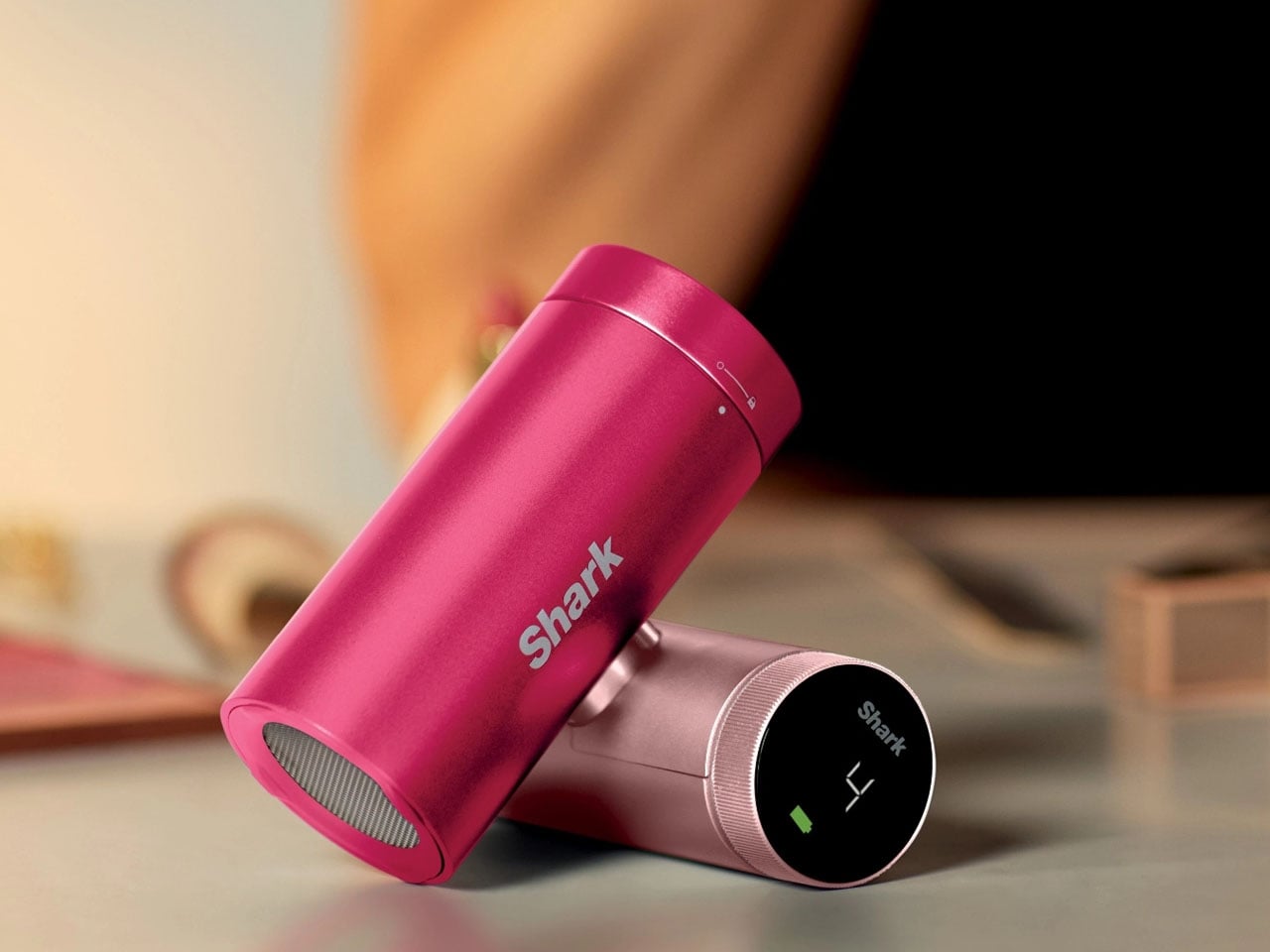
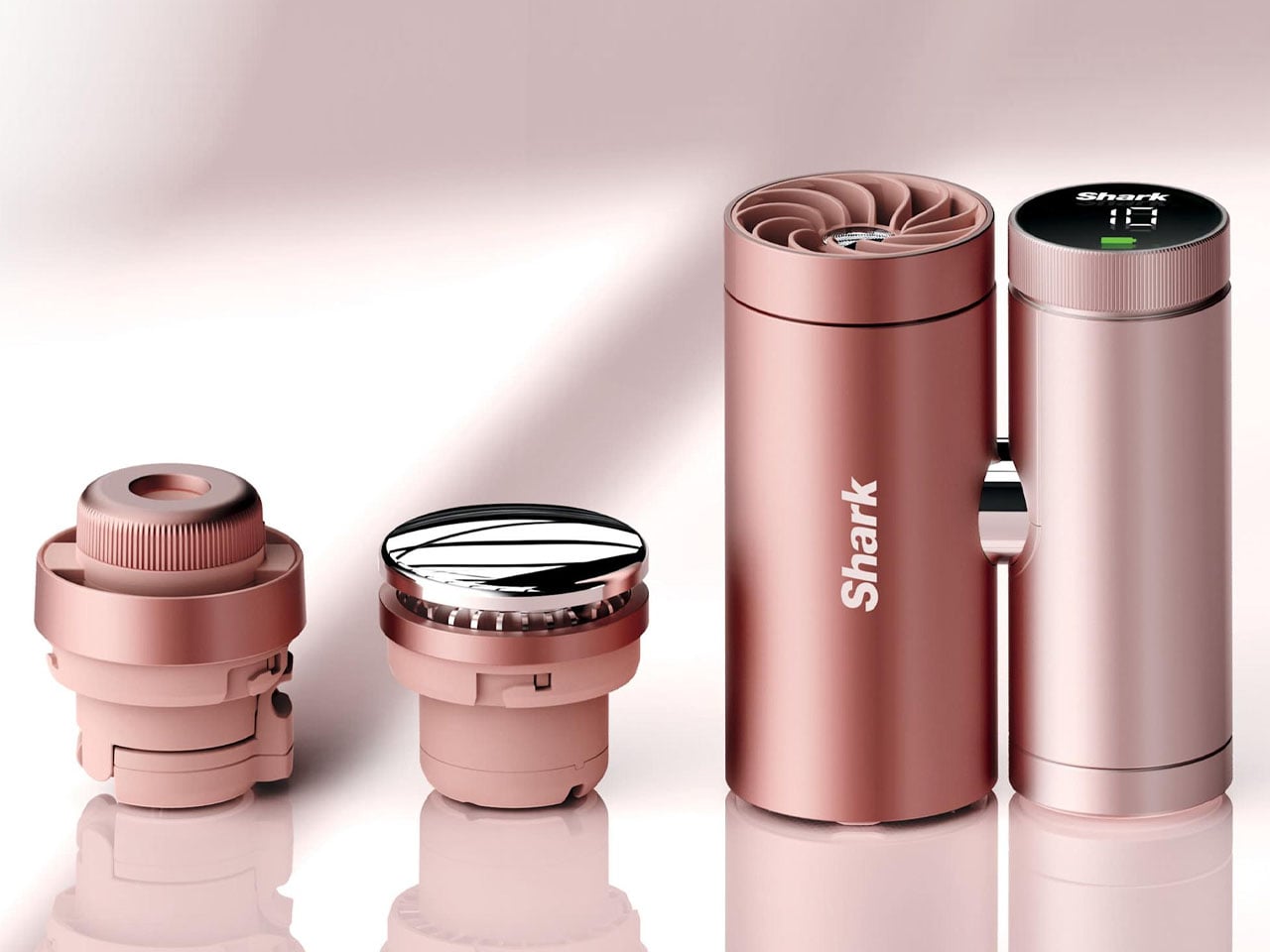
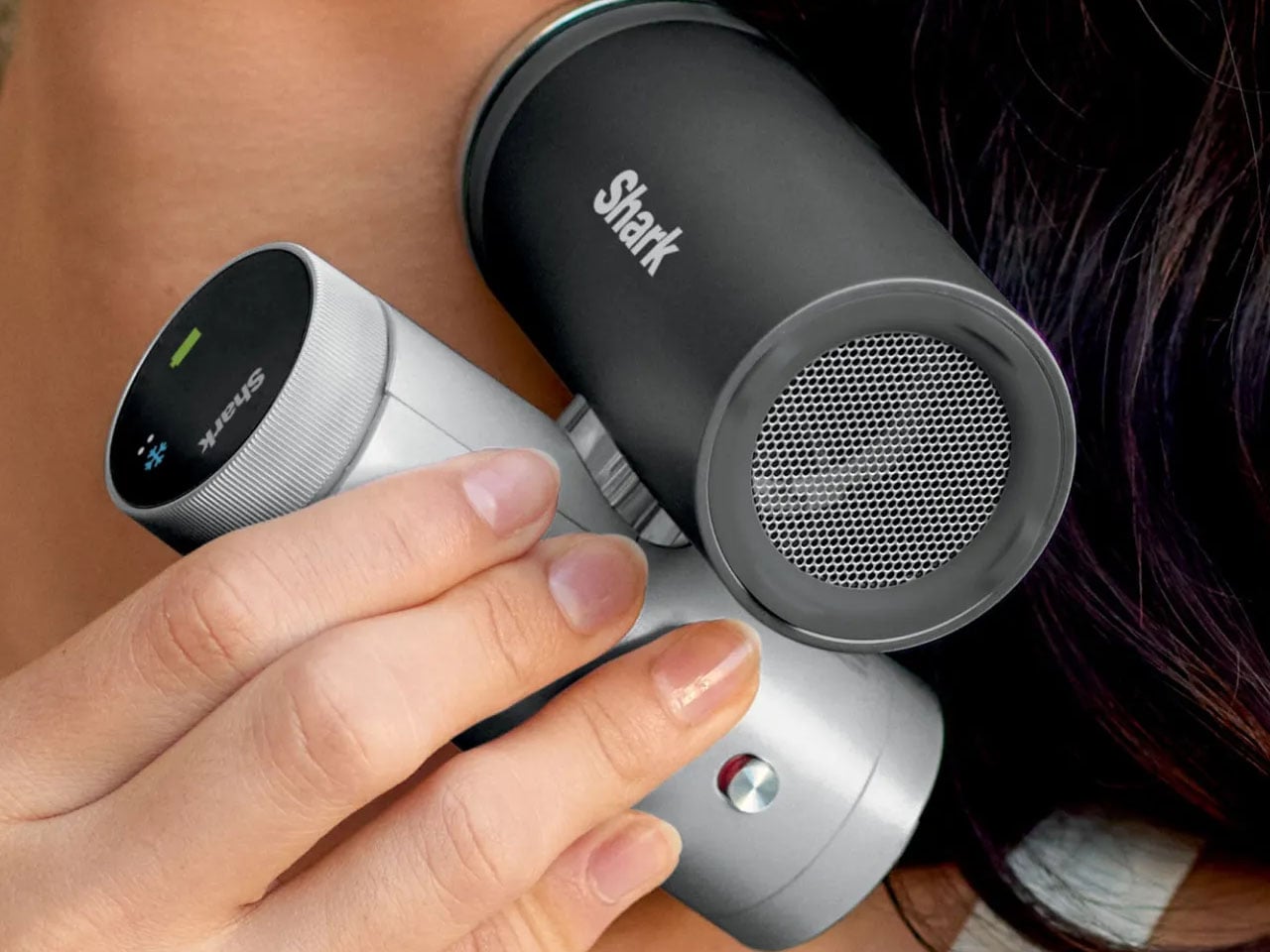
As temperatures continue to rise across many parts of the world, portable cooling devices are becoming increasingly popular for people who want relief while commuting or spending time outdoors. Recognizing this growing demand, SharkNinja has introduced the Shark ChillPill, a compact 3-in-1 personal cooling system designed to provide multiple forms of cooling in a single portable device. Combining a fan, an evaporative mister, and a direct-contact cooling plate, the gadget aims to deliver flexible comfort wherever heat becomes a problem.
The ChillPill is evolutionary when compared to traditional handheld fans that primarily circulate air. SharkNinja has designed the device to actively help cool the body using three complementary technologies. The first is a high-speed bladeless fan capable of accelerating airflow up to 25 feet per second, offering a steady breeze through ten adjustable speed settings. This allows users to tailor the cooling intensity depending on their environment, whether they need a gentle airflow indoors or stronger ventilation outdoors.
Secondly, an evaporative mist system is designed to refresh the skin without leaving it soaked. Unlike conventional spray fans that often create a wet sensation, Shark describes the ChillPill’s mist as a “dry-touch” evaporative effect. The device includes a small water reservoir that can produce mist continuously for about ten minutes per fill, or operate in an interval mode to extend usage. This feature is particularly useful in hot and dry climates where evaporation can significantly enhance cooling efficiency.
The third element is the InstaChill cooling plate, a cryo-inspired metal surface that provides direct contact cooling when pressed against the skin. According to SharkNinja, the plate can reduce skin temperature by up to 16°F within seconds, delivering an immediate cooling sensation similar to placing an ice pack on the body. This feature is designed for use on pulse points such as the neck or wrist, where cooling can quickly help regulate body temperature during intense heat.
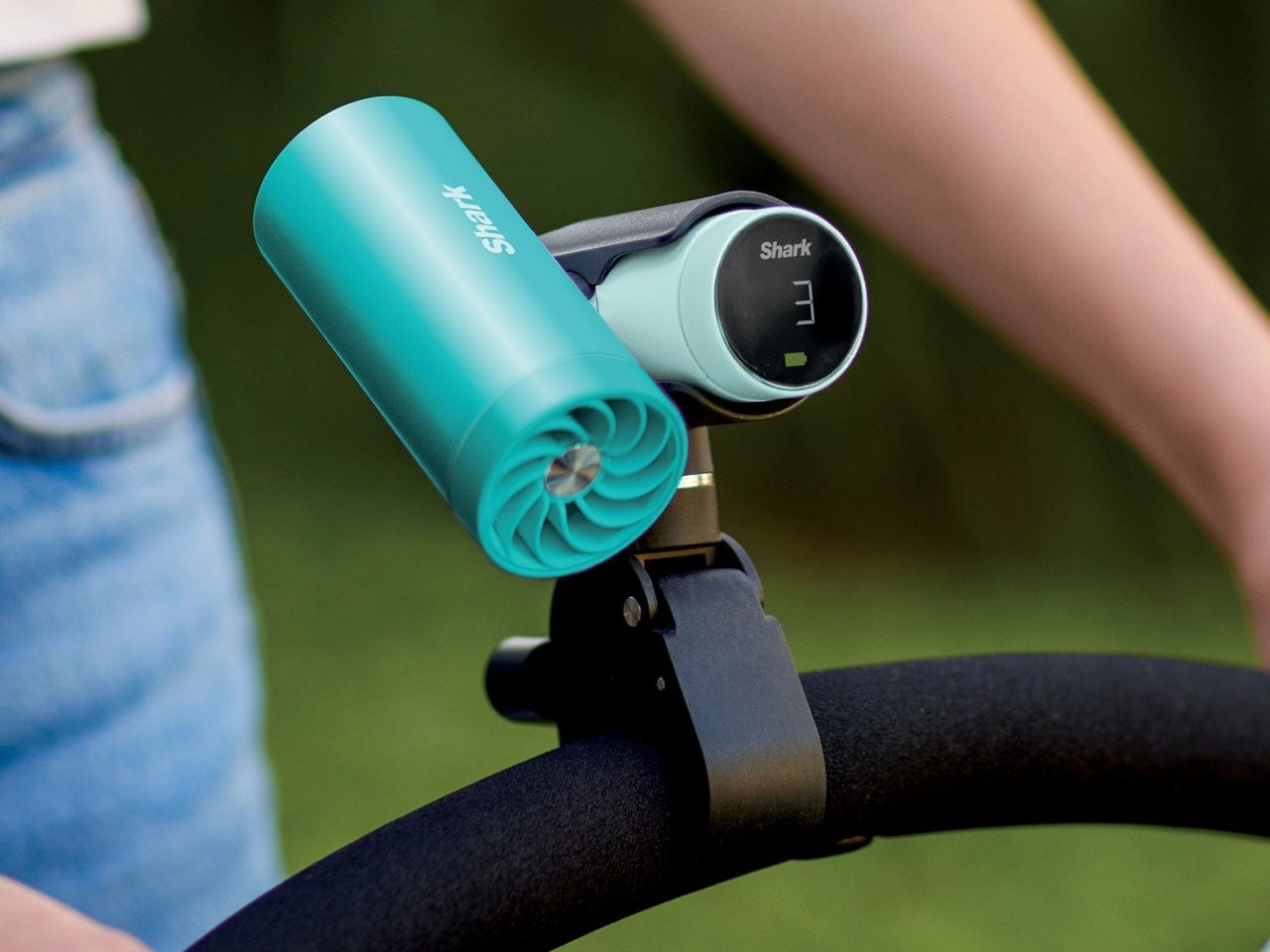
One of the wearable’s key advantages is its versatility. It is designed to be worn, carried, clipped, or placed on a surface depending on the situation. The flexible design allows it to function as a hands-free wearable device or as a small desktop fan when needed. You can easily clip it to bags or prams, mount it on exercise equipment, or position it on a table, making it adaptable to a wide range of everyday scenarios.
Battery is also impressive as on the lowest fan setting, the ChillPill can run for up to 11 hours on a single charge, allowing it to last through long commutes, outdoor events, or extended travel days. When running at maximum airflow, the battery life drops to approximately 90 minutes, reflecting the higher energy demand of the stronger cooling output. Charging is handled via USB-C, with a full recharge taking roughly three and a half hours.
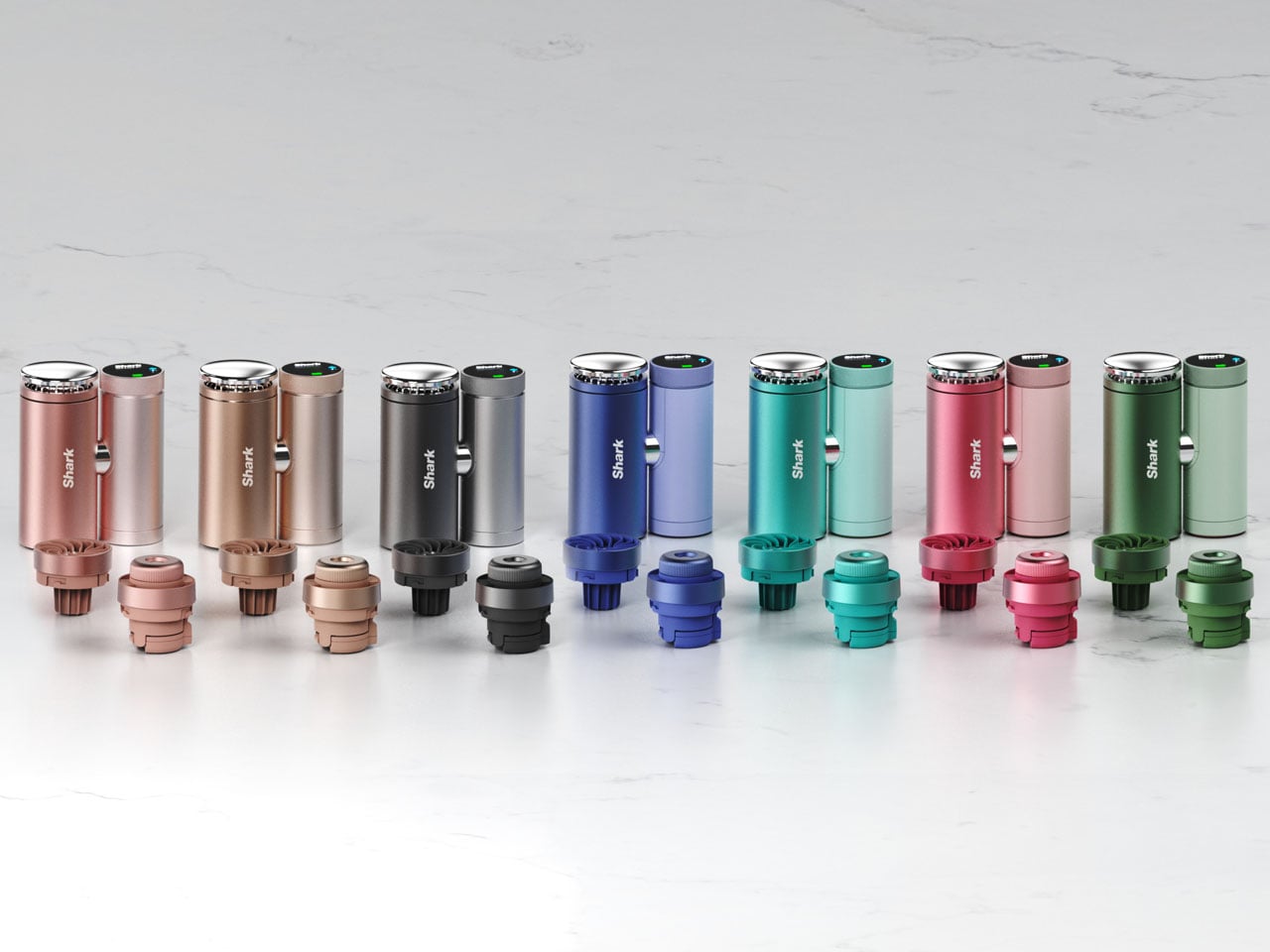
Portability and lifestyle integration are at the forefront as the portable gadget is available in several color options, including Carbon, Dragonfruit, Glacier, Haze, Iced Latte, Matcha, and Rose Gold. Optional accessories such as cross-body straps, wrist straps, clamps for strollers or bikes, and protective cases are available to expand how the device can be used. Priced at around $149.99, the Shark ChillPill is available through Amazon and Shark’s own website and other retailers. While it costs more than standard portable fans, the advantages here are undeniable.
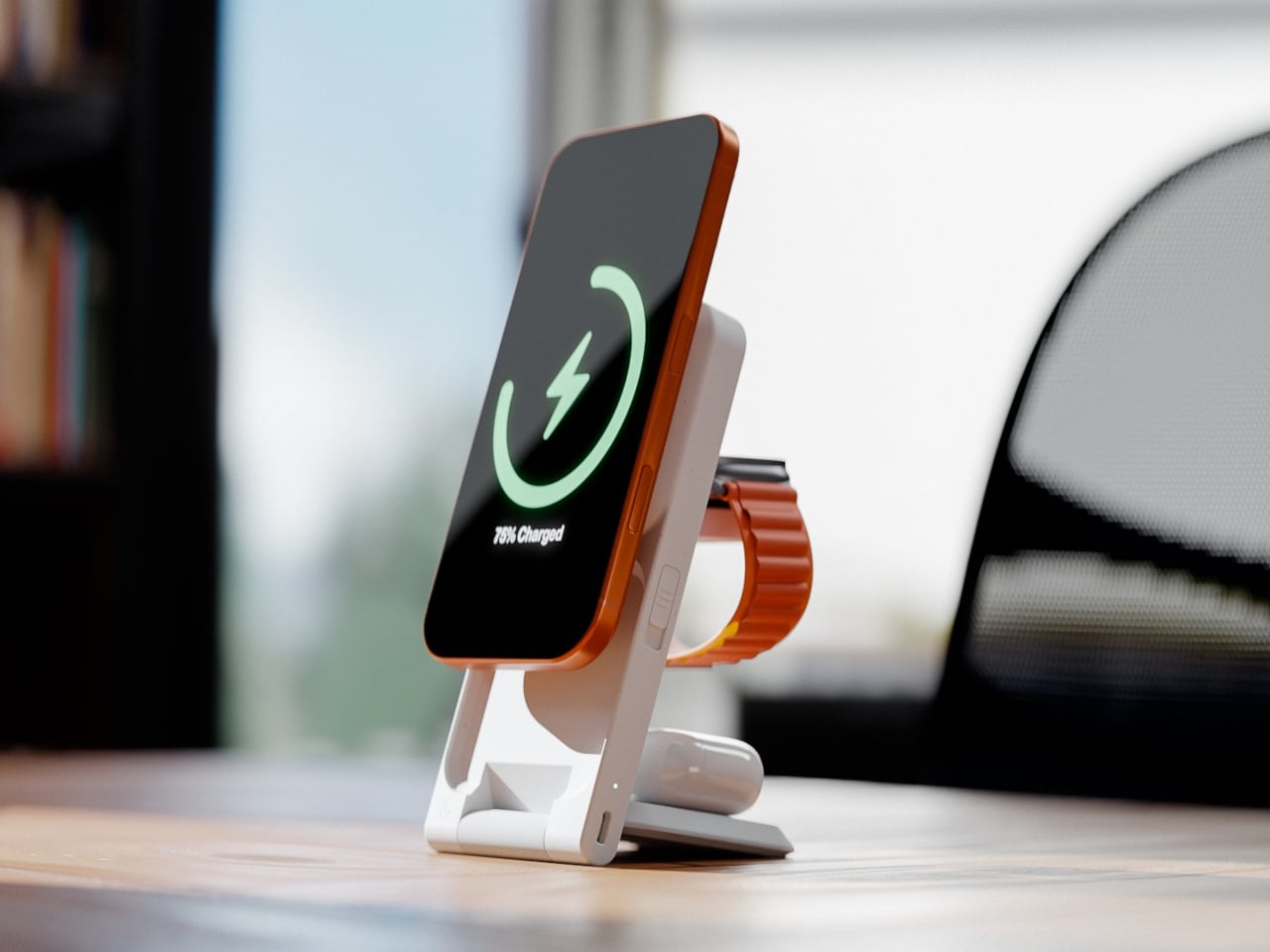
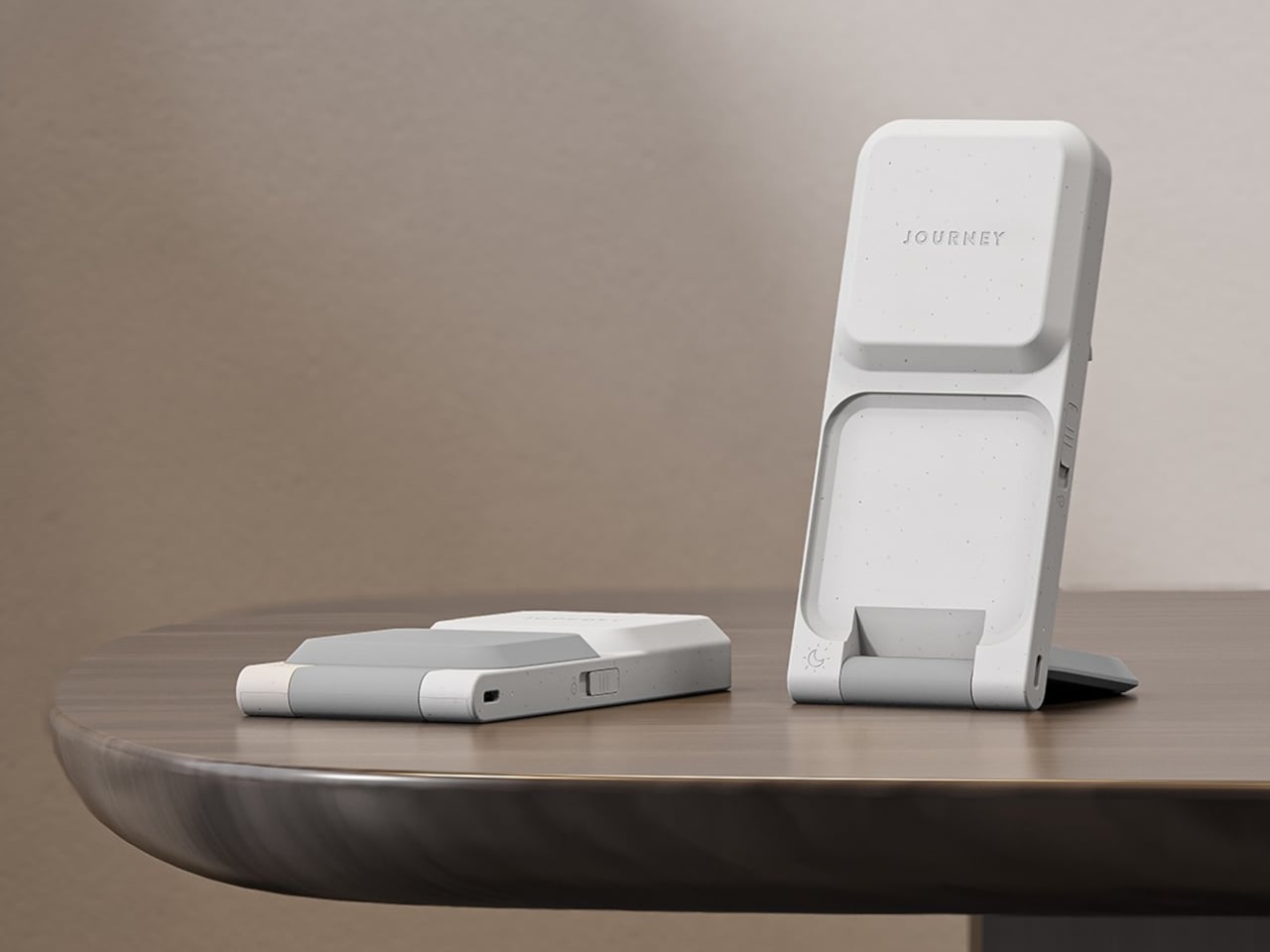
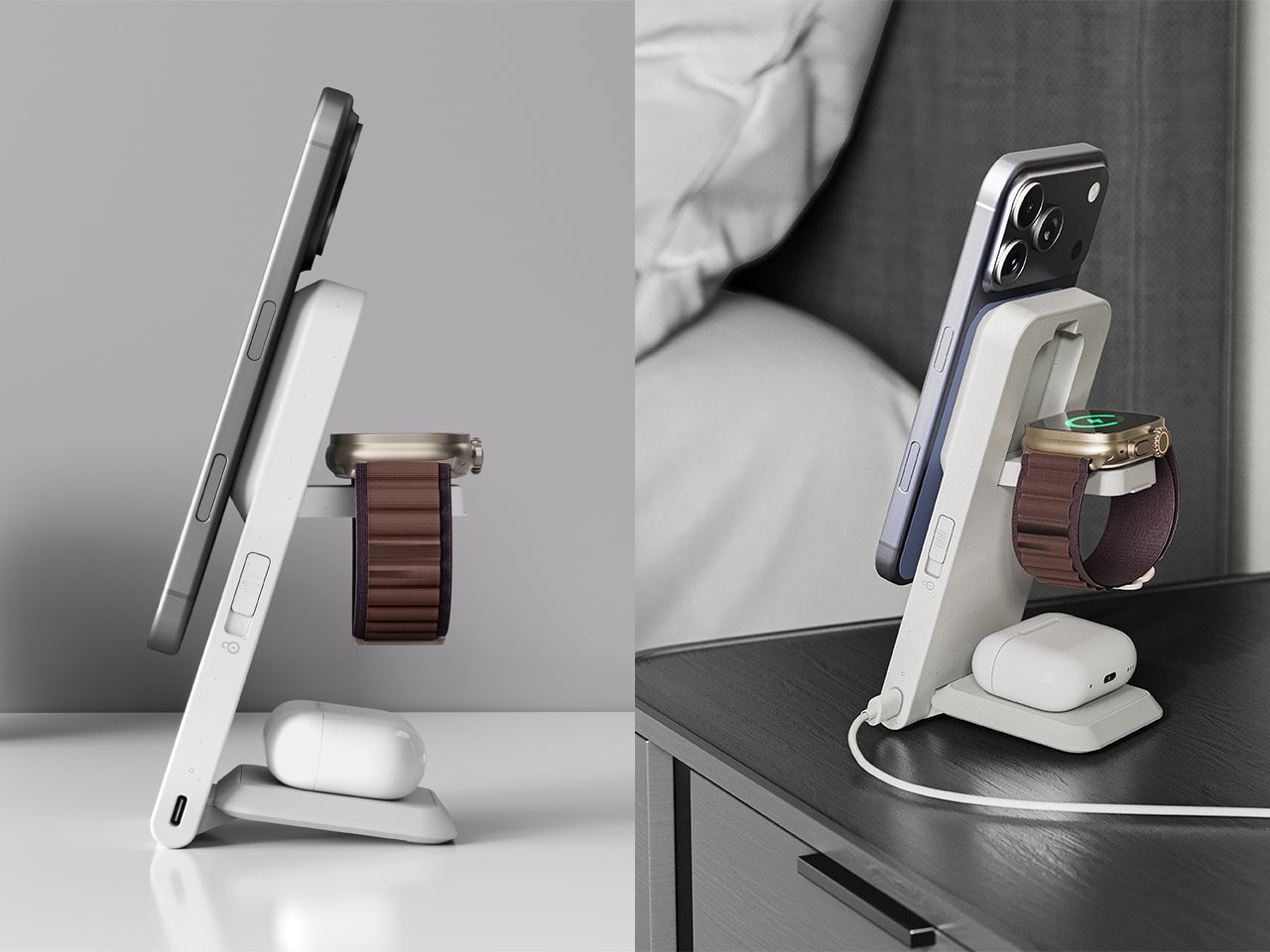
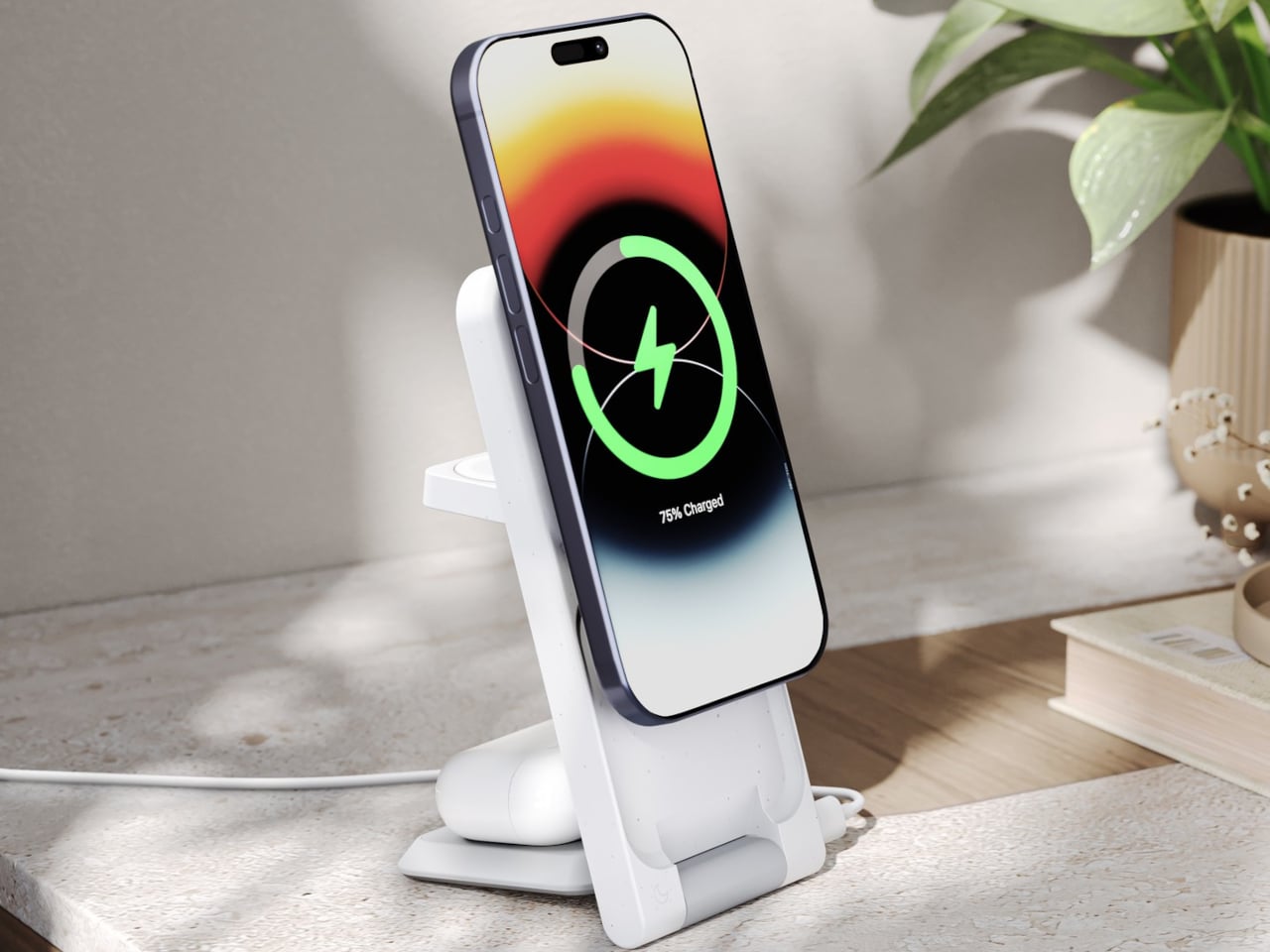
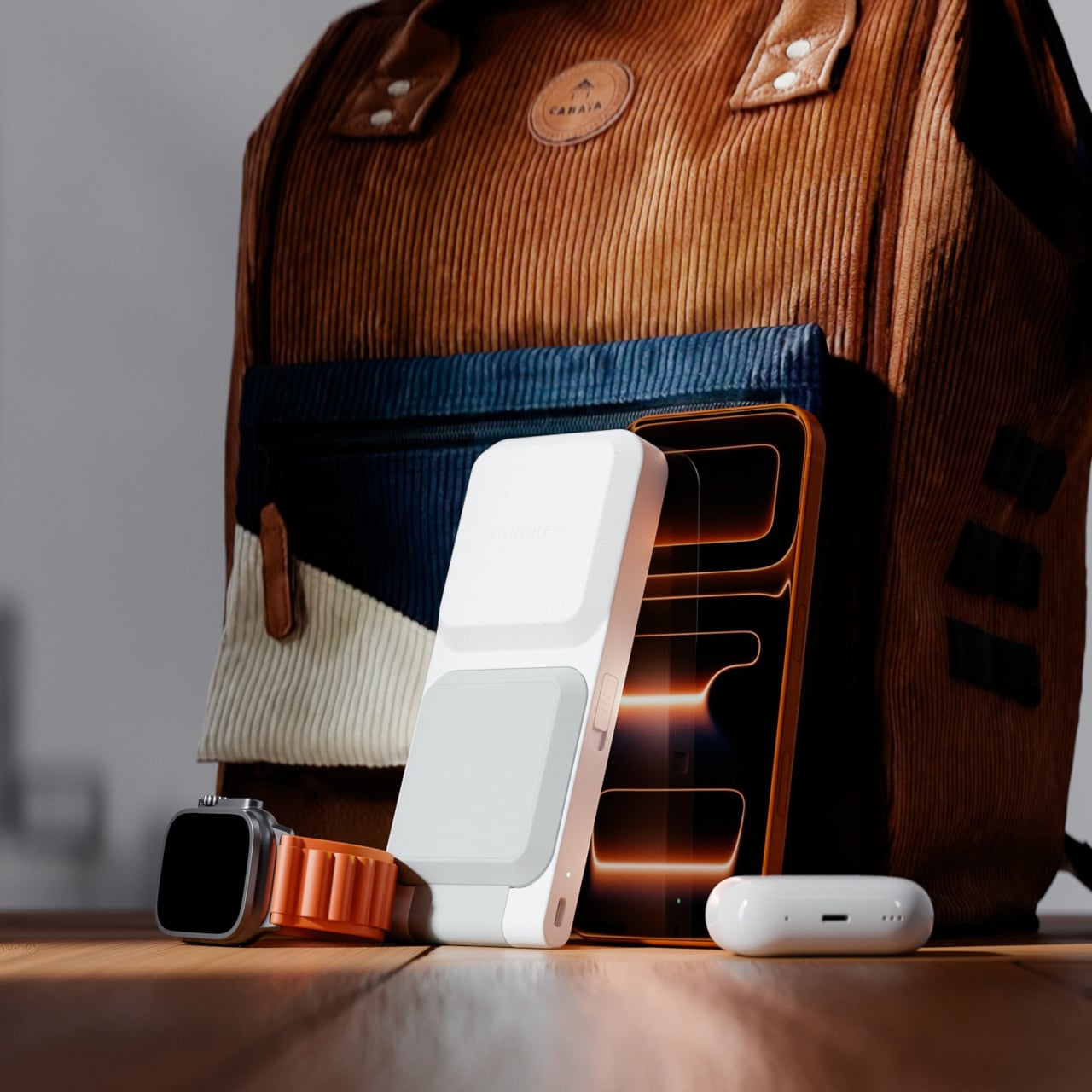
Most people who own an iPhone, an Apple Watch, and AirPods have quietly accepted the nightstand situation: three cables, two adapters, and a general sense that none of this should be as complicated as it is. The chargers come off the desk in different orders every morning, find their way into bags, and somehow never make it back to the same spot twice. Journey’s ARIA 3-in-1 Wireless Charging Station is built as a direct answer to that arithmetic problem.
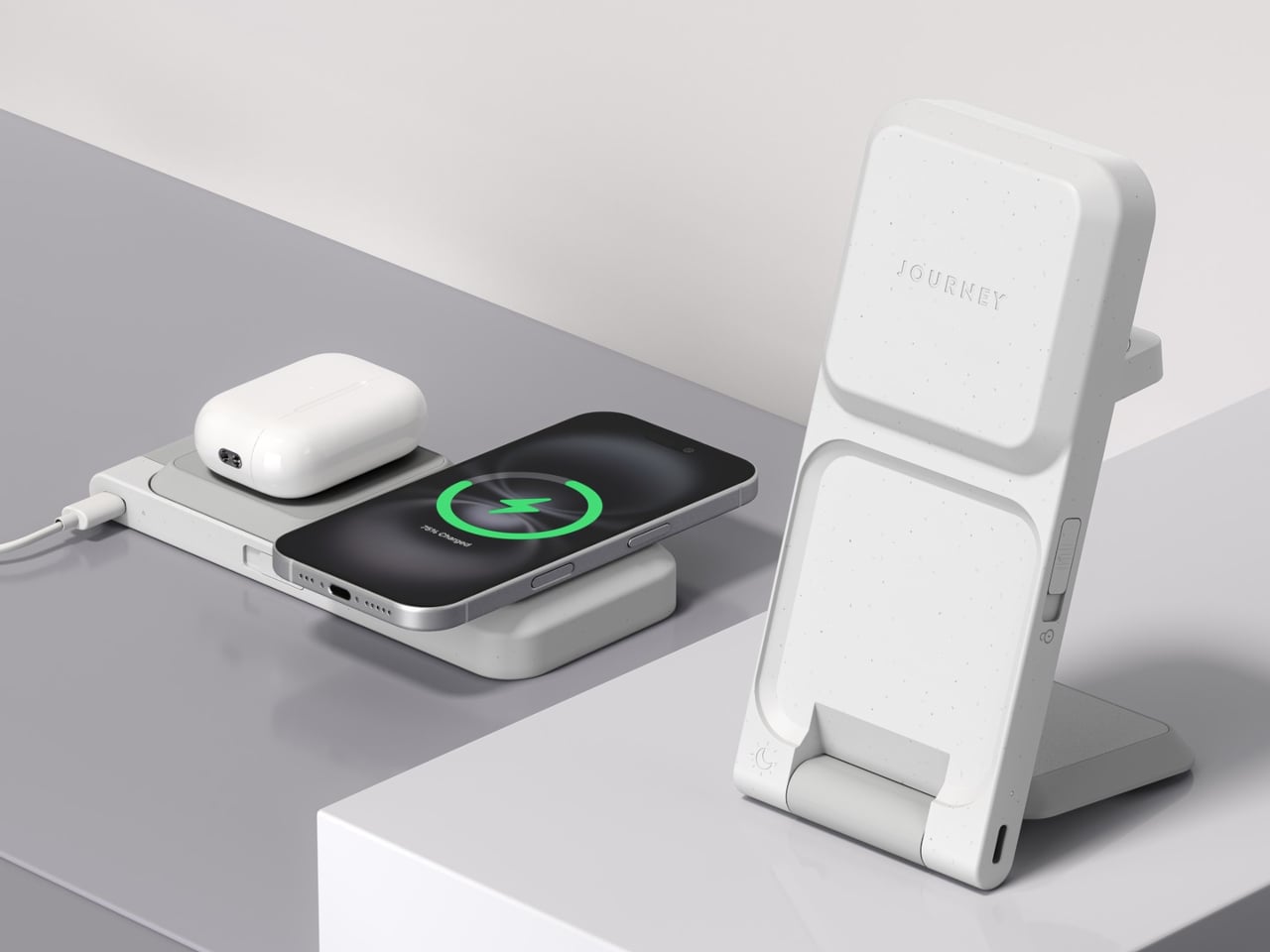
The ARIA is Qi2-certified and Made for Apple, which places it in a fairly short list of chargers cleared to deliver the full 15W to an iPhone 12 or newer. That Qi2 certification also means magnetic alignment is built into the standard, so the phone locks into position rather than needing to be nudged around until the charging indicator finally appears. It is a small difference that makes the whole routine feel more deliberate.
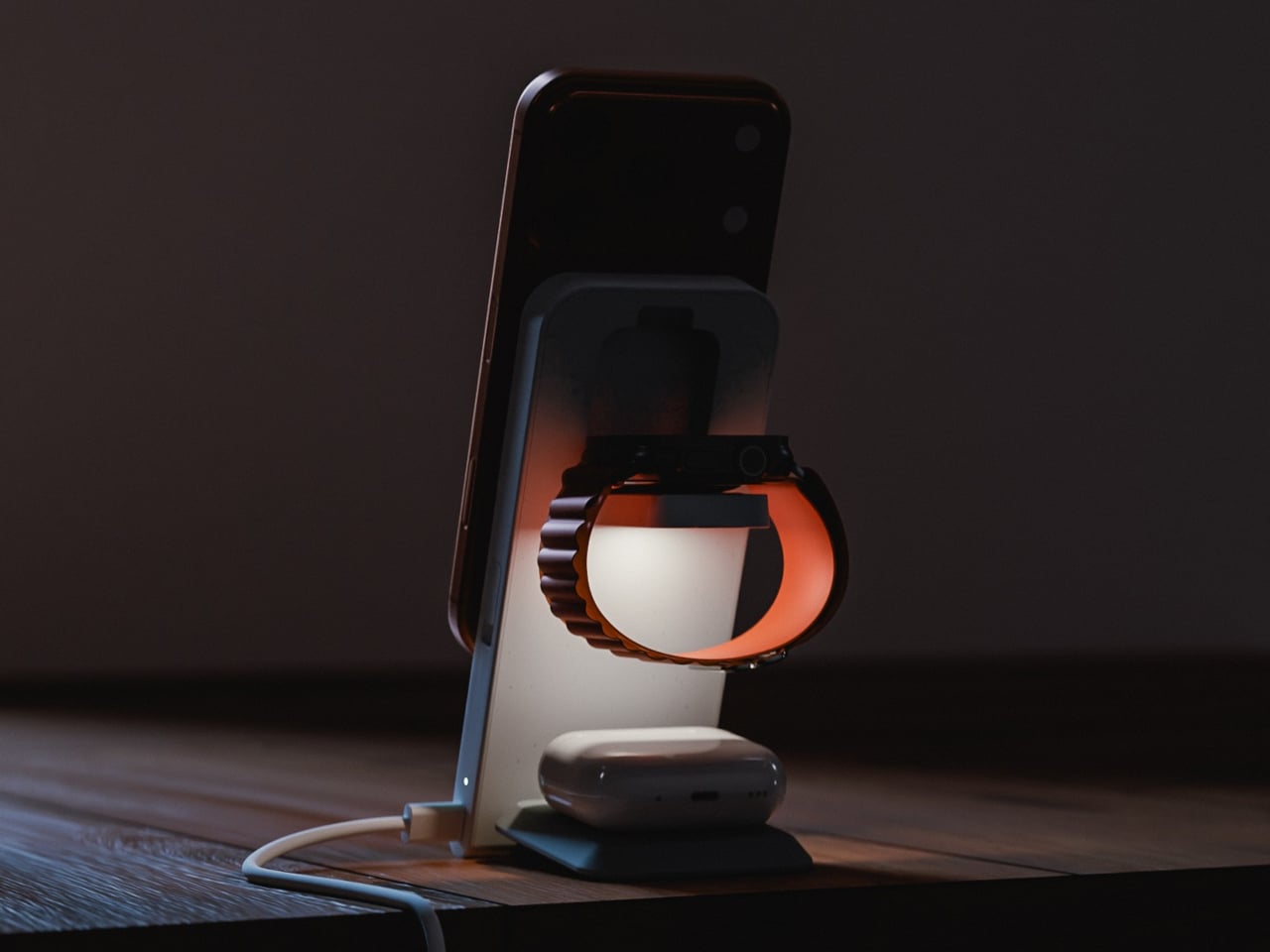
Apple Watch gets fast charging as well, and AirPods charge at up to 5W, all three running simultaneously from a single USB-C cable. That consolidates the whole power situation down to one cord running to one spot on the desk. One honest caveat: a 30W adapter is recommended for full performance but does not ship in the box, something worth factoring into the price tag before deciding how good the value proposition really is.
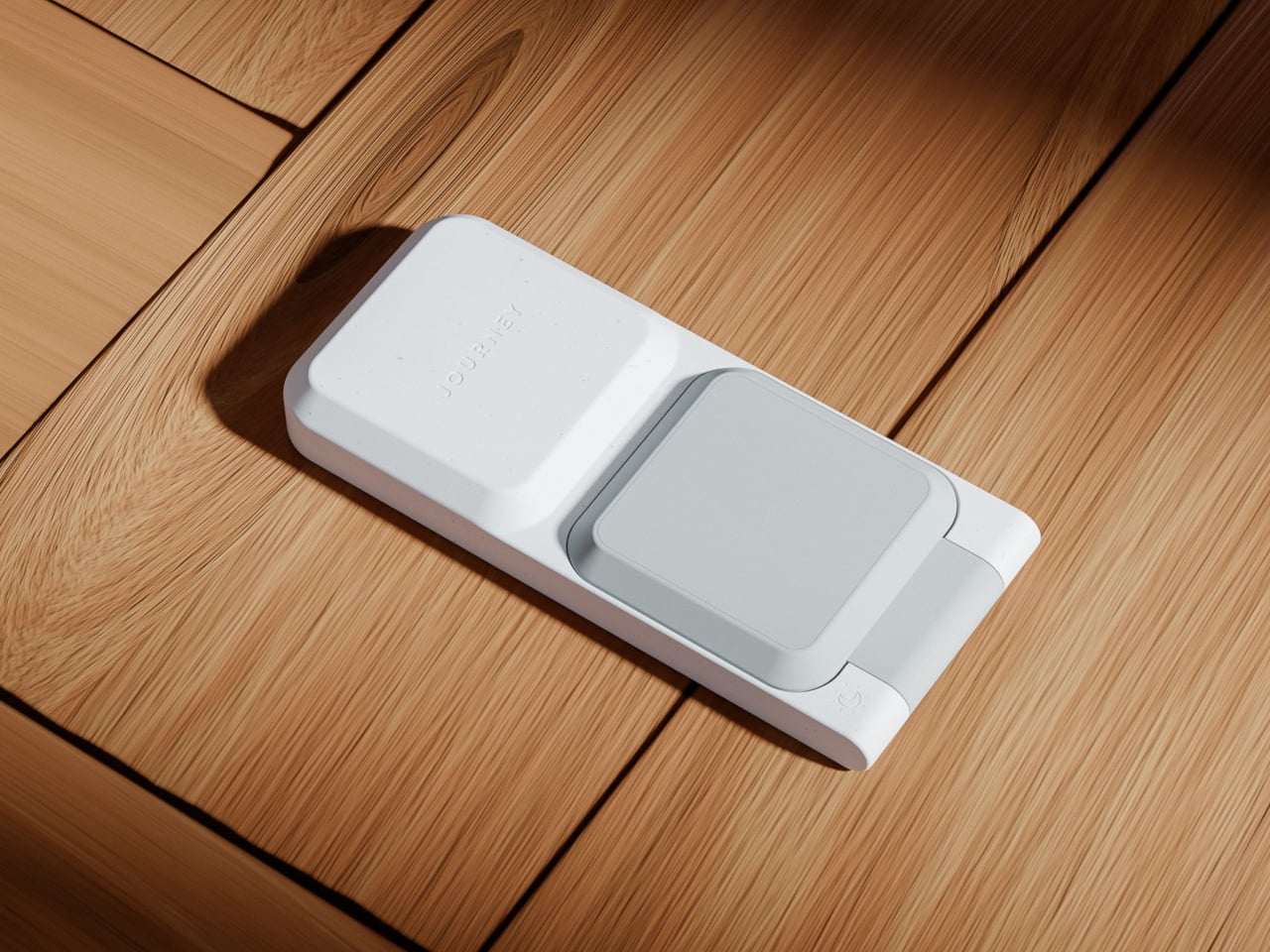
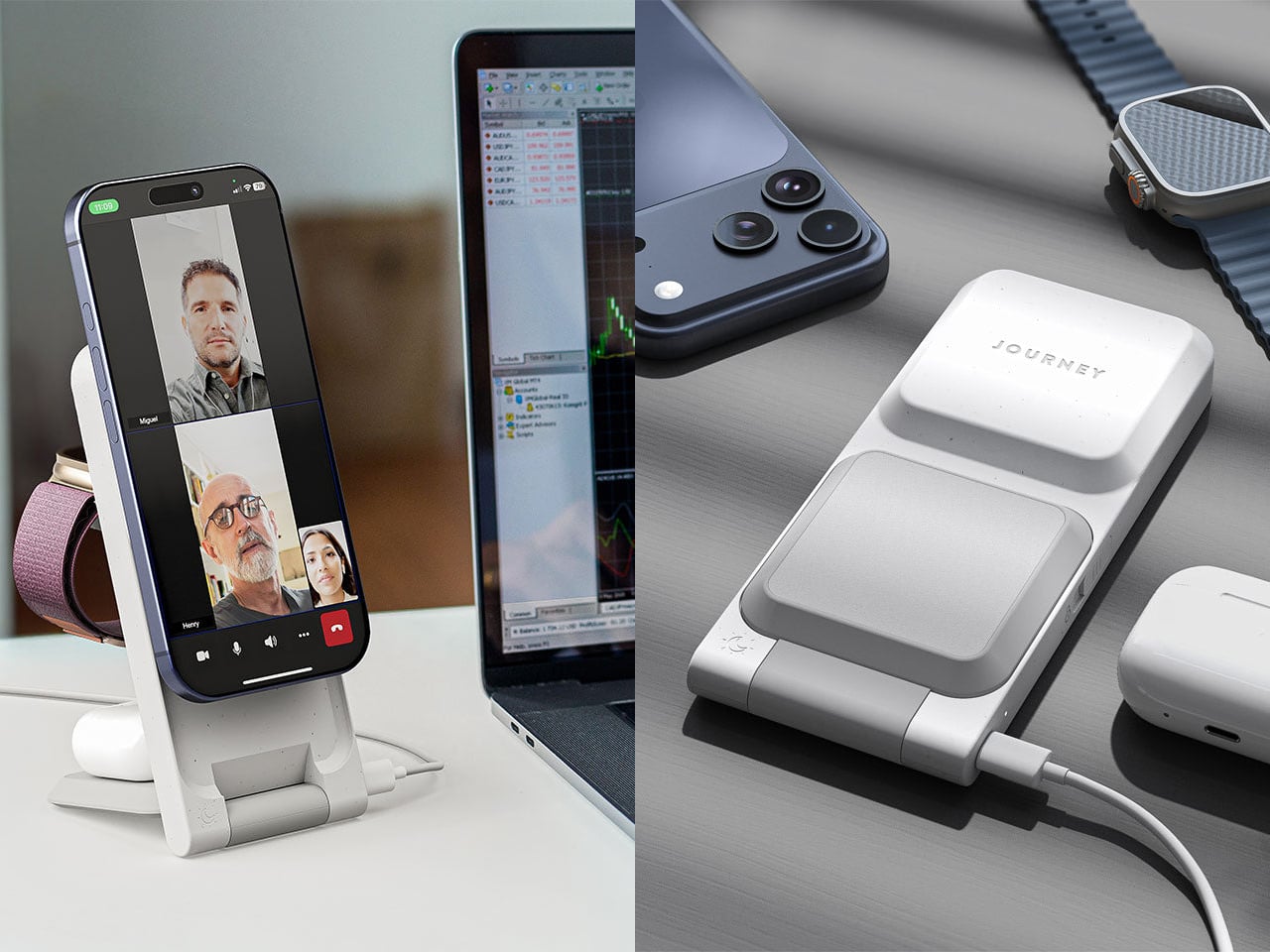
What separates the ARIA from a flat charging pad is a folding mechanism that gives it a second mode entirely. Lay it flat, and it works as a compact 2-in-1 pad, 16 cm long and under 2 cm thick, low-profile enough to disappear into most desk setups without demanding attention. Pop open the phone section, and it props the device up at just over 70 degrees, in either portrait or landscape. The transition takes about two seconds.
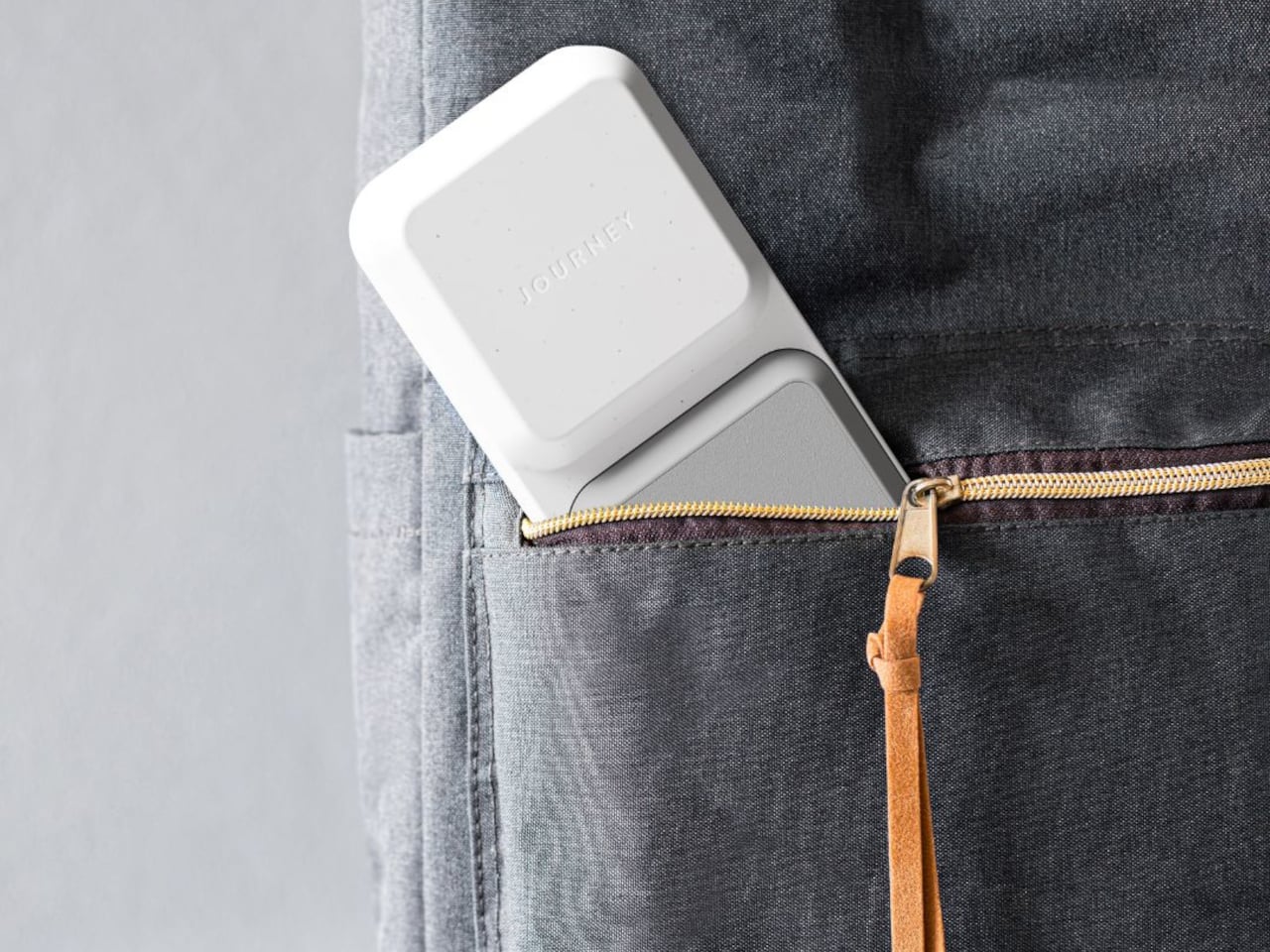
That dual-mode flexibility becomes more interesting when packing a bag. At 230g and folded down to 19mm, the ARIA fits into a Dopp kit without the usual negotiation over whether the gadget justifies the real estate. A magnetic alignment ring is included in the box for non-MagSafe phone cases, extending compatibility without requiring a case swap or any real effort.
Qi-enabled Android phones also work in flat mode, though at the reduced speeds their hardware supports rather than the full Qi2 ceiling. The ARIA handles international voltages from 100 to 240V as well, which means it travels without issue as long as you bring your own wall adapter and plug converter for the destination. For a device that sells itself on travel readiness, the missing adapter in the box still stings a little.
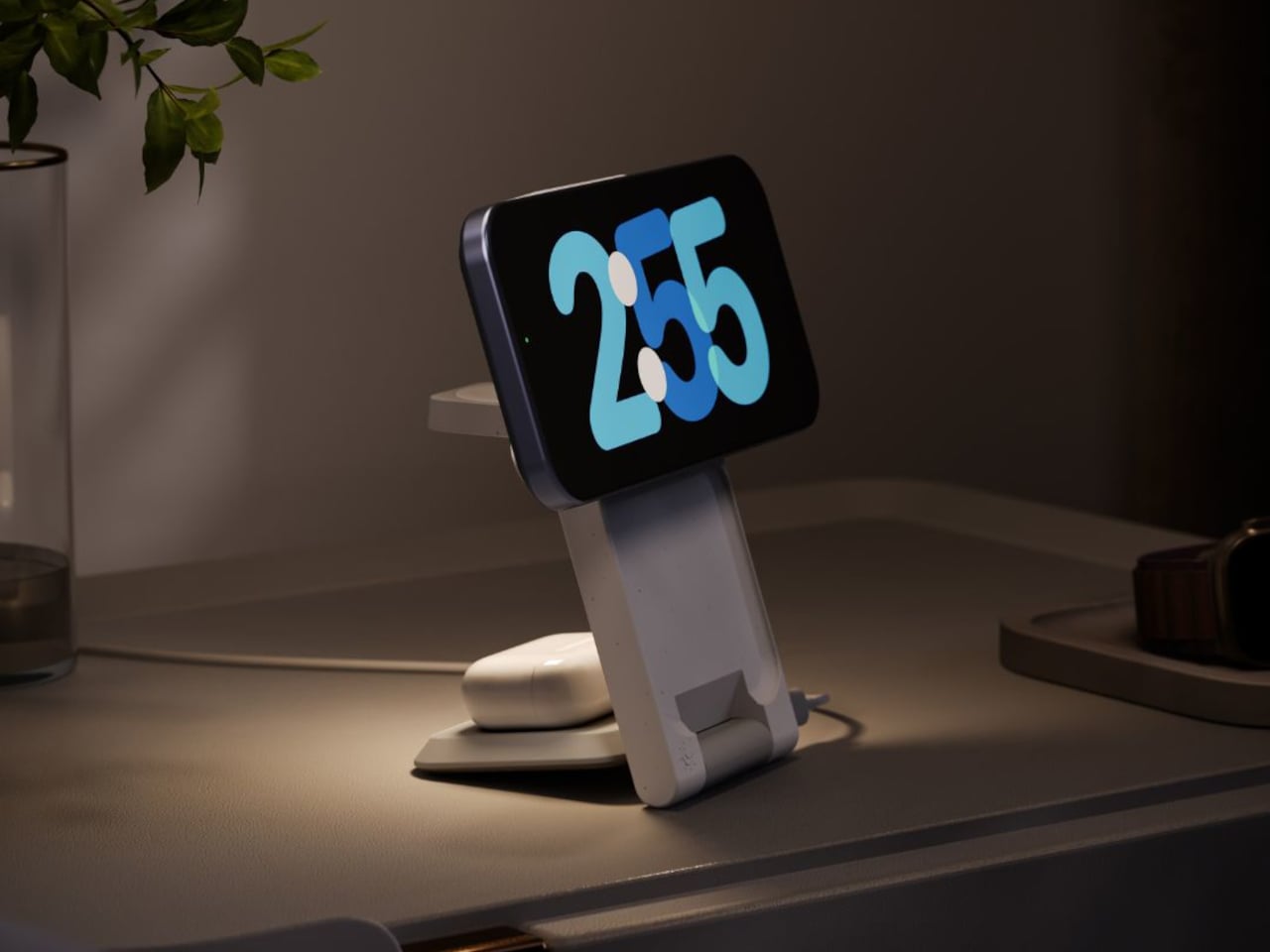
There is also a touch-controlled ambient light built into the base. A single tap produces a soft glow that works well at a bedside without flooding a dark room, and it beats reaching for a phone screen at 2 a.m. just to orient yourself. Small features like this tend to matter more in practice than they look on a spec sheet.
Camping gear has always operated on a quiet contradiction: the more you need comfort, the more weight you carry, and the more weight you carry, the less comfortable you become. Spring 2026 has a different answer. A wave of products has arrived that treats outdoor living not as an exercise in deprivation management but as a design problem worth solving properly — with biological modeling, modular cooking systems, and a shelter that erects itself in the time it takes to open a cold drink. These seven gadgets sit at that intersection.
The products on this list share a philosophy more than a category. Each one attacks a specific friction point in the camping experience — bad sleep, messy cooking, cold nights, assembly anxiety — with engineering that owes nothing to the gear conventions that preceded it. Whether you are weekend-tripping in the forest or plotting a longer off-grid stretch, this is what thoughtful outdoor design looks like in 2026.
1. Camp Napper
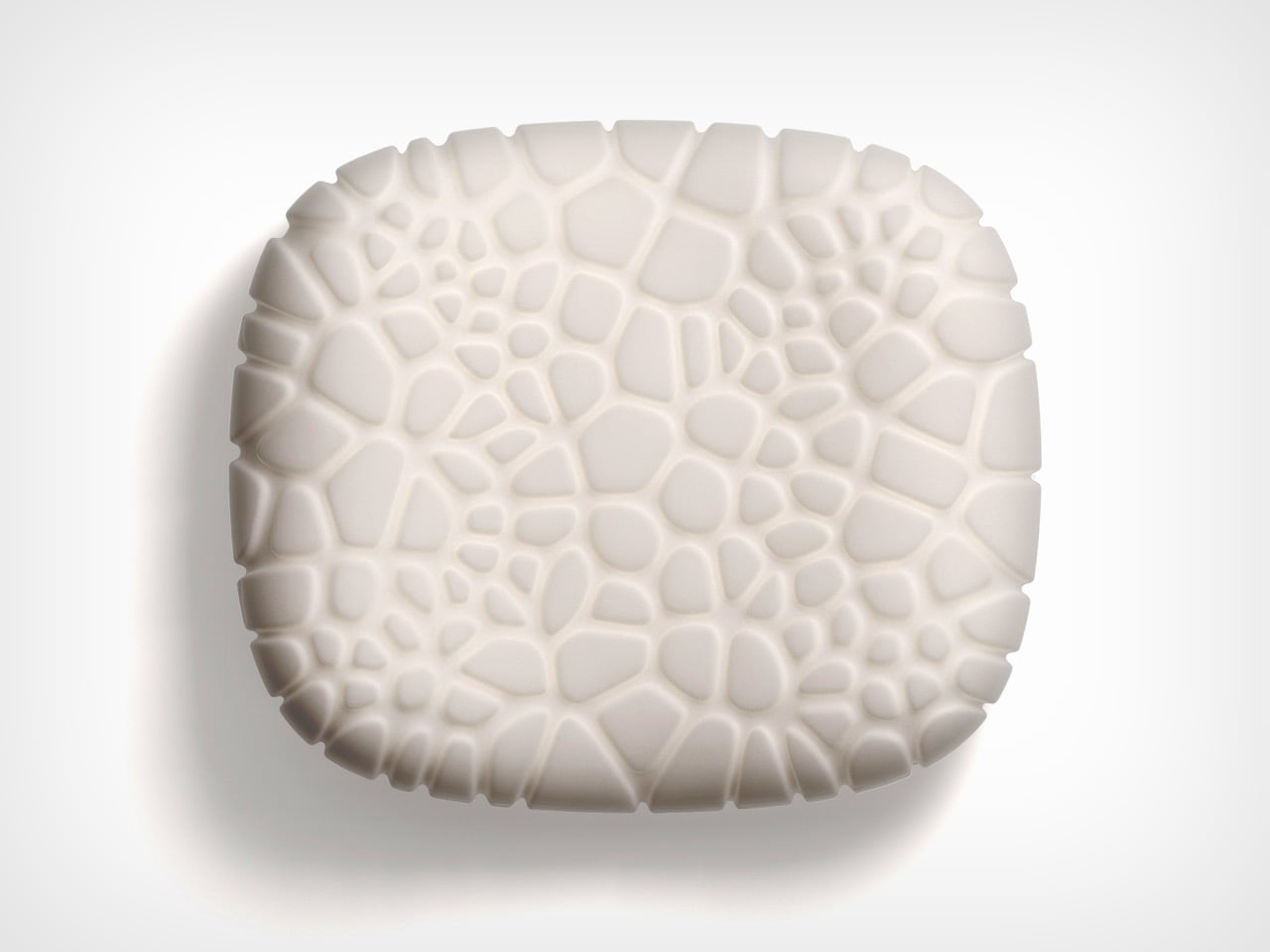
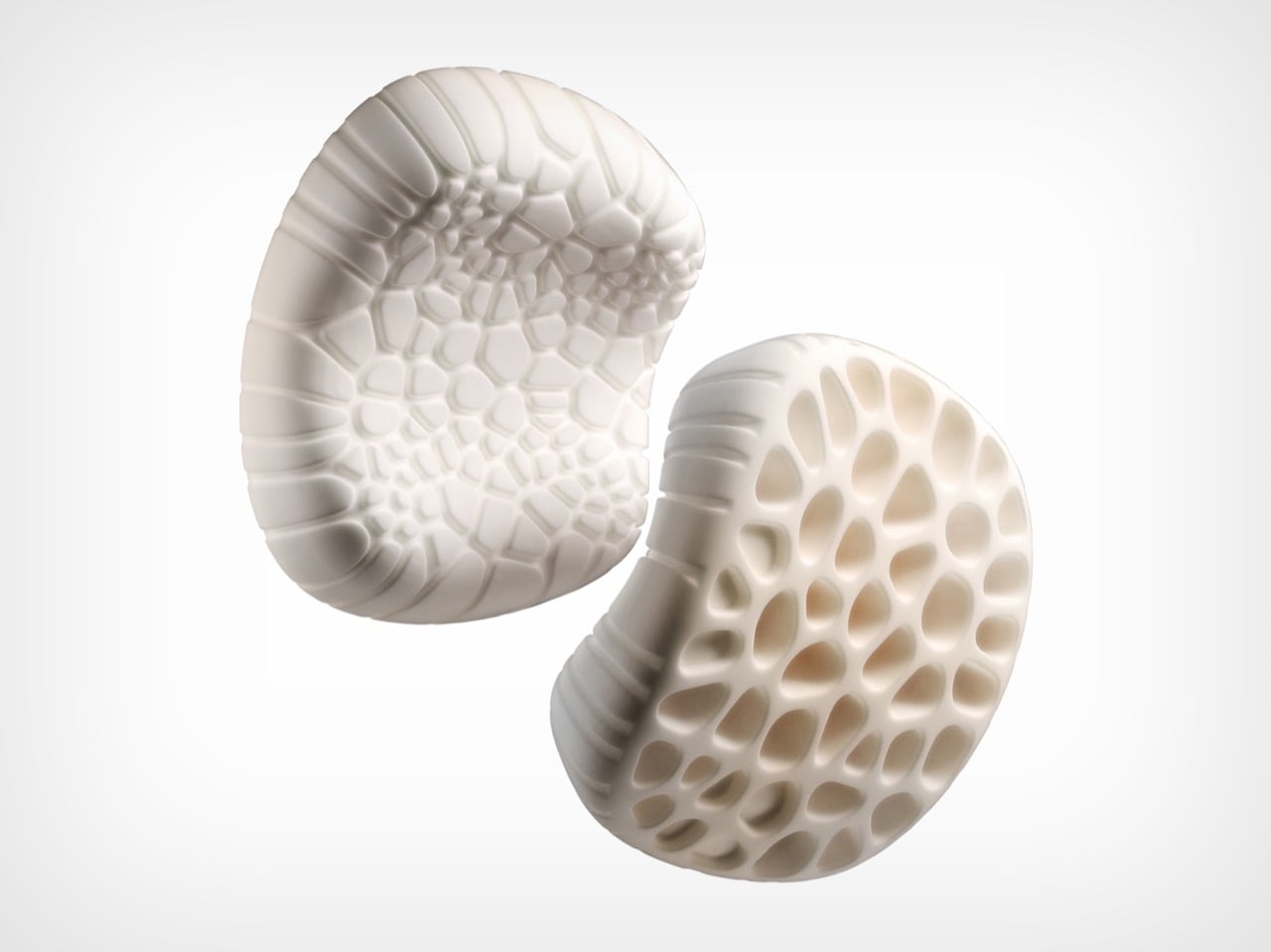
Most camping pillows solve exactly one problem: they pack small. Designer Chen Xu took a different starting point, drawing the Camp Napper‘s form from two biological sources: the surface texture of fungal spores shaped the contact face, and the hollow vascular geometry of plant stems informed the core. Voronoi polygon modelling mapped how pressure from a sleeping head spreads, then engineered protrusions and recesses to respond to that specific data.
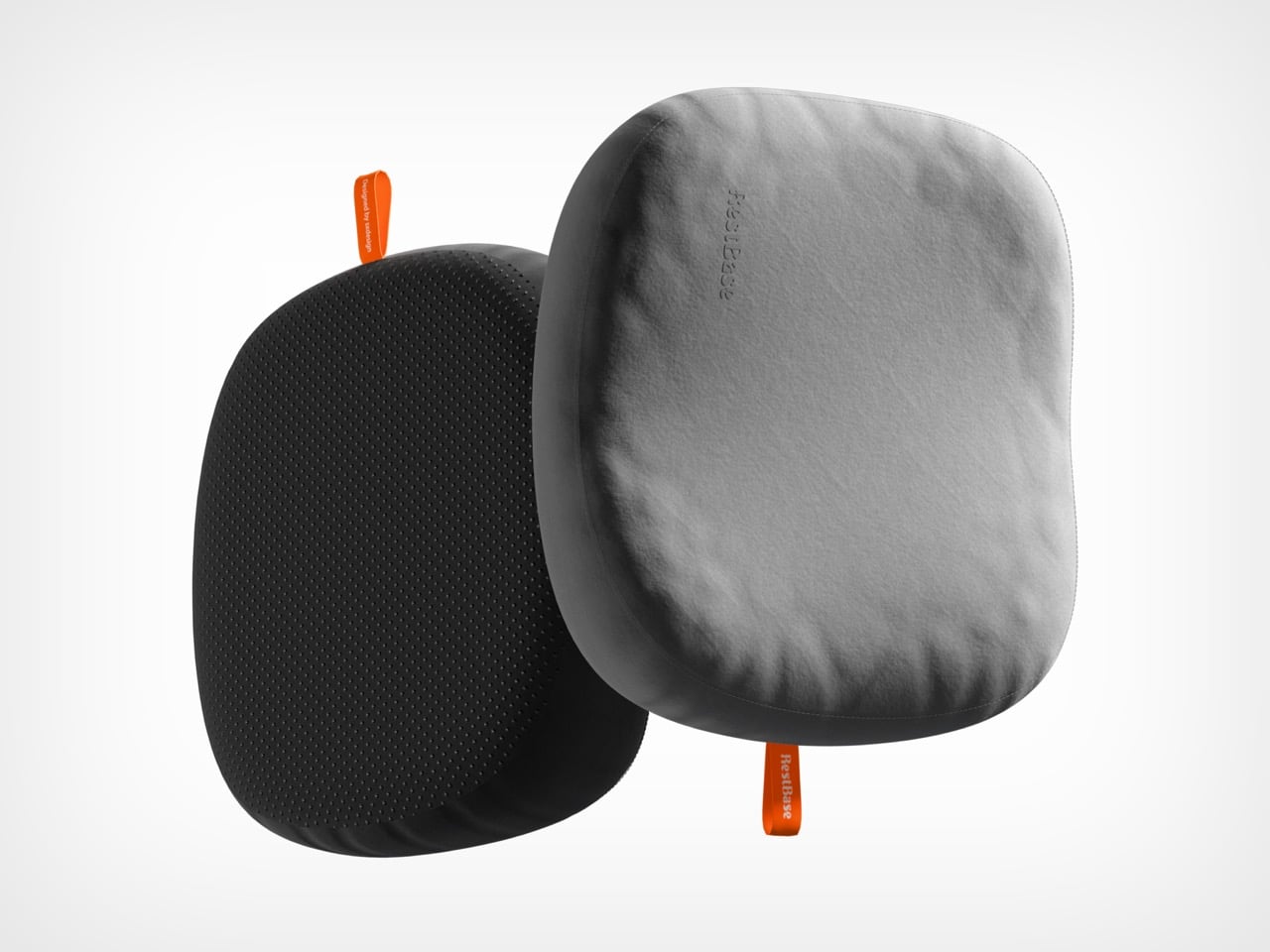
The front face has raised cellular structures that increase skin contact area and channel airflow simultaneously. Four tactile zones on the back face offer orientation-dependent customization. The hollow stem-derived core keeps total weight around 400 grams and packs to roughly the volume of a water cup. Memory foam holds the bionic geometry through repeated use, and anti-slip rubber particles on the base keep it stable across sleeping pads and hard floors. Note: the surface patterning is not for the trypophobic.
What we like
Voronoi-mapped surface addresses pressure distribution and airflow through the same structural solution, not two separate ones
Four tactile zones on the back face give orientation-dependent comfort options uncommon in this category
What we dislike
The cellular surface patterning will be a hard stop for anyone with trypophobia
No published compression specification for cold-weather performance, where memory foam typically stiffens
2. The Cube
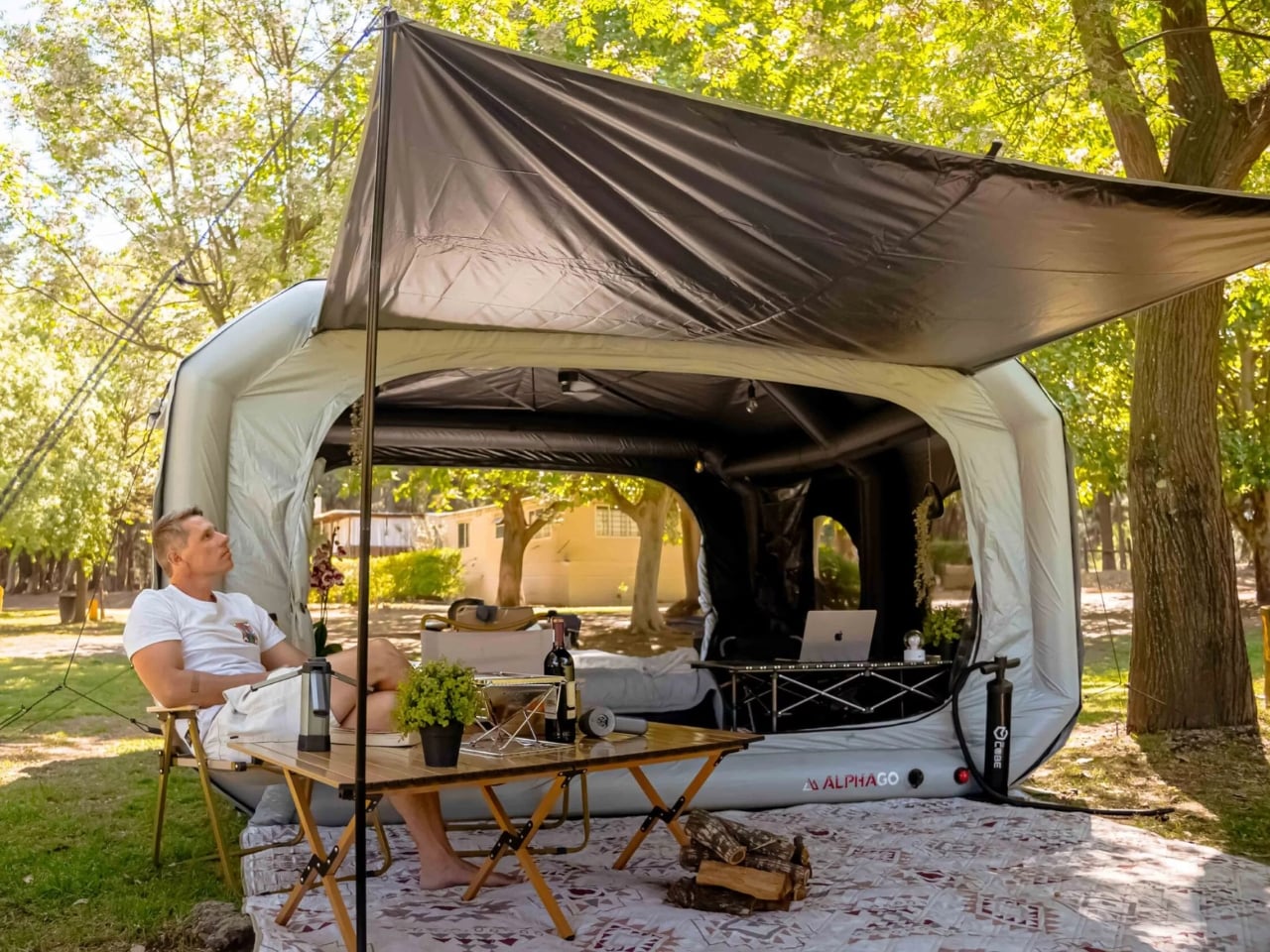
Tent assembly has not changed meaningfully in decades: poles, sleeves, and a diagram drawn by someone who has never camped. South African brand Alphago chose to treat that process as an engineering failure. The Cube is an inflatable tent with an air tube frame system that inflates via a wireless electric pump. One button press. Four minutes. No poles, no instructions, no arguments about which end faces the wind.
Speed is not the whole story. The Cube is built around comfort, with a stretched silhouette that allows standing height across most of the interior. The WeatherTec system uses welded floors and inverted seams, and both entrances have three independently operable layers: privacy screening, mosquito netting, and weather panels. Some configurations include integrated tables and storage drawers, extending the product into something closer to portable infrastructure than a simple shelter.
What we like
Four-minute wireless inflation eliminates the primary friction point of traditional tent setup
The three-layer entrance system handles every weather condition without reconfiguring the tent
What we dislike
Air tube frames are vulnerable to puncture in ways pole frames are not; field repair requires preparation
Inflatable architecture is larger and heavier than a comparable pole tent at the same floor area
3. All-in-One Grill
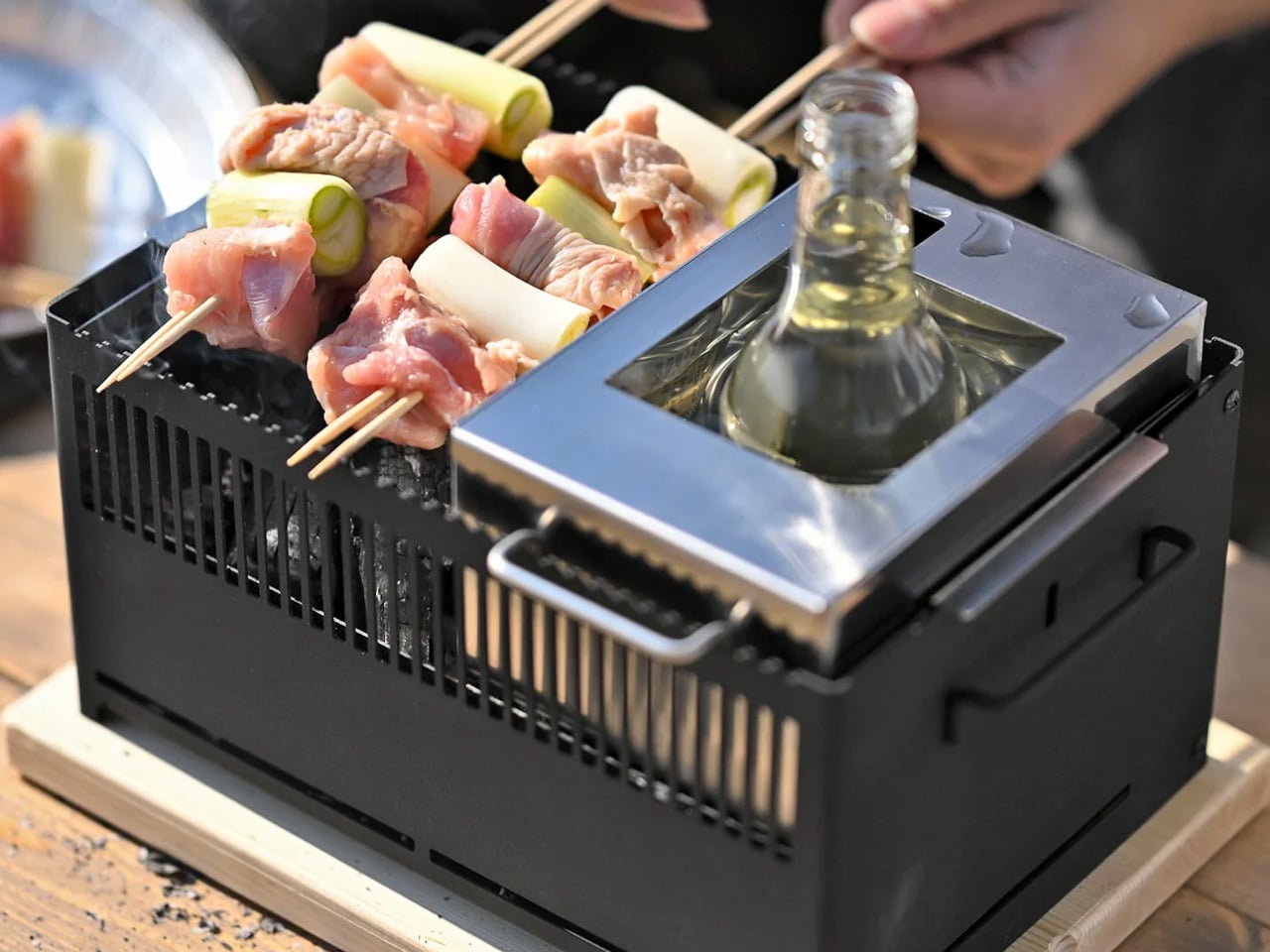
Outdoor cooking tends to bifurcate: bring a single-function grill and eat the same three things, or haul a kitchen’s worth of equipment and spend more time on logistics than on the fire. This modular tabletop grill takes a third position. Interchangeable cooking modules cover barbecuing, frying, grilling, steaming, smoking, and stew cooking from a single portable base, with a dedicated upright module for warming bottles — mulled wine included.
The compact footprint sits on any camp table without dominating it, and the modular construction that makes it versatile also simplifies cleaning. When one system handles multiple cooking methods, the question of what to cook becomes a matter of appetite rather than equipment logistics.
Six distinct cooking methods from one portable base, without multiple devices or fuel sources
A dedicated bottle-warming module is a specific, practical detail most outdoor cooking systems overlook
What we dislike
Modular systems accumulate small parts that are easy to misplace; no information on replacement part availability
Tabletop-only design limits cooking capacity for larger groups
4. TMB: The Modular Bottle
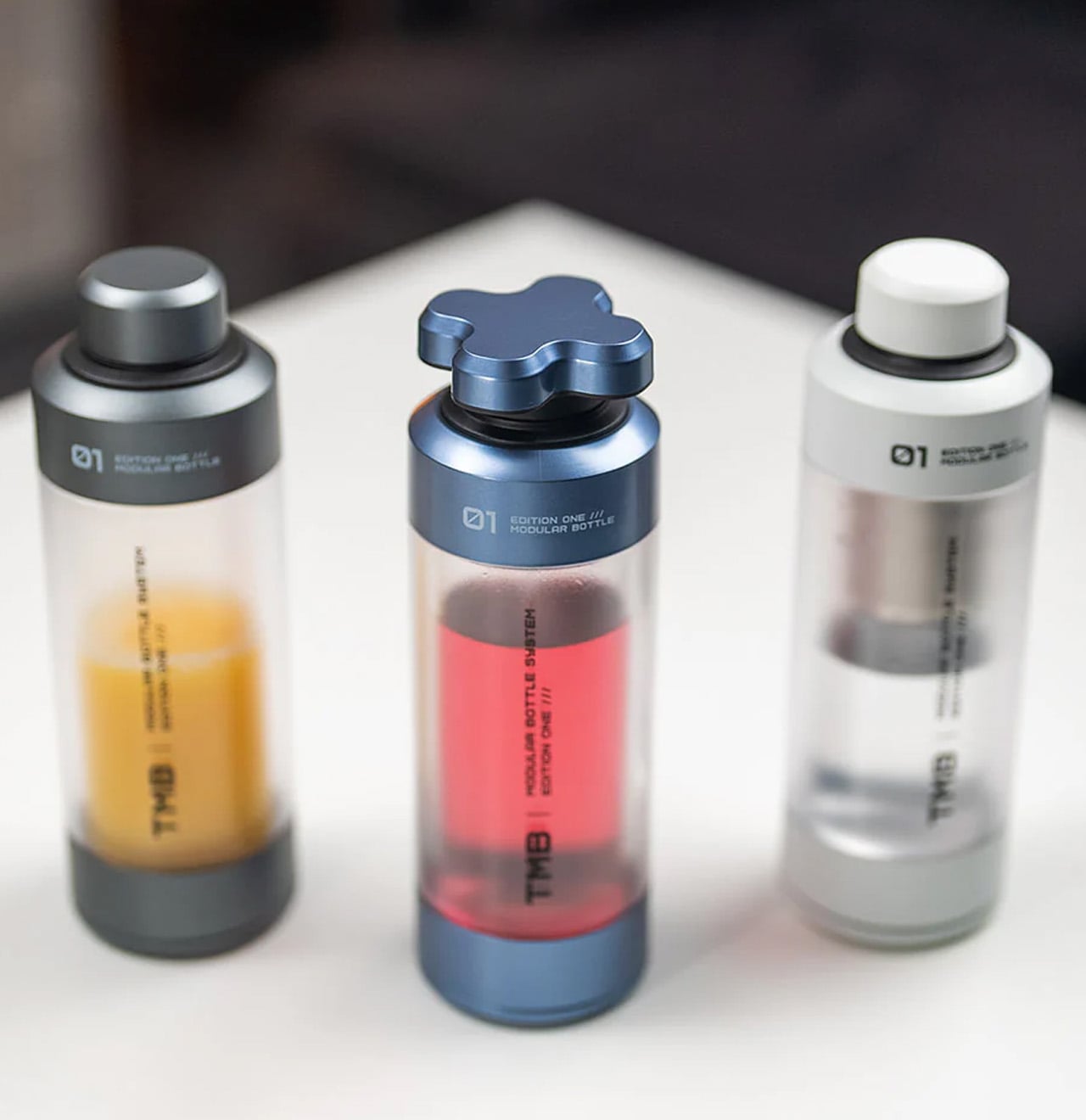
Hydration gear has a design problem few products acknowledge: one bottle cannot simultaneously optimize for commuting, exercise, and trail hiking. The TMB Modular Bottle builds adaptation into the object itself. The borosilicate glass interior preserves drink flavor without absorbing taste or odor — a material property that distinguishes it from the steel and plastic alternatives dominating this category. A translucent mid-section gives a constant view of remaining liquid, removing minor but real friction from the outdoor day.
The modular design allows configuration changes based on activity. For camping specifically, the glass interior means whatever you fill it with tastes like itself rather than the container. Easy disassembly for cleaning prevents the stale odor buildup that makes most reusable bottles unpleasant after weeks of real use.
What we like
Borosilicate glass preserves drink flavor without imparting taste or odor, a material advantage over steel or plastic
The translucent mid-section gives a real-time view of the remaining liquid that opaque bottles hide
What we dislike
Glass interiors, even borosilicate, carry more breakage risk than steel alternatives in rough outdoor handling
Modular assembly adds cleaning complexity compared to a single-body bottle
5. Portable Fire Pit Stand
There is an honesty to a fire pit that most portable cooking solutions sidestep. This bonfire stand brings it back without the permanence of a built pit or the flimsiness of a folding ring. The steel plate construction uses sheet metal technology to resist the warping and distortion that heat cycling causes in cheaper materials, and the punched holes and cutouts give it an industrial character while improving airflow around the burn.
Assembly works like a puzzle — metal pieces interlock without tools. Removable trivets open the cooking configuration to grilling, frying, and more. The warp-resistant black steel plate holds its geometry through repeated heating and cooling cycles, a failure mode that undermines most portable fire hardware after a single season.
Warp-resistant steel construction maintains geometry through repeated heat cycling, where most portable fire hardware eventually distorts
Tool-free interlocking assembly means no accessories that can be forgotten at home
What we dislike
Open fire structure requires a flat, stable, fire-safe surface — more site-dependent than enclosed stove alternatives
Black steel requires dry storage and some maintenance to prevent surface rust
6. Hot Pocket
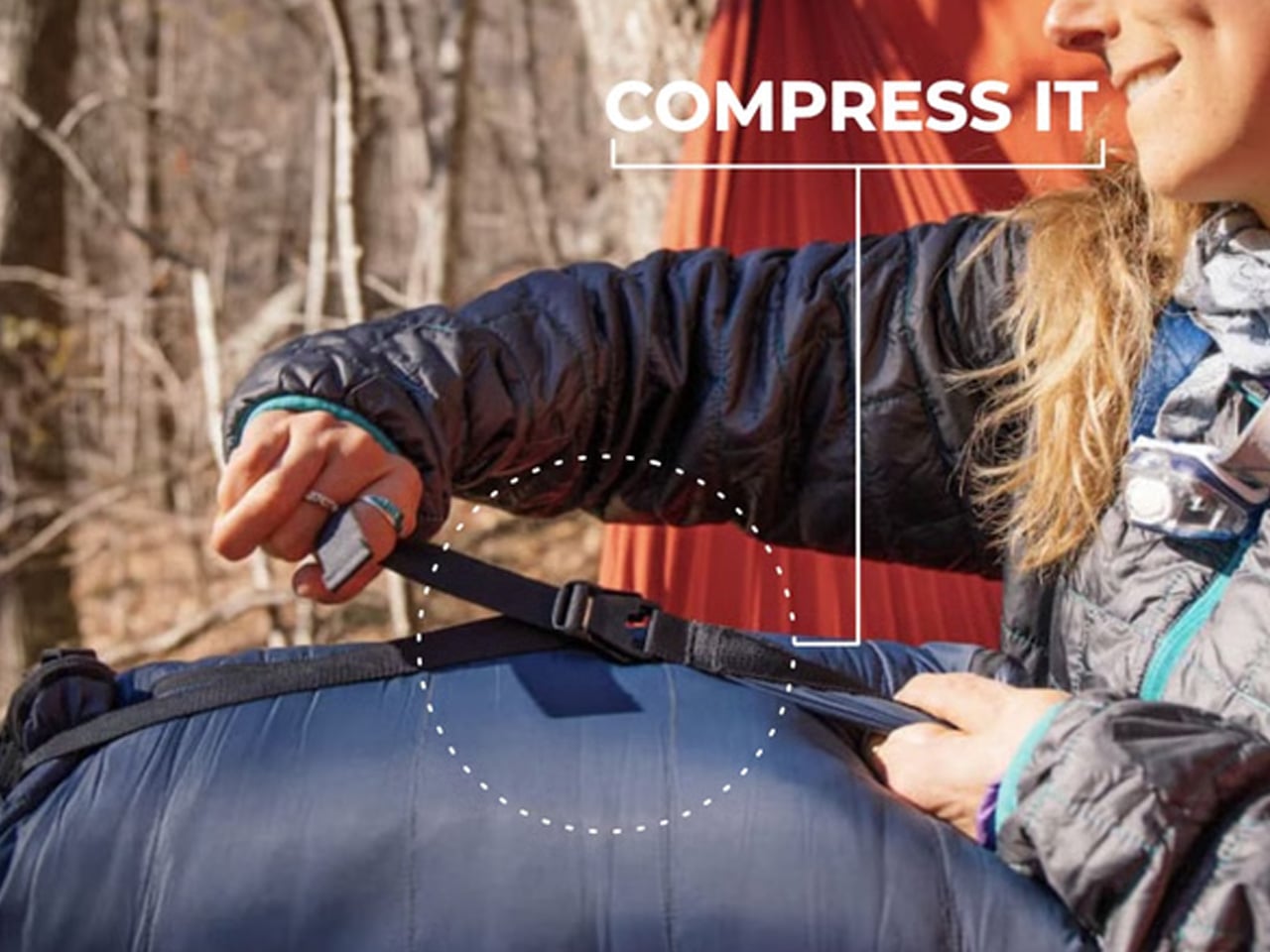
Cold sleeping bag syndrome follows a predictable pattern: zip in, spend the first twenty minutes waiting for body heat to build, arrive at warmth already half-asleep and irritated. The Hot Pocket, created by the Sierra Madre team, breaks that cycle before it starts. It stores and compresses your sleeping bag or quilt during the day, then pre-heats the insulation before you get in — so the first moment of contact is already warm.
The system is wireless and portable, designed for use beyond the campsite: ski slopes, sports sidelines, anywhere pre-warmed insulation matters. The on-demand heating replaces disposable chemical heat packs, which degrade after a single use. Compression and heating are integrated into one object, handling a task the sleeping bag needed done anyway — storage and transport — while adding warmth as a built-in function.
What we like
Pre-heating eliminates the body-heat warm-up window that makes the first stretch in a cold sleeping bag genuinely unpleasant
Integrated compression and heating replace disposable chemical packs with a reusable, on-demand solution
What we dislike
Wireless operation adds battery management to the camping checklist; no published battery life data
Pre-heating duration and heat retention are unspecified, making it difficult to plan around the product’s actual warming window
7. DraftPro Top Can Opener
The DraftPro is not solving a survival problem. It is solving an experience problem. Designed by Japanese designer Shu Kanno, the tool removes the entire top of a can to create a wide-mouth opening that changes how the contents smell, taste, and behave. For beer, full-top removal mimics drinking from a glass, releasing aroma rather than directing it through a small aperture. The smooth-edged finish removes the safety concern that other full-removal openers have historically carried.
The camping application extends beyond drinking. With the top off, you can add ice directly to the can or build a cocktail inside it without a separate vessel. The opener handles domestic and international can sizes, which matters when available canned goods do not match a home market. For a campsite where the evening drink matters as much as the fire, this is the detail that earns its place.
Full top removal creates a draft-style drinking experience with full aroma release — a functional difference from standard can opening
The can-as-vessel approach allows ice-adding and cocktail preparation without additional cups or shakers
What we dislike
Single-function specialization means it earns a spot only if canned beverages are a consistent part of the camping plan
No published durability specification for the cutting mechanism over time
Spring’s best case for smarter camping
What connects these seven products is not a shared price point or aesthetic — it is a shared refusal to accept that outdoor gear has to be difficult, uncomfortable, or boring. The Camp Napper applies biological modeling to a pillow. The Cube eliminates the most frustrating fifteen minutes of any camping trip. The DraftPro turns a can into a proper drinking vessel. Each object is the result of someone looking at a friction point in outdoor life and deciding it deserved a real answer.
Spring camping is the ideal moment to bring these to a campsite. The temperatures invite longer stays, the light cooperates, and the desire to actually be comfortable rather than just surviving outdoors is at its highest. These products meet that desire with design intelligence rather than compromised portability or bulky engineering. Pack accordingly.