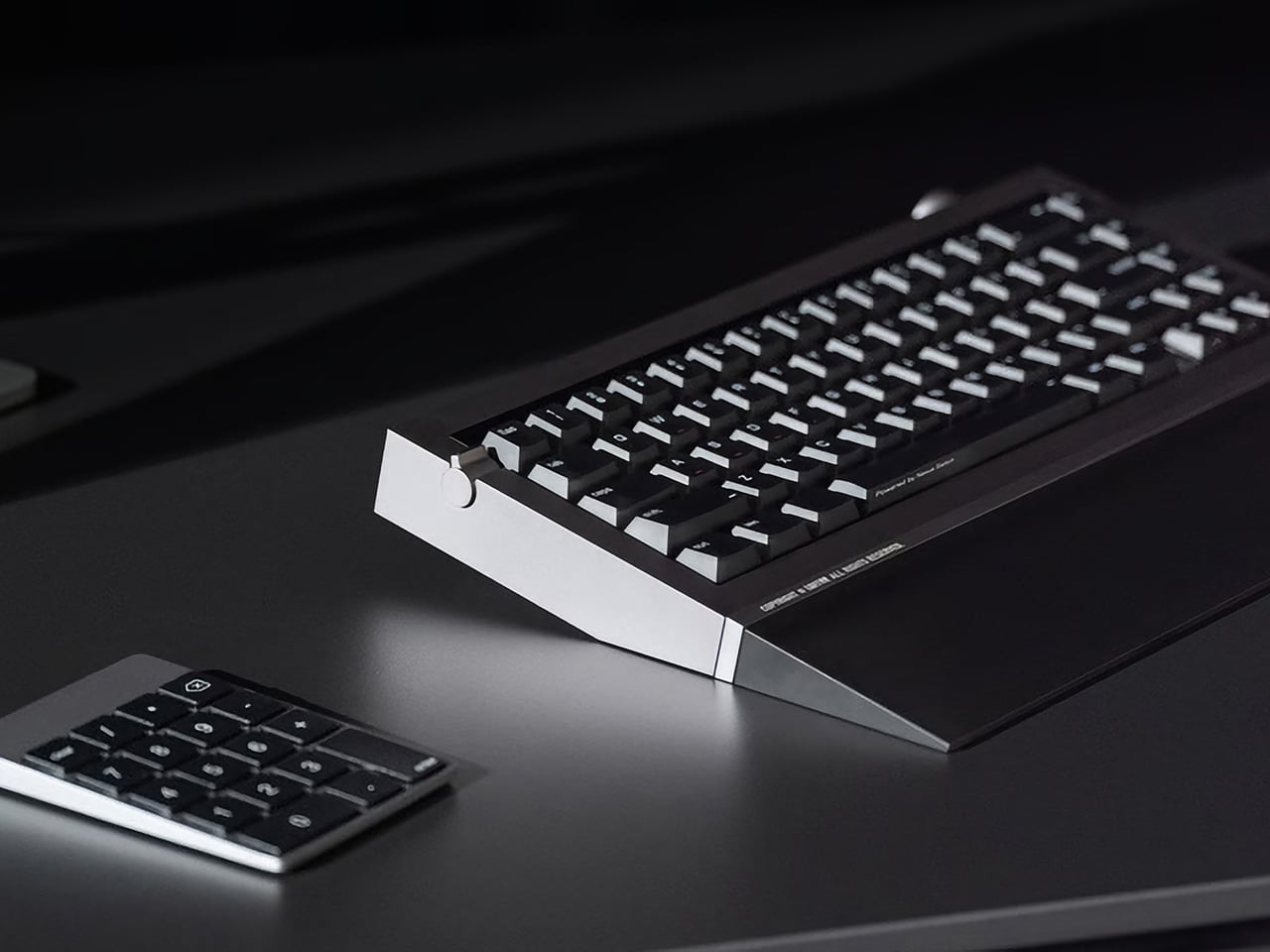
When I first laid my eyes on the LG Signature rollable TV, I knew it was going to be the future of modern living rooms. The idea of a rollable display is practicality at its best, and can have so many applications. One of them could be in the form of a smart desk with an in-built display that hides from plain sight when not needed.
Yes, this concept design dubbed Mindset: Built-In Computer Desk is the most elegant working space a minimalist could long for. The idea here is to focus on the productivity of work and minimize distractions. Another resounding benefit is the space-saving aspect as big displays take up a chunk of the usable desk space.
When you’re done with the day’s tasks on your PC, the 40-inch ultrawide OLED screen with webcamera can retract back into the frame (remember it is a rollable display) and you can engage in digital detox activities like reading, sketching, or reading books. In the second mode, since there is no screen in front of you, the urge to watch video content or scroll mindlessly through websites is not there. All you’ve got is an empty desk space to engage in wind-up routines for a healthy lifestyle.
The smart desk has built-in wireless speakers right behind the display housing for optimized aesthetics. When the rollable display retracts back into the housing the Bluetooth 5.3 capable speakers move forward to cover the gap. This prevents any dust or other foreign matter from entering the space. Not only this, the desk comes with a touchscreen keyboard with haptic feedback and a touchpad, so you don’t need to worry about working on your desk. There’s a wireless charging pad underneath the surface that keeps your gadgets juiced up. The only thing you need to bring along is your laptop to connect to the plug-and-play desk.
All the cables are concealed inside the legs and the ports are hidden from direct view to one side of the desk. The cable management system is designed in a way that it automatically adjusts the wire lengths when adjusting the height. The concept seems very useful for people who love to have a clutter-free working space that turns into a personal creativity space with minimum fuzz.
For those who live in spaces where natural air flow is a “luxury” or in cities where air pollution is a big problem, having an air purifier is a must. Well that is, if you want to breathe in good air and if you’re spending a lot of time there and you don’t want to spend a lot on healthcare expenses. But these kinds of appliances are really more functional and we don’t spend as much time on their design when choosing to buy one. If you can have something that has all the functionalities for an air purifier that you need and it is well designed and can fit in your space’s aesthetics, then that’s a bonus.
This concept for an air purifier for popular home appliance company Smeg fits in with the brand’s distinct retro style. The Airissimo aims to integrate all the most advanced technology in air purifiers into the classic design that all SMEG products have. This includes the familiar pastel colors, ergonomic control knobs, detailed gaps, and the standard stand that balances their appliances. The final renders of the Airissimo concept will definitely fit in with their current line.
But it’s not just the look that the designer thought of, but all the functionalities and features that you need for an air purifier. It has an LED display that will show you the current air quality in your space. Inside you’ll find the electric board, support duct, motor, fan, fan duct and HEPA filter, all the necessary components for this kind of appliance. It uses ABS plastic and aluminum as its main materials. There is an app that you can connect to it to adjust the controls, to monitor air quality, and to also get reminders when you need to replace your filters.
The Airissimo looks like a huge smart hub that you’ll find in your living space or a sophisticated-looking air cooler. Most air purifiers currently in the market look like your usual air-related appliances (aircon, air cooler, humidifier, dehumidifier) so having something like this if SMEG does decide to eventually branch out into this would be pretty cool.
Some people opt for a minimalist smartphone to reduce distractions and enhance productivity. These devices typically offer only essential features, such as phone calls, messaging, notes, calendars, internet browsing, and key Android apps. This setup allows users to focus on what’s crucial without interruptions from numerous app notifications. Furthermore, these simplified phones often have extended battery life due to their limited features. If you’re drawn to a minimalistic device, the Minimal Phone could be ideal for you. It’s the product of an experienced team with a combined 60 years in design, engineering, and technology entrepreneurship. Their vision is to deliver a product that eliminates all unnecessary features.
The Minimal Phone is equipped with a high-performance MTK 6769 CPU and 4GB RAM, ensuring a smooth user experience. It has 128GB of storage space for apps and data and operates on Android 13, which features the latest security and system updates. The display is a 3.5” E-Ink touch screen with a resolution of 300 PPI and a high refresh rate for clear images and smooth transitions. It has an 8MP front camera and a 16MP rear camera for photography. The phone supports 802.11 a/b/g/n 2.4GHz/5GHz WiFi Direct and Bluetooth 4.1 and is compatible with AT&T, T-Mobile, and Verizon networks. It features a sizeable 4000mAh battery with QC 18W and wireless charging support less than 20W. The most appealing feature is the integrated tactile QWERTY keyboard.
The e-ink display of the Minimal phone offers users a comfortable, glare-free reading experience, significantly reducing eye strain even during prolonged use.
Incorporating a tactile, responsive QWERTY keyboard into a smartphone design can be complex. However, the team behind the Minimal Phone has tackled this challenge directly. The ergonomic design of the keyboard has been carefully considered to provide a comfortable user experience. The team has analyzed various factors such as keyboard layout, key size, and key travel distance to ensure they meet the expectations of a wide range of users. They understand that speed and accuracy are crucial for a satisfying typing experience, so they’ve strived to optimize these factors in the design.

The team has selected high-quality materials for the phone, considering durability and regular use over its lifespan. Recognizing the need for the keyboard to maintain its quality and responsiveness, they’ve carefully chosen the construction materials and methods. As a result, the keyboard must feel comfortable to the touch and built to last. Other standard features include NFC, GPS, A-GPS, a side-mounted fingerprint sensor, face unlock, a G sensor, a compass, a gyroscope, a proximity sensor, and a light sensor. Additionally, it also includes a 3.5mm headphone jack located on the top left-hand corner.
The Minimal Phone, thoughtfully designed for ease of use and comfort, measures 121 x 72 x 10mm (4.74″ x 2.83″ x 0.39″), akin to the ergonomic shape of a passport. Its well-proportioned layout makes it extremely comfortable to hold and type on the physical keyboard. The microphone at the bottom left of the device complements the central USB-C plug-in port flanked by speakers on its right. The phone’s left side hosts the volume control buttons—up and down—with an e-ink refresh button nestled between them. The power button is on the phone’s right side, just above the conveniently placed SIM card slot, contributing to a well-balanced and intuitive design. Plus, its slim profile allows it to disappear into a pair of jeans pocket or slip easily inside a suit coat.
The major advantage of the Minimal Phone is its e-ink display, which provides a reading experience that closely mimics reading from physical paper. The display uses ambient light to illuminate the text, reducing eye strain associated with backlit screens found in tablets and smartphones. Furthermore, e-ink displays are easier to read in bright sunlight, making the Minimal Phone perfect for outdoor reading. Additionally, e-ink displays consume significantly less power, leading to the Minimal Phone’s longer battery life, which is ideal for extended reading sessions.
Multiple portable displays boost productivity by enabling multitasking and reducing the need to switch between applications. With extra screens, you can have reference materials, email, and active projects open simultaneously, streamlining your workflow and saving valuable time. This setup is especially beneficial for professionals, students, and anyone needing to stay productive while on the go. It allows for a more efficient use of time and resources, making it easier to keep up with the demands of today’s fast-paced work environments. The market for portable displays isn’t as saturated as other tech sectors, primarily due to the niche demand and the technical challenges associated with creating lightweight, durable, and high-performance screens that can easily integrate with a range of devices. Creating a product that balances portability with screen quality, battery life, and ease of use requires significant innovation and investment. Among the options available, the FlipGo from JSAUX stands out as a compelling solution for several reasons. Let’s dig in and explore how it addresses the core needs of power users.
First, the essential feature of the FlipGo is its portability without sacrificing display quality. It’s slim, light, and easy to carry with laptops, tablets, and smartphones so that you can create a multi-screen workstation anywhere. The magnetic attachment system securely connects to the Snap Stand or monitor arms, making the setup intuitive. This design allows the portable display to easily integrate with laptops, tablets, and certain smartphones, offering a simple user experience. The package includes four sets of magnets in FlipGo. The monitor can be magnetized to a monitor arm with various magnetic mounts like the Snap VESA adapter. This makes FlipGo a clear choice when you need to position it anywhere.
You can also use the Flex Folio, which serves as a stand and a case. This origami-like accessory provides protection and supports the display when necessary. Regardless of a portable external display’s portability, it’s not worthwhile if the quality is subpar. This is particularly true when considering screen size and resolution. You can choose between two dimensions: 13.5 inches and 16 inches. Both provide ample screen space without feeling cramped. The 13.5-inch model weighs 1.1 kg, while the 16-inch model is slightly heavier at 1.6 kg, underscoring its portability.
Magnetic Design
However, this display isn’t just notable for its size and weight. It also offers remarkable quality. The smaller model has a 2.2K resolution (2256×1504), and the larger model boasts a 2.5K resolution (2560×1600). Both feature a 100% sRGB color gamut for vivid, crisp visuals. A standard 60Hz refresh rate further improves the display’s smoothness.
FlipGo arranges desktop displays vertically for a more focused, productive experience. Its square-like aspect ratio minimizes head movement. The ultra-narrow bezel connects the screens, offering an uninterrupted view. It simplifies tasks like writing papers or handling multiple sources. It also supports split-screen browsing, making it easy to manage various desktop windows. As a day trader, this setup is particularly beneficial. It allows the stock charts for technical analysis to be on top while the trading software is at the bottom.
FlipGo powers up directly from your laptop’s USB-C port, using a single cable to light up two screens for One to Duo or UltraView mode. When connected to an external power supply, it also charges the laptop. Although FlipGo has two separate displays, it can be a single screen to present content. You can switch between these displays with just a click. FlipGo ensures that neither your productivity nor your perspective is ever limited. FlipGo’s neatest feature is undoubtedly its touch and gesture support for macOS and Windows. Not only does it function as a typical touchscreen, but it also serves as a secondary touchpad for your MacBook, enhancing your productivity.
Regarding productivity, the built-in hub varies slightly between the Pro, Touch Screen, and Standard models. The Pro model includes a display switch button, two USB-C 3.2 ports for Mac and Windows, a Mini HDMI (HD), an OTG USB-A 2.0, an OTG USB-C 2.0, a menu jog dial, and a power button. The latter model, however, has two HD inputs but lacks the Display Switch Button.
The FlipGo comes in two sizes and two tiers: Pro and Standard. Each provides different features. The Pro tier has UltraView mode with a single cable for dual-screen use and supports DisplayLink. The Standard tier does not include Pro features but can be upgraded for touchscreen capabilities, turning your FlipGo into a portable tablet. Regardless of tier, all FlipGos offer the same visual quality, resolution, 400 nits of brightness, and color accuracy. The 13.5-inch model costs $379, and the 16-inch model is $479. Both models include a 12-month warranty, lifetime support, and international shipping from May 2024.
There’s never a dull moment in the gaming world. Microsoft and Activision’s merger caused enough excitement, while a random rumor also indicated that the company was giving up on Xbox amid mass layoffs. GTA 6 may see a new trailer drop in May but its launch has been pushed to 2026 amid development delays. Meanwhile, the world is gearing up for the next Nintendo Switch to drop and now it seems like credible leaks indicate that there’s a Sony PlayStation 5 Pro in the horizon.
Designer: Sony
The sources behind these leaks inspire a degree of confidence. Respected outlets like IGN and industry insider Tom Henderson of Insider Gaming have lent their credibility to the rumors. Additionally, Sony’s own investigative response to the leaks suggests they might hold some weight. It’s not every day we get such a comprehensive glimpse into the potential future of console gaming.
So, what advancements can we expect from the PS5 Pro? The leaks paint a picture of a console designed to push the boundaries of graphical fidelity and performance. While the CPU clock speed is rumored to see a modest 10% increase, the real game-changer lies in the GPU. This powerhouse component boasts a staggering 3.25 times the processing power of its predecessor in the PS5, translating to a potential 45% jump in rendering performance. Imagine buttery smooth gameplay with visuals that leave you speechless – that’s the promise the PS5 Pro seems to hold.
For gamers who crave hyper-realistic visuals, the news gets even better. Ray tracing, the technology that simulates real-world lighting effects for unparalleled immersion, is set for a significant boost. Leaks suggest a two to four times improvement in ray tracing performance, which, when combined with the rumored AI accelerator and custom machine learning architecture, hints at Sony’s ambitious plans to integrate AI more deeply into the gaming experience. Imagine enemies that adapt to your tactics, environments that react to your actions, and a level of detail that blurs the lines between reality and the virtual world.
The PS5 Pro might retain the 16GB of memory found in the PS5, but it’s poised to make significant strides in data transfer speeds with a rumored 28% increase in bandwidth. This translates to potentially shorter loading times, a welcome change for any gamer who’s grown weary of staring at progress bars.
One particularly intriguing feature is PlayStation Spectral Super Resolution (PSSR). This Sony-developed technology aims to rival AMD’s FSR 2 by offering superior game rendering. With support for up to 4K resolution at a blistering 120fps and even 8K at 60fps, PSSR has the potential to set a new benchmark for visual quality in console gaming. Imagine experiencing your favorite games in stunning detail, running at silky smooth frame rates. It’s a future that promises to redefine how we perceive console graphics.
The audio processing unit is rumored to receive a 35% speed boost, promising a richer and more immersive auditory experience. When you factor in the anticipated PlayStation Link for lossless audio and a generous 1TB of internal storage, the PS5 Pro appears dedicated to delivering a complete sensory experience that complements the visual feast for your eyes.
The question of whether to upgrade to the PS5 Pro hinges on your individual needs and preferences. While the rumored specifications paint a picture of a console with a significant performance leap, it’s important to remember that it might take some time for game developers to fully leverage its capabilities. Additionally, the price tag, rumored to be in the $600-$650 range, may create a bit of an uproar. After all, there’s nothing more dangerous than a scorned gamer.
Under most normal circumstances, I wouldn’t be talking smack about the iPad Pro like this… but the LincStudio S1 Tablet offers some distinct advantages over its Apple-based counterpart. It’s bigger, has a 2K touchscreen with multitouch input, also comes with a highly precise Wacom stylus, runs Windows on a 4-core Intel i7 processor, and lets you use a whole slew of desktop-based software and apps to create content. That means you can carry your existing PC workflow onto the LincStudio S1, use AI-based programs with your workflow, and even rely on the 12 customizable shortcut keys on either side to cruise through work. When all’s said and done, 65W charging comes in exceptionally handy, letting you quickly juice your tablet for another round of design iterations… because creativity never takes a holiday, right?
Can’t use my favorite drawing software on iPad? Try LincStudio!
The perfect hybrid between a tablet and a laptop, the LincStudio S1 was designed keeping artists, 3D modelers, animators, designers, architects, or anyone in the creative profession in mind. Slim enough to fit into most laptop bags and weighing a paltry 1.1 kilograms, the LincStudio S1 comes with its own kickstand that lets you prop it up, giving you the freedom to use it in a variety of angles based on the kind of work you’re doing. A companion Wacom Shinonome stylus gives you precise control over your workflow, whether you’re sketching, reviewing detailed blueprints, or just taking notes, but if you do want to switch to a more traditional laptop-inspired typing experience, a keyboard connector at the bottom lets you snap on any keyboard, turning the LincStudio S1 into a makeshift laptop.
Wacom EMR Shinonome Series Pen
The problem with current tablets is that they get one crucial thing wrong – the operating system. A tablet isn’t supposed to be an enlarged phone, so the fact that it runs a version of a smartphone OS like Android or iPadOS just doesn’t make any sense. Where the LincStudio S1 differs is in recognizing this and giving creators the familiar Windows OS but in the avatar of a touchscreen tablet. The LincStudio S1’s 13-inch screen is perfect for sketching, editing, modeling, post-production, or any creative workflow, with support for multitouch that lets you interact with the Windows interface in a new way.
However, a tablet is only as good as the stylus it comes with, and the LincStudio S1 packs Wacom’s cutting-edge Shinonome EMR stylus. The stylus runs on electromagnetic resonance technology instead of capacitive technology, which gives it a winning combination of precision, responsiveness, and resolution over most standard styluses. Designed to be just as precise as Apple’s own Pencil, the Wacom Shinonome has 10-millisecond instant input (without parallax), comes with 4096 pressure levels, 450PPS resolution, and even has tilt support, making it a game-changer in illustration or sculpting apps.
Meanwhile, the tablet sports dedicated shortcut buttons on its sides, allowing you to assign macros/functions to them that are specific to each program. Sort of like a Wacom tablet, you can use these shortcuts to perform certain tasks, toggle between brushes (in Photoshop), and play with parameters like brush size, opacity, screen brightness, volume, etc. The shortcuts are laid out on both the left and right side, allowing for ambidextrous use along with the stylus.
The LincStudio S1 itself comes with a sizeable 13-inch display boasting a resolution of 2160×1440, a 100% sRGB gamut, 16.7 million colors, and a wide 178° viewing angle. It’s powered by an 11th-gen Intel i7 processor, has 16GB RAM and 512GB storage, and comes running Windows 11 Pro right out of the box. In keeping with the ambidextrous design, the tablet has dual speakers, along with thunderbolt USB-C ports on both the left and right side. There’s also a USB-A port on one side for plugging in wireless peripherals or flash storage, and a 3.5mm jack for good measure, letting you connect speakers or headphones to your S1.
The tablet starts at a heavily discounted $895, which includes the Wacom stylus along with a Windows 11 Pro subscription (and is also significantly larger than most other tablets). In contrast, Microsoft’s Surface Pro 9 has similar specs, but with a whopping $1700 price tag (and the Surface Slip Pen sold separately). Apple’s no different, with a sizeable $1200 price tag for the 256GB 12.9-inch model, but an extra $79 for the pencil, $299 for the Magic Keyboard, and the inability to run desktop programs. The iPad Pro also famously lacks a kickstand, which the LincStudio S1 proudly includes in its design, and while the iPad Pro maxes out at 20W of charging, the LincStudio offers 65W charging capabilities, letting you juice your battery much faster than the competition. Perfect for creatives looking to get more hands-on with their workflows, the LincStudio offers the best of both laptop and tablet worlds.
SwitchBot is known for its high-quality and innovative smart home solutions. The brand is currently offering significant discounts on six of its products. When paired with the SwitchBot Hub, all devices within the SwitchBot ecosystem are connected. This allows the devices to work seamlessly together through the SwitchBot app. Once connected to the hub, users can control their devices remotely or set up complex scenarios and schedules within the app. If you need to monitor indoor or outdoor temperature and humidity, SwitchBot offers a device called the Outdoor Meter that’s ideal for this purpose. An outdoor security camera is also available. Imagine using the Mini Robot Vacuum K10+ to clean your home’s floor or controlling your curtains with a simple voice command with the Curtain 3. You can automate your blinds with the Blind Tilt or manage your appliances with the Bot. Designed to simplify your life, these products transform how you interact with your home. They are perfect for tech enthusiasts and smart home beginners, integrating effortlessly into everyone’s lifestyle. The spring sale, saving up to 35% from March 20th to March 25th, provides an excellent opportunity to upgrade your home.
SwitchBot Outdoor Meter
The SwitchBot Outdoor Meter is a versatile device designed to monitor indoor and outdoor temperature and humidity accurately. Compact in size and equipped with advanced features, it has an IP65 waterproof rating, making it a reliable solution for various environments.
Supporting Dewpoint and VPD readings along with traditional temperature and humidity measurements, the Outdoor Meter has a broad application, allowing it to be used in different settings and for various purposes. When connected to the SwitchBot Hub, it offers real-time push notifications if any preset values are exceeded. This immediate alert system enables quick responses to environmental changes such as refrigerators, greenhouses, nurseries, and pet houses. The value lies in its versatility and precision. It provides users with invaluable data about their environment, assisting in maintaining optimum conditions in various settings. It also contributes to the smart home ecosystem, working seamlessly with other SwitchBot devices for a comprehensive smart home experience.
Click Here to Buy Now: $9.76$14.99 (30% off. Use Coupon Code “5MQSPRING” to get an additional discount). Hurry, deal ends in 48-hours!
SwitchBot Pan/Tilt Cam 1080p
The SwitchBot Pan/Tilt Cam 1080P is a high-quality home security solution offering complete coverage. This compact yet feature-rich device provides a 360-degree view of your space, ensuring no corner is overlooked. Its primary features include sharp 1080p video quality for clear recording and motion detection that alerts you to any home activity. The device’s unique feature is its 360-degree motion-tracking ability, distinguishing it from typical security cameras. Paired with expandable storage, you can store hours of footage without concern for space limitations.
The SwitchBot Pan/Tilt Cam 1080P provides exceptional value, offering advanced features typically found in higher-priced models. This makes it an excellent choice for those seeking to enhance their home security without breaking the bank. The device is highly recommended for its ease of use, innovative features, and dedication to keeping your home safe and secure.
Click Here to Buy Now: $17.66$39.99 (52% off. Use Coupon Code “5MQSPRING” to get an additional discount). Hurry, deal ends in 48-hours!
SwitchBot Mini Robot Vacuum K10+
The SwitchBot Mini Robot Vacuum K10+ is a compact yet powerful cleaning solution, ideal for homes of any size. Despite being 50% smaller than its competitors, it boasts up to 90% more cleaning efficiency. Its compact design allows it to maneuver through tight spots and corners, making it perfect for small living spaces. Equipped with `vacuuming and mopping capabilities, the K10+ is designed to handle spills and stains as easily as dust and pet hair. It has a suction power of 2,500 Pascals (Pa), effectively picking up dirt, dust, and debris from various types of flooring. In addition to its powerful suction, the K10+ features an intelligent navigation system that precisely maps rooms and avoids obstacles, ensuring smooth navigation around household items. Known for its user-friendly features, it can be easily controlled and scheduled for cleaning, spot cleaning, and edge cleaning, tailored to address specific cleaning tasks effectively.
The K10+’s slim design allows it to clean under most furniture, expanding its reach and ensuring no spot is missed. With smart connectivity, the K10+ can be easily scheduled via a smartphone app. It’s a smart, powerful, and versatile cleaning tool, making it an invaluable addition to any smart home ecosystem.
Click Here to Buy Now: $314.99$499.99 ($150 off. Use Coupon Code “5MQSPRING” to get an additional discount). Hurry, deal ends in 48-hours!
SwitchBot Curtain 3
The SwitchBot Curtain 3 is a smart device designed to automate curtain operation. It’s simple to install, requiring only placement on a curtain rod and a quick calibration via the SwitchBot app. It offers improved performance with a “QuietDrift” mode, making it operate below 25dB, as quiet as a whisper, ensuring a peaceful environment. Its high-performance built-in motor and reduction gear set provide a maximum thrust of up to 36 pounds or 16 kg, which is twice as powerful as its predecessor. This increased power makes it capable of managing heavier curtains effortlessly.
One of the key features of the SwitchBot Curtain 3 is its long battery life. It comes with a 3350 mAh Lithium-ion battery that can last up to 8 months on a single charge. When paired with the newly designed SwitchBot Solar Panel 3, the Curtain 3 has unlimited battery life by using solar power. The solar panel’s charging performance has increased by 100%, especially in low-light conditions. It includes a hanging bracket that allows for optimal positioning in sunlight and a customizable tilting angle on the panel surface for perfect reception of direct sunlight. Offering a broad range of control methods to cater to everyone’s usage habits, the Curtain 3 supports Amazon Alexa, Google Assistant, HomeKit (via Matter), IFTTT, and SmartThings. Control methods include app control, voice control (with SwitchBot Hub 2), SwitchBot remote control, Touch & Go, sunrise and sunset modes, timers, Apple Watch, and light-sensor control (when paired with SwitchBot Solar Panel 3). Its user-friendly design and wide range of control options make it a perfect fit for tech enthusiasts and those new to smart home technology.
Click Here to Buy Now: $58.95$89.99 (20% off. Use Coupon Code “5MQSPRING” to get an additional discount). Hurry, deal ends in 48-hours!
SwitchBot Blind Tilt
The SwitchBot Blind Tilt is a super cool gadget that’s all about turning your old-school horizontal blinds into smart home whiz kids – and it’s not as complicated as it sounds. This battery-operated controller affixes easily to your blind’s wand, allowing for a quick, tool-free installation. There’s no need for professional help or dismantling your current blinds, making it a hassle-free retrofit solution.
Once installed, the Blind Tilt connects to the SwitchBot App, providing users with many control options. From scheduling opening and closing times to align with daily routines to setting timers for automatic adjustments, the app puts complete control at your fingertips. Its Sunrise & Sunset mode also utilizes a built-in light sensor to adjust blinds based on ambient light conditions, ensuring optimal lighting and privacy while potentially enhancing energy efficiency.
The device’s advanced motor allows for fine-tuning the angle of blind slats with a precision of up to 2 degrees. This gives users precise control over sunlight filtering, enabling them to create the perfect balance between natural light and shade in their spaces. Additionally, including a solar panel accessory completes your home blinds’ automation. The easy installation, versatile app-based control, precise adjustment capabilities, and sustainable power options make the SwitchBot Blind Tilt a perfect addition to any smart home ecosystem.
Click Here to Buy Now: $46$69.99 (20% off. Use Coupon Code “5MQSPRING” to get an additional discount). Hurry, deal ends in 48-hours!
SwitchBot Bot
SwitchBot’s Bot is a handy gadget that pushes buttons and flicks switches around your house. It easily attaches next to switches and buttons, using a motorized arm to interact with them. Compatible with a wide range of switches, it’s perfect for managing household devices like lights, TVs, and coffee makers. The Bot operates in various modes and can be controlled through the SwitchBot App, enabling scheduling and remote control.
It also integrates with smart home ecosystems, allowing voice commands through assistants like Alexa and Google Home when used with the SwitchBot Hub Mini. Moreover, compatibility with the Matter Supported Hub 2 enables integration with Apple HomeKit, enhancing its smart home functionality. The device’s straightforward installation and adaptability make it an innovative solution for upgrading home devices without needing replacements.
Click Here to Buy Now: $20.23$29.99 (25% off. Use Coupon Code “5MQSPRING” to get an additional discount). Hurry, deal ends in 48-hours!
With just one joystick and two touchscreen panels, the Skyryse One is making helicopters more autonomous, intuitive, and safe.
Helicopters, like pretty much any airborne vehicle, are notoriously difficult to operate. You’ve got controls in front of you, beside you, sometimes even above you – it’s no wonder you need a license with hundreds of hours of training to be able to professionally pilot one. While understandably, you’d expect helicopter pilots to go through rigorous training before being certified to operate a hunk of metal through the sky, there’s really no need for control panels and dashboards to be as complicated as they are. Founded in 2016, Skyryse has been working to simplify how helicopters are operated. Distinct from traditional helicopters, the Skyryse One eschews conventional controls like the cyclic stick, collective lever, throttle, and anti-torque pedals for a simplified control scheme centered around a single stick and a touchscreen interface. This design philosophy is built around Skyryse’s proprietary SkyOS system, which aims to enhance safety by streamlining operations and automating critical functions such as takeoff, hovering, and in the event of system failures, autorotation and landing. The company’s first-ever helicopter, the Skyryse One, puts this new control panel front and center. In fact the company claims it’s so easy to learn, you need just 20 hours of practice before taking to the skies.
Eschewing the traditional, mechanically complex controls found in helicopters, Skyryse introduces a fly-by-wire system controlled by a single four-axis control stick and two touch screens. This system, powered by Skyryse’s proprietary SkyOS, brings an unprecedented level of simplicity and safety to aviation. Fly-by-wire, a technology where electronic systems replace mechanical ones, is not new to aviation but applying it to helicopters in such a simplified manner certainly is. The SkyOS enhances this system by continuously analyzing pilot input, environmental conditions, aircraft status, and flight parameters, ensuring the aircraft remains within a safe flight envelope.
One of the most groundbreaking features of the Skyryse One is its fully automated autorotation capability. In traditional helicopters, autorotation is a complex emergency maneuver required when the engine fails, demanding immediate and precise actions from the pilot. The Skyryse One, through SkyOS, automates this process, significantly reducing the pilot’s workload and making emergency landings safer.
Moreover, features like auto-pickup and set-down, swipe-to-start, and hover assist simplify operations that previously required intricate control and coordination. The inherent stability feature of the Skyryse One means that at any point, the pilot can release the controls, with the aircraft immediately activating autonomous protocols to maintain safe flying parameters.
Skyryse is making the dream of piloting more accessible. Despite its advanced technology, flying the Skyryse One only requires a standard helicopter Private Pilot License. For those already licensed for airplanes, transitioning to the Skyryse One involves just an additional 20 hours of flight training. This approach could significantly expand the helicopter pilot community by lowering the entry barrier to flying.
As revolutionary as it is, the Skyryse One comes with a hefty price tag of $1.8 million. However, for aviation enthusiasts and professionals looking for the cutting edge of safety and simplicity, the investment might well be worth it. The company has started accepting a $2,500 deposit for reservations, with deliveries expected to begin following airworthiness certification.
Although wireless charging has been around for years, it was only until Apple finally joined the fray that the technology really became popular. Of course, it was Apple’s MagSafe spin on wireless charging that really caught on, but it still sparked interest in a future where wires and cables are a thing of the past. We’re still a long way from that future considering how wireless charging works today, but that’s not to say that there is no progress to improve the situation. These wireless charging product designs, for example, are based on such ongoing development and prepare us for a world where desks can be completely devoid of cables, especially those for charging your multitude of devices.
As convenient as wireless charging might be, especially magnetic wireless charging, the requirement to have the device and the charger touching is still quite restricting. Not only that, you still have to make sure that the charging coils are aligned properly, which is what made it necessary for Apple to implement MagSafe in this way. But what if you could get rid of that restriction? Then every surface or anything on your desk can become a wireless charger.
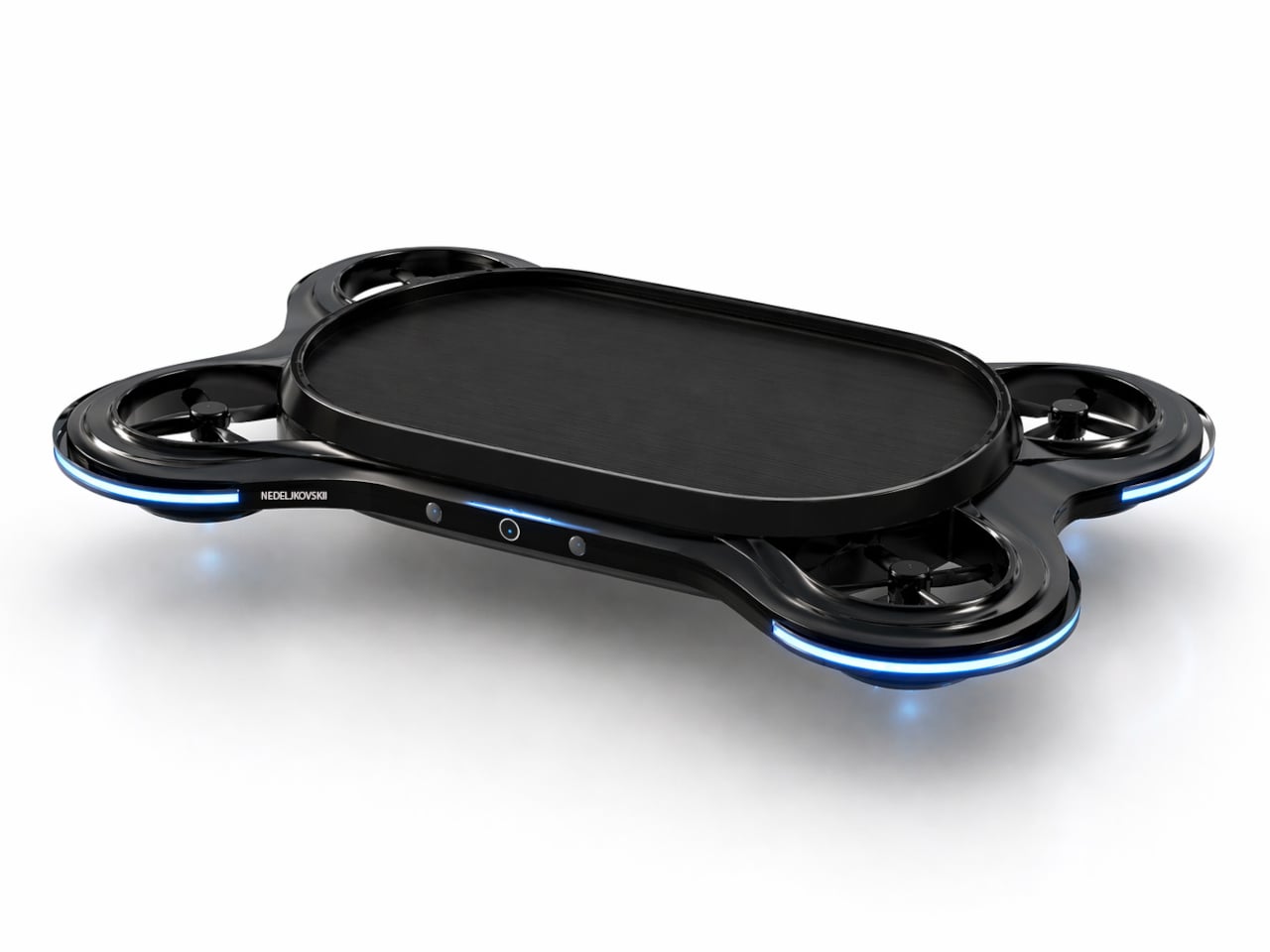
That’s exactly what these designs are proposing, based on technology being developed by startup DeepCharge. Even a laptop mat, for example, can become a wireless charger that can accommodate phones, earbuds, and other devices as well. This Laptop Pad also has extra features like an antimicrobial frantic top and LED lighting to indicate charging status. You don’t have to ensure that devices are in the right area. Simply place them on the mat and watch the LED indicator light up. Another design involves a charging pad that also acts as a landing pad for drones, though that requires attaching some feet to the quadcopter.
A more ambitious design, however, is based on “transmutation” and “energy hopping” technologies that are still being developed. In a nutshell, it could turn any surface, like a desk or a shelf, into a wireless charging area. Then you have small wireless charging stations that can transfer power from a central hub and distribute it even in areas out of reach of your desk. Pretty much like how mesh routers work today, except spreading electrical power instead of data.
Although the concepts in this collection still look like your conventional technical products, the technology it relies on opens the door to even more flexible designs. Anything on your desk or shelf, be it an accessory or even a piece of decoration, can become one of those satellite charging hubs. With wireless computer peripherals and data connections, such a design could lead to cleaner and tidier workspaces, unless of course, you start cluttering your table with even more devices to charge.
It’s like if the smartphone, Kindle, and Blackberry had a baby… and frankly, it’s gorgeous.
The Minimalist Phone stands at a rather unique junction of two trajectories – one, with smartphones getting more and more advanced, and being able to do much more than they previously did, and another, with phones that are designed to be ‘dumb-phones’ that just handle the basics, and don’t have you becoming a screen addict. Strangely enough, even though the two of them should really never have an intersection point, it seems like the Minimalist Phone IS that intersection point. It’s a unique combination of traditional smartphone features, coupled with a no-nonsense design that cuts all the clutter, but reintroduces the QWERTY keyboard, bringing a world of user-focused functionality back. And just if you’re wondering, yes, the Minimal Phone works exactly like any other smartphone – it runs Android 13, supports all your favorite apps, has a fingerprint reader, 4G LTE, and surprisingly enough, both rear and front-facing cameras so you can click color photos just like you would on a regular phone. (You’ll still need to view them in color on a regular screen though)
“Live more. Scroll less,” say Andre Youkhna and Armen Youssefian, the folks who designed the Minimal Phone, a smartphone designed to switch the existing relationship where we’re slaves to our technological devices. Here, the smartphone empowers you, giving you the features of a phone without the layer of addictive interfaces and notifications. In essence, the Minimal Phone behaves just like your existing smartphone but has a different approach to interface, features, hardware, etc.
The e-ink display of the Minimal phone offers users a comfortable, glare-free reading experience, significantly reducing eye strain even during prolonged use.
Just like the Fairphone focuses on supply-chain transparency, the Minimal Phone focuses on a user-centric design. The device boasts a 3.5-inch-wide e-ink touchscreen that runs all your apps, lets you send/receive messages, watch videos, and even browse the internet. It has a 300PPI resolution and a 90Hz refresh rate, which even by regular OLED screen standards, is pretty impressive. However, the e-ink screen notably, trades color for high-contrast, daytime visibility, and a much longer battery life. The lack of color isn’t really a bug, but rather a feature that helps deliver information without any distractions, ensuring you use your phone for exactly what you need and don’t spend more time on it than necessary.

Under the screen lies a 43-key QWERTY keyboard that brings back the glory days of being able to type out messages without accidental presses and those godawful typos that are still a problem with touchscreen keyboards. The Minimal Phone’s QWERTY keyboard is 70mm wide, and each key has a respectable travel of 0.15mm, giving you a confident and reliable typing experience.
When you’re not typing out messages and emails (or sh*tposting on X), the phone’s touch-sensitive screen lets you easily browse the internet, use apps, and perform regular smartphone-related functions. Building on the ongoing trend of the minimal OS courtesy brands like Nothing, the one on the Minimal Phone is fairly utilitarian too, with clear text, easy-to-navigate menus, and even widgets. The only difference, however, is the landscape nature of the display, which means apps look/feel different on the Minimal Phone. Nevertheless, you can still use all your favorite Android apps like Uber, Spotify, Instagram, WhatsApp, even Maps.
Its software capabilities aside, the Minimal Phone has some impressive hardware too. Under its hood you’ve got a MediaTek 6769 processor with 6GB of RAM, 128GB of storage, and a 4000mAh battery that should last up to a week on a full charge. The Minimal Phone has Bluetooth 5.0, dual-band WiFi, NFC, and 4G LTE. The phone stands at 4.7 inches tall, 2.8 inches wide, 0.39 inches (or 10mm) thick. It’s got a fingerprint reader built into the power button, a USB-C port, a single SIM tray, a 12MP main camera and an 8MP front-facing selfie-cam, and most impressively, still retains a 3.5mm aux input, quite literally giving you the best of all worlds! The Minimal Phone starts at a discounted price of $325, and is designed to be completely repairable, complying with the latest EU regulations.