iKKO MindOne Snap-In Case Turns a Card-Sized Phone into a Pocket Writer

Typing long messages on glass feels clumsy, juggling Bluetooth earbuds means pairing headaches and dead batteries, and using wired headphones now requires a tiny USB-C dongle you will lose three times before accepting defeat. Phones have become powerful but strangely less tactile, and that clashes with people who write a lot, listen a lot, and still like the certainty of a cable and the click of a real key under their thumb.

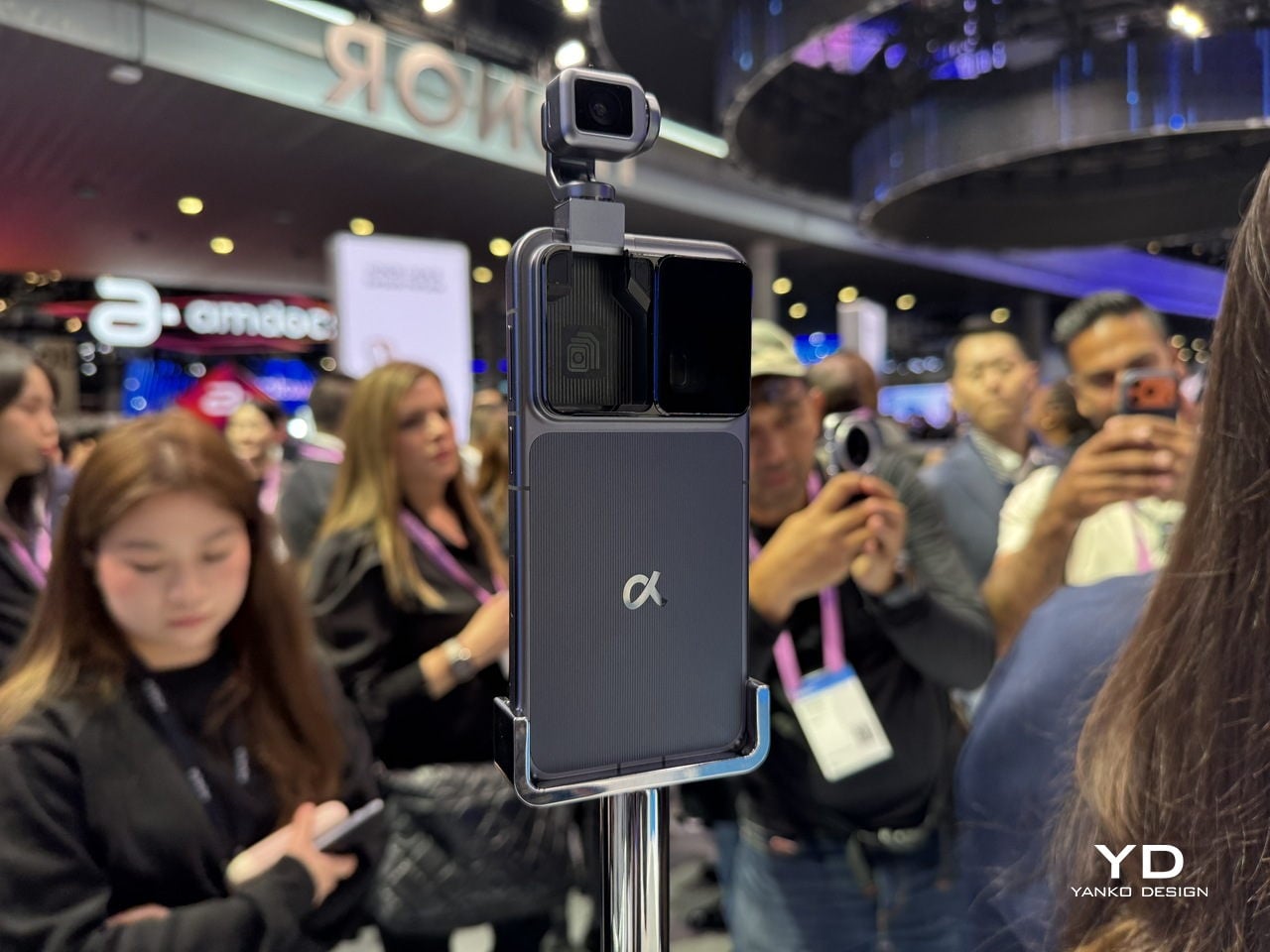
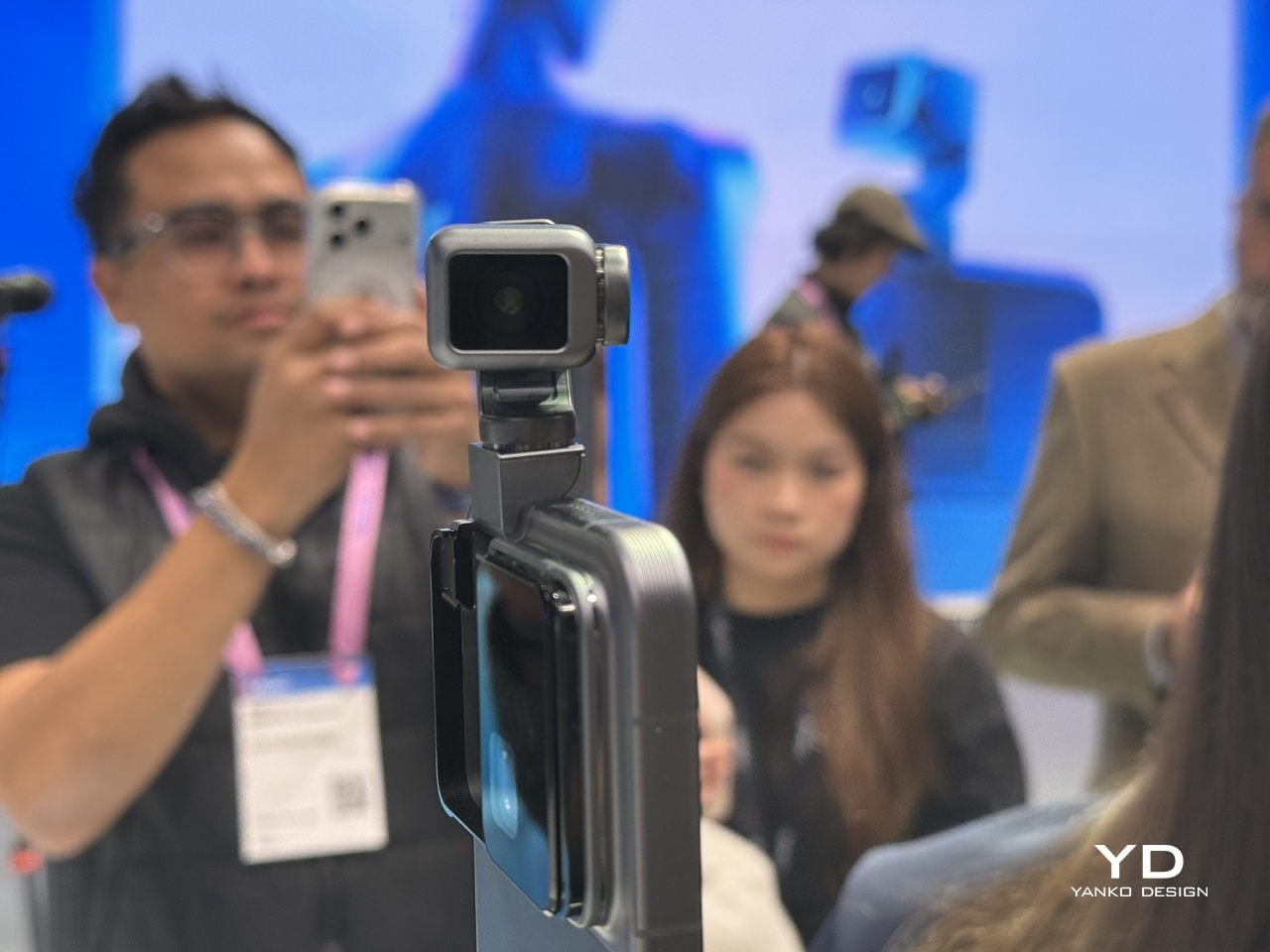
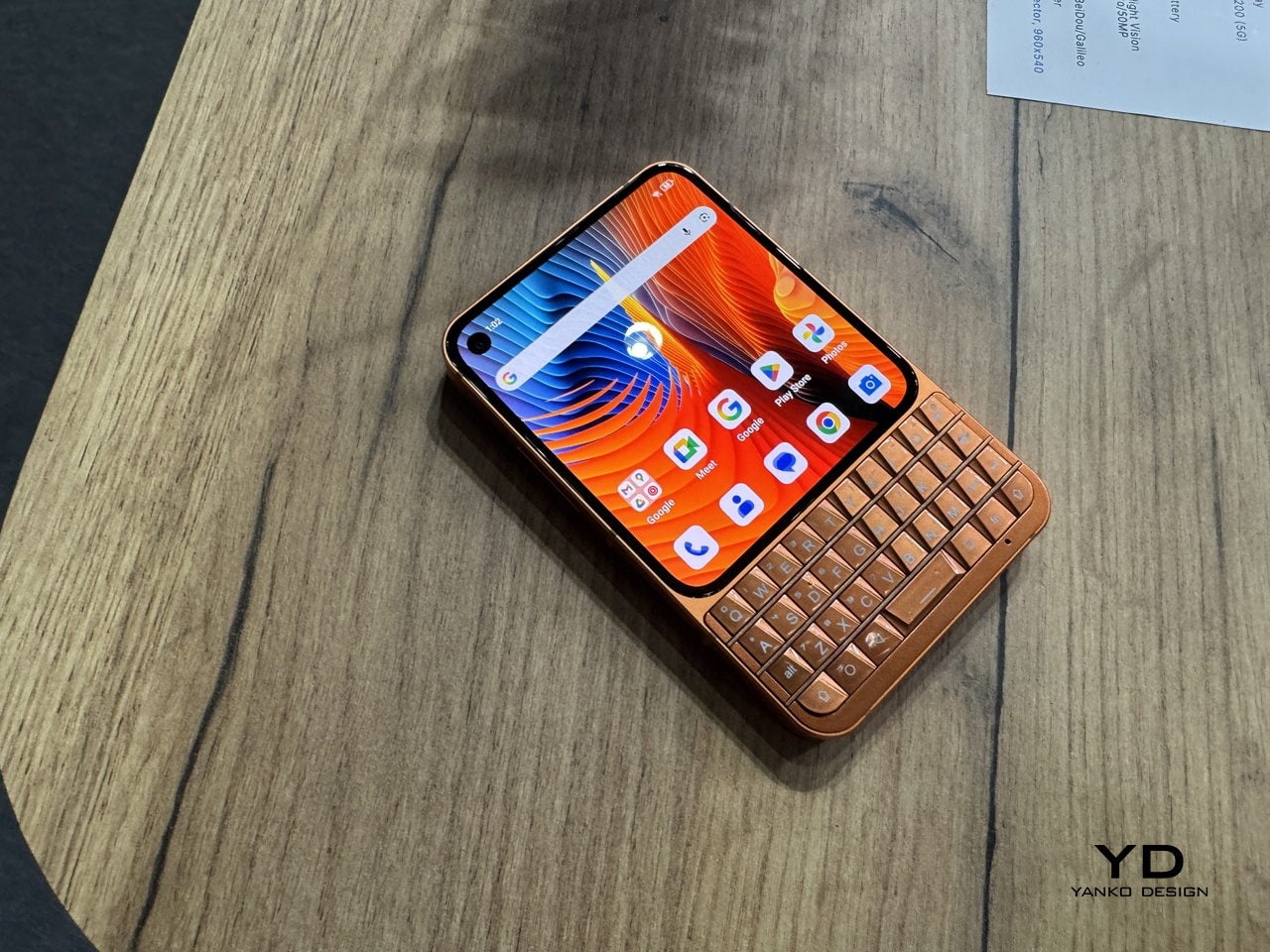
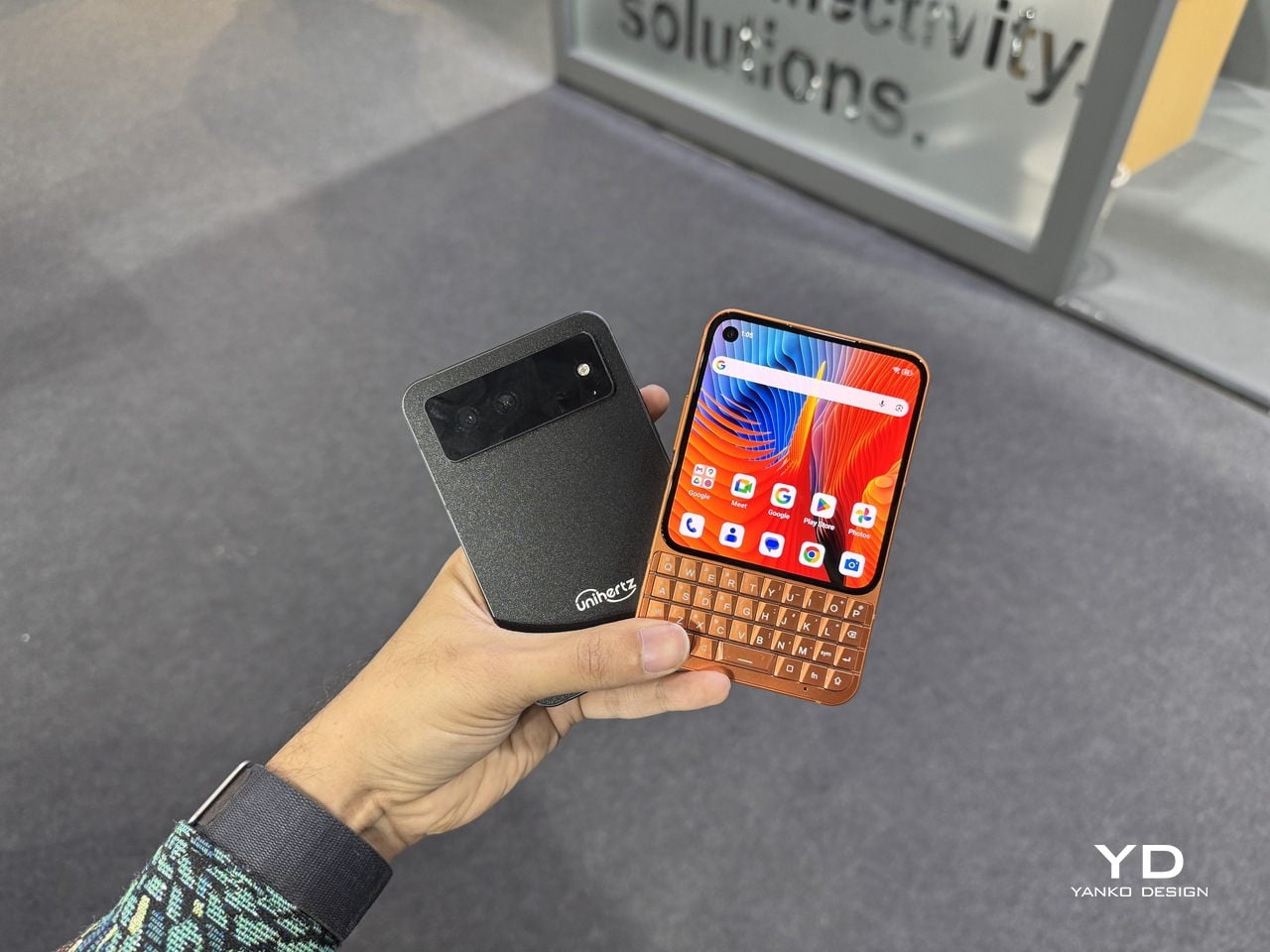
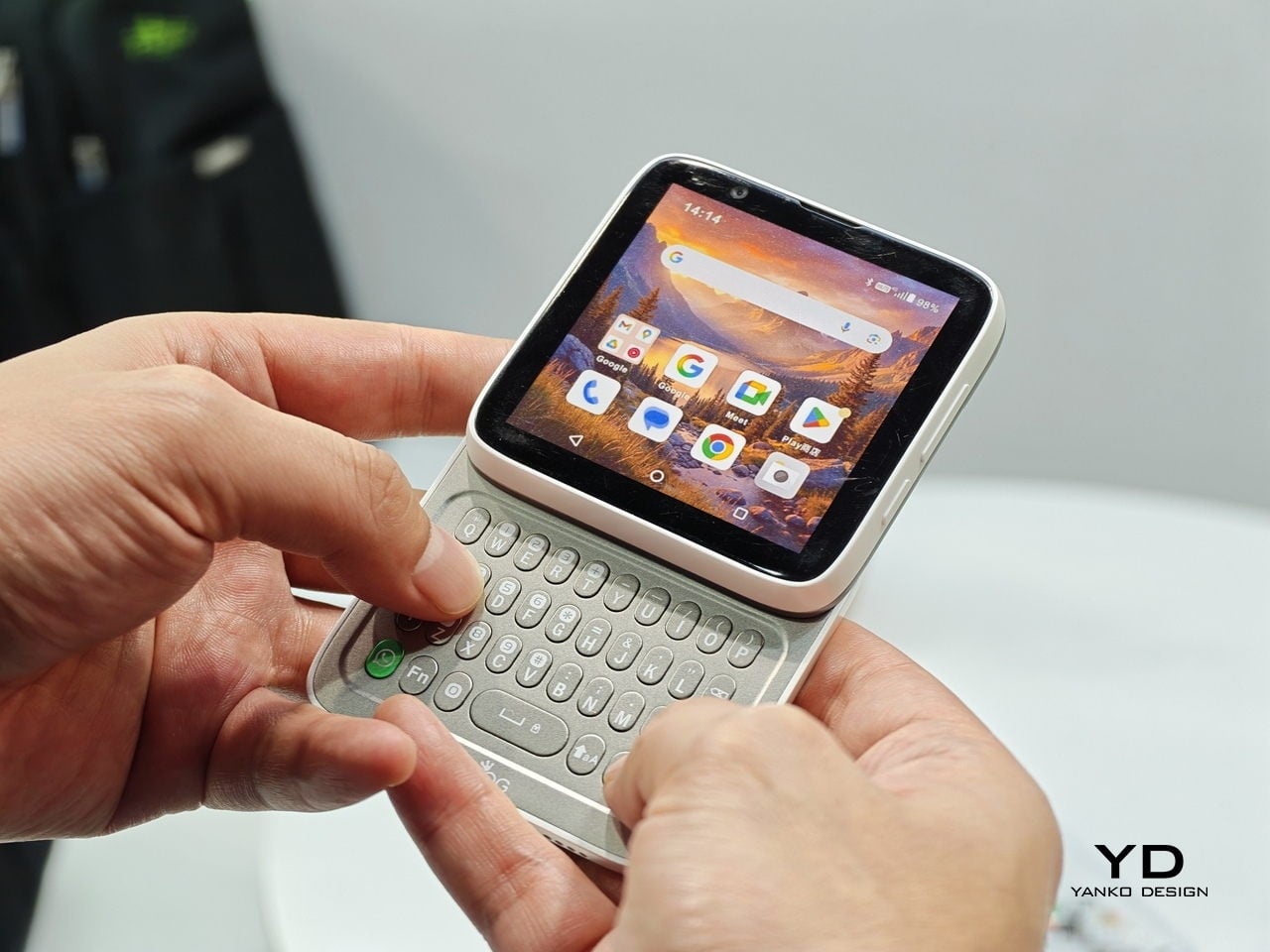
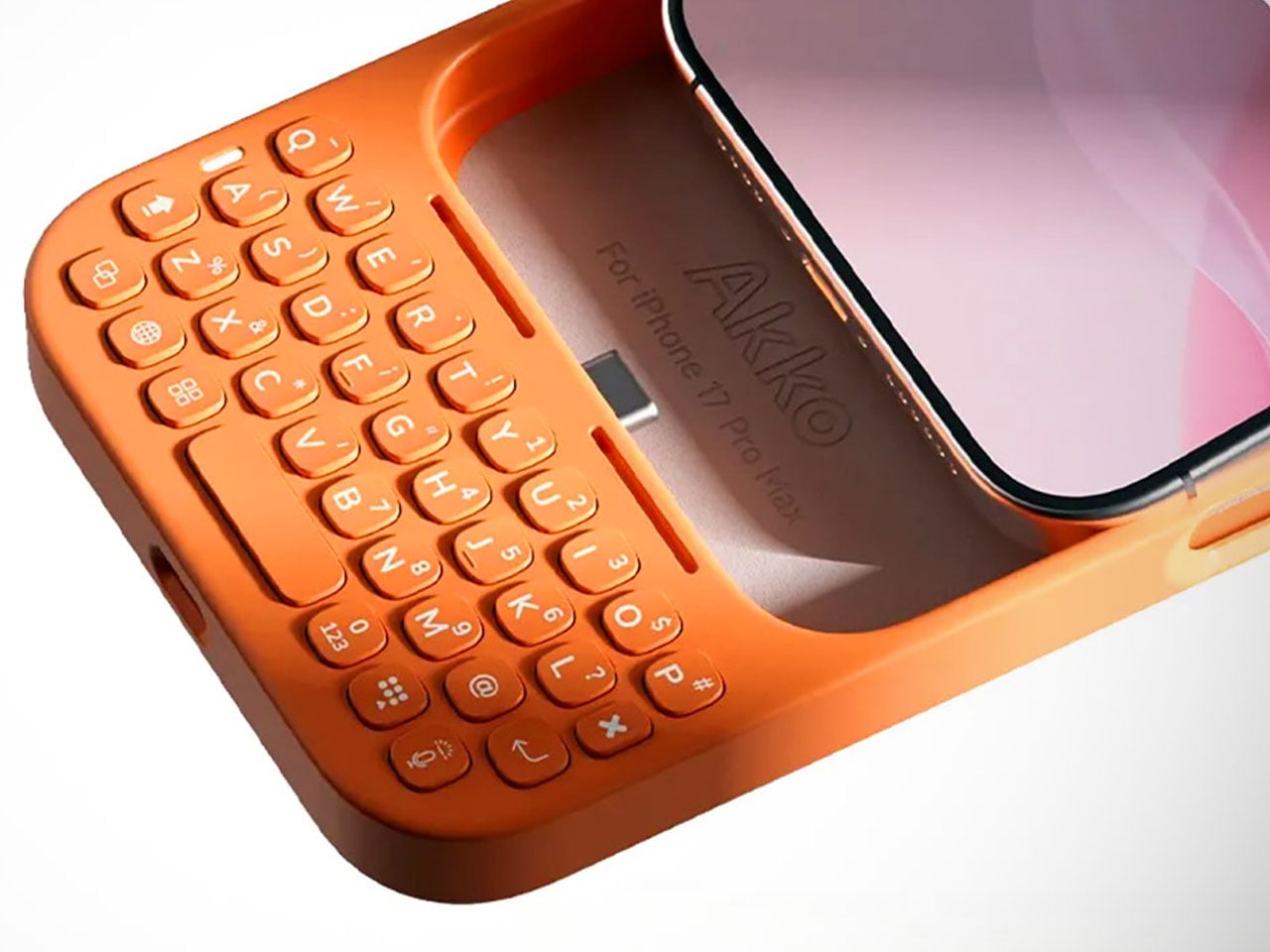
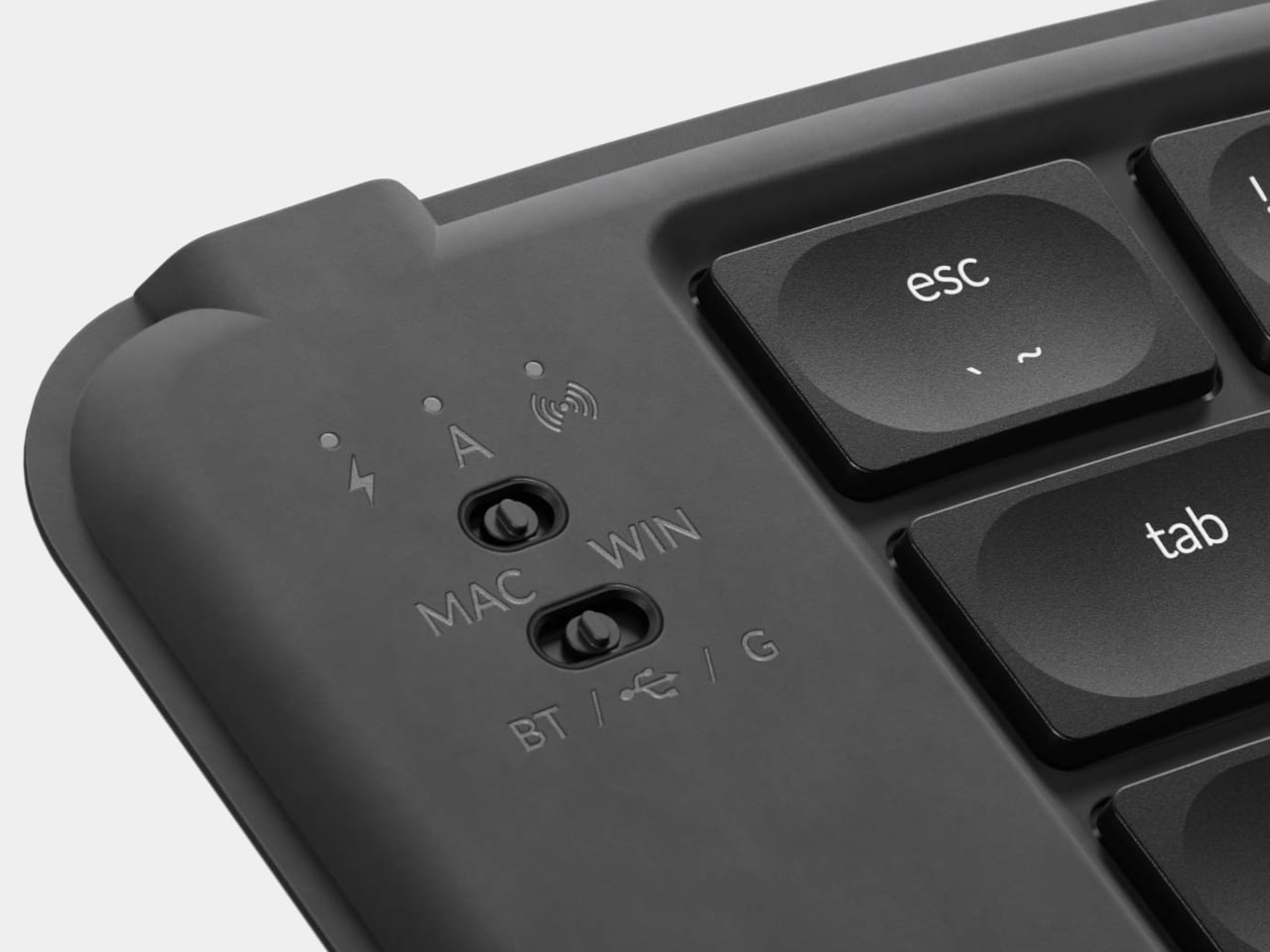
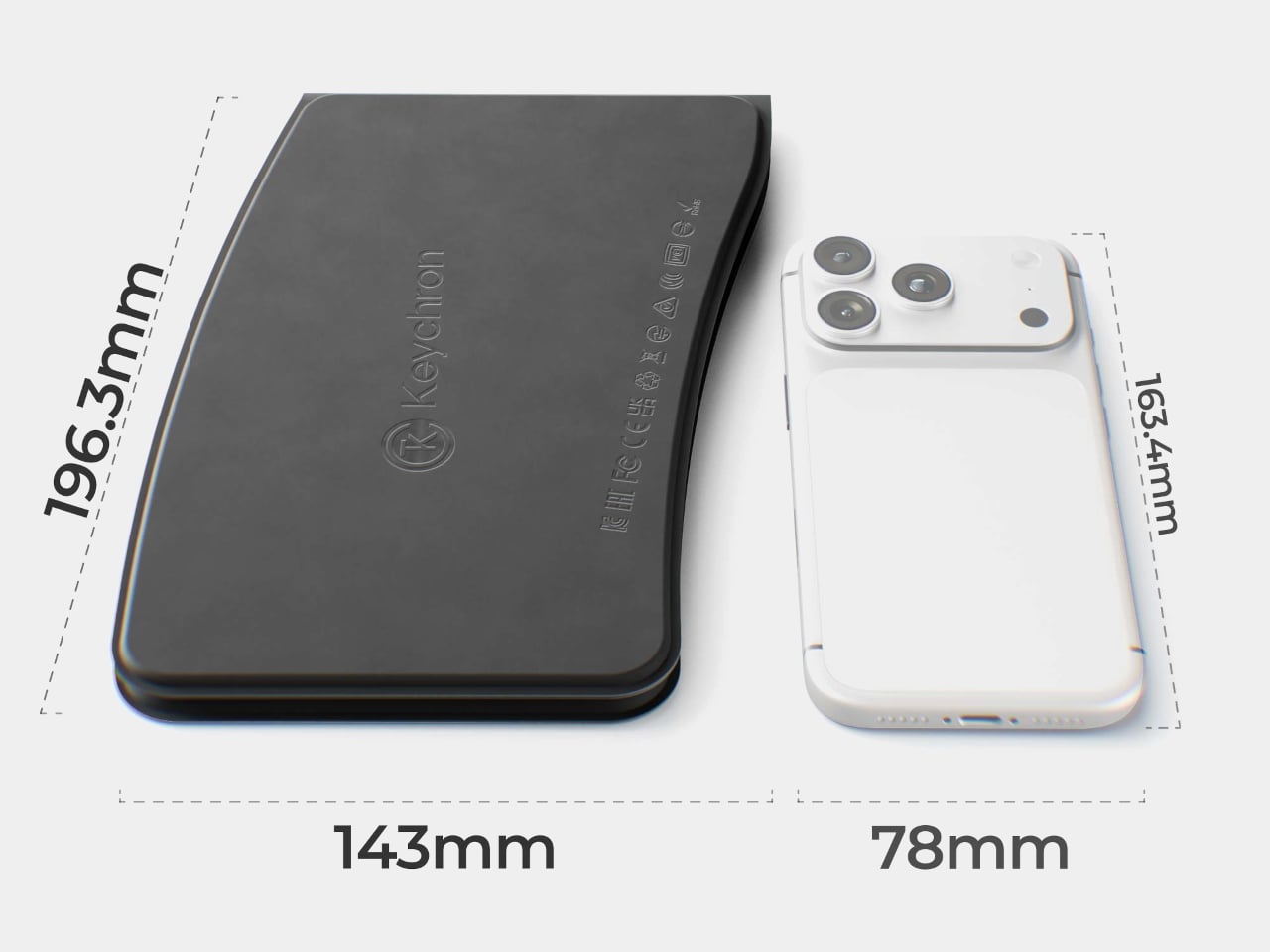
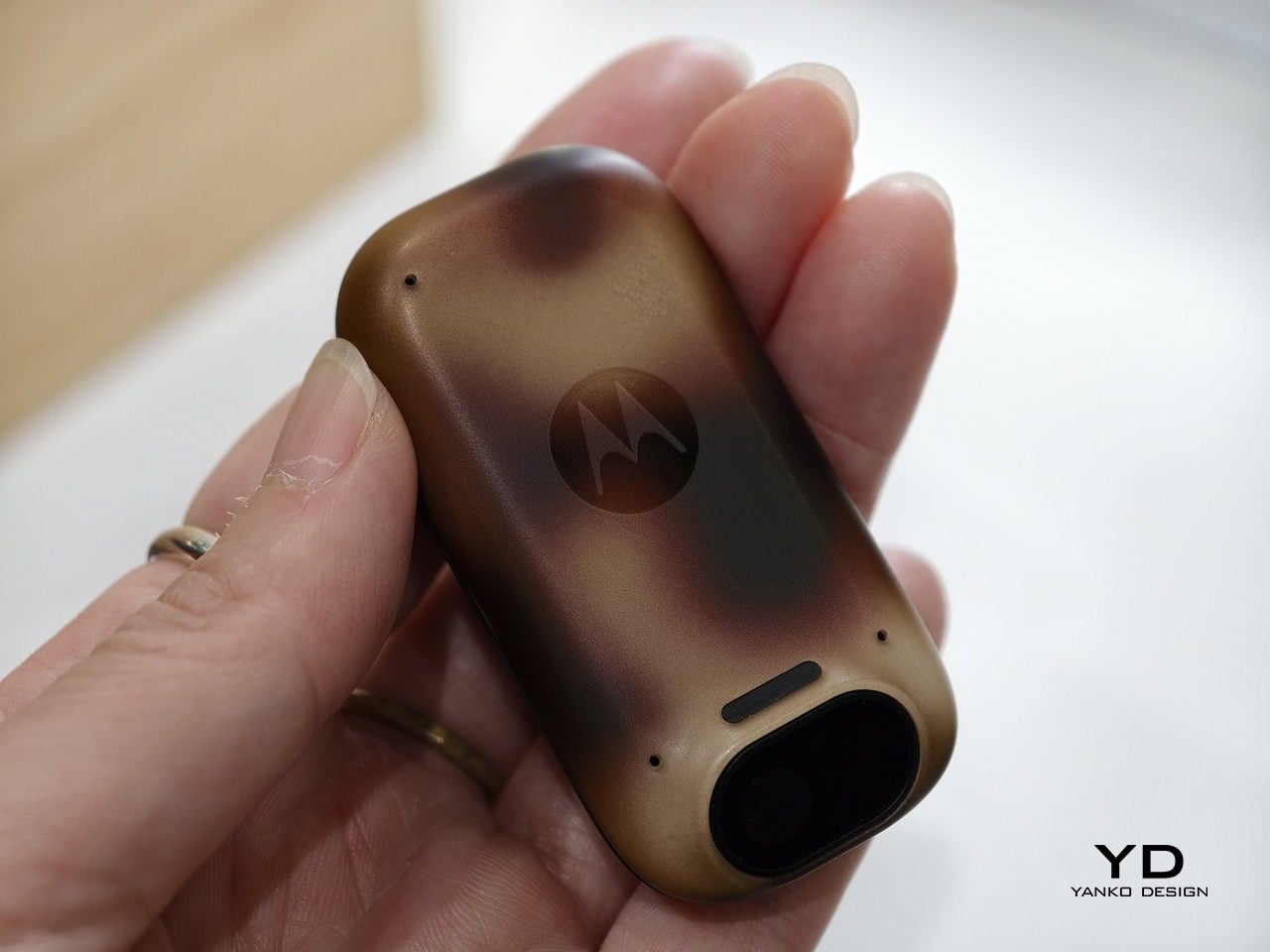
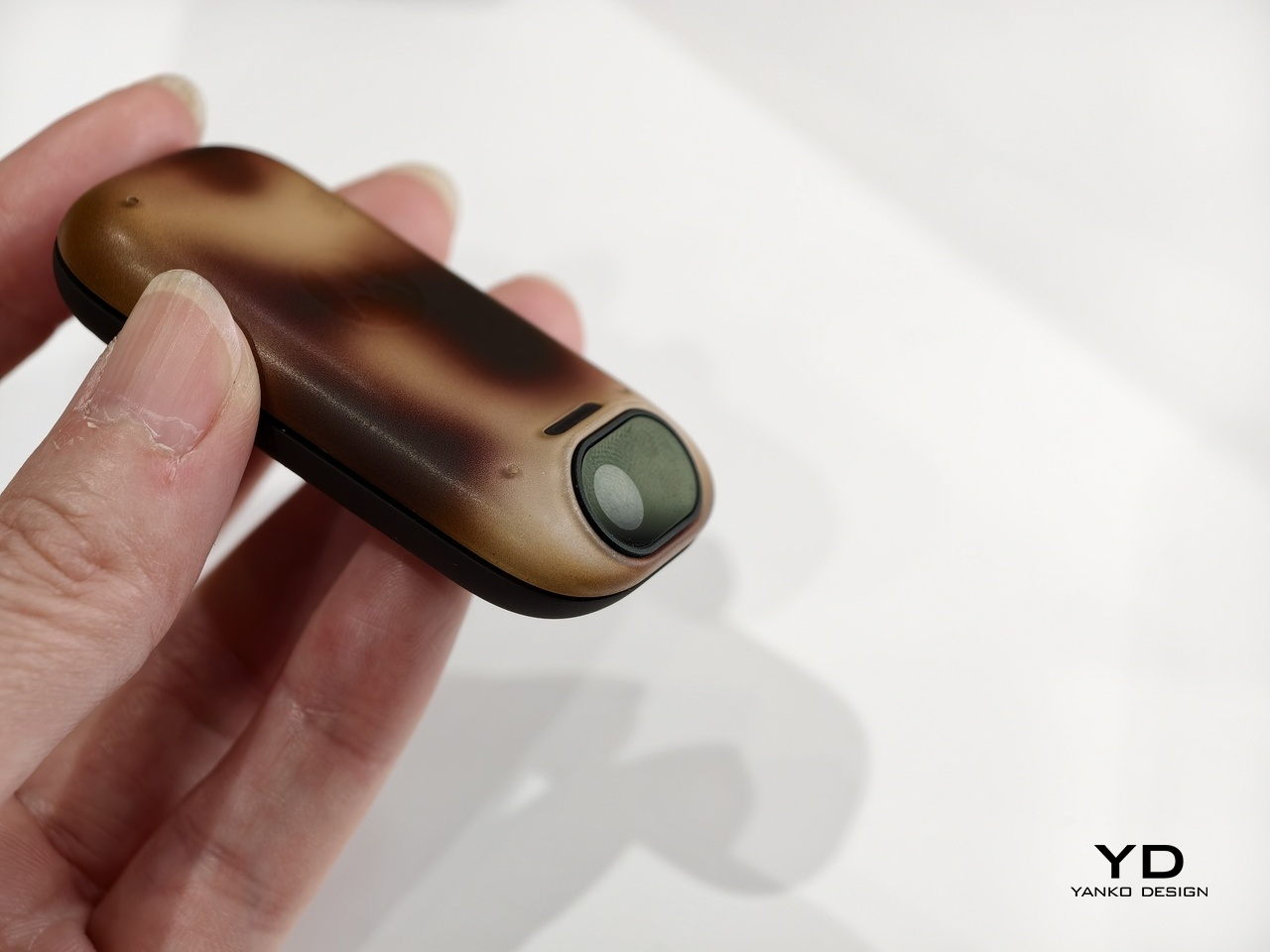
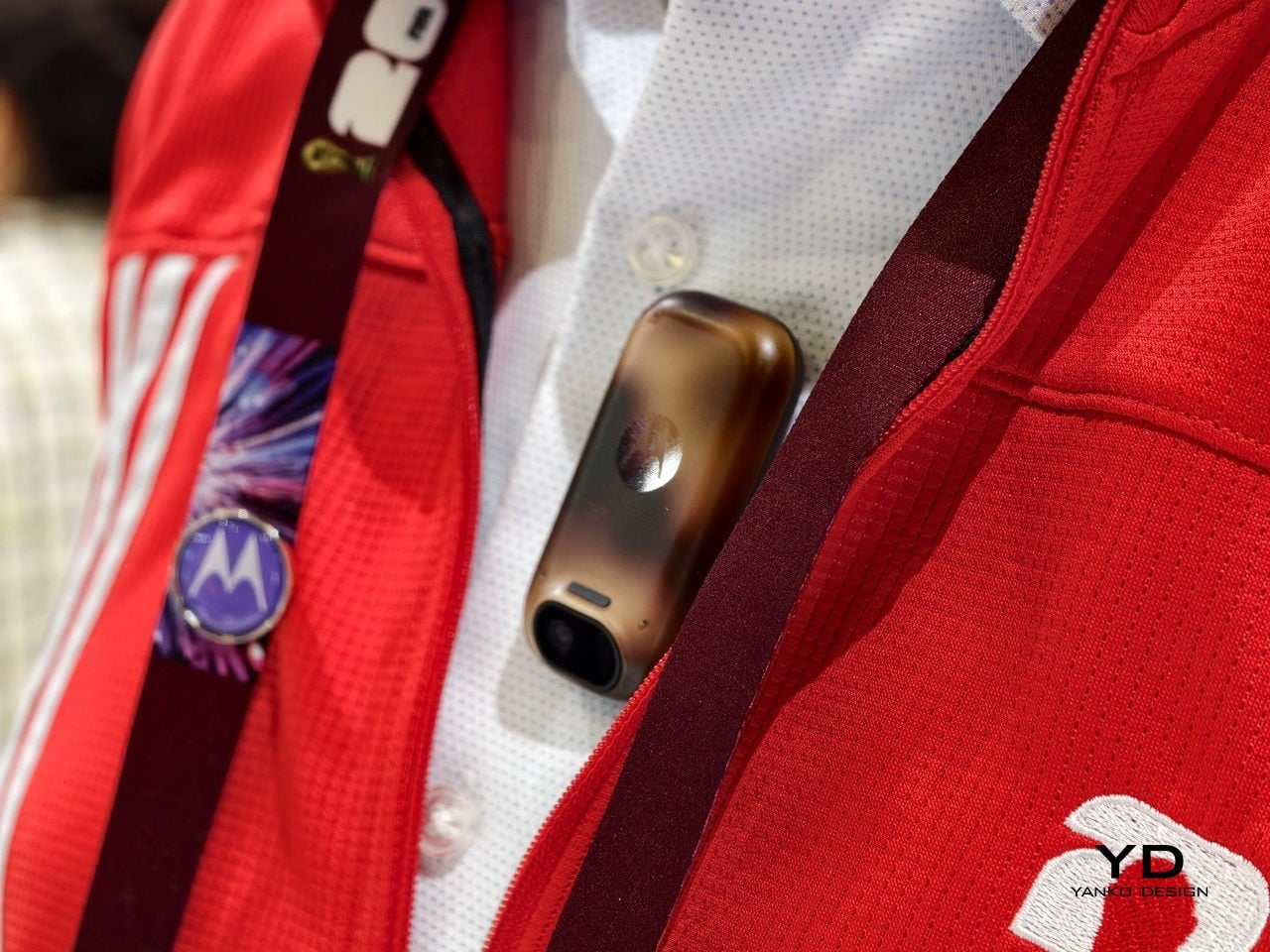
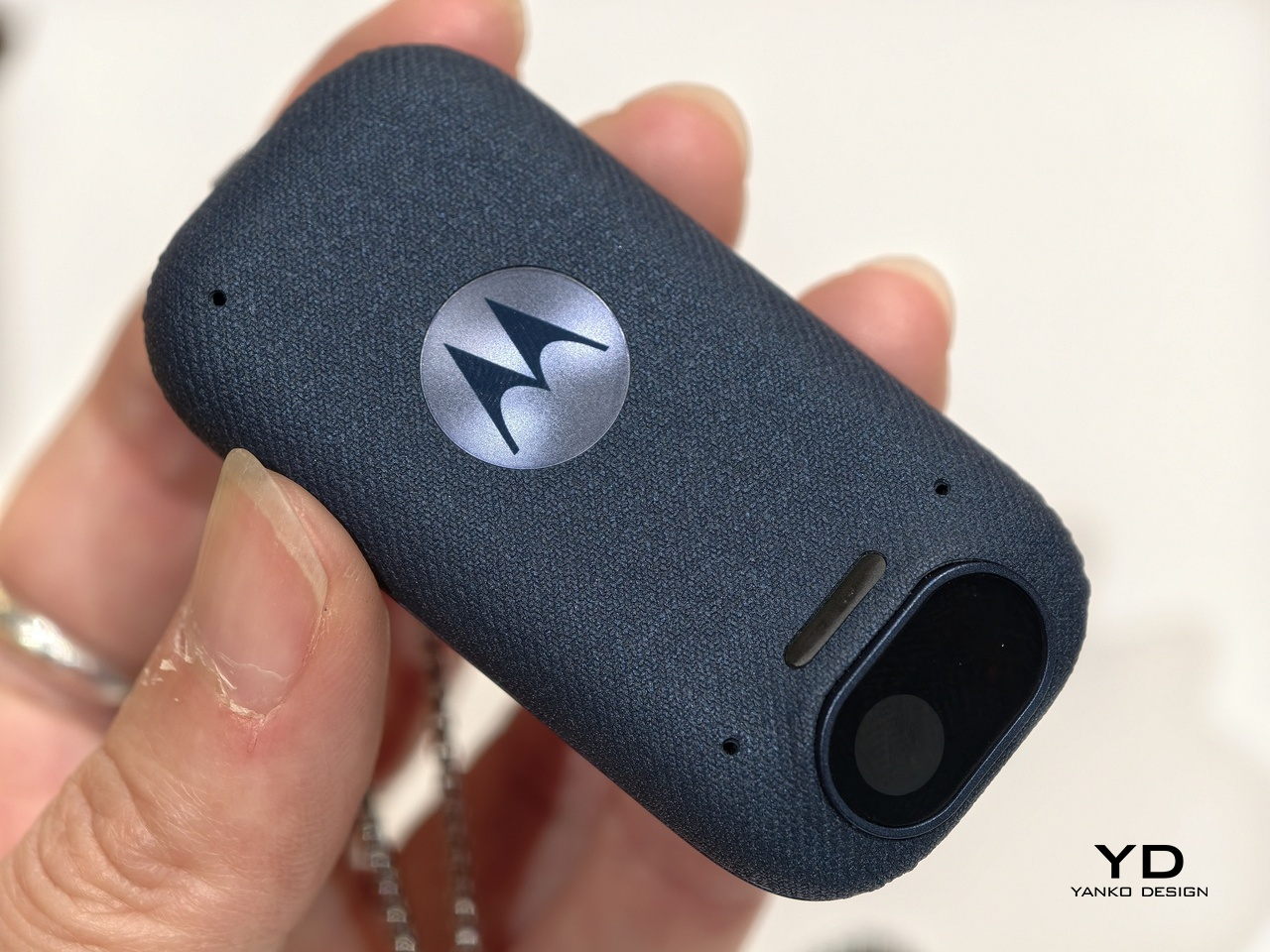
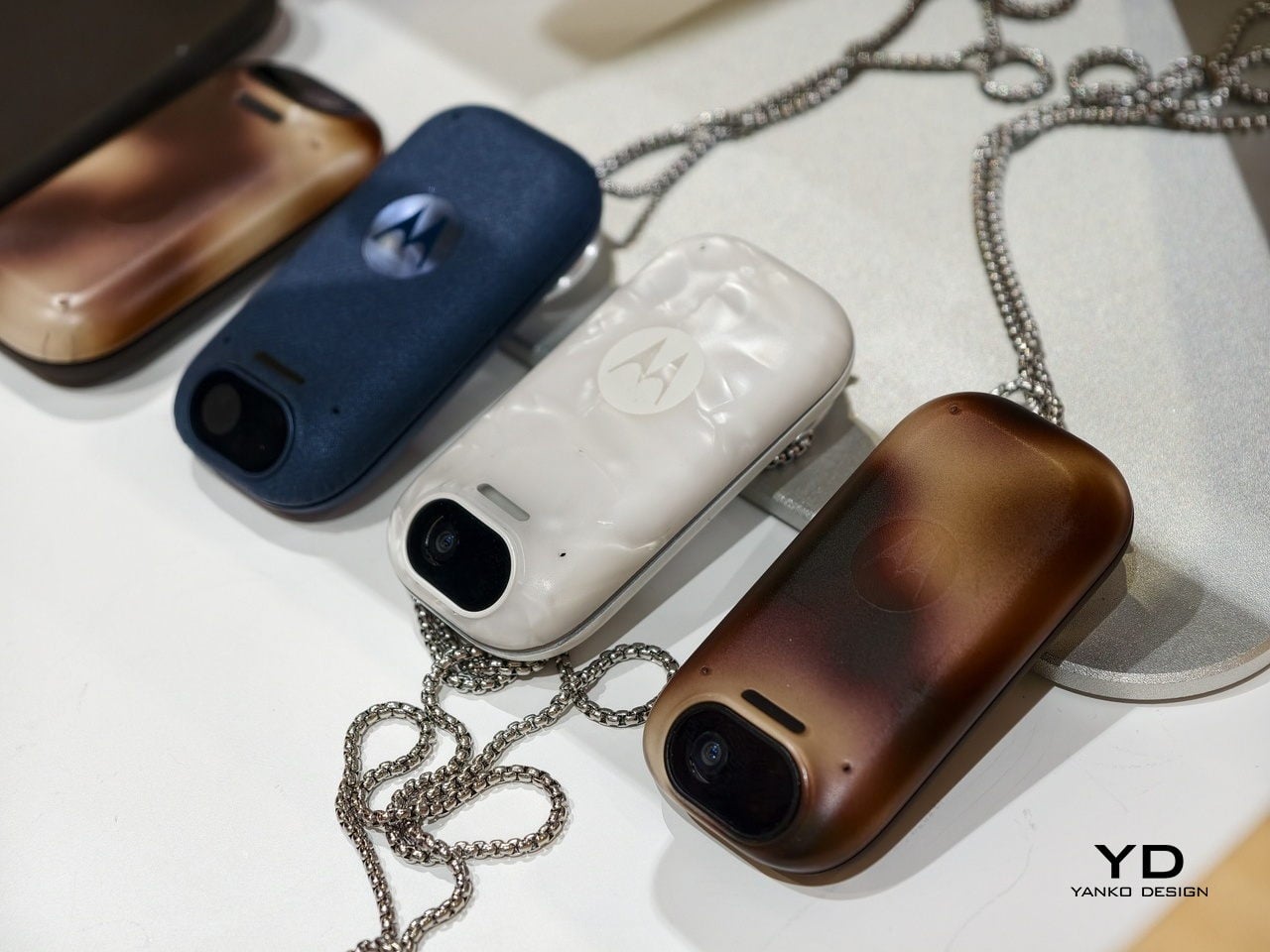
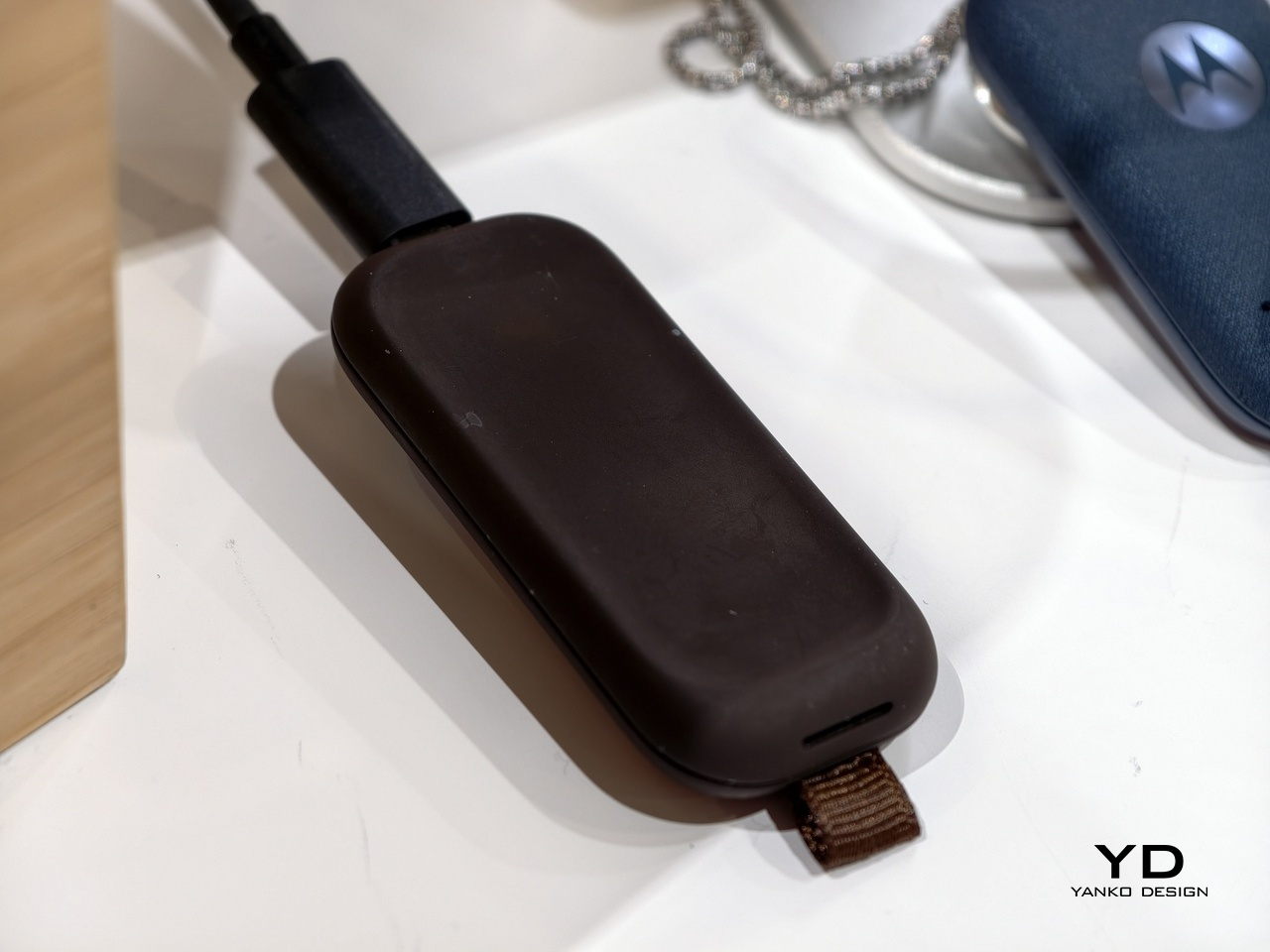
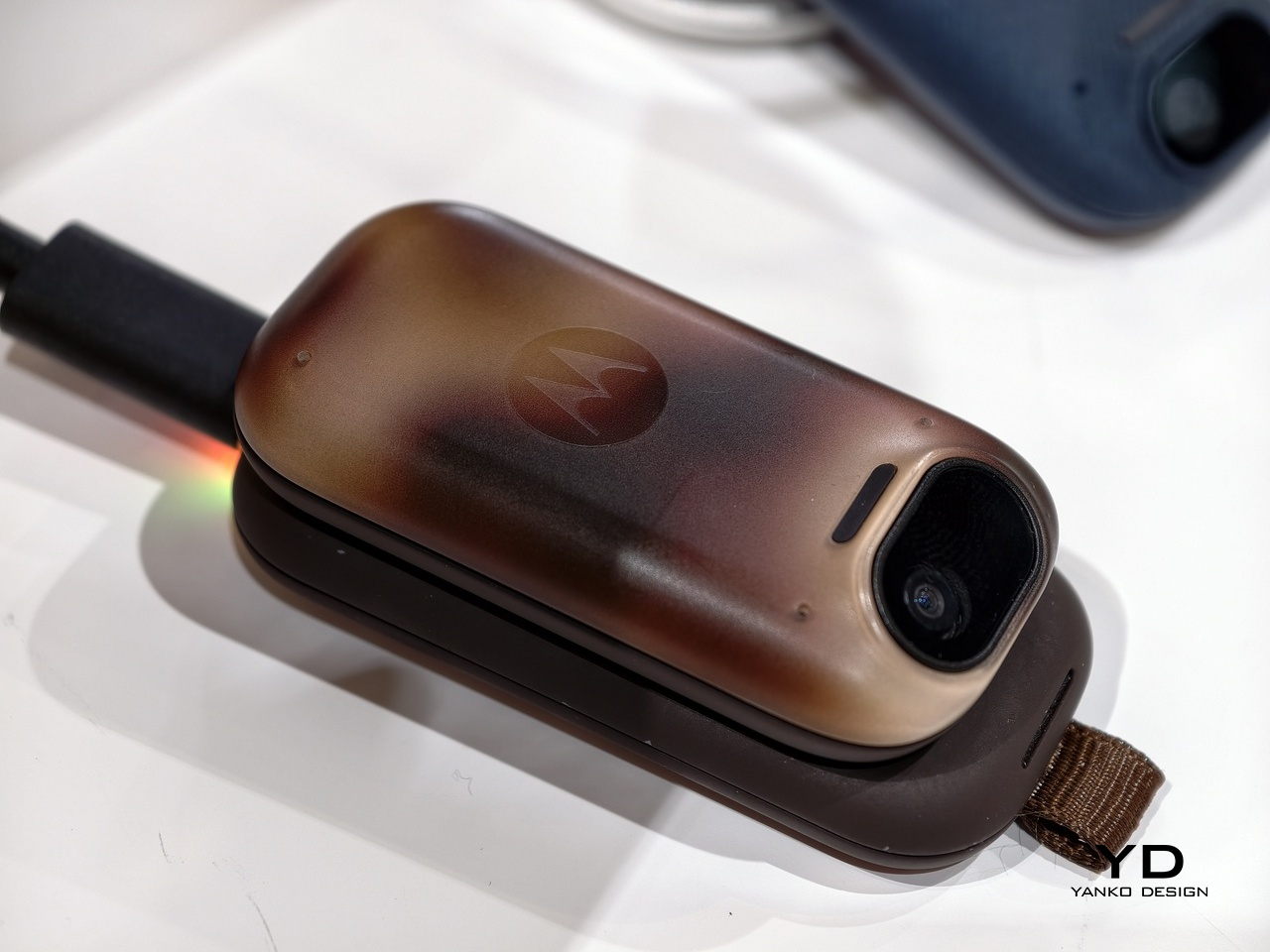
The card-sized iKKO is a small AI-centric smartphone built for always-on connectivity and lightweight productivity. The MindOne Snap-In Case is where it changes character, a snap-on expansion shell that adds a physical QWERTY keyboard, a proper 3.5 mm headphone jack, a dedicated DAC, and a small backup battery in one compact piece, turning the minimal phone into a tiny writing and listening machine.

Designer: iKKo

The QWERTY keyboard changes the way MindOne is used. Raised, separated keys and a slightly sloped surface make thumb typing feel more deliberate than tapping on glass. It is something you reach for when drafting emails, capturing ideas, or editing text while AI handles summarizing and organizing in the background, treating the phone as a tool for active writing rather than just passive messaging and scrolling through feeds.

The case adds a 3.5 mm headphone jack backed by a Cirrus Logic CS43198 DAC, the kind of chip usually found in dedicated portable players. It supports Hi-Res audio with 32-bit/384 kHz PCM and DSD256, low-noise playback, and enough dynamic range to make lossless playlists and long podcasts feel crisp and detailed without worrying about pairing or battery levels in wireless earbuds that will die halfway through the flight.

The built-in 500 mAh battery is a quiet safety net rather than a second fuel tank. It tops up MindOne during long typing or listening sessions and helps offset the extra draw from the DAC and keyboard, extending comfortable use without turning the phone into a brick of battery cells. The point is not doubling battery life, but making intensive sessions feel smoother and less anxious.

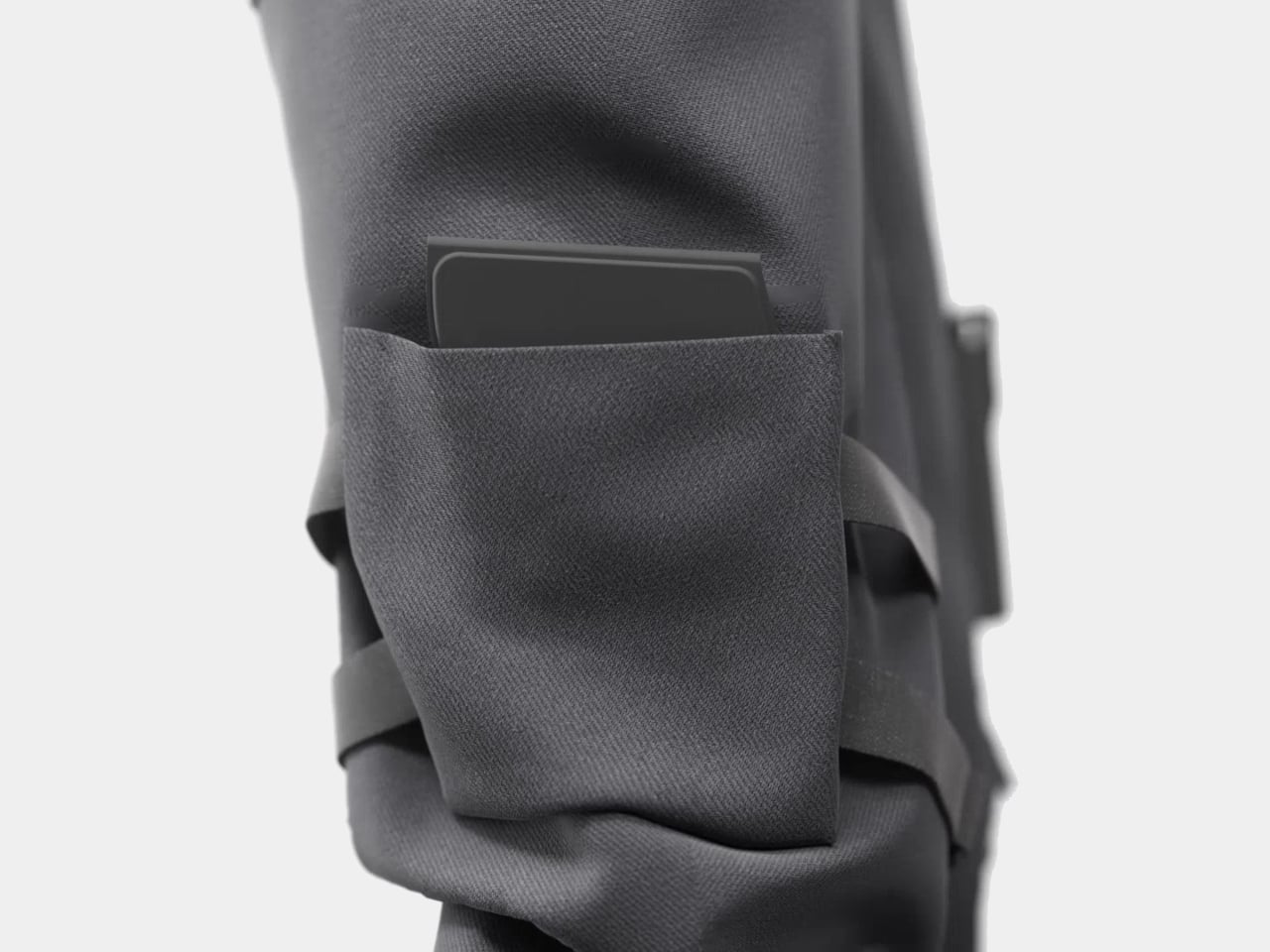
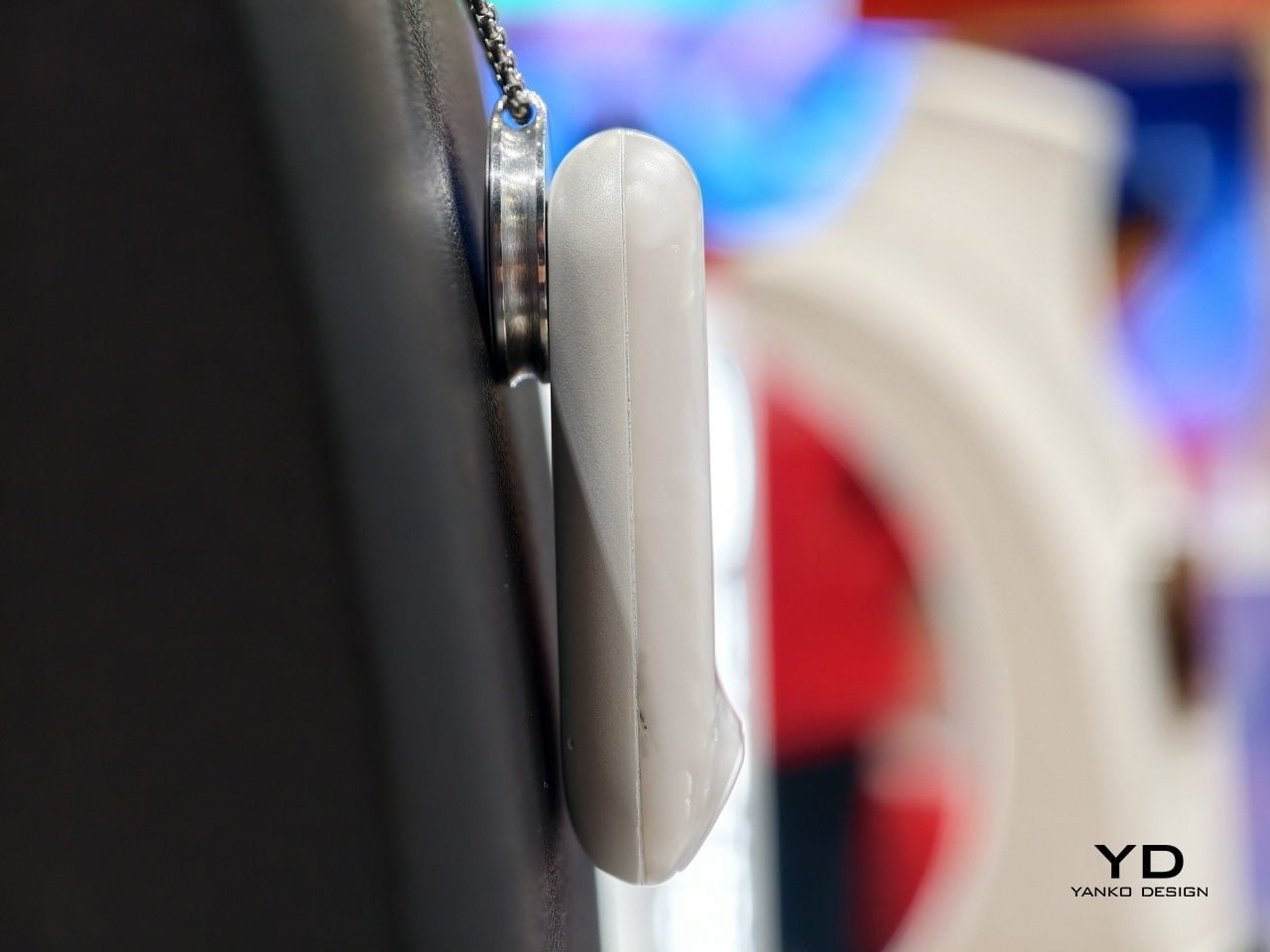
MindOne stays slim and card-like on its own, then becomes a different kind of device when it snaps into the case. You might carry the phone bare for quick AI tasks and navigation, then drop it into the case on a flight, in a café, or at a desk when you know you will be writing and listening for a while, using the same object in two distinctly different modes.

Customizable keycap stickers and a range of colors that match or complement the phone are not just fashion accessories; they are small ways to make a very compact device feel personal. The case is tuned to MindOne’s proportions and personality, not a generic keyboard sled trying to fit every phone, which makes the combo feel considered rather than cobbled together from unrelated parts.

The iKKO MindOne Snap-In Case is less about nostalgia and more about choice, letting a tiny AI phone become a pocketable notebook and Hi-Fi player when needed. Most phones today are sealed slabs, which makes this case feel like a quiet reminder that hardware can still click, plug in, and feel like something you work and listen with, rather than just stare at until the next notification arrives.

The post iKKO MindOne Snap-In Case Turns a Card-Sized Phone into a Pocket Writer first appeared on Yanko Design.
Satechi’s Thunderbolt 5 CubeDock Is A Minimalist Dock With Maximum Bandwidth

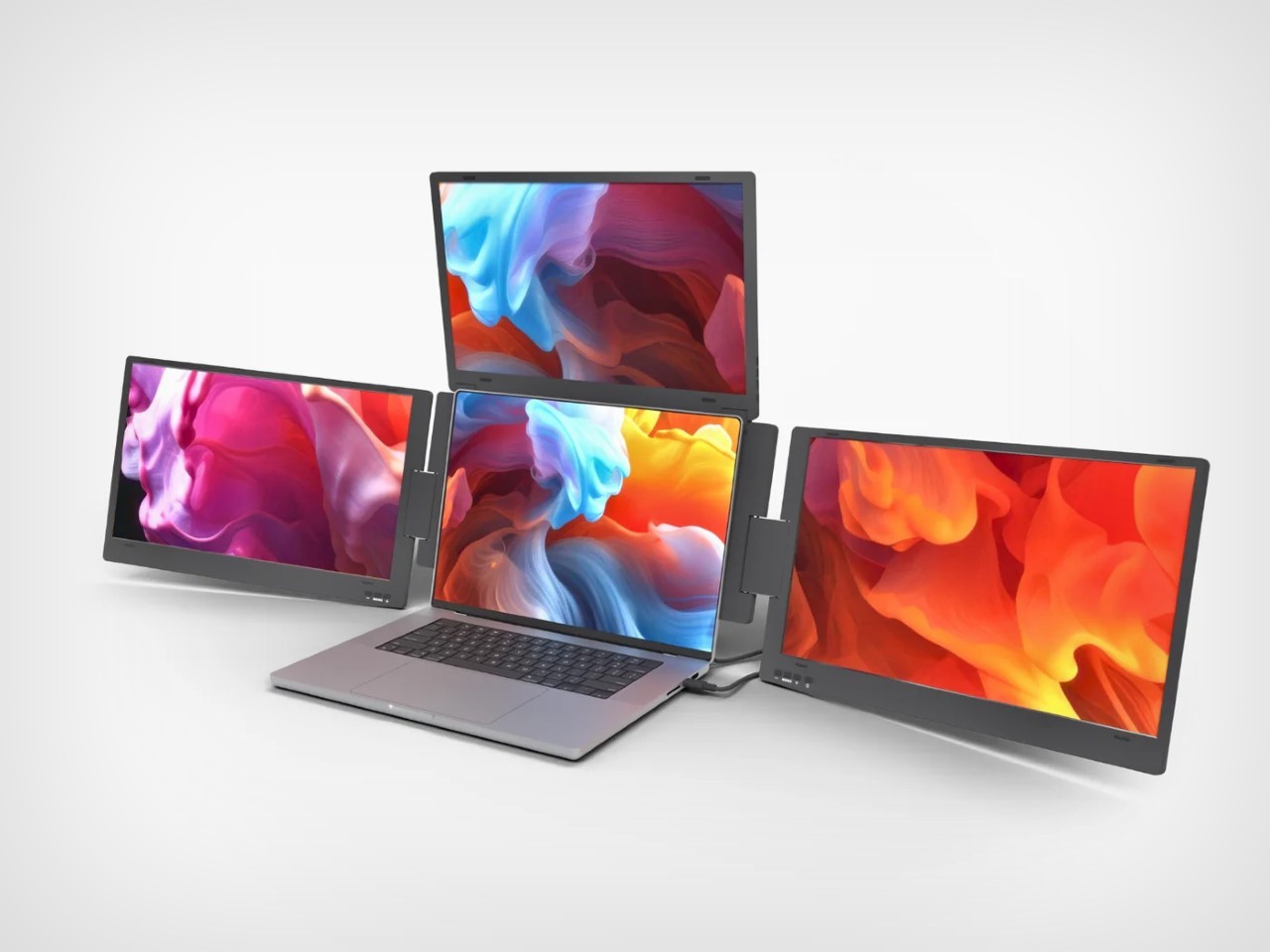
Satechi’s Thunderbolt 5 CubeDock with SSD Enclosure is built to look as sophisticated as the devices it serves. The compact 5 x 5 x 2-inch footprint mirrors the proportions of Apple’s Mac mini, so the two stack neatly into a clean, monolithic tower on your desk rather than a cluttered pile of hardware. The solid aluminum body and soft, rounded corners pick up Apple’s visual language in a way that feels intentional, making the CubeDock read like an extension of a modern Mac setup instead of an aftermarket add‑on.

Designer: Satechi

That design focus does not mean the dock is only for Mac users, though. Satechi is positioning the CubeDock as a cross‑platform, Thunderbolt 5‑first hub for creative professionals and power users on both Windows and macOS. Built on Intel’s Thunderbolt 5 technology, it doubles the bandwidth of previous generations, delivering 80 Gbps of bi‑directional bandwidth and up to 120 Gbps with Bandwidth Boost for external graphics and multi‑display configurations. On supported Windows machines, it can drive triple 8K displays at 60 Hz or triple 4K panels at 144 Hz, while on newer Apple silicon systems, it supports dual 6K at 60 Hz, all from a single cable.

The CubeDock’s compact size hides a serious amount of connectivity. It boasts Thunderbolt 5 downstream ports, multiple 10 Gbps USB‑C and USB‑A ports, UHS‑II SD and microSD card readers, and 2.5 Gb Ethernet. For photographers, filmmakers, and 3D artists, that means fast card ingestion, wired networking, and external drives all plug into one cube that visually recedes into the background. A 180 W smart power supply delivers up to 140 W back to the host laptop, plus 30 W of Power Delivery for phones and tablets, so the dock can replace multiple separate chargers on the desktop.

One of the most thoughtful touches is the integrated NVMe SSD bay. Instead of forcing users to add yet another external enclosure, Satechi has built a PCIe 4×4 slot into the CubeDock itself, supporting up to 8 TB of storage at speeds up to 6000 MB per second. That turns the dock into both a visual anchor and a primary working drive, ideal for 4K and 8K video, large RAW photo libraries, or CAD files. Adaptive active cooling keeps the cube whisper‑quiet even under heavy workloads, maintaining performance without adding fan noise to your workspace. For anyone building a refined, minimal workstation around a Mac mini or modern laptop, yet wanting the flexibility to move between platforms, the CubeDock offers a rare combination of industrial design, raw bandwidth, and integrated storage in one small aluminum cube.

The post Satechi’s Thunderbolt 5 CubeDock Is A Minimalist Dock With Maximum Bandwidth first appeared on Yanko Design.
JMGO N3 turns home cinema into a moving target with its 4K triple-laser gimbal design

JMGO has spent years quietly refining the idea that home cinema doesn’t need to be fixed in one place. Much like how thoughtfully designed consumer tech reimagines everyday experiences through flexibility and form, the company’s latest projector leans into motion, adaptability, and visual ambition. The JMGO N3 4K triple-laser gimbal projector builds on that philosophy, presenting a compact, all-in-one cinema solution that feels engineered for modern living spaces rather than dedicated theater rooms.

At the heart of the N3 is JMGO’s MALC 3.0 triple-laser light engine, which uses separate red, green, and blue lasers to produce accurate color and consistent brightness. The system outputs up to 1,800 ISO lumens and covers 110 percent of the BT.2020 color gamut, delivering saturated yet controlled visuals that hold up well in both darkened rooms and moderate ambient light. Native 4K resolution at 3840 by 2160 pixels is paired with 10-bit color support and HDR10 compatibility, allowing the projector to render fine detail, smooth gradients, and cinematic contrast across films, games, and streaming content.

Designer: JMGO

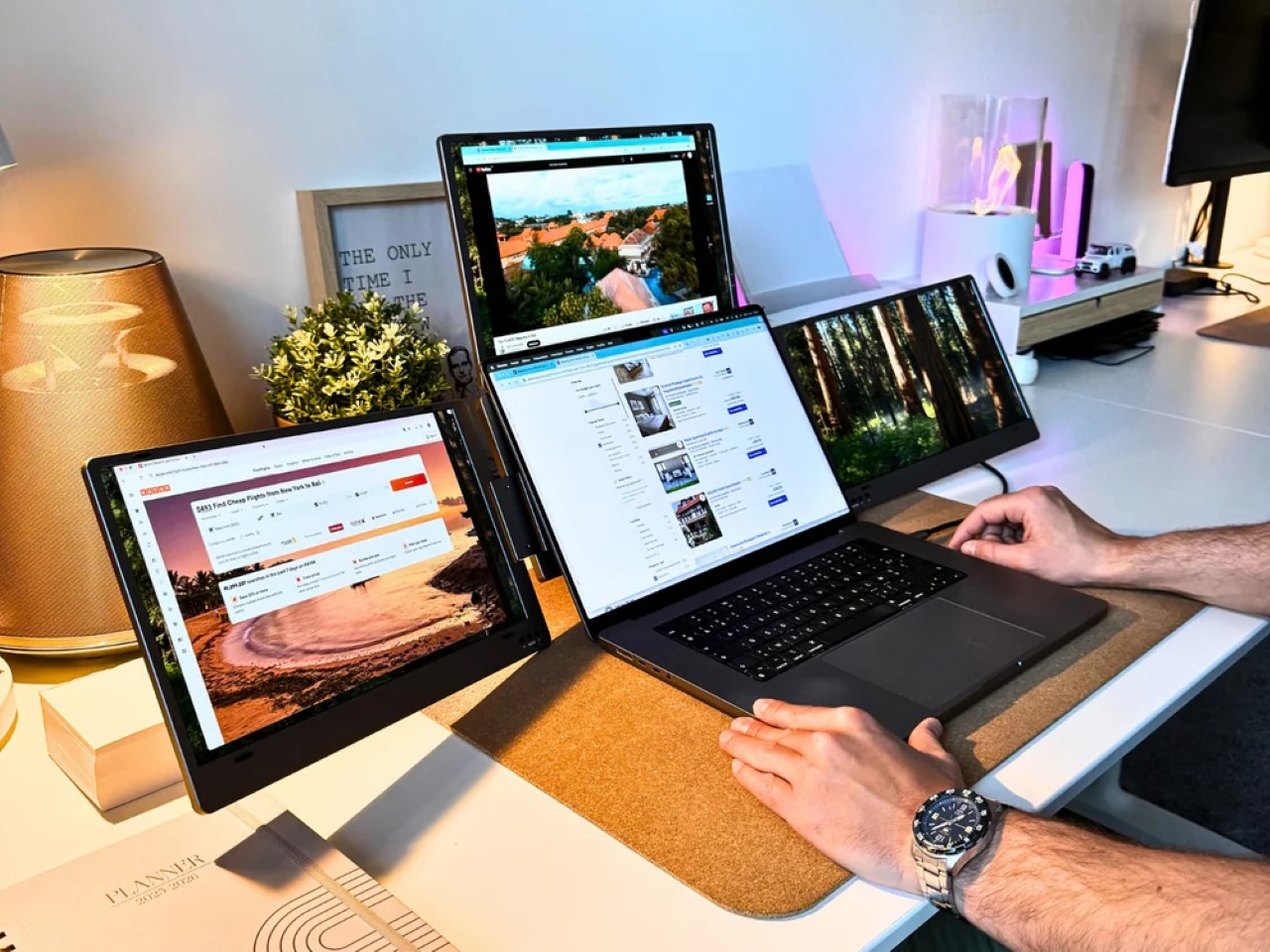
What sets the N3 apart visually and mechanically is its motorized gimbal base. The projector can rotate a full 360 degrees horizontally and tilt up to 160 degrees vertically, making it possible to project onto walls, ceilings, or unconventional surfaces without mounts or awkward positioning. This mobility is supported by automatic keystone correction, real-time autofocus, screen alignment, and obstacle avoidance, which together minimize setup time and reduce the trial-and-error often associated with portable or lifestyle projectors.

The optical system offers a throw ratio ranging from 1.0 to 1.3:1 with 1.3× optical zoom, giving users flexibility in room placement while supporting screen sizes of up to 300 inches. Whether used in an apartment living room or a larger open space, the projector adapts easily without demanding architectural changes. Content access is handled through Google TV, which brings native Netflix support, voice search, and a wide library of apps, all backed by Wi-Fi 6 for smoother streaming and faster responsiveness. HDMI inputs provide straightforward connections for consoles and external media devices.

Audio is handled by integrated JMGO Master Sound Hi-Fi speakers with dual 10-watt drivers and support for Dolby Audio and DTS-HD decoding. While external speakers will still appeal to dedicated enthusiasts, the built-in system delivers clear dialogue and balanced sound that feels appropriate for casual movie nights or everyday viewing. Intelligent sensors further enhance usability by adjusting brightness and protecting viewers’ eyes during extended sessions.

Certified for 4K UHD performance and tested for low speckle and minimal chromatic aberration, the JMGO N3 positions itself as a technically credible home cinema tool rather than a novelty device. Priced around $1,099, it lands in a space that makes high-quality laser projection more approachable, blending strong visual performance, thoughtful industrial design, and practical flexibility into a single, modern entertainment centerpiece.


The post JMGO N3 turns home cinema into a moving target with its 4K triple-laser gimbal design first appeared on Yanko Design.
7 Best Productivity Enhancing Tools To Kickstart 2026

The new year brings fresh opportunities to reimagine how we work, create, and organize our daily routines. As we step into 2026, the tools we choose to accompany us matter more than ever. The right instruments don’t just help us complete tasks—they transform how we think, collaborate, and bring ideas to life. From portable writing companions to innovative digital hybrids, these productivity tools represent a shift toward smarter, more thoughtful design.

What makes a tool truly productive isn’t complexity or feature overload. The best instruments fade into the background, becoming natural extensions of our creative process. They’re the ones we reach for instinctively, the ones that remove friction rather than add it. These seven designs embrace that philosophy, offering elegant solutions that respect your time, space, and workflow while helping you achieve more with less effort.

1. Inseparable Notebook Pen

The frustration of reaching for a pen only to find it missing is universal. This magnetic pen eliminates that daily annoyance by becoming one with your notebook. The design features a sleek magnetic clip that securely attaches to your journal, ensuring your writing instrument is always exactly where you need it. The built-in silencer creates a satisfying, quiet click when attaching or removing the pen, adding a touch of refinement to every interaction.

Beyond its clever attachment system, this pen excels at its primary function. The gel ink delivers smooth, consistent lines whether you’re sketching rapid concepts or writing detailed notes. Its minimalist form fits comfortably in your hand during extended writing sessions, while the compact profile maintains your notebook’s portability. The pen becomes invisible until needed, then performs flawlessly, embodying the principle that great design serves without drawing attention to itself.

Click Here to Buy Now: $19.95

What We Like

  • The magnetic attachment system keeps your pen and notebook inseparably paired, ending the search for missing writing tools.
  • The built-in silencer creates a refined, quiet experience when attaching or detaching the pen from your notebook.
  • Smooth gel ink flows consistently for precise writing across all note-taking styles and purposes.
  • The minimalist design complements any notebook aesthetic while providing a comfortable grip during extended use.

What We Dislike

  • Limited to notebooks with compatible attachment points or covers that accommodate the magnetic clip.
  • The specific gel ink refills may require sourcing from particular suppliers rather than universal options.

2. OrigamiSwift Folding Mouse

Traditional portable mice force you to choose between compact size and comfortable ergonomics. OrigamiSwift refuses that compromise. Inspired by Japanese paper-folding techniques, this Bluetooth mouse transforms from pocket-sized flat form to a full-function tool in half a second. The origami-inspired triangular structure provides surprising stability and durability, proving that portability doesn’t require fragility. At just 40 grams, it disappears into bags and pockets until needed.

The engineering behind the folding mechanism feels almost magical. One fluid motion unfolds the mouse into an ergonomic shape that fits naturally in your palm, ready for hours of comfortable use. Silent click buttons respect shared workspaces, while the smooth tracking works across various surfaces. The USB-C rechargeable battery eliminates disposable battery waste and delivers up to three months of use per charge, making this mouse as sustainable as it is portable.

Click Here to Buy Now: $79.00

What We Like

  • The instant transformation from flat to functional in under half a second makes setup effortless anywhere.
  • Weighing only 40 grams with an ultra-slim profile, it’s the ultimate travel companion for mobile professionals.
  • USB-C rechargeable battery provides three months of use per charge, eliminating disposable battery waste.
  • Soft-click buttons and smooth tracking enable quiet, precise work without disturbing those around you.

What We Dislike

  • The folding mechanism may require occasional cleaning to maintain the smooth transformation over extended use.
  • The compact size, when unfolded, while ergonomic, may feel smaller than full-sized desktop mice for users with larger hands.

3. Personal Whiteboard

Digital tools dominate modern workflows, yet the immediate tactile feedback of writing by hand remains unmatched for ideation. This portable whiteboard bridges both worlds beautifully. The single-page design offers a clean slate for brainstorming, quick diagrams, or temporary notes. When you’ve captured that breakthrough idea, snap a photo to digitize and share it instantly. The multi-functional cover serves triple duty as eraser, built-in stand, and storage pocket.

The innovative Mag Force system demonstrates thoughtful design at its finest. This mechanism functions as both a comfortable cover handle and a secure pen holder, keeping everything together during transport. Compatibility with any standard whiteboard marker means you’re never locked into proprietary supplies. The swift wipe-clean process prepares the surface for your next thought in seconds, creating a flow that makes note-taking feel natural rather than procedural.

Click Here to Buy Now: $49.00

What We Like

  • The multi-functional cover acts as an eraser, a stand, and a pocket, consolidating several tools into one elegant package.
  • The Mag Force system cleverly serves as both a carry handle and secure pen holder for all-in-one portability.
  • Compatible with any regular whiteboard marker, eliminating dependence on specific brand supplies.
  • Instant erasability and photo-to-cloud workflow combine tactile ideation with digital organization seamlessly.

What We Dislike

  • Single-page format means you can’t flip back to reference previous notes without reviewing digital photos.
  • Whiteboard markers can dry out if left uncapped, requiring mindful storage habits.

4. Functional LEGO Rubik’s Cube

Desk toys often serve as simple fidget objects, but this 2,216-piece creation transcends that category entirely. This fully functional Rubik’s Cube, built entirely from LEGO brick,s represents engineering precision that borders on obsessive. Every twist and turn operates with the smoothness of commercial cubes, despite being constructed from elements never intended for such tolerances. The color-accurate design maintains the classic 3×3 configuration, creating a solving experience identical to traditional cubes.

The achievement here extends beyond mere functionality. Building this cube yourself transforms it from a desk decoration into a meaningful accomplishment, a conversation piece with genuine substance behind it. The tactile satisfaction of solving a puzzle you constructed brick by brick creates a connection between maker and object that mass-produced items can’t replicate. It’s a productivity tool disguised as play—the mental breaks spent twisting and solving actually refresh focus and problem-solving abilities for the work that matters.

What We Like

  • Fully functional 3×3 mechanism delivers smooth, precise turns matching commercial cube performance despite LEGO construction.
  • The 2,216-piece build creates a meaningful project that rewards patience and attention to detail.
  • Serves dual purpose as an engaging desk toy and a legitimate stress-relief tool during mental breaks.
  • The color-accurate design maintains classic Rubik’s Cube aesthetics while showcasing LEGO’s versatility.

What We Dislike

  • The substantial piece count and complex build require significant time investment before you can use it.
  • LEGO construction makes the cube more fragile than solid plastic commercial alternatives if dropped.

5. Rolling World Clock

Managing global connections shouldn’t require complex apps or mental gymnastics. This twelve-sided world clock reduces time zone tracking to pure physicality. Each face represents a major city—London, Tokyo, New York, Shanghai, Sydney, and seven others—creating a tactile globe of time. Simply roll the clock to your desired city and watch the single hand indicate the current hour there. The minimalist design strips away digital complexity in favor of immediate, intuitive understanding.

The rolling interaction introduces an element of play to what’s typically a mundane task. There’s satisfaction in the physical act of turning the clock, feeling its weight and geometry in hand before setting it down to display the time you need. This transforms checking time zones from a forgettable tap on a screen into a moment of mindful awareness. The black or white finish options ensure it complements any workspace aesthetic while serving as both a functional timekeeper and a sculptural desk accent.

Click Here to Buy Now: $49.00

What We Like

  • The twelve-sided design elegantly represents major world cities, making global time tracking beautifully intuitive.
  • Rolling the physical clock introduces satisfying tactile interaction to an otherwise digital task.
  • The minimalist single-hand display eliminates visual clutter while maintaining instant readability.
  • Serves double duty as a functional timekeeper and striking desk sculpture in black or white finishes.

What We Dislike

  • Limited to twelve pre-selected cities, which may not include all locations relevant to your specific connections.
  • Reading the exact minute requires estimation rather than precision, making it better for general awareness than scheduling.

6. MagBoard Clipboard

Traditional notebooks impose structure through bound pages and fixed layouts. MagBoard takes the opposite approach. This minimalist clipboard uses a magnetic lever mechanism to secure up to 30 loose sheets, giving you complete freedom to arrange, remove, or add pages as your project evolves. The hardcover design transforms any surface into a stable writing platform, enabling you to capture ideas while standing, walking, or working in unconventional spaces.

The water-resistant, easy-clean surface means this tool adapts to various environments without worry. Sketch at a construction site, take meeting notes in a coffee shop, or diagram concepts during outdoor collaboration sessions. The flexibility extends beyond physical durability—the loose sheet system means you can mix paper types, share individual pages instantly, or reorganize your notes to match your thinking process rather than forcing your thoughts into predetermined structures.

Click Here to Buy Now: $45.00

What We Like

  • The magnet and lever clip system securely holds up to 30 sheets while enabling instant page rearrangement and removal.
  • Hardcover construction creates a stable writing surface for note-taking in any position or location.
  • Water-resistant and easy-clean materials protect your work in diverse environments and weather conditions.
  • The loose sheet approach offers complete flexibility in paper choice, layout, and organization methods.

What We Dislike

  • Loose sheets lack the permanent binding of traditional notebooks, requiring care to prevent page loss.
  • The hardcover adds weight compared to standard notepads, making it less ideal for ultra-minimalist carry setups.

7. Rocketbook Reusable Sticky Notes

Sticky notes are workplace staples, yet their disposable nature creates constant waste. Rocketbook reimagines this productivity classic with genuinely reusable notes that feel like paper rather than plastic alternatives. Using special material compatible with Pilot FriXion erasable pens, these notes wipe clean with water and cloth. The paper-like texture and flexibility match traditional sticky notes, avoiding the rigid whiteboard feel of other reusable options.

The adhesive strip demonstrates the same reusability philosophy. Rather than losing stickiness after one use, simply rinse the adhesive area to restore full grip. This means your temporary reminders and quick notes become permanent tools rather than trash-bound consumables. The environmental impact reduction compounds over time—what would have been hundreds of discarded notes becomes a small set of reusable squares that serve just as effectively while generating zero waste.

What We Like

  • Genuinely reusable design eliminates sticky note waste while maintaining the paper-like feel and flexibility of traditional versions.
  • The water and cloth cleaning process is quick and simple, preparing notes for immediate reuse.
  • The reusable adhesive strip rinses clean to restore full stickiness across countless applications.
  • Compatible with Pilot FriXion pens, which are widely available and offer smooth writing experiences.

What We Dislike

  • Dependent on specific FriXion pen compatibility, it limits ink color and style options compared to traditional notes.
  • The water-cleaning requirement means you need access to moisture for erasure rather than instant disposal.

Making 2026 Your Most Productive Year

Productivity isn’t about cramming more tasks into each day. These seven tools share a common philosophy: remove friction, respect the user, and enhance the creative process without dominating it. They’re instruments that adapt to your workflow rather than forcing you into theirs. Each design solves real problems with elegance and thoughtfulness, proving that the best tools are those you stop noticing because they simply work.

As you build your workspace for 2026, consider which frictions slow your daily progress. Perhaps it’s the missing pen, the awkward mouse, or the wasteful sticky notes. The right tool doesn’t just fix a problem—it transforms that moment of your workflow into something smooth, satisfying, and ultimately forgettable. That’s when productivity stops feeling like effort and starts feeling like flow.

The post 7 Best Productivity Enhancing Tools To Kickstart 2026 first appeared on Yanko Design.
Satechi Slim EX Wireless Series Has Replaceable Batteries, Not E-Waste

Most people no longer live on a single machine. A MacBook for creative work, a Windows desktop for heavier tasks, an iPad for meetings, and a phone for everything in between. The awkward dance of swapping keyboards, re-learning shortcuts, or tolerating cramped laptop layouts becomes daily routine, and most wireless sets still assume you are loyal to one OS and one device at a time, which feels increasingly out of step with how people actually work.

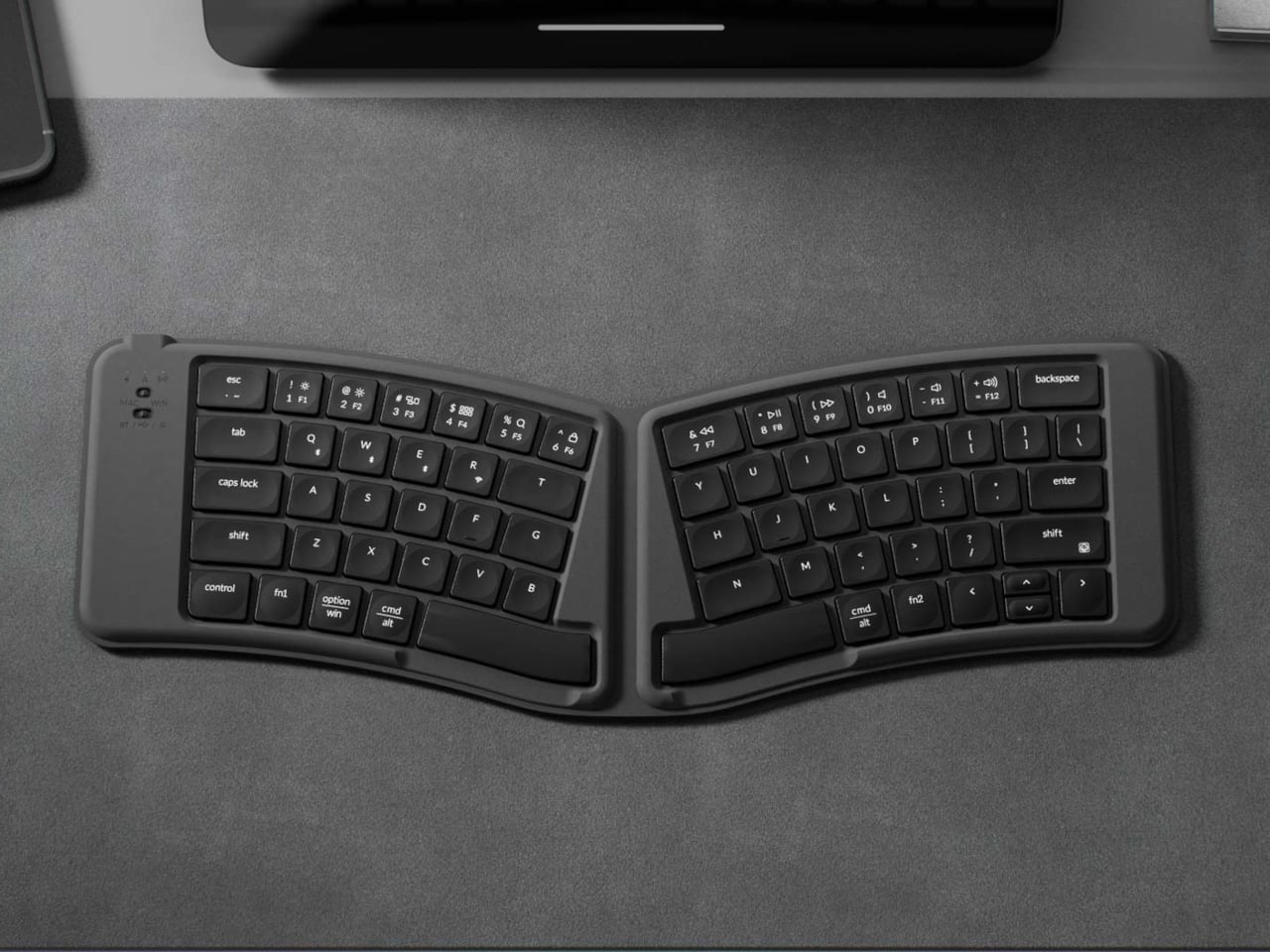
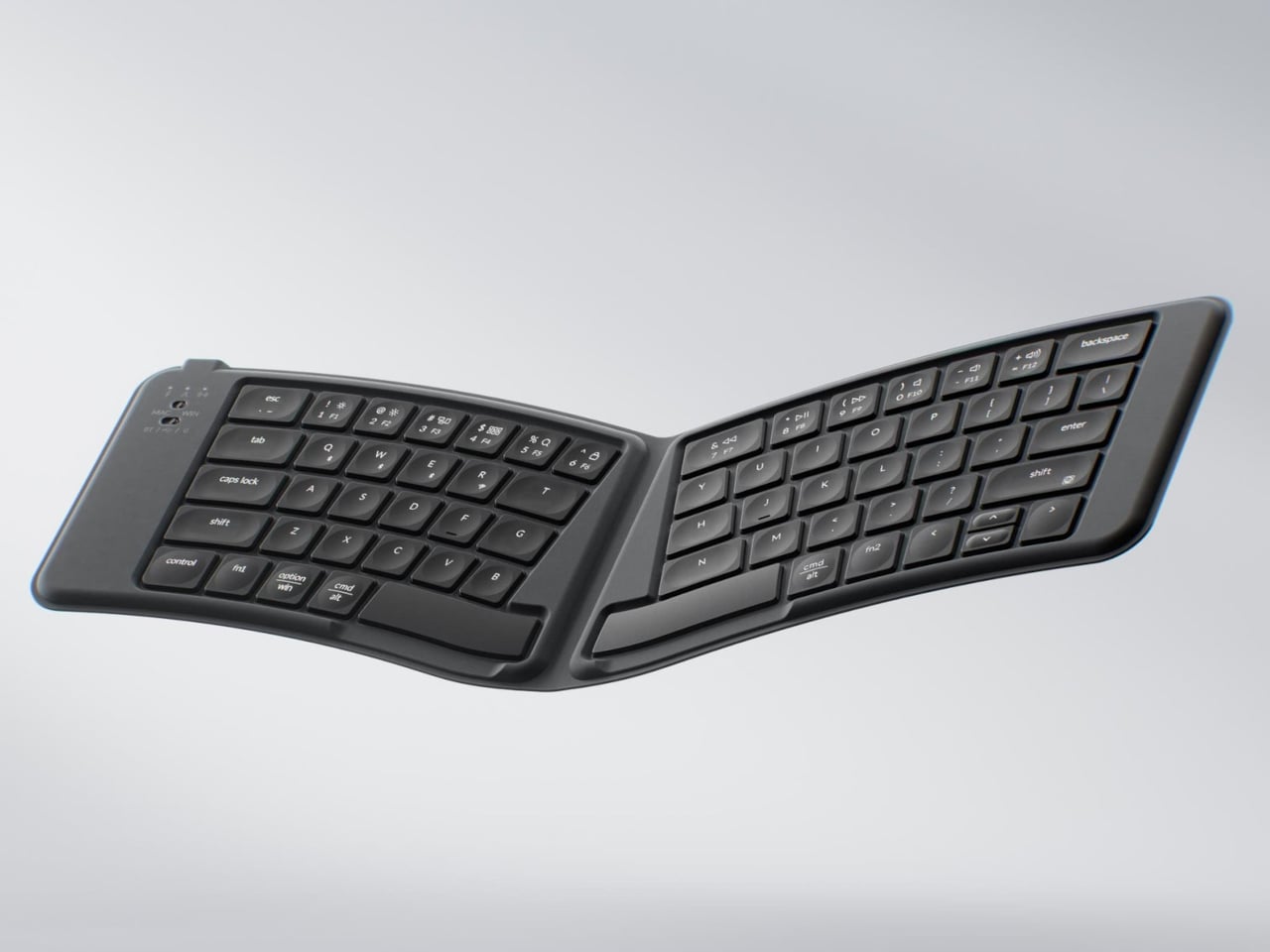
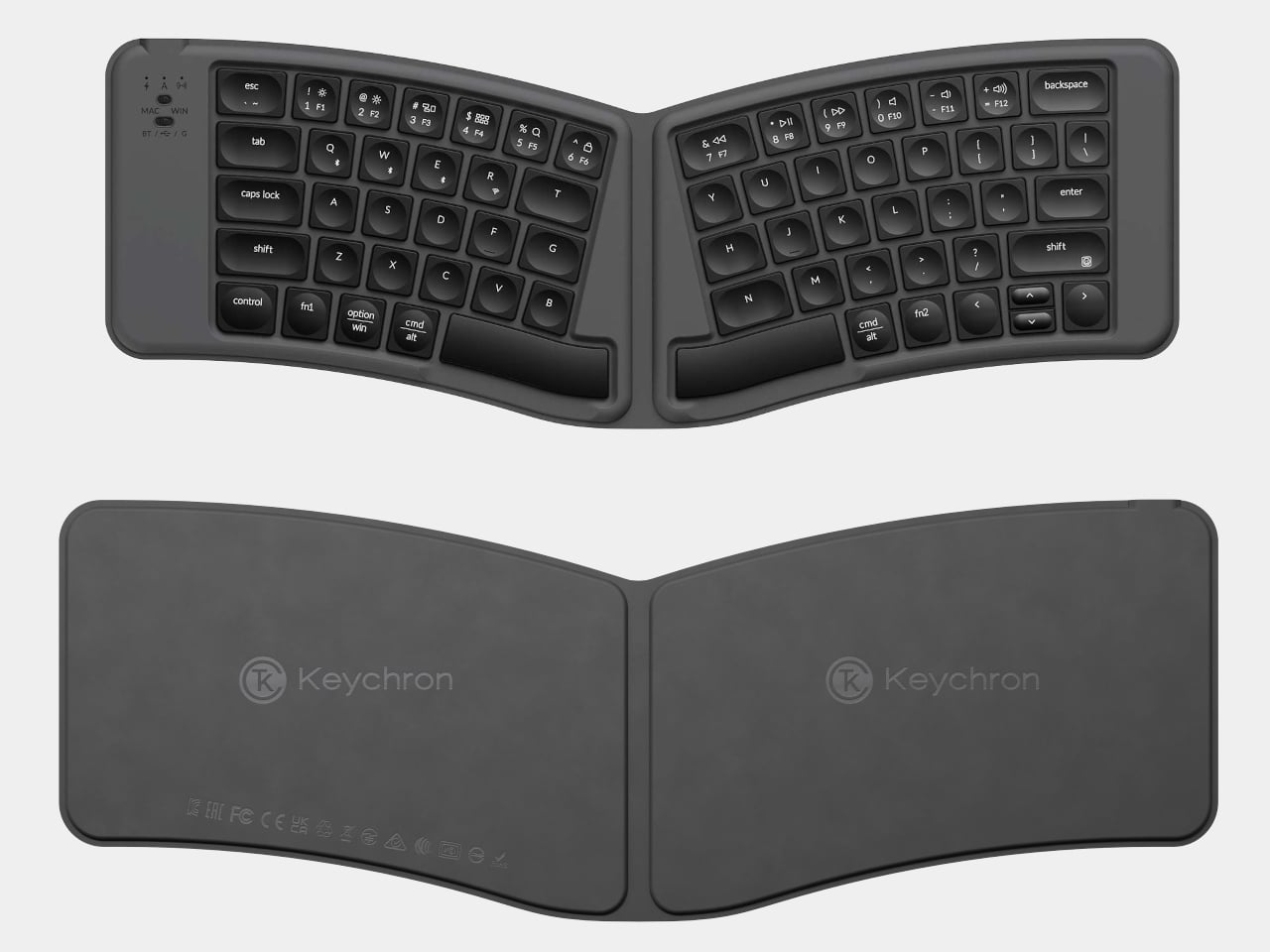
Satechi’s Slim EX Wireless Series, the EX3 and EX1 keyboards, plus the Slim EX Wireless Mouse, is an attempt to make that juggling act feel natural. All three are designed to work across macOS, Windows, Android, and iPadOS, connect to multiple devices, and use USB-C rechargeable, user-replaceable batteries so they do not become e-waste the moment the original cell starts to fade after a few years of daily charging cycles.

Designer: Satechi

A desk-based setup is where the Slim EX3 Wireless Keyboard lives under a monitor, handling most of the day’s typing. Its full-size layout includes a numeric keypad and navigation keys, quiet scissor-switch keys, and automatic OS-specific key mapping that flips modifiers when you jump from a Mac to a Windows machine. Up to four devices can stay paired over Bluetooth or a 2.4 GHz USB-C dongle, so switching does not mean re-pairing every time you close one laptop and open another.

A smaller table, a shared workspace, or a café is where the EX3 feels too wide. The Slim EX1 Wireless Keyboard steps in with a more compact layout that still keeps the same quiet scissor switches and cross-platform brain. It drops the numeric keypad to save space but keeps the ability to talk to four devices, making it easier to travel light or reclaim desk space without giving up a familiar typing feel.

Both keyboards promise up to five weeks of use on a single charge, depending on how hard you hammer them, and when that internal battery eventually loses capacity, you can replace it instead of replacing the whole board. Charging over USB-C fits into the same cable ecosystem as laptops and phones, which keeps the desk cleaner and the routine simpler, with one fewer proprietary cable to remember when packing a bag.

The Slim EX Wireless Mouse is the low-profile aluminum companion that glides between platforms just as easily. It supports Bluetooth and 2.4 GHz wireless, uses quiet click switches, and has a precision-machined scroll wheel that feels more deliberate than generic plastic. Like the keyboards, it runs on a USB-C rechargeable, user-replaceable battery rated for millions of clicks and scrolls, so it is built for the long haul instead of the upgrade cycle.

The Slim EX series quietly pushes back against disposable accessories and single-platform thinking. Instead of buying one set for each machine or tossing a keyboard when the battery gives up, you get a trio that moves with you between devices and years. For hybrid workers and students who live in that in-between space, having peripherals that are as flexible and long-lived as their setups feels like the right kind of upgrade.

The post Satechi Slim EX Wireless Series Has Replaceable Batteries, Not E-Waste first appeared on Yanko Design.
GameSir Pocket Taco vs. 8BitDo FlipPad for Game Boy Gaming

Almost every mobile controller assumes you want to play in landscape, snapping your phone into a wide handheld that feels great for modern shooters and racing games. This works for most titles, but when you fire up Game Boy-era platformers or vertical arcade classics, the experience feels slightly off, like forcing old games into a shape they were never meant to inhabit, holding them sideways while your thumbs reach for controls that never land right.

GameSir’s Pocket Taco leans into portrait play instead of fighting it, turning your phone into something closer to a classic handheld. It first appeared as the Pocket 1 at Tokyo Game Show, then resurfaced as Pocket Taco just as 8BitDo teased its own vertical FlipPad, setting up a clash of design philosophies aimed at people who want to hold their phones the way they held Game Boys.

Designer: GameSir

The rebrand to Pocket Taco fits the design; the controller clamps to the bottom of your phone like a taco shell. The foldable front accommodates different phone sizes, and soft silicone pads line the clamp area so you are not grinding plastic against glass every time you snap it on, which matters when you pull it out multiple times a day for quick sessions between meetings or commutes.

The control layout separates Pocket Taco from 8BitDo’s FlipPad. Pocket Taco gives you a traditional D-pad, ABXY face buttons, and actual triggers and bumpers on the back. FlipPad keeps everything on the front in a row of circular buttons, which is clever for compactness but less like the shoulder-button ergonomics many players expect from dedicated handhelds, especially during games with heavy simultaneous inputs.

Pocket Taco uses Bluetooth, so it can talk to Android and iOS phones, tablets, and other devices, and it still works when not clamped. FlipPad plugs in over USB-C, which keeps latency low and removes battery anxiety, but ties it to phones with that port and to a tethered style where the controller must stay attached to function at all.

One practical touch is the large cutout at the bottom that leaves your phone’s charging port accessible while the controller is attached, so you can plug in and keep going during long sessions. FlipPad occupies the USB-C port and does not offer passthrough charging, which is fine for short bursts but less ideal for marathon runs that drain the phone before you finish the dungeon.

Pocket Taco runs on a 600 mAh battery with smart power behavior, open to play, close to rest. The trade-off is one more battery to watch and slightly more bulk. FlipPad stays slimmer and battery-free, but leans on your phone for power, shifting the burden and adding a small drain to your phone’s battery during long play sessions.

Pocket Taco and FlipPad are two paths toward the same fantasy, turning a slab of glass into a dedicated retro handheld. Pocket Taco leans into wireless freedom, proper triggers, and charging-while-playing practicality, while FlipPad bets on wired simplicity and a flatter front. For anyone who grew up holding a Game Boy vertically, it is nice to have options that respect that muscle memory instead of pretending mobile gaming should feel like a miniature Xbox stuck in landscape.

The post GameSir Pocket Taco vs. 8BitDo FlipPad for Game Boy Gaming first appeared on Yanko Design.
GameSir Pocket Taco vs. 8BitDo FlipPad for Game Boy Gaming

Almost every mobile controller assumes you want to play in landscape, snapping your phone into a wide handheld that feels great for modern shooters and racing games. This works for most titles, but when you fire up Game Boy-era platformers or vertical arcade classics, the experience feels slightly off, like forcing old games into a shape they were never meant to inhabit, holding them sideways while your thumbs reach for controls that never land right.

GameSir’s Pocket Taco leans into portrait play instead of fighting it, turning your phone into something closer to a classic handheld. It first appeared as the Pocket 1 at Tokyo Game Show, then resurfaced as Pocket Taco just as 8BitDo teased its own vertical FlipPad, setting up a clash of design philosophies aimed at people who want to hold their phones the way they held Game Boys.

Designer: GameSir

The rebrand to Pocket Taco fits the design; the controller clamps to the bottom of your phone like a taco shell. The foldable front accommodates different phone sizes, and soft silicone pads line the clamp area so you are not grinding plastic against glass every time you snap it on, which matters when you pull it out multiple times a day for quick sessions between meetings or commutes.

The control layout separates Pocket Taco from 8BitDo’s FlipPad. Pocket Taco gives you a traditional D-pad, ABXY face buttons, and actual triggers and bumpers on the back. FlipPad keeps everything on the front in a row of circular buttons, which is clever for compactness but less like the shoulder-button ergonomics many players expect from dedicated handhelds, especially during games with heavy simultaneous inputs.

Pocket Taco uses Bluetooth, so it can talk to Android and iOS phones, tablets, and other devices, and it still works when not clamped. FlipPad plugs in over USB-C, which keeps latency low and removes battery anxiety, but ties it to phones with that port and to a tethered style where the controller must stay attached to function at all.

One practical touch is the large cutout at the bottom that leaves your phone’s charging port accessible while the controller is attached, so you can plug in and keep going during long sessions. FlipPad occupies the USB-C port and does not offer passthrough charging, which is fine for short bursts but less ideal for marathon runs that drain the phone before you finish the dungeon.

Pocket Taco runs on a 600 mAh battery with smart power behavior, open to play, close to rest. The trade-off is one more battery to watch and slightly more bulk. FlipPad stays slimmer and battery-free, but leans on your phone for power, shifting the burden and adding a small drain to your phone’s battery during long play sessions.

Pocket Taco and FlipPad are two paths toward the same fantasy, turning a slab of glass into a dedicated retro handheld. Pocket Taco leans into wireless freedom, proper triggers, and charging-while-playing practicality, while FlipPad bets on wired simplicity and a flatter front. For anyone who grew up holding a Game Boy vertically, it is nice to have options that respect that muscle memory instead of pretending mobile gaming should feel like a miniature Xbox stuck in landscape.

The post GameSir Pocket Taco vs. 8BitDo FlipPad for Game Boy Gaming first appeared on Yanko Design.
DigiEra OmniCore at CES 2026: NAS That Searches Files Like ChatGPT

For most designers and filmmakers, storage is the quiet problem that never gets a mood board. Projects start on phones, move through cameras and laptops, and end up scattered across drives and cloud folders that you half remember naming six months ago. CES 2026 is full of AI-driven devices and next-gen connectivity, but DigiEra’s booth is interesting because it treats storage as part of the creative environment, not just a spec to tick off on a spreadsheet.

The lineup tells a single story across four products. OmniCore is the modular, all-flash AI NAS that wants to be the studio’s private brain. Endura is the rugged field drive that can live in a bag without babying. Portable Hub SSD is the tiny block that turns a phone or camera into a serious capture and editing station. The Diamond Magnetic Portable SSD is the piece that lives on the back of an iPhone, turning storage into something closer to jewelry than IT gear.

Designer: DigiEra

OmniCore: AI NAS as a Private Studio Brain

The pain of hunting for assets across old drives and cloud accounts is real. OmniCore is DigiEra’s answer, a modular all-flash AI NAS designed to sit in a studio and quietly index everything. It supports up to 80 TB of SSD storage across eight 2.5-inch SATA bays and two M.2 slots, all hot-swappable, so the box can grow with a studio instead of being replaced every time a project spikes in size or a client asks for all the raw footage from three years ago.

OmniCore is not just a fast box of drives. A Rockchip RK3588 CPU, 16 GB of LPDDR5 RAM, and a 6 TOPS NPU let it run AI tasks locally, from automatic image tagging and semantic search to transcription, document analysis, conversational chat, and clip generation. That means a designer can type “blue packaging concept with foil logo” and have the NAS surface relevant shots, instead of scrolling through folders named final underscore final underscore v3.

The privacy-first angle matters here. OmniCore is designed to work fully offline, with no cloud dependency, which is important when client work, unreleased campaigns, or personal archives cannot leave the building. Dual LAN ports, including 2.5 GbE, and Wi-Fi 6 support let it serve multiple editors or designers at once without feeling like a bottleneck, and Docker support means it can host custom tools alongside its own AI engine for people who need more than a basic file server.

The physical experience is part of the design. The cube-like form factor with front-loading SSD modules makes storage feel tangible and approachable, more like a card catalog than a server rack. Drives slide in and out on small trays, so expanding from a few terabytes to tens of terabytes is a matter of minutes, not a weekend migration project where everything has to stop. For small studios, that kind of modularity is as much a design decision as a technical one.

Endura Portable SSD: Rugged Speed with a Material Story

Endura is the drive that lives in the camera bag and follows people to shoots. DigiEra bills it as the world’s first portable SSD with an aluminum–carbon-fiber shell, rated IP65 for water, dust, and shock resistance. That combination of materials gives it a technical, motorsport-like feel, while also signaling that it can handle being tossed into a backpack, clipped to a rig, or dropped on a sidewalk without needing a protective case wrapped around a protective case.

Under the shell, Endura uses USB 3.2 Gen 2×2 over USB-C, delivering up to 2,000 MB/s read and 1,800 MB/s write speeds in capacities from 512 GB to 4 TB. For photographers dumping RAW stills between locations or filmmakers backing up cards on set, that means less time watching progress bars and more time shooting, with a drive that looks like it belongs in a design-conscious kit and can survive the environments where most shoots actually happen.

Portable Hub SSD: One Block to Replace the Dongle Pile

The Portable Hub SSD is the antidote to the usual tangle of hubs, drives, and chargers. It wraps the same 20 Gbps SSD core in a compact aluminum block that also acts as a hub, combining high-speed storage, PD fast charging, and extra USB-C connectivity. Plug it into a phone, tablet, or laptop, and it becomes both a scratch disk and an expansion port, turning one cable into a complete mobile workstation.

The fold-out USB-C plug and side ports make it particularly friendly to iPhones and USB-C cameras. Instead of hanging a drive and a hub off a gimbal or handheld rig, one block adds space for ProRes or LOG footage and passes power through to keep the phone or camera alive. For designers who sketch on tablets or edit on ultraportables, it is the kind of object that quietly simplifies the everyday carry, handling data and power from a single point without adding bulk or visual noise.

Diamond Magnetic Portable SSD: Storage as Visible Accessory

The Diamond Magnetic Portable SSD is the piece that never leaves the phone. It snaps magnetically to the back of an iPhone 15 or 16 Pro and records 4K 60 FPS ProRes video directly to external storage, lifting the ceiling on how long you can shoot without cages, rigs, or bulky battery grips. For content creators who rely on their phone as a primary camera, that is a big shift in what is possible with a pocket-sized setup.

The diamond-encrusted, circular design makes the drive look closer to a compact mirror or piece of jewelry than a tech accessory. Underneath, it still runs USB 3.2 Gen 2×2 over USB-C at up to 2,000 MB/s read and 1,800 MB/s write, in capacities up to 4 TB. That mix of performance and visual polish means it can stay on the phone in a meeting, a shoot, or a café without feeling out of place, turning storage into something you actually want to show rather than hide in a pocket until needed.

DigiEra at CES 2026: Turning Storage into a Creative Toolkit

OmniCore anchors the studio as a private, AI-enabled brain that knows where every file lives and can answer questions in natural language. Endura and Portable Hub SSD handle the messy middle, moving data safely and quickly between cameras, phones, and laptops, with materials and form factors that feel deliberate rather than generic. The Diamond Magnetic SSD lives on the phone, turning storage into something you actually want to show. That is DigiEra’s real story at CES 2026: storage treated not as an afterthought or a cloud subscription, but as a set of designed objects that respect the way creative work actually moves through the day, from the pocket to the field to the desk and back.

The post DigiEra OmniCore at CES 2026: NAS That Searches Files Like ChatGPT first appeared on Yanko Design.
Leion Hey2 Brings First AR Glasses Built for Translation to CES 2026

Cross-language conversations create a familiar kind of friction. You hold a phone over menus, miss half a sentence while an app catches up, or watch a partner speak fast in a meeting while your translation lags behind. Even people who travel or work globally still juggle apps, hand-held translators, and guesswork just to keep up with what is being said in the room, which pulls attention away from the actual conversation.

Leion Hey2 is translation that lives where your eyes already are, in a pair of glasses that quietly turns speech into subtitles without asking you to look down or pass a device back and forth. The glasses were built for translation first, not as an afterthought on top of entertainment or social features, and they are meant to last through full days of meetings or classes instead of dying halfway through, when you need them most.

Designer: LLVision

Click here to know more.

Glasses That Care About Conversation, Not Spectacle

Leion Hey2 is a pair of professional AR translation glasses from LLVision, a company that has spent more than a decade deploying AR and AI in industrial and public-sector settings. Hey2 is not trying to be an all-in-one headset; it is engineered from the ground up for real-time translation and captioning, supporting more than 100 languages and dialects with bidirectional translation and latency under 500 ms in typical conditions, plus 6–8 hours of continuous translation on a single charge.

Hey2 is designed to wear like everyday eyewear rather than a gadget. The classic browline frame, 49g weight, magnesium-lithium alloy structure, and adjustable titanium nose pads are all chosen to make it feel like a normal pair of glasses you forget you are wearing. A stepless spring hinge adapts to different faces, and the camera-free, microphone-only design, which follows GDPR-aligned privacy principles and is supported by a secure cloud infrastructure built on Microsoft Azure, helping keep both wearers and bystanders more comfortable in sensitive environments.

Subtitles in Your Line of Sight

Hey2 uses waveguide optics and a micro-LED engine to project crisp, green subtitles into both eyes, with a 25-degree field of view and more than 90% passthrough so the real world stays bright. The optical engine is tuned to reduce rainbow artifacts by up to 98%, keeping text stable and readable in different lighting conditions, while three levels of subtitle size and position let you decide how prominently captions sit in your forward field of view.

The audio side relies on a four-microphone array that performs 360-degree spatial detection to identify who is speaking, while face-to-face directional pickup prioritizes the person within roughly a 60-degree cone in front of you. A neural noise-reduction algorithm uses beamforming and multi-channel processing to isolate the main voice, which helps in noisy restaurants, busy trade-show floors, or classrooms where questions come from different directions, without forcing you to constantly adjust settings.

Modes That Support Work, Learning, and Accessibility

In translation and Free Talk modes, foreign speech is converted into your language as subtitles in your line of sight, so you can mix languages freely and still follow long-form speech without constantly checking a screen. In Free Talk, Hey2 provides subtitles for what you hear and spoken translation for what you say, turning a two-language conversation into something that feels more like a normal chat than a tech demo, with the charging case extending total use to 96 hours across 12 recharges.

Teleprompter mode scrolls your script in your line of sight and advances it automatically as you speak, useful for lectures, pitches, or keynotes where you want to keep eye contact without glancing at notes. AI Q&A, triggered by a temple tap, taps into ChatGPT-powered answers for discreet look-ups, while Captions mode turns fast speech into clean text, helping students, professionals, and Deaf or hard-of-hearing users stay on top of what is being said, even in noisy environments where handheld devices struggle.

A Different Kind of AR Story

When Leion Hey2 steps onto the CES 2026 stage, it represents a quieter kind of AR story. Instead of chasing spectacle, it narrows the brief to something very human, helping people speak, listen, and be understood across languages and hearing abilities. For a show that often celebrates what technology can do, Hey2 is a reminder that sometimes the most interesting innovation is the one that simply lets you keep your head up and stay in the conversation.

Click here to know more.

The post Leion Hey2 Brings First AR Glasses Built for Translation to CES 2026 first appeared on Yanko Design.
Smart Hair Care: How the Dreame Pilot AI Hair Dryer Adapts to Your Unique Needs – DRAFT

Hair dryers have come a long way from the bulky, one-speed models our parents used. The Dreame Pilot Smart AI Hair Dryer represents a leap forward in personalized hair care, combining artificial intelligence with professional-grade performance to deliver a drying experience that’s both fast and gentle. This isn’t just another styling tool with a digital screen. The Pilot uses advanced sensors, machine learning, and intelligent connectivity to create a truly adaptive hair care system that responds to your unique needs.
At the heart of the Pilot is a 150,000 RPM ultra-high-speed motor that generates airflow speeds reaching up to 70 m/s. This isn’t just about raw power. Built-in sensors continuously monitor hair temperature and distance in real time, intelligently adjusting heat output to maintain stable airflow at the scalp. The result is remarkably fast-drying, without compromising hair or scalp health. No more choosing between speed and safety. The 600-million negative ion generator works continuously alongside this system to reduce frizz and enhance shine, giving hair a salon-quality finish while the intelligent heat regulation protects against damage.

Designer: Dreame

The AI integration sets this dryer apart from conventional models. A simple press of the AI button activates Personalized AI Mode, which learns and adapts to the needs of up to three different users. VIP I mode caters to children or those with sensitive scalps, offering gentle, safe drying. VIP II focuses on efficient daily drying while maintaining hair health for typical routines. VIP III delivers ultra-fast drying for people who need to get out the door quickly without sacrificing results. Each profile remembers individual preferences, creating a customized experience every time you pick up the dryer.

Connectivity extends the Pilot’s capabilities beyond the device itself. Through Wi-Fi and the companion app, users gain access to personalized tutorials, real-time device updates, and maintenance reminders. The app also provides AI-powered hair analytics designed to optimize hair health over time, turning your hair dryer into a smart tool that understands your unique needs. This connected ecosystem means your dryer gets smarter with use, learning patterns, and suggesting adjustments for better results.

The intelligent nozzle recognition system brings another layer of convenience. Each styling nozzle comes with preset parameters that the dryer automatically detects when attached. The system recalls individual user preferences for each nozzle, eliminating the need to manually adjust settings every time you switch attachments. Whether you’re diffusing curls or creating sleek styles, the Pilot remembers what works best for you. The dynamic smart display provides clear, real-time information about settings and modes, making it easy to see exactly what’s happening at a glance.

Despite its advanced technology, the Pilot maintains practical usability. Auto idle detection helps conserve energy when the dryer isn’t actively in use. At 420g without the wire, it’s lightweight enough for comfortable extended use. The 2.8m wire length provides plenty of freedom to move while styling. The Dreame Pilot Smart AI Hair Dryer reimagines what a hair dryer can be. It’s not just a styling tool but an intelligent system that learns, adapts, and evolves with your hair care routine. For anyone seeking professional results with personalized care, the Pilot delivers technology that truly makes a difference.

The post Smart Hair Care: How the Dreame Pilot AI Hair Dryer Adapts to Your Unique Needs – DRAFT first appeared on Yanko Design.