This Air Monitor Drops Like a Canary When Your Room Needs Fresh Air

Most people know that outdoor air pollution is a problem, but indoor air quality rarely gets the same attention. The irony is that we spend roughly 90% of our lives indoors, often in well-insulated, tightly sealed homes where CO₂ builds up quietly and unnoticed. The result shows up as headaches, fatigue, poor sleep, and that vague sense of grogginess that’s easy to blame on everything except the air around you.

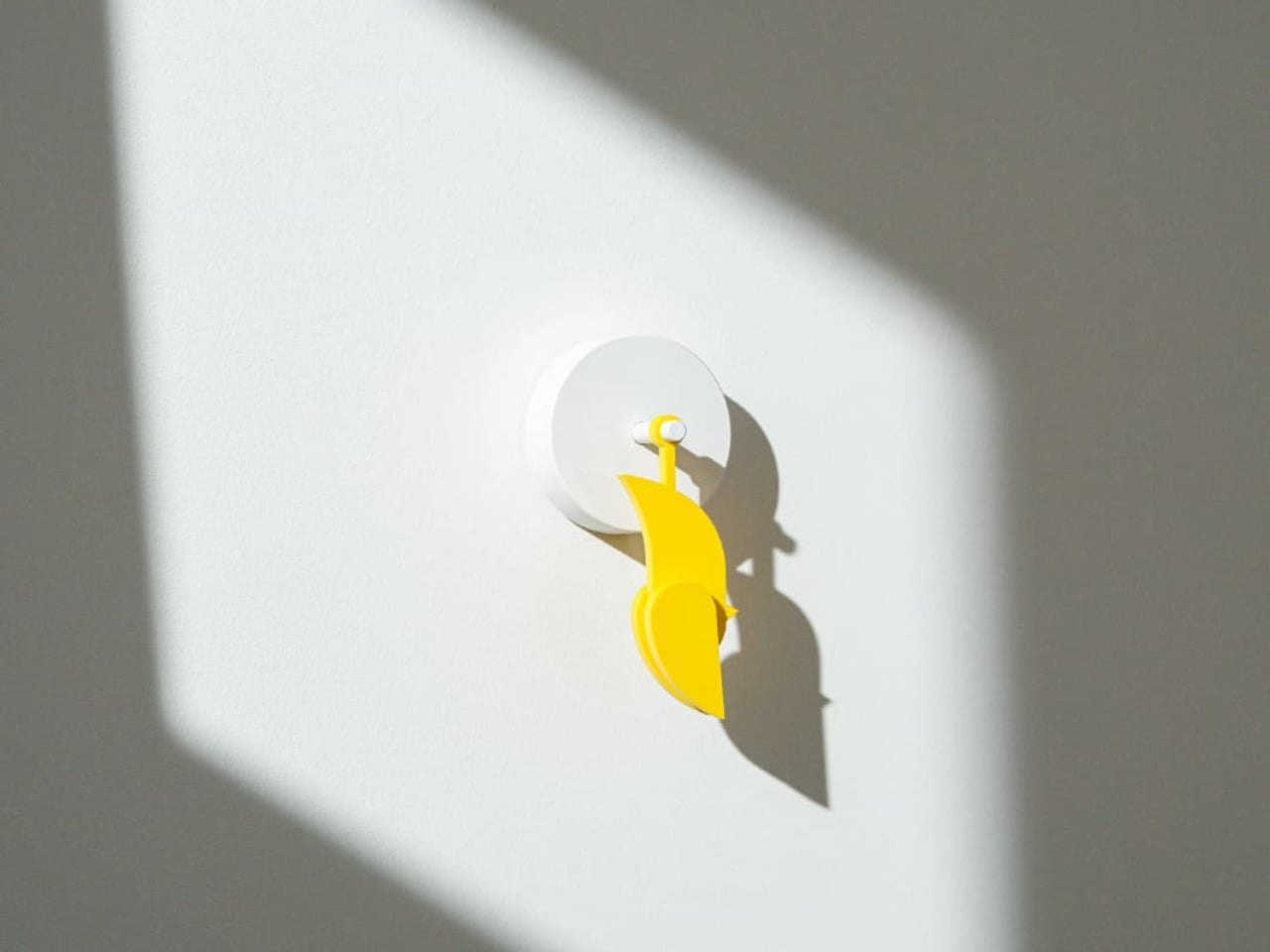
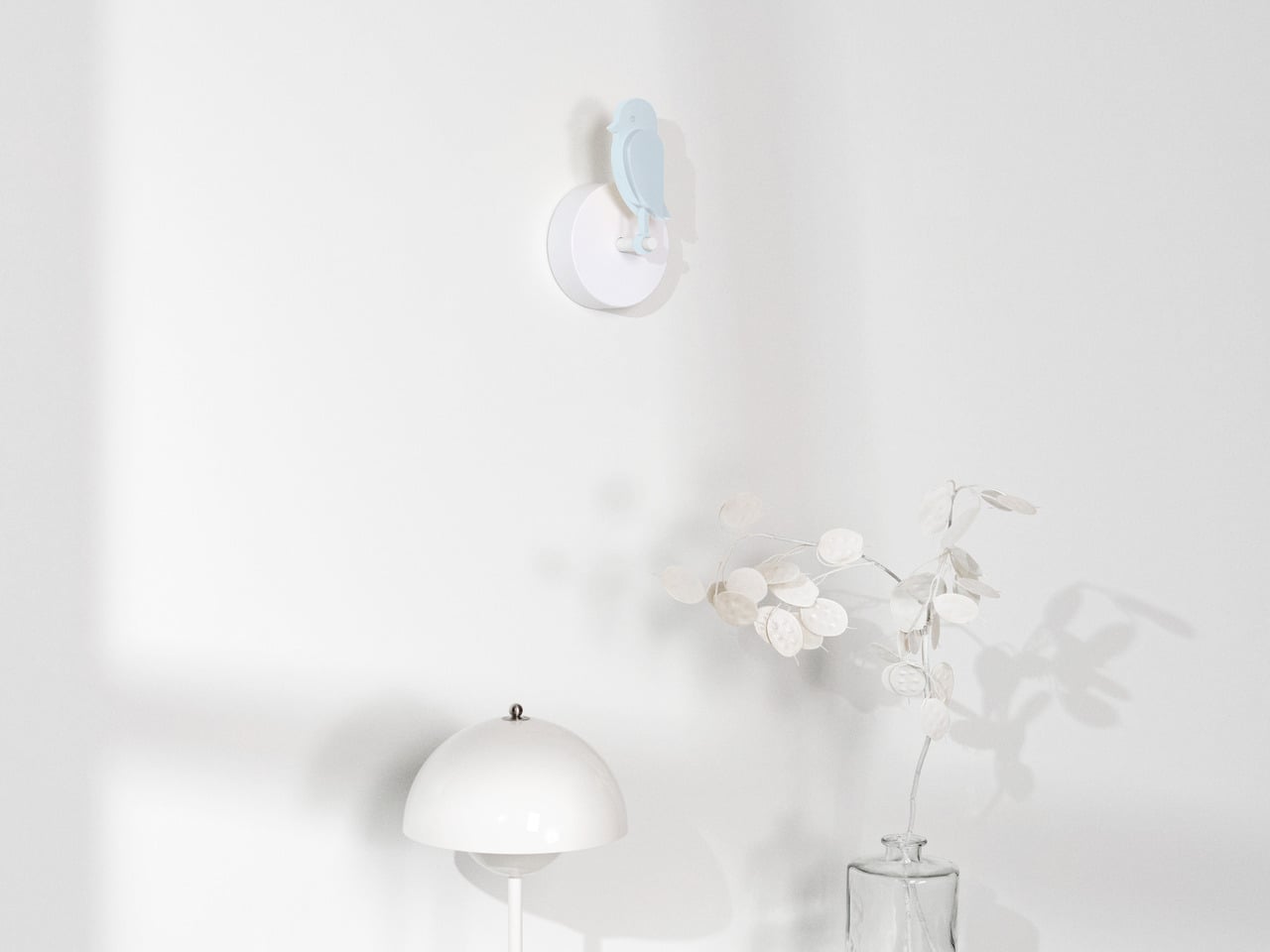
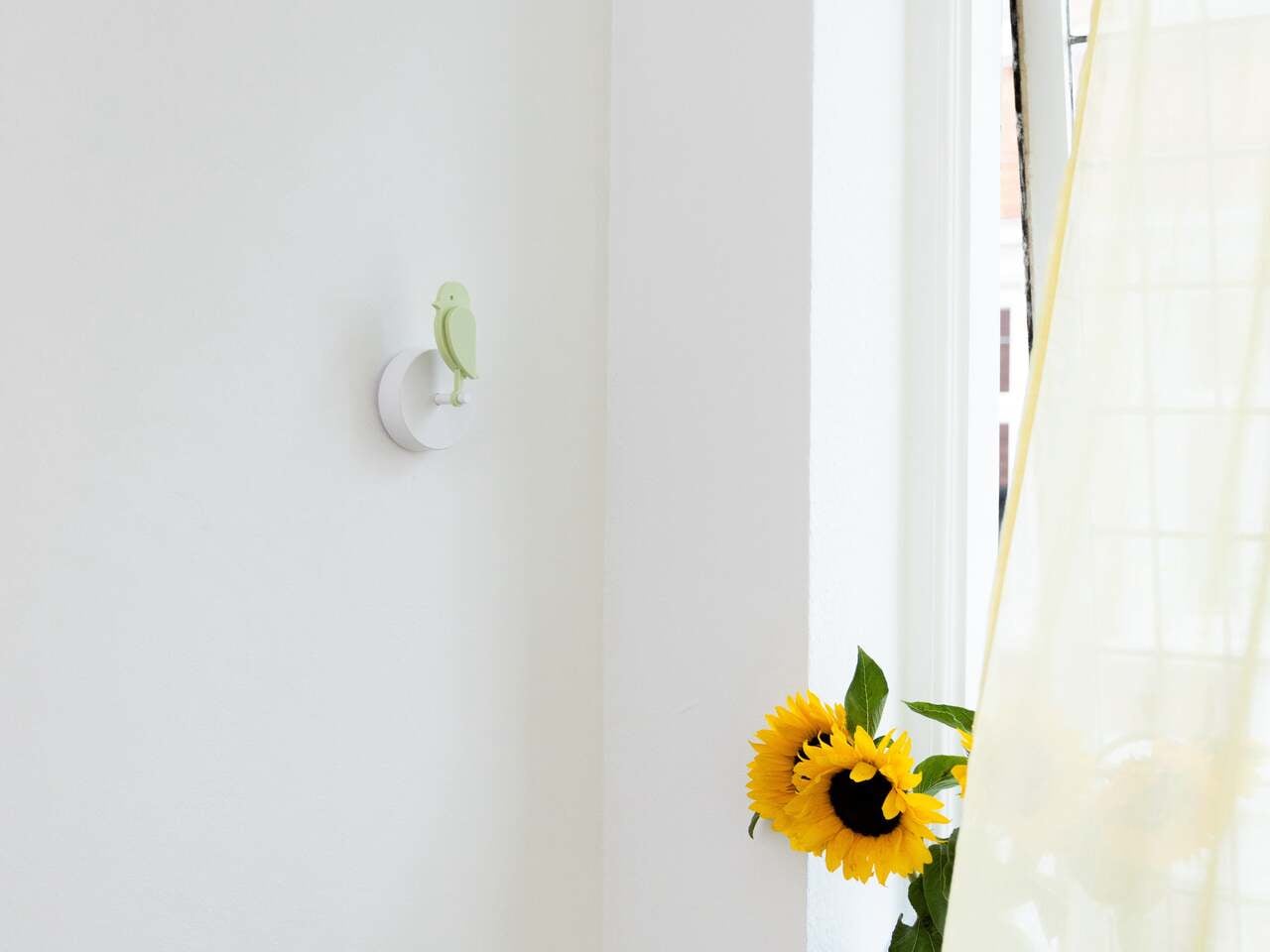
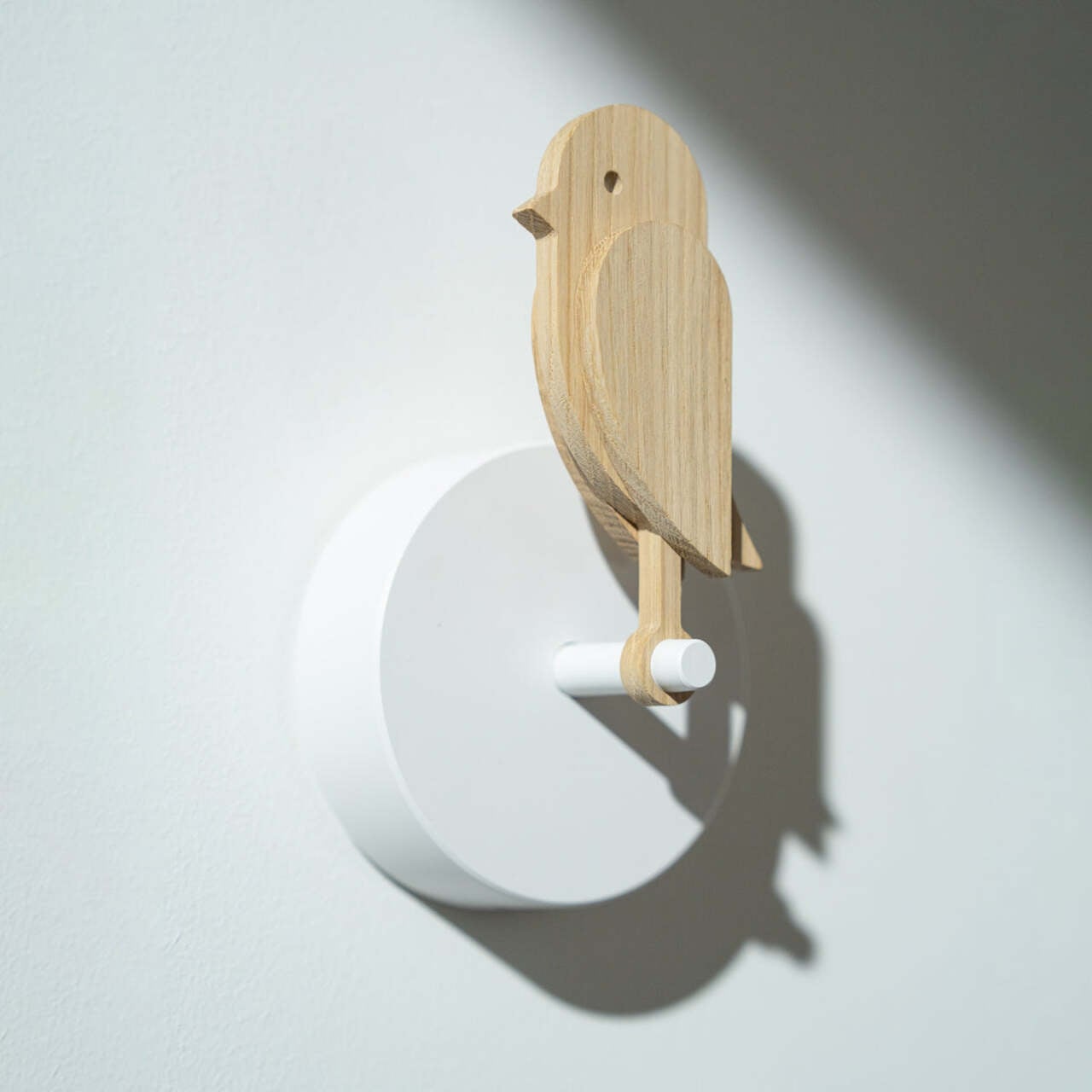
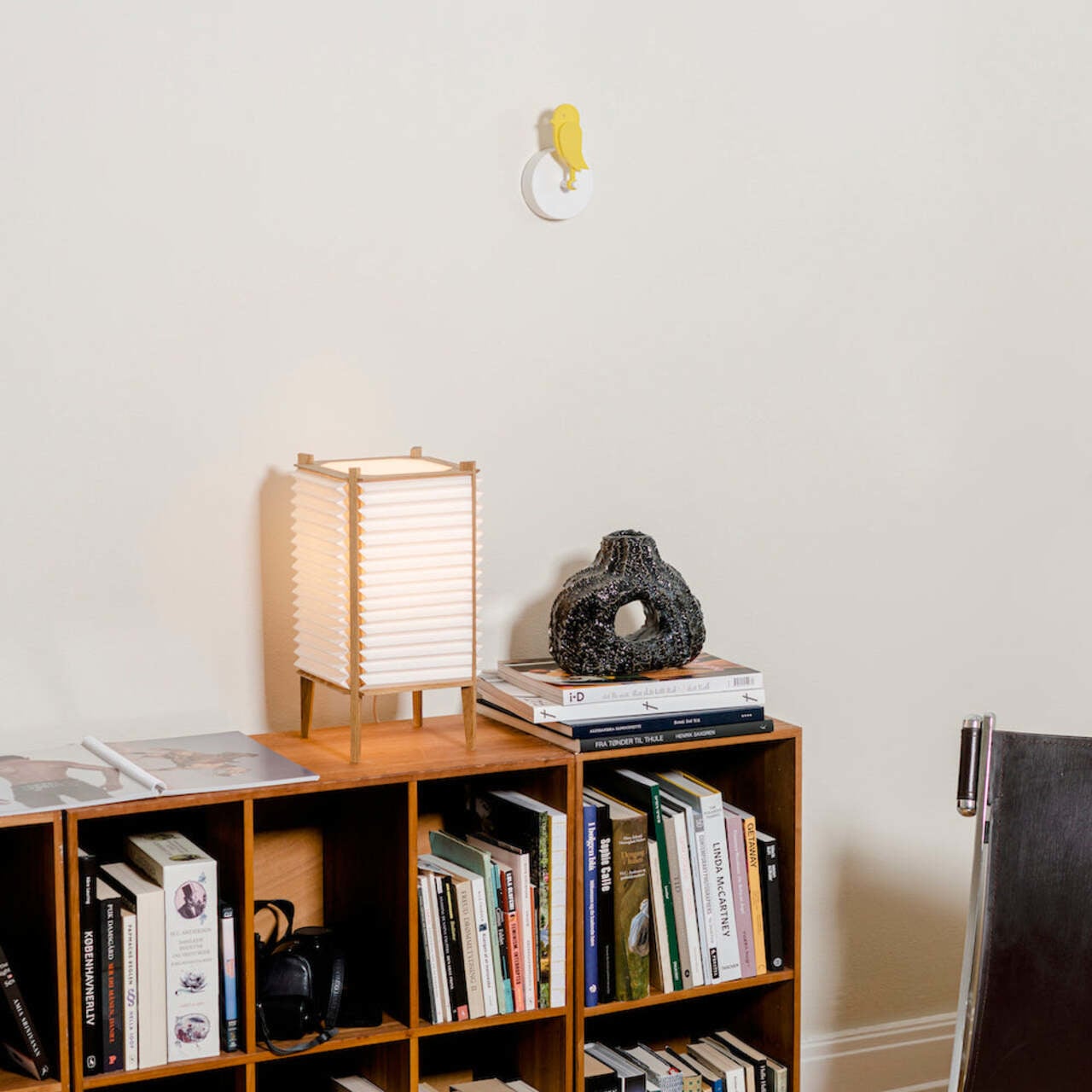
The Birdie 2.0 is a Danish-designed air quality monitor that takes a refreshingly straightforward approach to that invisible problem. It doesn’t display numbers, send phone notifications, or make any sound at all. Instead, it physically droops forward when the air in your room gets too stale, and stands back up once you’ve opened a window and things improve. The feedback loop is immediate, visual, and almost impossible to miss.

Designers: Andreas Kofoed Sørensen, Hans Høite Augustenborg (Birdie)
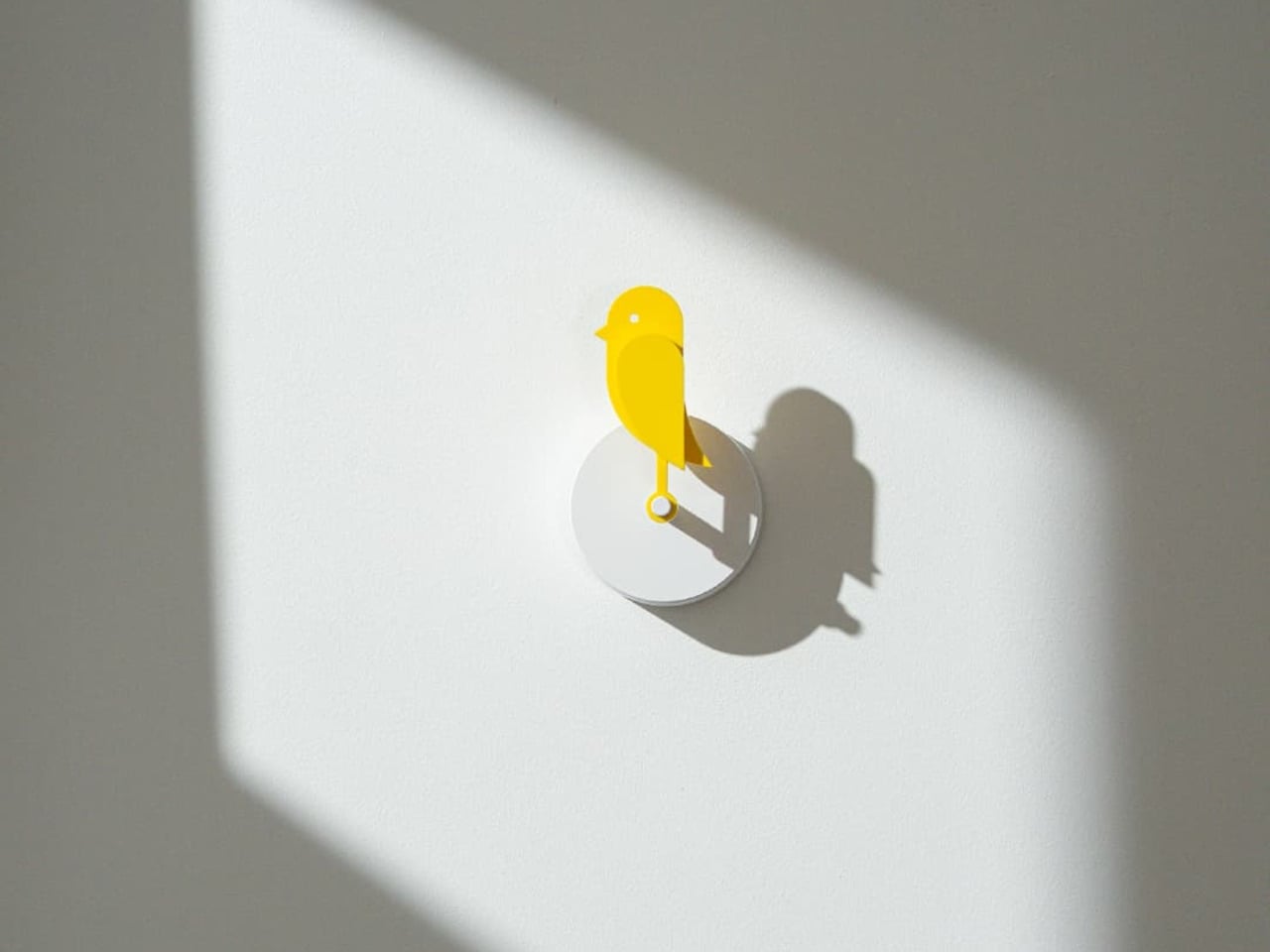
The concept is lifted directly from a piece of mining history. Coal miners used to carry canaries underground as a warning system: if the bird fainted, it was time to get out. Birdie follows the same logic, housing a Swiss-made Sensirion CO₂ sensor inside a small, bird-shaped form that lives on your wall. When CO₂ levels exceed 1,000 ppm, the figure tilts forward and stays that way until the air clears below 950 ppm, at which point it snaps back upright on its own.
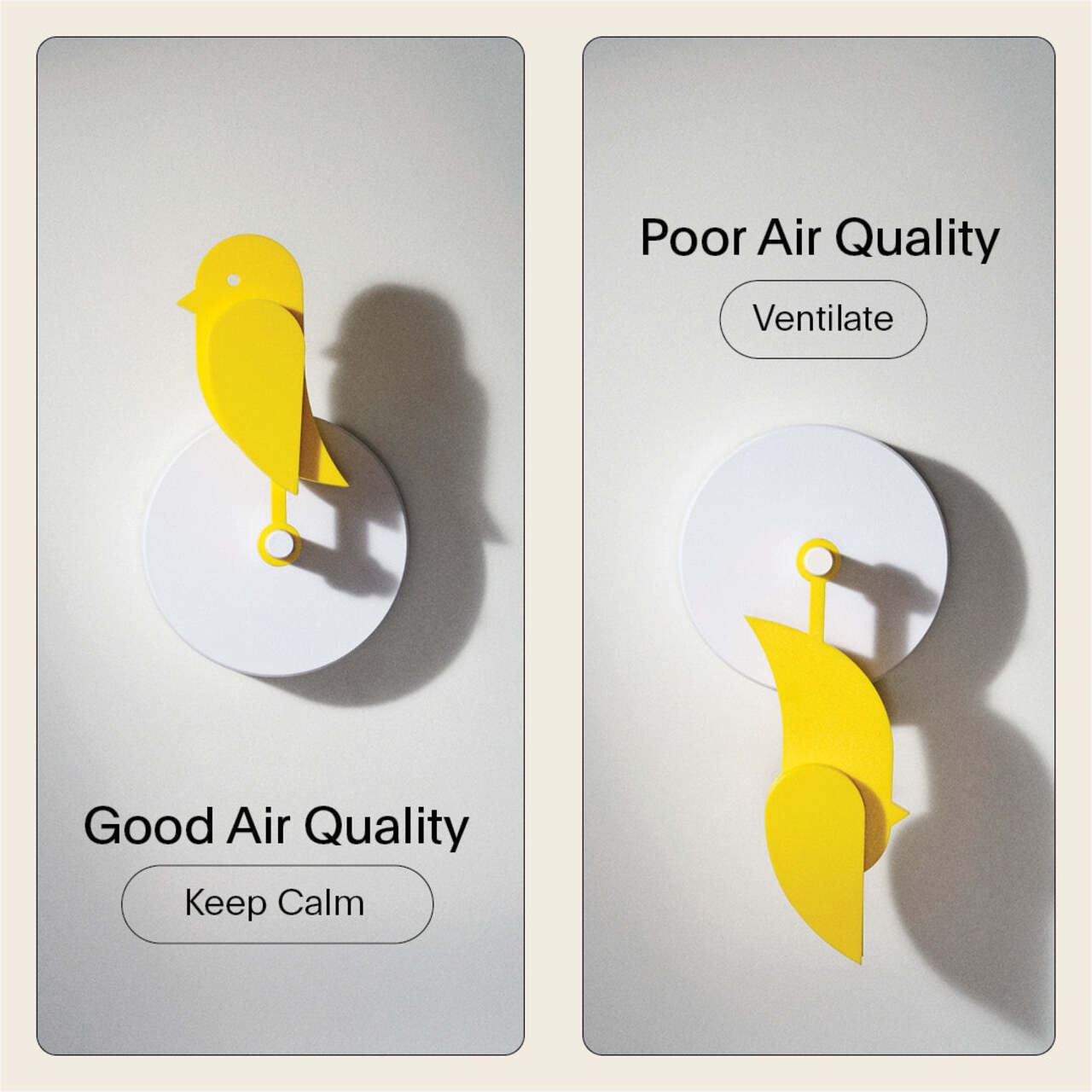
The mechanics are simple but quietly well thought out. Birdie checks CO₂ levels every ten minutes while upright, and every two minutes once it has dropped, giving it faster feedback during the moments that actually matter. After returning to standing, it enters a two-hour cool-down period to preserve battery life, which lasts up to eight months on a single charge. It mounts to the wall with either a screw or a strip of 3M tape and needs nothing else to function.
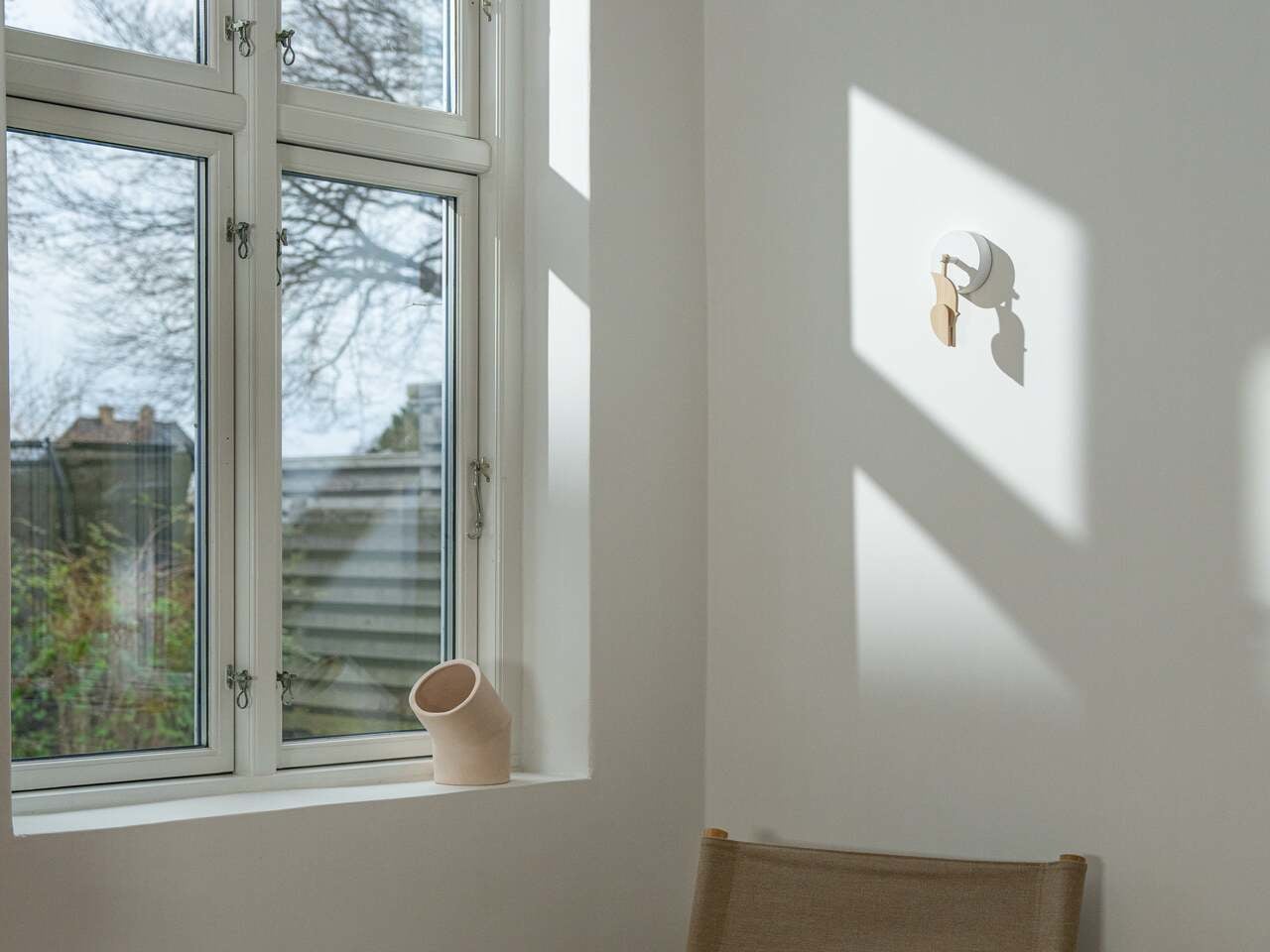
The body is made from 70% post-consumer recycled plastic, which sits well with the minimal-intervention philosophy the product is built around. It comes with a USB-C charging cable and a wall mount in the box, and setup takes a few minutes at most. One unit covers rooms up to 100 m², though a separate one per floor or closed bedroom is recommended for multi-room coverage.

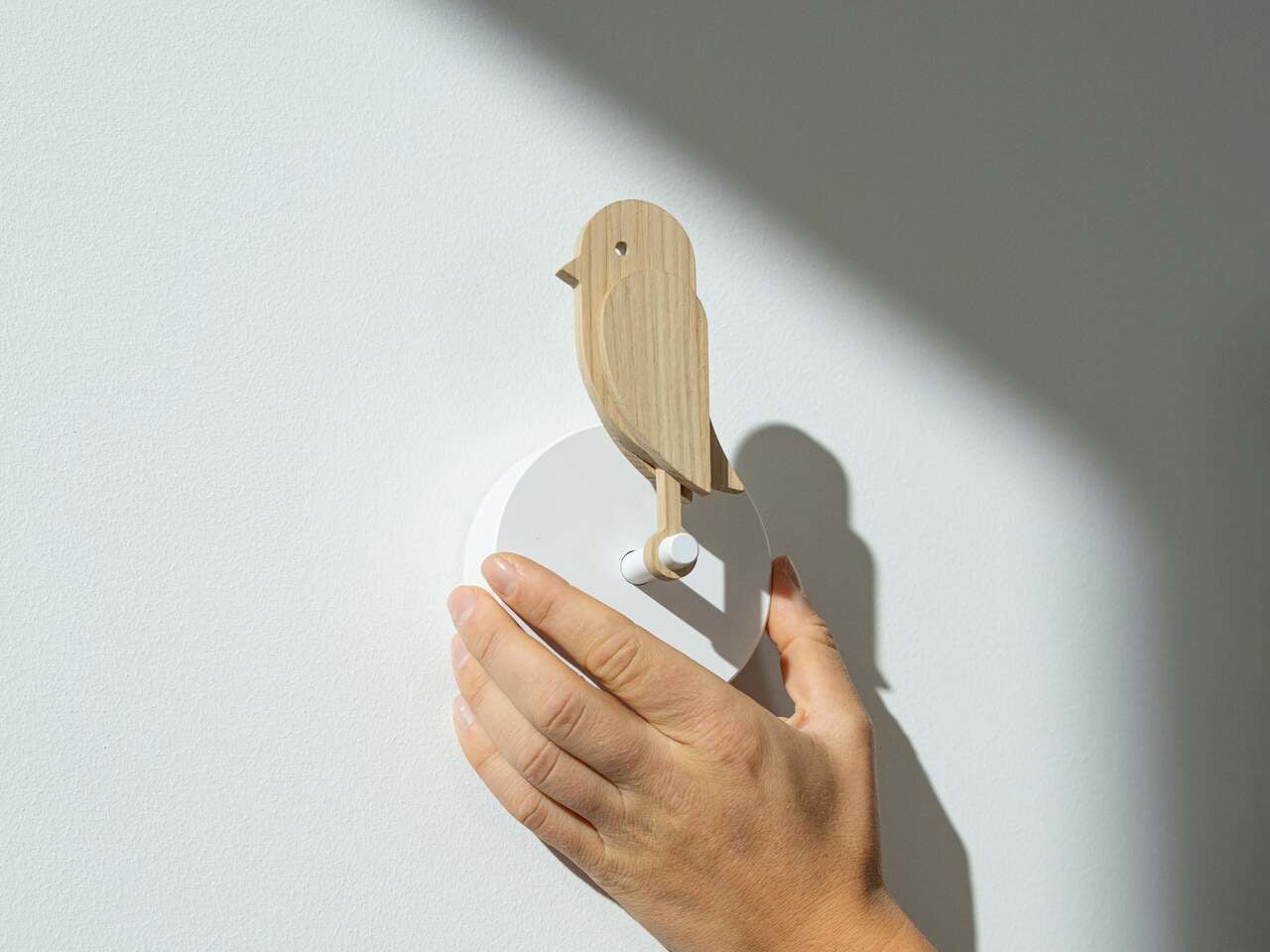
What makes it a particularly comfortable fit for the home is that it doesn’t feel like a gadget. There’s no screen competing for attention, no app to configure, and no blinking light to interpret. It’s a piece of Danish-designed wall art that happens to tell you when your living room needs to breathe. It also comes in several colorways, including the signature yellow and a subdued, earthy Dune, so it can blend into a room rather than dominate it.

Offices and classrooms are where the stakes tend to be highest. Concentration dips noticeably when CO₂ climbs, and in a shared space that doesn’t get ventilated between meetings or lessons, that decline can happen within an hour. Having something physical on the wall, rather than a number on a device that no one is checking, makes it much harder to ignore the problem.
The post This Air Monitor Drops Like a Canary When Your Room Needs Fresh Air first appeared on Yanko Design.

Meta Just Launched $299 AI Glasses Without the Ray-Ban Name

Smart glasses have been trying to go mainstream for years, but pricing has been a stubborn barrier. The Ray-Ban Meta glasses popularized the category by making them feel like normal eyewear, but their entry-level price has hovered well above what many casual buyers are willing to spend on something they might not be sure they need. The market has been compelling, just not quite accessible enough for everyone.

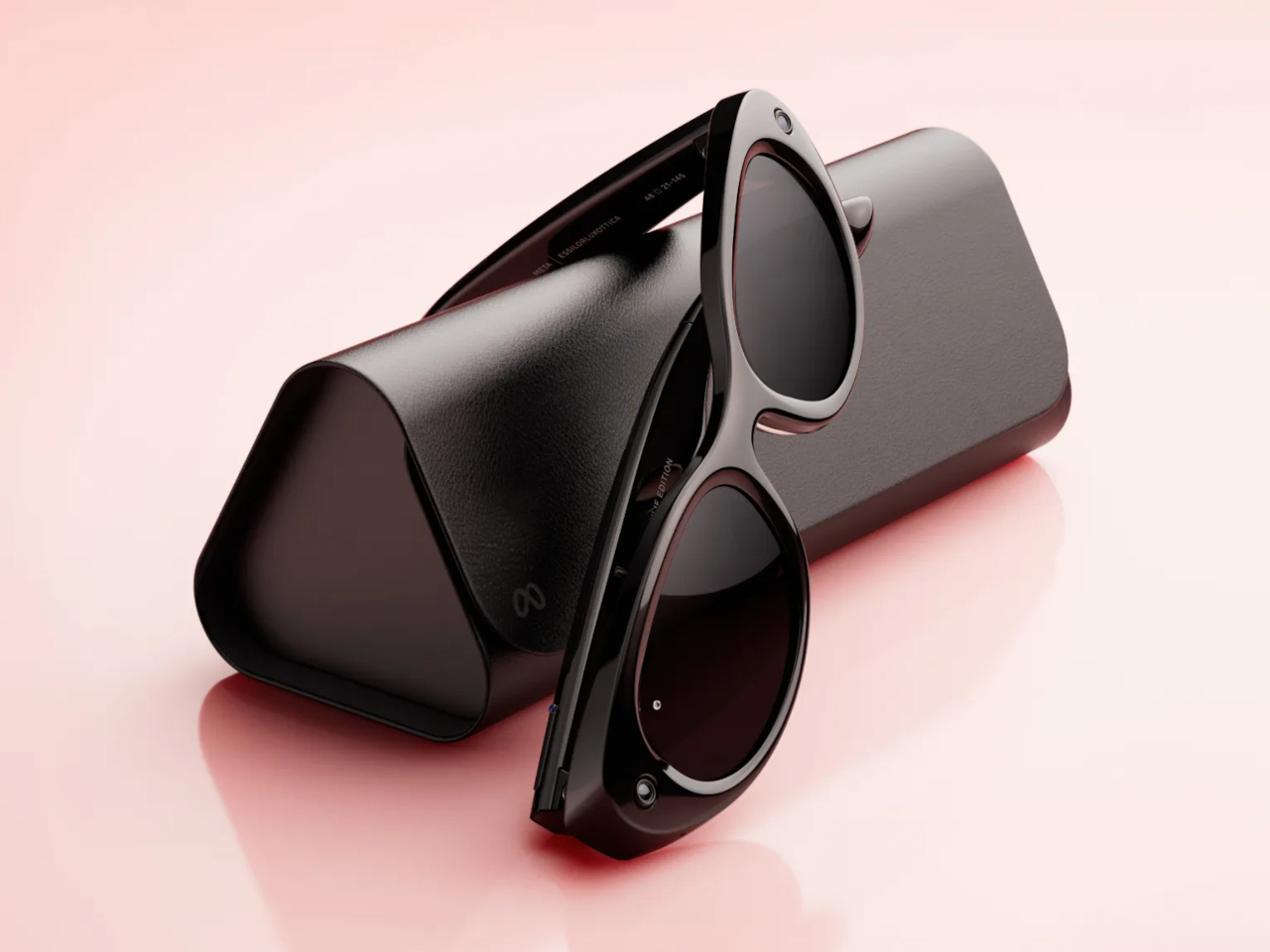
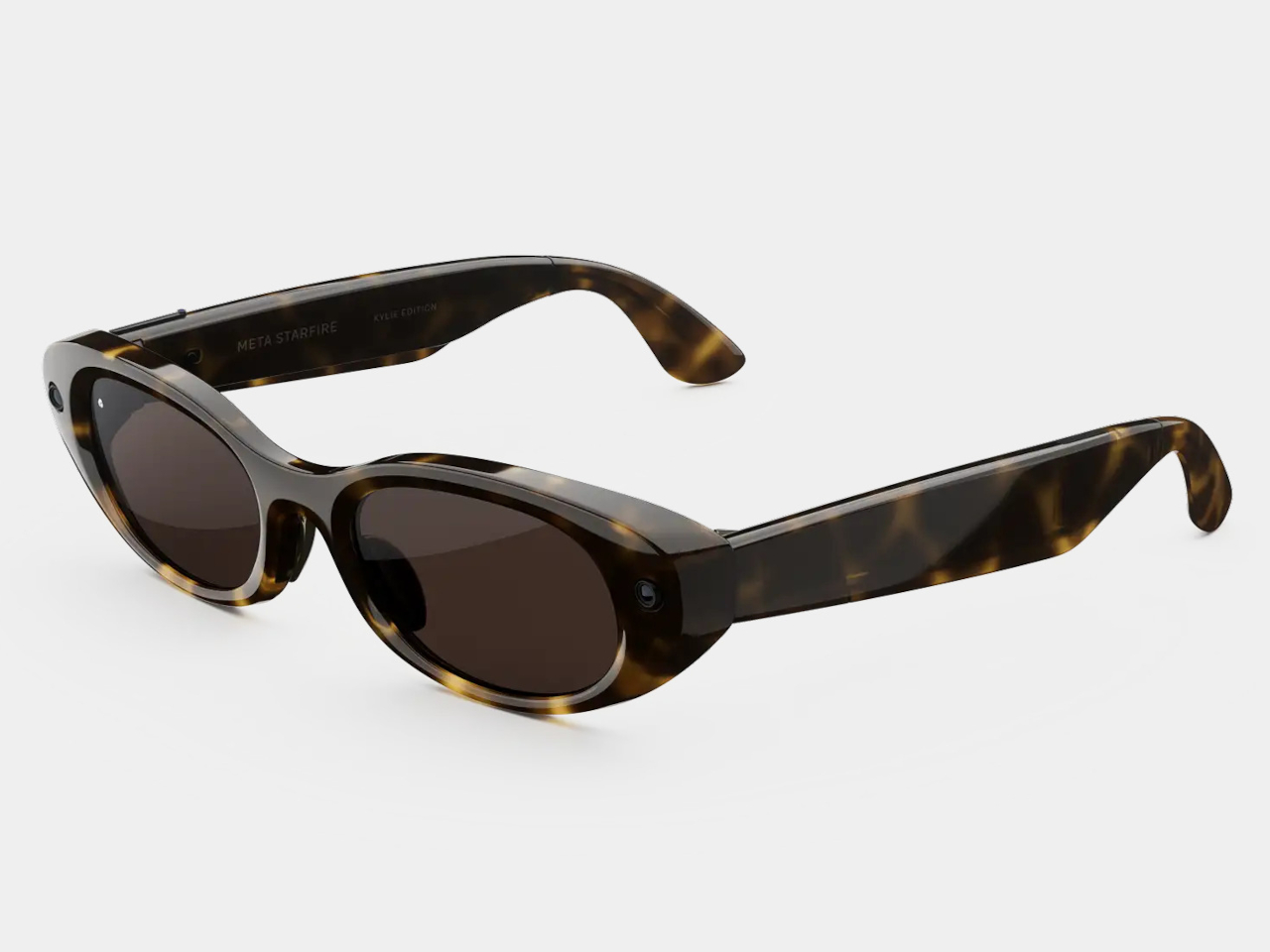
Meta is trying to change that with Meta Glasses, its first line of smart glasses sold under its own name rather than Ray-Ban or Oakley. Developed in partnership with EssilorLuxottica, the new lineup starts at $299, which is at least $80 less than the Ray-Ban Meta Gen 2 entry price, and it arrives in three distinct frame styles designed to cover a broader range of tastes and budgets.

Designer: Meta, EssilorLuxottica

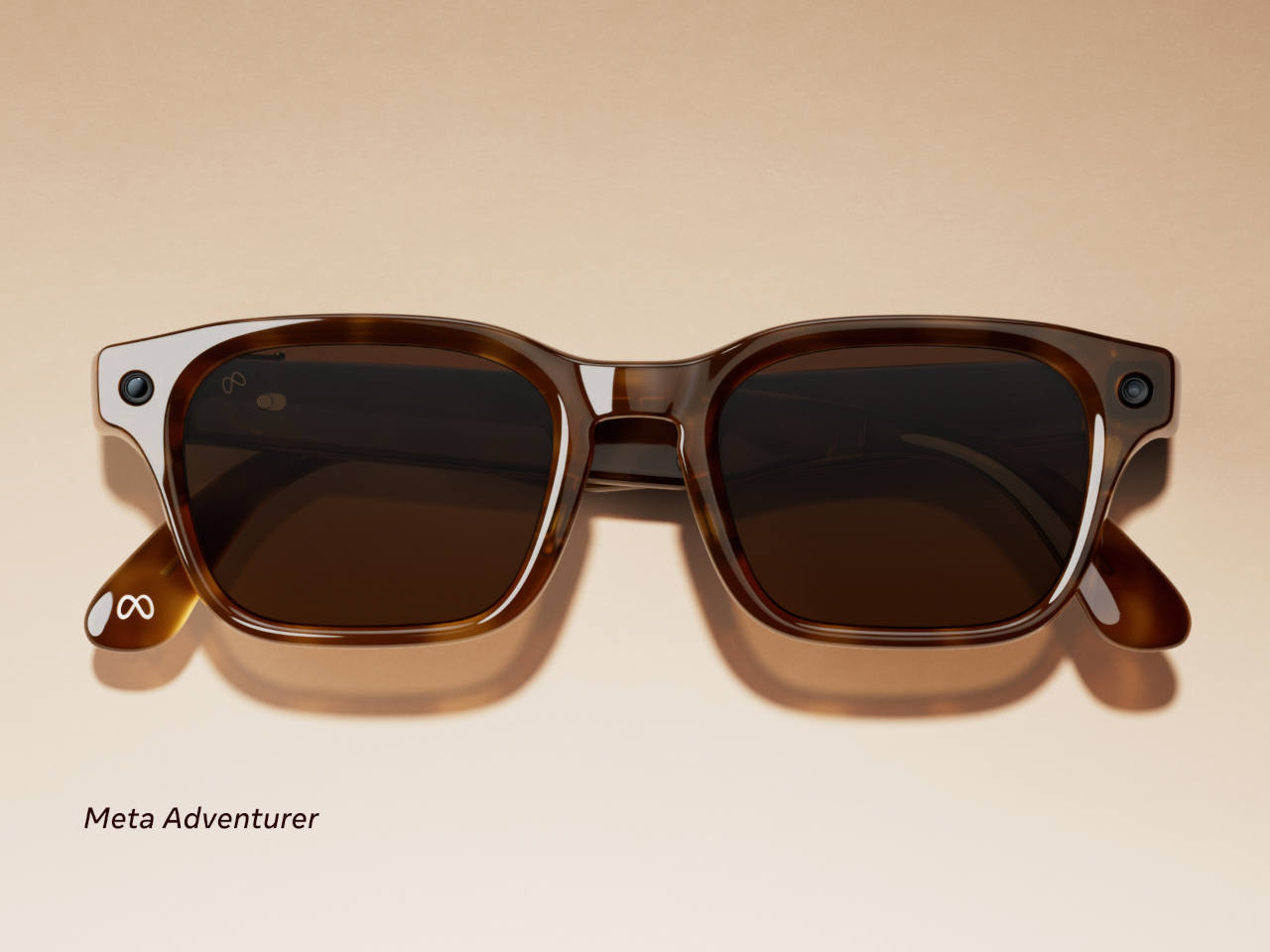
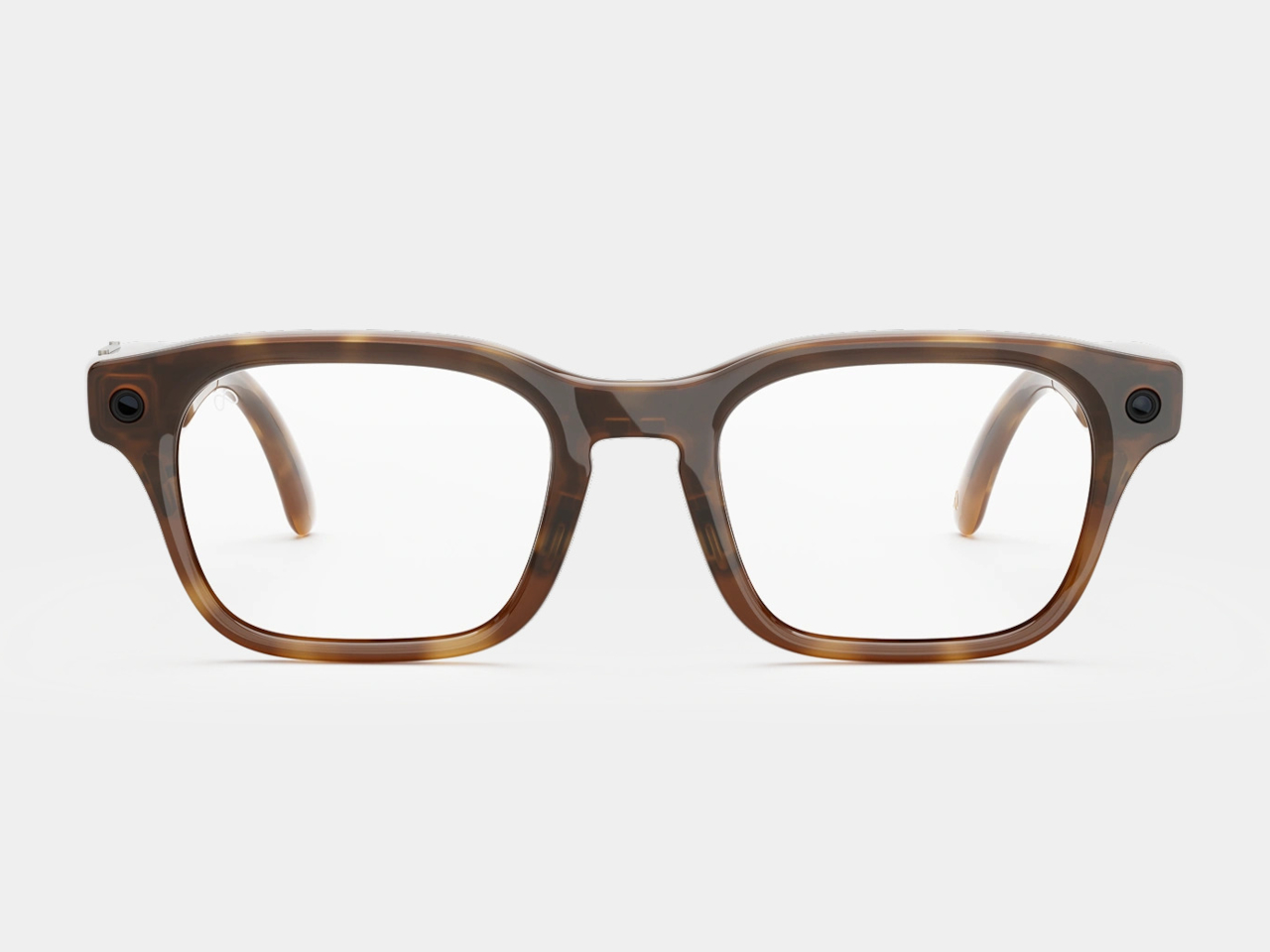
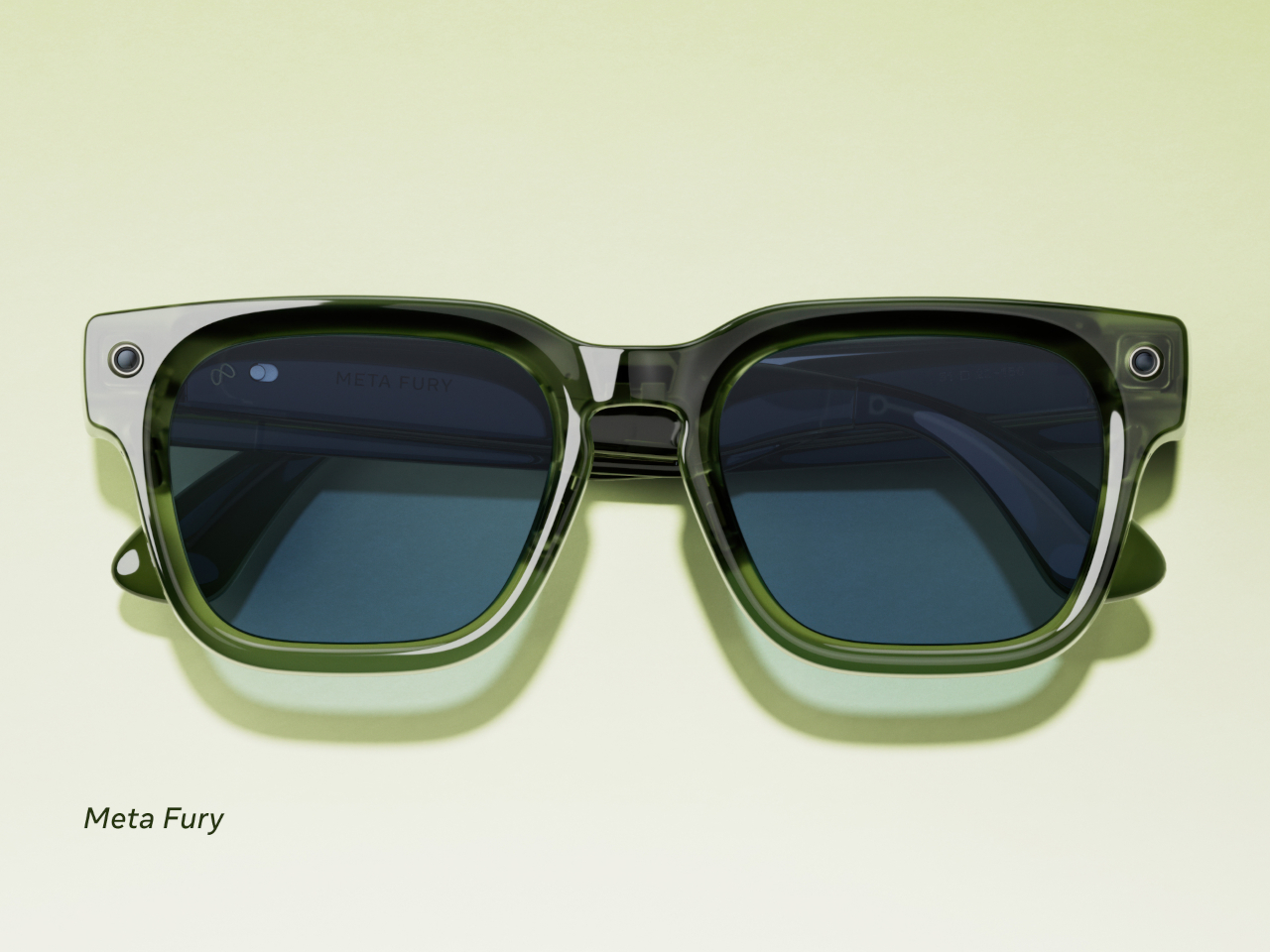
The two base models are the Adventurer and the Fury, each starting at $299. The Adventurer leans toward a slimmer, everyday silhouette, while the Fury goes bigger with a thicker, more rectangular profile, including a striking translucent racing green colorway that reveals the circuitry underneath. Both come in standard and large sizing, and together they span 26 color and lens combinations.

Meta Adventurer

A third model called the Starfire, designed in collaboration with Kylie Jenner, rounds out the lineup at $399. Its slim, oval shape sits closer to the territory of Prada or Gentle Monster than anything Meta has put out before. The most notable exclusive is the option to use Jenner’s own voice as the on-device AI assistant for everything from navigation cues to battery alerts. It’s a fashion-forward direction for smart glasses that doesn’t really have a precedent.

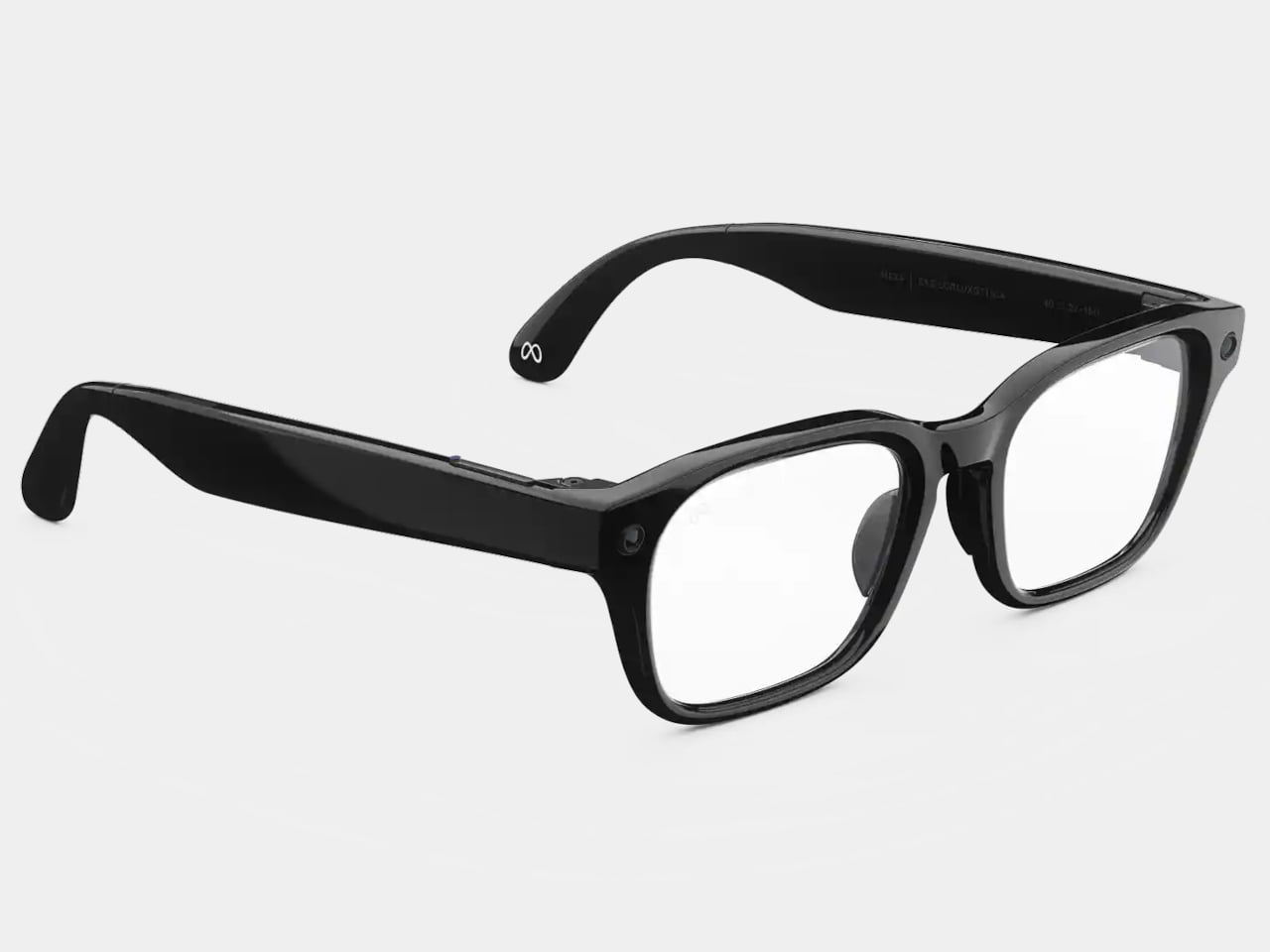
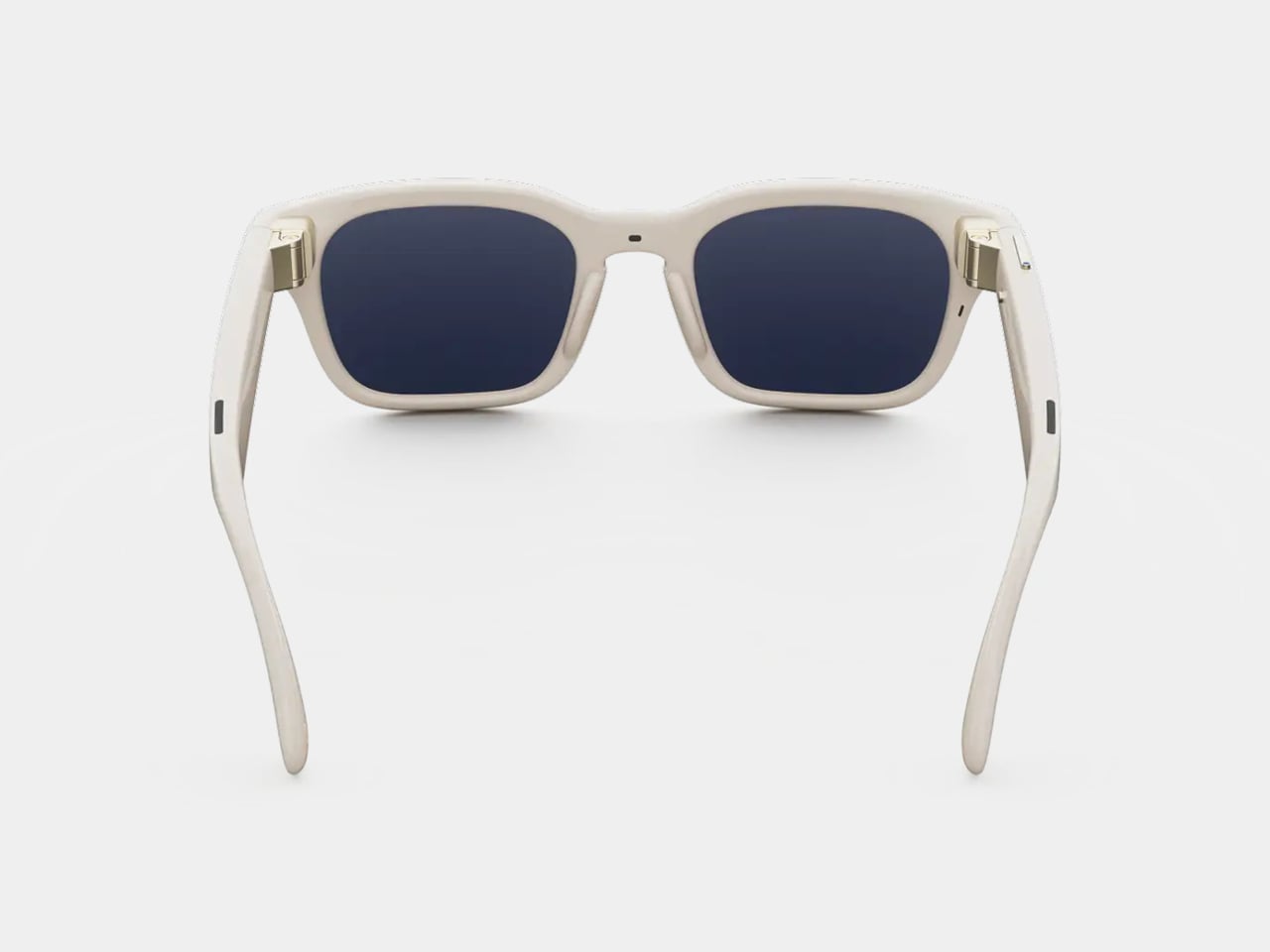
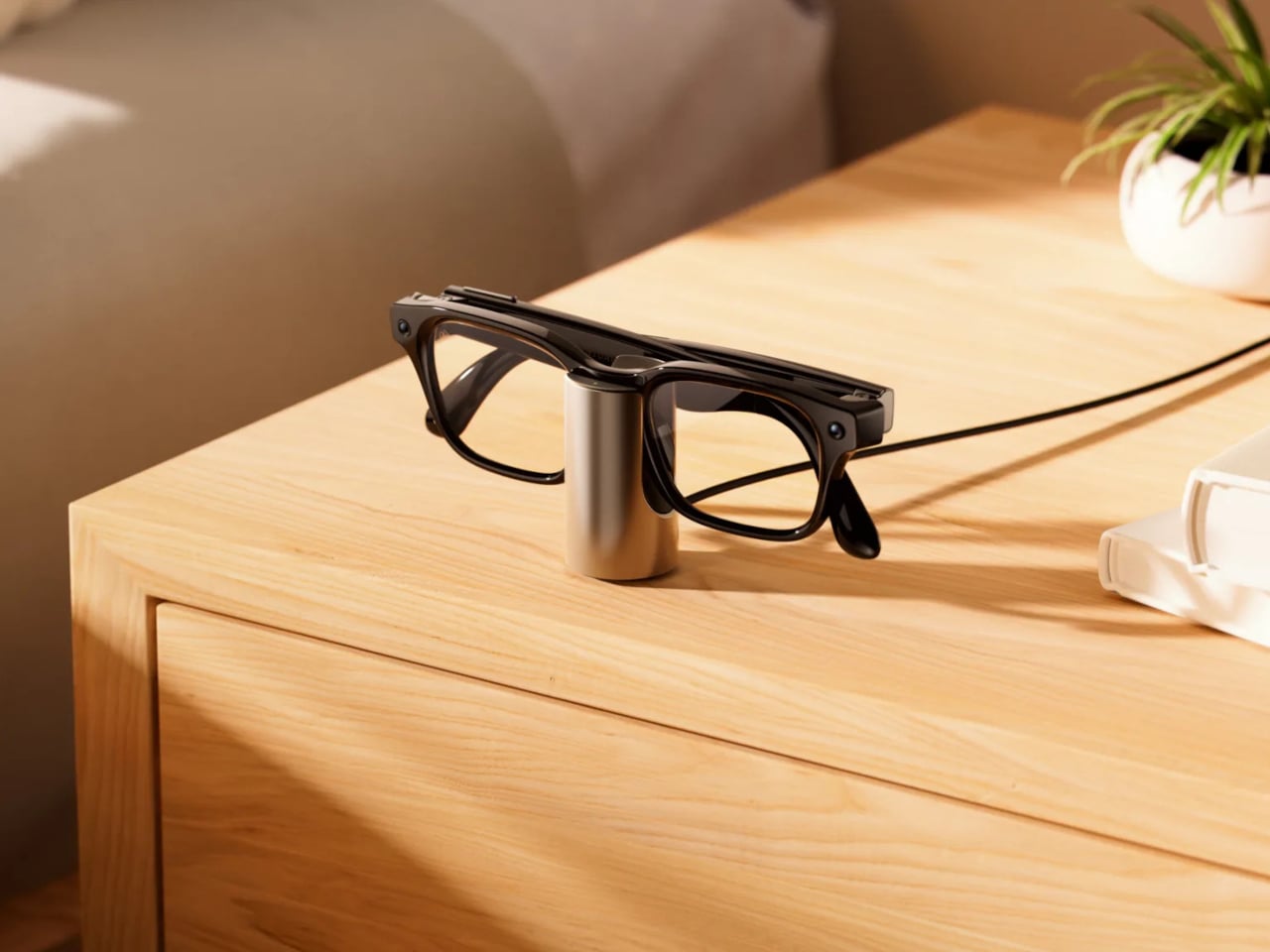
All three models carry the same core hardware: a 12 MP camera, open-ear audio, and a dedicated action button for invoking Meta AI or launching a preferred feature. The addition of three-way adjustable nose pads and temple tips is a practical improvement that makes them easier to wear across different face shapes. They’re also compatible with prescription lenses, which meaningfully broadens who can actually wear them all day.

On the software side, all Meta Glasses launch with Muse Spark, Meta’s newest AI model from its Meta Superintelligence Labs. Live translation now covers 20 languages, adding Mandarin, Korean, Japanese, Arabic, and Hindi to the existing roster. Pedestrian navigation, which debuted on Meta’s more expensive display glasses, now works on the camera-equipped models too, making the $299 pair genuinely capable of directing you through an unfamiliar city while you walk.

A Dynamic Photo feature also debuts with the launch, capturing a quick burst of frames and automatically selecting the sharpest one. It’s a small addition but a practical one, given how awkward it can be to time a single-frame capture when the glasses are on your face and you’re not looking at a screen.

The glasses are available today at Meta.com and through retailers including LensCrafters, Best Buy, Amazon, and Sunglasses Hut. Dropping Ray-Ban from the name is a quiet but meaningful move, and the lower price suggests Meta is confident enough in its own brand to see if that’s what people were actually waiting for.

The post Meta Just Launched $299 AI Glasses Without the Ray-Ban Name first appeared on Yanko Design.
SwitchBot Prime Day 2026: Smart Upgrades, No Installation, Up to 50% Off

Smart home products have come a long way from the days when “home automation” meant complicated setups only tech enthusiasts could manage. The best ones now work with what people already have rather than asking them to start over from scratch. That shift has made the category far more approachable, and Prime Day sales like this one are worth paying closer attention to.

SwitchBot’s Prime Day 2026 sale runs from June 23 to June 26, offering discounts as high as 50% on a range of devices that handle security, window control, home decor, and daily comfort. None of them requires tearing down walls or rewiring anything, which is part of the appeal. The lineup this year has something for practically every room in the house.

Designer: SwitchBot

SwitchBot Lock Vision Series

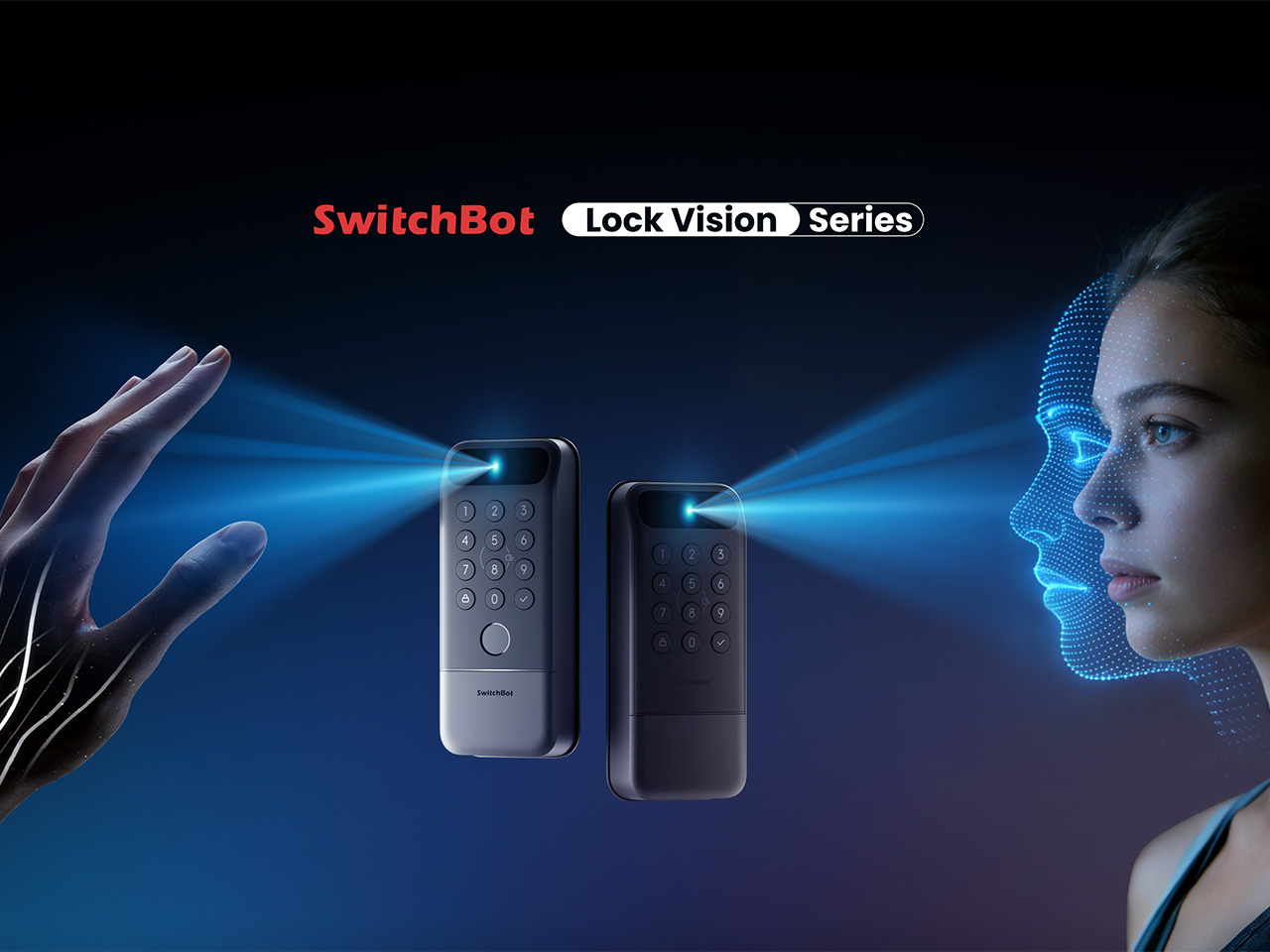
Getting home with your hands full and somehow managing to unlock the door without dropping anything is one of those small daily struggles nobody really talks about. The SwitchBot Lock Vision takes care of that with 3D structured-light facial recognition, letting you walk right in without touching anything. It’s also built to tell the difference between a real face and a photo or video.

If your household has multiple people who need different ways to get in, the Lock Vision Pro adds fingerprint and palm vein recognition on top of the facial option, which makes it a bit more flexible for families. During Prime Day, the Lock Vision is down to $109.99, which is 35% off, while the Pro model drops to $169.99 at 26% off.

Click Here to Buy Now: $109.99 $169.99 (35% off). Hurry, Prime Day Deal ends soon! Website Link Here.

SwitchBot Curtain 3 Rod 2pcs + Remote

There’s something genuinely nice about curtains that open on their own in the morning, letting light in without you having to get out of bed. The SwitchBot Curtain 3 makes that possible by attaching directly to compatible curtain rods, so nothing needs to be replaced. You can control it through the SwitchBot app, a voice assistant, a set schedule, or the remote it comes with.

This bundle comes with two units, enough to cover a full window or even two separate ones, depending on your setup. The motor also runs as low as 25dB in QuietDrift mode, so it won’t wake anyone up if you’ve set it to open at sunrise. At 28% off during Prime Day, it’s priced at $129.99, which makes the automation a lot easier to justify.

Click Here to Buy Now: $129.99 $179.99 (28% off). Hurry, Prime Day Deal ends soon! Website Link Here.

SwitchBot AI Art Frame

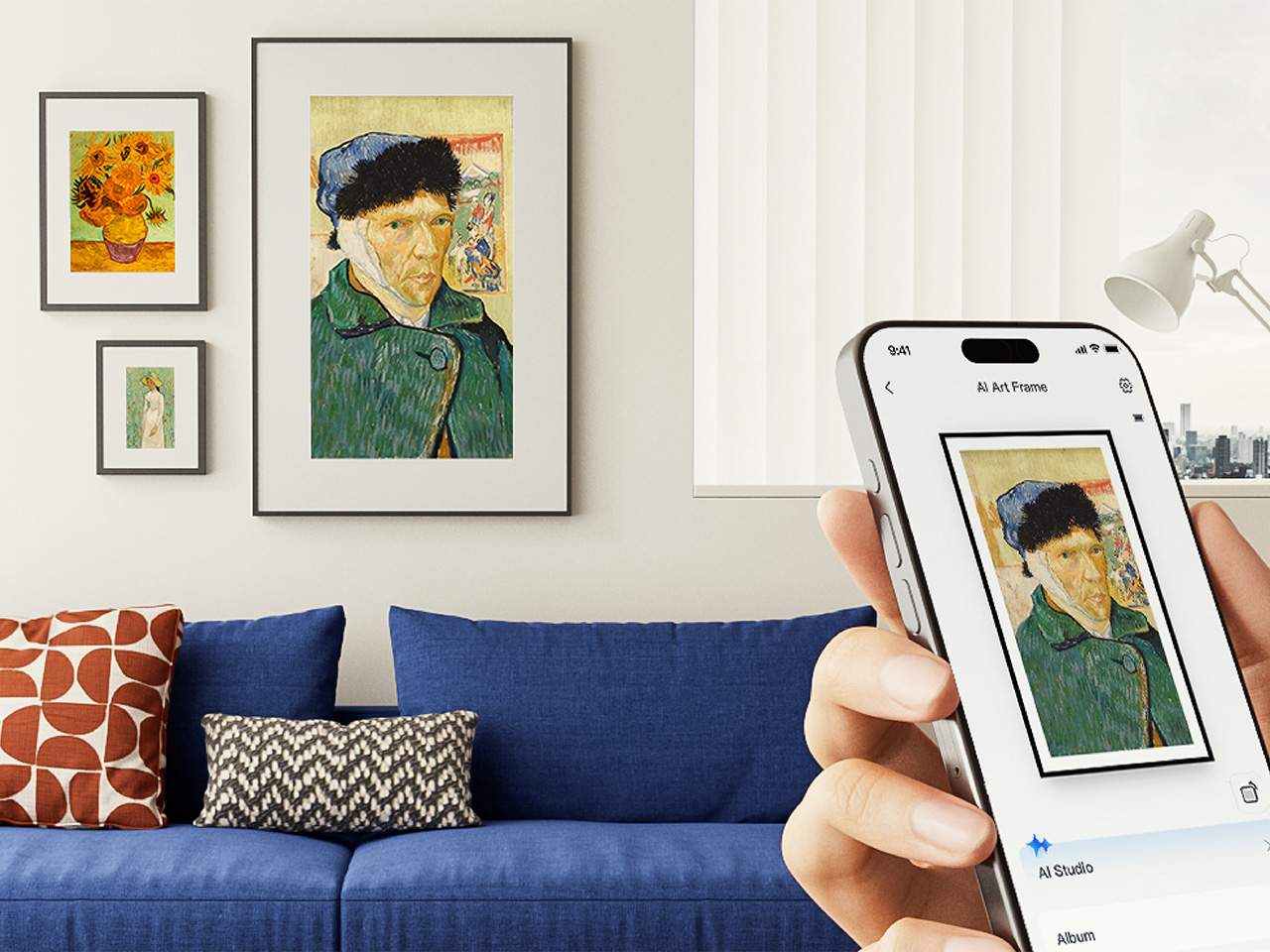
Digital frames have been around for a while, but most of them glow a bit too brightly for a living room. The SwitchBot AI Art Frame takes a different approach with an E Ink display that gives artwork a paper-like quality rather than a screen-like one. It comes in 7.3-inch and 13.3-inch sizes, and can show photos, personal artwork, or AI-generated visuals.

What makes it genuinely usable is that it isn’t tethered to a wall outlet, thanks to a built-in battery. It can sit on a desk, lean against a shelf, or hang on a wall, wherever it fits into your space best. The 7.3-inch model is $109.99 at 27% off during Prime Day, and the 13.3-inch goes for $265.99 at 24% off.

Click Here to Buy Now: $109.99 $149.99 (27% off). Hurry, Prime Day Deal ends soon! Website Link Here.

SwitchBot Blind Tilt 3pcs + Hub Mini

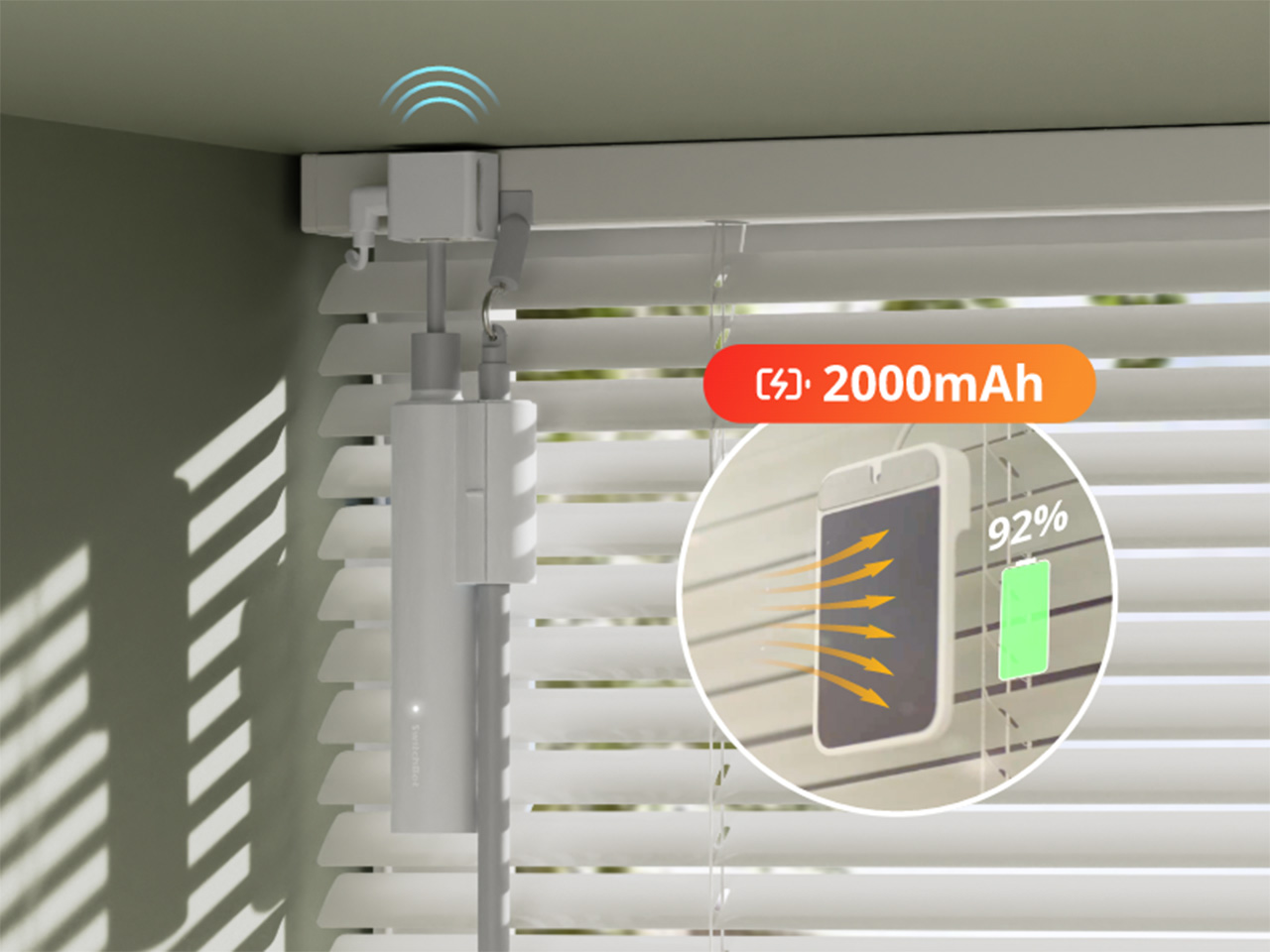
If you work from home, you’ve probably gotten up too many times just to adjust your blinds whenever the sun shifts. The SwitchBot Blind Tilt attaches to your existing blinds and lets you adjust the slat angle precisely without replacing anything. Three units are included in this bundle, so you can cover an entire room instead of just one window.

The included Hub Mini connects everything to the wider SwitchBot ecosystem, so you can control the blinds from anywhere, set them up with voice commands, or let a schedule take over. Instead of manually adjusting slats every morning or evening, you can just let it happen on its own. The bundle is $139.99 during Prime Day, which is 26% off its regular price.

Click Here to Buy Now: $139.99 $189.99 (26% off). Hurry, Prime Day Deal ends soon! Website Link Here.

SwitchBot Standing Circulator Fan

A fan that just runs until someone turns it off isn’t exactly the pinnacle of smart living. The SwitchBot Standing Circulator Fan can be scheduled, adjusted remotely, and paired with other SwitchBot devices so it responds to what’s actually happening in your home. Given that Prime Day falls right in the middle of summer, it’s also one of the more timely picks.

Its adjustable height makes it easy to move between rooms without any hassle, and the quiet operation means it won’t be a distraction during calls or when you’re trying to sleep. At $89.99, it’s the most affordable item in this Prime Day lineup, and at 31% off, it’s a reasonable deal for a fan that fits neatly into a connected home setup.

Click Here to Buy Now: $89.99 $129.99 (31% off). Hurry, Prime Day Deal ends soon! Website Link Here.

The post SwitchBot Prime Day 2026: Smart Upgrades, No Installation, Up to 50% Off first appeared on Yanko Design.

The Care Wearable That Confirms Your Alert With a Vibration, Not Silence

Caring for elderly residents in a facility setting is one of the most demanding jobs in healthcare. Staff are stretched thin, emergencies don’t follow schedules, and the systems many facilities still rely on, from paper logs to fragmented call tools, create gaps that can have serious consequences. As populations age faster than care infrastructure can keep up, the pressure on care workers and the systems they depend on keeps mounting.

That’s the challenge Kando was designed around. Rather than layering another standalone app or device onto an already crowded workflow, it takes the form of three integrated hardware components that work together as a single connected care system. The pieces include a wearable button for residents, a wall-mounted box for the room, and central communication hubs that link the entire facility.

Designer: Futurewave

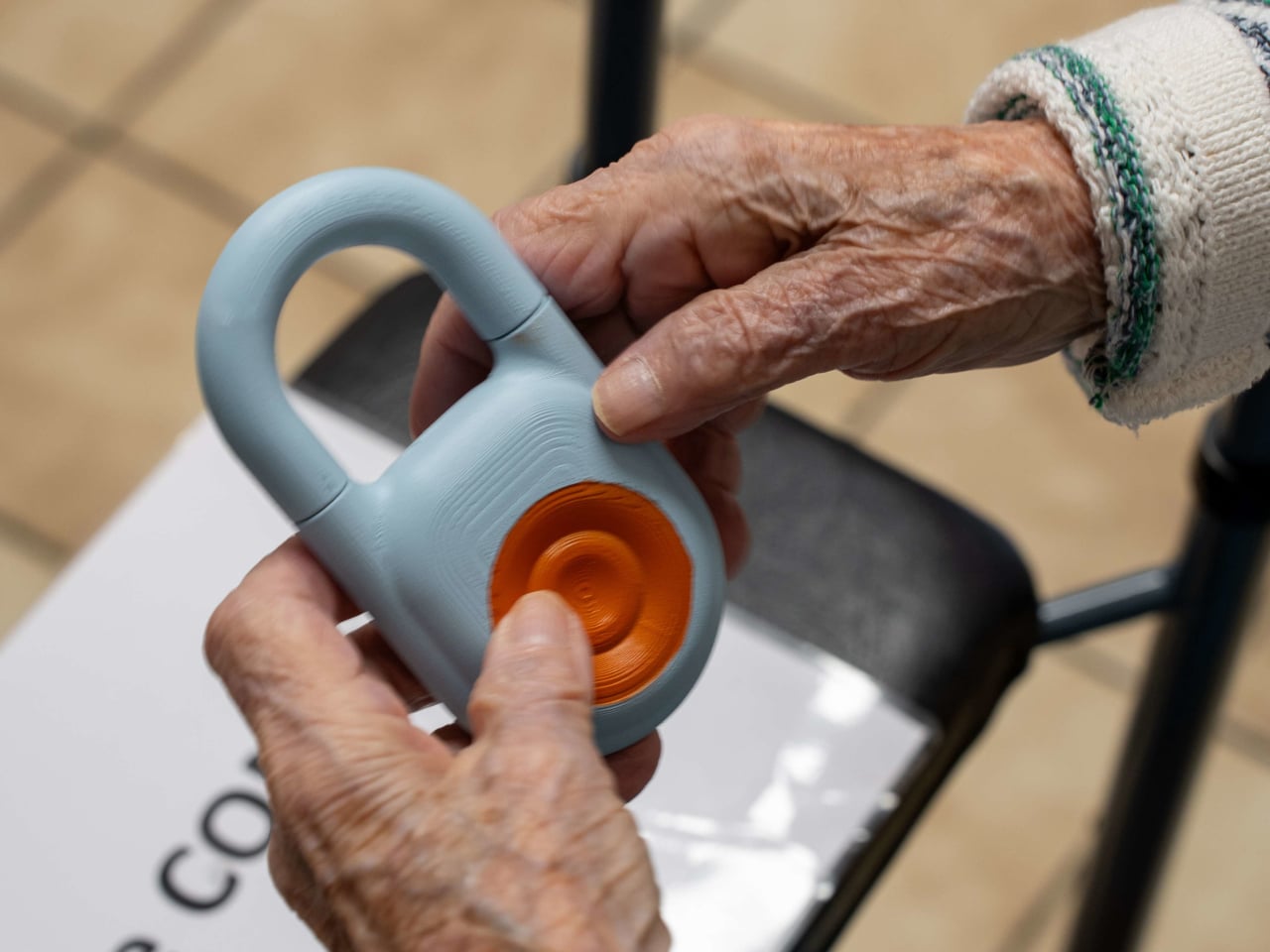
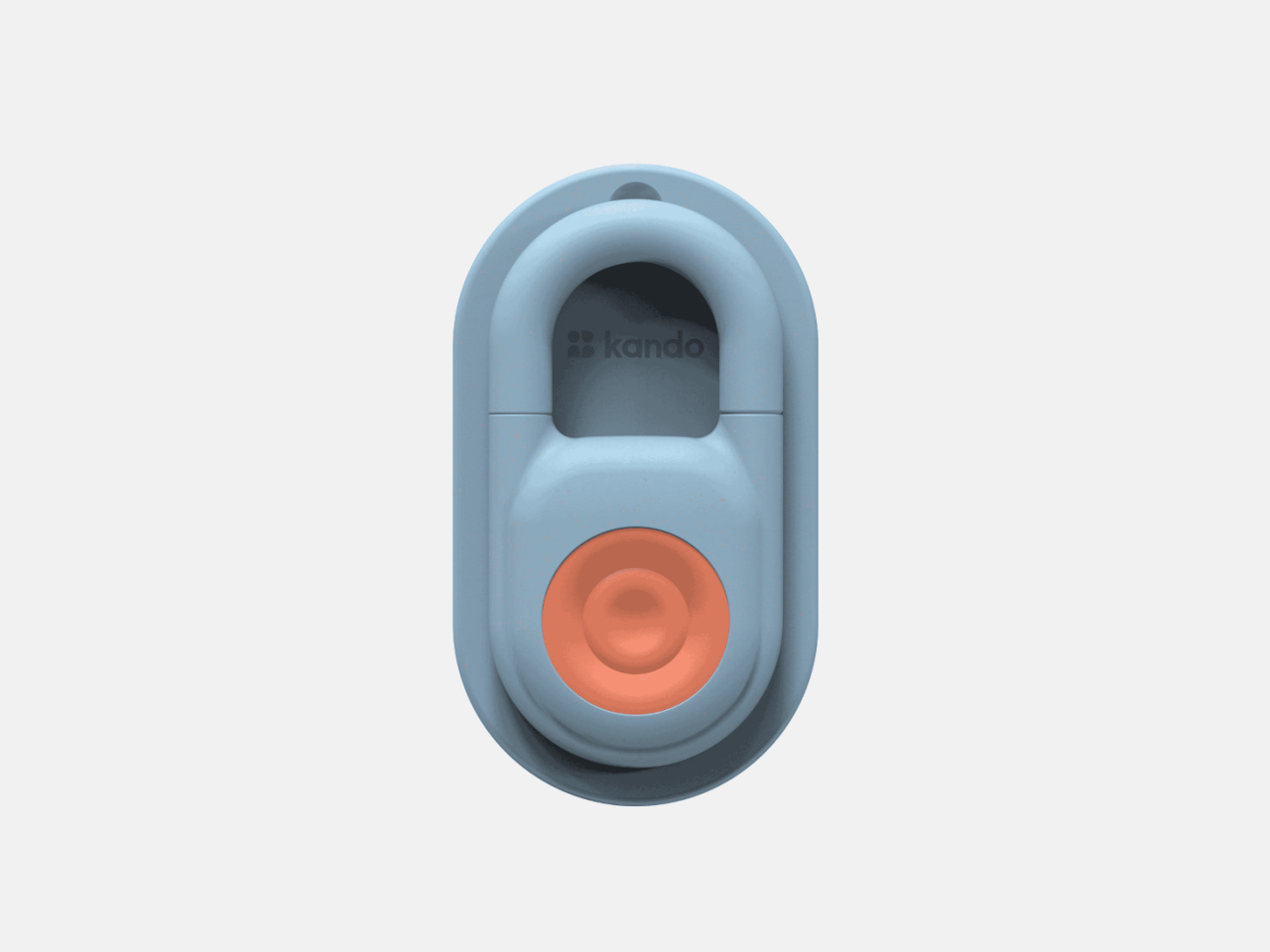
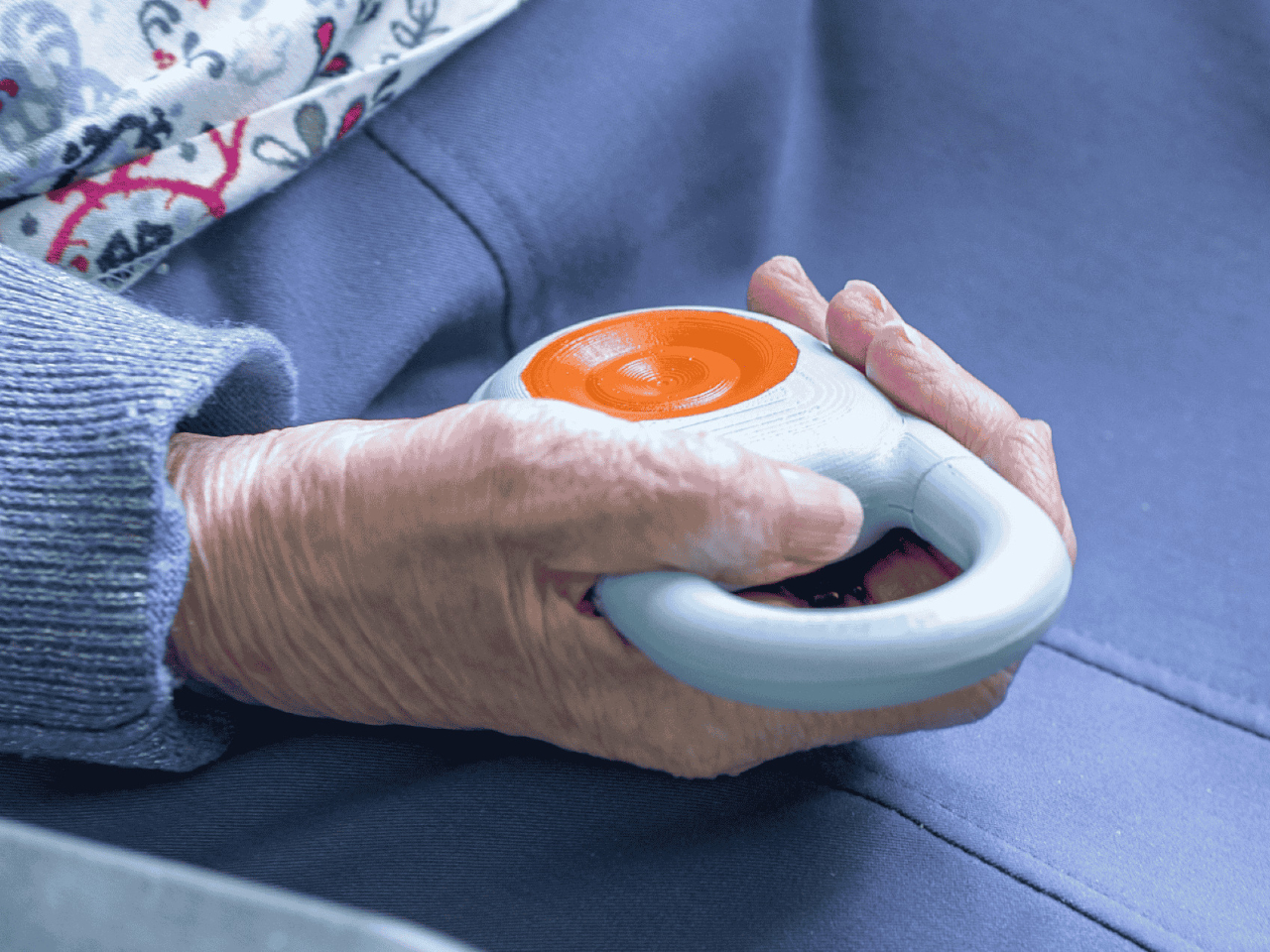
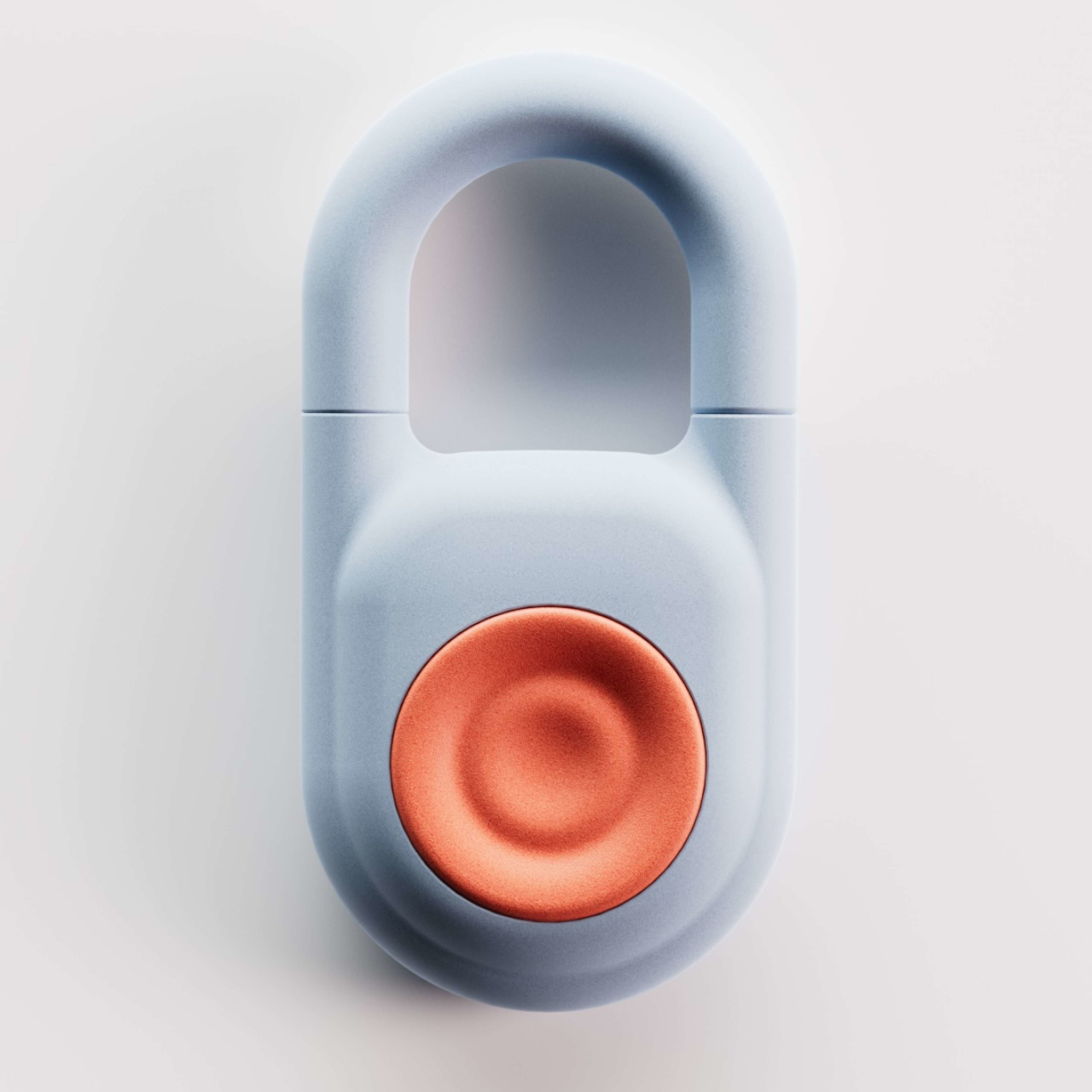
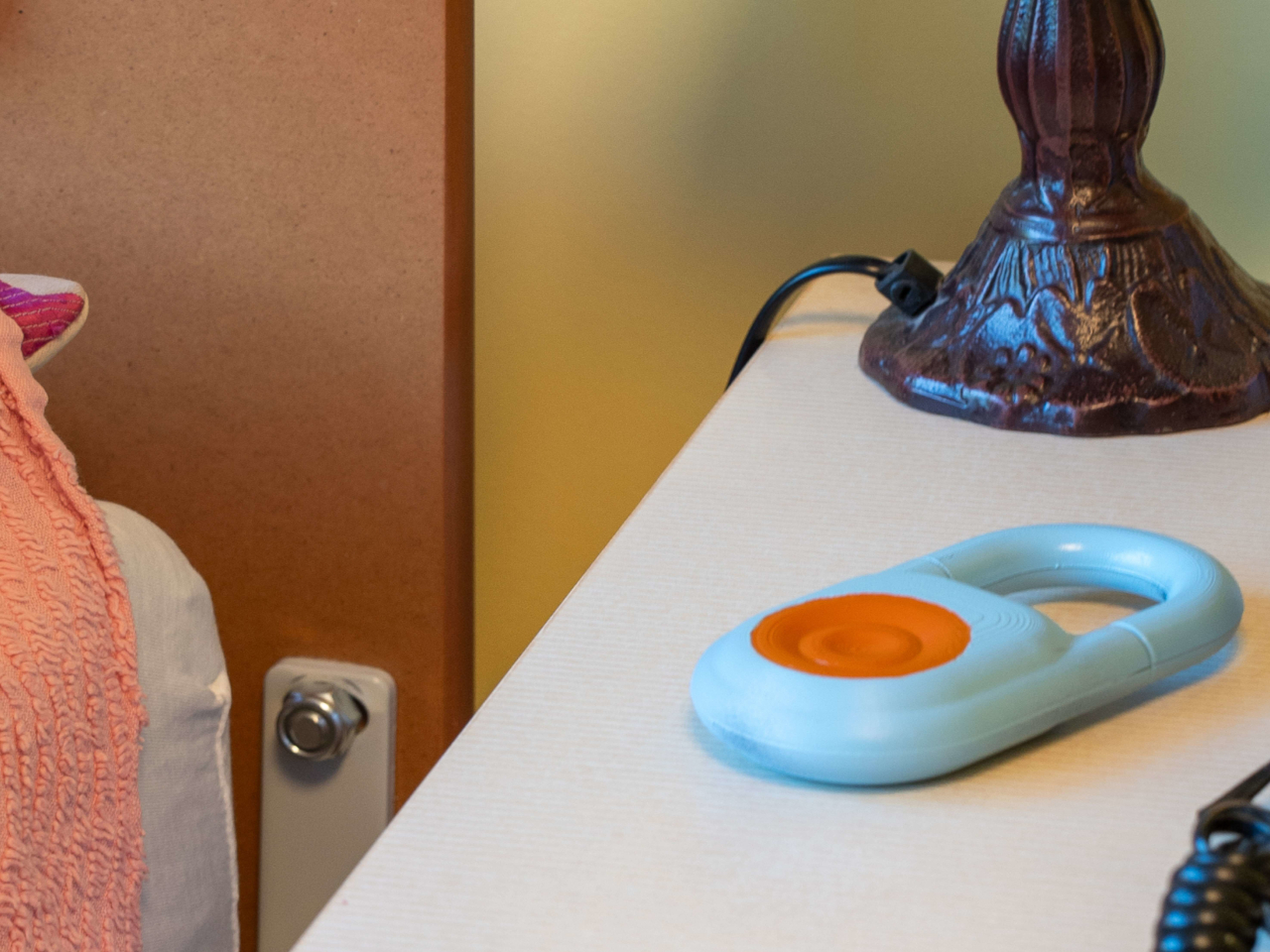
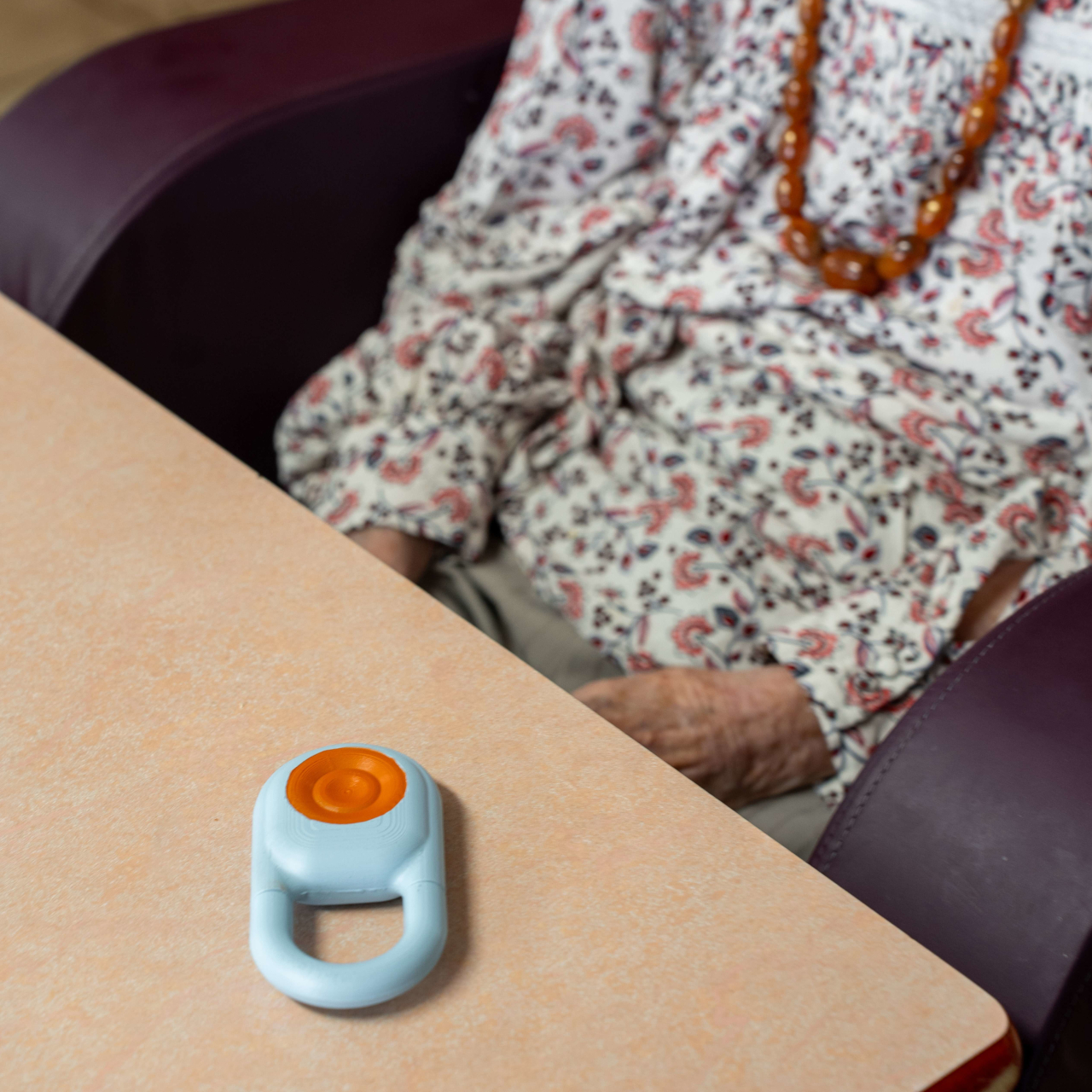
At the heart of the system is the Kando Button, a small wearable device that a resident clips onto their clothing or bed. It’s designed for simplicity: one touch triggers a request for help, confirmed immediately through both LED feedback and vibration, so the resident knows the signal went through. For someone who’s suddenly unwell or in distress, that instant confirmation matters.

Complementing the Button is the Kando Box, a wall-mounted unit that connects to the television already present in the resident’s room. Rather than adding a separate screen or terminal, it turns the TV into a visual communication interface between the resident and the care team. It’s a practical choice that keeps the environment familiar and avoids adding yet another unfamiliar device to the room.

Central hubs tie everything together, coordinating communication across the entire facility so that alerts don’t get lost between shifts. When a resident presses the Button, the information travels through a connected network rather than relying on a single staff member to notice and relay it. This end-to-end connection is what makes Kando a system rather than a collection of separate devices.

The practical outcomes add up for a facility dealing with dozens of residents and a care team that can’t be everywhere at once. Response times shorten. Paper-based documentation gives way to digital records, and over time, the operational costs tied to manual processes start to fall. For administrators, that combination of speed, accuracy, and efficiency is a genuinely compelling case.

What’s also worth noting is that Kando wasn’t designed with clinical functionality alone in mind. Every hardware decision carried a human weight too: it had to feel familiar and manageable in the hands of an elderly resident, not intimidating or cold. Medical technology often prioritizes technical function over the experience of the person it’s meant to serve, and this system tries to close that gap. The result is a system that clearly took the realities of a care environment seriously, not just from a technical standpoint but from a genuinely human one.

The post The Care Wearable That Confirms Your Alert With a Vibration, Not Silence first appeared on Yanko Design.
This Concept Car’s AI Slows Down When It Finds a Scenic Road

Modern life has made genuine rest surprisingly hard to come by. Homes are saturated with obligations, travel gets consumed by itineraries, and the spaces that are supposed to support recovery often fall short. Young people in particular are navigating a kind of exhaustion that doesn’t come from a lack of free time, but from a lack of environments that actually know how to be still.

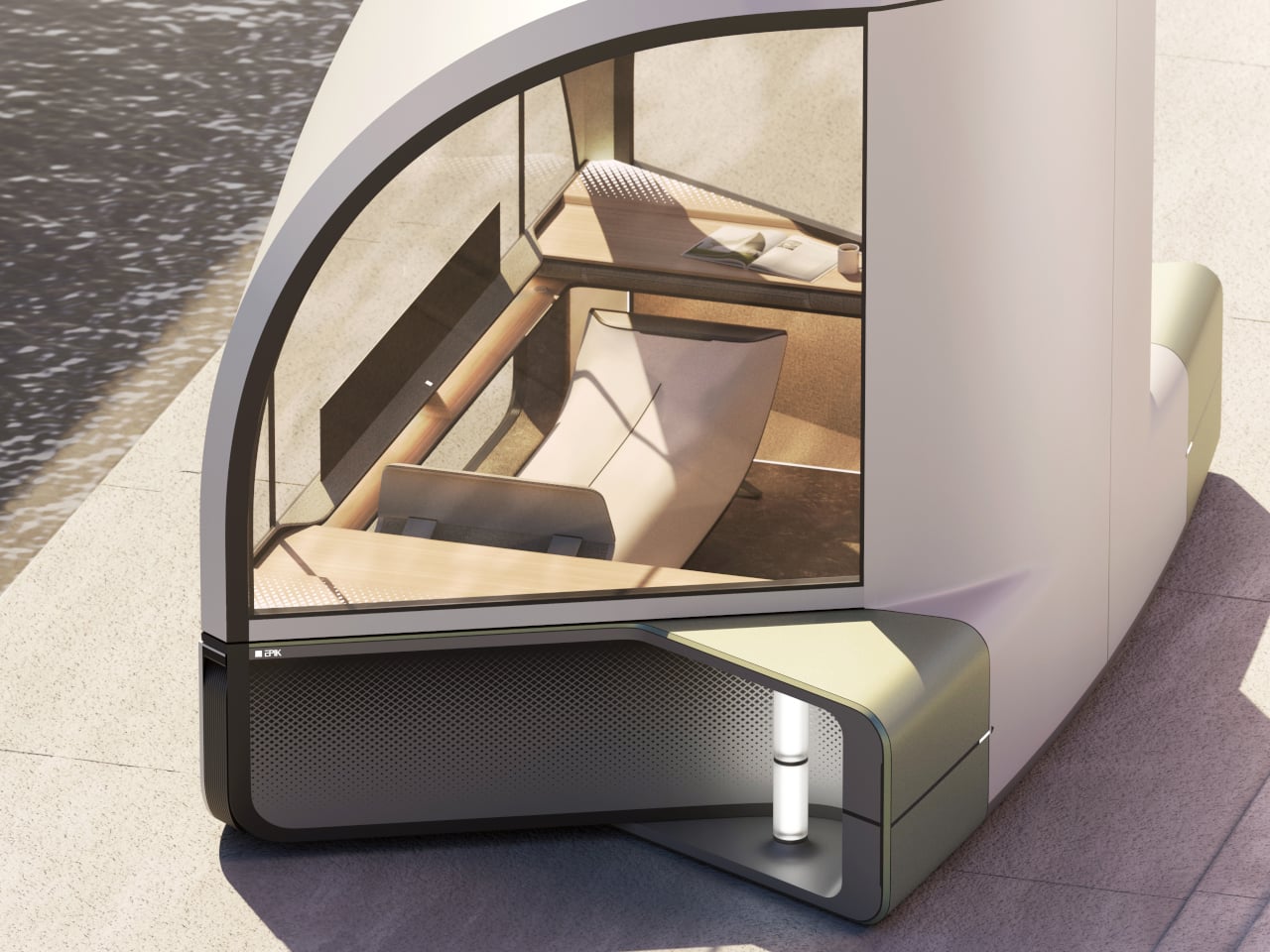
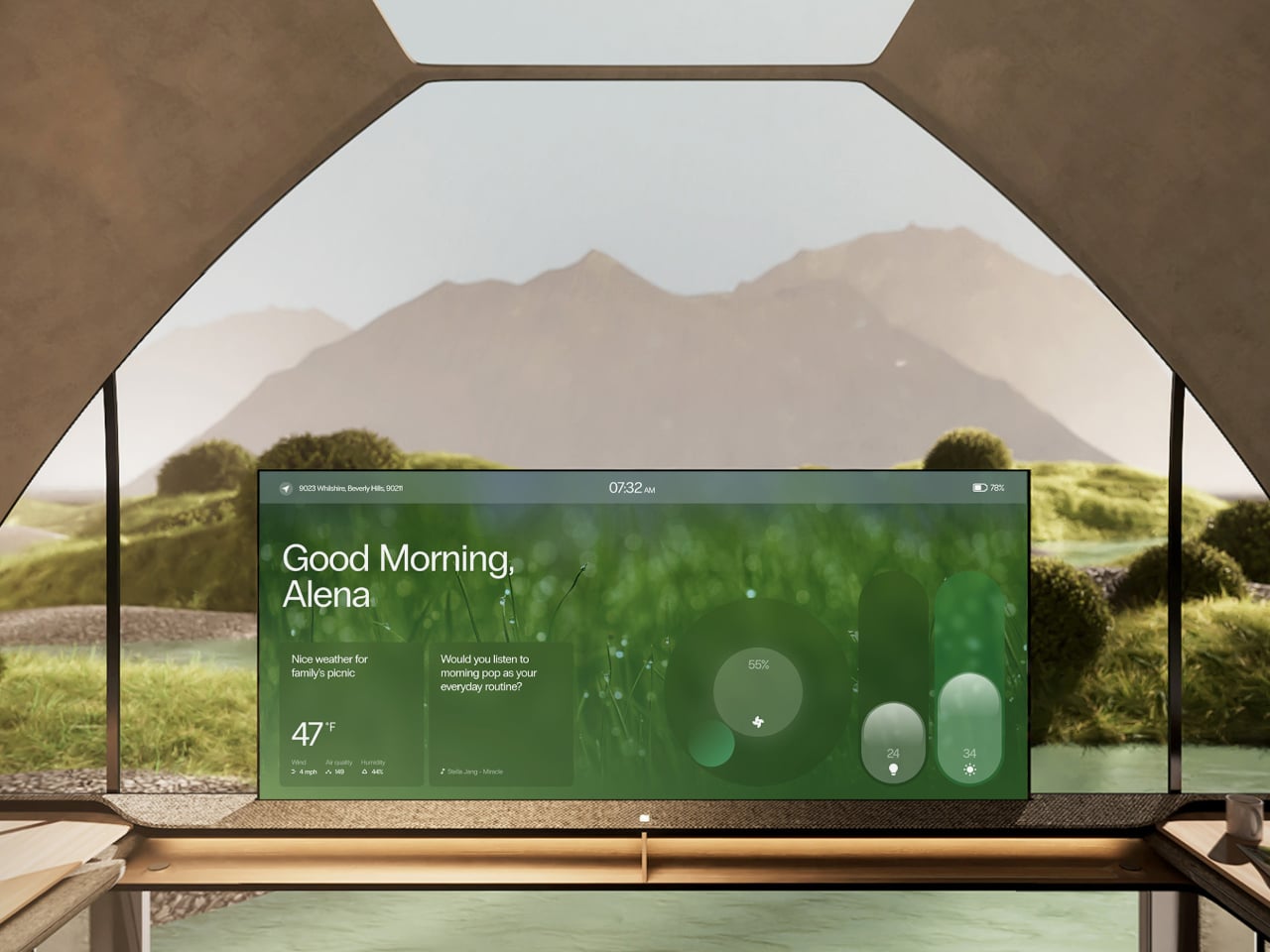
Epik is a mobility concept that addresses this at its root. Rather than packing more comfort into transit or filling trips with more activities, it takes a different route entirely: nature and light, the things that already surround you but go unnoticed, become the primary tools for rest. The vehicle reimagines the journey as a second home that moves with you and adapts entirely to your intentions.

Deisgners: Ellie Ahn, Shirley Cheon, Changdong Min, Geonhoo Son

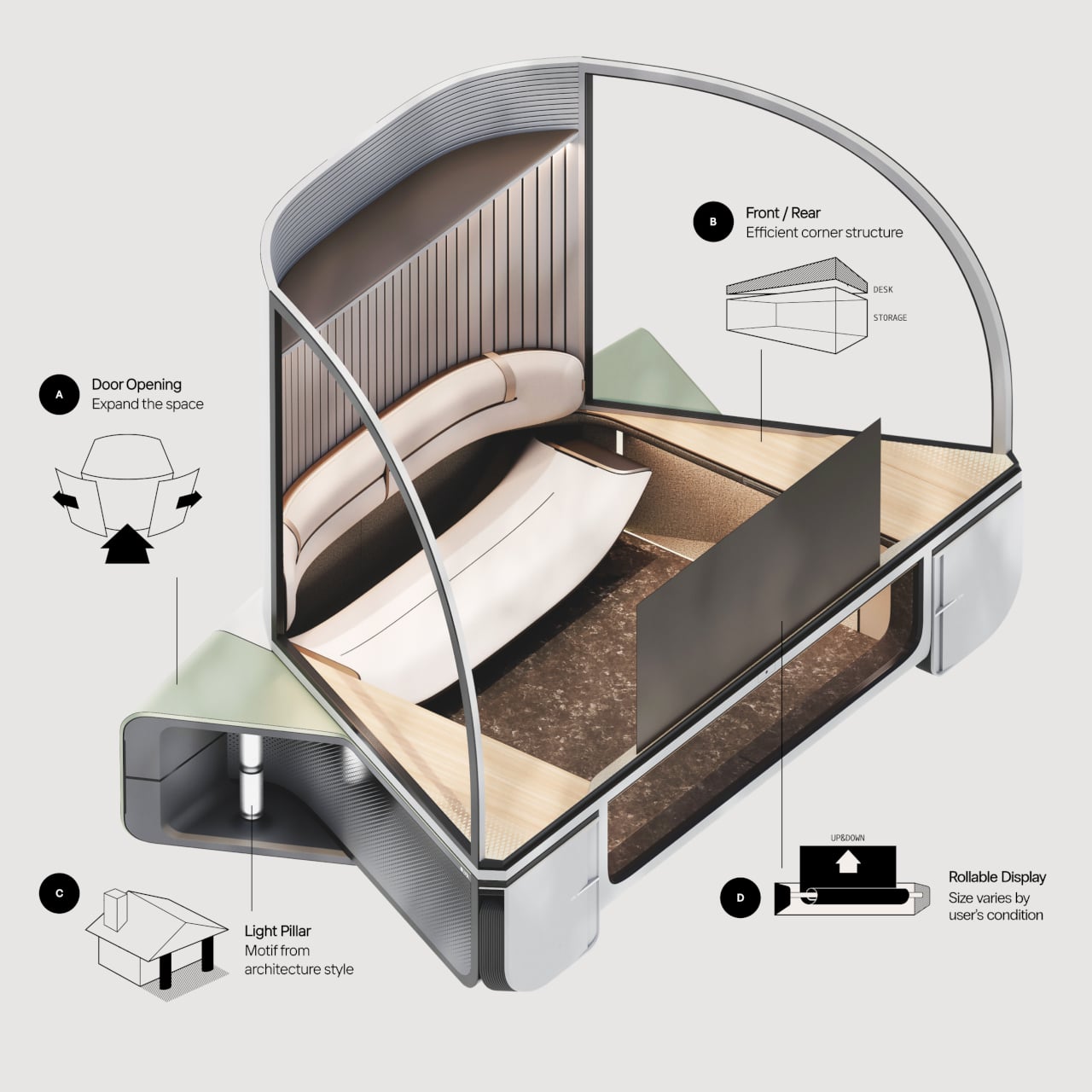
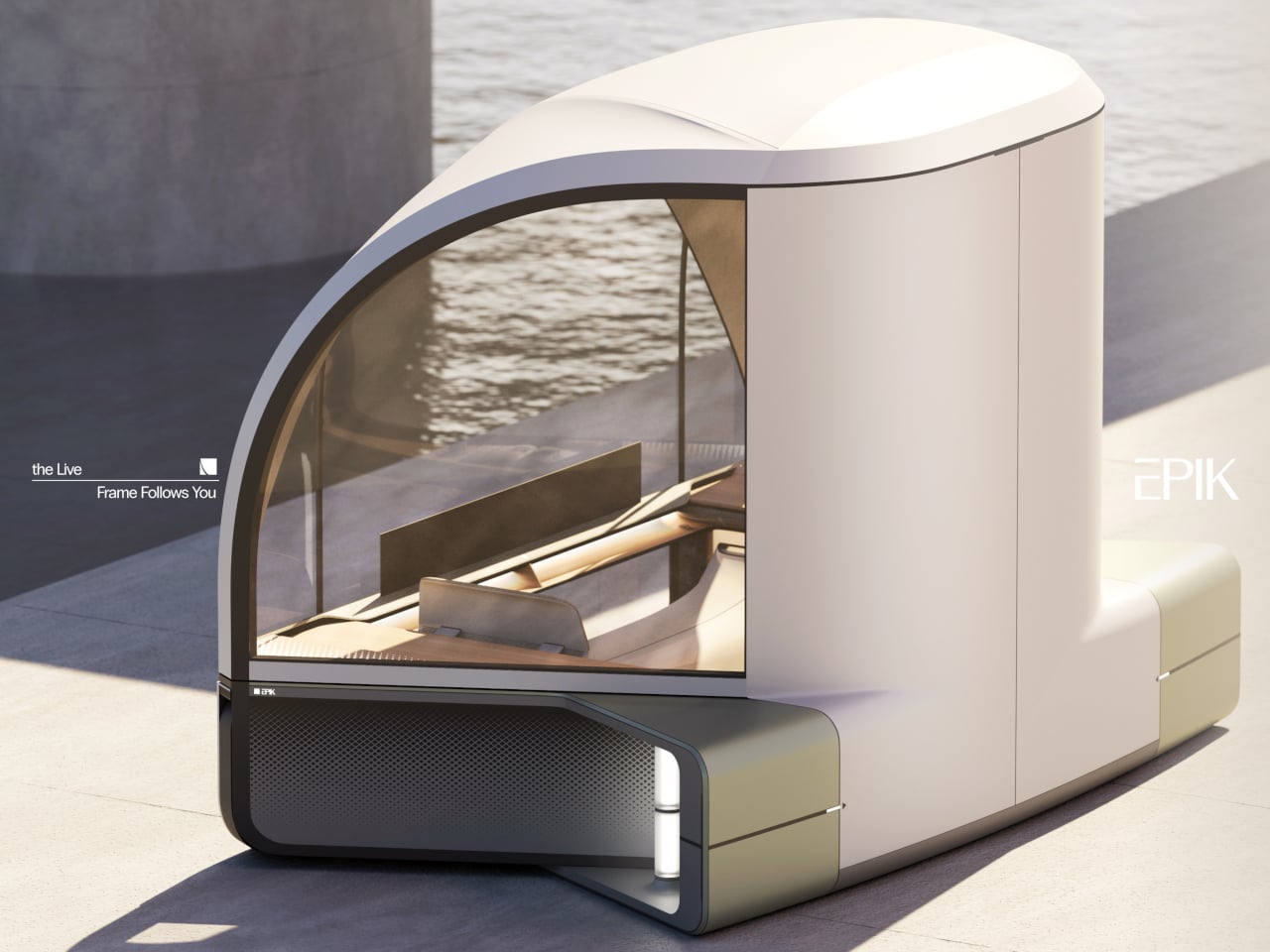
The exterior form draws from the architecture of an auditorium, with a broad, arched glass canopy that gives the interior an immersive, wide-angle view of whatever lies outside. This isn’t incidental; it’s the entire premise. Epik calls this the “Live Frame,” treating the vehicle less like a transport pod and more like a moving window that actively captures and amplifies the surrounding scenery.

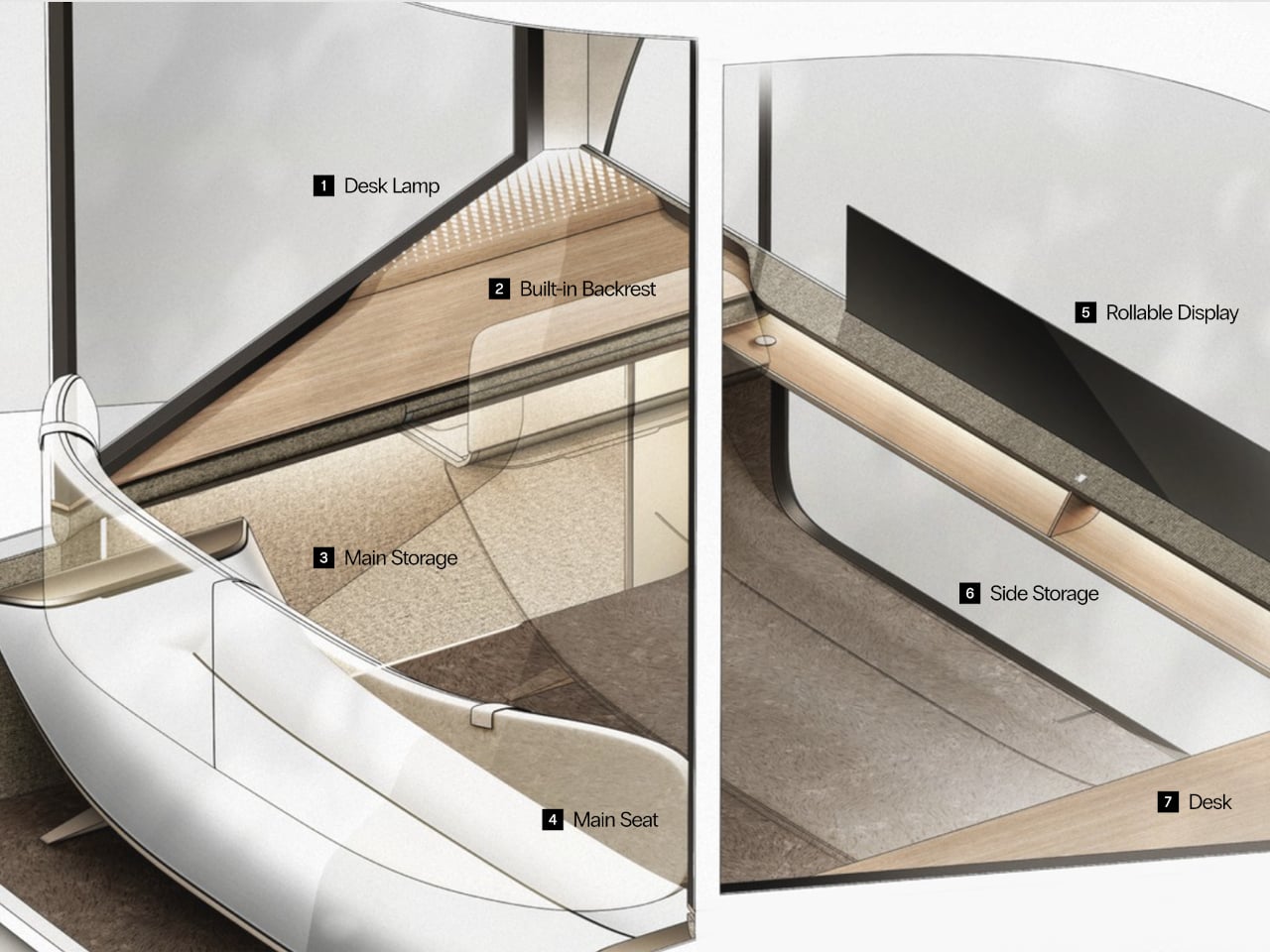
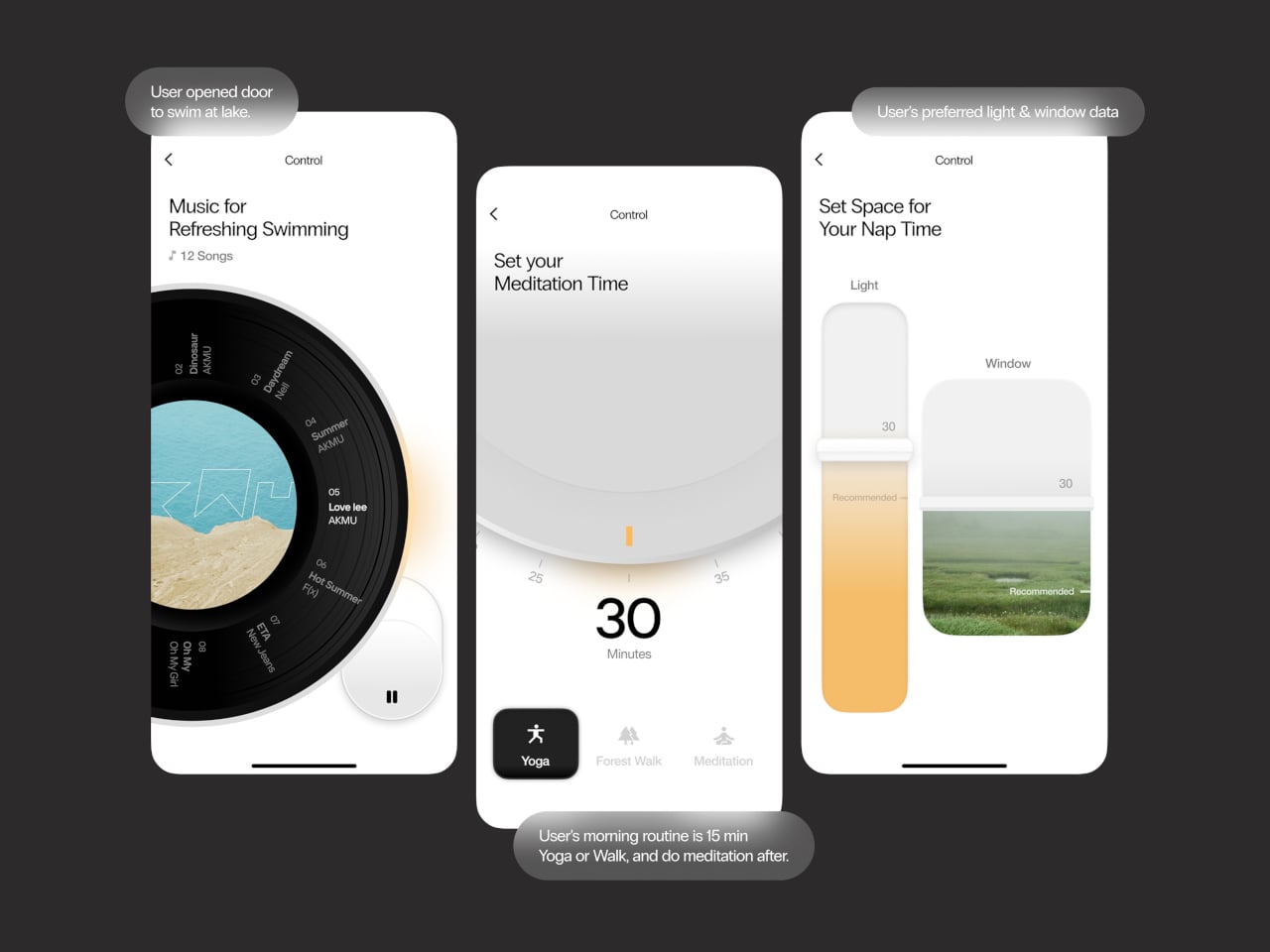
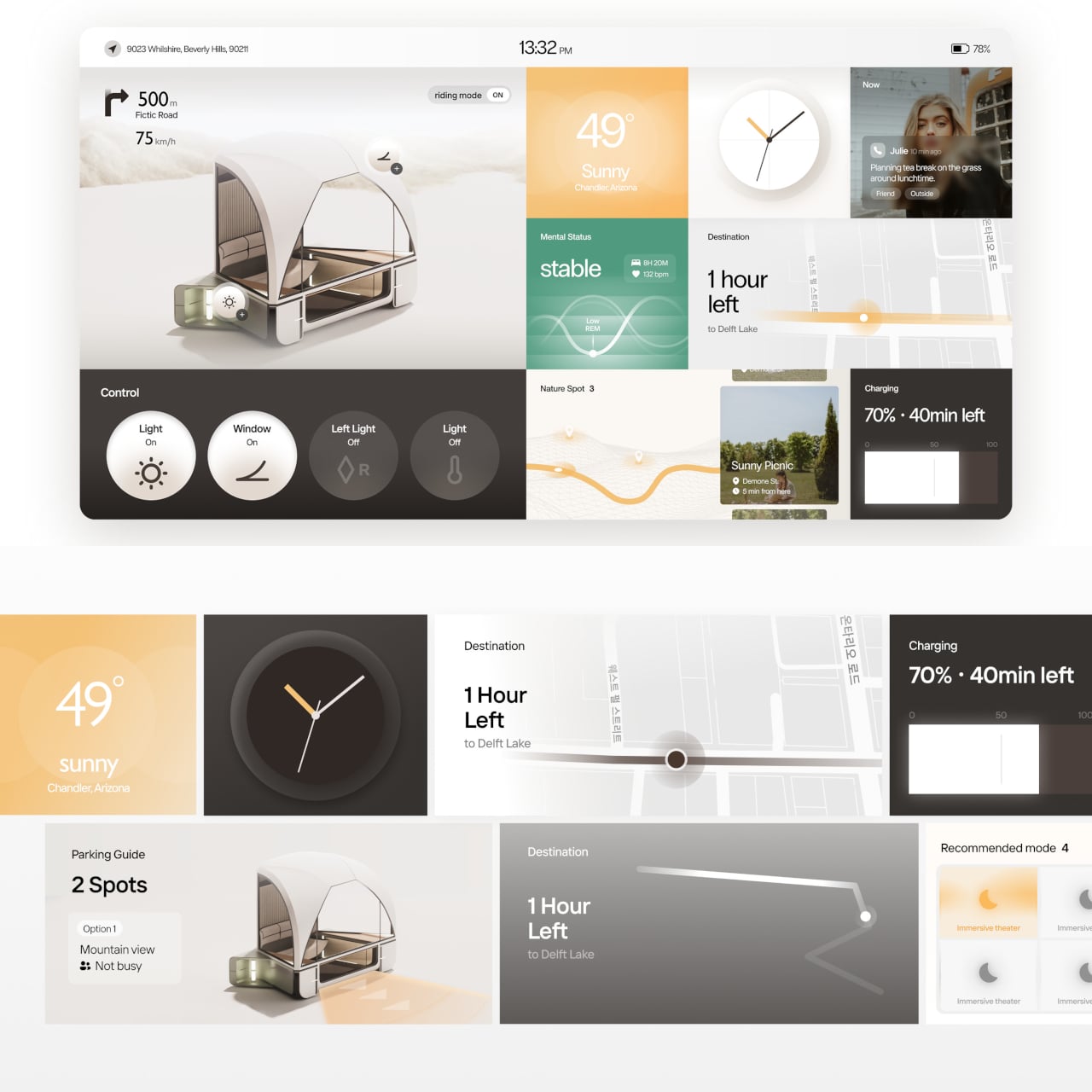
Inside, the compact cabin is built around flexibility rather than fixed arrangements. Doors and windows can open to varying degrees, inviting nature in or closing it out. A rollable display changes size depending on what the occupant wants to do, while corners that would otherwise go to waste are repurposed as storage and a small work surface. The same space can hold one person alone or two people together.

On a trip through mountain country, Epik’s Scenic Mode detects beautiful stretches of road and quietly slows the vehicle, adjusting window angles to frame the best view, almost as if the pod itself is composing a photograph. The detours it suggests aren’t inconveniences; they’re the whole point. Every landscape encountered gets logged in the “Rest Timeline,” a running record of every journey worth remembering.

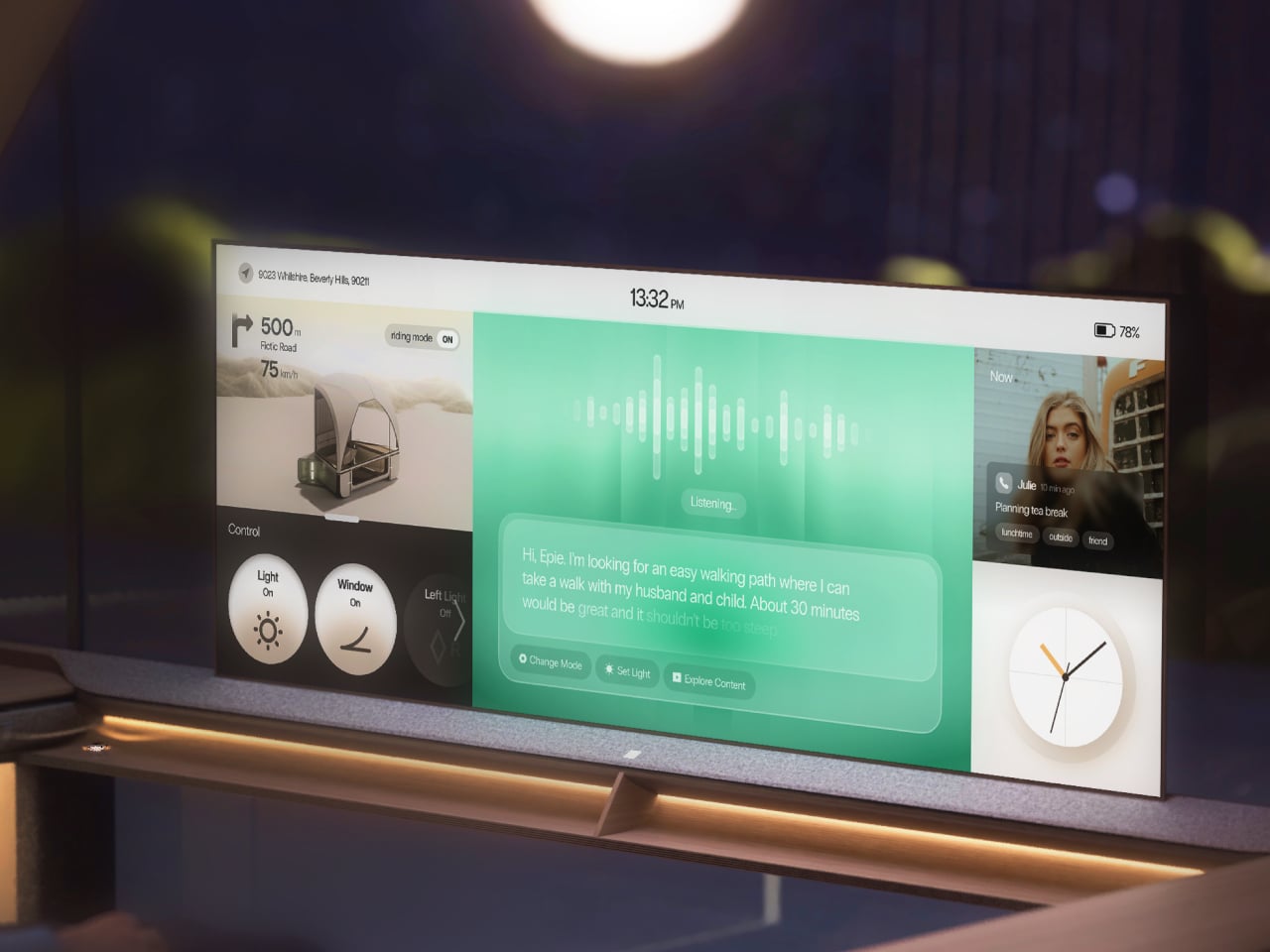
The onboard AI, called EPIE, learns the occupant’s routines, preferences, and how they typically spend time with the people around them. It reads mood signals through music and content choices, then gently nudges toward what comes next, whether that’s a nearby walking path, a quiet stop, or simply reconfiguring the cabin layout. For couples, it can even split the space into two personalized zones when schedules diverge.

When there’s nothing more to do than absorb the moment, the interface knows to retreat. The screen takes on a skin drawn from the surrounding landscape, blending into the view, and only the most essential details, like weather and music, stay visible. Controls are modeled after analog buttons, using transparent textures so the display feels less like a gadget and more like a natural extension of the cabin walls.

The idea that a vehicle could be primarily about rest rather than destination is still a rare one. Epik doesn’t claim you can find peace anywhere with the right pod, but it argues that the ingredients, specifically light, nature, and a space that listens, are far closer than most people realize. Getting somewhere just becomes the occasion for that rest, rather than the thing standing in its way.

The post This Concept Car’s AI Slows Down When It Finds a Scenic Road first appeared on Yanko Design.

This $789 Portable Monitor Still Works Outdoors With Its Backlight Off

Portable monitors have become a practical extension of the laptop workflow, letting you carry a second screen to coffee shops, airports, and co-working spaces. The catch is that almost every portable monitor on the market uses a standard LCD or OLED panel, which means bright environments are its natural enemy. Step outside on a sunny afternoon or sit beside a sun-drenched window, and the glare turns your screen into a mirror.

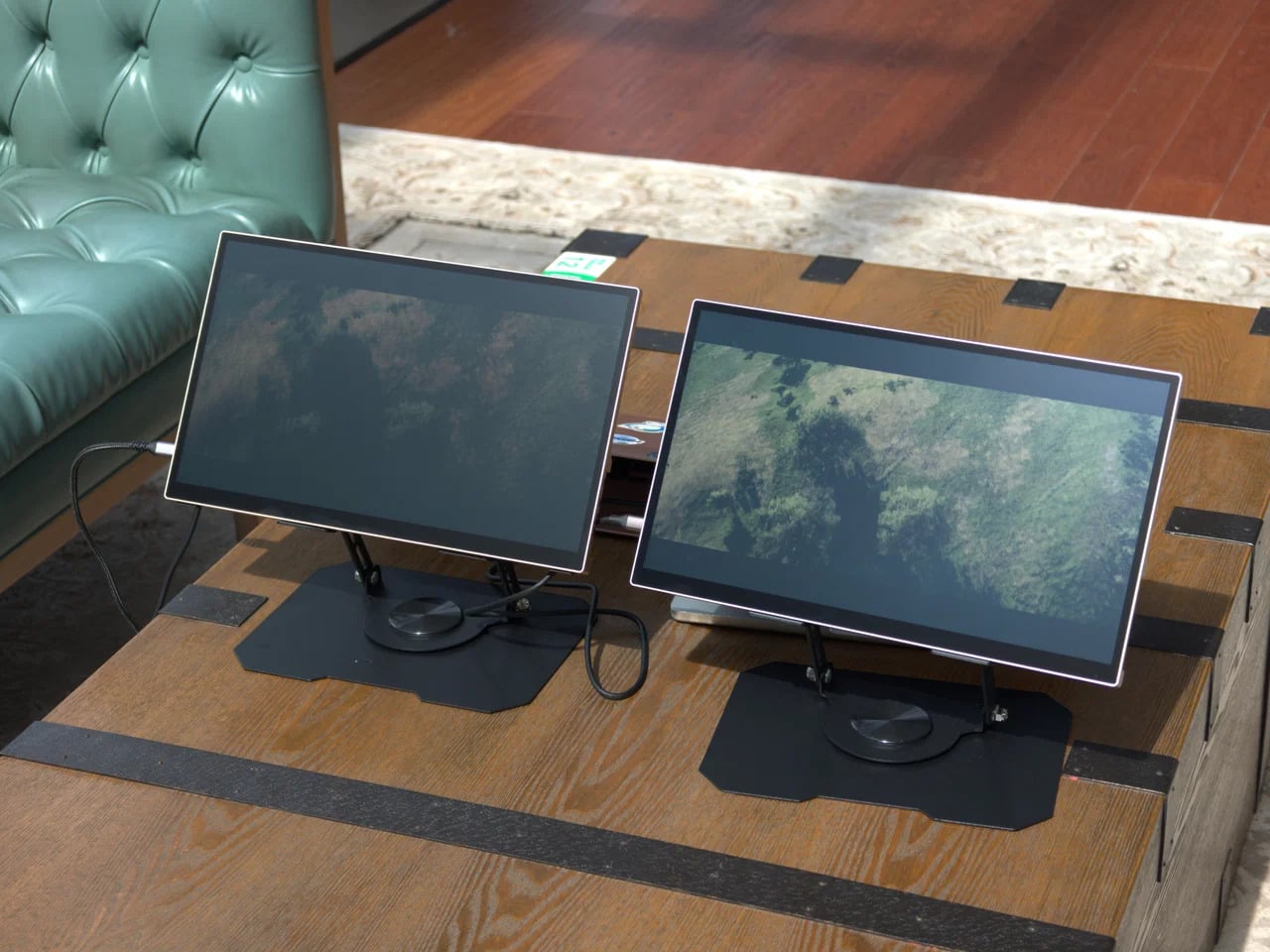
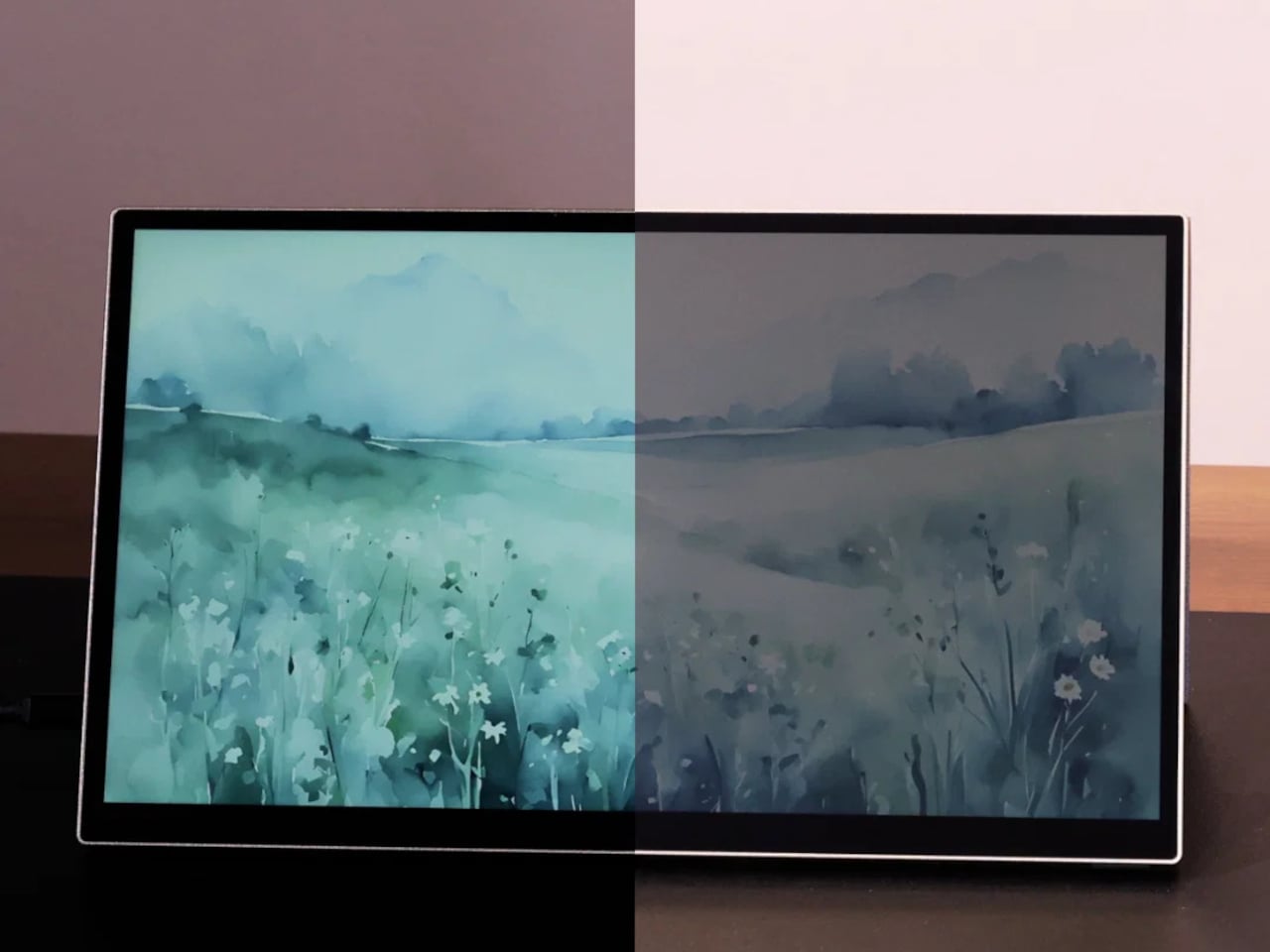
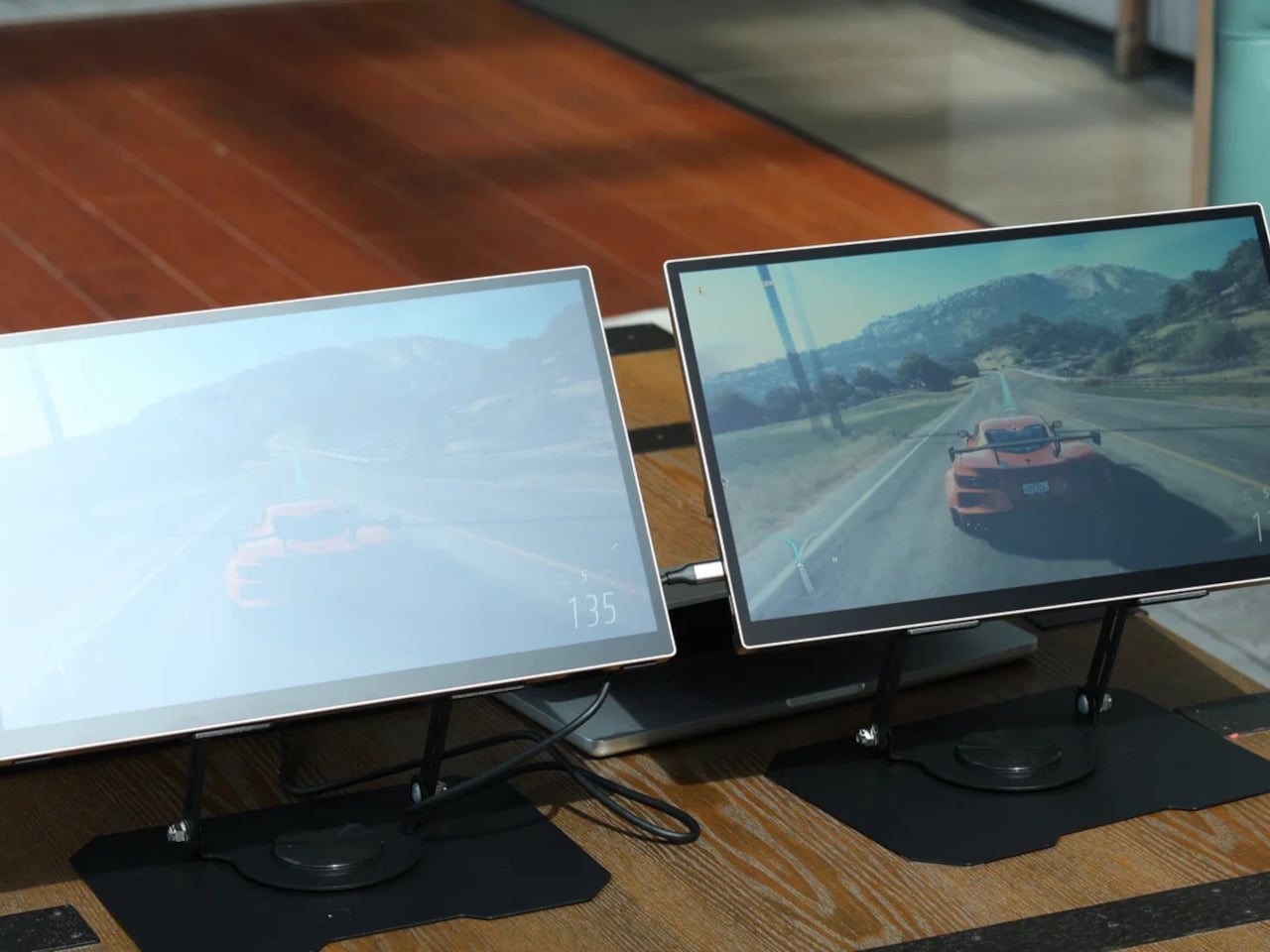
The Radiant Monitor 2 takes a fundamentally different approach to that problem. Rather than packing in more backlight power to overpower sunlight, it uses a transflective LCD panel, a display technology that works with ambient light instead of against it. The brighter the environment, the better the image becomes, which flips the script on how portable monitors have traditionally handled outdoor conditions.

Designer: Eazeye

The panel pairs transflective LCD technology with Eazeye’s proprietary UHR™ coating, which helps the display channel ambient light into better visibility, reduce glare, and sharpen image clarity without leaning on its LED backlight. On particularly sunny days, you can switch the backlight off entirely, dropping power consumption down to around 3W, and the screen remains fully usable, bright, and legible.

That backlight isn’t an afterthought, though. Eazeye fitted the Radiant Monitor 2 with a custom full-spectrum LED strip that uses a natural daylight spectrum and emits low blue light, making evening work sessions noticeably easier on the eyes. At full brightness, it draws around 8W, which is modest for a portable monitor, and it pairs with a 1000:1 contrast ratio and a 5ms response time.

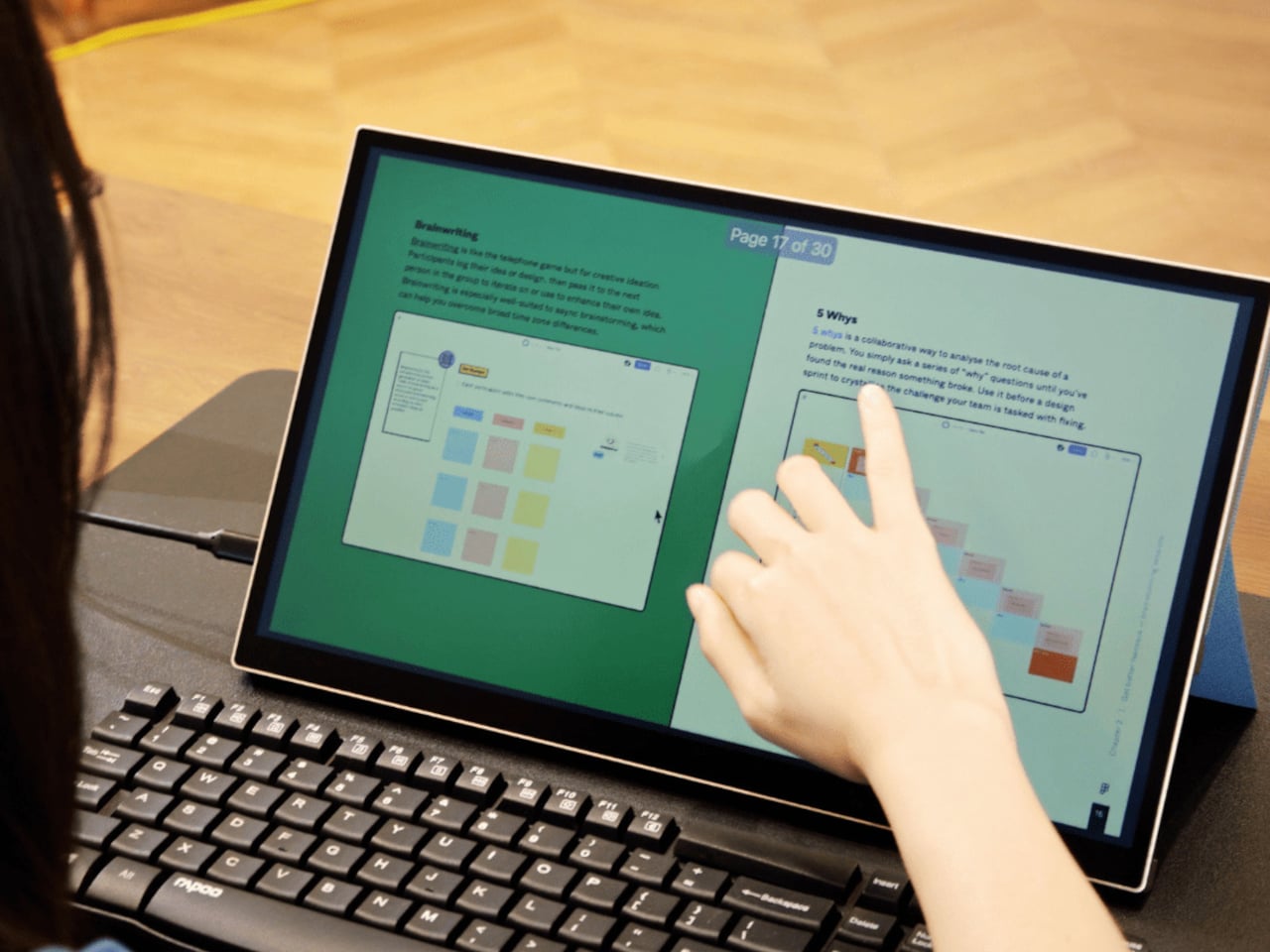
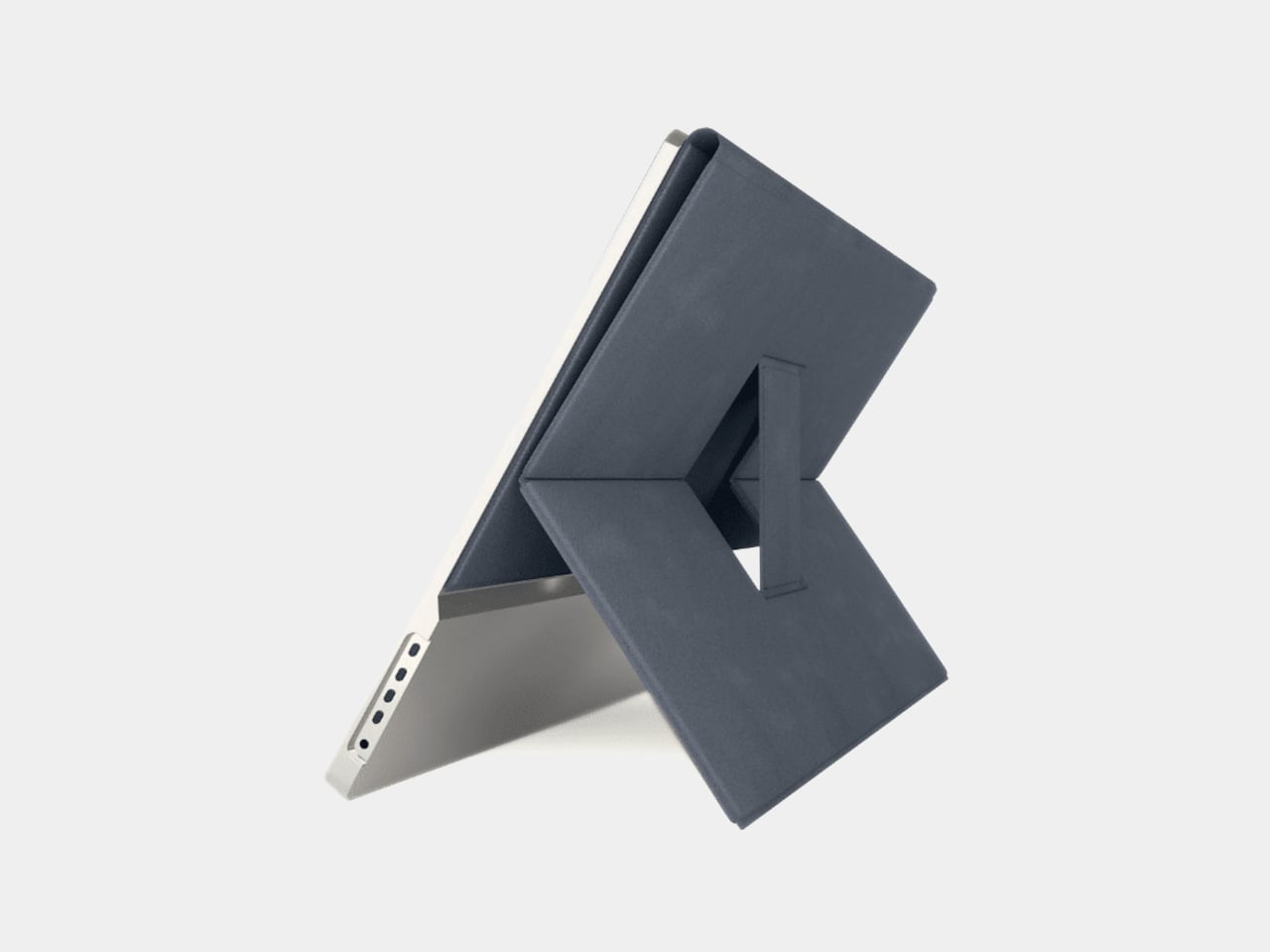
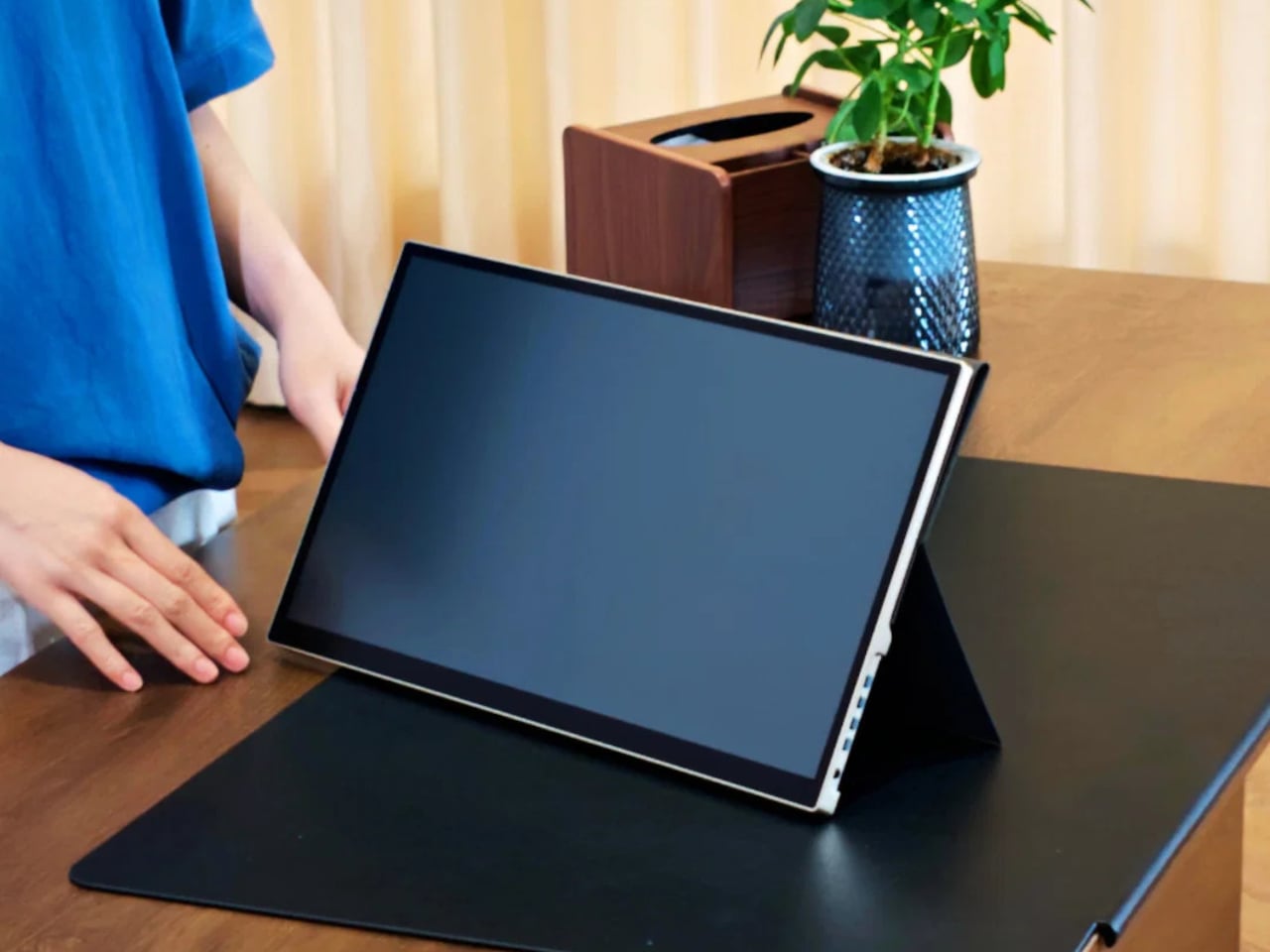
Imagine working from a café with floor-to-ceiling windows, the kind of place where a regular monitor becomes completely unworkable midday. The Radiant Monitor 2 handles this without any special positioning or shade hunting. Plug it in via USB-C or HDMI, prop it up with the redesigned magnetic folio stand, and it’s ready in seconds. The 10-point capacitive touchscreen adds another layer of interaction without needing a mouse.

E Ink monitors are the other common choice for eye-friendly screens, but they top out at around 1 to 10 Hz, making them choppy and impractical for scrolling, video, or general multitasking. The Radiant Monitor 2 runs at 60 Hz with smooth, ghost-free performance that holds up through video calls, spreadsheets, and anything else that demands a responsive, full-color display without the visual noise of dithered E Ink output.

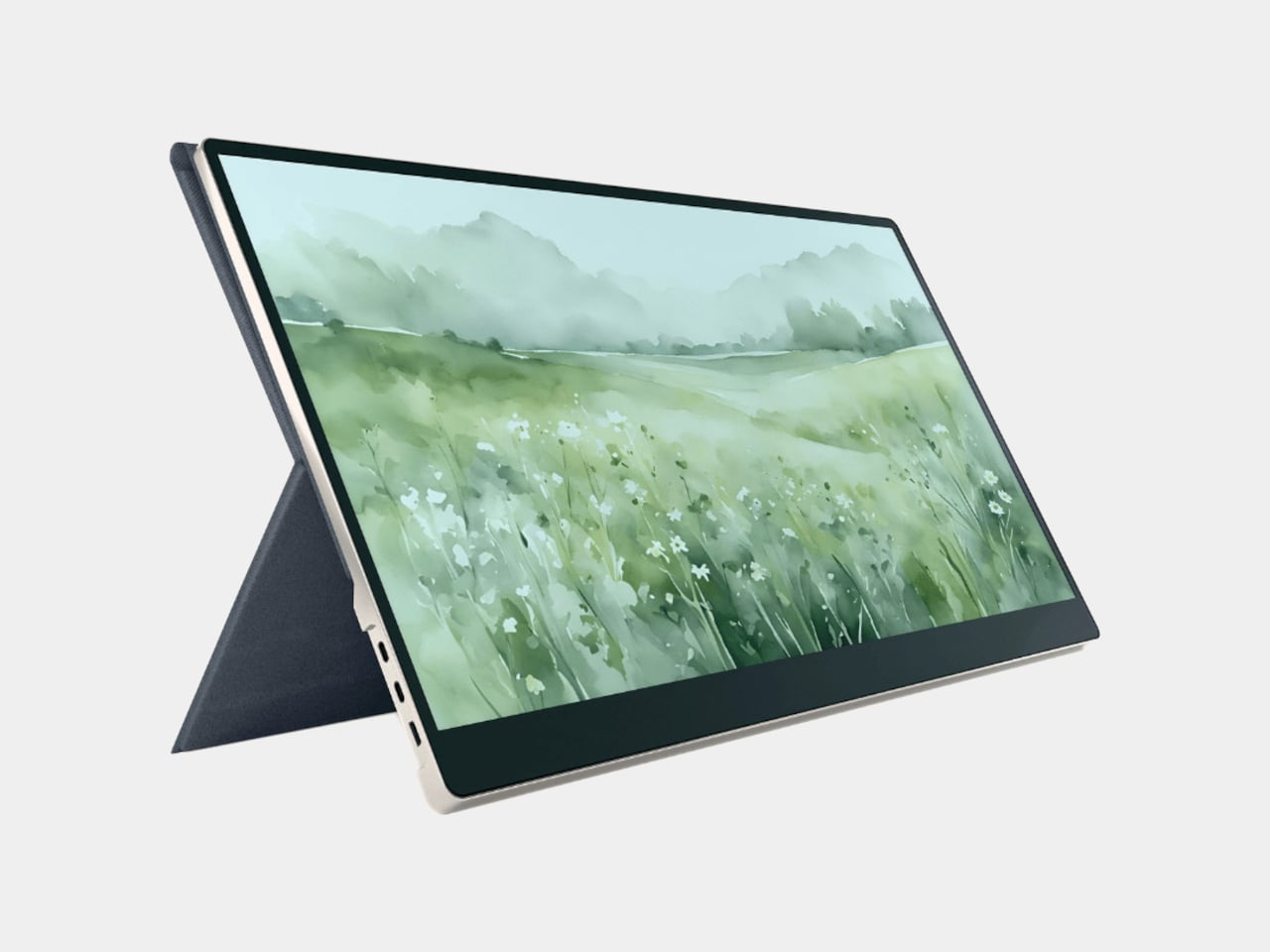
The monitor weighs 1.7kg and sits in a gray aluminum frame, durable enough for daily travel without feeling overbuilt. The magnetic folio doubles as a stand, redesigned to be more stable and easier to position than the original. Connectivity covers USB-C and HDMI inputs, with 75mm x 75mm VESA compatibility for desk setups, and an optional height-adjustable stand is sold separately for $99.

The Radiant Monitor 2 retails for $789, which puts it well above the typical portable monitor price range and reflects the specialized nature of its display technology. The 65-degree viewing angles are noticeably narrower than standard LCD panels, so it’s best experienced head-on. It’s one of the few portable monitors that doesn’t ask you to find a darker spot every time the sun gets too bright.

The post This $789 Portable Monitor Still Works Outdoors With Its Backlight Off first appeared on Yanko Design.
Epilogue Just Turned the 1998 Game Boy Camera Into a Free Phone App

Lo-fi photography has quietly staged a comeback over the past several years. Grainy film shots and pixel-heavy images have become a sought-after look among photographers and casual snappers alike, partly as a reaction to the almost clinical sharpness of modern smartphone cameras. The Game Boy Camera, Nintendo’s cartridge-based accessory from 1998, sits at the center of this revival, beloved for its impossibly low resolution and four-shade grayscale.

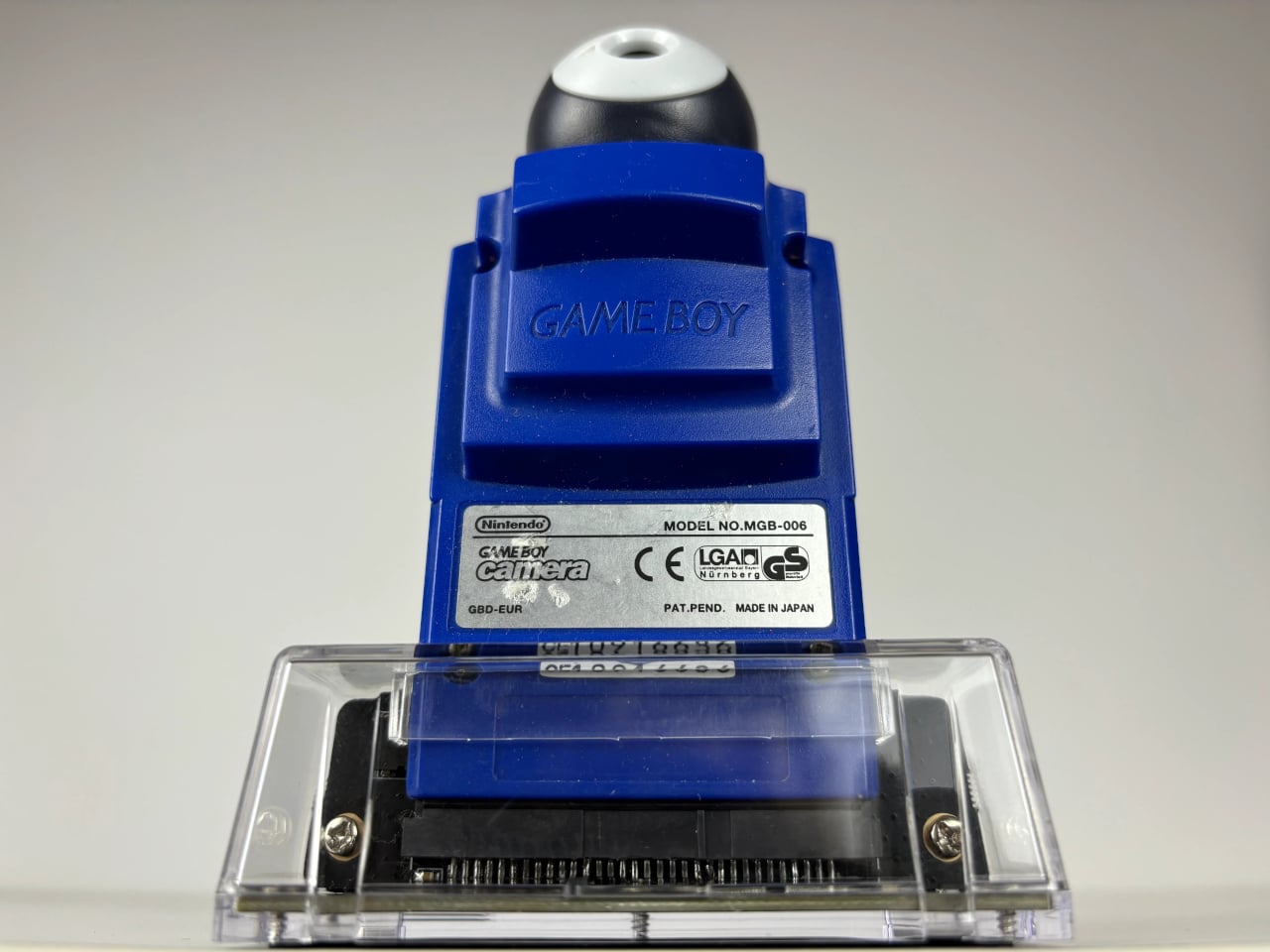
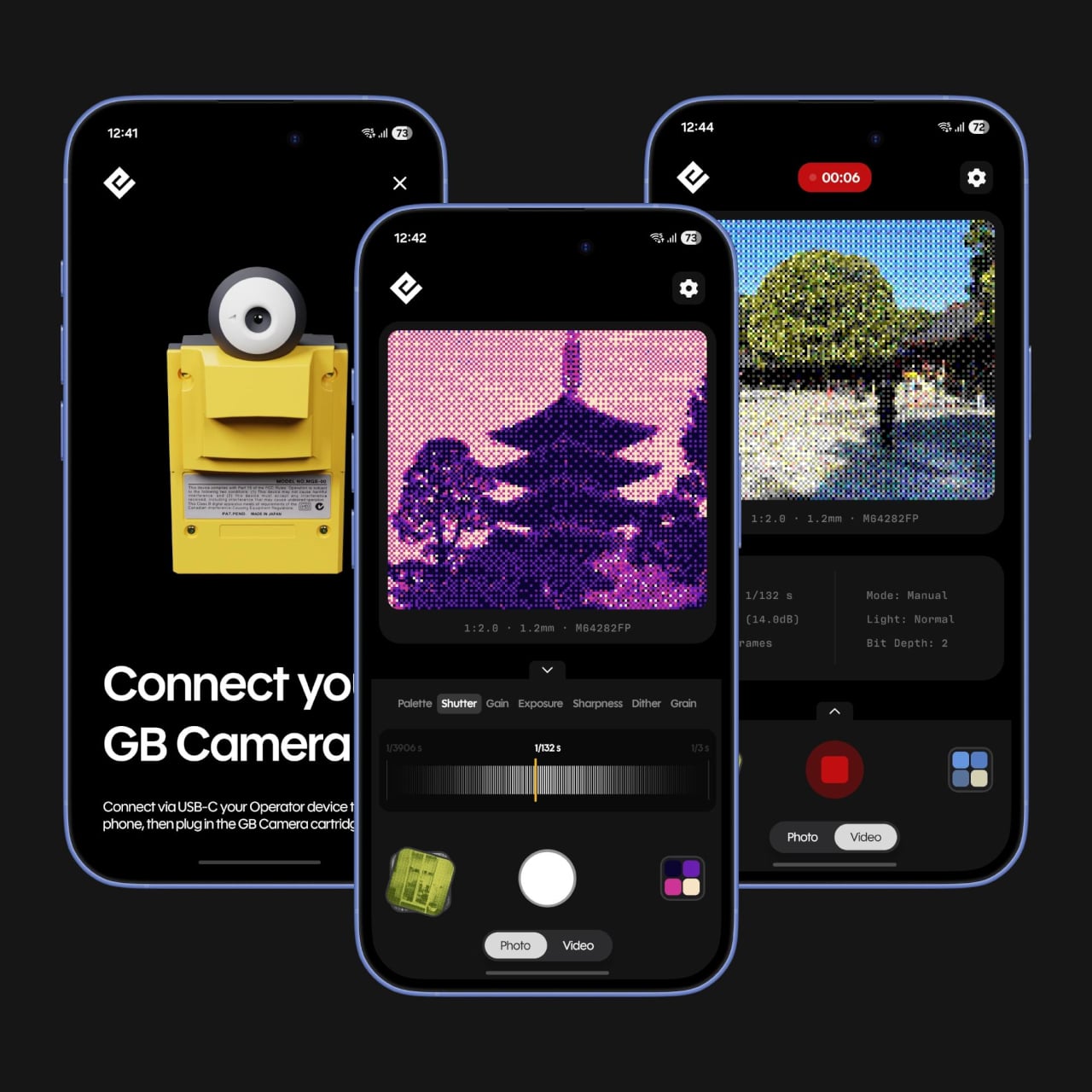
Getting that Game Boy Camera experience has typically meant tracking down the original hardware through secondhand markets, often at a premium, with no guarantee the cartridge still works. Epilogue’s Flashback app changes that. It bridges the gap between a Nintendo accessory from the late ’90s and your current smartphone, letting you capture images in that pixelated, lo-fi style with or without the original cartridge, and it doesn’t cost a thing.

Designer: Epilogue

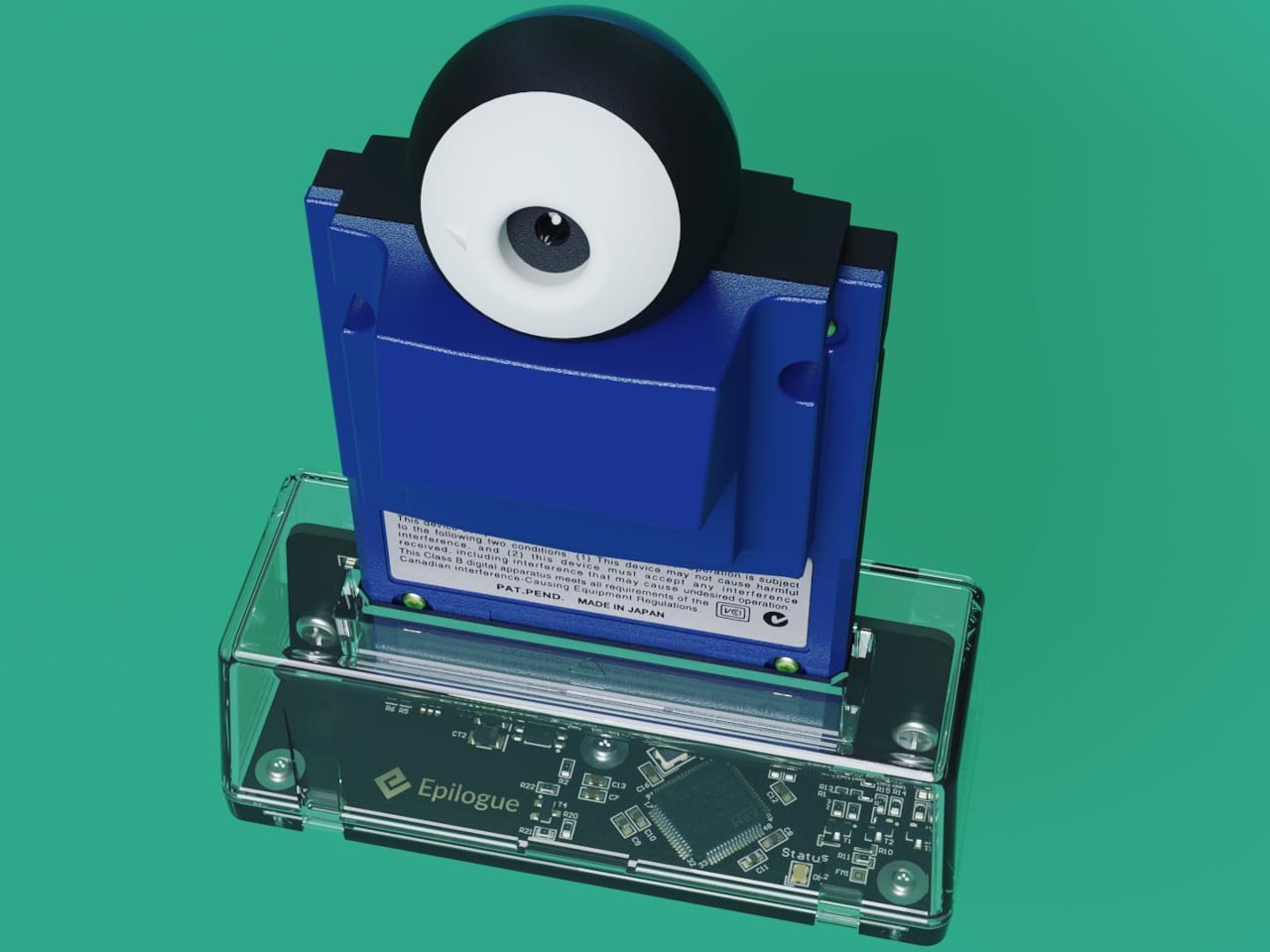
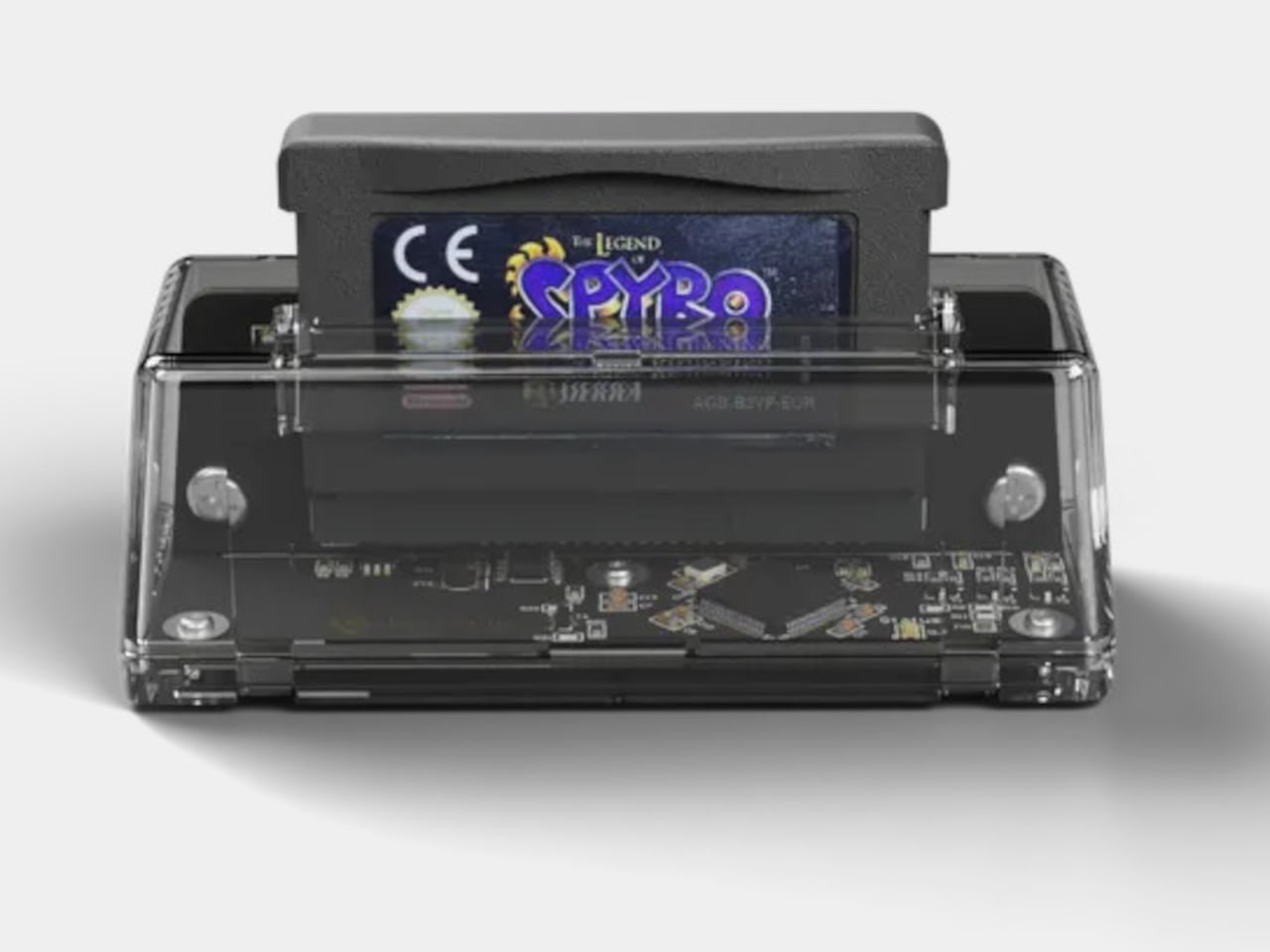
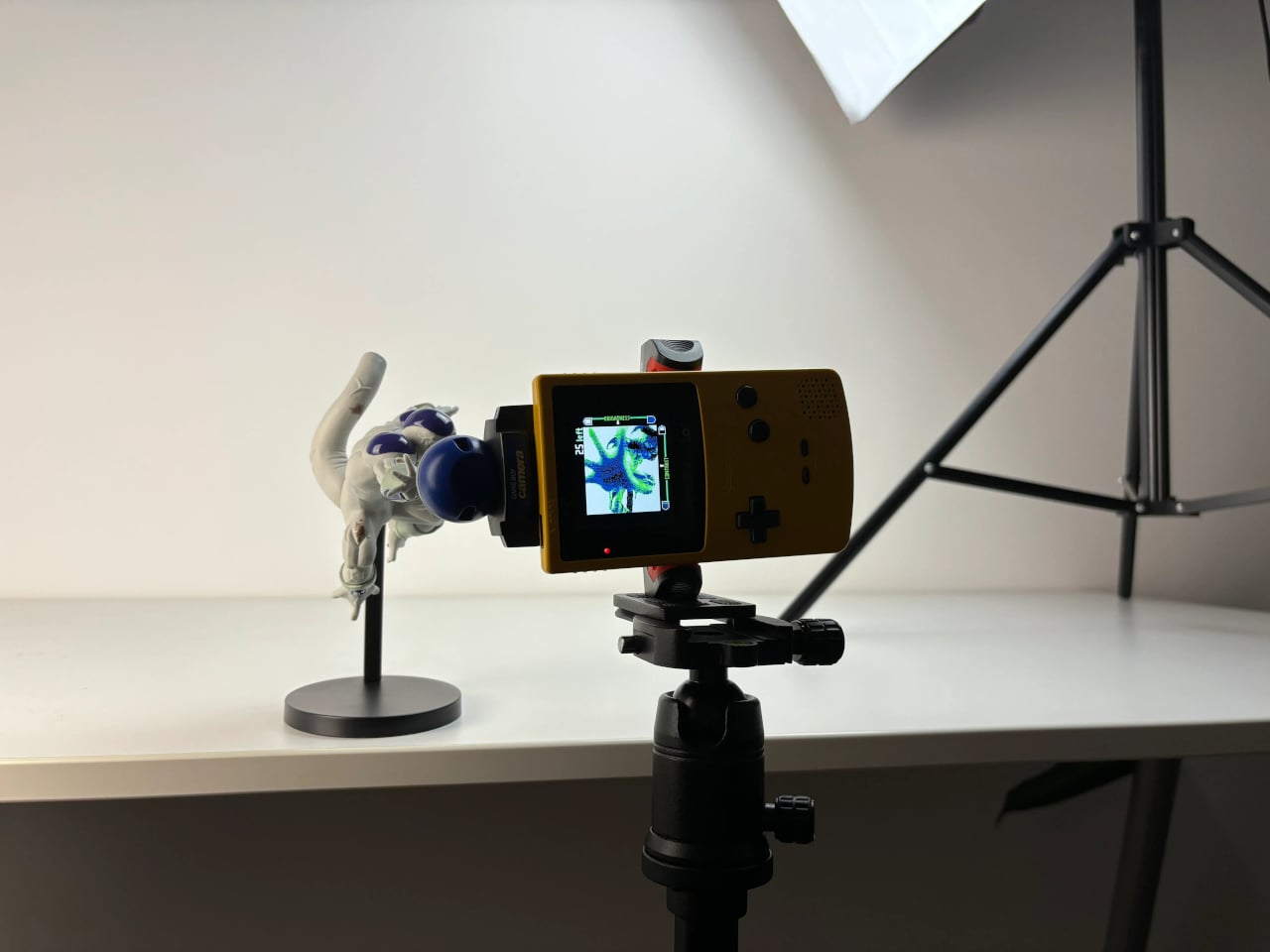
If you do have the original Game Boy Camera tucked away, Flashback has a Hardware Mode that pairs with Epilogue’s GB Operator, a $90 cartridge reader that connects to your phone via USB-C. Slot in the cartridge, plug it into your phone, and the app detects the camera automatically. No pairing is needed, and nothing is emulated: you’re shooting straight through the original Mitsubishi M64282FP sensor.

Not everyone held onto their Game Boy Camera from the ’90s, and Flashback accounts for that. Its Software Mode skips the hardware altogether, using your phone’s own camera and faithfully recreating the Game Boy Camera’s image processing pipeline. You get the same 128×112 pixel grid, the same dithering, and the same four-shade rendering, applied to whatever your lens captures. It’s a faithful recreation, not a generic retro filter.

You’re not limited to gray, either. Flashback comes loaded with 32 color palettes, ranging from the original grayscale to classic Game Boy green, plus creative options like Ice Cream, Tidewater, Spacehaze, and Velvet Cherry. In Software Mode, there’s also a Color Mode that dynamically builds a palette from whatever hues are actually in front of your lens, making the filter feel responsive rather than fixed.

For those who want to go further, Flashback opens up manual controls for shutter speed, gain, exposure, sharpness, dither, and grain. These aren’t decorative sliders. They map to the actual registers of the M64282FP sensor itself. Every shot you take gets stamped with its exact settings, so if you land on a combination you like, you’ve already saved the recipe for getting back to it.

Flashback isn’t limited to photos. It records video too, with audio captured through your phone’s microphone, giving the lo-fi aesthetic a moving dimension. Everything goes straight to your Camera Roll when you’re done. The app is free on the App Store and Google Play, available on iOS 17.2 and above, or Android 8.0 and above, and it also runs natively on Mac.

For anyone who grew up with a Game Boy, getting back to that same exact photographic experience today costs only a free app download and, if you still have the cartridge, a USB-C cable. It’s a combination that makes a sensor originally from 1998 feel unexpectedly relevant, and its lo-fi images strangely compelling for something that barely clocks 14 kilopixels.

The post Epilogue Just Turned the 1998 Game Boy Camera Into a Free Phone App first appeared on Yanko Design.

LiberNovo Prime Day: 43% Off the Chair That Stretches Your Spine

The ergonomic chair market has grown into a fairly crowded space, with brands competing on lumbar support, adjustability ranges, and premium materials. For most people, the options are plentiful. What hasn’t changed much, though, is the underlying assumption that comfort is something you configure once and hold. Set the lumbar height, dial in the recline tension, and somehow maintain that position for the next eight hours.

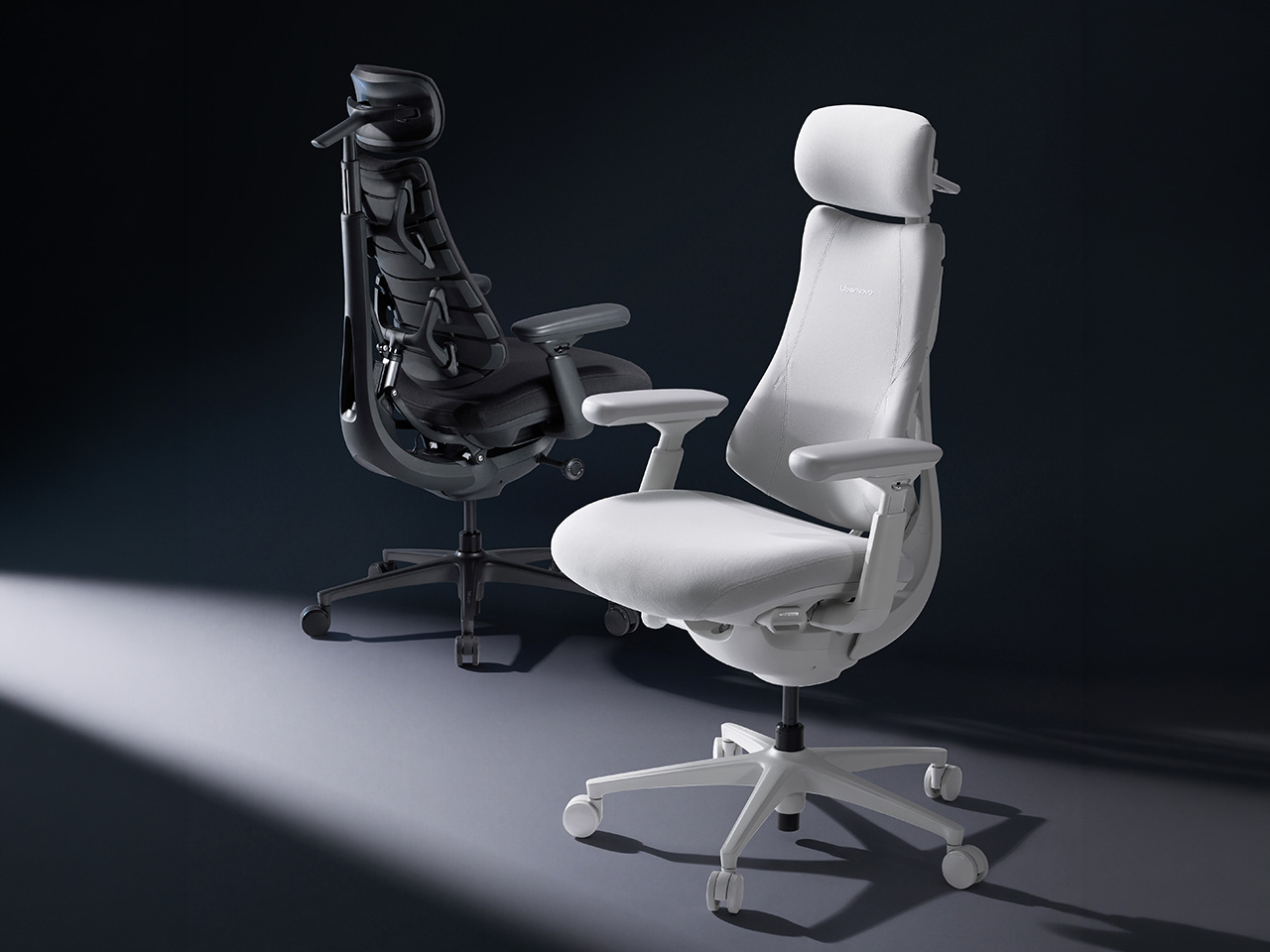
LiberNovo builds its chairs around the belief that support should adapt to movement rather than resist it. The brand’s focus on long-term spinal health through dynamic ergonomics has earned recognition from prestigious publications and awards bodies. With the LiberNovo Prime Sale now underway, its lineup is available at some of the steepest discounts the brand has offered.

Designer: LiberNovo

Click Here to Buy Now. Hurry Prime Day Deals End Soon!

LiberNovo Omni Pro

The problem with static chairs becomes clearer when you look at how people actually sit. Research shows the average person shifts posture about 13 times per hour, totaling over 127 unconscious adjustments in a 9.8-hour workday. Conventional chairs treat every shift as a problem. The Omni treats them as input, with 60 precision joints and four synchronized mechanisms continuously responding to keep the back, neck, hips, and arms supported.

LiberNovo Maxis

The backrest is where this becomes most tangible. The Bionic FlexFit system uses eight flexible panels, 14 dual-link points, and 16 ball joints, letting the back support flex and contour rather than press back with a rigid frame. The ErgoPulse motor sculpts the lumbar curve to maintain spinal alignment as the user moves, so whether leaning back to think or shifting forward to focus, the support follows without manual input.

LiberNovo Omni

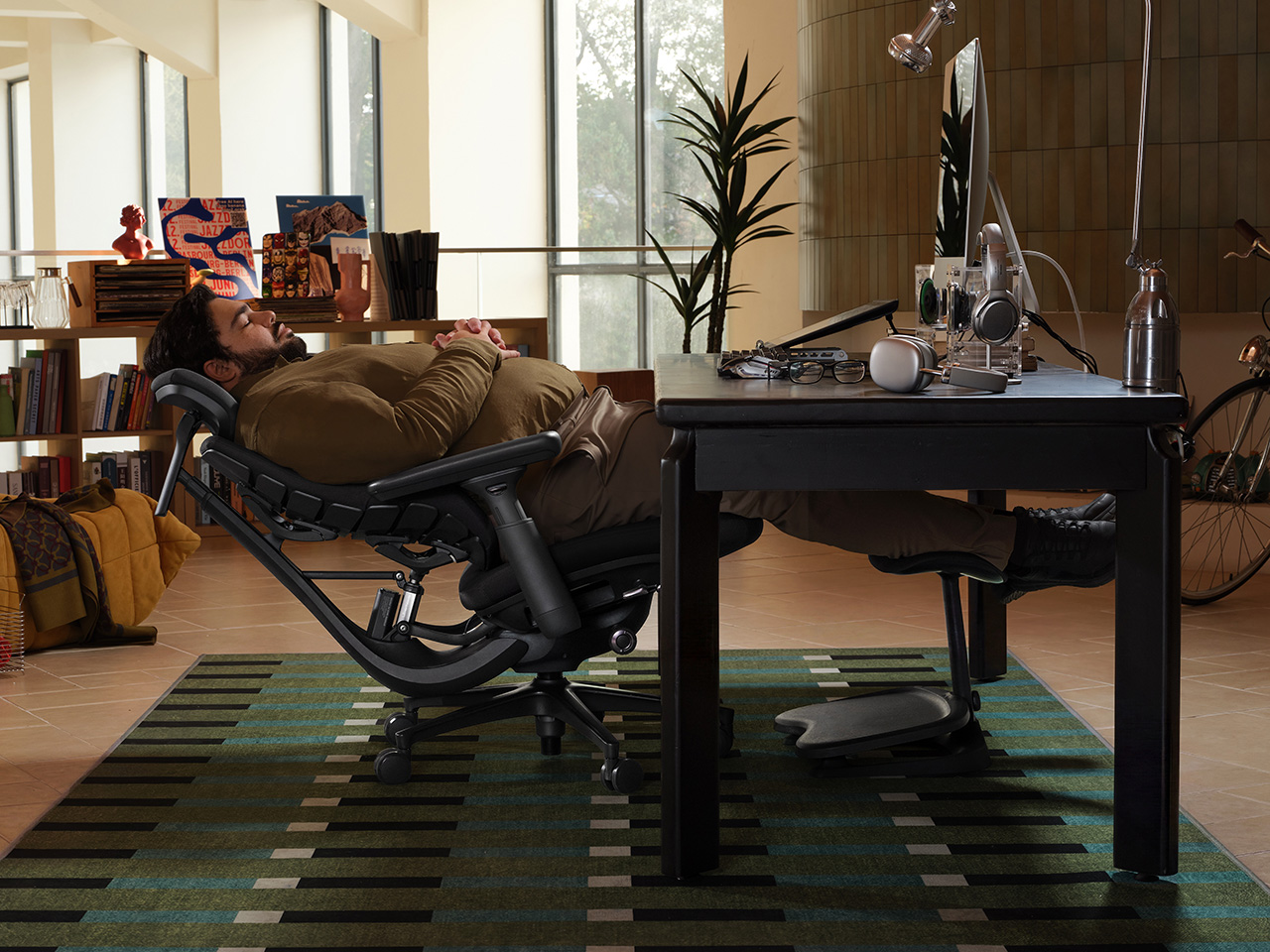
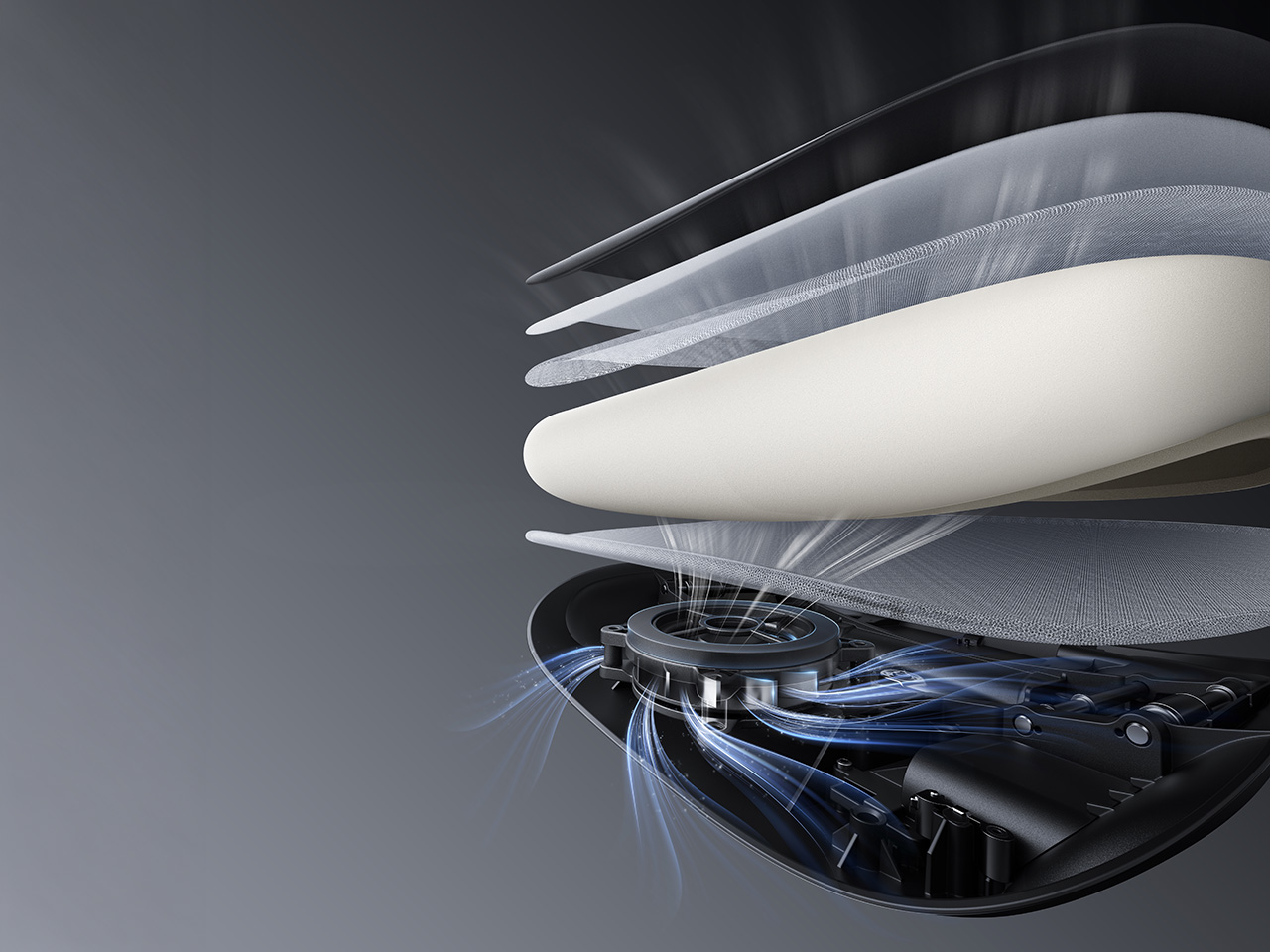
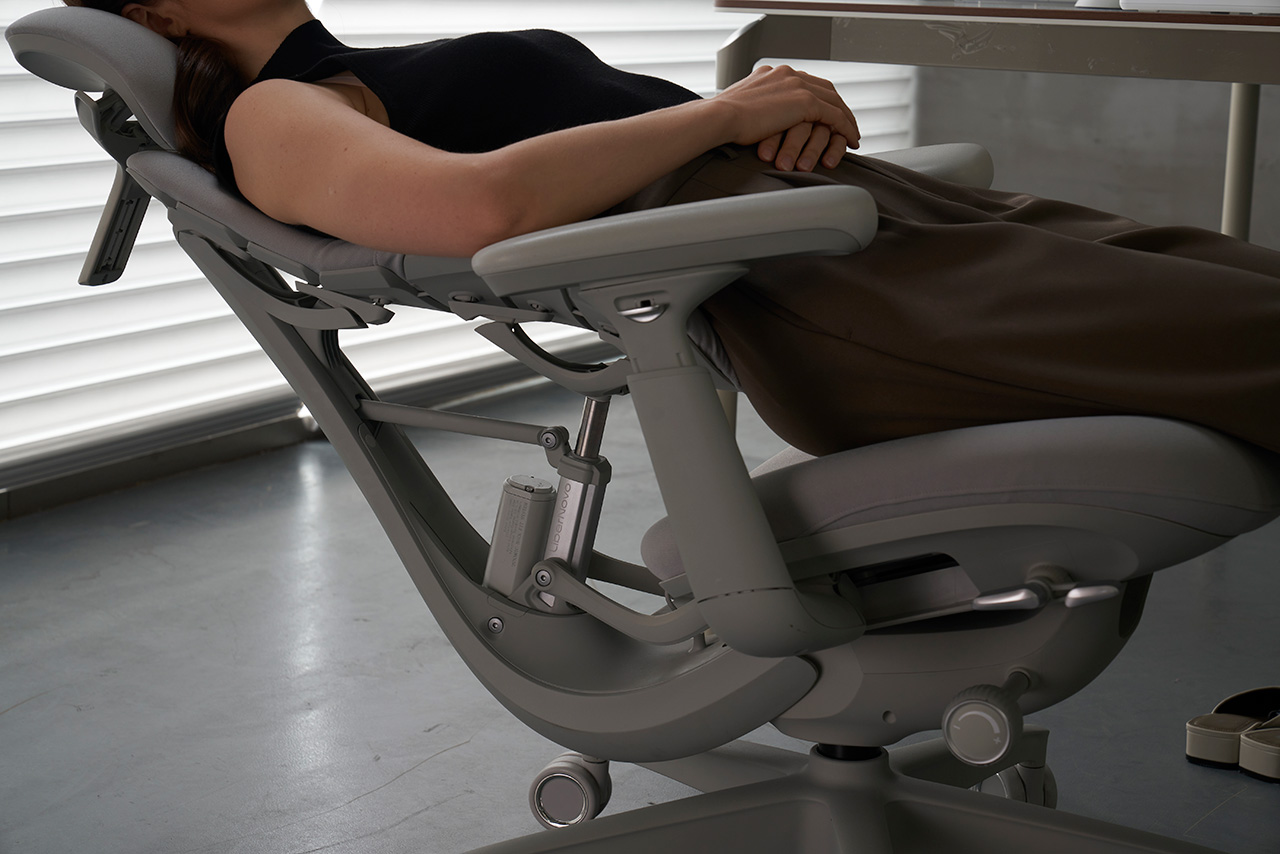
Two features push the Omni into less familiar ergonomic territory. OmniStretch is a five-minute motorized spinal decompression cycle built directly into the chair, guiding the backrest through a gentle stretch sequence to release tension and restore alignment mid-session. Active AirFlow Seat Ventilation draws cool air through a five-layer breathable seat structure using a quiet centrifugal fan, with built-in sensors that pause the airflow automatically whenever you leave the seat.

LiberNovo Omni SE

The standard Omni is the balanced choice, pairing electric lumbar control, OmniStretch, and the Dynamic Support System in one cohesive package. The Prime Sale includes flash deals on selected Omni bundles from June 18 to July 11, and the full campaign launches June 23. The US Premium Bundle, including the Omni chair, Footrest Stepsync, and battery, is priced at $829 against an MSRP of $1,449, a 43% discount. EU buyers get the steepest cut, with the bundle at €939 versus an MSRP of €1,826, a 49% savings.

Not everyone needs the full stack, though. The Omni SE is the most accessible, with manual lumbar support and the same core ergonomic architecture, but without OmniStretch or a built-in battery. The Omni Pro is the fully featured version, adding Active AirFlow Seat Ventilation, a high-grade aluminum alloy base, and Danish Gabriel Atlantic Fabric. The brand new Maxis Series rebuilds the platform for users between 5’10” and 6’7″. In the US, Super Early Bird pricing for these runs through July 31, with discounts of up to 44% off. The Omni SE starts from $569, with the Omni Pro starting at $909, and the Maxis from $809.

The sale adds a few extras worth noting. Qualifying purchases above regional thresholds are eligible for Lucky Spin Rewards, including a chance at a free chair or footrest. All purchases during the Prime Sale will earn triple rewards points for future orders. Additionally, Omni orders over $850 qualify for an exclusive complimentary gift bundle. It’s a straightforward set of incentives attached to a lineup that was already worth paying attention to before the discounts.

Click Here to Buy Now. Hurry Prime Day Deals End Soon!

The post LiberNovo Prime Day: 43% Off the Chair That Stretches Your Spine first appeared on Yanko Design.

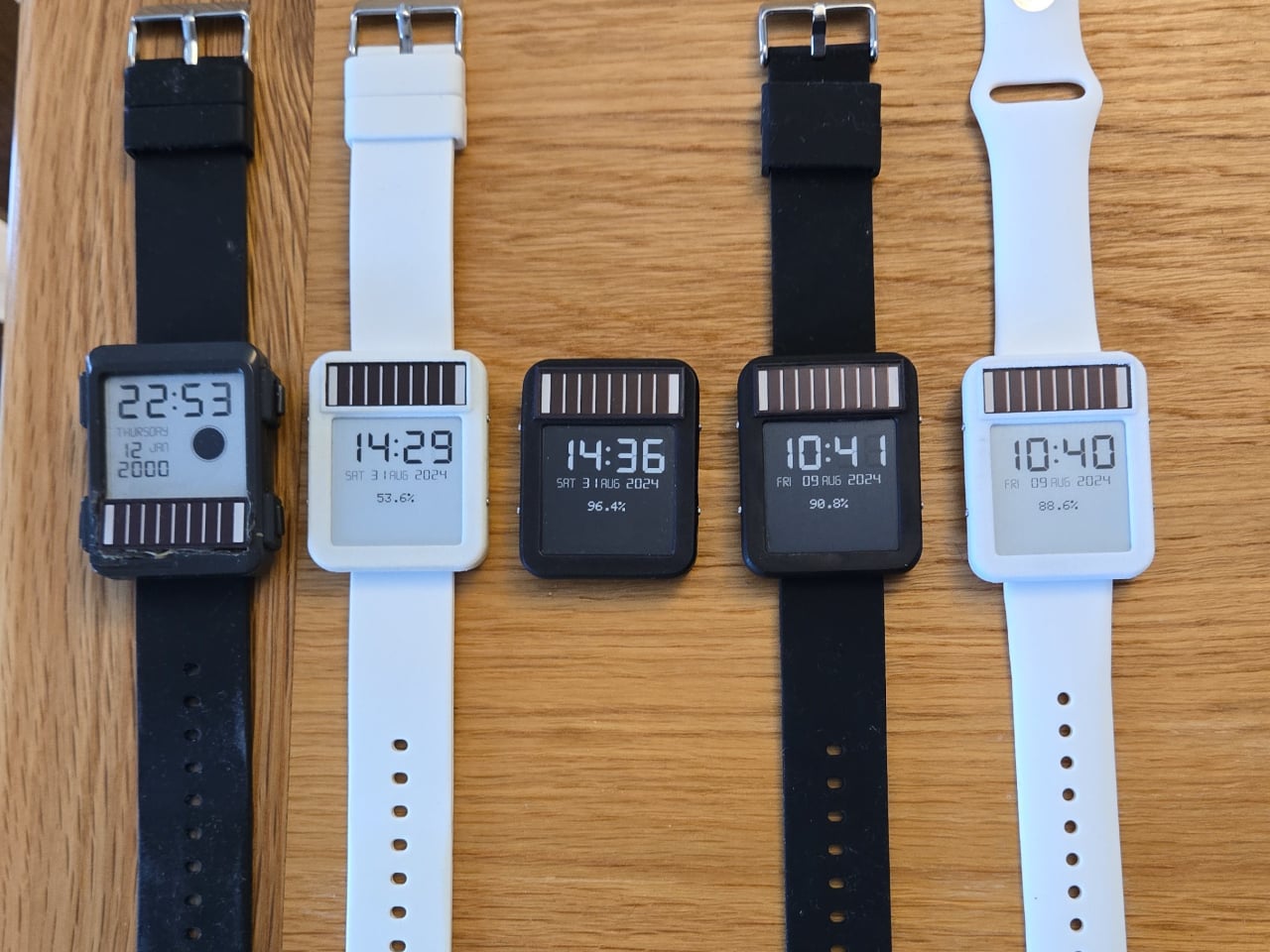
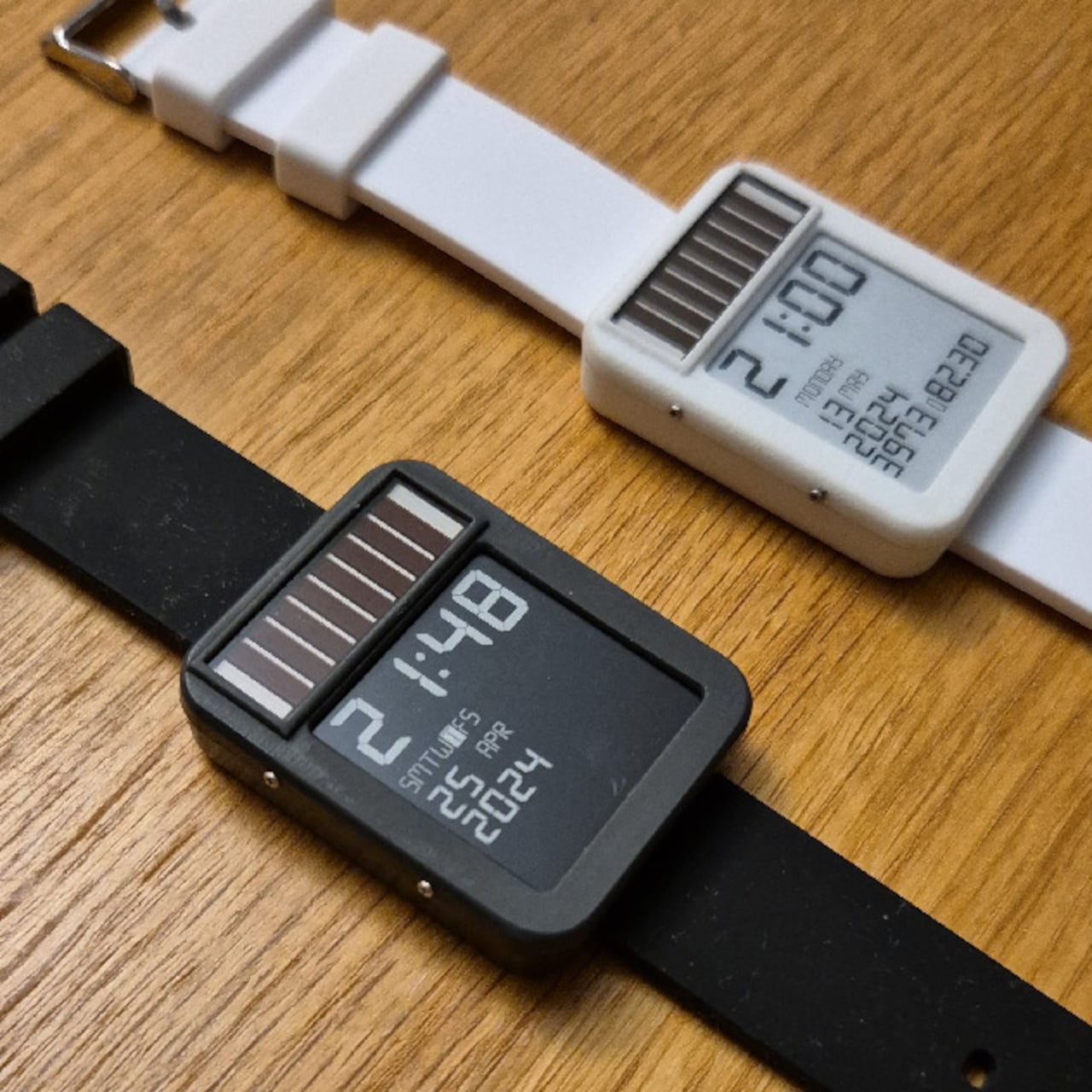
This Solar Smartwatch Ran 9 Months on Battery, Then the Panel Kicked In

The smartwatch category has a battery problem it can’t seem to shake. Despite years of incremental improvements, most wearables still need to be charged every day or two, which is exactly the opposite of what a watch is supposed to be. A watch is supposed to be on your wrist and working, not sitting on a charging pad because you forgot to plug it in before bed.

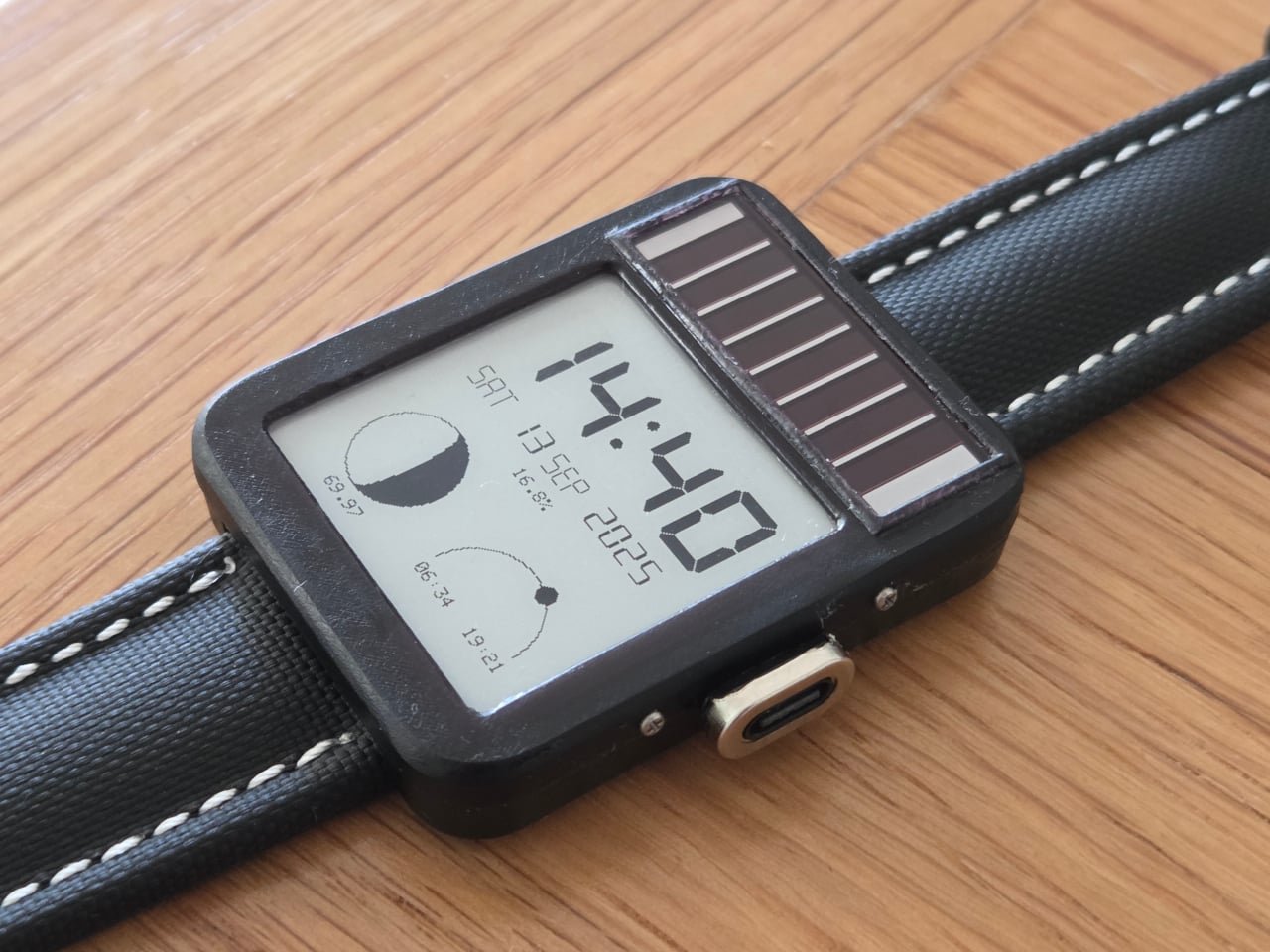
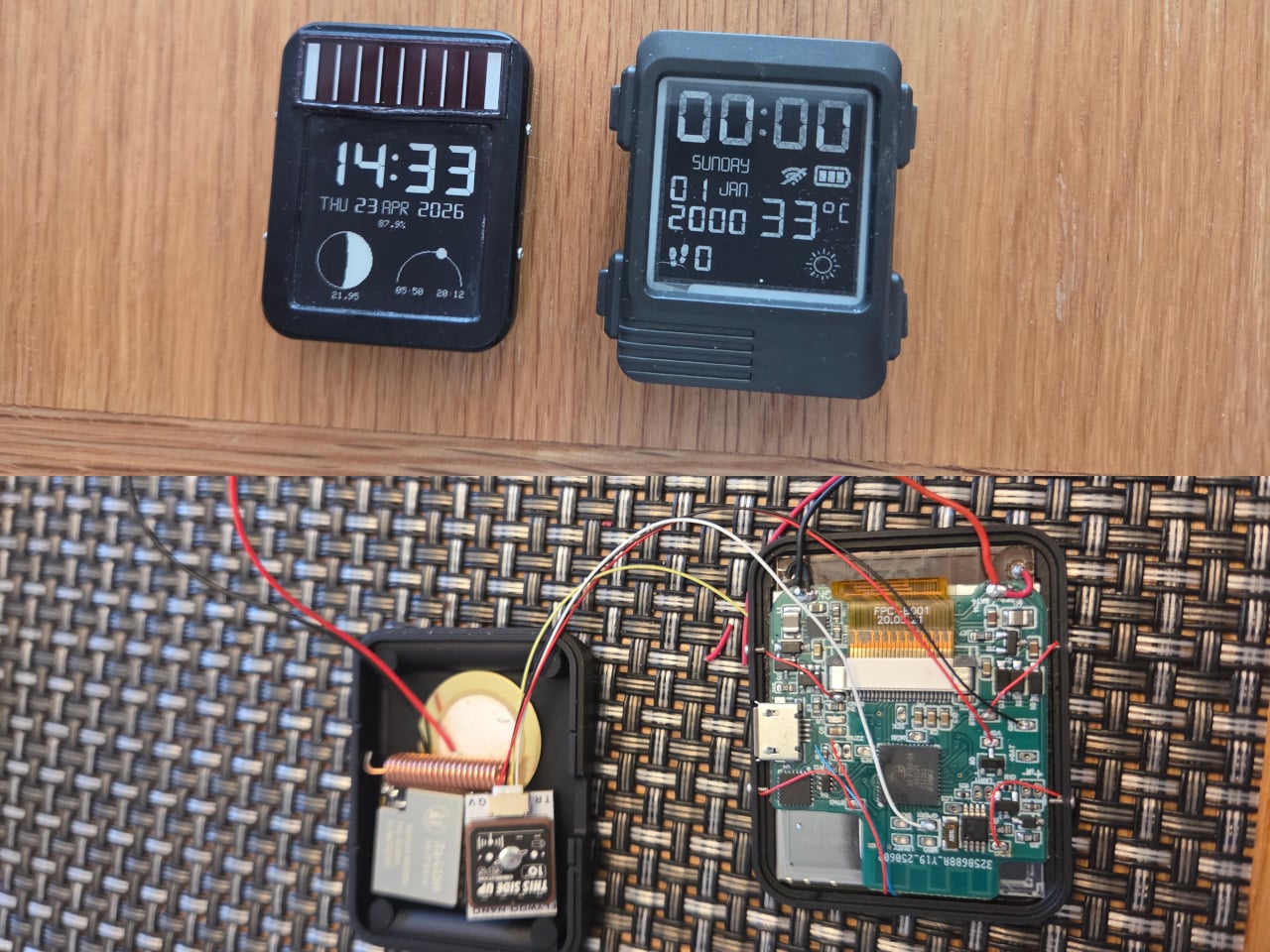
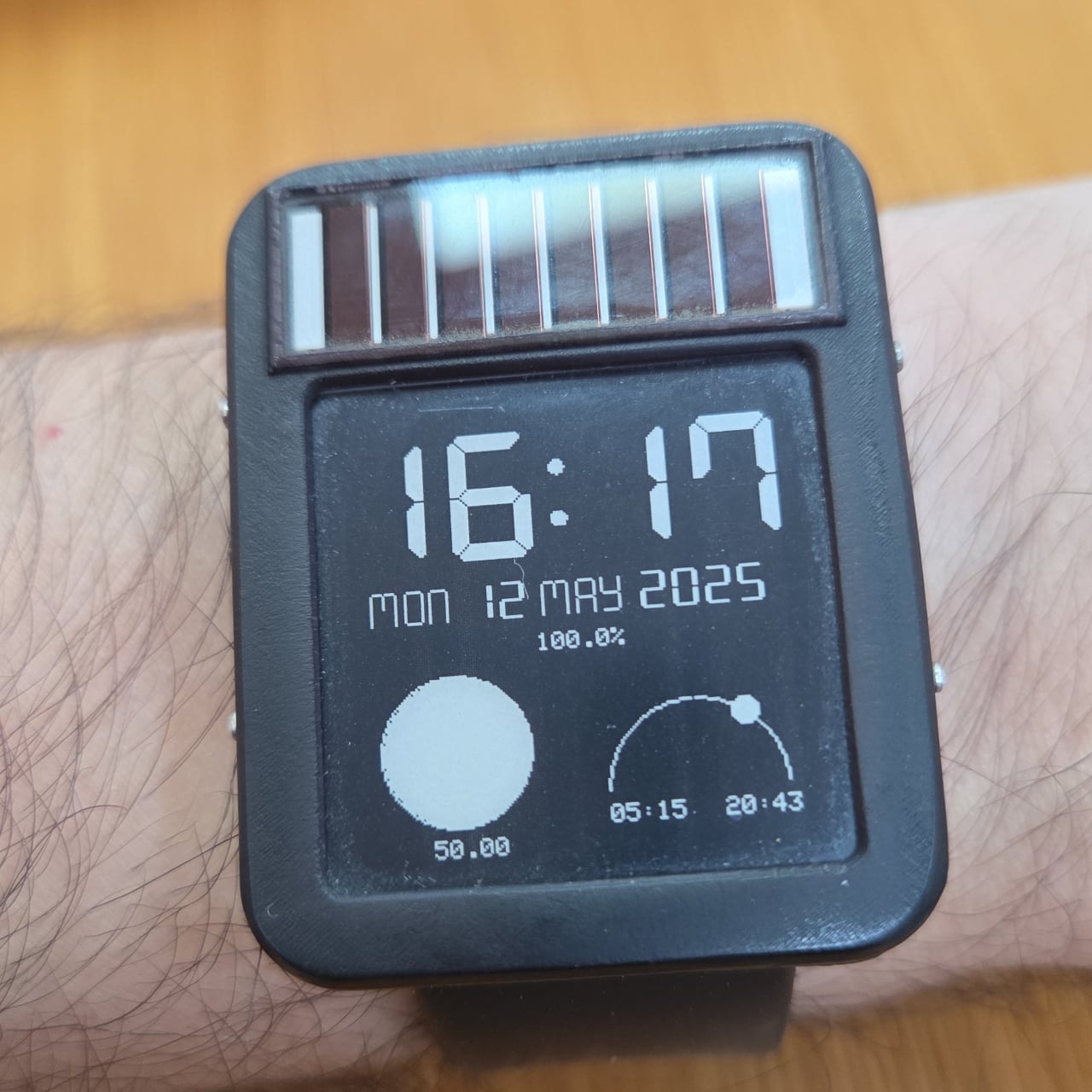
The LightInk is an attempt to solve that problem by going back to a design philosophy that worked decades ago: solar. The concept mimics the 90s solar digital watches that ran more or less indefinitely, but brings it into the present with an E-Ink display, an ESP32 microcontroller, WiFi, Bluetooth, LoRa radio, and a custom power management system built from scratch over several years.

Designer: Daniel Ansorregui

The project started in 2019 with a simple goal: build a solar-powered watch that could send LoRa packets to a receiver at home. After experimenting with early hardware and contributing display optimizations to the open-source Watchy project, the creator hit the limits of what off-the-shelf hardware could manage and built a custom PCB around a TPS63900 buck-boost converter, running the watch at 2.7V.

The biggest technical hurdle turned out to be the microcontroller itself. The ESP32 takes 28ms to boot, consuming around 1mA of current in the process, and that cycle was responsible for about 60% of the watch’s total power draw without contributing anything to the actual display update. The solution was to skip normal boot entirely and run code directly from the ESP32’s RTC memory via a wake stub.

That required reimplementing SPI communication from scratch within the RTC memory constraints, since no code outside that space can run during the stub phase. The payoff was significant: the entire boot, data send, and display update sequence now completes in under 1ms. Once the display is refreshed, the ESP32 immediately returns to deep sleep, saving an additional 1mA that would otherwise be consumed during light sleep.

The result is a watch that runs for six to 10 months on a 100mAh battery, which is already an unusual number for a device this capable. Add the solar panel, similar in type to the kind found on pocket calculators, and the power equation starts to tilt toward indefinite. One hardware revision ran for nine months on battery alone before being retired for a newer build.

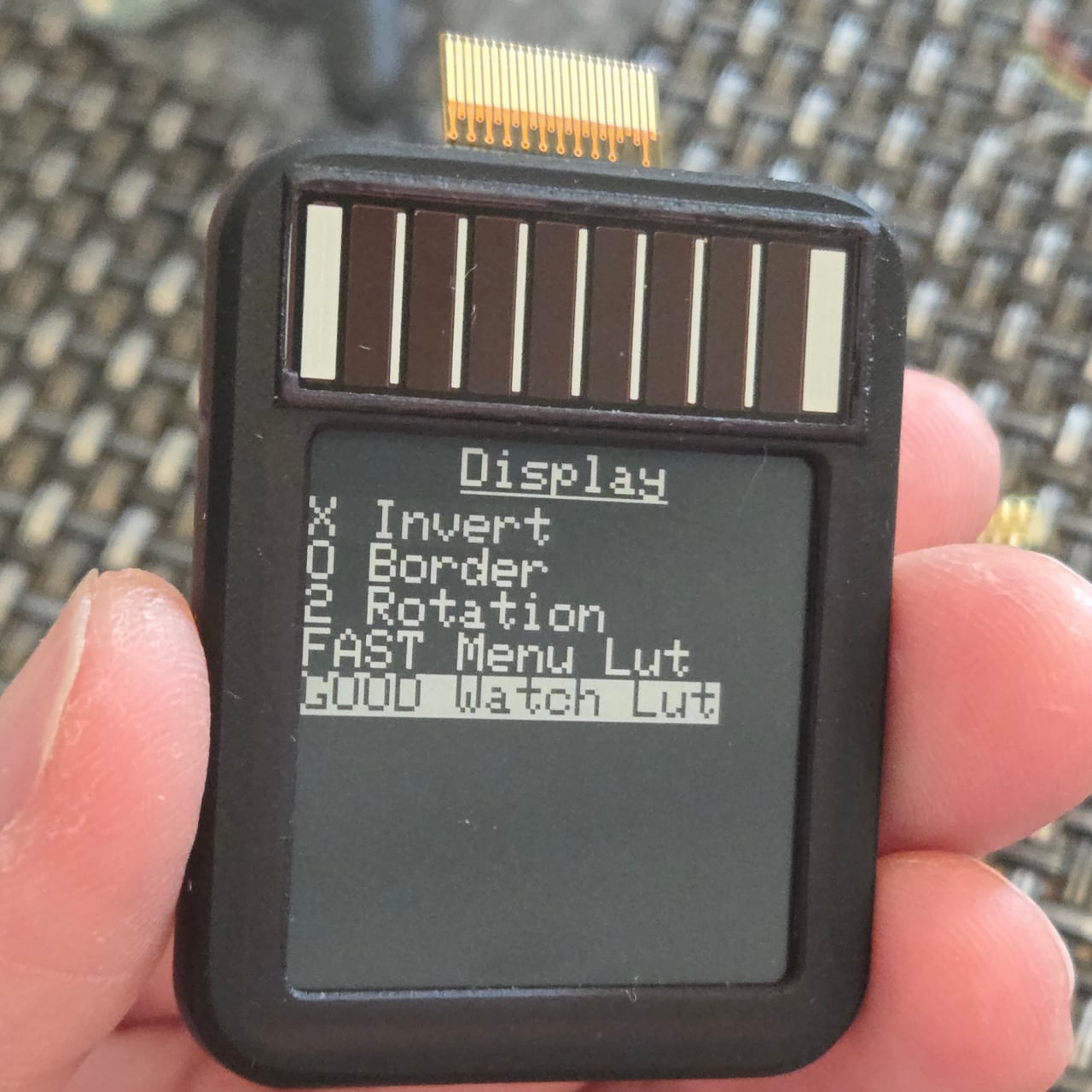
The 1.54-inch E-Ink display helps keep those numbers achievable. Electrophoretic displays only draw power when changing states and hold their image indefinitely without any power at all, which makes them an obvious fit for a watch face that updates once per minute rather than 60 times per second. Touch controls via the ESP32’s built-in capacitive touch capability handle navigation, making physical buttons unnecessary and allowing for a more compact case.

The watch supports WiFi, Bluetooth, and LoRa via a Wio-SX1262 radio module, and GPS can be added as an optional component, though the creator notes it wasn’t a particularly good idea given the space and power it consumes. The case is 3D printed in two pieces and accepts any standard 22mm wristband. Everything, including the firmware, PCB schematics, and case files, is open source and available on GitHub.

The post This Solar Smartwatch Ran 9 Months on Battery, Then the Panel Kicked In first appeared on Yanko Design.
A Designer Just Made a Water Purifier That Skips the Technician Call

Water purifiers are practically mandatory in modern Indian homes, but for a category that handles something as critical as drinking water, they’ve never been particularly pleasant to live with. Most demand frequent service calls that add to their long-term cost, look like they were designed to be hidden under a counter, and turn something as simple as filling a bottle into a minor exercise in patience.
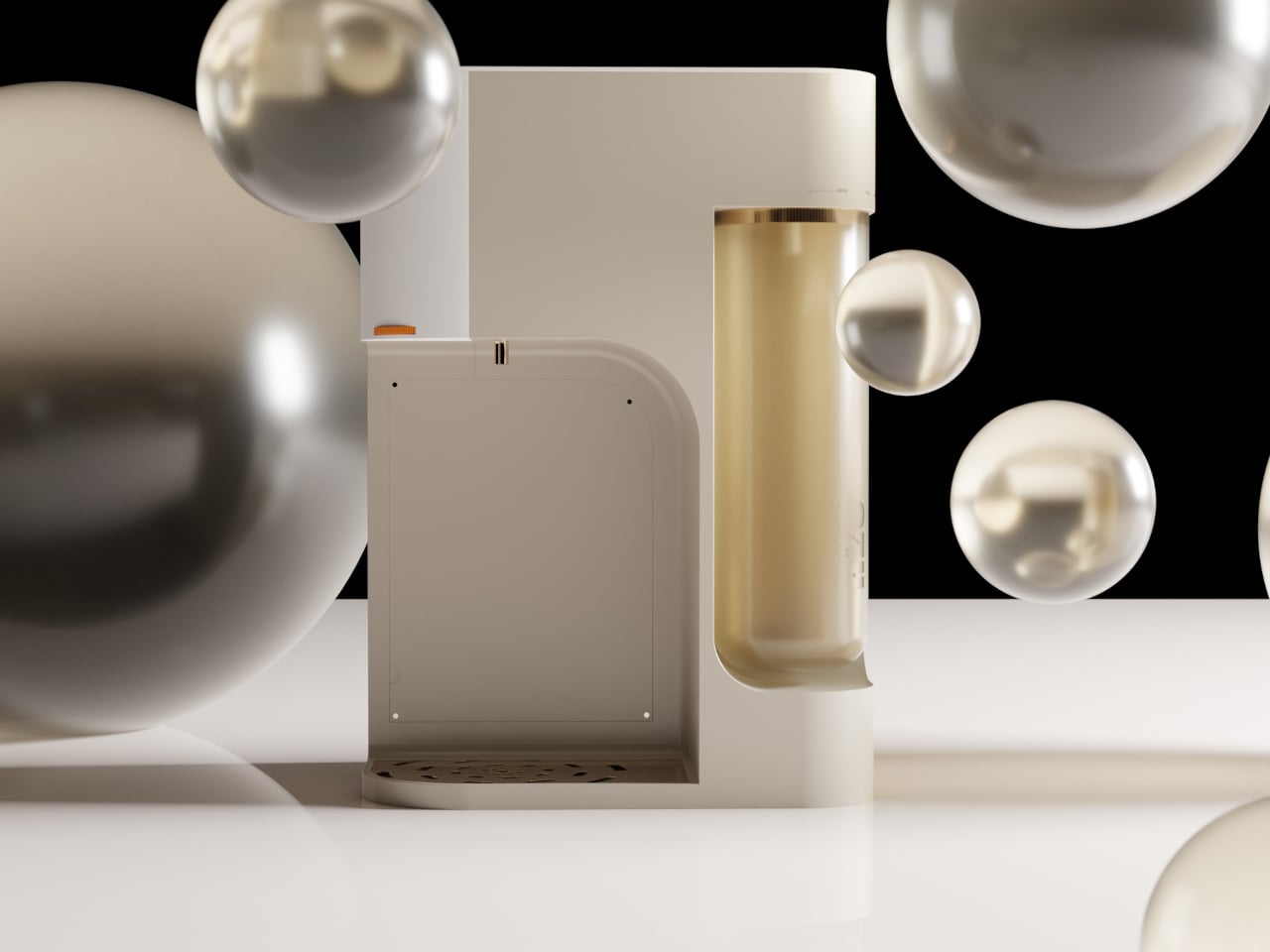
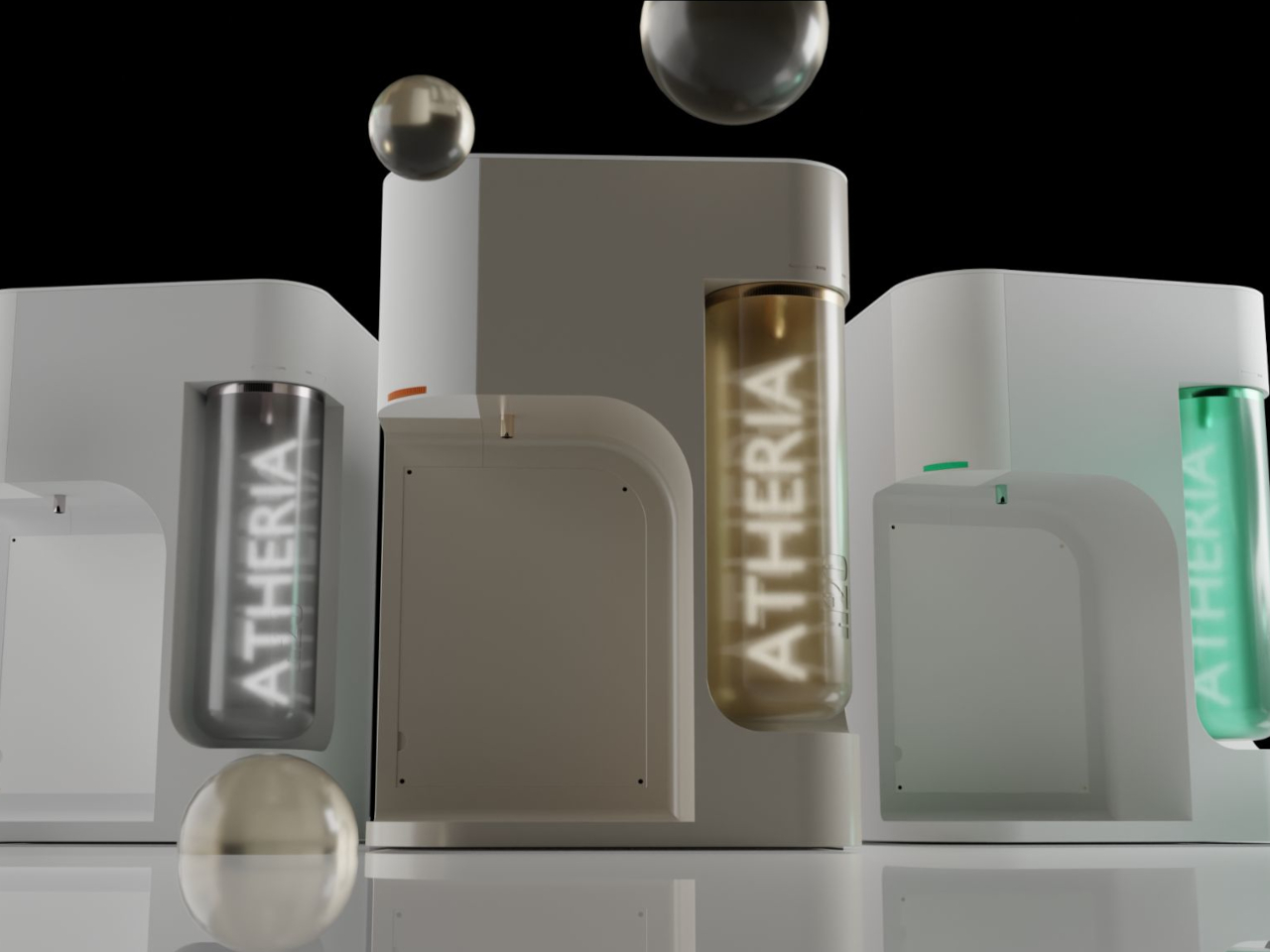
ATHERIA is a smart water purifier concept designed for modern Indian households, and it approaches the problem from multiple angles at once. Rather than improving a single element, it takes aim at several everyday friction points simultaneously, from how the unit looks on a kitchen counter to how easy it is to fill a bottle, replace a cartridge, or check water quality.

Designer: Arnav Ashwin

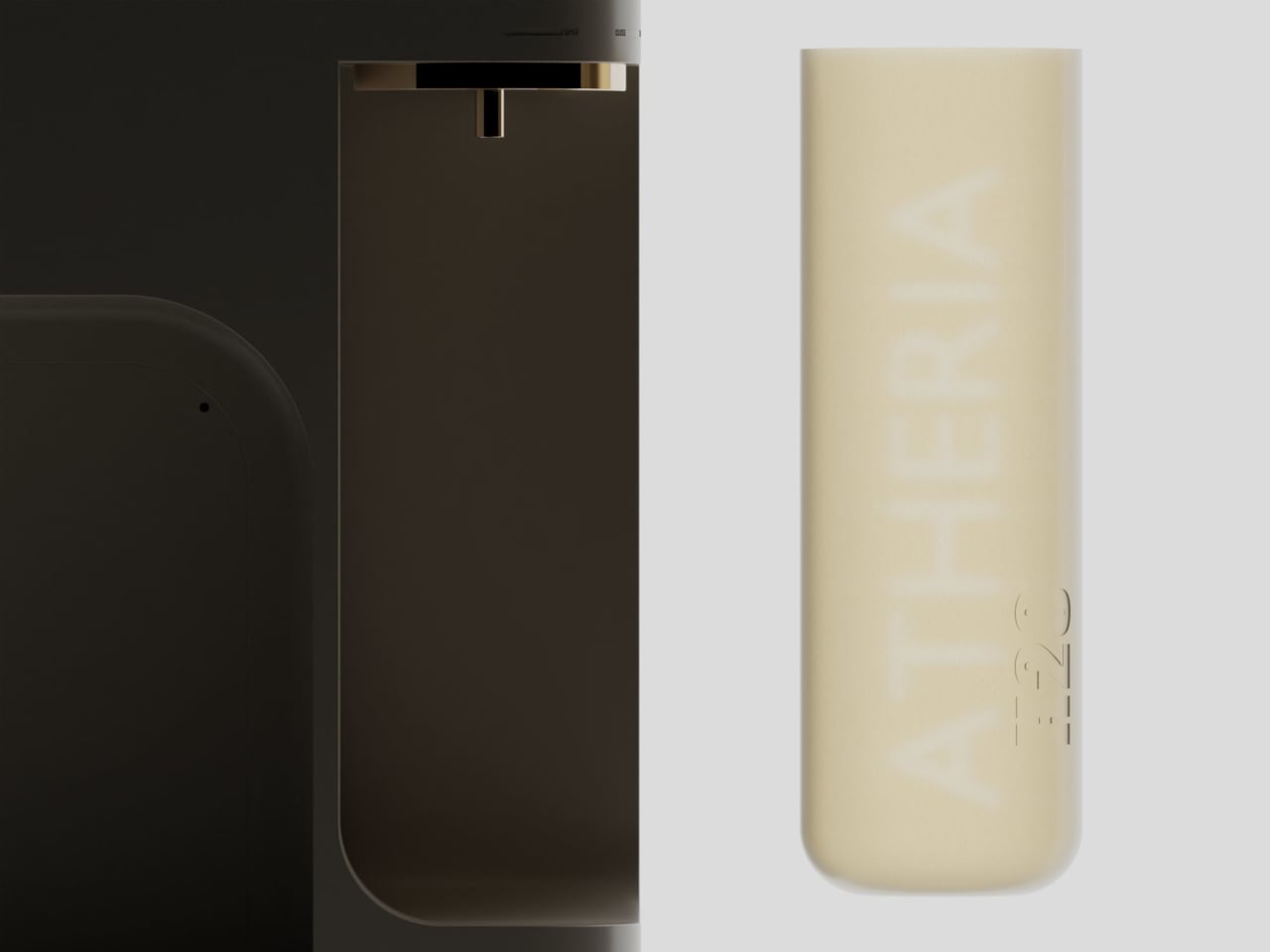
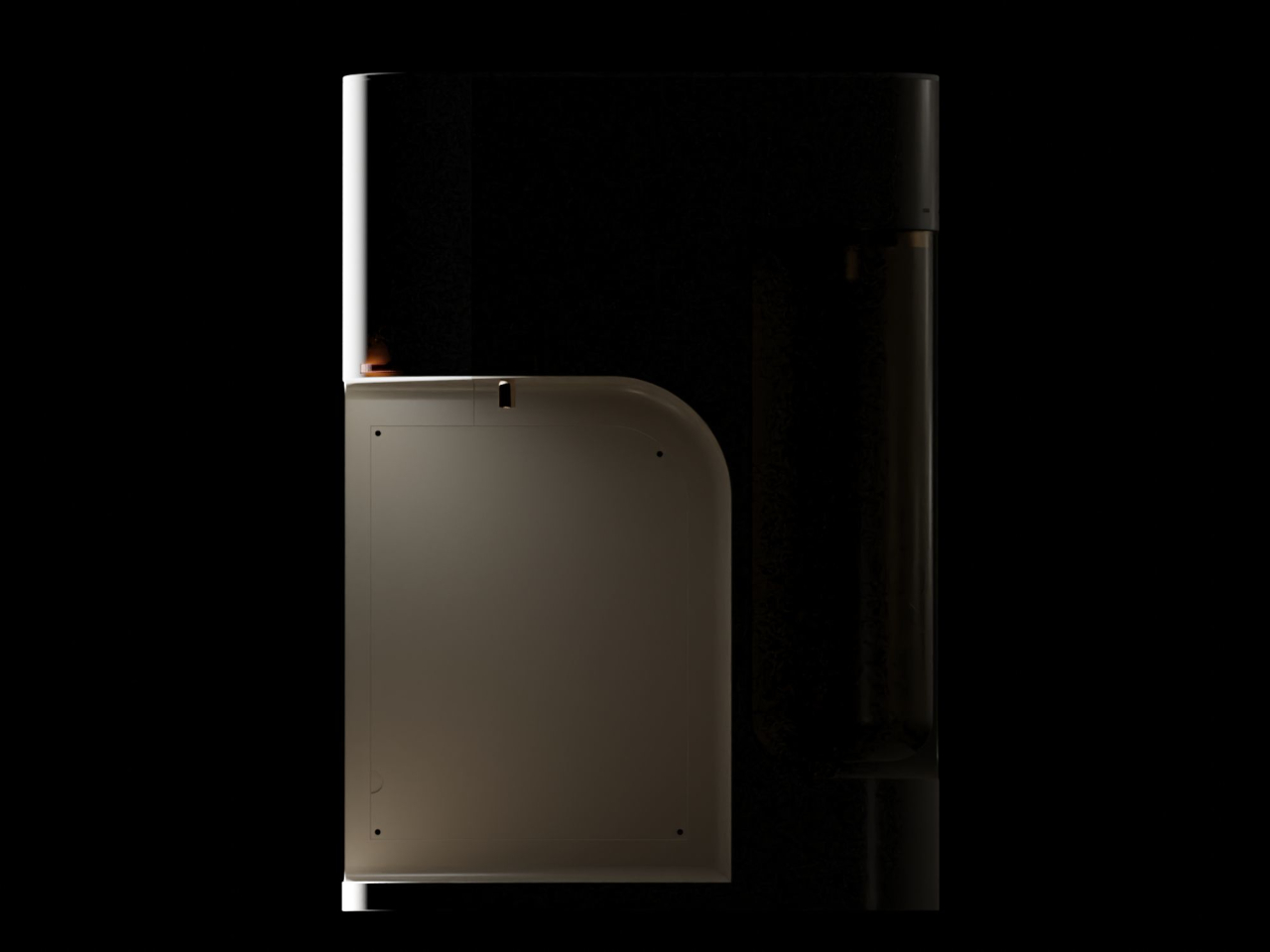
The design draws from Japandi principles, a blend of Japanese minimalism and Scandinavian sensibility focused on warmth, simplicity, and craftsmanship. The result is a compact, rounded purifier with a warm taupe and gold finish that reads more like a considered kitchen appliance than a water treatment machine. It comes in multiple colorways and sits on a countertop without dominating the space around it.

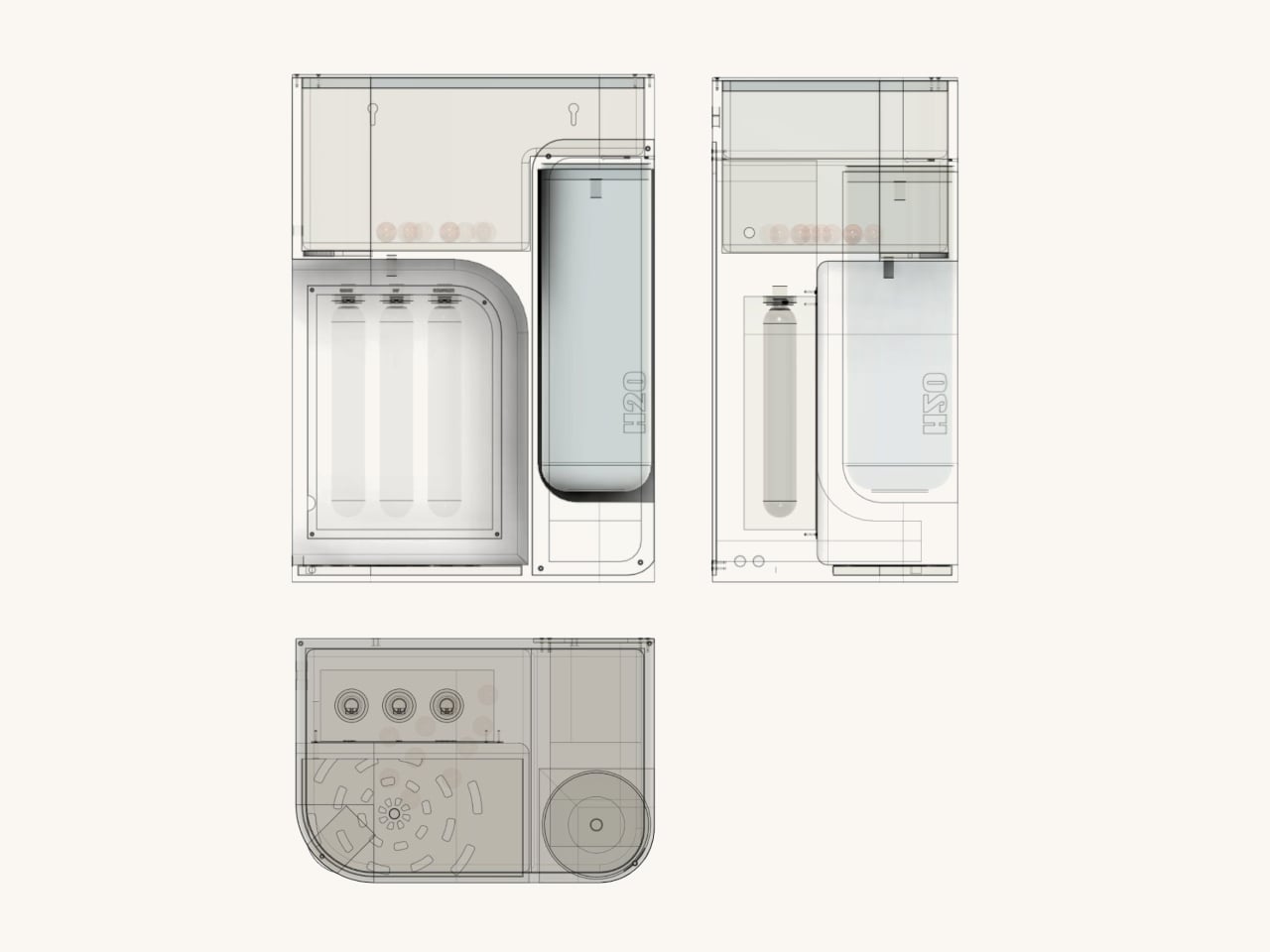
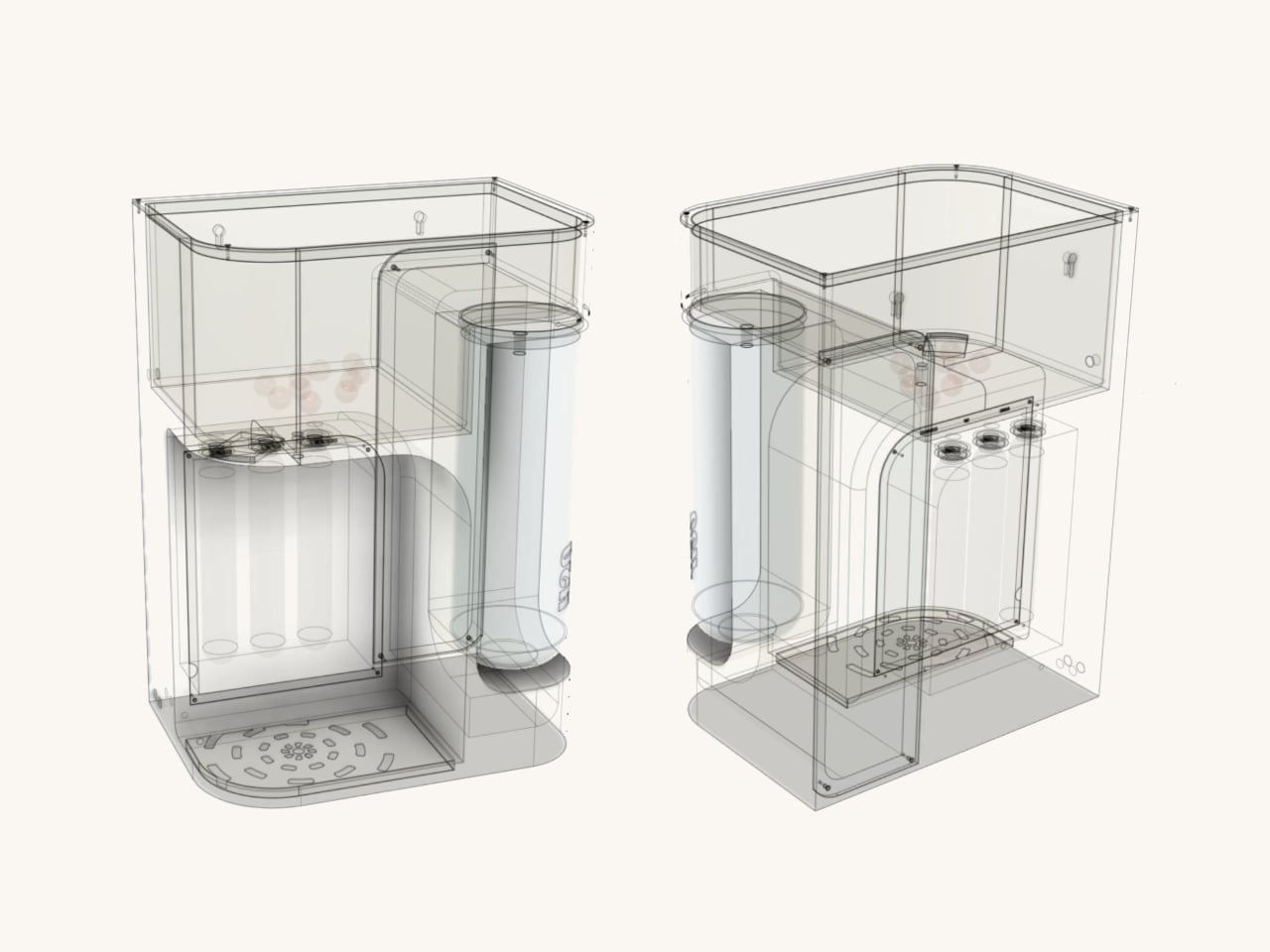
One of the more thoughtful additions is a 2.5-liter secondary detachable container. Filling a bottle or a cooking pot directly from a purifier tap can be slow and awkward, especially mid-cook. The container solves this by letting you pour pre-filled water directly into whatever you need, then reattach it to the purifier, which refills it automatically using analog weight sensors.

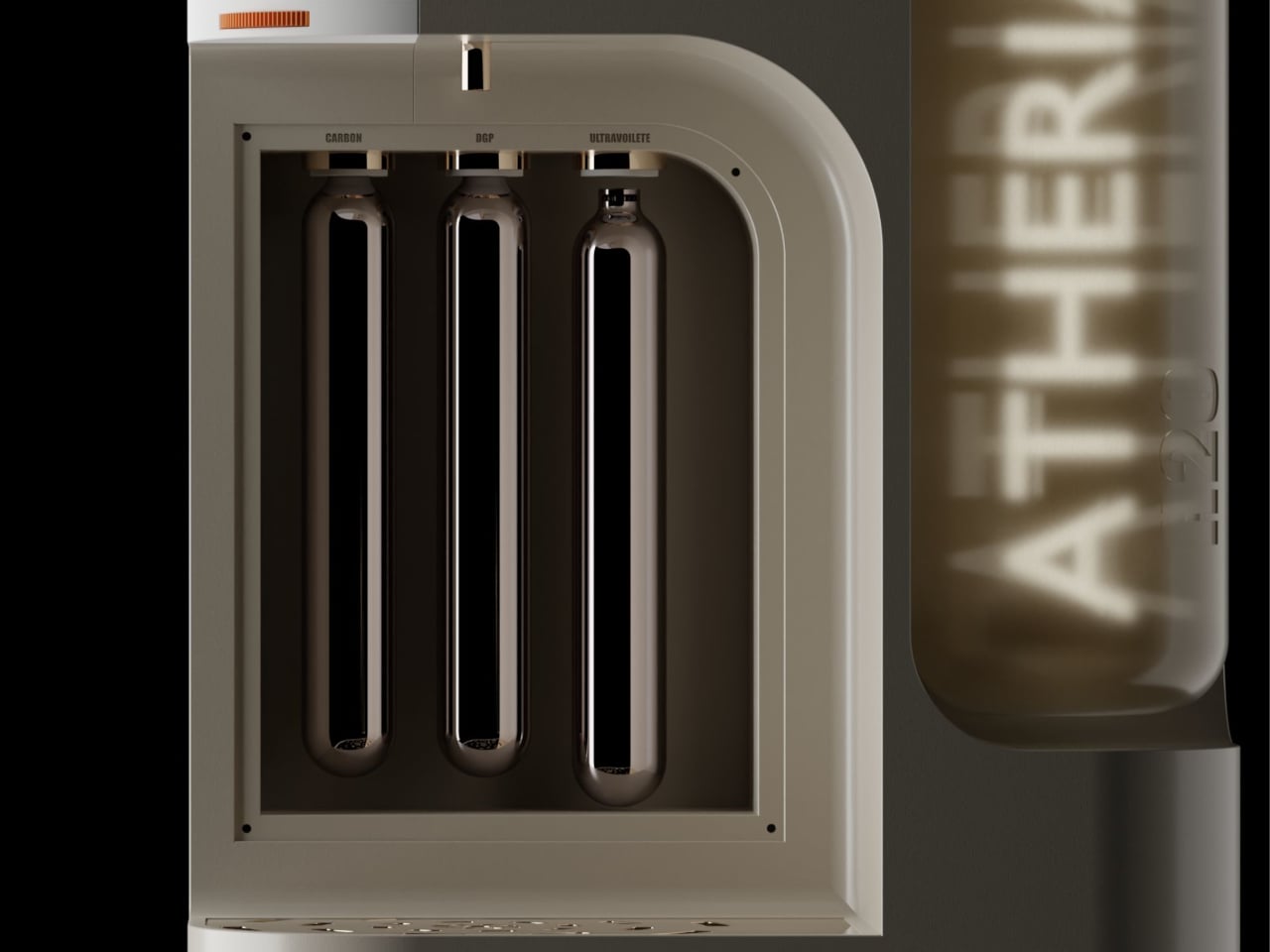
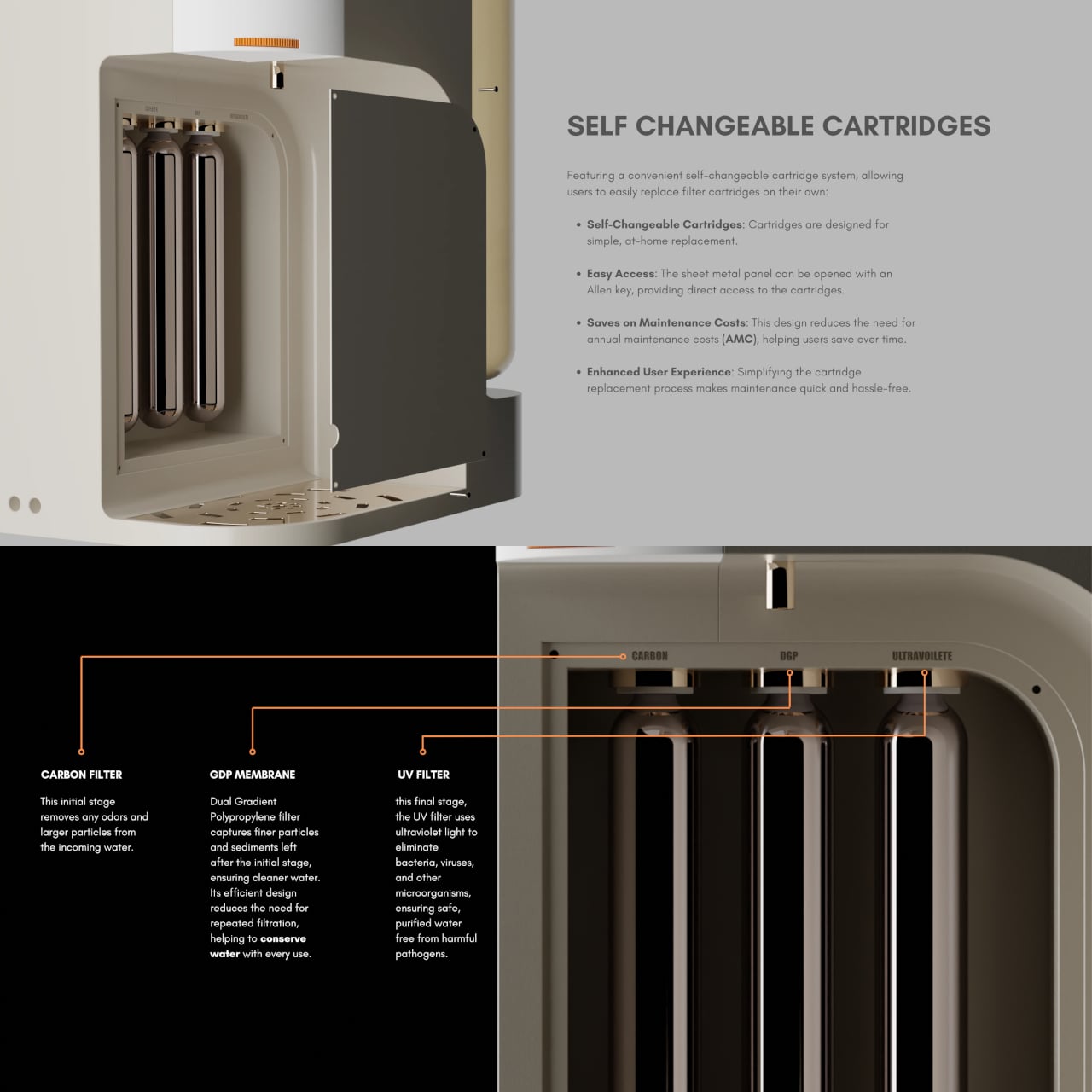
ATHERIA’s three-stage filtration runs water through a carbon filter to remove odors and larger particles, then a dual-gradient polypropylene membrane for finer sediment, and finally a UV filter to eliminate bacteria, viruses, and other microorganisms. The membrane’s efficient design reduces repeated filtration passes, conserving water in the process, which directly addresses a concern shared by 64% of users surveyed during the design research phase.

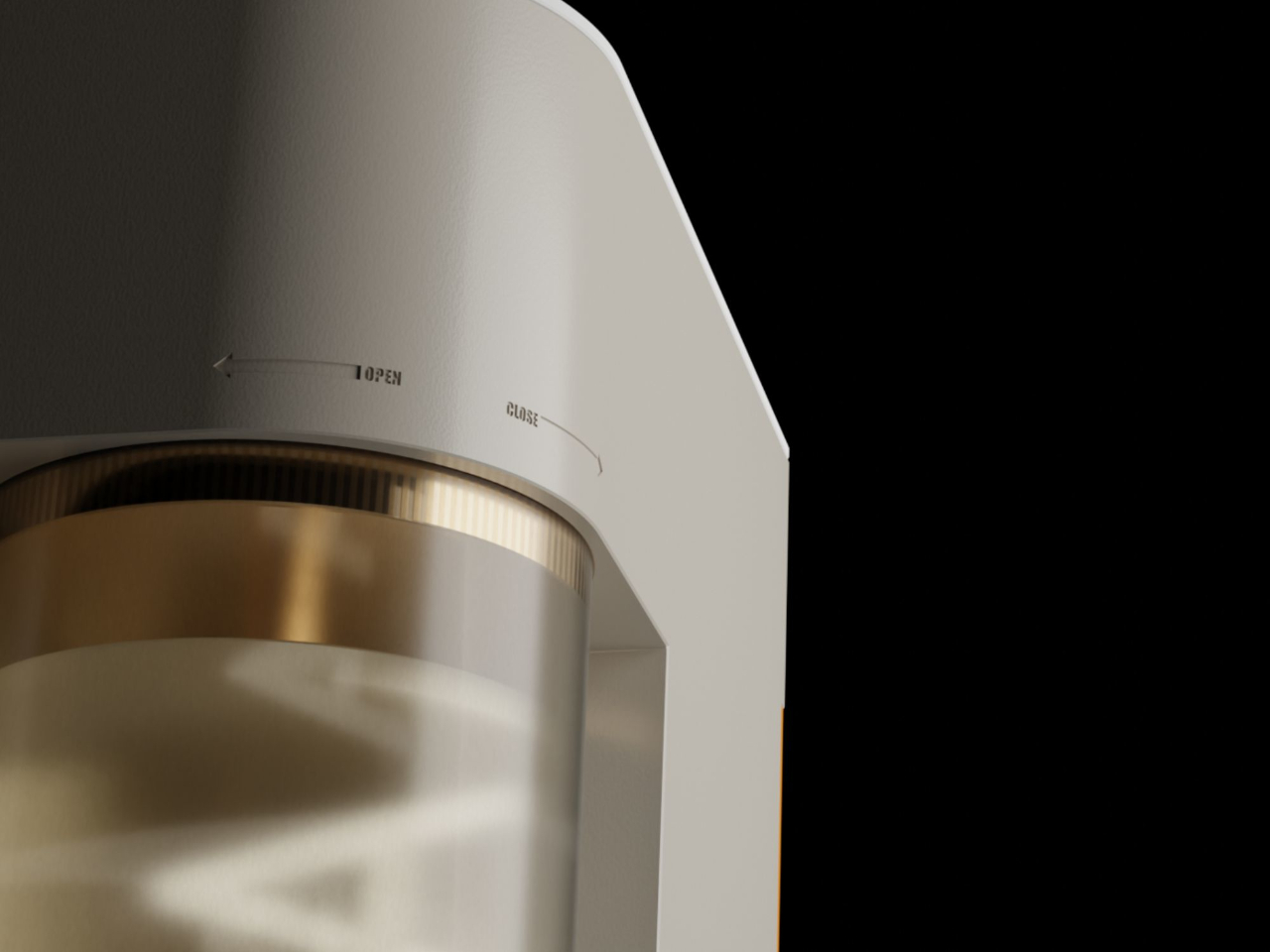
Maintenance usually drives up the long-term cost of owning a water purifier, mostly because replacing cartridges typically requires a paid technician visit. ATHERIA’s self-changeable cartridge system gets around that. The side panel opens with an Allen key, giving direct access to all three filter cartridges, each of which turns to fit or release. No service call needed, which cuts down on annual maintenance costs considerably.

The companion app displays tap TDS, output TDS, individual cartridge health, and daily water and energy usage. Output TDS is adjustable from the settings, and cartridge change reminders can be set manually. It also links to Google Nest, which can push voice alerts when TDS levels rise above safe standards or when a specific cartridge is approaching the end of its life.

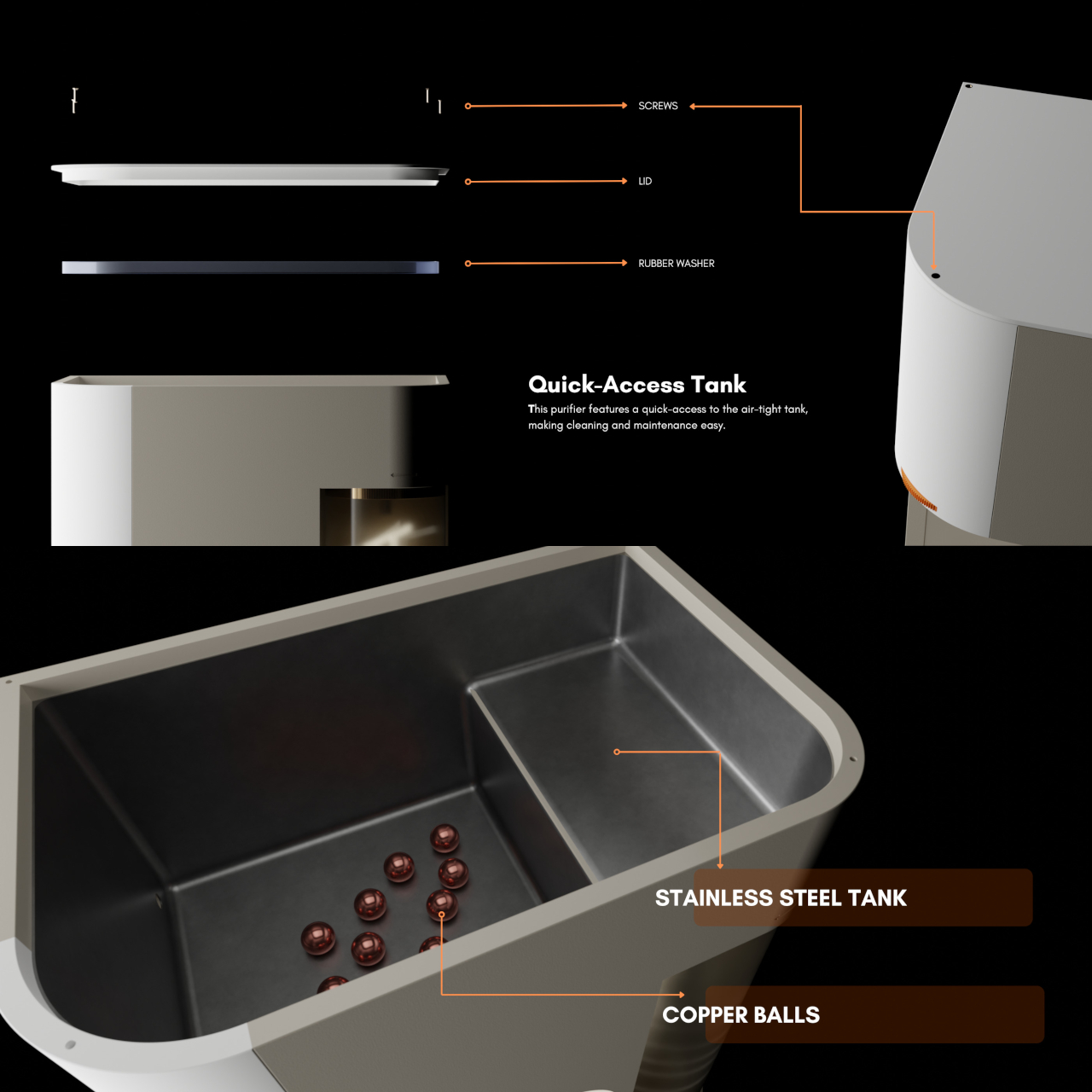
The stainless steel storage tank includes copper balls for natural antimicrobial contact, and the bi-directional ratchet tap controls flow speed by how far it’s turned, with built-in markings to minimize spillage. ATHERIA is still just a concept, but the depth of research behind each decision, from the detachable container to the cartridge access panel, gives every friction point in the experience a concrete answer rather than an afterthought.

The post A Designer Just Made a Water Purifier That Skips the Technician Call first appeared on Yanko Design.