Lotte E&C Just Turned 5 Eggs Into the Welcome Gift You’ll Use

There’s something refreshing about a company that doesn’t just slap their logo on a tote bag and call it customer appreciation. SWNA Office’s Earth’s Hatch kit for Lotte E&C proves that welcome gifts can be more than forgettable tchotchkes collecting dust in a drawer. This is design that actually thinks about the person receiving it, and what they might genuinely need in their daily life.

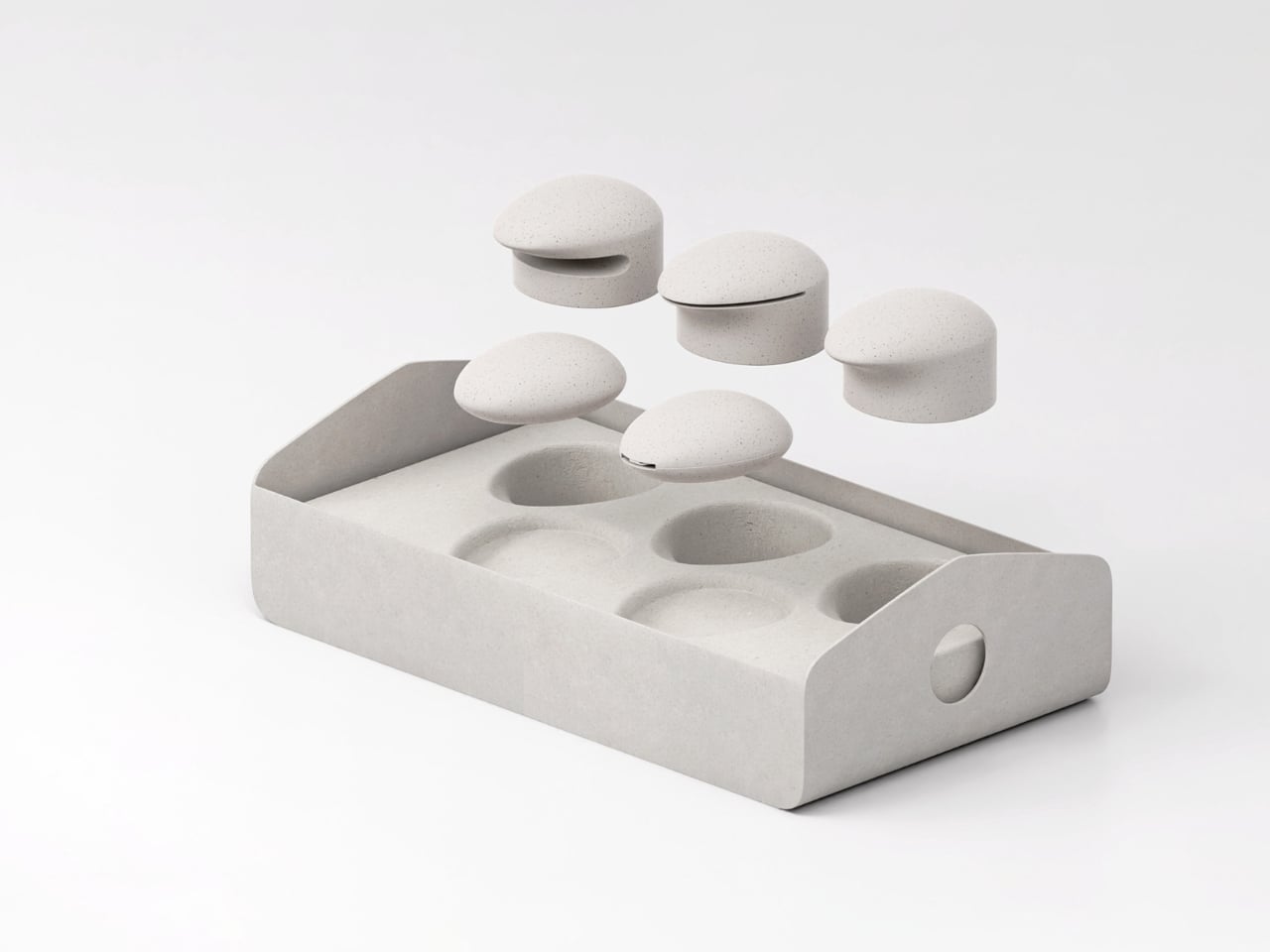
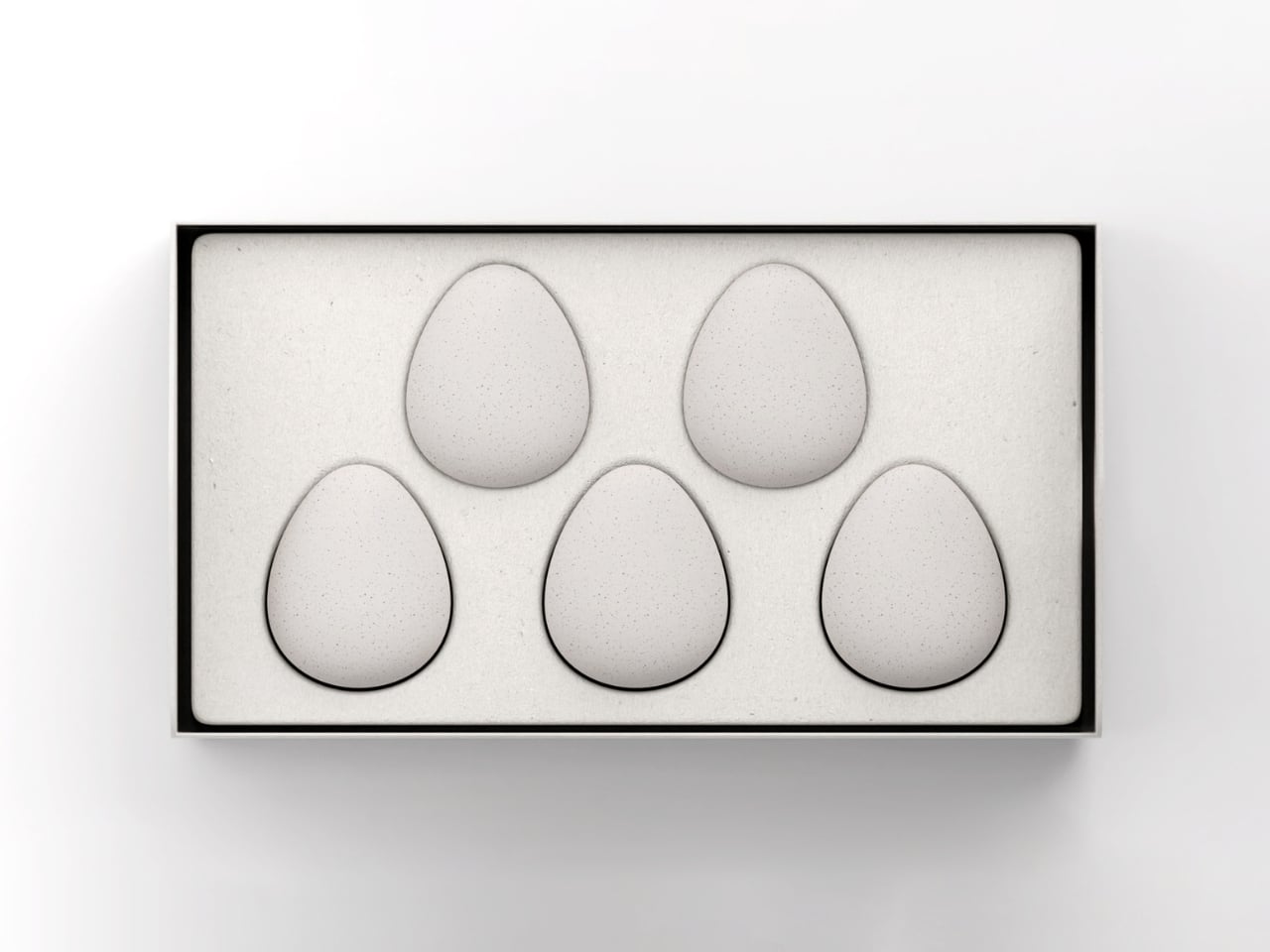
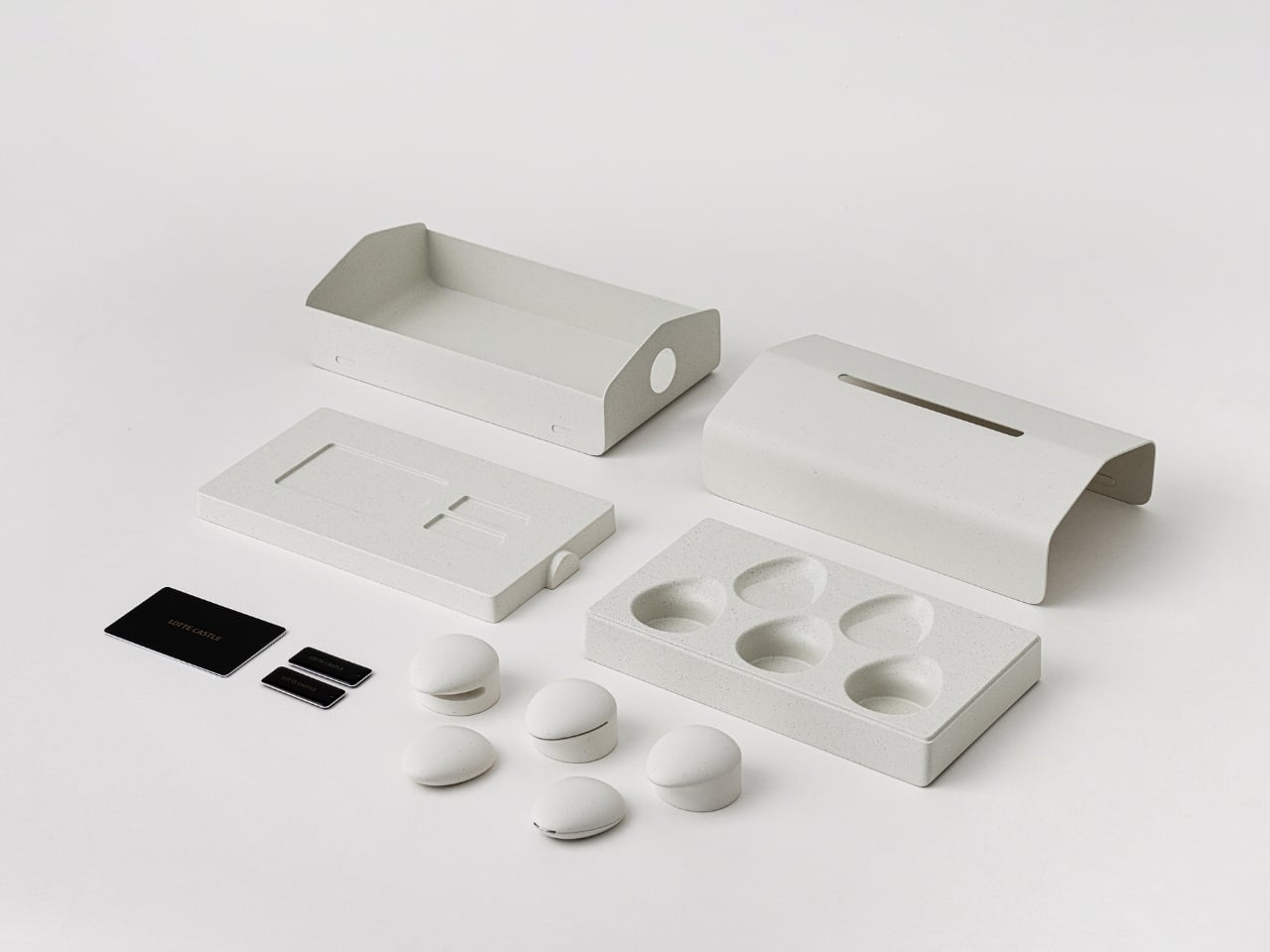
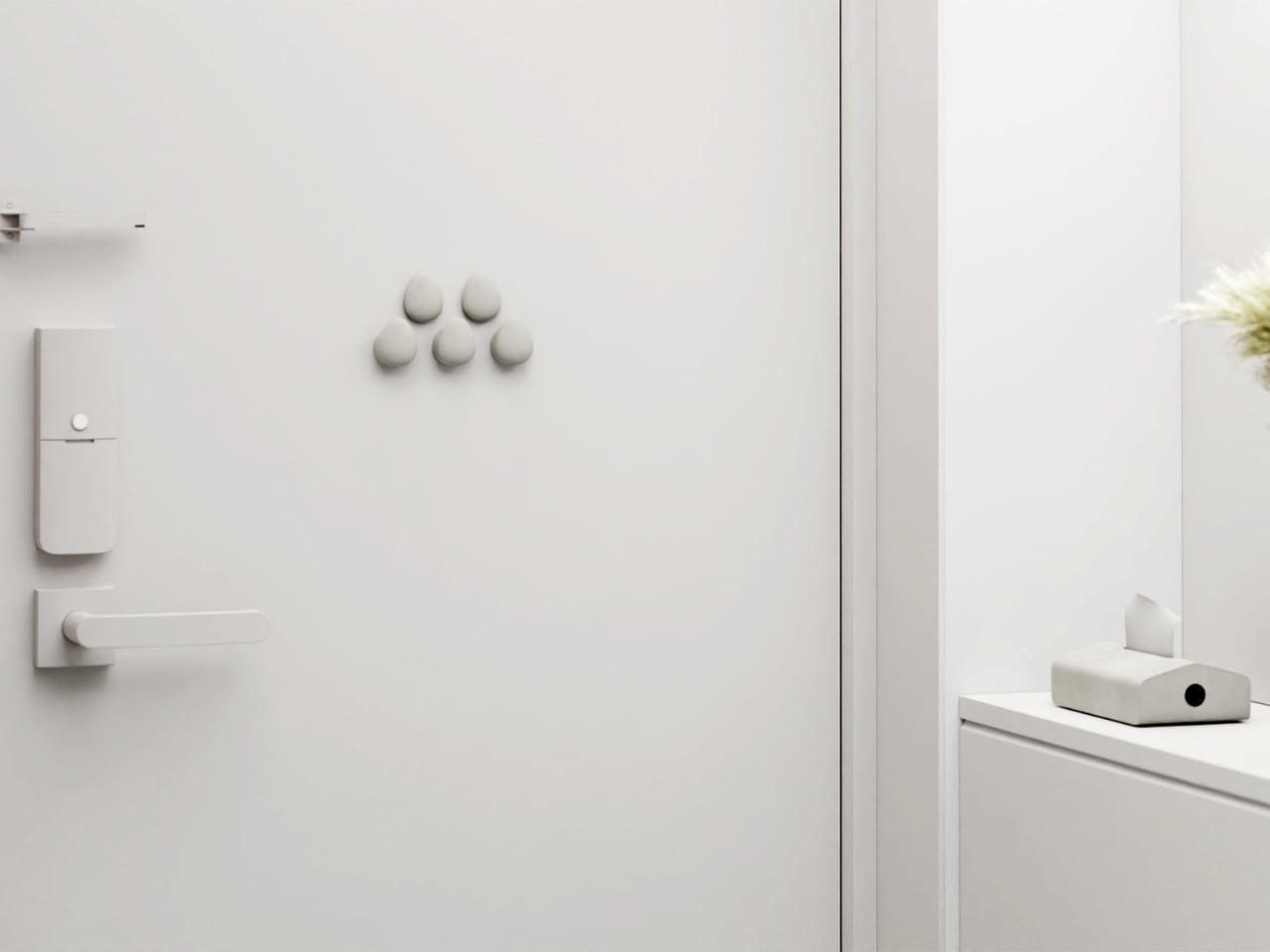
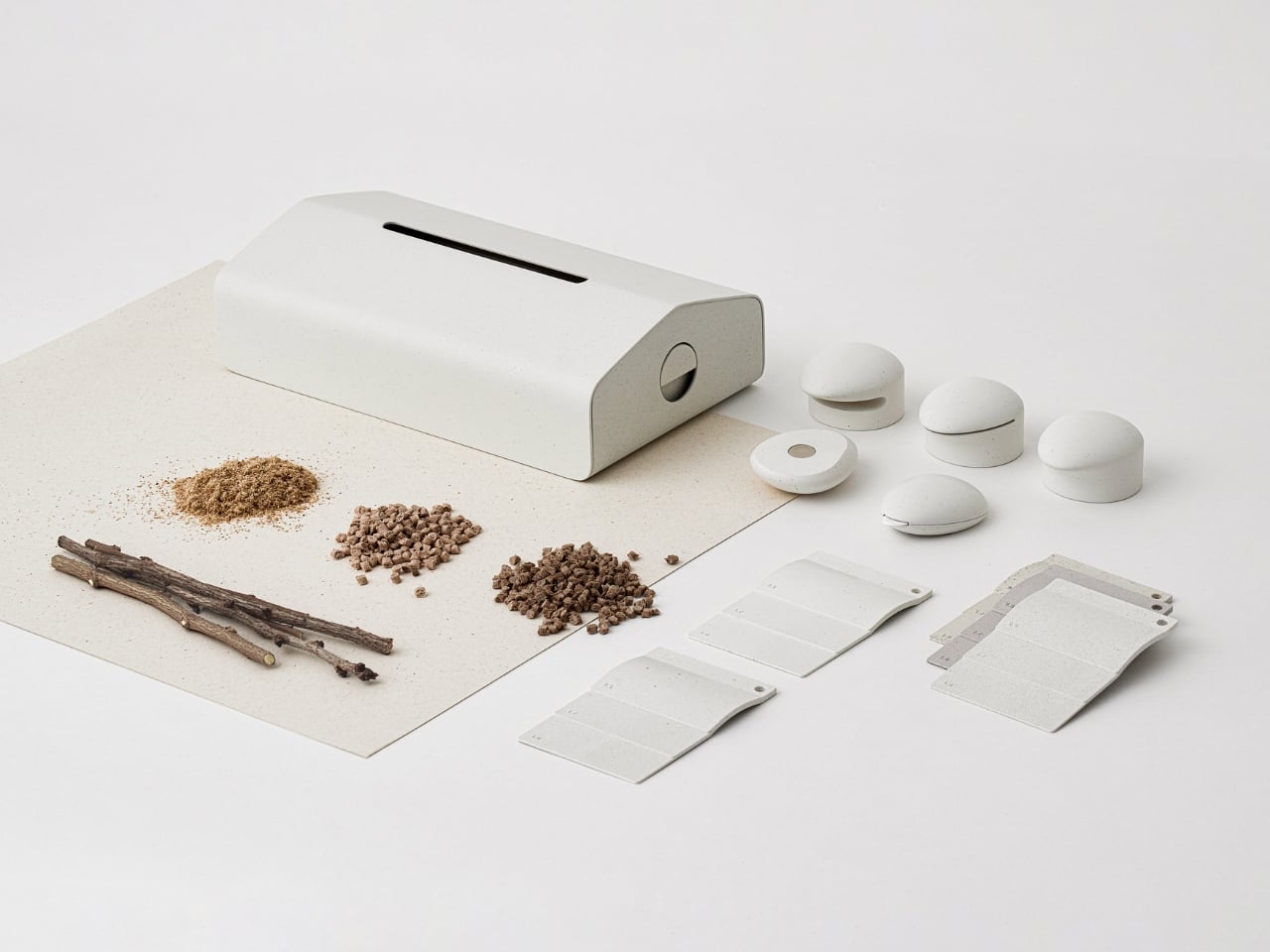
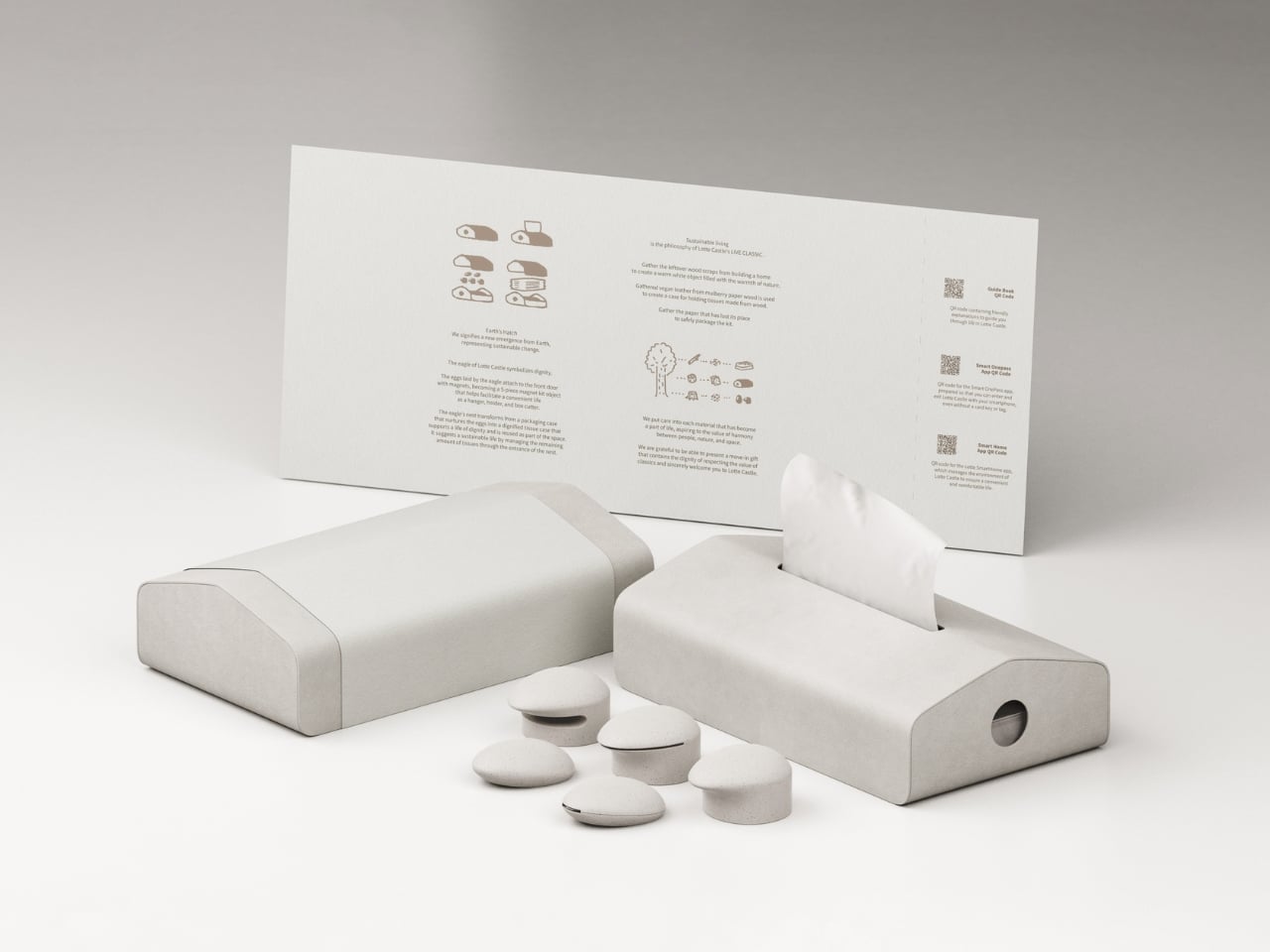
The kit arrives in a birdhouse-shaped package made from pulp paper, the kind that feels substantial in your hands. Strip away the paper band, and inside you’ll find five egg-shaped magnetic objects nestled in protective pulp packaging. The whole experience feels deliberate, like opening something that was designed to be opened, not just shipped.

Designer: SWNA Office

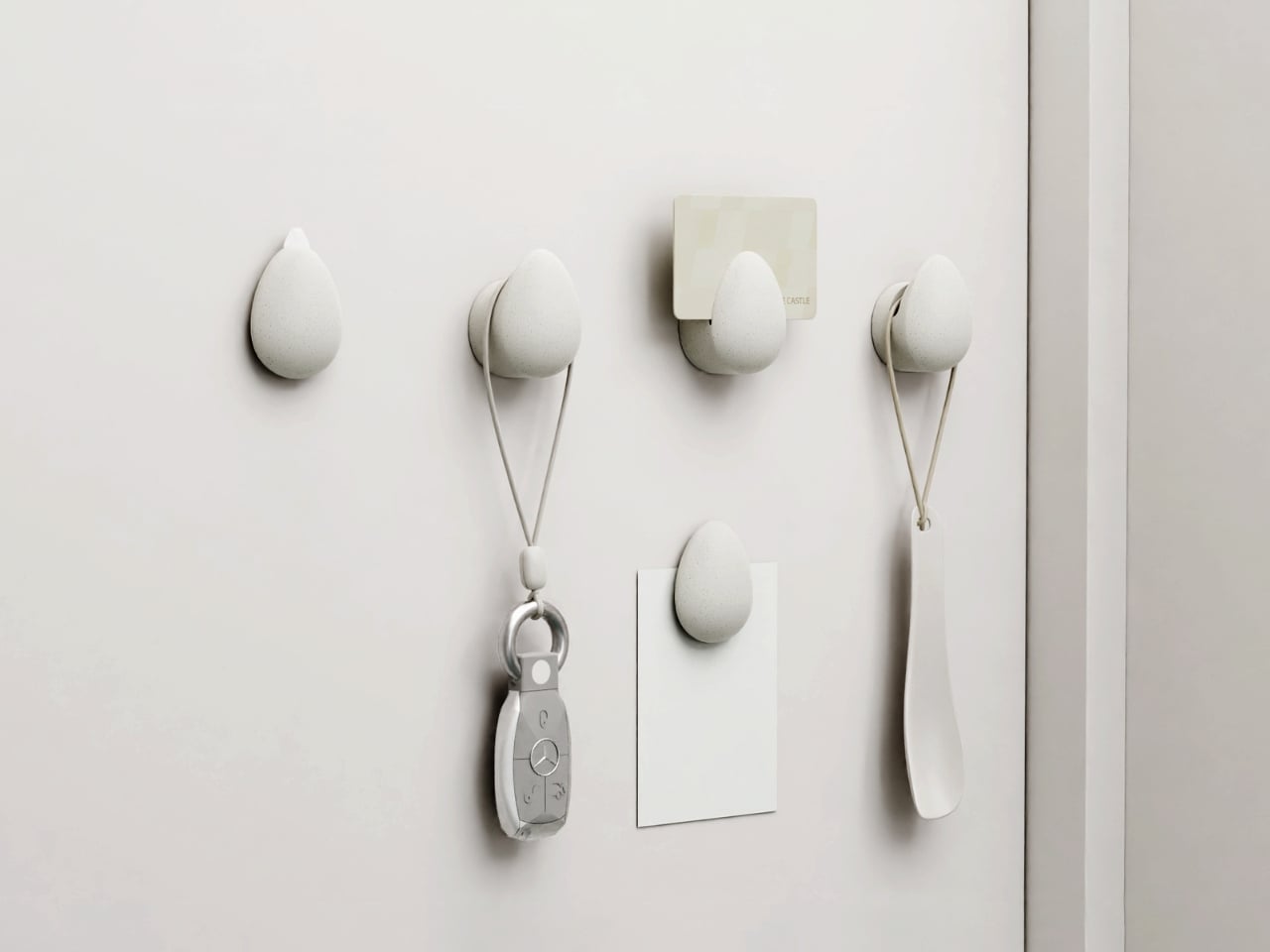
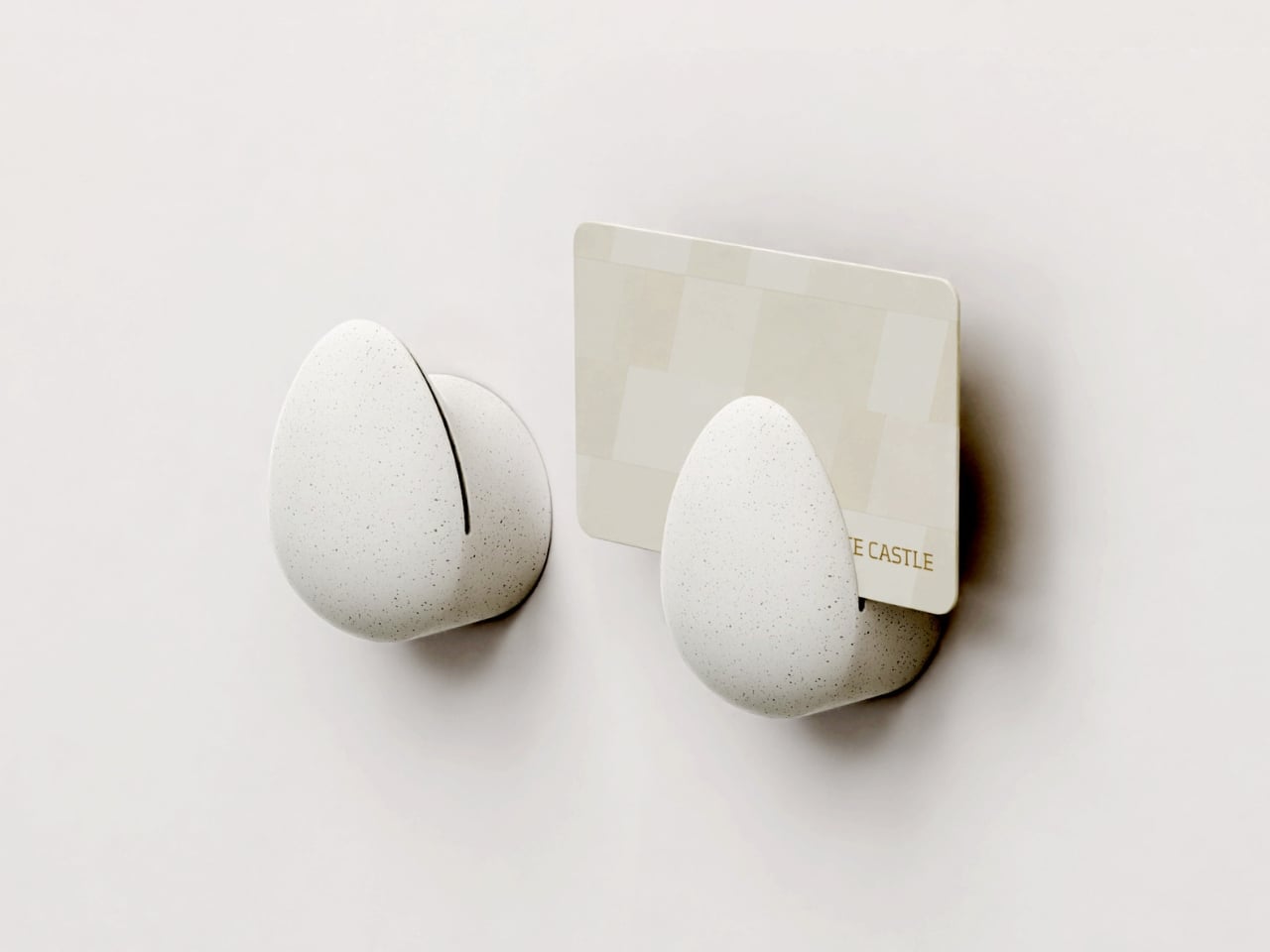
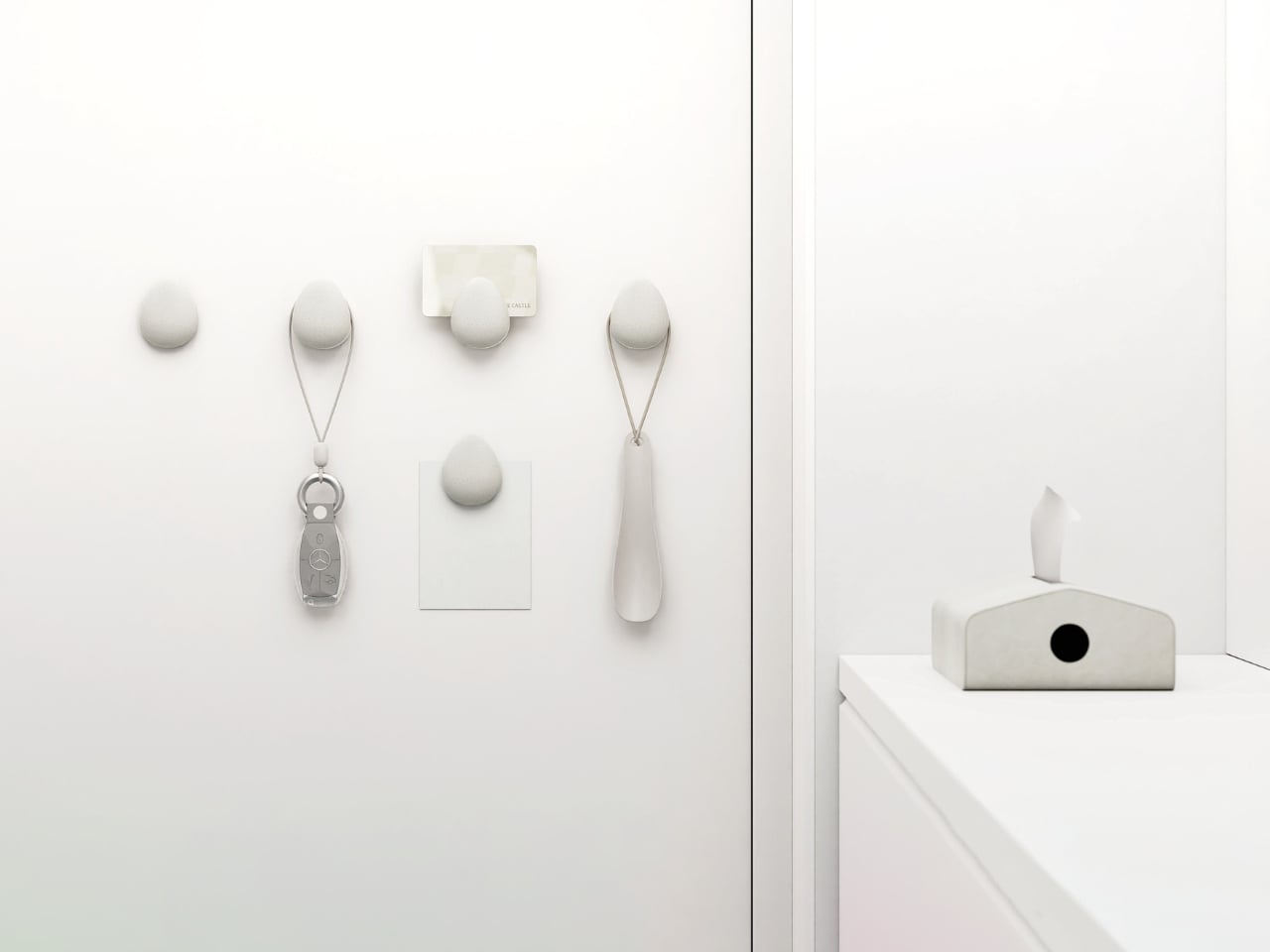
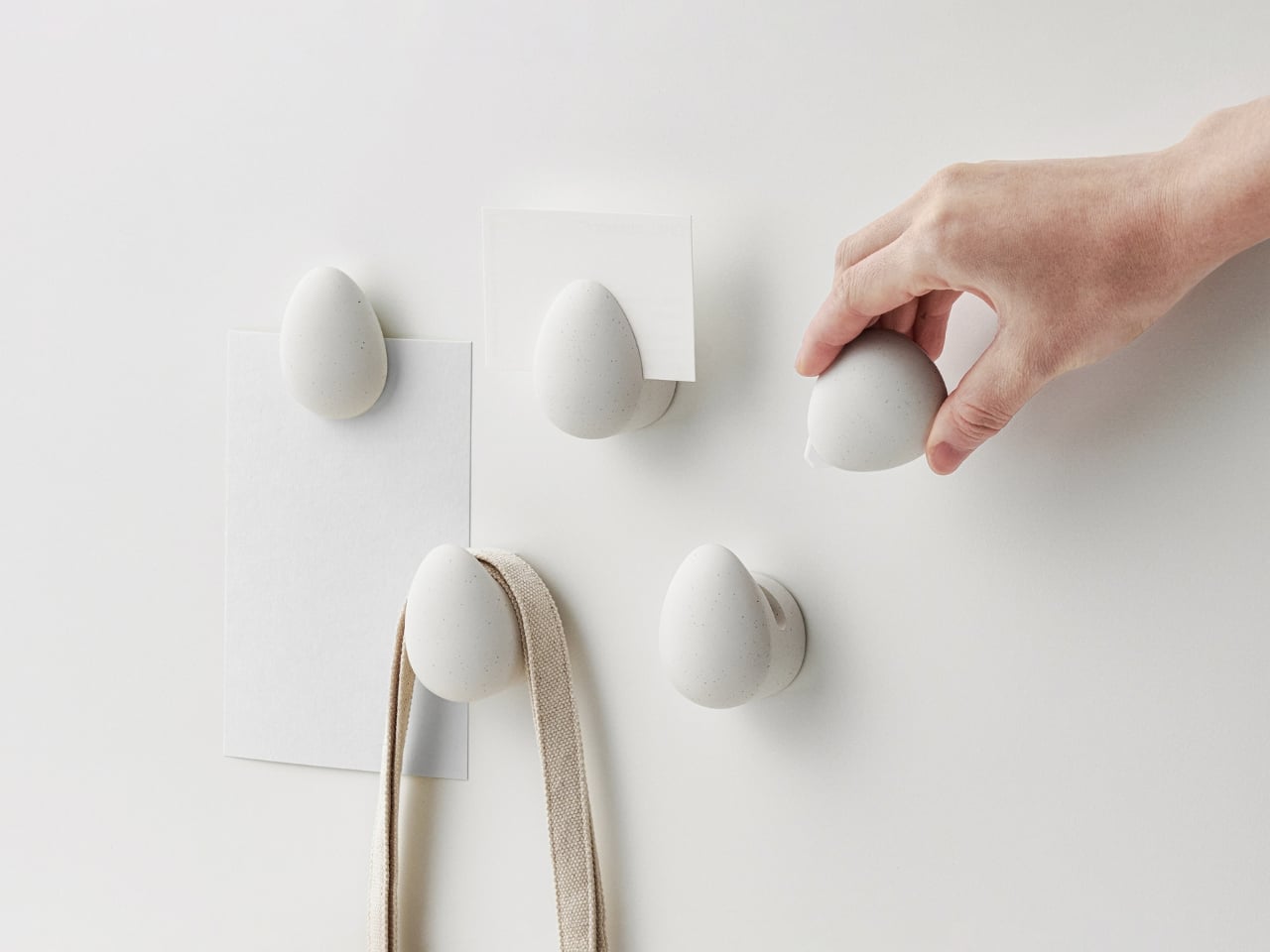
But here’s where it gets interesting. Those five eggs aren’t just decorative items you’ll stash away and forget. Each one serves a specific purpose at the threshold of your home, that chaotic zone where packages pile up and keys mysteriously vanish. One egg contains a ceramic-blade box cutter for safely slicing through Amazon deliveries. Others function as magnetic hooks and holders, perfect for hanging access cards, food waste sorting tags, car keys, or that shoehorn you’re always hunting for when you’re already late.

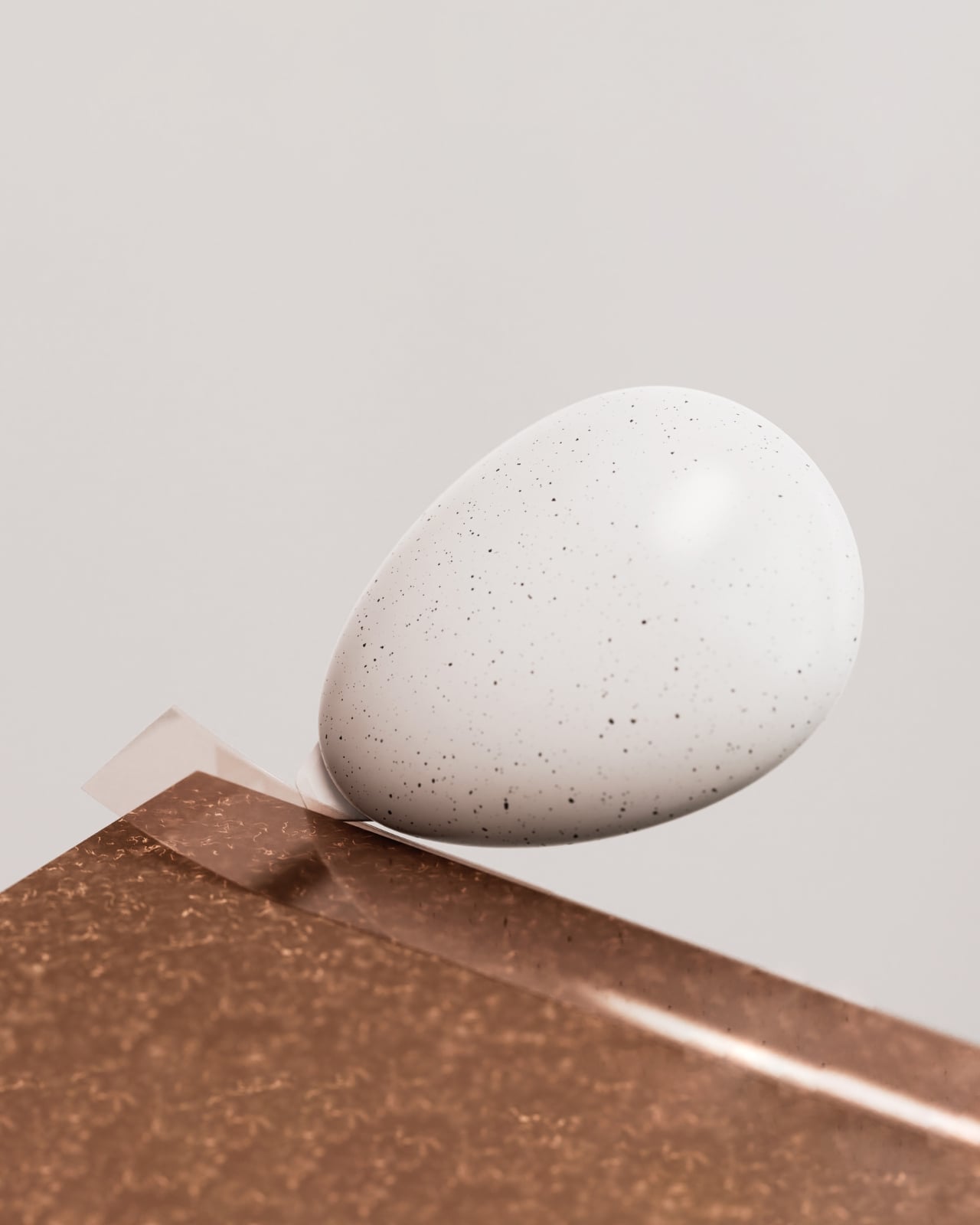
The egg shape itself is surprisingly smart from a user experience perspective. It’s soft and rounded, fitting comfortably in your palm. The scale feels just right, not so small that it’s fiddly, but not so large that it dominates your door. There’s a gentle familiarity to holding an egg, even one made from recycled plastic. It’s a form we all understand instinctively.

The birdhouse package transforms into a refillable tissue holder after you’ve unpacked everything. The circular opening on the side isn’t just aesthetic; it’s functional, letting you see at a glance when you’re running low. Made from vegan leather, it brings a soft contrast to the stone-like texture of the eggs. The eagle motif threading through both the eggs and the “nest” creates visual continuity that feels intentional rather than gimmicky.

What makes this project worth paying attention to is how it handles sustainability without being preachy. Sure, the eggs are made from recycled plastic and the case uses vegan leather, but the kit doesn’t stop at material choices. It’s designed to make eco-friendly living more manageable. That box cutter with the ceramic blade helps you break down boxes properly for recycling. The sorting tools encourage proper waste management. The kit isn’t just made sustainably; it helps you live more sustainably.

This is where corporate gifting usually fails. Most welcome packages are essentially branded advertising that recipients tolerate. Earth’s Hatch flips that script by centering utility. The magnetic feature is particularly clever because it solves a real problem. How many times have you frantically searched for your keys or access card? Now they have a dedicated spot right by your door, held by these smooth, tactile objects that are actually pleasant to interact with daily.

The name itself, Earth’s Hatch, captures what Lotte E&C seems to be going for with their “safe planet project.” It’s about emergence, about something new coming into being. The eagle egg symbolism reinforces that idea of potential and care. Eagles are protective of their eggs, just as we should be protective of the planet. It’s a bit poetic for a construction company, but that’s precisely what makes it memorable.

SWNA Office managed to create something that works on multiple levels. At first glance, it’s a beautiful object with its muted, speckled surface that photographs gorgeously in that minimalist product photography style we’ve all become accustomed to. But it doesn’t rely solely on aesthetics. The design holds up in actual use, which is rarer than it should be.

What this project really demonstrates is that thoughtful design can elevate even something as mundane as organizational tools and tissue holders. By connecting form, function, and meaning, Earth’s Hatch becomes more than a welcome kit. It’s a physical manifestation of a company’s values, something recipients will actually use and remember. That’s the kind of design that deserves attention.

The post Lotte E&C Just Turned 5 Eggs Into the Welcome Gift You’ll Use first appeared on Yanko Design.

OBSBOT Tiny 3 4K PTZ Webcam Review: Audio As a First-Class Citizen

PROS:


  • Triple MEMS mic array with five specialized audio modes

  • Strong imaging quality with 1/1.28-inch 4K Dual All-Pixel PDAF sensor

  • AI Tracking 2.0 with intelligent framing and PTZ control

  • Extreme compactness with flagship-level specs

CONS:


  • Premium pricing

  • Feature depth may overwhelm casual users

  • Non-serviceable, integrated design

RATINGS:

AESTHETICS
ERGONOMICS
PERFORMANCE
SUSTAINABILITY / REPAIRABILITY
VALUE FOR MONEY

EDITOR'S QUOTE:

OBSBOT Tiny 3 treats audio and video as one design problem instead of forcing users to stack separate gear, creating a genuinely tiny studio that replaces an entire desk setup with one very capable box.

Most people who take video calls seriously have ended up stacking gear on their desks. A clip-on webcam, a clamped USB mic, software filters layered on top of each other, and a constant ritual of adjusting angles and leaning into microphones just to sound decent. Laptop webcams were never meant to carry this much weight, but the usual upgrade path still treats audio as something you solve separately, which means juggling two devices and hoping they play nicely together.

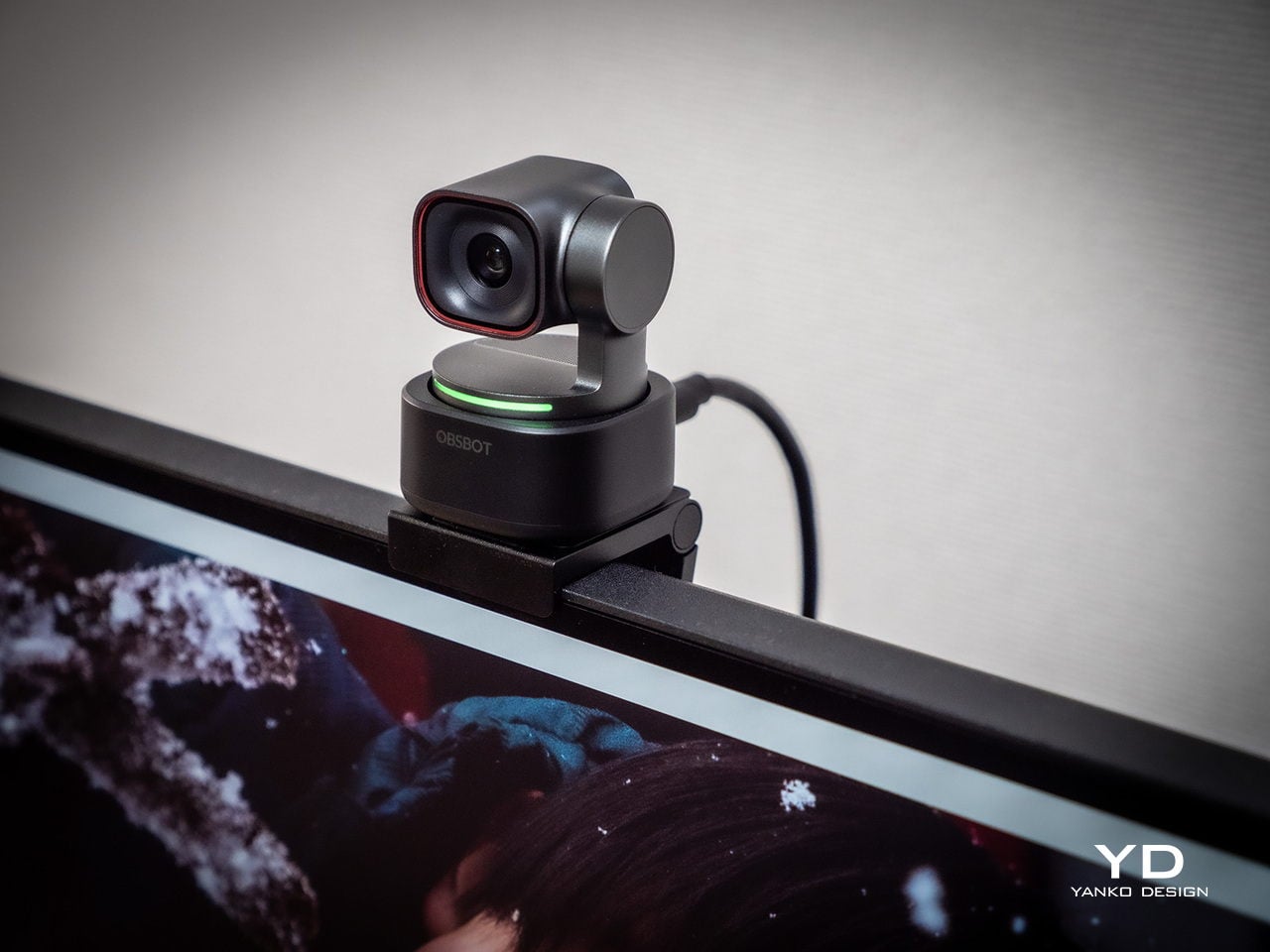
OBSBOT Tiny 3 approaches that problem differently. The 4K PTZ webcam wraps a triple MEMS microphone array, a 1/1.28-inch sensor, and a 2-axis gimbal into a compact, lightweight aluminum body. OBSBOT calls it a Tiny Titan, and claims it delivers studio-grade spatial audio, flagship imaging, and AI tracking in one very small package. Whether that actually holds up during everyday streaming, client meetings, and the occasional podcast is the question worth answering.

Designer: OBSBOT

Aesthetics

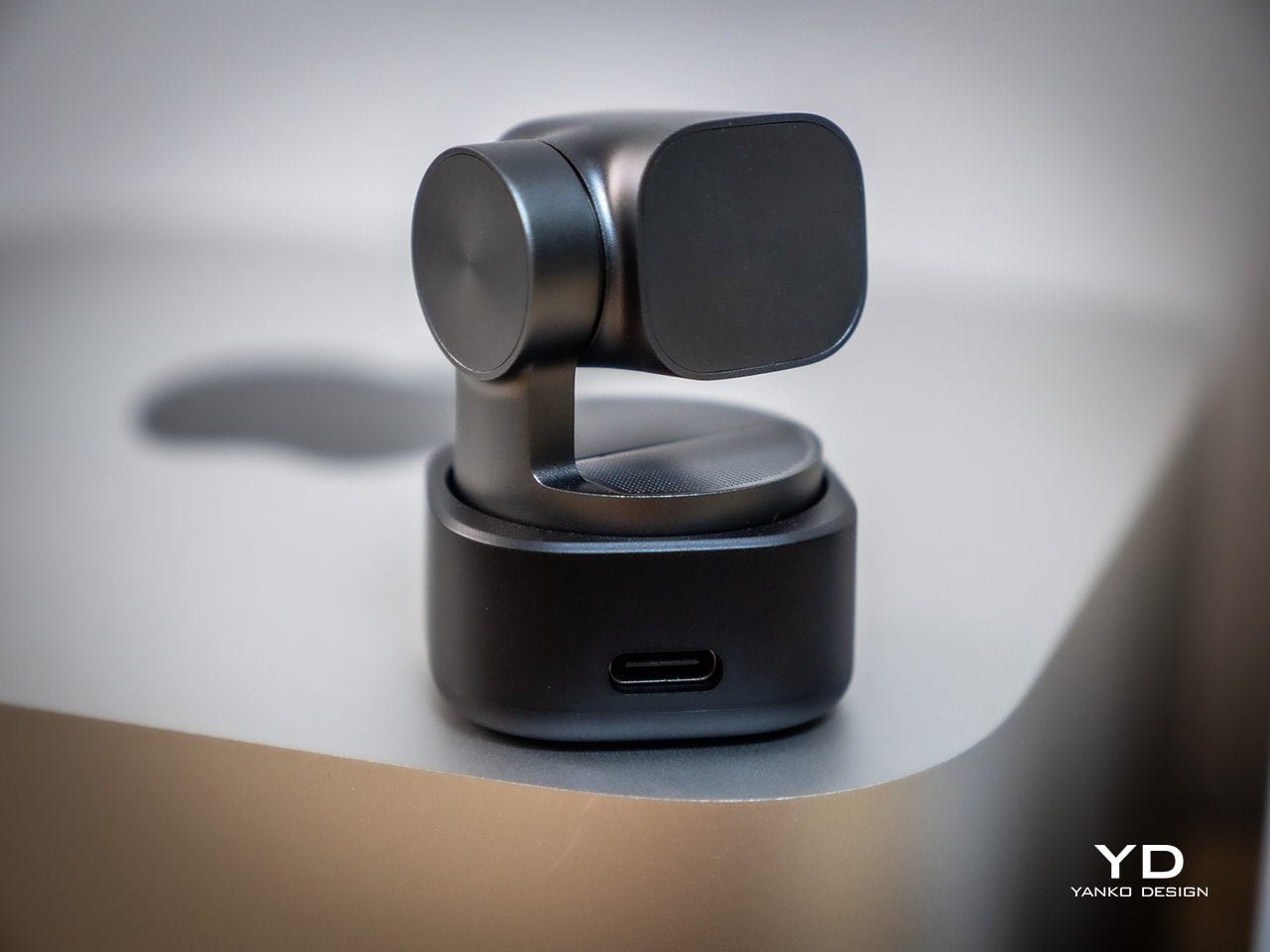
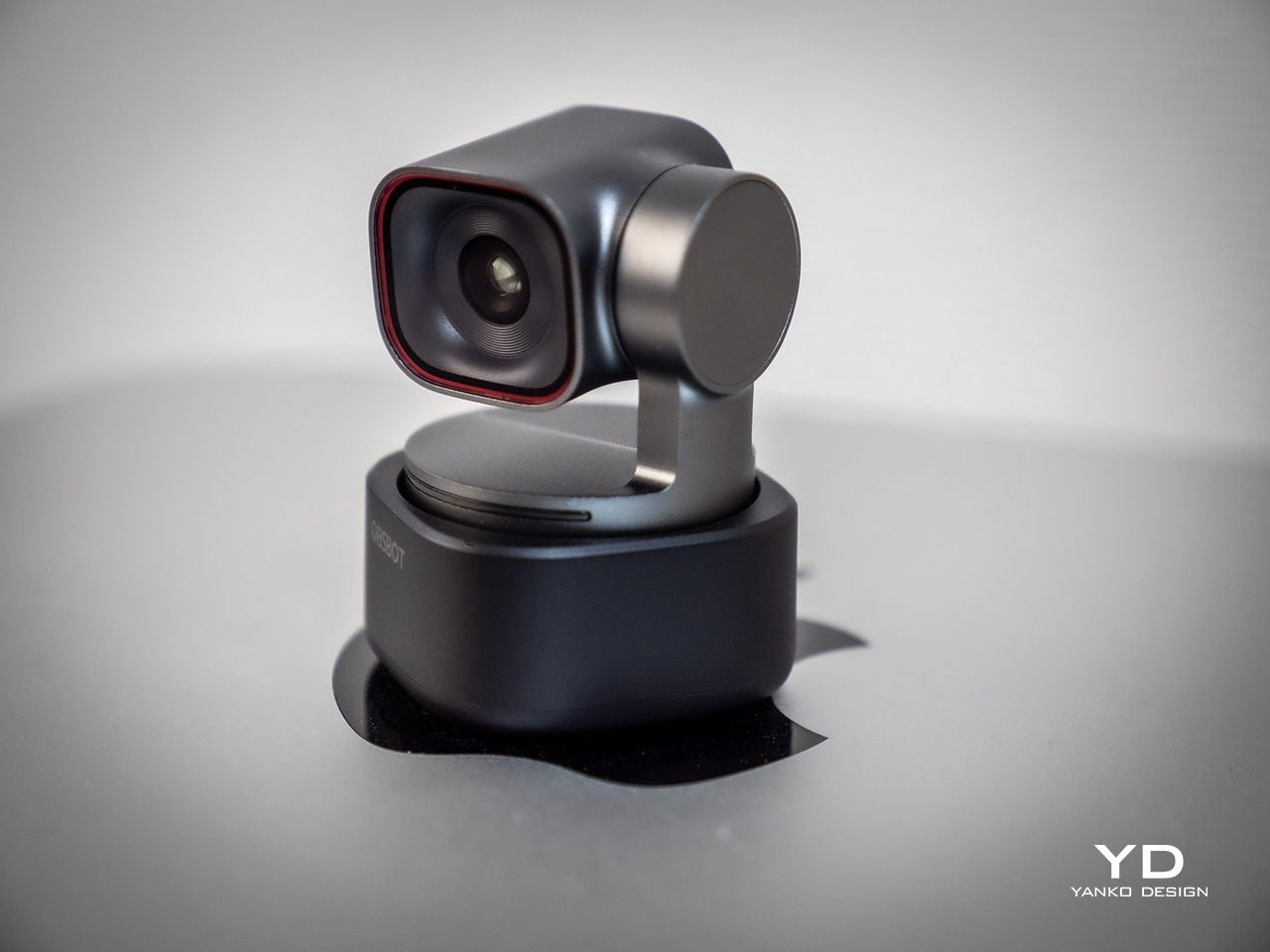
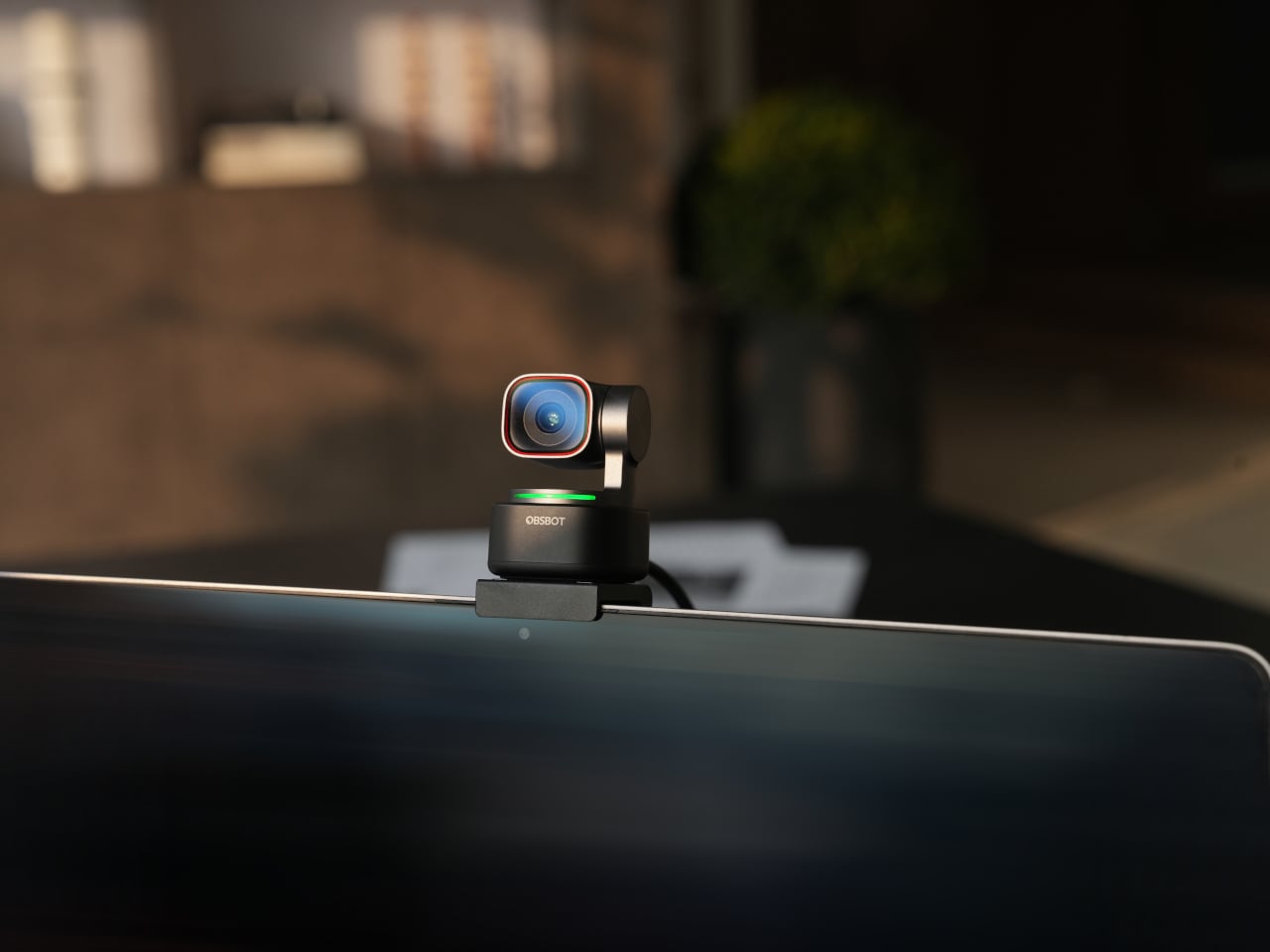
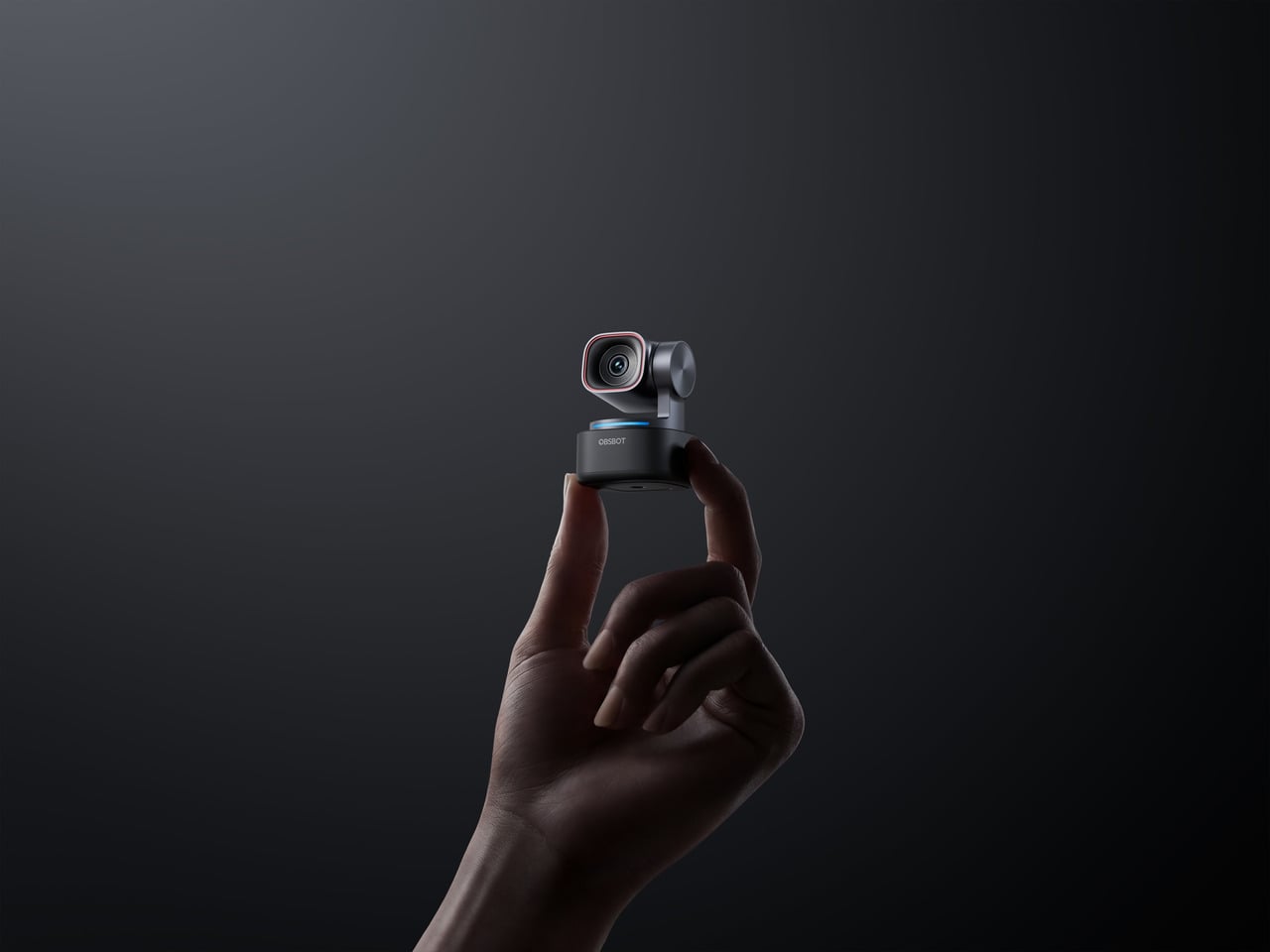
Walking into a room where the Tiny 3 sits on a desk, it reads less like a webcam and more like a miniature broadcast camera someone scaled down and parked on a tripod. The aircraft-grade aluminum alloy shell gives it an equipment-grade presence without being loud about it, landing somewhere between compact cameras and audio interfaces rather than the glossy plastic most peripherals use these days.

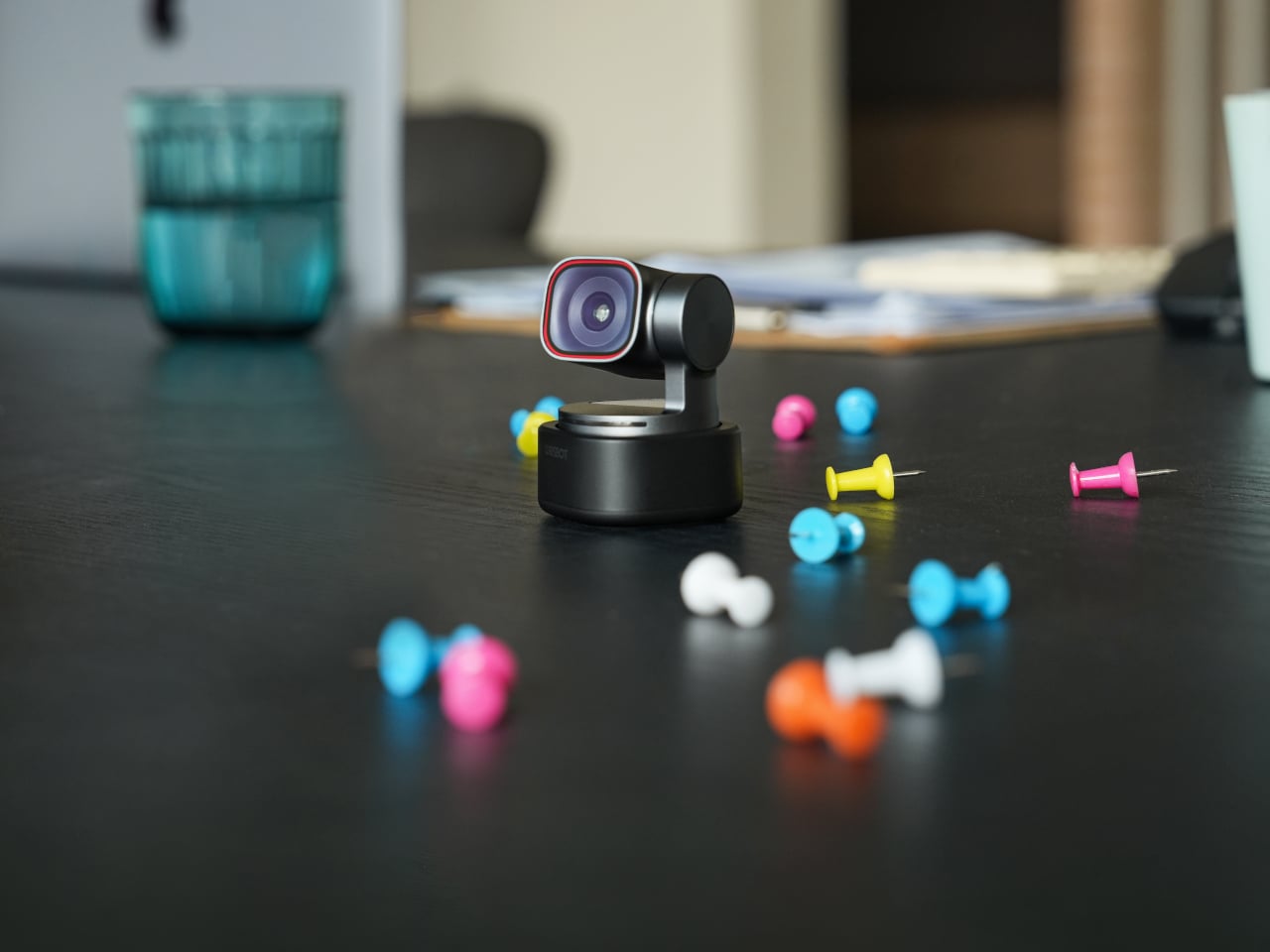
The proportions feel deliberately compact. At 37mm x 37mm x 49mm and 63g, it occupies roughly the same footprint as a large dice, but the dual-axis gimbal makes it clear this is meant to move and track rather than stare at one fixed angle. The satin metallic finish catches light softly without harsh reflections, and the minimal branding keeps it neutral enough to blend into creative or corporate setups without clashing with the rest of the gear.

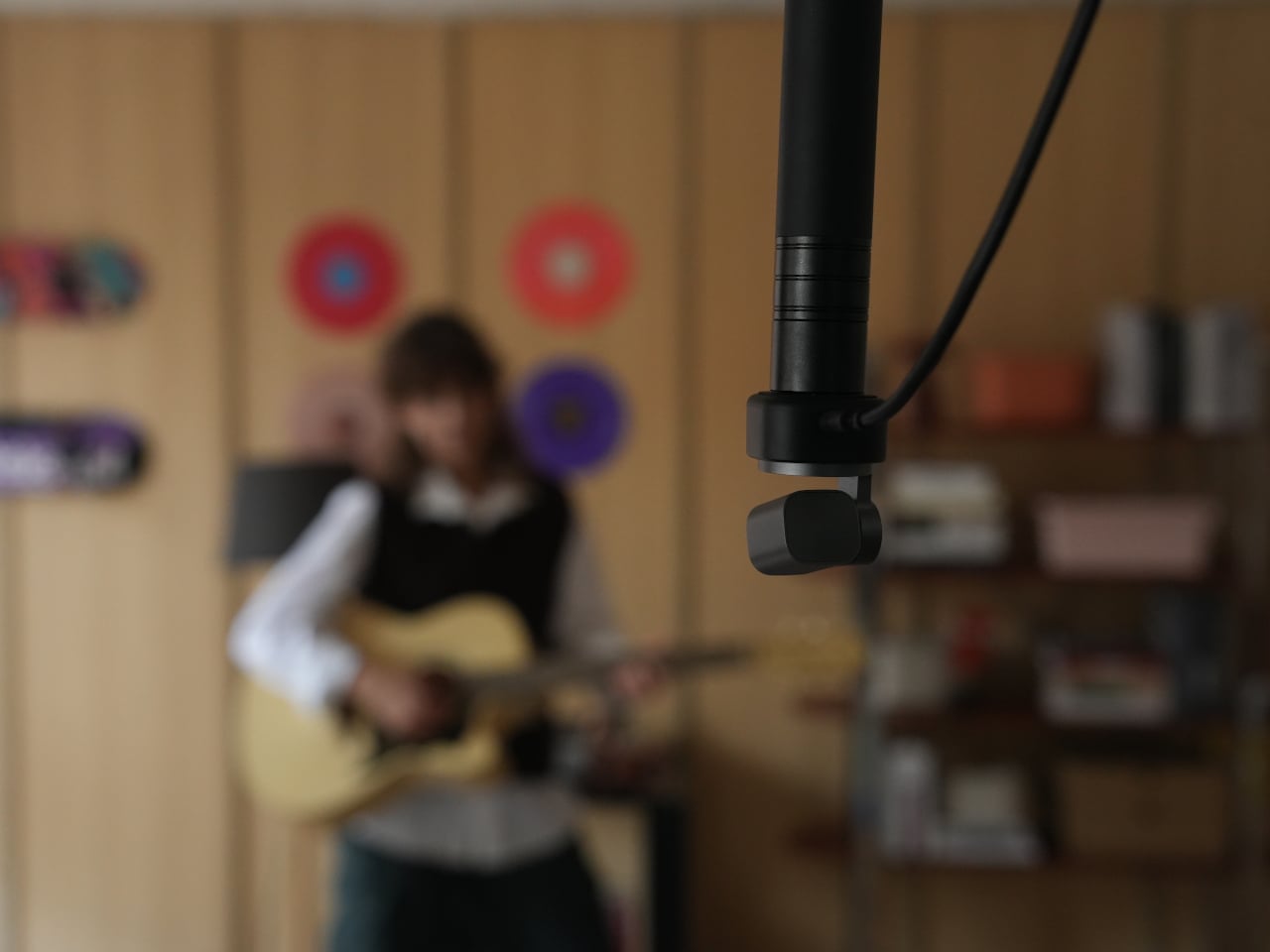
The included storage case and adjustable mount feel like extensions of the same design language rather than afterthoughts tossed into the box. The case is compact and rigid, protecting the camera in transit without eating up bag space, while the mount uses clean lines and a friction hinge that feels considered. These details matter to people who care about how tools look both during use and while packed away, which describes exactly the kind of person likely to spend more on a webcam in the first place.

Ergonomics

Setup is quick enough that you can join a meeting within minutes of opening the box. Plug the OBSBOT Tiny 3 into a USB-C port, wait a few seconds for automatic driver installation, and the camera appears as a standard UVC device ready for Zoom or Teams. Downloading OBSBOT Center later unlocks deeper controls, but the basics work immediately without forcing you into a setup wizard when you are already five minutes late to a call.

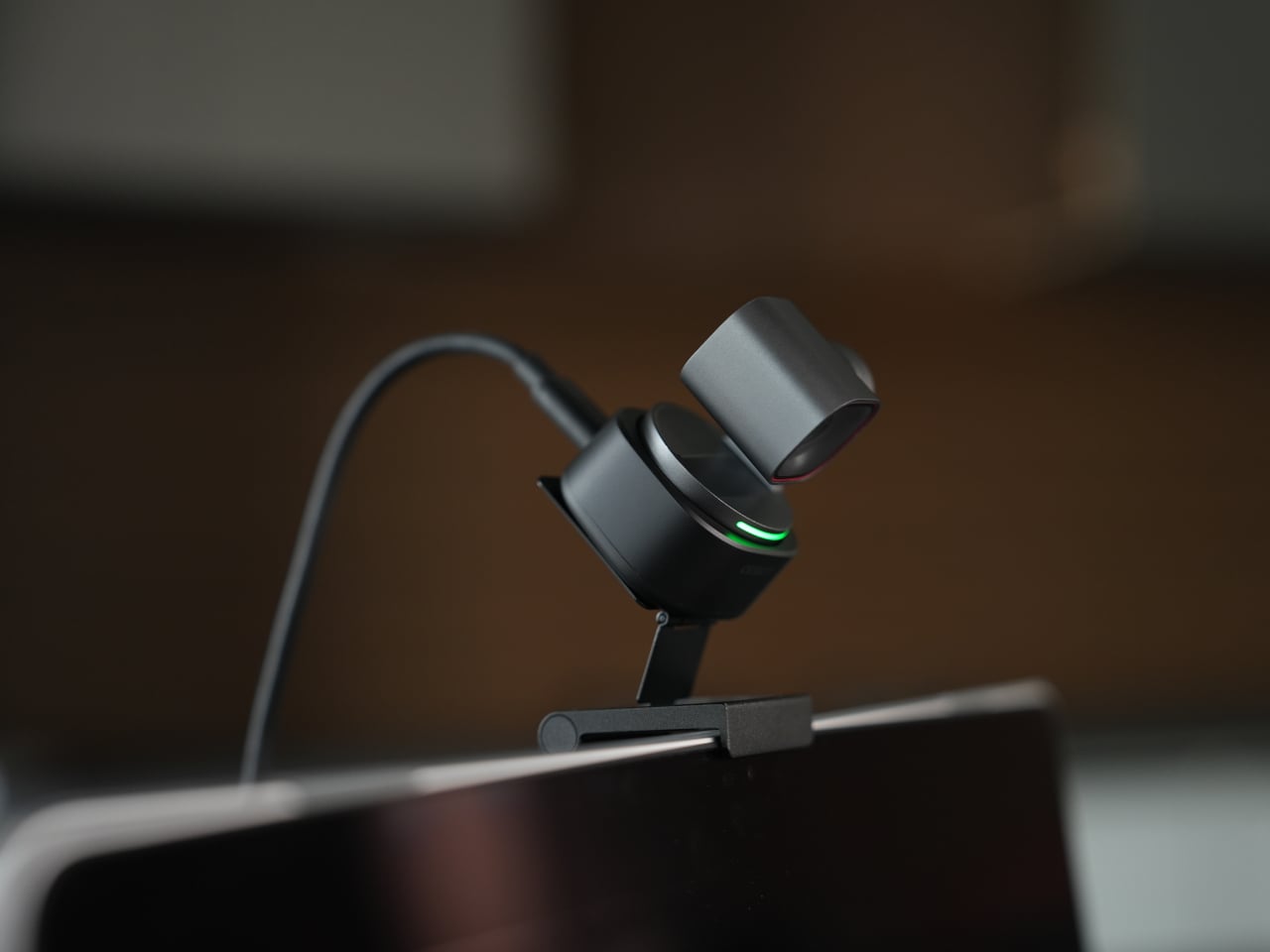
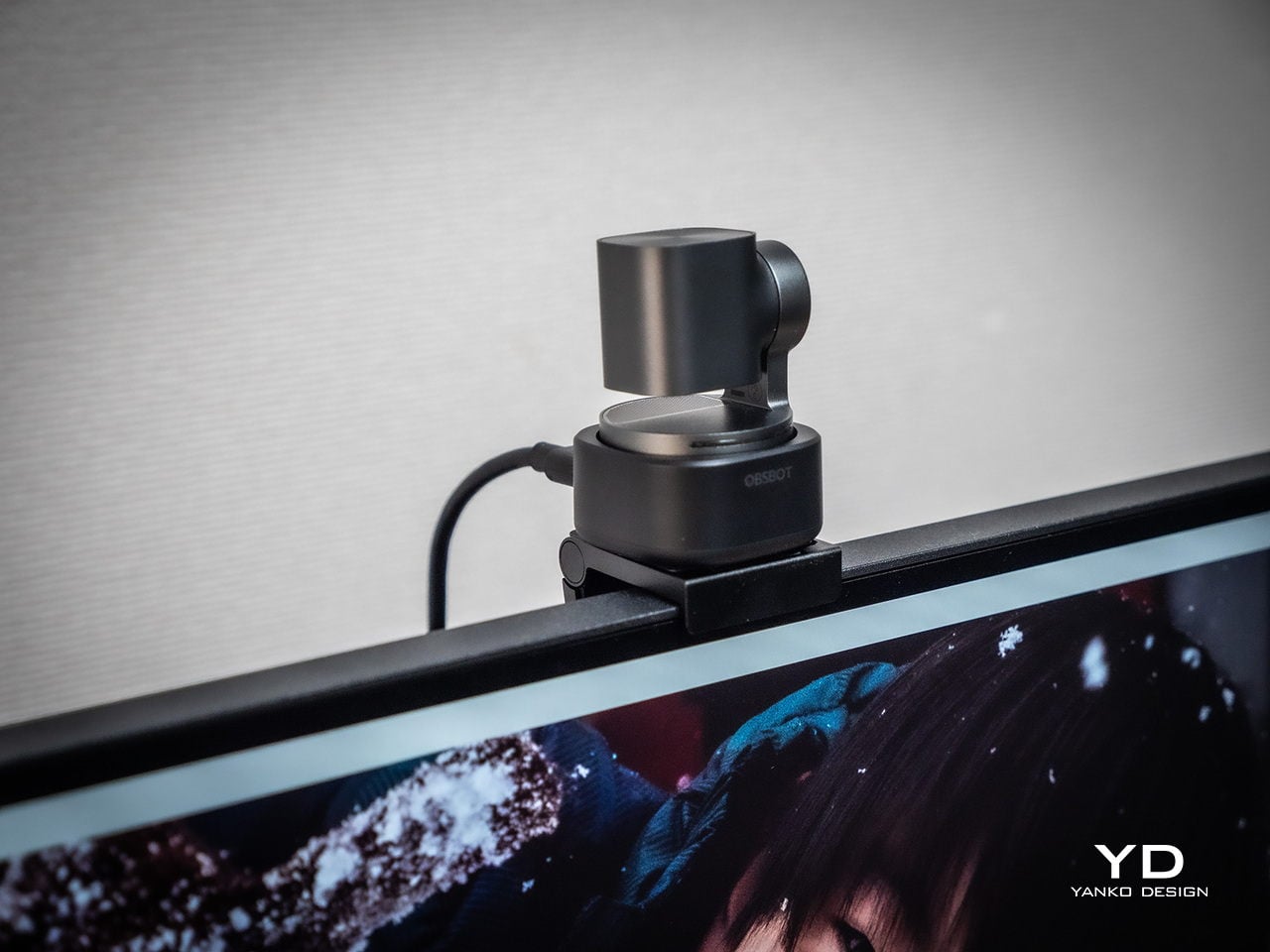
Mounting options give flexibility without requiring proprietary hardware. The adjustable clip grabs laptop lids or monitor bezels securely, while the built-in 1/4-inch thread accepts any standard desk tripod or arm. This means the Tiny 3 can shift from a quick laptop travel setup to a permanent studio fixture without needing different stands, which keeps things simpler when your workspace changes or you move between home and office regularly.

The 2-axis gimbal handles tracking smoothly once it starts moving. Pan range reaches ±130 degrees controllable, tilt goes from 32 degrees up to 60 degrees down, and the gimbal moves at up to 120 degrees per second. In practice, the camera can follow you across a room, reframe when you stand up or sit down, or snap to preset positions without feeling sluggish or overeager, more like a quiet camera operator than a webcam you nudge by hand every few minutes.

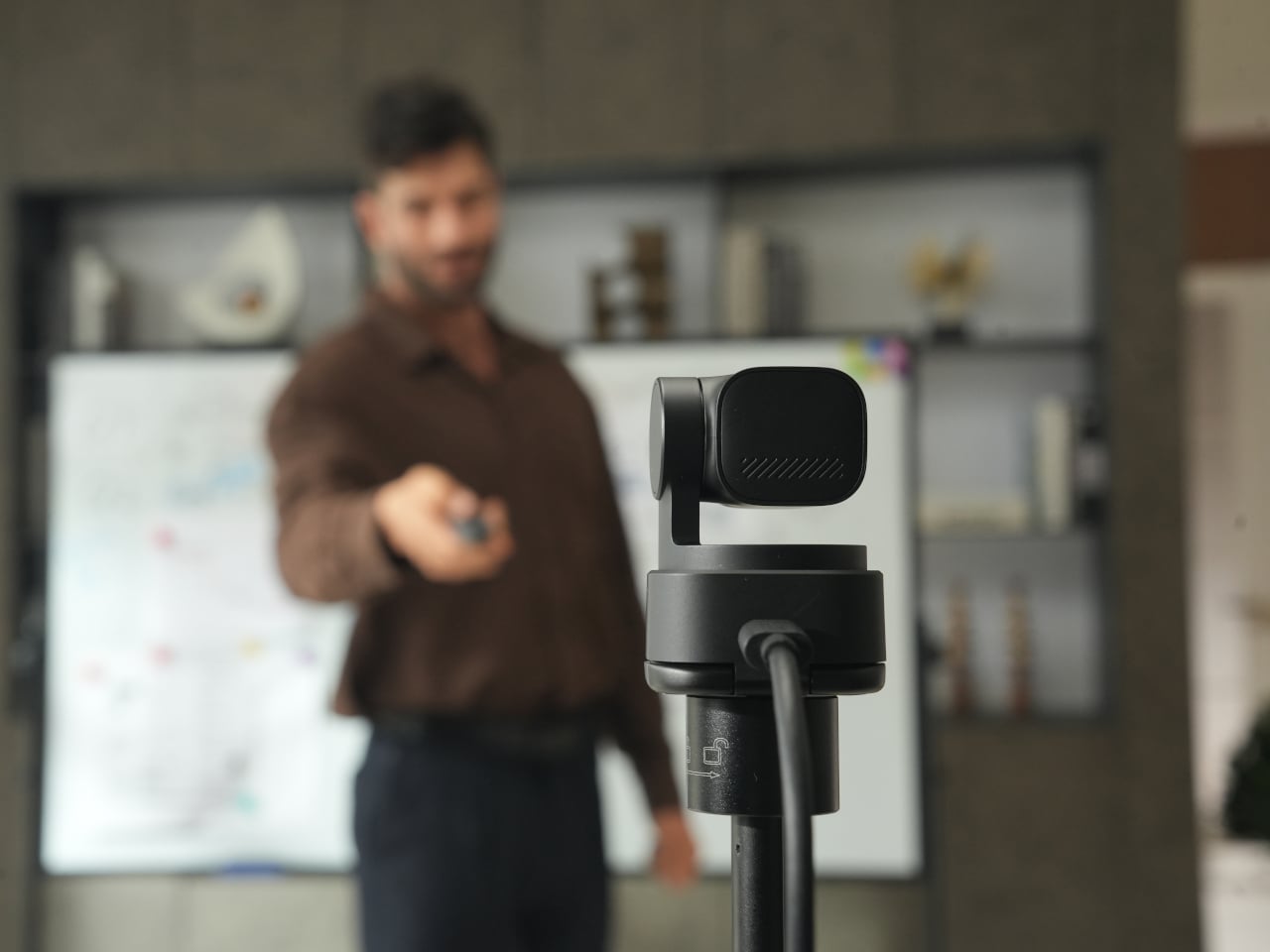
Voice commands and gesture control keep your hands free when it counts. Saying “Hi Tiny” wakes the camera, and from there you can trigger tracking, zoom in or out, or park the gimbal in preset positions by voice. Gestures work similarly: a raised hand or quick motion toggles tracking or zoom without leaning forward to click software buttons. This feels genuinely practical once you are mid-presentation and do not want to break flow by reaching for a mouse or keyboard.

Performance

At the imaging core sits a 1/1.28-inch CMOS sensor with 50MP effective pixels behind an f/1.8 lens at a 24mm equivalent focal length. That sensor size is closer to what you would find in a decent smartphone camera than in most webcams, which immediately changes expectations for low-light noise, dynamic range, and how camera-like the footage feels compared to typical USB peripherals.

The OBSBOT Tiny 3 outputs 4K at 30 fps for sharp video, or drops to 1080p at up to 120 fps for ultra-smooth motion or slow-motion clips. That 120 fps mode is rare on webcams and genuinely useful for product demos, movement capture, or just making gesture-heavy content feel more cinematic. DCG HDR balances bright windows and dim rooms without the ghosting that makes some HDR modes unusable, which helps when you are stuck with mixed lighting.

Autofocus and exposure behave like a capable point-and-shoot rather than guesswork. Dual All-Pixel PDAF pulls focus quickly, whether you are showing a product, writing on a whiteboard, or pacing during a stream. ISO 100 to 12,800, capped at 6,400 in HDR mode, gives flexibility to stay clean in low light without the image collapsing into noise. Shutter speeds from 1/12,800 to 1/30 second handle fast motion or dim environments without aggressive software smoothing.

Audio is where the Tiny 3 genuinely stands apart from the field. The triple silicon MEMS microphone array includes one omnidirectional and two directional mics, operating at 24-bit sampling with 130dB SPL handling and a 69dB signal-to-noise ratio. In plain terms, the system captures quiet nuance and loud environments without clipping or filling the track with hiss, and noise reduction is strong enough to keep voices clear even in noisy spaces.

Five dedicated audio modes cover different scenarios without needing external hardware. Pure Audio delivers unprocessed stereo for music or ASMR. Spatial Audio enhances stereo separation for vlogs. Smart Omni balances voices and environmental sound for meetings. Directional focuses pickup in front while suppressing surrounding noise, ideal for solo podcasts. Dual-Directional captures front and rear while rejecting sides, built for interviews. Having all five built in lets you tune the mic to your environment instead of buying another device.

AI Tracking 2.0 brings framing intelligence you would usually need a camera operator to achieve. Human tracking offers Single, Group, and Only Me modes, the latter locking onto one person and ignoring distractions. Object tracking lets you box items in software and have the gimbal follow. Zone Tracking sets custom areas where tracking starts or stops. Auto Zoom adjusts framing from close-up to full body, while Face Framing detects which direction you are looking and shifts composition accordingly.

Sustainability

The aircraft-grade aluminum alloy body does more than look polished. Aluminum dissipates heat better than plastic, which keeps the camera cooler during long streams and reduces the risk of thermal issues or early component wear. The material also resists scratches and minor bumps better than glossy finishes, which matters when you are moving the camera between desk, bag, and tripod regularly without babying it.

The OBSBOT Tiny 3 is not user-serviceable in the traditional sense, but that trade-off buys integration and compactness. The non-removable gimbal, sensor, and mic array work as a single tuned system, eliminating external adapters, separate audio devices, and multiple mounting solutions. Over time, that reduces the number of peripherals cluttering your workspace and, eventually, the pile of obsolete gear heading toward e-waste when you simplify or upgrade.

Consolidation itself is a quieter sustainability angle. By combining high-quality video, spatial audio, and intelligent tracking in one device, the Tiny 3 can replace the typical webcam-plus-mic-plus-software stack many creators rely on. Fewer separate products to manufacture, package, ship, and discard adds up over the lifecycle of a setup, even if it is not the kind of sustainability story that comes with certification badges or bold recycled-material claims.

Value

With a $349 full price tag, the OBSBOT Tiny 3 sits in premium webcam territory. This is not an impulse replacement for a blurry laptop camera. It is aimed at people who make a living on video or spend enough time on calls and streams that a camera setup feels like professional infrastructure rather than just another peripheral. The price is higher than most consumer webcams, but it is also attempting significantly more than a fixed lens with a basic mic.

Value shows up through consolidation. At that price point, you get a 4K PTZ camera, triple-mic spatial audio system, and deep AI tracking in one device. Building something similar from separate pieces, a good standalone webcam, a quality USB microphone, plus software for tracking, can match or exceed that total when you add it up. The bigger benefit is simplicity: one cable instead of three, one piece of software, and one object on the desk instead of gear fighting for USB ports.

Comparing what $349 typically gets you elsewhere helps frame where Tiny 3 sits. At similar prices, you might find webcams with strong video but mediocre mics that still need separate audio solutions, or you might approach entry-level camera kits that require capture cards and external mics. Tiny 3’s combination of audio-first design, motorized PTZ tracking, and real-time AI framing is rare enough in this bracket that direct comparisons feel unfair in either direction.

The broader OBSBOT ecosystem adds value for people who grow into complex setups. Pairing the Tiny 3 with OBSBOT’s own Vox SE wireless mics, a physical OBSBOT Tiny Smart Remote 2, or adapters for HDMI and NDI output means the camera scales from simple desk calls to multi-camera streams without needing replacement. That spreads the initial investment over more scenarios and extends useful life, which looks more reasonable when you consider many people outgrow basic webcams within a year anyway.

Verdict

The OBSBOT Tiny 3 feels like a carefully engineered answer to the messy reality of modern video communication, where clear sound, smart framing, and reliable focus matter as much as raw resolution. The combination of a 1/1.28-inch 4K sensor, triple MEMS spatial audio, and a nimble PTZ gimbal packed into a, pardon the pun, tiny aluminum body makes it feel less like a webcam upgrade and more like a miniaturized studio camera that works over USB-C.

It is hardly the cheapest way to appear on screen, but it is one of the few that treats audio, video, and intelligence as a single design problem. For creators, educators, podcasters, and remote workers tired of juggling separate cameras and mics just to sound and look decent, the OBSBOT Tiny 3 makes a strong case for consolidating that setup into one very small, very capable box that disappears into the background while you get on with the work.

The post OBSBOT Tiny 3 4K PTZ Webcam Review: Audio As a First-Class Citizen first appeared on Yanko Design.

These 95g AR Glasses Replace VR Headsets with a 300-Inch Screen

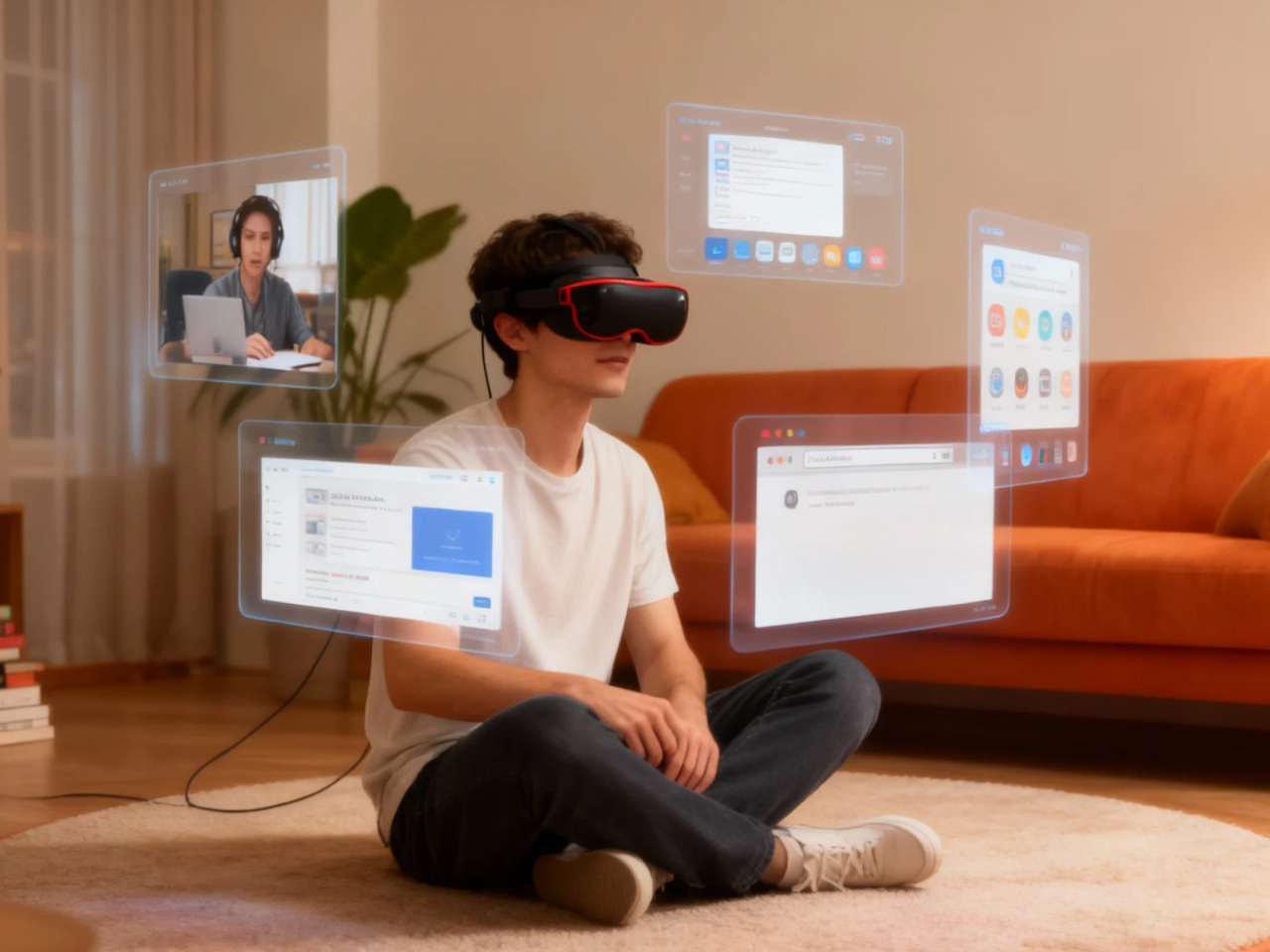
Portable entertainment has split into two unsatisfying extremes. AR glasses feel like oversized phone screens floating in front of your face, and VR headsets are immersive but too heavy, bulky, and isolating for everyday use. There is a desire for something that feels like a real cinema experience but can be used on a couch, in bed, on a plane, or in a café without suiting up or strapping a helmet to your face.

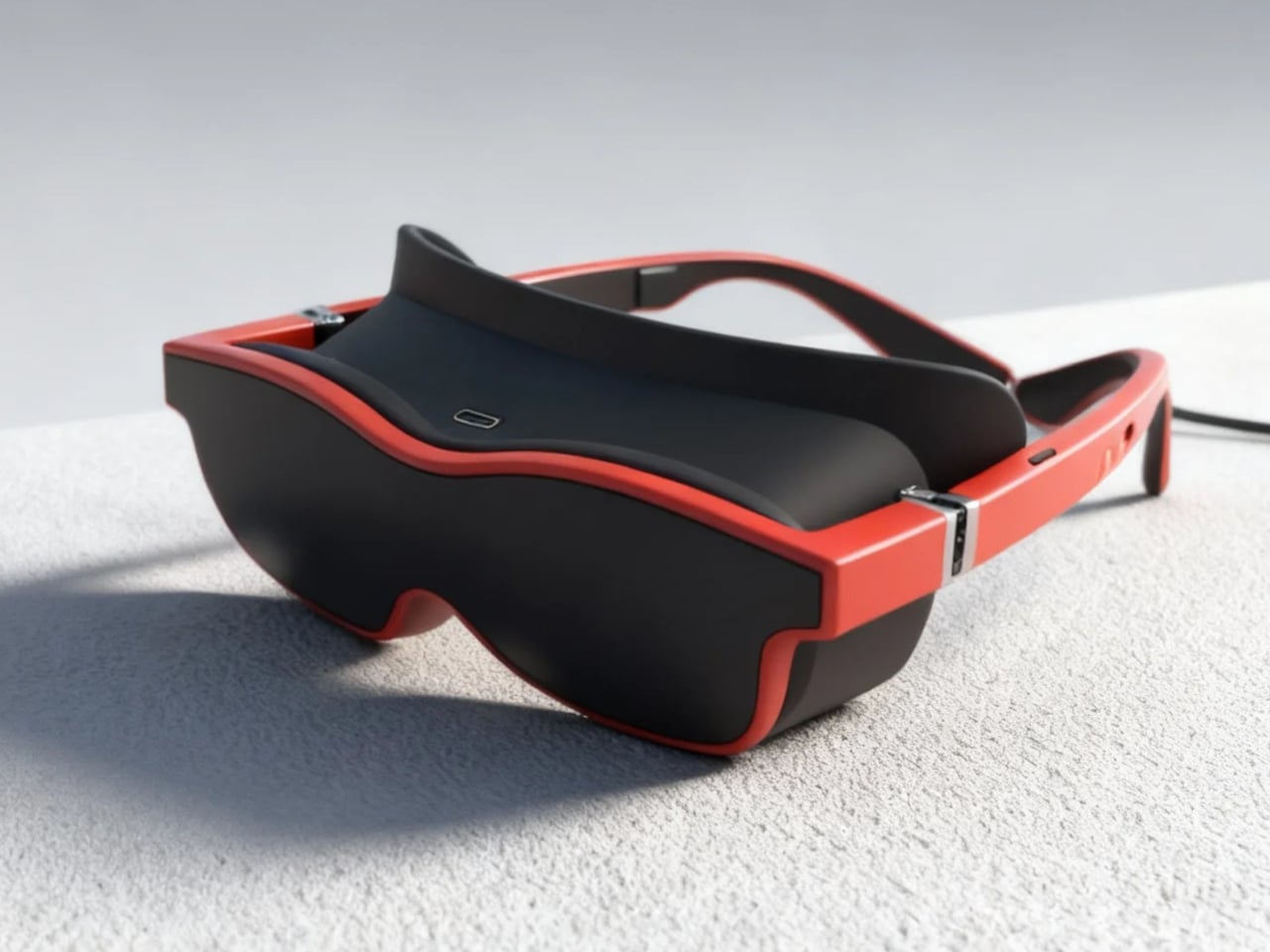
Xynavo is a pair of lightweight AR glasses built around lightweight immersion, private audio, and expandable functionality. It offers a 70-degree field of view and dual 4K micro-OLED displays, creating a virtual screen equivalent to more than 300 inches, yet weighs only 95g. The goal is to turn whatever you already own into a cinema-scale display you can wear, without the weight and noise of a full headset.

Designer: Xynavo

Click Here to Buy Now: $299 $499 ($200 off). Hurry, only a few units left! Raised over $199,200.

Xynavo fits into evenings at home, where couples can use a multi-device adapter to connect two pairs and share the same screen, playing on a Nintendo Switch or Steam Deck together or watching films and series side by side. Parents and children can share animated movies and family comedies, or connect a game console for interactive play, with private audio and a huge virtual screen.

Late nights or quiet weekends alone, you put on Xynavo and relax on the couch or in bed watching NBA, NFL, or UEFA Champions League games, or diving into action movies and sci-fi series. The dual 4K clarity and private audio turn it into a theater experience made just for you, without needing to dedicate a room or disturb anyone else in the house.

1

On planes, high-speed trains, or in hotel rooms, you connect a laptop via USB-C or the included HDMI adapter, pair a wireless keyboard, and handle email or browsing. Then you switch seamlessly to movies or games, all while the glasses stay light enough to wear for full episodes or matches without headband fatigue. The 95 g weight makes hours-long sessions feel manageable instead of exhausting.

Most AR glasses offer a narrow field of view that feels like a big phone, while Xynavo’s 70-degree FOV and dual 4K panels fill your vision with a cinema-scale scene. The high pixel density keeps text crisp and motion smooth, avoiding screen-door effects. A +2D to -6D diopter adjustment range lets many users dial in crystal-clear focus without wearing prescription glasses underneath, making the fit more comfortable.

1

Open-ear AR audio often leaks sound and struggles in noisy or very quiet spaces. Xynavo uses magnetic in-ear modules designed for noise isolation and zero sound leakage, keeping audio clear on trains and planes and private next to someone sleeping. That makes shared spaces and late-night use realistic, without headphones or disturbing people nearby.

Two built-in 3D split-screen modes, 3840×1080 and 1920×1080, let you watch a wider range of 3D content. A long press switches formats, while the dual 4K panels maintain depth and clarity across both modes. This flexibility means more 3D videos, apps, and playback sources work without workarounds or format hunting.

Xynavo connects to smartphones, handheld consoles, tablets, laptops, gaming systems, and PCs via its Type-C cable and included HDMI adapter, working as a plug-and-play external display without special apps or pairing. It is designed as an expandable Type-C vision platform, with support planned for external modules like cameras, night vision, and thermal imaging. That hints at a future where the same lightweight frame can grow with whatever you want to see next.

Click Here to Buy Now: $299 $499 ($200 off). Hurry, only a few units left! Raised over $199,200.

The post These 95g AR Glasses Replace VR Headsets with a 300-Inch Screen first appeared on Yanko Design.

HMD’s $28 ANC Earbuds Cost The Same As A Movie Ticket, Which Is Ridiculous

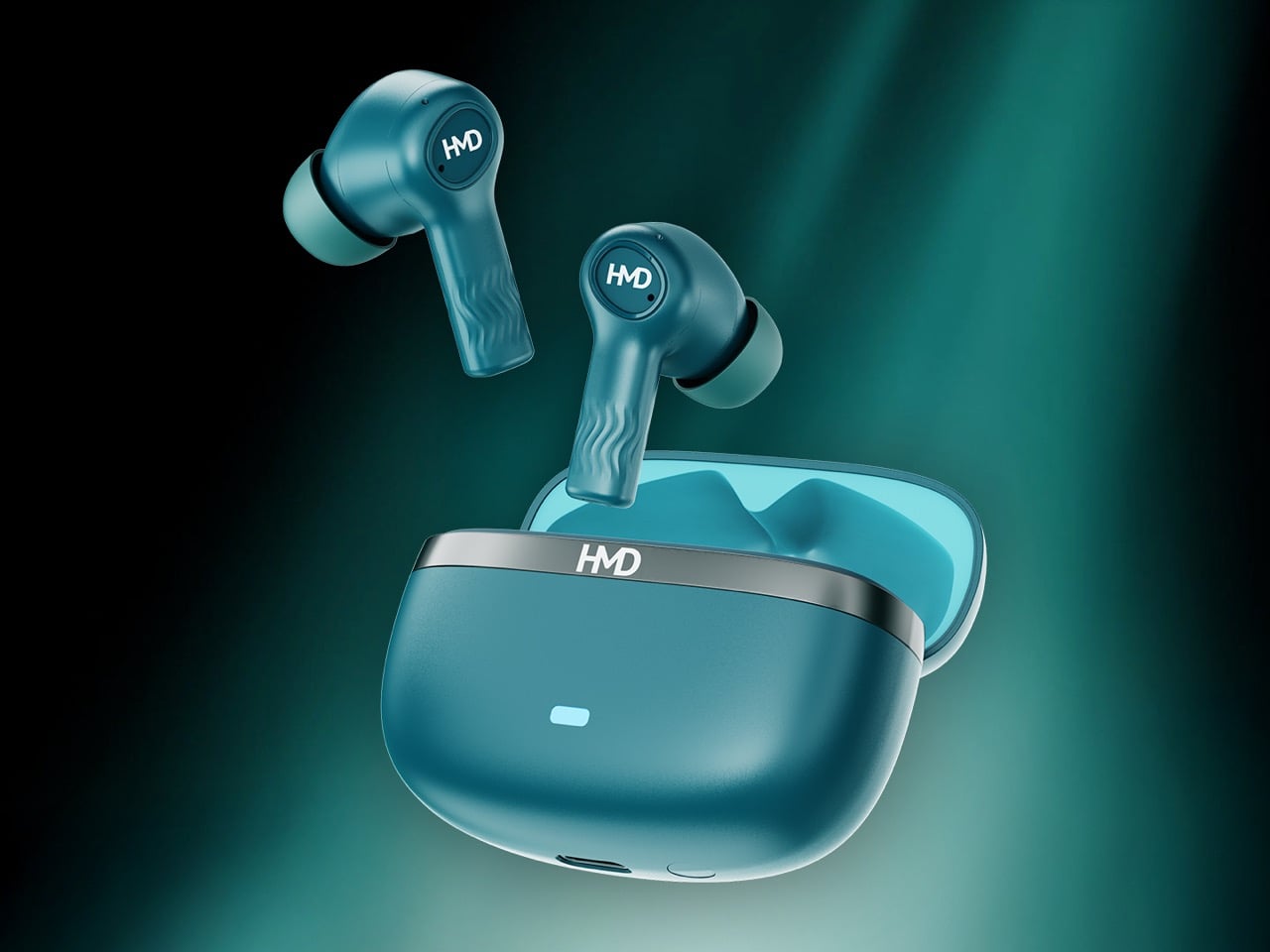
Twenty-five euros buys you a decent lunch in most European cities, maybe two movie tickets if you’re lucky, or apparently a pair of true wireless earbuds with active noise cancellation from a company that’s been manufacturing consumer electronics for years. HMD just launched the DUB X50 Pro in India at ₹2,000, which converts to roughly $28.7 USD depending on exchange rates, and the spec sheet reads like someone accidentally typed an extra zero into the pricing database. We are talking ANC, a claimed 60 hours of total battery life, multipoint connectivity, IPX4 water resistance, and a companion app, all at a price point where most brands would be cutting Bluetooth codecs and shipping you mono earbuds in a cardboard sleeve. On paper, this thing looks like a midrange product that woke up in a bargain bin.

The budget TWS space has been heating up for a while, with brands like Baseus and SoundPEATS dragging ANC down into the 20 to 30 dollar range. But HMD is not a random logo slapped on an ODM shell; this is the same outfit that rebuilt Nokia’s phone business and is now pushing its own HMD branded phones and wearables. That context matters, because a known manufacturer shipping €25 ANC earbuds through proper retail channels hits very differently from a mystery brand on a marketplace listing. If these are even moderately competent, they start to reset expectations for what entry level audio should look like. The question becomes less “how are these so cheap” and more “what exactly are the expensive guys charging for”.

Designer: HMD

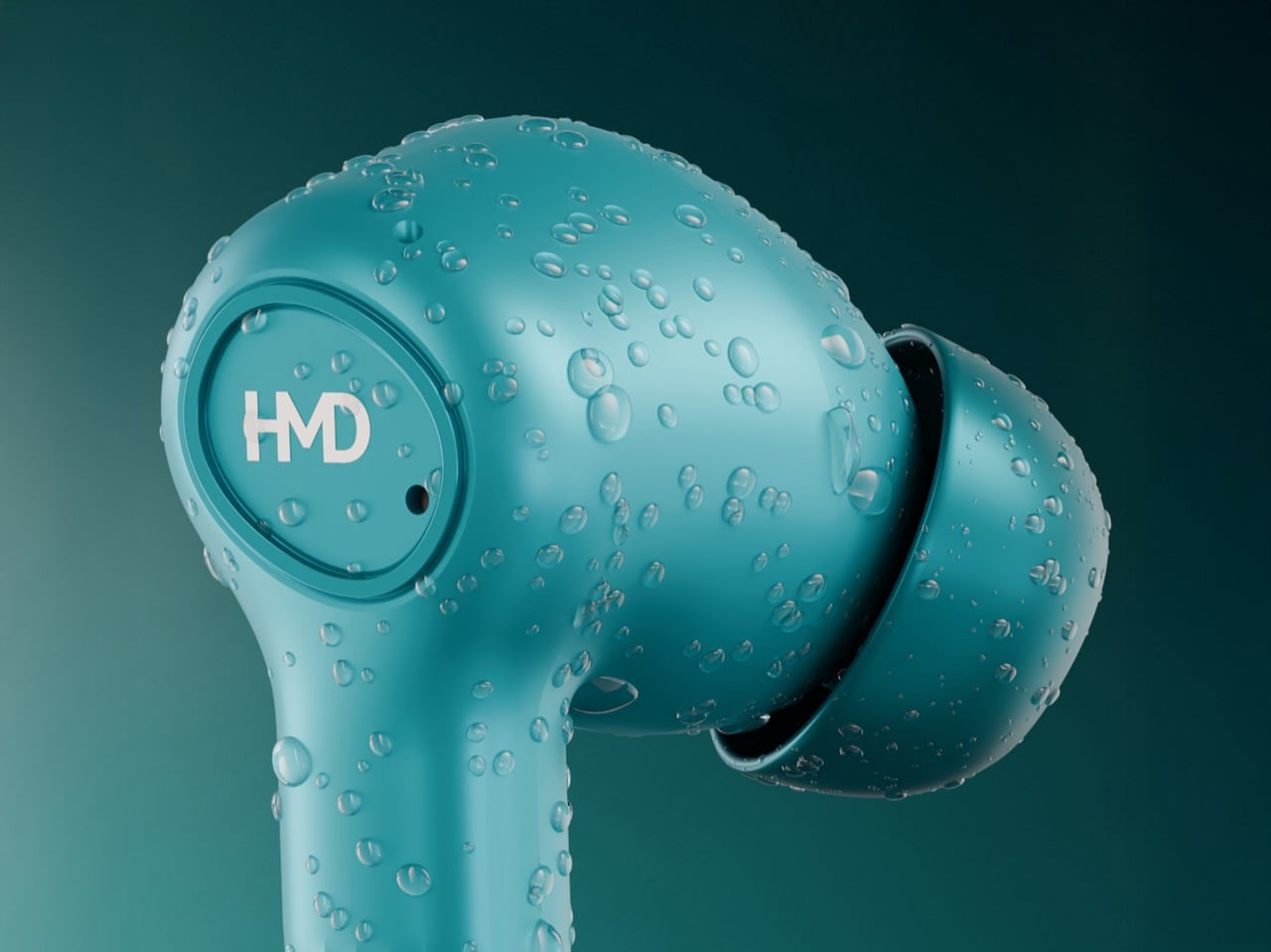
Specs first, feelings later. HMD claims up to 60 hours of total playback with the case, which likely breaks down to around 9 or 10 hours per charge in the buds and roughly five recharges from the case under ideal conditions. With ANC on and real world volume, you are probably looking at closer to 6 or 7 hours per session and maybe 40 to 45 hours total, which is still excellent at this price. Bluetooth 5.3, multipoint pairing, low latency mode, in ear detection, and voice assistant support round out the feature list. The case is about 51 x 65 x 25 mm and 60 g, so pocketable without feeling like a pebble cosplay of AirPods. IPX4 water resistance covers sweat and rain, not swimming.

ANC is where the fantasy usually cracks – cheap implementations either barely touch low frequency rumble or they attack everything so hard you get hiss and pressure fatigue. HMD talks about ANC plus AI powered four mic ENC for calls, which is the standard 2026 marketing cocktail. Execution is what matters. If this lands in the same effectiveness band as the Baseus BP1 Pro, which genuinely cuts down bus and office noise for around the same money, then HMD has done something very disruptive. If it behaves like the usual budget ANC that flickers every time the wind shifts, you end up with an impressive spec sheet and a feature you toggle off after a day.

The design story is predictably unexciting… but that’s not a bad thing. Stemmed in ear buds, rounded case, muted colors like blue and silver. This is classic HMD: hardware that tries to disappear into your life instead of screaming “new toy”. That fits their broader strategy. They are building an ecosystem now, with HMD phones, DUB earbuds across three series, and new Watch X1 and Watch P1 wearables. Picture a bundle in a Middle Eastern or Indian retail store where you walk out with phone, watch, and ANC earbuds for less than a single pair of AirPods Pro. That is the competitive pressure this kind of product creates.

Whether you should care comes down to your tolerance for compromise. At €25, no one sane expects Sony level soundstage or Bose level cancellation. What matters is whether HMD clears the “good enough to live with” bar: stable connection, non-annoying ANC, tuning that does not turn everything into a muddy mess, and hardware that survives daily abuse. Given their track record with sturdy, sensible phones, I would not bet against them hitting that baseline. If they do, the DUB X50 Pro becomes less of a curiosity and more of a line in the sand for what budget ANC has to look like from here on.

The post HMD’s $28 ANC Earbuds Cost The Same As A Movie Ticket, Which Is Ridiculous first appeared on Yanko Design.

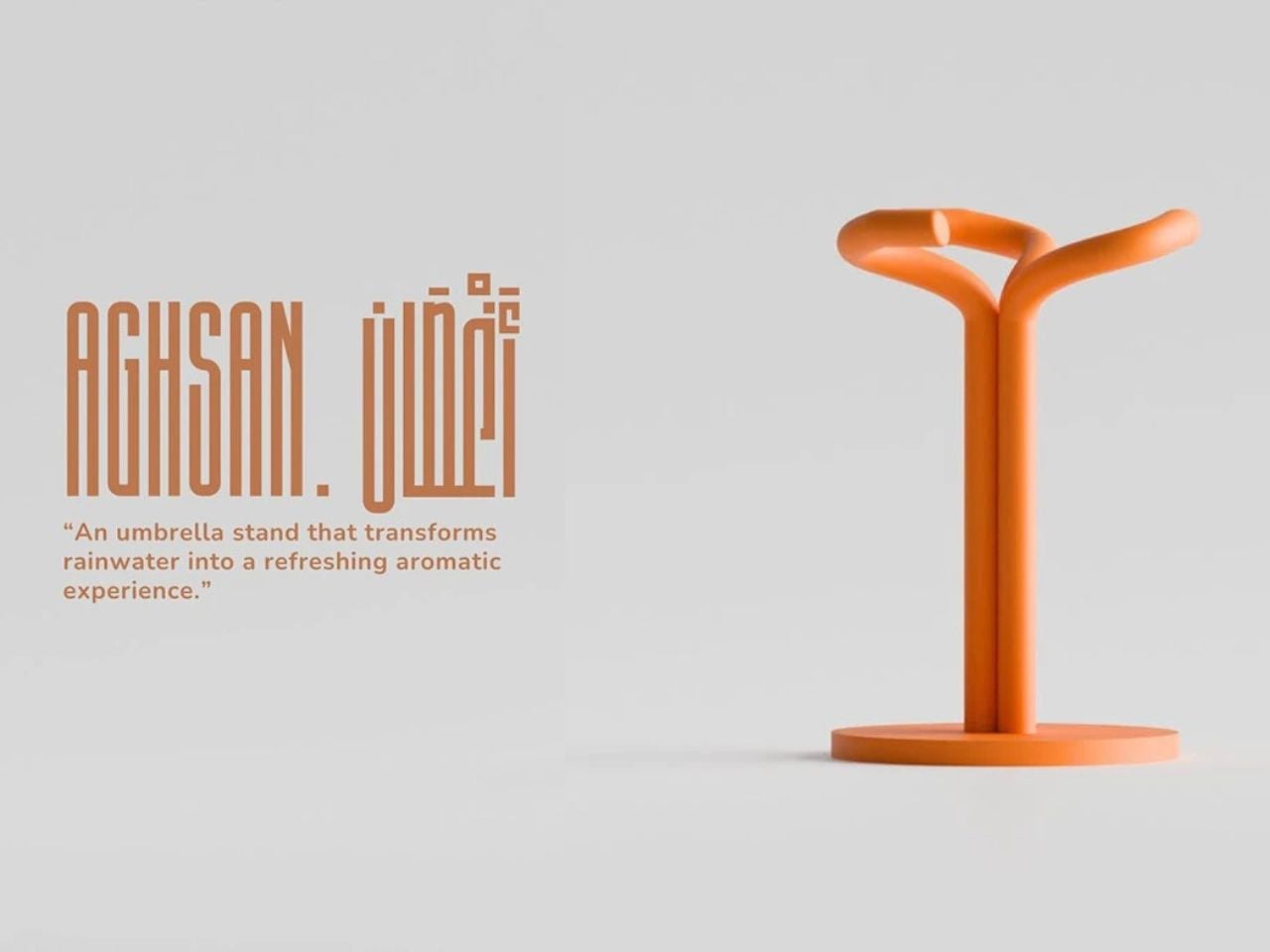
Aghsan Reimagines the Umbrella Stand as a Quiet Ritual After Rain

There is something quietly poetic about the moment you return indoors after the rain. Shoes pause at the threshold, umbrellas drip in silence, and the air briefly carries that unmistakable scent of wet earth. Yet in most homes and public spaces, this moment is interrupted by clutter. Umbrellas are stacked awkwardly in corners, water pools on the floor, and metal stands tip or rust over time. Aghsan enters this overlooked scene not simply as a solution but as a reimagining of the experience itself.

At its core, Aghsan is an umbrella stand. In spirit, it is an experience that transforms rainwater into something sensory, calm, and intentional. The name Aghsan, meaning branches, refers to the limbs of a tree reaching between earth and sky, a symbol tied to life, growth, and connection. This metaphor forms the foundation of the design, guiding both its form and its function.

Designer: Samir Hossam

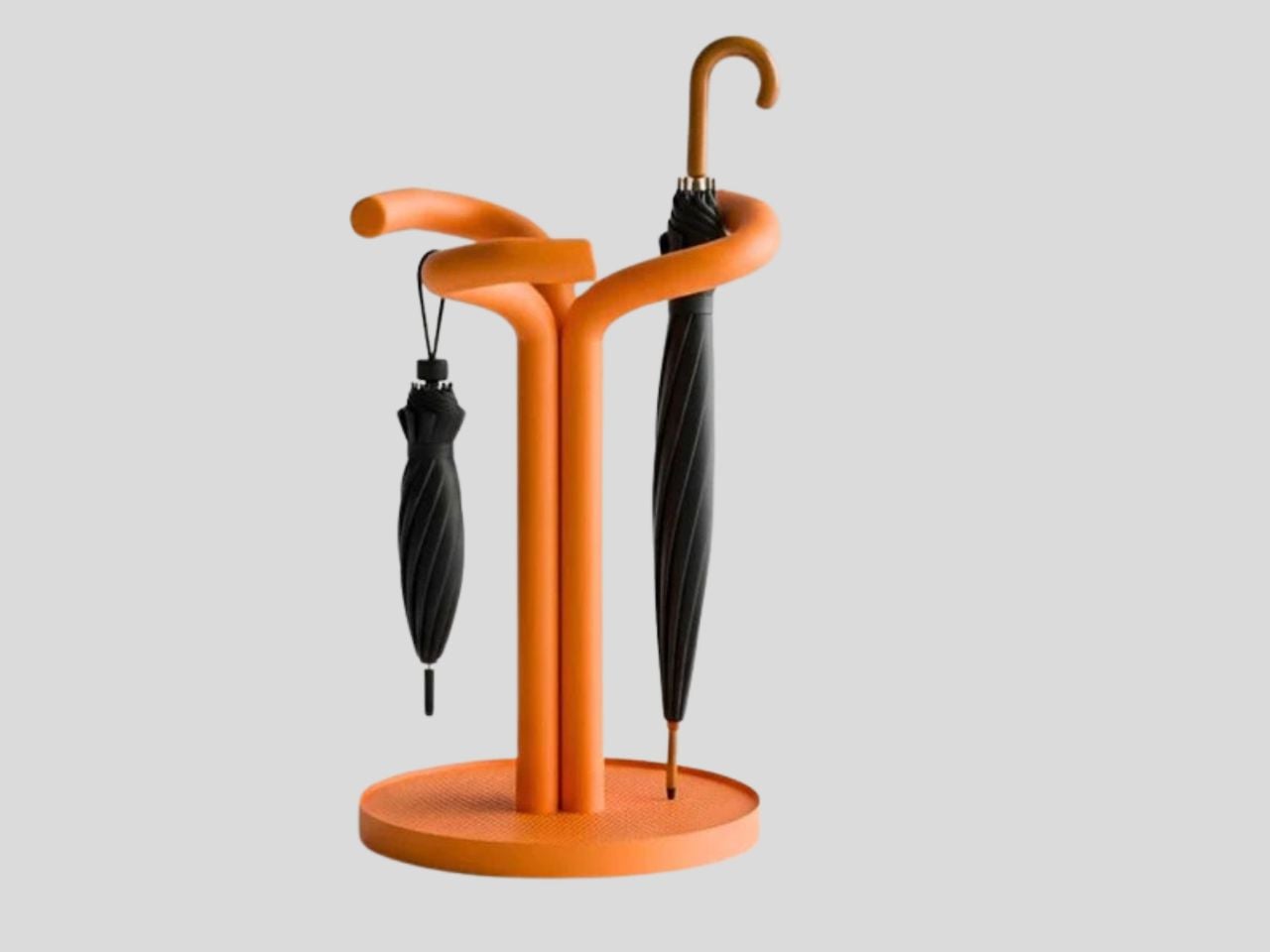
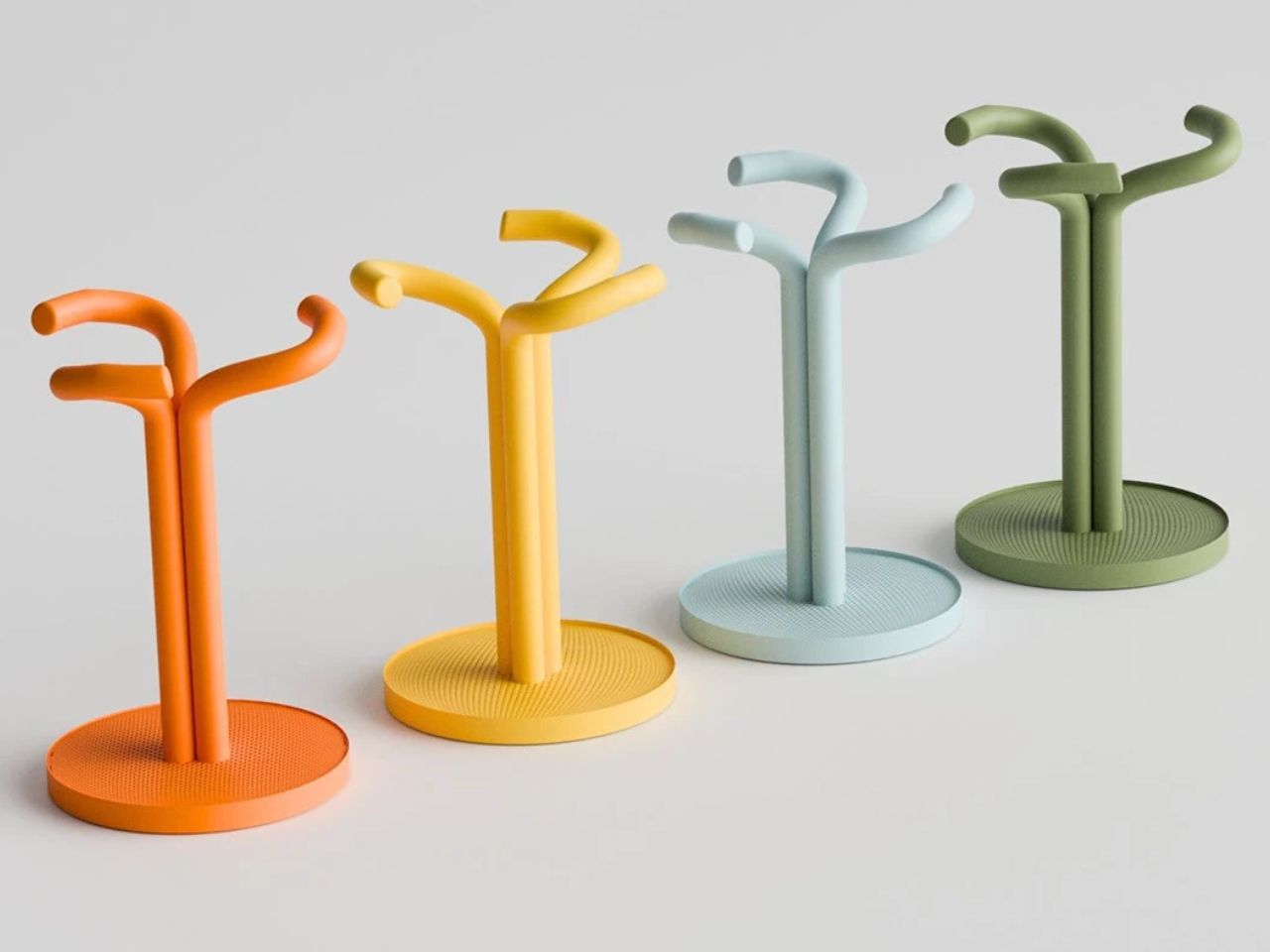
Visually, Aghsan resembles an abstract cluster of intertwining branches rising upward with lightness and balance. Each element feels deliberate, avoiding visual chaos while still expressing movement and vitality. Umbrellas are held individually rather than compressed into a single container, allowing them to dry naturally and remain visually organized. The design recognizes that disorder often comes not from excess but from poor structure, and here that structure is inspired directly by nature.

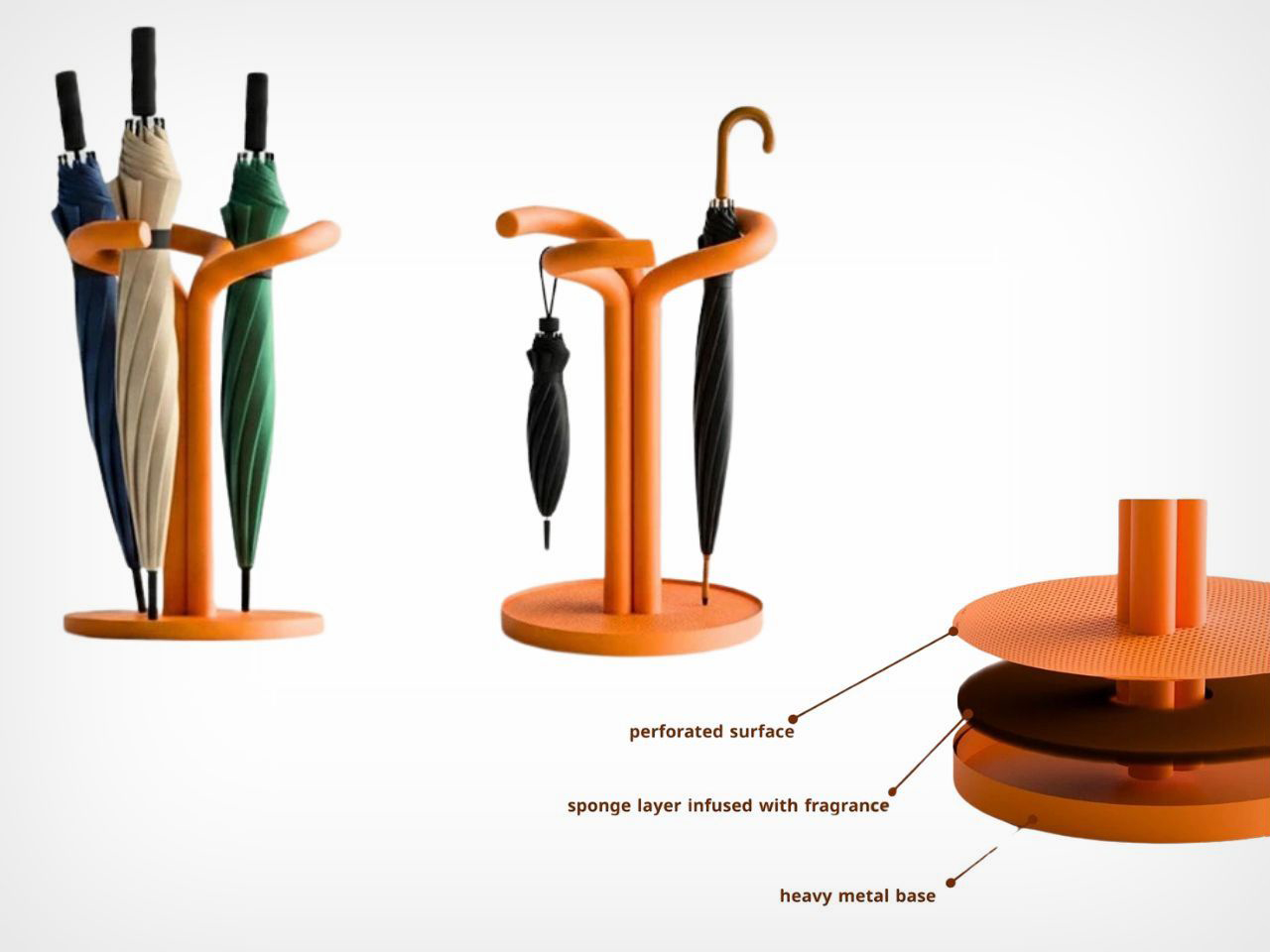
What truly sets Aghsan apart is how it engages the senses. At the base of the stand lies a water-sensitive aromatic sponge. As rainwater drips from umbrellas, it is absorbed into this layer, triggering the release of a subtle, refreshing fragrance inspired by rainfall. The result is a soft, calming scent that fills the entryway, echoing the feeling of stepping outside just after a storm. Rain is no longer treated as an inconvenience but as part of the atmosphere of the space.

This sensory layer also plays a quiet functional role. Over time, the association between the scent and the presence of an umbrella becomes ingrained. The fragrance serves as a gentle reminder to take the umbrella when leaving, relying on memory rather than instruction. It is designed to work at a subconscious level, supporting everyday behavior without demanding attention.

Functionally,y Aghsan resolves many frustrations associated with traditional umbrella stands. A heavy metal base anchors the design, ensuring stability and preventing tipping, a common issue with lightweight stands. The open perforated structure encourages airflow, while the raised edge of the base keeps umbrellas securely in place even when the stand is partially full or slightly moved. Long umbrellas can be leaned comfortably while smaller ones find their place within the branching openings above, creating intuitive organization without visual clutter.

Material choices further support durability and ease of maintenance. Unlike many metal stands that rust or lose their finish over time, Aghsan is designed to age gracefully. The sponge layer is replaceable, allowing users to refresh the fragrance or change it entirely, adding a personal and almost ritual quality to the object.

By blending organic inspiration with simple technology, Aghsan challenges expectations of everyday household products. It suggests that even the most practical objects can carry emotional value. By turning rainwater into scent clutter into order and routine into experience, Aghsan elevates the umbrella stand from a background object to a thoughtful design presence that brings calm to the threshold of daily life.

The post Aghsan Reimagines the Umbrella Stand as a Quiet Ritual After Rain first appeared on Yanko Design.

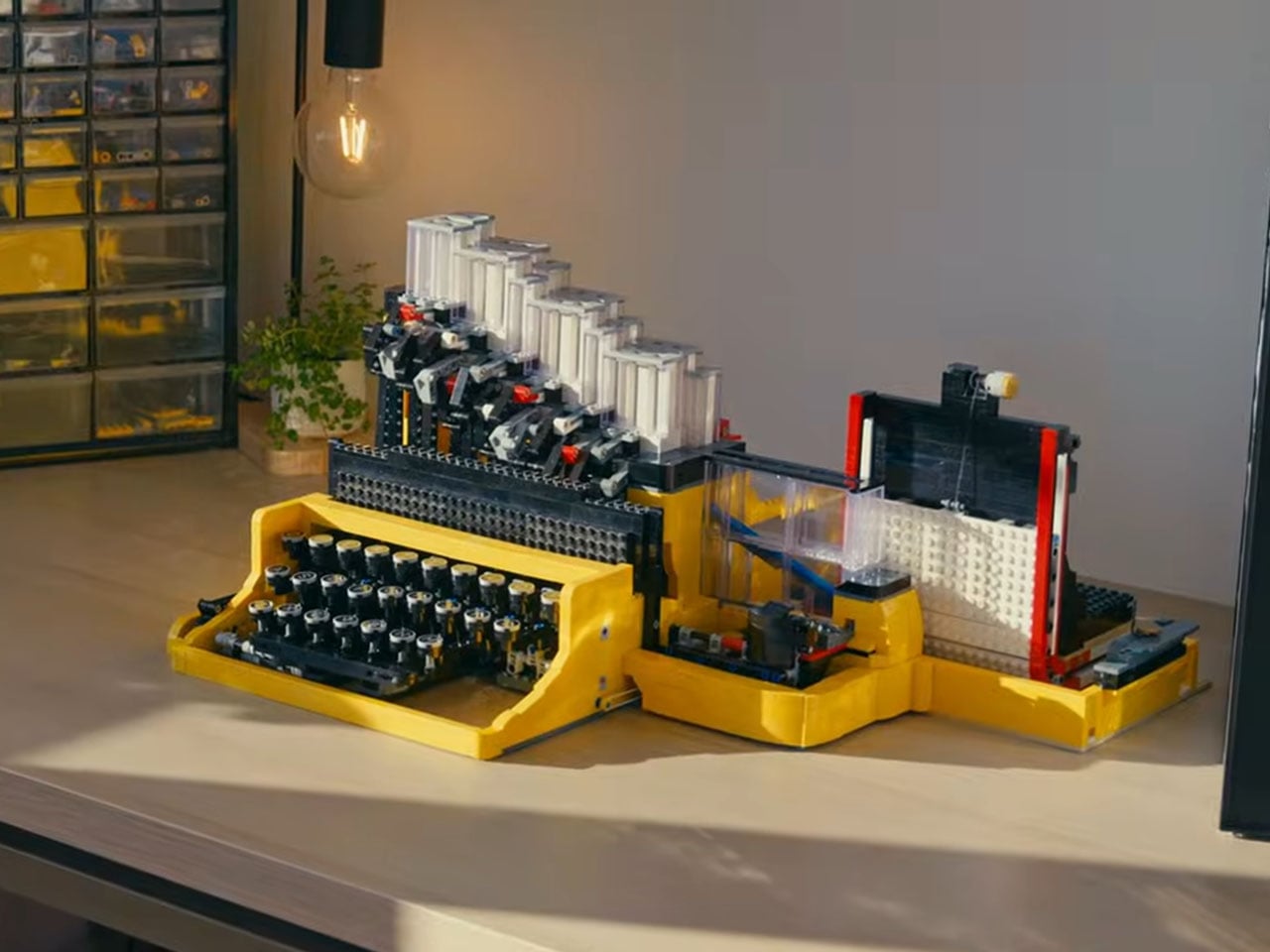
A mechanical LEGO Typewriter that types using Gravity, not ink

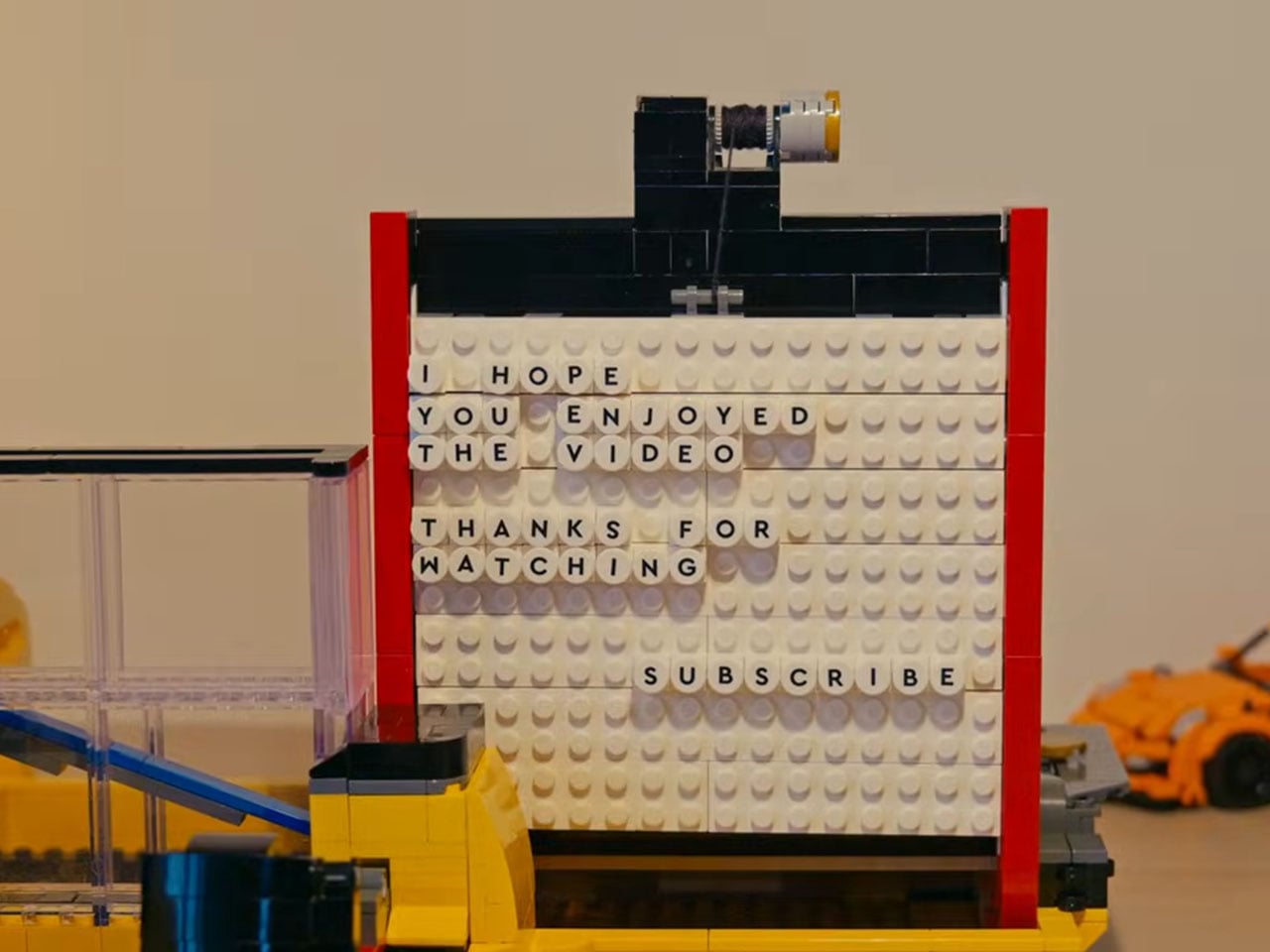
When the official LEGO Typewriter was released in 2021, it was one of the coolest sets around. The brick typewriter had a major kink, though: it could not type any genuine text. Koenkun Bricks was bugged by this shortcoming and wanted to build a working model that could type in character fits for the LEGO world.

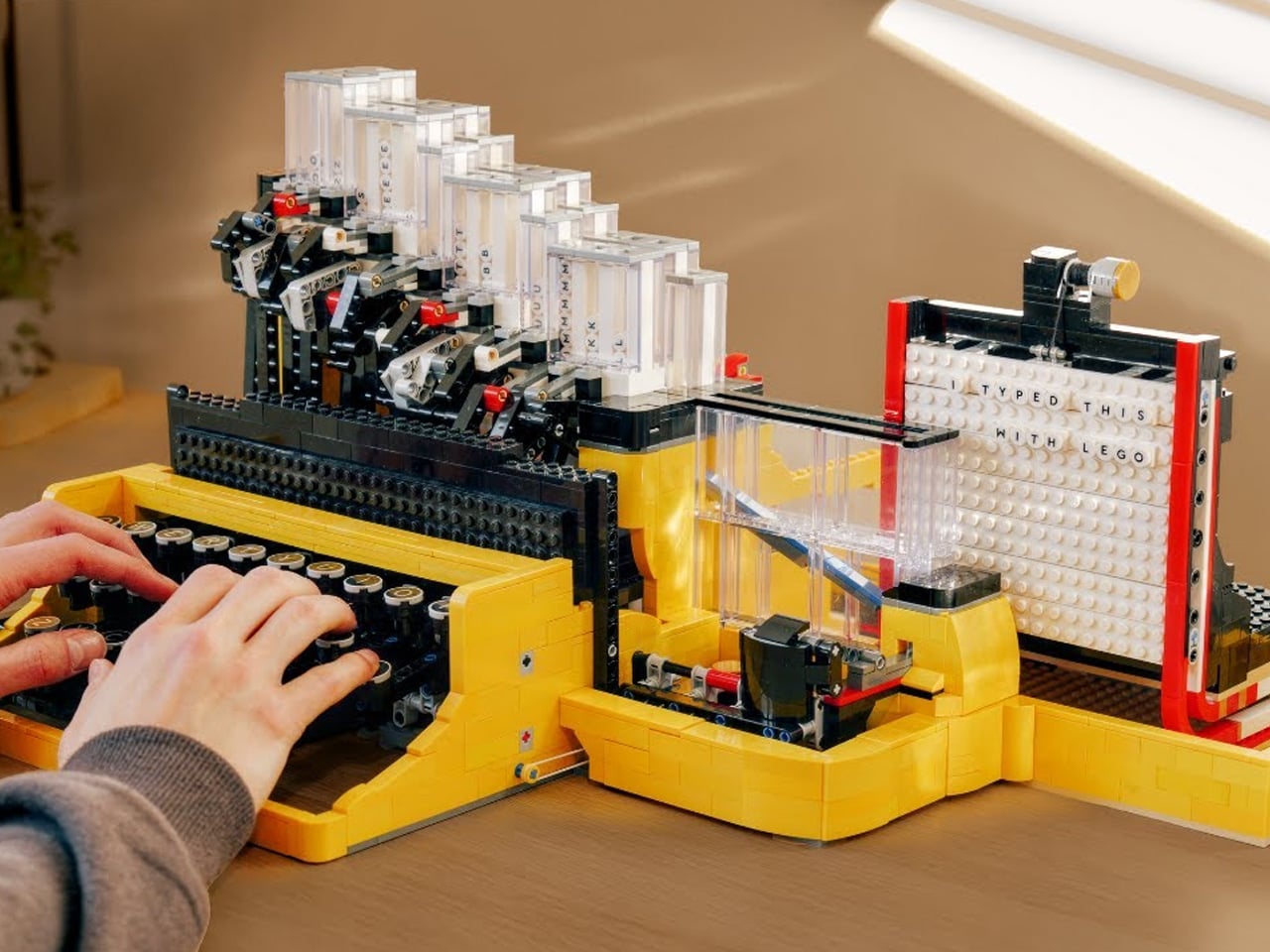
This incredibly detailed LEGO Typewriter is a result of that ambition, as the typewriter sticks LEGO character tiles onto the LEGO brick, making the LEGO typewriter set complete in its own right. The detailed DIY is achieved with LEGO parts, a rubber band, and, of course, the maker’s intuitive engineering brain.

Designer: Koenkun Bricks

Rather than trying to replicate the full complexity of a real typewriter’s mechanics, which would require dozens of articulated typebars and space far beyond a reasonable LEGO build, the creator reinvented the typing process to fit within standard LEGO constraints. Koenkun Bricks’ solution foregoes ink and paper entirely, instead using LEGO letter tiles as the “characters” that are pushed onto a reusable base plate that stands in for the page. This clever redesign allows the model to remain roughly the size of a classic typewriter while still delivering a tactile, playful typing experience.

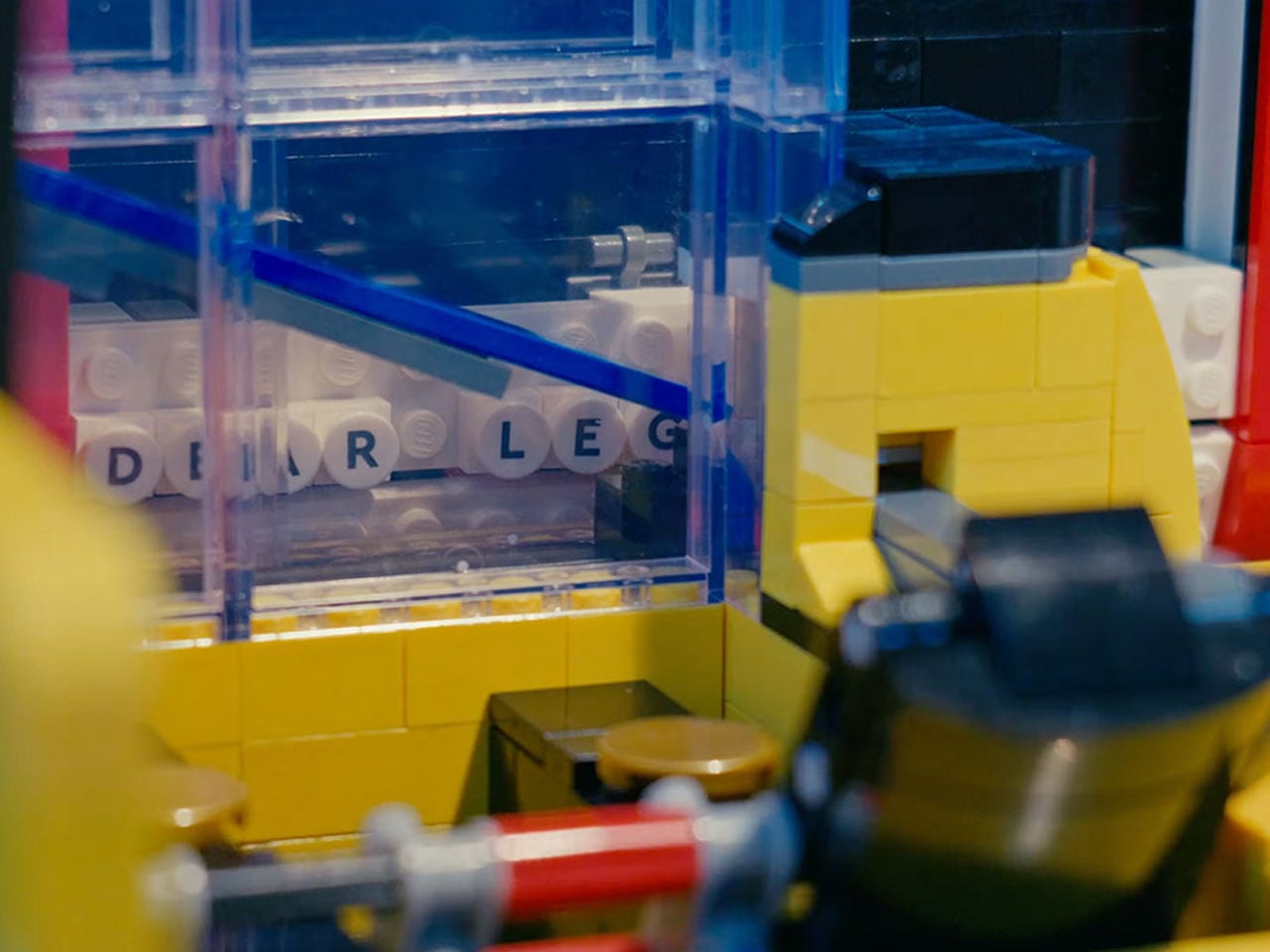
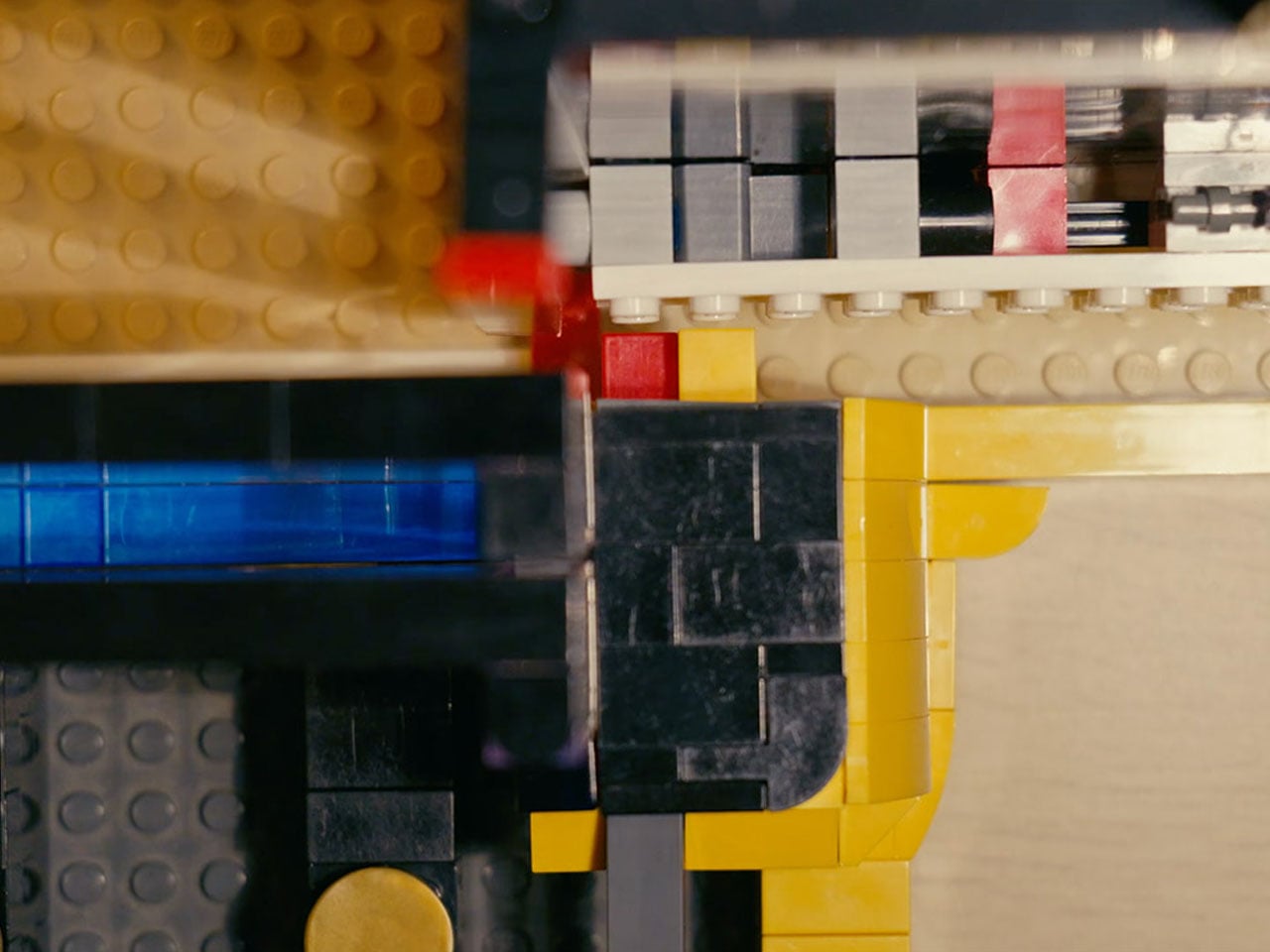
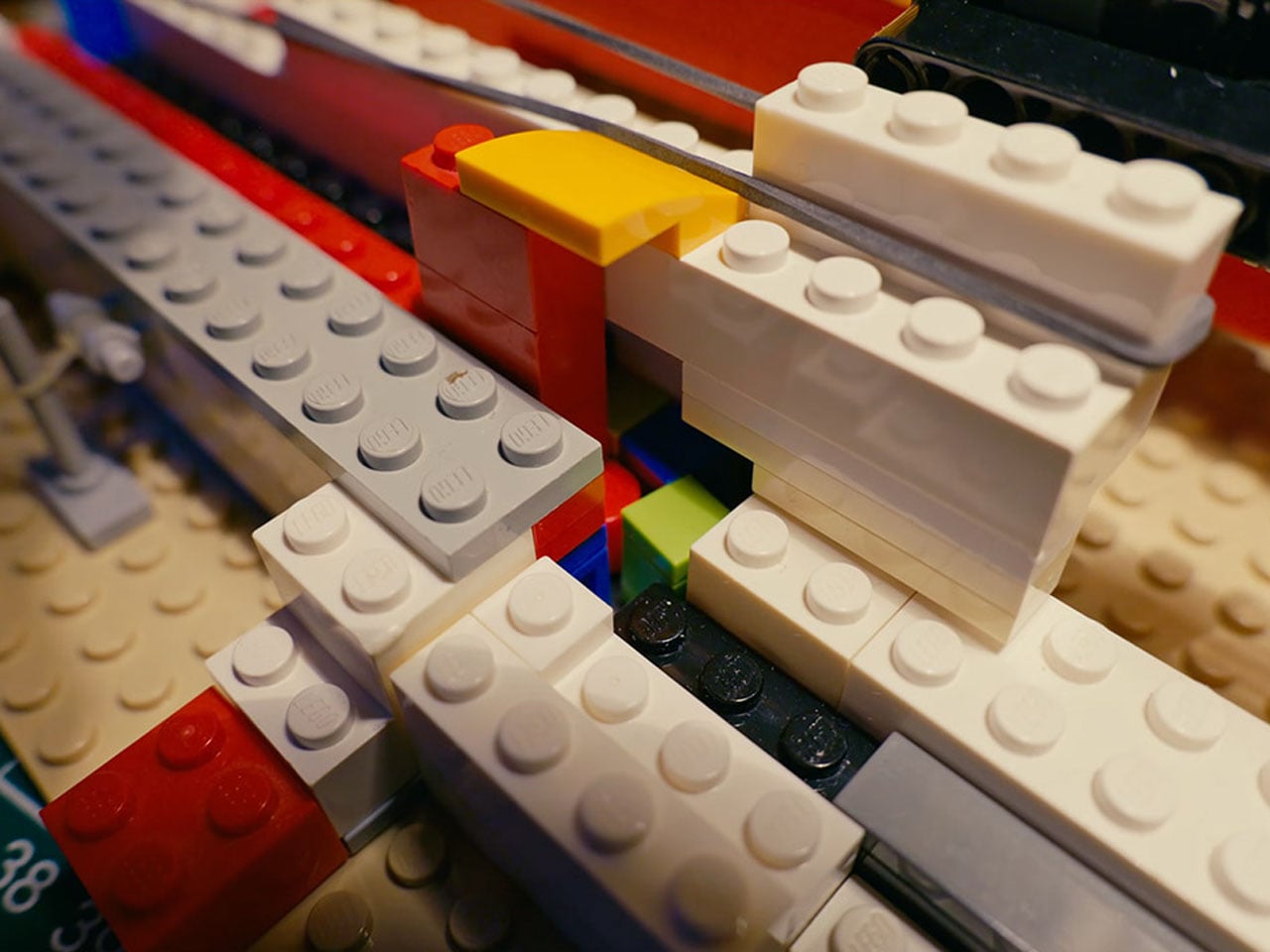
Each key on this functional LEGO typewriter serves two purposes. When pressed, a corresponding hopper opens to release a specific letter tile by gravity. On release, stored tension in rubber bands powers a pusher that drives the tile through a ramp and around a guiding arch before it contacts the white LEGO base plate, ensuring the tile lands facing correctly. This sequence cleverly simulates letter placement without needing complex print mechanics and shows a deep understanding of LEGO’s modular systems.

The arrangement of keys posed its own challenge. With 26 letters to accommodate, space was at a premium. Early versions attempted to eject characters forward like classic typebars, but this caused interference between adjacent mechanisms. The final design staggers the key rows slightly, allowing each to operate independently while maintaining the familiar typewriter silhouette. Rubber bands are central to the build, functioning as springs and return mechanisms throughout the machine and making iterative design adjustments more straightforward.

The movement of the plate that receives the tiles also mimics traditional typing action. After each key press, the board advances sideways automatically through a ratcheting mechanism actuated by the key itself. When a line is complete, vertical advancement is done manually with a small reel, echoing the feel of rolling the paper on an old trusty typewriter. This mix of automatic and manual motion adds to the sense of interaction and gives users a satisfying control loop as they “type.”

While Koenkun’s LEGO typewriter might not deliver ink on paper, it embodies the spirit of mechanical ingenuity and playful engineering that draws many to LEGO building in the first place. The reusable white plate means typed messages can be erased and retyped, inviting experimentation and wordplay.

The post A mechanical LEGO Typewriter that types using Gravity, not ink first appeared on Yanko Design.

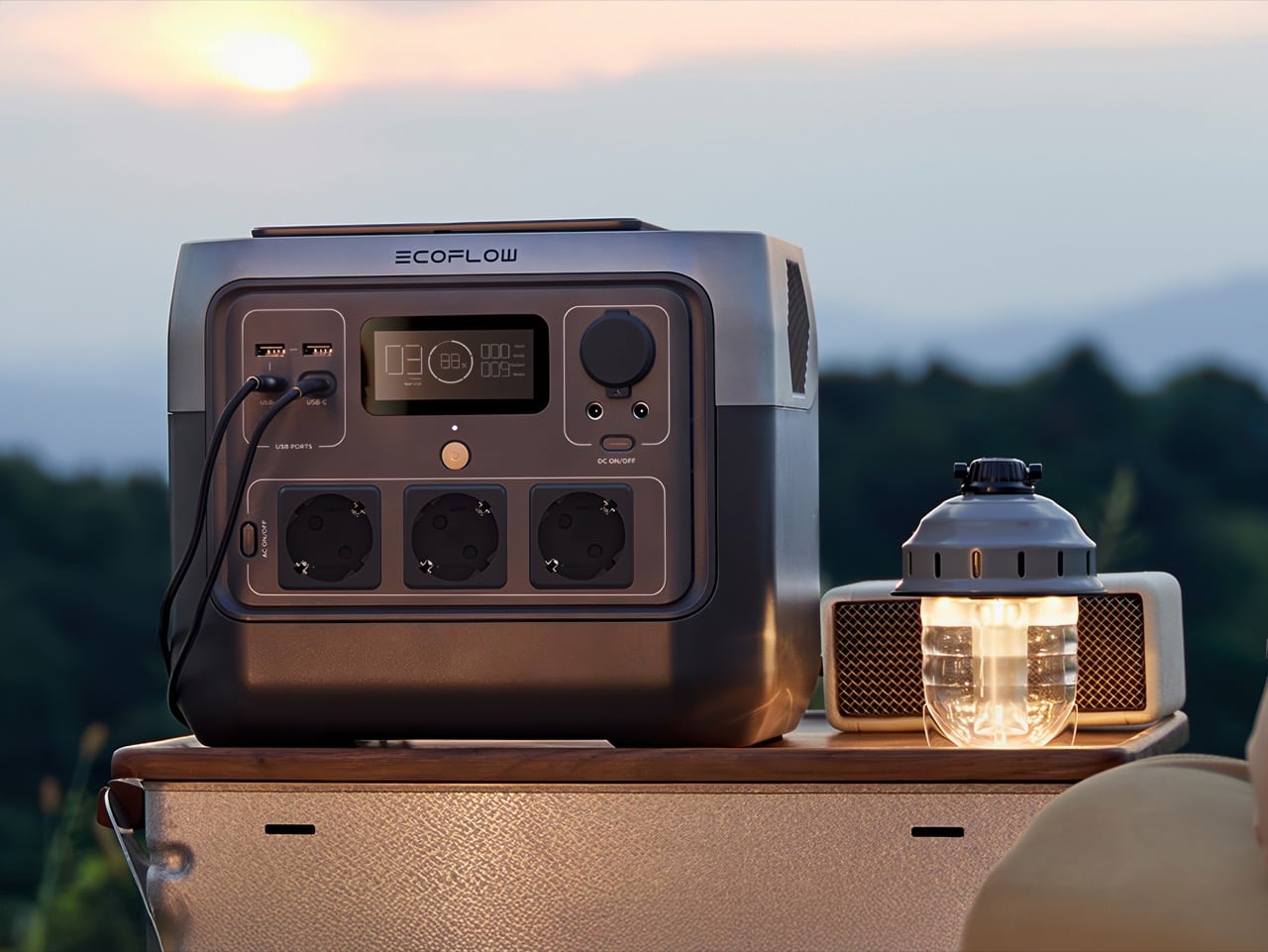
The Must‑Have Portable Power Station Setup Every Household Should Own For Storms And Blackouts

This is not a normal cold snap. The polar vortex that usually stays locked over the Arctic has split and sagged south, dragging temperatures in parts of the Midwest and East Coast to levels that feel closer to the Far North than to cities where millions live. Across affected regions, the results have been immediate and severe. Hypothermia deaths in Louisiana. Rolling blackouts. Ice storms that shatter tree limbs and bury power infrastructure under frozen weight. Nearly 250,000 people in Tennessee alone woke up this week without electricity, and utilities are warning that repairs could take days.

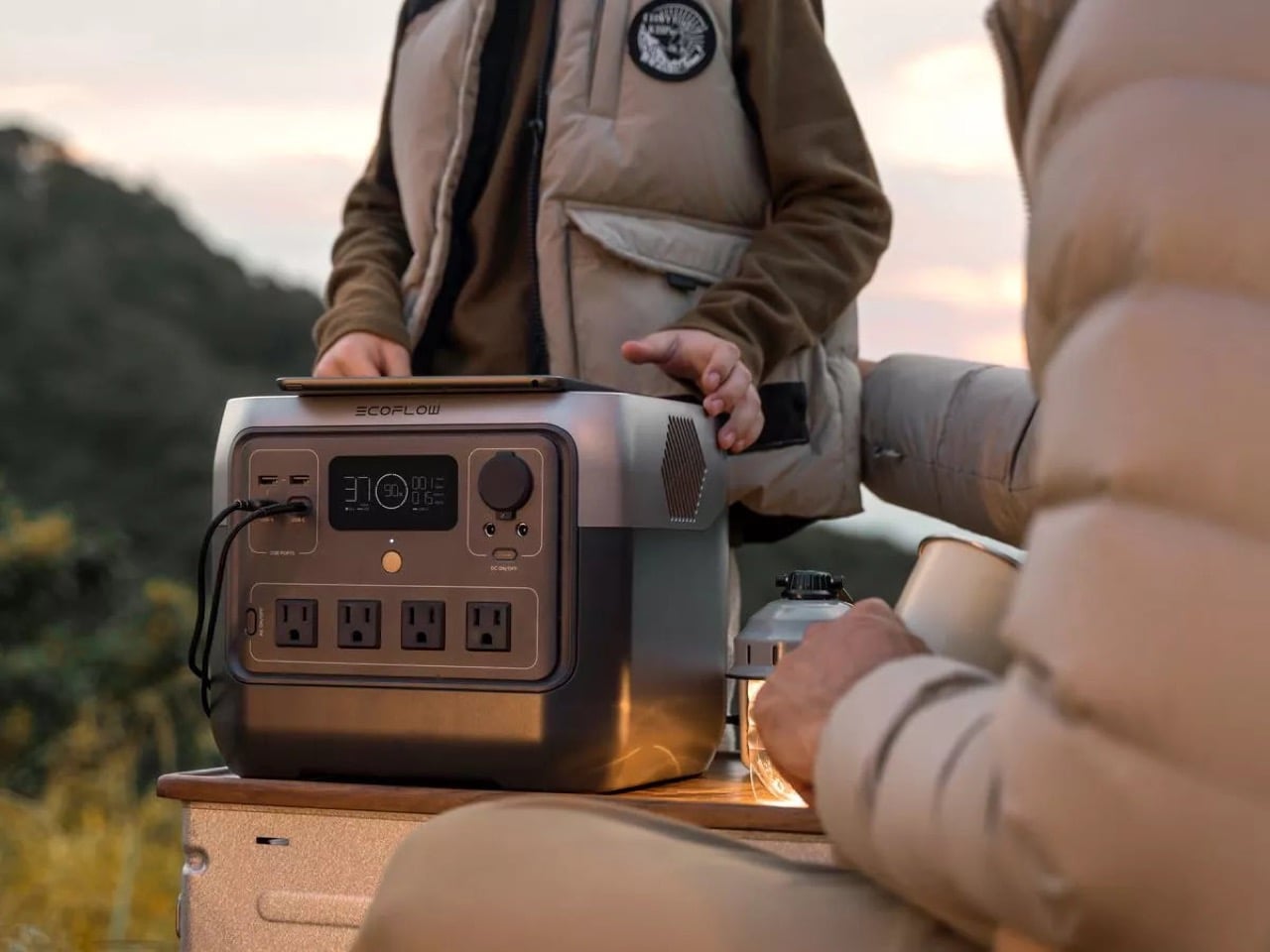
If you are watching the forecast from a warm, lit room, it is worth asking what happens if your block goes dark. Your thermostat stops, your phone begins to drain, your internet dies, and you lose access to weather updates and family check‑ins just when you need them most. For people in small apartments or older homes without backup systems, this is not a thought experiment, it is the reality playing out at this moment. A compact, indoor‑safe power station is one of the few tools that can soften that blow, quietly keeping phones, medical devices, and a few essential lights running while the grid catches up.

Click Here to Buy Now
Why the Mid‑Size Power Station Makes Sense for Most Households

Portable power stations fall along a spectrum, and most of them do not fit the use case of a typical household facing a winter outage. The small units, typically in the 200 to 300 watt‑hour range, are barely larger than heavy‑duty power banks. They can charge phones and tablets, maybe run a laptop for a few hours, but they lack the capacity and output to keep anything more demanding alive. A router pulls too much. A CPAP machine drains them in a single night. A small electric blanket finishes them off in two or three hours. They are fine for a day hike or an overnight car trip, but in a multi‑day blackout during freezing weather, they run dry too quickly to matter.

On the other end, the large systems in the 2,000 to 4,000 watt‑hour class are designed for off‑grid living, RV installations, or whole‑home backup with automatic transfer switches. They can run refrigerators, sump pumps, and multiple high‑draw appliances at once, but they weigh 50 to 100 pounds, cost as much as a used car, and take up serious floor space. For someone in a studio apartment or a rented house, they are impractical both financially and logistically.

The mid‑size tier, roughly 700 to 1,000 watt‑hours with 800 watts of continuous output, occupies the useful middle ground. These units are light enough to move with one hand, affordable enough to justify as a one‑time purchase rather than a major investment, and powerful enough to keep the essentials running for several days if used carefully. They are not designed to replace the grid. They are designed to bridge the gap between when the grid fails and when it comes back online, which is exactly the scenario playing out across the East Coast right now.

What the River 2 Pro Brings Over Its Predecessor

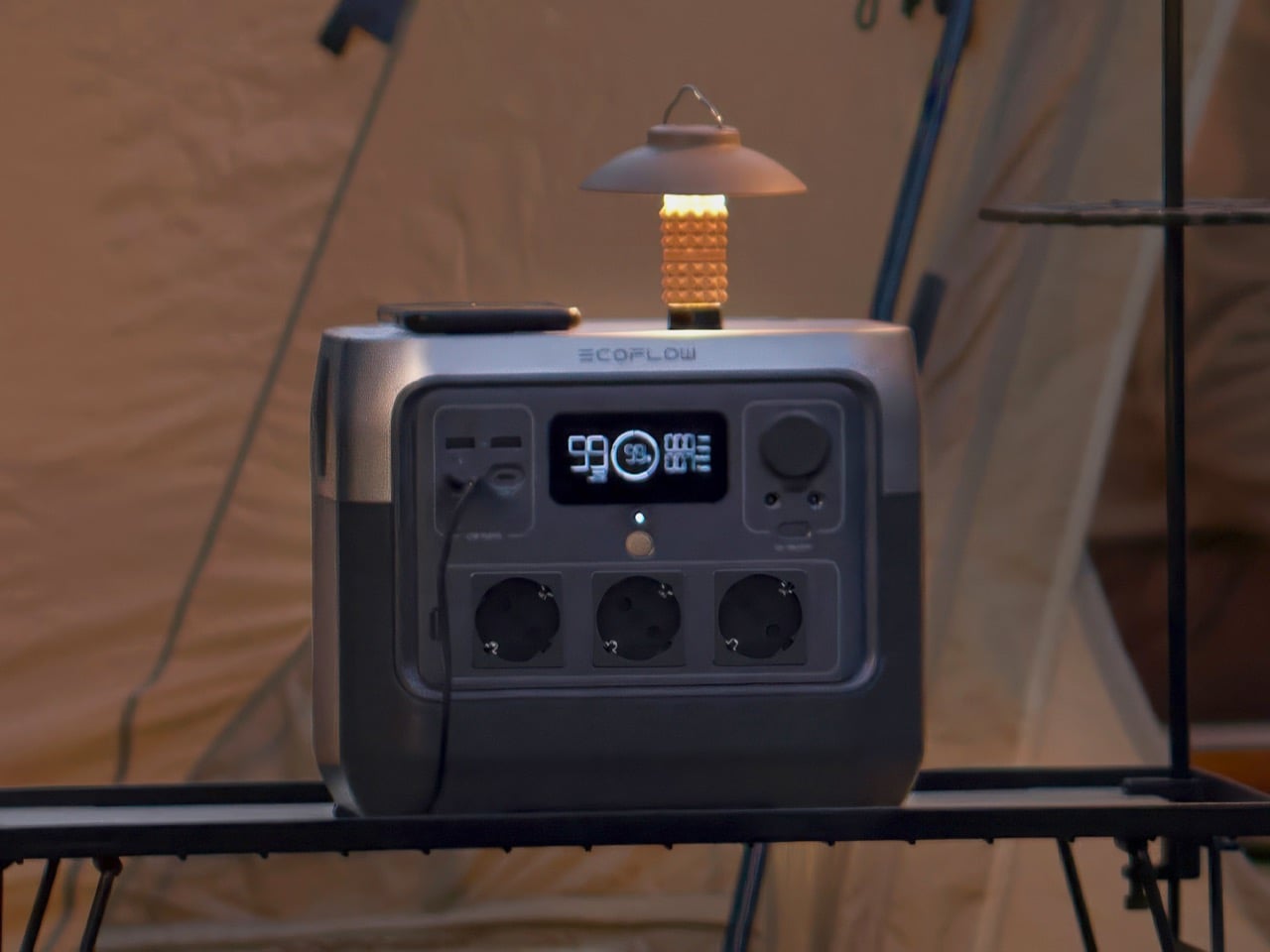
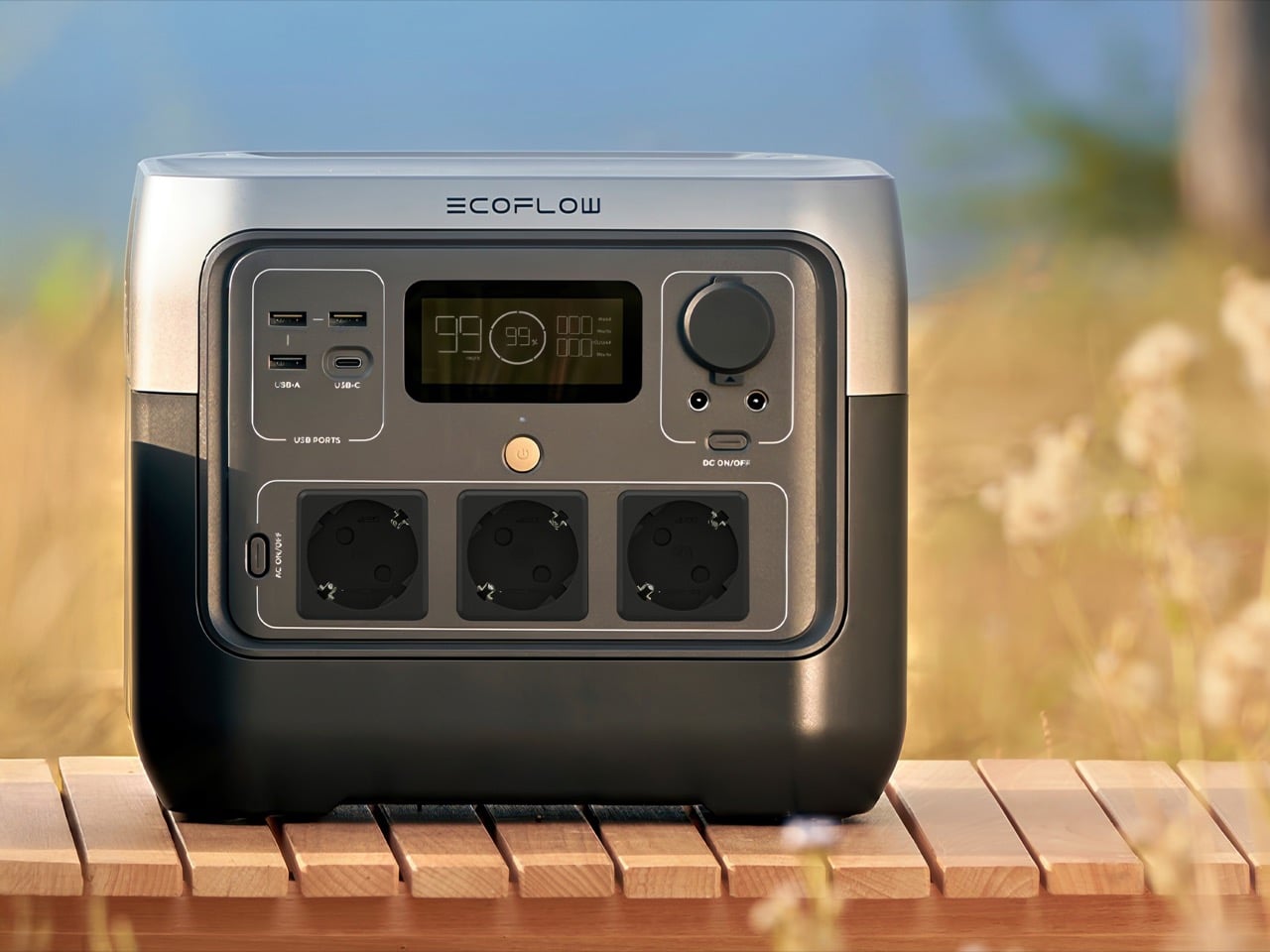
We reviewed the standard EcoFlow River 2 a couple of years back and liked it for what it was: a genuinely portable, well‑designed 256 watt‑hour unit that charged fast and looked good doing it. The dual‑tone design was sharp, the handle redesign made it easier to store, and the price was right for weekend adventurers. But 256 watt‑hours is just not enough capacity to be useful in a real emergency. You could maybe get through one cold night if you were very, very careful.

The Pro triples that to 768 watt‑hours and bumps the continuous AC output from 300 watts to 800 watts, all while adding only about 11 pounds to the overall weight. That capacity jump is not incremental, it is transformational. Now you are talking about running a CPAP for multiple nights, keeping a router alive for over a week of intermittent use, and still having juice left for phone charging and LED lights. The original River 2 was a nice‑to‑have for camping trips. The Pro is something you can actually rely on when the infrastructure around you stops working.

EcoFlow also stuck with LiFePO₄ chemistry, which is the right call here. These cells handle temperature swings better than standard lithium‑ion, they are safer, and they are rated for over 3,000 cycles before they start losing capacity. If you are buying this as a piece of emergency gear that might sit unused for months or years at a time, that longevity matters. This is not a gadget you replace every couple of years. It is something you buy once and forget about until the lights go out.
70 Minutes from Empty to Fully Charged

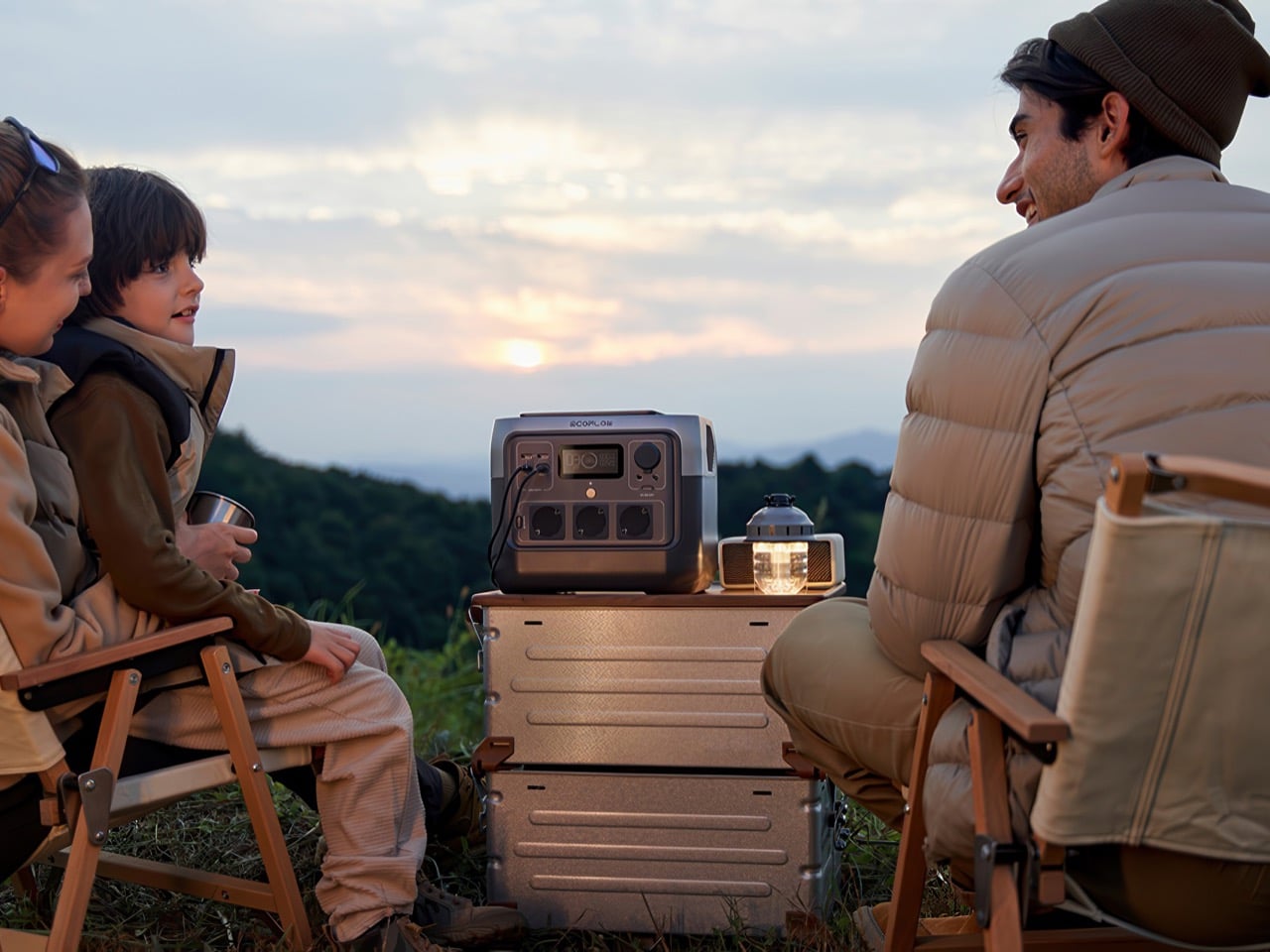
EcoFlow has been pushing fast charging as a selling point across their lineup for a while now, and in the River 2 Pro it is not just a spec sheet flex, it is genuinely useful. The unit goes from dead to full in about 70 minutes off a standard wall outlet. In normal times, that is convenient. During a rolling blackout, it is the difference between a functional backup and a paperweight.

Think about how most grid failures actually play out in populated areas. Power does not just drop and stay off for three days straight. It flickers. It comes back for an hour, goes out again, comes back for two hours overnight. If your power station takes five or six hours to charge, you are constantly playing catch‑up and never actually filling the tank. With the River 2 Pro, every time the grid comes back on, you have a realistic shot at getting back to 100 percent before it drops again. That changes the whole strategy of how you manage an outage.

The unit also takes up to 220 watts of solar input, so a pair of decent folding panels can top it off in four or five hours under good sun. Winter solar is sketchy, clouds and short days mean you are not going to get reliable full charges, but even partial sun can stretch your runtime by enough to matter. It is not a primary charging method in January, but it is a useful fallback if the outage drags on longer than expected.

What It Costs and How That Compares

Online pricing on the River 2 Pro right now is hovering around the $315 mark, depending on where you shop. The MSRP is technically $549, but there’s almost always a discount running somewhere.

Compare that to a Jackery Explorer 1000 V2, which offers about 1,070 watt‑hours and usually runs $500 to $600. Or the Bluetti AC180, which is in the same ballpark for capacity and price. The River 2 Pro is giving you about 70 percent of the capacity at roughly half the cost, which for most apartment and small‑home use cases is the right tradeoff. You are not powering a refrigerator for a week either way, so the extra 300 watt‑hours does not fundamentally change what you can do. What changes is whether you can justify the expense as a one‑time purchase or if it feels like a luxury you will never pull the trigger on.

The really small units, the 200 to 300 watt‑hour boxes, run $150 to $250. So you are paying maybe $100 to $150 more to triple your capacity and double your output. That is an obvious upgrade if you are serious about emergency preparedness. The giant 2,000+ watt‑hour systems start north of $1,200 and climb fast from there, which is a completely different budget conversation.
What It Can Actually Power During an Outage

The numbers on a spec sheet do not always translate clearly to real‑world use, so it helps to think in concrete scenarios. A fully charged River 2 Pro, used carefully, can sustain:

Communication and information: A smartphone pulls maybe 10 to 15 watt‑hours per full charge. You could recharge your phone 50 times off a full River 2 Pro. A typical Wi‑Fi router and modem together draw 15 to 25 watts while they are on. Run them three hours a day to pull weather updates, check news, coordinate with family, and you are using about 60 watt‑hours daily. That gives you a week and change of intermittent connectivity from a single charge.

Medical devices: A CPAP machine is slightly trickier because the power draw varies wildly depending on your model and settings. If you are running a basic unit without the heated humidifier, you might pull 30 to 40 watts. With the humidifier cranked, that can jump to 60 watts or more. Let us say you are at 40 watts for eight hours a night. That is 320 watt‑hours per night, so you get two full nights of sleep therapy before you need to recharge. Not great if the power is out for a week, but enough runway to get through the worst of a storm without ending up in an ER.

Targeted warmth: Low‑wattage electric blankets and heated throws usually run 50 to 100 watts. A 75‑watt throw for three hours in the evening is 225 watt‑hours. Combine that with CPAP and phone charging and you are looking at maybe 600 watt‑hours total per day, which gives you a full day of decent comfort before you need to think about recharging.

Lighting: LED lighting is almost free by comparison. A 10‑watt bulb for five hours a night is 50 watt‑hours. You could light up a small apartment every night for a week and barely dent the battery.

The key here is prioritization. You shouldn’t be running everything at once. Keep the critical stuff alive, lights, communication, medical devices, and use targeted warmth instead of trying to heat the whole space. That is what makes a mid‑size unit like this viable, and truly accessible to the vast population who can divert sub-$500 on a moment’s notice. The power station might be tiny, but it forces you to be smart about power – which is exactly what you need to do in a real outage anyway.

Need More Power? Just Buy A Second One And Connect Them

One feature that does not get talked about enough is that you can actually chain two River 2 Pro units together for expanded capacity. EcoFlow builds this into their ecosystem, so if you find yourself consistently running up against the limits of a single 768 watt‑hour unit, you are not stuck buying a completely different, more expensive system. You just add a second River 2 Pro and suddenly you are working with over 1,500 watt‑hours of usable capacity. That is enough to stretch a multi‑day outage without obsessively rationing every watt, or to run slightly higher‑draw appliances that a single unit would struggle with.

The math here is quite interesting because it gives you a more flexible upgrade path than most power station ecosystems offer. Instead of dropping $1,200 to $1,500 on a single large unit right out of the gate, you can start with one River 2 Pro, see how it performs in real‑world use, and then add a second one later if you need the extra capacity. You end up spending around $630 total for a combined system that gives you more modularity than a single giant battery box. If one unit dies or needs servicing, you still have backup power. If you only need light capacity for a short trip, you take one and leave the other at home. That kind of flexibility is genuinely underrated.

It also means the River 2 Pro scales better for different household sizes and needs. A single person in a studio apartment might never need more than one unit. A family of four in a larger house might find that two units let them cover essentials in multiple rooms without running extension cords everywhere or constantly shuffling devices between outlets. The ability to grow the system incrementally, rather than making one big all‑or‑nothing purchase decision, makes it a lot easier to justify the initial investment and adapt as your needs change.

How to Use It Effectively in Cold Weather

Store and operate it indoors. LiFePO₄ cells can discharge in cold temperatures, but they should not be re-charged when the internal temperature is below freezing.

Most modern power stations, including the River 2 Pro, have battery management systems that will flat‑out refuse to charge if the cells are too cold. So keep the unit inside, away from exterior walls and drafty windows, and you will be fine.

Turn things off when you are not using them. That sounds obvious, but in the chaos of a blackout it is easy to leave the router on all day or forget a phone plugged in after it hits 100 percent. The River 2 Pro has a small parasitic draw just from being powered on, so if you are not actively using an outlet, shut it down and save every ounce of power you can.

And for the love of all that is holy, do not try to heat your apartment with this thing. Yes, the 800‑watt continuous output can technically run a small space heater. Yes, the X‑Boost mode can push that to 1600 watts for short bursts. But a 1,500‑watt space heater will drain the entire battery in about 30 minutes. That is not a strategy, that is just lighting your stored energy on fire. Layer up, use blankets, deploy a low‑watt heated throw for targeted warmth if you need it, but resistive heating is a losing game with battery power.
What It Cannot Do

The River 2 Pro is not a whole‑home backup system. It will not keep your refrigerator running for days, it will not power your furnace, and it definitely will not run a sump pump if your basement starts flooding. If those are your needs, you are shopping in the wrong category. You want a 2,000+ watt‑hour system, probably with a transfer switch and professional installation, and you are going to spend a lot more money.

The usable capacity is also not quite the advertised 768 watt‑hours. Independent testing puts the real‑world output closer to 620 watt‑hours, which is about 81 percent of the rated capacity. That is normal for the industry, battery management systems always hold back some reserve to protect longevity, but it is worth knowing so you do not plan your runtime calculations around the full number.

And while the unit is rated for 3,000+ cycles, that assumes you are not constantly hammering it from zero to 100 percent under extreme conditions. If you want to maximize lifespan, try to keep the charge between 20 and 80 percent when you can, and store it at around 50 percent if it is going to sit unused for months. Treat it like a piece of infrastructure, not a toy, and it will last you a decade.

Preparing Before the Next Storm

Hundreds of thousands of people are sitting in the dark tonight while the cold keeps piling on. More are watching the forecast and realizing their block could be next. The grid is not built for this. It was not designed to handle ice storms in places that rarely freeze, or sustained cold snaps in cities where winter is usually mild. And when it fails, the gap between “uncomfortable” and “dangerous” closes fast.

A power station like the River 2 Pro does not fix the underlying problem. It does not make the grid more resilient, and it does not replace the need for serious infrastructure investment. What it does is give you a buffer. A way to keep the essentials running while you wait for the repair crews to get the lines back up. A way to avoid the kinds of decisions that turn a bad night into a genuine emergency.

For $315, that is not a bad insurance policy to have sitting in your closet, charged and ready, before the next storm rolls in.

Click Here to Buy Now

The post The Must‑Have Portable Power Station Setup Every Household Should Own For Storms And Blackouts first appeared on Yanko Design.
This $129 Bag Lets You Play Music Without Opening It

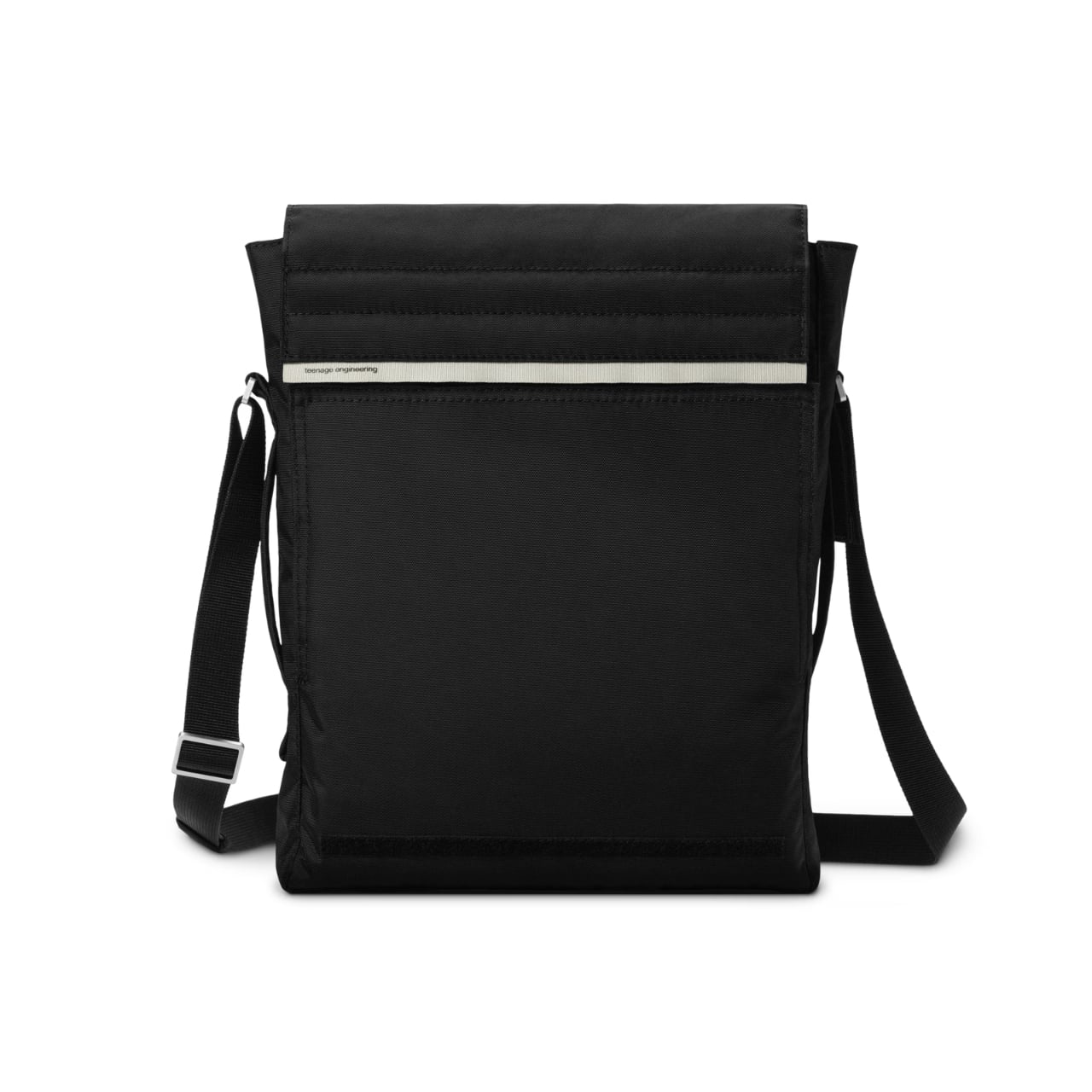
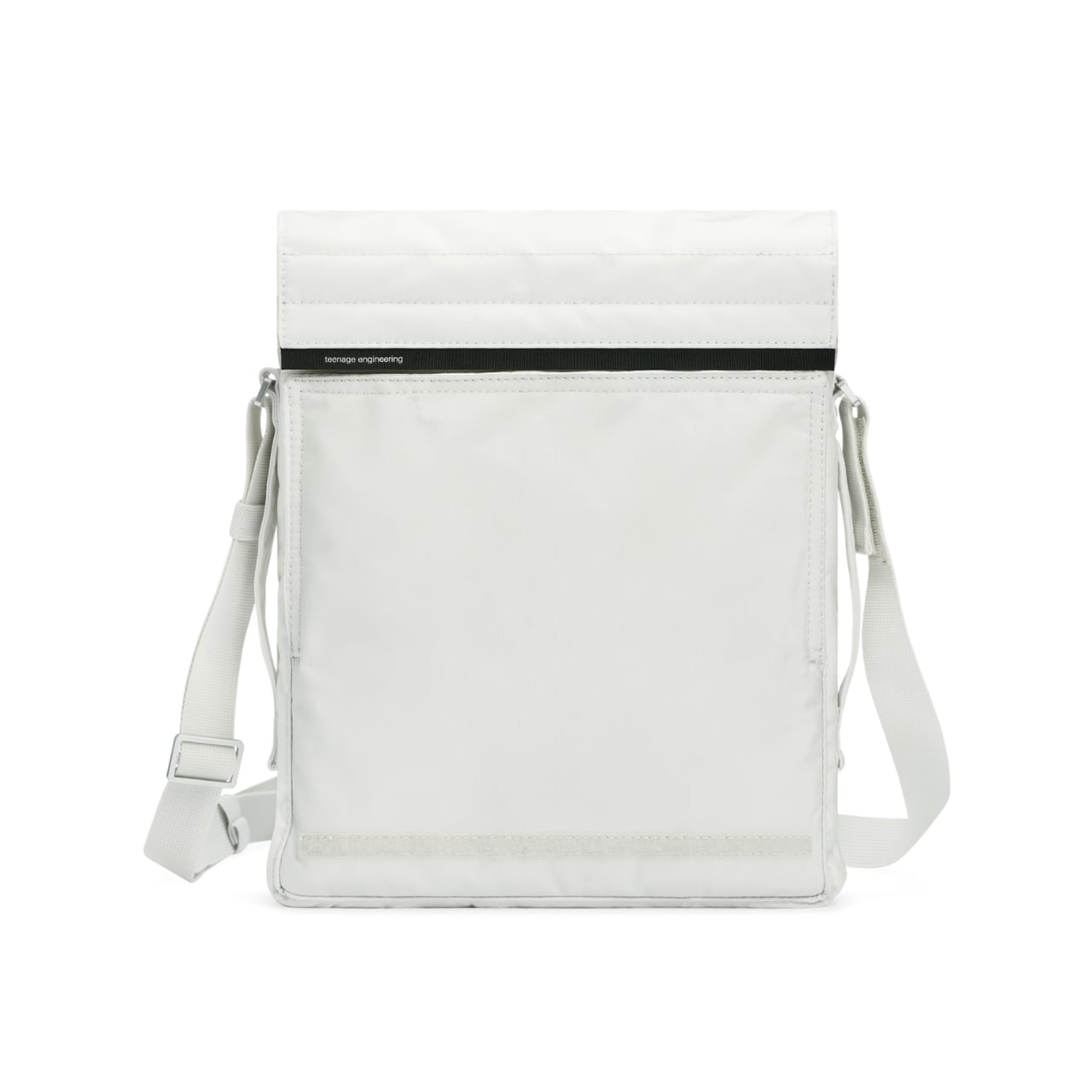
There’s something fascinating about watching a tech company obsess over the mundane. While most electronics brands treat bags as afterthoughts (slap a logo on generic nylon, call it a day), Teenage Engineering went ahead and designed a shoulder bag that’s as thoughtful as their cult-favorite synthesizers. The Field OB-4 shoulder bag isn’t trying to be your everything bag, and that specificity is precisely what makes it interesting.

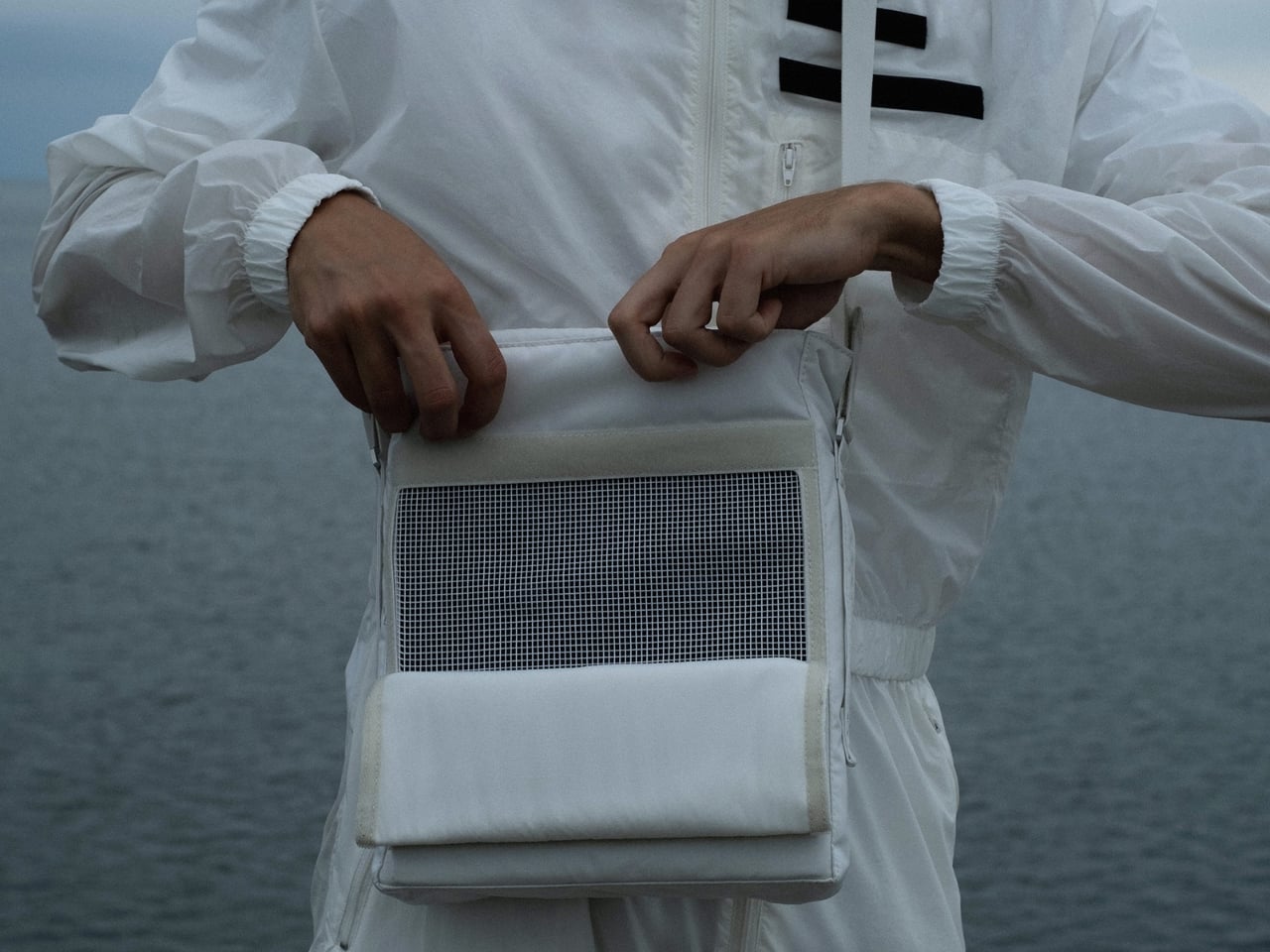
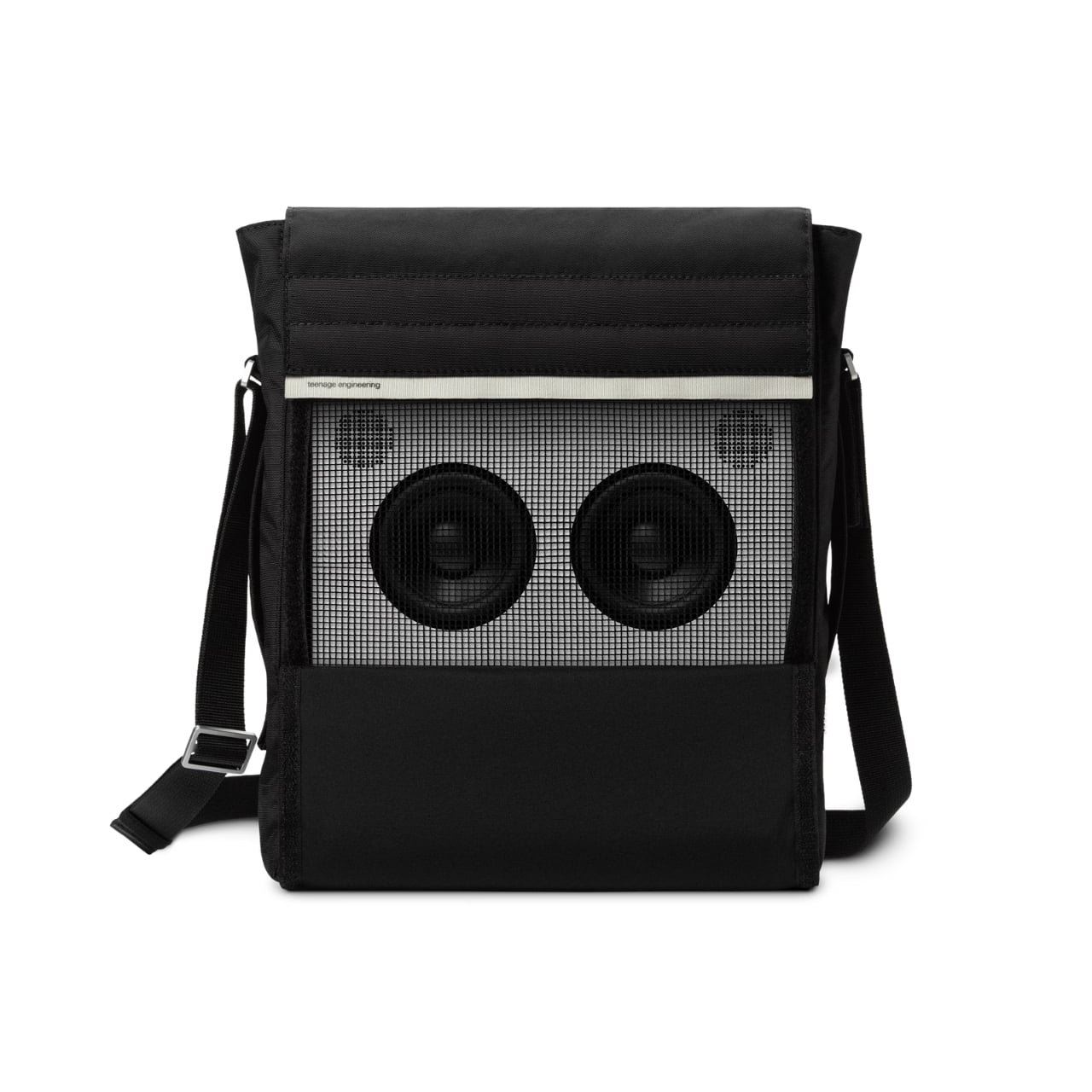
Built primarily to carry the OB-4 Magic Radio, this $129 shoulder bag features a mesh front panel that lets you play music while your device stays tucked inside. Think about that for a second. Most bags are designed to protect and conceal. This one wants you to use what’s inside without ever taking it out. It’s the kind of detail that separates product design from problem-solving.

Designer: Teenage Engineering

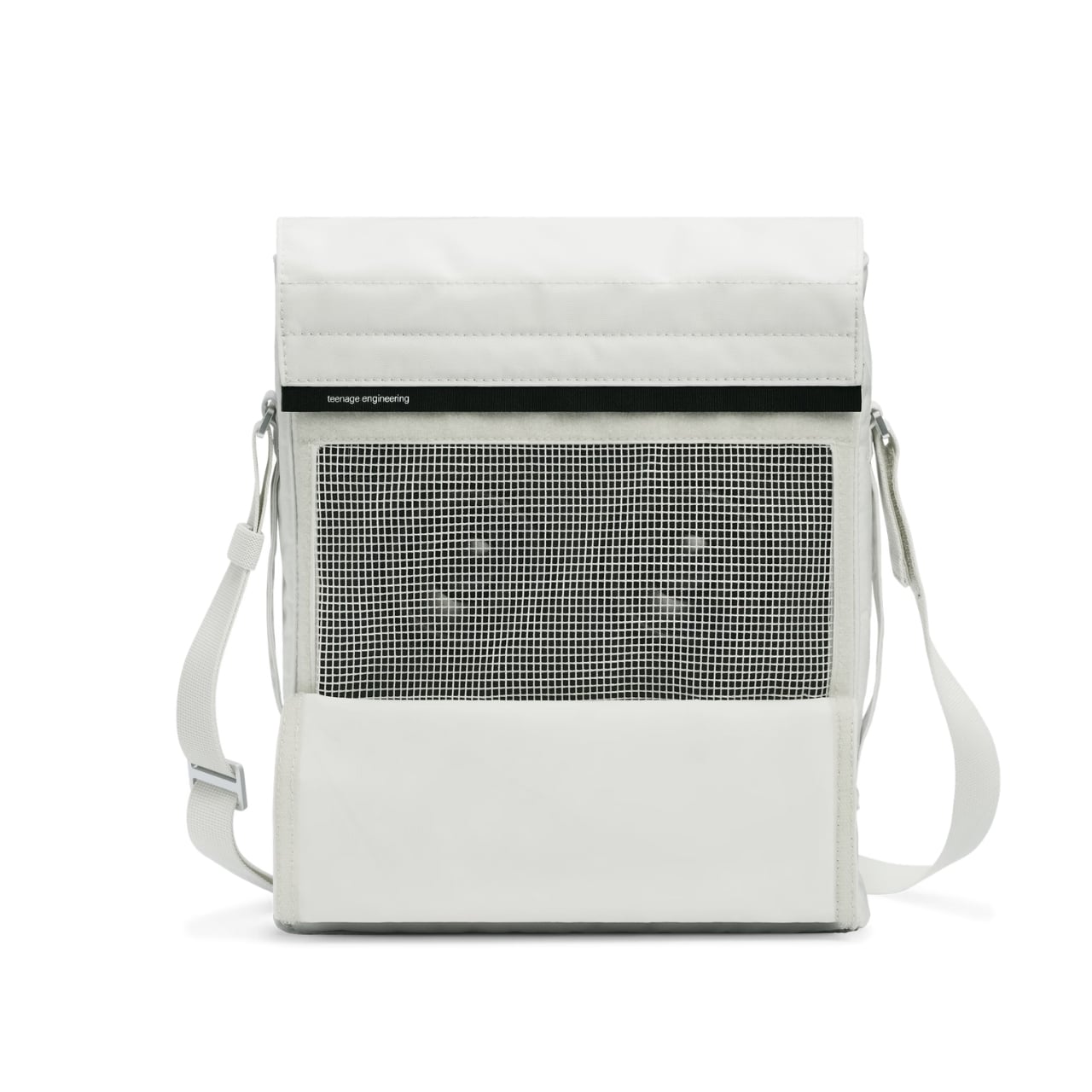
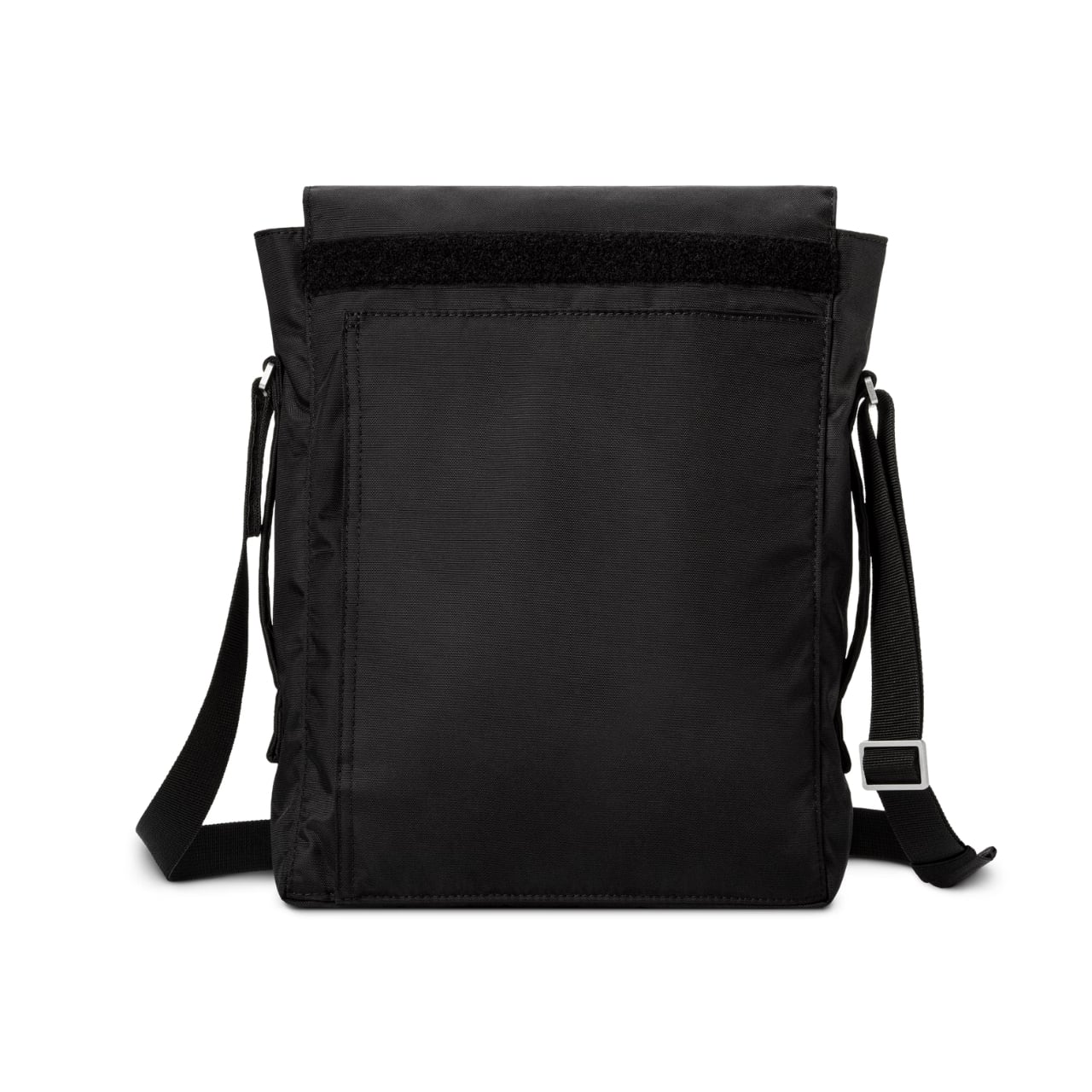
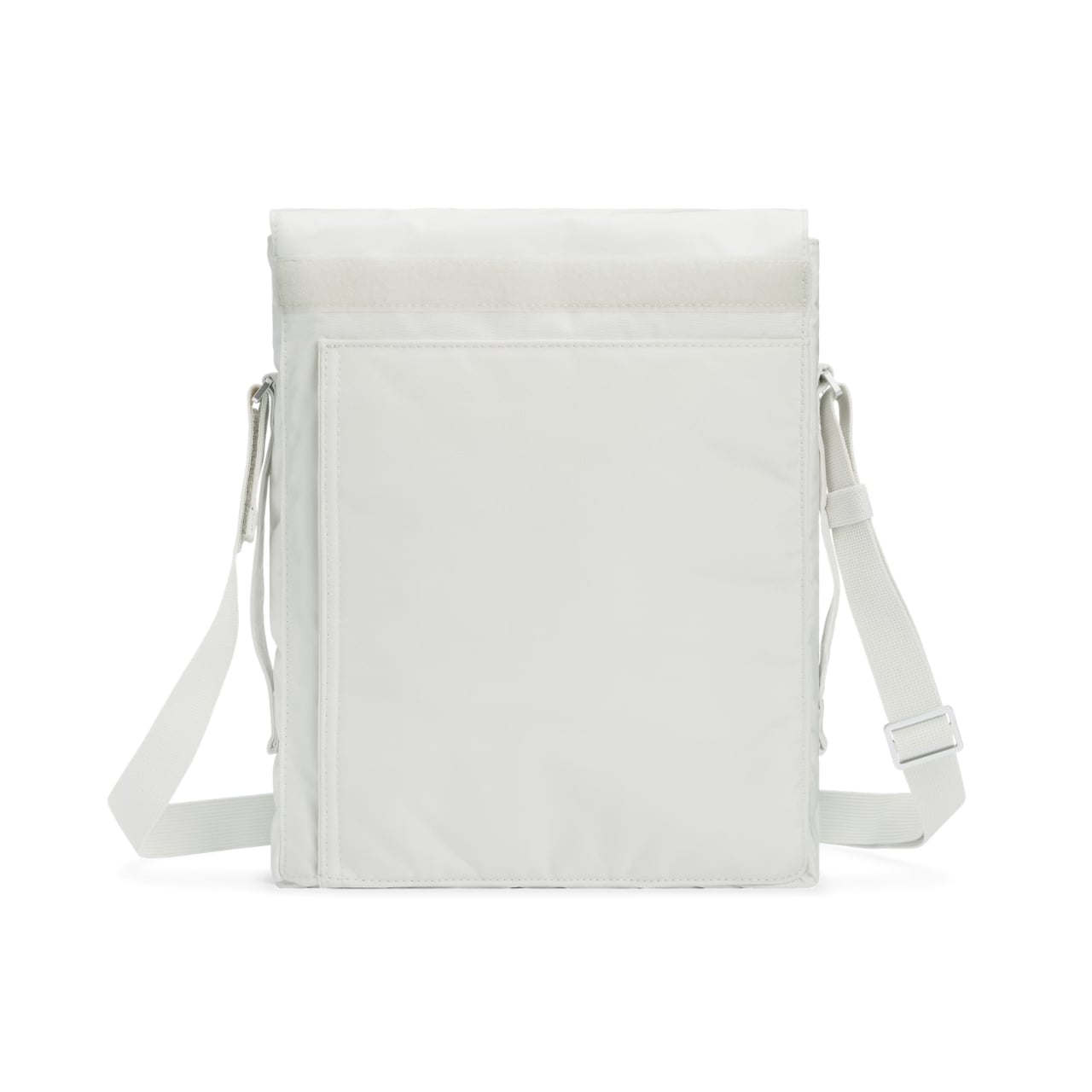
The construction tells you everything about Teenage Engineering’s priorities. The shell uses tear and abrasion-resistant nylon 66 with a fire retardant treatment and PU backing for water repellency (1500 mm rating on the black version, 3000 mm on the white). These aren’t vanity specs. They’re the materials you’d find on technical outdoor gear, applied to something that’ll probably spend more time on subway cars than mountain trails. It’s overbuilt in the best possible way.

The bag features a roll-down covered opening that gives you variable capacity depending on what you’re carrying. There’s an internal pocket for your everyday small items (keys, wallet, that tangle of earbuds you swear you’ll organize someday). The back pocket uses hook-and-loop closure and is specifically sized for cables and the Ortho remote. Again, that specificity. Teenage Engineering could have made generic pockets, but they measured their own accessories and built compartments around them. You can wear it crossbody style or grab the side handle for hand-carry mode. The adjustability matters because context shifts throughout your day. Crossbody when you’re navigating crowds, hand-carry when you’re sitting at a cafe. The bag adapts rather than forcing you to commit to one carrying style.

What’s compelling here is how Teenage Engineering approaches accessories. This isn’t merchandising. It’s extension of philosophy. The same company that makes the OP-1 synthesizer (a device that prioritizes tactile joy and visual clarity) isn’t going to phone in a bag design. They’re known for products that look like nothing else on the market, that Dieter Rams-meets-Nintendo aesthetic that either clicks with you immediately or leaves you cold. The Field OB-4 shoulder bag comes in black or white, maintaining that minimal color palette Teenage Engineering loves. Custom-made aluminum hardware and YKK EXCELLA zippers keep everything smooth and reliable. These are components you’d find on high-end luggage, the kind of details most people won’t notice until they’ve used cheaper alternatives.

Is this bag essential? Absolutely not. You could carry an OB-4 in any number of generic shoulder bags. But you’d lose the mesh front functionality. You’d lose the precise pocket sizing. You’d lose that feeling of using a complete system where everything has been considered. Teenage Engineering has always existed in this interesting space where consumer electronics meet design objects. Their products cost more than alternatives because they’re selling coherence, not just capability. The Field OB-4 shoulder bag extends that logic into accessories. It’s designed for people who already bought into the ecosystem, who appreciate when someone sweats the details nobody asked them to perfect.

At $129, it’s positioned as a premium accessory, not an impulse add-on. That pricing filters for the audience who gets it, who understands why you’d spend serious money on a bag for a portable speaker. It’s the same crowd that bought the OB-4 in the first place, people who could’ve gotten a Bluetooth speaker for fifty bucks but wanted something with personality instead. Whether you need this bag depends entirely on whether you value design specificity over universal functionality. For the right person, this is exactly what they’ve been looking for. For everyone else, it’s an interesting case study in how far product design can go when companies refuse to take shortcuts.

The post This $129 Bag Lets You Play Music Without Opening It first appeared on Yanko Design.
CW&T Machined a Mortar into a 1.31kg Spherical Steel Object

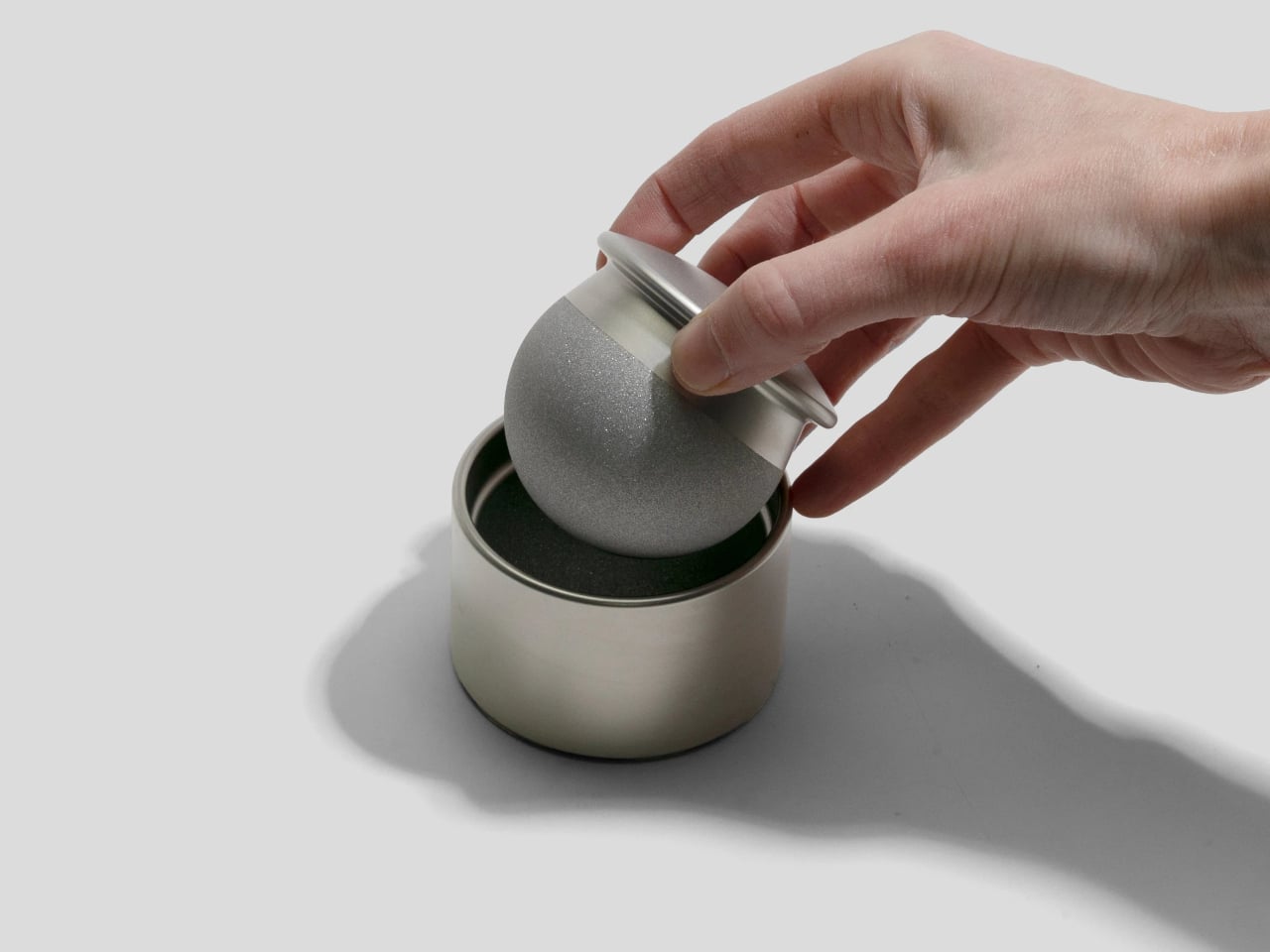
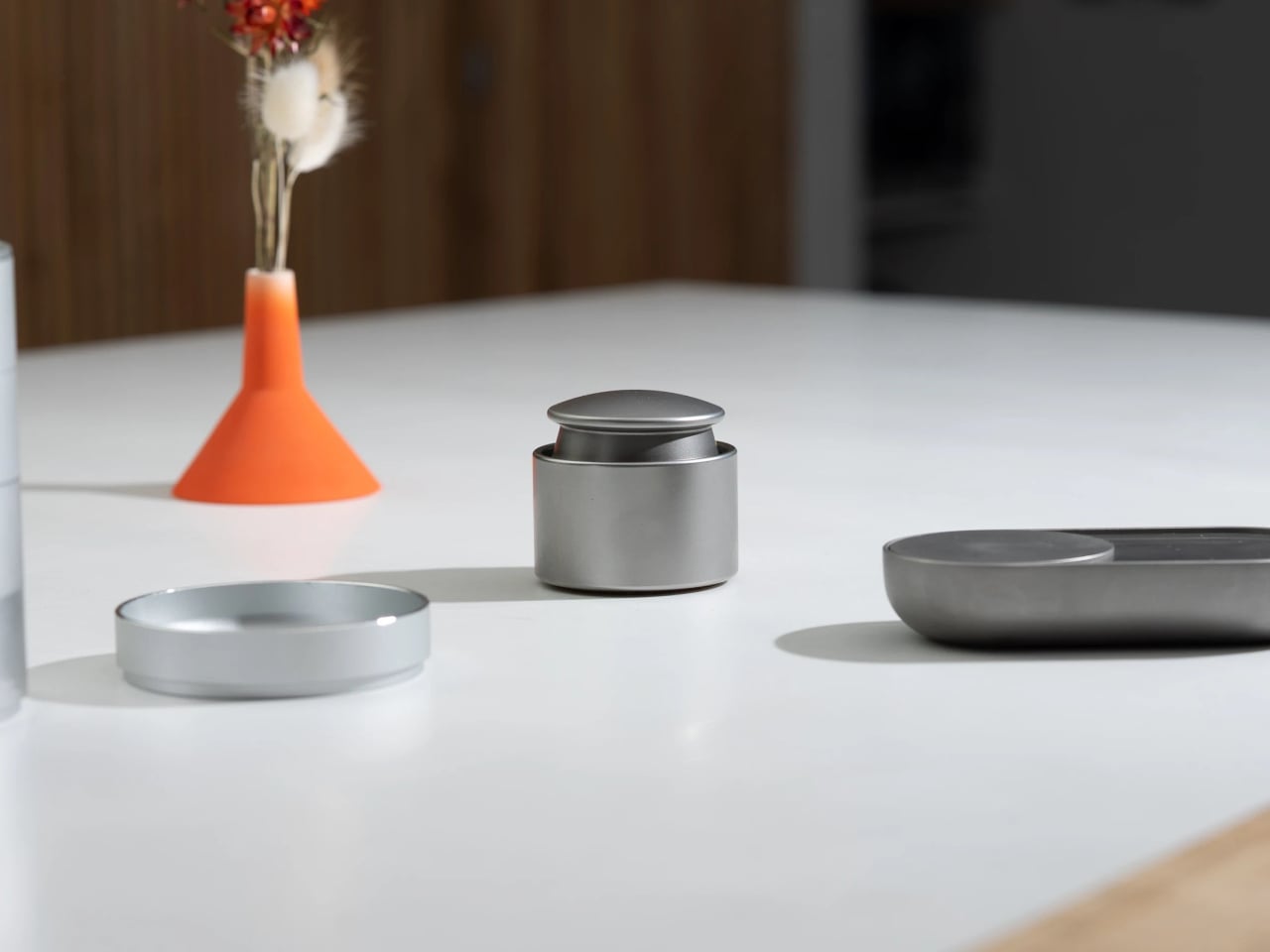
Grabbing a jar of pre-ground spice happens because the mortar and pestle are buried in a cabinet, or it feels like too much work. Most mortars are big, porous bowls that live in the back of a cupboard, coming out only for special recipes. CW&T’s Spicy is a different take, a mortar and pestle small and sculptural enough to live on the counter all the time, making it easier to reach for when you need it.

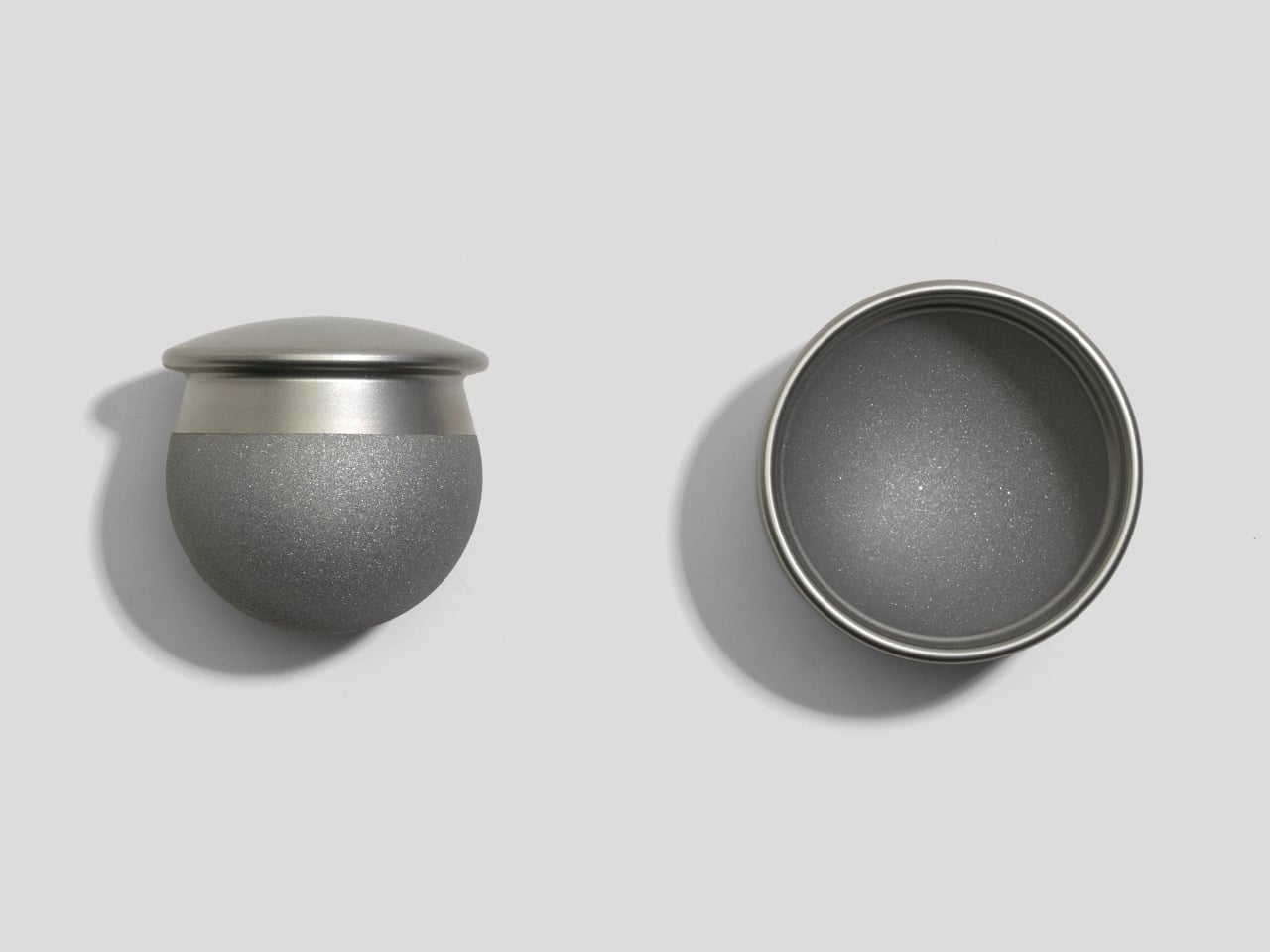
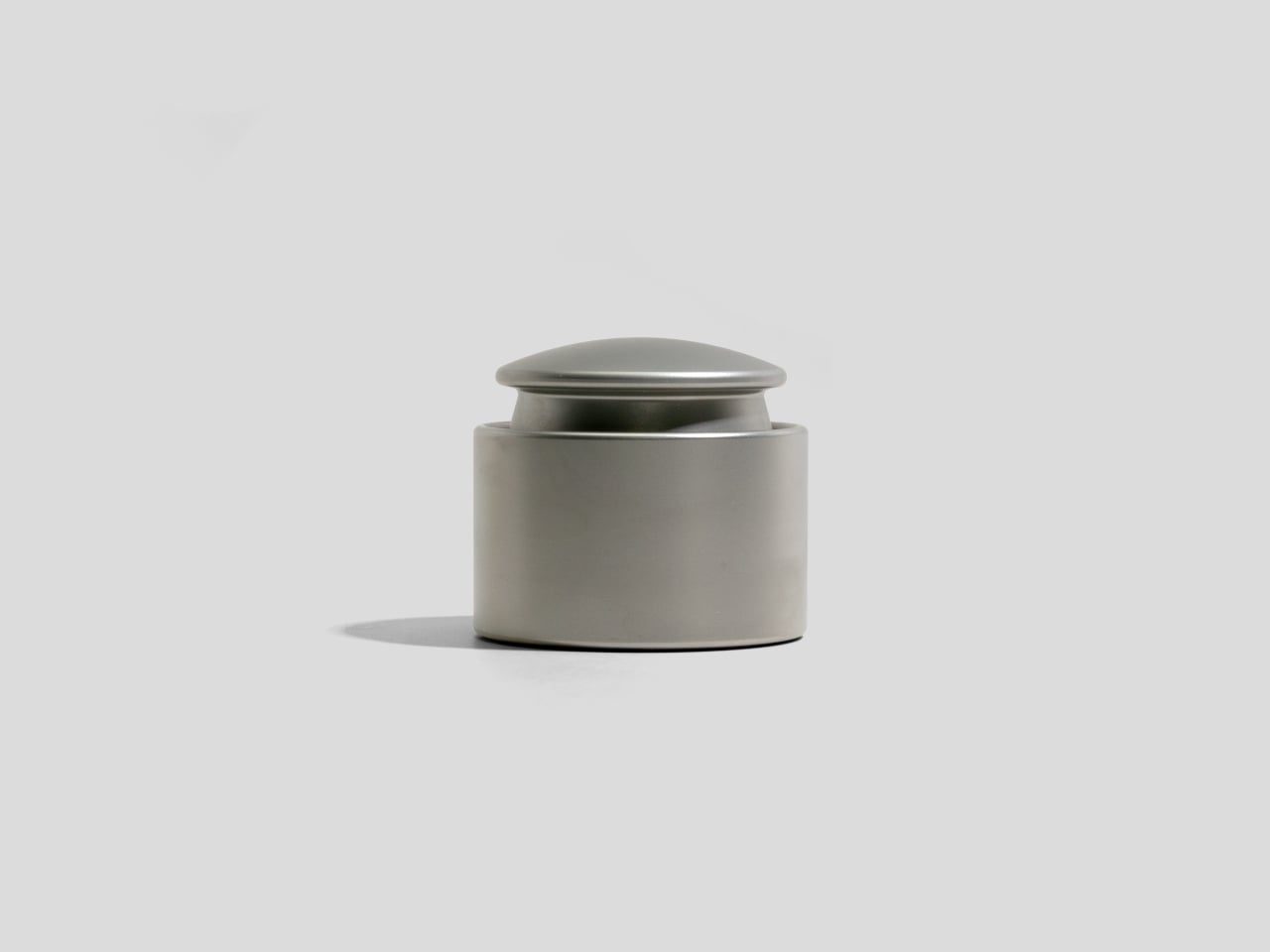
Spicy is a ball-and-socket style mortar and pestle machined from stainless steel. It is only about 66mm across and 60mm tall, but it weighs around 1.31kg, with a glass bead-blasted exterior and a rough interior surface. It holds about a tablespoon of spices, just enough for finishing a dish or grinding a small batch of seeds without pulling out the full kitchen arsenal.

Designer: CW&T

Dropping a pinch of peppercorns or cardamom into the cup and wrapping your hand around the spherical pestle, you roll and twist the ball against the rough interior, feeling the resistance and the way the spices break down under the weight. The continuous contact between ball and bowl makes the motion more like drawing circles than hammering, which is easier on the wrist and oddly satisfying.

The rather hefty mass keeps the mortar planted while you grind, so you are not chasing it around the counter. The glass bead exterior feels soft and matte in the hand, while the rough interior bites into seeds and dried herbs. A cork base cushions the action and protects the table but still lets the piece slide slightly if you want to reposition it mid-session.

1

Spicy is machined from food- and dishwasher-safe stainless steel, so cleanup is as simple as rinsing or tossing both parts into the dishwasher. There is no porous stone to stain or absorb flavors, and no wooden handle to baby. That durability, combined with the compact footprint, makes it easy to justify leaving it on the counter next to oil and salt instead of packing it away.

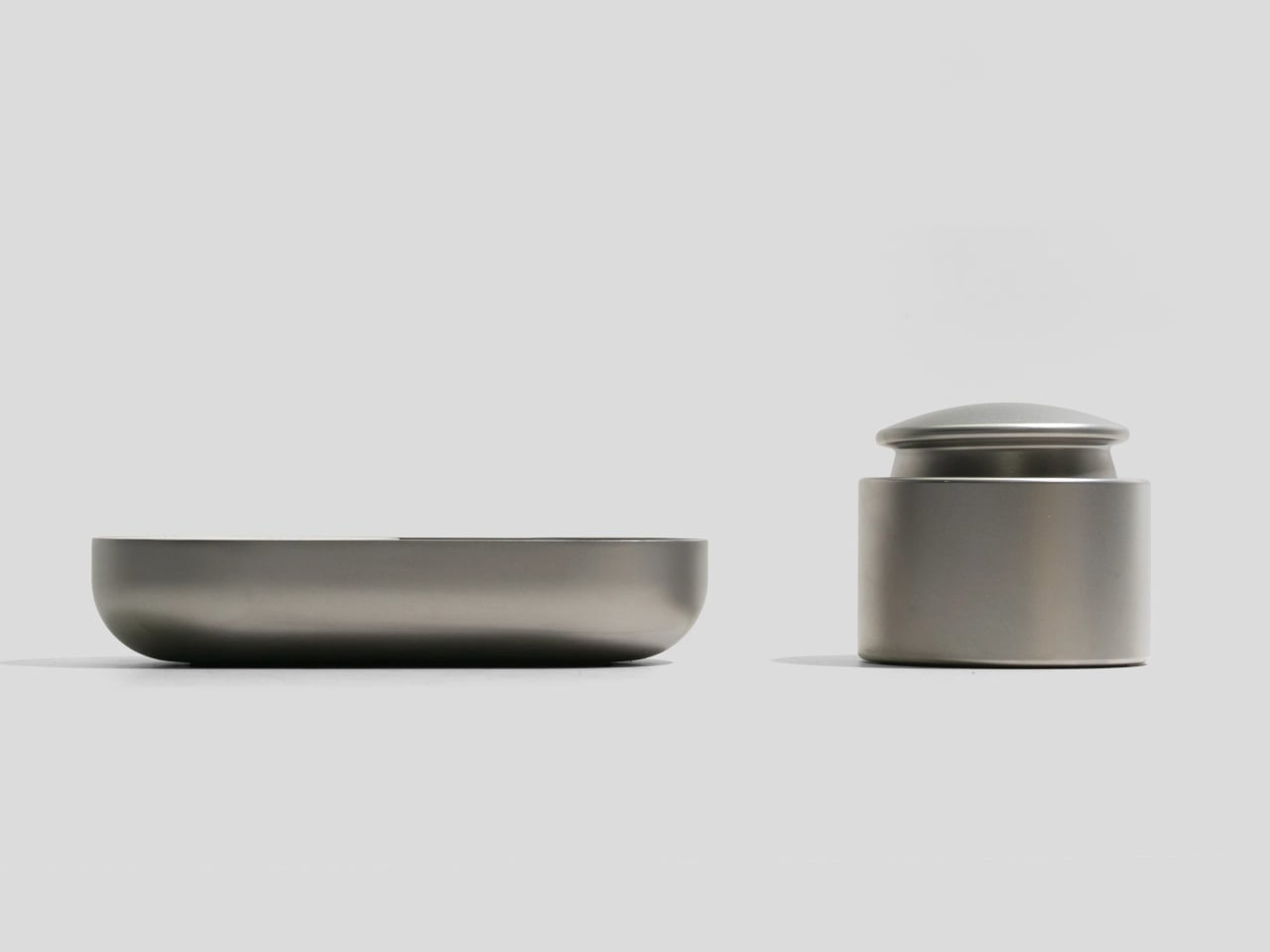
Spicy is designed to pair with Salty, CW&T’s minimalist salt cellar, sharing the same cylindrical geometry and machined metal finish. Together, they turn a corner of the kitchen into a small landscape of dense, precise objects that invite touch. It fits into CW&T’s habit of over-building simple tools, so they feel like permanent fixtures rather than disposable gadgets.

Spicy is not trying to reinvent cooking; it is just making one small part of it feel more intentional. By compressing a mortar and pestle into a heavy, palm-sized ball and cup, it turns grinding spices into a quick, tactile ritual you might actually look forward to. Kitchens full of plastic grinders and pre-ground jars make freshly crushed spices feel like too much effort, but a tiny stainless-steel weight that lives on the counter is a quiet argument for doing one thing properly.

The post CW&T Machined a Mortar into a 1.31kg Spherical Steel Object first appeared on Yanko Design.

Someone Built the PS4 Portable Sony Never Made with a 7-Inch OLED

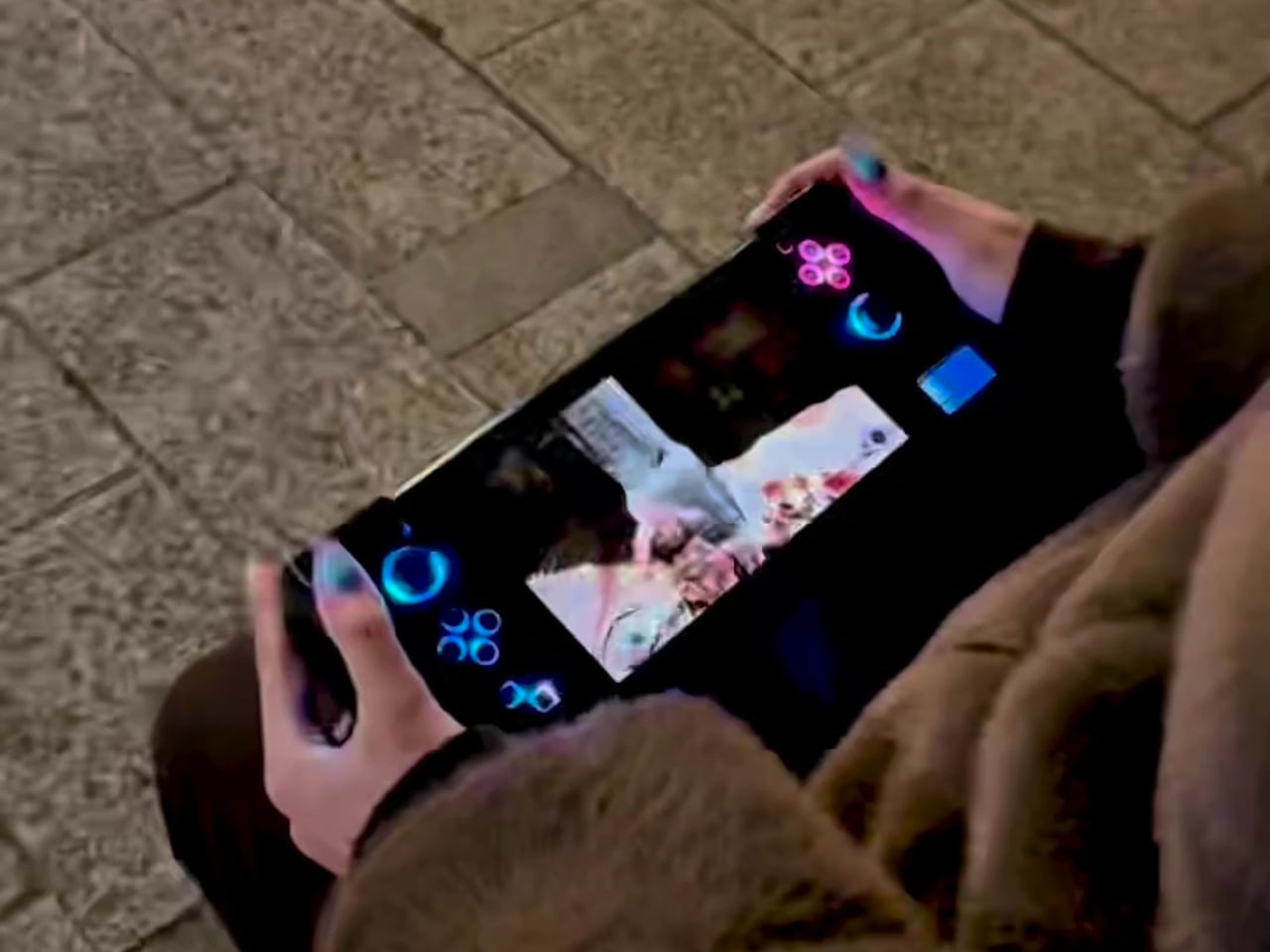
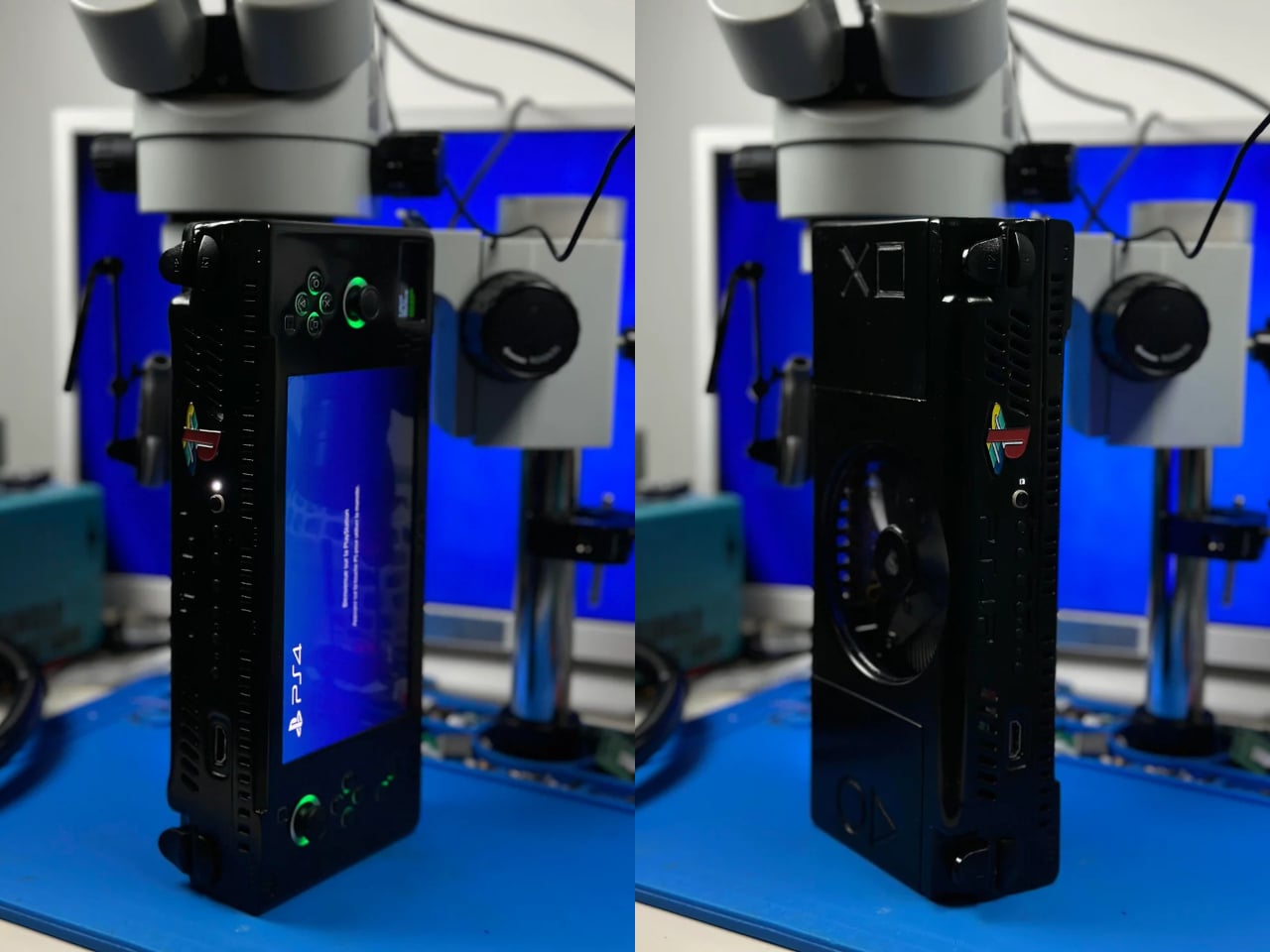
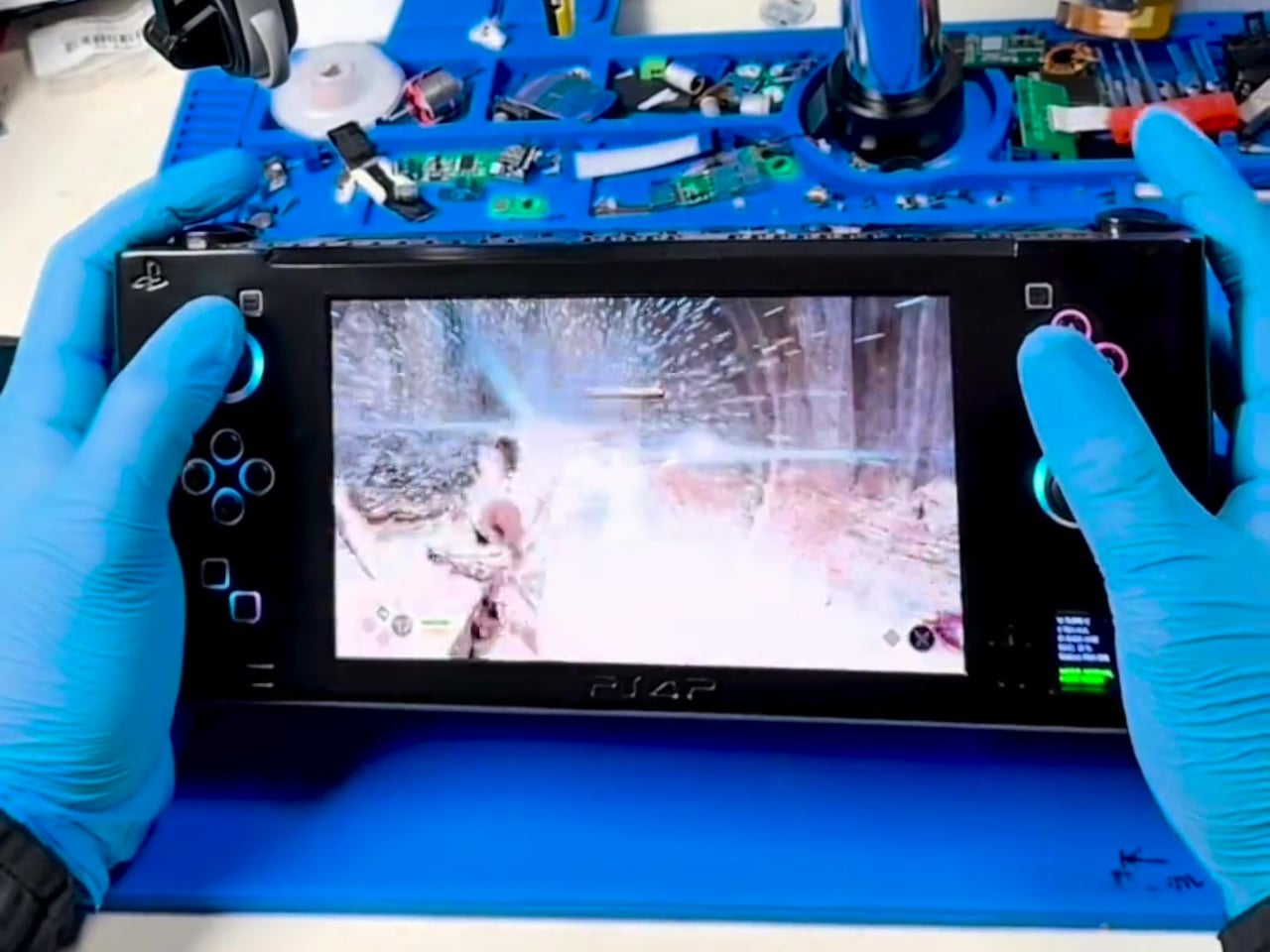
The PS4 era is over, but the library is still incredible, and the only way to enjoy it portably has been streaming or emulation with compromises in latency, compatibility, and control. The fantasy of a true PS4 handheld that runs games natively has floated around for years, but Sony never built one. Reddit user wewillmakeitnow decided to stop waiting and built it himself instead.

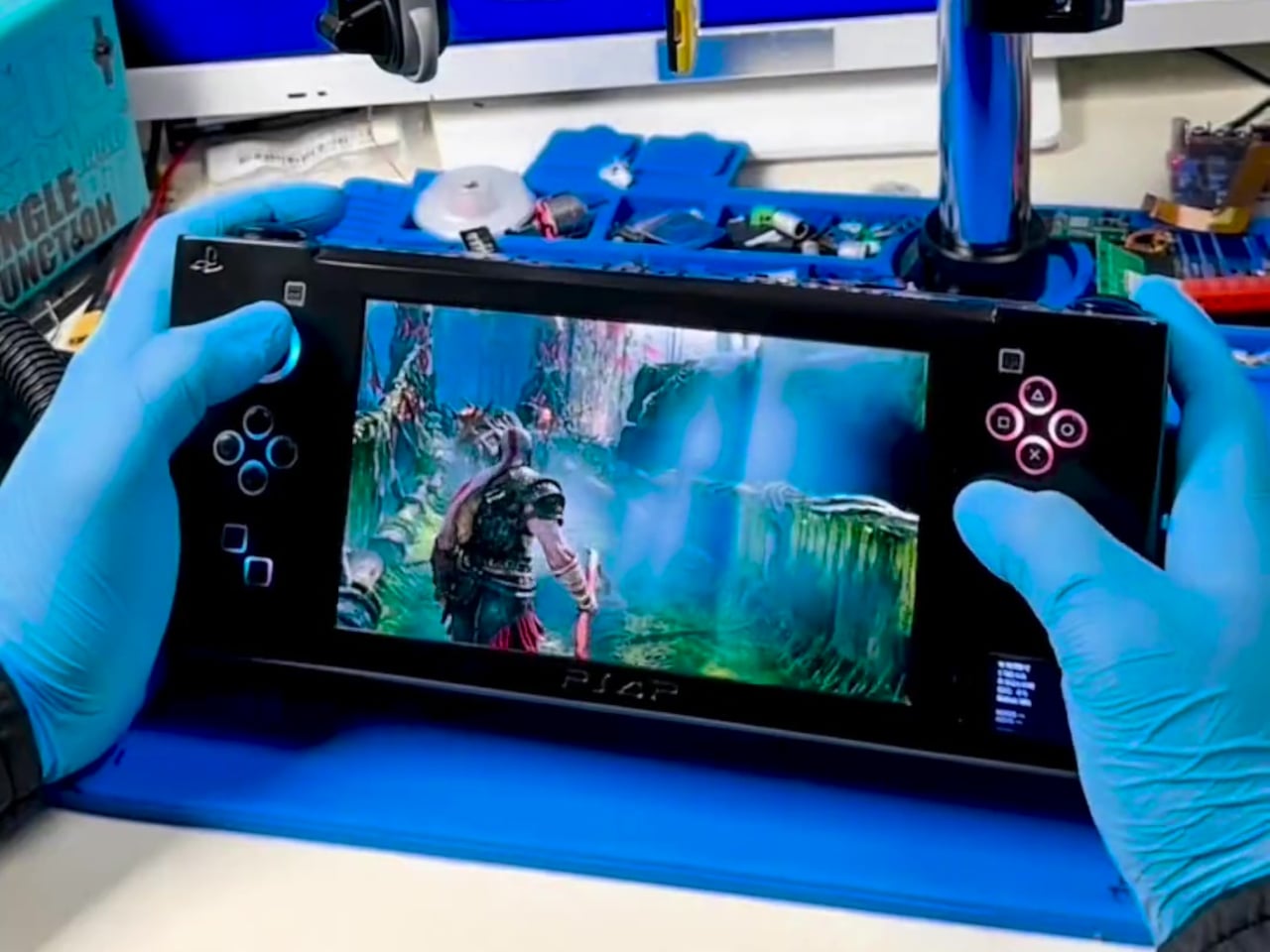
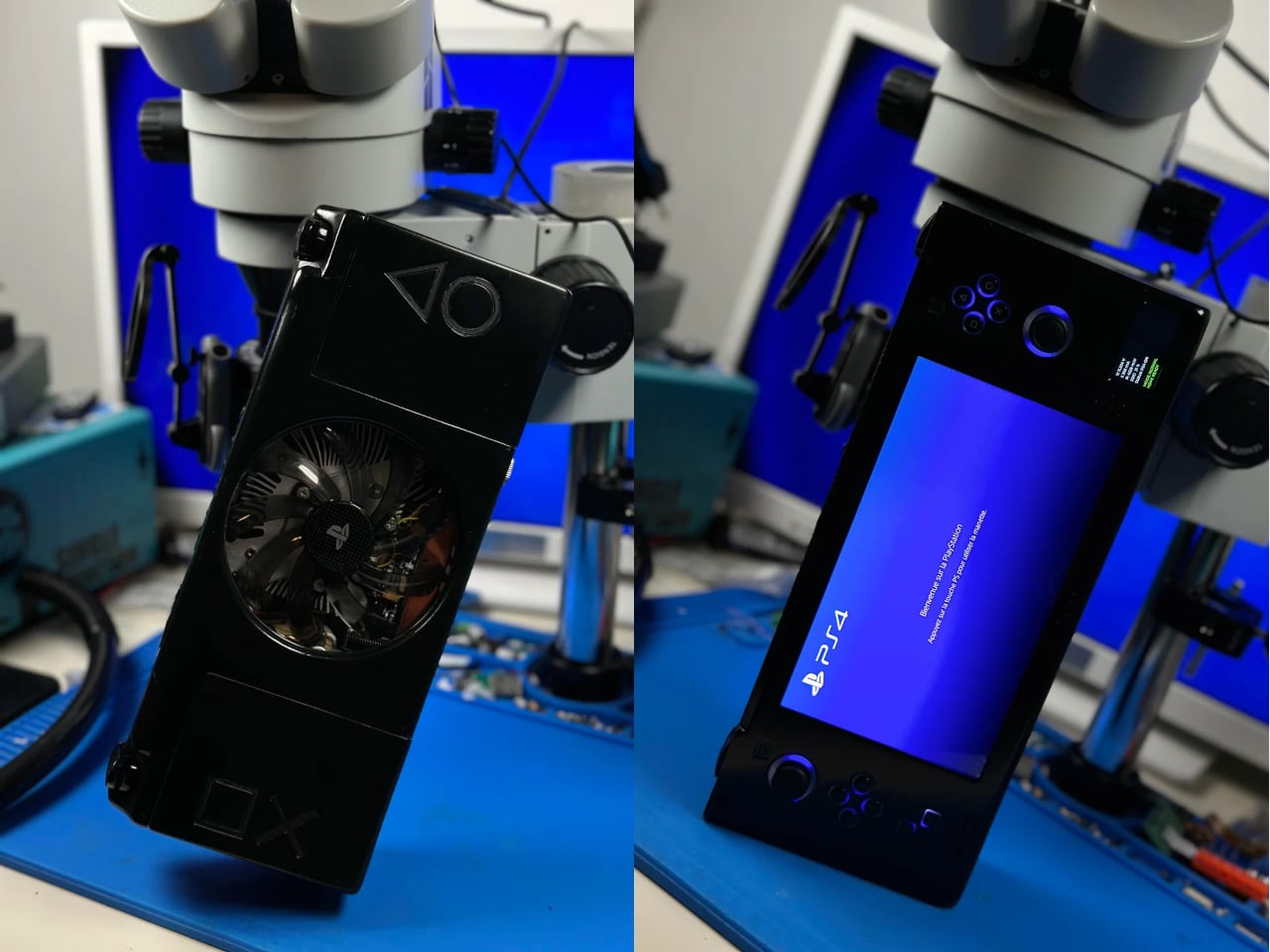
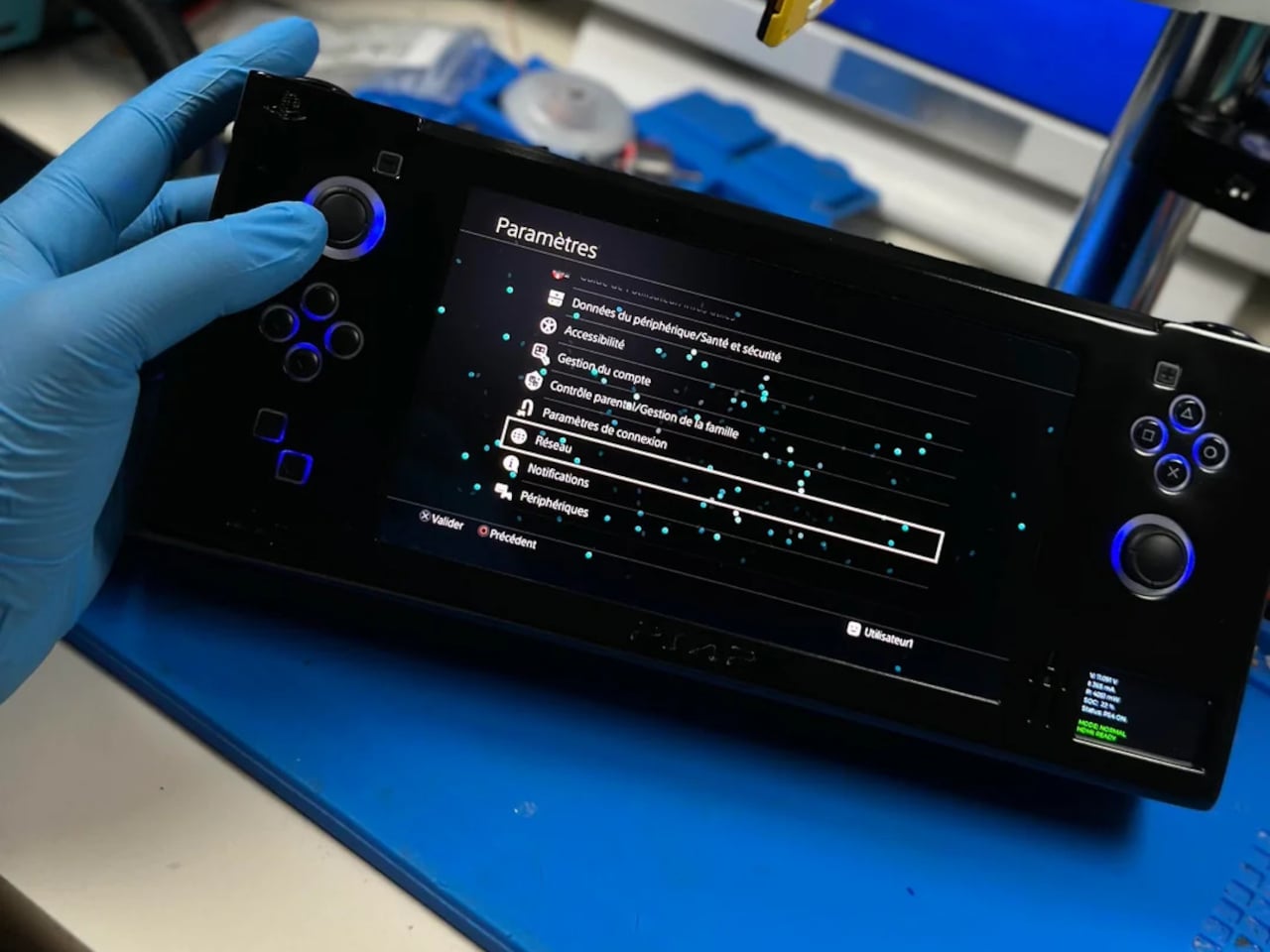
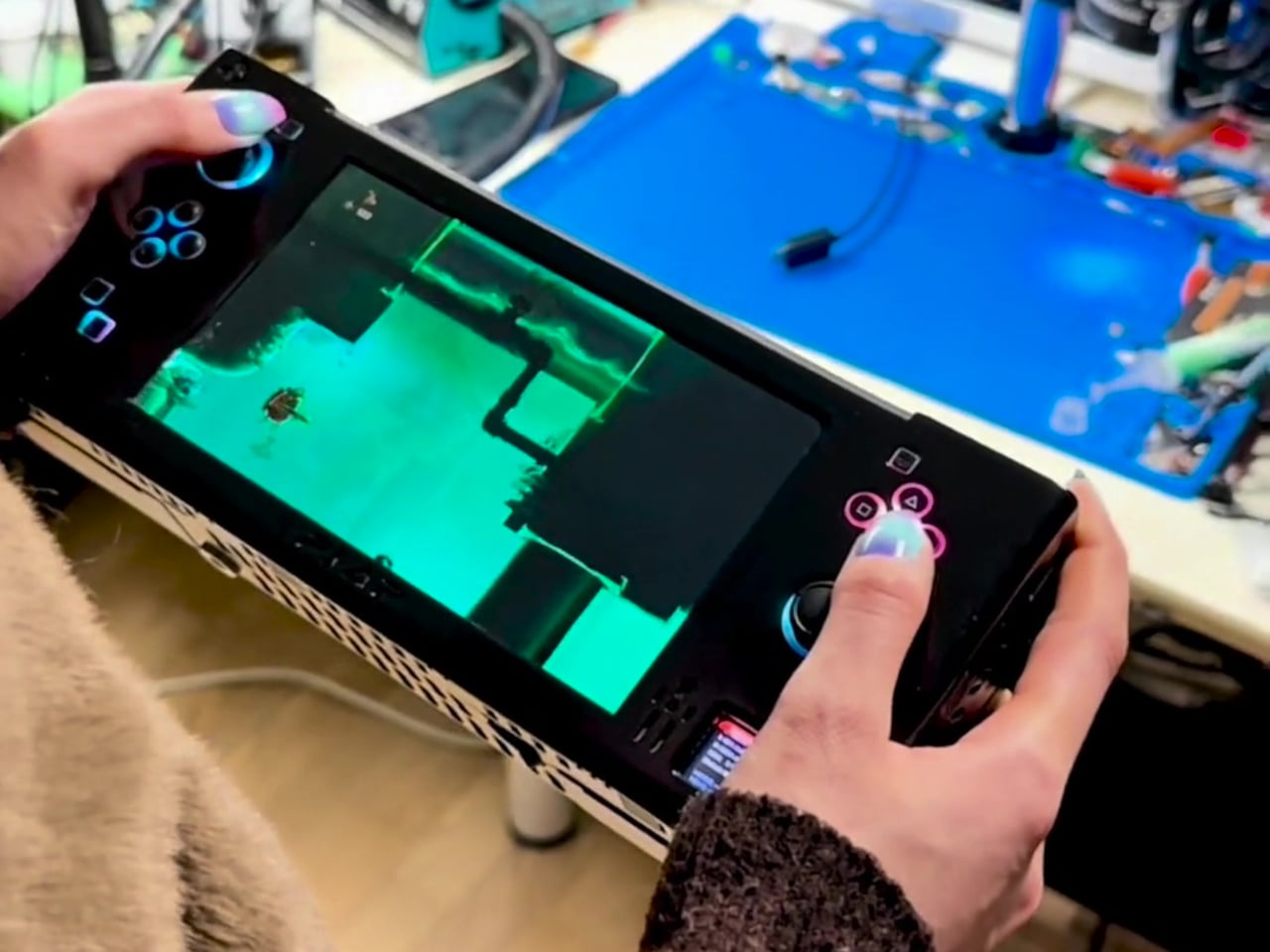
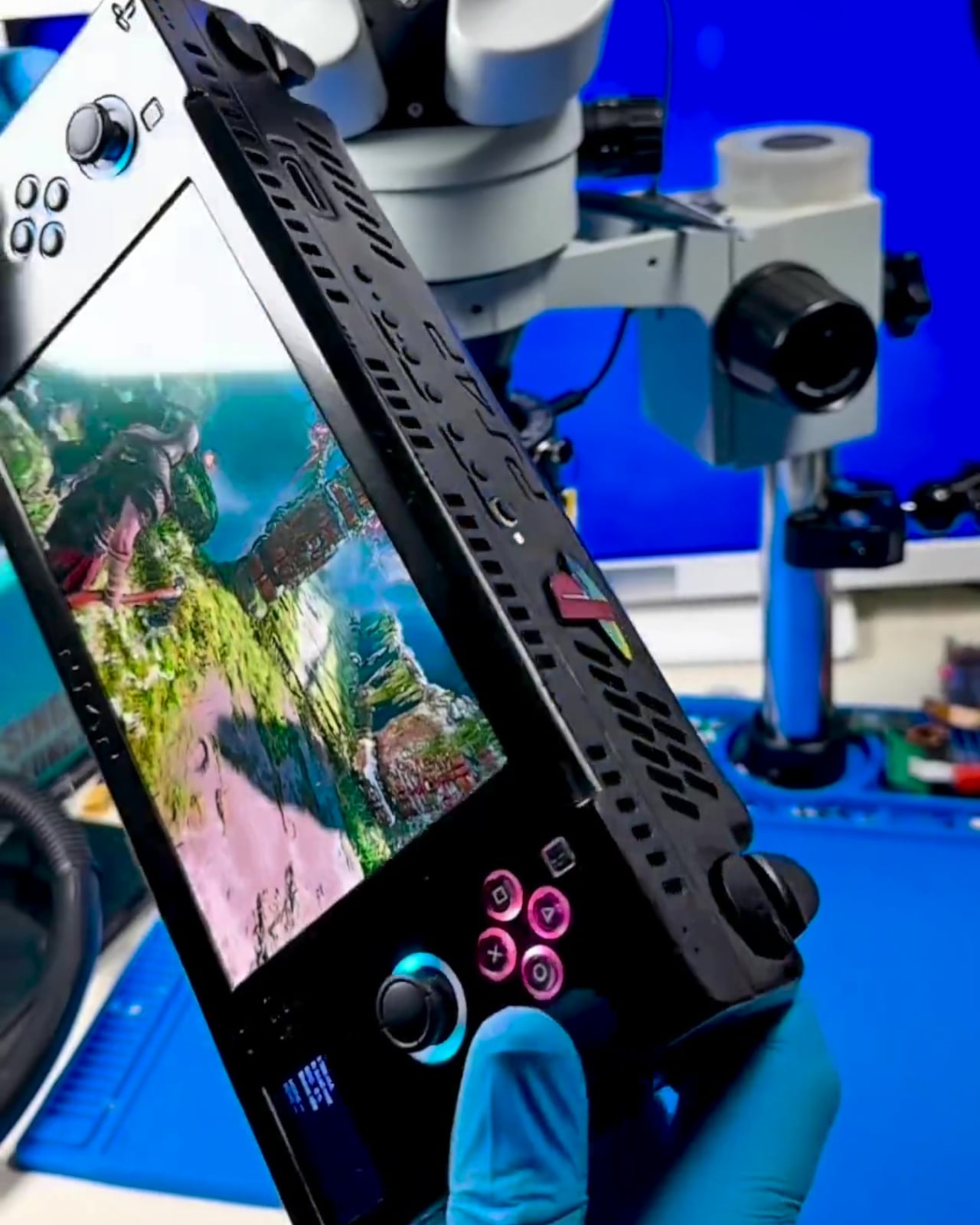
This is not a Raspberry Pi or a cloud device but a heavily modified PS4 Slim motherboard, cut and re-laid to be as compact as possible while keeping full functionality. The builder redesigned the layout for better power efficiency and thermals, then wrapped it in a custom ABS enclosure with full controls and a 7-inch 1080p OLED screen, turning a console into something that looks and plays like a handheld from an alternate timeline.

Designer: wewillmakeitnow

The cooling story is where most of the work lives. A new airflow path, custom heatsinks, and a large rear fan are managed by an onboard ESP32 microcontroller. The ESP32 runs custom firmware to watch temperatures in real time, enforce thermal thresholds, trigger emergency shutdowns, and supervise power draw and battery charging. It is the safety brain that makes running a console-class APU in your hands viable instead of a thermal disaster.

The power system uses six 21700 cells at 6,000 mAh each in a 3S2P configuration, roughly 130 Wh of energy. Under lighter loads, the system pulls around 44W for about three hours of play. In demanding games, it can draw close to 88W and land closer to an hour and a half before shutdown, at around 10V, which protects the pack. There is also a dedicated port for playing on AC.

The handheld still behaves like a PS4 when you want it to. There is HDMI out for plugging into a TV, multiple USB-C ports for charging, configuration, and connection to controllers or external drives, plus a USB 3.0 port for storage. In that mode, it stops being a handheld and becomes a very small PS4 Slim you can drop next to a hotel TV.

All of this comes at a cost. The enclosure is about 113mm x 270mm x 57mm, with sharp edges and no sculpted grips, and the weight is likely well north of a kilogram once you add the board, cooling, and batteries. The builder chose to let the shell hug the motherboard as tightly as possible, sacrificing rounded comfort to keep the footprint from ballooning further.

This one-off build shows both the promise and limits of turning a living-room console into a handheld. It proves that a native PS4 portable is technically possible if you accept thickness, weight, and fan noise. It also quietly asks what might happen if a company with Sony’s resources took the idea seriously. Until then, it stands as someone picking up their favorite console and refusing to put it down.

The post Someone Built the PS4 Portable Sony Never Made with a 7-Inch OLED first appeared on Yanko Design.