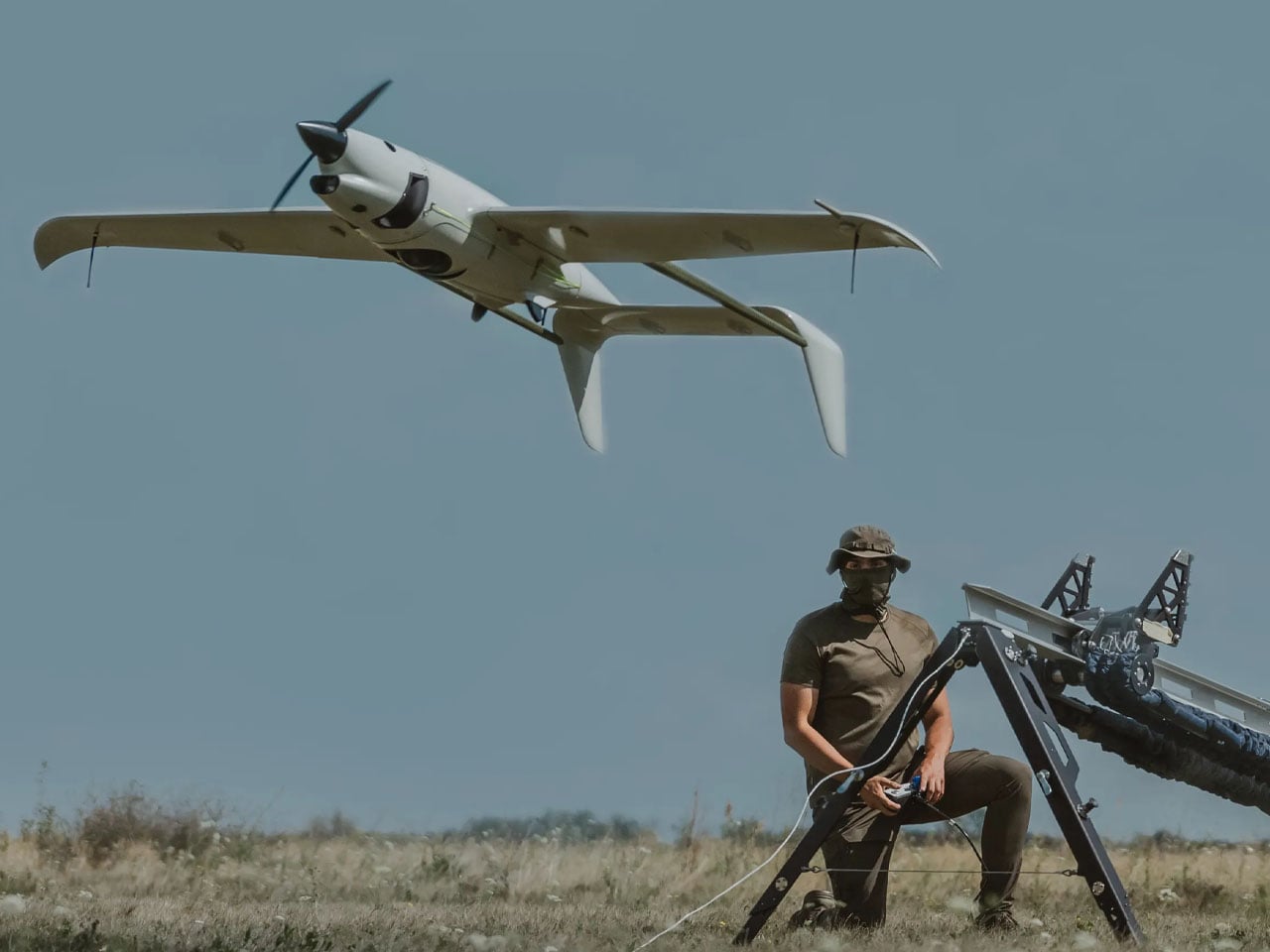
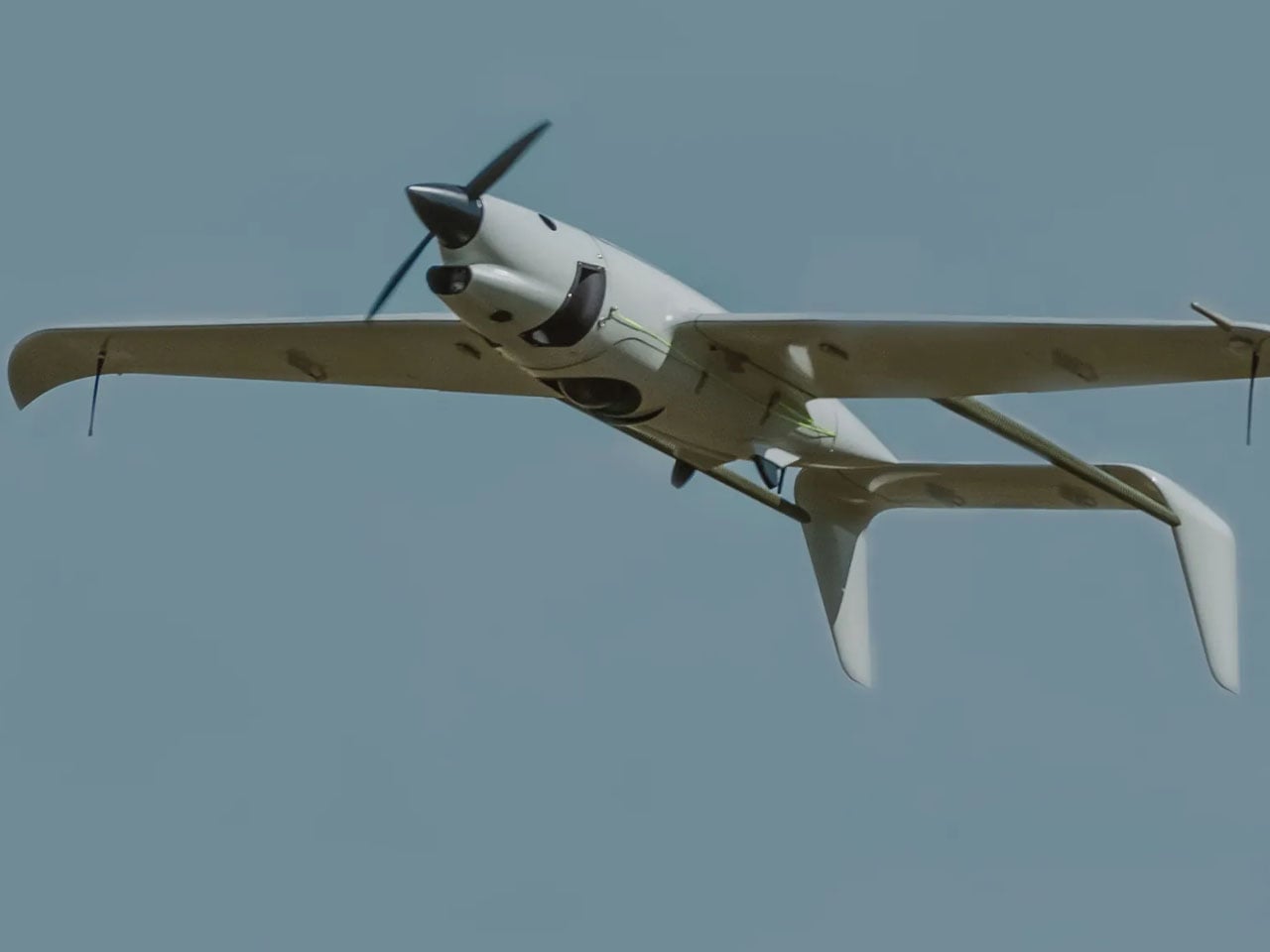
Hydrogen-powered unmanned aerial vehicles are not a new concept. Drones running on hydrogen fuel have been in experimental forms for over a decade, but this is for the first time, a drone has been fully designed and deployed on full-scale combat duty in an active war zone.
The drone is a hybrid version of the Raybird USA developed by Skyeton and is deployed with the Ukrainian Defense Forces. It is designed for long-endurance and perhaps is, Ukraine’s first attempt at sending a hybrid hydrogen-powered drone into an active battlefield. It has been in the war zone “since December 2025, as part of interagency testing,” Skyeton informs.
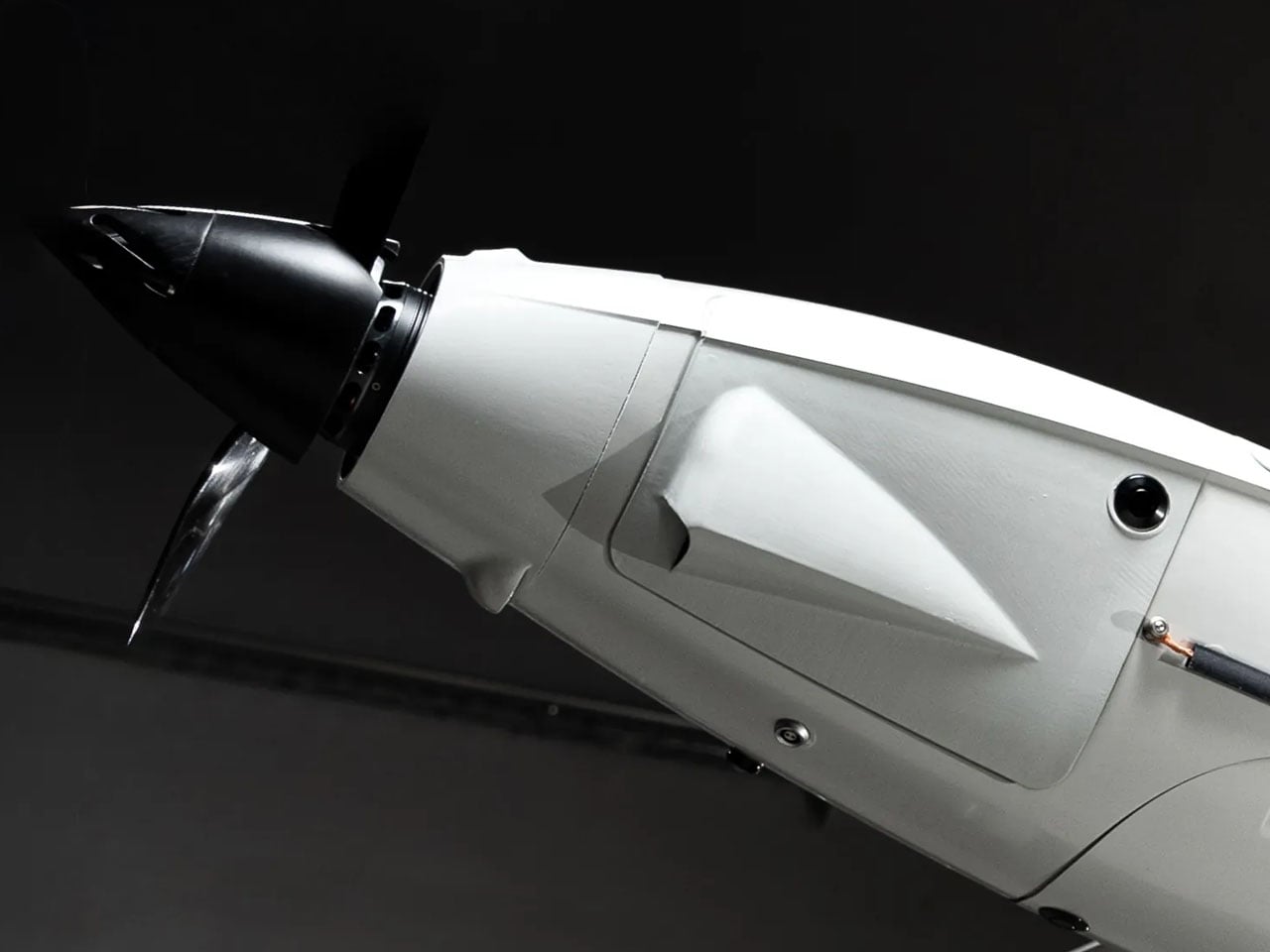
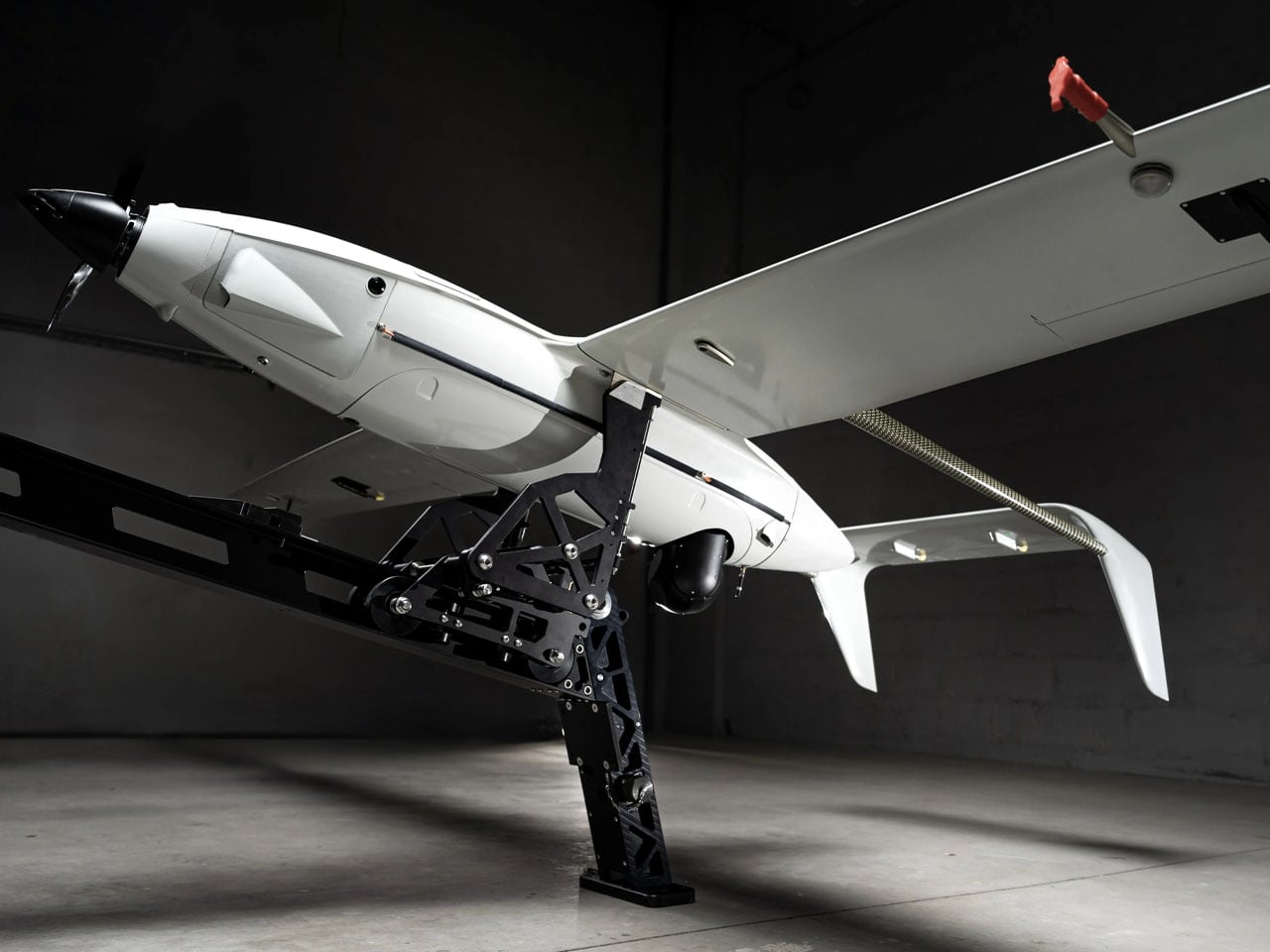
As a hybrid version of the Raybird, the drone is powered by an electric motor running on electricity generated by hydrogen fuel. The UAV has been reengineered to adequately distribute the space and weight of the hydrogen tank system onboard. Being hybrid, the drone is quieter in comparison to other combustion engine options, thus it makes a great surveillance aircraft.
“We have converted two years of laboratory testing into a new aircraft concept: it is the same class and weight, but a completely redesigned concept based on electric propulsion,” Roman Knyazhenko, CEO of Skyeton said. “Hydrogen fuel is a solution that allows us to combine all the advantages of an electric motor… with the long-duration continuous flight that is a hallmark of our UAV, he added.
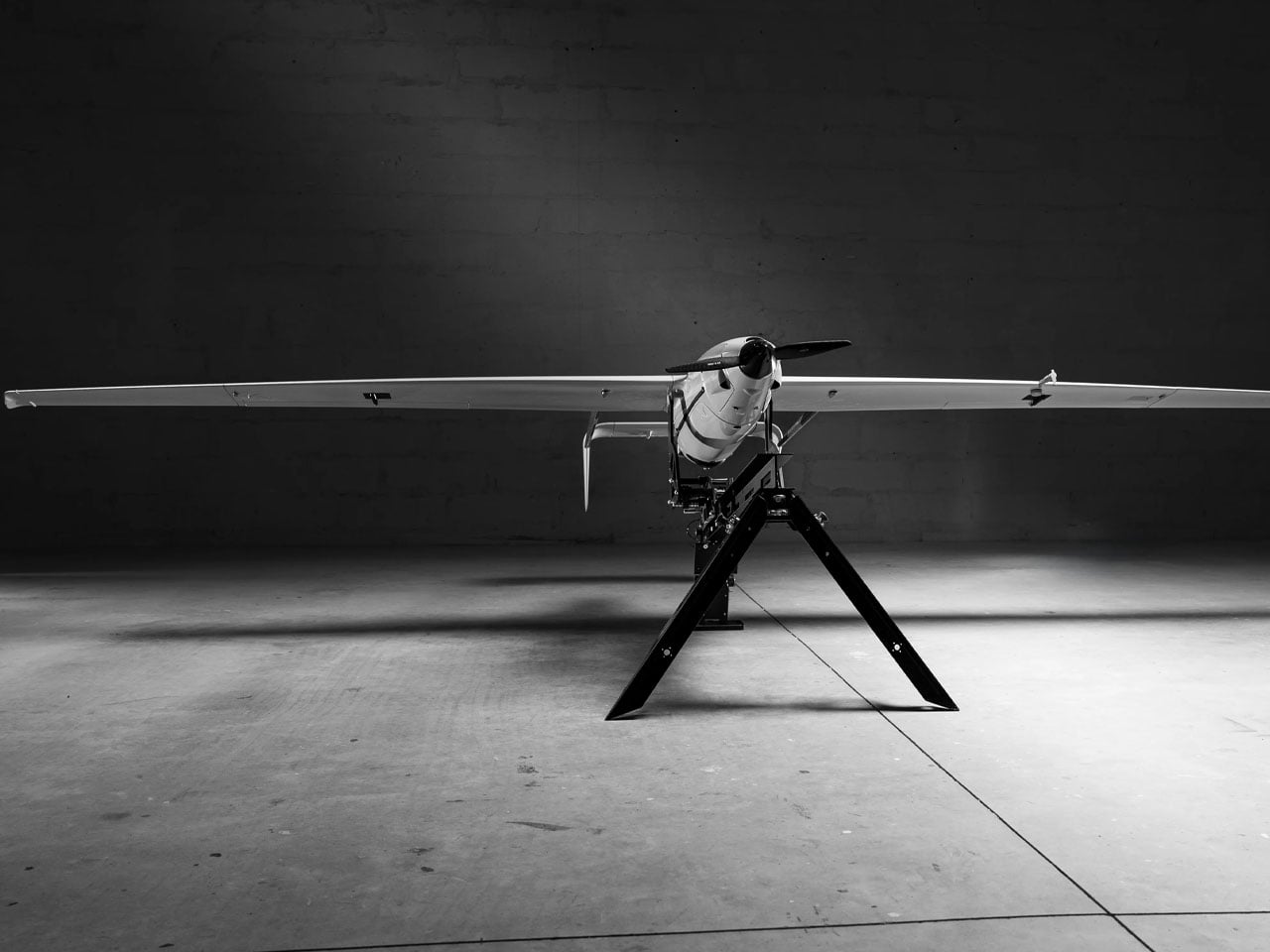
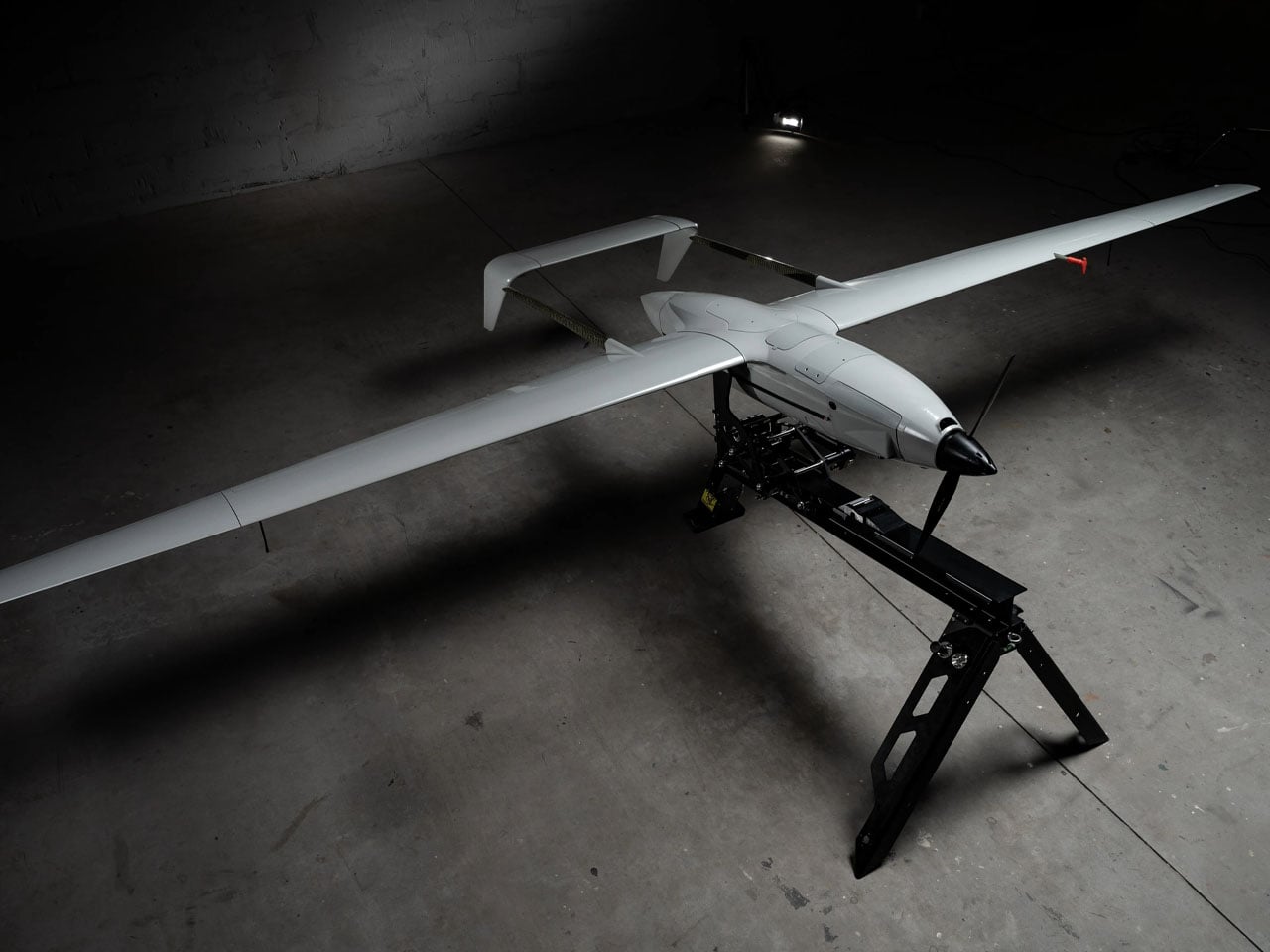
According to Skyeton, the hydrogen-based Raybird is not armed, it instead has radar and sensors in its payload for its identified long-range reconnaissance missions. The drone is created with a wingspan of up to 15 feet, and it has a total payload capacity of 23 kgs. Being a Raybird, the hybrid drone can cruise at over 110 km/h top speed, and the UAV can function in temperatures ranging between -35°C to +55°C. It has a flight endurance of 12 hours for now, which the Skyeton engineers are determined to increase to 20 hours.
According to the company, the hydrogen-powered Raybird on war duty can fly at an altitude of up to 18,000 feet to carry out its surveillance duties. Of course, for now, the drone running on a hydrogen-electric propulsion is being used for long-range reconnaissance missions by Ukraine, but its operational efficiency and environmental benefits suggest it can be useful in a range of other applications: both civilian and defense.
For its usability in different scenarios, Skyeton says it will provide the hydrogen-powered Raybird in two variants. A drone with pre-filled tanks that can be swapped like cartridges. Or paired with a compact mobile unit capable of generating hydrogen on site as required.
Hydrogen-powered unmanned aerial vehicles are not a new concept. Drones running on hydrogen fuel have been in experimental forms for over a decade, but this is for the first time, a drone has been fully designed and deployed on full-scale combat duty in an active war zone.
The drone is a hybrid version of the Raybird USA developed by Skyeton and is deployed with the Ukrainian Defense Forces. It is designed for long-endurance and perhaps is, Ukraine’s first attempt at sending a hybrid hydrogen-powered drone into an active battlefield. It has been in the war zone “since December 2025, as part of interagency testing,” Skyeton informs.
As a hybrid version of the Raybird, the drone is powered by an electric motor running on electricity generated by hydrogen fuel. The UAV has been reengineered to adequately distribute the space and weight of the hydrogen tank system onboard. Being hybrid, the drone is quieter in comparison to other combustion engine options, thus it makes a great surveillance aircraft.
“We have converted two years of laboratory testing into a new aircraft concept: it is the same class and weight, but a completely redesigned concept based on electric propulsion,” Roman Knyazhenko, CEO of Skyeton said. “Hydrogen fuel is a solution that allows us to combine all the advantages of an electric motor… with the long-duration continuous flight that is a hallmark of our UAV, he added.
According to Skyeton, the hydrogen-based Raybird is not armed, it instead has radar and sensors in its payload for its identified long-range reconnaissance missions. The drone is created with a wingspan of up to 15 feet, and it has a total payload capacity of 23 kgs. Being a Raybird, the hybrid drone can cruise at over 110 km/h top speed, and the UAV can function in temperatures ranging between -35°C to +55°C. It has a flight endurance of 12 hours for now, which the Skyeton engineers are determined to increase to 20 hours.
According to the company, the hydrogen-powered Raybird on war duty can fly at an altitude of up to 18,000 feet to carry out its surveillance duties. Of course, for now, the drone running on a hydrogen-electric propulsion is being used for long-range reconnaissance missions by Ukraine, but its operational efficiency and environmental benefits suggest it can be useful in a range of other applications: both civilian and defense.
For its usability in different scenarios, Skyeton says it will provide the hydrogen-powered Raybird in two variants. A drone with pre-filled tanks that can be swapped like cartridges. Or paired with a compact mobile unit capable of generating hydrogen on site as required.
The moments when you need a tool but only have a wallet happen more often than they should. A loose bolt on a bike, a box that refuses to open cleanly, a bottle cap mocking you at a picnic. Most multi-tools either live in drawers at home or look like mini weapons, which is not always the vibe you want in a pocket, especially when all you need is something to tighten a screw or slice through packing tape.
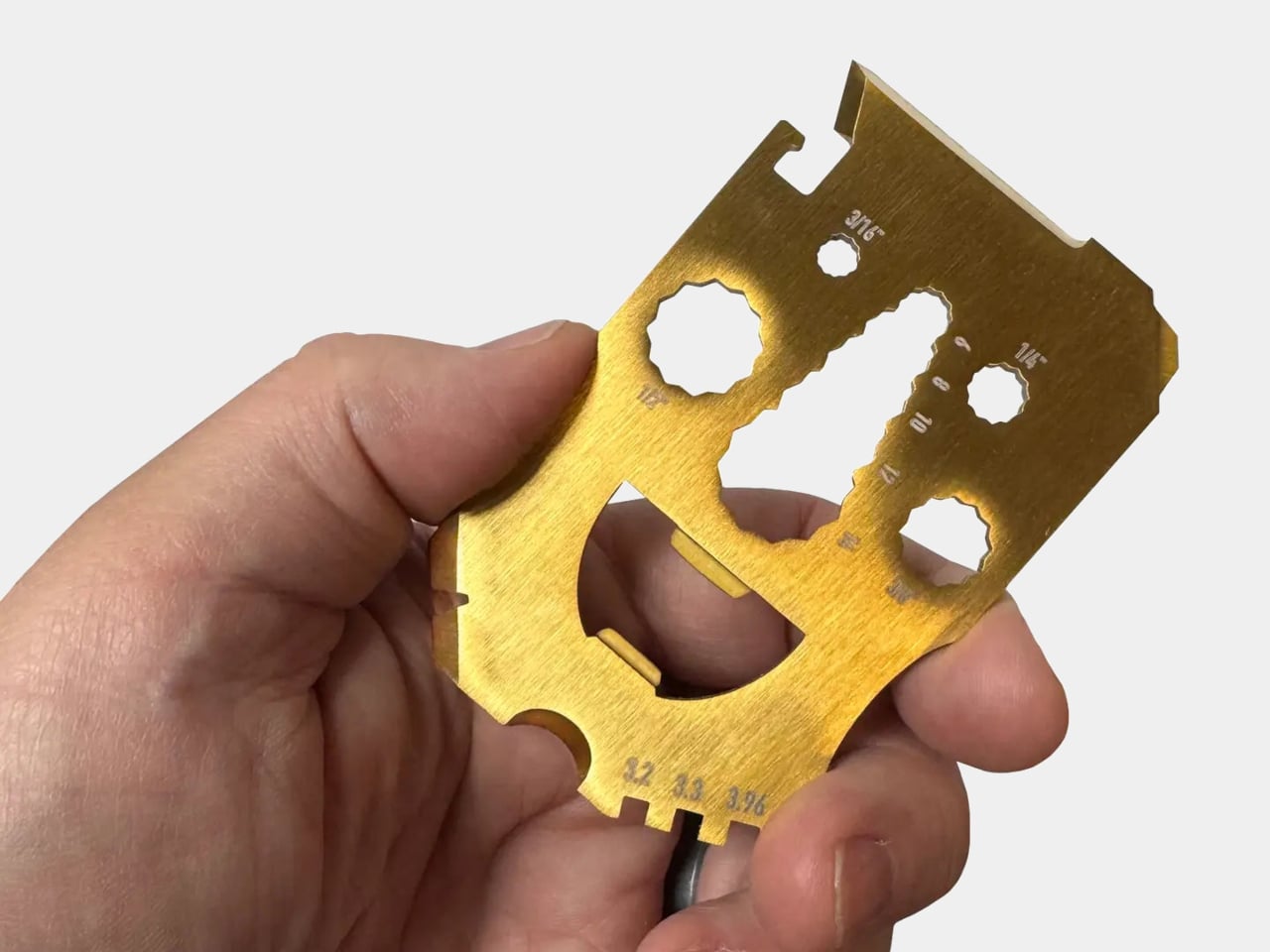
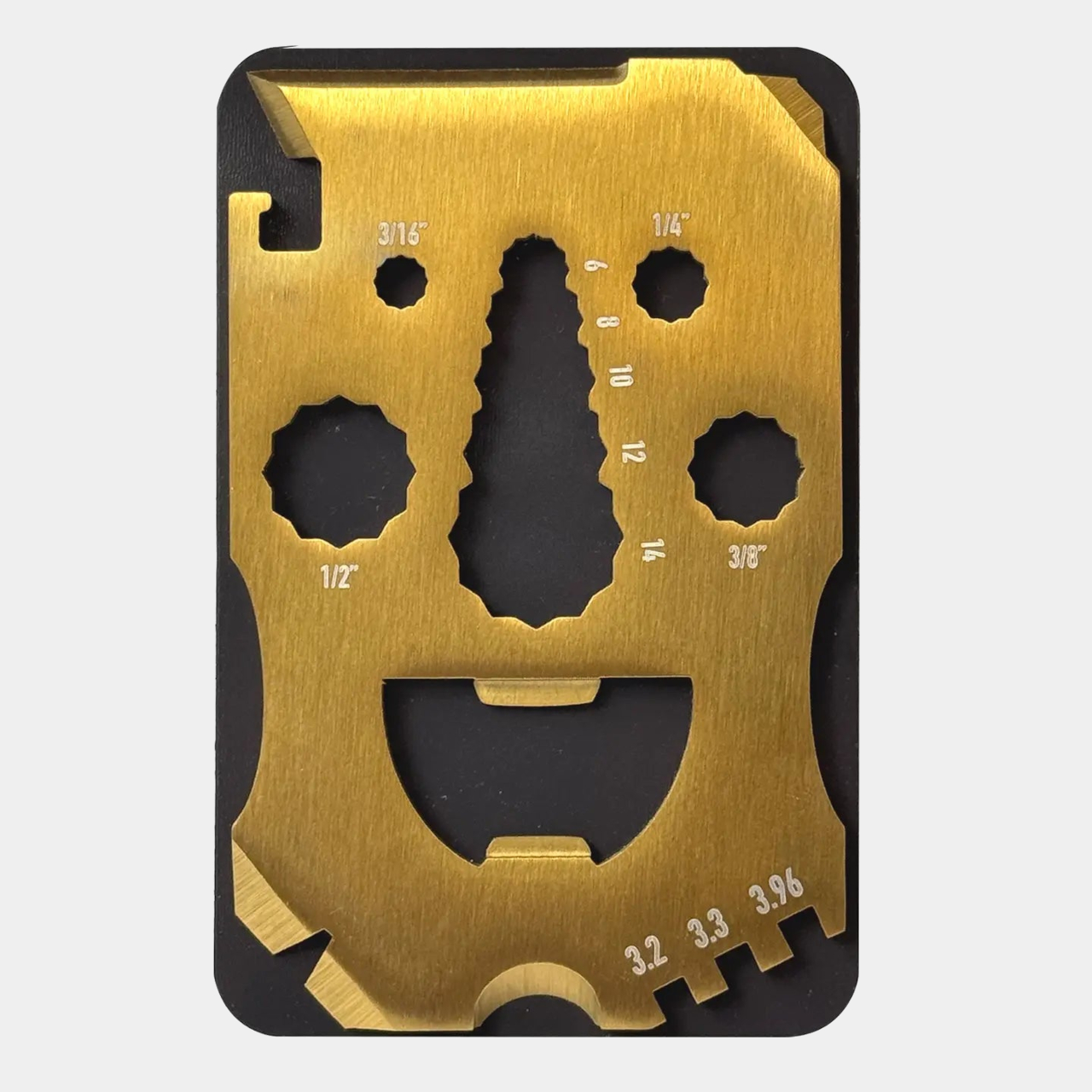
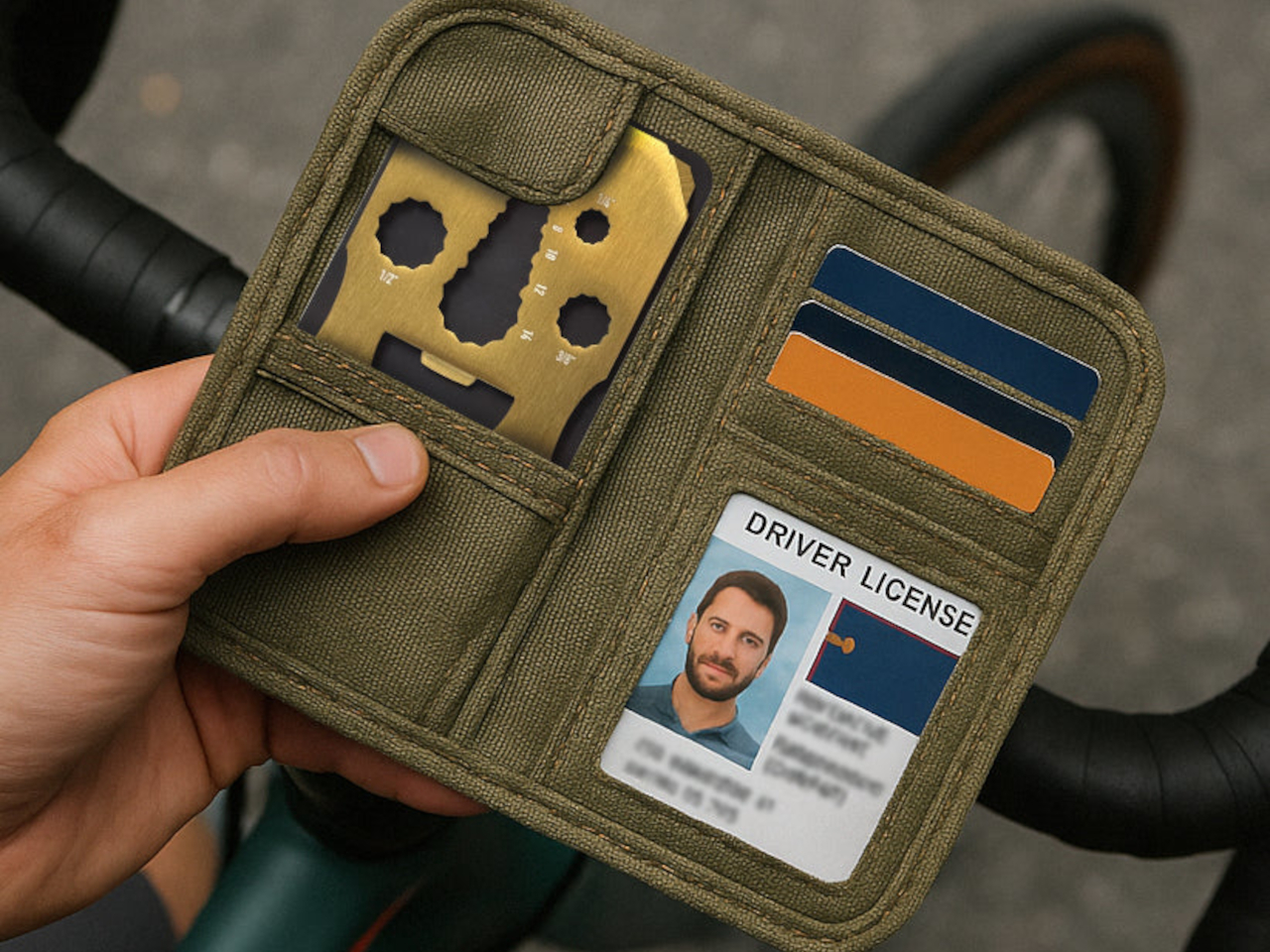
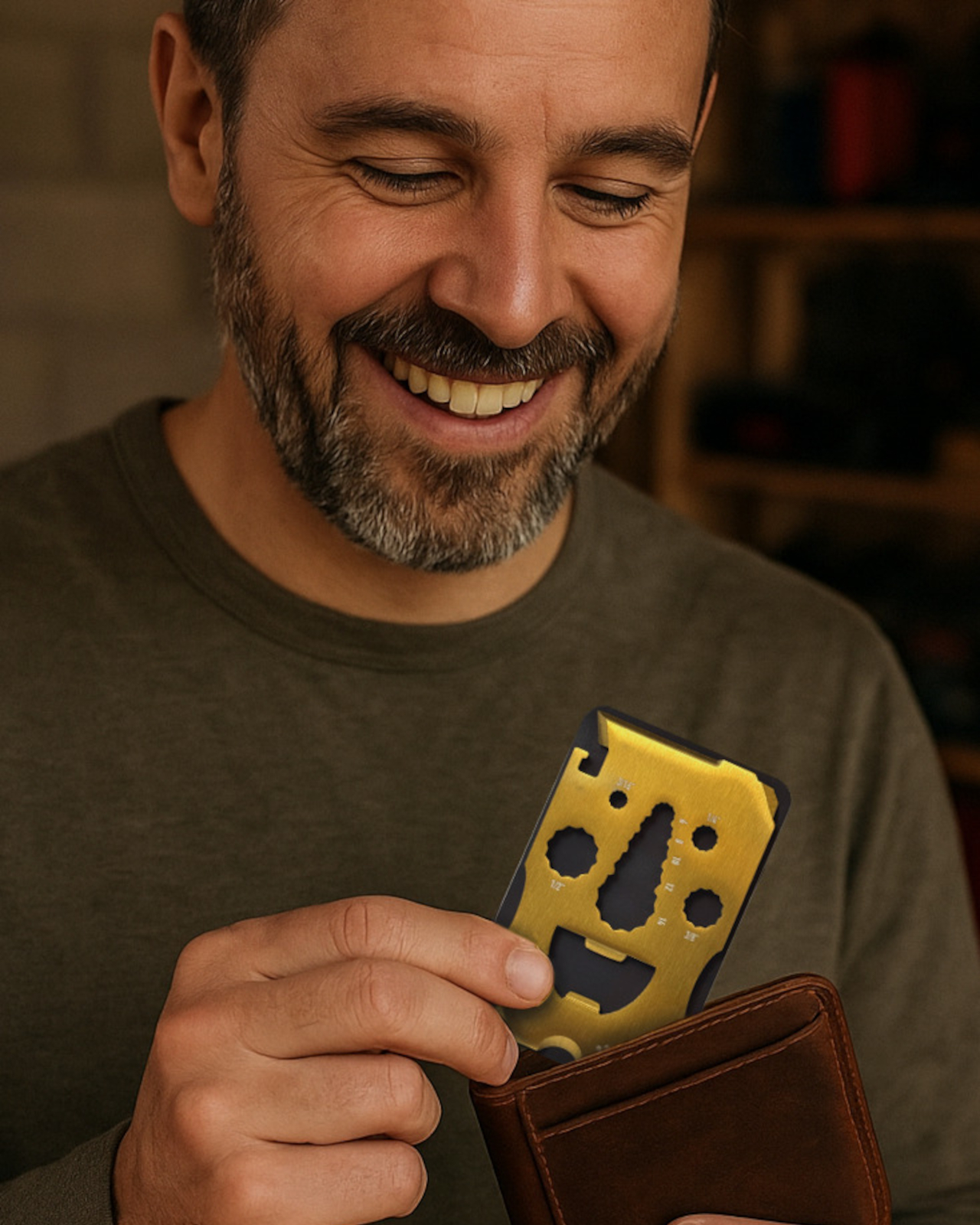
Lucky Jack’s Happy Guy card is a flat, credit-card-sized multi-tool that lives in your wallet until something needs fixing, opening, or prying. It is part of the Adventure Card series, USA-designed for everyday adventure, and the cutouts form a smiling face that makes the whole thing feel more like a friendly sidekick than a piece of tactical gear. The grin is not just decorative since it is where all the tools hide.
The face is not just for show. The eyes and nose double as nine different hex wrenches in both metric and imperial sizes, ready for furniture bolts or gear adjustments. Along the edges, you get a box cutter and line cutter for tape and cord, a flat screwdriver tip, a pry edge, a nail puller for small jobs, plus a can opener and a bottle-friendly mouth for when the work is done and the drinks come out.
The toothed section along one edge earns its keep for cyclists. It is sized for common spoke nipples, so if a wheel goes slightly out of true mid-ride, you can nudge it back without carrying a full tool roll. It is not a replacement for a proper workshop truing stand, but it is a lot better than limping home on a wobbly rim or calling someone to pick you up because three spokes are loose.
Happy Guy is thin enough to slip into a standard wallet slot, but also ships with a magnetic backing so you can park it on a toolbox lid, fridge, or van wall. That means it can live wherever you are most likely to need a quick fix, from a workshop corner to a camp kitchen, without rattling around loose or disappearing under a pile of gear you forgot existed.
A flat card is never going to be as comfortable as a full-size wrench or screwdriver for heavy torque, and the exposed cutting edges mean you should store it with the backing or in a sleeve. It is a light-duty, emergency-friendly tool rather than something you rebuild an engine with, but that is exactly why it can afford to be this small and this cheerful without pretending to do jobs it was never designed for.
Happy Guy sneaks real utility into a piece of metal that looks like it is just there for laughs. By turning hex wrenches, cutters, and openers into a smiling face, it lowers the barrier to carrying a tool every day. It is hard to be grumpy about a loose screw or stubborn bottle cap when the thing you pull out to fix it is literally grinning back at you from your wallet.
The digital nomad lifestyle thrives on contradiction. You need professional-grade tools that disappear into a carry-on. Power without bulk. Connection without cables. The freedom to work from a Bali café or a Berlin co-working space demands gear that adapts as quickly as your location changes. The right equipment doesn’t just make remote work possible—it makes it effortless, turning any corner of the world into your office.
This year’s standout gadgets understand that nomadic work isn’t about compromising between portability and performance. These seven designs solve real problems that emerge when your desk is wherever you set down your laptop. They’re built for the constant motion between airports and coffee shops, for the moments when a stable internet connection matters more than a stable address, for professionals who measure workspace in grams and millimeters.
1. HubKey Gen2: Your Entire Setup in a Cube
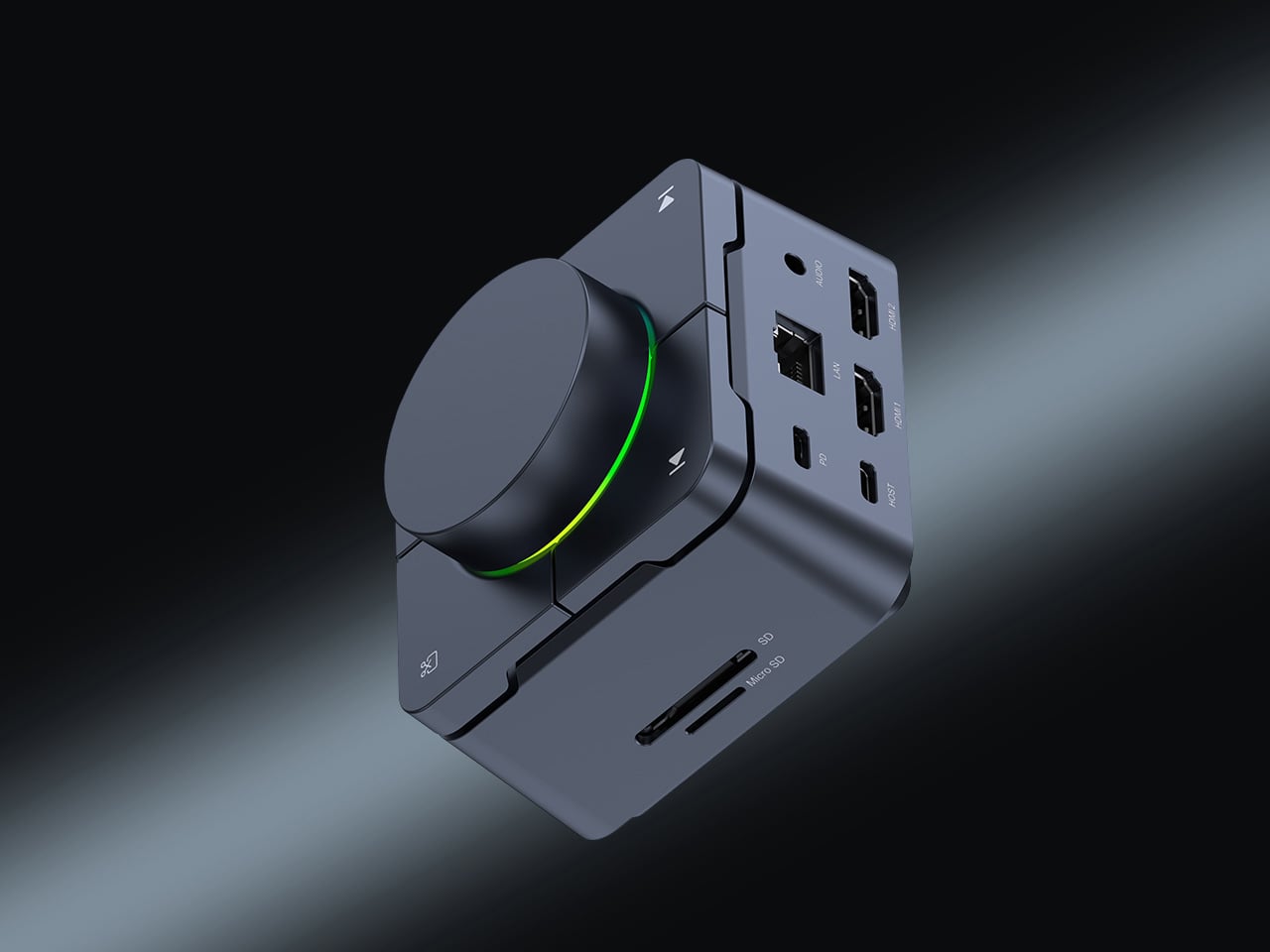
The chaos of the modern nomadic workspace often comes down to ports. Your sleek ultrabook offers maybe two USB-C connections, yet you’re constantly reaching for monitors, ethernet reliability, external drives, and power. What begins as minimalist hardware design becomes a tangle of dongles and adapters stuffed into every pocket of your tech pouch. HubKey Gen2 rethinks this entirely, consolidating 11 different connections into a palm-sized cube that sits exactly where you need it.
Beyond the connectivity sprawl, this device addresses another friction point: the small actions buried in menus and keyboard shortcuts that disrupt your workflow. Four programmable keys and a central control knob transform software commands into physical gestures. Mute your microphone, adjust volume, toggle camera privacy, or switch between tasks with tactile certainty. For someone working across time zones and video calls, having media controls at your fingertips rather than three clicks deep makes the difference between smooth professionalism and fumbling mid-presentation.
What We Like
The 11-in-1 hub eliminates the need for multiple adapters, significantly streamlining your packing list.
Dual 4K display support means you can plug into external monitors at co-working spaces or client offices without compromise.
Physical shortcut keys and a control knob bring immediate access to privacy toggles and media controls.
The compact cube design fits easily in a backpack’s tech compartment without adding bulk.
What We Dislike
The stationary cube format works best on stable desks, which isn’t always guaranteed in nomadic setups.
At a premium price point, it’s an investment that may not suit budget-conscious travelers.
2. OrigamiSwift Folding Mouse: Full-Size Precision in Your Pocket
Laptop trackpads work fine until they don’t. After hours of detailed work—editing photos, building spreadsheets, designing mockups—your fingers cramp and precision suffers. Full-sized mice offer the ergonomic relief you need but consume precious backpack real estate. OrigamiSwift solves this spatial puzzle with origami-inspired engineering that lets a complete mouse fold completely flat, transforming from 40 grams of barely-there weight into a proper productivity tool the moment you need it.
The transformation happens in under half a second. One flip and the mouse springs into an ergonomic form that fits naturally in your palm, ready for extended work sessions, whether you’re at a standing desk in Bangkok or a wobbly café table in Lisbon. When you pack up, it collapses just as quickly into a profile thin enough to slide into a notebook pocket. The Bluetooth connection means one less cable to manage, and the full-size functionality means you’re not sacrificing comfort for convenience.
The foldable design delivers genuine full-size mouse comfort without occupying significant bag space.
Weighing only 40 grams, it’s essentially weightless in your daily carry.
The instant transformation in under 0.5 seconds means you can deploy it as quickly as you open your laptop.
Ergonomic shaping provides the comfort needed for extended work sessions across multiple time zones
What We Dislike
Bluetooth connectivity requires occasional charging, adding one more device to your power management routine.
The folding mechanism, while durable, introduces moving parts that could potentially wear over time.
3. StillFrame Headphones: Creating Focus Anywhere
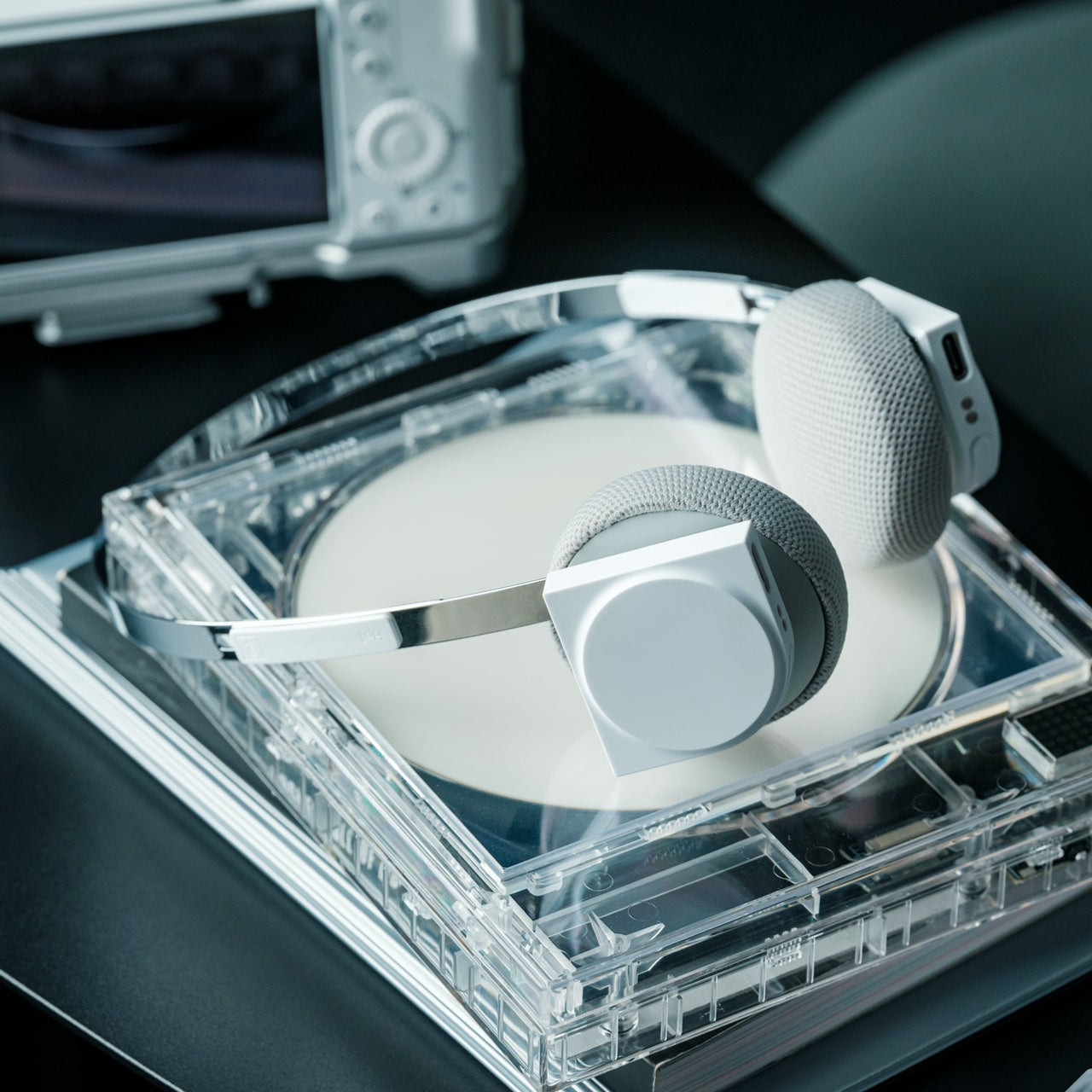
Airports, cafés, co-working spaces—the nomadic office is rarely quiet. Concentration becomes a portable skill, and headphones evolve from accessory to essential tool. StillFrame approaches audio with a design philosophy borrowed from the deliberate era of physical media, when albums were objects you held, and listening was an intentional act. The result sits comfortably between in-ears and over-ears, at just 103 grams, with 40mm drivers that open up soundscapes rather than just pumping audio into your ears.
The real utility emerges in the switching. Active noise cancellation erases the chaos when you need to disappear into deep work. Transparency mode keeps you connected to your surroundings when you’re waiting for a gate announcement or want to stay aware in an unfamiliar city. Twenty-four hours of battery life means you can travel from New York to New Delhi without reaching for a charging cable, maintaining your focus through layovers and long-haul flights.
The 24-hour battery life eliminates anxiety about running out of power during long travel days.
Weighing just 103 grams, these headphones stay comfortable through marathon work sessions.
Both noise-cancelling and transparency modes adapt to shifting environments from silent libraries to bustling streets.
The 40mm drivers create an open soundstage that makes both music and podcasts more immersive.
What We Dislike
The on-ear design may not provide the same noise isolation as full over-ear models in extremely loud environments.
The retro-inspired aesthetic, while distinctive, may not appeal to those preferring more modern styling.
4. Memento Business Card Log: Analog Memory in a Digital World
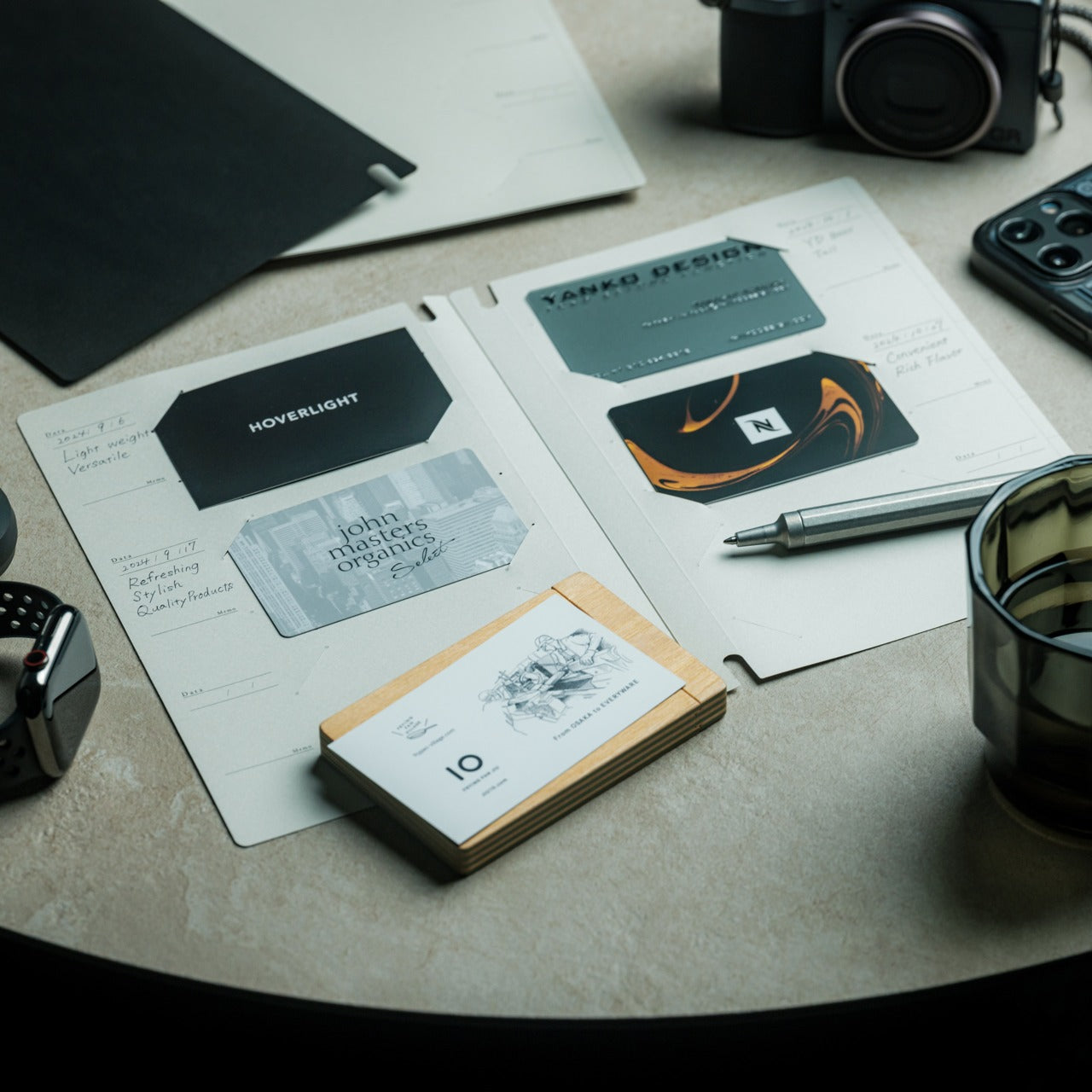
Digital contacts sync across devices, but they don’t capture the texture of a conversation. The nomadic lifestyle means constantly meeting collaborators, clients, and fellow travelers—connections that could turn into partnerships if you remember not just names but contexts. The Memento Business Card Log stores up to 120 business cards using a binding system that lets you reorganize and reference them easily, but more importantly, it provides space for the handwritten details that transform a card into a memory.
Japanese brand Re+g built this organizer around the idea that writing things down changes how you remember them. After a chance meeting at a conference in Singapore or a productive coffee chat in Copenhagen, you can note what you discussed, ideas that emerged, or even just the person’s working style. These annotations become retrieval cues that software contact lists can’t replicate. When you reconnect weeks or months later, those handwritten notes help you pick up the conversation with genuine context rather than generic pleasantries.
The capacity for 120 business cards means you can collect connections throughout extended trips without needing to transfer them.
Handwritten note space beside each card captures conversational context that digital contacts miss.
The unique binding system allows easy reorganization as your network and priorities evolve.
Minimal, tactile paper design from Re+g elevates organization into something you’ll actually enjoy using.
What We Dislike
The analog format means cards aren’t automatically backed up if the log is lost or damaged.
Physical storage takes up more space than purely digital contact management.
5. Inseparable Notebook Pen: Never Hunt for a Pen Again
The friction of creativity often isn’t the idea—it’s the split second when you can’t find something to write with. Inspiration arrives during a walking tour, mid-conversation, or while half-asleep on a red-eye flight. By the time you’ve rummaged through your bag for a pen, the thought has scattered. The Inseparable Notebook Pen uses a magnetic clip that attaches securely to your notebook, ensuring your writing tool lives exactly where you reach for it.
The design focuses on seamless integration. A built-in silencer makes attaching and detaching the pen a quiet, satisfying gesture rather than a clumsy snap. The minimalist form fits any notebook style without visual clash, and the smooth ink flow handles everything from quick notes to detailed sketches. For digital nomads who alternate between typing and handwriting—brainstorming on paper before building in software—this pen becomes an extension of your process rather than something you have to think about.
The magnetic clip ensures the pen is always exactly where your notebook is, eliminating lost-pen frustration.
The built-in silencer creates a refined, quiet attachment experience.
Minimalist design complements any notebook without stylistic compromise.
Smooth ink flow handles varied writing needs from rapid note-taking to careful sketching.
What We Dislike
The pen is designed specifically for notebooks with compatible magnetic areas, limiting versatility.
As a single pen solution, you’ll need backup options if the ink runs out mid-journey.
6. MagBoard Clipboard: Flexibility Without Binding
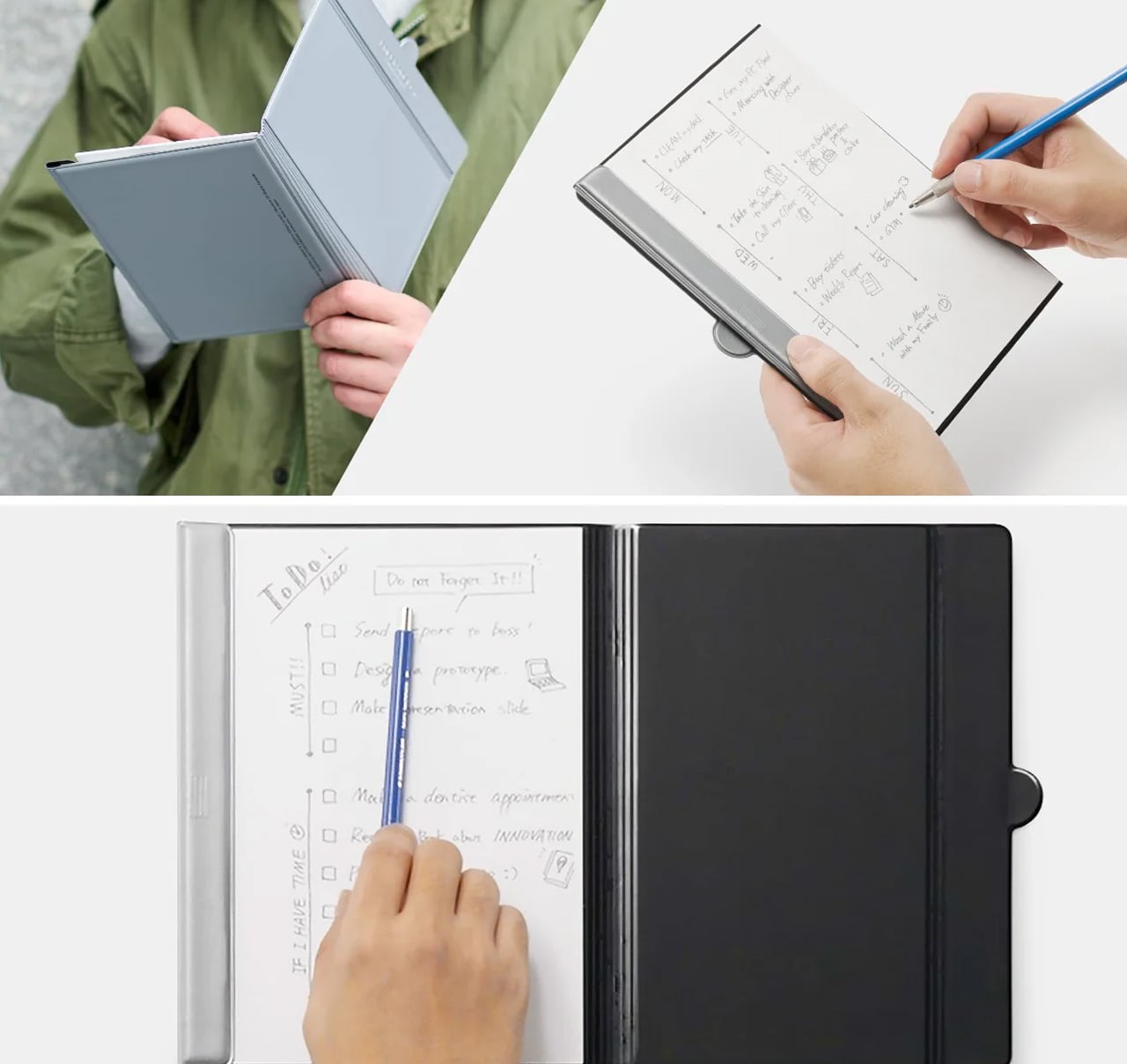
Traditional notebooks lock you into linear page order and permanent binding. That structure helps for continuous journals but frustrates project-based thinking where ideas need to be rearranged, removed, or reordered. MagBoard uses a magnet and lever mechanism to secure up to 30 loose sheets, letting you compose, decompose, and reorganize pages however your thinking demands. The hardcover backing means you can write standing, leaning against a wall, or anywhere without a stable surface.
For nomads juggling multiple projects, this flexibility becomes essential. Keep client notes separate until a meeting, then compile them in order. Sketch design concepts on individual sheets and arrange them spatially before committing to a sequence. Remove finished work without the orphaned pages that haunt traditional notebooks. The water-resistant cover handles the unpredictability of working outdoors or in transit, and the simple cleaning means coffee spills don’t become permanent damage.
The magnetic lever system holds up to 30 sheets securely while allowing instant reorganization.
Hardcover design enables writing anywhere, even standing or without a desk surface.
Water-resistant and easy-to-clean materials protect your work in unpredictable environments.
Complete flexibility to add, remove, or rearrange pages matches project-based workflows.
What We Dislike
Loose sheets can be lost more easily than bound pages if not carefully managed.
The hardcover adds some weight compared to lighter, flexible notebooks.
7. Rolling World Clock: Time Zones at a Glance
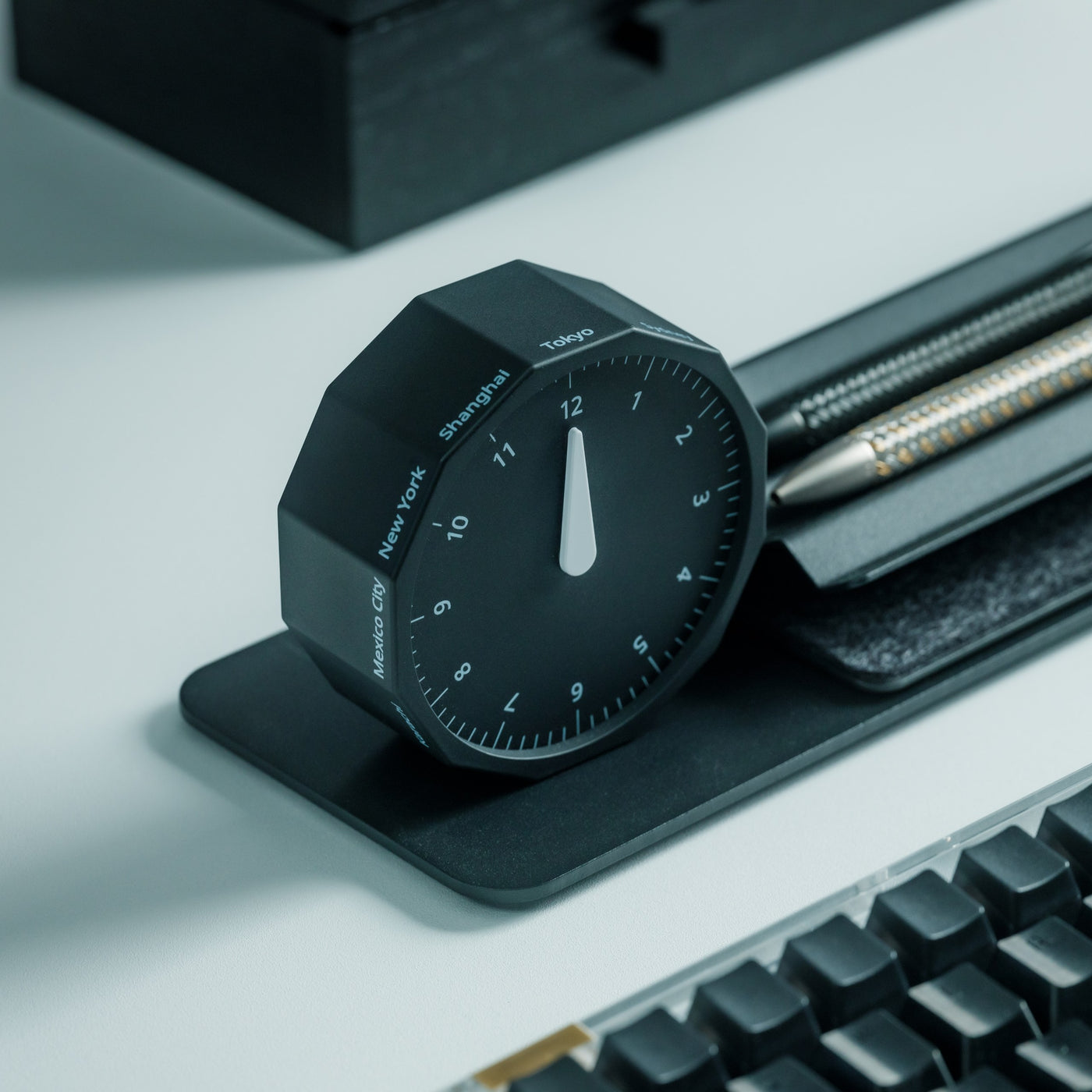
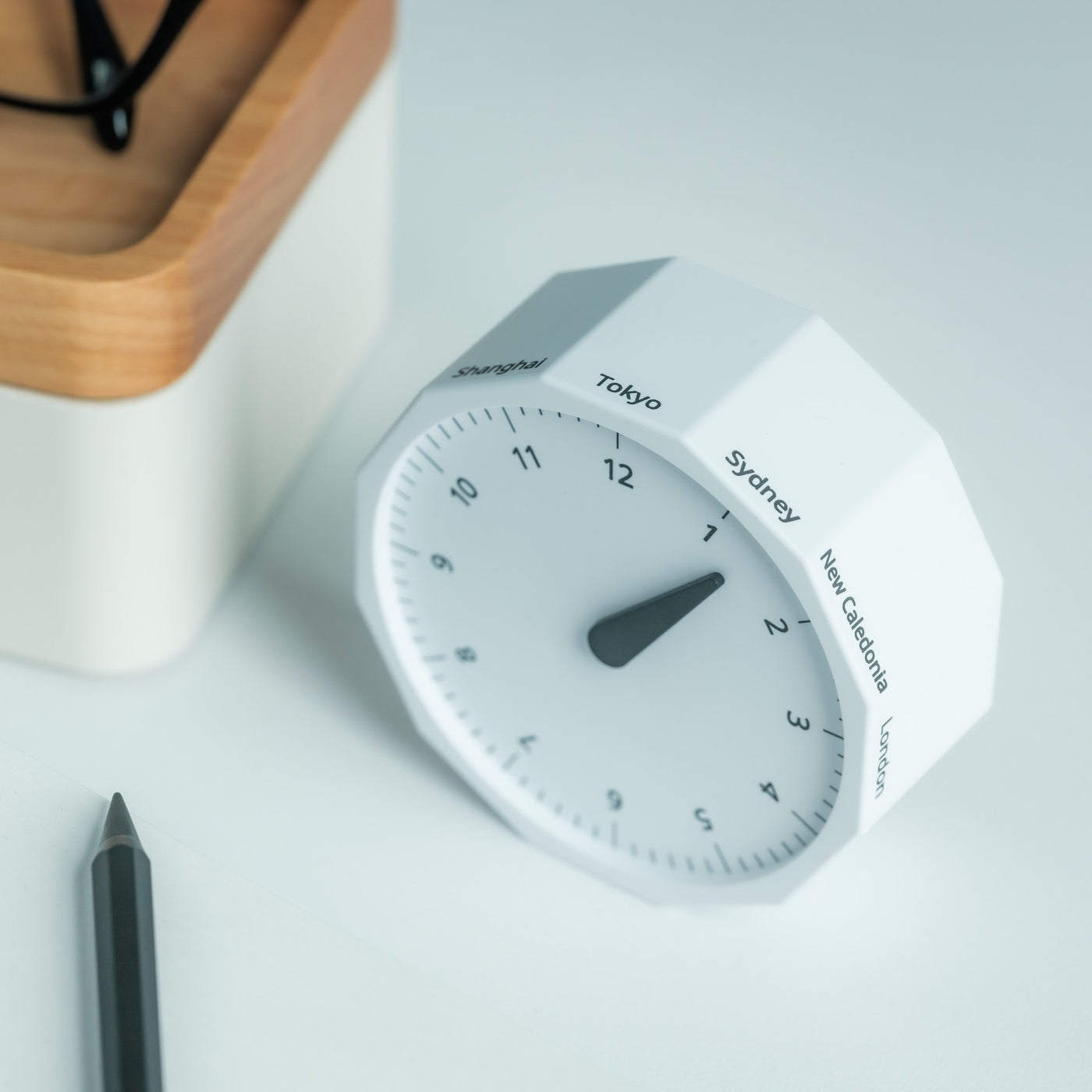
Working across continents means constantly calculating time zones. Is it too late to call your client in Tokyo? When does your team meeting in New York start relative to your current location in Cape Town? Digital clocks and apps provide answers, but they require pulling out your phone and breaking focus. The Rolling World Clock offers a tactile, immediate solution: a 12-sided desktop piece that displays the current time in major cities simply by rolling it to the desired timezone.
Each of the twelve sides represents a location—London, Paris, Moscow, Los Angeles, Karachi, Mexico City, New York, Shanghai, Tokyo, Sydney, Cape Town, and New Caledonia. A single hand shows the hour for whichever city faces up. The minimalist design eliminates digital distractions while adding a physical, almost playful element to time awareness. When you’re working from temporary desks and rented apartments, this small object becomes both functional tool and a reminder of the global nature of your work.
The twelve-sided design covers major global time zones in one compact object.
Physical rolling creates a tactile, screen-free way to check international times.
Minimalist aesthetics work as both functional tool and desk decoration.
Available in black and white options to match different workspace styles.
What We Dislike
Limited to twelve preset cities, which may not include all the locations you coordinate with.
The single-hand design requires some interpretation compared to digital displays showing exact minutes.
Building Your Mobile Office
The nomadic workspace is personal, built piece by piece until it reflects exactly how you work rather than where. These seven gadgets share a common understanding: that portability and capability aren’t opposites. They fit into the rhythms of constant movement, solving the small frictions that accumulate when your office exists in a backpack. Connection without cables. Writing without searching. Time awareness without screens.
The best gear for digital nomads doesn’t announce itself. It disappears into your process, working so seamlessly you forget it’s there until you need it. Whether you’re coordinating across twelve time zones, capturing ideas before they evaporate, or creating focus in chaotic airports, these designs adapt to your location rather than constraining it. Your backpack becomes not just luggage but the architecture of your professional life, carefully curated for the work that matters wherever it happens.
Picture this: professional cyclists bombing down a mountain pass at 50 miles per hour, bodies tucked into aerodynamic positions, with nothing but Lycra and a helmet between them and the asphalt. It’s always seemed a bit absurd when you think about it. These athletes regularly exceed city speed limits for cars, yet their protective gear situation hasn’t evolved much beyond what casual weekend riders wear. That disconnect between velocity and vulnerability is finally being addressed, and the solution is surprisingly elegant.
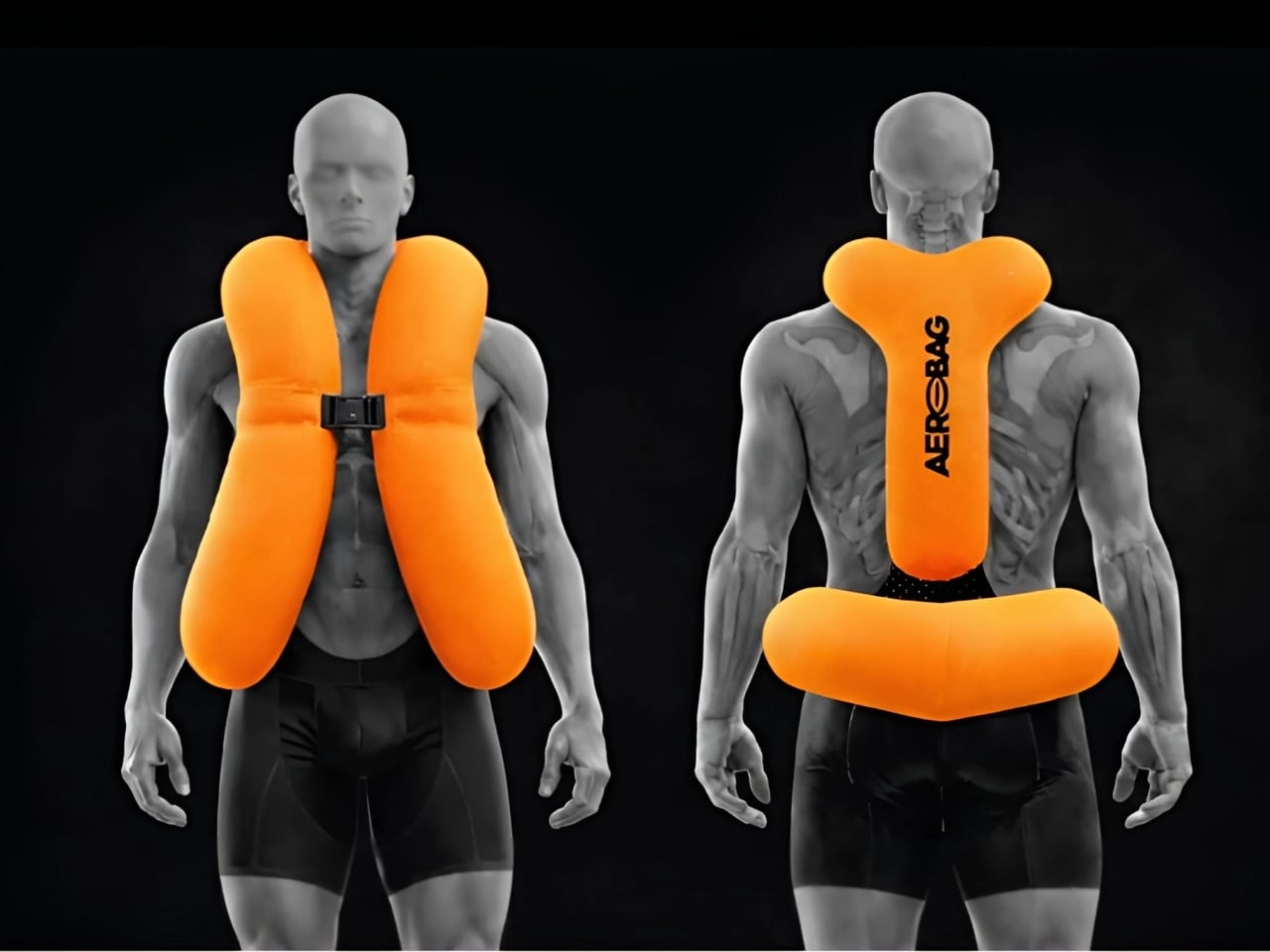
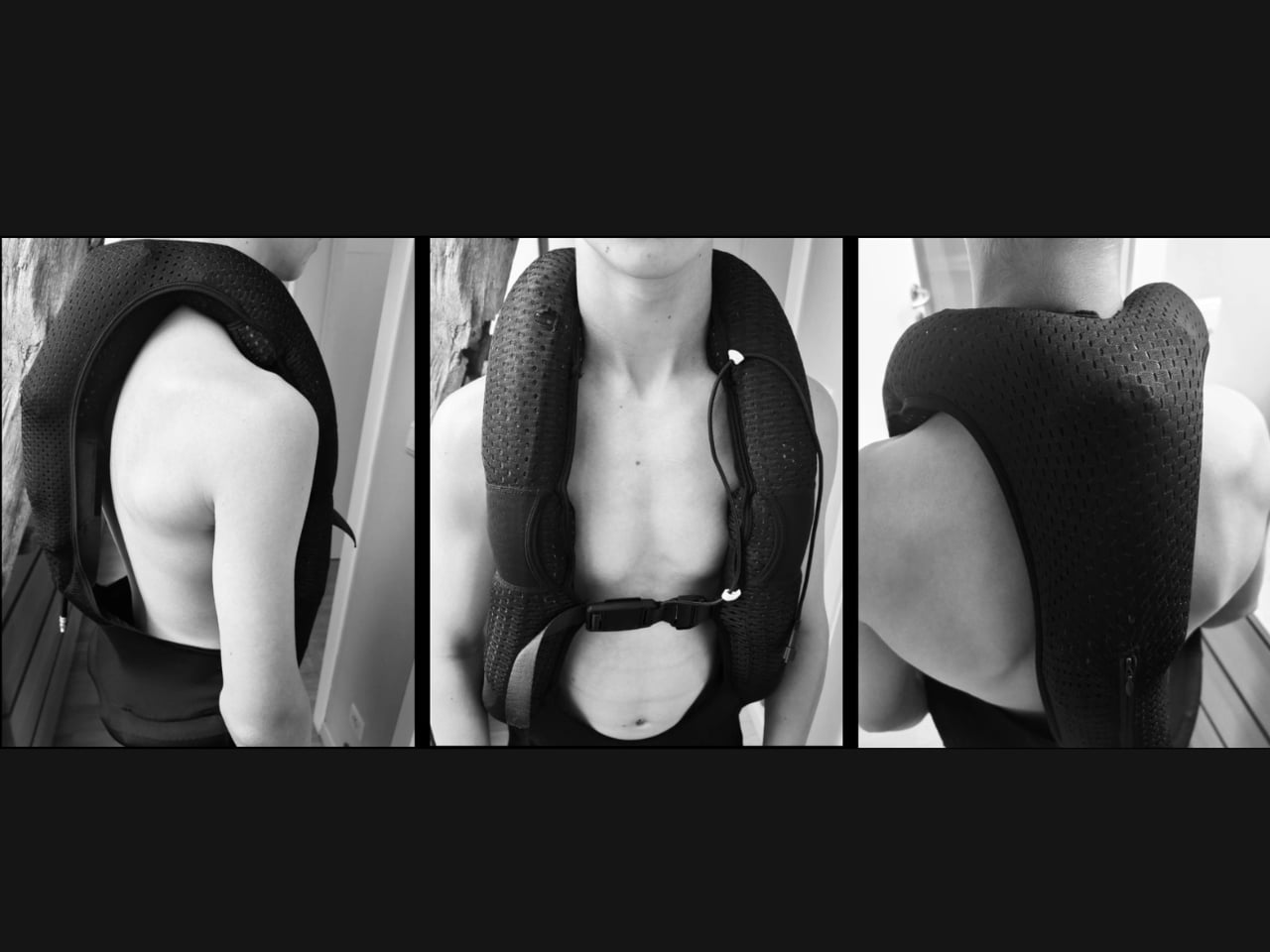
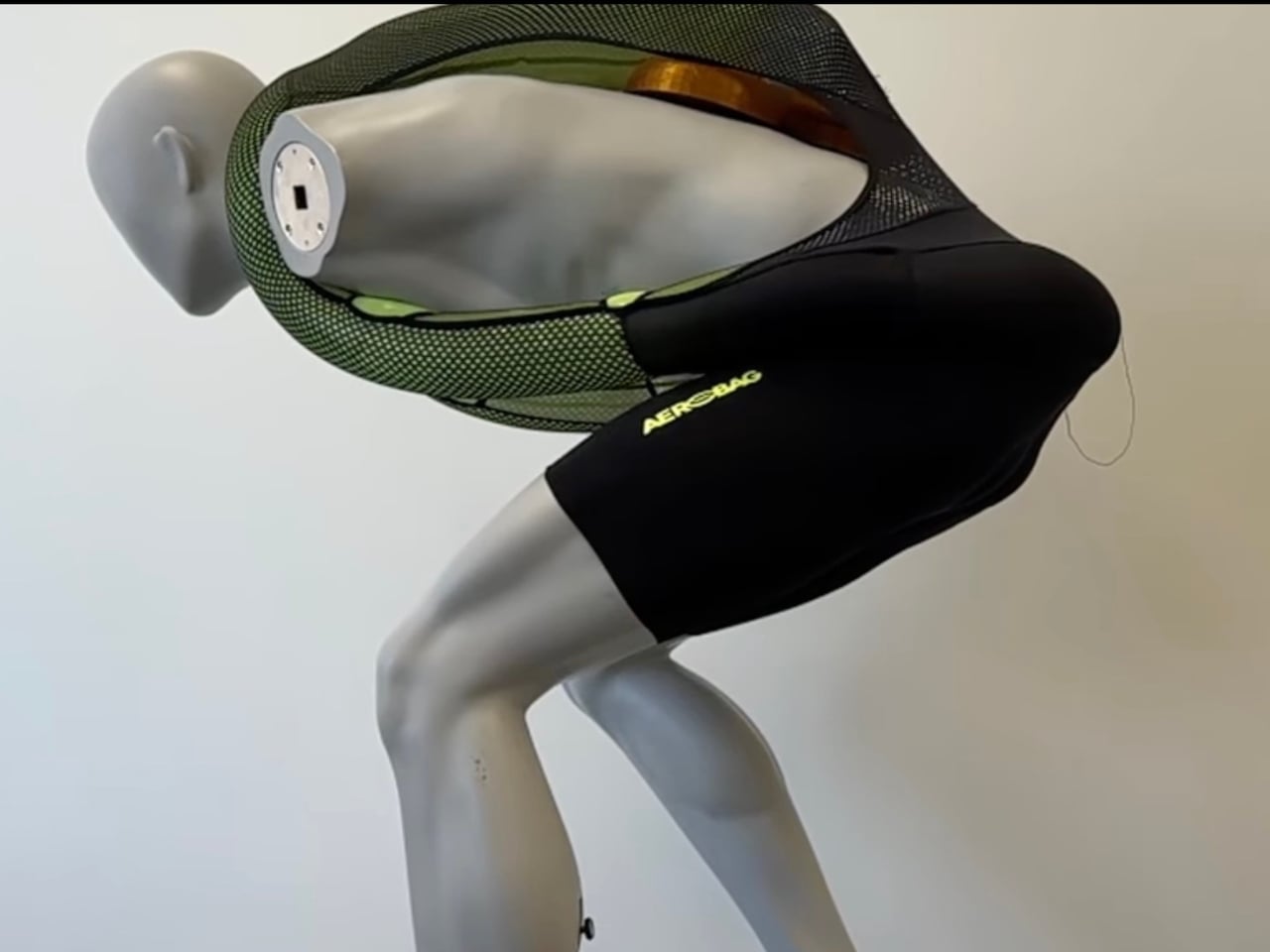
Enter Aerobag, a wearable airbag system designed specifically for professional cycling that’s already making waves in the WorldTour peloton. What makes this particularly exciting is that it’s not some bulky, restrictive contraption that turns cyclists into the Michelin Man. Instead, it’s an ingeniously integrated system that preserves the sleek aesthetics and freedom of movement that competitive cycling demands.
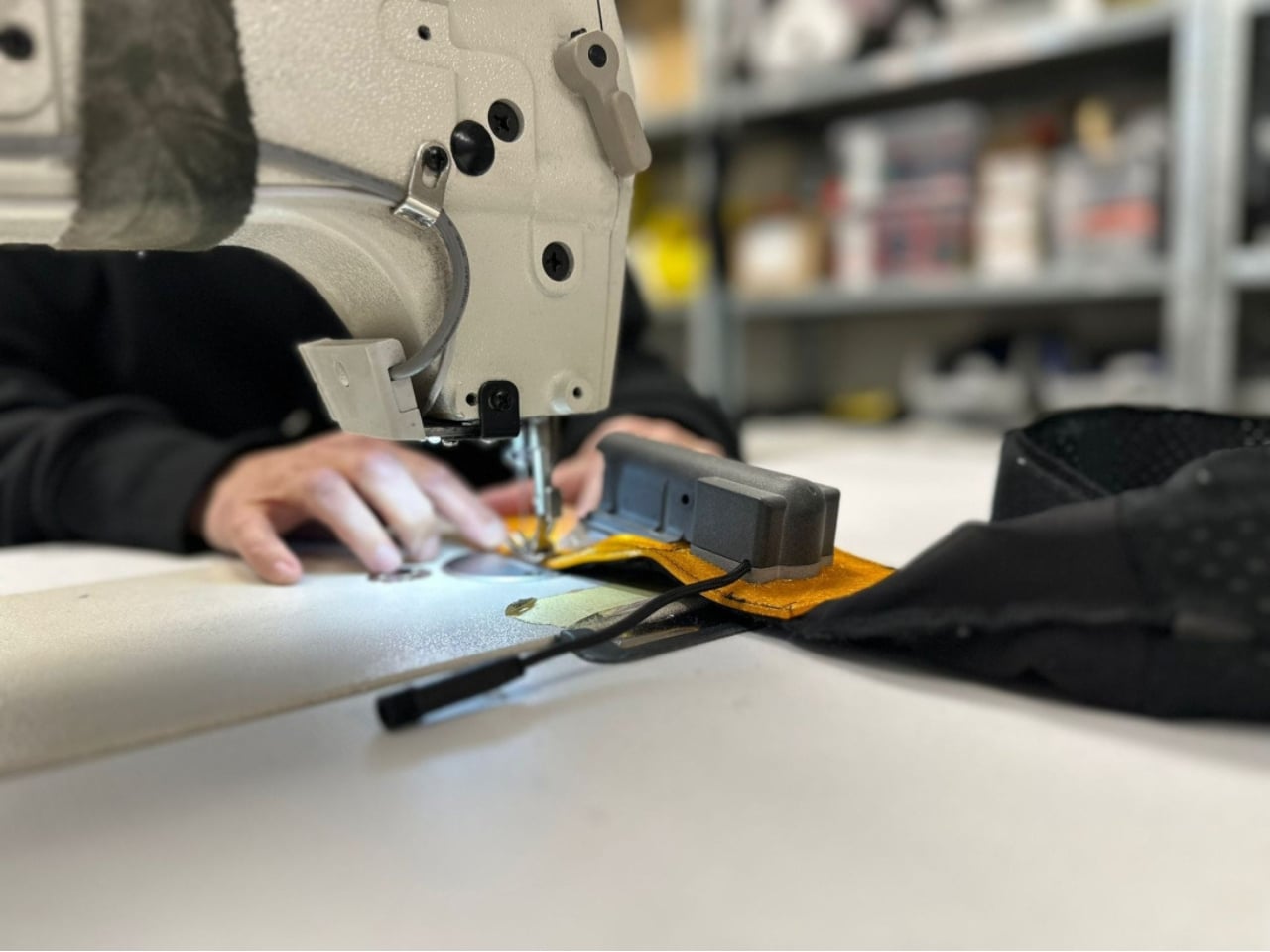
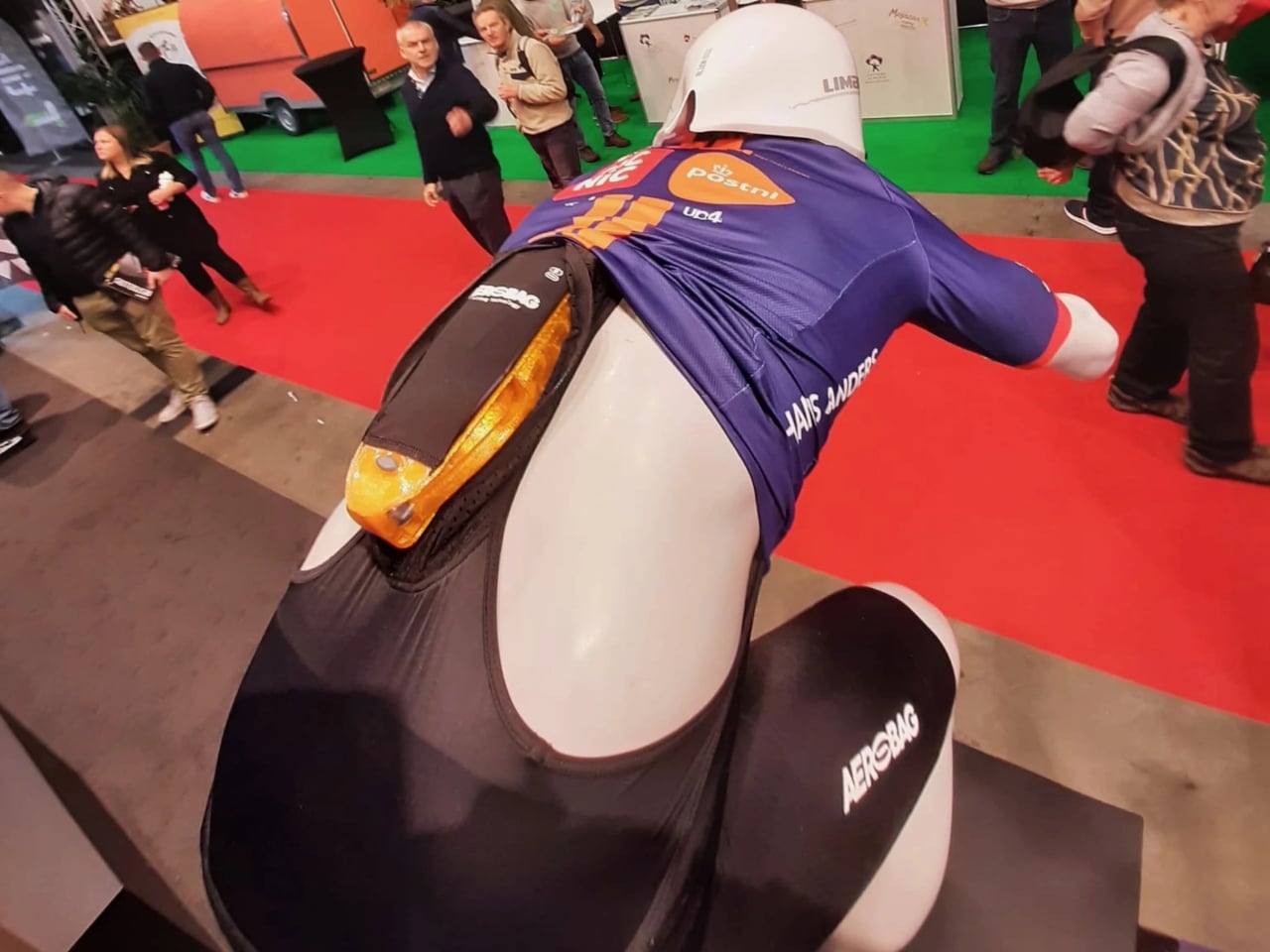
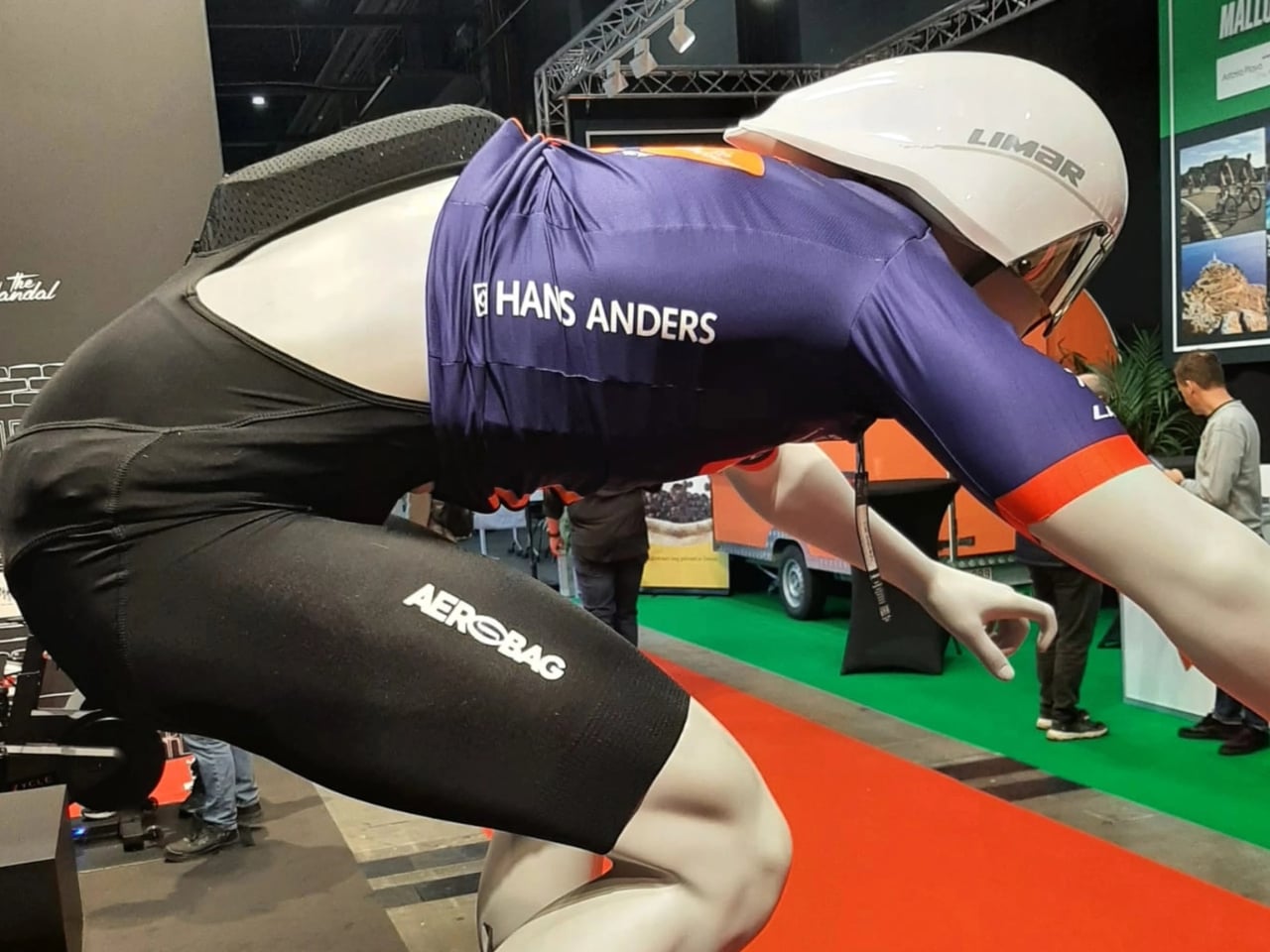
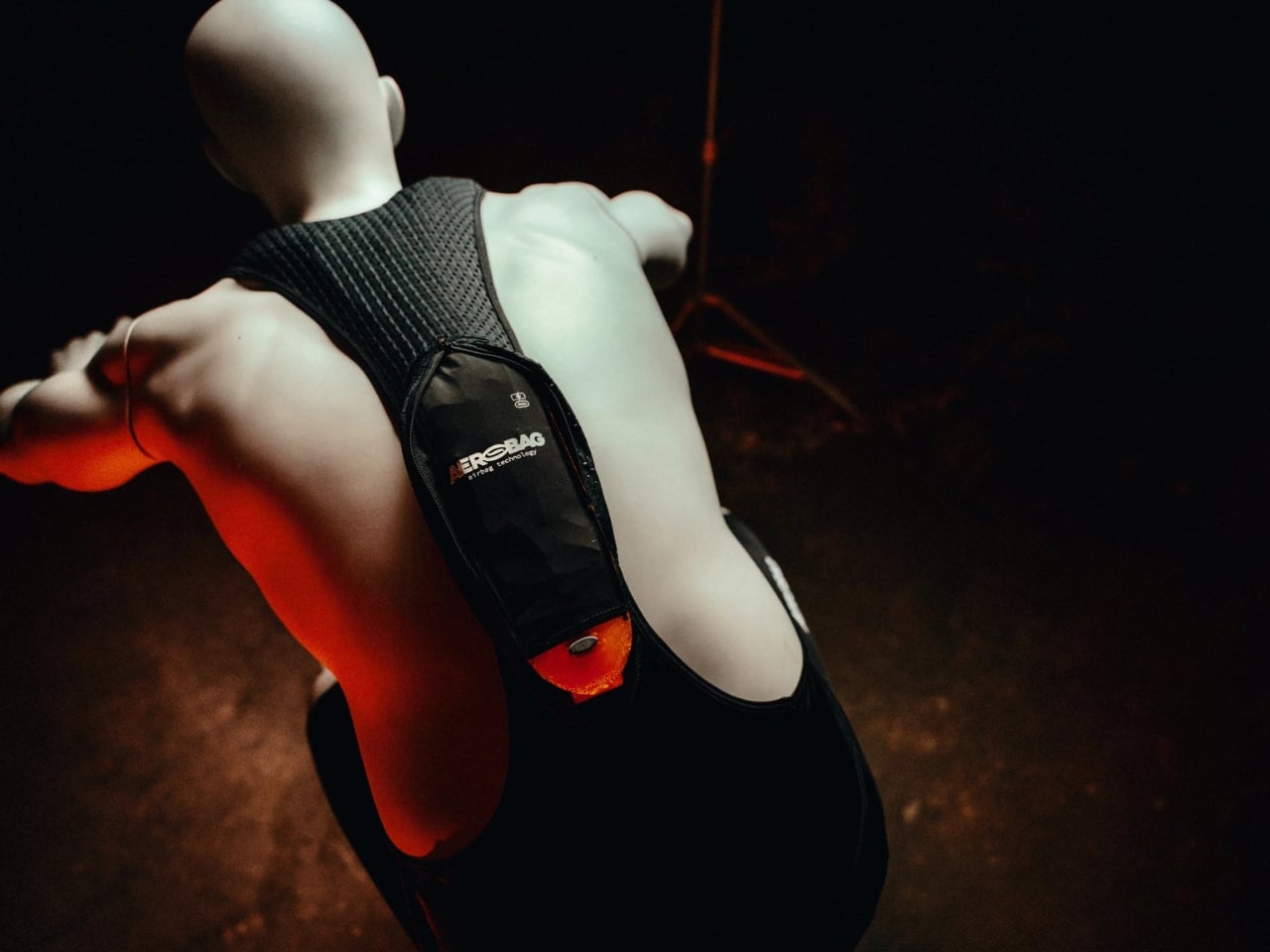
The technology works through a deceptively simple setup. TPU tubes are sewn into channels within specially modified bib shorts, the standard uniform for serious cyclists. On the rider’s back sits a small pouch containing the system’s sensors and processors, along with a replaceable CO₂ cartridge that costs about €35. When the sensors detect a crash, those tubes instantly inflate to provide impact protection for vulnerable areas like the hips, pelvis, ribs, torso, collarbone, and neck.
This isn’t just theoretical safety tech languishing in a prototype phase. The Netherlands’ WorldTour Team Picnic PostNL is already using Aerobag during training sessions this season, with potential race deployment on the horizon. That’s a significant vote of confidence from professional teams whose performance margins are measured in seconds and grams. If Aerobag can pass muster with riders who obsess over every detail that might slow them down, it’s clearly doing something right.
The timing couldn’t be better. Professional cycling has faced increasing scrutiny over safety protocols, especially after high-speed crashes that result in serious injuries. Fans and riders alike have questioned why a sport featuring such dramatic speeds hasn’t adopted more protective equipment. The answer has always circled back to the same concerns: weight penalties, restricted movement, aerodynamic drag, and the sport’s traditional aesthetic. Aerobag appears to have threaded that needle, creating protection that doesn’t compromise the things teams care about most.
What’s particularly clever is how the system stays out of the way until it’s actually needed. Unlike bulky protective gear that riders would have to wear constantly, adding weight and restricting their movements during every pedal stroke, Aerobag remains unobtrusive until sensors detect an impending impact. It’s protective equipment that doesn’t extract a performance cost during normal riding, which makes it far more palatable to athletes and teams focused on competitive advantages.
The company is currently in discussions with the UCI, cycling’s governing body, about broader implementation across WorldTour teams in 2026. Getting regulatory approval and buy-in from the sport’s official sanctioning organization is crucial for any safety innovation to achieve widespread adoption. If those talks go well, we could see this technology become standard equipment across professional cycling fairly quickly.
Of course, questions remain. How reliable are the sensors? What happens with false positives that deploy the airbag when no crash is occurring? How does replacement and maintenance work during multi-week stage races? These are the kinds of real-world considerations that will only be fully answered through extensive use in actual racing conditions. But the fundamental concept feels like a genuine breakthrough. For years, cycling airbags have been floated as a hypothetical solution to the sport’s safety challenges without much concrete progress. Aerobag represents one of the first serious attempts to bring meaningful impact protection into professional cycling without fundamentally changing how riders dress, move, or compete.
Whether this technology eventually trickles down to amateur cyclists or remains exclusive to professional racing depends largely on cost and practicality. But the mere fact that WorldTour teams are willing to test and potentially race with this equipment signals that wearable airbag systems have moved from science fiction to serious safety innovation. Sometimes the best solutions are the ones that feel obvious in hindsight, and protecting cyclists with the same airbag technology that’s been saving lives in cars for decades definitely falls into that category.
Most desk pen cups end up as graveyard storage for half-dead markers, random pencils, and that one pen you actually like, buried somewhere in the mix. The usual cylinder treats every tool the same, even though your hand instinctively knows which pen feels right for signing documents or writing notes that matter. A little hierarchy on the desk might do more to calm the visual noise than another storage bin that just shuffles the clutter around.
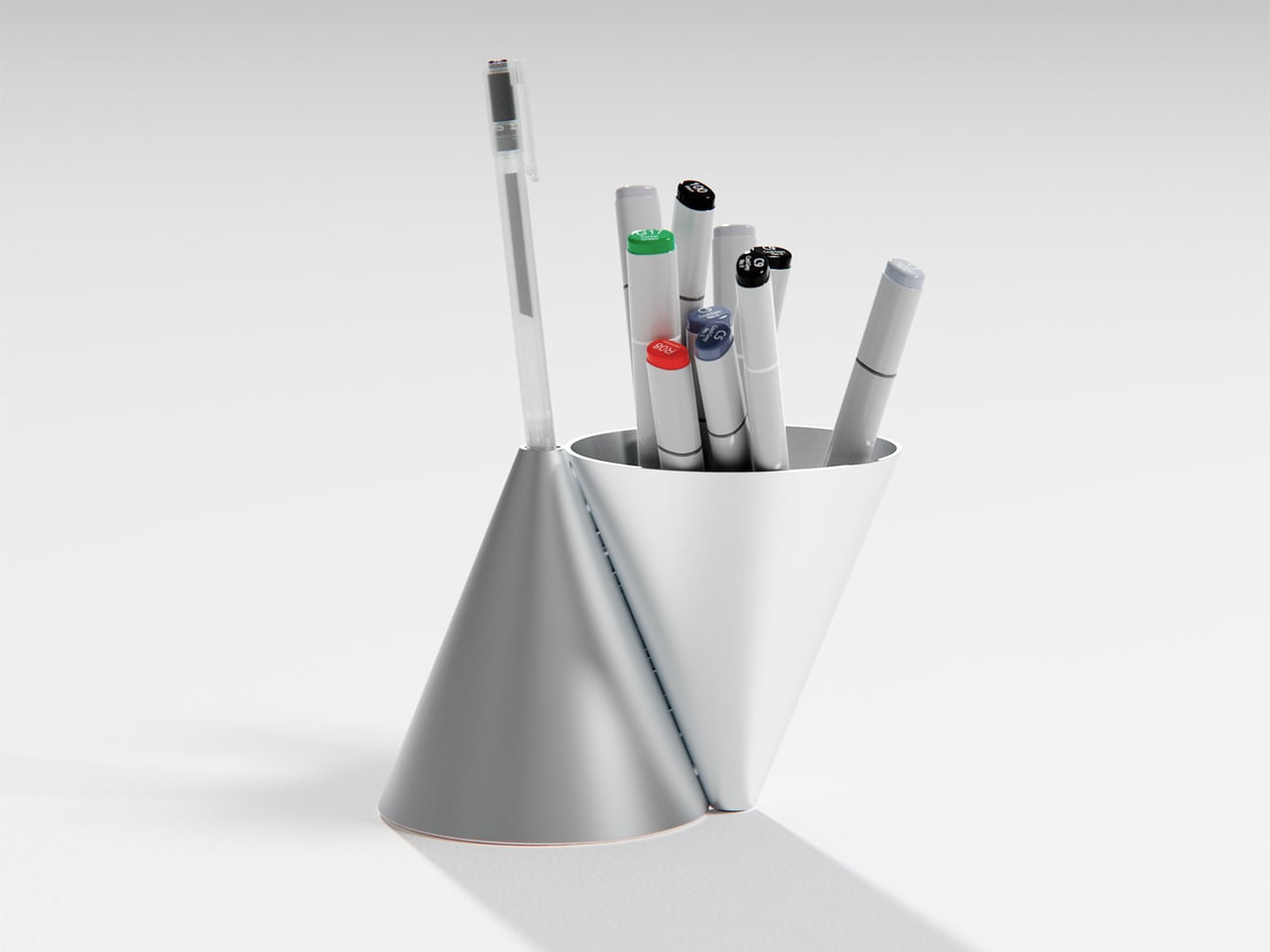
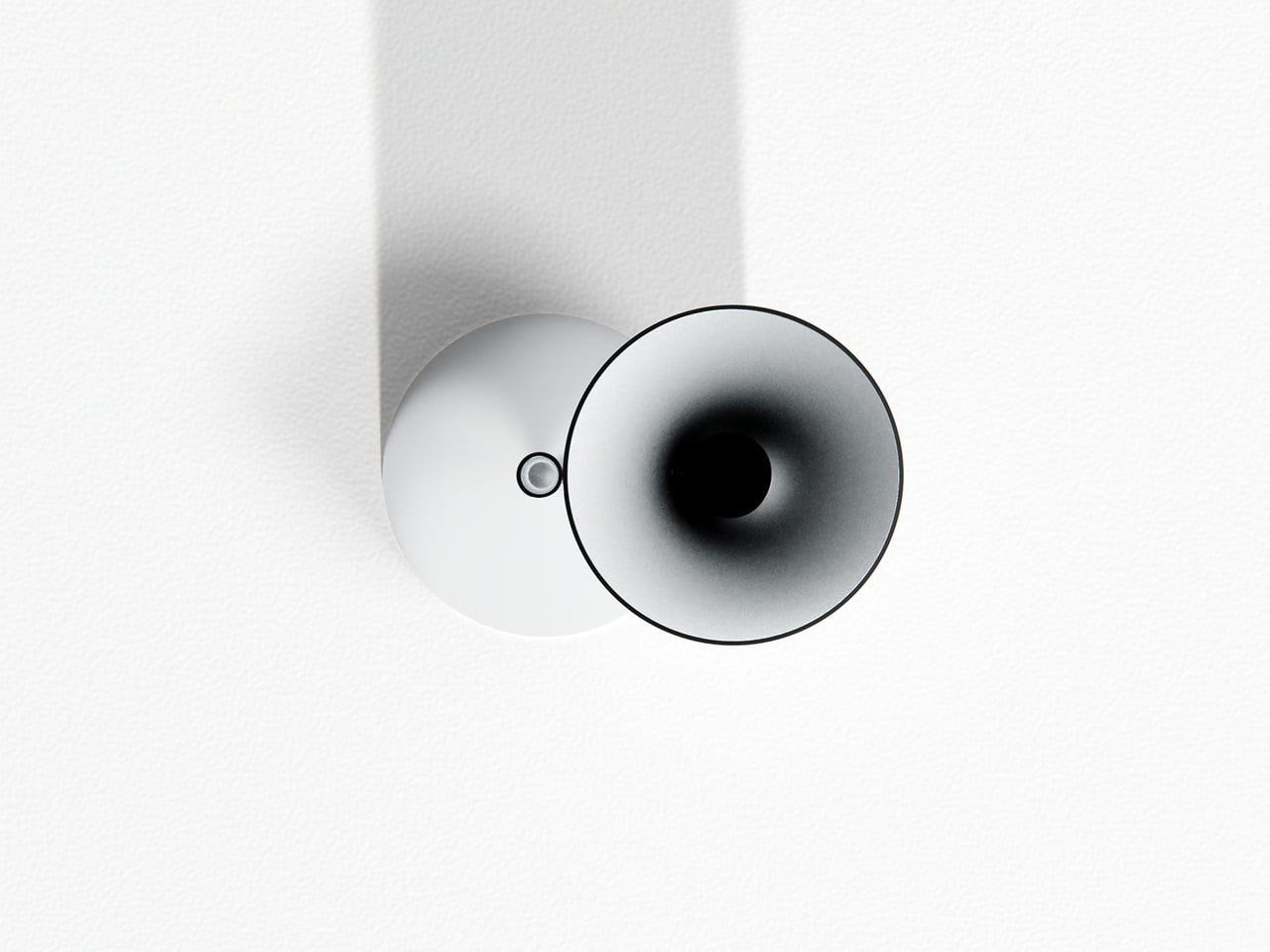
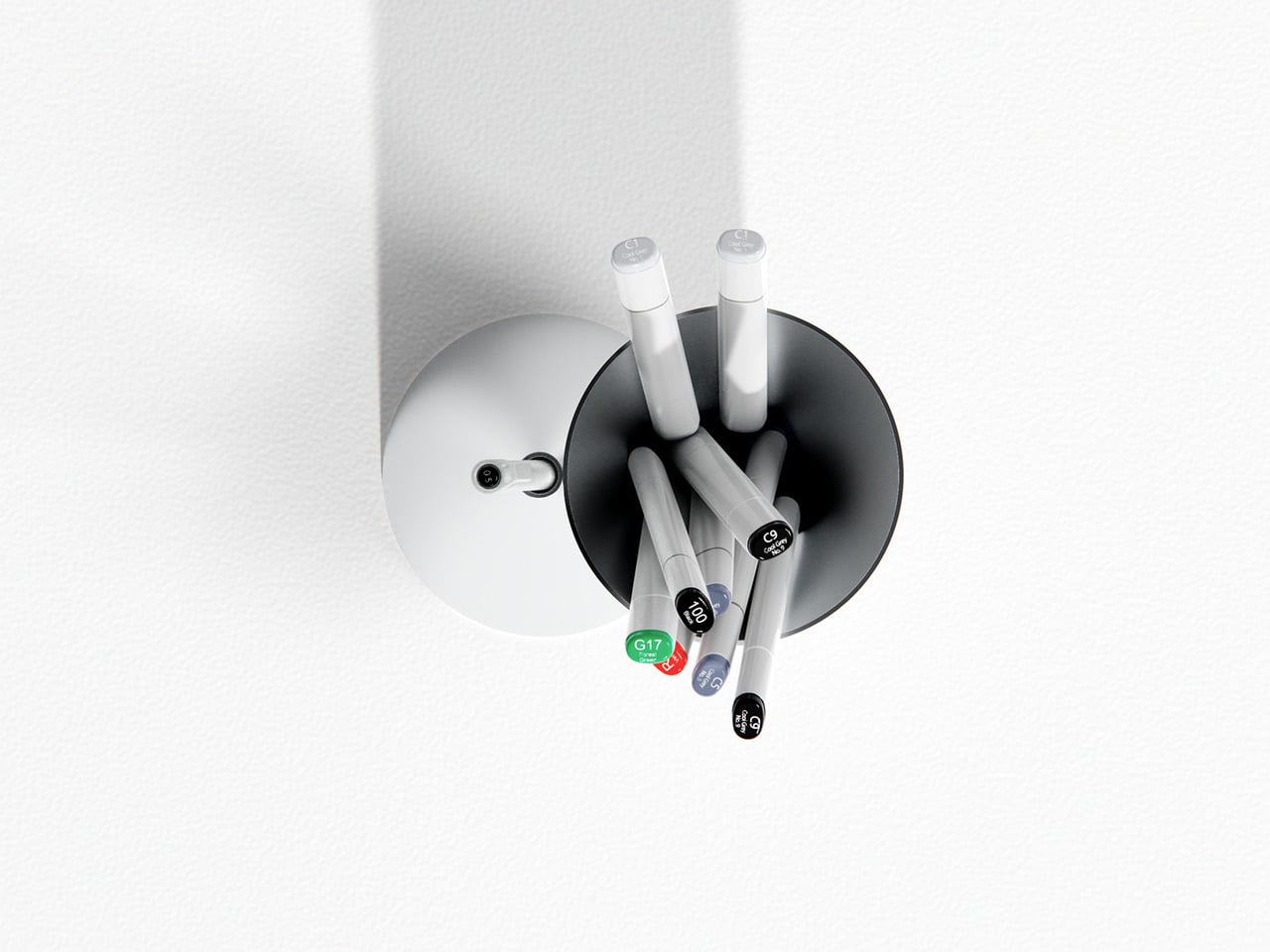
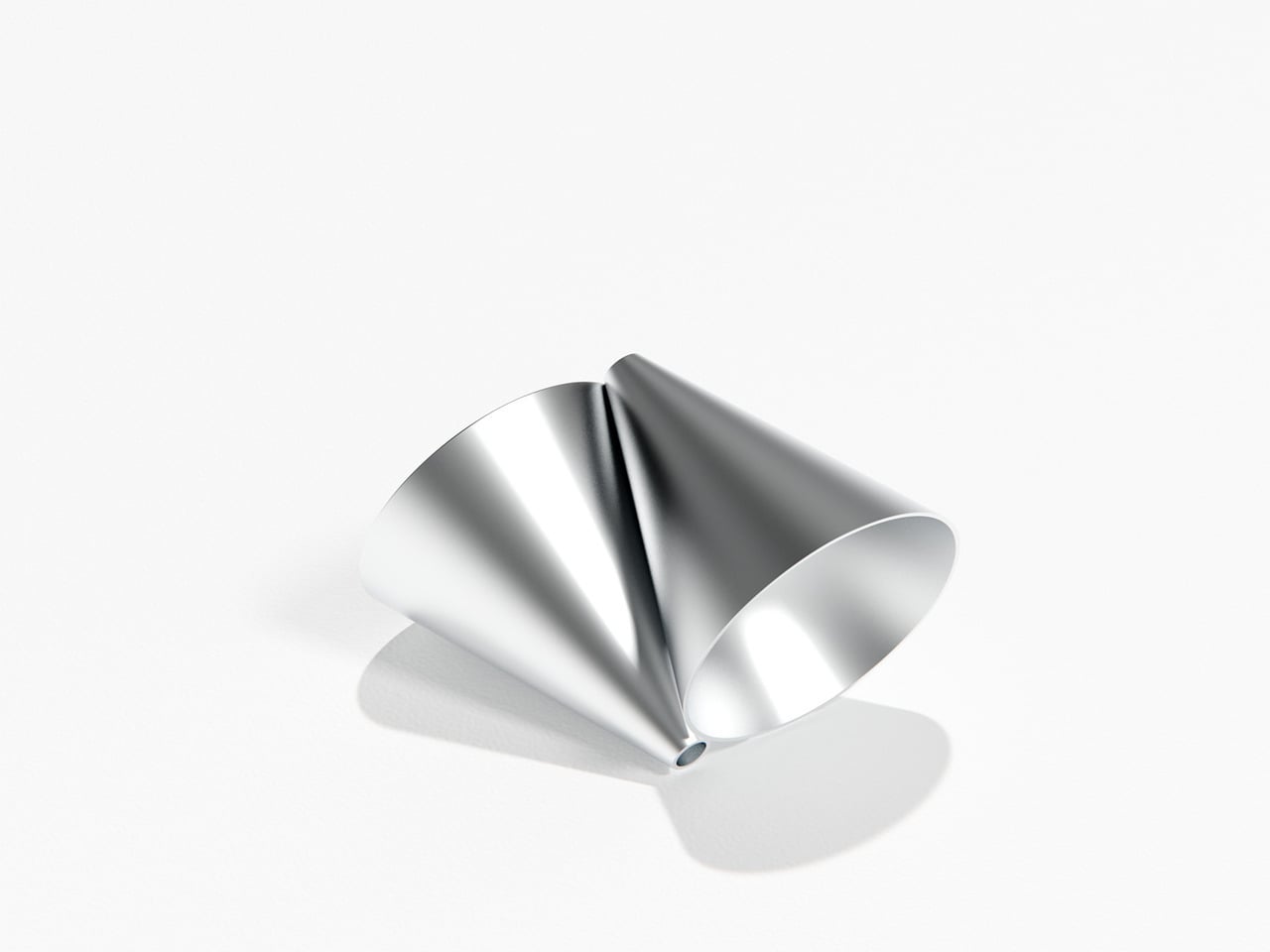
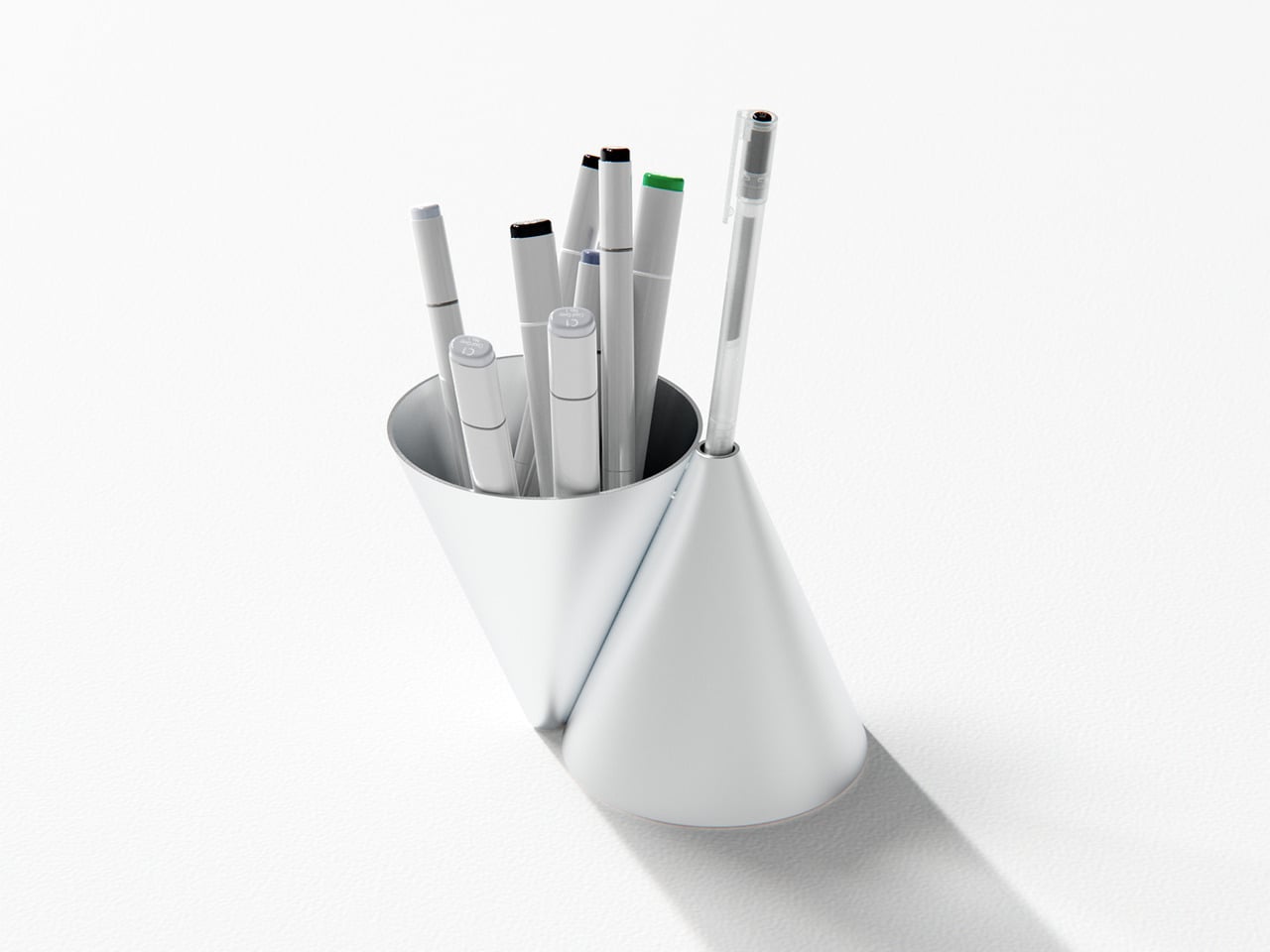
Konus is an aluminum pen holder that takes Bauhaus principles seriously rather than using them as decoration. Designed by Liam de la Bedoyere, it is built from two inverted cones, one hollowed out to hold everyday tools, the other reduced to a single aperture for a chosen pen. It is a personal project, which gives it permission to be a bit more pure and uncompromising than mass-market organizers that try to please everyone and end up feeling generic.
The larger cone becomes the communal container, swallowing the usual mix of pens and markers without complaint. The smaller cone acts like a tiny plinth for one special pen, the good ballpoint or fountain pen that always ends up lost under papers when you need it. This simple split creates a visual and functional hierarchy, your hand learning that the main cone is for grabbing anything, while the smaller one is where the favored pen lives, ready when you need it.
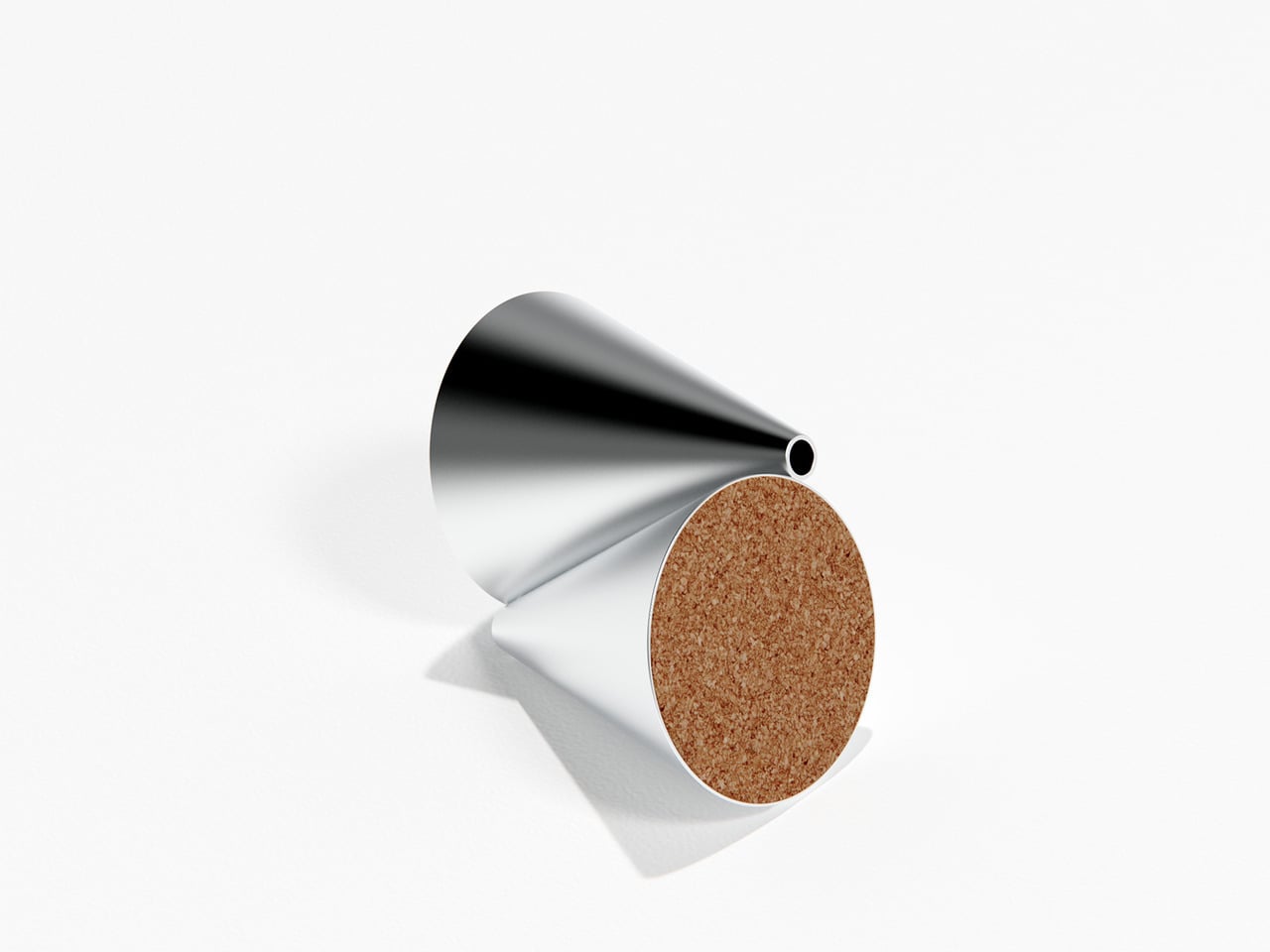
Konus is machined from aluminum with a satin finish that catches light softly rather than shouting for attention. The cork base keeps it from sliding on smooth desks and adds a bit of warmth against hard surfaces. Together, the cool metal and warm cork make it feel more like a small piece of desk architecture than a plastic cup, something you notice without it becoming a distraction or requiring constant attention.
A typical day with Konus on the desk means the main cone slowly fills with whatever pen you grabbed last, while the single aperture keeps your favorite anchored in one place. There is a small pleasure in always knowing where that pen is, and the object quietly nudges you to put it back in its slot instead of letting it disappear under papers or into a drawer where it will live for weeks before you find it again.
The cones embody that Bauhaus idea of form leading function without relying on labels or moving parts. Dropping tools into the big opening is effortless, but placing a pen into the small aperture feels deliberate, almost like docking a tiny instrument. Over time, that difference turns into a quiet ritual that organizes both the desk and your habits, making you slightly more intentional about which tools stay within reach and which ones can live in a drawer.
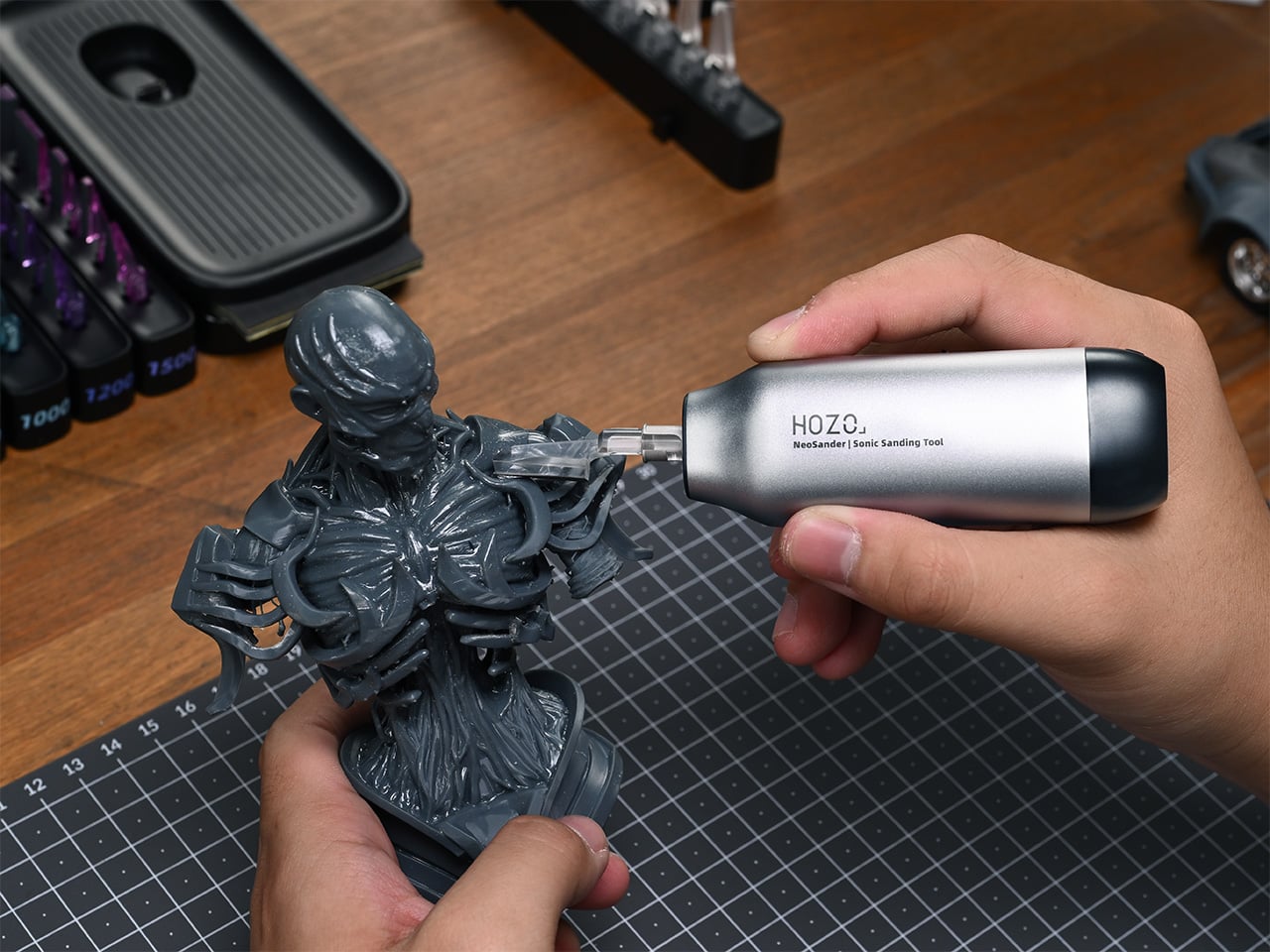
Cleaning up 3D prints, model kits, or small woodworking projects usually means fighting tools that are not really built for it. Rotary tools dig in and melt plastic, big sanders cannot reach corners, and endless hand-sanding sessions leave your fingers numb. The last 10% of a project, the fine details, often takes 90% of the time because the tools are fighting you instead of helping, turning what should be a satisfying finish work into a slow grind.
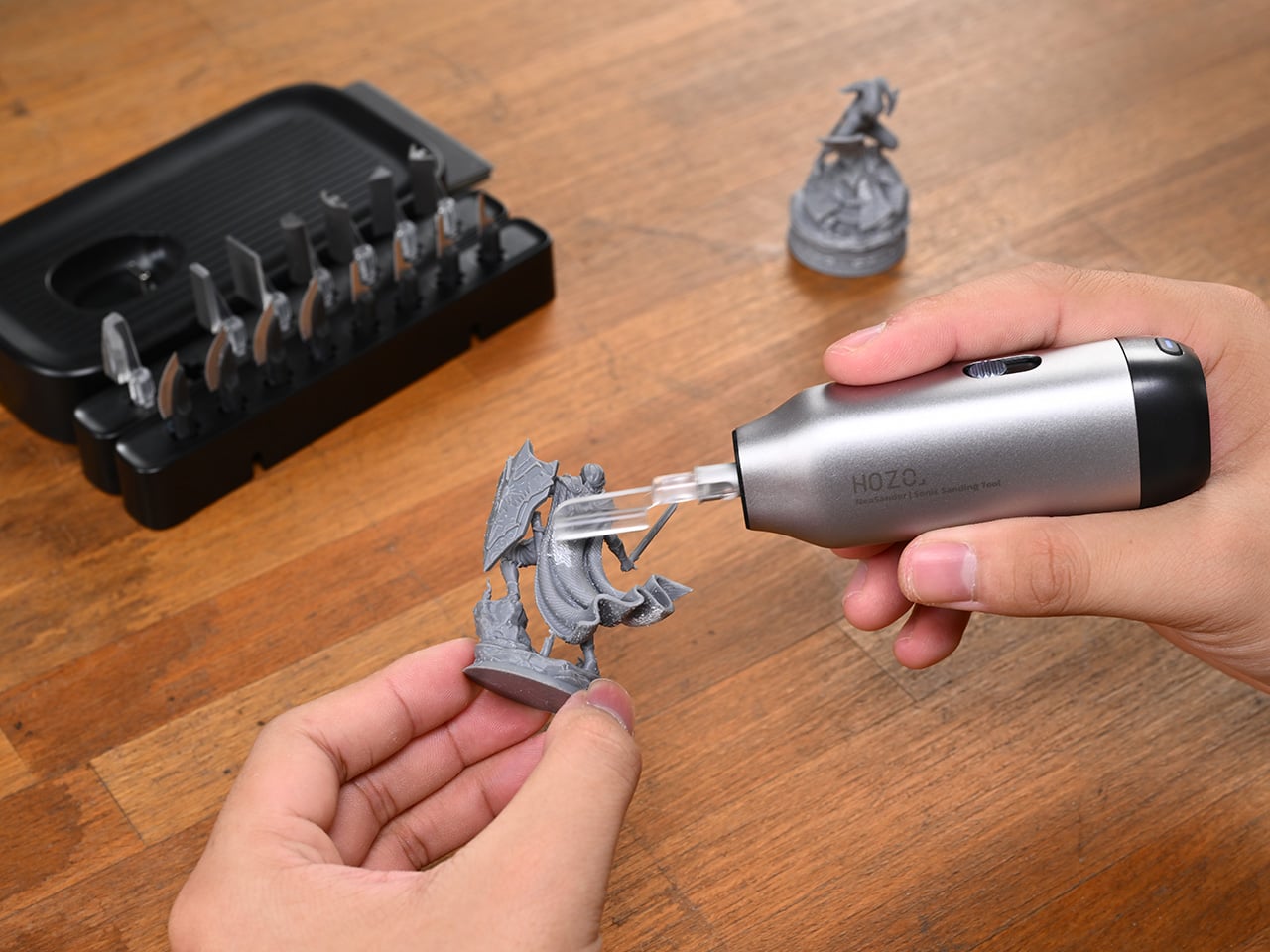
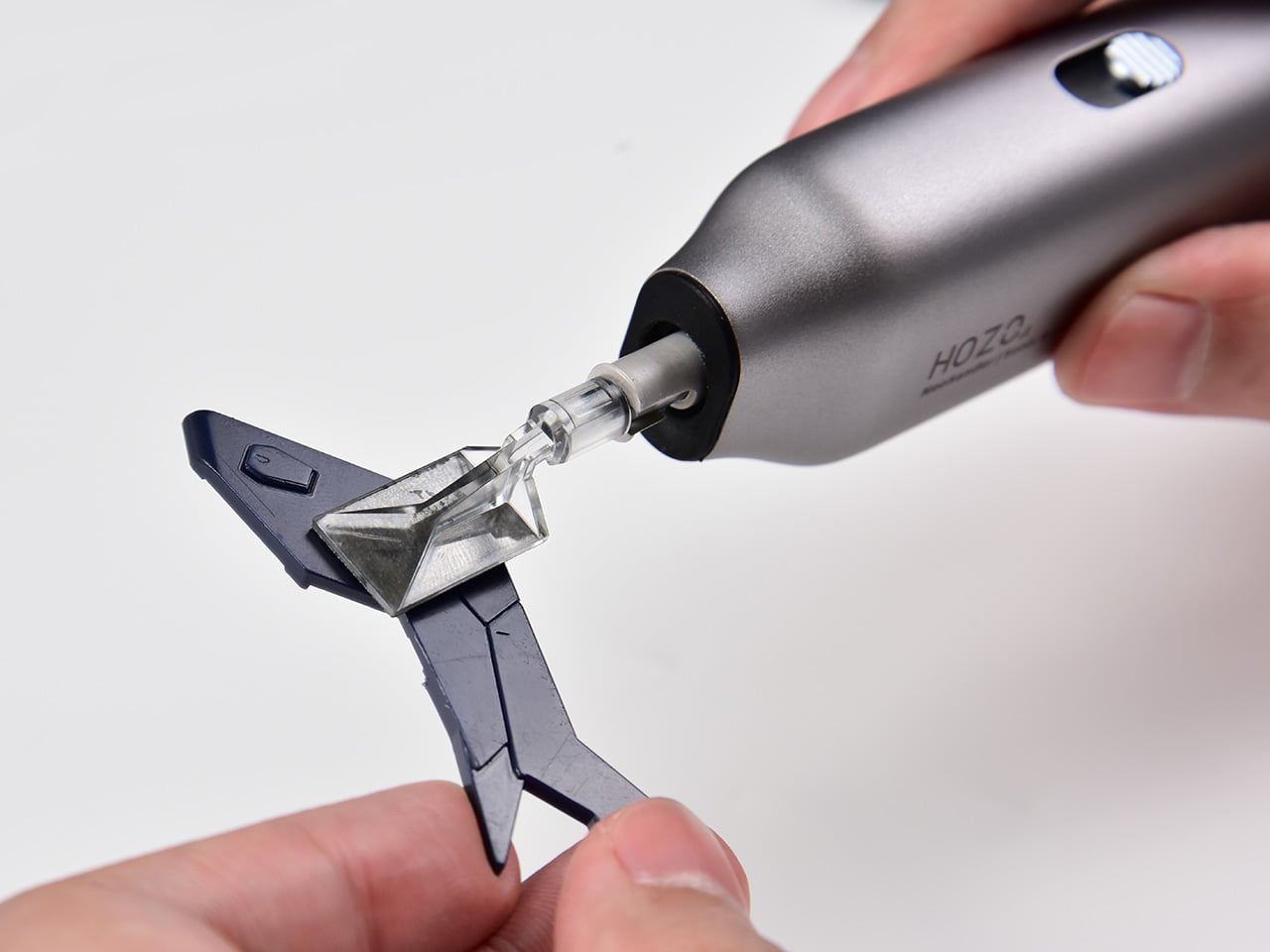
NeoSander is a mini electric reciprocating detail sander built specifically for that last 10%. It is palm-sized, cordless, and powered by a high-speed reciprocating linear motor that drives the sanding head directly at up to 13,000 strokes per minute. Instead of being a shrunken version of a big sander or a repurposed rotary tool, it starts from the question of what fine sanding actually needs: tight, controlled, straight-line motion with minimal vibration and maximum access to awkward spots.
The usual reciprocating design relies on a spinning motor, gears, rods, and linkages that convert rotation into back-and-forth motion. NeoSander’s vertical linear motor pushes the head directly, which means fewer moving parts, less energy lost in the drivetrain, and faster response when you change speed. The stroke length is adjustable from 0.6 to 1.8 mm, so you can dial in tiny, precise taps for delicate edges or longer, faster strokes for leveling and shaping thicker material. As the one and only palm-sized detail sander to achieve a true 13,000 SPM linear motor, NeoSander introduces life-changing technology and delivers a game-changing breakthrough for creators who demand precision in tight, intricate spaces, permanently solving a pain point that rotary tools and other reciprocating sanders have struggled with for decades.
NeoSander’s straight-line motion covers more area efficiently while keeping the workpiece safe from gouges. At 13,000 strokes per minute, it is fast, but the motion is tight and controlled, so it does not kick back like a rotary bit or eat into fragile prints and resin parts. Stepless speed control lets you push forward for low speed and pull back for full speed, giving pinpoint accuracy on fragile edges and more aggressive removal when you are shaping parts that need heavy correction.
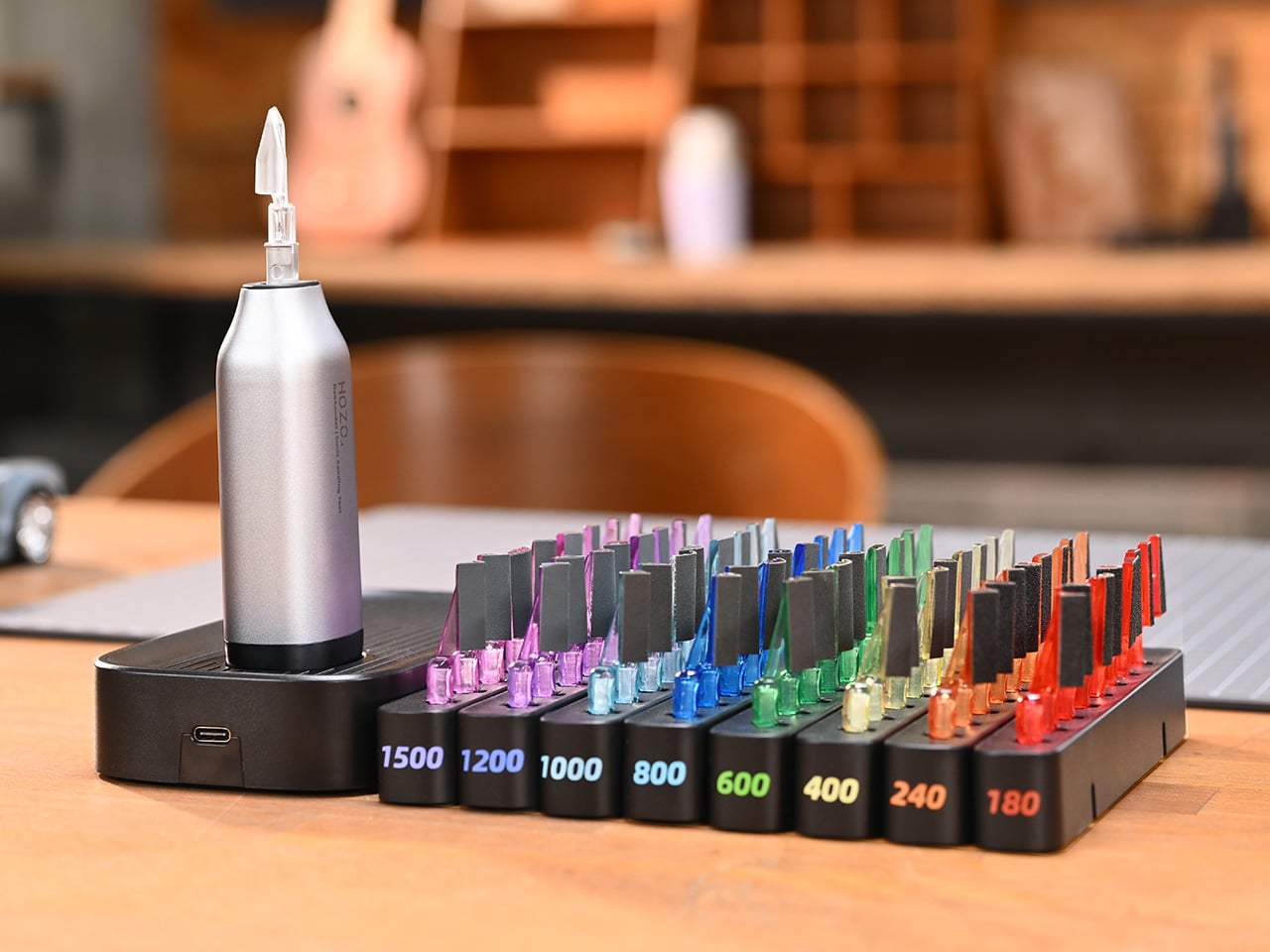
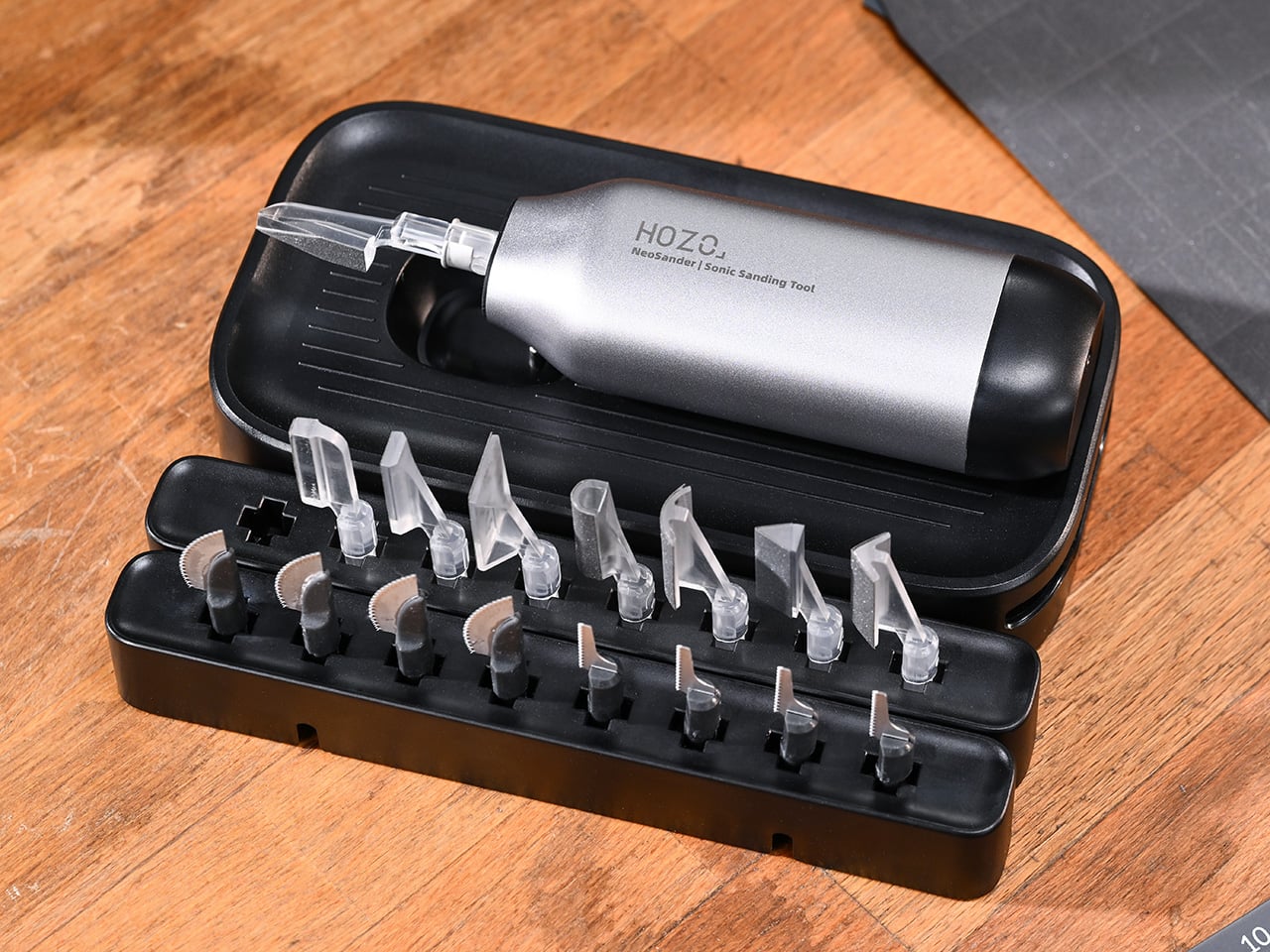
The front end is where the system gets smart. Eight interchangeable sanding heads handle different shapes, pointed tips for crevices, slim and wide flats for edges and planes, half-cylinders and arcs for curves, and acute and right angles for corners. Pair that with eight grits of sandpaper, from rough 180-grit to fine 1,500-grit, including foam-layer sheets that flex to irregular surfaces. A color-coded storage block keeps head-and-grit combos sorted, so you can grab, snap, and keep working instead of playing peel-and-stick roulette between every pass.
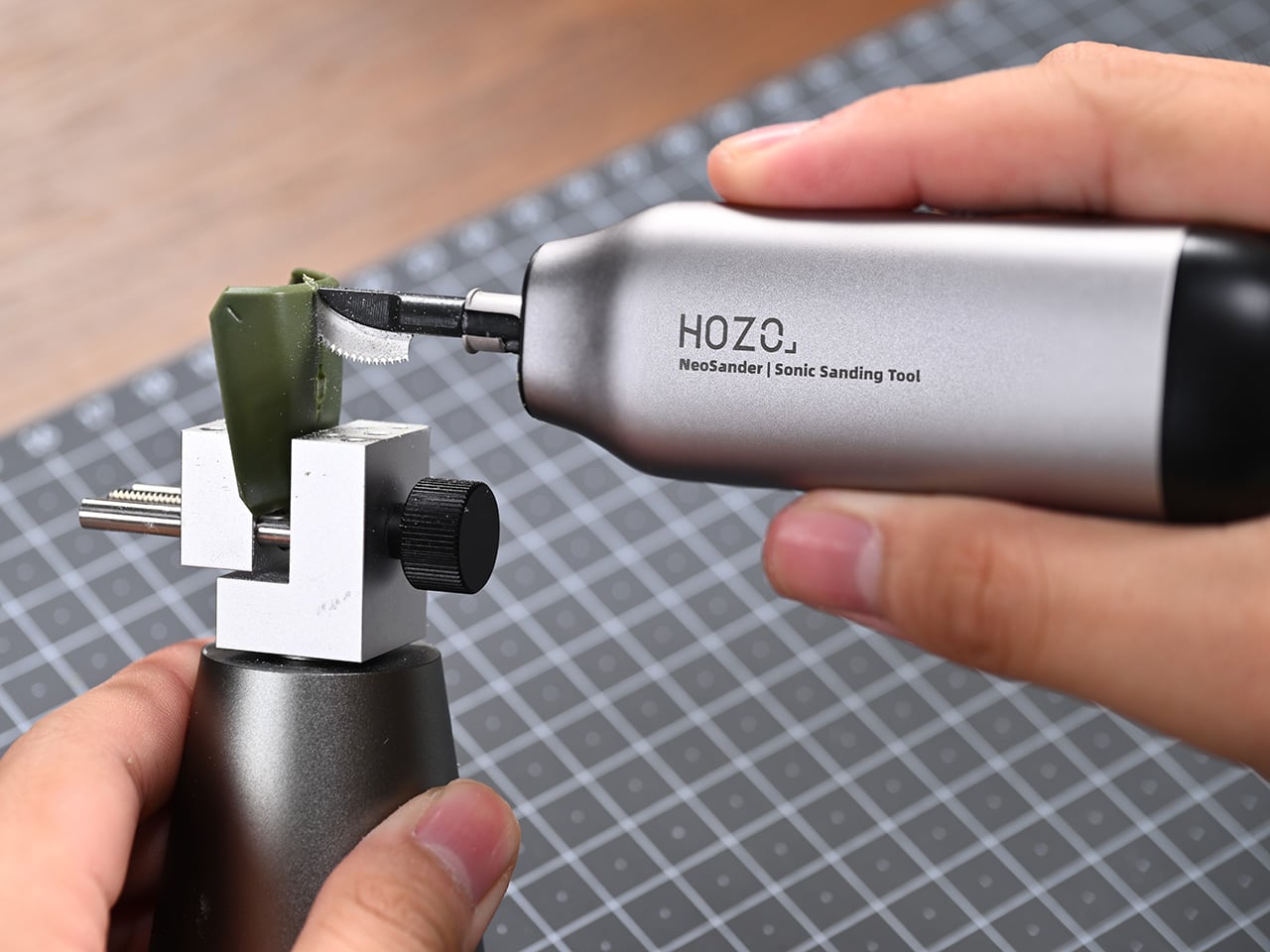
The same back-and-forth motion that sands also drives a tiny reciprocating saw. Swap to a curved saw blade or jigsaw-style blade, and you can cut sprues, trim parts, or slice small pieces of wood and plastic without changing tools. The 0.2 mm micro teeth use a wave-shaped, double-tooth pattern and an anti-binding design that clears dust as it cuts, making passes smoother and less likely to jam mid-stroke. It turns NeoSander into a dual-purpose tool for both cleanup and small fabrication tasks.
NeoSander feels light in the hand, a 3.13 oz aluminum-alloy shell with a dustproof silicone cover and IP54 splashproof rating, small enough to guide with fingertips. Inside, a counterweight moves opposite the sanding head to cancel most vibration, so your grip stays steady instead of buzzing. The cordless design uses a 3.7 V, 1,100 mAh battery with dock charging, giving around 45 minutes of heavy-duty use or up to 240 minutes of lighter work between 30-minute charges, which is enough for multiple sessions without tethering to a cable.
A tool like this changes the rhythm of making. Instead of dreading the cleanup phase, you have a small, precise machine that can sneak into tight spots, swap heads and grits without breaking flow, and even handle tiny cuts when you need them. For people who live in the world of miniatures, prints, and fine edges, NeoSander feels less like a gadget and more like the missing link between rough shaping and the moment a piece finally looks finished, where the details stop feeling like tedious cleanup and start feeling like the reason you made the thing in the first place. Novices and casual makers will appreciate the accessibility and beginner-friendly NeoSander Pro kit at $69, while those who really want to take their designs to the next level will want to grab the $129 NeoSander Premium Kit, which adds accessories like multi-color sanding heads, saw heads, and a charging dock on top of the basic set.
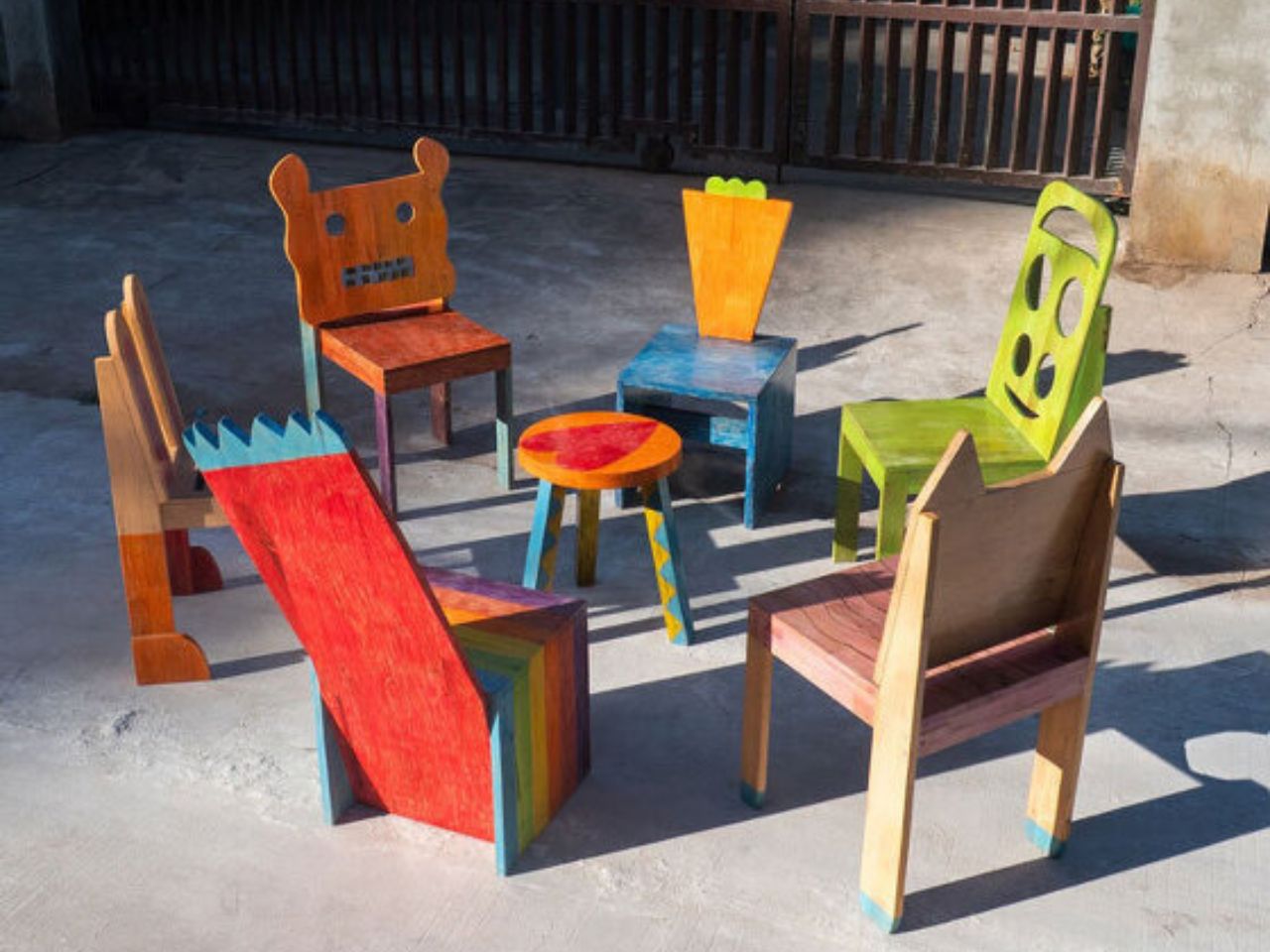
One of the most powerful moments in the creative process is seeing an idea transform into something real. For a child, that moment carries even greater weight. It builds confidence, validates imagination, and reinforces the belief that creativity is not limited by age. Chair for Kids, a participatory design project developed by Taekhan Yun, captures this experience by translating children’s playful and imperfect drawings into fully functional and usable chairs that children can see, touch, and use every day.
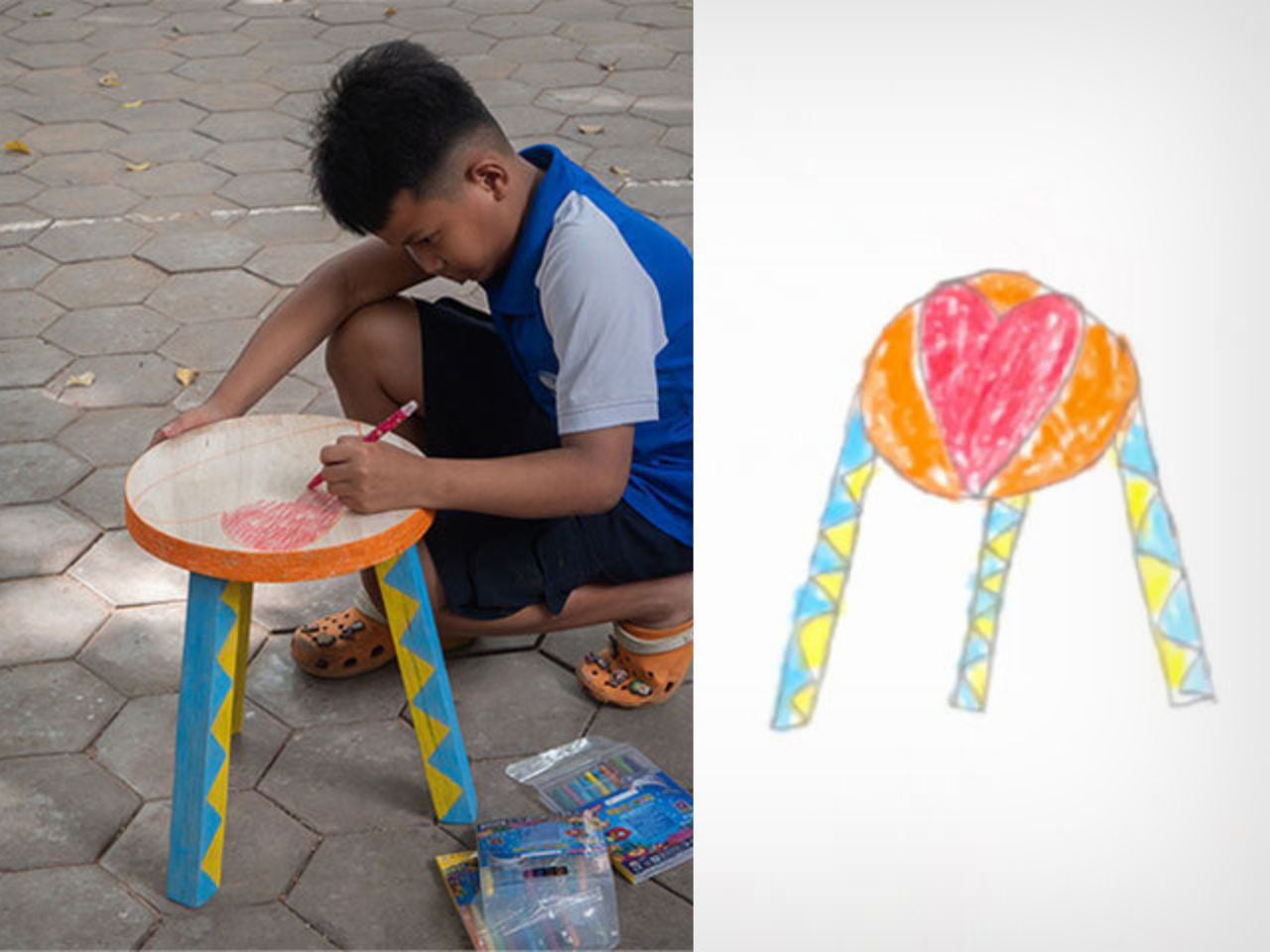
Created in collaboration with students from an English school in Siem Reap, the project places children at the center of the design process. Rather than correcting or refining their ideas to fit adult notions of good design, the project embraces the rawness of children’s imagination. More than seventy children participated, each drawing their own version of a chair or stool as an initial exploration of form, balance, and function. These drawings were treated as genuine starting points rather than symbolic exercises.
Collaboration played a key role throughout the process. Children gathered to look at and share each other’s drawings, discussing differences in shape, structure, and intention. They then worked in pairs to measure their own height and body dimensions, learning how scale and proportion affect comfort and usability. Based on these measurements, the children described the type of chair they wanted to make, introducing basic ergonomic thinking in an intuitive and accessible way. Each chair was designed specifically to fit the child’s own body, reinforcing the connection between design and lived experience.
To translate drawings into three-dimensional objects, the children created clay prototypes of their chairs. Clay was chosen for its low cost, accessibility, and ease of manipulation, allowing children to freely experiment with volume and structure. These models helped bridge the gap between imagination and fabrication and served as references for the final chairs produced by Taekhan Yun. The resulting forms retain the charm of the original drawings with crooked legs, unexpected angles, and playful proportions while remaining structurally sound and functional.
In the final stage, the children actively participated in finishing their chairs. Crayons were used to apply color directly onto the surfaces, transforming each piece into a personal expression of identity. Acrylic lacquer spray was then applied to seal the drawings, followed by varnish to protect the finish. This process preserved the spontaneity of the children’s marks while ensuring durability, resulting in furniture that feels joyful, expressive, and intentional.
Beyond individual expression, Chair for Kids also highlights the potential for scalability. The chairs are low-cost and easy-to-build designs that rely on simple materials and straightforward construction methods. This makes them well-suited for mass manufacturing and adaptation across schools, community centers, and educational environments, particularly in resource-constrained contexts. The project demonstrates how participatory design can produce furniture that is not only meaningful and educational but also practical, affordable, and replicable.
Each chair reflects the imagination of a single child while contributing to a collective outcome. Chair for Kids shows how design education rooted in participation and making can empower children, build confidence, and reimagine furniture as a tool for learning, inclusion, and creativity.
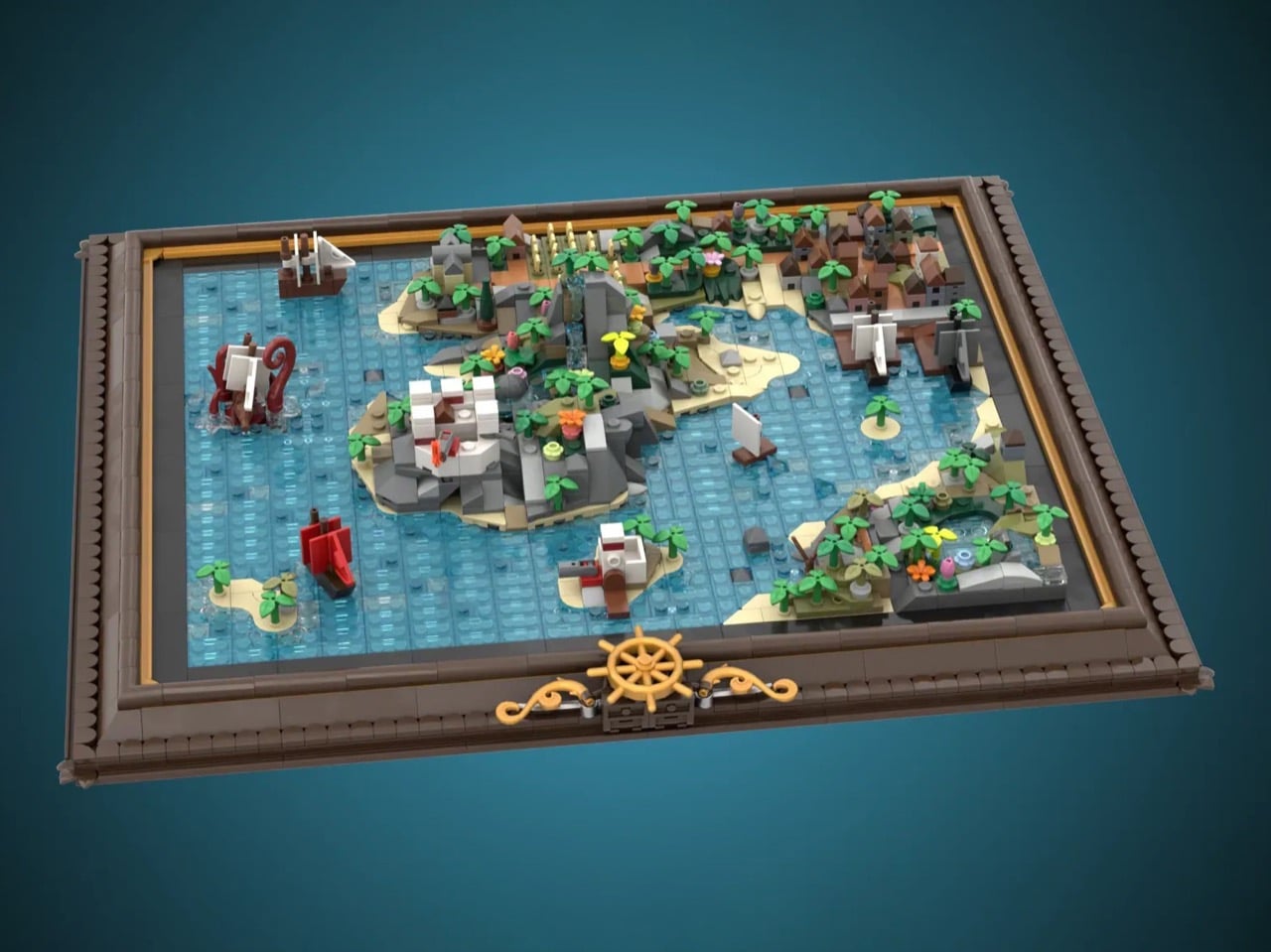
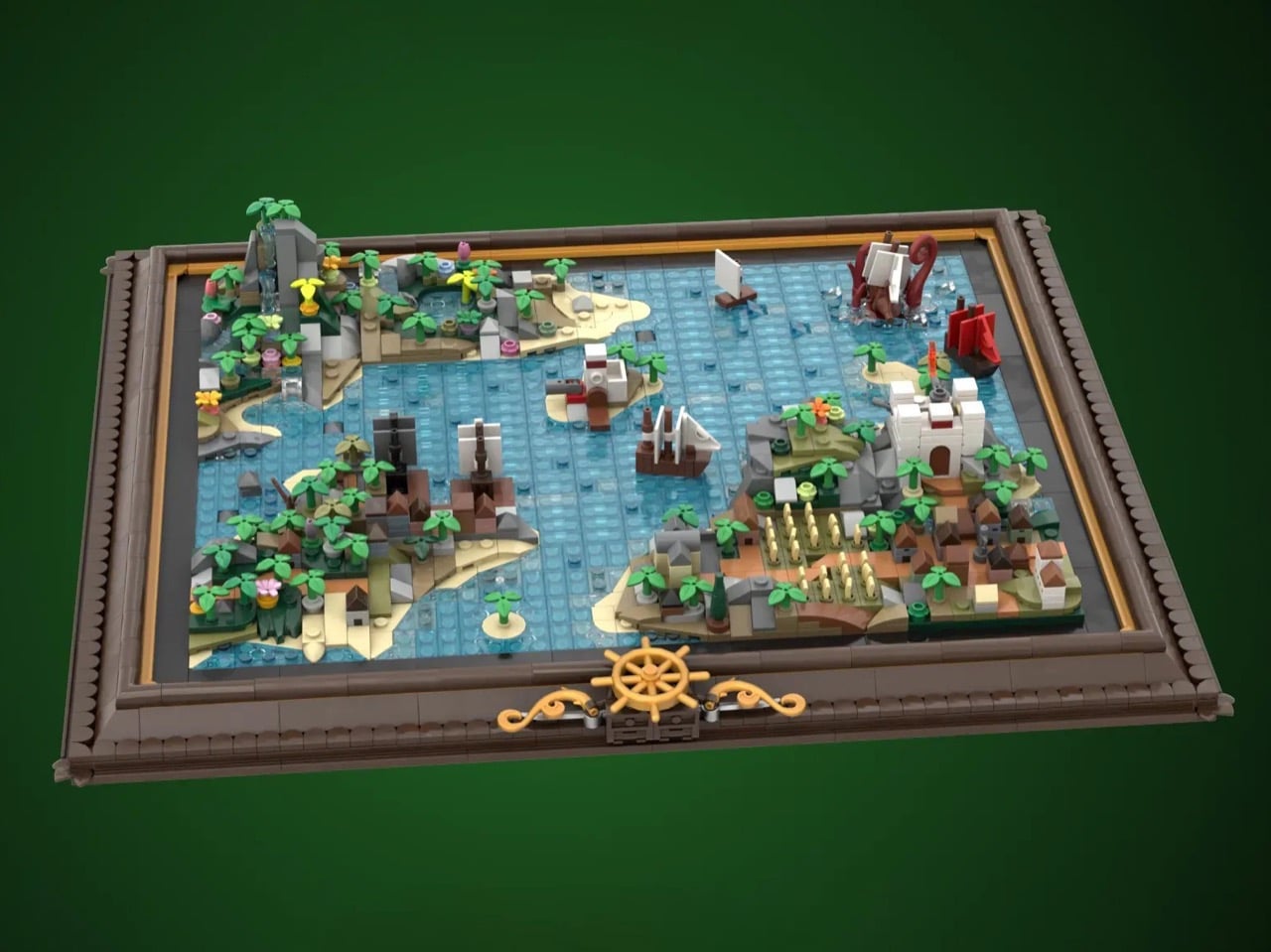
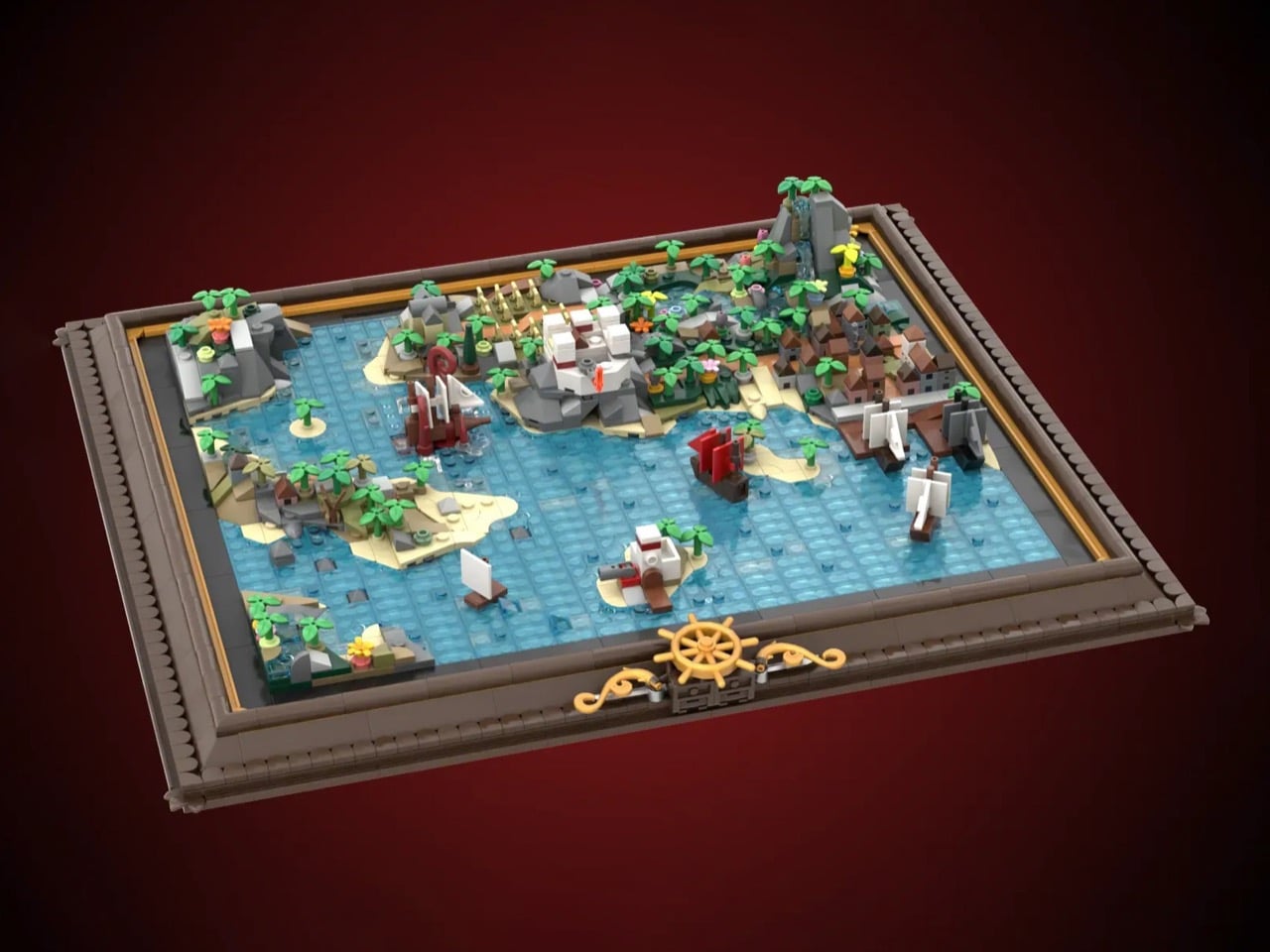
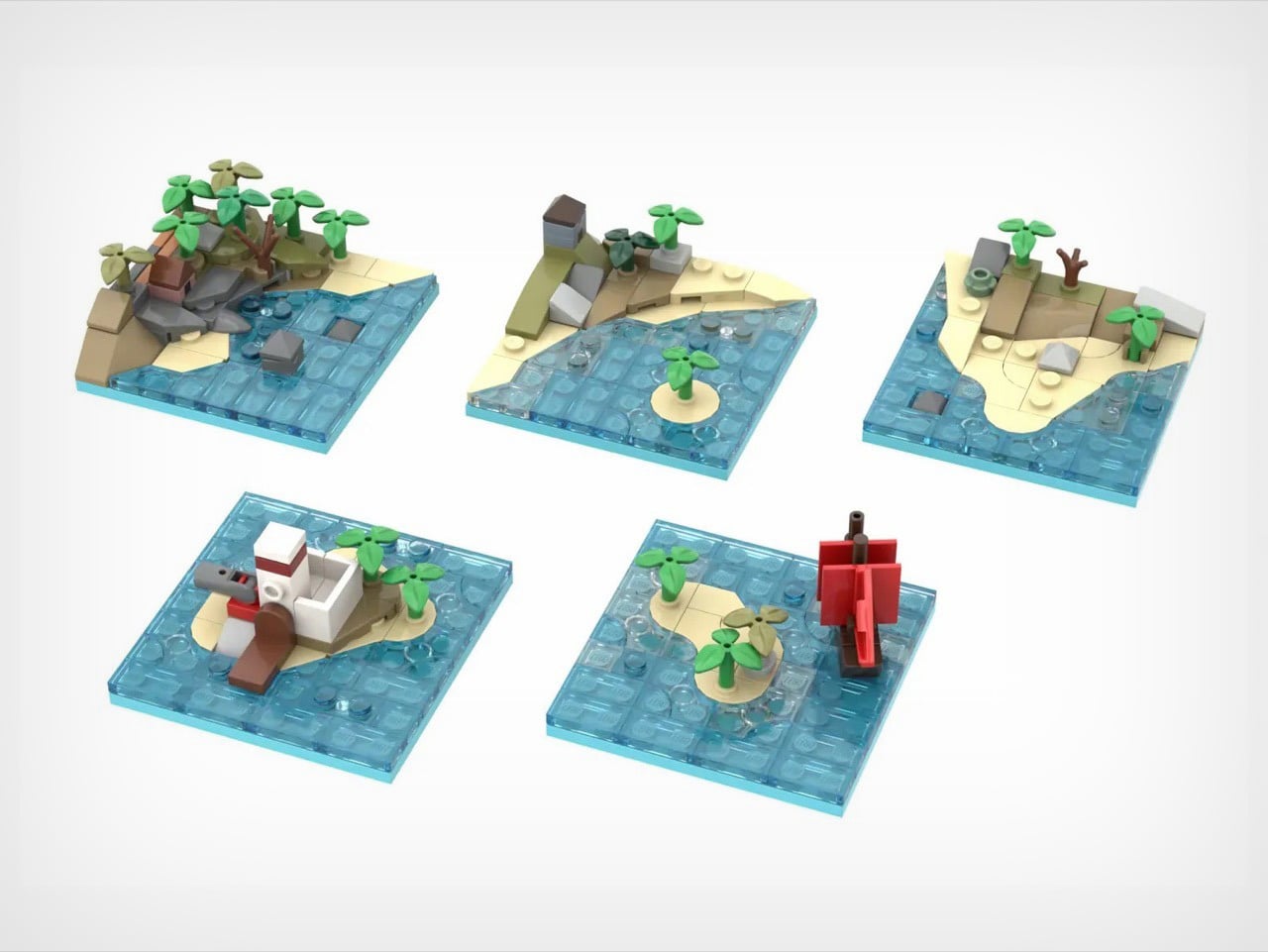
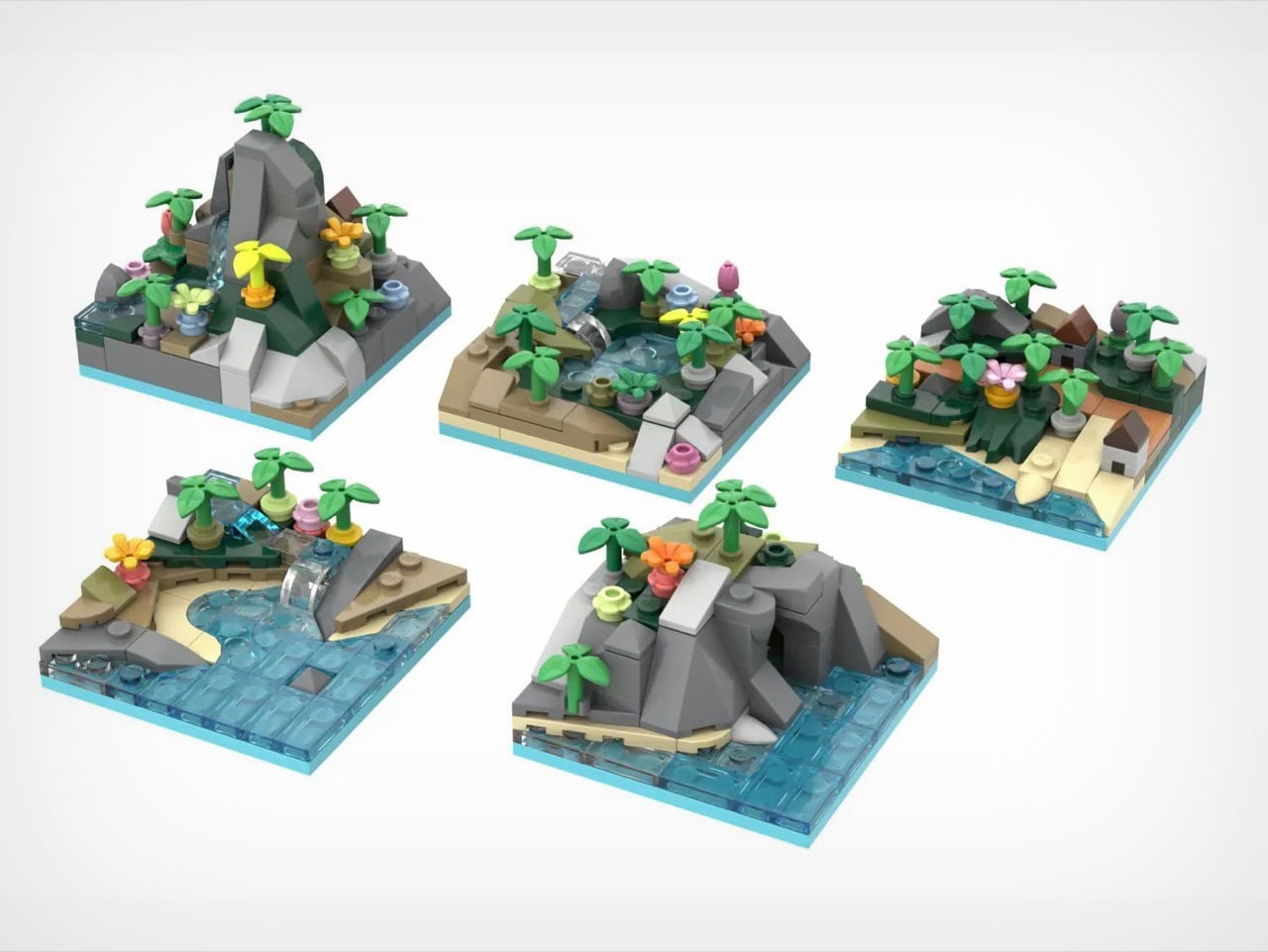
X marks the spot, but which spot? George Brickman’s Modular Pirate Map refuses to commit, and that’s precisely why I love it. This LEGO Ideas submission treats the pirate world like a puzzle where every piece works anywhere, creating a different adventure depending on your mood. Twenty tiles, each bursting with microscale detail, slot into an elegant frame to form a complete map. Then you mix them up and start again.
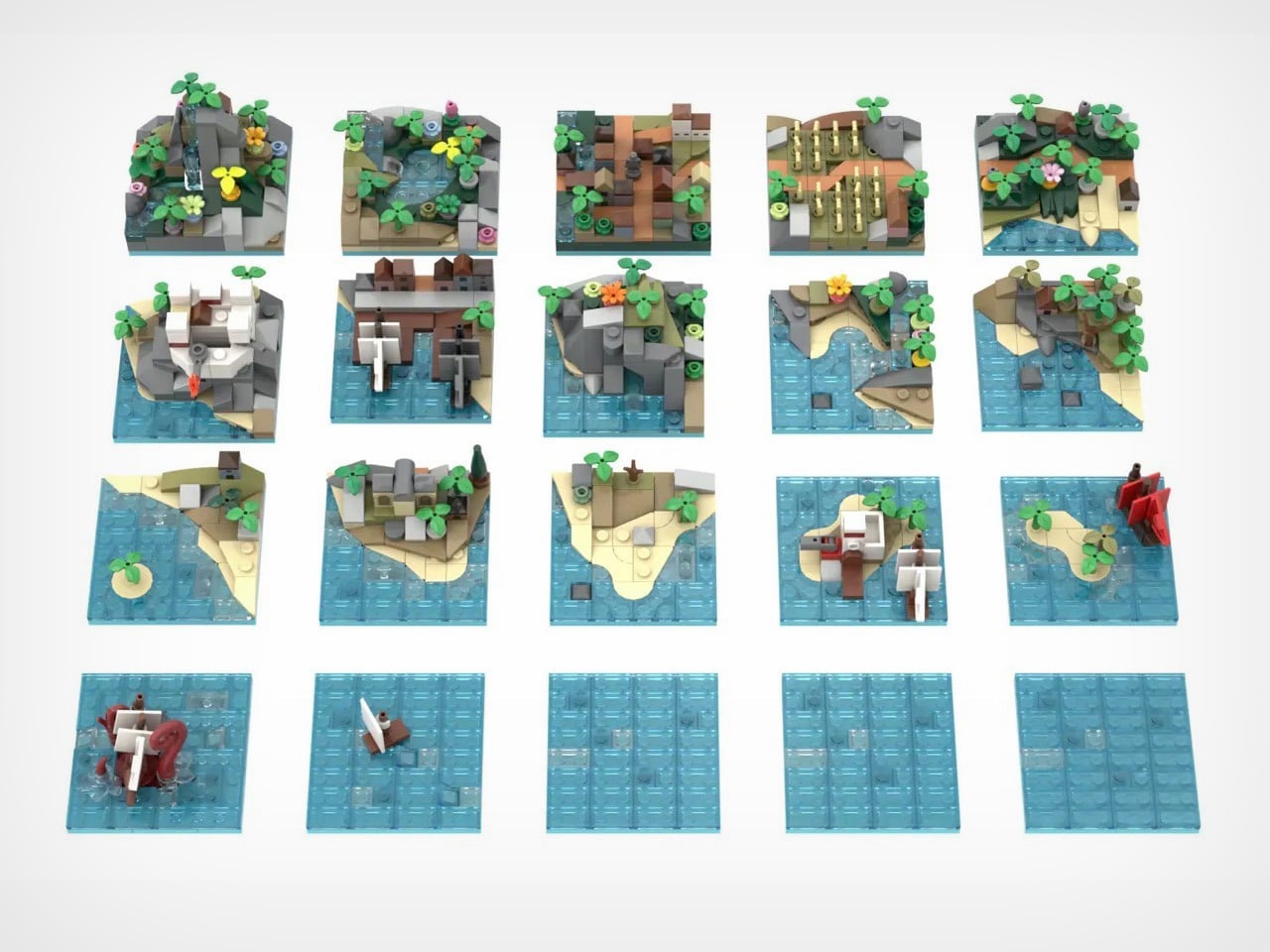
The tiles themselves are tiny masterpieces. Corner pieces house imperial forts and mysterious caves. Interior tiles feature mountain waterfalls and crop fields. Island tiles show colonial outposts. And then there’s the kraken, red tentacles wrapped around an unfortunate vessel, ready to terrorize whatever waters you assign it to. With approximately 2,120 pieces and already marked as a Staff Pick, this project currently has 4,172 supporters steering it toward the 10,000-vote goal. The frame measures about 16 by 13.5 inches, but the possibilities stretch much further.
Designer: George Brickman
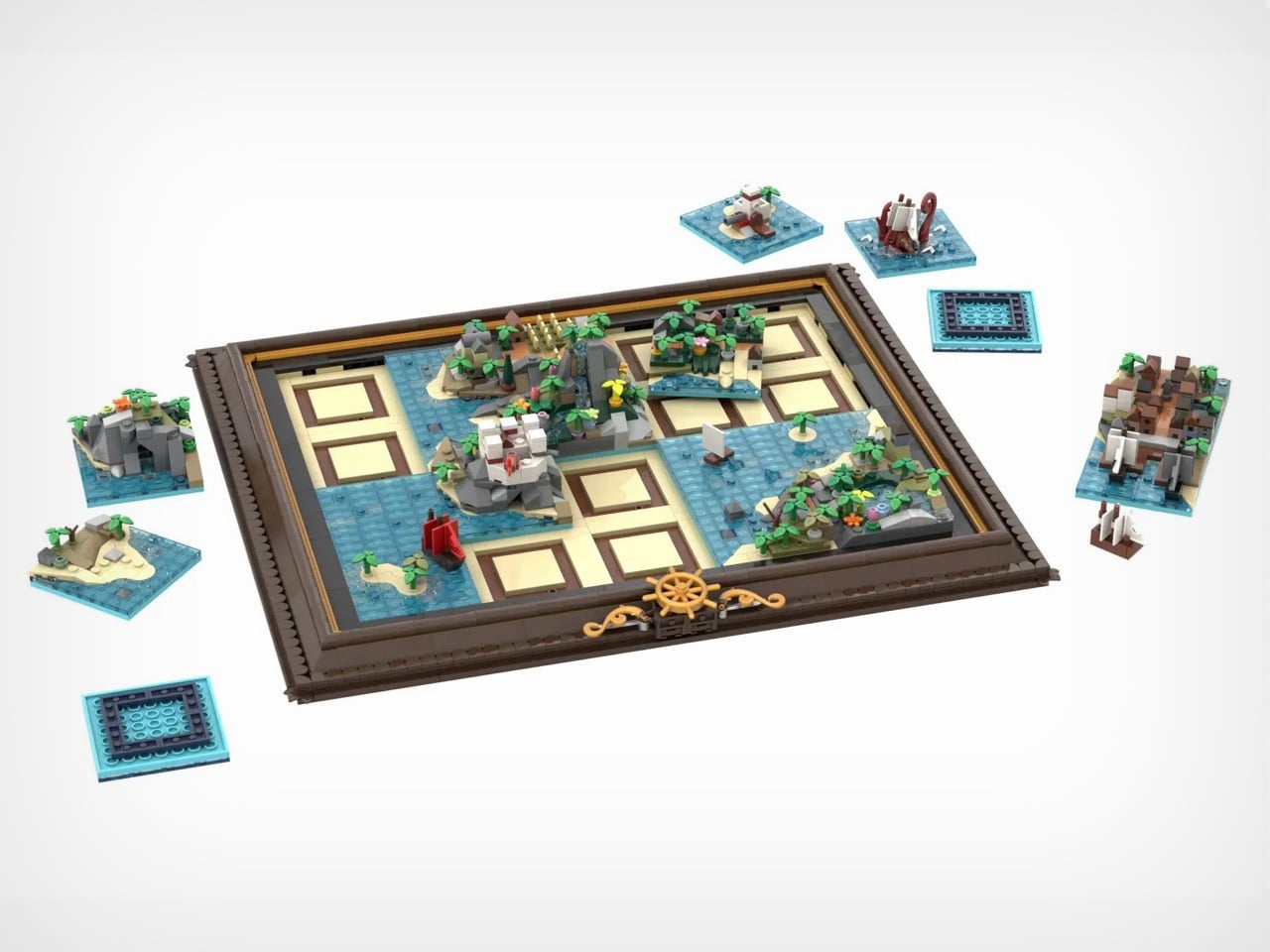
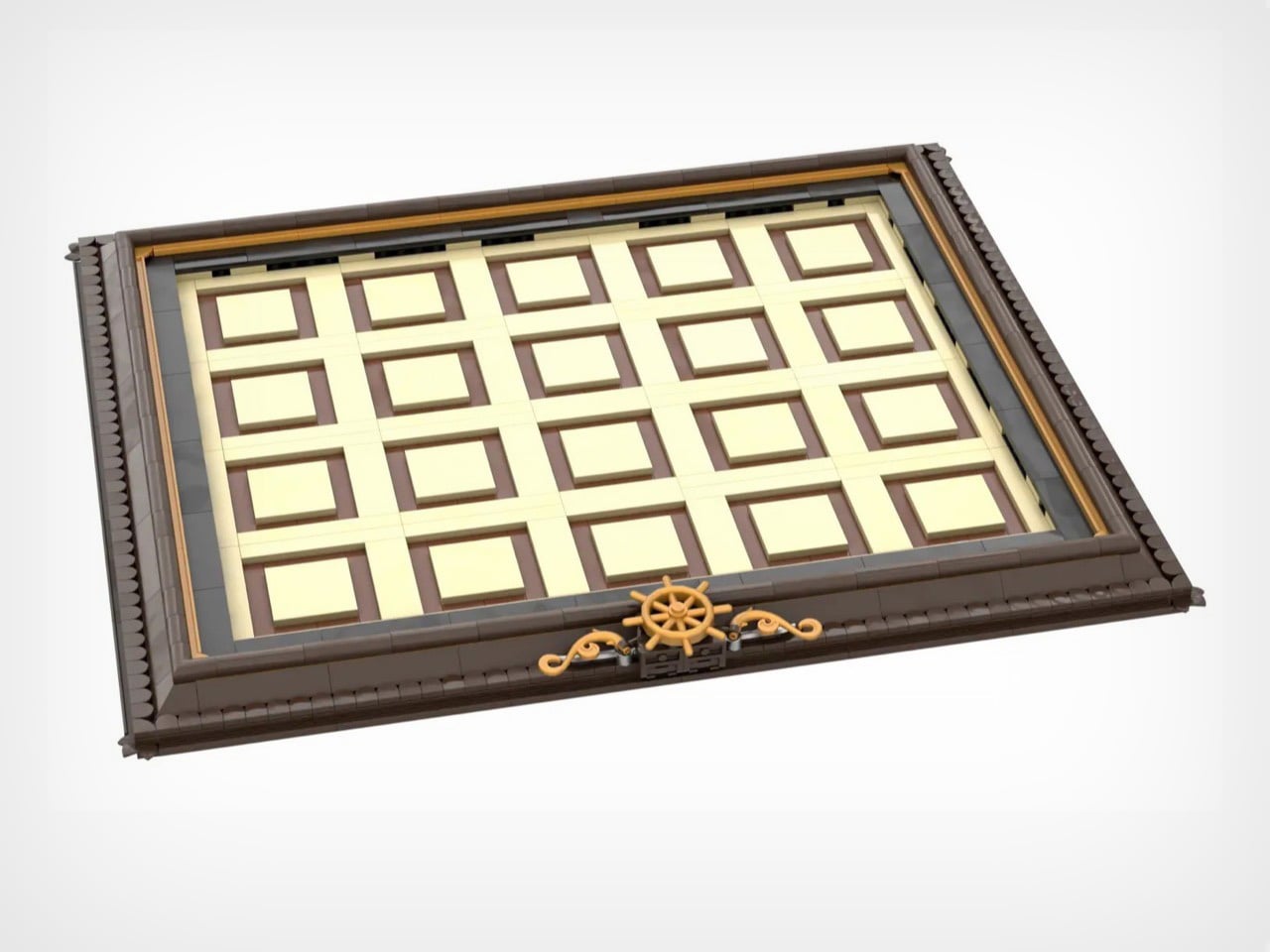
The constant element here is the map’s frame. Dark brown borders with golden accents, three ship’s wheels positioned along the bottom edge like they belong in a captain’s quarters. It’s museum presentation meets functional toy, which is a balance LEGO constantly chases but doesn’t always nail. When you pull tiles out to rearrange them, that empty grid doesn’t look unfinished. It looks like a map in progress, a world being redrawn in real time. The tan and brown tile slots aren’t just practical. They’re decorative infrastructure.
Six corner tiles carry the major landmarks. Bustling harbor with docked ships. Imperial fort with battlements and flag. Cave entrance carved into rocky cliffs. Mountain waterfall cascading into pools. Field of golden crops. Small town with multiple buildings crammed together. Four interior tiles handle the transitional spaces with pools, more agriculture, additional structures, varied terrain. Two island tiles add strategic focal points including an imperial outpost. One side tile gives you coastline on a single edge for asymmetrical builds. Four blank water tiles let you control how much ocean dominates your world. Every piece has a job, and Brickman clearly spent time figuring out what players would actually need versus what just fills space.
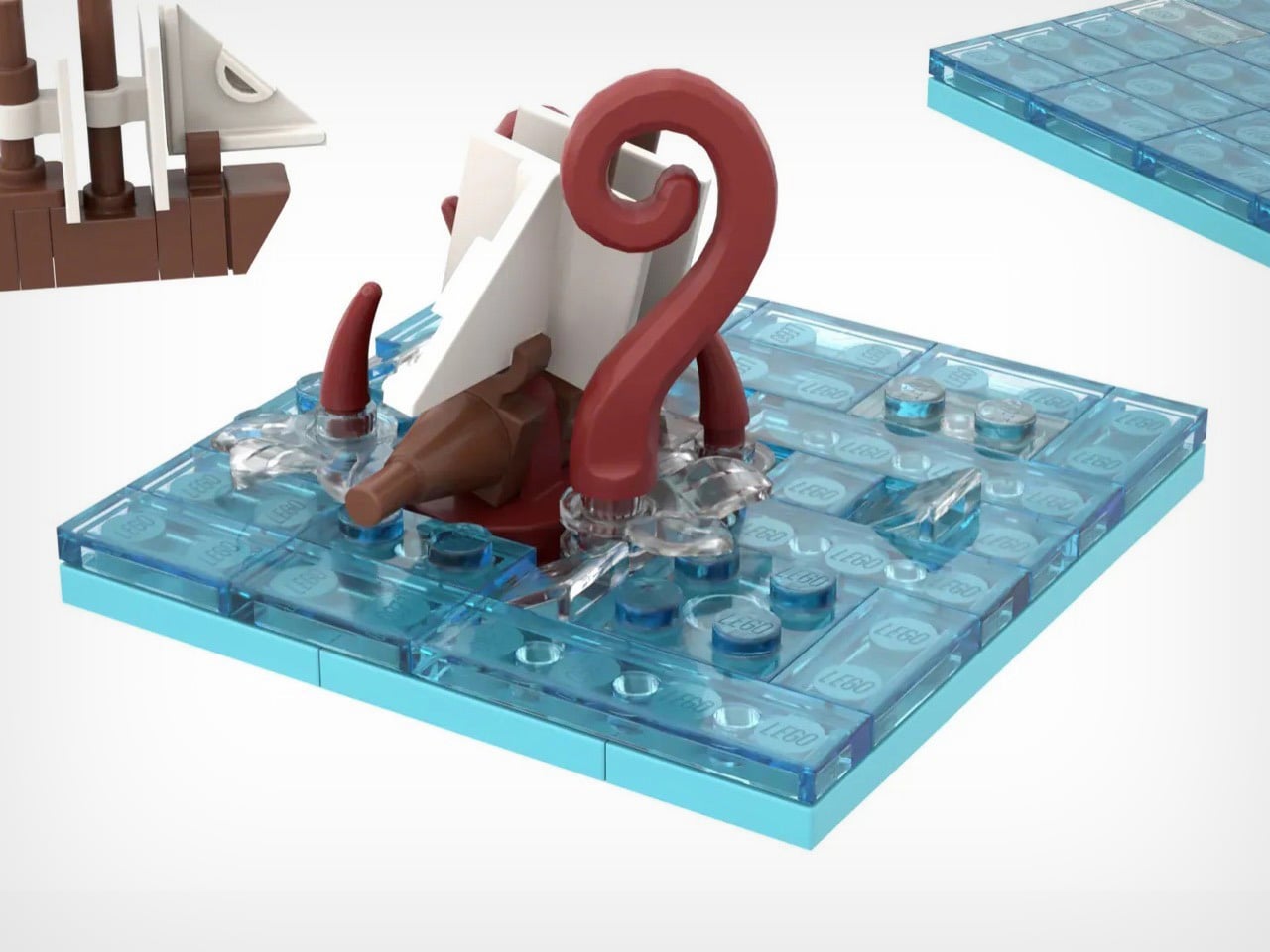
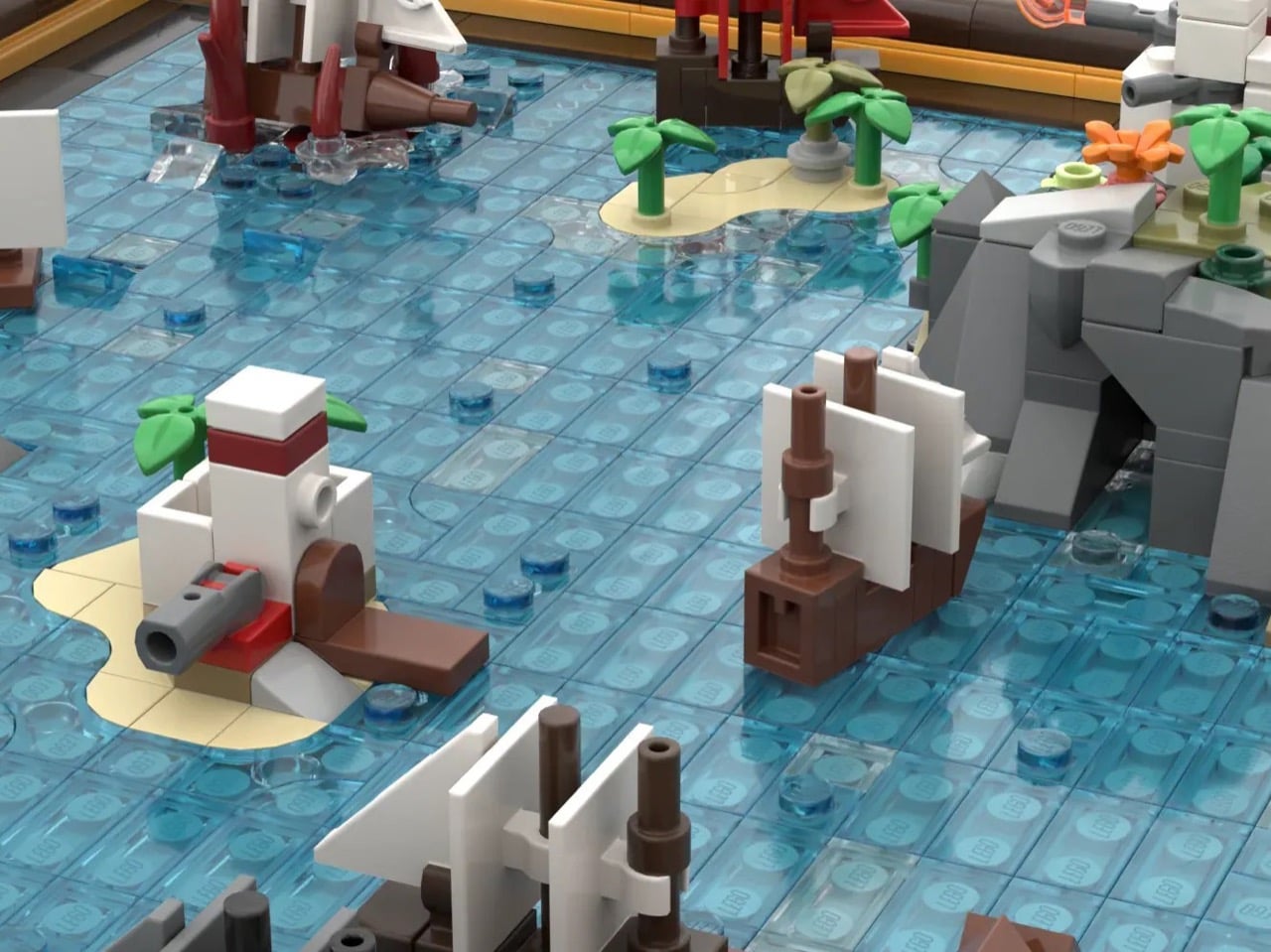
There’s a Kraken tile that adds a perfect amount of whimsy to the map. Massive red tentacles wrapped around a ship getting absolutely wrecked. At this scale, giving those appendages actual volume and curve is legitimately difficult, but Brickman pulled it off. Position matters with this one – drop it near your harbor and you’ve got a siege. Place it next to blank water and it becomes a deep-sea horror story. The kraken doesn’t passively occupy a tile. It dictates tone for everything around it, which is exactly how a showpiece element should function.
Modularity only works when every tile has character and purpose. You need each piece to justify independent existence, otherwise why bother with the swapping mechanic at all? Palm trees lean at intentionally different angles. Rocks stack with natural irregularity instead of uniform patterns. Ships have distinct hull shapes and sail configurations rather than cookie-cutter repetition. Microscale forces brutal economy because you can’t hide weak composition behind part-count excess. When you only have 75 pieces per tile, every single brick needs purpose.
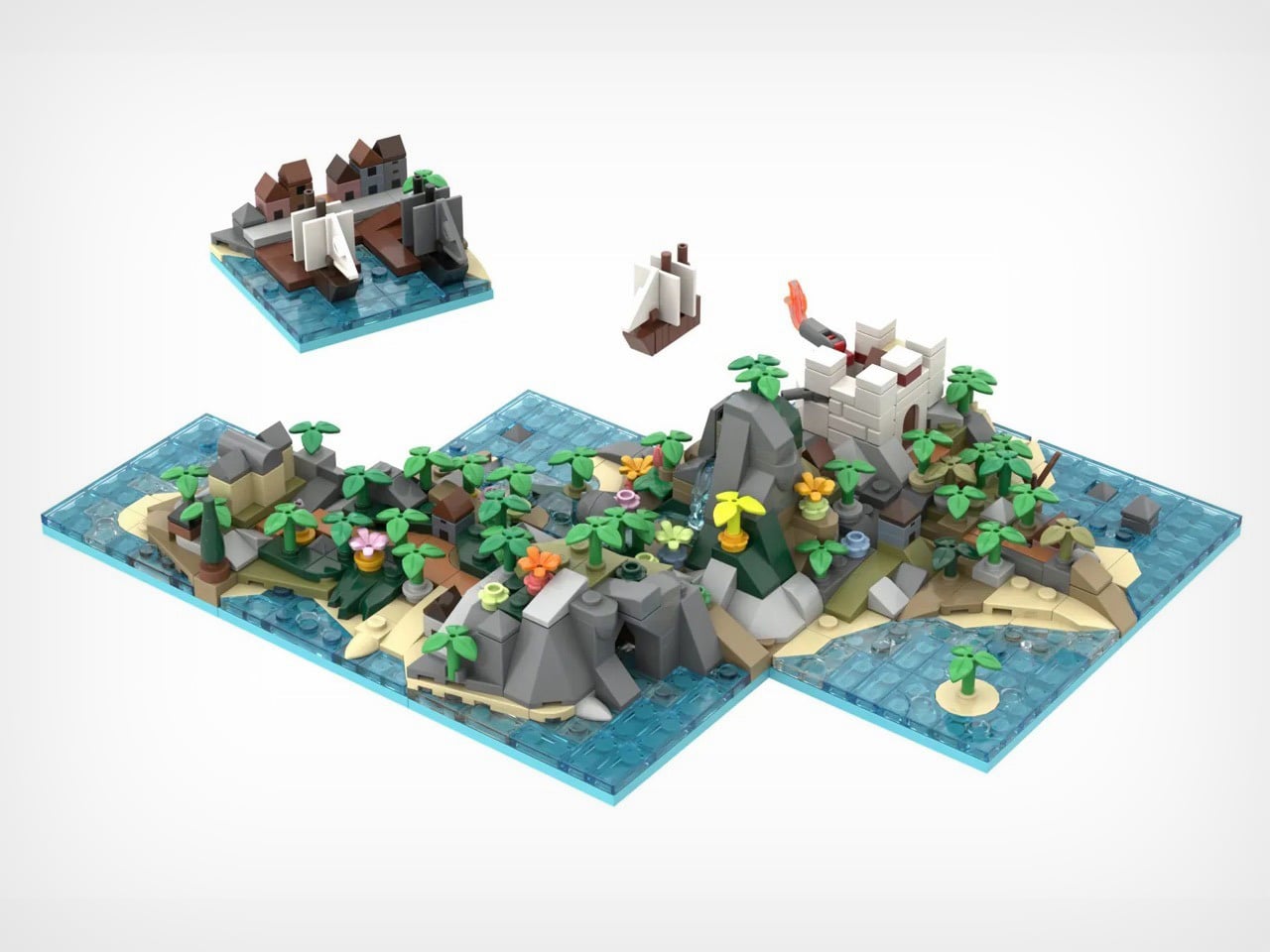
Start mixing configurations and the mathematics get wild. A 4×5 grid holding 20 tiles produces absurd permutation counts even accounting for corner and edge restrictions. You could theme it with all land tiles clustered on one side creating an archipelago. You could scatter islands randomly across mostly-water fields. You could jam civilization into one corner and leave wilderness sprawling everywhere else. The modularity isn’t decorative flexibility. It’s the entire reason this concept works as a product rather than just a pretty render.
4,172 supporters with 589 days remaining and Staff Pick status means this campaign has actual legs (or kraken tentacles, should I say). LEGO has done modular buildings for years. They’ve released countless pirate ships across multiple themes. Nobody’s done a modular map, which feels like an obvious gap now that someone’s finally filled it. If this survives the 10,000-vote threshold and makes it through LEGO’s review process, you’re looking at a potential template for an entire category. Modular fantasy maps with castles and dragons. Space station maps with docking bays and asteroid fields. Underwater maps with submarines and coral reefs. The format translates to literally any theme that benefits from spatial reconfiguration. That’s a vision I can get behind – and if you believe in it too, go ahead and cast your vote for Brickman’s MOC (My Own Creation) on the LEGO Ideas website. It’s free!
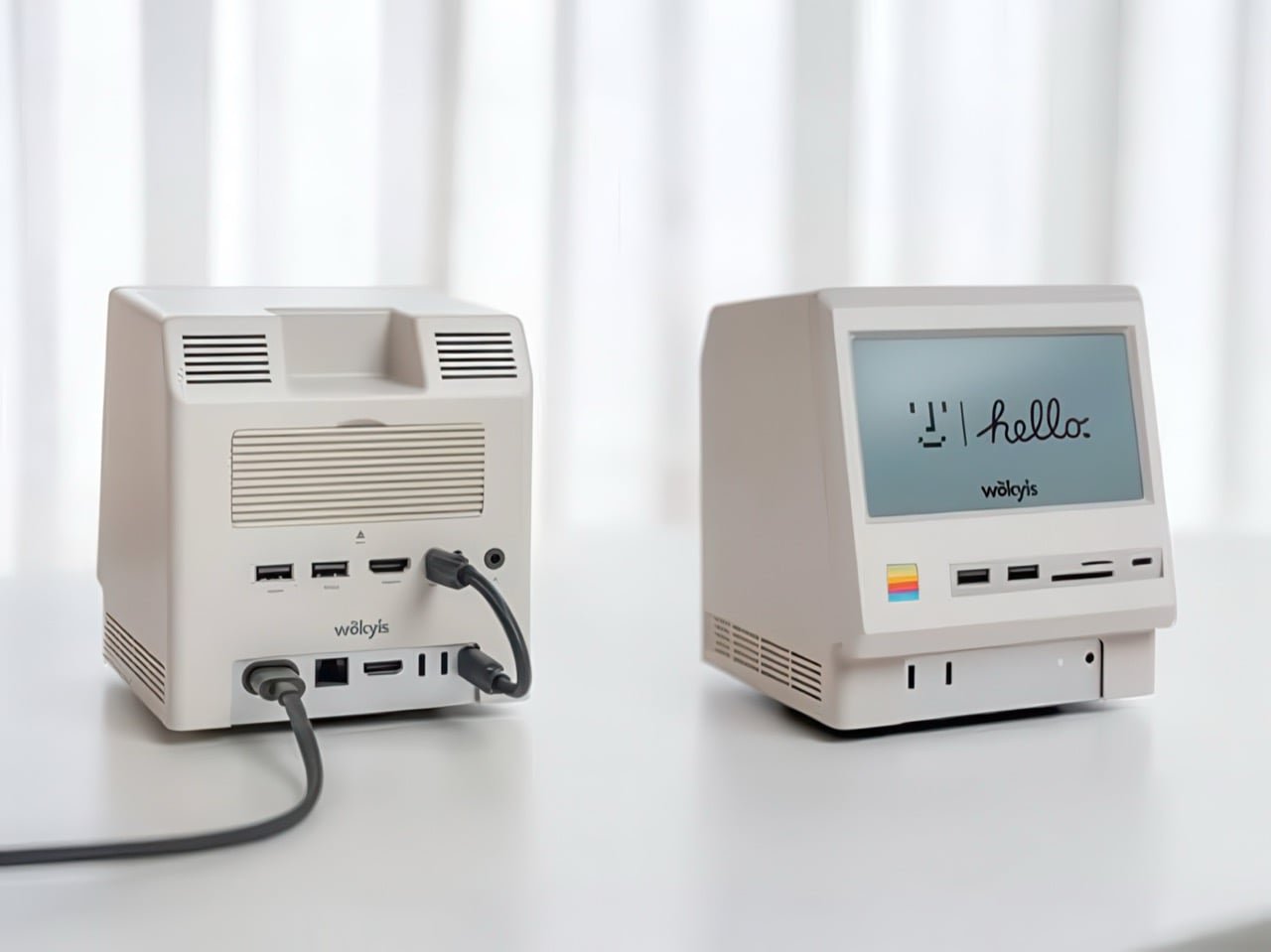
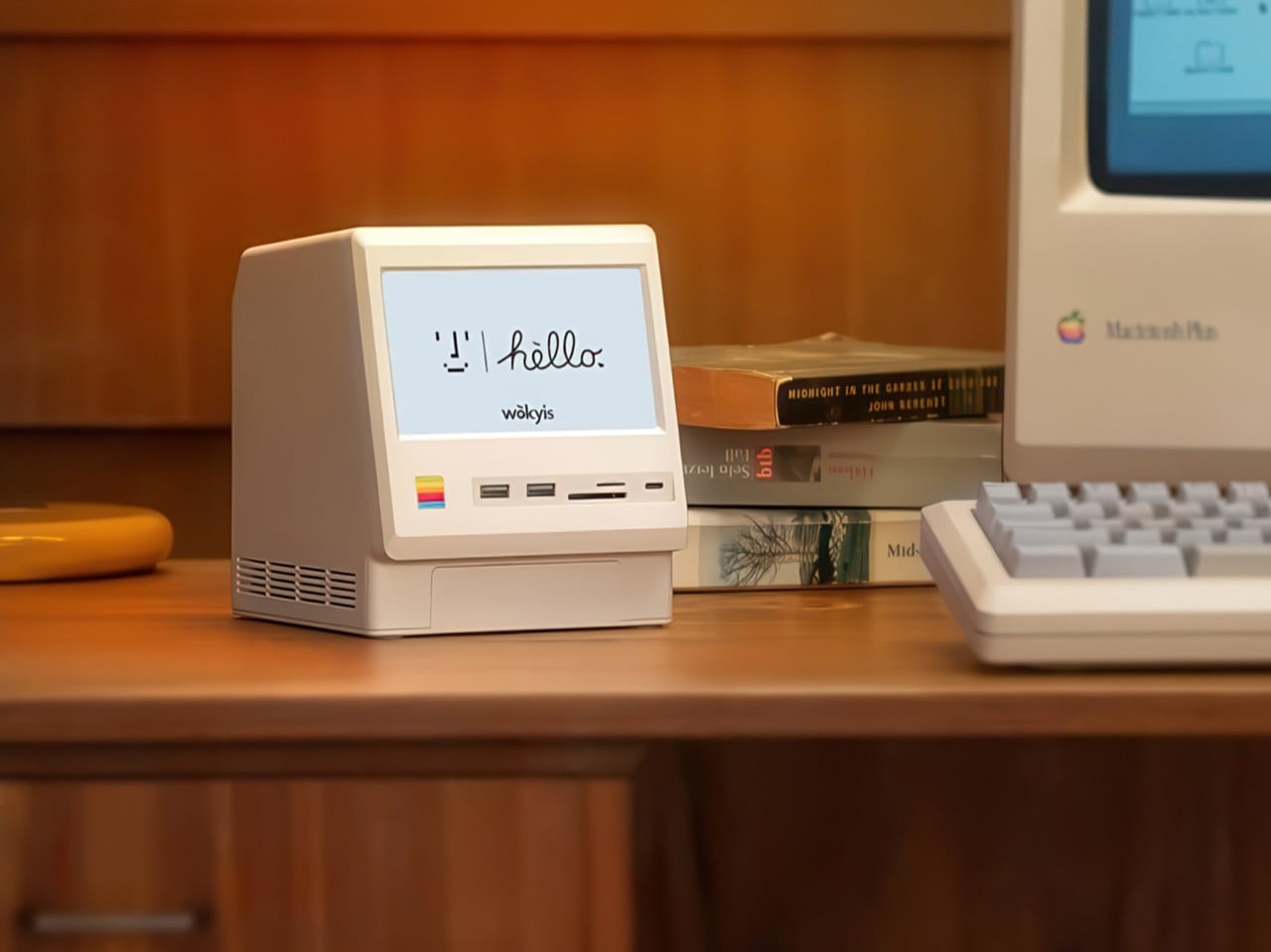
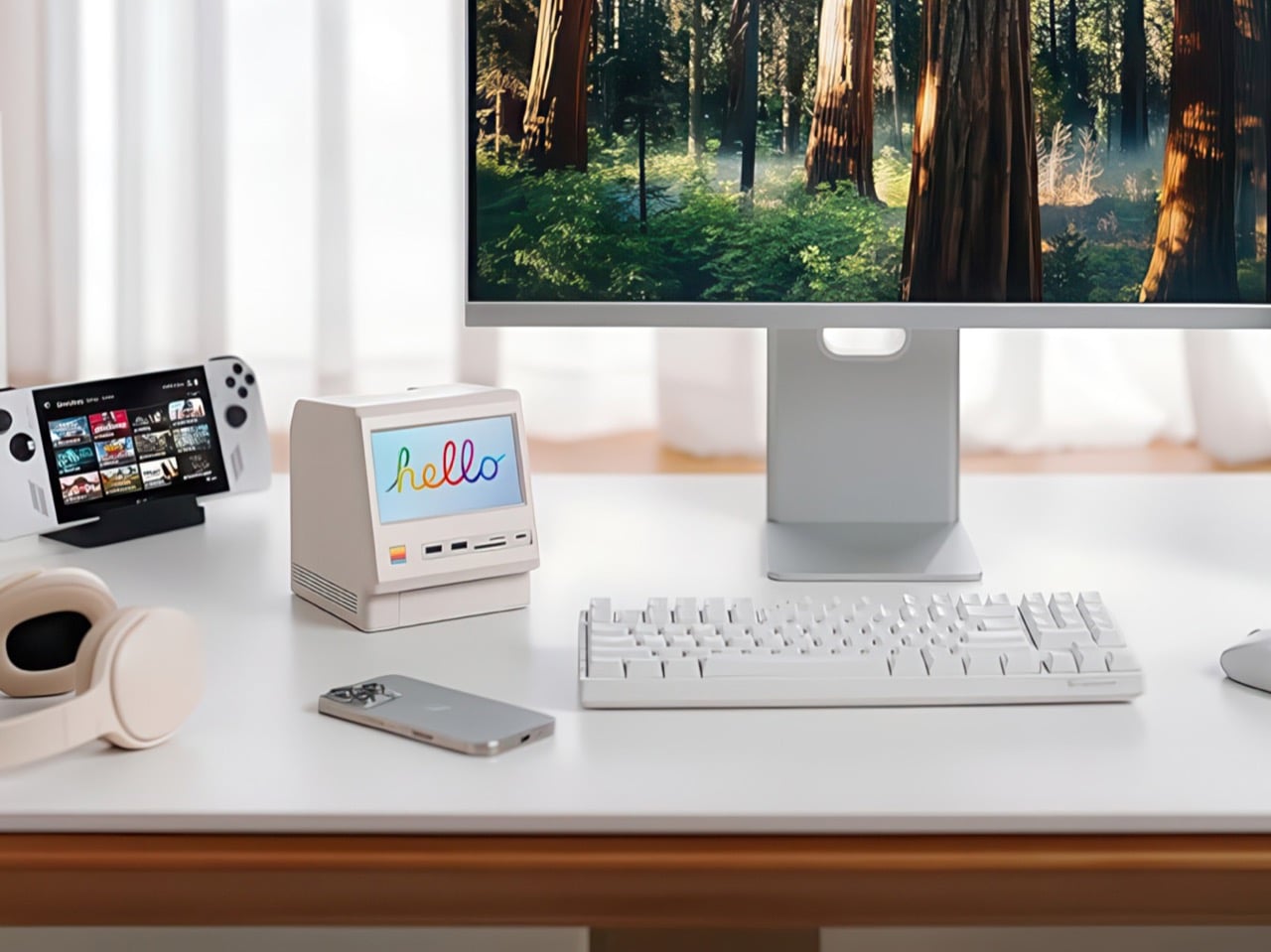
Apple’s Mac mini M4 is absurdly powerful for its size, but connecting anything to it requires a patience-testing game of dongle Tetris. The Wokyis M5 fixes this the fun way, wrapping your diminutive desktop in a retro Macintosh shell that’s actually packed with ports and storage. Yes, the naming is confusing since there’s no Mac mini M5 yet, but the compatibility story is straightforward: this works with the M4, M2, and M1 Mac minis, plus any Mac with Thunderbolt 3/4/5 ports.
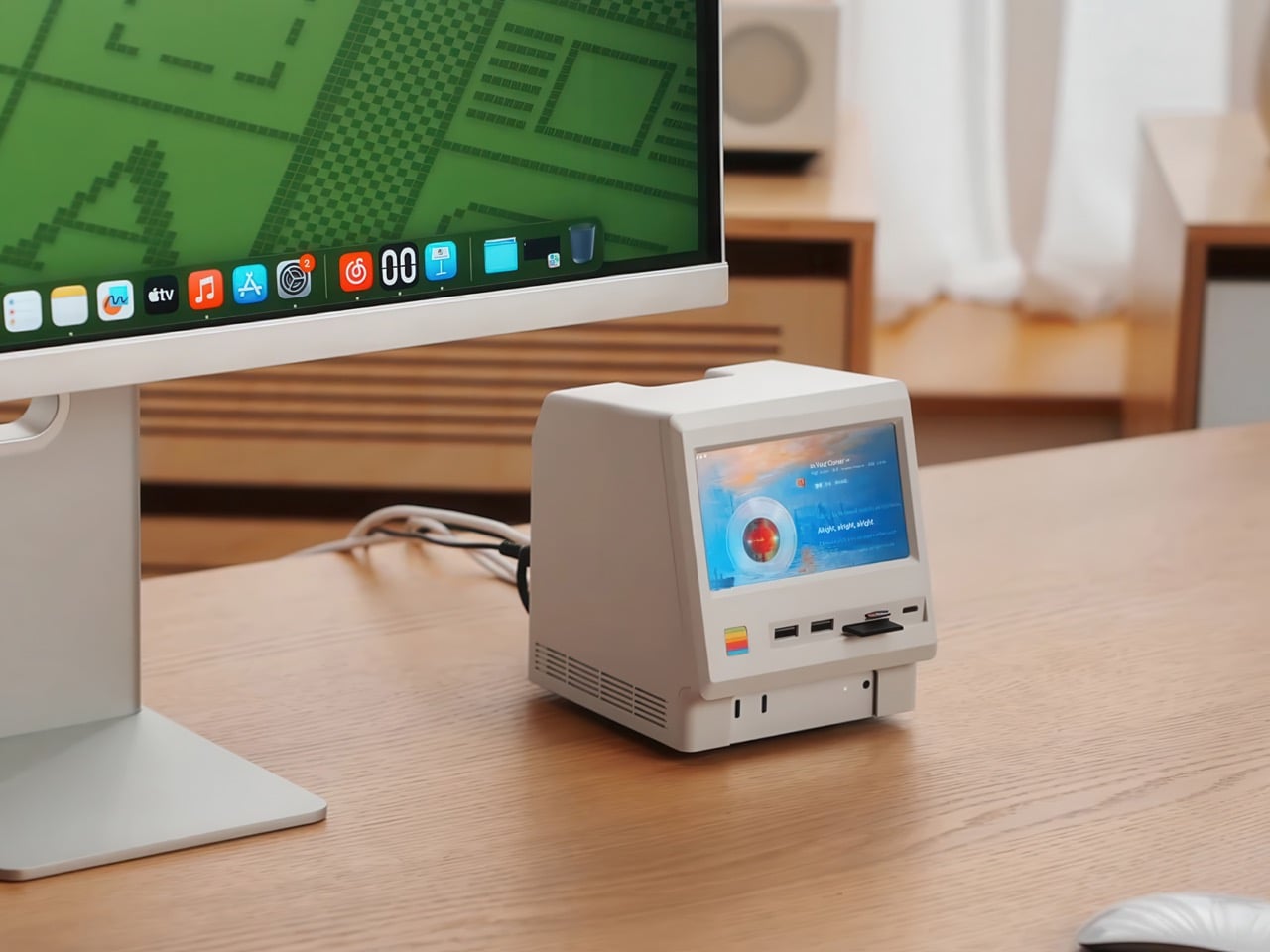
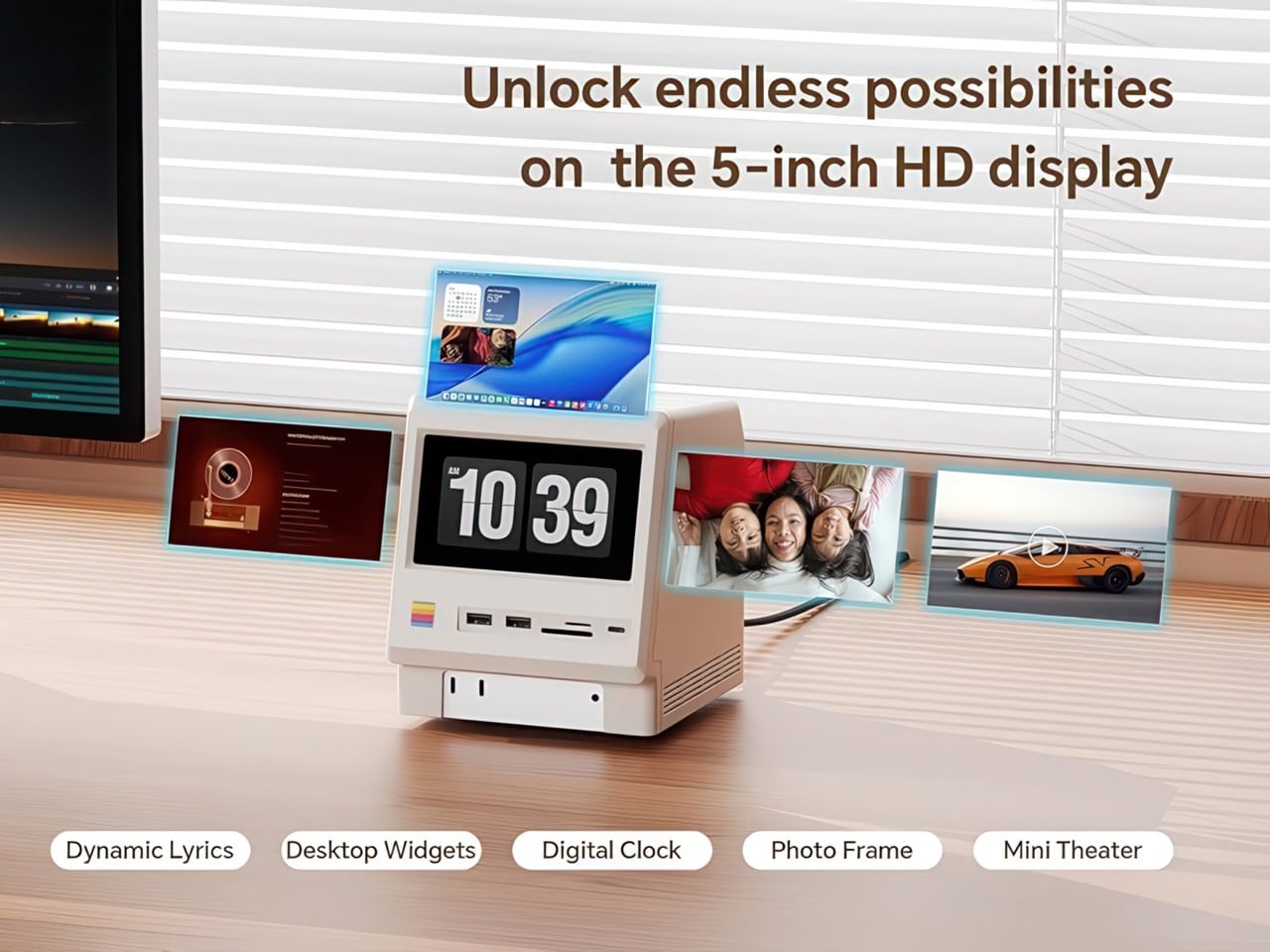
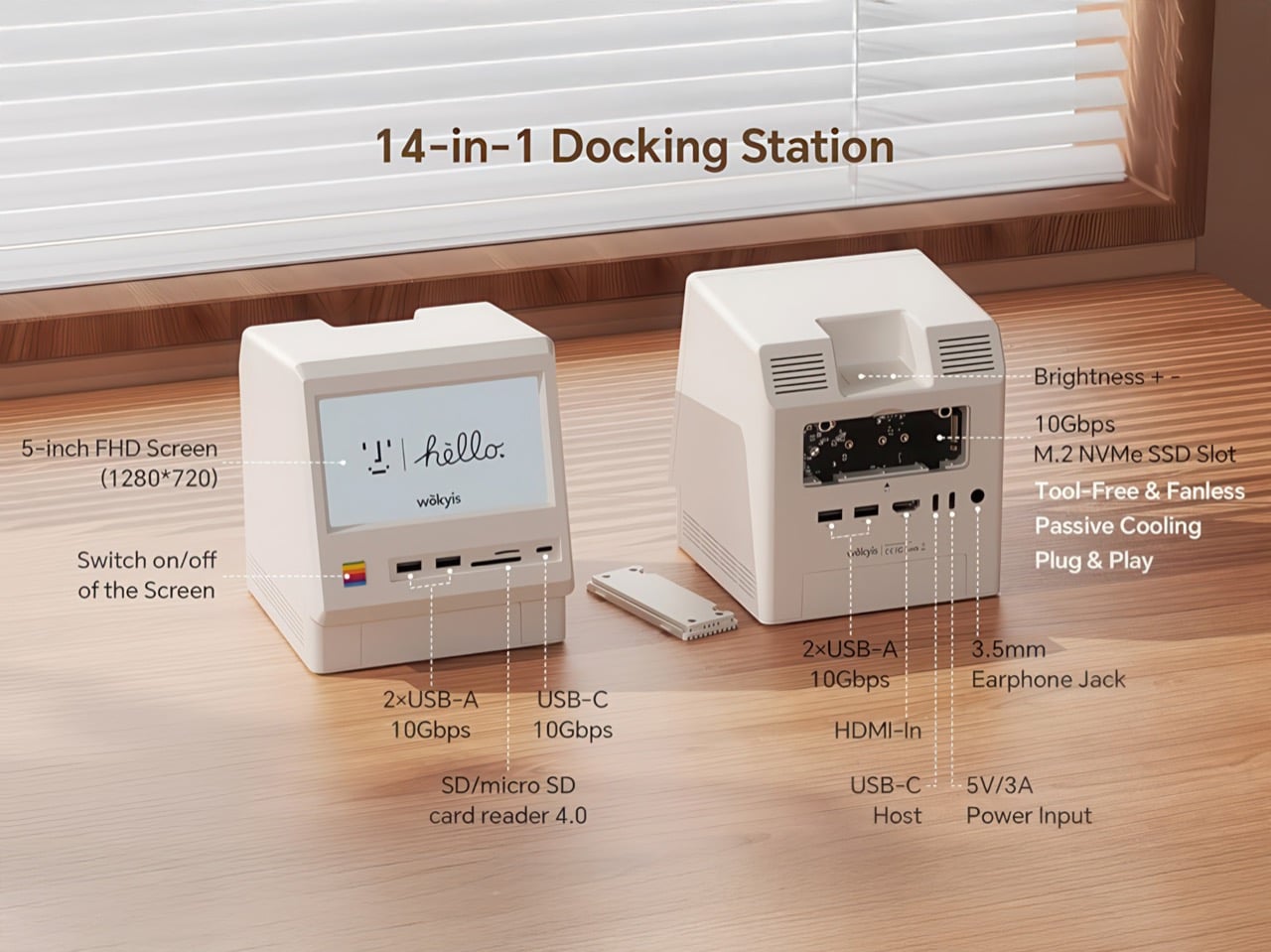
Inside that beige plastic homage to computing history, you’ll find legitimately fast 10Gbps connectivity on both USB-A and USB-C ports, card readers that hit 312MB/s with UHS-II cards, and a tool-free M.2 enclosure with included thermal pads for proper heat management. The 5-inch screen displaying “hello” works as a proper 720p panel for desktop widgets, music lyrics, photo frames, or system stats. Testing shows the SSD enclosure delivers around 900 MB/s with quality NVMe drives, which is respectable for a hub in this price range. The design lets you access the Mac mini’s own ports through a removable bottom panel, so nothing gets sacrificed in the name of aesthetics.
Photographers and video editors know the Mac mini M4’s port limitation intimately. Three Thunderbolt 4 ports and two USB-A ports sound adequate until your monitor claims one, your external SSD takes another, and you’re suddenly rationing connectivity like it’s a finite resource. The front panel of the M5 solves this with two USB-A 10Gbps ports, one USB-C 10Gbps port, and SD plus microSD slots that handle UHS-II speeds at 312MB/s. Offloading a 128GB card from a photo shoot takes minutes instead of the geological timescale you’d experience with slower readers. You do this without unplugging anything or performing cable gymnastics behind your monitor.
The M.2 enclosure accepts NVMe drives from 2230 to 2280 form factors and supports up to 8TB of storage. Pair it with a Samsung 990 EVO Plus and you’ll see read and write speeds hovering around 800 to 900 MB/s, which translates to genuinely usable performance for 4K editing timelines or RAW photo libraries. Wokyis ships two thermal pads in the box: a thicker one for single-sided SSDs and a thinner variant for double-sided drives. The passive cooling approach works because there’s actual thought behind the thermal management rather than hoping convection does all the heavy lifting. No fans means no noise, which matters when you’re recording voiceovers or working in a quiet space.
That 5-inch display hits 1280×720 resolution at roughly 290 PPI, putting it squarely in Retina territory for normal viewing distances. Text renders crisp, colors track accurately for casual use, and brightness handles typical indoor lighting without struggle. You can feed it content through the HDMI-in port or the USB-C host connection depending on your setup preferences. People are running Spotify controls on it, system monitoring dashboards, security camera feeds, even Slack notifications. The dedicated power button on the front means you can kill the screen when you don’t need it running, which beats having a perpetually glowing display burning into your peripheral vision at 2 AM.
Wokyis nailed the proportions by treating the original Macintosh as inspiration rather than a blueprint to slavishly recreate. The beige matches Apple’s classic off-white perfectly, the ventilation grills reference the original’s cooling design, and that rainbow stripe sits exactly where your brain expects it. The dimensions wrap the Mac mini M4 specifically, with a removable base plate that keeps every native port accessible. You’re adding capability on top of what Apple gave you rather than trading functionality for aesthetics. The Mac mini slides in, locks down, and you’ve suddenly got a setup that looks like it time-traveled from 1984 while performing like it’s from 2025.
Generic USB-C hubs from Anker or CalDigit run $80 to $150 and offer similar port counts with zero personality. None of them include an SSD enclosure or a display. The M5 at $169.99 lands in a weird value proposition where you’re paying a modest premium for design that actually makes you happy to look at your desk. The 80Gbps Thunderbolt 5 version exists at $389 if you’re pushing enormous video files or running external GPUs, but that’s specialist territory. The 10Gbps model handles what 90% of users throw at it. Ships in two days direct from Wokyis or grab it from Amazon if you’ve got Prime and prefer that refund safety net. Either way, you’re getting a dock that makes the Mac mini M4 better at its job while looking fantastic doing it.