These $90 Cover Plates turn your PS5 into an Xbox-ish Monolith with much better thermals

We called the PS5 the most beautiful console in the world on reveal day in 2020, and I still mostly mean it. Yujin Morisawa’s shell is a bold piece of industrial design, a vertical monolith with two floating wings that looks like nothing else in the category. Bold monoliths have one correct orientation, though, and living rooms have shelves. Tip the thing sideways and the composition falls apart, because the asymmetry that reads as dynamic standing up reads as tipped over lying down. Devyn Johnston, a PC modder whose YouTube channel runs on small form factor builds, decided to answer that with tooling instead of opinions.

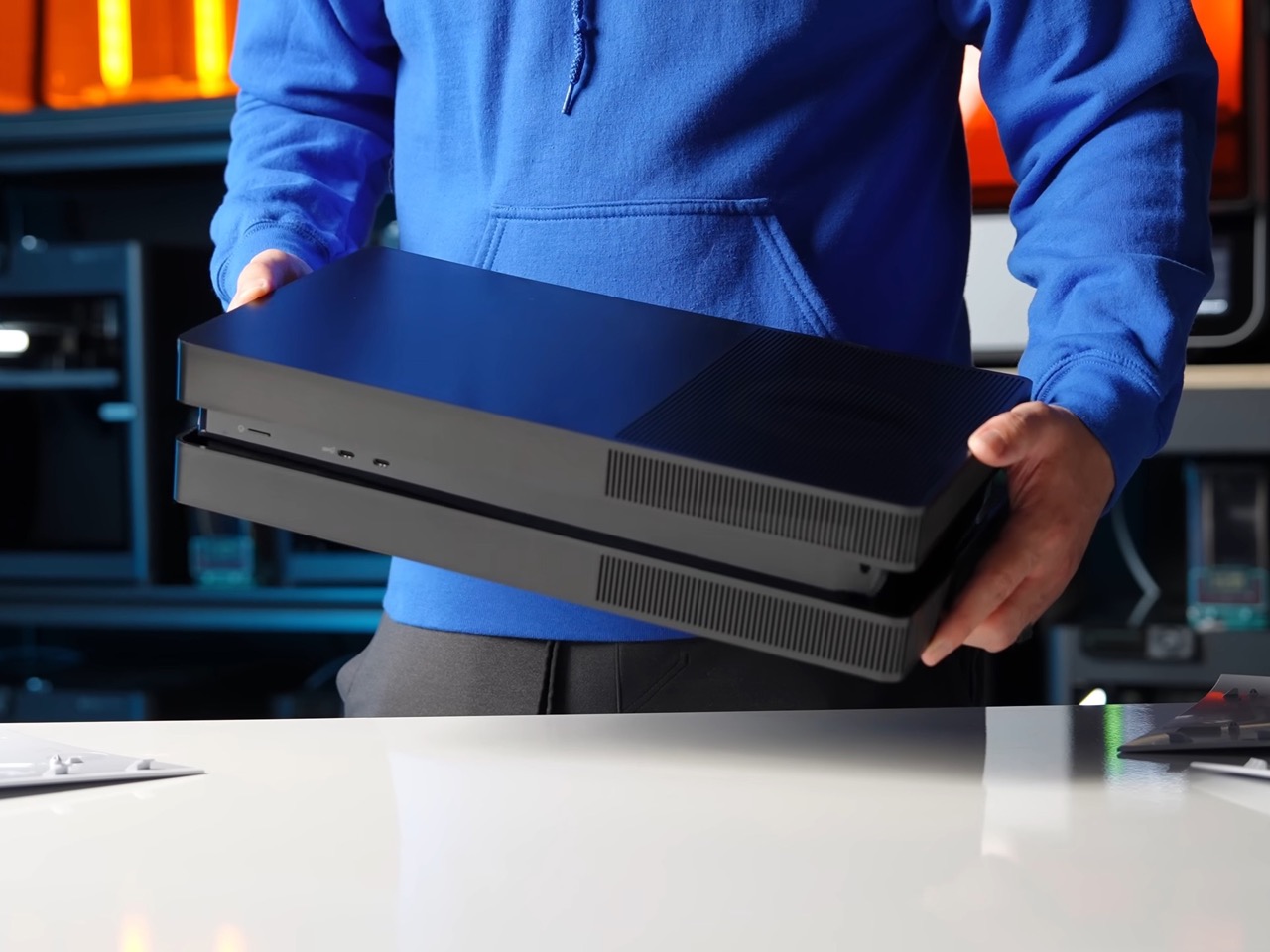
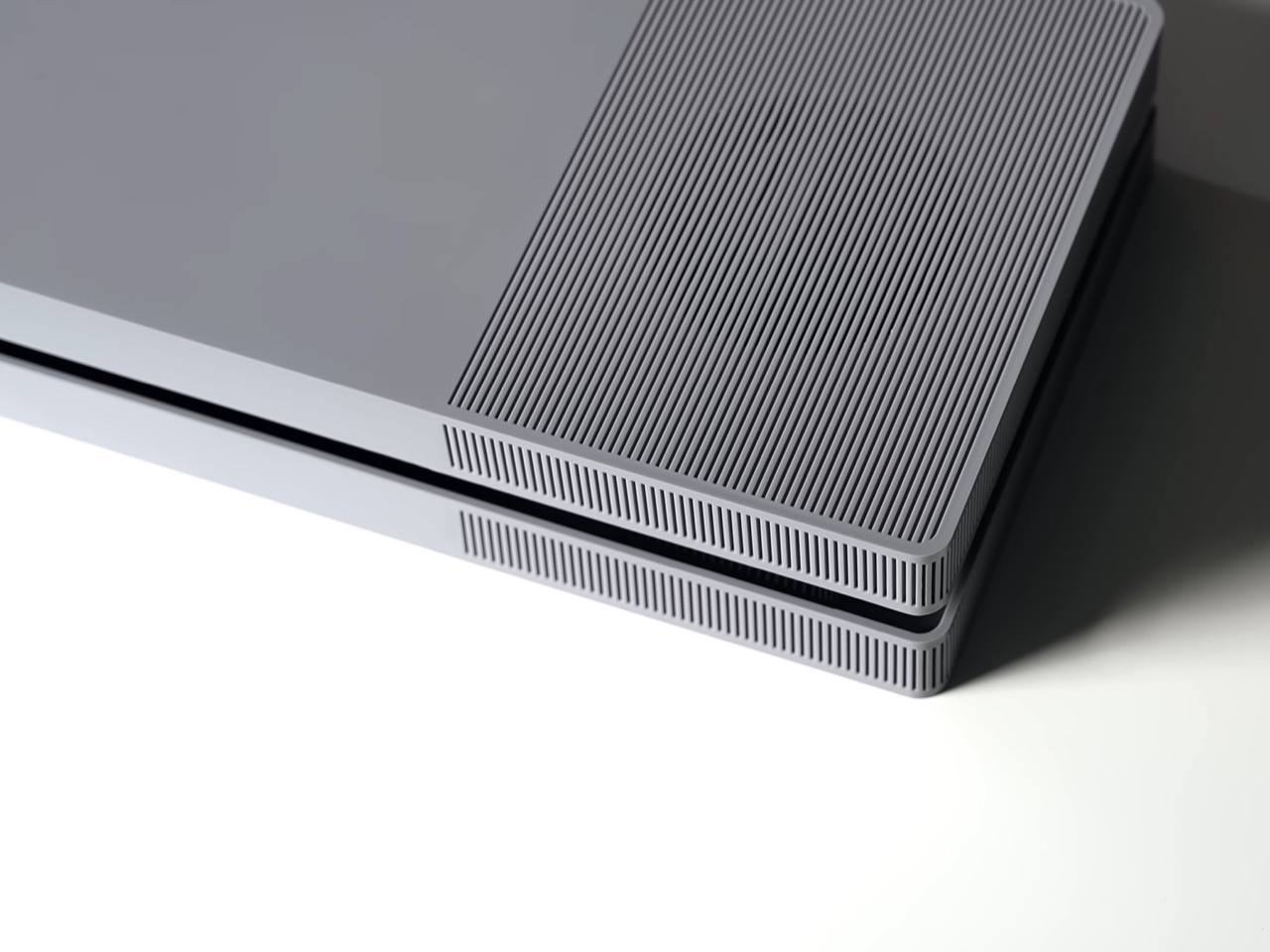
His BoxPlates are aftermarket cover plates that clip on exactly where Sony’s official ones go, replacing the console’s compound curves with orthogonal geometry and crisp corners. A dense linear rib pattern runs across the top face, hides a vent sitting directly above the fan, wraps the corners and continues down the sides. Johnston sank more than $100,000 into custom injection mold tooling so the parts come out of the same process Sony uses for controllers and first-party plates. Sets cost $89.99 in black, gray, white and black, or gray and black, and cover five of the six PS5 variants. The original Digital Edition is the one still waiting.

Designer: Devyn Johnston

Here is the part that might have aged like milk. That same 2020 article of ours took a swing at the Xbox Series X for being bulky, blockish and air-purifier-like, and the fix the internet has now rallied behind is, functionally, a box. Johnston admits the first prototype drew loose inspiration from the Xbox One S before he redrew it as an original design for intellectual property and manufacturability reasons. The finished plates land somewhere between an Xbox One S and a mini ITX case, which is more flattering than it sounds, because both of those objects understood that a home entertainment product should look calm sitting next to a soundbar. Sony built a trophy. Johnston built an appliance.
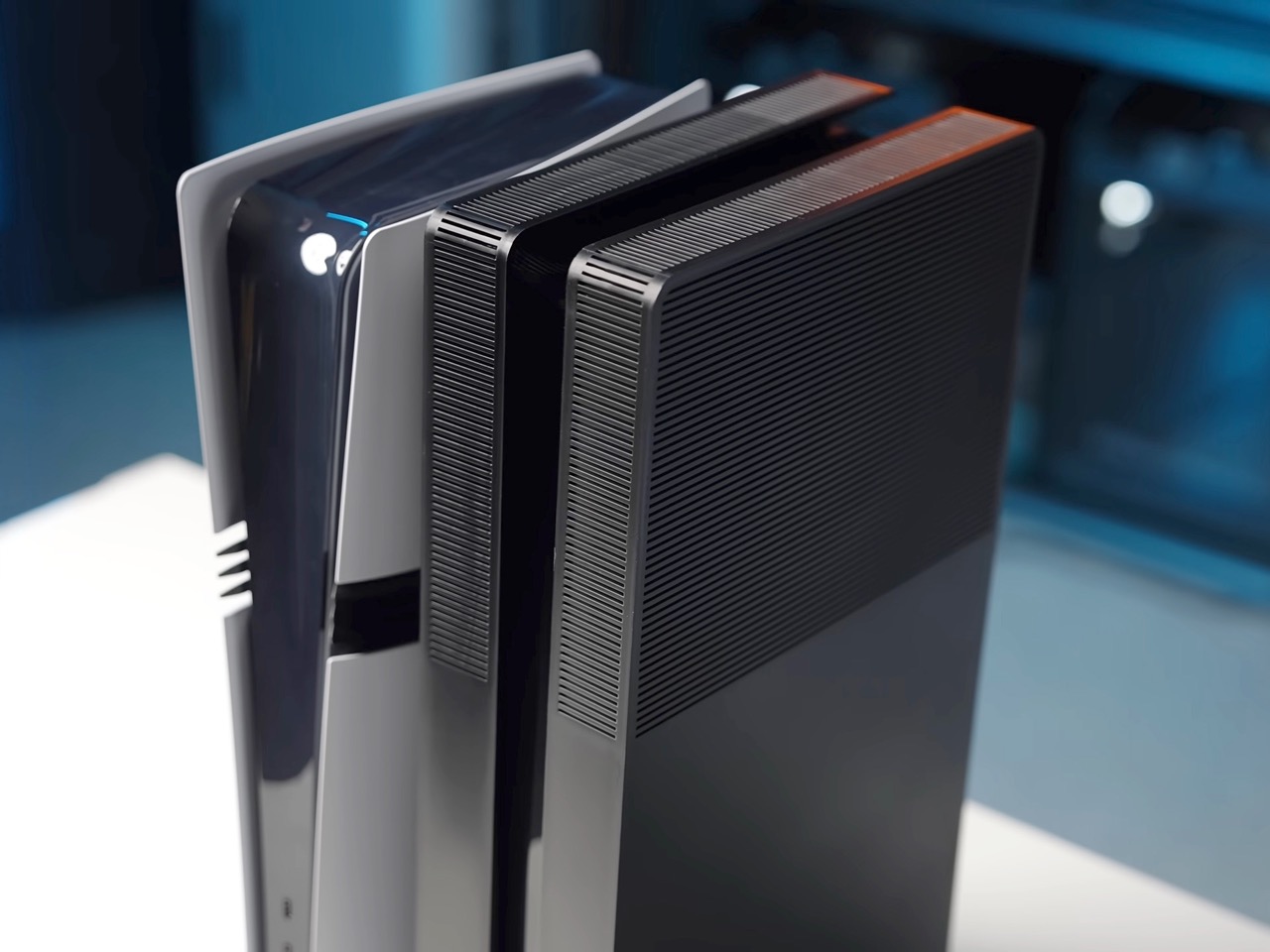
Getting there took considerably more work than sanding down a silhouette. The PS5’s surfacing is full of subtle compound curvature that had to be reverse-engineered before anything could be drawn over it, and Johnston then spent iterations correcting alignment, killing the tilt and straightening angles while staying inside the console’s internal mechanical constraints. Injection molding is what separates this from the 3D-printed shells cluttering Etsy, since it buys tight tolerances, sharp corners and a light matte texture that a printed part can only approximate. The clips are the clever compromise. They stay 3D printed in PETG with thick walls and solid infill under each snap, which means a worn clip costs you a small replacement part rather than the whole shell.
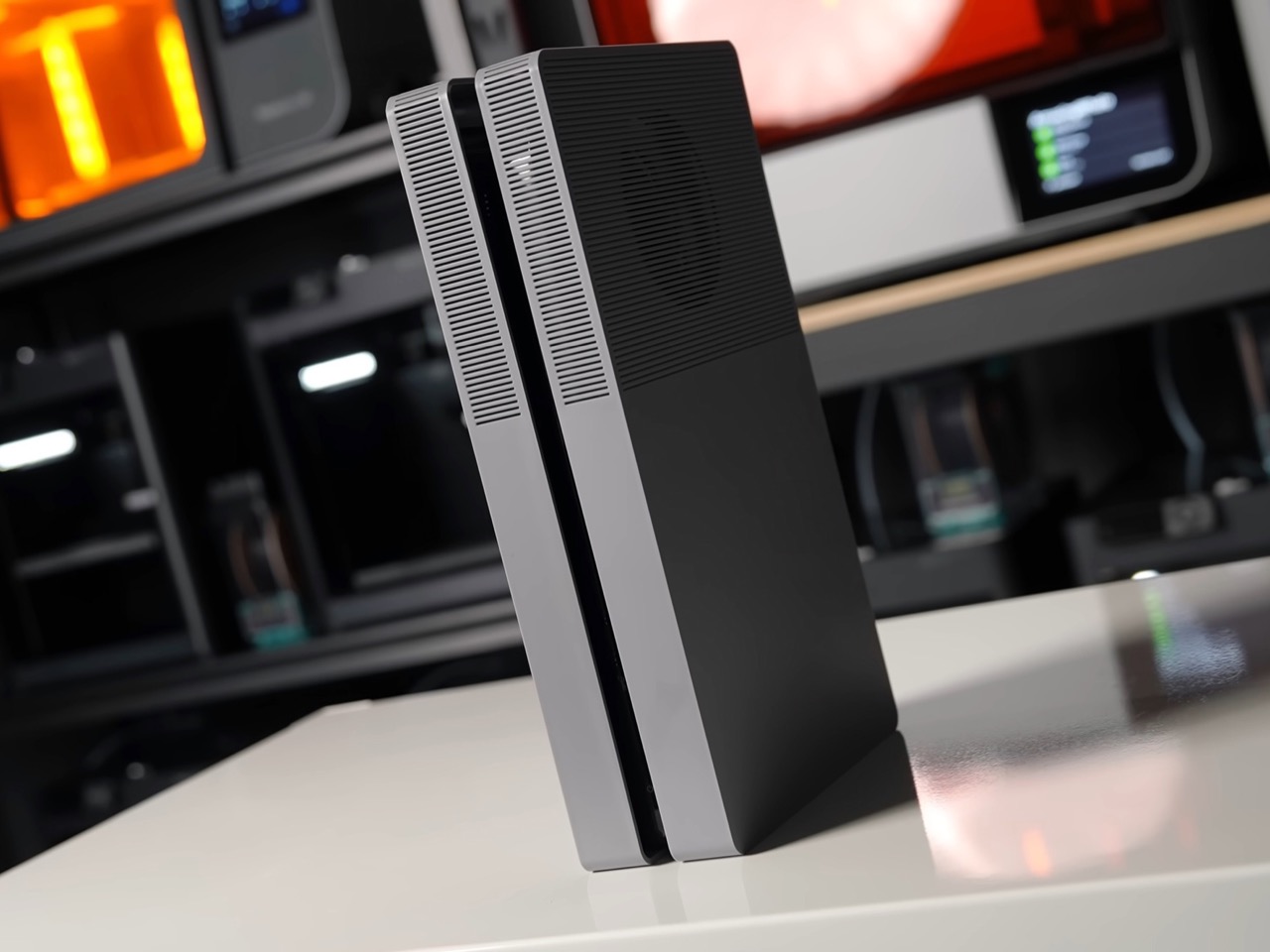

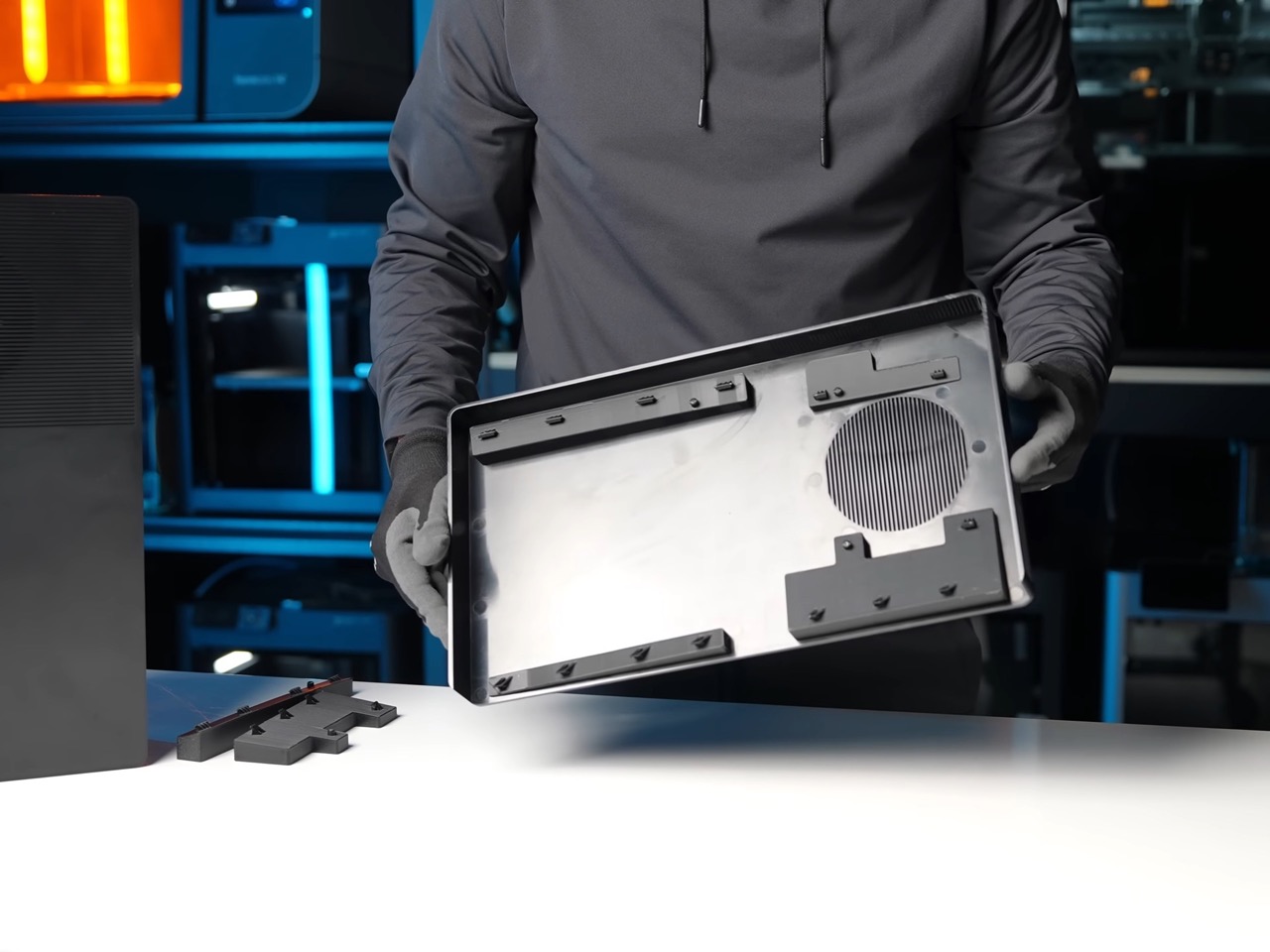
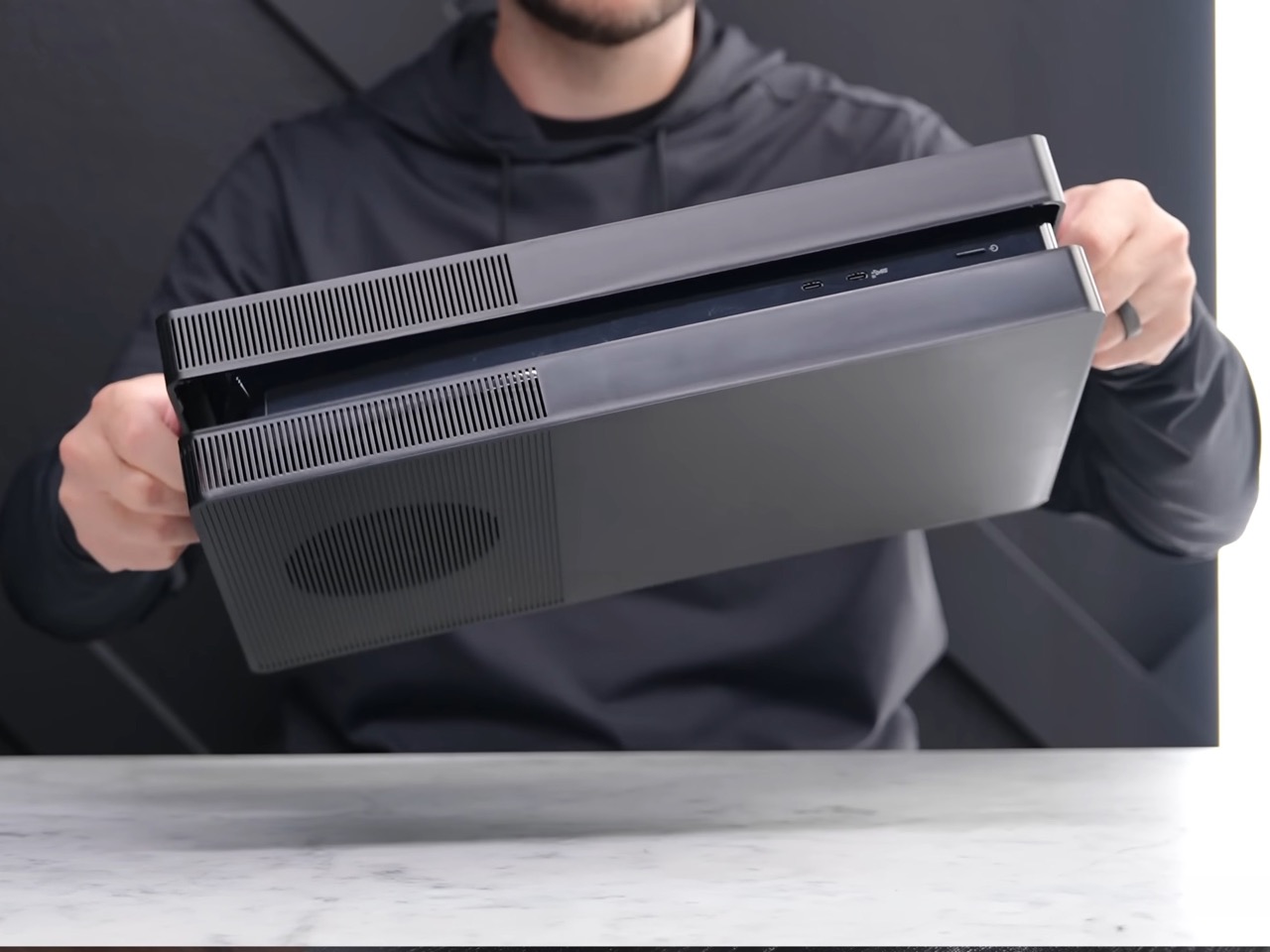
That blockish design actually ends up providing better thermals than Sony’s own design, which is kind of ironic. Sony’s plates block direct access to the side intakes and route air around the top of the front face, with plastic rails near the fan holding everything in shape. Johnston’s plates leave the side vents fully exposed and add that extra opening above the fan, which is the opposite philosophy. He ran God of War Ragnarok for over two hours on a PS5 Pro with stock plates and then with his own, and found centre temperatures unchanged while the surface and rear exhaust ran noticeably cooler. He is careful to call this unscientific, with no internal monitoring comparable to a PC, and I would treat it as a pleasant side effect rather than a thermal upgrade.
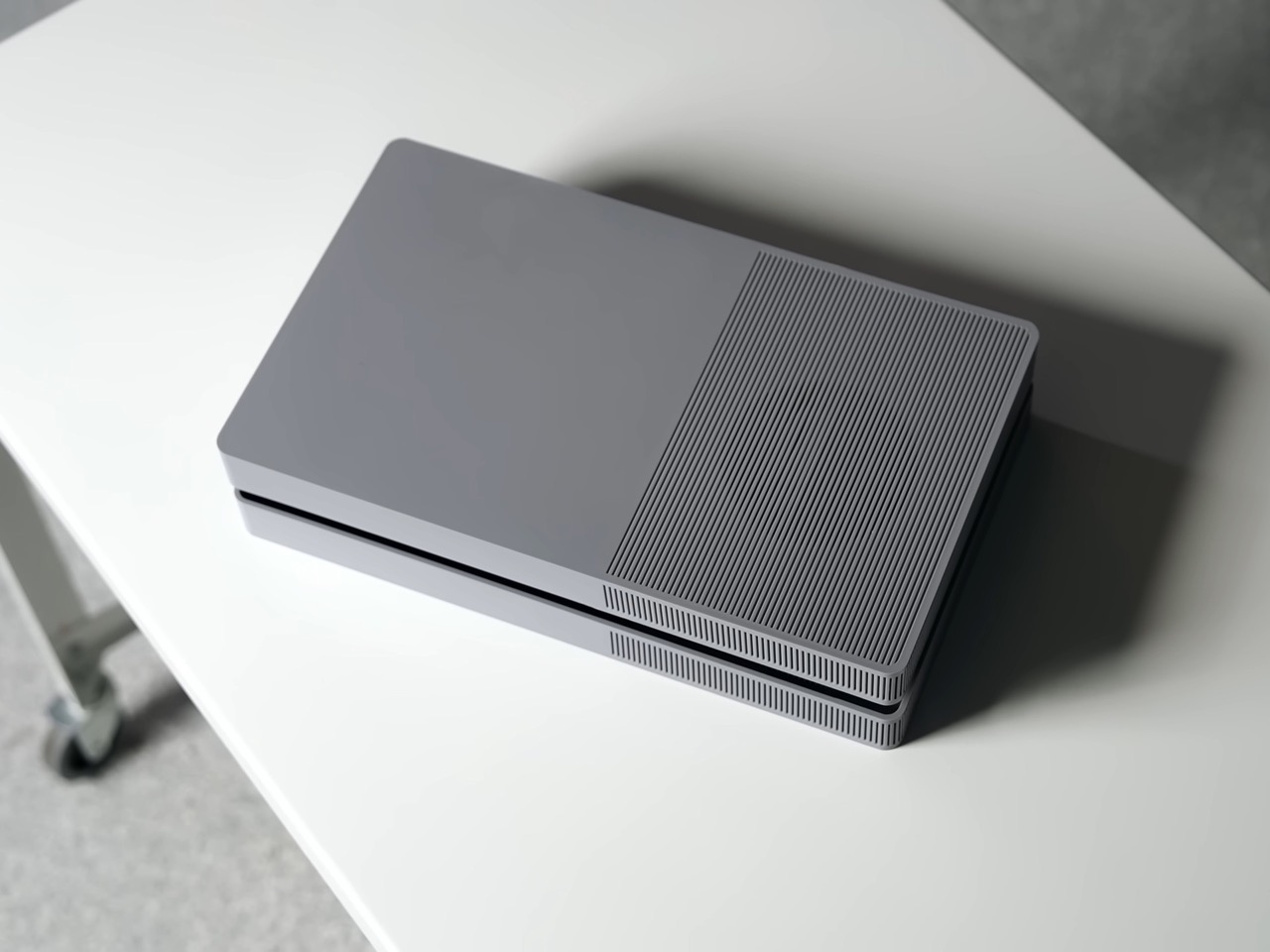
Sony’s official vertical stand will not work with BoxPlates, though the console does stand on its own without it, and the plates raise a real question about servicing, since the PS5’s side panels were designed to come off easily so you can vacuum dust out of the intakes. Johnston says installation is tool-free and completely reversible, which covers it, but anyone who has owned a console for five years knows dust is the actual long-term enemy. Johnston hasn’t confirmed whether the shells are ABS or polycarbonate either. At $89.99 on top of a console you already bought, this is enthusiast money for an aesthetic problem.
That problem has clearly been real for six years. YD’s archive is full of people trying to fix it, from Riccardo Breccia’s Discman-inspired reinterpretation to Alexandre Touguet’s all-black homage to the original PlayStation and Ismail Mits’ geometric Sony-meets-Microsoft concept. Those were renders. This one has a Shopify page, a final production batch for 2026 currently shipping in five to seven business days, and a tooling invoice that would make most design studios flinch. Renders argue with a design. Tooling overrules it.

The post These $90 Cover Plates turn your PS5 into an Xbox-ish Monolith with much better thermals first appeared on Yanko Design.

These $90 Cover Plates turn your PS5 into an Xbox-ish Monolith with much better thermals

We called the PS5 the most beautiful console in the world on reveal day in 2020, and I still mostly mean it. Yujin Morisawa’s shell is a bold piece of industrial design, a vertical monolith with two floating wings that looks like nothing else in the category. Bold monoliths have one correct orientation, though, and living rooms have shelves. Tip the thing sideways and the composition falls apart, because the asymmetry that reads as dynamic standing up reads as tipped over lying down. Devyn Johnston, a PC modder whose YouTube channel runs on small form factor builds, decided to answer that with tooling instead of opinions.

His BoxPlates are aftermarket cover plates that clip on exactly where Sony’s official ones go, replacing the console’s compound curves with orthogonal geometry and crisp corners. A dense linear rib pattern runs across the top face, hides a vent sitting directly above the fan, wraps the corners and continues down the sides. Johnston sank more than $100,000 into custom injection mold tooling so the parts come out of the same process Sony uses for controllers and first-party plates. Sets cost $89.99 in black, gray, white and black, or gray and black, and cover five of the six PS5 variants. The original Digital Edition is the one still waiting.

Designer: Devyn Johnston

Here is the part that might have aged like milk. That same 2020 article of ours took a swing at the Xbox Series X for being bulky, blockish and air-purifier-like, and the fix the internet has now rallied behind is, functionally, a box. Johnston admits the first prototype drew loose inspiration from the Xbox One S before he redrew it as an original design for intellectual property and manufacturability reasons. The finished plates land somewhere between an Xbox One S and a mini ITX case, which is more flattering than it sounds, because both of those objects understood that a home entertainment product should look calm sitting next to a soundbar. Sony built a trophy. Johnston built an appliance.

Getting there took considerably more work than sanding down a silhouette. The PS5’s surfacing is full of subtle compound curvature that had to be reverse-engineered before anything could be drawn over it, and Johnston then spent iterations correcting alignment, killing the tilt and straightening angles while staying inside the console’s internal mechanical constraints. Injection molding is what separates this from the 3D-printed shells cluttering Etsy, since it buys tight tolerances, sharp corners and a light matte texture that a printed part can only approximate. The clips are the clever compromise. They stay 3D printed in PETG with thick walls and solid infill under each snap, which means a worn clip costs you a small replacement part rather than the whole shell.

That blockish design actually ends up providing better thermals than Sony’s own design, which is kind of ironic. Sony’s plates block direct access to the side intakes and route air around the top of the front face, with plastic rails near the fan holding everything in shape. Johnston’s plates leave the side vents fully exposed and add that extra opening above the fan, which is the opposite philosophy. He ran God of War Ragnarok for over two hours on a PS5 Pro with stock plates and then with his own, and found centre temperatures unchanged while the surface and rear exhaust ran noticeably cooler. He is careful to call this unscientific, with no internal monitoring comparable to a PC, and I would treat it as a pleasant side effect rather than a thermal upgrade.

Sony’s official vertical stand will not work with BoxPlates, though the console does stand on its own without it, and the plates raise a real question about servicing, since the PS5’s side panels were designed to come off easily so you can vacuum dust out of the intakes. Johnston says installation is tool-free and completely reversible, which covers it, but anyone who has owned a console for five years knows dust is the actual long-term enemy. Johnston hasn’t confirmed whether the shells are ABS or polycarbonate either. At $89.99 on top of a console you already bought, this is enthusiast money for an aesthetic problem.

That problem has clearly been real for six years. YD’s archive is full of people trying to fix it, from Riccardo Breccia’s Discman-inspired reinterpretation to Alexandre Touguet’s all-black homage to the original PlayStation and Ismail Mits’ geometric Sony-meets-Microsoft concept. Those were renders. This one has a Shopify page, a final production batch for 2026 currently shipping in five to seven business days, and a tooling invoice that would make most design studios flinch. Renders argue with a design. Tooling overrules it.

The post These $90 Cover Plates turn your PS5 into an Xbox-ish Monolith with much better thermals first appeared on Yanko Design.
5 Pens and Notebooks That Make Handwriting Feel Worth It Again

Nobody really chooses a pen. They use whatever is closest and hasn’t run dry. Most of us spend more time optimizing digital workflows than we do choosing the notebook we reach for every morning. These five picks are for people who think that choice is worth making, and worth making well.

What this list gets right is range. Two pens approach the act of writing from completely different angles: one that never runs out, one you will always be able to find. Two notebooks built with the kind of paper that makes you slow down and pay attention. And one that earns its place by being worth looking at before you even pick it up, which turns out to be a more effective writing habit than any reminder app has ever managed to build.

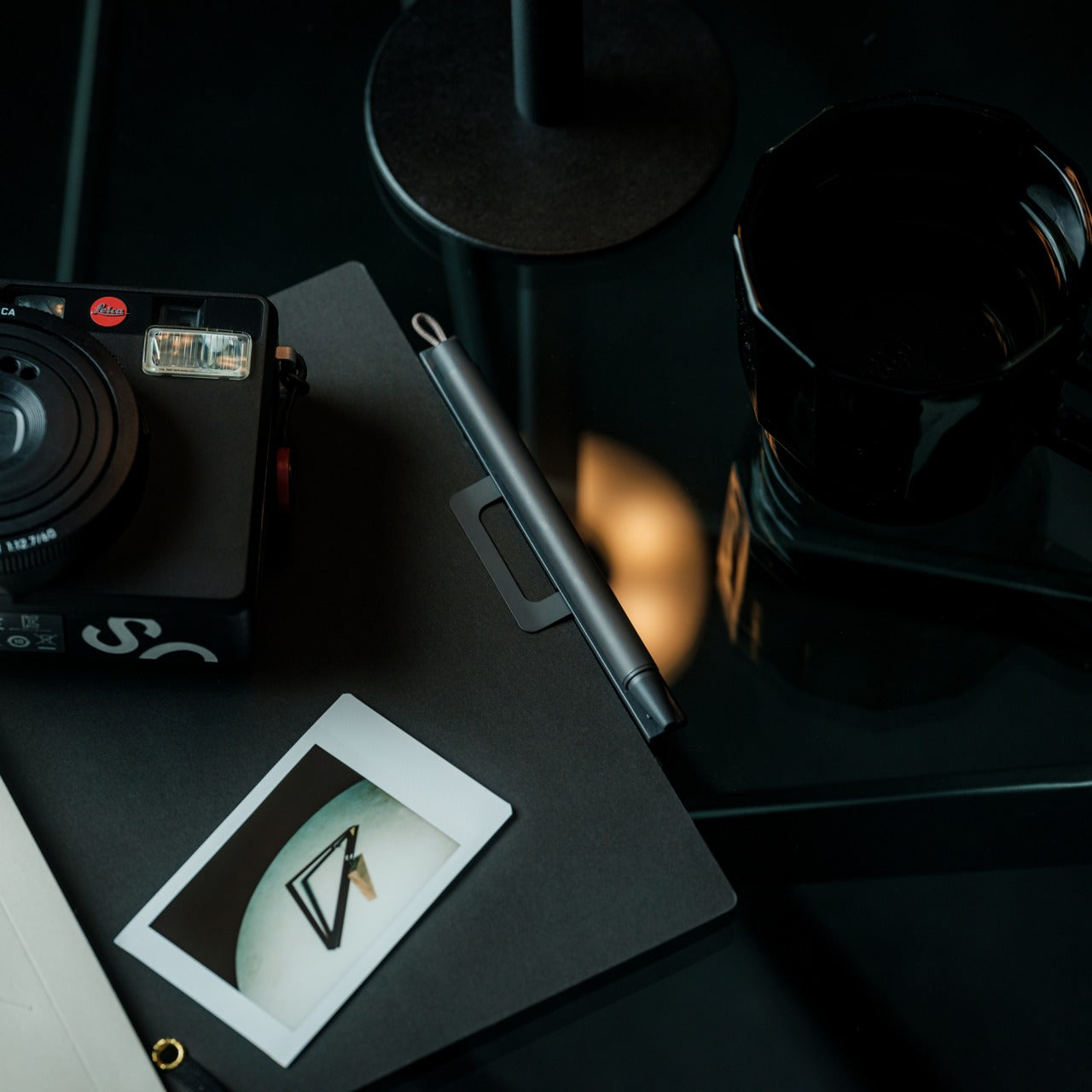
1. Inseparable Notebook Pen

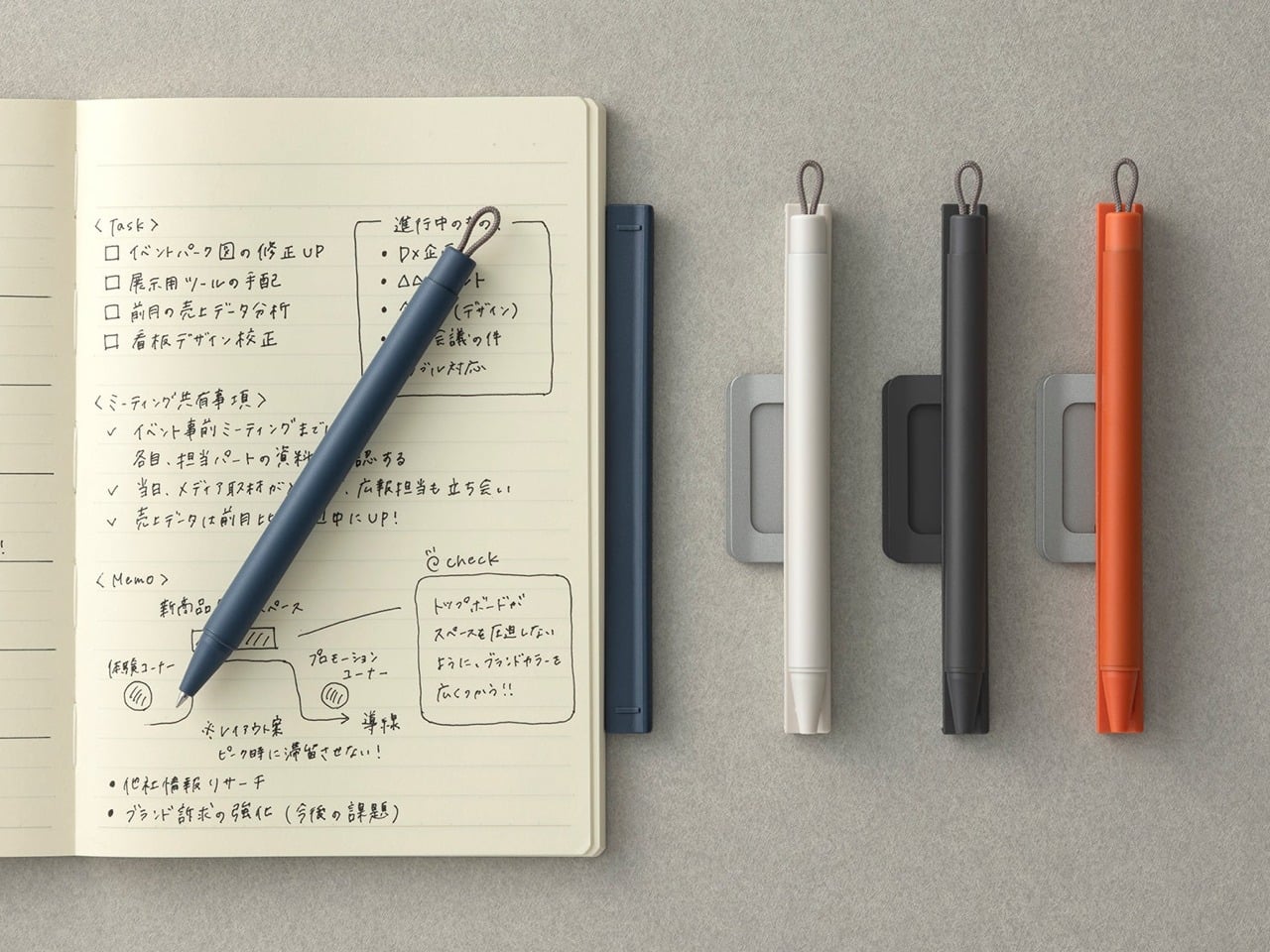
The oldest handwriting problem is not finding the right pen. The pen is never where the notebook is. You find one, lose the other, and the moment passes. The Inseparable Notebook Pen solves that specific frustration by clipping directly to your notebook and staying there. At $19.95, it is the kind of fix that sounds almost too simple until you realize how often a missing pen is the only thing standing between you and actually writing something down.

The benefit here is behavioral, not aesthetic. When the pen lives on the notebook, you stop negotiating with friction. You pick up the notebook; you have a pen. That sounds obvious, but most stationery objects are sold as experiences, and this one is sold as a solution. It is the rare writing tool that is entirely about removing the obstacle rather than deepening the ritual, and at this price point, that clarity of purpose is genuinely hard to argue against.

Click Here to Buy Now: $19.95

What we like:

  • Eliminates the one friction point that breaks most analog writing habits
  • The $20 price makes it a commitment with no real downside

What we dislike:

  • The pen stays with the notebook, so you cannot reach for it independently when you need a quick signature elsewhere
  • Both always travel as a pair, which adds a little bulk to the stack

2. MD Notebook A5

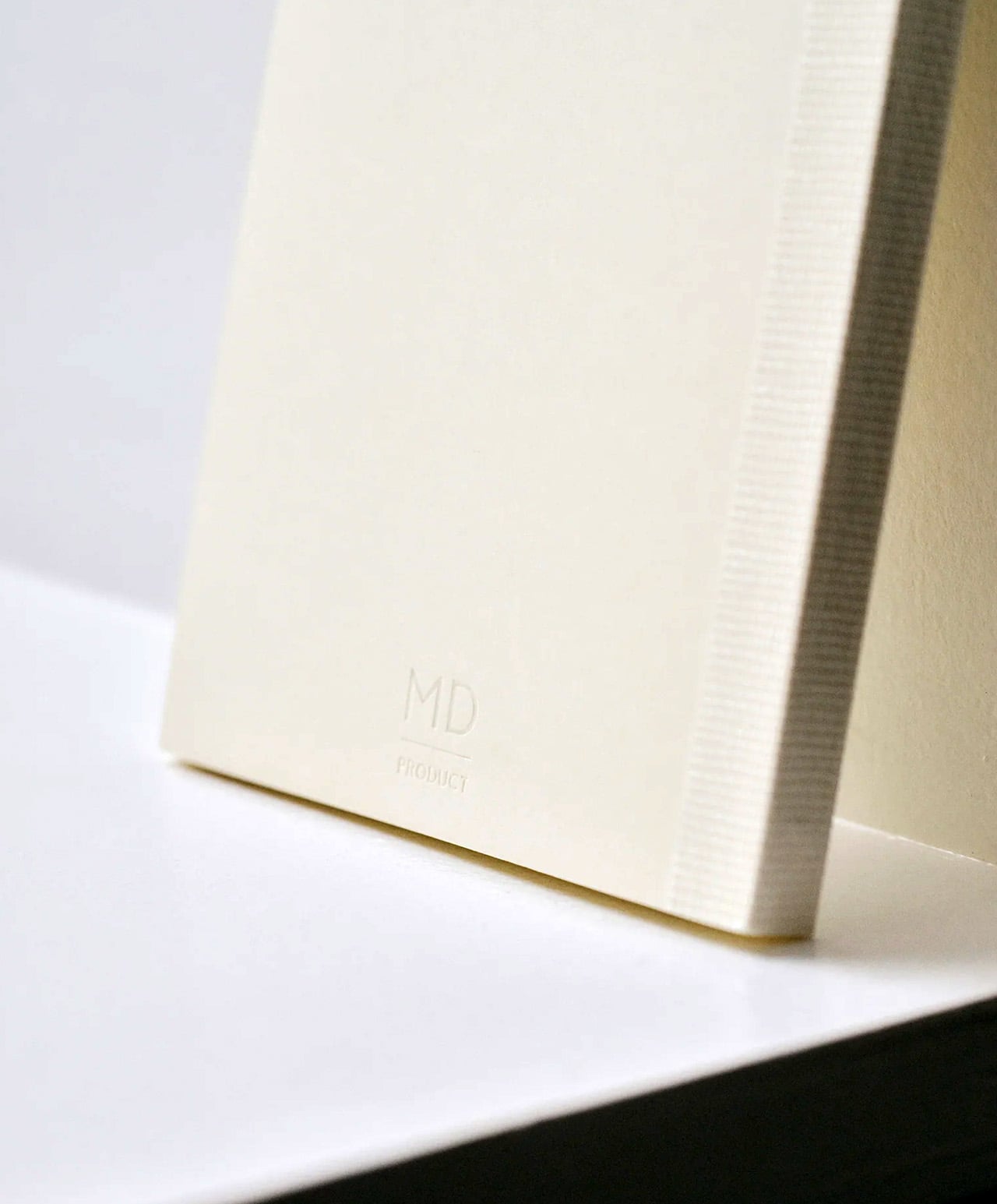
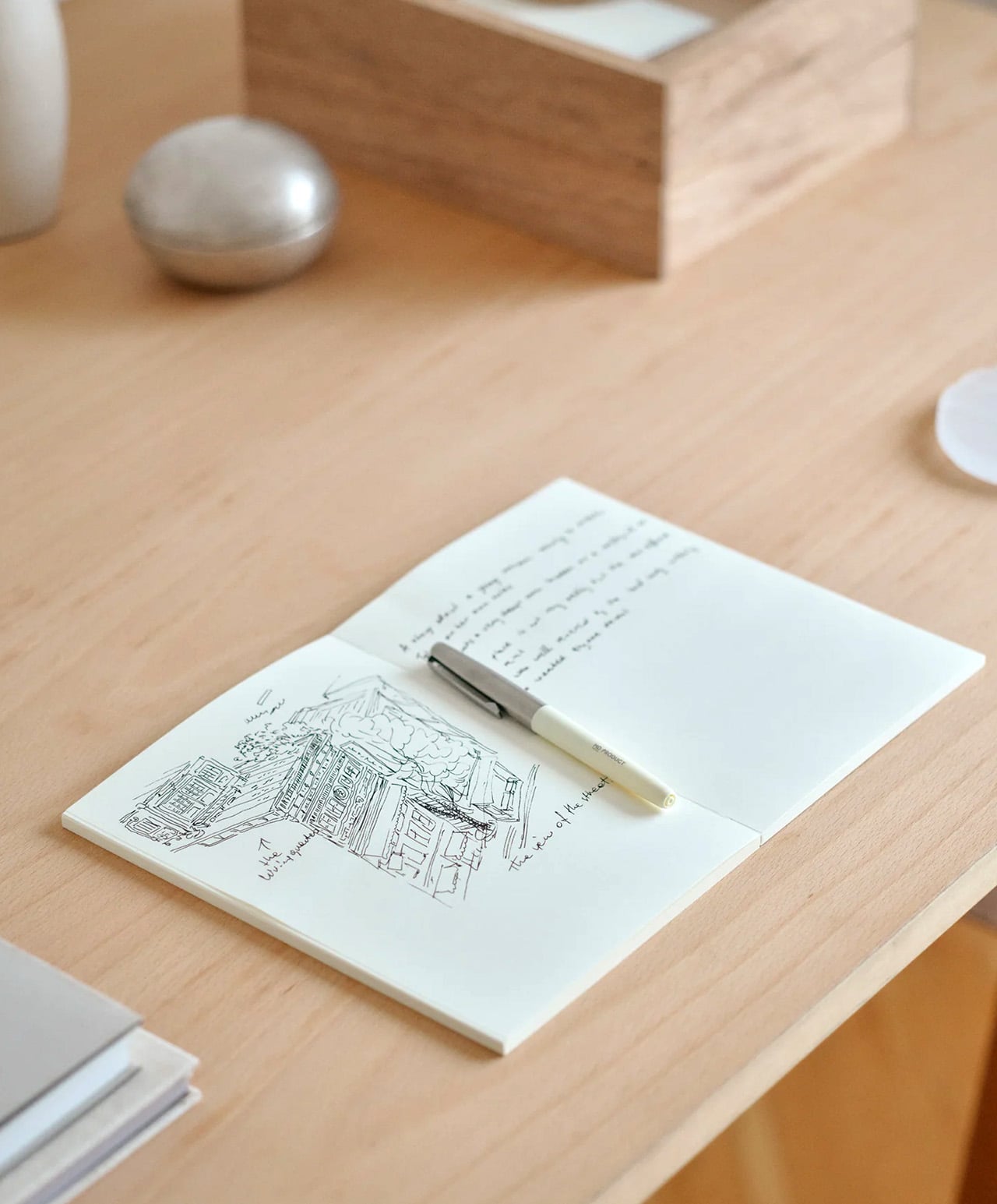
Japan’s MD PRODUCT has been refining this notebook’s paper since the 1960s. What they arrived at is MD PAPER: a cream-colored, 80g/m² sheet that handles fountain pens, ballpoints, and light watercolor washes without bleed-through. The A5 holds 176 pages, uses a thread-stitched binding that opens completely flat at 180 degrees, and comes wrapped in glassine paper reminiscent of an old paperback jacket. Four layouts are available: blank, lined at 7mm, grid at 5mm, and dot grid at 5mm.

What makes the MD Notebook A5 worth having on your desk is not any single feature but the way those features cooperate. The lay-flat binding means you never lose writing space to the gutter. The cream paper gives your handwriting a warmth that bright white pages simply do not. At around $14.40, it is the kind of notebook that makes the act of writing feel considered without asking you to spend as if it is. Once filled, it shelves alongside books in a way that genuinely feels earned.

What we like:

  • Thread-stitched binding opens completely flat from the first page to the last
  • MD PAPER handles fountain pens without bleed-through and is smooth enough to feel like writing on proper stationery

What we dislike:

  • The plain cover has no pen loop or elastic closure, so a separate cover purchase is effectively required for everyday bag use
  • The glassine jacket, while beautiful, tears easily with regular handling

3. Pininfarina Aero Ethergraf

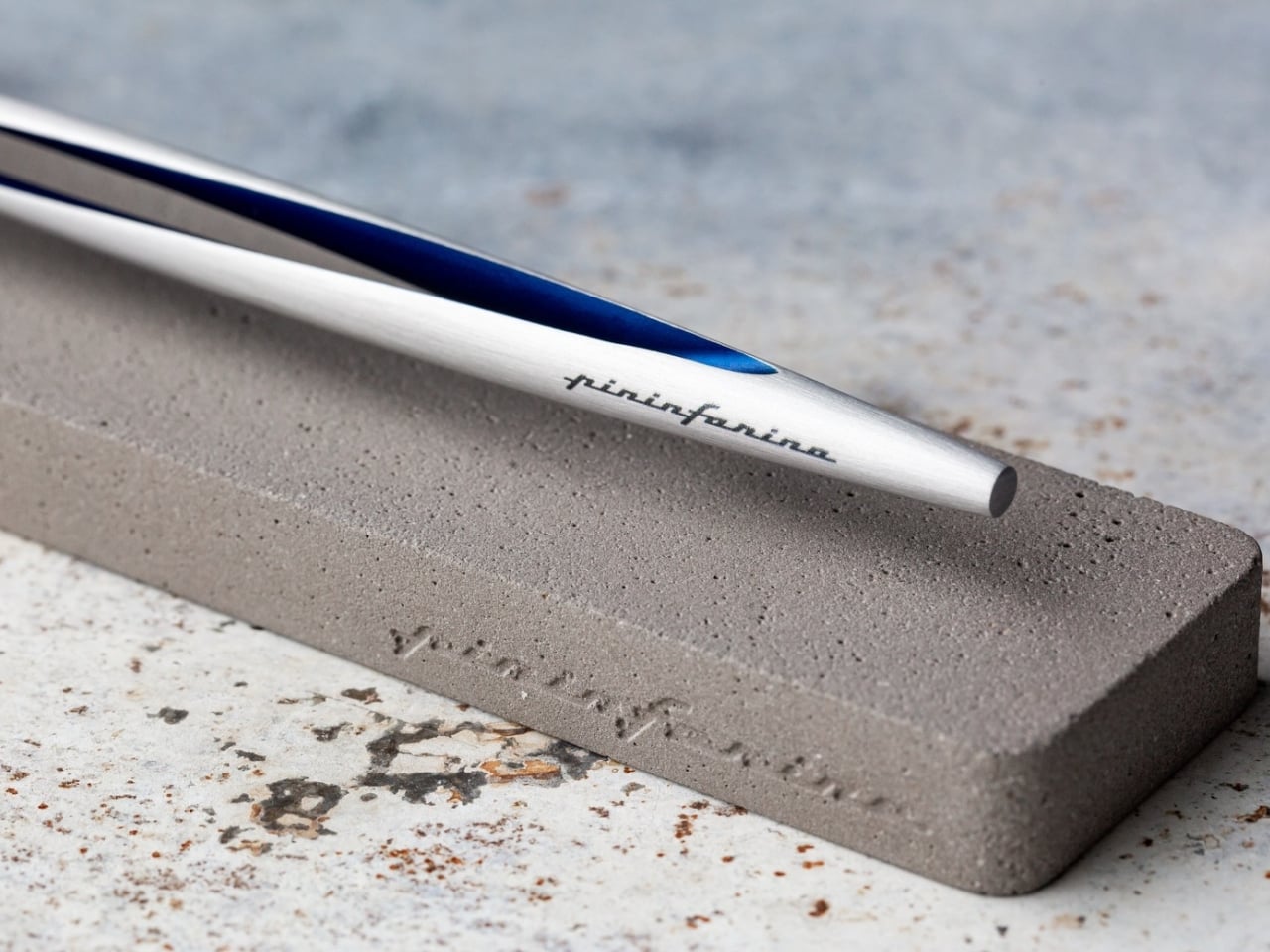
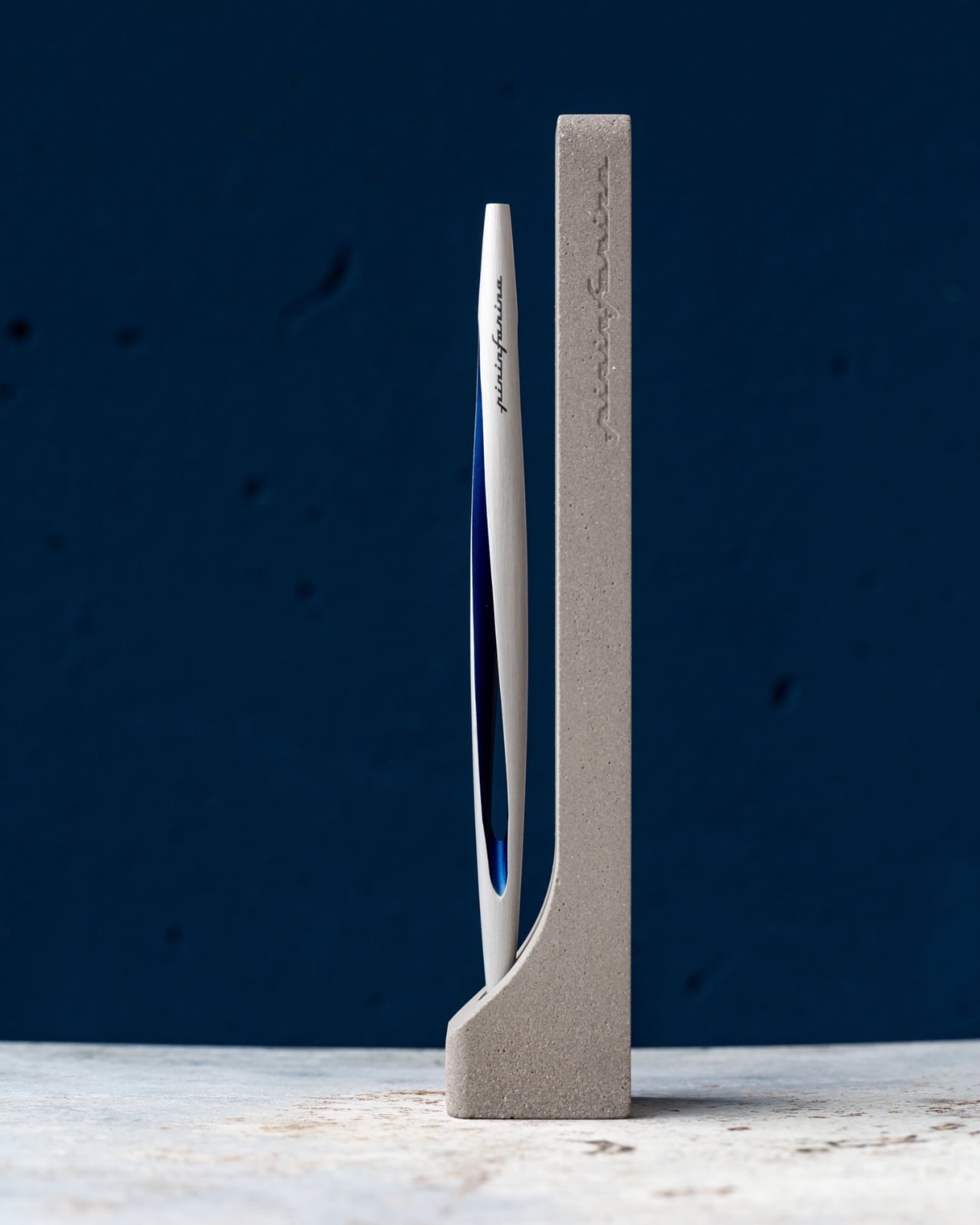
Pininfarina is the Italian studio behind some of the most iconic automotive silhouettes ever drawn, including decades of Ferrari and Maserati bodies. The Aero Ethergraf takes that same line-first design sensibility and applies it to something you hold between two fingers. Made from aerospace-grade aluminum at 17 grams and 160mm long, it uses a nib made from Ethergraf, a patented metallic alloy that deposits graphite-like marks on paper without a single drop of ink, and those marks can be erased just like a pencil stroke.

The practical benefit is that you never replace a cartridge, never run out mid-thought, and never throw it away. It is a pen designed to outlast the habits built around it. The marks it leaves look like hard-pencil strokes: precise, erasable, and permanent enough to matter on the page. Handcrafted in Italy and built to last without any maintenance, it makes a quiet argument for choosing objects with intention. If you are deliberate about what sits on your desk, this is the pen that earns that deliberateness back.

What we like:

  • No ink, no cartridges, no refills ever required
  • Made in Italy by a design house with one of the strongest aesthetic track records in the world

What we dislike:

  • The Ethergraf line is notably lighter in tone than a standard ink pen, which takes real adjustment for anyone used to bold ballpoint or gel line weights
  • The marks can smudge on smooth paper surfaces more readily than ink

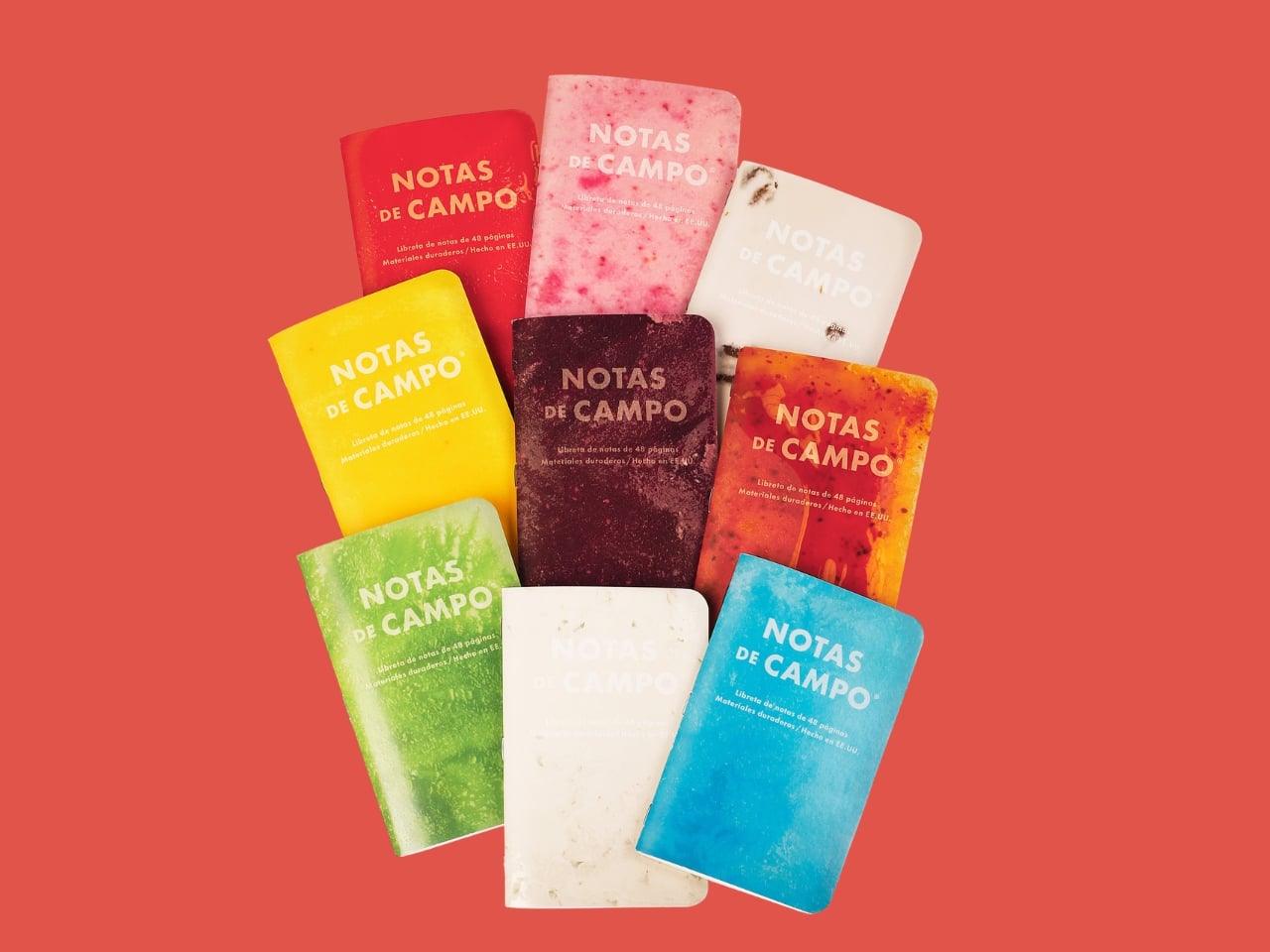
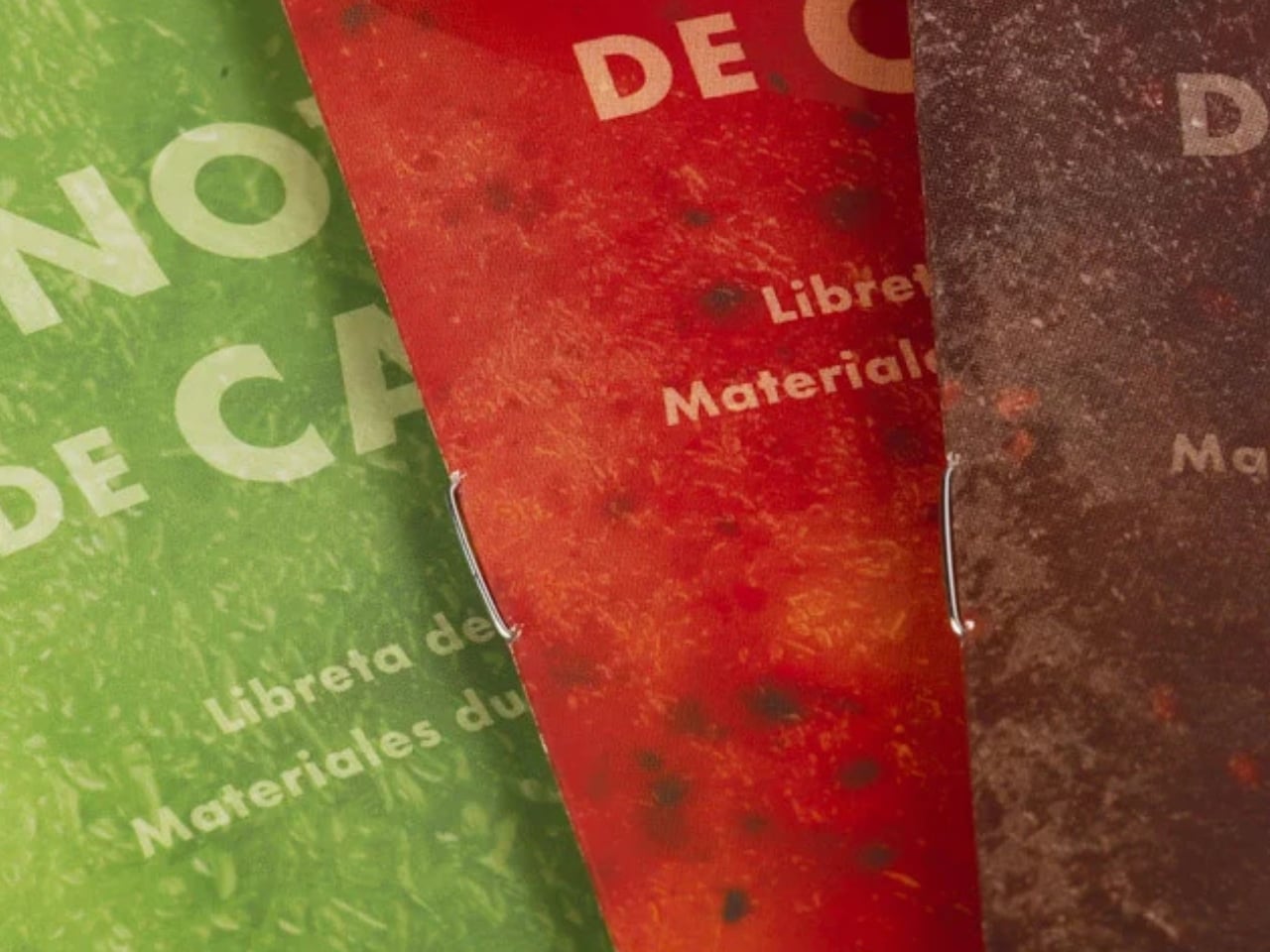
4. Field Notes Paletas

Field Notes has always made notebooks that disappear into a back pocket and get used. The Paletas edition keeps that utility and adds something unexpected: covers finished with a combination of shiny gloss and frosty matte varnish designed to look like frozen paleta bars. Each pack contains three notebooks across three flavor collections totaling nine varieties. Inside, 48 pages of cream-colored dot-grid paper printed with soy-based inks, and a backing card illustration by artist Atlan Arceo-Witzl.

The combination of gloss and matte on the cover catches light differently depending on the angle, making it the kind of object people pick up off your desk to examine. That shift in attention is a different kind of motivation to write. The dot-grid interior works equally well for notes, sketching, and layout planning. For Field Notes subscribers, the full set of all nine flavors arrives together, which is the way to own this collection.

What we like:

  • The cover treatment is genuinely beautiful without tipping into novelty for its own sake
  • Soy-based inks and the Arceo-Witzl backing illustration show real production care at this price point

What we dislike:

  • 48 pages fill faster than most notebook users expect, especially if you write long-form or sketch regularly
  • The limited-edition run means restocking is not guaranteed once a flavor sells through

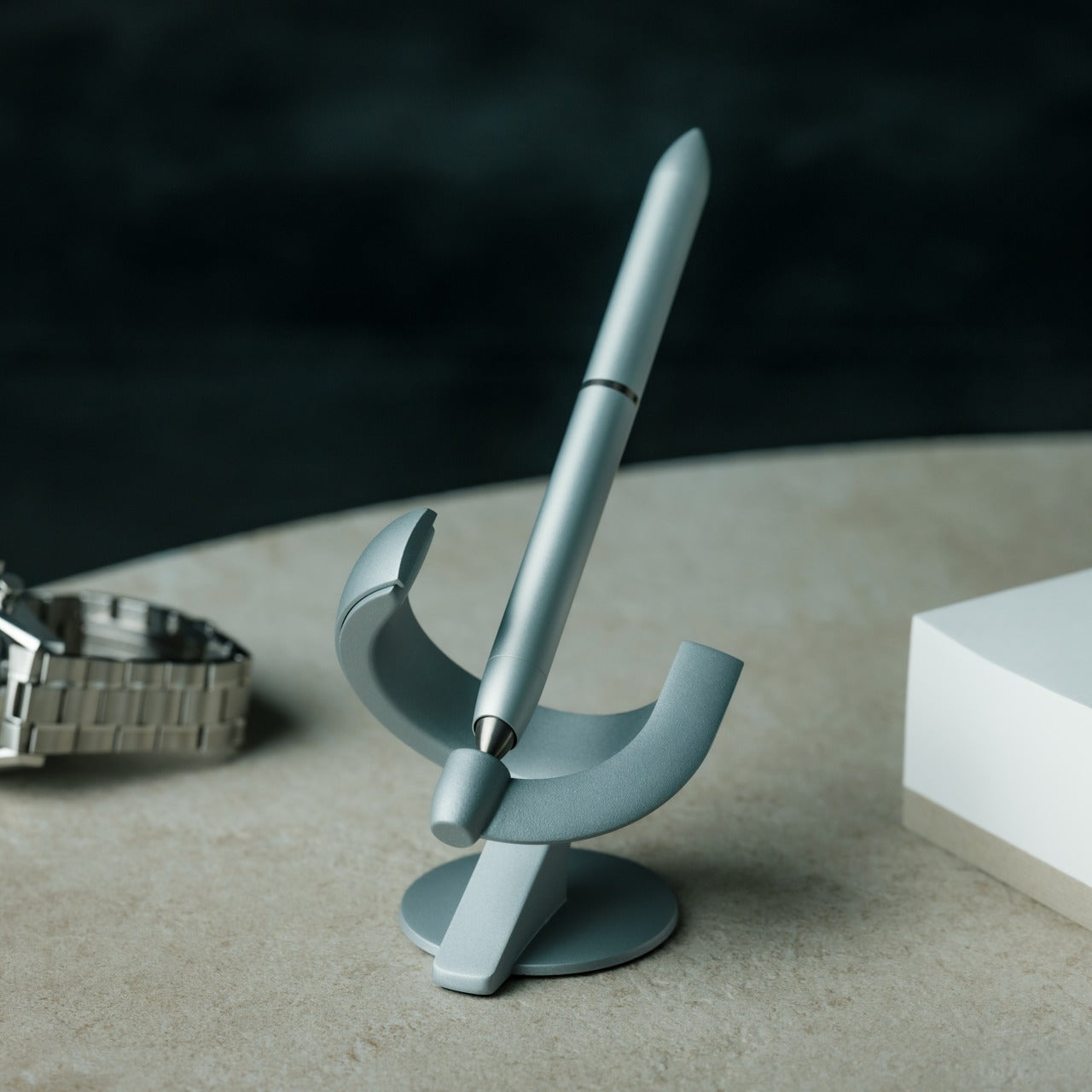
5. Levitating Pen 3.0

The Levitating Pen 3.0 is the third iteration of a genuinely unusual idea: remove the pen from the desk surface entirely. Using magnetic suspension, it hovers above its base, turning a writing instrument into the kind of desk object that earns a second look from everyone who encounters it. What makes this more than a novelty is that the levitation creates a deliberate pause. You reach for it consciously, and that shift in intention has a way of carrying through to what you put on the page.

That is the real case for it as a writing tool rather than just a desk sculpture. The act of returning the pen to its hover after a writing session closes the moment in a way that clicking a ballpoint cap or capping a marker never quite does. The third generation builds on the concept with the confidence of an idea that has had the time to understand what it is. If any item on this list earns its place by making you genuinely want to sit down and write, it is this one.

Click Here to Buy Now: $129.00

What we like:

  • The magnetic suspension makes it the most visually distinctive object on any desk
  • The hover-and-retrieve motion builds a writing ritual that is hard to replicate with any other pen

What we dislike:

  • The levitation base is not travel-friendly, so this works as a desk pen only
  • The spectacle of the mechanism risks making it more of a conversation piece than a working writing instrument for some users

The Best Writing Tools Are the Ones You Actually Use

The case for handwriting has never really been about nostalgia. It is about attention. When you slow down to write by hand, you process differently, choose words more carefully, and produce something that carries the physical evidence of the thought behind it. These five tools are not trying to replace the keyboard. They are trying to make the moments when you choose not to use it feel like they actually matter.

What they share is a design conviction: that the quality of what you write with shapes the quality of how you write. A notebook that opens flat, a pen that never runs out, a cover that catches light, a clip that keeps both together, a hover that makes picking up the pen feel worth doing. None of these are essential features. All of them are reasons to close the laptop and start a page.

The post 5 Pens and Notebooks That Make Handwriting Feel Worth It Again first appeared on Yanko Design.
The Gennai Pen SL01 Is Closer to Clockwork Than Stationery

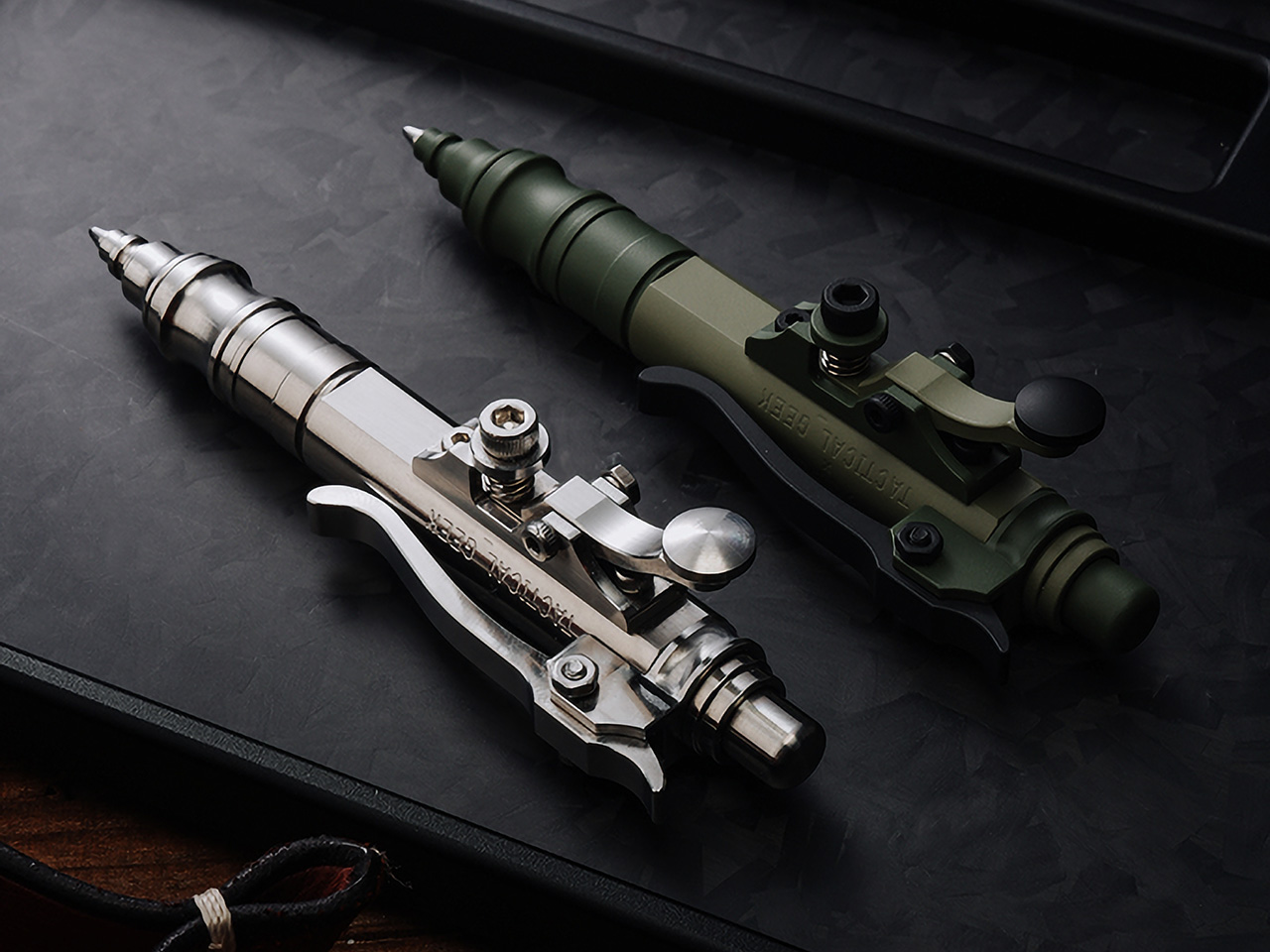
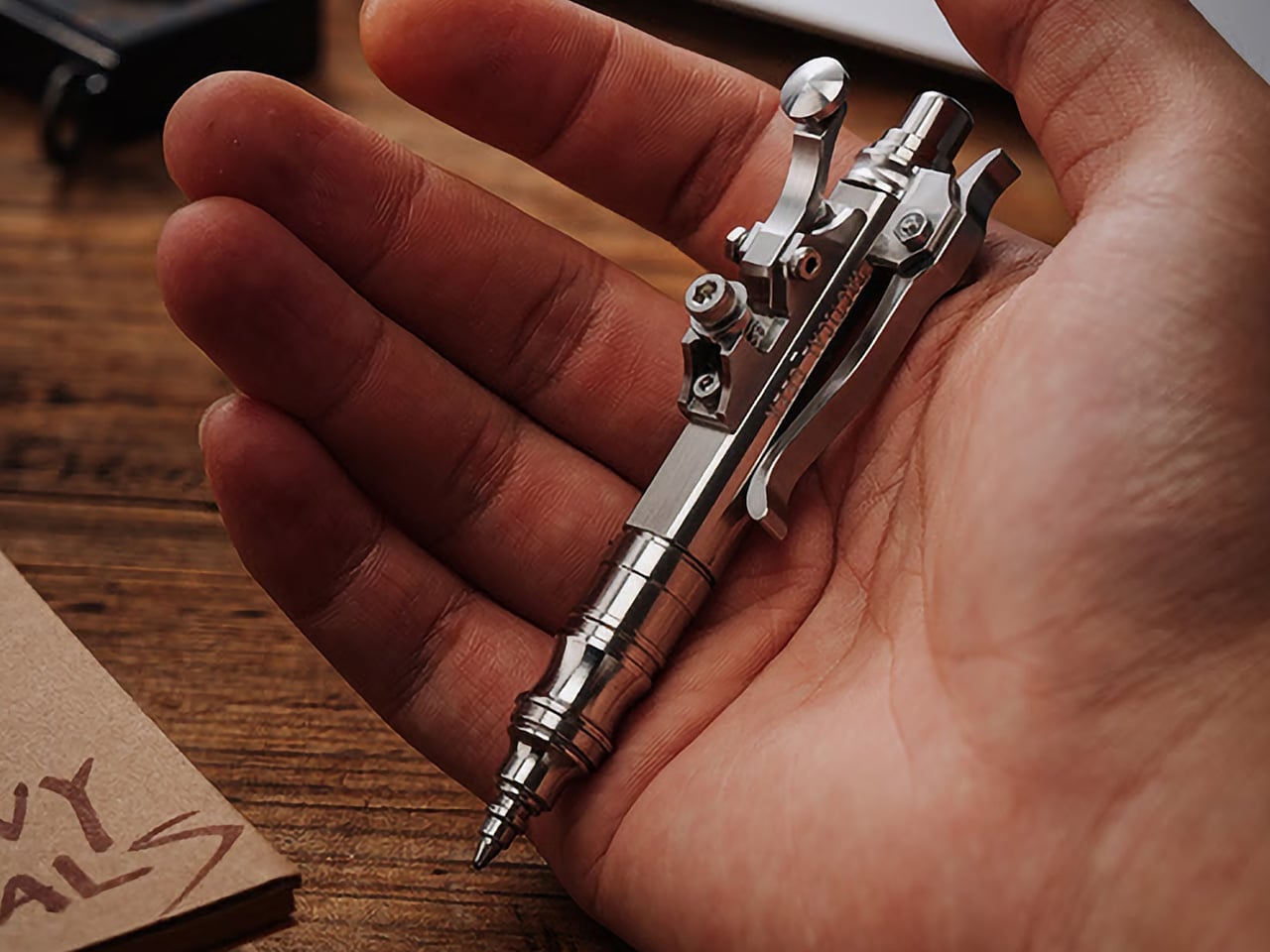
Press a button on most pens, and you get ink. Press the lever on the Gennai Pen SL01, though, and you get mechanical theater instead. This stainless steel ballpoint, designed by Japanese artist Hidetoshi Nakayama and built by TACTICALGEEK, swaps the usual click-to-retract routine for a lever borrowed from telegraph keys. It’s a pen that behaves like a tiny machine, and that’s exactly the point.

Nakayama built his reputation on a specific look: mechanical steampunk, heavy on exposed screws, stacked metal layers, and hardware that seems pulled from a 19th-century workshop. His pieces are usually handmade in tiny batches, making them rare. The Gennai Pen SL01 carries that same visual DNA into a pocket-sized body, without smoothing over the rough, industrial edges that make his work recognizable.

Designer: Hidetoshi Nakayama and TACTICALGEEK

Click Here to Buy Now: $189 $259 ($70 off). Hurry, only 60/299 left! Raised over $94,000.

TACTICALGEEK doesn’t simply slap a designer’s name onto a stock pen body. This marks the studio’s first project with Nakayama, and the brief was straightforward: keep his mechanical quirks intact while running the design through proper EDC engineering. That meant precision CNC machining, careful material choices, and quality control that daily carry gear actually needs. The result reads like a handshake between an artist and a toolmaker.

Up top, the SL01 behaves like a normal ballpoint. Push the button and the refill snaps forward with a crisp, satisfying click, the kind that tells you the stroke landed cleanly. It’s the familiar half of the experience, the part that reminds you this is still a pen you can grab and write with without a second thought. That familiarity matters, because it sets up the surprise waiting on the side of the barrel.

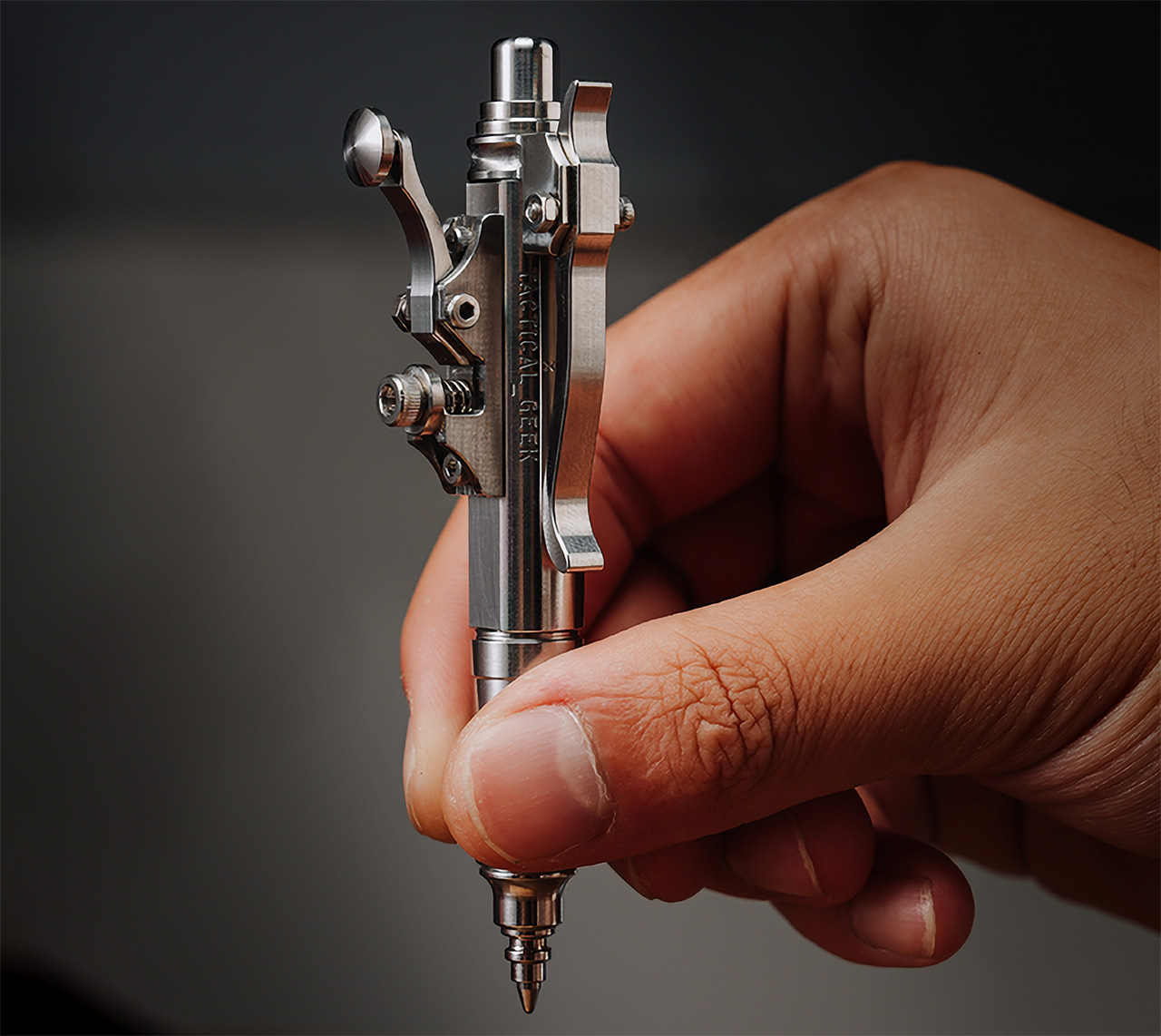
That surprise is a lever styled after old telegraph keys, mounted on the body. Press it lightly and the refill retreats with a smooth, weighted motion, closer to flipping a switch than clicking a pen. Push to extend, press the lever to retract, and you’ve got a full mechanical loop most pens never offer. Even with no ink extended, the lever still clicks under a thumb.

The pocket clip keeps that mechanical mindset going, instead of settling for a plain spring strip. Press the top of the clip and the lower section swings open, ready to slide onto a pocket edge, bag strap, or EDC organizer. Let go, and it locks shut on its own. It’s a small detail, but it shows the design team didn’t reserve the mechanical theatrics for one part of the pen.

Underneath the theatrics is a body machined from solid stainless steel, the same grade Nakayama favors in his own handmade work. After CNC machining, each unit gets hand-chamfered and polished at the edges, which explains why the details feel crisp instead of sharp against skin. The finished pen runs about 3.8 inches long and about 0.4 inches across the barrel, widening to roughly 0.9 inches at the telegraph key, and weighs about 2.2 ounces.

None of this mechanical flair comes at the cost of writing well. The SL01 takes standard Parker-style G2 refills, so swapping in a favorite ink takes seconds and opens a wide pool of options. It ships with a Schmidt P900M cartridge already loaded, a refill known for smooth, consistent ink flow. That combination keeps the pen in daily-tool territory, not shelf-piece territory.

Beyond the natural stainless finish, TACTICALGEEK offers a Cerakote ceramic coating that adds wear resistance and a muted, field-ready tone. A separate Timascus version introduces layered metal with natural color variation, so no two pieces look quite alike. At the top sits a set of hand-engraved editions crafted by artist Xunmu, featuring 24-karat gold inlay set into carved surfaces, turning the barrel into a small sculpture in its own right.

TACTICALGEEK backs every SL01 with a lifetime warranty, covering free repairs for damage that turns up under normal use, an unusual commitment for something built around this many moving parts. Carry it long enough, and the novelty fades into muscle memory: push to write, press to put away, flip the clip without thinking. Somewhere in that repetition, the pen stops feeling like a gadget and starts feeling like a habit.

Click Here to Buy Now: $189 $259 ($70 off). Hurry, only 60/299 left! Raised over $94,000.

The post The Gennai Pen SL01 Is Closer to Clockwork Than Stationery first appeared on Yanko Design.
Tom Pearson’s Riveted Furniture Makes the Limits of a Workshop Visible

The name is a provocation, not an audit. Tom Pearson’s debut furniture and lighting collection, shown at London’s APOC store during London Design Festival this September, contains 6,264 rivets, not 10,000. “Who knows where the rest have gone?” Pearson muses. That playful ambiguity runs through the collection’s title, yet the objects themselves are the product of strict material logic, shaped at every stage by the limits of a one-person workshop in Lewisham, south-east London.

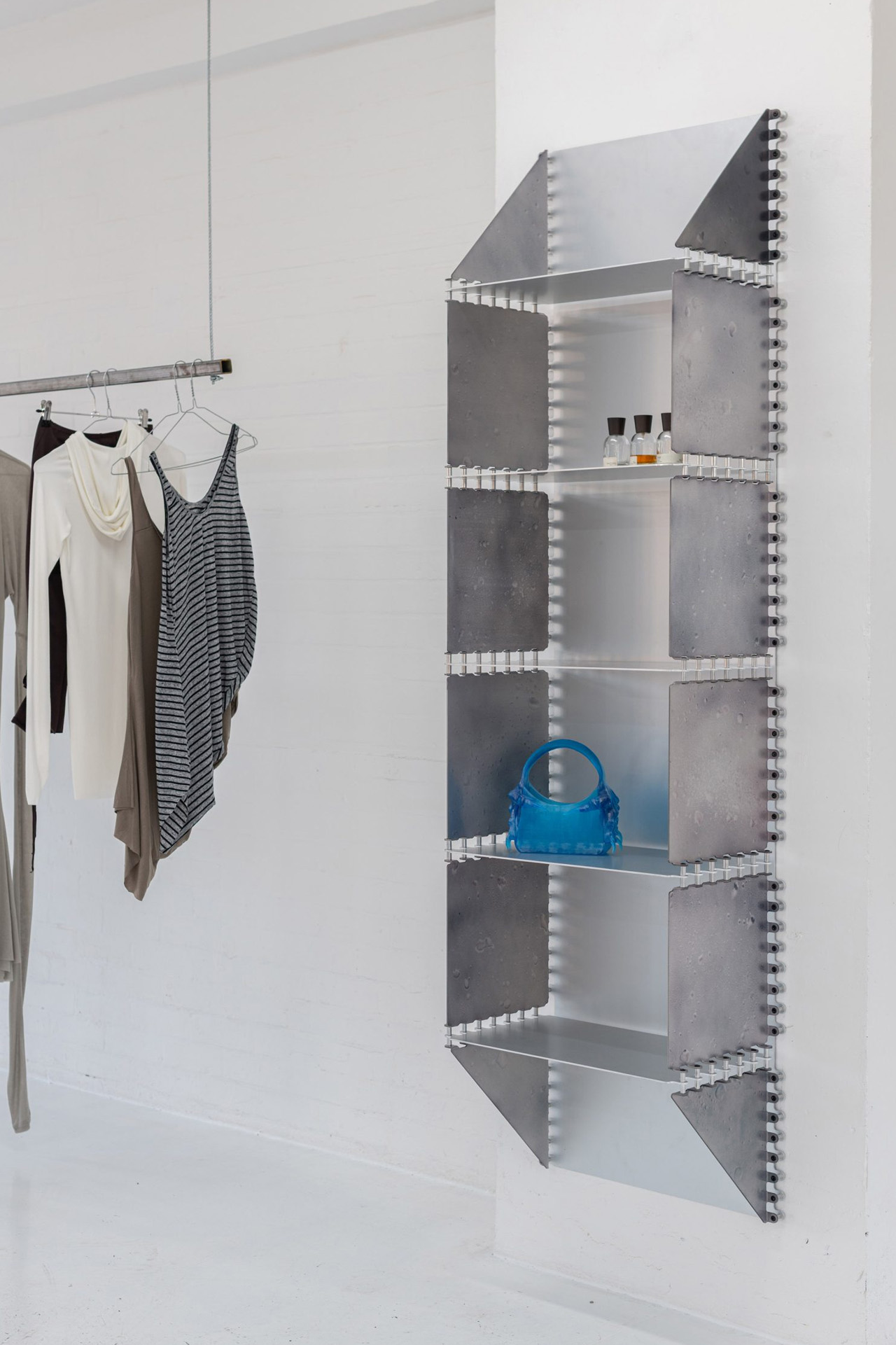
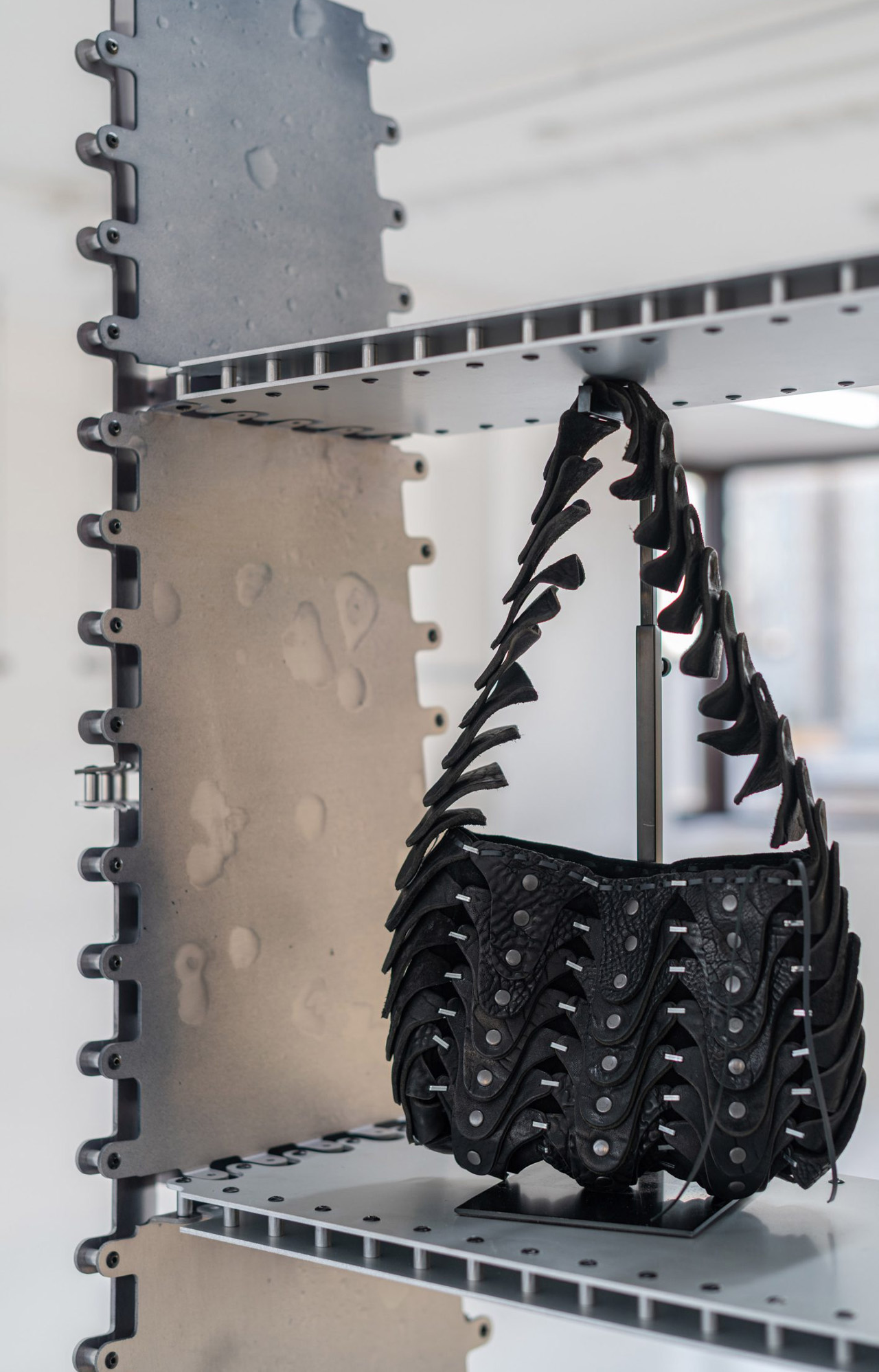
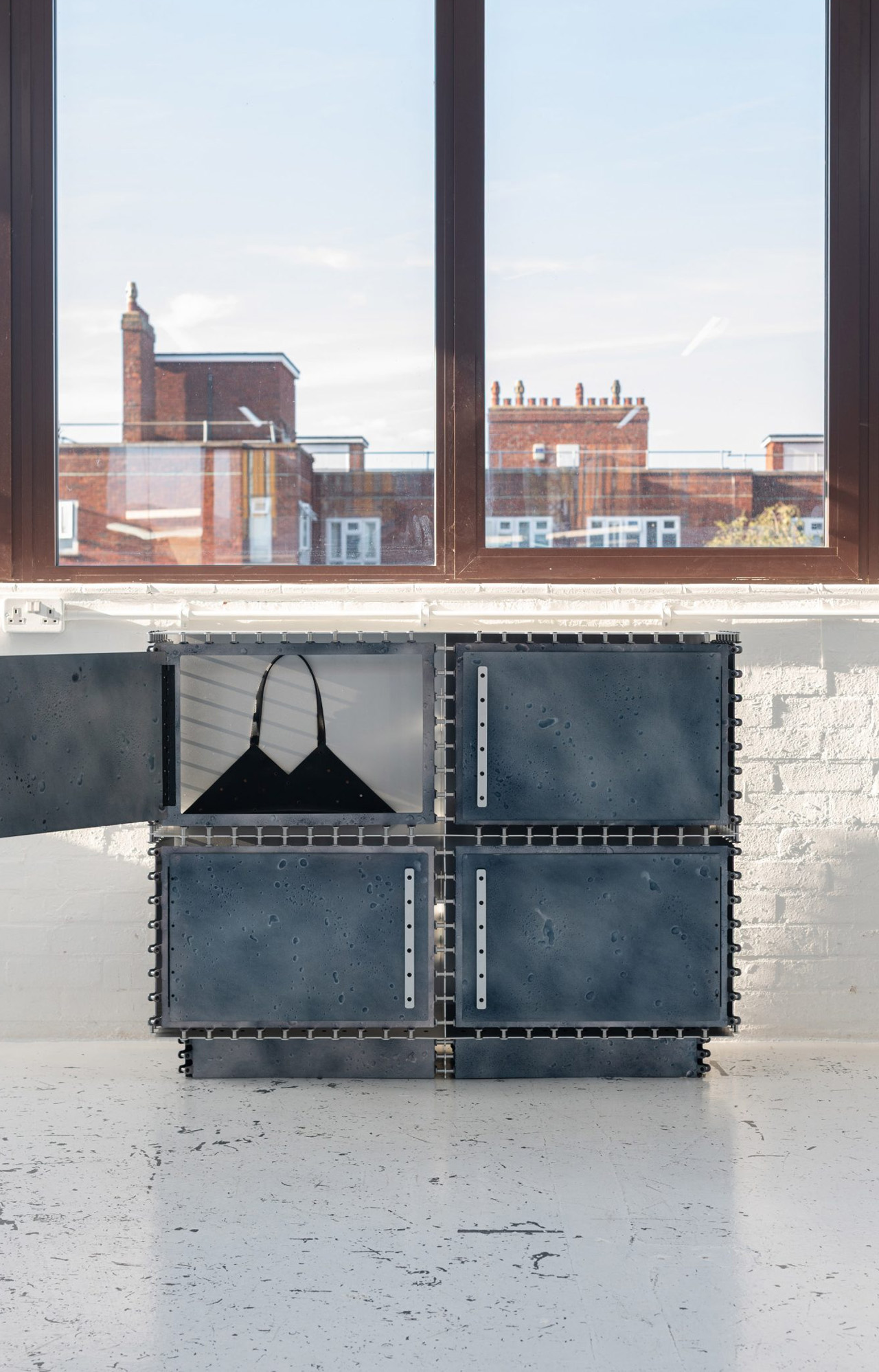
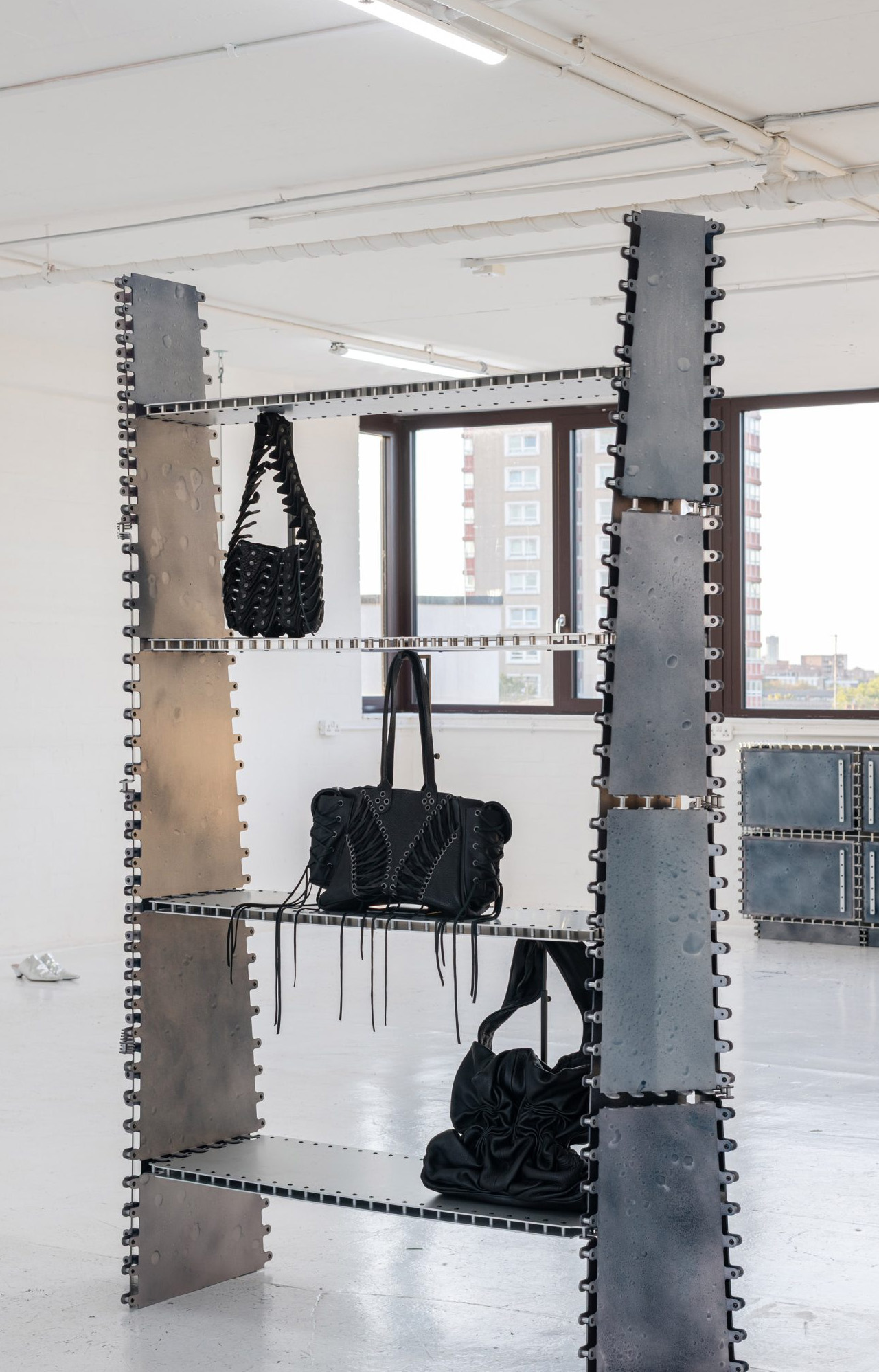
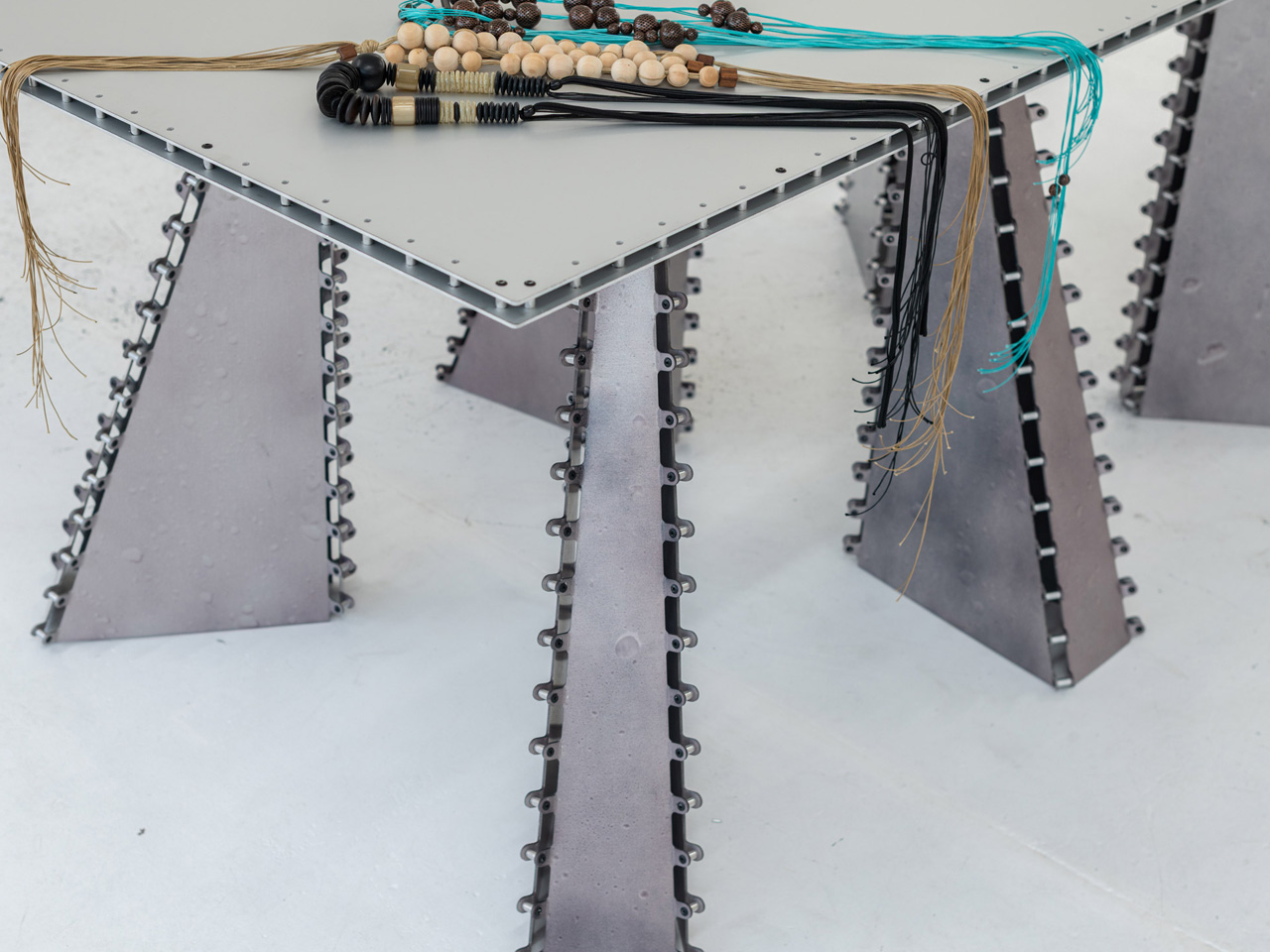
Before there were joints, there was a tank. Pearson built an anodising bath in his studio and taught himself the process, not to streamline production, but to gain control over colour. Standard anodising yields a flat, uniform finish. Pearson wanted something irregular, so he went in by hand, applying dye with brushes, airbrushes, and pipettes. The results read like water suspended mid-movement: droplet-shaped patterns frozen across the aluminium surface, each panel uniquely marked by the gesture that produced it.

Designer: Tom Pearson

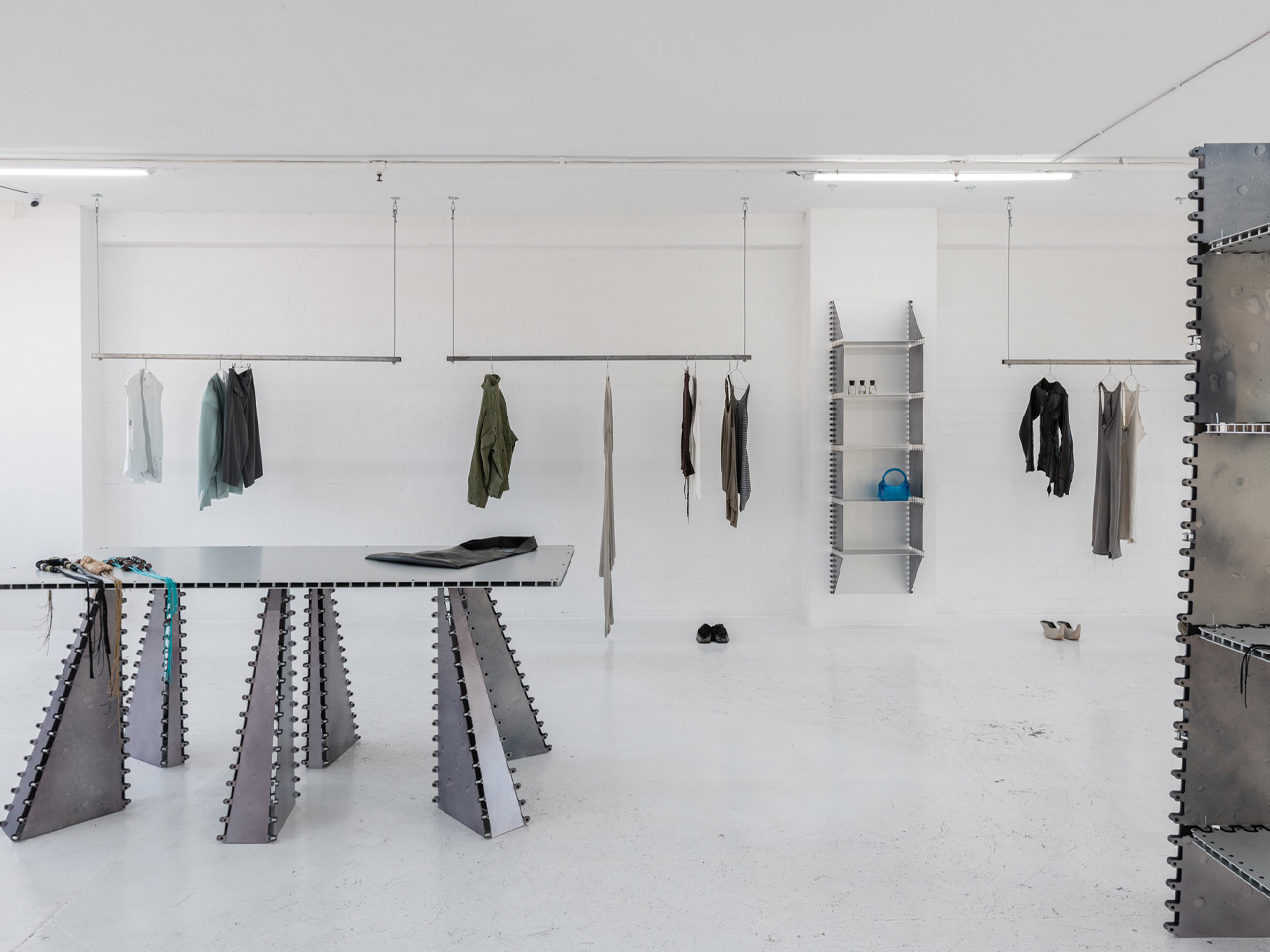
The tank had a second, unplanned consequence. Its fixed dimensions set a ceiling on how large any single sheet could be. Sheets that could not be welded to another without compromising the finish needed a different kind of joint, one that could be applied after anodising was complete. The rivet was the answer. What began as a process limit became the collection’s visual signature: rows of exposed fasteners, grid-like and deliberate, stitching planes of metal together in a way that makes the logic of construction impossible to ignore.

The decision to expose rather than conceal those joints is worth sitting with. Furniture design has a long habit of hiding its own making: flush panels, invisible fixings, surfaces that give nothing away. Pearson’s pieces do the opposite. Every rivet is a record of assembly, a mark left in a south-east London workshop where no stage of production was outsourced. The process is entirely his own, from the acid bath to the final fixing.

Shown at APOC, a space whose brief runs to contemporary fashion and singular objects, the collection served as display furniture and exhibition subject at once. Tables and freestanding shelves held garments; the aluminium held its own. Pieces are made to order, individually fabricated, and marked at every surface by the process that made them. They read less like production furniture and more like arguments about what metal can carry when the maker leaves the evidence in.

Pearson trained in speculative design at the Royal College of Art and previously co-founded the fabrication workshop Jamps Studio before establishing Tom Pearson Studio. The 10,000 Rivets collection is where that background becomes fully tactile. The constraints were structural. The craft was entirely deliberate.

The post Tom Pearson’s Riveted Furniture Makes the Limits of a Workshop Visible first appeared on Yanko Design.
Old Nike sneakers are getting shredded and recycled into sustainable gym flooring

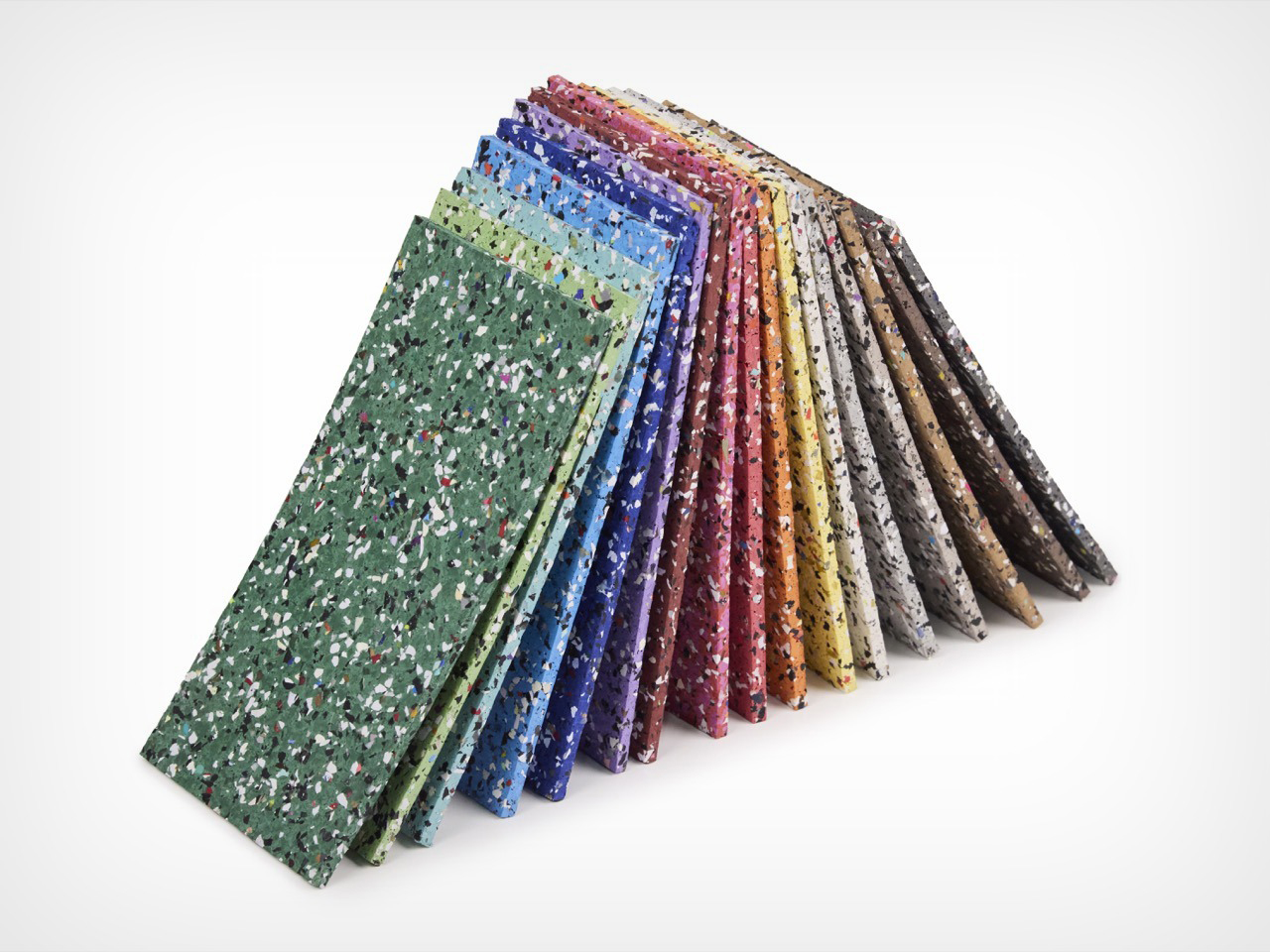
Every sneaker eventually dies, and most of them die badly, tossed into a landfill where the rubber outsole will outlive everyone who ever wore it. Nike has spent over three decades trying to intercept that fate with Reuse-A-Shoe, a program that grinds old kicks and factory scraps into a material called Nike Grind. What started as a scrappy basketball court test at a Nike facility in Oregon has since gone into more than a billion square feet of sport surfaces worldwide. Now it has landed somewhere I did not expect, as commercial flooring backed by the largest flooring manufacturer on the planet. Mohawk Group just folded a small Nike Grind partner called Hero Flooring into its lineup, and the headline product is called Hero Rubber made with Nike Grind.

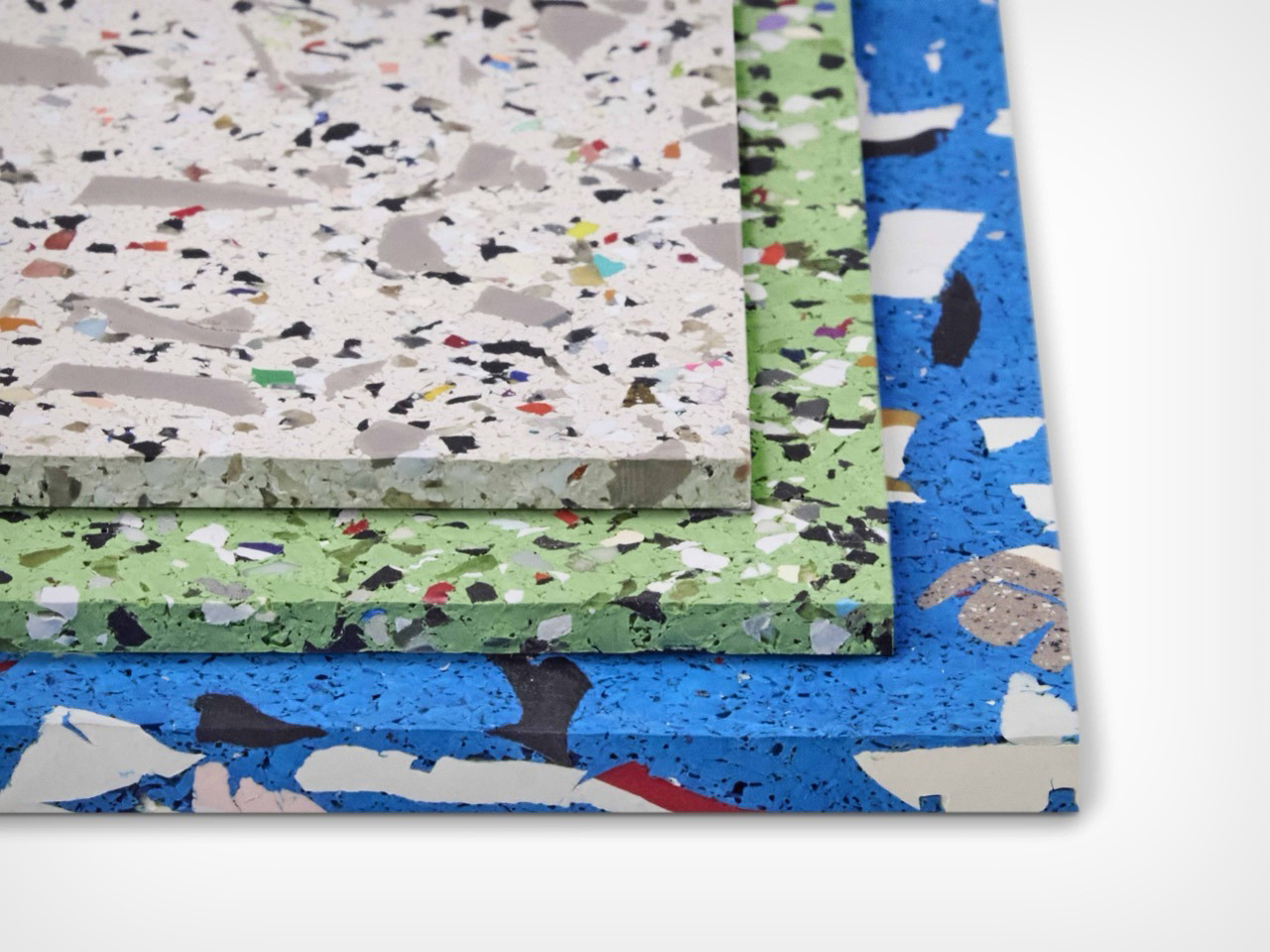
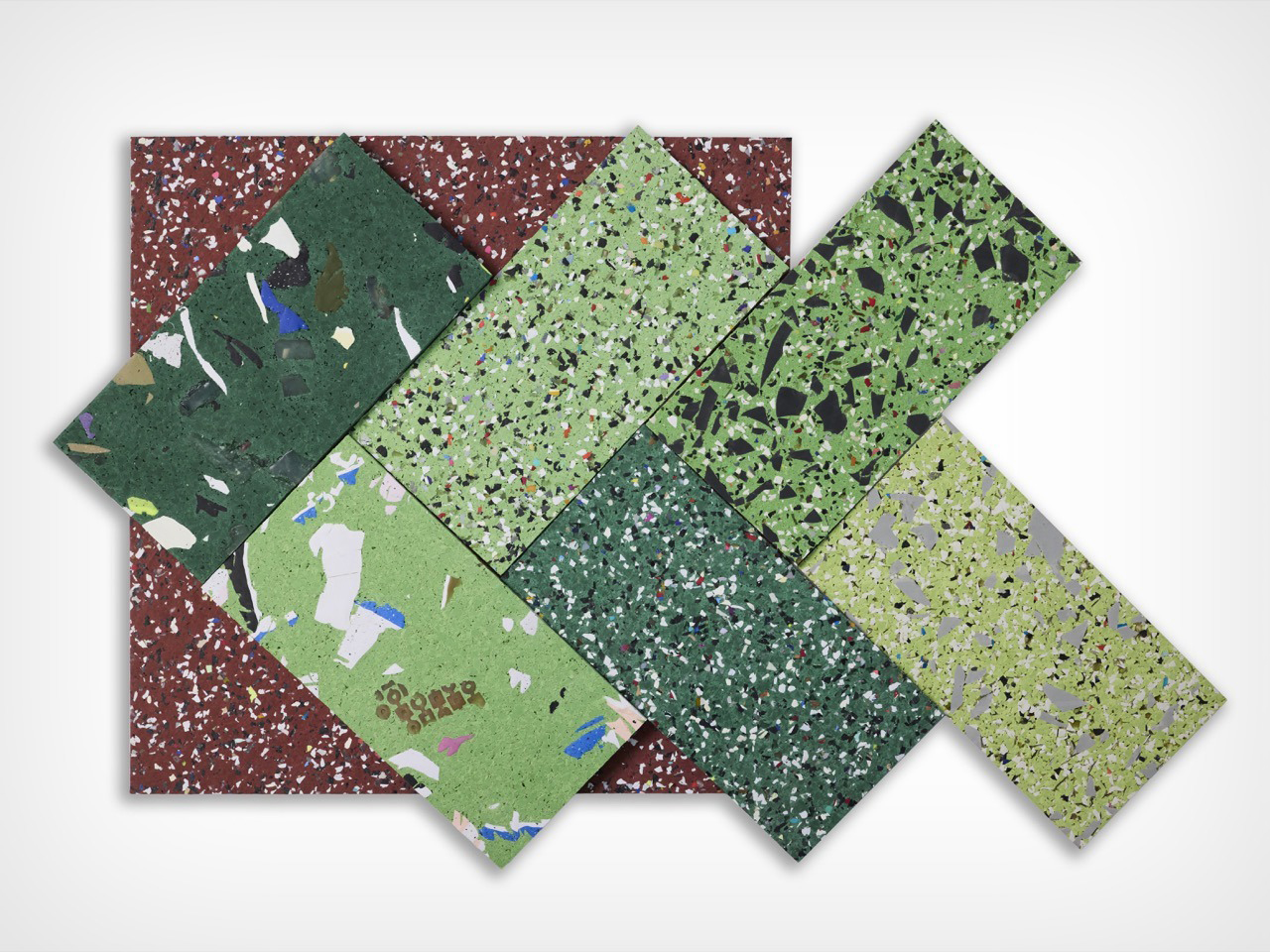
Reade Palmer, a former rower, founded Hero Flooring (now part of Mohawk Group) in 2014 and spent years pitching Nike before landing an official partnership in 2020. The result is a rubber flooring program built entirely around the size of the recycled granule, with three current styles called Original, Vitality, and Axis. Original uses the finest Nike Grind for a tight uniform speckle, Vitality blends two granule sizes for a terrazzo effect, and Axis goes bold with visible sneaker outsole chunks. All three ship in 17 colorways, skip recycled tires (so no tire odor, a real complaint with rival rubber floors), and carry FloorScore and Declare Red List Free certification. It has already won recognition from the AZ Awards, HiP Awards, and Best of NeoCon, and now rides Mohawk’s distribution into design firms nationwide.

Designer: Reade Palmer (Mohawk Group)

A big chunk of the shoes feeding Nike Grind come from drop bins sitting inside actual Nike stores, which means this floor started life as somebody’s actual Nikes. Grind them up, press them flat, install them in a gym, and now you have got people in fresh Nikes squatting and sprinting on top of dead Nikes. Old shoe, new shoe, same brand, same square footage, closing the loop in the most on-the-nose way possible. I keep picturing some guy doing burpees completely unaware he is standing on last year’s Pegasus.

The three styles are basically the same trick shot at three different zoom levels. Original is the tightest and calmest of the bunch, a fine confetti speckle that would not look out of place in an office lobby that does not want to shout about being made from garbage. Vitality loosens the grain up, mixing two granule sizes so it starts looking like actual stone terrazzo instead of a printed knockoff of it. Axis is the one that goes for broke, with chunks big enough that you can actually clock they used to be a shoe sole. It is basically the difference between whispering “recycled” and yelling it, and I respect that all three options exist under one roof.

Axis is rated for actual athletic use under ASTM F2772, with an energy restitution score of 87.3 percent, meaning it eats a chunk of the impact when you drop a barbell instead of letting your knees eat it instead. Every style skips crumb rubber entirely, which matters more than it sounds like it should, because regular rubber gym flooring made from old tires smells like, well, old tires. Add FloorScore certification, a Declare Red List Free label, and a verified environmental report card, and you have got a floor that is doing its homework. The one thing I could not dig up anywhere, not on Mohawk’s site and not on Architizer, is a price. So budget for a phone call to a rep before you fall in love.

What I like most here is that this floor is not embarrassed about where it came from. Most recycled flooring tries to hide the recycled part, smoothing everything into a boring gray so nobody clocks the backstory. Hero Rubber does the opposite, letting actual shoe chunks sit right there on the surface for anyone paying attention. You show up to lift, you are standing on somebody else’s old kicks, wearing your own current pair, and the floor does not let you forget it. That is a better sustainability pitch than most brands manage with an entire ad campaign.

The post Old Nike sneakers are getting shredded and recycled into sustainable gym flooring first appeared on Yanko Design.

5 Things Samsung’s Galaxy Z Fold8 Does Better Than Apple’s iPhone Duo

Samsung Galaxy Z Fold8 vs. Apple iPhone Duo

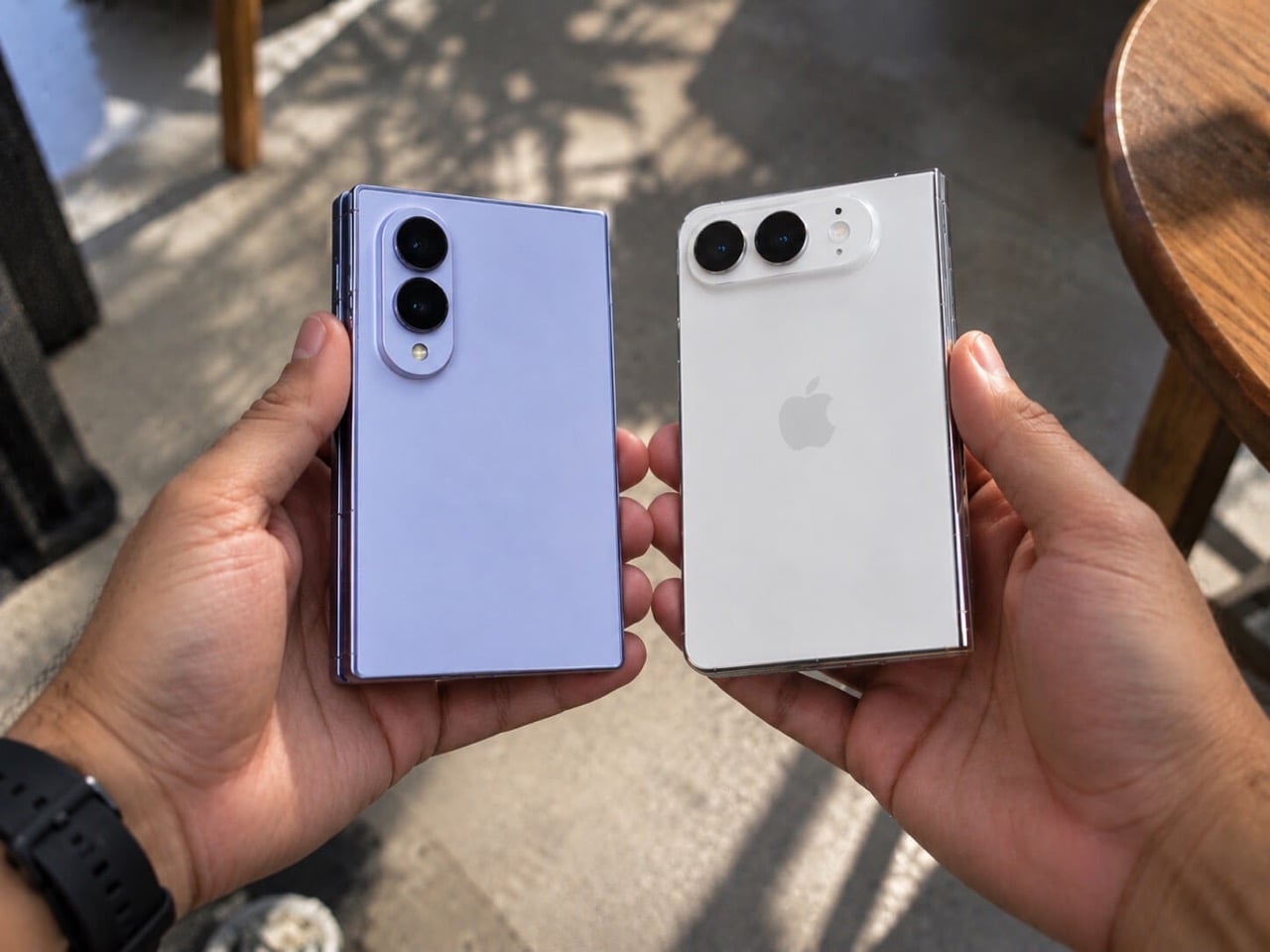
Apple’s first foldable was always going to be a spectacle, and the iPhone Duo delivered. Titanium frame, a hinge built from over 100 components, a 7.6-inch inner display Apple calls the largest and sharpest they’ve ever shipped, and an IP68 rating that no current Samsung foldable can match. The debut made a strong case, and we laid out five specific things it got right in our companion piece last week, which predictably sent a portion of the comments section into a very productive Saturday. Every honest design audit has a flip side, though. The iPhone Duo, for all its first-generation confidence, left a meaningful number of things unresolved, and some of those gaps are more significant than launch-week coverage has made them seem.

Samsung has been folding phones since 2019, and the Galaxy Z Fold8 is what that long runway looks like after years of hinge tweaks, crease complaints, software refinements, and repeated attempts to make a folding phone feel normal. It does not win every category, and Apple absolutely deserves credit for solving a few long-standing foldable annoyances on its first try. Even so, there are still several places where Samsung’s latest Fold feels more complete, more practical, or simply better thought through as an everyday device. Some are obvious the moment you compare the two side by side. Others only start to matter after the honeymoon phase wears off.

Keeps the SIM Tray, Despite What Anyone Says

Samsung Galaxy Z Fold8 SIM Tray

When we covered the iPhone Duo’s announcement, one of the hardware elements Apple dropped was the physical SIM tray, a decision the company framed as part of a broader design simplification agenda. Apple went full eSIM, keeping the chassis cleaner, eliminating a cut line in the frame, and folding the decision into the same purity narrative behind the iPhone Air’s extreme thinness. For users in markets where eSIM support is solid and carrier switching is painless, this is genuinely fine and probably the right long-term direction. The problem is that a $1,999 foldable probably should not be making hardware convenience trade-offs that actively complicate life for international travelers, anyone running two numbers, or users whose carriers still make eSIM provisioning feel like homework.

Traveling internationally and swapping to a local carrier SIM is a very different experience when you are not navigating eSIM setup through a foreign carrier’s app on spotty airport WiFi. The Z Fold8 keeps the physical SIM tray, and that decision is more forgiving than it is glamorous. Moving a number between devices is faster with a tray, carrier flexibility requires fewer account management steps, and the hardware workaround for eSIM friction simply does not exist. Samsung is not winning any design philosophy debates by pointing at a metal drawer. But the Fold 8’s willingness to keep that hardware in place reflects a different set of priorities than Apple’s, one that bets user convenience should edge out aesthetic reduction, and across a wider range of real-world situations, that bet holds up.

Weighs Noticeably Less Over a Full Day (53 Grams Less, to be precise)

The Galaxy Z Fold8 weighs 201 grams, which is the figure Samsung’s product page leads with, and it earns the emphasis because it makes the Fold 8 the lightest book-style foldable currently on the market. The iPhone Duo comes in at 254 grams. At a 53-gram gap, the difference sits closer to a full AA battery than a rounding error, and the foldable category is already asking more of you than a standard slab phone before the weight conversation even starts. Foldables are physically larger, structurally more complex, and thicker in the pocket by default. Stacking substantial extra mass on top of all that is a real ask, and the Duo makes it.

Apple’s grade 5 titanium frame and hinge housing are premium materials decisions that contribute directly to the device’s rigidity and structural confidence, and directly to its number on the scale as well. Samsung came in lighter, and that shows up in the most boring and most honest way possible, in how aware you are of the phone in your pocket across a full day. A lighter foldable is a foldable that has had more generations of mass reduction applied to it, and the Fold 8’s 201 grams is the current best result of that sustained process. The Duo’s weight is a first-generation structural reality, and Samsung simply has more iterations of solving those demands behind it.

Folds Thinner for Better Pocket-ability

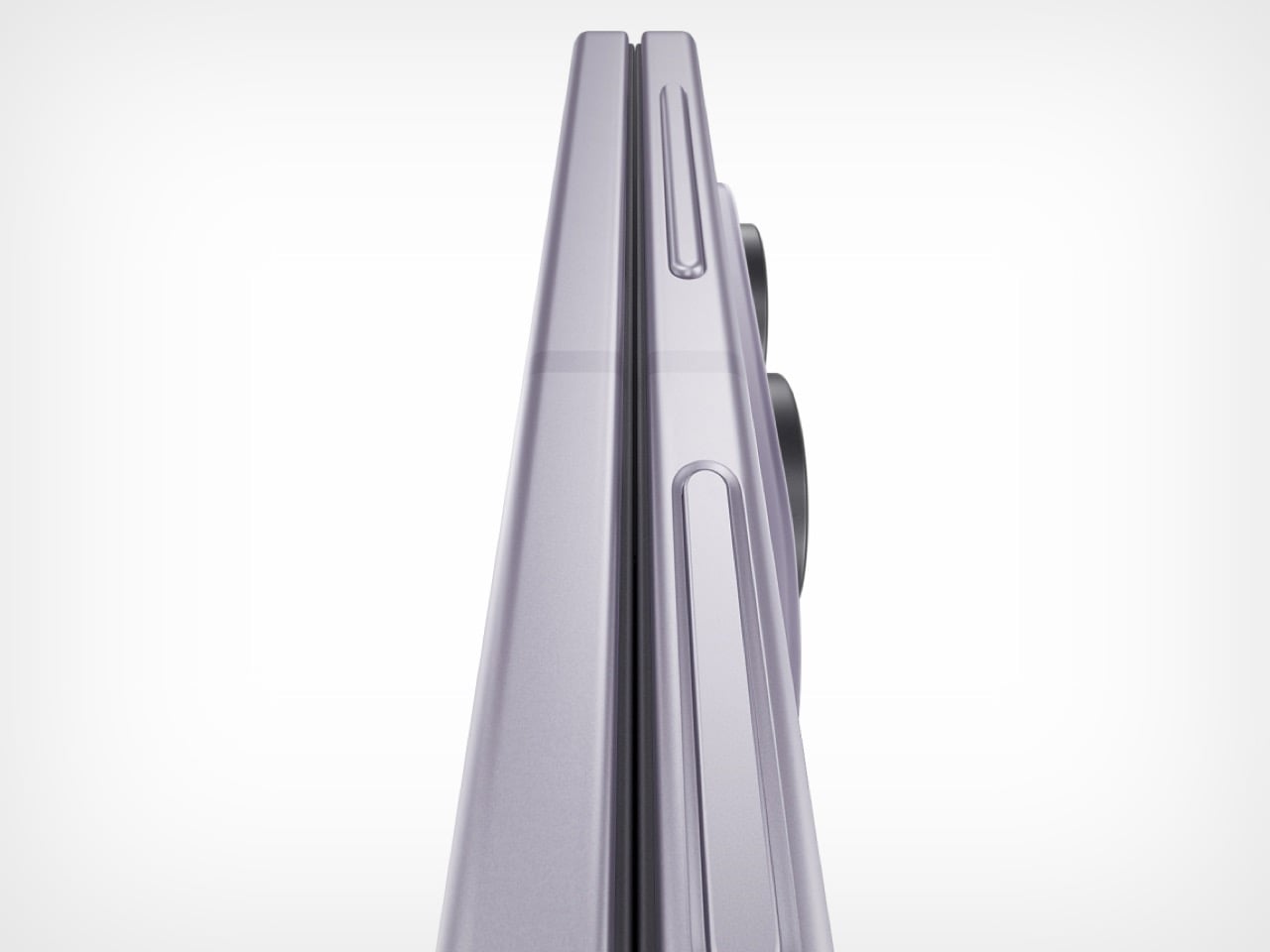
The Galaxy Z Fold8 closes to 9.7mm. The iPhone Duo closes to 11.3mm. The 1.6mm gap sounds mild, and it lands less mildly in a pocket, because the book-style form factor makes closed thickness something you register physically every time the phone goes in or out of a pocket, gets set on a desk, or is gripped shut in one hand. Small dimensional differences accumulate across hundreds of daily interactions in a way that flat spec comparisons do not fully communicate. 9.7mm versus 11.3mm is a material gap in this context, not a footnote.

Opened flat, the Fold 8 measures 4.5mm against the Duo’s 5.2mm. Apple tried hard on the thinness front, and for a first-generation foldable carrying a dual-battery system and a 100-plus component hinge, 5.2mm open is legitimately impressive engineering. Samsung just has more attempts behind it. Years of shaving fractions of a millimeter off the Fold form factor across successive generations produce gains that compound, and the Fold 8’s dimensional figures are the accumulated result of that process. The Duo is not there yet, and that is a first-generation reality rather than a permanent condition.

A More Refined, Battle-tested Multitasking Software

The Taskbar on the Z Fold8 holds eight app slots, and dragging any one of them into a running screen split takes a single gesture rather than a full trip back to the home screen. App Pairs let users save specific two-app workflows and relaunch them together in a single tap. Three-way split-screen and floating pop-up windows give the inner display real workspace flexibility, while AI Results View places AI output in a separate panel so source content stays visible alongside it rather than disappearing behind the response. These features are specific because the problems they solve are specific, and that specificity usually means someone already ran into that friction point on an earlier Fold and the feedback made it into the next build.

Apple’s Duo software looks like a genuinely strong first draft, and side-by-side multitasking on a 7.6-inch inner display is a compelling foundation for what iOS on a foldable can eventually become. What it does not yet carry is the institutional knowledge that comes from shipping foldable hardware in volume for years and learning where real users find the edges of the experience. Samsung knows, from behavioral patterns observed across the Fold 3 through Fold 7, that people using a foldable for actual work want to move windows around without returning to the launcher constantly. Apple will develop that understanding across future software generations. Samsung already developed it, and the current One UI reflects that directly.

The Hinge Comes From Eight Generations of Experimenting

Samsung Galaxy Z Fold8 Hinge Close-up

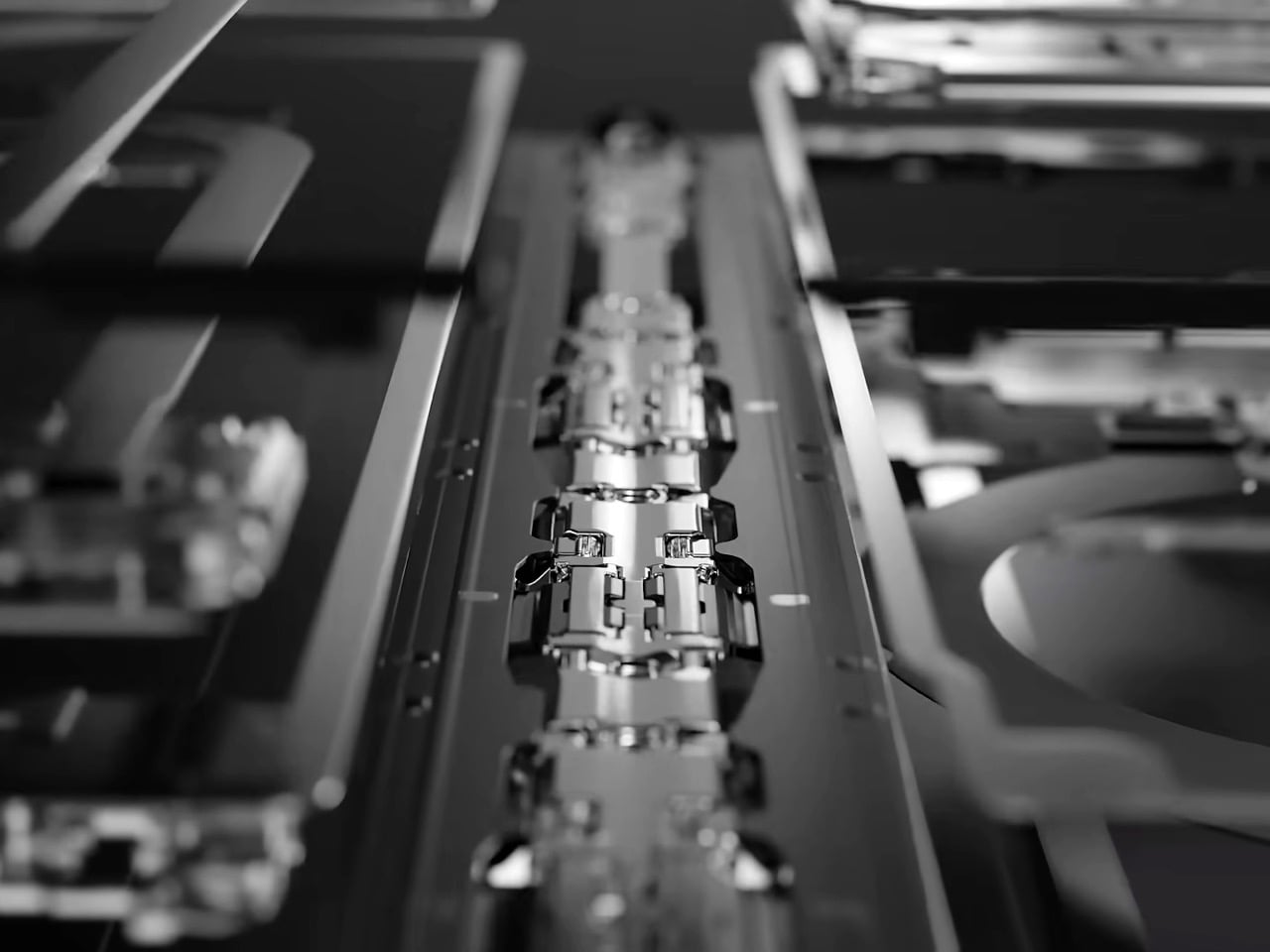
The Z Fold8 moves to a dual-rail hinge design, where two parallel contact rails distribute fold stress more evenly across the display than the single-rail approach used through the Fold 7. The practical payoffs are reduced delamination risk over long-term use and a 0.6mm reduction in folded thickness compared to last year’s model. The dual-rail architecture exists because the single-rail design produced failure patterns in field data, and Samsung engineered the fix after watching those problems accumulate at scale. Samsung rates the updated hinge at 200,000 fold cycles, which works out to roughly 7 to 10 years of daily use at realistic fold rates, a number that carries credibility specifically because Samsung has the service history to know what foldable hinge failure actually looks like.

Apple’s hinge uses over 100 components including carbon fiber support plates, a grade 5 titanium housing, and an integrated magnet array for closure, and for a first-generation attempt from a company with no prior foldable track record, it is a serious piece of engineering. What it does not have is field history, and in a category where the hinge is the single most consequential mechanical component, field history is what separates a confident launch spec from a genuinely proven design. Samsung’s dual-rail approach did not emerge from a thought experiment. It came from hinge failures, teardown data, warranty claims, and years of iterative engineering against failure modes that only reveal themselves after real-world shipping at volume. Apple’s Duo hinge may age beautifully. Samsung’s already has.

The post 5 Things Samsung’s Galaxy Z Fold8 Does Better Than Apple’s iPhone Duo first appeared on Yanko Design.
5 Best Coffee Gadgets & Tools Built for People Who Take Their Morning Seriously

The morning ritual is one of the few parts of the day that still belongs entirely to you. Before the notifications, the meetings, the noise, there is coffee. And if you are the kind of person who measures grind size, thinks about bloom time, and owns at least one piece of ceramic you genuinely care about, the tools in that ritual are not incidental. They are the point.

This list is not for people who want coffee faster. It is for people who want it better. From a machine that reads your beans before it grinds them, to a hand-crank espresso maker that needs nothing but your own effort, every pick here was chosen because it takes the morning seriously. Five products. Five distinct approaches to the same obsession. All of them are worth your counter space.

1. xBloom

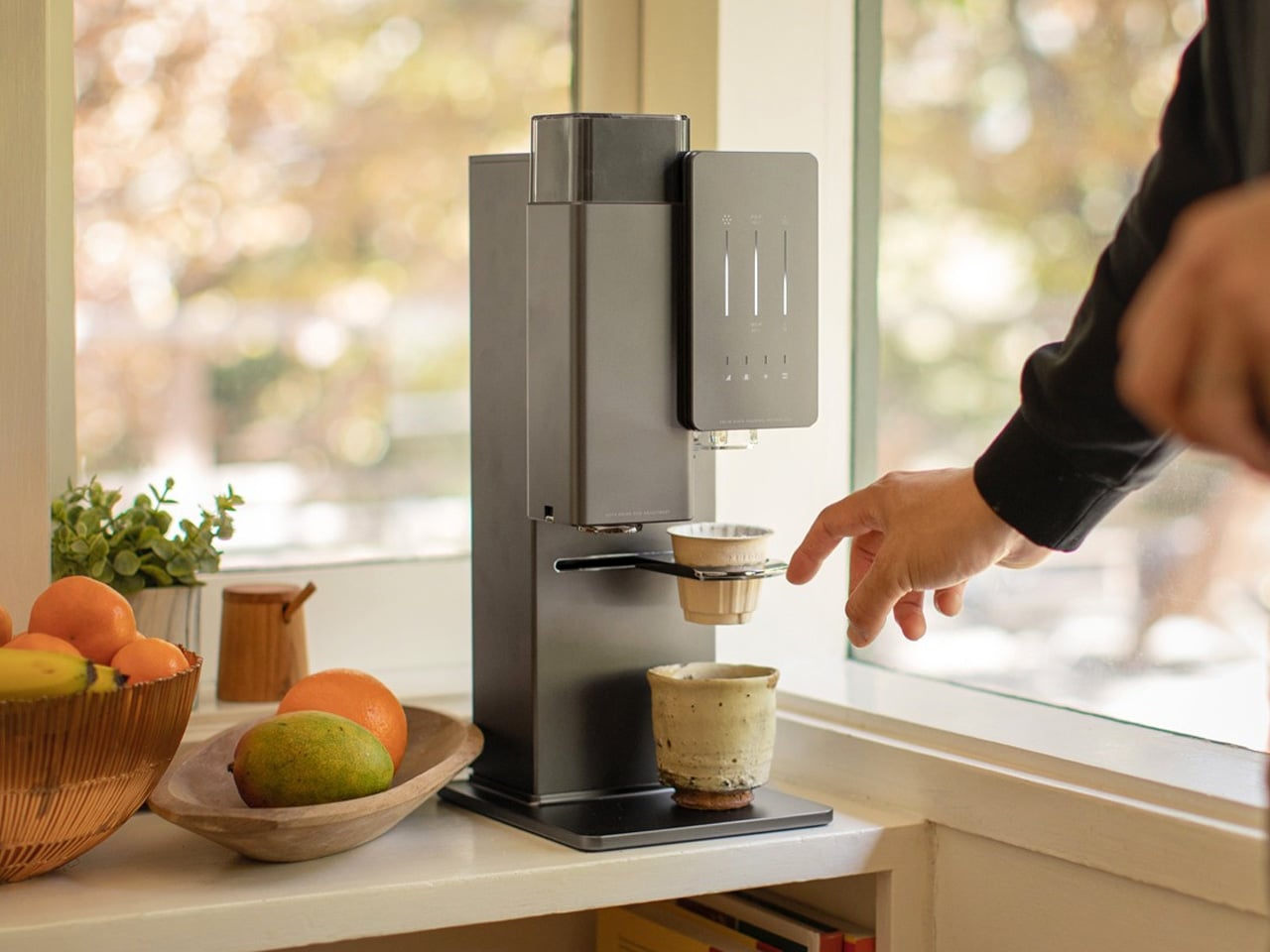
Designed by former Apple employees Richard Xu and Zhou Rui, the xBloom is what happens when Silicon Valley precision is applied to specialty coffee culture. Nicknamed the Tesla of Coffee Machines by our Editor-in-Chief, it is the first coffee machine to feature a true Autopilot mode, identifying, grinding, dispensing, brewing, and pouring your coffee with almost no intervention required. Its polished, minimalist form sits on the counter like a considered object, earning its place before you have even tasted what it makes.

The technology that drives the xBloom starts with its pods. Each biodegradable pod contains an NFC tag that the machine reads instantly, pulling the exact grind size and brewing recipe for those specific beans. The pod itself doubles as the filter, making the process almost entirely self-contained. Beans are sourced from top roasters worldwide, and the result, cup after cup, is something that genuinely rivals what a skilled barista would hand you.

What we like

  • NFC-enabled pods remove all guesswork from grind size and brewing recipe
  • The all-in-one design handles every stage of preparation without requiring extra equipment

What we dislike

  • Does not support instant coffee, limiting flexibility for those who switch between brew styles
  • At $799, the price point will be a barrier for many

2. FinalPress V3

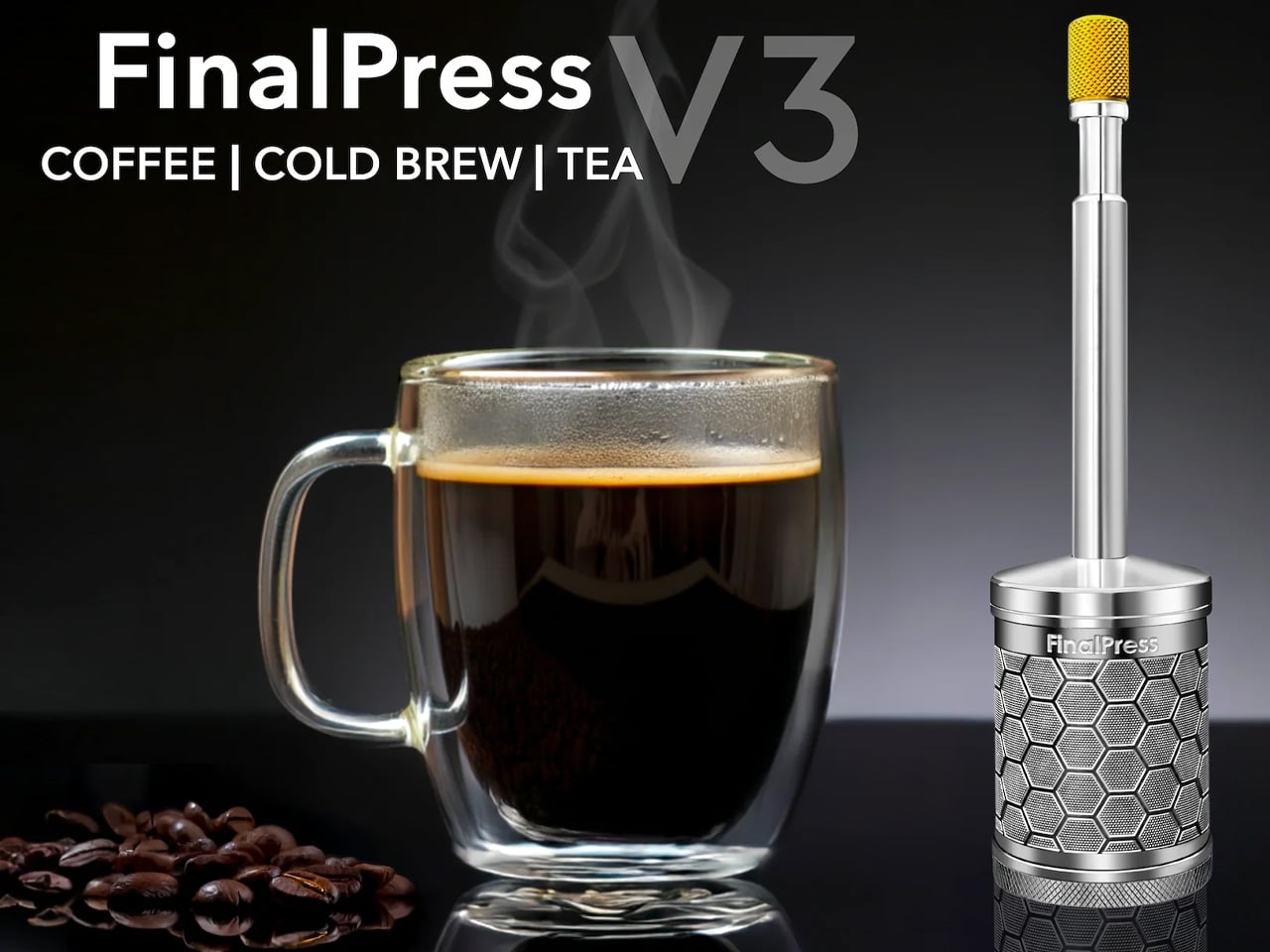
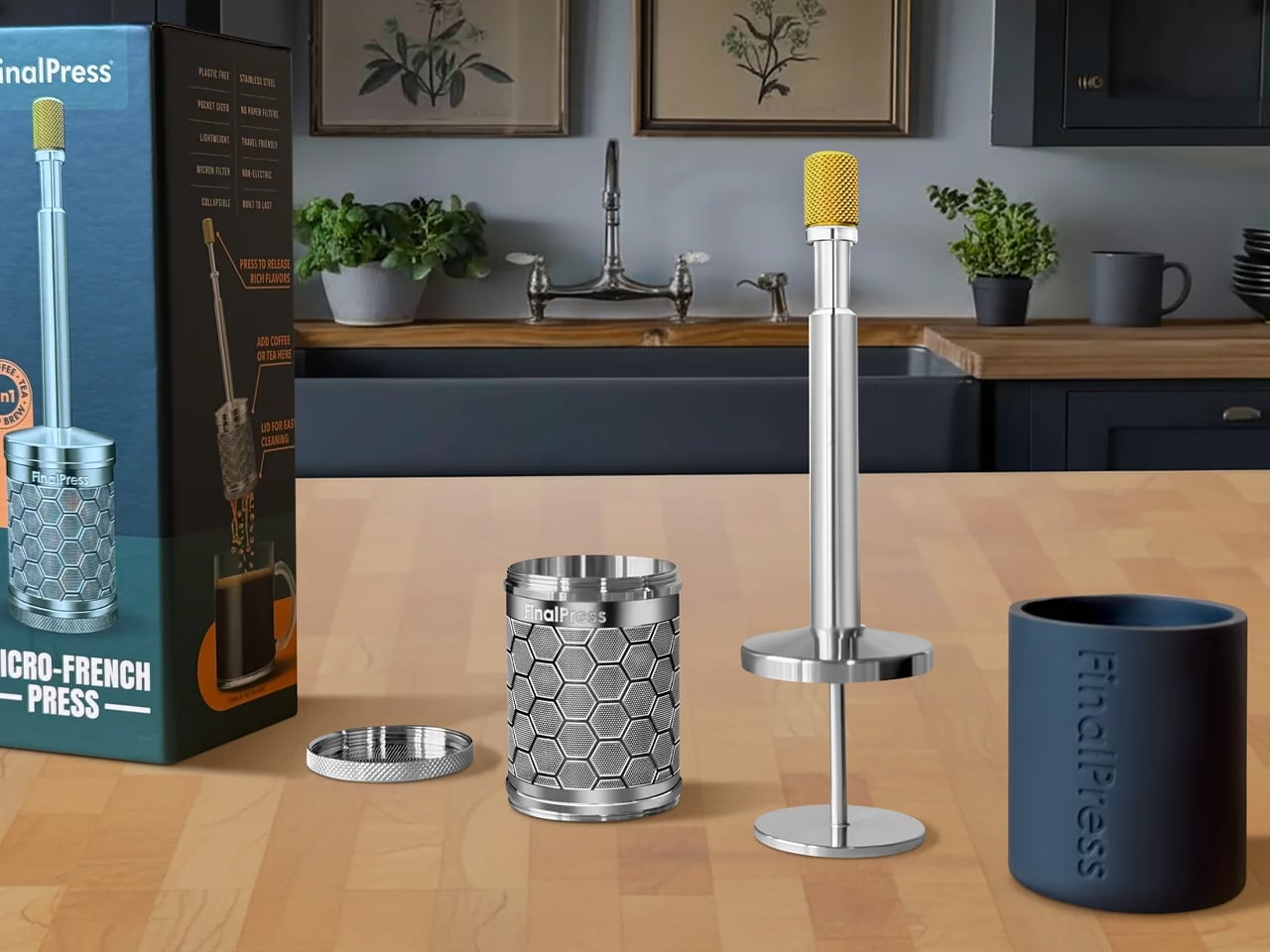
The FinalPress V3 proves that great coffee does not require an elaborate setup, just a well-engineered one. This compact immersion brewer strips the process back to what actually matters: contact time, water temperature, and pressure at the right moment. There are no paper filters to stock, no separate components to clean, and nothing that needs to be plugged in. What you get is one precisely machined device that rewards attention and punishes very little.

Where most portable brewers make quiet concessions in build quality, the FinalPress V3 holds its ground. The engineering is clean, and the result is a full-bodied cup that does not taste like a workaround. It is sized for a single deliberate serving, which gives each morning a sense of proportion that larger machines tend to quietly take from you. For anyone building a more intentional coffee practice, this is the kind of tool that earns its place fast.

What we like

  • No paper filters required, making it a genuinely low-waste option that simplifies the daily setup
  • Compact enough to pack anywhere while still producing a well-extracted, satisfying cup

What we dislike

  • Single-serve capacity means it is built for solo brewing, not for sharing
  • Getting grind size and steeping time dialed in takes a few sessions to get right

3. Arc Mug

The Arc Mug is the kind of object that makes you reconsider everything else on your shelf. Handcrafted in Taiwan through 11 artisanal processes, it pairs Japanese ceramic with a separately shaped walnut handle, a combination that is warm in the hand and considered in every detail. Natural variations across each piece mean no two mugs are identical, giving it the kind of individual character that mass-produced drinkware simply cannot replicate.

The Arc Mug sits at the intersection of function and craft, and it holds that position without apology. It is the vessel that makes the ritual feel complete, not because it insulates better than everything else or ships with a smart lid, but because drinking from it is a genuinely pleasurable thing. When the rest of your setup is this deliberate, the mug you reach for every morning deserves the same thought. At $60, it is the easiest decision on this list.

Click Here to Buy Now: $60.00

What we like

  • Handcrafted through 11 artisanal processes, making each piece a genuinely individual object
  • The walnut handle and Japanese ceramic pairing creates a tactile experience that holds up over daily use

What we dislike

  • Hand wash only, which adds a friction point for anyone relying on a dishwasher
  • Cannot be microwaved, limiting it to its role as a dedicated coffee vessel

4. COFFEEJACK V2

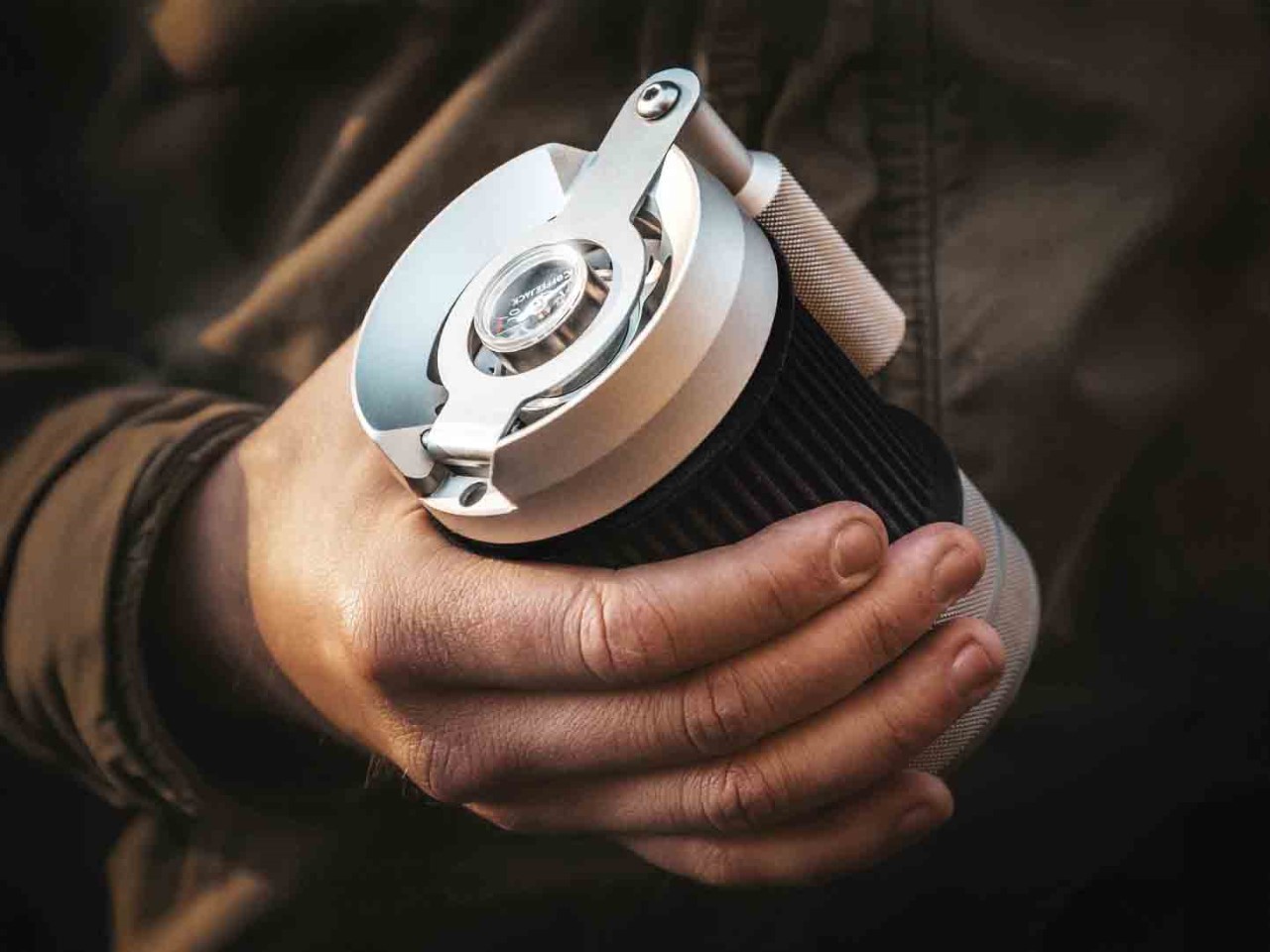
The COFFEEJACK V2 is a statement about what manual actually means. A fully hand-crank espresso maker, it builds up to 10 bars of pressure through rotation alone, requiring no electricity, no battery, and no compromise on extraction quality. The engineering does serious work inside a form that fits in a bag without fighting for space. For anyone who has ever found themselves somewhere good coffee was technically unavailable, the COFFEEJACK V2 is a considered answer.

What makes the V2 compelling in a morning ritual context is the physical commitment it demands. There is no autopilot. Every bar of pressure is yours to build, which fundamentally changes the relationship between the person and the cup. That might sound like extra effort, but for a certain kind of coffee person, it is exactly the point. It grounds the morning in something intentional and tactile, a counterweight to everything else that runs on a screen and makes decisions for you.

What we like

  • Builds genuine espresso-level pressure through manual rotation, requiring no electricity whatsoever
  • Compact enough to go anywhere, making quality espresso accessible in almost any setting

What we dislike

  • The physical effort required can feel like a barrier on slower or earlier mornings
  • Dialing in grind consistency and pressure takes time and repetition to properly master

5. MokaMax

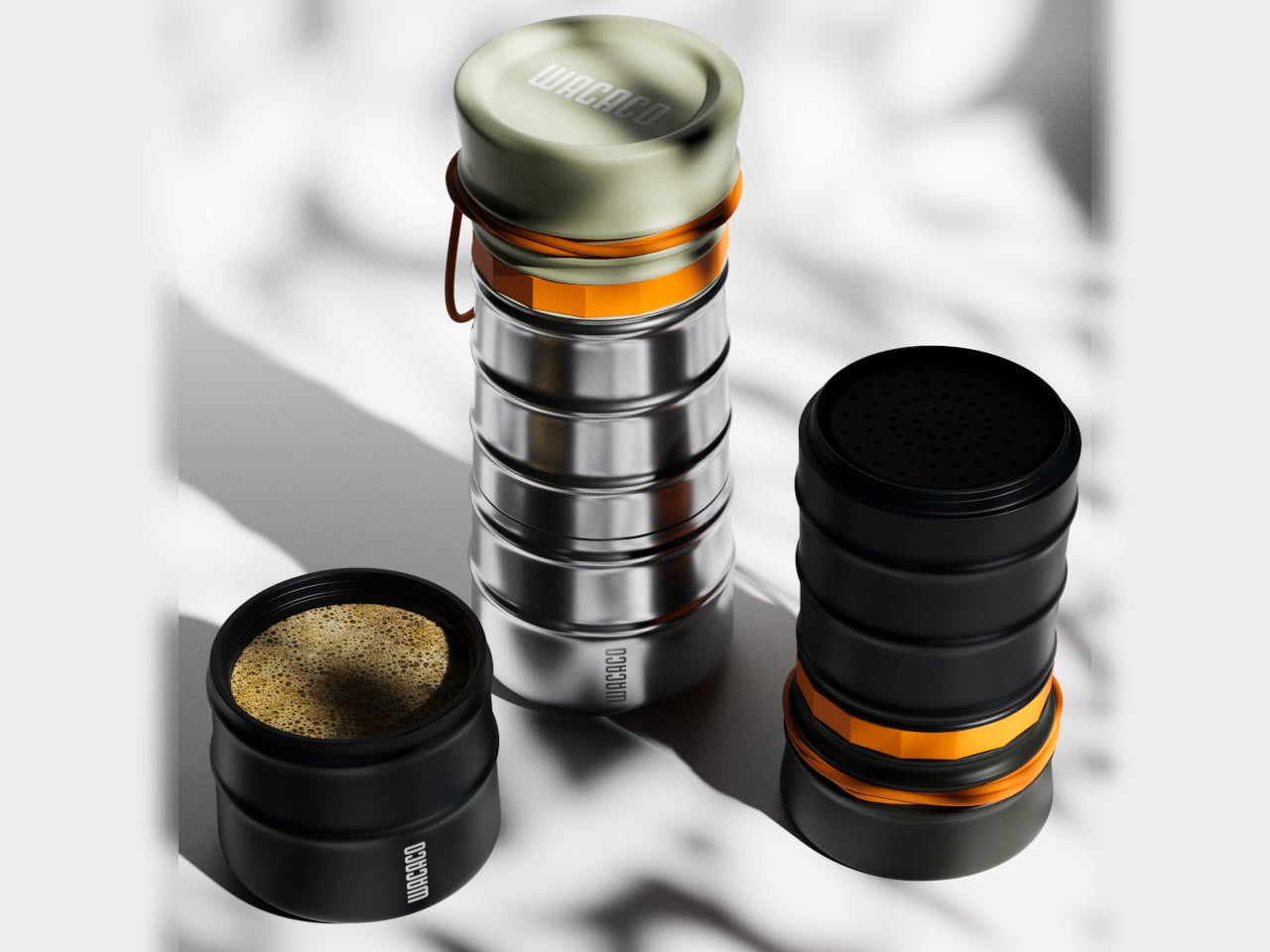
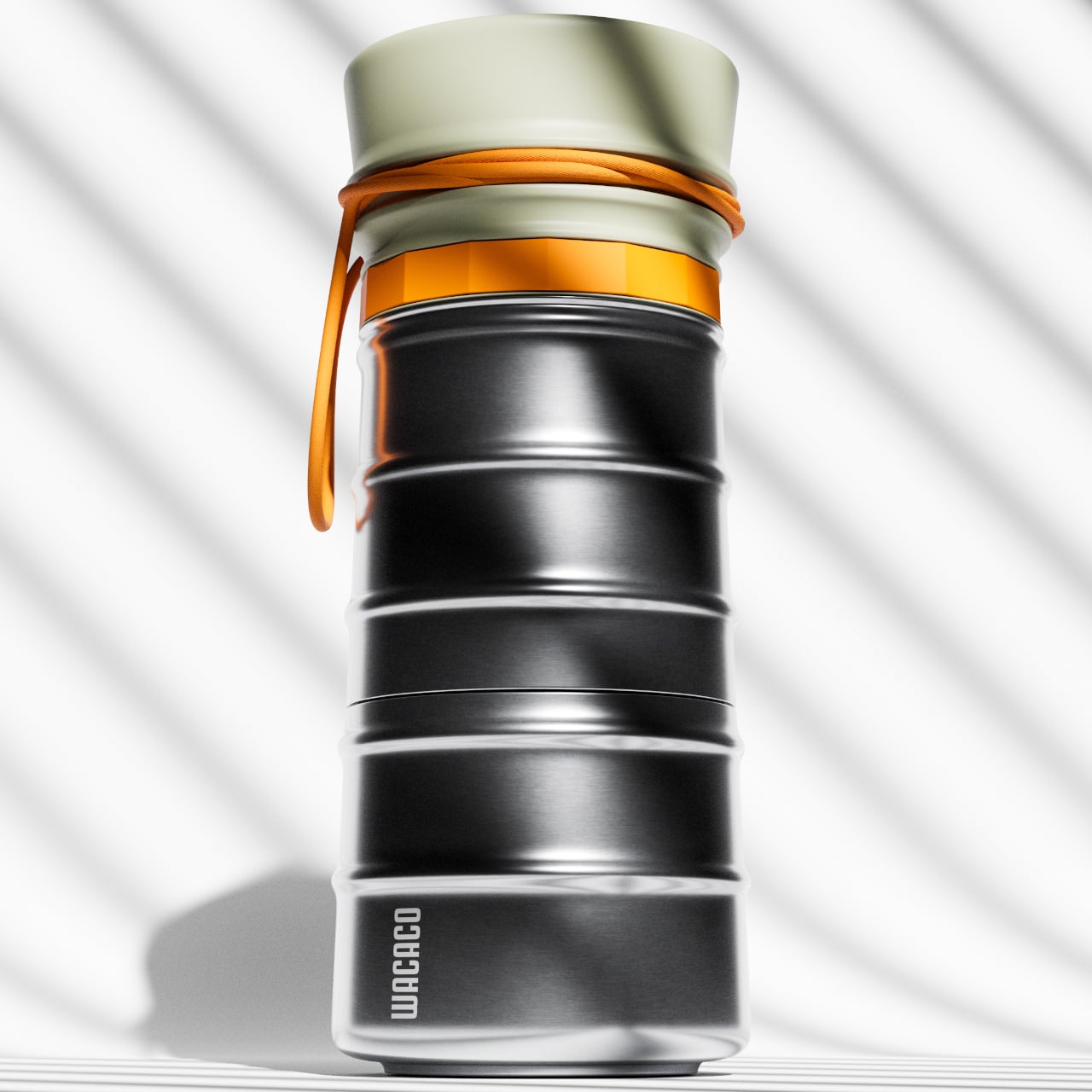
The MokaMax solves a problem that most travel mugs quietly ignore: the coffee inside them is rarely worth drinking. By integrating a full pressure brewer into a ridged stainless steel travel mug, it delivers espresso-style coffee without requiring a separate machine or a second vessel. The whole thing is one object. Brew it, seal it, carry it. For anyone who refuses to lower their standards the moment they step out the door, this is the answer.

The design here is doing double work. The ridged stainless steel exterior is built for grip and durability, while the internal brewing mechanism is engineered for extraction quality. It earns its place in the morning lineup not by being clever for its own sake, but by closing a real gap in the portable coffee category. If the xBloom handles the ritual at home and the COFFEEJACK V2 covers the off-grid moment, the MokaMax owns everything that falls in between.

What we like

  • Combines a pressure brewer and travel mug into one carry-ready form with no separate parts needed
  • Stainless steel construction handles daily wear without losing its edge

What we dislike

  • Brewing and drinking in the same container limits flexibility when it comes to serving
  • Espresso-style output may not suit those who prefer longer, filter-style coffee drinks

The Ritual Is The Point

The best morning setups are rarely built all at once. They come together piece by piece, as you figure out what kind of coffee person you actually are. The xBloom automates that process with precision that removes the guesswork entirely. The FinalPress V3 and the COFFEEJACK V2 earn it through deliberate, physical effort. The MokaMax carries the standard wherever the morning takes you. And the Arc Mug is what you hold while all of it happens.

These five products represent five distinct philosophies about what morning coffee should feel like, and you do not need all of them. But you probably already know which ones make sense. That instinct is worth trusting. The best cup you have ever made is most likely still ahead of you, and the right tools have a quiet way of making sure of it.

The post 5 Best Coffee Gadgets & Tools Built for People Who Take Their Morning Seriously first appeared on Yanko Design.

While Most TVs Go Off, the Hisense CanvasTV Switches to Art

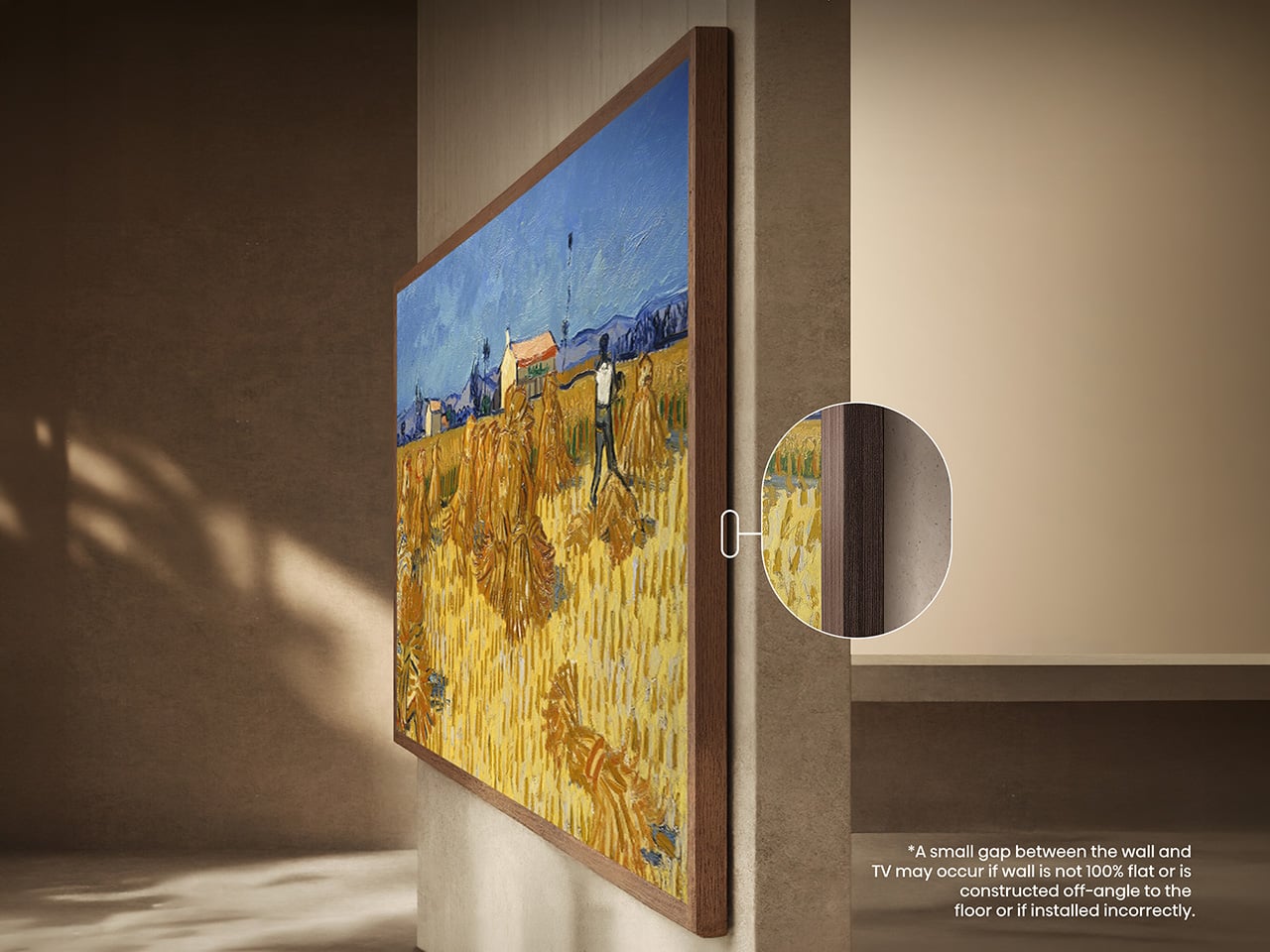
A television that spends most of its life pretending to be a painting sounds like a gimmick, until you stand in front of one. The Hisense S7 CanvasTV, available in a 65-inch size among others, is built around that idea. It’s a 4K QLED Google TV wrapped in a teak frame, designed to disappear into your wall as art before it plays a single show.

Getting there took real design work. Hisense ships the CanvasTV with its UltraSlim wall mount already in the box, letting the panel hug the wall closely enough to read as a frame rather than a floating screen. Unlike Samsung’s Frame TV, which relies on a separate connection box tucked nearby, the CanvasTV keeps everything built into the panel, so there’s no extra hardware to hide.

Designer: Hisense

Click Here to Buy Now: $1997.99

Once mounted, the fun part starts. Flip on Art Mode, and the screen rotates through more than 1,000 curated artworks, from classic landscapes to abstract pieces, included at no extra cost. There’s no subscription behind that gallery, which matters if you resent paying monthly for something you already own. You can also load your own photos, turning travel shots into rotating wall art.

That gallery also knows when to rest. A built-in Motion Detector keeps art on display only when someone’s in the room, switching to a blank screen once you step out and saving power along the way. That small detail changes how the TV behaves day to day, less like a screen left running from habit and more like art that responds to the room.

Living rooms rarely have controlled lighting, and CanvasTV was built with that in mind. Its Hi-Matte anti-glare panel cuts down on reflections from windows and lamps, keeping artwork and video watchable no matter the time of day. An RGB light sensor also reads the room in real time, adjusting brightness and color temperature so a painting at noon looks as convincing as it does under evening light.

Switch to actual programming and the CanvasTV stops acting modest. It uses 4K QLED with Quantum Dot Color for punchy, accurate tones, backed by a 144Hz native refresh rate for smoother motion during fast scenes or sports. Support for Dolby Vision IQ, HDR10+, and HDR10+ Adaptive rounds things out, so whatever you’re streaming gets the contrast and detail it was mastered with, not a flattened version of it.

None of that would matter without a decent interface, and Hisense chose Google TV for that purpose. That means access to more than 700,000 movies and shows across over 10,000 apps, personalized profiles for family members, and Chromecast built in. Google Assistant handles voice commands, and support for Amazon Alexa and Apple HomeKit means it fits whatever smart home setup you already have.

Design-forward TVs don’t always keep gamers happy, but this one doesn’t ignore them. Two HDMI 2.1 ports support 144Hz Game Mode Pro and variable refresh rate, while a dedicated Game Bar lets you check frame rate and input lag without leaving whatever you’re playing. It won’t outrun a dedicated gaming monitor, but for a household where the console sits below framed art, it holds up well.

Sound comes from a built-in 2.0.2 system tuned with DTS Virtual:X, enough to fill a living room without a soundbar propped under the frame. Everything else ships in the box too: the teak frame, the wall mount, a backlit voice remote, and a two-year warranty. It’s the kind of completeness that lets you mount it once and stop thinking about extra purchases.

Live with it a week and the split personality stops feeling like a novelty. Mornings might show a quiet landscape while coffee brews, evenings hand the wall to a show or a game, and the switch never feels like a compromise. Most TVs ask you to accept a black rectangle once they’re off. This one lets you forget it’s a television at all.

Click Here to Buy Now: $1997.99

The post While Most TVs Go Off, the Hisense CanvasTV Switches to Art first appeared on Yanko Design.

3 Tailgating Gadgets That Make Game Day Feel Like Home

The parking lot is the wrong frame for tailgating. The better one is the living room, relocated and weather-dependent, but organized around the same core logic: good sound, something to watch, something warm in your hands. The gadgets that actually close that gap are never the loudest or most expensive ones in the lot. They solve one specific problem well and stay out of the way of everything else.

These three products make game day feel like home, not through spectacle but through specificity. The RetroWave 7-in-1 Radio handles the sound. The XGIMI MoGo 4 Pro handles the picture. The BioLite CampStove 2+ handles the food and the power that keeps everything else running. Each earns its space in the truck bed for a different reason, and none of them need explaining once they are set up.

1. RetroWave 7-in-1 Radio

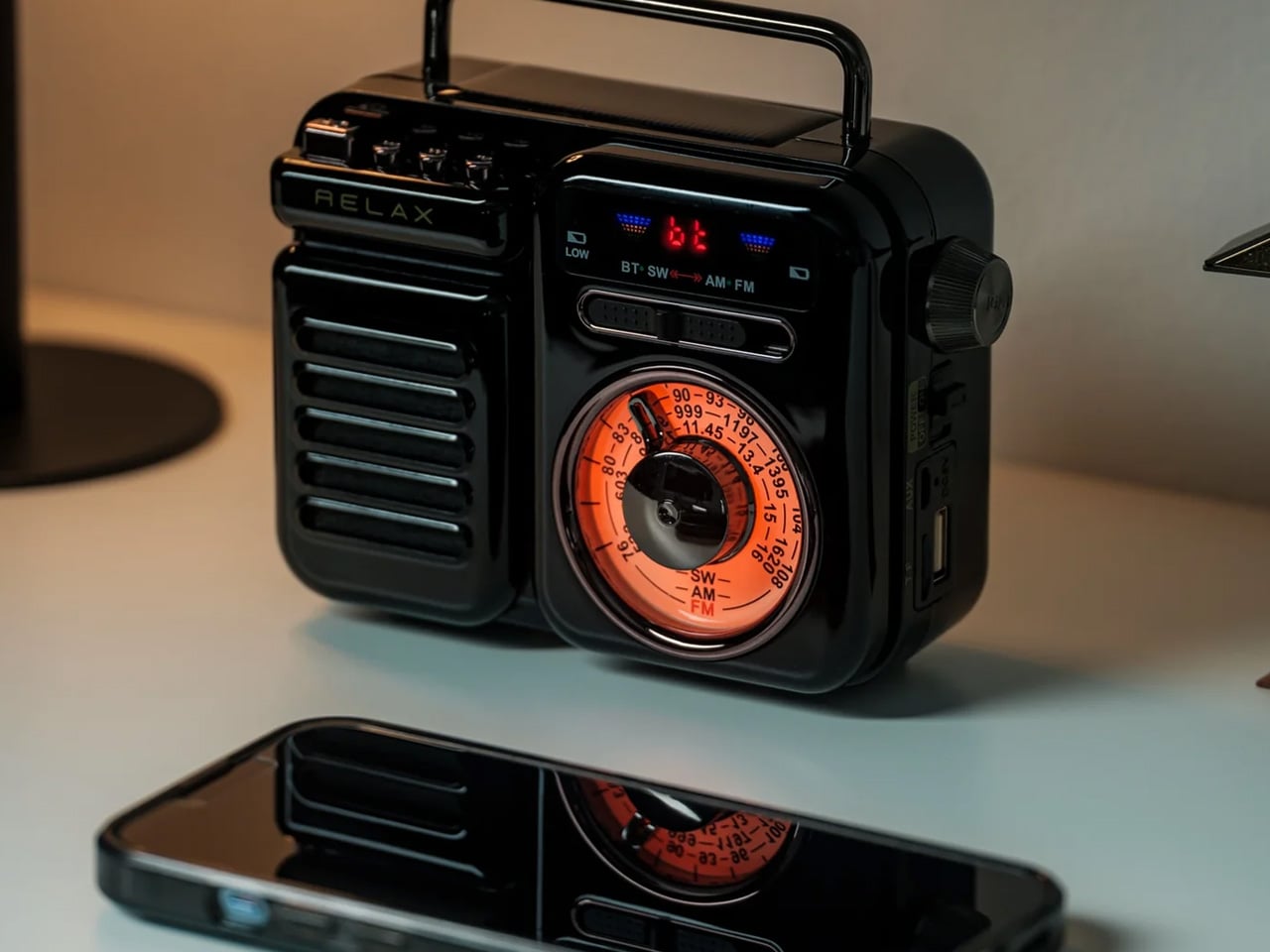
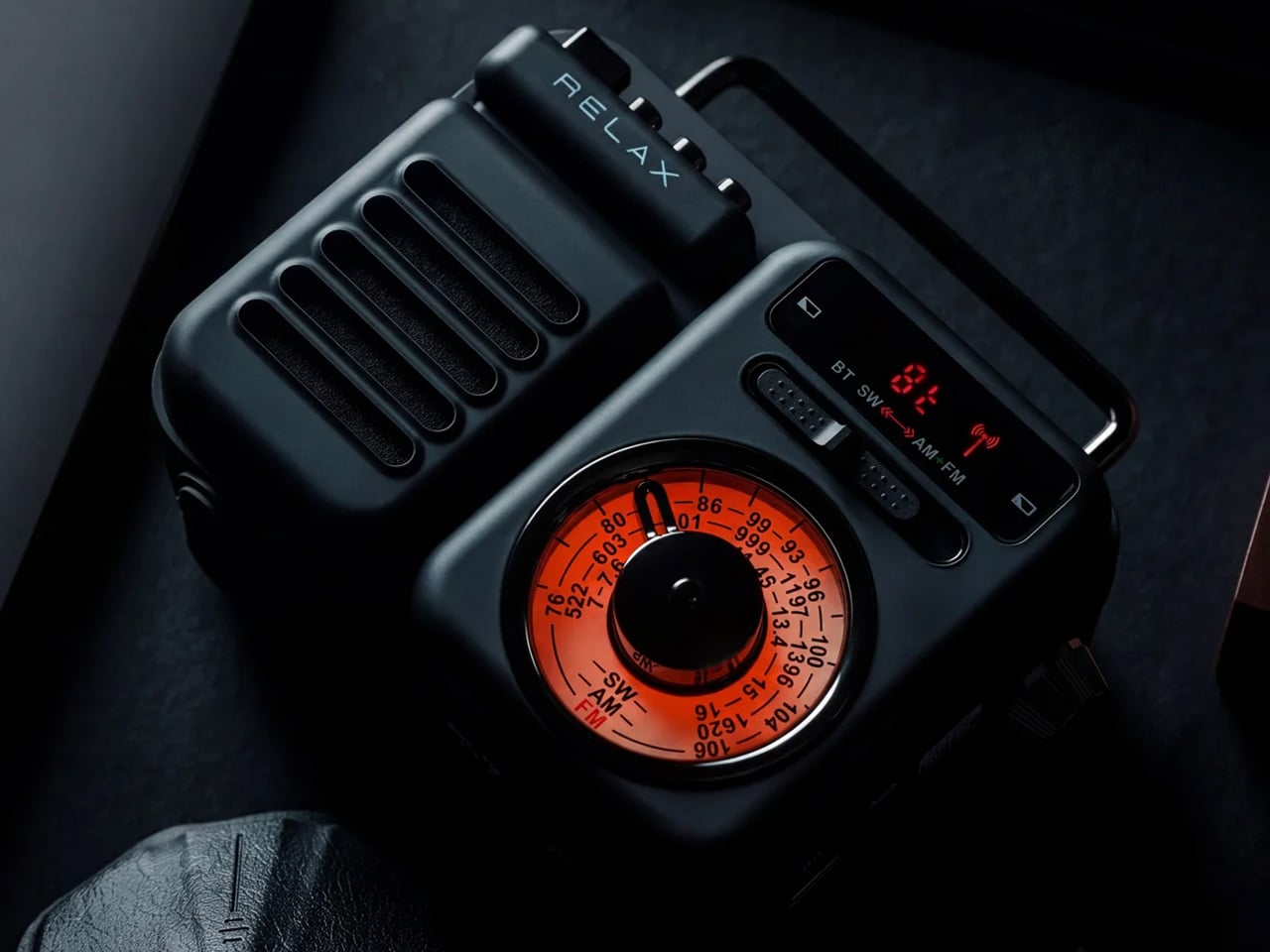
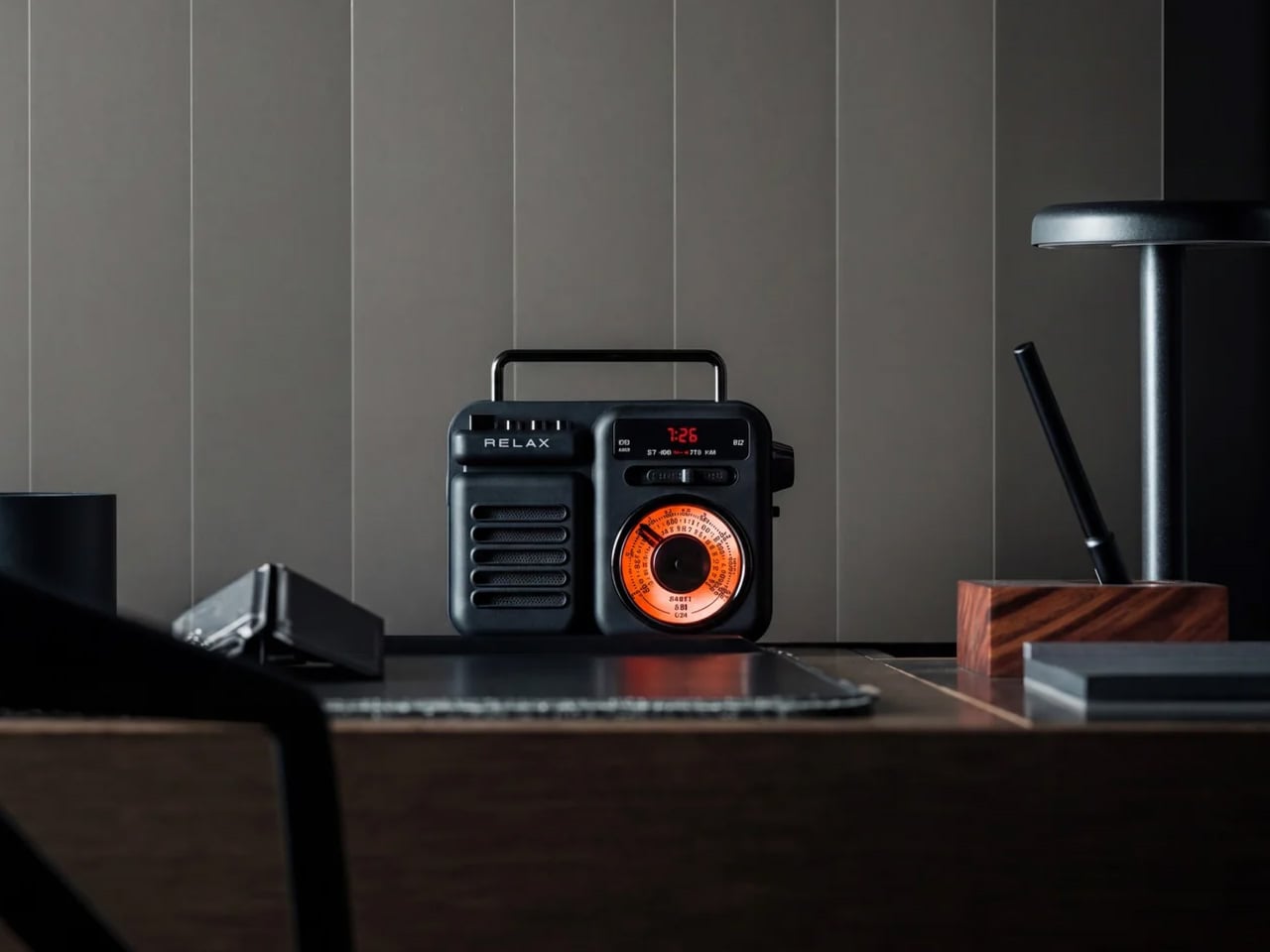
The RetroWave 7-in-1 Radio is a portable AM/FM and shortwave receiver built around a form factor that looks more at home on a record shelf than in a parking lot. That tension is the whole point. It tunes into live radio so you catch the actual broadcast call, not a delayed stream with a lag during the play that just ended the game. The solar panel keeps it running off-grid, and the built-in power bank charges whatever runs out first.

At a tailgate, the radio is what sets the tone before anyone arrives. You switch it on while setting up, and the lot sounds like a broadcast. The tactile tuning dial gives you a physical action in a world of swipe gestures: find the station, stay there. The RetroWave sits in the center of the setup looking like it belongs rather than looking like equipment. Available in Black, Warm Gray, and Matte Black, with nothing that reads as an afterthought.

Click Here to Buy Now: $89.00

What we like:

  • The solar panel and built-in power bank make it genuinely independent of outlets. You can run a full game day on sunlight alone and still have charge to spare when the lot clears.
  • AM/FM and shortwave reception means you get the actual broadcast with no streaming delay, which matters when the crowd reacts to plays before your phone does.

What we dislike:

  • The retro form factor is a design commitment. It reads correctly in an intentional, considered tailgate setup and slightly out of place in a purely utilitarian one where aesthetics aren’t part of the brief.
  • Radio signal quality depends on location. In dense stadium environments surrounded by concrete and interference, reception can vary in ways that a streaming setup would not.

2. XGIMI MoGo 4 Pro Portable Projector

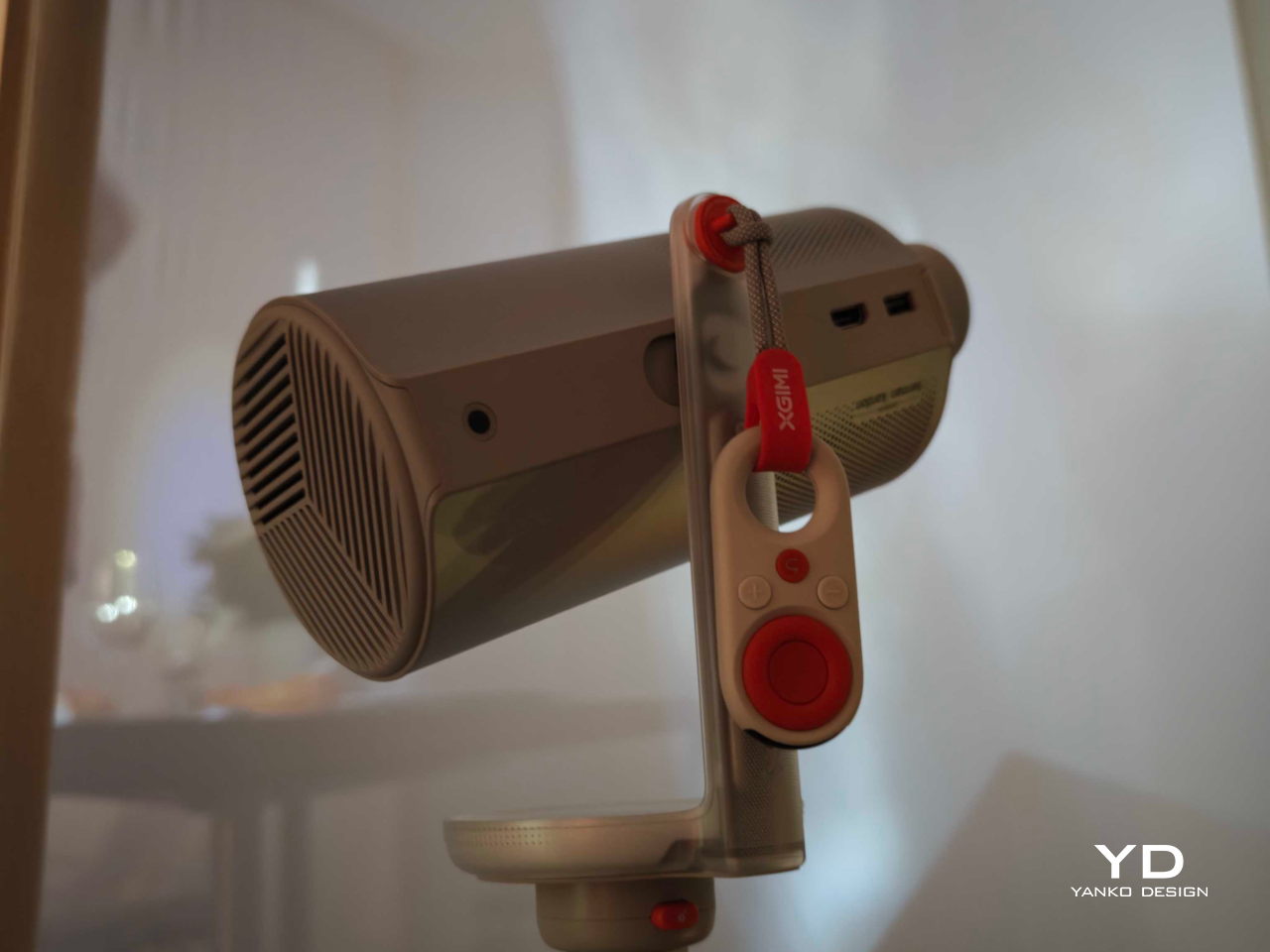
The XGIMI MoGo 4 Pro is a portable projector with a built-in battery, Android TV, and automatic keystone correction that sets the image straight without manual adjustment. It runs without a power outlet, which at a tailgate is not a convenience but a requirement. The projector format changes the scale of what you are watching: a bedsheet, a white truck panel, a concrete wall. Any flat surface becomes a screen large enough to follow the game from twenty feet back.

At a game day setup, the projector is what separates a good tailgate from a watch party. You point it at the side of the truck, and thirty people can follow the same play at the same moment. The MoGo 4 Pro runs on Android TV, so streaming the game requires nothing beyond your phone. The form is compact enough for a backpack, which means it goes wherever the setup moves, not just where you planned for it to go.

What we like:

  • Automatic keystone correction means the image self-levels on any surface angle without a setup process. You point, it adjusts, and it works — at a tailgate where setup time is game time, that matters.
  • Android TV is the full streaming operating system, not a paired app. Every service showing the game is accessible directly from the projector without routing through a laptop.

What we dislike:

  • Projector brightness is always a variable. The MoGo 4 Pro performs best in low-light conditions; in a bright afternoon lot before kickoff, the image needs shade or a darker surface to read clearly.
  • Battery runtime is finite. A full game with pre-show and halftime coverage runs longer than most portable projector batteries, which means planning for a power source or accepting that the battery eventually needs support.

3. BioLite CampStove 2+

The BioLite CampStove 2+ burns small sticks and wood scraps from the surrounding area and converts that heat into electricity through a built-in thermoelectric generator. The generator feeds a fan that circulates air back into the combustion chamber for a cleaner, more complete burn, and charges an onboard battery simultaneously. That battery powers a USB port. You cook food on the same device that charges your phone. It is one of the more compressed problem-solving loops in outdoor equipment.

At a tailgate, the stove is the piece that makes the setup feel settled rather than temporary. Wood from a small bundle in the truck bed becomes the fuel, and you do not need anything from a gas station to light it. The food you cook on it justifies the time spent getting there. When the phone running the projector stream drops low, the CampStove charges it. The setup becomes self-sufficient in a way a standard propane burner never manages.

What we like:

  • The thermoelectric system converts heat into electricity passively as you cook. Charging happens as a byproduct of the fire, with no separate step and no additional device to carry alongside it.
  • Wood fuel means the CampStove runs as long as there is material to burn. There is no propane canister to run out at halftime.

What we dislike:

  • The CampStove 2+ is sized for a small group cooking at the same time, not a large one. It handles focused cooking jobs well but cannot replace a full grill setup for a bigger crowd.
  • Wood-burning in a parking lot depends on what is permitted. Some stadium lots restrict open flame from wood fires, which would make the CampStove 2+ a non-starter in that specific context before you even unpack it.

The Parking Lot Is Just the Address

The three products in this list don’t share an aesthetic or a price point. They share a design logic: one specific problem, resolved with unusual precision, and nothing unnecessary added around it. The RetroWave handles the broadcast. The MoGo 4 Pro handles the picture. The CampStove 2+ handles the food and the power. Together they account for the three things that actually make any space feel like somewhere worth staying.

Game day is already the occasion. The gadgets don’t need to make it feel like one. They need to make it feel like home, which is a quieter and more specific brief: less about performance, more about the ease that comes from not thinking about your setup once it is running. These three get that right. The parking lot becomes the living room, and you stay longer than you planned.

The post 3 Tailgating Gadgets That Make Game Day Feel Like Home first appeared on Yanko Design.