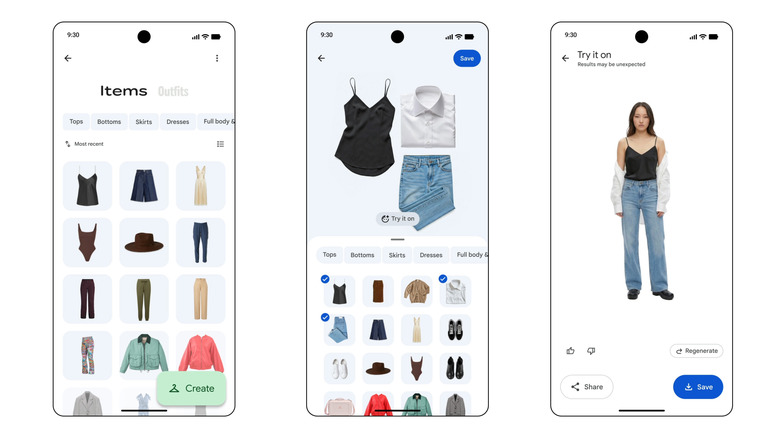
Google Photos Wardrobe will scan your pictures to compile a digital version of your closet
At least now you can figure out what to wear without physically going to your closet?
At ECAL’s collaboration with Google’s Industrial Design team, the smartphone is no longer treated as a fixed icon of consumer tech. In A Message from Tomorrow, it becomes something far more fluid, a design question that deserves to be reopened. The brief invited ECAL’s Master Product Design students to develop mobile-focused concepts inspired by daily rituals, with an emphasis on storytelling and the human dimension of technology. That framing gives the exhibition its real energy. Instead of chasing the usual upgrades in speed, resolution, or sleekness, the projects ask how mobile devices might evolve if they were designed around touch, companionship, movement, energy, and the subtle gestures that shape everyday life.
That shift feels especially relevant now. Smartphones have absorbed nearly everything, from cameras and maps to notebooks, music players, and assistants, yet the object itself has become strangely stagnant. For all the complexity hidden inside, the form remains stubbornly familiar, a smooth slab built around endless visual attention. A Message from Tomorrow pushes against that stagnation by imagining mobile hardware as a much broader territory. Here, devices can be expressive, self-sufficient, spatial, tactile, or emotionally responsive. The exhibition does not present one neat answer to the future of the phone. It presents a series of alternate directions, each exposing something our current devices no longer do well.
Deigner: ECAL/University of Art and Design Lausanne x Google ID
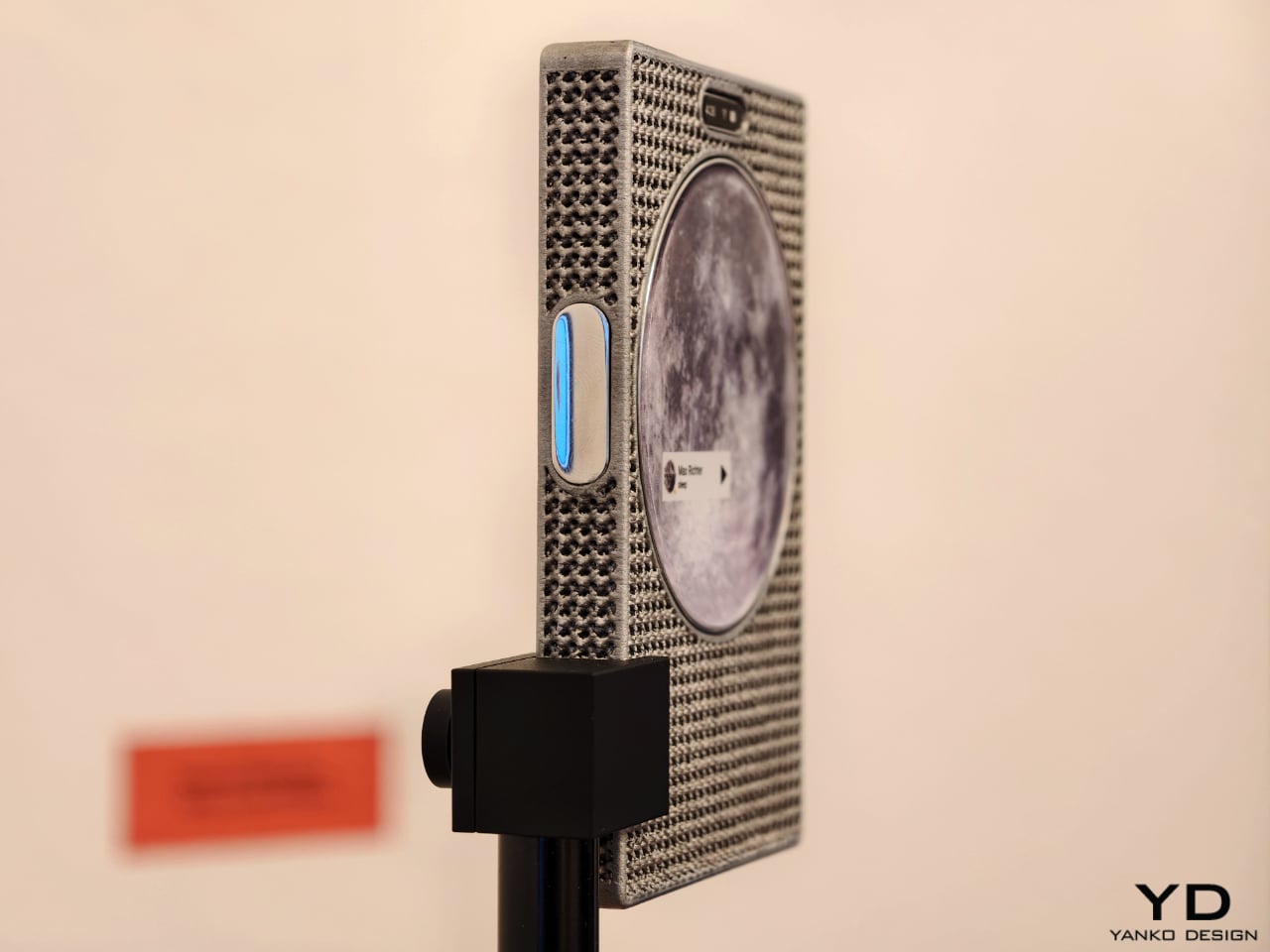
One of the show’s strongest ideas is that the future of mobile technology may not be screen-first at all. Several projects deliberately loosen the screen’s dominance and focus instead on sound, physical presence, or integration with the surrounding world. Sound Machine, by Xose Lois Piñeira, rebuilds the phone around voice. Its 3D-printed aluminum lattice body is acoustically transparent, allowing sound to move through a layered assembly while a contact transducer on the back transmits audio through surfaces or through the body when worn against the sternum. A small circular screen handles only the essentials. It is a compelling proposition because it refuses the idea that a phone must always function as a miniature display first and everything else second.
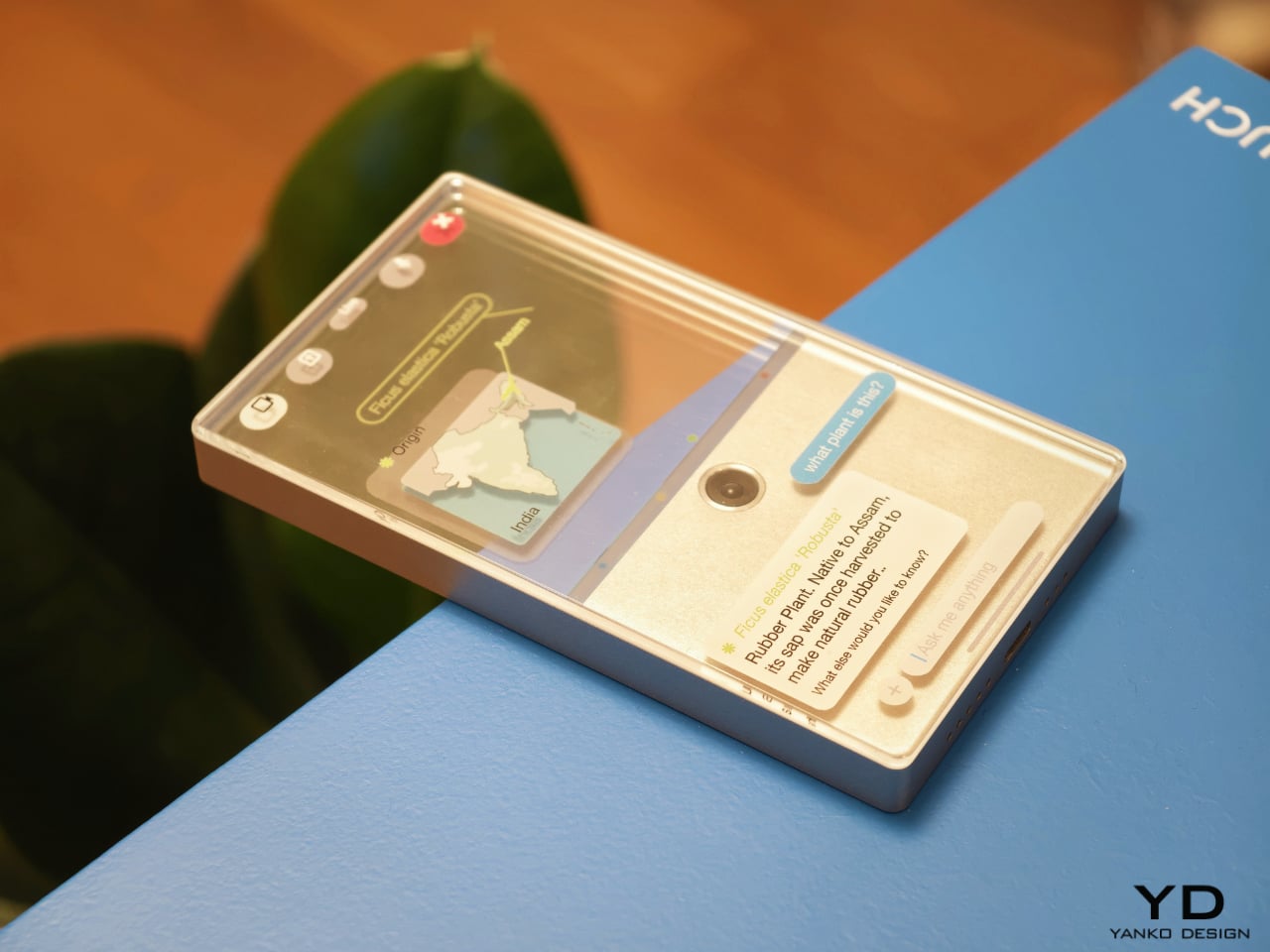
Liminal Frame, by Ehrat Lee, offers another escape from flat-screen logic. Its four-layer display can shift between opaque and transparent states, letting digital content coexist with the physical world rather than replacing it. The device allows users to look through the phone, place information in space, and return to it later without relying on a headset. It turns the phone into a kind of portal rather than a closed surface. In a moment when spatial computing is often imagined through bulky wearables, this project feels especially elegant. It suggests that the phone itself could evolve into a lighter and more natural bridge between digital and physical experience.
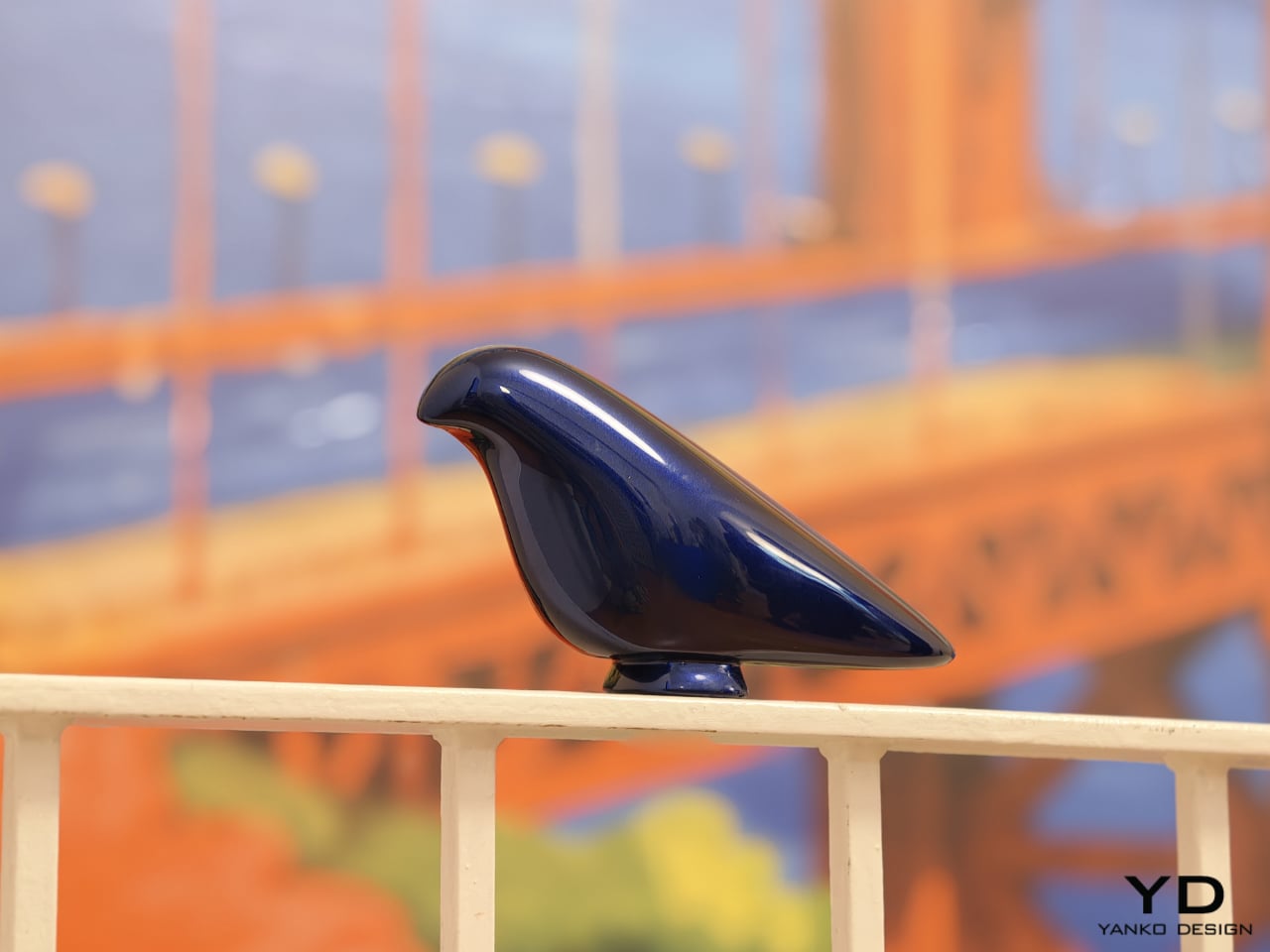
Some of the exhibition’s most memorable concepts explore personality as much as function. Robin, by Gyuhan Park, imagines a mobile device modeled on pet-bird behavior. Cameras become eyes, a beak-like feature acts as sensor and speaker, and the object communicates like a companion rather than a conventional assistant. It can tease, joke, or sulk while also helping with planning, messages, and everyday tasks. The concept is playful, but it also raises a serious question about the future of devices. As AI becomes more embedded in daily life, will our relationship with technology become less transactional and more behavioral.
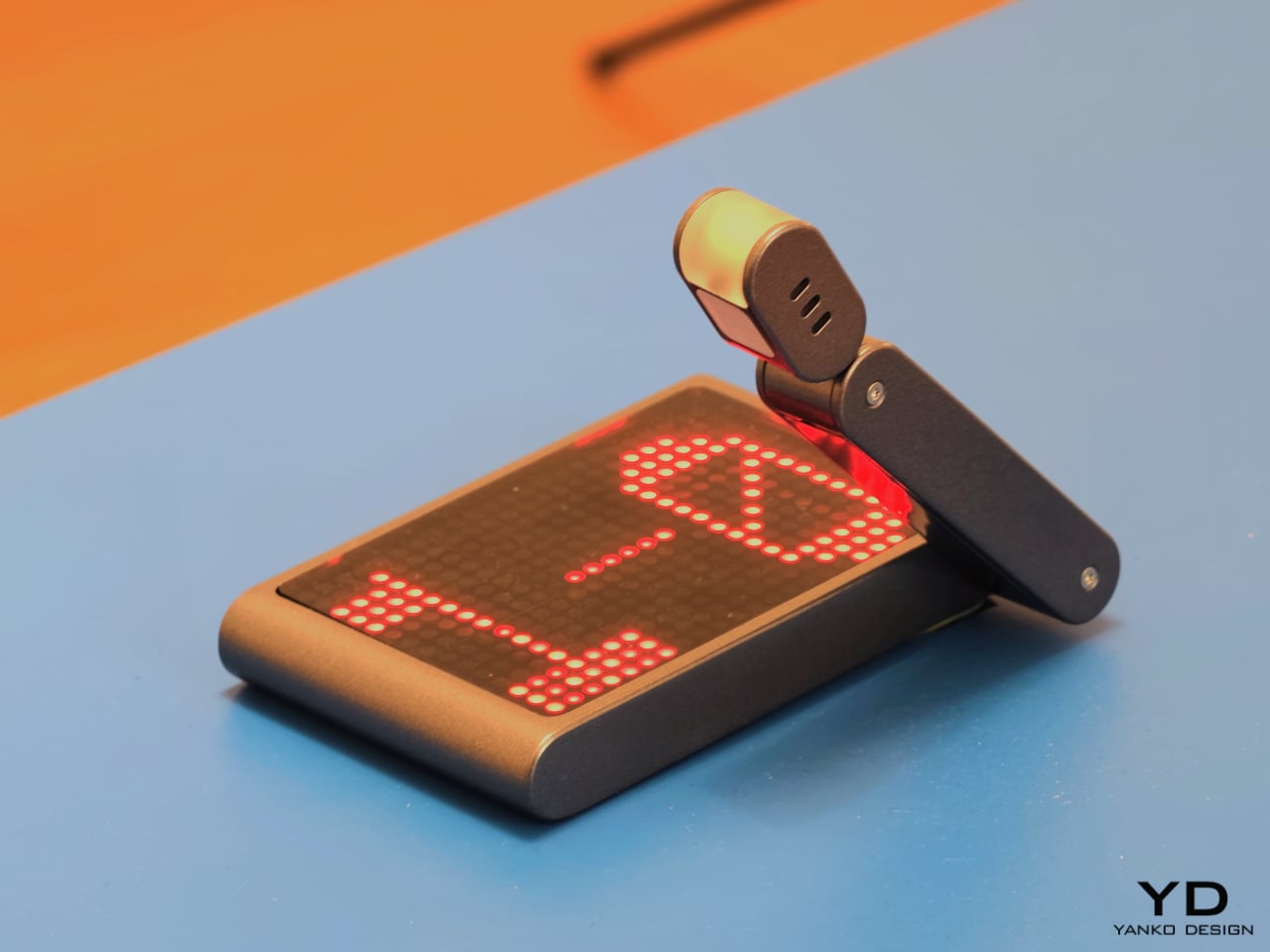
That same willingness to rethink familiar habits appears in The Finger Phone by Hugo Von Hofsten. Starting from the frustration that phones always need to be held, it introduces an animated finger-like extension carrying a camera, light, and touchpad. The idea is delightfully odd, but also surprisingly practical. It imagines a device that can stand on its own, assist in small moments, and illuminate more than just its own screen. In a market dominated by polished uniformity, The Finger Phone feels refreshingly unconcerned with conventional elegance. It is willing to be useful, strange, and memorable all at once.
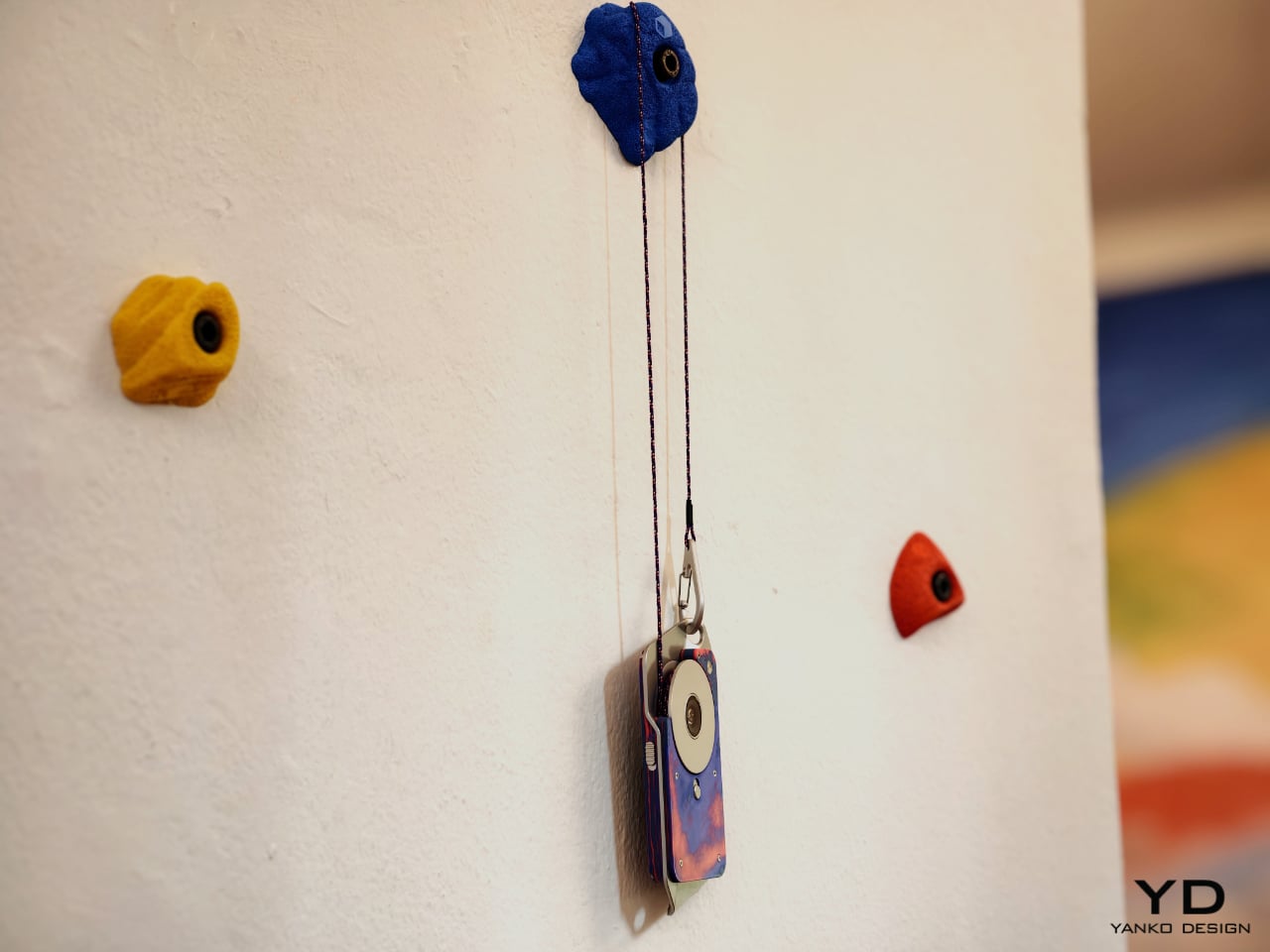
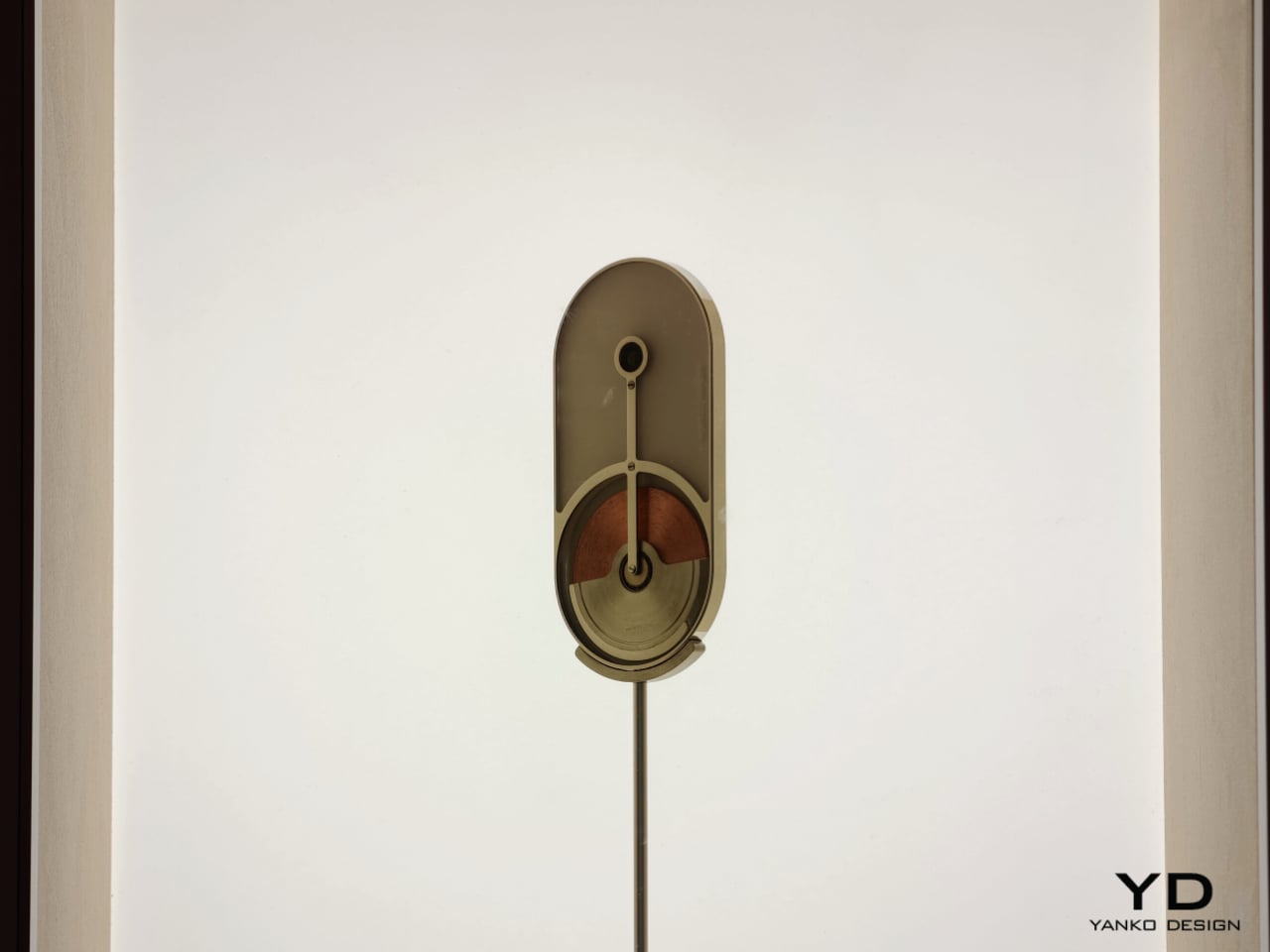
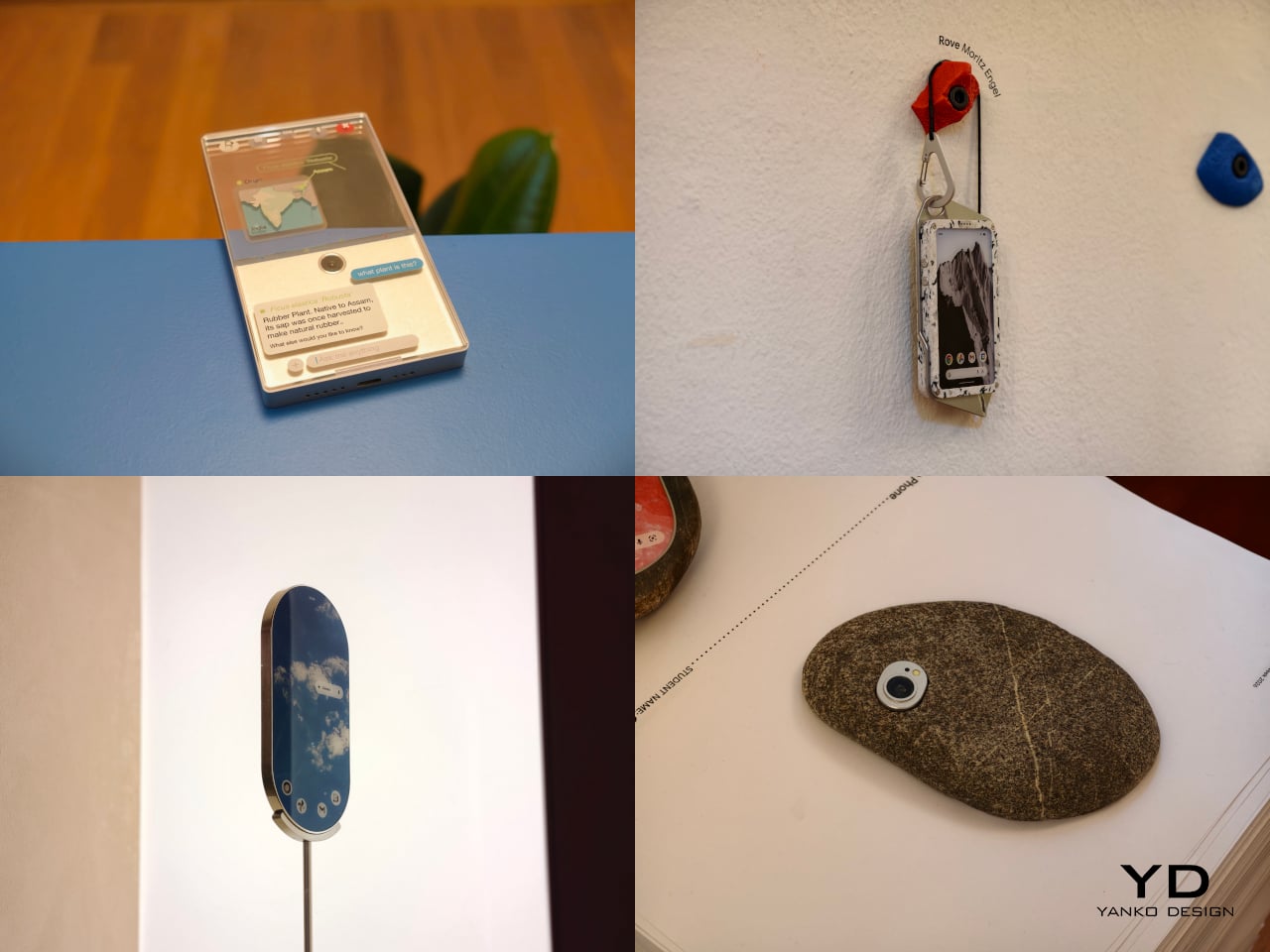
The exhibition also includes projects that challenge the smartphone’s dependence on charging infrastructure and standardized use cases. Rove, by Moritz Engel, is designed for off-grid wilderness and uses a pull-cord system to generate power through an axial flux generator. One minute of pulling creates twenty minutes of battery life, while the Dyneema cord doubles as a carrying strap and the spool becomes a tactile control wheel. Dyno, by Julia Siebert Cáceres, tackles the same problem from a more everyday angle, using body movement and electromagnetic induction to generate electricity throughout the day. Its visible rotor and magnet system make the act of charging tangible rather than hidden, giving the device an honesty that most sealed electronics lack.

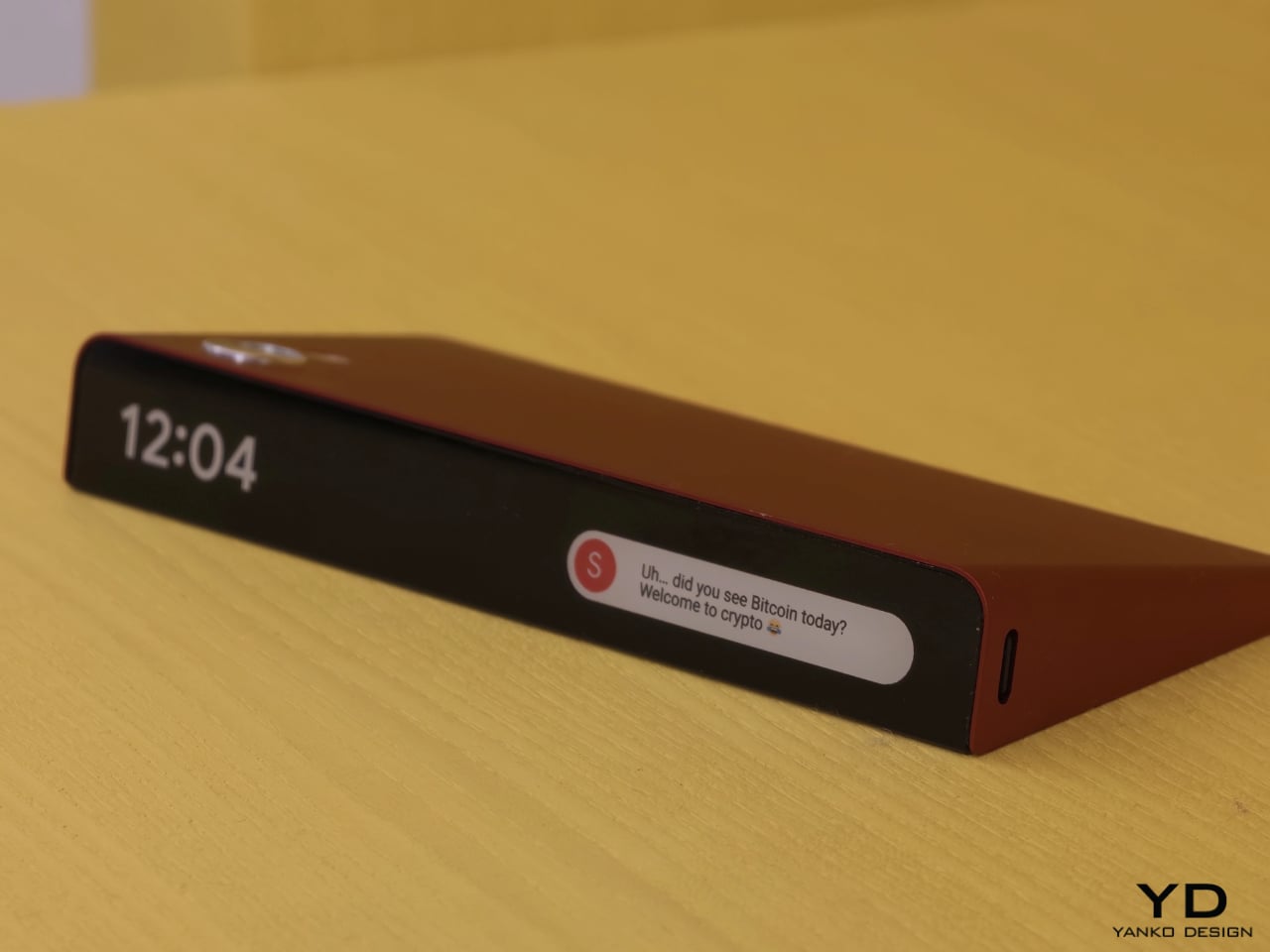
Other projects focus on what the phone means as a physical object in domestic and personal life. Everydaycarry, by Motong Yang, critiques the smartphone as a standardized entity that contains everything yet expresses very little. It proposes a more adaptive device whose character can still reflect the identity of the person carrying it. Totem, by Paul Quentin, reshapes the phone into a wedge so it can function more naturally as a tabletop object for video calls, media viewing, or AI assistance. When laid flat, its edge becomes a subtle notification interface. These projects are not simply formal experiments. They rethink how devices occupy space, signal presence, and fit into routines beyond the hand and pocket.
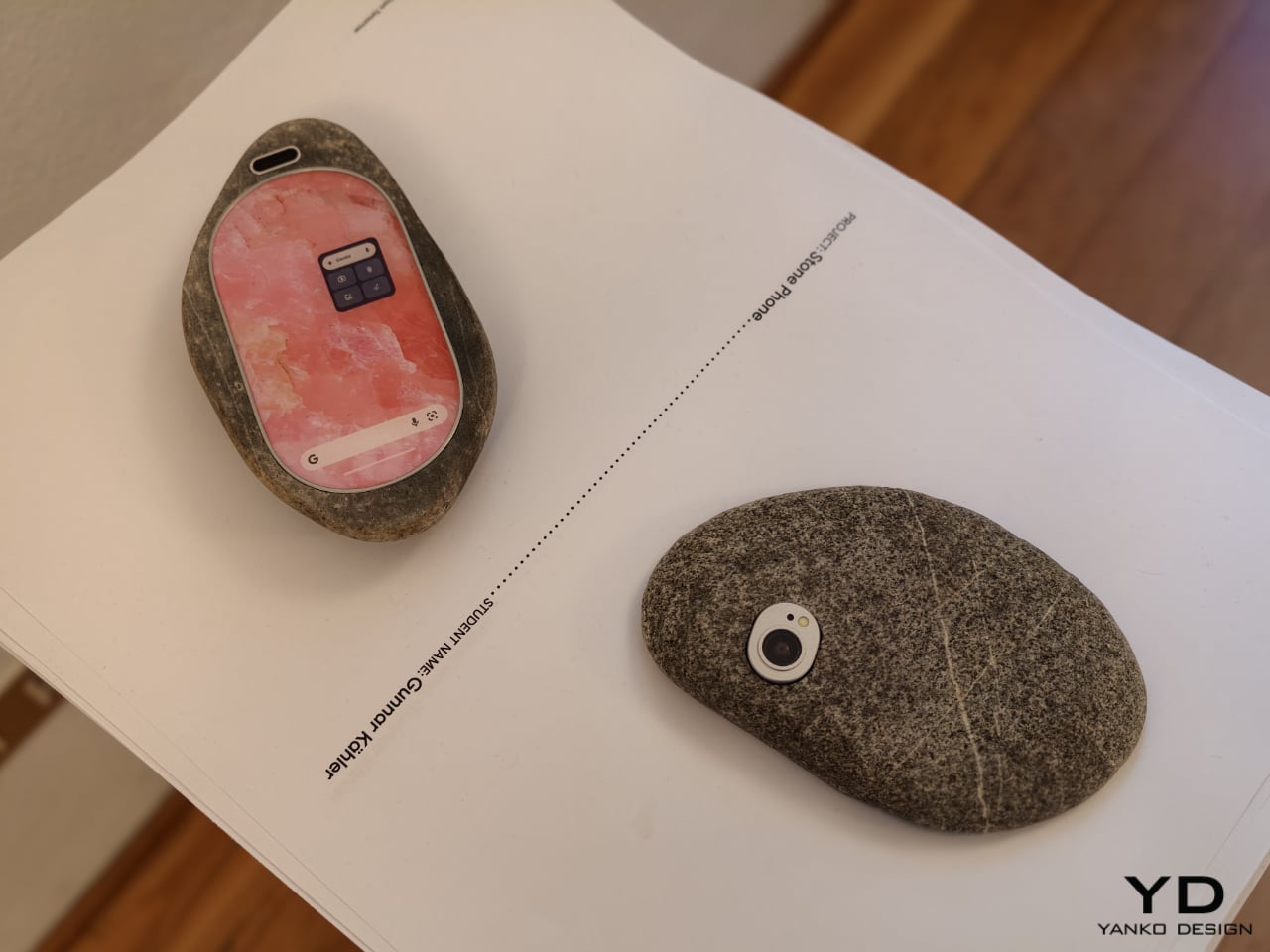
Then there is Stone Phone by Gunnar Kähler, one of the exhibition’s most quietly affecting concepts. Inspired by the instinctive act of picking up a stone from a beach or riverbank and choosing the one that feels right in the hand, the project imagines smartphones in an endlessly varied range of shapes. Instead of accepting industrial uniformity as a given, Stone Phone suggests that users might choose a device based on texture, comfort, and tactile pleasure. It blurs the line between archaic tool and advanced technology, making the smartphone feel less like a mass-produced command and more like a personal object discovered through touch. In a show full of speculative gestures, this one stands out for its simplicity. It reminds us that before a device does anything, it is first something we hold.
What makes A Message from Tomorrow compelling is not that every concept seems ready for mass production. It is that each one identifies a real tension in our relationship with mobile technology and gives it a physical form. Together, the projects reveal how narrow the current smartphone archetype has become. More importantly, they show that industrial design still has the power to meaningfully reshape our technological future. In an era when innovation is often framed as software alone, this exhibition argues that form, material, behavior, and ritual still matter deeply.
The post ecal x Google Just Imagined 10 Phones Beyond the Slab first appeared on Yanko Design.
Foldable phones have been around long enough that the novelty has worn off. Samsung pioneered the book-style fold, and the hardware has genuinely matured. Foldables today are thinner, lighter, and far more durable than the early prototypes that worried everyone. But one nagging issue hasn’t gone away after seven years of refinement. The proportions still feel like a compromise, and most buyers can still sense it.
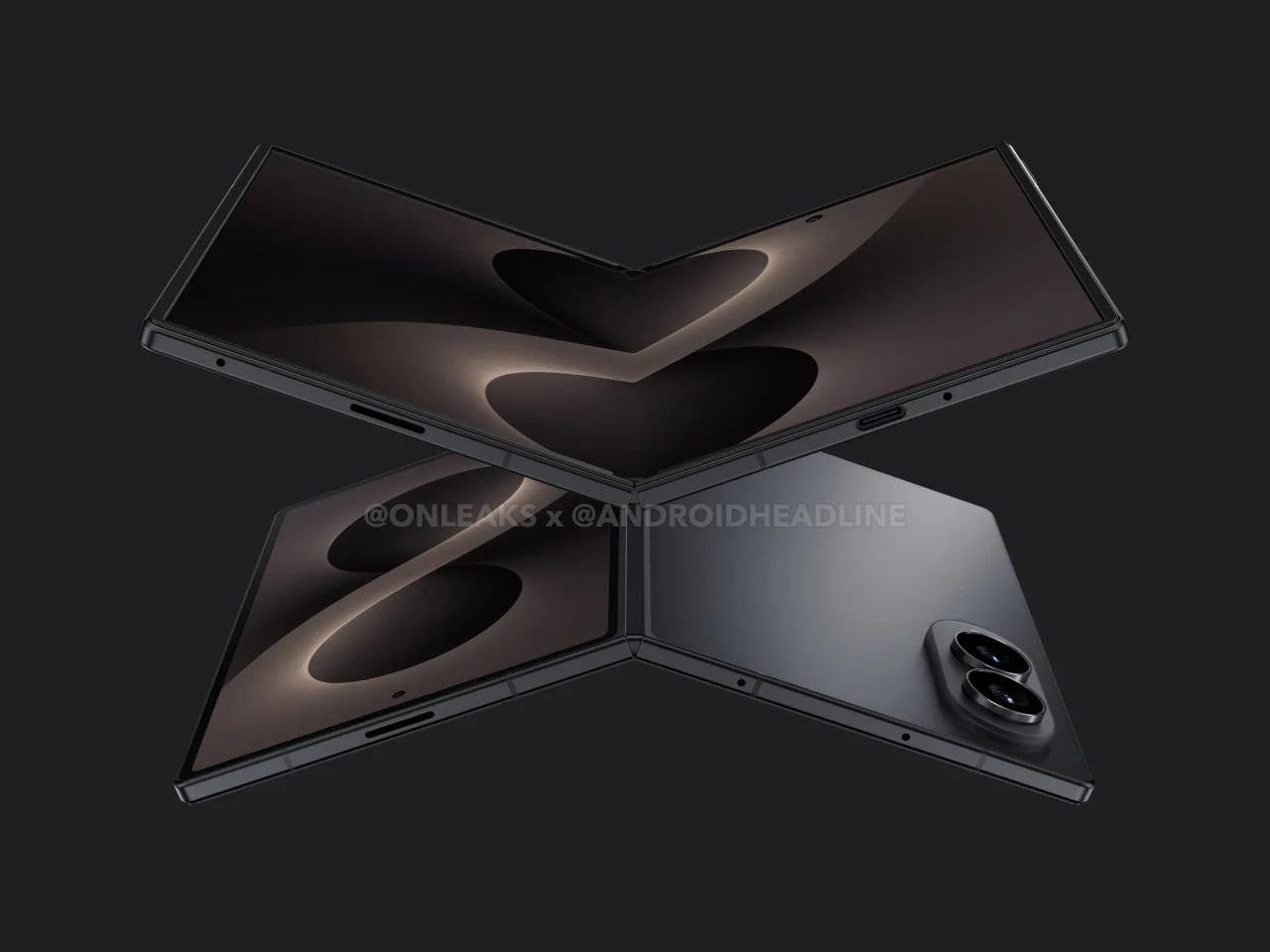
That’s exactly what the Galaxy Z Fold 8 Wide seems designed to address. Rather than continuing the tall, narrow approach that has defined the Fold lineup since the beginning, the Wide version reportedly takes a shorter, broader form factor, with the inner display pushing toward a 4:3 aspect ratio. It’s a subtle-sounding change, but one that could shift how the device feels in every single moment you actually use it.
Designer: Samsung (renders by Steve Hemmerstoffer/OnLeaks via AndroidHeadlines)
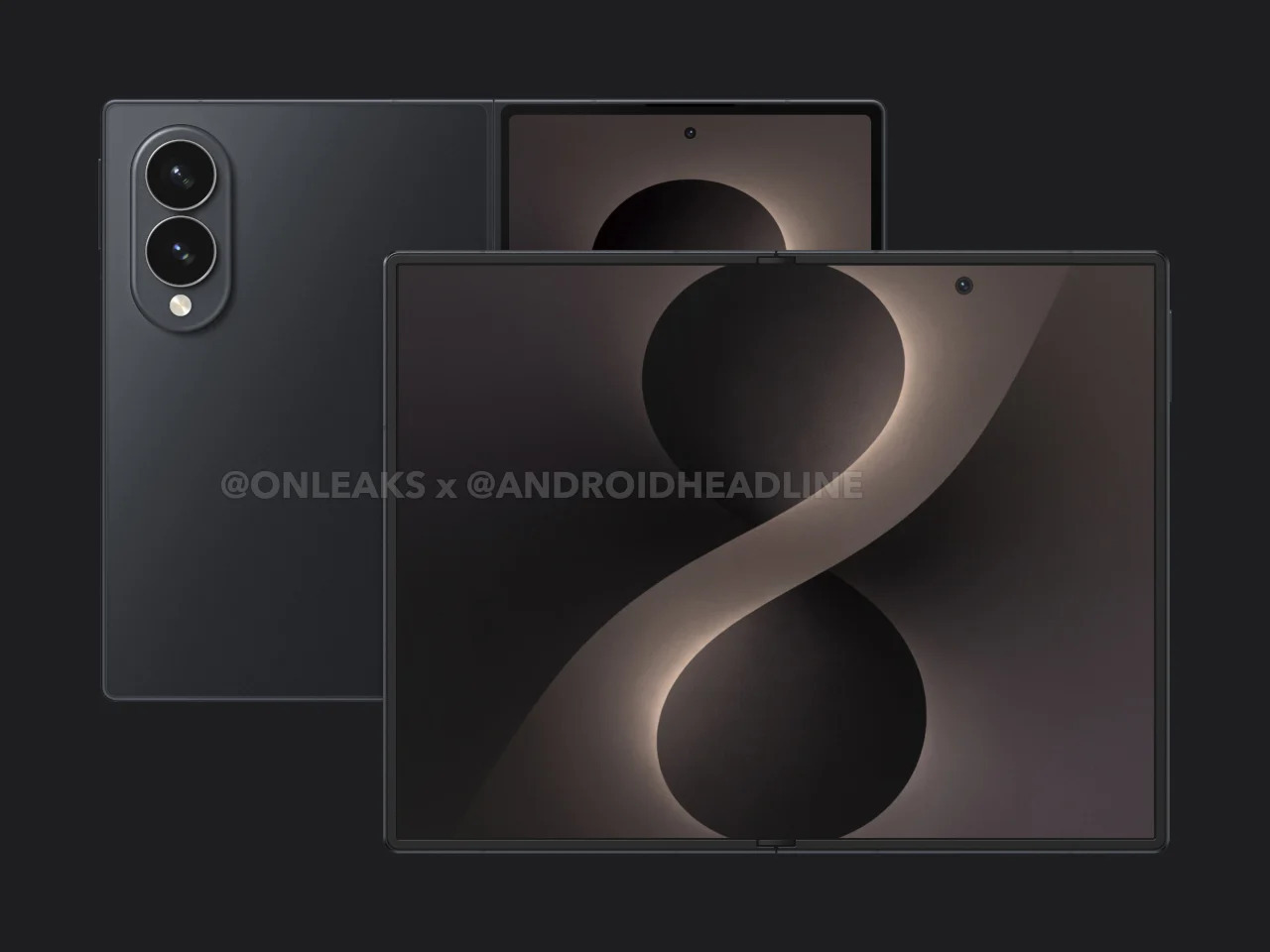
Anyone who has used a Galaxy Z Fold for a while knows the friction of the cover screen. It’s tall, narrow, and requires more thumb effort than you’d expect from a daily driver. Reaching the notification shade with one hand usually means repositioning your grip, and typing on that narrow layout takes some getting used to. It works, but it always feels like a device asking you to meet it halfway.
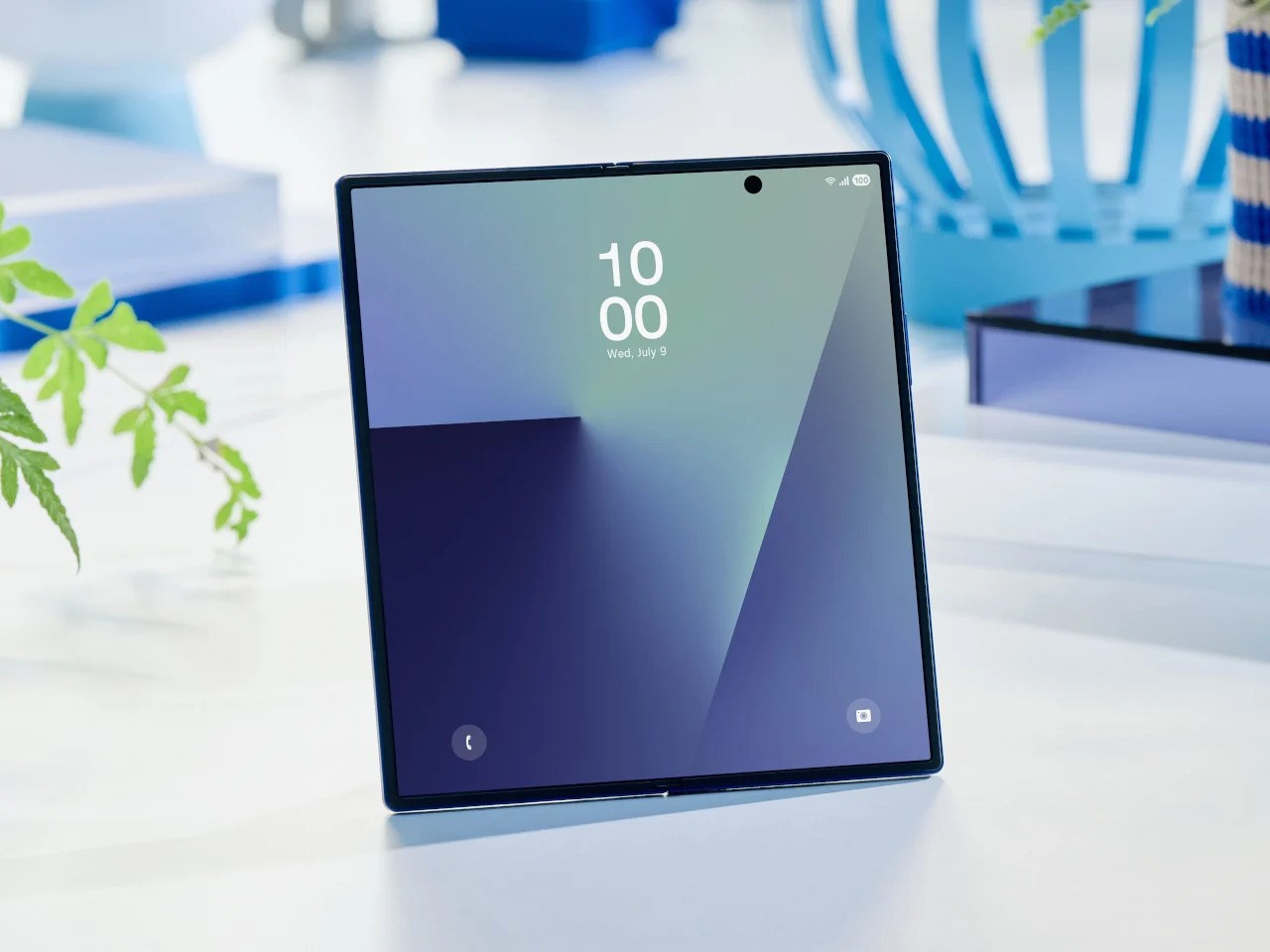
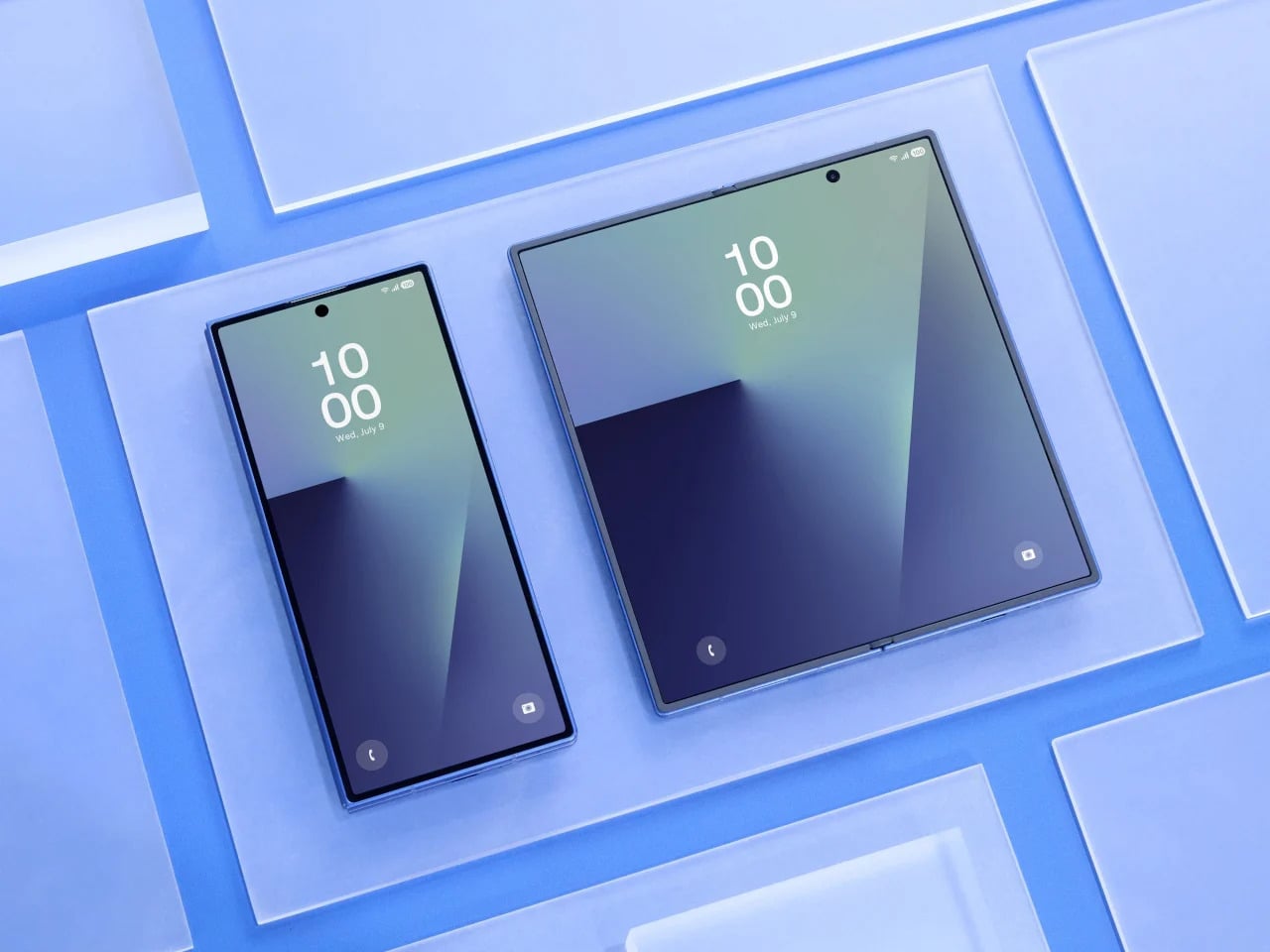
Galaxy Z Fold7
The Galaxy Z Fold 8 Wide reportedly carries a 5.4-inch cover display that is wider and shorter than what the Fold 7 offered. That brings it closer to the feel of an ordinary compact phone, one that sits comfortably in your hand without requiring thumb acrobatics. It sounds like a small win, but if you’ve ever owned a phone from before screens started growing taller every year, you know exactly how much that sense of balance matters.
There’s a quiet awkwardness to watching a video on current book-style foldables. The cover screen’s narrow shape forces letterboxing on most content, and even the inner display’s near-square proportions aren’t ideal for widescreen formats. Games feel slightly cramped, and browsing feeds in landscape doesn’t quite deliver the comfortable experience you’d expect from a screen that size. For a device this premium, that’s a surprisingly persistent design limitation.
A 4:3 inner display changes that dynamic considerably. The Galaxy Z Fold 8 Wide’s 7.6-inch screen reportedly lands in proportions that suit media consumption far better, making landscape video less of a letterboxed compromise and gaming more spatially generous. Rotating to portrait for reading or scrolling also starts to feel intentional, like the device was built to handle those orientations rather than merely tolerating them. That’s a meaningful difference in day-to-day comfort.
Foldables have always carried a bit of an identity crisis. They’re marketed as phone-tablet hybrids, but the tablet side of that pitch has always been shakier than the phone side. Apps designed for tablet layouts don’t always know what to do with a nearly square display, and the result is often stretched content, oversized sidebars, or awkward layouts that remind you this device is still figuring out what it wants to be.
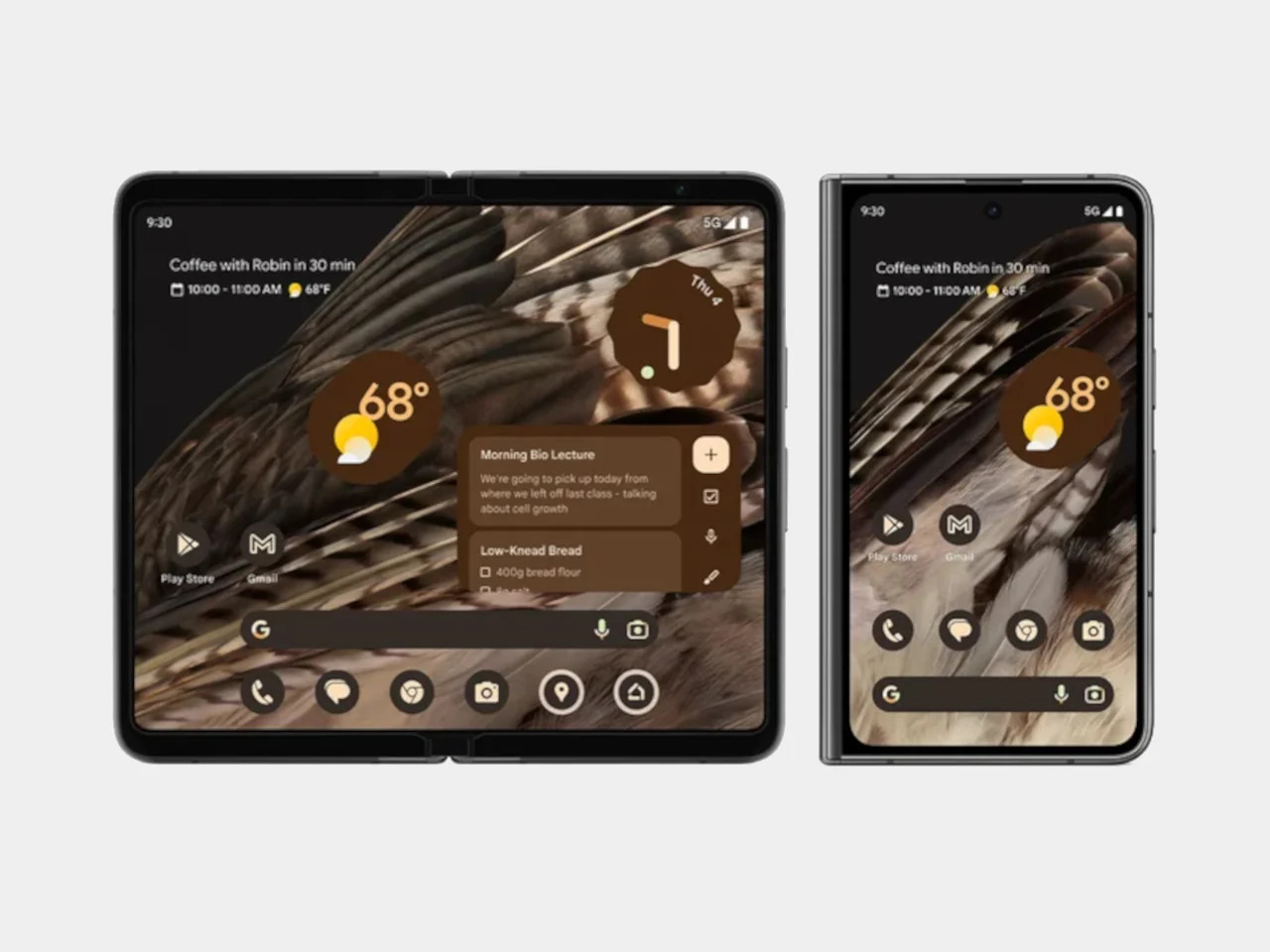
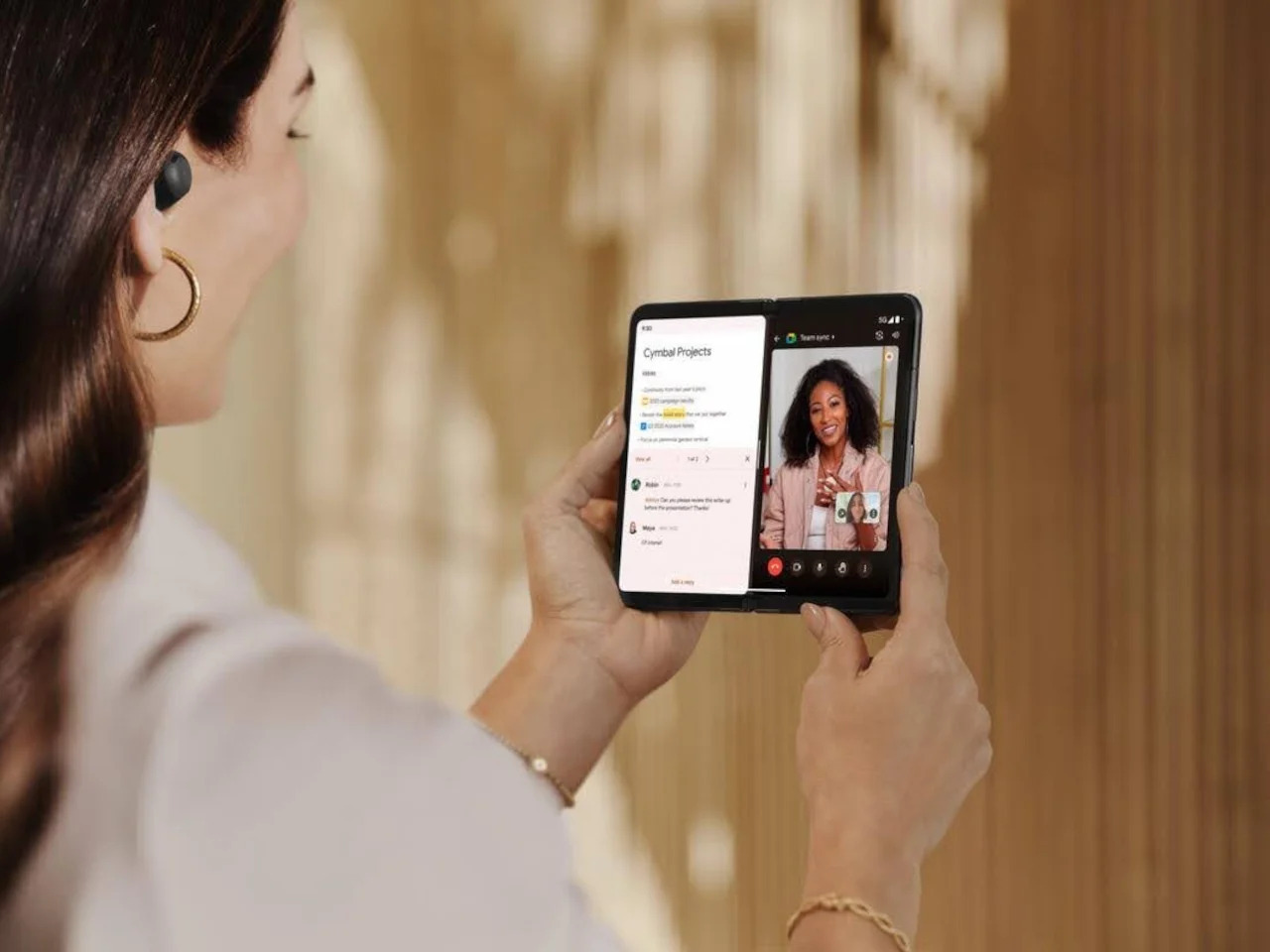
Google Pixel Fold (2023)
The 4:3 ratio is a well-understood canvas. It’s the same one the iPad has used for years, and developers have been designing for it far longer than they’ve been designing for foldable proportions. Not every app on the Galaxy Z Fold 8 Wide will look perfect, but the number that feel genuinely at home on that inner screen stands to increase considerably. It’s a format the software world already knows how to fill.
There’s a certain appeal to a device that opens up to something resembling a pocket notebook. Not a productivity gimmick, but an actual blank-page-sized surface where you can think out loud. The Galaxy Z Fold 8 Wide, when unfolded, reportedly sits at dimensions close to a small memo book’s proportions. That makes it a surprisingly natural surface for quick thoughts, rough sketches, and anything else worth capturing before it slips away.
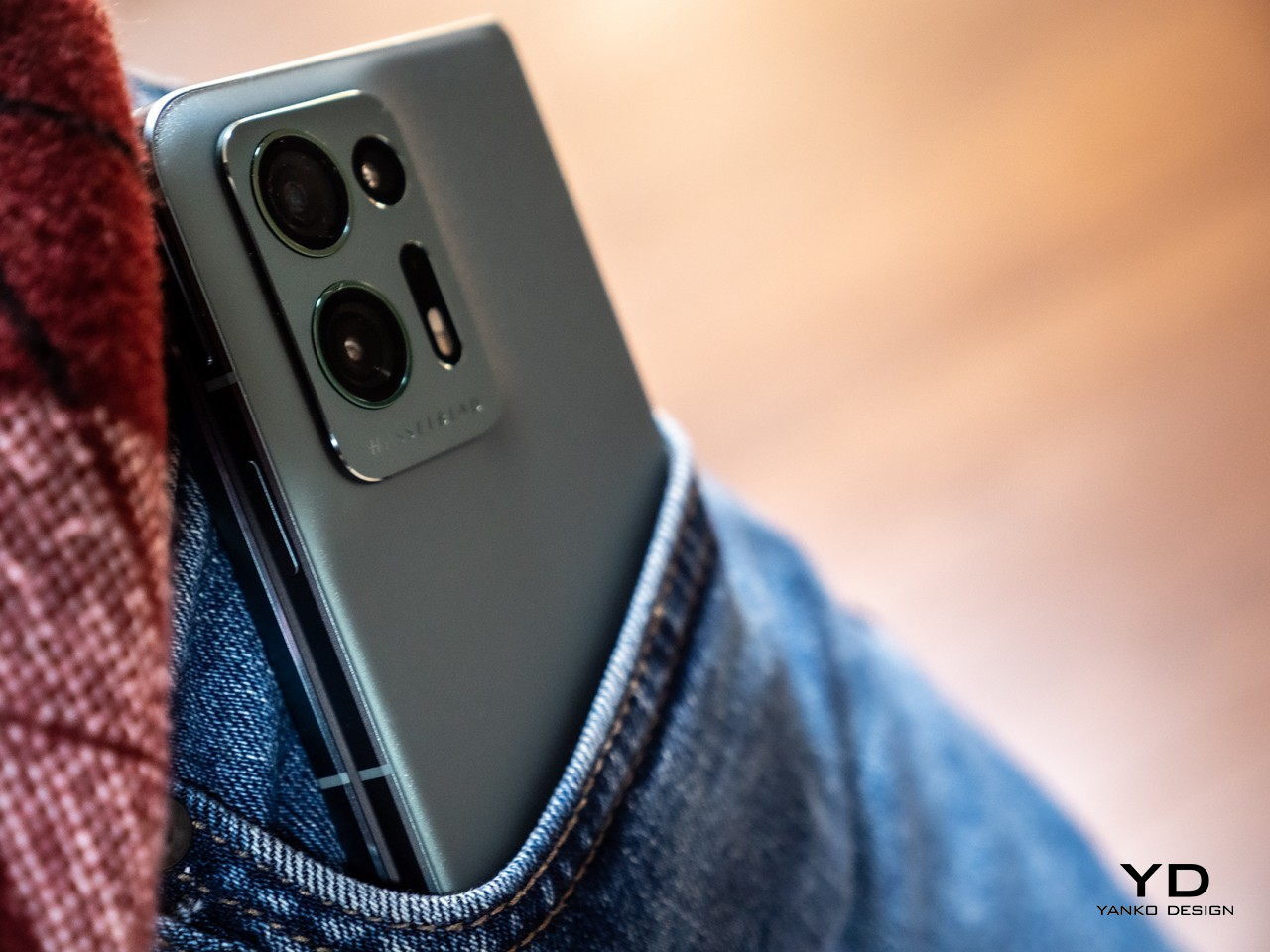
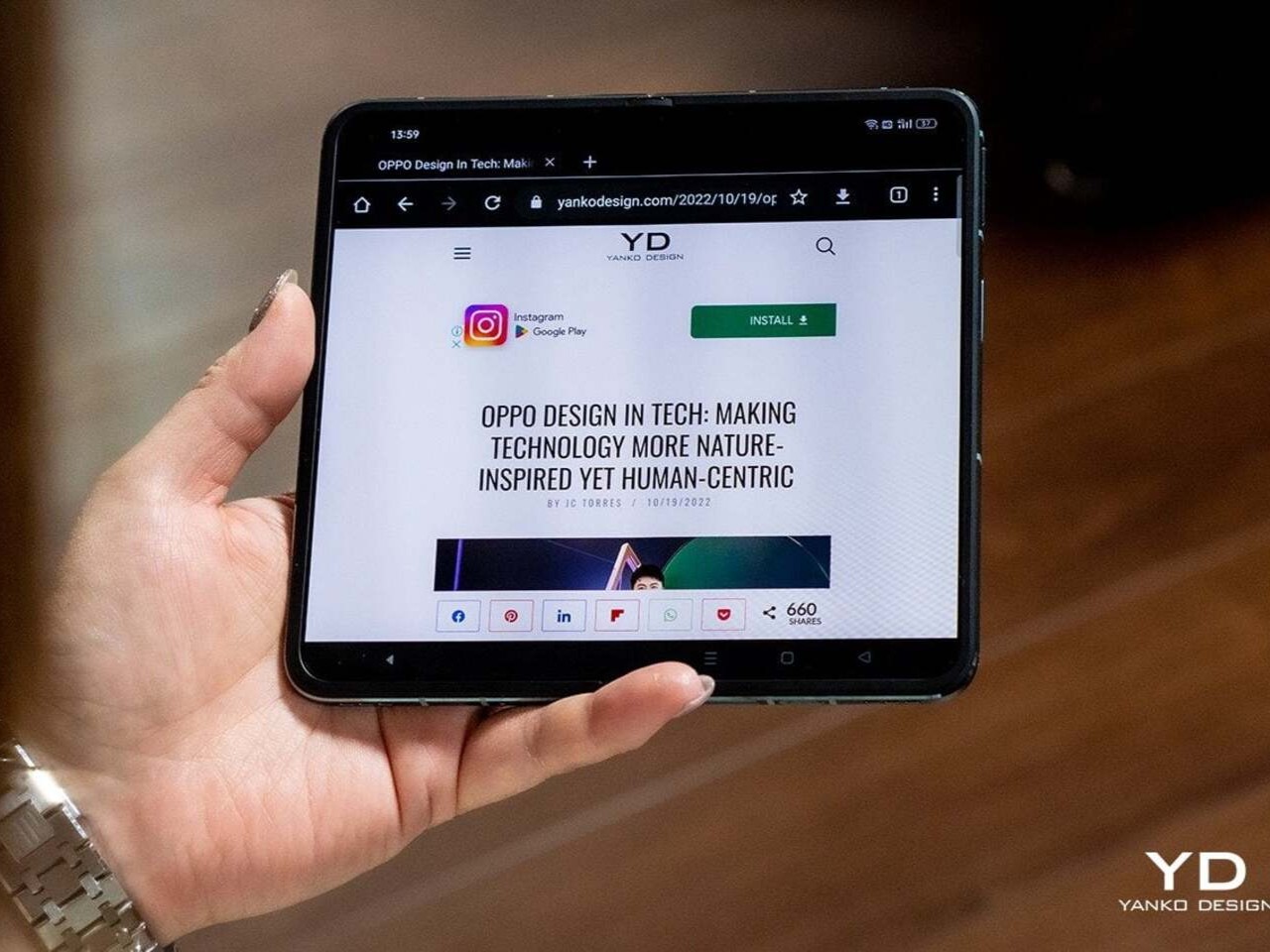
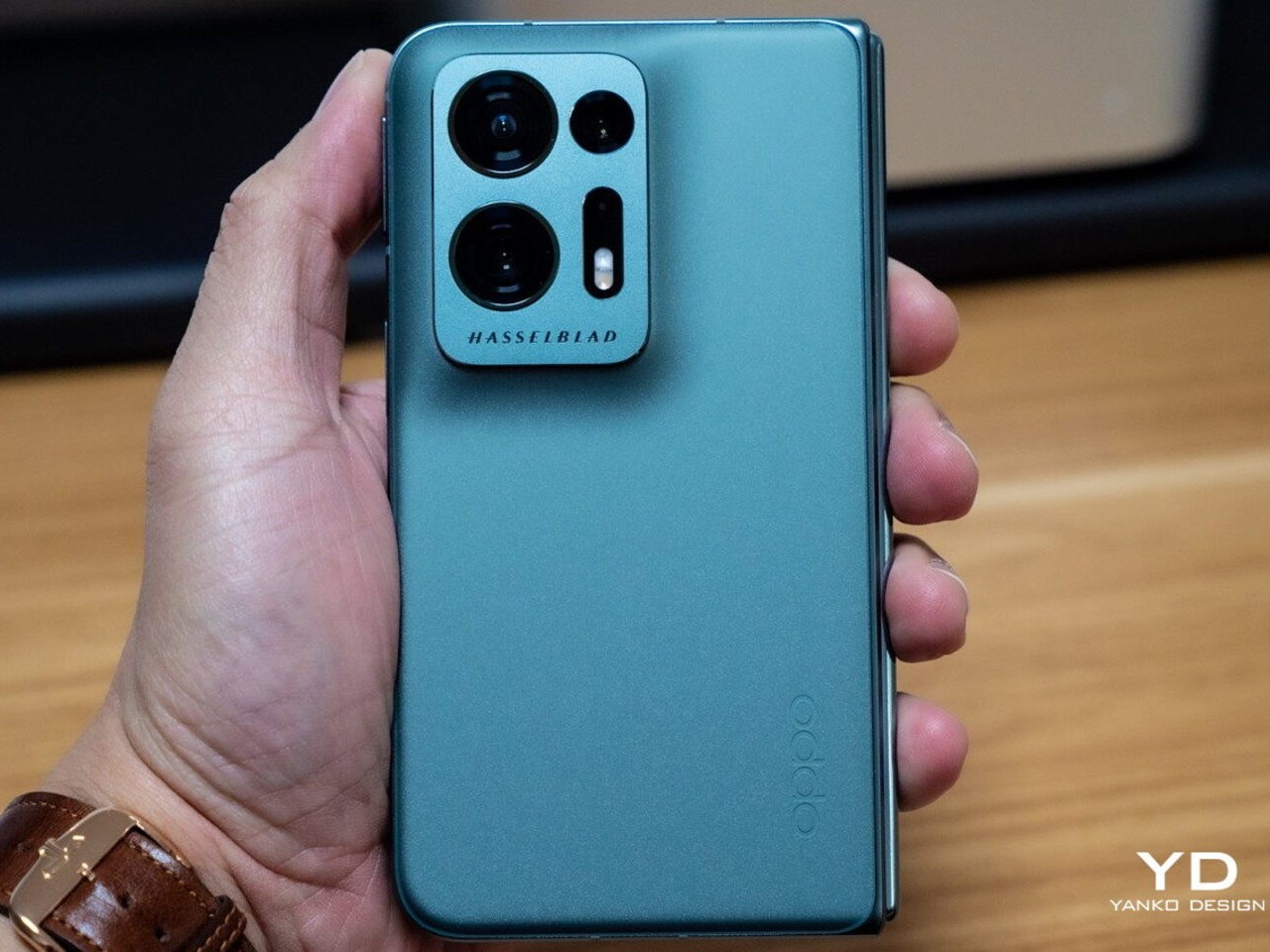
OPPO Find N2
The device is also reportedly thicker than the standard Fold 7, measuring around 9.8mm when folded, which gives Samsung more internal room to work with. It’s hard not to wonder whether some of that space is being reserved for S Pen support, which Samsung hasn’t confirmed yet. A stylus-compatible screen at these proportions would make the Galaxy Z Fold 8 Wide feel genuinely notebook-like, less like a big phone you write on and more like something actually worth reaching for.
Foldables still carry a reputational burden. The people who haven’t bought one yet aren’t always hesitating because of price or specs. Often, it’s the lingering sense that this is still experimental hardware, a category that hasn’t quite committed to a definitive form. Even Samsung’s most polished efforts can feel like stepping into an ongoing experiment, and that feeling keeps a large group of potential buyers watching from a distance.
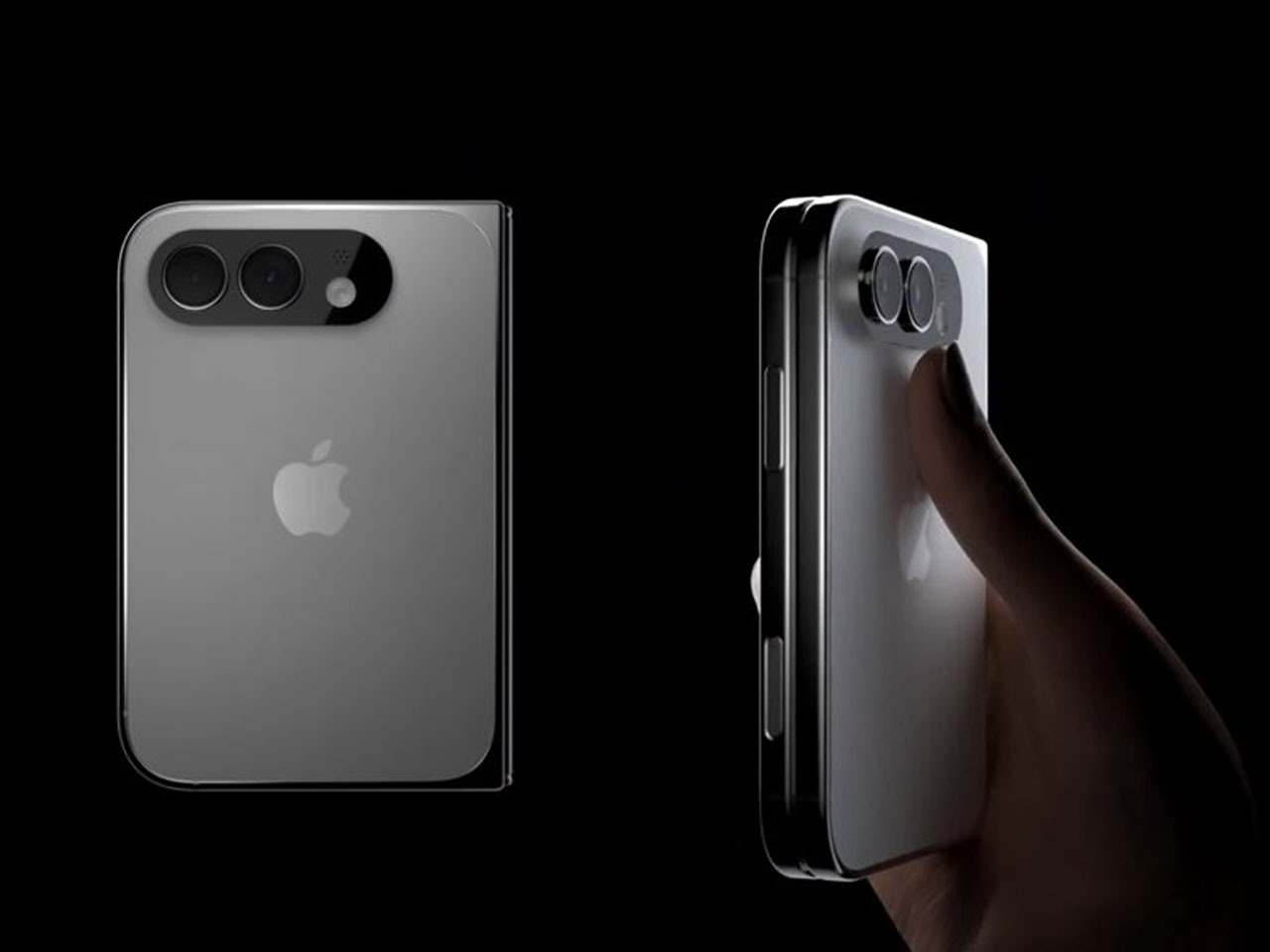
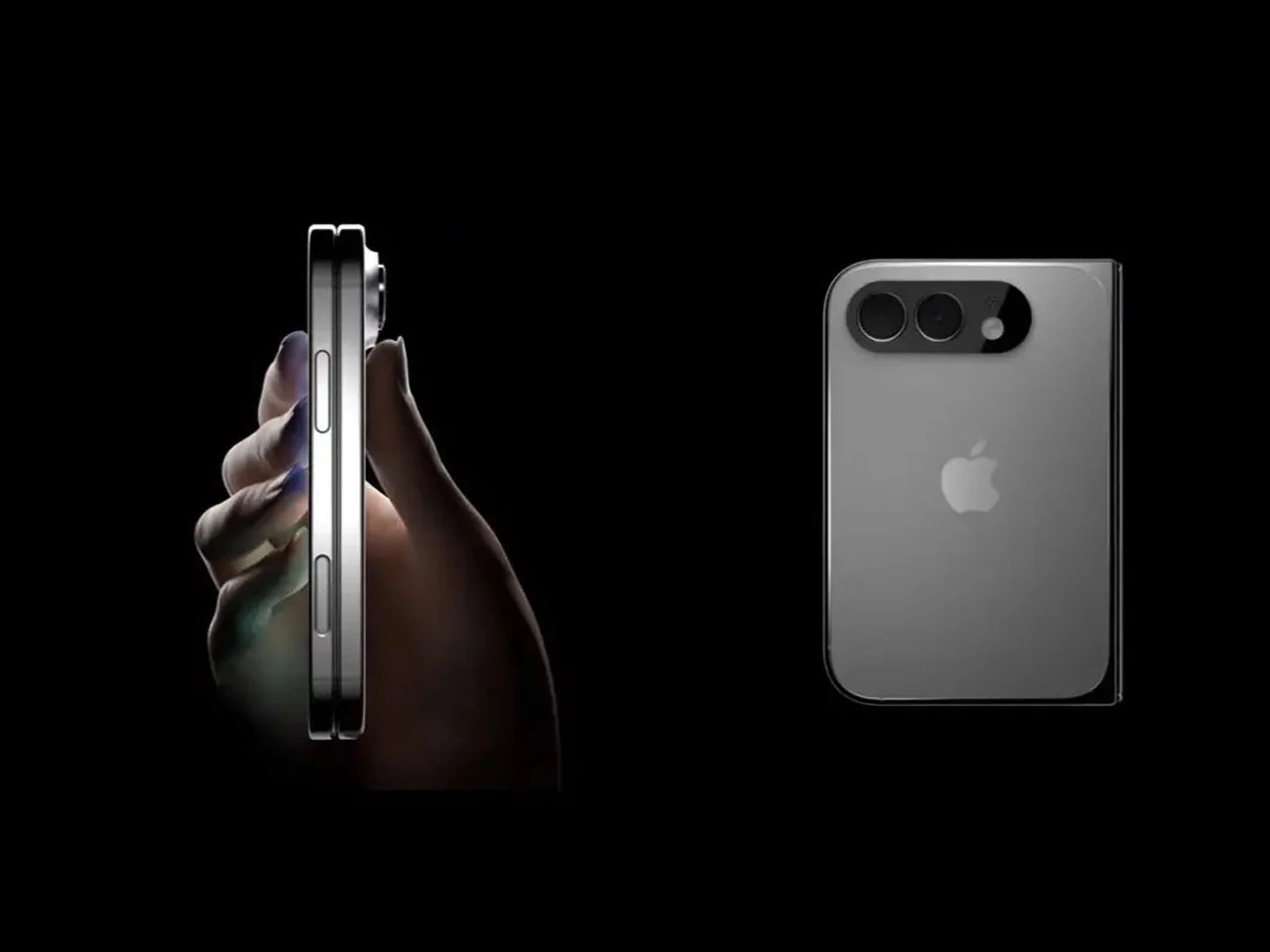
iPhone Fold (Renders)
Apple’s rumored foldable iPhone is expected to sport dimensions strikingly similar to the Galaxy Z Fold 8 Wide, with a wider, shorter profile that closely mirrors what Samsung is building. When Apple commits to a hardware direction, cautious buyers tend to pay attention. It doesn’t guarantee anyone will rush out to buy a Samsung instead, but Apple’s presence in the same design space lends the wider foldable format a credibility that Samsung alone hasn’t quite managed to manufacture on its own.
Here’s the part that’s harder to shake. Samsung has a demonstrated pattern of building genuinely interesting experimental devices and then quietly stepping back when the numbers don’t perform. The Galaxy Z TriFold is the most recent example, a compelling piece of hardware whose long-term future already feels uncertain. Buying into the Galaxy Z Fold 8 Wide means betting that Samsung will stay committed long enough to make the second and third generations worth waiting for.
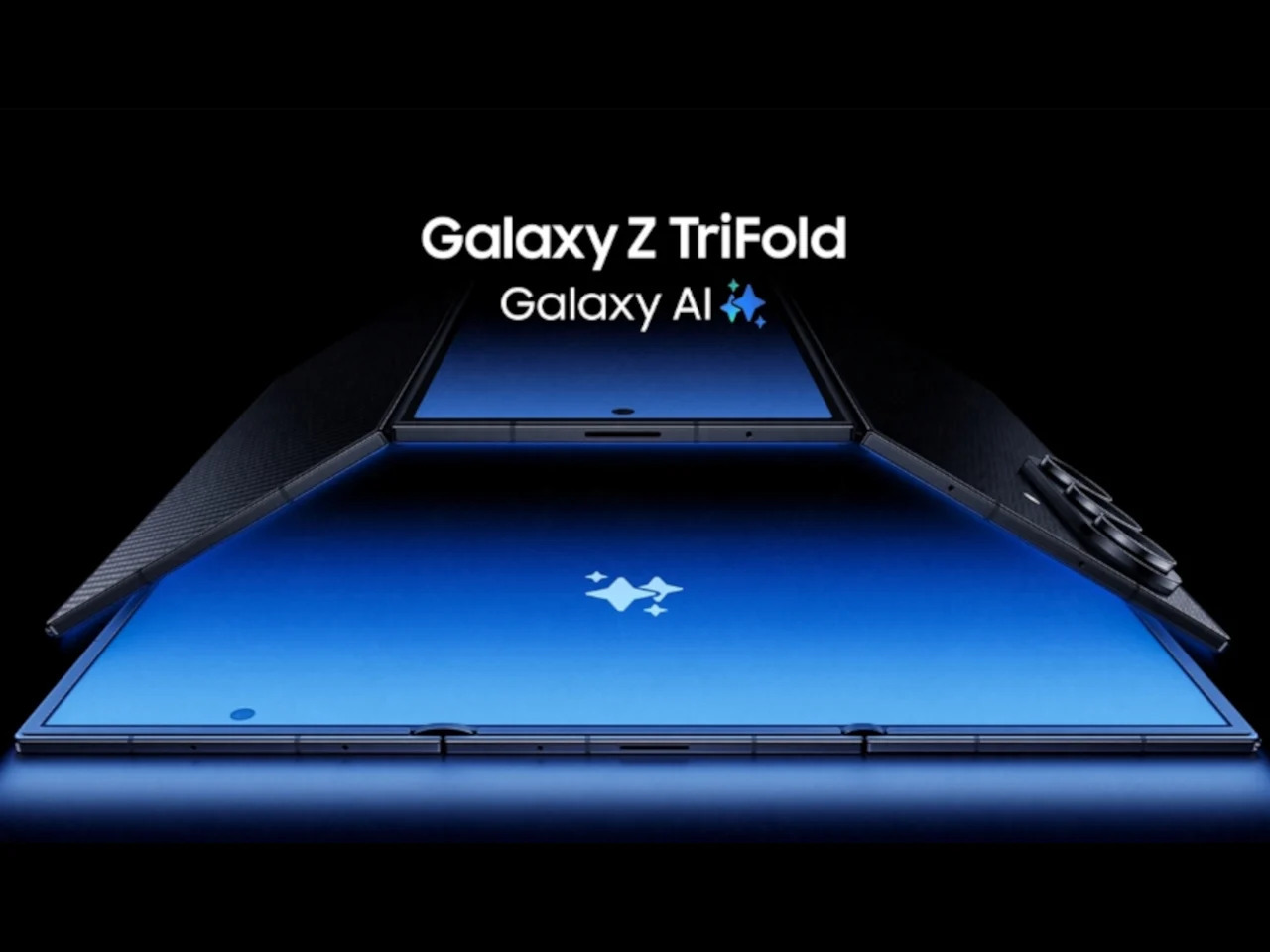
That concern is more meaningful here than it is for a standard phone. Accessories take time to mature. Software optimization accumulates across generations. And the design refinements that make a device feel truly polished rarely arrive on the first attempt. The Galaxy Z Fold 8 Wide might be a genuinely thoughtful piece of hardware, but Samsung’s track record with experimental form factors hasn’t yet inspired the long-term trust that a device like this quietly depends on.
The post 5 Reasons the Galaxy Z Fold 8 Wide Could Win and 1 Reason It Might Not first appeared on Yanko Design.
Smartphone colors have become one of the more formulaic aspects of mobile design. Most brands cycle through the same soft pastels and stone-inspired neutrals, year after year, with names like Moonstone, Fog, and Porcelain doing most of the heavy lifting. It’s a safe approach that generally works, but there’s rarely any real meaning behind these choices. A color is just a color, and that’s often where the story ends.
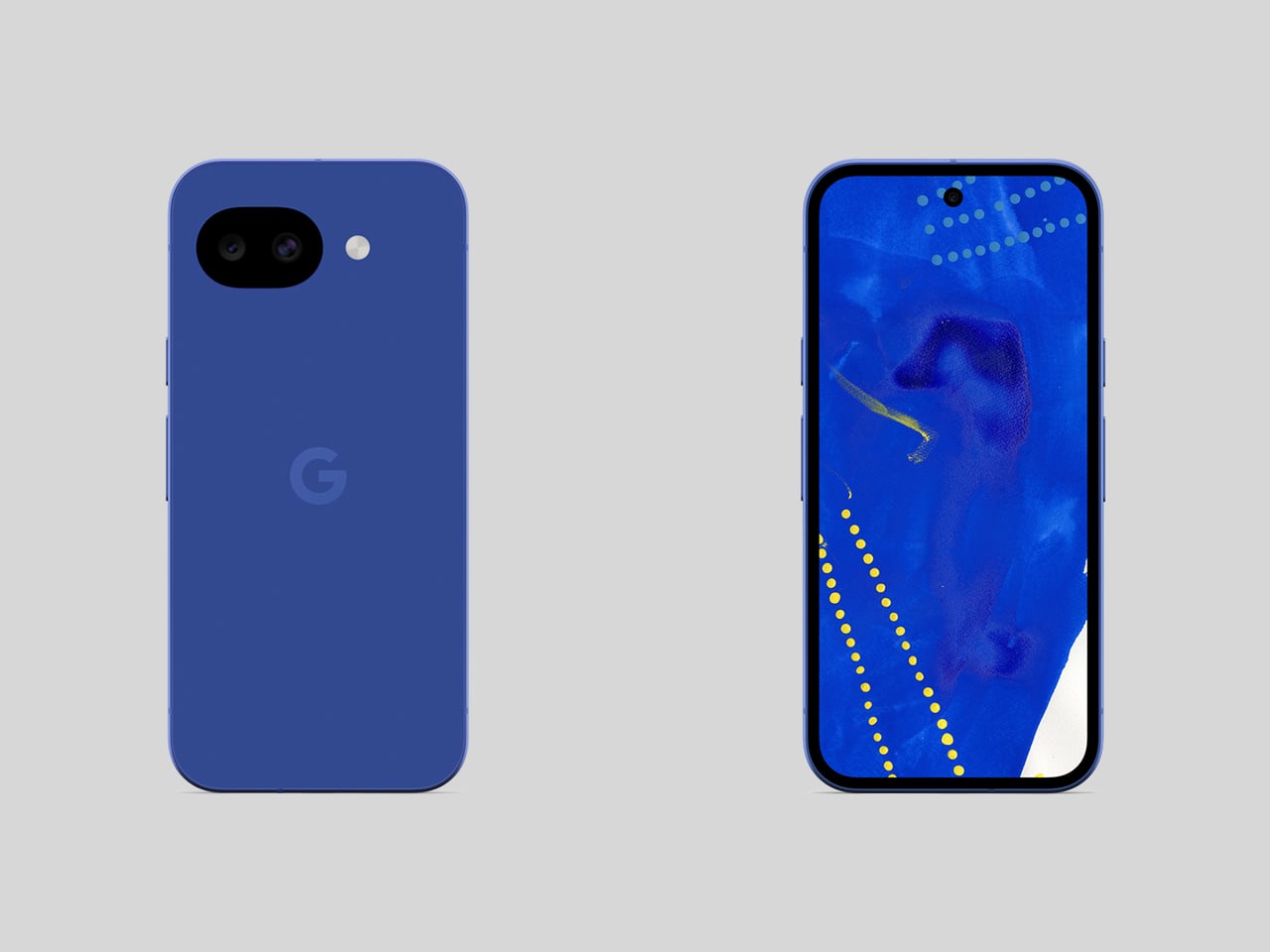
Google seems to have had the same thought, at least for Japan. The Pixel 10a Isai Blue is a Japan-exclusive model developed in collaboration with Heralbony, a creative company that works with artists with disabilities to produce new forms of cultural expression. It celebrates a decade of Pixel phones, and rather than simply marking the occasion with a new shade, Google made the color itself worth talking about.
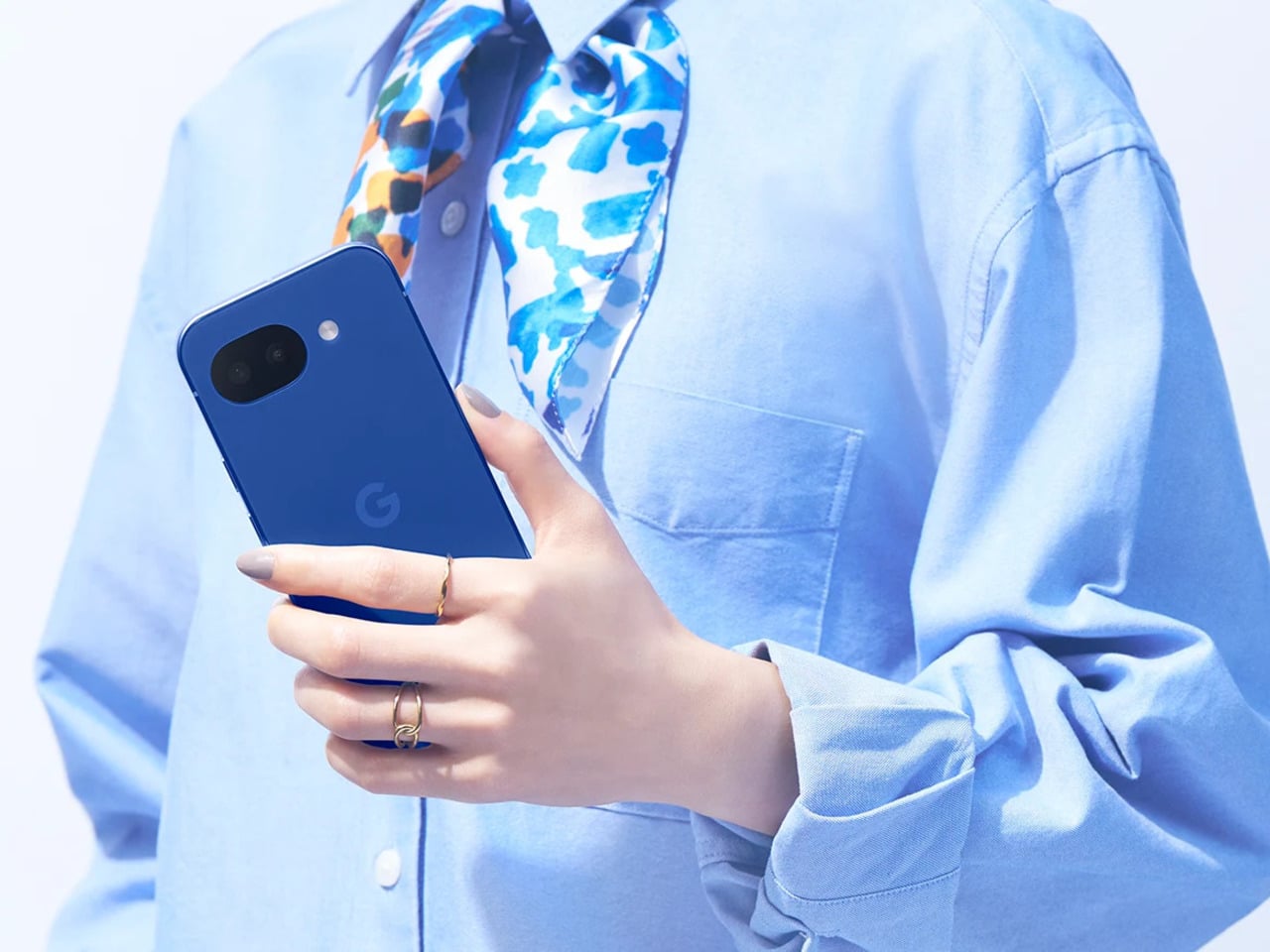
Japan didn’t get the Pixel 10a when it first launched globally in February, which was a bit of an odd omission given how well the A-series has performed there. The country has quietly grown into one of Google’s stronger Pixel markets, so the wait wasn’t really a sign of indifference. Returning to Japanese fans with something made specifically for them says a lot more than a straight regional rollout would.
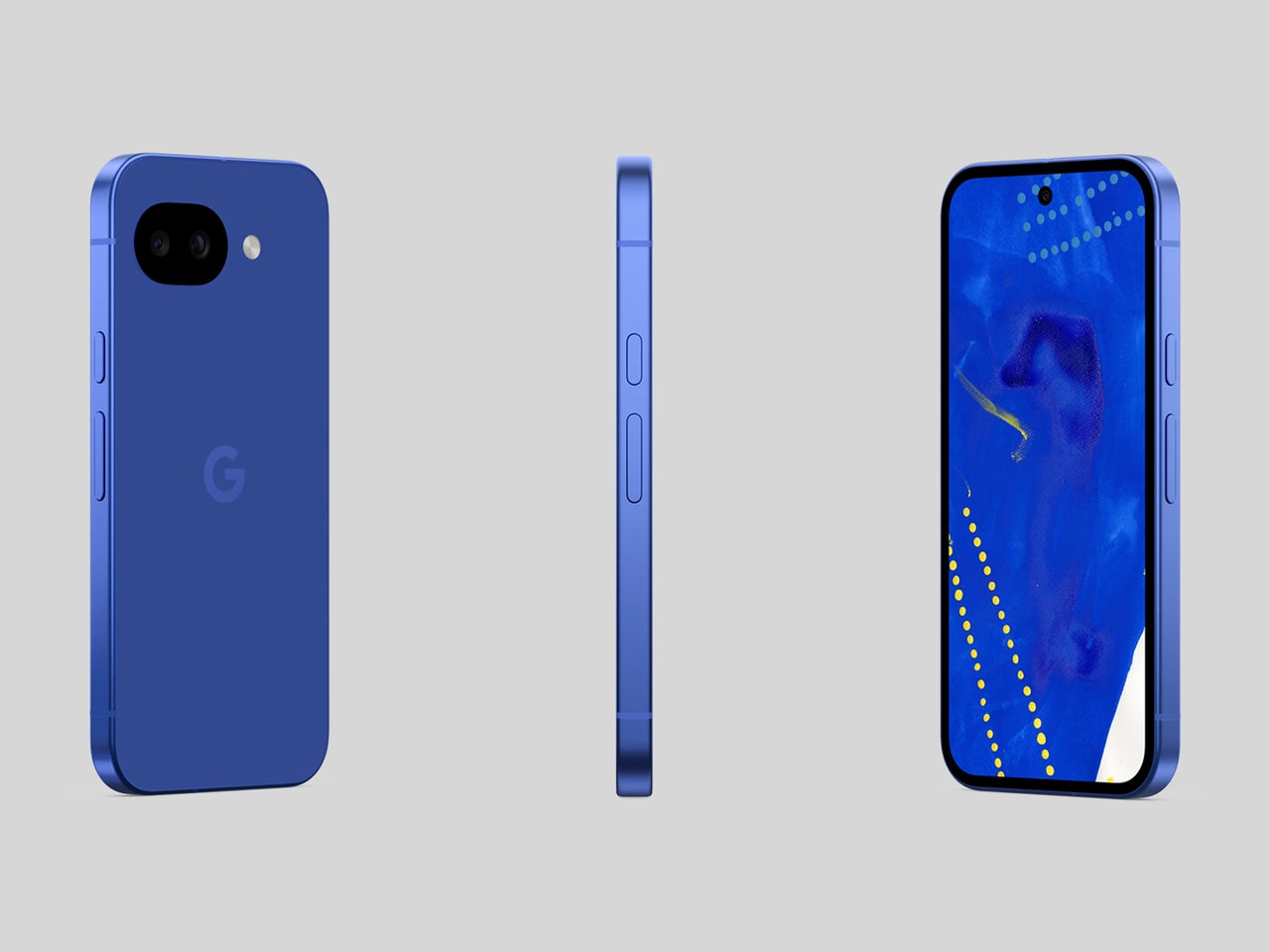
The name alone sets this apart from anything Google has done before. “Isai” translates to unique and unparalleled individuality, and this is actually the first time a Pixel color has been given a Japanese name. Most Pixel colors borrow from the natural world, but Isai Blue is built around something more conceptual: a deep navy shade tied to Heralbony’s own brand identity and its mission to celebrate human difference.
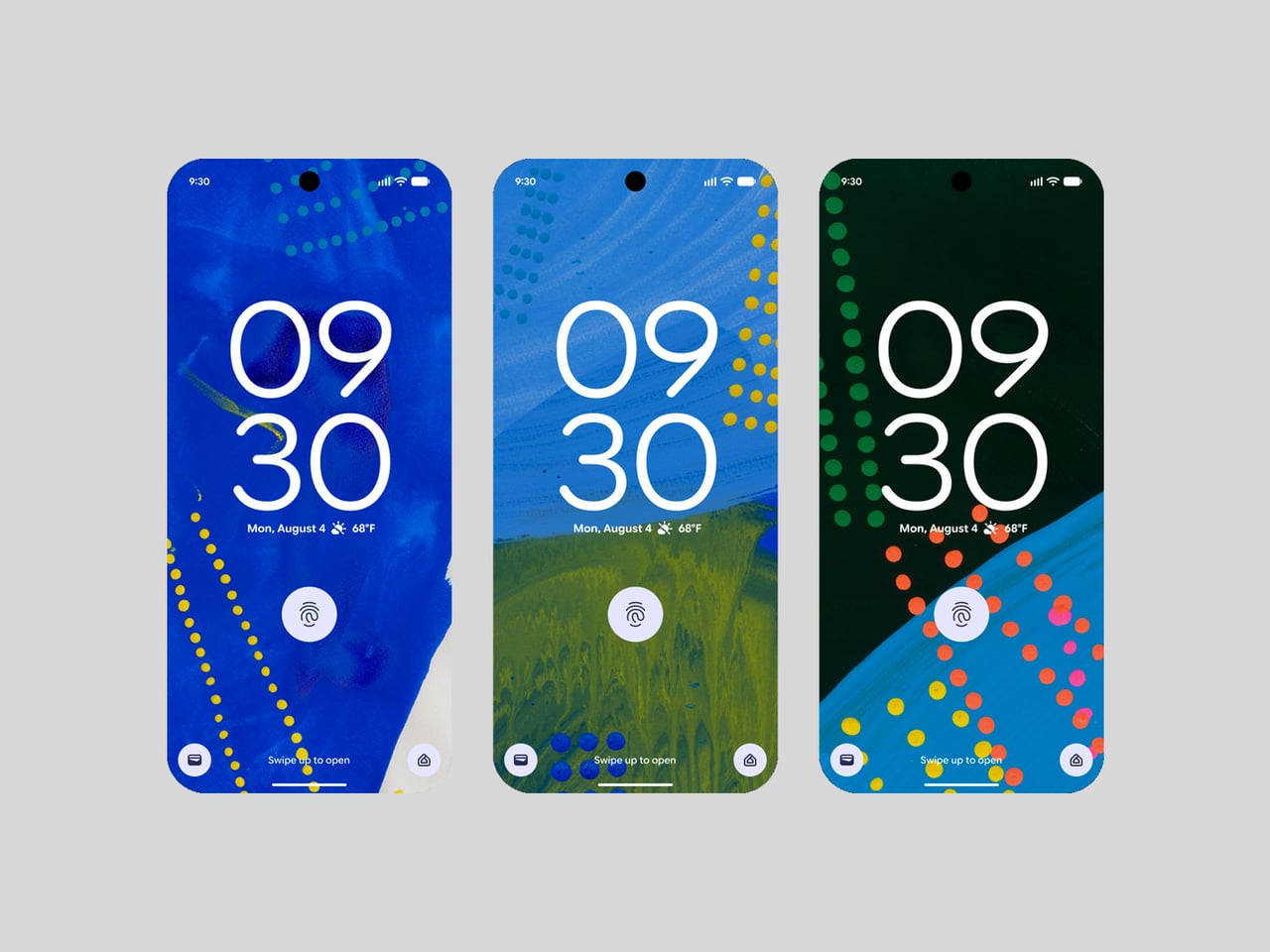
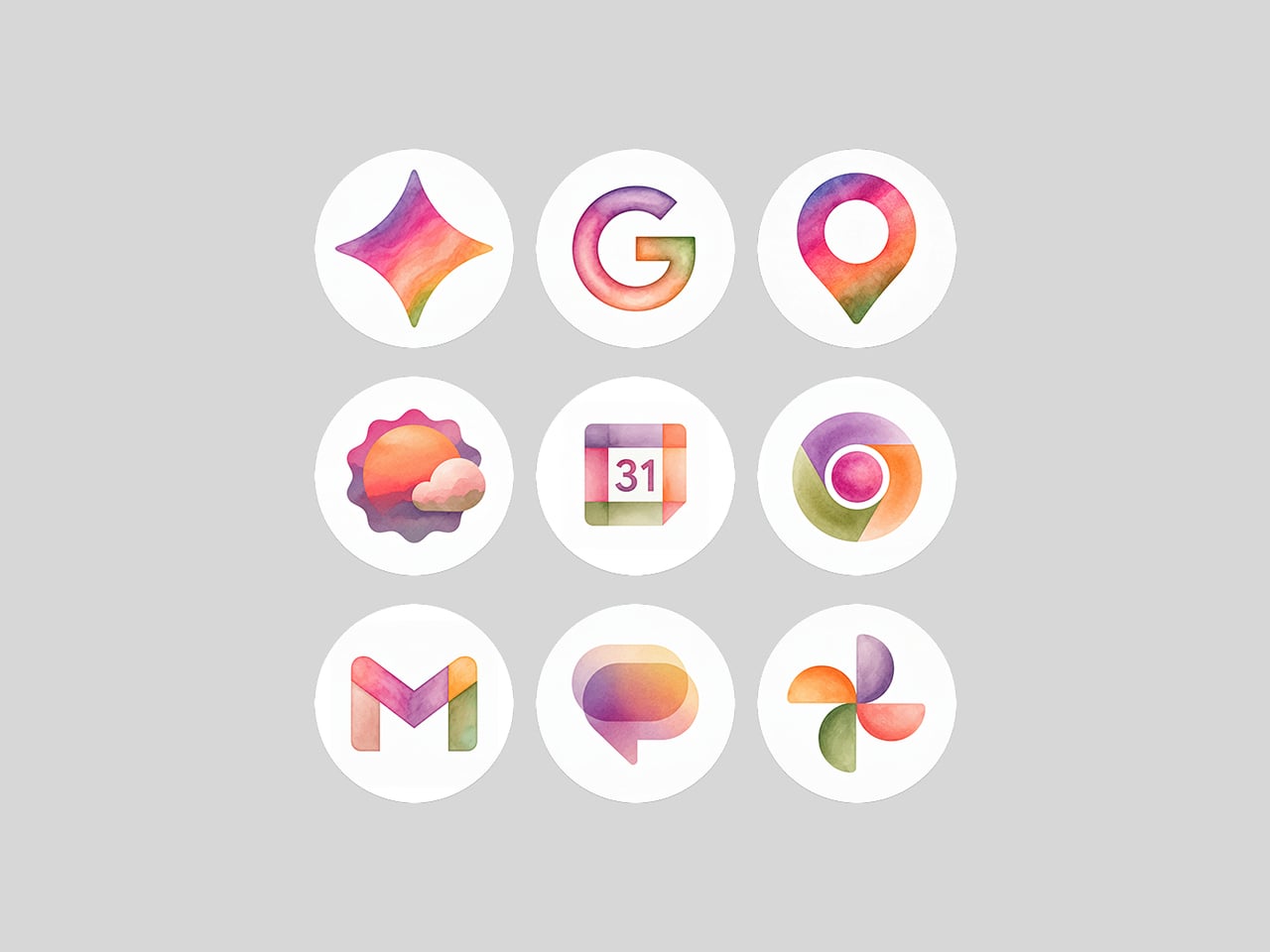
That philosophy runs all the way through to the software, too. Three Heralbony-contracted artists, Shigaku Mizukami, Midori Kudo, and Kaoru Iga, each contributed original designs that became exclusive wallpapers on the device. Pick one of the nine available artworks, and Material You automatically reshapes the phone’s icon colors and styling to match. It’s the kind of visual cohesion you don’t usually get with a phone at this price.
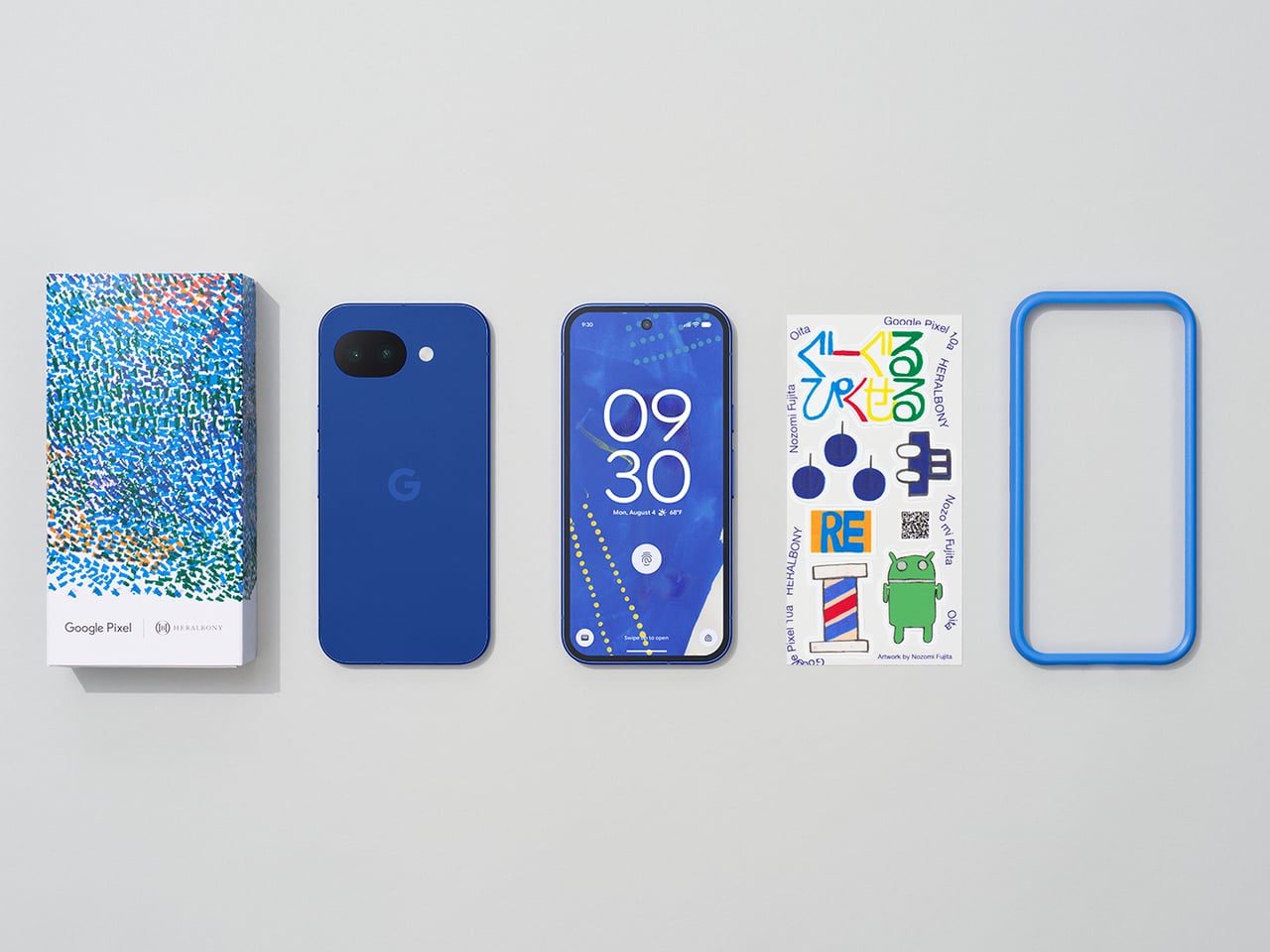
Of course, the collaboration doesn’t stop at the screen. Every unit comes bundled with an exclusive bumper case designed around the Pixel 10a’s completely flat back, which does away with any camera protrusion and makes the phone far easier to set down. Original stickers are also included, and the box sleeve carries artwork by Midori Kudo, so the whole unboxing feels deliberately curated.
The Isai Blue comes in a single 256GB configuration, priced at ¥94,900 (roughly $594) and available for pre-order in Japan ahead of its May 20 sale date. It’s only available while supplies last, which fits for something that was never really meant to be a mass-market offering. Google took the time to make this feel like a genuine gesture rather than a routine launch, and Japan has every reason to feel appreciated.
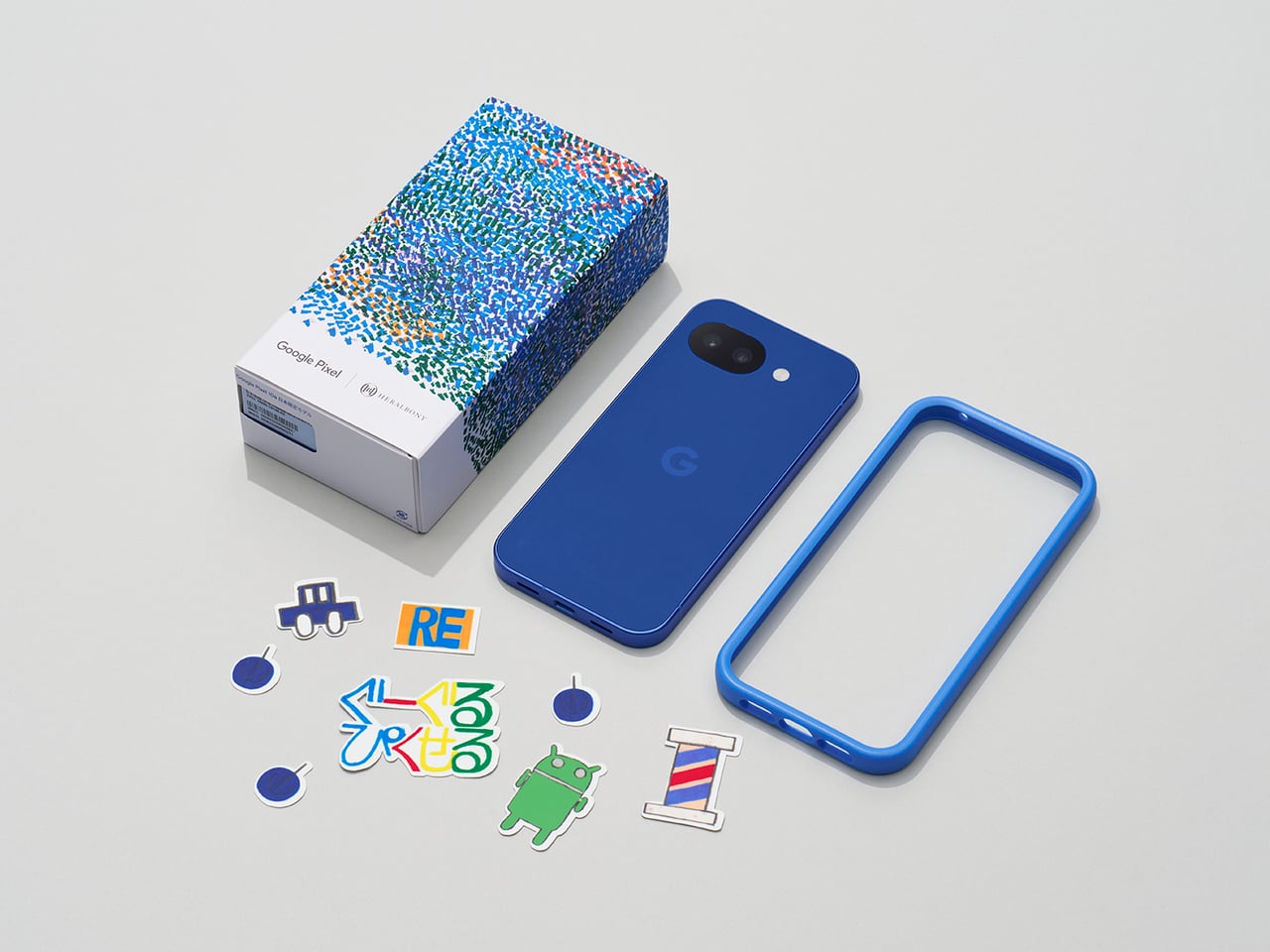
The post Pixel 10a Just Proved a Smartphone Color Can Actually Mean Something first appeared on Yanko Design.

Most conversations about Big Tech and sustainability follow a familiar script: a company announces a carbon pledge, releases an environmental report full of impressive-sounding numbers, and everyone moves on. What rarely gets discussed is the messy, unglamorous reality sitting right at the center of it all: the data server room. That’s exactly where two design students decided to start, and the result is one of the most visually striking workplace concepts I’ve seen in years.
Lia Hur and Michell Hur, both from the Savannah College of Art and Design, began with a straightforward question: what do you do with all the heat that data servers constantly produce? The answer they arrived at wasn’t purely mechanical. It was spatial, experiential, and genuinely beautiful. Their Google Sustainable Headquarters concept won two awards at the European Product Design Award 2025, covering both Architectural and Building Design and Interior Design categories, and it’s easy to see why.
Designeres: Lia Hur, Michell Hur

The first thing that strikes you when you look at the concept renderings is the ocean. Not metaphorically. The entire design language of the building is built around the visual world of the deep sea. Curved panoramic screens wrap around rooms showing beluga whales gliding through blue water. Children sit on the floor of an immersive theater-like space, completely surrounded by marine life projected at scale. In the server corridor, where rack upon rack of hardware lines both sides of a narrow hallway, the ceiling opens up into a curved screen of swimming fish, as if the infrastructure beneath the ocean surface and the ocean itself had somehow merged into a single space.

It’s an unexpected choice, and it works precisely because it’s unexpected. Data centers and ocean imagery have no obvious connection, until you start thinking about cooling systems, water usage, and the thermal logic that governs how these buildings function. The Hurs don’t explain the metaphor didactically. They just build the world and let you inhabit it.
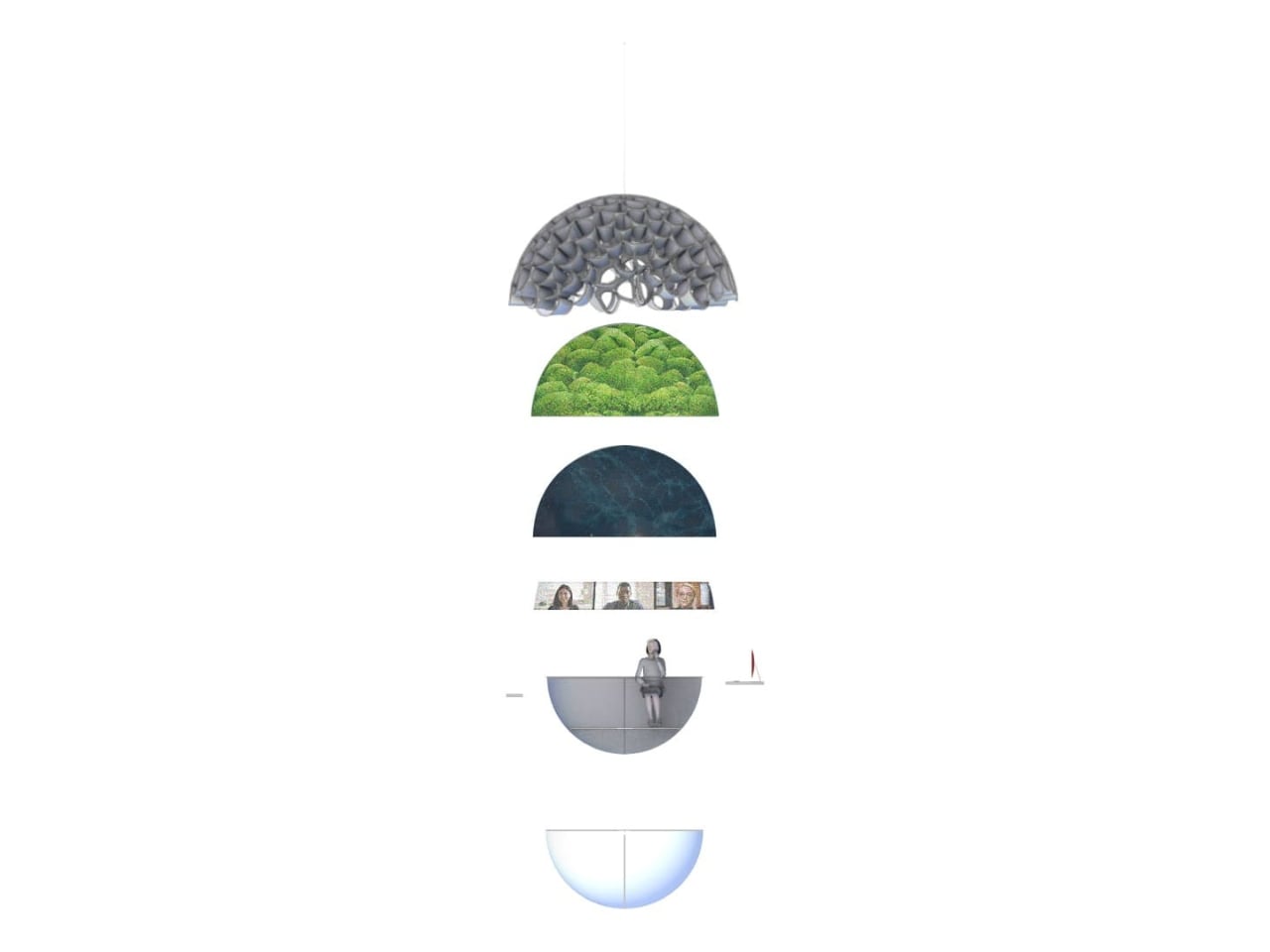
The interior language carries this through every zone of the building. The reception lobby, viewed through an oversized organic lattice structure that reads like coral or a cross-section of a neural network, features terrazzo-style desks in deep ocean blue and warm wooden disc pendants floating overhead. A café break area has a single rounded square window framing an underwater manta ray, glowing white against dark walls. A mother’s room has the same window format, this time showing a humpback whale drifting slowly past, turning what could have been a purely functional space into something quietly meditative.

The workspace pods are where the concept gets most sculptural. Spherical forms covered in live moss float through an open floor plan, each one glowing from a lit band around its middle, like a planet seen from space. Workers tuck themselves inside. The ceiling above them ripples with projected water. It feels less like an office and more like an ecosystem you happen to work inside.

What I find most compelling is the section diagram the designers included. Stripped down to its basic geometry, the building reads as a stacked series of layers: a textured structural dome at the top, a living green layer beneath it, a dark water layer below that, and then human occupation at the base. It’s a quietly radical idea. The building isn’t sustainable because it has a green roof or offsets its emissions. It’s sustainable because it’s organized around natural systems at a structural level, with heat, water, and living material all functioning together as a closed loop.

The exterior pulls all of it together. A large dome structure sits directly on water, its skin formed from interlocking bubble-like cells that glow from within. Smaller spherical pods float on the surface around it. Looking at it under a sky of northern lights, it reads more like a research station on another planet than a corporate headquarters.


That’s not a criticism. It’s a sign that Lia and Michell Hur weren’t trying to design a building that looks sustainable. They were trying to design one that makes you feel what sustainability could actually mean, and that’s a much harder thing to do. They pulled it off.

The post What If Google’s Server Heat Became Its Most Prominent Design Feature? first appeared on Yanko Design.
The Google Pixel 11 Pro Fold is shaping up to be exactly the phone you already know, made marginally better in the ways that are easiest to improve. CAD-based renders obtained by Android Headlines in partnership with OnLeaks offer what appears to be the first real look at the device, and they suggest Google’s foldable trajectory for 2026 is exactly what the last two years implied: the formula is set, and the job now is refinement. The front reportedly looks functionally identical to the Pixel 10 Pro Fold, same corner curvature, same hole-punch placement in the top-right of the cover display, same uniform raised bezels that double as protection for the inner screen. From the outside, you could be forgiven for not noticing the difference at all.
Flip it over and you’ll notice one fairly minor design change that differentiates this Fold from its predecessor. The camera island appears to have been reworked so the LED flash and microphone share the upper pill-shaped cutout with one of the rear lenses, rather than sitting awkwardly adjacent to everything else. The result looks like a cleaner, more coherent module, one designed with intent rather than assembled around constraints. Camera bumps are the first thing people actually see on a folded phone sitting on a table, so even a subtle improvement registers. Google reportedly kept the flat backplate, centered logo, and aluminum frame, which means the overall silhouette reads as a modest update rather than a rethink.
Designer: OnLeaks for AndroidHeadline
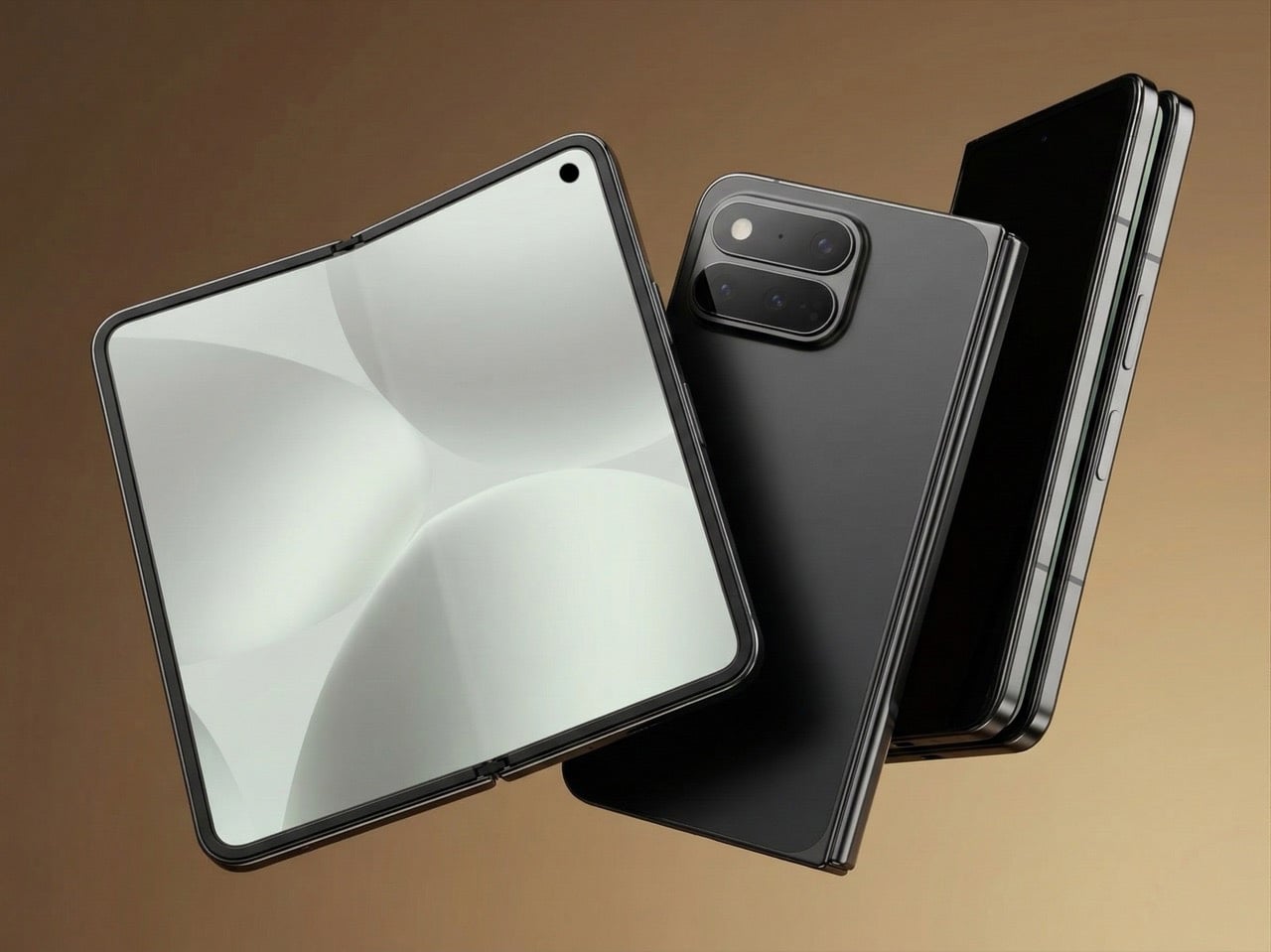
Based on CAD measurements, the Pixel 11 Pro Fold would drop from 10.8mm to 10.1mm folded, and from 5.2mm to 4.8mm unfolded, while height and unfolded width stay exactly the same at 155.2 x 150.4mm. Several Android foldables are already sitting below 9mm folded, so even if these numbers hold, the Pixel would still have ground to make up against its direct competition. That said, 0.7mm less in your pocket is 0.7mm less, and the projected unfolded profile at 4.8mm would be genuinely slim for a device with this much glass in it. The thinning happens entirely in depth, which means the familiar footprint would stay intact for existing Pixel Fold users considering an upgrade.
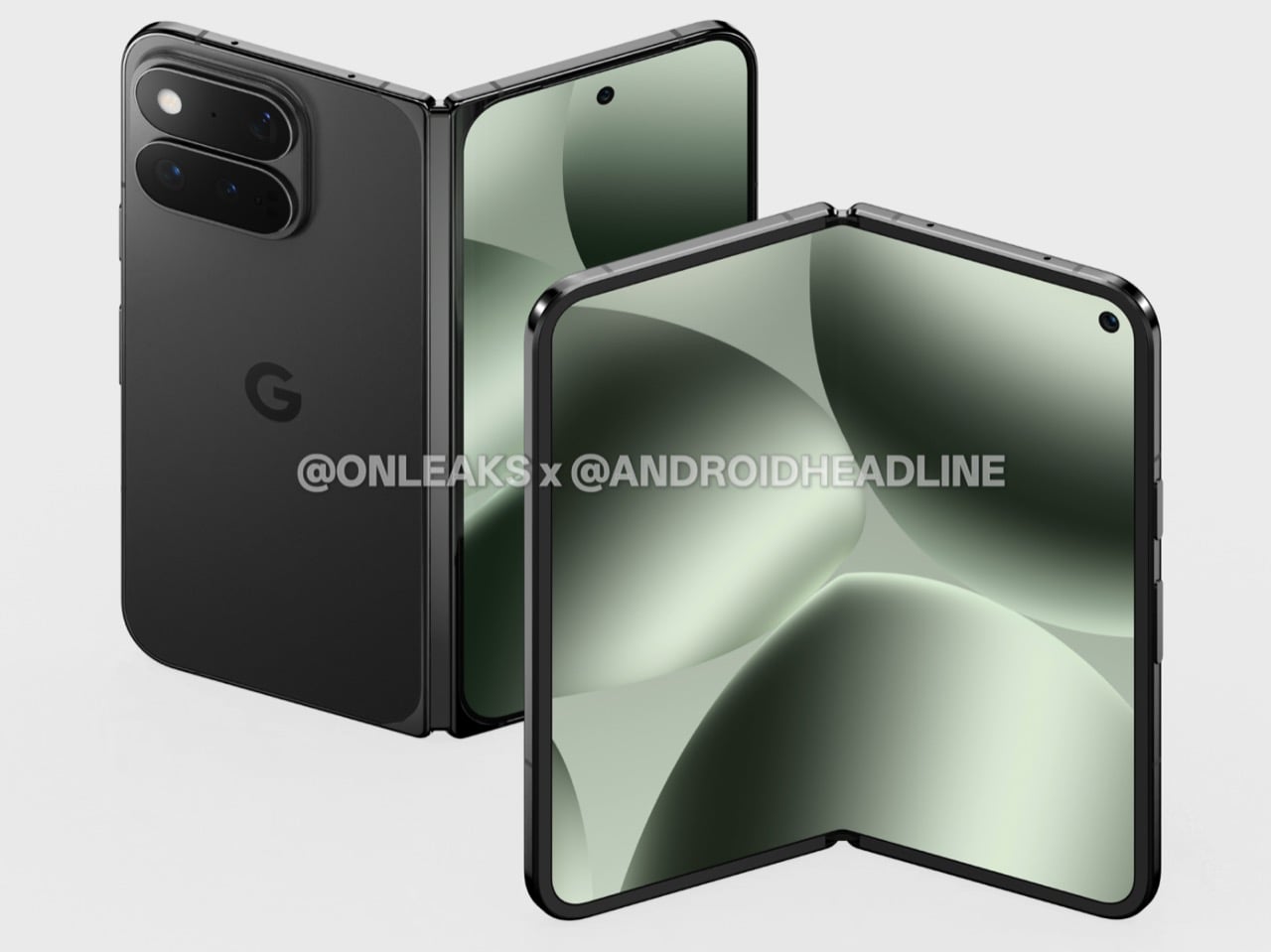
The Tensor G6 is expected as the headline spec upgrade, reportedly manufactured by TSMC on a 3nm process and possibly running a 7-core configuration, though that last detail is particularly unverified. The more interesting rumored hardware story is the cameras. The Pixel 10 Pro Fold shipped with a setup that sat below the Pixel 10 Pro in several respects, including an inferior ultrawide, which was a strange position for a $1,799 device. Google is rumored to be course-correcting here, possibly borrowing hardware from the Pixel 10 Pro lineup, though no confirmed specs have surfaced. The pressure is real regardless, given where Samsung and others have pushed foldable camera systems over the last cycle.
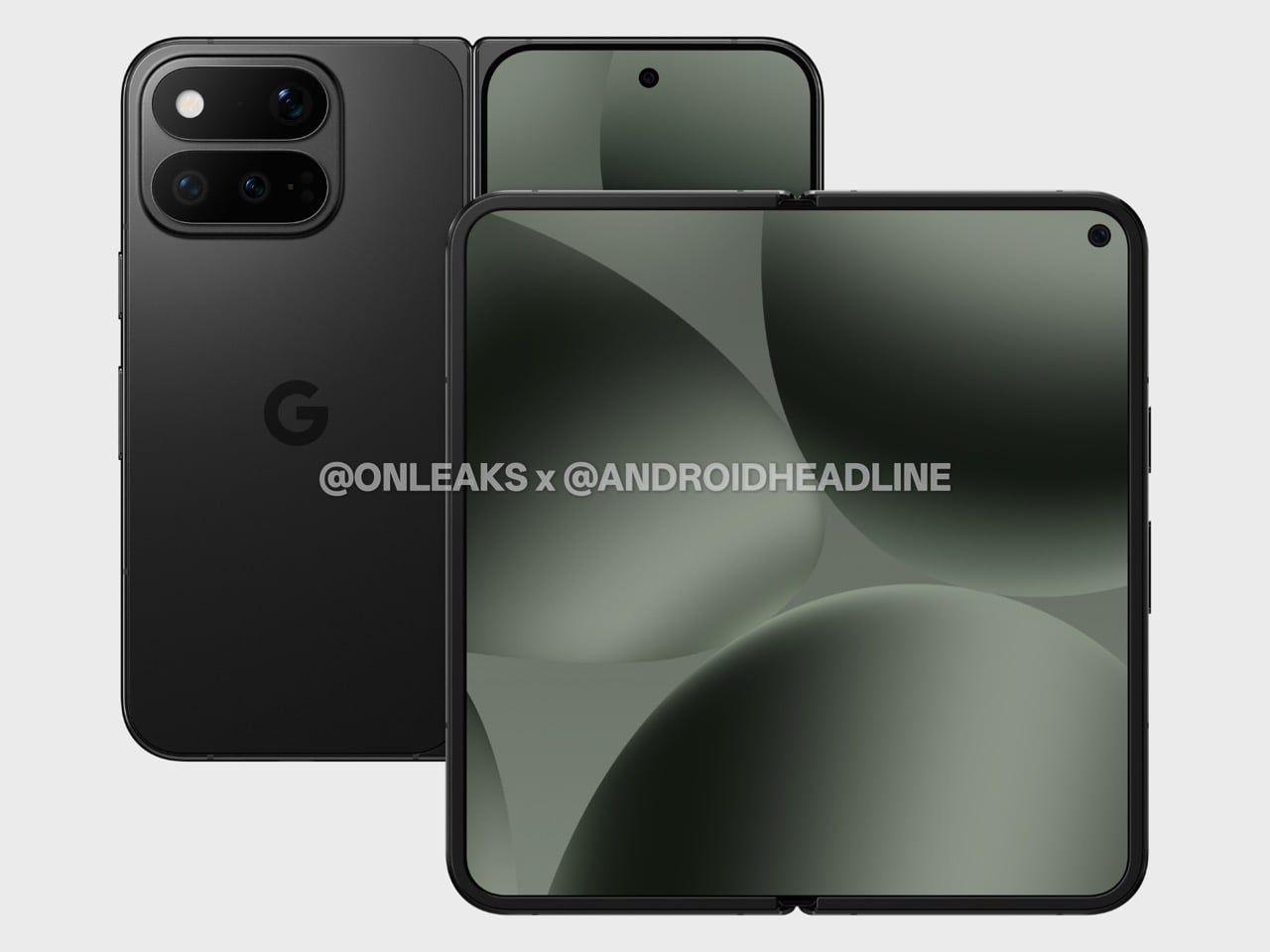
Google’s internal roadmap had reportedly targeted $1,500 for the Pixel 11 Pro Fold, but tariffs and rising memory costs have apparently complicated that figure considerably. The Pixel 10 Pro Fold launched at $1,799, and if current market conditions hold, the new model could land at or above that number. The Galaxy Z Fold 7 sits at $1,999 and the new Motorola Razr Fold is at EUR 1,999, so premium foldables have settled into a price tier that treats four figures as a floor. Battery, display sizes, IP68 resistance, Pixelsnap and Qi2 wireless charging are all expected to carry over, meaning there are no obvious additions to justify a steep price increase, just refinements. August 2026 is the rumored launch window, consistent with Google’s last two announcement cycles.
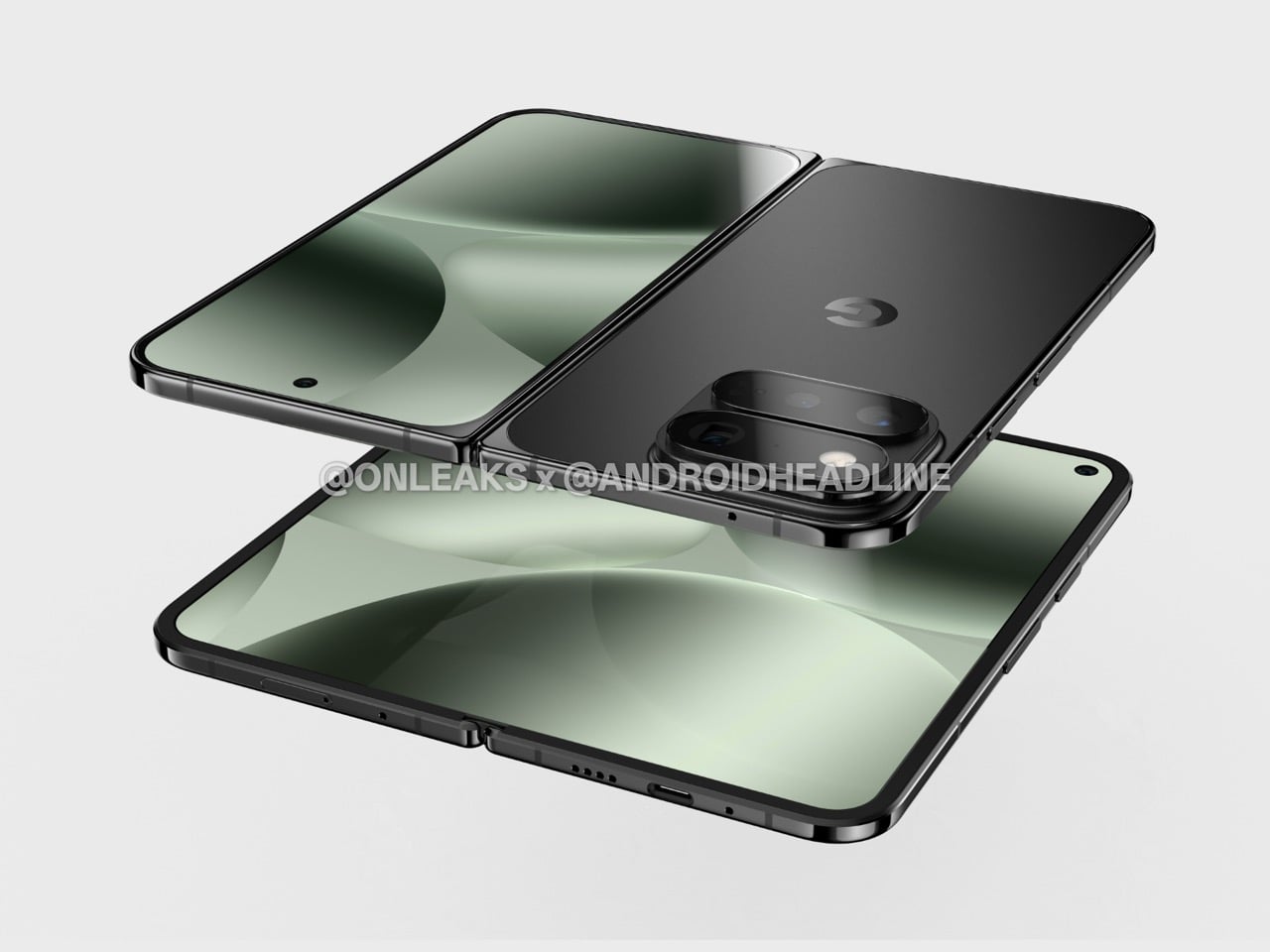
The Pixel 10a reportedly followed the Pixel 9a playbook with minor tweaks, and the Galaxy S26 Ultra’s biggest change was its display. Incremental releases have become the dominant mode across flagship Android, and if these leaks are accurate, the Pixel 11 Pro Fold fits that rhythm without apology. Whether that reads as frustrating or reassuring probably depends on how you felt about the Pixel 10 Pro Fold, because this device looks built squarely for people who wanted that phone to be slightly thinner with a better camera story.
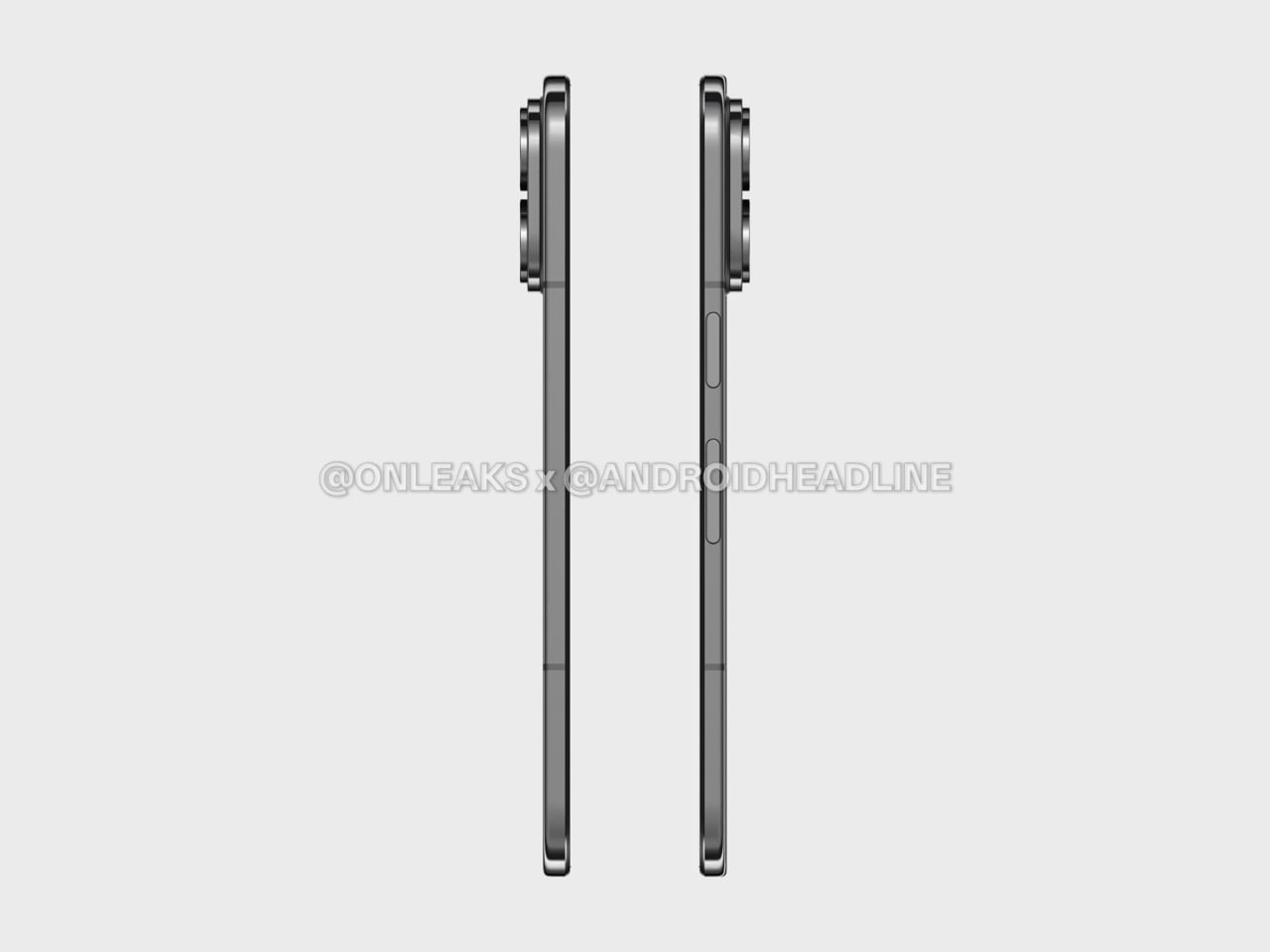
The post Google Pixel 11 Pro Fold Leaks Early With a Familiar Design and One Noticeable Change first appeared on Yanko Design.
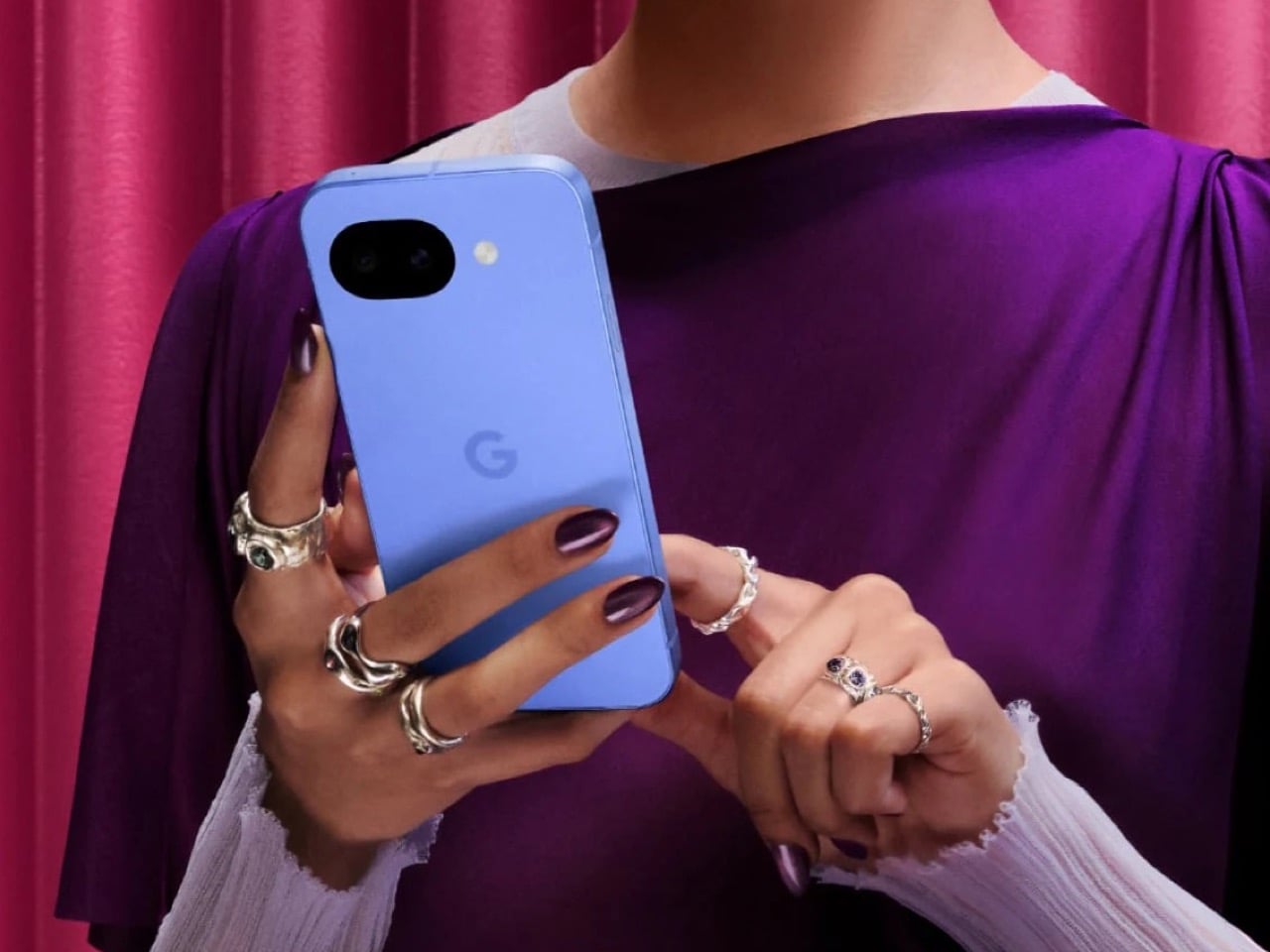
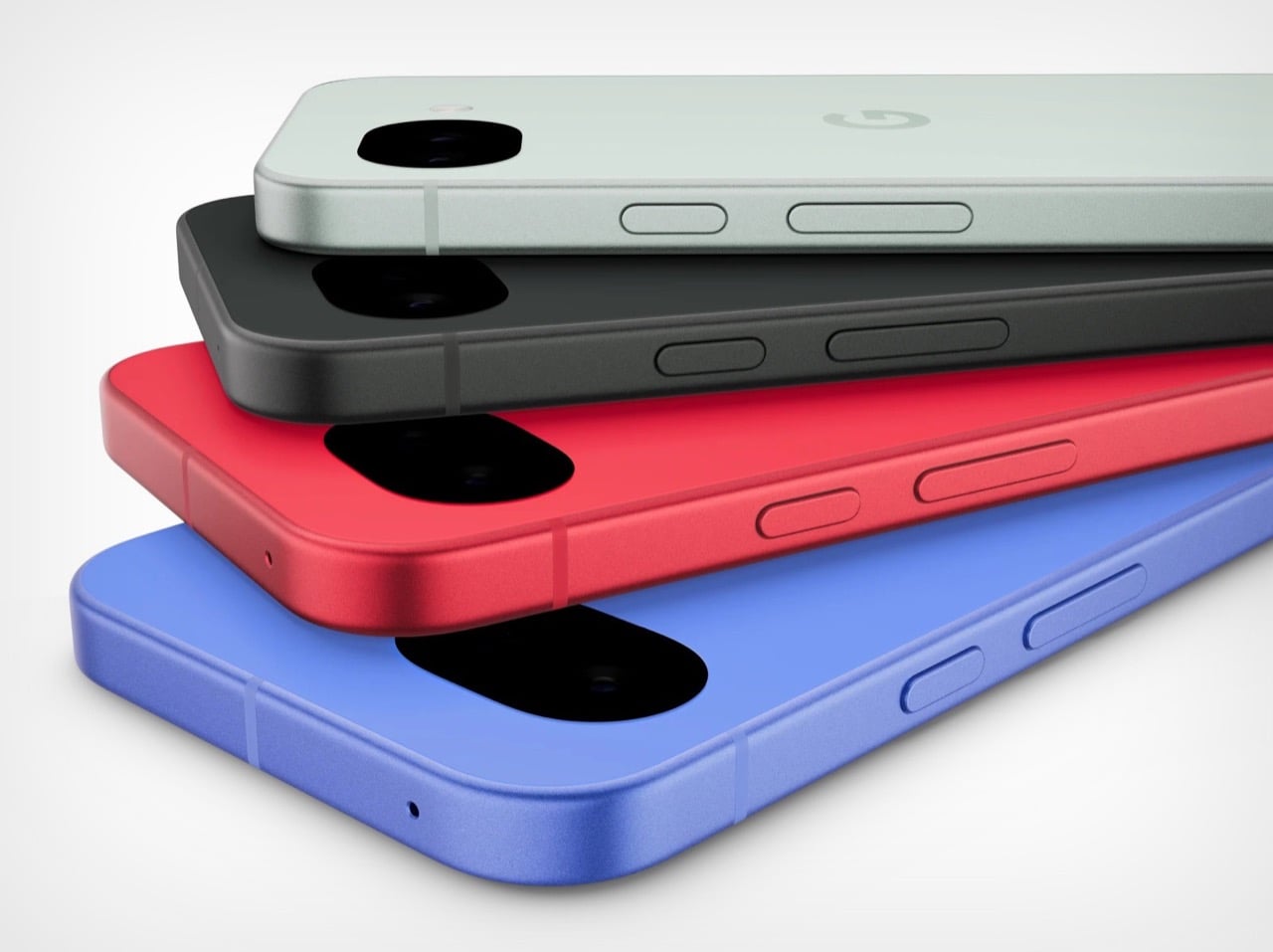
Google would like you to meet the Pixel 10A. It has a new name, new colors, and a press release that runs to several pages. It costs $499, which is exactly what the Pixel 9A cost. It weighs the same. It measures the same. It has the same cameras, the same battery, the same chip, and the same 6.3 inch display. There is a episode of The Office where Pam preoccupies Michael by presenting two identical photo printouts as a spot-the-difference puzzle. Google has essentially done that, except the printout costs five hundred dollars.
To be precise about what actually changed: the display is about 10% brighter, the glass protecting it moved from Gorilla Glass 3 to Gorilla Glass 7i, wired charging climbed from 23 watts to 30, and wireless charging went from 7.5 watts to 10. The camera bump, already barely perceptible on the 9A, is now completely flush. In some regions, satellite SOS is supported. That is the complete list. Google did not forget to send the rest of it.
Designer: Google
The Pixel 10 and Pixel 10 Pro both run on the Tensor G5. The Pixel 10A runs on the Tensor G4, the same chip from last year’s A-series, and the year before that in the Pixel 9 Pro. For years, buying the A-series meant getting the current flagship chip in a cheaper body. That was a genuinely good deal. Google has decided, apparently, that it was too good.
Best Take, Camera Coach, Call Screening, Clear Calling, Now Playing, Gemini as a built-in assistant, and seven years of updates add up to an experience that Android competitors at this price genuinely struggle to match. The Pixel ecosystem has real pull, and Google knows it. The 10A is banking on that pull being strong enough to carry a spec sheet that would embarrass a 2024 phone.
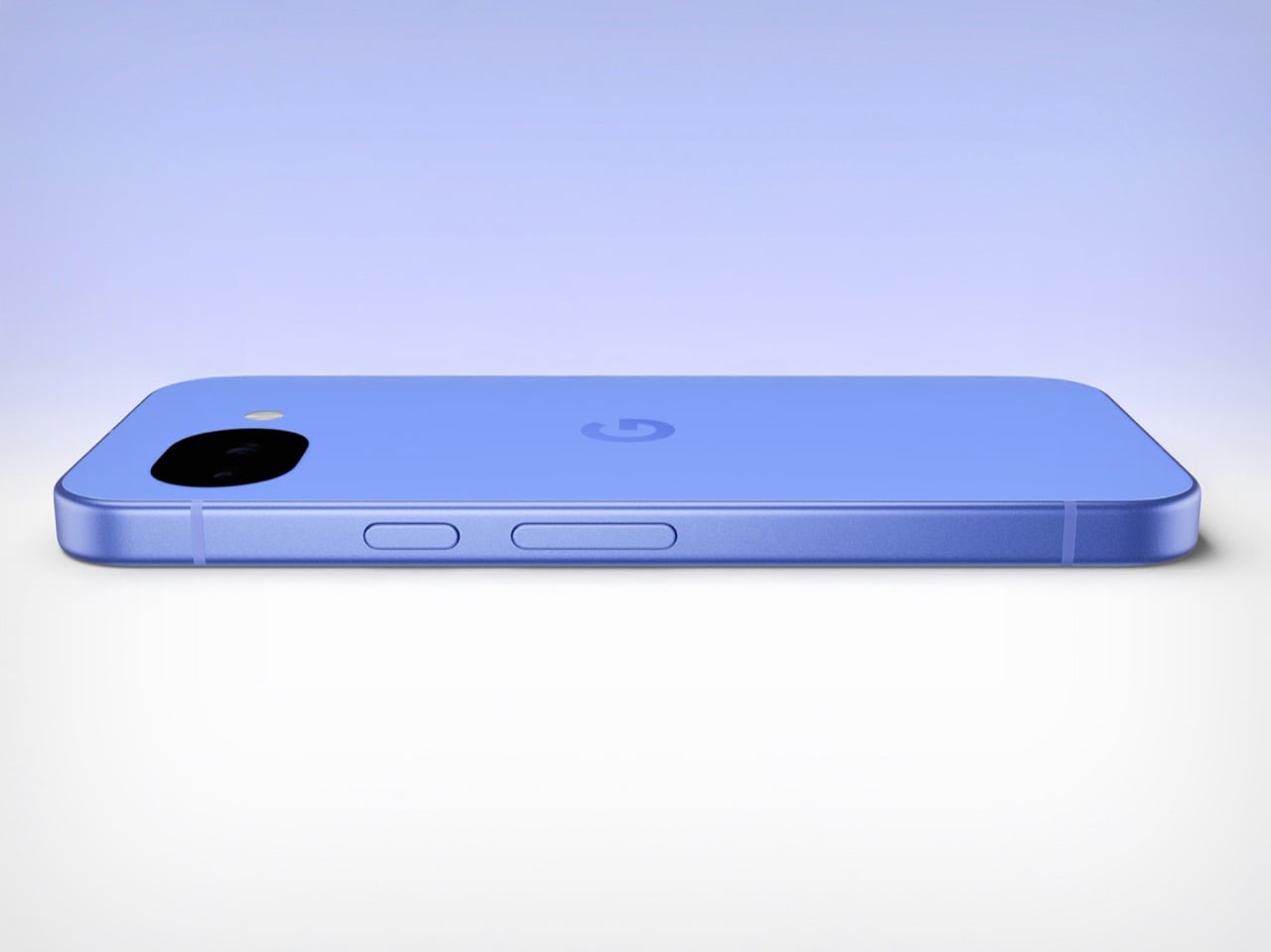
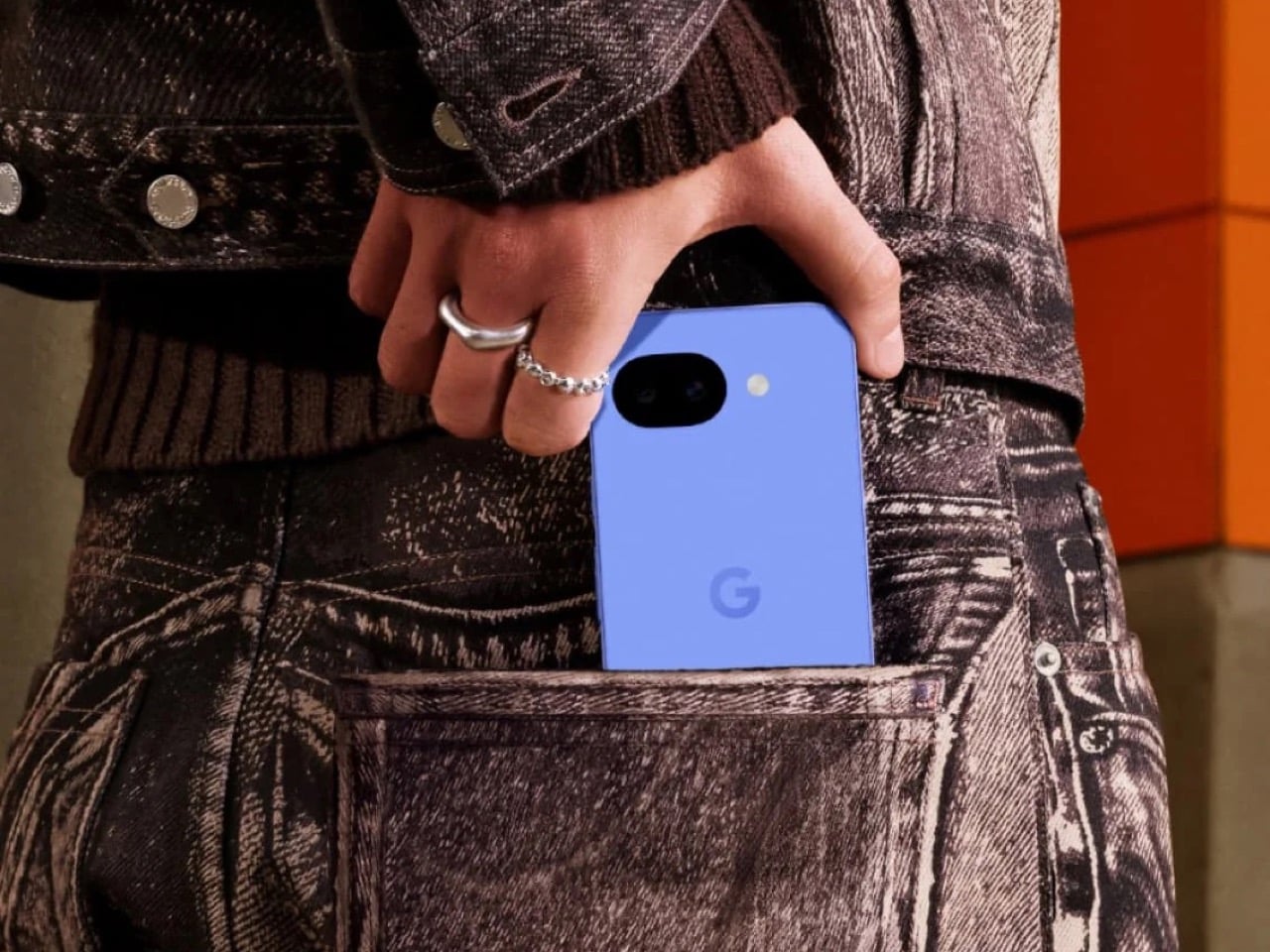
Google looked at the Pixel 9A, decided it had not been wrong about any of it, and shipped it again with brighter glass and a new colorway called Fog. In an industry that routinely invents problems to solve, there is something almost philosophical about a company that simply refuses to fix what it considers unbroken. The Pixel 10A does not have an identity crisis. It has its predecessor’s identity, and it is completely comfortable with that.
It will sell because the cameras are good, the battery lasts, the software support is unmatched at the price, and most people upgrading to it will be coming from something two or three generations older where the difference feels significant regardless of which Tensor chip is inside. Google understands its buyer perhaps better than its buyer understands the spec sheet. The Pixel 10A is a perfectly competent phone that knows exactly what it is. But also… this smartphone announcement could have been an email.
The post Google Released a New Pixel 10a and It’s Basically the Same Phone From Last Year first appeared on Yanko Design.
Chromebooks have quietly become some of the most useful laptops for everyday tasks. They boot fast, stay secure with automatic updates and often cost far less than traditional Windows or Mac machines. Modern Chromebooks also look and feel better than ever, with brighter screens, stronger processors and designs that range from simple clamshells to flexible 2-in-1s.
Whether you need a laptop for school, streaming or a portable option for travel, there is likely a Chromebook that fits your routine. After testing the top models, we picked the best Chromebooks you can buy today to help you find something that balances performance, price and reliability.
This is probably the number one question about Chromebooks. There are plenty of inexpensive Windows laptops on the market, so why bother with Chrome's operating system? Glad you asked. For me, the simple and clean nature of Chrome OS is a big selling point. Chrome OS is based on Google’s Chrome browser, which means most of the programs you can run are web based. There’s no bloatware or unwanted apps to uninstall like you often get on Windows laptops, it boots up in seconds, and you can completely reset to factory settings almost as quickly.
Of course, simplicity will also be a major drawback for some users. Not being able to install native software can be a dealbreaker if you’re a video editor or software developer. But there are also plenty of people who do the majority of their work in a web browser, using tools like Google Docs and spreadsheets for productivity without needing a full Windows setup.
Google and its software partners are getting better every year at supporting more advanced features. For example, Google added video editing tools to the Google Photos app on Chromebooks – it won’t replace Adobe Premiere, but it should be handy for a lot of people. Similarly, Google and Adobe announced Photoshop on the web in 2023, something that brings much of the power of Adobe’s desktop apps to Chromebooks.
Chromebooks can also run Android apps, which greatly expands the amount of software available. The quality varies widely, but it means you can do more with a Chromebook beyond just web-based apps. For example, you can install the Netflix app and save videos for offline watching. Other Android apps like Microsoft Office and Adobe Lightroom are surprisingly capable as well. Between Android apps and a general improvement in web apps, Chromebooks are more than just portals to a browser.
Put simply, web browsing and really anything web based. Online shopping, streaming music and video and using various social media sites are among the most common daily tasks people do on Chromebooks. As you might expect, they also work well with Google services like Photos, Docs, Gmail, Drive, Keep and so on. Yes, any computer that can run Chrome can do that too, but the lightweight nature of Google Chrome OS makes it a responsive and stable platform.
As I mentioned before, Chrome OS can run Android apps, so if you’re an Android user you’ll find some nice ties between the platforms. You can get most of the same apps that are on your phone on a Chromebook and keep info in sync between them. You can also use some Android phones as a security key for your Chromebook or instantly tether your 2-in-1 laptop to use mobile data.
Google continues to tout security as a major differentiator for Chromebooks, and it’s definitely a factor worth considering. Auto-updates are the first lines of defense: Chrome OS updates download quickly in the background and a fast reboot is all it takes to install the latest version. Google says that each webpage and app on a Chromebook runs in its own sandbox as well, so any security threats are contained to that individual app. Finally, Chrome OS has a self-check called Verified Boot that runs every time a device starts up. Beyond all this, the simple fact that you generally can’t install traditional apps on a Chromebook means there are fewer ways for bad actors to access the system.
If you’re interested in Google’s Gemini AI tools, a Chromebook is a good option as well. Every Chromebook in our top picks comes with a full year of Google’s AI Pro plan — this combines the usual Google One perks like 2TB of storage and 10 percent back in purchases from the Google Store with a bunch of AI tools. You’ll get access to Gemini in Chrome, Gmail, Google Docs and other apps, Gemini 2.5 Pro in the Gemini app and more. Given that this plan is $20/month, it’s a pretty solid perk. Chromebook Plus models also include tools like the AI-powered “help me write,” the Google Photos Magic Editor and generative AI backgrounds you can create by filling in a few prompts.
As for when to avoid Chromebooks, the answer is simple: If you rely heavily on a specific native application for Windows or a Mac, chances are you won’t find the exact same option on a ChromeOS device. That’s most true in fields like photo and video editing, but it can also be the case in law or finance. Plenty of businesses run on Google’s G suite software, but more still have specific requirements that a Chromebook might not match. If you’re an iPhone user, you’ll also miss out on the way the iPhone easily integrates with an iPad or Mac. For me, the big downside is not being able to access iMessage on a Chromebook.
Finally, gaming Chromebooks are not ubiquitous, although they’re becoming a slightly more reasonable option with the rise of cloud gaming. In late 2022, Google and some hardware partners announced a push to make Chromebooks with cloud gaming in mind. From a hardware perspective, that means laptops with bigger screens that have higher refresh rates as well as optimizing those laptops to work with services like NVIDIA GeForce Now, Xbox Game Pass and Amazon Luna. You’ll obviously need an internet connection to use these services, but the good news is that playing modern games on a Chromebook isn’t impossible. You can also install Android games from the Google Play Store, but that’s not what most people are thinking of when they want to game on a laptop.
Chrome OS is lightweight and runs well on fairly modest hardware, so the most important thing to look for might not be processor power or storage space. But Google made it easier to get consistent specs and performance late last year when it introduced the Chromebook Plus initiative. Any device with a Chromebook Plus designation meets some minimum requirements, which happen to be very similar to what I’d recommend most people get if they’re looking for the best laptop they can use every day.
Chromebook Plus models have at least a 12th-gen Intel Core i3 processor, or an AMD Ryzen 3 7000 series processor, both of which should be more than enough for most people. These laptops also have a minimum of 8GB of RAM and 128GB of SSD storage, which should do the trick unless you’re really pushing your Chromebook. All Chromebook Plus models have to have a 1080p webcam, which is nice in these days of constant video calling, and they also all have to have at least a 1080p FHD IPS screen.
Of course, you can get higher specs or better screens if you desire, but I’ve found that basically everything included in the Chromebook Plus target specs makes for a very good experience.
Google has an Auto Update policy for Chromebooks as well, and while that’s not exactly a spec, it’s worth checking before you buy. Last year, Google announced that Chromebooks would get software updates and support for an impressive 10 years after their release date. This support page lists the Auto Update expiration date for virtually every Chromebook ever, but a good rule of thumb is to buy the newest machine you can to maximize your support.
Chromebooks started out notoriously cheap, with list prices often coming in under $300. But as they’ve gone more mainstream, they’ve transitioned from being essentially modern netbooks to some of the best laptops you’ll want to use all day. As such, prices have increased: At this point, you should expect to spend at least $400 if you want a solid daily driver. There are still many Chromebooks out there available at a low price that may be suitable as secondary devices, but a good Chromebook that can be an all-day, every-day laptop will cost more. But, notably, even the best Chromebooks usually cost less than the best Windows laptops, or even the best “regular” laptops out there.
There are a handful of premium Chromebooks that approach or even exceed $1,000 that claim to offer better performance and more processing power, but I don’t recommend spending that much. Generally, that’ll get you a better design with more premium materials, as well as more powerful internals and extra storage space, like a higher-capacity SSD. Of course, you also sometimes pay for the brand name. But, the specs I outlined earlier are usually enough, and there are multiple good premium Chromebooks in the $700 to $800 range at this point.
See Also:
This was our pick for best overall Chromebook for years, and it’s still one of the better options you can find for a basic laptop that doesn’t break the bank. It’s a few years older than our current top pick, so its processor isn’t fresh and it only has 128GB of storage. It also won’t get updates from Google as long as newer models. But it still combines a nice screen and keyboard with solid performance. This laptop typically costs $500, which feels high given its a few years old and Acer’s Chromebook Plus 514 is only $350, but if you can find it on sale and can’t find the Acer it’s worth a look.
This Chromebook is extremely affordable – you can currently pick it up for only $159 at Walmart. That price and its large 15.6-inch screen is mainly what it has going for it, as the Intel Celeron N4500 chip and 4GB of RAM powering it does not provide good performance if you’re doing anything more than browsing with a few tabs open. If you’re shopping for someone with extremely basic needs and have a small budget, the CX15 might fit the bill. But just be aware that you get what you pay for.
Samsung’s Galaxy Chromebook Plus, released in late 2024, is one of the more unique Chromebooks out there. It’s extremely thin and light, at 0.46 inches and 2.6 pounds, but it manages to include a 15.6-inch display in that frame. That screen is a 1080p panel that’s sharp and bright, but its 16:9 aspect ratio made things feel a bit cramped when scrolling vertically. Performance is very good, and the keyboard is solid, though I’m not a fan of the number pad as it shifts everything to the left. At $700 it’s not cheap, but that feels fair considering its size and capabilities. If you’re looking for a big screen laptop that is also super light, this Chromebook merits consideration, even if it’s not the best option for everyone.
This article originally appeared on Engadget at https://www.engadget.com/computing/laptops/best-chromebooks-160054646.html?src=rssWireless earbuds are now the default option for everyday listening, whether you’re heading out for a commute, fitting in a workout or just watching videos at home. The best wireless earbuds combine reliable connectivity, comfortable fits and sound quality that holds up across music, calls and podcasts, all without the hassle of cables. Most are small enough to disappear into a pocket and pair quickly with phones, tablets and laptops.
What sets one pair apart from another often comes down to priorities. Some earbuds lean heavily on active noise cancellation, while others focus on long battery life, compact charging cases or lower prices. Features like water resistance, customizable controls and app support can also make a real difference day to day. This guide breaks down the best wireless earbuds available now to help you find the right match for how you listen.
When it comes to shopping for earphones, the first thing to consider is design or wear style. Do you prefer a semi-open fit like AirPods or do you want something that completely closes off your ears? If you’re shopping for earbuds with active noise cancellation, you'll want the latter, but a case can be made for the former if you want to wear them all day or frequent places where you need to be tuned in to the ambient sounds. The overall shape of earbuds can determine whether you get a comfortable fit, so can the size and weight, so you’ll want to consider all that before deciding. And remember: audio companies aren’t perfect, so despite lots of research, the earbud shape they decided on may not fit you well. Don’t be afraid to return ill-fitting earbuds for something that’s more comfortable.
As wireless earbuds have become the norm, they’re now more reliable for basic things like consistent Bluetooth connectivity. Companies are still in a race to pack as much as they can into increasingly smaller designs. This typically means a longer list of features on the more premium sets of earbuds with basic functionality on the cheapest models. Carefully consider what you can’t live without when selecting your next earbuds, and make sure key items like automatic pausing and multipoint connectivity are on the spec sheet. You’ll also want to investigate the volume and touch controls as you’ll often have to sacrifice access to something else to make that adjustment via on-board taps or swipes. Some earbuds even offer app settings to tweak the audio profiles or firmware updates to improve performance over time.
For those in the Apple ecosystem, features like auto-pairing with devices, especially with AirPods Pro 3, can be an added advantage, while Android users may want to look for models that offer similar cross-device functionality.
When it comes to battery life, the average set of earbuds lasts about five hours on a single charge. You can find sets that last longer, but this is likely enough to get you through a work day if you’re docking the buds during lunch or the occasional meeting. You’ll want to check on how many extra charges are available via the case and if it supports wireless charging.
Companies will also make lofty claims about call quality on wireless earbuds. Despite lots of promises, the reality is most earbuds still leave you sounding like you’re on speakerphone. There are some sets that deliver, but don’t get your hopes up unless reviews confirm the claims.
Sound can be subjective, so we recommend trying before you buy if at all possible. This is especially true if you're an audiophile. We understand this isn’t easy when most of us do a lot of shopping online, but trying on a set of earbuds and listening to them for a few minutes can save you from an expensive case of buyer's remorse. If a store doesn’t allow a quick demo, most retailers have return policies that will let you take earbuds back you don’t like. Of course, you have to be willing to temporarily part with funds in order to do this.
We also recommend paying attention to things like Spatial Audio, Dolby Atmos, 360 Reality Audio and other immersive formats. Not all earbuds support them, so you’ll want to make sure a perspective pair does if that sort of thing excites you, especially if you plan to use them for playback of high-quality audio.
The primary way we test earbuds is to wear them as much as possible. We prefer to do this over a one- to two-week period, but sometimes embargoes don’t allow it. During this time, we listen to a mix of music and podcasts, while also using the earbuds to take both voice and video calls. Since battery life for earbuds is typically less than a full day, we drain the battery with looping music and the volume set at a comfortable level (usually around 75 percent).
To judge audio quality, we listen to a range of genres, noting any differences in the sound profile across the styles. We also test at both low and high volumes to check for consistency in the tuning. To assess call quality, we’ll record audio samples with the earbuds’ microphones as well as have third parties call us.
When it comes to features, we do a thorough review of companion apps, testing each feature as we work through the software. Any holdovers from previous models are double checked for improvements or regression. If the earbuds we’re testing are an updated version of a previous model, we’ll spend time getting reacquainted with the older buds. Ditto for the closest competition for each new set of earbuds that we review.
Since we established this best wireless earbuds guide, Sony’s current 1000X model has consistently been the top pick. However, with the WF-1000XM6, there are two key areas where the company’s latest flagship set doesn’t measure up well versus the competition. Overall ANC performance lags behind Bose, and even Sony’s own WF-1000XM5. Speaking of the M5, the company did well there to address the issues I had with fit when it switched to foam ear tips on the WF-1000XM4, but it regressed in that area on the M6. There’s still plenty to like in terms of features and sound quality, but there are also caveats to consider now that could be dealbreakers.
The WF-C710N is a set of compact and comfy earbuds that offer several of Sony’s best features. While the ANC performance is above average for this price ($120), sound quality isn’t as good as the company’s slightly more expensive options. Battery life fell below stated figures and call performance isn’t good enough to use these buds for work.
The newest version of the Powerbeats Pro have an improved, comfortable design, balanced bass and new H2 chips and a heart rate sensor inside. But heart rate support is currently limited on iOS.
The Galaxy Buds 3 combine ANC with an open-type design, which renders the noise-blocking abilities of the earbuds mostly useless. Still, there’s great low-end tone with ample bass when a track demands it. There are also lots of handy features, most of which require a Samsung phone. But at this price, there are better options from Google, Beats and Sony
I really like the overall shape of the Momentum Sport earbuds. They’re more comfortable than the Momentum True Wireless 4 and fit in my ears better. What’s more, the body temperature and heart rate sensors work well, sending those stats to a variety of apps. However, that sport-tracking feature works best with Polar’s app and devices, so there’s that consideration. Also, the audio quality and ANC performance isn’t as good as the MTW4, and these earbuds are pricey.
There’s a lot to like about the Solo Buds for $80. For me, the primary perk is they’re very comfortable to wear for long periods of time thanks to some thoughtful design considerations. You only get the basics here in terms of features and, as expected, the overall sound quality isn’t as good as the pricier models in the Beats lineup. You will get 18 hours of battery life though, since the company nixed the battery in the case and beefed up the listening time in the buds themselves.
Bose created something very unique for this set of earbuds that allows you to stay in-tune with the world while listening to audio content. The clip-on design is very comfortable, but sound quality suffers due to the open-type fit, especially when it comes to bass and spatial audio.
These stick buds have a compact design that’s comfortable to wear and the warm sound profile is great at times. However, overall audio performance is inconsistent and there’s no automatic pausing.
Retooled audio, better ambient sound mode and reliable multipoint Bluetooth are the best things the MW09 has to offer. They’re expensive though, and you can find better ANC performance elsewhere.
Most wireless earbuds will last five hours on a single charge, at the least. You can find some pairs that have even better battery life, lasting between six and eight hours before they need more juice. All of the best wireless earbuds come with a charging case, which will provide additional hours of battery life — but you'll have to return each bud to the case in order to charge them up.
Comparing sound quality on earbuds and headphones is a bit like comparing apples and oranges. There are a lot of variables to consider and the differences in components make a direct comparison difficult. Personally, I prefer the audio quality from over-ear headphones, but I can tell you the sound from earbuds like Sennheiser’s Momentum True Wireless 3 is also outstanding.
With new models coming out all the time, tracking the hours of battery life for each this can be difficult to keep tabs on. The longest-lasting earbuds we’ve reviewed are Audio-Technica’s ATH-CKS5TW. The company states they last 15 hours, but the app was still showing 40 percent at that mark during our tests. The only downside is these earbuds debuted in 2019 and both technology and features have improved since. In terms of current models, Master & Dynamic’s MW08 offers 12 hours of use on a charge with ANC off (10 with ANC on) and JBL has multiple options with 10-hour batteries.
There are plenty of options these days when it comes to increased water resistance. To determine the level of protection, you’ll want to look for an IP (ingress protection) rating. The first number indicates intrusion protection from things like dust. The second number is the level of moisture protection and you’ll want to make sure that figure is 7 or higher. At this water-resistance rating, earbuds can withstand full immersion for up to 30 minutes in depths up to one meter (3.28 feet). If either of the IP numbers is an X, that means it doesn’t have any special protection. For example, a pair of wireless earbuds that are IPX7 wouldn’t be built to avoid dust intrusion, but they would be ok if you dropped them in shallow water.
A secure fit can vary wildly from person to person. All of our ears are different, so audio companies are designing their products to fit the most people they can with a single shape. This is why AirPods will easily fall out for some but stay put for others. Design touches like wing tips or fins typically come on fitness models and those elements can help keep things in place. You’ll likely just have to try earbuds on, and if they don’t fit well return them.
PlayStation 5 doesn’t support Bluetooth audio without an adapter or dongle. Even Sony’s own gaming headsets come with a transmitter that connects to the console. There are universal options that allow you to use any headphones, headset or earbuds with a PS5. Once you have one, plug it into a USB port on the console and pair your earbuds with it.
February 2026: Updated to include new top picks.
January 2026: Updated to ensure our top picks have remained the same.
September 2025: Updated to add AirPods Pro 3 to our top picks.
May 2025: Updated to ensure top picks and buying advice remain accurate.
March 2025: Updated the top pick for the best sounding wireless earbuds - runner up.
January 2025: Updated the top pick for best sounding wireless earbuds.
This article originally appeared on Engadget at https://www.engadget.com/audio/headphones/best-wireless-earbuds-120058222.html?src=rss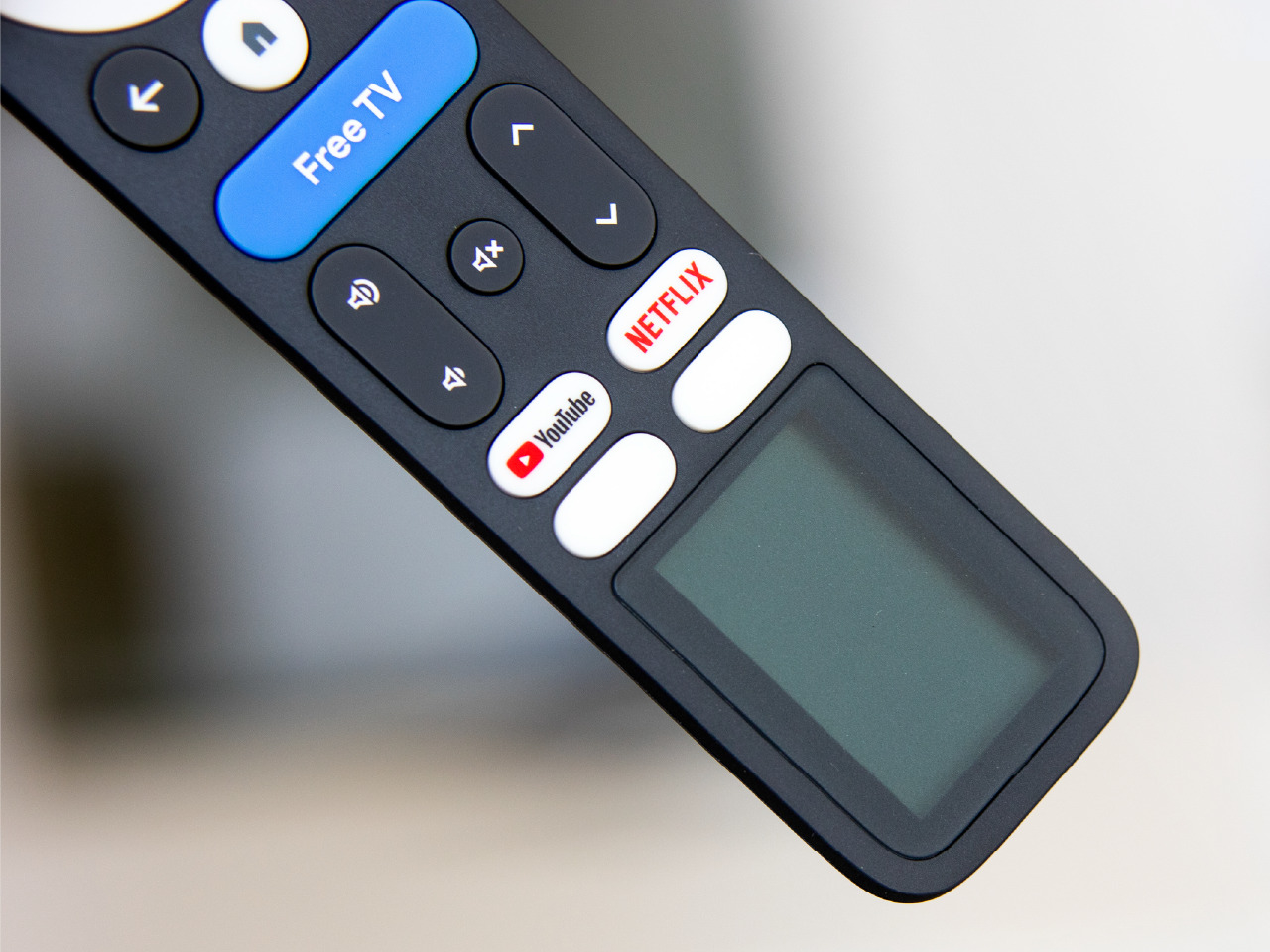
TV remotes have a habit of dying at the worst possible time, usually right before you finally find something worth watching. The familiar hunt for AAA batteries begins, followed by the quiet pile of dead cells that builds up in a drawer until you remember to recycle them. Google’s new G32 reference remote for Google TV takes a different route by running on ambient indoor light instead of disposable batteries.
The G32 is a Google TV reference remote built by Ohsung Electronics and powered by Swedish startup Epishine’s indoor solar cells. This isn’t a one-off concept, but a template TV makers can adopt for their own Google TV devices. The goal is a self-charging, maintenance-free remote that never needs disposable batteries and quietly reduces waste in the background while sitting on your coffee table between Netflix binges.
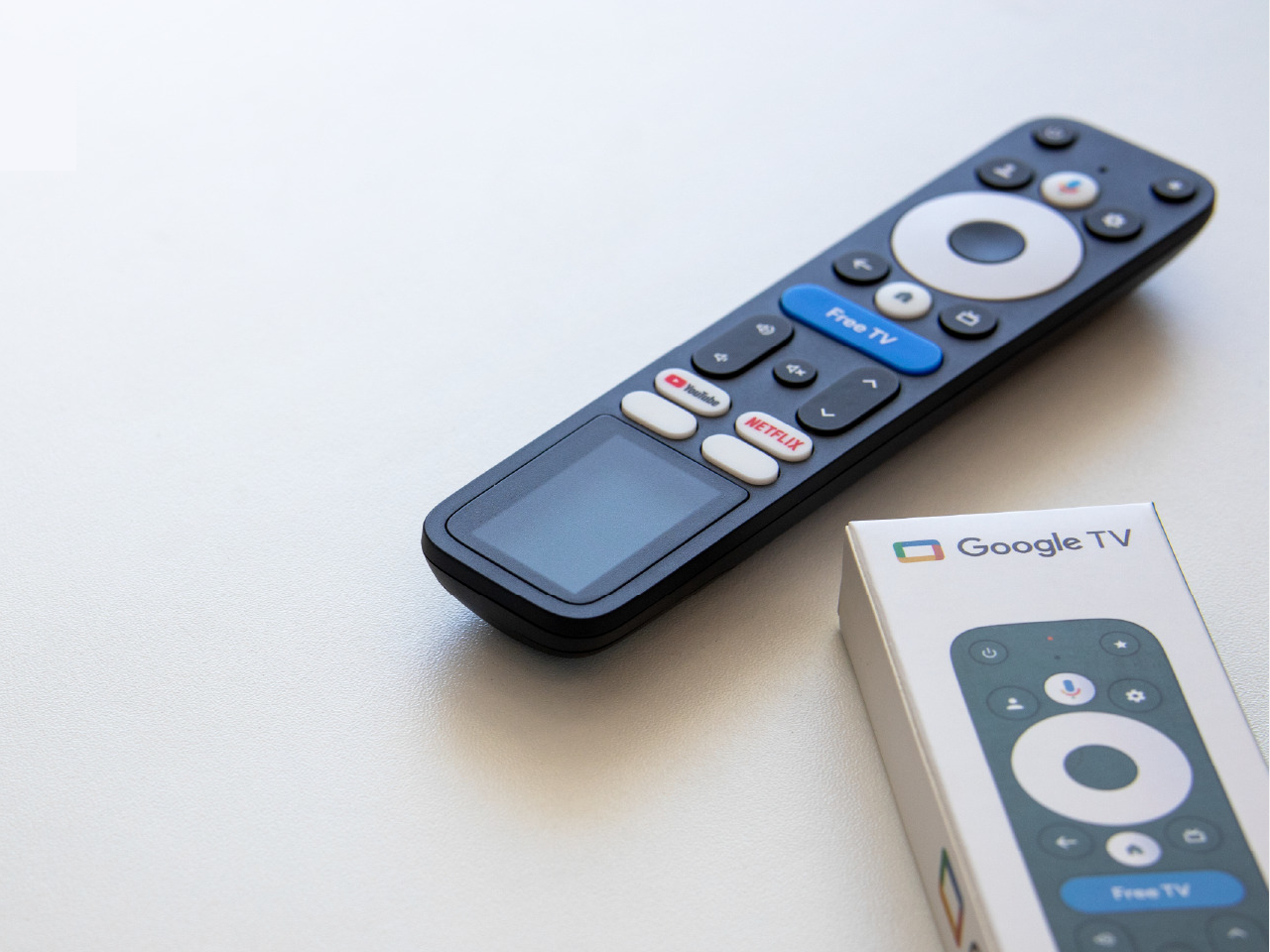
Epishine’s technology is tuned specifically for indoor conditions. Thin, flexible, bifacial solar cells made from organic materials are printed at industrial scale and designed to harvest the light already in your living room from lamps and windows. They turn it into a slow, steady trickle of power rather than relying on bright sunshine. Because they are bifacial, they capture light from both sides, no matter how the remote is resting on the couch.
This changes the remote’s design in subtle but meaningful ways. There is no battery door on the back, no need to stock AAAs, and no reason to open the shell once it leaves the factory. The solar window at the bottom of the front face is integrated like a dark glass panel, keeping the silhouette clean. As long as you use the remote in a reasonably lit room, it quietly tops itself up and stays ready.
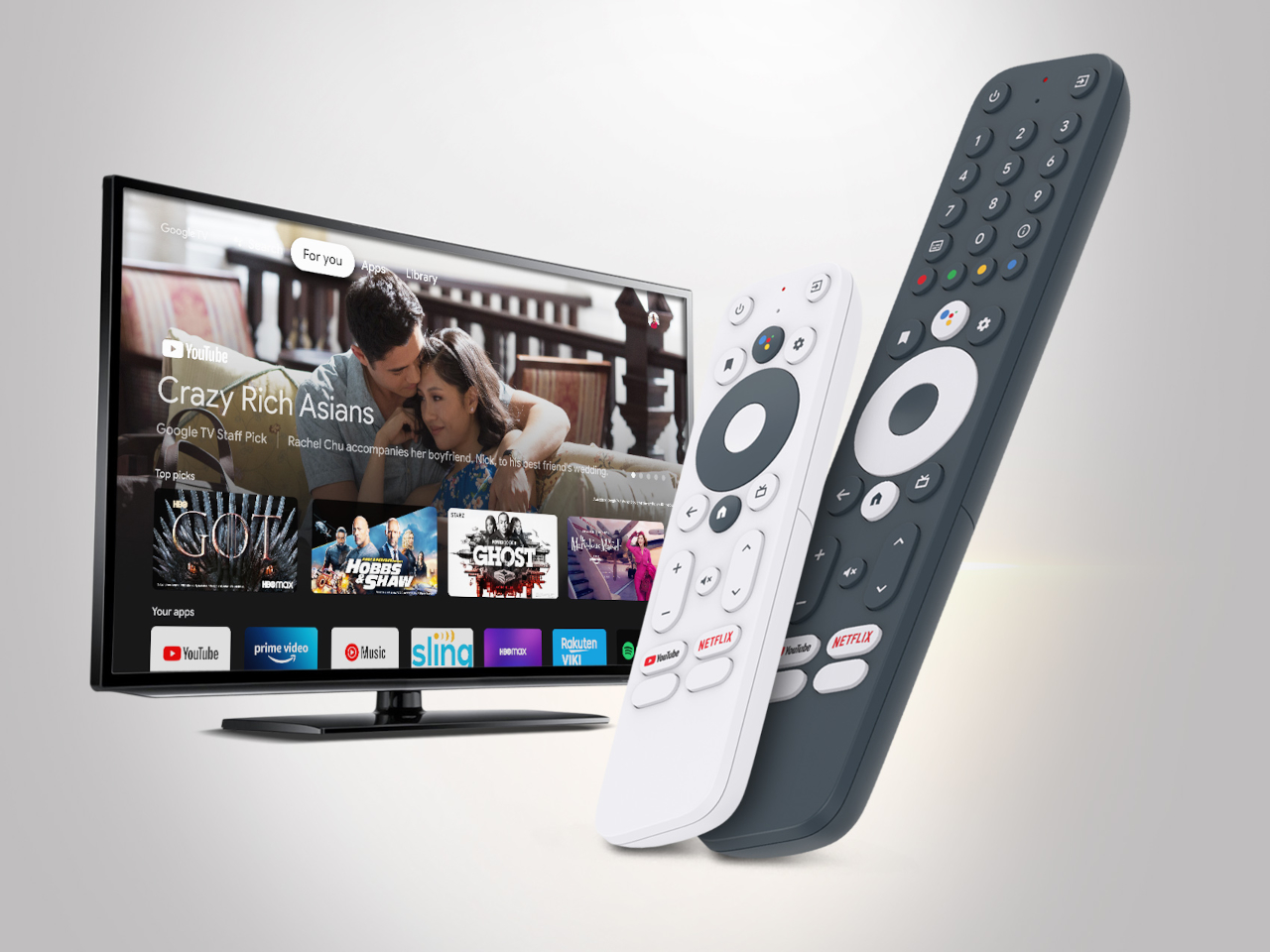
Current Google TV Remote Reference Designs (G10, G20)
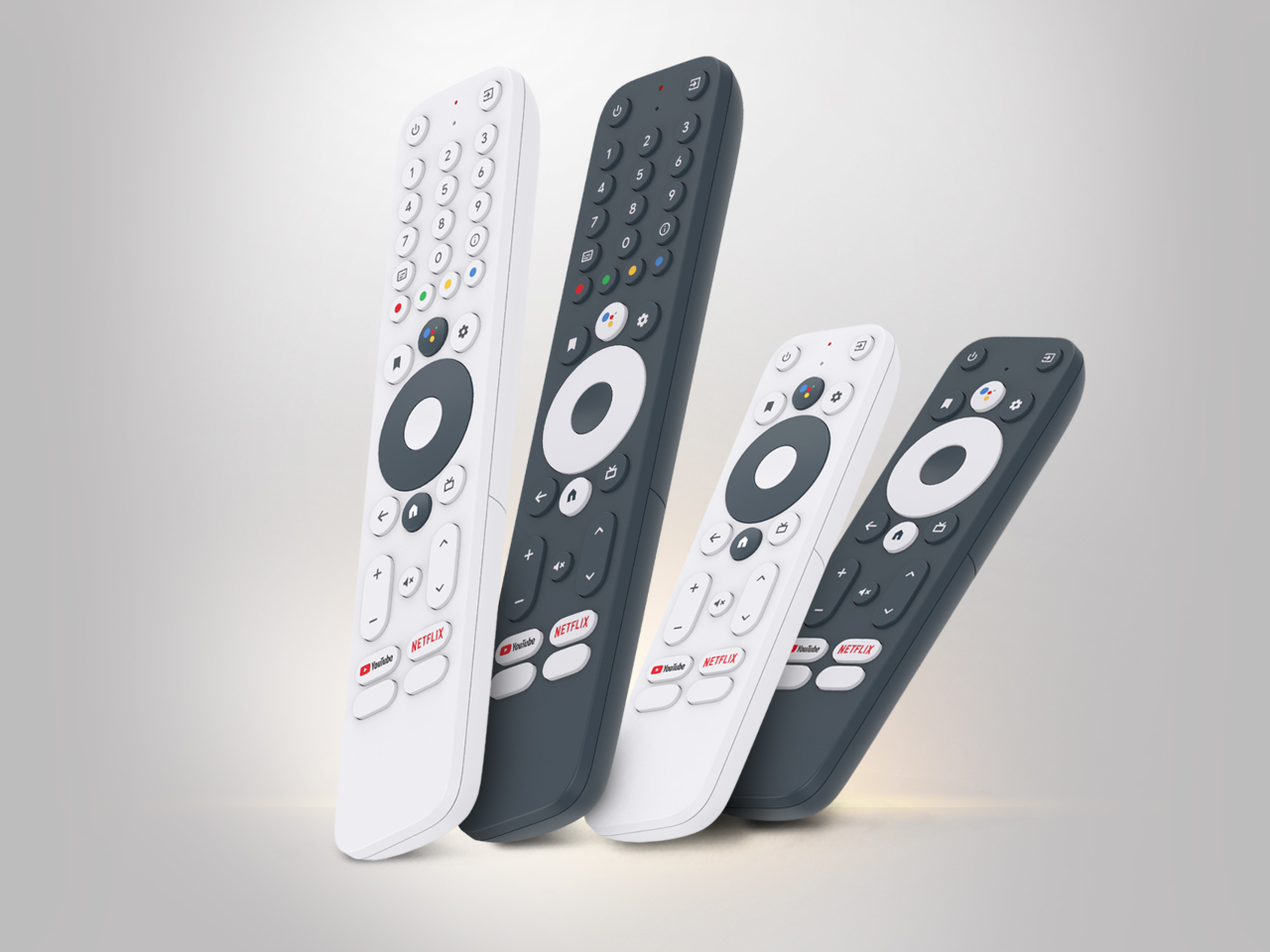
Current Google TV Remote Reference Designs (G10, G20)
The G32 keeps the familiar Google TV layout. A large circular D-pad sits at the top, with home and back keys, dedicated buttons for YouTube and Netflix, and a bright blue “Free TV” key in the middle. The solar area occupies the lower third. In photos, it looks like a normal Google TV controller that just happens to have an extra screen at the bottom, even though it is really the light-harvesting zone.
Of course, Epishine and Google highlight that billions of batteries are thrown away each year, and remotes are one of the few devices almost everyone owns. Swapping disposable cells for indoor solar in a product that ships by the millions has a different impact than doing it in a niche gadget. It also nudges manufacturers toward thinner, simpler shells without battery compartments cluttering the back.
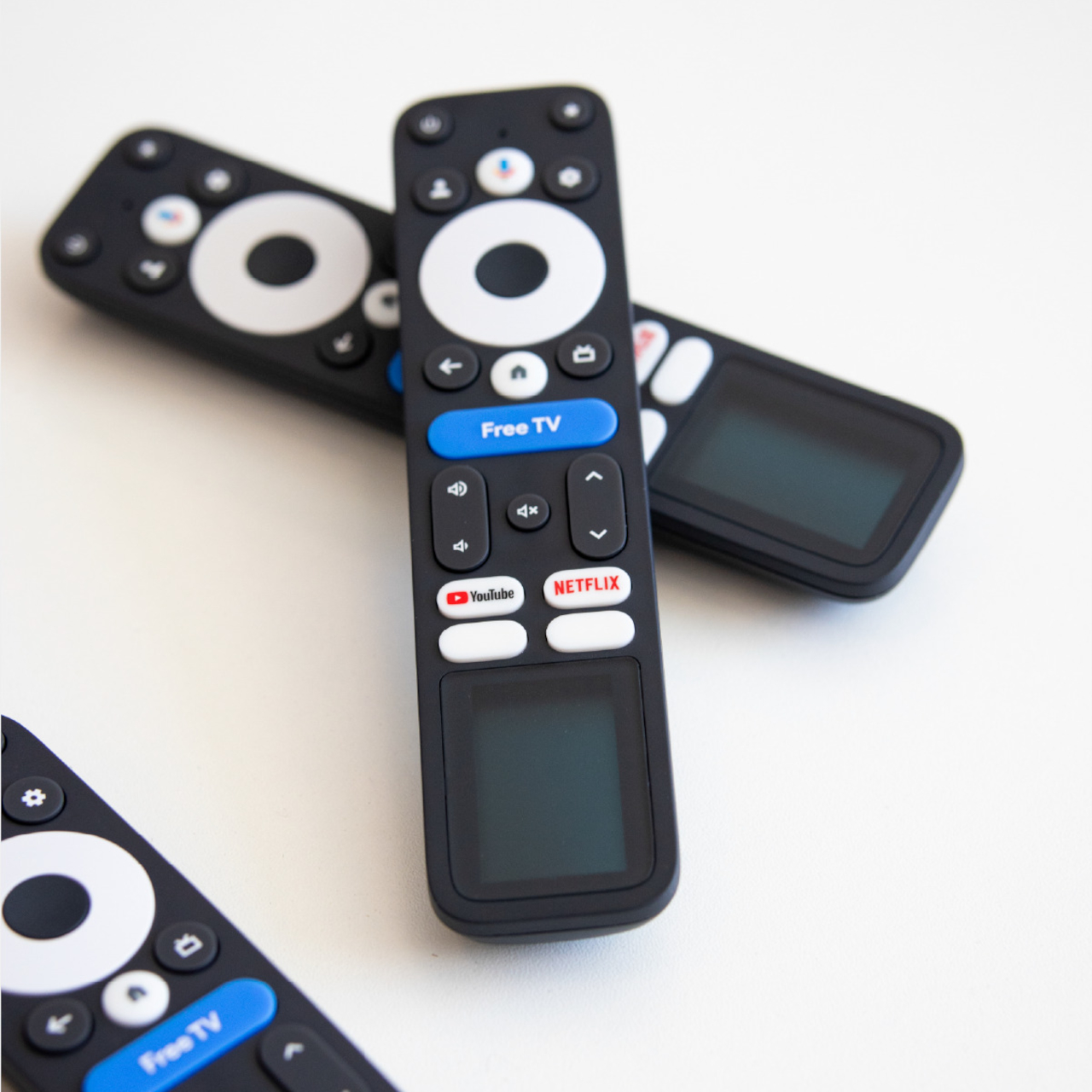
The G32 solar remote is a small but smart change to an object we rarely think about. It doesn’t ask users to change habits or remember to charge yet another device. Instead, it quietly uses the light already in the room to keep working. If TV makers pick up this reference design, the most boring gadget on the coffee table might end up being one of the more thoughtful ones.
The post Google TV Solar Remote G32 Never Needs Battery Replacements first appeared on Yanko Design.