Shoes are usually designed from the top down. The leather, the laces, the silhouette, and the recognizable details tend to receive all the attention, while the sole quietly does the practical work underneath. Jonathan Anderson’s Dior Roadie lace-up boots make a convincing argument for looking down.
Created for the Dior Winter 2026 Menswear Collection, the Roadie takes the familiar language of the retro driving shoe and pushes it somewhere far less expected. The defining feature is its cylindrical sole, an exaggerated rubber structure that gives the shoe an almost architectural profile. It changes the proportions entirely. What could have been a rugged high-top in traditional materials suddenly feels peculiar, sculptural, and distinctly contemporary.
That tension is what makes the design interesting. Anderson draws from materials closely associated with his Irish heritage, including traditional Donegal tweed, here used alongside sheep wool and suede cowhide across the main body. The surface feels warm, textured, and familiar, carrying the character of something that might have existed for decades. Underneath it sits a sole that seems to belong to another design vocabulary altogether. Heritage meets experimentation without either side becoming decorative nostalgia.
The construction remains intentionally soft. Dior describes the shoe as unreinforced, allowing it to retain flexibility and comfort despite the substantial appearance of the sole. A padded collar supports the high-top silhouette, while the lining is made from sheepskin leather. Cotton laces run through leather lace loops finished with the Dior logo, adding another small point of craftsmanship to a shoe already rich in detail.
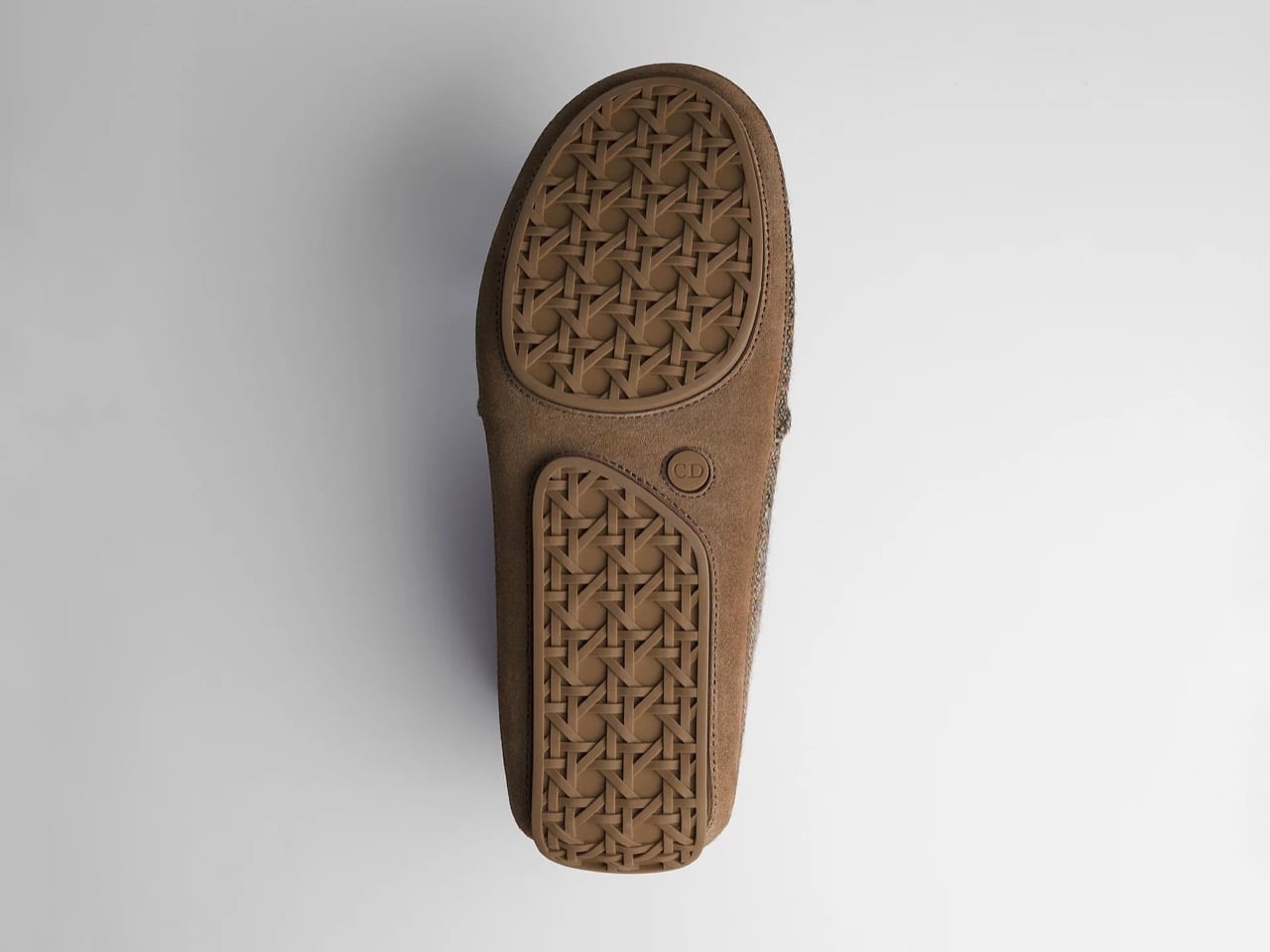
Branding is present, although it rarely interrupts the materials. Dior embroidery appears along the sides, while embossed logos are worked into the tongue and heel. The approach feels more integrated than applied. Even the sole continues the conversation. Its two-piece rubber construction features an engraved Cannage pattern with an inset CD logo, transforming a component that is usually treated as purely functional into one of the shoe’s most considered surfaces.
There is something especially satisfying about giving this much attention to the bottom of a shoe. The sole is the part that actually meets the world. It absorbs the pavement, gathers evidence of where you have been and, quite literally, leaves a print behind. Here, Dior turns that overlooked surface into a design signature. The woven effect and Cannage engraving mean that even the impression underneath carries an identity. It is a clever reminder that good design does not have to stop where visibility does.
The cylindrical construction also gives the Roadie an unusual stance. From the side, the shoe feels almost inflated around the ground, with the outsole extending the visual weight of the upper rather than simply supporting it. There is humor in the proportion, but it is controlled. The result is avant-garde without becoming theatrical for its own sake.
This balance between eccentricity and familiarity feels particularly suited to Anderson’s approach at Dior. Donegal-inspired texture keeps the shoe grounded in craft and personal history, while the unusual sole pulls it firmly into the present. The Roadie does not discard the traditional codes of luxury footwear. It rearranges their hierarchy, asking the material, construction, and sole to share equal responsibility for the personality of the object.
Made in Italy, the boots come with a dust bag and an additional pair of shoelaces. Dior notes that minor variations in color, sizing, material composition or appearance may occur because of technical limitations, product improvements or differences between production batches, with the physical product taking precedence over online imagery.
The Dior Roadie ultimately feels like a shoe designed for someone who notices the parts of an object that most people ignore. The Donegal textures may attract the first glance, and the unusual proportions may hold it, but the most memorable idea sits underneath. In a category where soles are so often treated as an afterthought, Dior has made one worth turning the shoe over for.
Japanese kitchen tools have a way of reframing what you thought was a small decision. The bowl you use, the grater you reach for, the pot you carry to the table — each one changes the meal in ways disproportionate to the effort required. Instant ramen, for all its reputation as a shortcut, is genuinely good food. The gap between a cup of noodles and a restaurant bowl is mostly a matter of tools and intention.
The five tools collected here were all designed with a Japanese precision that prioritizes function as the foundation of form. A few come from independent studios, one is from Nendo — arguably Japan’s most internationally recognized design practice — and each earns its place by doing something specific better than the generic alternative. None of them require technique to use. They only ask that you put the right object in the right role.
1. Anaori Kakugama
The Kakugama is made from carbon graphite—the same material used in semiconductor and aerospace manufacturing—which puts it in a fundamentally different category from cast iron or stainless steel. Carbon graphite conducts heat with an evenness that metal cookware struggles to match: no hot spots, no scorching, just a consistent thermal surface from edge to edge. Anaori designed it to move from stovetop to table intact, meaning the pot that built your broth becomes the vessel you eat from.
For ramen specifically, heat control is the variable that separates a clear, layered broth from something muddied and flat. A pot that holds temperature steadily — warming gently rather than swinging between extremes — gives you more precision without demanding more attention. The Kakugama’s graphite body also doesn’t react with acidic or alkaline ingredients, so a miso base or vinegar-spiked tare arrives in the bowl tasting exactly as intended, not filtered through the pot itself.
What we like
Carbon graphite surface ensures even heat distribution without hot spots, giving you real control over broth temperature throughout the cook
Stovetop-to-table design removes the gap between cooking vessel and serving vessel entirely
What we dislike
Premium price positions it well outside most home kitchen budgets
Carbon graphite is more fragile than cast iron and won’t survive a drop onto a hard floor
2. Impact Spice Mill
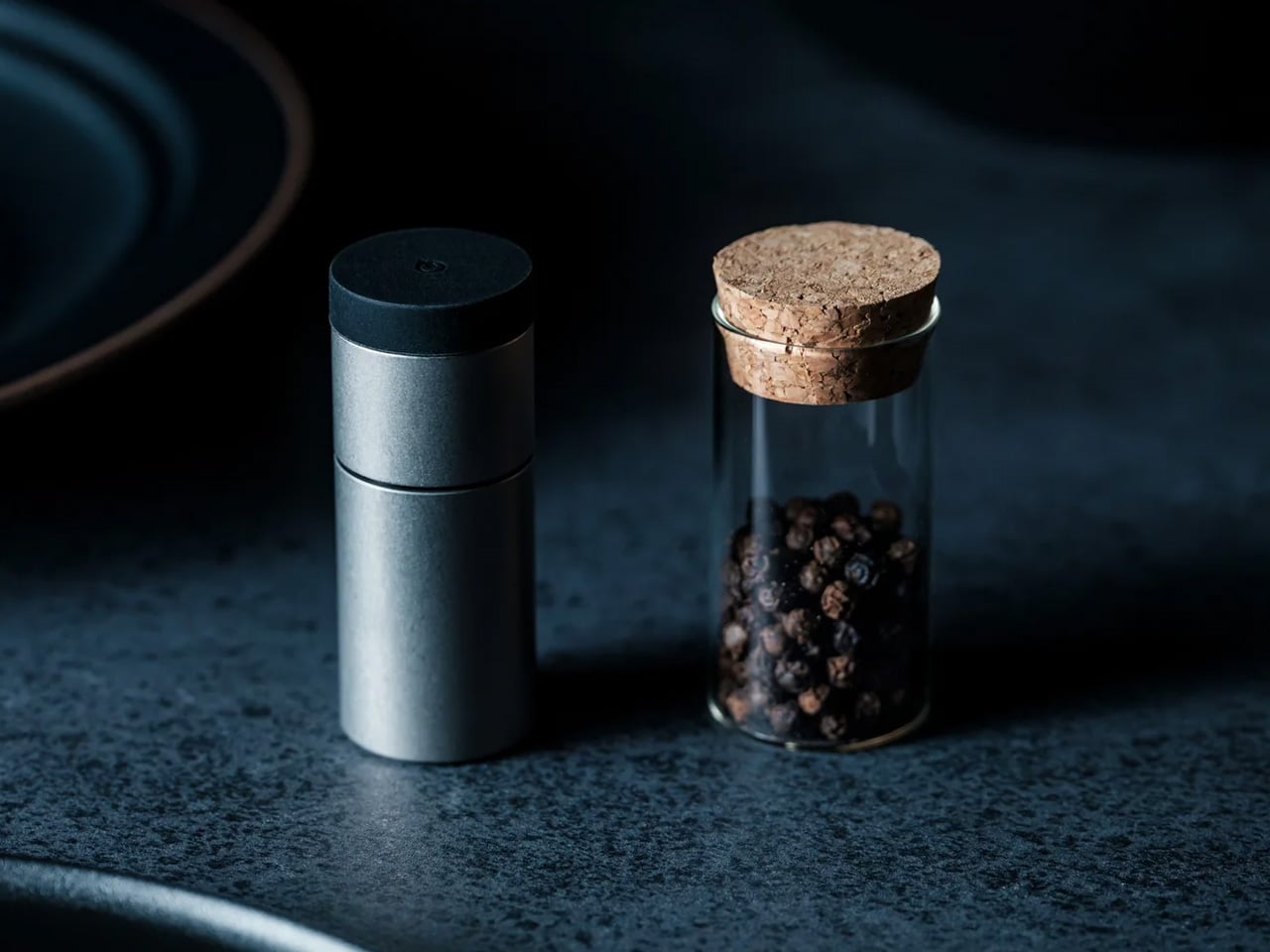
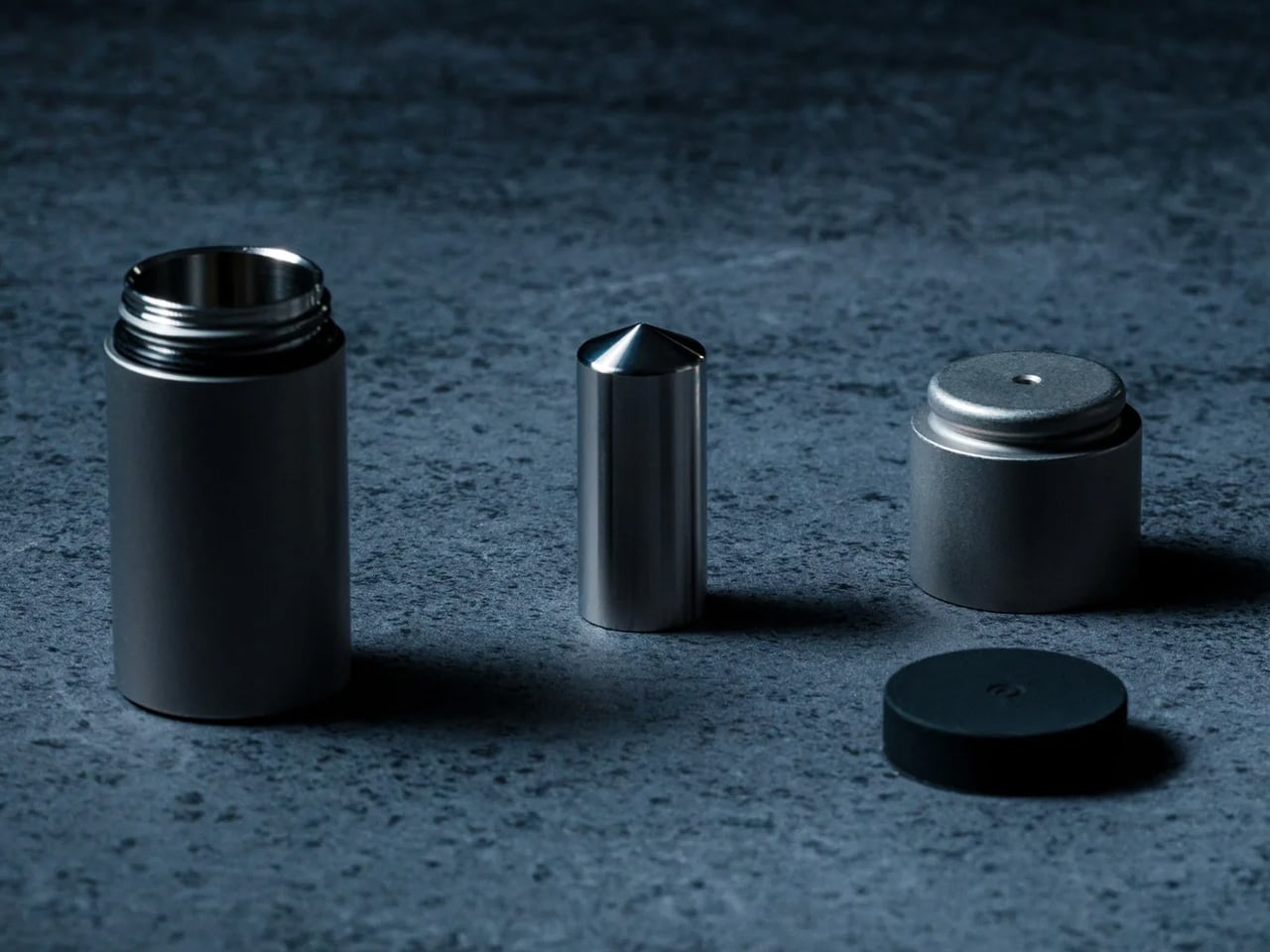
Most spice mills look the same and work the same way. The Impact Spice Mill is neither. Where a standard grinder asks you to twist, this one operates through an impact mechanism — the physical act of milling becomes part of the experience rather than something you do mechanically without thinking. Built with material quality that earns a counter presence rather than a drawer, it makes the act of seasoning feel like a deliberate choice and not an afterthought.
For a ramen bowl, freshly ground spice is a finishing tool, not a background note. A pinch of togarashi ground tableside, or whole sesame cracked directly over the broth, lifts the bowl from assembled to considered. The Impact Spice Mill fits that moment naturally — small enough to set beside the bowl without competing with it, and tactile in a way that suits the ritual of building something worth eating slowly.
Impact mechanism offers a more engaging, tactile experience than a standard twist-grind mill
Compact enough to serve tableside without disrupting the bowl’s visual presentation
What we dislike
The percussion mechanism takes an adjustment period for those accustomed to traditional grinders
3. Tabletop Teppanyaki Kit
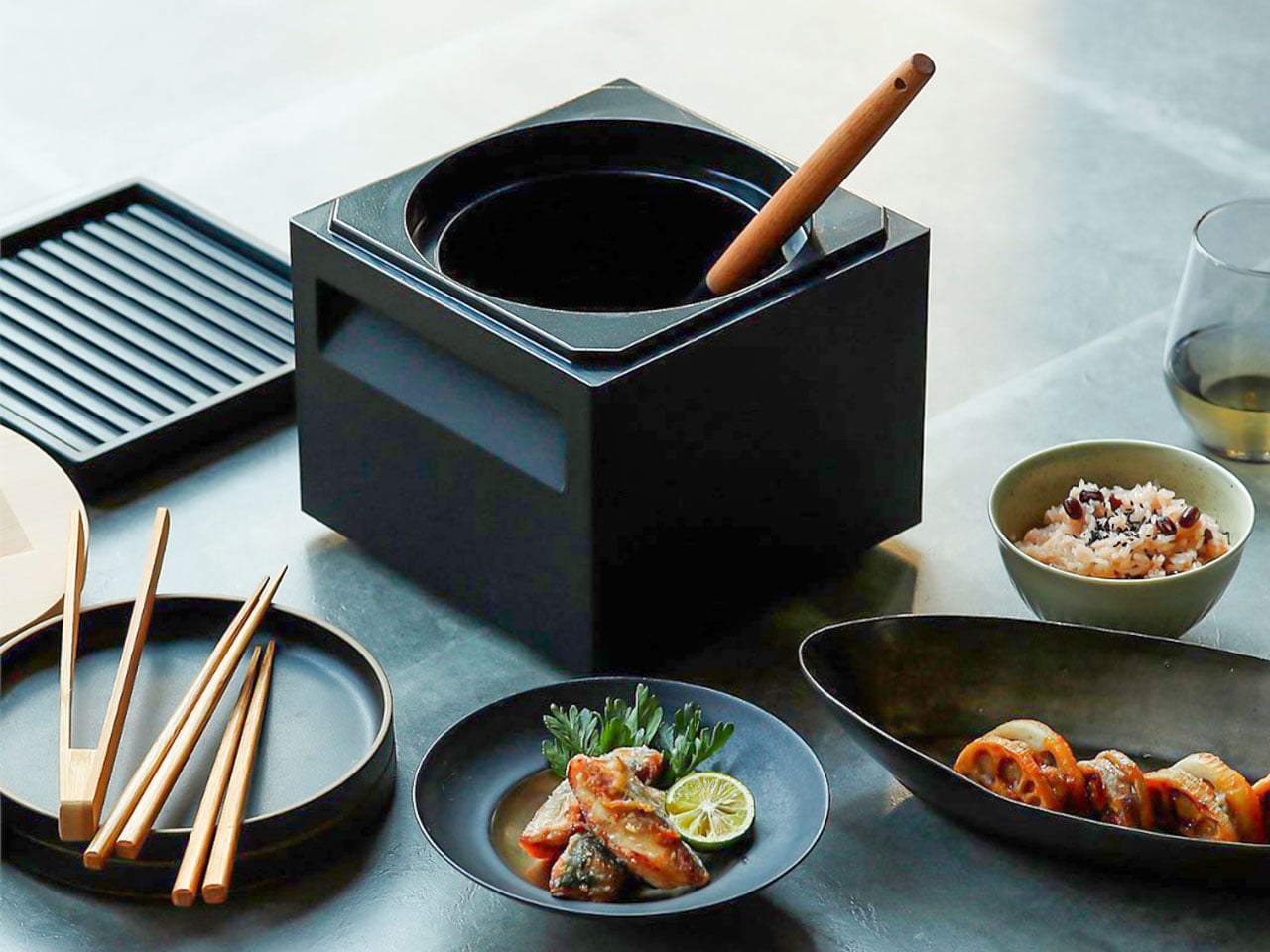
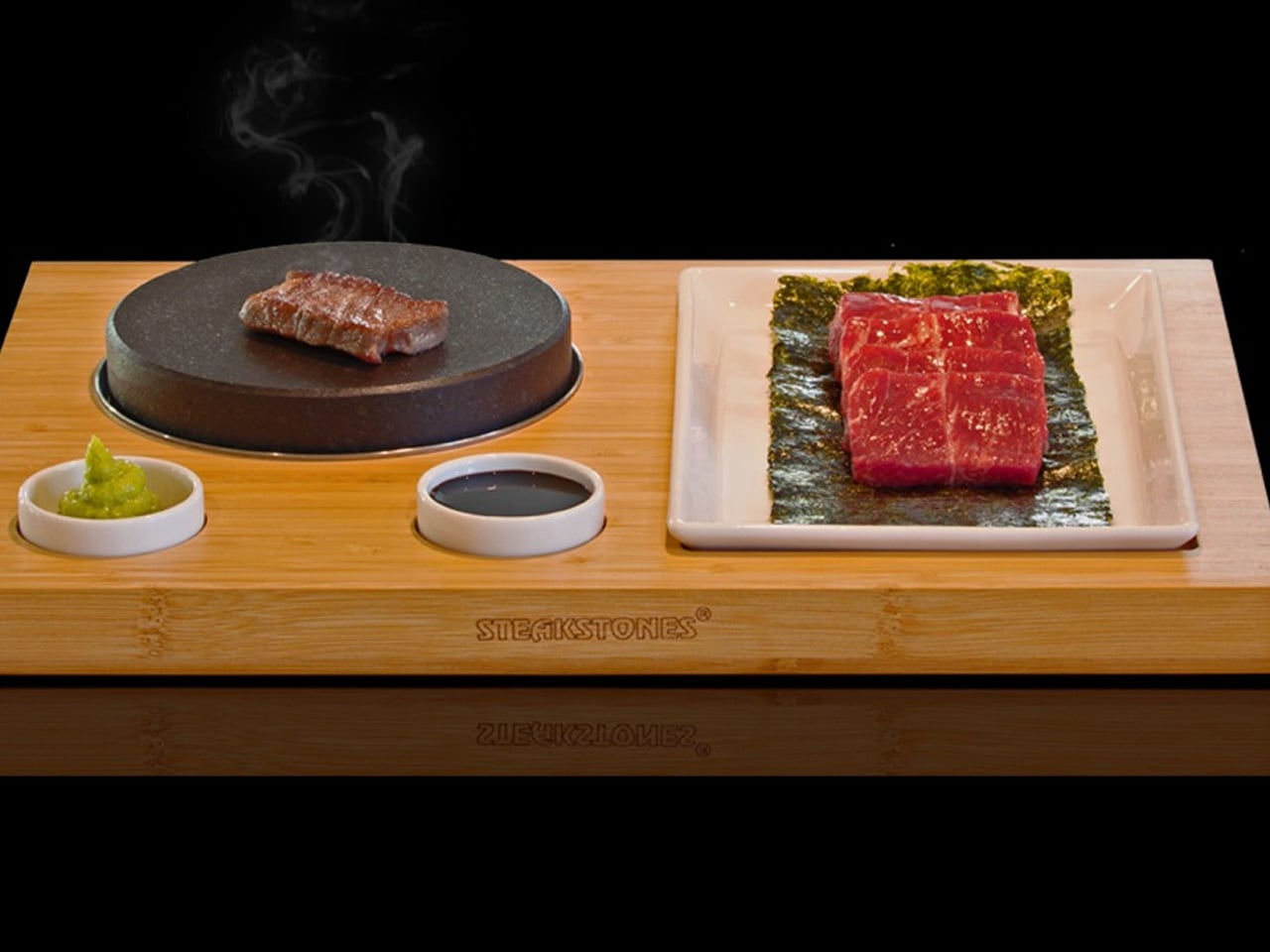
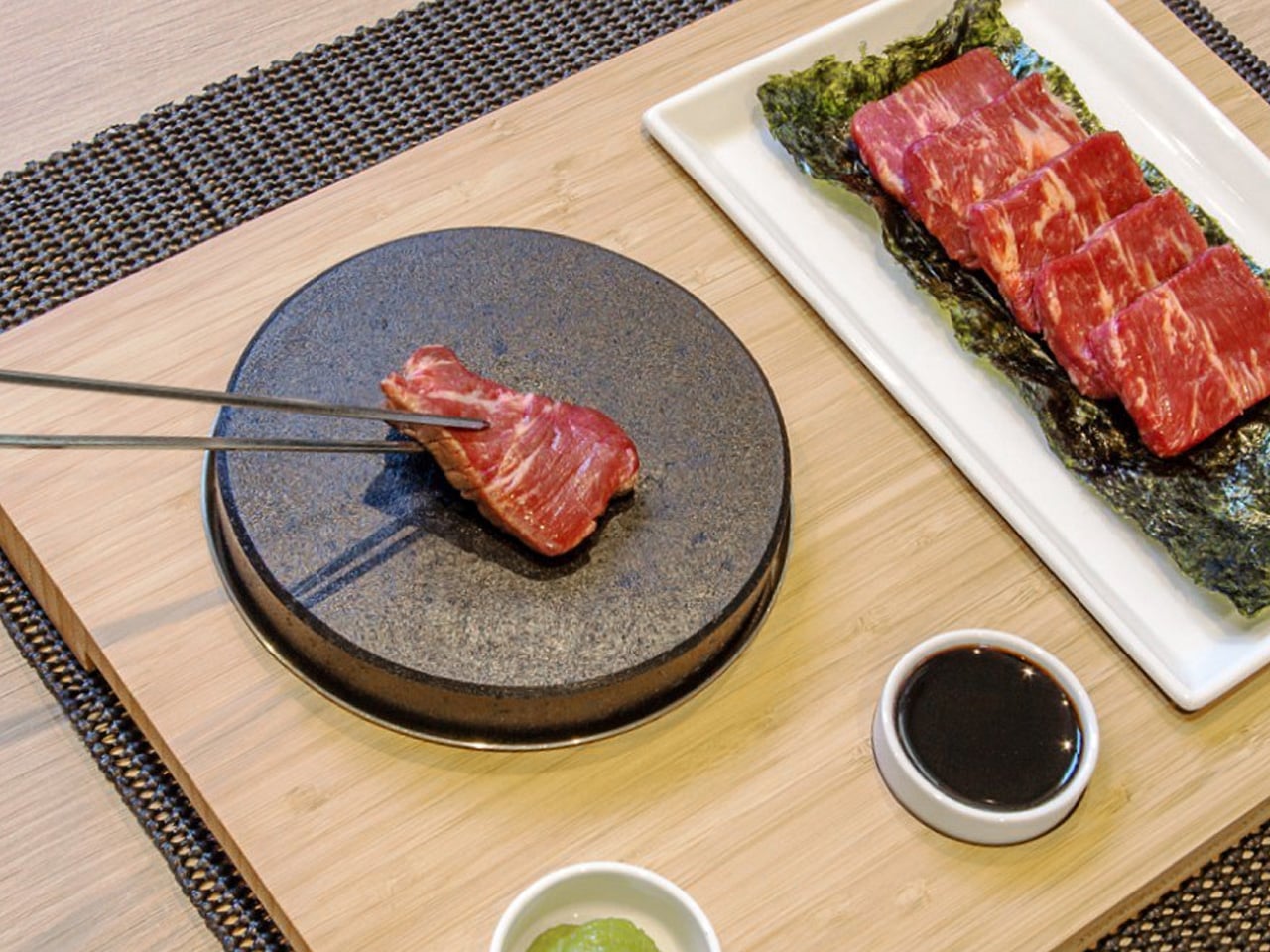
The tabletop teppanyaki kit does something that standalone appliances rarely manage — it turns the preparation of food into part of eating it. Designed for home use but built around the same principle as restaurant teppanyaki, it brings a cooking surface to the table. The food that goes into the bowl is finished in front of you rather than behind a closed kitchen door. The ritual matters as much as the result, and Japanese design has always understood that.
For a ramen setup, the kit earns its place as the tool for chashu. Pork belly seared at the right temperature — with visible caramelization on the fat cap — is one of the clearest signals that a bowl is worth eating slowly. A tabletop surface lets you sear slices to order, finishing them moments before they hit the broth, preserving both the texture of the crust and the temperature of the meat in a way that pre-plating never does.
What we like
Brings the cooking surface to the table, making preparation a visible and deliberate part of the meal
Ideal for finishing ramen toppings like chashu tableside, preserving texture and temperature simultaneously
What we dislike
Requires table space that a minimalist kitchen setup may not easily accommodate
Cleanup adds a step that a straightforward one-pot approach avoids entirely
4. Plate Grater
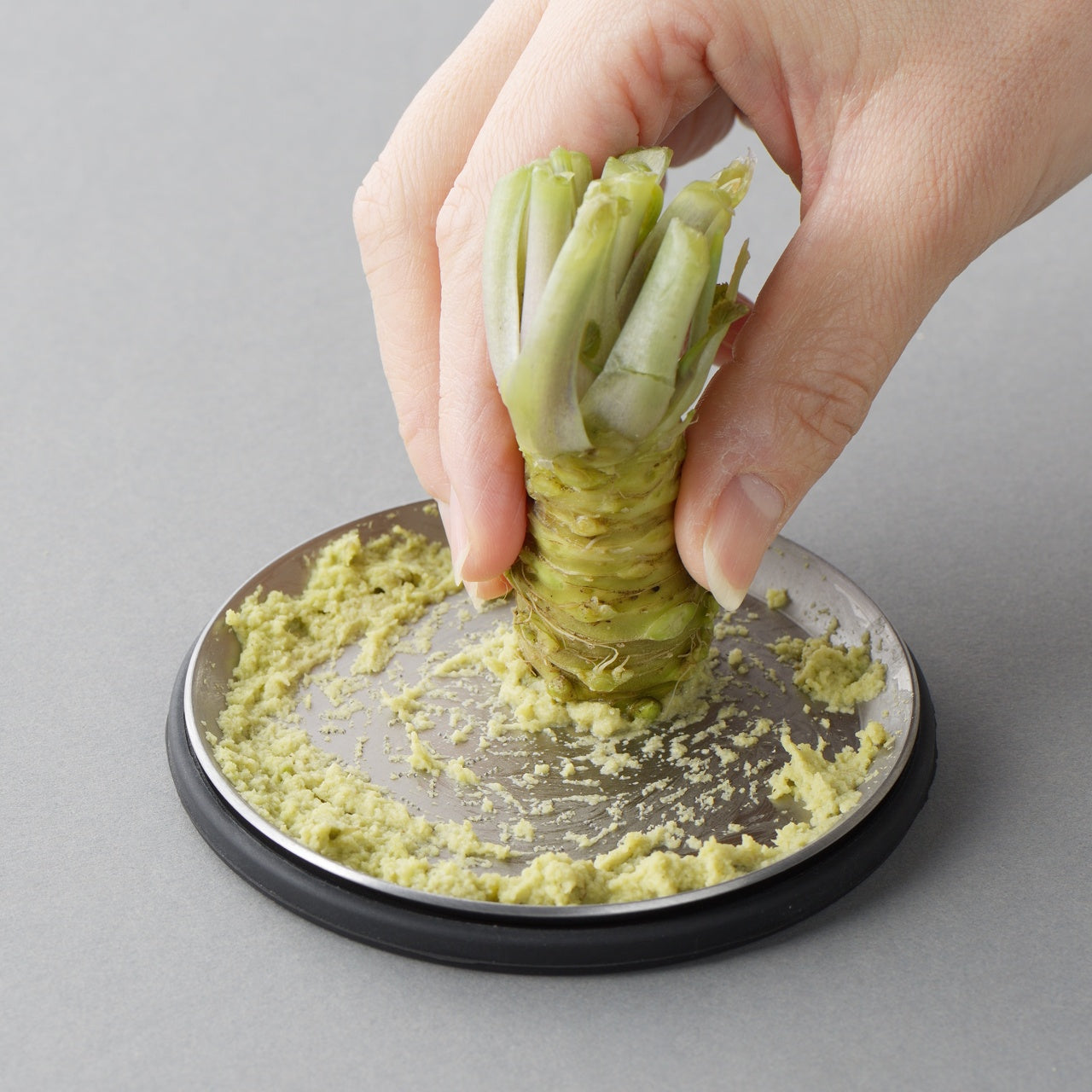
The Plate Grater solves a problem most kitchen tools don’t acknowledge: the transfer step. Grate something into a bowl, move it to a plate, and somewhere in that process you lose both texture and presentation. This tool removes the middle step entirely. The grater surface is the serving surface — grate your daikon, ginger, or garlic directly onto the plate, and the result arrives at the bowl without the texture-destroying detour of a second vessel.
In a ramen context, freshly grated daikon is the detail that signals care. The fine, airy texture of daikon grated at the moment of serving — before moisture has been pressed out by sitting in a bowl — is visually and texturally distinct from the pre-grated version. The Plate Grater makes that easy enough to do every time rather than only when you’re trying to impress someone, which is the point. The best tools remove the friction between intention and execution.
Eliminates the transfer step between grating and serving, preserving texture at the exact moment of plating
Dual function reduces the number of tools needed on the counter without sacrificing quality
What we dislike
A specific tool, not a versatile one — its value is limited to ingredients that benefit from fresh grating
Size constrains how much you can grate at once, making it less practical for larger servings
5. Nendo Intertwining Chopsticks
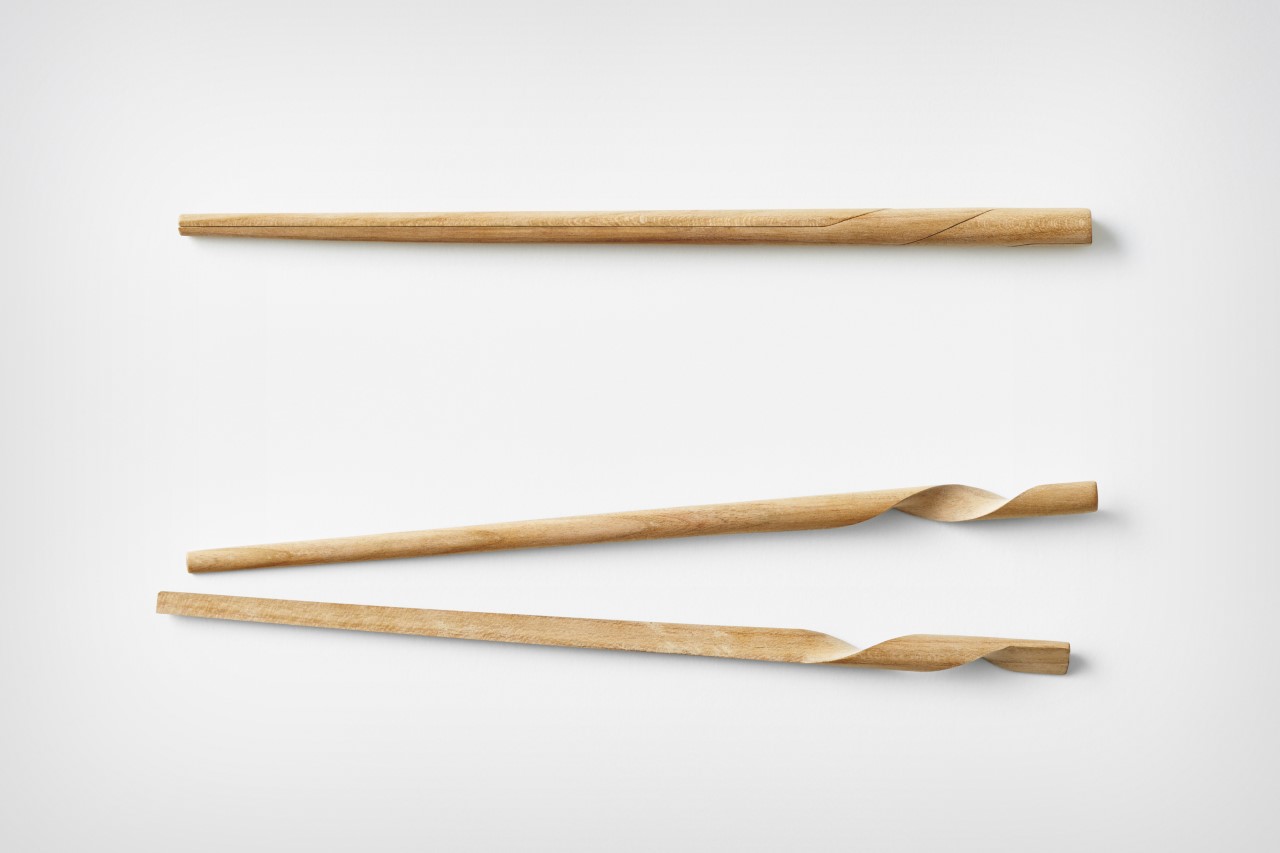
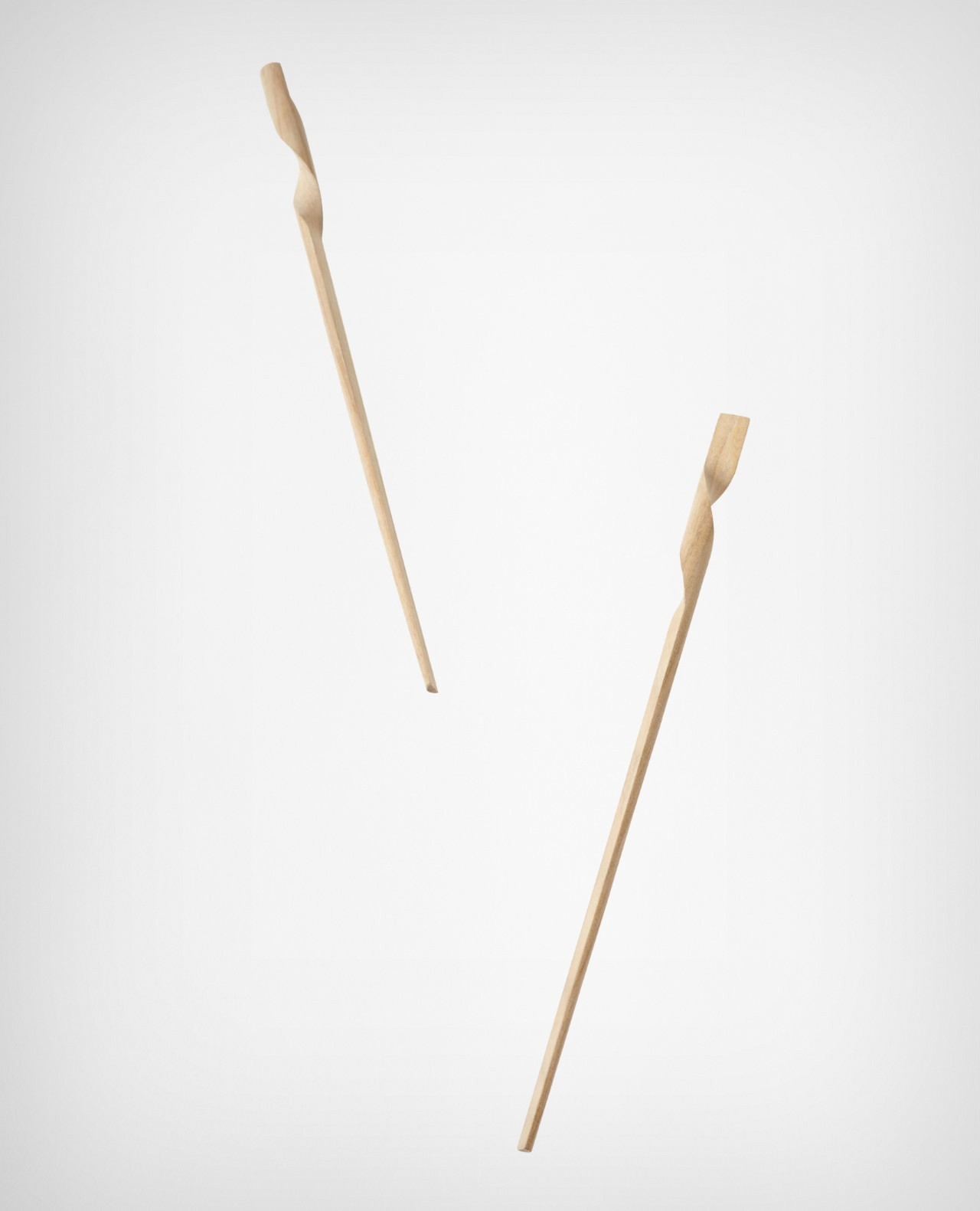
Nendo is the Tokyo design studio that has, over two decades, made a consistent argument that the most overlooked objects in daily life are worth redesigning most carefully. Their chopsticks apply that logic to one of the most common utensils in Japanese cooking. Rather than treating a pair of chopsticks as two identical sticks, Nendo redesigned them to intertwine into each other at rest — turning two separate objects into a singular, cohesive form the moment you set them down.
The change is purely formal — the function of the chopsticks themselves is unchanged. What shifts is how they behave as objects between uses, and that shift has a disproportionate effect on how the table looks while you eat. A ramen bowl is already visually composed — the placement of toppings, the rim, the broth catching light. Chopsticks that form a clean, considered shape when rested beside the bowl complete that composition rather than interrupting it.
What we like
The interlocking resting form turns a utilitarian object into a considered design detail with no added effort
No functional compromise — the redesign affects only how the chopsticks behave when not in use
What we dislike
Form-forward by design — those looking for material or grip improvements over standard chopsticks won’t find them here
The interlocking geometry may not translate equally well across all hand sizes or grip styles
The Meal Is the Design
What connects these five tools isn’t price or origin — it’s intention. Each one was designed by people who looked at a common kitchen problem and chose not to accept the existing answer. That thinking produces objects that change how cooking feels, not just how food looks. A bowl of ramen built with these tools tastes the same as one made without them. The difference is in how much you meant it.
Japanese design has always worked with the premise that everyday objects deserve the same rigor as landmark architecture — that the feel of a grater or the way chopsticks rest on a table are problems worth solving properly. These five tools carry that premise into the kitchen in ways that are concrete and usable. Start with one. The bowl you make next week will not look like the bowl you made last week.
Every idea deserves somewhere to go, and for a lot of 3D printing hobbyists, that place has been missing. ELEGOO wants to change that with ELEGOO DAY 2026, launching September 10, its annual celebration built around bringing creators together on Nexprint. This year folds in a creator fund, a design contest, new model generators, and a sale, all pointing toward one goal: getting more people to create, share, and be part of a growing community.
Most of that action happens on Nexprint, ELEGOO’s open-source 3D model platform, built on the belief that creation should be open to anyone with an idea. Think of it as the hub tying everything together: models get uploaded, tools get discovered, and creators get a real reason to keep contributing. That shift is slowly turning ELEGOO from a printer maker into a community built around making.
The centerpiece is the new $1,000,000 Creator Fund, ELEGOO’s way of recognizing and rewarding people for sharing 3D models on Nexprint, not just paying for output but investing in the community itself. Rewards start with your very first submission, no waiting for likes or rankings to climb first. Individual models can earn up to $100, and stacking incentives push that ceiling to $300 per model.
There’s more structure built in too. Extra rewards unlock at 3, 5, 10, 20, and 50 submissions, so consistency pays off as much as any single hit model. Monthly rankings hand exclusive prizes to the top five creators, including actual ELEGOO printers, while a new bonus-card mechanism can push individual payouts even higher. It feels less like a marketing gimmick and more like a system built to grow alongside its creators.
From September 10 to October 30, ELEGOO runs the MakeItReal contest on Nexprint, and the premise couldn’t be simpler: take a flat idea, in whatever form it takes, and give it dimension, no design background required. There’s no theme to chase, just that shift from flat to physical. Winning entries will be picked and announced on November 20, each earning up to $300 in ELEGOO coupons for the trouble.
The idea behind it is almost sentimental for a hardware company, echoing ELEGOO’s belief that 3D printing works best as a creative outlet, not a manufacturing shortcut. A photo on your phone or a doodle in a notebook can end up as something you actually hold, not just imagine. Creators don’t need advanced modeling skills to compete, either. Nexprint’s upcoming Text and Image to 3D Generator lets anyone shape a contest entry straight from a photo or a written description, no CAD needed.
That generator is one of three new tools ELEGOO just added to Nexprint, alongside a Vase Generator and a Nameplate Generator, each built to make creation easier for beginners and veterans alike. All three do the same basic job: they take a drawing, a photo, or a few typed words and turn it into a printable model within minutes. None of it replaces real design skill, but it removes the blank-page problem that stops many from starting.
Put it together, and the loop makes sense. Someone sketches an idea, runs it through a generator, shares the result on Nexprint, enters it into MakeItReal, and picks up Creator Fund rewards along the way. None of those steps demand deep technical skill. This is the connected ecosystem ELEGOO keeps referencing, not a slogan, but an actual sequence anyone can walk through starting today.
All this activity lines up with the ELEGOO DAY Sale, with discounts of up to 54% on selected products, running September 8 through 29 with regional pricing, ELEGOO’s way of putting that ecosystem into more hands. The Saturn 4 Ultra 16K brings high-resolution resin printing for detailed sculptures, jewelry prototypes, and miniatures. The Centauri Carbon 2 Combo handles multicolor prints for home décor and personalized gifts. The Mars 5 Ultra offers a smaller resin option with sharp detail for tight workspaces.
What stands out about ELEGOO DAY 2026 isn’t any single feature; it’s the shape of the whole thing. A hardware company built its business on printers, then quietly built systems for sharing, competing, and earning that turn a machine into a habit. For ELEGOO, that’s what building an ecosystem means: more chances for people to create, connect, and turn ideas into something real.
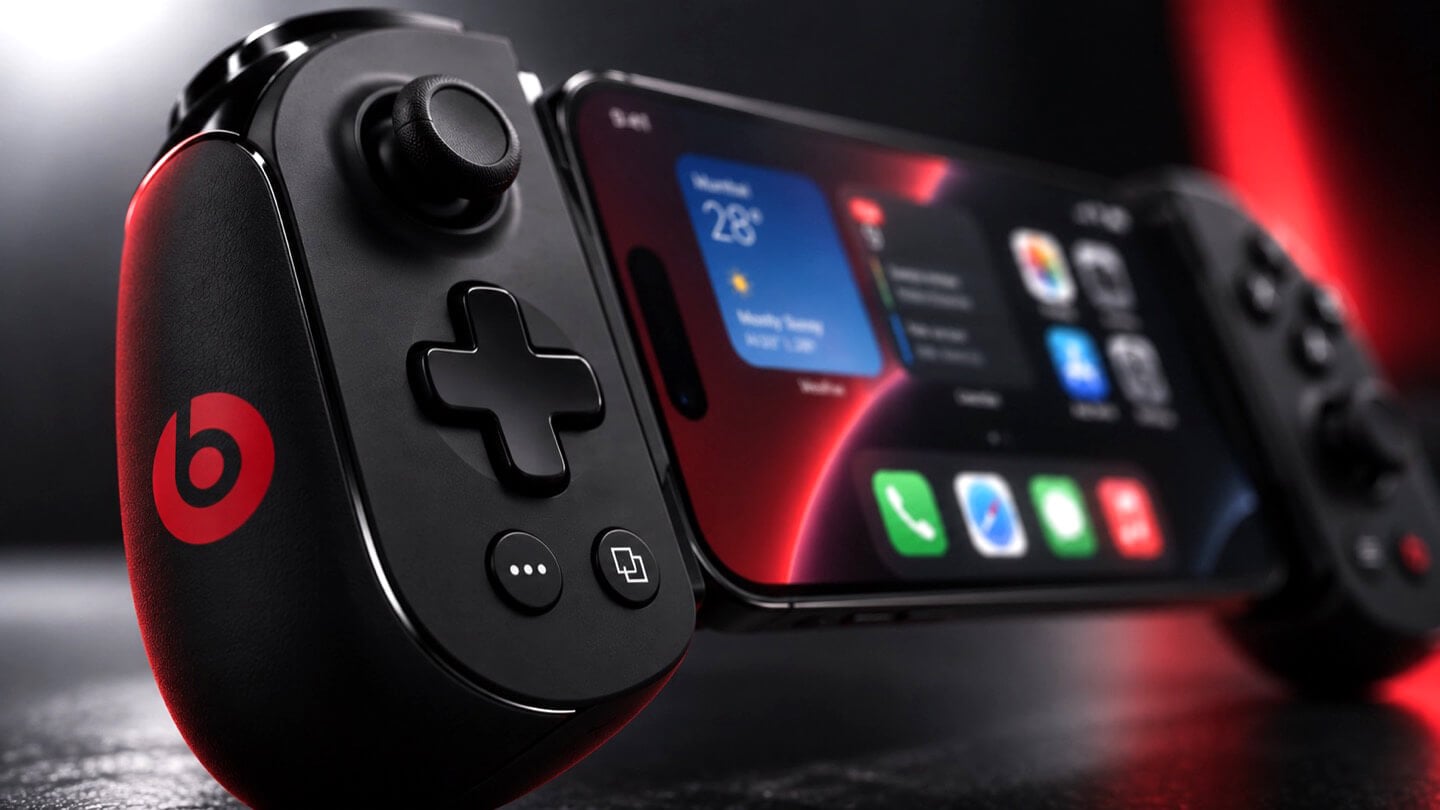
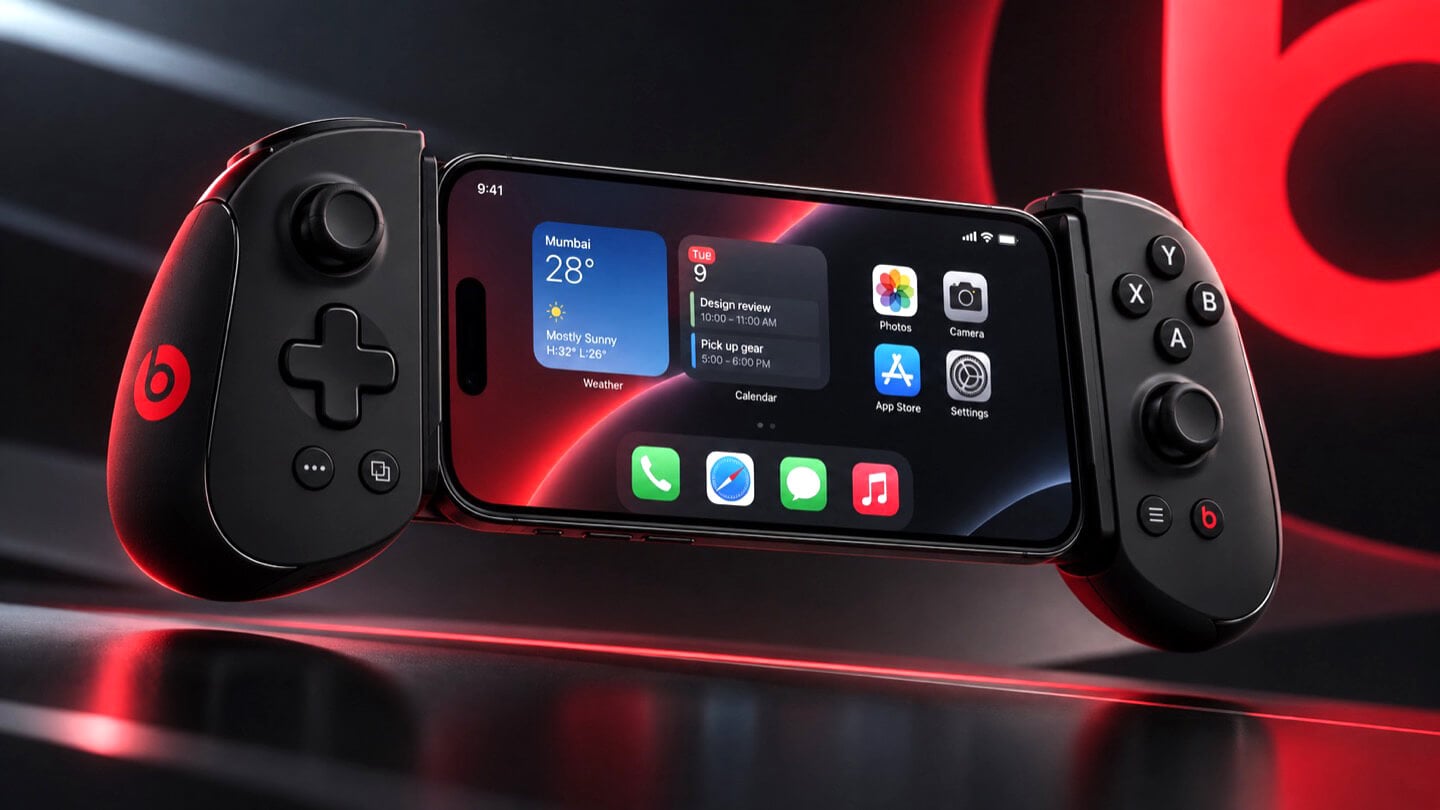
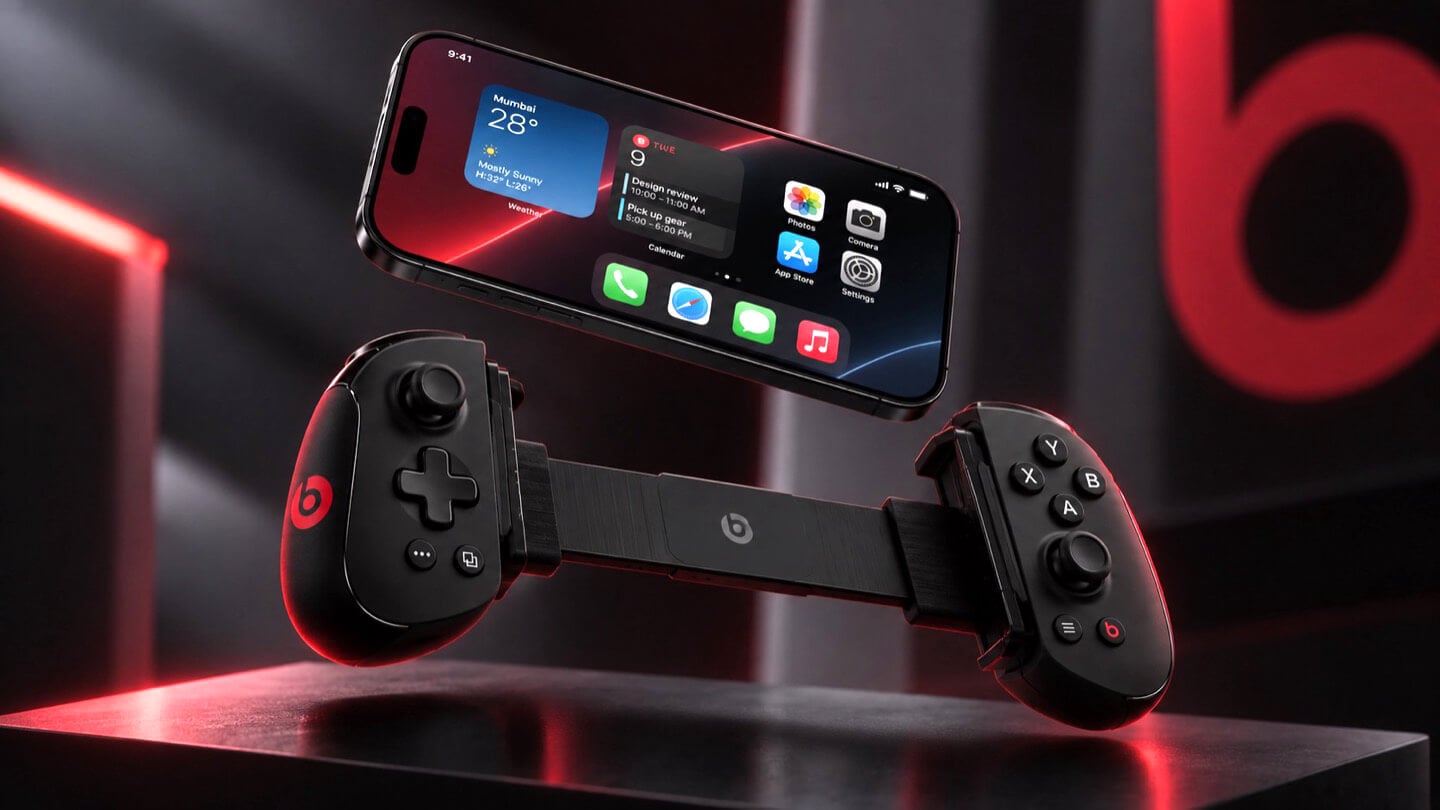
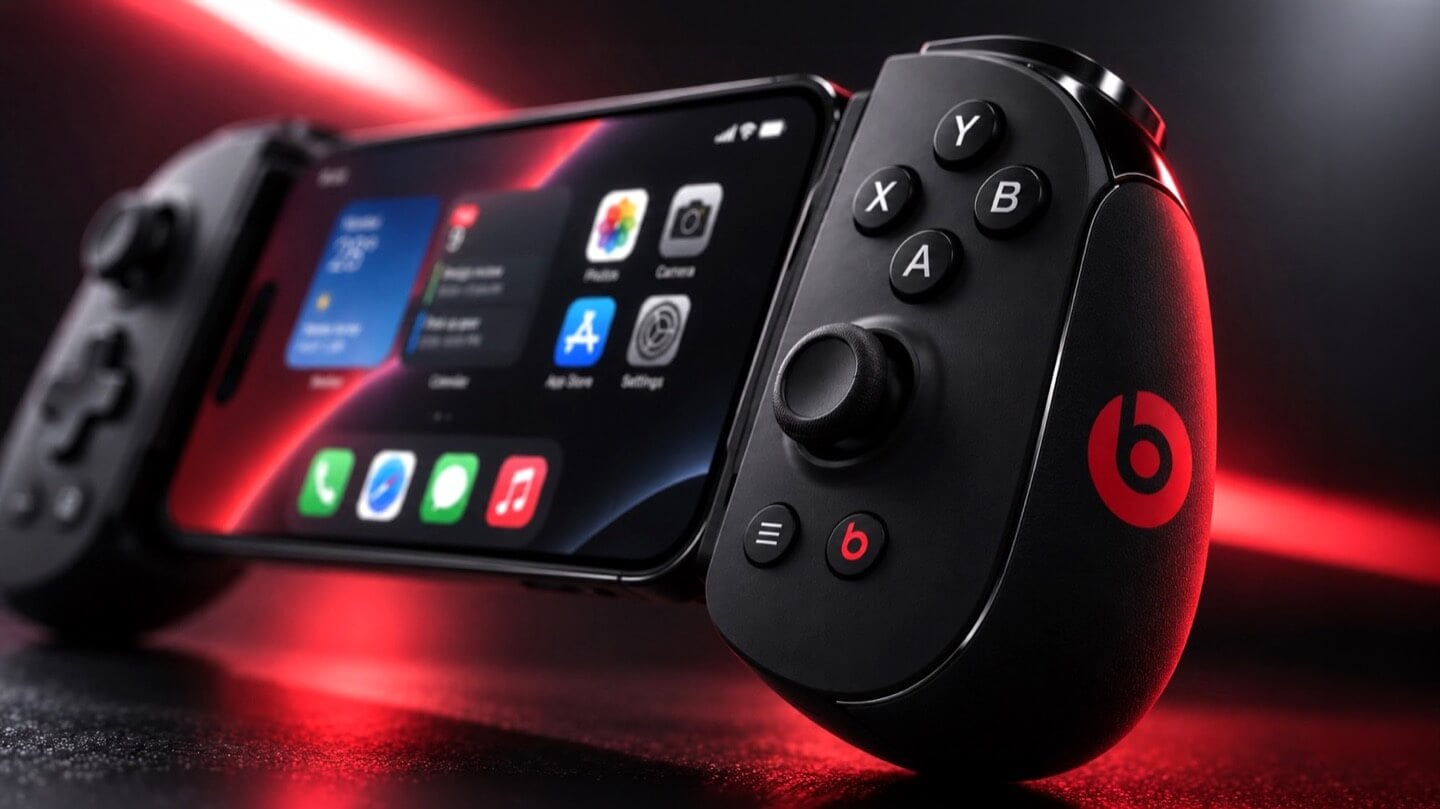
Apple and the gaming crowd have always had one of those relationships where you nod at each other across a party and never actually walk over. Apple makes the chips, brags about them beating a PS5 in some benchmark slide, then goes right back to talking about spreadsheets and stargazing apps. Gamers, meanwhile, buy a Steam Deck or a Switch and never think about the iPhone in their pocket as a gaming device at all. Bloomberg’s Mark Gurman just reported that Apple wants to finally cross the room, having spent over a year quietly developing its own gaming controllers for the iPhone. The bigger twist is who gets to wear the name tag. Rather than an Apple logo, the hardware is reportedly launching under Beats, the audio label Apple has been slowly turning into its lifestyle catch-all since buying it in 2014.
Code unearthed in a leaked macOS 26.7 build gives the rumor real teeth, naming two unreleased devices, T6502 and T1057, each carrying its own dedicated controller profile instead of placeholder code. Both come with the standard gamepad vocabulary, sticks, triggers, a D-pad, face buttons, the stuff every controller on the planet already has. T6502 keeps things simple and wired. T1057 adds Bluetooth, motion sensors, and a noticeably different haptic engine, suggesting more than one idea is being tested at once. Nothing is priced, dated, or confirmed, but the code alone says this has moved well past a mood board.
Designer: Apple
Gurman’s sourcing on the branding is the part I keep chewing on. He says Beats executives are leading both the engineering and the product concept, not just slapping a logo on something Apple’s industrial design team already finished. His reasoning is that the culture and lifestyle around gaming controllers fits Beats better than it fits Apple, and that the sub-brand gives the company room to use cheaper materials and a louder design without dragging down the premium finish people expect from anything wearing the actual Apple logo. Read between the lines and that is Apple admitting its own aesthetic has a ceiling. Titanium and glass photograph beautifully, but nobody wants to grip a cold slab for a three-hour Genshin Impact session. Beats, with its glossy plastics and its very unserious relationship with color, is a far more honest home for an object designed to be squeezed, dropped, and thrown in a backpack pocket.
There is a decent trade-off lurking here too, and it is worth naming before anyone gets too excited. T6502, the wired one, is basic by design, which means it will likely be the cheaper, more disposable option with none of the motion sensing or richer haptics that make a controller feel alive. T1057 sounds like the one worth wanting, but Bluetooth controllers introduce pairing friction and battery anxiety that a simple USB-C plug-in never has to deal with. Apple will have to pick a lane, or price the two far enough apart that the choice makes sense, and so far there is no signal on either price or release window. History also isn’t fully on Apple’s side. The company has floated controller ideas for years without shipping one, and it once required developers to support the Siri Remote’s accelerometer as a de facto gaming input before quietly dropping that mandate. A leaked profile in a beta build is not a keynote slide.
Where this actually matters long term is the software Apple has already built around it. iOS 26 shipped a dedicated Games app that pulls your library, your Game Center friends, and Apple Arcade into one hub across iPhone, iPad, Mac, and Apple TV, and Arcade itself has quietly grown past 250 titles for $6.99 a month. A first-party controller, even a scrappy Beats-branded one, gives all of that infrastructure something physical to plug into, which is a very different goal from just selling more hardware. It also puts Apple in the odd position of competing with its own shelf space, since the Apple Store already sells the Backbone One and the SteelSeries Nimbus, and we covered how Backbone’s own Pro model already chases full-size ALPS sticks and forty-hour battery life at a premium price. Razer’s brand new Prio takes the opposite approach entirely, folding down to credit card size for people who would rather not carry a controller-shaped commitment at all. Apple showing up now, later than everyone, wearing someone else’s logo, says less about gaming and more about how Apple treats every category it enters late. Quietly, sideways, and only once it has found a version of itself that does not feel like Apple at all.
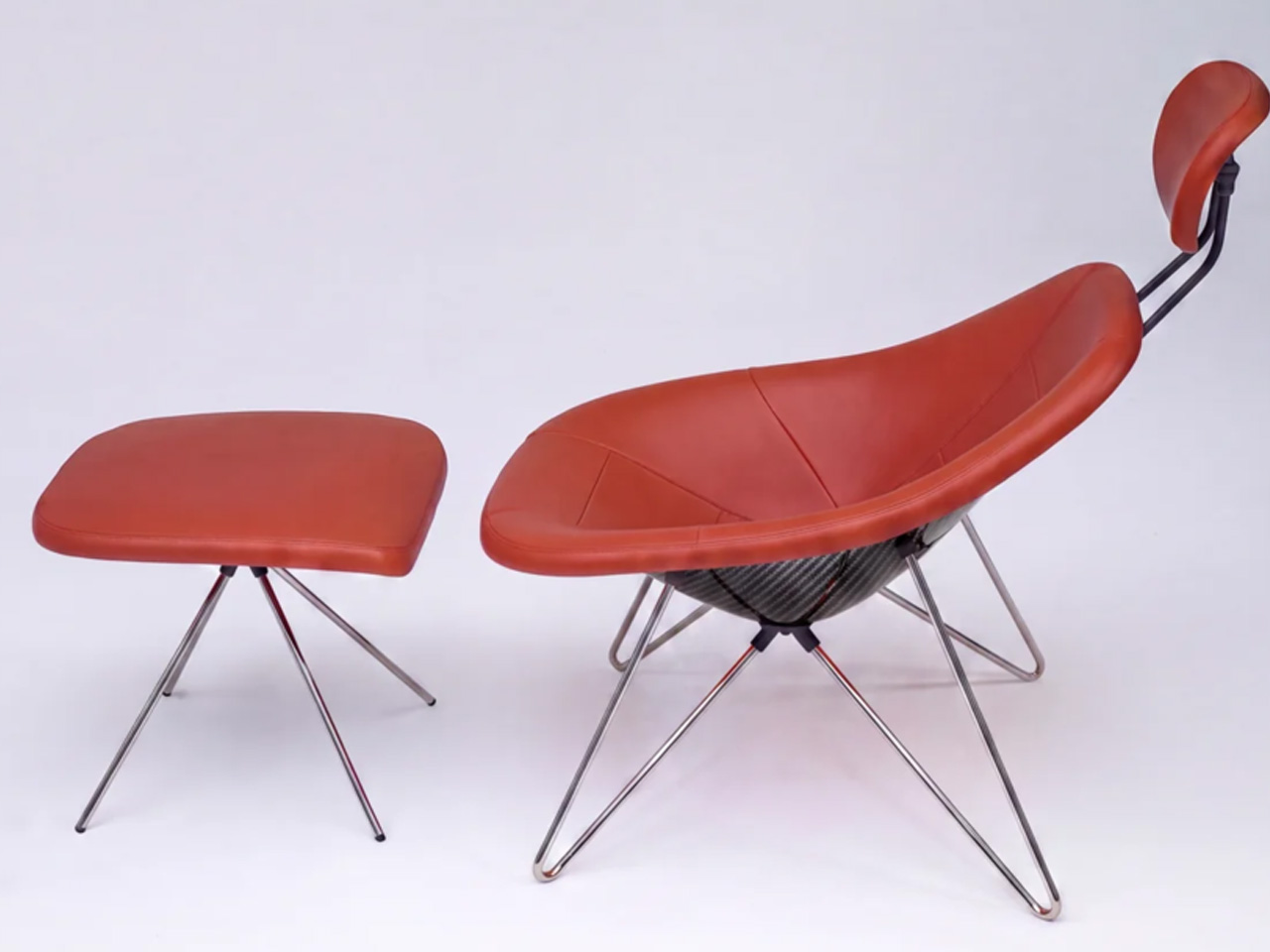
Most furniture doesn’t have a backstory worth telling. The Maniac Chair does. It looks, from across the room, like it wandered out of a 1950s Danish design studio — until you get close enough to realize it’s built from the same bloodline as a $2.35 million hypercar.
Oilstainlab is the California-based studio founded by Ukrainian-born twins Iliya and Nikita Bridan — high school dropouts trained in Italy and California, responsible in their previous lives for 6.5 million street cars. In 2018, they started Oilstainlab with a single promise: never to be sane. The result was the HF-11, a limited-production hypercar of which only 25 will ever exist. The Maniac Chair is the furniture-world extension of that same obsession, sold through House Dé Stains, Oilstainlab’s lifestyle brand.
Designer: Oilstainlab
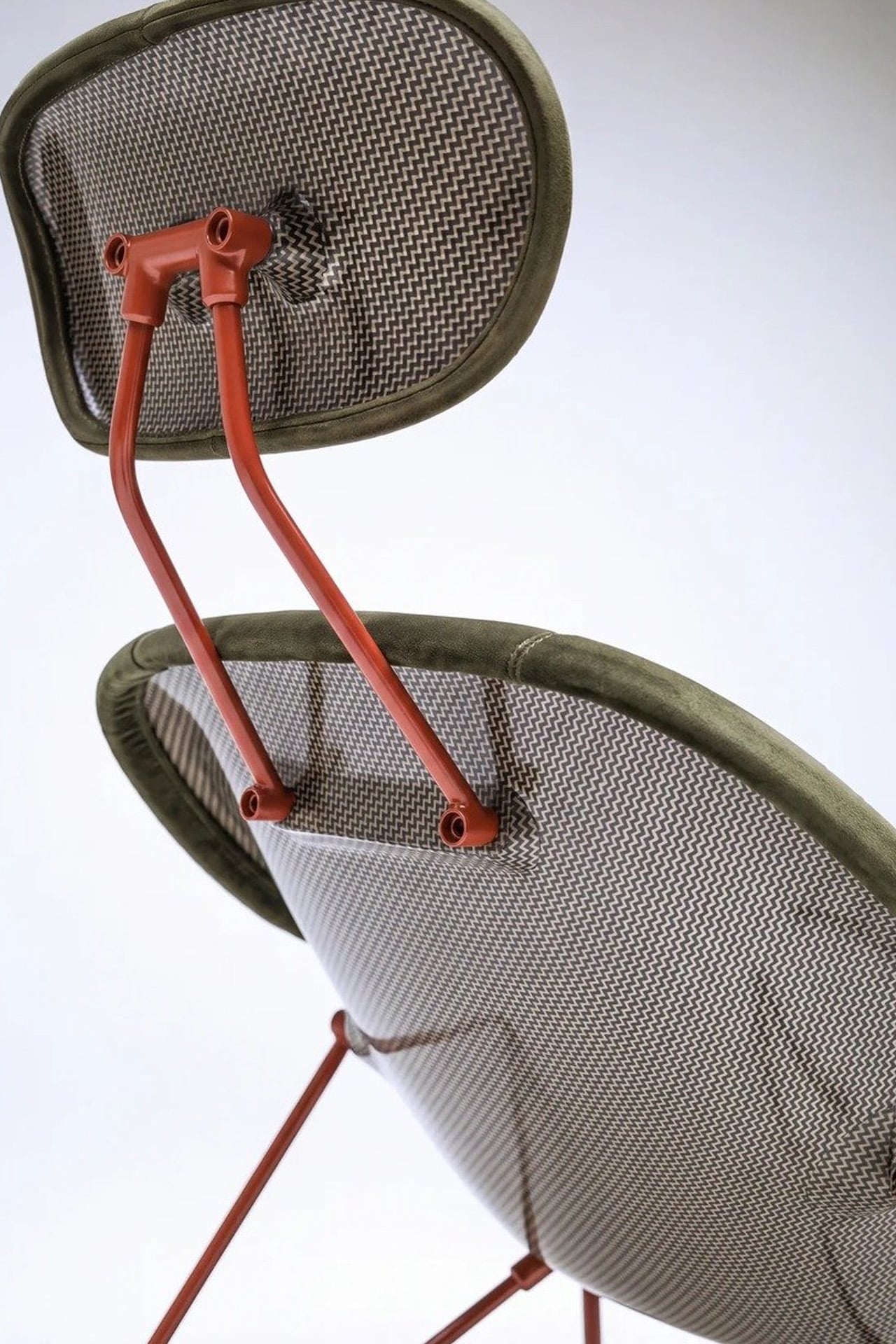
The chair’s shell is built on a CNC-machined aluminum frame wrapped in a hand-laid carbon fiber shell. That detail matters. Hand-laid carbon fiber isn’t a production shortcut — it’s the language of motorsport, of race seats and monocoques shaped around bodies doing 200 mph. Here, it’s shaped around a body doing nothing more than sitting. That deliberate mismatch is the whole point. The midcentury silhouette is familiar enough to read as furniture; the material is foreign enough to make you question what you’re actually looking at.
The name traces back directly to the HF-11, which Oilstainlab offered in an exclusive “Maniac” package for 11 of its 25 cars. The chair carries that identity forward — it’s not merchandise, it’s an extension of a design philosophy that treats excess and restraint as two sides of the same surface. The carbon fiber reads as raw and technical; the form reads as warm and considered. Neither cancels the other out.
What Oilstainlab has done here is something furniture designers rarely attempt, and automotive designers rarely bother with: they’ve made a chair that has genuine provenance. It isn’t inspired by cars in the way that means “we added some aggressive lines.” It shares DNA with an actual race seat.
The prep process before upholstery even echoes motorsport fabrication. For a studio built on the idea that sanity is optional, the Maniac Chair is a surprisingly coherent object. It knows exactly what it is — a piece of furniture for people who want to sit inside a design argument — and it doesn’t flinch.
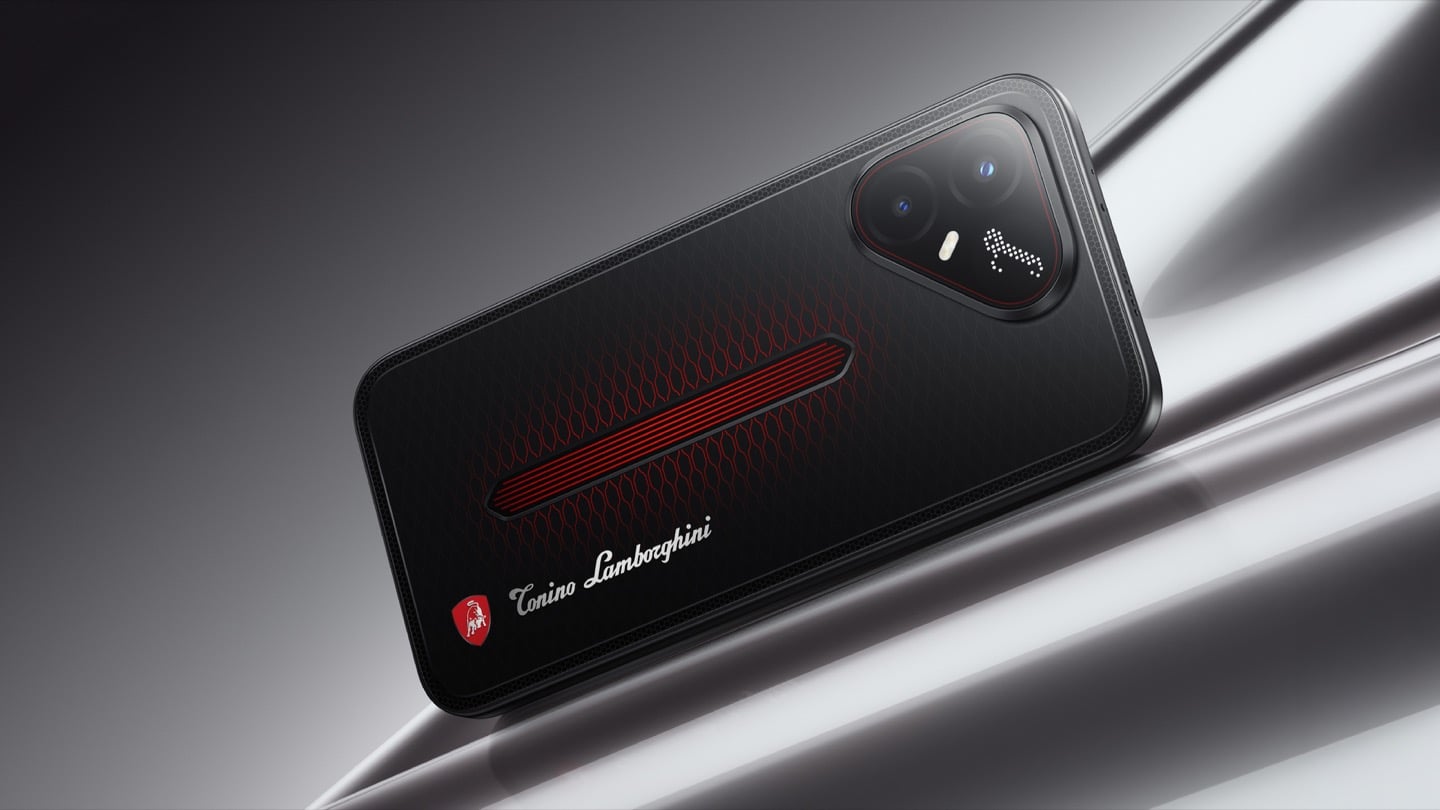
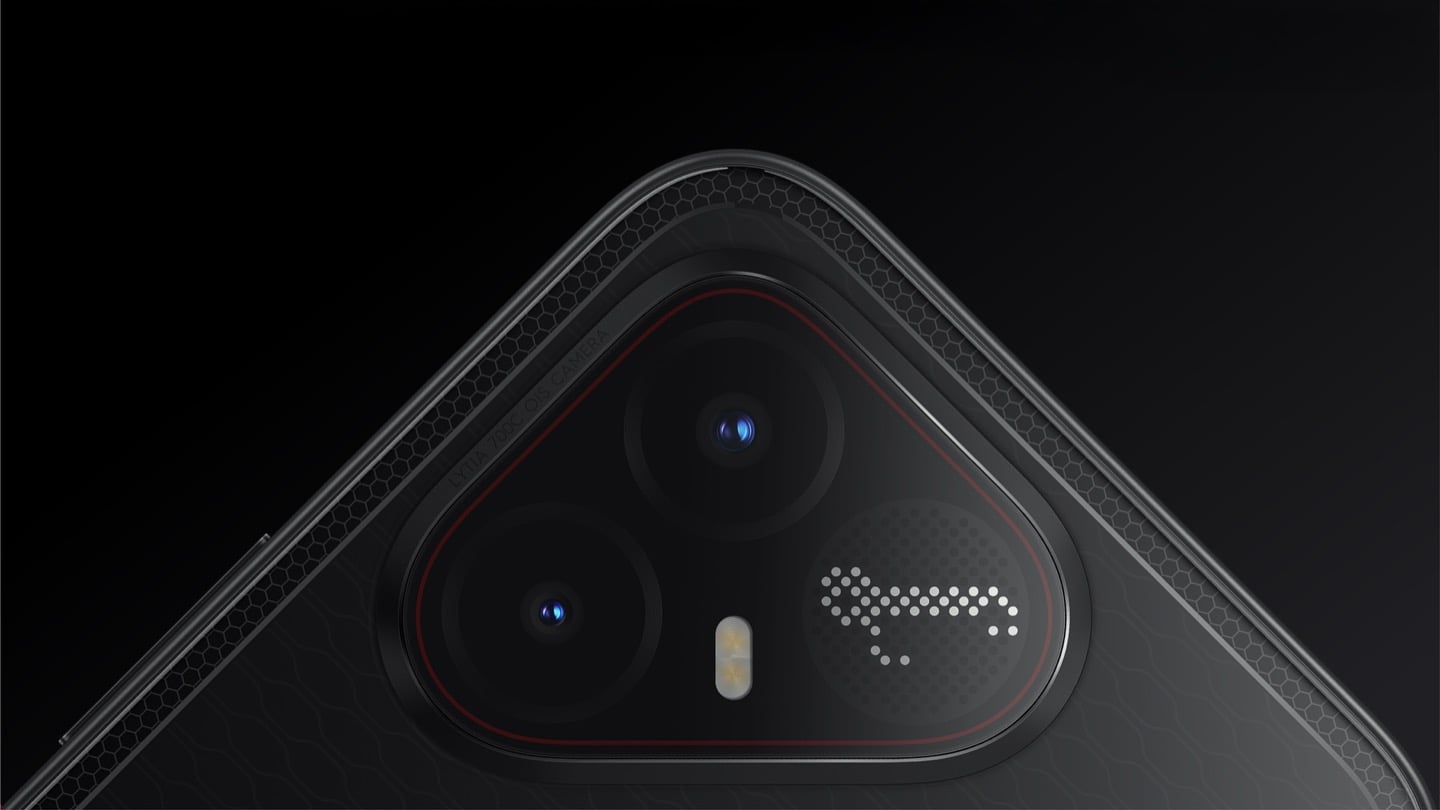
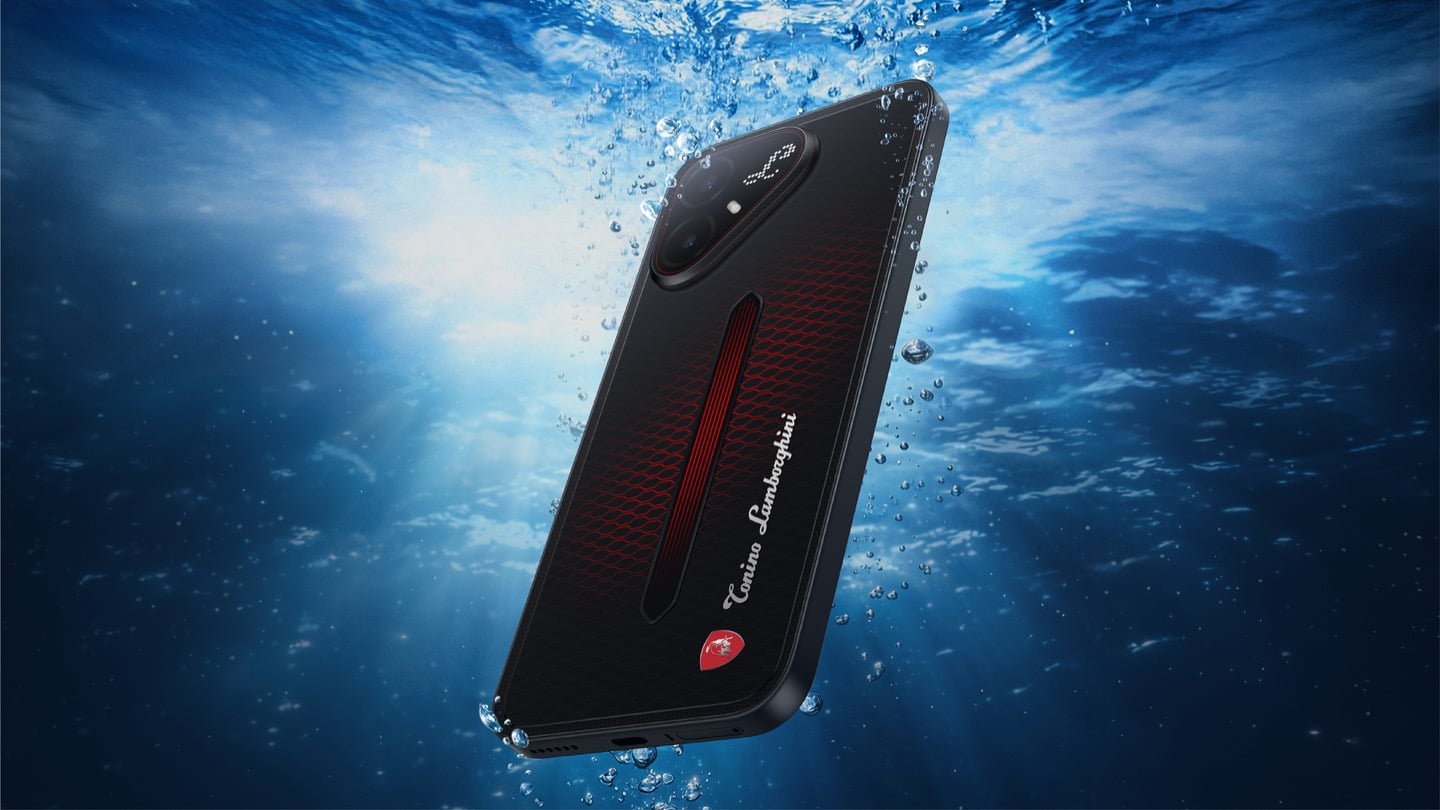
The most expensive Lamborghini phone ever made was a $6,000 slab of hand-stitched leather and gold plating called the 88 Tauri, and it ran Android KitKat on a Snapdragon 801. That was CES 2015, peak era for buying two-year-old silicon at four times the price because someone put a bull on it. Tonino Lamborghini made three of those phones between 2013 and 2017, then went away. The name has now resurfaced on the back of a TECNO POVA that costs about $490, and the badge is finally earning its position. It gets drawn in light instead of stamped in metal.
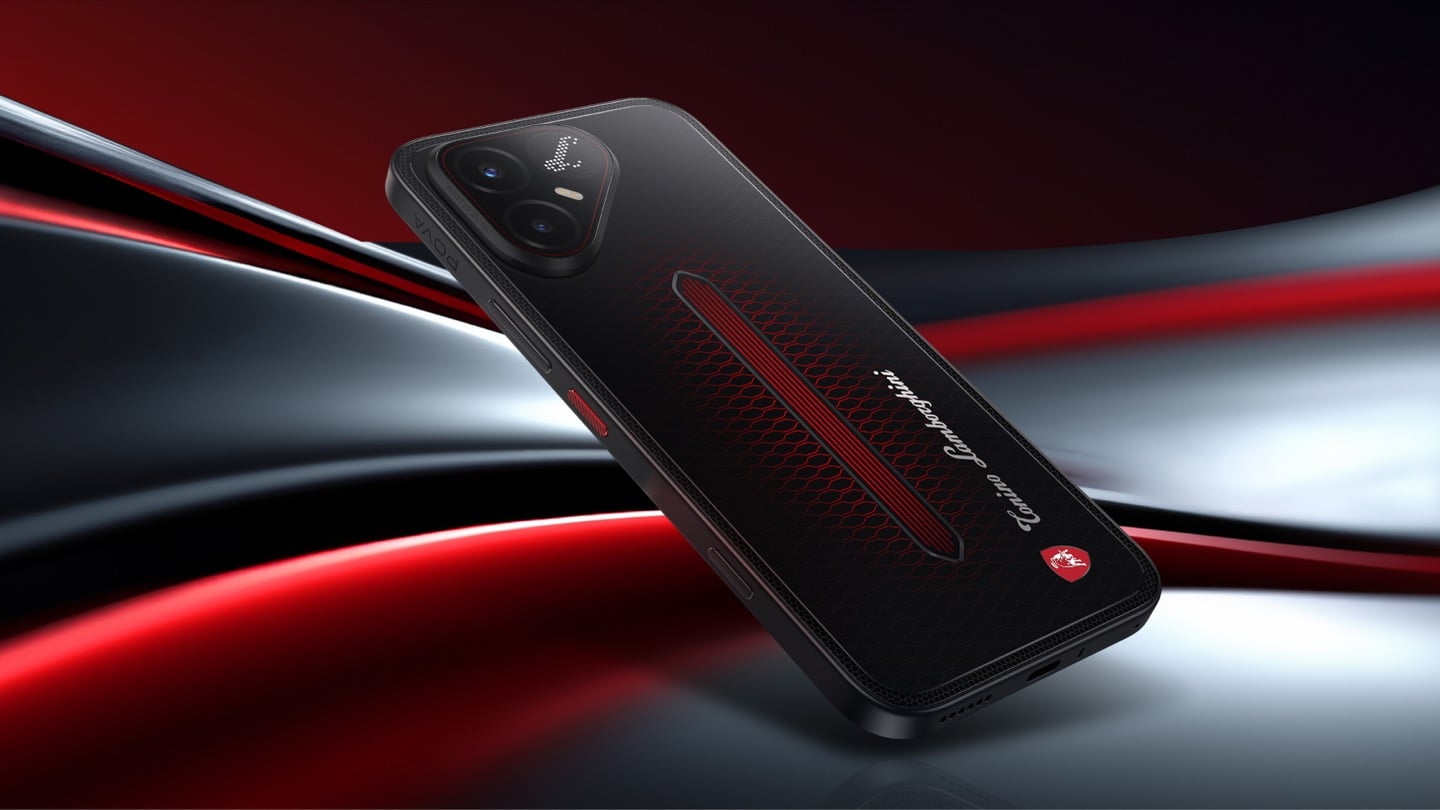
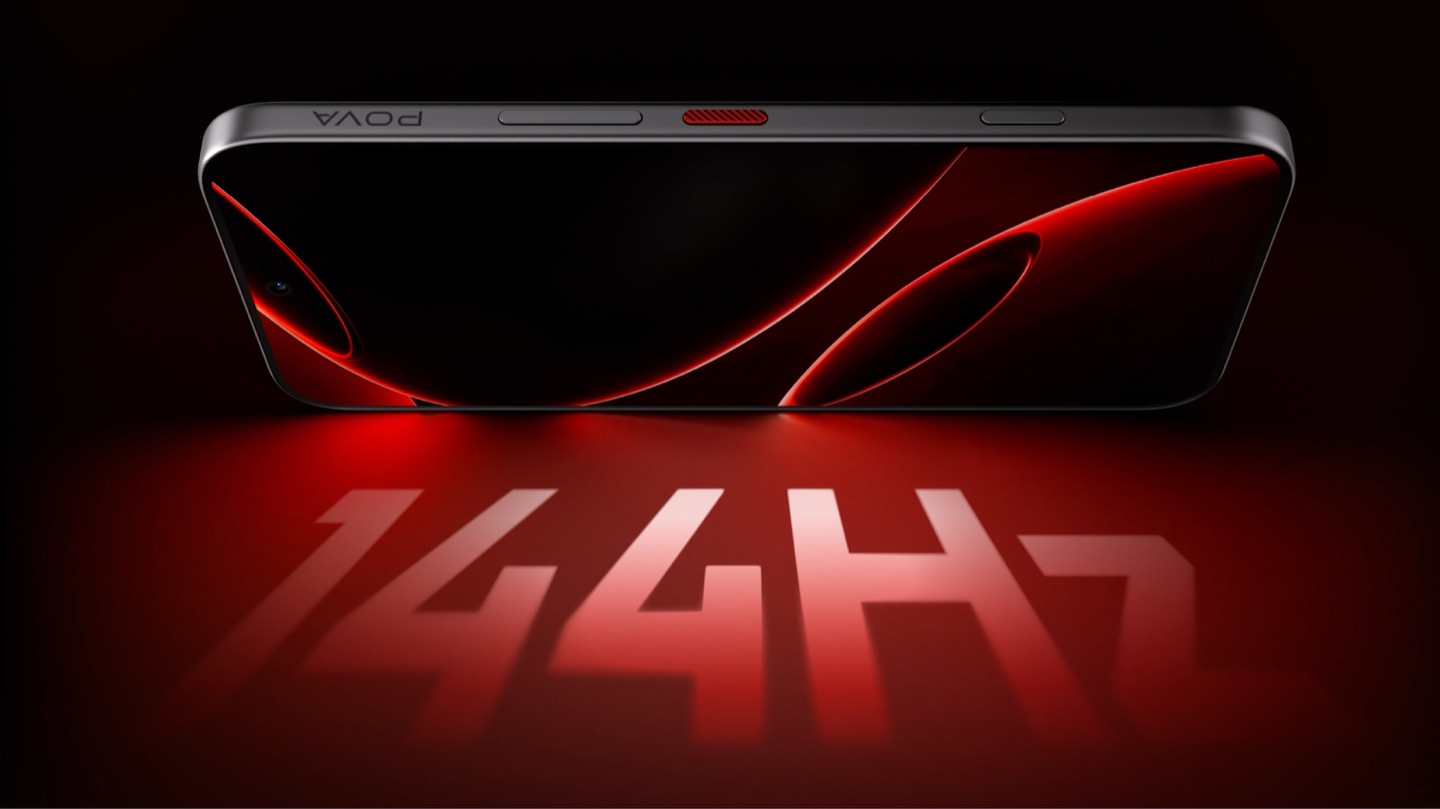
On the POVA 8 Pro 5G Tonino Lamborghini Limited Edition, the Italian brand’s “L” is rendered by 177 individually controlled mini-LEDs in TECNO’s Alive Matrix panel, and the red Pulse Line down the center of the back is a passive optical effect built from internal mirror structures sandwiched between two coating layers at different physical heights. Rotate it and the red rises out of the black, then drops back in. The phone is spec-identical to the standard POVA 8 Pro, so every difference you are paying for is a surface decision. Thai prices start at 15,999 baht for 8GB and 256GB, topping out at 19,999 baht for 12GB and 512GB. There is no US release and no US carrier certification.
Designer: TECNO Design Team, in collaboration with Tonino Lamborghini S.p.A.
Mechanical Grammar, Translated
The brief TECNO gave itself was to take a vocabulary that belongs to cars and make it belong to a slab of glass and aluminum, and the way in usually decides whether that kind of project reads as clever or as a paste job. The team started with the visual codes of mechanical design rather than the logo itself: body lines, cooling grilles, honeycomb patterns, exhaust-inspired detailing. That’s the right instinct. A shield pasted onto a black rectangle says nothing. A shield built from the same geometric logic as an engine bay at least has a reason to exist there. The result is the Signature Shield pattern ringing the Pulse Line, a hexagonal structure lifted from Tonino Lamborghini’s own emblem and mechanical detailing rather than invented fresh for the phone. It gives the back of the device an actual sense of depth and structure instead of a flat decal sitting on top of a chassis that was never designed with it in mind.
The Manufacturing Problem Nobody Sees
The interesting part isn’t the pattern, it’s how TECNO built it. Getting that Pulse Line to shift color under different lighting angles required internal mirror structures processed to redirect light the way a curved mirror does, stacked underneath a brightness-enhancing first layer that behaves closer to a lacquer finish than a printed graphic. Between the two layers sits a real, physical height difference, which is what gives the effect actual depth rather than the flat printed texture you get on most co-branded rear panels. TECNO describes this as one of the most complex rear-cover processes it has run on a POVA product, and the harder problem wasn’t making one unit look right, it was getting thousands of units to look right consistently. That’s a legitimate manufacturing achievement on a phone priced well under $500, and it’s the kind of detail that gets lost entirely once a press release compresses it down to “premium finish.”
A Skin That Goes All the Way Through
TECNO didn’t stop at the shell, which is the part most co-branded phones treat as optional. The software carries the same black-and-red system with reworked icon outlines, nudging soft rounded shapes toward hexagon and shield silhouettes so the interface reads as an extension of the hardware rather than a wallpaper slapped over stock Android. TECNO says the software work alone took close to four months, covering the boot animation, dynamic wallpapers, ringtones, and the Alive Matrix “L” effect. The accessories continue the bit: a braided black-and-red cable, a case built from TPU and polycarbonate carved with a Kevlar-inspired carbon fiber texture. None of it is essential to how the phone functions, but all of it is the difference between a badge and a bit that someone actually thought through.
What a Tonino Lamborghini Badge Used to Cost
Worth sitting with how far this pulls the brand from its own history. This partnership started back in March at MWC, where TECNO and Tonino Lamborghini unveiled the POVA Metal Tonino Lamborghini Limited Edition alongside a water-cooled mini gaming PC concept carrying the same red-and-gunmetal language into laptops, tablets, and earphones. That first phone felt closer to the old playbook than this one does. The 88 Tauri and its 2014 sibling, the Antares, were built around leather, gold plating, and price tags that assumed the badge alone justified the markup. The 2017 Alpha One dialed the ornamentation down but kept the price near $2,100. Automobili Lamborghini’s own collaborations, including the Oppo Find X Automobili Lamborghini Edition at €1,700 against a €1,000 base phone, followed the same math: better materials, a visible badge, a premium that tracked the logo rather than the manufacturing. This is the first Lamborghini phone where the badge shows up as a production process instead of a price justification, and it happens to be the cheapest one the family has ever put its name on. For the full spec rundown on the rear panel construction, we’ve covered the hardware side of this phone in detail already.
Price, Availability, and the Fine Print
Thailand has this now, sold through BaNANA, IT CITY, Jaymart, and other retailers since August 21, with early buyers getting a Tonino Lamborghini backpack and a Tecno Watch 3 Active thrown in. Pricing for India and other markets hasn’t landed yet as of this writing. If you’re reading from the US, this one isn’t coming your way in any official form. TECNO has no FCC certification and no carrier partnerships stateside, so anything that turns up on a resale site is a gray-market import with no warranty support behind it. Worth knowing before anyone gets attached to a color they’ll never see in a carrier store.
The Badge, Recalibrated
TECNO didn’t need Tonino Lamborghini’s name to sell a $490 phone with a good screen and a big battery, which makes the choice to spend four months on software and reinvent the rear-cover process for a mid-ranger feel almost backward by traditional luxury-licensing logic. Usually the name does the selling and the hardware coasts. Here the hardware earns the attention and the name rides along for once. Whether that model survives past a limited run is a separate question, since Tonino Lamborghini’s own history with phones has always run in short bursts before going quiet for years. For now, the badge looks better on a light source than it ever did on leather.
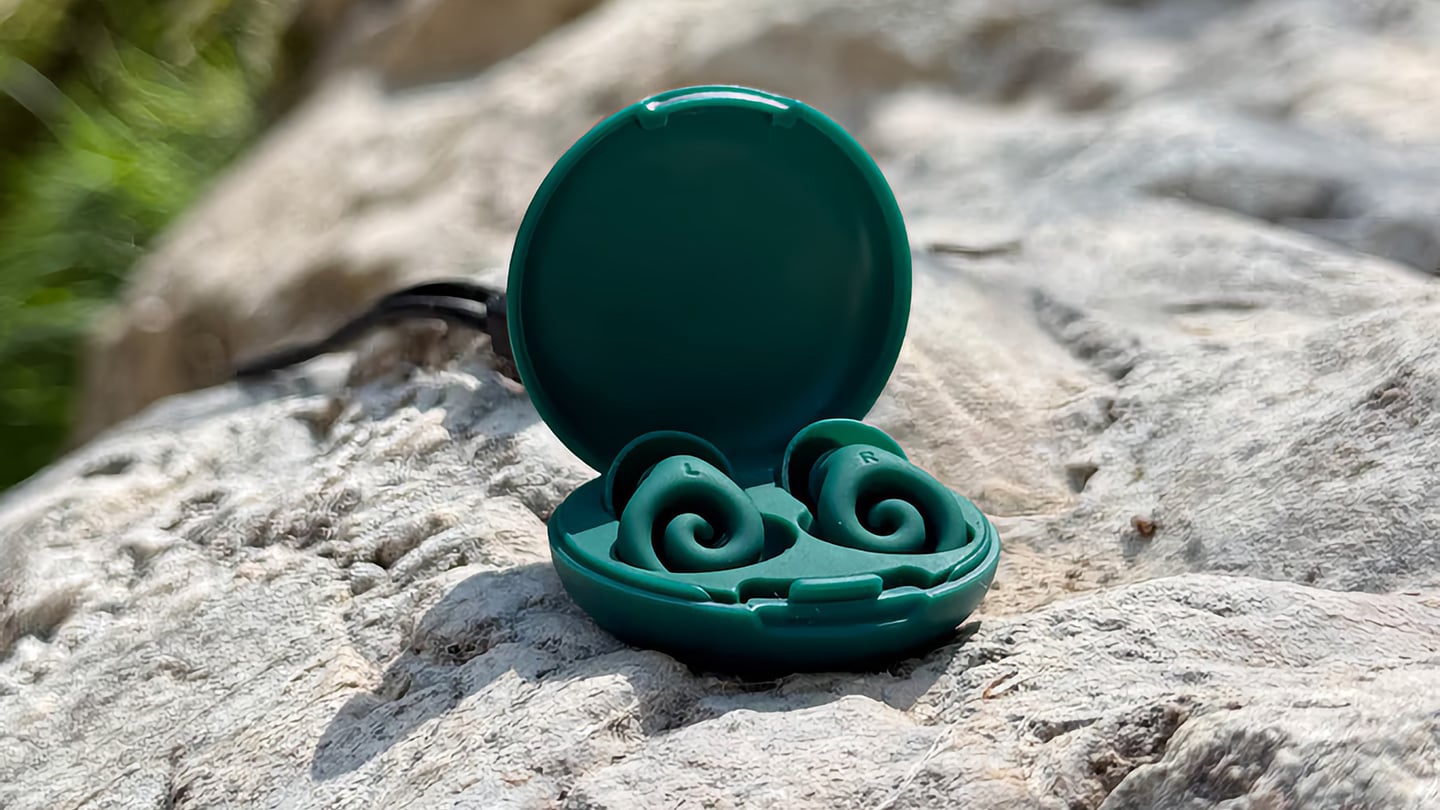
The humble foam earplug has been functionally unchanged since the 1970s: roll it down, jam it in, hope it expands to a seal, and find it somewhere in the sheets by 2 AM. It’s one of the few everyday objects that design culture has genuinely never come for, maybe because the attenuation numbers technically work, or maybe because nobody with enough resources was annoyed enough to fix it. The Ears 360 Silence, a CE-certified soft silicone earplug from Paris, is a structural redesign of that whole idea. Its retractable spiral wraps into the outer ear’s helix rather than anchoring in the canal, locking the plug flat and flush against the head with 24 dB SNR measured to EN 352-2:2020 and a peak of 29.9 dB at the frequency range where snoring and human voices live. The foam never had a chance.
Youcef Abdaoui runs a studio near Paris and started prototyping the Silence in 2024 with a bent wire and a bit of putty, just to test whether a helix-anchoring spiral could hold in an ear. It did, and the dozens of iterations that followed produced a product France voted Product of the Year 2026, consumer-elected rather than jury-awarded, which tells you something about how it performs in actual ears. Ears 360 has since shipped to more than 120,000 customers through their store, 500+ pharmacies, and B2B partners before going international. The Silence is not a prototype. It is certified to EN 352-2:2020, mass-produced, and more than 14,000 units are already in stock. I got to see a pair in person, and the silicone finish reads as serious product, not a health-aisle impulse buy.
The ear is already a spiral. The outer rim of the pinna is anatomically called the helix, a curved ridge that traces a partial revolution around the auricle, and deeper inside, the cochlea completes that geometry: a full spiral chamber, coiled like a snail shell, that converts sound pressure into neural signal. Nature returns to the spiral repeatedly because it distributes force without concentration points, the same structural logic behind a nautilus shell or the tight coil of a fern fiddlehead before it unfurls. The Ears 360 Silence works with that architecture: the spiral holds, not the tip. Instead of pressing into the canal and trusting friction, the retractable spiral wraps laterally into the helix and locks there through geometry, bearing almost no canal pressure, which is the whole reason the plug sits flush rather than protrude. If you know how spiral springs work, think of the way the spiral on the earplug expands to fill your ear canal. Along with friction, this physical detail helps the Silence adapt to pretty much any ear shape or size.
The flatness is perhaps the most impressive detail, setting it apart from every earplug you’ve seen in the past. The loop-style reusable earplugs that have become popular over the past few years make a design virtue of their visibility, with a circular protrusion sitting outside the ear canal as a deliberate aesthetic statement. That works at a concert, but it becomes a pressure point the moment you roll onto your side in bed, which is the situation most people are buying earplugs for in the first place. The Silence’s spiral body measures 18.44 mm by 15.49 mm, slim enough that there’s nothing significant pressing against a pillow. The profile looks almost deceitfully small for what it’s actually doing… and yes, Youcef did mention that the earplugs work perfectly well in concerts too.
One spiral body, two protection levels, switchable in seconds from 24 dB to 29 dB. The standard silicone tips, available in three sizes (9.9 mm, 11.9 mm, and 12.9 mm diameter), deliver 24 dB SNR, enough to take a busy street down to library territory without muffling conversation entirely. The Swim & Work Kit clips on triple-flange tips that push attenuation up to 29 dB, entering genuine worksite and industrial territory. User satisfaction data from Ears 360 puts concert approval at 91% and commute approval at 97%, and an IPX7 waterproof rating keeps the spiral itself pool-ready alongside the kit’s triple-flange seal.
One Silence replaces hundreds of disposable foam earplugs. The earplug’s body is made to last for years, the silicone tips are replaceable instead of throwing the product away, and the packaging is compact by design so every shipment travels as a slim letter, not a parcel. No separate carbon offset claim required. Pricing starts at €24 (roughly $28) for a single unit with carry case and all three tip sizes, with the Silence and Swim & Work Kit bundle at €27, and a Duo Pack at €39 for two. Current colorways are Black and Pink, with Green planned as a future addition. Delivery is November 2026, and no specific warranty period is stated on the product page, though the replaceable-tip architecture makes longevity something you can actually act on rather than just take someone’s word for.
Here is a fun little contradiction to chew on before we get into the actual lamps. The whole point of Call It a Day, Tongqi Design’s new lighting collection, is that you barely have to try. You bop it, you tug it, you flop your hand near it, and it turns on. Zero precision required, zero thinking involved, which is exactly the pitch when you have just walked through the door after a day that emptied you out. But get this. The less effort the lamp asks of you, the more effort someone else clearly put into making that possible. That is the trade we are here to unpack.
Shanghai-based designer Tongqi Lu built the collection, a table lamp, floor lamp, and pendant, around soft silicone shades with zero switches anywhere on them. Every gesture works because the material itself is doing the sensing, not a button hunting for your finger. It sounds simple sitting in your living room. It is not simple to make, and that gap between the two is basically our whole story today.
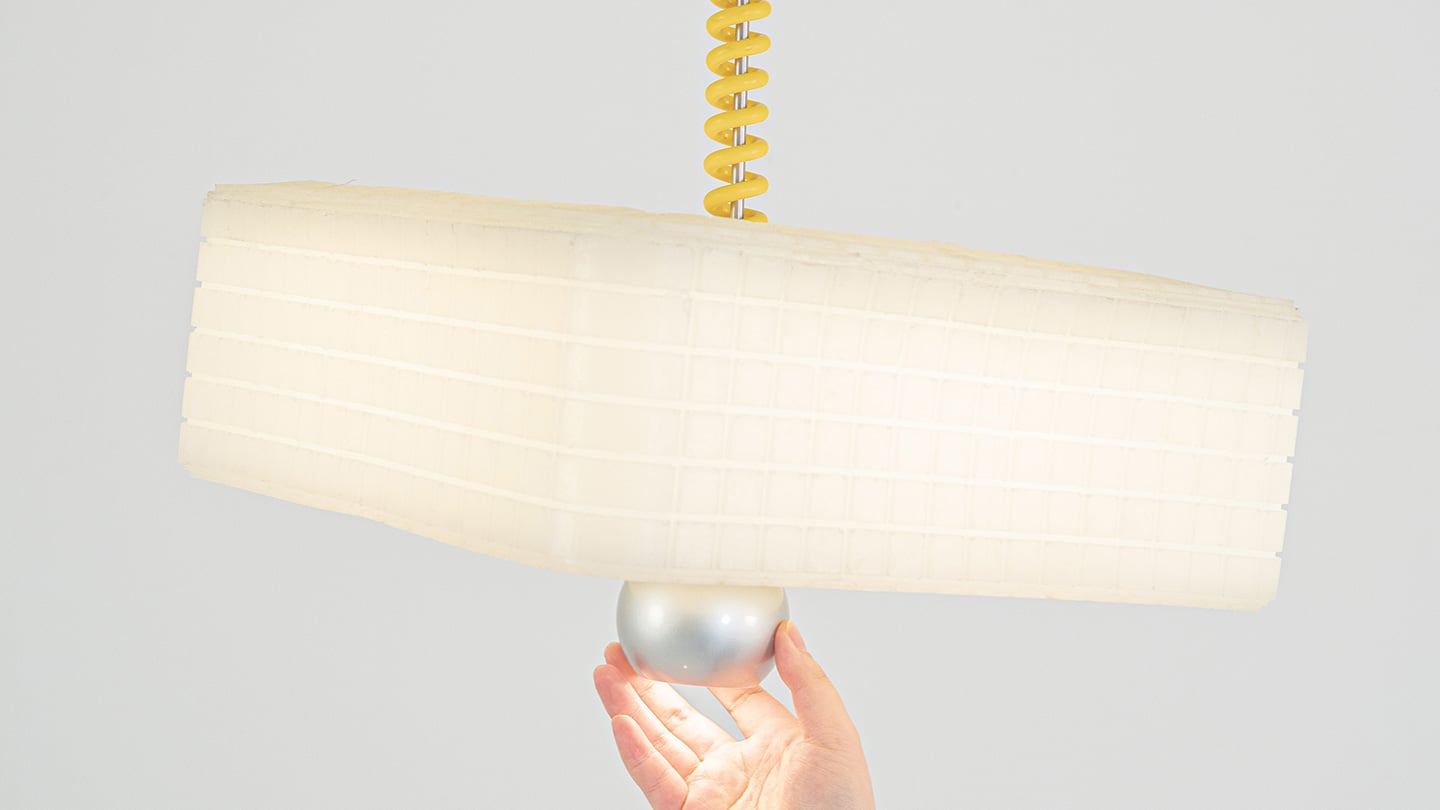
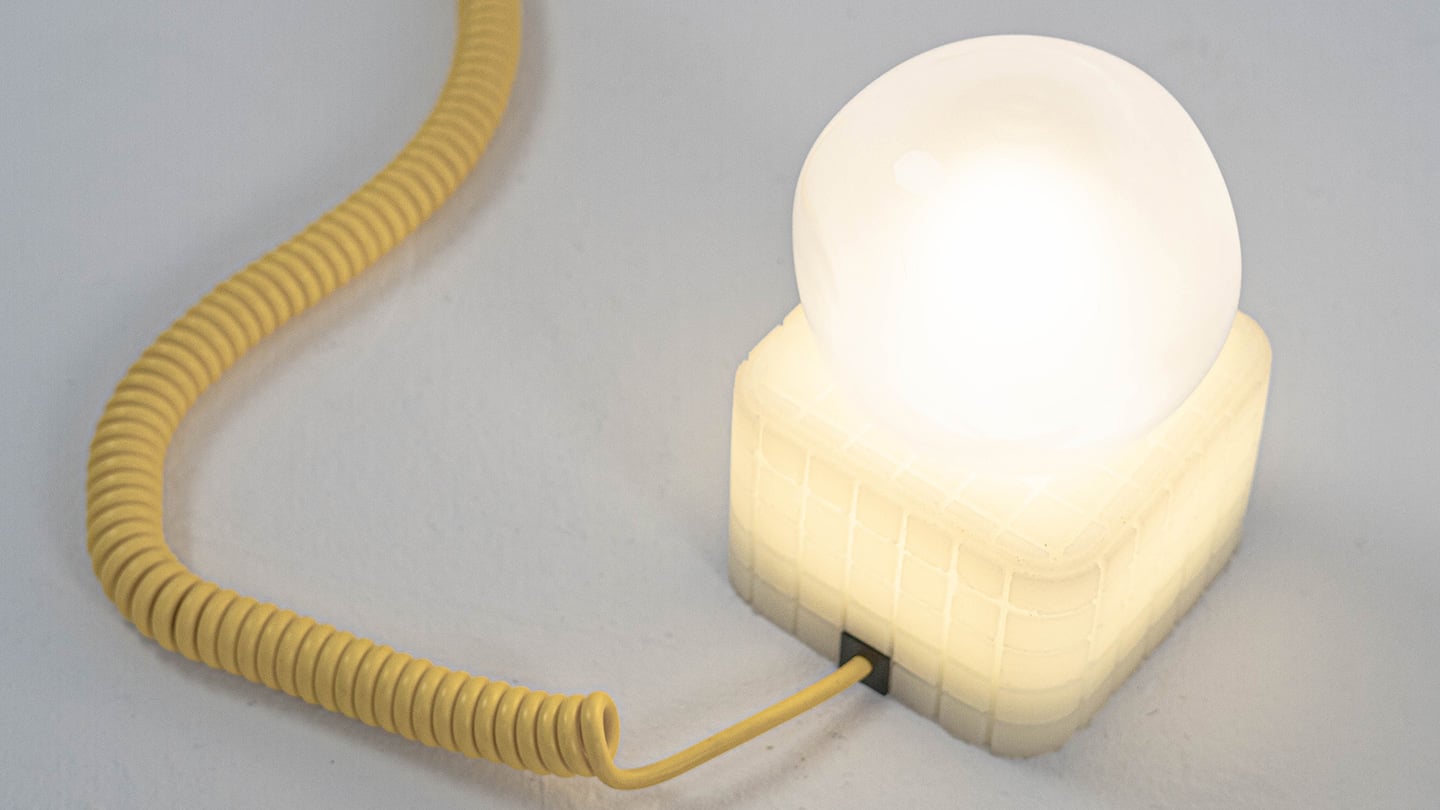
Call It a Day is a three piece lighting collection, a table lamp, a floor lamp, and a pendant, and every one of them is dressed in soft, translucent silicone instead of glass or fabric. That alone is a break from convention, since silicone shades are usually reserved for LED strip diffusers rather than the whole visible body of a lamp. But the real departure is that none of these lamps have a switch. You bop the table lamp, you tug the pendant by its cord, you press the floor lamp wherever feels natural, and the light responds. There is no correct spot to find in the dark. The entire shade is the input, which sounds like a small shift until you realize how much of lamp design has always been built around finding one tiny precise point.
Lu frames the whole thing around the moment you get home and your body checks out before your brain does. She has talked about dropping onto the sofa and reaching out to press, pull, or tap without really thinking about it, and the light turning on not because she followed a rule but because she did not. That is a genuinely sharp way to think about interaction design. Most lighting asks you to be at your most coordinated right when you are at your least. Call It a Day flips that expectation, and the coiled yellow cable running through the collection is a nice touch too, borrowing the old pull chain gesture without being precious about it.
The Process
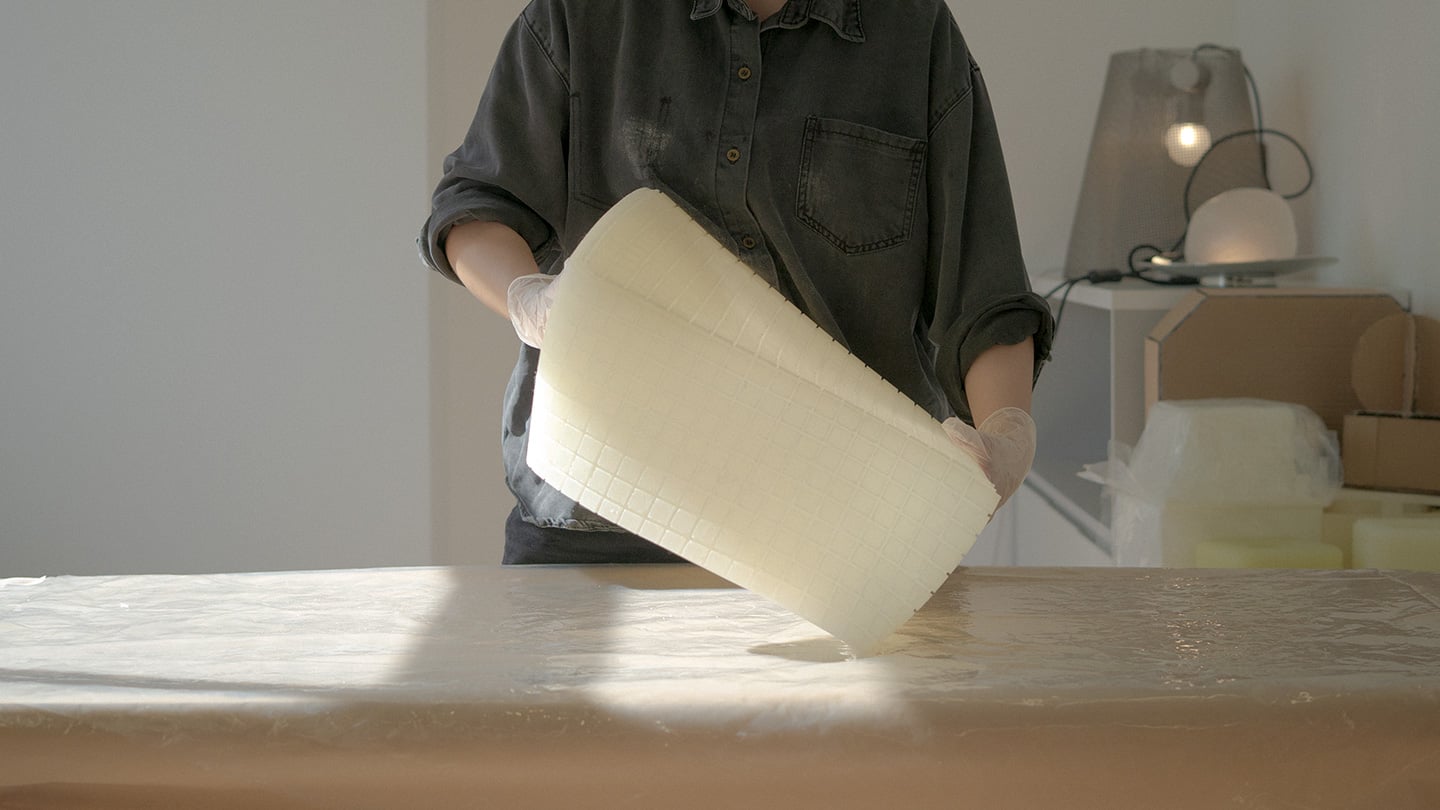
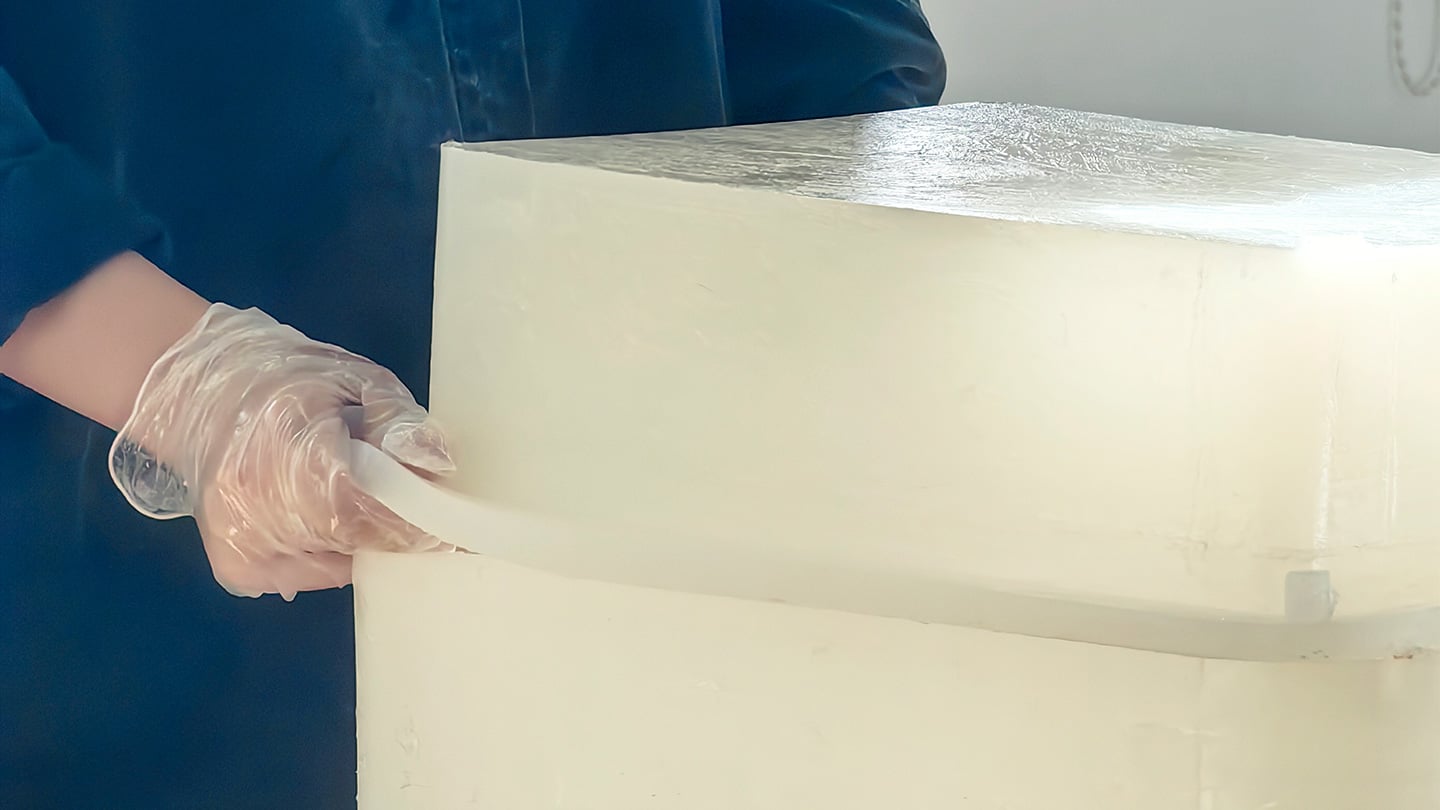
Here is where things get interesting, because the studio itself is not some slick production facility. It is an office in Shanghai with a plastic sheeted folding table, jerrycans of liquid silicone lined up against the wall, and a window looking out over the skyline. Before any of it was cast, the whole collection existed as full scale cardboard mockups, a pendant hung from a coiled cord and a table lamp balanced on a paper cone, sitting in the corner of the room like a rough draft nobody threw away. That is a genuinely useful thing to see, because it shows the gesture and the proportions were locked in long before the material was.
The shades themselves come out of large block molds with a fine grid texture cut into the cavity, which shows up on the finished silicone as a soft woven pattern once the lamp is lit. Getting silicone out of a mold cleanly is trickier than it sounds, since silicone tends to bond to itself, so getting a cast shade out of a cast mold without either tearing or fusing takes real care with release agents and material choice. Pouring it clean adds another layer of difficulty, since bubbles trapped in a translucent material show up as visible flaws once the light hits them. In the photos, you can see two people pouring together, one holding the bucket steady, the other running a palette knife across the lip so the silicone comes down in a thin ribbon instead of glugging out in one shot, which is a simple trick for keeping air out of the pour. It is not a factory process. It is a hand process, done carefully, on a folding table, gallon by gallon.
The Perspective
What I like most about Call It a Day is that the ease on the user’s end is clearly paid for somewhere upstream, and that upstream cost is visible if you know where to look. A switchless lamp sounds like a simple idea until you have to actually engineer a material that can be grabbed, twisted, and mistreated without breaking or losing its shape, and then cast that material cleanly at scale in a small studio. That gap between the lived experience and the labor behind it is exactly what a lot of good product design tries to hide, and here it is sitting right out in the open in the process photos.
It also helps that the whole thing traces back to something real. Lu’s early work, the lemon shaped Citron lamp, her furniture line built around trees and water lilies, all of it circles the same idea of pulling people back into their bodies after a long day in a city that does not really let them slow down. Call It a Day feels like the most literal version of that idea yet, a lamp built entirely around the ninety seconds when you have officially given up on being careful. Whether or not the gesture control holds up over years of actual use is a question only time and daily wear will answer, but as a piece of intent, this one lands.
The Apple ecosystem runs deep, but the devices themselves only go so far. The iPhone, Apple Watch, and iPad are remarkable pieces of hardware on their own, and yet a small category of accessories has figured out exactly what each one is missing. Not cases that just protect or cables that just charge, but objects that change the way a device feels, sounds, looks, or works from the moment you pick it up.
These five accessories do exactly that. They come from different corners of the Apple world, covering the watch, the phone, the iPad, and the kind of audio experience Apple never built its own hardware around. Each one earns its place not because it carries a name worth recognizing, but because it solves a specific frustration that was always there waiting to be noticed. Here are the ones worth knowing about right now.
1. NightWatch
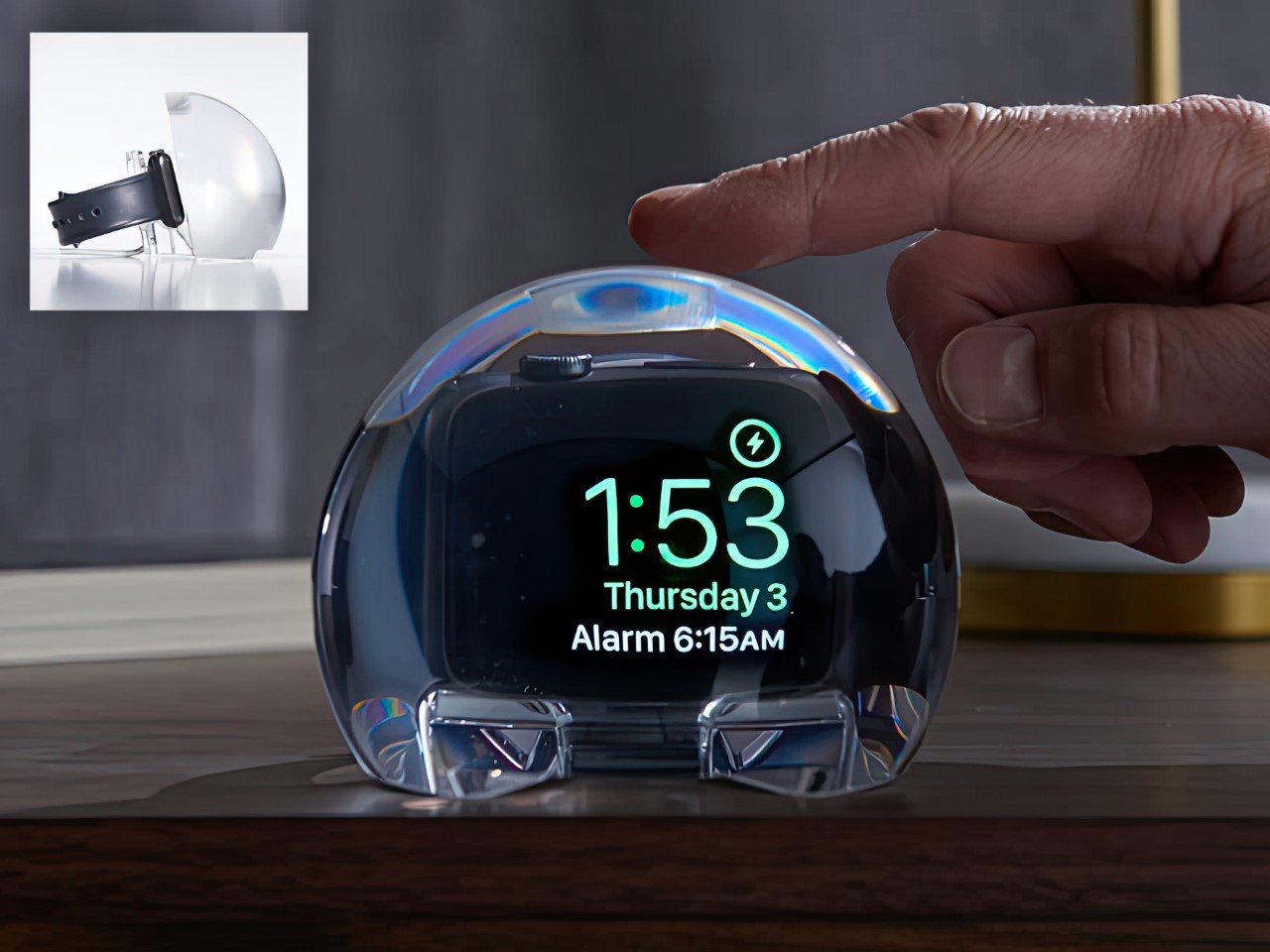
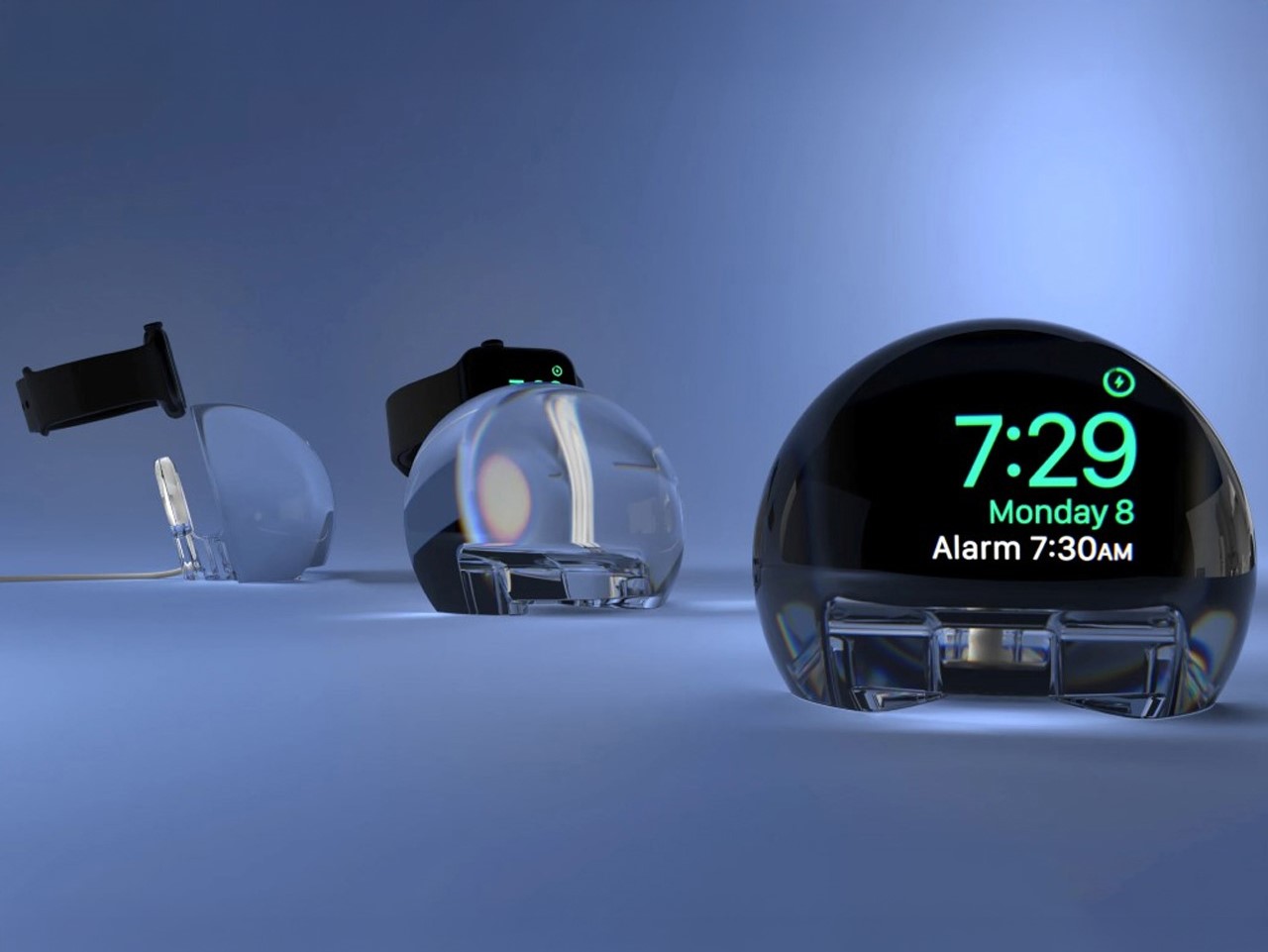
Most Apple Watch docks are functional and forgettable, a plastic puck with a magnetic charger and no ambition beyond getting your watch off your wrist for the night. The NightWatch is not that. It is a clear glass orb, roughly the size of a generous paperweight, that you set your Apple Watch inside at night. The result transforms the watch’s nightstand charging face into a magnified, glowing clock that is genuinely easier to read from across a dark room than the device alone would ever allow.
The dock works by treating the Apple Watch display as a light source and the glass sphere as a lens, drawing the time out of a small wrist-bound rectangle and spreading it into a real visual presence on the nightstand. It also includes a built-in audio amplifier that boosts the sound of your alarm, so quiet mornings stay that way until you actually need them not to be. At $69.99, it is priced more like a considered object than a cable management solution, which is exactly the spirit it deserves to be received in.
What we like
The magnification effect turns the Apple Watch display into a legitimate bedside clock without additional screens, apps, or setup
The built-in audio amplifier addresses the one genuine weakness of relying on Apple Watch nightstand mode as a morning alarm
What we dislike
The orb form factor is visually dominant enough that it will not suit minimalist nightstands where a small footprint matters
At $69.99, it costs more than several competing dock designs that handle charging equally well without the visual statement
2. Rock Paper Pencil 4.0
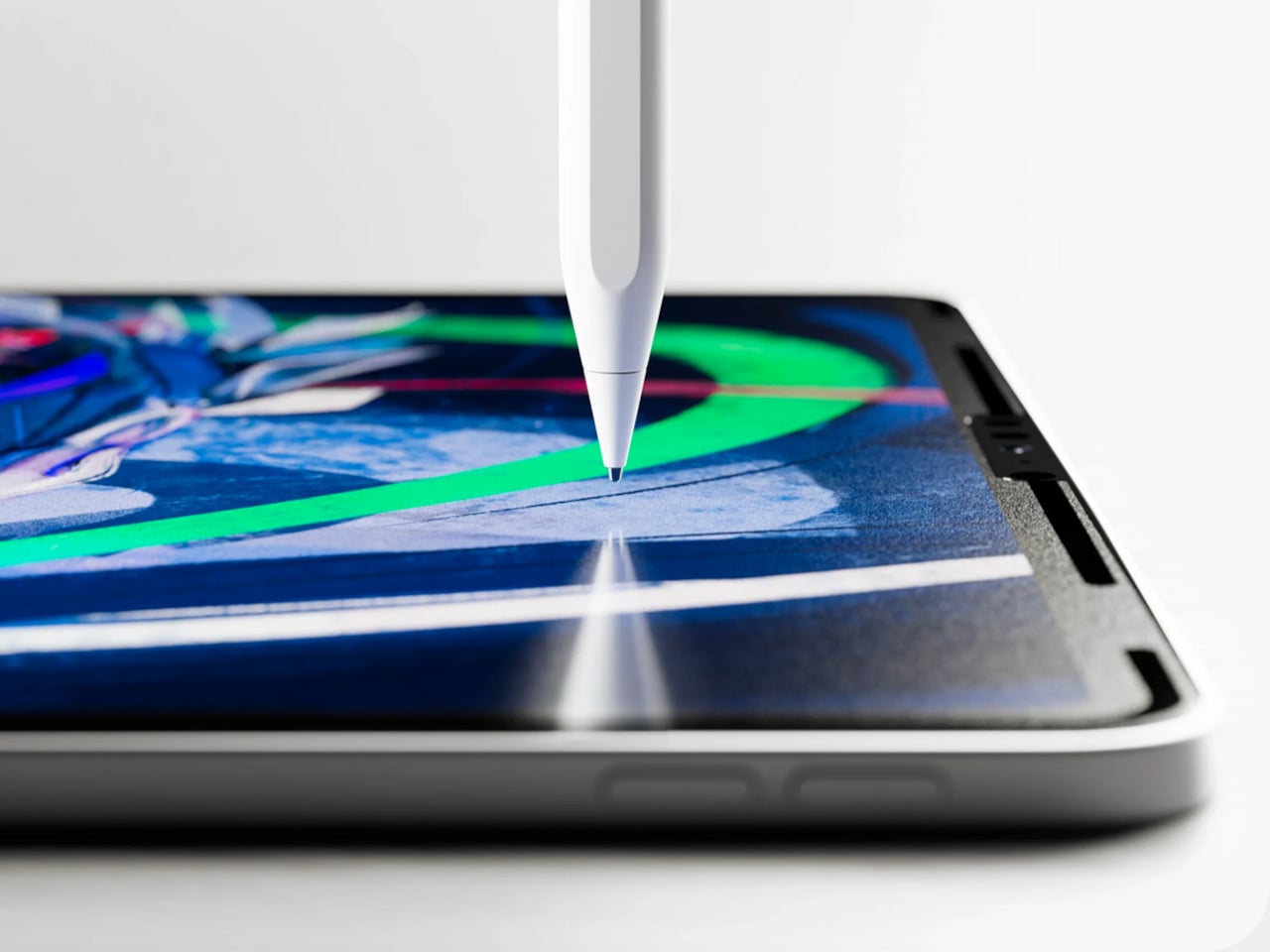
The Apple Pencil is a precision instrument that has never quite figured out how to feel like one. The glass surface beneath it is smooth and frictionless, and while that works fine for certain tasks, illustrators and note-takers spending hours drawing have always wanted something closer to real paper. Astropad’s Rock Paper Pencil addresses that gap directly: a removable, reusable nano-texture screen protector paired with custom Apple Pencil tips, and version 4.0 makes the system meaningfully better than it has ever been.
The upgrade introduces a new graphite POM tip alongside the existing steel ballpoint option, and the difference is immediately legible. The graphite tip mimics the toothy drag of a 2B pencil, a sensation that makes expressive sketching and shading feel deliberate and controlled rather than slippery and approximate. Each kit now ships with four tips in total, two graphite and two ballpoint, alongside a screen cleaning kit that should have been included from the beginning. The protector attaches via NanoCling static cling rather than adhesive, meaning it lifts off without residue and goes back on without a bubble.
What we like
The NanoCling system is genuinely removable and reusable, giving iPad owners a paper-feel surface on demand without permanently altering the display
Having both graphite and ballpoint tips in a single kit covers two distinct working styles without requiring a separate accessory purchase
What we dislike
The graphite tip wears down noticeably faster than the ballpoint option, which will matter to anyone putting in long, intensive drawing sessions regularly
The friction that makes sketching feel natural also makes smooth, fast swiping across the screen feel slightly resistant during ordinary everyday use
3. Battery-Free Amplifying iSpeakers
Every speaker you own asks something of you before it makes a sound. The Bluetooth speaker needs charging, and the charging case needs its own cable. The smart speaker needs a wall outlet, a WiFi password, and a company’s servers to stay online on a random Tuesday. The Battery-Free Amplifying iSpeakers, designed by Ooi Masato of Pit-A-Pat for Shimawa and made in Japan, need none of it. They need your iPhone and the physics of a sound wave moving through precision-machined metal, and that is the complete brief.
The design is straightforward: a Duralumin metal body with a slot for the phone and golden-ratio speaker apertures that channel and amplify sound through acoustic resonance, the same principle that powered phonographs before electricity reached most homes. There is no pairing, no app, no battery level to check. You set your phone in the slot, and your music gets louder and fuller, immediately.
Zero setup and zero charging requirements make it the simplest speaker in any room, with no ritual standing between you and better sound
The precision-machined Duralumin construction means there is nothing to break, replace, update, or charge, ever
What we dislike
At $179, it competes on price with capable Bluetooth speakers that offer far more volume, range, and flexibility for larger spaces or outdoor use
The phone slot is sized for specific handsets, so case thickness and phone dimensions will determine how well it actually cradles your device
4. Nomad Leather Folio
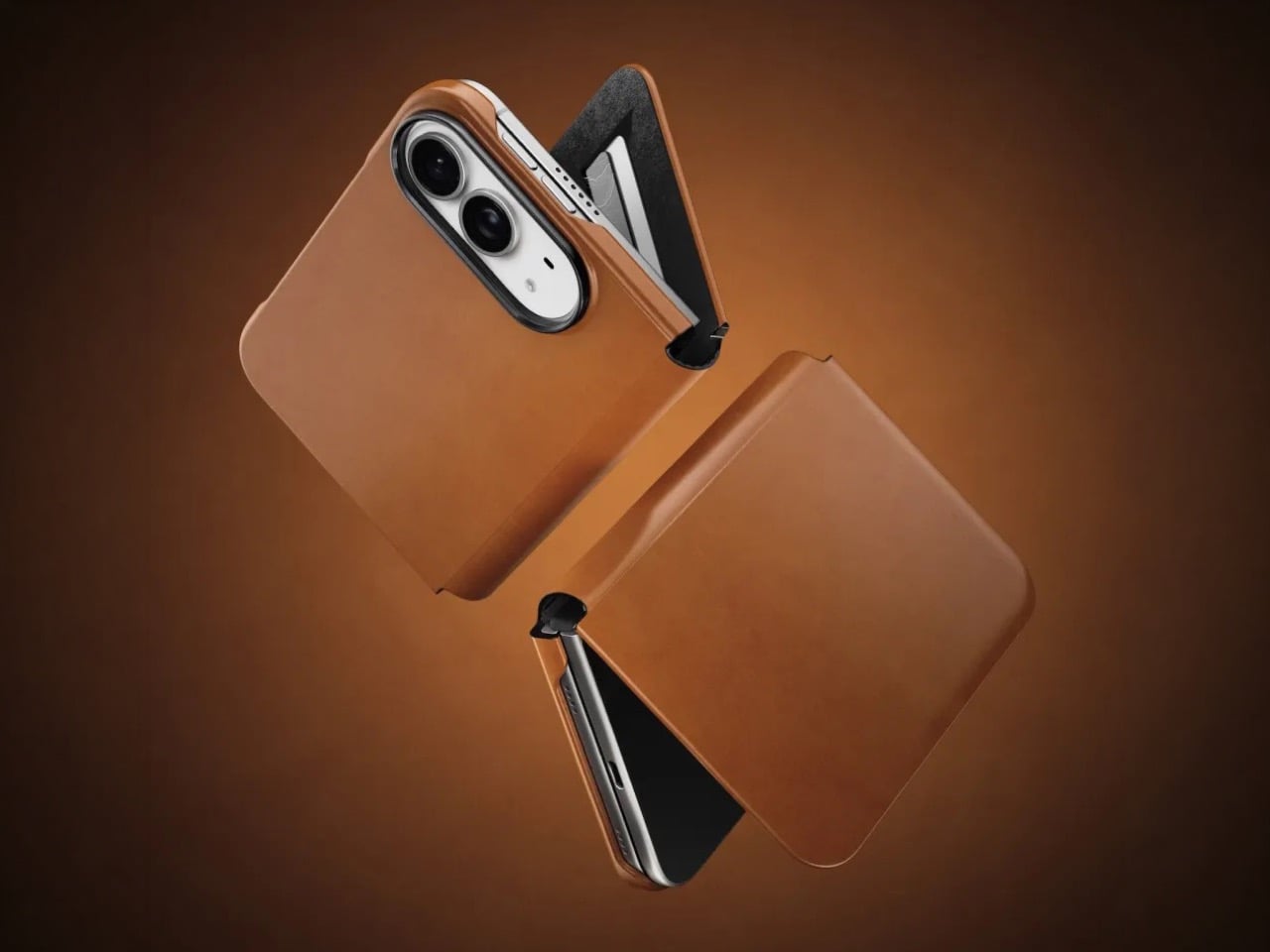
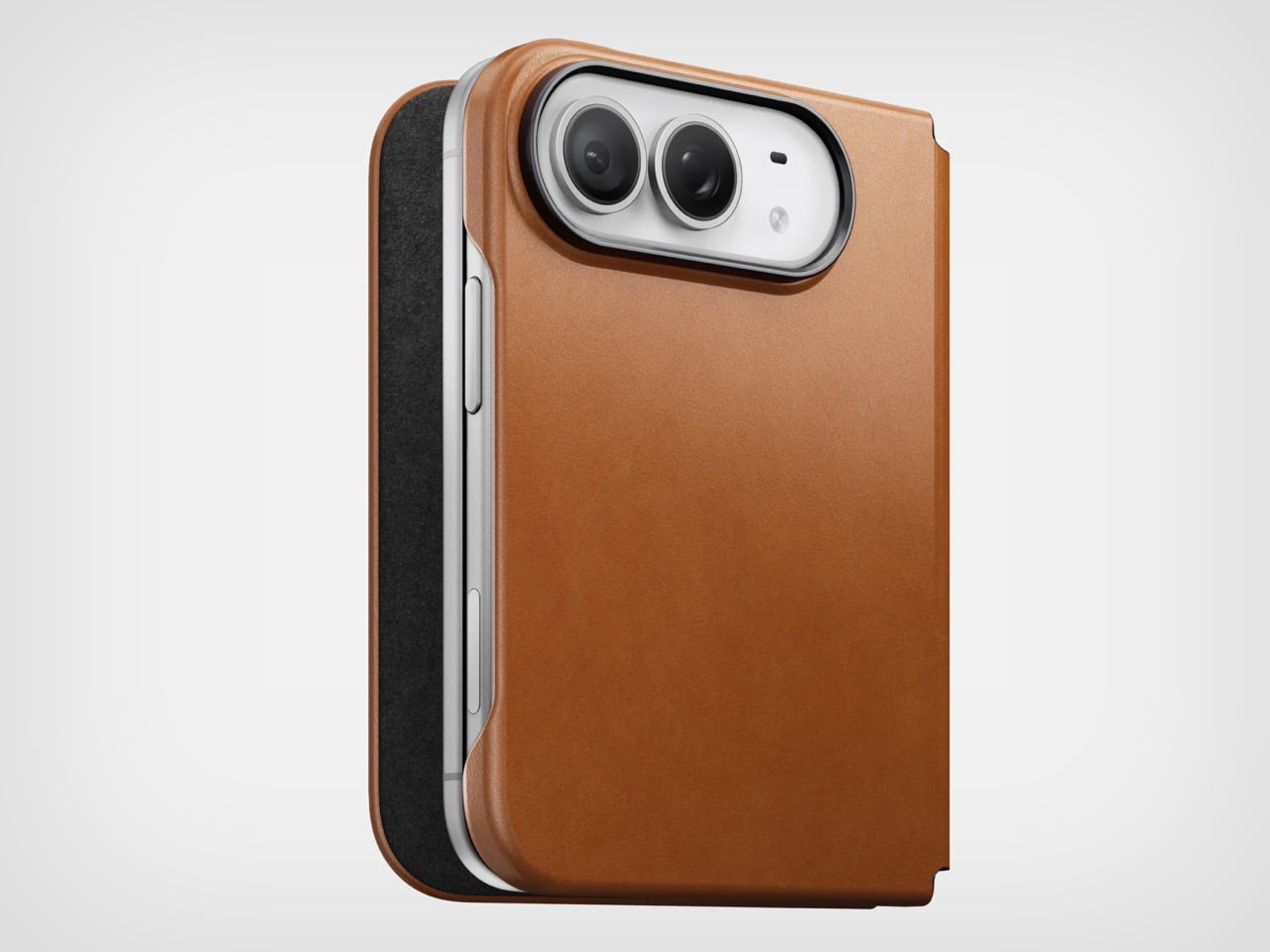
Phone cases tend to fall into two camps: those that protect the device and those that try to say something. Nomad’s Leather Folio attempts something harder: a single object that does both without looking like it is trying to do either. Crafted from Horween leather inside and out, with MagSafe compatibility and RFID blocking built in, it folds over the front of the iPhone Duo and turns what is already an expensive device into a combination that reads less like a phone and more like something a person who still carries a leather notebook would reach for without thinking twice.
Priced at $129, it is not a cheap case, but it is not pretending to be. The leather cover closes over the screen, which is either a feature or a nuisance depending entirely on how you use your phone, though for anyone who already drops it face-down out of habit, the protection is real and the payoff is legitimate. MagSafe integration means the phone charges normally through the case, and the RFID blocking handles the handful of situations where that actually matters. The overall effect is a device that feels deliberately considered in a way most cases never manage to pull off.
What we like
Horween leather develops a patina with use rather than aging badly, which gives the case a genuinely long useful life most materials cannot match
MagSafe compatibility and RFID blocking are both included without any visible hardware bulk or added thickness to the profile
What we dislike
The full front flap adds a step to every screen interaction that will feel like friction until the habit settles, and that adjustment can take longer than expected
At $129, it sits in an awkward price band between affordable everyday cases and truly premium leather goods, which makes the value case harder to land cleanly
5. RePod C1
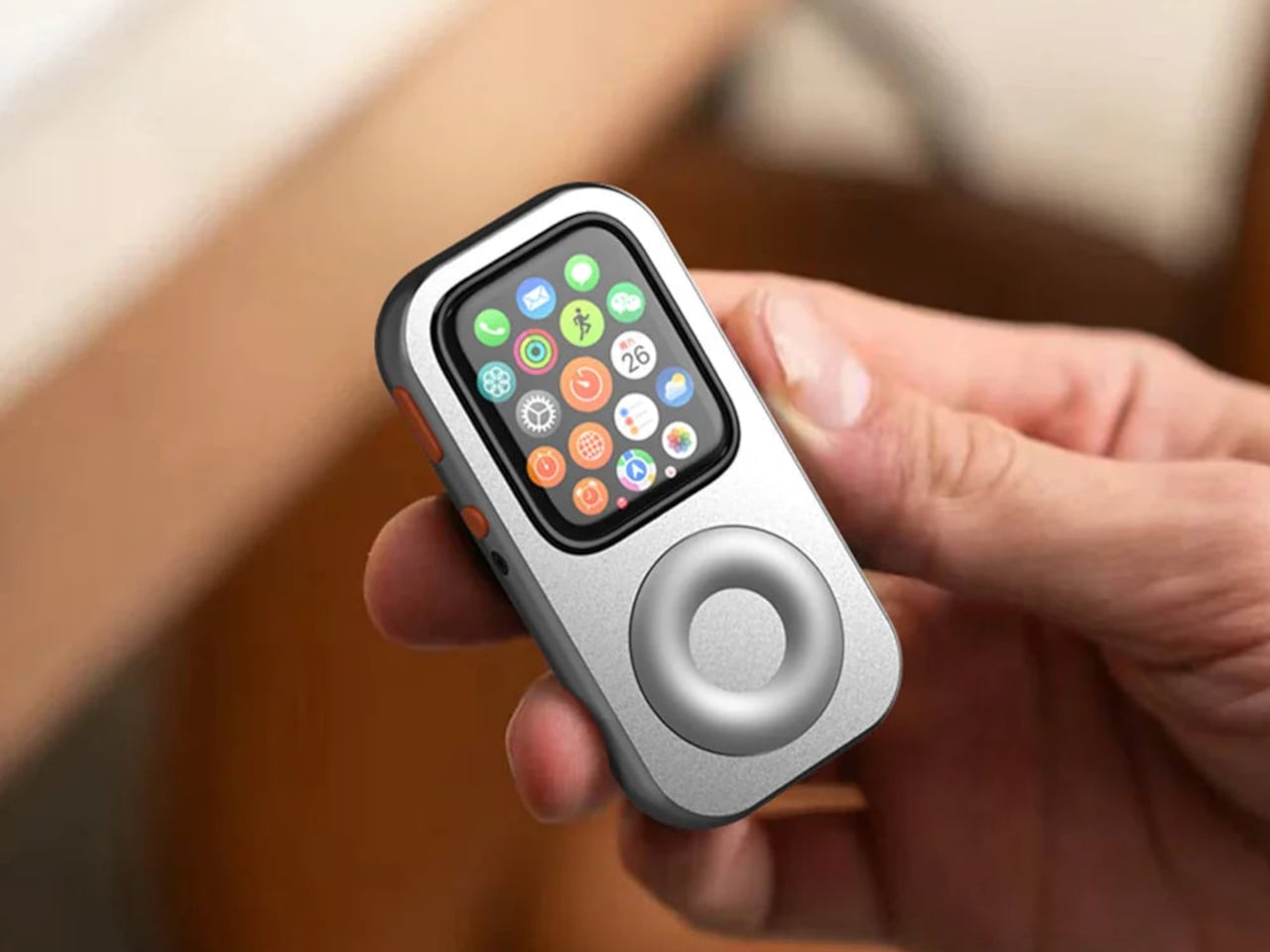
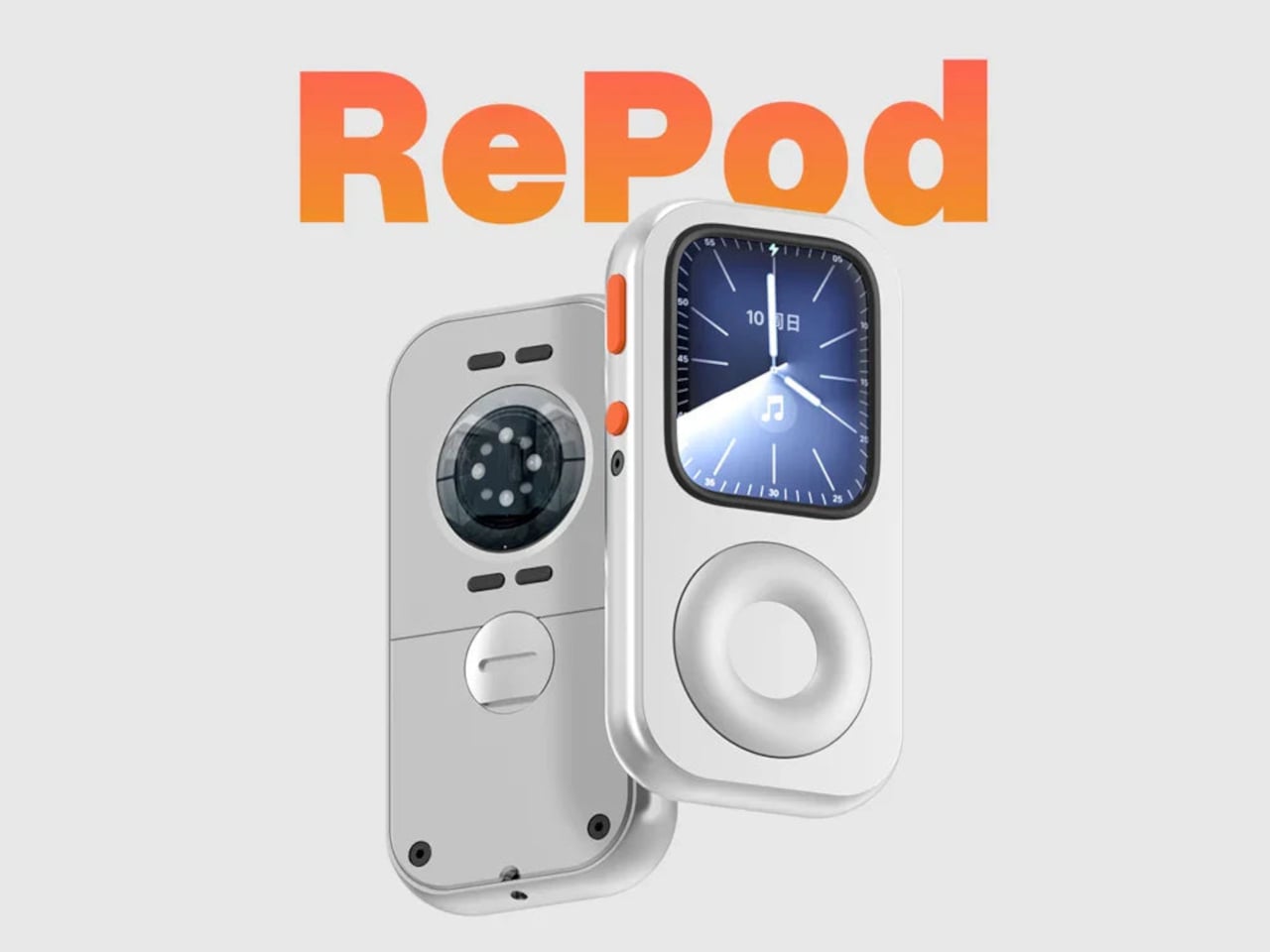
The click wheel was never just an interface. It was a tactile experience that gave early iPods a sense of ceremony that touchscreens have never quite replaced, a physical scroll mechanism that made navigating a playlist feel like it was worth doing slowly. Techpod’s RePod C1 is a $60 Apple Watch case that wraps the watch in an iPod-style shell and brings that wheel back, and what keeps it from being a novelty is one mechanical detail: the click wheel connects directly to the Apple Watch’s Digital Crown, so turning it actually does something real.
The case uses an open-back design that leaves all of the watch’s sensors fully accessible, meaning heart rate monitoring, ECG, and Apple Pay all continue to work normally. Antenna cutouts preserve Wi-Fi, Bluetooth, and cellular connectivity without compromise. The more interesting side effect is what it does to the device’s identity: sliding the watch into a pocket during a run or a commute and navigating with the Crown from inside the shell turns the Apple Watch into something that feels far more like a small, deliberate music player than a wrist-worn notification machine.
What we like
The mechanical connection between the click wheel and the Digital Crown makes the nostalgia functional rather than cosmetic, which is a meaningful distinction
The open-back design keeps every sensor and connectivity feature fully intact, so nothing about the watch’s capabilities changes when the case goes on
What we dislike
Adding any case to the Apple Watch introduces bulk to a device whose appeal partly depends on being thin and unobtrusive on the wrist
The iPod aesthetic lands clearly for one generation and reads as entirely opaque to anyone who came to Apple after the click wheel era ended
The Best Accessories Are the Ones Apple Didn’t Think to Make
Apple’s hardware is precise enough that the accessories worth paying attention to are the ones that noticed a gap the company chose not to fill. The NightWatch saw a dim nightstand clock. Astropad saw a frictionless drawing surface. Ooi Masato saw a speaker that required too much setup before it made a sound. Nomad saw a phone that could carry itself differently. Techpod saw a scroll mechanism nobody had brought back with anything real underneath it.
None of these are essential in the way a charging cable is essential. They are optional in the best sense, the kind of thing that makes a device feel more considered in the hands of whoever chose it. Whether your Apple device is a watch, a phone, or an iPad, something on this list has already figured out what was missing before you had the words for it.
There’s something wonderfully strange about walking up to a framed picture on your wall and telling it what to paint next. Say “paint my dog as a Japanese ink painting,” and the frame generates and displays a new piece. No file transfers, no app navigation, no creative software required. Jitrainno’s Smart Canvas runs on this premise: a voice and text-prompted AI art frame built around an E-Ink Spectra 6 color display, the matte, paper-like panel technology that draws zero power in static mode and reads under ambient light the way a canvas does. It comes in three solid-wood sizes, 7.5, 13.3, and 31.5 inches (named the Echo-7, Echo-13, and Echo-31 respectively), all with built-in batteries and Wi-Fi.
Jitrainno is a Hong Kong-based multidisciplinary team with in-house expertise spanning hardware R&D, E-Ink engineering, AI integration, firmware, and cloud services. They developed a proprietary color rendering layer on top of the Spectra 6 panel, tuned specifically for skin tone accuracy, landscape depth, and smooth gradient transitions. That kind of layered engineering, building custom display algorithms rather than shipping a panel with factory defaults, is what separates a team that genuinely understands display science from one that simply sourced a good component. The project moved from inception and industrial design in June 2025 to a production validation run by May 2026, a fast but not reckless pace for hardware at this scale. Global fulfillment is estimated for November 2026.
E-Ink Spectra 6 is the most capable color e-paper panel currently available to consumer product makers, using six primary pigments: black, white, red, yellow, blue, and green. It achieves up to 200 pixels per inch and draws zero power in static display mode, meaning the canvas can stay on your wall for days between charges. The paper-like surface reflects ambient light rather than projecting it, eliminating the glowing-rectangle problem that has defined every LCD-based digital art frame since the Kodak EasyShare era. Jitrainno’s self-developed rendering and color optimization layer is designed to preserve the subtle details that make an image feel closer to paper art. Based on early reviews, it reads more like a framed print than a screen, which is the bar the whole product needs to clear.
Speaking a prompt aloud and watching a new image materialize on the wall is a genuinely new behavioral ritual, and I think it’s the feature that will hook most people. Users can create images from text or voice prompts, explore different visual styles, and generate variations of their ideas, with AI used as a creative tool within the artwork creation experience. The product page demos a prompt like “a cute green dinosaur in a sunny prehistoric scene, soft watercolor and colored-pencil storybook style,” which apparently renders accurately enough to land on a kid’s wall. The AI side routes through third-party commercial image generation services via official APIs, supporting text-to-image and image-based creative generation within the experience. They also confirm they do not use user content to train their own foundation models, a meaningful distinction in a market where that commitment is far from universal.
AI generation is only one of several ways to populate the canvas. The app supports content from AI-generated art, a free art gallery called Daily Drops, the phone camera, the user’s photo library, and personal collections. Daily Drops streams a rotating selection of curated artwork that users can filter by mood or scene type and push directly to the display. The phone camera connection opens the obvious use case of photographing a physical painting, a landscape, or a face and sending it to the frame instantly. That breadth of sourcing makes the Smart Canvas a capable display platform in its own right, with AI generation sitting as a feature rather than a crutch.
Gallery proportions, tactile materials, and Auto-Rotation are deliberate choices to help the Jitrainno Echo series belong in the room like framed art. From the product photography, the proportions are gallery-standard, the profile slim enough to recede into a wall, and the matte panel surface does the visual work of making it belong. A built-in sensor detects whether the frame is in portrait or landscape and automatically switches the artwork’s aspect ratio, with no manual setting required. Connectivity runs in two modes: full cloud-connected (remote upload, AI creation, gallery sync, multi-user sharing) or completely offline (no account, no internet, direct phone-to-frame transfer). The offline option is a genuine design stance in a category where “smart” has almost universally meant always routing through someone else’s server.
The Jitrainno Echo-7 at 7.5 inches (1024×600, 170x236mm) is the tabletop model. The Jitrainno Echo-13 at 13.3 inches (1200×1600, 316.3×416.3mm) works both on a desktop stand and wall-mounted, making it the most flexible of the three. The Jitrainno Echo-31 at 31.5 inches (2560×1440, 603x903mm) is wall-only, the model that reads as a proper statement artwork rather than a gadget trying to pass itself off as one. All three run on E-Ink Spectra 6 full-color panels in solid wood frames, with built-in batteries and USB-C charging. The Jitrainno Echo-13 retails at $469 and the Jitrainno Echo-31 at $1,499, both covered by a one-year manufacturer’s warranty, with global fulfillment estimated to begin November 2026.