AI Bartenders, Pool Cleaners, And Chess Arms: The Sleekest (And Smartest) Robots At CES 2026

CES is a lot of things, but intimate isn’t one of them. Global Connect solved that problem by concentrating innovation into a four-hour window at a private Las Vegas villa on January 5th (which I only later found out was Mike Tyson’s house). iMpact PR built this event for media professionals who’ve seen enough “revolutionary” prototypes fail to deliver and want extended time with robotics that might actually make it to market. The format matters because robots only prove themselves when you can test, question, and watch them handle unexpected scenarios beyond their ideal conditions.

What’s showing up covers bizarre range. AI bartenders sit alongside exoskeletons designed to reduce knee pressure by 50%. Lawn robots with four-wheel steering share space with chess-playing arms and vacuum cleaners that climb stairs. Some of these machines solve concrete problems like outdoor maintenance or mobility assistance. Others exist for entertainment, companionship, or just because someone thought teaching a robot to play chess would be interesting. iMpact PR and USA Today are co-hosting, running from 1:30pm to 5:30pm with brands that have manufacturing scale, distribution plans, and enough backing to suggest they’re serious about commercial deployment. This is where you find out whether robotics companies can deliver on their promises or just deliver good marketing.

Ascentiz BodyOS: Hip and Knee Modules
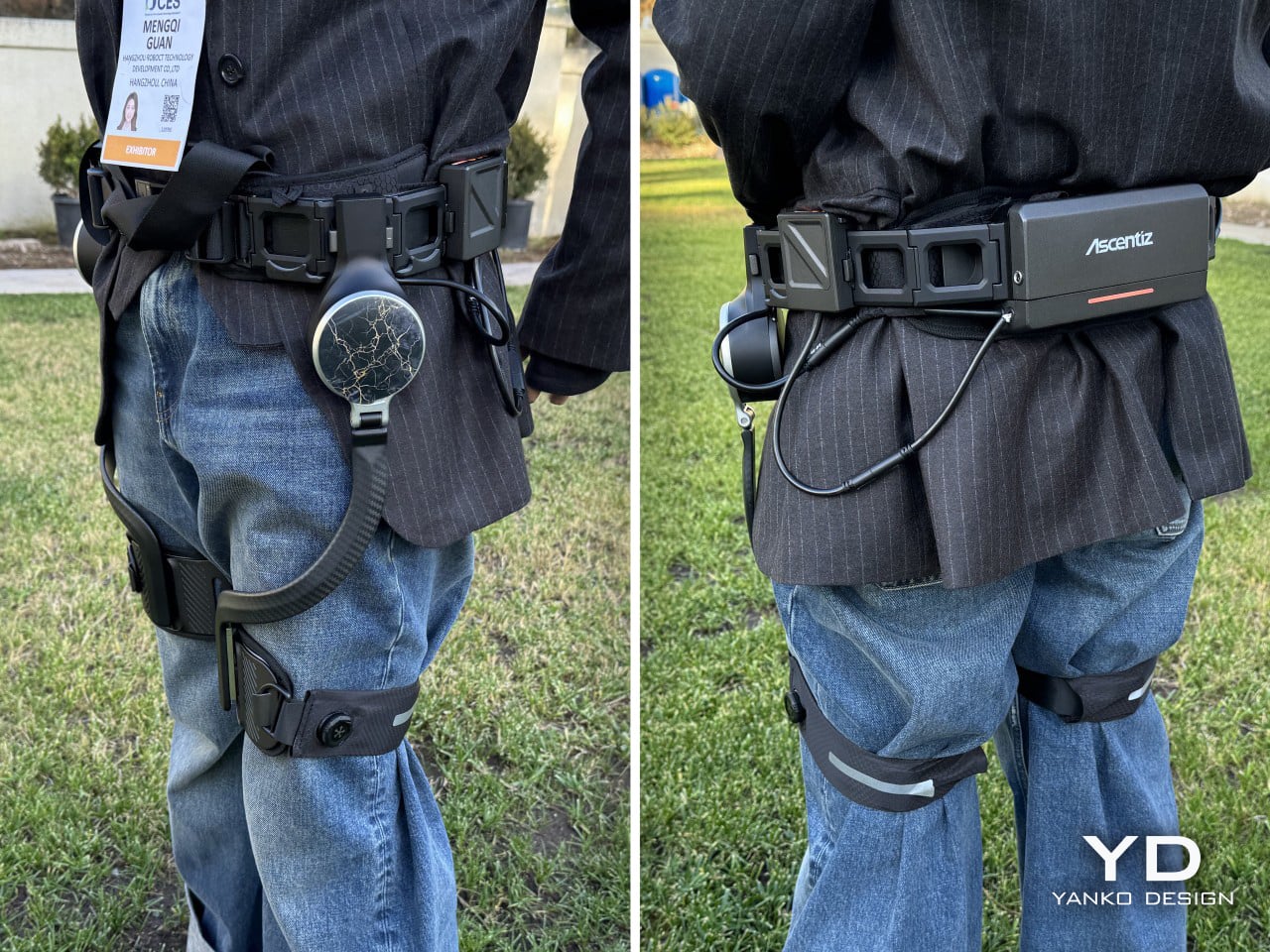
Ascentiz’s BodyOS platform takes a modular approach to human augmentation, letting users swap joint actuators depending on whether they’re climbing mountains, working construction sites, or just need help with mobility. At Global Connect, the company is demonstrating two core modules: a hip actuator that delivers 36 Nm of torque through a quasi-direct-drive system, and a knee actuator using cable-drive transmission to hit 48 Nm while keeping heavy motors away from the moving limb. The hip module can assist at speeds up to 28 km/h and reduces leg effort by 35% on inclines, while the knee module claims to cut knee joint pressure by 50% and reduce energy waste by 30%. Both modules attach to a T700 aerospace carbon fiber frame that can handle temperatures from -20°C to 60°C, making this a system designed for actual outdoor conditions rather than controlled laboratory demonstrations.

The intelligence behind these modules comes from what Ascentiz calls its “Motion Cortex,” an AI trained on over 690,000 musculoskeletal gait cycles that processes data from more than 10 sensors to recognize seven different motion scenarios with 99.5% accuracy. The system responds in under 500 milliseconds when it detects a change in movement pattern, with actuator transitions happening in under 200 milliseconds. Users can strap the entire system on in less than 10 seconds using a proprietary ETIE dial mechanism, which addresses one of the persistent complaints about exoskeletons: that they take too long to put on and adjust. The control loop runs at 20 microseconds, fast enough to respond to the unpredictable shifts in terrain and body position that define real-world hiking, climbing, or industrial work. This isn’t augmentation for the sake of looking futuristic; it’s engineering focused on whether someone’s knees will hold up after a 10-mile trek with a heavy pack.

BreakReal R1: Conversational AI Bartender
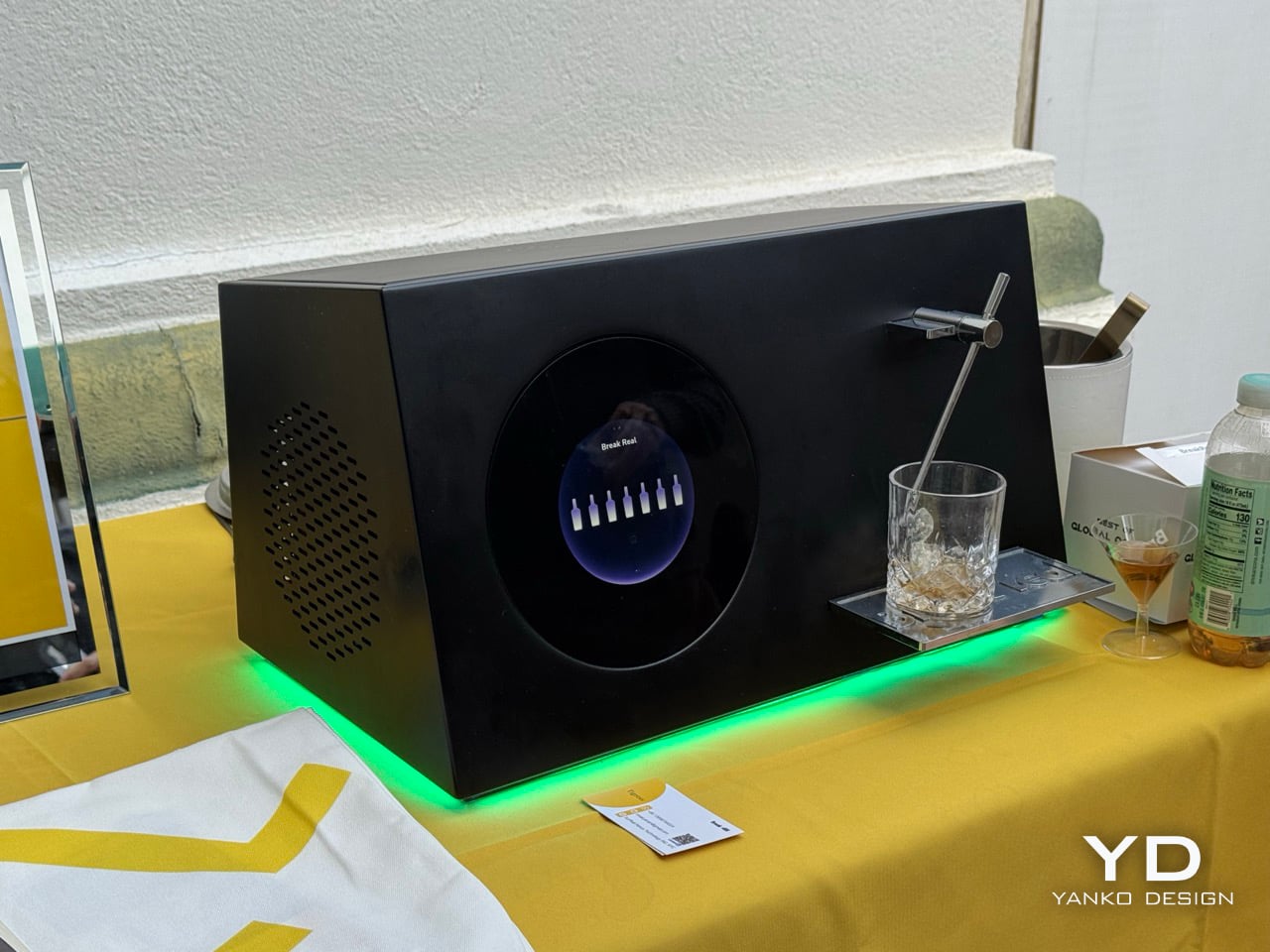
Of all the things artificial intelligence could tackle, someone finally asked the right question: what if a robot understood you were having a rough day and mixed you exactly the drink you needed? BreakReal’s R1 is billing itself as the world’s first conversational AI bartender, and yes, that means you can tell it you’re stressed about work or celebrating a promotion, and it will generate a cocktail recipe based on your emotional state and taste preferences. The system uses large language models to process natural language, so you can be as vague or specific as you want. Tell it you want “something tropical but not too sweet” or just “surprise me with something spicy,” and it will craft one of its generative recipes in about 30 seconds with ±1 ml precision. It has access to over 500 classic cocktail recipes that it can customize, and it uses optical character recognition to identify whatever spirits you have sitting on your counter, so you’re not locked into proprietary bottles or special cartridges.

The genuinely clever part is how BreakReal treats drinks as shareable data. Each cocktail the R1 creates carries emotional and taste information that can be saved to the app, shared with the global BreakReal community, and downloaded by users anywhere in the world. Someone in Tokyo could create a drink reflecting their mood on a rainy afternoon, and you could try that exact recipe in New York the next day. The system handles automatic layering for visual appeal and includes automated cleaning, which addresses the reason most people avoid elaborate cocktails at home: the cleanup is annoying. This isn’t just a novelty machine pouring pre-programmed drinks; it’s attempting to turn mixology into a social network where recipes travel across time zones and language barriers. Whether that sounds delightful or slightly dystopian probably depends on how you feel about your kitchen appliances understanding your emotional state, but it’s hard to deny the ambition of turning feelings into formulas and sharing them globally.

Artly.AI Mini Barista Bot and Bartender Bot: Precision Over Personality
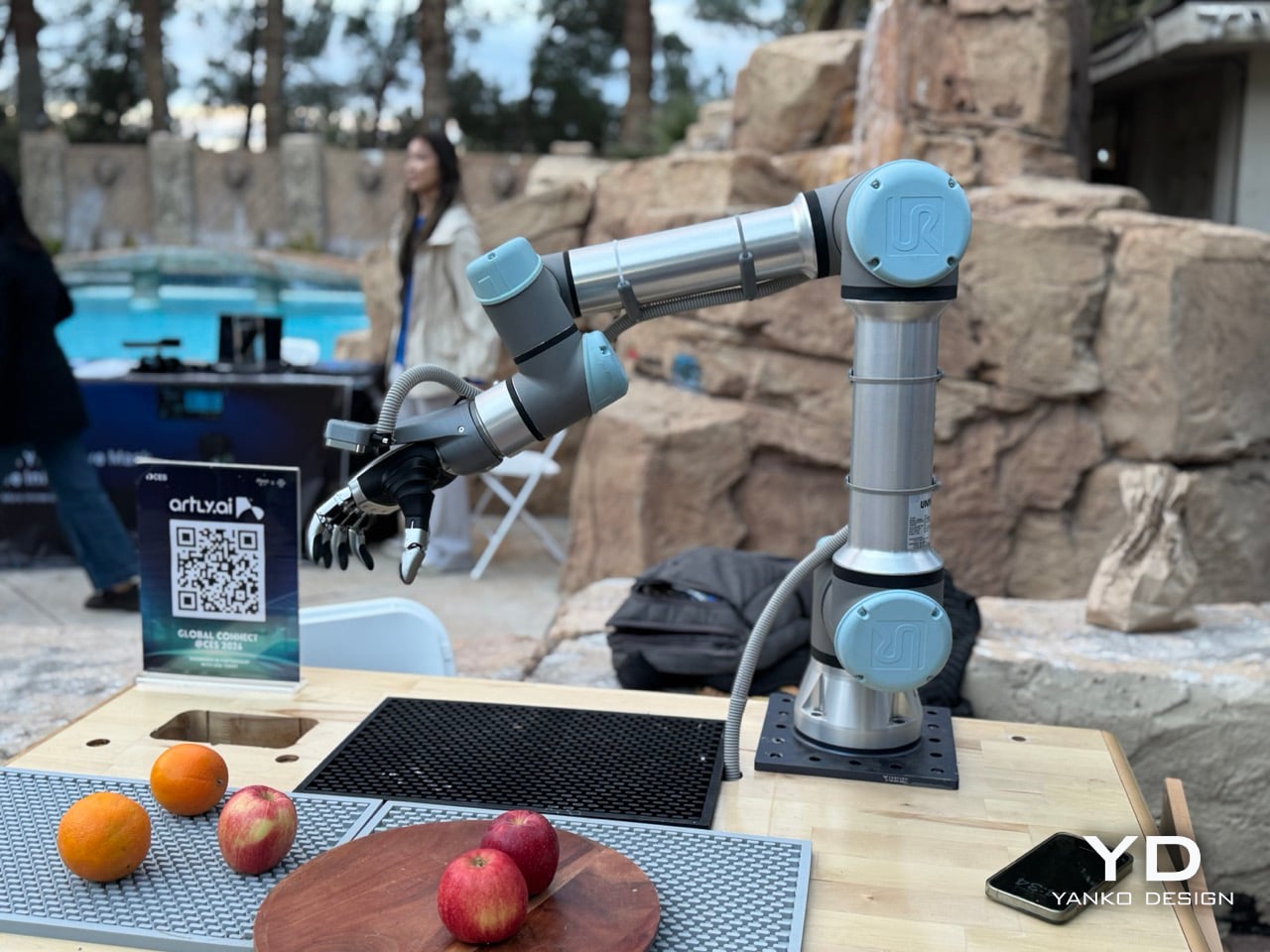
BreakReal wants your robot to understand your feelings, but Artly.AI built theirs to replicate a U.S. Barista Champion’s technique with mechanical precision. The company has two products at Global Connect: the Mini Barista Bot, which has already served over 1.1 million cups since 2021, and the newer Bartender Bot, which applies the same robotics foundation to cocktails instead of coffee. The Mini Barista Bot fits into a 4×4-foot footprint and handles the complete workflow with a single robotic arm, grinding, tamping, brewing, steaming, and pouring latte art without human intervention. It’s constructed with food-grade stainless steel and modular commercial-grade components, deployed in high-traffic environments like airports, T-Mobile stores, Salesforce offices, and MUJI retail spaces where labor costs and consistency matter more than personality. Customers order via a digital kiosk and watch through transparent windows as the bot executes recipes trained by Joe Yang, ensuring cafe-quality output every time. The updated version includes a larger refrigerator, improved learning capabilities, and countertop options in Maple, White Oak, and Walnut finishes that let it blend into different decors.

At NVIDIA GTC 2025, Artly unveiled an advanced robotic hand upgrade featuring up to 20 degrees of freedom, tactile sensors, and force feedback designed to replicate human barista movements. That upgrade becomes critical for the Bartender Bot, which tackles the more intricate manipulation cocktails demand: grabbing bottles, measuring pours, shaking drinks, and adding garnishes with precision. Both bots run the same proprietary AI system combining real-time motion planning, computer vision, sensor fusion, and anomaly detection, but the Bartender Bot’s algorithms are refined for mixology’s complex performance requirements. While BreakReal’s R1 focuses on emotional intelligence and generating recipes based on your mood, Artly’s approach emphasizes craft preservation and mechanical consistency. BreakReal targets home users who want conversational AI; Artly targets commercial venues that need standardized quality without depending on bartender availability or skill variation. The technology is converging from opposite directions, and Global Connect puts both companies in the same room for the first time, offering a direct comparison between robots designed to feel what you need versus robots engineered to execute what you ordered with repeatable accuracy.

Dreame Zircon 2 Ultra and Zircon 2 Pro: Pool Cleaners with Laser Mapping and Auto-Docking
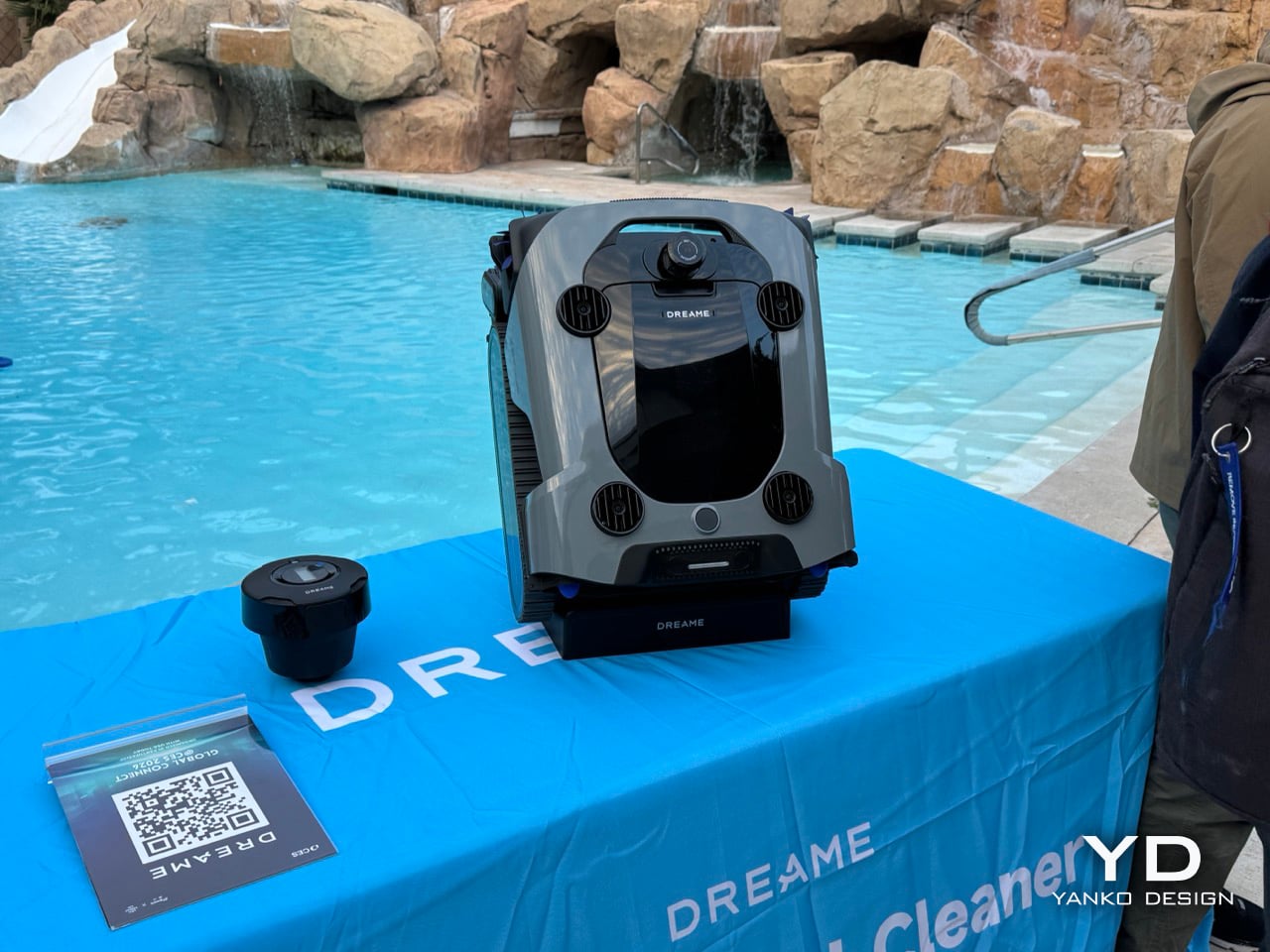
Pool robots typically bounce around randomly until they’ve covered most surfaces or the battery dies, whichever comes first. Dreame’s Zircon 2 Ultra skips the wandering entirely by using PulseMap technology, which combines LDS laser radar with multi-sensor fusion to build a detailed 3D map of the pool, capturing every curve and slope for real-time adaptive navigation. The QuadLift Four-Pump System with dual propulsion jets handles 7-in-1 cleaning across floors, steps, walls, waterlines, sun shelves, pool edges, and even the water surface, addressing the vertical complexity that separates pools from flat floors. At 10,000 GPH suction power (among the highest currently available), it tackles wet leaves, sand, insects, and floating debris in one pass. When cleaning finishes, users can set a preferred docking spot in the app, and the Zircon 2 Ultra surfaces there automatically for retrieval without requiring anyone to reach into the water or dive for a submerged robot.

The Zircon 2 Pro takes automation further with an optional Auto-Dock Base Station, one of the few available systems that eliminates the final manual step entirely. Once cleaning completes, the robot returns to the dock, exits the water, and begins charging without any user intervention, solving the problem of having to physically retrieve and plug in a wet, heavy device. The companion app tracks battery status in real-time, ensuring the robot stays charged between cleaning cycles. Beyond the docking automation, the Zircon 2 Pro uses PoolSense 2.0 technology with 12 precision sensors to map pools in 2D and plan efficient cleaning paths (S-shaped, N-shaped, Star, or Cross patterns) instead of random wandering. Its 8,000 GPH suction handles leaves, sand, and twigs while auto-adjusting power to extend runtime up to 4 hours per charge. DepthLink ultrasonic connection maintains real-time app connectivity even when fully submerged, allowing users to initiate spot cleaning or adjust settings without getting hands wet or waiting for the robot to surface.

Airseekers Tron Ultra: Four-Wheel Drive Heads Outdoors
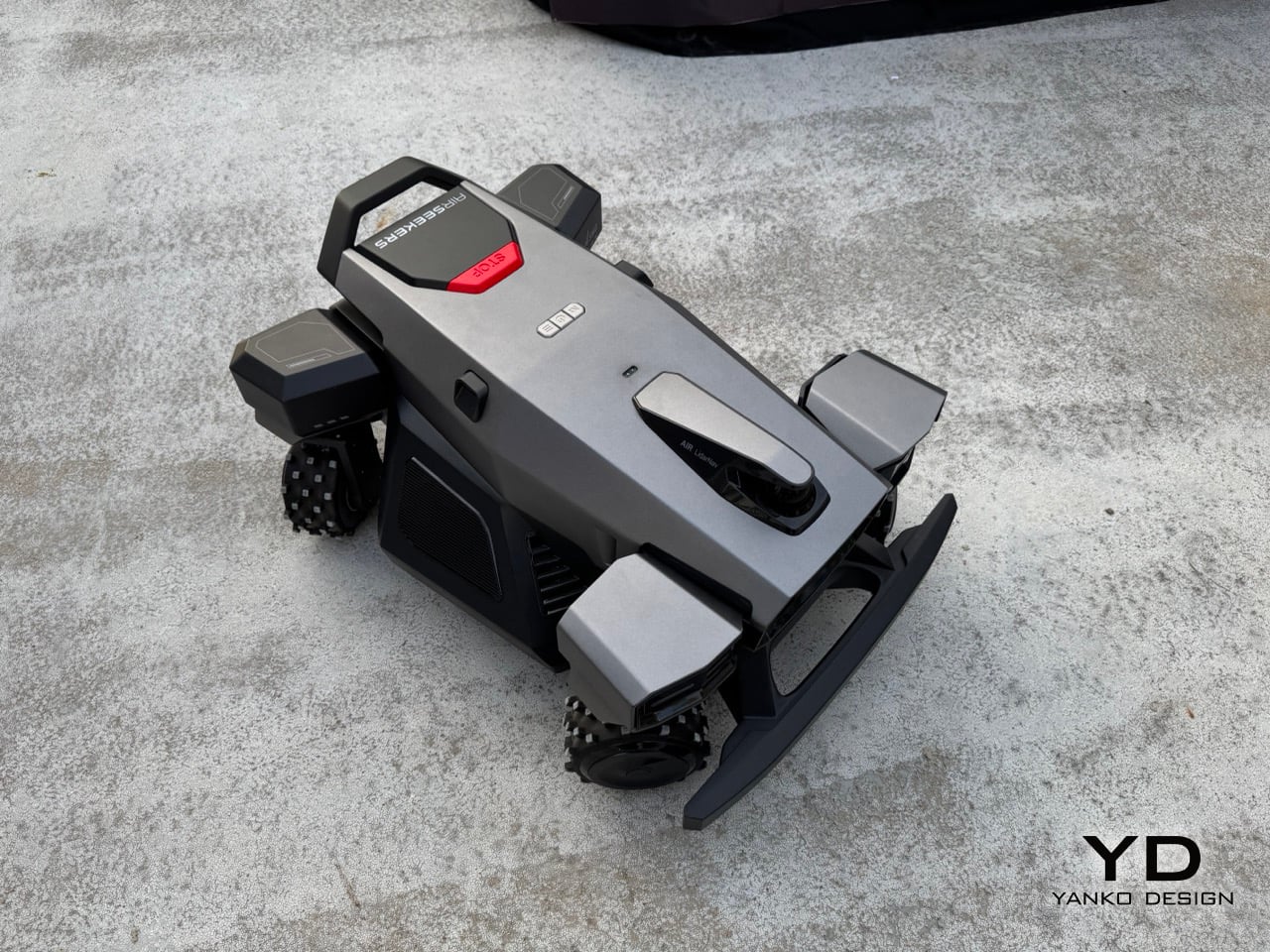
Robots that climb stairs and mix drinks are impressive until you remember most people still push a mower around their yard every weekend. Airseekers already tackled lawn automation with the original Tron, and the Tron Ultra pushes that concept into more complex terrain with four-wheel drive, four-wheel steering, and the ability to handle slopes up to 85% (40 degrees). The FlowCut 2.0 system uses a dual-disc setup that covers 60% more grass per pass, cutting mowing time by 58% while mulching clippings into ultra-fine pieces that decompose quickly and reduce the need for external fertilizer. It can clear obstacles up to 2.36 inches high and moves laterally or diagonally thanks to that four-wheel steering, which also gives it a small turning radius that minimizes lawn compaction. The AirVision 2 navigation combines vision sensors and LiDAR for a 300-degree field of view, with radar ensuring it keeps working in rain, low light, or conditions where cameras alone would fail.

The practical improvements show up in the details: swappable batteries with three hours of runtime and a 2.5-hour charge, automatic returns to the charging dock, and multi-map memory that supports multiple lawns if you’re maintaining more than one property. A new beacon system eliminates signal dead zones under trees, bushes, or around structures, which addresses one of the persistent frustrations with robotic mowers that lose connection and stop mid-job. No RTK stations or boundary wires to install means setup happens faster and with less infrastructure cluttering the yard. Visual mapping and real-time path correction keep the Tron Ultra on track with higher accuracy than previous generations. Airseekers is launching this on Kickstarter in April 2026 at around $3,000, positioning it as a premium option for people with challenging landscapes who are tired of spending weekends on lawn maintenance. The technology has moved past flat suburban yards into hills, obstacles, and the kind of complex terrain that used to require human judgment.

Hengbot Sirius: Your Personal Robot
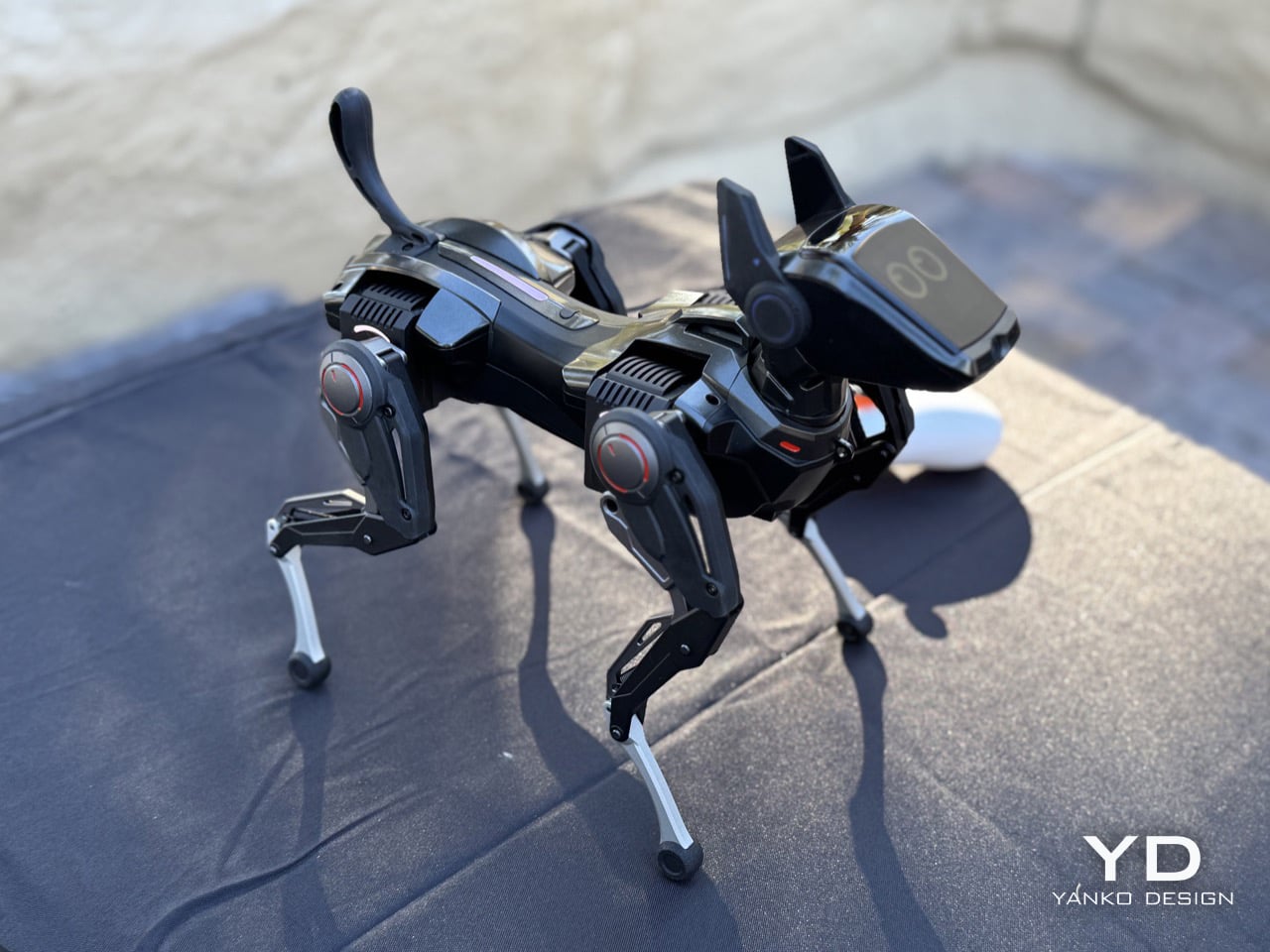
After a parade of robots that clean pools, climb stairs, and carry heavy loads, Hengbot Sirius takes a different approach by asking what happens when a robot’s main job is just being there. This AI-powered companion is marketed as a silent presence for people living alone, a playmate that can mimic your pet’s expressions and sounds after you upload them, or a first-person perspective camera that lets you interact with your dog remotely through the robot’s “eyes.” The pitch shifts depending on who’s buying: for couples it’s a romantic surprise delivery system, for parents it’s an educational Christmas gift and “encyclopedia of robots,” and for animators it becomes a creative platform that serves as your first robotic carrier for bringing characters to life. The flexibility is the point; Sirius positions itself as whatever you need it to be in that moment.

The customization goes deeper with DIY skins that can be 3D printed, turning the robot into a unique object that belongs exclusively to you rather than looking like every other unit off the assembly line. For engineers, an EDU version provides algorithm access, API interfaces, and one-on-one technical guidance for implementing and deploying new ideas, which transforms Sirius from a consumer product into an open development platform. This isn’t solving a concrete problem like lawn maintenance or knee pain; it’s addressing the mushier territory of companionship, creativity, and experimentation. Whether that resonates depends entirely on whether you see value in a robot that exists more for emotional presence and customizable interaction than task completion. In a showcase dominated by machines designed to do specific jobs, Sirius stands out by being deliberately vague about what it’s supposed to accomplish, leaving that definition up to whoever owns it.

SenseRobot Chess: When Robots Master the Board
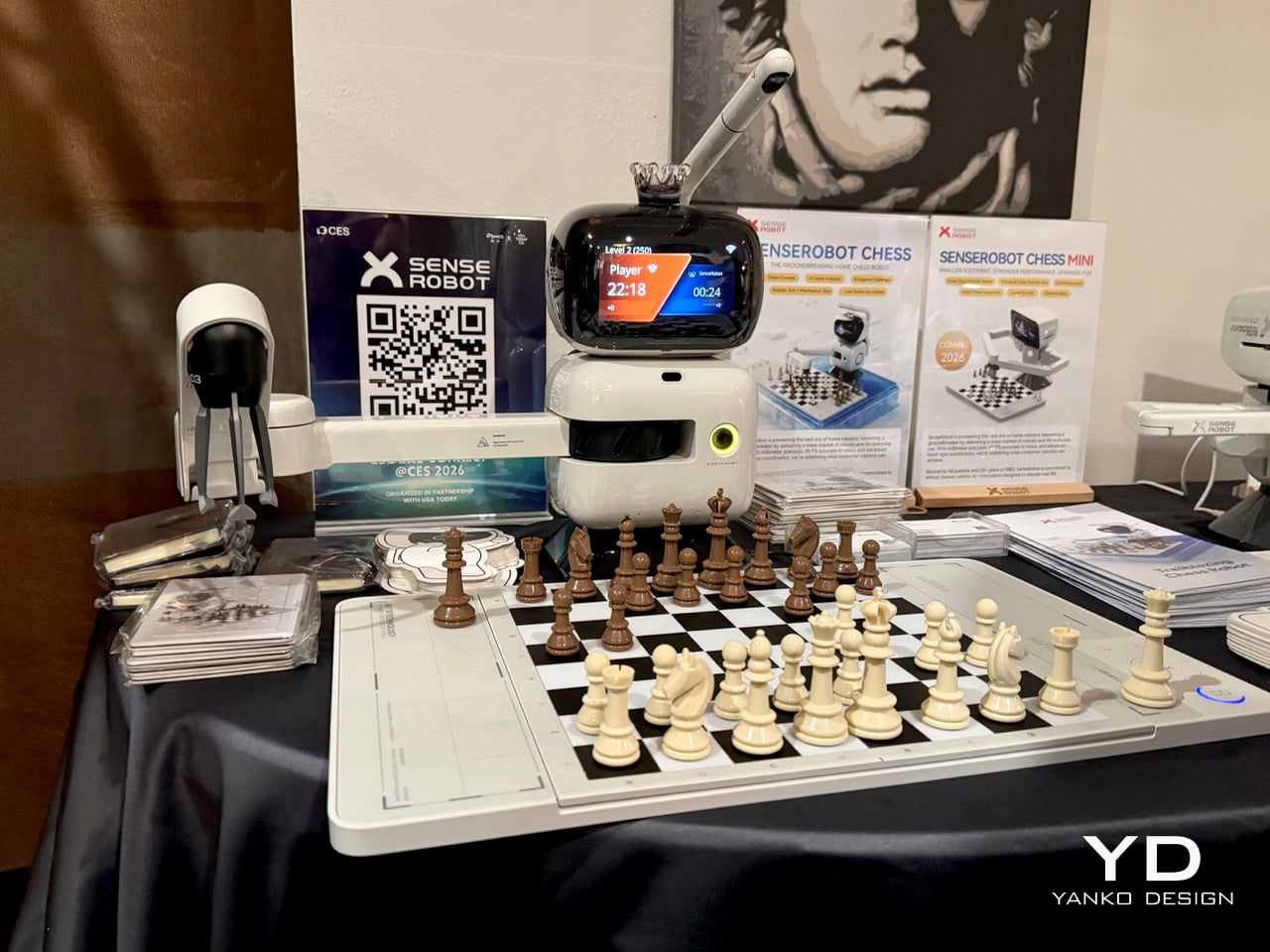
Chess has been testing artificial intelligence since Deep Blue beat Kasparov in 1997, but nobody put a physical robotic arm across the board from you until recently. SenseRobot claims to be the world’s first company mass-producing AI-powered robotic arms for home use, and their lineup includes multiple chess-playing models designed for different skill levels and budgets. The Chess MINI offers an entry point for casual players, while the Lite version expands to handle both chess and draughts (checkers), broadening the appeal to families who want more than one game option. Each model integrates AI vision, robotic arm precision, and intelligent decision-making systems that have been optimized to keep production costs consumer-friendly while maintaining home-level safety standards.

What makes these systems compelling isn’t just that a robot can play chess (software has beaten grandmasters for decades), but that it physically picks up pieces, moves them, and responds to your moves in real time using AI vision to track the board state. The company offers AI game review features and multiple difficulty levels, letting beginners learn strategy against a forgiving opponent or advanced players face genuinely challenging competition. SenseRobot also supports Gomoku (a strategic board game also known as Five in a Row), giving these robotic arms versatility beyond just chess. The physical interaction matters; watching a robotic arm deliberate, reach across the board, and execute its move creates an engagement that screen-based chess can’t replicate. This positions SenseRobot’s products somewhere between educational tools for teaching children strategic thinking and entertainment for adults who want their technology to exist in three-dimensional space rather than behind glass.


The post AI Bartenders, Pool Cleaners, And Chess Arms: The Sleekest (And Smartest) Robots At CES 2026 first appeared on Yanko Design.
ThinkPad X1 Carbon Gen 14 Aura Edition Scores 9/10 From iFixit at CES 2026

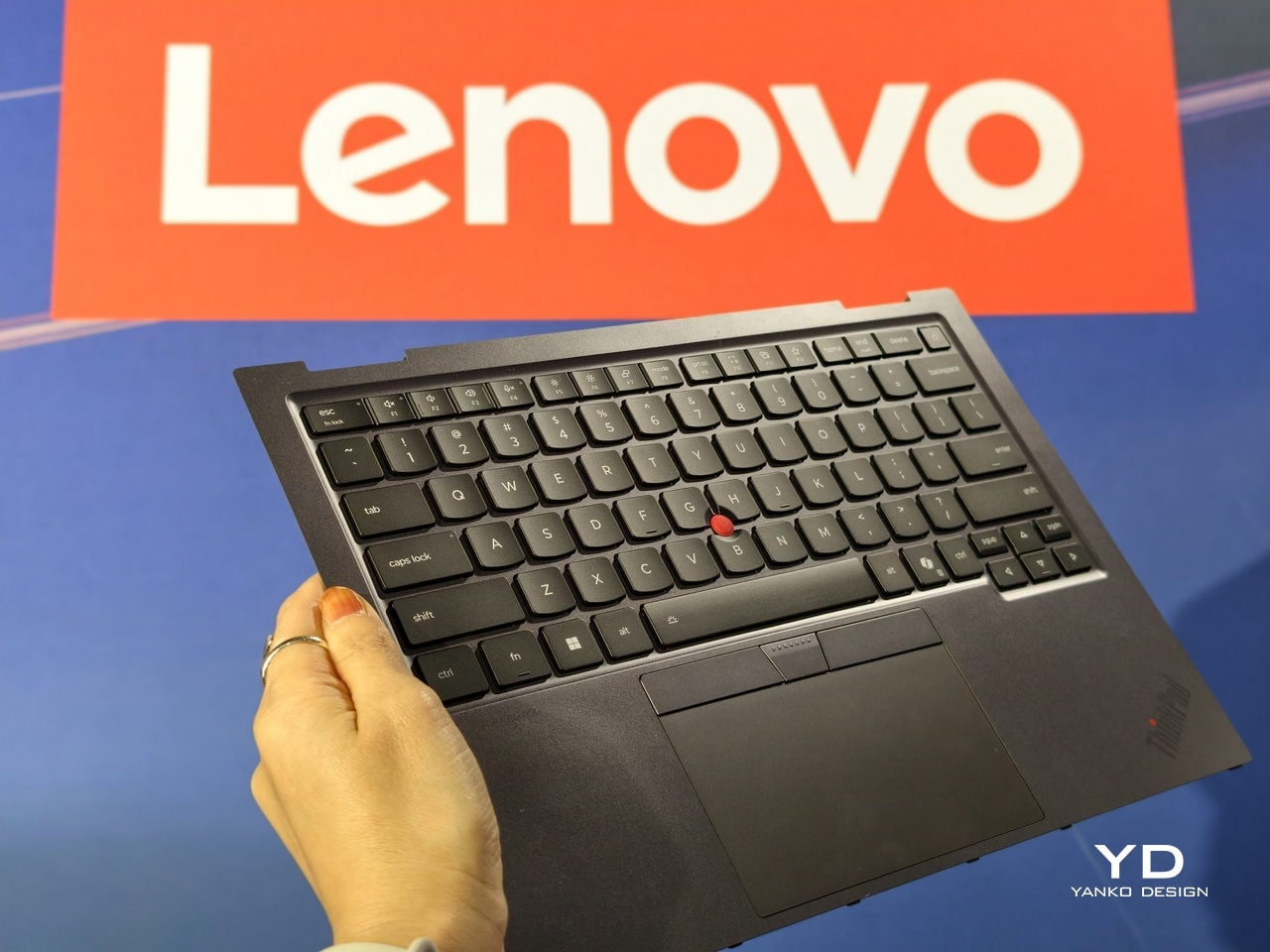
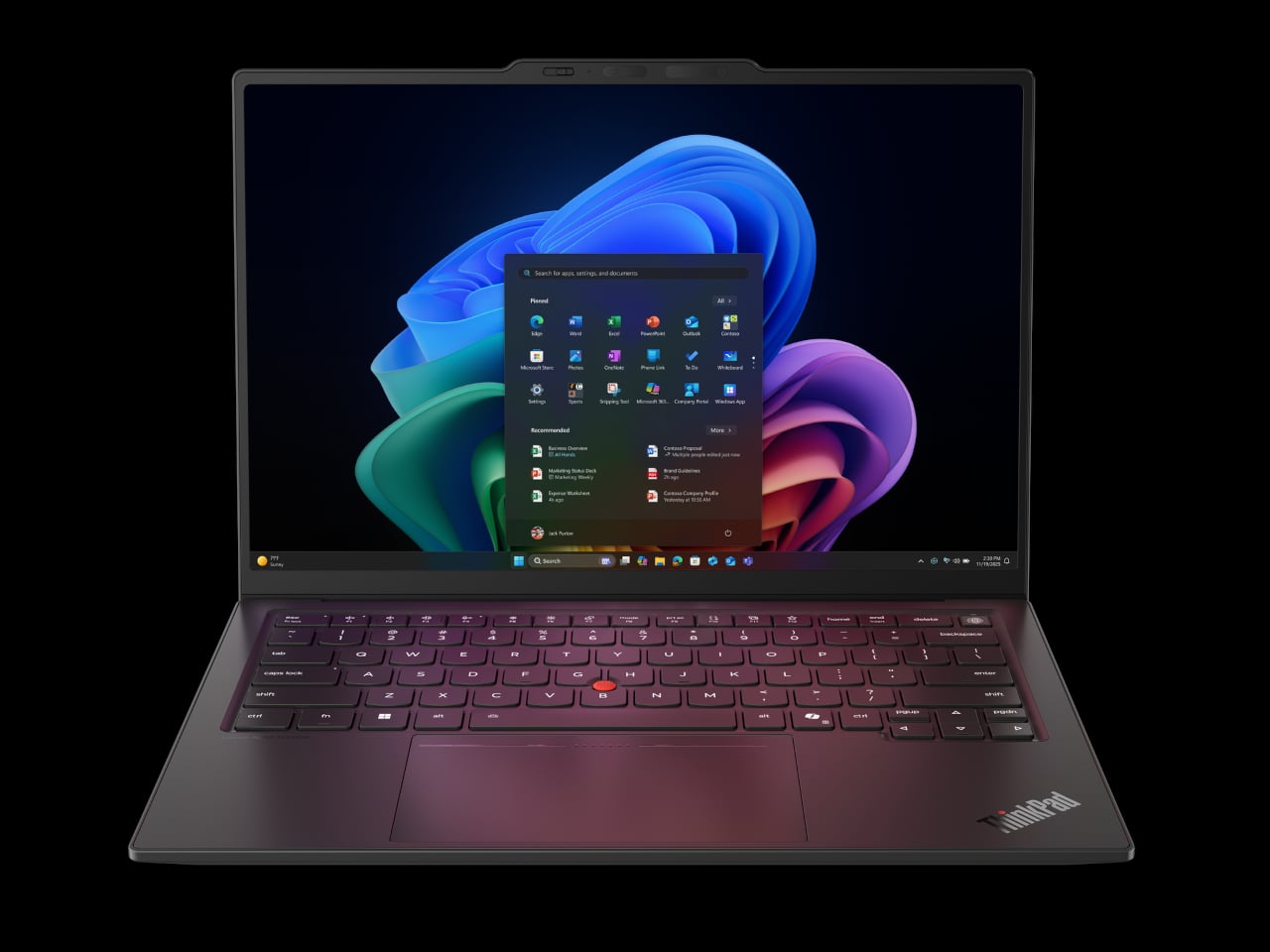
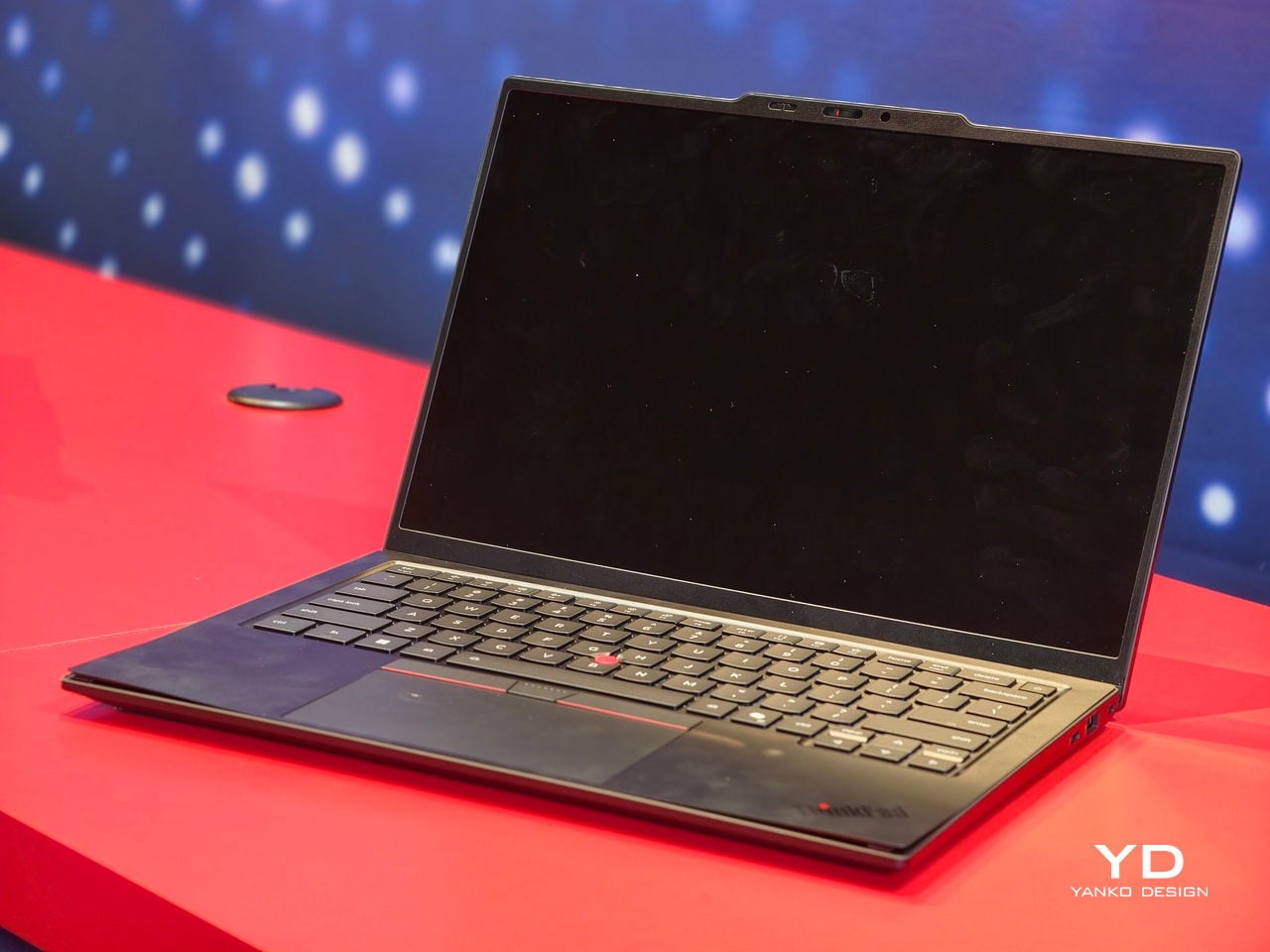
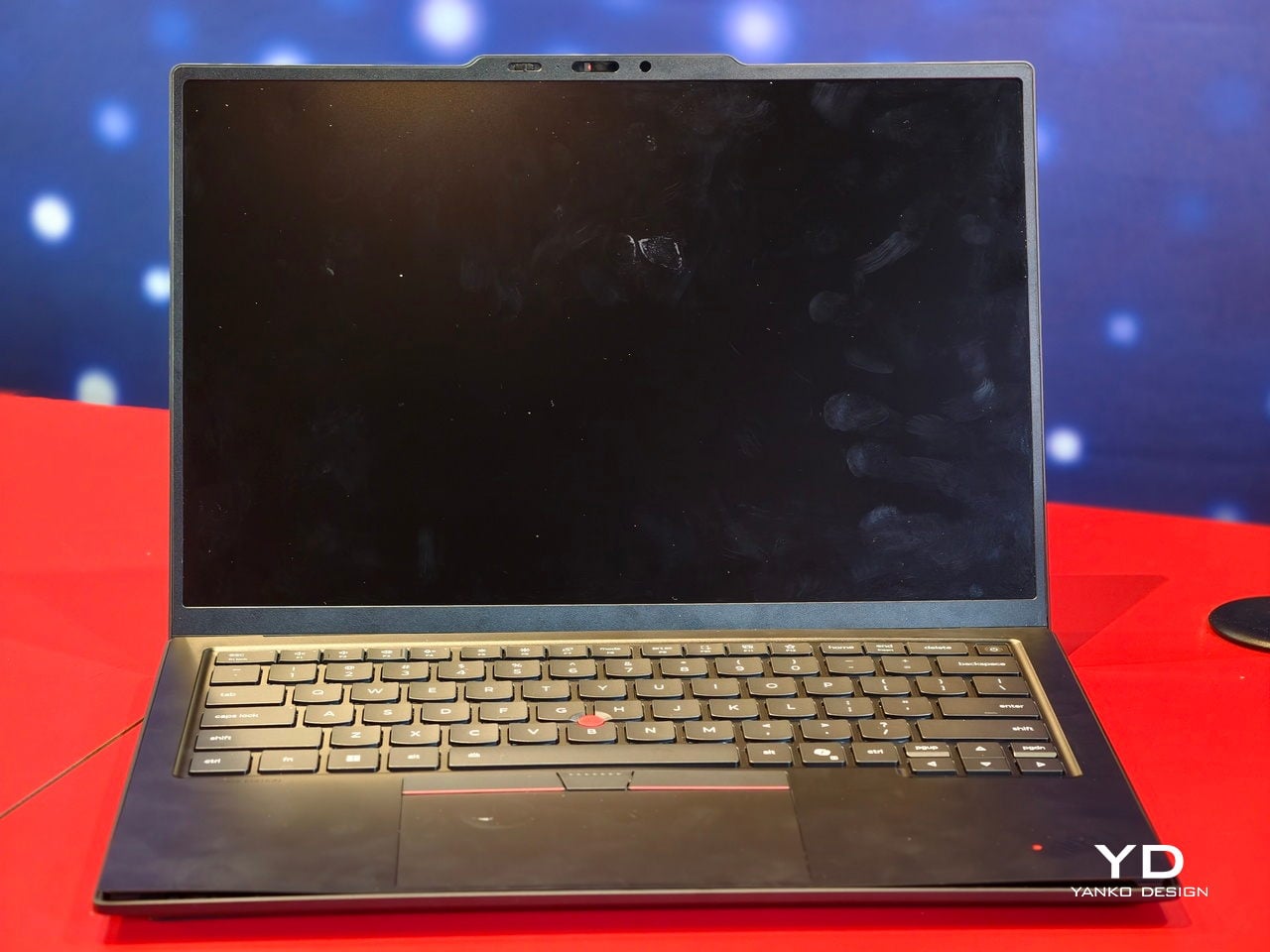
ThinkPad X1 Carbon has been the default answer to “what does a serious work laptop look like?” for more than a decade, with over ten million units sold since 2012. Most look and behave roughly the same. The Gen 14 Aura Edition arrives at CES 2026, when that definition is shifting, and Lenovo’s response is to quietly rework the bones around local intelligence, a new internal architecture, and repairability that does not feel like a compromise.

The first idea is that AI should live on the machine, not just in the cloud. The Aura Edition runs Intel Core Ultra X7 Series 3 processors with an integrated NPU capable of up to 50 TOPS, which means background noise removal, live transcription, or image enhancement can happen locally with less lag and fewer privacy worries. Lenovo’s Aura software layer tunes performance automatically, handles quick media transfers with a tap, and walks users through troubleshooting.

Designer: Lenovo

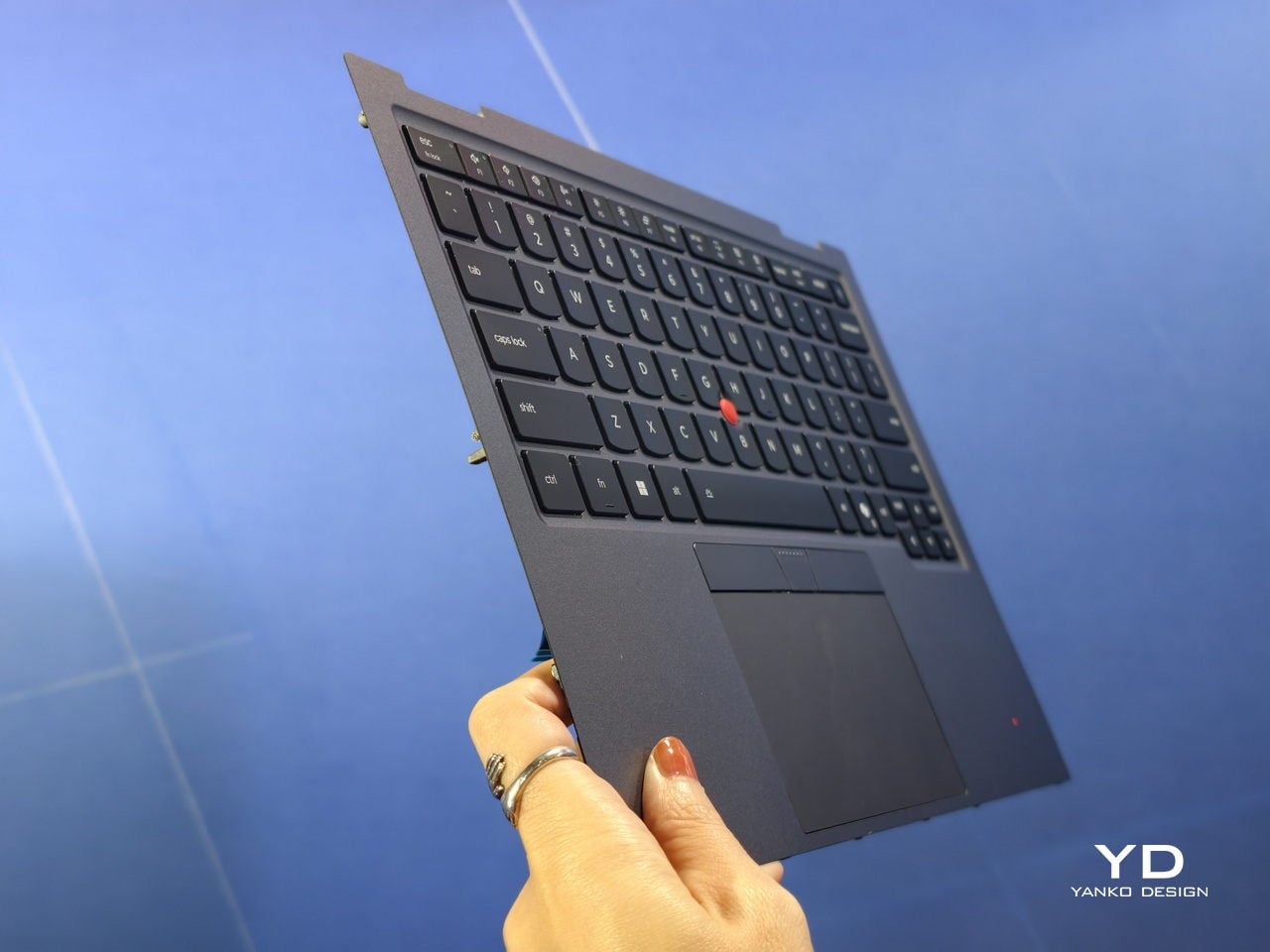
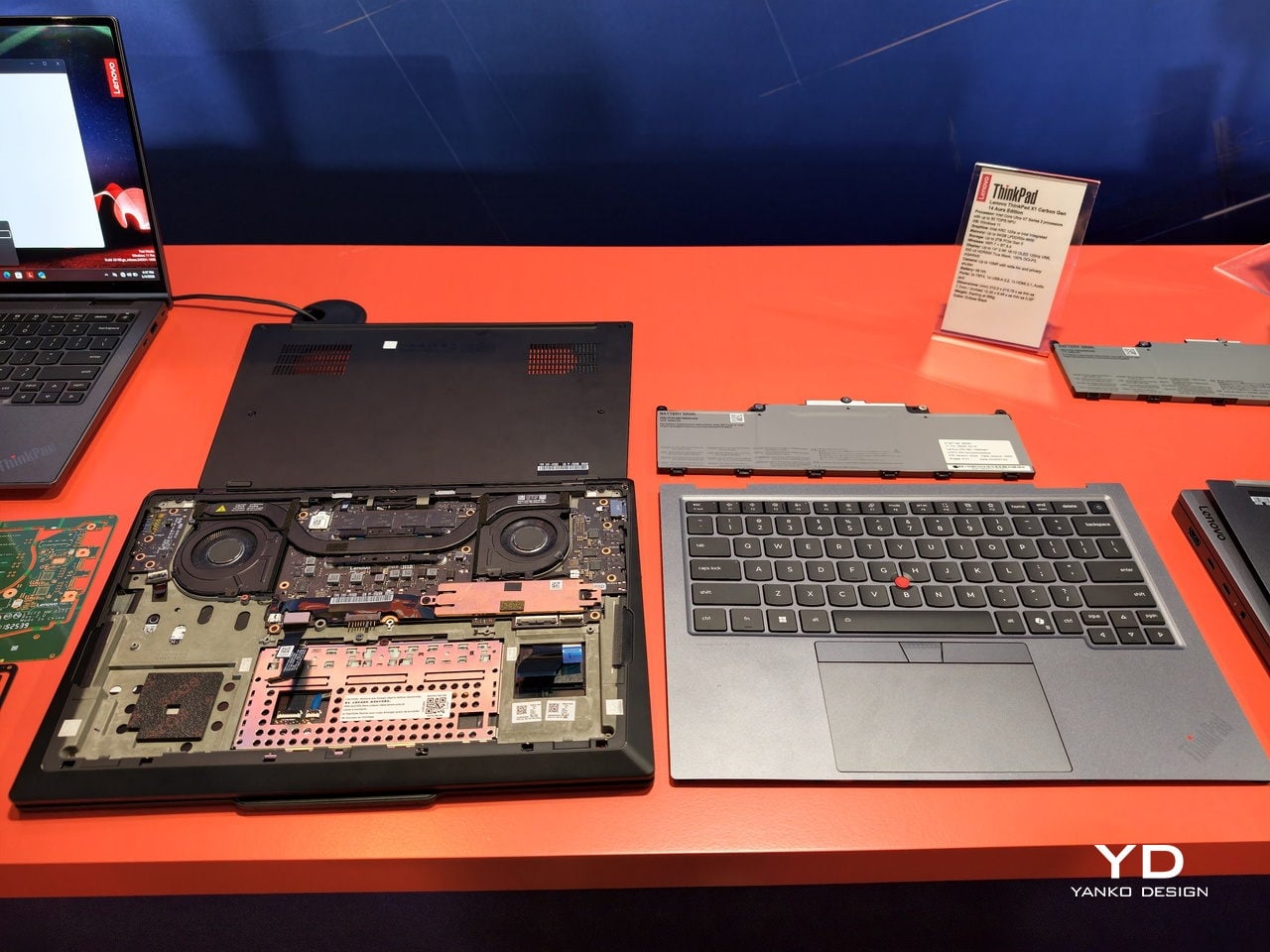
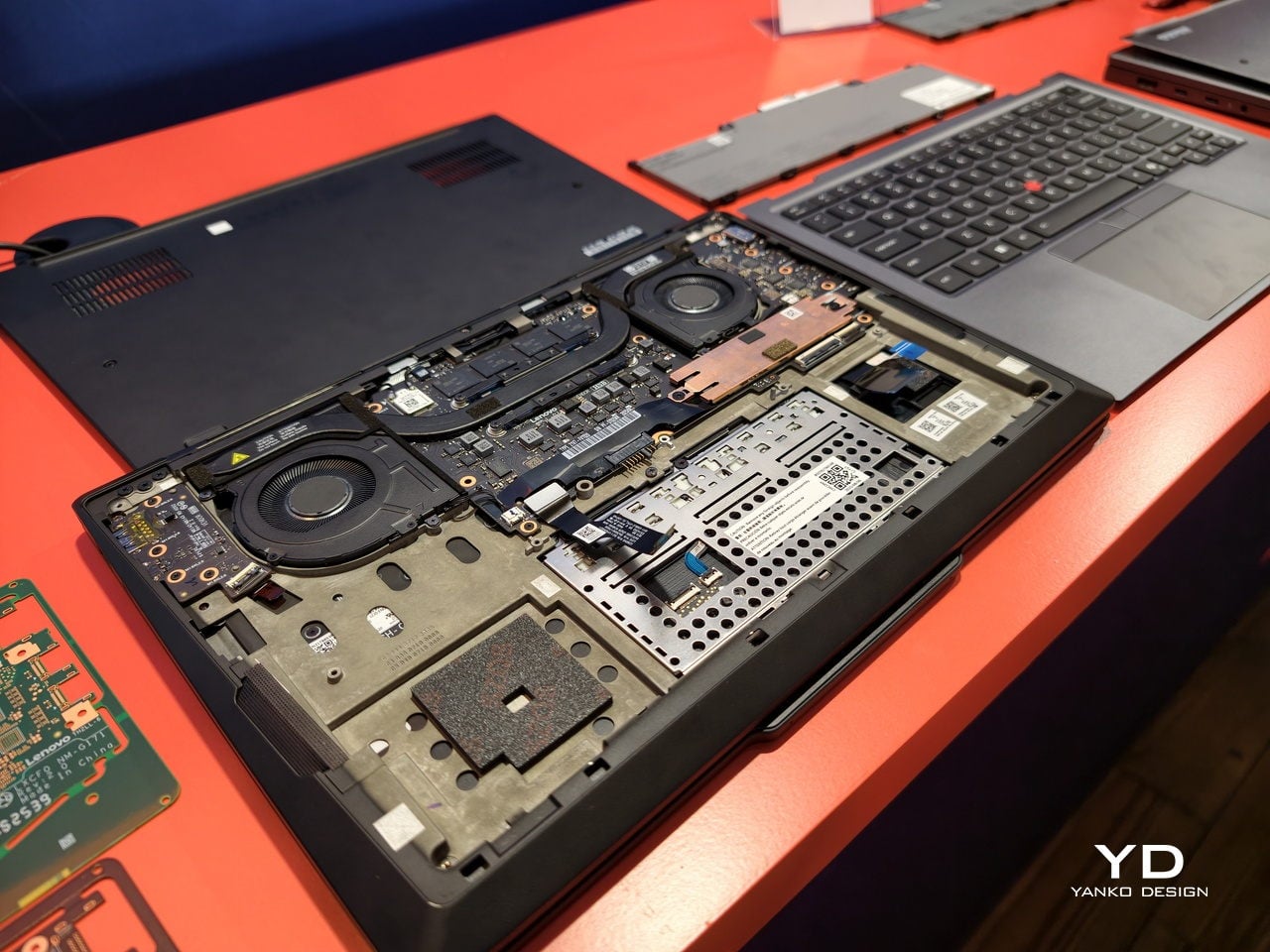
The second idea is Space Frame, a new internal layout that treats the inside as three-dimensional real estate rather than a flat sandwich. By placing components on both sides of the motherboard, Lenovo frees up volume for better airflow and a larger haptic touchpad while keeping the chassis under sixteen millimeters thick. That opens up about twenty percent better heat dissipation and lets the system sustain thirty watts of power, which matters when running heavy workloads.

Space Frame also makes room for modular parts. USB ports, the battery, keyboard, speakers, and fans are designed to be replaced as individual units, with a separate daughterboard that isolates some I/O, so a damaged connector does not mean a full motherboard swap. Lenovo says the X1 series now scores nine out of ten from iFixit. For people who keep laptops for years, that means less downtime and fewer machines scrapped for minor issues.

The sustainability story ties in closely. The chassis uses up to seventy-five percent recycled aluminum and ninety percent recycled magnesium in specific components, and packaging is now plastic-free. Those details matter for enterprises reporting on lifecycle impact, and they make the laptop easier to justify to teams skeptical of devices designed to be replaced every few years instead of maintained and refreshed when needed.

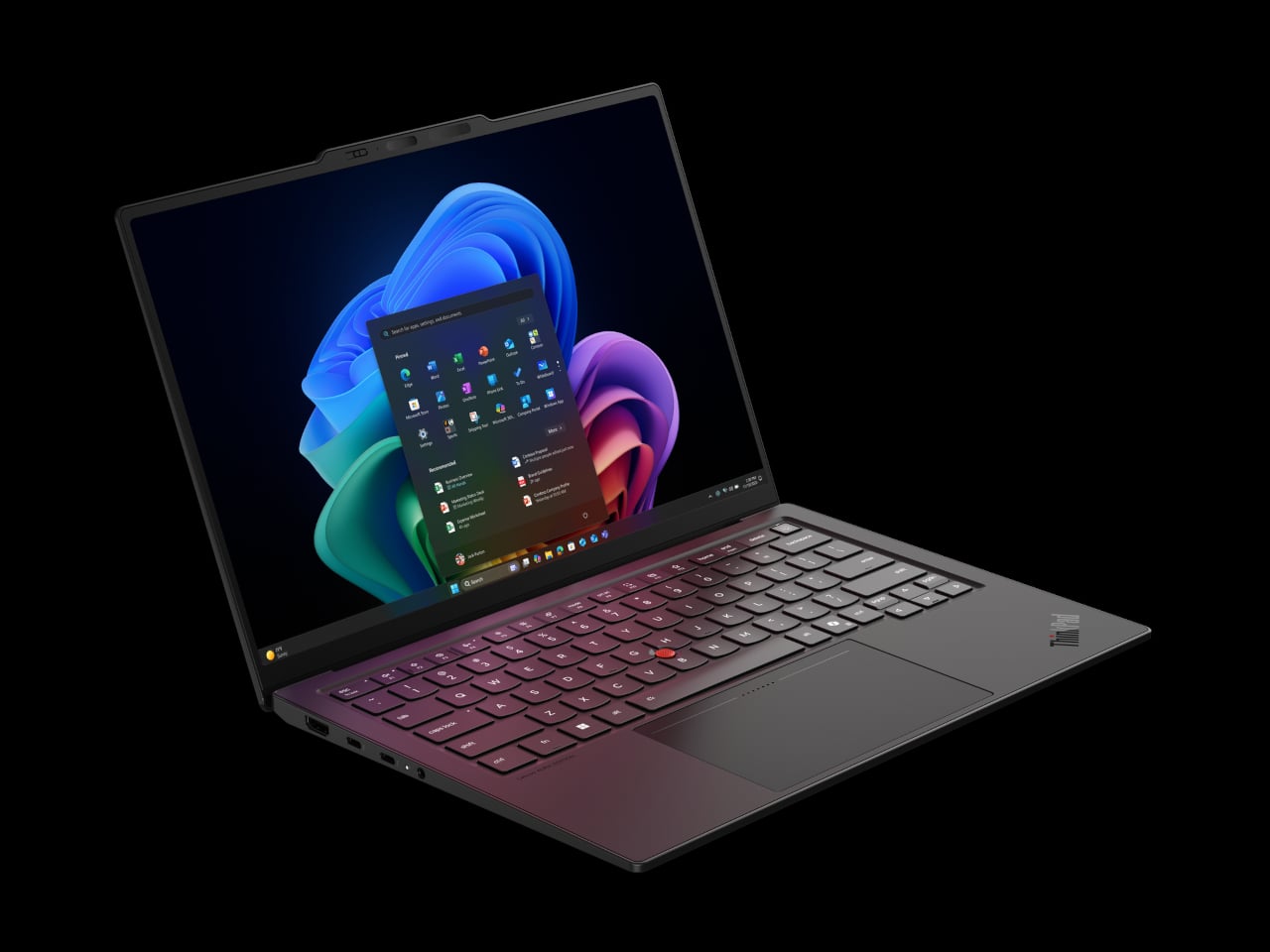
Around those pillars, the X1 Carbon Gen 14 Aura Edition feels familiar. An optional 2.8K OLED display with anti-glare coating, 500 nits, and full DCI-P3 coverage handles color work. A new 10-megapixel camera with a wide field of view and distortion correction makes hybrid meetings less painful. Wi-Fi 7, optional 5G, and three Thunderbolt 4 ports keep it ready for whatever networks and docks come next.

The interesting thing about this generation is not that it is faster or lighter, though it is both. Lenovo is using AI and a new internal design as reasons to make a flagship business laptop that is smarter, cooler, and easier to fix. The ThinkPad X1 Carbon Gen 14 Aura Edition is still the same understated black rectangle, but inside it argues that the future of professional laptops is about longevity, adaptability, and treating sustainability as a design constraint rather than marketing.

The post ThinkPad X1 Carbon Gen 14 Aura Edition Scores 9/10 From iFixit at CES 2026 first appeared on Yanko Design.
5 Best Transparent Audio Devices That Show What’s Inside

Transparent design has moved beyond gimmick territory into something genuinely compelling. When Nothing started showing off circuit boards through clear plastic, the tech world noticed. Now that aesthetic has matured into a legitimate design movement where form and function create something worth displaying. Audio equipment benefits particularly well from this treatment because the internals actually matter to the listening experience, turning technical components into visual storytelling.

The devices here represent transparency done right. These aren’t cheap tricks or hollow shells with nothing interesting inside. Each one exposes genuine engineering, invites you to understand how sound gets made, and transforms listening into something more tactile and present. From cassette players to turntables, these designs prove that showing your work can be just as important as the work itself.

1. Sony Walkman Transparent Cassette Recorder

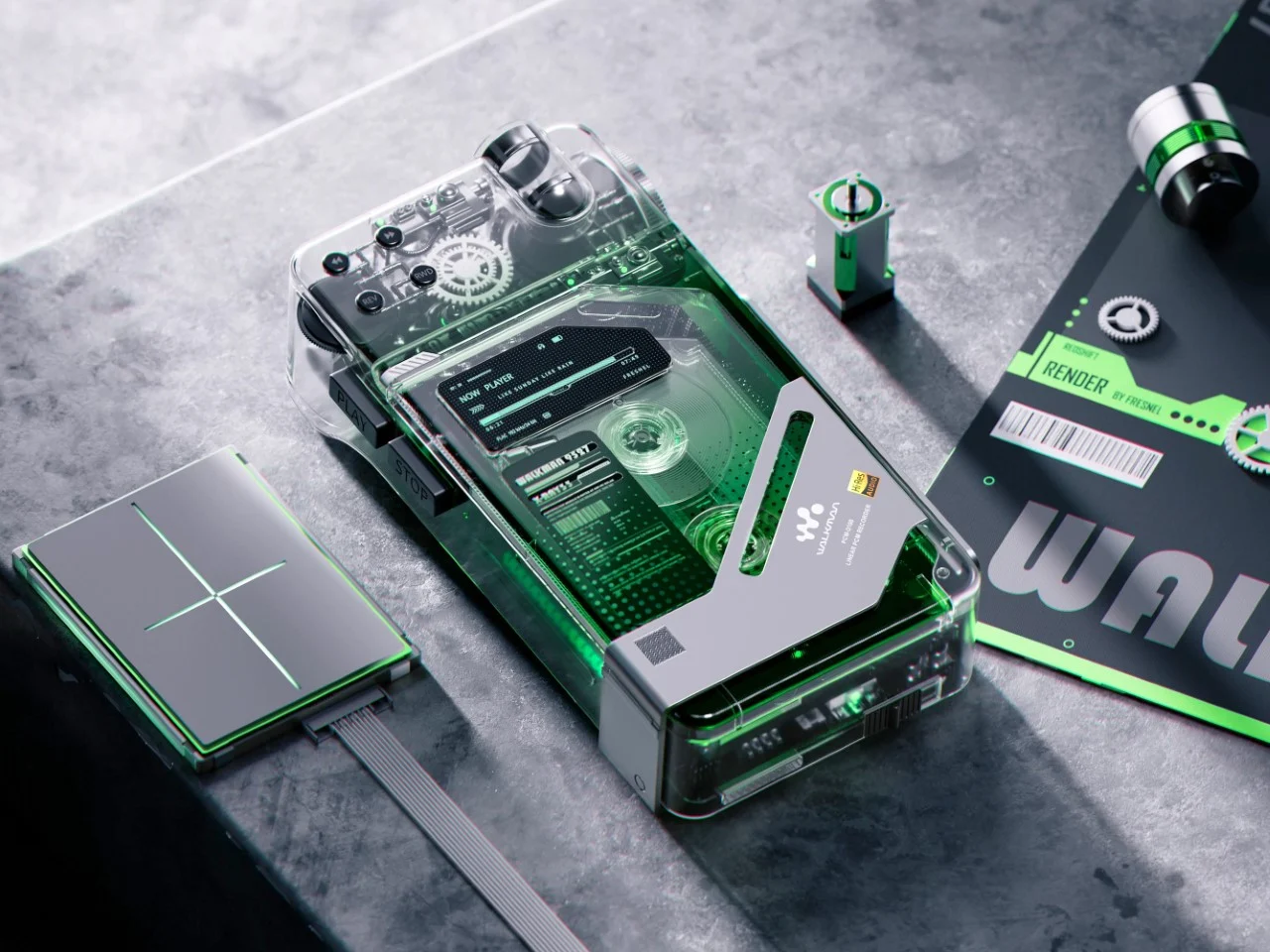
This concept recorder hits differently than most transparent tech because it understands that nostalgia needs a dose of futurism to stay relevant. The design merges Blade Runner aesthetics with classic Sony Walkman DNA, creating something that feels simultaneously vintage and impossible. That crystal-clear housing reveals every mechanical element, from the tape mechanism to those satisfying gear systems that physically move when playing. The transparency here serves a purpose beyond aesthetics, letting you witness analog technology doing its thing in real time.

What makes this particularly successful is the deliberate visual hierarchy. The top-mounted mechanical components receive showcase treatment, positioned like the exposed movement in a luxury timepiece. That digital display embedded among analog parts creates fascinating tension, suggesting computational intelligence coexisting with physical media. The miniaturized control buttons along the top edge reference 80s Sony recorders without feeling derivative, achieving that difficult balance between tactile satisfaction and modern refinement.

What We Like

  • The exposed gear mechanisms turn playback into a visual performance worth watching.
  • The fusion of digital display with analog components creates compelling technological contrast.

What We Dislike

  • Being a concept means you cannot actually buy or use this device yet.
  • The cassette format limits practical utility in modern digital workflows.

2. StillFrame Wireless Headphones

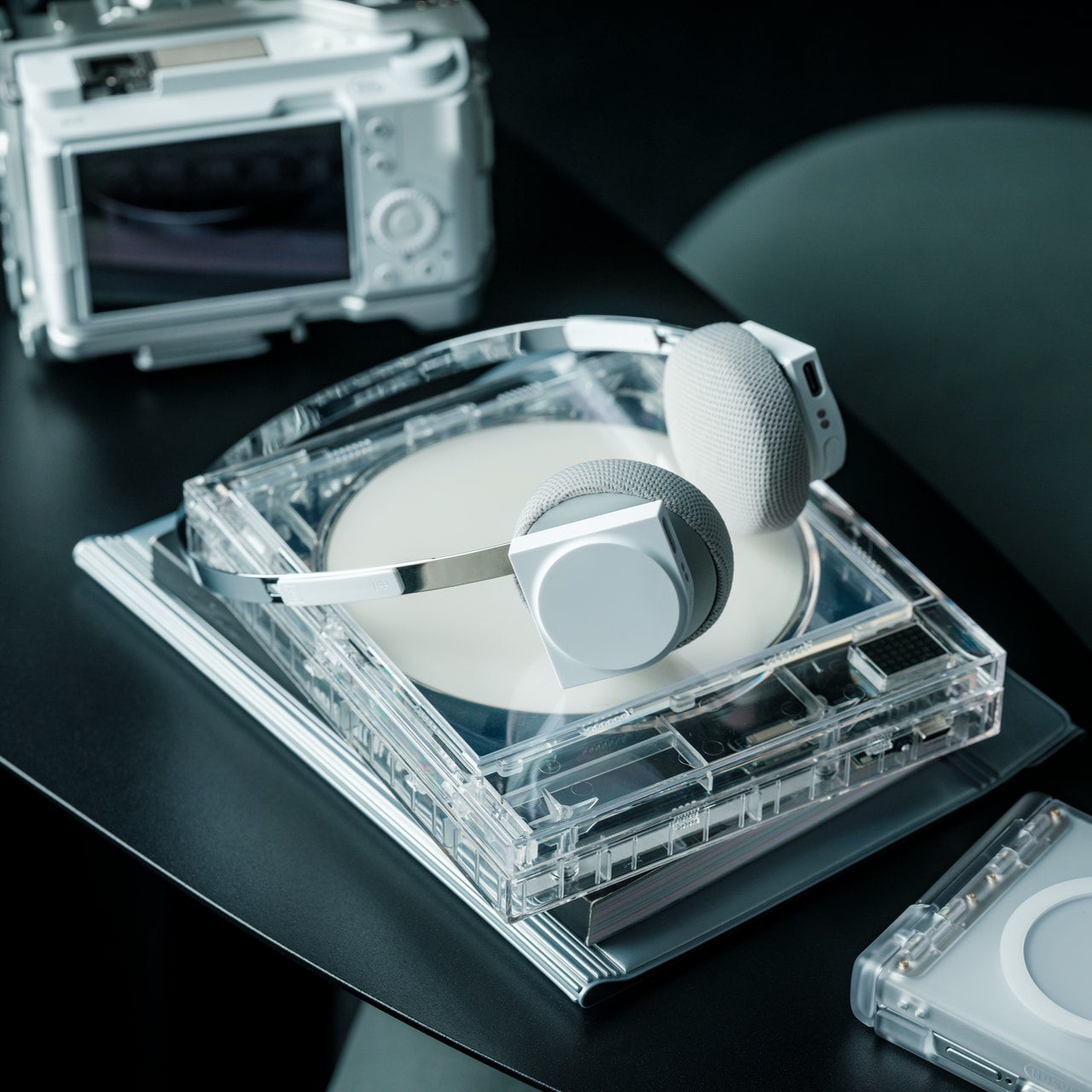
StillFrame approaches headphone design like someone who actually cares about the listening ritual rather than just the specs sheet. The transparent housing exposes the internal circuit board deliberately, treating technology as part of the experience instead of something requiring concealment. That exposed engineering dialogue with the geometric form creates visual interest without resorting to aggressive gaming aesthetics or needless embellishment. The design philosophy echoes those geometric CD cases from the 80s and 90s when physical media demanded intentional shelf presence.

The 40mm drivers deliver a wide, open soundstage that prioritizes melodic texture and spatial awareness. At 103 grams, these feel nearly weightless during extended wear, managing to maintain presence without physical pressure. The magnetic fabric ear cushions swap easily, with each white model including light gray and turquoise options for subtle personalization. That stainless steel headband achieves the ideal strength-to-weight ratio, while the housing fuses circular and square geometry in understated harmony.

Click Here to Buy Now: $245.00

What We Like

  • The magnetic ear cushion system makes swapping colors satisfying and effortless.
  • The 24-hour battery life eliminates constant charging from your routine.

What We Dislike

  • The exposed circuitry might collect dust more readily than sealed designs.
  • The geometric aesthetic will not appeal to those preferring minimalist simplicity.

3. ClearFrame CD Player

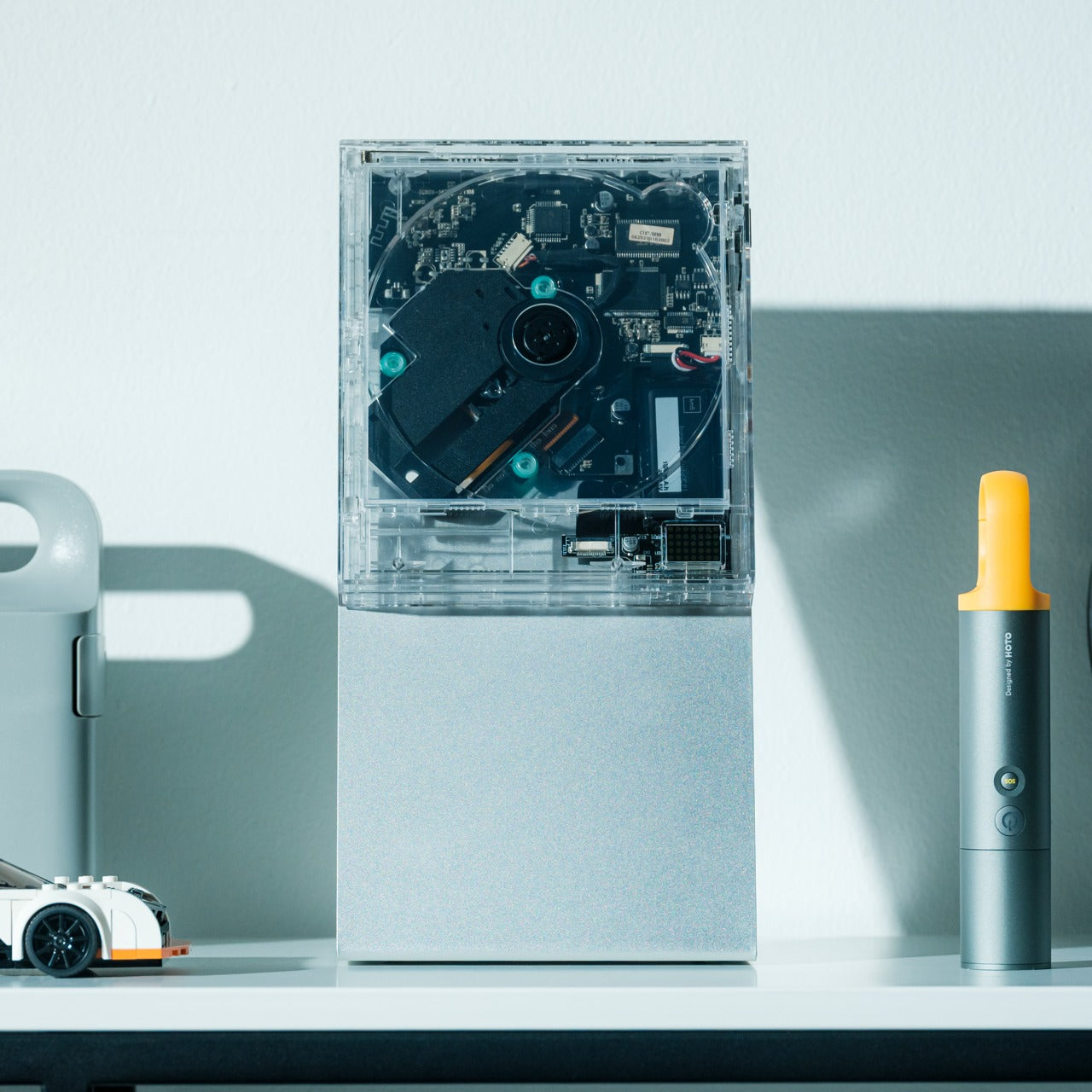
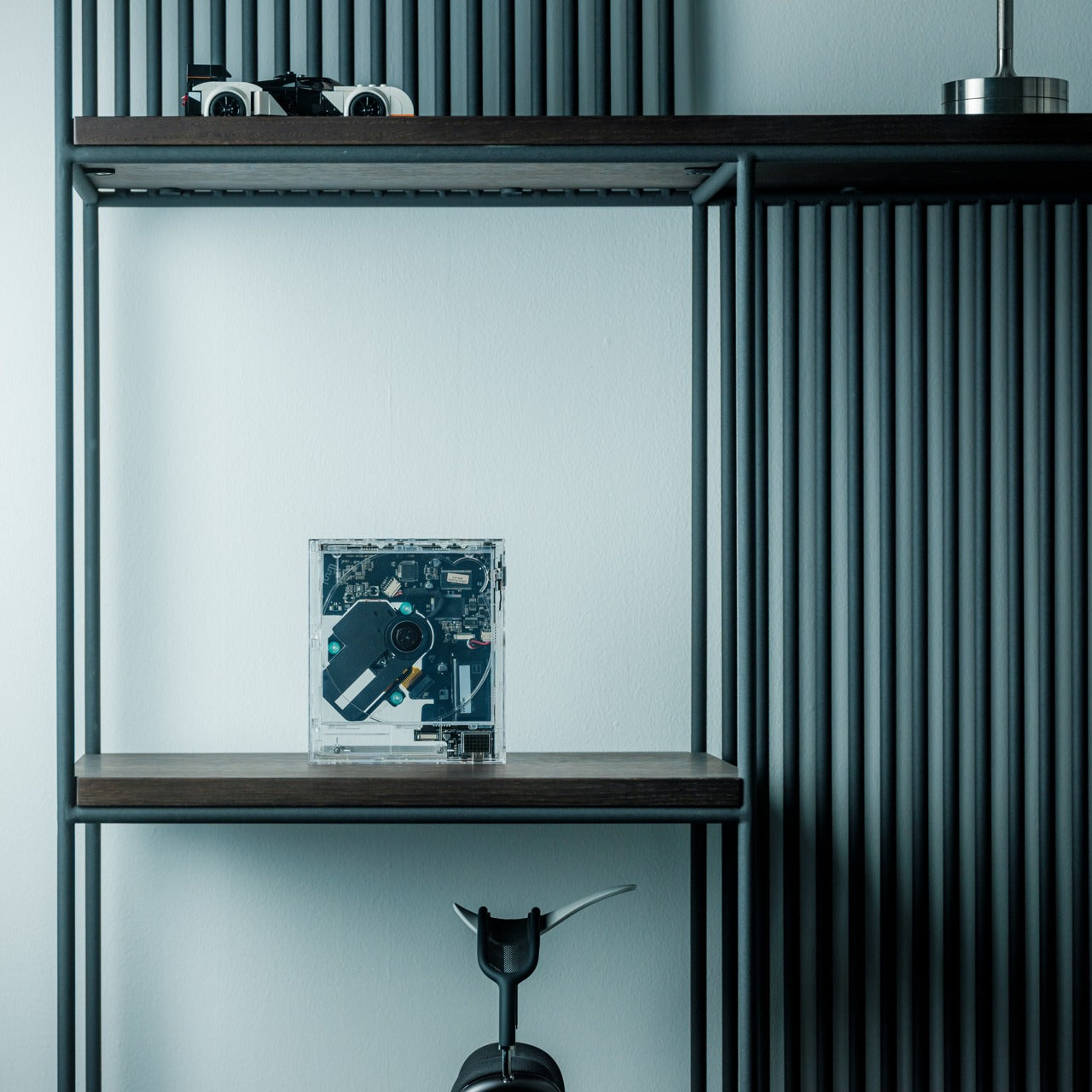
ClearFrame treats compact discs like the miniature art exhibits they always deserved to be. That square polycarbonate body frames each album cover while exposing the black circuit board inside, turning engineering into intentional visual design. The transparent construction creates what feels like a crystal sculpture housing an analog soul, where every component receives showcase treatment. This approach transforms music playback from background activity into something more ceremonial and present.

The design accommodates multiple mounting options, functioning equally well on shelves, desks, or walls. That versatility means the player adapts to your space rather than demanding specific placement. The exposed circuitry invites small moments of discovery with each glance, revealing how digital information gets extracted from physical media. Bluetooth 5.1 support extends playback beyond the device itself, while the seven-hour rechargeable battery enables portability when needed.

Click Here to Buy Now: $199.00

What We Like

  • The wall-mounting capability transforms music into room decor.
  • The exposed circuit board turns technical components into deliberate visual interest.

What We Dislike

  • The seven-hour battery life feels limited for extended portable use.
  • CD format restricts compatibility with modern streaming workflows.

4. Side A Cassette Speaker

This pocket-sized speaker commits fully to the cassette aesthetic without feeling like cheap nostalgia bait. The transparent shell and Side A label treatment reference actual mixtapes, but the Bluetooth 5.3 connectivity and microSD support reveal modern functionality hiding inside. That clear case doubles as a stand, transforming this from pocket carry into deliberate desk presence. The compact form factor makes this surprisingly versatile, functioning equally well for personal listening or small gatherings.

The sound signature aims for warmth rather than clinical precision, evoking analog tape playback characteristics within obvious physical constraints. MicroSD support enables offline playback without requiring constant wireless connectivity, useful for locations with spotty coverage or when preserving phone battery matters. The cassette styling walks the line between homage and parody, landing somewhere that feels genuine rather than ironic.

Click Here to Buy Now: $45.00

What We Like

  • The sub-fifty-dollar price point makes this an accessible impulse purchase territory.
  • MicroSD support enables completely offline music playback without phone dependency.

What We Dislike

  • The compact size limits bass response and overall volume capabilities.
  • The cassette format may seem gimmicky to those uninterested in retro aesthetics.

5. Audio-Technica AT-LPA2 Transparent Turntable

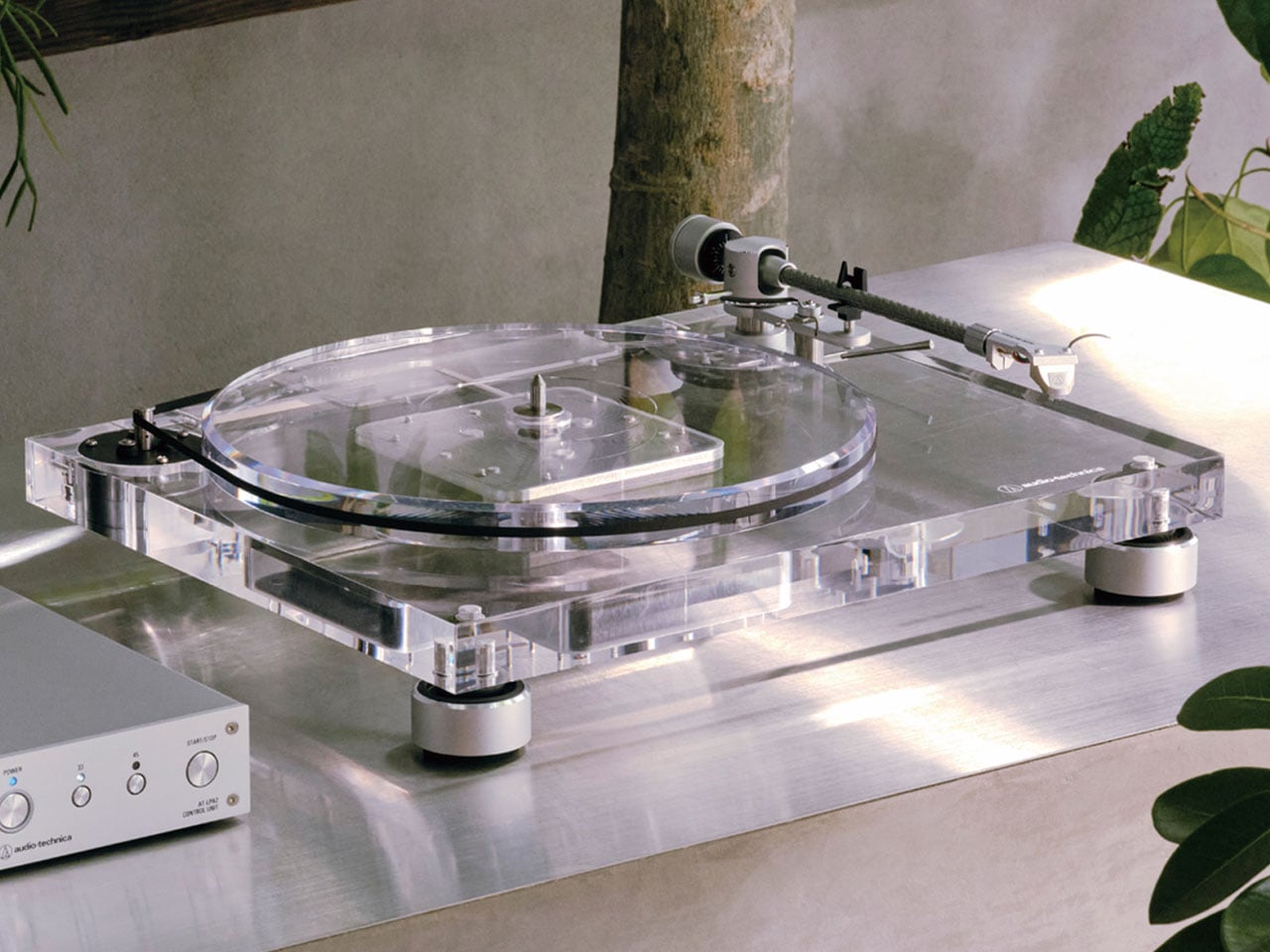
Audio-Technica’s transparent turntable represents serious engineering disguised as a design experiment. That 30mm-thick high-density acrylic body and 20mm acrylic platter serve technical purposes beyond aesthetics, with material density providing vibration damping that reduces unwanted resonance. This production version evolved from the limited-edition AT-LP2022 anniversary model, incorporating structural refinements aimed at reliable high-fidelity analog playback. The transparent construction challenges conventional turntable aesthetics without compromising performance expectations.

The visual impact hits immediately. Where most turntables hide mechanisms beneath wood veneer or matte finishes, this model exposes everything. That transparency transforms the tonearm, platter, and motor into focal points rather than concealed components. The minimalist appearance suits modern interiors while maintaining the gravitas expected from serious audio equipment. The acrylic construction communicates both fragility and precision, suggesting careful engineering rather than mass production.

What We Like

  • The thick acrylic construction provides functional vibration damping alongside visual impact.
  • The exposed mechanisms transform turntable operation into observable performance.

What We Dislike

  • The transparent acrylic shows dust and fingerprints more readily than traditional finishes.
  • The premium materials and construction likely command higher prices than conventional turntables.

The Return of Visible Technology

Transparent audio design represents more than an aesthetic trend. These devices signal shifting attitudes toward technology, where understanding how things work matters as much as what they do. The movement away from black boxes toward exposed engineering suggests audiences want relationships with their devices beyond mere utility. When you can see gears turning or circuit boards processing, technology becomes less abstract and more tangible.

The best transparent designs balance revelation with restraint. These five devices expose internal workings without overwhelming the core function of delivering quality sound. They remind us that audio equipment serves both sonic and spatial roles, existing as functional tools and visual objects simultaneously. That dual purpose elevates listening from background activity into something more intentional and present, worth both hearing and seeing.

The post 5 Best Transparent Audio Devices That Show What’s Inside first appeared on Yanko Design.

HP Eliteboard G1a keyboard is a next gen AI PC in disguise

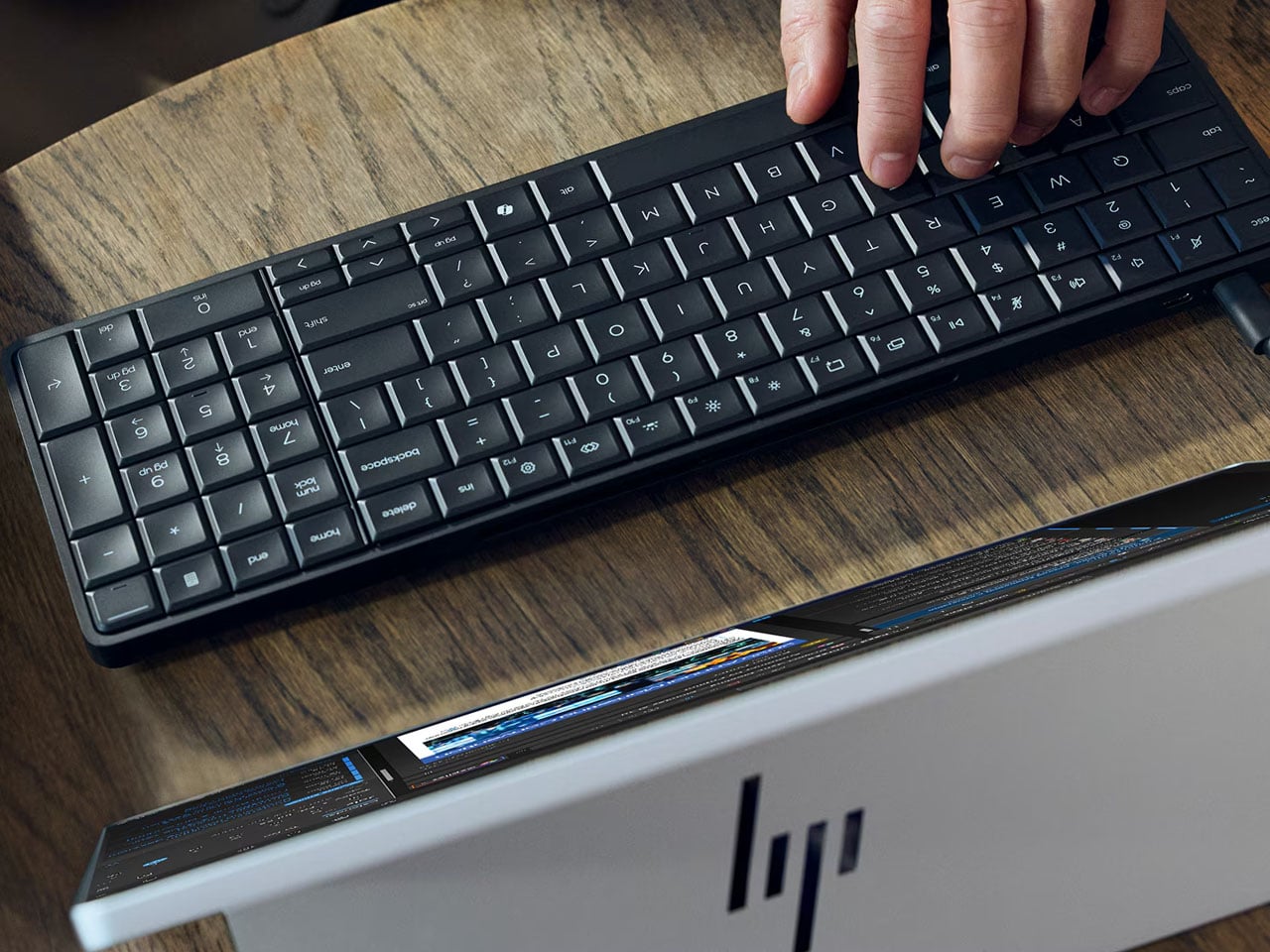
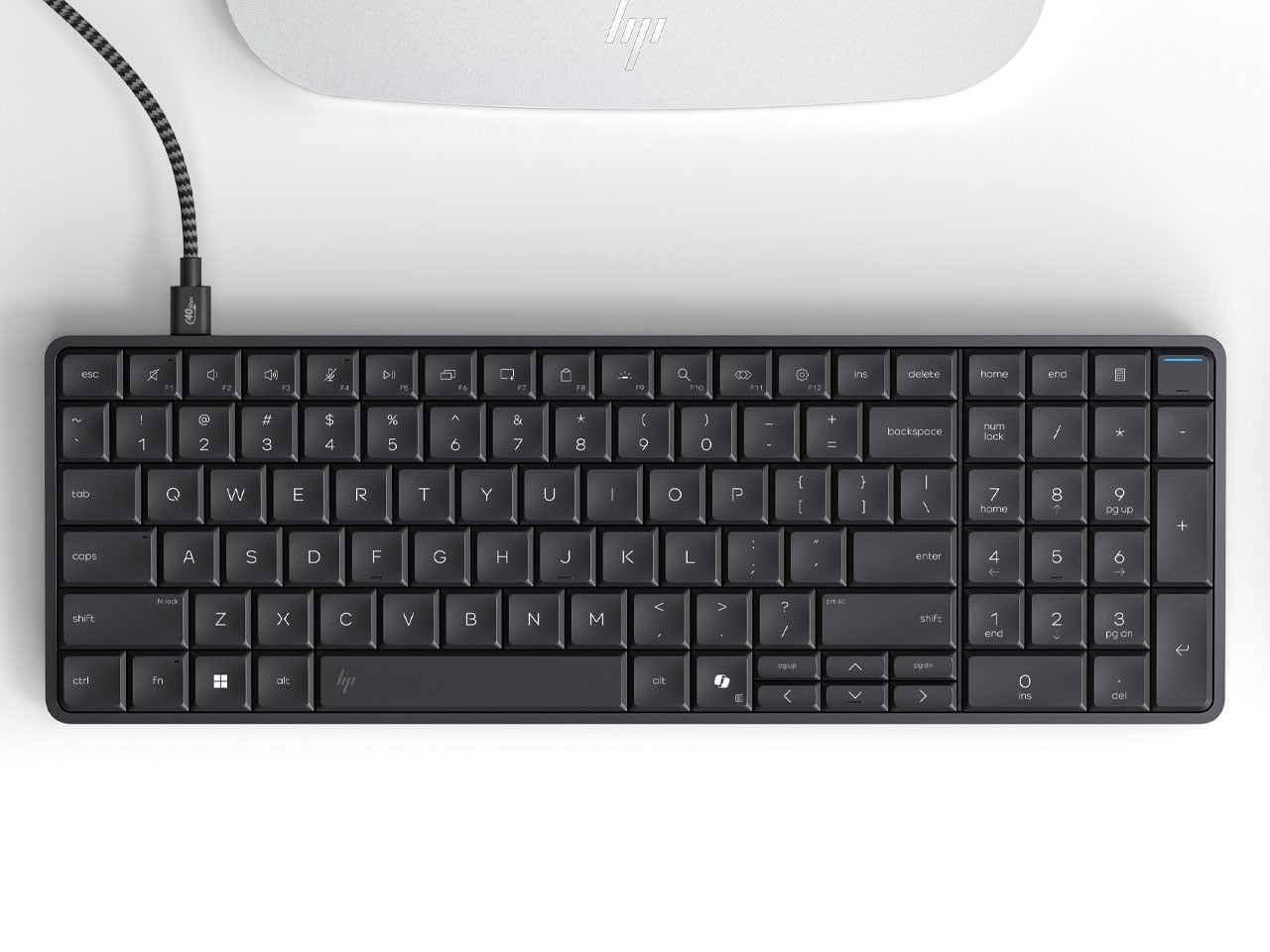
It’s CES time, and we’re not expecting anything short of extraordinary at the event. The other day, we saw the Pentagram x Caligra c100 keyboard, which houses computing hardware inside. Now, HP has announced its own version of a keyboard PC, and it looks even better, with practicality at the forefront. At first glance, you might not realize the desktop keyboard has computing power inside, but that’s where the surprise lies.

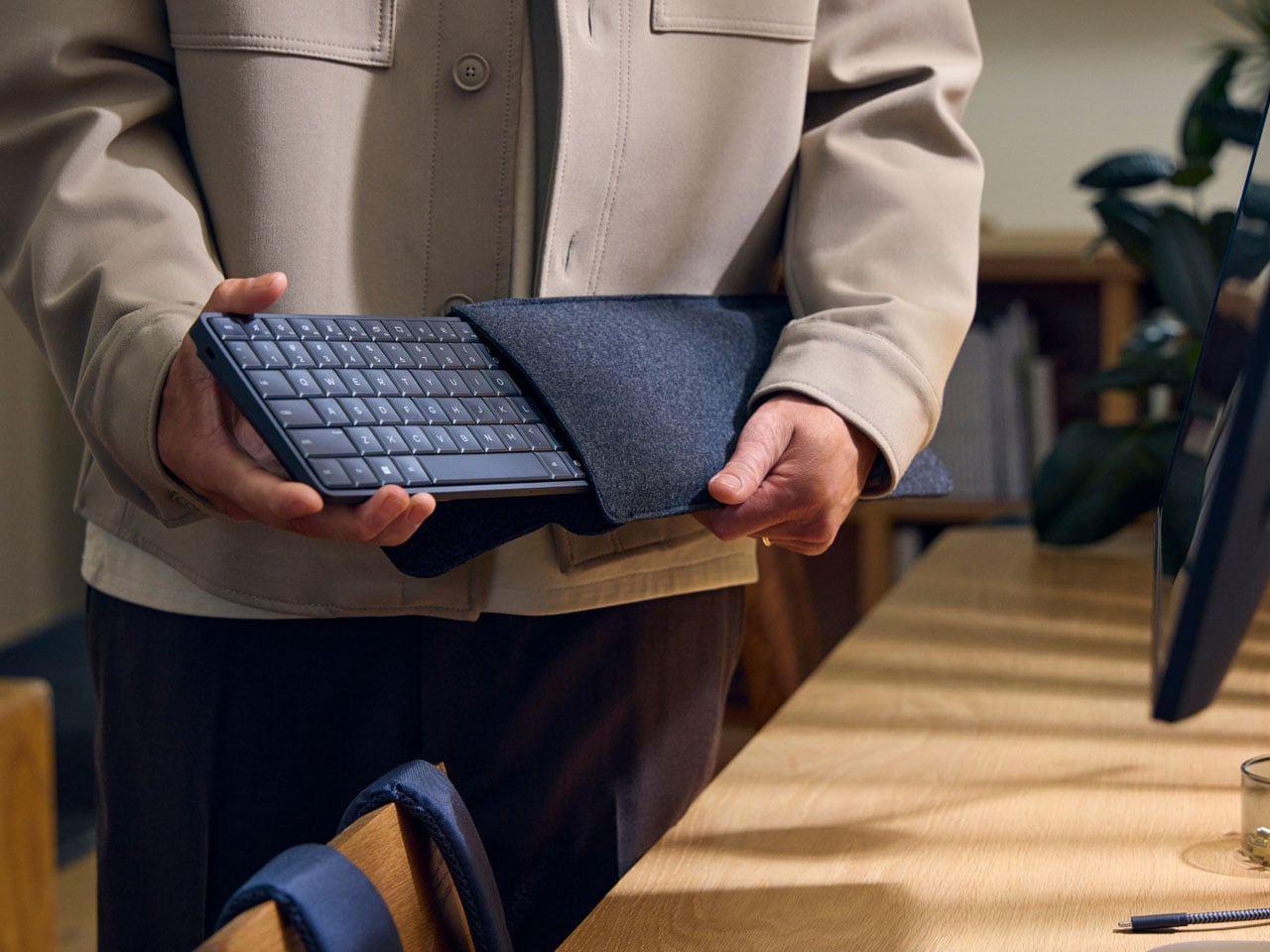
According to HP, the Eliteboard G1a is “the first and only AI keyboard PC,” and is capable of doing most of the day-to-day tasks you desire while being mobile. Rather than going the AIO route (slamming a PC into the screen), HP chooses a piece of hardware that goes portable with you. The screen PC idea is novel, but it restricts you to one place. A keyboard PC is a more practical idea, and I’m glad it’s here.

Designer: HP

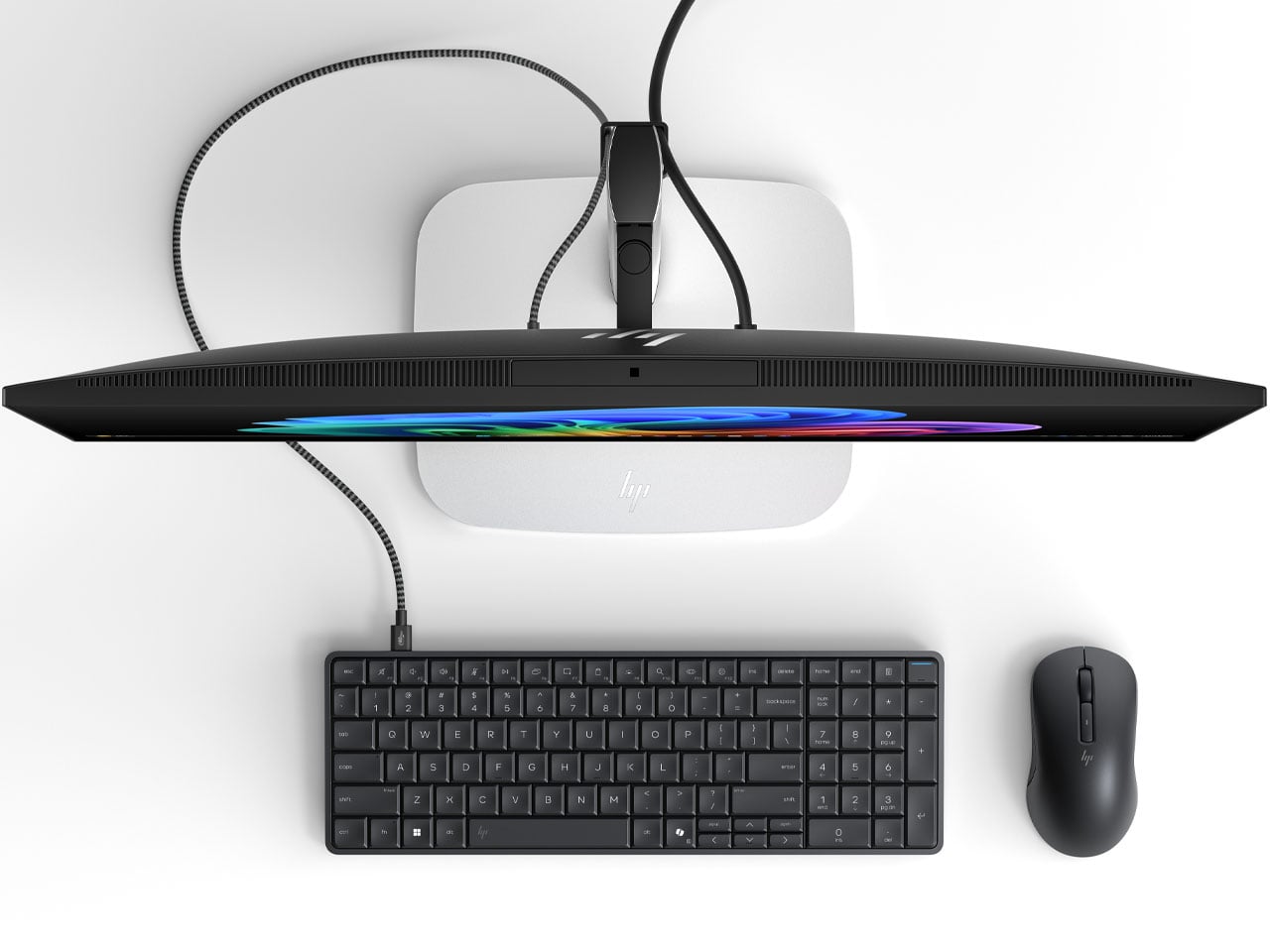
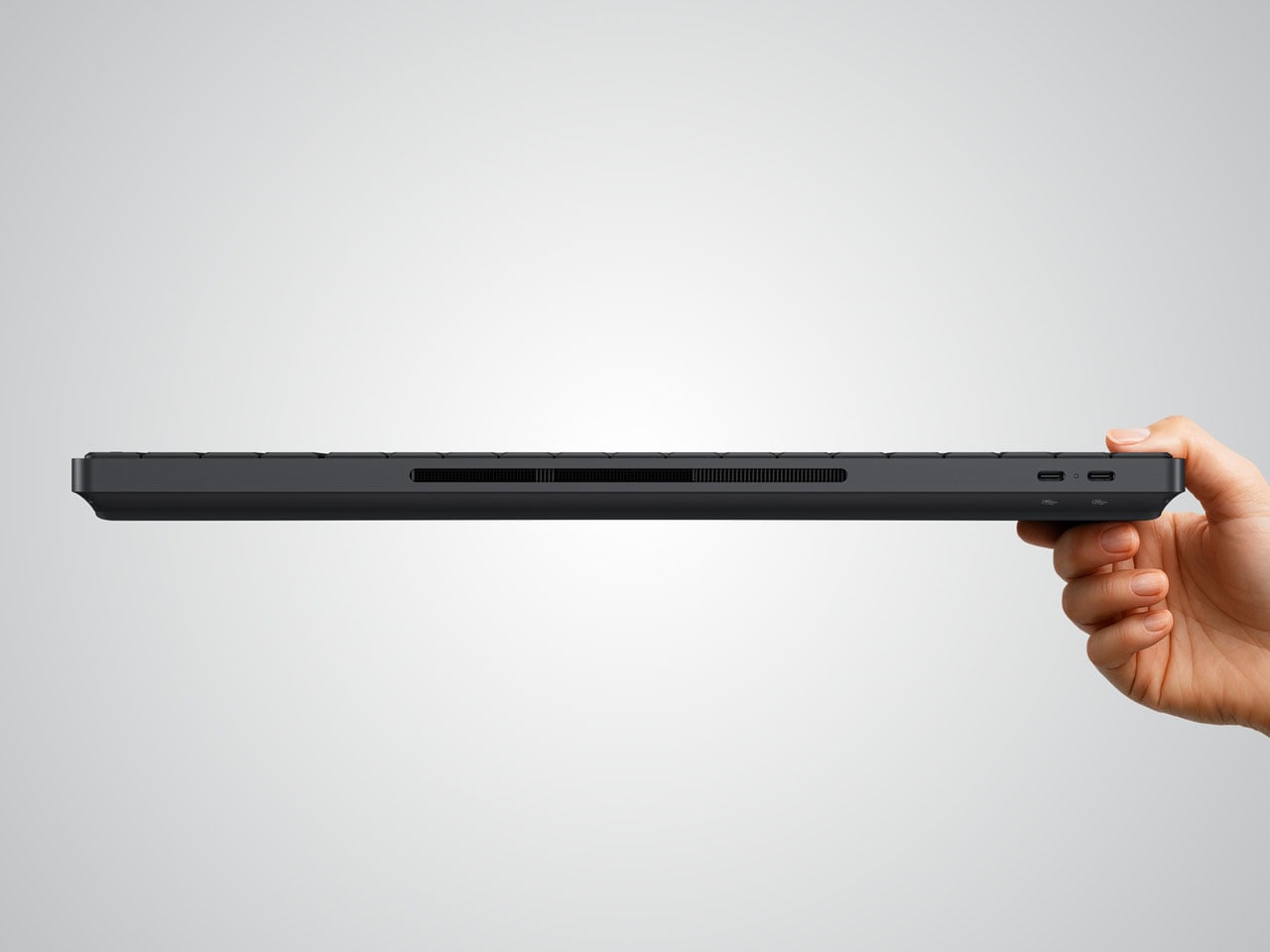
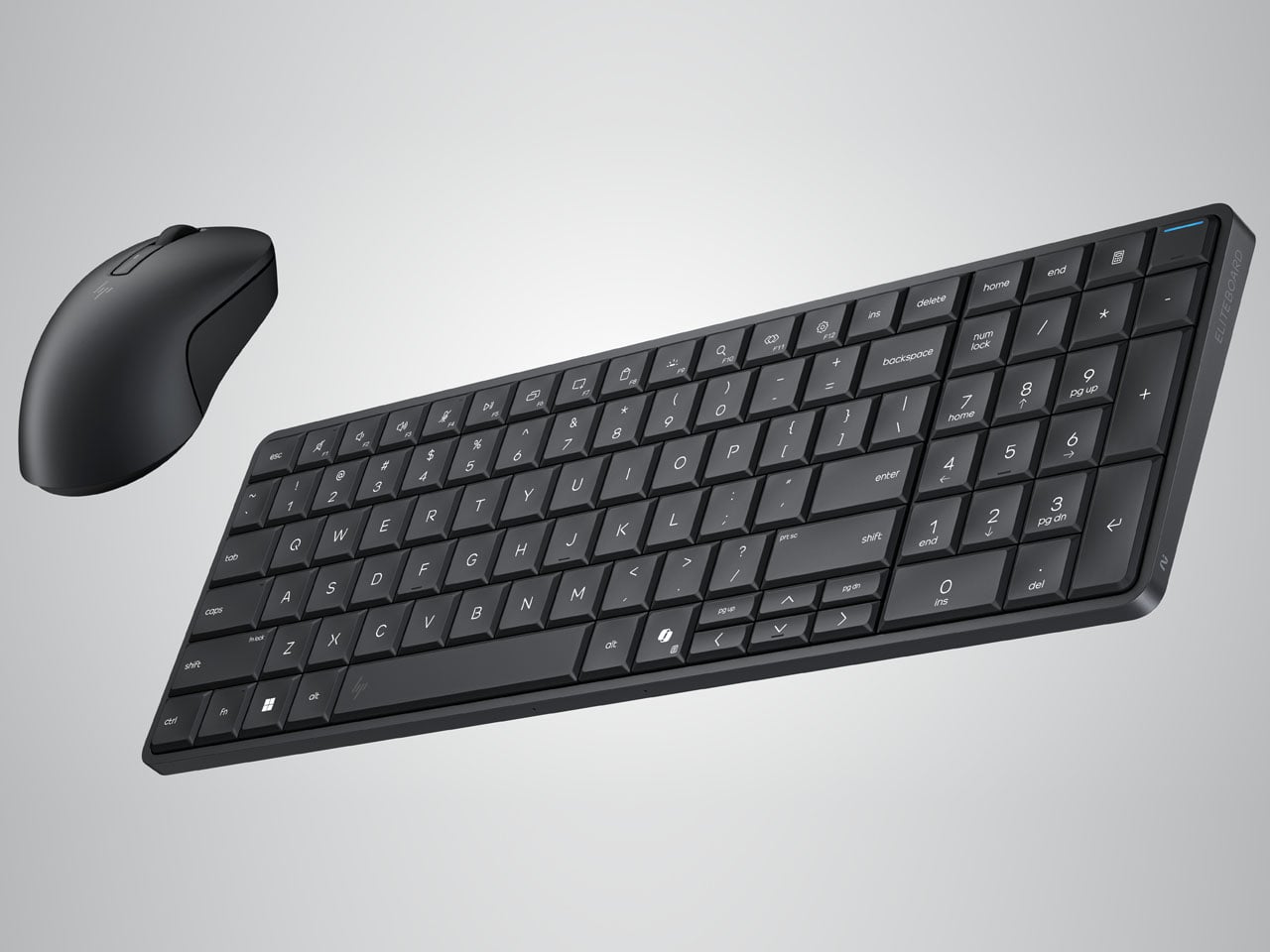
The EliteBoard G1a keyboard is a tad thicker than normal peripherals, and it’s completely understandable as computing hardware requires space. Measuring 58 x 118 x 17 mm and weighing just 726 grams (with the battery included), the keyboard is ideal for tasks like browsing the internet, opening the odd survey form for input, listening to music, and more. The spill-proof peripheral has 93 keys, including the number pad. In retrospect, it makes the Bapco mechanical keyboard that houses a working PC inside look bulky.

If you’ve used the HP Elitebook range, the keyboard has the same tactile typing experience, with the key travel (2mm) fine-tuned for desktop space. The keyboard PC comes with the choice of AMD Ryzen AI 300 Pro mobile processors, capable of a maximum of 50 NPU TOPS, making it a Copilot+ equivalent PC. You can connect up to two 4K monitors (running at 60Hz) since it has an integrated Radeon iGPU. Memory capacity is capped at 64GB DDR5-6400, which should be enough to handle sizeable tasks on the fly. The user can install up to 2 TB PCIe Gen4 NVMe SSD, while the Ryzen AI 7 350 SKU variant can be configured for 32GB of eMMC storage.

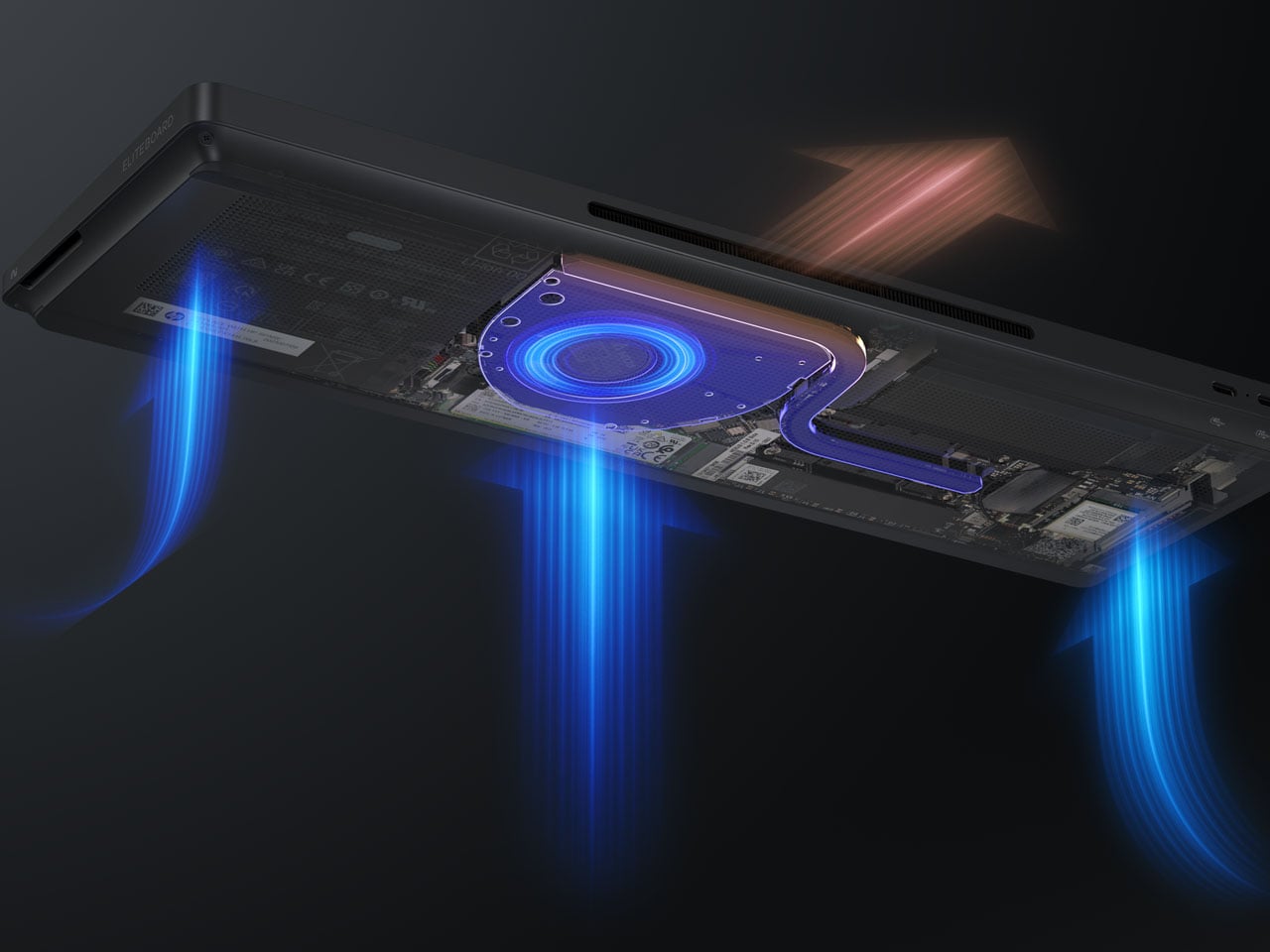
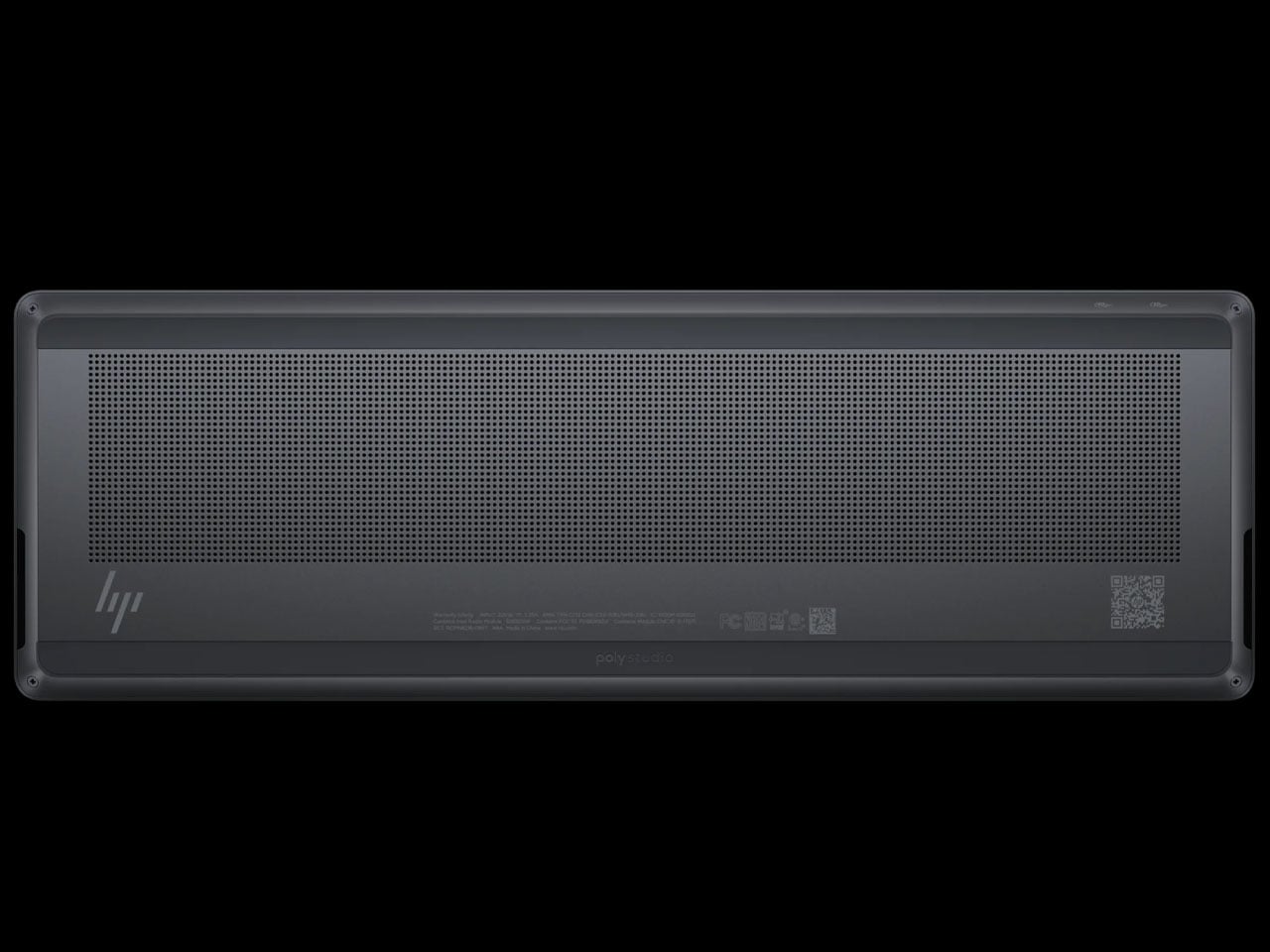
The Windows 11-powered EliteBoard G1a has a built-in 32 Wh battery that can be charged at speeds of up to 65 Watts. You can connect monitors via the USB4 and USB-C ports on the back, or any other compatible hardware. The keyboard has a claimed 3.5 hours of battery run time on a single charge, but that’ll vary depending on usage and connected devices. There are vents to channel airflow, and the keyboard even comes with stereo speakers for a holistic setup. The keyboard comes in two models, with the high-end version having an optional fingerprint reader and a detachable USB-C cable.

HP is slated to release the keyboard PC in March 2026, and there’s no word on the pricing yet.

The post HP Eliteboard G1a keyboard is a next gen AI PC in disguise first appeared on Yanko Design.

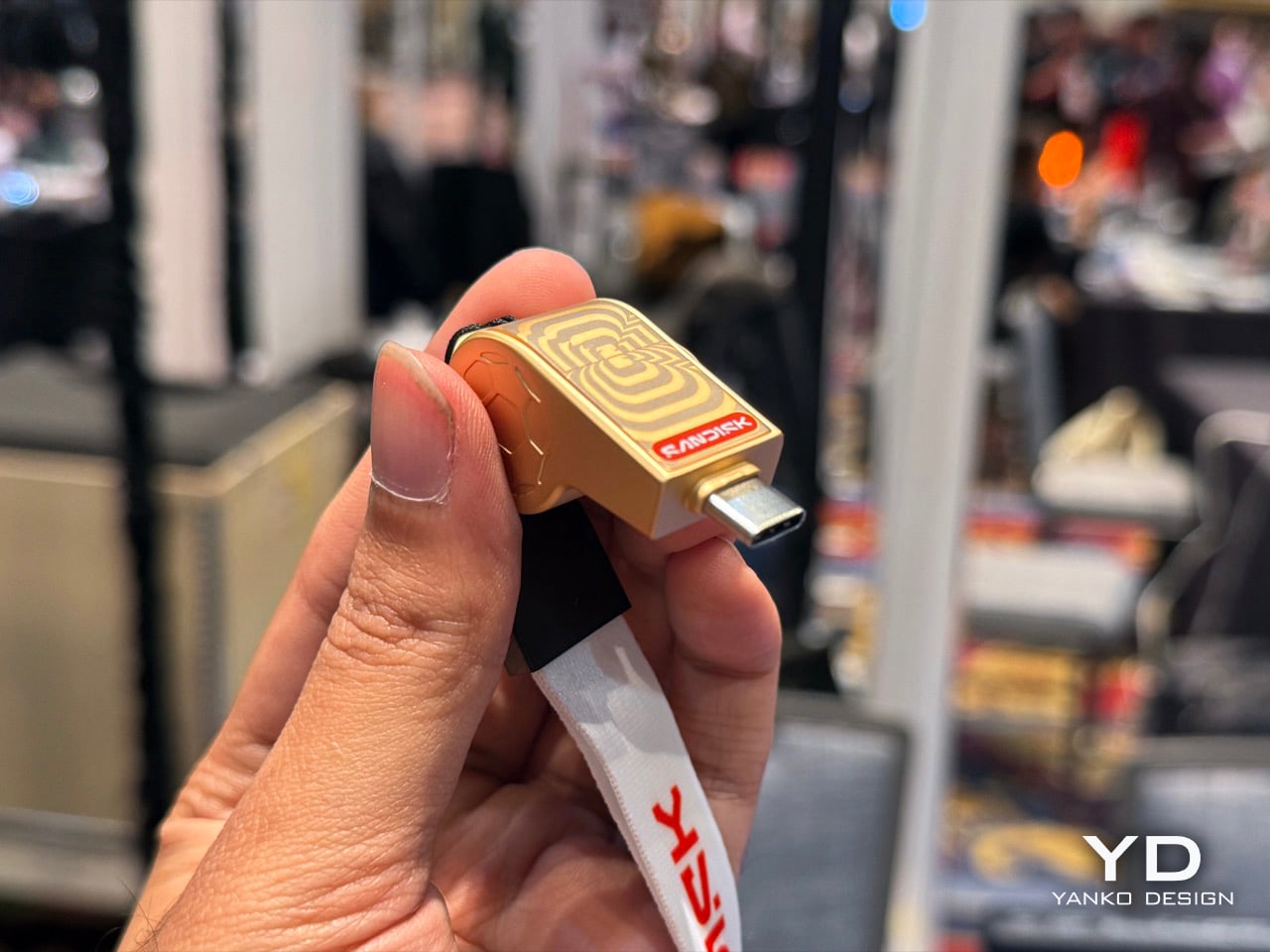
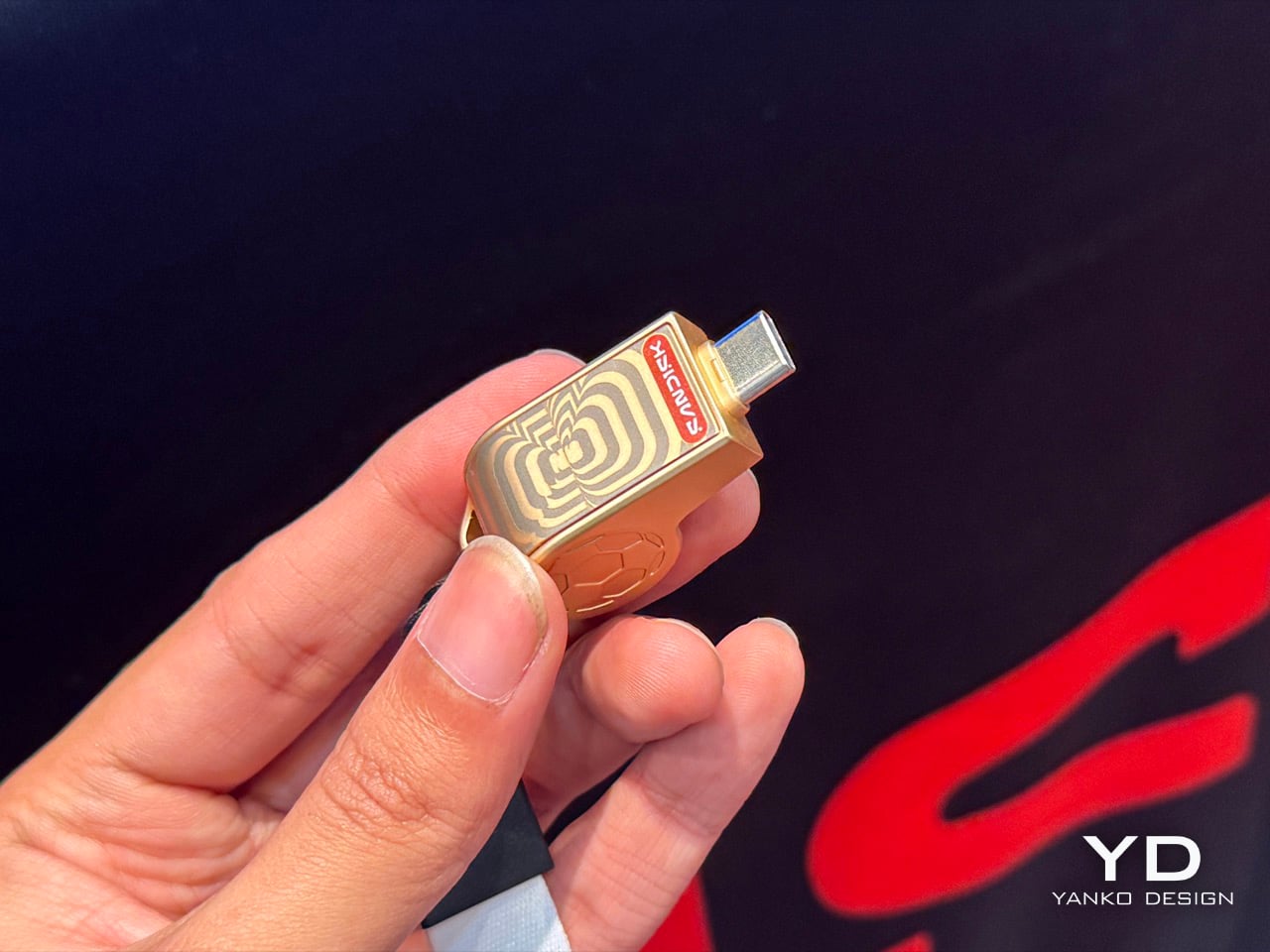
SanDisk made Whistle-shaped USB-C Drives for the FIFA World Cup: Hands-on at CES 2026

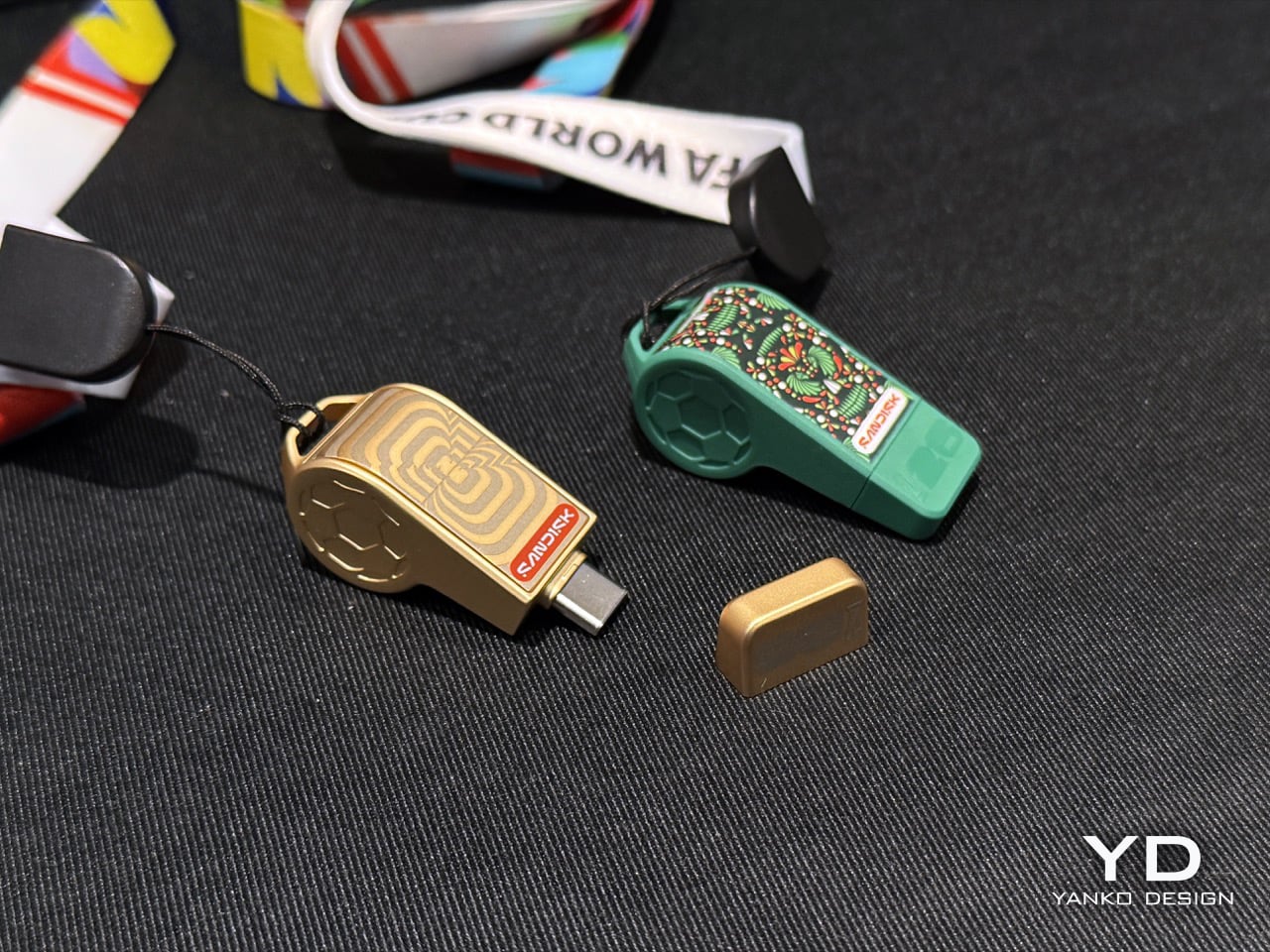
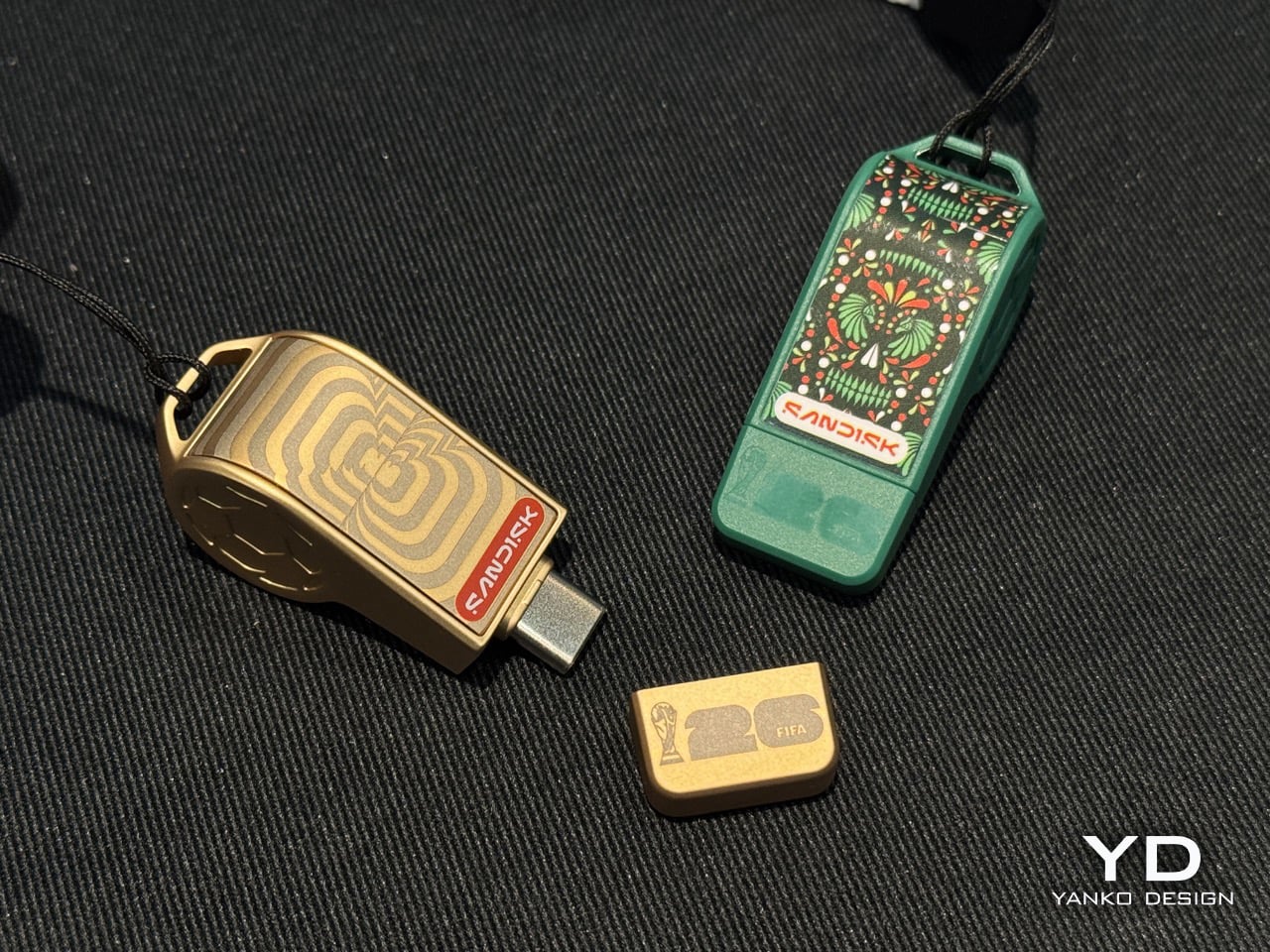
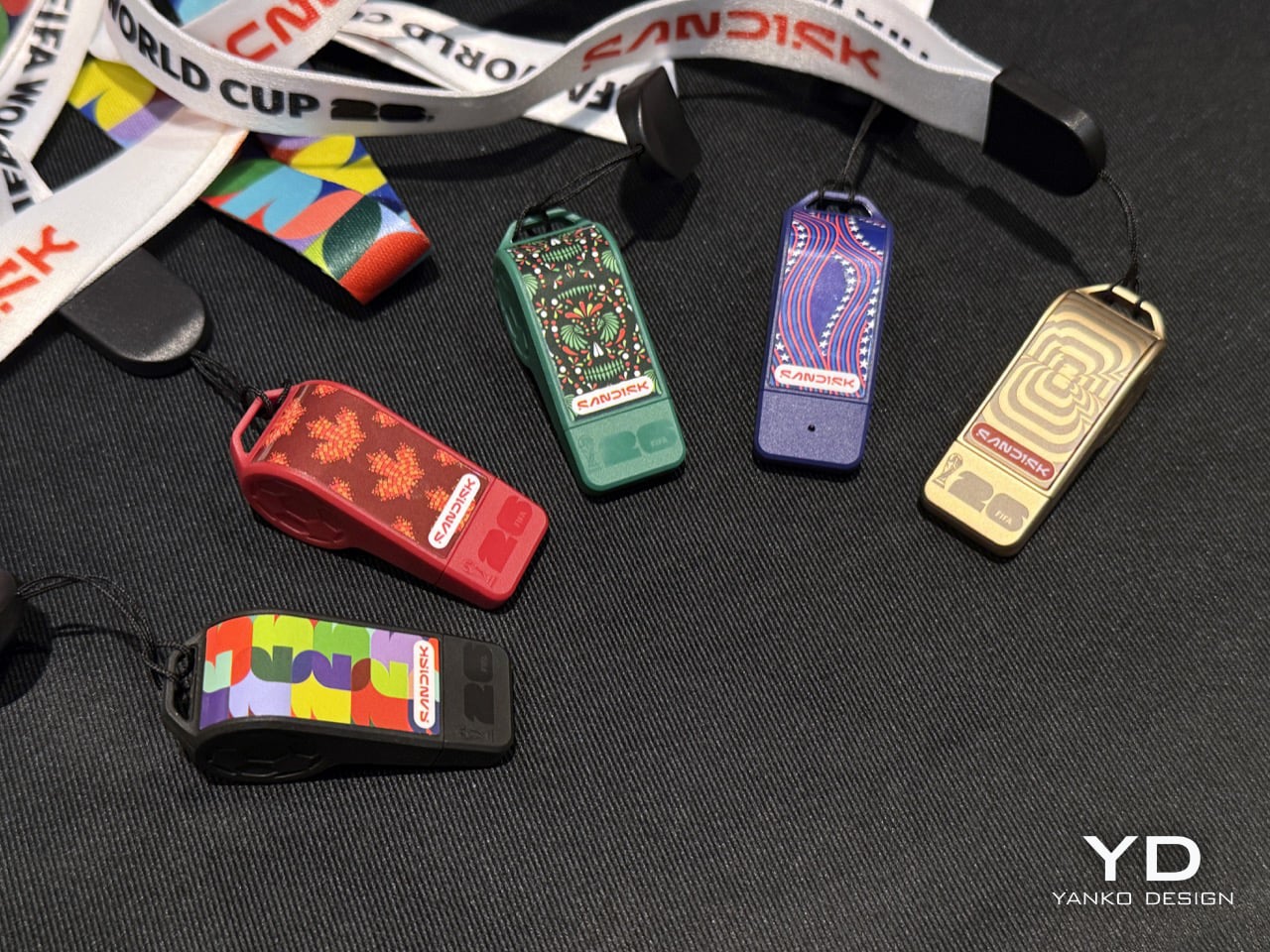
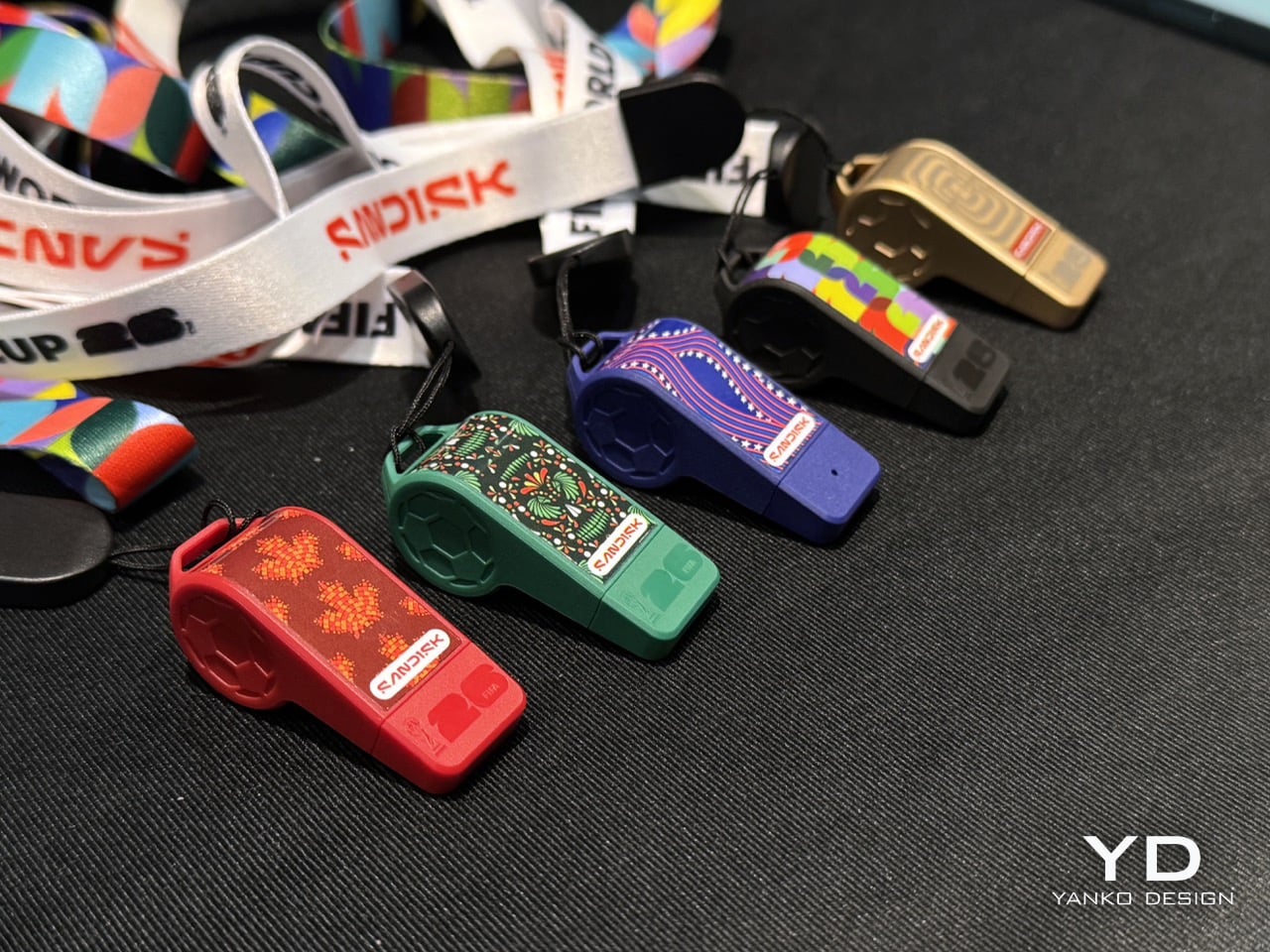
Don’t be surprised if you see a bunch of people walking around with SanDisk whistles strung around their neck this year. No, the storage behemoth didn’t get into sports accessories or football memorabilia, it just got a sense of humor and whimsy! These special-edition whistles from SanDisk are actually USB-C drives with a football theme. They’re a part of SanDisk’s broader licensing arrangement with FIFA, which also spans other SSDs and memory cards. This one, however, is easily the most adorable of the lot.

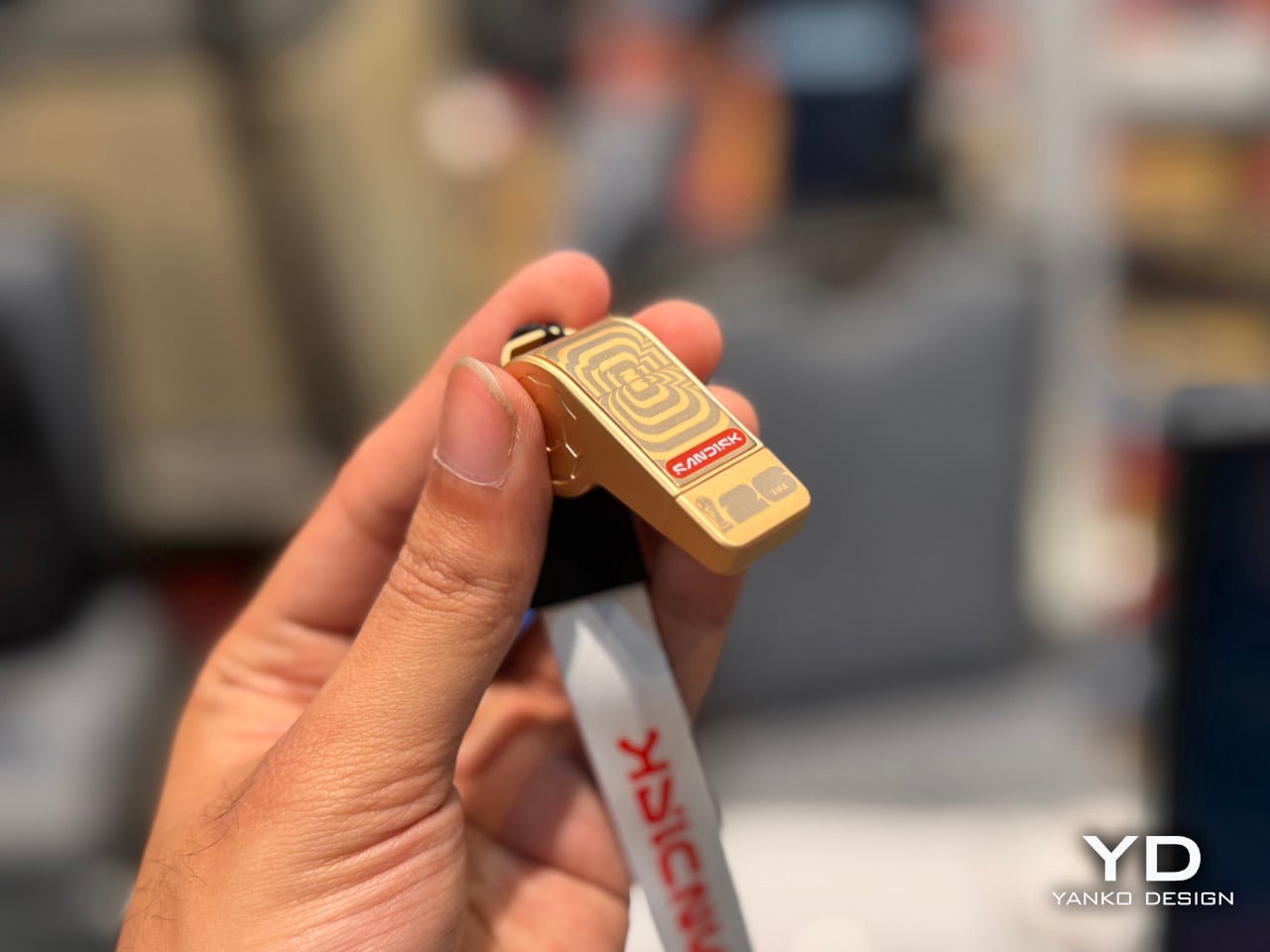
The whistle-drives come in 5 color variants – three for each of the host countries (US, Canada, Mexico) and two in ‘global’ colors that anyone can own and cherish. A lanyard lets you hang the drive around your neck, just like you would a whistle… and while it doesn’t technically function as a whistle, it does store up to 128GB of data in its tiny form factor. The best part? Probably nobody will think of stealing it because who would steal a random plastic whistle?!

Designer: SanDisk

Seeing these whistles at SanDisk’s booth at Pepcom made me wonder whether they were tiny gifts for visitors. I picked up one and felt a little heft and took a closer look. A SanDisk rep walked up to me and pointed out I wasn’t holding some giveaway plastic ball-whistle – I had a 128GB drive in my hands! Pop the whistle’s mouthpiece out and you see the USB-C drive inside – the form factor pays lip service (literally) to FIFA’s upcoming world cup, with different editions celebrating each of the host countries.

The whistles are officially licensed by FIFA, which makes this original memorabilia if you’re a football fan who needs extra storage. The drives work seamlessly with iOS and Android devices, and they’ll plug into your laptop, Smart TV, or even your Switch. The best part, like I mentioned, is that this is storage that hides in plain sight. No random mugger or stranger would ever think of stealing a whistle off your neck, which means you’re better off storing data like phone backups or other stuff on it.

Unfortunately, there’s no word on availability or pricing yet. SanDisk just showcased its Extreme Fit at CES for the first time ever, so that was easily the most exciting device on the table. The Extreme Fit is also literally available online and in stores, while SanDisk’s FIFA collab is still yet to officially hit the shelves. When it does, I’m sure there’ll be a whole slew of tech aficionados who will want to grab themselves some functional merch that will serve a grand purpose beyond the FIFA games. After all, the World Cup comes once in 4 years… USB-C storage is for life.

The post SanDisk made Whistle-shaped USB-C Drives for the FIFA World Cup: Hands-on at CES 2026 first appeared on Yanko Design.
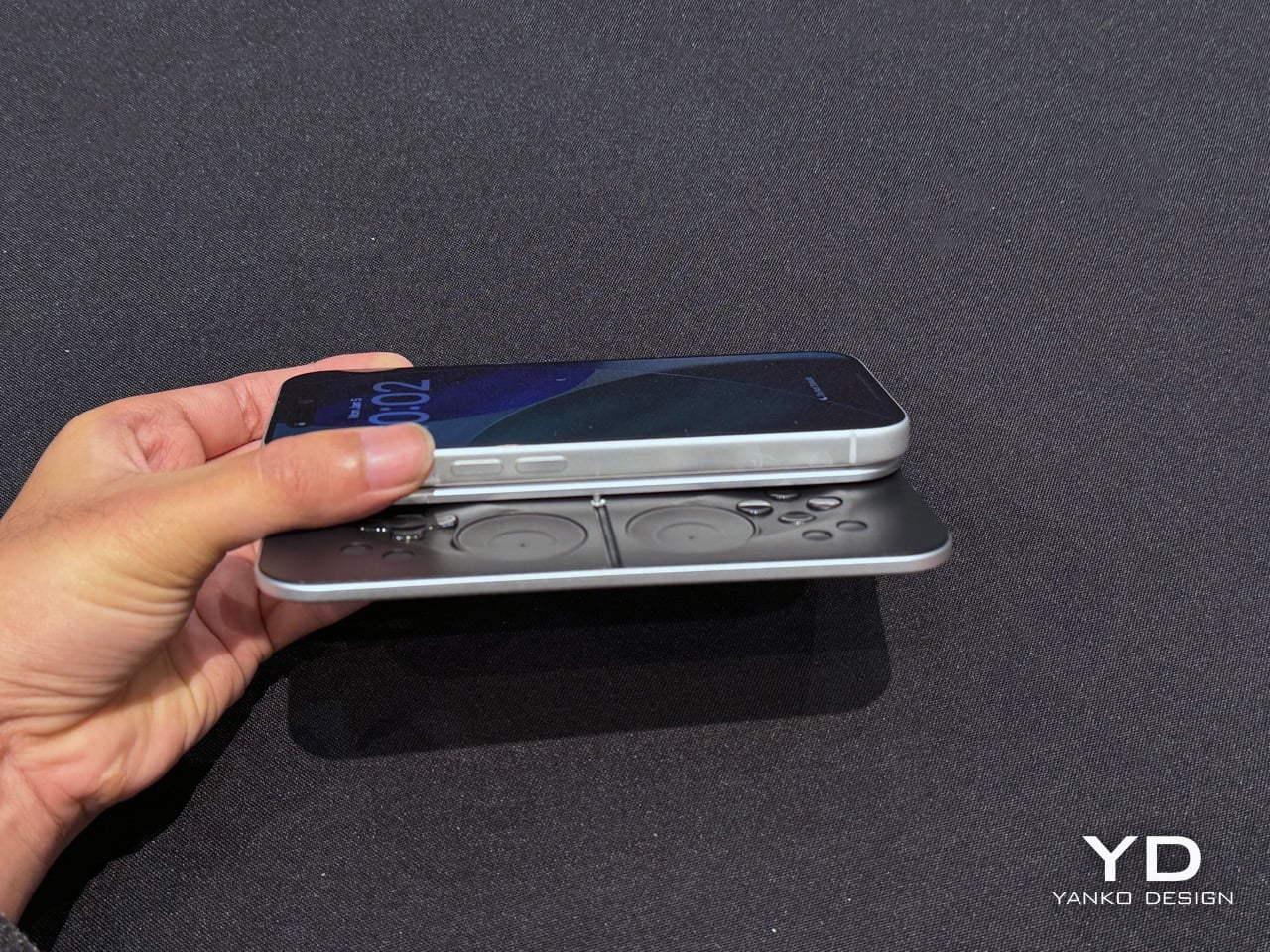
MCON Slim Hands-on at CES 2026: The Ultra‑Thin MagSafe Controller That Turns Your iPhone Into a Gaming Console

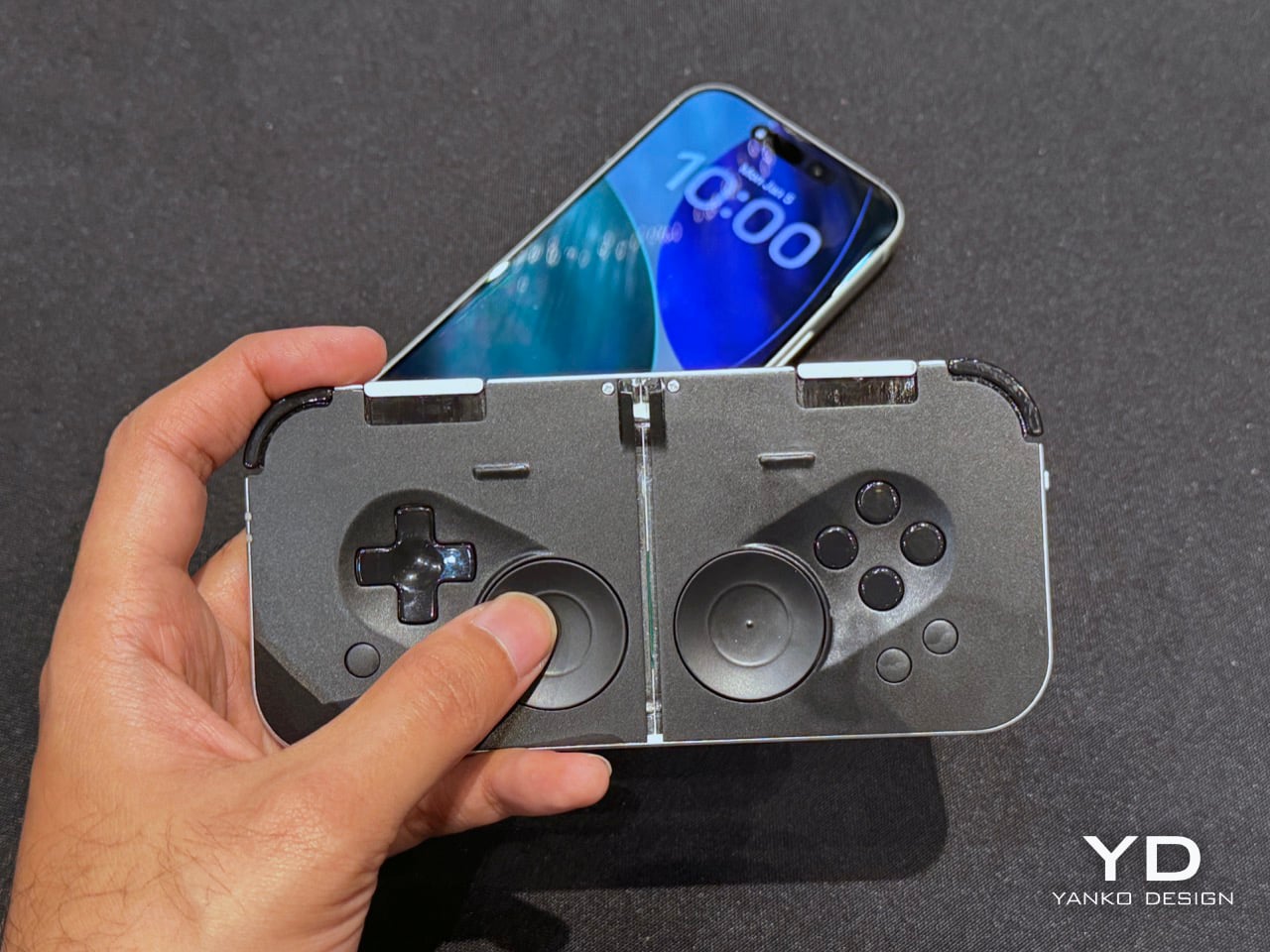
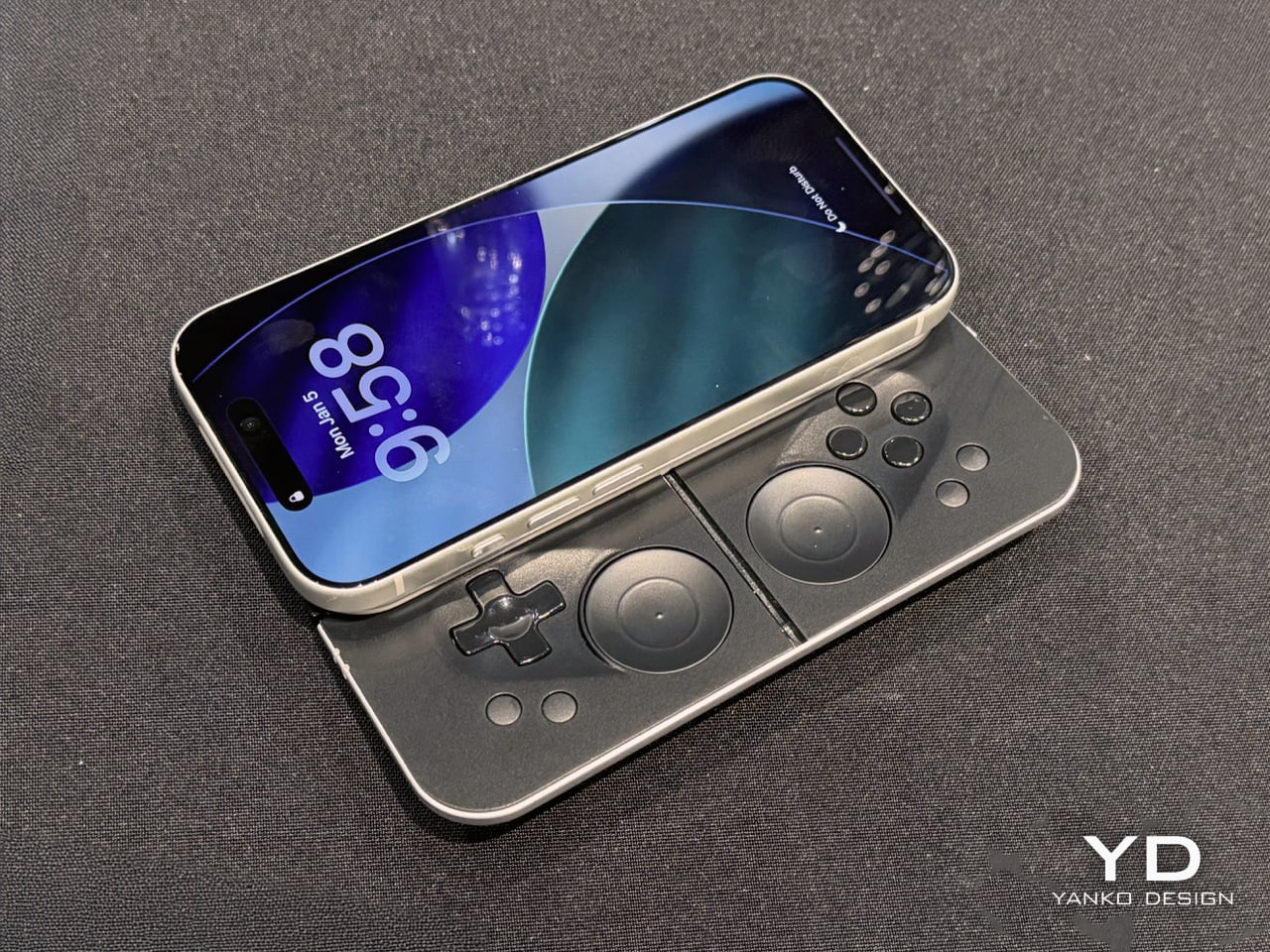
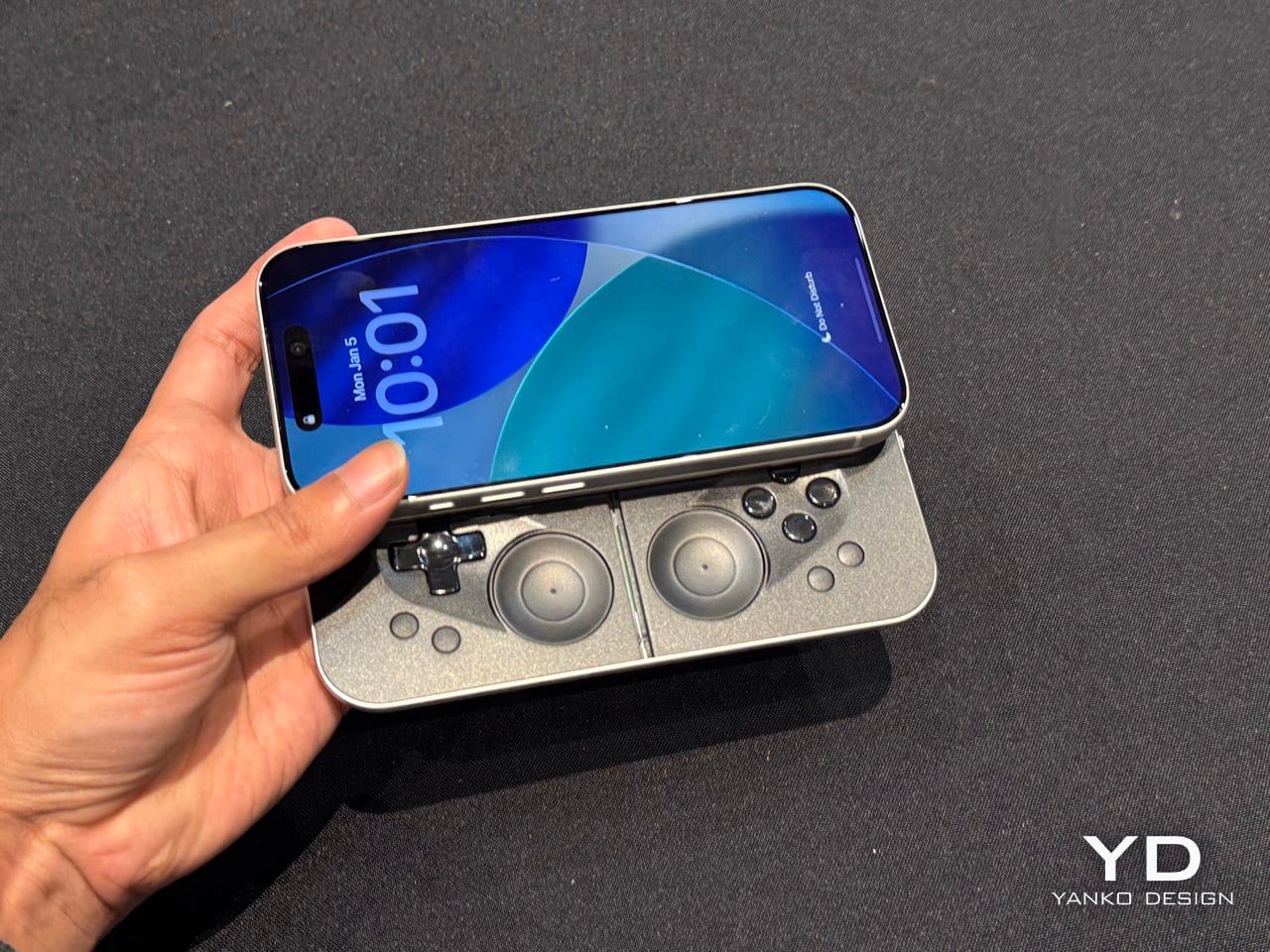
Last year, Ohsnap debuted the MCON controller on Kickstarter and nearly broke the website. Over 16,000 people pledged almost $2 million to make the product a reality, and not only did the company ship every single MCON out to every backer, they casually came back to CES this year with not one, but TWO more versions of the device. The more impressive of the two is the MCON Slim, a controller that’s nearly as thin as your standard smartphone, packing in an entire gaming controller (along with trigger buttons) into that ridiculously small form factor.

Designed by 21 year-old Josh King, the MCON Slim is clearly his magnum opus. The youngster (incubated by Dale Backus’ Ohsnap) mentioned how the smartphone was such a powerful device, but all we ever use it for is doomscrolling and emails. The MCON was supposed to prove to the world that the smartphone can be an incredible handheld gaming device, comparable to the Razer Switchblade or even dare I say the Nintendo Switch. Now, the MCON Slim cements that idea even further. Imagine a device, the thickness of a MagSafe power bank), capable of turning your iPhone into the next best gaming console.

Designer: Josh King (Ohsnap)

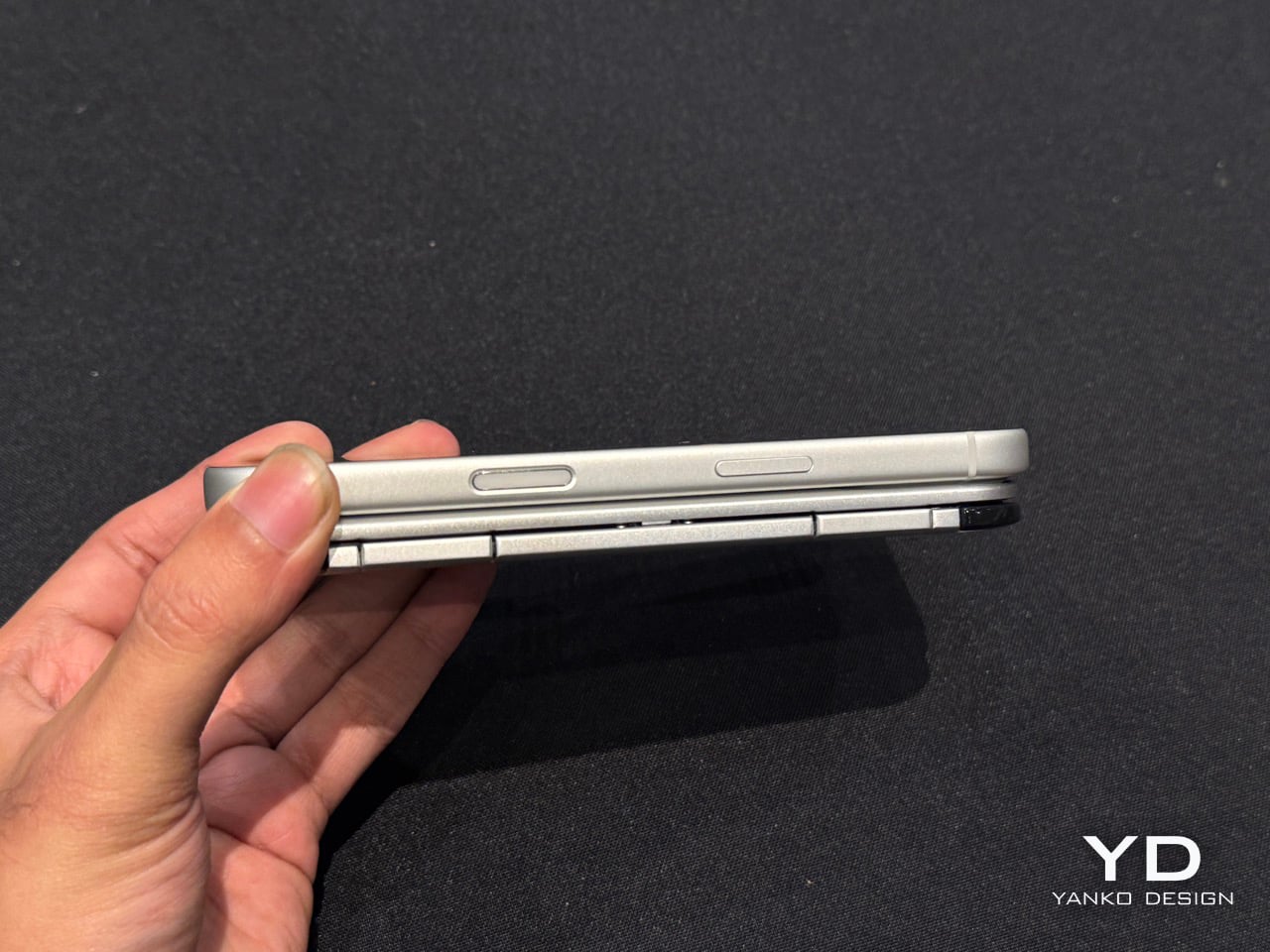
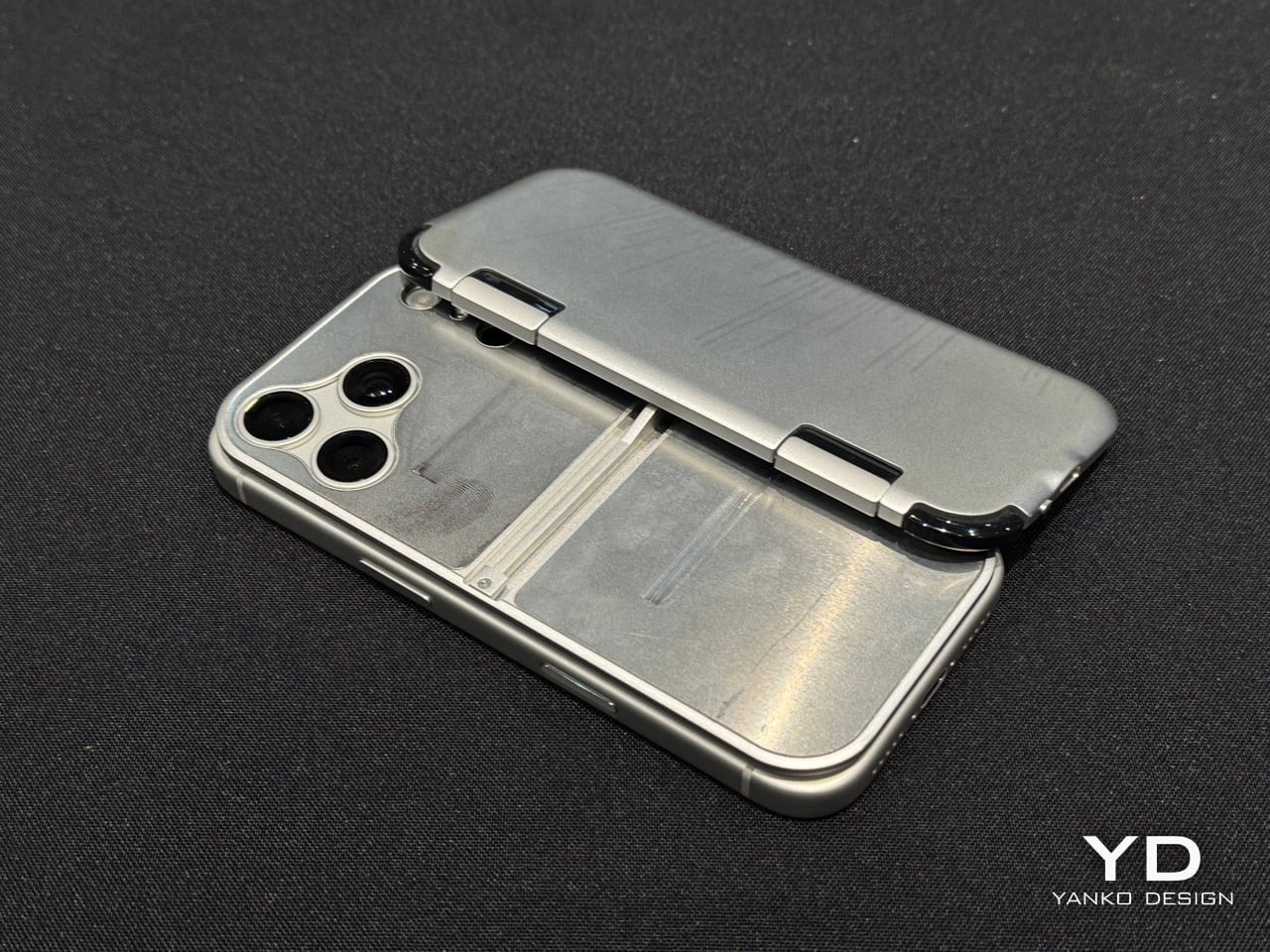
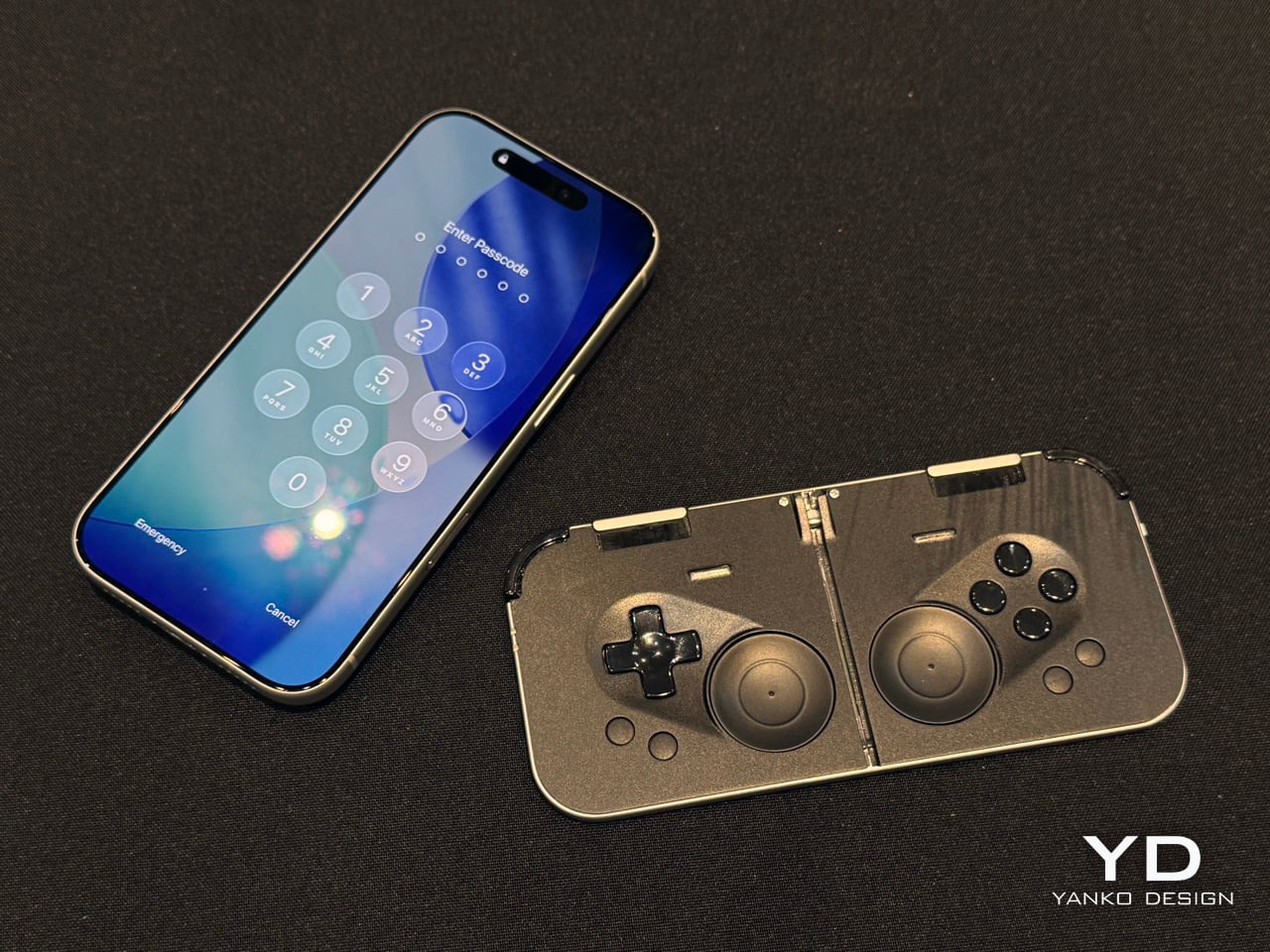
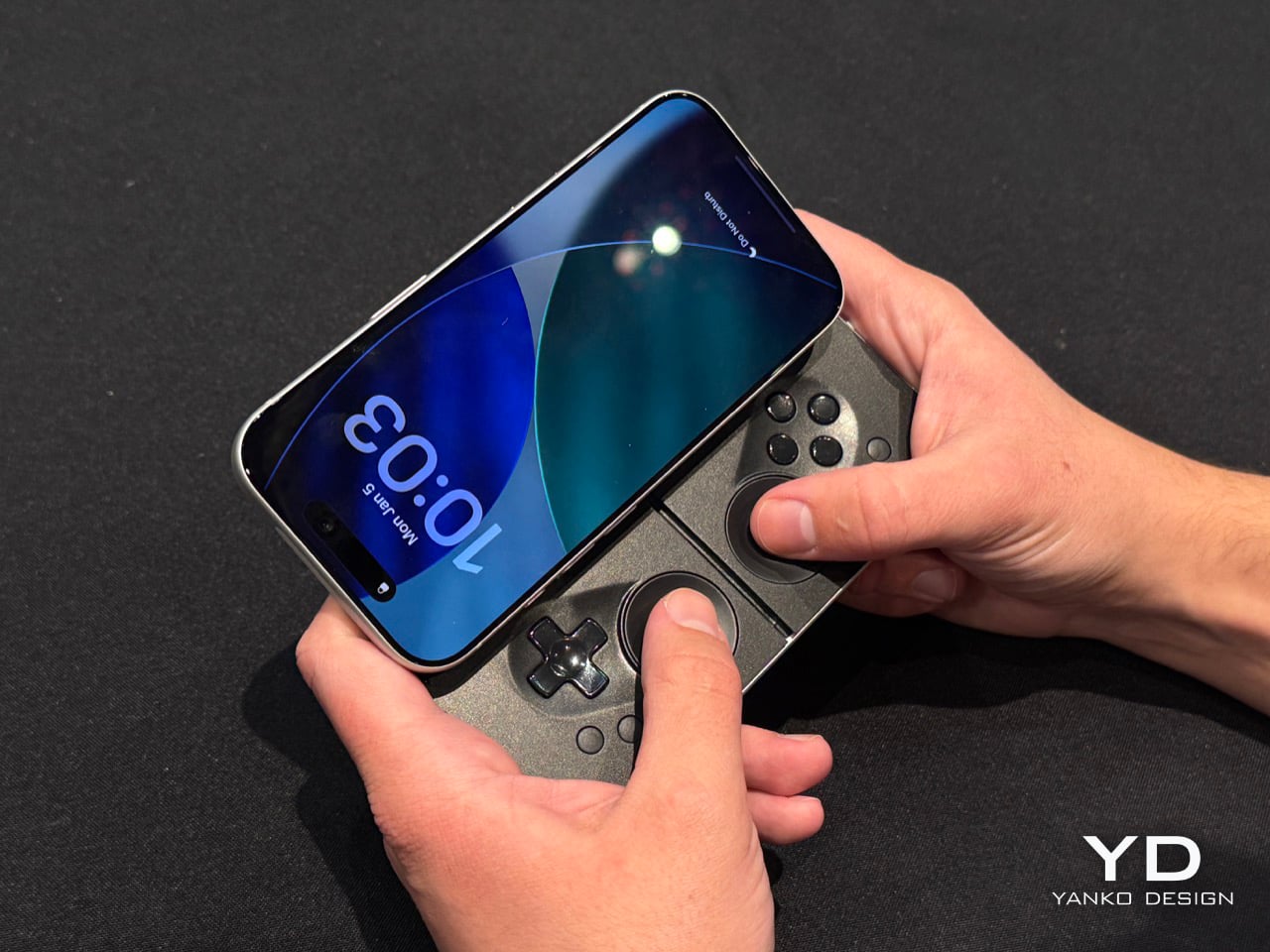
If you’ve seen the MCON before, think of the Slim as the iPhone Air of gaming controllers. It’s ridiculously sleek, snapping to the back of your phone and literally absorbing your iPhone’s camera bump into it. When shut, it’s still slim enough to slide right into your pocket without you feeling a thing. However, when you’re craving some serious gaming, slide the controller out and you’ve got a makeshift handheld console in mere seconds, with an actual D-Pad, action buttons, two touch-sensitive joypads, and even trigger buttons on the back.

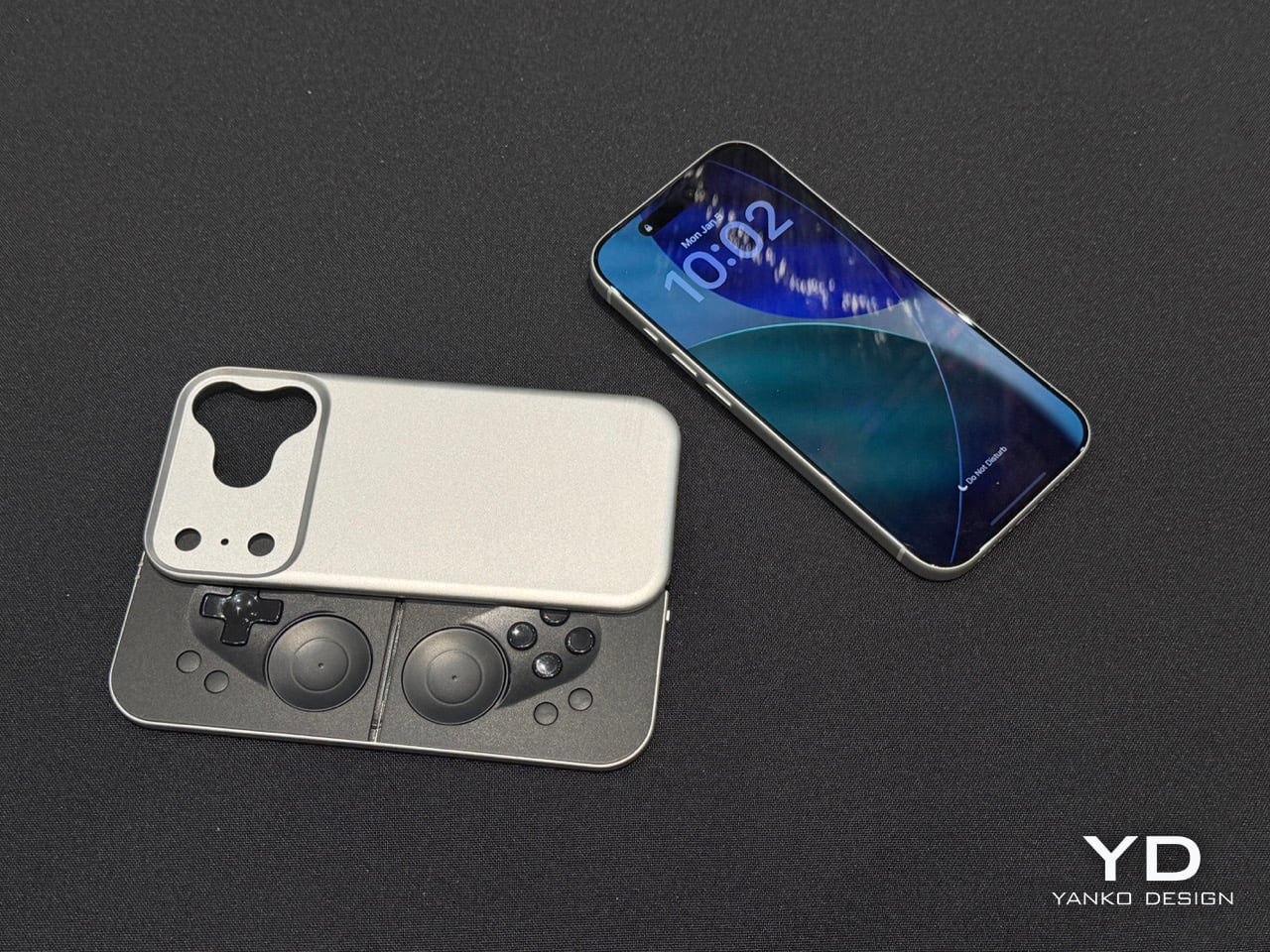
Before you get your hopes up, the MCON Slim is still in its ‘proof of concept’ stage, and won’t launch anytime soon. Josh mentions they’ll probably roll the Slim out in time for the iPhone 18… which works just fine given that I plan on upgrading my iPhone just around that time! The design, however, is beyond impressive. The sliding interaction is flawless, even though the Ohsnap team miniaturized practically everything. The trigger buttons have actual movement, with nearly 3mm of travel. And the best part, the MCON Slim plays nice with the iPhone’s camera module (unlike past versions). A gorgeous fidget-spinner-shaped cutout lets you use the iPhone’s camera even with the Slim controller attached to the back of your phone. Heck, even the flashlight is accessible, which means your gaming console, ahem, smartphone has zero compromises.

And the best part is that the controller slides right out of the dock, turning your phone into a Nintendo Switch of sorts. The connection is all via Bluetooth, which means you can place your phone on a table a few feet away from you while you game with the detached controller in your hands. The slimness results in just two sacrifices – firstly, those pop-out grips from the original MCON don’t make it to this device. And to be honest, I don’t miss them at all. Secondly, the joypads go from physically moving controls to touch-sensitive ones… something that most casual gamers should be fine with. For the pedantic ones, the original MCON (and the upcoming MCON Lite) offers a perfect alternative.

The sad part here is that there’s absolutely no tech spec to talk about. The MCON Slim is entirely a work in progress right now, which means design details, battery life, pricing, everything is subject to change. However, Josh did mention that the MCON Slim should arrive around the same time as the iPhone 18, or in other words – we’ll probably get the MCON Slim before we get GTA VI.

The post MCON Slim Hands-on at CES 2026: The Ultra‑Thin MagSafe Controller That Turns Your iPhone Into a Gaming Console first appeared on Yanko Design.
Realme 16 Pro+ Review: Naoto FUkusawa Helped Make a Battery Beast Beautiful

PROS:


  • Sleek design by Naoto Fukusawa

  • Strong portrait camera performance for the price range

  • Huge 7,000mAh battery with 80W wired charging

CONS:


  • Snapdragon 7 Gen 4 is carried over from the previous generation

  • No wireless charging

RATINGS:

AESTHETICS
ERGONOMICS
PERFORMANCE
SUSTAINABILITY / REPAIRABILITY
VALUE FOR MONEY

EDITOR'S QUOTE:

By combining Naoto Fukasawa’s Urban Wild design with a 7000 mAh battery and a sharp 200 MP portrait camera, realme 16 Pro+ proves that refinement and stamina can matter more than chasing raw benchmark numbers.

The realme 16 Pro+ seems to be a modest upgrade in the company’s Number Series. While it is not packed with major improvements in every area, it tries to win you over as a well-rounded package built around design, battery life, and cameras. On paper, it still reads like a wish list: a 200 megapixel main camera with 3.5x telephoto, a 6.8 inch 144 Hz AMOLED display, a 7000 mAh battery with 80 W charging, IP68 and IP69 protection, and a Naoto Fukasawa-designed back made from bio-based silicone.  

It also arrives with a few important caveats. The Snapdragon 7 Gen 4 chipset is carried over from the realme 15 Pro rather than being a big step up, and the rumoured pricing pushes the 16 Pro+ toward affordable flagship territory rather than a classic, value mid-ranger. That raises a clear question. Does the mix of master level design, big battery stamina, and creator-focused camera hardware do enough to justify the price, or are you better off with a more conventional spec monster? We took a closer look.

Designer: Naoto Fukasawa x realme

Aesthetics

For the realme 16 Pro+, realme partnered again with world-renowned product designer Naoto Fukasawa. The brand has previously collaborated with Fukasawa on the realme X Master Edition, X2 Master Edition, GT Master Edition, and GT2 Pro Master Edition, and this new phone continues that lineage. The design fuses natural elements with contemporary style in what realme calls the Urban Wild Design, aiming to bring a calmer, more tactile character to a very modern device.

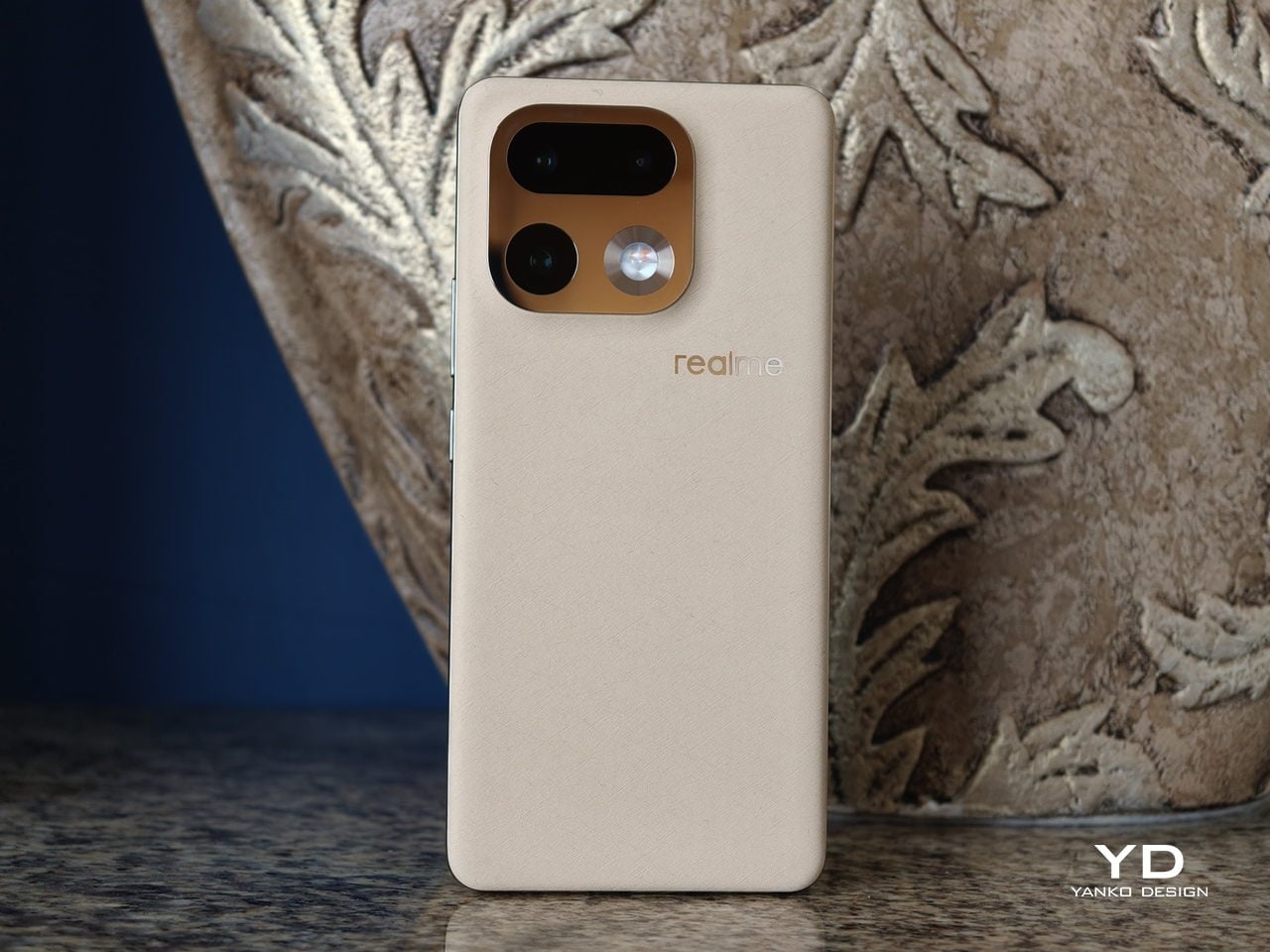
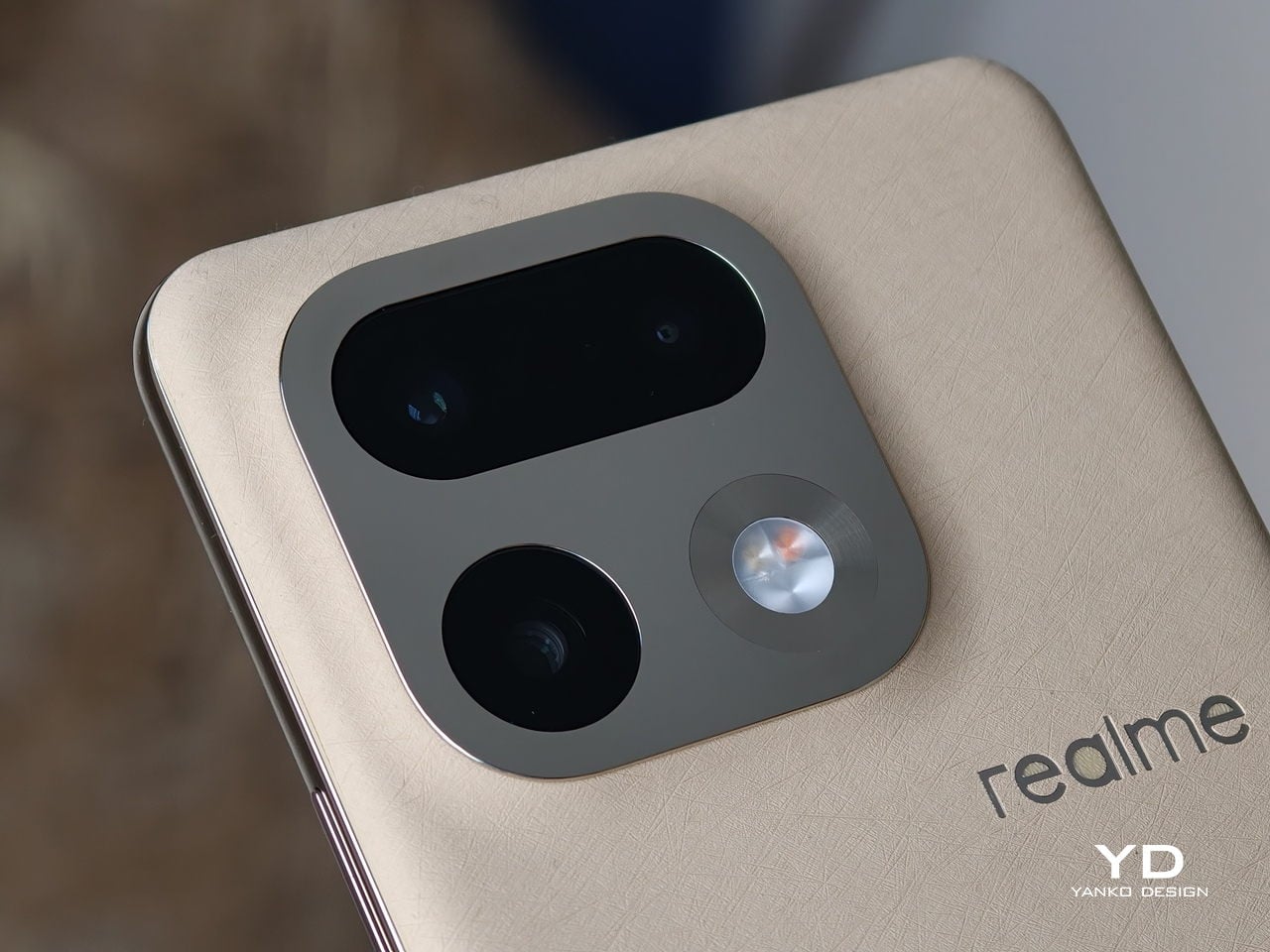
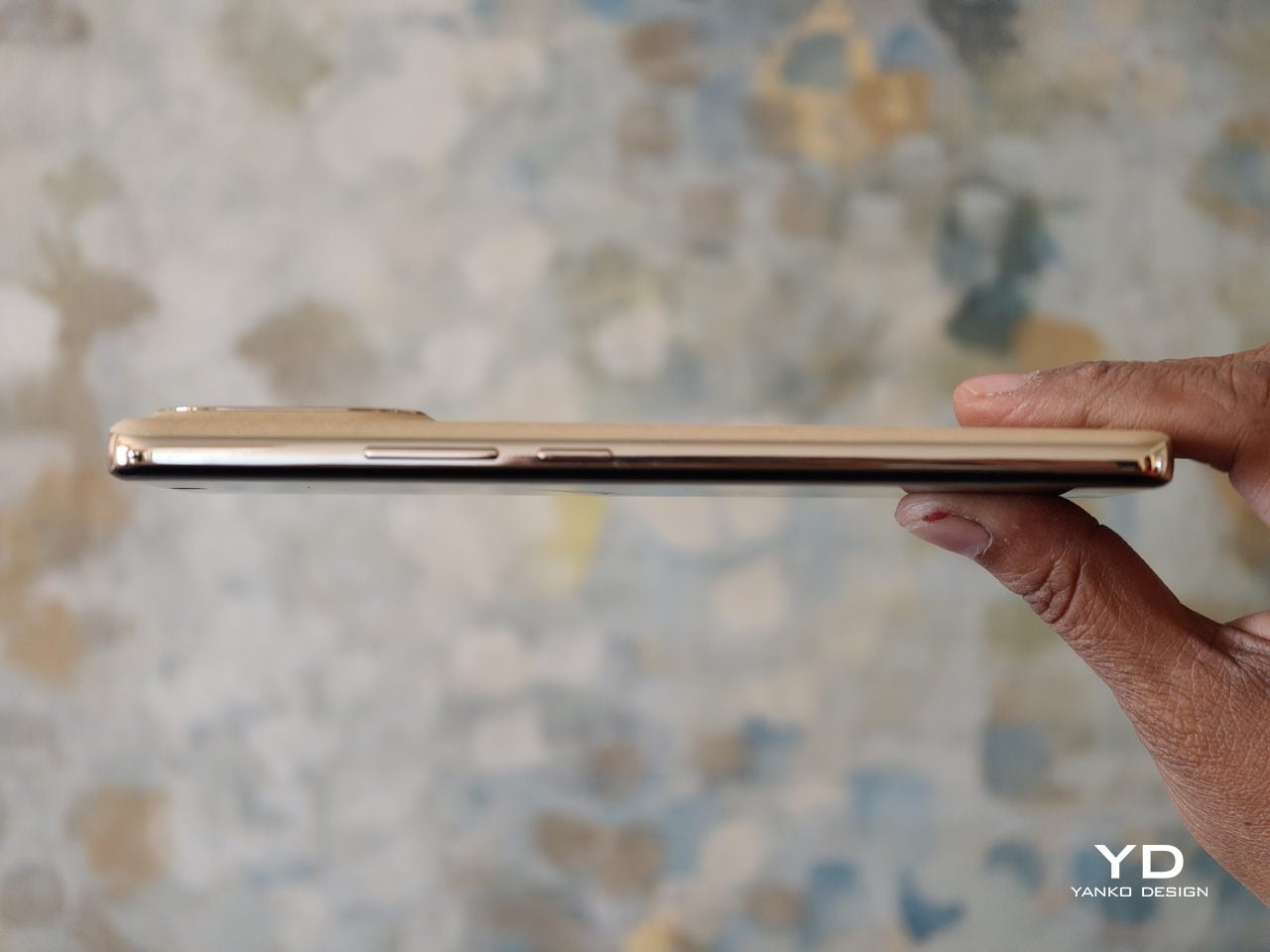
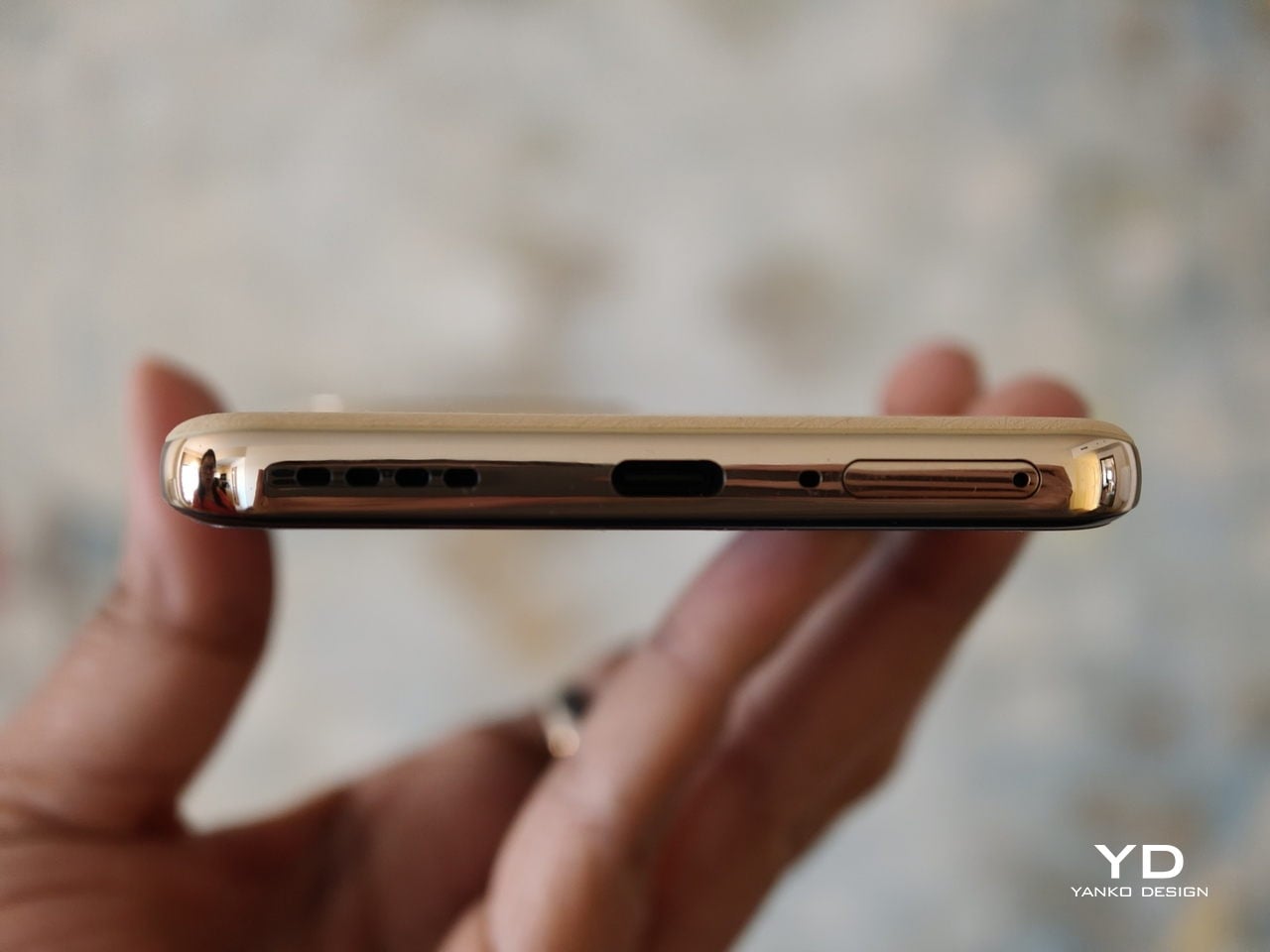
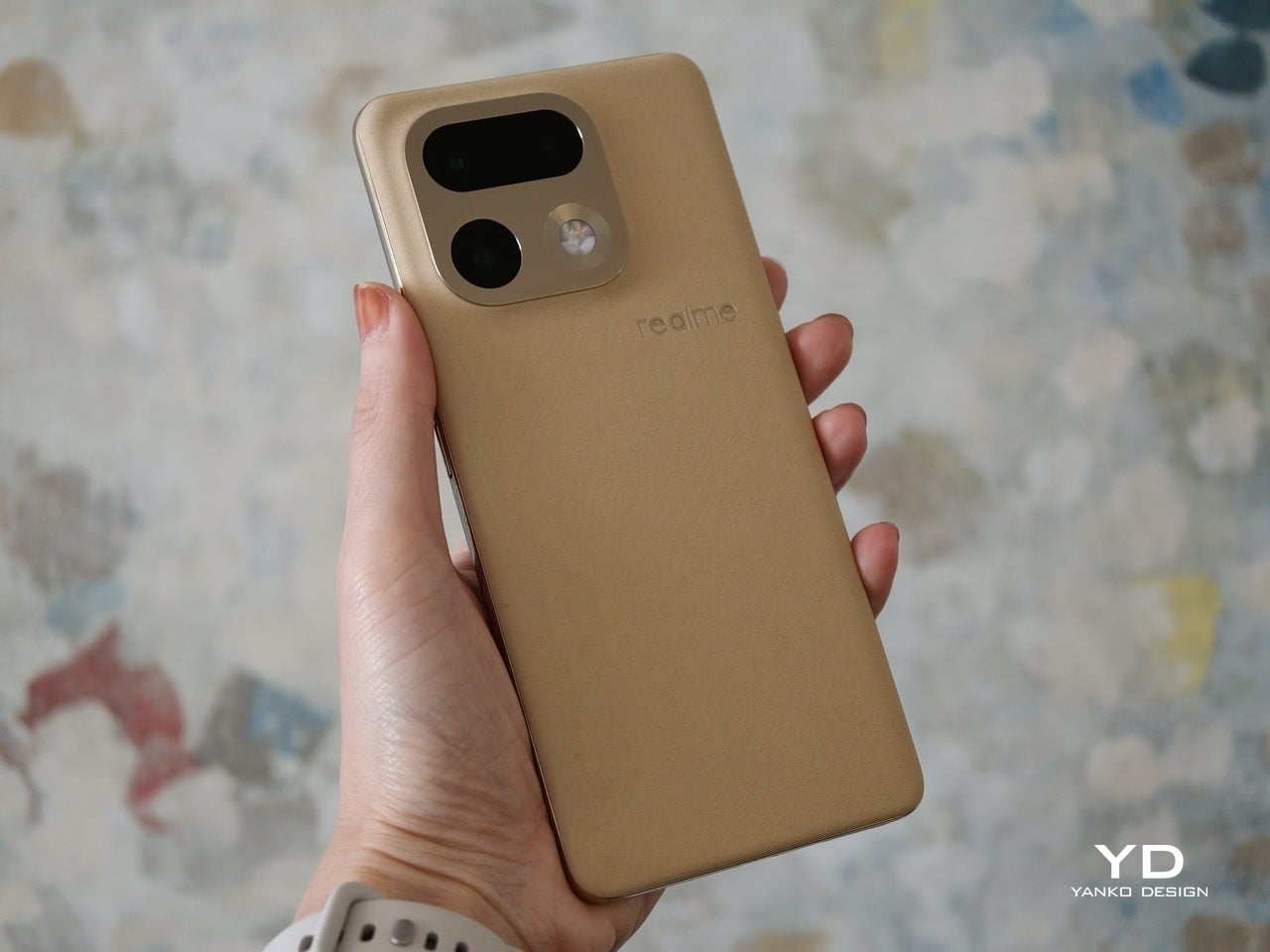
The Urban Wild Design is articulated through a deliberate contrast of the mirror-polished camera deco set against a natural texture back panel. The back is built around what realme calls a Metal Mirror Camera Deco, a mirror finish metal plate that frames the lenses like a piece of jewellery on top of a matte, softly grained surface. The back panel uses a bio-based organic silicone derived from plant-based straw, processed with an eco-friendly method that the brand positions as an industry-first eco material. The result is a surface that feels soft, finely textured, and grippy, with a visual warmth and calmness you do not usually get from glass or glossy plastic.  

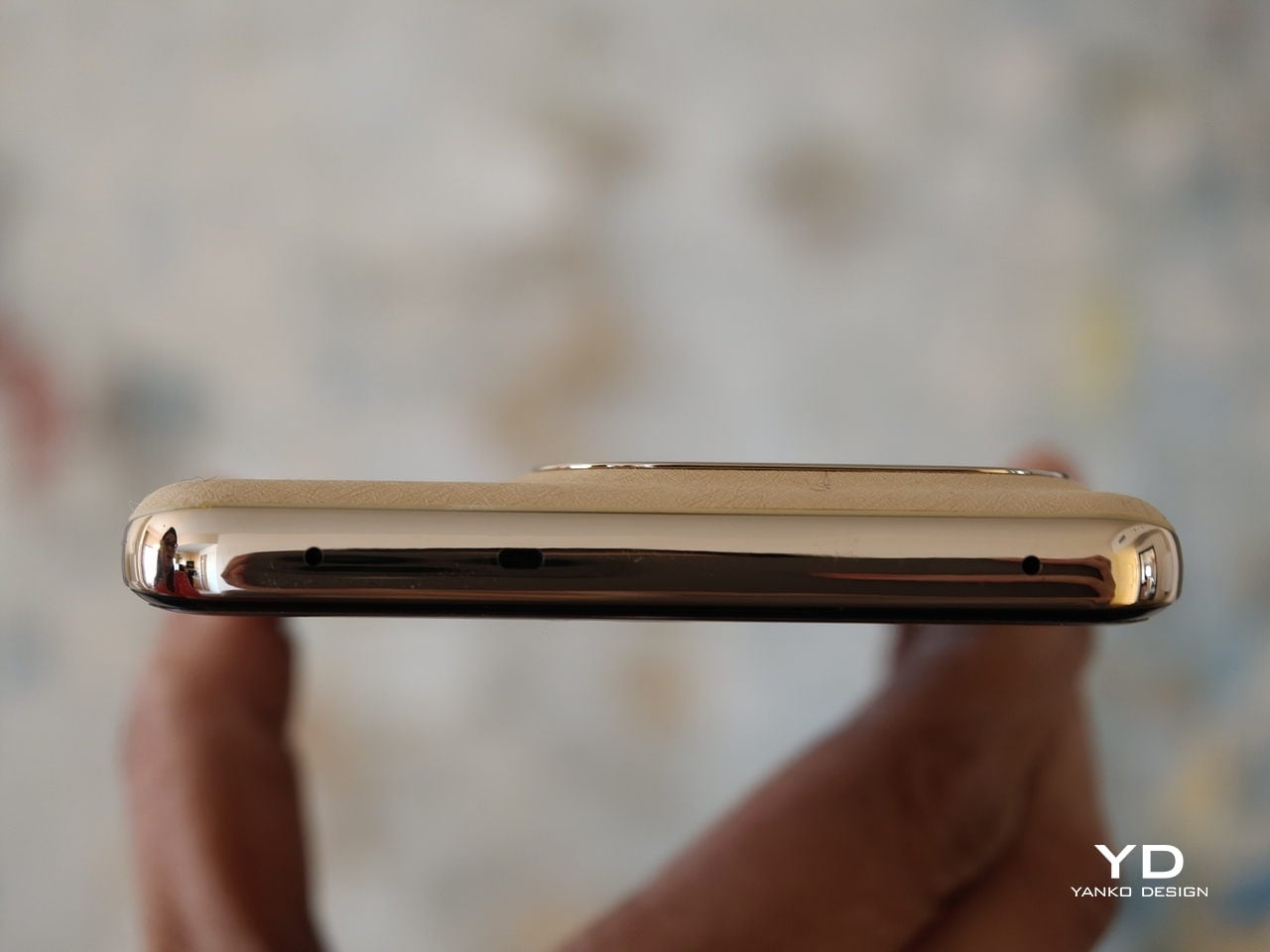
The 16 Pro+ comes in two colors in most markets. Master Gold is described as the soft golden glow of ripened wheat, with a gentle shimmer that catches the light without looking flashy. Master Black is inspired by the smooth, muted sheen of river pebbles, giving a more understated and refined look. Each variant features a color-matched mirror-polished camera bump and side frame, so the camera island, mid frame, and back panel read as one coherent piece rather than separate parts.

Ergonomics

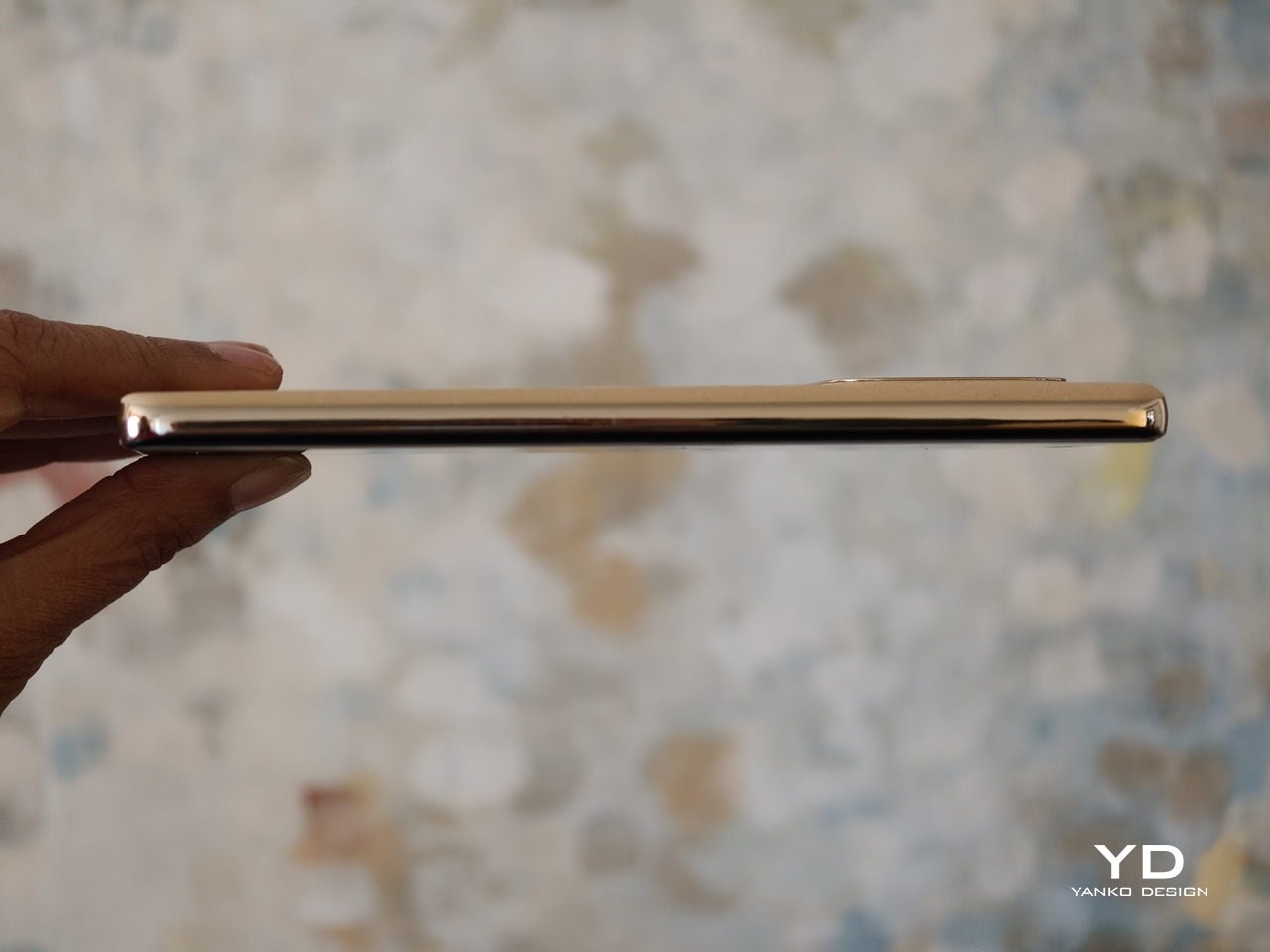
On paper, the realme 16 Pro+ is not a small phone, yet it feels more considered than the raw numbers suggest. The phone is 8.49 mm thick and weighs 203 g, which puts it firmly in the large phone camp without feeling unwieldy. The square camera bump does not protrude too much, and its sloped edges merge into the back panel to create a smooth transition. The back panel resists fingerprints and smudges quite well, though the glossy camera bump is a different story and picks up marks easily.  

Thanks to the balanced weight and the gentle flow from the slightly curved display to the slightly curved side frame to the slightly curved back panel, the phone is very comfortable to hold in the hand. The volume rocker and power button are positioned where they are easy to reach, so basic controls fall naturally under your fingers. The fingerprint scanner, on the other hand, sits close to the bottom edge of the screen, which makes the move from unlocking the phone to actually using it feel a bit less smooth than it could be.

Performance

Since there was no Pro+ version of the realme 15, there is no direct predecessor of the realme 16 Pro+, but many specs are unchanged from the realme 15 Pro, including the chipset. The 16 Pro+ is powered by Snapdragon 7 Gen 4, Qualcomm’s upper mid-range chipset. While it does not deliver brute flagship power, it is more than strong enough for long gaming or browsing sessions without noticeable throttling. In daily use, the chipset has no trouble keeping up with realme UI 7.0, based on Android 16. Swiping through the 144 Hz interface feels fluid, apps open quickly, and multitasking between social media, messaging, and browsing remains consistently smooth.

The realme 16 Pro+ features a 6.8-inch AMOLED display with a 1280 by 2800 resolution and up to 144 Hz refresh rate. According to the spec sheet, it supports a 240 Hz touch sampling rate, 1.07 billion colors, 100 percent DCI P3 coverage, a 5,000,000 to 1 contrast ratio, and a peak brightness of 6500 nits. It is a sharp, bright, and vibrant panel that looks flagship-grade and comfortable in day-to-day use.

Realme brings a 200 megapixel camera to its Number Series for the first time. The triple camera setup consists of a 200 MP main camera, a 50 MP 3.5x telephoto camera, and an 8 MP ultra wide camera, with a 50 MP front-facing camera handling selfies. In the camera app, you can choose between Vibrant and Natural color modes for the rear cameras, depending on whether you prefer punchier social media-ready shots or a more restrained look.

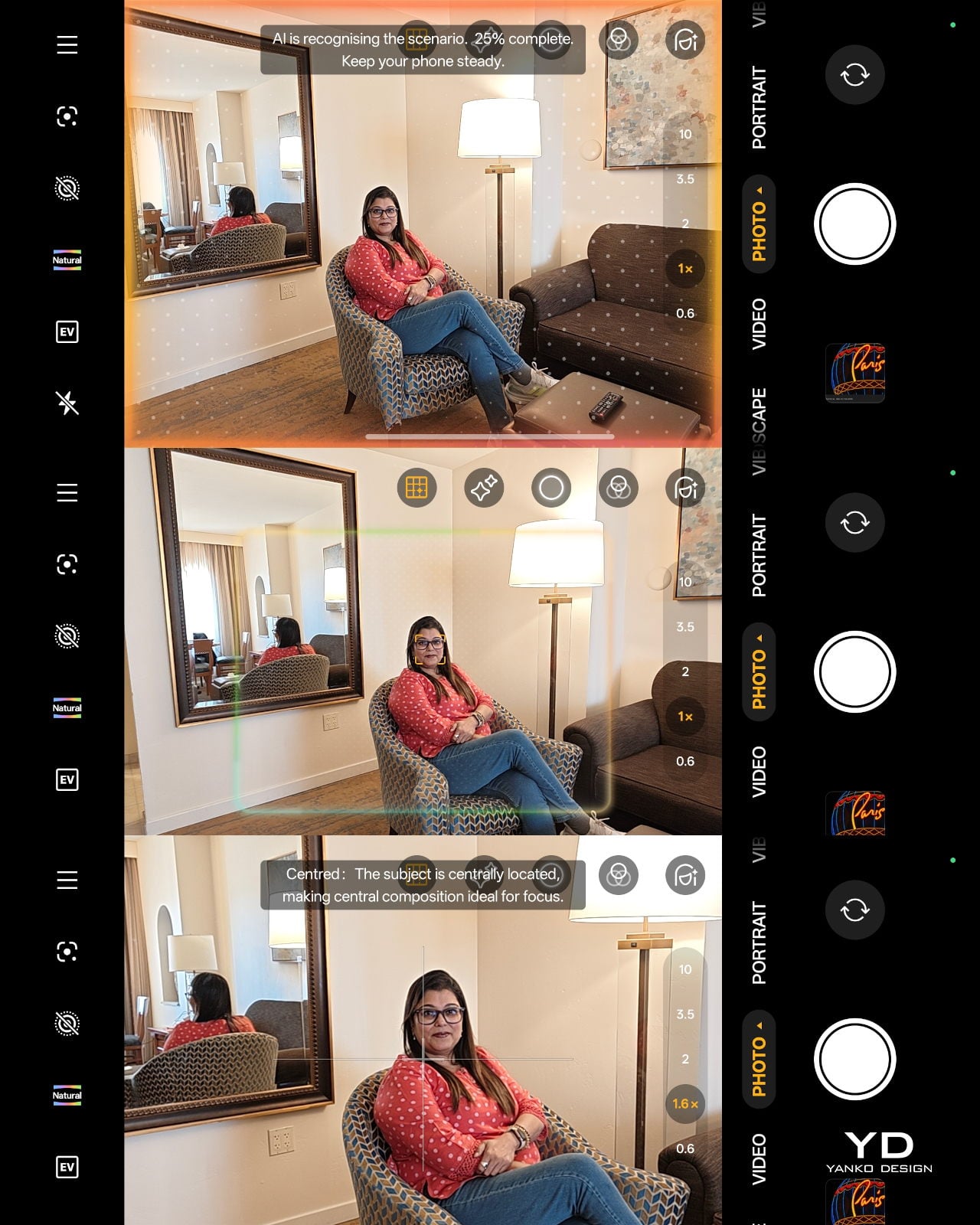
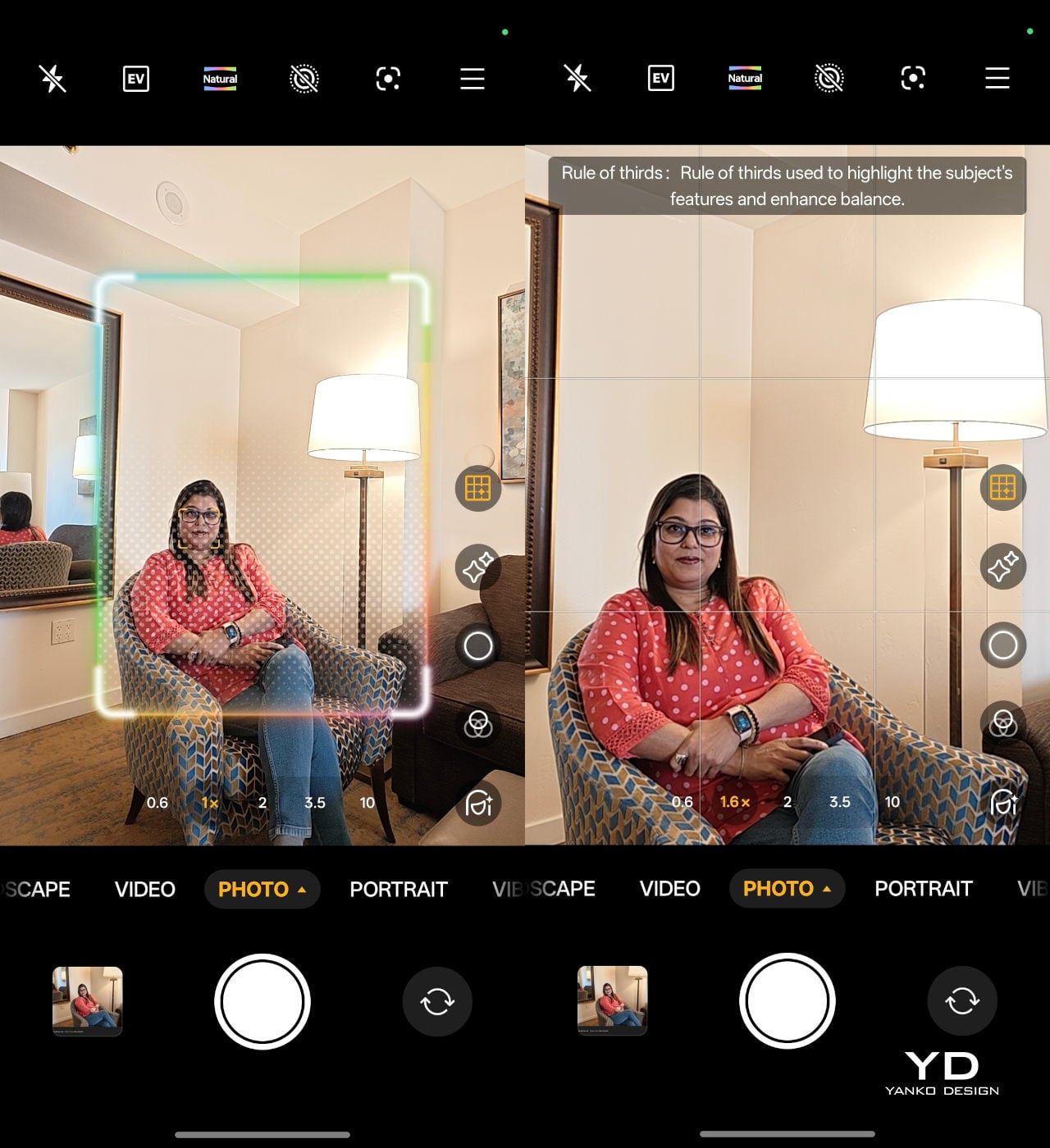
The 23 mm equivalent 200 MP main camera uses Samsung’s HP5 sensor with an f/1.8 aperture lens and both optical and electronic image stabilisation. It can capture very detailed shots with a wide dynamic range in good lighting conditions, and stabilisation helps keep images sharp when light levels drop. In the standard Photo mode, you also get an AI composition feature that analyses your framing and suggests small adjustments for a stronger composition, nudging you to tilt, reframe, or shift your subject for a more balanced shot. This tool is not available in Portrait mode, but it is genuinely helpful for quick point-and-shoot photography.

The 80 mm equivalent 50 MP 3.5x telephoto camera uses Samsung’s JN5 sensor behind an f/2.8 aperture lens, again with OIS and EIS. Portrait mode lets you shoot at 1x, 1.5x, 2x, 3.5x, and 4x, and results across these focal lengths are consistently strong, with pleasing separation and natural-looking depth. realme also packs in a wide range of dedicated Portrait filters, so you can switch between more cinematic, vintage, or punchy looks without leaving the mode.

The 15 mm equivalent 8 MP ultra wide rounds out the rear trio. It does the job for landscapes, interiors, and group shots, but image quality is more functional than exciting, with less detail and dynamic range than the main and telephoto cameras. On the front, there is a 50 MP OmniVision OV50D selfie camera with an f/2.4 aperture lens. This is unusually ambitious for the class. It can capture crisp selfies with plenty of detail.

As for video, the main and front-facing cameras both support 4K recording at up to 60 FPS. The telephoto and ultrawide cameras are limited to 1080p at 30 FPS, which feels a bit disappointing on the telephoto side, especially given how capable it is for stills. It would have been nice to see at least 4K 30 fps from the zoom camera to fully match the rest of the system.

realme 16 Pro+ is built around a huge 7000 mAh battery, and you feel that capacity in day-to-day use. With this much headroom, it comfortably handles a full day of heavy messaging, social media, camera use, and streaming, and lighter users can easily stretch into a second day without reaching for the charger. When you finally do need to charge, the 80 W wired charging support keeps downtime short.

Sustainability

realme 16 Pro+ makes a stronger effort on sustainability than many mid-range phones. The most visible element is the back panel material. Instead of conventional petroleum-based plastic or glass, realme uses a bio-based organic silicone derived from plant-based straw, processed through an eco-friendly method. It is designed to be safer for the skin, gentler on the environment, and more resistant to aging, dirt, and wear, which should help the phone look fresh for longer and reduce the urge to replace it early.

Durability also plays into sustainability. The phone carries both IP68 and IP69 ratings, meaning it is tested for dust tightness, immersion in water, and high-pressure water jets. In practical terms, that level of protection makes the 16 Pro+ far more likely to survive everyday accidents, from rain and spills to brief drops into water. A device that shrugs off this kind of abuse is less likely to be written off early, which again extends its usable life.

On the software side, realme commits to three years of Android OS updates and four years of Android security patches. That is not at the very top of the industry, but it is long enough that you can realistically keep the phone for a full contract cycle and beyond without falling behind on major features or basic security. Combined with the durable hardware and more sustainable back panel material, it makes the 16 Pro+ feel like a phone designed to be used hard and kept in service rather than quickly replaced.

Value

At the time of writing, realme has not confirmed official pricing, but multiple leaks suggest the realme 16 Pro+ will start at INR 39,999 (around $445) for the 8 GB and 128 GB variant. The 8 GB and 256 GB model is rumoured to land at INR 41,999 (around $470), while the 12 GB and 256 GB version could reach INR 44,999 (around $500).

If these figures hold, the 16 Pro+ will sit at the upper end of the mid-range bracket, nudging into affordable flagship territory. In that context, the phone’s value depends on what you care about most. For users who prioritise a premium design, camera versatility, a truly huge 7000 mAh battery, a bright 144 Hz AMOLED display, and sustainability, the package looks competitive.

Verdict

realme 16 Pro+ is not a revolution for the Number Series, but it is a carefully tuned evolution that leans into design, cameras, and battery life instead of chasing raw specs in every direction. The Naoto Fukasawa Urban Wild Design, bio-based silicone back, and Metal Mirror Camera Deco give it a distinctive look and feel, while the solid ergonomics and IP68 plus IP69 ratings make it more robust than many mid-range rivals. Snapdragon 7 Gen 4 is familiar rather than exciting, yet in practice, it keeps realme UI 7.0 and the 144 Hz AMOLED display running smoothly, and the 7000 mAh battery with 80 W charging turns it into a genuine all-day workhorse.

As for the camera, the realme 16 Pro+ consistently turns out pleasing portraits across its various focal lengths, with good subject separation and flattering rendering. The front-facing camera also performs well. Where things get complicated is value, because the rumoured pricing nudges the 16 Pro+ into premium mid-range territory rather than classic budget-friendly mid-range. If you prioritise a phone that looks and feels special, lasts comfortably through heavy days, and gives you reliable portrait and selfie performance, realme 16 Pro+ makes a strong case for itself even as a modest generational upgrade.

The post Realme 16 Pro+ Review: Naoto FUkusawa Helped Make a Battery Beast Beautiful first appeared on Yanko Design.
Acer AMD Ryzen Laptops Bring AI Across Three Very Different Days

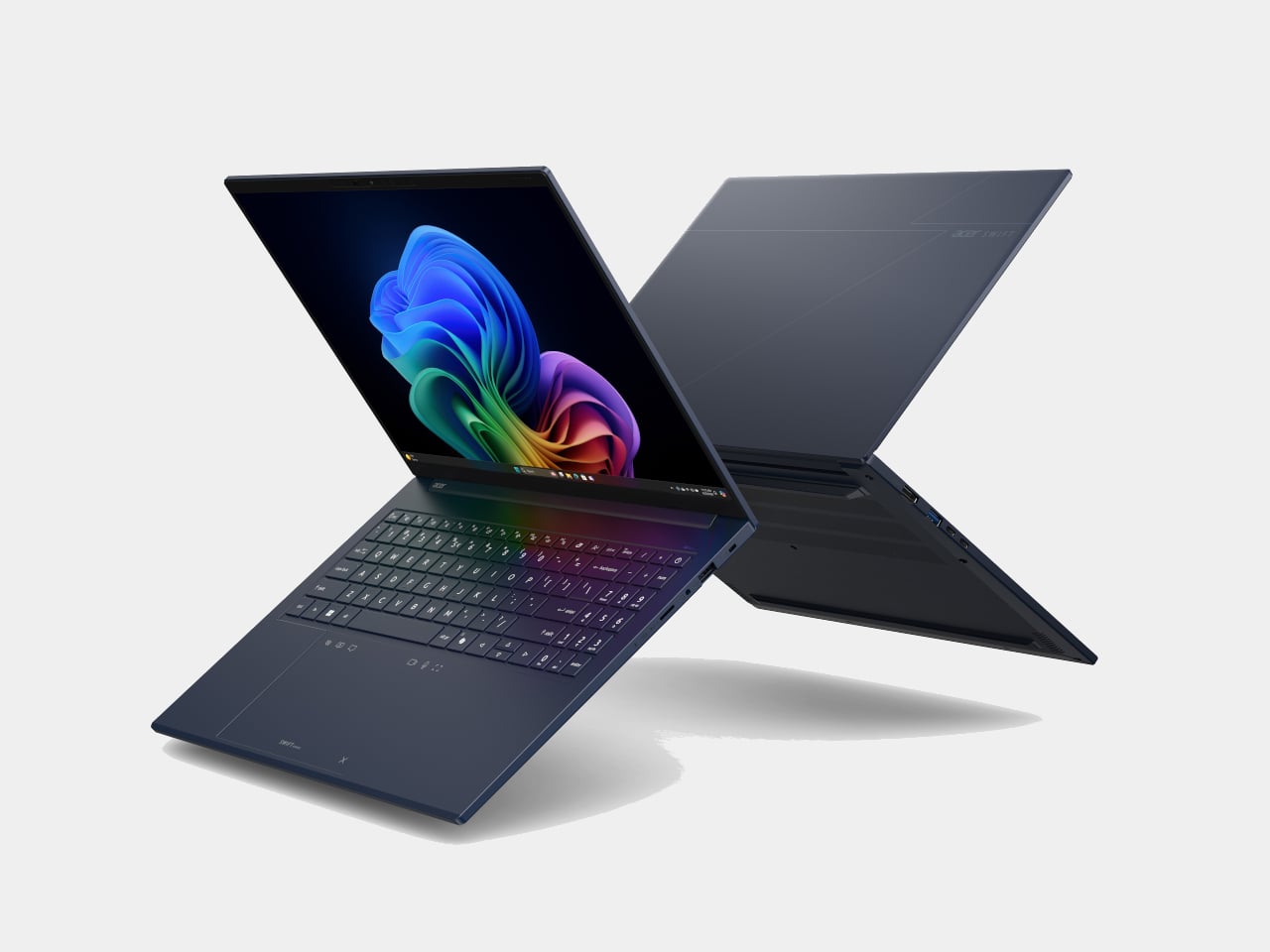
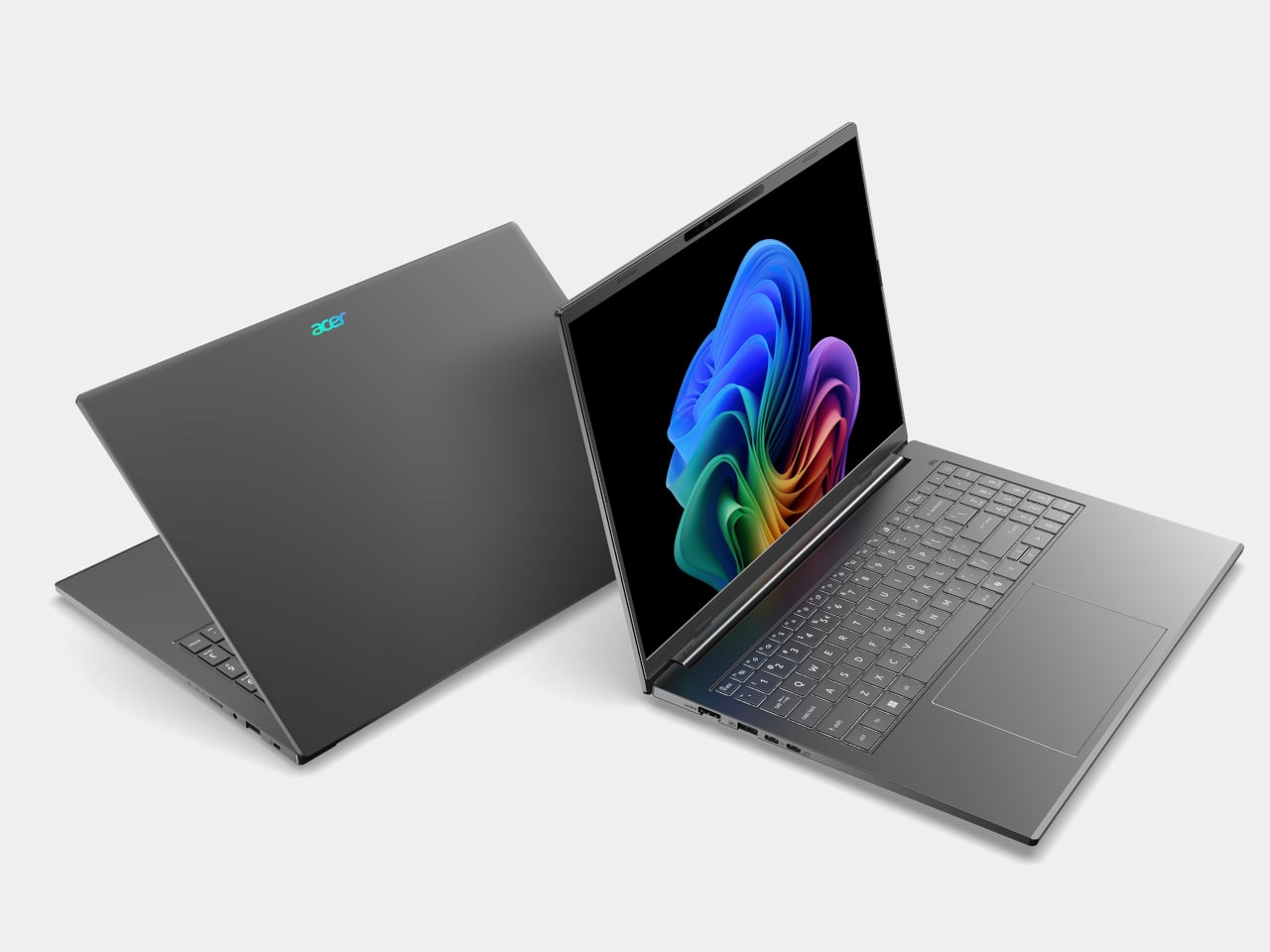
AMD’s Ryzen AI 400-series chips are showing up in laptops people might actually carry every day. Acer is rolling them out across three very different lines, thin-and-light, mainstream, and gaming, and all of them are Copilot+ PCs with NPUs built for on-device AI. Built on the Zen 5 architecture, these processors aim to enhance productivity and creative work without constantly leaning on the cloud or draining the battery by lunchtime.

The lineup splits into three personalities. Swift Go 16 AI is built for people who live out of a backpack. Aspire 14 and 16 AI are for students and young professionals who need one machine to do everything. Last but not least, Nitro V 16 AI is for gamers who still have to write essays or edit videos when the match ends. The interesting part is how Acer uses the same AMD Ryzen AI 400-series foundation to make three very different days feel smoother.

Designer: Acer

Acer Swift Go 16 AI

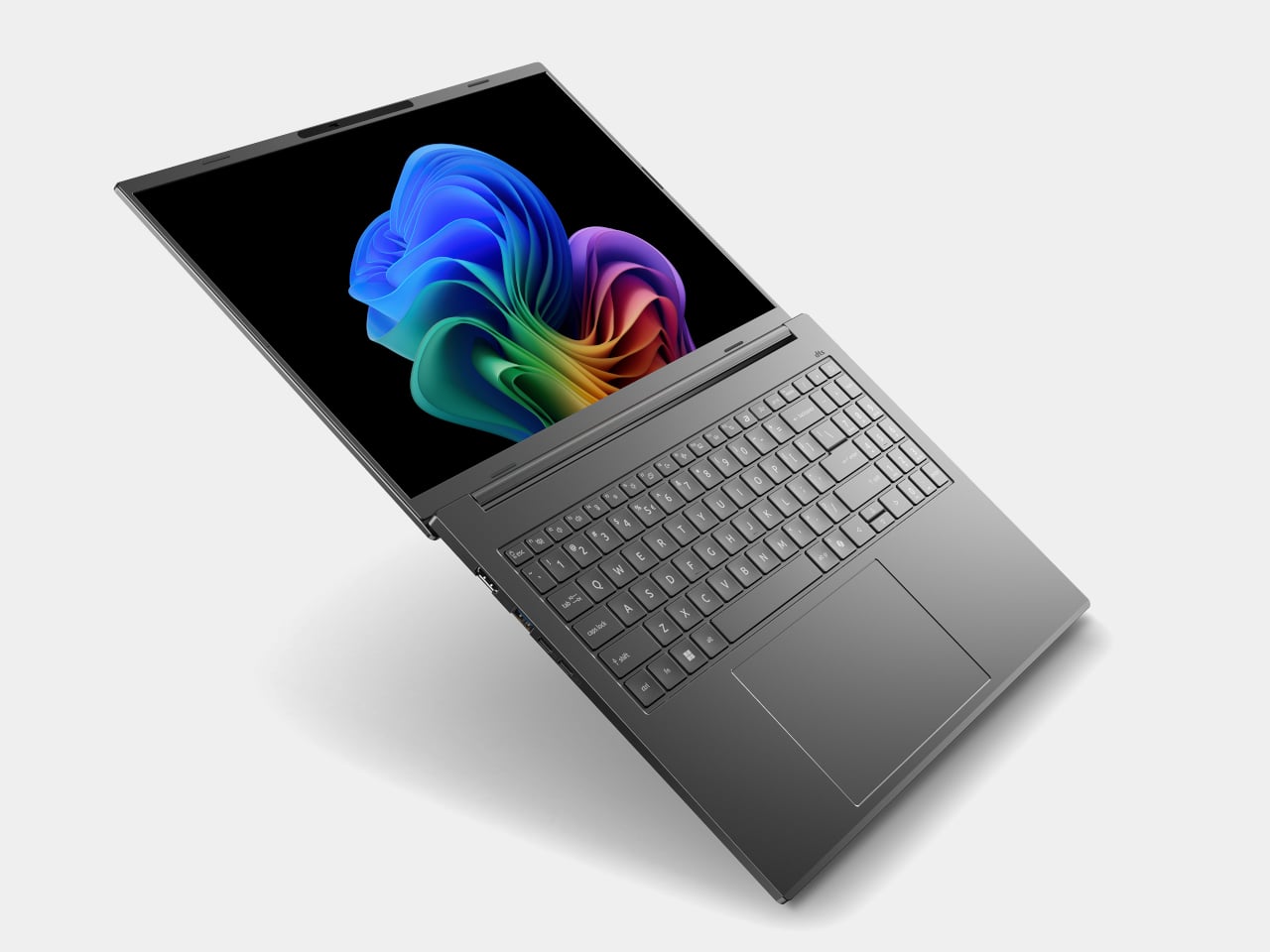
Swift Go 16 AI is the laptop that spends its time in cafés and lecture halls. It runs up to an AMD Ryzen AI 9 465 processor with Radeon 880M graphics, up to 32 GB of LPDDR5X memory, and up to 1 TB of PCIe Gen 4 SSD storage. That headroom handles a dozen tabs, a video call, and a Copilot window without the fans screaming, and it all lives in a laser-etched aluminum chassis that opens a full 180 degrees.

Display options range from 16-inch 16:10 WUXGA IPS to WUXGA+ OLED with 100 % DCI-P3 and up to 400 nits, so spreadsheets and color-sensitive work both look right. A 5 MP IR camera with HDR and Human Presence Detection makes video calls less painful, while DTS:X Ultra speakers and a multi-control touchpad handle audio and gestures. Wi-Fi 7, Bluetooth 5.4, dual USB-C, dual USB-A, HDMI 2.1, and MicroSD mean you stop hunting for dongles.

Acer Aspire 14 AI and Aspire 16 AI

Acer Aspire 14 AI

The Aspire 14 AI and Aspire 16 AI are the laptops that bounce between classes, offices, and kitchen tables. Both use WUXGA 1920 × 1200 16:10 displays with refresh rates up to 120 Hz, with touch, non-touch, and OLED options. The 16-inch model can be configured with up to an AMD Ryzen AI 9 465 and Radeon 880M graphics, while the 14-inch tops out at a Ryzen AI 7 445 and Radeon 840M, both with up to 32 GB of LPDDR5X and 1 TB of PCIe Gen 4 SSD storage.

Acer Aspire 16 AI

Full-flat 180-degree hinges and large touchpads make it easy to share a screen or navigate long documents. Both sizes include 1080p FHD IR webcams with privacy shutters, DTS Audio dual speakers, and triple-mic arrays, plus Wi-Fi 6E and Bluetooth 5.3. Two USB-C, two USB-A, HDMI 2.1, a MicroSD card reader, and an audio jack cover most scenarios without extra gear. Acer’s AI layer, Intelligent Space, AcerSense, PurifiedView, PurifiedVoice, and My Key, sits on top of Copilot+ to make translation, noise reduction, and quick shortcuts feel like part of the machine.

Acer Nitro V 16 AI

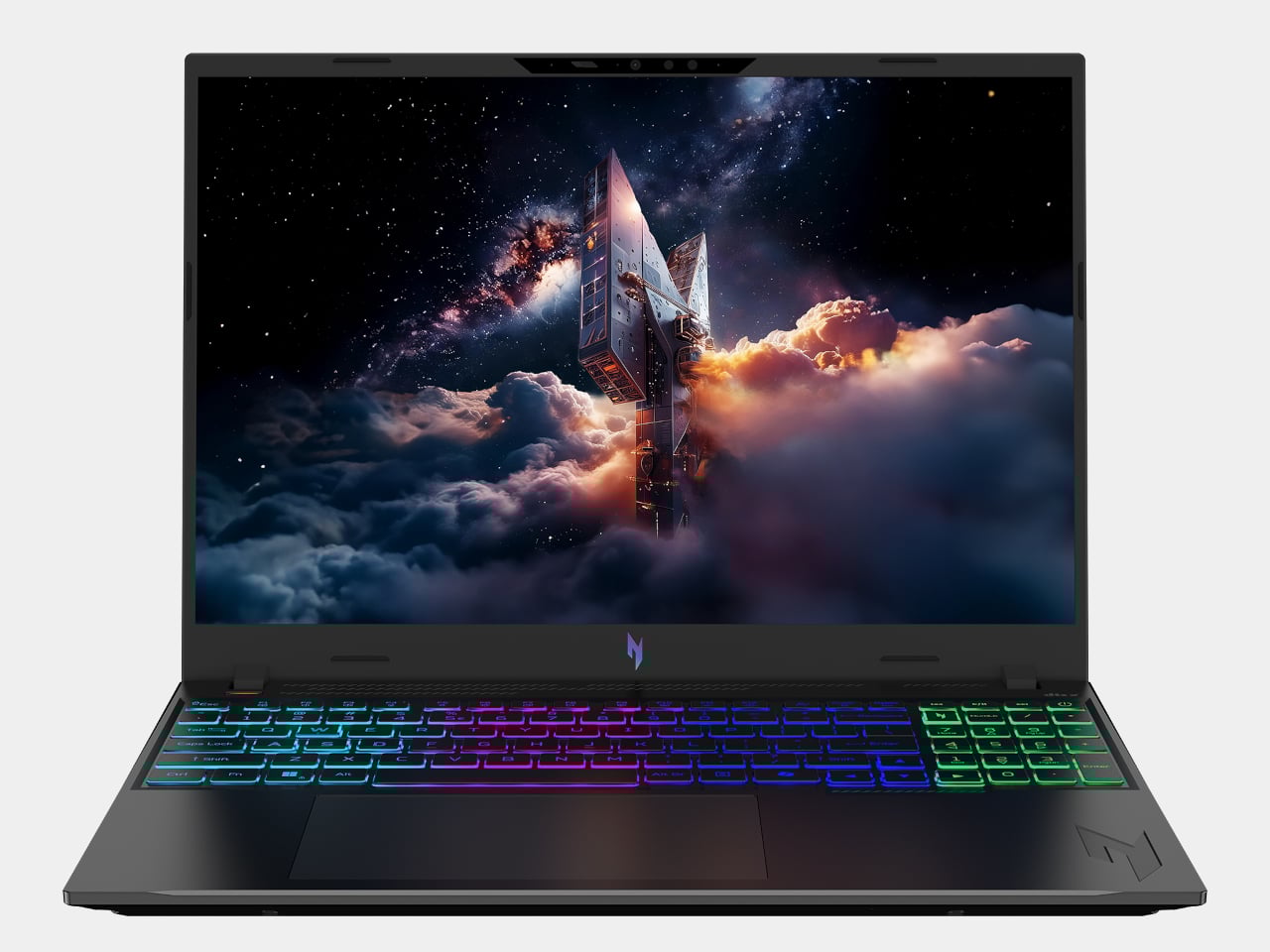
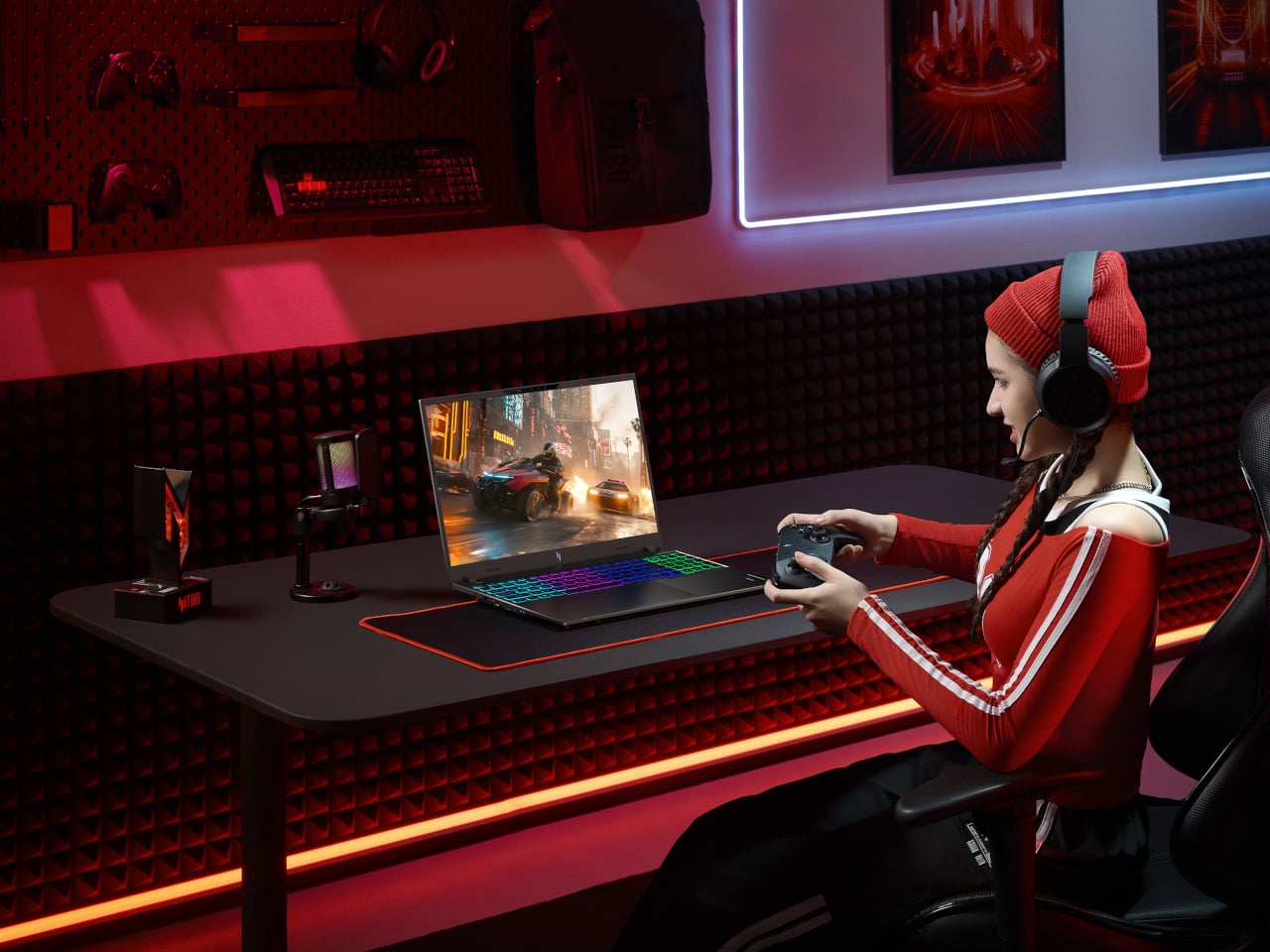
Nitro V 16 AI is the AMD-powered gaming laptop that still has to behave like a normal computer when the game is closed. It pairs up to an AMD Ryzen AI 9 465 processor with up to an NVIDIA GeForce RTX 5070 Laptop GPU, backed by up to 32 GB of DDR5 memory and up to 2 TB of PCIe M.2 NVMe SSD storage. That combination is built for high-refresh shooters and GPU-accelerated creative work, not just casual titles.

The 16-inch 16:10 WUXGA 1920 × 1200 panel runs at 180 Hz with 100 % sRGB and a MUX switch, so you can flip between power-saving hybrid mode and direct GPU mode when you care about every frame. Dual-fan, dual-intake, dual-exhaust cooling keeps the chassis under control, while DTS:X Ultra audio, a 4-zone RGB keyboard, and an FHD IR webcam with a shutter handle the rest of the experience. Wi-Fi 6E, Bluetooth 5.4, USB 4 Type-C, three USB-A ports, HDMI 2.1, RJ-45, and a Kensington lock round it out, and Acer’s Intelligent Space and NitroSense give you knobs to tune performance and AI-assisted features without digging through control panels.

Acer and AMD at CES 2026: Three Laptops, One AI Backbone

Swift Go 16 AI is the thin-and-light that leans on OLED and Wi-Fi 7 for people who work wherever they can find a table. Aspire 14 and 16 AI are the everyday machines that quietly stretch multi-day battery life and 16:10 high-refresh screens across school, work, and home. Nitro V 16 AI is the gaming rig that still has to write essays and render timelines. Underneath, they all share AMD’s Ryzen AI 400-series processors, Copilot+ PC status, and Acer’s own AI tools, which is the real CES 2026 story here, AI moving from a single button on the keyboard into the way the whole laptop is specced and shaped.

The post Acer AMD Ryzen Laptops Bring AI Across Three Very Different Days first appeared on Yanko Design.

Top 5 Space-Saving Office Accessories For Small Workspaces

Small workspaces demand accessories that earn their place on the desk. Every item needs to justify the real estate it occupies, which means multi-functionality isn’t just a nice feature—it’s essential. The desk that once felt spacious quickly becomes cluttered when traditional peripherals take over. A separate keyboard here, an external monitor there, pens rolling around, and suddenly your workspace feels more chaotic than creative.

The accessories that truly transform compact work environments share a common trait: they collapse, fold, or consolidate multiple functions into a single footprint. These aren’t just space-saving tricks—they’re thoughtfully engineered solutions that maintain full functionality while disappearing when not in use. From keyboards with integrated displays to writing instruments that fit in your pocket, these five accessories prove that working in tight quarters doesn’t mean compromising on capability or comfort.

1. WELDER Keyboard

Mobile productivity usually means choosing between screen real estate and portability. The WELDER keyboard eliminates that choice by integrating a 12.8-inch touchscreen directly above its mechanical keys. This CNC-machined aluminum device folds completely flat at a 180-degree hinge, transforming from a full workstation into a compact metal block. The all-metal chassis provides structural rigidity, preventing screen wobble during aggressive typing sessions and addressing the stability issues that plague most portable monitor setups.

The engineering addresses the fundamental problem of traveling with multiple devices. Instead of packing a laptop, a portable monitor, a monitor stand, a mechanical keyboard, and their respective cables, you carry just one unit. The premium aluminum construction adds weight but delivers the kind of build quality that inspires confidence during daily commutes. The folding mechanism locks securely, protecting both display and keys during transport while maintaining zero flex when deployed for work.

What We Like

  • The integrated touchscreen eliminates the need for a separate portable monitor, cutting down on cables and setup time dramatically.
  • The all-metal construction provides exceptional rigidity, keeping the display perfectly stable even during fast typing.
  • The 180-degree folding mechanism creates a compact form factor that protects both components during travel.
  • The mechanical keyboard delivers tactile feedback without requiring a separate peripheral.
  • The single-device solution reduces clutter and simplifies your mobile workspace considerably.

What We Dislike

  • The all-metal chassis adds significant weight compared to carrying just a laptop alone.
  • The 12.8-inch screen size may feel limiting for users accustomed to larger dual-monitor setups.
  • The folding mechanism creates a fixed angle that might not suit every working position.
  • The premium build quality likely commands a higher price point than purchasing components separately.

2. Pocket Everlasting All-Metal Pencil

Writing instruments disappear at the worst moments. This all-metal pencil stays put because its 4.7-inch length slides easily into shirt or pants pockets without the bulk of traditional pencils. The graphite and alloy particle core leaves marks without wearing down, which means the tip never dulls, and sharpening becomes obsolete. The included cap protects the point and prevents pocket marks, turning this into a genuinely pocket-friendly tool that’s ready when inspiration strikes.

The engineering focuses on eliminating friction points in the writing experience. Traditional pencils dull quickly, requiring sharpeners that often aren’t available when needed. Wood pencils snap under pressure, and mechanical pencils jam or run out of lead refills. This solid metal construction sidesteps all those failure points. The marks erase cleanly with standard erasers and don’t bleed when used with watercolor or water-based markers, making it versatile enough for sketching, note-taking, and technical drawing without switching tools.

Click Here to Buy Now: $19.95

What We Like

  • The everlasting core eliminates the need for sharpening, saving time and desk space typically occupied by sharpeners.
  • The compact 4.7-inch length makes it genuinely pocket-portable without sacrificing writing comfort.
  • The all-metal construction ensures durability that outlasts traditional pencils by years.
  • The non-bleeding marks work seamlessly with watercolor and markers for mixed-media work.
  • The ten-mile writing capacity means one pencil can last through countless projects.

What We Dislike

  • The metal construction adds weight compared to traditional wooden pencils for extended writing sessions.
  • The fixed core darkness can’t be adjusted like switching between pencil grades for different shading needs.
  • The small size might feel cramped for users with larger hands during prolonged use.
  • The premium materials command a higher upfront cost than disposable pencil alternatives.

3. OrigamiSwift Folding Mouse

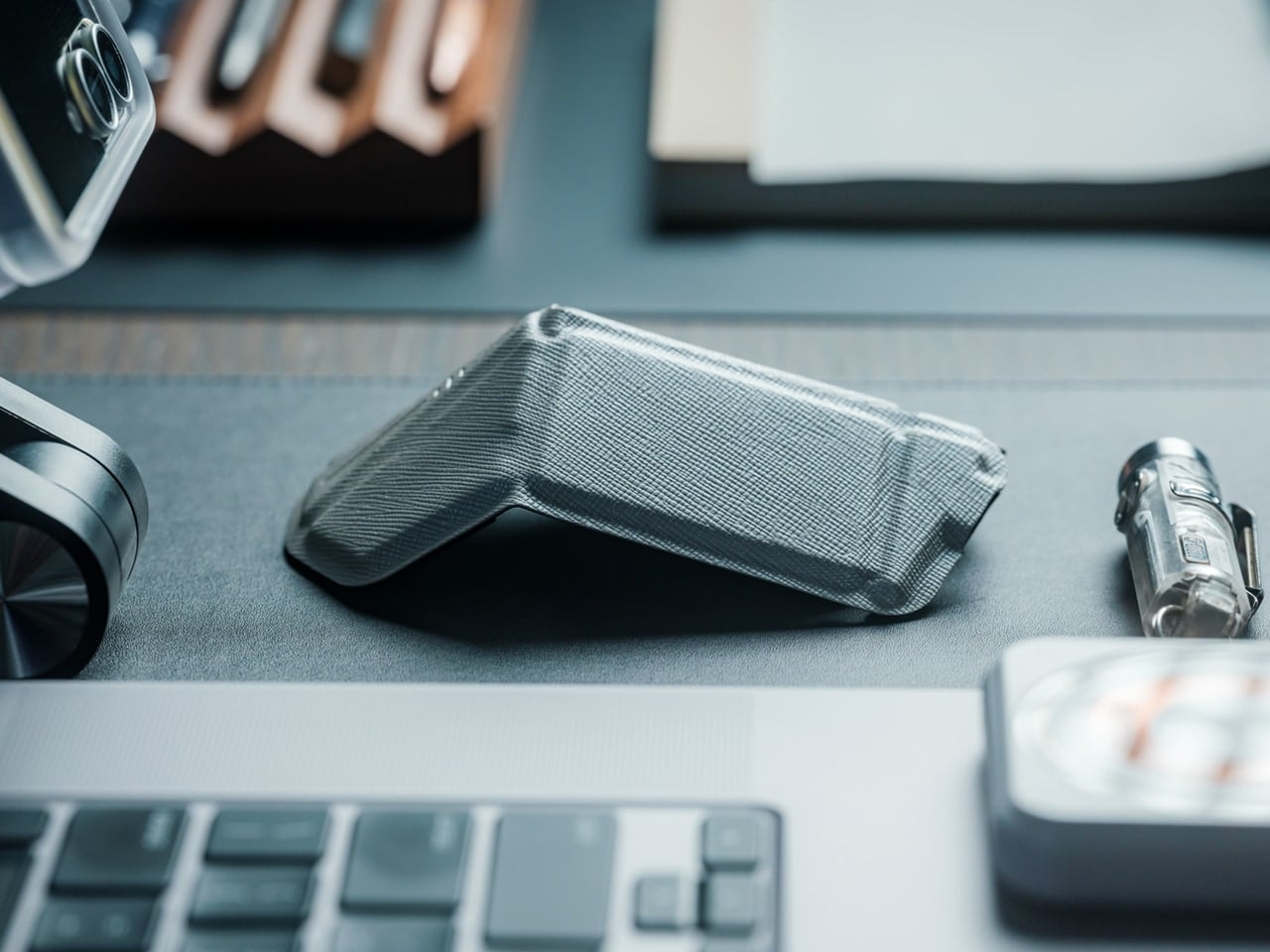
Full-sized mice deliver precision but occupy significant bag space. The OrigamiSwift collapses flat when stored, then springs into an ergonomic shape in under half a second when needed. The origami-inspired triangular structure provides surprising rigidity despite the folding mechanism, maintaining its form through daily use. At just 40 grams, it adds virtually no weight to your bag while delivering the control and comfort that flat travel mice consistently fail to provide.

The design solves the eternal compromise between portability and usability. Flat travel mice force awkward hand positions that fatigue quickly. Full-sized mice consume too much space for mobile workers. This folding mechanism creates a proper ergonomic grip when deployed while achieving near-flat storage dimensions. The soft-click buttons operate quietly in shared spaces, the USB-C rechargeable battery lasts three months per charge, and the smooth glide works across various surfaces without requiring a dedicated mouse pad.

Click Here to Buy Now: $79.00

What We Like

  • The folding mechanism transforms it from flat storage to full-sized ergonomics in under half a second.
  • The 40-gram weight makes it virtually unnoticeable in bags until you need it.
  • The origami-inspired structure provides durability and rigidity despite the folding design.
  • The three-month battery life on a single USB-C charge eliminates frequent recharging interruptions.
  • The quiet soft-click buttons allow discreet use in libraries, cafés, and shared workspaces.

What We Dislike

  • The folding mechanism introduces moving parts that could potentially wear out over time.
  • The ultra-lightweight construction might feel less substantial for users who prefer heftier mice.
  • The compact dimensions when folded mean slightly smaller grip surfaces compared to traditional full-sized mice.
  • The premium folding engineering likely costs more than standard portable mouse options.

4. Heritage Craft Unboxing Knife

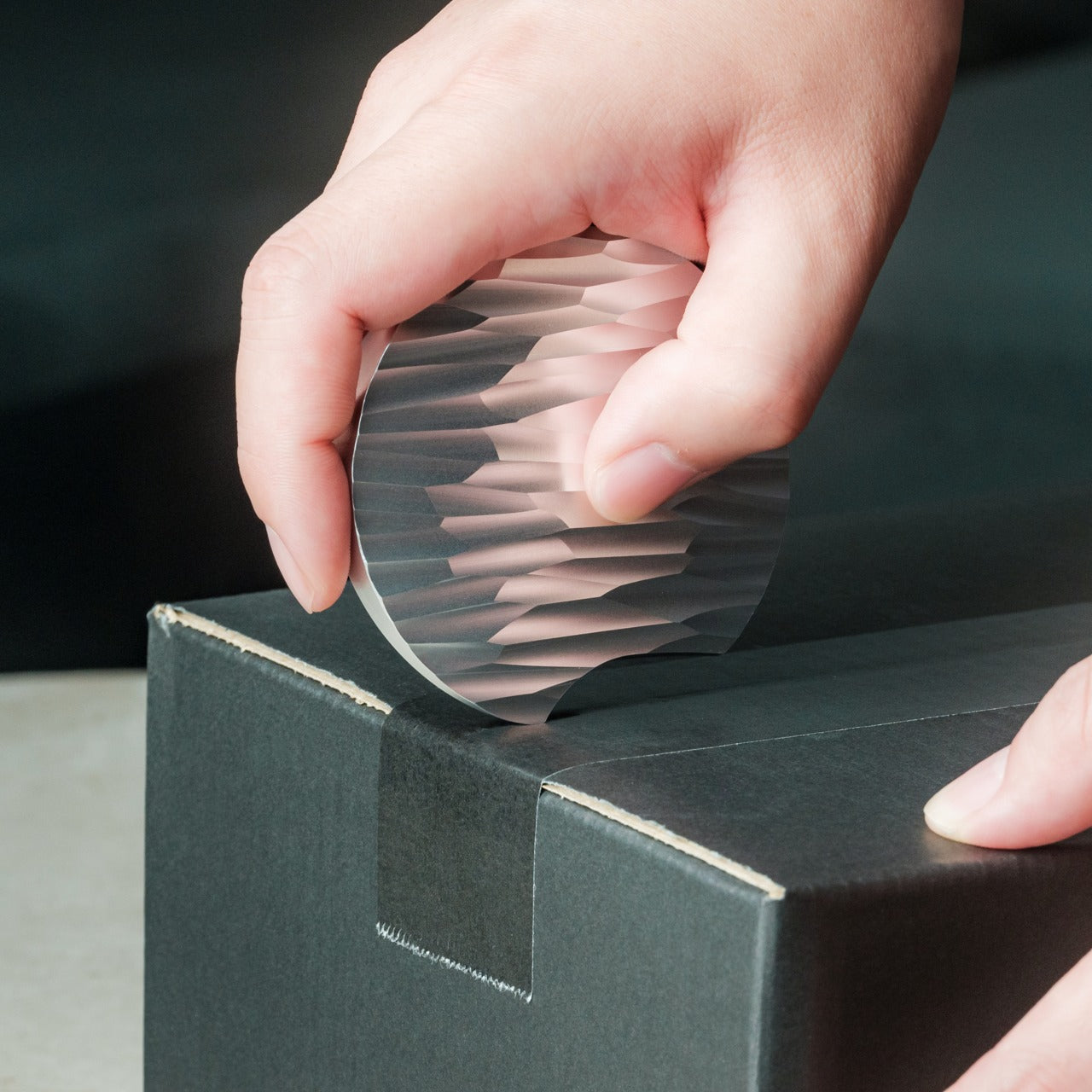
Box cutters typically hide in drawers because their utilitarian design doesn’t merit desk display. This unboxing knife, carved from a single aluminum block, takes design inspiration from Paleolithic hand axes, creating a circular form that functions as both tool and desktop sculpture. The wave-like patterns left by precision machining provide a non-slip grip while creating visual interest that makes this something you’ll want visible on your desk rather than buried in storage.

The tapered circular shape serves double duty. When gripping it for cutting, the textured surface prevents slippage during use. When resting on the desk, the sculptural form adds character to your workspace while keeping the blade within easy reach. Traditional box cutters require drawer storage for safety, consuming organizational space. This design’s form makes it inherently displayable, eliminating that storage requirement while ensuring the tool stays accessible for package opening. The aluminum construction provides durability without excessive weight, and the ancient tool inspiration creates conversation value that generic cutters lack entirely.

Click Here to Buy Now: $99.00

What We Like

  • The sculptural form eliminates the need for drawer storage by making it displayable on the desk surface.
  • The circular grip, inspired by ancient hand axes, provides secure handling during cutting tasks.
  • The machine-waved patterns deliver both aesthetic appeal and functional non-slip texture.
  • The tapered shape keeps it within easy reach while looking intentional rather than cluttered.
  • The aluminum construction balances durability with reasonable weight for frequent handling.

What We Dislike

  • The circular form might require adjustment for users accustomed to traditional box cutter grip angles.
  • The displayable design means that keeping a blade exposed on the desk requires awareness around children.
  • The artistic form commands premium pricing compared to basic utility box cutters.
  • The unique shape might not fit standard tool storage systems if you prefer organized drawers.

5. FoldLine Pen Roll

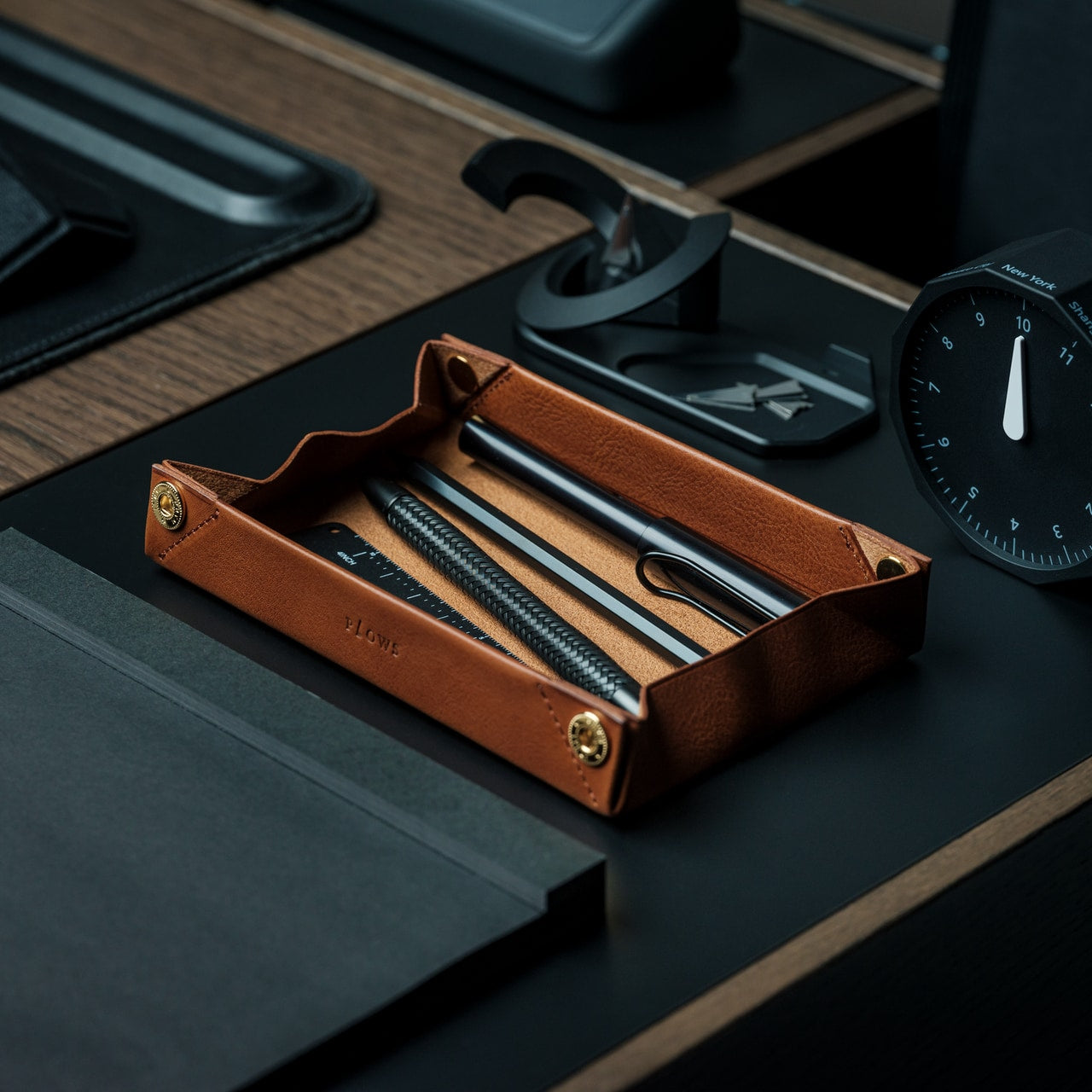
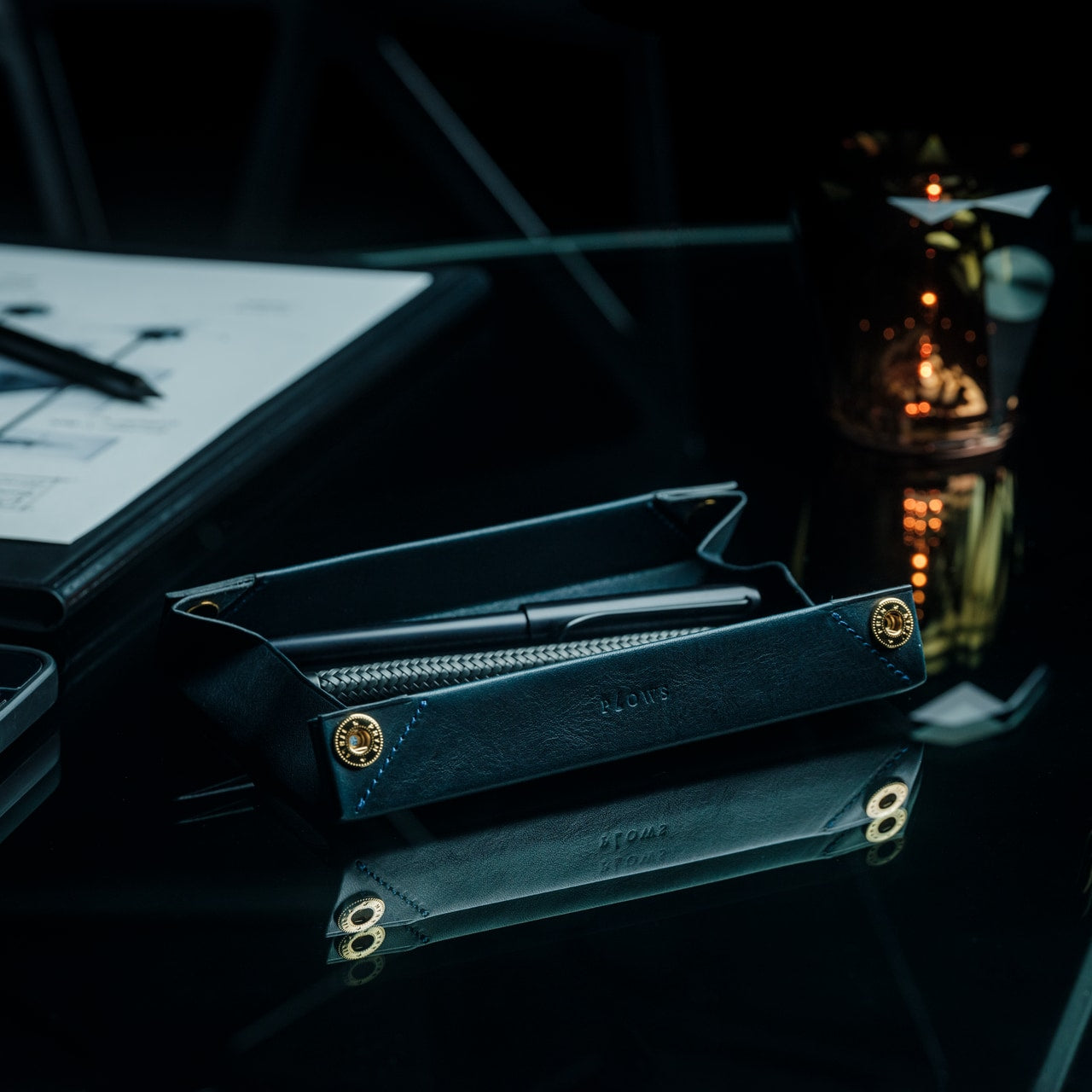
Pen storage typically means cases that add bulk or loose pens rattling around in bags. The FoldLine transforms from a flat leather roll into an organized tray in under two seconds, creating an instant workspace on any surface. Cut from a single piece of Italian Minerva Box leather, it wraps pens individually through its folded structure rather than stitched compartments, preventing scratches and noise while maintaining a remarkably slim profile even when full.

The design philosophy centers on portable focus. At cafés, coworking spaces, or hotel desks, unrolling the FoldLine creates a defined zone that organizes your tools and clarifies your workspace. The symmetrical, zipperless design opens from either side, accommodating both left and right-handed users without awkward orientation. The vegetable-tanned leather from Italy’s Badalassi Carlo tannery develops a unique patina over time, aging with your work rather than deteriorating. The large machined snap from PRYM provides secure closure with satisfying tactile feedback that signals quality in every interaction.

Click Here to Buy Now: $135.00

What We Like

  • The two-second transformation from flat roll to organized tray creates instant workspace definition anywhere.
  • The single-piece leather construction protects pens without compartment stitching that adds bulk.
  • The folded air design keeps the exterior slim even when packed with multiple pens.
  • The symmetrical opening accommodates both left and right-handed users without reorientation.
  • The vegetable-tanned Italian leather develops character through use rather than showing wear.

What We Dislike

  • The leather construction requires more careful handling than synthetic material alternatives in wet conditions.
  • The premium Italian leather and Japanese craftsmanship command higher pricing than standard pen cases.
  • The capacity remains limited compared to larger zipper pouches that hold more varied supplies.
  • The open tray design works best on stable surfaces rather than in transit or unstable environments.

Making Small Spaces Work Harder

The accessories that succeed in compact workspaces share deliberate design thinking. They fold when stored, combine multiple functions, or provide organizational clarity that prevents visual clutter. The WELDER keyboard’s integrated screen eliminates an entire category of peripheral devices. The OrigamiSwift mouse collapses to pocket dimensions without sacrificing ergonomic comfort. The everlasting metal pencil stays ready in your pocket rather than consuming desk organizer space. Each item earns its footprint through thoughtful engineering that prioritizes both functionality and spatial efficiency.

Small workspace solutions work best when they respect both your space constraints and your actual work requirements. These five accessories prove that compact doesn’t mean compromised. The Heritage Craft unboxing knife turns a desk display into functional storage. The FoldLine pen roll creates an organized workspace definition in seconds. Choosing accessories that collapse, combine, or organize transforms spatial limitations from frustrating constraints into opportunities for more intentional, focused work environments that stay uncluttered and ready for whatever projects demand your attention.

The post Top 5 Space-Saving Office Accessories For Small Workspaces first appeared on Yanko Design.

ROG’s CES 2026 Flagships Rethink What a Gaming Machine Looks Like

Gaming laptops have settled into a comfortable rhythm. A 16-inch clamshell, an RGB keyboard, a high-refresh panel, and a GPU that fits into a backpack. Most people buy them, use them, and expect roughly the same experience from every generation. ROG’s CES 2026 lineup arrives at a moment when AI hardware, OLED panels, and new hinge engineering are all maturing at once, and the company seems very interested in experimenting with what that makes possible.
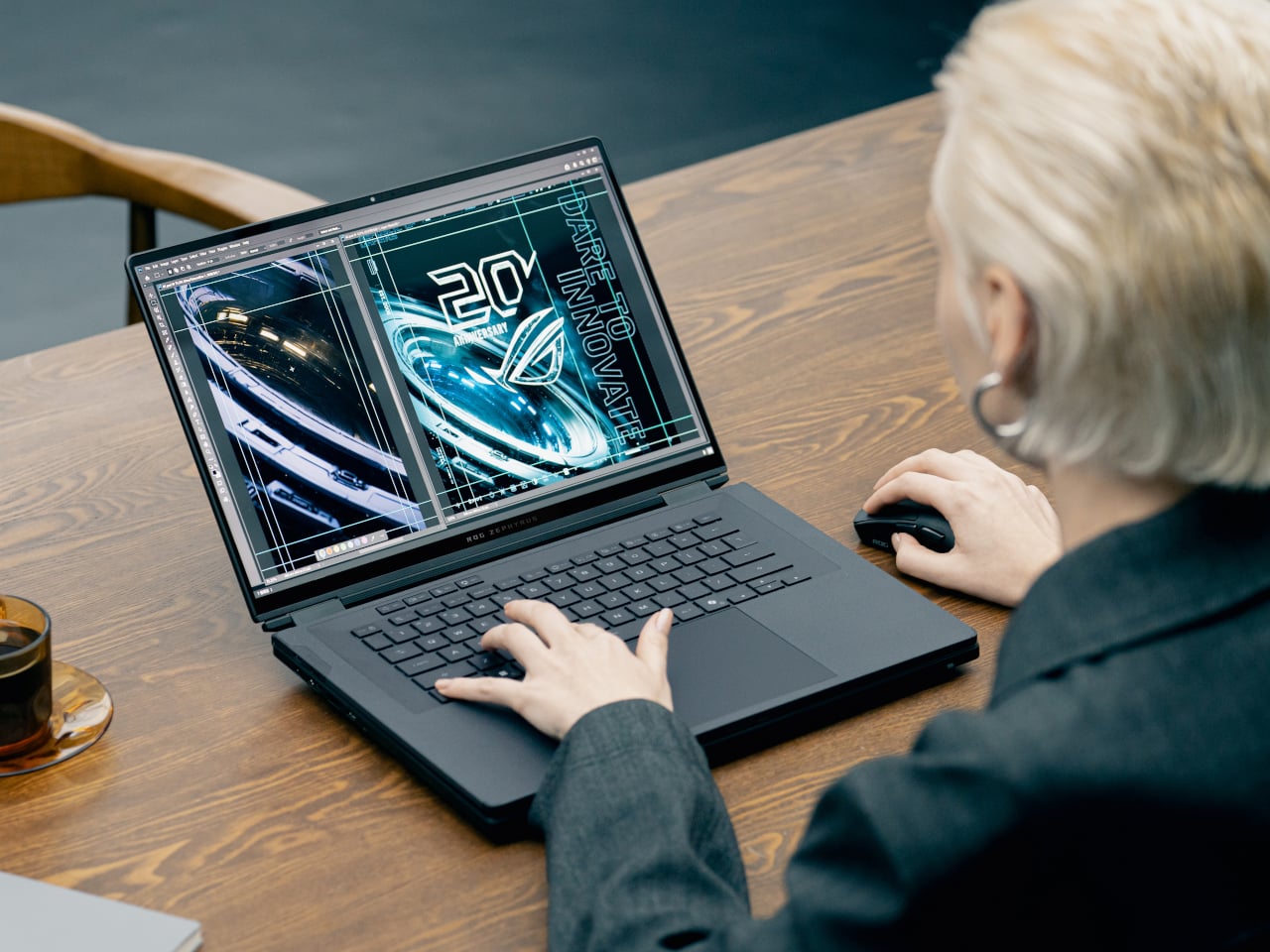
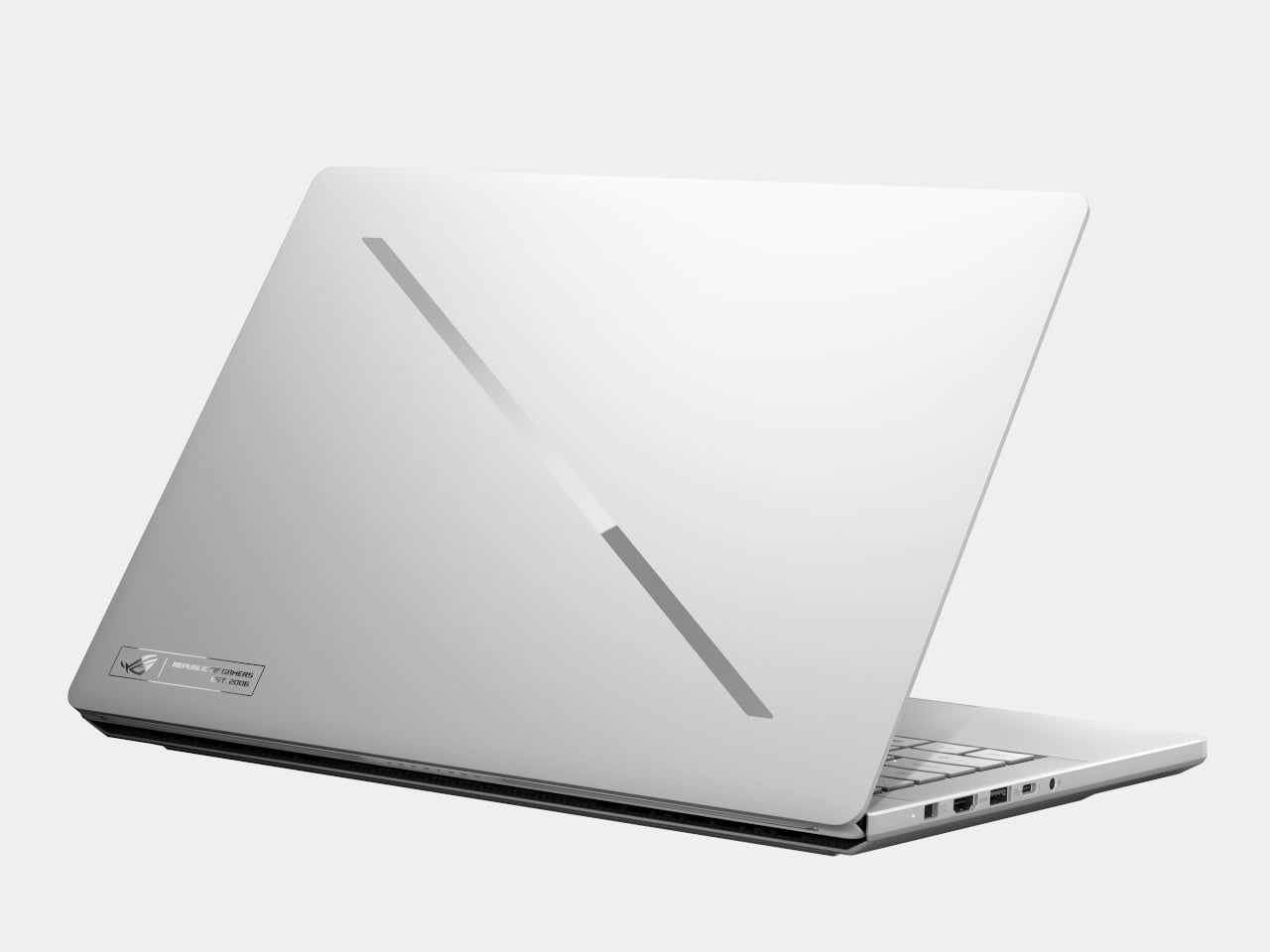
ROG’s most interesting products are not just faster versions of last year’s machines. The Zephyrus Duo GX651 stretches the idea of a laptop into a dual-screen workstation with five operating modes, while the Flow Z13-KJP shrinks a gaming PC into a tablet-sized slab with enough unified memory and NPU power to run a 70-billion-parameter language model on a train. Supporting them are the refreshed Zephyrus G14 and G16 ultraportables and the holographic ROG G1000 desktop.
Designer: ASUS Republic of Gamers (ROG)

ROG Zephyrus Duo GX651

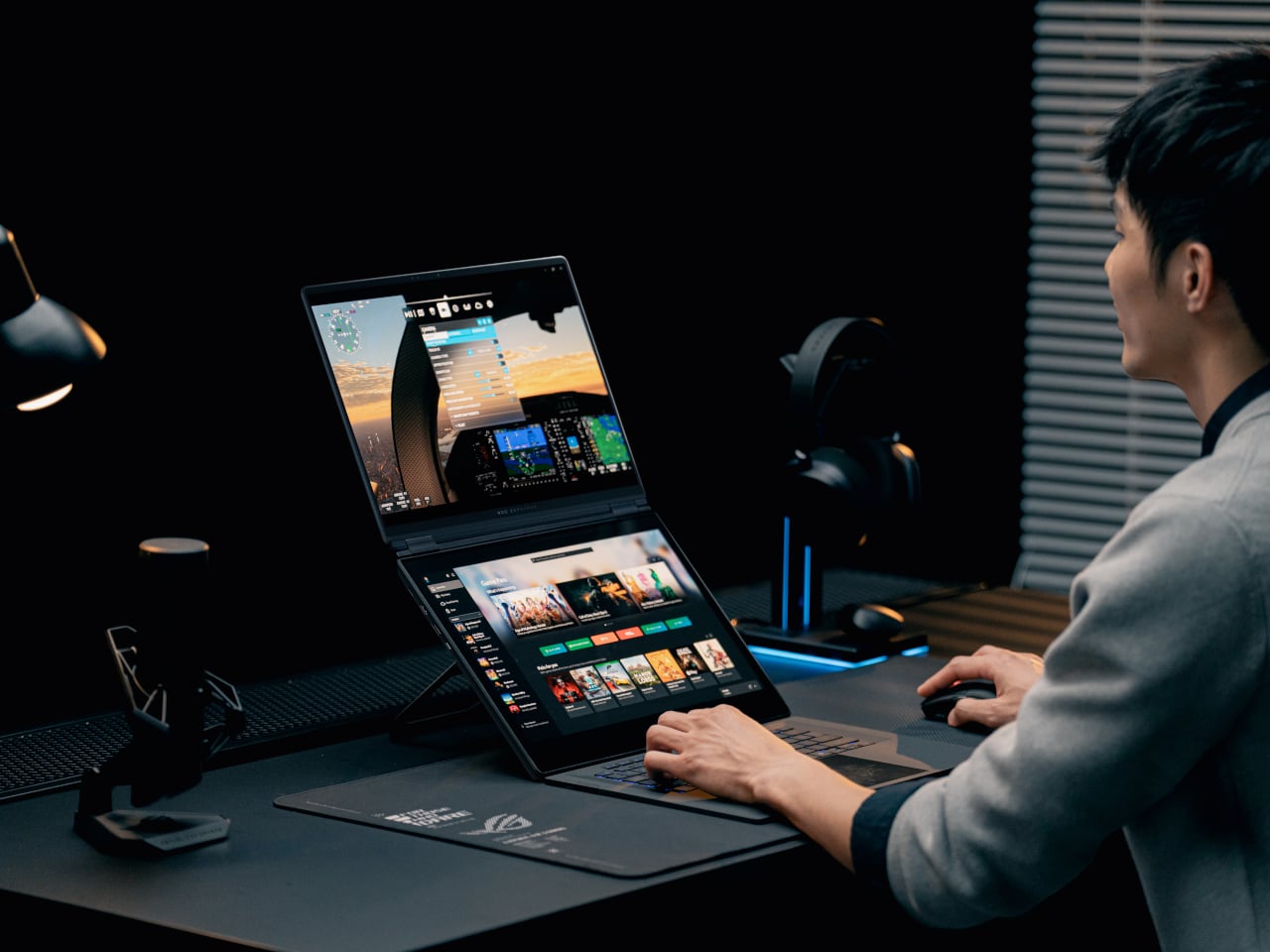
The Duo is the laptop for people who never have enough screen space. Both the main and secondary panels are 16-inch 3K ROG Nebula HDR OLED touchscreens running at 120 Hz with 0.2 ms response times, 100% DCI-P3, and ΔE < 1 color accuracy. In practice, that means a game or timeline can live on the top screen while chat, mixer controls, or reference material sit on the lower one, without feeling like a cramped compromise.

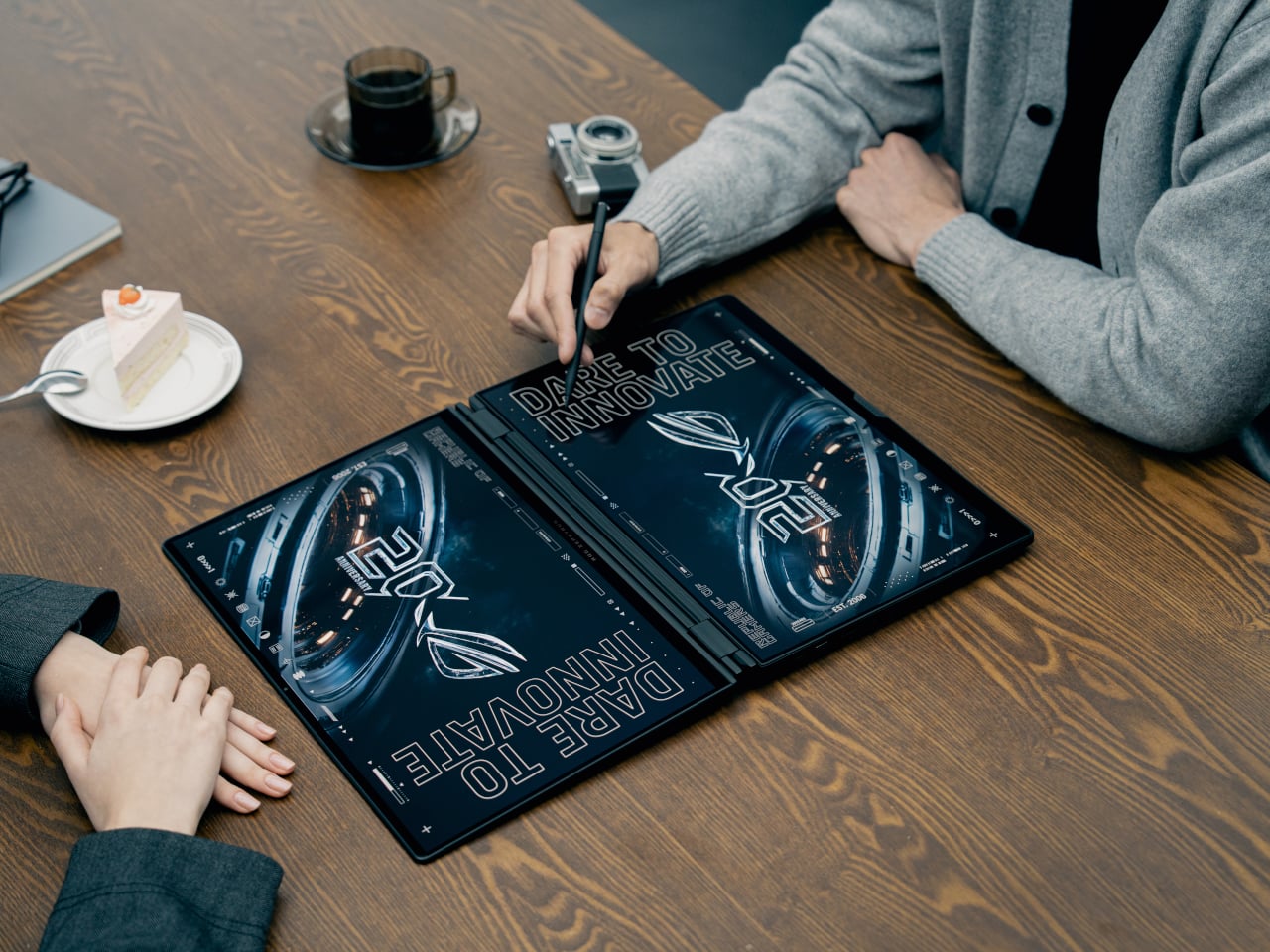
The 320-degree hinge and kickstand let the Duo shift between five operating modes, from traditional clamshell to dual-screen desktop, presentation stand, or drawing surface. A full-size wireless keyboard and touchpad can move off the chassis entirely, so you can push the screens closer and treat the machine like a tiny dual-monitor rig on a hotel desk or studio table. It is a laptop that behaves more like a modular workstation than a fixed shape.

ROG packs up to an Intel Core Ultra processor and an NVIDIA GeForce RTX 5090 Laptop GPU, up to 64 GB of LPDDR5X memory, and up to 2 TB of PCIe Gen 5 SSD storage into a chassis that measures 0.77 in thick and weighs about 6.28 lb. ROG Intelligent Cooling uses liquid metal, a vapor chamber, dual fans, and a dedicated graphite sheet for the second display to keep both panels and the chassis comfortable during long sessions.

ROG Flow Z13-KJP

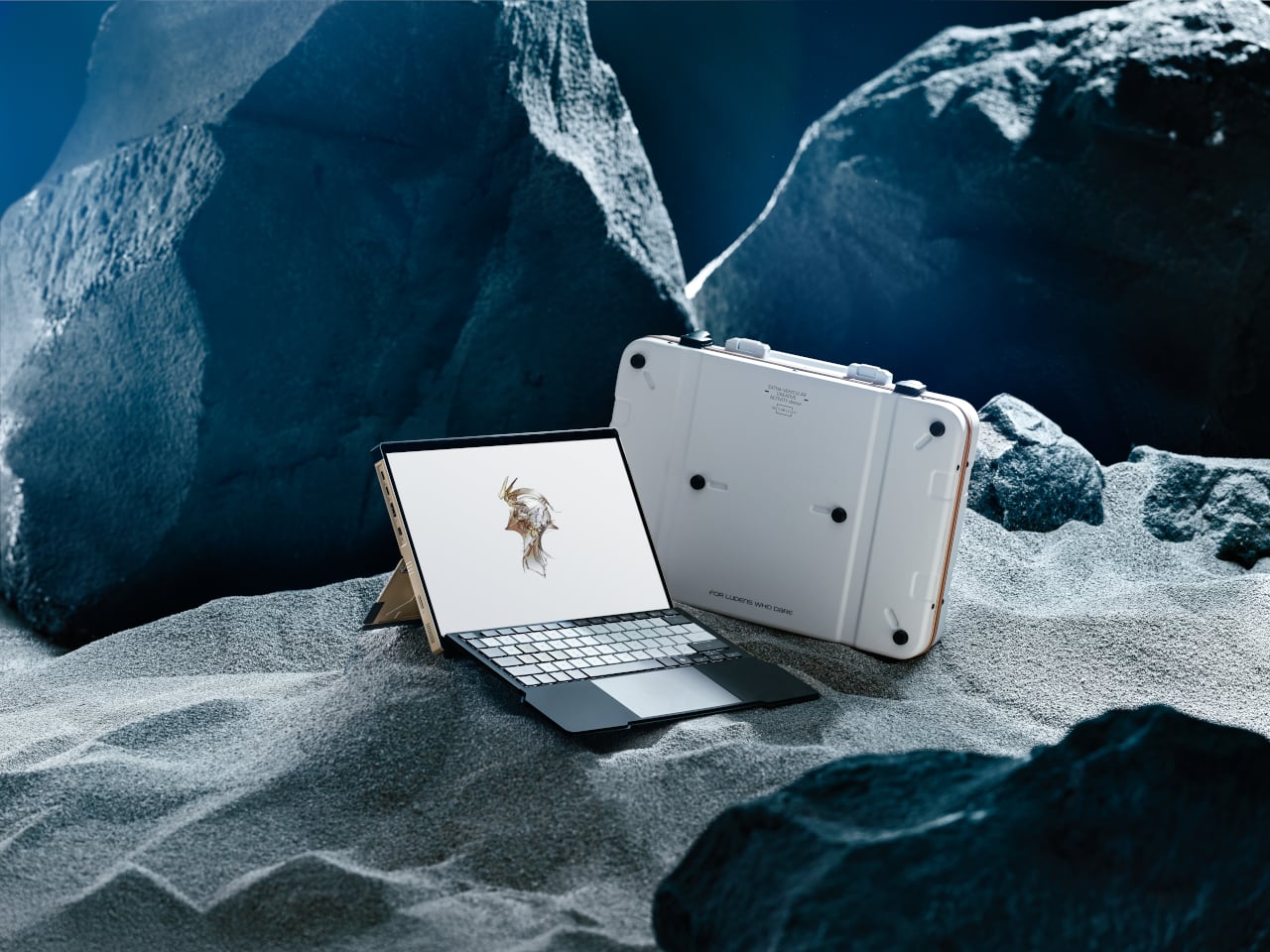
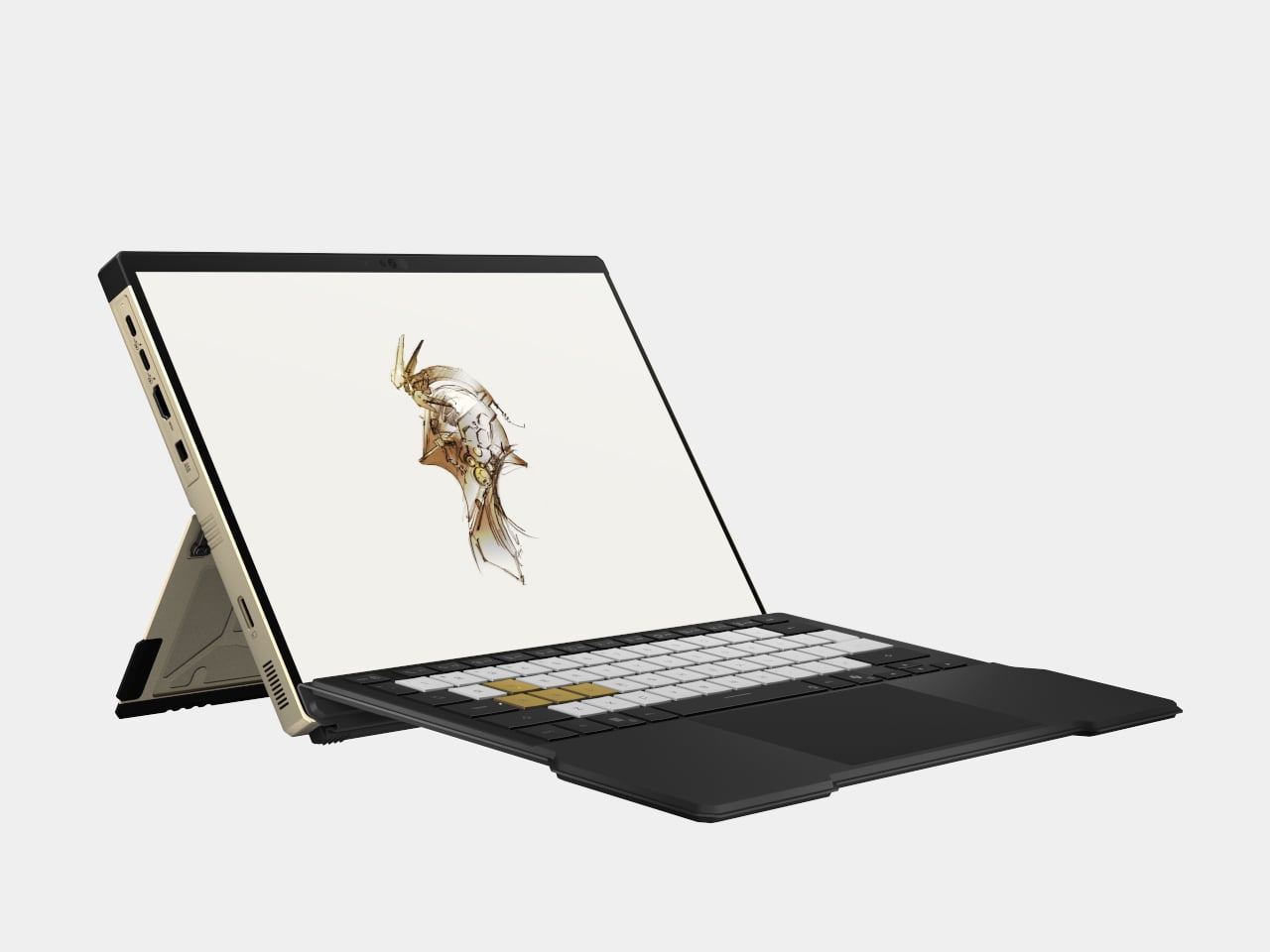
The Flow Z13-KJP is a 13.4-inch 2-in-1 that leans into AI as much as gaming. It runs an AMD Ryzen AI Max+ 395 with Radeon 8060S graphics and a 50 TOPS NPU, paired with up to 128 GB of LPDDR5X unified memory at 8,000 MT/s. ROG explicitly says that the combination can run a 70-billion-parameter LLM locally, which is a very different pitch from “this tablet can play your favorite games.”

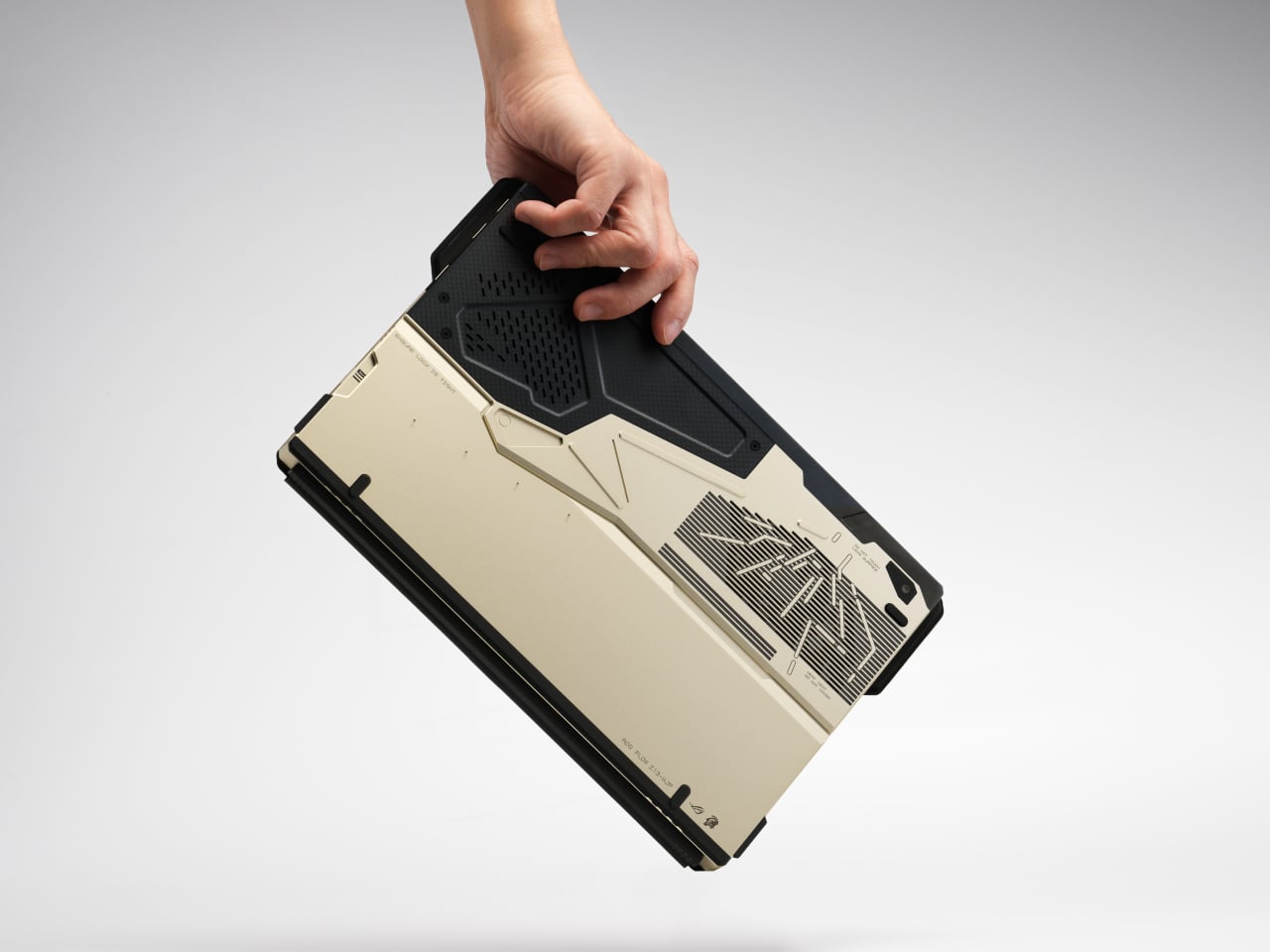
The Z13-KJP uses a 16:10 QHD Nebula display at 180 Hz with 500 nits brightness and 100% DCI-P3, protected by Gorilla Glass DXC. The chassis mixes aluminum with real carbon fiber on the back, weighs about 1.75 kg, and measures 14.6 mm thick. ROG Intelligent Cooling with liquid metal, a vapor chamber, and second-generation Arc Flow fans keeps the Ryzen AI chip and integrated graphics from throttling when running AI workloads or games.

The Kojima Productions collaboration is more than a paint job. Designed by Yoji Shinkawa and inspired by Ludens, the Flow Z13-KJP ships with custom Armoury Crate themes and wallpapers, plus matching peripherals like the Delta II-KJP headset and Keris II Origin-KJP mouse. The detachable RGB keyboard cover with 1.7 mm travel and built-in kickstand let it flip between console-style play, creator tablet, workstation, or ultraportable laptop, treating gaming, creation, and AI experimentation as different moods rather than separate devices.

ROG Zephyrus G14 and G16

ROG Zephyrus G14

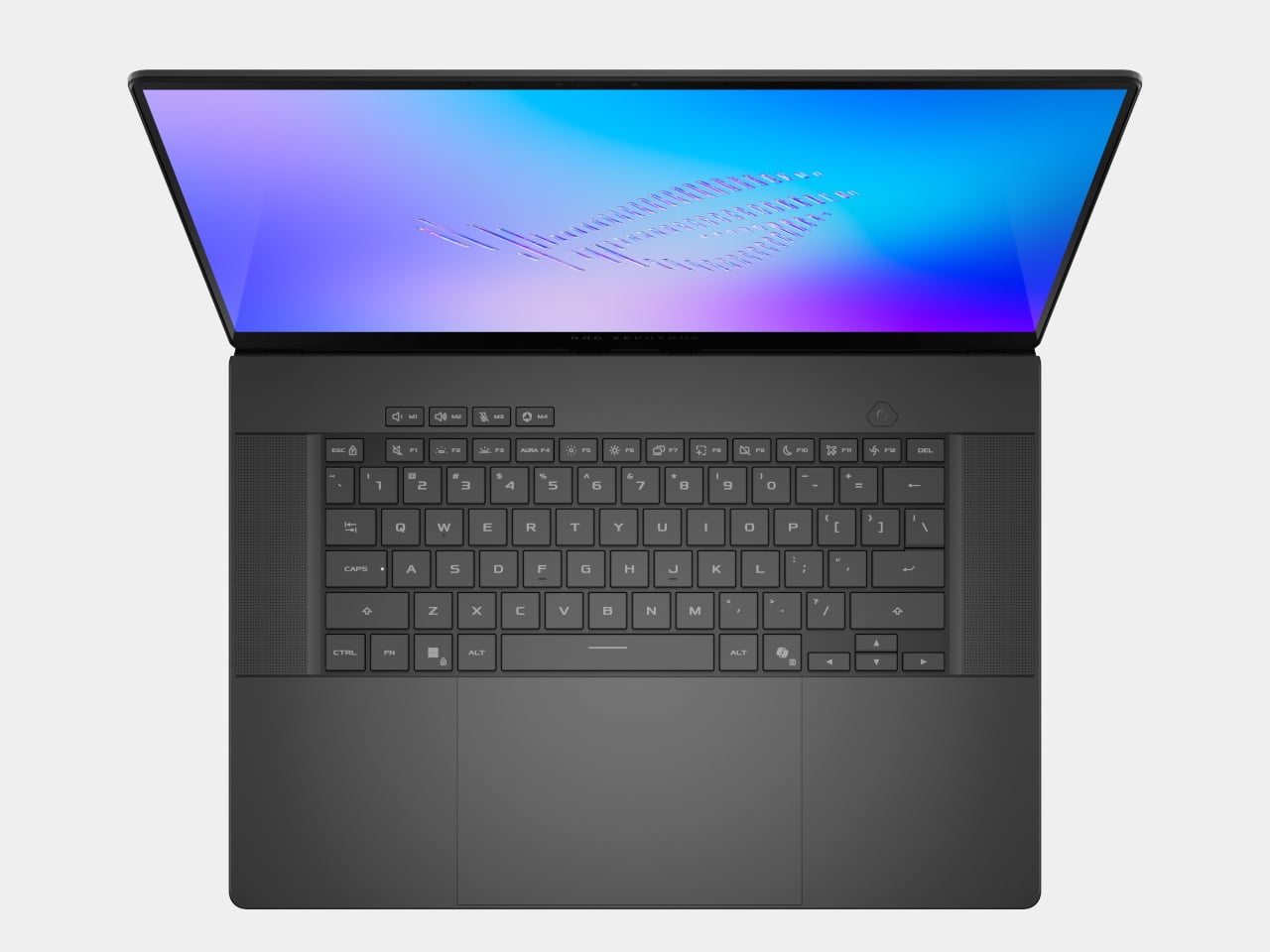
The Zephyrus G14 and G16 are the ultra-slim siblings that round out the laptop story. The G14 uses a 14-inch 3K Nebula HDR OLED at 120 Hz, weighs 1.5 kg, and measures 1.59 cm thick, while the G16 offers a 16-inch 2.5K Nebula HDR OLED at 240 Hz, weighs 1.85 kg, and measures 1.49 cm thick. Both can be configured with Intel Core Ultra processors, up to RTX 5080 or RTX 5090 Laptop GPUs, and Copilot+ PC certification.

ROG Zephyrus G16

The Slash Lighting array on the lid, upgraded from seven zones to 35, gives both machines a more refined aesthetic, while the CNC-aluminum chassis, liquid metal thermal compound, and six-speaker audio systems with dual woofers keep them firmly in the premium tier. They are the machines for people who want serious gaming and creative horsepower but still need something that can slip into a backpack for travel and daily use without feeling like a compromise.

ROG G1000 Desktop

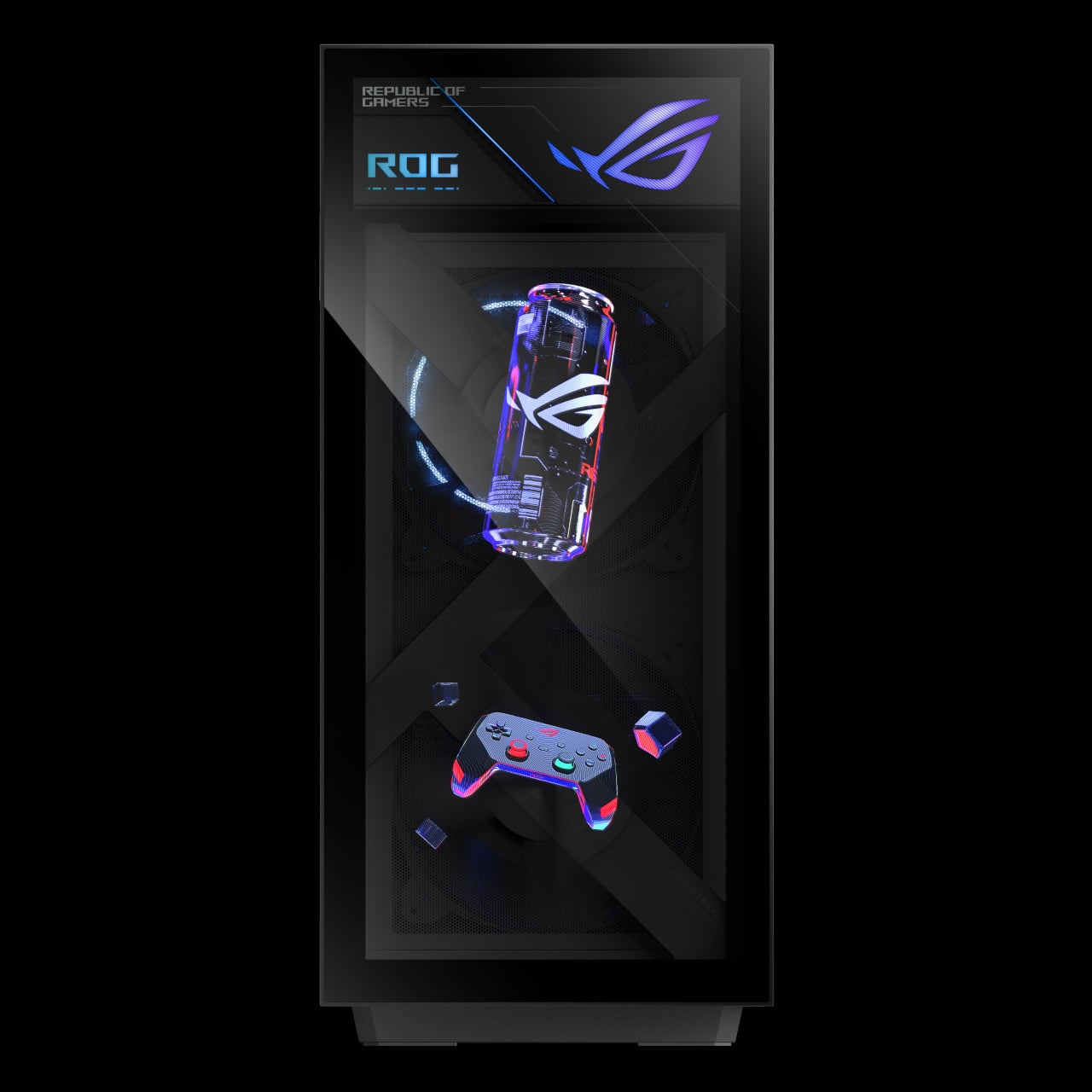
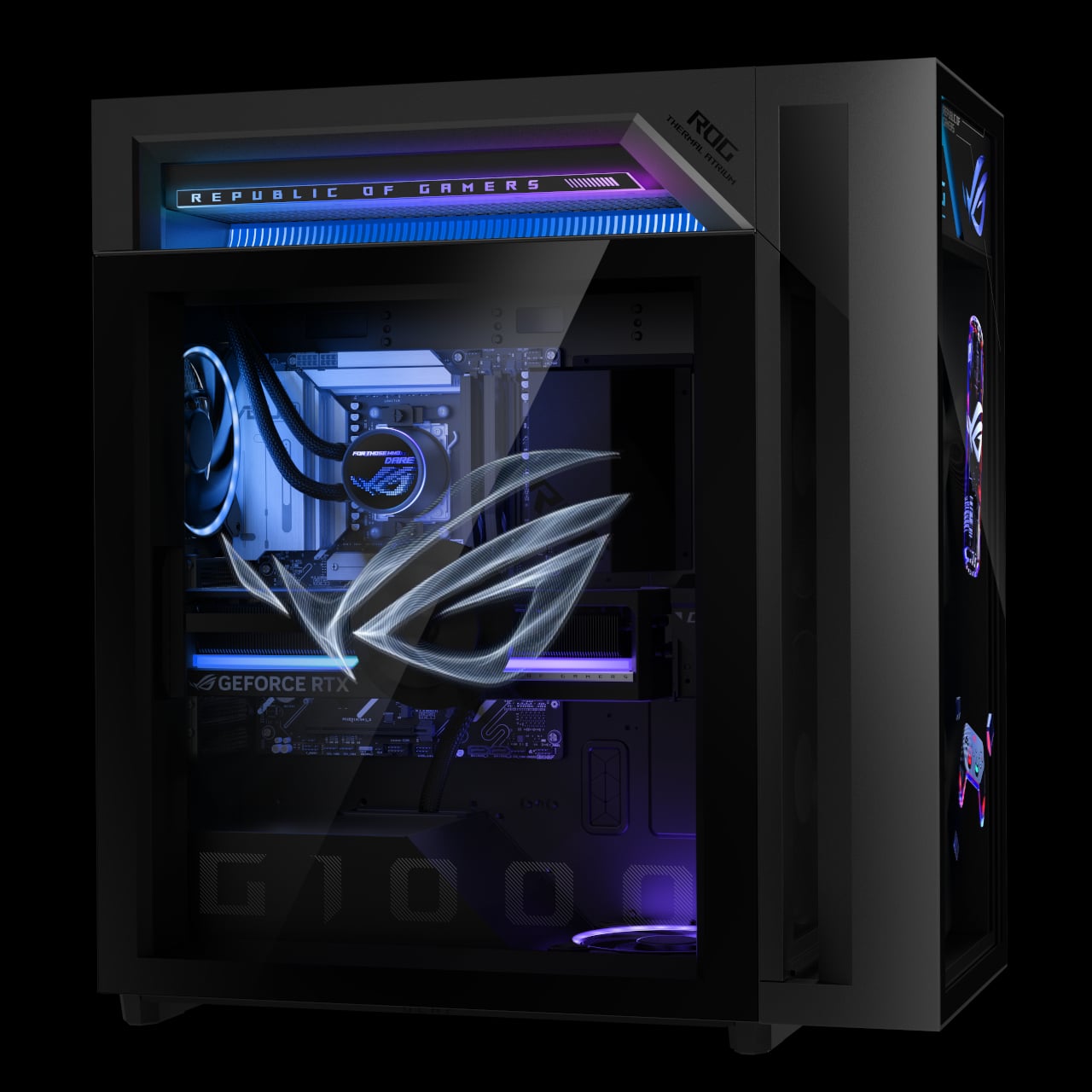
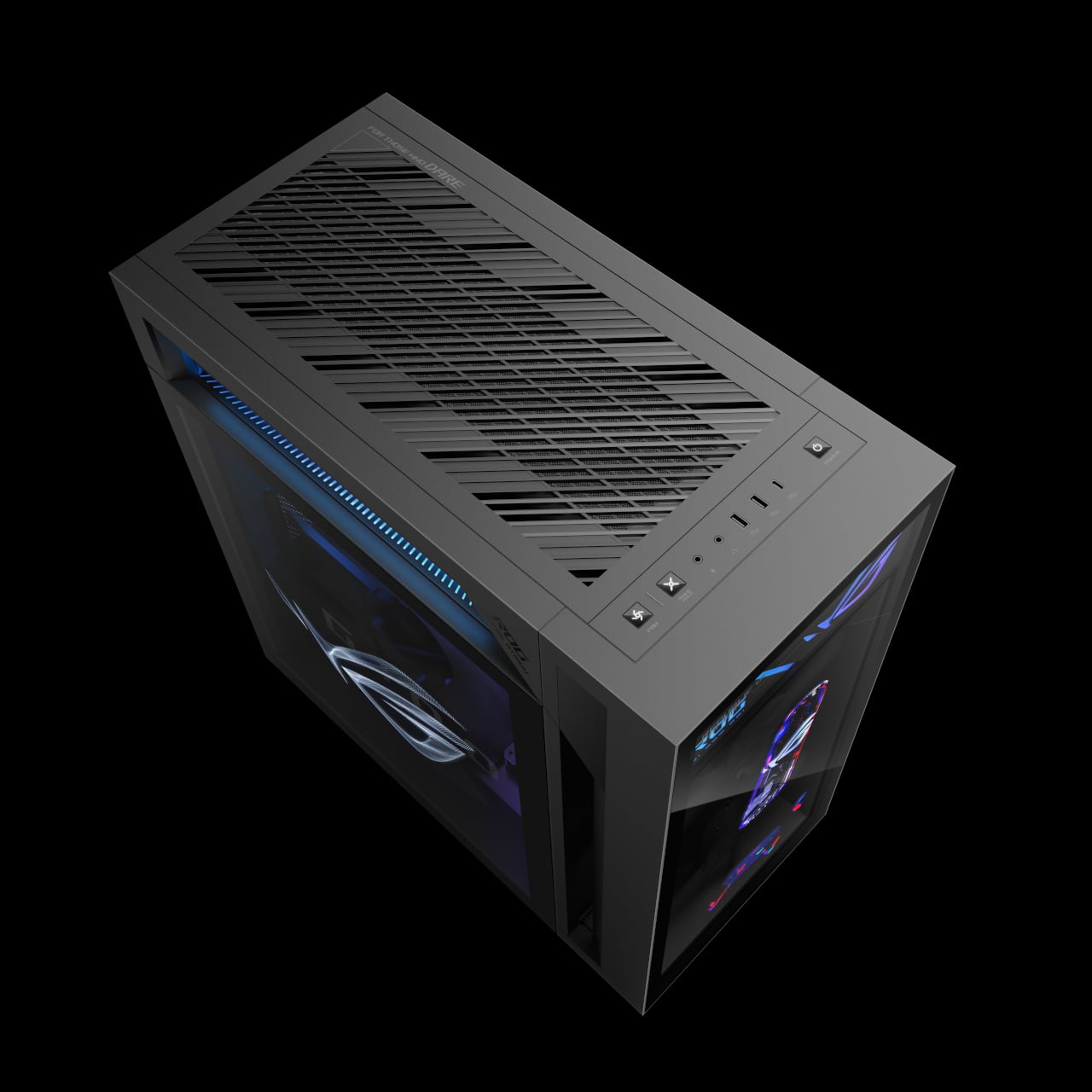
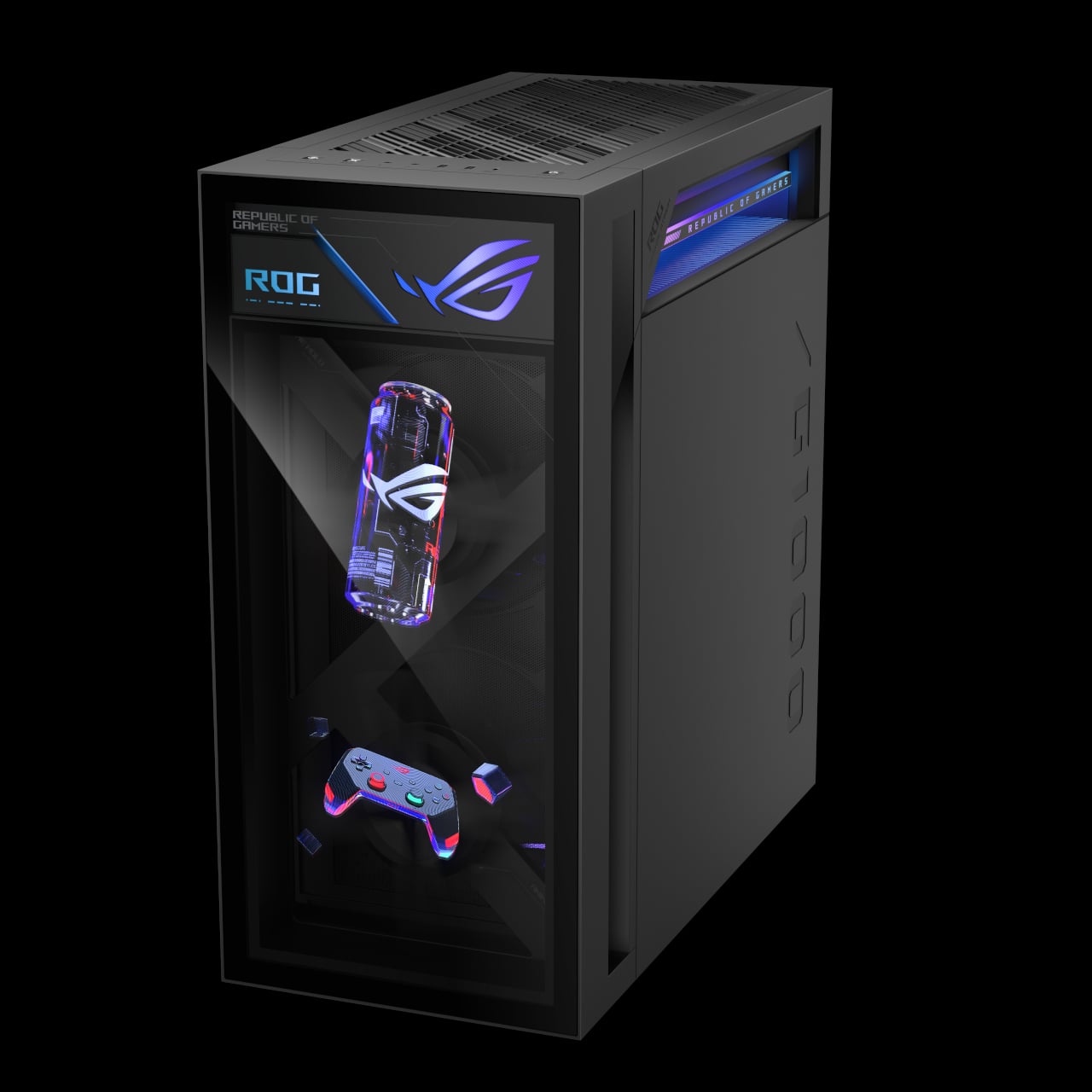
The ROG G1000 is the desktop counterpart, a 104 L ATX ultra-tower built to be seen as much as used. At its core, the built-in AniMe Holo fan is the world’s first holographic fan system in a prebuilt gaming PC, projecting customizable holographic visuals through the front panel. The fan sits in an independent chamber with a hinge-door design, so the airflow does not interfere with the main components, and system noise stays low.

The ROG Thermal Atrium, dedicated to CPU cooling, channels fresh air through a 420 mm AIO liquid cooler with three fans and isolated airflow paths. Equipped with up to AMD Ryzen 9 9950X3D and ROG Astral GeForce RTX 5090 or AMD Radeon 9070XT GPUs, up to 128 GB DDR5 memory with AEMP II, and up to 4 TB PCIe 5.0 SSD storage, the G1000 is tuned and ready for peak performance from day one. Quick control keys on the chassis, extensive Armoury Crate and Aura Sync lighting control, and easy tool-less access for upgrades make it a desktop that earns its showpiece status by actually being usable as a daily driver.

ROG at CES 2026: Form Factors for the Next Decade

The Zephyrus Duo and Flow Z13-KJP are two answers to the same question: what does a gaming machine look like when AI, OLED, and new hinges are all on the table? The Duo stretches the laptop into a dual-screen studio that can sit at the center of a desk, while the Flow Z13-KJP compresses a Copilot+-class PC into a tablet that can run massive models on the go. For Yanko Design readers, the interesting part is not just the jump to RTX 5090 or 50 TOPS NPUs, but the way those specs are being used to justify new shapes, new workflows, and new ways of thinking about what a gaming laptop or tablet can be when you stop assuming it has to look like every other machine released in the past decade.

The post ROG’s CES 2026 Flagships Rethink What a Gaming Machine Looks Like first appeared on Yanko Design.