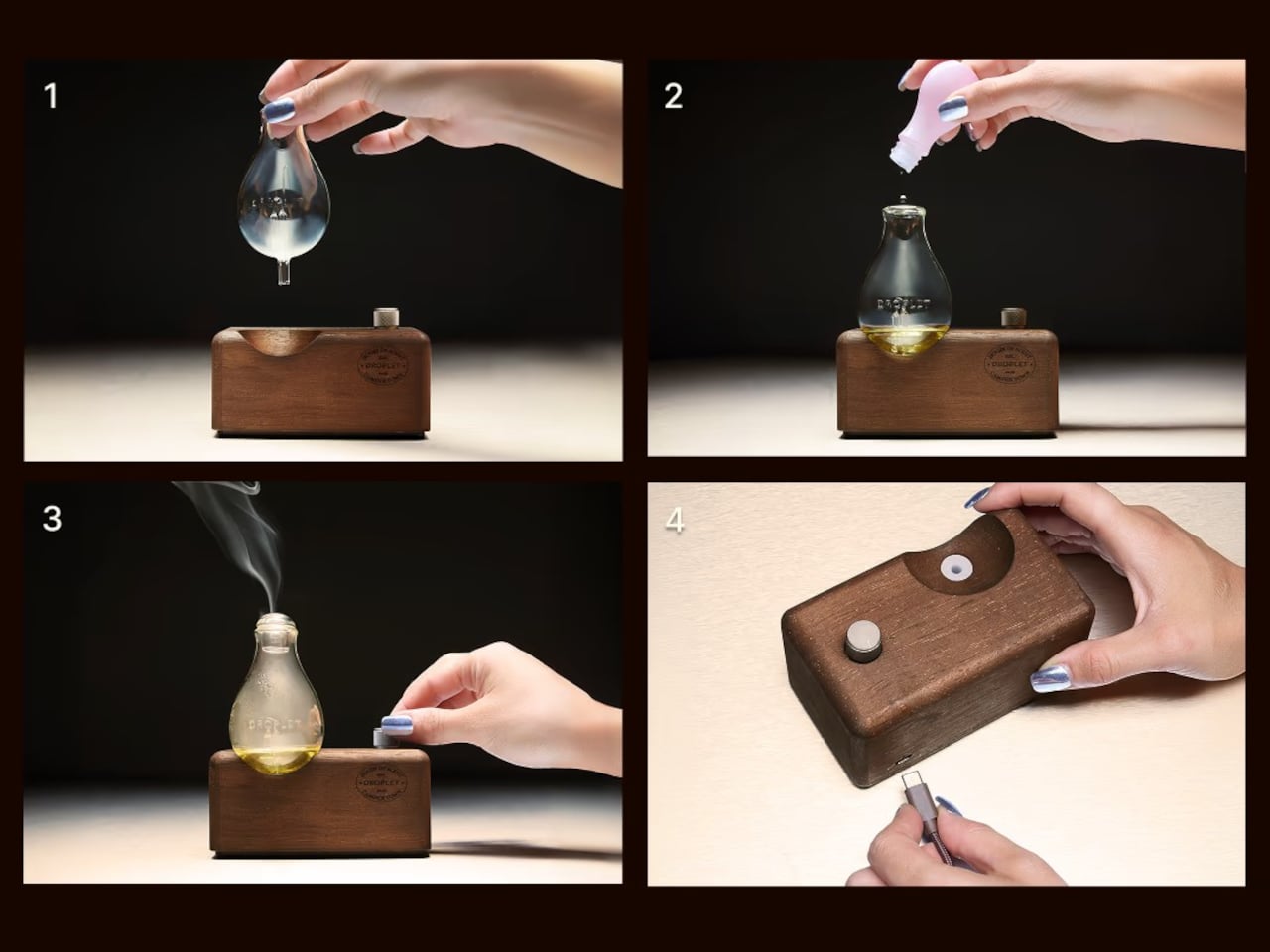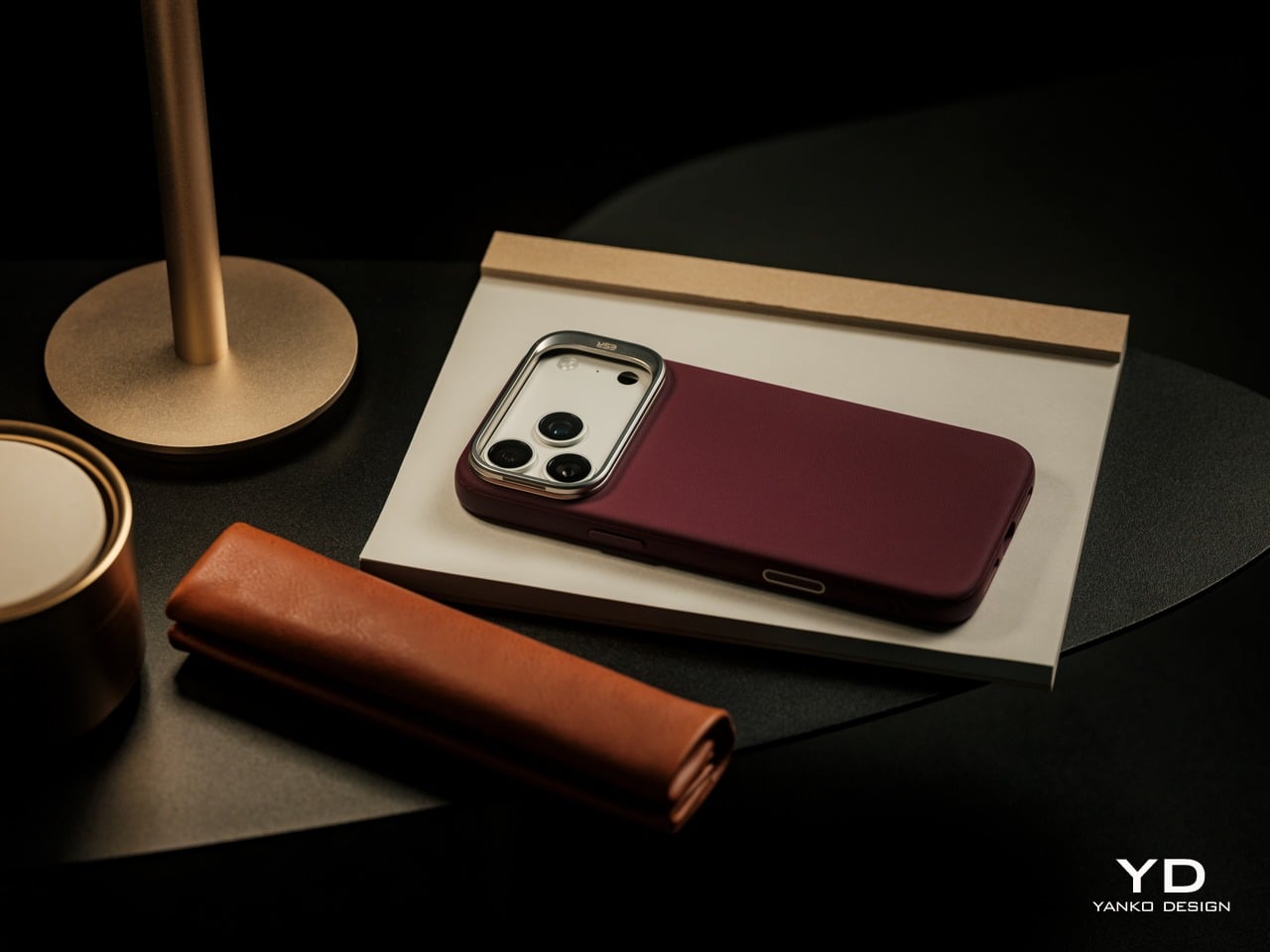
Lemokey Keyboard With Analog Keys Triggers 4 Actions Per Press

The mechanical keyboard market has split into factions that rarely speak to each other. Gaming boards chase millisecond advantages with features most people will never configure, while design-focused options prioritize clean lines at the expense of functionality. Premium keyboards exist in both categories, but they seldom bridge the gap between looking appropriate in a minimalist workspace and delivering the kind of technical depth that competitive players actually use.

The Lemokey L1 HE addresses this gap with a CNC-milled aluminum chassis that weighs nearly two kilograms and looks deliberate rather than flashy. Available in white with yellow accents, black, or silver, the 75% layout includes macro keys and a programmable roller on the left side that defaults to volume control but accepts custom assignments. The metal construction and clean lines work on desks where aesthetics matter.

Designer: Lemokey (Keychron)

The switches underneath are where things get interesting. Gateron’s double-rail magnetic switches use Hall Effect sensors instead of physical contact points, which sounds technical until you realize what it enables. Every key’s activation point adjusts from feather-light to deliberate across a 3.6mm range. Set your movement keys to hair-trigger sensitivity. Configure typing keys deeper so resting fingers don’t accidentally fire off characters. The keyboard adapts to how you work rather than forcing adaptation the other way.

Press a key partway, and one action triggers. Press deeper, and a different command fires. Deeper still, another. Release at the right depth and a fourth activates. This isn’t theoretical; it changes how certain games and workflows operate once you stop thinking in binary keypresses. Walking versus running becomes pressure instead of separate keys. Multi-key shortcuts collapse into single presses with varying depth. Finger gymnastics get replaced by pressure control.

Switching to analog mode turns the keyboard into something closer to a controller. Racing games suddenly respond to how deeply you press acceleration keys, not just whether they’re pressed at all. The magnetic switches detect these pressure variations smoothly enough that steering feels genuine rather than approximated. People who prefer keyboards over controllers gain functionality that previously required switching input methods entirely.

The web-based configurator runs through any modern browser without installation, working identically across operating systems. Remapping happens quickly. Macros are built through straightforward menus. The keyboard connects wirelessly at 1000Hz polling for gaming or switches between three Bluetooth devices for productivity. Battery lasts long enough that charging becomes a weekly task rather than a daily concern.

Typing produces sounds that feel dampened and substantial rather than hollow or sharp. Multiple foam layers and gasket mounting create that quality, along with stabilizers that keep larger keys smooth. The double-shot PBT keycaps handle daily wear without developing shine, and the metal body prevents any flex during aggressive typing sessions. RGB lighting exists but stays subdued enough not to dominate the aesthetic.

The L1 HE occupies unusual territory between gaming keyboards and professional boards. It delivers rapid trigger modes and analog control alongside a build quality and appearance that work in spaces where RGB unicorn vomit would draw complaints. The programmable roller, magnetic switches, and four-action keys make it technically ambitious, while the design keeps it visually restrained.

The post Lemokey Keyboard With Analog Keys Triggers 4 Actions Per Press first appeared on Yanko Design.
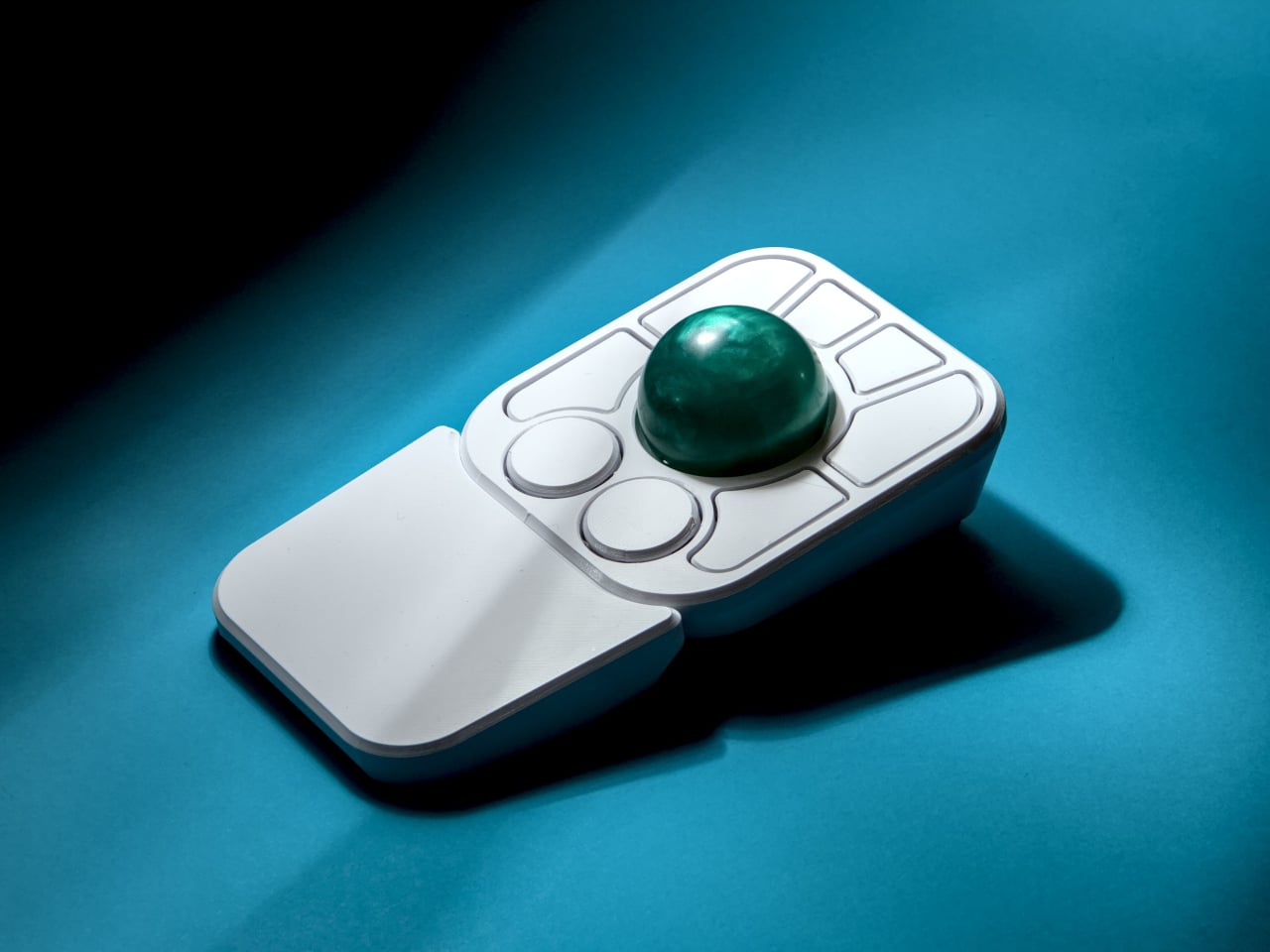
I Replaced My iPhone Alarm with this Literature Clock and it made my mornings 5x Stress-Free

Your phone tells you it’s 7:23 AM and cloudy. NovellaMate tells you the same information through a passage from Dickens or Neruda, transforming raw data into something you actually want to read. The difference matters more than you’d think, because most of us have forgotten that time and weather aren’t just functional details to be consumed and discarded. They’re the backdrop to our lives, the quiet constants that shape mood, memory, and even creativity. A clock that treats them like poetry instead of spreadsheets isn’t just a novelty; it’s a quiet rebellion against the way we’ve been conditioned to interact with technology.

I’ll admit, when I first heard about the NovellaMate being a smart clock, my skepticism flared up like a bad WiFi connection. Another “smart” gadget for the nightstand? Another Kickstarter darling promising to revolutionize the way we wake up? But then I watched the demo video, and something clicked. This isn’t about smarter alarms or better sleep tracking. It’s about designing an object that respects the ritual of timekeeping, that understands how deeply literature can embed itself in the mundane, and that for some people, life isn’t a routine, it’s a movie or a book being played out as the main character. The kind of thing that makes you pause mid-morning, coffee in hand, because the clock just read you a line from One Hundred Years of Solitude that somehow fits the way the light is slanting through your window. That’s not a feature; that’s an experience. And in a market flooded with devices that prioritize efficiency over emotion, an experience like the NovellaMate feels magical.

Designers: Mark Chow, Jueer Lee, Stan Lee & Natto Kang

Click Here to Buy Now: $179 $279 ($100 off). Hurry, only 142 of 150 left!

The specs, when you dig into them, reveal a product that’s been thought through with unusual care. NovellaMate’s database doesn’t just pull random quotes from a generic pool; it’s a curated collection of handpicked literary passages, each tied to a specific minute of the day or a weather condition. Rain at 3:47 PM? There’s a quote for that. Clear skies at dawn? Another. The clock doesn’t just tell you it’s 10:12 AM; it finds a way to make 10:12 AM feel like a moment worth noticing. The team behind it claims to have spent over a year compiling and categorizing these quotes, working with literary experts to ensure the selections aren’t just famous but meaningful. That’s the kind of detail that separates a gimmick from something genuinely compelling, the difference between a product that gets used for a week and one that becomes part of your daily rhythm.

NovellaMate inspires us everyday.

Unlike most smart displays that shout information at you, NovellaMate leans into subtlety. The time and weather are presented through literature, either displayed in text or read aloud in a voice that’s designed to feel more like a friend sharing a favorite passage than a robot reciting data. The audio is paired with soft, adaptive lighting and ambient music, creating a wake-up routine that’s closer to a sunrise than an alarm. NovellaMate compares it to being nudged awake by a particularly thoughtful librarian, which, let’s be honest, is a vibe we could all use more of. The physical design reinforces this ethos: walnut grain, vegan leather, a warm glow that acts as an earthy antithesis to the plastic, glass, and metal boxes we associate with IoT devices today.

NovellaMate telling the time.

Of course, the elephant in the room is whether this thing actually works as a clock. The short answer is yes, but don’t expect this to replace your Swiss Chronograph. NovellaMate does tell the time, and it does so accurately, but it’s not designed for glance-and-go utility. If you’re the type of person who needs to know the exact second to time your morning sprint to the office, this isn’t for you. The device prioritizes immersion over immediacy- that’s a deliberate choice, one that forces you to slow down, which people with tight mechanical schedules will see as a trade-off, but to the target audience, it feels like being a protagonist of a book. The weather functionality relies on an internet connection to pull local data, so if your WiFi is acting up, you might get a generic quote instead of one tailored to a sudden downpour. These aren’t dealbreakers, but they’re worth noting if you’re someone who values precision over poetry.

NovellaMate telling the weather.

And sure, with time the same quotes may just become a tad bit repetitive, which is why the NovellaMate promises to constantly add newer quotes to its vast database. The team has hinted at regular updates, with new quotes and even seasonal themes added over time, which suggests they’re thinking long-term. There’s also the quote-saving feature, which lets you build a personal collection of favorites, turning the device into a kind of interactive anthology. That’s a smart move, because it gives users a reason to keep engaging with the clock beyond the initial charm. Still, the success of this hinges on execution. If the updates are sparse or the quotes start repeating too often, the illusion shatters.

What’s most striking about NovellaMate is how it reframes the role of technology in our lives. So much of what we interact with daily is designed to optimize, to streamline, to make us more efficient. NovellaMate does the opposite. It asks us to linger. It turns the act of checking the time into an opportunity for reflection, a tiny pause in the rush of the day. Given how all our devices are constantly demanding our attention, a clock that whispers instead of shouts feels like a small act of resistance, a refreshing reminder that technology can do more than just solve problems. Sometimes, it can make life a little more beautiful.

The NovellaMate comes in across 2 variants – an 8GB one and a 16GB one, which determines how vast its internal database of quotes will be. The 8GB variant is priced at $179, while the 16GB costs $199 (just an extra 20 bucks). Each NovellaMate ships with a 1-year warranty, starting January 2026, so your new year can begin on a much more poetic note!

Click Here to Buy Now: $179 $279 ($100 off). Hurry, only 142 of 150 left!

The post I Replaced My iPhone Alarm with this Literature Clock and it made my mornings 5x Stress-Free first appeared on Yanko Design.
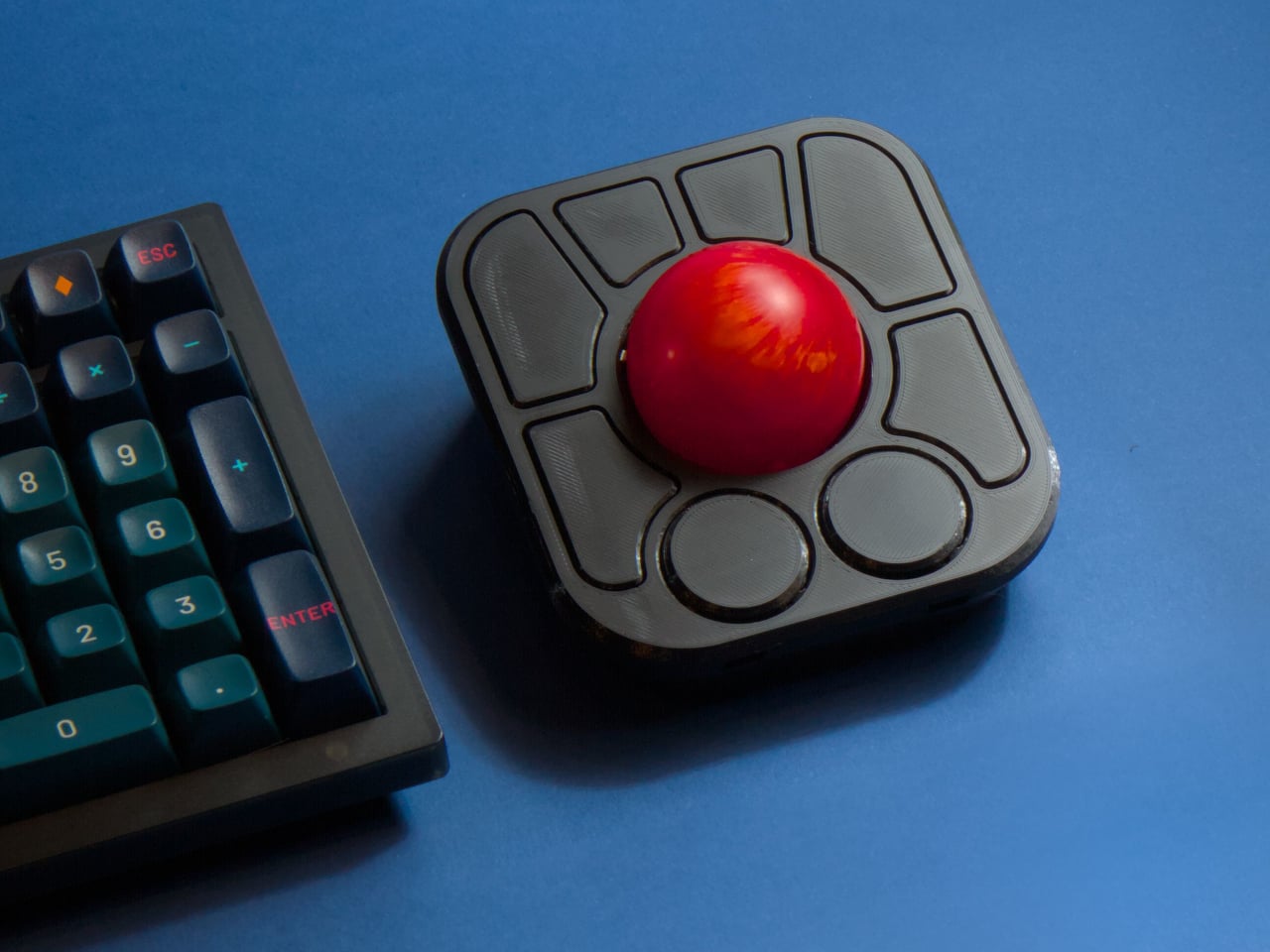
Clock Makes Hours Appear and Disappear Through Moiré Patterns

Most clocks are content to quietly tick away in the background, marking the hours with little more than a glance from you throughout the day and night. But what if telling time could be mesmerizing instead, an experience that draws you in, sparks curiosity, and turns your wall into a living gallery worth watching? What if checking the time felt less like a chore and more like appreciating kinetic sculpture?

The Moiré Clock is a kinetic timepiece that turns the passage of time into a visual illusion worth watching throughout your day. Using overlapping patterns and continuous motion behind a striped filter, it animates each hour through optical phenomena, making time feel less like a number on a dial and more like a moment to savor. The design explores how perception and movement can create meaning beyond simple functionality.

Designers: Felix Cooper, Amber Li (STATION Design)

At the heart of the Moiré Clock is a rotating paper disc, printed with custom numerals and set behind a striped steel window that creates the optical magic through interference patterns. As the disc turns throughout the day, the moiré effect causes the hour numerals to morph, dance, and reveal themselves in a hypnotic display that changes with every passing minute behind the filter screen.

The minute and second hands ground the illusion in familiar movement while the hour appears and disappears in a mesmerizing rhythm behind the stationary filter window. The bold red second hand adds a pop of color and visual anchor, making the clock easy to read despite its unconventional hour display created by optical interference. The interplay between traditional clock elements and the animated moiré numerals creates a unique timekeeping experience.

The clock is a study in material contrasts between industrial and artisanal manufacturing traditions. Crisp white paper milled by French Paper Company in Michigan, American-made steel sourced from Pennsylvania, and a quartz movement from Takane, the last US manufacturer of clock mechanisms still producing domestically. The tactile paper face and brushed steel housing give the piece a sense of warmth and industrial substance that goes beyond typical wall clocks.

At 8.5 inches wide and just 2.5 inches deep, it’s compact enough for a home office, studio, or hallway without dominating the wall space, but bold enough to stand out as functional art that deserves attention. Setting up the clock is straightforward: add a single AA battery, set the time using the rear dial, and hang it with a nail or push pin. The paper components invite gentle handling.

The kinetic numerals and bold red second hand make each glance at the clock a small event worth experiencing, turning routine time checks into moments of visual delight throughout your day at home or in creative spaces. For anyone who wants their home to feel creative and alive with kinetic energy, the Moiré Clock brings a sense of play and wonder that traditional clocks simply cannot match or replicate with static designs.

The post Clock Makes Hours Appear and Disappear Through Moiré Patterns first appeared on Yanko Design.
Fitnexa SomniPods 3 Block 42dB of Noise for Side Sleepers

Anyone who has shared a bed with a snorer or tried to sleep in a city apartment knows how fragile nighttime silence can be. Most earplugs force you to choose between blocking noise and staying comfortable, leaving you either wide awake from unwanted sound or unable to sleep from constant pressure against your ear canal throughout the night.

Fitnexa SomniPods 3 was designed as a solution to that trade-off by making silence and comfort coexist rather than compete. Every curve and contour is shaped around one core idea: earbuds that disappear against your pillow while the world around you fades to quiet, without forcing you to sacrifice either aspect for the other during extended wear.

Designer: Fitnexa

Click Here to Buy Now: $129.99 $189.99 ($60 off). Hurry, deal ends soon!

The design starts with a fundamental question: how do people actually sleep, rather than how engineers typically design for performance first. Each earbud reflects that thinking through its proportions: just 3.3 grams and under 9.9 millimeters thin, with a softly rounded form that avoids creating pressure points when your head rests sideways on a pillow for hours at a time. The medical-grade silicone tips feel gentle against your skin, while the compact footprint ensures the earbuds never protrude or press uncomfortably as you shift naturally through the night.

Fitnexa includes ten pairs of ear tips in two distinct shapes and five sizes each, plus four sizes of ear wings for additional stability options. This variety addresses the reality that ear canals vary significantly between people, while multiple size options ensure proper acoustic seal without creating pressure or discomfort during overnight wear when you can’t easily adjust fit.

This variety does more than improve comfort alone. It establishes the foundation for effective passive noise cancellation by ensuring a secure, well-sealed fit that blocks ambient sound naturally. This proper seal gives the adaptive ANC system the stable acoustic base it needs to perform at its best throughout the night without gaps or inconsistencies.

Building on that passive isolation foundation, the hybrid ANC system uses feedforward and feedback microphones to detect and cancel noise from both outside and within the ear canal itself. A low-latency processor generates counter-phase signals in real time to maintain consistent quiet as you move or change sleeping positions naturally throughout the night.

Within the ANC system, Adaptive Leak Compensation continuously senses subtle changes in ear canal pressure or seal integrity and automatically adjusts the ANC response in real time. The result is up to 42 decibels of noise reduction across different sleeping positions. Snoring, traffic, the hum of air conditioners, all fade into natural silence while SomniPods 3 hold the soundscape steady, whether you’re on your back or on either side.

The IPX4 water resistance extends design thinking beyond the bedroom into real-world scenarios where sleep happens in imperfect conditions. After-workout naps and long flights no longer require worry about moisture damage. Hi-Res Audio with LDAC and aptX Lossless keeps sound quality rich and detailed, while the 10-band EQ lets you adjust the experience precisely to match preferences.

Battery life reaches up to 12 hours in Sleep Mode, extending to 48 hours with the charging case for multiple nights without interruption. Integrated sensors quietly track sleep stages and positions throughout the night, while the Fitnexa app translates that data into AI-driven insights that help you build better sleep habits gradually over time without overwhelming you with information.

Fitnexa SomniPods 3 bring together comfort, advanced noise cancellation, and smart sleep coaching into a discreet package that actually works for real-world use. For anyone tired of restless nights and noisy environments, these earbuds offer a smarter, quieter way to sleep, no matter where life takes you or what challenges your bedroom environment presents.

Click Here to Buy Now: $129.99 $189.99 ($60 off). Hurry, deal ends soon!

The post Fitnexa SomniPods 3 Block 42dB of Noise for Side Sleepers first appeared on Yanko Design.
This Smart Ring Captures Your Thoughts With a Touch

Capturing a sudden idea while walking used to mean pulling out your phone or awkwardly talking into earbuds. The Stream Ring from Sandbar offers a more discreet solution: a voice-activated smart ring worn on your index finger that records thoughts with a simple touch. Announced on November 5, 2025, the device combines voice recording, AI transcription, and music control in a form factor designed to disappear into your daily routine.

Designer: SandBar

Sandbar, a New York City-based interface company founded by former Meta employees Mina Fahmi and Kirak Hong, positions the Stream Ring as what they call “a mouse for voice.” Both founders previously worked at CTRL-Labs, a neural interface startup Meta acquired in 2019, and bring additional experience from Kernel, Magic Leap, and Google. Their latest venture has already raised $13 million from True Ventures, Upfront Ventures, and Betaworks.

Voice Recording Designed for Privacy

The Stream Ring’s microphone only activates when you press the touchpad on its surface. This privacy-first design means the device is never passively listening, addressing one of the main concerns people have with always-on voice assistants.

The ring provides haptic feedback to confirm when it’s recording, giving you tactile reassurance that the microphone is active. According to Sandbar, the whisper-sensitive microphone works in various acoustic environments, from quiet rooms to busy streets. The device can record locally without a mobile connection, storing your voice notes until you sync with the iOS app.

Once connected, the app provides real-time AI transcription, converting your voice recordings into searchable text. This offline capability means you can capture thoughts even when your phone is out of reach or turned off, making the ring genuinely useful for those moments when ideas strike at inconvenient times. Beyond basic transcription, the Stream Ring includes what Sandbar calls “Inner Voice AI.” This feature aims to create a personalized AI that mimics your own voice and cadence, turning the interaction into something that feels more like thinking out loud than talking to a chatbot. The system automatically organizes and edits your notes, handling the organizational work in the background while you focus on developing ideas.

Dual Functionality: Voice and Music

While voice recording is the primary function, the Stream Ring doubles as a music controller. A single tap plays or pauses your audio, a double tap skips to the next track, and swiping adjusts volume. These controls work with Spotify, Apple Music, podcast apps, and any connected headphones, giving you quick access to playback functions without reaching for your phone.

The inclusion of music controls serves a practical purpose beyond convenience. Even if Sandbar’s AI services were to shut down in the future, the Stream Ring would still function as a media controller, ensuring the hardware retains value independent of the company’s ongoing software support.

Aluminum, Glass, and Resin Construction

The Stream Ring features an aluminum exterior available in silver or gold finishes, with a black resin interior and a glass touchpad. Sandbar designed it to be worn on the index finger of your dominant hand, where the touchpad remains easily accessible for quick activation.

The ring comes in sizes 5 through 13, and every preorder includes a free sizing kit to help you find the right fit before the final product ships. The device is splash-proof, meaning it can handle rain and handwashing, but Sandbar explicitly notes it’s not designed for swimming. Battery life is rated for all-day use, and the ring charges via USB-C.

Notably, the Stream Ring includes no health tracking features, setting it apart from fitness-focused rings like the Oura Ring. This omission is intentional: Sandbar designed the device specifically for productivity and voice interaction, not wellness monitoring.

Pricing and Market Position

The Stream Ring is available for preorder now, with the silver version priced at $249 and the gold version at $299. Preorders are refundable and limited in quantity, with shipping scheduled for Summer 2026.

Sandbar offers a subscription service called Stream Pro for $10 per month, which includes unlimited notes and chats plus early access to new features. Preorder customers receive three months of Stream Pro free, and a free tier remains available with unlimited notes but limited chat functionality.

At this price point, the Stream Ring positions itself between basic smart rings and premium wearables. It enters a growing market of AI-powered devices but differentiates itself by focusing on productivity rather than health tracking, discretion over display, and privacy-conscious design. The ring form factor offers complete discretion compared to earbuds or smartwatches, and the touch-to-activate microphone addresses privacy concerns that have slowed adoption of always-listening devices.

How It Compares to Other Smart Rings

The Stream Ring enters a market where most wearables focus on health tracking or general AI assistance. Oura Ring and Ultrahuman Ring prioritize sleep tracking, heart rate monitoring, and fitness metrics. Amazon’s Echo Loop (now discontinued) offered Alexa voice control, while the Friend pendant positions itself as an always-listening AI companion.

Sandbar differentiates itself by focusing exclusively on productivity and privacy. The touch-to-activate microphone addresses privacy concerns that plagued always-listening devices, and the lack of health sensors keeps the device focused on its core purpose: capturing and organizing thoughts. For users who want a fitness tracker, the Stream Ring isn’t a replacement for dedicated health wearables. For those frustrated by pulling out their phone to jot down ideas, it offers a different solution than existing options.

Potential Limitations

Several aspects of the Stream Ring remain unverified until independent reviews appear. Battery life is rated for all-day use according to Sandbar, but real-world performance across different usage patterns won’t be confirmed until the device ships. The company currently supports only iOS, with no confirmed timeline for Android compatibility, potentially limiting early adoption among Android users.

Ultrahuman Home continuously monitors formaldehyde levels in your living space and sends timely nudges when the levels cross the recommended threshold.

The absence of health tracking may disappoint users who expect multi-function wearables. Privacy claims depend on trust in Sandbar’s encryption and data handling practices, though the company has not yet published detailed information about data export options or third-party audits of its security implementation. The ring’s splash-proof rating excludes swimming and showering, limiting its use compared to fully waterproof wearables.

Accessibility considerations remain unclear from the initial announcement. The tactile feedback when recording begins could benefit users with hearing differences, and the touch interface may work for some users with dexterity limitations, but specific accessibility features have not been detailed.

From Neural Interfaces to Voice Rings

“I wanted to capture my thoughts while walking without pulling out my phone or speaking loudly into my AirPods,” Mina Fahmi, Sandbar’s CEO, told reporters at the announcement. The frustration with existing solutions for capturing thoughts on the go drove the development of the Stream Ring.

That philosophy reflects a broader trend in interface design: making technology invisible while keeping it accessible. Rather than positioning the Stream Ring as an AI companion or digital assistant, Sandbar frames it as a “self-extension,” a tool that augments your capabilities without imposing a separate personality or interaction style. The distinction matters because it shapes expectations about how you interact with the device.

Whether this philosophy resonates with consumers will become clearer when the first units ship next summer. For now, the Stream Ring represents one company’s bet that people want discrete voice capture more than they want another fitness tracker on their finger.

The post This Smart Ring Captures Your Thoughts With a Touch first appeared on Yanko Design.
Mid-Century Clock and Watch Tell Time With Shapes, Not Numbers

Most clocks and watches fade into the background, quietly marking the hours without much personality or visual presence on your desk or wrist throughout the day. But what if timekeeping could be playful, sculptural, and as expressive as the rest of your space or personal style choices? What if checking the time felt less like a utilitarian glance and more like appreciating a piece of functional art?

The FC-30 Desk Clock and FW-50 Wrist Watch concepts flip the script on conventional timekeeping, using bold geometry, vibrant color, and tactile design to turn telling time into a daily ritual worth savoring. Inspired by mid-century modern design principles from the 1950s and 60s, both pieces are as much about art as they are about function, bringing sculptural presence to everyday moments throughout your routine.

Designer: Sidhant Patnaik

Create your own Aesthetic Render: Download KeyShot Studio Right Now!

Both pieces are built around the frustum, a geometric form with an angled face that creates visual interest and dynamic readability throughout the day. The FC-30 uses a 30-degree incline for the minute indication, while the FW-50 adapts the idea to a 50-degree angle optimized for wrist wear and comfort. The hour is shown by a colored disc housed inside the frustum, while the sloped edge indicates minutes.

The result is a visual experience that feels fresh and interactive, inviting you to engage with the object every time you check the hour rather than passively glancing at digits. The unconventional layout is intuitive once you spend a moment with it, turning time-telling into something more tactile and memorable than reading digital numbers or traditional clock hands that blend into the background of modern life.

Inspired by mid-century modern classics from the golden age of product design, both the clock and watch feature a palette of bold blues, yellows, greens, and oranges, set against matte white or gray cases with clean edges and visible fasteners. The color blocking and clean lines make each piece stand out visually, whether positioned on a desk, mounted on a wall, or worn on the wrist.

The FC-30’s sculptural form with its angled frustum is as much a statement piece as a practical timekeeper for workspace organization and visual interest. The FW-50’s playful colorways, ranging from sage green to vibrant orange, and tactile crown turn a daily accessory into a personal expression of style and taste. Both designs celebrate the visual language of functional design from classic mid-century product eras.

The absence of numerals and reliance on form and color encourage users to interact with the pieces differently from conventional timepieces. The disc hour and sloped minute readout are learnable at a glance, but different enough to spark curiosity and conversation with visitors or colleagues. Both designs can be oriented or worn in multiple ways for varied visual effects, depending on mood.

The FC-30 and FW-50 concepts bring a little more art into daily routines and personal environments for those who appreciate design. For anyone curating a workspace or searching for a unique statement piece, these timepieces offer a compelling vision where timekeeping becomes an opportunity for visual and tactile delight rather than just a practical necessity.

The post Mid-Century Clock and Watch Tell Time With Shapes, Not Numbers first appeared on Yanko Design.
Box Cutter Dial Lets You Make Identical Cuts Without a Ruler

Cutting a straight line should be simple, but for anyone who’s ever measured, marked, and sliced the same piece of foam board or cardboard over and over, the process is anything but straightforward or efficient in practice. The classic “measure twice, cut once” mantra is great advice until you’re making dozens of identical cuts for a project, and the ruler starts to feel like a bottleneck slowing down your entire workflow and creative process.

The BLADEE box cutter concept is a rethink of the humble utility knife designed for modern makers and professionals. By building measurement and precision into the tool itself through integrated mechanics and a dial system, it promises to make repeatable, accurate cuts faster and easier throughout your day without external measuring tools. No ruler needed, no marking required, and no guesswork involved when you’re deep into production work.

Designer: Semin Park

Create your own Aesthetic Render: Download KeyShot Studio Right Now!

BLADEE’s minimalist, phone-sized body is all about clean lines, matte metal finishes, and a prominent dial that dominates the top surface for immediate visibility and control. The numbered dial lets you set your target cut length from 0 to 35 units, while a lower measurement wheel tracks your progress in real time as you slice through materials. As you approach the preset length, the blade gradually retracts automatically.

The blade always extends a fixed stroke for initial penetration, then withdraws at the set point to ensure every cut finishes smoothly and precisely at the same spot every time. The auto-lock at zero prevents accidental activation during transport or storage, and the dial only works when you press the side button for additional safety during use. This dual-safety system protects both the user and nearby materials.

The real magic is how BLADEE changes the workflow entirely for professional and hobbyist makers alike. No more juggling rulers, pencils, and knives across your workspace while trying to maintain precision and accuracy. Just set the dial to your desired measurement, cut with confidence, and repeat as many times as needed. Whether you’re prototyping packaging designs, building architectural scale models, or crafting at home, the tool eliminates tedious marking.

The right-hand cover is modular and swappable, letting you change colors, finishes, or even add project numbers or initials for organization and personalization. The measurement wheel rolls alongside the blade during cutting, counting travel with each pass and engaging the internal linkage for smooth, automatic retraction at the endpoint. This prevents over-cutting while reducing the risk of slips and accidents at the vulnerable end of each cut.

The robust metal construction, bold “001” graphics, and red pointer indicator give BLADEE a premium, professional feel that makes it as satisfying to use as it is to display prominently. For anyone who values accuracy and efficiency in their creative work, this concept offers a compelling reminder that even the most ordinary, everyday tools can be reimagined for modern workflows and contemporary creative needs when designers prioritize user experience and workflow efficiency.

The post Box Cutter Dial Lets You Make Identical Cuts Without a Ruler first appeared on Yanko Design.
Ultra-Compact Open-Source Trackball Has One Button You Can Remap

Most mice and trackballs try to do it all with extra buttons, flashy RGB lights, and complicated software that requires constant updates and configuration tweaks through bloated apps. But sometimes simplicity wins when you just need precise control and reliability without the extras. For anyone who values portability and the freedom to tinker with their gear, finding the right pointing device can be a challenge in a market flooded with gaming-focused options.

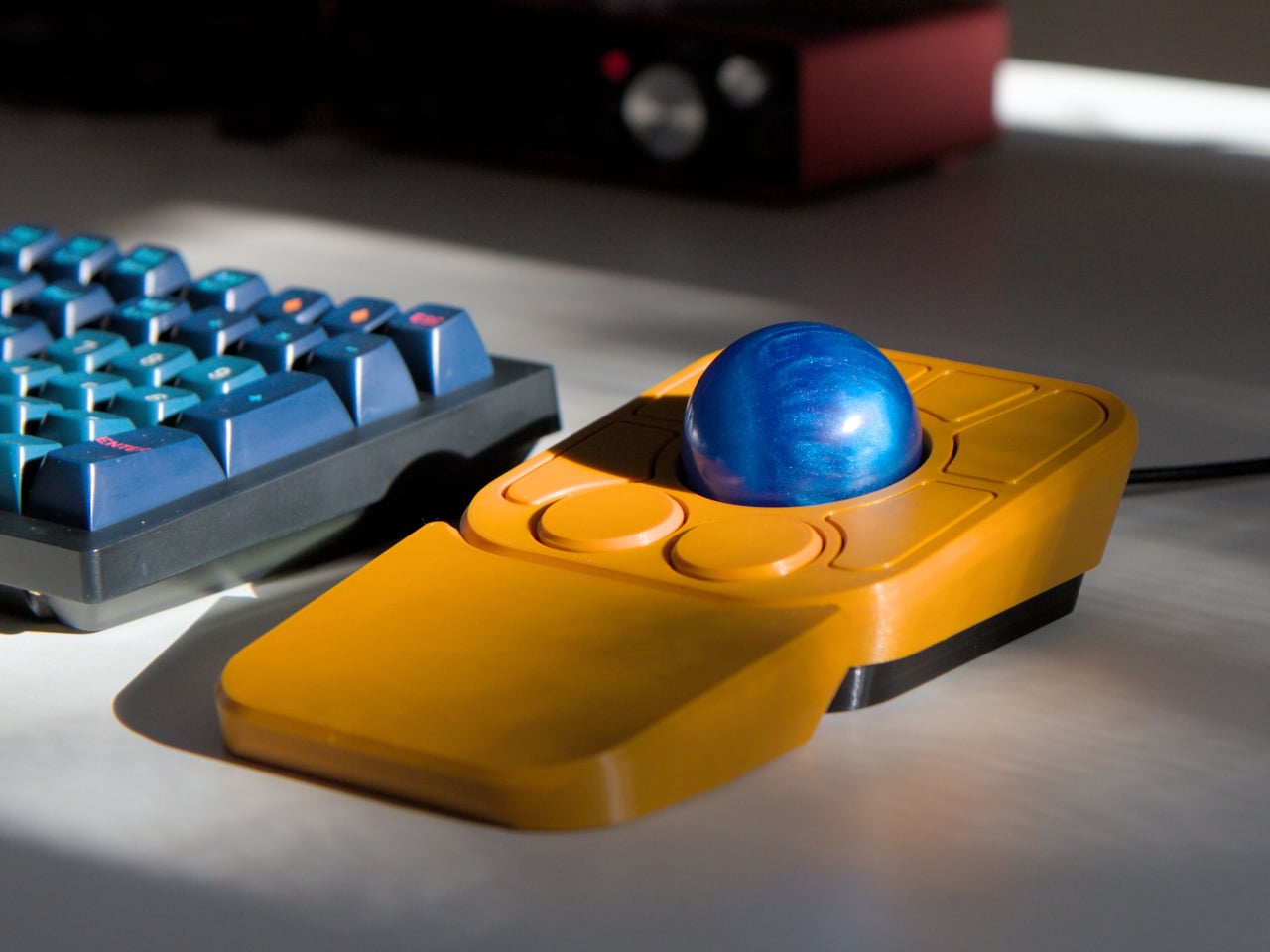
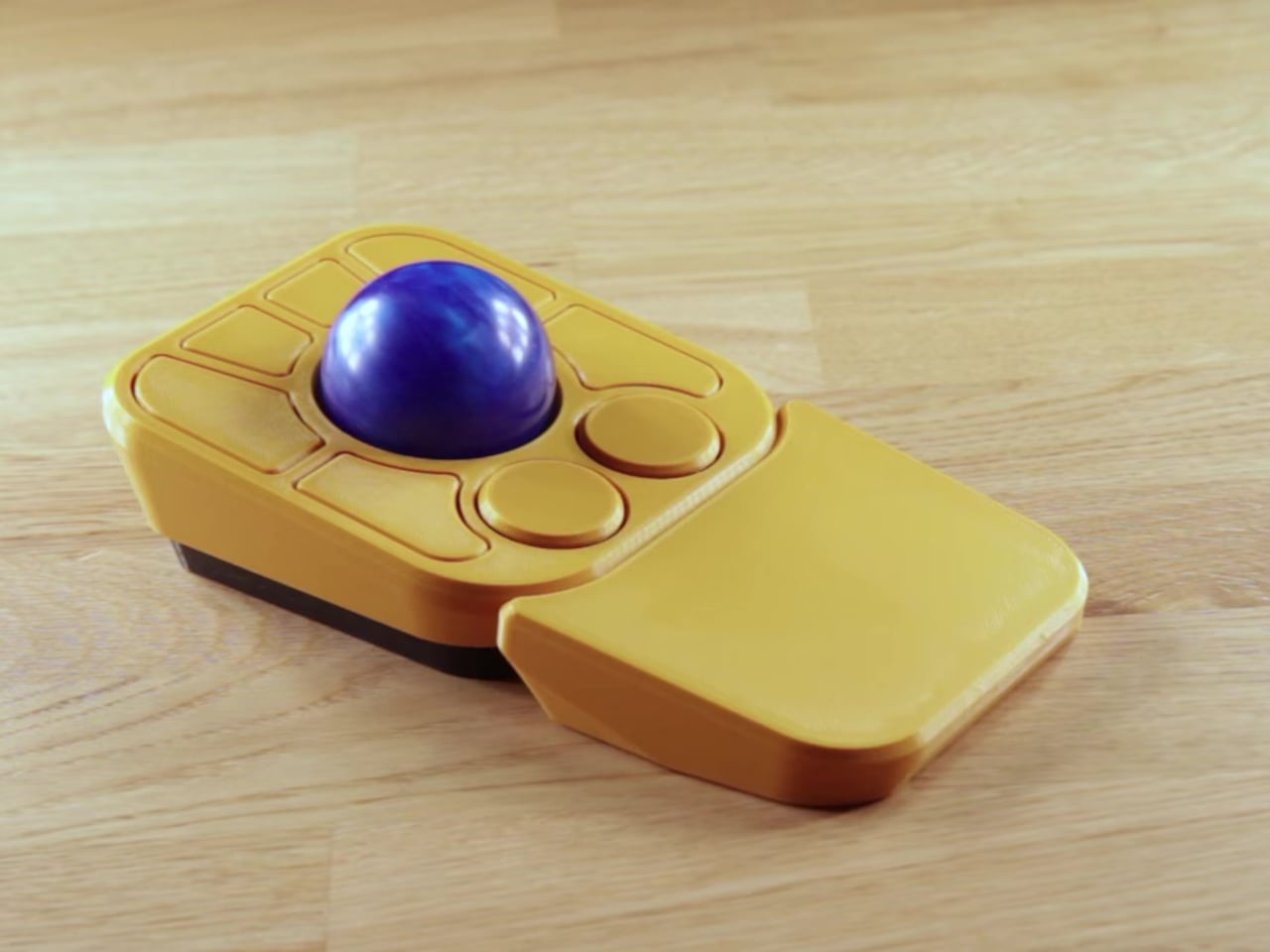
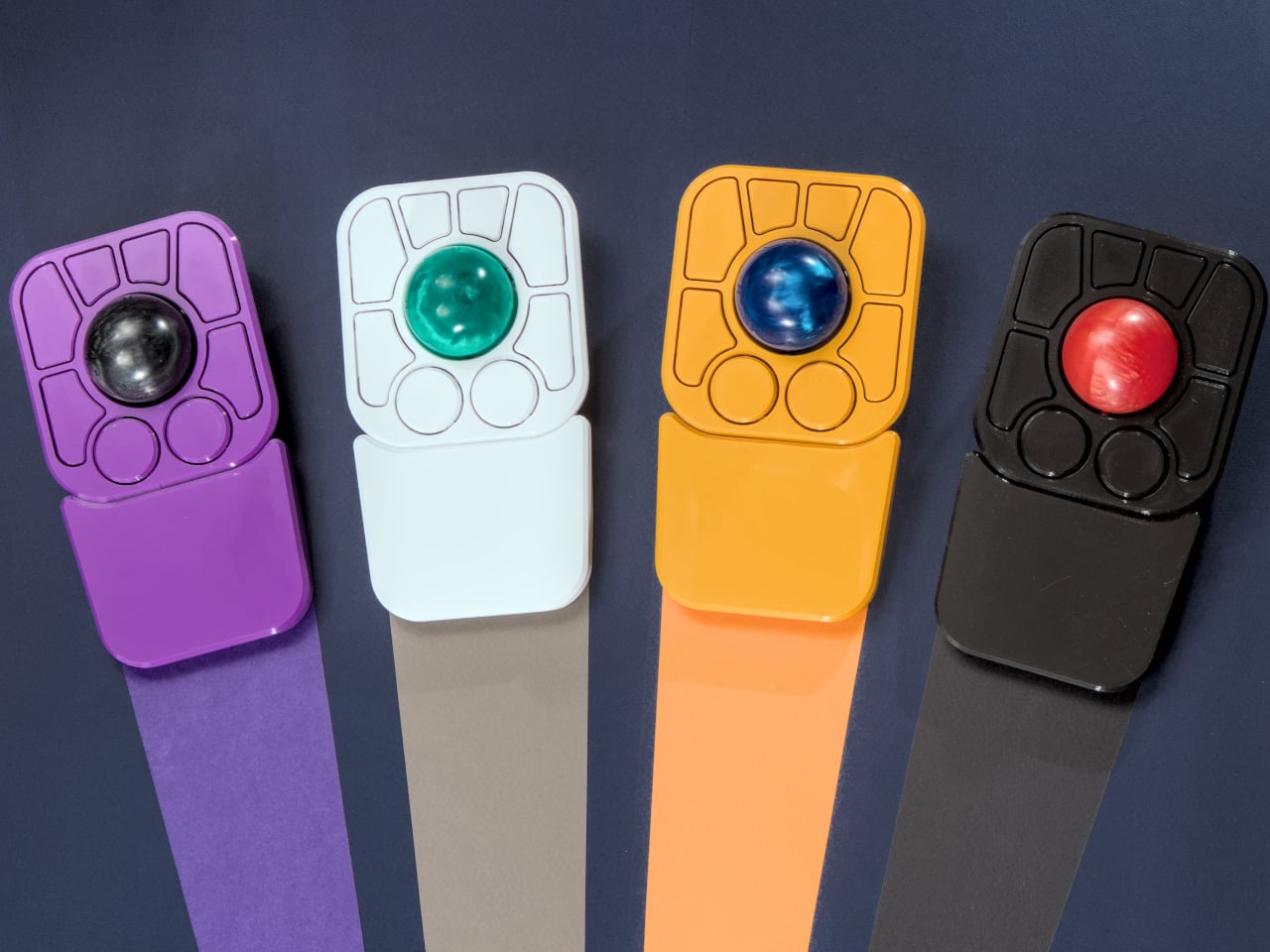
The Ploopy Nano 2 trackball is a refreshing alternative that strips away the unnecessary extras and focuses on what matters. It’s ultra-compact, open-source, and designed specifically for customization by users who want complete control over their tools. Priced at $59.99 CAD, about $43 USD, it’s made for makers, coders, and anyone who wants a mouse that fits their workflow perfectly without forcing adaptation to preset configurations.

Designer: Ploopy

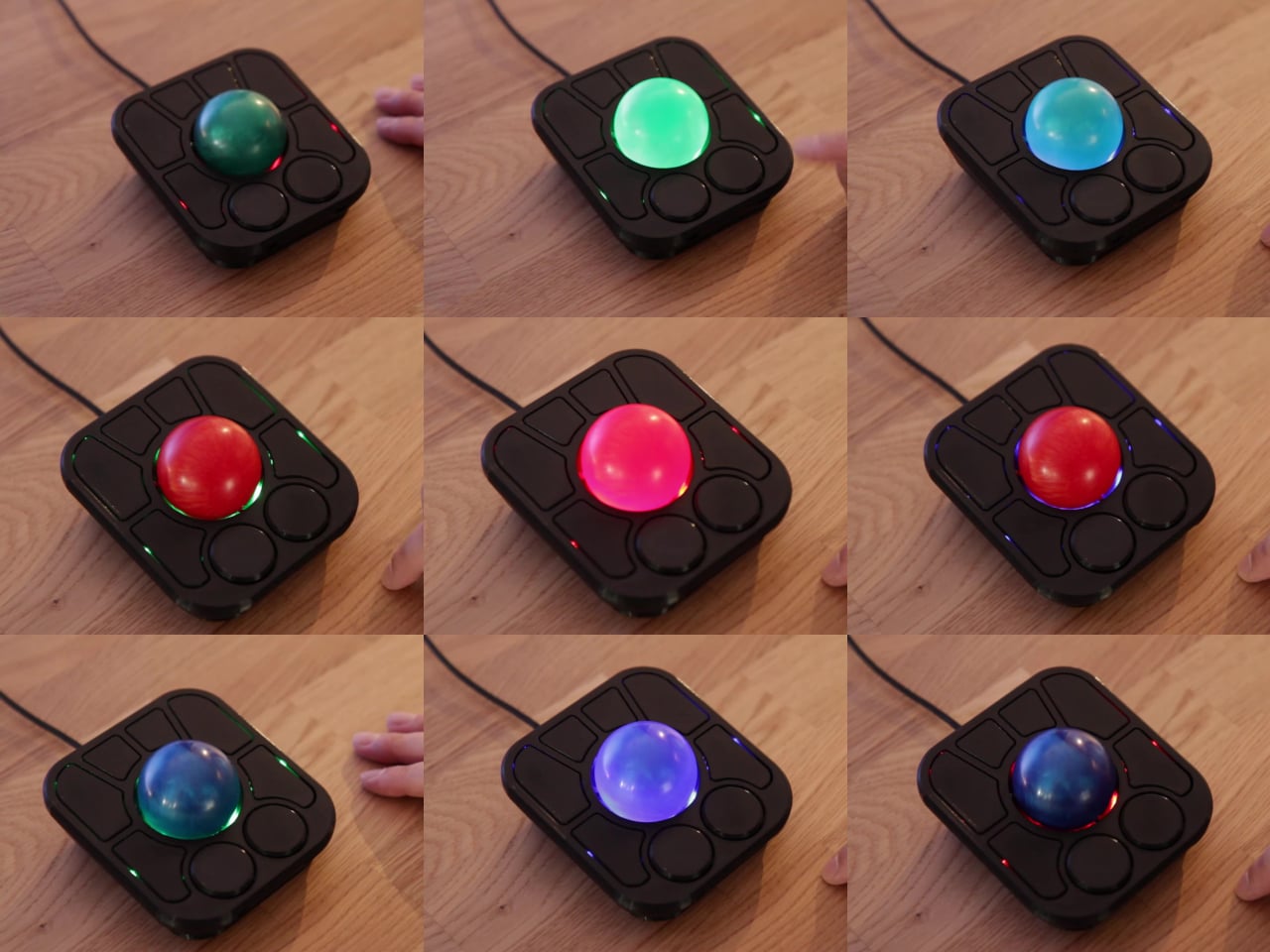
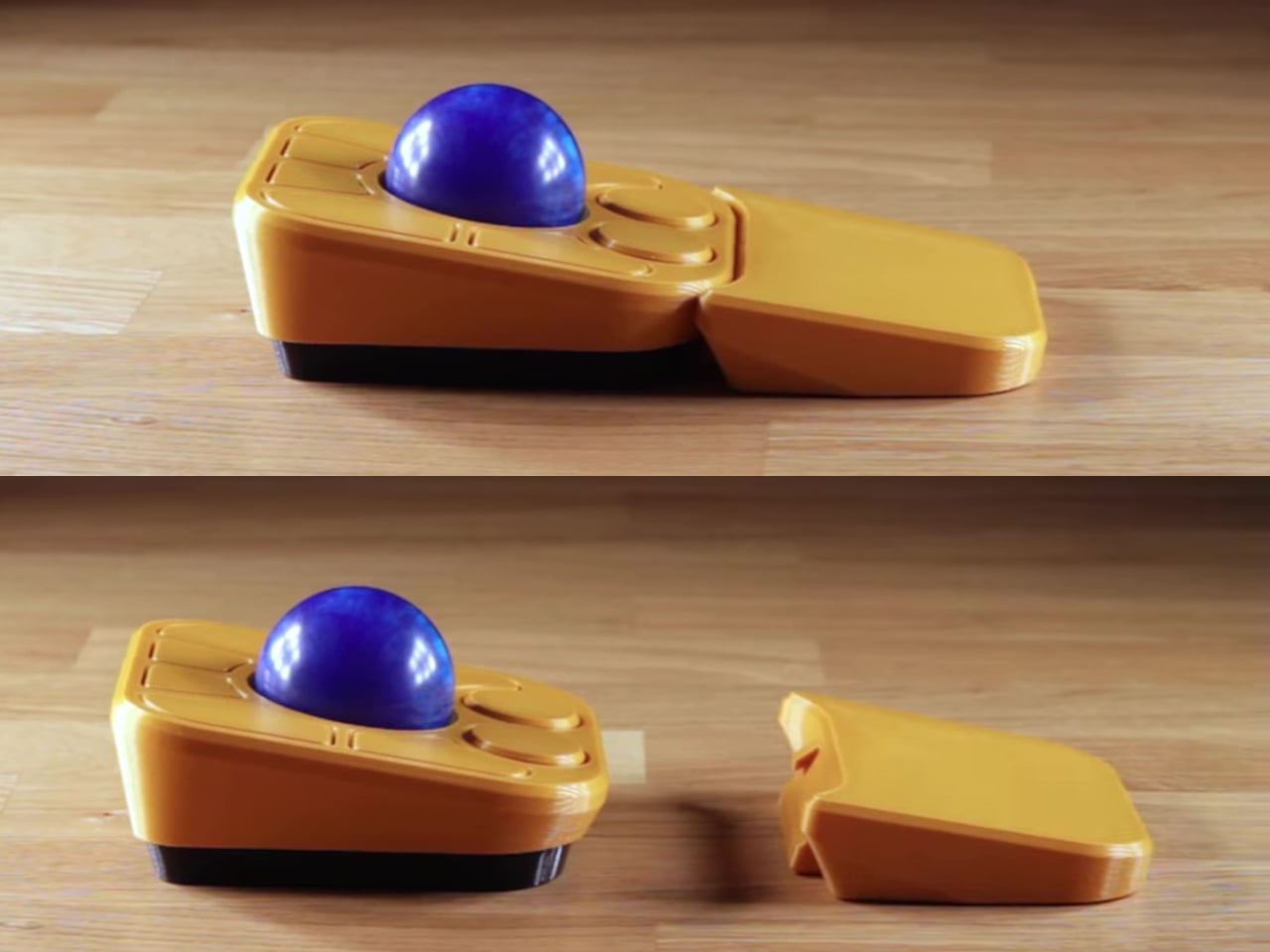
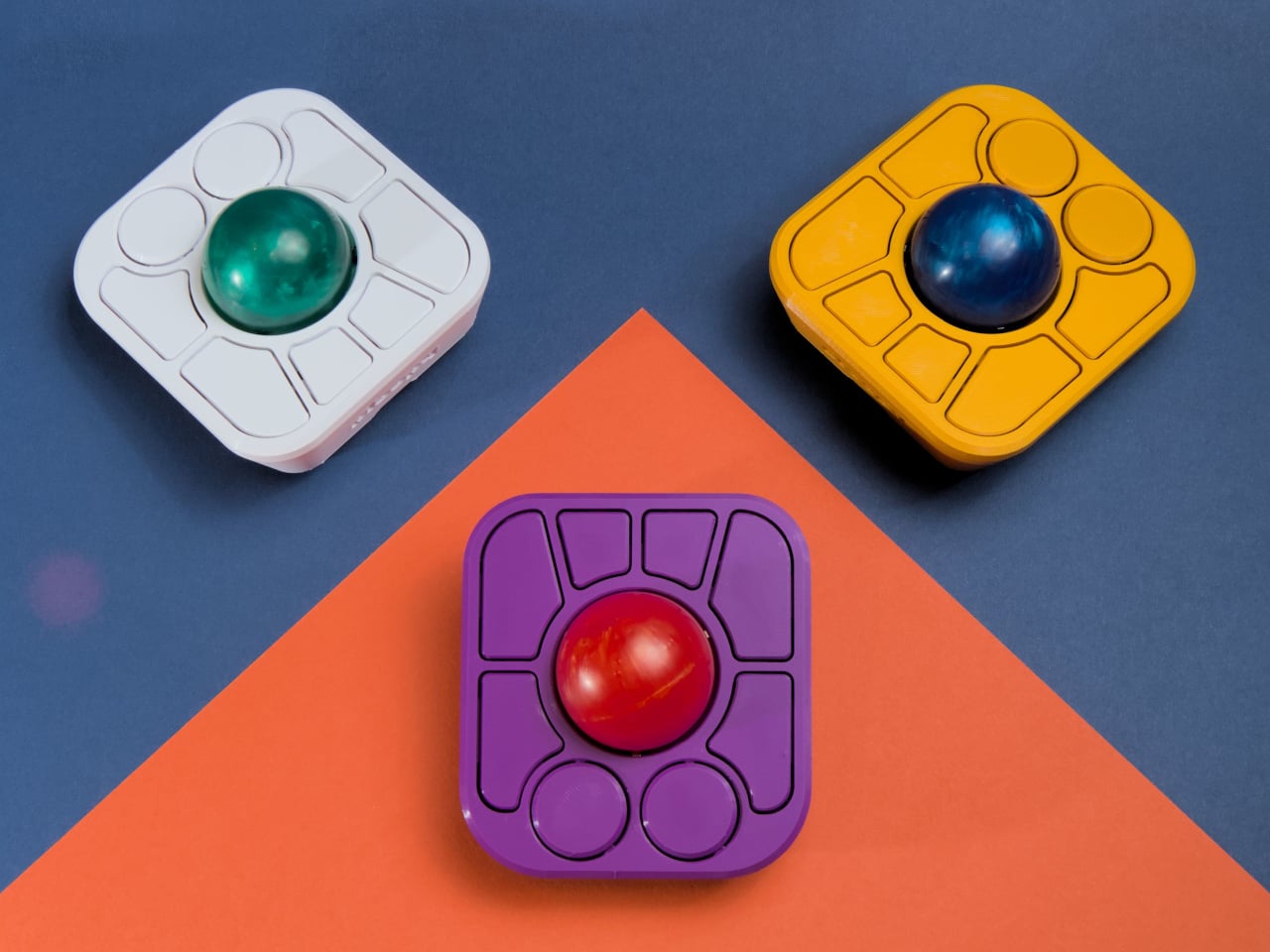
The Nano 2 features a compact footprint that sits easily beside any keyboard without dominating valuable desk space for other gear. The 3D-printed body in opaque black, paired with tracking balls in red, blue, or black for personal preference, feels solid and purposeful in use during extended sessions. The minimalist design and low profile make it easy to integrate into any setup, from home offices to creative studios, without clashing with existing equipment.

Roller bearings give the 1.5-inch ball a satisfying, tactile feel during use, though they do make a scratchy grinding sound that’s part of the Nano’s mechanical character and feedback. Some users love the audible feedback as confirmation of movement, while others may find it distracting in quiet library or office environments. The sound is noticeable but adds to the analog, mechanical feel that distinguishes it from silent optical trackballs.

The big upgrade is the PAW-3222 sensor, which delivers a polling rate over 1,000Hz, up to 4,000 CPI, and 10g acceleration for smooth, precise tracking during demanding design or coding work. The new button triggers drag scrolling by default out of the box, but thanks to QMK and VIA support, you can remap it to anything you need instantly, from click to macro to custom functions.

USB-C replaces the old micro-B port found on the original Nano, improving durability and making charging and programming easier for modern setups with universal cables you already own. As with all Ploopy devices, the Nano 2 is fully open-source, with hardware under the CERN OHL license and firmware under the GPL for complete transparency and user freedom. Assembly guides, modding tips, and all design files live on GitHub.

Whether you’re coding complex projects, designing graphics, or just want a minimalist pointer for your laptop bag during travels and commutes, the Nano 2 brings personality and function to your workspace effortlessly without taking up space. Its compact size, open-source roots, and tactile feel make it a conversation starter and a daily companion for anyone who values control and creativity in their desktop tools.

The post Ultra-Compact Open-Source Trackball Has One Button You Can Remap first appeared on Yanko Design.

$28 Power Bank Has 55W Wired, 15W Wireless, and a Display

Most power banks are either too bulky for a pocket or too slow to keep up with today’s fast-charging phones that demand high wattage for quick top-ups. If you’re tired of carrying bricks that weigh down your bag or waiting ages for a recharge during short coffee breaks, finding a power bank that’s both genuinely slim and powerful enough for modern devices can feel impossible in the current market.

The Cuktech 10 Air offers a fresh take on portable charging for everyday carry without compromise. With a 10,000mAh capacity, 55W wired fast charging, 15W magnetic wireless charging, and a built-in display, it’s designed to slip into your pocket and keep your phone powered up quickly. At just 1.3 centimeters thick and CNY 199 (about $28), it packs premium features into an affordable package.

Designer: Cuktech (via NotebookCheck)

At just 1.3 centimeters thick, the 10 Air is as slim as many modern smartphones, making it easy to stack with your device magnetically or slide into a bag without creating annoying bulk or weight. The magnetic pad attaches securely to MagSafe-compatible phones for cable-free charging on the go, while the smooth, rounded shell comes in silver or gold for a modern, minimalist look that complements any device.

The built-in TFT display is a standout feature that sets the 10 Air apart from generic power banks cluttering the market. It shows real-time battery percentage, charging status, and power mode, so you’re never guessing about your next top-up or wondering if your device is actually charging properly. The transparency is refreshing compared to blind LED indicators that most competing power banks use without context.

Inside, the 10 Air uses two 5,000mAh cells for a total of 10,000mAh, rated at 5,800mAh and 38.5Wh due to voltage conversion losses. Wired charging delivers up to 55W through the USB-C port, enough to get a Xiaomi 17 Pro to 67 percent in just 30 minutes, or an iPhone 17 to nearly 70 percent in the same timeframe without overheating.

Wireless charging offers 15W for MagSafe devices, perfect for quick top-ups without fumbling for cables when your hands are full or you’re on the move. The self-storing USB-C cable measuring 13cm adds convenience by keeping everything together in one package, while support for PPS, PD, and other protocols ensures compatibility with a wide range of devices from different manufacturers worldwide.

Cuktech’s OPC 2.0 worry-free charging system manages temperature intelligently, automatically stops charging when full, and protects battery health over time through smart algorithms and hardware monitoring. Hardware-level safeguards prevent overcharging, overheating, and short circuits, so you can leave your phone charging overnight without worry or anxiety. The power bank is airline-compliant at 38.5Wh, making it ideal for frequent travelers who cross borders regularly.

Whether you’re commuting, traveling internationally, or just need a slim backup for your phone during long days away from outlets, the Cuktech 10 Air fits naturally into modern life. The combination of genuine slimness, fast dual charging modes, magnetic attachment, and real-time display transparency makes it a compelling choice for anyone tired of bulky, outdated chargers.

The post $28 Power Bank Has 55W Wired, 15W Wireless, and a Display first appeared on Yanko Design.
This 6.5g Quick-Release Titanium Keychain Opens With One Hand

Most of us have struggled with key rings that jam in your pocket, carabiners that tangle with everything else in your bag, or split rings that pop open at the worst possible moment when you’re rushing to unlock something important. Everyday carry should be about readiness and preparation, not frustration and fumbling with gear that fights you instead of helping you stay organized and efficient throughout your day.

The Titaner Quick-Release EDC Carry System offers a completely different approach by blending aerospace-grade GR5 titanium, a patented magnetic-mechanical lock, and a modular design that adapts to your gear and your daily routine without adding unnecessary bulk or complexity. It features four sub-connectors that support various carrying use cases, from everyday carry to professional outdoor gear. Best of all, it feels as good as it looks, engineered to disappear into your pocket until the exact moment you need quick, one-handed access to whatever you’re carrying.

Designer: Titaner

Click Here to Buy Now: $36 $65 (45% off). Hurry, only a few left! Raised over $94,000.

Crafted entirely from GR5 titanium, the Titaner system manages to be both ultra-light and incredibly strong for its compact size. Each connector is CNC-machined with precision tooling and finished with careful attention to edge smoothness, available in your choice of stonewashed, machine, or bold anodized finishes in yellow and blue. The result is gear that feels warm and tactile rather than cold and industrial.

The minimalist form follows function precisely without wasting a single millimeter on unnecessary features or decorative elements. Weighing just 6.5 grams, lighter than two sheets of paper, the main connector is barely noticeable in your pocket yet tough enough to survive years of daily use and harsh outdoor environments without failing. The titanium construction means it will never rust, discolor, or irritate your skin during extended contact with sweat or seawater.

The heart of the system is a patented dual-action lock combining an N56 neodymium magnet for effortless alignment with a physical GR5 titanium lock for absolute security you can trust completely. Connecting your gear is as simple as snapping the pieces together with a satisfying, audible click that confirms proper engagement, but releasing them requires a deliberate press and 90-degree twist motion that prevents accidental detachment.

This dual-action approach ensures your keys, tools, or tech never detach by accident during daily activities, no matter how much you pull, shake, or jostle your bag during commutes, hikes, or outdoor adventures. The connector maintains its hold through vibration, snagging, and heavy use in demanding conditions, providing peace of mind for carrying expensive equipment you can’t afford to lose unexpectedly or replace on short notice.

The newly launched EDC Connector modular system eliminates the need for traditional key rings entirely through four distinct sub-connector types that attach directly to the main buckle. This direct-attach approach removes bulk, weak points, and the annoying jingle that comes with metal rings clanking together in your pocket. Each sub-connector is purpose-built for specific carry needs, from single items to webbing straps, letting you build a setup that actually makes sense for your lifestyle.

There are four types of sub-connectors that work seamlessly with the main buckle for different purposes. The U-Series provides balanced carry for single items, the X-Series features a reinforced titanium pin for tools with small attachment holes, the D-Series stacks keys quietly like pages in a book for flat carry, and the E-Series creates ultra-stable anchor points for webbing and backpack straps.

Whether you’re organizing house and car keys for daily commutes, hanging a flashlight or multitool from your belt, attaching gear to a backpack for outdoor adventures, or keeping pet tags secure during walks through the neighborhood, the system adapts seamlessly to different scenarios throughout your day. The 360-degree swivel keeps everything tangle-free and automatically positions gear in the most convenient orientation for immediate, effortless access.

Every edge is finished smooth for absolute comfort, and the connector’s action is so precise and crisp that you’ll find yourself clicking it open and closed just for the tactile satisfaction and stress relief it provides. The titanium is hypoallergenic and completely corrosion-resistant, maintaining its appearance and performance even after years of sweaty hikes, rainy commutes, or daily handling without showing degradation or requiring special maintenance.

The finishes let you match your gear to your personality and specific use case preferences. Stonewashed provides a rugged texture that hides daily wear and tells your adventure story, machine finish showcases pure titanium with clean technical elegance, and anodized versions make a bold visual statement with vibrant color that distinguishes your carry from typical EDC gear most people settle for every day.

The Titaner Quick-Release EDC Carry System delivers minimalist design, technical innovation, and everyday practicality in a package that feels both premium and approachable for serious users who demand quality. For anyone who wants their gear to be as reliable and refined as the rest of their daily routine, this titanium connector system offers a thoughtful alternative to the clunky key rings and unreliable split rings most people simply tolerate.

Click Here to Buy Now: $36 $65 (45% off). Hurry, only a few left! Raised over $94,000.

The post This 6.5g Quick-Release Titanium Keychain Opens With One Hand first appeared on Yanko Design.