Ayaneo’s Konkr Fit Handheld Packs AMD Ryzen AI 9 And Windows, Targeting the Steam Deck and Legion Go 2

Ayaneo’s budget Konkr brand is expanding beyond Android. After launching the Pocket Fit with Snapdragon G3 Gen 3 and the more powerful Pocket Fit Elite with Snapdragon Elite 8, the company has unveiled its first Windows handheld under the Konkr name. The new device drops “Pocket” from its title for good reason.

The Konkr Fit features a 7-inch OLED display, significantly larger than the 6-inch screens on its Android siblings. Powering this Windows handheld is an AMD Ryzen AI 9 HX 470 processor, marking a departure from Snapdragon mobile chips. The device also packs an impressive 80Wh battery, dwarfing the capacity found in competitors like the Lenovo Legion Go S and even the Legion Go 2.

Designer: Ayaneo

80Wh in a handheld gaming device puts the Konkr Fit in genuinely rare company. The Legion Go S limps along with 55.5Wh, while even Lenovo’s newer Legion Go 2 only manages 74Wh. We’re talking about potentially game-changing longevity here, especially considering Windows handhelds typically drain batteries faster than their Android counterparts. The Ryzen AI 9 HX 470 is a hungry chip, sure, but you’re still looking at a device that might actually survive a cross-country flight without searching desperately for an outlet. Battery anxiety has plagued this entire product category since the Steam Deck launched, and Ayaneo seems to understand that cramming in more capacity solves more problems than any amount of software optimization ever will.

The HX 470 belongs to AMD’s Strix Point lineup, the same family powering proper gaming laptops. You’re getting Zen 5 cores and RDNA 3.5 graphics, which means AAA titles at respectable settings become genuinely playable. Compare that to the Snapdragon Elite 8 in the Pocket Fit Elite, which excels at emulation and Android titles but starts sweating with demanding PC games. Ayaneo clearly wants this positioned as a real PC gaming device, not just an emulation box with delusions of grandeur. The processor alone tells you they’re betting on people who want to run their Steam libraries natively, not folks content with streaming or playing mobile ports.

Borrowing heavily from its Android siblings makes sense when you consider the Pocket Fit’s design already works. Hall Effect joysticks handle the analog inputs, which means drift shouldn’t plague these controllers the way it does cheaper alternatives. Adjustable triggers and dual back buttons carry over unchanged. The company offers two colorways: Retro Gray with red accents and a straight Yellow option. Both feel very much in line with the broader handheld gaming aesthetic that’s emerged, though the gray and red combo has some Steam Deck vibes whether Ayaneo wants to admit it or not.

Two USB-C ports now sit at the top edge, giving you actual flexibility for charging while gaming or connecting accessories without blocking your hands. Larger inlet vents dominate the back panel compared to the Pocket Fit, addressing what will inevitably become thermal challenges with a chip this powerful. Even the screws holding the backplate are exposed, suggesting Ayaneo expects enthusiasts to crack this thing open for maintenance or upgrades. These aren’t cosmetic flourishes. Windows gaming generates serious heat, and pretending otherwise is how you end up with a handheld that thermal throttles ten minutes into Cyberpunk 2077.

The OLED panel upgrade from the Pocket Fit’s LCD matters beyond the obvious visual improvements. Response times eliminate the ghosting issues that plague cheaper LCD panels during fast-paced gaming. Deep blacks mean better contrast in dimly lit game environments, which basically describes half of modern AAA titles. At 7 inches, you’re getting enough screen real estate that Windows UI elements remain readable without squinting, though whether Windows 11 plays nicely with a 7-inch touchscreen remains an open question. Microsoft has never really figured out how to make their OS work elegantly on small displays, and I doubt Ayaneo’s custom launcher will magically solve decades of interface design problems.

Pricing remains a company secret, but simple math suggests this slots above the $399 Pocket Fit Elite. The Ryzen AI 9 HX 470 costs more than Snapdragon chips, Windows licensing adds expense that Android avoids, and that 80Wh battery doesn’t come cheap. My gut says somewhere between $500 and $600, which plants this squarely in Steam Deck OLED territory. That’s awkward positioning for a brand that built its identity on being the affordable alternative to Ayaneo’s own thousand-dollar flagships. Then again, Ayaneo could just drop the details and prove me wrong.

The post Ayaneo’s Konkr Fit Handheld Packs AMD Ryzen AI 9 And Windows, Targeting the Steam Deck and Legion Go 2 first appeared on Yanko Design.

HONOR’s 6.1mm thick Magic8 Pro Air Has a 5500mAh Battery and Triple Cameras (iPhone Air Can’t Match That)

Sometimes the most interesting phones aren’t the ones pushing boundaries into weird new territory. They’re the ones that look at existing boundaries and ask why they exist in the first place. Honor’s Magic8 Pro Air sits at 6.1mm thick, which matches the iPhone 16 Pro’s obsession with thinness, but then it throws in a full triple camera array and a 5,500mAh battery just to prove a point. That point being: maybe we’ve been too quick to accept compromises that aren’t actually necessary.

The whole package reads like a direct response to Apple’s recent design choices, except Honor isn’t playing the “our number is bigger” game. They’re playing the “why can’t we have nice things” game, and honestly, it’s refreshing. For years, flagship phones have operated under this assumption that serious camera systems and all-day batteries require chunky bodies. The Magic8 Pro Air suggests that’s more about engineering priorities than physical limitations. Whether it actually delivers on that promise in real-world use is another story, but the ambition alone is worth paying attention to.

Designer: HONOR

Sure, a triple-camera array on a phone that thin is impressive, but what knocks my socks off more is the fact that this phone packs nearly 75% more battery than the iPhone Air. For context, the iPhone Air maxes out around 3,149mAh and sits at roughly 5.6mm. Samsung’s Galaxy S25 Edge packs slightly more at 3,900mAh into a 5.8mm frame. Honor somehow found an extra 1,600mAh while adding just 0.3-5mm more than the competition. That translates to a good 5+ hours more of daily use before reaching for a charger or power bank. Let’s not ignore how impressive that is.

The triple camera setup tells a similar story of refusing easy compromises. We don’t have full specs yet on the sensor sizes or focal lengths, but the fact that Honor committed to three lenses instead of following Apple’s single-camera approach on the standard iPhone 16 says something about their priorities. Modern computational photography has convinced a lot of companies that one good sensor plus aggressive software processing can replace optical versatility. Honor clearly disagrees, or at least thinks consumers disagree enough to matter. They’re betting that people still want actual telephoto reach and ultrawide perspective without relying entirely on digital trickery and crop-zoom theatrics.

What makes this launch particularly on-point is the tagline. Honor’s marketing team went with “thin but not lacking” in Chinese, which translates the subtext into actual text. They know exactly what conversation they’re entering. Apple spent the last few years teaching the market that premium means thin, and thin means sacrifice – whether it’s a camera lens on the iPhone Air, a 3.5mm jack on the iPad Pro, or just ports on their MacBook Airs. Honor looked at that equation and decided the sacrifice part was optional, which either makes them bold or delusional depending on how the phone actually performs once reviewers get their hands on it.

The broader implications here matter more than one phone from one manufacturer. If Honor can ship a 6.1mm device with flagship battery life and proper camera versatility, then every other manufacturer now has to explain why they can’t or won’t. The “we had to choose between thin and capable” excuse stops working when someone demonstrates the choice was never binary. This puts pressure on Samsung, Google, and especially Apple to either match the capability or justify why their engineering led to different conclusions. Competition works best when companies stop accepting the same limitations and start solving problems their competitors declared unsolvable.

Honor’s brand-recall in Western markets still has room for improvement, although they’re perhaps one of the most reputed brands in their home country of China. The Magic8 Pro Air might be brilliant, but if people don’t know where to easily buy one, the competitive pressure stays theoretical. Still, specs like these have a way of forcing conversations that manufacturers would rather avoid. Apple doesn’t need to worry about Honor’s market share to feel the heat when tech reviewers start asking why the iPhone 17 can’t pack a bigger battery at the same thickness – and every tech reviewer should absolutely call on Apple to be less compromising. The Magic8 Pro Air wins just by existing and working as advertised. Everything after that is bonus points.

The post HONOR’s 6.1mm thick Magic8 Pro Air Has a 5500mAh Battery and Triple Cameras (iPhone Air Can’t Match That) first appeared on Yanko Design.

LEGO recreates iconic battle from Legend of Zelda: Ocarina of Time

The LEGO Group has carried over the momentum from last year, introducing sets that the community wants, as well as some releases that are their own brainchild. Last year, LEGO hinted at a Legend of Zelda collaboration with Nintendo, and now the official set is releasing. This one joins the likes of the three Pokémon sets and the Harry Potter set released by the group this month.

The LEGO set will replicate one of the most iconic boss battles in the title’s history, depicting the Ocarina of Time bash taking place among the ruins of Hyrule Castle Town, as Link and Princess Zelda take on the monstrous Ganon. The official set is even better than initially anticipated by community experts, adding to the numerous options LEGO fans have at their disposal.

Designer: LEGO Group

The 1,003-piece set dubbed the Ocarina of Time: The Final Battle is a faithful diorama of the most iconic arcade games for the Nintendo N64 console line-up. Ganondorf, in his final boss human form (that’s buildable piece by piece), takes up the most territory of the set, as minifigures of Link and Zelda are depicted taking on the monster. The base of the set shows Ganon’s ruined castle and damaged tower, as the rubble masks the three recovery hearts. Other inclusions of the set include the Master Sword, a couple of fabric capes, dual honking swords of Ganon, and the Hylian Shield.

When the set depicting the intense scrap in the ruins of Hyrule Castle is put together, it measures 6.5 inches high, 11 inches wide, and 7 inches deep. That makes it ideal for your gaming desk setup or work shelf to display your love for the title. If you look closely at the official pictures, the base recreates the arena of Hyrule from the N64, and has the Triforce-badged display base. LEGO has paid attention to detail in the creation, as one can spot the little elements of the Ocarina. Things like the pile of rubble, the Megaton Hammer, or Navi the fairy floating among the chaos. In fact, a hidden button activates the lid mechanism, as the ruins erupt and the super villain announces his presence for ultimate supremacy.

Compared to the 2-in-1 Great Deku Tree set, this one is smaller since it represents only a single title. The price tag of $130 is also accommodating for fans who don’t want an elaborate set to fit in their scheme of things. Ocarina of Time: The Final Battle set is up for pre-order right now, and the official launch is slated for 1st March. Even for a neutral fan who loves playing arcade games for fun, this LEGO build is one to consider.


The post LEGO recreates iconic battle from Legend of Zelda: Ocarina of Time first appeared on Yanko Design.
iPhone Fold Specs Leak Online: Aluminum + Titanium Body, A20 Chipset, and the Rebirth of TouchID

Apple’s foldable smartphone with dual displays for multitasking

If someone told you in 2019 that we’d see seven generations of Samsung Galaxy Folds before Apple released a single foldable iPhone, you’d probably have believed them because that’s exactly how Apple operates. Wait, watch, then swoop in like they just invented the whole concept. Well, 2026 might finally be the year, assuming these leaks are legit and not just wishful thinking from analysts who’ve been predicting the iPhone Fold since the Obama era.

The rumor mill is churning out some pretty specific claims right now. We’re talking actual dimensions, chip specs, and price points that’ll make your wallet weep. But more interesting than the what is the how and why. Apple’s supposedly been tackling the exact problems that have kept foldables from going mainstream, which either means they’ve cracked the code or they’re about to learn the same expensive lessons Samsung already learned. Let’s unpack what we actually know versus what’s tech journalism fan fiction.

Designer: Apple

The specs coming out of supply chain analyst Jeff Pu’s investor briefings paint a picture of a device Apple’s positioning right alongside the iPhone 18 Pro lineup. September 2026 launch date, which means they’re treating this as a flagship product rather than some experimental side quest. The inner display clocks in at 7.8 inches when you unfold it, putting it in direct competition with Samsung’s Galaxy Z Fold 8. The outer screen sits at 5.3 inches, which is actually smaller than what Samsung’s offering. That’s either Apple prioritizing pocketability or a sign they couldn’t fit a bigger screen without compromising the design. Probably both, knowing how Apple thinks about these things.

The whole device reportedly measures 4.5mm when unfolded, which is genuinely insane when you consider what’s packed inside. For context, that’s thinner than most credit cards and absolutely thinner than any iPhone that’s ever existed. The folded thickness supposedly hits around 9mm, which still slides into a pocket easier than carrying an iPad mini everywhere. Apple’s apparently using a combination of aluminum and titanium for the frame construction, same lightweight-but-strong approach they’ve been pushing across the Pro iPhone lineup. The real party trick though is the hinge mechanism, which multiple sources claim uses liquid metal components to handle the stress of constant folding without creating that ugly crease everyone hates about foldables.

The A20 chip powering this beast is built on TSMC’s 2-nanometer process, same silicon going into the iPhone 18 Pro models. Apple’s apparently not treating this as a lesser device that gets last year’s processor, which tells you how seriously they’re taking the category. Battery capacity is rumored between 5,400 and 5,800 mAh, making it the largest battery Apple’s ever put in an iPhone because powering two displays simultaneously turns out to require actual juice. That’s almost double the capacity of a regular iPhone 15 Pro, and it needs to be.

The crease is the hot-topic on everyone’s mouths, with the rumor being Apple’s somehow found a way to obliterate it. Every foldable phone on the market has that visible line running down the middle when you unfold it, and it drives people absolutely insane. Apple’s supposedly using a liquid metal hinge design combined with some display technology wizardry to make the crease “nearly invisible” according to the leaks. I’ll believe it when I see it, but if they actually pulled this off, it would immediately make every other foldable look outdated. Samsung’s been iterating on this problem for seven years and still hasn’t fully solved it.

Touch ID is coming back, which is wild after Apple spent the better part of a decade convincing everyone Face ID was the future. The decision makes sense though when you think about the form factor. Authentication needs to work whether the phone is folded, half-open, or fully unfolded, and Face ID gets wonky when you’re holding a device at weird angles or using it propped up like a tiny laptop. A fingerprint sensor in the power button solves all of that instantly. It’s the same approach they took with recent iPads, and it works.

Pricing is where this whole thing either makes sense or falls apart completely. The leaks point to somewhere between $2,000 and $2,500, with recent intel skewing toward the higher end. That’s Mac Studio money for a phone that folds. That’s almost double what an iPhone 17 Pro Max costs. Samsung’s Galaxy Z Fold 8 will probably land around $1,999, so Apple’s betting people will pay a premium for whatever magic they’ve supposedly worked on the crease and overall build quality. Whether that bet pays off depends on a lot of factors, but I guess seeing Apple’s vision of a folding phone first-hand will really help seal the deal regarding whether this 6-7-year wait has finally paid off.

The post iPhone Fold Specs Leak Online: Aluminum + Titanium Body, A20 Chipset, and the Rebirth of TouchID first appeared on Yanko Design.
This Airport Lounge Turned Mondrian’s Boogie-Woogie into Wood Islands

Long layovers usually mean seas of identical metal chairs, bright signage, and constant motion that makes rest feel impossible. Even premium lounges often feel like slightly nicer waiting rooms, not places with a point of view beyond arranging seating in rows. Schiphol’s Lounge 2 sits in the flat Haarlemmermeer polder outside Amsterdam, which gave Beyond Space a specific landscape and design history to work with when redesigning the 1,000 square meter space.

The studio looked at that polder and the Dutch De Stijl movement it inspired, particularly Mondrian’s orthogonal paintings. His late Boogie-Woogie works are essentially abstractions of that landscape, grids of lines and colored planes forming rhythmic compositions. Beyond Space took those paintings as an organizing principle, using sequences of orthogonal lines and planes to define where and how people sit instead of just dropping furniture onto a floor.

Designer: Beyond Space

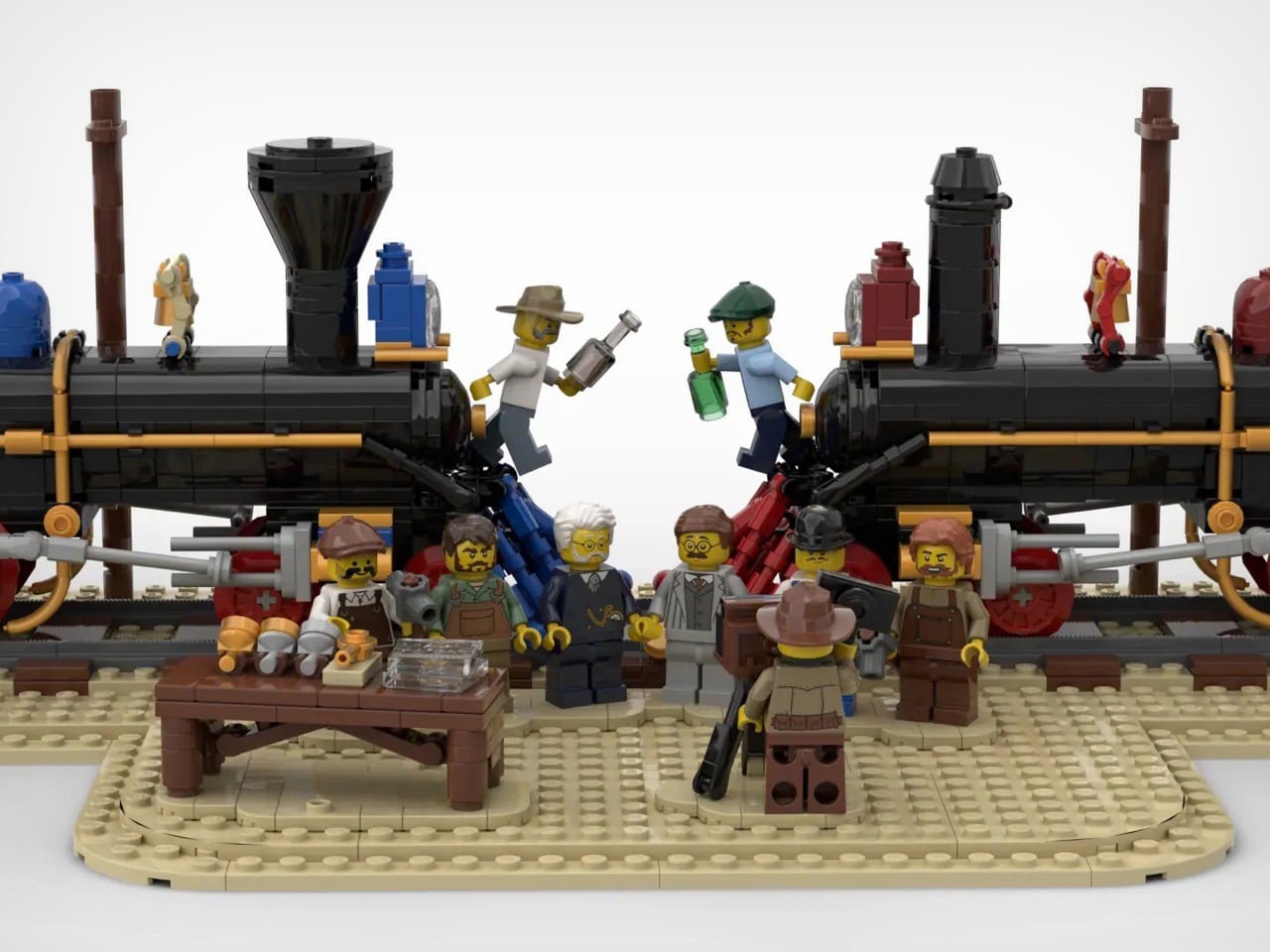
Entering the lounge, you realize you are not looking at rows of chairs but a low wooden city. Connected seats form islands of different sizes that plug into the existing architecture, creating pockets for solo travelers, pairs, and larger groups. You can choose a corner that feels tucked away, a spot with a direct runway view, or a cluster where a family can spread out without blocking circulation.

Instead of Mondrian’s red, yellow, and blue, the designers used solid wood from European tree species Mondrian once painted in his early landscape work. That swap keeps the De Stijl grid and rhythm but trades visual shouting for warmth and calm. In a terminal full of screens and branding, the consistent wood tones and leather upholstery act like a noise-cancelling layer without resorting to beige blandness.

The orthogonal layout hides surprising variety, armchairs with side tables, benches, back-to-back arrangements, and larger platforms for groups. Power outlets are integrated into the wooden blocks, so charging a laptop does not mean hunting for a wall socket or sitting on the floor. The grid gives order, but within it you can find a spot that matches how you actually want to wait.

Because seating follows a clear grid aligned with the architecture, it is easier to orient yourself and remember where you were sitting when you come back with coffee. The repetition of similar forms, combined with daylight from large windows and a neutral floor, creates visual tranquility rare in airports. It feels designed to let your brain idle instead of constantly scanning for threats.

The lounge treats waiting not as dead time to fill with more screens, but as a chance to sit in a space with a clear idea behind it. By abstracting the landscape outside and channeling Mondrian without copying his colors, Beyond Space turns a generic airport zone into a small wooden blueprint of Dutch design history that just happens to be comfortable between flights.

The post This Airport Lounge Turned Mondrian’s Boogie-Woogie into Wood Islands first appeared on Yanko Design.

Wear Your Real Watch: This Case Turns Apple Watch into a Mini Handheld

Full smartphones often feel like overkill, but the Apple Watch on your wrist is still awkward for anything beyond quick glances. There’s also the complication of wanting to wear a mechanical or analog watch without giving up notifications, Apple Pay, and quick replies. Stacking both on one arm feels ridiculous, and choosing between connectivity and wearing the watch you actually like is the kind of small annoyance that lingers.

elrow’s miniphone Standard and miniphone Ultra are 3D-printed cases that turn an Apple Watch into a narrow, palm-sized device with a lanyard. The Standard fits the 46mm Series 10 and 11, while the Ultra fits the Apple Watch Ultra 1, 2, and 3. Both are about 95mm tall, with textured translucent bodies, visible screws, and an open back so you can charge without disassembling the case.

Designer: elrow industries

Leaving your iPhone in a bag and carrying the miniphone instead means you still get calls, messages, and Apple Pay, but you are not staring at a six-inch screen every time a notification pings. Holding the watch in a slightly larger body makes tapping icons feel more like using an old iPod than pecking at your wrist, and clipping it to a pocket means it stays out of sight until you need it.

The translucent PLA+ on the Standard and PETG on the Ultra, textured surfaces, and stainless or black-coated steel hardware give the cases a rugged, workshop vibe. The integrated lanyard hole and included paracord with an orange bead make it easy to carry without pockets. It feels more like a small tool than a fashion case, which suits the “tool ↔ watch” idea of keeping your mechanical watch on.

Moving the watch off your wrist means that continuous heart rate, ECG, blood oxygen, and sleep tracking are basically gone. You are also told to turn off wrist detection for better battery and notifications, which changes how Apple Pay, auto-lock, and some security features behave. Activity rings and step counts become unreliable when the watch lives in a pocket or on a lanyard, and fall detection may not work as intended.

WatchOS assumes a wrist, from raise-to-wake gestures to how workouts and reminders work. In a miniphone case, some of that feels off or becomes less useful. You are treating the Apple Watch as a tiny connected widget for notifications and quick controls, not as a health tracker logging your life, which is fine if that is what you wanted in the first place.

The miniphone cases make the most sense if you already use the Apple Watch as a lightweight communicator and remote, not as a medical device. If you love wearing a mechanical watch while still having a pocketable slice of watchOS nearby, or you want less phone without going fully offline, a 3D-printed case that trades sensors for simplicity is a strangely logical, if niche, step.

The post Wear Your Real Watch: This Case Turns Apple Watch into a Mini Handheld first appeared on Yanko Design.

Japan Just Solved Tiny Home Living With 7 Genius Accessories

Japan has always understood what the rest of the world is only now discovering: small spaces don’t mean small lives. As tiny homes continue gaining momentum globally, Japanese designers are leading the charge with accessories that do more with less. These aren’t just space-savers. They’re thoughtfully engineered pieces that transform limitations into possibilities, proving minimalism can be both functional and beautiful.

The tiny home movement demands intelligent design. Every object must earn its place, which means multifunctionality isn’t a bonus—it’s essential. Japanese creators have mastered this philosophy through decades of living in compact urban dwellings, and now their innovations are reshaping our understanding of home essentials. From collapsible kitchen tools to multi-purpose devices, these seven accessories embody the spirit of doing more while owning less.

1. RetroWave 7-in-1 Radio

The RetroWave proves that nostalgia and practicality can coexist beautifully. This compact radio channels vintage Japanese aesthetics through its tactile tuning dial and clean lines, but beneath that retro exterior lies serious modern functionality. It streams Bluetooth audio, plays MP3 files from USB or microSD cards, tunes into FM/AM/SW broadcasts, and moonlights as a flashlight, power bank, SOS alarm, and clock. For tiny home dwellers who need every item to pull double duty, this seven-function device eliminates the need for separate gadgets cluttering precious counter space.

Emergency preparedness becomes effortless when your entertainment system doubles as survival equipment. The hand-crank charging and solar panel mean you’re never stranded without power, whether you’re off-grid by choice or circumstance. The design language speaks to Japanese minimalism while respecting analog traditions, creating something that feels equally at home on a shelf or in a bug-out bag. This isn’t about choosing between form and function—the RetroWave delivers both in a footprint smaller than most standalone speakers.

Click Here to Buy Now: $89.00

What We Like

  • The hand-crank and solar charging eliminate battery anxiety completely
  • Seven genuine functions mean seven other devices you don’t need to own
  • Bluetooth streaming bridges analog aesthetics with contemporary listening habits
  • The compact size fits anywhere without announcing its emergency capabilities

What We Dislike

  • The retro dial might slow down precise station tuning for some users
  • Solar charging works best with direct sunlight, limiting indoor recharging speed

2. 8-in-1 EDC Scissors

Who decided that multitools need to be bulky? These palm-sized scissors challenge that assumption with a sleek design that conceals eight different functions. The oxidation film finish creates a handsome matte black aesthetic while adding rust resistance, making these as durable as they are compact. Scissors, knife, lid opener, can opener, cap opener, bottle opener, shell splitter, and degasser live within a 5.1-inch frame that disappears into drawers, pockets, or tiny kitchen organizers. For homes measured in square feet rather than square meters, this consolidation matters.

The genius lies not in cramming tools together but in thoughtful integration. Each function works without compromise, maintaining the precision you’d expect from dedicated implements. Japanese design philosophy shines through the restraint—there’s no unnecessary bulk, no gratuitous features. The black coating transforms utilitarian metal into something you’ll want visible on your counter rather than hidden away. When your kitchen barely fits a cutting board, having a toolbox that fits in your palm becomes genuinely liberating.

Click Here to Buy Now: $59.00

What We Like

  • Eight tools occupy the space that one normally would
  • The oxidation coating adds durability while looking sophisticated
  • Palm-sized dimensions make storage effortless in any tiny space
  • The design proves multitools can be elegant, not just practical

What We Dislike

  • A smaller size may require more grip strength for tougher jobs
  • The integrated design means you can’t use two functions simultaneously

3. Iron Frying Plate

JIU eliminates the awkward dance between stovetop and table by making the pan your plate. This mill scale steel frying surface comes with a detachable wooden handle that releases with one hand, transforming cookware into servingware instantly. The 1.6mm-thick construction distributes heat beautifully while remaining light enough for comfortable handling. Rust-resistant and uncoated, it arrives ready to use straight from the box. For tiny homes where kitchen storage is measured in inches, losing the need for separate serving dishes creates genuine breathing room.

The philosophy goes deeper than saving space. Eating directly from what cooked your food connects you to the meal in ways china plates never could. The rustic appeal of seared proteins still sizzling on steel brings restaurant energy into the smallest kitchens. Japanese craftsmanship shows in the details—the stick-resistant surface that needs no chemical coatings, the balanced weight distribution, the seamless transition from flame to table. This isn’t about making do with less. It’s about recognizing that sometimes one exceptional piece beats two mediocre ones.

Click Here to Buy Now: $69.00

What We Like

  • The detachable handle transforms the cooking vessel into a serving dish instantly
  • Mill scale steel develops character and improves with use over time
  • No chemical coatings mean healthier cooking and easier maintenance
  • Eliminating separate plates cuts storage needs and dishwashing time

What We Dislike

  • Metal retains heat longer, requiring careful handling after cooking
  • The uncoated surface needs proper seasoning and care to maintain performance

4. Pop-Up Book Vase Edition 4

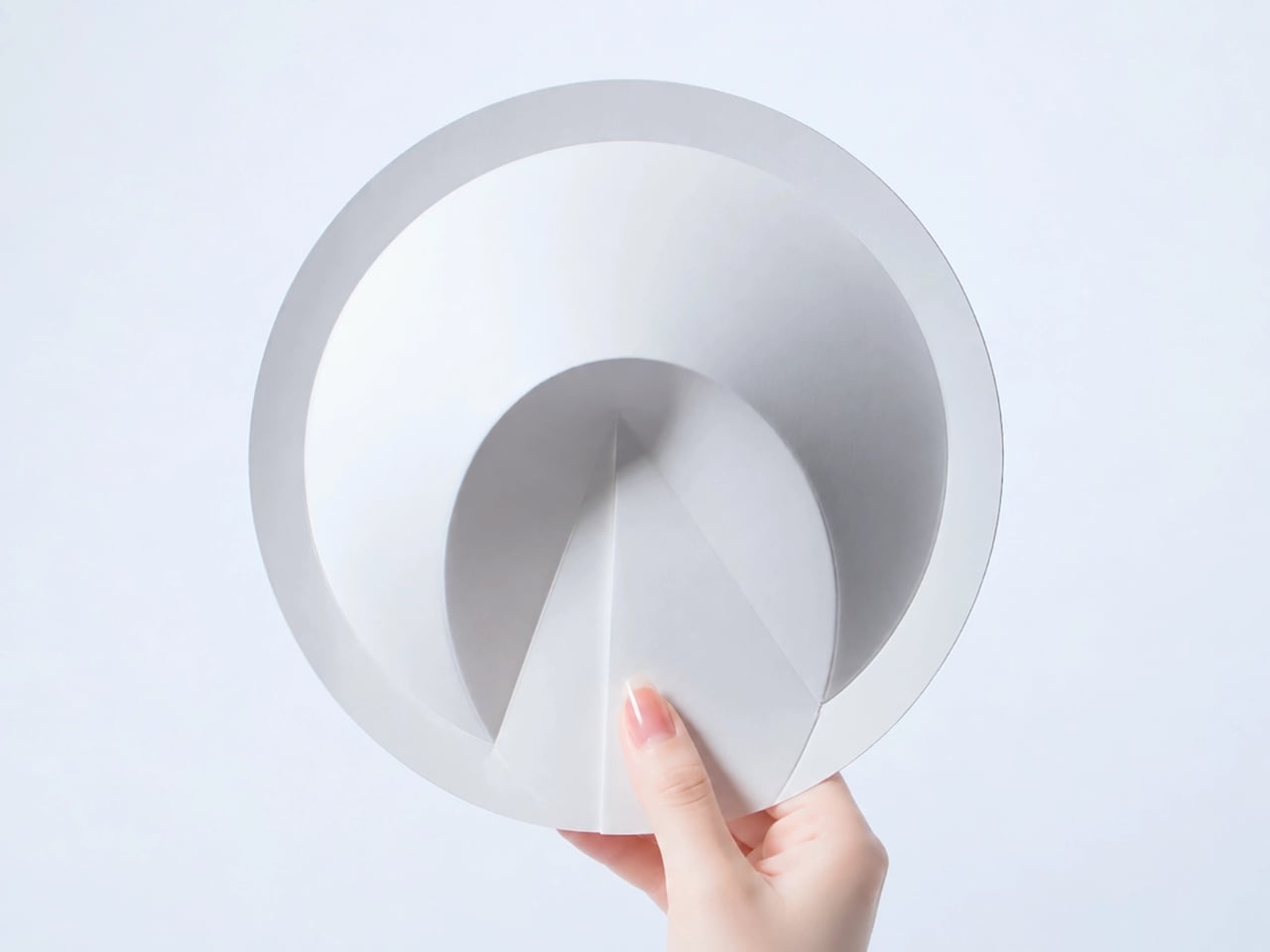
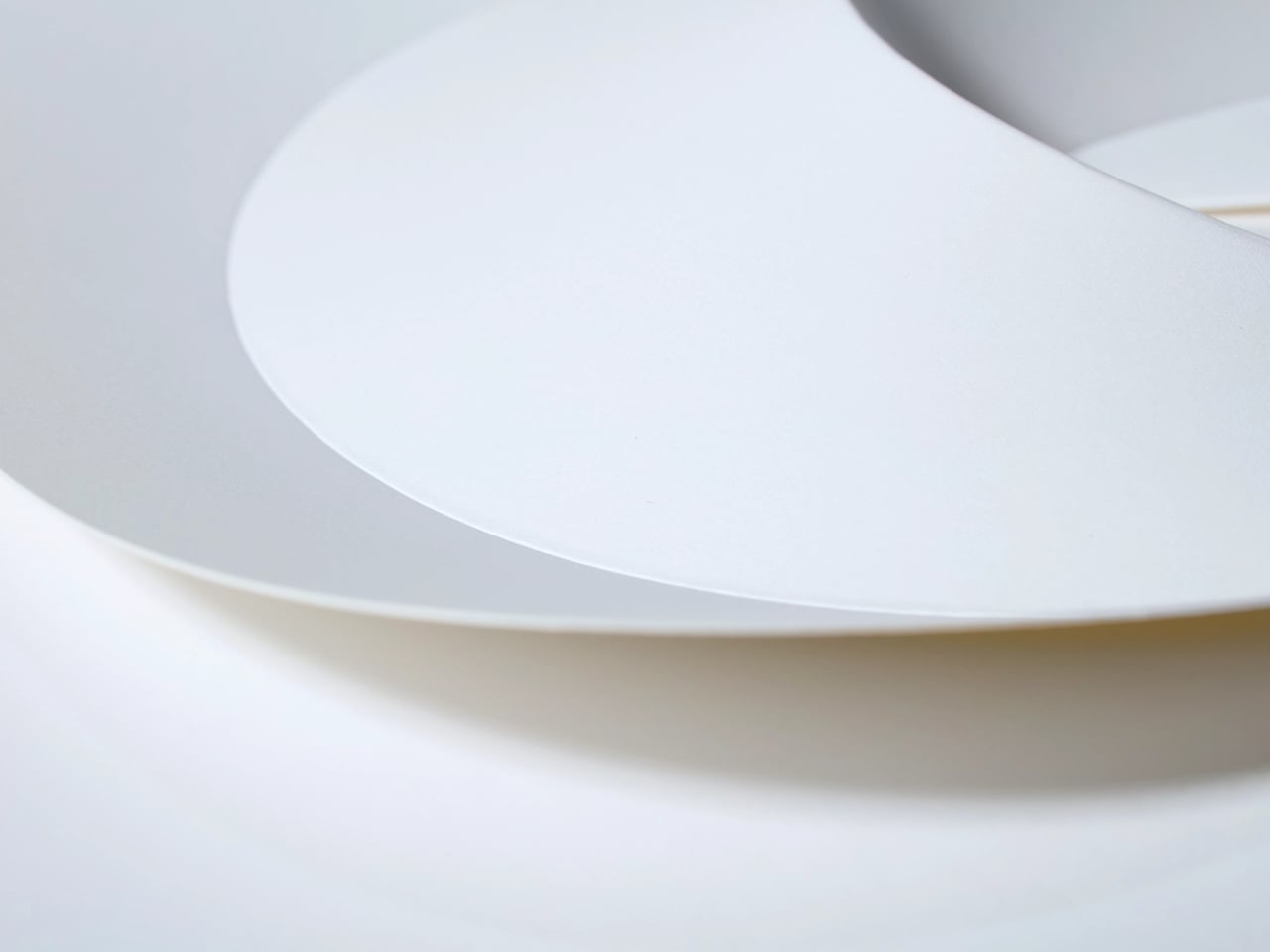
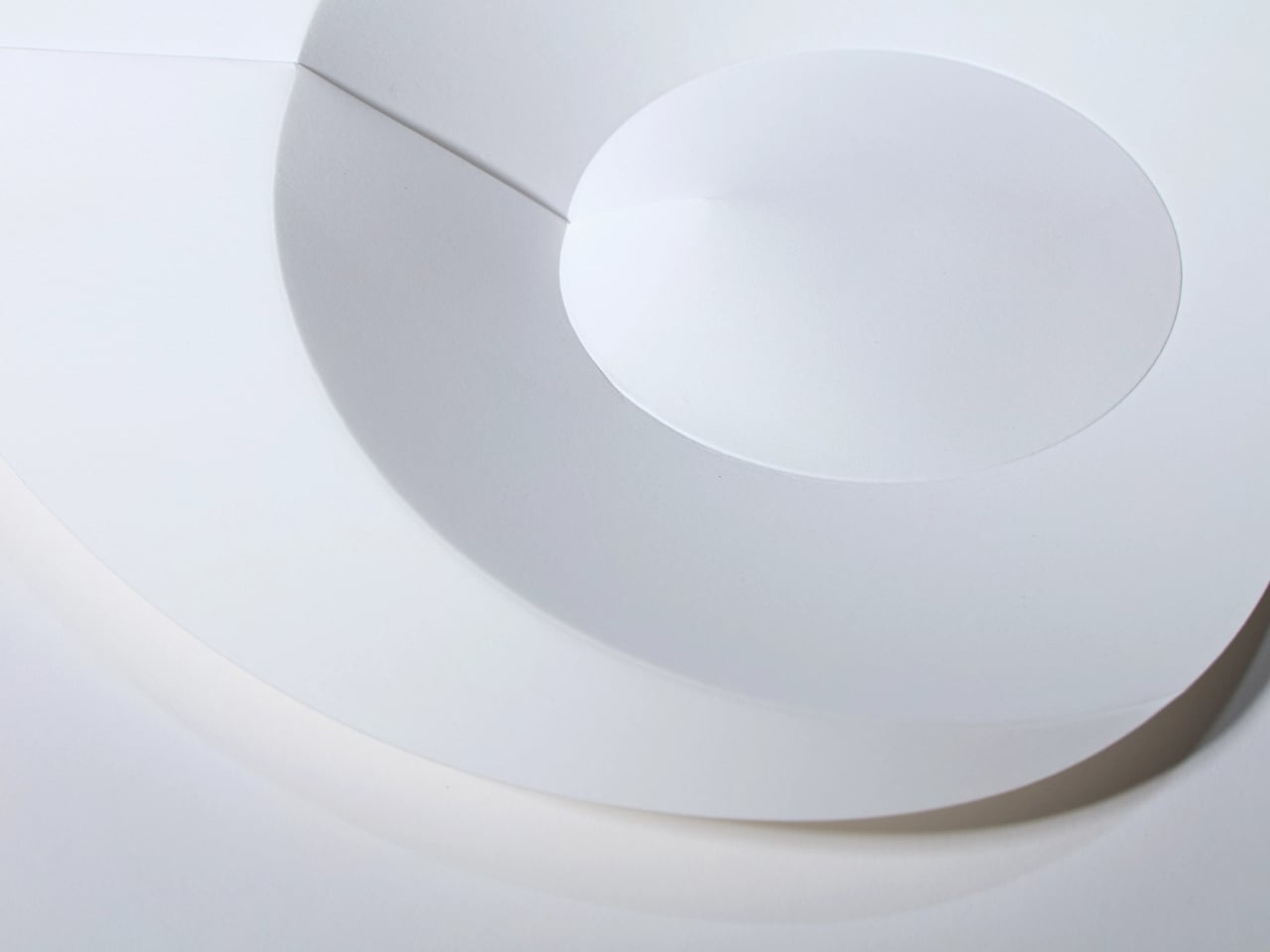
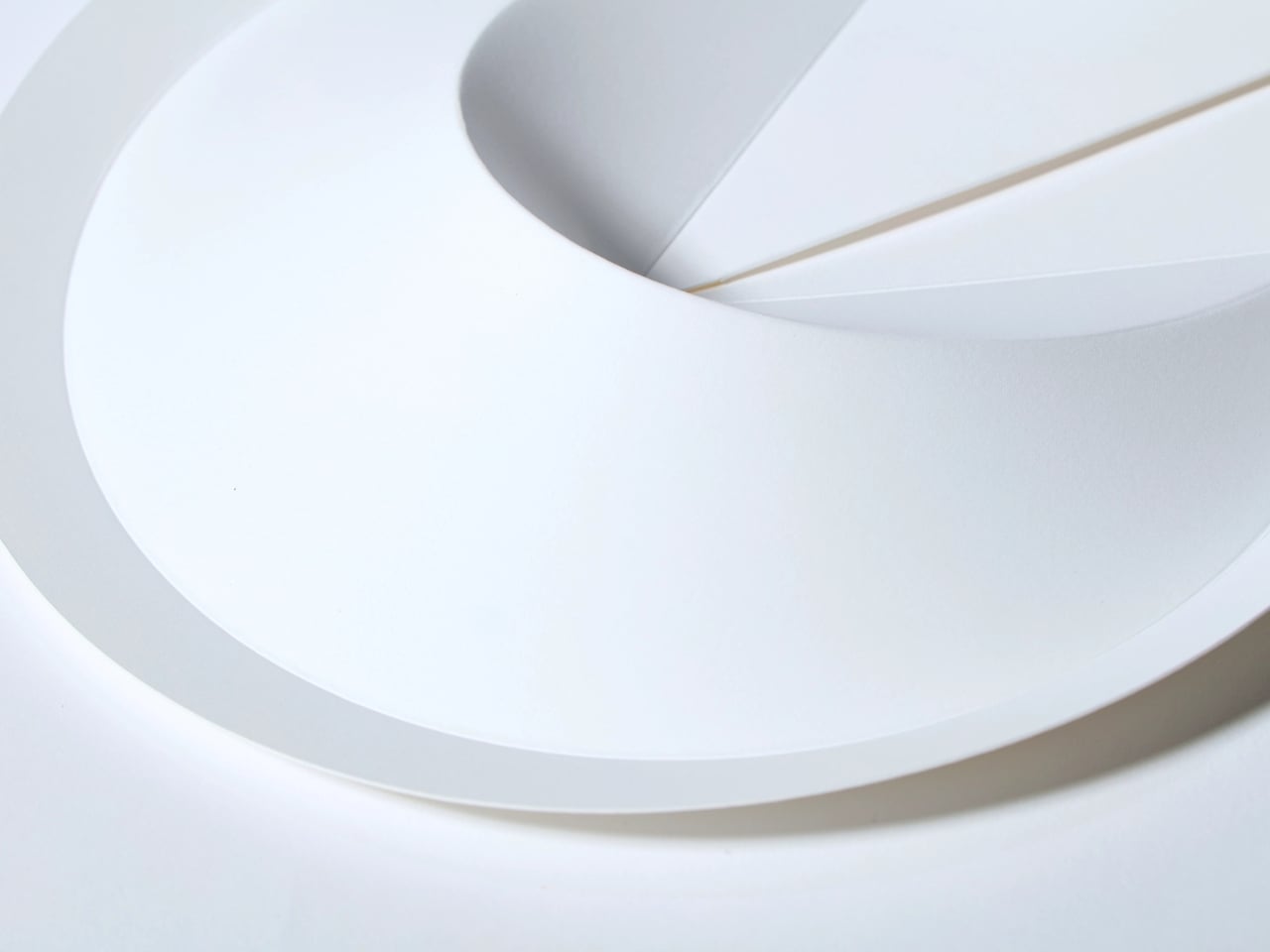
Flowers deserve drama, and this pop-up book vase delivers it in the most space-efficient package imaginable. Crack the cover to reveal three-dimensional vase cutouts that transform flat pages into sculptural vessels. Edition 4 introduces gray, yellow, and green designs with varied shapes that offer fresh perspectives—literally, since flipping the book upside down completely changes your arrangement’s presentation. Made from natural pulp with water-resistant coating, these aren’t decorative props but functional vases. When not in use, they collapse to book thickness and slide onto shelves beside actual reading material.

The concept challenges what vases must be. Traditional ceramic versions demand dedicated storage even when empty, sitting idle between floral moments. This innovation shrinks that footprint to nearly nothing while expanding creative possibilities. Each page offers a different aesthetic, meaning one item provides three distinct looks. The whimsy feels intentionally Japanese—playful yet purposeful, artistic yet practical. For tiny homes where every object must justify its existence, a vase that disappears when not needed while offering multiple design options, becomes genuinely valuable.

Click Here to Buy Now: $39.00

What We Like

  • Three vase designs in one item triple your decorating options
  • Book-flat storage means it virtually disappears between uses
  • The water-resistant coating makes it genuinely functional, not just decorative
  • Upside-down orientation adds creative flexibility to arrangements

What We Dislike

  • Paper construction requires gentler handling than ceramic alternatives
  • The pop-up mechanism may weaken with extremely frequent opening and closing

5. Obsidian Black Mini Grip Tongs

Precision matters when space is tight, and these mini tongs deliver restaurant-level control in a fraction of the size. Available in 4.9-inch and 7-inch lengths, they’re crafted from SUS821L1 stainless steel—twice as strong as standard SUS304, allowing thinner, lighter construction without sacrificing durability. The obsidian black finish elevates them beyond mere utensils into objects worth displaying. Whether plating delicate appetizers, flipping shrimp, or arranging Instagram-worthy presentations, these tongs put professional deftness into compact packages that suit tiny kitchens where every drawer inch counts.

The size proves liberating rather than limiting. Standard tongs feel cumbersome when you’re maneuvering in tight spaces or handling small portions, but these scaled-down versions match the reality of cooking for one or two in condensed quarters. The corrosion-resistant steel ensures longevity that justifies the investment, embodying the Japanese principle of buying quality once rather than cheap replacements repeatedly. Their sculptural appearance means they can hang on exposed rails without looking utilitarian—important when tiny homes often blur kitchen and living spaces into single rooms.

Click Here to Buy Now: $25.00

What We Like

  • The compact size offers precision impossible with full-length tongs
  • Superior steel strength allows elegant thinness without compromising durability
  • The black finish looks intentional on open storage and exposed racks
  • Lightweight construction reduces hand fatigue during detailed plating work

What We Dislike

  • Shorter length means less distance from heat sources during cooking
  • The specialized size might not suit those who prefer standard dimensions

6. Heritage Craft Unboxing Knife

Opening packages becomes an aesthetic experience with this circular cutter carved from solid aluminum. Inspired by Paleolithic hand axes, the design reimagines ancient tools through modern machining that leaves wave-like patterns across the surface. These aren’t just decorative—they provide a secure, non-slip grip. The tapered form and striking appearance transform a mundane task tool into a desk object worth displaying prominently. For tiny homes where every visible item contributes to the overall aesthetic, this cutter earns its spot through beauty and mystery rather than hiding shamefully in drawers.

The symbolism runs deeper than surface appeal. Using metal instead of stone represents human evolution in physical form—a daily reminder that tools can be thoughtful rather than thoughtless. The raw, handcrafted quality contrasts beautifully with mass-produced plastic alternatives while taking up minimal space. Japanese design philosophy shines through the balance of form and function, creating something that inspires even during routine tasks. When you’re opening the constant stream of packages that tiny home living often requires, why not do it with something that brings joy rather than just utility?

Click Here to Buy Now: $99.00

What We Like

  • The sculptural form justifies prominent display rather than drawer storage
  • Ancient inspiration creates conversation-worthy design with genuine depth
  • Wave patterns provide functional grip while enhancing visual appeal
  • Aluminum construction balances durability with comfortable weight

What We Dislike

  • The artistic form might feel less intuitive than traditional box cutter shapes initially
  • The premium design comes at a higher price than basic alternatives

7. Slim Fold Dish Rack

This collapsible dish rack shrinks from 14 inches to 1.2 inches in one second flat. The patent-pending spring mechanism makes deployment and collapse equally effortless, transforming substantial drying capacity into pocket-sized storage. Its minimalist construction provides ample ventilation and accommodates plates, utensils, and cookware of various sizes without bulk. Dishwasher-friendly and easy to clean, it works equally well in permanent tiny homes or mobile camping setups. When counter space measures in precious square inches, reclaiming 14 inches of depth the moment dishes dry becomes genuinely transformative.

The innovation addresses a persistent tiny home frustration: bulky essentials that can’t be eliminated but consume disproportionate space. Traditional dish racks squat permanently on counters, monopolizing real estate even when empty. This design respects that dishes need drying without demanding permanent territorial claims. The spring system proves Japanese engineering at its finest—sophisticated mechanism, simple operation, reliable performance. The ability to pocket the rack when collapsed opens possibilities for RV living, boat galleys, and other extreme space constraints where every item must justify not just its function but its physical footprint.

Click Here to Buy Now: $75.00

What We Like

  • One-second deployment and collapse eliminates fussy setup procedures
  • The collapsed 1.2-inch profile fits virtually anywhere, including large pockets
  • Generous 14-inch expanded size accommodates a full meal’s worth of dishes
  • Dishwasher compatibility makes maintenance effortless and thorough

What We Dislike

  • The spring mechanism requires occasional inspection to maintain smooth operation
  • Lighter construction may shift under heavier cookware without stabilization

Making Space for What Matters

These seven accessories represent more than clever design. They embody a philosophy that tiny living advocates have embraced: abundance comes from quality, not quantity. Each piece eliminates multiple lesser items while adding functionality and beauty. The Japanese influence is evident not in exotic aesthetics, but in thoughtful problem-solving that respects both space and user experience. These aren’t compromises forced by limited square footage but genuinely superior solutions.

The tiny home movement continues growing because it promises freedom from excess, not deprivation. Smart accessories like these make that promise tangible. They prove small spaces can accommodate full lives when every object pulls its weight. Whether you’re downsizing deliberately or maximizing what you have, these compact essentials demonstrate that intelligent design creates spaciousness regardless of actual dimensions. The trend isn’t really about tiny homes at all. It’s about intentional living, and these seven pieces show exactly what that looks like.

The post Japan Just Solved Tiny Home Living With 7 Genius Accessories first appeared on Yanko Design.

instax mini Evo Cinema Hides 15-Second Clips Inside QR Code on Prints

Instant cameras and short-form video have been running on parallel tracks, one about physical keepsakes you can hold, the other about clips that vanish into feeds. Instax has always been about handing someone a moment they can stick on a wall, while most video lives on screens. The question of what it would look like if those two ideas finally met in a single handheld object has been hovering for a while.

Instax mini Evo Cinema is Fujifilm’s attempt to do exactly that. It is a hybrid instant camera that shoots both stills and 15-second video clips, then turns those clips into instax mini prints with QR codes. You pick a frame, print it, and the tiny card becomes both a photograph and a doorway back to the moving memory when someone scans it, blurring the line between souvenir and portal.

Designer: Fujifilm

The Eras Dial is a new control that dresses your footage in looks inspired by different decades. There are ten effects, from 1960’s 8mm film to 1970’s color CRT, 1980’s 35 mm negatives, and a 2010 mode that feels like early smartphone filters, each with ten intensity levels. Visual textures, noise, tape flutter, and sound all get processed, so shooting can feel like stepping into another era with dial clicks marking each shift.

The vertical grip borrows from Fujifilm’s FUJICA Single-8 8mm camera, making it feel more like a tiny movie camera than a flat point-and-shoot. The tactile Eras Dial and Print Lever that mimics winding film turn printing into a small ritual. You can frame shots on the rear LCD or snap on the included viewfinder for a more immersive experience that feels surprisingly satisfying when you are used to phone cameras.

Picture filming a friend’s toast or a quick city walk, holding the shutter to record and releasing to pause between cuts. Later, you scroll through clips on the screen, pick a favorite frame, and pull the lever to spit out an instax mini with a QR code. Handing that card over feels different from sending a link, it is a tiny artifact that still carries the motion with it.

The dedicated app lets you combine clips into 30-second mini films with cinematic intros and outros, design poster-style prints with titles, and use Direct Print to turn phone photos into instax minis. Bluetooth and Wi-Fi make transfers faster, but the camera still stands on its own when you leave your phone in your bag and just want to shoot and hand someone a print.

The Mini Evo Cinema treats the instax print as more than a frozen frame. With the QR code and Eras Dial, each card becomes a little time capsule, a still that points back to a moving, era-tinted moment. A camera that lets you hand someone a clip disguised as a photograph feels like a surprisingly natural evolution, especially when you love both the physicality of instant film and the playfulness of short video that disappears into feeds.

The post instax mini Evo Cinema Hides 15-Second Clips Inside QR Code on Prints first appeared on Yanko Design.

Steel Is Dead: 5 Titanium Products That Just Replaced It in 2026

Titanium is no longer confined to aerospace or medical tools. You now see it shaping everyday product design, from consumer electronics to furniture and wearables. Its high strength-to-weight ratio lets you create thinner profiles without sacrificing durability. Resistant to corrosion, scratches, and heat, titanium extends product life while reducing the need for frequent replacement.

Beyond performance, titanium delivers a refined tactile and visual experience. Its surface interacts with light to produce subtle tonal shifts that feel precise yet understated. You get products that feel premium without excess. With its long lifespan and recyclability, titanium supports responsible design choices, aligning innovation with sustainability and long-term value.

1. Generative Titanium Design

Generative design combined with additive manufacturing is reshaping how you approach product structures. Instead of solid, overbuilt components, you can now create lightweight forms guided by algorithms. These digitally evolved geometries use material only where strength is required, resulting in efficient, organic profiles inspired by natural systems such as bone and cellular growth.

With 3D titanium printing technologies like laser powder bed fusion, you achieve precise stress-optimized components with minimal waste. Although production costs remain higher upfront, you benefit from reduced material usage, fewer assembly steps, and lower energy input, which delivers smarter products that balance performance, sustainability, and long-term value.

Apple’s move to 3D-printed titanium signals a deeper shift in product design, where manufacturing innovation directly shapes form, performance, and sustainability. By producing Apple Watch Ultra 3 and Series 11 cases through additive manufacturing using 100 percent recycled aerospace-grade titanium powder, Apple cuts raw material use by nearly half. The result feels identical to traditionally forged cases that are light, durable, and mirror-polished, yet it emerges from a process that builds only what the design truly needs.

Unlike subtractive machining, where excess titanium becomes waste, 3D printing constructs cases layer by layer with extreme precision. This unlocks design advantages beyond efficiency. Apple can now print internal textures that improve bonding between metal and plastic, enhancing waterproofing without adding bulk. The same approach enables thinner yet stronger components, such as the titanium USB-C enclosure in the iPhone Air. Here, sustainability is not an add-on, as it becomes the system through which better products are designed.

2. Anodic Color Effects

Titanium achieves color through anodic oxidation, an electrochemical process that alters its natural oxide layer rather than covering it. You are not applying paint, but you are changing how the material interacts with light. This creates rich hues—ranging from soft blues to deep violets—that shift subtly with angle and atmosphere, giving products a living, responsive surface.

These anodic finishes are not only expressive but enduring. They resist UV fading, corrosion, and salt exposure far better than conventional coatings. For product design, this means long-lasting color without maintenance or reapplication. You get visual depth, material honesty, and performance aligned in a single, permanent finish.

The AEON Ballpoint is defined by disciplined product design rather than visual flair. Its form is reduced to a clean metal cylinder, free of branding, excess seams, or decorative elements. The matte finishes are chosen for grip and durability, not ornament. Every curve is calibrated for the hand, making the object feel purposeful and precise from the first touch.

Function drives every detail. The front-end twist mechanism is hidden where the fingers naturally rest, allowing seamless operation without changing grip. Weight distribution is carefully balanced for sustained writing comfort, while subtle flat facets prevent the pen from rolling on a desk. Titanium

3. Smart Glazing

Titanium-doped glazing represents a new generation of high-performance glass designed to actively regulate indoor climate. By depositing ultra-thin layers of titanium dioxide onto glass surfaces, this technology achieves spectral selectivity—reflecting infrared heat while allowing visible light to pass through. The result is improved thermal efficiency, reduced heat gain, and lower dependence on mechanical cooling systems, even in buildings with expansive glass façades.

Beyond performance, this glazing supports biophilic design intent. Clear, untinted views preserve a visual connection with the landscape, allowing natural light to shape interior experience. The space remains thermally stable yet visually open, creating a calm, nature-connected interior envelope.

The Prism Titanium Beer Glass is designed to elevate the act of drinking through precision, material integrity, and restrained design. Crafted in Japan by Progress Design, the glass features an ultra-thin lining of 99.9% pure titanium, engineered to reduce bitterness and eliminate metallic aftertastes, allowing the true character of the beverage to emerge. Its flared rim enhances aroma and refines mouthfeel, while the aerospace-grade construction ensures durability, corrosion resistance, and long-term performance. Every element reflects a balance between advanced technology and traditional Japanese craftsmanship.

Visually understated yet distinctive, Prism’s light-reactive finish subtly shifts with movement, adding depth without excess. Etched motifs draw from enduring Japanese symbols of continuity and prosperity, reinforcing its sense of permanence and purpose. Designed to be used daily rather than displayed, the Prism Titanium Beer Glass prioritises clarity, tactility, and intention—transforming an ordinary pour into a composed, well-considered experience grounded in design excellence.

Click here to Buy the Prism Titanium Beer Glass: $99 

4. Minimalism Enabled by Strength

Titanium’s exceptional tensile strength enables a new approach to product and structural design defined by extreme slenderness and visual lightness. Components can be engineered with significantly reduced mass while maintaining high performance, allowing forms to appear almost invisible. This material efficiency supports refined proportions and uninterrupted lines, enhancing both functionality and aesthetic clarity.

By minimising structural bulk, design emphasis shifts towards spatial sequencing and visual flow. Slender supports and cantilevered elements create open, fluid compositions that maximise usable space while reinforcing a sense of weightlessness. This form of minimalism is not decorative but technical—rooted in advanced engineering and material intelligence, where precision-driven design allows the surrounding context and spatial experience to take precedence.

The TriPro Stand is a compact, precision-engineered multitool designed to deliver high functionality within a remarkably small form. Crafted from durable titanium alloy, it integrates 15 essential tools into a structure no larger than a finger while maintaining a lightweight profile of just 56 grams. Its design prioritises strength, corrosion resistance, and refined minimalism, demonstrating how advanced materials allow complex functionality without added bulk. The result is a discreet yet highly capable everyday carry tool that balances performance with visual restraint.

Each function is thoughtfully embedded to support practical, real-world use. Features such as the integrated phone stand, modular screwdriver system with magnetic bit storage, SIM ejector, pry bar, spoke wrench, folding scalpel, sharpener, and emergency glass breaker are engineered for reliability rather than novelty. Measuring 8 cm in length, the TriPro Stand exemplifies intelligent product design—where precision manufacturing, material efficiency, and purposeful detailing converge to create a durable and dependable multitool.

5. Exceptional Fatigue Resistance

Titanium demonstrates exceptional resistance to cyclic fatigue, enabling it to withstand repeated stress and loading without cracking, deforming, or compromising structural integrity. Unlike many conventional metals that gradually weaken under continuous use, titanium retains its mechanical performance across millions of stress cycles. This inherent endurance allows designers to rely on slimmer, more efficient components without sacrificing reliability.

Such fatigue resistance makes titanium particularly suitable for products intended for frequent handling and long-term use, including hinges, fasteners, wearables, tools, and precision mechanical interfaces. By maintaining consistent performance over time, titanium enhances safety, durability, and functional stability. Its ability to endure prolonged mechanical demand reinforces its position as a material defined not only by strength and lightness, but by sustained performance and endurance-led design.

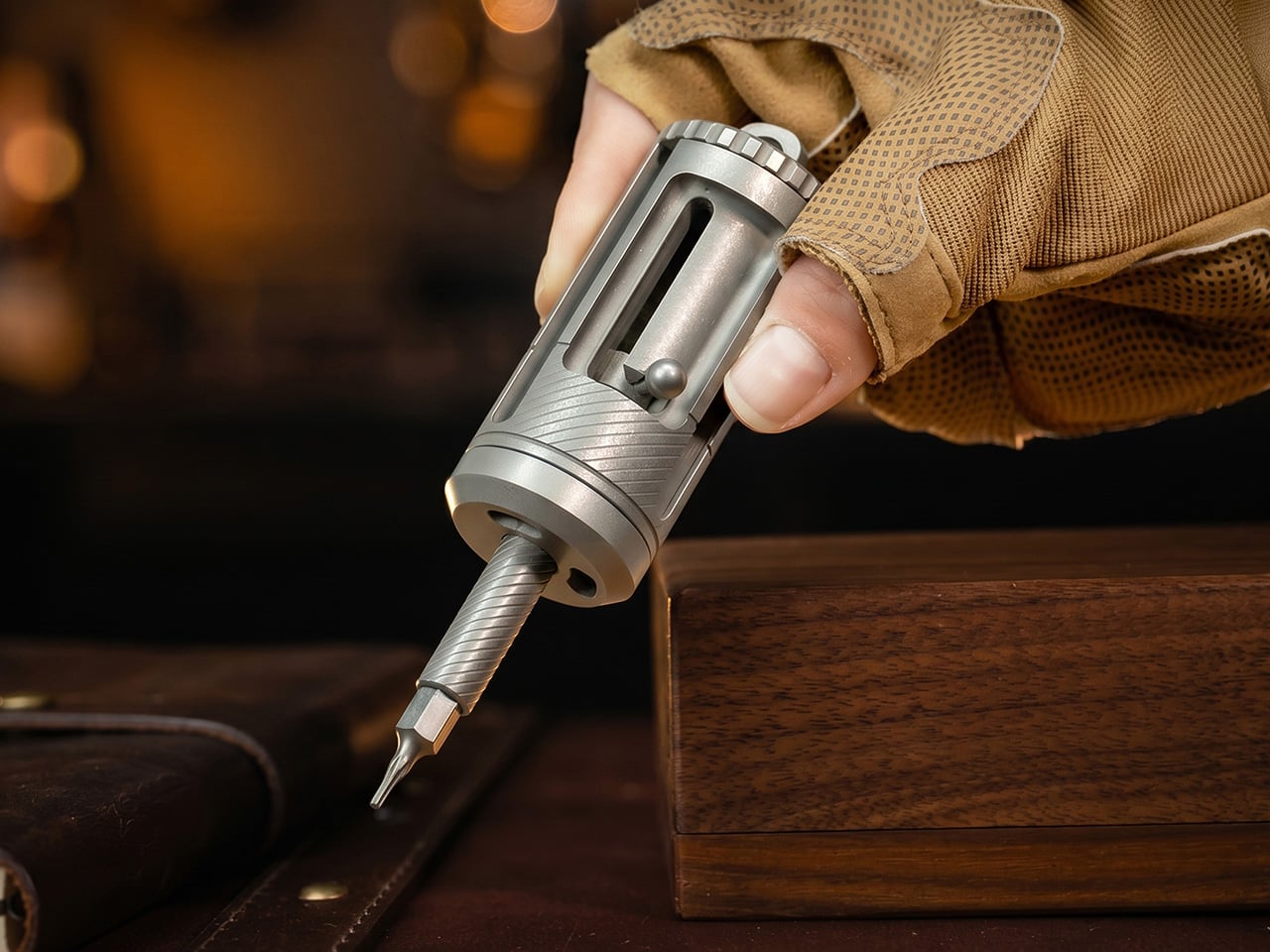
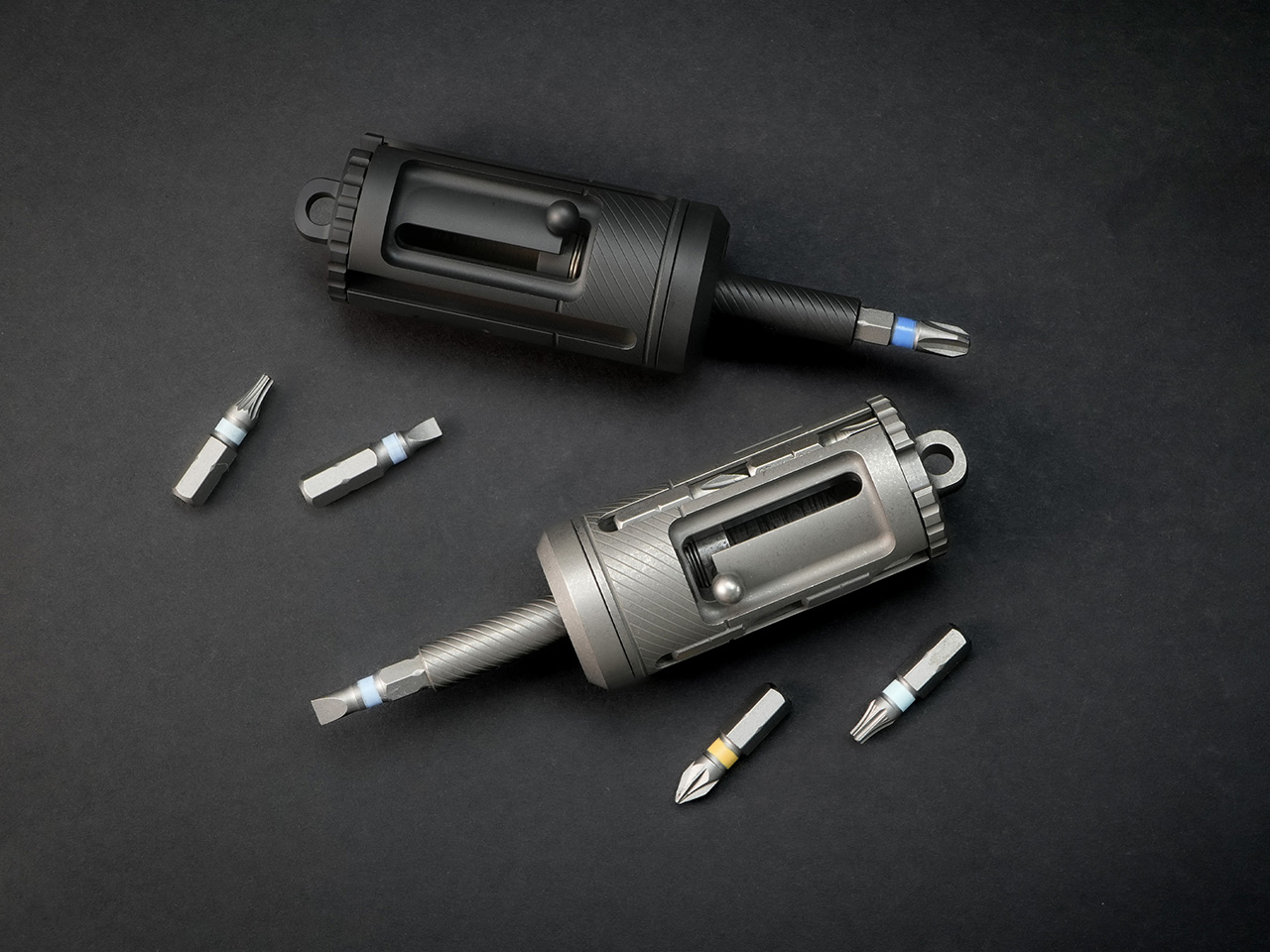
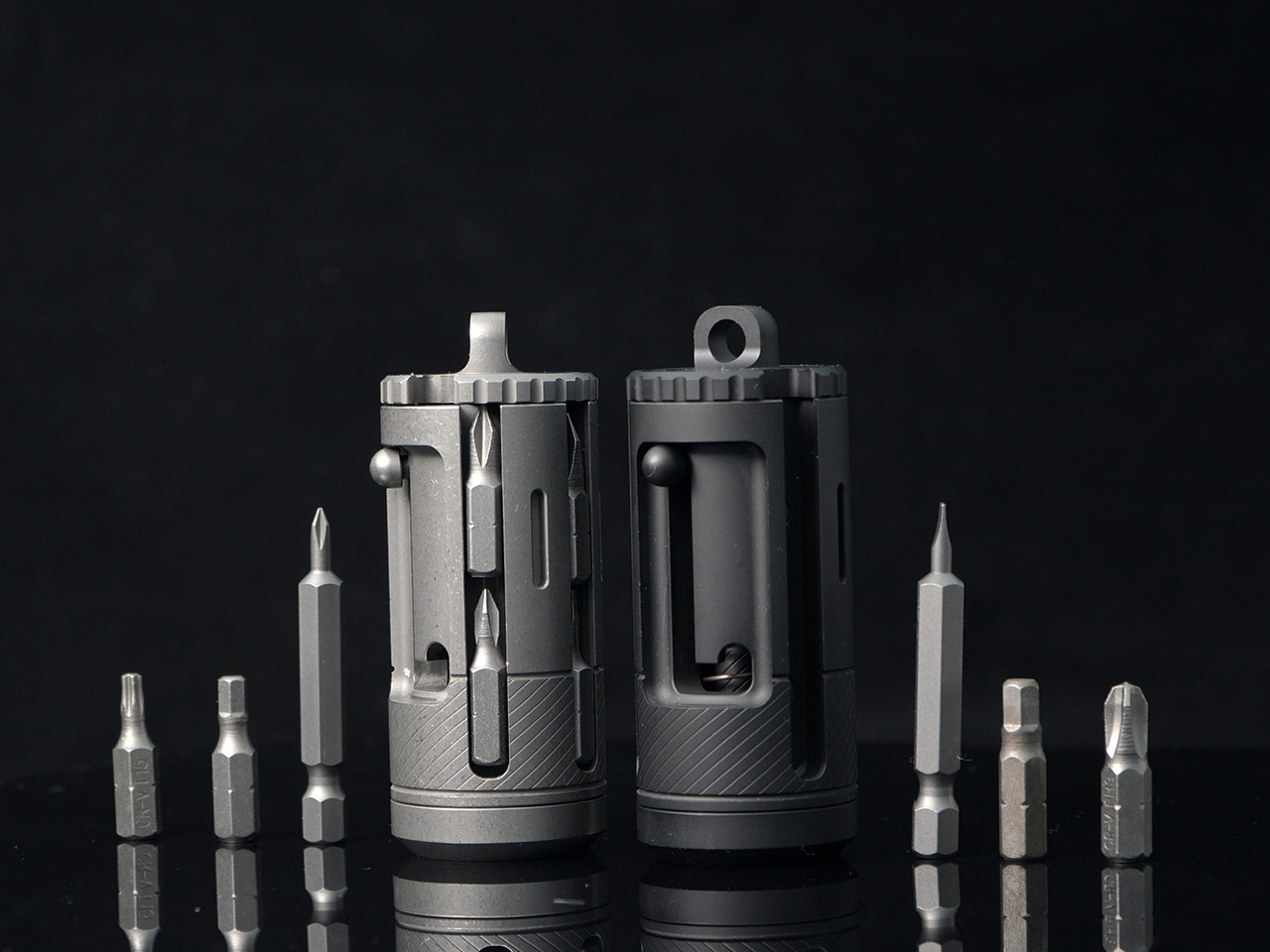
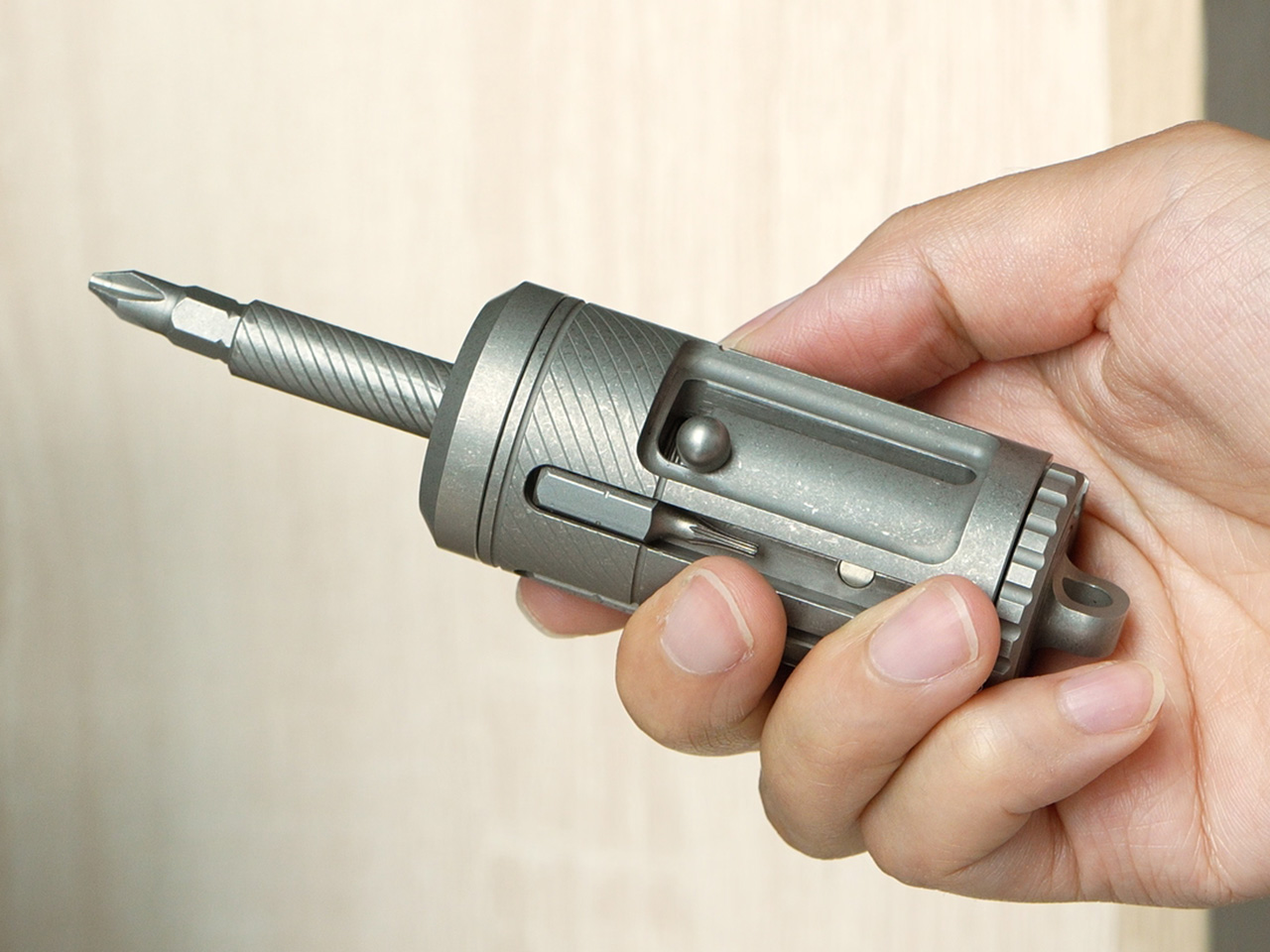
Fasteners positioned in confined or obstructed spaces often reveal the shortcomings of conventional ratchets, which require a wide swing arc to function effectively. The Titaner EDC Ratchet System is engineered specifically to overcome this limitation through a precision 4-degree swing arc, enabling forward motion with minimal hand movement. Its compact ratchet core weighs just 29.8 grams, yet delivers clear tactile and audible feedback, ensuring accurate engagement even in environments where access and visibility are severely restricted.

Despite its minimal size, the system is designed for high torque and long-term durability. A dual-lock gear mechanism efficiently transfers force without play, while a flip-based directional control replaces fragile thumb levers, reducing complexity and potential failure points. The modular configuration allows the tool to be adapted into T-, L-, or I-shaped formats using extension bars, optimising leverage and reach. Manufactured from GR5 titanium with hardened M390 steel gear teeth, the Titaner EDC Ratchet System combines corrosion resistance, structural integrity, and refined mechanical performance in a compact, purpose-driven design.

The integration of titanium into product design marks a shift from visual heaviness to intelligent lightness. No longer perceived as cold or industrial, titanium functions as a responsive material that balances strength, precision, and refined tactility. Its use enables objects that are lighter, more durable, and visually restrained—defining a new language of design where performance, longevity, and elegance are seamlessly aligned.

The post Steel Is Dead: 5 Titanium Products That Just Replaced It in 2026 first appeared on Yanko Design.

Steel Is Dead: 5 Titanium Products That Just Replaced It in 2026

Titanium is no longer confined to aerospace or medical tools. You now see it shaping everyday product design, from consumer electronics to furniture and wearables. Its high strength-to-weight ratio lets you create thinner profiles without sacrificing durability. Resistant to corrosion, scratches, and heat, titanium extends product life while reducing the need for frequent replacement.

Beyond performance, titanium delivers a refined tactile and visual experience. Its surface interacts with light to produce subtle tonal shifts that feel precise yet understated. You get products that feel premium without excess. With its long lifespan and recyclability, titanium supports responsible design choices, aligning innovation with sustainability and long-term value.

1. Generative Titanium Design

Generative design combined with additive manufacturing is reshaping how you approach product structures. Instead of solid, overbuilt components, you can now create lightweight forms guided by algorithms. These digitally evolved geometries use material only where strength is required, resulting in efficient, organic profiles inspired by natural systems such as bone and cellular growth.

With 3D titanium printing technologies like laser powder bed fusion, you achieve precise stress-optimized components with minimal waste. Although production costs remain higher upfront, you benefit from reduced material usage, fewer assembly steps, and lower energy input, which delivers smarter products that balance performance, sustainability, and long-term value.

Apple’s move to 3D-printed titanium signals a deeper shift in product design, where manufacturing innovation directly shapes form, performance, and sustainability. By producing Apple Watch Ultra 3 and Series 11 cases through additive manufacturing using 100 percent recycled aerospace-grade titanium powder, Apple cuts raw material use by nearly half. The result feels identical to traditionally forged cases that are light, durable, and mirror-polished, yet it emerges from a process that builds only what the design truly needs.

Unlike subtractive machining, where excess titanium becomes waste, 3D printing constructs cases layer by layer with extreme precision. This unlocks design advantages beyond efficiency. Apple can now print internal textures that improve bonding between metal and plastic, enhancing waterproofing without adding bulk. The same approach enables thinner yet stronger components, such as the titanium USB-C enclosure in the iPhone Air. Here, sustainability is not an add-on, as it becomes the system through which better products are designed.

2. Anodic Color Effects

Titanium achieves color through anodic oxidation, an electrochemical process that alters its natural oxide layer rather than covering it. You are not applying paint, but you are changing how the material interacts with light. This creates rich hues—ranging from soft blues to deep violets—that shift subtly with angle and atmosphere, giving products a living, responsive surface.

These anodic finishes are not only expressive but enduring. They resist UV fading, corrosion, and salt exposure far better than conventional coatings. For product design, this means long-lasting color without maintenance or reapplication. You get visual depth, material honesty, and performance aligned in a single, permanent finish.

The AEON Ballpoint is defined by disciplined product design rather than visual flair. Its form is reduced to a clean metal cylinder, free of branding, excess seams, or decorative elements. The matte finishes are chosen for grip and durability, not ornament. Every curve is calibrated for the hand, making the object feel purposeful and precise from the first touch.

Function drives every detail. The front-end twist mechanism is hidden where the fingers naturally rest, allowing seamless operation without changing grip. Weight distribution is carefully balanced for sustained writing comfort, while subtle flat facets prevent the pen from rolling on a desk. Titanium

3. Smart Glazing

Titanium-doped glazing represents a new generation of high-performance glass designed to actively regulate indoor climate. By depositing ultra-thin layers of titanium dioxide onto glass surfaces, this technology achieves spectral selectivity—reflecting infrared heat while allowing visible light to pass through. The result is improved thermal efficiency, reduced heat gain, and lower dependence on mechanical cooling systems, even in buildings with expansive glass façades.

Beyond performance, this glazing supports biophilic design intent. Clear, untinted views preserve a visual connection with the landscape, allowing natural light to shape interior experience. The space remains thermally stable yet visually open, creating a calm, nature-connected interior envelope.

The Prism Titanium Beer Glass is designed to elevate the act of drinking through precision, material integrity, and restrained design. Crafted in Japan by Progress Design, the glass features an ultra-thin lining of 99.9% pure titanium, engineered to reduce bitterness and eliminate metallic aftertastes, allowing the true character of the beverage to emerge. Its flared rim enhances aroma and refines mouthfeel, while the aerospace-grade construction ensures durability, corrosion resistance, and long-term performance. Every element reflects a balance between advanced technology and traditional Japanese craftsmanship.
Visually understated yet distinctive, Prism’s light-reactive finish subtly shifts with movement, adding depth without excess. Etched motifs draw from enduring Japanese symbols of continuity and prosperity, reinforcing its sense of permanence and purpose. Designed to be used daily rather than displayed, the Prism Titanium Beer Glass prioritises clarity, tactility, and intention—transforming an ordinary pour into a composed, well-considered experience grounded in design excellence.

Click here to Buy the Prism Titanium Beer Glass: $99 

4. Minimalism Enabled by Strength

Titanium’s exceptional tensile strength enables a new approach to product and structural design defined by extreme slenderness and visual lightness. Components can be engineered with significantly reduced mass while maintaining high performance, allowing forms to appear almost invisible. This material efficiency supports refined proportions and uninterrupted lines, enhancing both functionality and aesthetic clarity.

By minimising structural bulk, design emphasis shifts towards spatial sequencing and visual flow. Slender supports and cantilevered elements create open, fluid compositions that maximise usable space while reinforcing a sense of weightlessness. This form of minimalism is not decorative but technical—rooted in advanced engineering and material intelligence, where precision-driven design allows the surrounding context and spatial experience to take precedence.

The TriPro Stand is a compact, precision-engineered multitool designed to deliver high functionality within a remarkably small form. Crafted from durable titanium alloy, it integrates 15 essential tools into a structure no larger than a finger while maintaining a lightweight profile of just 56 grams. Its design prioritises strength, corrosion resistance, and refined minimalism, demonstrating how advanced materials allow complex functionality without added bulk. The result is a discreet yet highly capable everyday carry tool that balances performance with visual restraint.

Each function is thoughtfully embedded to support practical, real-world use. Features such as the integrated phone stand, modular screwdriver system with magnetic bit storage, SIM ejector, pry bar, spoke wrench, folding scalpel, sharpener, and emergency glass breaker are engineered for reliability rather than novelty. Measuring 8 cm in length, the TriPro Stand exemplifies intelligent product design—where precision manufacturing, material efficiency, and purposeful detailing converge to create a durable and dependable multitool.

5. Exceptional Fatigue Resistance

Titanium demonstrates exceptional resistance to cyclic fatigue, enabling it to withstand repeated stress and loading without cracking, deforming, or compromising structural integrity. Unlike many conventional metals that gradually weaken under continuous use, titanium retains its mechanical performance across millions of stress cycles. This inherent endurance allows designers to rely on slimmer, more efficient components without sacrificing reliability.

Such fatigue resistance makes titanium particularly suitable for products intended for frequent handling and long-term use, including hinges, fasteners, wearables, tools, and precision mechanical interfaces. By maintaining consistent performance over time, titanium enhances safety, durability, and functional stability. Its ability to endure prolonged mechanical demand reinforces its position as a material defined not only by strength and lightness, but by sustained performance and endurance-led design.
Fasteners positioned in confined or obstructed spaces often reveal the shortcomings of conventional ratchets, which require a wide swing arc to function effectively. The Titaner EDC Ratchet System is engineered specifically to overcome this limitation through a precision 4-degree swing arc, enabling forward motion with minimal hand movement. Its compact ratchet core weighs just 29.8 grams, yet delivers clear tactile and audible feedback, ensuring accurate engagement even in environments where access and visibility are severely restricted.

Despite its minimal size, the system is designed for high torque and long-term durability. A dual-lock gear mechanism efficiently transfers force without play, while a flip-based directional control replaces fragile thumb levers, reducing complexity and potential failure points. The modular configuration allows the tool to be adapted into T-, L-, or I-shaped formats using extension bars, optimising leverage and reach. Manufactured from GR5 titanium with hardened M390 steel gear teeth, the Titaner EDC Ratchet System combines corrosion resistance, structural integrity, and refined mechanical performance in a compact, purpose-driven design.

The integration of titanium into product design marks a shift from visual heaviness to intelligent lightness. No longer perceived as cold or industrial, titanium functions as a responsive material that balances strength, precision, and refined tactility. Its use enables objects that are lighter, more durable, and visually restrained—defining a new language of design where performance, longevity, and elegance are seamlessly aligned.

The post Steel Is Dead: 5 Titanium Products That Just Replaced It in 2026 first appeared on Yanko Design.