This Hollow-Handle Titanium Kitchen Knife Actually Shifts Its Own Balance Point Toward the Blade

That elongated oval cutout running through the handle of the Titanion APEX catches attention first. It reads almost like a tuning fork, or a beautifully machined piece of industrial hardware that ended up on a cutting board. The form is deliberate on multiple levels: it trims weight from the handle end, which naturally shifts the balance point forward toward the blade. For cooks who prefer that blade-forward feel, the shift is immediately noticeable. And because the whole knife is machined from a single continuous piece of TC4 titanium alloy, there are no separate components, no rivets to rust, no scales to loosen over years of daily use. The result is a full-tang construction by default, which, in a knife made from one of the strongest lightweight metals on the planet, makes for an exceptionally robust tool.

Titanion is a Hong Kong-based brand with three years of focused research into bringing aerospace-grade titanium materials into everyday kitchen use. Their previous tools have already attracted over 5,000 professional chefs and dessert masters as loyal users. The APEX series is their most knife-forward move yet: two serrated blades, a Titanium Bread Knife and a Titanium Multifunctional Serrated Knife. The blade is forged from high-performance 10Cr15MoV steel with precision serrated edges, boasting outstanding hardness, wear resistance, and long-lasting sharpness. Titanion claims this is the first serrated kitchen knife on the market to feature a titanium alloy handle.

Designer: Byron Ho

Click Here to Buy Now: $81 $116 (30% off). Hurry, only a few left!

The bread knife runs 13.98 inches (35.5cm) total, sitting on the longer end of the bread knife category, which means more stroke per pass and fewer awkward repositions on a large loaf. Titanion uses a segmented serration pattern: larger wavy serrations on the main cutting area for smooth strokes without crushing the crumb, and finer serrations at the tip for piercing hard outer crusts, croissant shells, and thick-skinned fruit. That dual-geometry setup sounds like marketing until you’ve worked through a dense sourdough and realized the tip teeth were doing actual work before the wavy section ever takes over. Blade thickness sits at 0.06 inches (0.15cm), keeping the profile lean enough for clean slicing without wedging. The longer format also makes it useful beyond bread, handling anything that benefits from a long, smooth sawing stroke.

The utility knife at 9.45 inches (24cm) takes a completely different approach: consistent serration from base to tip, the same tooth geometry across the entire blade for stable and uniform cutting performance on whatever it’s working through. That uniformity makes it a genuine generalist, handling root vegetables, steaks, small pastries, and protein foods with equal confidence. Roughly half the length of the bread knife, it’s maneuverable enough for intricate prep but substantial enough for harder cuts, and the compact size pairs well with the ergonomic titanium handle during active cooking. Consistent serration also makes future sharpening more predictable, something the bread knife’s dual-geometry complicates. The two knives fill completely different roles and work as actual complements in daily kitchen use.

TC4, or Grade 5 titanium alloy, runs about 40% lighter than stainless steel while combining superior strength, corrosion resistance, and heat tolerance. The same alloy shows up in aircraft structural frames and orthopedic implants, both of which make the kitchen counter look like a retirement post for the material. In a culinary context, the relevant properties are direct: no moisture absorption, no odor retention, no degradation over time, and full corrosion resistance against acidic ingredients like citrus or vinegar. The 10Cr15MoV steel on the blade side is a high-carbon, high-chromium martensitic stainless that maintains stable sharpness and holds its edge under heavy use significantly better than standard stainless steel options. Together, the materials spec reads closer to precision tooling than kitchen cutlery.

The hollow-out handle is an ergonomic device as much as a visual one. It enhances tactile feedback through the grip, ensures a secure hold even in damp or greasy environments, and significantly reduces fatigue during use. Titanion built in distinct finger grips and a thumb support area, with a flowing contour that allows users to naturally position their thumb and index finger close to the blade’s balance point for a comfortable and precise grip. The oval opening doubles as a hanging point for wall or rail storage, with no extra hardware required. On a knife that gets reached for multiple times a day, small ergonomic decisions like that compound quickly into meaningful quality of life.

Pricing runs $100 for the bread knife, $75 for the utility knife, and $175 for the twin set at the Super Early Bird tier, amounting to a 30% discount on the original price. A discount you should absolutely grab if you’ve made it this far. International shipping is a flat $15 worldwide, with knives delivering starting August 2026. That’s because machining single-piece titanium knives individually takes way more time than snapping components together with glue and rivets. Also, Titanion doesn’t necessarily provide a warranty on the knives, because they don’t need to. Rest assured your GR5 titanium knife will probably outlast you, and then your grandkids too. Wait, why are you still reading? The link’s down below!

Click Here to Buy Now: $81 $116 (30% off). Hurry, only a few left!

The post This Hollow-Handle Titanium Kitchen Knife Actually Shifts Its Own Balance Point Toward the Blade first appeared on Yanko Design.

8-Legged Shapeshifting Stool Features Fold-out ‘Tentacles’ That Turn Into Side-Tables

I’ll admit, I’ve never seen ‘Cyberpunk’ furniture before I saw the Toadstool by Seongmin Kim. Inspired by poisonous mushrooms (hence the name), this futuristic piece of furniture is both appealing and unsettling at the same time. The stool features a sitting surface, but is also armed with (literally) 8 appendages that can be folded inwards or extended outwards. The reason? I honestly don’t know. The practicality? Well, with enough practice, the appendages could be used as tables, or even armrests/backrest.

If I told you to think of a stool inspired by a toadstool, chances are you absolutely would’ve never come up with something like this. This aesthetic is so alien and foreign to furniture design, it might just spark a new design movement. Think utilitarian, highly engineered office furniture but on steroids. There’s no cushioning, no fancy ergonomics. Just function and futuristic-form.

Designer: Seongmin Kim

The chair is made using a series of metal plates screwed together, with hinges to enable the moving action, and sandblasted acrylic plates for that matte aesthetic appeal. “I think the small limitation of crafts is that they are based on practicality,” Kim says. Practicality and maybe indigenous materials, I’d add. You don’t expect a stool to employ such ‘industrial’ materials, but once you try and imagine a chair made from metal plates and acrylic, a DNA quite similar to the Toadstool tends to form.

The chair’s unsettlingly beautiful arms are easily its most alluring feature. Keep them down if you want the toadstool to feel ‘shy’, or unfold them if you’re looking to have your furniture make a statement. Each arm is dual-hinged, and features three flaps that have the appeal of ‘fingers’, but work in a functional way. Keep the flaps horizontal and you’ve got a wider table surface. Fold them upwards and the smaller table has a lip around the edge, preventing things from falling down.

Once could assume that the hinges used on the Toadstool have friction-holding capabilities, which means they’ll retain their shape/position whenever opened or closed. Perfect for when you want to use the arms as a table for keeping light objects like your matcha latte, your phone, power bank, AirPods, notepad, etc. I doubt a laptop would fit on the arms, or even hold its position given how some laptops can weigh upwards of 3.5-4 lbs.

That being said, the closed Toadstool is useful too. Apparently when the arms are folded shut, they can be used to discreetly store items like your phone or wallet… turning the table into a cabinet of sorts. It’s convenient, given that each stool has 8 arms. Fold 4 out for using as tables, keep 4 more folded in to use as hidden cabinets to store bits and bobs.

Unfortunately, the Toadstool doesn’t have a website or a price tag. It’s merely a concept from the mind of a rather quirky designer with an odd blend of sensibilities. I don’t mean that in a bad way at all. I find the Toadstool fascinating. Not just for its function, but also for its form. Like I said, you rarely (if never) hear Cyberpunk and furniture in the same sentence. With how Kim executed his design, maybe we should more often.

The post 8-Legged Shapeshifting Stool Features Fold-out ‘Tentacles’ That Turn Into Side-Tables first appeared on Yanko Design.

This Wavy Sculptural Cat Post Turns Feline Play Into Living Room Art

Bringing together nature, functionality, and contemporary living, this innovative cat scratching post reimagines what pet furniture can be. The product transforms a conventional vertical scratching post into a sculptural centerpiece inspired by coral formations and the fluid movement of ocean waves. The result is an object that satisfies feline instincts while elevating the aesthetic quality of the home.

At first glance, the form distinguishes itself from traditional scratching posts. Instead of the standard cylindrical column wrapped in rope, this design adopts a branching silhouette reminiscent of coral structures, paired with flowing contours that echo the rhythm of waves. These biomorphic shapes are not merely decorative; they serve a functional purpose by creating footholds that encourage cats to climb naturally. This detail acknowledges feline instincts. Scratching, stretching, and ascending are essential behaviors for physical health, territorial marking, and mental stimulation. By translating these instincts into form, the product becomes an interactive environment rather than a static object.

Designer: Hangzhou Owls Technology Co., Ltd.

Equally significant is its visual language. The minimalist black and white palette intentionally rejects the brightly colored, cartoon-style aesthetic common in pet products. This restrained scheme allows the piece to integrate seamlessly into contemporary interiors, appealing to design-conscious owners who prefer their pet furniture to harmonize with their living spaces. In doing so, the scratching post transcends its utilitarian category and enters the realm of modern home décor.

Versatility is another defining feature. The structure is modular, allowing users to adjust its height according to their cat’s age, agility, or physical condition, as well as spatial constraints within the home. This adaptability ensures accessibility for a wider range of cats, including those who are overweight, older, or short-legged. Even less agile pets can climb gradually and safely to the top, where they are rewarded with an elevated resting platform. This top surface doubles as a side table for owners, suitable for holding books, magazines, or remote controls, effectively transforming the object into shared furniture that benefits both human and animal.

The engineering behind the product reflects the same clarity as its visual design. Assembly is simplified through a single threaded rod that connects individual modules, eliminating complicated installation. The magnetic top attachment replaces traditional screw mounting, preventing visible hardware marks and preserving the product’s clean aesthetic. Material selection also reflects careful consideration. The main body is constructed from environmentally friendly paper wicker, chosen for its durability, scratch resistance, and ease of shedding, while the base and top are made from plastic-coated cold-rolled steel, providing stability and long-term strength.

Underlying the design is research into market trends and user behavior. The team observed that most conventional scratching posts focus solely on scratching functionality and rarely address aesthetic integration or multifunctionality. Many adopt playful, cute styling that clashes with modern interiors, forcing owners to compromise between their décor preferences and their pets’ needs. This project responds directly to that gap by combining practicality, sculptural elegance, and adaptability in a single object.

The central design challenge lay in balancing visual refinement with feline usability, ensuring the piece remained visually striking without sacrificing climbability. The coral and wave concept solved this problem elegantly, providing naturalistic footholds that invite movement while maintaining a cohesive sculptural form. The result is a harmonious fusion of art, architecture, and animal ergonomics.

More than a scratching post, this product represents a new category of pet furniture, one that treats animals as co-inhabitants of designed spaces rather than afterthoughts. By integrating natural inspiration, modular engineering, and minimalist aesthetics, it creates a shared environment where pets and owners can coexist comfortably and beautifully.

The post This Wavy Sculptural Cat Post Turns Feline Play Into Living Room Art first appeared on Yanko Design.
The Cheapest Mini PC Costs Under $100 And Uses An Old Samsung Phone to run Steam and PS2 Games

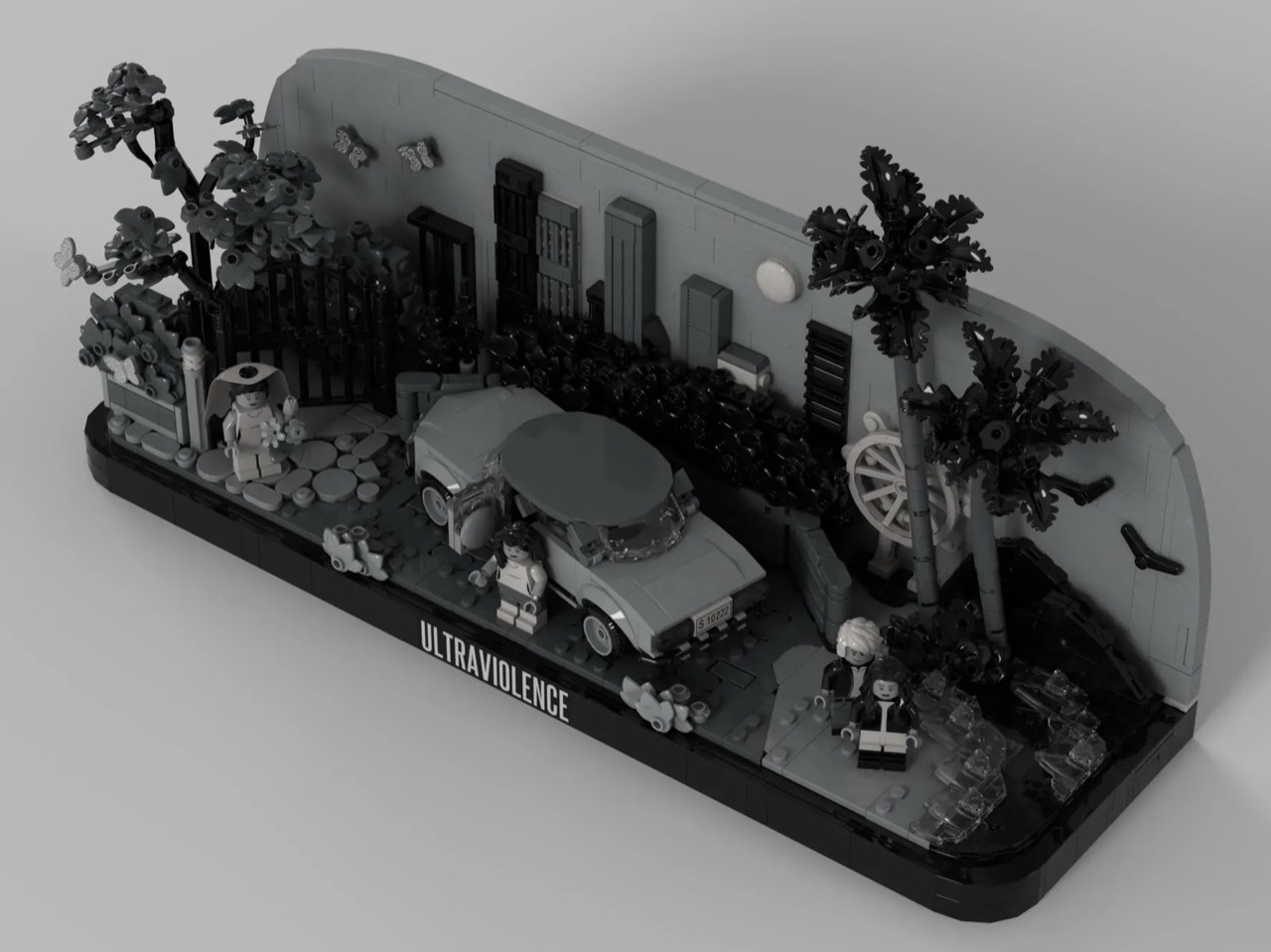
You know what’s ridiculously expensive these days? RAM. You know what isn’t? A broken phone on eBay. ETA PRIME spent under $70 on a Samsung Galaxy S20 FE with a busted screen, stuffed it into a Raspberry Pi tower case, and ended up with a mini PC that boots into Samsung Dex and runs Steam games. It sounds like the setup to a joke. It very much is not.

The Snapdragon 865 inside that cheap, busted Galaxy handles more than you would expect. Game Native connects it straight to your Steam library, PS2 and GameCube emulation run well, and Minecraft performs so smoothly ETA PRIME had his Xbox controller paired over Bluetooth within minutes. The whole thing costs less than a single night of impulse online shopping, which makes it either a genius budget build or a very convincing argument to check your eBay saved searches.

Designer: ETA Prime

One Samsung Galaxy S20 FE with a broken screen runs about $70 on eBay. Add an aluminum Raspberry Pi tower case from Amazon, a USB-C to HDMI adapter, and a fan cooler strapped to the back for $10 to $15, and that is the entire bill of materials. ETA PRIME disassembled the phone and fitted the internals directly into the case, but he is clear that you can skip all of that, prop the phone on a stand, connect it to a dock, and get the identical Dex experience without touching a screwdriver. The screen, even busted, stays connected and functions as a secondary interface. Units with minor burn-in but an intact display are sitting at around $99 unlocked on eBay, fully updated with a security patch from October 2025.

Out of the box, the S20 FE runs Dex at 1080p on an external display. Install Good Lock from the Galaxy Store, grab the MultiStar plugin, enable high resolution for external displays, restart Dex, and the resolution options expand to 1440p, 1200p in 16:10, and 21:9 widescreen at 2560×1080. Windows resize, snap side by side, and you can run five apps simultaneously, more if you unlock it through MultiStar, though 6GB of RAM will start making its feelings known past a certain point. Chrome scales to a full desktop layout. So does Google Play. On a 1440p monitor this setup looks genuinely clean.

Hollow Knight: Silksong runs well on the 865. Left 4 Dead 2 was still downloading during ETA PRIME’s walkthrough but is expected to perform. Cyberpunk 2077 at 60fps is a non-starter on this chip with 6GB of RAM, and he says so without hedging. PS2 emulation through NetherSX2 puts God of War 2 at 2x resolution scale with occasional frame dips, 1.75x is the more stable setting. GameCube and Wii hold up across most titles, with demanding stages in games like F-Zero GX pushing the limits when upscaling is involved. Dreamcast, PSP, and Sega Saturn run clean.

A Galaxy S21, S22, or S23 gives you better RAM configurations and newer Snapdragon silicon if you want more ceiling. The S24 and S25 are still priced too high to make the economics work. The S20 FE sits at the right intersection of price, performance, and availability right now, and the Snapdragon 865 is old enough to be cheap but capable enough to handle a surprisingly wide range of workloads without flinching.

The full build walkthrough has not been posted yet. ETA PRIME recorded the entire process, around three and a half hours of footage, and has said he will publish it on YouTube if there is enough interest in the comments. Given how much this build has going for it, that video getting made feels like a matter of when.

The post The Cheapest Mini PC Costs Under $100 And Uses An Old Samsung Phone to run Steam and PS2 Games first appeared on Yanko Design.

This 1080×1080 Round Touchscreen Saves Designers From Faking Circles

Circular interfaces keep showing up in design. Thermostats, smart speakers, automotive dials, wearable-inspired dashboards, the circle feels friendly and “instrument-like” in a way that rectangles don’t, especially when the goal is a glanceable, ambient piece of hardware rather than something you stare at for hours. The problem is that most prototyping hardware is rectangular, so designers either fake a round interface on a square screen or spend weeks sourcing a custom circular panel.

Waveshare’s 7-inch round touch display tries to remove that bottleneck. It’s a 1080×1080 IPS panel with 10-point capacitive touch, optical bonding, and toughened glass, all in a circular form factor that connects to a host device over HDMI with a separate USB-C cable for touch data. The premise is simple: treat it like a normal monitor and touchscreen, then build whatever circular UI you want on top of it.

Designer: Waveshare

The spec choices that matter for actual design work are mostly about reducing friction. HDMI video input and USB-C touch make the display behave like a standard external monitor to any device that supports it, so you’re not writing drivers or fighting kernel modules before you can see your UI on screen. Waveshare claims driver-free operation on Windows 11 down to Windows 7, plus Raspberry Pi OS with full 10-point touch, and Ubuntu and Kali with single-point, which is more than enough for early-stage prototyping.

Brightness is rated at 800 cd/m², with a 160-degree viewing angle from the IPS panel. For a prototype that’s going on a wall, into a vehicle mock-up, or onto a demo table for a client presentation, that combination means the display stays legible from reasonable distances and off-angle views. The optical bonding also closes the air gap between the glass and the LCD, so it reads more like a laminated consumer screen than a development board display, which makes a quiet difference when you’re showing work to someone who doesn’t build hardware for a living.

The small onboard controller adds a few practical tools: a physical touch rotation button for flipping between portrait and landscape without touching software, and a backlight adjustment that can be controlled via software. There’s also a 3.5mm audio jack and a 4PIN speaker header if you want to add sound to the build. None of these are headline features, but they’re the kind of things that accelerate iteration without requiring extra components or hacks.

Platform support stretches from Raspberry Pi 3 all the way through Pi 5, plus NVIDIA Jetson boards for more compute-intensive builds, and standard Windows PCs for larger installations or kiosk-style demos. That breadth means the same display can serve a lightweight Pi-based smart-home prototype one week and a Jetson-powered vision demo the next.

A circular screen goes beyond novelty into a very different product personality. Having an off-the-shelf option that handles touch, connects over standard cables, and doesn’t require driver work means designers can spend time on the actual interaction and enclosure instead of fighting the hardware stack to get a circle on screen.

The post This 1080×1080 Round Touchscreen Saves Designers From Faking Circles first appeared on Yanko Design.

These Solar Gazebos Have 4 Wind Turbines and Let You Charge Below

University campuses function like small cities. Students move between buildings, find outdoor spots to read or work, and constantly need power for phones and laptops. Sustainability tends to get communicated through plaques, rooftop panels, and annual reports, things you don’t interact with. There’s a gap between “this campus is reducing its carbon footprint” and “here’s a place where you can sit, charge your phone, and actually experience that in some tangible way.”

Michael Jantzen’s Solar Wind Gazebos are public pavilions designed to close that gap. Intended for university campuses, they function as gathering spaces while generating electricity from sun and wind, with the power feeding into the university’s grid. The proposal treats renewable infrastructure as a place to inhabit rather than a system to install, and it makes that infrastructure legible to anyone who walks up to one.

Designer: Michael Jantzen

The roof does most of the communicating. Four commercially available vertical-axis wind turbines sit at the corners, while a large circular solar panel occupies the center. That layout is easy to read at a glance: wind at the perimeter, sun at the core. You don’t need a label to understand what’s happening because the structure’s own geometry explains its energy logic, which is something most utility infrastructure completely fails to do.

The frame is predominantly stainless steel on concrete bases, which is a deliberate choice for outdoor public installations. Campuses need structures that handle weather, seasonal temperature swings, and constant use without requiring frequent maintenance windows. Stainless steel and concrete aren’t glamorous materials, but they’re honest ones for a building type that needs to outlast a decade of students without becoming an eyesore or a liability.

Inside, four cylindrical seating spaces are attached to the support columns, each with a receptacle at the top for plugging in devices. That detail is quiet but important, turning charging into a normal part of sitting down outdoors rather than a task that sends students hunting for an outlet inside a building. A large round central platform offers a shared surface for sitting or lying down, creating a mix of semi-private individual zones and an open communal gathering area.

A circular electric light mounted above the central platform runs off the same solar and wind generation, extending the pavilion’s usefulness into evening hours. The structure essentially powers its own ambience, which gives the whole thing a satisfying sense of completion, generation, use, and light running off the same rooftop.

The gazebos are designed to be reproduced as prefabricated structures in various sizes and installed across different landscapes. The same concept fits public parks, corporate campuses, and any open space where people gather and need shade, seating, and somewhere to plug in. The broader implication is that renewable energy infrastructure doesn’t always have to hide behind fences or sit on rooftops. Sometimes it can be the very thing you sit inside of on a Tuesday afternoon between classes.

The post These Solar Gazebos Have 4 Wind Turbines and Let You Charge Below first appeared on Yanko Design.

Credit-card sized NanoPhone Pro is a lightweight device for minimalists

Let’s be honest, smartphones have grown quite big in size from their very early designs. A 6.5-inch brick is considered standard these days, as flagships can even outgrow that size to give users maximum display real estate with an impressive screen-to-body ratio. Challenging the conventions to bring back minimalistic dimensions for a pocket-friendly approach to your BFF pocket gadget, the NanoPhone turned heads when it was introduced in late 2024.

The telltale vibe of the device’s iPhone Mini resemblance was hard to ignore, given it had all the check boxes ticking for the right reasons. Barring its thick bezels and a few little kinks, the shrunken gadget had everything going in the right direction. Now, the phone is back in a Pro version with the bezels shrunk down for a more modern appeal, with all the other perks intact to make it a highly pocketable phone for every kind of user.

Designer: NanoPhone

Although it looks like a shrunk-down iPhone, the credit card-sized 4G device is powered by Android 12 and certified for Google Play apps. The NanoPhone Pro does everything a normal phone can – browse the internet, make calls, listen to music, real-time navigation, and more – all while taking up minimal space in your pocket. This makes the mini phone ideal for people who prefer minimalism and are not intrigued by the entertainment aspect of current-day versatile smartphones that are more than ideal for gaming or binge-watching favourite shows.

The device has a modest 5MP camera on the rear and a 2MP front shooter for taking quick photos or engaging in video chats. This makes it fit to be used as a secondary phone, especially when you are trying hard to reduce your screen time. The device is also fit for kids and the elderly who want a major chunk of the functionality without any complications or bulk.

Since size is the USP, the device optimizes the 2000mAh battery performance well on the 4-inch edge-to-edge IPS touchscreen for a complete day of use. The 4G support, dual-SIM slot, and wireless connectivity promise quite a lot in this pocket rocket device. Weighing just 79 grams, the phone can be tethered to a lanyard on your backpack or running belt.  Priced at $100, the NanoPhone Pro hits the sweet spot for users who always wanted such a device. The makers are generous enough to include a protective case and a screen protector in the packaging, making it an even sweeter deal at a modest price.

The post Credit-card sized NanoPhone Pro is a lightweight device for minimalists first appeared on Yanko Design.

This Wireless Mouse Clips to Your Laptop Edge So You Never Lose It

Working on the move means accepting a certain amount of small friction. You can have a great laptop and still spend the first five minutes of a café session digging through a bag for a mouse, or realizing you left it on your desk at home. Accessories are the first things to get lost because they don’t have a natural home when you’re packing up in a hurry, and no amount of good habits fully solves that.

BondClip by BondArch is a wireless mouse engineered to clip onto the edge of a laptop or tablet, so it travels with the device instead of floating loose. The G-shaped architecture is the whole idea, a flowing aluminum loop that forms a natural clip and keeps the mouse attached to the device like a tool rather than stored like a separate accessory you have to keep track of.

Designers: Sangmin Yu and Rinchar Ren (HNDESIGN) for BondArch

The clip itself relies on geometry and friction rather than a clamp or spring mechanism. A silicone pad on the underside of the loop increases contact friction, helping BondClip grip the laptop’s edge firmly during travel without digging into the surface or requiring the kind of force that would mark a premium finish. The silicone also absorbs minor vibrations, so it doesn’t rattle around in a bag with the laptop.

The weight comes in at 72g and dimensions at 110.6mm x 60mm x 36.2 mm, which puts it in compact travel mouse territory. The more meaningful shift is behavioral. When you open the laptop, the mouse is already there, clipped to the edge and ready to go. That changes the rhythm of setting up in a meeting room or café, removing one physical search from the start of every work session.

Connectivity covers 2.4GHz wireless and Bluetooth 5.4, switchable via a mode button on the underside, so you can pair it to a laptop and tablet independently and switch between them without re-pairing. Adjustable DPI runs from 600 to 3600, covering slow, precise cursor work and faster general browsing without needing software to set it up.

The 25 mAh rechargeable battery is rated for 130 hours of use on a single charge, with USB-C for recharging. At that battery life, it’s the kind of peripheral you plug in occasionally rather than manage carefully, which matters when you’re already keeping an eye on a laptop, phone, and earbuds.

The body is precision-bent aluminum alloy, with polycarbonate and silicone components, in Silver and Midnight finishes. BondArch calls it “office luxury,” which isn’t an empty claim when the sandblasted matte finish is clearly aimed at the same visual register as a modern MacBook. It’s a mouse that gives itself a place to live on the device it works with, which turns out to be a more useful idea than another wireless range number.

The post This Wireless Mouse Clips to Your Laptop Edge So You Never Lose It first appeared on Yanko Design.
Japan Just Solved Spring Home Refresh With 8 Minimalist Accessories That Make Your Space Feel New

Spring cleaning has a way of exposing how tired a room can feel. Swapping out a duvet cover or rearranging furniture only goes so far. What actually shifts a space is the accumulation of small, considered objects, the kind that carry weight in both design and meaning. Japan has been refining that philosophy for centuries, and right now, its makers are producing pieces that feel less like accessories and more like answers.

The eight pieces below come from workshops and studios rooted deeply in Japanese craft traditions, from the granite quarries of Kagawa to the porcelain villages of Nagasaki. Each one brings something entirely distinct to a room: texture, scent, sound, light or a quiet kind of order. None of them demands visual attention. That restraint is precisely what makes them so effective at resetting a space, slowly and convincingly, for spring.

1. Miniature Bonfire Wood Diffuser Set

The first thing you notice about the Miniature Bonfire Wood Diffuser Set is that it shouldn’t work as well as it does. A stainless steel campfire, sized for a shelf, capturing the scent of mountain forests through bundled miniature firewood. Yet everything about it, the tying knot, the proportions, the way the essential oil disperses, feels entirely intentional. It pulls the atmosphere of Mt. Hakusan into whatever room you place it in, with the same gentleness as a forest breeze moving through cedar.

For spring, this diffuser does something conventional reed diffusers rarely manage: it gives the scent a visual story. The trivet feature makes it genuinely dual-purpose, transforming into a pocket stove for an indoor camping ritual that bridges the gap between winter’s coziness and spring’s restlessness. Built from rust-resistant stainless steel, it holds up to repeated use without losing its clean, sculptural presence. As a centerpiece on a coffee table or entryway shelf, it reframes the whole room around calm.

Click Here to Buy Now: $99.00

What We Like

  • Mt. Hakusan essential oil brings a real, named place into the room.
  • The trivet conversion makes it an experience, not just a decorative object.

What We Dislike

  • Scent radius may fall short in larger, open-plan spaces.
  • Mt. Hakusan oil refills are specialty items, difficult to source outside Japan.

2. Aji Stone Book End Large

Aji Stone is known in Japan as the diamond of granite, quarried exclusively from the northeastern region of Takamatsu City in Kagawa Prefecture, where its exceptional density and refined grain make it unlike any other decorative stone. The Aji Stone Book End Large is perfectly split from a single stone. It holds large books without shifting and carries a physical presence that mass-produced bookends simply cannot replicate.

What makes this bookend particularly suited for a spring refresh is its restraint. It doesn’t decorate; it anchors. A shelf of books held between two blocks of Aji stone immediately reads as curated rather than accumulated, which is a subtle but significant shift for any living space. Its low moisture absorption and resistance to weathering mean it can sit near a window or in an entryway without degrading over time. Spring cleaning often calls for removal. This is the rare piece worth adding.

What We Like

  • Each piece carries natural individuality that no factory process can reproduce.
  • Dense enough to hold the heaviest books without shifting.

What We Dislike

  • At $240, it asks for real confidence in its long-term design value.
  • Significant weight makes repositioning effortful once placed.

3. Nousaku Slim Wind Chime

Wind chimes occupy a strange, undervalued category in home design: they’re atmospheric tools more than decorative objects, and the Nousaku Slim Wind Chime understands that completely. This chime features a deliberately narrowed opening that concentrates sound into a sharp, transparent tone with a slightly lower pitch than a standard wind chime. It’s the sonic equivalent of a cool spring breeze arriving through an open window, producing a calm, focused resonance that a wider opening simply cannot achieve.

In spring, when windows stay open and air starts moving freely again, this chime becomes a functional part of a room’s ambiance rather than a decorative afterthought. Its slim, elongated form is considered as its sound, clean lines that integrate into the architecture of a space rather than competing for visual attention. Pair it with the Nousaku Wind Chime Onion model and the two produce a layered, resonant harmony that no single chime can generate on its own.

What We Like

  • The narrowed opening produces a precise, lower-pitched tone that feels intentional.
  • Pairs with the Nousaku Wind Chime Onion for a harmony no single chime achieves.

What We Dislike

  • Focused tonal range may feel too controlled for those who prefer a fuller sound.
  • Largely silent in poorly ventilated spaces or rooms with closed windows.

4. Hasami Porcelain Planter

The Hasami Porcelain Planter is the product of a village, not a factory. Made in Hasami, a porcelain-producing town in Nagasaki Prefecture with a craft tradition stretching back to the Edo period of 1603, each piece passes through the hands of artisans who specialize in specific stages of production before it reaches the market. That distributed labor creates a quality that is difficult to manufacture any other way. The result is a planter that feels entirely resolved in both form and finish.

Designer Takuhiro Shinomoto drew the collection’s proportions from the Jubako, Japan’s traditional stacking lacquerware box, and that heritage shows in every curve. The planter’s clean lines and stackable form mean it works as beautifully in a cluster as it does alone. The natural finish, neither matte black nor clear glaze but the raw, textured surface of the porcelain itself, makes it ideal for spring: honest materials, seasonal planting, and a connection to earth that feels earned rather than styled.

What We Like

  • Village craft passed down since the Edo dynasty lives in every piece.
  • The Jubako-proportioned stackable form unlocks genuine multifunctionality.

What We Dislike

  • Unfinished porcelain surface shows marks more readily than a glazed alternative.
  • Specialty retail distribution makes expanding or replacing pieces difficult.

5. Genji-Kō Inspired Incense Burner

Kōdō, the Japanese art of incense appreciation, is one of the country’s oldest sensory practices, and the Genji-Kō Inspired Incense Burner gives it a visual form genuinely worth owning. The design draws from the Genji-kō diagram, a pattern developed to map the chapters of The Tale of Genji through five vertical lines forming 52 distinct configurations. Each configuration represents a chapter of Japan’s most revered literary work, and the burner translates that literary architecture into an object that functions as beautifully as it references.

For spring in particular, incense shifts a room in a way that no visual rearrangement can replicate: it changes the air itself. This burner earns a place on any shelf through the quality of its conceptual design alone, but its relationship to The Tale of Genji, Japan’s eleventh-century literary masterpiece, gives it a cultural resonance that elevates the daily ritual of lighting incense into something more intentional. Place it on a low shelf near an open window and let the morning light and season do the rest.

What We Like

  • The Genji-kō diagram ties a daily ritual to one of Japan’s greatest literary traditions.
  • Incense changes the air itself, and this piece makes that shift feel entirely deliberate.

What We Dislike

  • The design’s depth lands best with some familiarity with Kōdō and The Tale of Genji.
  • Limited published specifications make it harder to assess physical fit before purchasing.

6. Rustic Ceramic Trivet with Antique Nail Design

The Rustic Ceramic Trivet with Antique Nail Design sits at the intersection of kitchen utility and tabletop art. A stunning ceramic piece whose surface carries a pattern that mimics the texture of aged iron nails, it is a tool for creating grounding earth energy and mindful dining rituals, which sounds like marketing until you place it on a table and recognize how meaningfully it shifts the mood of a meal. It earns its place through presence alone.

The antique nail pattern gives it a tactility that glazed ceramics rarely offer, and the warm earth tones pair naturally with the organic materials, linen, wood, and stone, that define spring table settings. A trivet is typically invisible in the design sense, a purely functional object that disappears the moment the pot is set down. This one refuses that role without tipping into decorative excess. It protects surfaces while adding a quiet, aged presence to the table that earns it a permanent position rather than seasonal rotation.

What We Like

  • The antique nail pattern reads as a considered tabletop object even when not in use.
  • Earns its space through function first, with aesthetics following naturally from the craft.

What We Dislike

  • Textured surfaces can collect residue and require more careful cleaning than smooth ceramics.
  • An earthy aesthetic may not suit very clean, contemporary kitchen settings.

7. Pop-Up Book Vase

The Pop-Up Book Vase is a banger in a soft and unassuming form: it takes one of the most familiar objects in a home and completely recontextualizes it. Open the cover and a 3D vase cutout rises from the pages, holding flowers the way a stage set holds a performance. Three different pop-up designs offer enough variety to keep the presentation fresh across weeks of seasonal blooms. Made entirely from 100% natural pulp with a water-resistant coating, it’s approachably practical and surprisingly robust for its form.

For a spring refresh, this vase works particularly well because it asks almost nothing of its context. Set it on a dining table, a windowsill, or a bookshelf, and the pop-up structure creates its own visual event regardless of the surrounding decor. Flip the book upside down,n and the arrangement transforms entirely, offering a new perspective on the same flowers. It rewards curiosity, which in a home setting is a rarer quality than most design objects manage to carry through to everyday use.

Click Here to Buy Now: $39.00

What We Like

  • Three built-in pop-up designs keep the display fresh without a new purchase.
  • Water-resistant pulp construction handles flowers without compromising form.

What We Dislike

  • Limited water capacity suits single stems better than full bouquets.
  • May not fully replace a conventional vase for everyday, high-volume use.

8. Riki Alarm Clock

Riki Watanabe was one of Japan’s most celebrated modernist designers, and the Riki Alarm Clock is proof of why his legacy endures. Produced by Lemnos, this analog clock earned the Good Design Award through choices that look deceptively simple: oversized, legible numerals designed to read clearly from across a room, a completely silent movement that eliminates any audible tick, and a single button that consolidates the alarm, snooze function, and built-in internal light into one seamless, unhurried control.

Spring is the season when the phone starts creeping back into the bedroom. The Riki Clock offers a direct, aesthetically grounded alternative. Its timeless analog face, silent enough not to disturb light sleep, replaces the notification-laden device on your nightstand with an object that is simply, reliably there. Morning waking becomes a softer experience, one shaped by the warm quality of the clock’s internal light rather than the cold glow of a screen. For the bedroom’s spring reset, this is exactly where to start.

What We Like

  • Silent movement removes the most common complaint about analog clocks entirely.
  • Good Design Award credentials and Riki Watanabe’s legacy make it genuinely worth owning.

What We Dislike

  • A single-button interface may need a brief adjustment period for new users.
  • Low-light time checks require activating the internal light, adding one extra step.

These 8 Japanese Pieces Don’t Refresh Your Space. They Reset It.

Spring doesn’t need a renovation. It needs intention. The eight pieces gathered here don’t make noise about what they are: they simply show up in a room and shift the register of everything around them. A stone bookend earns permanence. A ceramic trivet slows a meal. A wind chime marks the exact moment a new season arrives. Japanese design has long understood that the smallest objects carry the longest meaning.

The through line across all eight is craft, objects made by people who understand their materials and know when restraint is the right answer. That clarity translates directly into a home. You don’t need all eight. Adding even one to your spring refresh will do more than any repainting ever could. That is the quiet confidence of Japanese design: it doesn’t ask for your attention, but it almost always earns it.

The post Japan Just Solved Spring Home Refresh With 8 Minimalist Accessories That Make Your Space Feel New first appeared on Yanko Design.
This 10.3-Inch E-Ink Reader Was Built for Annotating Dense PDFs

Reading seriously on a tablet means fighting the device as much as the text. Notifications creep in, brightness is calibrated for apps rather than paper, and the browser is always one tap away. E-ink devices have been solving that distraction problem for years, but most are sized for novels rather than the dense PDFs, research papers, and annotated books that require space to actually work on.

The PocketBook InkPad One is a 10.3-inch e-ink slate with a stylus, running a Linux-based reading interface instead of an Android tablet OS. The aluminum frame is 5.15mm thin and wraps an E Ink Mobius display, which uses a plastic substrate rather than glass, making it lighter and more resistant to the casual impacts that happen in bags and on desks.

Designer: PocketBook

The key interaction design choice is “Comment Mode,” where finger touch handles page navigation and the stylus handles everything else, highlights, notes, and annotations on the same page you’re reading. That split means you can navigate naturally without accidentally triggering the pen, which matters when 60-page PDFs are the main material. The included PocketBook Stylus 2 is positioned as a reading-first annotation tool rather than a speed-writing device.

The E Ink Mobius panel runs at 1404×1872 resolution and 226 ppi, with SMARTlight adjusting both brightness and color temperature together. Long evening sessions of marking up papers under warm indoor light are where color temperature adjustment earns its presence. Battery life is rated at up to two months on a single charge, backed by a 3700mAh cell.

The open ecosystem is where InkPad One separates from store-locked readers. It supports 25 file formats natively without conversion, including EPUB, PDF, CBR, CBZ, and AZW, plus Adobe DRM and LCP DRM for protected content. Library borrowing via Libby is built in, so you can borrow from a public library and read on the same device where your own PDFs live, without format gymnastics.

Bluetooth 5.0 and built-in Text-to-Speech round out the feature set. TTS reads aloud any text file and resumes from where you stopped, useful when switching from reading to listening during a commute. Audiobook formats including M4A, MP3, and OGG are supported natively alongside the reading library, all synced via PocketBook Cloud and compatible with Dropbox.

InkPad One sits in a useful gap, less locked-in than store-driven readers like Kindle, less Android-cluttered than BOOX or Bigme devices, and bigger than most small e-readers for anything involving dense text and active annotation. It’s a calm, thin tool for people who want to work with what they read rather than just collect it.

The post This 10.3-Inch E-Ink Reader Was Built for Annotating Dense PDFs first appeared on Yanko Design.