Although it might not be as prominent as Touch ID, the notch, or the more recent Dynamic Island, the physical mute switch has become one of the most loved features of the iPhone right from day one. It is one of those small features that proved just how attentive Apple was to the little details that significantly improved the lives of their customers. After more than a decade in service, that switch was eventually replaced by the Action button in the iPhone 15 Pro models this year, but of course, that isn’t the end of the story. According to sources, next year’s iPhones will have an even more talented Action Button and best of all, it will be available on all models right off the bat.
The physical mute switch delivered peace of mind by letting iPhone users switch from ring to silent mode and vice-versa with a literal flick of a switch, saving you from stress and embarrassment in times when your phone shouldn’t be audible. Presuming you know what the current sound mode is, you don’t even need to look at the switch’s position to push it. You can do it while your iPhone is still in your pocket, and no one will be the wiser.
There might be some fans who are sad to it go, but that switch has ascended to become a button. It can now do more than just switch to silent mode since it can be mapped to some actions, hence its name. Apple had some ambitious plans for the Action Button, but the lack of time meant it had to make do with a simple physical button and limit it to the iPhone 15 Pro and iPhone 15 Pro Max. But now that the cat is out of the bag, it is free to push forward with its original plans.
Although nothing’s set in stone yet, Apple might change the Action Button from a mechanical button to a capacitive one with force sensitivity. This is similar to the technology used in the previous Touch ID home button as well as the Force Touch trackpad on MacBooks. This revamped Action Button would be able to distinguish between a simple press, a long press, and a hard press, so you’d be able to assign at least two actions to the same button (long press is set to switching between ring and silent by default).
The exact implementation details are, of course, still up in the air, but it would be a very big improvement over the current basic implementation. Even better, those same sources claim that this new Action Button will make its way to all iPhone 16 models, both the standard and Pro models, so there wouldn’t be a need for envious buyers. Again, all of these are still unofficial, so Apple could still pull the plug from the plan if it doesn’t deem the feature to be ready by the time it locks down the iPhone 16 features next year.
Built-in basic thermostat for automatic temperature adjustment
Great safety features for households with children and pets
CONS:
Needs to be plugged directly into a wall socket
Touch buttons provide no tactile feedback
RATINGS:
AESTHETICS
ERGONOMICS
PERFORMANCE
SUSTAINABILITY / REPAIRABILITY
VALUE FOR MONEY
EDITOR'S QUOTE:
The GoveeLife Smart Space Heater Lite delivers quick, efficient, and safe heating wrapped in a compact and stylish package.
The holidays usually mean colder days, at least for those living in the northern part of the world, which also means rising costs in order to keep oneself warm and toasty. Fireplaces might sound and look romantic, but they’re not efficient, sustainable, or even safe. The same goes for gasoline-powered heaters, which also add an element of risk to people’s health. In this day and age, smart appliances play an important role in living a life of comfort without the downsides and expenses of traditional products, so it’s not really surprising that GoveeLife has launched a number of new smart space heaters for that very purpose. While Govee is probably best known for its smart lighting solutions, it established GoveeLife this year to focus on smart home appliances like heaters, humidifiers, smart kitchen appliances, and sensors, aiming to enhance convenience, optimize efficiency, and improve overall quality of life. In particular, the compact GoveeLife Smart Space Heater Lite piqued our interest, so we took it to the test to see if it’s really such a hot product or just hot air.
Air coolers, purifiers, and humidifiers have started to dress up and look more at home in our living spaces, taking on designs that blend well with the rest of the furniture or stand out in a pleasing way. Most space heaters, in comparison, look utilitarian and uninspired, making you think of them more like movable ovens or furnaces than a distinct class of their own. In that sense, the GoveeLife Smart Space Heater Lite sets itself apart with a design that is discreet and stylish, making it a fine addition to your room, no matter the motif you have going.
For starters, the smart space heater takes on a cylindrical shape with very minimal markings all around. The most distinctive part of the product is the silver grille in front where hot air blows out. It’s a perfect match for the black colorway, which is the review unit that we got, though the white version isn’t bad either, even if the grille does stand out more. The top holds the capacitive touch buttons and LED status indicators, though you might not look at those that much if you’ll be controlling the heater mostly through the Govee Home app.
The GoveeLife Smart Space Heater Lite, which is the smallest of its siblings, is only 9.1 inches tall and 5.9 inches in diameter. This compact size makes it ideal for any space, even in cramped corners or shelves. It’s also lightweight at only 3.63lbs, which means you can easily take it anywhere around the house. For bigger rooms and spaces, GoveeLife also offers the Smart Heater Pro and Smart Heater Pro Max. The only consideration you need to have is that the appliance has to be plugged in directly to a wall outlet, now through some power cord. That might be limiting for some, but the included 5ft power cable does address that issue to some extent.
Ergonomics
As mentioned above, the GoveeLife Smart Space Heater Lite is truly light on weight, so there will be no problem where you want to set it up. It doesn’t require a permanent installation either, so you can just lift it up and put it somewhere else if you’re not happy with the heat distribution. The integrated carrying handle on the back makes that easy, a clear sign that the heater isn’t meant to stay put in a single place forever. Of course, you’ll have to consider the airflow in the room and place the heater where it will have the best effect.
Setting up the appliance is just as easy as well, and all you need to do is connect the Smart Space Heater Lite to your phone via Wi-Fi or Bluetooth. The Govee Home mobile app has all the functions you need to control the heater, some of which won’t be available via the physical controls. Those controls come in the form of very flat, capacitive buttons on the top of the device. This kind of control definitely looks elegant and minimalist, but it lacks the tactile haptic feedback that our fingers and brains need to register that we’ve pushed a button. That might throw a few people off, but not enough to make it a huge issue, especially if you’ll be using the mobile app or voice control most of the time anyway.
Performance
For such a small thing, the Smart Space Heater Lite packs quite a punch when it comes to heating. It uses a 1500W PTC (Positive Temperature Coefficient) ceramic heating element that only takes 2 seconds to rapidly heat an area. It works best for closed spaces under 200 square feet, so large living rooms might be a bit more difficult to heat up. The heater blasts hot air from the front, but its swivel feature allows that heat to spread across a wider range. You can even tilt the heater up so that it can reach higher areas.
Like air coolers, the GoveeLife Smart Space Heater Lite has four modes, five if you count “Auto.” These modes, which include fan, low, mid, and high, can easily be set with a single button that cycles through the modes or directly via the app. The more interesting mode, however, is “Auto,” which utilizes the heater’s built-in thermostat. To use it, you set the desired temperature in the app and the Smart Space Heater Lite will heat the room up to that temperature and then automatically switch off once it reaches that point. While you can switch to Auto mode using the heater’s buttons, you can only set the temperature through the app.
Since we’re dealing with heating elements and hot surfaces, it’s no surprise that GoveeLife loaded the heater with a lot of safety features, including a timer. For starters, the product itself is V-0 flame retardant to reduce the risks of fire and burning. There’s a control lock feature in the app that disables the on-device buttons, preventing anyone, especially children, from accidentally operating the heater. One of the best features, however, is the tip-over notification, which immediately alerts you through the app if the heater is knocked over by a person or a pet.
Of course, the Smart Space Heater Lite is “smart” for a reason, and it can integrate well with existing smart home platforms, including Apple Home, Google Home, and Amazon Alexa. That means convenient voice control, regardless of which platform you’re using. Not only that, but you can also add the heater to programmed scenes so that you can make sure your home is warm and toasty by the time you get home from work.
Sustainability
Unlike mobile devices and some gadgets, you’d expect appliances to be designed for the long haul. The choice of materials and their designs are made based on durability and longevity, though no device is immortal. Sooner or later, they get damaged or even broken beyond repair, which means a trip either to a service center or to a landfill. When this happens, the use of sustainable materials and the application of repairable designs play important roles in helping minimize their damage to the environment.
The GoveeLife Smart Space Heater Lite isn’t exactly an outlier in that regard, made from the typical mixture of plastics and metal. Self-repair is also out of the question, and you might find yourself striking out in finding a nearby service center, depending on where you live. Maybe the day will come when GoveeLife will be making easy-to-repair products that use recycled materials, and we’ll be keeping a close eye on this rapidly growing brand for that day.
Value
Space heaters are a bit less common than coolers and humidifiers, but they’re numbers are definitely rising. That’s especially true for smart heaters that are trying to ride on the smart home train. With so many to choose from, including from GoveeLife’s own catalogue, it’s only natural to ask what makes this Smart Space Heater Lite desirable enough to be worth your hard-earned cash.
In a nutshell, the GoveeLife Smart Space Heater Lite checks all the right boxes without going overboard with unnecessary features. The thermostat-driven Auto mode is a great money and power saver, and the rapid heating technology makes sure you get the desired warmth sooner rather than later. Its lightweight and attractive design makes it easy to place the appliance anywhere in the house, while excellent safety features ensure your kids and furry friends are out of harm’s way. Best of all, the $49.99 price tag isn’t too much to ask especially for something you’ll be using for a very long time.
Verdict
There has been a lot of focus on air coolers, purifiers, and humidifiers in the past year or so, but unpredictable weather and freak blizzards remind us that the other extreme is just as bad. Not many people give much thought to their heaters, at least until the electricity bill arrives. That’s when they need a smarter and more cost-efficient way to stay farm.
The GoveeLife Smart Space Heater Lite definitely fits the bill in that regard. It might not be sufficient for very large areas, but it’s more than enough for the majority of households and rooms. Smart and safety features take away most of the worry involved with appliances that generate heat, and integration with major smart home platforms means that you can be even more energy-efficient by only using the heater when it’s actually needed. More importantly, the Smart Space Heater Lite looks quite elegant in any setting, making it a potential centerpiece for your smart home decor.
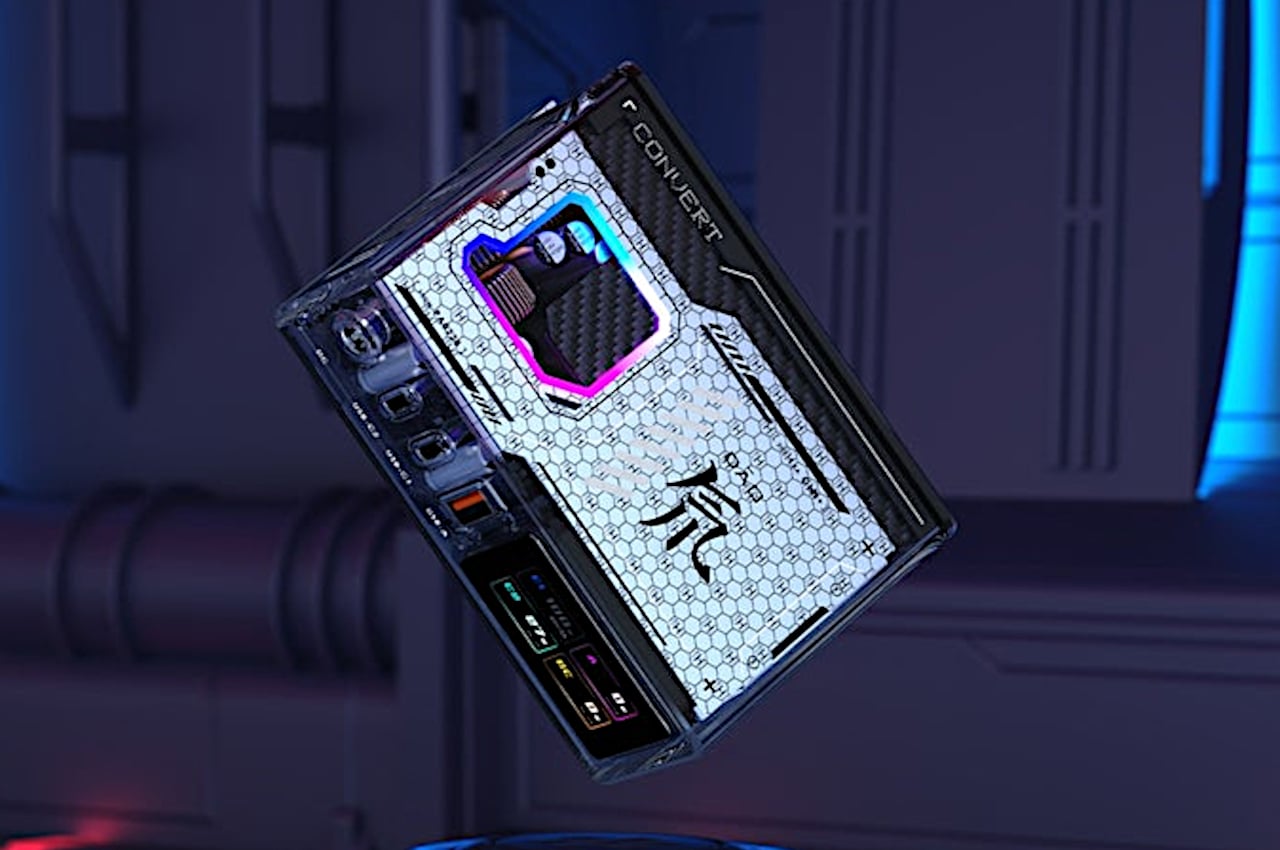
Mini PCs are becoming quite the trend these days, but despite their small and seemingly portable sizes, they’re not exactly meant or easy to carry around. Their boxy shapes, while space-efficient, aren’t conducive for carrying around, not to mention they need to be plugged into a power source, monitor, keyboard, and mouse to even be usable. There are exceptions to this formula, of course, and one manufacturer had the rather unconventional and somewhat outlandish idea of a portable mini PC that you can carry with you without a bag because the PC itself becomes something like a glamorous purse or handbag just by adding a shoulder strap to its sides.
You can already tell at a glance that this isn’t your run-of-the-mill mini PC. It has a retro-futuristic vibe going with its round rectangle shape, glossy plastic finish, front grille, and chromed levers and feet. The lever at the top is a rather physical volume control that adds a little fun to the act of adjusting the volume. The design is both simple and elegant but actually hides a few tricks that set it further apart from other mini computers.
For starters, the design has two chrome buttons at the sides where you can attach a matching strap to carry it on your shoulders. You’ll probably still want to put it inside a large carrying bag for protection, but you can still carry it directly if you’re just transferring locations quickly, like moving from one room to another in the same building. That said, the SOONNOOZ Mini is not exactly that small, so it might look awkward carrying it like that. And at 1.5kg, it’s not lightweight either.
You’d still need to connect it to some peripherals to use it, of course, but you might not need to have it always plugged in. It has a built-in battery, not unlike a laptop, which could allow you a few hours of use before you need to recharge it. This makes it convenient as a portable entertainment system when paired with a portable projector, though you’ll still need a way to navigate the computer, like with a portable keyboard and mouse.
Its last trick is that its fascia is actually a detachable Bluetooth speaker that can be used on its own. As far as specs go, it’s a pretty standard mini PC that won’t really stand out in terms of performance, though certain configurations could definitely support some light gaming. Interesting as it might be, the SOONNOOZ Mini isn’t something you can acquire outside of China, so its novelty will probably never reach global renown.
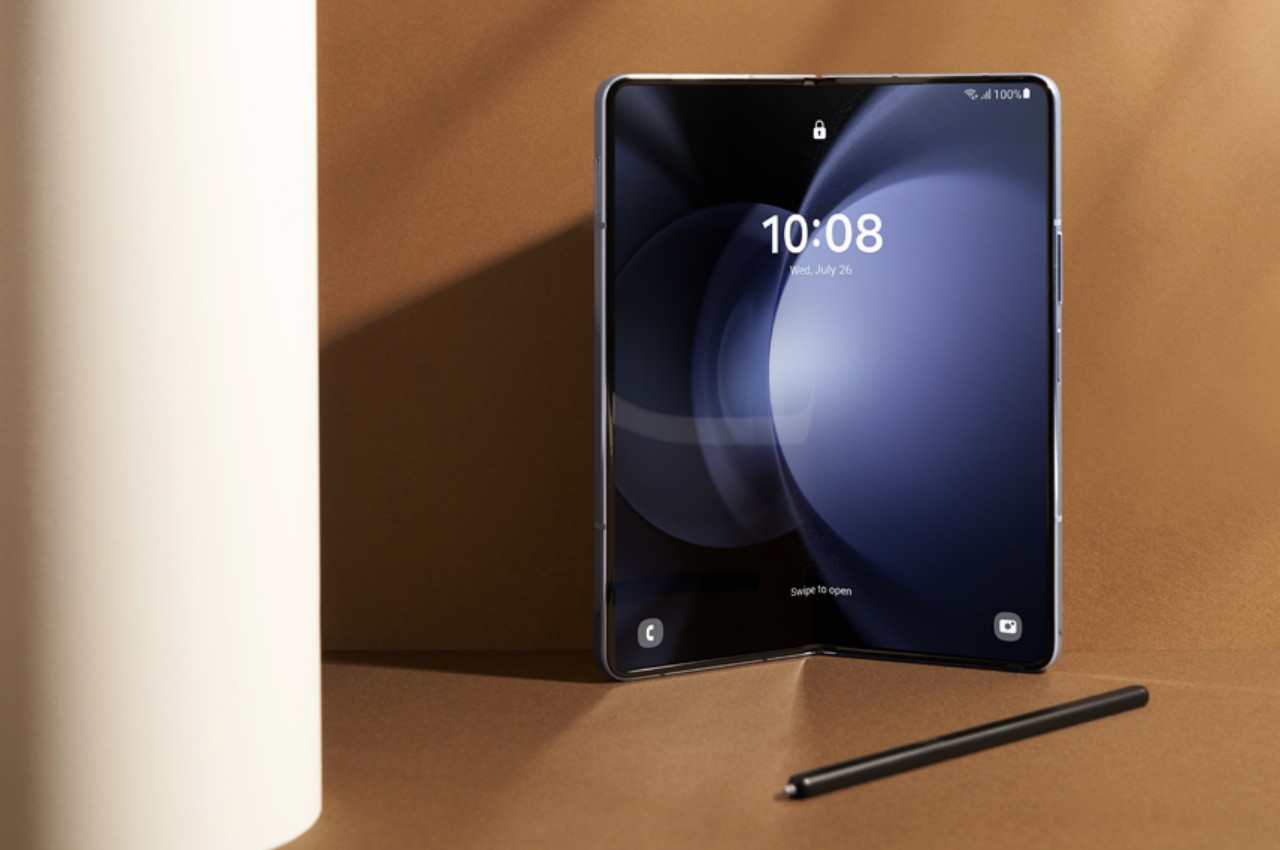
Foldable phones are getting more common these days, but that doesn’t mean they don’t have room for improvement. Whether it’s the larger book-type foldable or the stylish clamshell flip phone, there are still lingering concerns in terms of design and durability. Admittedly, there have been quite a few major improvements over the years thanks to increased competition in this market segment. Although it was a pioneer, it almost seemed that Samsung had been stagnating instead, sticking too close to safe designs. That changed with the Galaxy Z Flip 5 this year and it will keep changing for next year’s generation that are expected to introduce new screens that address some of those complaints.
It’s not really that puzzling that Samsung decided to focus on improving the durability and reliability of its foldable phones over fancy features. After all, those are the biggest concerns buyers have when trying to sink their teeth into such an expensive investment. But four years after it first launched the Galaxy Fold, the basic design of this foldable phone hasn’t changed. In fact, one of the biggest complaints is how the external Cover Screen is too narrow, making it awkward and even difficult to use the phone as a regular phone when folded close.
According to industry sources, the Galaxy Z Fold 6 will have a wider Cover Screen to resolve this issue. An exact figure wasn’t given, but any additional width would be an improvement to the current design and put it on the same page as its rivals. Of course, this would translate to a change in the aspect ratio of the internal main display, which might end up looking more squarish than before.
The Galaxy Z Flip 6 is also getting a bigger Cover Screen, one that spans 3.9 inches diagonally versus the current 3.4 inches. This is being compared to the 4.0-inch iPhone 5s and iPhone SE (2016), which are the last small iPhones that Apple made. In theory, that means there will be more space for content, which opens the door for more apps as well.
Of course, that isn’t always the case in practice, because the screen aspect ratio and shape won’t be the same as an iPhone. And just like the Galaxy Z Flip 5 now, the kinds of apps that you can use on that external screen are very limited. There are no signs that Samsung will open up its Cover Screen to more apps the way the Motorola Razr does, so the impact of this change could be very minimal in the end.
Although it was a bit late to the game, it was unsurprising that the Apple Vision Pro mixed reality headset blew people’s minds the moment Apple officially revealed its existence and features. It has definitely caused many players in the market to rethink their designs and strategies, including Samsung who was supposedly close to announcing its own XR or eXtended reality hardware. The initial expectations were along the lines of a full headset not unlike the (Facebook) Meta Quest 3 or Samsung’s own defunct HMD Odyssey, but it seems that Samsung was “inspired” by its biggest rival to go back to the drawing board. While still largely a mystery, some of the pieces are falling into place, laying the foundations for what will soon be called Samsung Glasses.
Designer: Samsung
What: The Design
There is still some debate on what specific area of the umbrella eXtended Reality (XR) space Samsung’s headset will be aiming for. Based on a recently leaked prototype, it would have leaned more on the virtual reality side of the equation, with outward-facing cameras to allow wearers to see a glimpse of the world outside. This is the conventional HMD or Head-Mounted Device design and something Samsung is already familiar with. But with rumors of Samsung reviewing the device in lieu of the Apple Vision Pro, you can expect some big changes in terms of design.

A recent trademark filing in the UK reveals that Samsung is calling dibs on the “Samsung Glasses” name. The description, which covers VR, AR, MR, and XR, isn’t exactly telling, but it does suggest it will take on a form closer to smart glasses. Considering the necessary hardware involved, it won’t be something simple like Ray-Bans or Google Glasses, more like, well, the Apple Vision Pro or the Meta Quest Pro. While not completely comfortable or portable, this design at least opens the door to AR and mixed reality more than a typical VR headset.
Apple Vision Pro
Apple Vision Pro
How: The Specs
In addition to the usual processors and electronics needed to drive such a mixed reality headset, Samsung Glasses will succeed or fail depending on the optics it uses. The prototype mentioned above lists micro OLED displays, pancake lenses, and cameras for eye and hand tracking, all of which contribute to a more immersive experience when viewing and manipulating digital objects. Samsung was reportedly planning on using a 2022 processor to power this headset, but Apple’s challenge has it mulling over a more capable chip it could use instead.
Samsung Odyssey+
Samsung Odyssey+
One thing that Samsung might be doing differently from Apple is having the battery built into the headset, though mounted on the rear rather than the front. While this naturally adds to the weight of the device, its location attempts to at least balance the load on both sides. It also makes the Samsung Glasses a bit more portable since it doesn’t have to rely on an external battery connected via a cable.
Meta Quest Pro
Meta Quest Pro
When: The Date
With the Apple Vision Pro’s market launch nearing, Samsung really doesn’t have much time left to put out its own take on the eXtended Reality space. Insider sources claim that the date has been pushed back to mid-2024, in contrast to Apple’s launch sometime between January and April. That’s not to say that Samsung is taking it slow, as developers are allegedly told to finish their XR apps by November. There will be an internal launch next month, so we might get a few more unofficial sneak peeks of the device.
Samsung GearVR
Samsung GearVR
Of course, most of these are still conjectures based on a variety of unofficial sources, so there is still plenty of room to hope for a better device. Conversely, Samsung’s track record with the Gear VR and, later, the HMD Odyssey doesn’t inspire much confidence. The design of the headset is critical for comfort, but it will be the software that will determine whether such a piece of hardware will actually entice buyers in the long run.
The Christmas season is often associated with staying warm (if you’re living in the northern hemisphere) and having fun, and there’s a rather recent tradition that combines those with tongue-in-cheek humor. Ugly sweaters are exactly what their names imply, intentionally designed to be ridiculously laughable so that there’s really no room for misinterpretation. Making a pun on being a “soft wear” company, Microsoft has been releasing such unfashionable wearables for half a decade now, poking good-natured fun at its own products. This year’s design is an ode to the early 2000s, bringing back fond and not-so-fond memories of one of the longest-lived Windows versions of all: Windows XP.
Parts of the Windows XP design have perhaps forever been engraved in people’s memories, at least for those old enough to be using computers by 2001 onward. The candy-like “Luna” theme, the familiar login sound, and, of course, the iconic wallpaper that’s actually a photo of a landscape in Sonoma County, California. It’s this wallpaper, named “Bliss,” that Microsoft is bringing in somewhat low-res quality to this year’s Ugly Sweater, taking wearers and onlookers for a trip down memory lane, whether they like to or not.
Bliss is simple yet captivating, basically a picture of a green hill against the backdrop of a blue sky and white clouds. As its name suggests, it evokes a sense of serenity and calm, which is hardly the emotions you’d associate with using Windows XP, especially when the dreaded BSOD or Blue Screen of Death rears its ugly head. Nonetheless, it’s a powerful and admittedly warm image, just the perfect match for a warm piece of clothing.
That is, of course, if you’d be fine wearing what is practically the Windows XP wallpaper, letting everyone see your loyalty to the operating system or to the company. It’s not a perfect recreation of the wallpaper, though, and is more pixelated than what you’d see on a screen. It’s almost as if someone booted the sweater in Safe Mode, and there’s probably some underlying message there that we missed. And yes, there’s a very large mouse cursor there, fortunately pointing nowhere embarrassing.
This year’s Windows Ugly Sweater does have some hidden beauty, at least in how it is trying hard to save the environment. Specifically, Microsoft has partnered with The Nature Conservancy for this project, though exact details haven’t been laid out. At least you’ll be feeling a little good about yourself every time you intentionally put a large target on your back by wearing such an incredibly comical sweater this holiday season.
Never before has it been easier to create things at home thanks to 3D printers, but we’ve barely scratched the surface of what’s possible. There are still some limitations, especially for desktop 3D printers, dictated by economies of space or price. Something that may sound as basic as 3D printing objects with multiple colors turns out to be quite a chore because most of these printers are designed to handle a single filament at a time. Most of the time, you’re forced to print different colors as separate pieces and then just assemble them after the fact, a process that takes more time than necessary and is prone to error. You could buy a larger, more expensive multi-filament 3D printer, or you can upgrade your trusty machine with this revolutionary module set that makes printing different colors or materials at the same time easy as pie.
Commercial 3D printers, especially the most popular FDM or Fused Deposit Modeling kind, are designed to be quick, efficient, and easy to use. Given the parts and processes involved, that means limiting the printer head to handle a single filament of material at a time. With this technique, you can only print a single color or use a single type of material for a single pass, switching filaments when you need to print out a different color or material. After that, you have to glue the pieces together, which relies on your own precision and steady hands to achieve the desired design. This has been the status quo for many years now, not unless you buy an actual multi-filament 3D printer, which is bulkier and more expensive, especially if you already have a working 3D printer or two.
ChromaPad – Excels in color, material, speed, and control, unlocking limitless potential.
Fastest Multi-color Printing Experience – ChromaPad pushes the usual boundaries of 3D printing speed for both single and multi-filament projects. Accelerate your print up to 300+ mm/s and get your project in hand three times faster.
ChromaScreen Advanced Klipper Software – Comes with features like the ability to control multiple extruders, a helpful setup wizard, and the ability to manage multiple printers at once.
Manage Multiple Printers Effortlessly – ChromaPad allows you to control up to 8 printers in a single simple panel.
The Co Print ChromaSet is a collection of modules that basically upgrades almost any old 3D printer to be able to handle multiple filaments in one go. It allows you to use the same trusted machine you’ve been working with for years and, with just a few easy-to-install parts, turn it into a multi-color, multi-material 3D printer that is just as easy to use as any other regular 3D printer. Instead of being forced to print multiple parts because they’re made of different materials or colors, you can save time and a lot of work with a single printing pass that can use a variety of colors as well as filaments, including PLA, ABS, PETG, TPU, ASA, Wood, and more.
ChromaHead – Designed to match your needs on multi-filament 3D printing. When combined with ChromaPad or KCM, it minimizes all the issues that can occur such as jamming and clogging.
Filament Cutter for High Quality Prints – Powered by a robust servo motor with up to 20 kg of force and supported by a durable Japanese blade, ChromaHead’s precise filament cutting mechanism achieves a success rate of 99.9% in clean cuts.
Universal Rail Plug System – The design allows you to match with different brands and different models, and solves the compatibility issues.
Supports all the Materials you Need – Different colors, different materials. Your creative journey knows no bounds.
The different pieces of the ChromaSet work together to accomplish this seemingly magical feat. The ChromaHead with the embedded ChromaHotend, for example, attaches easily to almost any 3D printer thanks to its unique rail plug system, making it compatible with different brands, models, and mechanical setups. It is designed to support at most four filaments at the same time, with a special design that minimizes jamming and clogging, as well as employing a Japanese blade for precise and clean filament cuts. The CX-1 Extruder, engineered with Titanium gears, a dual-drive system, and high-torque features, is responsible for pushing those four filaments and can be just as easily installed on any 3D printer.
KCM (Klipper Chroma Module) – For users who already have a Klipper-based 3D printer. KCM gives you all the great features of ChromaPad right out of the box, so you don’t need to buy ChromaPad separately.
ECM (Extended Chroma Module) – Designed to increase your extruder limits. ECM allows you to add up additional 4 extruders into a single output via USB.
If you need more than four filaments, the ECM or Extended Chroma Module adds four more extruders into a single output for a total of eight. You can have up to five of these extruders for a whopping 20 filaments, each carrying a different color or type of material for an even faster workflow. Making all these different parts work together in harmony is the job of the ChromaPad, the world’s first multi-filament 3D printing pad. Running the ChromaScreen software based on Klipper Screen, the tablet gives users unprecedented control not just over multi-filament printing but as many as 8 printers at the same time as well. But if you already have a Klipper-based 3D printer, you can use the Klipper Chroma Module (KCM) instead, delivering the same features without the extra cost.
The Co Print ChromaSet was made in collaboration with major 3D printer brands, ensuring that it will work with almost all 3D printer models in the market. A $349 discounted bundle lets you get the ChromaSet with the Klipper module instead of the tablet, while the $499 set includes the ChromaPad without the KCM. Whichever bundle you choose, the ChromaSet is guaranteed to upgrade your 3D printing experience, allowing you to make magnificent colorful designs in a fraction of the time and with less effort.
Handheld gaming devices are in vogue again, and not just the smartphones we always have in our hands these days. The success of the Nintendo Switch has given rise to a new breed of portable PCs built specifically with gaming in mind, and now even big brands like ASUS and Lenovo are playing in this very niche field. While both the Switch and the Steam Deck have become the poster children for this category of devices, they aren’t the only way to play PC games anywhere and everywhere. Another contender is pushing a new entry into the race, and this one hides a QWERTY keyboard for those times when you need keys rather than buttons to play, communicate, or even work.
Handheld PCs like the Steam Deck, ASUS ROG Ally, and Lenovo Legion Go are probably PC gamers’ dreams come true. They allow them to play their favorite modern and even retro titles without having to worry about finding a place to set up a laptop. That convenience, however, comes at the price of relying only on controller buttons and joysticks for movement, while being at the mercy of a touchscreen and an on-screen keyboard for everything else. That’s not a problem for something like the Nintendo Switch with games specifically designed for such an input scheme, but for a PC that can potentially play and do anything, it’s severely limiting.
The AYANEO SLIDE addresses this problem by introducing a physical QWERTY keyboard that doesn’t get in the way when you don’t actually need it. Its trick is to hide that keyboard underneath the display using a sliding mechanism, not unlike the slider keyboards of smartphones from long ago. That makes it trivial to type out messages for games that require chatting with other players or to even play games that might not fully support game controllers. And since you can easily hide it when you’re done, it doesn’t take up too much extra space when it’s not in use.
Granted, the AYANEO SLIDE is hardly the first to use this design to address the problem of an absent keyboard. The recent GPD WIN 4 and the old Sony VAIO UX from 2006 both used a sliding mechanism to hide a QWERTY keyboard. AYANEO’s design, however, also lets you set the screen at an angle when you slide it up, which offers a slightly more ergonomic viewing angle compared to a completely flat screen.
While the addition of a hidden keyboard does fix one problem, the design has some drawbacks in the current implementation. Given the large size of the device, thumb-typing on that keyboard isn’t exactly comfortable or fast. A sliding mechanism also invites trouble because of moving parts. An alternative design, one employed by AYAENO rival GPD, uses a mini laptop form factor to offer a different way to mix gaming and typing on the go, but that also brings its own problems in terms of portability and bulk.
Tons of fun and dynamic smart features for any holiday or occasion
Simple discreet design is perfect for installing anywhere, whether indoors or outdoors
Very affordable price tag
CONS:
No dedicated pure white color
Silver cable stands out against some colors and trees
Adapter only has IP44 dust and water resistance
RATINGS:
AESTHETICS
ERGONOMICS
PERFORMANCE
SUSTAINABILITY / REPAIRABILITY
VALUE FOR MONEY
EDITOR'S QUOTE:
The Govee Christmas String Lights offer delightful light shows, smart features, and great value all year round.
It’s that most wonderful time of the year again, and if you haven’t already set up some lights before Halloween, you are most likely already planning how you’d decorate your homes for the holidays. There is no shortage of lighting options available, both smart and traditional, but the majority of them have one flaw in common. They lose their appeal after the holiday season has come and gone, making their setup and cleanup feel a little more work than they’re worth. The new Govee Christmas String Lights clearly have “Christmas” in their name, but their design and functions make them sound appealing no matter the season. That’s why we took these colorful lights for a spin to check if they check all the right boxes not just for a festive Christmas atmosphere but also for all-year-round smart lighting.
Traditional Christmas lights come in fairy or rice light designs, which are great for spinning around trees or hanging from windows and roofs, but not much else. The very visible bulbs that protrude from the main cord make them look too conspicuous and difficult to hide in plain sight. In contrast, the 100 or 200 lamp beads (depending on which length you purchase) that make up the Govee Christmas String Lights are almost integrated with the braided cable, making them almost invisible unless you take a closer look. That cable’s design is also quite discrete and plain, making it easier to install the lights almost anywhere.
That said, the Govee Christmas String Lights cable comes in only a single white or silver color. That means it will be able to match many walls or backdrops, and it looks great on a white Christmas tree. A black cable might actually be easier to hide in most contexts, but black doesn’t really come off as a festive color, which is why most Christmas lights go for either green or white.
When the lights are off, the Govee Christmas String Lights are admittedly a rather plain and boring sight, indistinguishable from others of its kind. Fortunately, that perception immediately disappears once the lights are turned on, thanks to each bead’s ability to display one of 16 million possible colors courtesy of Govee’s RGBIC and Uni-IC Control Technology. That already makes these lights give a dazzling display of colors from the get-go, but no owner is going to be satisfied with just displaying static colors. Fortunately, Govee’s true strength lies not just in the quality of the lights themselves but in the smart and fun controls they offer, as we’ll soon see.
Ergonomics
Before you’re able to enjoy the light show, however, you have to set them up first, and we’re happy to report that handling the Govee Christmas String Lights is as easy as pie. There’s almost no effort involved if you’ll just be coiling it around a Christmas tree, but you’ll have to do a bit of planning if you’ll be hanging them elsewhere. Unlike Govee’s other string or rice lights, these don’t come with hooks or mounts for walls or ceilings, so you’ll have to take care of those yourself. The control box does have a pre-installed adhesive for quickly sticking it to flat surfaces.
If there’s one important factor you’ll have to consider, it would be the fixed length of the lights, which come in 33ft or 66ft variants. There’s no way to physically connect two or more string lights into a single unit, so you’ll want to make sure before you buy what length you’ll be needing for your installation. The 66ft length, for example, is good enough to cover a Christmas tree 5-6ft in height, or 7ft at most.
Once the physical labor is done, all that’s left is connecting the lights to your home network, which is what opens the door to all of the lights’ nifty features. If you’ve had any sort of experience setting up smart lights and smart speakers, this process will be familiar and easy. The Govee Home app itself, which acts as your remote control, is easy to use and intuitive, making the use of the lights just as enjoyable as watching them.
Performance
The Govee Christmas String Lights’ strengths come from two areas. The first is the bright and colorful lights that the beads give off, so bright that even the lowest intensity can still be a bit uncomfortable if you put it around your bed’s headrest. Govee’s RGBIC technology shows off millions of colors, except perhaps pure white. Without a dedicated white chip, the lights can only make do with an approximation of white mixed from RGB colors, which results in off-white or even warm white hues. It’s not exactly a deal-breaker unless you’re aiming for a pure white Christmas kind of theme.
Admittedly, a lot of Christmas lights can boast those same colorful feats, but where the Govee Christmas String Lights really shine (pardon the pun) is in the smart features. You can connect it to Amazon Alexa and Google Assistant for completely hands-free voice-controlled operations, but that’s really just scratching the surface of what the lights are capable of. The Govee Home app reveals the full breadth of features available in every string of light, features that take it beyond being a seasonal decoration.
For example, there are more than 99 preset scene modes that apply dynamic effects to make sure the patterns and rhythms never go stale, whether it’s Christmas, Halloween, or even Valentine’s. The built-in mic in the control box enables Music and Game modes that make the lights sync to the beat or react to children’s clapping, turning the light show into an interactive experience. There’s even DreamView, that makes different Govee lights operate in unison without any extra accessory.
The string lights as well as the control box are also IP65 rated, which means they’re also fit for outdoor use. The adapter, however, isn’t waterproof, so you’ll have to make sure to keep it tucked away safely. With all these smart features, the Govee Christmas String Lights have something to offer any time of the year, whether it’s lighting up parties or simply jazzing up your house to make you the envy of the neighborhood.
Sustainability
The Govee Christmas String Lights are made from your typical collection of plastic and other synthetic materials, not unlike any other string lights in the market. And like any LED lamp, once busted there is no way to replace it, especially with the cable’s design. That doesn’t bode well when it comes to sustainability, but the product does have one saving grace in this regard: its longevity.

Despite its name, Govee made these string lights fit for use in all seasons and under many weather conditions. That IP65 dust and water resistance rating helps it survive downpours, and the simple design makes it easy to hide the lights underneath some cover or protection. And thanks to its versatile functions, its use extends beyond just one or two seasons, so you are really getting your money’s worth.


Value
With so many Christmas lights to choose from, it can be a daunting experience looking for that elusive perfect one. You might be tempted to just grab any box off the shelf until you remember that the last one barely lasted a year. And then there are those fascinating smart lights that promise dozens of enticing features but then slap you with a three-digit price tag.
Like many of Govee’s products, the Govee Christmas String Lights buck the trend to deliver a product that is not only talented but also accessible to everyone. The lights sell for only $59.99 and $89.99, for the 33ft and 66ft lengths, respectively, and that’s without discounts and sales that happen quite frequently. But even at full price, you’re getting a bright, colorful, and smart lighting solution that goes beyond just a single holiday, making that amount an investment that will last you for years.
Verdict
The holiday season is the best time to throw a splash of colors both outside and inside your house, but that doesn’t have to be the only time either. Sure, you only bring out the Christmas tree once a year, but your walls, windows, and room could also use a bit of lively lights any night. Most Christmas lights, unfortunately, look awkward outside of the holidays, presuming they even last that long. The Govee Christmas String Lights is clearly an outlier, and one that bears noting this time of the year and beyond.
Of course, it is designed with Christmas festivities in mind, and it definitely excels in that regard. The bright, colorful LED beads deliver an unparalleled number of colors that really paint your tree, your room, or your house with the colors of the season. Smart features not only make controlling the lights easier, but they also make them fun with the likes of Music Mode and Game Mode. What makes these lights truly noteworthy, however, is how both its design and its features can fit any occasion, holiday, or setting. Whether you’re dressing up the living room for Christmas, giving the lawn a spooky atmosphere for Halloween, or simply giving your house a colorful makeover each night, the Govee Christmas String Lights has got you covered all year round.
Think of a lamp and you will probably immediately imagine a bulb on a metal pole, a circular base, and a conical lampshade. More modern designs often involve simpler geometric shapes like bars with rotating arms. Of course, there’s a wide world of lamp designs that cater to an equally wide range of needs and tastes. Some even tell stories with their forms, materials, and production. This beautiful lamp, for example, exudes an ethereal character as well as a sense of timelessness, two different properties brought together in graceful harmony thanks to the interplay of contrasting elements made in very different ways.
Some materials carry a distinctive character simply by their very nature. Rock is hard and unmoving, wood is warm and tactile, and paper is light and flexible. Some materials even stand diametrically opposed to each other, but just like many things in nature, sometimes complement each other so perfectly that it almost feels like they were made for each other from the start.
The Talla Lamp is a gorgeous design born of that duality, combining the ethereal fragility of glass with the timeless memory of marble. One feels like it would break at the slightest force, while the other would break other things instead. And yet the spherical glass sits calmly and gracefully on top of the marble prism, fitting snugly in each other’s embrace. The small bulb inside creates an otherworldly light that shines through the tinted glass and casts eerie shadows on the marble stand, illuminating and mesmerizing at the same time.
The glass half of the lamp has its own story to tell. It is made using free-blown techniques that make each piece truly unique. That complements the marble base, made using more mechanical methods, whose patterns also differ from block to block. As such, each Talla lamp carries its own character and story, a subtle nod to the personal stories we ourselves make every day in our life’s journey.