TCL PlayCube Review: One Twist Replaces Your Entire Projector Setup

PROS:


  • Fun, quirky, and stylish design

  • Create rotating solution to typical stands and mounts

  • Functional and tactile fabric exterior

  • 66Wh built-in battery for hours of use

  • Built-in Google TV with officially licensed Netflix needs no extra dongle

CONS:


  • A bit pricey

  • Single 5W speaker

  • 750W ISO lumens lamp requires a darker environment

RATINGS:

AESTHETICS
ERGONOMICS
PERFORMANCE
SUSTAINABILITY / REPAIRABILITY
VALUE FOR MONEY

EDITOR'S QUOTE:

The TCL PlayCube isn't trying to be the brightest or the loudest, just the easiest to live with, and it pulls that off beautifully.

Portable projectors have gotten better on paper, but setting one up in an unplanned setting has stayed stubbornly complicated. Finding a surface at the right height, manually correcting the geometry, and discovering the angle is still off after all of that are steps that haven’t gone anywhere. The gap between what portability promises and what it delivers in practice is one of the more persistent frustrations in personal electronics.

The TCL PlayCube is built around that gap. Rather than adding features to a conventional projector body, it rethinks the form: a compact, nearly cubic unit where the upper half rotates to steer the projection without physically moving the whole device. A built-in 66Wh battery, Google TV, and officially licensed Netflix round out the package, making a case for portability that actually holds up outside of a product demo.

Designer: TCL

Aesthetics

Most portable projectors don’t have a recognizable silhouette, tending toward flat or cylindrical shapes distinguished mostly by logo and color. At 149.8mm x 96.6mm x 96.6mm, the PlayCube arrives with proportions that feel genuinely considered. The near-cubic geometry stands apart on a shelf or tabletop, and the rotating sections make the mechanism visually legible, so the form communicates what the product does before you even touch it.

Those sections are where the design does its most interesting work. Twisting it redirects the projection without moving the whole unit, making the device feel less like a sealed gadget and more like a tool with a clear physical interface. The visual logic is borrowed from the Rubik’s Cube, and the reference earns its place, signaling play, interaction, and adjustability in a product that actually delivers those qualities.

The exterior is wrapped in an outdoor waterproof speaker fabric that went through acoustic testing before landing on the finished product. The result is a surface considerably warmer and gentler than the matte plastic or rubberized textures typical in the category. It makes the PlayCube feel approachable in a way most tech products don’t manage, closer to a domestic object than a piece of AV equipment.

Choosing a textile exterior for a device that also functions as a speaker enclosure is a decision that works on multiple levels. The fabric repels environmental interference, blends into different settings without the harsh visual presence of a glossy casing, and gives the surface a softness that makes handling feel natural. On a nightstand, a coffee table, or an outdoor spread, the PlayCube’s material finish doesn’t announce itself as electronics.

Ergonomics

At 1.3kg, the PlayCube is light enough to move between rooms without planning for it, and the cube-like shape stows more cleanly in a bag than the elongated designs common in the category. The built-in 66Wh battery delivers up to three hours of playtime, enough for a full movie, and USB-C charging means a portable power bank can extend that window considerably when an outlet isn’t available.

Aim the PlayCube toward a bedside ceiling, and you’d normally need mounting hardware or a creative stack of books to hold the right angle. Here, a simple twist of the upper half handles the redirection, making ceiling projection something you’d attempt on a whim rather than plan for in advance. The rotating design earns its place in the ergonomics story as firmly as it does in the aesthetic one.

Connectivity is thorough for the size. An HDMI input, USB 2.0 port, and 3.5mm audio output cover the physical side, all of them located on the back for a single point of access. Bluetooth 5.1 and WiFi 5.0 handle the wireless stack, and the Bluetooth connection makes pairing an external speaker effortless whenever the built-in driver isn’t quite enough for a given setting. A standard tripod thread at the base opens up more formal placement options.

The included remote is compact and covers quick-access buttons for the most commonly used streaming services. Google TV’s interface will feel immediately familiar to anyone who has used a recent Android TV device, removing most of the learning curve upfront. Its broad app ecosystem reduces the need for workarounds or sideloaded content, an advantage most apparent when the PlayCube is set up somewhere without a dedicated media arrangement in place.

Performance

The PlayCube’s imaging uses a 0.33-inch DMD DLP display engine rated at 750 ISO lumens. That ISO designation carries weight because ISO lumens are measured under standardized conditions, unlike the inflated figures common on cheaper portables. In dimmed rooms or outdoor evening settings, 750 ISO lumens holds up well, keeping the image from looking washed out in the conditions this projector is actually built for.

Resolution sits at 1920×1080, holding up across the full projection range from 30 to 150 inches without obvious softness at the larger end. Color is handled by TCL’s ImmersiColor Technology, covering 99% of the Rec. 709 color space, the standard most streaming content is mastered against. A 1,000,000:1 dynamic contrast ratio adds depth to dark-scene performance that the compact form might otherwise limit.

The Intelligent Correction suite is where much of the practical imaging convenience lives. Real-time autofocus, keystone correction, Auto Fit Screen, Auto Obstacle Avoidance, and Auto Eye Protection work together to compress what’s typically a multi-step manual calibration process into something closer to an automatic one. Place the unit, rotate the top toward the wall or ceiling, and the image settles into position on its own within seconds.

Running Google TV natively makes a meaningful difference compared to a projector manufacturer’s in-house smart system. The app ecosystem and interface logic are a step above what most projectors ship with, and the officially licensed Netflix integration removes one of the category’s most persistent frustrations, since many devices either lack direct access or rely on workarounds and external devices.

The built-in speaker is a single 5W driver, suited to personal viewing and small gatherings in quieter settings. It won’t challenge a dedicated audio setup, but Bluetooth 5.1 makes connecting an external speaker simple, and the 3.5mm output handles wired alternatives. EQ presets for movies, music, and sports give the built-in driver more adaptability across content types, which helps when the PlayCube moves between different environments.

The 1.21:1 throw ratio is well-suited to typical room dimensions, making it practical to fill a 100-inch screen without pushing the unit into a far corner. Noise is rated to be around 26dB, which means the fan is slightly audible but not enough to compete with dialogue or pull attention during quieter scenes. These specs make the PlayCube more suited for use in small rooms, but it definitely has a place outdoors, provided it’s dark enough.

Sustainability

The outdoor waterproof speaker fabric wrapped around the PlayCube is made from eco-friendly recycled materials, a detail that doesn’t read as an afterthought. TCL selected it for its acoustic properties and environmental resilience, so the sustainability credentials are attached to a component doing genuine functional work. A material choice grounded in responsible sourcing that also serves acoustic and protective purposes is a rarer alignment than it should be.

Without a replaceable lamp, the PlayCube avoids one of the more persistent limitations of traditional projectors, with no bulb to monitor and no degradation cycle that shortens its useful life prematurely. The fabric exterior also protects the optical housing during transit, making it more resilient than a typical plastic-shelled portable. A projector built for real portability tends to stay in service longer, which benefits environmental footprint and practical value equally.

Value

The PlayCube isn’t aimed at the budget end of the market, and the package supports that positioning. A 1080p DLP engine, 750 ISO lumens, officially licensed Google TV and Netflix, a 66Wh built-in battery, and award-recognized design together form a more complete proposition than most portable projectors at a comparable price. The cost reflects a device where each element was built to serve the others, not assembled from separate decisions.

The value case is strongest for buyers who’ve experienced the gap between what portable projectors promise and what they actually deliver. If the usual frustrations include needing an external streaming device, manual keystone corrections after every move, or improvised elevation workarounds to get the angle right, the PlayCube addresses all three as part of its base design, without additional accessories or workarounds required.

Buyers focused on raw lumen output or built-in audio power will find options that compete more aggressively on those individual metrics. What’s harder to find is a portable projector where the form, the smart platform, the auto-calibration, and the physical placement flexibility are all pulling toward the same experience. The PlayCube’s value sits in that coherence, and it’s a harder thing to quantify than brightness numbers or battery ratings.

Verdict

The TCL PlayCube brings together design decisions that rarely appear in the same device. The twistable cube form, fabric-wrapped exterior, Intelligent Correction suite, and self-contained Google TV platform all work toward the same goal: a portable projector that’s genuinely easy to use across different environments, not just one that lists portability on the box. That coherence is uncommon in a category that frequently trades usability for spec comparisons.

It’ll resonate most with people who’ve grown frustrated with how much effort the category usually demands. The image quality is solid, the smart features work without a separate dongle, and the rotating form makes placement far less of a puzzle. For anyone after a big-screen experience that moves with them as naturally as it performs, the PlayCube is an easy recommendation and an even easier product to live with.

The post TCL PlayCube Review: One Twist Replaces Your Entire Projector Setup first appeared on Yanko Design.
8BitDo’s Pro Fight Pad Has a Screen That Replaces the Companion App

Fighting game hardware has become its own obsession. Serious players spend as much time agonizing over their controller choice as they do drilling combos, and the debate between joystick traditionalists and leverless converts shows no sign of cooling down. The leverless controller strips the directional stick out entirely, replacing it with buttons for movement, a setup many top competitors swear produces faster and more precise inputs.

8BitDo released its first leverless arcade controller last year and now follows it up with the Arcade Controller Pro, a more performance-focused update aimed at the serious end of the market. The changes aren’t radical but they’re meaningful, touching everything from the button layout to how you manage settings mid-match. It’s a controller that doesn’t try to appeal to everyone, and that’s precisely the point.

Designer: 8BitDo

The button layout has been reworked with smaller, more tightly spaced caps that keep everything within natural reach. The programmable button count goes from four to five, with the fifth positioned on the far left to give the left hand more freedom during long sessions. Each round cap installs from any angle, and five flat lock caps come included to cover programmable buttons that shouldn’t be hit mid-match.

The most notable addition is the 1.47-inch display built into the controller body. It shows your inputs in real time and tracks battery status, but it also lets you adjust settings on-device without opening a companion app. SOCD modes, RGB lighting, and button remapping are all accessible through the screen, so you can make adjustments between rounds rather than leaving your setup to dig through software.

The switches are 8BitDo Core Green low-profile linear mechanicals, co-developed with Kailh specifically for this controller. They’re hot-swappable, and three spare switches, along with a switch puller, are stored inside the controller itself, accessible by lifting the front glass panel. That same interior also houses the accessories compartment that comes with the magnetic wrist rest, which attaches to the front of the unit.

For competitive play, the controller covers the details that matter most in high-pressure moments. A tournament lock on the control panel prevents accidental inputs during a match, and a metal USB-C cable locking mechanism keeps the connection secure so it can’t pull loose mid-fight. Dual USB-C ports, one on the top and one on the side, let you route the cable in whichever direction keeps it out of the way.

Connectivity covers Bluetooth for Nintendo Switch and Switch 2, 2.4GHz wireless for Windows, and a wired USB-C option for both. The 3,000 mAh battery lasts approximately 15 hours with RGB turned off. For players who want to go further than the on-device display allows, 8BitDo Ultimate Software V2 opens up full button mapping and macro creation for an even more personalized setup.

The Arcade Controller Pro is available in a NES-inspired colorway as well as a clean white edition, with a fingerprint-proof tempered glass faceplate and a non-slip silicone underside. A price and release date are yet to be announced. The original Arcade Controller was already a strong entry point into the leverless format, but this Pro model has clearly shifted its sights toward players who already know exactly what they want from a fight pad.

The post 8BitDo’s Pro Fight Pad Has a Screen That Replaces the Companion App first appeared on Yanko Design.
The 21.5-Inch Transparent Speaker That Animates Lyrics to Match Your Music

Most home speakers today have settled into a comfortable invisibility. Whether they’re slim soundbars pushed against a wall or cylindrical mesh towers parked on a bookshelf, the design goal is essentially the same: stay out of the way. They’re meant to be heard and rarely looked at, and even the ones that look interesting rarely offer much to see once the music starts.

MorningBlues has a clear thesis about music, and it has a lot to do with how the things we listen to can also be things worth looking at. Its SonicGlass A1 is a hi-fi speaker built around a transparent glass driver that lets you watch sound in motion as music plays. It’s the kind of object that sits on a shelf the way art does, with intention, and with something to say even before you press play.

Designer: MorningBlues

Click Here to Buy Now: $646 $999 (35% off). Hurry, only 16/205 left! Raised over $360,000.

The SonicGlass A1’s front face is a 21.5-inch TFT panel with high-transparency tempered glass, framed in black with over 90% light transmission. The transparent driver sits behind it, fully visible, which is both an acoustic feature and a design statement. There’s no grille hiding anything, no fabric obscuring the view. What you see is the working interior of the speaker, presented like an exhibit rather than concealed like a component.

When a song plays, lyrics appear across the glass surface in motion styles drawn from the track’s rhythm, pace, and emotional character. MorningBlues calls this MoodLyric, built on data from hundreds of millions of playbacks to animate text in ways that feel tied to what the song is actually doing. All lyrics are licensed through LyricFind, meaning the display does right by the artists whose words it borrows.

Beyond the lyrics, a feature called SceneSync adds a visual layer that responds to music genres. Pop, hip-hop, R&B, and rock each trigger different visual aesthetics on screen, generated in real time by AI. The idea is that the speaker shouldn’t just play a song; it should match the world the song is coming from. It’s a more cinematic take on the standard music visualizer.

The MorningBlues app lets you upload a personal photo that AI uses to place your face inside a genre-matched music video, displayed on the speaker’s screen. It’s the kind of feature that’s genuinely fun at a gathering, or just for yourself on a slow afternoon. You can also load the speaker with your own photos and videos to use as background content, turning it into a personal display.

When the music stops, the SonicGlass A1 doesn’t go blank. It has ambient display settings that keep it working as a room fixture, with options like ambient backgrounds, dynamic clock faces, and an ASMR sleep mode for winding down at night. That always-on character makes the speaker feel less like a device you switch off and more like something that already belongs in the room.

Pair the A1 with a microphone, and it becomes a home karaoke setup with licensed lyrics scrolling on screen in sync as you sing. The MorningBlues Music Hub 1, a dedicated controller for phone-free playback, rounds out the experience by letting you manage everything from a single tactile device, so your phone doesn’t need to be part of the evening at all. The large glass screen handles the rest.

The SonicGlass A1 isn’t angling to be the most powerful speaker in the room or the one with the most impressive spec sheet. It’s made for people who think about music the way they think about other things they choose to live with, considering both what those things do and how they look doing it. MorningBlues is asking a direct question: what if your speaker was worth watching?

Click Here to Buy Now: $646 $999 (35% off). Hurry, only 16/205 left! Raised over $360,000.

The post The 21.5-Inch Transparent Speaker That Animates Lyrics to Match Your Music first appeared on Yanko Design.
DJI Osmo Pocket 4 Review: A $486 Pocket Camera That Earns Its Price

PROS:


  • Handy 107GB internal storage

  • Excellent low-light performance

  • Bright screen and creator-friendly controls

CONS:


  • Portrait mode tops out at 3K

  • Low-light mode for video is 1x zoom only

  • No formal water and dust resistance rating

RATINGS:

AESTHETICS
ERGONOMICS
PERFORMANCE
SUSTAINABILITY / REPAIRABILITY
VALUE FOR MONEY

EDITOR'S QUOTE:

The DJI Osmo Pocket 4 doesn't ask you to compromise between portability and quality. It just delivers both.

The gap between smartphone convenience and dedicated camera quality has never been more complicated to navigate. Smartphones shoot impressive footage, but the moment you start walking, panning, or filming yourself without a stabilizer, the limitations show. Shaky handheld video, compromised low-light performance, and the inconvenience of carrying a larger camera rig have pushed creators to look for a smarter middle ground.

The DJI Osmo Pocket 4 is designed to solve that exact problem. Building on a line of compact gimbal cameras that have quietly become a go-to tool for vloggers and travel creators alike, the fourth generation pushes the formula further with an improved sensor, smarter tracking, and a handful of practical upgrades that address the friction points that have always come with shooting on the go.

Designer: DJI

Aesthetics

The Osmo Pocket 4 doesn’t try to look exciting. Its silhouette is tall and narrow, with a small three-axis gimbal head sitting at the top. It’s a restrained design that communicates precision rather than personality, and that’s part of the appeal. The matte black finish and clean lines make it look purposeful without being flashy, which is exactly the visual confidence that good industrial design earns.

What makes it visually distinctive is the tension between the utilitarian body and the delicate gimbal mechanism at the top. The rotating touchscreen adds a layer of mechanical thoughtfulness to the otherwise straightforward form. Up close, the camera looks precise and well-assembled, with tight tolerances and a consistent finish across its surfaces. It’s the kind of object that rewards a closer look.

The Creator Combo accessories, including the magnetic fill light and the wide-angle lens, add functional range without dramatically changing the camera’s character. They fit onto the device with minimal fuss and are compact enough to carry without much extra bulk. The wide-angle lens introduces some edge distortion, a minor tradeoff, and it needs to be removed before powering the camera down, making it a small but notable habit to build.

Ergonomics

At 190.5g and measuring 144.2mm x 44.4mm x 33.5mm, the Osmo Pocket 4 genuinely fits in a pocket. That sounds like a marketing line, but it’s one of the more meaningful things you can say about a dedicated camera. It’s light enough to forget you have it and small enough that pulling it out feels no more dramatic than reaching for your phone, which is completely the point.

Operating the Osmo Pocket 4 is intuitive. Rotating the screen starts recording automatically, a shortcut that makes spontaneous moments actually capturable. Two new buttons below the screen handle zoom and custom presets, while the 5D joystick lets you reposition the gimbal or flip the camera orientation without going into menus. The controls feel deliberate rather than crowded, and that discipline counts in a device this compact.

The 2.0-inch touchscreen is bright at 1000 nits, visible enough for outdoor framing, though it could benefit from an anti-reflective surface under harsh direct sunlight. The gimbal clamp that protects the camera head during storage is usefully low-profile, but it’s also easy to misplace precisely because of that. A lanyard attachment helps solve that problem and keeps the clamp reliably on hand whenever the camera needs to be put away.

Performance

The core of the Osmo Pocket 4’s appeal is its improved 1-inch CMOS sensor, paired with an f/2.0 lens and 14 stops of dynamic range. In practice, that combination produces video with noticeably more texture and tonal depth than a typical smartphone sensor can manage. Highlight retention in bright outdoor scenes holds up well, and shadow detail in mixed-light interiors stays controlled rather than collapsing into noise or flat gray.

1x (Top) | 2x (Bottom)

1x (Top) | Wide Lens Attachment (Bottom)

Low-light performance is one of the Pocket 4’s stronger points, both for still photos and videos. The dedicated low-light video mode produces clean, well-exposed footage in dim environments where smartphones typically struggle with noise and color accuracy. Sadly, the latter comes with a hidden cost: low-light video mode only works at 1x zoom.

The magnetic fill light from the Creator Combo is a helpful companion for indoor portraits and evening setups, adding enough brightness to make skin tones look clear, though it’s more of a useful enhancement than an absolute necessity. The Osmo Pocket 4 works well enough on its own for nighttime photography and low-lit environments, but in pitch-black situations, the fill light snaps on in a flash, pardon the pun.

Panorama

Landscape

Vertical

For video enthusiasts, the 4K/240 fps slow-motion mode is a genuine highlight. Capturing slow motion at that resolution opens up detailed, cinematic-looking sequences that would have required bulkier equipment not long ago. Sadly, that 4K upgrade doesn’t apply to vertical portrait mode, which remains in 3K land. The 10-bit D-Log color profile adds post-production flexibility, capturing a wider tonal range for those who want to grade their footage in editing software. It’s a meaningful upgrade from the lighter D-Log M available on the previous generation.

With Fill Light

No Fill Light (top) | With Fill Light (bottom)

The three-axis stabilization is the product’s most compelling advantage. Walking footage stays smooth without the warping that aggressive digital stabilization sometimes produces, and ActiveTrack 7.0 tracks subjects confidently through movement at up to 4x zoom. The 107 GB of built-in storage, transferable at up to 800 MB/s via USB 3.1, removes the need for a memory card on most shoots and makes offloading footage back at a desk genuinely fast.

Pitch Black

With Fill Light

Night Shot (Without Fill Light)

Night Shot (With Fill Light)

Sustainability

The Osmo Pocket 4 doesn’t make bold claims about eco-friendly materials, and that honesty is more useful than hollow greenwashing. What it does offer is a well-built product that feels designed to last. The body has no creaking or flex, and the feature set is current enough that it isn’t likely to feel obsolete quickly. That kind of longevity is a meaningful sustainability argument for a consumer electronics device.

Unfortunately, it doesn’t come with any water or dust resistance guarantee, let alone a formal IP (ingress protection) rating. The Osmo Pocket 4 is best used with a bit of care outdoors, since its gimbal-based design doesn’t lend itself to the kind of weather resistance you’d expect from a rugged action camera.

Like most compact gimbal cameras, the Pocket 4 isn’t particularly serviceable at the consumer level. Tightly integrated components make independent repair difficult, so long-term ownership depends on careful handling more than easy maintenance. That said, the modular accessory system means you’re less likely to replace the camera because one peripheral breaks or becomes outdated. The accessories extend the product’s useful life without requiring a full device swap.

Value

At $486, the Osmo Pocket 4 sits at a price point where expectations of serious performance are fair, and for the most part, it delivers. What you’re paying for isn’t just a feature list but the engineering that concentrates stabilization, a 1-inch sensor, internal storage, and creator-focused controls into something pocketable. That concentration costs more than a simpler compact camera, and the footage quality shows where the money went.

The $607 Creator Combo version adds genuine value through the DJI Mic 3 transmitter, the fill light, and a handful of supporting accessories. The wireless microphone alone is a meaningful addition for anyone who records dialogue, since the built-in setup works well but can’t match a properly placed lapel mic. Together, these accessories shift the package from a capable camera into a more complete creator kit.

For creators who shoot on the go regularly and want footage that looks better than what a phone can deliver, the Pocket 4 sits in a position few other devices can match cleanly. The form factor eliminates excuses for not having the camera out, the stabilization removes the need for post-production smoothing, and the image quality means you’re not apologizing for what you captured.

Verdict

The Osmo Pocket 4 is a thoughtfully resolved compact camera that does its intended job with real consistency. The stabilized footage looks clean and confident, the low-light performance holds up better than the size suggests, and the built-in storage removes a quiet but persistent inconvenience. These aren’t small things for a device that has to fit in your jeans pocket while still competing with cameras twice its size.

There are tradeoffs, as there always are with a device optimized this tightly. Portrait shooting tops out at 3K rather than full 4K, the low-light mode locks to 1x zoom, and the lack of weather sealing limits it in unpredictable outdoor conditions. These aren’t dealbreakers so much as parameters, and understanding them is all it takes to decide whether the Pocket 4 fits the footage you actually want to make.

The post DJI Osmo Pocket 4 Review: A $486 Pocket Camera That Earns Its Price first appeared on Yanko Design.
This Air Monitor Drops Like a Canary When Your Room Needs Fresh Air

Most people know that outdoor air pollution is a problem, but indoor air quality rarely gets the same attention. The irony is that we spend roughly 90% of our lives indoors, often in well-insulated, tightly sealed homes where CO₂ builds up quietly and unnoticed. The result shows up as headaches, fatigue, poor sleep, and that vague sense of grogginess that’s easy to blame on everything except the air around you.

The Birdie 2.0 is a Danish-designed air quality monitor that takes a refreshingly straightforward approach to that invisible problem. It doesn’t display numbers, send phone notifications, or make any sound at all. Instead, it physically droops forward when the air in your room gets too stale, and stands back up once you’ve opened a window and things improve. The feedback loop is immediate, visual, and almost impossible to miss.

Designers: Andreas Kofoed Sørensen, Hans Høite Augustenborg (Birdie)

The concept is lifted directly from a piece of mining history. Coal miners used to carry canaries underground as a warning system: if the bird fainted, it was time to get out. Birdie follows the same logic, housing a Swiss-made Sensirion CO₂ sensor inside a small, bird-shaped form that lives on your wall. When CO₂ levels exceed 1,000 ppm, the figure tilts forward and stays that way until the air clears below 950 ppm, at which point it snaps back upright on its own.

The mechanics are simple but quietly well thought out. Birdie checks CO₂ levels every ten minutes while upright, and every two minutes once it has dropped, giving it faster feedback during the moments that actually matter. After returning to standing, it enters a two-hour cool-down period to preserve battery life, which lasts up to eight months on a single charge. It mounts to the wall with either a screw or a strip of 3M tape and needs nothing else to function.

The body is made from 70% post-consumer recycled plastic, which sits well with the minimal-intervention philosophy the product is built around. It comes with a USB-C charging cable and a wall mount in the box, and setup takes a few minutes at most. One unit covers rooms up to 100 m², though a separate one per floor or closed bedroom is recommended for multi-room coverage.

What makes it a particularly comfortable fit for the home is that it doesn’t feel like a gadget. There’s no screen competing for attention, no app to configure, and no blinking light to interpret. It’s a piece of Danish-designed wall art that happens to tell you when your living room needs to breathe. It also comes in several colorways, including the signature yellow and a subdued, earthy Dune, so it can blend into a room rather than dominate it.

Offices and classrooms are where the stakes tend to be highest. Concentration dips noticeably when CO₂ climbs, and in a shared space that doesn’t get ventilated between meetings or lessons, that decline can happen within an hour. Having something physical on the wall, rather than a number on a device that no one is checking, makes it much harder to ignore the problem.

The post This Air Monitor Drops Like a Canary When Your Room Needs Fresh Air first appeared on Yanko Design.
Meta Just Launched $299 AI Glasses Without the Ray-Ban Name

Smart glasses have been trying to go mainstream for years, but pricing has been a stubborn barrier. The Ray-Ban Meta glasses popularized the category by making them feel like normal eyewear, but their entry-level price has hovered well above what many casual buyers are willing to spend on something they might not be sure they need. The market has been compelling, just not quite accessible enough for everyone.

Meta is trying to change that with Meta Glasses, its first line of smart glasses sold under its own name rather than Ray-Ban or Oakley. Developed in partnership with EssilorLuxottica, the new lineup starts at $299, which is at least $80 less than the Ray-Ban Meta Gen 2 entry price, and it arrives in three distinct frame styles designed to cover a broader range of tastes and budgets.

Designer: Meta, EssilorLuxottica

The two base models are the Adventurer and the Fury, each starting at $299. The Adventurer leans toward a slimmer, everyday silhouette, while the Fury goes bigger with a thicker, more rectangular profile, including a striking translucent racing green colorway that reveals the circuitry underneath. Both come in standard and large sizing, and together they span 26 color and lens combinations.

Meta Adventurer

A third model called the Starfire, designed in collaboration with Kylie Jenner, rounds out the lineup at $399. Its slim, oval shape sits closer to the territory of Prada or Gentle Monster than anything Meta has put out before. The most notable exclusive is the option to use Jenner’s own voice as the on-device AI assistant for everything from navigation cues to battery alerts. It’s a fashion-forward direction for smart glasses that doesn’t really have a precedent.

All three models carry the same core hardware: a 12 MP camera, open-ear audio, and a dedicated action button for invoking Meta AI or launching a preferred feature. The addition of three-way adjustable nose pads and temple tips is a practical improvement that makes them easier to wear across different face shapes. They’re also compatible with prescription lenses, which meaningfully broadens who can actually wear them all day.

On the software side, all Meta Glasses launch with Muse Spark, Meta’s newest AI model from its Meta Superintelligence Labs. Live translation now covers 20 languages, adding Mandarin, Korean, Japanese, Arabic, and Hindi to the existing roster. Pedestrian navigation, which debuted on Meta’s more expensive display glasses, now works on the camera-equipped models too, making the $299 pair genuinely capable of directing you through an unfamiliar city while you walk.

A Dynamic Photo feature also debuts with the launch, capturing a quick burst of frames and automatically selecting the sharpest one. It’s a small addition but a practical one, given how awkward it can be to time a single-frame capture when the glasses are on your face and you’re not looking at a screen.

The glasses are available today at Meta.com and through retailers including LensCrafters, Best Buy, Amazon, and Sunglasses Hut. Dropping Ray-Ban from the name is a quiet but meaningful move, and the lower price suggests Meta is confident enough in its own brand to see if that’s what people were actually waiting for.

The post Meta Just Launched $299 AI Glasses Without the Ray-Ban Name first appeared on Yanko Design.
SwitchBot Prime Day 2026: Smart Upgrades, No Installation, Up to 50% Off

Smart home products have come a long way from the days when “home automation” meant complicated setups only tech enthusiasts could manage. The best ones now work with what people already have rather than asking them to start over from scratch. That shift has made the category far more approachable, and Prime Day sales like this one are worth paying closer attention to.

SwitchBot’s Prime Day 2026 sale runs from June 23 to June 26, offering discounts as high as 50% on a range of devices that handle security, window control, home decor, and daily comfort. None of them requires tearing down walls or rewiring anything, which is part of the appeal. The lineup this year has something for practically every room in the house.

Designer: SwitchBot

SwitchBot Lock Vision Series

Getting home with your hands full and somehow managing to unlock the door without dropping anything is one of those small daily struggles nobody really talks about. The SwitchBot Lock Vision takes care of that with 3D structured-light facial recognition, letting you walk right in without touching anything. It’s also built to tell the difference between a real face and a photo or video.

If your household has multiple people who need different ways to get in, the Lock Vision Pro adds fingerprint and palm vein recognition on top of the facial option, which makes it a bit more flexible for families. During Prime Day, the Lock Vision is down to $109.99, which is 35% off, while the Pro model drops to $169.99 at 26% off.

Click Here to Buy Now: $109.99 $169.99 (35% off). Hurry, Prime Day Deal ends soon! Website Link Here.

SwitchBot Curtain 3 Rod 2pcs + Remote

There’s something genuinely nice about curtains that open on their own in the morning, letting light in without you having to get out of bed. The SwitchBot Curtain 3 makes that possible by attaching directly to compatible curtain rods, so nothing needs to be replaced. You can control it through the SwitchBot app, a voice assistant, a set schedule, or the remote it comes with.

This bundle comes with two units, enough to cover a full window or even two separate ones, depending on your setup. The motor also runs as low as 25dB in QuietDrift mode, so it won’t wake anyone up if you’ve set it to open at sunrise. At 28% off during Prime Day, it’s priced at $129.99, which makes the automation a lot easier to justify.

Click Here to Buy Now: $129.99 $179.99 (28% off). Hurry, Prime Day Deal ends soon! Website Link Here.

SwitchBot AI Art Frame

Digital frames have been around for a while, but most of them glow a bit too brightly for a living room. The SwitchBot AI Art Frame takes a different approach with an E Ink display that gives artwork a paper-like quality rather than a screen-like one. It comes in 7.3-inch and 13.3-inch sizes, and can show photos, personal artwork, or AI-generated visuals.

What makes it genuinely usable is that it isn’t tethered to a wall outlet, thanks to a built-in battery. It can sit on a desk, lean against a shelf, or hang on a wall, wherever it fits into your space best. The 7.3-inch model is $109.99 at 27% off during Prime Day, and the 13.3-inch goes for $265.99 at 24% off.

Click Here to Buy Now: $109.99 $149.99 (27% off). Hurry, Prime Day Deal ends soon! Website Link Here.

SwitchBot Blind Tilt 3pcs + Hub Mini

If you work from home, you’ve probably gotten up too many times just to adjust your blinds whenever the sun shifts. The SwitchBot Blind Tilt attaches to your existing blinds and lets you adjust the slat angle precisely without replacing anything. Three units are included in this bundle, so you can cover an entire room instead of just one window.

The included Hub Mini connects everything to the wider SwitchBot ecosystem, so you can control the blinds from anywhere, set them up with voice commands, or let a schedule take over. Instead of manually adjusting slats every morning or evening, you can just let it happen on its own. The bundle is $139.99 during Prime Day, which is 26% off its regular price.

Click Here to Buy Now: $139.99 $189.99 (26% off). Hurry, Prime Day Deal ends soon! Website Link Here.

SwitchBot Standing Circulator Fan

A fan that just runs until someone turns it off isn’t exactly the pinnacle of smart living. The SwitchBot Standing Circulator Fan can be scheduled, adjusted remotely, and paired with other SwitchBot devices so it responds to what’s actually happening in your home. Given that Prime Day falls right in the middle of summer, it’s also one of the more timely picks.

Its adjustable height makes it easy to move between rooms without any hassle, and the quiet operation means it won’t be a distraction during calls or when you’re trying to sleep. At $89.99, it’s the most affordable item in this Prime Day lineup, and at 31% off, it’s a reasonable deal for a fan that fits neatly into a connected home setup.

Click Here to Buy Now: $89.99 $129.99 (31% off). Hurry, Prime Day Deal ends soon! Website Link Here.

The post SwitchBot Prime Day 2026: Smart Upgrades, No Installation, Up to 50% Off first appeared on Yanko Design.
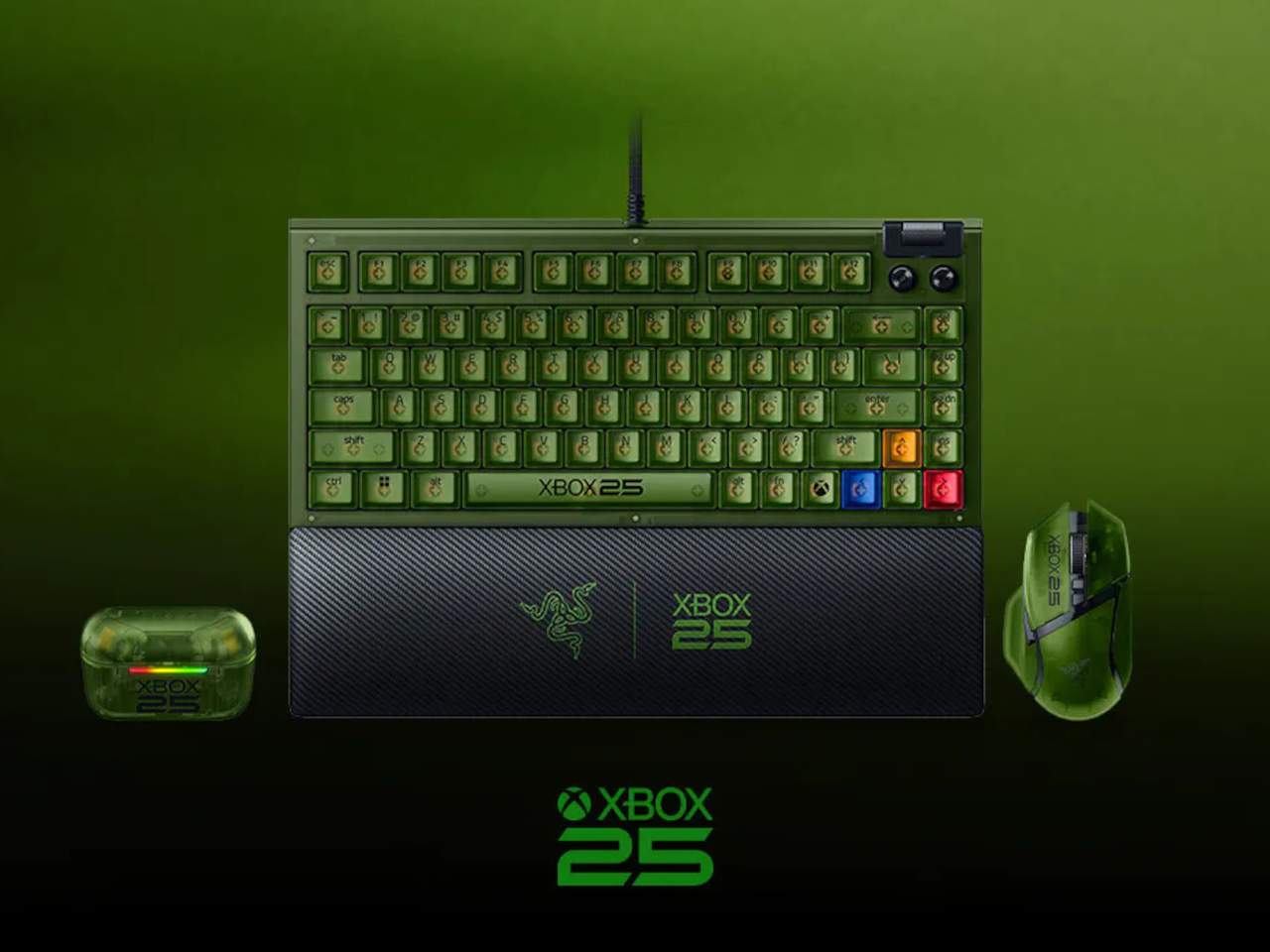
The Care Wearable That Confirms Your Alert With a Vibration, Not Silence

Caring for elderly residents in a facility setting is one of the most demanding jobs in healthcare. Staff are stretched thin, emergencies don’t follow schedules, and the systems many facilities still rely on, from paper logs to fragmented call tools, create gaps that can have serious consequences. As populations age faster than care infrastructure can keep up, the pressure on care workers and the systems they depend on keeps mounting.

That’s the challenge Kando was designed around. Rather than layering another standalone app or device onto an already crowded workflow, it takes the form of three integrated hardware components that work together as a single connected care system. The pieces include a wearable button for residents, a wall-mounted box for the room, and central communication hubs that link the entire facility.

Designer: Futurewave

At the heart of the system is the Kando Button, a small wearable device that a resident clips onto their clothing or bed. It’s designed for simplicity: one touch triggers a request for help, confirmed immediately through both LED feedback and vibration, so the resident knows the signal went through. For someone who’s suddenly unwell or in distress, that instant confirmation matters.

Complementing the Button is the Kando Box, a wall-mounted unit that connects to the television already present in the resident’s room. Rather than adding a separate screen or terminal, it turns the TV into a visual communication interface between the resident and the care team. It’s a practical choice that keeps the environment familiar and avoids adding yet another unfamiliar device to the room.

Central hubs tie everything together, coordinating communication across the entire facility so that alerts don’t get lost between shifts. When a resident presses the Button, the information travels through a connected network rather than relying on a single staff member to notice and relay it. This end-to-end connection is what makes Kando a system rather than a collection of separate devices.

The practical outcomes add up for a facility dealing with dozens of residents and a care team that can’t be everywhere at once. Response times shorten. Paper-based documentation gives way to digital records, and over time, the operational costs tied to manual processes start to fall. For administrators, that combination of speed, accuracy, and efficiency is a genuinely compelling case.

What’s also worth noting is that Kando wasn’t designed with clinical functionality alone in mind. Every hardware decision carried a human weight too: it had to feel familiar and manageable in the hands of an elderly resident, not intimidating or cold. Medical technology often prioritizes technical function over the experience of the person it’s meant to serve, and this system tries to close that gap. The result is a system that clearly took the realities of a care environment seriously, not just from a technical standpoint but from a genuinely human one.

The post The Care Wearable That Confirms Your Alert With a Vibration, Not Silence first appeared on Yanko Design.
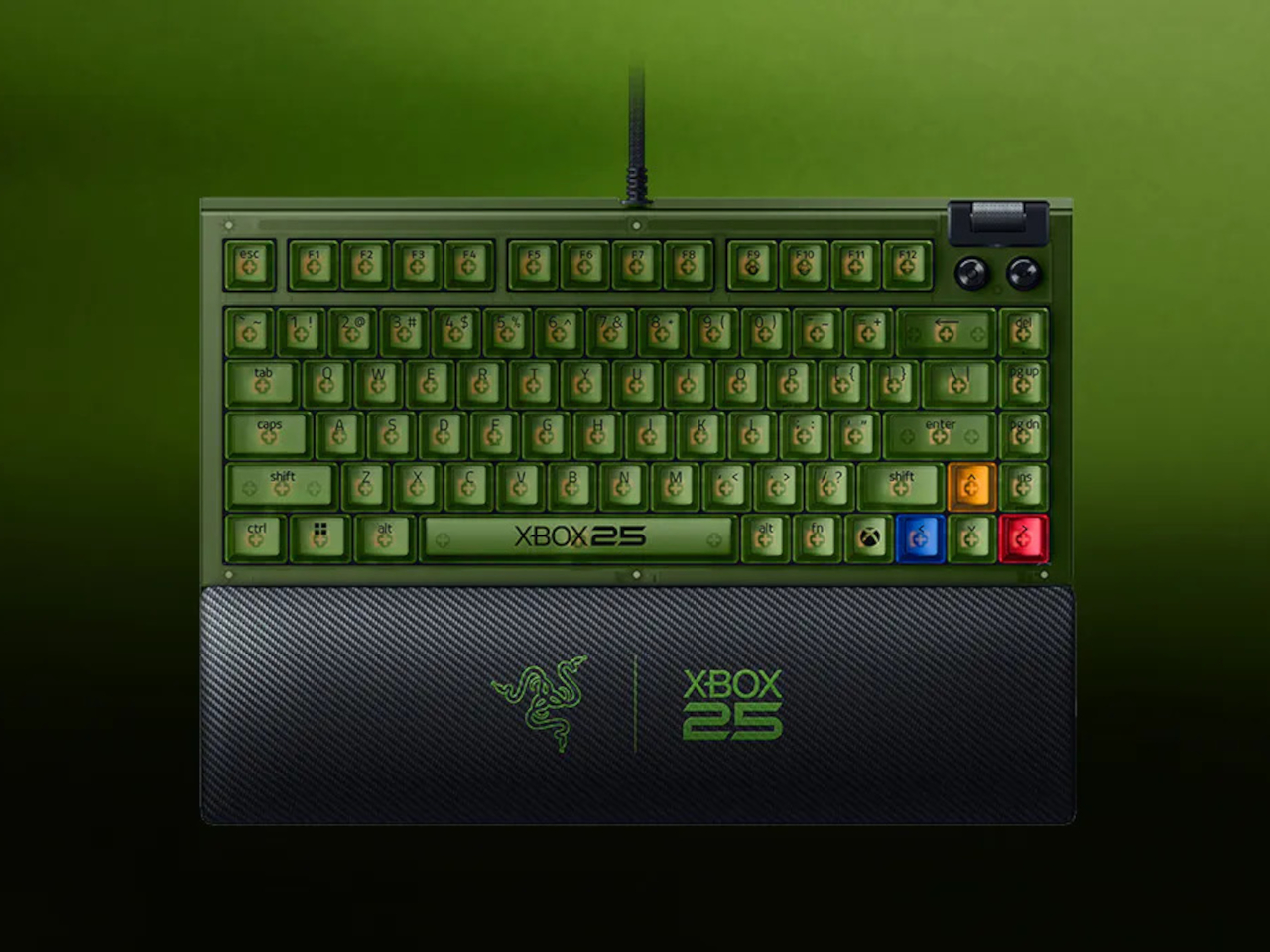
This Concept Car’s AI Slows Down When It Finds a Scenic Road

Modern life has made genuine rest surprisingly hard to come by. Homes are saturated with obligations, travel gets consumed by itineraries, and the spaces that are supposed to support recovery often fall short. Young people in particular are navigating a kind of exhaustion that doesn’t come from a lack of free time, but from a lack of environments that actually know how to be still.

Epik is a mobility concept that addresses this at its root. Rather than packing more comfort into transit or filling trips with more activities, it takes a different route entirely: nature and light, the things that already surround you but go unnoticed, become the primary tools for rest. The vehicle reimagines the journey as a second home that moves with you and adapts entirely to your intentions.

Deisgners: Ellie Ahn, Shirley Cheon, Changdong Min, Geonhoo Son

The exterior form draws from the architecture of an auditorium, with a broad, arched glass canopy that gives the interior an immersive, wide-angle view of whatever lies outside. This isn’t incidental; it’s the entire premise. Epik calls this the “Live Frame,” treating the vehicle less like a transport pod and more like a moving window that actively captures and amplifies the surrounding scenery.

Inside, the compact cabin is built around flexibility rather than fixed arrangements. Doors and windows can open to varying degrees, inviting nature in or closing it out. A rollable display changes size depending on what the occupant wants to do, while corners that would otherwise go to waste are repurposed as storage and a small work surface. The same space can hold one person alone or two people together.

On a trip through mountain country, Epik’s Scenic Mode detects beautiful stretches of road and quietly slows the vehicle, adjusting window angles to frame the best view, almost as if the pod itself is composing a photograph. The detours it suggests aren’t inconveniences; they’re the whole point. Every landscape encountered gets logged in the “Rest Timeline,” a running record of every journey worth remembering.

The onboard AI, called EPIE, learns the occupant’s routines, preferences, and how they typically spend time with the people around them. It reads mood signals through music and content choices, then gently nudges toward what comes next, whether that’s a nearby walking path, a quiet stop, or simply reconfiguring the cabin layout. For couples, it can even split the space into two personalized zones when schedules diverge.

When there’s nothing more to do than absorb the moment, the interface knows to retreat. The screen takes on a skin drawn from the surrounding landscape, blending into the view, and only the most essential details, like weather and music, stay visible. Controls are modeled after analog buttons, using transparent textures so the display feels less like a gadget and more like a natural extension of the cabin walls.

The idea that a vehicle could be primarily about rest rather than destination is still a rare one. Epik doesn’t claim you can find peace anywhere with the right pod, but it argues that the ingredients, specifically light, nature, and a space that listens, are far closer than most people realize. Getting somewhere just becomes the occasion for that rest, rather than the thing standing in its way.

The post This Concept Car’s AI Slows Down When It Finds a Scenic Road first appeared on Yanko Design.
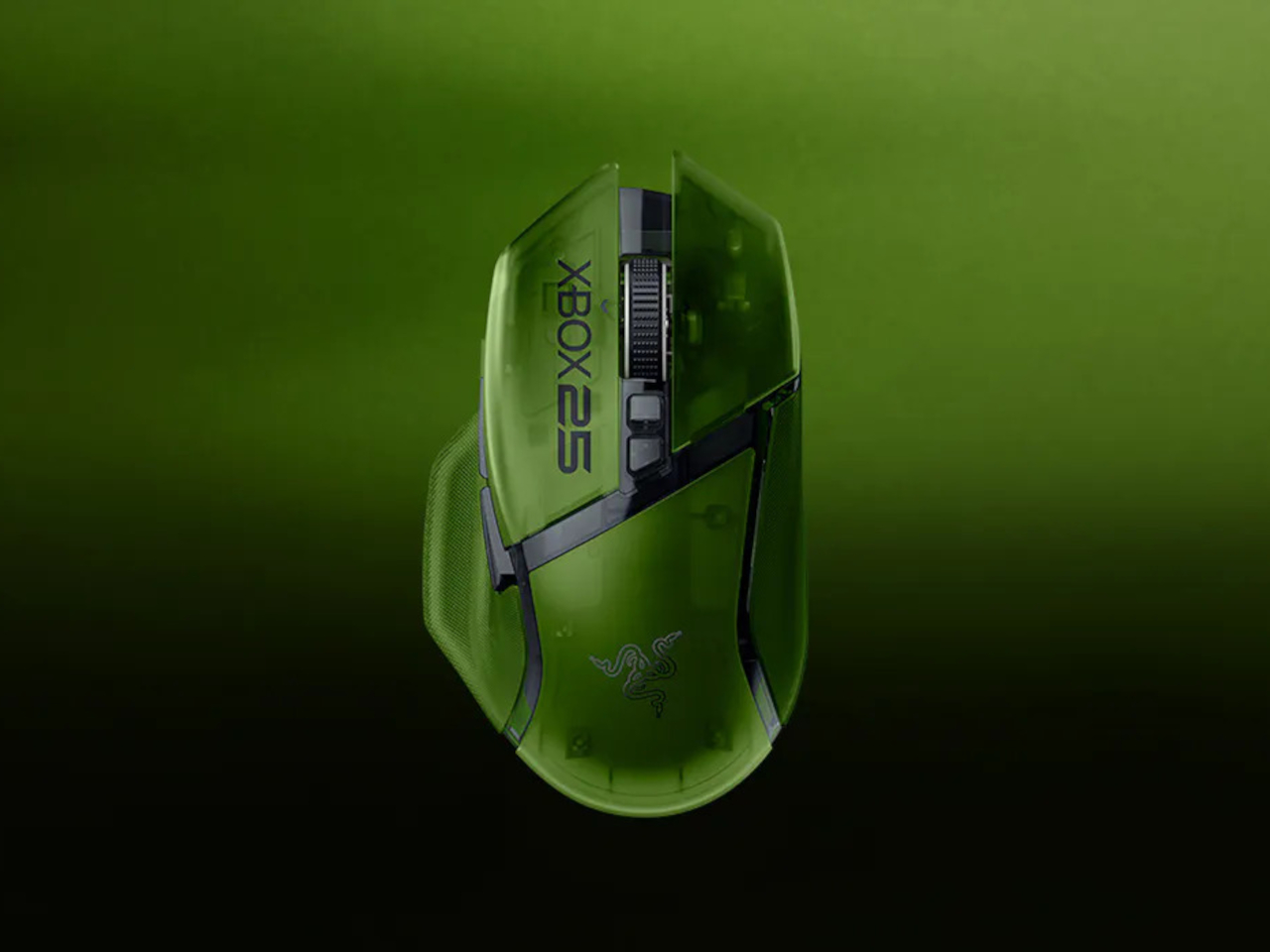
This $789 Portable Monitor Still Works Outdoors With Its Backlight Off

Portable monitors have become a practical extension of the laptop workflow, letting you carry a second screen to coffee shops, airports, and co-working spaces. The catch is that almost every portable monitor on the market uses a standard LCD or OLED panel, which means bright environments are its natural enemy. Step outside on a sunny afternoon or sit beside a sun-drenched window, and the glare turns your screen into a mirror.

The Radiant Monitor 2 takes a fundamentally different approach to that problem. Rather than packing in more backlight power to overpower sunlight, it uses a transflective LCD panel, a display technology that works with ambient light instead of against it. The brighter the environment, the better the image becomes, which flips the script on how portable monitors have traditionally handled outdoor conditions.

Designer: Eazeye

The panel pairs transflective LCD technology with Eazeye’s proprietary UHR™ coating, which helps the display channel ambient light into better visibility, reduce glare, and sharpen image clarity without leaning on its LED backlight. On particularly sunny days, you can switch the backlight off entirely, dropping power consumption down to around 3W, and the screen remains fully usable, bright, and legible.

That backlight isn’t an afterthought, though. Eazeye fitted the Radiant Monitor 2 with a custom full-spectrum LED strip that uses a natural daylight spectrum and emits low blue light, making evening work sessions noticeably easier on the eyes. At full brightness, it draws around 8W, which is modest for a portable monitor, and it pairs with a 1000:1 contrast ratio and a 5ms response time.

Imagine working from a café with floor-to-ceiling windows, the kind of place where a regular monitor becomes completely unworkable midday. The Radiant Monitor 2 handles this without any special positioning or shade hunting. Plug it in via USB-C or HDMI, prop it up with the redesigned magnetic folio stand, and it’s ready in seconds. The 10-point capacitive touchscreen adds another layer of interaction without needing a mouse.

E Ink monitors are the other common choice for eye-friendly screens, but they top out at around 1 to 10 Hz, making them choppy and impractical for scrolling, video, or general multitasking. The Radiant Monitor 2 runs at 60 Hz with smooth, ghost-free performance that holds up through video calls, spreadsheets, and anything else that demands a responsive, full-color display without the visual noise of dithered E Ink output.

The monitor weighs 1.7kg and sits in a gray aluminum frame, durable enough for daily travel without feeling overbuilt. The magnetic folio doubles as a stand, redesigned to be more stable and easier to position than the original. Connectivity covers USB-C and HDMI inputs, with 75mm x 75mm VESA compatibility for desk setups, and an optional height-adjustable stand is sold separately for $99.

The Radiant Monitor 2 retails for $789, which puts it well above the typical portable monitor price range and reflects the specialized nature of its display technology. The 65-degree viewing angles are noticeably narrower than standard LCD panels, so it’s best experienced head-on. It’s one of the few portable monitors that doesn’t ask you to find a darker spot every time the sun gets too bright.

The post This $789 Portable Monitor Still Works Outdoors With Its Backlight Off first appeared on Yanko Design.