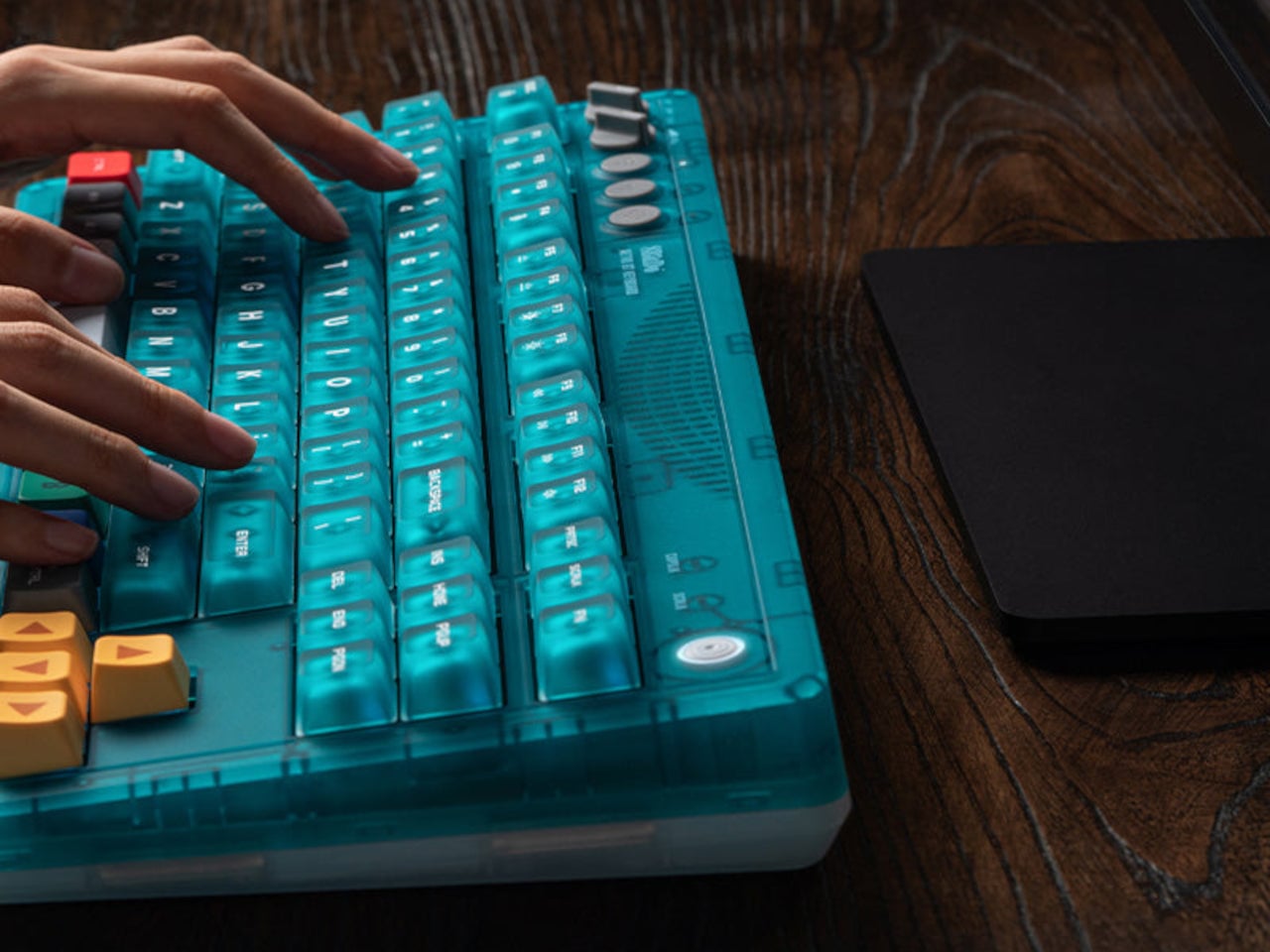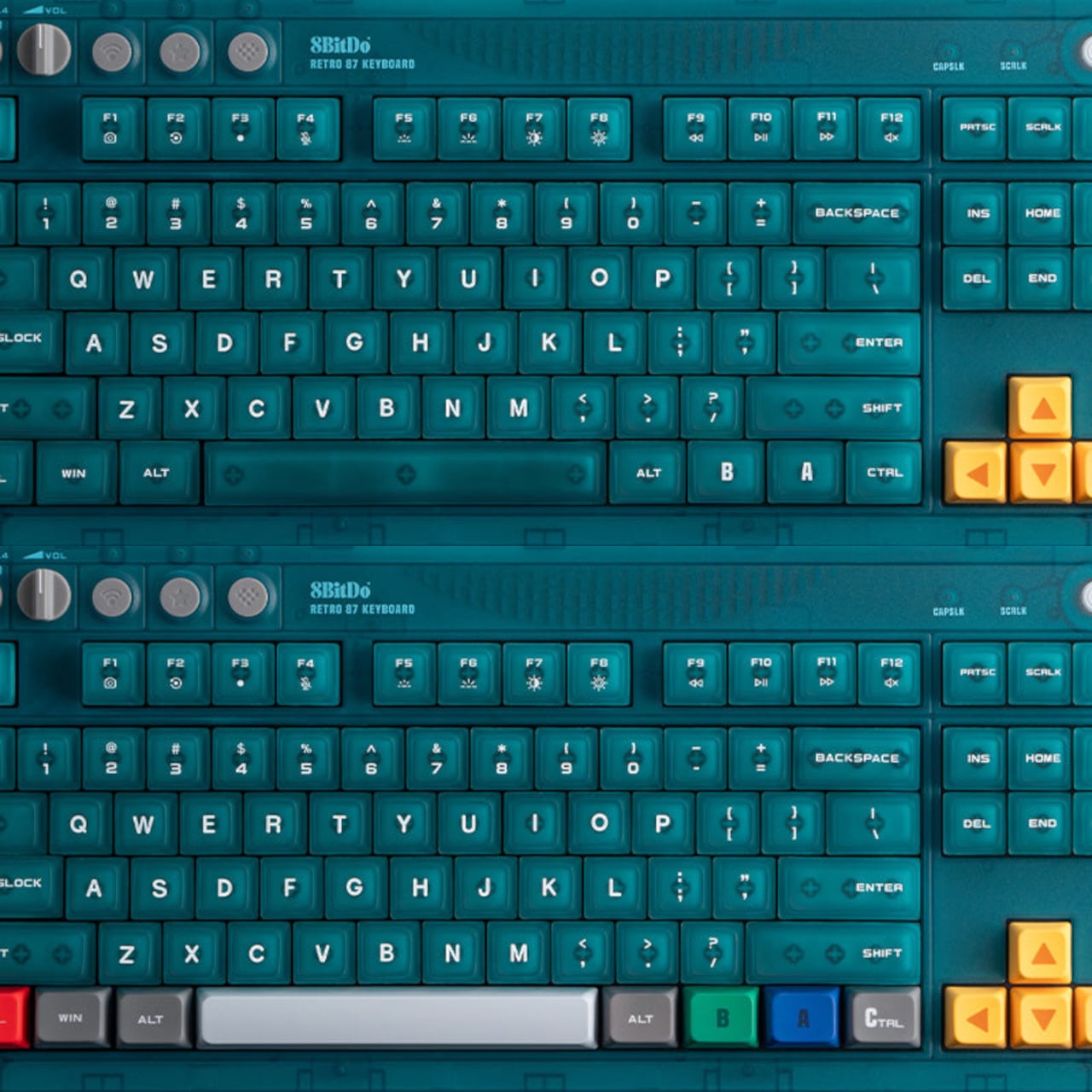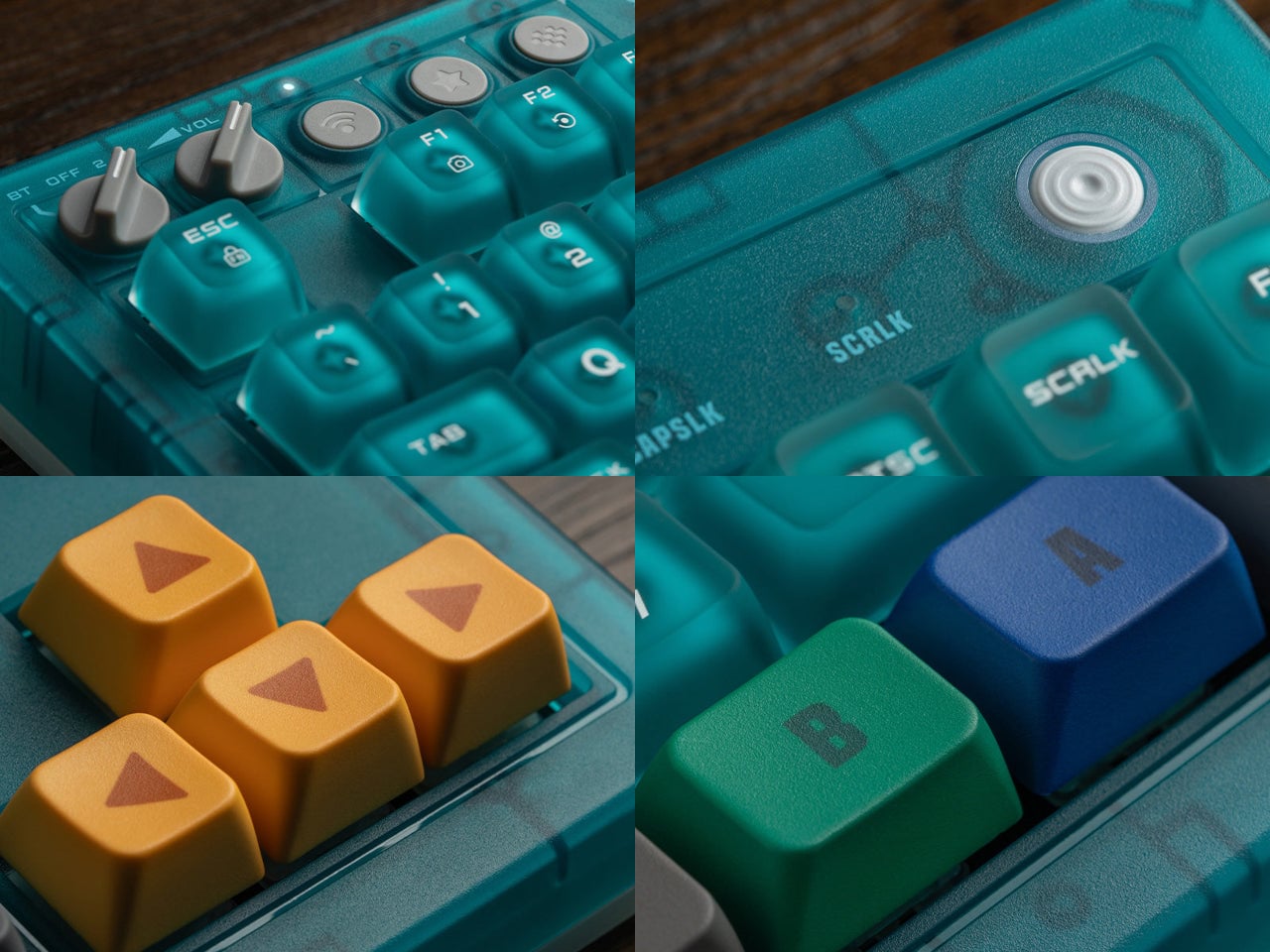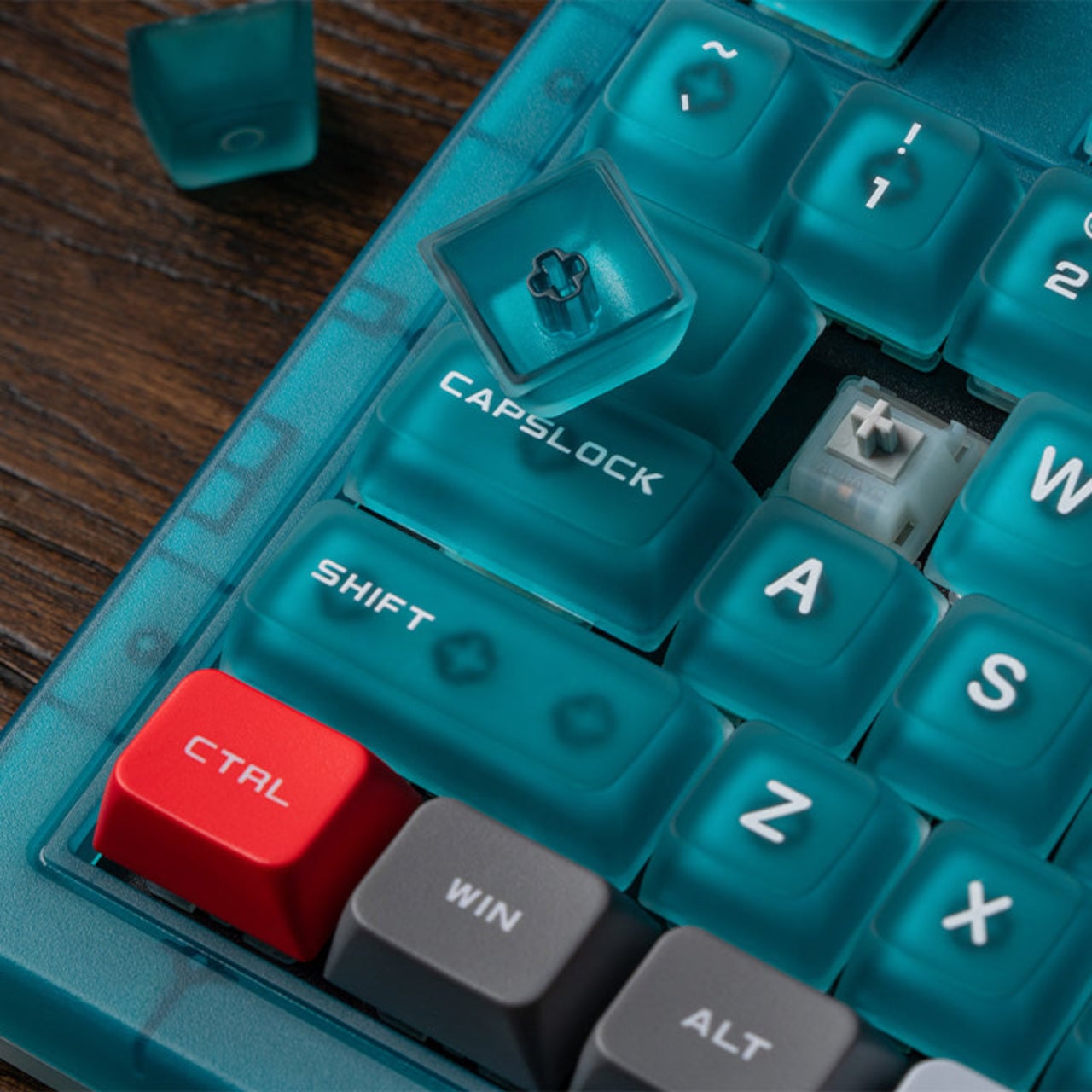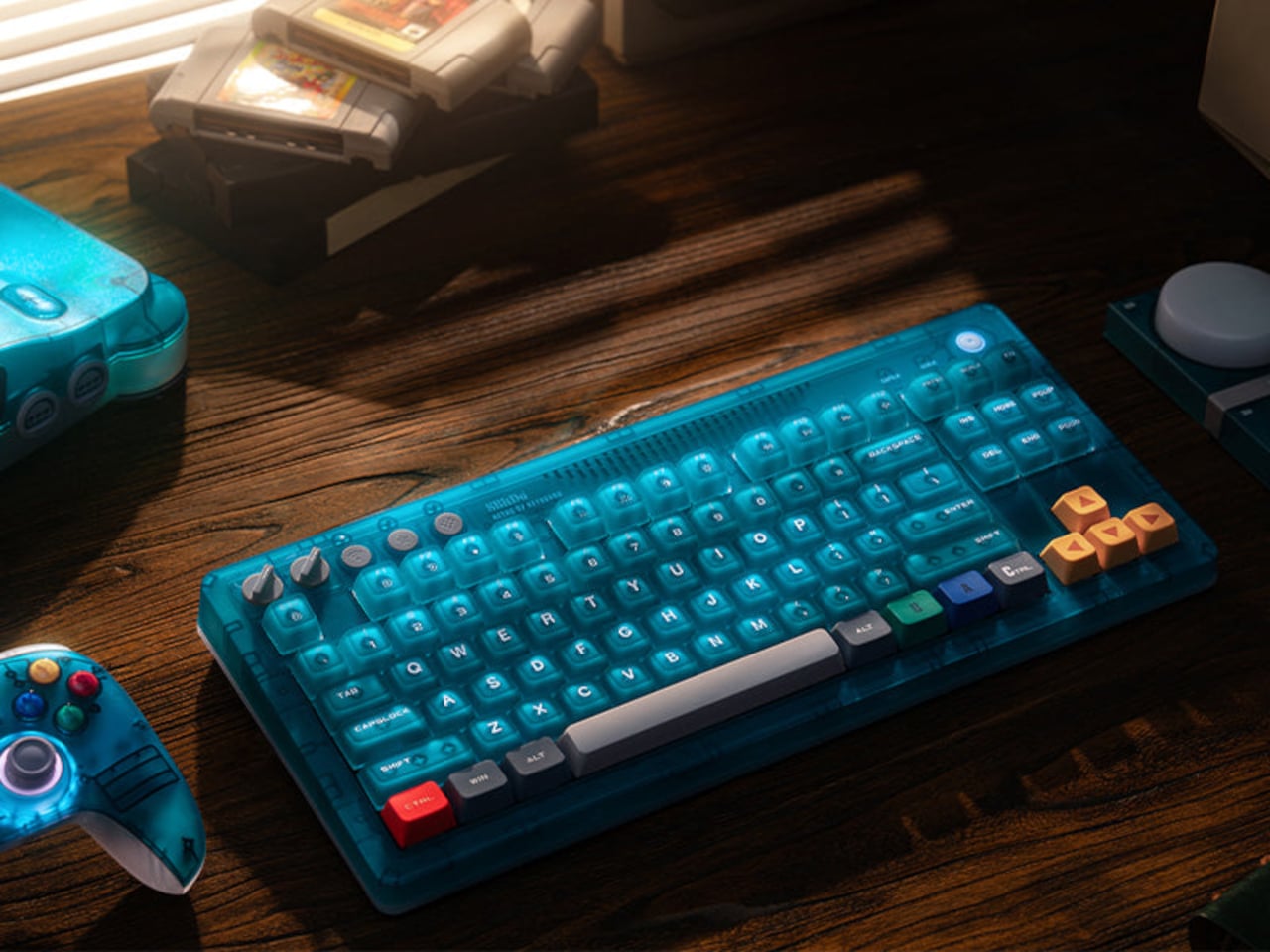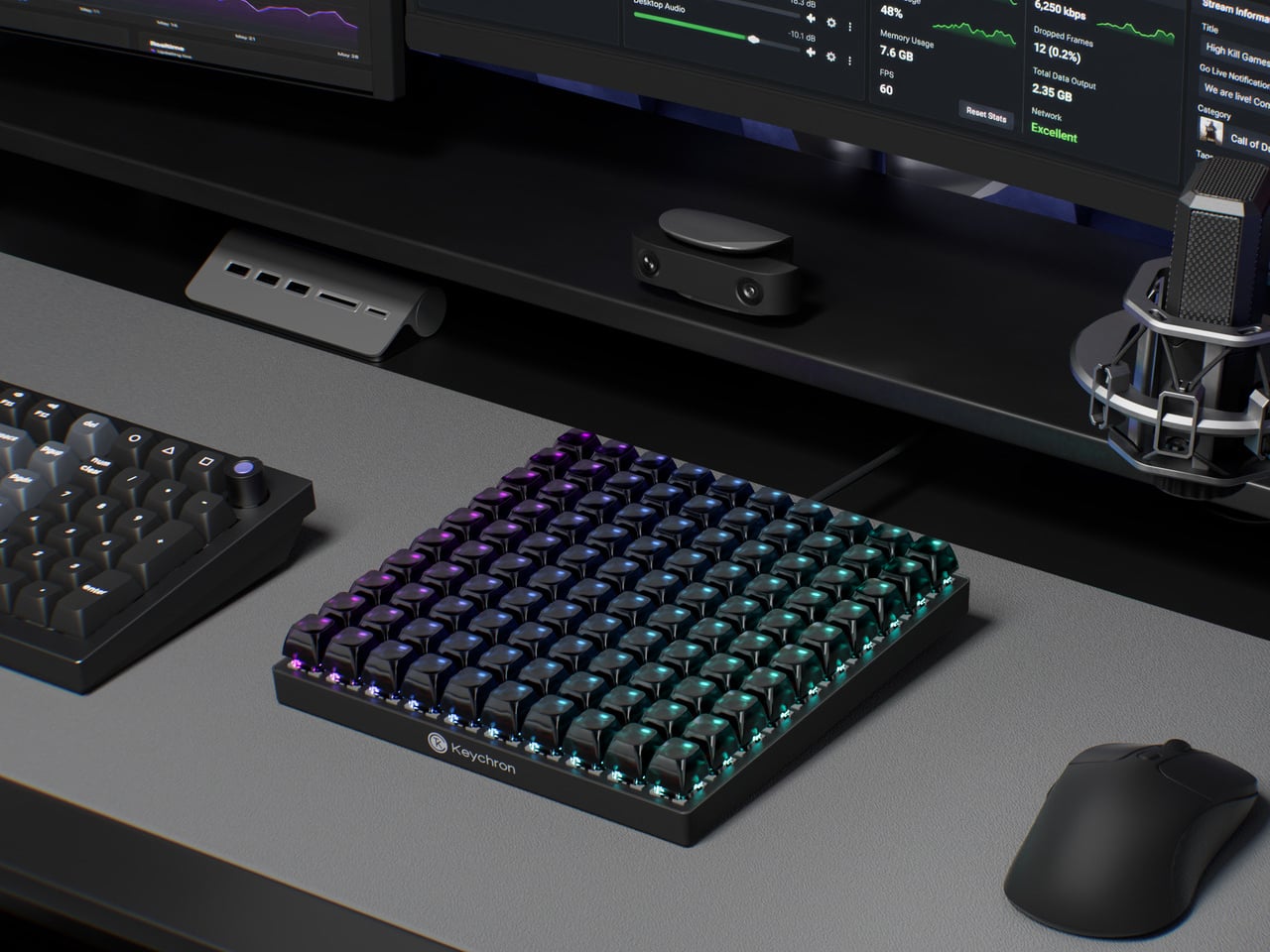
Epomaker TH80 V2 & V2 Pro: Wireless Keyboards That Last 200 Hours

There is a particular kind of frustration that comes with wireless keyboards, and it always arrives at the worst possible moment. Mid-sentence, mid-meeting, mid-game, the low battery warning blinks, the charging cable is nowhere nearby, and the whole appeal of going wireless suddenly feels like a poorly negotiated deal. The TH80 V2 and TH80 V2 Pro from Epomaker were built with that specific frustration in mind.

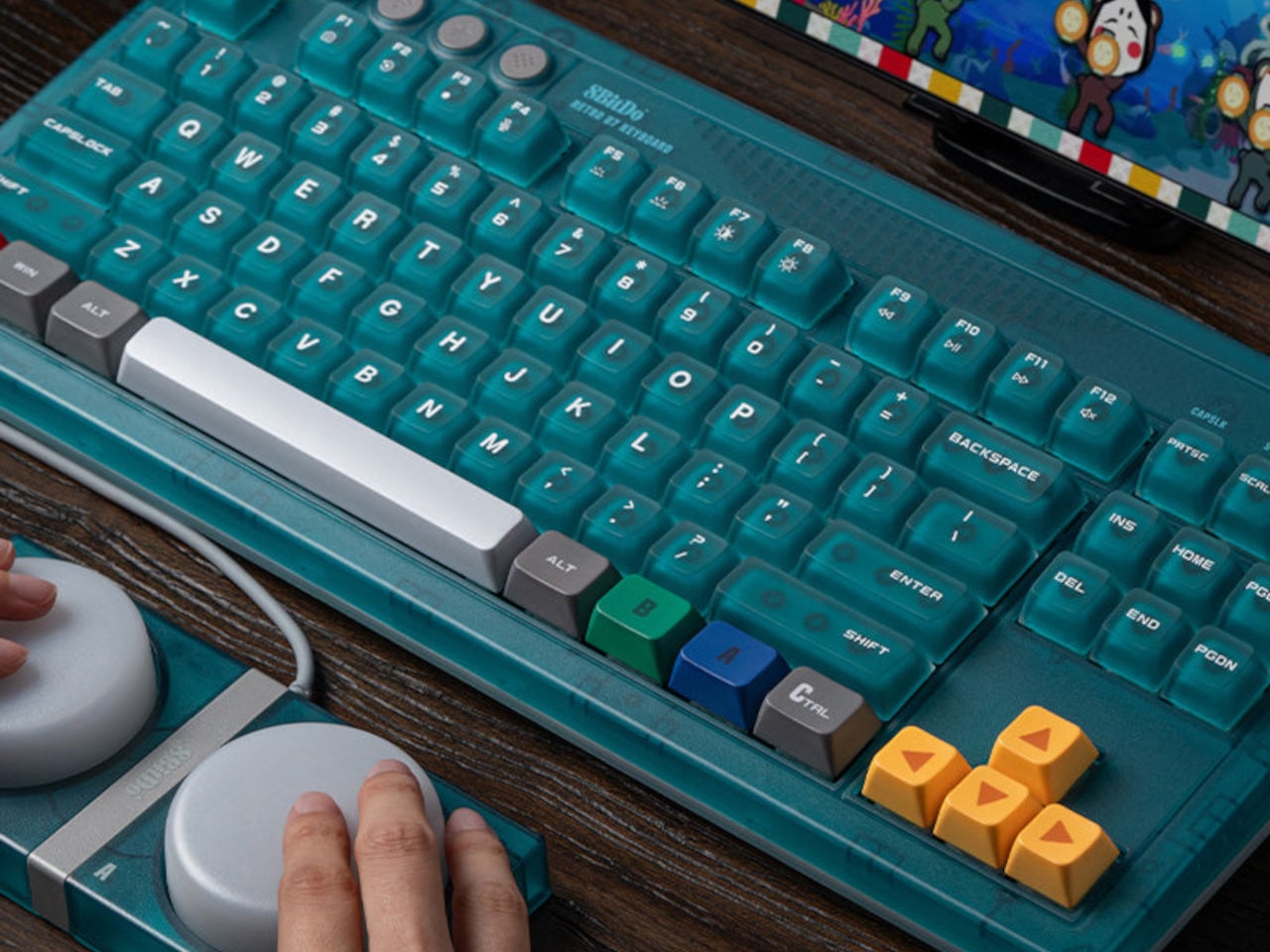
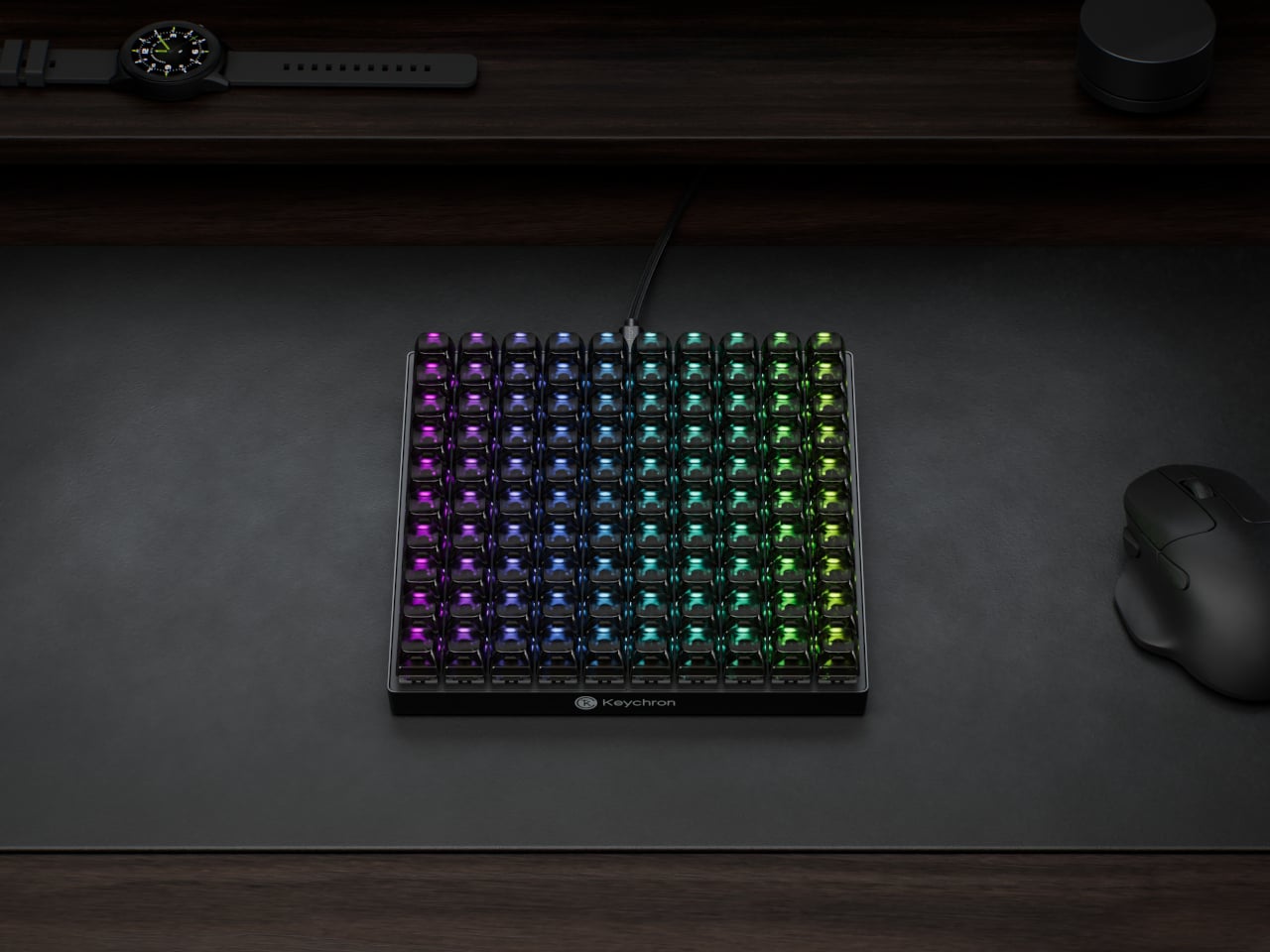
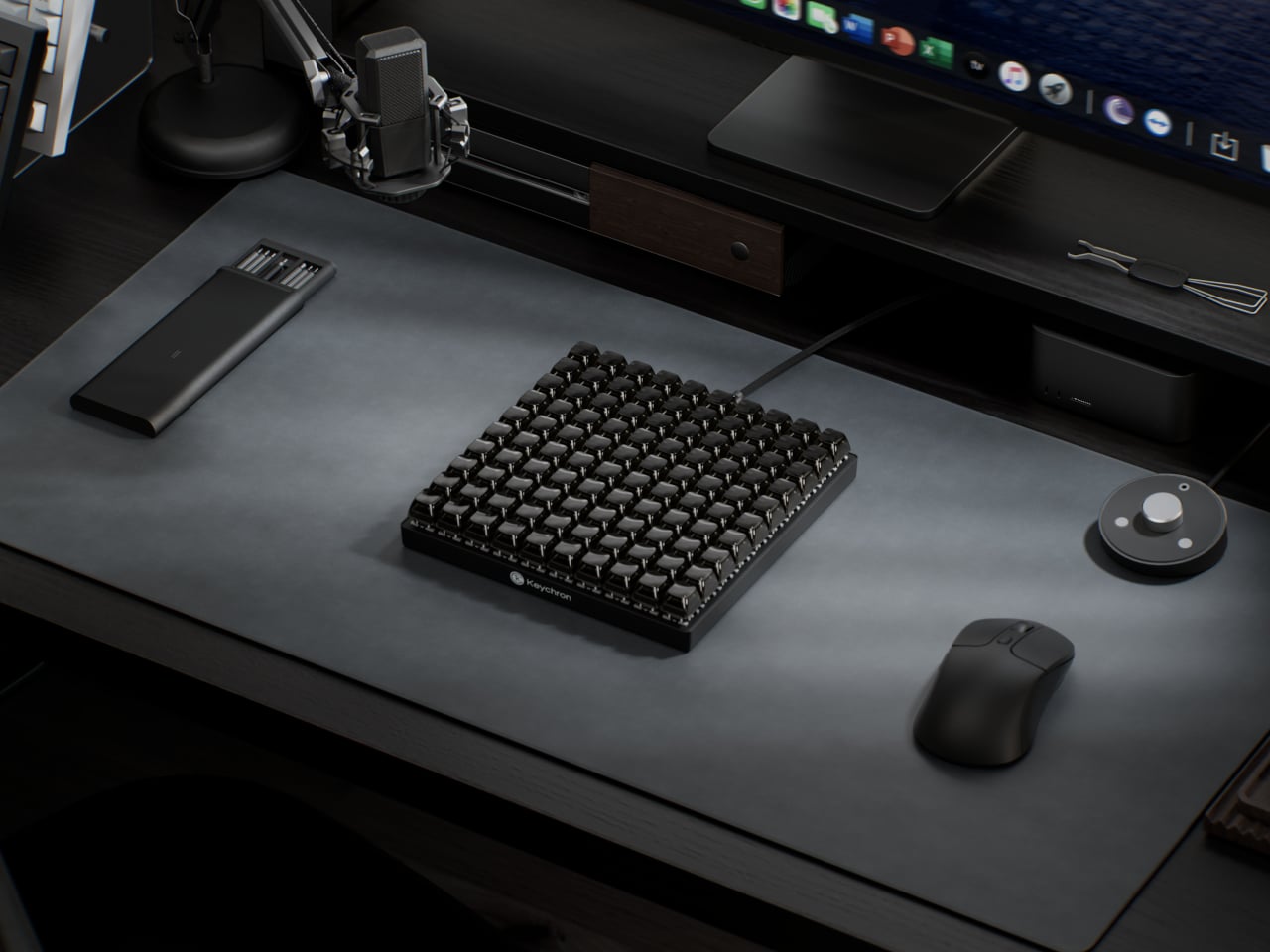
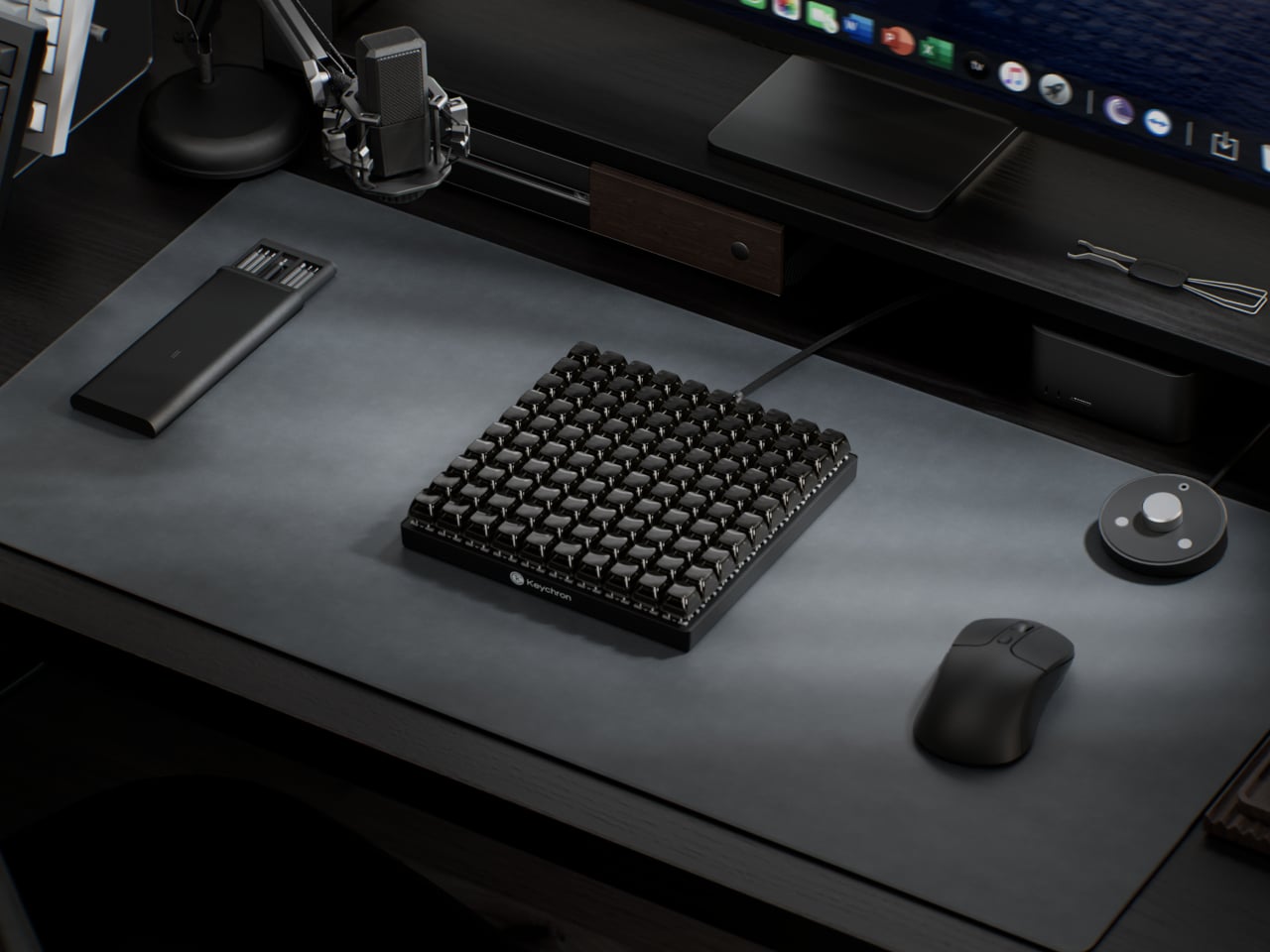
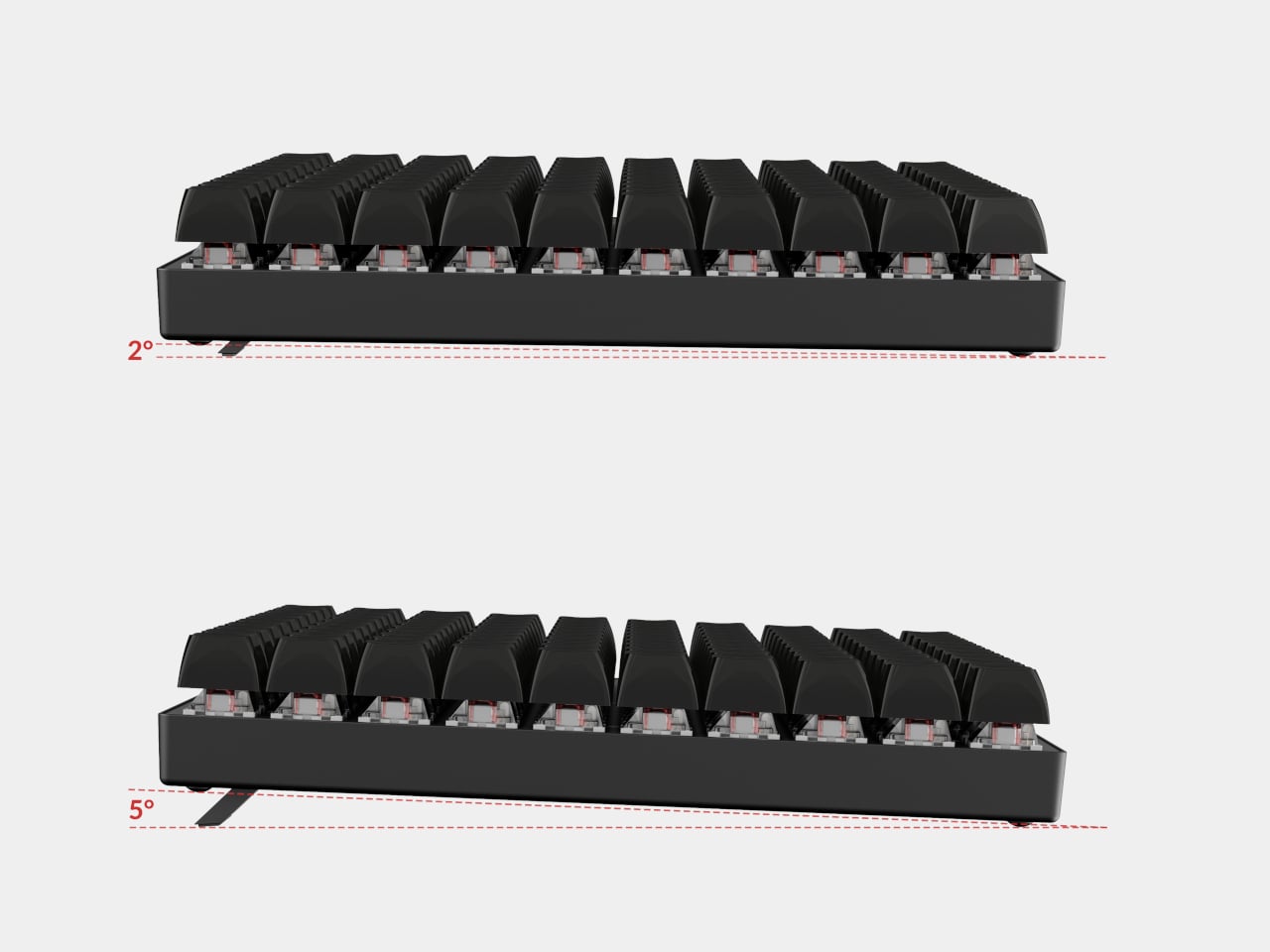
Both boards share a compact 75% layout, keeping the function row and dedicated arrow keys while shedding the numpad bulk that full-size keyboards carry everywhere. They are available in two switch flavors: the Creamy Jade linears for a smooth, consistent keystroke, and the Sea Salt Silent V2 switches for anyone sharing a space with people who would rather not hear every word being composed out loud.

Designer: Epomaker

Click Here to Buy TH80 V2: $58.65 $68.99 (15% off) | TH80 V2 Pro: $70.20 $77.99 (10% off). Hurry, deal ends in 48-hours!

TH80 V2

Underneath each keystroke is a gasket-mount structure paired with a five-layer sound-dampening system. The polycarbonate plate adds some flex to the mix, and the result is that soft, cushioned thud the keyboard community has taken to calling “creamy.” It is one of those things that sounds like marketing until the first time a finger lands on a well-tuned gasket board, and then it just sounds like a very good reason to keep typing.

The battery is where both boards make their most persuasive argument. The TH80 V2 carries an 8,000 mAh cell rated at 200 hours with the RGB off, and the TH80 V2 Pro steps that up to 10,000 mAh. Most wireless keyboards in this price range ship with cells a quarter that size, which means charging becomes a weekly ritual rather than a distant afterthought. Both boards support 2.4 GHz, Bluetooth, and wired USB-C connectivity, remember up to five paired devices, and switch between Windows, Mac, and Android without any fuss.

TH80 V2 Pro

The TH80 V2 Pro goes a step further with a 1.06-inch glass-covered TFT color screen tucked beside the rotary knob. It shows time, battery percentage, and connection status at a glance, which is genuinely handy. It also supports custom GIF uploads through Epomaker’s browser-based driver, so the screen can carry a small personal detail for anyone who treats their desk as a considered space. No software installation needed, either, which removes a step that should have been dropped from this category a long time ago.

Picking between the two is a fairly straightforward exercise in priorities. The TH80 V2 covers the gasket mount, the massive battery, hot-swappable switches, full per-key RGB, and a side-lighting bar, available in a subtle Black Grey or a composed White Grey Yellow. The TH80 V2 Pro adds the LCD screen, the larger battery, the browser-based driver, and more expressive colorways, including a striking translucent black and a fan-favorite Pink edition.

What the TH80 V2 series gets right is the part that rarely makes it onto spec sheets: the sense that someone thought carefully about what actually makes a wireless keyboard annoying to live with, and then addressed those things one by one. Good typing feel, a battery that lasts long enough to stop being a concern, and enough room for personalization that the board can feel like yours rather than just a peripheral you settled for.

Click Here to Buy TH80 V2: $58.65 $68.99 (15% off) | TH80 V2 Pro: $70.20 $77.99 (10% off). Hurry, deal ends in 48-hours!

The post Epomaker TH80 V2 & V2 Pro: Wireless Keyboards That Last 200 Hours first appeared on Yanko Design.

The $599 MacBook Neo is Shaking Up the PC Industry: 6 Best Alternatives

Apple has never really done “affordable.” For decades, the cheapest way into the Mac ecosystem meant spending at least $999, and that was considered a deal. So when the company announced the MacBook Neo at $599, or $499 for students and educators, the reaction wasn’t just surprise. It was something closer to disbelief. This is the same Apple that charges $19 for a polishing cloth, and it just put a laptop on the shelf for less than most people’s monthly rent.

It’s not an accident or a moment of generosity. The MacBook Neo is a deliberate move into a market segment Apple has ignored for years: the budget laptop buyer. Students, first-time Mac users, families on tighter budgets. These are the people who’ve been defaulting to Chromebooks and cheap Windows machines, not because they preferred them, but because a Mac was simply out of reach. Apple just changed that math, and the PC industry is already scrambling to respond.

Designer: Apple

More Than a Fresh Coat of Paint

The Neo comes in four colors: blush, indigo, silver, and a sharp citrus yellow. The colors even extend to the Magic Keyboard in lighter shades and matching wallpapers, which is a level of cohesion you genuinely don’t see at this price point in Windows hardware. The aluminum enclosure weighs 2.7 pounds, and the 13-inch Liquid Retina display runs at 2408-by-1506 resolution with 500 nits of brightness, outpacing most competing devices in this segment by a considerable margin. Combine that with up to 16 hours of battery life, and the headline specs read like a mid-range laptop, not an entry-level one.

The chip underneath all of that is the A18 Pro, the same processor that powered the iPhone 16 Pro in 2024. That’s where the picture gets a bit more nuanced. It’s definitely more than enough for web browsing, document editing, streaming, casual photo editing, and AI tasks. What it isn’t is a creative workstation. This machine is fanless, silent, and cool-running, but it isn’t going to replace even a MacBook Air for serious video work or sustained heavy computation. Apple has been honest about that positioning, and the spec sheet backs it up.

There are also a few caveats beyond the silicon. There’s no backlit keyboard on the base $599 model, which feels like an odd omission in 2026. Fast charging isn’t supported either, with only a 20W USB-C adapter in the box. The connectivity is minimal: one USB 3 port (USB-C) and one USB 2 port (USB-C), the latter topping out at 480Mb/s, which is slow enough to matter if you regularly move large files. No Thunderbolt. No MagSafe. Touch ID is exclusive to the $699 model. These are deliberate subtractions, not oversights, designed to protect the MacBook Air’s value proposition while keeping the Neo’s cost down.

Road Once Traveled: Windows RT

Before getting too swept up in the novelty of the MacBook Neo, it’s worth remembering that the idea of an affordable, ARM-based portable computer aimed at everyday users isn’t new. Microsoft tried exactly this in 2012 with Windows RT, a version of Windows designed to run on ARM chips and released alongside the original Surface tablet. The pitch was appealing: a sleek, efficient, battery-friendly device that could handle the basics and connect to the broader Windows world.

The fact that it failed is pretty much part of history by now. The core problem wasn’t the hardware or even the concept: it was the software. Windows RT looked and felt like Windows but couldn’t run traditional Windows desktop applications. It was a watered-down experience wearing a familiar face, and users who expected full Windows compatibility found themselves stranded. The app ecosystem didn’t materialize fast enough, either, and Microsoft eventually abandoned the platform. Windows on ARM has continued in various forms since then, but it’s never fully shaken the baggage of that first failed attempt.

Apple, by contrast, spent years laying groundwork before making its ARM leap. When the company transitioned the entire Mac lineup to Apple Silicon starting in 2020, it didn’t ask developers to build for a new platform overnight. The Rosetta 2 translation layer handled legacy Intel apps smoothly from day one, and Apple had spent over a decade pushing developers toward modern APIs and frameworks through iOS. By the time the A18 Pro landed inside a $599 laptop, the software ecosystem was already there waiting for it. The MacBook Neo doesn’t run a restricted version of macOS. It runs full macOS Tahoe, with access to the same App Store and the same apps as any other Mac, and that is the fundamental difference that Microsoft was never able to bridge with Windows RT.

The best alternatives if the MacBook Neo isn’t for you

The MacBook Neo sets a new standard for what a $600 laptop can look and feel like. That said, it’s not the right machine for everyone. If you’re committed to Windows, need more RAM, prefer a larger display, or simply aren’t ready to switch ecosystems, there are some solid alternatives worth considering in the same price range.

Acer Swift Go 14 (SFG14-73)

The Acer Swift Go 14 is one of the more compelling Windows options at this price point, running on an Intel Core Ultra 5 processor with integrated Intel Arc graphics, 8GB of RAM, and a 512GB SSD. That’s double the storage of the base Neo for roughly the same $600 price. The bigger draw is the display: a 14-inch OLED panel at 2880×1800 resolution, which is genuinely excellent for a laptop in this category and makes the Swift Go a strong pick for anyone who consumes a lot of media.

Designer: Acer

The trade-offs can’t be ignored, though. Battery life comes in around 8.5 hours, which is significantly shorter than the Neo’s 16-hour rating, and it weighs about 2.87 pounds in a larger chassis. It’s also a somewhat older-gen model, and that sweet price tag is only available in select retailers. If you want a bigger, sharper screen and don’t mind carrying a charger more often, the Swift Go earns a serious look.

Lenovo IdeaPad Slim 3 (15″, AMD)

Lenovo’s IdeaPad Slim 5 punches above its price with a more generous hardware loadout than the Neo: an AMD Ryzen 5 8540 processor, 8GB of RAM, and 512GB of storage, all available around the $500 price point. Lenovo also tends to make the best keyboards in the budget Windows space, and this one continues that tradition.

Designer: Lenovo

Where it falls short is predictable. The display is a 15-inch 1920×1200 IPS panel, which is perfectly functional but a noticeable step down from the Neo’s Liquid Retina screen in terms of sharpness and color. The battery life is what you’d expect from a Windows laptop. It won’t make you smile when you pull it out of a bag the way the Neo will, but if raw specs-per-dollar is the priority, the IdeaPad Slim 3 is a difficult machine to argue against.

HP OmniBook 5 (BA1056NR)

HP’s OmniBook 5 positions itself as an entry-level everyday laptop with pricing that frequently dips below $650, giving it a clear edge over the Neo in pure cost. It runs on modest Intel hardware, comes with a generous serving of 16GB of RAM, and is built primarily for email, web browsing, document editing, and video calls, the exact workload profile Apple says the Neo is designed for. Battery life is rated respectably, and the keyboard and trackpad are comfortable enough for extended daily use.

Designer: HP

The honest version of this recommendation comes with a caveat: the OmniBook 5 doesn’t compete with the Neo on display quality, build materials, or software longevity. The screen is a standard 16-inch 1080p IPS panel in a plastic chassis, and it runs Windows on Intel Core 5 silicon, which is a much older generation than today’s selection. It makes sense as a pure budget play if the price tag is still a stretch, but going in with eyes open about what those savings cost you is important.

Acer Chromebook Plus Spin 714 (CP714-1H-54UB)

The Acer Chromebook Plus Spin 714 is one of the more capable Chromebooks available around the $530 mark with a discount ($699 in full), and it brings a feature the Neo completely lacks: a touchscreen. Running on an Intel Core Ultra 5 with 8GB of RAM and 256GB of storage, it matches the Neo’s base memory and storage configuration while adding 2-in-1 convertibility and a 14-inch IPS display at 1920×1200. For students, especially, the tent and tablet modes open up use cases that a standard clamshell laptop can’t cover.

Designer: Acer

The limitations are ChromeOS itself, which has narrowed the gap with full desktop operating systems considerably but still trails macOS and Windows for professional app compatibility. Battery life is advertised to be around 10 hours, shorter than the Neo but solid for a school day. At 3.21 lbs, it’s heavier and physically larger, and the display is a step behind the Neo in resolution and color quality. For someone already in the Google ecosystem, though, this is the sharpest Chromebook rival to the Neo in this price window.

Lenovo Chromebook Plus 14 (ChromeOS)

Lenovo’s Chromebook Plus 14 is the premium option in the ChromeOS space, and its headline feature is the display: a 14-inch 1920×1200 OLED panel with touchscreen support at a price of $749. For a Chromebook, that’s genuinely unusual hardware, and the screen quality puts it ahead of most of the Windows competition in this tier. It also supports Wi-Fi 7, runs on an Arm-based MediaTek Kompanio Ultra 910 chip with 16GB of RAM, and offers a build quality noticeably above the typical Chromebook standard.

Designer: Lenovo

The case for it over the Neo comes down to ecosystem preference. If Google Docs, YouTube, and Android apps cover your workflow, the Chromebook Plus 14 delivers a premium screen and a refined experience for less money than a MacBook Air. If you need desktop-class software, the ceiling becomes apparent quickly. ChromeOS has matured, but it still hits walls that macOS doesn’t. This is the Chromebook that makes you reconsider the category, not the one that makes you forget its limitations entirely.

Refurbished MacBook Air M1

It feels slightly odd to list an older Mac as an alternative to a newer Mac, but the refurbished MacBook Air M1 is worth the mention. Available through Apple’s certified refurbished store, third-party retailers, and resellers, the M1 Air frequently surfaces in the $600 to $700 range and represents a considerable step up from the Neo in several areas. The M1 chip is more capable than the A18 Pro for sustained workloads, it has MagSafe-era USB-C with Thunderbolt support, and it comes with 8 to 16GB of unified memory in the base configuration with a more mature, battle-tested macOS optimization story.

The catch is that you’re buying hardware from 2020, and Apple’s software support timeline means the M1 will eventually age out of macOS updates before a Neo purchased today will. For someone who wants macOS and a bit more headroom without stepping up to the $1,099 MacBook Air M5, the refurbished M1 is a pragmatic option rather than an inspired one. It gets the job done, but it doesn’t have the new colors, and the MacBook Neo, despite its compromises, is the more forward-looking machine.

Wake-up call

Affordable Windows laptops and Chromebooks have never been in short supply. The problem has always been that most of them require accepting significant compromises: dim displays, plastic chassis that creak, battery life that barely lasts a workday, or chips so underpowered that the experience degrades within a year of purchase. Many of the more appealing options in this segment come from lesser-known manufacturers, which brings its own concerns around software support and build reliability over time.

What the MacBook Neo does is reframe the question the PC industry has been comfortable not asking. ARM-based Windows laptops have existed for years, and the Snapdragon X series has made genuine progress, but Windows on ARM still hasn’t found the cultural moment that would turn it into a mainstream category. The Neo’s arrival and the reaction to it suggest that the market for a well-made, genuinely affordable computer aimed at students and everyday users is larger than the industry has been willing to address seriously. Apple just walked in and asked whether cheap and simple was enough, or whether those buyers might actually want something better.

The post The $599 MacBook Neo is Shaking Up the PC Industry: 6 Best Alternatives first appeared on Yanko Design.

Apple Finally Rounded the MacBook’s Corners After 18 Years

For about 18 years, every aluminum MacBook has looked more or less the same. Silver. Angular. Quietly serious. There’s nothing wrong with that. Apple’s unibody aluminum design, introduced in October 2008 and carved from a single block of metal, was genuinely elegant and set the template for an entire industry. But it also retired something along the way: the idea that a Mac laptop could feel chosen rather than just defaulted to.

The MacBook Neo, announced March 4 and starting at just $599, is the first real crack in that template. It comes in four colors (blush, indigo, silver, and a yellow-green called citrus) with enclosure corners that are noticeably softer than any aluminum Mac in recent memory. Whether that adds up to a proper design statement or just smart positioning is worth thinking through.

Designer: Apple

What happened to Apple’s color confidence

iBook G3 Clamshell (courtesy of Wikipedia)

Apple’s fondness for color didn’t always live inside an iPhone. The iBook G3, launched in 1999, came in tangerine and blueberry, and later in indigo and key lime. It was rounded, slightly toy-like, and completely unapologetic about being a consumer product. When the aluminum unibody arrived in 2008, Apple traded that warmth for precision machining and sharp rectilinear edges. Right call for the MacBook Pro. Default for everything else, apparently, for nearly two decades.

The result was a color drought in aluminum Mac laptops that has lasted until now. Silver, space gray, midnight, starlight: all variations on the same mood of professional restraint. The Neo’s citrus and blush aren’t just options on a spec page. They’re a quiet admission that not every laptop buyer wants a device that looks like it belongs in a boardroom. For Apple, that’s actually not a small thing to say at the product level.

Two different stories about corners

M1 MacBook Pro (2021)

There’s a distinction worth making here, because “rounded corners” gets used loosely when describing the Neo. MacBook displays have had rounded screen corners since 2021, which is a display-level detail and nothing new. What’s different on the Neo is the chassis itself. The physical aluminum enclosure is softer at the edges and corners than any aluminum Mac before it, and Apple’s own press materials describe “soft, rounded corners” specifically in terms of how the device feels to hold and carry.

That’s a real shift in the design language. The 2008 unibody was celebrated for machined sharpness, corners you could feel were engineered. The Neo softens that deliberately. It’s not a revival of the iBook, and it’s not trying to be, but the instinct is similar: a consumer Mac that feels a little more like it belongs to you. The notch is also gone, making this the first notchless MacBook since 2020, which quietly tidies up the one thing that made recent Airs feel slightly unfinished.

The repairability angle is actually a design story too

One thing that got a little buried under the color conversation: the Neo is the most repairable Mac laptop in years, and that’s partly a design decision worth noting. Teardowns showed how the whole machine was disassembled in just a few minutes using standard Torx screws throughout. No tape, no adhesive, anywhere inside. That’s a first for a modern Mac. The USB-C ports, speakers, and headphone jack are all modular. The keyboard can be replaced on its own, without swapping the entire top case, which on the MacBook Air currently costs over $370 in parts.

The internal simplicity isn’t accidental. The A18 Pro chip runs so efficiently that the Neo needs no fan at all, which removes a whole layer of thermal engineering that usually clutters a laptop’s interior. The result is a cleaner, more logical internal layout. Whether Apple arrived here from genuine design philosophy or from regulatory pressure (the EU’s right-to-repair push has been building for years) is an open question, but the outcome is real either way.

What it doesn’t fix, and what might come next

It’s not all sunshine and rainbows, of course. The base model has 8GB of non-upgradable RAM, one USB-C port runs at USB 2.0 speeds, and there’s no backlit keyboard. These are calculated trade-offs for the price point, not mistakes, but they matter depending on what you actually need the machine for. And repairability, for all the justified enthusiasm, is still partial: the RAM and storage are fixed at purchase, just like every other current Mac.

Still, the Neo feels like Apple designing for a specific person it had previously ignored: someone who was never going to spend $1,000 on a MacBook Air and wasn’t particularly well served by anything else Apple made. The color, the softer form, the price, the clean internals, all of it points at the same person. What’s genuinely interesting is whether any of this travels upmarket. If a future MacBook Air gets a color story this confident, the Neo might end up looking less like an entry-level product and more like Apple quietly figuring out what comes next.

The post Apple Finally Rounded the MacBook’s Corners After 18 Years first appeared on Yanko Design.
This Brutalist Lounge Chair Is 3D-Printed From Recycled Water Bottles

Most furniture sits in a room without saying much. It fills a corner, does its job, and disappears into the background. Nako Baev’s THE OBJECT 01 is not that kind of furniture. The Amsterdam-based designer set out to build a chair that carries the weight of a spatial statement, something that holds its ground without decoration or apology, and in that specific ambition, the object largely delivers.

THE OBJECT 01 is a 3D-printed lounge chair built from recycled PETG, a plastic more commonly found in water bottles than in furniture workshops. At 20kg, it is lighter than its blocky, slab-heavy proportions suggest, though not exactly something you would reposition on a whim. Its dimensions push it closer in scale to a small architectural fragment than to a typical chair, which is likely the whole point.

Designer: Nako Baev

The construction follows a modular panel system, where each 3D-printed block fits into a sequence designed to cut material waste and keep the overall mass structurally lean. Finished in a cold grey Baev calls “Kyoto Fog,” the chair reads somewhere between concrete and matte stone. In a sparse studio or raw loft, it anchors the space with quiet authority. In a more conventional living room, it would likely dominate in ways not every household would welcome.

What makes THE OBJECT 01 genuinely worth attention is how honestly it exposes its own making. The layer-by-layer texture from the printing process is not hidden or smoothed away; it stays visible across the surface, turning the manufacturing method into part of the visual language. That kind of material honesty is far more common in ceramics or cast concrete than in plastic furniture, and it gives the piece a tactile quality that polished renders simply do not convey.

Baev describes the design as sitting between furniture and sculpture, drawing on minimalist brutalism and a quieter Japanese restraint in equal measure. The emotional reference points are more unusual: the designer cites the atmosphere of Silent Hill and Half-Life, those game environments built from silence and abandoned space, as part of what shaped the object’s mood.

The workflow involved AI assistance across early form studies, structural testing, and design refinement, reducing development time considerably. That footnote is becoming standard across the industry, and it doesn’t add or subtract much here. This process might even become the key to sustainable furniture design, as it can help optimize 3D printing, increase efficiency, and reduce waste in the long run.

The post This Brutalist Lounge Chair Is 3D-Printed From Recycled Water Bottles first appeared on Yanko Design.
This Foldable DIY Cyberdeck Has Breadboards Built In and Runs Doom

Most portable computers are sealed boxes, which is exactly what makes them frustrating for anyone who wants to experiment with electronics. You can run code on a laptop, but try wiring a temperature sensor or an infrared transmitter directly to it, and you’ll realize that consumer hardware was never designed for that kind of access. A maker who goes by PickentCode got tired of that gap and built something to close it.

The CyberPlug 3.0 is the third iteration of a personal cyberdeck project, the earlier two having usability problems that sent PickentCode back to Blender to redesign. The final build packs a Raspberry Pi 4 Model B, a 4-inch IPS touchscreen, a Rii K06 mini keyboard with a built-in touchpad, and a 5,000 mAh USB-C power bank into a 3D-printed hinged body that folds flat for handheld use or props open at a desk-friendly angle.

Designer: PickentCode

What separates this from a standard Raspberry Pi build is the pair of breadboards soldered directly to the GPIO pins, seated inside the case, and accessible through a removable back panel. Connecting a sensor no longer means hunting for a separate breadboard and a tangle of jumper wires. PickentCode plugged in a temperature and humidity sensor and had it reading live data within minutes, then built an infrared setup that records remote control signals and replays them as single-button macros.

The two form factors each have a distinct locking mechanism rather than just flopping into position. In handheld mode, twin magnets pull the two halves together. In desktop mode, a metal ring on the back grabs the MagSafe-style power bank magnetically, holding the whole thing at a stable upright angle. Both the keyboard and the power bank slide out independently, and the deck keeps working on a desk without either of them.

Extensions are where the project gets more interesting. PickentCode added a PWM-controlled external fan that reads CPU temperature and adjusts speed automatically, and a small speaker module that opened the door to YouTube and older games. Doom, Half-Life, and GTA: Vice City all ran on it, better with an external setup in desktop mode, though workable in handheld after some button remapping.

PickentCode frames this plainly as a testbed for learning electronics, not a replacement for a phone or a real computer. The 3D files are free on Printables, so the main cost is filament, time, and the components. For anyone who has ever stared at a sealed laptop wishing they could just plug something into it, that framing is probably the most relatable thing about it.

The post This Foldable DIY Cyberdeck Has Breadboards Built In and Runs Doom first appeared on Yanko Design.
This Laptop Stays Cool by Asking You to Move Your Own Keyboard

Laptop thinness has always been a trade-off dressed up as progress. The slimmer the chassis, the less room there is for the thermal infrastructure that keeps processors from throttling, and that compromise has long passed as the cost of portability. Inventec’s VeilBook, a 14-inch concept under 10 mm thick, took home an iF Design Award 2026 by rethinking not the materials but the physical behavior of the person using it.

The defining feature is a detachable keyboard that doesn’t stay fixed at the front of the deck. Most laptops position those fans beneath the keyboard, which occupies the upper area of the deck, and the keyboard itself limits how freely air can escape upward. Removing that obstruction improves airflow enough to keep the processor and memory from throttling under sustained load.

Designer: Inventec

At rest, the keyboard covers the touchpad and palm rest, leaving the vent area above the cooling fans completely unobstructed. When you do need to use the touchpad, you can simply lift the keyboard and place it toward the back, a more natural position as far as traditional laptops are concerned. You can keep the keyboard there or put it back over the touchpad, depending on your needs and workflow.

That repositioning comes with a catch. To get the best thermal performance out of the VeilBook, the touchpad has to stay covered. If a workflow runs on keyboard shortcuts or an external mouse, that trade-off barely registers. For anyone accustomed to resting their palms beside the touchpad while typing, or reaching for it mid-sentence, it’s a more disruptive ask than the concept’s clean renders suggest.

When the keyboard stays back and the touchpad is exposed, it doubles as a shortcut surface, a secondary input layer available without requiring a full posture shift. The VeilBook also incorporates behavior-linked power management, tying energy consumption to actual usage states rather than running at a fixed profile. When the keyboard is stowed and input activity drops, the system scales back power draw, which at least means the thermal compromise isn’t a constant condition.

What the VeilBook makes visible is a problem the industry has spent years papering over. Thin laptops throttle partly because keyboards sit on top of vents, and the obvious fix, moving the keyboard, apparently needed a concept award to surface. Whether blocking the touchpad is an acceptable price for better sustained performance is a question every potential user will answer differently, depending on how much of their day actually runs through that glass rectangle.

The post This Laptop Stays Cool by Asking You to Move Your Own Keyboard first appeared on Yanko Design.

Skip the $20K Install: The $799 iGarden Swim Jet X Series Clamps Onto Any Pool

Most backyard pools spend their lives being thoroughly underused. They’re great for a hot afternoon cool-down and perfectly fine for the occasional float, but not exactly built for anyone who wants to swim laps. The obvious fix is a swim jet system, until you look into what installing one actually costs. Professional installation means plumbing connections, dedicated electrical work, and a contractor quote that tends to start somewhere around five figures.

The iGarden Swim Jet X Series sidesteps that problem entirely. Rather than something built into a pool, it is something you bring to one. A jet head mounts to the pool’s edge with a clamp-and-bracket assembly, no drilling required, while a separate power box sits on the deck nearby. Attach it, switch it on, and the pool becomes considerably more useful than it was ten minutes ago.

Designer: iGarden

Click Here to Buy Now: $799 $1199 (40% off). Hurry, only 27/160 left! Raised over $935,000.

That power box is worth a closer look. It is a compact cube with a brushed metal finish, a circular display showing battery level and session time, and a clean row of buttons for power, flow, and timer control. The main unit itself has suitcase-style wheels and a retractable handle, so moving the whole system poolside, storing it in the shade, or taking it somewhere else entirely takes almost no effort.

The entire system runs on a low-voltage architecture, making sure that the product is completely safe to use. The swim jet carries an IP68 waterproof rating, while the power box is rated IP65. The system will automatically cut off power if there is accidental contact or if the battery/power unit shifts out of position, and a safety grille covers the jet intake. The safety design is thorough without being complicated.

On the performance side, the flagship X35-P60 runs a 1,000W permanent magnet synchronous motor or PMSM, pushing flow speeds up to 3.5 meters per second. An AI inverter control system modulates the motor output in real time, keeping the current steady and laminar through a focused, straight-lane flow. The current remains consistent even as a swimmer pushes hard against it.

That steady resistance changes how the pool actually gets used day to day. A morning session at a moderate gear setting feels genuinely like open-water swimming, sustained and uninterrupted, without the constant wall turns. The six speed levels mean the same device works for casual paddling at the lower end and serious interval training at the top. The X35-P60 also runs for up to 10 hours on a single charge, enough for a full day of use without needing a top-up.

At the structured training end of the spectrum, the P3 and P4 settings unlock sprint programming through the companion app, with sessions configurable in blocks from 15 up to 90 minutes and workout history logged after each one. Dial the current back on a weekend afternoon, and the pool becomes a gentle flow that kids can float and play in. One device, one pool, several completely different experiences across a single day.

The iGarden Swim Jet X Series is compatible with plunge pools, fiberglass, concrete, gunite, and vinyl-lined pools, which cover almost every residential configuration. When the season ends, it packs into a storage bag, rolls on its wheels to a friend’s place when the occasion calls for it, and leaves no trace behind when removed. The pool stays exactly as it was. The swim jet is just a guest, and a rather useful one at that, starting at just $799.

To mark its launch, iGarden is throwing in a couple of reasons to move quickly. Everyone who pledges within the first 48 hours gets shipping at $25 flat, half the standard rate, and one randomly selected backer from that same 48-hour window will receive their iGarden Swim Jet X Series unit completely free. Not a bad way to kick off a launch.

Click Here to Buy Now: $799 $1199 (40% off). Hurry, only 27/160 left! Raised over $935,000.

The post Skip the $20K Install: The $799 iGarden Swim Jet X Series Clamps Onto Any Pool first appeared on Yanko Design.
iPhone 20 in 2027: All-Glass, Buttonless, and Highly Unlikely

The iPhone turns 20 in 2027, and Apple apparently wants to throw a party that people will remember. Sources believe that the company is targeting a radical redesign for what will likely be called the iPhone 20, skipping “iPhone 19” the same way it jumped directly to the iPhone X back in 2017. More than just a naming trick, it came with the full-screen OLED design, Face ID, and the removal of the home button, a move that felt genuinely shocking at the time. The expectation building around the iPhone 20 is that history is supposed to repeat itself, only bigger.

The appetite is clearly there. Interest in bold Apple hardware has been riding high on the back of iPhone Fold rumors, and the search interest in “iPhone 20 design” has shot up by over 3,100% year-over-year. People are hungry for a leap, not an incremental shuffle. What Apple is reportedly planning, an all-glass unibody with no physical buttons and no visible cutouts anywhere on the device, is exactly the kind of leap that generates excitement. Whether it generates anything more than that is a genuinely open question.

Images courtesy of: AppleTrack

iPhone X (2017)

What it isn’t: an all-screen phone

Before the imagination runs completely wild, it helps to be specific about what “all-glass” is not. This is not a Xiaomi Mi Mix Alpha situation, where the display wraps entirely around the phone like a very expensive, very fragile bracelet. That concept, for all its visual drama, would introduce a cascade of problems: iOS and most apps are built on the assumption that the back of a phone is inert. Making the entire surface interactive requires a fundamental rethinking of how software handles accidental input, palm rejection, and basic navigation, none of which Apple appears to be pursuing here.

Designer: Xiaomi

The more useful comparison is the Vivo APEX from 2019, a concept phone that was genuinely all-glass and buttonless without wrapping the display around the chassis. The APEX had no physical buttons, no headphone jack, no visible ports, and shockingly, no front camera. It was definitely a striking object. It also never made it to retail, because striking objects and reliable everyday devices are not always the same thing.

Designer: vivo

What the rumors are actually saying

The picture assembled from various sources is fairly consistent in its broad strokes. The iPhone 20 is expected to arrive with a four-sided bending OLED display that curves around all edges, a fully glass chassis with no metal frame visible from the outside, camera lenses flush against the glass back with no raised rings or seams, and an under-display front camera with Face ID sensors also moved beneath the glass. Physical buttons disappear entirely, replaced by what Apple has internally codenamed “Project Bongo,” localized haptic zones that simulate a press through piezoelectric ceramics rather than a mechanical click.

Images courtesy of: AppleTrack

Apple has been laying this groundwork for years, whether deliberately or not. MagSafe removed the last port most people used regularly. The solid-state home button on the iPhone 7 trained a generation of users to accept a simulated click as the real thing. Touch ID lived in that fake button for years before Face ID made it irrelevant. Project Bongo itself has been in development since 2021, with the haptic button solution reportedly completing functional verification for the iPhone 20 last October. The staged rollout has already begun: under-display Face ID is expected to debut on the iPhone 18 Pro in 2026, a year before the full transformation arrives.

Why Apple might actually want this

The engineering case for an all-glass, buttonless phone is stronger than it might first appear, and it goes well beyond aesthetics. Glass transmits radio frequencies with far less attenuation than metal, which means that a fully glass chassis removes the need for antenna break lines, those small plastic interruptions visible on metal-framed iPhones. For 5G mmWave frequencies, which are particularly vulnerable to obstruction, that is a meaningful structural advantage, not a cosmetic one.

Physical buttons are also apertures, meaning every button cutout is a potential entry point for water, dust, and debris, not to mention a structural point of weakness. Solid-state haptic zones flush with a continuous glass surface create a fully sealed perimeter by default. And without springs, electrical contacts, or moving parts, the mechanical failure modes that eventually wear out every physical button simply do not apply. There is also a software dimension: a haptic surface can be reprogrammed. The same zone that acts as a volume button in one context can behave differently in a camera app, or respond to a half-press the way a DSLR shutter does. That interaction vocabulary does not exist on a physical button.

Images courtesy of: AppleTrack

The design coherence argument is worth taking seriously, too. iOS 26 introduced the Liquid Glass UI at WWDC 2025, with translucent menus, frosted panes, and depth-layered interfaces that read as software built to live inside a glass object. If the hardware catches up, the iPhone 20 would be the first Apple device where the material logic of the shell and the interface are genuinely continuous, rather than one imitating the other.

Why Apple will definitely not do it, at least not yet

The skepticism case is longer and, in several places, harder to argue around. Start with the glass itself. No glass smartphone has survived all kinds of real-world accidents unscathed, including the iPhone 16 Pro Max with Ceramic Shield 2. The current metal frame does real structural work; it absorbs and distributes impact energy in ways that glass cannot. A four-sided curved display that wraps around what used to be the frame zone eliminates that crumple zone entirely.

Thermal management is a less visible but equally serious issue. Aluminum conducts heat significantly better than glass. The metal frame in current iPhones is part of the thermal pathway, moving heat from the logic board outward. Glass is a poor conductor and a poor radiator, and with Apple Intelligence pushing sustained on-device AI inference, the thermal load is growing, not shrinking. Apple would need expanded vapor chambers or novel heat-bridge materials to compensate, none of which have been confirmed.

Then there is the under-display camera. Samsung introduced UDC technology with the Galaxy Z Fold3 in 2021 and used it through the Fold6. Image quality was consistently criticized across all four generations, and Samsung is now reportedly abandoning it for future foldables due to persistent optical and cost challenges. Apple is reportedly moving in the opposite direction, but with a twist. It might use the under-display camera primarily for Face ID’s infrared sensors rather than the selfie camera, which sidesteps the worst degradation but does not resolve long-term selfie quality under glass.

Designer: Samsung

Accessibility is a concern that gets less coverage than drop tests, but it definitely deserves more. Blind and visually impaired users rely on physically locatable controls as navigational anchors, such as the raised profile of a button. Flush haptic zones remove that landmark. There is also the “dead device” recovery problem: a bricked iPhone requires holding a specific physical button combination to enter recovery mode. Whether solid-state haptic buttons can operate at the firmware level, before iOS loads, has not been confirmed. Case and accessory compatibility adds another layer; a wraparound display that curves into what is currently the frame zone fundamentally changes how a protective case grips the device, since the element that used to grip the frame now grips the screen.

The human factor is harder to engineer than the glass

The technology story surrounding the iPhone 20 is genuinely fascinating, and some of it will almost certainly happen. Under-display Face ID on the iPhone 18 Pro is close enough to be treated as confirmed. The full vision, no buttons, no cutouts, glass everywhere, is a different question. Manufacturing challenge is described as “extraordinarily complex,” component manufacturers are on the fence, and the expected price point will likely exceed the current Pro Max tier. Those are not the conditions under which Apple tends to ship a complete reimagining all at once.

But the technical hurdles might not be the hardest part. People have strong, specific feelings about physical buttons in ways they do not always articulate until the buttons are gone. The haptic home button on the iPhone 7 worked well enough that most users stopped noticing it within weeks. Extending that same illusion across every tactile control point on the device, in cold weather, through a case, while the phone is vibrating with an incoming call, and across several years of daily use, is a different challenge than a single button in a fixed location. Whether that feels like liberation or a slow-building frustration might depend less on the engineering and more on the person holding it.

Images courtesy of: AppleTrack

The post iPhone 20 in 2027: All-Glass, Buttonless, and Highly Unlikely first appeared on Yanko Design.
This Sideboard Has Lapis Lazuli and Green Onyx Hand-Set Into Marble

Black Marquina marble tends to command a room before anything else in it does. The material has a particular gravity, that deep, carbonized base cut through with white veining, which makes most furniture around it feel like an afterthought. Designer Himanshu Kumar Gupta leans into that authority completely with the Midnight Inlay Sideboard, then quietly subverts it the moment someone opens a door.

The exterior runs on strict formal logic. Vertical fluting covers the door panels from edge to edge, each ridge precisely cut into the stone so the surface ripples with shadow even under flat ambient light. On plain marble, this treatment would read as architectural severity, which is exactly the point. The fluting establishes a rhythm, almost like a grid, that makes what comes next feel genuinely disruptive.

Designer: Himanshu Gupta

Scattered across those ridged panels are rectangular inlays in Lapis Lazuli, Red Fire marble, Alikanta, and Green Onyx, appearing at irregular intervals and orientations like signals caught mid-transmission. Each inlay sits flush within the fluting, which means the stone was routed and fitted with zero tolerance for error. A slightly proud or recessed block would break the silhouette entirely. That constraint alone separates this from surface-applied decoration.

The interior is where the piece earns its sharpest contrast. Behind the cool, textured stone exterior is a cavity lined in red velvet over solid wood, a warm, almost theatrical shift in material register. Opening the doors feels less like accessing storage and more like discovering that a severe stone cabinet had a completely different personality waiting inside, the kind of detail that does not photograph well and cannot be fully appreciated without direct interaction.

Cylindrical handles in a warm copper-toned metallic finish sit vertically in the fluting, restrained enough to avoid competing with the inlays. The base is a solid slab, no tapered legs, no gap between cabinet and floor, keeping the profile ground-hugging and monolithic. The overall silhouette is low and horizontal, which helps it read as furniture rather than architecture, even with the stone’s commanding presence working against that reading.

Combining five different natural stones into a single fluted facade is a nontrivial production problem. Stone inlay of this precision typically requires hand-fitting each piece individually, since natural stone does not behave with the consistency of milled engineered material. The designer frames this as a contemporary take on traditional inlay craft, creating a beautiful tension between order and spontaneity, old and new.

The post This Sideboard Has Lapis Lazuli and Green Onyx Hand-Set Into Marble first appeared on Yanko Design.
These Shell-Inspired Lamps Cast Wing-Like Shadows on Your Walls

Most lamps are designed to disappear into a room. The fixture is an afterthought, a delivery mechanism for the bulb, and anything drawing attention to itself risks becoming a problem rather than a solution. Mostafa Arvandbarmchi and Lampart Lighting Solution took the opposite position with the Pelk collection, designing lamps that treat the fixture as the point, with light almost secondary to the form holding it.
The starting reference is the black sea shell, specifically the way its structure balances curvature, layering, and quiet rhythm without any of it feeling constructed. Each Pelk module translates that logic into a pair of curved metal arcs, split open at the front, wrapping a frosted spherical globe without fully enclosing it. The arcs have a brushed, darkened finish and a visible surface texture that reads as geological up close, smooth from a distance, but clearly worked.

Designer: Mostafa Arvandbarmchi

What the shell geometry does for the light is more interesting than what it does for the form. The arcs cup the globe rather than enclose it, so light spills forward and sideways while the back of the shell stays dark. Brass-toned cylindrical connectors catch just enough ambient glow to register as a material contrast. On the wall behind, the arcs throw wide, wing-like shadows that shift with viewing angle, extending the fixture’s presence well beyond its physical footprint.

Pelk comes in two configurations. The floor lamp mounts two modules on a slender black rod above a flat circular base, staggered in height and rotated so the pair reads as a branching structure rather than a stack. The pendant version runs a thin cable from a ceiling mount down to a cylindrical floor counterweight, with four modules spiraling the full length, each rotated slightly from the last for a slow, unwinding rhythm.

That pendant version is the more spatially demanding of the two, occupying a full ceiling-to-floor span and working best against tall, uninterrupted walls where the vertical composition has room to resolve. A low ceiling or a cluttered corner fights it. The floor lamp is more forgiving, but it still performs better with clear wall space behind it, where the shadow work has somewhere to register, and the arcs read as architecture rather than decoration.

Arvandbarmchi frames Pelk as a spatial object that brings rhythm and proportion into a room, not just illumination. That ambition holds up in the pendant version especially, where the spiraling modules do something genuinely unusual with vertical space. That said, the lamp’s strong visual identity could either make it a collaborator in a room’s composition or a fixture that quietly competes with everything around it.

The post These Shell-Inspired Lamps Cast Wing-Like Shadows on Your Walls first appeared on Yanko Design.