This Utility Knife Has a Satisfying Click-and-Slide Instead of a Rattle

Most utility knives live in junk drawers until you need to open a box. You dig out something with a flimsy plastic slider, a rattling blade, and a body that feels like it costs exactly one dollar. They are treated as disposable, even though you use them constantly for packages, tape, and workshop tasks. There is room for a small knife that feels as considered as the rest of your desk or carry.

BQ S1 is a compact gravity-slide utility knife built around a simple intention: a tool that looks clean, feels natural, and works flawlessly. The flat, CNC-machined metal body hides a gravity-assisted blade mechanism inside, with no aggressive tactical styling or gimmicks. It is designed to make everyday cutting feel deliberate rather than disposable, turning deployment into a motion that is actually satisfying instead of frustrating.

Designer: Mario Lee from BQEDC

Click Here to Buy Now: $49 $70 (30% off). Hurry, only 14/270 left! Raised over $70,000.

The S1 uses a gravity-assisted slide mechanism instead of a traditional linear slider. A sideways thumb swipe makes the internal plates pivot, and the blade glides out under its own weight, then locks securely in place. The motion and sound are tuned to feel instinctive and precise, creating a satisfying click and slide rather than a sticky, two-handed struggle with a plastic track that catches every time.

The body is machined from aluminum or titanium with tight tolerances, giving you sharp exterior lines, smooth chamfered edges, crisp blade guides, and defined side texture for grip. The layout is lefty-friendly, with every angle and surface shaped to enhance control, comfort, safety, and precision. It feels equally natural in either hand when cutting cardboard, trimming tape, or opening packages at your desk or in a workshop.

A bright red safety lock sits at the top, offering tactile feedback when engaged and making it obvious when the blade is secured. The compact 80mm length, lightweight build, and reinforced lanyard hole make it easy to carry on a keychain, in a pocket, or clipped to a bag. It is small enough to disappear when not in use, solid enough that you do not worry about it falling apart.

The S1 uses standard utility blades you can find almost anywhere, steel, tungsten-coated, or ceramic, with no proprietary refills. Blade changes are handled by a simple slide button sequence: slide to release, swap the blade, slide back, done. That choice keeps running costs low and makes it easy to keep a sharp edge without hunting for special cartridges or depending on a single supplier.

Opening deliveries, cutting packing tape, trimming cardboard for prototypes, these are small routine tasks that most people handle with whatever dull knife is within reach. The BQ S1 is designed to turn those moments into clean, precise actions where the blade extends smoothly, locks with confidence, and cuts without tearing or snagging. It is not trying to be a survival knife or a fidget toy, just a well-made cutter.

For people who care about the details of the tools they touch every day, a utility knife that feels cool to use instead of something you hide in a drawer starts to make sense. The gravity-slide motion, the CNC-machined body, the red safety lock, and the universal blade compatibility all add up to a tool that quietly earns its place in your pocket or on your keychain, not because it does anything wildly different, but because it does everyday things better.

Click Here to Buy Now: $49 $70 (30% off). Hurry, only 14/270 left! Raised over $70,000.

The post This Utility Knife Has a Satisfying Click-and-Slide Instead of a Rattle first appeared on Yanko Design.
This Airport Lounge Turned Mondrian’s Boogie-Woogie into Wood Islands

Long layovers usually mean seas of identical metal chairs, bright signage, and constant motion that makes rest feel impossible. Even premium lounges often feel like slightly nicer waiting rooms, not places with a point of view beyond arranging seating in rows. Schiphol’s Lounge 2 sits in the flat Haarlemmermeer polder outside Amsterdam, which gave Beyond Space a specific landscape and design history to work with when redesigning the 1,000 square meter space.

The studio looked at that polder and the Dutch De Stijl movement it inspired, particularly Mondrian’s orthogonal paintings. His late Boogie-Woogie works are essentially abstractions of that landscape, grids of lines and colored planes forming rhythmic compositions. Beyond Space took those paintings as an organizing principle, using sequences of orthogonal lines and planes to define where and how people sit instead of just dropping furniture onto a floor.

Designer: Beyond Space

Entering the lounge, you realize you are not looking at rows of chairs but a low wooden city. Connected seats form islands of different sizes that plug into the existing architecture, creating pockets for solo travelers, pairs, and larger groups. You can choose a corner that feels tucked away, a spot with a direct runway view, or a cluster where a family can spread out without blocking circulation.

Instead of Mondrian’s red, yellow, and blue, the designers used solid wood from European tree species Mondrian once painted in his early landscape work. That swap keeps the De Stijl grid and rhythm but trades visual shouting for warmth and calm. In a terminal full of screens and branding, the consistent wood tones and leather upholstery act like a noise-cancelling layer without resorting to beige blandness.

The orthogonal layout hides surprising variety, armchairs with side tables, benches, back-to-back arrangements, and larger platforms for groups. Power outlets are integrated into the wooden blocks, so charging a laptop does not mean hunting for a wall socket or sitting on the floor. The grid gives order, but within it you can find a spot that matches how you actually want to wait.

Because seating follows a clear grid aligned with the architecture, it is easier to orient yourself and remember where you were sitting when you come back with coffee. The repetition of similar forms, combined with daylight from large windows and a neutral floor, creates visual tranquility rare in airports. It feels designed to let your brain idle instead of constantly scanning for threats.

The lounge treats waiting not as dead time to fill with more screens, but as a chance to sit in a space with a clear idea behind it. By abstracting the landscape outside and channeling Mondrian without copying his colors, Beyond Space turns a generic airport zone into a small wooden blueprint of Dutch design history that just happens to be comfortable between flights.

The post This Airport Lounge Turned Mondrian’s Boogie-Woogie into Wood Islands first appeared on Yanko Design.
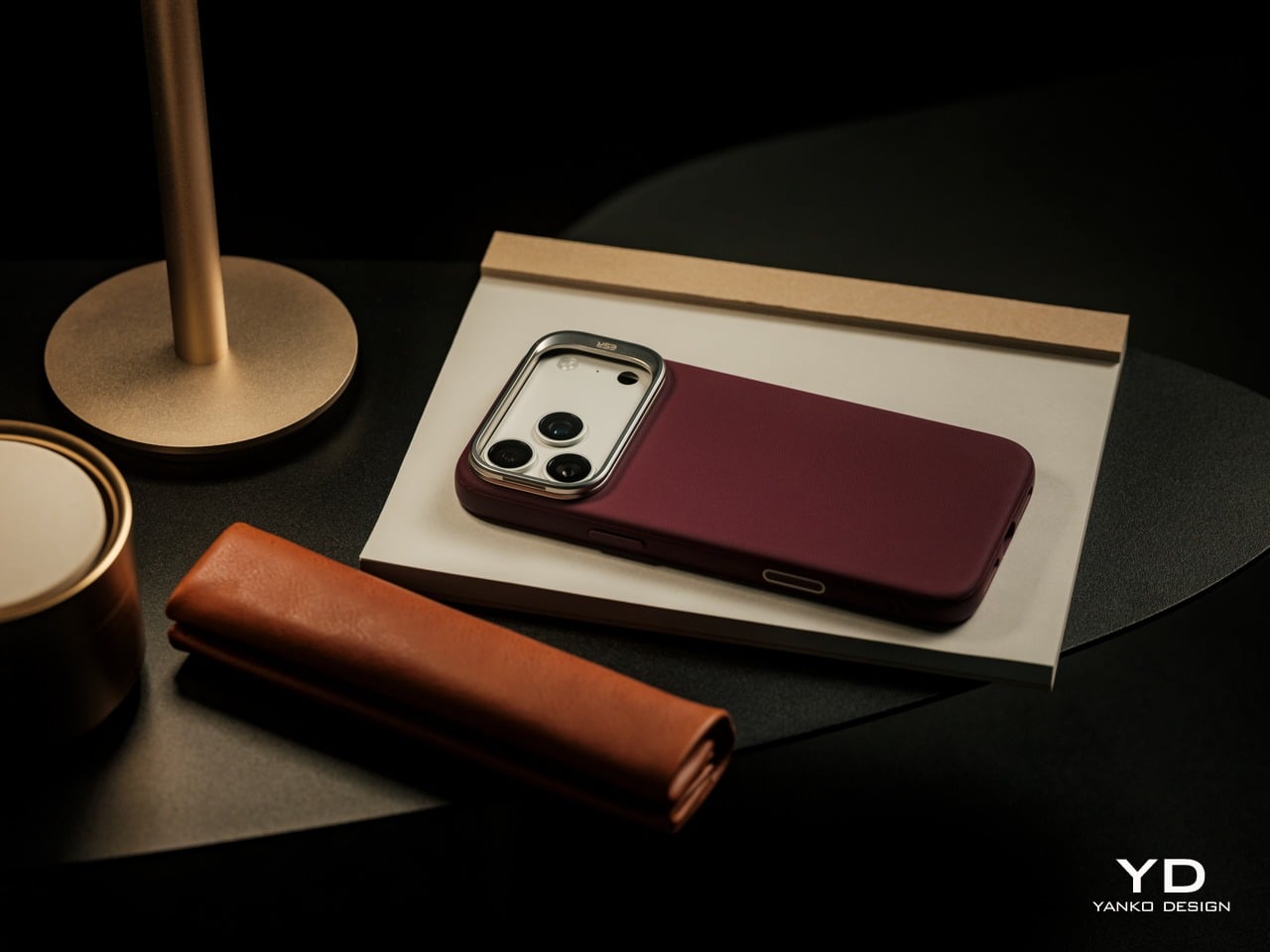
Wear Your Real Watch: This Case Turns Apple Watch into a Mini Handheld

Full smartphones often feel like overkill, but the Apple Watch on your wrist is still awkward for anything beyond quick glances. There’s also the complication of wanting to wear a mechanical or analog watch without giving up notifications, Apple Pay, and quick replies. Stacking both on one arm feels ridiculous, and choosing between connectivity and wearing the watch you actually like is the kind of small annoyance that lingers.

elrow’s miniphone Standard and miniphone Ultra are 3D-printed cases that turn an Apple Watch into a narrow, palm-sized device with a lanyard. The Standard fits the 46mm Series 10 and 11, while the Ultra fits the Apple Watch Ultra 1, 2, and 3. Both are about 95mm tall, with textured translucent bodies, visible screws, and an open back so you can charge without disassembling the case.

Designer: elrow industries

Leaving your iPhone in a bag and carrying the miniphone instead means you still get calls, messages, and Apple Pay, but you are not staring at a six-inch screen every time a notification pings. Holding the watch in a slightly larger body makes tapping icons feel more like using an old iPod than pecking at your wrist, and clipping it to a pocket means it stays out of sight until you need it.

The translucent PLA+ on the Standard and PETG on the Ultra, textured surfaces, and stainless or black-coated steel hardware give the cases a rugged, workshop vibe. The integrated lanyard hole and included paracord with an orange bead make it easy to carry without pockets. It feels more like a small tool than a fashion case, which suits the “tool ↔ watch” idea of keeping your mechanical watch on.

Moving the watch off your wrist means that continuous heart rate, ECG, blood oxygen, and sleep tracking are basically gone. You are also told to turn off wrist detection for better battery and notifications, which changes how Apple Pay, auto-lock, and some security features behave. Activity rings and step counts become unreliable when the watch lives in a pocket or on a lanyard, and fall detection may not work as intended.

WatchOS assumes a wrist, from raise-to-wake gestures to how workouts and reminders work. In a miniphone case, some of that feels off or becomes less useful. You are treating the Apple Watch as a tiny connected widget for notifications and quick controls, not as a health tracker logging your life, which is fine if that is what you wanted in the first place.

The miniphone cases make the most sense if you already use the Apple Watch as a lightweight communicator and remote, not as a medical device. If you love wearing a mechanical watch while still having a pocketable slice of watchOS nearby, or you want less phone without going fully offline, a 3D-printed case that trades sensors for simplicity is a strangely logical, if niche, step.

The post Wear Your Real Watch: This Case Turns Apple Watch into a Mini Handheld first appeared on Yanko Design.

This Building Is Designed to Look Like a Molecule Exploding at 100x Scale

Most cutting-edge science happens in anonymous lab buildings that could be anything from offices to data centers. Fields like protein folding, which quietly underpin medicine and biotech, rarely get a public face. Architecture could act as a billboard or sculpture for that work, making invisible processes more legible to everyone outside, but most research centers settle for glass boxes with vague names on the lobby wall.

Michael Jantzen’s Folded Protein Molecule Research and Exhibition Center is part of his Fantasy Art, Architecture, Science series and proposes a facility where scientists researching protein folding could work and exhibit findings. The twist is that the entire complex is shaped like an exploded protein diagram, using the same coils, arrows, and rods that researchers use to visualize molecules. The building becomes its own subject matter, scaled up so you can walk through it.

Designer: Michael Jantzen

Protein folding is how a linear chain of amino acids twists into a three-dimensional structure that lets it function. Scientists represent these structures with bright symbols, coils for helices, arrows for sheets, bent rods for turns. Jantzen takes those flat symbols and imagines walking through them at architectural scale, turning abstract science into something you approach, enter, and move around inside instead of staring at on a screen.

The three black cubes house research spaces, and the large silver sphere forms the exhibition hall, but they sit entangled in bright red arrows, white coils, green spheres, and smaller cubes. The functional rooms are inside these solids while symbolic elements wrap around and pierce them, so the working building is literally knotted up in its own subject matter. You would approach across an open landscape and see a giant folded molecule rising from the ground.

The arrows and coils arch over the complex like a frozen moment in a folding process, creating a canopy you move under. A long ribbon-like path leads toward an opening at the sphere’s base, suggesting a main entrance that feels more like entering land art than a museum. Visitors experience protein folding as a spatial journey, wandering through loops and under arrows before reaching labs or galleries inside.

Portions of the black cubes and smaller cubes attached to arrows are clad in solar panels, helping to power the center. It ties a facility dedicated to molecular science to renewable energy in the landscape. The same surfaces that read as abstract protein domains also quietly collect sunlight, merging symbolism and function in one set of geometric volumes without needing separate infrastructure or signage.

This proposal blurs the line between research campus, sculpture park, and science museum. It is unlikely to be built exactly as shown, but the idea, that a research center could wear its subject matter on the outside and invite people to wander through a giant protein, is compelling. For a field as abstract and important as protein folding, architectural storytelling might be what pulls it out of the lab and into public imagination.

The post This Building Is Designed to Look Like a Molecule Exploding at 100x Scale first appeared on Yanko Design.
instax mini Evo Cinema Hides 15-Second Clips Inside QR Code on Prints

Instant cameras and short-form video have been running on parallel tracks, one about physical keepsakes you can hold, the other about clips that vanish into feeds. Instax has always been about handing someone a moment they can stick on a wall, while most video lives on screens. The question of what it would look like if those two ideas finally met in a single handheld object has been hovering for a while.

Instax mini Evo Cinema is Fujifilm’s attempt to do exactly that. It is a hybrid instant camera that shoots both stills and 15-second video clips, then turns those clips into instax mini prints with QR codes. You pick a frame, print it, and the tiny card becomes both a photograph and a doorway back to the moving memory when someone scans it, blurring the line between souvenir and portal.

Designer: Fujifilm

The Eras Dial is a new control that dresses your footage in looks inspired by different decades. There are ten effects, from 1960’s 8mm film to 1970’s color CRT, 1980’s 35 mm negatives, and a 2010 mode that feels like early smartphone filters, each with ten intensity levels. Visual textures, noise, tape flutter, and sound all get processed, so shooting can feel like stepping into another era with dial clicks marking each shift.

The vertical grip borrows from Fujifilm’s FUJICA Single-8 8mm camera, making it feel more like a tiny movie camera than a flat point-and-shoot. The tactile Eras Dial and Print Lever that mimics winding film turn printing into a small ritual. You can frame shots on the rear LCD or snap on the included viewfinder for a more immersive experience that feels surprisingly satisfying when you are used to phone cameras.

Picture filming a friend’s toast or a quick city walk, holding the shutter to record and releasing to pause between cuts. Later, you scroll through clips on the screen, pick a favorite frame, and pull the lever to spit out an instax mini with a QR code. Handing that card over feels different from sending a link, it is a tiny artifact that still carries the motion with it.

The dedicated app lets you combine clips into 30-second mini films with cinematic intros and outros, design poster-style prints with titles, and use Direct Print to turn phone photos into instax minis. Bluetooth and Wi-Fi make transfers faster, but the camera still stands on its own when you leave your phone in your bag and just want to shoot and hand someone a print.

The Mini Evo Cinema treats the instax print as more than a frozen frame. With the QR code and Eras Dial, each card becomes a little time capsule, a still that points back to a moving, era-tinted moment. A camera that lets you hand someone a clip disguised as a photograph feels like a surprisingly natural evolution, especially when you love both the physicality of instant film and the playfulness of short video that disappears into feeds.

The post instax mini Evo Cinema Hides 15-Second Clips Inside QR Code on Prints first appeared on Yanko Design.
Branch Paper Holder Clips onto Your Screen to Make Notes Easier to Read

Most laptop workflows still involve paper, even in 2026. Printed briefs, handwritten notes, and reference sheets end up flat on the desk, which means you spend half your day bobbing your head between the screen and the table. That constant neck crane breaks focus and feels ridiculous when you are just trying to check a few lines of code or compare a contract clause, but there is nowhere else for the paper to go.

Branch is a slim paper holder designed specifically for laptops. It clips onto the edge of your screen and swings out like a branch growing from a trunk, lifting notes, photos, or documents into the same visual plane as your display. The designers wanted something that not only holds documents for easy viewing but also feels more considered and minimal than the generic office-supply stands that usually sit on desks, taking up space.

Designer: IAN BOK

Sitting down with a laptop and a printed document, you mount Branch to the screen, rotate it until it sits roughly horizontal with the display, and slide your sheets into the clip at the end. It can hold up to ten A4 pages, so multi-page contracts, code printouts, or study notes stay visible and aligned with your main workspace. The arm rotates both horizontally and vertically, bringing paper into your line of sight instead of leaving it flat below.

By raising paper this way, Branch reduces the amount of head and eye travel needed to reference it. The arm is angled at about 15 degrees so that notes do not slide off, and the clip lets you display pages in portrait or landscape, useful for everything from long text columns to wide spreadsheets. It is a small adjustment, but one that can make long laptop sessions feel less like a neck workout.

Branch is only 17cm long and weighs 130g, light enough to live in the same bag or sleeve as your laptop without feeling like extra gear. It fits screens between 3mm and 6mm thick and is recommended for 13-inch to 15.6-inch laptops, which quietly covers most modern notebooks. The ABS structure is shaped to protect the mounting surface, so it grips without chewing through bezels or leaving marks.

The name is not just a visual metaphor. Tree branches do more than connect trunks and leaves. They gather light and store nutrients so the tree can grow. The designers chose “Branch” because they see this little arm as playing a similar role, quietly supporting work by making analog and digital tools feel more connected. It is not a productivity app trying to replace paper but a physical bridge between notes and pixels.

Branch does not try to scan your printouts or digitize your sketches. It simply gives your notes a better seat next to your laptop, reducing strain and clutter in the process. Many people still think better with a pen in hand and a reference sheet by their side, so a minimal paper holder that clips on, swings out, and disappears into the workflow feels like the right kind of quiet upgrade.

The post Branch Paper Holder Clips onto Your Screen to Make Notes Easier to Read first appeared on Yanko Design.
Bird.zzz Turns Sleep Tracking into a Calm Earbud and Bedside Lamp Ritual

Most sleep gadgets feel like they belong in a gym or a lab: chunky watches, bright screens, and apps that want you to stare at charts before bed. There is a disconnect between wanting a soft, quiet bedroom and plugging in devices that blink, buzz, and look like mini computers parked on your nightstand. Sleep tech rarely starts from the mood of the room it lives in, focusing instead on metrics and dashboards that feel clinical.

Bird.zzz is a project from Jiyoun Kim Studio and LG Labs that begins with a softly lit, cozy bedroom. It is a sleep wellness earbud paired with a dome-shaped bedside cradle that doubles as a knock-on lamp. The earbuds measure sleep via EEG and physical data, then use that analysis to deliver sound designed to improve sleep quality, all while sitting on your nightstand like a small sculpture rather than a charging puck.

Designer: Jiyoun Kim

The design started from the cradle, imagined as a small object on a nightstand rather than a tech dock. It works as a bedside lamp using LG’s knock-on technology; a tap on the cover turns a warm, indirect LED halo on or off. The magnet-fixed top lifts to reveal the earbuds, and the weight is tuned so it feels stable and reassuring when you reach for it half-awake in the dark.

The earbuds had a specific challenge, needing skin contact for EEG sensing while staying loose enough for comfortable sleep. The team explored numerous forms and landed on a novel S-shaped ear tip, a hybrid of open and closed designs that keeps sensors in place without pressing hard into the ear canal. It borrows benefits from both types while avoiding the pressure points that make most in-ear devices unbearable after 20 minutes.

A typical evening means placing the earbuds in the cradle, tapping the dome to turn on a soft light, then lifting the lid to put the earbuds in as you settle into bed. As you fall asleep, the system reads brain activity and physical signals, adjusting soundscapes or audio cues based on your patterns. In the morning, the earbuds go back into their dome, and the object returns to being a quiet lamp.

The project covered product, packaging, and manual design, so the experience runs from unboxing to nightly use with consistent, minimal language. The warm white LED, indirect lighting, and knock-on interaction follow calm technology principles, asking for as little attention as possible. Bird.zzz launched after CES 2023, but it looks more like a small piece of bedroom architecture than a trade show gadget you plug in reluctantly.

Bird.zzz treats sleep as an environment to design for, not just a graph to optimize. The dome cradle, the S-shaped ear tip, and the soft interactions all point toward tech that respects the bedroom as a place to wind down. For anyone wary of strapping more screens to their body at night, an earbud and lamp combo that tries to disappear into the ritual of going to bed feels like a more thoughtful direction.

The post Bird.zzz Turns Sleep Tracking into a Calm Earbud and Bedside Lamp Ritual first appeared on Yanko Design.
MG Raiser Doubles Up Your Manga Shelf Without Hiding the Back Row

Bookshelves quietly go from single row to double row, especially for manga where volumes multiply quickly. The front row looks great, the back row disappears behind it, and you end up playing memory games to remember which volume is hiding behind which spine. Collectors accept this as the price of a growing library, even though it makes browsing and rearranging annoying and means half your collection is essentially invisible unless you pull out the front row.

MG Raiser from MangaGuardian is a tiny shelf adapter that takes that double-row habit and makes it less painful. It is a compact L-shaped stand that lets you display two rows of manga in the same footprint, with the back row raised just enough to stay visible. Simple plastic geometry aimed squarely at overcrowded shelves, it solves a niche problem that anyone with more than 20 volumes has quietly dealt with at some point.

Designer: MangaGuardian

Sliding a few MG Raisers onto a shelf and lining up volumes, the front row sits where it always has, but the back row now rides on a small platform. You can still read every spine, which makes it easier to grab the next volume or rediscover something you forgot you owned. You get roughly twice the capacity in that section without turning the back row into a black hole where titles go to be forgotten.

The block-lift function is where the design gets a bit more clever. The back row and the Raiser act as a single movable unit, so when you want to reorganize you can pull out the entire raised row at once and drop it somewhere else on the shelf. For people who like to re-theme shelves, group arcs, or rotate what is on display, that small interaction saves time and keeps stacks from collapsing mid-move.

Each MG Raiser holds up to 10 items, typically five in front and five in back, with 84 mm width, 170 mm depth, and 150 mm height tuned for standard tankōbon-sized manga. The same proportions work for other similarly sized things, small paperbacks, light novels, or even game cases, so the design quietly extends beyond its original niche and could help anyone trying to squeeze more out of limited shelf space.

MangaGuardian sells other components like MG Tana and MG Sora for more elaborate setups, but MG Raiser stands on its own as a drop-in upgrade. You can use a couple in a single cube, line up several across a long shelf, or mix them with plain rows. It respects whatever furniture you already have, which is important when your shelves are already full of things you care about.

MG Raiser is unapologetically aimed at manga fans, yet the underlying idea, a raised second row that moves as a block, could help anyone trying to squeeze more out of a bookshelf without turning it into chaos. It is the kind of small, almost remedial design move that feels obvious once you see it, and that is usually a sign the designers were paying attention to how people actually live with their stuff instead of just offering another decorative shelf cube.

The post MG Raiser Doubles Up Your Manga Shelf Without Hiding the Back Row first appeared on Yanko Design.
Stop Saying ‘Hey Siri’ in Public: This Finger Ring Concept Responds to Taps

Talking to phones and smart speakers in public still feels awkward. You either whisper to your wrist or say “Hey Siri” out loud on a crowded train, and everyone turns to look. Pulling out a phone just to check a notification breaks whatever you were doing, and making big hand gestures to control earbuds turns you into the person air-conducting an invisible orchestra on the sidewalk.

Dribble is a concept device that tries to move those interactions onto your index finger. Designed by Kangmin Park, it is a tiny pill-shaped module that clips onto a ring-like band, turning your finger into a discreet remote for messaging, AI, health, and payments. Instead of wake words or screens, it relies on small taps and glances, handling quick tasks without broadcasting that you are using tech.

Designer: Kangmin Park

The interaction model is straightforward. One tap triggers a core action, two taps go back, and a long press activates multi-step tasks or Dribble AI. A hidden under-display camera and motion tracking help the device understand context without sticking a visible lens on your hand. The idea is that you can reply to a message or jot a note with a tiny movement that barely anyone notices.

Picture hanging onto a subway pole while tapping your finger to send a “running late” reply, or cycling with your phone zipped away while a double-tap starts navigation. In a meeting, you could long-press to capture a thought without opening a laptop. These are short interactions that keep you from constantly pulling out your phone for every notification or small task that pops up.

The narrow display wraps over the top edge, showing just enough information, a line of text, a heart rate, or a small card from Dribble AI. The concept includes AI cards for notes, search, work assistance, health, and small payments, all designed to be read in a second or two. It feels closer to a whisper from your devices than a full conversation, which suits the tiny form factor.

Dribble is meant to be worn as a ring most of the time, but it can also hang from a necklace when you do not want anything on your hands. The pill shape and muted colours push it toward jewelry territory rather than gadget territory, which matters if you are going to wear it all day. It shows the designer is thinking about how it fits into outfits and habits, not just operating systems.

Dribble hints at a future where we talk less to our devices and tap them more quietly instead. It does not try to replace phones or watches. It just imagines a different layer of control that lives on your finger, somewhere between jewelry and interface. Whether or not this exact product ever ships, the idea of invisible input riding on tiny gestures feels worth paying attention to.

The post Stop Saying ‘Hey Siri’ in Public: This Finger Ring Concept Responds to Taps first appeared on Yanko Design.
Pareto Pot Uses the 80/20 Rule to Give Your Favorite Pens a Better Home

Most creative desks have a cup overflowing with pens, markers, and tools, even though you reach for the same few every day. There is the Muji gel pen for sketches, a couple of render markers you trust, and then about 15 other things you keep just in case. The Pareto Principle says 80 percent of your output comes from 20 percent of your stationery, which feels accurate once you notice how often you dig past everything else.

Pareto Pot is a stationery holder designed around that rule. Designer Liam de la Bedoyere noticed his own reliance on a handful of hero tools and built a pot that prioritizes those while still keeping essential counterparts within reach. It is a small desk object that treats hierarchy as a feature rather than pretending every pen deserves equal billing, using form and compartment size to make your most-used tools easier to grab.

Designer: Liam de la Bedoyere

Sitting down to sketch or render, your main pen and key markers naturally drop into the larger front compartment, while backup colours, fineliners, or highlighters slide into the smaller rear section. Without thinking about it, you end up with a front row of tools you use constantly and a supporting cast that is still close but not fighting for attention every time you reach for something.
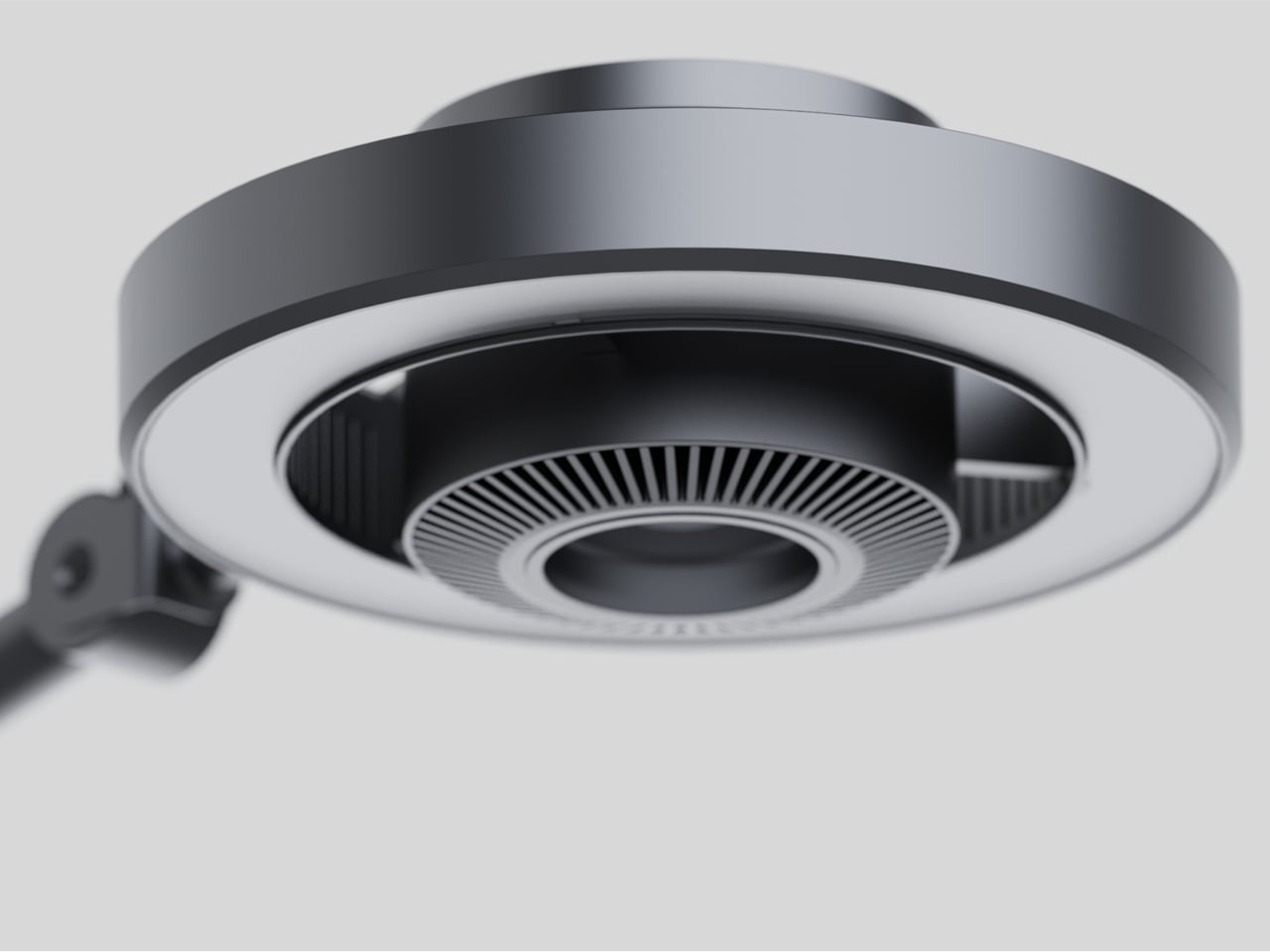
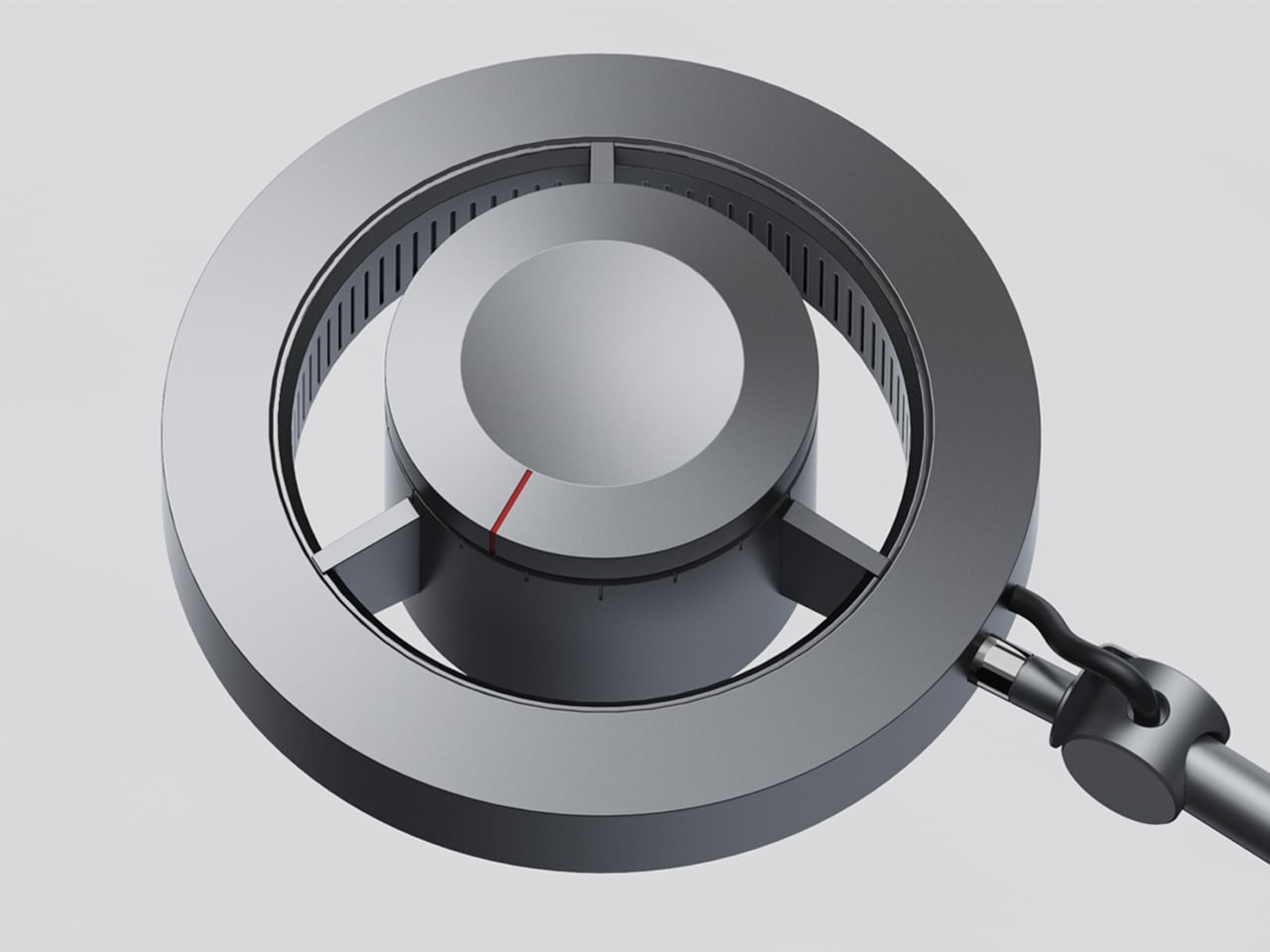
The object is made from bent and welded sheet metal, forming a nested, teardrop-like footprint that balances minimalism with clear function. The outer shell wraps around an inner wall to create two compartments in one continuous gesture, so it reads as a single form rather than a cluster of tubes. The result feels industrial and precise but not cold or overdesigned, more like a small sculpture that happens to organize your pens.

The base is wide enough to stay put when you grab a handful of markers, and a cork underside protects the desk and adds grip. The height keeps pens upright and visible without making them wobble or tip when you pull one out in a hurry. It is the kind of object you can slide around a crowded workspace without worrying about tipping or scratching the surface underneath.

A small “80/20” mark on the side acts as a quiet nod to the idea driving the form, not a loud logo. It is a reminder that the pot is not just another cylinder; it is a physical diagram of how most of us actually work, a big space for the few tools that matter most, and a smaller one for everything else.

Pareto Pot is less about storing as many pens as possible and more about making it easier to focus on the ones that pull most of the weight. It does not tell you which tools to love; it just gives them a better spot to live in. For anyone trying to tame a chaotic pen cup without giving up their favourite analog tools, that feels like a quietly smart upgrade.

The post Pareto Pot Uses the 80/20 Rule to Give Your Favorite Pens a Better Home first appeared on Yanko Design.